Creating a CMA
Creating a CMA with Search
1. Click on the CMA tab in New Stratus
and press Create New CMA.
2. Type the CMA name and choose a
property class. Use the tabs from
the top to navigate to each screen.
Remember to Save your CMA often.
3. When you get to the Comparable part
of the CMA press Search Listings.
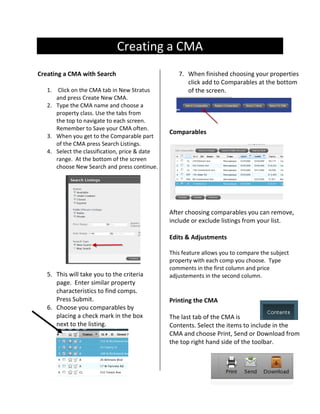
4. Select the classification, price & date
range. At the bottom of the screen
choose New Search and press continue.

7. When finished choosing your properties
click add to Comparables at the bottom
of the screen.

Comparables

After choosing comparables you can remove,
include or exclude listings from your list.
Edits & Adjustments

5. This will take you to the criteria
page. Enter similar property
characteristics to find comps.
Press Submit.
6. Choose you comparables by
placing a check mark in the box
next to the listing.

This feature allows you to compare the subject
property with each comp you choose. Type
comments in the first column and price
adjustements in the second column.

Printing the CMA
The last tab of the CMA is
Contents. Select the items to include in the
CMA and choose Print, Send or Download from
the top right hand side of the toolbar.

Create a CMA

  • 1.
    Creating a CMA Creatinga CMA with Search 1. Click on the CMA tab in New Stratus and press Create New CMA. 2. Type the CMA name and choose a property class. Use the tabs from the top to navigate to each screen. Remember to Save your CMA often. 3. When you get to the Comparable part of the CMA press Search Listings. 4. Select the classification, price & date range. At the bottom of the screen choose New Search and press continue. 7. When finished choosing your properties click add to Comparables at the bottom of the screen. Comparables After choosing comparables you can remove, include or exclude listings from your list. Edits & Adjustments 5. This will take you to the criteria page. Enter similar property characteristics to find comps. Press Submit. 6. Choose you comparables by placing a check mark in the box next to the listing. This feature allows you to compare the subject property with each comp you choose. Type comments in the first column and price adjustements in the second column. Printing the CMA The last tab of the CMA is Contents. Select the items to include in the CMA and choose Print, Send or Download from the top right hand side of the toolbar.