AMAZON REFUND GUIDE
FOR DAMAGED INVENTORY
ARE YOU AN
AMAZON SELLER?
You are probably one of the
many owed thousands of
dollars in reimbursements
from Amazon due to damaged
inventory
AMAZON POLICY
Requires they reimburse or replace any
damaged inventory
Steps to Tracking
Damaged Inventory
1 Sign Into Amazon Seller Central
2 Generating Damaged Inventory Report
a At the top of the page hover over the Reports tab and click on
the Fulfillment option as shown below
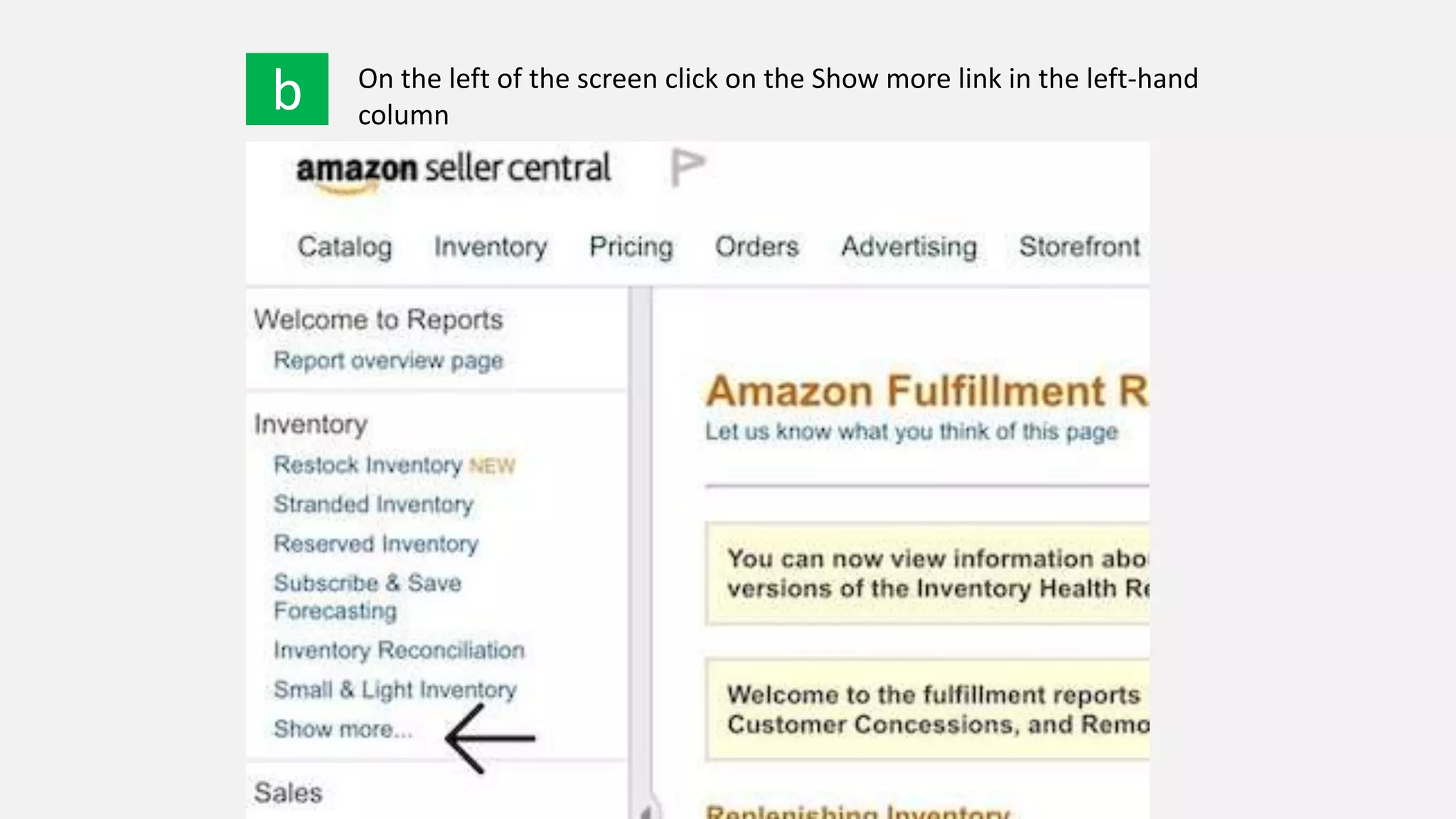
b On the left of the screen click on the Show more link in the left-hand
column
c Next select Inventory Adjustments
d We recommend using View Online instead of Download until you get
comfortable
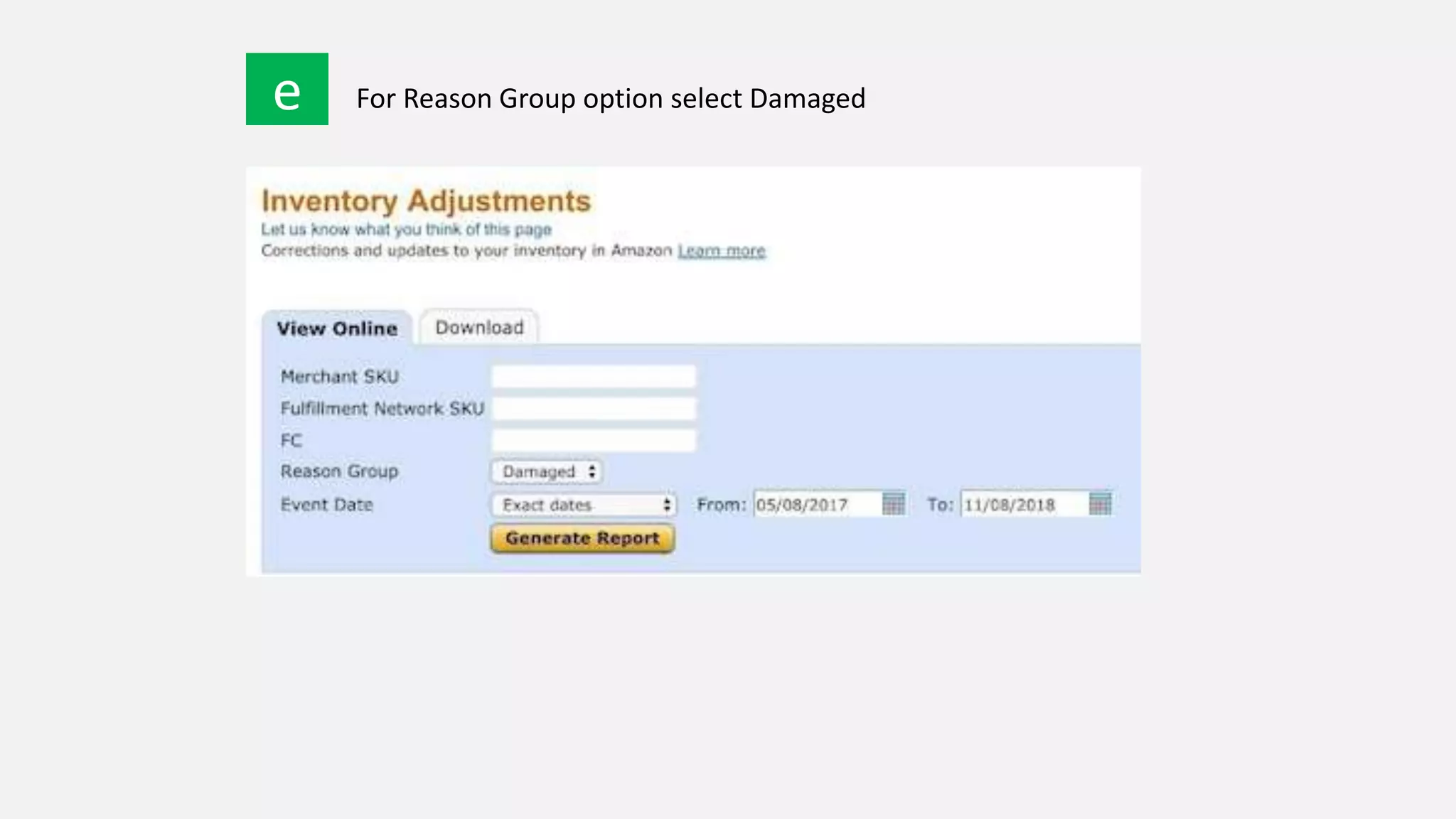
e For Reason Group option select Damaged
f For Event Date - when running this report for the first time we
recommend going back to the start of your account to recover all
potential reimbursements
h OPTION 1 OPTION 2
Best practice is to go
through each item before
opening a case to
determine if it has been
reimbursed already
If you have hundreds of
SKUs, you may want to
just open cases for all
SKUs from the report at a
time and let Amazon do
the difficult work
3 Reconciling Damaged Inventory
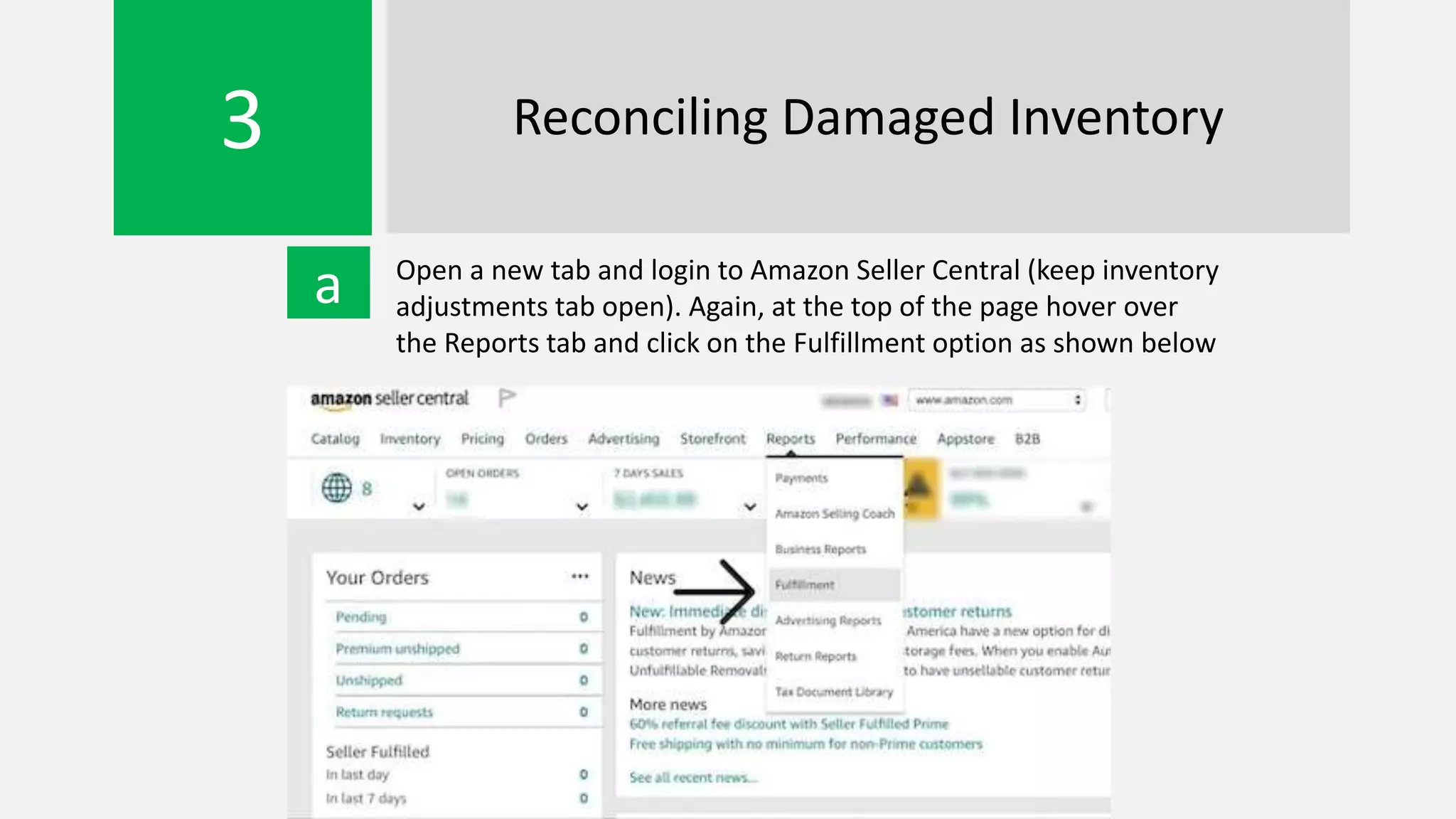
a Open a new tab and login to Amazon Seller Central (keep inventory
adjustments tab open). Again, at the top of the page hover over
the Reports tab and click on the Fulfillment option as shown below
b On the left of the screen, under the Payments heading
select Reimbursements
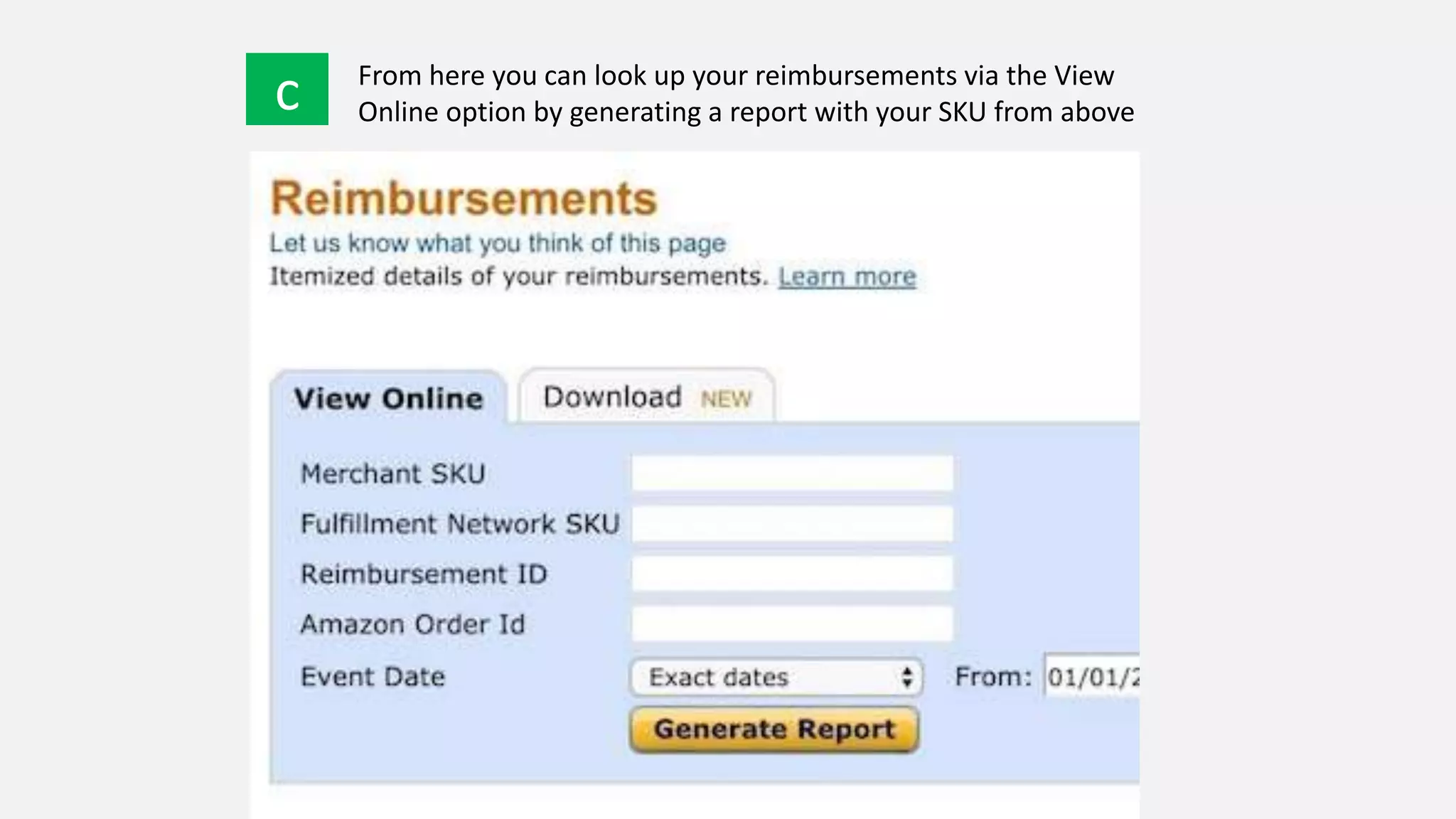
c From here you can look up your reimbursements via the View
Online option by generating a report with your SKU from above
d
e
If the reimbursement appears for the particular SKU, then you know
you were already refunded
If the message “No results found” is displayed (or damaged quantity
does not align), Amazon has not refunded you for the item yet and
you should provide them with this SKU in step 10
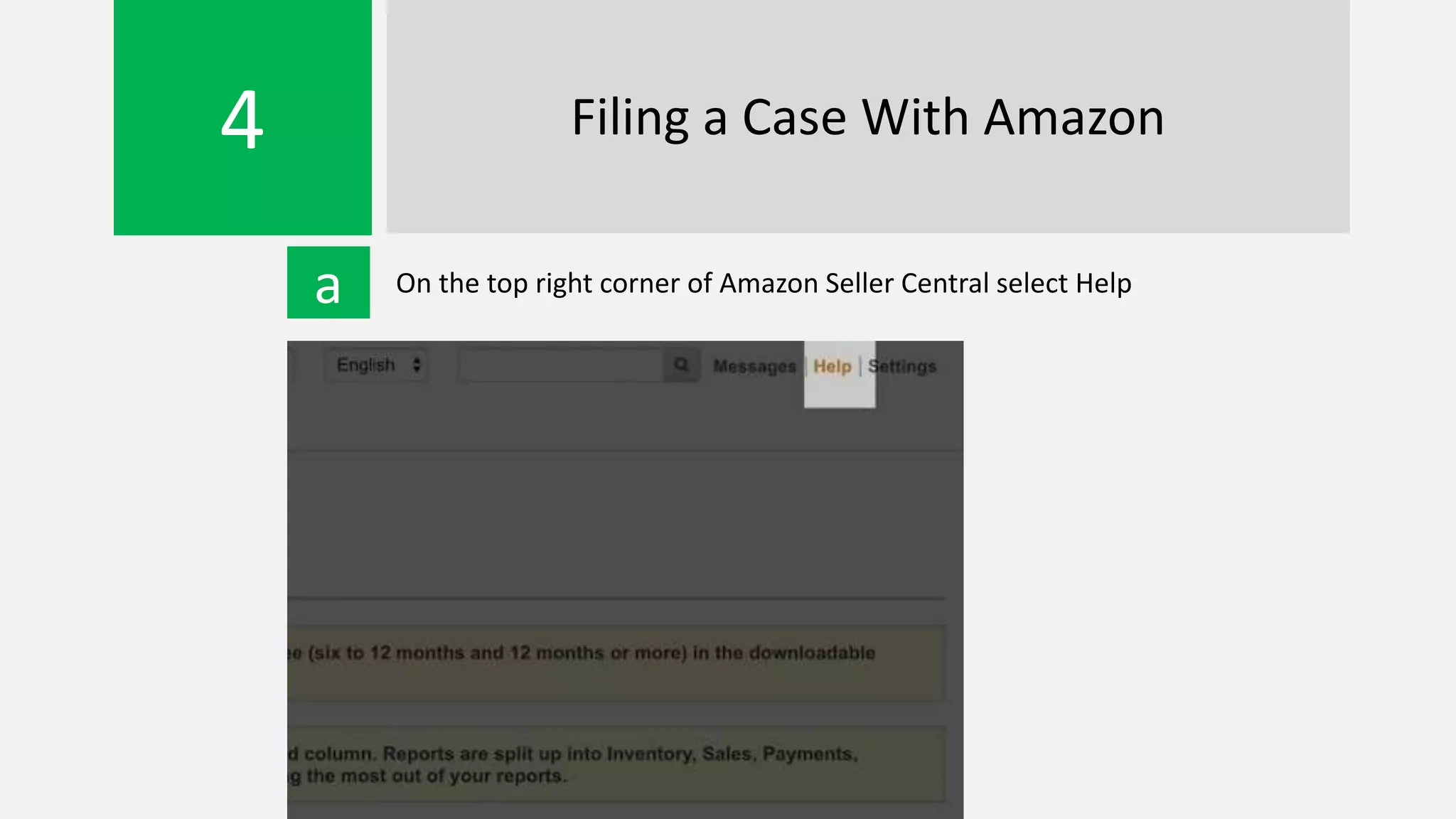
4 Filing a Case With Amazon
a On the top right corner of Amazon Seller Central select Help
b Click on the Contact Us button
c On the left select Selling on Amazon > Fulfillment by Amazon > Other
FBA Issue
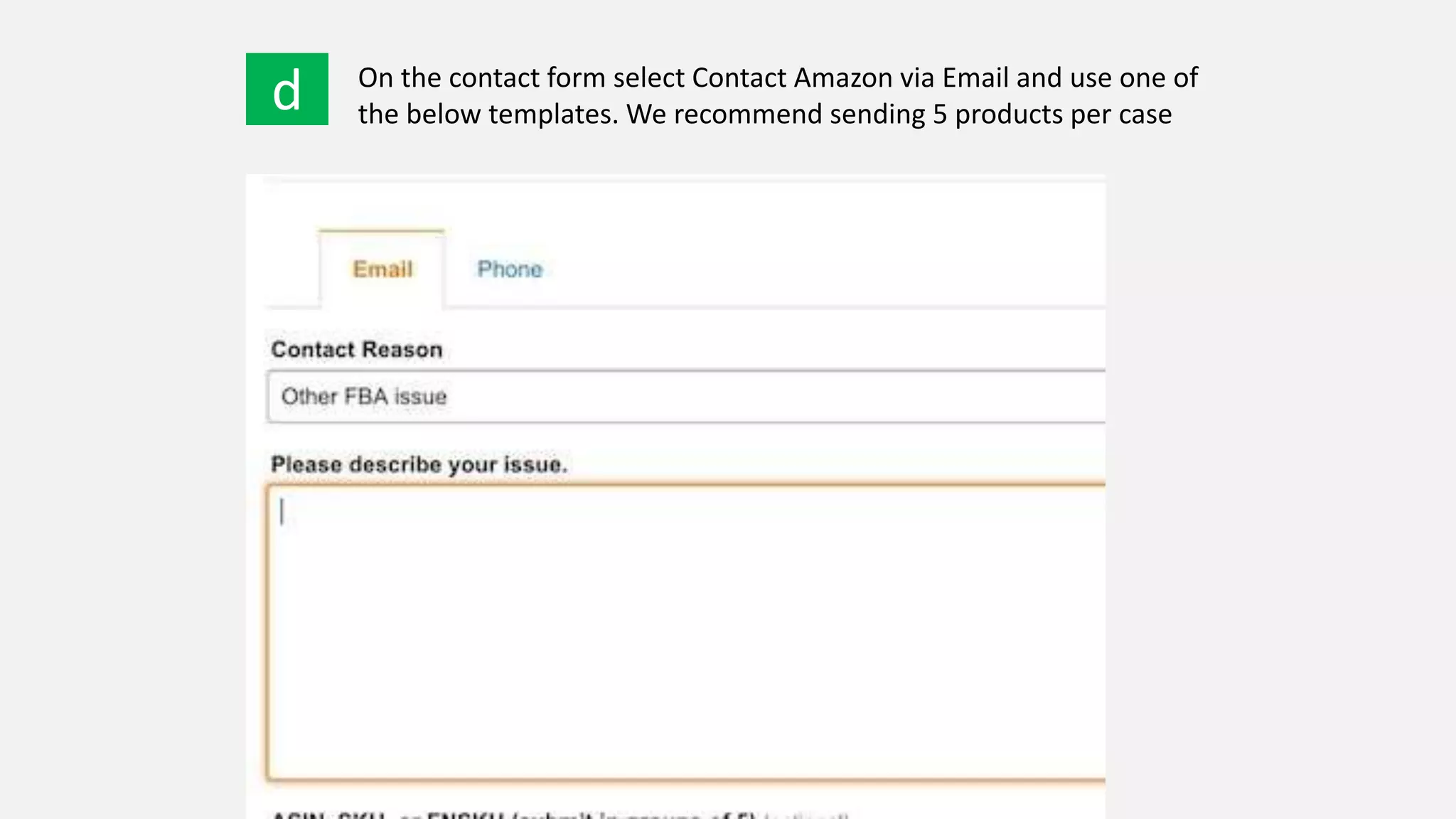
d On the contact form select Contact Amazon via Email and use one of
the below templates. We recommend sending 5 products per case
Template Option # 1
Hello,
I was looking at my Inventory
Adjustment Report and some of my
products have been damaged at
Amazon from {INSERT TIME} .
{INSERT SKUs} have been damaged.
Can you please process me a refund
for these?
Thank you,
{INSERT NAME}
Template Option #2
Hello,
Please review the following items and
reimburse for the damaged units.
Due to being a small business and
having time constraints, I've attached
{INSERT #} items because opening
cases in smaller amounts isn't
feasible.
Thanks in advance and I appreciate
your help in this matter.
Best regards,
{INSERT NAME}
MORE INFORMATION
https://www.amzreimburse.com/blog/
refund-amazon-damaged-inventory

Amazon Seller? Get thousands of dollars back from Amazon.

  • 1.
    AMAZON REFUND GUIDE FORDAMAGED INVENTORY
  • 2.
  • 3.
    You are probablyone of the many owed thousands of dollars in reimbursements from Amazon due to damaged inventory
  • 4.
    AMAZON POLICY Requires theyreimburse or replace any damaged inventory
  • 5.
  • 6.
    1 Sign IntoAmazon Seller Central
  • 7.
    2 Generating DamagedInventory Report a At the top of the page hover over the Reports tab and click on the Fulfillment option as shown below
  • 8.
    b On theleft of the screen click on the Show more link in the left-hand column
  • 9.
    c Next selectInventory Adjustments
  • 10.
    d We recommendusing View Online instead of Download until you get comfortable
  • 11.
    e For ReasonGroup option select Damaged
  • 12.
    f For EventDate - when running this report for the first time we recommend going back to the start of your account to recover all potential reimbursements h OPTION 1 OPTION 2 Best practice is to go through each item before opening a case to determine if it has been reimbursed already If you have hundreds of SKUs, you may want to just open cases for all SKUs from the report at a time and let Amazon do the difficult work
  • 13.
    3 Reconciling DamagedInventory a Open a new tab and login to Amazon Seller Central (keep inventory adjustments tab open). Again, at the top of the page hover over the Reports tab and click on the Fulfillment option as shown below
  • 14.
    b On theleft of the screen, under the Payments heading select Reimbursements
  • 15.
    c From hereyou can look up your reimbursements via the View Online option by generating a report with your SKU from above
  • 16.
    d e If the reimbursementappears for the particular SKU, then you know you were already refunded If the message “No results found” is displayed (or damaged quantity does not align), Amazon has not refunded you for the item yet and you should provide them with this SKU in step 10
  • 17.
    4 Filing aCase With Amazon a On the top right corner of Amazon Seller Central select Help
  • 18.
    b Click onthe Contact Us button
  • 19.
    c On theleft select Selling on Amazon > Fulfillment by Amazon > Other FBA Issue
  • 20.
    d On thecontact form select Contact Amazon via Email and use one of the below templates. We recommend sending 5 products per case
  • 21.
    Template Option #1 Hello, I was looking at my Inventory Adjustment Report and some of my products have been damaged at Amazon from {INSERT TIME} . {INSERT SKUs} have been damaged. Can you please process me a refund for these? Thank you, {INSERT NAME} Template Option #2 Hello, Please review the following items and reimburse for the damaged units. Due to being a small business and having time constraints, I've attached {INSERT #} items because opening cases in smaller amounts isn't feasible. Thanks in advance and I appreciate your help in this matter. Best regards, {INSERT NAME}
  • 22.