Create a Facebook account without
surname (second name)
Note: If you have changed your name
more than once than it may not work.
 We will do our work through Firefox, which will be
easy.
 To do this we need Indonesian ip and proxy
address.
 For example we have
ip= 118.99.67.99
port= 8080(while changing ip and proxy
address some may work some may not)
 How to change ip through Firefox?
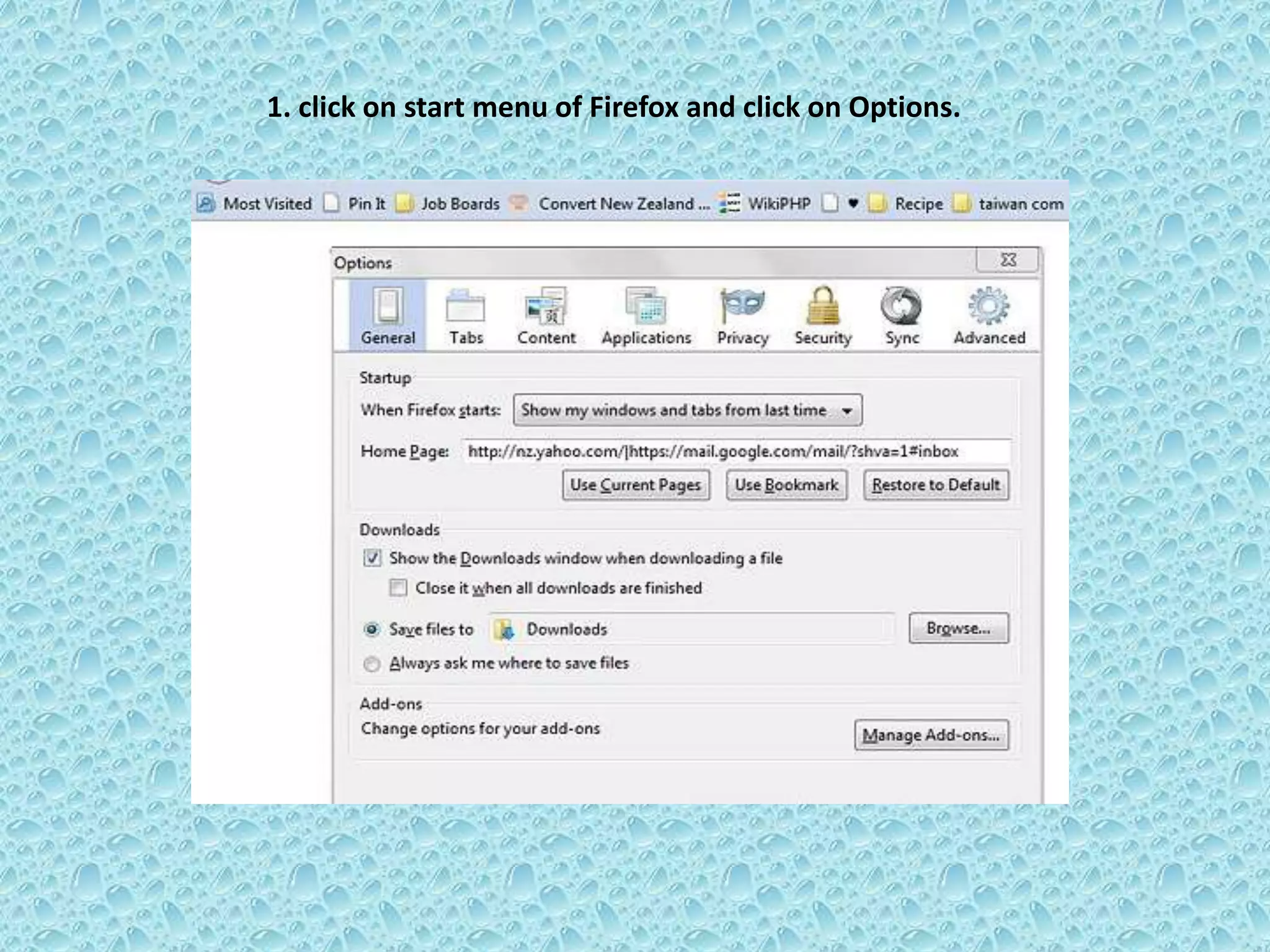
1. click on start menu of Firefox and click on Options.
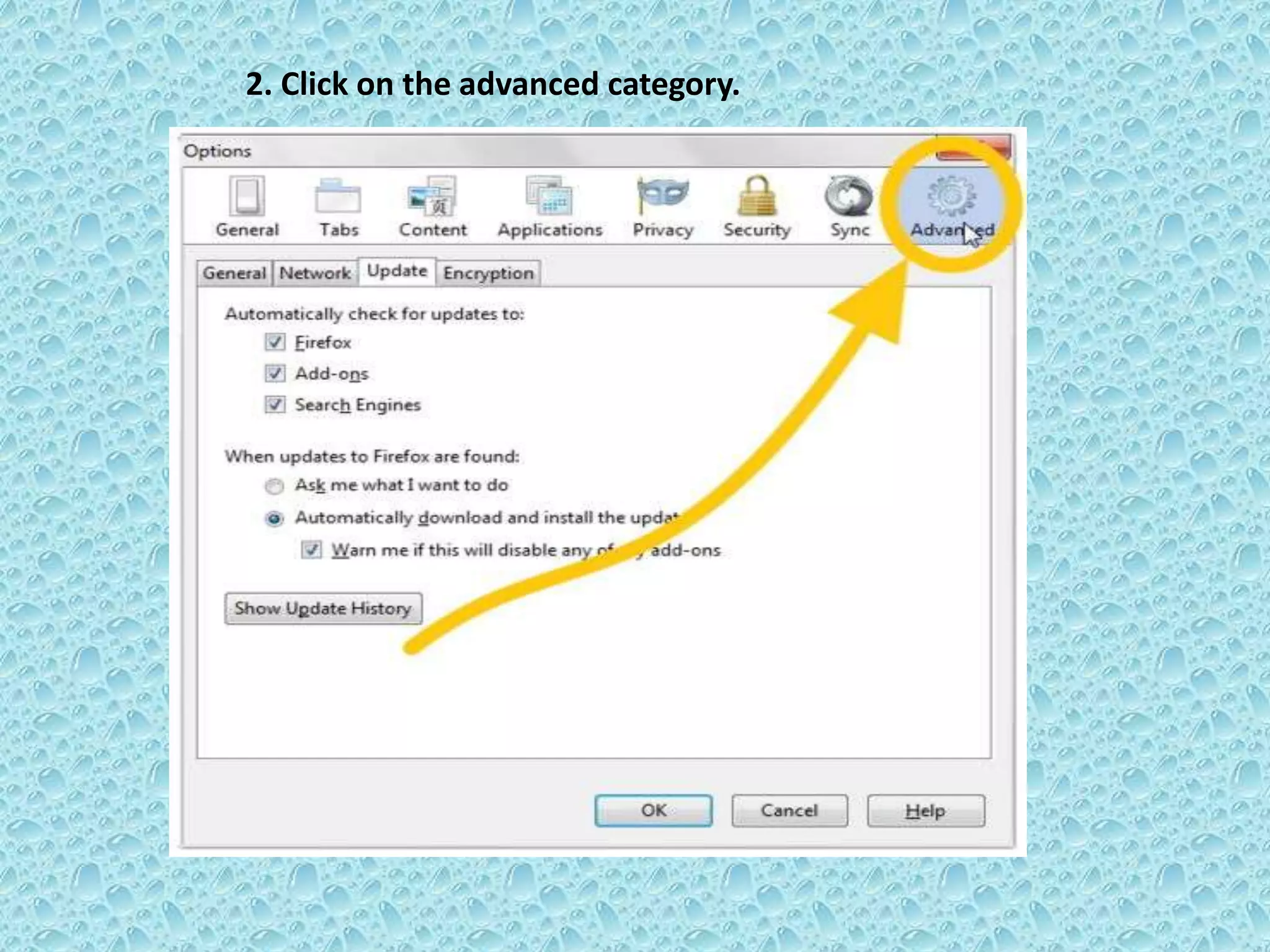
2. Click on the advanced category.
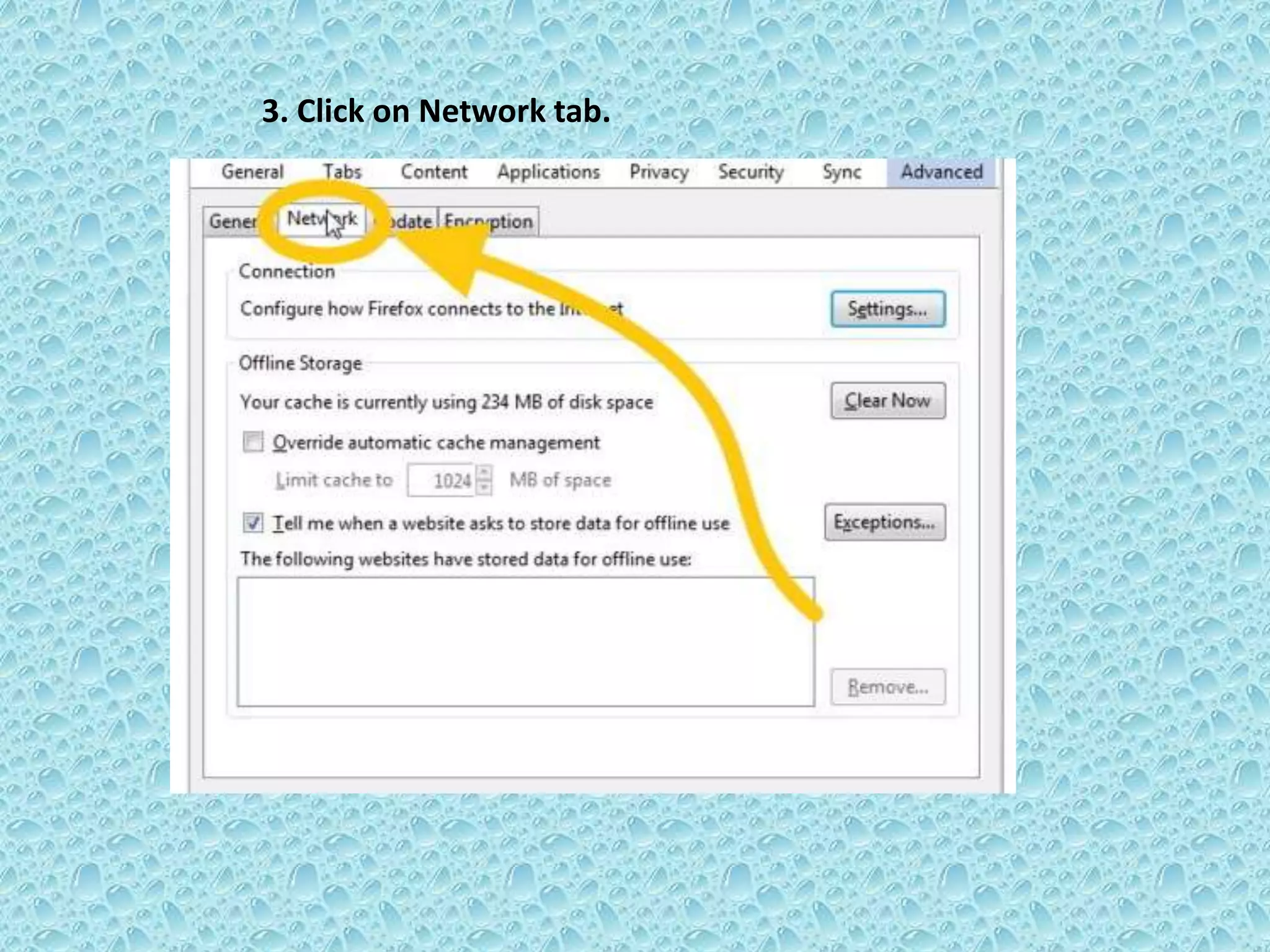
3. Click on Network tab.
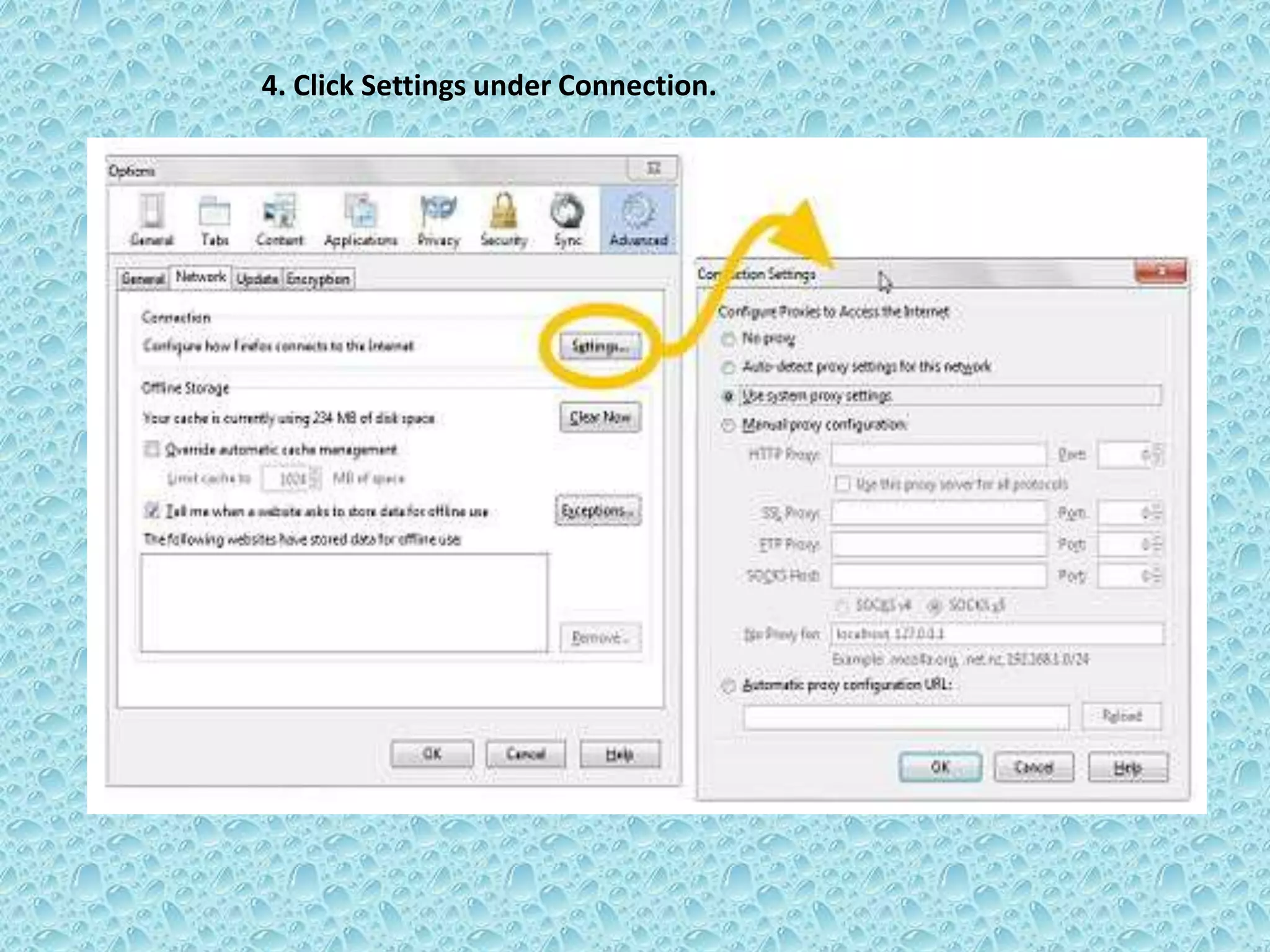
4. Click Settings under Connection.
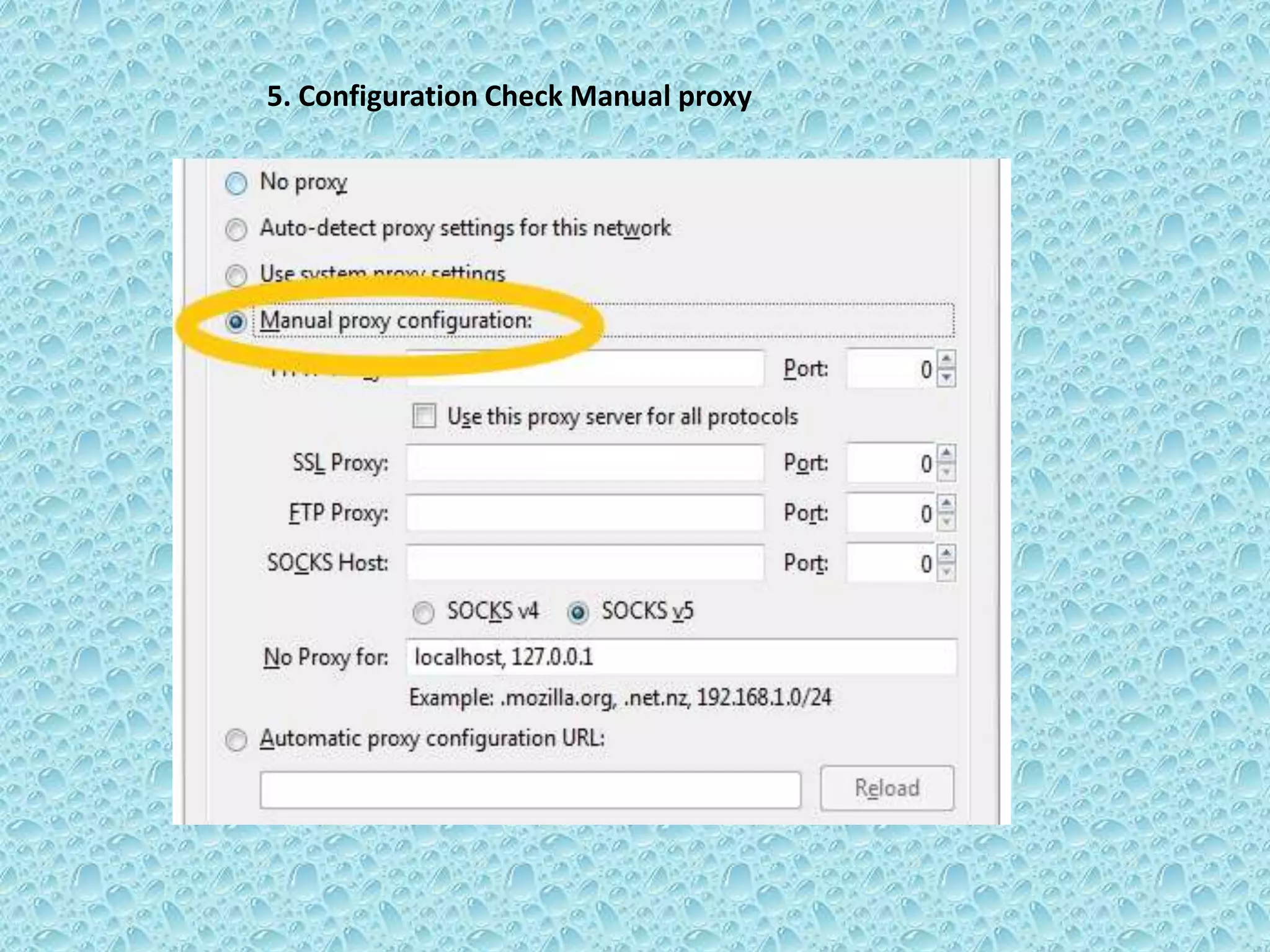
5. Configuration Check Manual proxy
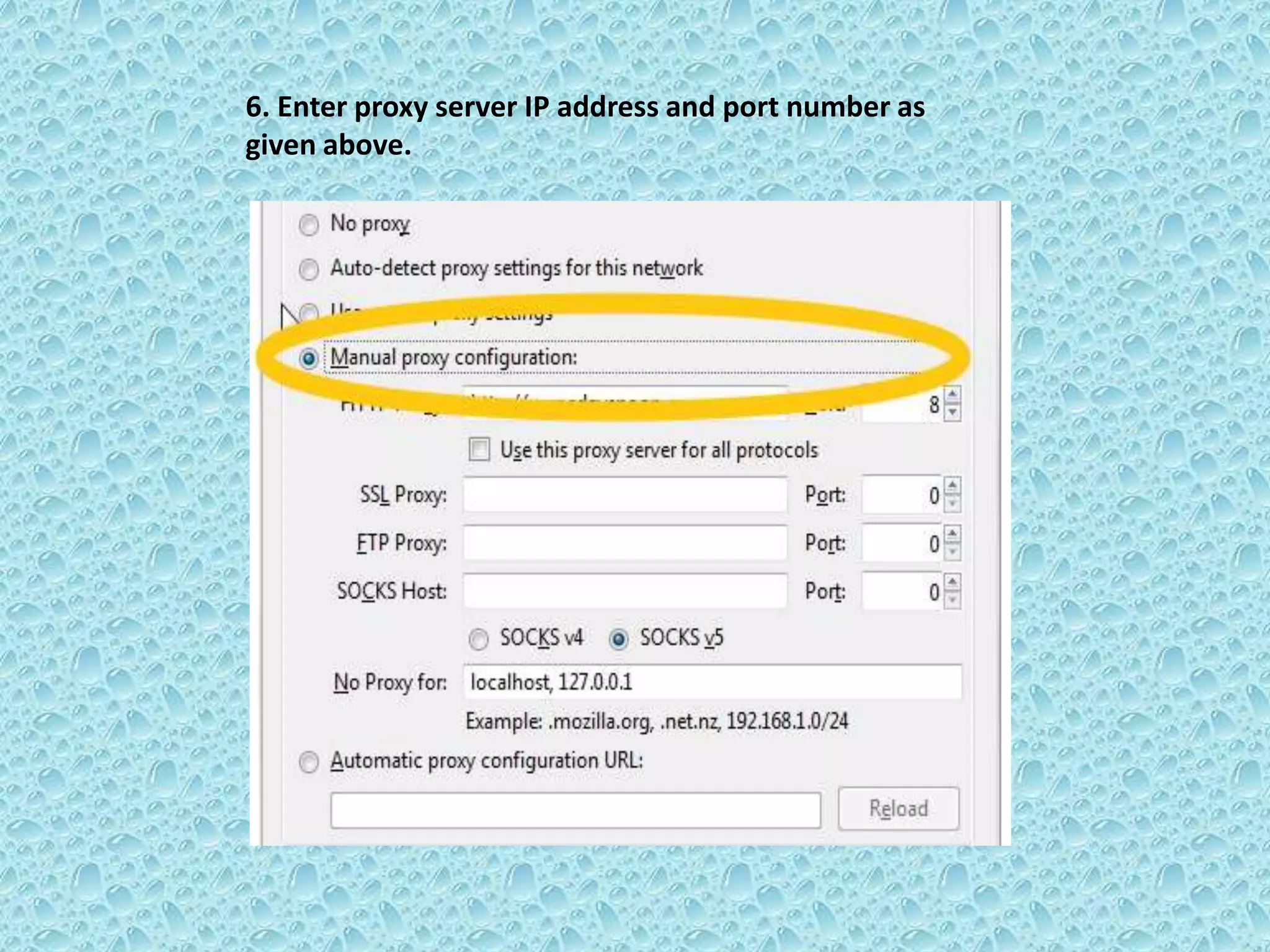
6. Enter proxy server IP address and port number as
given above.
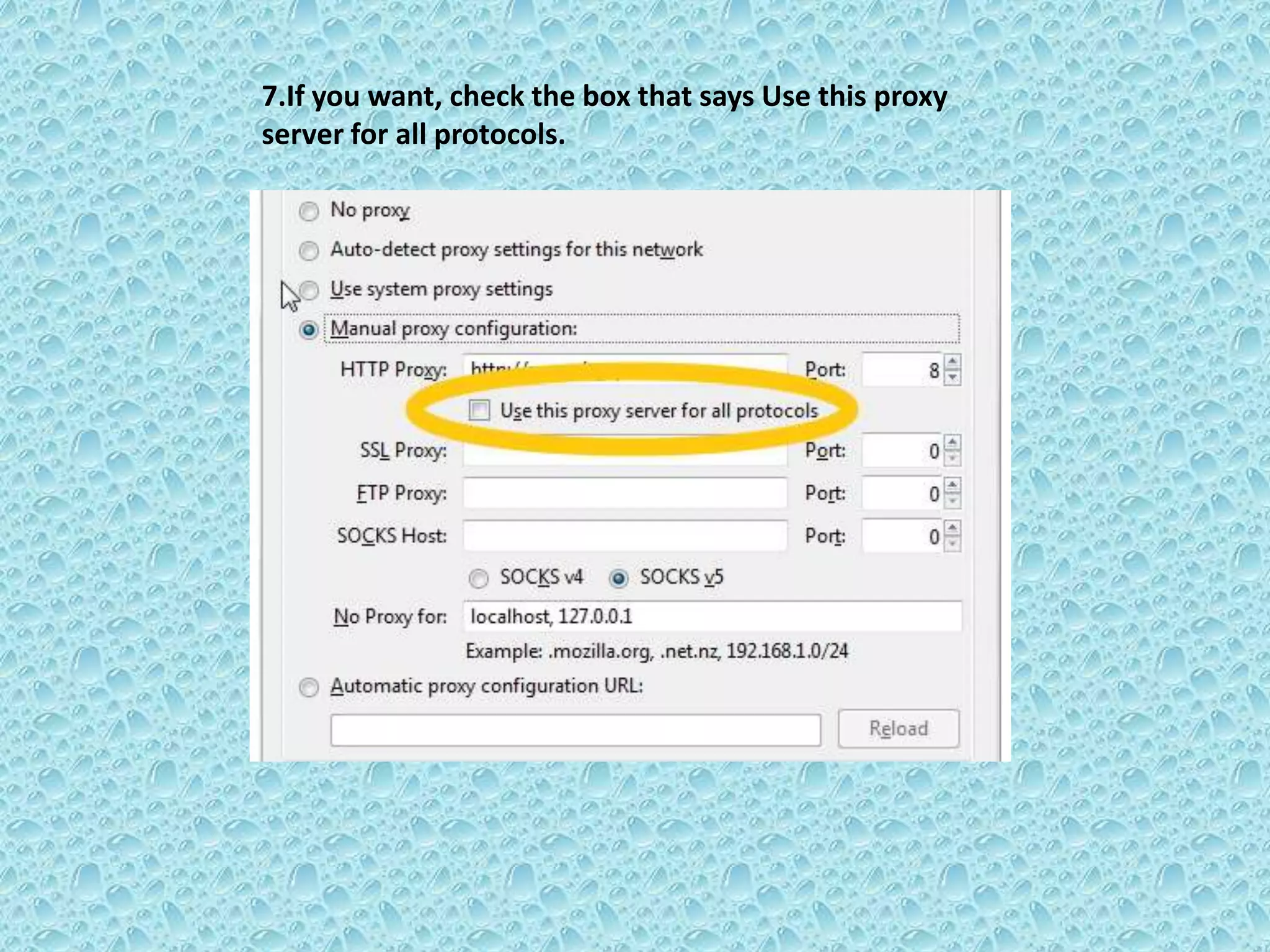
7.If you want, check the box that says Use this proxy
server for all protocols.
After changing ip and proxy address do the following procedures
 Log In To Facebook
 Go to Account Settings
 Change language into “Bahasa Indonesia”
 Place First Name
 Don't Put Anything On Last Name
 Input Password
 Save
 After that change language into “English”
 Done. :-)
Thank You
For more details logon to
www.suraj1kc.wordpress.com
Any Queries ??

Create a facebook account without surname (second name)

  • 1.
    Create a Facebookaccount without surname (second name)
  • 2.
    Note: If youhave changed your name more than once than it may not work.
  • 3.
     We willdo our work through Firefox, which will be easy.  To do this we need Indonesian ip and proxy address.  For example we have ip= 118.99.67.99 port= 8080(while changing ip and proxy address some may work some may not)  How to change ip through Firefox?
  • 4.
    1. click onstart menu of Firefox and click on Options.
  • 5.
    2. Click onthe advanced category.
  • 6.
    3. Click onNetwork tab.
  • 7.
    4. Click Settingsunder Connection.
  • 8.
  • 9.
    6. Enter proxyserver IP address and port number as given above.
  • 10.
    7.If you want,check the box that says Use this proxy server for all protocols.
  • 11.
    After changing ipand proxy address do the following procedures  Log In To Facebook  Go to Account Settings  Change language into “Bahasa Indonesia”  Place First Name  Don't Put Anything On Last Name  Input Password  Save  After that change language into “English”  Done. :-)
  • 12.
    Thank You For moredetails logon to www.suraj1kc.wordpress.com
  • 13.