

Removing Facebook Last Name 
Here is tricks to change/remove your last name or surname in Facebook 
using Mozilla Firefox
Note : If you have change your name more than 4 
times than you may not able to change/remove 
your last name 
Do this changes at your own Risk. This is only for 
education Purpose.
We will do this using Mozilla Firefox, since it is 
easy to use and we all know about this
Most of we don’t know why 
Facebook give us to change our 
name ?? 
Because we do this task using Indonesian proxy and port and most of 
the Indonesian citizen don’t have their last name, that's why they give 
access to remove our last name.
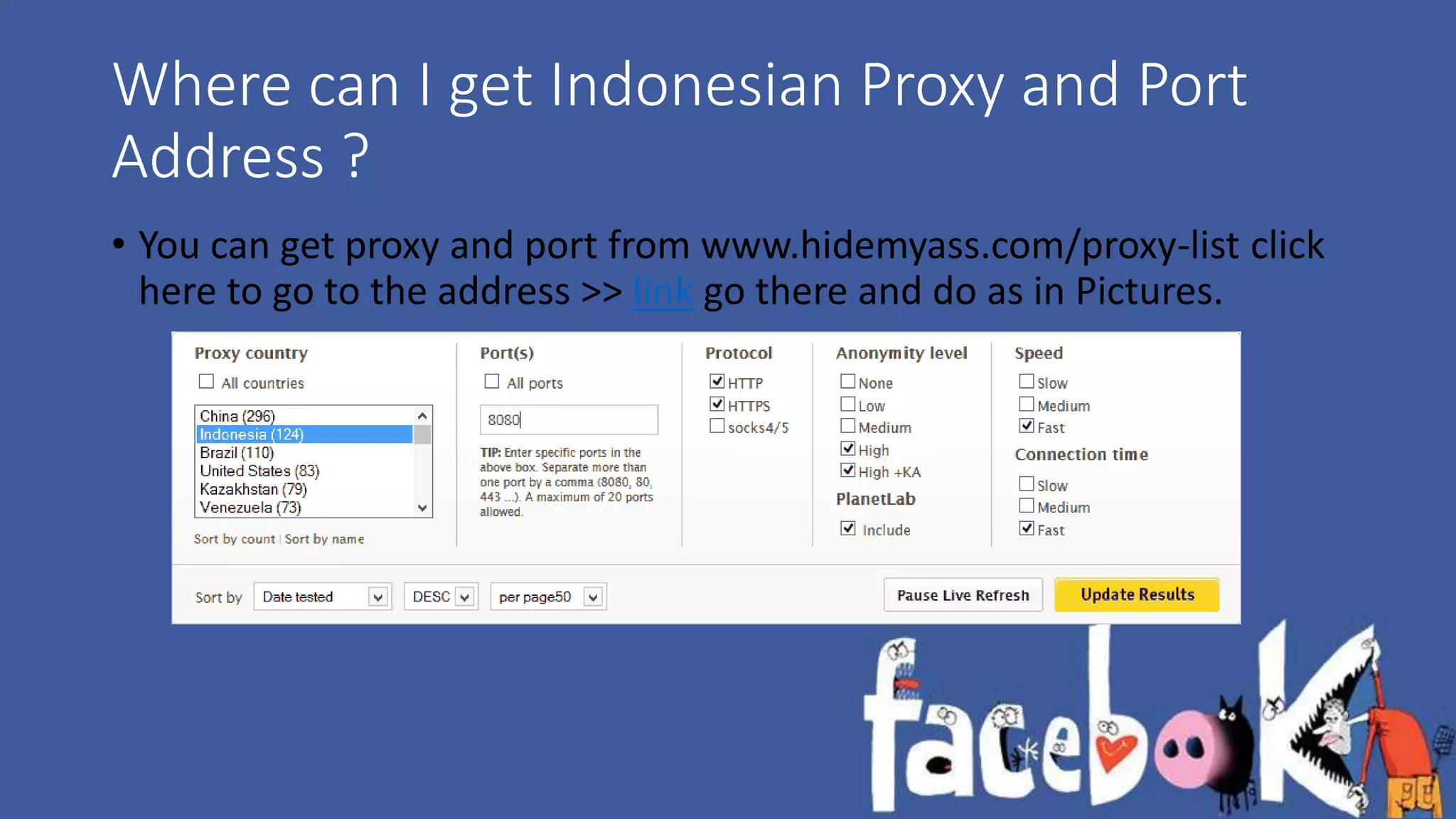
Where can I get Indonesian Proxy and Port 
Address ? 
• You can get proxy and port from www.hidemyass.com/proxy-list click 
here to go to the address >> link go there and do as in Pictures.
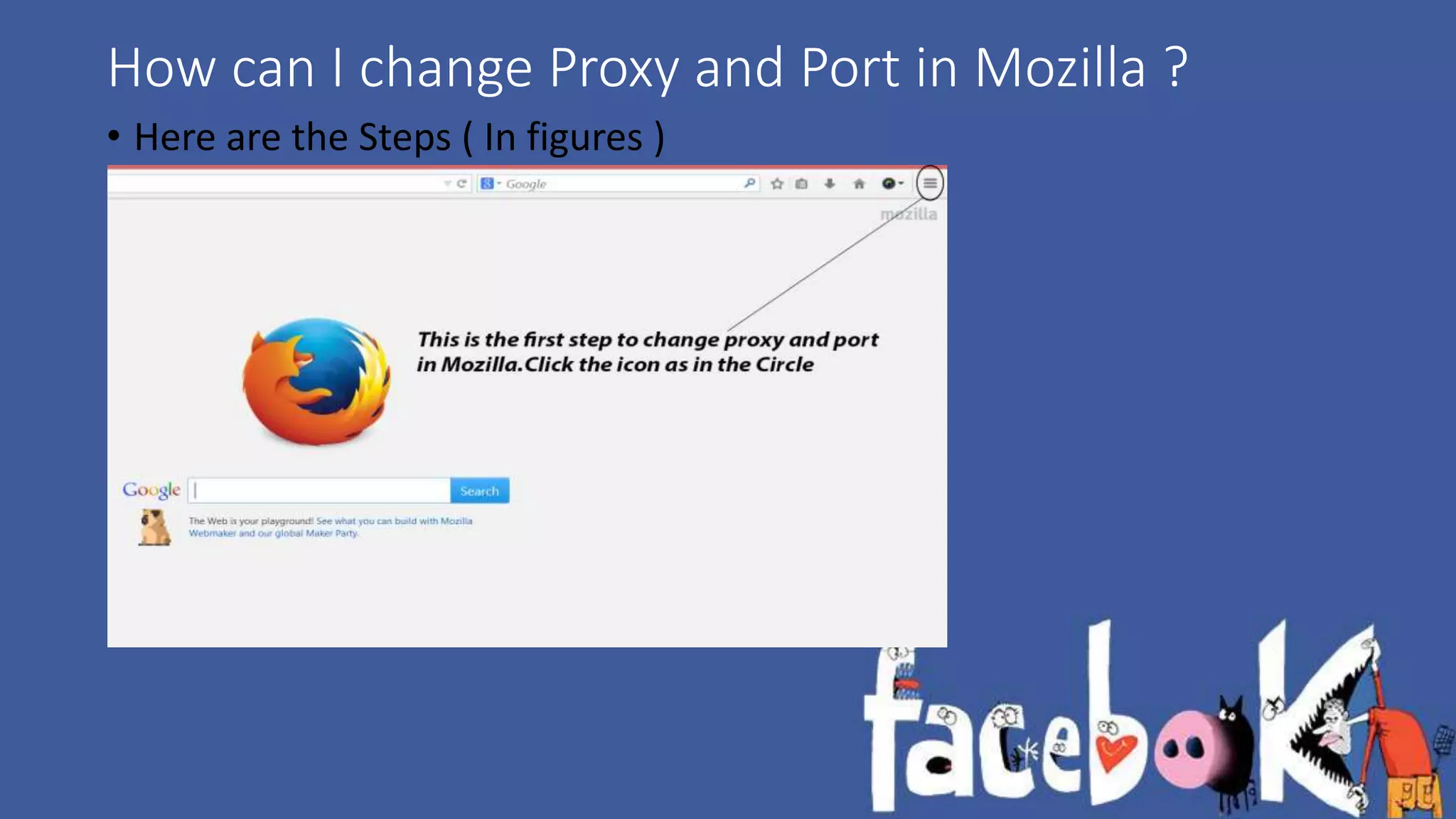
How can I change Proxy and Port in Mozilla ? 
• Here are the Steps ( In figures )
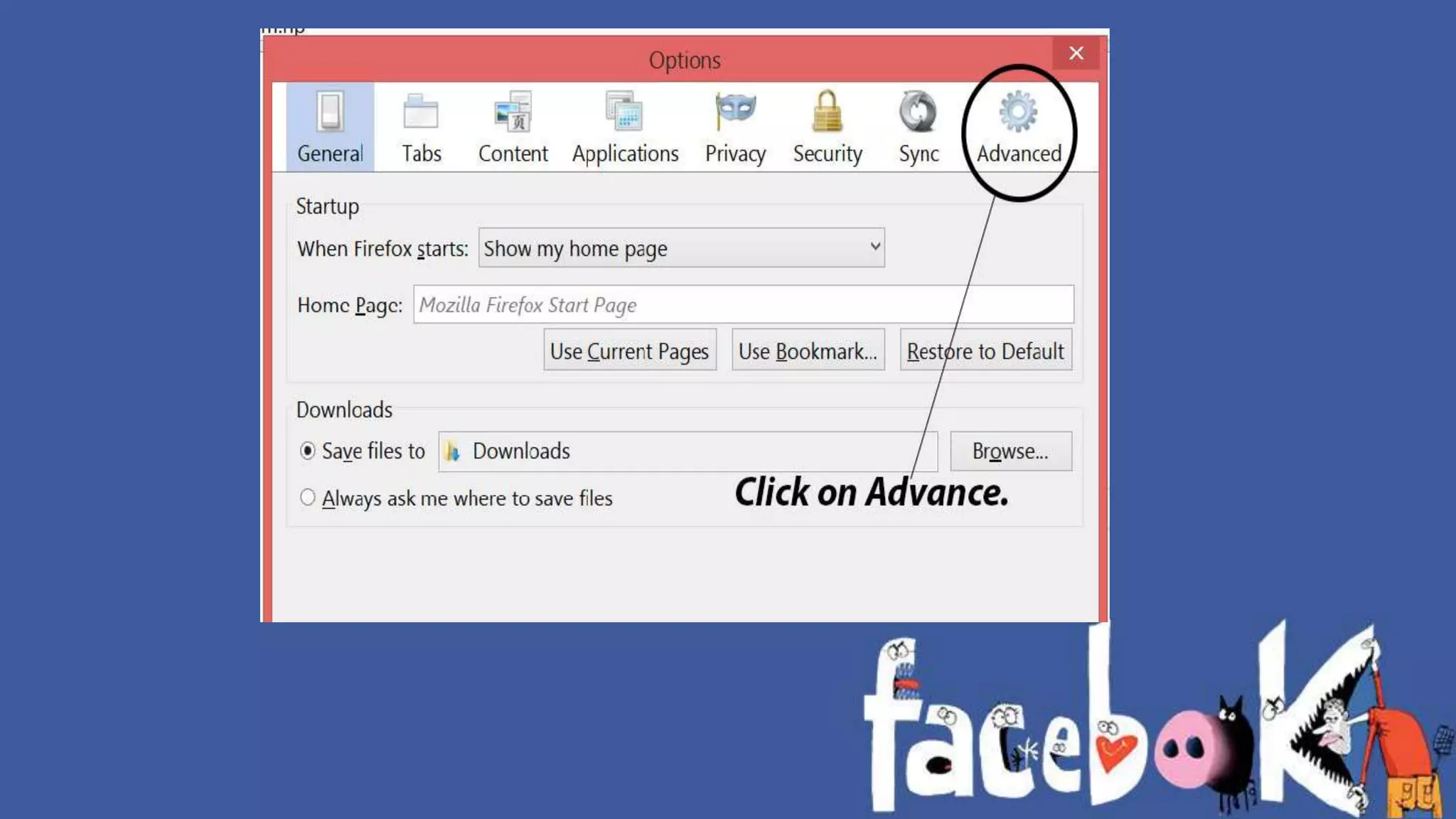
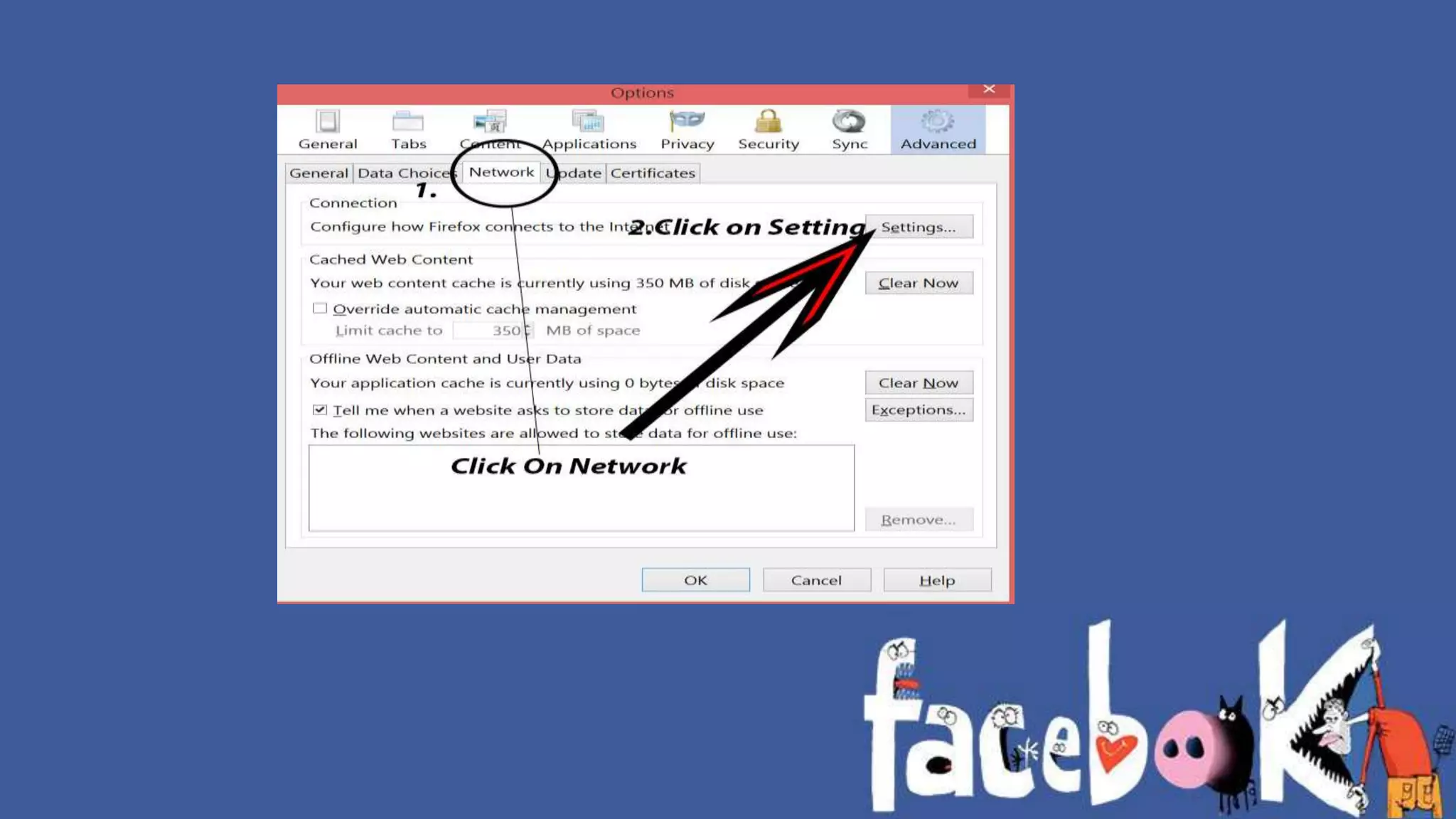
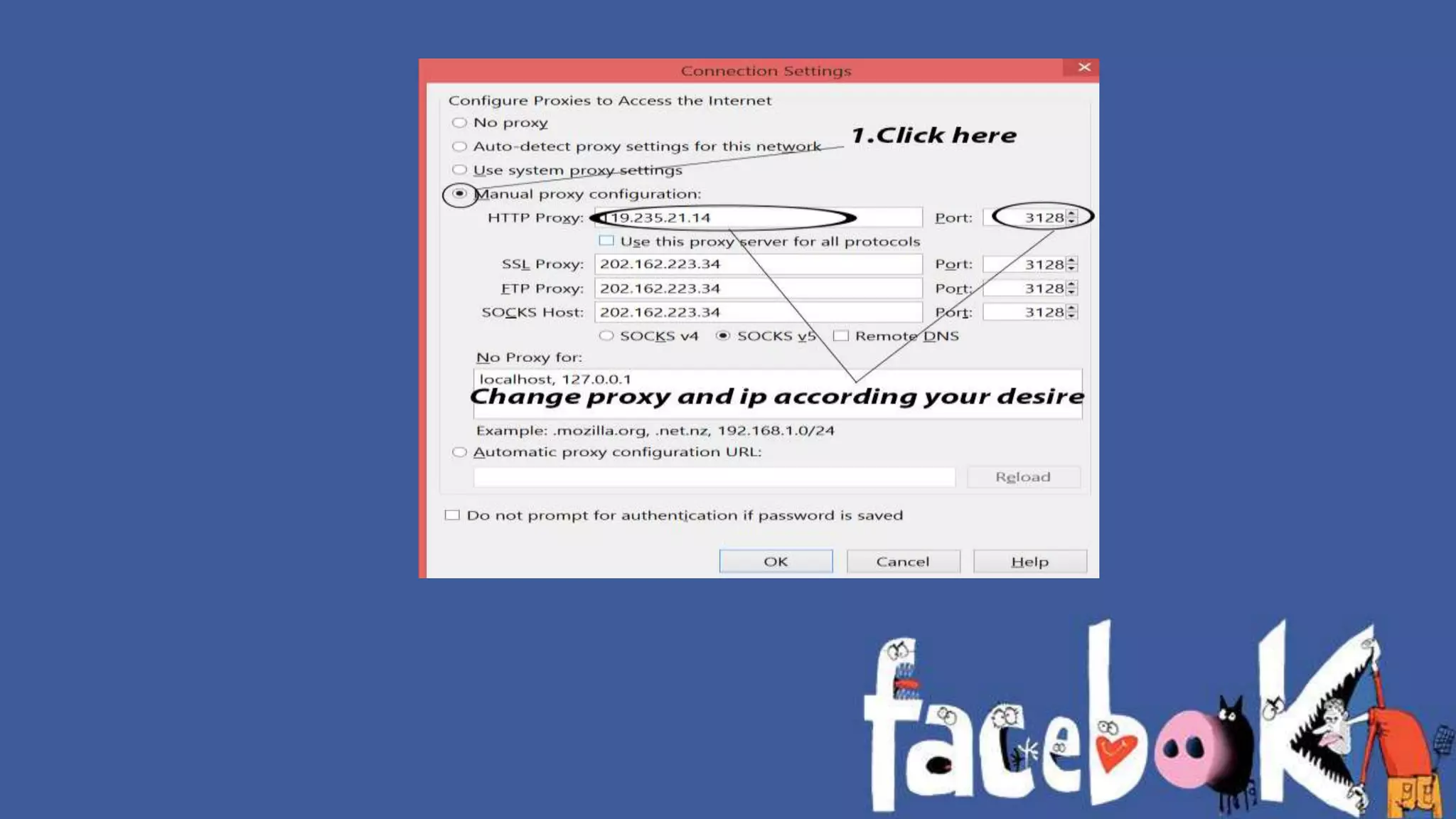
These are the steps to change Proxy and Port 
in figure ( above)
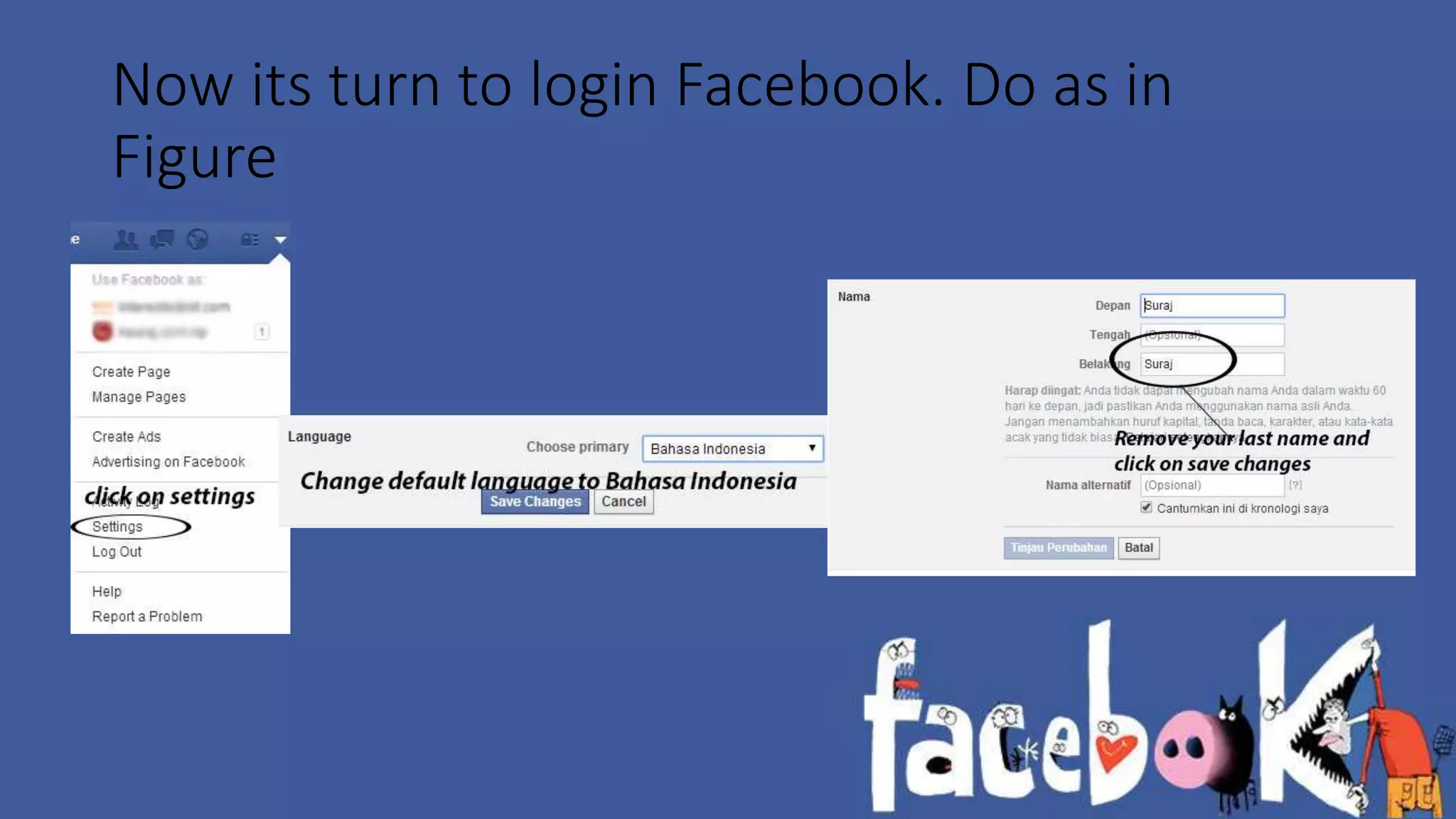
Now its turn to login Facebook. Do as in 
Figure
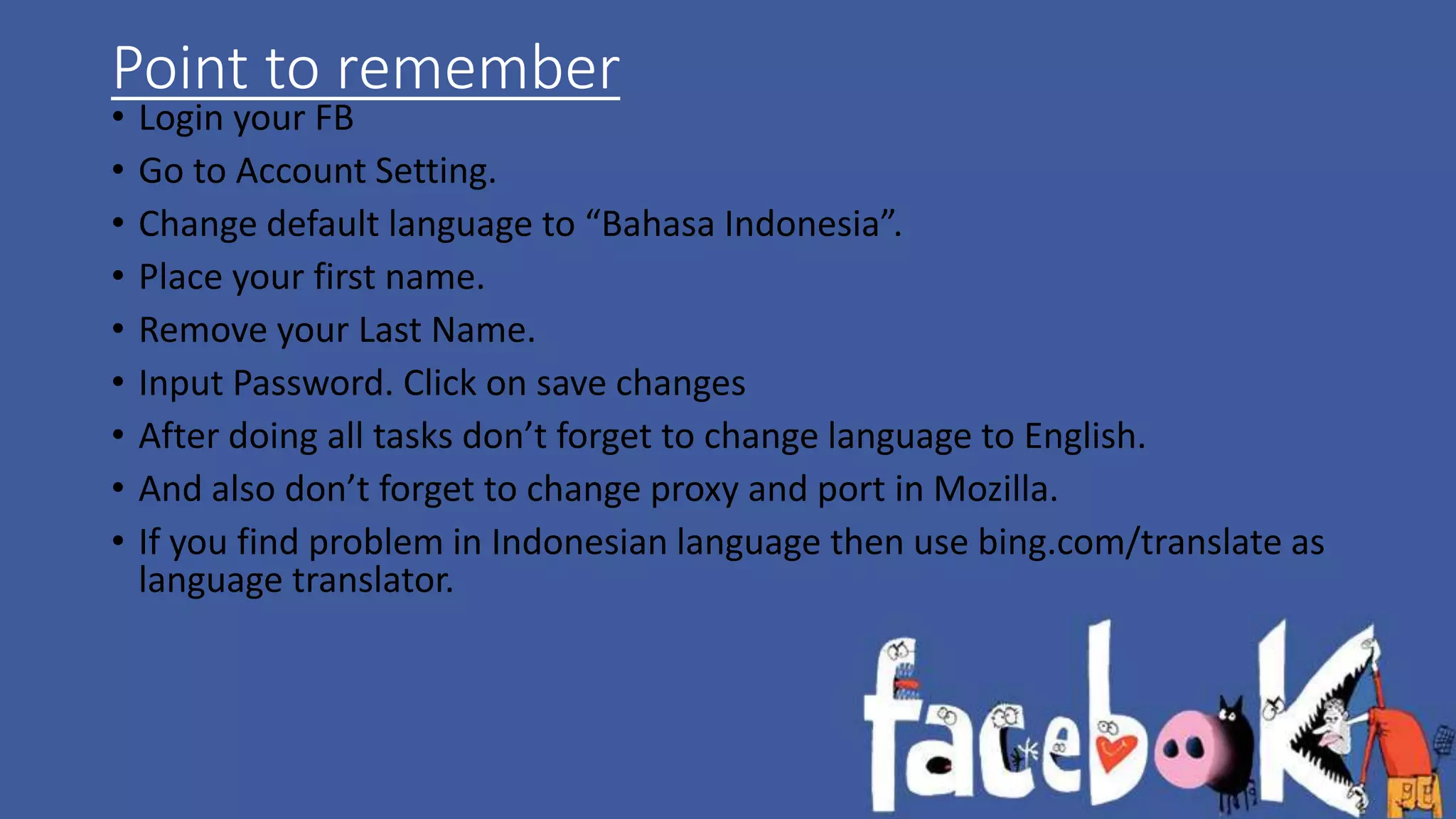
Point to remember 
• Login your FB 
• Go to Account Setting. 
• Change default language to “Bahasa Indonesia”. 
• Place your first name. 
• Remove your Last Name. 
• Input Password. Click on save changes 
• After doing all tasks don’t forget to change language to English. 
• And also don’t forget to change proxy and port in Mozilla. 
• If you find problem in Indonesian language then use bing.com/translate as 
language translator.
Last but not the Least 
• Feel free to Comment if you find difficulty on doing these things. 
www.suraj1kc.wordpress.com 
www.ksuraj.com.np 
@suraj1kc

Removing Your Last Name From Facebook [Updated]

  • 1.
    Removing Facebook LastName Here is tricks to change/remove your last name or surname in Facebook using Mozilla Firefox
  • 2.
    Note : Ifyou have change your name more than 4 times than you may not able to change/remove your last name Do this changes at your own Risk. This is only for education Purpose.
  • 3.
    We will dothis using Mozilla Firefox, since it is easy to use and we all know about this
  • 4.
    Most of wedon’t know why Facebook give us to change our name ?? Because we do this task using Indonesian proxy and port and most of the Indonesian citizen don’t have their last name, that's why they give access to remove our last name.
  • 5.
    Where can Iget Indonesian Proxy and Port Address ? • You can get proxy and port from www.hidemyass.com/proxy-list click here to go to the address >> link go there and do as in Pictures.
  • 6.
    How can Ichange Proxy and Port in Mozilla ? • Here are the Steps ( In figures )
  • 10.
    These are thesteps to change Proxy and Port in figure ( above)
  • 11.
    Now its turnto login Facebook. Do as in Figure
  • 12.
    Point to remember • Login your FB • Go to Account Setting. • Change default language to “Bahasa Indonesia”. • Place your first name. • Remove your Last Name. • Input Password. Click on save changes • After doing all tasks don’t forget to change language to English. • And also don’t forget to change proxy and port in Mozilla. • If you find problem in Indonesian language then use bing.com/translate as language translator.
  • 13.
    Last but notthe Least • Feel free to Comment if you find difficulty on doing these things. www.suraj1kc.wordpress.com www.ksuraj.com.np @suraj1kc