Time Management?
time management + task management =
doing the right things at the right time.
time management = overhead A, which
needs to save >A
this isn’t a “learn how to fish”
presentation. it’s force feeding the fish
into your mouth.
● ABW: always be working
● letting other people control your work queue
● multiple task lists
● noise, think-time overhead when you have time
● overemphasizing impact of external events
your enemies
stages of time management maturity
● stage 1: clear your mind
● stage 2: plan your day
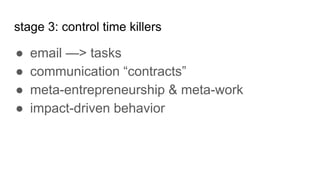
● stage 3: control time killers
● stage 4: automate and delegate
● stage 5: taking a long term view
stage 1: clear your mind
● single task list
● fully comprehensive
● ruthless prioritization
● filter out what you can’t do right now
● explicit “will not do” list
stage 2: plan your day & week
there are only 3 priorities: “gotta get done today”,
“gotta get done this week” and the rest
the role of the to-do list: your anchor to safety
“will do” contracts
prioritizing delegation & external commitments
genetics
stage 3: control time killers
● email —> tasks
● communication “contracts”
● meta-entrepreneurship & meta-work
● impact-driven behavior
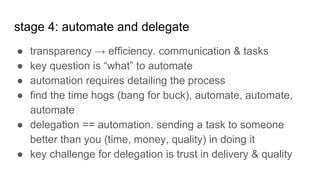
stage 4: automate and delegate
● transparency → efficiency. communication & tasks
● key question is “what” to automate
● automation requires detailing the process
● find the time hogs (bang for buck), automate, automate,
automate
● delegation == automation. sending a task to someone
better than you (time, money, quality) in doing it
● key challenge for delegation is trust in delivery & quality
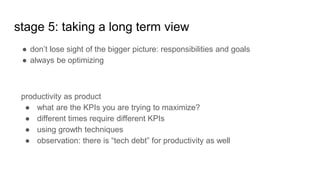
● don’t lose sight of the bigger picture: responsibilities and goals
● always be optimizing
stage 5: taking a long term view
productivity as product
● what are the KPIs you are trying to maximize?
● different times require different KPIs
● using growth techniques
● observation: there is “tech debt” for productivity as well
Down to earth
tasks
● a task is a single physical unit of work
● It should be listed in a single task list
● everything must be on it. yes, personal & professional too.
● priorities? useless. today, this week, rest. stack rank within category.
● due dates are only for due dates
● task assigning: social norms. queues and ownerships are better than direct
assignment. transparent.
● honor contracts and contracts will be honored.
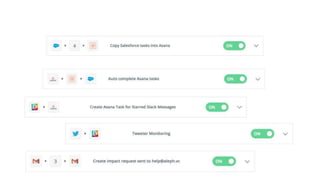
● more than one channel (email, slack) or list (salesforce, trello, asana,
whatever)? sync with zapier.
email → task workflow
email is the worst form of a task list. requires re-thinking, re-figuring out, re-
prioritizing. it’s shit. funnel:
● is this in the “not going to do” list? should this be done at all?
● under 2 minutes? do immediately —> can derive email reading time. email-
zero is achievable!
● write the task in the next physical action required title, with self contained
description, even if for you.
● can be delegated? “waiting on” with due date.
● can’t be done yet? “tickler” with due date.
● tag tasks: time requirements, context when it can be done
● archive. do not read an email twice.
automation
what to automate?
decision fatigue and the 7 slots
base automation building block: step-by-step process
instantiate, log task durations --> what to automate.
tools
small coding job? codersclan
physical? fiverr & taskrabbit
research? askwonder.com
many small human tasks? crunchable.io
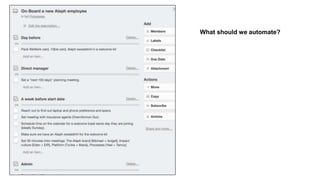
What should we automate?
meetings
no agenda & goals? don’t agree for a meeting
● finish the meeting by reviewing the goals
no summary? don’t agree to future meetings
try out: worklife.com
too much external scheduling? scheduleonce.com
recurring meetings are a bad thing
meeting duration & social norms
makers vs. managers schedule. best as a company policy.
email / communications
● a good email is a unsent one. each should be the last.
● low context is your friend, wait time is the devil.
● slack? notifications and casual conversations are bad
● more than 3 back-and-forth? walk to, or call
● no “honorary cc”, bcc are evil: trust is important
email tips & tricks
● turn off notifications for non-priority emails. YES.
● “priority inbox” isn’t intelligent, but you are!
● filter: mark important convos you started/replied
● too many emails? try out sanebox.com
● limit email reading to 3-4 low energy times a day
● how? publish times & urgent communications channels
goals & responsibilities:
intentionally lightweight in this presentation
● the notion of “someday”
● what do you own?
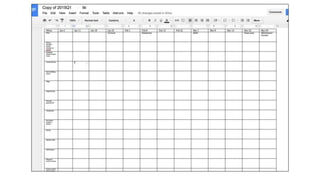
● quarterly matrix
Habits
Weekly
Beginning of week
● start afresh: remove all “this week” tasks
● write what would make you feel successful
if you finish by end of week.
● review the quarterly plan, add tasks if
needed
● look at time available, try to put ~ that
amount of tasks
● I generally think that a task in a physical
granularity should take ~ 15 minutes.
End of week
● review what’s left.
● why were these left?
● any learnings?
● automation opportunities?
Daily
start and during the day:
● goal: feel good with what you achieve, be
ready for next day.
● first email read. see if there are tasks that
are too urgent not to do.
● optional: print today on paper, grouped
according to contexts
● during the day: look at the filtered list
according to context, time availability
● notebook + pen
end of day:
● “should i have taken this meeting?”, if not
“why did i? how could i have not taken it?"
● “3 good things that happened today”: train
the feel good muscle.
“3 things to improve”: how?
plan tomorrow.
take the “this week” list, move according to
daily capacity to today.
prioritize order of tasks: so the must-get-done
are first.
communicate status of external contracts
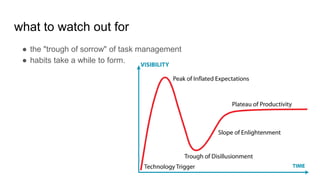
what to watch out for
● the "trough of sorrow" of task management
● habits take a while to form.
Worry not if you can’t get everything done. Each
of these stages has immediate value.
In diving, you learn about CPR. Best advice I ever got: “Even
if you get it 25% right, you might just save a fellow diver”
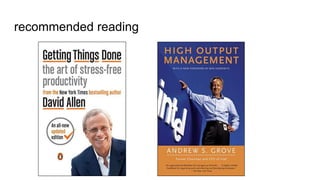
recommended reading
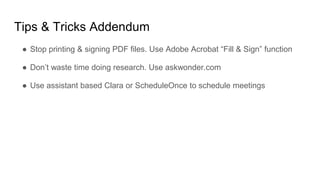
Tips & Tricks Addendum
● Stop printing & signing PDF files. Use Adobe Acrobat “Fill & Sign” function
● Don’t waste time doing research. Use askwonder.com
● Use assistant based Clara or ScheduleOnce to schedule meetings

Controlling time: Time & Task management by Eden Shochat

  • 1.
  • 2.
    time management +task management = doing the right things at the right time.
  • 3.
    time management =overhead A, which needs to save >A
  • 4.
    this isn’t a“learn how to fish” presentation. it’s force feeding the fish into your mouth.
  • 5.
    ● ABW: alwaysbe working ● letting other people control your work queue ● multiple task lists ● noise, think-time overhead when you have time ● overemphasizing impact of external events your enemies
  • 6.
    stages of timemanagement maturity ● stage 1: clear your mind ● stage 2: plan your day ● stage 3: control time killers ● stage 4: automate and delegate ● stage 5: taking a long term view
  • 7.
    stage 1: clearyour mind ● single task list ● fully comprehensive ● ruthless prioritization ● filter out what you can’t do right now ● explicit “will not do” list
  • 8.
    stage 2: planyour day & week there are only 3 priorities: “gotta get done today”, “gotta get done this week” and the rest the role of the to-do list: your anchor to safety “will do” contracts prioritizing delegation & external commitments genetics
  • 9.
    stage 3: controltime killers ● email —> tasks ● communication “contracts” ● meta-entrepreneurship & meta-work ● impact-driven behavior
  • 10.
    stage 4: automateand delegate ● transparency → efficiency. communication & tasks ● key question is “what” to automate ● automation requires detailing the process ● find the time hogs (bang for buck), automate, automate, automate ● delegation == automation. sending a task to someone better than you (time, money, quality) in doing it ● key challenge for delegation is trust in delivery & quality
  • 11.
    ● don’t losesight of the bigger picture: responsibilities and goals ● always be optimizing stage 5: taking a long term view productivity as product ● what are the KPIs you are trying to maximize? ● different times require different KPIs ● using growth techniques ● observation: there is “tech debt” for productivity as well
  • 12.
  • 13.
    tasks ● a taskis a single physical unit of work ● It should be listed in a single task list ● everything must be on it. yes, personal & professional too. ● priorities? useless. today, this week, rest. stack rank within category. ● due dates are only for due dates ● task assigning: social norms. queues and ownerships are better than direct assignment. transparent. ● honor contracts and contracts will be honored. ● more than one channel (email, slack) or list (salesforce, trello, asana, whatever)? sync with zapier.
  • 15.
    email → taskworkflow email is the worst form of a task list. requires re-thinking, re-figuring out, re- prioritizing. it’s shit. funnel: ● is this in the “not going to do” list? should this be done at all? ● under 2 minutes? do immediately —> can derive email reading time. email- zero is achievable! ● write the task in the next physical action required title, with self contained description, even if for you. ● can be delegated? “waiting on” with due date. ● can’t be done yet? “tickler” with due date. ● tag tasks: time requirements, context when it can be done ● archive. do not read an email twice.
  • 16.
    automation what to automate? decisionfatigue and the 7 slots base automation building block: step-by-step process instantiate, log task durations --> what to automate. tools small coding job? codersclan physical? fiverr & taskrabbit research? askwonder.com many small human tasks? crunchable.io
  • 17.
    What should weautomate?
  • 18.
    meetings no agenda &goals? don’t agree for a meeting ● finish the meeting by reviewing the goals no summary? don’t agree to future meetings try out: worklife.com too much external scheduling? scheduleonce.com recurring meetings are a bad thing meeting duration & social norms makers vs. managers schedule. best as a company policy.
  • 19.
    email / communications ●a good email is a unsent one. each should be the last. ● low context is your friend, wait time is the devil. ● slack? notifications and casual conversations are bad ● more than 3 back-and-forth? walk to, or call ● no “honorary cc”, bcc are evil: trust is important
  • 20.
    email tips &tricks ● turn off notifications for non-priority emails. YES. ● “priority inbox” isn’t intelligent, but you are! ● filter: mark important convos you started/replied ● too many emails? try out sanebox.com ● limit email reading to 3-4 low energy times a day ● how? publish times & urgent communications channels
  • 21.
    goals & responsibilities: intentionallylightweight in this presentation ● the notion of “someday” ● what do you own? ● quarterly matrix
  • 23.
  • 24.
    Weekly Beginning of week ●start afresh: remove all “this week” tasks ● write what would make you feel successful if you finish by end of week. ● review the quarterly plan, add tasks if needed ● look at time available, try to put ~ that amount of tasks ● I generally think that a task in a physical granularity should take ~ 15 minutes. End of week ● review what’s left. ● why were these left? ● any learnings? ● automation opportunities?
  • 25.
    Daily start and duringthe day: ● goal: feel good with what you achieve, be ready for next day. ● first email read. see if there are tasks that are too urgent not to do. ● optional: print today on paper, grouped according to contexts ● during the day: look at the filtered list according to context, time availability ● notebook + pen end of day: ● “should i have taken this meeting?”, if not “why did i? how could i have not taken it?" ● “3 good things that happened today”: train the feel good muscle. “3 things to improve”: how? plan tomorrow. take the “this week” list, move according to daily capacity to today. prioritize order of tasks: so the must-get-done are first. communicate status of external contracts
  • 26.
    what to watchout for ● the "trough of sorrow" of task management ● habits take a while to form.
  • 27.
    Worry not ifyou can’t get everything done. Each of these stages has immediate value. In diving, you learn about CPR. Best advice I ever got: “Even if you get it 25% right, you might just save a fellow diver”
  • 28.
  • 29.
    Tips & TricksAddendum ● Stop printing & signing PDF files. Use Adobe Acrobat “Fill & Sign” function ● Don’t waste time doing research. Use askwonder.com ● Use assistant based Clara or ScheduleOnce to schedule meetings