@TheCodeTraveler https://codetraveler.io/consuming-graphql/
+
A query language for your API
@TheCodeTraveler https://codetraveler.io/consuming-graphql/
query {
user(id:18794326) {
name
events {
count
}
friends_suggestions(first: 1) {
name
mutual_friends {
count
}
}
}
}
{
"data": {
"user": {
"name": "Brandon Minnick",
"events": {
"count": 4
},
"friends_suggestions": [{
"name": "Seth Juarez",
"mutual_friends": {
"count": 18
}
}
]
}
}
}
Query Response
@TheCodeTraveler https://codetraveler.io/consuming-graphql/
GraphQL APIs Are Self Documenting
Users can explore GraphQL APIs using GraphiQL
@TheCodeTraveler https://codetraveler.io/consuming-graphql/
{ “query” : “[Your GraphQL Query]” }
GraphQL Request Body is JSON
JSON contains one field: query
@TheCodeTraveler https://codetraveler.io/consuming-graphql/
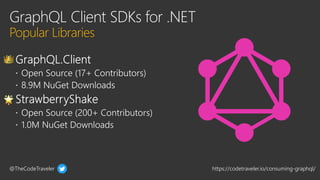
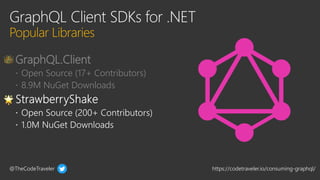
 GraphQL.Client
 Open Source (17+ Contributors)
 8.9M NuGet Downloads
@TheCodeTraveler https://codetraveler.io/consuming-graphql/
dotnet new tool-manifest
dotnet tool install StrawberryShake.Tools --local
@TheCodeTraveler https://codetraveler.io/consuming-graphql/
dotnet graphql init https://[GraphQL API]
Auto-Initalize GraphQL Schema
@TheCodeTraveler https://codetraveler.io/consuming-graphql/
Resources
https://codetraveler.io/consuming-graphql/
@TheCodeTraveler https://codetraveler.io/consuming-graphql/
Thank You
https://codetraveler.io/consuming-graphql/

Consuming GraphQL APIs in C#.pptx

Editor's Notes

  • #15 using System; using System.Collections.Generic; using System.ComponentModel; using System.Linq; using System.Net.Http; using System.Text; using System.Threading.Tasks; using GraphQL.Client; using GraphQL.Client.Http; using GraphQL.Common.Request; using GraphQL.Common.Response; using Newtonsoft.Json; using Xamarin.Forms; namespace XamarinGraphQL { // Learn more about making custom code visible in the Xamarin.Forms previewer // by visiting https://aka.ms/xamarinforms-previewer [DesignTimeVisible(false)] public partial class MainPage : ContentPage { public MainPage() { InitializeComponent(); } protected override async void OnAppearing() { base.OnAppearing(); ResponseLabel.Text = "Retrieving Data..."; var client = new HttpClient(); client.DefaultRequestHeaders.Add("User-Agent", nameof(XamarinGraphQL)); client.DefaultRequestHeaders.Add("Authorization", "bearer ceeddf326115d5f094526b7f29fe980e565e497d"); var stringContent = new StringContent("{ \"query\":\"query{ user(login: brminnick) { bio, company, createdAt }}\"}"); var response = await client.PostAsync("https://api.github.com/graphql", stringContent); var json = await response.Content.ReadAsStringAsync(); var userResponse = JsonConvert.DeserializeObject<UserResponse>(json); ResponseLabel.Text = userResponse.Data.User.Bio; } } } -------------------------------------------------------------------------- using System; using System.Collections.Generic; using System.ComponentModel; using System.Linq; using System.Net.Http; using System.Text; using System.Threading.Tasks; using GraphQL.Client; using GraphQL.Client.Http; using GraphQL.Common.Request; using GraphQL.Common.Response; using ModernHttpClient; using Newtonsoft.Json; using Xamarin.Forms; namespace XamarinGraphQL { // Learn more about making custom code visible in the Xamarin.Forms previewer // by visiting https://aka.ms/xamarinforms-previewer [DesignTimeVisible(false)] public partial class MainPage : ContentPage { public MainPage() { InitializeComponent(); } protected override async void OnAppearing() { base.OnAppearing(); ResponseLabel.Text = "Retrieving Data..."; var options = new GraphQLHttpClientOptions { EndPoint = new Uri("https://api.github.com/graphql"), HttpMessageHandler = new NativeMessageHandler() }; var client = new GraphQLHttpClient(options); client.DefaultRequestHeaders.Add("User-Agent", nameof(XamarinGraphQL)); client.DefaultRequestHeaders.Add("Authorization", "bearer ceeddf326115d5f094526b7f29fe980e565e497d"); GraphQLResponse response = await client.SendQueryAsync(new GraphQLRequest { Query = "query{ user(login: brminnick) { bio, company, createdAt }}" }); var bio = response.Data.user.bio; var company = response.GetDataFieldAs<User>("user").Company; var createdAt = response.GetDataFieldAs<User>(nameof(User).ToLower()).CreatedAt; ResponseLabel.Text = $"createdAt: {createdAt}\n\nbio: {bio}\n\ncompany: {company}"; } } }