Constructing W ki
    C t ti a Working
    Financial Plan for Your
    Company
    October 25
    O t b 25, 2011
    Presented By
        John Reed, CPA,
        J h R d CPA CCIFP


                              ©2011 LarsonAllen LLPP
                                                  P
                               ©2011 LarsonAllen LL
                                                  L
1
Today’s Learning Objectives
    • Understand potential uses of a budget for your
      company

    • Gain an understanding of the factors that effect
      gross profit recognition

    • Understand how to use the sample budget to
      create your Company’s budget
             y       p y        g


                                                                     Allen LLP
    • Explore ways you might want to modify the


                                                         ©2011 LarsonA
      Excel file to suit your Company’s needs
2
Why Create a Budget for Your Company?

    • Evaluate how much overhead your company
      can support

    • Use as an interactive tool to plan for cash flow
      and profitability

    • Support a better bonding program


                                                                     Allen LLP
                                                         ©2011 LarsonA
3
Three Key Variables Determine Profitability

    • Gross Profit from job backlog

    • Timing of work completion

    • Overhead


                                                              Allen LLP
                                                  ©2011 LarsonA
4
Using the Sample Excel Budget File
    • History of the Model.
    • Turn on Macros if asked
    • The four tabs
      –   Overall Budget – Shaded cells
      –   Job Completion
      –   Job to Date Revenue
      –   Job to Date Cost
    • Shaded cells
    • Add job macro – CTRL+SHIFT+A


                                                      Allen LLP
                                          ©2011 LarsonA
5
Practice exercise 1
    • Note that the 4th quarter net income is $3,537

    • On the Job Completion tab, change the 4th
      quarter 2012 percent complete for Job Number
      2011-003 from 100% complete to 90%
      complete. Click on the budget tab. The 4th
      quarter net income should become a $16,463
      loss.

    • Change job 2011-003 4th quarter 2012 back to


                                                                   Allen LLP
                                                       ©2011 LarsonA
      100%.
6
Practice exercise 2
    • Note that the 4th quarter net income is $3,537

    • On the Job Completion tab, change the
      Estimated Cost on job 2011 003 from
                            2011-003
      $2,200,000 to $2,100,000. The Gross Profit on
      job 2011-003 should change from 8.3% to
      12.5%. Click on the budget tab. The 4th quarter
      net income should change to $28,537.

    • Change job the Estimated Cost on job 2011-003


                                                                    Allen LLP
                                                        ©2011 LarsonA
      back to $
              $2,200,000.
7
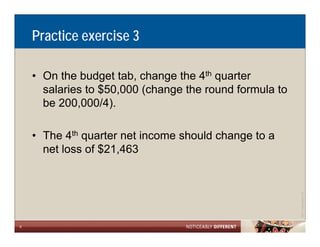
Practice exercise 3

    • On the budget tab change the 4th quarter
                      tab,
      salaries to $50,000 (change the round formula to
      be 200,000/4).
             ,      )

    • The 4th quarter net income should change to a
      net loss of $21,463


                                                                     Allen LLP
                                                         ©2011 LarsonA
8
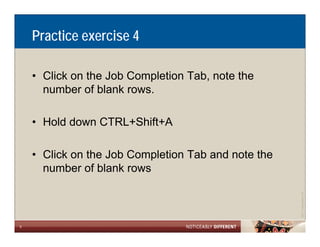
Practice exercise 4

    • Click on the Job Completion Tab note the
                                  Tab,
      number of blank rows.

    • Hold down CTRL+Shift+A

    • Click on the Job Completion Tab and note the
      number of blank rows


                                                                 Allen LLP
                                                     ©2011 LarsonA
9
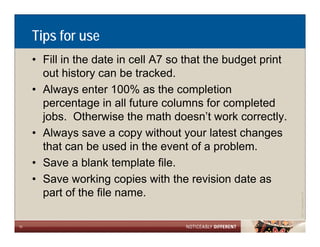
Tips for use
     • Fill in the date in cell A7 so that the budget print
       out history can be tracked.
     • Always enter 100% as the completion
       p
       percentage in all future columns for completed
                  g                                p
       jobs. Otherwise the math doesn’t work correctly.
     • Always save a copy without your latest changes
       that can be used in the event of a problem.
     • Save a blank template file.
     • Save working copies with the revision date as
       part of the file name.


                                                                          Allen LLP
                                                              ©2011 LarsonA
10
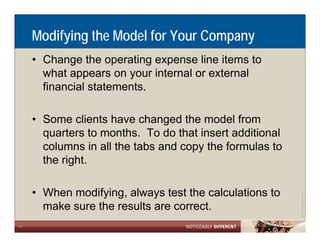
Modifying the Model for Your Company
     • Change the operating expense line items to
       what appears on your internal or external
       financial statements.

     • Some clients have changed the model from
       quarters to months. To do that insert additional
       columns in all the tabs and copy the formulas to
       the right.

     • When modifying, always test the calculations to


                                                                      Allen LLP
                                                          ©2011 LarsonA
       make sure the results are correct.
11
LarsonAllen Construction and Real Estate Group
     • Nationally Oriented CPA & Business Consulting Firm
       Established in 1953 by Rholan Larson & John Allen

     • History & Focus on Privately-Owned, Owner-Operated
       Businesses

     • Primary Advisor Relationship – “Total Client Service
                                       Total        Service”

     • Managed by the “LEADERS” culture
           g    y

     • Ranked in the top 20 CPA firms in the U.S.;


                                                                            Allen LLP
                                                                ©2011 LarsonA
       approximately 1 800 employees. 45 locations, 13 states
                     1,800

12
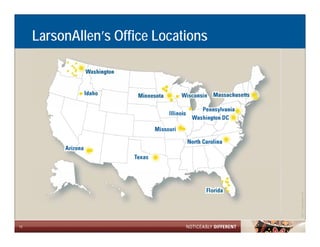
LarsonAllen’s Office Locations


                                                  Allen LLP
                                      ©2011 LarsonA
13
Contact Us

     • John Reed, CPA, CCIFP
       Principal, Construction and Real Estate
       Practice exclusive to construction and real estate in Florida
       239.226.9903
       jreed@larsonallen.com

       LarsonAllen LLP
       http://www.larsonallen.com/Construction_and_Real_Estate/
       1715 North Westshore Blvd
       Suite 950
       Tampa, FL 33607
       813.384.2700


                                                                                   Allen LLP
                                                                       ©2011 LarsonA
14

Constructing A Working Financial Plan For Your Company

  • 1.
    Constructing W ki C t ti a Working Financial Plan for Your Company October 25 O t b 25, 2011 Presented By John Reed, CPA, J h R d CPA CCIFP ©2011 LarsonAllen LLPP P ©2011 LarsonAllen LL L 1
  • 2.
    Today’s Learning Objectives • Understand potential uses of a budget for your company • Gain an understanding of the factors that effect gross profit recognition • Understand how to use the sample budget to create your Company’s budget y p y g Allen LLP • Explore ways you might want to modify the ©2011 LarsonA Excel file to suit your Company’s needs 2
  • 3.
    Why Create aBudget for Your Company? • Evaluate how much overhead your company can support • Use as an interactive tool to plan for cash flow and profitability • Support a better bonding program Allen LLP ©2011 LarsonA 3
  • 4.
    Three Key VariablesDetermine Profitability • Gross Profit from job backlog • Timing of work completion • Overhead Allen LLP ©2011 LarsonA 4
  • 5.
    Using the SampleExcel Budget File • History of the Model. • Turn on Macros if asked • The four tabs – Overall Budget – Shaded cells – Job Completion – Job to Date Revenue – Job to Date Cost • Shaded cells • Add job macro – CTRL+SHIFT+A Allen LLP ©2011 LarsonA 5
  • 6.
    Practice exercise 1 • Note that the 4th quarter net income is $3,537 • On the Job Completion tab, change the 4th quarter 2012 percent complete for Job Number 2011-003 from 100% complete to 90% complete. Click on the budget tab. The 4th quarter net income should become a $16,463 loss. • Change job 2011-003 4th quarter 2012 back to Allen LLP ©2011 LarsonA 100%. 6
  • 7.
    Practice exercise 2 • Note that the 4th quarter net income is $3,537 • On the Job Completion tab, change the Estimated Cost on job 2011 003 from 2011-003 $2,200,000 to $2,100,000. The Gross Profit on job 2011-003 should change from 8.3% to 12.5%. Click on the budget tab. The 4th quarter net income should change to $28,537. • Change job the Estimated Cost on job 2011-003 Allen LLP ©2011 LarsonA back to $ $2,200,000. 7
  • 8.
    Practice exercise 3 • On the budget tab change the 4th quarter tab, salaries to $50,000 (change the round formula to be 200,000/4). , ) • The 4th quarter net income should change to a net loss of $21,463 Allen LLP ©2011 LarsonA 8
  • 9.
    Practice exercise 4 • Click on the Job Completion Tab note the Tab, number of blank rows. • Hold down CTRL+Shift+A • Click on the Job Completion Tab and note the number of blank rows Allen LLP ©2011 LarsonA 9
  • 10.
    Tips for use • Fill in the date in cell A7 so that the budget print out history can be tracked. • Always enter 100% as the completion p percentage in all future columns for completed g p jobs. Otherwise the math doesn’t work correctly. • Always save a copy without your latest changes that can be used in the event of a problem. • Save a blank template file. • Save working copies with the revision date as part of the file name. Allen LLP ©2011 LarsonA 10
  • 11.
    Modifying the Modelfor Your Company • Change the operating expense line items to what appears on your internal or external financial statements. • Some clients have changed the model from quarters to months. To do that insert additional columns in all the tabs and copy the formulas to the right. • When modifying, always test the calculations to Allen LLP ©2011 LarsonA make sure the results are correct. 11
  • 12.
    LarsonAllen Construction andReal Estate Group • Nationally Oriented CPA & Business Consulting Firm Established in 1953 by Rholan Larson & John Allen • History & Focus on Privately-Owned, Owner-Operated Businesses • Primary Advisor Relationship – “Total Client Service Total Service” • Managed by the “LEADERS” culture g y • Ranked in the top 20 CPA firms in the U.S.; Allen LLP ©2011 LarsonA approximately 1 800 employees. 45 locations, 13 states 1,800 12
  • 13.
    LarsonAllen’s Office Locations Allen LLP ©2011 LarsonA 13
  • 14.
    Contact Us • John Reed, CPA, CCIFP Principal, Construction and Real Estate Practice exclusive to construction and real estate in Florida 239.226.9903 jreed@larsonallen.com LarsonAllen LLP http://www.larsonallen.com/Construction_and_Real_Estate/ 1715 North Westshore Blvd Suite 950 Tampa, FL 33607 813.384.2700 Allen LLP ©2011 LarsonA 14