Presenters:
Adam Asnes
Olivier Libouban
What’s a Gremlin?
• Vexing creature known for sabotage
• i18n & L10n problems - bugs or issues?
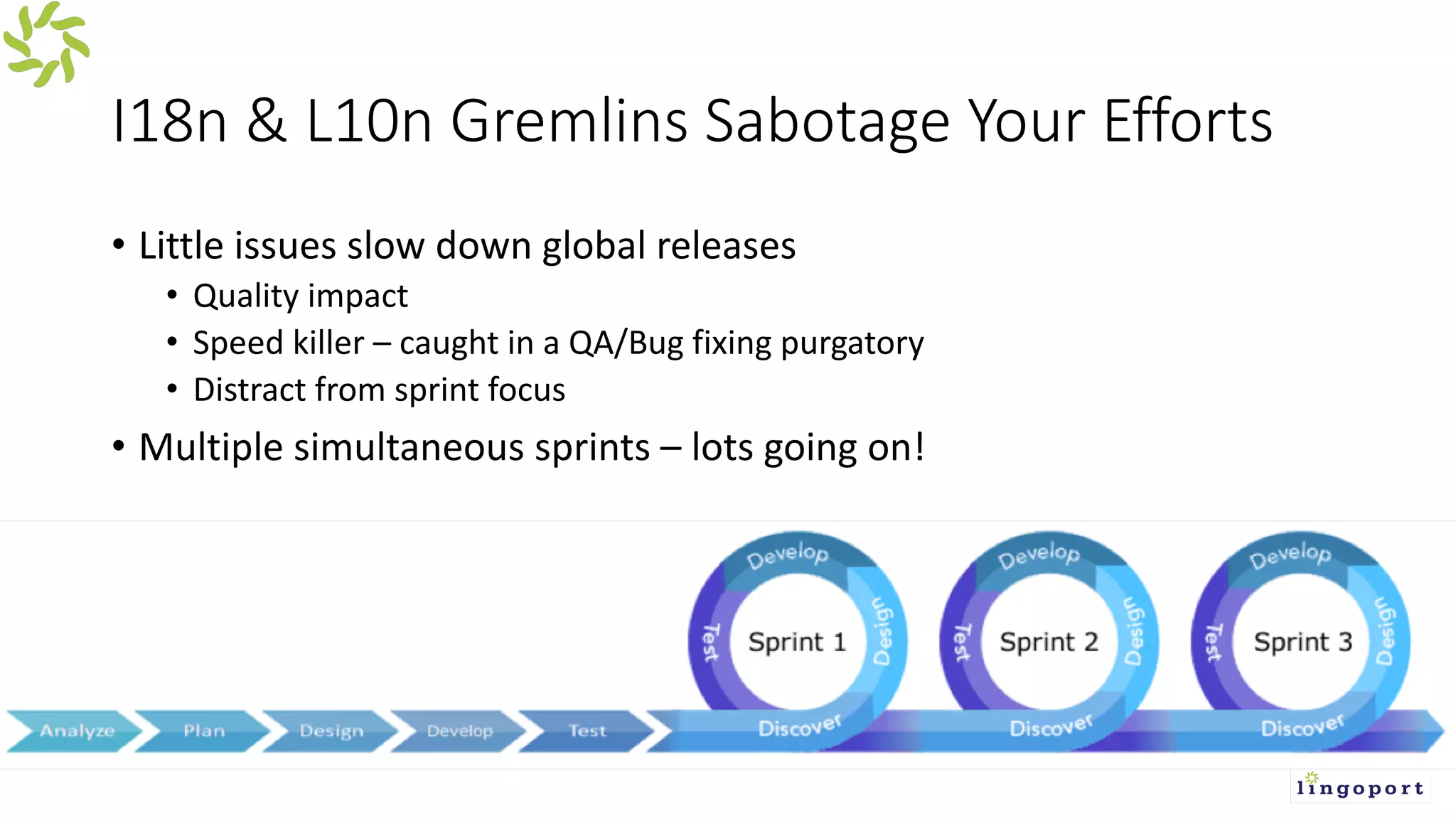
I18n & L10n Gremlins Sabotage Your Efforts
• Little issues slow down global releases
• Quality impact
• Speed killer – caught in a QA/Bug fixing purgatory
• Distract from sprint focus
• Multiple simultaneous sprints – lots going on!
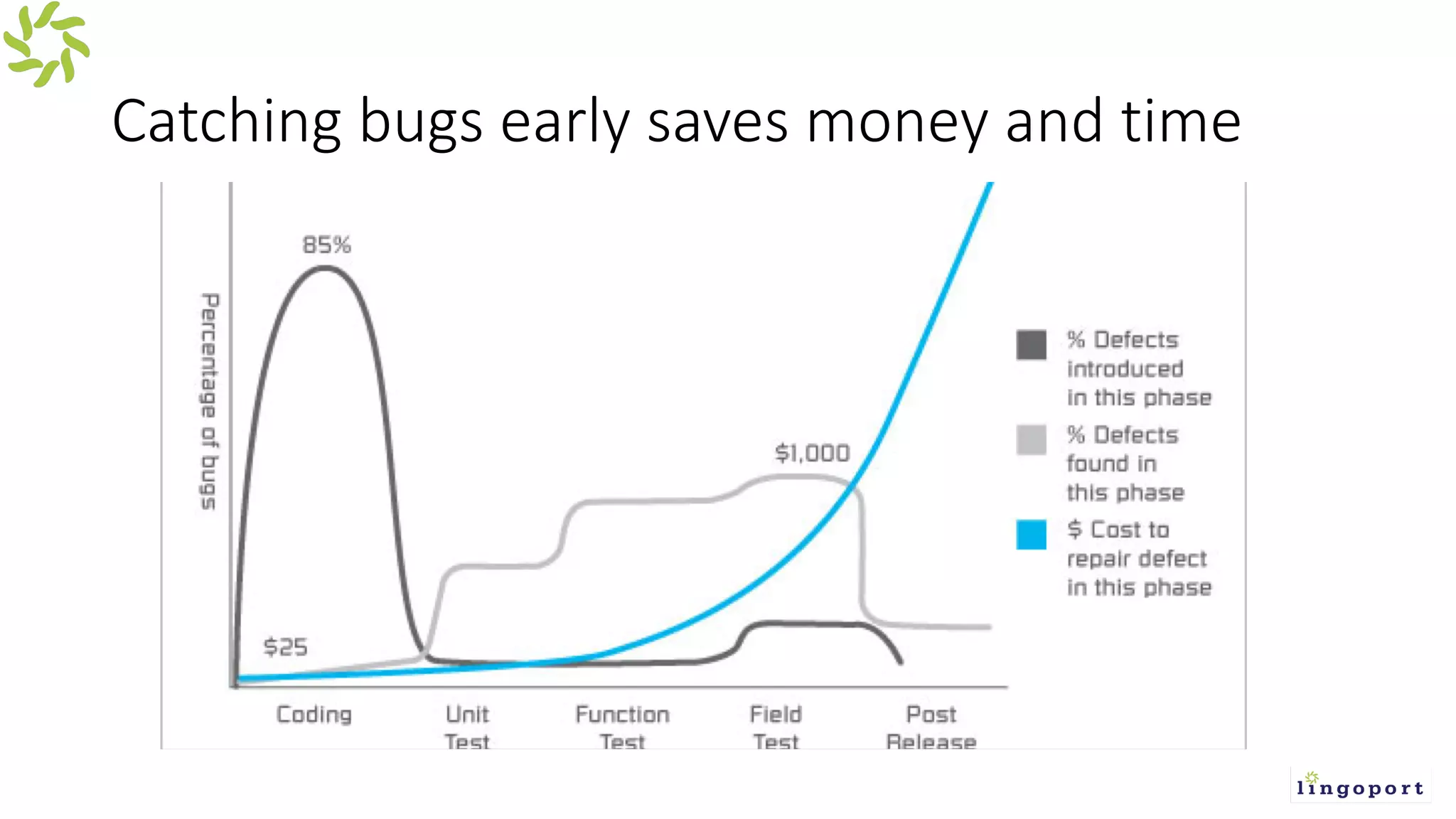
Catching bugs early saves money and time
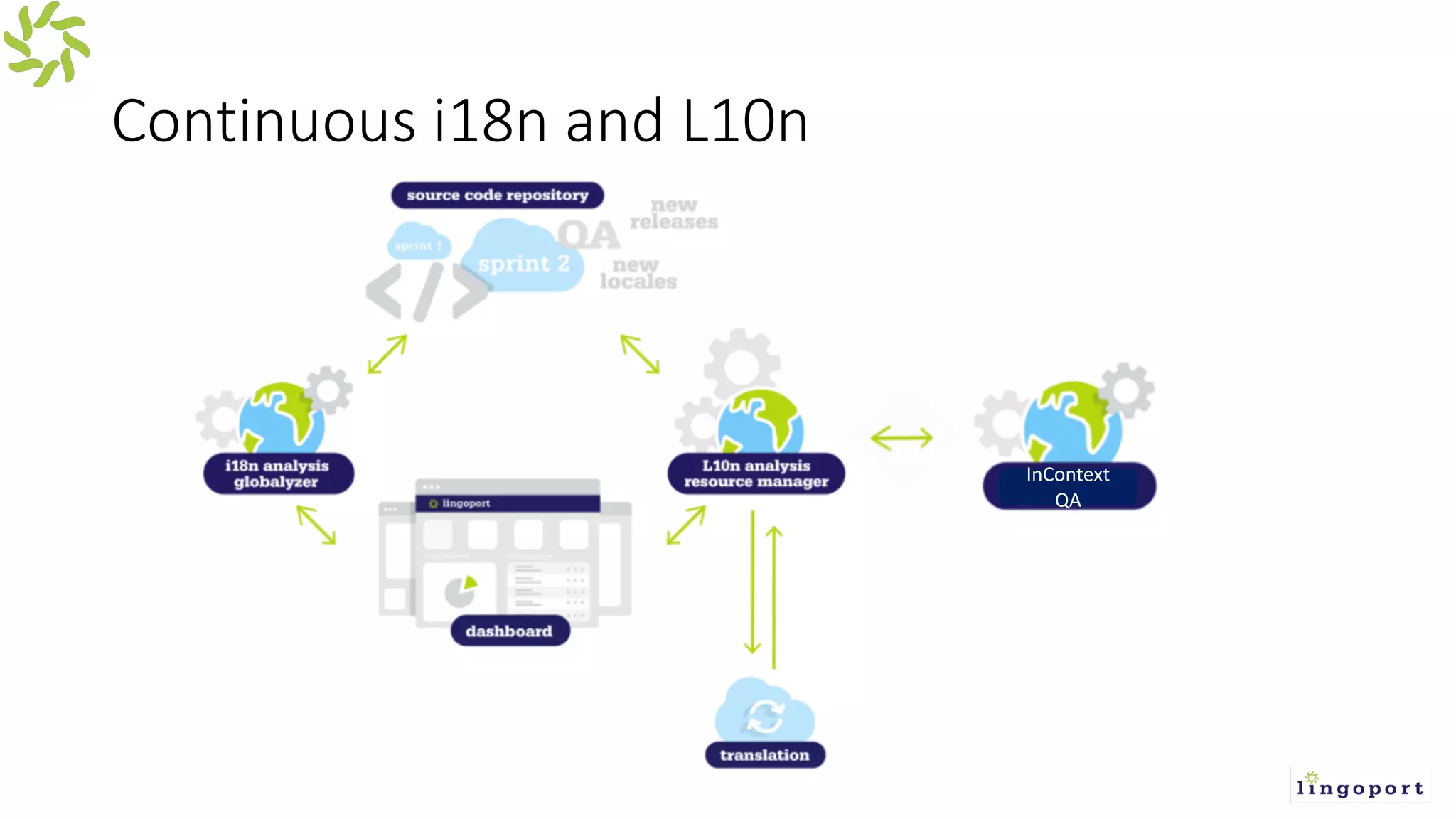
Continuous i18n and L10n
InContext
QA
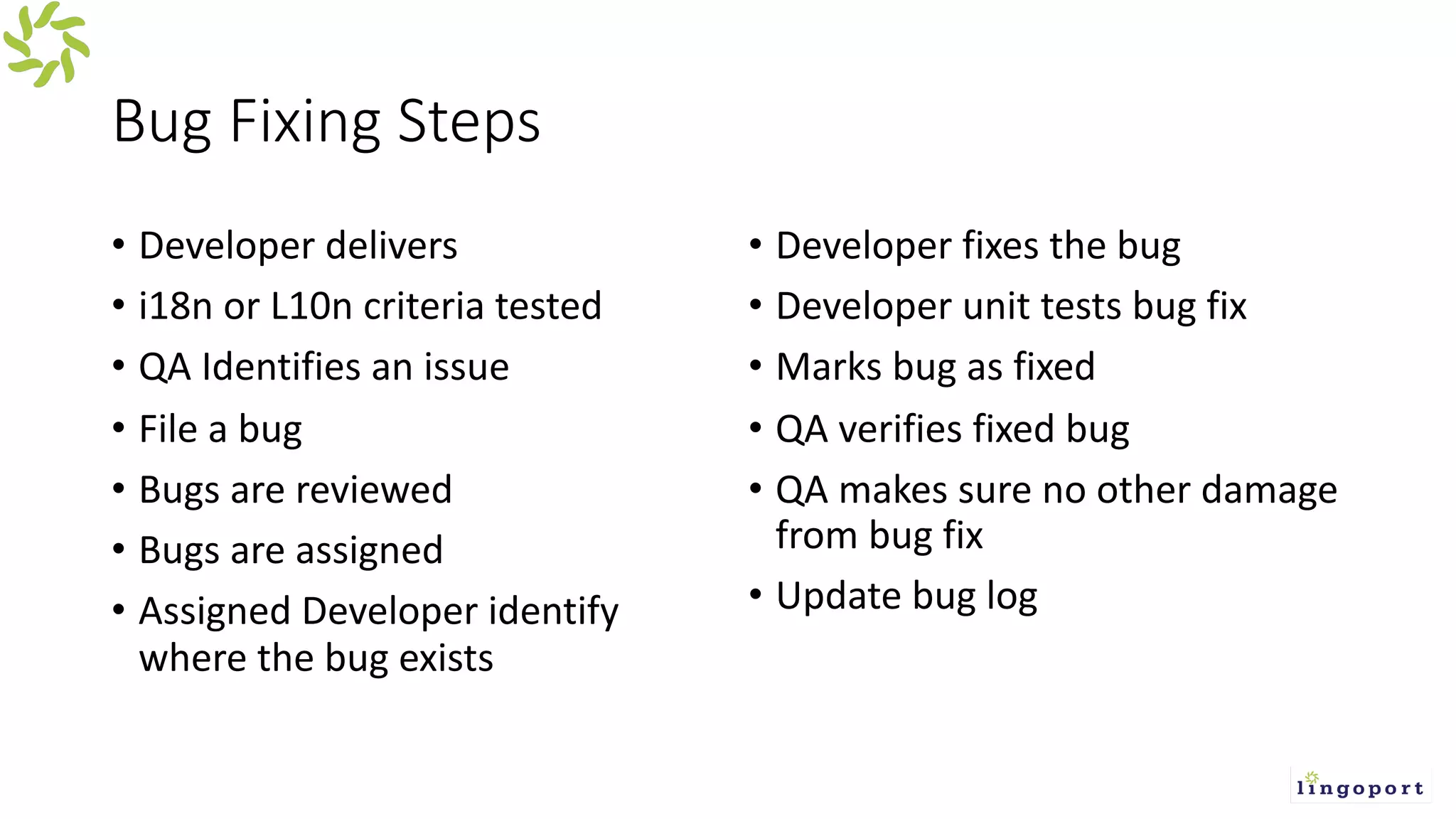
Bug Fixing Steps
• Developer delivers
• i18n or L10n criteria tested
• QA Identifies an issue
• File a bug
• Bugs are reviewed
• Bugs are assigned
• Assigned Developer identify
where the bug exists
• Developer fixes the bug
• Developer unit tests bug fix
• Marks bug as fixed
• QA verifies fixed bug
• QA makes sure no other damage
from bug fix
• Update bug log
Common i18n & L10n Gremlins
• Similar gremlins over and over again
• Embedded Strings
• Concatenations
• Date/Time
• Character set issues
• Bad translations
• Misspellings
• Bad file formatting
• Let’s look at Gremlins in detail
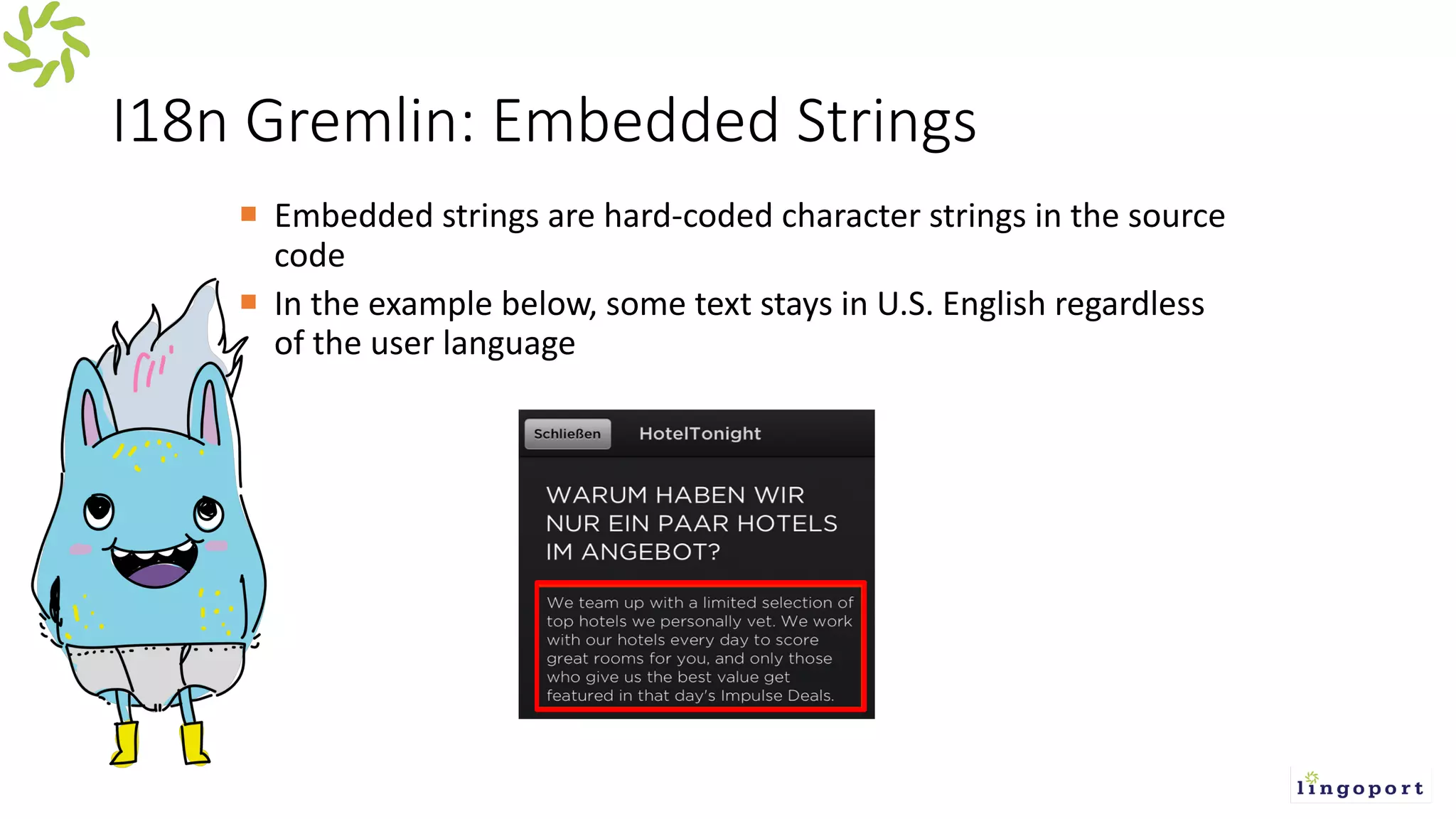
I18n Gremlin: Embedded Strings
¡ Embedded strings are hard-coded character strings in the source
code
¡ In the example below, some text stays in U.S. English regardless
of the user language
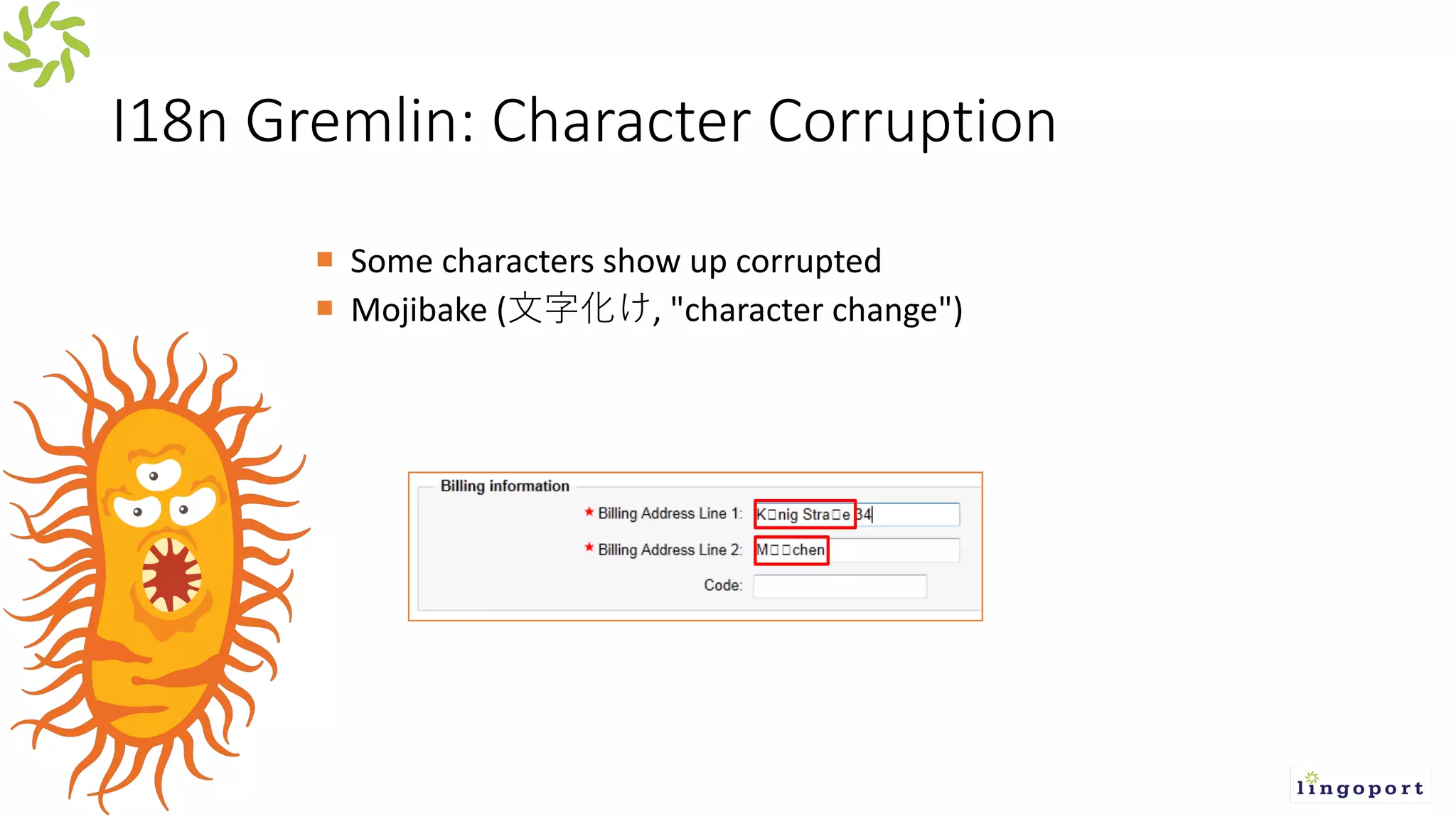
I18n Gremlin: Character Corruption
¡ Some characters show up corrupted
¡ Mojibake ( , "character change")
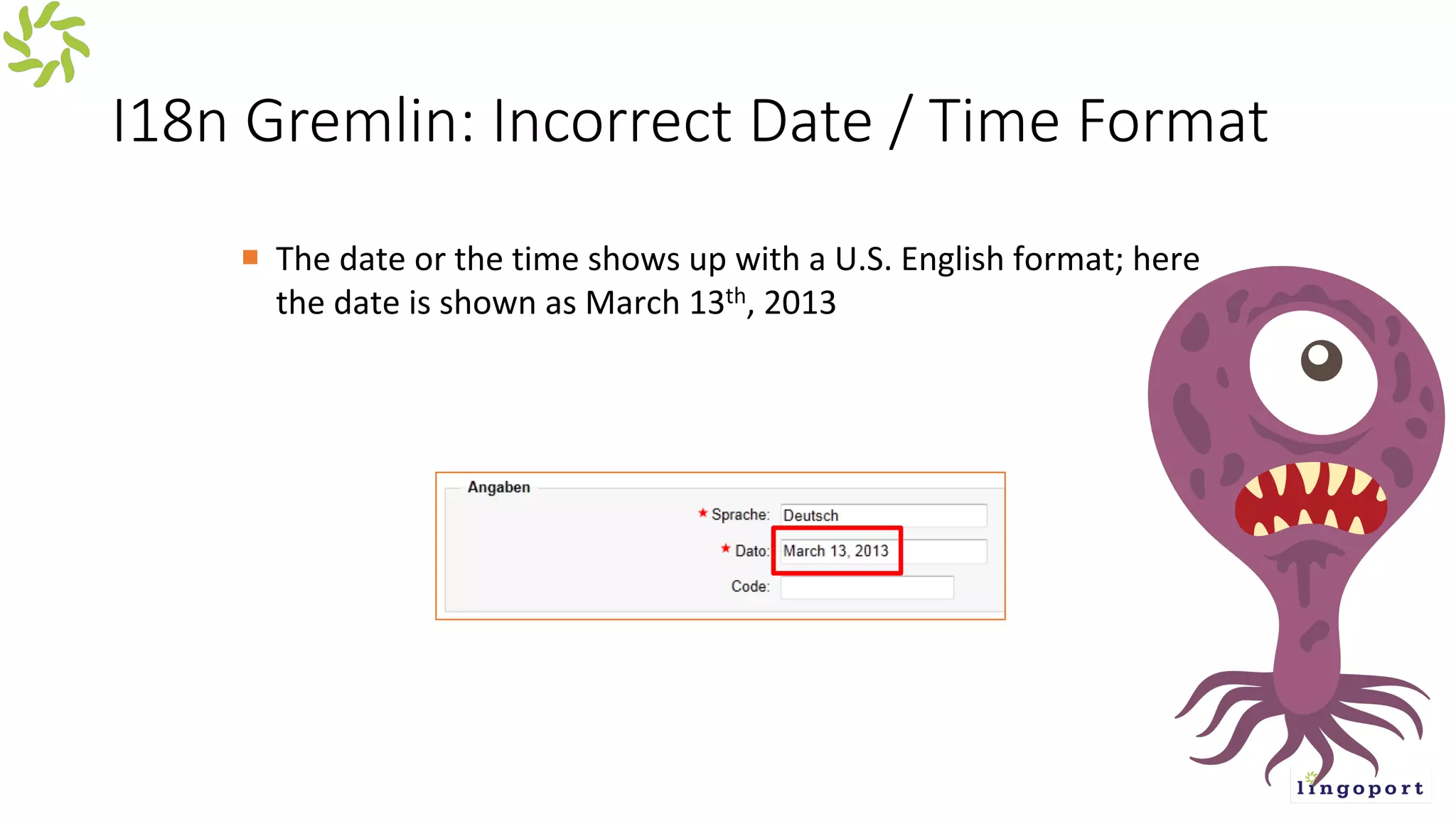
I18n Gremlin: Incorrect Date / Time Format
¡ The date or the time shows up with a U.S. English format; here
the date is shown as March 13th, 2013
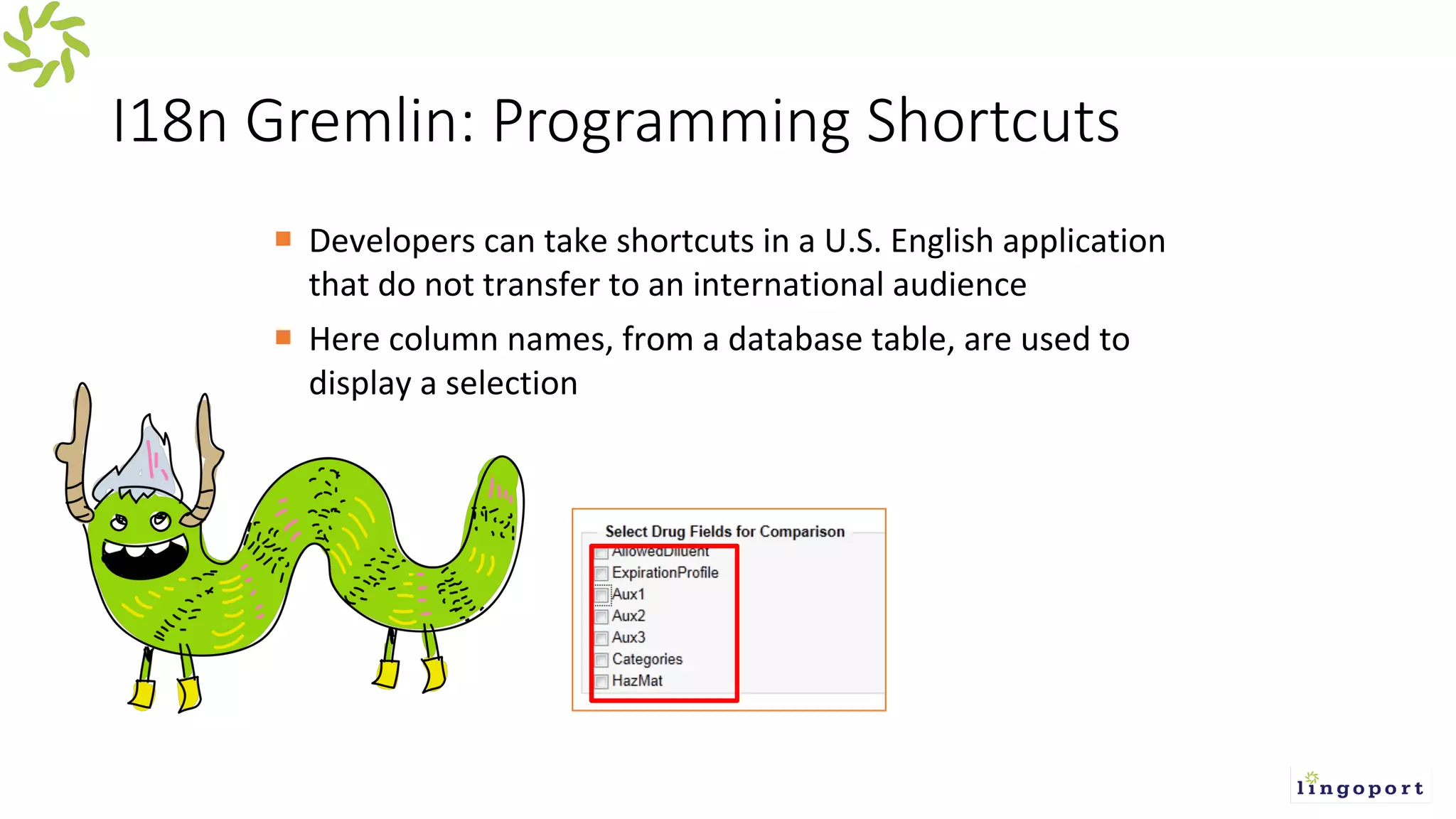
I18n Gremlin: Programming Shortcuts
¡ Developers can take shortcuts in a U.S. English application
that do not transfer to an international audience
¡ Here column names, from a database table, are used to
display a selection
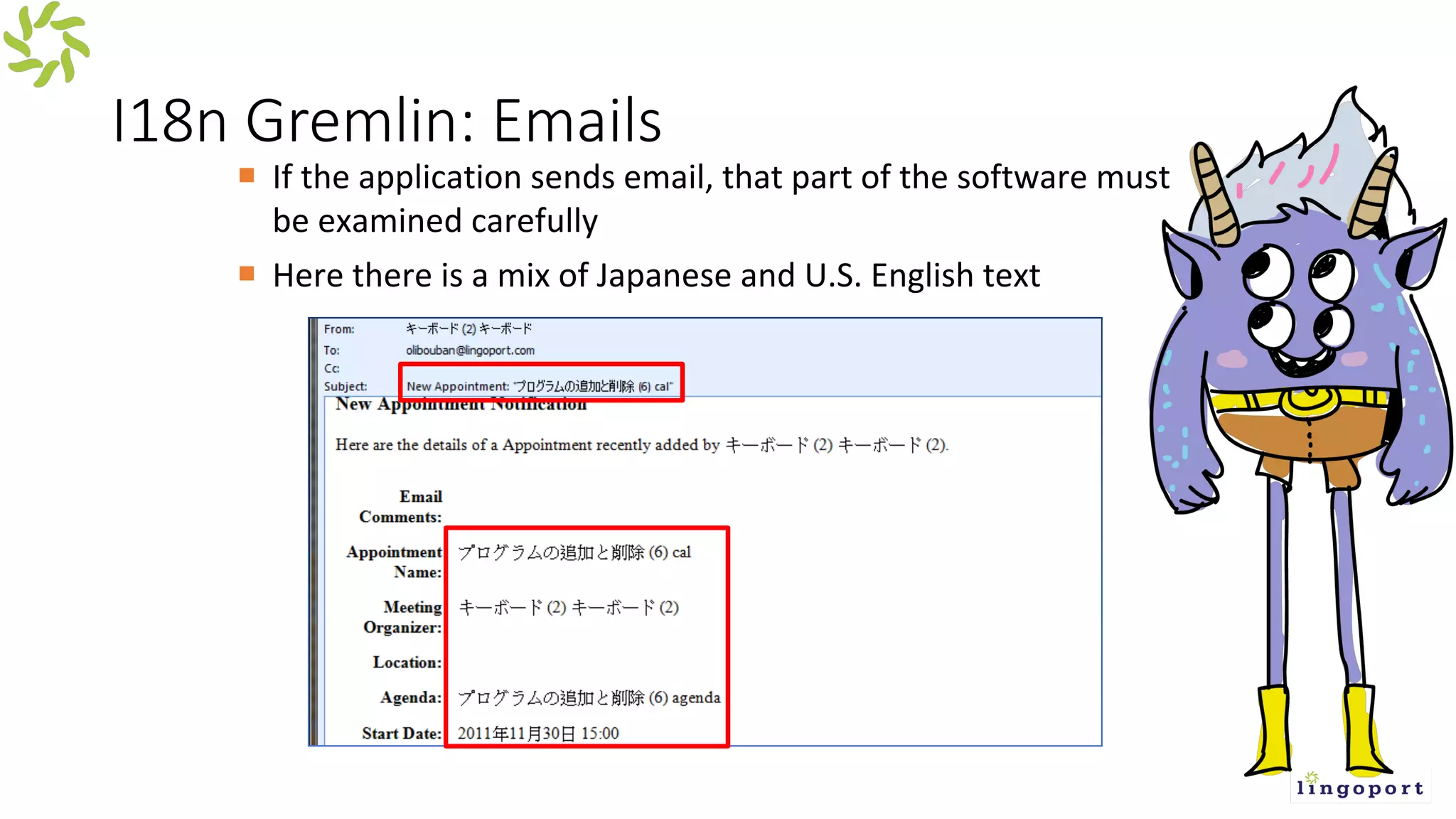
I18n Gremlin: Emails
¡ If the application sends email, that part of the software must
be examined carefully
¡ Here there is a mix of Japanese and U.S. English text
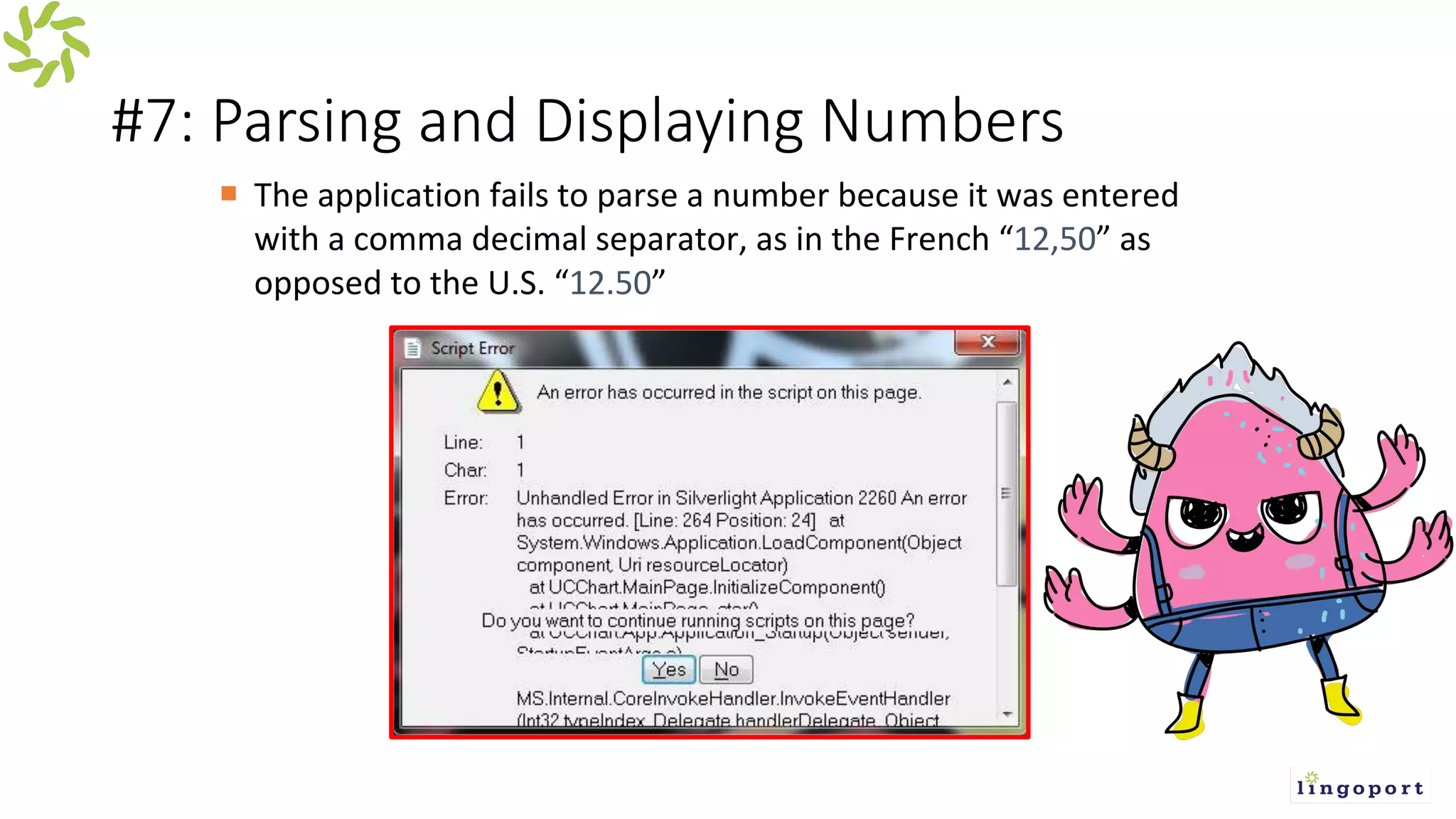
#7: Parsing and Displaying Numbers
¡ The application fails to parse a number because it was entered
with a comma decimal separator, as in the French “12,50” as
opposed to the U.S. “12.50”
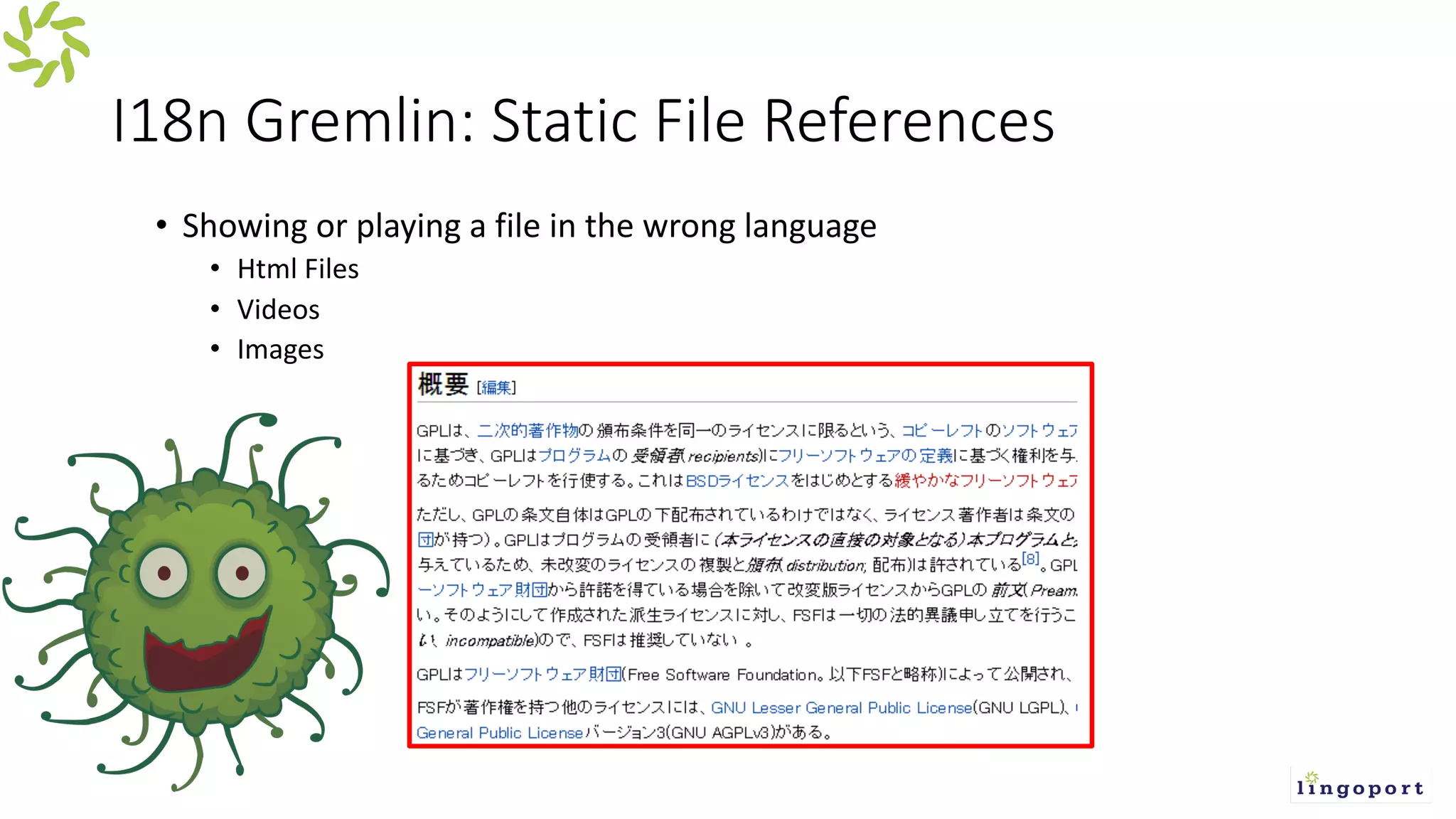
I18n Gremlin: Static File References
• Showing or playing a file in the wrong language
• Html Files
• Videos
• Images
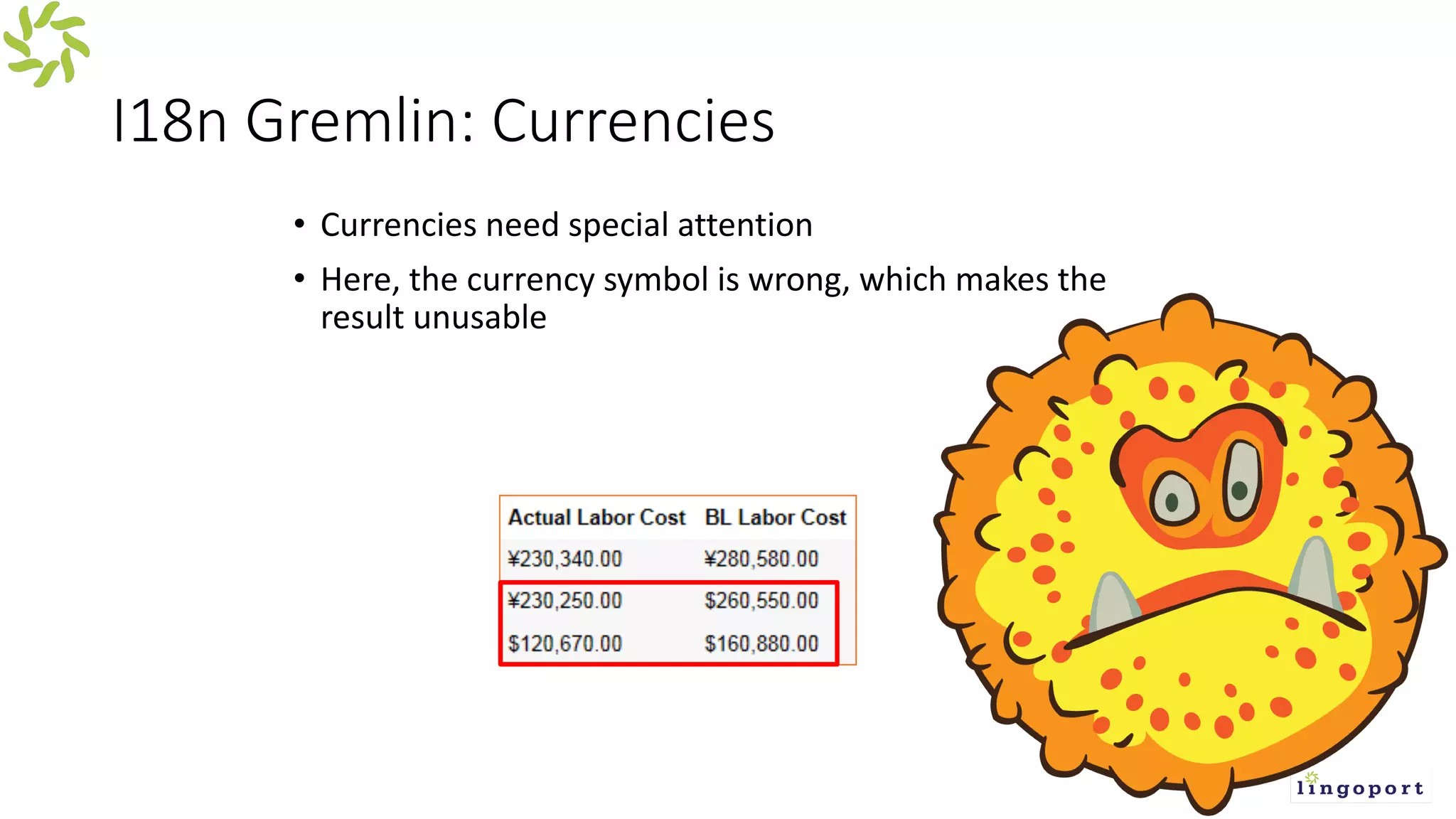
I18n Gremlin: Currencies
• Currencies need special attention
• Here, the currency symbol is wrong, which makes the
result unusable
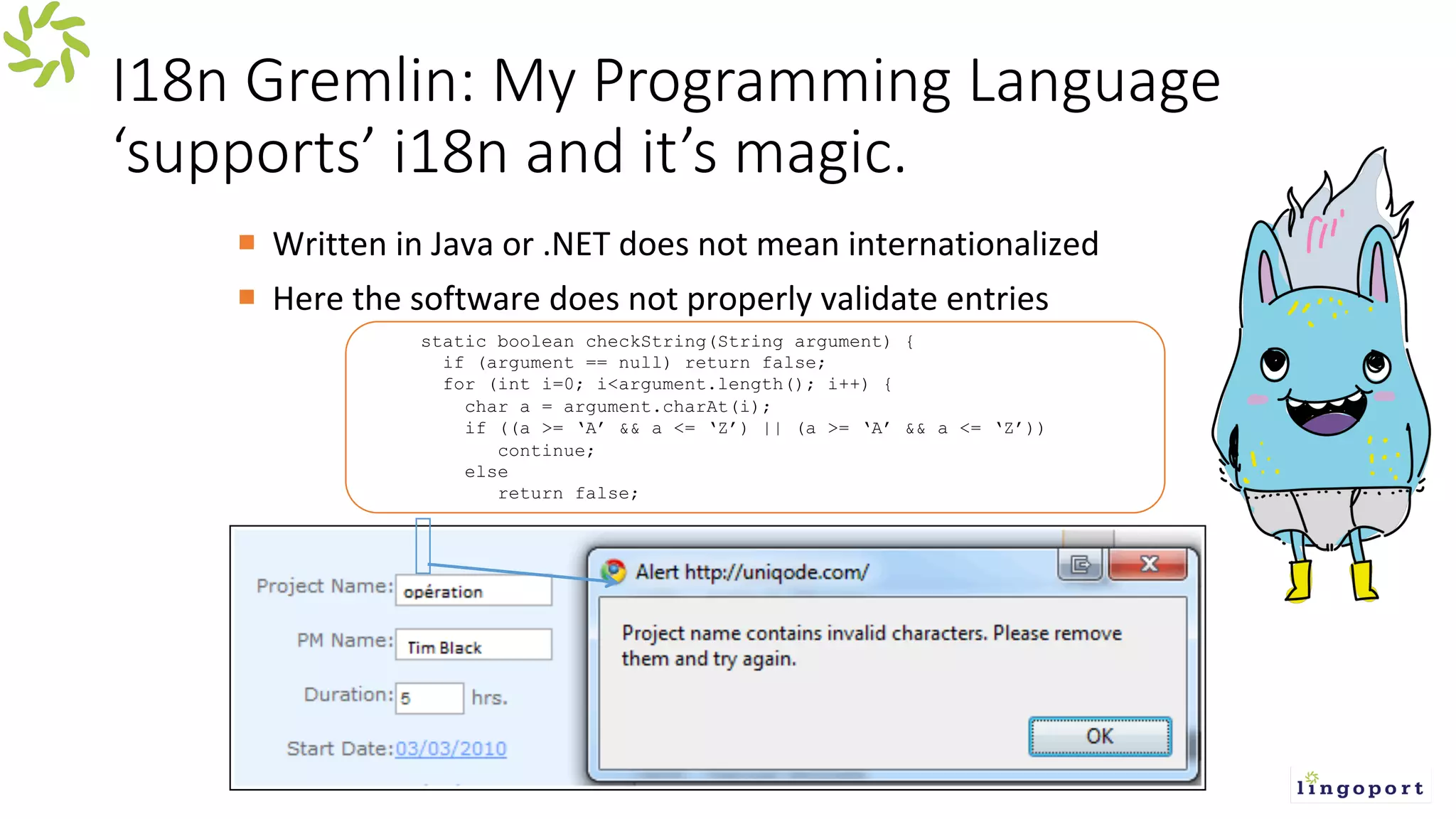
I18n Gremlin: My Programming Language
‘supports’ i18n and it’s magic.
¡ Written in Java or .NET does not mean internationalized
¡ Here the software does not properly validate entries
static boolean checkString(String argument) {
if (argument == null) return false;
for (int i=0; i<argument.length(); i++) {
char a = argument.charAt(i);
if ((a >= ‘A’ && a <= ‘Z’) || (a >= ‘A’ && a <= ‘Z’))
continue;
else
return false;
L10n Gremlin – Duplicate Keys
Example of duplicate keys in the same file:
Msg_welcome: “Hello Mister {0} “
[…]
Msg_welcome: “This application does …”
[…]
Msg_welcome: “Error login in”
The actual message shown may be any one of them, at “random”.
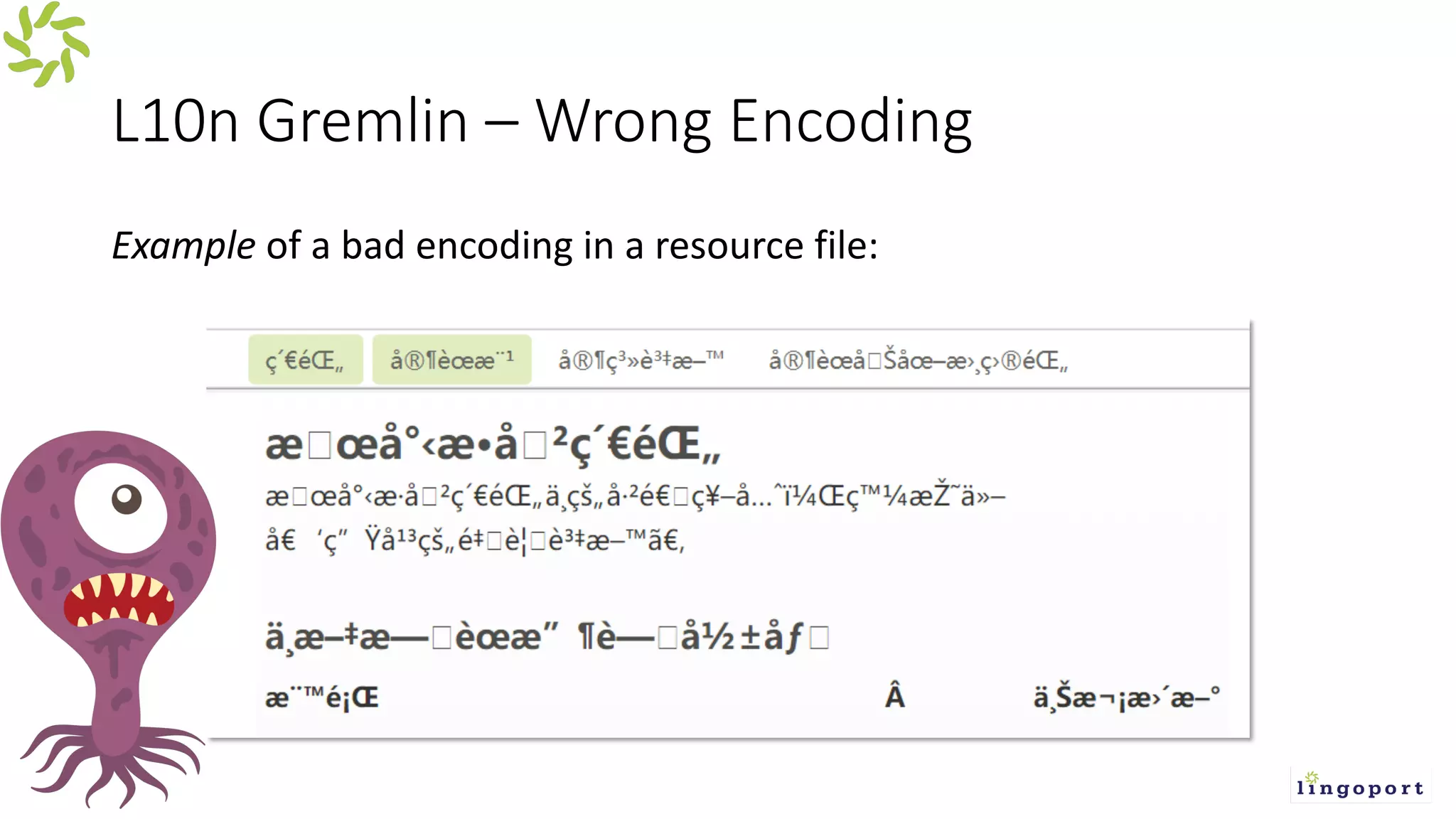
L10n Gremlin – Wrong Encoding
Example of a bad encoding in a resource file:
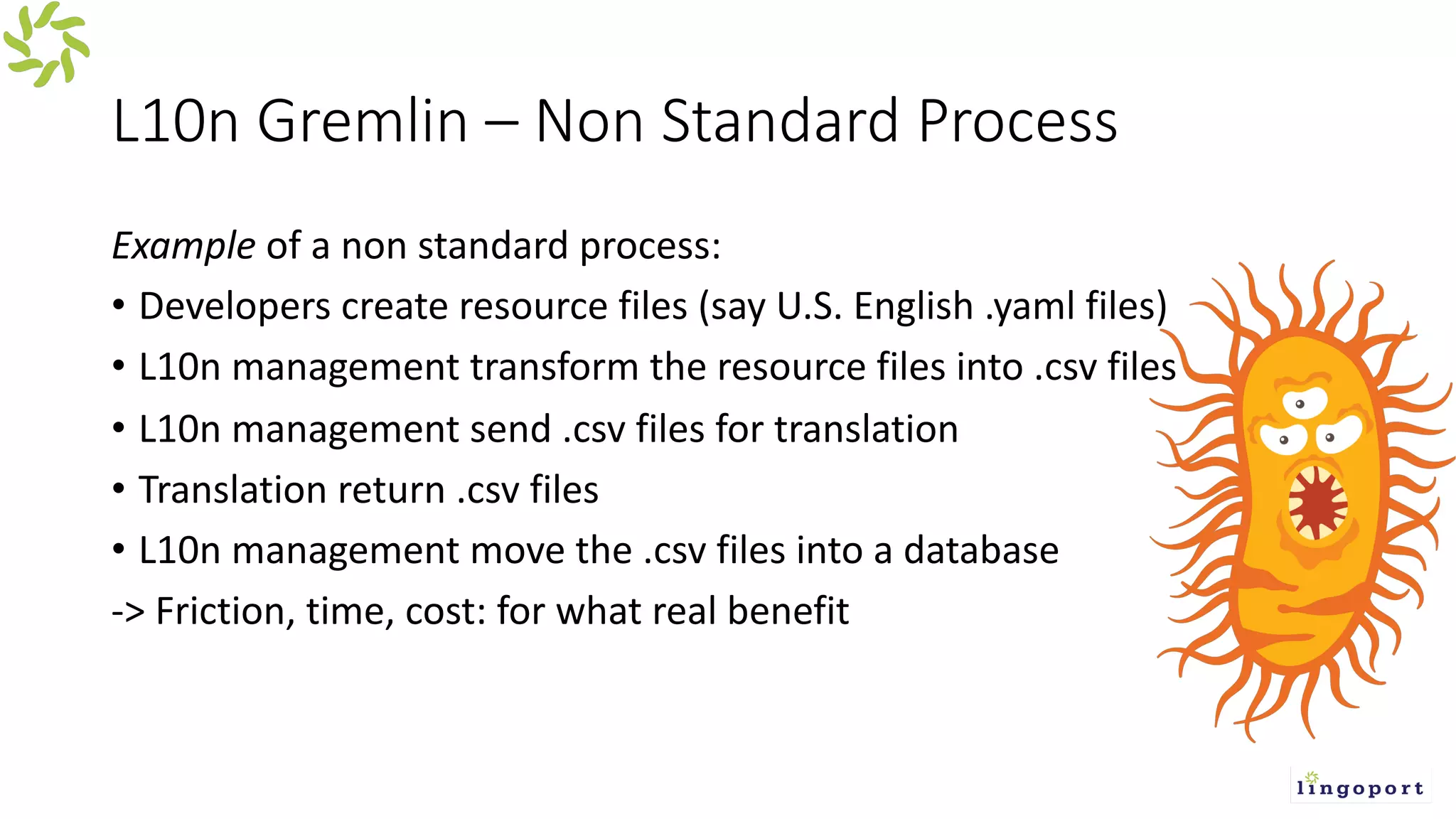
L10n Gremlin – Non Standard Process
Example of a non standard process:
• Developers create resource files (say U.S. English .yaml files)
• L10n management transform the resource files into .csv files
• L10n management send .csv files for translation
• Translation return .csv files
• L10n management move the .csv files into a database
-> Friction, time, cost: for what real benefit
L10n Gremlin – Non Standard Directory
Structure
Example of a non standard directory structure:
./en/my/deep/path/to/resources.json
Instead of
./my/deep/path/to/en/resources.json
-or-
./my/deep/path/to/resources_en.json
-or-
… other standards.
-> Downstream translation suffers for no clear benefits for developers.
L10n Gremlin – Non Standard File Structure
Example of a non standard file structure resources_en.json
{
"en": {
"testKey": "testValue",
"UcsTagEditor.add": "Add",
"UcsTagEditor.key": "Key"
}
}
Instead of:
{
"testKey": "testValue",
"UcsTagEditor.add": "Add",
"UcsTagEditor.key": "Key"
}
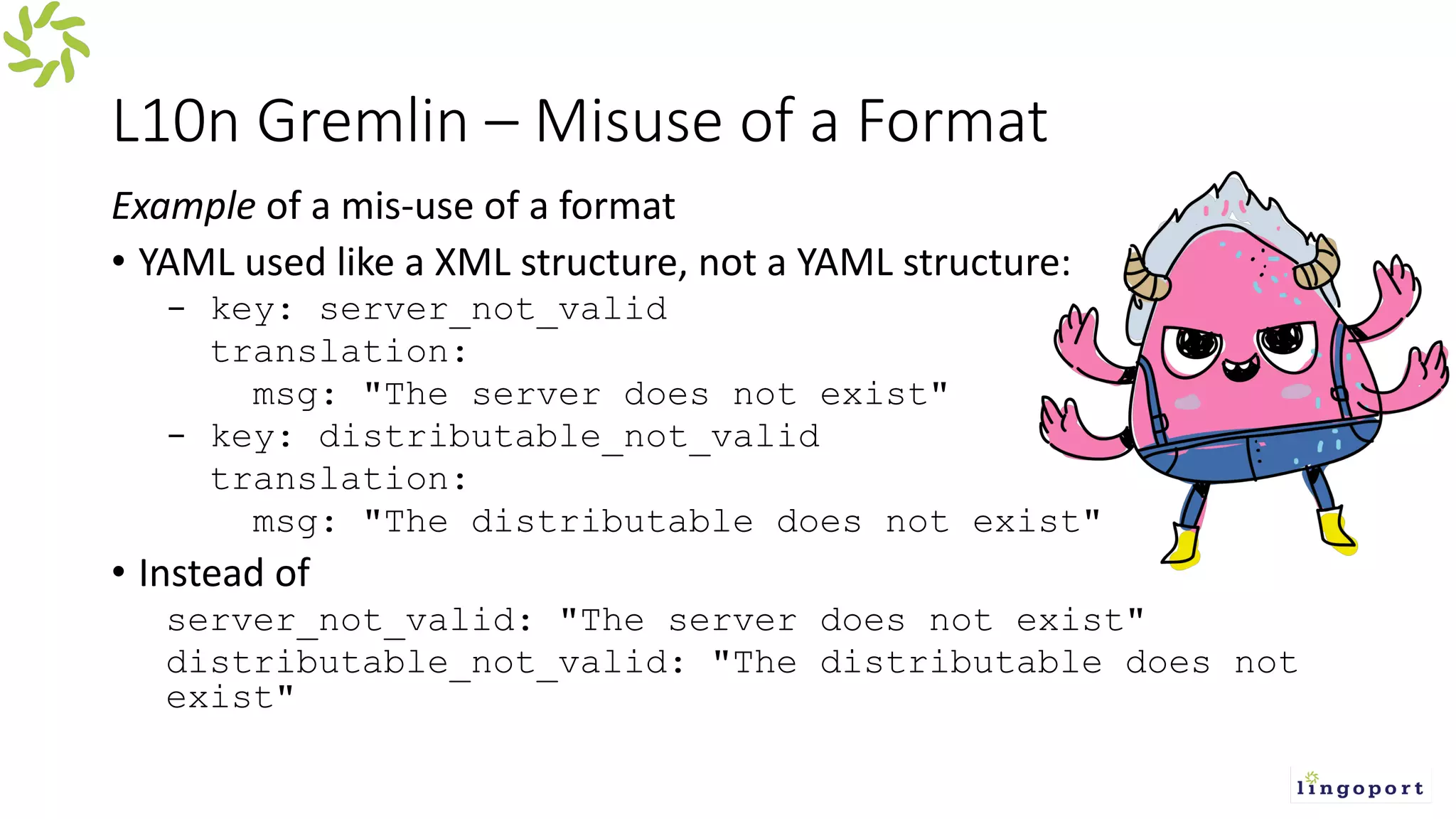
L10n Gremlin – Misuse of a Format
Example of a mis-use of a format
• YAML used like a XML structure, not a YAML structure:
- key: server_not_valid
translation:
msg: "The server does not exist"
- key: distributable_not_valid
translation:
msg: "The distributable does not exist"
• Instead of
server_not_valid: "The server does not exist"
distributable_not_valid: "The distributable does not
exist"
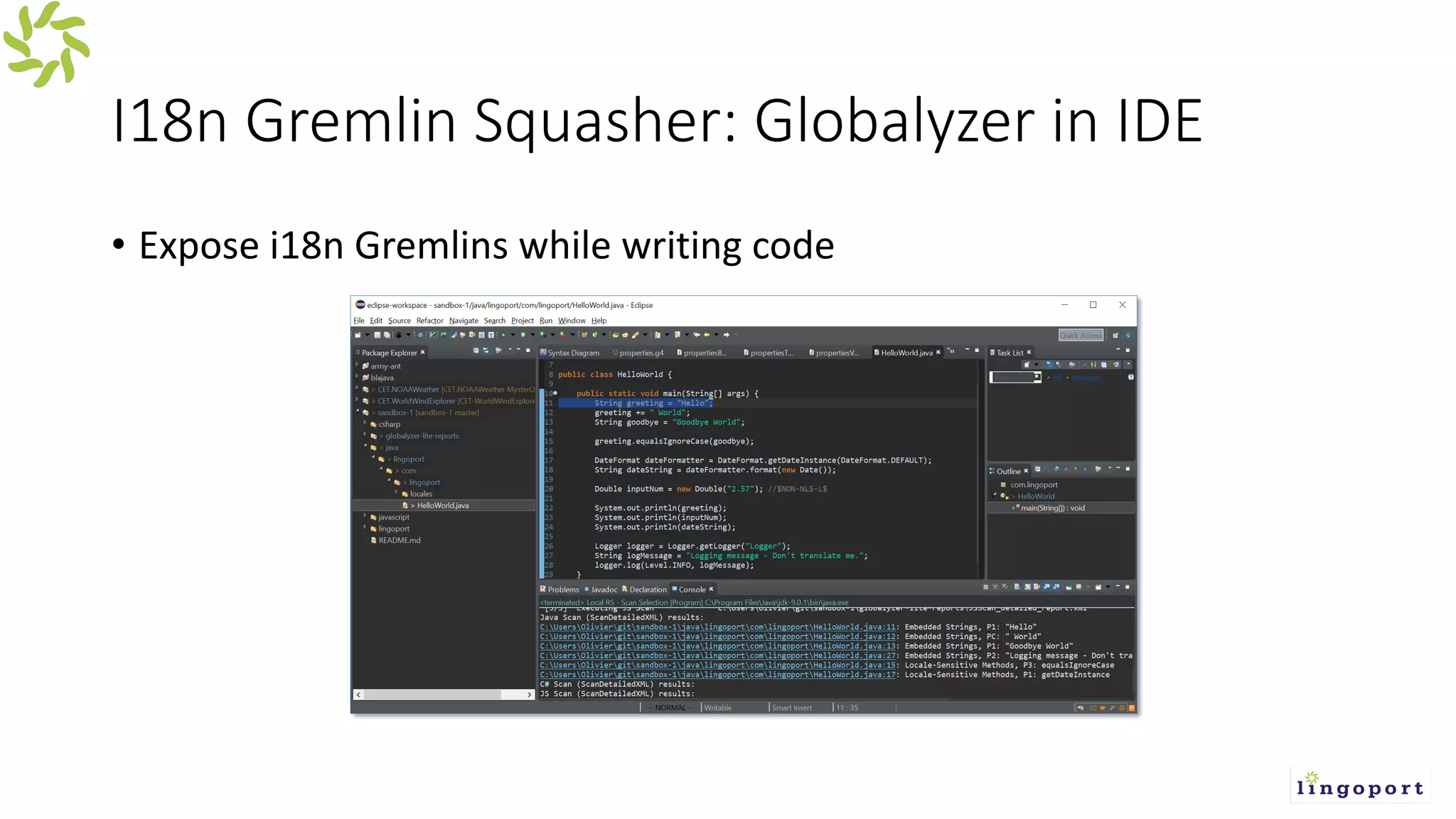
I18n Gremlin Squasher: Globalyzer in IDE
• Expose i18n Gremlins while writing code
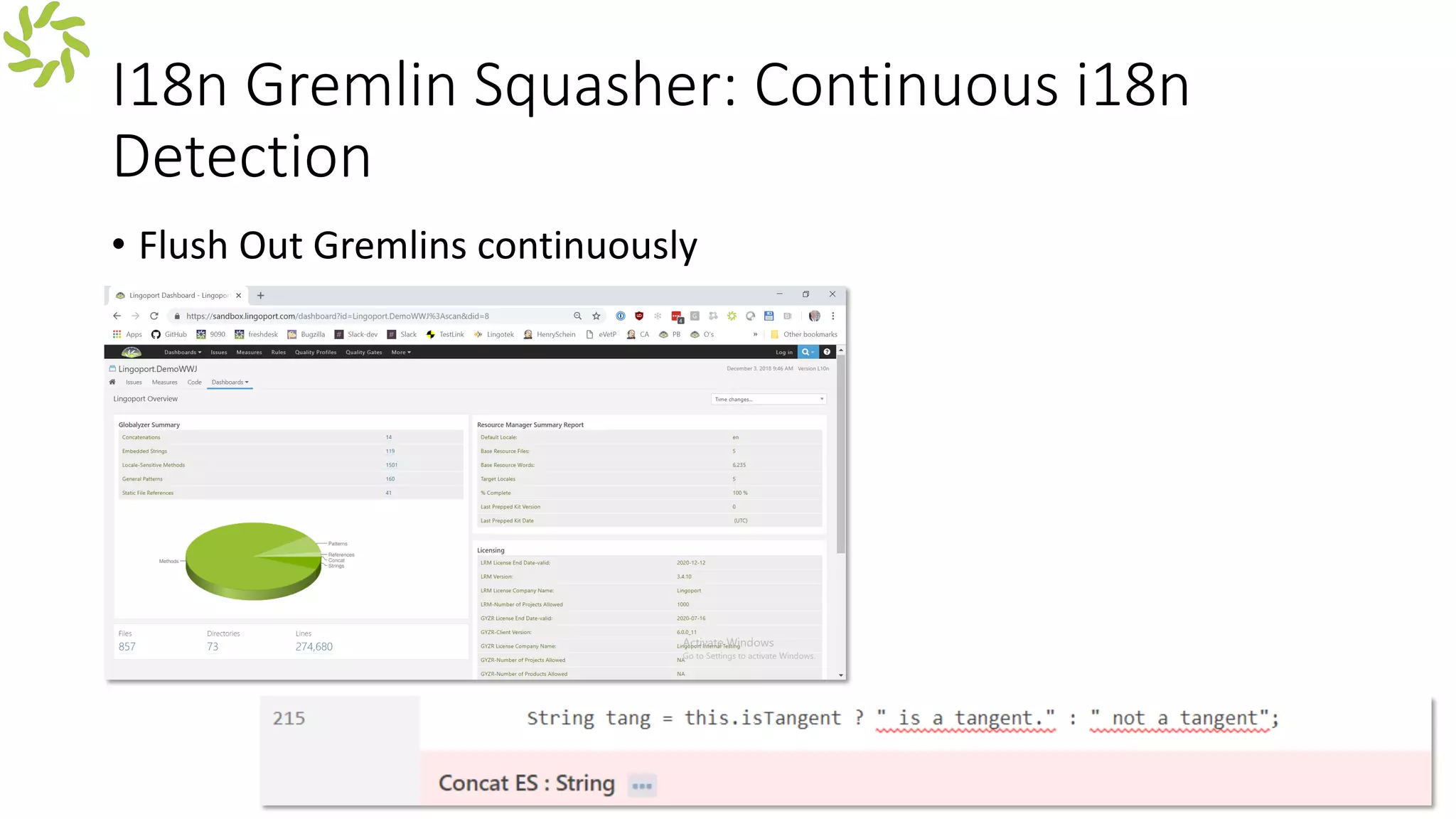
I18n Gremlin Squasher: Continuous i18n
Detection
• Flush Out Gremlins continuously
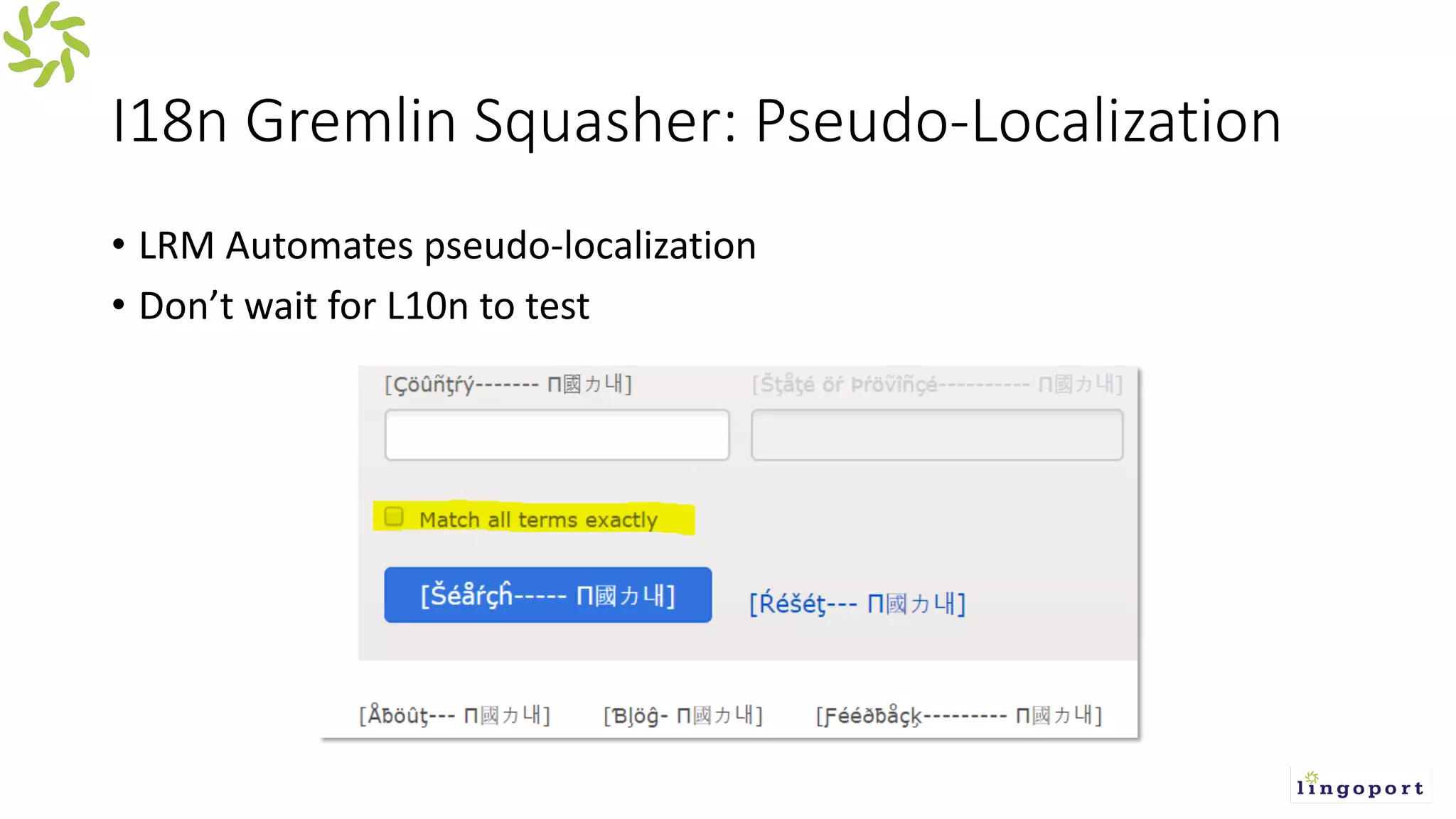
I18n Gremlin Squasher: Pseudo-Localization
• LRM Automates pseudo-localization
• Don’t wait for L10n to test
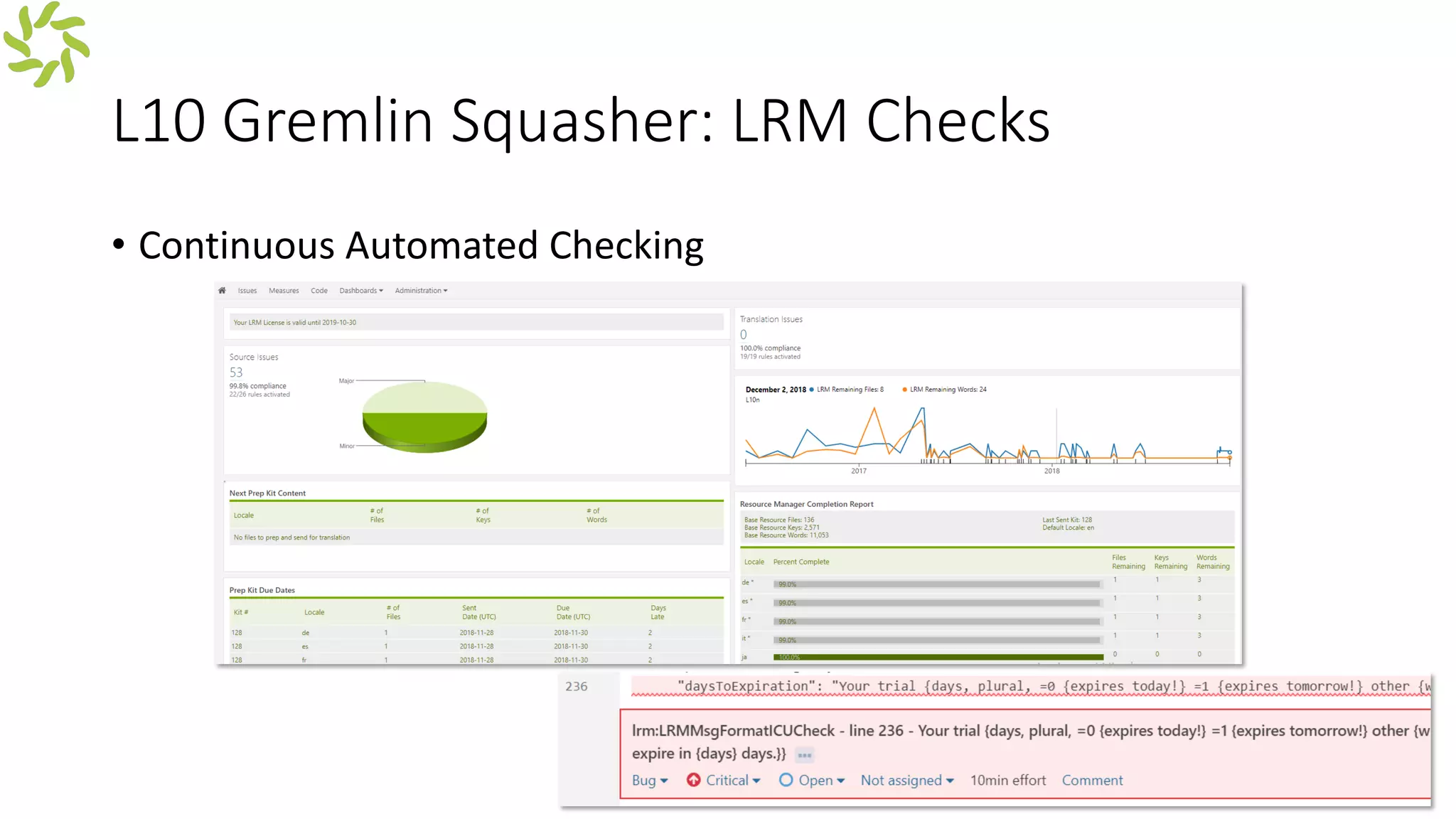
L10 Gremlin Squasher: LRM Checks
• Continuous Automated Checking
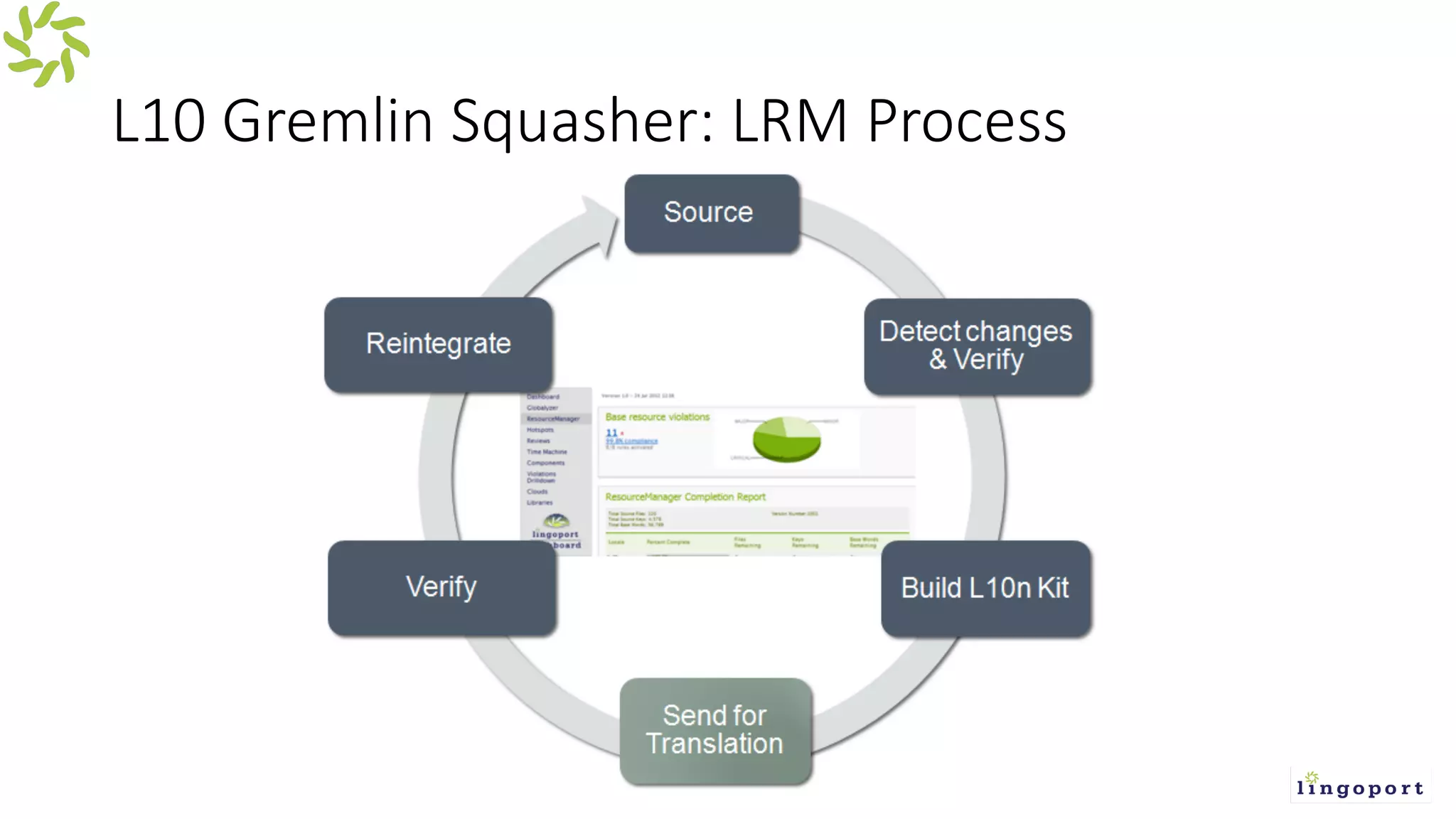
L10 Gremlin Squasher: LRM Process
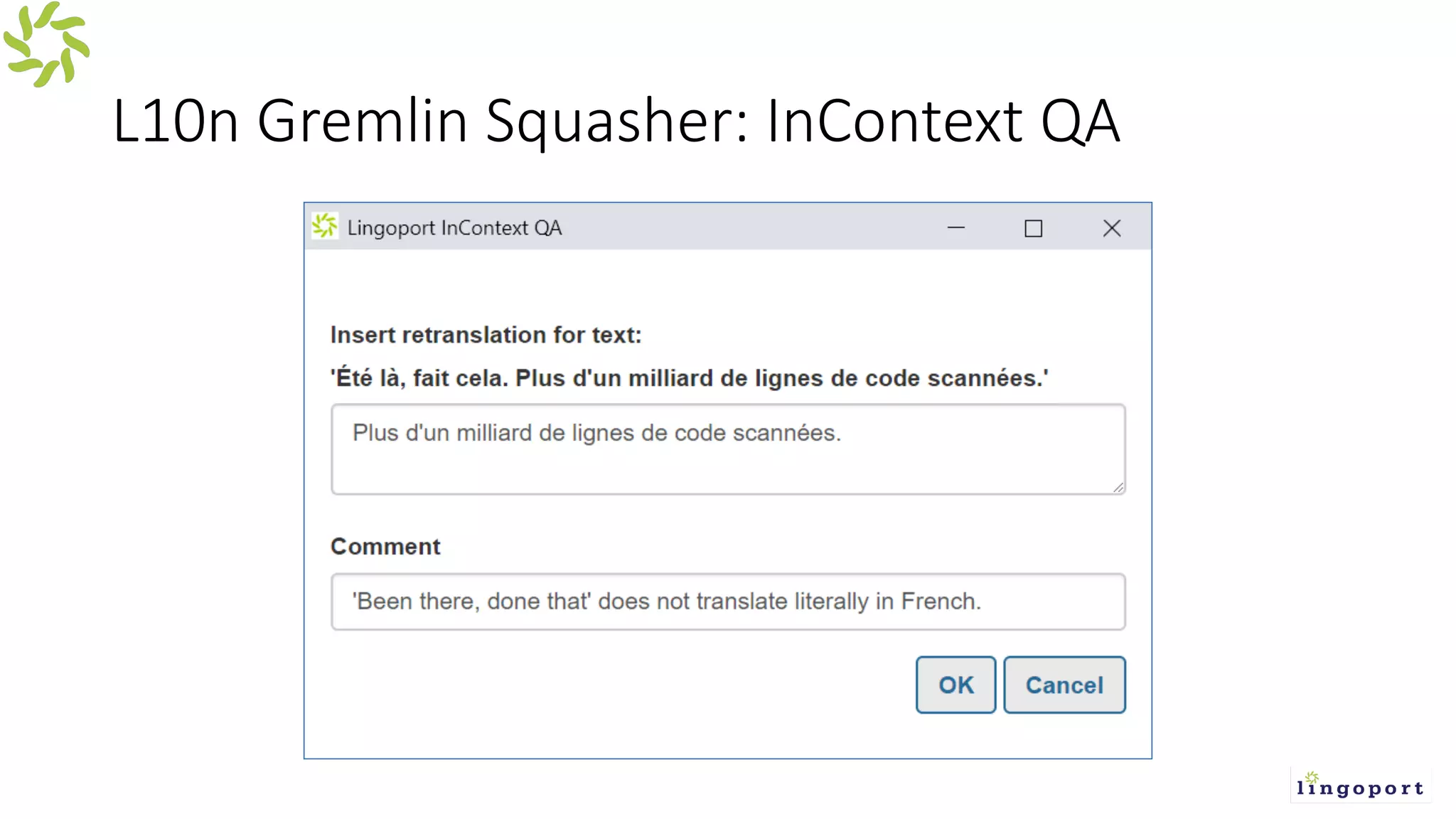
L10n Gremlin Squasher: InContext QA
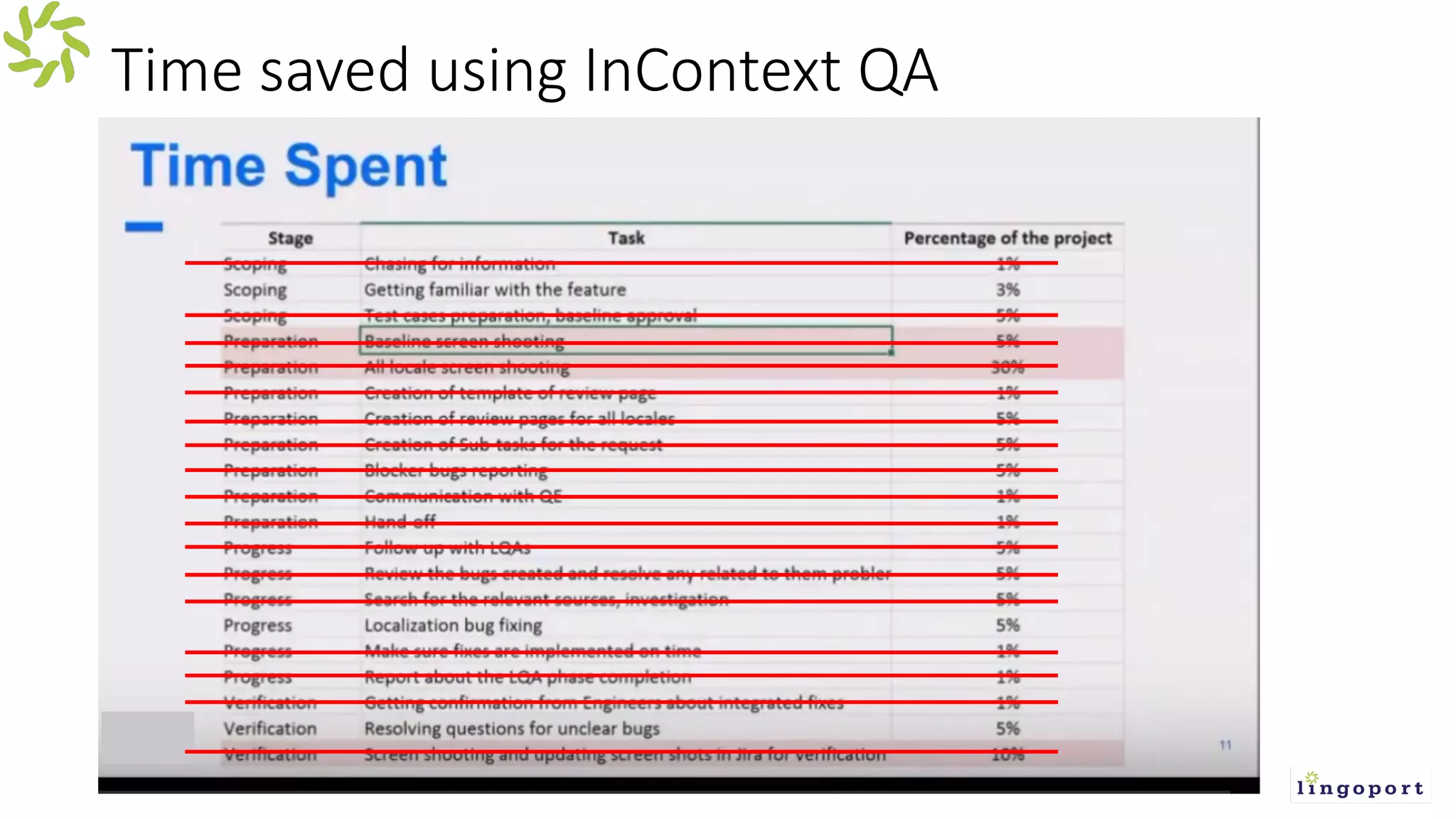
Time saved using InContext QA
Speed & Validation: Quality Process
Technology Resistance Pitfalls
• A Git connector isn’t enough for i18n and L10n
• Not adding to .JS framework
• Don’t use a Proxy
Questions from the Audience?
• Lingoport: https://lingoport.com
• Wiki: https://wiki.lingoport.com
• Sandbox: https://lingoport.com/pd/lingoport-suite-sandbox/
• Blog: https://lingoport.com/blog

Concatenations, Bad File Formats and Other Localization Gremlins

  • 1.
  • 2.
    What’s a Gremlin? •Vexing creature known for sabotage • i18n & L10n problems - bugs or issues?
  • 3.
    I18n & L10nGremlins Sabotage Your Efforts • Little issues slow down global releases • Quality impact • Speed killer – caught in a QA/Bug fixing purgatory • Distract from sprint focus • Multiple simultaneous sprints – lots going on!
  • 4.
    Catching bugs earlysaves money and time
  • 5.
    Continuous i18n andL10n InContext QA
  • 6.
    Bug Fixing Steps •Developer delivers • i18n or L10n criteria tested • QA Identifies an issue • File a bug • Bugs are reviewed • Bugs are assigned • Assigned Developer identify where the bug exists • Developer fixes the bug • Developer unit tests bug fix • Marks bug as fixed • QA verifies fixed bug • QA makes sure no other damage from bug fix • Update bug log
  • 7.
    Common i18n &L10n Gremlins • Similar gremlins over and over again • Embedded Strings • Concatenations • Date/Time • Character set issues • Bad translations • Misspellings • Bad file formatting • Let’s look at Gremlins in detail
  • 8.
    I18n Gremlin: EmbeddedStrings ¡ Embedded strings are hard-coded character strings in the source code ¡ In the example below, some text stays in U.S. English regardless of the user language
  • 9.
    I18n Gremlin: CharacterCorruption ¡ Some characters show up corrupted ¡ Mojibake ( , "character change")
  • 10.
    I18n Gremlin: IncorrectDate / Time Format ¡ The date or the time shows up with a U.S. English format; here the date is shown as March 13th, 2013
  • 11.
    I18n Gremlin: ProgrammingShortcuts ¡ Developers can take shortcuts in a U.S. English application that do not transfer to an international audience ¡ Here column names, from a database table, are used to display a selection
  • 12.
    I18n Gremlin: Emails ¡If the application sends email, that part of the software must be examined carefully ¡ Here there is a mix of Japanese and U.S. English text
  • 13.
    #7: Parsing andDisplaying Numbers ¡ The application fails to parse a number because it was entered with a comma decimal separator, as in the French “12,50” as opposed to the U.S. “12.50”
  • 14.
    I18n Gremlin: StaticFile References • Showing or playing a file in the wrong language • Html Files • Videos • Images
  • 15.
    I18n Gremlin: Currencies •Currencies need special attention • Here, the currency symbol is wrong, which makes the result unusable
  • 16.
    I18n Gremlin: MyProgramming Language ‘supports’ i18n and it’s magic. ¡ Written in Java or .NET does not mean internationalized ¡ Here the software does not properly validate entries static boolean checkString(String argument) { if (argument == null) return false; for (int i=0; i<argument.length(); i++) { char a = argument.charAt(i); if ((a >= ‘A’ && a <= ‘Z’) || (a >= ‘A’ && a <= ‘Z’)) continue; else return false;
  • 17.
    L10n Gremlin –Duplicate Keys Example of duplicate keys in the same file: Msg_welcome: “Hello Mister {0} “ […] Msg_welcome: “This application does …” […] Msg_welcome: “Error login in” The actual message shown may be any one of them, at “random”.
  • 18.
    L10n Gremlin –Wrong Encoding Example of a bad encoding in a resource file:
  • 19.
    L10n Gremlin –Non Standard Process Example of a non standard process: • Developers create resource files (say U.S. English .yaml files) • L10n management transform the resource files into .csv files • L10n management send .csv files for translation • Translation return .csv files • L10n management move the .csv files into a database -> Friction, time, cost: for what real benefit
  • 20.
    L10n Gremlin –Non Standard Directory Structure Example of a non standard directory structure: ./en/my/deep/path/to/resources.json Instead of ./my/deep/path/to/en/resources.json -or- ./my/deep/path/to/resources_en.json -or- … other standards. -> Downstream translation suffers for no clear benefits for developers.
  • 21.
    L10n Gremlin –Non Standard File Structure Example of a non standard file structure resources_en.json { "en": { "testKey": "testValue", "UcsTagEditor.add": "Add", "UcsTagEditor.key": "Key" } } Instead of: { "testKey": "testValue", "UcsTagEditor.add": "Add", "UcsTagEditor.key": "Key" }
  • 22.
    L10n Gremlin –Misuse of a Format Example of a mis-use of a format • YAML used like a XML structure, not a YAML structure: - key: server_not_valid translation: msg: "The server does not exist" - key: distributable_not_valid translation: msg: "The distributable does not exist" • Instead of server_not_valid: "The server does not exist" distributable_not_valid: "The distributable does not exist"
  • 23.
    I18n Gremlin Squasher:Globalyzer in IDE • Expose i18n Gremlins while writing code
  • 24.
    I18n Gremlin Squasher:Continuous i18n Detection • Flush Out Gremlins continuously
  • 25.
    I18n Gremlin Squasher:Pseudo-Localization • LRM Automates pseudo-localization • Don’t wait for L10n to test
  • 26.
    L10 Gremlin Squasher:LRM Checks • Continuous Automated Checking
  • 27.
  • 28.
  • 29.
    Time saved usingInContext QA
  • 30.
    Speed & Validation:Quality Process Technology Resistance Pitfalls • A Git connector isn’t enough for i18n and L10n • Not adding to .JS framework • Don’t use a Proxy
  • 31.
    Questions from theAudience? • Lingoport: https://lingoport.com • Wiki: https://wiki.lingoport.com • Sandbox: https://lingoport.com/pd/lingoport-suite-sandbox/ • Blog: https://lingoport.com/blog