Computer Programming
Concepts
Operators in C++
Edgar Zulu

VEW INVESTMENTS

Contact info:

+260 762 626876

Plot 1636 Malambo Rd, Lusaka, Zambia

sales@vew.co.zm

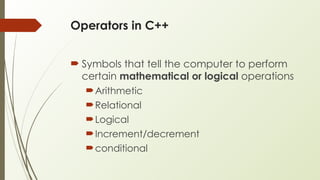
Operators in C++
 Symbols that tell the computer to perform
certain mathematical or logical operations
Arithmetic
Relational
Logical
Increment/decrement
conditional
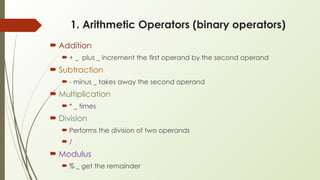
1. Arithmetic Operators (binary operators)
 Addition
 + _ plus _ increment the first operand by the second operand
 Subtraction
 - minus _ takes away the second operand
 Multiplication
 * _ times
 Division
 Performs the division of two operands
 /
 Modulus
 % _ get the remainder
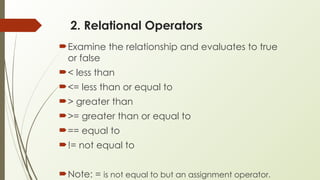
2. Relational Operators
Examine the relationship and evaluates to true
or false
< less than
<= less than or equal to
> greater than
>= greater than or equal to
== equal to
!= not equal to
Note: = is not equal to but an assignment operator.
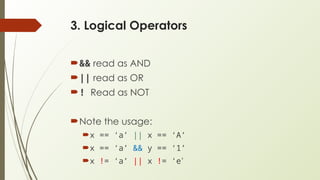
3. Logical Operators
&& read as AND
|| read as OR
! Read as NOT
Note the usage:
x == ‘a’ || x == ‘A’
x == ‘a’ && y == ‘1’
x != ‘a’ || x != ‘e’
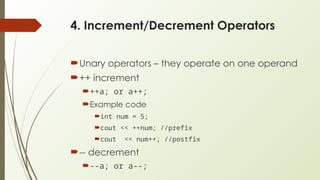
4. Increment/Decrement Operators
Unary operators – they operate on one operand
++ increment
++a; or a++;
Example code
int num = 5;
cout << ++num; //prefix
cout << num++; //postfix
-- decrement
--a; or a--;
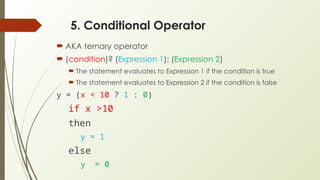
5. Conditional Operator
 AKA ternary operator
 (condition)? (Expression 1): (Expression 2)
 The statement evaluates to Expression 1 if the condition is true
 The statement evaluates to Expression 2 if the condition is false
y = (x < 10 ? 1 : 0)
if x >10
then
y = 1
else
y = 0

Computer programming basics Operators (1).pptx

  • 1.
  • 2.
     VEW INVESTMENTS  Contact info:  +260762 626876  Plot 1636 Malambo Rd, Lusaka, Zambia  sales@vew.co.zm 
  • 3.
    Operators in C++ Symbols that tell the computer to perform certain mathematical or logical operations Arithmetic Relational Logical Increment/decrement conditional
  • 4.
    1. Arithmetic Operators(binary operators)  Addition  + _ plus _ increment the first operand by the second operand  Subtraction  - minus _ takes away the second operand  Multiplication  * _ times  Division  Performs the division of two operands  /  Modulus  % _ get the remainder
  • 5.
    2. Relational Operators Examinethe relationship and evaluates to true or false < less than <= less than or equal to > greater than >= greater than or equal to == equal to != not equal to Note: = is not equal to but an assignment operator.
  • 6.
    3. Logical Operators &&read as AND || read as OR ! Read as NOT Note the usage: x == ‘a’ || x == ‘A’ x == ‘a’ && y == ‘1’ x != ‘a’ || x != ‘e’
  • 7.
    4. Increment/Decrement Operators Unaryoperators – they operate on one operand ++ increment ++a; or a++; Example code int num = 5; cout << ++num; //prefix cout << num++; //postfix -- decrement --a; or a--;
  • 8.
    5. Conditional Operator AKA ternary operator  (condition)? (Expression 1): (Expression 2)  The statement evaluates to Expression 1 if the condition is true  The statement evaluates to Expression 2 if the condition is false y = (x < 10 ? 1 : 0) if x >10 then y = 1 else y = 0