1 | P a g e
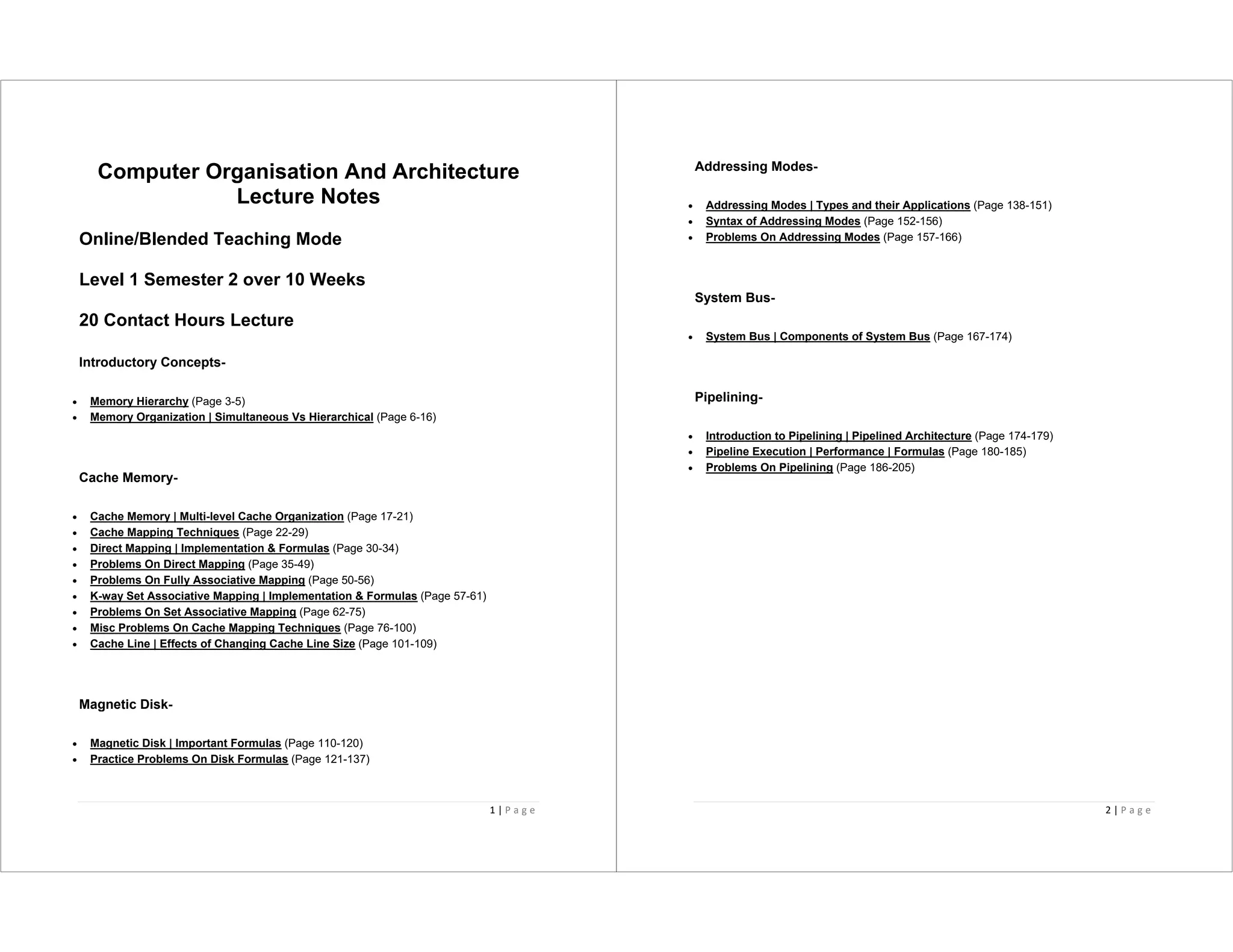
Computer Organisation And Architecture
Lecture Notes
Online/Blended Teaching Mode
Level 1 Semester 2 over 10 Weeks
20 Contact Hours Lecture
Introductory Concepts-
• Memory Hierarchy (Page 3-5)
• Memory Organization | Simultaneous Vs Hierarchical (Page 6-16)
Cache Memory-
• Cache Memory | Multi-level Cache Organization (Page 17-21)
• Cache Mapping Techniques (Page 22-29)
• Direct Mapping | Implementation & Formulas (Page 30-34)
• Problems On Direct Mapping (Page 35-49)
• Problems On Fully Associative Mapping (Page 50-56)
• K-way Set Associative Mapping | Implementation & Formulas (Page 57-61)
• Problems On Set Associative Mapping (Page 62-75)
• Misc Problems On Cache Mapping Techniques (Page 76-100)
• Cache Line | Effects of Changing Cache Line Size (Page 101-109)
Magnetic Disk-
• Magnetic Disk | Important Formulas (Page 110-120)
• Practice Problems On Disk Formulas (Page 121-137)
2 | P a g e
Addressing Modes-
• Addressing Modes | Types and their Applications (Page 138-151)
• Syntax of Addressing Modes (Page 152-156)
• Problems On Addressing Modes (Page 157-166)
System Bus-
• System Bus | Components of System Bus (Page 167-174)
Pipelining-
• Introduction to Pipelining | Pipelined Architecture (Page 174-179)
• Pipeline Execution | Performance | Formulas (Page 180-185)
• Problems On Pipelining (Page 186-205)
3 | P a g e
Memory Hierarchy-
• Memory hierarchy is the hierarchy of memory and storage devices found in a computer
system.
• It ranges from the slowest but high capacity auxiliary memory to the fastest but low
capacity cache memory.
Need-
There is a trade-off among the three key characteristics of memory namely-
• Cost
• Capacity
• Access time
Memory hierarchy is employed to balance this trade-off.
Memory Hierarchy Diagram-
4 | P a g e
Level-0:
• At level-0, registers are present which are contained inside the CPU.
• Since they are present inside the CPU, they have least access time.
• They are most expensive and therefore smallest in size (in KB).
• Registers are implemented using Flip-Flops.
Level-1:
• At level-1, Cache Memory is present.
• It stores the segments of program that are frequently accessed by the processor.
• It is expensive and therefore smaller in size (in MB).
• Cache memory is implemented using static RAM.
Level-2:
• At level-2, main memory is present.
• It can communicate directly with the CPU and with auxiliary memory devices through an
I/O processor.
• It is less expensive than cache memory and therefore larger in size (in few GB).
• Main memory is implemented using dynamic RAM.
Level-3:
• At level-3, secondary storage devices like Magnetic Disk are present.
• They are used as back up storage.
• They are cheaper than main memory and therefore much larger in size (in few TB).
Level-4:
• At level-4, tertiary storage devices like magnetic tape are present.
• They are used to store removable files.
• They are cheapest and largest in size (1-20 TB).
5 | P a g e
Observations-
The following observations can be made when going down in the memory hierarchy-
• Cost / bit decreases
• Frequency of access decreases
• Capacity increases
• Access time increases
Goals of Memory Hierarchy-
The goals of memory hierarchy are-
• To obtain the highest possible average access speed
• To minimize the total cost of the entire memory system
To gain better understanding about Memory Hierarchy-
Watch Video1 Self-Study Learning
6 | P a g e
Memory Organization in Computer Architecture-
In a computer,
• Memory is organized at different levels.
• CPU may try to access different levels of memory in different ways.
• On this basis, the memory organization is broadly divided into two types-
1. Simultaneous Access Memory Organization
2. Hierarchical Access Memory Organization
1. Simultaneous Access Memory Organization-
In this memory organization,
• All the levels of memory are directly connected to the CPU.
• Whenever CPU requires any word, it starts searching for it in all the levels
simultaneously.
Example-01:
Consider the following simultaneous access memory organization-
7 | P a g e
Here, two levels of memory are directly connected to the CPU.
Let- L1 be the cache memory
• T1 = Access time of level L1
• S1 = Size of level L1
• C1 = Cost per byte of level L1
• H1 = Hit rate of level L1
Similar are the notations for level L2, let L2 be Main Memory
• T2 = Access time of level L2
• S2 = Size of level L2
• C2 = Cost per byte of level L2
• H2 = Hit rate of level L2
Average Memory Access Time-
Average time required to access memory per operation
= H1 x T1 + (1 – H1) x H2 x T2
= H1 x T1 + (1 – H1) x 1 x T2
= H1 x T1 + (1 – H1) x T2
8 | P a g e
Important Note
In any memory organization,
• The data item being searched will definitely be present in the last level.
• Thus, hit rate for the last level is always 1.
Average Cost Per Byte-
Average cost per byte of the memory
= { C1 x S1 + C2 x S2 } / { S1 + S2 }
Example-02:
Consider the following simultaneous access memory organization-
Here, three levels of memory are directly connected to the CPU.
Let-
• T1 = Access time of level L1
• S1 = Size of level L1
• C1 = Cost per byte of level L1
• H1 = Hit rate of level L1
9 | P a g e
Similar are the notations for other two levels.
Average Memory Access Time-
Average time required to access memory per operation
= H1 x T1 + (1 – H1) x H2 x T2 + (1 – H1) x (1 – H2) x H3 x T3
= H1 x T1 + (1 – H1) x H2 x T2 + (1 – H1) x (1 – H2) x 1 x T3
= H1 x T1 + (1 – H1) x H2 x T2 + (1 – H1) x (1 – H2) x T3
Average Cost Per Byte-
Average cost per byte of the memory
= { C1 x S1 + C2 x S2 + C3 x S3 } / { S1 + S2 + S3 }
2. Hierarchical Access Memory Organization-
In this memory organization, memory levels are organized as-
• Level-1 is directly connected to the CPU.
• Level-2 is directly connected to level-1.
• Level-3 is directly connected to level-2 and so on.
Whenever CPU requires any word,
• It first searches for the word in level-1.
• If the required word is not found in level-1, it searches for the word in level-2.
• If the required word is not found in level-2, it searches for the word in level-3 and so on.
10 | P a g e
Example-01:
Consider the following hierarchical access memory organization-
Here, two levels of memory are connected to the CPU in a hierarchical fashion.
Let-
• T1 = Access time of level L1
• S1 = Size of level L1
• C1 = Cost per byte of level L1
• H1 = Hit rate of level L1
Similar are the notations for level L2.
Average Memory Access Time-
Average time required to access memory per operation
= H1 x T1 + (1 – H1) x H2 x (T1 + T2)
= H1 x T1 + (1 – H1) x 1 x (T1 + T2)
= H1 x T1 + (1 – H1) x (T1 + T2)
11 | P a g e
Average Cost Per Byte-
Average cost per byte of the memory
= { C1 x S1 + C2 x S2 } / { S1 + S2 }
Example-02:
Consider the following hierarchical access memory organization-
Here, three levels of memory are connected to the CPU in a hierarchical fashion.
Let-
• T1 = Access time of level L1
• S1 = Size of level L1
12 | P a g e
• C1 = Cost per byte of level L1
• H1 = Hit rate of level L1
Similar are the notations for other two levels.
Average Memory Access Time-
Average time required to access memory per operation
= H1 x T1 + (1 – H1) x H2 x (T1 + T2) + (1 – H1) x (1 – H2) x H3 x (T1 + T2 + T3)
= H1 x T1 + (1 – H1) x H2 x (T1 + T2) + (1 – H1) x (1 – H2) x 1 x (T1 + T2 + T3)
= H1 x T1 + (1 – H1) x H2 x (T1 + T2) + (1 – H1) x (1 – H2) x (T1 + T2 + T3)
Average Cost Per Byte-
Average cost per byte of the memory
= { C1 x S1 + C2 x S2 + C3 x S3 } / { S1 + S2 + S3 }
PRACTICE PROBLEMS BASED ON MEMORY
ORGANIZATION-
Problem-01:
What is the average memory access time for a machine with a cache hit rate of 80% and
cache access time of 5 ns and main memory access time of 100 ns when-
1. Simultaneous access memory organization is used.
2. Hierarchical access memory organization is used.
Solution-
Part-01: Simultaneous Access Memory Organization-
The memory organization will be as shown-
13 | P a g e
Average memory access time
= H1 x T1 + (1 – H1) x H2 x T2
= 0.8 x 5 ns + (1 – 0.8) x 1 x 100 ns
= 4 ns + 0.2 x 100 ns
= 4 ns + 20 ns
= 24 ns
Part-02: Hierarchical Access Memory Organization-
The memory organization will be as shown-
14 | P a g e
Average memory access time
= H1 x T1 + (1 – H1) x H2 x (T1 + T2)
= 0.8 x 5 ns + (1 – 0.8) x 1 x (5 ns + 100 ns)
= 4 ns + 0.2 x 10⁵ ns
= 4 ns + 21 ns
= 25 ns
Problem-02:
A computer has a cache, main memory and a disk used for virtual memory. An access to
the cache takes 10 ns. An access to main memory takes 100 ns. An access to the disk
takes 10,000 ns. Suppose the cache hit ratio is 0.9 and the main memory hit ratio is 0.8.
The effective access time required to access a referenced word on the system is _______
when-
1. Simultaneous access memory organization is used.
2. Hierarchical access memory organization is used.
Solution-
Part-01: Simultaneous Access Memory Organization-
The memory organization will be as shown-
15 | P a g e
Effective memory access time
= H1 x T1 + (1 – H1) x H2 x T2 + (1 – H1) x (1 – H2) x H3 x T3
= 0.9 x 10 ns + (1 – 0.9) x 0.8 x 100 ns + (1 – 0.9) x (1 – 0.8) x 1 x 10000 ns
= 9 ns + 8 ns + 200 ns
= 217 ns
Part-02: Hierarchical Access Memory Organization-
The memory organization will be as shown-
16 | P a g e
Effective memory access time
= H1 x T1 + (1 – H1) x H2 x (T1 + T2) + (1 – H1) x (1 – H2) x H3 x (T1 + T2 + T3)
= 0.9 x 10 ns + (1 – 0.9) x 0.8 x (10 ns + 100 ns) + (1 – 0.9) x (1 – 0.8) x 1 x (10 ns + 100 ns
+ 10000 ns)
= 9 ns + 8.8 ns + 202.2 ns
= 220 ns
Important Note
While solving numerical problems
If the kind of memory organization used is not mentioned, assume hierarchical
access memory organization.
To gain better understanding about Memory Organization,
Watch Video2 Self-Study Learning
17 | P a g e
Cache Memory-
• Cache memory is a Random Access Memory.
• The main advantage of cache memory is its very fast speed.
• It can be accessed by the CPU at much faster speed than main memory.
Location-
• Cache memory lies on the path between the CPU and the main memory.
• It facilitates the transfer of data between the processor and the main memory at the
speed which matches to the speed of the processor.
• Data is transferred in the form of words between the cache memory and the CPU.
• Data is transferred in the form of blocks or pages between the cache memory and the
main memory.
18 | P a g e
Purpose-
• The fast speed of the cache memory makes it extremely useful.
• It is used for bridging the speed mismatch between the fastest CPU and the main
memory.
• It does not let the CPU performance suffer due to the slower speed of the main memory.
Execution Of Program-
• Whenever any program has to be executed, it is first loaded in the main memory.
• The portion of the program that is mostly probably going to be executed in the near future
is kept in the cache memory.
• This allows CPU to access the most probable portion at a faster speed.
Step-01:
Whenever CPU requires any word of memory, it is first searched in the CPU registers.
Now, there are two cases possible-
Case-01:
• If the required word is found in the CPU registers, it is read from there.
Case-02:
• If the required word is not found in the CPU registers, Step-02 is followed.
Step-02:
• When the required word is not found in the CPU registers, it is searched in the cache
memory.
• Tag directory of the cache memory is used to search whether the required word is
present in the cache memory or not.
19 | P a g e
Now, there are two cases possible-
Case-01:
• If the required word is found in the cache memory, the word is delivered to the CPU.
• This is known as Cache hit.
Case-02:
• If the required word is not found in the cache memory, Step-03 is followed.
• This is known as Cache miss.
Step-03:
• When the required word is not found in the cache memory, it is searched in the main
memory.
• Page Table is used to determine whether the required page is present in the main
memory or not.
Now, there are two cases possible-
Case-01:
If the page containing the required word is found in the main memory,
• The page is mapped from the main memory to the cache memory.
• This mapping is performed using cache mapping techniques.
• Then, the required word is delivered to the CPU.
Case-02:
If the page containing the required word is not found in the main memory,
20 | P a g e
• A page fault occurs.
• The page containing the required word is mapped from the secondary memory to the
main memory.
• Then, the page is mapped from the main memory to the cache memory.
• Then, the required word is delivered to the CPU.
Multilevel Cache Organization-
• A multilevel cache organization is an organization where cache memories of different
sizes are organized at multiple levels to increase the processing speed to a greater
extent.
• The smaller the size of cache, the faster its speed.
• The smallest size cache memory is placed closest to the CPU.
• This helps to achieve better performance in terms of speed.
Example-
Three level cache organization consists of three cache memories of different size organized
at three different levels as shown below-
Size (L1 Cache) < Size (L2 Cache) < Size (L3 Cache) < Size (Main Memory)
21 | P a g e
To gain better understanding about Cache Memory,
Watch Video3 Lecture Self Study Learning
22 | P a g e
Cache Memory-
We have discussed-
Cache memory bridges the speed mismatch between the processor and the main
memory.
When cache hit occurs,
• The required word is present in the cache memory.
• The required word is delivered to the CPU from the cache memory.
When cache miss occurs,
• The required word is not present in the cache memory.
• The page containing the required word has to be mapped from the main memory.
• This mapping is performed using cache mapping techniques.
Next, we will discuss different cache mapping techniques.
Cache Mapping-
• Cache mapping defines how a block from the main memory is mapped to the cache
memory in case of a cache miss.
OR
• Cache mapping is a technique by which the contents of main memory are brought into
the cache memory.
The following diagram illustrates the mapping process-
23 | P a g e
Now, before proceeding further, it is important to note the following points-
NOTES
• Main memory is divided into equal size partitions called as blocks or frames.
• Cache memory is divided into partitions having same size as that of blocks
called as lines.
• During cache mapping, block of main memory is simply copied to the cache
and the block is not actually brought from the main memory.
Cache Mapping Techniques-
Cache mapping is performed using following three different techniques-
24 | P a g e
1. Direct Mapping
2. Fully Associative Mapping
3. K-way Set Associative Mapping
1. Direct Mapping-
In direct mapping,
• A particular block of main memory can map only to a particular line of the cache.
• The line number of cache to which a particular block can map is given by-
Cache line number
= ( Main Memory Block Address ) Modulo (Number of lines in Cache)
Example-
• Consider cache memory is divided into ‘n’ number of lines.
• Then, block ‘j’ of main memory can map to line number (j mod n) only of the cache.
25 | P a g e
Need of Replacement Algorithm-
In direct mapping,
• There is no need of any replacement algorithm.
• This is because a main memory block can map only to a particular line of the cache.
• Thus, the new incoming block will always replace the existing block (if any) in that
particular line.
Division of Physical Address-
In direct mapping, the physical address is divided as-
26 | P a g e
2. Fully Associative Mapping-
In fully associative mapping,
• A block of main memory can map to any line of the cache that is freely available at that
moment.
• This makes fully associative mapping more flexible than direct mapping.
Example-
Consider the following scenario-
27 | P a g e
Here,
• All the lines of cache are freely available.
• Thus, any block of main memory can map to any line of the cache.
• Had all the cache lines been occupied, then one of the existing blocks will have to be
replaced.
Need of Replacement Algorithm-
In fully associative mapping,
• A replacement algorithm is required.
• Replacement algorithm suggests the block to be replaced if all the cache lines are
occupied.
• Thus, replacement algorithm like FCFS Algorithm, LRU Algorithm etc is employed.
Division of Physical Address-
In fully associative mapping, the physical address is divided as-
3. K-way Set Associative Mapping-
In k-way set associative mapping,
• Cache lines are grouped into sets where each set contains k number of lines.
• A particular block of main memory can map to only one particular set of the cache.
• However, within that set, the memory block can map any cache line that is freely
available.
• The set of the cache to which a particular block of the main memory can map is given by-
28 | P a g e
Cache set number
= ( Main Memory Block Address ) Modulo (Number of sets in Cache)
Example-
Consider the following example of 2-way set associative mapping-
Here,
• k = 2 (because 2-way set associative mapping) suggests that each set contains two
cache lines.
• When cache contains 6 lines, so number of sets in the cache = 6 / 2 = 3 sets.
• Block ‘j’ of main memory can map to set number (j mod 3) only of the cache.
• Within that set, block ‘j’ can map to any cache line that is freely available at that moment.
• If all the cache lines are occupied, then one of the existing blocks will have to be
replaced.
29 | P a g e
Need of Replacement Algorithm-
• Set associative mapping is a combination of direct mapping and fully associative
mapping.
• It uses fully associative mapping within each set.
• Thus, set associative mapping requires a replacement algorithm.
Division of Physical Address-
In set associative mapping, the physical address is divided as-
Special Cases-
• If k = 1, then k-way set associative mapping becomes direct mapping i.e.
1-way Set Associative Mapping ≡ Direct Mapping
• If k = Total number of lines in the cache, then k-way set associative mapping becomes
fully associative mapping.
30 | P a g e
Cache Mapping-
Cache mapping is a technique by which the contents of main memory are
brought into the cache memory.
Different cache mapping techniques are-
1. Direct Mapping
2. Fully Associative Mapping
3. K-way Set Associative Mapping
Next, we will discuss about direct mapping in detail.
Direct Mapping-
In direct mapping,
• A particular block of main memory can map to only one particular line of the cache.
• The line number of cache to which a particular block can map is given by-
31 | P a g e
Cache line number
= ( Main Memory Block Address ) Modulo (Number of lines in Cache)
Division of Physical Address-
In direct mapping, the physical address is divided as-
Direct Mapped Cache-
Direct mapped cache employs direct cache mapping technique.
The following steps explain the working of direct mapped cache-
After CPU generates a memory request,
• The line number field of the address is used to access the particular line of the cache.
• The tag field of the CPU address is then compared with the tag of the line.
• If the two tags match, a cache hit occurs and the desired word is found in the cache.
• If the two tags do not match, a cache miss occurs.
• In case of a cache miss, the required word has to be brought from the main memory.
• It is then stored in the cache together with the new tag replacing the previous one.
32 | P a g e
Implementation-
The following diagram shows the implementation of direct mapped cache-
(For simplicity, this diagram shows does not show all the lines of multiplexers)
The steps involved are as follows-
Step-01:
• Each multiplexer reads the line number from the generated physical address using its
select lines in parallel.
• To read the line number of L bits, number of select lines each multiplexer must have = L.
33 | P a g e
Step-02:
• After reading the line number, each multiplexer goes to the corresponding line in the
cache memory using its input lines in parallel.
• Number of input lines each multiplexer must have = Number of lines in the cache memory
Step-03:
• Each multiplexer outputs the tag bit it has selected from that line to the comparator using
its output line.
• Number of output line in each multiplexer = 1.
UNDERSTAND
It is important to understand-
• A multiplexer can output only a single bit on output line.
• So, to output the complete tag to the comparator,
Number of multiplexers required = Number of bits in the tag
• Each multiplexer is configured to read the tag bit at specific location.
Example-
• 1st multiplexer is configured to output the first bit of the tag.
• 2nd multiplexer is configured to output the second bit of the tag.
• 3rd multiplexer is configured to output the third bit of the tag and so on.
So,
• Each multiplexer selects the tag bit of the selected line for which it has been
configured and outputs on the output line.
• The complete tag as a whole is sent to the comparator for comparison in
parallel.
Step-04:
34 | P a g e
• Comparator compares the tag coming from the multiplexers with the tag of the generated
address.
• Only one comparator is required for the comparison where-
Size of comparator = Number of bits in the tag
• If the two tags match, a cache hit occurs otherwise a cache miss occurs.
Hit latency-
The time taken to find out whether the required word is present in the Cache Memory or
not is called as hit latency.
For direct mapped cache,
Hit latency = Multiplexer latency + Comparator latency
Important Results-
Following are the few important results for direct mapped cache-
• Block j of main memory can map to line number (j mod number of lines in cache) only
of the cache.
• Number of multiplexers required = Number of bits in the tag
• Size of each multiplexer = Number of lines in cache x 1
• Number of comparators required = 1
• Size of comparator = Number of bits in the tag
• Hit latency = Multiplexer latency + Comparator latency
To gain better understanding about direct mapping,
Watch Video4 Lecture Self Study Learning
35 | P a g e
Direct Mapping-Practice Problems
In direct mapping,
• A particular block of main memory can be mapped to one particular cache line only.
• Block ‘j’ of main memory will map to line number (j mod number of cache lines) of the
cache.
• There is no need of any replacement algorithm.
Next, we will discuss practice problems based on direct mapping.
PRACTICE PROBLEMS BASED ON DIRECT MAPPING-
Problem-01:
Consider a direct mapped cache of size 16 KB with block size 256 bytes. The size of main
memory is 128 KB. Find-
1. Number of bits in tag
2. Tag directory size
Solution-
Given-
• Cache memory size = 16 KB
• Block size = Frame size = Line size = 256 bytes
• Main memory size = 128 KB
We consider that the memory is byte addressable.
Number of Bits in Physical Address-
We have,
Size of main memory
36 | P a g e
= 128 KB
= 217
bytes
Thus, Number of bits in physical address = 17 bits
Number of Bits in Block Offset-
We have,
Block size
= 256 bytes
= 28
bytes
Thus, Number of bits in block offset = 8 bits
Number of Bits in Line Number-
Total number of lines in cache
= Cache size / Line size
= 16 KB / 256 bytes
= 214
bytes / 28
bytes
= 26
lines
Thus, Number of bits in line number = 6 bits
37 | P a g e
Number of Bits in Tag-
Number of bits in tag
= Number of bits in physical address – (Number of bits in line number + Number of bits in
block offset)
= 17 bits – (6 bits + 8 bits)
= 17 bits – 14 bits
= 3 bits
Thus, Number of bits in tag = 3 bits
Tag Directory Size-
Tag directory size
= Number of tags x Tag size
= Number of lines in cache x Number of bits in tag
= 26
x 3 bits
= 192 bits
= 24 bytes
Thus, size of tag directory = 24 bytes
38 | P a g e
Problem-02:
Given-
• Cache memory size = 512 KB
• Block size = Frame size = Line size = 1 KB
• Number of bits in tag = 7 bits
We consider that the memory is byte addressable.
Number of Bits in Block Offset-
We have,
Block size
= 1 KB
= 210
bytes
Thus, Number of bits in block offset = 10 bits
Number of Bits in Line Number-
Total number of lines in cache
= Cache size / Line size
= 512 KB / 1 KB
= 29
lines
Thus, Number of bits in line number = 9 bits
39 | P a g e
Number of Bits in Physical Address-
Number of bits in physical address
= Number of bits in tag + Number of bits in line number + Number of bits in block offset
= 7 bits + 9 bits + 10 bits
= 26 bits
Thus, Number of bits in physical address = 26 bits
Size of Main Memory-
We have,
Number of bits in physical address = 26 bits
Thus, Size of main memory
= 226
bytes
= 64 MB
Tag Directory Size-
Tag directory size
= Number of tags x Tag size
= Number of lines in cache x Number of bits in tag
= 29
x 7 bits
= 3584 bits
= 448 bytes
Thus, size of tag directory = 448 bytes
40 | P a g e
Problem-03:
Consider a direct mapped cache with block size 4 KB. The size of main memory is 16 GB
and there are 10 bits in the tag. Find-
1. Size of cache memory
2. Tag directory size
Solution-
Given-
• Block size = Frame size = Line size = 4 KB
• Size of main memory = 16 GB
• Number of bits in tag = 10 bits
We consider that the memory is byte addressable.
Number of Bits in Physical Address-
We have,
Size of main memory
= 16 GB
= 234
bytes
Thus, Number of bits in physical address = 34 bits
41 | P a g e
Number of Bits in Block Offset-
We have,
Block size
= 4 KB
= 212
bytes
Thus, Number of bits in block offset = 12 bits
Number of Bits in Line Number-
Number of bits in line number
= Number of bits in physical address – (Number of bits in tag + Number of bits in block
offset)
= 34 bits – (10 bits + 12 bits)
= 34 bits – 22 bits
= 12 bits
Thus, Number of bits in line number = 12 bits
42 | P a g e
Number of Lines in Cache-
We have-
Number of bits in line number = 12 bits
Thus, Total number of lines in cache = 212
lines
Size of Cache Memory-
Size of cache memory
= Total number of lines in cache x Line size
= 212
x 4 KB
= 214
KB
= 16 MB
Thus, Size of cache memory = 16 MB
Tag Directory Size-
Tag directory size
= Number of tags x Tag size
= Number of lines in cache x Number of bits in tag
= 212
x 10 bits
= 40960 bits
= 5120 bytes
Thus, size of tag directory = 5120 bytes
43 | P a g e
Problem-04:
Consider a direct mapped cache of size 32 KB with block size 32 bytes. The CPU
generates 32 bit addresses. The number of bits needed for cache indexing and the number
of tag bits are respectively-
A. 10, 17
B. 10, 22
C. 15, 17
D. 5, 17
Solution-
Given-
• Cache memory size = 32 KB
• Block size = Frame size = Line size = 32 bytes
• Number of bits in physical address = 32 bits
Number of Bits in Block Offset-
We have,
Block size
= 32 bytes
= 25
bytes
Thus, Number of bits in block offset = 5 bits
Number of Bits in Line Number-
Total number of lines in cache
44 | P a g e
= Cache size / Line size
= 32 KB / 32 bytes
= 210
lines
Thus, Number of bits in line number = 10 bits
Number of Bits Required For Cache Indexing-
Number of bits required for cache indexing
= Number of bits in line number
= 10 bits
Number Of Bits in Tag-
Number of bits in tag
= Number of bits in physical address – (Number of bits in line number + Number of bits in
block offset)
= 32 bits – (10 bits + 5 bits)
= 32 bits – 15 bits
= 17 bits
Thus, Number of bits in tag = 17 bits
45 | P a g e
Thus, Option (A) is correct.
Problem-05:
Consider a machine with a byte addressable main memory of 232
bytes divided into blocks
of size 32 bytes. Assume that a direct mapped cache having 512 cache lines is used with
this machine. The size of the tag field in bits is ______.
Solution-
Given-
• Main memory size = 232
bytes
• Block size = Frame size = Line size = 32 bytes
• Number of lines in cache = 512 lines
Number of Bits in Physical Address-
We have,
Size of main memory
= 232
bytes
Thus, Number of bits in physical address = 32 bits
46 | P a g e
Number of Bits in Block Offset-
We have,
Block size
= 32 bytes
= 25
bytes
Thus, Number of bits in block offset = 5 bits
Number of Bits in Line Number-
Total number of lines in cache
= 512 lines
= 29
lines
Thus, Number of bits in line number = 9 bits
Number Of Bits in Tag-
Number of bits in tag
47 | P a g e
= Number of bits in physical address – (Number of bits in line number + Number of bits in
block offset)
= 32 bits – (9 bits + 5 bits)
= 32 bits – 14 bits
= 18 bits
Thus, Number of bits in tag = 18 bits
Problem-06:
An 8 KB direct-mapped write back cache is organized as multiple blocks, each of size 32
bytes. The processor generates 32 bit addresses. The cache controller maintains the tag
information for each cache block comprising of the following-
• 1 valid bit
• 1 modified bit
• As many bits as the minimum needed to identify the memory block mapped in the cache
What is the total size of memory needed at the cache controller to store meta data (tags) for
the cache?
A. 4864 bits
B. 6144 bits
C. 6656 bits
D. 5376 bits
Solution-
Given-
• Cache memory size = 8 KB
• Block size = Frame size = Line size = 32 bytes
• Number of bits in physical address = 32 bits
48 | P a g e
Number of Bits in Block Offset-
We have,
Block size
= 32 bytes
= 25
bytes
Thus, Number of bits in block offset = 5 bits
Number of Bits in Line Number-
Total number of lines in cache
= Cache memory size / Line size
= 8 KB / 32 bytes
= 213
bytes / 25
bytes
= 28
lines
Thus, Number of bits in line number = 8 bits
Number Of Bits in Tag-
49 | P a g e
Number of bits in tag
= Number of bits in physical address – (Number of bits in line number + Number of bits in
block offset)
= 32 bits – (8 bits + 5 bits)
= 32 bits – 13 bits
= 19 bits
Thus, Number of bits in tag = 19 bits
Memory Size Needed At Cache Controller-
Size of memory needed at cache controller
= Number of lines in cache x (1 valid bit + 1 modified bit + 19 bits to identify block)
= 28
x 21 bits
= 5376 bits
To watch video solutions and practice more problems,
Watch Video5 Lecture Self Study Learning
50 | P a g e
Fully Associative Mapping-
In fully associative mapping,
• A block of main memory can be mapped to any freely available cache line.
• This makes fully associative mapping more flexible than direct mapping.
• A replacement algorithm is needed to replace a block if the cache is full.
Next, we will discuss practice problems based on fully associative mapping.
PRACTICE PROBLEMS BASED ON FULLY
ASSOCIATIVE MAPPING-
Problem-01:
Consider a fully associative mapped cache of size 16 KB with block size 256 bytes. The
size of main memory is 128 KB. Find-
1. Number of bits in tag
2. Tag directory size
Solution-
Given-
• Cache memory size = 16 KB
• Block size = Frame size = Line size = 256 bytes
• Main memory size = 128 KB
We consider that the memory is byte addressable.
Number of Bits in Physical Address-
We have,
Size of main memory
51 | P a g e
= 128 KB
= 217
bytes
Thus, Number of bits in physical address = 17 bits

Number of Bits in Block Offset-
We have,
Block size
= 256 bytes
= 28
bytes
Thus, Number of bits in block offset = 8 bits
Number of Bits in Tag-
Number of bits in tag
= Number of bits in physical address – Number of bits in block offset
= 17 bits – 8 bits
= 9 bits
Thus, Number of bits in tag = 9 bits
52 | P a g e
Number of Lines in Cache-
Total number of lines in cache
= Cache size / Line size
= 16 KB / 256 bytes
= 214
bytes / 28
bytes
= 26
lines
Tag Directory Size-
Tag directory size
= Number of tags x Tag size
= Number of lines in cache x Number of bits in tag
= 26
x 9 bits
= 576 bits
= 72 bytes
Thus, size of tag directory = 72 bytes
Problem-02:
Consider a fully associative mapped cache of size 512 KB with block size 1 KB. There are
17 bits in the tag. Find-
1. Size of main memory
2. Tag directory size
53 | P a g e
Solution-
Given-
• Cache memory size = 512 KB
• Block size = Frame size = Line size = 1 KB
• Number of bits in tag = 17 bits
We consider that the memory is byte addressable.
Number of Bits in Block Offset-
We have,
Block size
= 1 KB
= 210
bytes
Thus, Number of bits in block offset = 10 bits
Number of Bits in Physical Address-
Number of bits in physical address
= Number of bits in tag + Number of bits in block offset
= 17 bits + 10 bits
= 27 bits
Thus, Number of bits in physical address = 27 bits
54 | P a g e
Size of Main Memory-
We have,
Number of bits in physical address = 27 bits
Thus, Size of main memory
= 227
bytes
= 128 MB
Number of Lines in Cache-
Total number of lines in cache
= Cache size / Line size
= 512 KB / 1 KB
= 512 lines
= 29
lines
Tag Directory Size-
Tag directory size
= Number of tags x Tag size
= Number of lines in cache x Number of bits in tag
= 29
x 17 bits
= 8704 bits
55 | P a g e
= 1088 bytes
Thus, size of tag directory = 1088 bytes
Problem-03:
Consider a fully associative mapped cache with block size 4 KB. The size of main memory
is 16 GB. Find the number of bits in tag.
Solution-
Given-
• Block size = Frame size = Line size = 4 KB
• Size of main memory = 16 GB
We consider that the memory is byte addressable.
Number of Bits in Physical Address-
We have,
Size of main memory
= 16 GB
= 234
bytes
Thus, Number of bits in physical address = 34 bits
Number of Bits in Block Offset-
56 | P a g e
We have,
Block size
= 4 KB
= 212
bytes
Thus, Number of bits in block offset = 12 bits
Number of Bits in Tag-
Number of bits in tag
= Number of bits in physical address – Number of bits in block offset
= 34 bits – 12 bits
= 22 bits
Thus, Number of bits in tag = 22 bits
To watch video explanation and practice more problems,
Watch Video6A & Video6B Lecture Self Study Learning
57 | P a g e
Cache Mapping-
Cache mapping is a technique by which the contents of main memory are
brought into the cache memory.
Different cache mapping techniques are-
1. Direct Mapping
2. Fully Associative Mapping
3. K-way Set Associative Mapping
Next, we will discuss about set associative mapping in detail.
Set Associative Mapping-
In k-way set associative mapping,
• Cache lines are grouped into sets where each set contains k number of lines.
• A particular block of main memory can map to only one particular set of the cache.
• However, within that set, the memory block can map to any freely available cache line.
• The set of the cache to which a particular block of the main memory can map is given by-
58 | P a g e
Cache set number
= ( Main Memory Block Address ) Modulo (Number of sets in Cache)
Division of Physical Address-
In set associative mapping, the physical address is divided as-
Set Associative Cache-
Set associative cache employs set associative cache mapping technique.
The following steps explain the working of set associative cache-
After CPU generates a memory request,
• The set number field of the address is used to access the particular set of the cache.
• The tag field of the CPU address is then compared with the tags of all k lines within that
set.
• If the CPU tag matches to the tag of any cache line, a cache hit occurs.
• If the CPU tag does not match to the tag of any cache line, a cache miss occurs.
• In case of a cache miss, the required word has to be brought from the main memory.
• If the cache is full, a replacement is made in accordance with the employed replacement
policy.
59 | P a g e
Implementation-
The following diagram shows the implementation of 2-way set associative cache-
(For simplicity, this diagram shows does not show all the lines of multiplexers)
The steps involved are as follows-
Step-01:
• Each multiplexer reads the set number from the generated physical address using its
select lines in parallel.
• To read the set number of S bits, number of select lines each multiplexer must have = S.
60 | P a g e
Step-02:
• After reading the set number, each multiplexer goes to the corresponding set in the cache
memory.
• Then, each multiplexer goes to the lines of that set using its input lines in parallel.
• Number of input lines each multiplexer must have = Number of lines in one set
Step-03:
• Each multiplexer outputs the tag bit it has selected from the lines of selected set to the
comparators using its output line.
• Number of output line in each multiplexer = 1.
UNDERSTAND
It is important to understand-
• A multiplexer can output only a single bit on output line.
• So, to output one complete tag to the comparator,
Number of multiplexers required = Number of bits in the tag
• If there are k lines in one set, then number of tags to output = k, thus-
Number of multiplexers required = Number of lines in one set (k) x Number of bits
in the tag
• Each multiplexer is configured to read the tag bit of specific line at specific
location.
• So, each multiplexer selects the tag bit for which it has been configured and
outputs on the output line.
• The complete tags as whole are sent to the comparators for comparison in
parallel.
Step-04:
• Comparators compare the tags coming from the multiplexers with the tag of the
generated address.
61 | P a g e
• This comparison takes place in parallel.
• If there are k lines in one set (thus k tags), then-
Number of comparators required = k
and
Size of each comparator = Number of bits in the tag
• The output result of each comparator is fed as an input to an OR Gate.
• OR Gate is usually implemented using 2 x 1 multiplexer.
• If the output of OR Gate is 1, a cache hit occurs otherwise a cache miss occurs.
Hit latency-
• The time taken to find out whether the required word is present in the Cache Memory or
not is called as hit latency.
For set associative mapping,
Hit latency = Multiplexer latency + Comparator latency + OR Gate latency
Important Results-
Following are the few important results for set associative cache-
• Block j of main memory maps to set number (j mod number of sets in cache) of the
cache.
• Number of multiplexers required = Number of lines in one set (k) x Number of bits in tag
• Size of each multiplexer = Number of lines in one set (k) x 1
• Number of comparators required = Number of lines in one set (k)
• Size of each comparator = Number of bits in the tag
• Hit latency = Multiplexer latency + Comparator latency + OR Gate latency
To gain better understanding about set associative mapping,
Watch Video7 Lecture Self Study Learning
62 | P a g e
Set Associative Mapping-
In set associative mapping,
• A particular block of main memory can be mapped to one particular cache set only.
• Block ‘j’ of main memory will map to set number (j mod number of sets in cache) of the
cache.
• A replacement algorithm is needed if the cache is full.
Next, we will discuss practice problems based on set associative mapping.
PRACTICE PROBLEMS BASED ON SET ASSOCIATIVE
MAPPING-
Problem-01:
Consider a 2-way set associative mapped cache of size 16 KB with block size 256 bytes.
The size of main memory is 128 KB. Find-
1. Number of bits in tag
2. Tag directory size
Solution-
Given-
• Set size = 2
• Cache memory size = 16 KB
• Block size = Frame size = Line size = 256 bytes
• Main memory size = 128 KB
We consider that the memory is byte addressable.
Number of Bits in Physical Address-
63 | P a g e
We have,
Size of main memory
= 128 KB
= 217
bytes
Thus, Number of bits in physical address = 17 bits
Number of Bits in Block Offset-
We have,
Block size
= 256 bytes
= 28
bytes
Thus, Number of bits in block offset = 8 bits
Number of Lines in Cache-
Total number of lines in cache
= Cache size / Line size
= 16 KB / 256 bytes
= 214
bytes / 28
bytes
= 64 lines
Thus, Number of lines in cache = 64 lines
64 | P a g e
Number of Sets in Cache-
Total number of sets in cache
= Total number of lines in cache / Set size
= 64 / 2
= 32 sets
= 25
sets
Thus, Number of bits in set number = 5 bits
Number of Bits in Tag-
Number of bits in tag
= Number of bits in physical address – (Number of bits in set number + Number of bits in
block offset)
= 17 bits – (5 bits + 8 bits)
= 17 bits – 13 bits
= 4 bits
Thus, Number of bits in tag = 4 bits
65 | P a g e
Tag Directory Size-
Tag directory size
= Number of tags x Tag size
= Number of lines in cache x Number of bits in tag
= 64 x 4 bits
= 256 bits
= 32 bytes
Thus, size of tag directory = 32 bytes
Problem-02:
Consider a 8-way set associative mapped cache of size 512 KB with block size 1 KB. There
are 7 bits in the tag. Find-
1. Size of main memory
2. Tag directory size
Solution-
Given-
• Set size = 8
• Cache memory size = 512 KB
• Block size = Frame size = Line size = 1 KB
• Number of bits in tag = 7 bits
66 | P a g e
We consider that the memory is byte addressable.
Number of Bits in Block Offset-
We have,
Block size
= 1 KB
= 210
bytes
Thus, Number of bits in block offset = 10 bits
Number of Lines in Cache-
Total number of lines in cache
= Cache size / Line size
= 512 KB / 1 KB
= 512 lines
Thus, Number of lines in cache = 512 lines
Number of Sets in Cache-
Total number of sets in cache
= Total number of lines in cache / Set size
= 512 / 8
= 64 sets
= 26
sets
67 | P a g e
Thus, Number of bits in set number = 6 bits
Number of Bits in Physical Address-
Number of bits in physical address
= Number of bits in tag + Number of bits in set number + Number of bits in block offset
= 7 bits + 6 bits + 10 bits
= 23 bits
Thus, Number of bits in physical address = 23 bits
Size of Main Memory-
We have,
Number of bits in physical address = 23 bits
Thus, Size of main memory
= 223
bytes
= 8 MB
Tag Directory Size-
Tag directory size
= Number of tags x Tag size
= Number of lines in cache x Number of bits in tag
= 512 x 7 bits
= 3584 bits
68 | P a g e
= 448 bytes
Thus, size of tag directory = 448 bytes
Problem-03:
Consider a 4-way set associative mapped cache with block size 4 KB. The size of main
memory is 16 GB and there are 10 bits in the tag. Find-
1. Size of cache memory
2. Tag directory size
Solution-
Given-
• Set size = 4
• Block size = Frame size = Line size = 4 KB
• Main memory size = 16 GB
• Number of bits in tag = 10 bits
We consider that the memory is byte addressable.
Number of Bits in Physical Address-
We have,
Size of main memory
= 16 GB
= 234
bytes
Thus, Number of bits in physical address = 34 bits
69 | P a g e
Number of Bits in Block Offset-
We have,
Block size
= 4 KB
= 212
bytes
Thus, Number of bits in block offset = 12 bits
Number of Bits in Set Number-
Number of bits in set number
= Number of bits in physical address – (Number of bits in tag + Number of bits in block
offset)
= 34 bits – (10 bits + 12 bits)
= 34 bits – 22 bits
= 12 bits
Thus, Number of bits in set number = 12 bits
70 | P a g e
Number of Sets in Cache-
We have-
Number of bits in set number = 12 bits
Thus, Total number of sets in cache = 212
sets
Number of Lines in Cache-
We have-
Total number of sets in cache = 212
sets
Each set contains 4 lines
Thus,
Total number of lines in cache
= Total number of sets in cache x Number of lines in each set
= 212
x 4 lines
= 214
lines
Size of Cache Memory-
Size of cache memory
= Total number of lines in cache x Line size
= 214
x 4 KB
71 | P a g e
= 216
KB
= 64 MB
Thus, Size of cache memory = 64 MB
Tag Directory Size-
Tag directory size
= Number of tags x Tag size
= Number of lines in cache x Number of bits in tag
= 214
x 10 bits
= 163840 bits
= 20480 bytes
= 20 KB
Thus, size of tag directory = 20 KB
Problem-04:
Consider a 8-way set associative mapped cache. The size of cache memory is 512 KB and
there are 10 bits in the tag. Find the size of main memory.
Solution-
Given-
• Set size = 8
• Cache memory size = 512 KB
• Number of bits in tag = 10 bits
We consider that the memory is byte addressable.
Let-
• Number of bits in set number field = x bits
• Number of bits in block offset field = y bits
72 | P a g e
Sum of Number Of Bits Of Set Number Field And Block Offset Field-
We have,
Cache memory size = Number of sets in cache x Number of lines in one set x Line size
Now, substituting the values, we get-
512 KB = 2x
x 8 x 2y
bytes
219
bytes = 23+x+y
bytes
19 = 3 +x + y
x + y = 19 – 3
x + y = 16
Number of Bits in Physical Address-
Number of bits in physical address
= Number of bits in tag + Number of bits in set number + Number of bits in block offset
= 10 bits + x bits + y bits
= 10 bits + (x + y) bits
= 10 bits + 16 bits
= 26 bits
Thus, Number of bits in physical address = 26 bits
73 | P a g e
Size of Main Memory-
We have,
Number of bits in physical address = 26 bits
Thus, Size of main memory
= 226
bytes
= 64 MB
Thus, size of main memory = 64 MB
Problem-05:
Consider a 4-way set associative mapped cache. The size of main memory is 64 MB and
there are 10 bits in the tag. Find the size of cache memory.
Solution-
Given-
• Set size = 4
• Main memory size = 64 MB
• Number of bits in tag = 10 bits
We consider that the memory is byte addressable.
Number of Bits in Physical Address-
74 | P a g e
We have,
Size of main memory
= 64 MB
= 226
bytes
Thus, Number of bits in physical address = 26 bits
Sum Of Number Of Bits Of Set Number Field And Block Offset Field-
Let-
• Number of bits in set number field = x bits
• Number of bits in block offset field = y bits
Then, Number of bits in physical address
= Number of bits in tag + Number of bits in set number + Number of bits in block offset
So, we have-
26 bits = 10 bits + x bits + y bits
75 | P a g e
26 = 10 + (x + y)
x + y = 26 – 10
x + y = 16
Thus, Sum of number of bits of set number field and block offset field = 16 bits
Size of Cache Memory-
Cache memory size
= Number of sets in cache x Number of lines in one set x Line size
= 2x
x 4 x 2y
bytes
= 22+x+y
bytes
= 22+16
bytes
= 218
bytes
= 256 KB
Thus, size of cache memory = 256 KB
To watch video solutions and practice more problems,
Watch the Video8 Lecture Self Study Learning
76 | P a g e
Cache Mapping-
We have discussed-
• Cache mapping is a technique by which the contents of main memory are brought into
the cache.
• Cache mapping is performed using following three different techniques-
Next, we will discuss practice problems based on cache mapping techniques.
PRACTICE PROBLEMS BASED ON CACHE MAPPING
TECHNIQUES-
Problem-01:
The main memory of a computer has 2 cm blocks while the cache has 2c blocks. If the
cache uses the set associative mapping scheme with 2 blocks per set, then block k of the
main memory maps to the set-
A. (k mod m) of the cache
B. (k mod c) of the cache
C. (k mod 2 c) of the cache
D. (k mod 2 cm) of the cache
Solution-
77 | P a g e
Given-
• Number of blocks in main memory = 2 cm
• Number of blocks in cache = 2 c
• Number of blocks in one set of cache = 2
Number of Sets in Cache-
Number of sets in cache
= Number of blocks in cache / Number of blocks in one set
= 2 c / 2
= c
Required Mapping-
In set associative mapping,
• Block ‘j’ of main memory maps to set number (j modulo number of sets in cache) of the
cache.
• So, block ‘k’ of main memory maps to set number (k mod c) of the cache.
• Thus, option (B) is correct.
Problem-02:
In a k-way set associative cache, the cache is divided into v sets, each of which consists of
k lines. The lines of a set placed in sequence one after another. The lines in set s are
sequenced before the lines in set (s+1). The main memory blocks are numbered 0 on
wards. The main memory block numbered ‘j’ must be mapped to any one of the cache lines
from-
A. (j mod v) x k to (j mod v) x k + (k – 1)
B. (j mod v) to (j mod v) + (k – 1)
C. (j mod k) to (j mod k) + (v – 1)
D. (j mod k) x v to (j mod k) x v + (v – 1)
Solution-
78 | P a g e
Let-
• 2-way set associative mapping is used, then k = 2
• Number of sets in cache = 4, then v = 4
• Block number ‘3’ has to be mapped, then j = 3
The given options on substituting these values reduce to-
A. (3 mod 4) x 2 to (3 mod 4) x 2 + (2 – 1) = 6 to 7
B. (3 mod 4) to (3 mod 4) + (2 – 1) = 3 to 4
C. (3 mod 2) to (3 mod 2) + (4 – 1) = 1 to 4
D. (3 mod 2) x 4 to (3 mod 2) x 4 + (4 – 1) = 4 to 7
Now, we have been asked to what range of cache lines, block number 3 can be mapped.
According to the above data, the cache memory and main memory will look like-
In set associative mapping,
• Block ‘j’ of main memory maps to set number (j modulo number of sets in cache) of the
cache.
• So, block 3 of main memory maps to set number (3 mod 4) = 3 of cache.
79 | P a g e
• Within set number 3, block 3 can be mapped to any of the cache lines.
• Thus, block 3 can be mapped to cache lines ranging from 6 to 7.
Thus, Option (A) is correct.
Problem-03:
A block-set associative cache memory consists of 128 blocks divided into four block sets .
The main memory consists of 16,384 blocks and each block contains 256 eight bit words.
1. How many bits are required for addressing the main memory?
2. How many bits are needed to represent the TAG, SET and WORD fields?
Solution-
Given-
• Number of blocks in cache memory = 128
• Number of blocks in each set of cache = 4
• Main memory size = 16384 blocks
• Block size = 256 bytes
• 1 word = 8 bits = 1 byte
Main Memory Size-
We have-
Size of main memory
= 16384 blocks
= 16384 x 256 bytes
= 222
bytes
Thus, Number of bits required to address main memory = 22 bits
Number of Bits in Block Offset-
We have-
80 | P a g e
Block size
= 256 bytes
= 28
bytes
Thus, Number of bits in block offset or word = 8 bits
Number of Bits in Set Number-
Number of sets in cache
= Number of lines in cache / Set size
= 128 blocks / 4 blocks
= 32 sets
= 25
sets
Thus, Number of bits in set number = 5 bits
Number of Bits in Tag Number-
Number of bits in tag
= Number of bits in physical address – (Number of bits in set number + Number of bits in
word)
= 22 bits – (5 bits + 8 bits)
= 22 bits – 13 bits
= 9 bits
Thus, Number of bits in tag = 9 bits
Thus, physical address is-
81 | P a g e
Problem-04:
A computer has a 256 KB, 4-way set associative, write back data cache with block size of
32 bytes. The processor sends 32 bit addresses to the cache controller. Each cache tag
directory entry contains in addition to address tag, 2 valid bits, 1 modified bit and 1
replacement bit.
Part-01:
The number of bits in the tag field of an address is-
A. 11
B. 14
C. 16
D. 27
Part-02:
The size of the cache tag directory is-
A. 160 Kbits
B. 136 Kbits
C. 40 Kbits
D. 32 Kbits
Solution-
Given-
• Cache memory size = 256 KB
• Set size = 4 blocks
• Block size = 32 bytes
• Number of bits in physical address = 32 bits
Number of Bits in Block Offset-
We have-
Block size
82 | P a g e
= 32 bytes
= 25
bytes
Thus, Number of bits in block offset = 5 bits
Number of Lines in Cache-
Number of lines in cache
= Cache size / Line size
= 256 KB / 32 bytes
= 218
bytes / 25
bytes
= 213
lines
Thus, Number of lines in cache = 213
lines
Number of Sets in Cache-
Number of sets in cache
= Number of lines in cache / Set size
= 213
lines / 22
lines
= 211
sets
Thus, Number of bits in set number = 11 bits
Number of Bits in Tag-
Number of bits in tag
= Number of bits in physical address – (Number of bits in set number + Number of bits in
block offset)
= 32 bits – (11 bits + 5 bits)
= 32 bits – 16 bits
= 16 bits
Thus, Number of bits in tag = 16 bits
83 | P a g e
Tag Directory Size-
Size of tag directory
= Number of lines in cache x Size of tag
= 213
x (16 bits + 2 valid bits + 1 modified bit + 1 replacement bit)
= 213
x 20 bits
= 163840 bits
= 20 KB or 160 Kbits
Thus,
• For part-01, Option (C) is correct.
• For part-02, Option (A) is correct.
Problem-05:
A 4-way set associative cache memory unit with a capacity of 16 KB is built using a block
size of 8 words. The word length is 32 bits. The size of the physical address space is 4 GB.
The number of bits for the TAG field is _____.
Solution-
Given-
• Set size = 4 lines
• Cache memory size = 16 KB
• Block size = 8 words
• 1 word = 32 bits = 4 bytes
• Main memory size = 4 GB
Number of Bits in Physical Address-
We have,
84 | P a g e
Main memory size
= 4 GB
= 232
bytes
Thus, Number of bits in physical address = 32 bits
Number of Bits in Block Offset-
We have,
Block size
= 8 words
= 8 x 4 bytes
= 32 bytes
= 25
bytes
Thus, Number of bits in block offset = 5 bits
Number of Lines in Cache-
Number of lines in cache
= Cache size / Line size
= 16 KB / 32 bytes
= 214
bytes / 25
bytes
= 29
lines
= 512 lines
Thus, Number of lines in cache = 512 lines
Number of Sets in Cache-
Number of sets in cache
= Number of lines in cache / Set size
= 512 lines / 4 lines
85 | P a g e
= 29
lines / 22
lines
= 27
sets
Thus, Number of bits in set number = 7 bits
Number of Bits in Tag-
Number of bits in tag
= Number of bits in physical address – (Number of bits in set number + Number of bits in
block offset)
= 32 bits – (7 bits + 5 bits)
= 32 bits – 12 bits
= 20 bits
Thus, number of bits in tag = 20 bits
Problem-06:
If the associativity of a processor cache is doubled while keeping the capacity and block
size unchanged, which one of the following is guaranteed to be NOT affected?
A. Width of tag comparator
B. Width of set index decoder
C. Width of way selection multiplexer
D. Width of processor to main memory data bus
Solution-
Since block size is unchanged, so number of bits in block offset will remain unchanged.
Effect On Width Of Tag Comparator-
• Associativity of cache is doubled means number of lines in one set is doubled.
• Since number of lines in one set is doubled, therefore number of sets reduces to half.
• Since number of sets reduces to half, so number of bits in set number decrements by 1.
86 | P a g e
• Since number of bits in set number decrements by 1, so number of bits in tag increments
by 1.
• Since number of bits in tag increases, therefore width of tag comparator also increases.
Effect On Width of Set Index Decoder-
• Associativity of cache is doubled means number of lines in one set is doubled.
• Since number of lines in one set is doubled, therefore number of sets reduces to half.
• Since number of sets reduces to half, so number of bits in set number decrements by 1.
• Since number of bits in set number decreases, therefore width of set index decoder also
decreases.
Effect On Width Of Way Selection Multiplexer-
• Associativity of cache (k) is doubled means number of lines in one set is doubled.
• New associativity of cache is 2k.
• To handle new associativity, size of multiplexers must be 2k x 1.
• Therefore, width of way selection multiplexer increases.
Effect On Width Of Processor To Main Memory Data Bus-
• Processor to main memory data bus has nothing to do with cache associativity.
• It depends on the number of bits in block offset which is unchanged here.
• So, width of processor to main memory data bus is not affected and remains unchanged.
Thus, Option (D) is correct.
Problem-07:
Consider a direct mapped cache with 8 cache blocks (0-7). If the memory block requests
are in the order-
3, 5, 2, 8, 0, 6, 3, 9, 16, 20, 17, 25, 18, 30, 24, 2, 63, 5, 82, 17, 24
Which of the following memory blocks will not be in the cache at the end of the sequence?
87 | P a g e
A. 3
B. 18
C. 20
D. 30
Also, calculate the hit ratio and miss ratio.
Solution-
We have,
• There are 8 blocks in cache memory numbered from 0 to 7.
• In direct mapping, a particular block of main memory is mapped to a particular line of
cache memory.
• The line number is given by-
Cache line number = Block address modulo Number of lines in cache
For the given sequence-
• Requests for memory blocks are generated one by one.
• The line number of the block is calculated using the above relation.
• Then, the block is placed in that particular line.
• If already there exists another block in that line, then it is replaced.
88 | P a g e
Thus,
• Out of given options, only block-18 is not present in the main memory.
• Option-(B) is correct.
• Hit ratio = 3 / 20
• Miss ratio = 17 / 20
89 | P a g e
Problem-08:
Consider a fully associative cache with 8 cache blocks (0-7). The memory block requests
are in the order-
4, 3, 25, 8, 19, 6, 25, 8, 16, 35, 45, 22, 8, 3, 16, 25, 7
If LRU replacement policy is used, which cache block will have memory block 7?
Also, calculate the hit ratio and miss ratio.
Solution-
We have,
• There are 8 blocks in cache memory numbered from 0 to 7.
• In fully associative mapping, any block of main memory can be mapped to any line of the
cache that is freely available.
• If all the cache lines are already occupied, then a block is replaced in accordance with the
replacement policy.
Thus,
• Line-5 contains the block-7.
90 | P a g e
• Hit ratio = 5 / 17
• Miss ratio = 12 / 17
Problem-09:
Consider a 4-way set associative mapping with 16 cache blocks. The memory block
requests are in the order-
0, 255, 1, 4, 3, 8, 133, 159, 216, 129, 63, 8, 48, 32, 73, 92, 155
If LRU replacement policy is used, which cache block will not be present in the cache?
A. 3
B. 8
C. 129
D. 216
Also, calculate the hit ratio and miss ratio.
Solution-
We have,
• There are 16 blocks in cache memory numbered from 0 to 15.
• Each set contains 4 cache lines.
• In set associative mapping, a particular block of main memory is mapped to a particular
set of cache memory.
• The set number is given by-
Cache line number = Block address modulo Number of sets in cache
For the given sequence-
• Requests for memory blocks are generated one by one.
• The set number of the block is calculated using the above relation.
• Within that set, the block is placed in any freely available cache line.
• If all the blocks are already occupied, then one of the block is replaced in accordance with
the employed replacement policy.
91 | P a g e
Thus,
• Out of given options, only block-216 is not present in the main memory.
• Option-(D) is correct.
• Hit ratio = 1 / 17
• Miss ratio = 16 / 17
92 | P a g e
Problem-10:
Consider a small 2-way set associative mapping with a total of 4 blocks. LRU replacement
policy is used for choosing the block to be replaced. The number of cache misses for the
following sequence of block addresses 8, 12, 0, 12, 8 is ____.
Solution-
• Practice yourself.
• Total number of cache misses = 4
Problem-11:
Consider the cache has 4 blocks. For the memory references-
5, 12, 13, 17, 4, 12, 13, 17, 2, 13, 19, 13, 43, 61, 19
What is the hit ratio for the following cache replacement algorithms-
A. FIFO
B. LRU
C. Direct mapping
D. 2-way set associative mapping using LRU
Solution-
• Practice yourself.
• Using FIFO as cache replacement algorithm, hit ratio = 5/15 = 1/3.
• Using LRU as cache replacement algorithm, hit ratio = 6/15 = 2/5.
• Using direct mapping as cache replacement algorithm, hit ratio = 1/15.
• Using 2-way set associative mapping as cache replacement algorithm, hit ratio = 5/15 =
1/3
93 | P a g e
Problem-12:
A hierarchical memory system has the following specification, 20 MB main storage with
access time of 300 ns, 256 bytes cache with access time of 50 ns, word size 4 bytes, page
size 8 words. What will be the hit ratio if the page address trace of a program has the
pattern 0, 1, 2, 3, 0, 1, 2, 4 following LRU page replacement technique?
Solution-
Given-
• Main memory size = 20 MB
• Main memory access time = 300 ns
• Cache memory size = 256 bytes
• Cache memory access time = 50 ns
• Word size = 4 bytes
• Page size = 8 words
Line Size-
We have,
Line size
= 8 words
= 8 x 4 bytes
= 32 bytes
Number of Lines in Cache-
Number of lines in cache
= Cache size / Line size
= 256 bytes / 32 bytes
= 8 lines
94 | P a g e
Thus,
• Number of hits = 3
• Hit ratio = 3 / 8
Problem-13:
Consider an array A[100] and each element occupies 4 words. A 32 word cache is used
and divided into 8 word blocks. What is the hit ratio for the following code-
for (i=0 ; i < 100 ; i++)
A[i] = A[i] + 10;
Solution-
Number of lines in cache
= Cache size / Line size
= 32 words / 8 words
= 4 lines
95 | P a g e
Since each element of the array occupies 4 words, so-
Number of elements that can be placed in one line = 2
Now, let us analyze the statement-
A[i] = A[i] + 10;
For each i,
• Firstly, the value of A[i] is read.
• Secondly, 10 is added to the A[i].
• Thirdly, the updated value of A[i] is written back.
Thus,
• For each i, A[i] is accessed two times.
• Two memory accesses are required-one for read operation and other for write operation.
Assume the cache is all empty initially.
In the first loop iteration,
• First, value of A[0] has to be read.
• Since cache is empty, so A[0] is brought in the cache.
• Along with A[0], element A[1] also enters the cache since each block can hold 2 elements
of the array.
96 | P a g e
• Thus, For A[0], a miss occurred for the read operation.
• Now, 10 is added to the value of A[0].
• Now, the updated value has to be written back to A[0].
• Again cache memory is accessed to get A[0] for writing its updated value.
• This time, for A[0], a hit occurs for the write operation.
In the second loop iteration,
• First, value of A[1] has to be read.
• A[1] is already present in the cache.
• Thus, For A[1]. a hit occurs for the read operation.
• Now, 10 is added to the value of A[1].
• Now, the updated value has to be written back to A[1].
• Again cache memory is accessed to get A[1] for writing its updated value.
• Again, for A[1], a hit occurs for the write operation.
In the similar manner, for every next two consecutive elements-
• There will be a miss for the read operation for the first element.
• There will be a hit for the write operation for the first element.
• There will be a hit for both read and write operations for the second element.
Likewise, for 100 elements, we will have 50 such pairs in cache and in every pair, there will
be one miss and three hits.
Thus,
• Total number of hits = 50 x 3 = 150
• Total number of misses = 50 x 1 = 50
• Total number of references = 200 (100 for read and 100 for write)
Thus,
• Hit ratio = 150 / 200 = 3 / 4 = 0.75
• Miss ratio = 50 / 200 = 1 / 4 = 0.25
97 | P a g e
Problem-14:
Consider an array has 100 elements and each element occupies 4 words. A 32 bit word
cache is used and divided into a block of 8 words.
What is the hit ratio for the following statement-
for (i=0 ; i < 10 ; i++)
for (j=0 ; j < 10 ; j++)
A[i][j] = A[i][j] + 10;
if-
1. Row major order is used
2. Column major order is used
Solution-
According to question, cache is divided as-
In each cache line, two elements of the array can reside.
Case-01: When Row Major Order is Used-
98 | P a g e
In row major order, elements of the array are stored row wise in the memory as-
• In the first iteration, when A[0][0] will be brought in the cache, A[0][1] will also be brought.
• Then, things goes as it went in the previous question.
• There will be a miss for A[0,0] read operation and hit for A[0,0] write operation.
• For A[0,1], there will be a hit for both read and write operations.
• Similar will be the story with every next two consecutive elements.
Thus,
• Total number of hits = 50 x 3 = 150
• Total number of misses = 50 x 1 = 50
• Total number of references = 200 (100 for read and 100 for write)
Thus,
• Hit ratio = 150 / 200 = 3 / 4 = 0.75
• Miss ratio = 50 / 200 = 1 / 4 = 0.25
99 | P a g e
Case-02: When Column Major Order is Used-
In column major order, elements of the array are stored column wise in the memory as-
• In the first iteration, when A[0,0] will be brought in the cache, A[1][0] will also be brought.
• This time A[1][0] will not be useful in iteration-2.
• A[1][0] will be needed after surpassing 10 element.
• But by that time, this block would have got replaced since there are only 4 lines in the
cache.
• For A[1][0] to be useful, there has to be at least 10 lines in the cache.
Thus,
Under given scenario, for each element of the array-
• There will be a miss for the read operation.
100 | P a g e
• There will be a hit for the write operation.
Thus,
• Total number of hits = 100 x 1 = 100
• Total number of misses = 100 x 1 = 100
• Total number of references = 200 (100 for read and 100 for write)
Thus,
• Hit ratio = 100 / 200 = 1 / 2 = 0.50
• Miss ratio = 100 / 200 = 1 / 2 = 0.50
To increase the hit rate, following measures can be taken-
• Row major order can be used (Hit rate = 75%)
• The statement A[i][j] = A[i][j] + 10 can be replaced with A[j,i] = A[j][i] + 10 (Hit rate = 75%)
Problem-15:
An access sequence of cache block addresses is of length N and contains n unique block
addresses. The number of unique block addresses between two consecutive accesses to
the same block address is bounded above by k. What is the miss ratio if the access
sequence is passed through a cache of associativity A>=k exercising LRU replacement
policy?
A. n/N
B. 1/N
C. 1/A
D. k/n
Solution-
Required miss ratio = n/N.
Thus, Option (A) is correct.
To watch video solutions and practice more problems,
Watch the Video8A & Video8B Lecture Self Study
Learning
101 | P a g e
Cache Memory-
We have discussed-
• Cache memory is a random access memory.
• It lies on the path between the processor and the main memory.
• It bridges the speed mismatch between the fastest processor and the slower main
memory.
Cache Lines-
Cache memory is divided into equal size partitions called as cache lines.
• While designing a computer’s cache system, the size of cache lines is an important
parameter.
• The size of cache line affects a lot of parameters in the caching system.
The following results discuss the effect of changing the cache block (or line) size in a
caching system.
Result-01: Effect of Changing Block Size on Spatial
Locality-
The larger the block size, better will be the spatial locality.
Explanation-
Keeping the cache size constant, we have-
Case-01: Decreasing the Block Size-
102 | P a g e
• A smaller block size will contain a smaller number of near by addresses in it.
• Thus, only smaller number of near by addresses will be brought into the cache.
• This increases the chances of cache miss which reduces the exploitation of spatial
locality.
• Thus, smaller is the block size, inferior is the spatial locality.
•
Case-02: Increasing the Block Size-
• A larger block size will contain a larger number of near by addresses in it.
• Thus, larger number of near by addresses will be brought into the cache.
• This increases the chances of cache hit which increases the exploitation of spatial
locality.
• Thus, larger is the block size, better is the spatial locality.
Result-02: Effect of Changing Block Size On Cache
Tag in Direct Mapped Cache-
In direct mapped cache, block size does not affect the cache tag anyhow.
Explanation-
Keeping the cache size constant, we have-
Case-01: Decreasing the Block Size-
• Decreasing the block size increases the number of lines in cache.
• With the decrease in block size, the number of bits in block offset decreases.
• However, with the increase in the number of cache lines, number of bits in line number
increases.
• So, number of bits in line number + number of bits in block offset = remains constant.
• Thus, there is no effect on the cache tag.
103 | P a g e
Example-
Case-02: Increasing the Block Size-
• Increasing the block size decreases the number of lines in cache.
• With the increase in block size, the number of bits in block offset increases.
• However, with the decrease in the number of cache lines, number of bits in line number
decreases.
• Thus, number of bits in line number + number of bits in block offset = remains constant.
• Thus, there is no effect on the cache tag.
Example-
104 | P a g e
Result-03: Effect of Changing Block Size On Cache
Tag in Fully Associative Cache-
In fully associative cache, on decreasing block size, cache tag is reduced and
vice versa.
Explanation-
Keeping the cache size constant, we have-
Case-01: Decreasing the Block Size-
• Decreasing the block size decreases the number of bits in block offset.
• With the decrease in number of bits in block offset, number of bits in tag increases.
Case-02: Increasing the Block Size-
105 | P a g e
• Increasing the block size increases the number of bits in block offset.
• With the increase in number of bits in block offset, number of bits in tag decreases.
Result-04: Effect of Changing Block Size On Cache
Tag in Set Associative Cache-
In set associative cache, block size does not affect cache tag anyhow.
Explanation-
Keeping the cache size constant, we have-
Case-01: Decreasing the Block Size-
• Decreasing the block size increases the number of lines in cache.
• With the decrease in block size, number of bits in block offset decreases.
• With the increase in the number of cache lines, number of sets in cache increases.
• With the increase in number of sets in cache, number of bits in set number increases.
• So, number of bits in set number + number of bits in block offset = remains constant.
• Thus, there is no effect on the cache tag.
Example-
106 | P a g e
Case-02: Increasing the Block Size-
• Increasing the block size decreases the number of lines in cache.
• With the increase in block size, number of bits in block offset increases.
• With the decrease in the number of cache lines, number of sets in cache decreases.
• With the decrease in number of sets in cache, number of bits in set number decreases.
• So, number of bits in set number + number of bits in block offset = remains constant.
• Thus, there is no effect on the cache tag.
Example-
107 | P a g e
Result-05: Effect of Changing Block Size On Cache
Miss Penalty-
A smaller cache block incurs a lower cache miss penalty.
Explanation-
• When a cache miss occurs, block containing the required word has to be brought from
the main memory.
• If the block size is small, then time taken to bring the block in the cache will be less.
• Hence, less miss penalty will incur.
• But if the block size is large, then time taken to bring the block in the cache will be more.
• Hence, more miss penalty will incur.
108 | P a g e
Result-06: Effect of Cache Tag On Cache Hit Time-
A smaller cache tag ensures a lower cache hit time.
Explanation-
• Cache hit time is the time required to find out whether the required block is in cache or
not.
• It involves comparing the tag of generated address with the tag of cache lines.
• Smaller is the cache tag, lesser will be the time taken to perform the comparisons.
• Hence, smaller cache tag ensures lower cache hit time.
• On the other hand, larger is the cache tag, more will be time taken to perform the
comparisons.
• Thus, larger cache tag results in higher cache hit time.
PRACTICE PROBLEM BASED ON CACHE LINE-
Problem-
In designing a computer’s cache system, the cache block or cache line size is an important
parameter. Which of the following statements is correct in this context?
A. A smaller block size implies better spatial locality
B. A smaller block size implies a smaller cache tag and hence lower cache tag
overhead
C. A smaller block size implies a larger cache tag and hence lower cache hit time
D. A smaller bock size incurs a lower cache miss penalty
Solution-
Option (D) is correct. (Result-05)
Reasons-
109 | P a g e
Option (A) is incorrect because-
• Smaller block does not imply better spatial locality.
• Always, Larger the block size, better is the spatial locality.
Option (B) is incorrect because-
• In direct mapped cache and set associative cache, there is no effect of changing block
size on cache tag.
• In fully associative mapped cache, on decreasing block size, cache tag becomes larger.
• Thus, smaller block size does not imply smaller cache tag in any cache organization.
Option (C) is incorrect because-
• “A smaller block size implies a larger cache tag” is true only for fully associative mapped
cache.
• Larger cache tag does not imply lower cache hit time rather cache hit time is increased.
110 | P a g e
Magnetic Disk in Computer Architecture-
In computer architecture,
• Magnetic disk is a storage device that is used to write, rewrite and access data.
• It uses a magnetization process.
Architecture-
• The entire disk is divided into platters.
• Each platter consists of concentric circles called as tracks.
• These tracks are further divided into sectors which are the smallest divisions in the disk.
• A cylinder is formed by combining the tracks at a given radius of a disk pack.
111 | P a g e
• There exists a mechanical arm called as Read / Write head.
• It is used to read from and write to the disk.
• Head has to reach at a particular track and then wait for the rotation of the platter.
• The rotation causes the required sector of the track to come under the head.
• Each platter has 2 surfaces- top and bottom and both the surfaces are used to store the
data.
• Each surface has its own read / write head.
112 | P a g e
Disk Performance Parameters-
The time taken by the disk to complete an I/O request is called as disk service
time or disk access time.
Components that contribute to the service time are-
113 | P a g e
1. Seek time
2. Rotational latency
3. Data transfer rate
4. Controller overhead
5. Queuing delay
1. Seek Time-
• The time taken by the read / write head to reach the desired track is called as seek time.
• It is the component which contributes the largest percentage of the disk service time.
• The lower the seek time, the faster the I/O operation.
Specifications
Seek time specifications include-
1. Full stroke
2. Average
3. Track to Track
1. Full Stroke-
114 | P a g e
• It is the time taken by the read / write head to move across the entire width of
the disk from the innermost track to the outermost track
2. Average-
• It is the average time taken by the read / write head to move from one random
track to another.
Average seek time = 1 / 3 x Full stroke
3. Track to Track-
• It is the time taken by the read-write head to move between the adjacent
tracks.
2. Rotational Latency-
• The time taken by the desired sector to come under the read / write head is called
as rotational latency.
• It depends on the rotation speed of the spindle.
Average rotational latency = 1 / 2 x Time taken for full rotation
3. Data Transfer Rate-
• The amount of data that passes under the read / write head in a given amount of time is
called as data transfer rate.
• The time taken to transfer the data is called as transfer time.
115 | P a g e
It depends on the following factors-
1. Number of bytes to be transferred
2. Rotation speed of the disk
3. Density of the track
4. Speed of the electronics that connects the disk to the computer
4. Controller Overhead-
• The overhead imposed by the disk controller is called as controller overhead.
• Disk controller is a device that manages the disk.
5. Queuing Delay-
• The time spent waiting for the disk to become free is called as queuing delay.
NOTE-
All the tracks of a disk have the same storage capacity.
Storage Density-
• All the tracks of a disk have the same storage capacity.
• This is because each track has different storage density.
• Storage density decreases as we from one track to another track away from the center.
Thus,
• Innermost track has maximum storage density.
• Outermost track has minimum storage density.
Important Formulas-
116 | P a g e
1. Disk Access Time-
Disk access time is calculated as-
Disk access time
= Seek time + Rotational delay + Transfer time + Controller overhead +
Queuing delay
2. Average Disk Access Time-
Average disk access time is calculated as-
Average disk access time
= Average seek time + Average rotational delay + Transfer time +
Controller overhead + Queuing delay
3. Average Seek Time-
Average seek time is calculated as-
Average seek time
= 1 / 3 x Time taken for one full stroke
Alternatively,
If time taken by the head to move from one track to adjacent track = t units and there are
total k tracks, then-
Average seek time
117 | P a g e
= { Time taken to move from track 1 to track 1 + Time taken to move from track 1 to last
track } / 2
= { 0 + (k-1)t } / 2
= (k-1)t / 2
4. Average Rotational Latency-
Average rotational latency is calculated as-
Average rotational latency
= 1 / 2 x Time taken for one full rotation
Average rotational latency may also be referred as-
• Average rotational delay
• Average latency
• Average delay
5. Capacity Of Disk Pack-
Capacity of a disk pack is calculated as-
Capacity of a disk pack
= Total number of surfaces x Number of tracks per surface x Number of
sectors per track x Storage capacity of one sector
6. Formatting Overhead-
Formatting overhead is calculated as-
118 | P a g e
Formatting overhead
= Number of sectors x Overhead per sector
7. Formatted Disk Space-
Formatted disk space also called as usable disk space is the disk space excluding
formatting overhead.
It is calculated as-
Formatted disk space
= Total disk space or capacity – Formatting overhead
8. Recording Density Or Storage Density-
Recording density or Storage density is calculated as-
Storage density of a track
= Capacity of the track / Circumference of the track
From here, we can infer-
Storage density of a track ∝ 1 / Circumference of the track
9. Track Capacity-
Capacity of a track is calculated as-
119 | P a g e
Capacity of a track
= Recording density of the track x Circumference of the track
10. Data Transfer Rate-
Data transfer rate is calculated as-
Data transfer rate
= Number of heads x Bytes that can be read in one full rotation x
Number of rotations in one second
OR
Data transfer rate
= Number of heads x Capacity of one track x Number of rotations in one
second
11. Tracks Per Surface-
Total number of tracks per surface is calculated as-
Total number of tracks per surface
= (Outer radius – Inner radius) / Inter track gap
120 | P a g e
Points to Remember-
• The entire disk space is not usable for storage because some space is wasted in
formatting.
• When rotational latency is not given, use average rotational latency for solving numerical
problems.
• When seek time is not given, use average seek time for solving numerical problems.
• It is wrong to say that as we move from one track to another away from the center, the
capacity increases.
• All the tracks have same storage capacity.
To gain better understanding about magnetic disk-
Watch Video9 Lecture Self Study Learning
121 | P a g e
Magnetic Disk in Computer Architecture-
We have discussed-
• Magnetic disk is divided into platters which are further divided into tracks and sectors.
• Read / write head is a mechanical arm that is used to write to and read from the disk.
• Various important formulas.
Next, we will discuss practice problems based on magnetic disk.
PRACTICE PROBLEMS BASED ON MAGNETIC DISK-
Problem-01:
Consider a disk pack with the following specifications- 16 surfaces, 128 tracks per surface,
256 sectors per track and 512 bytes per sector.
Answer the following questions-
1. What is the capacity of disk pack?
2. What is the number of bits required to address the sector?
3. If the format overhead is 32 bytes per sector, what is the formatted disk space?
4. If the format overhead is 64 bytes per sector, how much amount of memory is lost due to
formatting?
5. If the diameter of innermost track is 21 cm, what is the maximum recording density?
6. If the diameter of innermost track is 21 cm with 2 KB/cm, what is the capacity of one
track?
7. If the disk is rotating at 3600 RPM, what is the data transfer rate?
8. If the disk system has rotational speed of 3000 RPM, what is the average access time
with a seek time of 11.5 msec?
Solution-
Given-
122 | P a g e
• Number of surfaces = 16
• Number of tracks per surface = 128
• Number of sectors per track = 256
• Number of bytes per sector = 512 bytes
Part-01: Capacity of Disk Pack-
Capacity of disk pack
= Total number of surfaces x Number of tracks per surface x Number of sectors per track x
Number of bytes per sector
= 16 x 128 x 256 x 512 bytes
= 228
bytes
= 256 MB
Part-02: Number of Bits Required To Address Sector-
Total number of sectors
= Total number of surfaces x Number of tracks per surface x Number of sectors per track
= 16 x 128 x 256 sectors
= 219
sectors
Thus, Number of bits required to address the sector = 19 bits
Part-03: Formatted Disk Space-
Formatting overhead
= Total number of sectors x overhead per sector
= 219
x 32 bytes
= 219
x 25
bytes
= 224
bytes
= 16 MB
123 | P a g e
Now, Formatted disk space
= Total disk space – Formatting overhead
= 256 MB – 16 MB
= 240 MB
Part-04: Formatting Overhead-
Amount of memory lost due to formatting
= Formatting overhead
= Total number of sectors x Overhead per sector
= 219
x 64 bytes
= 219
x 26
bytes
= 225
bytes
= 32 MB
Part-05: Maximum Recording Density-
Storage capacity of a track
= Number of sectors per track x Number of bytes per sector
= 256 x 512 bytes
= 28
x 29
bytes
= 217
bytes
= 128 KB
Circumference of innermost track
= 2 x π x radius
= π x diameter
= 3.14 x 21 cm
= 65.94 cm
124 | P a g e
Now, Maximum recording density
= Recording density of innermost track
= Capacity of a track / Circumference of innermost track
= 128 KB / 65.94 cm
= 1.94 KB/cm
Part-06: Capacity Of Track-
Circumference of innermost track
= 2 x π x radius
= π x diameter
= 3.14 x 21 cm
= 65.94 cm
Capacity of a track
= Storage density of the innermost track x Circumference of the innermost track
= 2 KB/cm x 65.94 cm
= 131.88 KB
≅ 132 KB
Part-07: Data Transfer Rate-
Number of rotations in one second
= (3600 / 60) rotations/sec
= 60 rotations/sec
Now, Data transfer rate
= Number of heads x Capacity of one track x Number of rotations in one second
= 16 x (256 x 512 bytes) x 60
125 | P a g e
= 24
x 28
x 29
x 60 bytes/sec
= 60 x 221
bytes/sec
= 120 MBps
Part-08: Average Access Time-
Time taken for one full rotation
= (60 / 3000) sec
= (1 / 50) sec
= 0.02 sec
= 20 msec
Average rotational delay
= 1/2 x Time taken for one full rotation
= 1/2 x 20 msec
= 10 msec
Now, average access time
= Average seek time + Average rotational delay + Other factors
= 11.5 msec + 10 msec + 0
= 21.5 msec
Problem-02:
What is the average access time for transferring 512 bytes of data with the following
specifications-
• Average seek time = 5 msec
• Disk rotation = 6000 RPM
• Data rate = 40 KB/sec
• Controller overhead = 0.1 msec
126 | P a g e
Solution-
Given-
• Average seek time = 5 msec
• Disk rotation = 6000 RPM
• Data rate = 40 KB/sec
• Controller overhead = 0.1 msec
Time Taken For One Full Rotation-
Time taken for one full rotation
= (60 / 6000) sec
= (1 / 100) sec
= 0.01 sec
= 10 msec
Average Rotational Delay-
Average rotational delay
= 1/2 x Time taken for one full rotation
= 1/2 x 10 msec
= 5 msec
Transfer Time-
Transfer time
= (512 bytes / 40 KB) sec
= 0.0125 sec
= 12.5 msec
127 | P a g e
Average Access Time-
Average access time
= Average seek time + Average rotational delay + Transfer time + Controller overhead +
Queuing delay
= 5 msec + 5 msec + 12.5 msec + 0.1 msec + 0
= 22.6 msec
Problem-03:
A certain moving arm disk storage with one head has the following specifications-
• Number of tracks per surface = 200
• Disk rotation speed = 2400 RPM
• Track storage capacity = 62500 bits
• Average latency = P msec
• Data transfer rate = Q bits/sec
What is the value of P and Q?
Solution-
Given-
• Number of tracks per surface = 200
• Disk rotation speed = 2400 RPM
• Track storage capacity = 62500 bits
Time Taken For One Full Rotation-
Time taken for one full rotation
= (60 / 2400) sec
= (1 / 40) sec
= 0.025 sec
= 25 msec
128 | P a g e
Average Latency-
Average latency or Average rotational latency
= 1/2 x Time taken for one full rotation
= 1/2 x 25 msec
= 12.5 msec
Data Transfer Rate-
Data transfer rate
= Number of heads x Capacity of one track x Number of rotations in one second
= 1 x 62500 bits x (2400 / 60)
= 2500000 bits/sec
= 2.5 x 10⁶
bits/sec
Thus, P = 12.5 and Q = 2.5 x 10⁶
Problem-04:
A disk pack has 19 surfaces and storage area on each surface has an outer diameter of 33
cm and inner diameter of 22 cm. The maximum recording storage density on any track is
200 bits/cm and minimum spacing between tracks is 0.25 mm. Calculate the capacity of
disk pack.
Solution-
Given-
• Number of surfaces = 19
• Outer diameter = 33 cm
• Inner diameter = 22 cm
129 | P a g e
• Maximum recording density = 200 bits/cm
• Inter track gap = 0.25 mm
Number Of Tracks On Each Surface-
Number of tracks on each surface
= (Outer radius – Inner radius) / Inter track gap
= (16.5 cm – 11 cm) / 0.25 mm
= 5.5 cm / 0.25 mm
= 55 mm / 0.25 mm
= 220 tracks
Capacity Of Each Track-
Capacity of each track
= Maximum recording density x Circumference of innermost track
= 200 bits/cm x (3.14 x 22 cm)
= 200 x 69.08 bits
= 13816 bits
= 1727 bytes
Capacity Of Disk Pack-
Capacity of disk pack
= Total number of surfaces x Number of tracks per surface x Capacity of one track
= 19 x 220 x 1727 bytes
= 7218860 bytes
= 6.88 MB
130 | P a g e
Problem-05:
Consider a typical disk that rotates at 15000 RPM and has a transfer rate of 50 x
106
bytes/sec. If the average seek time of the disk is twice the average rotational delay and
the controller’s transfer time is 10 times the disk transfer time. What is the average time (in
milliseconds) to read or write a 512 byte sector of the disk?
Solution-
Given-
• Rotation speed of the disk = 15000 RPM
• Transfer rate = 50 x 106
bytes/sec
• Average seek time = 2 x Average rotational delay
• Controller’s transfer time = 10 x Disk transfer time
Time Taken For One Full Rotation-
Time taken for one full rotation
= (60 / 15000) sec
= 0.004 sec
= 4 msec
Average Rotational Delay-
Average rotational delay
= 1/2 x Time taken for one full rotation
= 1/2 x 4 msec
= 2 msec
Average Seek Time-
Average seek time
131 | P a g e
= 2 x Average rotational delay
= 2 x 2 msec
= 4 msec
Disk Transfer Time-
Disk transfer time
= Time taken to read or write 512 bytes
= 512 bytes / (50 x 106
bytes/sec)
= 10.24 x 10⁻⁶
sec
= 0.01024 msec
Controller’s Transfer Time-
Controller’s transfer time
= 10 x Disk transfer time
= 10 x 0.01024 msec
= 0.1024 msec
Average Time To Read Or Write 512 Bytes-
Average time to read or write 512 bytes
= Average seek time + Average rotational delay + Disk transfer time + Controller’s transfer
time + Queuing delay
= 4 msec + 2 msec + 0.01024 msec + 0.1024 msec + 0
= 6.11 msec
132 | P a g e
Problem-06:
A hard disk system has the following parameters-
• Number of tracks = 500
• Number of sectors per track = 100
• Number of bytes per sector = 500
• Time taken by the head to move from one track to another adjacent track = 1 msec
• Rotation speed = 600 RPM
What is the average time taken for transferring 250 bytes from the disk?
Solution-
Given-
• Number of tracks = 500
• Number of sectors per track = 100
• Number of bytes per sector = 500
• Time taken by the head to move from one track to another adjacent track = 1 msec
• Rotation speed = 600 RPM
Average Seek Time-
Average seek time
= (Time taken by the head to move from track-1 to track-1 + Time taken by the head to
move from track-1 to track-500) / 2
= (0 + 499 x 1 msec) / 2
= 249.5 msec
Time Taken For One Full Rotation-
Time taken for one full rotation
= (60 / 600) sec
= 0.1 sec
133 | P a g e
= 100 msec
Average Rotational Delay-
Average rotational delay
= 1/2 x Time taken for one full rotation
= 1/2 x 100 msec
= 50 msec
Capacity Of One Track-
Capacity of one track
= Number of sectors per track x Number of bytes per sector
= 100 x 500 bytes
= 50000 bytes
Data Transfer Rate-
Data transfer rate
= Number of heads x Capacity of one track x Number of rotations in one second
= 1 x 50000 bytes x (600 / 60)
= 50000 x 10 bytes/sec
= 5 x 10⁵
bytes/sec
Transfer Time-
Transfer time
= (250 bytes / 5 x 10⁵
bytes) sec
= 50 x 10-5
sec
= 0.5 msec
134 | P a g e
Average Time Taken To Transfer 250 Bytes-
Average time taken to transfer 250 bytes
= Average seek time + Average rotational delay + Transfer time + Controller overhead +
Queuing delay
= 249.5 msec + 50 msec + 0.5 msec + 0 + 0
= 300 msec
Problem-07:
A hard disk has 63 sectors per track, 10 platters each with 2 recording surfaces and 1000
cylinders.
The address of a sector is given as a triple (c, h, s) where c is the cylinder number, h is the
surface number and s is the sector number. Thus, the 0th sector is addressed as (0,0,0),
the 1st sector as (0,0,1) and so on.
Part-01:
The address <400, 16, 29> corresponds to sector number-
A. 505035
B. 505036
C. 505037
D. 505038
Part-02:
The address of 1039 sector is-
A. <0, 15, 31>
B. <0, 16, 30>
C. <0, 16, 31>
D. <0, 17, 31>
135 | P a g e
Solution-
Know this Concept?
In general, when counting of items is started from 0, then-
• For any item-n, number ‘n’ specifies the number of items that must be
crossed in order to reach that item.
Example-
If counting is started from 0, then-
• To reach cylinder-5, the number of cylinders that must be crossed = 5
cylinders
• To reach surface-5, the number of surfaces that must be crossed = 5
surfaces
• To reach sector-5, the number of sectors that must be crossed = 5 sectors
To solve this question, we assume there is only one track on each surface.
Part-01:
We have to calculate the sector number for the address <400, 16, 29>
Step-01:
To reach our desired cylinder, we have to cross 400 cylinders.
Total number of sectors that are crossed in 400 cylinders
= Number of cylinders x Number of surfaces per cylinder x Number of tracks per surface x
Number of sectors per track
= 400 x (10 x 2) x 1 x 63
= 504000
136 | P a g e
Now, after crossing 400 cylinders (cylinder-0 to cylinder-399), we are at cylinder-400.
Step-02:
To reach our desired surface, we have to cross 16 surfaces.
Total number of sectors that are crossed in 16 surfaces
= Number of surfaces x Number of tracks per surface x Number of sectors per track
= 16 x 1 x 63
= 1008
Now, after crossing 16 surfaces (surface-0 to surface-15) in cylinder-400, we are at surface-
16.
Step-03:
To reach our desired sector, we have to cross 29 sectors.
Now, after crossing 29 sectors on surface-16 of cylinder-400, we are at sector-29.
Thus
Total number of sectors that are crossed
= 504000 + 1008 + 29
= 505037
Thus,
• After crossing 505037 sectors, we are at sector-505037.
• So, required address of the sector is 505037.
• Option (C) is correct.
137 | P a g e
Part-02:
We have to find the address of the sector-2039.
Let us check all the options one by one.
Option-A:
For the address <0, 15, 31>, the sector number is-
Sector number = 0 + (15 x 1 x 63) + 31 = 976
Option-B:
For the address <0, 16, 30>, the sector number is-
Sector number = 0 + (16 x 1 x 63) + 30 = 1038
Option-C:
For the address <0, 16, 31>, the sector number is-
Sector number = 0 + (16 x 1 x 63) + 31 = 1039
Option-D:
For the address <0, 17, 31>, the sector number is-
Sector number = 0 + (17 x 1 x 63) + 31 = 1102
Thus, Option (C) is correct.
To gain better understanding about Disk Calculation problems,
Watch Video10A, Video10B, Video10C, Video10D Lectures Self
Study Learning
138 | P a g e
Addressing Modes-
The different ways of specifying the location of an operand in an instruction are
called as addressing modes.
Types of Addressing Modes-
In computer architecture, there are following types of addressing modes-
139 | P a g e
1. Implied / Implicit Addressing Mode
2. Stack Addressing Mode
3. Immediate Addressing Mode
4. Direct Addressing Mode
5. Indirect Addressing Mode
6. Register Direct Addressing Mode
7. Register Indirect Addressing Mode
8. Relative Addressing Mode
9. Indexed Addressing Mode
10. Base Register Addressing Mode
11. Auto-Increment Addressing Mode
12. Auto-Decrement Addressing Mode
Next, we will discuss about these addressing modes in detail.
1. Implied Addressing Mode-
In this addressing mode,
• The definition of the instruction itself specify the operands implicitly.
• It is also called as implicit addressing mode.
Examples-
• The instruction “Complement Accumulator” is an implied mode instruction.
• In a stack organized computer, Zero Address Instructions are implied mode instructions.
(since operands are always implied to be present on the top of the stack)
2. Stack Addressing Mode-
In this addressing mode,
• The operand is contained at the top of the stack.
•
Example-
140 | P a g e
ADD
• This instruction simply pops out two symbols contained at the top of the stack.
• The addition of those two operands is performed.
• The result so obtained after addition is pushed again at the top of the stack.
3. Immediate Addressing Mode-
In this addressing mode,
• The operand is specified in the instruction explicitly.
• Instead of address field, an operand field is present that contains the operand.
Examples-
• ADD 10 will increment the value stored in the accumulator by 10.
• MOV R #20 initializes register R to a constant value 20.
4. Direct Addressing Mode-
In this addressing mode,
• The address field of the instruction contains the effective address of the operand.
• Only one reference to memory is required to fetch the operand.
• It is also called as absolute addressing mode.
141 | P a g e
Example-
• ADD X will increment the value stored in the accumulator by the value stored at memory
location X.
AC ← AC + [X]
5. Indirect Addressing Mode-
In this addressing mode,
• The address field of the instruction specifies the address of memory location that contains
the effective address of the operand.
• Two references to memory are required to fetch the operand.
142 | P a g e
Example-
• ADD X will increment the value stored in the accumulator by the value stored at memory
location specified by X.
AC ← AC + [[X]]
6. Register Direct Addressing Mode-
In this addressing mode,
• The operand is contained in a register set.
• The address field of the instruction refers to a CPU register that contains the operand.
• No reference to memory is required to fetch the operand.
143 | P a g e
Example-
• ADD R will increment the value stored in the accumulator by the content of register R.
AC ← AC + [R]
NOTE-
It is interesting to note-
• This addressing mode is similar to direct addressing mode.
• The only difference is address field of the instruction refers to a CPU register instead of
main memory.
7. Register Indirect Addressing Mode-
In this addressing mode,
• The address field of the instruction refers to a CPU register that contains the effective
address of the operand.
• Only one reference to memory is required to fetch the operand.
144 | P a g e
Example-
• ADD R will increment the value stored in the accumulator by the content of memory
location specified in register R.
AC ← AC + [[R]]
NOTE-
It is interesting to note-
• This addressing mode is similar to indirect addressing mode.
• The only difference is address field of the instruction refers to a CPU register.
8. Relative Addressing Mode-
In this addressing mode,
• Effective address of the operand is obtained by adding the content of program counter
with the address part of the instruction.
Effective Address
= Content of Program Counter + Address part of the instruction
145 | P a g e
NOTE-
• Program counter (PC) always contains the address of the next instruction to be
executed.
• After fetching the address of the instruction, the value of program counter immediately
increases.
• The value increases irrespective of whether the fetched instruction has completely
executed or not.
9. Indexed Addressing Mode-
In this addressing mode,
• Effective address of the operand is obtained by adding the content of index register with
the address part of the instruction.
146 | P a g e
Effective Address
= Content of Index Register + Address part of the instruction
10. Base Register Addressing Mode-
In this addressing mode,
• Effective address of the operand is obtained by adding the content of base register with
the address part of the instruction.
Effective Address
= Content of Base Register + Address part of the instruction
147 | P a g e
11. Auto-Increment Addressing Mode-
• This addressing mode is a special case of Register Indirect Addressing Mode where-
Effective Address of the Operand
= Content of Register
In this addressing mode,
• After accessing the operand, the content of the register is automatically incremented by
step size ‘d’.
• Step size ‘d’ depends on the size of operand accessed.
• Only one reference to memory is required to fetch the operand.
Example-
148 | P a g e
Assume operand size = 2 bytes
Here,
• After fetching the operand 6B, the instruction register RAUTO will be automatically
incremented by 2.
• Then, updated value of RAUTO will be 3300 + 2 = 3302.
• At memory address 3302, the next operand will be found.
NOTE-
In auto-increment addressing mode,
• First, the operand value is fetched.
• Then, the instruction register RAUTO value is incremented by step size ‘d’.
12. Auto-Decrement Addressing Mode-
149 | P a g e
• This addressing mode is again a special case of Register Indirect Addressing Mode
where-
Effective Address of the Operand
= Content of Register – Step Size
In this addressing mode,
• First, the content of the register is decremented by step size ‘d’.
• Step size ‘d’ depends on the size of operand accessed.
• After decrementing, the operand is read.
• Only one reference to memory is required to fetch the operand.
Example-
Assume operand size = 2 bytes.
Here,
150 | P a g e
• First, the instruction register RAUTO will be decremented by 2.
• Then, updated value of RAUTO will be 3302 – 2 = 3300.
• At memory address 3300, the operand will be found.
NOTE-
In auto-decrement addressing mode,
• First, the instruction register RAUTO value is decremented by step size ‘d’.
• Then, the operand value is fetched.
Applications of Addressing Modes-
Addressing Modes Applications
Immediate Addressing Mode
• To initialize registers to a constant
value
Direct Addressing Mode
and
Register Direct Addressing Mode
• To access static data
• To implement variables
Indirect Addressing Mode
and
Register Indirect Addressing Mode
• To implement pointers because
pointers are memory locations that
store the address of another variable
• To pass array as a parameter
because array name is the base
address and pointer is needed to
point the address
Relative Addressing Mode
• For program relocation at run time
i.e. for position independent code
• To change the normal sequence of
execution of instructions
• For branch type instructions since it
directly updates the program counter
151 | P a g e
Index Addressing Mode
• For array implementation or array
addressing
• For records implementation
Base Register Addressing Mode
• For writing relocatable code i.e. for
relocation of program in memory
even at run time
• For handling recursive procedures
Auto-increment Addressing Mode
and
Auto-decrement Addressing Mode
• For implementing loops
• For stepping through arrays in a loop
• For implementing a stack as push
and pop
To gain better understanding about Addressing Modes,
Watch the Video11 Lecture for Self Study Learning
152 | P a g e
Addressing Modes in Computer Architecture-
We have discussed-
• Addressing modes are the different ways of specifying the location of an operand.
• Various kinds of addressing modes and their applications.
Next, we will discuss syntax used for addressing modes.
Syntax Of Addressing Modes-
• The computer instructions may use different addressing modes.
• Different addressing modes use different syntax for their representation.
The syntax used for addressing modes are discussed below-
1. Immediate Addressing Mode-
Syntax-
# Expression
Interpretation-
Operand = Expression
Examples-
• Load R1, #1000 is interpreted as R1 ← 1000
• ADD R2, #3 is interpreted as R2 ← [R2] + 3
2. Direct Addressing Mode-
153 | P a g e
Syntax-
Constant
Interpretation-
Effective address of the operand = Constant
Operand = Content of the memory location ‘Constant’
Examples-
• Load R1, 1000 is interpreted as R1 ← [1000]
• ADD R2, 3 is interpreted as R2 ← [R2] + [3]
3. Register Direct Addressing Mode-
Syntax-
Rn or [Rn]
Interpretation-
Operand = Content of the register Rn
Operand = [Rn]
Examples-
• Load R1, R2 is interpreted as R1 ← [R2]
• ADD R1, R2 is interpreted as R1 ← [R1] + [R2]
154 | P a g e
4. Indirect Addressing Mode-
Syntax-
@Expression or @(Expression) or (Expression)
Interpretation-
Effective address of the operand = Content of the memory location ‘expression’
Operand = [[ Expression]]
Examples-
• Load R1, @1000 is interpreted as R1 ← [[1000]]
• ADD R1, @(1000) is interpreted as R1 ← [R1] + [[1000]]
• ADD R1, (1000) is interpreted as R1 ← [R1] + [[1000]]
5. Register Indirect Addressing Mode-
Syntax-
@Rn or @(Rn) or (Rn)
Interpretation-
Effective address of the operand = Content of the register Rn
Operand = [[ Rn ]]
Examples-
• Load R1, @R2 is interpreted as R1 ← [[R1]]
• ADD R1, @(R2) is interpreted as R1 ← [R1] + [[R2]]
• ADD R1, (R2) is interpreted as R1 ← [R1] + [[R2]]
155 | P a g e
6. Displacement Addressing Mode-
This addressing mode may be-
• Relative addressing mode
• Index addressing mode
• Base register addressing mode
Syntax-
disp (Rn)
Interpretation-
Effective address of the operand = disp + Content of the register Rn
Operand = [disp + [ Rn ]]
Examples-
• Load R1, 100(R2) is interpreted as R1 ← [100 + [R1]]
• ADD R1, 100(R2) is interpreted as R1 ← [R1] + [100 + [R2]]
7. Auto-Increment Addressing Mode-
Syntax-
(Rn)+
Interpretation-
Effective address of the operand = Content of the register Rn
Operand = [[ Rn ]]
After fetching the operand, increment [Rn] by step size ‘d’
156 | P a g e
Examples-
• Load R1, (R2)+ is interpreted as R1 ← [[R2]] followed by R2 ← [R2] + d
• ADD R1, (R2)+ is interpreted as R1 ← [R1] + [[R2]] followed by R2 ← [R2] + d
8. Auto-Decrement Addressing Mode-
Syntax-
-(Rn)
Interpretation-
Before fetching the operand, decrement [Rn] by step size ‘d’
Then, Effective address of the operand = Content of the register Rn
Operand = [[ Rn ]]
Examples-
• Load R1, -(R2) is interpreted as R2 ← [R2] – d followed by R1 ← [[R2]]
• ADD R1, -(R2) is interpreted as R2 ← [R2] – d followed by R1 ← [R1] + [[R2]]
To gain better understanding about Syntax of Addressing Modes,
Watch the Video12A, Video12B & Video12C Lecture for Self
Study learning
157 | P a g e
Addressing Modes in Computer Architecture-
We have discussed-
• Addressing modes are the different ways of specifying the location of an operand.
• Various kinds of addressing modes and their applications.
Next, we will discuss practice problems based on addressing modes.
PRACTICE PROBLEMS BASED ON ADDRESSING
MODES-
Problem-01:
158 | P a g e
The most appropriate matching for the following pairs is-
Column-1:
X: Indirect addressing
Y: Immediate addressing
Z: Auto decrement addressing
Column-2:
1. Loops
2. Pointers
3. Constants
A. X-3, Y-2, Z-1
B. X-1, Y-3, Z-2
C. X-2, Y-3, Z-1
D. X-3, Y-1, Z-2
Solution-
Option (C) is correct.
Problem-02:
In the absolute addressing mode,
A. The operand is inside the instruction
B. The address of the operand is inside the instruction
C. The register containing the address of the operand is specified inside the instruction
D. The location of the operand is implicit
Solution-
159 | P a g e
Option (B) is correct.
Problem-03:
Which of the following addressing modes are suitable for program relocation at run time?
1. Absolute addressing
2. Base addressing
3. Relative addressing
4. Indirect addressing
A. 1 and 4
B. 1 and 2
C. 2 and 3
D. 1, 2 and 4
Solution-
Option (C) is correct.
Problem-04:
What is the most appropriate match for the items in the first column with the items in the
second column-
Column-1:
X: Indirect addressing
Y: Indexed addressing
Z: Base register addressing
Column-2:
1. Array implementation
2. Writing relocatable code
160 | P a g e
3. Passing array as parameter
A. X-3, Y-1, Z-2
B. X-2, Y-3, Z-1
C. X-3, Y-2, Z-1
D. X-1, Y-3, Z-2
Solution-
Option (A) is correct.
Problem-05:
Which of the following addressing modes permits relocation without any change whatsoever
in the code?
A. Indirect addressing
B. Indexed addressing
C. Base register addressing
D. PC relative addressing
Solution-
Option (C) is correct.
Problem-06:
Consider a three word machine instruction-
ADD A[R0], @B
The first operand (destination) “A[R0]” uses indexed addressing mode with R0 as the index
register. The second operand operand (source) “@B” uses indirect addressing mode. A and
B are memory addresses residing at the second and the third words, respectively. The first
word of the instruction specifies the opcode, the index register designation and the source
161 | P a g e
and destination addressing modes. During execution of ADD instruction, the two operands
are added and stored in the destination (first operand).
The number of memory cycles needed during the execution cycle of the instruction is-
A. 3
B. 4
C. 5
D. 6
Solution-
For the first operand,
• It uses indexed addressing mode.
• Thus, one memory cycle will be needed to fetch the operand.
For the second operand,
• It uses indirect addressing mode.
• Thus, two memory cycles will be needed to fetch the operand.
After fetching the two operands,
• The operands will be added and result is stored back in the memory.
• Thus, one memory cycle will be needed to store the result.
Total number of memory cycles needed
= 1 + 2 + 1
= 4
Thus, Option (B) is correct.
To watch video solution, click here.
Problem-07:
162 | P a g e
Consider a hypothetical processor with an instruction of type LW R1, 20(R2), which during
execution reads a 32-bit word from memory and stores it in a 32-bit register R1. The
effective address of the memory location is obtained by the addition of a constant 20 and
the contents of register R2. Which of the following best reflects the addressing mode
implemented by this instruction for operand in memory?
A. Immediate Addressing
B. Register Addressing
C. Register Indirect Scaled Addressing
D. Base Indexed Addressing
Solution-
Clearly, the instruction uses base indexed addressing mode.
Thus, Option (D) is correct.
Problem-08:
The memory locations 1000, 1001 and 1020 have data values 18, 1 and 16 respectively
before the following program is executed.
MOVI Rs, 1 Move immediate
LOAD Rd, 1000(Rs) Load from memory
ADDI Rd, 1000 Add immediate
STOREI 0(Rd), 20 Store immediate
Which of the statements below is TRUE after the program is executed?
A. Memory location 1000 has value 20
B. Memory location 1020 has value 20
163 | P a g e
C. Memory location 1021 has value 20
D. Memory location 1001 has value 20
Solution-
Before the execution of program, the memory is-
Now, let us execute the program instructions one by one-
Instruction-01: MOVI Rs, 1
• This instruction uses immediate addressing mode.
• The instruction is interpreted as Rs ← 1.
• Thus, value = 1 is moved to the register Rs.
Instruction-02: LOAD Rd, 1000(Rs)
• This instruction uses displacement addressing mode.
• The instruction is interpreted as Rd ← [1000 + [Rs]].
164 | P a g e
• Value of the operand = [1000 + [Rs]] = [1000 + 1] = [1001] = 1.
• Thus, value = 1 is moved to the register Rd.
Instruction-03: ADDI Rd, 1000
• This instruction uses immediate addressing mode.
• The instruction is interpreted as Rd ← [Rd] + 1000.
• Value of the operand = [Rd] + 1000 = 1 + 1000 = 1001.
• Thus, value = 1001 is moved to the register Rd.
Instruction-04: STOREI 0(Rd), 20
• This instruction uses displacement addressing mode.
• The instruction is interpreted as 0 + [Rd] ← 20.
• Value of the destination address = 0 + [Rd] = 0 + 1001 = 1001.
• Thus, value = 20 is moved to the memory location 1001.
Thus,
• After the program execution is completed, memory location 1001 has value 20.
• Option (D) is correct.
To watch video solution, click here.
Problem-09:
Consider the following memory values and a one-address machine with an accumulator,
what values do the following instructions load into accumulator?
• Word 20 contains 40
• Word 30 contains 50
• Word 40 contains 60
• Word 50 contains 70
Instructions are-
1. Load immediate 20
2. Load direct 20
3. Load indirect 20
165 | P a g e
4. Load immediate 30
5. Load direct 30
6. Load indirect 30
Solution-
Instruction-01: Load immediate 20
• This instruction uses immediate addressing mode.
• The instruction is interpreted as Accumulator ← 20.
• Thus, value 20 is loaded into the accumulator.
Instruction-02: Load direct 20
• This instruction uses direct addressing mode.
• The instruction is interpreted as Accumulator ← [20].
• It is given that word 20 contains 40.
• Thus, value 40 is loaded into the accumulator
Instruction-03: Load indirect 20
• This instruction uses indirect addressing mode.
• The instruction is interpreted as Accumulator ← [[20]].
• It is given that word 20 contains 40 and word 40 contains 60.
• Thus, value 60 is loaded into the accumulator.
Instruction-04: Load immediate 30
• This instruction uses immediate addressing mode.
• The instruction is interpreted as Accumulator ← 30.
• Thus, value 30 is loaded into the accumulator.
Instruction-02: Load direct 30
166 | P a g e
• This instruction uses direct addressing mode.
• The instruction is interpreted as Accumulator ← [30].
• It is given that word 30 contains 50.
• Thus, value 50 is loaded into the accumulator
Instruction-03: Load indirect 30
• This instruction uses indirect addressing mode.
• The instruction is interpreted as Accumulator ← [[30]].
• It is given that word 30 contains 50 and word 50 contains 70.
• Thus, value 70 is loaded into the accumulator.
To watch video solution for further comprehension,
Watch the Video13A, Video13B & Video13C Lecture for Self
Study learning
167 | P a g e
System Bus in Computer Architecture-
What Is A System Bus?
• A bus is a set of electrical wires (lines) that connects the various hardware components of
a computer system.
• It works as a communication pathway through which information flows from one hardware
component to the other hardware component.
A bus that connects major components (CPU, memory and I/O devices) of a
computer system is called as a System Bus.
Why Do We Need Bus?
• A computer system is made of different components such as memory, ALU, registers etc.
• Each component should be able to communicate with other for proper execution of
instructions and information flow.
• If we try to implement a mesh topology among different components, it would be really
expensive.
• So, we use a common component to connect each necessary component i.e. BUS.
168 | P a g e
Components Of A System Bus-
The system bus consists of three major components-
1. Data Bus
2. Address Bus
3. Control Bus
Let us learn about each component one by one.
169 | P a g e
1) Data Bus-
• As the name suggests, data bus is used for transmitting the data / instruction from CPU to
memory/IO and vice-versa.
• It is bi-directional.
Data Bus Width
• The width of a data bus refers to the number of bits (electrical wires) that the
bus can carry at a time.
• Each line carries 1 bit at a time. So, the number of lines in data bus determine
how many bits can be transferred parallely.
• The width of data bus is an important parameter because it determines how
much data can be transmitted at one time.
• The wider the bus width, faster would be the data flow on the data bus and
thus better would be the system performance.
Examples-
• A 32-bit bus has thirty two (32) wires and thus can transmit 32 bits of data at a
time.
• A 64-bit bus has sixty four (64) wires and thus can transmit 64 bits of data at a
time.
2) Control Bus-
• As the name suggests, control bus is used to transfer the control and timing signals from
one component to the other component.
• The CPU uses control bus to communicate with the devices that are connected to the
computer system.
• The CPU transmits different types of control signals to the system components.
• It is bi-directional.
What Are Control & Timing Signals?
Control signals are generated in the control unit of CPU.
Timing signals are used to synchronize the memory and I/O operations with a CPU clock.
170 | P a g e
Typical control signals hold by control bus-
• Memory read – Data from memory address location to be placed on data bus.
• Memory write – Data from data bus to be placed on memory address location.
• I/O Read – Data from I/O address location to be placed on data bus.
• I/O Write – Data from data bus to be placed on I/O address location.
Other control signals hold by control bus are interrupt, interrupt acknowledge, bus request,
bus grant and several others.
The type of action taking place on the system bus is indicated by these control signals.
Example-
When CPU wants to read or write data, it sends the memory read or memory write control
signal on the control bus to perform the memory read or write operation from the main
memory. Similarly, when the processor wants to read from an I/O device, it generates the
I/O read signal.
3) Address Bus-
• As the name suggests, address bus is used to carry address from CPU to memory/IO
devices.
• It is used to identify the particular location in memory.
• It carries the source or destination address of data i.e. where to store or from where to
retrieve the data.
• It is uni-directional.
Example-
When CPU wants to read or write data, it sends the memory read or memory write control
signal on the control bus to perform the memory read or write operation from the main
memory and the address of the memory location is sent on the address bus.
If CPU wants to read data stored at the memory location (address) 4, the CPU send the
value 4 in binary on the address bus.
171 | P a g e
Address Bus Width
• The width of address bus determines the amount of physical memory
addressable by the processor.
• In other words, it determines the size of the memory that the computer can
use.
• The wider is the address bus, the more memory a computer will be able to use.
• The addressing capacity of the system can be increased by adding more
address lines.
Examples-
• An address bus that consists of 16 wires can convey 216
(= 64K) different
addresses.
• An address bus that consists of 32 wires can convey 232
(= 4G) different
addresses.
PRACTICE PROBLEMS BASED ON SYSTEM BUS-
Problem-01:
Which of the following system bus is used to designate the source or destination of the data
on the bus itself?
A. Control bus
B. Data bus
C. Address bus
D. System bus
Solution-
The correct option is (C) Address bus.
Address bus carries the source or destination address of data i.e. where to store or from
where to retrieve the data.
172 | P a g e
Problem-02:
The bus which is used to transfer data from main memory to peripheral device is-
A. Data bus
B. Input bus
C. DMA bus
D. Output bus
Solution-
The correct option is (A) Data bus.
Data bus carries data / instruction from CPU to memory/IO and vice-versa.
Problem-03:
How many memory locations a system with a 32-bit address bus can address?
A. 28
B. 216
C. 232
D. 264
Solution-
The correct option is (C) 232
.
232
memory locations can be addressed by a 32-bit address bus.
173 | P a g e
Problem-04:
How many bits can be transmitted at a time using a bus with 32 data lines?
A. 8 bits
B. 16 bits
C. 32 bits
D. 1024 bits
Solution-
Each line carries one bit. So, a bus with 32 data lines can transmit 32 bits at a time.
Problem-05:
A microprocessor has a data bus with 64 lines and an address bus with 32 lines. The
maximum number of bits that can be stored in memory is-
A. 32 x 212
B. 32 x 264
C. 64 x 232
D. 64 x 264
Solution-
The correct option is (C) 64 x 232
.
The amount of blocks that could be located is 232
. Now, since data bus has 64 lines, so
each block is 64 bits. Thus, maximum number of bits stored in memory is 232
x 64 bits.
174 | P a g e
Problem-06:
The address bus with a ROM of size 1024 x 8 bits is-
A. 8 bits
B. 10 bits
C. 12 bits
D. 16 bits
Solution-
The correct option is (B) 10 bits.
The size of the ROM is 1024 x 8 = 210
x 8. Here, 10 indicates the address bus and 8
indicates the data bus width.
Problem-07:
The data bus width of a ROM of size 2048 x 8 bits is-
A. 8
B. 10
C. 12
D. 16
Solution-
The correct option is (A) 8.
The size of the ROM is 2048 x 8 = 211
x 8. Here, 11 indicates the address bus and 8
indicates the data bus width.
175 | P a g e
Pipelining in Computer Architecture
Introduction-
• A program consists of several number of instructions.
• These instructions may be executed in the following two ways-
1. Non-Pipelined Execution
2. Pipelined Execution
1. Non-Pipelined Execution-
In non-pipelined architecture,
• All the instructions of a program are executed sequentially one after the other.
• A new instruction executes only after the previous instruction has executed completely.
• This style of executing the instructions is highly inefficient.
Example-
Consider a program consisting of three instructions.
In a non-pipelined architecture, these instructions execute one after the other as-
176 | P a g e
If time taken for executing one instruction = t, then-
Time taken for executing ‘n’ instructions = n x t
2. Pipelined Execution-
In pipelined architecture,
• Multiple instructions are executed in parallel (at the same time).
• This style of executing the instructions is highly efficient.
Now, let us discuss instruction pipelining in detail.
Instruction Pipelining-
Instruction pipelining is a technique that implements a form of parallelism called
as instruction level parallelism within a single processor.
• A pipelined processor does not wait until the previous instruction has executed
completely.
• Rather, it fetches the next instruction and begins its execution.
177 | P a g e
Pipelined Architecture-
In pipelined architecture,
• The hardware of the CPU is split up into several functional units.
• Each functional unit performs a dedicated task.
• The number of functional units may vary from processor to processor.
• These functional units are called as stages of the pipeline.
• Control unit manages all the stages using control signals.
• There is a register associated with each stage that holds the data.
• There is a global clock that synchronizes the working of all the stages.
• At the beginning of each clock cycle, each stage takes the input from its register.
• Each stage then processes the data and feed its output to the register of the next stage.
Four-Stage Pipeline-
In four stage pipelined architecture, the execution of each instruction is completed in
following 4 stages-
1. Instruction fetch (IF)
2. Instruction decode (ID)
3. Instruction Execute (IE)
4. Write back (WB)
To implement four stage pipeline,
• The hardware of the CPU is divided into four functional units.
• Each functional unit performs a dedicated task.
178 | P a g e
Stage-01:
At stage-01,
• First functional unit performs instruction fetch.
• It fetches the instruction to be executed.
Stage-02:
At stage-02,
• Second functional unit performs instruction decode.
• It decodes the instruction to be executed.
Stage-03:
At stage-03,
• Third functional unit performs instruction execution.
• It executes the instruction.
Stage-04:
At stage-04,
• Fourth functional unit performs write back.
• It writes back the result so obtained after executing the instruction.
Execution-
In pipelined architecture,
• Instructions of the program execute parallely.
• When one instruction goes from nth
stage to (n+1)th
stage, another instruction goes from
(n-1)th
stage to nth
stage.
Phase-Time Diagram-
• Phase-time diagram shows the execution of instructions in the pipelined architecture.
179 | P a g e
• The following diagram shows the execution of three instructions in four stage pipeline
architecture.
Time taken to execute three instructions in four stage pipelined architecture = 6 clock
cycles.
NOTE-
In non-pipelined architecture,
Time taken to execute three instructions would be
= 3 x Time taken to execute one instruction
= 3 x 4 clock cycles
= 12 clock cycles
Clearly, pipelined execution of instructions is far more efficient than non-pipelined
execution.
To gain better understanding about Pipelining in Computer Architecture,
Watch the Video14 Lecture for Self Study Learning
180 | P a g e
Instruction Pipelining-
In instruction pipelining,
• A form of parallelism called as instruction level parallelism is implemented.
• Multiple instructions execute simultaneously.
• The efficiency of pipelined execution is more than that of non-pipelined execution.
Performance of Pipelined Execution-
The following parameters serve as criterion to estimate the performance of pipelined
execution-
• Speed Up
• Efficiency
• Throughput
1. Speed Up-
It gives an idea of “how much faster” the pipelined execution is as compared to non-
pipelined execution.
It is calculated as-
2. Efficiency-
The efficiency of pipelined execution is calculated as-
181 | P a g e
3. Throughput-
Throughput is defined as number of instructions executed per unit time.
It is calculated as-
Calculation of Important Parameters-
Let us learn how to calculate certain important parameters of pipelined architecture.
Consider-
• A pipelined architecture consisting of k-stage pipeline
• Total number of instructions to be executed = n
Point-01: Calculating Cycle Time-
In pipelined architecture,
• There is a global clock that synchronizes the working of all the stages.
182 | P a g e
• Frequency of the clock is set such that all the stages are synchronized.
• At the beginning of each clock cycle, each stage reads the data from its register and
process it.
• Cycle time is the value of one clock cycle.
There are two cases possible-
Case-01: All the stages offer same delay-
If all the stages offer same delay, then-
Cycle time = Delay offered by one stage including the delay due to its register
Case-02: All the stages do not offer same delay-
If all the stages do not offer same delay, then-
Cycle time = Maximum delay offered by any stage including the delay due to its register
Point-02: Calculating Frequency Of Clock-
Frequency of the clock (f) = 1 / Cycle time
Point-03: Calculating Non-Pipelined Execution Time-
In non-pipelined architecture,
• The instructions execute one after the other.
• The execution of a new instruction begins only after the previous instruction has
executed completely.
• So, number of clock cycles taken by each instruction = k clock cycles
Thus,
Non-pipelined execution time
183 | P a g e
= Total number of instructions x Time taken to execute one instruction
= n x k clock cycles
Point-04: Calculating Pipelined Execution Time-
In pipelined architecture,
• Multiple instructions execute parallely.
• Number of clock cycles taken by the first instruction = k clock cycles
• After first instruction has completely executed, one instruction comes out per clock cycle.
• So, number of clock cycles taken by each remaining instruction = 1 clock cycle
Thus,
Pipelined execution time
= Time taken to execute first instruction + Time taken to execute remaining instructions
= 1 x k clock cycles + (n-1) x 1 clock cycle
= (k + n – 1) clock cycles
Point-04: Calculating Speed Up-
Speed up
= Non-pipelined execution time / Pipelined execution time
= n x k clock cycles / (k + n – 1) clock cycles
= n x k / (k + n – 1)
= n x k / n + (k – 1)
= k / { 1 + (k – 1)/n }
• For very large number of instructions, n→∞. Thus, speed up = k.
• Practically, total number of instructions never tend to infinity.
• Therefore, speed up is always less than number of stages in pipeline.
Important Notes-
184 | P a g e
Note-01:
• The aim of pipelined architecture is to execute one complete instruction in one clock
cycle.
• In other words, the aim of pipelining is to maintain CPI ≅ 1.
• Practically, it is not possible to achieve CPI ≅ 1 due to delays that get introduced due to
registers.
• Ideally, a pipelined architecture executes one complete instruction per clock cycle
(CPI=1).
Note-02:
• The maximum speed up that can be achieved is always equal to the number of stages.
• This is achieved when efficiency becomes 100%.
• Practically, efficiency is always less than 100%.
• Therefore speed up is always less than number of stages in pipelined architecture.
Note-03:
Under ideal conditions,
• One complete instruction is executed per clock cycle i.e. CPI = 1.
• Speed up = Number of stages in pipelined architecture
Note-04:
• Experiments show that 5 stage pipelined processor gives the best performance.
Note-05:
In case only one instruction has to be executed, then-
• Non-pipelined execution gives better performance than pipelined execution.
• This is because delays are introduced due to registers in pipelined architecture.
• Thus, time taken to execute one instruction in non-pipelined architecture is less.
185 | P a g e
Note-06:
High efficiency of pipelined processor is achieved when-
• All the stages are of equal duration.
• There are no conditional branch instructions.
• There are no interrupts.
• There are no register and memory conflicts.
Performance degrades in absence of these conditions.
To gain better understanding about Pipelining in Computer Architecture,
Watch Video14 Lecture for Self Study Learning
186 | P a g e
Pipelining in Computer Architecture-
In instruction pipelining,
• A form of parallelism called as instruction level parallelism is implemented.
• Multiple instructions execute simultaneously.
• Speed up, Efficiency and Throughput serve as performance measures of pipelined
execution.
Next, we will discuss practice problems based on pipelining.
PRACTICE PROBLEMS BASED ON PIPELINING IN
COMPUTER ARCHITECTURE-
Problem-01:
Consider a pipeline having 4 phases with duration 60, 50, 90 and 80 ns. Given latch delay is
10 ns. Calculate-
1. Pipeline cycle time
2. Non-pipeline execution time
3. Speed up ratio
4. Pipeline time for 1000 tasks
5. Sequential time for 1000 tasks
6. Throughput
Solution-
Given-
• Four stage pipeline is used
• Delay of stages = 60, 50, 90 and 80 ns
• Latch delay or delay due to each register = 10 ns
Part-01: Pipeline Cycle Time-
187 | P a g e
Cycle time
= Maximum delay due to any stage + Delay due to its register
= Max { 60, 50, 90, 80 } + 10 ns
= 90 ns + 10 ns
= 100 ns
Part-02: Non-Pipeline Execution Time-
Non-pipeline execution time for one instruction
= 60 ns + 50 ns + 90 ns + 80 ns
= 280 ns
Part-03: Speed Up Ratio-
Speed up
= Non-pipeline execution time / Pipeline execution time
= 280 ns / Cycle time
= 280 ns / 100 ns
= 2.8
Part-04: Pipeline Time For 1000 Tasks-
Pipeline time for 1000 tasks
= Time taken for 1st task + Time taken for remaining 999 tasks
= 1 x 4 clock cycles + 999 x 1 clock cycle
= 4 x cycle time + 999 x cycle time
= 4 x 100 ns + 999 x 100 ns
= 400 ns + 99900 ns
= 100300 ns
188 | P a g e
Part-05: Sequential Time For 1000 Tasks-
Non-pipeline time for 1000 tasks
= 1000 x Time taken for one task
= 1000 x 280 ns
= 280000 ns
Part-06: Throughput-
Throughput for pipelined execution
= Number of instructions executed per unit time
= 1000 tasks / 100300 ns
Problem-02:
A four stage pipeline has the stage delays as 150, 120, 160 and 140 ns respectively.
Registers are used between the stages and have a delay of 5 ns each. Assuming constant
clocking rate, the total time taken to process 1000 data items on the pipeline will be-
A. 120.4 microseconds
B. 160.5 microseconds
C. 165.5 microseconds
D. 590.0 microseconds
Solution-
Given-
• Four stage pipeline is used
• Delay of stages = 150, 120, 160 and 140 ns
• Delay due to each register = 5 ns
• 1000 data items or instructions are processed
Cycle Time-
189 | P a g e
Cycle time
= Maximum delay due to any stage + Delay due to its register
= Max { 150, 120, 160, 140 } + 5 ns
= 160 ns + 5 ns
= 165 ns
Pipeline Time To Process 1000 Data Items-
Pipeline time to process 1000 data items
= Time taken for 1st data item + Time taken for remaining 999 data items
= 1 x 4 clock cycles + 999 x 1 clock cycle
= 4 x cycle time + 999 x cycle time
= 4 x 165 ns + 999 x 165 ns
= 660 ns + 164835 ns
= 165495 ns
= 165.5 μs
Thus, Option (C) is correct.
Problem-03:
Consider a non-pipelined processor with a clock rate of 2.5 gigahertz and average cycles
per instruction of 4. The same processor is upgraded to a pipelined processor with five
stages but due to the internal pipeline delay, the clock speed is reduced to 2 gigahertz.
Assume there are no stalls in the pipeline. The speed up achieved in this pipelined
processor is-
A. 3.2
B. 3.0
C. 2.2
D. 2.0
Solution-
190 | P a g e
Cycle Time in Non-Pipelined Processor-
Frequency of the clock = 2.5 gigahertz
Cycle time
= 1 / frequency
= 1 / (2.5 gigahertz)
= 1 / (2.5 x 10⁹
hertz)
= 0.4 ns
Non-Pipeline Execution Time-
Non-pipeline execution time to process 1 instruction
= Number of clock cycles taken to execute one instruction
= 4 clock cycles
= 4 x 0.4 ns
= 1.6 ns
Cycle Time in Pipelined Processor-
Frequency of the clock = 2 gigahertz
Cycle time
= 1 / frequency
= 1 / (2 gigahertz)
= 1 / (2 x 10⁹
hertz)
= 0.5 ns
Pipeline Execution Time-
191 | P a g e
Since there are no stalls in the pipeline, so ideally one instruction is executed per clock
cycle. So,
Pipeline execution time
= 1 clock cycle
= 0.5 ns
Speed Up-
Speed up
= Non-pipeline execution time / Pipeline execution time
= 1.6 ns / 0.5 ns
= 3.2
Thus, Option (A) is correct.
Problem-04:
The stage delays in a 4 stage pipeline are 800, 500, 400 and 300 picoseconds. The first
stage is replaced with a functionally equivalent design involving two stages with respective
delays 600 and 350 picoseconds.
The throughput increase of the pipeline is _____%.
Solution-
Execution Time in 4 Stage Pipeline-
Cycle time
= Maximum delay due to any stage + Delay due to its register
= Max { 800, 500, 400, 300 } + 0
= 800 picoseconds
Thus, Execution time in 4 stage pipeline = 1 clock cycle = 800 picoseconds.
192 | P a g e
Throughput in 4 Stage Pipeline-
Throughput
= Number of instructions executed per unit time
= 1 instruction / 800 picoseconds
Execution Time in 2 Stage Pipeline-
Cycle time
= Maximum delay due to any stage + Delay due to its register
= Max { 600, 350 } + 0
= 600 picoseconds
Thus, Execution time in 2 stage pipeline = 1 clock cycle = 600 picoseconds.
Throughput in 2 Stage Pipeline-
Throughput
= Number of instructions executed per unit time
= 1 instruction / 600 picoseconds
Throughput Increase-
Throughput increase
= { (Final throughput – Initial throughput) / Initial throughput } x 100
= { (1 / 600 – 1 / 800) / (1 / 800) } x 100
= { (800 / 600) – 1 } x 100
= (1.33 – 1) x 100
= 0.3333 x 100
= 33.33 %
193 | P a g e
Problem-05:
A non-pipelined single cycle processor operating at 100 MHz is converted into a
synchronous pipelined processor with five stages requiring 2.5 ns, 1.5 ns, 2 ns, 1.5 ns and
2.5 ns respectively. The delay of the latches is 0.5 sec.
The speed up of the pipeline processor for a large number of instructions is-
A. 4.5
B. 4.0
C. 3.33
D. 3.0
Solution-
Cycle Time in Non-Pipelined Processor-
Frequency of the clock = 100 MHz
Cycle time
= 1 / frequency
= 1 / (100 MHz)
= 1 / (100 x 106
hertz)
= 0.01 μs
Non-Pipeline Execution Time-
Non-pipeline execution time to process 1 instruction
= Number of clock cycles taken to execute one instruction
= 1 clock cycle
= 0.01 μs
= 10 ns
194 | P a g e
Cycle Time in Pipelined Processor-
Cycle time
= Maximum delay due to any stage + Delay due to its register
= Max { 2.5, 1.5, 2, 1.5, 2.5 } + 0.5 ns
= 2.5 ns + 0.5 ns
= 3 ns
Pipeline Execution Time-
Pipeline execution time
= 1 clock cycle
= 3 ns
Speed Up-
Speed up
= Non-pipeline execution time / Pipeline execution time
= 10 ns / 3 ns
= 3.33
Thus, Option (C) is correct.
Problem-06:
We have 2 designs D1 and D2 for a synchronous pipeline processor. D1 has 5 stage
pipeline with execution time of 3 ns, 2 ns, 4 ns, 2 ns and 3 ns. While the design D2 has 8
pipeline stages each with 2 ns execution time. How much time can be saved using design
D2 over design D1 for executing 100 instructions?
A. 214 ns
B. 202 ns
C. 86 ns
D. 200 ns
195 | P a g e
Solution-
Cycle Time in Design D1-
Cycle time
= Maximum delay due to any stage + Delay due to its register
= Max { 3, 2, 4, 2, 3 } + 0
= 4 ns
Execution Time For 100 Instructions in Design D1-
Execution time for 100 instructions
= Time taken for 1st instruction + Time taken for remaining 99 instructions
= 1 x 5 clock cycles + 99 x 1 clock cycle
= 5 x cycle time + 99 x cycle time
= 5 x 4 ns + 99 x 4 ns
= 20 ns + 396 ns
= 416 ns
Cycle Time in Design D2-
Cycle time
= Delay due to a stage + Delay due to its register
= 2 ns + 0
= 2 ns
Execution Time For 100 Instructions in Design D2-
Execution time for 100 instructions
196 | P a g e
= Time taken for 1st instruction + Time taken for remaining 99 instructions
= 1 x 8 clock cycles + 99 x 1 clock cycle
= 8 x cycle time + 99 x cycle time
= 8 x 2 ns + 99 x 2 ns
= 16 ns + 198 ns
= 214 ns
Time Saved-
Time saved
= Execution time in design D1 – Execution time in design D2
= 416 ns – 214 ns
= 202 ns
Thus, Option (B) is correct.
Problem-07:
Consider an instruction pipeline with four stages (S1, S2, S3 and S4) each with
combinational circuit only. The pipeline registers are required between each stage and at
the end of the last stage. Delays for the stages and for the pipeline registers are as given in
the figure-
197 | P a g e
What is the approximate speed up of the pipeline in steady state under ideal conditions
when compared to the corresponding non-pipeline implementation?
A. 4.0
B. 2.5
C. 1.1
D. 3.0
Solution-
Non-Pipeline Execution Time-
Non-pipeline execution time for 1 instruction
= 5 ns + 6 ns + 11 ns + 8 ns
= 30 ns
Cycle Time in Pipelined Processor-
Cycle time
= Maximum delay due to any stage + Delay due to its register
= Max { 5, 6, 11, 8 } + 1 ns
= 11 ns + 1 ns
= 12 ns
Pipeline Execution Time-
Pipeline execution time
= 1 clock cycle
= 12 ns
Speed Up-
198 | P a g e
Speed up
= Non-pipeline execution time / Pipeline execution time
= 30 ns / 12 ns
= 2.5
Thus, Option (B) is correct.
Problem-08:
Consider a 4 stage pipeline processor. The number of cycles needed by the four
instructions I1, I2, I3 and I4 in stages S1, S2, S3 and S4 is shown below-
What is the number of cycles needed to execute the following loop?
for(i=1 to 2) { I1; I2; I3; I4; }
A. 16
B. 23
C. 28
D. 30
199 | P a g e
Solution-
The phase-time diagram is-
From here, number of clock cycles required to execute the loop = 23 clock cycles.
Thus, Option (B) is correct.
Problem-09:
Consider a pipelined processor with the following four stages-
IF : Instruction Fetch
ID : Instruction Decode and Operand Fetch
EX : Execute
WB : Write Back
The IF, ID and WB stages take one clock cycle each to complete the operation. The number
of clock cycles for the EX stage depends on the instruction. The ADD and SUB instructions
need 1 clock cycle and the MUL instruction need 3 clock cycles in the EX stage. Operand
forwarding is used in the pipelined processor. What is the number of clock cycles taken to
complete the following sequence of instructions?
ADD R2, R1, R0 R2 ← R0 + R1
MUL R4, R3, R2 R4 ← R3 + R2
SUB R6, R5, R4 R6 ← R5 + R4
A. 7
200 | P a g e
B. 8
C. 10
D. 14
Solution-
The phase-time diagram is-
From here, number of clock cycles required to execute the instructions = 8 clock cycles.
Thus, Option (B) is correct.
Problem-10:
Consider the following procedures. Assume that the pipeline registers have zero latency.
P1 : 4 stage pipeline with stage latencies 1 ns, 2 ns, 2 ns, 1 ns
P2 : 4 stage pipeline with stage latencies 1 ns, 1.5 ns, 1.5 ns, 1.5 ns
P3 : 5 stage pipeline with stage latencies 0.5 ns, 1 ns, 1 ns, 0.6 ns, 1 ns
P4 : 5 stage pipeline with stage latencies 0.5 ns, 0.5 ns, 1 ns, 1 ns, 1.1 ns
Which procedure has the highest peak clock frequency?
A. P1
201 | P a g e
B. P2
C. P3
D. P4
Solution-
It is given that pipeline registers have zero latency. Thus,
Cycle time
= Maximum delay due to any stage + Delay due to its register
= Maximum delay due to any stage
For Processor P1:
Cycle time
= Max { 1 ns, 2 ns, 2 ns, 1 ns }
= 2 ns
Clock frequency
= 1 / Cycle time
= 1 / 2 ns
= 0.5 gigahertz
For Processor P2:
Cycle time
= Max { 1 ns, 1.5 ns, 1.5 ns, 1.5 ns }
= 1.5 ns
Clock frequency
= 1 / Cycle time
202 | P a g e
= 1 / 1.5 ns
= 0.67 gigahertz
For Processor P3:
Cycle time
= Max { 0.5 ns, 1 ns, 1 ns, 0.6 ns, 1 ns }
= 1 ns
Clock frequency
= 1 / Cycle time
= 1 / 1 ns
= 1 gigahertz
For Processor P4:
Cycle time
= Max { 0.5 ns, 0.5 ns, 1 ns, 1 ns, 1.1 ns }
= 1.1 ns
Clock frequency
= 1 / Cycle time
= 1 / 1.1 ns
= 0.91 gigahertz
Clearly, Process P3 has the highest peak clock frequency.
Thus, Option (C) is correct.
Problem-11:
203 | P a g e
Consider a 3 GHz (gigahertz) processor with a three-stage pipeline and stage latencies T1,
T2 and T3 such that T1 = 3T2/4 = 2T3. If the longest pipeline stage is split into two pipeline
stages of equal latency, the new frequency is ____ GHz, ignoring delays in the pipeline
registers.
Solution-
Let ‘t’ be the common multiple of each ratio, then-
• T1 = t
• T2 = 4t / 3
• T3 = t / 2
Pipeline Cycle Time-
Pipeline cycle time
= Maximum delay due to any stage + Delay due to its register
= Max { t, 4t/3, t/2 } + 0
= 4t/3
Frequency Of Pipeline-
Frequency
= 1 / Pipeline cycle time
= 1 / (4t / 3)
= 3 / 4t
Given frequency = 3 GHz. So,
3 / 4t = 3 GHz
4t = 1 ns
t = 0.25 ns
204 | P a g e
Stage Latencies Of Pipeline-
Stage latency of different stages are-
• Latency of stage-01 = 0.25 ns
• Latency of stage-02 = 0.33 ns
• Latency of stage-03 = 0.125 ns
Splitting The Pipeline-
The stage with longest latency i.e. stage-02 is split up into 4 stages.
After splitting, the latency of different stages are-
• Latency of stage-01 = 0.25 ns
• Latency of stage-02 = 0.165 ns
• Latency of stage-03 = 0.165 ns
• Latency of stage-04 = 0.125 ns
Splitted Pipeline Cycle Time-
Splitted pipeline cycle time
= Maximum delay due to any stage + Delay due to its register
= Max { 0.25, 0.165, 0.165, 0.125 } + 0
= 0.25 ns
Frequency Of Splitted Pipeline-
Frequency
= 1 / splitted pipeline cycle time
= 1 / 0.25 ns
= 4 GHz
Thus, new frequency = 4 GHz.
205 | P a g e
To gain better understanding about Pipelining Problem Solving,
Watch Video15A, Video15B, Video15C Lecture for Self Study
Learning
206 | P a g e
Recommended Books:
Computer Organization By Carl Hamacher
Computer Architecture By Hennessy
Computer Organization & Architecture By William Stallings

Computer Organization And Architecture Lecture Notes Manual for Student 2in1.pdf

  • 1.
    1 | Pa g e Computer Organisation And Architecture Lecture Notes Online/Blended Teaching Mode Level 1 Semester 2 over 10 Weeks 20 Contact Hours Lecture Introductory Concepts- • Memory Hierarchy (Page 3-5) • Memory Organization | Simultaneous Vs Hierarchical (Page 6-16) Cache Memory- • Cache Memory | Multi-level Cache Organization (Page 17-21) • Cache Mapping Techniques (Page 22-29) • Direct Mapping | Implementation & Formulas (Page 30-34) • Problems On Direct Mapping (Page 35-49) • Problems On Fully Associative Mapping (Page 50-56) • K-way Set Associative Mapping | Implementation & Formulas (Page 57-61) • Problems On Set Associative Mapping (Page 62-75) • Misc Problems On Cache Mapping Techniques (Page 76-100) • Cache Line | Effects of Changing Cache Line Size (Page 101-109) Magnetic Disk- • Magnetic Disk | Important Formulas (Page 110-120) • Practice Problems On Disk Formulas (Page 121-137) 2 | P a g e Addressing Modes- • Addressing Modes | Types and their Applications (Page 138-151) • Syntax of Addressing Modes (Page 152-156) • Problems On Addressing Modes (Page 157-166) System Bus- • System Bus | Components of System Bus (Page 167-174) Pipelining- • Introduction to Pipelining | Pipelined Architecture (Page 174-179) • Pipeline Execution | Performance | Formulas (Page 180-185) • Problems On Pipelining (Page 186-205)
  • 2.
    3 | Pa g e Memory Hierarchy- • Memory hierarchy is the hierarchy of memory and storage devices found in a computer system. • It ranges from the slowest but high capacity auxiliary memory to the fastest but low capacity cache memory. Need- There is a trade-off among the three key characteristics of memory namely- • Cost • Capacity • Access time Memory hierarchy is employed to balance this trade-off. Memory Hierarchy Diagram- 4 | P a g e Level-0: • At level-0, registers are present which are contained inside the CPU. • Since they are present inside the CPU, they have least access time. • They are most expensive and therefore smallest in size (in KB). • Registers are implemented using Flip-Flops. Level-1: • At level-1, Cache Memory is present. • It stores the segments of program that are frequently accessed by the processor. • It is expensive and therefore smaller in size (in MB). • Cache memory is implemented using static RAM. Level-2: • At level-2, main memory is present. • It can communicate directly with the CPU and with auxiliary memory devices through an I/O processor. • It is less expensive than cache memory and therefore larger in size (in few GB). • Main memory is implemented using dynamic RAM. Level-3: • At level-3, secondary storage devices like Magnetic Disk are present. • They are used as back up storage. • They are cheaper than main memory and therefore much larger in size (in few TB). Level-4: • At level-4, tertiary storage devices like magnetic tape are present. • They are used to store removable files. • They are cheapest and largest in size (1-20 TB).
  • 3.
    5 | Pa g e Observations- The following observations can be made when going down in the memory hierarchy- • Cost / bit decreases • Frequency of access decreases • Capacity increases • Access time increases Goals of Memory Hierarchy- The goals of memory hierarchy are- • To obtain the highest possible average access speed • To minimize the total cost of the entire memory system To gain better understanding about Memory Hierarchy- Watch Video1 Self-Study Learning 6 | P a g e Memory Organization in Computer Architecture- In a computer, • Memory is organized at different levels. • CPU may try to access different levels of memory in different ways. • On this basis, the memory organization is broadly divided into two types- 1. Simultaneous Access Memory Organization 2. Hierarchical Access Memory Organization 1. Simultaneous Access Memory Organization- In this memory organization, • All the levels of memory are directly connected to the CPU. • Whenever CPU requires any word, it starts searching for it in all the levels simultaneously. Example-01: Consider the following simultaneous access memory organization-
  • 4.
    7 | Pa g e Here, two levels of memory are directly connected to the CPU. Let- L1 be the cache memory • T1 = Access time of level L1 • S1 = Size of level L1 • C1 = Cost per byte of level L1 • H1 = Hit rate of level L1 Similar are the notations for level L2, let L2 be Main Memory • T2 = Access time of level L2 • S2 = Size of level L2 • C2 = Cost per byte of level L2 • H2 = Hit rate of level L2 Average Memory Access Time- Average time required to access memory per operation = H1 x T1 + (1 – H1) x H2 x T2 = H1 x T1 + (1 – H1) x 1 x T2 = H1 x T1 + (1 – H1) x T2 8 | P a g e Important Note In any memory organization, • The data item being searched will definitely be present in the last level. • Thus, hit rate for the last level is always 1. Average Cost Per Byte- Average cost per byte of the memory = { C1 x S1 + C2 x S2 } / { S1 + S2 } Example-02: Consider the following simultaneous access memory organization- Here, three levels of memory are directly connected to the CPU. Let- • T1 = Access time of level L1 • S1 = Size of level L1 • C1 = Cost per byte of level L1 • H1 = Hit rate of level L1
  • 5.
    9 | Pa g e Similar are the notations for other two levels. Average Memory Access Time- Average time required to access memory per operation = H1 x T1 + (1 – H1) x H2 x T2 + (1 – H1) x (1 – H2) x H3 x T3 = H1 x T1 + (1 – H1) x H2 x T2 + (1 – H1) x (1 – H2) x 1 x T3 = H1 x T1 + (1 – H1) x H2 x T2 + (1 – H1) x (1 – H2) x T3 Average Cost Per Byte- Average cost per byte of the memory = { C1 x S1 + C2 x S2 + C3 x S3 } / { S1 + S2 + S3 } 2. Hierarchical Access Memory Organization- In this memory organization, memory levels are organized as- • Level-1 is directly connected to the CPU. • Level-2 is directly connected to level-1. • Level-3 is directly connected to level-2 and so on. Whenever CPU requires any word, • It first searches for the word in level-1. • If the required word is not found in level-1, it searches for the word in level-2. • If the required word is not found in level-2, it searches for the word in level-3 and so on. 10 | P a g e Example-01: Consider the following hierarchical access memory organization- Here, two levels of memory are connected to the CPU in a hierarchical fashion. Let- • T1 = Access time of level L1 • S1 = Size of level L1 • C1 = Cost per byte of level L1 • H1 = Hit rate of level L1 Similar are the notations for level L2. Average Memory Access Time- Average time required to access memory per operation = H1 x T1 + (1 – H1) x H2 x (T1 + T2) = H1 x T1 + (1 – H1) x 1 x (T1 + T2) = H1 x T1 + (1 – H1) x (T1 + T2)
  • 6.
    11 | Pa g e Average Cost Per Byte- Average cost per byte of the memory = { C1 x S1 + C2 x S2 } / { S1 + S2 } Example-02: Consider the following hierarchical access memory organization- Here, three levels of memory are connected to the CPU in a hierarchical fashion. Let- • T1 = Access time of level L1 • S1 = Size of level L1 12 | P a g e • C1 = Cost per byte of level L1 • H1 = Hit rate of level L1 Similar are the notations for other two levels. Average Memory Access Time- Average time required to access memory per operation = H1 x T1 + (1 – H1) x H2 x (T1 + T2) + (1 – H1) x (1 – H2) x H3 x (T1 + T2 + T3) = H1 x T1 + (1 – H1) x H2 x (T1 + T2) + (1 – H1) x (1 – H2) x 1 x (T1 + T2 + T3) = H1 x T1 + (1 – H1) x H2 x (T1 + T2) + (1 – H1) x (1 – H2) x (T1 + T2 + T3) Average Cost Per Byte- Average cost per byte of the memory = { C1 x S1 + C2 x S2 + C3 x S3 } / { S1 + S2 + S3 } PRACTICE PROBLEMS BASED ON MEMORY ORGANIZATION- Problem-01: What is the average memory access time for a machine with a cache hit rate of 80% and cache access time of 5 ns and main memory access time of 100 ns when- 1. Simultaneous access memory organization is used. 2. Hierarchical access memory organization is used. Solution- Part-01: Simultaneous Access Memory Organization- The memory organization will be as shown-
  • 7.
    13 | Pa g e Average memory access time = H1 x T1 + (1 – H1) x H2 x T2 = 0.8 x 5 ns + (1 – 0.8) x 1 x 100 ns = 4 ns + 0.2 x 100 ns = 4 ns + 20 ns = 24 ns Part-02: Hierarchical Access Memory Organization- The memory organization will be as shown- 14 | P a g e Average memory access time = H1 x T1 + (1 – H1) x H2 x (T1 + T2) = 0.8 x 5 ns + (1 – 0.8) x 1 x (5 ns + 100 ns) = 4 ns + 0.2 x 10⁵ ns = 4 ns + 21 ns = 25 ns Problem-02: A computer has a cache, main memory and a disk used for virtual memory. An access to the cache takes 10 ns. An access to main memory takes 100 ns. An access to the disk takes 10,000 ns. Suppose the cache hit ratio is 0.9 and the main memory hit ratio is 0.8. The effective access time required to access a referenced word on the system is _______ when- 1. Simultaneous access memory organization is used. 2. Hierarchical access memory organization is used. Solution- Part-01: Simultaneous Access Memory Organization- The memory organization will be as shown-
  • 8.
    15 | Pa g e Effective memory access time = H1 x T1 + (1 – H1) x H2 x T2 + (1 – H1) x (1 – H2) x H3 x T3 = 0.9 x 10 ns + (1 – 0.9) x 0.8 x 100 ns + (1 – 0.9) x (1 – 0.8) x 1 x 10000 ns = 9 ns + 8 ns + 200 ns = 217 ns Part-02: Hierarchical Access Memory Organization- The memory organization will be as shown- 16 | P a g e Effective memory access time = H1 x T1 + (1 – H1) x H2 x (T1 + T2) + (1 – H1) x (1 – H2) x H3 x (T1 + T2 + T3) = 0.9 x 10 ns + (1 – 0.9) x 0.8 x (10 ns + 100 ns) + (1 – 0.9) x (1 – 0.8) x 1 x (10 ns + 100 ns + 10000 ns) = 9 ns + 8.8 ns + 202.2 ns = 220 ns Important Note While solving numerical problems If the kind of memory organization used is not mentioned, assume hierarchical access memory organization. To gain better understanding about Memory Organization, Watch Video2 Self-Study Learning
  • 9.
    17 | Pa g e Cache Memory- • Cache memory is a Random Access Memory. • The main advantage of cache memory is its very fast speed. • It can be accessed by the CPU at much faster speed than main memory. Location- • Cache memory lies on the path between the CPU and the main memory. • It facilitates the transfer of data between the processor and the main memory at the speed which matches to the speed of the processor. • Data is transferred in the form of words between the cache memory and the CPU. • Data is transferred in the form of blocks or pages between the cache memory and the main memory. 18 | P a g e Purpose- • The fast speed of the cache memory makes it extremely useful. • It is used for bridging the speed mismatch between the fastest CPU and the main memory. • It does not let the CPU performance suffer due to the slower speed of the main memory. Execution Of Program- • Whenever any program has to be executed, it is first loaded in the main memory. • The portion of the program that is mostly probably going to be executed in the near future is kept in the cache memory. • This allows CPU to access the most probable portion at a faster speed. Step-01: Whenever CPU requires any word of memory, it is first searched in the CPU registers. Now, there are two cases possible- Case-01: • If the required word is found in the CPU registers, it is read from there. Case-02: • If the required word is not found in the CPU registers, Step-02 is followed. Step-02: • When the required word is not found in the CPU registers, it is searched in the cache memory. • Tag directory of the cache memory is used to search whether the required word is present in the cache memory or not.
  • 10.
    19 | Pa g e Now, there are two cases possible- Case-01: • If the required word is found in the cache memory, the word is delivered to the CPU. • This is known as Cache hit. Case-02: • If the required word is not found in the cache memory, Step-03 is followed. • This is known as Cache miss. Step-03: • When the required word is not found in the cache memory, it is searched in the main memory. • Page Table is used to determine whether the required page is present in the main memory or not. Now, there are two cases possible- Case-01: If the page containing the required word is found in the main memory, • The page is mapped from the main memory to the cache memory. • This mapping is performed using cache mapping techniques. • Then, the required word is delivered to the CPU. Case-02: If the page containing the required word is not found in the main memory, 20 | P a g e • A page fault occurs. • The page containing the required word is mapped from the secondary memory to the main memory. • Then, the page is mapped from the main memory to the cache memory. • Then, the required word is delivered to the CPU. Multilevel Cache Organization- • A multilevel cache organization is an organization where cache memories of different sizes are organized at multiple levels to increase the processing speed to a greater extent. • The smaller the size of cache, the faster its speed. • The smallest size cache memory is placed closest to the CPU. • This helps to achieve better performance in terms of speed. Example- Three level cache organization consists of three cache memories of different size organized at three different levels as shown below- Size (L1 Cache) < Size (L2 Cache) < Size (L3 Cache) < Size (Main Memory)
  • 11.
    21 | Pa g e To gain better understanding about Cache Memory, Watch Video3 Lecture Self Study Learning 22 | P a g e Cache Memory- We have discussed- Cache memory bridges the speed mismatch between the processor and the main memory. When cache hit occurs, • The required word is present in the cache memory. • The required word is delivered to the CPU from the cache memory. When cache miss occurs, • The required word is not present in the cache memory. • The page containing the required word has to be mapped from the main memory. • This mapping is performed using cache mapping techniques. Next, we will discuss different cache mapping techniques. Cache Mapping- • Cache mapping defines how a block from the main memory is mapped to the cache memory in case of a cache miss. OR • Cache mapping is a technique by which the contents of main memory are brought into the cache memory. The following diagram illustrates the mapping process-
  • 12.
    23 | Pa g e Now, before proceeding further, it is important to note the following points- NOTES • Main memory is divided into equal size partitions called as blocks or frames. • Cache memory is divided into partitions having same size as that of blocks called as lines. • During cache mapping, block of main memory is simply copied to the cache and the block is not actually brought from the main memory. Cache Mapping Techniques- Cache mapping is performed using following three different techniques- 24 | P a g e 1. Direct Mapping 2. Fully Associative Mapping 3. K-way Set Associative Mapping 1. Direct Mapping- In direct mapping, • A particular block of main memory can map only to a particular line of the cache. • The line number of cache to which a particular block can map is given by- Cache line number = ( Main Memory Block Address ) Modulo (Number of lines in Cache) Example- • Consider cache memory is divided into ‘n’ number of lines. • Then, block ‘j’ of main memory can map to line number (j mod n) only of the cache.
  • 13.
    25 | Pa g e Need of Replacement Algorithm- In direct mapping, • There is no need of any replacement algorithm. • This is because a main memory block can map only to a particular line of the cache. • Thus, the new incoming block will always replace the existing block (if any) in that particular line. Division of Physical Address- In direct mapping, the physical address is divided as- 26 | P a g e 2. Fully Associative Mapping- In fully associative mapping, • A block of main memory can map to any line of the cache that is freely available at that moment. • This makes fully associative mapping more flexible than direct mapping. Example- Consider the following scenario-
  • 14.
    27 | Pa g e Here, • All the lines of cache are freely available. • Thus, any block of main memory can map to any line of the cache. • Had all the cache lines been occupied, then one of the existing blocks will have to be replaced. Need of Replacement Algorithm- In fully associative mapping, • A replacement algorithm is required. • Replacement algorithm suggests the block to be replaced if all the cache lines are occupied. • Thus, replacement algorithm like FCFS Algorithm, LRU Algorithm etc is employed. Division of Physical Address- In fully associative mapping, the physical address is divided as- 3. K-way Set Associative Mapping- In k-way set associative mapping, • Cache lines are grouped into sets where each set contains k number of lines. • A particular block of main memory can map to only one particular set of the cache. • However, within that set, the memory block can map any cache line that is freely available. • The set of the cache to which a particular block of the main memory can map is given by- 28 | P a g e Cache set number = ( Main Memory Block Address ) Modulo (Number of sets in Cache) Example- Consider the following example of 2-way set associative mapping- Here, • k = 2 (because 2-way set associative mapping) suggests that each set contains two cache lines. • When cache contains 6 lines, so number of sets in the cache = 6 / 2 = 3 sets. • Block ‘j’ of main memory can map to set number (j mod 3) only of the cache. • Within that set, block ‘j’ can map to any cache line that is freely available at that moment. • If all the cache lines are occupied, then one of the existing blocks will have to be replaced.
  • 15.
    29 | Pa g e Need of Replacement Algorithm- • Set associative mapping is a combination of direct mapping and fully associative mapping. • It uses fully associative mapping within each set. • Thus, set associative mapping requires a replacement algorithm. Division of Physical Address- In set associative mapping, the physical address is divided as- Special Cases- • If k = 1, then k-way set associative mapping becomes direct mapping i.e. 1-way Set Associative Mapping ≡ Direct Mapping • If k = Total number of lines in the cache, then k-way set associative mapping becomes fully associative mapping. 30 | P a g e Cache Mapping- Cache mapping is a technique by which the contents of main memory are brought into the cache memory. Different cache mapping techniques are- 1. Direct Mapping 2. Fully Associative Mapping 3. K-way Set Associative Mapping Next, we will discuss about direct mapping in detail. Direct Mapping- In direct mapping, • A particular block of main memory can map to only one particular line of the cache. • The line number of cache to which a particular block can map is given by-
  • 16.
    31 | Pa g e Cache line number = ( Main Memory Block Address ) Modulo (Number of lines in Cache) Division of Physical Address- In direct mapping, the physical address is divided as- Direct Mapped Cache- Direct mapped cache employs direct cache mapping technique. The following steps explain the working of direct mapped cache- After CPU generates a memory request, • The line number field of the address is used to access the particular line of the cache. • The tag field of the CPU address is then compared with the tag of the line. • If the two tags match, a cache hit occurs and the desired word is found in the cache. • If the two tags do not match, a cache miss occurs. • In case of a cache miss, the required word has to be brought from the main memory. • It is then stored in the cache together with the new tag replacing the previous one. 32 | P a g e Implementation- The following diagram shows the implementation of direct mapped cache- (For simplicity, this diagram shows does not show all the lines of multiplexers) The steps involved are as follows- Step-01: • Each multiplexer reads the line number from the generated physical address using its select lines in parallel. • To read the line number of L bits, number of select lines each multiplexer must have = L.
  • 17.
    33 | Pa g e Step-02: • After reading the line number, each multiplexer goes to the corresponding line in the cache memory using its input lines in parallel. • Number of input lines each multiplexer must have = Number of lines in the cache memory Step-03: • Each multiplexer outputs the tag bit it has selected from that line to the comparator using its output line. • Number of output line in each multiplexer = 1. UNDERSTAND It is important to understand- • A multiplexer can output only a single bit on output line. • So, to output the complete tag to the comparator, Number of multiplexers required = Number of bits in the tag • Each multiplexer is configured to read the tag bit at specific location. Example- • 1st multiplexer is configured to output the first bit of the tag. • 2nd multiplexer is configured to output the second bit of the tag. • 3rd multiplexer is configured to output the third bit of the tag and so on. So, • Each multiplexer selects the tag bit of the selected line for which it has been configured and outputs on the output line. • The complete tag as a whole is sent to the comparator for comparison in parallel. Step-04: 34 | P a g e • Comparator compares the tag coming from the multiplexers with the tag of the generated address. • Only one comparator is required for the comparison where- Size of comparator = Number of bits in the tag • If the two tags match, a cache hit occurs otherwise a cache miss occurs. Hit latency- The time taken to find out whether the required word is present in the Cache Memory or not is called as hit latency. For direct mapped cache, Hit latency = Multiplexer latency + Comparator latency Important Results- Following are the few important results for direct mapped cache- • Block j of main memory can map to line number (j mod number of lines in cache) only of the cache. • Number of multiplexers required = Number of bits in the tag • Size of each multiplexer = Number of lines in cache x 1 • Number of comparators required = 1 • Size of comparator = Number of bits in the tag • Hit latency = Multiplexer latency + Comparator latency To gain better understanding about direct mapping, Watch Video4 Lecture Self Study Learning
  • 18.
    35 | Pa g e Direct Mapping-Practice Problems In direct mapping, • A particular block of main memory can be mapped to one particular cache line only. • Block ‘j’ of main memory will map to line number (j mod number of cache lines) of the cache. • There is no need of any replacement algorithm. Next, we will discuss practice problems based on direct mapping. PRACTICE PROBLEMS BASED ON DIRECT MAPPING- Problem-01: Consider a direct mapped cache of size 16 KB with block size 256 bytes. The size of main memory is 128 KB. Find- 1. Number of bits in tag 2. Tag directory size Solution- Given- • Cache memory size = 16 KB • Block size = Frame size = Line size = 256 bytes • Main memory size = 128 KB We consider that the memory is byte addressable. Number of Bits in Physical Address- We have, Size of main memory 36 | P a g e = 128 KB = 217 bytes Thus, Number of bits in physical address = 17 bits Number of Bits in Block Offset- We have, Block size = 256 bytes = 28 bytes Thus, Number of bits in block offset = 8 bits Number of Bits in Line Number- Total number of lines in cache = Cache size / Line size = 16 KB / 256 bytes = 214 bytes / 28 bytes = 26 lines Thus, Number of bits in line number = 6 bits
  • 19.
    37 | Pa g e Number of Bits in Tag- Number of bits in tag = Number of bits in physical address – (Number of bits in line number + Number of bits in block offset) = 17 bits – (6 bits + 8 bits) = 17 bits – 14 bits = 3 bits Thus, Number of bits in tag = 3 bits Tag Directory Size- Tag directory size = Number of tags x Tag size = Number of lines in cache x Number of bits in tag = 26 x 3 bits = 192 bits = 24 bytes Thus, size of tag directory = 24 bytes 38 | P a g e Problem-02: Given- • Cache memory size = 512 KB • Block size = Frame size = Line size = 1 KB • Number of bits in tag = 7 bits We consider that the memory is byte addressable. Number of Bits in Block Offset- We have, Block size = 1 KB = 210 bytes Thus, Number of bits in block offset = 10 bits Number of Bits in Line Number- Total number of lines in cache = Cache size / Line size = 512 KB / 1 KB = 29 lines Thus, Number of bits in line number = 9 bits
  • 20.
    39 | Pa g e Number of Bits in Physical Address- Number of bits in physical address = Number of bits in tag + Number of bits in line number + Number of bits in block offset = 7 bits + 9 bits + 10 bits = 26 bits Thus, Number of bits in physical address = 26 bits Size of Main Memory- We have, Number of bits in physical address = 26 bits Thus, Size of main memory = 226 bytes = 64 MB Tag Directory Size- Tag directory size = Number of tags x Tag size = Number of lines in cache x Number of bits in tag = 29 x 7 bits = 3584 bits = 448 bytes Thus, size of tag directory = 448 bytes 40 | P a g e Problem-03: Consider a direct mapped cache with block size 4 KB. The size of main memory is 16 GB and there are 10 bits in the tag. Find- 1. Size of cache memory 2. Tag directory size Solution- Given- • Block size = Frame size = Line size = 4 KB • Size of main memory = 16 GB • Number of bits in tag = 10 bits We consider that the memory is byte addressable. Number of Bits in Physical Address- We have, Size of main memory = 16 GB = 234 bytes Thus, Number of bits in physical address = 34 bits
  • 21.
    41 | Pa g e Number of Bits in Block Offset- We have, Block size = 4 KB = 212 bytes Thus, Number of bits in block offset = 12 bits Number of Bits in Line Number- Number of bits in line number = Number of bits in physical address – (Number of bits in tag + Number of bits in block offset) = 34 bits – (10 bits + 12 bits) = 34 bits – 22 bits = 12 bits Thus, Number of bits in line number = 12 bits 42 | P a g e Number of Lines in Cache- We have- Number of bits in line number = 12 bits Thus, Total number of lines in cache = 212 lines Size of Cache Memory- Size of cache memory = Total number of lines in cache x Line size = 212 x 4 KB = 214 KB = 16 MB Thus, Size of cache memory = 16 MB Tag Directory Size- Tag directory size = Number of tags x Tag size = Number of lines in cache x Number of bits in tag = 212 x 10 bits = 40960 bits = 5120 bytes Thus, size of tag directory = 5120 bytes
  • 22.
    43 | Pa g e Problem-04: Consider a direct mapped cache of size 32 KB with block size 32 bytes. The CPU generates 32 bit addresses. The number of bits needed for cache indexing and the number of tag bits are respectively- A. 10, 17 B. 10, 22 C. 15, 17 D. 5, 17 Solution- Given- • Cache memory size = 32 KB • Block size = Frame size = Line size = 32 bytes • Number of bits in physical address = 32 bits Number of Bits in Block Offset- We have, Block size = 32 bytes = 25 bytes Thus, Number of bits in block offset = 5 bits Number of Bits in Line Number- Total number of lines in cache 44 | P a g e = Cache size / Line size = 32 KB / 32 bytes = 210 lines Thus, Number of bits in line number = 10 bits Number of Bits Required For Cache Indexing- Number of bits required for cache indexing = Number of bits in line number = 10 bits Number Of Bits in Tag- Number of bits in tag = Number of bits in physical address – (Number of bits in line number + Number of bits in block offset) = 32 bits – (10 bits + 5 bits) = 32 bits – 15 bits = 17 bits Thus, Number of bits in tag = 17 bits
  • 23.
    45 | Pa g e Thus, Option (A) is correct. Problem-05: Consider a machine with a byte addressable main memory of 232 bytes divided into blocks of size 32 bytes. Assume that a direct mapped cache having 512 cache lines is used with this machine. The size of the tag field in bits is ______. Solution- Given- • Main memory size = 232 bytes • Block size = Frame size = Line size = 32 bytes • Number of lines in cache = 512 lines Number of Bits in Physical Address- We have, Size of main memory = 232 bytes Thus, Number of bits in physical address = 32 bits 46 | P a g e Number of Bits in Block Offset- We have, Block size = 32 bytes = 25 bytes Thus, Number of bits in block offset = 5 bits Number of Bits in Line Number- Total number of lines in cache = 512 lines = 29 lines Thus, Number of bits in line number = 9 bits Number Of Bits in Tag- Number of bits in tag
  • 24.
    47 | Pa g e = Number of bits in physical address – (Number of bits in line number + Number of bits in block offset) = 32 bits – (9 bits + 5 bits) = 32 bits – 14 bits = 18 bits Thus, Number of bits in tag = 18 bits Problem-06: An 8 KB direct-mapped write back cache is organized as multiple blocks, each of size 32 bytes. The processor generates 32 bit addresses. The cache controller maintains the tag information for each cache block comprising of the following- • 1 valid bit • 1 modified bit • As many bits as the minimum needed to identify the memory block mapped in the cache What is the total size of memory needed at the cache controller to store meta data (tags) for the cache? A. 4864 bits B. 6144 bits C. 6656 bits D. 5376 bits Solution- Given- • Cache memory size = 8 KB • Block size = Frame size = Line size = 32 bytes • Number of bits in physical address = 32 bits 48 | P a g e Number of Bits in Block Offset- We have, Block size = 32 bytes = 25 bytes Thus, Number of bits in block offset = 5 bits Number of Bits in Line Number- Total number of lines in cache = Cache memory size / Line size = 8 KB / 32 bytes = 213 bytes / 25 bytes = 28 lines Thus, Number of bits in line number = 8 bits Number Of Bits in Tag-
  • 25.
    49 | Pa g e Number of bits in tag = Number of bits in physical address – (Number of bits in line number + Number of bits in block offset) = 32 bits – (8 bits + 5 bits) = 32 bits – 13 bits = 19 bits Thus, Number of bits in tag = 19 bits Memory Size Needed At Cache Controller- Size of memory needed at cache controller = Number of lines in cache x (1 valid bit + 1 modified bit + 19 bits to identify block) = 28 x 21 bits = 5376 bits To watch video solutions and practice more problems, Watch Video5 Lecture Self Study Learning 50 | P a g e Fully Associative Mapping- In fully associative mapping, • A block of main memory can be mapped to any freely available cache line. • This makes fully associative mapping more flexible than direct mapping. • A replacement algorithm is needed to replace a block if the cache is full. Next, we will discuss practice problems based on fully associative mapping. PRACTICE PROBLEMS BASED ON FULLY ASSOCIATIVE MAPPING- Problem-01: Consider a fully associative mapped cache of size 16 KB with block size 256 bytes. The size of main memory is 128 KB. Find- 1. Number of bits in tag 2. Tag directory size Solution- Given- • Cache memory size = 16 KB • Block size = Frame size = Line size = 256 bytes • Main memory size = 128 KB We consider that the memory is byte addressable. Number of Bits in Physical Address- We have, Size of main memory
  • 26.
    51 | Pa g e = 128 KB = 217 bytes Thus, Number of bits in physical address = 17 bits Number of Bits in Block Offset- We have, Block size = 256 bytes = 28 bytes Thus, Number of bits in block offset = 8 bits Number of Bits in Tag- Number of bits in tag = Number of bits in physical address – Number of bits in block offset = 17 bits – 8 bits = 9 bits Thus, Number of bits in tag = 9 bits 52 | P a g e Number of Lines in Cache- Total number of lines in cache = Cache size / Line size = 16 KB / 256 bytes = 214 bytes / 28 bytes = 26 lines Tag Directory Size- Tag directory size = Number of tags x Tag size = Number of lines in cache x Number of bits in tag = 26 x 9 bits = 576 bits = 72 bytes Thus, size of tag directory = 72 bytes Problem-02: Consider a fully associative mapped cache of size 512 KB with block size 1 KB. There are 17 bits in the tag. Find- 1. Size of main memory 2. Tag directory size
  • 27.
    53 | Pa g e Solution- Given- • Cache memory size = 512 KB • Block size = Frame size = Line size = 1 KB • Number of bits in tag = 17 bits We consider that the memory is byte addressable. Number of Bits in Block Offset- We have, Block size = 1 KB = 210 bytes Thus, Number of bits in block offset = 10 bits Number of Bits in Physical Address- Number of bits in physical address = Number of bits in tag + Number of bits in block offset = 17 bits + 10 bits = 27 bits Thus, Number of bits in physical address = 27 bits 54 | P a g e Size of Main Memory- We have, Number of bits in physical address = 27 bits Thus, Size of main memory = 227 bytes = 128 MB Number of Lines in Cache- Total number of lines in cache = Cache size / Line size = 512 KB / 1 KB = 512 lines = 29 lines Tag Directory Size- Tag directory size = Number of tags x Tag size = Number of lines in cache x Number of bits in tag = 29 x 17 bits = 8704 bits
  • 28.
    55 | Pa g e = 1088 bytes Thus, size of tag directory = 1088 bytes Problem-03: Consider a fully associative mapped cache with block size 4 KB. The size of main memory is 16 GB. Find the number of bits in tag. Solution- Given- • Block size = Frame size = Line size = 4 KB • Size of main memory = 16 GB We consider that the memory is byte addressable. Number of Bits in Physical Address- We have, Size of main memory = 16 GB = 234 bytes Thus, Number of bits in physical address = 34 bits Number of Bits in Block Offset- 56 | P a g e We have, Block size = 4 KB = 212 bytes Thus, Number of bits in block offset = 12 bits Number of Bits in Tag- Number of bits in tag = Number of bits in physical address – Number of bits in block offset = 34 bits – 12 bits = 22 bits Thus, Number of bits in tag = 22 bits To watch video explanation and practice more problems, Watch Video6A & Video6B Lecture Self Study Learning
  • 29.
    57 | Pa g e Cache Mapping- Cache mapping is a technique by which the contents of main memory are brought into the cache memory. Different cache mapping techniques are- 1. Direct Mapping 2. Fully Associative Mapping 3. K-way Set Associative Mapping Next, we will discuss about set associative mapping in detail. Set Associative Mapping- In k-way set associative mapping, • Cache lines are grouped into sets where each set contains k number of lines. • A particular block of main memory can map to only one particular set of the cache. • However, within that set, the memory block can map to any freely available cache line. • The set of the cache to which a particular block of the main memory can map is given by- 58 | P a g e Cache set number = ( Main Memory Block Address ) Modulo (Number of sets in Cache) Division of Physical Address- In set associative mapping, the physical address is divided as- Set Associative Cache- Set associative cache employs set associative cache mapping technique. The following steps explain the working of set associative cache- After CPU generates a memory request, • The set number field of the address is used to access the particular set of the cache. • The tag field of the CPU address is then compared with the tags of all k lines within that set. • If the CPU tag matches to the tag of any cache line, a cache hit occurs. • If the CPU tag does not match to the tag of any cache line, a cache miss occurs. • In case of a cache miss, the required word has to be brought from the main memory. • If the cache is full, a replacement is made in accordance with the employed replacement policy.
  • 30.
    59 | Pa g e Implementation- The following diagram shows the implementation of 2-way set associative cache- (For simplicity, this diagram shows does not show all the lines of multiplexers) The steps involved are as follows- Step-01: • Each multiplexer reads the set number from the generated physical address using its select lines in parallel. • To read the set number of S bits, number of select lines each multiplexer must have = S. 60 | P a g e Step-02: • After reading the set number, each multiplexer goes to the corresponding set in the cache memory. • Then, each multiplexer goes to the lines of that set using its input lines in parallel. • Number of input lines each multiplexer must have = Number of lines in one set Step-03: • Each multiplexer outputs the tag bit it has selected from the lines of selected set to the comparators using its output line. • Number of output line in each multiplexer = 1. UNDERSTAND It is important to understand- • A multiplexer can output only a single bit on output line. • So, to output one complete tag to the comparator, Number of multiplexers required = Number of bits in the tag • If there are k lines in one set, then number of tags to output = k, thus- Number of multiplexers required = Number of lines in one set (k) x Number of bits in the tag • Each multiplexer is configured to read the tag bit of specific line at specific location. • So, each multiplexer selects the tag bit for which it has been configured and outputs on the output line. • The complete tags as whole are sent to the comparators for comparison in parallel. Step-04: • Comparators compare the tags coming from the multiplexers with the tag of the generated address.
  • 31.
    61 | Pa g e • This comparison takes place in parallel. • If there are k lines in one set (thus k tags), then- Number of comparators required = k and Size of each comparator = Number of bits in the tag • The output result of each comparator is fed as an input to an OR Gate. • OR Gate is usually implemented using 2 x 1 multiplexer. • If the output of OR Gate is 1, a cache hit occurs otherwise a cache miss occurs. Hit latency- • The time taken to find out whether the required word is present in the Cache Memory or not is called as hit latency. For set associative mapping, Hit latency = Multiplexer latency + Comparator latency + OR Gate latency Important Results- Following are the few important results for set associative cache- • Block j of main memory maps to set number (j mod number of sets in cache) of the cache. • Number of multiplexers required = Number of lines in one set (k) x Number of bits in tag • Size of each multiplexer = Number of lines in one set (k) x 1 • Number of comparators required = Number of lines in one set (k) • Size of each comparator = Number of bits in the tag • Hit latency = Multiplexer latency + Comparator latency + OR Gate latency To gain better understanding about set associative mapping, Watch Video7 Lecture Self Study Learning 62 | P a g e Set Associative Mapping- In set associative mapping, • A particular block of main memory can be mapped to one particular cache set only. • Block ‘j’ of main memory will map to set number (j mod number of sets in cache) of the cache. • A replacement algorithm is needed if the cache is full. Next, we will discuss practice problems based on set associative mapping. PRACTICE PROBLEMS BASED ON SET ASSOCIATIVE MAPPING- Problem-01: Consider a 2-way set associative mapped cache of size 16 KB with block size 256 bytes. The size of main memory is 128 KB. Find- 1. Number of bits in tag 2. Tag directory size Solution- Given- • Set size = 2 • Cache memory size = 16 KB • Block size = Frame size = Line size = 256 bytes • Main memory size = 128 KB We consider that the memory is byte addressable. Number of Bits in Physical Address-
  • 32.
    63 | Pa g e We have, Size of main memory = 128 KB = 217 bytes Thus, Number of bits in physical address = 17 bits Number of Bits in Block Offset- We have, Block size = 256 bytes = 28 bytes Thus, Number of bits in block offset = 8 bits Number of Lines in Cache- Total number of lines in cache = Cache size / Line size = 16 KB / 256 bytes = 214 bytes / 28 bytes = 64 lines Thus, Number of lines in cache = 64 lines 64 | P a g e Number of Sets in Cache- Total number of sets in cache = Total number of lines in cache / Set size = 64 / 2 = 32 sets = 25 sets Thus, Number of bits in set number = 5 bits Number of Bits in Tag- Number of bits in tag = Number of bits in physical address – (Number of bits in set number + Number of bits in block offset) = 17 bits – (5 bits + 8 bits) = 17 bits – 13 bits = 4 bits Thus, Number of bits in tag = 4 bits
  • 33.
    65 | Pa g e Tag Directory Size- Tag directory size = Number of tags x Tag size = Number of lines in cache x Number of bits in tag = 64 x 4 bits = 256 bits = 32 bytes Thus, size of tag directory = 32 bytes Problem-02: Consider a 8-way set associative mapped cache of size 512 KB with block size 1 KB. There are 7 bits in the tag. Find- 1. Size of main memory 2. Tag directory size Solution- Given- • Set size = 8 • Cache memory size = 512 KB • Block size = Frame size = Line size = 1 KB • Number of bits in tag = 7 bits 66 | P a g e We consider that the memory is byte addressable. Number of Bits in Block Offset- We have, Block size = 1 KB = 210 bytes Thus, Number of bits in block offset = 10 bits Number of Lines in Cache- Total number of lines in cache = Cache size / Line size = 512 KB / 1 KB = 512 lines Thus, Number of lines in cache = 512 lines Number of Sets in Cache- Total number of sets in cache = Total number of lines in cache / Set size = 512 / 8 = 64 sets = 26 sets
  • 34.
    67 | Pa g e Thus, Number of bits in set number = 6 bits Number of Bits in Physical Address- Number of bits in physical address = Number of bits in tag + Number of bits in set number + Number of bits in block offset = 7 bits + 6 bits + 10 bits = 23 bits Thus, Number of bits in physical address = 23 bits Size of Main Memory- We have, Number of bits in physical address = 23 bits Thus, Size of main memory = 223 bytes = 8 MB Tag Directory Size- Tag directory size = Number of tags x Tag size = Number of lines in cache x Number of bits in tag = 512 x 7 bits = 3584 bits 68 | P a g e = 448 bytes Thus, size of tag directory = 448 bytes Problem-03: Consider a 4-way set associative mapped cache with block size 4 KB. The size of main memory is 16 GB and there are 10 bits in the tag. Find- 1. Size of cache memory 2. Tag directory size Solution- Given- • Set size = 4 • Block size = Frame size = Line size = 4 KB • Main memory size = 16 GB • Number of bits in tag = 10 bits We consider that the memory is byte addressable. Number of Bits in Physical Address- We have, Size of main memory = 16 GB = 234 bytes Thus, Number of bits in physical address = 34 bits
  • 35.
    69 | Pa g e Number of Bits in Block Offset- We have, Block size = 4 KB = 212 bytes Thus, Number of bits in block offset = 12 bits Number of Bits in Set Number- Number of bits in set number = Number of bits in physical address – (Number of bits in tag + Number of bits in block offset) = 34 bits – (10 bits + 12 bits) = 34 bits – 22 bits = 12 bits Thus, Number of bits in set number = 12 bits 70 | P a g e Number of Sets in Cache- We have- Number of bits in set number = 12 bits Thus, Total number of sets in cache = 212 sets Number of Lines in Cache- We have- Total number of sets in cache = 212 sets Each set contains 4 lines Thus, Total number of lines in cache = Total number of sets in cache x Number of lines in each set = 212 x 4 lines = 214 lines Size of Cache Memory- Size of cache memory = Total number of lines in cache x Line size = 214 x 4 KB
  • 36.
    71 | Pa g e = 216 KB = 64 MB Thus, Size of cache memory = 64 MB Tag Directory Size- Tag directory size = Number of tags x Tag size = Number of lines in cache x Number of bits in tag = 214 x 10 bits = 163840 bits = 20480 bytes = 20 KB Thus, size of tag directory = 20 KB Problem-04: Consider a 8-way set associative mapped cache. The size of cache memory is 512 KB and there are 10 bits in the tag. Find the size of main memory. Solution- Given- • Set size = 8 • Cache memory size = 512 KB • Number of bits in tag = 10 bits We consider that the memory is byte addressable. Let- • Number of bits in set number field = x bits • Number of bits in block offset field = y bits 72 | P a g e Sum of Number Of Bits Of Set Number Field And Block Offset Field- We have, Cache memory size = Number of sets in cache x Number of lines in one set x Line size Now, substituting the values, we get- 512 KB = 2x x 8 x 2y bytes 219 bytes = 23+x+y bytes 19 = 3 +x + y x + y = 19 – 3 x + y = 16 Number of Bits in Physical Address- Number of bits in physical address = Number of bits in tag + Number of bits in set number + Number of bits in block offset = 10 bits + x bits + y bits = 10 bits + (x + y) bits = 10 bits + 16 bits = 26 bits Thus, Number of bits in physical address = 26 bits
  • 37.
    73 | Pa g e Size of Main Memory- We have, Number of bits in physical address = 26 bits Thus, Size of main memory = 226 bytes = 64 MB Thus, size of main memory = 64 MB Problem-05: Consider a 4-way set associative mapped cache. The size of main memory is 64 MB and there are 10 bits in the tag. Find the size of cache memory. Solution- Given- • Set size = 4 • Main memory size = 64 MB • Number of bits in tag = 10 bits We consider that the memory is byte addressable. Number of Bits in Physical Address- 74 | P a g e We have, Size of main memory = 64 MB = 226 bytes Thus, Number of bits in physical address = 26 bits Sum Of Number Of Bits Of Set Number Field And Block Offset Field- Let- • Number of bits in set number field = x bits • Number of bits in block offset field = y bits Then, Number of bits in physical address = Number of bits in tag + Number of bits in set number + Number of bits in block offset So, we have- 26 bits = 10 bits + x bits + y bits
  • 38.
    75 | Pa g e 26 = 10 + (x + y) x + y = 26 – 10 x + y = 16 Thus, Sum of number of bits of set number field and block offset field = 16 bits Size of Cache Memory- Cache memory size = Number of sets in cache x Number of lines in one set x Line size = 2x x 4 x 2y bytes = 22+x+y bytes = 22+16 bytes = 218 bytes = 256 KB Thus, size of cache memory = 256 KB To watch video solutions and practice more problems, Watch the Video8 Lecture Self Study Learning 76 | P a g e Cache Mapping- We have discussed- • Cache mapping is a technique by which the contents of main memory are brought into the cache. • Cache mapping is performed using following three different techniques- Next, we will discuss practice problems based on cache mapping techniques. PRACTICE PROBLEMS BASED ON CACHE MAPPING TECHNIQUES- Problem-01: The main memory of a computer has 2 cm blocks while the cache has 2c blocks. If the cache uses the set associative mapping scheme with 2 blocks per set, then block k of the main memory maps to the set- A. (k mod m) of the cache B. (k mod c) of the cache C. (k mod 2 c) of the cache D. (k mod 2 cm) of the cache Solution-
  • 39.
    77 | Pa g e Given- • Number of blocks in main memory = 2 cm • Number of blocks in cache = 2 c • Number of blocks in one set of cache = 2 Number of Sets in Cache- Number of sets in cache = Number of blocks in cache / Number of blocks in one set = 2 c / 2 = c Required Mapping- In set associative mapping, • Block ‘j’ of main memory maps to set number (j modulo number of sets in cache) of the cache. • So, block ‘k’ of main memory maps to set number (k mod c) of the cache. • Thus, option (B) is correct. Problem-02: In a k-way set associative cache, the cache is divided into v sets, each of which consists of k lines. The lines of a set placed in sequence one after another. The lines in set s are sequenced before the lines in set (s+1). The main memory blocks are numbered 0 on wards. The main memory block numbered ‘j’ must be mapped to any one of the cache lines from- A. (j mod v) x k to (j mod v) x k + (k – 1) B. (j mod v) to (j mod v) + (k – 1) C. (j mod k) to (j mod k) + (v – 1) D. (j mod k) x v to (j mod k) x v + (v – 1) Solution- 78 | P a g e Let- • 2-way set associative mapping is used, then k = 2 • Number of sets in cache = 4, then v = 4 • Block number ‘3’ has to be mapped, then j = 3 The given options on substituting these values reduce to- A. (3 mod 4) x 2 to (3 mod 4) x 2 + (2 – 1) = 6 to 7 B. (3 mod 4) to (3 mod 4) + (2 – 1) = 3 to 4 C. (3 mod 2) to (3 mod 2) + (4 – 1) = 1 to 4 D. (3 mod 2) x 4 to (3 mod 2) x 4 + (4 – 1) = 4 to 7 Now, we have been asked to what range of cache lines, block number 3 can be mapped. According to the above data, the cache memory and main memory will look like- In set associative mapping, • Block ‘j’ of main memory maps to set number (j modulo number of sets in cache) of the cache. • So, block 3 of main memory maps to set number (3 mod 4) = 3 of cache.
  • 40.
    79 | Pa g e • Within set number 3, block 3 can be mapped to any of the cache lines. • Thus, block 3 can be mapped to cache lines ranging from 6 to 7. Thus, Option (A) is correct. Problem-03: A block-set associative cache memory consists of 128 blocks divided into four block sets . The main memory consists of 16,384 blocks and each block contains 256 eight bit words. 1. How many bits are required for addressing the main memory? 2. How many bits are needed to represent the TAG, SET and WORD fields? Solution- Given- • Number of blocks in cache memory = 128 • Number of blocks in each set of cache = 4 • Main memory size = 16384 blocks • Block size = 256 bytes • 1 word = 8 bits = 1 byte Main Memory Size- We have- Size of main memory = 16384 blocks = 16384 x 256 bytes = 222 bytes Thus, Number of bits required to address main memory = 22 bits Number of Bits in Block Offset- We have- 80 | P a g e Block size = 256 bytes = 28 bytes Thus, Number of bits in block offset or word = 8 bits Number of Bits in Set Number- Number of sets in cache = Number of lines in cache / Set size = 128 blocks / 4 blocks = 32 sets = 25 sets Thus, Number of bits in set number = 5 bits Number of Bits in Tag Number- Number of bits in tag = Number of bits in physical address – (Number of bits in set number + Number of bits in word) = 22 bits – (5 bits + 8 bits) = 22 bits – 13 bits = 9 bits Thus, Number of bits in tag = 9 bits Thus, physical address is-
  • 41.
    81 | Pa g e Problem-04: A computer has a 256 KB, 4-way set associative, write back data cache with block size of 32 bytes. The processor sends 32 bit addresses to the cache controller. Each cache tag directory entry contains in addition to address tag, 2 valid bits, 1 modified bit and 1 replacement bit. Part-01: The number of bits in the tag field of an address is- A. 11 B. 14 C. 16 D. 27 Part-02: The size of the cache tag directory is- A. 160 Kbits B. 136 Kbits C. 40 Kbits D. 32 Kbits Solution- Given- • Cache memory size = 256 KB • Set size = 4 blocks • Block size = 32 bytes • Number of bits in physical address = 32 bits Number of Bits in Block Offset- We have- Block size 82 | P a g e = 32 bytes = 25 bytes Thus, Number of bits in block offset = 5 bits Number of Lines in Cache- Number of lines in cache = Cache size / Line size = 256 KB / 32 bytes = 218 bytes / 25 bytes = 213 lines Thus, Number of lines in cache = 213 lines Number of Sets in Cache- Number of sets in cache = Number of lines in cache / Set size = 213 lines / 22 lines = 211 sets Thus, Number of bits in set number = 11 bits Number of Bits in Tag- Number of bits in tag = Number of bits in physical address – (Number of bits in set number + Number of bits in block offset) = 32 bits – (11 bits + 5 bits) = 32 bits – 16 bits = 16 bits Thus, Number of bits in tag = 16 bits
  • 42.
    83 | Pa g e Tag Directory Size- Size of tag directory = Number of lines in cache x Size of tag = 213 x (16 bits + 2 valid bits + 1 modified bit + 1 replacement bit) = 213 x 20 bits = 163840 bits = 20 KB or 160 Kbits Thus, • For part-01, Option (C) is correct. • For part-02, Option (A) is correct. Problem-05: A 4-way set associative cache memory unit with a capacity of 16 KB is built using a block size of 8 words. The word length is 32 bits. The size of the physical address space is 4 GB. The number of bits for the TAG field is _____. Solution- Given- • Set size = 4 lines • Cache memory size = 16 KB • Block size = 8 words • 1 word = 32 bits = 4 bytes • Main memory size = 4 GB Number of Bits in Physical Address- We have, 84 | P a g e Main memory size = 4 GB = 232 bytes Thus, Number of bits in physical address = 32 bits Number of Bits in Block Offset- We have, Block size = 8 words = 8 x 4 bytes = 32 bytes = 25 bytes Thus, Number of bits in block offset = 5 bits Number of Lines in Cache- Number of lines in cache = Cache size / Line size = 16 KB / 32 bytes = 214 bytes / 25 bytes = 29 lines = 512 lines Thus, Number of lines in cache = 512 lines Number of Sets in Cache- Number of sets in cache = Number of lines in cache / Set size = 512 lines / 4 lines
  • 43.
    85 | Pa g e = 29 lines / 22 lines = 27 sets Thus, Number of bits in set number = 7 bits Number of Bits in Tag- Number of bits in tag = Number of bits in physical address – (Number of bits in set number + Number of bits in block offset) = 32 bits – (7 bits + 5 bits) = 32 bits – 12 bits = 20 bits Thus, number of bits in tag = 20 bits Problem-06: If the associativity of a processor cache is doubled while keeping the capacity and block size unchanged, which one of the following is guaranteed to be NOT affected? A. Width of tag comparator B. Width of set index decoder C. Width of way selection multiplexer D. Width of processor to main memory data bus Solution- Since block size is unchanged, so number of bits in block offset will remain unchanged. Effect On Width Of Tag Comparator- • Associativity of cache is doubled means number of lines in one set is doubled. • Since number of lines in one set is doubled, therefore number of sets reduces to half. • Since number of sets reduces to half, so number of bits in set number decrements by 1. 86 | P a g e • Since number of bits in set number decrements by 1, so number of bits in tag increments by 1. • Since number of bits in tag increases, therefore width of tag comparator also increases. Effect On Width of Set Index Decoder- • Associativity of cache is doubled means number of lines in one set is doubled. • Since number of lines in one set is doubled, therefore number of sets reduces to half. • Since number of sets reduces to half, so number of bits in set number decrements by 1. • Since number of bits in set number decreases, therefore width of set index decoder also decreases. Effect On Width Of Way Selection Multiplexer- • Associativity of cache (k) is doubled means number of lines in one set is doubled. • New associativity of cache is 2k. • To handle new associativity, size of multiplexers must be 2k x 1. • Therefore, width of way selection multiplexer increases. Effect On Width Of Processor To Main Memory Data Bus- • Processor to main memory data bus has nothing to do with cache associativity. • It depends on the number of bits in block offset which is unchanged here. • So, width of processor to main memory data bus is not affected and remains unchanged. Thus, Option (D) is correct. Problem-07: Consider a direct mapped cache with 8 cache blocks (0-7). If the memory block requests are in the order- 3, 5, 2, 8, 0, 6, 3, 9, 16, 20, 17, 25, 18, 30, 24, 2, 63, 5, 82, 17, 24 Which of the following memory blocks will not be in the cache at the end of the sequence?
  • 44.
    87 | Pa g e A. 3 B. 18 C. 20 D. 30 Also, calculate the hit ratio and miss ratio. Solution- We have, • There are 8 blocks in cache memory numbered from 0 to 7. • In direct mapping, a particular block of main memory is mapped to a particular line of cache memory. • The line number is given by- Cache line number = Block address modulo Number of lines in cache For the given sequence- • Requests for memory blocks are generated one by one. • The line number of the block is calculated using the above relation. • Then, the block is placed in that particular line. • If already there exists another block in that line, then it is replaced. 88 | P a g e Thus, • Out of given options, only block-18 is not present in the main memory. • Option-(B) is correct. • Hit ratio = 3 / 20 • Miss ratio = 17 / 20
  • 45.
    89 | Pa g e Problem-08: Consider a fully associative cache with 8 cache blocks (0-7). The memory block requests are in the order- 4, 3, 25, 8, 19, 6, 25, 8, 16, 35, 45, 22, 8, 3, 16, 25, 7 If LRU replacement policy is used, which cache block will have memory block 7? Also, calculate the hit ratio and miss ratio. Solution- We have, • There are 8 blocks in cache memory numbered from 0 to 7. • In fully associative mapping, any block of main memory can be mapped to any line of the cache that is freely available. • If all the cache lines are already occupied, then a block is replaced in accordance with the replacement policy. Thus, • Line-5 contains the block-7. 90 | P a g e • Hit ratio = 5 / 17 • Miss ratio = 12 / 17 Problem-09: Consider a 4-way set associative mapping with 16 cache blocks. The memory block requests are in the order- 0, 255, 1, 4, 3, 8, 133, 159, 216, 129, 63, 8, 48, 32, 73, 92, 155 If LRU replacement policy is used, which cache block will not be present in the cache? A. 3 B. 8 C. 129 D. 216 Also, calculate the hit ratio and miss ratio. Solution- We have, • There are 16 blocks in cache memory numbered from 0 to 15. • Each set contains 4 cache lines. • In set associative mapping, a particular block of main memory is mapped to a particular set of cache memory. • The set number is given by- Cache line number = Block address modulo Number of sets in cache For the given sequence- • Requests for memory blocks are generated one by one. • The set number of the block is calculated using the above relation. • Within that set, the block is placed in any freely available cache line. • If all the blocks are already occupied, then one of the block is replaced in accordance with the employed replacement policy.
  • 46.
    91 | Pa g e Thus, • Out of given options, only block-216 is not present in the main memory. • Option-(D) is correct. • Hit ratio = 1 / 17 • Miss ratio = 16 / 17 92 | P a g e Problem-10: Consider a small 2-way set associative mapping with a total of 4 blocks. LRU replacement policy is used for choosing the block to be replaced. The number of cache misses for the following sequence of block addresses 8, 12, 0, 12, 8 is ____. Solution- • Practice yourself. • Total number of cache misses = 4 Problem-11: Consider the cache has 4 blocks. For the memory references- 5, 12, 13, 17, 4, 12, 13, 17, 2, 13, 19, 13, 43, 61, 19 What is the hit ratio for the following cache replacement algorithms- A. FIFO B. LRU C. Direct mapping D. 2-way set associative mapping using LRU Solution- • Practice yourself. • Using FIFO as cache replacement algorithm, hit ratio = 5/15 = 1/3. • Using LRU as cache replacement algorithm, hit ratio = 6/15 = 2/5. • Using direct mapping as cache replacement algorithm, hit ratio = 1/15. • Using 2-way set associative mapping as cache replacement algorithm, hit ratio = 5/15 = 1/3
  • 47.
    93 | Pa g e Problem-12: A hierarchical memory system has the following specification, 20 MB main storage with access time of 300 ns, 256 bytes cache with access time of 50 ns, word size 4 bytes, page size 8 words. What will be the hit ratio if the page address trace of a program has the pattern 0, 1, 2, 3, 0, 1, 2, 4 following LRU page replacement technique? Solution- Given- • Main memory size = 20 MB • Main memory access time = 300 ns • Cache memory size = 256 bytes • Cache memory access time = 50 ns • Word size = 4 bytes • Page size = 8 words Line Size- We have, Line size = 8 words = 8 x 4 bytes = 32 bytes Number of Lines in Cache- Number of lines in cache = Cache size / Line size = 256 bytes / 32 bytes = 8 lines 94 | P a g e Thus, • Number of hits = 3 • Hit ratio = 3 / 8 Problem-13: Consider an array A[100] and each element occupies 4 words. A 32 word cache is used and divided into 8 word blocks. What is the hit ratio for the following code- for (i=0 ; i < 100 ; i++) A[i] = A[i] + 10; Solution- Number of lines in cache = Cache size / Line size = 32 words / 8 words = 4 lines
  • 48.
    95 | Pa g e Since each element of the array occupies 4 words, so- Number of elements that can be placed in one line = 2 Now, let us analyze the statement- A[i] = A[i] + 10; For each i, • Firstly, the value of A[i] is read. • Secondly, 10 is added to the A[i]. • Thirdly, the updated value of A[i] is written back. Thus, • For each i, A[i] is accessed two times. • Two memory accesses are required-one for read operation and other for write operation. Assume the cache is all empty initially. In the first loop iteration, • First, value of A[0] has to be read. • Since cache is empty, so A[0] is brought in the cache. • Along with A[0], element A[1] also enters the cache since each block can hold 2 elements of the array. 96 | P a g e • Thus, For A[0], a miss occurred for the read operation. • Now, 10 is added to the value of A[0]. • Now, the updated value has to be written back to A[0]. • Again cache memory is accessed to get A[0] for writing its updated value. • This time, for A[0], a hit occurs for the write operation. In the second loop iteration, • First, value of A[1] has to be read. • A[1] is already present in the cache. • Thus, For A[1]. a hit occurs for the read operation. • Now, 10 is added to the value of A[1]. • Now, the updated value has to be written back to A[1]. • Again cache memory is accessed to get A[1] for writing its updated value. • Again, for A[1], a hit occurs for the write operation. In the similar manner, for every next two consecutive elements- • There will be a miss for the read operation for the first element. • There will be a hit for the write operation for the first element. • There will be a hit for both read and write operations for the second element. Likewise, for 100 elements, we will have 50 such pairs in cache and in every pair, there will be one miss and three hits. Thus, • Total number of hits = 50 x 3 = 150 • Total number of misses = 50 x 1 = 50 • Total number of references = 200 (100 for read and 100 for write) Thus, • Hit ratio = 150 / 200 = 3 / 4 = 0.75 • Miss ratio = 50 / 200 = 1 / 4 = 0.25
  • 49.
    97 | Pa g e Problem-14: Consider an array has 100 elements and each element occupies 4 words. A 32 bit word cache is used and divided into a block of 8 words. What is the hit ratio for the following statement- for (i=0 ; i < 10 ; i++) for (j=0 ; j < 10 ; j++) A[i][j] = A[i][j] + 10; if- 1. Row major order is used 2. Column major order is used Solution- According to question, cache is divided as- In each cache line, two elements of the array can reside. Case-01: When Row Major Order is Used- 98 | P a g e In row major order, elements of the array are stored row wise in the memory as- • In the first iteration, when A[0][0] will be brought in the cache, A[0][1] will also be brought. • Then, things goes as it went in the previous question. • There will be a miss for A[0,0] read operation and hit for A[0,0] write operation. • For A[0,1], there will be a hit for both read and write operations. • Similar will be the story with every next two consecutive elements. Thus, • Total number of hits = 50 x 3 = 150 • Total number of misses = 50 x 1 = 50 • Total number of references = 200 (100 for read and 100 for write) Thus, • Hit ratio = 150 / 200 = 3 / 4 = 0.75 • Miss ratio = 50 / 200 = 1 / 4 = 0.25
  • 50.
    99 | Pa g e Case-02: When Column Major Order is Used- In column major order, elements of the array are stored column wise in the memory as- • In the first iteration, when A[0,0] will be brought in the cache, A[1][0] will also be brought. • This time A[1][0] will not be useful in iteration-2. • A[1][0] will be needed after surpassing 10 element. • But by that time, this block would have got replaced since there are only 4 lines in the cache. • For A[1][0] to be useful, there has to be at least 10 lines in the cache. Thus, Under given scenario, for each element of the array- • There will be a miss for the read operation. 100 | P a g e • There will be a hit for the write operation. Thus, • Total number of hits = 100 x 1 = 100 • Total number of misses = 100 x 1 = 100 • Total number of references = 200 (100 for read and 100 for write) Thus, • Hit ratio = 100 / 200 = 1 / 2 = 0.50 • Miss ratio = 100 / 200 = 1 / 2 = 0.50 To increase the hit rate, following measures can be taken- • Row major order can be used (Hit rate = 75%) • The statement A[i][j] = A[i][j] + 10 can be replaced with A[j,i] = A[j][i] + 10 (Hit rate = 75%) Problem-15: An access sequence of cache block addresses is of length N and contains n unique block addresses. The number of unique block addresses between two consecutive accesses to the same block address is bounded above by k. What is the miss ratio if the access sequence is passed through a cache of associativity A>=k exercising LRU replacement policy? A. n/N B. 1/N C. 1/A D. k/n Solution- Required miss ratio = n/N. Thus, Option (A) is correct. To watch video solutions and practice more problems, Watch the Video8A & Video8B Lecture Self Study Learning
  • 51.
    101 | Pa g e Cache Memory- We have discussed- • Cache memory is a random access memory. • It lies on the path between the processor and the main memory. • It bridges the speed mismatch between the fastest processor and the slower main memory. Cache Lines- Cache memory is divided into equal size partitions called as cache lines. • While designing a computer’s cache system, the size of cache lines is an important parameter. • The size of cache line affects a lot of parameters in the caching system. The following results discuss the effect of changing the cache block (or line) size in a caching system. Result-01: Effect of Changing Block Size on Spatial Locality- The larger the block size, better will be the spatial locality. Explanation- Keeping the cache size constant, we have- Case-01: Decreasing the Block Size- 102 | P a g e • A smaller block size will contain a smaller number of near by addresses in it. • Thus, only smaller number of near by addresses will be brought into the cache. • This increases the chances of cache miss which reduces the exploitation of spatial locality. • Thus, smaller is the block size, inferior is the spatial locality. • Case-02: Increasing the Block Size- • A larger block size will contain a larger number of near by addresses in it. • Thus, larger number of near by addresses will be brought into the cache. • This increases the chances of cache hit which increases the exploitation of spatial locality. • Thus, larger is the block size, better is the spatial locality. Result-02: Effect of Changing Block Size On Cache Tag in Direct Mapped Cache- In direct mapped cache, block size does not affect the cache tag anyhow. Explanation- Keeping the cache size constant, we have- Case-01: Decreasing the Block Size- • Decreasing the block size increases the number of lines in cache. • With the decrease in block size, the number of bits in block offset decreases. • However, with the increase in the number of cache lines, number of bits in line number increases. • So, number of bits in line number + number of bits in block offset = remains constant. • Thus, there is no effect on the cache tag.
  • 52.
    103 | Pa g e Example- Case-02: Increasing the Block Size- • Increasing the block size decreases the number of lines in cache. • With the increase in block size, the number of bits in block offset increases. • However, with the decrease in the number of cache lines, number of bits in line number decreases. • Thus, number of bits in line number + number of bits in block offset = remains constant. • Thus, there is no effect on the cache tag. Example- 104 | P a g e Result-03: Effect of Changing Block Size On Cache Tag in Fully Associative Cache- In fully associative cache, on decreasing block size, cache tag is reduced and vice versa. Explanation- Keeping the cache size constant, we have- Case-01: Decreasing the Block Size- • Decreasing the block size decreases the number of bits in block offset. • With the decrease in number of bits in block offset, number of bits in tag increases. Case-02: Increasing the Block Size-
  • 53.
    105 | Pa g e • Increasing the block size increases the number of bits in block offset. • With the increase in number of bits in block offset, number of bits in tag decreases. Result-04: Effect of Changing Block Size On Cache Tag in Set Associative Cache- In set associative cache, block size does not affect cache tag anyhow. Explanation- Keeping the cache size constant, we have- Case-01: Decreasing the Block Size- • Decreasing the block size increases the number of lines in cache. • With the decrease in block size, number of bits in block offset decreases. • With the increase in the number of cache lines, number of sets in cache increases. • With the increase in number of sets in cache, number of bits in set number increases. • So, number of bits in set number + number of bits in block offset = remains constant. • Thus, there is no effect on the cache tag. Example- 106 | P a g e Case-02: Increasing the Block Size- • Increasing the block size decreases the number of lines in cache. • With the increase in block size, number of bits in block offset increases. • With the decrease in the number of cache lines, number of sets in cache decreases. • With the decrease in number of sets in cache, number of bits in set number decreases. • So, number of bits in set number + number of bits in block offset = remains constant. • Thus, there is no effect on the cache tag. Example-
  • 54.
    107 | Pa g e Result-05: Effect of Changing Block Size On Cache Miss Penalty- A smaller cache block incurs a lower cache miss penalty. Explanation- • When a cache miss occurs, block containing the required word has to be brought from the main memory. • If the block size is small, then time taken to bring the block in the cache will be less. • Hence, less miss penalty will incur. • But if the block size is large, then time taken to bring the block in the cache will be more. • Hence, more miss penalty will incur. 108 | P a g e Result-06: Effect of Cache Tag On Cache Hit Time- A smaller cache tag ensures a lower cache hit time. Explanation- • Cache hit time is the time required to find out whether the required block is in cache or not. • It involves comparing the tag of generated address with the tag of cache lines. • Smaller is the cache tag, lesser will be the time taken to perform the comparisons. • Hence, smaller cache tag ensures lower cache hit time. • On the other hand, larger is the cache tag, more will be time taken to perform the comparisons. • Thus, larger cache tag results in higher cache hit time. PRACTICE PROBLEM BASED ON CACHE LINE- Problem- In designing a computer’s cache system, the cache block or cache line size is an important parameter. Which of the following statements is correct in this context? A. A smaller block size implies better spatial locality B. A smaller block size implies a smaller cache tag and hence lower cache tag overhead C. A smaller block size implies a larger cache tag and hence lower cache hit time D. A smaller bock size incurs a lower cache miss penalty Solution- Option (D) is correct. (Result-05) Reasons-
  • 55.
    109 | Pa g e Option (A) is incorrect because- • Smaller block does not imply better spatial locality. • Always, Larger the block size, better is the spatial locality. Option (B) is incorrect because- • In direct mapped cache and set associative cache, there is no effect of changing block size on cache tag. • In fully associative mapped cache, on decreasing block size, cache tag becomes larger. • Thus, smaller block size does not imply smaller cache tag in any cache organization. Option (C) is incorrect because- • “A smaller block size implies a larger cache tag” is true only for fully associative mapped cache. • Larger cache tag does not imply lower cache hit time rather cache hit time is increased. 110 | P a g e Magnetic Disk in Computer Architecture- In computer architecture, • Magnetic disk is a storage device that is used to write, rewrite and access data. • It uses a magnetization process. Architecture- • The entire disk is divided into platters. • Each platter consists of concentric circles called as tracks. • These tracks are further divided into sectors which are the smallest divisions in the disk. • A cylinder is formed by combining the tracks at a given radius of a disk pack.
  • 56.
    111 | Pa g e • There exists a mechanical arm called as Read / Write head. • It is used to read from and write to the disk. • Head has to reach at a particular track and then wait for the rotation of the platter. • The rotation causes the required sector of the track to come under the head. • Each platter has 2 surfaces- top and bottom and both the surfaces are used to store the data. • Each surface has its own read / write head. 112 | P a g e Disk Performance Parameters- The time taken by the disk to complete an I/O request is called as disk service time or disk access time. Components that contribute to the service time are-
  • 57.
    113 | Pa g e 1. Seek time 2. Rotational latency 3. Data transfer rate 4. Controller overhead 5. Queuing delay 1. Seek Time- • The time taken by the read / write head to reach the desired track is called as seek time. • It is the component which contributes the largest percentage of the disk service time. • The lower the seek time, the faster the I/O operation. Specifications Seek time specifications include- 1. Full stroke 2. Average 3. Track to Track 1. Full Stroke- 114 | P a g e • It is the time taken by the read / write head to move across the entire width of the disk from the innermost track to the outermost track 2. Average- • It is the average time taken by the read / write head to move from one random track to another. Average seek time = 1 / 3 x Full stroke 3. Track to Track- • It is the time taken by the read-write head to move between the adjacent tracks. 2. Rotational Latency- • The time taken by the desired sector to come under the read / write head is called as rotational latency. • It depends on the rotation speed of the spindle. Average rotational latency = 1 / 2 x Time taken for full rotation 3. Data Transfer Rate- • The amount of data that passes under the read / write head in a given amount of time is called as data transfer rate. • The time taken to transfer the data is called as transfer time.
  • 58.
    115 | Pa g e It depends on the following factors- 1. Number of bytes to be transferred 2. Rotation speed of the disk 3. Density of the track 4. Speed of the electronics that connects the disk to the computer 4. Controller Overhead- • The overhead imposed by the disk controller is called as controller overhead. • Disk controller is a device that manages the disk. 5. Queuing Delay- • The time spent waiting for the disk to become free is called as queuing delay. NOTE- All the tracks of a disk have the same storage capacity. Storage Density- • All the tracks of a disk have the same storage capacity. • This is because each track has different storage density. • Storage density decreases as we from one track to another track away from the center. Thus, • Innermost track has maximum storage density. • Outermost track has minimum storage density. Important Formulas- 116 | P a g e 1. Disk Access Time- Disk access time is calculated as- Disk access time = Seek time + Rotational delay + Transfer time + Controller overhead + Queuing delay 2. Average Disk Access Time- Average disk access time is calculated as- Average disk access time = Average seek time + Average rotational delay + Transfer time + Controller overhead + Queuing delay 3. Average Seek Time- Average seek time is calculated as- Average seek time = 1 / 3 x Time taken for one full stroke Alternatively, If time taken by the head to move from one track to adjacent track = t units and there are total k tracks, then- Average seek time
  • 59.
    117 | Pa g e = { Time taken to move from track 1 to track 1 + Time taken to move from track 1 to last track } / 2 = { 0 + (k-1)t } / 2 = (k-1)t / 2 4. Average Rotational Latency- Average rotational latency is calculated as- Average rotational latency = 1 / 2 x Time taken for one full rotation Average rotational latency may also be referred as- • Average rotational delay • Average latency • Average delay 5. Capacity Of Disk Pack- Capacity of a disk pack is calculated as- Capacity of a disk pack = Total number of surfaces x Number of tracks per surface x Number of sectors per track x Storage capacity of one sector 6. Formatting Overhead- Formatting overhead is calculated as- 118 | P a g e Formatting overhead = Number of sectors x Overhead per sector 7. Formatted Disk Space- Formatted disk space also called as usable disk space is the disk space excluding formatting overhead. It is calculated as- Formatted disk space = Total disk space or capacity – Formatting overhead 8. Recording Density Or Storage Density- Recording density or Storage density is calculated as- Storage density of a track = Capacity of the track / Circumference of the track From here, we can infer- Storage density of a track ∝ 1 / Circumference of the track 9. Track Capacity- Capacity of a track is calculated as-
  • 60.
    119 | Pa g e Capacity of a track = Recording density of the track x Circumference of the track 10. Data Transfer Rate- Data transfer rate is calculated as- Data transfer rate = Number of heads x Bytes that can be read in one full rotation x Number of rotations in one second OR Data transfer rate = Number of heads x Capacity of one track x Number of rotations in one second 11. Tracks Per Surface- Total number of tracks per surface is calculated as- Total number of tracks per surface = (Outer radius – Inner radius) / Inter track gap 120 | P a g e Points to Remember- • The entire disk space is not usable for storage because some space is wasted in formatting. • When rotational latency is not given, use average rotational latency for solving numerical problems. • When seek time is not given, use average seek time for solving numerical problems. • It is wrong to say that as we move from one track to another away from the center, the capacity increases. • All the tracks have same storage capacity. To gain better understanding about magnetic disk- Watch Video9 Lecture Self Study Learning
  • 61.
    121 | Pa g e Magnetic Disk in Computer Architecture- We have discussed- • Magnetic disk is divided into platters which are further divided into tracks and sectors. • Read / write head is a mechanical arm that is used to write to and read from the disk. • Various important formulas. Next, we will discuss practice problems based on magnetic disk. PRACTICE PROBLEMS BASED ON MAGNETIC DISK- Problem-01: Consider a disk pack with the following specifications- 16 surfaces, 128 tracks per surface, 256 sectors per track and 512 bytes per sector. Answer the following questions- 1. What is the capacity of disk pack? 2. What is the number of bits required to address the sector? 3. If the format overhead is 32 bytes per sector, what is the formatted disk space? 4. If the format overhead is 64 bytes per sector, how much amount of memory is lost due to formatting? 5. If the diameter of innermost track is 21 cm, what is the maximum recording density? 6. If the diameter of innermost track is 21 cm with 2 KB/cm, what is the capacity of one track? 7. If the disk is rotating at 3600 RPM, what is the data transfer rate? 8. If the disk system has rotational speed of 3000 RPM, what is the average access time with a seek time of 11.5 msec? Solution- Given- 122 | P a g e • Number of surfaces = 16 • Number of tracks per surface = 128 • Number of sectors per track = 256 • Number of bytes per sector = 512 bytes Part-01: Capacity of Disk Pack- Capacity of disk pack = Total number of surfaces x Number of tracks per surface x Number of sectors per track x Number of bytes per sector = 16 x 128 x 256 x 512 bytes = 228 bytes = 256 MB Part-02: Number of Bits Required To Address Sector- Total number of sectors = Total number of surfaces x Number of tracks per surface x Number of sectors per track = 16 x 128 x 256 sectors = 219 sectors Thus, Number of bits required to address the sector = 19 bits Part-03: Formatted Disk Space- Formatting overhead = Total number of sectors x overhead per sector = 219 x 32 bytes = 219 x 25 bytes = 224 bytes = 16 MB
  • 62.
    123 | Pa g e Now, Formatted disk space = Total disk space – Formatting overhead = 256 MB – 16 MB = 240 MB Part-04: Formatting Overhead- Amount of memory lost due to formatting = Formatting overhead = Total number of sectors x Overhead per sector = 219 x 64 bytes = 219 x 26 bytes = 225 bytes = 32 MB Part-05: Maximum Recording Density- Storage capacity of a track = Number of sectors per track x Number of bytes per sector = 256 x 512 bytes = 28 x 29 bytes = 217 bytes = 128 KB Circumference of innermost track = 2 x π x radius = π x diameter = 3.14 x 21 cm = 65.94 cm 124 | P a g e Now, Maximum recording density = Recording density of innermost track = Capacity of a track / Circumference of innermost track = 128 KB / 65.94 cm = 1.94 KB/cm Part-06: Capacity Of Track- Circumference of innermost track = 2 x π x radius = π x diameter = 3.14 x 21 cm = 65.94 cm Capacity of a track = Storage density of the innermost track x Circumference of the innermost track = 2 KB/cm x 65.94 cm = 131.88 KB ≅ 132 KB Part-07: Data Transfer Rate- Number of rotations in one second = (3600 / 60) rotations/sec = 60 rotations/sec Now, Data transfer rate = Number of heads x Capacity of one track x Number of rotations in one second = 16 x (256 x 512 bytes) x 60
  • 63.
    125 | Pa g e = 24 x 28 x 29 x 60 bytes/sec = 60 x 221 bytes/sec = 120 MBps Part-08: Average Access Time- Time taken for one full rotation = (60 / 3000) sec = (1 / 50) sec = 0.02 sec = 20 msec Average rotational delay = 1/2 x Time taken for one full rotation = 1/2 x 20 msec = 10 msec Now, average access time = Average seek time + Average rotational delay + Other factors = 11.5 msec + 10 msec + 0 = 21.5 msec Problem-02: What is the average access time for transferring 512 bytes of data with the following specifications- • Average seek time = 5 msec • Disk rotation = 6000 RPM • Data rate = 40 KB/sec • Controller overhead = 0.1 msec 126 | P a g e Solution- Given- • Average seek time = 5 msec • Disk rotation = 6000 RPM • Data rate = 40 KB/sec • Controller overhead = 0.1 msec Time Taken For One Full Rotation- Time taken for one full rotation = (60 / 6000) sec = (1 / 100) sec = 0.01 sec = 10 msec Average Rotational Delay- Average rotational delay = 1/2 x Time taken for one full rotation = 1/2 x 10 msec = 5 msec Transfer Time- Transfer time = (512 bytes / 40 KB) sec = 0.0125 sec = 12.5 msec
  • 64.
    127 | Pa g e Average Access Time- Average access time = Average seek time + Average rotational delay + Transfer time + Controller overhead + Queuing delay = 5 msec + 5 msec + 12.5 msec + 0.1 msec + 0 = 22.6 msec Problem-03: A certain moving arm disk storage with one head has the following specifications- • Number of tracks per surface = 200 • Disk rotation speed = 2400 RPM • Track storage capacity = 62500 bits • Average latency = P msec • Data transfer rate = Q bits/sec What is the value of P and Q? Solution- Given- • Number of tracks per surface = 200 • Disk rotation speed = 2400 RPM • Track storage capacity = 62500 bits Time Taken For One Full Rotation- Time taken for one full rotation = (60 / 2400) sec = (1 / 40) sec = 0.025 sec = 25 msec 128 | P a g e Average Latency- Average latency or Average rotational latency = 1/2 x Time taken for one full rotation = 1/2 x 25 msec = 12.5 msec Data Transfer Rate- Data transfer rate = Number of heads x Capacity of one track x Number of rotations in one second = 1 x 62500 bits x (2400 / 60) = 2500000 bits/sec = 2.5 x 106 bits/sec Thus, P = 12.5 and Q = 2.5 x 10⁶ Problem-04: A disk pack has 19 surfaces and storage area on each surface has an outer diameter of 33 cm and inner diameter of 22 cm. The maximum recording storage density on any track is 200 bits/cm and minimum spacing between tracks is 0.25 mm. Calculate the capacity of disk pack. Solution- Given- • Number of surfaces = 19 • Outer diameter = 33 cm • Inner diameter = 22 cm
  • 65.
    129 | Pa g e • Maximum recording density = 200 bits/cm • Inter track gap = 0.25 mm Number Of Tracks On Each Surface- Number of tracks on each surface = (Outer radius – Inner radius) / Inter track gap = (16.5 cm – 11 cm) / 0.25 mm = 5.5 cm / 0.25 mm = 55 mm / 0.25 mm = 220 tracks Capacity Of Each Track- Capacity of each track = Maximum recording density x Circumference of innermost track = 200 bits/cm x (3.14 x 22 cm) = 200 x 69.08 bits = 13816 bits = 1727 bytes Capacity Of Disk Pack- Capacity of disk pack = Total number of surfaces x Number of tracks per surface x Capacity of one track = 19 x 220 x 1727 bytes = 7218860 bytes = 6.88 MB 130 | P a g e Problem-05: Consider a typical disk that rotates at 15000 RPM and has a transfer rate of 50 x 106 bytes/sec. If the average seek time of the disk is twice the average rotational delay and the controller’s transfer time is 10 times the disk transfer time. What is the average time (in milliseconds) to read or write a 512 byte sector of the disk? Solution- Given- • Rotation speed of the disk = 15000 RPM • Transfer rate = 50 x 106 bytes/sec • Average seek time = 2 x Average rotational delay • Controller’s transfer time = 10 x Disk transfer time Time Taken For One Full Rotation- Time taken for one full rotation = (60 / 15000) sec = 0.004 sec = 4 msec Average Rotational Delay- Average rotational delay = 1/2 x Time taken for one full rotation = 1/2 x 4 msec = 2 msec Average Seek Time- Average seek time
  • 66.
    131 | Pa g e = 2 x Average rotational delay = 2 x 2 msec = 4 msec Disk Transfer Time- Disk transfer time = Time taken to read or write 512 bytes = 512 bytes / (50 x 106 bytes/sec) = 10.24 x 10⁻⁶ sec = 0.01024 msec Controller’s Transfer Time- Controller’s transfer time = 10 x Disk transfer time = 10 x 0.01024 msec = 0.1024 msec Average Time To Read Or Write 512 Bytes- Average time to read or write 512 bytes = Average seek time + Average rotational delay + Disk transfer time + Controller’s transfer time + Queuing delay = 4 msec + 2 msec + 0.01024 msec + 0.1024 msec + 0 = 6.11 msec 132 | P a g e Problem-06: A hard disk system has the following parameters- • Number of tracks = 500 • Number of sectors per track = 100 • Number of bytes per sector = 500 • Time taken by the head to move from one track to another adjacent track = 1 msec • Rotation speed = 600 RPM What is the average time taken for transferring 250 bytes from the disk? Solution- Given- • Number of tracks = 500 • Number of sectors per track = 100 • Number of bytes per sector = 500 • Time taken by the head to move from one track to another adjacent track = 1 msec • Rotation speed = 600 RPM Average Seek Time- Average seek time = (Time taken by the head to move from track-1 to track-1 + Time taken by the head to move from track-1 to track-500) / 2 = (0 + 499 x 1 msec) / 2 = 249.5 msec Time Taken For One Full Rotation- Time taken for one full rotation = (60 / 600) sec = 0.1 sec
  • 67.
    133 | Pa g e = 100 msec Average Rotational Delay- Average rotational delay = 1/2 x Time taken for one full rotation = 1/2 x 100 msec = 50 msec Capacity Of One Track- Capacity of one track = Number of sectors per track x Number of bytes per sector = 100 x 500 bytes = 50000 bytes Data Transfer Rate- Data transfer rate = Number of heads x Capacity of one track x Number of rotations in one second = 1 x 50000 bytes x (600 / 60) = 50000 x 10 bytes/sec = 5 x 105 bytes/sec Transfer Time- Transfer time = (250 bytes / 5 x 105 bytes) sec = 50 x 10-5 sec = 0.5 msec 134 | P a g e Average Time Taken To Transfer 250 Bytes- Average time taken to transfer 250 bytes = Average seek time + Average rotational delay + Transfer time + Controller overhead + Queuing delay = 249.5 msec + 50 msec + 0.5 msec + 0 + 0 = 300 msec Problem-07: A hard disk has 63 sectors per track, 10 platters each with 2 recording surfaces and 1000 cylinders. The address of a sector is given as a triple (c, h, s) where c is the cylinder number, h is the surface number and s is the sector number. Thus, the 0th sector is addressed as (0,0,0), the 1st sector as (0,0,1) and so on. Part-01: The address <400, 16, 29> corresponds to sector number- A. 505035 B. 505036 C. 505037 D. 505038 Part-02: The address of 1039 sector is- A. <0, 15, 31> B. <0, 16, 30> C. <0, 16, 31> D. <0, 17, 31>
  • 68.
    135 | Pa g e Solution- Know this Concept? In general, when counting of items is started from 0, then- • For any item-n, number ‘n’ specifies the number of items that must be crossed in order to reach that item. Example- If counting is started from 0, then- • To reach cylinder-5, the number of cylinders that must be crossed = 5 cylinders • To reach surface-5, the number of surfaces that must be crossed = 5 surfaces • To reach sector-5, the number of sectors that must be crossed = 5 sectors To solve this question, we assume there is only one track on each surface. Part-01: We have to calculate the sector number for the address <400, 16, 29> Step-01: To reach our desired cylinder, we have to cross 400 cylinders. Total number of sectors that are crossed in 400 cylinders = Number of cylinders x Number of surfaces per cylinder x Number of tracks per surface x Number of sectors per track = 400 x (10 x 2) x 1 x 63 = 504000 136 | P a g e Now, after crossing 400 cylinders (cylinder-0 to cylinder-399), we are at cylinder-400. Step-02: To reach our desired surface, we have to cross 16 surfaces. Total number of sectors that are crossed in 16 surfaces = Number of surfaces x Number of tracks per surface x Number of sectors per track = 16 x 1 x 63 = 1008 Now, after crossing 16 surfaces (surface-0 to surface-15) in cylinder-400, we are at surface- 16. Step-03: To reach our desired sector, we have to cross 29 sectors. Now, after crossing 29 sectors on surface-16 of cylinder-400, we are at sector-29. Thus Total number of sectors that are crossed = 504000 + 1008 + 29 = 505037 Thus, • After crossing 505037 sectors, we are at sector-505037. • So, required address of the sector is 505037. • Option (C) is correct.
  • 69.
    137 | Pa g e Part-02: We have to find the address of the sector-2039. Let us check all the options one by one. Option-A: For the address <0, 15, 31>, the sector number is- Sector number = 0 + (15 x 1 x 63) + 31 = 976 Option-B: For the address <0, 16, 30>, the sector number is- Sector number = 0 + (16 x 1 x 63) + 30 = 1038 Option-C: For the address <0, 16, 31>, the sector number is- Sector number = 0 + (16 x 1 x 63) + 31 = 1039 Option-D: For the address <0, 17, 31>, the sector number is- Sector number = 0 + (17 x 1 x 63) + 31 = 1102 Thus, Option (C) is correct. To gain better understanding about Disk Calculation problems, Watch Video10A, Video10B, Video10C, Video10D Lectures Self Study Learning 138 | P a g e Addressing Modes- The different ways of specifying the location of an operand in an instruction are called as addressing modes. Types of Addressing Modes- In computer architecture, there are following types of addressing modes-
  • 70.
    139 | Pa g e 1. Implied / Implicit Addressing Mode 2. Stack Addressing Mode 3. Immediate Addressing Mode 4. Direct Addressing Mode 5. Indirect Addressing Mode 6. Register Direct Addressing Mode 7. Register Indirect Addressing Mode 8. Relative Addressing Mode 9. Indexed Addressing Mode 10. Base Register Addressing Mode 11. Auto-Increment Addressing Mode 12. Auto-Decrement Addressing Mode Next, we will discuss about these addressing modes in detail. 1. Implied Addressing Mode- In this addressing mode, • The definition of the instruction itself specify the operands implicitly. • It is also called as implicit addressing mode. Examples- • The instruction “Complement Accumulator” is an implied mode instruction. • In a stack organized computer, Zero Address Instructions are implied mode instructions. (since operands are always implied to be present on the top of the stack) 2. Stack Addressing Mode- In this addressing mode, • The operand is contained at the top of the stack. • Example- 140 | P a g e ADD • This instruction simply pops out two symbols contained at the top of the stack. • The addition of those two operands is performed. • The result so obtained after addition is pushed again at the top of the stack. 3. Immediate Addressing Mode- In this addressing mode, • The operand is specified in the instruction explicitly. • Instead of address field, an operand field is present that contains the operand. Examples- • ADD 10 will increment the value stored in the accumulator by 10. • MOV R #20 initializes register R to a constant value 20. 4. Direct Addressing Mode- In this addressing mode, • The address field of the instruction contains the effective address of the operand. • Only one reference to memory is required to fetch the operand. • It is also called as absolute addressing mode.
  • 71.
    141 | Pa g e Example- • ADD X will increment the value stored in the accumulator by the value stored at memory location X. AC ← AC + [X] 5. Indirect Addressing Mode- In this addressing mode, • The address field of the instruction specifies the address of memory location that contains the effective address of the operand. • Two references to memory are required to fetch the operand. 142 | P a g e Example- • ADD X will increment the value stored in the accumulator by the value stored at memory location specified by X. AC ← AC + [[X]] 6. Register Direct Addressing Mode- In this addressing mode, • The operand is contained in a register set. • The address field of the instruction refers to a CPU register that contains the operand. • No reference to memory is required to fetch the operand.
  • 72.
    143 | Pa g e Example- • ADD R will increment the value stored in the accumulator by the content of register R. AC ← AC + [R] NOTE- It is interesting to note- • This addressing mode is similar to direct addressing mode. • The only difference is address field of the instruction refers to a CPU register instead of main memory. 7. Register Indirect Addressing Mode- In this addressing mode, • The address field of the instruction refers to a CPU register that contains the effective address of the operand. • Only one reference to memory is required to fetch the operand. 144 | P a g e Example- • ADD R will increment the value stored in the accumulator by the content of memory location specified in register R. AC ← AC + [[R]] NOTE- It is interesting to note- • This addressing mode is similar to indirect addressing mode. • The only difference is address field of the instruction refers to a CPU register. 8. Relative Addressing Mode- In this addressing mode, • Effective address of the operand is obtained by adding the content of program counter with the address part of the instruction. Effective Address = Content of Program Counter + Address part of the instruction
  • 73.
    145 | Pa g e NOTE- • Program counter (PC) always contains the address of the next instruction to be executed. • After fetching the address of the instruction, the value of program counter immediately increases. • The value increases irrespective of whether the fetched instruction has completely executed or not. 9. Indexed Addressing Mode- In this addressing mode, • Effective address of the operand is obtained by adding the content of index register with the address part of the instruction. 146 | P a g e Effective Address = Content of Index Register + Address part of the instruction 10. Base Register Addressing Mode- In this addressing mode, • Effective address of the operand is obtained by adding the content of base register with the address part of the instruction. Effective Address = Content of Base Register + Address part of the instruction
  • 74.
    147 | Pa g e 11. Auto-Increment Addressing Mode- • This addressing mode is a special case of Register Indirect Addressing Mode where- Effective Address of the Operand = Content of Register In this addressing mode, • After accessing the operand, the content of the register is automatically incremented by step size ‘d’. • Step size ‘d’ depends on the size of operand accessed. • Only one reference to memory is required to fetch the operand. Example- 148 | P a g e Assume operand size = 2 bytes Here, • After fetching the operand 6B, the instruction register RAUTO will be automatically incremented by 2. • Then, updated value of RAUTO will be 3300 + 2 = 3302. • At memory address 3302, the next operand will be found. NOTE- In auto-increment addressing mode, • First, the operand value is fetched. • Then, the instruction register RAUTO value is incremented by step size ‘d’. 12. Auto-Decrement Addressing Mode-
  • 75.
    149 | Pa g e • This addressing mode is again a special case of Register Indirect Addressing Mode where- Effective Address of the Operand = Content of Register – Step Size In this addressing mode, • First, the content of the register is decremented by step size ‘d’. • Step size ‘d’ depends on the size of operand accessed. • After decrementing, the operand is read. • Only one reference to memory is required to fetch the operand. Example- Assume operand size = 2 bytes. Here, 150 | P a g e • First, the instruction register RAUTO will be decremented by 2. • Then, updated value of RAUTO will be 3302 – 2 = 3300. • At memory address 3300, the operand will be found. NOTE- In auto-decrement addressing mode, • First, the instruction register RAUTO value is decremented by step size ‘d’. • Then, the operand value is fetched. Applications of Addressing Modes- Addressing Modes Applications Immediate Addressing Mode • To initialize registers to a constant value Direct Addressing Mode and Register Direct Addressing Mode • To access static data • To implement variables Indirect Addressing Mode and Register Indirect Addressing Mode • To implement pointers because pointers are memory locations that store the address of another variable • To pass array as a parameter because array name is the base address and pointer is needed to point the address Relative Addressing Mode • For program relocation at run time i.e. for position independent code • To change the normal sequence of execution of instructions • For branch type instructions since it directly updates the program counter
  • 76.
    151 | Pa g e Index Addressing Mode • For array implementation or array addressing • For records implementation Base Register Addressing Mode • For writing relocatable code i.e. for relocation of program in memory even at run time • For handling recursive procedures Auto-increment Addressing Mode and Auto-decrement Addressing Mode • For implementing loops • For stepping through arrays in a loop • For implementing a stack as push and pop To gain better understanding about Addressing Modes, Watch the Video11 Lecture for Self Study Learning 152 | P a g e Addressing Modes in Computer Architecture- We have discussed- • Addressing modes are the different ways of specifying the location of an operand. • Various kinds of addressing modes and their applications. Next, we will discuss syntax used for addressing modes. Syntax Of Addressing Modes- • The computer instructions may use different addressing modes. • Different addressing modes use different syntax for their representation. The syntax used for addressing modes are discussed below- 1. Immediate Addressing Mode- Syntax- # Expression Interpretation- Operand = Expression Examples- • Load R1, #1000 is interpreted as R1 ← 1000 • ADD R2, #3 is interpreted as R2 ← [R2] + 3 2. Direct Addressing Mode-
  • 77.
    153 | Pa g e Syntax- Constant Interpretation- Effective address of the operand = Constant Operand = Content of the memory location ‘Constant’ Examples- • Load R1, 1000 is interpreted as R1 ← [1000] • ADD R2, 3 is interpreted as R2 ← [R2] + [3] 3. Register Direct Addressing Mode- Syntax- Rn or [Rn] Interpretation- Operand = Content of the register Rn Operand = [Rn] Examples- • Load R1, R2 is interpreted as R1 ← [R2] • ADD R1, R2 is interpreted as R1 ← [R1] + [R2] 154 | P a g e 4. Indirect Addressing Mode- Syntax- @Expression or @(Expression) or (Expression) Interpretation- Effective address of the operand = Content of the memory location ‘expression’ Operand = [[ Expression]] Examples- • Load R1, @1000 is interpreted as R1 ← [[1000]] • ADD R1, @(1000) is interpreted as R1 ← [R1] + [[1000]] • ADD R1, (1000) is interpreted as R1 ← [R1] + [[1000]] 5. Register Indirect Addressing Mode- Syntax- @Rn or @(Rn) or (Rn) Interpretation- Effective address of the operand = Content of the register Rn Operand = [[ Rn ]] Examples- • Load R1, @R2 is interpreted as R1 ← [[R1]] • ADD R1, @(R2) is interpreted as R1 ← [R1] + [[R2]] • ADD R1, (R2) is interpreted as R1 ← [R1] + [[R2]]
  • 78.
    155 | Pa g e 6. Displacement Addressing Mode- This addressing mode may be- • Relative addressing mode • Index addressing mode • Base register addressing mode Syntax- disp (Rn) Interpretation- Effective address of the operand = disp + Content of the register Rn Operand = [disp + [ Rn ]] Examples- • Load R1, 100(R2) is interpreted as R1 ← [100 + [R1]] • ADD R1, 100(R2) is interpreted as R1 ← [R1] + [100 + [R2]] 7. Auto-Increment Addressing Mode- Syntax- (Rn)+ Interpretation- Effective address of the operand = Content of the register Rn Operand = [[ Rn ]] After fetching the operand, increment [Rn] by step size ‘d’ 156 | P a g e Examples- • Load R1, (R2)+ is interpreted as R1 ← [[R2]] followed by R2 ← [R2] + d • ADD R1, (R2)+ is interpreted as R1 ← [R1] + [[R2]] followed by R2 ← [R2] + d 8. Auto-Decrement Addressing Mode- Syntax- -(Rn) Interpretation- Before fetching the operand, decrement [Rn] by step size ‘d’ Then, Effective address of the operand = Content of the register Rn Operand = [[ Rn ]] Examples- • Load R1, -(R2) is interpreted as R2 ← [R2] – d followed by R1 ← [[R2]] • ADD R1, -(R2) is interpreted as R2 ← [R2] – d followed by R1 ← [R1] + [[R2]] To gain better understanding about Syntax of Addressing Modes, Watch the Video12A, Video12B & Video12C Lecture for Self Study learning
  • 79.
    157 | Pa g e Addressing Modes in Computer Architecture- We have discussed- • Addressing modes are the different ways of specifying the location of an operand. • Various kinds of addressing modes and their applications. Next, we will discuss practice problems based on addressing modes. PRACTICE PROBLEMS BASED ON ADDRESSING MODES- Problem-01: 158 | P a g e The most appropriate matching for the following pairs is- Column-1: X: Indirect addressing Y: Immediate addressing Z: Auto decrement addressing Column-2: 1. Loops 2. Pointers 3. Constants A. X-3, Y-2, Z-1 B. X-1, Y-3, Z-2 C. X-2, Y-3, Z-1 D. X-3, Y-1, Z-2 Solution- Option (C) is correct. Problem-02: In the absolute addressing mode, A. The operand is inside the instruction B. The address of the operand is inside the instruction C. The register containing the address of the operand is specified inside the instruction D. The location of the operand is implicit Solution-
  • 80.
    159 | Pa g e Option (B) is correct. Problem-03: Which of the following addressing modes are suitable for program relocation at run time? 1. Absolute addressing 2. Base addressing 3. Relative addressing 4. Indirect addressing A. 1 and 4 B. 1 and 2 C. 2 and 3 D. 1, 2 and 4 Solution- Option (C) is correct. Problem-04: What is the most appropriate match for the items in the first column with the items in the second column- Column-1: X: Indirect addressing Y: Indexed addressing Z: Base register addressing Column-2: 1. Array implementation 2. Writing relocatable code 160 | P a g e 3. Passing array as parameter A. X-3, Y-1, Z-2 B. X-2, Y-3, Z-1 C. X-3, Y-2, Z-1 D. X-1, Y-3, Z-2 Solution- Option (A) is correct. Problem-05: Which of the following addressing modes permits relocation without any change whatsoever in the code? A. Indirect addressing B. Indexed addressing C. Base register addressing D. PC relative addressing Solution- Option (C) is correct. Problem-06: Consider a three word machine instruction- ADD A[R0], @B The first operand (destination) “A[R0]” uses indexed addressing mode with R0 as the index register. The second operand operand (source) “@B” uses indirect addressing mode. A and B are memory addresses residing at the second and the third words, respectively. The first word of the instruction specifies the opcode, the index register designation and the source
  • 81.
    161 | Pa g e and destination addressing modes. During execution of ADD instruction, the two operands are added and stored in the destination (first operand). The number of memory cycles needed during the execution cycle of the instruction is- A. 3 B. 4 C. 5 D. 6 Solution- For the first operand, • It uses indexed addressing mode. • Thus, one memory cycle will be needed to fetch the operand. For the second operand, • It uses indirect addressing mode. • Thus, two memory cycles will be needed to fetch the operand. After fetching the two operands, • The operands will be added and result is stored back in the memory. • Thus, one memory cycle will be needed to store the result. Total number of memory cycles needed = 1 + 2 + 1 = 4 Thus, Option (B) is correct. To watch video solution, click here. Problem-07: 162 | P a g e Consider a hypothetical processor with an instruction of type LW R1, 20(R2), which during execution reads a 32-bit word from memory and stores it in a 32-bit register R1. The effective address of the memory location is obtained by the addition of a constant 20 and the contents of register R2. Which of the following best reflects the addressing mode implemented by this instruction for operand in memory? A. Immediate Addressing B. Register Addressing C. Register Indirect Scaled Addressing D. Base Indexed Addressing Solution- Clearly, the instruction uses base indexed addressing mode. Thus, Option (D) is correct. Problem-08: The memory locations 1000, 1001 and 1020 have data values 18, 1 and 16 respectively before the following program is executed. MOVI Rs, 1 Move immediate LOAD Rd, 1000(Rs) Load from memory ADDI Rd, 1000 Add immediate STOREI 0(Rd), 20 Store immediate Which of the statements below is TRUE after the program is executed? A. Memory location 1000 has value 20 B. Memory location 1020 has value 20
  • 82.
    163 | Pa g e C. Memory location 1021 has value 20 D. Memory location 1001 has value 20 Solution- Before the execution of program, the memory is- Now, let us execute the program instructions one by one- Instruction-01: MOVI Rs, 1 • This instruction uses immediate addressing mode. • The instruction is interpreted as Rs ← 1. • Thus, value = 1 is moved to the register Rs. Instruction-02: LOAD Rd, 1000(Rs) • This instruction uses displacement addressing mode. • The instruction is interpreted as Rd ← [1000 + [Rs]]. 164 | P a g e • Value of the operand = [1000 + [Rs]] = [1000 + 1] = [1001] = 1. • Thus, value = 1 is moved to the register Rd. Instruction-03: ADDI Rd, 1000 • This instruction uses immediate addressing mode. • The instruction is interpreted as Rd ← [Rd] + 1000. • Value of the operand = [Rd] + 1000 = 1 + 1000 = 1001. • Thus, value = 1001 is moved to the register Rd. Instruction-04: STOREI 0(Rd), 20 • This instruction uses displacement addressing mode. • The instruction is interpreted as 0 + [Rd] ← 20. • Value of the destination address = 0 + [Rd] = 0 + 1001 = 1001. • Thus, value = 20 is moved to the memory location 1001. Thus, • After the program execution is completed, memory location 1001 has value 20. • Option (D) is correct. To watch video solution, click here. Problem-09: Consider the following memory values and a one-address machine with an accumulator, what values do the following instructions load into accumulator? • Word 20 contains 40 • Word 30 contains 50 • Word 40 contains 60 • Word 50 contains 70 Instructions are- 1. Load immediate 20 2. Load direct 20 3. Load indirect 20
  • 83.
    165 | Pa g e 4. Load immediate 30 5. Load direct 30 6. Load indirect 30 Solution- Instruction-01: Load immediate 20 • This instruction uses immediate addressing mode. • The instruction is interpreted as Accumulator ← 20. • Thus, value 20 is loaded into the accumulator. Instruction-02: Load direct 20 • This instruction uses direct addressing mode. • The instruction is interpreted as Accumulator ← [20]. • It is given that word 20 contains 40. • Thus, value 40 is loaded into the accumulator Instruction-03: Load indirect 20 • This instruction uses indirect addressing mode. • The instruction is interpreted as Accumulator ← [[20]]. • It is given that word 20 contains 40 and word 40 contains 60. • Thus, value 60 is loaded into the accumulator. Instruction-04: Load immediate 30 • This instruction uses immediate addressing mode. • The instruction is interpreted as Accumulator ← 30. • Thus, value 30 is loaded into the accumulator. Instruction-02: Load direct 30 166 | P a g e • This instruction uses direct addressing mode. • The instruction is interpreted as Accumulator ← [30]. • It is given that word 30 contains 50. • Thus, value 50 is loaded into the accumulator Instruction-03: Load indirect 30 • This instruction uses indirect addressing mode. • The instruction is interpreted as Accumulator ← [[30]]. • It is given that word 30 contains 50 and word 50 contains 70. • Thus, value 70 is loaded into the accumulator. To watch video solution for further comprehension, Watch the Video13A, Video13B & Video13C Lecture for Self Study learning
  • 84.
    167 | Pa g e System Bus in Computer Architecture- What Is A System Bus? • A bus is a set of electrical wires (lines) that connects the various hardware components of a computer system. • It works as a communication pathway through which information flows from one hardware component to the other hardware component. A bus that connects major components (CPU, memory and I/O devices) of a computer system is called as a System Bus. Why Do We Need Bus? • A computer system is made of different components such as memory, ALU, registers etc. • Each component should be able to communicate with other for proper execution of instructions and information flow. • If we try to implement a mesh topology among different components, it would be really expensive. • So, we use a common component to connect each necessary component i.e. BUS. 168 | P a g e Components Of A System Bus- The system bus consists of three major components- 1. Data Bus 2. Address Bus 3. Control Bus Let us learn about each component one by one.
  • 85.
    169 | Pa g e 1) Data Bus- • As the name suggests, data bus is used for transmitting the data / instruction from CPU to memory/IO and vice-versa. • It is bi-directional. Data Bus Width • The width of a data bus refers to the number of bits (electrical wires) that the bus can carry at a time. • Each line carries 1 bit at a time. So, the number of lines in data bus determine how many bits can be transferred parallely. • The width of data bus is an important parameter because it determines how much data can be transmitted at one time. • The wider the bus width, faster would be the data flow on the data bus and thus better would be the system performance. Examples- • A 32-bit bus has thirty two (32) wires and thus can transmit 32 bits of data at a time. • A 64-bit bus has sixty four (64) wires and thus can transmit 64 bits of data at a time. 2) Control Bus- • As the name suggests, control bus is used to transfer the control and timing signals from one component to the other component. • The CPU uses control bus to communicate with the devices that are connected to the computer system. • The CPU transmits different types of control signals to the system components. • It is bi-directional. What Are Control & Timing Signals? Control signals are generated in the control unit of CPU. Timing signals are used to synchronize the memory and I/O operations with a CPU clock. 170 | P a g e Typical control signals hold by control bus- • Memory read – Data from memory address location to be placed on data bus. • Memory write – Data from data bus to be placed on memory address location. • I/O Read – Data from I/O address location to be placed on data bus. • I/O Write – Data from data bus to be placed on I/O address location. Other control signals hold by control bus are interrupt, interrupt acknowledge, bus request, bus grant and several others. The type of action taking place on the system bus is indicated by these control signals. Example- When CPU wants to read or write data, it sends the memory read or memory write control signal on the control bus to perform the memory read or write operation from the main memory. Similarly, when the processor wants to read from an I/O device, it generates the I/O read signal. 3) Address Bus- • As the name suggests, address bus is used to carry address from CPU to memory/IO devices. • It is used to identify the particular location in memory. • It carries the source or destination address of data i.e. where to store or from where to retrieve the data. • It is uni-directional. Example- When CPU wants to read or write data, it sends the memory read or memory write control signal on the control bus to perform the memory read or write operation from the main memory and the address of the memory location is sent on the address bus. If CPU wants to read data stored at the memory location (address) 4, the CPU send the value 4 in binary on the address bus.
  • 86.
    171 | Pa g e Address Bus Width • The width of address bus determines the amount of physical memory addressable by the processor. • In other words, it determines the size of the memory that the computer can use. • The wider is the address bus, the more memory a computer will be able to use. • The addressing capacity of the system can be increased by adding more address lines. Examples- • An address bus that consists of 16 wires can convey 216 (= 64K) different addresses. • An address bus that consists of 32 wires can convey 232 (= 4G) different addresses. PRACTICE PROBLEMS BASED ON SYSTEM BUS- Problem-01: Which of the following system bus is used to designate the source or destination of the data on the bus itself? A. Control bus B. Data bus C. Address bus D. System bus Solution- The correct option is (C) Address bus. Address bus carries the source or destination address of data i.e. where to store or from where to retrieve the data. 172 | P a g e Problem-02: The bus which is used to transfer data from main memory to peripheral device is- A. Data bus B. Input bus C. DMA bus D. Output bus Solution- The correct option is (A) Data bus. Data bus carries data / instruction from CPU to memory/IO and vice-versa. Problem-03: How many memory locations a system with a 32-bit address bus can address? A. 28 B. 216 C. 232 D. 264 Solution- The correct option is (C) 232 . 232 memory locations can be addressed by a 32-bit address bus.
  • 87.
    173 | Pa g e Problem-04: How many bits can be transmitted at a time using a bus with 32 data lines? A. 8 bits B. 16 bits C. 32 bits D. 1024 bits Solution- Each line carries one bit. So, a bus with 32 data lines can transmit 32 bits at a time. Problem-05: A microprocessor has a data bus with 64 lines and an address bus with 32 lines. The maximum number of bits that can be stored in memory is- A. 32 x 212 B. 32 x 264 C. 64 x 232 D. 64 x 264 Solution- The correct option is (C) 64 x 232 . The amount of blocks that could be located is 232 . Now, since data bus has 64 lines, so each block is 64 bits. Thus, maximum number of bits stored in memory is 232 x 64 bits. 174 | P a g e Problem-06: The address bus with a ROM of size 1024 x 8 bits is- A. 8 bits B. 10 bits C. 12 bits D. 16 bits Solution- The correct option is (B) 10 bits. The size of the ROM is 1024 x 8 = 210 x 8. Here, 10 indicates the address bus and 8 indicates the data bus width. Problem-07: The data bus width of a ROM of size 2048 x 8 bits is- A. 8 B. 10 C. 12 D. 16 Solution- The correct option is (A) 8. The size of the ROM is 2048 x 8 = 211 x 8. Here, 11 indicates the address bus and 8 indicates the data bus width.
  • 88.
    175 | Pa g e Pipelining in Computer Architecture Introduction- • A program consists of several number of instructions. • These instructions may be executed in the following two ways- 1. Non-Pipelined Execution 2. Pipelined Execution 1. Non-Pipelined Execution- In non-pipelined architecture, • All the instructions of a program are executed sequentially one after the other. • A new instruction executes only after the previous instruction has executed completely. • This style of executing the instructions is highly inefficient. Example- Consider a program consisting of three instructions. In a non-pipelined architecture, these instructions execute one after the other as- 176 | P a g e If time taken for executing one instruction = t, then- Time taken for executing ‘n’ instructions = n x t 2. Pipelined Execution- In pipelined architecture, • Multiple instructions are executed in parallel (at the same time). • This style of executing the instructions is highly efficient. Now, let us discuss instruction pipelining in detail. Instruction Pipelining- Instruction pipelining is a technique that implements a form of parallelism called as instruction level parallelism within a single processor. • A pipelined processor does not wait until the previous instruction has executed completely. • Rather, it fetches the next instruction and begins its execution.
  • 89.
    177 | Pa g e Pipelined Architecture- In pipelined architecture, • The hardware of the CPU is split up into several functional units. • Each functional unit performs a dedicated task. • The number of functional units may vary from processor to processor. • These functional units are called as stages of the pipeline. • Control unit manages all the stages using control signals. • There is a register associated with each stage that holds the data. • There is a global clock that synchronizes the working of all the stages. • At the beginning of each clock cycle, each stage takes the input from its register. • Each stage then processes the data and feed its output to the register of the next stage. Four-Stage Pipeline- In four stage pipelined architecture, the execution of each instruction is completed in following 4 stages- 1. Instruction fetch (IF) 2. Instruction decode (ID) 3. Instruction Execute (IE) 4. Write back (WB) To implement four stage pipeline, • The hardware of the CPU is divided into four functional units. • Each functional unit performs a dedicated task. 178 | P a g e Stage-01: At stage-01, • First functional unit performs instruction fetch. • It fetches the instruction to be executed. Stage-02: At stage-02, • Second functional unit performs instruction decode. • It decodes the instruction to be executed. Stage-03: At stage-03, • Third functional unit performs instruction execution. • It executes the instruction. Stage-04: At stage-04, • Fourth functional unit performs write back. • It writes back the result so obtained after executing the instruction. Execution- In pipelined architecture, • Instructions of the program execute parallely. • When one instruction goes from nth stage to (n+1)th stage, another instruction goes from (n-1)th stage to nth stage. Phase-Time Diagram- • Phase-time diagram shows the execution of instructions in the pipelined architecture.
  • 90.
    179 | Pa g e • The following diagram shows the execution of three instructions in four stage pipeline architecture. Time taken to execute three instructions in four stage pipelined architecture = 6 clock cycles. NOTE- In non-pipelined architecture, Time taken to execute three instructions would be = 3 x Time taken to execute one instruction = 3 x 4 clock cycles = 12 clock cycles Clearly, pipelined execution of instructions is far more efficient than non-pipelined execution. To gain better understanding about Pipelining in Computer Architecture, Watch the Video14 Lecture for Self Study Learning 180 | P a g e Instruction Pipelining- In instruction pipelining, • A form of parallelism called as instruction level parallelism is implemented. • Multiple instructions execute simultaneously. • The efficiency of pipelined execution is more than that of non-pipelined execution. Performance of Pipelined Execution- The following parameters serve as criterion to estimate the performance of pipelined execution- • Speed Up • Efficiency • Throughput 1. Speed Up- It gives an idea of “how much faster” the pipelined execution is as compared to non- pipelined execution. It is calculated as- 2. Efficiency- The efficiency of pipelined execution is calculated as-
  • 91.
    181 | Pa g e 3. Throughput- Throughput is defined as number of instructions executed per unit time. It is calculated as- Calculation of Important Parameters- Let us learn how to calculate certain important parameters of pipelined architecture. Consider- • A pipelined architecture consisting of k-stage pipeline • Total number of instructions to be executed = n Point-01: Calculating Cycle Time- In pipelined architecture, • There is a global clock that synchronizes the working of all the stages. 182 | P a g e • Frequency of the clock is set such that all the stages are synchronized. • At the beginning of each clock cycle, each stage reads the data from its register and process it. • Cycle time is the value of one clock cycle. There are two cases possible- Case-01: All the stages offer same delay- If all the stages offer same delay, then- Cycle time = Delay offered by one stage including the delay due to its register Case-02: All the stages do not offer same delay- If all the stages do not offer same delay, then- Cycle time = Maximum delay offered by any stage including the delay due to its register Point-02: Calculating Frequency Of Clock- Frequency of the clock (f) = 1 / Cycle time Point-03: Calculating Non-Pipelined Execution Time- In non-pipelined architecture, • The instructions execute one after the other. • The execution of a new instruction begins only after the previous instruction has executed completely. • So, number of clock cycles taken by each instruction = k clock cycles Thus, Non-pipelined execution time
  • 92.
    183 | Pa g e = Total number of instructions x Time taken to execute one instruction = n x k clock cycles Point-04: Calculating Pipelined Execution Time- In pipelined architecture, • Multiple instructions execute parallely. • Number of clock cycles taken by the first instruction = k clock cycles • After first instruction has completely executed, one instruction comes out per clock cycle. • So, number of clock cycles taken by each remaining instruction = 1 clock cycle Thus, Pipelined execution time = Time taken to execute first instruction + Time taken to execute remaining instructions = 1 x k clock cycles + (n-1) x 1 clock cycle = (k + n – 1) clock cycles Point-04: Calculating Speed Up- Speed up = Non-pipelined execution time / Pipelined execution time = n x k clock cycles / (k + n – 1) clock cycles = n x k / (k + n – 1) = n x k / n + (k – 1) = k / { 1 + (k – 1)/n } • For very large number of instructions, n→∞. Thus, speed up = k. • Practically, total number of instructions never tend to infinity. • Therefore, speed up is always less than number of stages in pipeline. Important Notes- 184 | P a g e Note-01: • The aim of pipelined architecture is to execute one complete instruction in one clock cycle. • In other words, the aim of pipelining is to maintain CPI ≅ 1. • Practically, it is not possible to achieve CPI ≅ 1 due to delays that get introduced due to registers. • Ideally, a pipelined architecture executes one complete instruction per clock cycle (CPI=1). Note-02: • The maximum speed up that can be achieved is always equal to the number of stages. • This is achieved when efficiency becomes 100%. • Practically, efficiency is always less than 100%. • Therefore speed up is always less than number of stages in pipelined architecture. Note-03: Under ideal conditions, • One complete instruction is executed per clock cycle i.e. CPI = 1. • Speed up = Number of stages in pipelined architecture Note-04: • Experiments show that 5 stage pipelined processor gives the best performance. Note-05: In case only one instruction has to be executed, then- • Non-pipelined execution gives better performance than pipelined execution. • This is because delays are introduced due to registers in pipelined architecture. • Thus, time taken to execute one instruction in non-pipelined architecture is less.
  • 93.
    185 | Pa g e Note-06: High efficiency of pipelined processor is achieved when- • All the stages are of equal duration. • There are no conditional branch instructions. • There are no interrupts. • There are no register and memory conflicts. Performance degrades in absence of these conditions. To gain better understanding about Pipelining in Computer Architecture, Watch Video14 Lecture for Self Study Learning 186 | P a g e Pipelining in Computer Architecture- In instruction pipelining, • A form of parallelism called as instruction level parallelism is implemented. • Multiple instructions execute simultaneously. • Speed up, Efficiency and Throughput serve as performance measures of pipelined execution. Next, we will discuss practice problems based on pipelining. PRACTICE PROBLEMS BASED ON PIPELINING IN COMPUTER ARCHITECTURE- Problem-01: Consider a pipeline having 4 phases with duration 60, 50, 90 and 80 ns. Given latch delay is 10 ns. Calculate- 1. Pipeline cycle time 2. Non-pipeline execution time 3. Speed up ratio 4. Pipeline time for 1000 tasks 5. Sequential time for 1000 tasks 6. Throughput Solution- Given- • Four stage pipeline is used • Delay of stages = 60, 50, 90 and 80 ns • Latch delay or delay due to each register = 10 ns Part-01: Pipeline Cycle Time-
  • 94.
    187 | Pa g e Cycle time = Maximum delay due to any stage + Delay due to its register = Max { 60, 50, 90, 80 } + 10 ns = 90 ns + 10 ns = 100 ns Part-02: Non-Pipeline Execution Time- Non-pipeline execution time for one instruction = 60 ns + 50 ns + 90 ns + 80 ns = 280 ns Part-03: Speed Up Ratio- Speed up = Non-pipeline execution time / Pipeline execution time = 280 ns / Cycle time = 280 ns / 100 ns = 2.8 Part-04: Pipeline Time For 1000 Tasks- Pipeline time for 1000 tasks = Time taken for 1st task + Time taken for remaining 999 tasks = 1 x 4 clock cycles + 999 x 1 clock cycle = 4 x cycle time + 999 x cycle time = 4 x 100 ns + 999 x 100 ns = 400 ns + 99900 ns = 100300 ns 188 | P a g e Part-05: Sequential Time For 1000 Tasks- Non-pipeline time for 1000 tasks = 1000 x Time taken for one task = 1000 x 280 ns = 280000 ns Part-06: Throughput- Throughput for pipelined execution = Number of instructions executed per unit time = 1000 tasks / 100300 ns Problem-02: A four stage pipeline has the stage delays as 150, 120, 160 and 140 ns respectively. Registers are used between the stages and have a delay of 5 ns each. Assuming constant clocking rate, the total time taken to process 1000 data items on the pipeline will be- A. 120.4 microseconds B. 160.5 microseconds C. 165.5 microseconds D. 590.0 microseconds Solution- Given- • Four stage pipeline is used • Delay of stages = 150, 120, 160 and 140 ns • Delay due to each register = 5 ns • 1000 data items or instructions are processed Cycle Time-
  • 95.
    189 | Pa g e Cycle time = Maximum delay due to any stage + Delay due to its register = Max { 150, 120, 160, 140 } + 5 ns = 160 ns + 5 ns = 165 ns Pipeline Time To Process 1000 Data Items- Pipeline time to process 1000 data items = Time taken for 1st data item + Time taken for remaining 999 data items = 1 x 4 clock cycles + 999 x 1 clock cycle = 4 x cycle time + 999 x cycle time = 4 x 165 ns + 999 x 165 ns = 660 ns + 164835 ns = 165495 ns = 165.5 μs Thus, Option (C) is correct. Problem-03: Consider a non-pipelined processor with a clock rate of 2.5 gigahertz and average cycles per instruction of 4. The same processor is upgraded to a pipelined processor with five stages but due to the internal pipeline delay, the clock speed is reduced to 2 gigahertz. Assume there are no stalls in the pipeline. The speed up achieved in this pipelined processor is- A. 3.2 B. 3.0 C. 2.2 D. 2.0 Solution- 190 | P a g e Cycle Time in Non-Pipelined Processor- Frequency of the clock = 2.5 gigahertz Cycle time = 1 / frequency = 1 / (2.5 gigahertz) = 1 / (2.5 x 10⁹ hertz) = 0.4 ns Non-Pipeline Execution Time- Non-pipeline execution time to process 1 instruction = Number of clock cycles taken to execute one instruction = 4 clock cycles = 4 x 0.4 ns = 1.6 ns Cycle Time in Pipelined Processor- Frequency of the clock = 2 gigahertz Cycle time = 1 / frequency = 1 / (2 gigahertz) = 1 / (2 x 10⁹ hertz) = 0.5 ns Pipeline Execution Time-
  • 96.
    191 | Pa g e Since there are no stalls in the pipeline, so ideally one instruction is executed per clock cycle. So, Pipeline execution time = 1 clock cycle = 0.5 ns Speed Up- Speed up = Non-pipeline execution time / Pipeline execution time = 1.6 ns / 0.5 ns = 3.2 Thus, Option (A) is correct. Problem-04: The stage delays in a 4 stage pipeline are 800, 500, 400 and 300 picoseconds. The first stage is replaced with a functionally equivalent design involving two stages with respective delays 600 and 350 picoseconds. The throughput increase of the pipeline is _____%. Solution- Execution Time in 4 Stage Pipeline- Cycle time = Maximum delay due to any stage + Delay due to its register = Max { 800, 500, 400, 300 } + 0 = 800 picoseconds Thus, Execution time in 4 stage pipeline = 1 clock cycle = 800 picoseconds. 192 | P a g e Throughput in 4 Stage Pipeline- Throughput = Number of instructions executed per unit time = 1 instruction / 800 picoseconds Execution Time in 2 Stage Pipeline- Cycle time = Maximum delay due to any stage + Delay due to its register = Max { 600, 350 } + 0 = 600 picoseconds Thus, Execution time in 2 stage pipeline = 1 clock cycle = 600 picoseconds. Throughput in 2 Stage Pipeline- Throughput = Number of instructions executed per unit time = 1 instruction / 600 picoseconds Throughput Increase- Throughput increase = { (Final throughput – Initial throughput) / Initial throughput } x 100 = { (1 / 600 – 1 / 800) / (1 / 800) } x 100 = { (800 / 600) – 1 } x 100 = (1.33 – 1) x 100 = 0.3333 x 100 = 33.33 %
  • 97.
    193 | Pa g e Problem-05: A non-pipelined single cycle processor operating at 100 MHz is converted into a synchronous pipelined processor with five stages requiring 2.5 ns, 1.5 ns, 2 ns, 1.5 ns and 2.5 ns respectively. The delay of the latches is 0.5 sec. The speed up of the pipeline processor for a large number of instructions is- A. 4.5 B. 4.0 C. 3.33 D. 3.0 Solution- Cycle Time in Non-Pipelined Processor- Frequency of the clock = 100 MHz Cycle time = 1 / frequency = 1 / (100 MHz) = 1 / (100 x 106 hertz) = 0.01 μs Non-Pipeline Execution Time- Non-pipeline execution time to process 1 instruction = Number of clock cycles taken to execute one instruction = 1 clock cycle = 0.01 μs = 10 ns 194 | P a g e Cycle Time in Pipelined Processor- Cycle time = Maximum delay due to any stage + Delay due to its register = Max { 2.5, 1.5, 2, 1.5, 2.5 } + 0.5 ns = 2.5 ns + 0.5 ns = 3 ns Pipeline Execution Time- Pipeline execution time = 1 clock cycle = 3 ns Speed Up- Speed up = Non-pipeline execution time / Pipeline execution time = 10 ns / 3 ns = 3.33 Thus, Option (C) is correct. Problem-06: We have 2 designs D1 and D2 for a synchronous pipeline processor. D1 has 5 stage pipeline with execution time of 3 ns, 2 ns, 4 ns, 2 ns and 3 ns. While the design D2 has 8 pipeline stages each with 2 ns execution time. How much time can be saved using design D2 over design D1 for executing 100 instructions? A. 214 ns B. 202 ns C. 86 ns D. 200 ns
  • 98.
    195 | Pa g e Solution- Cycle Time in Design D1- Cycle time = Maximum delay due to any stage + Delay due to its register = Max { 3, 2, 4, 2, 3 } + 0 = 4 ns Execution Time For 100 Instructions in Design D1- Execution time for 100 instructions = Time taken for 1st instruction + Time taken for remaining 99 instructions = 1 x 5 clock cycles + 99 x 1 clock cycle = 5 x cycle time + 99 x cycle time = 5 x 4 ns + 99 x 4 ns = 20 ns + 396 ns = 416 ns Cycle Time in Design D2- Cycle time = Delay due to a stage + Delay due to its register = 2 ns + 0 = 2 ns Execution Time For 100 Instructions in Design D2- Execution time for 100 instructions 196 | P a g e = Time taken for 1st instruction + Time taken for remaining 99 instructions = 1 x 8 clock cycles + 99 x 1 clock cycle = 8 x cycle time + 99 x cycle time = 8 x 2 ns + 99 x 2 ns = 16 ns + 198 ns = 214 ns Time Saved- Time saved = Execution time in design D1 – Execution time in design D2 = 416 ns – 214 ns = 202 ns Thus, Option (B) is correct. Problem-07: Consider an instruction pipeline with four stages (S1, S2, S3 and S4) each with combinational circuit only. The pipeline registers are required between each stage and at the end of the last stage. Delays for the stages and for the pipeline registers are as given in the figure-
  • 99.
    197 | Pa g e What is the approximate speed up of the pipeline in steady state under ideal conditions when compared to the corresponding non-pipeline implementation? A. 4.0 B. 2.5 C. 1.1 D. 3.0 Solution- Non-Pipeline Execution Time- Non-pipeline execution time for 1 instruction = 5 ns + 6 ns + 11 ns + 8 ns = 30 ns Cycle Time in Pipelined Processor- Cycle time = Maximum delay due to any stage + Delay due to its register = Max { 5, 6, 11, 8 } + 1 ns = 11 ns + 1 ns = 12 ns Pipeline Execution Time- Pipeline execution time = 1 clock cycle = 12 ns Speed Up- 198 | P a g e Speed up = Non-pipeline execution time / Pipeline execution time = 30 ns / 12 ns = 2.5 Thus, Option (B) is correct. Problem-08: Consider a 4 stage pipeline processor. The number of cycles needed by the four instructions I1, I2, I3 and I4 in stages S1, S2, S3 and S4 is shown below- What is the number of cycles needed to execute the following loop? for(i=1 to 2) { I1; I2; I3; I4; } A. 16 B. 23 C. 28 D. 30
  • 100.
    199 | Pa g e Solution- The phase-time diagram is- From here, number of clock cycles required to execute the loop = 23 clock cycles. Thus, Option (B) is correct. Problem-09: Consider a pipelined processor with the following four stages- IF : Instruction Fetch ID : Instruction Decode and Operand Fetch EX : Execute WB : Write Back The IF, ID and WB stages take one clock cycle each to complete the operation. The number of clock cycles for the EX stage depends on the instruction. The ADD and SUB instructions need 1 clock cycle and the MUL instruction need 3 clock cycles in the EX stage. Operand forwarding is used in the pipelined processor. What is the number of clock cycles taken to complete the following sequence of instructions? ADD R2, R1, R0 R2 ← R0 + R1 MUL R4, R3, R2 R4 ← R3 + R2 SUB R6, R5, R4 R6 ← R5 + R4 A. 7 200 | P a g e B. 8 C. 10 D. 14 Solution- The phase-time diagram is- From here, number of clock cycles required to execute the instructions = 8 clock cycles. Thus, Option (B) is correct. Problem-10: Consider the following procedures. Assume that the pipeline registers have zero latency. P1 : 4 stage pipeline with stage latencies 1 ns, 2 ns, 2 ns, 1 ns P2 : 4 stage pipeline with stage latencies 1 ns, 1.5 ns, 1.5 ns, 1.5 ns P3 : 5 stage pipeline with stage latencies 0.5 ns, 1 ns, 1 ns, 0.6 ns, 1 ns P4 : 5 stage pipeline with stage latencies 0.5 ns, 0.5 ns, 1 ns, 1 ns, 1.1 ns Which procedure has the highest peak clock frequency? A. P1
  • 101.
    201 | Pa g e B. P2 C. P3 D. P4 Solution- It is given that pipeline registers have zero latency. Thus, Cycle time = Maximum delay due to any stage + Delay due to its register = Maximum delay due to any stage For Processor P1: Cycle time = Max { 1 ns, 2 ns, 2 ns, 1 ns } = 2 ns Clock frequency = 1 / Cycle time = 1 / 2 ns = 0.5 gigahertz For Processor P2: Cycle time = Max { 1 ns, 1.5 ns, 1.5 ns, 1.5 ns } = 1.5 ns Clock frequency = 1 / Cycle time 202 | P a g e = 1 / 1.5 ns = 0.67 gigahertz For Processor P3: Cycle time = Max { 0.5 ns, 1 ns, 1 ns, 0.6 ns, 1 ns } = 1 ns Clock frequency = 1 / Cycle time = 1 / 1 ns = 1 gigahertz For Processor P4: Cycle time = Max { 0.5 ns, 0.5 ns, 1 ns, 1 ns, 1.1 ns } = 1.1 ns Clock frequency = 1 / Cycle time = 1 / 1.1 ns = 0.91 gigahertz Clearly, Process P3 has the highest peak clock frequency. Thus, Option (C) is correct. Problem-11:
  • 102.
    203 | Pa g e Consider a 3 GHz (gigahertz) processor with a three-stage pipeline and stage latencies T1, T2 and T3 such that T1 = 3T2/4 = 2T3. If the longest pipeline stage is split into two pipeline stages of equal latency, the new frequency is ____ GHz, ignoring delays in the pipeline registers. Solution- Let ‘t’ be the common multiple of each ratio, then- • T1 = t • T2 = 4t / 3 • T3 = t / 2 Pipeline Cycle Time- Pipeline cycle time = Maximum delay due to any stage + Delay due to its register = Max { t, 4t/3, t/2 } + 0 = 4t/3 Frequency Of Pipeline- Frequency = 1 / Pipeline cycle time = 1 / (4t / 3) = 3 / 4t Given frequency = 3 GHz. So, 3 / 4t = 3 GHz 4t = 1 ns t = 0.25 ns 204 | P a g e Stage Latencies Of Pipeline- Stage latency of different stages are- • Latency of stage-01 = 0.25 ns • Latency of stage-02 = 0.33 ns • Latency of stage-03 = 0.125 ns Splitting The Pipeline- The stage with longest latency i.e. stage-02 is split up into 4 stages. After splitting, the latency of different stages are- • Latency of stage-01 = 0.25 ns • Latency of stage-02 = 0.165 ns • Latency of stage-03 = 0.165 ns • Latency of stage-04 = 0.125 ns Splitted Pipeline Cycle Time- Splitted pipeline cycle time = Maximum delay due to any stage + Delay due to its register = Max { 0.25, 0.165, 0.165, 0.125 } + 0 = 0.25 ns Frequency Of Splitted Pipeline- Frequency = 1 / splitted pipeline cycle time = 1 / 0.25 ns = 4 GHz Thus, new frequency = 4 GHz.
  • 103.
    205 | Pa g e To gain better understanding about Pipelining Problem Solving, Watch Video15A, Video15B, Video15C Lecture for Self Study Learning 206 | P a g e Recommended Books: Computer Organization By Carl Hamacher Computer Architecture By Hennessy Computer Organization & Architecture By William Stallings