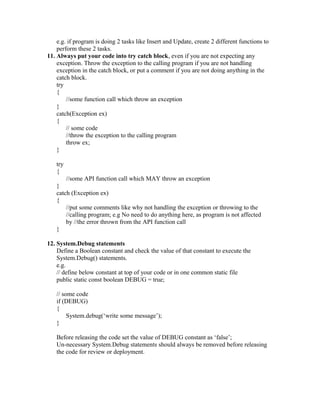
The coding checklist provides 14 guidelines for writing clean and optimized code in Salesforce, including avoiding declaring variables inside loops, handling null values, separating concerns into different functions, adding error handling with try/catch blocks, and using debug statements conditionally. It also recommends best practices for queries, DML statements, and special characters to avoid governor limit errors and security issues.
![Coding Checklist
1. Do not declare variables inside ‘for/while/do while’ loop.
2. When messages or constants are used at number of places define those as
constants at the top of code or define in one common file.
3. Check the variables/ values for ‘NULL’ when using QueryString arguments,
Request Parameters, SQL QueryResult etc. like:
if (Request[“id”] == null)
// handle and take some action
There may be cases where you just want to check and replace the null with a blank
value in that case put the following function in your “Common Functions” code file
as below:
// below function replaces the null with blank string also trims the passed string.
public String clearNull(String str)
{
If(str == null) return ‘’;
if(str == null)
Str = ‘’;
return str.trim();
}
4. Same variable declaration at number of places in same code file should be
avoided, avoid variable duplicity in same code file; Suggested that variable should be
declared once at the top of code
5. Variables which are used only once should be declared just before their use, means
declare the variable locally and no need to make the declaration at the top.
e.g. String strSql = “”;
strSql = “Select id, name from Account where id=”+acctId;
6. Variable names should be suggestive/ relevant.
7. DML queries not to be inside loop:
While writing Apex code, DML operations should not be performed inside any loop
as in that case you will run into Governor Limits and your program will fail.
8. SOQL queries not to be inside loop:
SOQL queries in the Apex code should not be inside the loop as in that case you will
run into Governor Limits and your program will fail.
e.g. create an array and use the ‘IN’ operator in the where condition of SQL query.
9. Handle the special characters specially ‘Single Quote’: to avoid SQL Injections
always handle the single quote.
In Apex you can use “escapeSingleQuotes” string function to escape the single quote.
In JavaScript use escape character backslash “” before any character you want to
escape like single quote.
When submitting any data containing “single quote” to SalesForce from your Client
Program or S-Control, replace “single quote” with “2 single quotes” and then submit
to Salesforce.
10. Create different function for each individual task](https://image.slidesharecdn.com/codingstandards-140223231214-phpapp01/85/Coding-standards-1-320.jpg)
![Coding Checklist
1. Do not declare variables inside ‘for/while/do while’ loop.
2. When messages or constants are used at number of places define those as
constants at the top of code or define in one common file.
3. Check the variables/ values for ‘NULL’ when using QueryString arguments,
Request Parameters, SQL QueryResult etc. like:
if (Request[“id”] == null)
// handle and take some action
There may be cases where you just want to check and replace the null with a blank
value in that case put the following function in your “Common Functions” code file
as below:
// below function replaces the null with blank string also trims the passed string.
public String clearNull(String str)
{
If(str == null) return ‘’;
if(str == null)
Str = ‘’;
return str.trim();
}
4. Same variable declaration at number of places in same code file should be
avoided, avoid variable duplicity in same code file; Suggested that variable should be
declared once at the top of code
5. Variables which are used only once should be declared just before their use, means
declare the variable locally and no need to make the declaration at the top.
e.g. String strSql = “”;
strSql = “Select id, name from Account where id=”+acctId;
6. Variable names should be suggestive/ relevant.
7. DML queries not to be inside loop:
While writing Apex code, DML operations should not be performed inside any loop
as in that case you will run into Governor Limits and your program will fail.
8. SOQL queries not to be inside loop:
SOQL queries in the Apex code should not be inside the loop as in that case you will
run into Governor Limits and your program will fail.
e.g. create an array and use the ‘IN’ operator in the where condition of SQL query.
9. Handle the special characters specially ‘Single Quote’: to avoid SQL Injections
always handle the single quote.
In Apex you can use “escapeSingleQuotes” string function to escape the single quote.
In JavaScript use escape character backslash “” before any character you want to
escape like single quote.
When submitting any data containing “single quote” to SalesForce from your Client
Program or S-Control, replace “single quote” with “2 single quotes” and then submit
to Salesforce.
10. Create different function for each individual task](https://image.slidesharecdn.com/codingstandards-140223231214-phpapp01/75/Coding-standards-1-2048.jpg)