Building Rich Applications with  G r oo v y 's SwingBuilder Andres Almiray
Learn how to create a Swing application with  G r oo v y  using the SwingBuilder Goal
Agenda SwingBuilder Basics Getting up to Speed Advanced Features Custom Components and Extensions Beyond Swing:  G r i ff o n
W hat is  G r oo v y ?
SwingBuilder Basics
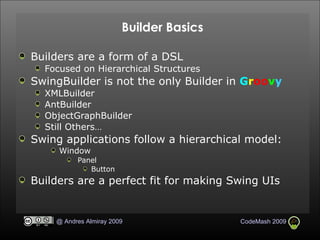
Builder Basics Builders are a form of a DSL Focused on Hierarchical Structures SwingBuilder is not the only Builder in  G r oo v y XMLBuilder AntBuilder ObjectGraphBuilder Still Others… Swing applications follow a hierarchical model:  Window Panel Button Builders are a perfect fit for making Swing UIs
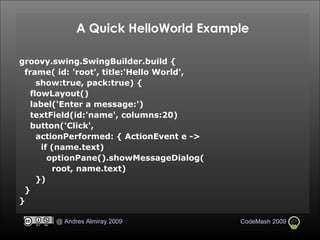
A Quick HelloWorld Example groovy.swing.SwingBuilder.build { frame( id: 'root', title:'Hello World',  show:true, pack:true) { flowLayout()‏ label('Enter a message:')‏ textField(id:'name', columns:20)‏ button('Click', actionPerformed: { ActionEvent e -> if (name.text)‏ optionPane().showMessageDialog( root, name.text)‏ })‏ } }
What's going on? Each node is syntactically a method call All of these method calls are dynamically dispatched Most don’t actually exist in bytecode Child closures create hierarchical relations Child widgets are added to parent containers SwingBuilder node names are derived from Swing classes Remove the leading ‘J’ from a Swing class when present SwingBuilder also supports some AWT classes like layouts
Special nodes container embeds a component that accepts nesting widget embeds a component that does not accept nesting bean builds any JavaBean class (not just components)‏
Getting up to Speed
Closures and Event Handlers Closures can handle almost all of the Swing event chores Assignment to an event listener method is equivalent to  adding a listener with that method bean.actionPerformed = { … } in  G r oo v y  is the same in Java architecture as bean.addActionListener(new ActionListener() { void actionPerformed(ActionEvent evt) { … } })‏ Concise syntax, 23+ characters vs. 85+ characters Closures are first class objects Variables can hold Closures Member pointer operator turns methods into closures closureInstance = object.&method
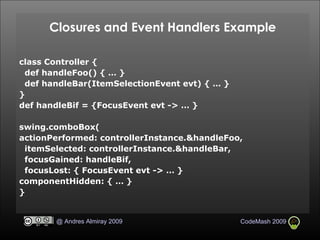
Closures and Event Handlers Example class Controller { def handleFoo() { … } def handleBar(ItemSelectionEvent evt) { … } } def handleBif = {FocusEvent evt -> … } swing.comboBox( actionPerformed: controllerInstance.&handleFoo, itemSelected: controllerInstance.&handleBar, focusGained: handleBif, focusLost: { FocusEvent evt -> … } componentHidden: { … } }
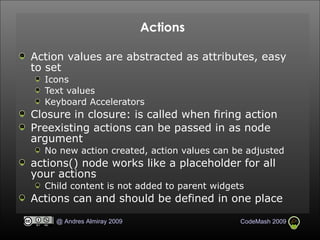
Actions Action values are abstracted as attributes, easy to set Icons Text values Keyboard Accelerators Closure in closure: is called when firing action Preexisting actions can be passed in as node argument No new action created, action values can be adjusted actions() node works like a placeholder for all your actions Child content is not added to parent widgets Actions can and should be defined in one place
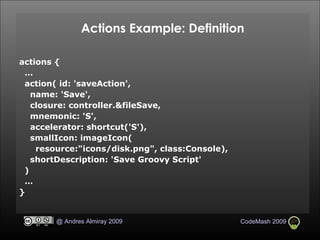
Actions Example: Definition actions {  … action( id: 'saveAction', name: 'Save', closure: controller.&fileSave, mnemonic: 'S', accelerator: shortcut('S'), smallIcon: imageIcon( resource:"icons/disk.png", class:Console), shortDescription: 'Save Groovy Script' )‏ … }
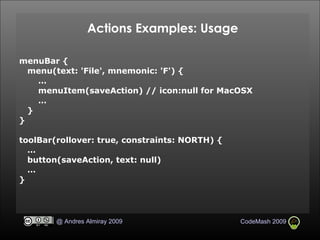
Actions Examples: Usage menuBar { menu(text: 'File', mnemonic: 'F') { … menuItem(saveAction) // icon:null for MacOSX … } } toolBar(rollover: true, constraints: NORTH) { … button(saveAction, text: null)‏ … }
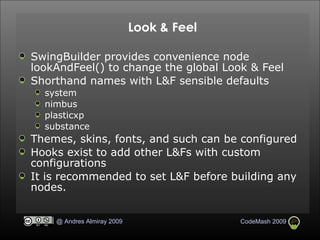
Look & Feel SwingBuilder provides convenience node lookAndFeel() to change the global Look & Feel Shorthand names with L&F sensible defaults system nimbus plasticxp substance Themes, skins, fonts, and such can be configured  Hooks exist to add other L&Fs with custom configurations It is recommended to set L&F before building any nodes.
Advanced Features
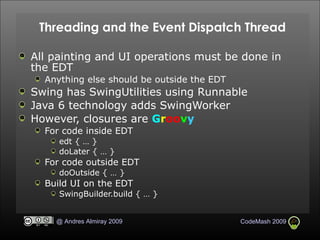
Threading and the Event Dispatch Thread All painting and UI operations must be done in the EDT Anything else should be outside the EDT Swing has SwingUtilities using Runnable  Java 6 technology adds SwingWorker However, closures are  G r oo v y For code inside EDT edt { … } doLater { … } For code outside EDT doOutside { … } Build UI on the EDT SwingBuilder.build { … }
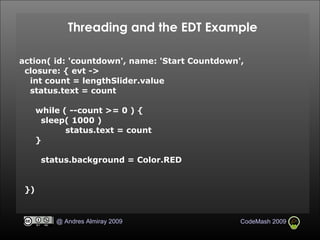
Threading and the EDT Example action( id: 'countdown', name: 'Start Countdown',  closure: { evt ->  int count = lengthSlider.value status.text = count while ( --count >= 0 ) { sleep( 1000 )‏ status.text = count } status.background = Color.RED })‏
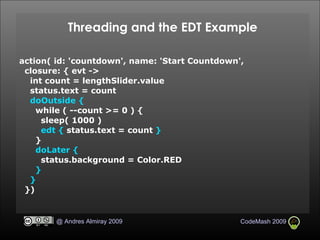
Threading and the EDT Example action( id: 'countdown', name: 'Start Countdown',  closure: { evt ->  int count = lengthSlider.value status.text = count doOutside { while ( --count >= 0 ) { sleep( 1000 )‏ edt {   status.text = count  } } doLater { status.background = Color.RED } } })‏
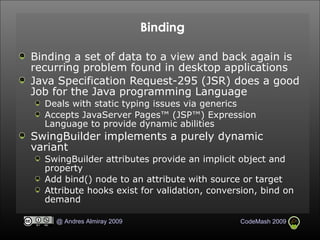
Binding Binding a set of data to a view and back again is recurring problem found in desktop applications Java Specification Request-295 (JSR) does a good Job for the Java programming Language Deals with static typing issues via generics Accepts JavaServer Pages™ (JSP™) Expression Language to provide dynamic abilities SwingBuilder implements a purely dynamic variant SwingBuilder attributes provide an implicit object and property Add bind() node to an attribute with source or target Attribute hooks exist for validation, conversion, bind on demand
Binding Example import groovy.swing.SwingBuilder new SwingBuilder().edt { frame( title: "Binding Test", size: [200, 120], visible: true ) { gridLayout( cols: 1, rows: 2 )‏ textField( id: "t1" )‏ textField( id: "t2", editable: false )‏ } bind( source: t1, sourceProperty: "text", target: t2, targetProperty: "text" )‏ }
Binding Example import groovy.swing.SwingBuilder new SwingBuilder().edt { frame( title: "Binding Test", size: [200, 120], visible: true ) { gridLayout( cols: 1, rows: 2 )‏ textField( id: "t1" )‏ textField( id: "t2", editable: false, text:  bind(source: t1, sourceProperty: "text")  )‏ } }
Binding Example import groovy.swing.SwingBuilder new SwingBuilder().edt { frame( title: "Binding Test", size: [200, 120], visible: true ) { gridLayout( cols: 1, rows: 2 )‏ textField( id: "t1" )‏ textField( id: "t2", editable: false, text:  bind{ t1.text }  )‏ } }
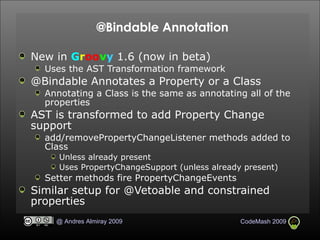
@Bindable Annotation New in  G r oo v y  1.6 (now in beta)‏ Uses the AST Transformation framework @Bindable Annotates a Property or a Class Annotating a Class is the same as annotating all of the properties AST is transformed to add Property Change support  add/removePropertyChangeListener methods added to Class Unless already present Uses PropertyChangeSupport (unless already present)‏ Setter methods fire PropertyChangeEvents Similar setup for @Vetoable and constrained properties
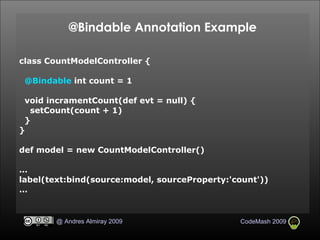
@Bindable Annotation Example class CountModelController { @Bindable  int count = 1 void incramentCount(def evt = null) { setCount(count + 1)‏ } } def model = new CountModelController()‏ … label(text:bind(source:model, sourceProperty:'count'))‏ …
Custom Components and Extensions
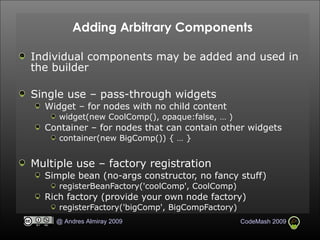
Adding Arbitrary Components Individual components may be added and used in the builder Single use – pass-through widgets Widget – for nodes with no child content widget(new CoolComp(), opaque:false, … )‏ Container – for nodes that can contain other widgets container(new BigComp()) { … } Multiple use – factory registration Simple bean (no-args constructor, no fancy stuff)‏ registerBeanFactory('coolComp', CoolComp)‏ Rich factory (provide your own node factory)‏ registerFactory('bigComp', BigCompFactory)‏
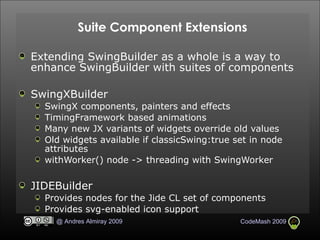
Suite Component Extensions Extending SwingBuilder as a whole is a way to enhance SwingBuilder with suites of components SwingXBuilder SwingX components, painters and effects TimingFramework based animations Many new JX variants of widgets override old values Old widgets available if classicSwing:true set in node attributes withWorker() node -> threading with SwingWorker JIDEBuilder Provides nodes for the Jide CL set of components  Provides svg-enabled icon support
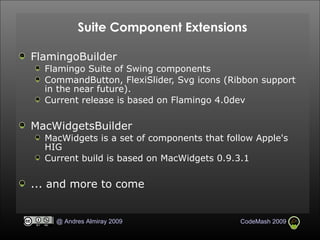
Suite Component Extensions FlamingoBuilder Flamingo Suite of Swing components CommandButton, FlexiSlider, Svg icons (Ribbon support in the near future). Current release is based on Flamingo 4.0dev MacWidgetsBuilder MacWidgets is a set of components that follow Apple's HIG Current build is based on MacWidgets 0.9.3.1 ... and more to come
SwingPad demo
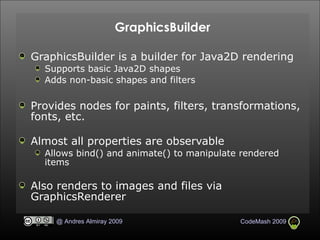
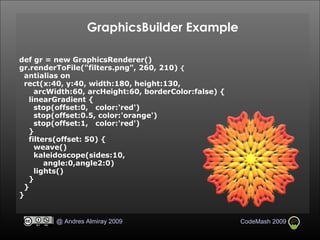
GraphicsBuilder GraphicsBuilder is a builder for Java2D rendering Supports basic Java2D shapes Adds non-basic shapes and filters Provides nodes for paints, filters, transformations, fonts, etc. Almost all properties are observable Allows bind() and animate() to manipulate rendered items Also renders to images and files via GraphicsRenderer
GraphicsBuilder Example def gr = new GraphicsRenderer()   gr.renderToFile("filters.png", 260, 210)  {      antialias on       rect(x:40, y:40, width:180, height:130,  arcWidth:60, arcHeight:60, borderColor:false) {        linearGradient {          stop(offset:0,   color:'red')          stop(offset:0.5, color:'orange')          stop(offset:1,   color:'red')        }       filters(offset: 50) {          weave()          kaleidoscope(sides:10, angle:0,angle2:0)          lights()       }       }   }  
G r i ff o n
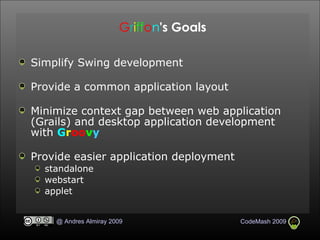
G r i ff o n 's Goals Simplify Swing development Provide a common application layout Minimize context gap between web application (Grails) and desktop application development with  G r oo v y Provide easier application deployment standalone webstart applet
G r i ff o n Demo
For More Information G r oo v y h tt p : // groovy.codehaus.org G r i ff o n h tt p : // griffon.codehaus.org Builders mentioned in this presentation h tt p : // groovy.codehaus.org / Swing+Builder h tt p : // groovy.codehaus.org / SwingXBuilder h tt p : // griffon.codehaus.org / JideBuilder h tt p : // griffon.codehaus.org / FlamingoBuilder h tt p : // griffon.codehaus.org / MacWidgetsBuilder h tt p : // groovy. codehaus.org / GraphicsBuilder
For More Information G r oo v y  Swing team blogs h tt p : // jroller.com / aalmiray h tt p : // www.shemnon.com / speling h tt p : // www.jameswilliams.be / blog Twitter @ aalmiray  @ shemnon  @ ecspike
GroovyMag http://groovymag.com
Q   &   A
T h a n k   Y o u !

CodeMash - Building Rich Apps with Groovy SwingBuilder

  • 1.
    Building Rich Applicationswith G r oo v y 's SwingBuilder Andres Almiray
  • 2.
    Learn how tocreate a Swing application with G r oo v y using the SwingBuilder Goal
  • 3.
    Agenda SwingBuilder BasicsGetting up to Speed Advanced Features Custom Components and Extensions Beyond Swing: G r i ff o n
  • 4.
    W hat is G r oo v y ?
  • 5.
  • 6.
    Builder Basics Buildersare a form of a DSL Focused on Hierarchical Structures SwingBuilder is not the only Builder in G r oo v y XMLBuilder AntBuilder ObjectGraphBuilder Still Others… Swing applications follow a hierarchical model: Window Panel Button Builders are a perfect fit for making Swing UIs
  • 7.
    A Quick HelloWorldExample groovy.swing.SwingBuilder.build { frame( id: 'root', title:'Hello World', show:true, pack:true) { flowLayout()‏ label('Enter a message:')‏ textField(id:'name', columns:20)‏ button('Click', actionPerformed: { ActionEvent e -> if (name.text)‏ optionPane().showMessageDialog( root, name.text)‏ })‏ } }
  • 8.
    What's going on?Each node is syntactically a method call All of these method calls are dynamically dispatched Most don’t actually exist in bytecode Child closures create hierarchical relations Child widgets are added to parent containers SwingBuilder node names are derived from Swing classes Remove the leading ‘J’ from a Swing class when present SwingBuilder also supports some AWT classes like layouts
  • 9.
    Special nodes containerembeds a component that accepts nesting widget embeds a component that does not accept nesting bean builds any JavaBean class (not just components)‏
  • 10.
  • 11.
    Closures and EventHandlers Closures can handle almost all of the Swing event chores Assignment to an event listener method is equivalent to adding a listener with that method bean.actionPerformed = { … } in G r oo v y is the same in Java architecture as bean.addActionListener(new ActionListener() { void actionPerformed(ActionEvent evt) { … } })‏ Concise syntax, 23+ characters vs. 85+ characters Closures are first class objects Variables can hold Closures Member pointer operator turns methods into closures closureInstance = object.&method
  • 12.
    Closures and EventHandlers Example class Controller { def handleFoo() { … } def handleBar(ItemSelectionEvent evt) { … } } def handleBif = {FocusEvent evt -> … } swing.comboBox( actionPerformed: controllerInstance.&handleFoo, itemSelected: controllerInstance.&handleBar, focusGained: handleBif, focusLost: { FocusEvent evt -> … } componentHidden: { … } }
  • 13.
    Actions Action valuesare abstracted as attributes, easy to set Icons Text values Keyboard Accelerators Closure in closure: is called when firing action Preexisting actions can be passed in as node argument No new action created, action values can be adjusted actions() node works like a placeholder for all your actions Child content is not added to parent widgets Actions can and should be defined in one place
  • 14.
    Actions Example: Definitionactions { … action( id: 'saveAction', name: 'Save', closure: controller.&fileSave, mnemonic: 'S', accelerator: shortcut('S'), smallIcon: imageIcon( resource:"icons/disk.png", class:Console), shortDescription: 'Save Groovy Script' )‏ … }
  • 15.
    Actions Examples: UsagemenuBar { menu(text: 'File', mnemonic: 'F') { … menuItem(saveAction) // icon:null for MacOSX … } } toolBar(rollover: true, constraints: NORTH) { … button(saveAction, text: null)‏ … }
  • 16.
    Look & FeelSwingBuilder provides convenience node lookAndFeel() to change the global Look & Feel Shorthand names with L&F sensible defaults system nimbus plasticxp substance Themes, skins, fonts, and such can be configured Hooks exist to add other L&Fs with custom configurations It is recommended to set L&F before building any nodes.
  • 17.
  • 18.
    Threading and theEvent Dispatch Thread All painting and UI operations must be done in the EDT Anything else should be outside the EDT Swing has SwingUtilities using Runnable Java 6 technology adds SwingWorker However, closures are G r oo v y For code inside EDT edt { … } doLater { … } For code outside EDT doOutside { … } Build UI on the EDT SwingBuilder.build { … }
  • 19.
    Threading and theEDT Example action( id: 'countdown', name: 'Start Countdown', closure: { evt -> int count = lengthSlider.value status.text = count while ( --count >= 0 ) { sleep( 1000 )‏ status.text = count } status.background = Color.RED })‏
  • 20.
    Threading and theEDT Example action( id: 'countdown', name: 'Start Countdown', closure: { evt -> int count = lengthSlider.value status.text = count doOutside { while ( --count >= 0 ) { sleep( 1000 )‏ edt { status.text = count } } doLater { status.background = Color.RED } } })‏
  • 21.
    Binding Binding aset of data to a view and back again is recurring problem found in desktop applications Java Specification Request-295 (JSR) does a good Job for the Java programming Language Deals with static typing issues via generics Accepts JavaServer Pages™ (JSP™) Expression Language to provide dynamic abilities SwingBuilder implements a purely dynamic variant SwingBuilder attributes provide an implicit object and property Add bind() node to an attribute with source or target Attribute hooks exist for validation, conversion, bind on demand
  • 22.
    Binding Example importgroovy.swing.SwingBuilder new SwingBuilder().edt { frame( title: "Binding Test", size: [200, 120], visible: true ) { gridLayout( cols: 1, rows: 2 )‏ textField( id: "t1" )‏ textField( id: "t2", editable: false )‏ } bind( source: t1, sourceProperty: "text", target: t2, targetProperty: "text" )‏ }
  • 23.
    Binding Example importgroovy.swing.SwingBuilder new SwingBuilder().edt { frame( title: "Binding Test", size: [200, 120], visible: true ) { gridLayout( cols: 1, rows: 2 )‏ textField( id: "t1" )‏ textField( id: "t2", editable: false, text: bind(source: t1, sourceProperty: "text") )‏ } }
  • 24.
    Binding Example importgroovy.swing.SwingBuilder new SwingBuilder().edt { frame( title: "Binding Test", size: [200, 120], visible: true ) { gridLayout( cols: 1, rows: 2 )‏ textField( id: "t1" )‏ textField( id: "t2", editable: false, text: bind{ t1.text } )‏ } }
  • 25.
    @Bindable Annotation Newin G r oo v y 1.6 (now in beta)‏ Uses the AST Transformation framework @Bindable Annotates a Property or a Class Annotating a Class is the same as annotating all of the properties AST is transformed to add Property Change support add/removePropertyChangeListener methods added to Class Unless already present Uses PropertyChangeSupport (unless already present)‏ Setter methods fire PropertyChangeEvents Similar setup for @Vetoable and constrained properties
  • 26.
    @Bindable Annotation Exampleclass CountModelController { @Bindable int count = 1 void incramentCount(def evt = null) { setCount(count + 1)‏ } } def model = new CountModelController()‏ … label(text:bind(source:model, sourceProperty:'count'))‏ …
  • 27.
  • 28.
    Adding Arbitrary ComponentsIndividual components may be added and used in the builder Single use – pass-through widgets Widget – for nodes with no child content widget(new CoolComp(), opaque:false, … )‏ Container – for nodes that can contain other widgets container(new BigComp()) { … } Multiple use – factory registration Simple bean (no-args constructor, no fancy stuff)‏ registerBeanFactory('coolComp', CoolComp)‏ Rich factory (provide your own node factory)‏ registerFactory('bigComp', BigCompFactory)‏
  • 29.
    Suite Component ExtensionsExtending SwingBuilder as a whole is a way to enhance SwingBuilder with suites of components SwingXBuilder SwingX components, painters and effects TimingFramework based animations Many new JX variants of widgets override old values Old widgets available if classicSwing:true set in node attributes withWorker() node -> threading with SwingWorker JIDEBuilder Provides nodes for the Jide CL set of components Provides svg-enabled icon support
  • 30.
    Suite Component ExtensionsFlamingoBuilder Flamingo Suite of Swing components CommandButton, FlexiSlider, Svg icons (Ribbon support in the near future). Current release is based on Flamingo 4.0dev MacWidgetsBuilder MacWidgets is a set of components that follow Apple's HIG Current build is based on MacWidgets 0.9.3.1 ... and more to come
  • 31.
  • 32.
    GraphicsBuilder GraphicsBuilder isa builder for Java2D rendering Supports basic Java2D shapes Adds non-basic shapes and filters Provides nodes for paints, filters, transformations, fonts, etc. Almost all properties are observable Allows bind() and animate() to manipulate rendered items Also renders to images and files via GraphicsRenderer
  • 33.
    GraphicsBuilder Example def gr = new GraphicsRenderer()  gr.renderToFile("filters.png", 260, 210) {    antialias on       rect(x:40, y:40, width:180, height:130,  arcWidth:60, arcHeight:60, borderColor:false) {        linearGradient {          stop(offset:0,  color:'red')          stop(offset:0.5, color:'orange')          stop(offset:1,  color:'red')        }       filters(offset: 50) {          weave()          kaleidoscope(sides:10, angle:0,angle2:0)          lights()       }     }   }  
  • 34.
    G r iff o n
  • 35.
    G r iff o n 's Goals Simplify Swing development Provide a common application layout Minimize context gap between web application (Grails) and desktop application development with G r oo v y Provide easier application deployment standalone webstart applet
  • 36.
    G r iff o n Demo
  • 37.
    For More InformationG r oo v y h tt p : // groovy.codehaus.org G r i ff o n h tt p : // griffon.codehaus.org Builders mentioned in this presentation h tt p : // groovy.codehaus.org / Swing+Builder h tt p : // groovy.codehaus.org / SwingXBuilder h tt p : // griffon.codehaus.org / JideBuilder h tt p : // griffon.codehaus.org / FlamingoBuilder h tt p : // griffon.codehaus.org / MacWidgetsBuilder h tt p : // groovy. codehaus.org / GraphicsBuilder
  • 38.
    For More InformationG r oo v y Swing team blogs h tt p : // jroller.com / aalmiray h tt p : // www.shemnon.com / speling h tt p : // www.jameswilliams.be / blog Twitter @ aalmiray @ shemnon @ ecspike
  • 39.
  • 40.
    Q & A
  • 41.
    T h an k Y o u !