Cloud Storage
Content
 Introduction
 What is cloud storage?
 How does cloud storage work?
 Cloud Storage - Business Benefits
 What does it cost to users?
 Types of Cloud Storage
 Advantages of Cloud Storage
 Disadvantages of Cloud Storage
 Conclusion
 References
Introduction
 Cloud storage is a model of data storage in which the
digital data is stored in logical pools, the physical
storage spans multiple servers (and often locations),
and the physical environment is typically owned and
managed by a hosting company.
What is cloud storage?
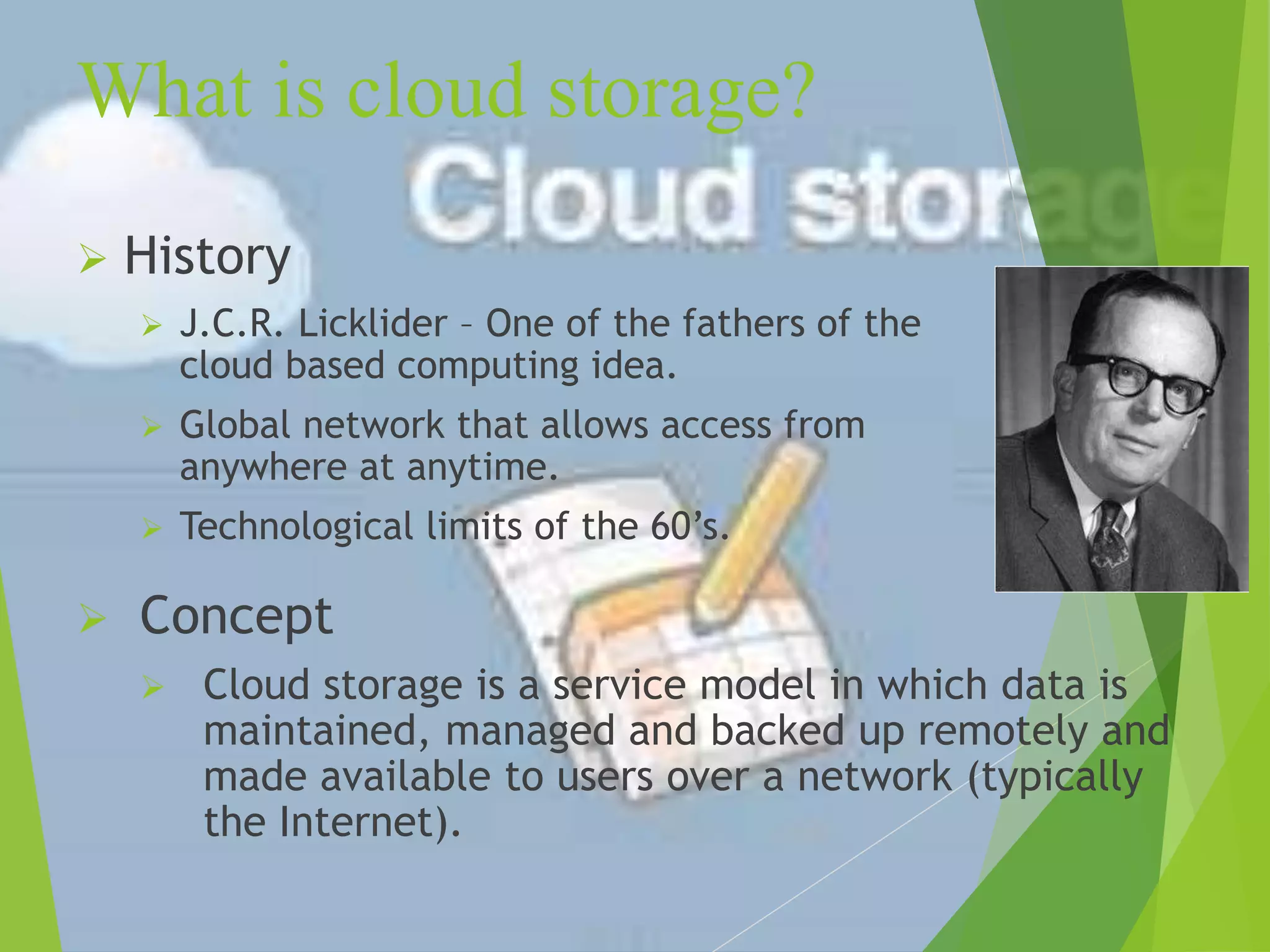
 History
 J.C.R. Licklider – One of the fathers of the
cloud based computing idea.
 Global network that allows access from
anywhere at anytime.
 Technological limits of the 60’s.
 Concept
 Cloud storage is a service model in which data is
maintained, managed and backed up remotely and
made available to users over a network (typically
the Internet).
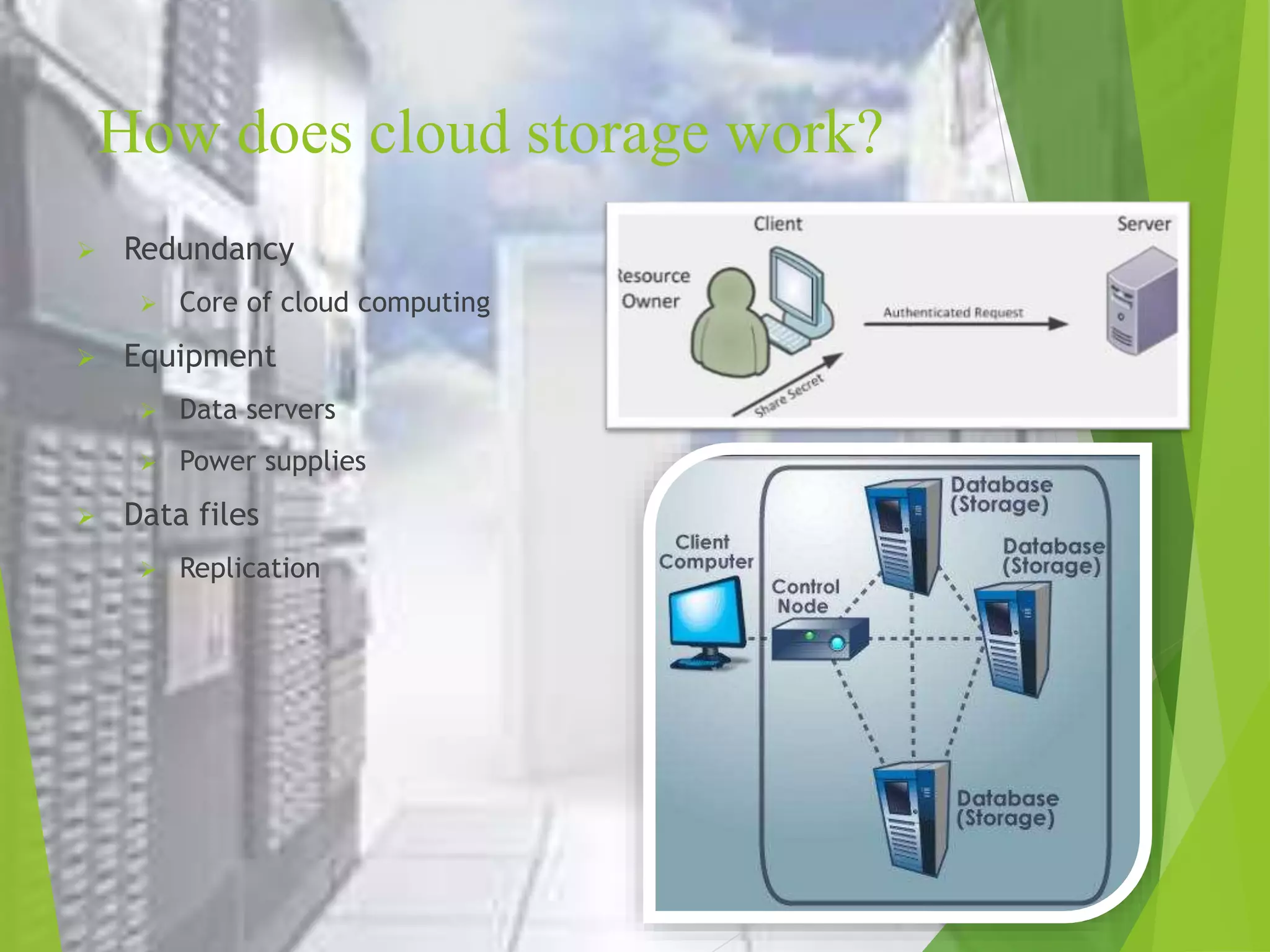
How does cloud storage work?
 Redundancy
 Core of cloud computing
 Equipment
 Data servers
 Power supplies
 Data files
 Replication
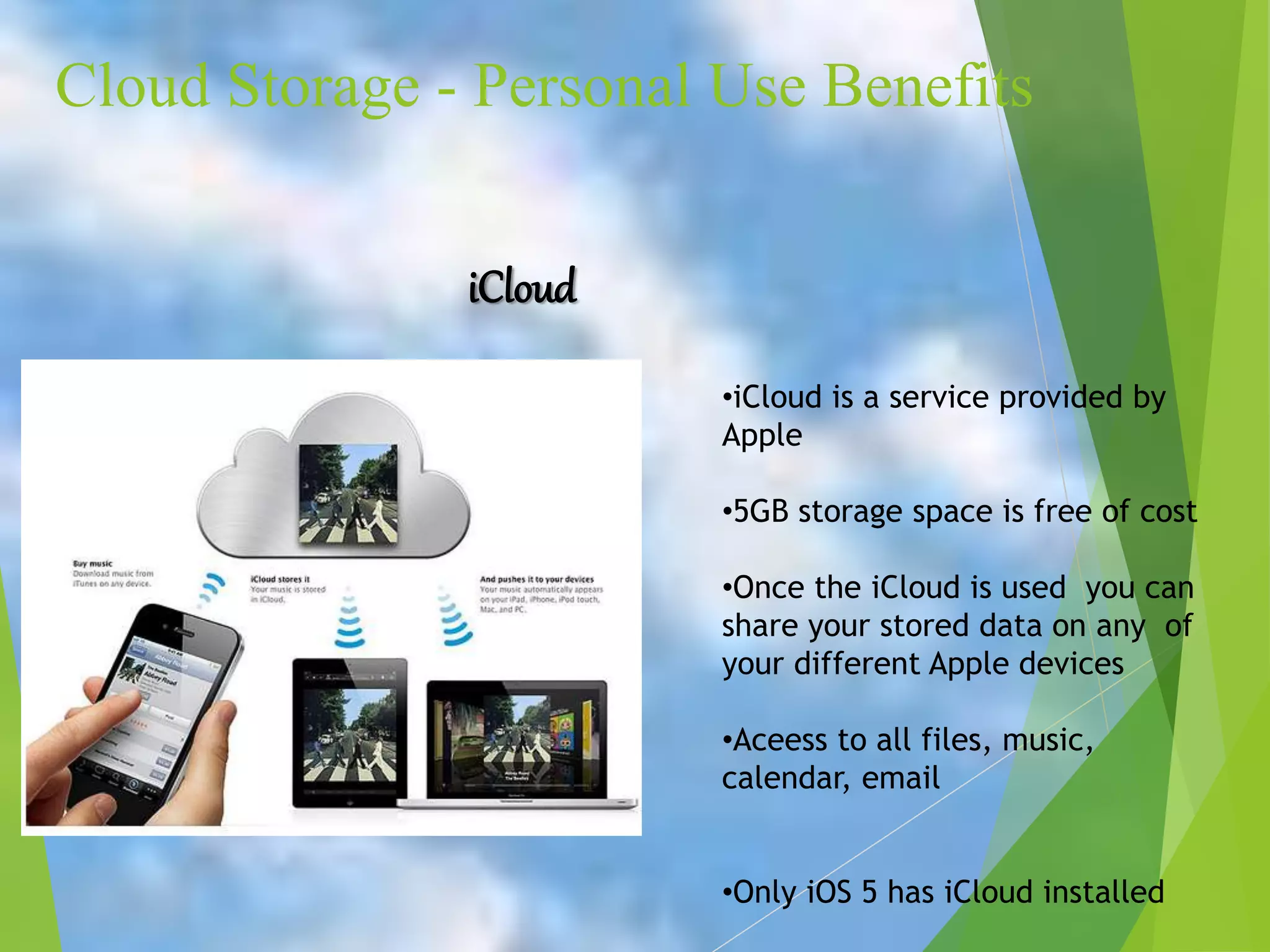
Cloud Storage - Personal Use Benefits
iCloud
•iCloud is a service provided by
Apple
•5GB storage space is free of cost
•Once the iCloud is used you can
share your stored data on any of
your different Apple devices
•Aceess to all files, music,
calendar, email
•Only iOS 5 has iCloud installed
Cloud Storage - Business
Benefits
 With cloud storage, there's no need for CDs, external
hard drives, or localized servers
 Data is quickly and automatically updated in the
cloud and available for your retrieval whenever you
need it
• Should your office become the victim of a burglary, fire, or
natural disaster, your data is safe and secure in the cloud, even
if your physical assets are destroyed.
• One of the greatest benefits of cloud storage is its ability to
grow with its users
• With no need for physical, on-site storage space, you can have a
smaller workspace, less equipment to buy, and fewer IT
employees to maintain your equipment and manage your data
• IT staff's can spend more time to focusing on other important
tasks to help your business growth.
What does it cost to users?
 Things to consider:
• What does the company or you need out of the service
 Storage Space
 Budget
• Performance
 Typical transfer rate 2-3Mb/sec
• Technical Support
• Data Protection
 Disaster Recovery
 Comprehensive Backup
• Security
Types of Cloud Storage
 Personal Cloud Storage
 Public Cloud Storage
 Private Cloud Storage
 Hybrid Cloud Storage
Advantages of Cloud Storage
 Cost
Purchasing physical storage can be expensive. Without
the need for hardware cloud storage is exceptionally cheaper
per GB than using external drives.
 Accessibility
Using the cloud for storage gives you access to your files
from anywhere that has an internet connection.
 Recovery
In the event of a hard drive failure or other hardware
malfunction, you can access your files on the cloud. It acts
as a backup solution for your local storage on physical
drives.
 Security
Cloud storage providers add additional layers of security
Disadvantages of Cloud Storage
 Internet Connection
Cloud based storage is dependent on having an internet
connection. If you are on a slow network you may have
issues accessing your storage.
 Hard Drives
Cloud storage is supposed to eliminate our dependency on
hard drives right? Well some business cloud storage
providers require physical hard drives as well.
 Support
Support for cloud storage isn't the best, especially if you
are using a free version of a cloud provider. Many
providers refer you to a knowledge base or FAQs.
 Privacy
When you use a cloud provider, your data is no longer on
your physical storage. So who is responsible for making
Conclusion
 Grid Computing was the last research-led centralised
approach.
 However there are concerns that the mainstream
adoption of cloud computing could cause many
problems for users.
 Many new open source systems appearing that you can
install and run on your local cluster.
References
 www.google.com
 www.wikipedia.com
 www.studymafia.org
Thanks

Cloud-Storage-PPT.pptx

  • 1.
  • 2.
    Content  Introduction  Whatis cloud storage?  How does cloud storage work?  Cloud Storage - Business Benefits  What does it cost to users?  Types of Cloud Storage  Advantages of Cloud Storage  Disadvantages of Cloud Storage  Conclusion  References
  • 3.
    Introduction  Cloud storageis a model of data storage in which the digital data is stored in logical pools, the physical storage spans multiple servers (and often locations), and the physical environment is typically owned and managed by a hosting company.
  • 4.
    What is cloudstorage?  History  J.C.R. Licklider – One of the fathers of the cloud based computing idea.  Global network that allows access from anywhere at anytime.  Technological limits of the 60’s.  Concept  Cloud storage is a service model in which data is maintained, managed and backed up remotely and made available to users over a network (typically the Internet).
  • 5.
    How does cloudstorage work?  Redundancy  Core of cloud computing  Equipment  Data servers  Power supplies  Data files  Replication
  • 6.
    Cloud Storage -Personal Use Benefits iCloud •iCloud is a service provided by Apple •5GB storage space is free of cost •Once the iCloud is used you can share your stored data on any of your different Apple devices •Aceess to all files, music, calendar, email •Only iOS 5 has iCloud installed
  • 7.
    Cloud Storage -Business Benefits  With cloud storage, there's no need for CDs, external hard drives, or localized servers  Data is quickly and automatically updated in the cloud and available for your retrieval whenever you need it • Should your office become the victim of a burglary, fire, or natural disaster, your data is safe and secure in the cloud, even if your physical assets are destroyed. • One of the greatest benefits of cloud storage is its ability to grow with its users • With no need for physical, on-site storage space, you can have a smaller workspace, less equipment to buy, and fewer IT employees to maintain your equipment and manage your data • IT staff's can spend more time to focusing on other important tasks to help your business growth.
  • 8.
    What does itcost to users?  Things to consider: • What does the company or you need out of the service  Storage Space  Budget • Performance  Typical transfer rate 2-3Mb/sec • Technical Support • Data Protection  Disaster Recovery  Comprehensive Backup • Security
  • 9.
    Types of CloudStorage  Personal Cloud Storage  Public Cloud Storage  Private Cloud Storage  Hybrid Cloud Storage
  • 10.
    Advantages of CloudStorage  Cost Purchasing physical storage can be expensive. Without the need for hardware cloud storage is exceptionally cheaper per GB than using external drives.  Accessibility Using the cloud for storage gives you access to your files from anywhere that has an internet connection.  Recovery In the event of a hard drive failure or other hardware malfunction, you can access your files on the cloud. It acts as a backup solution for your local storage on physical drives.  Security Cloud storage providers add additional layers of security
  • 11.
    Disadvantages of CloudStorage  Internet Connection Cloud based storage is dependent on having an internet connection. If you are on a slow network you may have issues accessing your storage.  Hard Drives Cloud storage is supposed to eliminate our dependency on hard drives right? Well some business cloud storage providers require physical hard drives as well.  Support Support for cloud storage isn't the best, especially if you are using a free version of a cloud provider. Many providers refer you to a knowledge base or FAQs.  Privacy When you use a cloud provider, your data is no longer on your physical storage. So who is responsible for making
  • 12.
    Conclusion  Grid Computingwas the last research-led centralised approach.  However there are concerns that the mainstream adoption of cloud computing could cause many problems for users.  Many new open source systems appearing that you can install and run on your local cluster.
  • 13.
  • 14.