Cloud Tools for fun and
        Profit!
        John McCaffrey
      RailsPerformance.com
          @J_McCaffrey
Agenda

• Terminology
• Deployment and hosting
• Monitoring
• Collaboration and Communication
• Q&A
Why I love this stuff

• Allows me to be fast
• Show value, get feedback
• Build a better product
• Build confidence, get more work
Terminology
• Hosting: how/where the application lives
• Deploy: update the application
• Production: the official site
• Staging: test/qa site that mimics prod.
• VM: Virtual Machine
• Git: Version control (GitHub.com)
Deployment


• Getting that sucker out there!
Options

• Self hosted
• Amazon Web Services
• EngineYard.com or RightScale.com
• Heroku.com
• https://appharbor.com
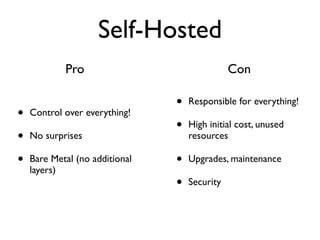
Self-Hosted
            Pro                                Con

                                •   Responsible for everything!
•   Control over everything!
                                •   High initial cost, unused
•   No surprises                    resources

•   Bare Metal (no additional   •   Upgrades, maintenance
    layers)
                                •   Security
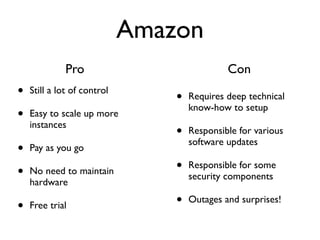
Amazon
              Pro                             Con
•   Still a lot of control
                                 •   Requires deep technical
                                     know-how to setup
•   Easy to scale up more
    instances
                                 •   Responsible for various
                                     software updates
•   Pay as you go

•   No need to maintain          •   Responsible for some
                                     security components
    hardware

•   Free trial                   •   Outages and surprises!
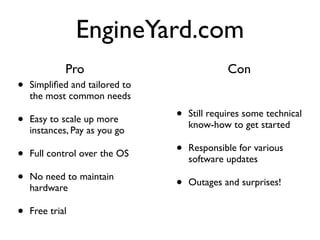
EngineYard.com
             Pro                              Con
•   Simplified and tailored to
    the most common needs

•   Easy to scale up more       •   Still requires some technical
                                    know-how to get started
    instances, Pay as you go

•   Full control over the OS    •   Responsible for various
                                    software updates

•   No need to maintain
                                •   Outages and surprises!
    hardware

•   Free trial
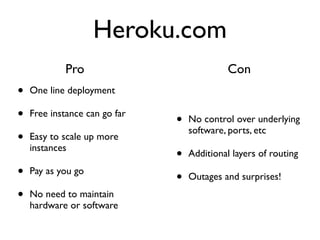
Heroku.com
            Pro                              Con
•   One line deployment

•   Free instance can go far
                               •   No control over underlying
                                   software, ports, etc
•   Easy to scale up more
    instances
                               •   Additional layers of routing

•   Pay as you go
                               •   Outages and surprises!

•   No need to maintain
    hardware or software
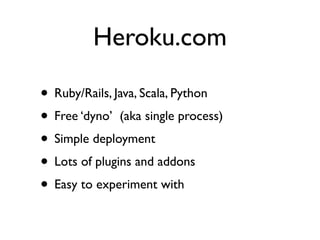
Heroku.com

• Ruby/Rails, Java, Scala, Python
• Free ‘dyno’ (aka single process)
• Simple deployment
• Lots of plugins and addons
• Easy to experiment with
Heroku


• Let’s deploy something!
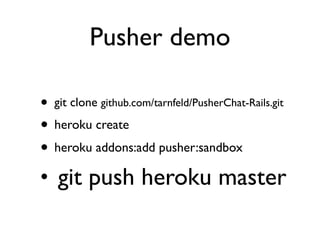
Pusher demo

• git clone github.com/tarnfeld/PusherChat-Rails.git
• heroku create
• heroku addons:add pusher:sandbox
• git push heroku master
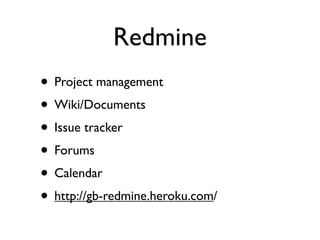
Redmine
• Project management
• Wiki/Documents
• Issue tracker
• Forums
• Calendar
• http://gb-redmine.heroku.com/
FatFree CRM


• Rails based CRM
• http://mccaffrey-crm.heroku.com/
Agenda

• Terminology
• Deployment and hosting
• Monitoring
• Collaboration and Communication
• Q&A
Monitoring

• Sever monitoring
• Page monitoring
• Response/uptime monitoring
Server monitoring

• Munin
• Nagios
• New Relic
Page monitoring

• Yslow/page speed
• webpagetest.org
• StillAlive.com
• Google analytics, KISSmetrics, gaug.es
Uptime

• StillAlive.com
• newRelic
• pingdom.com
• apica.com
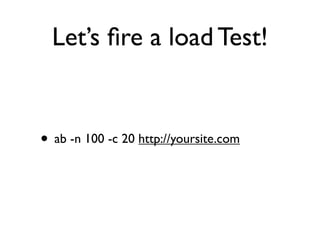
Let’s fire a load Test!


• ab -n 100 -c 20 http://yoursite.com
Agenda

• Terminology
• Deployment and hosting
• Monitoring
• Collaboration and Communication
• Q&A
Collaboration
• Email
• Instant message/chat
• Screencast (jing, screenr, etc)
• Group Chat (campfire, hipchat)
• Audio/video chat (google, skype)
• Screenshare (teamviewer, skype, join.me)
• Code: Github.com, assembla.com,
  bitbucket.org
Google apps

• Sites
• Docs
• Email
• Add ons
Q&A

• John@RailsPerformance.com
• www.RailsPerformance.com
• @J_McCaffrey

Cloud tools

  • 1.
    Cloud Tools forfun and Profit! John McCaffrey RailsPerformance.com @J_McCaffrey
  • 2.
    Agenda • Terminology • Deploymentand hosting • Monitoring • Collaboration and Communication • Q&A
  • 3.
    Why I lovethis stuff • Allows me to be fast • Show value, get feedback • Build a better product • Build confidence, get more work
  • 4.
    Terminology • Hosting: how/wherethe application lives • Deploy: update the application • Production: the official site • Staging: test/qa site that mimics prod. • VM: Virtual Machine • Git: Version control (GitHub.com)
  • 5.
    Deployment • Getting thatsucker out there!
  • 6.
    Options • Self hosted •Amazon Web Services • EngineYard.com or RightScale.com • Heroku.com • https://appharbor.com
  • 7.
    Self-Hosted Pro Con • Responsible for everything! • Control over everything! • High initial cost, unused • No surprises resources • Bare Metal (no additional • Upgrades, maintenance layers) • Security
  • 8.
    Amazon Pro Con • Still a lot of control • Requires deep technical know-how to setup • Easy to scale up more instances • Responsible for various software updates • Pay as you go • No need to maintain • Responsible for some security components hardware • Free trial • Outages and surprises!
  • 9.
    EngineYard.com Pro Con • Simplified and tailored to the most common needs • Easy to scale up more • Still requires some technical know-how to get started instances, Pay as you go • Full control over the OS • Responsible for various software updates • No need to maintain • Outages and surprises! hardware • Free trial
  • 10.
    Heroku.com Pro Con • One line deployment • Free instance can go far • No control over underlying software, ports, etc • Easy to scale up more instances • Additional layers of routing • Pay as you go • Outages and surprises! • No need to maintain hardware or software
  • 11.
    Heroku.com • Ruby/Rails, Java,Scala, Python • Free ‘dyno’ (aka single process) • Simple deployment • Lots of plugins and addons • Easy to experiment with
  • 12.
  • 13.
    Pusher demo • gitclone github.com/tarnfeld/PusherChat-Rails.git • heroku create • heroku addons:add pusher:sandbox • git push heroku master
  • 14.
    Redmine • Project management •Wiki/Documents • Issue tracker • Forums • Calendar • http://gb-redmine.heroku.com/
  • 15.
    FatFree CRM • Railsbased CRM • http://mccaffrey-crm.heroku.com/
  • 16.
    Agenda • Terminology • Deploymentand hosting • Monitoring • Collaboration and Communication • Q&A
  • 17.
    Monitoring • Sever monitoring •Page monitoring • Response/uptime monitoring
  • 18.
    Server monitoring • Munin •Nagios • New Relic
  • 19.
    Page monitoring • Yslow/pagespeed • webpagetest.org • StillAlive.com • Google analytics, KISSmetrics, gaug.es
  • 20.
  • 21.
    Let’s fire aload Test! • ab -n 100 -c 20 http://yoursite.com
  • 22.
    Agenda • Terminology • Deploymentand hosting • Monitoring • Collaboration and Communication • Q&A
  • 23.
    Collaboration • Email • Instantmessage/chat • Screencast (jing, screenr, etc) • Group Chat (campfire, hipchat) • Audio/video chat (google, skype) • Screenshare (teamviewer, skype, join.me) • Code: Github.com, assembla.com, bitbucket.org
  • 24.
    Google apps • Sites •Docs • Email • Add ons
  • 25.

Editor's Notes