What is aNETWORK?
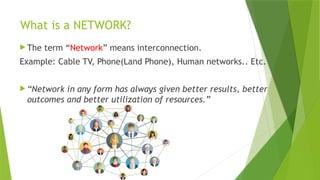
The term “Network” means interconnection.
Example: Cable TV, Phone(Land Phone), Human networks.. Etc.
“Network in any form has always given better results, better
outcomes and better utilization of resources.”
4.
Computer Network- AnIntroduction
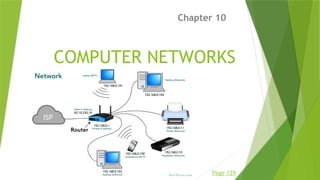
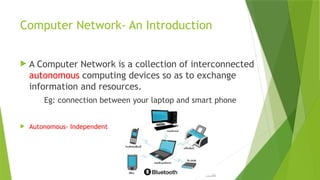
A Computer Network is a collection of interconnected
autonomous computing devices so as to exchange
information and resources.
Eg: connection between your laptop and smart phone
Autonomous- Independent
5.
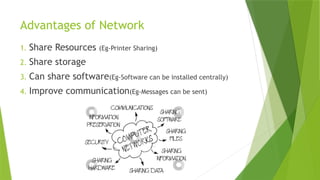
Advantages of Network
1.Share Resources (Eg-Printer Sharing)
2. Share storage
3. Can share software(Eg-Software can be installed centrally)
4. Improve communication(Eg-Messages can be sent)
6.
Disadvantages of networks
1.Complexity
2. If the networks are badly managed,
service can become unusable
3. Server fails, Everything fails
4. Security issues
7.
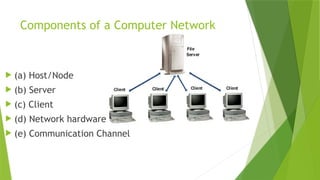
Components of aComputer Network
(a) Host/Node
(b) Server
(c) Client
(d) Network hardware
(e) Communication Channel
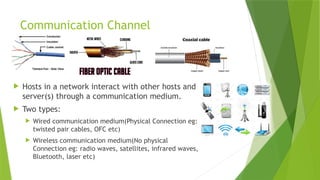
Communication Channel
Hostsin a network interact with other hosts and
server(s) through a communication medium.
Two types:
Wired communication medium(Physical Connection eg:
twisted pair cables, OFC etc)
Wireless communication medium(No physical
Connection eg: radio waves, satellites, infrared waves,
Bluetooth, laser etc)
10.
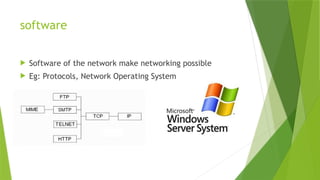
software
Software ofthe network make networking possible
Eg: Protocols, Network Operating System
11.
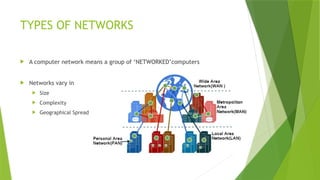
TYPES OF NETWORKS
A computer network means a group of ‘NETWORKED’computers
Networks vary in
Size
Complexity
Geographical Spread
12.
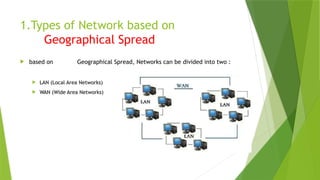
1.Types of Networkbased on
Geographical Spread
based on Geographical Spread, Networks can be divided into two :
LAN (Local Area Networks)
WAN (Wide Area Networks)
13.
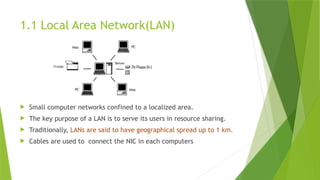
1.1 Local AreaNetwork(LAN)
Small computer networks confined to a localized area.
The key purpose of a LAN is to serve its users in resource sharing.
Traditionally, LANs are said to have geographical spread up to 1 km.
Cables are used to connect the NIC in each computers
14.
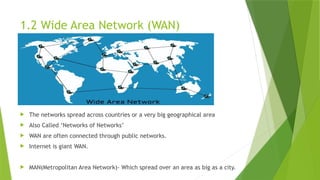
1.2 Wide AreaNetwork (WAN)
The networks spread across countries or a very big geographical area
Also Called ‘Networks of Networks’
WAN are often connected through public networks.
Internet is giant WAN.
MAN(Metropolitan Area Network)- Which spread over an area as big as a city.
15.
PAN- Personal AreaNetwork
A personal Area Network(PAN) is the
interconnection of information technology
devices with in the range of an individual
person,
Typically within a range of 10meters.
16.
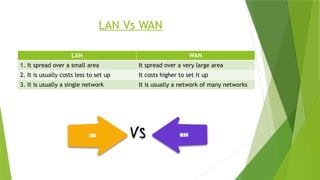
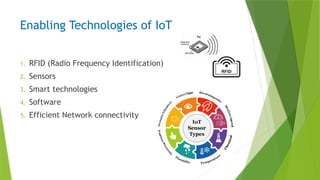
LAN Vs WAN
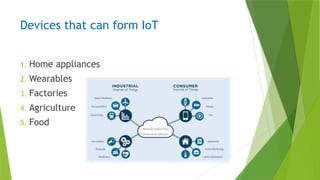
LANWAN
1. It spread over a small area It spread over a very large area
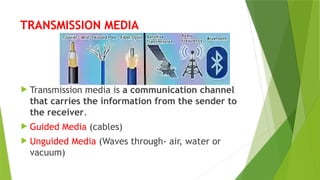
2. It is usually costs less to set up It costs higher to set it up
3. It is usually a single network It is usually a network of many networks
17.
2. Types ofnetworks by
Component roles
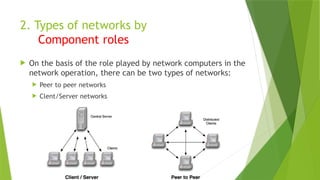
On the basis of the role played by network computers in the
network operation, there can be two types of networks:
Peer to peer networks
Clent/Server networks
18.
2.1 Peer-to-Peer Network
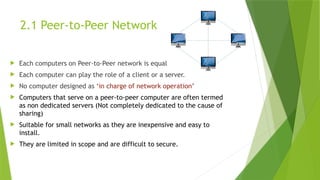
Each computers on Peer-to-Peer network is equal
Each computer can play the role of a client or a server.
No computer designed as ‘in charge of network operation’
Computers that serve on a peer-to-peer computer are often termed
as non dedicated servers (Not completely dedicated to the cause of
sharing)
Suitable for small networks as they are inexpensive and easy to
install.
They are limited in scope and are difficult to secure.
19.
2.2 Client- ServerNetworks
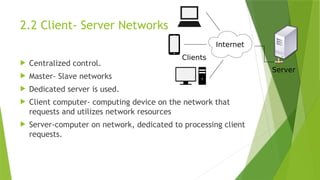
Centralized control.
Master- Slave networks
Dedicated server is used.
Client computer- computing device on the network that
requests and utilizes network resources
Server-computer on network, dedicated to processing client
requests.
20.
3.Types of Networkbased on
Communication Channel
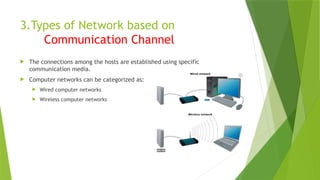
The connections among the hosts are established using specific
communication media.
Computer networks can be categorized as:
Wired computer networks
Wireless computer networks
21.
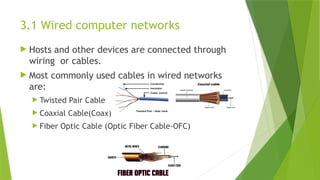
3.1 Wired computernetworks
Hosts and other devices are connected through
wiring or cables.
Most commonly used cables in wired networks
are:
Twisted Pair Cable
Coaxial Cable(Coax)
Fiber Optic Cable (Optic Fiber Cable-OFC)
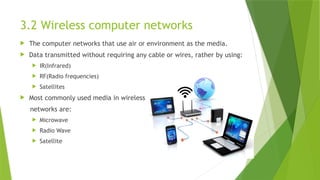
22.
3.2 Wireless computernetworks
The computer networks that use air or environment as the media.
Data transmitted without requiring any cable or wires, rather by using:
IR(Infrared)
RF(Radio frequencies)
Satellites
Most commonly used media in wireless
networks are:
Microwave
Radio Wave
Satellite
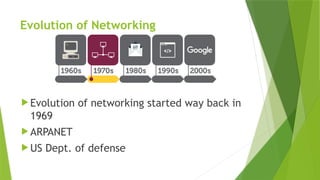
23.
Evolution of Networking
Evolution of networking started way back in
1969
ARPANET
US Dept. of defense
24.
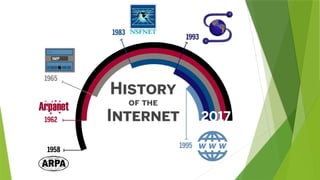
ARPANET
Seeds oftoday’s internet were planned in 1969
US Dept of Defence Sponsored Project-ARPANET
The Goal of the project was to connect computers at different
universities and US Defence
Advanced Research Projects Agency NETwork
In mid 1980s another federal agency, the National Science Foundation
created a new, high capacity network called NSFnet (Allowed only
academic research on its network)
So many private companies built their own networks, which later
interconnected along with ARPANET and NSFnet-that was called Internet
26.
The Internet
TheInternet is a vast network that connects computers all over the
world.
It is an interconnection of large and small networks around the globe
Through the Internet, people can share information and communicate
from anywhere with an Internet connection.
Internet is a super-network
It connects many small networks together and allows all the computers to
exchange information with each other
All computers on internet have to use a common set of rules for
communication (Called Protocols Eg: TCP/IP)
27.
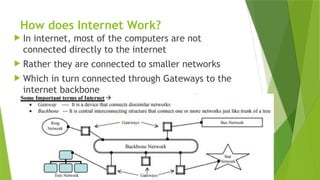
How does InternetWork?
In internet, most of the computers are not
connected directly to the internet
Rather they are connected to smaller networks
Which in turn connected through Gateways to the
internet backbone
28.
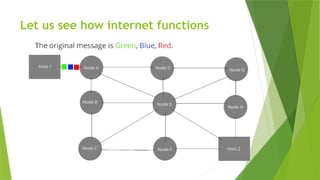
Let us seehow internet functions
1. At source computer, message to be sent is firstly divided into very
small parts called packets
2. Each packet given numbers serial wise
3. All these packets are then sent to the destination
4. The destination computer receives packets in the random order. If a
packet is lost, it is demanded again
5. The packets are reassembled in the order of their number--- Original
Message is obtained
Internet Functioning
Allcomputers on internet have to use a common set of rules for
communication (Called Protocols Eg: TCP/IP)
TCP (Transmission Control Protocol)
TCP part is responsible for dividing the file/message into packets on the source
computer, It is also responsible for reassembling the received packet at the
destination computer
IP (Internet Protocol)
IP part is responsible for handling the address of destination computer so the
packet is routed(sent) to its proper destination.
31.
Interspace
Interspace isa client/server software program
that allows multiple users to communicate online
with real time audio, video and text chat in
dynamic 3D environment
Most advanced form of communication
32.
Switching techniques
Switchedcommunication networks are those in which data
transferred from source to destination is routed between various
intermediate nodes.
Switching is the technique by which nodes control or switch data
to transmit it between specific points on a network.
There are 3 common switching techniques:
Circuit Switching
Packet Switching
Message Switching
33.
Circuit Switching
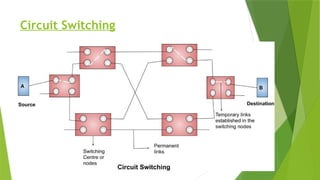
Circuitswitching is the transmission technology that has been used since the
first communication networks in the nineteenth century.
First the complete physical connection between two computers is
established and then the data are transmitted from the source computer to
the destination.
When a call is placed the switching equipment within the system seeks out a
physical copper path all the way from the sender to the receiver.
The circuit is terminated when the connection is closed.
In circuit switching, resources remain allocated during the full length of a
communication, after a circuit is established and until the circuit is
terminated and the allocated resources are freed.
Message Switching
Inthis the source computer sends data or the message to the switching
circuit which stores the data in its buffer.
Then using any free link to the switching circuit the data is send to the
switching circuit.
Entire message is sent to the destination. It reaches through different
intermediate nodes following the “store and forward” approach.
No dedicated connection is required.
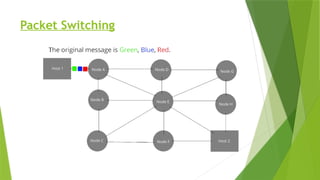
Packet Switching
Packetswitching introduces the idea of cutting data i.e. at the source entire
message is broken in smaller pieces called packets which are transmitted
over a network without any resource being allocated.
Then each packet is transmitted and each packet may follow any rout
available and at destination packets may reach in random order.
At the destination when all packets are received they are merged to form
the original message.
In packet switching all the packets of fixed size are stored in main memory.
Baud
It isthe unit of measurement for information
carrying capacity of the communication channel
The baud is synonymous with bps
Another unit of measuring data transfer rates
bps- Bits per second
Bps- Bytes per second
kbps- kilo bits per second
Kbps – Kilo bytes per second
mbps-mega bits per second
Mbps-Mega bytes per second
41.
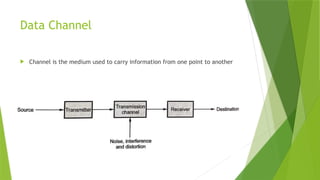
Communication Channel (Transmission
media):
A communication channel is either a physical
transmission medium such as a wire, or to a
logical connection over a multiplexed medium
such as a radio channel in telecommunications
and computer networking.
42.
Bandwidth:
The amountof data that can be transferred from one point to
another.
it is a measure of the range of frequencies a transmitted signal
occupies.
In digital systems, bandwidth is the data speed in bits per
second.
In analog systems, bandwidth is measured in terms of the
difference between the highest-frequency signal component
and the lowest frequency signal component.
43.
Data transfer rate:
DTR is the amount of data in digital form that is moved from one place to
another in a given time on a network.
Data rates are often measured in megabits (million bits) or megabytes
(millionbytes) per second.
bps bits per second Bps bytes per second
Kbps kilobits per second KBps kilo bytes per second
Mbps megabits per second MBps megabytes per second
Gbps giga bits per second GBps giga bytes per second
Tbps tera bits per second TBps tera bytes per second
44.
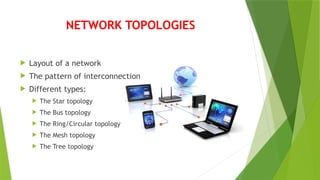
NETWORK TOPOLOGIES
Layoutof a network
The pattern of interconnection
Different types:
The Star topology
The Bus topology
The Ring/Circular topology
The Mesh topology
The Tree topology
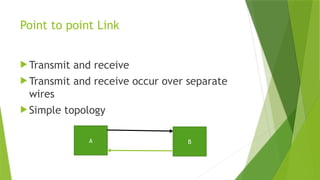
Point to pointLink
Transmit and receive
Transmit and receive occur over separate
wires
Simple topology
A B
47.
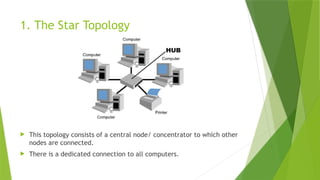
1. The StarTopology
This topology consists of a central node/ concentrator to which other
nodes are connected.
There is a dedicated connection to all computers.
48.
Advantages and Disadvantages
Advantages:
Easy to install & remove
Easy to detect faults
Disadvantages:
Requires more cable length
Central node dependency
Expensive
49.
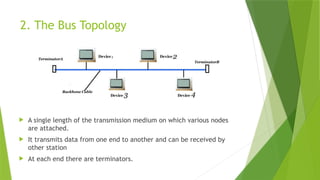
2. The BusTopology
A single length of the transmission medium on which various nodes
are attached.
It transmits data from one end to another and can be received by
other station
At each end there are terminators.
50.
Advantages and Disadvantages
Advantages:
Easy to connect
Less cable length
Disadvantages:
Main cable fails, everything fails
Terminators are required at both ends
51.
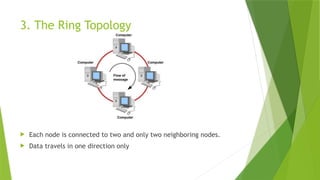
3. The RingTopology
Each node is connected to two and only two neighboring nodes.
Data travels in one direction only
52.
Advantages and Disadvantages
Advantages:
Cheaper to install and expand
Disadvantages:
Troubleshooting is difficult
Adding and deleting the computer disturbs the network
Failure of one computer affects the whole network
53.
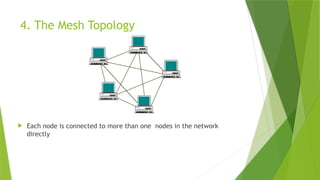
4. The MeshTopology
Each node is connected to more than one nodes in the network
directly
54.
Advantages and Disadvantages
Advantages:
It is robust
Fault is diagnosed easly
Provide Security & Privacy
Disadvantages:
Installation and configuration is difficult
High cable cost
Cost of maintenance is high
55.
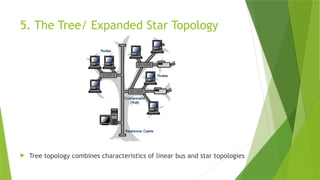
5. The Tree/Expanded Star Topology
Tree topology combines characteristics of linear bus and star topologies
56.
Advantages and Disadvantages
Advantages:
It uses P2P wiring
Easy maintenance
Easy fault detection
Supported by hardware & Software venders
Disadvantages:
Backbone dependency
Difficult to configure and wire
57.
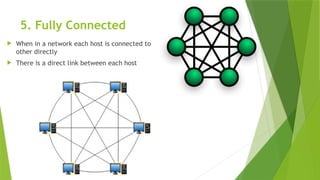
5. Fully Connected
When in a network each host is connected to
other directly
There is a direct link between each host
58.
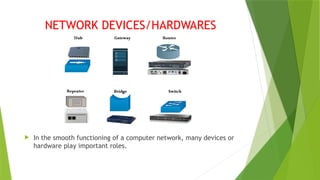
NETWORK DEVICES/HARDWARES
Inthe smooth functioning of a computer network, many devices or
hardware play important roles.
59.
59
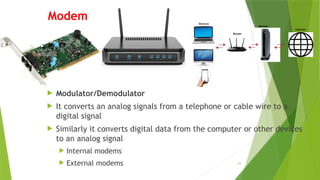
Modem
Modulator/Demodulator
Itconverts an analog signals from a telephone or cable wire to a
digital signal
Similarly it converts digital data from the computer or other devices
to an analog signal
Internal modems
External modems
60.
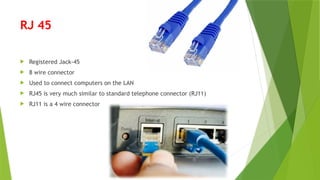
RJ 45
RegisteredJack-45
8 wire connector
Used to connect computers on the LAN
RJ45 is very much similar to standard telephone connector (RJ11)
RJ11 is a 4 wire connector
61.
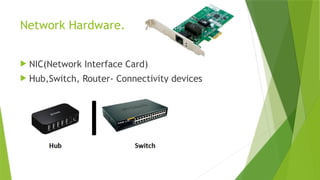
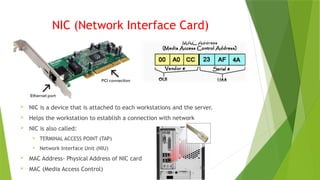
NIC (Network InterfaceCard)
NIC is a device that is attached to each workstations and the server.
Helps the workstation to establish a connection with network
NIC is also called:
TERMINAL ACCESS POINT (TAP)
Network Interface Unit (NIU)
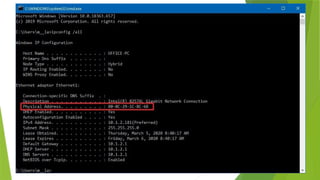
MAC Address- Physical Address of NIC card
MAC (Media Access Control)
62.
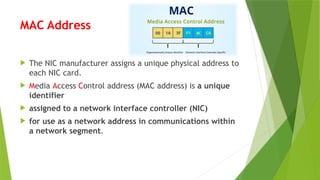
MAC Address
TheNIC manufacturer assigns a unique physical address to
each NIC card.
Media Access Control address (MAC address) is a unique
identifier
assigned to a network interface controller (NIC)
for use as a network address in communications within
a network segment.
64.
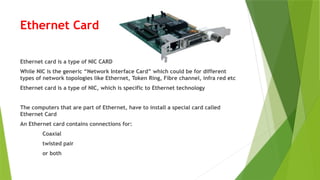
Ethernet Card
Ethernet cardis a type of NIC CARD
While NIC is the generic “Network Interface Card” which could be for different
types of network topologies like Ethernet, Token Ring, Fibre channel, infra red etc
Ethernet card is a type of NIC, which is specific to Ethernet technology
The computers that are part of Ethernet, have to install a special card called
Ethernet Card
An Ethernet card contains connections for:
Coaxial
twisted pair
or both
65.
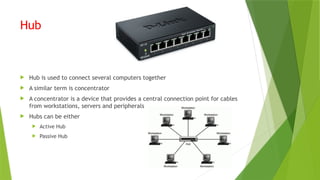
Hub
Hub isused to connect several computers together
A similar term is concentrator
A concentrator is a device that provides a central connection point for cables
from workstations, servers and peripherals
Hubs can be either
Active Hub
Passive Hub
66.
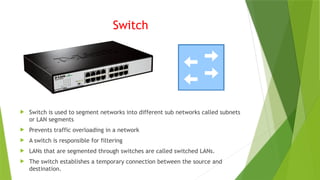
Switch
Switch isused to segment networks into different sub networks called subnets
or LAN segments
Prevents traffic overloading in a network
A switch is responsible for filtering
LANs that are segmented through switches are called switched LANs.
The switch establishes a temporary connection between the source and
destination.
67.
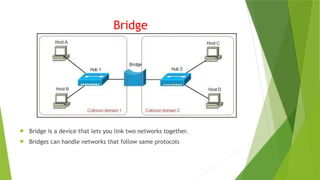
Bridge
Bridge isa device that lets you link two networks together.
Bridges can handle networks that follow same protocols
68.
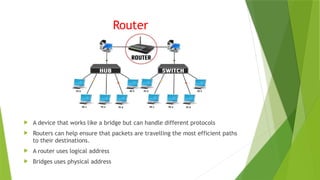
Router
A devicethat works like a bridge but can handle different protocols
Routers can help ensure that packets are travelling the most efficient paths
to their destinations.
A router uses logical address
Bridges uses physical address
69.
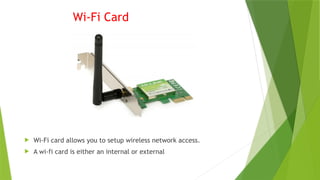
Wi-Fi Card
Wi-Ficard allows you to setup wireless network access.
A wi-fi card is either an internal or external
70.
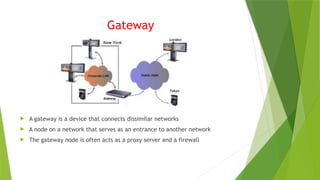
Gateway
A gatewayis a device that connects dissimilar networks
A node on a network that serves as an entrance to another network
The gateway node is often acts as a proxy server and a firewall
71.
Access point
Accesspoint (AP) is also called Wireless Access Point(WAP)
Access point is a hardware device that establishes connections of computing
devices on wireless LAN with a fixed wire network.
Advantages:
Easier installation
Easier maintenance
Bigger network coverage
Stable signals
Ease of network
72.
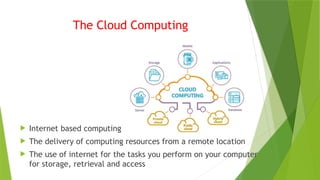
The Cloud Computing
Internet based computing
The delivery of computing resources from a remote location
The use of internet for the tasks you perform on your computer
for storage, retrieval and access
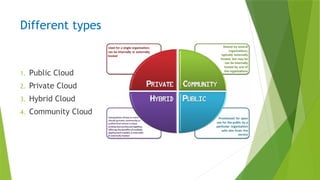
(a) Public Cloud
The resources such as memory, hardware
resources and network devices are shared by
all.
Example:
Google Drive
Amazon Cloud
Microsoft OneDrive etc.
75.
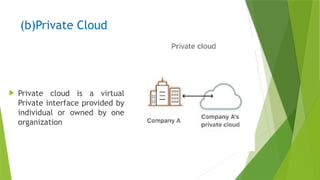
(b)Private Cloud
Privatecloud is a virtual
Private interface provided by
individual or owned by one
organization
76.
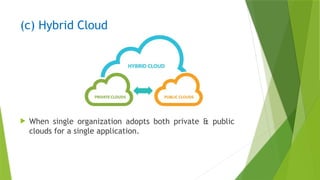
(c) Hybrid Cloud
When single organization adopts both private & public
clouds for a single application.
77.
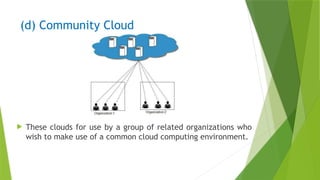
(d) Community Cloud
These clouds for use by a group of related organizations who
wish to make use of a common cloud computing environment.
78.
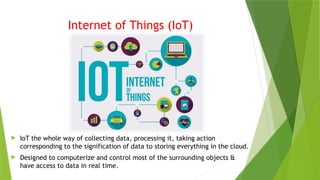
Internet of Things(IoT)
IoT the whole way of collecting data, processing it, taking action
corresponding to the signification of data to storing everything in the cloud.
Designed to computerize and control most of the surrounding objects &
have access to data in real time.
79.
Enabling Technologies ofIoT
1. RFID (Radio Frequency Identification)
2. Sensors
3. Smart technologies
4. Software
5. Efficient Network connectivity
80.
Devices that canform IoT
1. Home appliances
2. Wearables
3. Factories
4. Agriculture
5. Food
81.
Challenges
Like othernetworks, cyber attacks, hackers and unauthorized
intruders can attack IoTs as well
82.
TRANSMISSION MEDIA
Transmissionmedia is a communication channel
that carries the information from the sender to
the receiver.
Guided Media (cables)
Unguided Media (Waves through- air, water or
vacuum)
83.
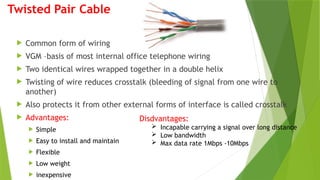
Twisted Pair Cable
Common form of wiring
VGM –basis of most internal office telephone wiring
Two identical wires wrapped together in a double helix
Twisting of wire reduces crosstalk (bleeding of signal from one wire to
another)
Also protects it from other external forms of interface is called crosstalk
Advantages:
Simple
Easy to install and maintain
Flexible
Low weight
inexpensive
Disdvantages:
Incapable carrying a signal over long distance
Low bandwidth
Max data rate 1Mbps -10Mbps
84.
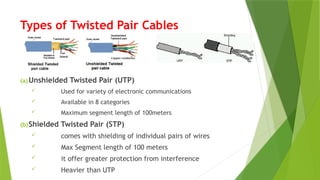
Types of TwistedPair Cables
(a)Unshielded Twisted Pair (UTP)
Used for variety of electronic communications
Available in 8 categories
Maximum segment length of 100meters
(b)Shielded Twisted Pair (STP)
comes with shielding of individual pairs of wires
Max Segment length of 100 meters
it offer greater protection from interference
Heavier than UTP
85.
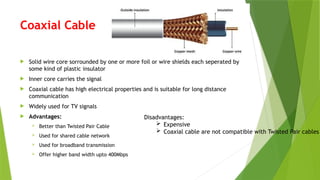
Coaxial Cable
Solidwire core sorrounded by one or more foil or wire shields each seperated by
some kind of plastic insulator
Inner core carries the signal
Coaxial cable has high electrical properties and is suitable for long distance
communication
Widely used for TV signals
Advantages:
Better than Twisted Pair Cable
Used for shared cable network
Used for broadband transmission
Offer higher band width upto 400Mbps
Disadvantages:
Expensive
Coaxial cable are not compatible with Twisted Pair cables
86.
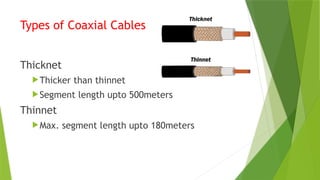
Types of CoaxialCables
Thicknet
Thicker than thinnet
Segment length upto 500meters
Thinnet
Max. segment length upto 180meters
87.
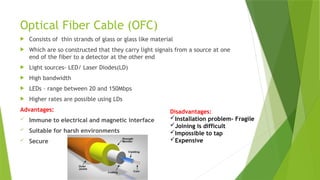
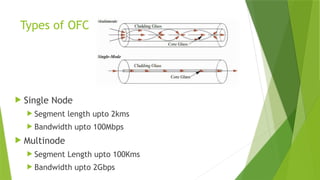
Optical Fiber Cable(OFC)
Consists of thin strands of glass or glass like material
Which are so constructed that they carry light signals from a source at one
end of the fiber to a detector at the other end
Light sources- LED/ Laser Diodes(LD)
High bandwidth
LEDs – range between 20 and 150Mbps
Higher rates are possible using LDs
Advantages:
Immune to electrical and magnetic interface
Suitable for harsh environments
Secure
Disadvantages:
Installation problem- Fragile
Joining is difficult
Impossible to tap
Expensive
Micro Wave (TerrestrialMicrowave)
Wireless Communication Media
Micro wave signals are similar to radio/Tv signals
Used for long distance communication
Micro Wave Transmission consists of – Transmitter, Atmosphere and receiver
Micro wave parabilic antinas used to send/ receive signals
Higher the tower, greater the range
Advantages:
Cheaper than wired medium
Free from land acquisition rights
Ease of communication over difficult terrain
Ability to communicate over oceans
Disadvantages:
Insecure
Susceptible to weather effects (rain, thunder storms etc)
Cost of design and implementation and maintenance is high
90.
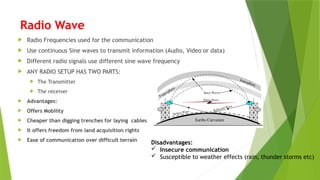
Radio Wave
RadioFrequencies used for the communication
Use continuous Sine waves to transmit information (Audio, Video or data)
Different radio signals use different sine wave frequency
ANY RADIO SETUP HAS TWO PARTS:
The Transmitter
The receiver
Advantages:
Offers Mobility
Cheaper than digging trenches for laying cables
It offers freedom from land acquisition rights
Ease of communication over difficult terrain
Disadvantages:
Insecure communication
Susceptible to weather effects (rain, thunder storms etc)
91.
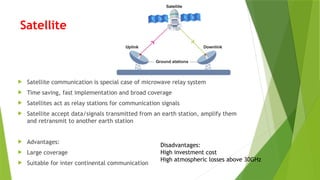
Satellite
Satellite communicationis special case of microwave relay system
Time saving, fast implementation and broad coverage
Satellites act as relay stations for communication signals
Satellite accept data/signals transmitted from an earth station, amplify them
and retransmit to another earth station
Advantages:
Large coverage
Suitable for inter continental communication
Disadvantages:
High investment cost
High atmospheric losses above 30GHz
92.
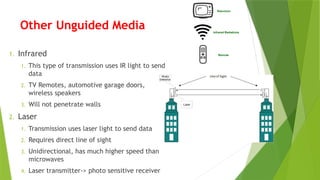
Other Unguided Media
1.Infrared
1. This type of transmission uses IR light to send
data
2. TV Remotes, automotive garage doors,
wireless speakers
3. Will not penetrate walls
2. Laser
1. Transmission uses laser light to send data
2. Requires direct line of sight
3. Unidirectional, has much higher speed than
microwaves
4. Laser transmitter-> photo sensitive receiver
93.
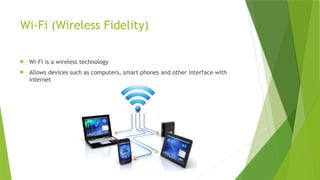
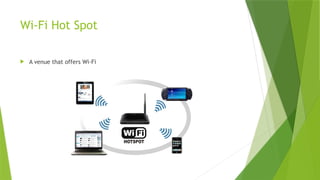
Wi-Fi (Wireless Fidelity)
Wi-Fi is a wireless technology
Allows devices such as computers, smart phones and other interface with
internet
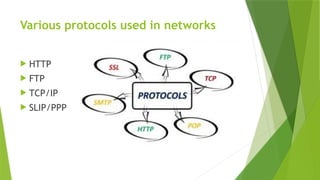
Network Protocols
Networkprotocols are sets of rules and regulations that dictate
how to format, transmit and receive data on computer network
devices
Like servers, routers to endpoints
Can communicate regardless of the differences in their
infrastructures, designs or standards.
To successfully send or receive information, network devices
must accept and follow protocol conventions .
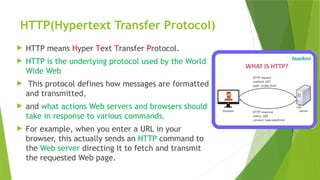
HTTP(Hypertext Transfer Protocol)
HTTP means Hyper Text Transfer Protocol.
HTTP is the underlying protocol used by the World
Wide Web
This protocol defines how messages are formatted
and transmitted,
and what actions Web servers and browsers should
take in response to various commands.
For example, when you enter a URL in your
browser, this actually sends an HTTP command to
the Web server directing it to fetch and transmit
the requested Web page.
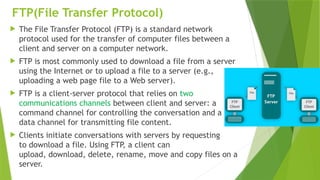
98.
FTP(File Transfer Protocol)
The File Transfer Protocol (FTP) is a standard network
protocol used for the transfer of computer files between a
client and server on a computer network.
FTP is most commonly used to download a file from a server
using the Internet or to upload a file to a server (e.g.,
uploading a web page file to a Web server).
FTP is a client-server protocol that relies on two
communications channels between client and server: a
command channel for controlling the conversation and a
data channel for transmitting file content.
Clients initiate conversations with servers by requesting
to download a file. Using FTP, a client can
upload, download, delete, rename, move and copy files on a
server.
99.
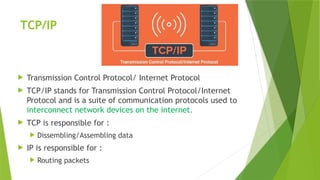
TCP/IP
Transmission ControlProtocol/ Internet Protocol
TCP/IP stands for Transmission Control Protocol/Internet
Protocol and is a suite of communication protocols used to
interconnect network devices on the internet.
TCP is responsible for :
Dissembling/Assembling data
IP is responsible for :
Routing packets
100.
SLIP/PPP
Serial LineInternet Protocol(SLIP)
Protocol for relaying IP packets over dial-up lines/dedicated links
Point to Point Protocols(PPP)
Internet Standard for transmission of IP packets over serial lines
PPP is currently the best solution for dial-up connections including
ISDN (Integrated Services Digital Network)
101.
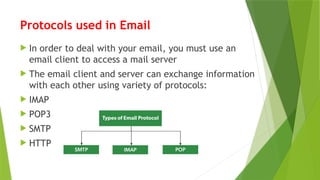
Protocols used inEmail
In order to deal with your email, you must use an
email client to access a mail server
The email client and server can exchange information
with each other using variety of protocols:
IMAP
POP3
SMTP
HTTP
102.
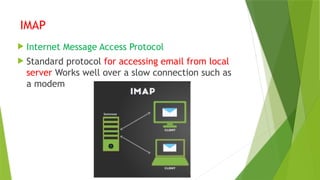
IMAP
Internet MessageAccess Protocol
Standard protocol for accessing email from local
server Works well over a slow connection such as
a modem
103.
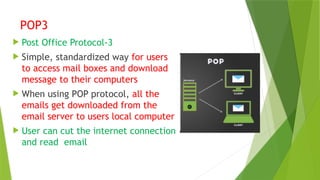
POP3
Post OfficeProtocol-3
Simple, standardized way for users
to access mail boxes and download
message to their computers
When using POP protocol, all the
emails get downloaded from the
email server to users local computer
User can cut the internet connection
and read email
104.
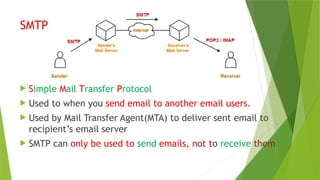
SMTP
Simple MailTransfer Protocol
Used to when you send email to another email users.
Used by Mail Transfer Agent(MTA) to deliver sent email to
recipient’s email server
SMTP can only be used to send emails, not to receive them
105.
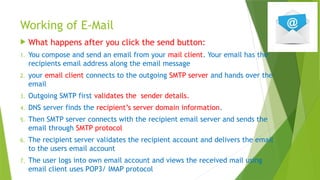
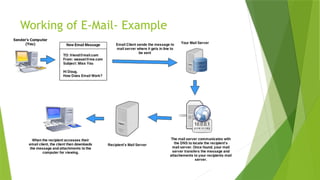
Working of E-Mail
What happens after you click the send button:
1. You compose and send an email from your mail client. Your email has the
recipients email address along the email message
2. your email client connects to the outgoing SMTP server and hands over the
email
3. Outgoing SMTP first validates the sender details.
4. DNS server finds the recipient’s server domain information.
5. Then SMTP server connects with the recipient email server and sends the
email through SMTP protocol
6. The recipient server validates the recipient account and delivers the email
to the users email account
7. The user logs into own email account and views the received mail using
email client uses POP3/ IMAP protocol
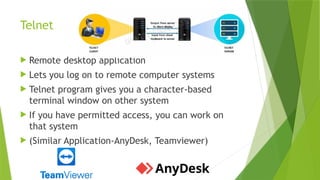
Telnet
Remote desktopapplication
Lets you log on to remote computer systems
Telnet program gives you a character-based
terminal window on other system
If you have permitted access, you can work on
that system
(Similar Application-AnyDesk, Teamviewer)
108.
HTTP
Hyper TextTransfer Protocol
Not a protocol dedicated for email
communications
But it can be used to access mailbox.
Also called web based email, this protocol can be
used to compose or retrieve emails from email
account.
Gmail, Ymail, Hotmail etc are good examples of
using HTTP as an email protocol
109.
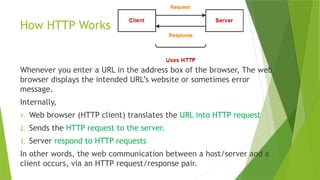
How HTTP Works
Wheneveryou enter a URL in the address box of the browser, The web
browser displays the intended URL’s website or sometimes error
message.
Internally,
1. Web browser (HTTP client) translates the URL into HTTP request
2. Sends the HTTP request to the server.
3. Server respond to HTTP requests
In other words, the web communication between a host/server and a
client occurs, via an HTTP request/response pair.
110.
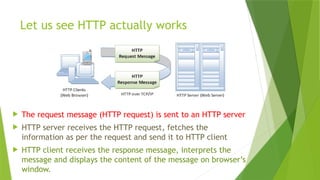
Let us seeHTTP actually works
The request message (HTTP request) is sent to an HTTP server
HTTP server receives the HTTP request, fetches the
information as per the request and send it to HTTP client
HTTP client receives the response message, interprets the
message and displays the content of the message on browser’s
window.
111.
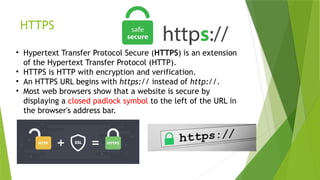
HTTPS
• Hypertext TransferProtocol Secure (HTTPS) is an extension
of the Hypertext Transfer Protocol (HTTP).
• HTTPS is HTTP with encryption and verification.
• An HTTPS URL begins with https:// instead of http://.
• Most web browsers show that a website is secure by
displaying a closed padlock symbol to the left of the URL in
the browser's address bar.
112.
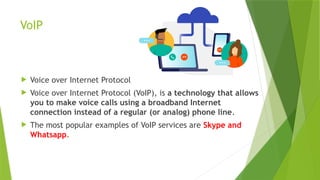
VoIP
Voice overInternet Protocol
Voice over Internet Protocol (VoIP), is a technology that allows
you to make voice calls using a broadband Internet
connection instead of a regular (or analog) phone line.
The most popular examples of VoIP services are Skype and
Whatsapp.
Wireless/ Mobile
Computing Technologies
GSM:
Global System for Mobile Communication
One of the leading cellular systems established in the mid of 1980’s
SIM- Subscriber Identification Module
SIM cards are small removable disks that slip in and out of GSM phones
They store all connection data and identification numbers.
GSM uses narrowband TDMA (Time Division Multiple access)-8 users can use
same frequency at a time
GSM use encryption to make phone calls secure
115.
Wireless/ Mobile Computing
Technologies
CDMA- Code Division Multiple Access
Digital cellular technology
CDMA does not assign a specific frequency to each
user
Every channel uses the full available spectrum
CDMA is a military technology first used during
World War II
116.
Wireless/ Mobile Computing
Technologies
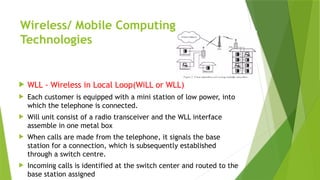
WLL - Wireless in Local Loop(WiLL or WLL)
Each customer is equipped with a mini station of low power, into
which the telephone is connected.
Will unit consist of a radio transceiver and the WLL interface
assemble in one metal box
When calls are made from the telephone, it signals the base
station for a connection, which is subsequently established
through a switch centre.
Incoming calls is identified at the switch center and routed to the
base station assigned
117.
Wireless/ Mobile Computing
Technologies
GPRS- General Packet Radio System
GPRS is a technology for radio transmission of small packets of data
especially between mobile devices and internet
You can access Internet, Send Emails, and large data, Watch real time
News, download games and watch movies
Packet switching method
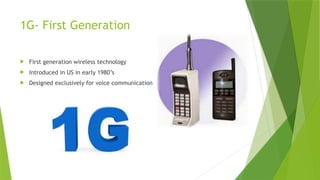
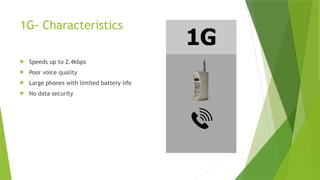
1G- First Generation
First generation wireless technology
Introduced in US in early 1980’s
Designed exclusively for voice communication
120.
1G- Characteristics
Speedsup to 2.4kbps
Poor voice quality
Large phones with limited battery life
No data security
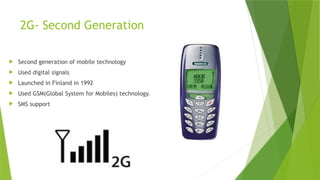
121.
2G- Second Generation
Second generation of mobile technology
Used digital signals
Launched in Finland in 1992
Used GSM(Global System for Mobiles) technology.
SMS support
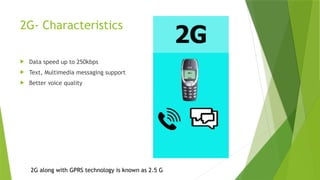
122.
2G- Characteristics
Dataspeed up to 250kbps
Text, Multimedia messaging support
Better voice quality
2G along with GPRS technology is known as 2.5 G
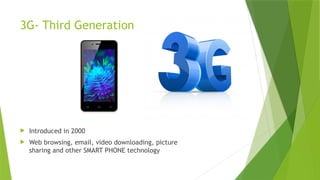
123.
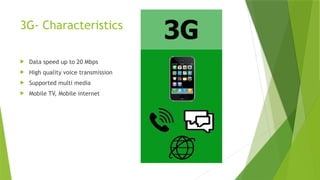
3G- Third Generation
Introduced in 2000
Web browsing, email, video downloading, picture
sharing and other SMART PHONE technology
124.
3G- Characteristics
Dataspeed up to 20 Mbps
High quality voice transmission
Supported multi media
Mobile TV, Mobile internet
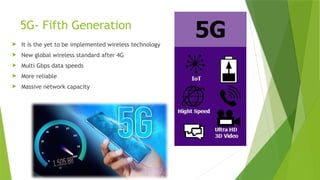
5G- Fifth Generation
It is the yet to be implemented wireless technology
New global wireless standard after 4G
Multi Gbps data speeds
More reliable
Massive network capacity
128.
Internetworking terms andservices
www
Telnet
Web Browser and Web Server
Web Sites, Web Address and Web Pages
URL and Domain Names
Web Hosting
Web 2.0
HTML
XML
DHTML
129.
WWW(World Wide Web)
The World Wide Web—commonly referred to as WWW, W3, or the Web
—is an interconnected system of public webpages accessible through the
Internet.
The Web is not the same as the Internet: the Web is one of many applications
built on top of the Internet.
WWW Attributes
User friendly
Multimedia Documents
Hypertext and Hyperlinks
Interactive
Frames
Click me!
130.
Web Browser andWeb Server
A web browser is a www client that navigates
through the world wide web and displays web
pages
Web server is a www server that responds to the
requests made by the web browsers
131.
Web Sites &Web pages
Website
A collection of web pages which are grouped together and usually connected together
in various ways. Often called a "web site" or a "site.“
To access a website, type its domain name in your browser address bar, and the
browser will display the website's main web page, or homepage (casually referred as
"the home")
web page
A document which can be displayed in a web browser such as Firefox, Google Chrome,
Opera, Microsoft Internet Explorer or Edge, or Apple's Safari. These are also often
called just "pages.“
A web page is a simple document displayable by a browser. Such documents are
written in the HTML language
Home Page: top-level web page of a web site
Web Portal: Web Sites which hosts other web sites (eg: www.yahoo.com)
132.
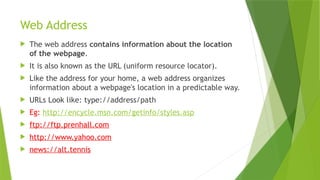
Web Address
Theweb address contains information about the location
of the webpage.
It is also known as the URL (uniform resource locator).
Like the address for your home, a web address organizes
information about a webpage's location in a predictable way.
URLs Look like: type://address/path
Eg: http://encycle.msn.com/getinfo/styles.asp
ftp://ftp.prenhall.com
http://www.yahoo.com
news://alt.tennis
133.
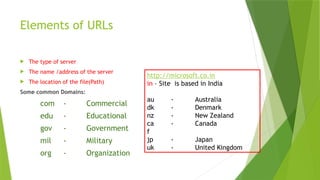
Elements of URLs
The type of server
The name /address of the server
The location of the file(Path)
Some common Domains:
com - Commercial
edu - Educational
gov - Government
mil - Military
org - Organization
http://microsoft.co.in
in – Site is based in India
au - Australia
dk - Denmark
nz - New Zealand
ca - Canada
f
jp - Japan
uk - United Kingdom
134.
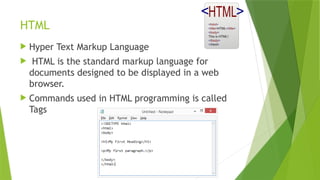
HTML
Hyper TextMarkup Language
HTML is the standard markup language for
documents designed to be displayed in a web
browser.
Commands used in HTML programming is called
Tags
135.
XML
eXtensible MarkupLanguage
For documents containing structured information
A markup language is a set of codes, or tags, that describes the text in a digital document
Is a standard markup language that defines other markup languages.
Used for transferring data.
Dynamic in nature.
HTML and XML are related to each other:
HTML displays data and describes the structure of a webpage, whereas XML stores and
transfers data.
HTML is a simple predefined language, while XML is a standard language that defines other
languages.
HTML is used to displaying data
HTML is Static
136.
DHTML
Dynamic HTML
DHTML, is a collection of technologies used together to
create interactive and animated websites by using a
combination of a static markup language (such as HTML),
a client-side scripting language (such as JavaScript), a
presentation definition language (such as CSS)
DHTML is a combination of Web development
technologies used to create dynamically changing
websites.
137.
Web Hosting
Aweb hosting service is a type of Internet hosting
service that hosts websites for clients
i.e. it offers the facilities required for them to create and
maintain a site and makes it accessible on the World Wide
Web.
Companies providing web hosting services are sometimes
called web hosts.
Types:
Free Hosting
Virtual or Shared Hosting
Dedicated hosting
Co-Location Hosting
138.
Free Hosting
Thisis a free non-paid web hosting service. This type of hosting is available with
many prominent sites that offer to host some web pages for no cost.
Advantages :
Free of cost
Use websites to place advertisements, banners and other forms of advertising
media
Disadvantages:
Customer support is missing
Low bandwidth and lesser data transfer
No control over your website
139.
Shared/Virtual Hosting
Itsa web hosting service where many website reside on one web server connected to the
internet.
This type of hosting is provided under one’s own domain name, www.yourname.com.
With a hosting plan with the wed b hosting company, one can present oneself as a fully
independent identity to his/her web audience.
Advantages :
Easy and affordable
Secured by hosting provider
24/7 Technical support
Disadvantages:
Shared resources can slow down the whole server
Less flexible than dedicated hosting
140.
Dedicated Hosting
Hostedon a dedicated server, this type of hosting is best suited for large websites with high
traffic.
In this, the company wishing to go online, rents an entire web server from a hosting company.
This is suitable for companies hosting larger websites, maintaining other’s sites or managing a
big online mall etc.
Advantages :
Ideal for large business
Strong database support
Unlimited software support
Disadvantages:
Its very expensive
141.
Co-located Hosting
Thishosting lets you place your own web server on the
premises of a service provider.
It is similar to that of dedicated hosting except for the fact
that the server is now provided by the user-company itself
and its physical needs are met by the hosting company.
Advantages :
Greater Bandwidth High Up-Time
Unlimited Software Options
High Security
Disadvantages:
Its expensive
142.
Web 2.0
Refersto added features and applications that make the web
more interactive, Support easy online information exchange and
interoperability
Example:
Facebook
Blogger
WordPress
Youtube
Flickr
143.
Web Scripting
Webscript, a computer programming language for
adding dynamic capabilities to World Wide Web pages.
Process of creating and embedding scripts in a web page is
known as web-scripting
Script- is a computer script is a list of commands that are
embedded in a web-page
Java Script, PHP, PERL,JSP etc
Client Side Scripts
Server- Side Script





![How Big Brands are Taking Your Traffic in Alberta [Data Inside].pptx](https://cdn.slidesharecdn.com/ss_thumbnails/howbigbrandsaretakingyourtrafficinalbertadatainside-260123180142-42d276f3-thumbnail.jpg?width=640&height=640&fit=bounds)