CI
SCO P
ACKETTRACER
Introduction
CISCO PACKET
TARCER:-
●Cisco Packet Tracer is a powerful
network simulation program that allows
students to experiment with network
behavior
INTERFACE OF
PACKET TRACER:-
FIRST
NETWORK:-
●Take one router,one switch,and two
PCs and connect both PCs with the
switch by using copper straight-through
wire.
●Then router connect with switch.
FIRST NETWORK:-
Assigning
IP:-
If you want to computers communicate
network in the network they must have
same IP address.
The IP ranges or class is:
10.0.01 To 10.255.255.254
172.16.0.1 To 172.31.255.254
192.168.0.1 To 192.168.255.254
●Assign IP address
To PCs in first
network
CLICK ON PC AND GO TO
DESKTOP.
Again click on IP configuration.
Insert IP address and subnet
gateway automatically
generate
IP address ofsecond PC.
Insert IP address on router
THIS IS A FIRST COMPLETE
NETWORK:
Same as pervious :
This two networks are
same as pervious
which I have discussed.
SECOND NETWORK
THIRD NETWORK:
Connect routers by using fiber.
If you want to routers
communicate in the network
they must be assign IP
address
AssigningIps inrouters
Click on router and insert IP
After insert IP in router you add network
Ips in RIP routing.
same like other router will be
connects and Assign the IPs for
each network and list down into
RIP
.
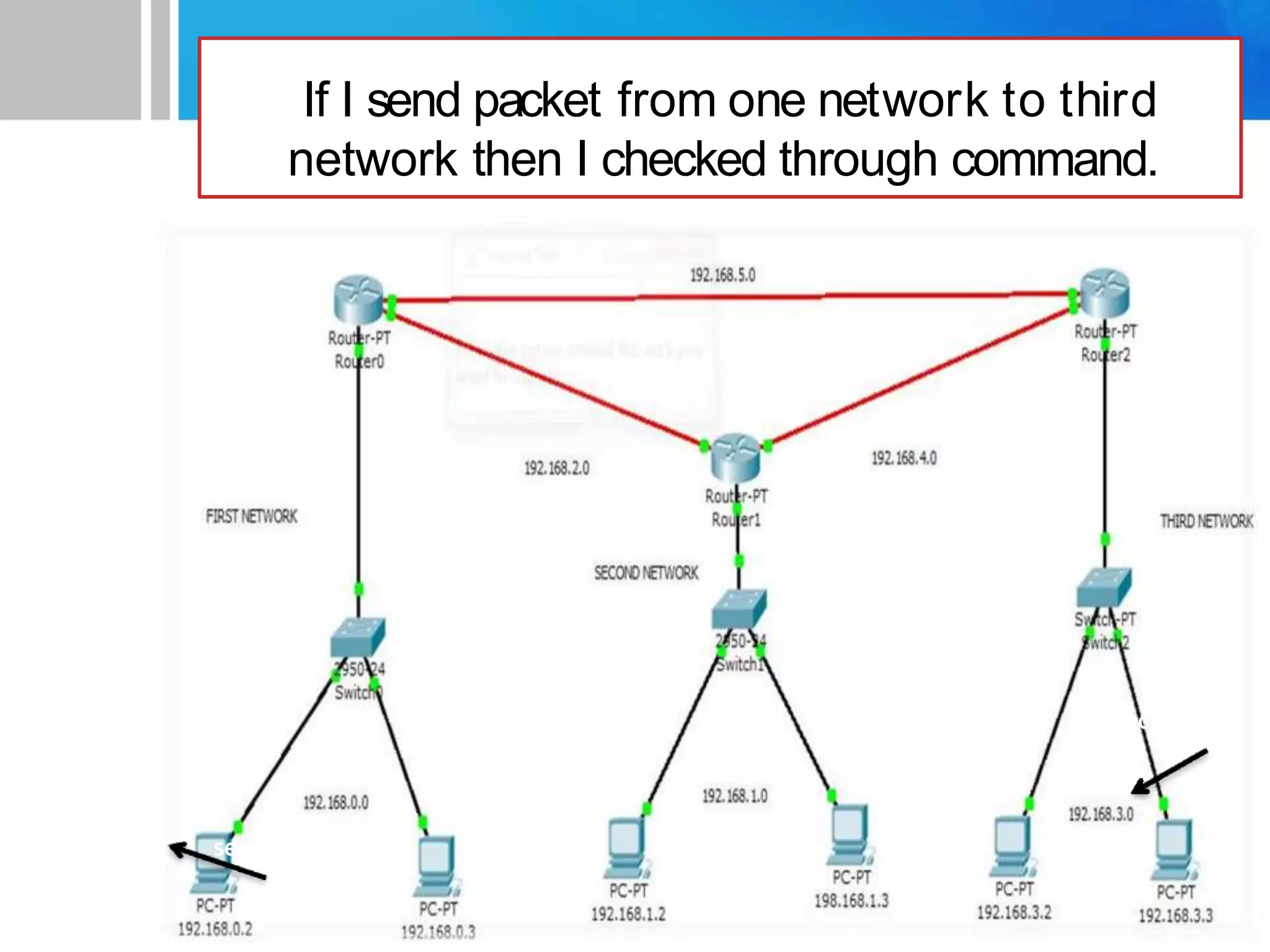
THIS IS A MY COMPLETE NETWORK
If I send packet from one network to third
network then I checked through command.
sen
ec
Check the Pingof 3rd Network

cisco lab_1.pptx