Adapted from John Zelle’s
Book Slides 1
CS177 Python Programming
Chapter 5
Sequences: Strings, Lists, and Files
Python Programming, 2/e 2
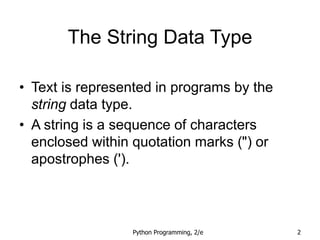
The String Data Type
• Text is represented in programs by the
string data type.
• A string is a sequence of characters
enclosed within quotation marks (") or
apostrophes (').
Python Programming, 2/e 3
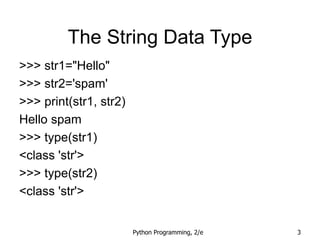
The String Data Type
>>> str1="Hello"
>>> str2='spam'
>>> print(str1, str2)
Hello spam
>>> type(str1)
<class 'str'>
>>> type(str2)
<class 'str'>
Python Programming, 2/e 4
The String Data Type
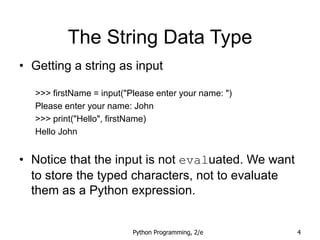
• Getting a string as input
>>> firstName = input("Please enter your name: ")
Please enter your name: John
>>> print("Hello", firstName)
Hello John
• Notice that the input is not evaluated. We want
to store the typed characters, not to evaluate
them as a Python expression.
Python Programming, 2/e 5
The String Data Type
• We can access the individual characters in
a string through indexing.
• The positions in a string are numbered
from the left, starting with 0.
• The general form is <string>[<expr>],
where the value of expr determines which
character is selected from the string.
Python Programming, 2/e 6
The String Data Type
>>> greet = "Hello Bob"
>>> greet[0]
'H'
>>> print(greet[0], greet[2], greet[4])
H l o
>>> x = 8
>>> print(greet[x - 2])
B
H e l l o B o b
0 1 2 3 4 5 6 7 8
Python Programming, 2/e 7
The String Data Type
• In a string of n characters, the last character is at
position n-1 since we start counting with 0.
• We can index from the right side using negative
indexes.
>>> greet[-1]
'b'
>>> greet[-3]
'B'
H e l l o B o b
0 1 2 3 4 5 6 7 8
Python Programming, 2/e 8
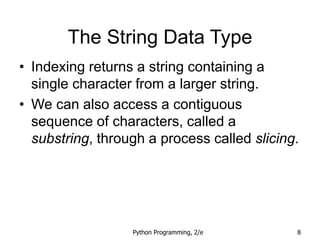
The String Data Type
• Indexing returns a string containing a
single character from a larger string.
• We can also access a contiguous
sequence of characters, called a
substring, through a process called slicing.
Python Programming, 2/e 9
The String Data Type
• Slicing:
<string>[<start>:<end>]
• start and end should both be ints
• The slice contains the substring beginning
at position start and runs up to but
doesn’t include the position end.
Python Programming, 2/e 10
The String Data Type
>>> greet[0:3]
'Hel'
>>> greet[5:9]
' Bob'
>>> greet[:5]
'Hello'
>>> greet[5:]
' Bob'
>>> greet[:]
'Hello Bob'
H e l l o B o b
0 1 2 3 4 5 6 7 8
Python Programming, 2/e 11
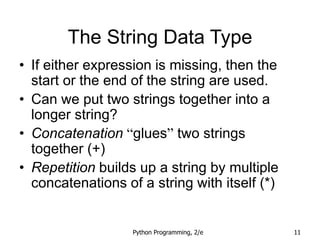
The String Data Type
• If either expression is missing, then the
start or the end of the string are used.
• Can we put two strings together into a
longer string?
• Concatenation “glues” two strings
together (+)
• Repetition builds up a string by multiple
concatenations of a string with itself (*)
Python Programming, 2/e 12
The String Data Type
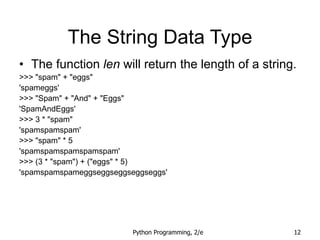
• The function len will return the length of a string.
>>> "spam" + "eggs"
'spameggs'
>>> "Spam" + "And" + "Eggs"
'SpamAndEggs'
>>> 3 * "spam"
'spamspamspam'
>>> "spam" * 5
'spamspamspamspamspam'
>>> (3 * "spam") + ("eggs" * 5)
'spamspamspameggseggseggseggseggs'
Python Programming, 2/e 13
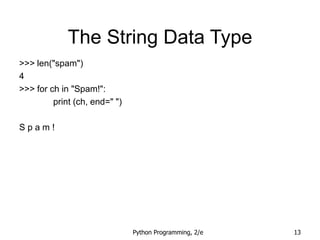
The String Data Type
>>> len("spam")
4
>>> for ch in "Spam!":
print (ch, end=" ")
S p a m !
Python Programming, 2/e 14
The String Data Type
Operator Meaning
+ Concatenation
* Repetition
<string>[] Indexing
<string>[:] Slicing
len(<string>) Length
for <var> in <string> Iteration through characters
Python Programming, 2/e 15
Simple String Processing
• Usernames on a computer system
– First initial, first seven characters of last name
# get user’s first and last names
first = input("Please enter your first name (all lowercase): ")
last = input("Please enter your last name (all lowercase): ")
# concatenate first initial with 7 chars of last name
uname = first[0] + last[:7]
Python Programming, 2/e 16
Strings, Lists, and Sequences
• It turns out that strings are really a special
kind of sequence, so these operations also
apply to sequences!
>>> [1,2] + [3,4]
[1, 2, 3, 4]
>>> [1,2]*3
[1, 2, 1, 2, 1, 2]
>>> grades = ['A', 'B', 'C', 'D', 'F']
>>> grades[0]
'A'
>>> grades[2:4]
['C', 'D']
>>> len(grades)
5
Python Programming, 2/e 17
Strings, Lists, and Sequences
• Strings are always sequences of
characters, but lists can be sequences of
arbitrary values.
• Lists can have numbers, strings, or both!
myList = [1, "Spam ", 4, "U"]
Python Programming, 2/e 18
Strings, Lists, and Sequences
• We can make a list of months:
months = ["Jan", "Feb", "Mar", "Apr", "May", "Jun", "Jul", "Aug",
"Sep", "Oct", "Nov", "Dec"]
• To get the months out of the sequence, do
this:
monthAbbrev = months[n-1]
Python Programming, 2/e 19
Strings, Lists, and Sequences
# month2.py
# A program to print the month name, given it's number.
# This version uses a list as a lookup table.
def main():
# months is a list used as a lookup table
months = ["Jan", "Feb", "Mar", "Apr", "May", "Jun",
"Jul", "Aug", "Sep", "Oct", "Nov", "Dec"]
n = eval(input("Enter a month number (1-12): "))
print ("The month abbreviation is", months[n-1] + ".")
main()
• Note that the months line overlaps a line. Python
knows that the expression isn’t complete until
the closing ] is encountered.
Python Programming, 2/e 20
Strings, Lists, and Sequences
# month2.py
# A program to print the month name, given it's number.
# This version uses a list as a lookup table.
def main():
# months is a list used as a lookup table
months = ["Jan", "Feb", "Mar", "Apr", "May", "Jun",
"Jul", "Aug", "Sep", "Oct", "Nov", "Dec"]
n = eval(input("Enter a month number (1-12): "))
print ("The month abbreviation is", months[n-1] + ".")
main()
• Since the list is indexed starting from 0, the n-1
calculation is straight-forward enough to put in
the print statement without needing a separate
step.
Python Programming, 2/e 21
Strings, Lists, and Sequences
• This version of the program is easy to
extend to print out the whole month name
rather than an abbreviation!
months = ["January", "February", "March", "April", "May", "June",
"July", "August", "September", "October", "November", "December"]
Python Programming, 2/e 22
Strings, Lists, and Sequences
• Lists are mutable, meaning they can be
changed. Strings can not be changed.
>>> myList = [34, 26, 15, 10]
>>> myList[2]
15
>>> myList[2] = 0
>>> myList
[34, 26, 0, 10]
>>> myString = "Hello World"
>>> myString[2]
'l'
>>> myString[2] = "p"
Traceback (most recent call last):
File "<pyshell#16>", line 1, in -toplevel-
myString[2] = "p"
TypeError: object doesn't support item assignment
Python Programming, 2/e 23
Strings and Character Numbers
• Inside the computer, strings are
represented as sequences of 1’s and 0’s,
just like numbers.
• A string is stored as a sequence of binary
numbers, one number per character.
• It doesn’t matter what value is assigned as
long as it’s done consistently.
Python Programming, 2/e 24
Strings and Character Numbers
• In the early days of computers, each
manufacturer used their own encoding of
numbers for characters.
• ASCII system (American Standard Code
for Information Interchange) uses 127 bit
codes
• Python supports Unicode (100,000+
characters)
Python Programming, 2/e 25
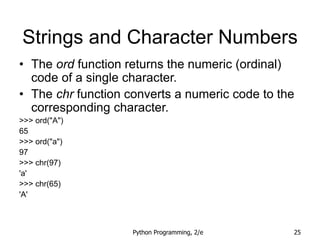
Strings and Character Numbers
• The ord function returns the numeric (ordinal)
code of a single character.
• The chr function converts a numeric code to the
corresponding character.
>>> ord("A")
65
>>> ord("a")
97
>>> chr(97)
'a'
>>> chr(65)
'A'
Python Programming, 2/e 26
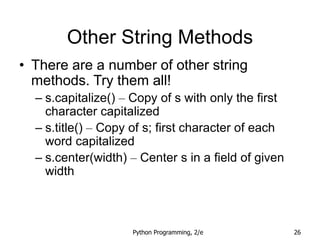
Other String Methods
• There are a number of other string
methods. Try them all!
– s.capitalize() – Copy of s with only the first
character capitalized
– s.title() – Copy of s; first character of each
word capitalized
– s.center(width) – Center s in a field of given
width
Python Programming, 2/e 27
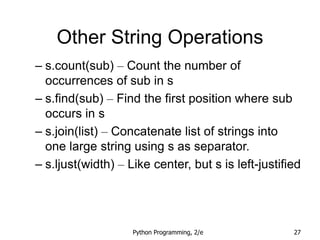
Other String Operations
– s.count(sub) – Count the number of
occurrences of sub in s
– s.find(sub) – Find the first position where sub
occurs in s
– s.join(list) – Concatenate list of strings into
one large string using s as separator.
– s.ljust(width) – Like center, but s is left-justified
Python Programming, 2/e 28
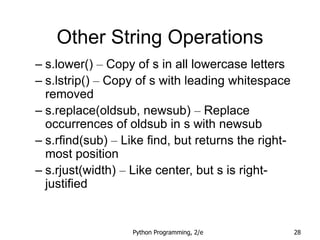
Other String Operations
– s.lower() – Copy of s in all lowercase letters
– s.lstrip() – Copy of s with leading whitespace
removed
– s.replace(oldsub, newsub) – Replace
occurrences of oldsub in s with newsub
– s.rfind(sub) – Like find, but returns the right-
most position
– s.rjust(width) – Like center, but s is right-
justified
Python Programming, 2/e 29
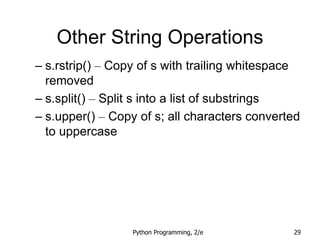
Other String Operations
– s.rstrip() – Copy of s with trailing whitespace
removed
– s.split() – Split s into a list of substrings
– s.upper() – Copy of s; all characters converted
to uppercase
Python Programming, 2/e 30
Input/Output as String
Manipulation
• Often we will need to do some string
operations to prepare our string data for
output (“pretty it up”)
• Let’s say we want to enter a date in the
format “05/24/2003” and output “May 24,
2003.” How could we do that?
Python Programming, 2/e 31
Input/Output as String
Manipulation
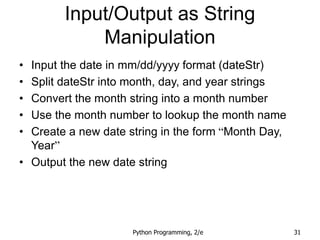
• Input the date in mm/dd/yyyy format (dateStr)
• Split dateStr into month, day, and year strings
• Convert the month string into a month number
• Use the month number to lookup the month name
• Create a new date string in the form “Month Day,
Year”
• Output the new date string
Python Programming, 2/e 32
Input/Output as String
Manipulation
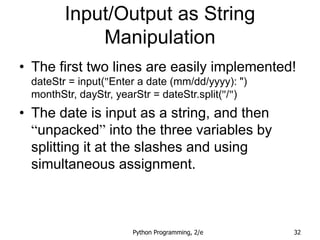
• The first two lines are easily implemented!
dateStr = input("Enter a date (mm/dd/yyyy): ")
monthStr, dayStr, yearStr = dateStr.split("/")
• The date is input as a string, and then
“unpacked” into the three variables by
splitting it at the slashes and using
simultaneous assignment.
Python Programming, 2/e 33
Input/Output as String
Manipulation
• Next step: Convert monthStr into a
number
• We can use the int function on monthStr to
convert "05", for example, into the integer
5. (int("05") = 5)
Python Programming, 2/e 34
Input/Output as String
Manipulation
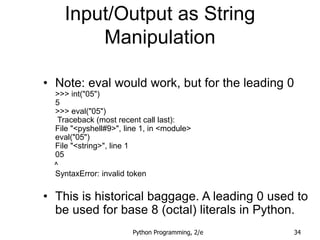
• Note: eval would work, but for the leading 0
>>> int("05")
5
>>> eval("05")
Traceback (most recent call last):
File "<pyshell#9>", line 1, in <module>
eval("05")
File "<string>", line 1
05
^
SyntaxError: invalid token
• This is historical baggage. A leading 0 used to
be used for base 8 (octal) literals in Python.
Python Programming, 2/e 35
Input/Output as String
Manipulation
months = [“January”, “February”, …, “December”]
monthStr = months[int(monthStr) – 1]
• Remember that since we start counting at
0, we need to subtract one from the
month.
• Now let’s concatenate the output string
together!
Python Programming, 2/e 36
Input/Output as String
Manipulation
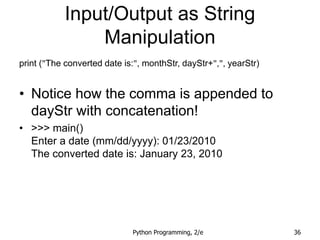
print ("The converted date is:", monthStr, dayStr+",", yearStr)
• Notice how the comma is appended to
dayStr with concatenation!
• >>> main()
Enter a date (mm/dd/yyyy): 01/23/2010
The converted date is: January 23, 2010
Python Programming, 2/e 37
Input/Output as String
Manipulation
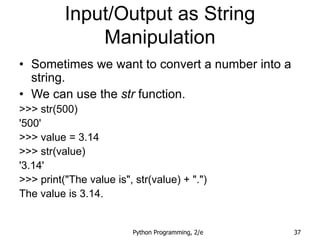
• Sometimes we want to convert a number into a
string.
• We can use the str function.
>>> str(500)
'500'
>>> value = 3.14
>>> str(value)
'3.14'
>>> print("The value is", str(value) + ".")
The value is 3.14.
Python Programming, 2/e 38
Input/Output as String
Manipulation
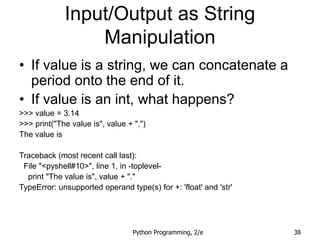
• If value is a string, we can concatenate a
period onto the end of it.
• If value is an int, what happens?
>>> value = 3.14
>>> print("The value is", value + ".")
The value is
Traceback (most recent call last):
File "<pyshell#10>", line 1, in -toplevel-
print "The value is", value + "."
TypeError: unsupported operand type(s) for +: 'float' and 'str'
Python Programming, 2/e 39
Input/Output as String
Manipulation
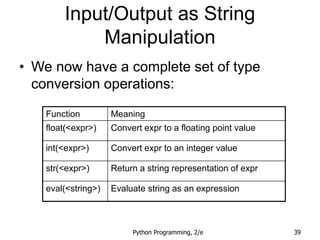
• We now have a complete set of type
conversion operations:
Function Meaning
float(<expr>) Convert expr to a floating point value
int(<expr>) Convert expr to an integer value
str(<expr>) Return a string representation of expr
eval(<string>) Evaluate string as an expression
Python Programming, 2/e 40
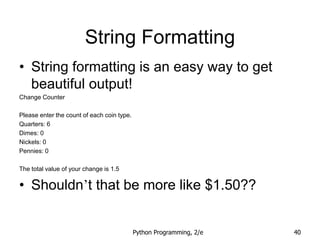
String Formatting
• String formatting is an easy way to get
beautiful output!
Change Counter
Please enter the count of each coin type.
Quarters: 6
Dimes: 0
Nickels: 0
Pennies: 0
The total value of your change is 1.5
• Shouldn’t that be more like $1.50??
Python Programming, 2/e 41
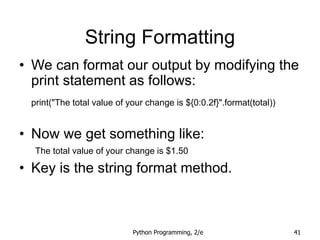
String Formatting
• We can format our output by modifying the
print statement as follows:
print("The total value of your change is ${0:0.2f}".format(total))
• Now we get something like:
The total value of your change is $1.50
• Key is the string format method.
Python Programming, 2/e 42
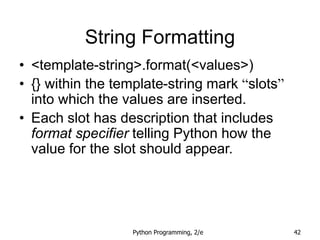
String Formatting
• <template-string>.format(<values>)
• {} within the template-string mark “slots”
into which the values are inserted.
• Each slot has description that includes
format specifier telling Python how the
value for the slot should appear.
Python Programming, 2/e 43
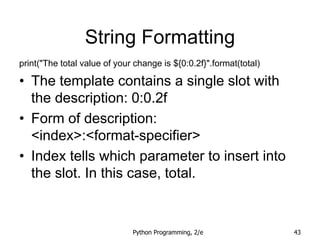
String Formatting
print("The total value of your change is ${0:0.2f}".format(total)
• The template contains a single slot with
the description: 0:0.2f
• Form of description:
<index>:<format-specifier>
• Index tells which parameter to insert into
the slot. In this case, total.
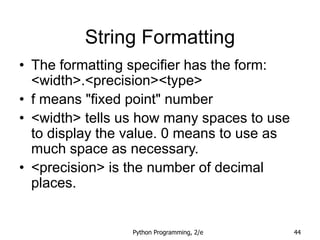
Python Programming, 2/e 44
String Formatting
• The formatting specifier has the form:
<width>.<precision><type>
• f means "fixed point" number
• <width> tells us how many spaces to use
to display the value. 0 means to use as
much space as necessary.
• <precision> is the number of decimal
places.
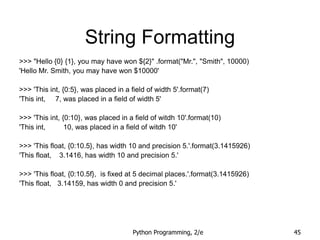
Python Programming, 2/e 45
String Formatting
>>> "Hello {0} {1}, you may have won ${2}" .format("Mr.", "Smith", 10000)
'Hello Mr. Smith, you may have won $10000'
>>> 'This int, {0:5}, was placed in a field of width 5'.format(7)
'This int, 7, was placed in a field of width 5'
>>> 'This int, {0:10}, was placed in a field of witdh 10'.format(10)
'This int, 10, was placed in a field of witdh 10'
>>> 'This float, {0:10.5}, has width 10 and precision 5.'.format(3.1415926)
'This float, 3.1416, has width 10 and precision 5.'
>>> 'This float, {0:10.5f}, is fixed at 5 decimal places.'.format(3.1415926)
'This float, 3.14159, has width 0 and precision 5.'
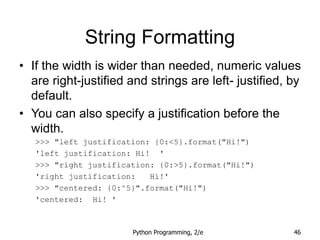
Python Programming, 2/e 46
String Formatting
• If the width is wider than needed, numeric values
are right-justified and strings are left- justified, by
default.
• You can also specify a justification before the
width.
>>> "left justification: {0:<5}.format("Hi!")
'left justification: Hi! '
>>> "right justification: {0:>5}.format("Hi!")
'right justification: Hi!'
>>> "centered: {0:^5}".format("Hi!")
'centered: Hi! '
Python Programming, 2/e 47
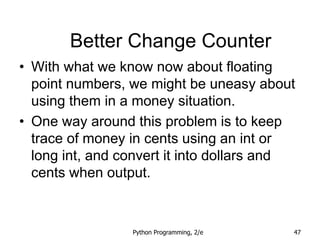
Better Change Counter
• With what we know now about floating
point numbers, we might be uneasy about
using them in a money situation.
• One way around this problem is to keep
trace of money in cents using an int or
long int, and convert it into dollars and
cents when output.
Python Programming, 2/e 48
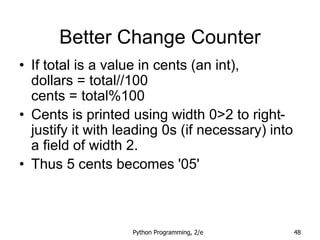
Better Change Counter
• If total is a value in cents (an int),
dollars = total//100
cents = total%100
• Cents is printed using width 0>2 to right-
justify it with leading 0s (if necessary) into
a field of width 2.
• Thus 5 cents becomes '05'
Python Programming, 2/e 49
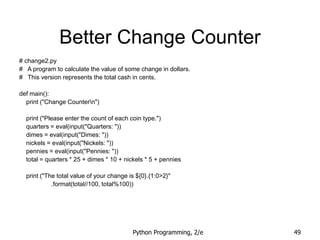
Better Change Counter
# change2.py
# A program to calculate the value of some change in dollars.
# This version represents the total cash in cents.
def main():
print ("Change Countern")
print ("Please enter the count of each coin type.")
quarters = eval(input("Quarters: "))
dimes = eval(input("Dimes: "))
nickels = eval(input("Nickels: "))
pennies = eval(input("Pennies: "))
total = quarters * 25 + dimes * 10 + nickels * 5 + pennies
print ("The total value of your change is ${0}.{1:0>2}"
.format(total//100, total%100))
Python Programming, 2/e 50
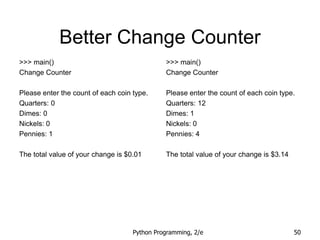
Better Change Counter
>>> main()
Change Counter
Please enter the count of each coin type.
Quarters: 0
Dimes: 0
Nickels: 0
Pennies: 1
The total value of your change is $0.01
>>> main()
Change Counter
Please enter the count of each coin type.
Quarters: 12
Dimes: 1
Nickels: 0
Pennies: 4
The total value of your change is $3.14
Python Programming, 2/e 51
• A file is a sequence of data that is stored
in secondary memory (disk drive).
• Files can contain any data type, but the
easiest to work with are text.
• A file usually contains more than one line
of text.
• Python uses the standard newline
character (n) to mark line breaks.
Files: Multi-line Strings
Python Programming, 2/e 52
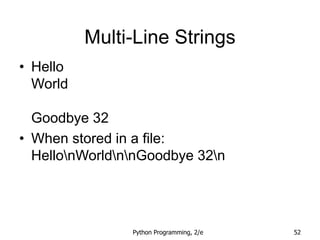
Multi-Line Strings
• Hello
World
Goodbye 32
• When stored in a file:
HellonWorldnnGoodbye 32n
Python Programming, 2/e 53
Multi-Line Strings
• This is exactly the same thing as
embedding n in print statements.
• Remember, these special characters only
affect things when printed. They don’t do
anything during evaluation.
Python Programming, 2/e 54
File Processing
• The process of opening a file involves
associating a file on disk with an object in
memory.
• We can manipulate the file by
manipulating this object.
– Read from the file
– Write to the file
Python Programming, 2/e 55
File Processing
• When done with the file, it needs to be
closed. Closing the file causes any
outstanding operations and other
bookkeeping for the file to be completed.
• In some cases, not properly closing a file
could result in data loss.
Python Programming, 2/e 56
File Processing
• Reading a file into a word processor
– File opened
– Contents read into RAM
– File closed
– Changes to the file are made to the copy
stored in memory, not on the disk.
Python Programming, 2/e 57
File Processing
• Saving a word processing file
– The original file on the disk is reopened in a
mode that will allow writing (this actually
erases the old contents)
– File writing operations copy the version of the
document in memory to the disk
– The file is closed
Python Programming, 2/e 58
File Processing
• Working with text files in Python
– Associate a disk file with a file object using the
open function
<filevar> = open(<name>, <mode>)
– Name is a string with the actual file name on
the disk. The mode is either ‘r’ or ‘w’
depending on whether we are reading or
writing the file.
– Infile = open("numbers.dat", "r")
Python Programming, 2/e 59
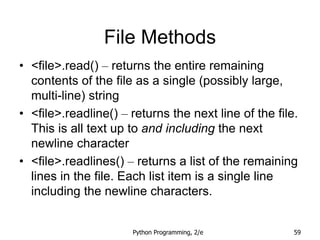
File Methods
• <file>.read() – returns the entire remaining
contents of the file as a single (possibly large,
multi-line) string
• <file>.readline() – returns the next line of the file.
This is all text up to and including the next
newline character
• <file>.readlines() – returns a list of the remaining
lines in the file. Each list item is a single line
including the newline characters.
Python Programming, 2/e 60
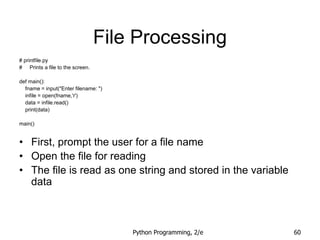
File Processing
# printfile.py
# Prints a file to the screen.
def main():
fname = input("Enter filename: ")
infile = open(fname,'r')
data = infile.read()
print(data)
main()
• First, prompt the user for a file name
• Open the file for reading
• The file is read as one string and stored in the variable
data
Python Programming, 2/e 61
File Processing
• readline can be used to read the next line
from a file, including the trailing newline
character
• infile = open(someFile, "r")
for i in range(5):
line = infile.readline()
print line[:-1]
• This reads the first 5 lines of a file
• Slicing is used to strip out the newline
characters at the ends of the lines
Python Programming, 2/e 62
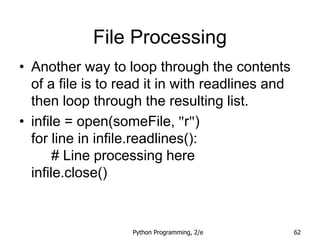
File Processing
• Another way to loop through the contents
of a file is to read it in with readlines and
then loop through the resulting list.
• infile = open(someFile, "r")
for line in infile.readlines():
# Line processing here
infile.close()
Python Programming, 2/e 63
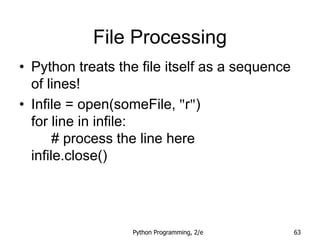
File Processing
• Python treats the file itself as a sequence
of lines!
• Infile = open(someFile, "r")
for line in infile:
# process the line here
infile.close()
Python Programming, 2/e 64
File Processing
• Opening a file for writing prepares the file
to receive data
• If you open an existing file for writing, you
wipe out the file’s contents. If the named
file does not exist, a new one is created.
• Outfile = open("mydata.out", "w")
• print(<expressions>, file=Outfile)
Python Programming, 2/e 65
Example Program: Batch
Usernames
• Batch mode processing is where program
input and output are done through files
(the program is not designed to be
interactive)
• Let’s create usernames for a computer
system where the first and last names
come from an input file.
Python Programming, 2/e 66
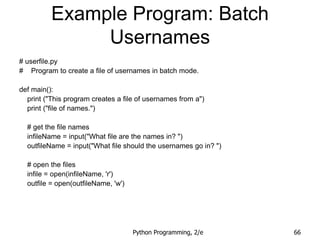
Example Program: Batch
Usernames
# userfile.py
# Program to create a file of usernames in batch mode.
def main():
print ("This program creates a file of usernames from a")
print ("file of names.")
# get the file names
infileName = input("What file are the names in? ")
outfileName = input("What file should the usernames go in? ")
# open the files
infile = open(infileName, 'r')
outfile = open(outfileName, 'w')
Python Programming, 2/e 67
Example Program: Batch
Usernames
# process each line of the input file
for line in infile:
# get the first and last names from line
first, last = line.split()
# create a username
uname = (first[0]+last[:7]).lower()
# write it to the output file
print(uname, file=outfile)
# close both files
infile.close()
outfile.close()
print("Usernames have been written to", outfileName)
Python Programming, 2/e 68
Example Program: Batch
Usernames
• Things to note:
– It’s not unusual for programs to have multiple files
open for reading and writing at the same time.
– The lower method is used to convert the names into
all lower case, in the event the names are mixed
upper and lower case.

Chapter05.ppt

  • 1.
    Adapted from JohnZelle’s Book Slides 1 CS177 Python Programming Chapter 5 Sequences: Strings, Lists, and Files
  • 2.
    Python Programming, 2/e2 The String Data Type • Text is represented in programs by the string data type. • A string is a sequence of characters enclosed within quotation marks (") or apostrophes (').
  • 3.
    Python Programming, 2/e3 The String Data Type >>> str1="Hello" >>> str2='spam' >>> print(str1, str2) Hello spam >>> type(str1) <class 'str'> >>> type(str2) <class 'str'>
  • 4.
    Python Programming, 2/e4 The String Data Type • Getting a string as input >>> firstName = input("Please enter your name: ") Please enter your name: John >>> print("Hello", firstName) Hello John • Notice that the input is not evaluated. We want to store the typed characters, not to evaluate them as a Python expression.
  • 5.
    Python Programming, 2/e5 The String Data Type • We can access the individual characters in a string through indexing. • The positions in a string are numbered from the left, starting with 0. • The general form is <string>[<expr>], where the value of expr determines which character is selected from the string.
  • 6.
    Python Programming, 2/e6 The String Data Type >>> greet = "Hello Bob" >>> greet[0] 'H' >>> print(greet[0], greet[2], greet[4]) H l o >>> x = 8 >>> print(greet[x - 2]) B H e l l o B o b 0 1 2 3 4 5 6 7 8
  • 7.
    Python Programming, 2/e7 The String Data Type • In a string of n characters, the last character is at position n-1 since we start counting with 0. • We can index from the right side using negative indexes. >>> greet[-1] 'b' >>> greet[-3] 'B' H e l l o B o b 0 1 2 3 4 5 6 7 8
  • 8.
    Python Programming, 2/e8 The String Data Type • Indexing returns a string containing a single character from a larger string. • We can also access a contiguous sequence of characters, called a substring, through a process called slicing.
  • 9.
    Python Programming, 2/e9 The String Data Type • Slicing: <string>[<start>:<end>] • start and end should both be ints • The slice contains the substring beginning at position start and runs up to but doesn’t include the position end.
  • 10.
    Python Programming, 2/e10 The String Data Type >>> greet[0:3] 'Hel' >>> greet[5:9] ' Bob' >>> greet[:5] 'Hello' >>> greet[5:] ' Bob' >>> greet[:] 'Hello Bob' H e l l o B o b 0 1 2 3 4 5 6 7 8
  • 11.
    Python Programming, 2/e11 The String Data Type • If either expression is missing, then the start or the end of the string are used. • Can we put two strings together into a longer string? • Concatenation “glues” two strings together (+) • Repetition builds up a string by multiple concatenations of a string with itself (*)
  • 12.
    Python Programming, 2/e12 The String Data Type • The function len will return the length of a string. >>> "spam" + "eggs" 'spameggs' >>> "Spam" + "And" + "Eggs" 'SpamAndEggs' >>> 3 * "spam" 'spamspamspam' >>> "spam" * 5 'spamspamspamspamspam' >>> (3 * "spam") + ("eggs" * 5) 'spamspamspameggseggseggseggseggs'
  • 13.
    Python Programming, 2/e13 The String Data Type >>> len("spam") 4 >>> for ch in "Spam!": print (ch, end=" ") S p a m !
  • 14.
    Python Programming, 2/e14 The String Data Type Operator Meaning + Concatenation * Repetition <string>[] Indexing <string>[:] Slicing len(<string>) Length for <var> in <string> Iteration through characters
  • 15.
    Python Programming, 2/e15 Simple String Processing • Usernames on a computer system – First initial, first seven characters of last name # get user’s first and last names first = input("Please enter your first name (all lowercase): ") last = input("Please enter your last name (all lowercase): ") # concatenate first initial with 7 chars of last name uname = first[0] + last[:7]
  • 16.
    Python Programming, 2/e16 Strings, Lists, and Sequences • It turns out that strings are really a special kind of sequence, so these operations also apply to sequences! >>> [1,2] + [3,4] [1, 2, 3, 4] >>> [1,2]*3 [1, 2, 1, 2, 1, 2] >>> grades = ['A', 'B', 'C', 'D', 'F'] >>> grades[0] 'A' >>> grades[2:4] ['C', 'D'] >>> len(grades) 5
  • 17.
    Python Programming, 2/e17 Strings, Lists, and Sequences • Strings are always sequences of characters, but lists can be sequences of arbitrary values. • Lists can have numbers, strings, or both! myList = [1, "Spam ", 4, "U"]
  • 18.
    Python Programming, 2/e18 Strings, Lists, and Sequences • We can make a list of months: months = ["Jan", "Feb", "Mar", "Apr", "May", "Jun", "Jul", "Aug", "Sep", "Oct", "Nov", "Dec"] • To get the months out of the sequence, do this: monthAbbrev = months[n-1]
  • 19.
    Python Programming, 2/e19 Strings, Lists, and Sequences # month2.py # A program to print the month name, given it's number. # This version uses a list as a lookup table. def main(): # months is a list used as a lookup table months = ["Jan", "Feb", "Mar", "Apr", "May", "Jun", "Jul", "Aug", "Sep", "Oct", "Nov", "Dec"] n = eval(input("Enter a month number (1-12): ")) print ("The month abbreviation is", months[n-1] + ".") main() • Note that the months line overlaps a line. Python knows that the expression isn’t complete until the closing ] is encountered.
  • 20.
    Python Programming, 2/e20 Strings, Lists, and Sequences # month2.py # A program to print the month name, given it's number. # This version uses a list as a lookup table. def main(): # months is a list used as a lookup table months = ["Jan", "Feb", "Mar", "Apr", "May", "Jun", "Jul", "Aug", "Sep", "Oct", "Nov", "Dec"] n = eval(input("Enter a month number (1-12): ")) print ("The month abbreviation is", months[n-1] + ".") main() • Since the list is indexed starting from 0, the n-1 calculation is straight-forward enough to put in the print statement without needing a separate step.
  • 21.
    Python Programming, 2/e21 Strings, Lists, and Sequences • This version of the program is easy to extend to print out the whole month name rather than an abbreviation! months = ["January", "February", "March", "April", "May", "June", "July", "August", "September", "October", "November", "December"]
  • 22.
    Python Programming, 2/e22 Strings, Lists, and Sequences • Lists are mutable, meaning they can be changed. Strings can not be changed. >>> myList = [34, 26, 15, 10] >>> myList[2] 15 >>> myList[2] = 0 >>> myList [34, 26, 0, 10] >>> myString = "Hello World" >>> myString[2] 'l' >>> myString[2] = "p" Traceback (most recent call last): File "<pyshell#16>", line 1, in -toplevel- myString[2] = "p" TypeError: object doesn't support item assignment
  • 23.
    Python Programming, 2/e23 Strings and Character Numbers • Inside the computer, strings are represented as sequences of 1’s and 0’s, just like numbers. • A string is stored as a sequence of binary numbers, one number per character. • It doesn’t matter what value is assigned as long as it’s done consistently.
  • 24.
    Python Programming, 2/e24 Strings and Character Numbers • In the early days of computers, each manufacturer used their own encoding of numbers for characters. • ASCII system (American Standard Code for Information Interchange) uses 127 bit codes • Python supports Unicode (100,000+ characters)
  • 25.
    Python Programming, 2/e25 Strings and Character Numbers • The ord function returns the numeric (ordinal) code of a single character. • The chr function converts a numeric code to the corresponding character. >>> ord("A") 65 >>> ord("a") 97 >>> chr(97) 'a' >>> chr(65) 'A'
  • 26.
    Python Programming, 2/e26 Other String Methods • There are a number of other string methods. Try them all! – s.capitalize() – Copy of s with only the first character capitalized – s.title() – Copy of s; first character of each word capitalized – s.center(width) – Center s in a field of given width
  • 27.
    Python Programming, 2/e27 Other String Operations – s.count(sub) – Count the number of occurrences of sub in s – s.find(sub) – Find the first position where sub occurs in s – s.join(list) – Concatenate list of strings into one large string using s as separator. – s.ljust(width) – Like center, but s is left-justified
  • 28.
    Python Programming, 2/e28 Other String Operations – s.lower() – Copy of s in all lowercase letters – s.lstrip() – Copy of s with leading whitespace removed – s.replace(oldsub, newsub) – Replace occurrences of oldsub in s with newsub – s.rfind(sub) – Like find, but returns the right- most position – s.rjust(width) – Like center, but s is right- justified
  • 29.
    Python Programming, 2/e29 Other String Operations – s.rstrip() – Copy of s with trailing whitespace removed – s.split() – Split s into a list of substrings – s.upper() – Copy of s; all characters converted to uppercase
  • 30.
    Python Programming, 2/e30 Input/Output as String Manipulation • Often we will need to do some string operations to prepare our string data for output (“pretty it up”) • Let’s say we want to enter a date in the format “05/24/2003” and output “May 24, 2003.” How could we do that?
  • 31.
    Python Programming, 2/e31 Input/Output as String Manipulation • Input the date in mm/dd/yyyy format (dateStr) • Split dateStr into month, day, and year strings • Convert the month string into a month number • Use the month number to lookup the month name • Create a new date string in the form “Month Day, Year” • Output the new date string
  • 32.
    Python Programming, 2/e32 Input/Output as String Manipulation • The first two lines are easily implemented! dateStr = input("Enter a date (mm/dd/yyyy): ") monthStr, dayStr, yearStr = dateStr.split("/") • The date is input as a string, and then “unpacked” into the three variables by splitting it at the slashes and using simultaneous assignment.
  • 33.
    Python Programming, 2/e33 Input/Output as String Manipulation • Next step: Convert monthStr into a number • We can use the int function on monthStr to convert "05", for example, into the integer 5. (int("05") = 5)
  • 34.
    Python Programming, 2/e34 Input/Output as String Manipulation • Note: eval would work, but for the leading 0 >>> int("05") 5 >>> eval("05") Traceback (most recent call last): File "<pyshell#9>", line 1, in <module> eval("05") File "<string>", line 1 05 ^ SyntaxError: invalid token • This is historical baggage. A leading 0 used to be used for base 8 (octal) literals in Python.
  • 35.
    Python Programming, 2/e35 Input/Output as String Manipulation months = [“January”, “February”, …, “December”] monthStr = months[int(monthStr) – 1] • Remember that since we start counting at 0, we need to subtract one from the month. • Now let’s concatenate the output string together!
  • 36.
    Python Programming, 2/e36 Input/Output as String Manipulation print ("The converted date is:", monthStr, dayStr+",", yearStr) • Notice how the comma is appended to dayStr with concatenation! • >>> main() Enter a date (mm/dd/yyyy): 01/23/2010 The converted date is: January 23, 2010
  • 37.
    Python Programming, 2/e37 Input/Output as String Manipulation • Sometimes we want to convert a number into a string. • We can use the str function. >>> str(500) '500' >>> value = 3.14 >>> str(value) '3.14' >>> print("The value is", str(value) + ".") The value is 3.14.
  • 38.
    Python Programming, 2/e38 Input/Output as String Manipulation • If value is a string, we can concatenate a period onto the end of it. • If value is an int, what happens? >>> value = 3.14 >>> print("The value is", value + ".") The value is Traceback (most recent call last): File "<pyshell#10>", line 1, in -toplevel- print "The value is", value + "." TypeError: unsupported operand type(s) for +: 'float' and 'str'
  • 39.
    Python Programming, 2/e39 Input/Output as String Manipulation • We now have a complete set of type conversion operations: Function Meaning float(<expr>) Convert expr to a floating point value int(<expr>) Convert expr to an integer value str(<expr>) Return a string representation of expr eval(<string>) Evaluate string as an expression
  • 40.
    Python Programming, 2/e40 String Formatting • String formatting is an easy way to get beautiful output! Change Counter Please enter the count of each coin type. Quarters: 6 Dimes: 0 Nickels: 0 Pennies: 0 The total value of your change is 1.5 • Shouldn’t that be more like $1.50??
  • 41.
    Python Programming, 2/e41 String Formatting • We can format our output by modifying the print statement as follows: print("The total value of your change is ${0:0.2f}".format(total)) • Now we get something like: The total value of your change is $1.50 • Key is the string format method.
  • 42.
    Python Programming, 2/e42 String Formatting • <template-string>.format(<values>) • {} within the template-string mark “slots” into which the values are inserted. • Each slot has description that includes format specifier telling Python how the value for the slot should appear.
  • 43.
    Python Programming, 2/e43 String Formatting print("The total value of your change is ${0:0.2f}".format(total) • The template contains a single slot with the description: 0:0.2f • Form of description: <index>:<format-specifier> • Index tells which parameter to insert into the slot. In this case, total.
  • 44.
    Python Programming, 2/e44 String Formatting • The formatting specifier has the form: <width>.<precision><type> • f means "fixed point" number • <width> tells us how many spaces to use to display the value. 0 means to use as much space as necessary. • <precision> is the number of decimal places.
  • 45.
    Python Programming, 2/e45 String Formatting >>> "Hello {0} {1}, you may have won ${2}" .format("Mr.", "Smith", 10000) 'Hello Mr. Smith, you may have won $10000' >>> 'This int, {0:5}, was placed in a field of width 5'.format(7) 'This int, 7, was placed in a field of width 5' >>> 'This int, {0:10}, was placed in a field of witdh 10'.format(10) 'This int, 10, was placed in a field of witdh 10' >>> 'This float, {0:10.5}, has width 10 and precision 5.'.format(3.1415926) 'This float, 3.1416, has width 10 and precision 5.' >>> 'This float, {0:10.5f}, is fixed at 5 decimal places.'.format(3.1415926) 'This float, 3.14159, has width 0 and precision 5.'
  • 46.
    Python Programming, 2/e46 String Formatting • If the width is wider than needed, numeric values are right-justified and strings are left- justified, by default. • You can also specify a justification before the width. >>> "left justification: {0:<5}.format("Hi!") 'left justification: Hi! ' >>> "right justification: {0:>5}.format("Hi!") 'right justification: Hi!' >>> "centered: {0:^5}".format("Hi!") 'centered: Hi! '
  • 47.
    Python Programming, 2/e47 Better Change Counter • With what we know now about floating point numbers, we might be uneasy about using them in a money situation. • One way around this problem is to keep trace of money in cents using an int or long int, and convert it into dollars and cents when output.
  • 48.
    Python Programming, 2/e48 Better Change Counter • If total is a value in cents (an int), dollars = total//100 cents = total%100 • Cents is printed using width 0>2 to right- justify it with leading 0s (if necessary) into a field of width 2. • Thus 5 cents becomes '05'
  • 49.
    Python Programming, 2/e49 Better Change Counter # change2.py # A program to calculate the value of some change in dollars. # This version represents the total cash in cents. def main(): print ("Change Countern") print ("Please enter the count of each coin type.") quarters = eval(input("Quarters: ")) dimes = eval(input("Dimes: ")) nickels = eval(input("Nickels: ")) pennies = eval(input("Pennies: ")) total = quarters * 25 + dimes * 10 + nickels * 5 + pennies print ("The total value of your change is ${0}.{1:0>2}" .format(total//100, total%100))
  • 50.
    Python Programming, 2/e50 Better Change Counter >>> main() Change Counter Please enter the count of each coin type. Quarters: 0 Dimes: 0 Nickels: 0 Pennies: 1 The total value of your change is $0.01 >>> main() Change Counter Please enter the count of each coin type. Quarters: 12 Dimes: 1 Nickels: 0 Pennies: 4 The total value of your change is $3.14
  • 51.
    Python Programming, 2/e51 • A file is a sequence of data that is stored in secondary memory (disk drive). • Files can contain any data type, but the easiest to work with are text. • A file usually contains more than one line of text. • Python uses the standard newline character (n) to mark line breaks. Files: Multi-line Strings
  • 52.
    Python Programming, 2/e52 Multi-Line Strings • Hello World Goodbye 32 • When stored in a file: HellonWorldnnGoodbye 32n
  • 53.
    Python Programming, 2/e53 Multi-Line Strings • This is exactly the same thing as embedding n in print statements. • Remember, these special characters only affect things when printed. They don’t do anything during evaluation.
  • 54.
    Python Programming, 2/e54 File Processing • The process of opening a file involves associating a file on disk with an object in memory. • We can manipulate the file by manipulating this object. – Read from the file – Write to the file
  • 55.
    Python Programming, 2/e55 File Processing • When done with the file, it needs to be closed. Closing the file causes any outstanding operations and other bookkeeping for the file to be completed. • In some cases, not properly closing a file could result in data loss.
  • 56.
    Python Programming, 2/e56 File Processing • Reading a file into a word processor – File opened – Contents read into RAM – File closed – Changes to the file are made to the copy stored in memory, not on the disk.
  • 57.
    Python Programming, 2/e57 File Processing • Saving a word processing file – The original file on the disk is reopened in a mode that will allow writing (this actually erases the old contents) – File writing operations copy the version of the document in memory to the disk – The file is closed
  • 58.
    Python Programming, 2/e58 File Processing • Working with text files in Python – Associate a disk file with a file object using the open function <filevar> = open(<name>, <mode>) – Name is a string with the actual file name on the disk. The mode is either ‘r’ or ‘w’ depending on whether we are reading or writing the file. – Infile = open("numbers.dat", "r")
  • 59.
    Python Programming, 2/e59 File Methods • <file>.read() – returns the entire remaining contents of the file as a single (possibly large, multi-line) string • <file>.readline() – returns the next line of the file. This is all text up to and including the next newline character • <file>.readlines() – returns a list of the remaining lines in the file. Each list item is a single line including the newline characters.
  • 60.
    Python Programming, 2/e60 File Processing # printfile.py # Prints a file to the screen. def main(): fname = input("Enter filename: ") infile = open(fname,'r') data = infile.read() print(data) main() • First, prompt the user for a file name • Open the file for reading • The file is read as one string and stored in the variable data
  • 61.
    Python Programming, 2/e61 File Processing • readline can be used to read the next line from a file, including the trailing newline character • infile = open(someFile, "r") for i in range(5): line = infile.readline() print line[:-1] • This reads the first 5 lines of a file • Slicing is used to strip out the newline characters at the ends of the lines
  • 62.
    Python Programming, 2/e62 File Processing • Another way to loop through the contents of a file is to read it in with readlines and then loop through the resulting list. • infile = open(someFile, "r") for line in infile.readlines(): # Line processing here infile.close()
  • 63.
    Python Programming, 2/e63 File Processing • Python treats the file itself as a sequence of lines! • Infile = open(someFile, "r") for line in infile: # process the line here infile.close()
  • 64.
    Python Programming, 2/e64 File Processing • Opening a file for writing prepares the file to receive data • If you open an existing file for writing, you wipe out the file’s contents. If the named file does not exist, a new one is created. • Outfile = open("mydata.out", "w") • print(<expressions>, file=Outfile)
  • 65.
    Python Programming, 2/e65 Example Program: Batch Usernames • Batch mode processing is where program input and output are done through files (the program is not designed to be interactive) • Let’s create usernames for a computer system where the first and last names come from an input file.
  • 66.
    Python Programming, 2/e66 Example Program: Batch Usernames # userfile.py # Program to create a file of usernames in batch mode. def main(): print ("This program creates a file of usernames from a") print ("file of names.") # get the file names infileName = input("What file are the names in? ") outfileName = input("What file should the usernames go in? ") # open the files infile = open(infileName, 'r') outfile = open(outfileName, 'w')
  • 67.
    Python Programming, 2/e67 Example Program: Batch Usernames # process each line of the input file for line in infile: # get the first and last names from line first, last = line.split() # create a username uname = (first[0]+last[:7]).lower() # write it to the output file print(uname, file=outfile) # close both files infile.close() outfile.close() print("Usernames have been written to", outfileName)
  • 68.
    Python Programming, 2/e68 Example Program: Batch Usernames • Things to note: – It’s not unusual for programs to have multiple files open for reading and writing at the same time. – The lower method is used to convert the names into all lower case, in the event the names are mixed upper and lower case.