10/22/2024
PHP
Internet Programming
Chapter Five
1 Compiled by Demeke A. Information Systems
10/22/2024
Outlines
Compiled by Demeke A. Information Systems
2
 PHP definition
 Basic syntax of PHP
 Variables
 Comments
 Operators
 Condition statements
 Looping/iteration statements
 Array
 Function
 PHP form and inputs
10/22/2024
Introduction to PHP
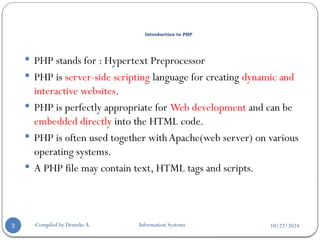
 PHP stands for : Hypertext Preprocessor
 PHP is server-side scripting language for creating dynamic and
interactive websites.
 PHP is perfectly appropriate for Web development and can be
embedded directly into the HTML code.
 PHP is often used together with Apache(web server) on various
operating systems.
 A PHP file may contain text, HTML tags and scripts.
3 Compiled by Demeke A. Information Systems
10/22/2024
Introduction to PHP…
Compiled by Demeke A. Information Systems
4
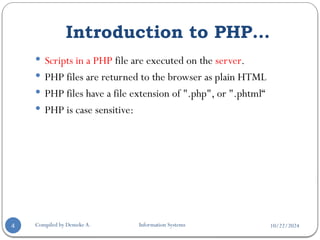
 Scripts in a PHP file are executed on the server.
 PHP files are returned to the browser as plain HTML
 PHP files have a file extension of ".php", or ".phtml“
 PHP is case sensitive:
10/22/2024
Compiled by Demeke A. Information Systems
5
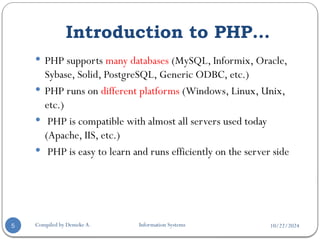
 PHP supports many databases (MySQL, Informix, Oracle,
Sybase, Solid, PostgreSQL, Generic ODBC, etc.)
 PHP runs on different platforms (Windows, Linux, Unix,
etc.)
 PHP is compatible with almost all servers used today
(Apache, IIS, etc.)
 PHP is easy to learn and runs efficiently on the server side
Introduction to PHP…
10/22/2024
Basic PHP Syntax
Compiled by Demeke A. Information Systems
6
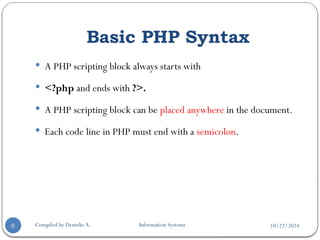
 A PHP scripting block always starts with
 <?php and ends with ?>.
 A PHP scripting block can be placed anywhere in the document.
 Each code line in PHP must end with a semicolon.
10/22/2024
Output Statement
Compiled by Demeke A. Information Systems
7
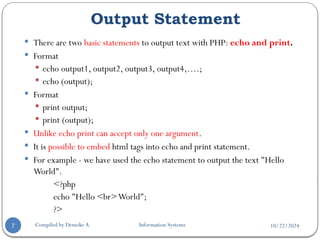
 There are two basic statements to output text with PHP: echo and print.
 Format
 echo output1, output2, output3, output4,….;
 echo (output);
 Format
 print output;
 print (output);
 Unlike echo print can accept only one argument.
 It is possible to embed html tags into echo and print statement.
 For example - we have used the echo statement to output the text "Hello
World".
<?php
echo "Hello <br>World";
?>
10/22/2024
Comments in PHP
Compiled by Demeke A. Information Systems
8
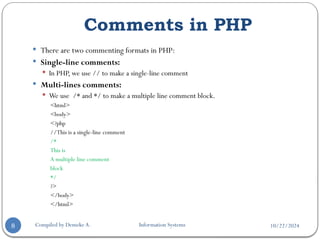
 There are two commenting formats in PHP:
 Single-line comments:
 In PHP, we use // to make a single-line comment
 Multi-lines comments:
 We use /* and */ to make a multiple line comment block.
<html>
<body>
<?php
//This is a single-line comment
/*
This is
A multiple line comment
block
*/
?>
</body>
</html>
10/22/2024
PHP Variables
Compiled by Demeke A. Information Systems
9
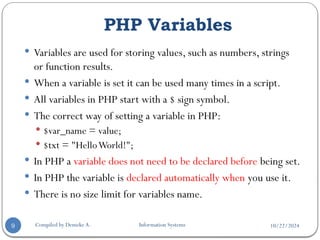
 Variables are used for storing values, such as numbers, strings
or function results.
 When a variable is set it can be used many times in a script.
 All variables in PHP start with a $ sign symbol.
 The correct way of setting a variable in PHP:
 $var_name = value;
 $txt = "HelloWorld!";
 In PHP a variable does not need to be declared before being set.
 In PHP the variable is declared automatically when you use it.
 There is no size limit for variables name.
10/22/2024
PHP Variables…
Compiled by Demeke A. Information Systems
10
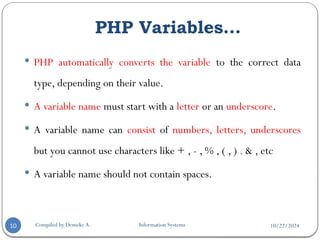
 PHP automatically converts the variable to the correct data
type, depending on their value.
 A variable name must start with a letter or an underscore.
 A variable name can consist of numbers, letters, underscores
but you cannot use characters like + , - , % , ( , ) . & , etc
 A variable name should not contain spaces.
10/22/2024
PHP Constants
Compiled by Demeke A. Information Systems
11
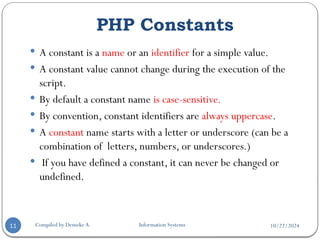
 A constant is a name or an identifier for a simple value.
 A constant value cannot change during the execution of the
script.
 By default a constant name is case-sensitive.
 By convention, constant identifiers are always uppercase.
 A constant name starts with a letter or underscore (can be a
combination of letters, numbers, or underscores.)
 If you have defined a constant, it can never be changed or
undefined.
10/22/2024
PHP Constants
Compiled by Demeke A. Information Systems
12
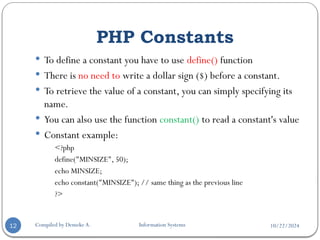
 To define a constant you have to use define() function
 There is no need to write a dollar sign ($) before a constant.
 To retrieve the value of a constant, you can simply specifying its
name.
 You can also use the function constant() to read a constant's value
 Constant example:
<?php
define("MINSIZE", 50);
echo MINSIZE;
echo constant("MINSIZE"); // same thing as the previous line
?>
10/22/2024
PHP Operator Types
Compiled by Demeke A. Information Systems
13
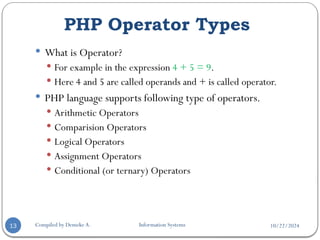
 What is Operator?
 For example in the expression 4 + 5 = 9.
 Here 4 and 5 are called operands and + is called operator.
 PHP language supports following type of operators.
 Arithmetic Operators
 Comparision Operators
 Logical Operators
 Assignment Operators
 Conditional (or ternary) Operators
10/22/2024
Arithmetic Operators
Compiled by Demeke A. Information Systems
14
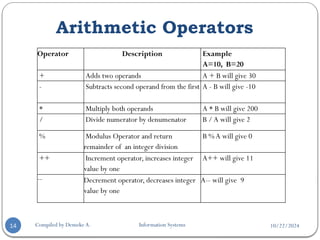
Operator Description Example
A=10, B=20
+ Adds two operands A + B will give 30
- Subtracts second operand from the first A - B will give -10
* Multiply both operands A * B will give 200
/ Divide numerator by denumenator B /A will give 2
% Modulus Operator and return
remainder of an integer division
B %A will give 0
++ Increment operator, increases integer
value by one
A++ will give 11
-- Decrement operator, decreases integer
value by one
A-- will give 9
10/22/2024
Comparison Operators
Compiled by Demeke A. Information Systems
15
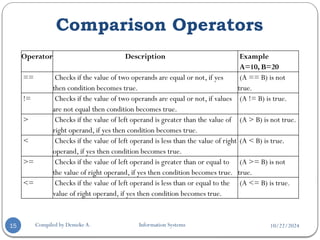
Operator Description Example
A=10, B=20
== Checks if the value of two operands are equal or not, if yes
then condition becomes true.
(A == B) is not
true.
!= Checks if the value of two operands are equal or not, if values
are not equal then condition becomes true.
(A != B) is true.
> Checks if the value of left operand is greater than the value of
right operand, if yes then condition becomes true.
(A > B) is not true.
< Checks if the value of left operand is less than the value of right
operand, if yes then condition becomes true.
(A < B) is true.
>= Checks if the value of left operand is greater than or equal to
the value of right operand, if yes then condition becomes true.
(A >= B) is not
true.
<= Checks if the value of left operand is less than or equal to the
value of right operand, if yes then condition becomes true.
(A <= B) is true.
10/22/2024
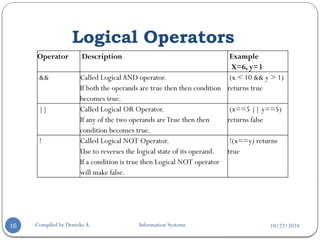
Logical Operators
Compiled by Demeke A. Information Systems
16
Operator Description Example
X=6, y=3
&& Called LogicalAND operator.
If both the operands are true then then condition
becomes true.
(x < 10 && y > 1)
returns true
|| Called Logical OR Operator.
If any of the two operands areTrue then then
condition becomes true.
(x==5 || y==5)
returns false
! Called Logical NOT Operator.
Use to reverses the logical state of its operand.
If a condition is true then Logical NOT operator
will make false.
!(x==y) returns
true
10/22/2024
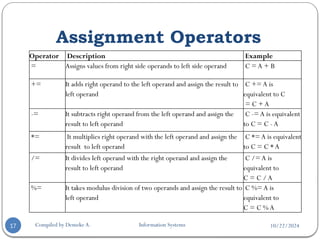
Assignment Operators
Compiled by Demeke A. Information Systems
17
Operator Description Example
= Assigns values from right side operands to left side operand C = A + B
+= It adds right operand to the left operand and assign the result to
left operand
C += A is
equivalent to C
= C + A
-= It subtracts right operand from the left operand and assign the
result to left operand
C -= A is equivalent
to C = C - A
*= It multiplies right operand with the left operand and assign the
result to left operand
C *= A is equivalent
to C = C * A
/= It divides left operand with the right operand and assign the
result to left operand
C /= A is
equivalent to
C = C / A
%= It takes modulus division of two operands and assign the result to
left operand
C %= A is
equivalent to
C = C % A
10/22/2024
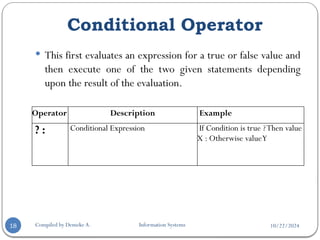
Conditional Operator
Compiled by Demeke A. Information Systems
18
 This first evaluates an expression for a true or false value and
then execute one of the two given statements depending
upon the result of the evaluation.
Operator Description Example
? : Conditional Expression If Condition is true ?Then value
X : Otherwise valueY
10/22/2024
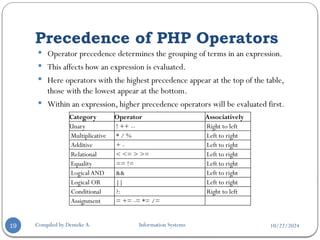
Precedence of PHP Operators
Compiled by Demeke A. Information Systems
19
Category Operator Associatively
Unary ! ++ -- Right to left
Multiplicative * / % Left to right
Additive + - Left to right
Relational < <= > >= Left to right
Equality == != Left to right
LogicalAND && Left to right
Logical OR || Left to right
Conditional ?: Right to left
Assignment = += -= *= /=
 Operator precedence determines the grouping of terms in an expression.
 This affects how an expression is evaluated.
 Here operators with the highest precedence appear at the top of the table,
those with the lowest appear at the bottom.
 Within an expression, higher precedence operators will be evaluated first.
10/22/2024
PHP Decision Making
Compiled by Demeke A. Information Systems
20
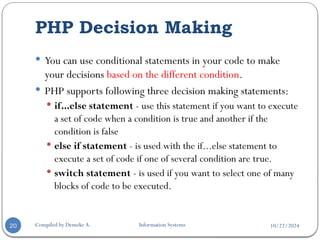
 You can use conditional statements in your code to make
your decisions based on the different condition.
 PHP supports following three decision making statements:
 if...else statement - use this statement if you want to execute
a set of code when a condition is true and another if the
condition is false
 else if statement - is used with the if...else statement to
execute a set of code if one of several condition are true.
 switch statement - is used if you want to select one of many
blocks of code to be executed.
10/22/2024
The If...Else Statement
Compiled by Demeke A. Information Systems
21
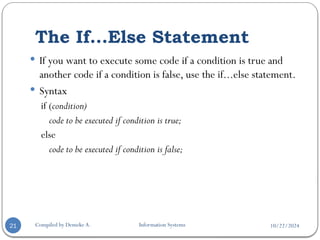
 If you want to execute some code if a condition is true and
another code if a condition is false, use the if...else statement.
 Syntax
if (condition)
code to be executed if condition is true;
else
code to be executed if condition is false;
10/22/2024
Example
Compiled by Demeke A. Information Systems
22
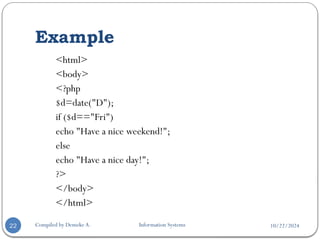
<html>
<body>
<?php
$d=date("D");
if ($d=="Fri")
echo "Have a nice weekend!";
else
echo "Have a nice day!";
?>
</body>
</html>
10/22/2024
The If...Else Statement…
Compiled by Demeke A. Information Systems
23
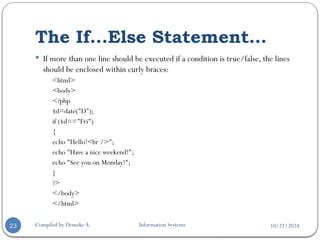
 If more than one line should be executed if a condition is true/false, the lines
should be enclosed within curly braces:
<html>
<body>
<?php
$d=date("D");
if ($d=="Fri")
{
echo "Hello!<br />";
echo "Have a nice weekend!";
echo "See you on Monday!";
}
?>
</body>
</html>
10/22/2024
The Else If Statement
Compiled by Demeke A. Information Systems
24
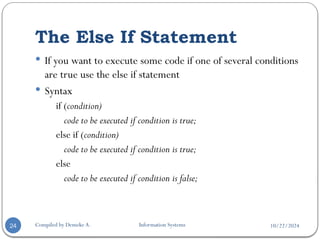
 If you want to execute some code if one of several conditions
are true use the else if statement
 Syntax
if (condition)
code to be executed if condition is true;
else if (condition)
code to be executed if condition is true;
else
code to be executed if condition is false;
10/22/2024
Example
Compiled by Demeke A. Information Systems
25
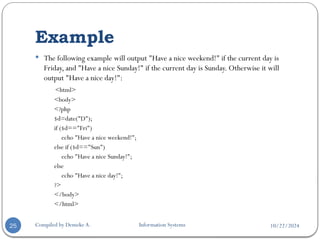
 The following example will output "Have a nice weekend!" if the current day is
Friday, and "Have a nice Sunday!" if the current day is Sunday. Otherwise it will
output "Have a nice day!":
<html>
<body>
<?php
$d=date("D");
if ($d=="Fri")
echo "Have a nice weekend!";
else if ($d=="Sun")
echo "Have a nice Sunday!";
else
echo "Have a nice day!";
?>
</body>
</html>
10/22/2024
The Switch Statement
Compiled by Demeke A. Information Systems
26
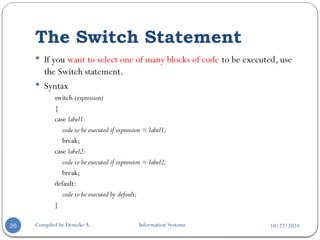
 If you want to select one of many blocks of code to be executed, use
the Switch statement.
 Syntax
switch (expression)
{
case label1:
code to be executed if expression = label1;
break;
case label2:
code to be executed if expression = label2;
break;
default:
code to be executed by defoult;
}
10/22/2024
Example
Compiled by Demeke A. Information Systems
27
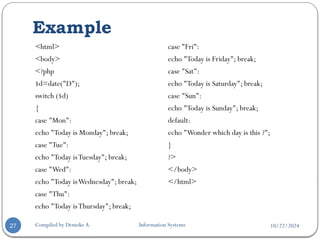
<html>
<body>
<?php
$d=date("D");
switch ($d)
{
case "Mon":
echo "Today is Monday"; break;
case "Tue":
echo "Today isTuesday"; break;
case "Wed":
echo "Today isWednesday"; break;
case "Thu":
echo "Today isThursday"; break;
case "Fri":
echo "Today is Friday"; break;
case "Sat":
echo "Today is Saturday"; break;
case "Sun":
echo "Today is Sunday"; break;
default:
echo "Wonder which day is this ?";
}
?>
</body>
</html>
10/22/2024
PHP Loop Types
Compiled by Demeke A. Information Systems
28
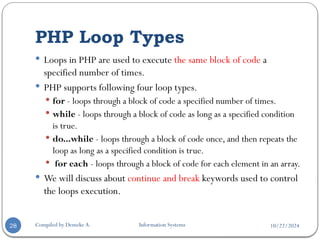
 Loops in PHP are used to execute the same block of code a
specified number of times.
 PHP supports following four loop types.
 for - loops through a block of code a specified number of times.
 while - loops through a block of code as long as a specified condition
is true.
 do...while - loops through a block of code once, and then repeats the
loop as long as a specified condition is true.
 for each - loops through a block of code for each element in an array.
 We will discuss about continue and break keywords used to control
the loops execution.
10/22/2024
The for loop statement
Compiled by Demeke A. Information Systems
29
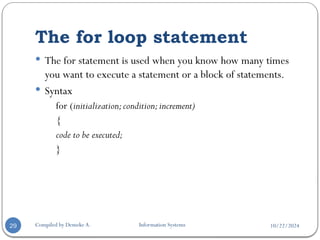
 The for statement is used when you know how many times
you want to execute a statement or a block of statements.
 Syntax
for (initialization;condition;increment)
{
code to be executed;
}
10/22/2024
Example
Compiled by Demeke A. Information Systems
30
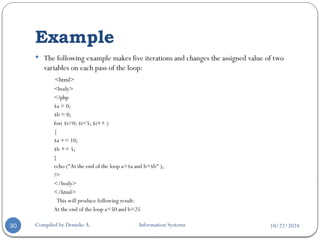
 The following example makes five iterations and changes the assigned value of two
variables on each pass of the loop:
<html>
<body>
<?php
$a = 0;
$b = 0;
for( $i=0; $i<5; $i++ )
{
$a += 10;
$b += 5;
}
echo ("At the end of the loop a=$a and b=$b" );
?>
</body>
</html>
This will produce following result:
At the end of the loop a=50 and b=25
10/22/2024
The while loop statement
Compiled by Demeke A. Information Systems
31
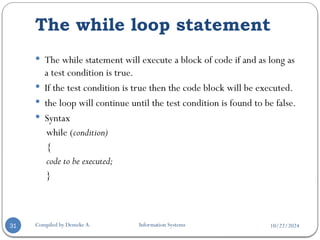
 The while statement will execute a block of code if and as long as
a test condition is true.
 If the test condition is true then the code block will be executed.
 the loop will continue until the test condition is found to be false.
 Syntax
while (condition)
{
code to be executed;
}
10/22/2024
Example
Compiled by Demeke A. Information Systems
32
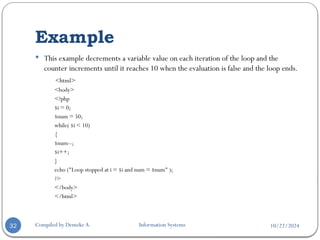
 This example decrements a variable value on each iteration of the loop and the
counter increments until it reaches 10 when the evaluation is false and the loop ends.
<html>
<body>
<?php
$i = 0;
$num = 50;
while( $i < 10)
{
$num--;
$i++;
}
echo ("Loop stopped at i = $i and num = $num" );
?>
</body>
</html>
10/22/2024
The do...while loop statement
Compiled by Demeke A. Information Systems
33
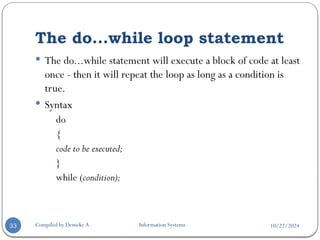
 The do...while statement will execute a block of code at least
once - then it will repeat the loop as long as a condition is
true.
 Syntax
do
{
code to be executed;
}
while (condition);
10/22/2024
Example
Compiled by Demeke A. Information Systems
34
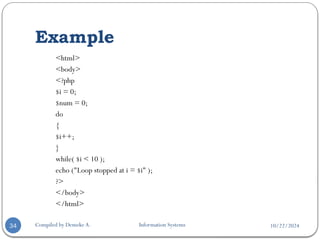
<html>
<body>
<?php
$i = 0;
$num = 0;
do
{
$i++;
}
while( $i < 10 );
echo ("Loop stopped at i = $i" );
?>
</body>
</html>
10/22/2024
The for each loop statement
Compiled by Demeke A. Information Systems
35
 The for each statement is used to loop through arrays.
 For each pass the value of the current array element is
assigned to $value and the array pointer is moved by one and
in the next pass next element will be processed.
 Syntax
foreach (array as value)
{
code to be executed;
}
10/22/2024
Example
Compiled by Demeke A. Information Systems
36
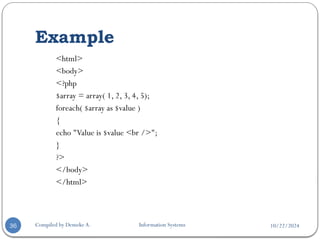
<html>
<body>
<?php
$array = array( 1, 2, 3, 4, 5);
foreach( $array as $value )
{
echo "Value is $value <br />";
}
?>
</body>
</html>
10/22/2024
The break statement
Compiled by Demeke A. Information Systems
37
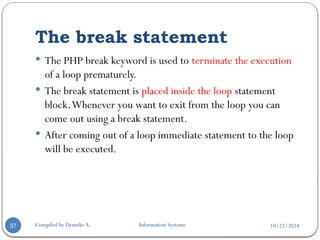
 The PHP break keyword is used to terminate the execution
of a loop prematurely.
 The break statement is placed inside the loop statement
block.Whenever you want to exit from the loop you can
come out using a break statement.
 After coming out of a loop immediate statement to the loop
will be executed.
10/22/2024
Example
Compiled by Demeke A. Information Systems
38
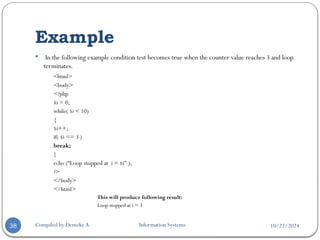
 In the following example condition test becomes true when the counter value reaches 3 and loop
terminates.
<html>
<body>
<?php
$i = 0;
while( $i < 10)
{
$i++;
if( $i == 3 )
break;
}
echo (“Loop stopped at i = $i" );
?>
</body>
</html>
This will produce following result:
Loop stopped at i = 3
10/22/2024
The continue statement
Compiled by Demeke A. Information Systems
39
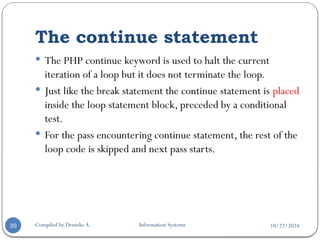
 The PHP continue keyword is used to halt the current
iteration of a loop but it does not terminate the loop.
 Just like the break statement the continue statement is placed
inside the loop statement block, preceded by a conditional
test.
 For the pass encountering continue statement, the rest of the
loop code is skipped and next pass starts.
10/22/2024
Example
Compiled by Demeke A. Information Systems
40
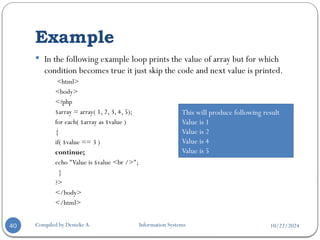
 In the following example loop prints the value of array but for which
condition becomes true it just skip the code and next value is printed.
<html>
<body>
<?php
$array = array( 1, 2, 3, 4, 5);
for each( $array as $value )
{
if( $value == 3 )
continue;
echo "Value is $value <br />";
}
?>
</body>
</html>
This will produce following result
Value is 1
Value is 2
Value is 4
Value is 5
10/22/2024
PHP Arrays
Compiled by Demeke A. Information Systems
41
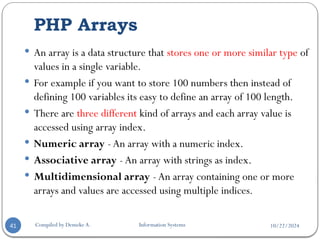
 An array is a data structure that stores one or more similar type of
values in a single variable.
 For example if you want to store 100 numbers then instead of
defining 100 variables its easy to define an array of 100 length.
 There are three different kind of arrays and each array value is
accessed using array index.
 Numeric array - An array with a numeric index.
 Associative array - An array with strings as index.
 Multidimensional array - An array containing one or more
arrays and values are accessed using multiple indices.
10/22/2024
Numeric Array
Compiled by Demeke A. Information Systems
42
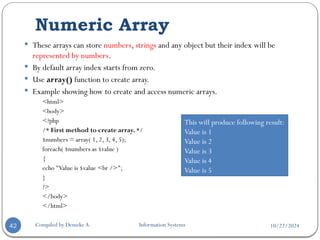
 These arrays can store numbers, strings and any object but their index will be
represented by numbers.
 By default array index starts from zero.
 Use array() function to create array.
 Example showing how to create and access numeric arrays.
<html>
<body>
<?php
/* First method to create array. */
$numbers = array( 1, 2, 3, 4, 5);
foreach( $numbers as $value )
{
echo "Value is $value <br />";
}
?>
</body>
</html>
This will produce following result:
Value is 1
Value is 2
Value is 3
Value is 4
Value is 5
10/22/2024
Numeric Array…
Compiled by Demeke A. Information Systems
43
 Second method to create array.
<html>
<body>
<?php
$numbers[0] = "one";
$numbers[1] = "two";
$numbers[2] = "three";
$numbers[3] = "four";
$numbers[4] = "five";
foreach( $numbers as $value )
{
echo "Value is $value <br />";
}
?>
</body>
</html>
This will produce following result:
Value is one
Value is two
Value is three
Value is four
Value is five
10/22/2024
Associative Arrays
Compiled by Demeke A. Information Systems
44
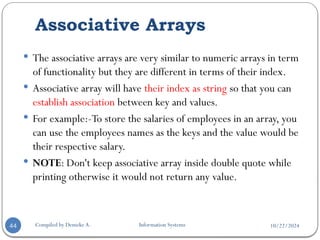
 The associative arrays are very similar to numeric arrays in term
of functionality but they are different in terms of their index.
 Associative array will have their index as string so that you can
establish association between key and values.
 For example:-To store the salaries of employees in an array, you
can use the employees names as the keys and the value would be
their respective salary.
 NOTE: Don't keep associative array inside double quote while
printing otherwise it would not return any value.
10/22/2024
Example
Compiled by Demeke A. Information Systems
45
<html>
<body>
<?php
/* First method to create associate array. */
$salaries = array(
"mohammad" => 2000,
“kadir" => 1000,
"zara" => 500
);
echo "Salary of mohammad is ". $salaries['mohammad'] . "<br />";
echo "Salary of kadir is ". $salaries[‘kadir']. "<br />";
echo "Salary of zara is ". $salaries['zara']. "<br />";
?>
</body>
</html>
Output
Salary of mohammad is 2000
Salary of kadir is 1000
Salary of zara is 500
10/22/2024
Second method to create an associative array
Compiled by Demeke A. Information Systems
46
<html>
<body>
<?php
$salaries['mohammad'] = "high";
$salaries['qadir'] = "medium";
$salaries['zara'] = "low";
echo "Salary of mohammad is ". $salaries['mohammad'] . "<br />";
echo "Salary of qadir is ". $salaries['qadir']. "<br />";
echo "Salary of zara is ". $salaries['zara']. "<br />";
?>
</body>
</html>
Output
Salary of mohammad is high
Salary of qadir is medium
Salary of zara is low
10/22/2024
Multidimensional Arrays
Compiled by Demeke A. Information Systems
47
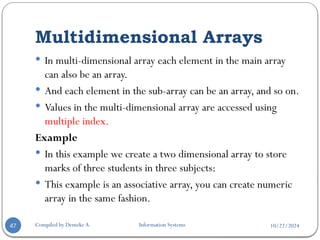
 In multi-dimensional array each element in the main array
can also be an array.
 And each element in the sub-array can be an array, and so on.
 Values in the multi-dimensional array are accessed using
multiple index.
Example
 In this example we create a two dimensional array to store
marks of three students in three subjects:
 This example is an associative array, you can create numeric
array in the same fashion.
10/22/2024
Example
Compiled by Demeke A. Information Systems
48
<html>
<body>
<?php
$marks = array(
“Ali" => array
(
"physics" => 35,
"maths" => 30,
"chemistry" => 39
),
“kadir" => array
(
"physics" => 30,
"maths" => 32,
"chemistry" => 29
),
"zara" => array
(
"physics" => 31,
"maths" => 22,
"chemistry" => 39
)
);
/*Accessing multi-dimensional array values */
echo "Marks forAli in physics : " ;
echo $marks[‘Ali']['physics'] . "<br />";
echo "Marks for qadir in maths : ";
echo $marks[‘kadir']['maths'] . "<br />";
echo "Marks for zara in chemistry : " ;
echo $marks['zara']['chemistry'] . "<br />";
?>
</body>
</html>

10/22/2024
Compiled by Demeke A. Information
Systems
String Operation
49
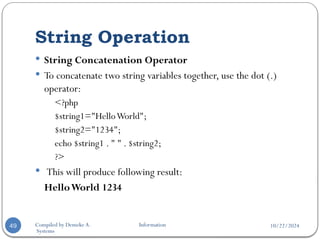
 String Concatenation Operator
 To concatenate two string variables together, use the dot (.)
operator:
<?php
$string1="HelloWorld";
$string2="1234";
echo $string1 . " " . $string2;
?>
 This will produce following result:
HelloWorld 1234
10/22/2024
Compiled by Demeke A. Information
Systems
Using the strlen() function
50
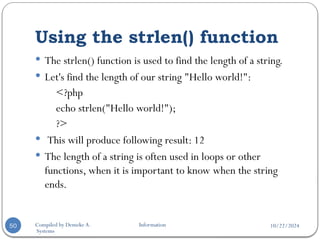
 The strlen() function is used to find the length of a string.
 Let's find the length of our string "Hello world!":
<?php
echo strlen("Hello world!");
?>
 This will produce following result: 12
 The length of a string is often used in loops or other
functions, when it is important to know when the string
ends.
10/22/2024
Compiled by Demeke A. Information
Systems
Using the strpos() function
51
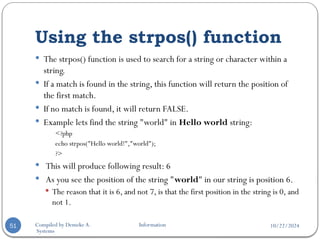
 The strpos() function is used to search for a string or character within a
string.
 If a match is found in the string, this function will return the position of
the first match.
 If no match is found, it will return FALSE.
 Example lets find the string "world" in Hello world string:
<?php
echo strpos("Hello world!","world");
?>
 This will produce following result: 6
 As you see the position of the string "world" in our string is position 6.
 The reason that it is 6, and not 7, is that the first position in the string is 0, and
not 1.
10/22/2024
Compiled by Demeke A. Information
Systems
PHP Functions
52
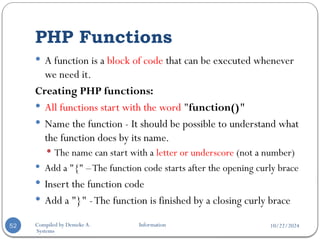
 A function is a block of code that can be executed whenever
we need it.
Creating PHP functions:
 All functions start with the word "function()"
 Name the function - It should be possible to understand what
the function does by its name.
 The name can start with a letter or underscore (not a number)
 Add a "{" –The function code starts after the opening curly brace
 Insert the function code
 Add a "}" -The function is finished by a closing curly brace
10/22/2024
Compiled by Demeke A. Information
Systems
Function Example
53
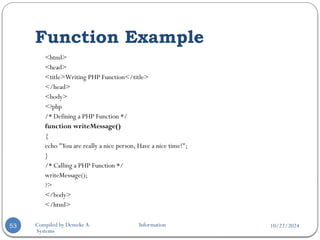
<html>
<head>
<title>Writing PHP Function</title>
</head>
<body>
<?php
/* Defining a PHP Function */
function writeMessage()
{
echo "You are really a nice person, Have a nice time!";
}
/* Calling a PHP Function */
writeMessage();
?>
</body>
</html>
10/22/2024
Compiled by Demeke A. Information
Systems
Function Example…
54
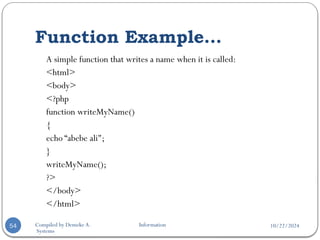
A simple function that writes a name when it is called:
<html>
<body>
<?php
function writeMyName()
{
echo “abebe ali";
}
writeMyName();
?>
</body>
</html>
10/22/2024
PHP Functions with Parameters:
Compiled by Demeke A. Information Systems
55
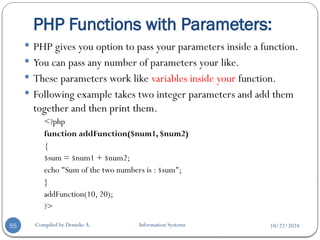
 PHP gives you option to pass your parameters inside a function.
 You can pass any number of parameters your like.
 These parameters work like variables inside your function.
 Following example takes two integer parameters and add them
together and then print them.
<?php
function addFunction($num1, $num2)
{
$sum = $num1 + $num2;
echo "Sum of the two numbers is : $sum";
}
addFunction(10, 20);
?>
10/22/2024
Example
Compiled by Demeke A. Information Systems
56
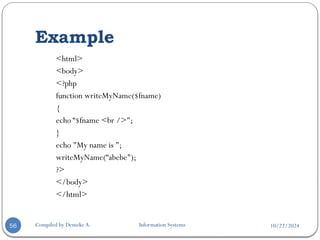
<html>
<body>
<?php
function writeMyName($fname)
{
echo “$fname <br />";
}
echo "My name is ";
writeMyName(“abebe");
?>
</body>
</html>
10/22/2024
PHP Functions - Return values
Compiled by Demeke A. Information Systems
57
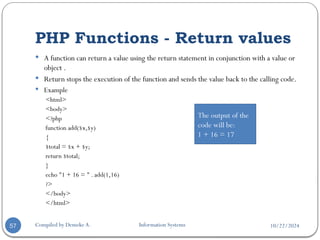
 A function can return a value using the return statement in conjunction with a value or
object .
 Return stops the execution of the function and sends the value back to the calling code.
 Example
<html>
<body>
<?php
function add($x,$y)
{
$total = $x + $y;
return $total;
}
echo "1 + 16 = " . add(1,16)
?>
</body>
</html>
The output of the
code will be:
1 + 16 = 17
10/22/2024
Passing Arguments by Reference
Compiled by Demeke A. Information Systems
58
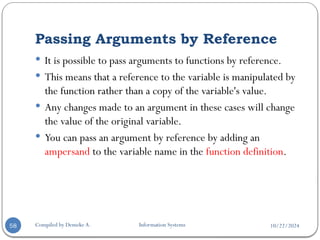
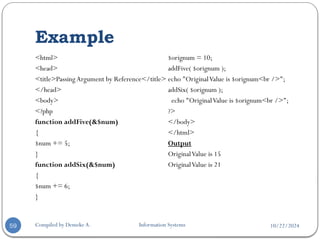
 It is possible to pass arguments to functions by reference.
 This means that a reference to the variable is manipulated by
the function rather than a copy of the variable's value.
 Any changes made to an argument in these cases will change
the value of the original variable.
 You can pass an argument by reference by adding an
ampersand to the variable name in the function definition.
10/22/2024
Example
Compiled by Demeke A. Information Systems
59
<html>
<head>
<title>Passing Argument by Reference</title>
</head>
<body>
<?php
function addFive(&$num)
{
$num += 5;
}
function addSix(&$num)
{
$num += 6;
}
$orignum = 10;
addFive( $orignum );
echo "OriginalValue is $orignum<br />";
addSix( $orignum );
echo "OriginalValue is $orignum<br />";
?>
</body>
</html>
Output
OriginalValue is 15
OriginalValue is 21
10/22/2024
Setting Default Values for Function Parameters:
Compiled by Demeke A. Information Systems
60
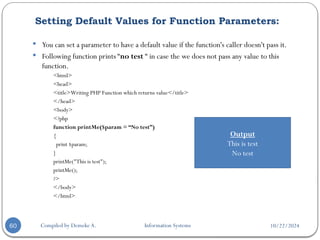
 You can set a parameter to have a default value if the function's caller doesn't pass it.
 Following function prints “no test “ in case the we does not pass any value to this
function.
<html>
<head>
<title>Writing PHP Function which returns value</title>
</head>
<body>
<?php
function printMe($param = “No test”)
{
print $param;
}
printMe("This is test");
printMe();
?>
</body>
</html>
Output
This is test
No test
10/22/2024
PHP Forms and User Input
Compiled by Demeke A. Information Systems
61
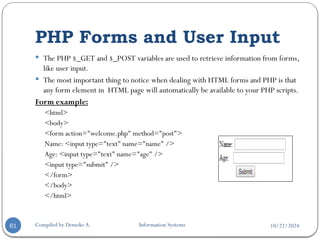
 The PHP $_GET and $_POST variables are used to retrieve information from forms,
like user input.
 The most important thing to notice when dealing with HTML forms and PHP is that
any form element in HTML page will automatically be available to your PHP scripts.
Form example:
<html>
<body>
<form action="welcome.php" method="post">
Name: <input type="text" name="name" />
Age: <input type="text" name="age" />
<input type="submit" />
</form>
</body>
</html>
10/22/2024
PHP Forms and User Input…
Compiled by Demeke A. Information Systems
62
 The example HTML page above contains two input fields and a
submit button.
 When the user fills in this form and click on the submit button,
the form data is sent to the "welcome.php" file.
 The "welcome.php" file looks like this:
<html>
<body>
Welcome <?php echo $_POST["name"]; ?>.<br />
You are <?php echo $_POST["age"]; ?> years old.
</body>
</html>
Welcome John.
You are 28 years old.
10/22/2024
PHP $_GET
Compiled by Demeke A. Information Systems
63
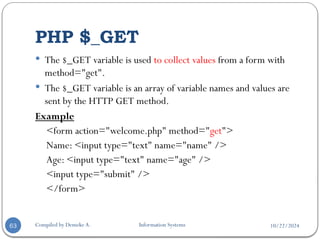
 The $_GET variable is used to collect values from a form with
method="get".
 The $_GET variable is an array of variable names and values are
sent by the HTTP GET method.
Example
<form action="welcome.php" method="get">
Name: <input type="text" name="name" />
Age: <input type="text" name="age" />
<input type="submit" />
</form>
10/22/2024
PHP $_GET…
Compiled by Demeke A. Information Systems
64
 When the user clicks the "Submit" button, the URL sent
could look something like this:
localhost/welcome.php?name=Ax&age=50
 The "welcome.php" file can now use the $_GET variable to
catch the form data
 Note that the names of the form fields will automatically be
the ID keys in the $_GET array:
 Welcome <?php echo $_GET["name"]; ?>.<br />
 You are <?php echo $_GET["age"]; ?> years old!
10/22/2024
Why use $_GET?
Compiled by Demeke A. Information Systems
65
 Information sent from a form with the GET method is
visible to everyone (it will be displayed in the browser's
address bar)
 So this method should not be used when sending
passwords or other sensitive information!
 Get method has limits on the amount of information to
send
 So it is not suitable on large variable values.
10/22/2024
PHP $_POST
Compiled by Demeke A. Information Systems
66
 The $_POST variable is used to collect values from a form
with method="post".
 The $_POST variable is an array of variable names and values
are sent by the HTTP POST method.
 Information sent from a form with the POST method is
invisible to others and has no limits on the amount of
information to send.
10/22/2024
Example
Compiled by Demeke A. Information Systems
67
<form action="welcome.php" method="post">
Enter your name: <input type="text" name="name" />
Enter your age: <input type="text" name="age" />
<input type="submit" />
</form>
 When the user clicks the "Submit" button, the URL will not
contain any form data, and will look something like this:
localhost/welcome.php
10/22/2024
The $_REQUEST Variable
Compiled by Demeke A. Information Systems
68
 The PHP $_REQUEST variable contains the contents of both
$_GET and $_POST variables.
 The PHP $_REQUEST variable can be used to get the result
from form data sent with both the GET and POST methods.
 Example
Welcome <?php echo $_REQUEST["name"]; ?>.<br />
You are <?php echo $_REQUEST["age"]; ?> years old!

Chapter 5Internet Programming one PHP.pptx

  • 1.
    10/22/2024 PHP Internet Programming Chapter Five 1Compiled by Demeke A. Information Systems
  • 2.
    10/22/2024 Outlines Compiled by DemekeA. Information Systems 2  PHP definition  Basic syntax of PHP  Variables  Comments  Operators  Condition statements  Looping/iteration statements  Array  Function  PHP form and inputs
  • 3.
    10/22/2024 Introduction to PHP PHP stands for : Hypertext Preprocessor  PHP is server-side scripting language for creating dynamic and interactive websites.  PHP is perfectly appropriate for Web development and can be embedded directly into the HTML code.  PHP is often used together with Apache(web server) on various operating systems.  A PHP file may contain text, HTML tags and scripts. 3 Compiled by Demeke A. Information Systems
  • 4.
    10/22/2024 Introduction to PHP… Compiledby Demeke A. Information Systems 4  Scripts in a PHP file are executed on the server.  PHP files are returned to the browser as plain HTML  PHP files have a file extension of ".php", or ".phtml“  PHP is case sensitive:
  • 5.
    10/22/2024 Compiled by DemekeA. Information Systems 5  PHP supports many databases (MySQL, Informix, Oracle, Sybase, Solid, PostgreSQL, Generic ODBC, etc.)  PHP runs on different platforms (Windows, Linux, Unix, etc.)  PHP is compatible with almost all servers used today (Apache, IIS, etc.)  PHP is easy to learn and runs efficiently on the server side Introduction to PHP…
  • 6.
    10/22/2024 Basic PHP Syntax Compiledby Demeke A. Information Systems 6  A PHP scripting block always starts with  <?php and ends with ?>.  A PHP scripting block can be placed anywhere in the document.  Each code line in PHP must end with a semicolon.
  • 7.
    10/22/2024 Output Statement Compiled byDemeke A. Information Systems 7  There are two basic statements to output text with PHP: echo and print.  Format  echo output1, output2, output3, output4,….;  echo (output);  Format  print output;  print (output);  Unlike echo print can accept only one argument.  It is possible to embed html tags into echo and print statement.  For example - we have used the echo statement to output the text "Hello World". <?php echo "Hello <br>World"; ?>
  • 8.
    10/22/2024 Comments in PHP Compiledby Demeke A. Information Systems 8  There are two commenting formats in PHP:  Single-line comments:  In PHP, we use // to make a single-line comment  Multi-lines comments:  We use /* and */ to make a multiple line comment block. <html> <body> <?php //This is a single-line comment /* This is A multiple line comment block */ ?> </body> </html>
  • 9.
    10/22/2024 PHP Variables Compiled byDemeke A. Information Systems 9  Variables are used for storing values, such as numbers, strings or function results.  When a variable is set it can be used many times in a script.  All variables in PHP start with a $ sign symbol.  The correct way of setting a variable in PHP:  $var_name = value;  $txt = "HelloWorld!";  In PHP a variable does not need to be declared before being set.  In PHP the variable is declared automatically when you use it.  There is no size limit for variables name.
  • 10.
    10/22/2024 PHP Variables… Compiled byDemeke A. Information Systems 10  PHP automatically converts the variable to the correct data type, depending on their value.  A variable name must start with a letter or an underscore.  A variable name can consist of numbers, letters, underscores but you cannot use characters like + , - , % , ( , ) . & , etc  A variable name should not contain spaces.
  • 11.
    10/22/2024 PHP Constants Compiled byDemeke A. Information Systems 11  A constant is a name or an identifier for a simple value.  A constant value cannot change during the execution of the script.  By default a constant name is case-sensitive.  By convention, constant identifiers are always uppercase.  A constant name starts with a letter or underscore (can be a combination of letters, numbers, or underscores.)  If you have defined a constant, it can never be changed or undefined.
  • 12.
    10/22/2024 PHP Constants Compiled byDemeke A. Information Systems 12  To define a constant you have to use define() function  There is no need to write a dollar sign ($) before a constant.  To retrieve the value of a constant, you can simply specifying its name.  You can also use the function constant() to read a constant's value  Constant example: <?php define("MINSIZE", 50); echo MINSIZE; echo constant("MINSIZE"); // same thing as the previous line ?>
  • 13.
    10/22/2024 PHP Operator Types Compiledby Demeke A. Information Systems 13  What is Operator?  For example in the expression 4 + 5 = 9.  Here 4 and 5 are called operands and + is called operator.  PHP language supports following type of operators.  Arithmetic Operators  Comparision Operators  Logical Operators  Assignment Operators  Conditional (or ternary) Operators
  • 14.
    10/22/2024 Arithmetic Operators Compiled byDemeke A. Information Systems 14 Operator Description Example A=10, B=20 + Adds two operands A + B will give 30 - Subtracts second operand from the first A - B will give -10 * Multiply both operands A * B will give 200 / Divide numerator by denumenator B /A will give 2 % Modulus Operator and return remainder of an integer division B %A will give 0 ++ Increment operator, increases integer value by one A++ will give 11 -- Decrement operator, decreases integer value by one A-- will give 9
  • 15.
    10/22/2024 Comparison Operators Compiled byDemeke A. Information Systems 15 Operator Description Example A=10, B=20 == Checks if the value of two operands are equal or not, if yes then condition becomes true. (A == B) is not true. != Checks if the value of two operands are equal or not, if values are not equal then condition becomes true. (A != B) is true. > Checks if the value of left operand is greater than the value of right operand, if yes then condition becomes true. (A > B) is not true. < Checks if the value of left operand is less than the value of right operand, if yes then condition becomes true. (A < B) is true. >= Checks if the value of left operand is greater than or equal to the value of right operand, if yes then condition becomes true. (A >= B) is not true. <= Checks if the value of left operand is less than or equal to the value of right operand, if yes then condition becomes true. (A <= B) is true.
  • 16.
    10/22/2024 Logical Operators Compiled byDemeke A. Information Systems 16 Operator Description Example X=6, y=3 && Called LogicalAND operator. If both the operands are true then then condition becomes true. (x < 10 && y > 1) returns true || Called Logical OR Operator. If any of the two operands areTrue then then condition becomes true. (x==5 || y==5) returns false ! Called Logical NOT Operator. Use to reverses the logical state of its operand. If a condition is true then Logical NOT operator will make false. !(x==y) returns true
  • 17.
    10/22/2024 Assignment Operators Compiled byDemeke A. Information Systems 17 Operator Description Example = Assigns values from right side operands to left side operand C = A + B += It adds right operand to the left operand and assign the result to left operand C += A is equivalent to C = C + A -= It subtracts right operand from the left operand and assign the result to left operand C -= A is equivalent to C = C - A *= It multiplies right operand with the left operand and assign the result to left operand C *= A is equivalent to C = C * A /= It divides left operand with the right operand and assign the result to left operand C /= A is equivalent to C = C / A %= It takes modulus division of two operands and assign the result to left operand C %= A is equivalent to C = C % A
  • 18.
    10/22/2024 Conditional Operator Compiled byDemeke A. Information Systems 18  This first evaluates an expression for a true or false value and then execute one of the two given statements depending upon the result of the evaluation. Operator Description Example ? : Conditional Expression If Condition is true ?Then value X : Otherwise valueY
  • 19.
    10/22/2024 Precedence of PHPOperators Compiled by Demeke A. Information Systems 19 Category Operator Associatively Unary ! ++ -- Right to left Multiplicative * / % Left to right Additive + - Left to right Relational < <= > >= Left to right Equality == != Left to right LogicalAND && Left to right Logical OR || Left to right Conditional ?: Right to left Assignment = += -= *= /=  Operator precedence determines the grouping of terms in an expression.  This affects how an expression is evaluated.  Here operators with the highest precedence appear at the top of the table, those with the lowest appear at the bottom.  Within an expression, higher precedence operators will be evaluated first.
  • 20.
    10/22/2024 PHP Decision Making Compiledby Demeke A. Information Systems 20  You can use conditional statements in your code to make your decisions based on the different condition.  PHP supports following three decision making statements:  if...else statement - use this statement if you want to execute a set of code when a condition is true and another if the condition is false  else if statement - is used with the if...else statement to execute a set of code if one of several condition are true.  switch statement - is used if you want to select one of many blocks of code to be executed.
  • 21.
    10/22/2024 The If...Else Statement Compiledby Demeke A. Information Systems 21  If you want to execute some code if a condition is true and another code if a condition is false, use the if...else statement.  Syntax if (condition) code to be executed if condition is true; else code to be executed if condition is false;
  • 22.
    10/22/2024 Example Compiled by DemekeA. Information Systems 22 <html> <body> <?php $d=date("D"); if ($d=="Fri") echo "Have a nice weekend!"; else echo "Have a nice day!"; ?> </body> </html>
  • 23.
    10/22/2024 The If...Else Statement… Compiledby Demeke A. Information Systems 23  If more than one line should be executed if a condition is true/false, the lines should be enclosed within curly braces: <html> <body> <?php $d=date("D"); if ($d=="Fri") { echo "Hello!<br />"; echo "Have a nice weekend!"; echo "See you on Monday!"; } ?> </body> </html>
  • 24.
    10/22/2024 The Else IfStatement Compiled by Demeke A. Information Systems 24  If you want to execute some code if one of several conditions are true use the else if statement  Syntax if (condition) code to be executed if condition is true; else if (condition) code to be executed if condition is true; else code to be executed if condition is false;
  • 25.
    10/22/2024 Example Compiled by DemekeA. Information Systems 25  The following example will output "Have a nice weekend!" if the current day is Friday, and "Have a nice Sunday!" if the current day is Sunday. Otherwise it will output "Have a nice day!": <html> <body> <?php $d=date("D"); if ($d=="Fri") echo "Have a nice weekend!"; else if ($d=="Sun") echo "Have a nice Sunday!"; else echo "Have a nice day!"; ?> </body> </html>
  • 26.
    10/22/2024 The Switch Statement Compiledby Demeke A. Information Systems 26  If you want to select one of many blocks of code to be executed, use the Switch statement.  Syntax switch (expression) { case label1: code to be executed if expression = label1; break; case label2: code to be executed if expression = label2; break; default: code to be executed by defoult; }
  • 27.
    10/22/2024 Example Compiled by DemekeA. Information Systems 27 <html> <body> <?php $d=date("D"); switch ($d) { case "Mon": echo "Today is Monday"; break; case "Tue": echo "Today isTuesday"; break; case "Wed": echo "Today isWednesday"; break; case "Thu": echo "Today isThursday"; break; case "Fri": echo "Today is Friday"; break; case "Sat": echo "Today is Saturday"; break; case "Sun": echo "Today is Sunday"; break; default: echo "Wonder which day is this ?"; } ?> </body> </html>
  • 28.
    10/22/2024 PHP Loop Types Compiledby Demeke A. Information Systems 28  Loops in PHP are used to execute the same block of code a specified number of times.  PHP supports following four loop types.  for - loops through a block of code a specified number of times.  while - loops through a block of code as long as a specified condition is true.  do...while - loops through a block of code once, and then repeats the loop as long as a specified condition is true.  for each - loops through a block of code for each element in an array.  We will discuss about continue and break keywords used to control the loops execution.
  • 29.
    10/22/2024 The for loopstatement Compiled by Demeke A. Information Systems 29  The for statement is used when you know how many times you want to execute a statement or a block of statements.  Syntax for (initialization;condition;increment) { code to be executed; }
  • 30.
    10/22/2024 Example Compiled by DemekeA. Information Systems 30  The following example makes five iterations and changes the assigned value of two variables on each pass of the loop: <html> <body> <?php $a = 0; $b = 0; for( $i=0; $i<5; $i++ ) { $a += 10; $b += 5; } echo ("At the end of the loop a=$a and b=$b" ); ?> </body> </html> This will produce following result: At the end of the loop a=50 and b=25
  • 31.
    10/22/2024 The while loopstatement Compiled by Demeke A. Information Systems 31  The while statement will execute a block of code if and as long as a test condition is true.  If the test condition is true then the code block will be executed.  the loop will continue until the test condition is found to be false.  Syntax while (condition) { code to be executed; }
  • 32.
    10/22/2024 Example Compiled by DemekeA. Information Systems 32  This example decrements a variable value on each iteration of the loop and the counter increments until it reaches 10 when the evaluation is false and the loop ends. <html> <body> <?php $i = 0; $num = 50; while( $i < 10) { $num--; $i++; } echo ("Loop stopped at i = $i and num = $num" ); ?> </body> </html>
  • 33.
    10/22/2024 The do...while loopstatement Compiled by Demeke A. Information Systems 33  The do...while statement will execute a block of code at least once - then it will repeat the loop as long as a condition is true.  Syntax do { code to be executed; } while (condition);
  • 34.
    10/22/2024 Example Compiled by DemekeA. Information Systems 34 <html> <body> <?php $i = 0; $num = 0; do { $i++; } while( $i < 10 ); echo ("Loop stopped at i = $i" ); ?> </body> </html>
  • 35.
    10/22/2024 The for eachloop statement Compiled by Demeke A. Information Systems 35  The for each statement is used to loop through arrays.  For each pass the value of the current array element is assigned to $value and the array pointer is moved by one and in the next pass next element will be processed.  Syntax foreach (array as value) { code to be executed; }
  • 36.
    10/22/2024 Example Compiled by DemekeA. Information Systems 36 <html> <body> <?php $array = array( 1, 2, 3, 4, 5); foreach( $array as $value ) { echo "Value is $value <br />"; } ?> </body> </html>
  • 37.
    10/22/2024 The break statement Compiledby Demeke A. Information Systems 37  The PHP break keyword is used to terminate the execution of a loop prematurely.  The break statement is placed inside the loop statement block.Whenever you want to exit from the loop you can come out using a break statement.  After coming out of a loop immediate statement to the loop will be executed.
  • 38.
    10/22/2024 Example Compiled by DemekeA. Information Systems 38  In the following example condition test becomes true when the counter value reaches 3 and loop terminates. <html> <body> <?php $i = 0; while( $i < 10) { $i++; if( $i == 3 ) break; } echo (“Loop stopped at i = $i" ); ?> </body> </html> This will produce following result: Loop stopped at i = 3
  • 39.
    10/22/2024 The continue statement Compiledby Demeke A. Information Systems 39  The PHP continue keyword is used to halt the current iteration of a loop but it does not terminate the loop.  Just like the break statement the continue statement is placed inside the loop statement block, preceded by a conditional test.  For the pass encountering continue statement, the rest of the loop code is skipped and next pass starts.
  • 40.
    10/22/2024 Example Compiled by DemekeA. Information Systems 40  In the following example loop prints the value of array but for which condition becomes true it just skip the code and next value is printed. <html> <body> <?php $array = array( 1, 2, 3, 4, 5); for each( $array as $value ) { if( $value == 3 ) continue; echo "Value is $value <br />"; } ?> </body> </html> This will produce following result Value is 1 Value is 2 Value is 4 Value is 5
  • 41.
    10/22/2024 PHP Arrays Compiled byDemeke A. Information Systems 41  An array is a data structure that stores one or more similar type of values in a single variable.  For example if you want to store 100 numbers then instead of defining 100 variables its easy to define an array of 100 length.  There are three different kind of arrays and each array value is accessed using array index.  Numeric array - An array with a numeric index.  Associative array - An array with strings as index.  Multidimensional array - An array containing one or more arrays and values are accessed using multiple indices.
  • 42.
    10/22/2024 Numeric Array Compiled byDemeke A. Information Systems 42  These arrays can store numbers, strings and any object but their index will be represented by numbers.  By default array index starts from zero.  Use array() function to create array.  Example showing how to create and access numeric arrays. <html> <body> <?php /* First method to create array. */ $numbers = array( 1, 2, 3, 4, 5); foreach( $numbers as $value ) { echo "Value is $value <br />"; } ?> </body> </html> This will produce following result: Value is 1 Value is 2 Value is 3 Value is 4 Value is 5
  • 43.
    10/22/2024 Numeric Array… Compiled byDemeke A. Information Systems 43  Second method to create array. <html> <body> <?php $numbers[0] = "one"; $numbers[1] = "two"; $numbers[2] = "three"; $numbers[3] = "four"; $numbers[4] = "five"; foreach( $numbers as $value ) { echo "Value is $value <br />"; } ?> </body> </html> This will produce following result: Value is one Value is two Value is three Value is four Value is five
  • 44.
    10/22/2024 Associative Arrays Compiled byDemeke A. Information Systems 44  The associative arrays are very similar to numeric arrays in term of functionality but they are different in terms of their index.  Associative array will have their index as string so that you can establish association between key and values.  For example:-To store the salaries of employees in an array, you can use the employees names as the keys and the value would be their respective salary.  NOTE: Don't keep associative array inside double quote while printing otherwise it would not return any value.
  • 45.
    10/22/2024 Example Compiled by DemekeA. Information Systems 45 <html> <body> <?php /* First method to create associate array. */ $salaries = array( "mohammad" => 2000, “kadir" => 1000, "zara" => 500 ); echo "Salary of mohammad is ". $salaries['mohammad'] . "<br />"; echo "Salary of kadir is ". $salaries[‘kadir']. "<br />"; echo "Salary of zara is ". $salaries['zara']. "<br />"; ?> </body> </html> Output Salary of mohammad is 2000 Salary of kadir is 1000 Salary of zara is 500
  • 46.
    10/22/2024 Second method tocreate an associative array Compiled by Demeke A. Information Systems 46 <html> <body> <?php $salaries['mohammad'] = "high"; $salaries['qadir'] = "medium"; $salaries['zara'] = "low"; echo "Salary of mohammad is ". $salaries['mohammad'] . "<br />"; echo "Salary of qadir is ". $salaries['qadir']. "<br />"; echo "Salary of zara is ". $salaries['zara']. "<br />"; ?> </body> </html> Output Salary of mohammad is high Salary of qadir is medium Salary of zara is low
  • 47.
    10/22/2024 Multidimensional Arrays Compiled byDemeke A. Information Systems 47  In multi-dimensional array each element in the main array can also be an array.  And each element in the sub-array can be an array, and so on.  Values in the multi-dimensional array are accessed using multiple index. Example  In this example we create a two dimensional array to store marks of three students in three subjects:  This example is an associative array, you can create numeric array in the same fashion.
  • 48.
    10/22/2024 Example Compiled by DemekeA. Information Systems 48 <html> <body> <?php $marks = array( “Ali" => array ( "physics" => 35, "maths" => 30, "chemistry" => 39 ), “kadir" => array ( "physics" => 30, "maths" => 32, "chemistry" => 29 ), "zara" => array ( "physics" => 31, "maths" => 22, "chemistry" => 39 ) ); /*Accessing multi-dimensional array values */ echo "Marks forAli in physics : " ; echo $marks[‘Ali']['physics'] . "<br />"; echo "Marks for qadir in maths : "; echo $marks[‘kadir']['maths'] . "<br />"; echo "Marks for zara in chemistry : " ; echo $marks['zara']['chemistry'] . "<br />"; ?> </body> </html> 
  • 49.
    10/22/2024 Compiled by DemekeA. Information Systems String Operation 49  String Concatenation Operator  To concatenate two string variables together, use the dot (.) operator: <?php $string1="HelloWorld"; $string2="1234"; echo $string1 . " " . $string2; ?>  This will produce following result: HelloWorld 1234
  • 50.
    10/22/2024 Compiled by DemekeA. Information Systems Using the strlen() function 50  The strlen() function is used to find the length of a string.  Let's find the length of our string "Hello world!": <?php echo strlen("Hello world!"); ?>  This will produce following result: 12  The length of a string is often used in loops or other functions, when it is important to know when the string ends.
  • 51.
    10/22/2024 Compiled by DemekeA. Information Systems Using the strpos() function 51  The strpos() function is used to search for a string or character within a string.  If a match is found in the string, this function will return the position of the first match.  If no match is found, it will return FALSE.  Example lets find the string "world" in Hello world string: <?php echo strpos("Hello world!","world"); ?>  This will produce following result: 6  As you see the position of the string "world" in our string is position 6.  The reason that it is 6, and not 7, is that the first position in the string is 0, and not 1.
  • 52.
    10/22/2024 Compiled by DemekeA. Information Systems PHP Functions 52  A function is a block of code that can be executed whenever we need it. Creating PHP functions:  All functions start with the word "function()"  Name the function - It should be possible to understand what the function does by its name.  The name can start with a letter or underscore (not a number)  Add a "{" –The function code starts after the opening curly brace  Insert the function code  Add a "}" -The function is finished by a closing curly brace
  • 53.
    10/22/2024 Compiled by DemekeA. Information Systems Function Example 53 <html> <head> <title>Writing PHP Function</title> </head> <body> <?php /* Defining a PHP Function */ function writeMessage() { echo "You are really a nice person, Have a nice time!"; } /* Calling a PHP Function */ writeMessage(); ?> </body> </html>
  • 54.
    10/22/2024 Compiled by DemekeA. Information Systems Function Example… 54 A simple function that writes a name when it is called: <html> <body> <?php function writeMyName() { echo “abebe ali"; } writeMyName(); ?> </body> </html>
  • 55.
    10/22/2024 PHP Functions withParameters: Compiled by Demeke A. Information Systems 55  PHP gives you option to pass your parameters inside a function.  You can pass any number of parameters your like.  These parameters work like variables inside your function.  Following example takes two integer parameters and add them together and then print them. <?php function addFunction($num1, $num2) { $sum = $num1 + $num2; echo "Sum of the two numbers is : $sum"; } addFunction(10, 20); ?>
  • 56.
    10/22/2024 Example Compiled by DemekeA. Information Systems 56 <html> <body> <?php function writeMyName($fname) { echo “$fname <br />"; } echo "My name is "; writeMyName(“abebe"); ?> </body> </html>
  • 57.
    10/22/2024 PHP Functions -Return values Compiled by Demeke A. Information Systems 57  A function can return a value using the return statement in conjunction with a value or object .  Return stops the execution of the function and sends the value back to the calling code.  Example <html> <body> <?php function add($x,$y) { $total = $x + $y; return $total; } echo "1 + 16 = " . add(1,16) ?> </body> </html> The output of the code will be: 1 + 16 = 17
  • 58.
    10/22/2024 Passing Arguments byReference Compiled by Demeke A. Information Systems 58  It is possible to pass arguments to functions by reference.  This means that a reference to the variable is manipulated by the function rather than a copy of the variable's value.  Any changes made to an argument in these cases will change the value of the original variable.  You can pass an argument by reference by adding an ampersand to the variable name in the function definition.
  • 59.
    10/22/2024 Example Compiled by DemekeA. Information Systems 59 <html> <head> <title>Passing Argument by Reference</title> </head> <body> <?php function addFive(&$num) { $num += 5; } function addSix(&$num) { $num += 6; } $orignum = 10; addFive( $orignum ); echo "OriginalValue is $orignum<br />"; addSix( $orignum ); echo "OriginalValue is $orignum<br />"; ?> </body> </html> Output OriginalValue is 15 OriginalValue is 21
  • 60.
    10/22/2024 Setting Default Valuesfor Function Parameters: Compiled by Demeke A. Information Systems 60  You can set a parameter to have a default value if the function's caller doesn't pass it.  Following function prints “no test “ in case the we does not pass any value to this function. <html> <head> <title>Writing PHP Function which returns value</title> </head> <body> <?php function printMe($param = “No test”) { print $param; } printMe("This is test"); printMe(); ?> </body> </html> Output This is test No test
  • 61.
    10/22/2024 PHP Forms andUser Input Compiled by Demeke A. Information Systems 61  The PHP $_GET and $_POST variables are used to retrieve information from forms, like user input.  The most important thing to notice when dealing with HTML forms and PHP is that any form element in HTML page will automatically be available to your PHP scripts. Form example: <html> <body> <form action="welcome.php" method="post"> Name: <input type="text" name="name" /> Age: <input type="text" name="age" /> <input type="submit" /> </form> </body> </html>
  • 62.
    10/22/2024 PHP Forms andUser Input… Compiled by Demeke A. Information Systems 62  The example HTML page above contains two input fields and a submit button.  When the user fills in this form and click on the submit button, the form data is sent to the "welcome.php" file.  The "welcome.php" file looks like this: <html> <body> Welcome <?php echo $_POST["name"]; ?>.<br /> You are <?php echo $_POST["age"]; ?> years old. </body> </html> Welcome John. You are 28 years old.
  • 63.
    10/22/2024 PHP $_GET Compiled byDemeke A. Information Systems 63  The $_GET variable is used to collect values from a form with method="get".  The $_GET variable is an array of variable names and values are sent by the HTTP GET method. Example <form action="welcome.php" method="get"> Name: <input type="text" name="name" /> Age: <input type="text" name="age" /> <input type="submit" /> </form>
  • 64.
    10/22/2024 PHP $_GET… Compiled byDemeke A. Information Systems 64  When the user clicks the "Submit" button, the URL sent could look something like this: localhost/welcome.php?name=Ax&age=50  The "welcome.php" file can now use the $_GET variable to catch the form data  Note that the names of the form fields will automatically be the ID keys in the $_GET array:  Welcome <?php echo $_GET["name"]; ?>.<br />  You are <?php echo $_GET["age"]; ?> years old!
  • 65.
    10/22/2024 Why use $_GET? Compiledby Demeke A. Information Systems 65  Information sent from a form with the GET method is visible to everyone (it will be displayed in the browser's address bar)  So this method should not be used when sending passwords or other sensitive information!  Get method has limits on the amount of information to send  So it is not suitable on large variable values.
  • 66.
    10/22/2024 PHP $_POST Compiled byDemeke A. Information Systems 66  The $_POST variable is used to collect values from a form with method="post".  The $_POST variable is an array of variable names and values are sent by the HTTP POST method.  Information sent from a form with the POST method is invisible to others and has no limits on the amount of information to send.
  • 67.
    10/22/2024 Example Compiled by DemekeA. Information Systems 67 <form action="welcome.php" method="post"> Enter your name: <input type="text" name="name" /> Enter your age: <input type="text" name="age" /> <input type="submit" /> </form>  When the user clicks the "Submit" button, the URL will not contain any form data, and will look something like this: localhost/welcome.php
  • 68.
    10/22/2024 The $_REQUEST Variable Compiledby Demeke A. Information Systems 68  The PHP $_REQUEST variable contains the contents of both $_GET and $_POST variables.  The PHP $_REQUEST variable can be used to get the result from form data sent with both the GET and POST methods.  Example Welcome <?php echo $_REQUEST["name"]; ?>.<br /> You are <?php echo $_REQUEST["age"]; ?> years old!