Floating Point Arithmetic
•1. Floating Point Arithmetic
• Floating point numbers are expressed in the form:
M × 10ⁿ (Mantissa × 10 raised to Exponent)
• - Used to represent real numbers in computers
3.
Floating Point Addition
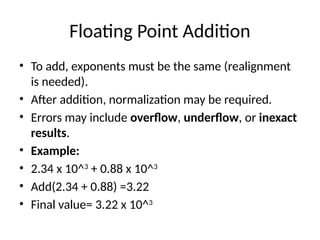
•To add, exponents must be the same (realignment
is needed).
• After addition, normalization may be required.
• Errors may include overflow, underflow, or inexact
results.
• Example:
• 2.34 x 10^3
+ 0.88 x 10^3
• Add(2.34 + 0.88) =3.22
• Final value= 3.22 x 10^3
4.
Floating Point Subtraction
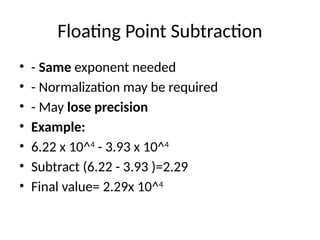
•- Same exponent needed
• - Normalization may be required
• - May lose precision
• Example:
• 6.22 x 10^4
- 3.93 x 10^4
• Subtract (6.22 - 3.93 )=2.29
• Final value= 2.29x 10^4
5.
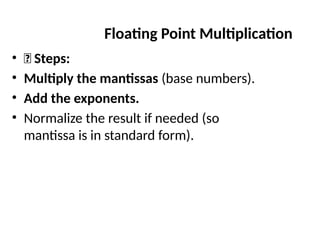
• ✅ Steps:
•Multiply the mantissas (base numbers).
• Add the exponents.
• Normalize the result if needed (so
mantissa is in standard form).
Floating Point Multiplication
6.
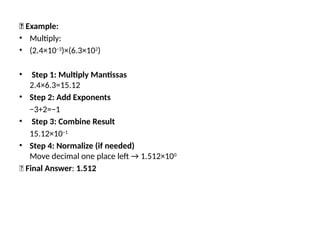
🧮 Example:
• Multiply:
•(2.4×10⁻³
)×(6.3×10²
)
• Step 1: Multiply Mantissas
2.4×6.3=15.12
• Step 2: Add Exponents
−3+2=−1
• Step 3: Combine Result
15.12×10⁻¹
• Step 4: Normalize (if needed)
Move decimal one place left → 1.512×100
✅ Final Answer: 1.512
7.
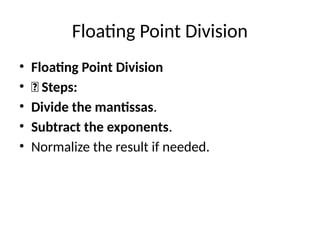
Floating Point Division
•Floating Point Division
• ✅ Steps:
• Divide the mantissas.
• Subtract the exponents.
• Normalize the result if needed.
⚠️Common Errors inFloating Point
Multiplication/Division
• Overflow: Result too large to represent
• Underflow: Result too small (close to zero)
• Loss of Precision: Due to limited number of
bits for mantissa
• Incorrect Normalization: Not adjusting
decimal position properly
10.
The bitwise operators
•Java defines several bitwise operators, which can
be applied to the integer types: long, int, short,
and byte. Bitwise operator works on bits and
performs bit-by-bit operation.
• There are following 4 bitwise operators:
• Bitwise AND(&)
• Bitwise OR(|)
• Bitwise XOR(^)
• Bitwise Compliment(~)
11.
Binary AND
Binary ANDOperator copies a bit to the result if it exists in both
operands. Recall logical And(&&) operation.
Assume integer variable a holds 60 and variable b holds 13 then:
• Now in binary format they will be as follows:
• a = 0011 1100
• b = 0000 1101
(a & b) will give 12 which is 00001100.
• Let us understand……how?
12.
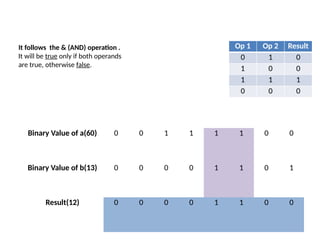
It follows the& (AND) operation .
It will be true only if both operands
are true, otherwise false.
Binary Value of a(60) 0 0 1 1 1 1 0 0
Binary Value of b(13) 0 0 0 0 1 1 0 1
Result(12) 0 0 0 0 1 1 0 0
Op 1 Op 2 Result
0 1 0
1 0 0
1 1 1
0 0 0
13.
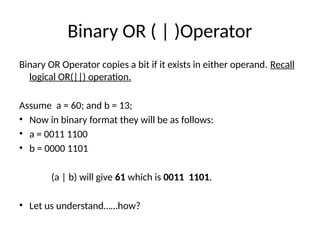
Binary OR (| )Operator
Binary OR Operator copies a bit if it exists in either operand. Recall
logical OR(||) operation.
Assume a = 60; and b = 13;
• Now in binary format they will be as follows:
• a = 0011 1100
• b = 0000 1101
(a | b) will give 61 which is 0011 1101.
• Let us understand……how?
14.
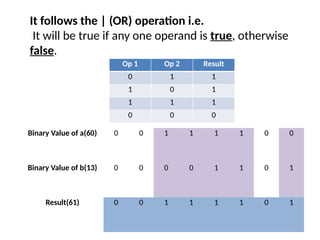
Binary Value ofa(60) 0 0 1 1 1 1 0 0
Binary Value of b(13) 0 0 0 0 1 1 0 1
Result(61) 0 0 1 1 1 1 0 1
It follows the | (OR) operation i.e.
It will be true if any one operand is true, otherwise
false.
Op 1 Op 2 Result
0 1 1
1 0 1
1 1 1
0 0 0
15.
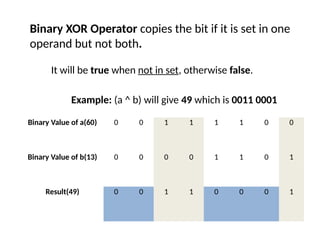
Binary XOR Operatorcopies the bit if it is set in one
operand but not both.
Binary Value of a(60) 0 0 1 1 1 1 0 0
Binary Value of b(13) 0 0 0 0 1 1 0 1
Result(49) 0 0 1 1 0 0 0 1
It will be true when not in set, otherwise false.
Example: (a ^ b) will give 49 which is 0011 0001
16.
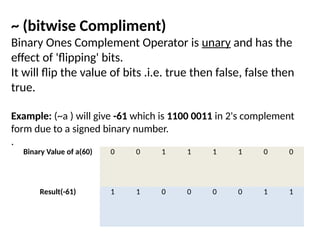
~ (bitwise Compliment)
BinaryOnes Complement Operator is unary and has the
effect of 'flipping' bits.
It will flip the value of bits .i.e. true then false, false then
true.
Example: (~a ) will give -61 which is 1100 0011 in 2's complement
form due to a signed binary number.
.
Binary Value of a(60) 0 0 1 1 1 1 0 0
Result(-61) 1 1 0 0 0 0 1 1
17.
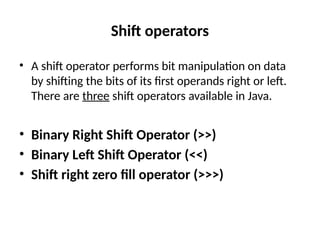
Shift operators
• Ashift operator performs bit manipulation on data
by shifting the bits of its first operands right or left.
There are three shift operators available in Java.
• Binary Right Shift Operator (>>)
• Binary Left Shift Operator (<<)
• Shift right zero fill operator (>>>)
18.
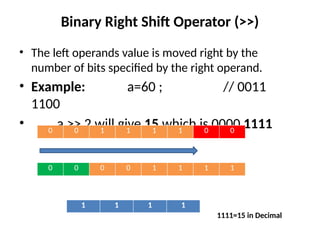
Binary Right ShiftOperator (>>)
• The left operands value is moved right by the
number of bits specified by the right operand.
• Example: a=60 ; // 0011
1100
• a >> 2 will give 15 which is 0000 1111
0 0 1 1 1 1 0 0
0 0 0 0 1 1 1 1
1 1 1 1
1111=15 in Decimal
19.
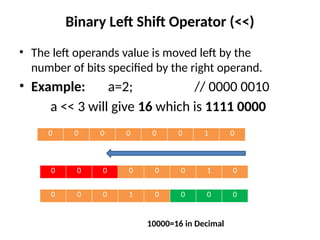
Binary Left ShiftOperator (<<)
• The left operands value is moved left by the
number of bits specified by the right operand.
• Example: a=2; // 0000 0010
a << 3 will give 16 which is 1111 0000
0 0 0 0 0 0 1 0
0 0 0 0 0 0 1 0
0 0 0 1 0 0 0 0
10000=16 in Decimal
20.
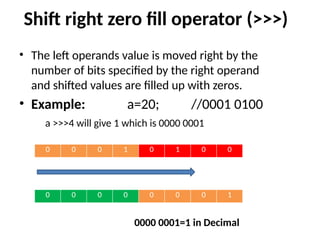
Shift right zerofill operator (>>>)
• The left operands value is moved right by the
number of bits specified by the right operand
and shifted values are filled up with zeros.
• Example: a=20; //0001 0100
a >>>4 will give 1 which is 0000 0001
0 0 0 1 0 1 0 0
0 0 0 0 0 0 0 1
0000 0001=1 in Decimal
21.
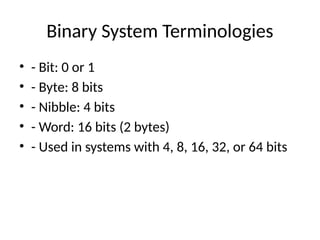
Binary System Terminologies
•- Bit: 0 or 1
• - Byte: 8 bits
• - Nibble: 4 bits
• - Word: 16 bits (2 bytes)
• - Used in systems with 4, 8, 16, 32, or 64 bits
22.
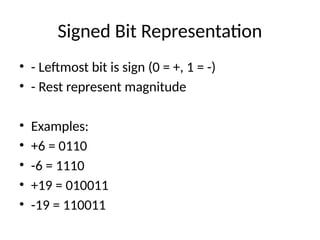
Signed Bit Representation
•- Leftmost bit is sign (0 = +, 1 = -)
• - Rest represent magnitude
• Examples:
• +6 = 0110
• -6 = 1110
• +19 = 010011
• -19 = 110011