Card Sorting!
Information Architecture: from
the customers point of view!
By Rick Barron!
              1
Card sorting...what is it?!


             2
Card sorting is a useful
tool to determine...!


            3
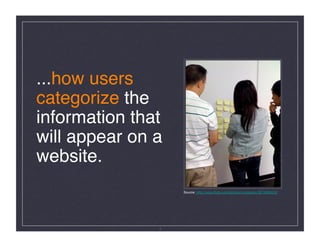
...how users
categorize the
information that
will appear on a
website. 
                    Source: http://www.flickr.com/photos/nicolebliss/3674690426/


               4
“card sort” comes from using
simple index cards with a word
or phrase written on one side,
and in some cases, a definition
or additional information on the
reverse side. !

                5
2 types of card sort exercises   !


               6
Open Card Sort #1!
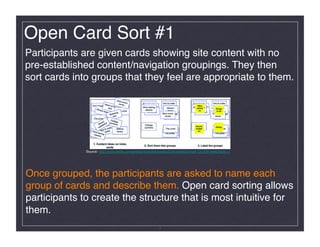
Participants are given cards showing site content with no
pre-established content/navigation groupings. They then
sort cards into groups that they feel are appropriate to them. !


              Source: http://www.flickr.com/photos/rosenfeldmedia/3344343842/in/set-72157614992193511/


Once grouped, the participants are asked to name each
group of cards and describe them. Open card sorting allows
participants to create the structure that is most intuitive for
them. !
                                                          7
Closed Card Sort #2!
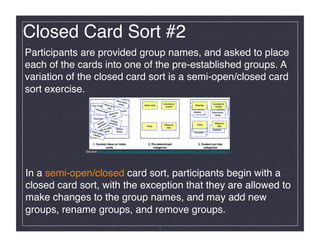
Participants are provided group names, and asked to place
each of the cards into one of the pre-established groups. A
variation of the closed card sort is a semi-open/closed card
sort exercise.!


             Source: http://www.flickr.com/photos/rosenfeldmedia/3344341528/in/set-72157614992193511/


In a semi-open/closed card sort, participants begin with a
closed card sort, with the exception that they are allowed to
make changes to the group names, and may add new
groups, rename groups, and remove groups.!
                                                         8
Open vs Closed!


       9
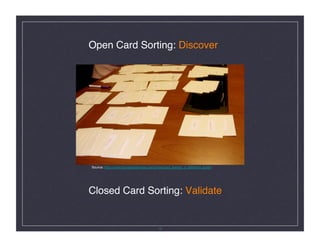
Open Card Sorting: Discover


Source: http://www.boxesandarrows.com/view/card_sorting_a_definitive_guide


Closed Card Sorting: Validate


                                        10
Listen carefully!


        11
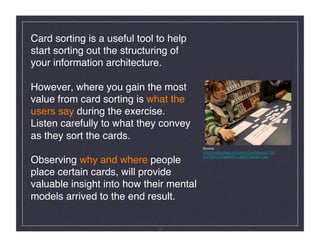
Card sorting is a useful tool to help
start sorting out the structuring of
your information architecture. 


However, where you gain the most
value from card sorting is what the
users say during the exercise. 

Listen carefully to what they convey
as they sort the cards.

                                         Source:
                                         http://media.share.ovi.com/m1/extralarge/0709/
                                         bc47863d752e4863911af59255aacbc7.jpg
Observing why and where people
place certain cards, will provide
valuable insight into how their mental
models arrived to the end result. !


                              12
Preparation!


     13
Selecting Participants


✔ Select end-users...not stake holders of the website 


✔ Determine needs from ʻactual usersʼ


✔ If individual testing, 7-10 is a good sampling


✔ If groups, rule of thumb is 5 groups of 3 participants 

   per group


                            14
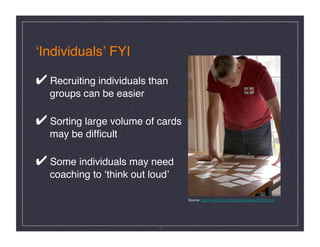
ʻIndividualsʼ FYI


✔ Recruiting individuals than 

   groups can be easier 


✔ Sorting large volume of cards 

   may be difficult


✔ Some individuals may need 

   coaching to ʻthink out loudʼ


                                    Source: http://www.flickr.com/photos/yandle/907943014/


                             15
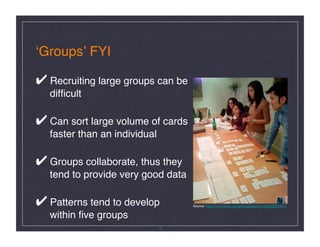
ʻGroupsʼ FYI


✔ Recruiting large groups can be      

   difficult 


✔ Can sort large volume of cards 

   faster than an individual


✔ Groups collaborate, thus they 

   tend to provide very good data


✔ Patterns tend to develop
           Source: http://www.flickr.com/photos/jbarahona/2033061941/


   within five groups

                                16
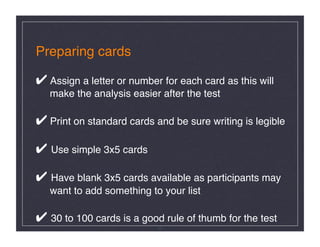
Preparing cards


✔ Assign a letter or number for each card as this will 

   make the analysis easier after the test 


✔ Print on standard cards and be sure writing is legible


✔ Use simple 3x5 cards


✔ Have blank 3x5 cards available as participants may

   want to add something to your list


✔ 30 to 100 cards is a good rule of thumb for the test!
                            17
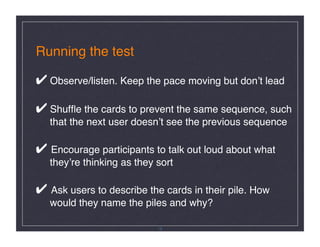
Running the test


✔ Observe/listen. Keep the pace moving but donʼt lead


✔ Shuffle the cards to prevent the same sequence, such

   that the next user doesnʼt see the previous sequence


✔ Encourage participants to talk out loud about what 

   theyʼre thinking as they sort 


✔ Ask users to describe the cards in their pile. How

   would they name the piles and why?!

                             18
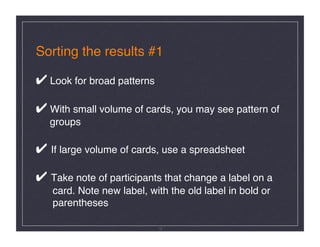
Sorting the results #1


✔ Look for broad patterns


✔ With small volume of cards, you may see pattern of

   groups


✔ If large volume of cards, use a spreadsheet


✔ Take note of participants that change a label on a      

   card. Note new label, with the old label in bold or

   parentheses !

                             19
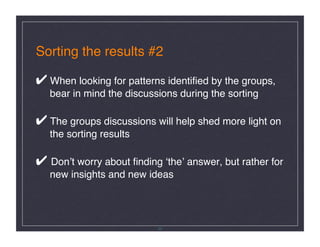
Sorting the results #2


✔ When looking for patterns identified by the groups,

   bear in mind the discussions during the sorting


✔ The groups discussions will help shed more light on

   the sorting results


✔ Donʼt worry about finding ʻtheʼ answer, but rather for 

   new insights and new ideas


                           20
Pattern results will call out: 


✔ Areas of content that wasnʼt clear in meaning to     

   the participants 


✔ Content that could fall into more than one area 


✔ Alternative titles that would link to the content


✔ How various types of groups see the information


                             21
Card Sorting

 +ʼs and -ʼs!


      22
The +ʼs for card
sorting are...!


        23
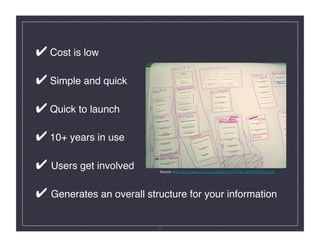
✔ Cost is low


✔ Simple and quick


✔ Quick to launch


✔ 10+ years in use


✔ Users get involved
       Source: http://farm4.static.flickr.com/3052/2711017468_0bf51904ff.jpg?v=0


✔ Generates an overall structure for your information!

                           24
The -ʼs for card
sorting are...!


        25
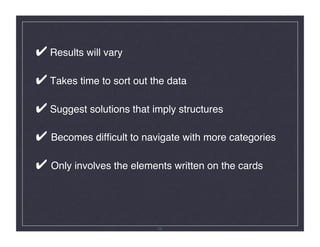
✔ Results will vary


✔ Takes time to sort out the data


✔ Suggest solutions that imply structures


✔ Becomes difficult to navigate with more categories


✔ Only involves the elements written on the cards!


                           26
Why use card sorting?!


          27
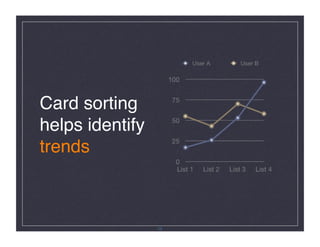
Card sorting
helps identify
trends!


                 28
Trends such as:


- Are there similarities in what users are needing?


- Is there a need to group information, say by 

  process, subject, type of information, or business group?


- How many main categories are derived from the test? 


                             29
Few Take Aways!


       30
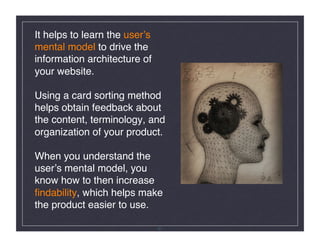
It helps to learn the userʼs
mental model to drive the
information architecture of
your website. 


Using a card sorting method
helps obtain feedback about
the content, terminology, and
organization of your product.


When you understand the
userʼs mental model, you
know how to then increase
findability, which helps make
the product easier to use.!

                               31
Card sorting is a user-centered,
formative technique, thus itʼs
best used when...!


               32
✔ Youʼre planning to design a brand new site


✔ Designing a new area of the site


✔ Tackling the redesign of an entire site


✔ Investigate what your customers identify as a need


✔ Content audit/inventory or detailed content list (for 

   a new site). For an existing site, it is crucial that the

   content inventory is examined carefully to include 

   only content that is needed by users


                              33
Recommendation!


            34

Rick Barron: Card Sorting

  • 1.
    Card Sorting! Information Architecture:from the customers point of view! By Rick Barron! 1
  • 2.
  • 3.
    Card sorting isa useful tool to determine...! 3
  • 4.
    ...how users categorize the informationthat will appear on a website. Source: http://www.flickr.com/photos/nicolebliss/3674690426/ 4
  • 5.
    “card sort” comesfrom using simple index cards with a word or phrase written on one side, and in some cases, a definition or additional information on the reverse side. ! 5
  • 6.
    2 types ofcard sort exercises ! 6
  • 7.
    Open Card Sort#1! Participants are given cards showing site content with no pre-established content/navigation groupings. They then sort cards into groups that they feel are appropriate to them. ! Source: http://www.flickr.com/photos/rosenfeldmedia/3344343842/in/set-72157614992193511/ Once grouped, the participants are asked to name each group of cards and describe them. Open card sorting allows participants to create the structure that is most intuitive for them. ! 7
  • 8.
    Closed Card Sort#2! Participants are provided group names, and asked to place each of the cards into one of the pre-established groups. A variation of the closed card sort is a semi-open/closed card sort exercise.! Source: http://www.flickr.com/photos/rosenfeldmedia/3344341528/in/set-72157614992193511/ In a semi-open/closed card sort, participants begin with a closed card sort, with the exception that they are allowed to make changes to the group names, and may add new groups, rename groups, and remove groups.! 8
  • 9.
  • 10.
    Open Card Sorting:Discover
 Source: http://www.boxesandarrows.com/view/card_sorting_a_definitive_guide Closed Card Sorting: Validate
 10
  • 11.
  • 12.
    Card sorting isa useful tool to help start sorting out the structuring of your information architecture. 
 However, where you gain the most value from card sorting is what the users say during the exercise. 
 Listen carefully to what they convey as they sort the cards.
 Source: http://media.share.ovi.com/m1/extralarge/0709/ bc47863d752e4863911af59255aacbc7.jpg Observing why and where people place certain cards, will provide valuable insight into how their mental models arrived to the end result. ! 12
  • 13.
  • 14.
    Selecting Participants
 ✔ Selectend-users...not stake holders of the website 
 ✔ Determine needs from ʻactual usersʼ
 ✔ If individual testing, 7-10 is a good sampling
 ✔ If groups, rule of thumb is 5 groups of 3 participants 
 per group
 14
  • 15.
    ʻIndividualsʼ FYI
 ✔ Recruitingindividuals than 
 groups can be easier 
 ✔ Sorting large volume of cards 
 may be difficult
 ✔ Some individuals may need 
 coaching to ʻthink out loudʼ
 Source: http://www.flickr.com/photos/yandle/907943014/ 15
  • 16.
    ʻGroupsʼ FYI
 ✔ Recruitinglarge groups can be 
 difficult 
 ✔ Can sort large volume of cards 
 faster than an individual
 ✔ Groups collaborate, thus they 
 tend to provide very good data
 ✔ Patterns tend to develop
 Source: http://www.flickr.com/photos/jbarahona/2033061941/ within five groups
 16
  • 17.
    Preparing cards
 ✔ Assigna letter or number for each card as this will 
 make the analysis easier after the test 
 ✔ Print on standard cards and be sure writing is legible
 ✔ Use simple 3x5 cards
 ✔ Have blank 3x5 cards available as participants may
 want to add something to your list
 ✔ 30 to 100 cards is a good rule of thumb for the test! 17
  • 18.
    Running the test
 ✔Observe/listen. Keep the pace moving but donʼt lead
 ✔ Shuffle the cards to prevent the same sequence, such
 that the next user doesnʼt see the previous sequence
 ✔ Encourage participants to talk out loud about what 
 theyʼre thinking as they sort 
 ✔ Ask users to describe the cards in their pile. How
 would they name the piles and why?! 18
  • 19.
    Sorting the results#1
 ✔ Look for broad patterns
 ✔ With small volume of cards, you may see pattern of
 groups
 ✔ If large volume of cards, use a spreadsheet
 ✔ Take note of participants that change a label on a 
 card. Note new label, with the old label in bold or
 parentheses ! 19
  • 20.
    Sorting the results#2
 ✔ When looking for patterns identified by the groups,
 bear in mind the discussions during the sorting
 ✔ The groups discussions will help shed more light on
 the sorting results
 ✔ Donʼt worry about finding ʻtheʼ answer, but rather for 
 new insights and new ideas
 20
  • 21.
    Pattern results willcall out: 
 ✔ Areas of content that wasnʼt clear in meaning to 
 the participants 
 ✔ Content that could fall into more than one area 
 ✔ Alternative titles that would link to the content
 ✔ How various types of groups see the information
 21
  • 22.
  • 23.
    The +ʼs forcard sorting are...! 23
  • 24.
    ✔ Cost islow
 ✔ Simple and quick
 ✔ Quick to launch
 ✔ 10+ years in use
 ✔ Users get involved
 Source: http://farm4.static.flickr.com/3052/2711017468_0bf51904ff.jpg?v=0 ✔ Generates an overall structure for your information! 24
  • 25.
    The -ʼs forcard sorting are...! 25
  • 26.
    ✔ Results willvary
 ✔ Takes time to sort out the data
 ✔ Suggest solutions that imply structures
 ✔ Becomes difficult to navigate with more categories
 ✔ Only involves the elements written on the cards! 26
  • 27.
    Why use cardsorting?! 27
  • 28.
  • 29.
    Trends such as:
 -Are there similarities in what users are needing?
 - Is there a need to group information, say by 
 process, subject, type of information, or business group?
 - How many main categories are derived from the test? 
 29
  • 30.
  • 31.
    It helps tolearn the userʼs mental model to drive the information architecture of your website. 
 Using a card sorting method helps obtain feedback about the content, terminology, and organization of your product.
 When you understand the userʼs mental model, you know how to then increase findability, which helps make the product easier to use.! 31
  • 32.
    Card sorting isa user-centered, formative technique, thus itʼs best used when...! 32
  • 33.
    ✔ Youʼre planningto design a brand new site
 ✔ Designing a new area of the site
 ✔ Tackling the redesign of an entire site
 ✔ Investigate what your customers identify as a need
 ✔ Content audit/inventory or detailed content list (for 
 a new site). For an existing site, it is crucial that the
 content inventory is examined carefully to include 
 only content that is needed by users
 33
  • 34.