





Caching and tuning fun
  for high scalability


                           Wim Godden
                         Cu.be Solutions
Who am I ?
 Wim Godden (@wimgtr)
 Founder of Cu.be Solutions (http://cu.be)
 Open Source developer since 1997
 Developer of OpenX, PHPCompatibility, ...
 Speaker at PHP and Open Source conferences
Who are you ?
 Developers ?
 System/network engineers ?
 Managers ?

 Caching experience ?
Goals of this tutorial
 Everything about caching and tuning
 A few techniques
    How-to
    How-NOT-to


 → Increase reliability, performance and scalability


              5 visitors/day → 5 million visitors/day


                       (Don't expect miracle cure !)
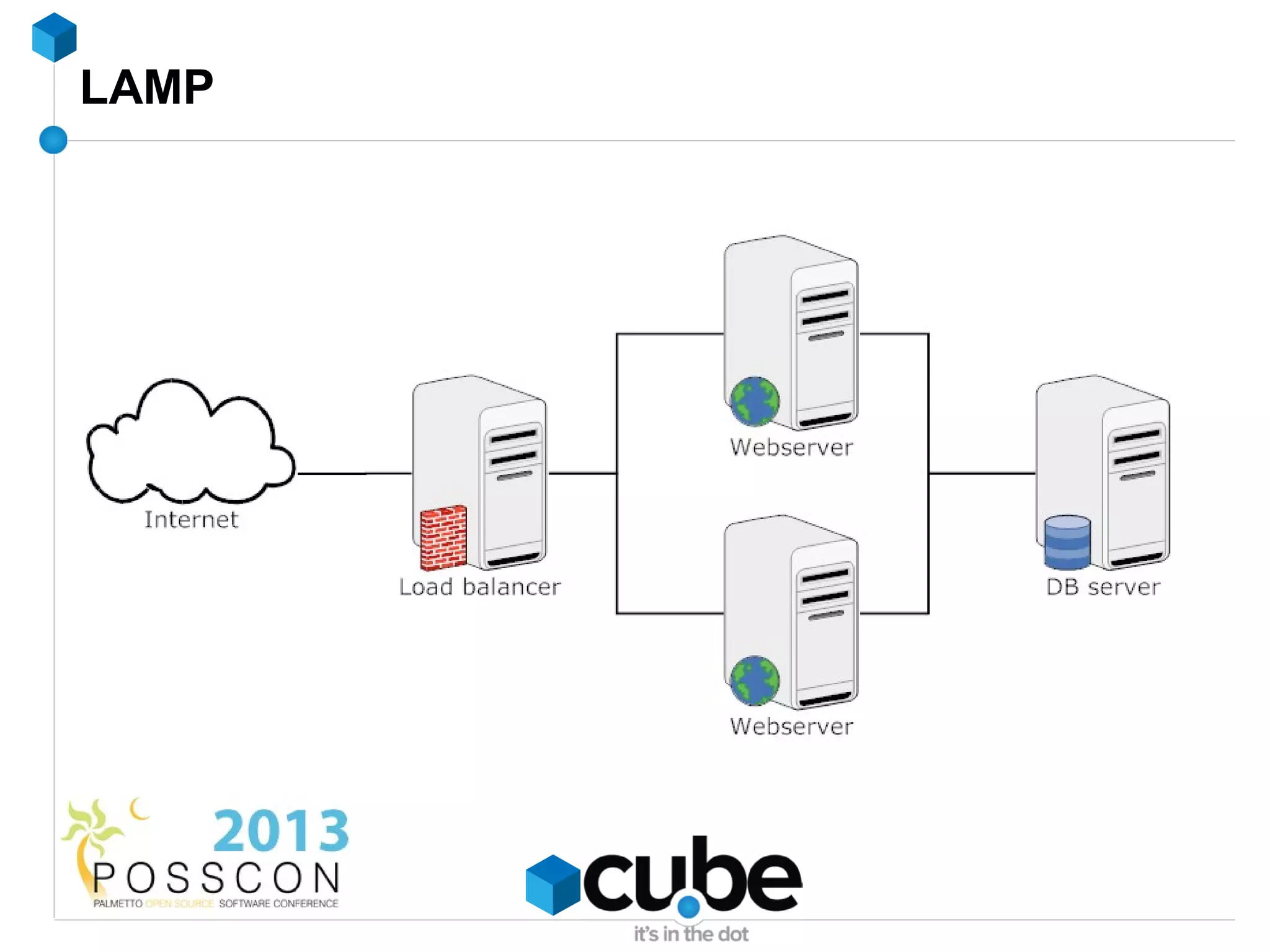
LAMP
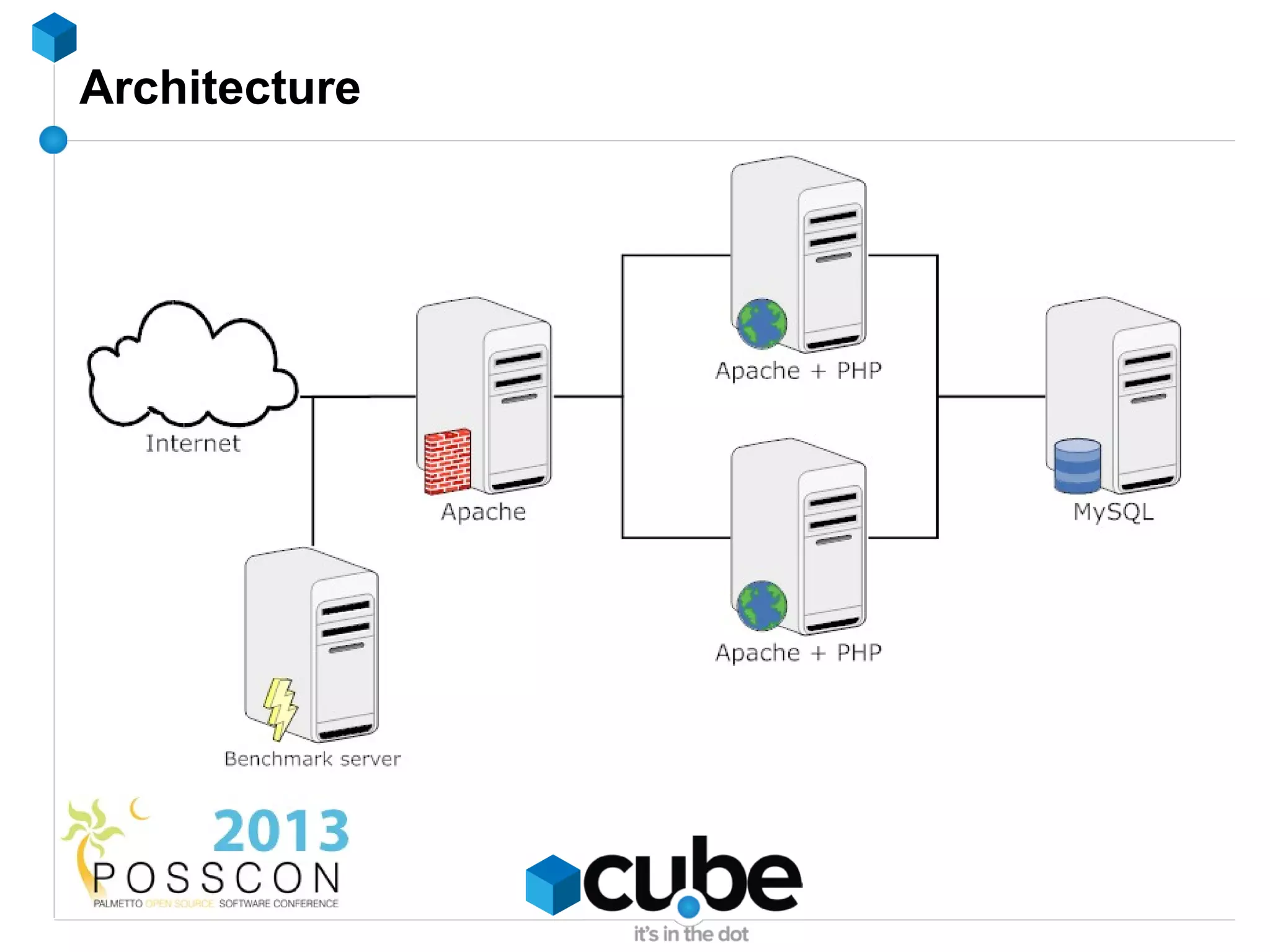
Architecture
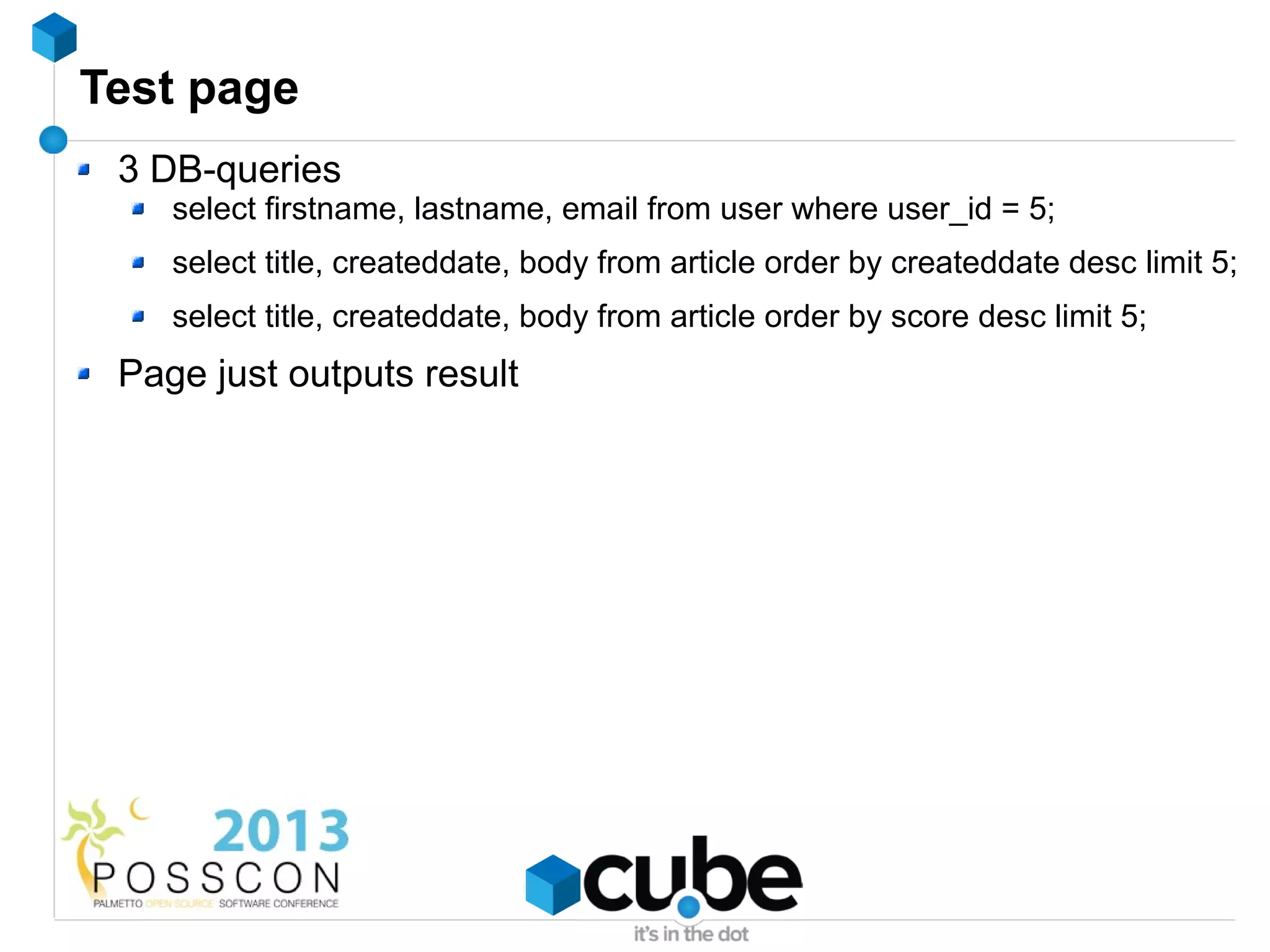
Test page
 3 DB-queries
    select firstname, lastname, email from user where user_id = 5;
    select title, createddate, body from article order by createddate desc limit 5;
    select title, createddate, body from article order by score desc limit 5;
 Page just outputs result
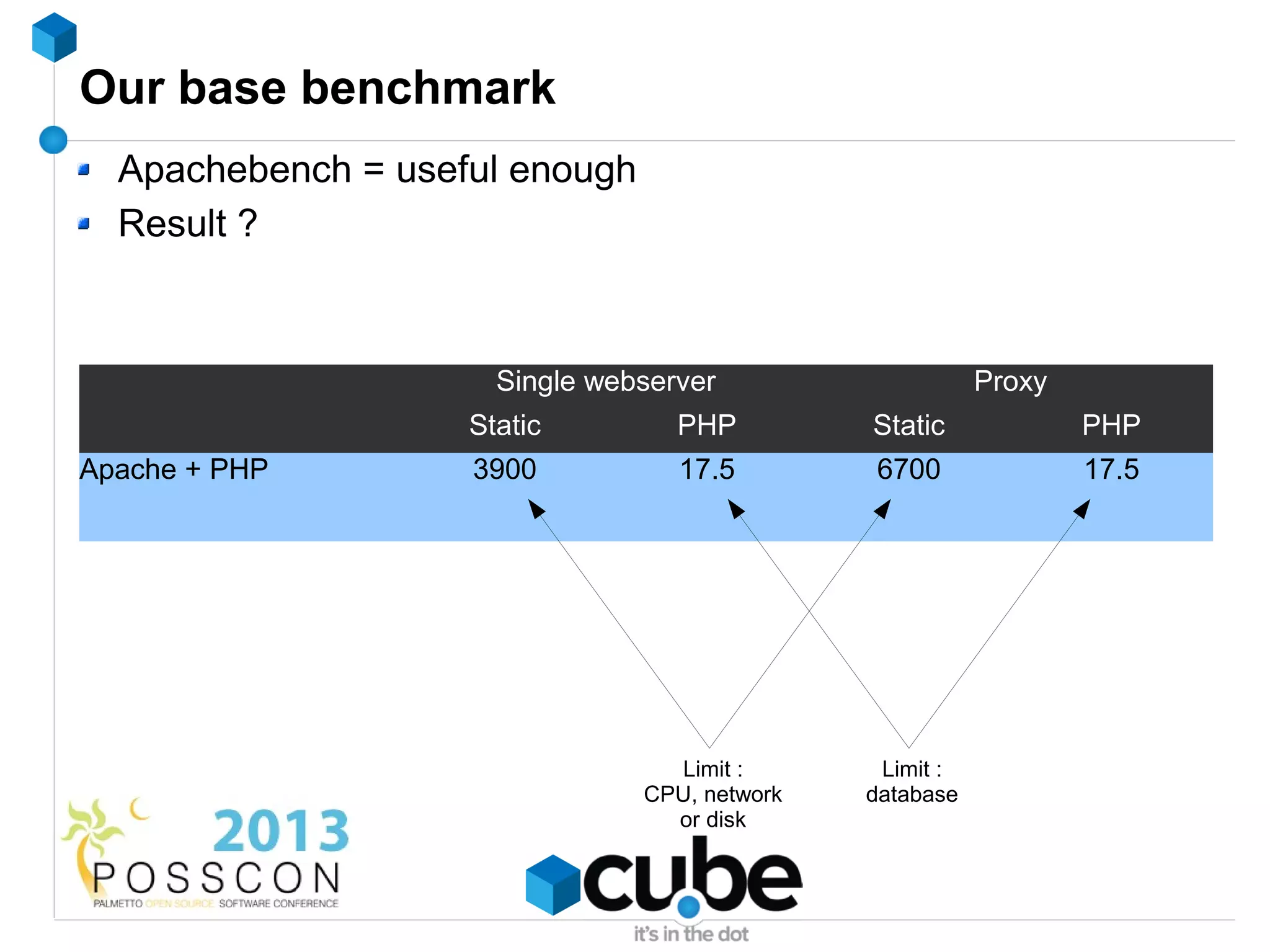
Our base benchmark
  Apachebench = useful enough
  Result ?


                      Single webserver                    Proxy
                    Static         PHP         Static             PHP
Apache + PHP        3900           17.5        6700               17.5


                                  Limit :       Limit :
                                CPU, network   database
                                  or disk
Caching
What is caching ?


                    CACHE
                     CACHE
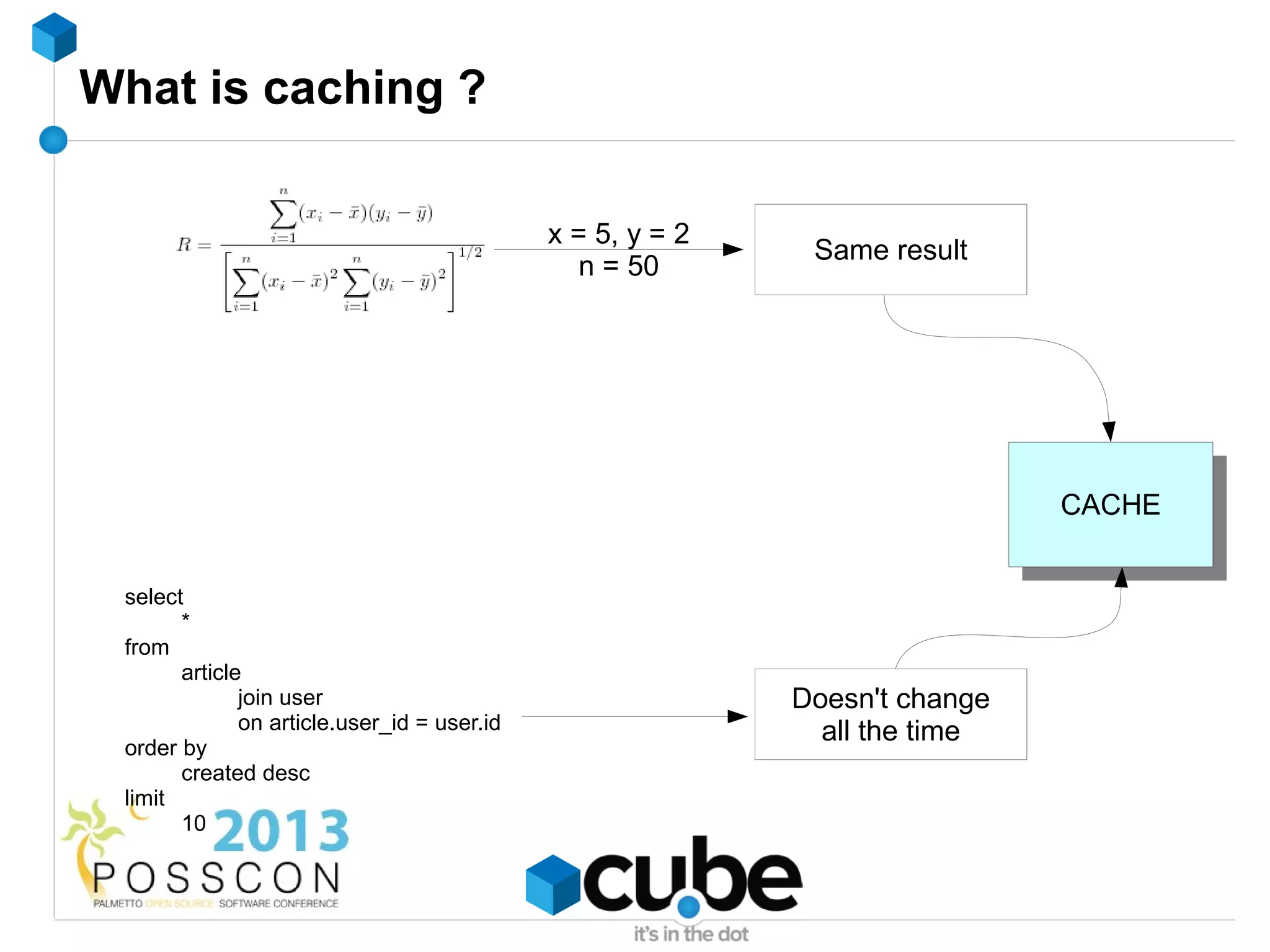
What is caching ?

                                             x = 5, y = 2
                                                             Same result
                                                n = 50


                                                                             CACHE
                                                                              CACHE

 select
       *
 from
       article
              join user                                     Doesn't change
              on article.user_id = user.id                    all the time
 order by
       created desc
 limit
       10
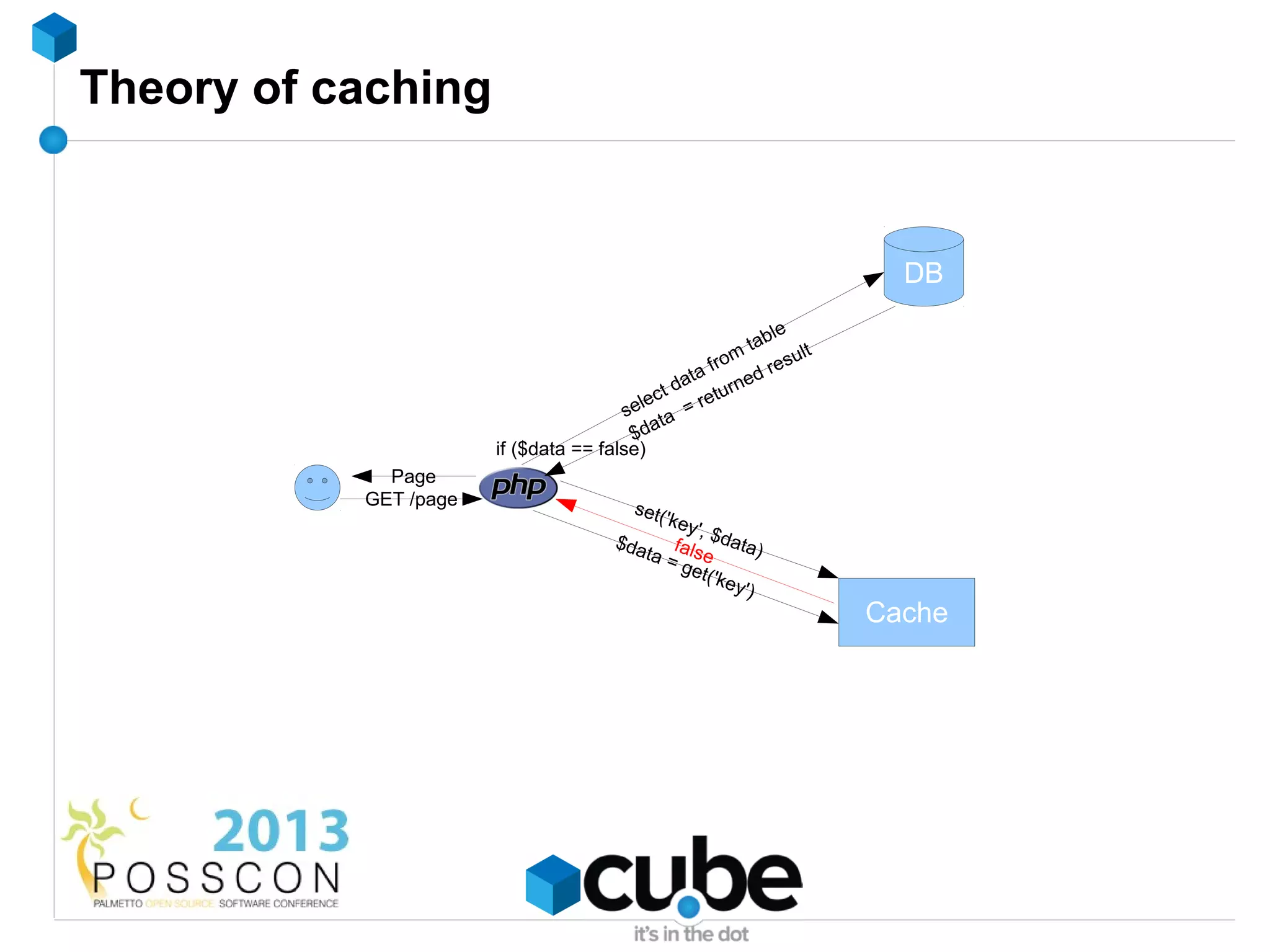
Theory of caching


                                                                          DB
                                                               le
                                                           tab
                                                     fro
                                                         m        ult
                                                  ta        d re s
                                                da turne
                                           e ct    re
                                        sel ta =
                                         $da
                       if ($data == false)
             Page
           GET /page                      set(
                                              'key
                                                  ',
                                        $da fal $data)
                                           ta = se
                                                get(
                                                     'key
                                                         ')
                                                                        Cache
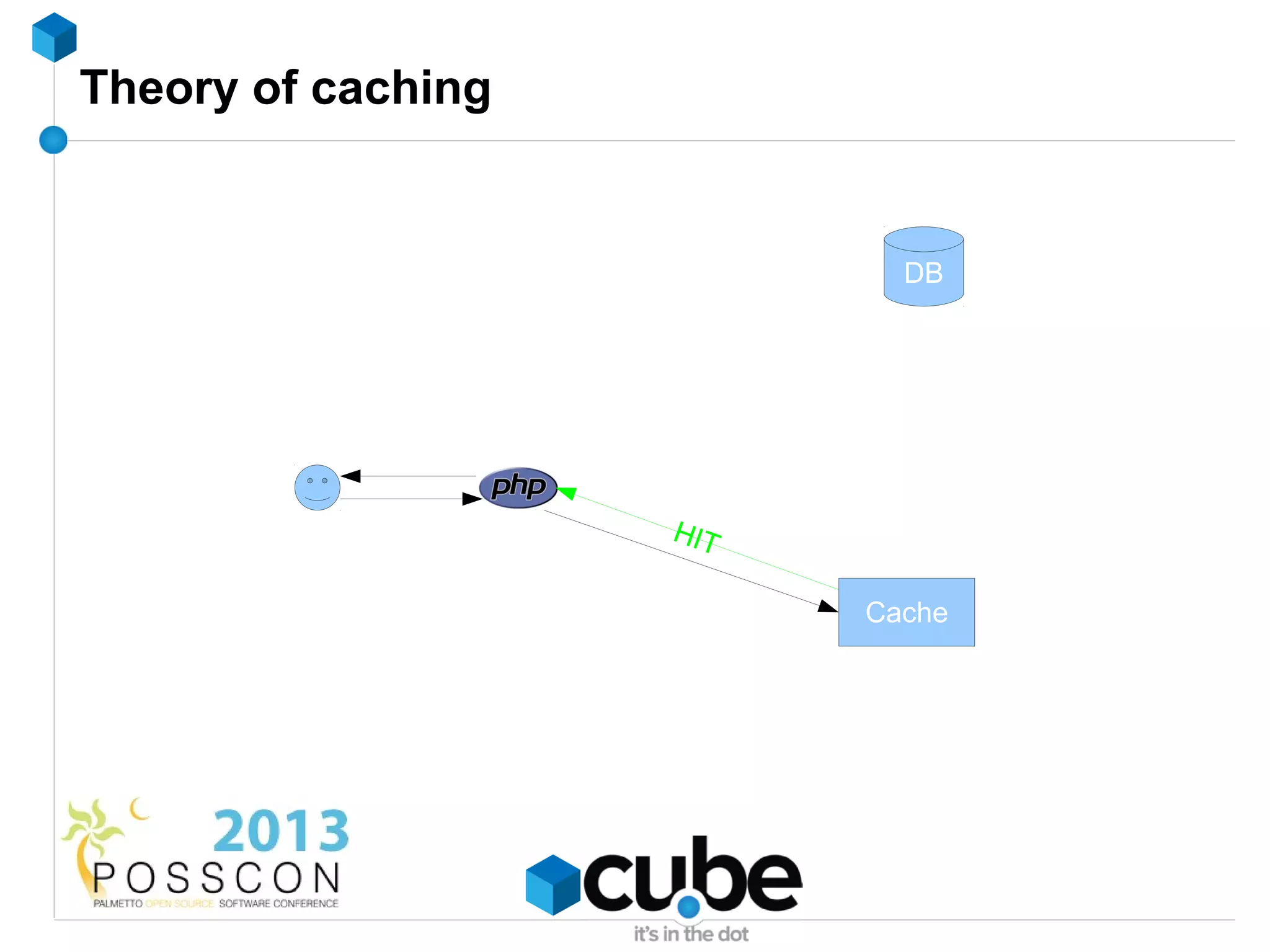
Theory of caching


                            DB


                    HIT

                          Cache
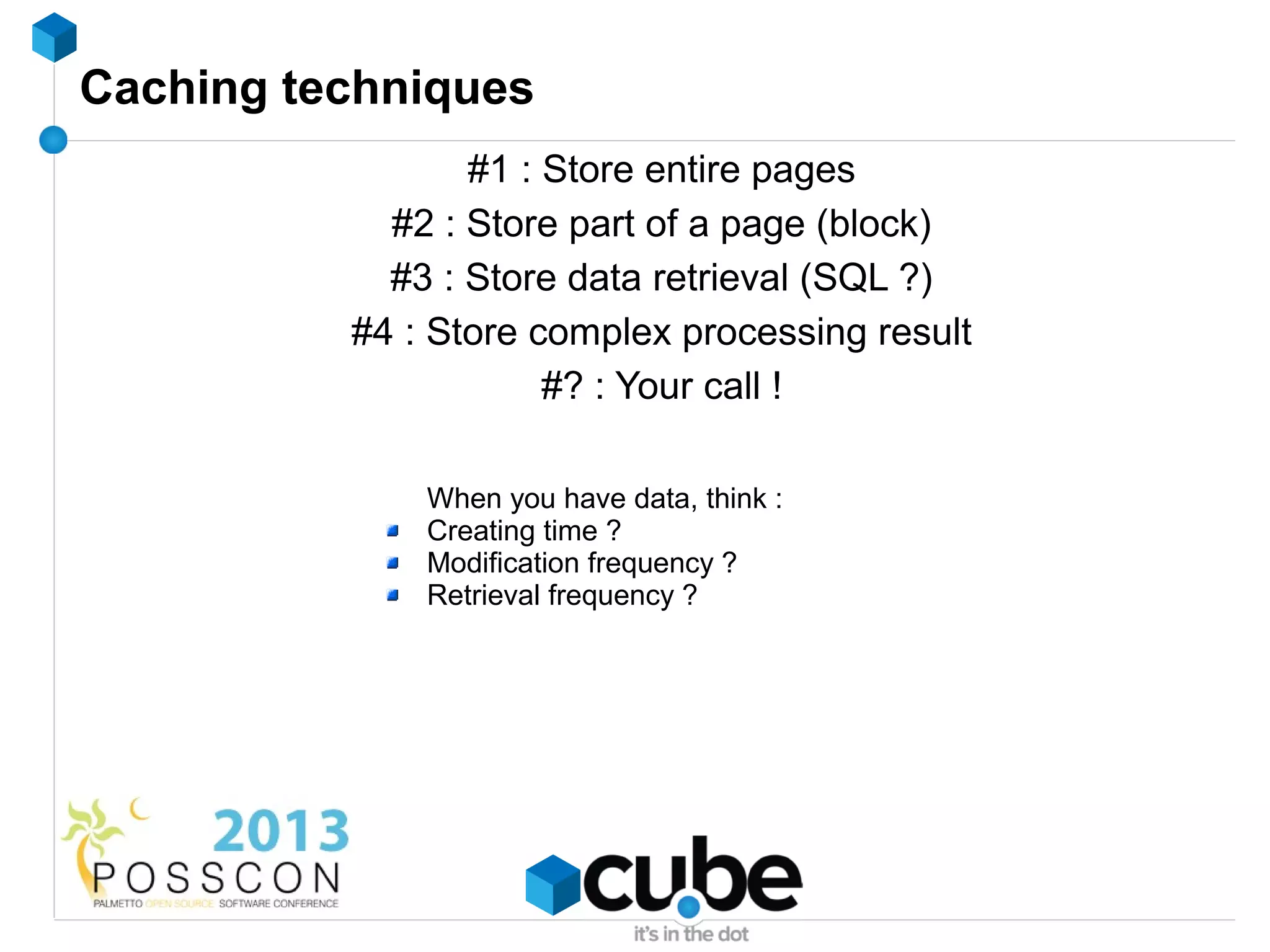
Caching techniques
                 #1 : Store entire pages
            #2 : Store part of a page (block)
            #3 : Store data retrieval (SQL ?)
          #4 : Store complex processing result
                      #? : Your call !

              When you have data, think :
              Creating time ?
              Modification frequency ?
              Retrieval frequency ?
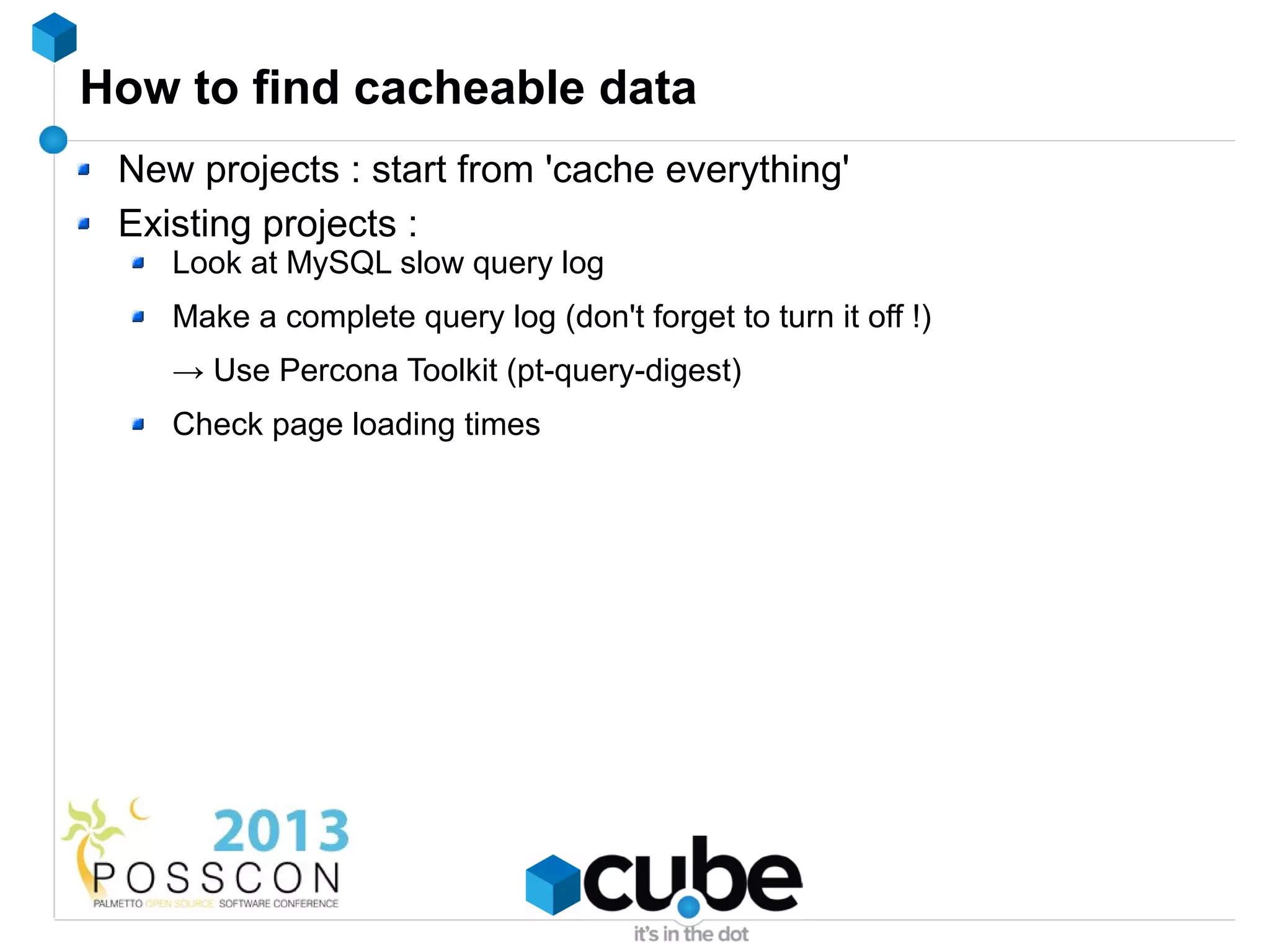
How to find cacheable data
 New projects : start from 'cache everything'
 Existing projects :
    Look at MySQL slow query log
    Make a complete query log (don't forget to turn it off !)
    → Use Percona Toolkit (pt-query-digest)
    Check page loading times
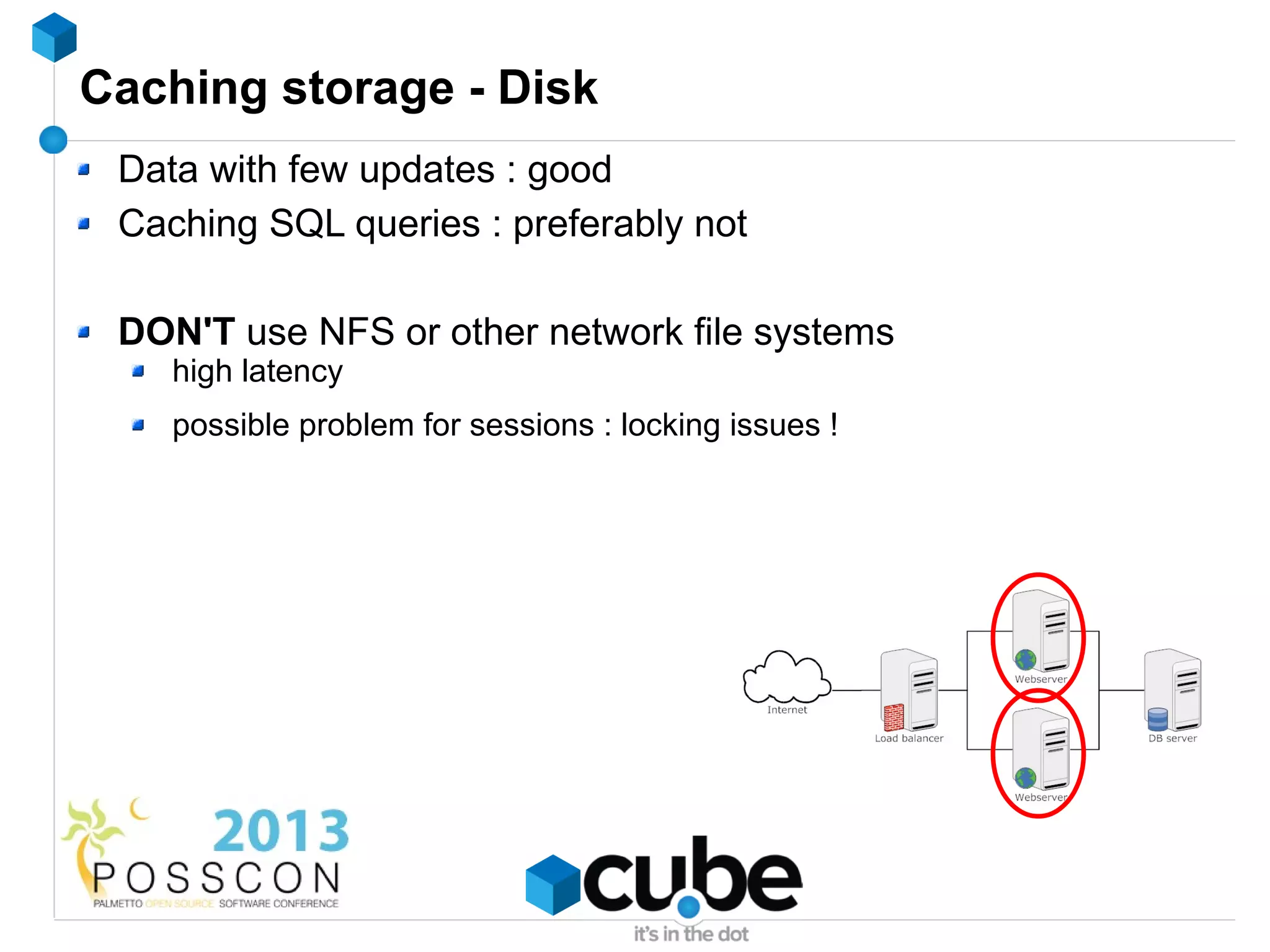
Caching storage - Disk
 Data with few updates : good
 Caching SQL queries : preferably not

 DON'T use NFS or other network file systems
    high latency
    possible problem for sessions : locking issues !
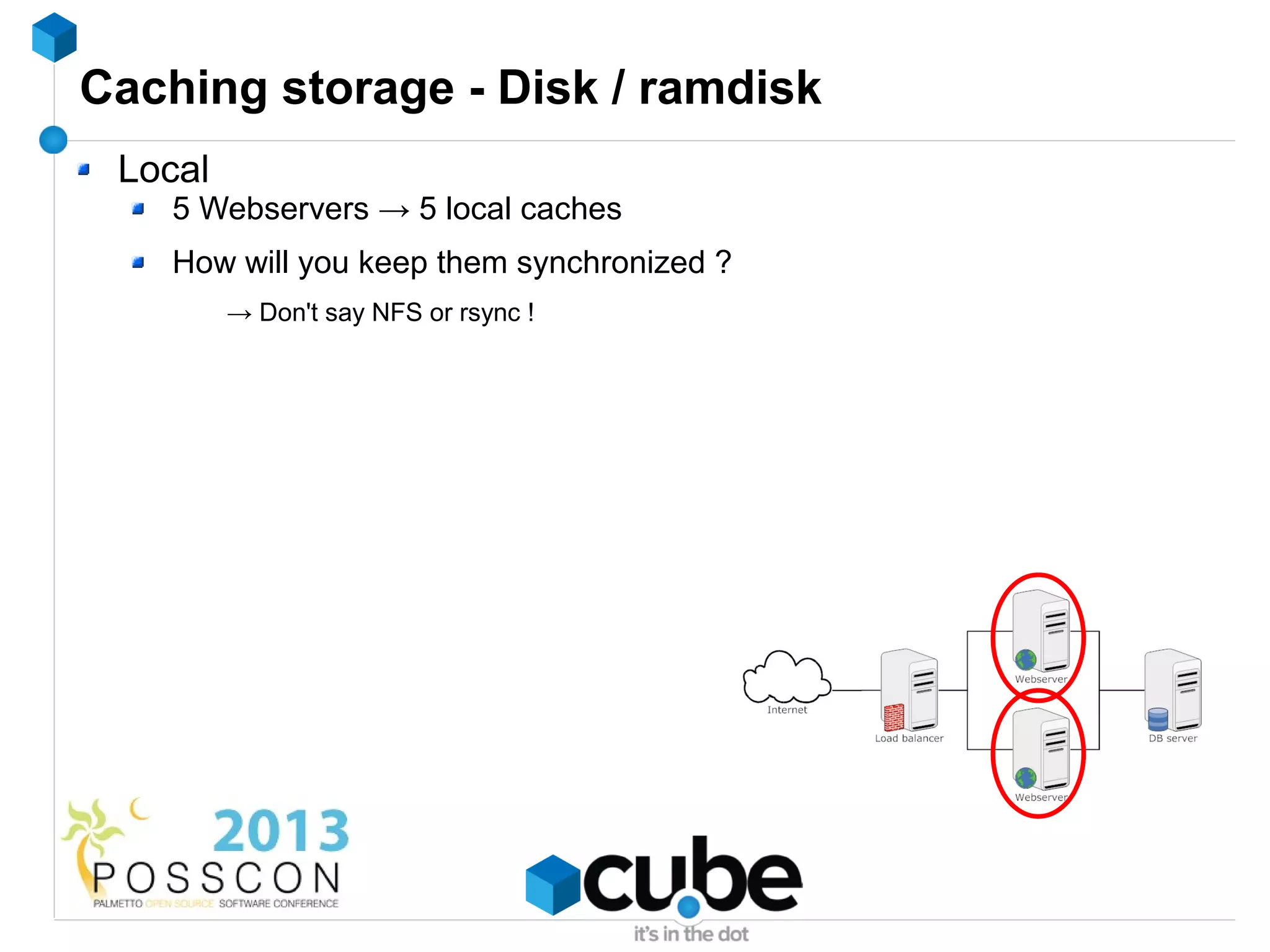
Caching storage - Disk / ramdisk
 Local
    5 Webservers → 5 local caches
    How will you keep them synchronized ?
         → Don't say NFS or rsync !
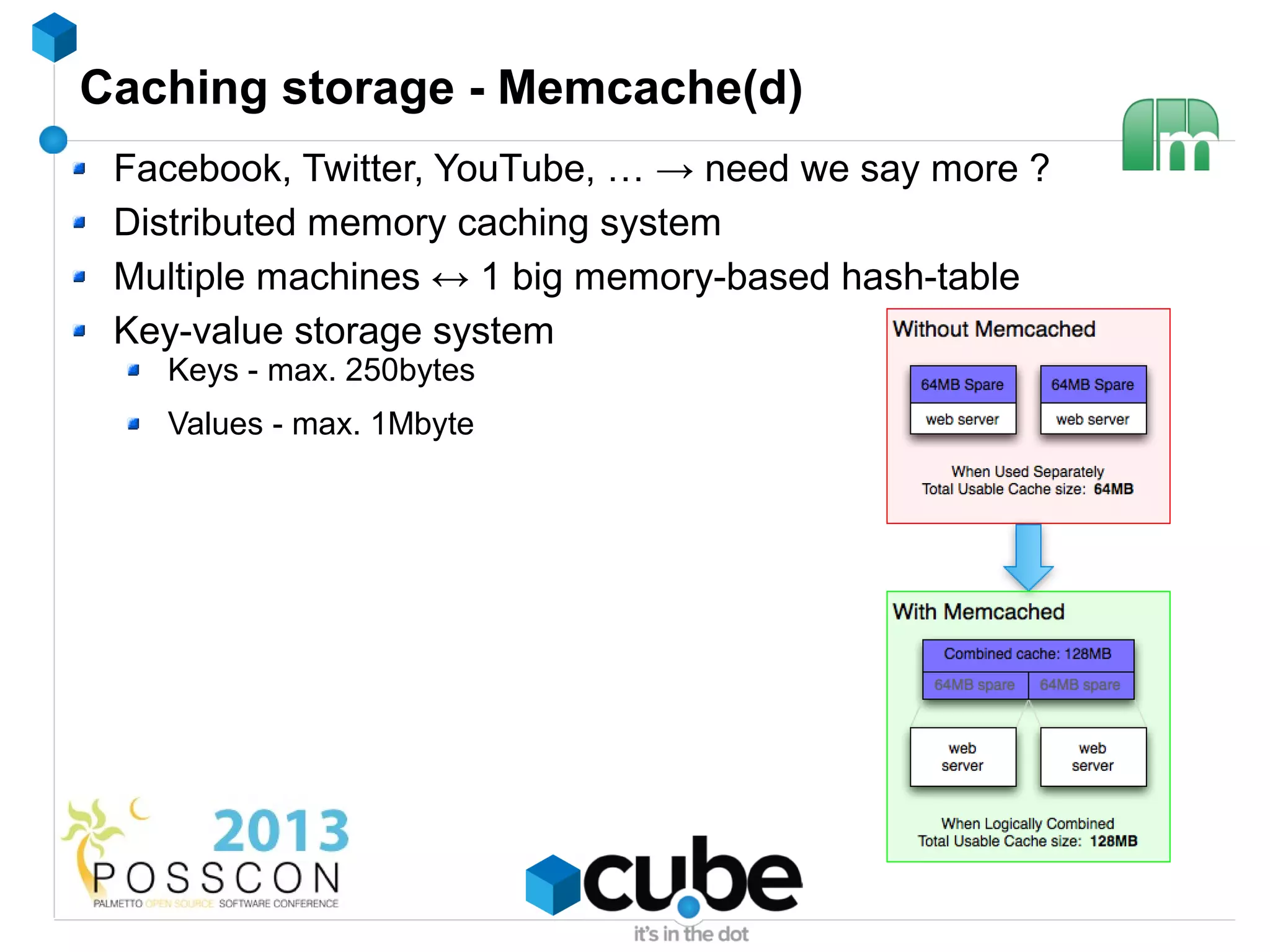
Caching storage - Memcache(d)
 Facebook, Twitter, YouTube, … → need we say more ?
 Distributed memory caching system
 Multiple machines ↔ 1 big memory-based hash-table
 Key-value storage system
   Keys - max. 250bytes
   Values - max. 1Mbyte
Caching storage - Memcache(d)
 Facebook, Twitter, YouTube, … → need we say more ?
 Distributed memory caching system
 Key-value storage system
    Keys - max. 250bytes
    Values - max. 1Mbyte
 Extremely fast... non-blocking, UDP (!)
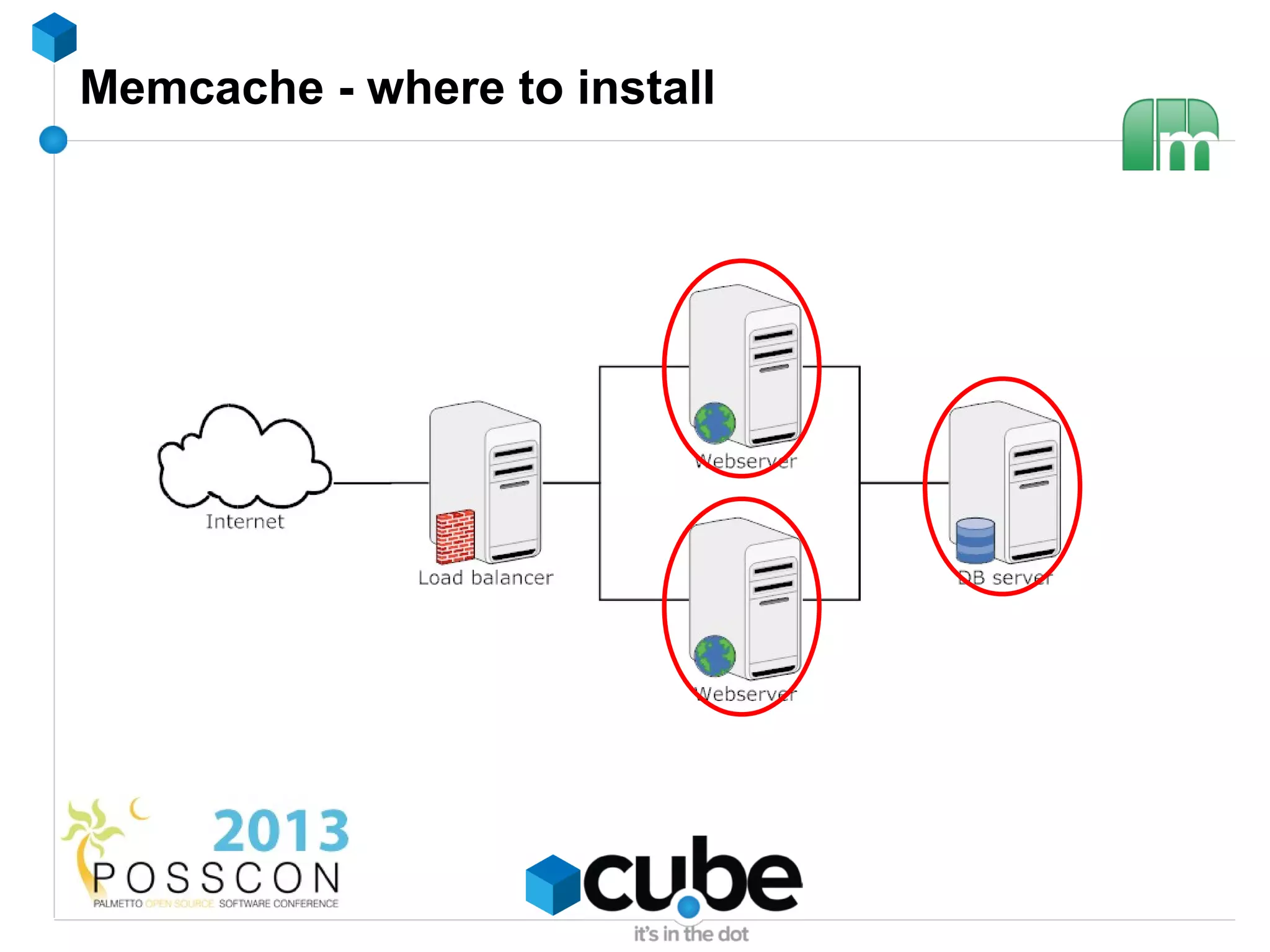
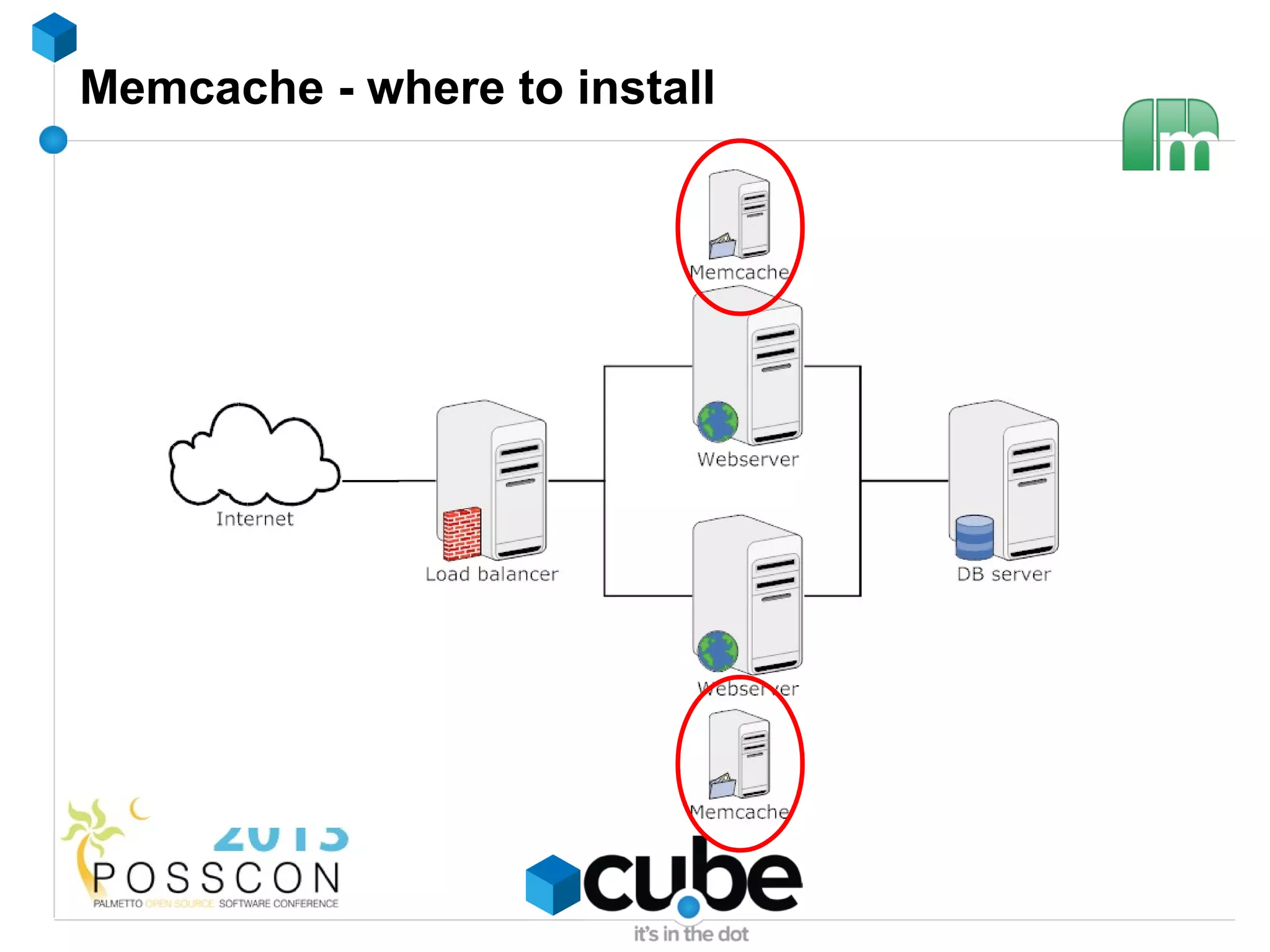
Memcache - where to install
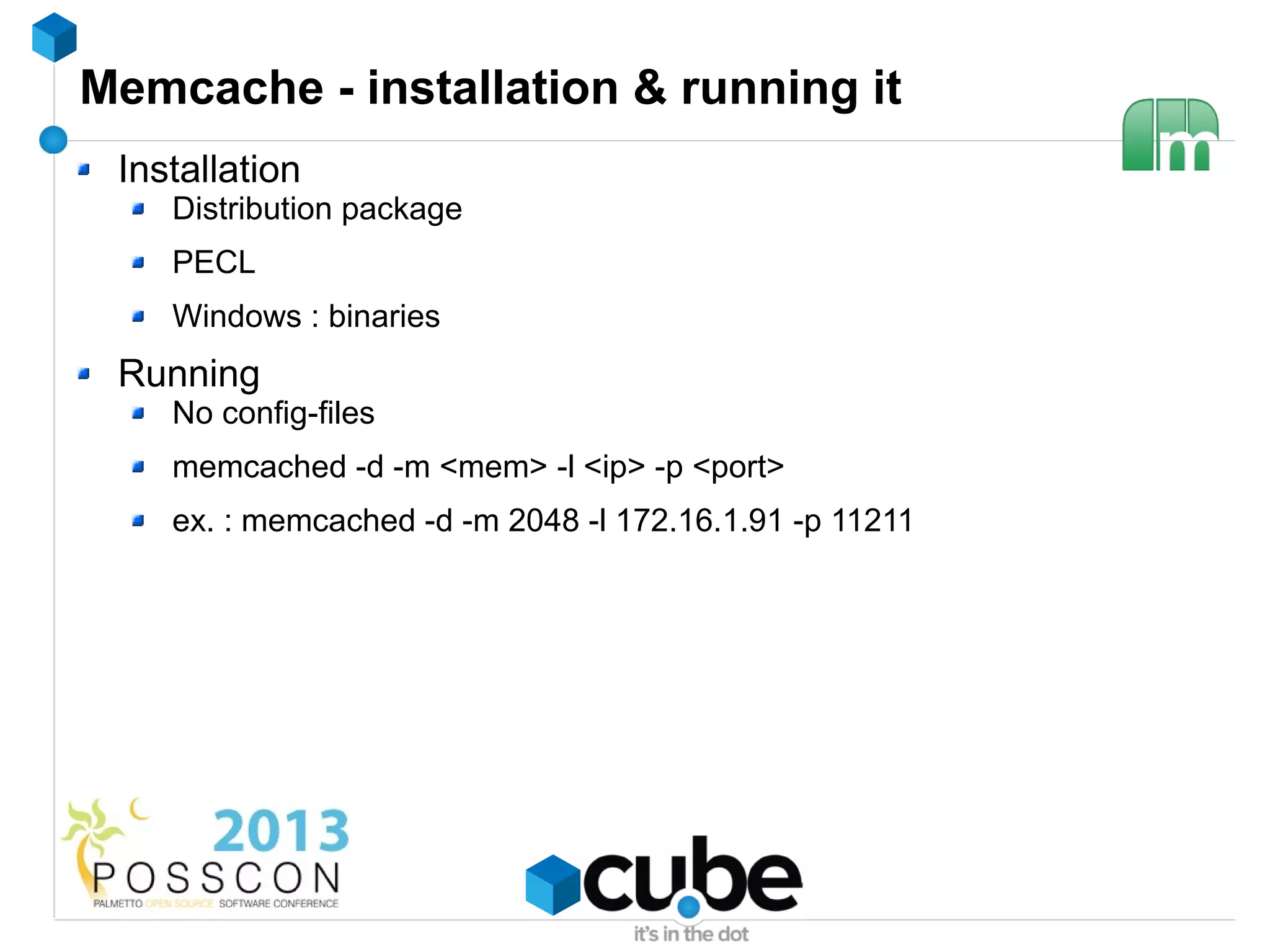
Memcache - installation & running it
 Installation
    Distribution package
    PECL
    Windows : binaries
 Running
    No config-files
    memcached -d -m <mem> -l <ip> -p <port>
    ex. : memcached -d -m 2048 -l 172.16.1.91 -p 11211
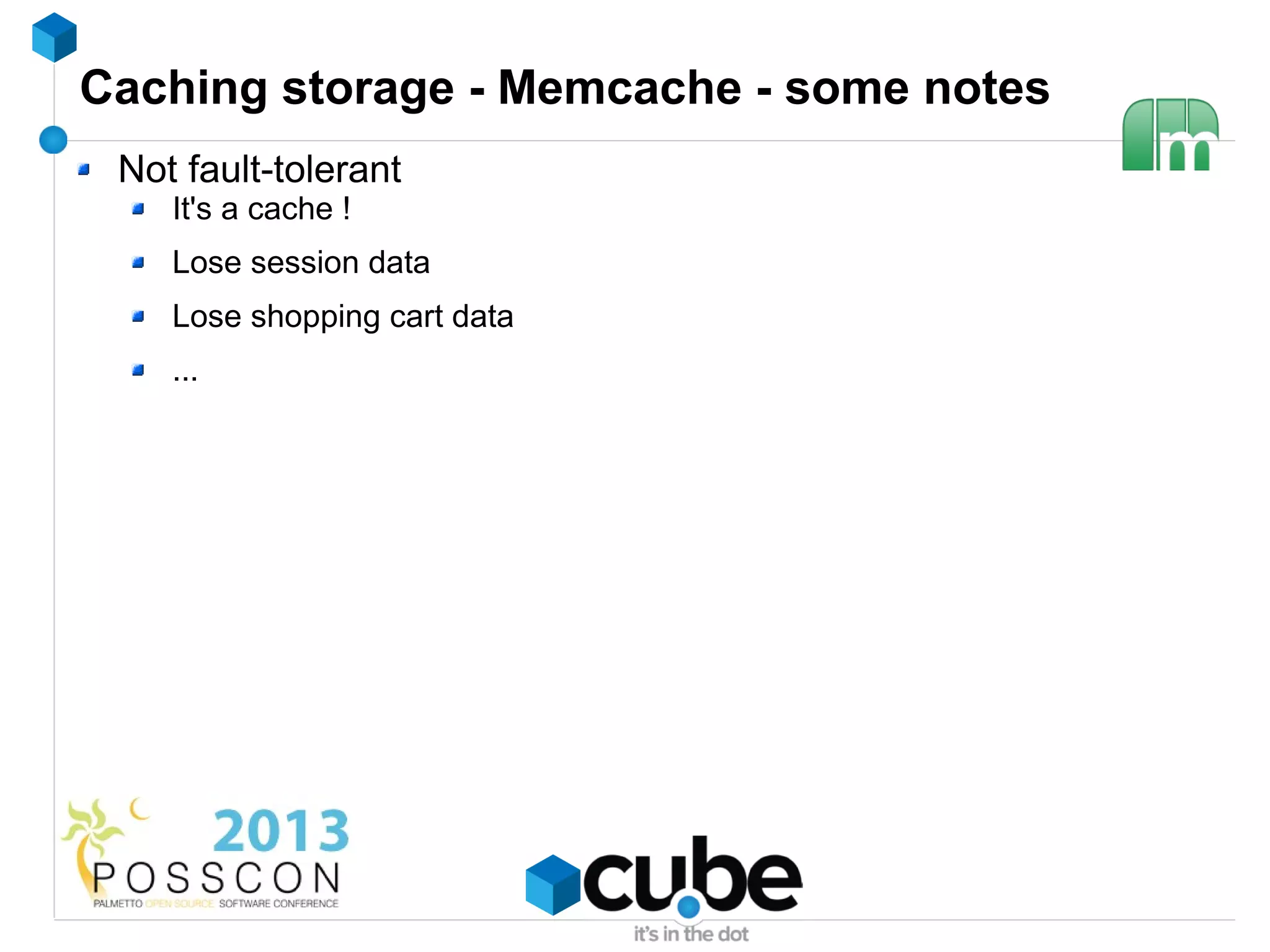
Caching storage - Memcache - some notes
 Not fault-tolerant
    It's a cache !
    Lose session data
    Lose shopping cart data
    ...
Caching storage - Memcache - some notes
 Not fault-tolerant
    It's a cache !
    Lose session data
    Lose shopping cart data
    …
 Firewall your Memcache port !
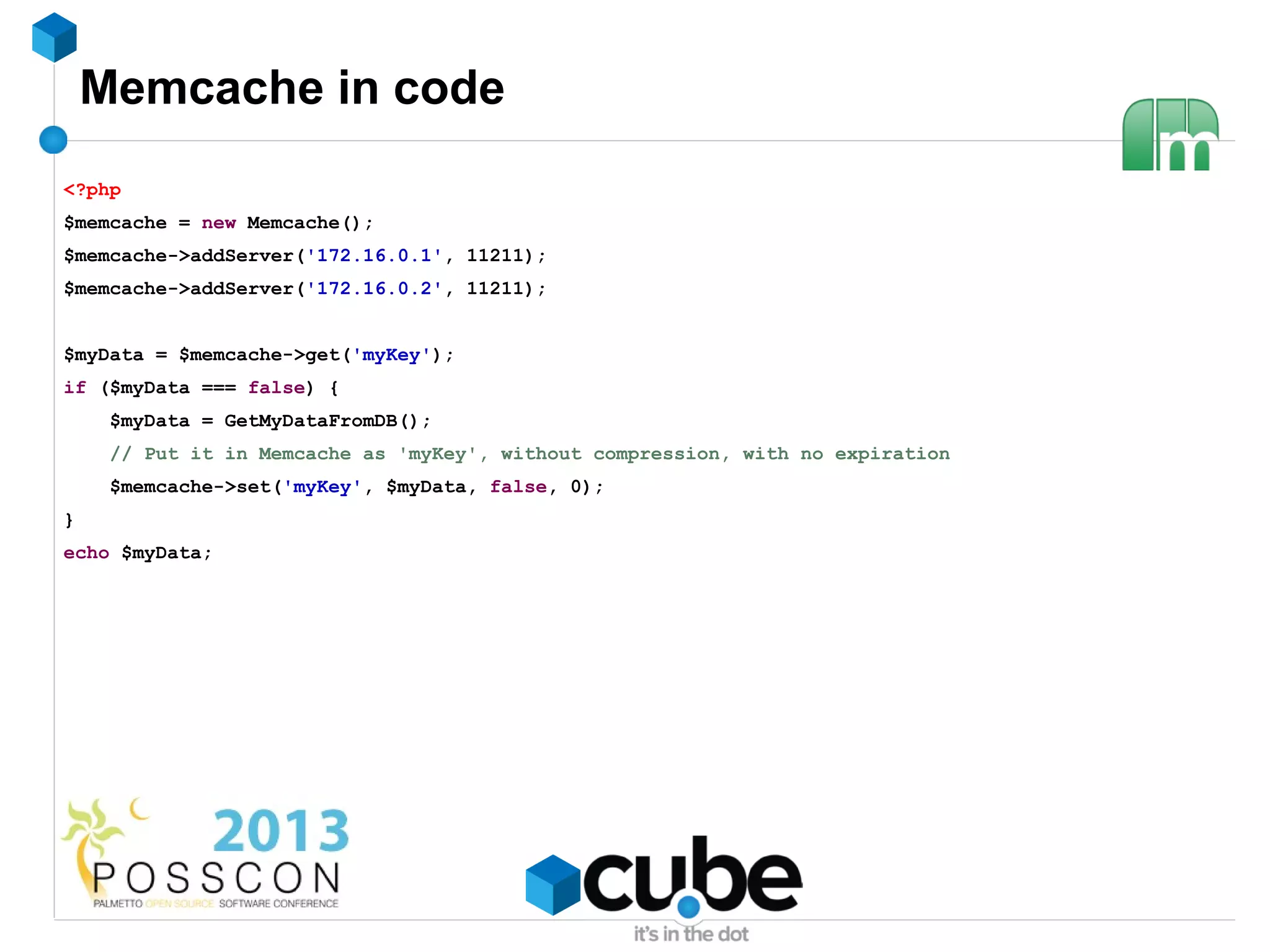
Memcache in code
<?php
$memcache = new Memcache();
$memcache->addServer('172.16.0.1', 11211);
$memcache->addServer('172.16.0.2', 11211);


$myData = $memcache->get('myKey');
if ($myData === false) {
     $myData = GetMyDataFromDB();
     // Put it in Memcache as 'myKey', without compression, with no expiration
     $memcache->set('myKey', $myData, false, 0);
}
echo $myData;
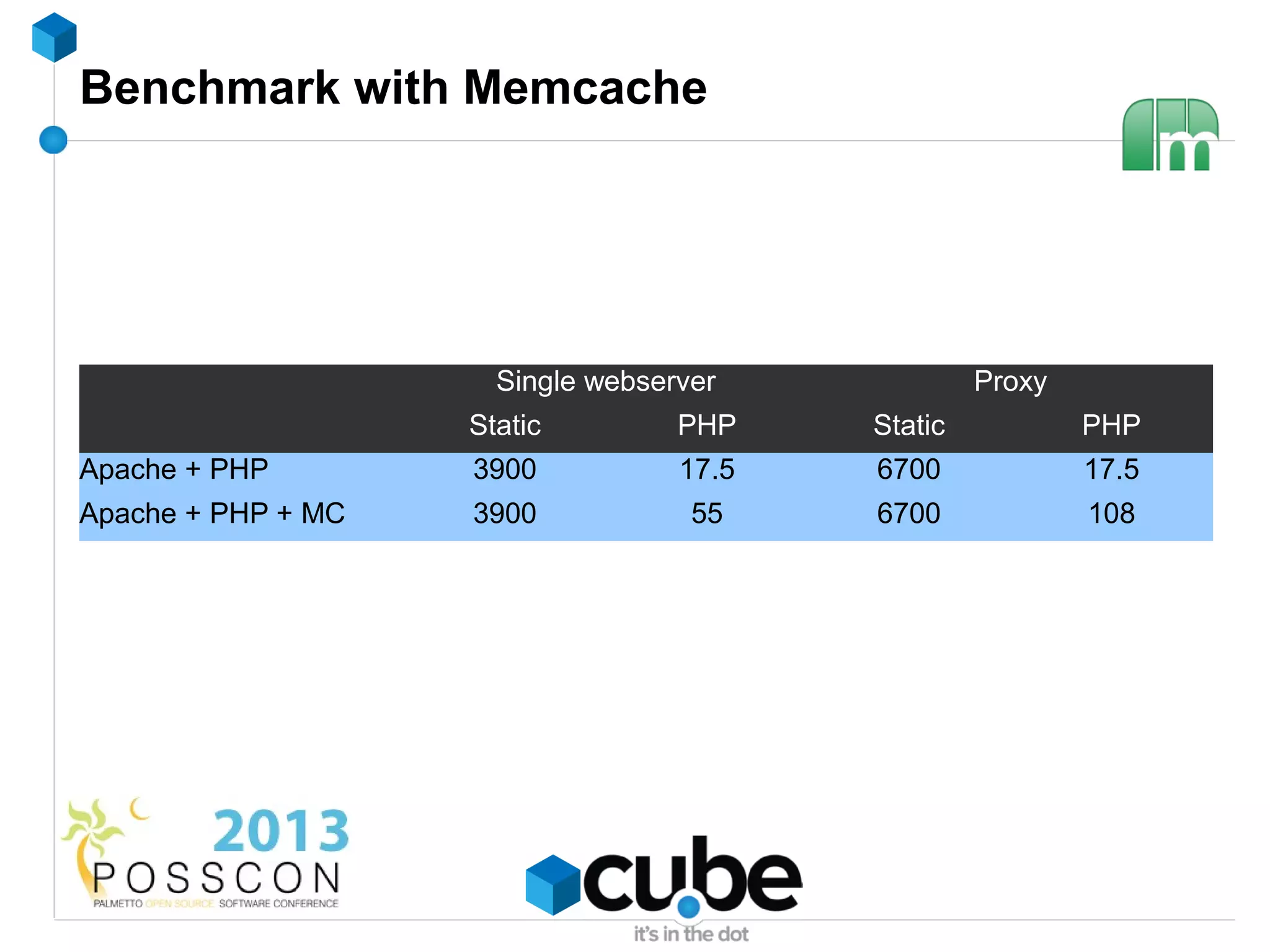
Benchmark with Memcache


                      Single webserver             Proxy
                    Static         PHP    Static           PHP
Apache + PHP        3900           17.5   6700             17.5
Apache + PHP + MC   3900            55    6700             108
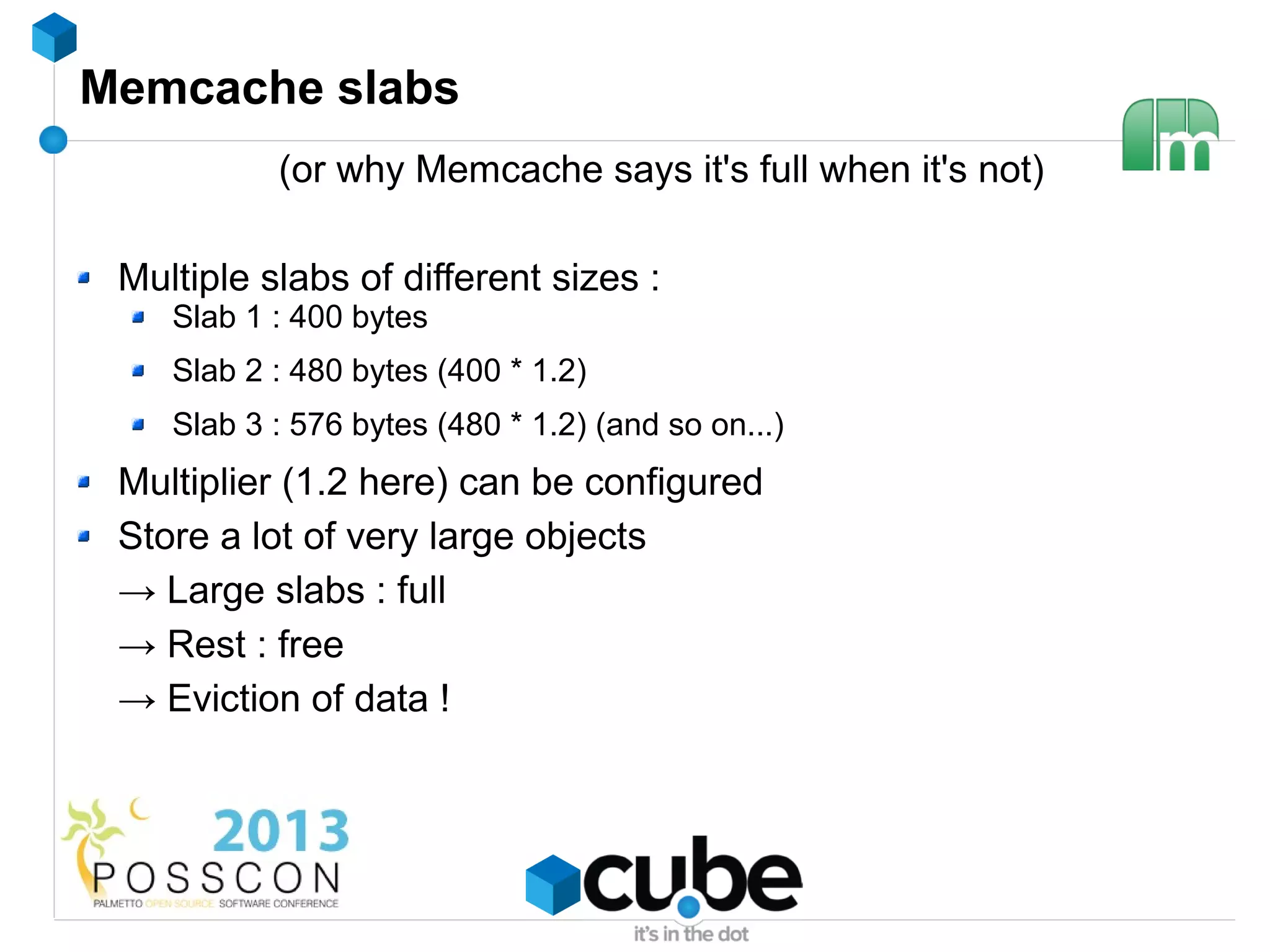
Memcache slabs
           (or why Memcache says it's full when it's not)

 Multiple slabs of different sizes :
    Slab 1 : 400 bytes
    Slab 2 : 480 bytes (400 * 1.2)
    Slab 3 : 576 bytes (480 * 1.2) (and so on...)
 Multiplier (1.2 here) can be configured
 Store a lot of very large objects
 → Large slabs : full
 → Rest : free
 → Eviction of data !
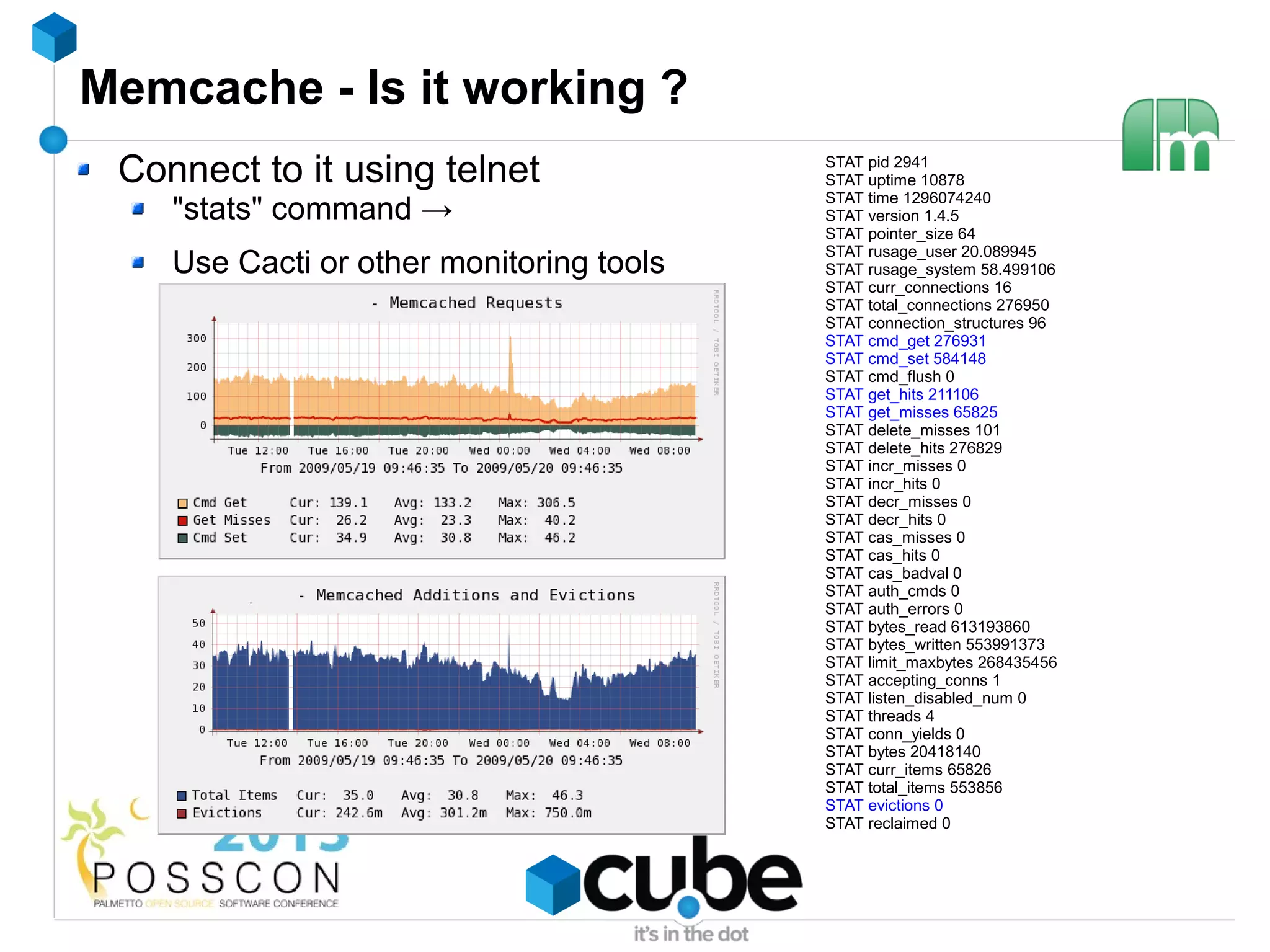
Memcache - Is it working ?
 Connect to it using telnet               STAT pid 2941
                                          STAT uptime 10878
                                          STAT time 1296074240
    "stats" command →                     STAT version 1.4.5
                                          STAT pointer_size 64
                                          STAT rusage_user 20.089945
    Use Cacti or other monitoring tools   STAT rusage_system 58.499106
                                          STAT curr_connections 16
                                          STAT total_connections 276950
                                          STAT connection_structures 96
                                          STAT cmd_get 276931
                                          STAT cmd_set 584148
                                          STAT cmd_flush 0
                                          STAT get_hits 211106
                                          STAT get_misses 65825
                                          STAT delete_misses 101
                                          STAT delete_hits 276829
                                          STAT incr_misses 0
                                          STAT incr_hits 0
                                          STAT decr_misses 0
                                          STAT decr_hits 0
                                          STAT cas_misses 0
                                          STAT cas_hits 0
                                          STAT cas_badval 0
                                          STAT auth_cmds 0
                                          STAT auth_errors 0
                                          STAT bytes_read 613193860
                                          STAT bytes_written 553991373
                                          STAT limit_maxbytes 268435456
                                          STAT accepting_conns 1
                                          STAT listen_disabled_num 0
                                          STAT threads 4
                                          STAT conn_yields 0
                                          STAT bytes 20418140
                                          STAT curr_items 65826
                                          STAT total_items 553856
                                          STAT evictions 0
                                          STAT reclaimed 0
Memcache - backing up
Memcache - tip
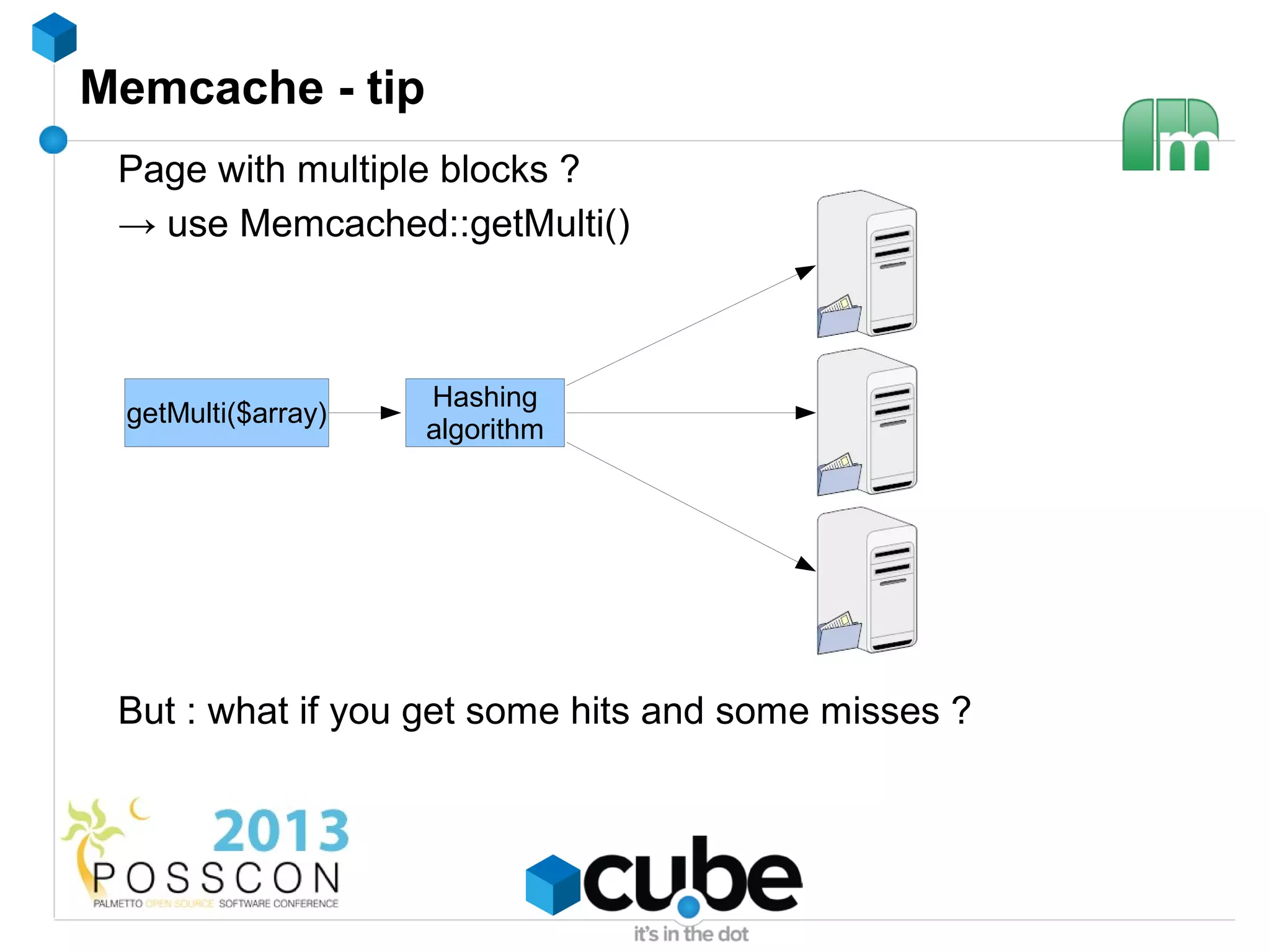
 Page with multiple blocks ?
 → use Memcached::getMulti()


                    Hashing
 getMulti($array)
                    algorithm


 But : what if you get some hits and some misses ?
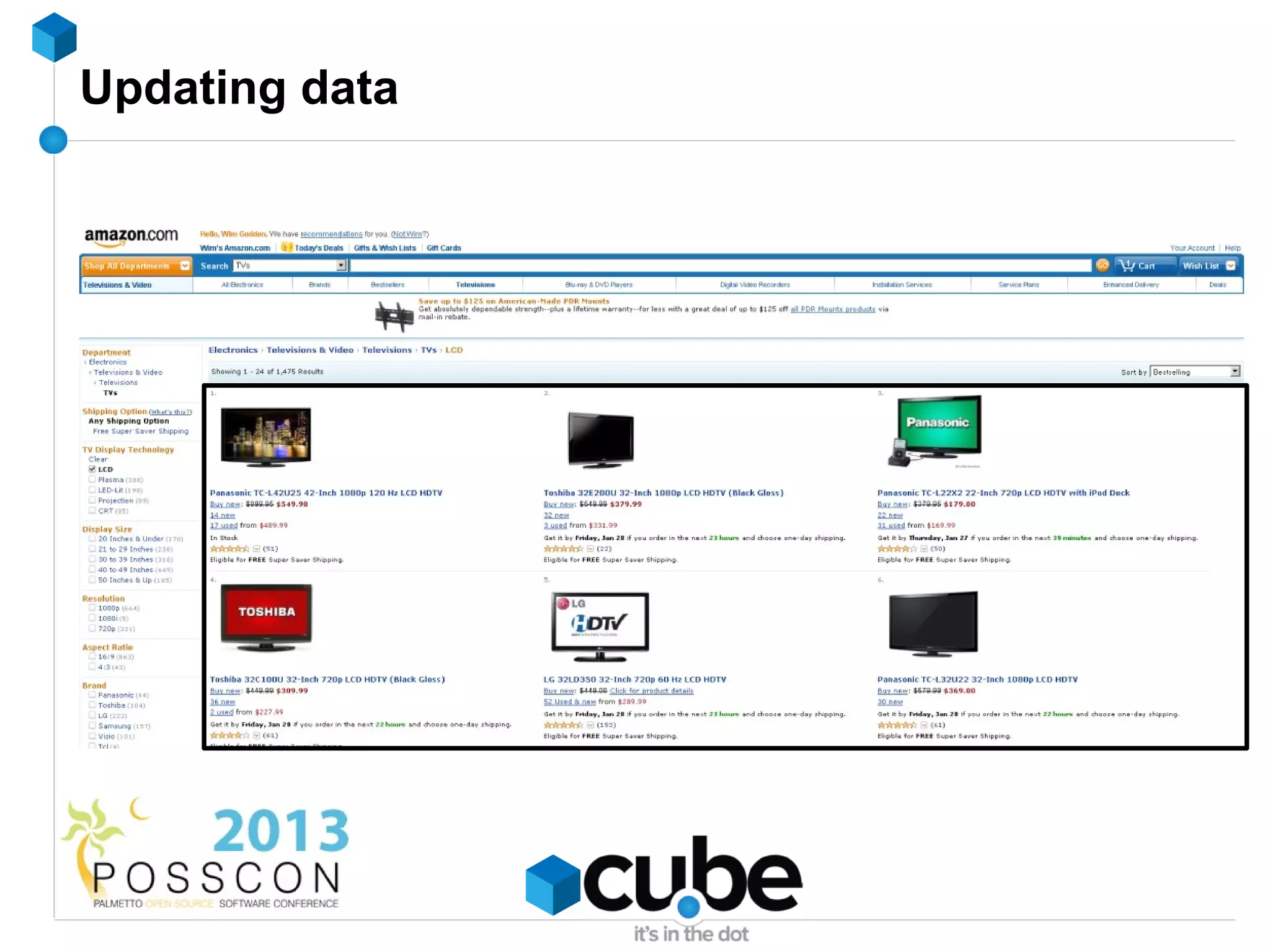
Updating data
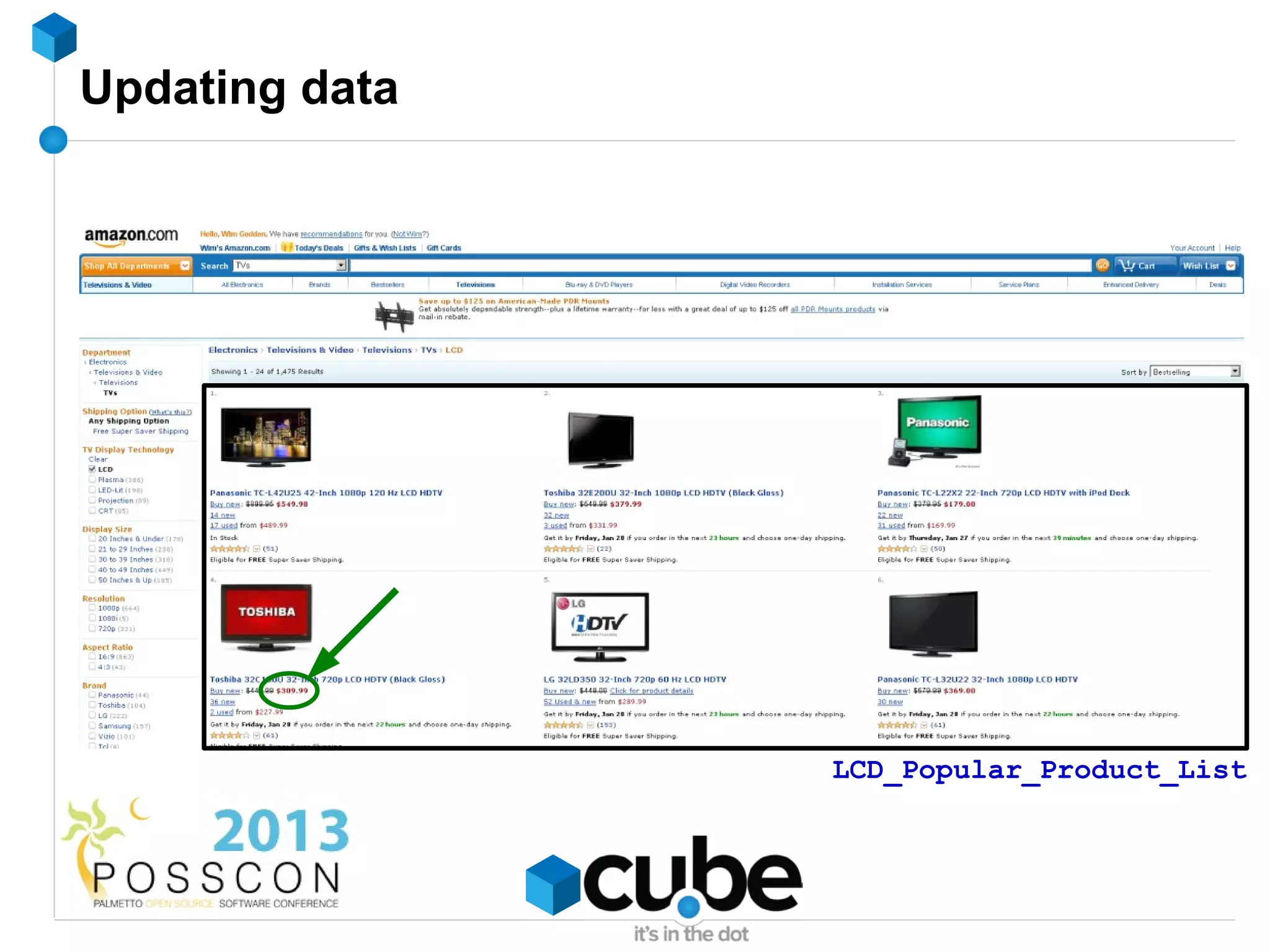
Updating data


                LCD_Popular_Product_List
Adding/updating data

$memcache->delete('LCD_Popular_Product_List');
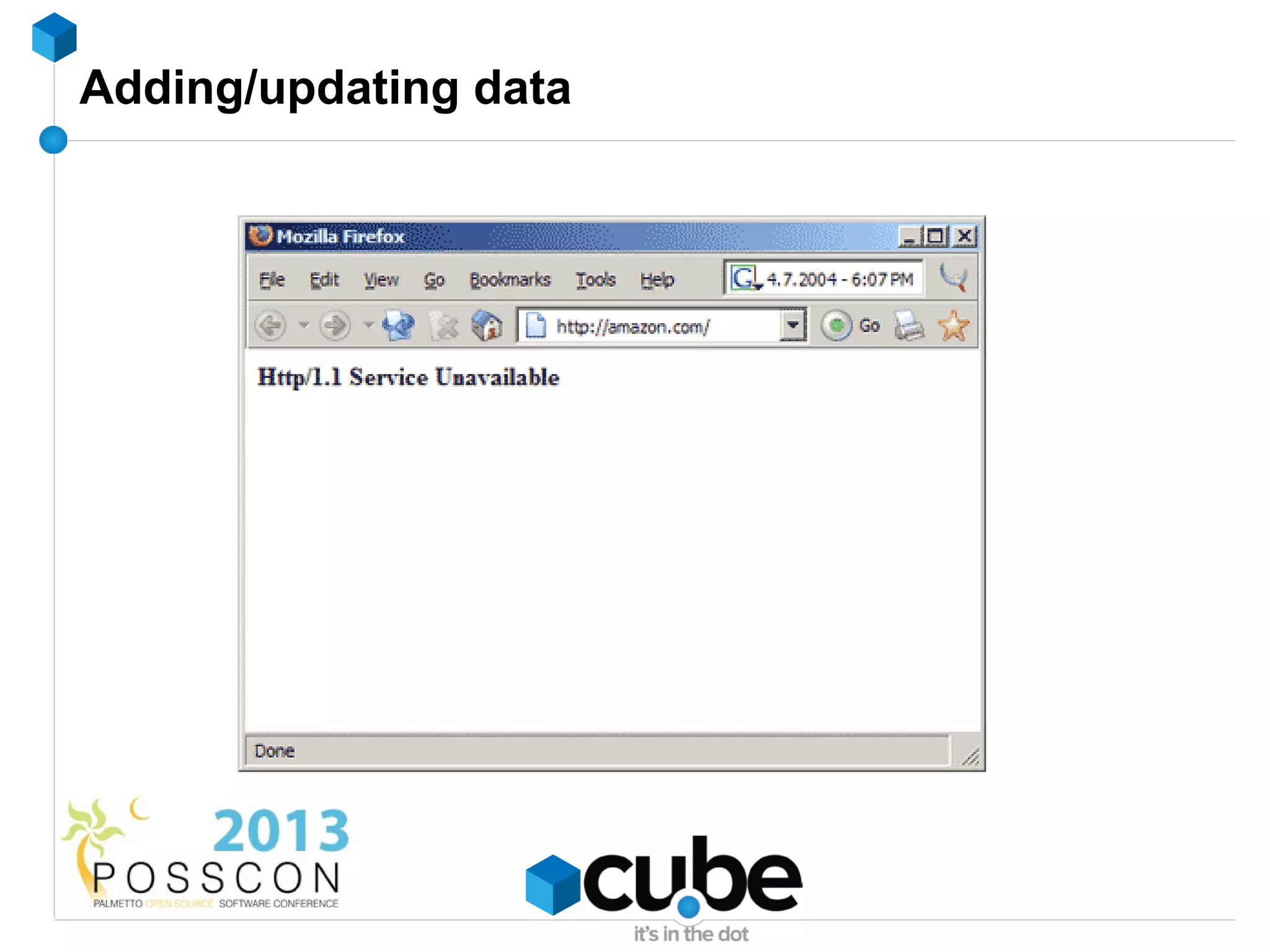
Adding/updating data
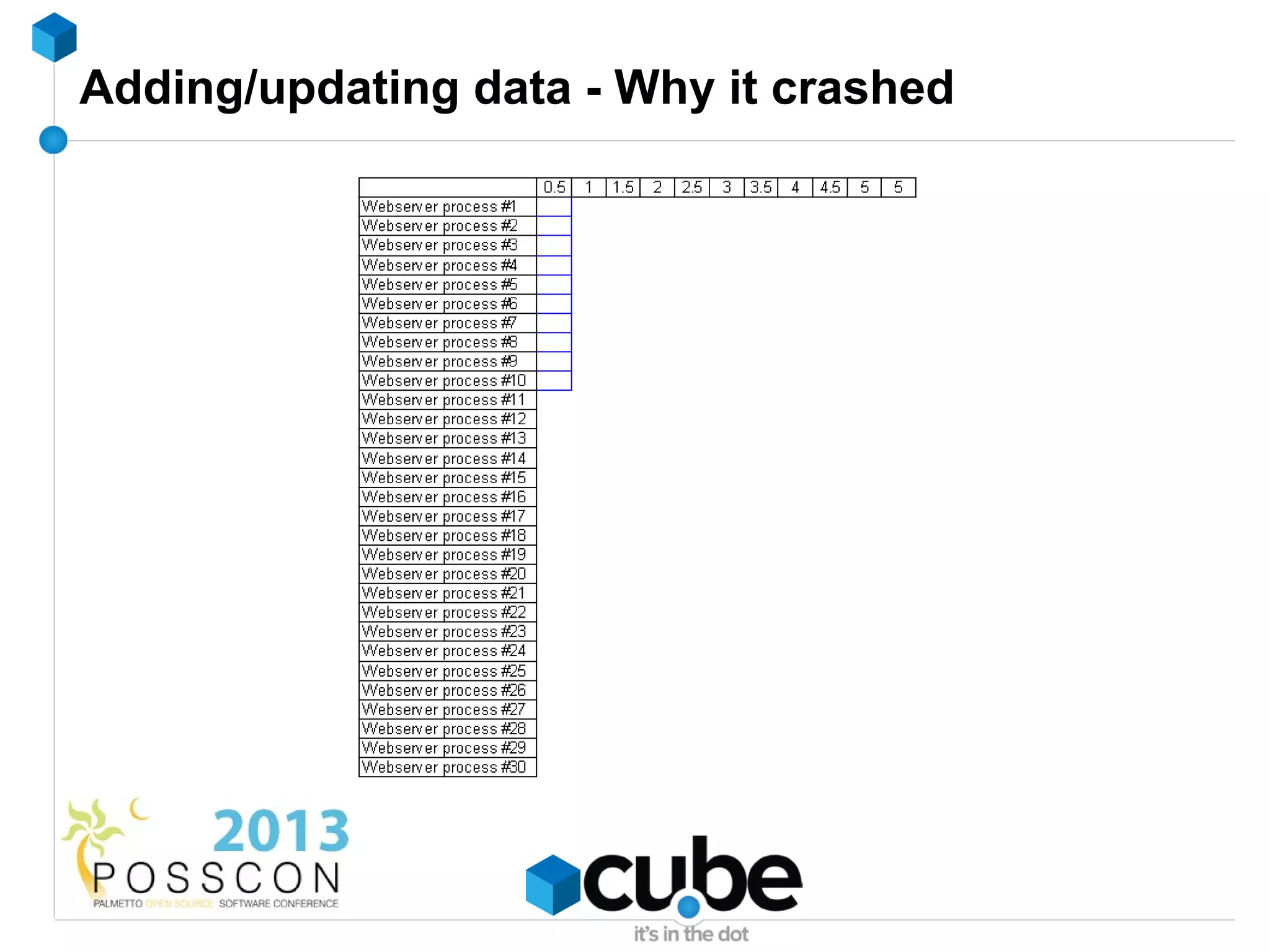
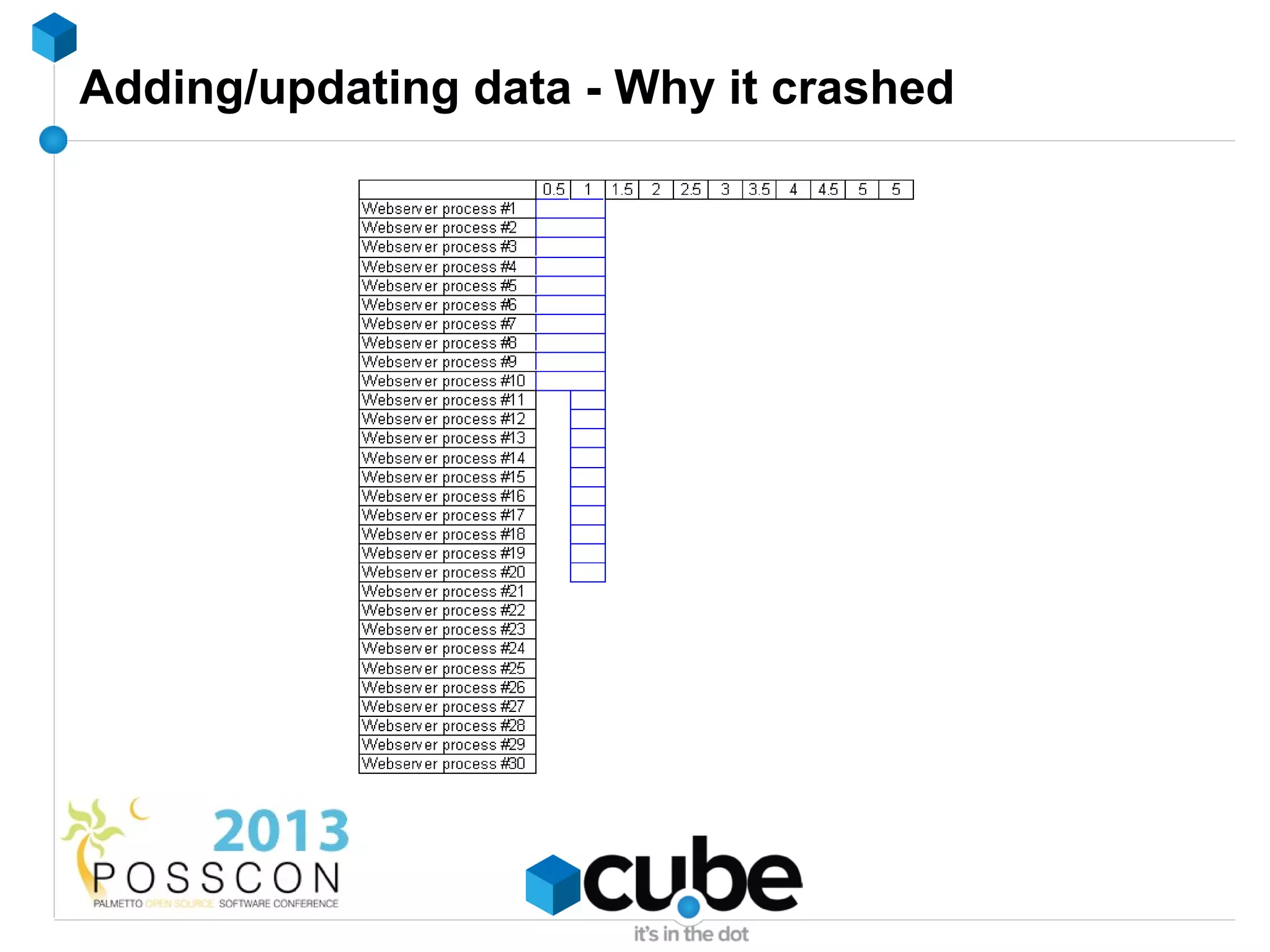
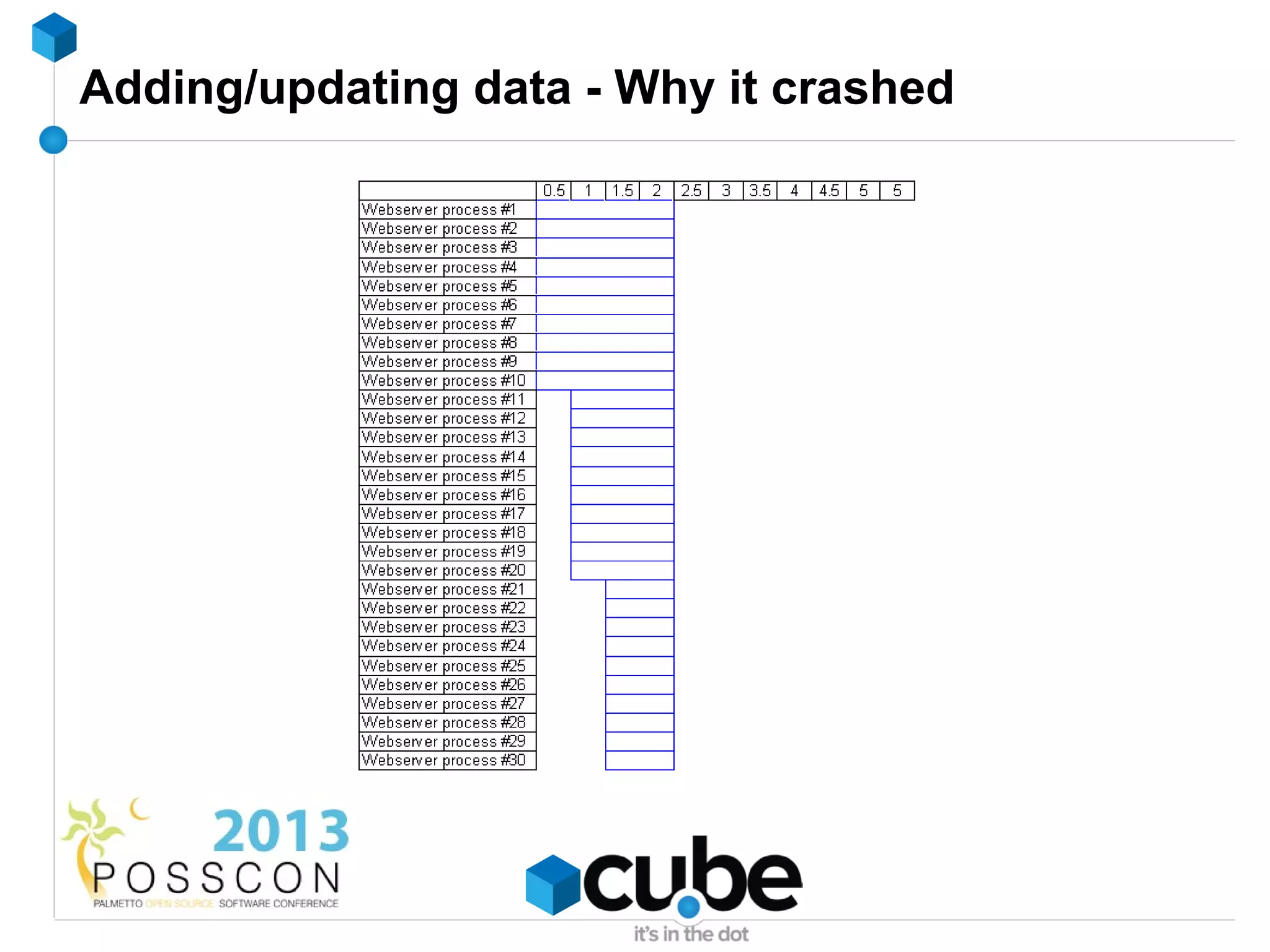
Adding/updating data - Why it crashed
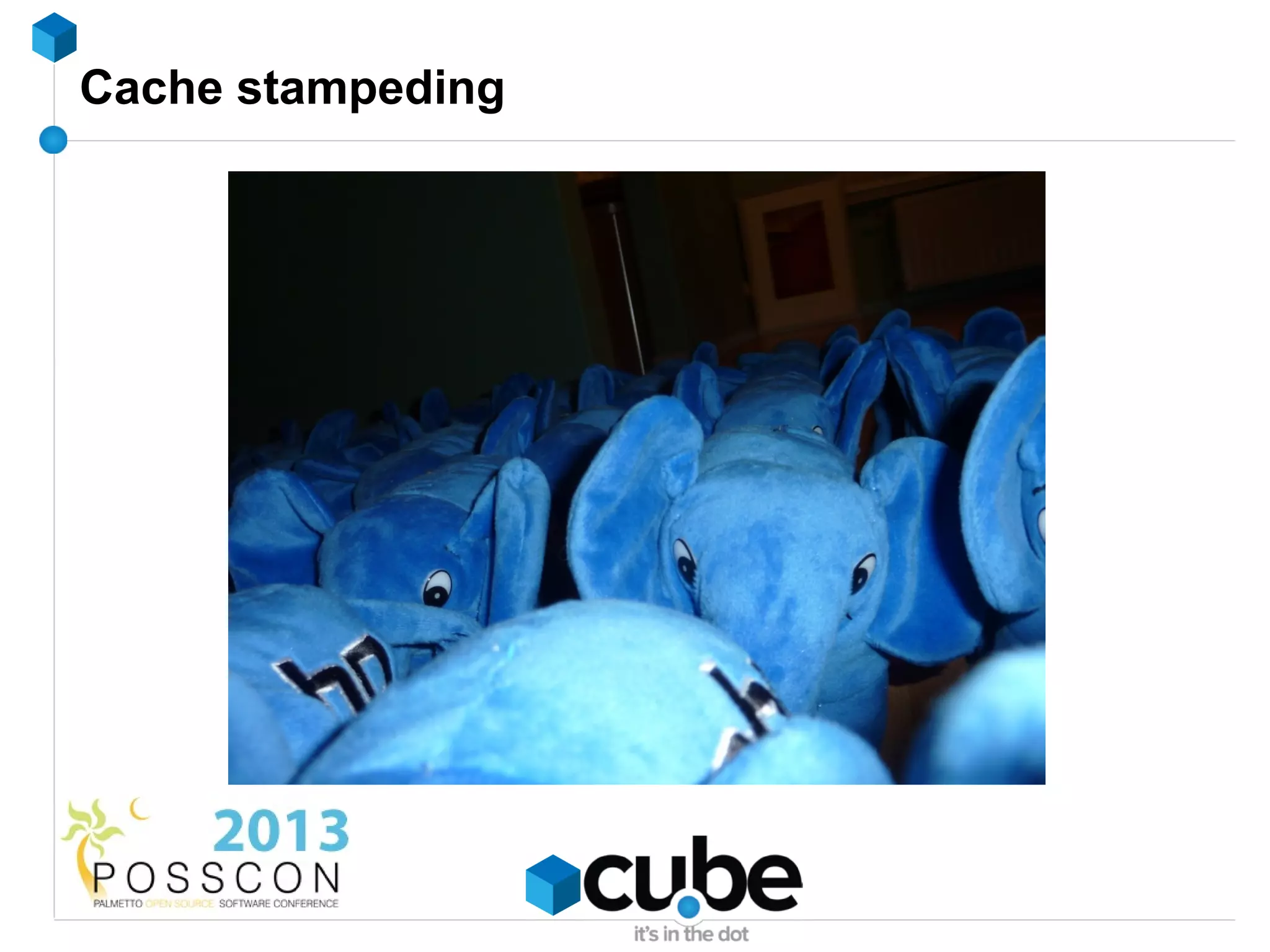
Cache stampeding
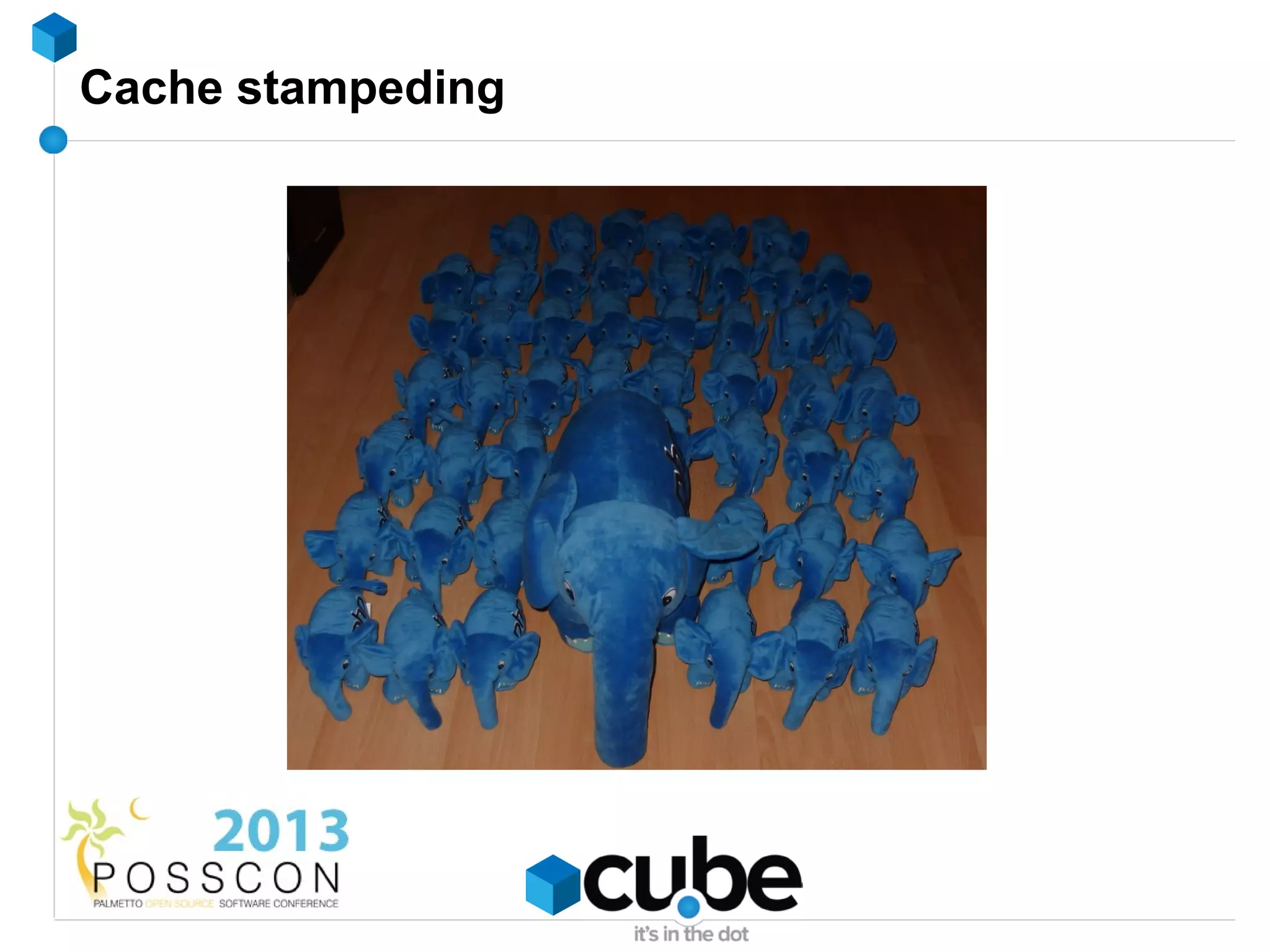
Cache stampeding
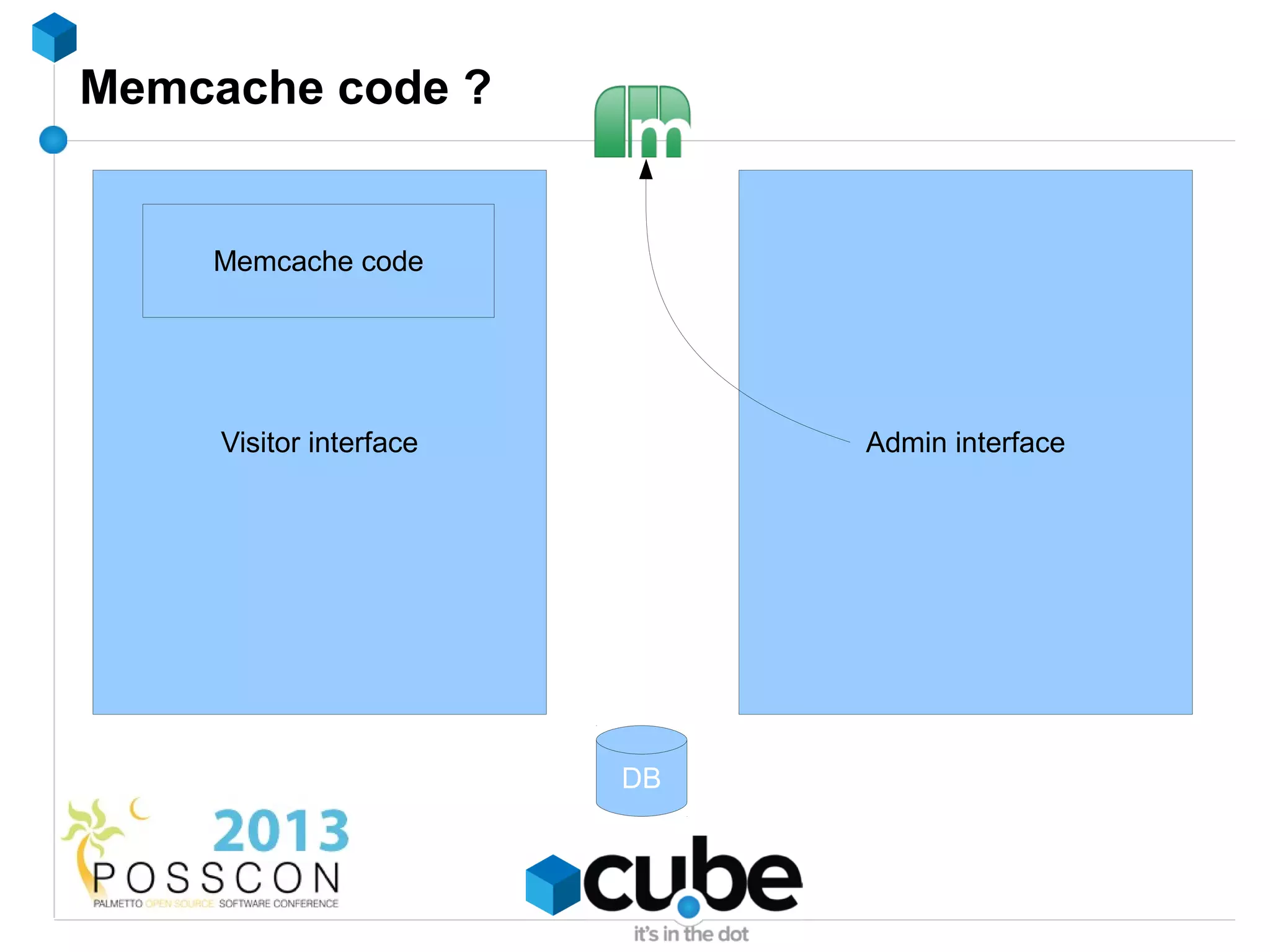
Memcache code ?


    Memcache code


     Visitor interface        Admin interface


                         DB
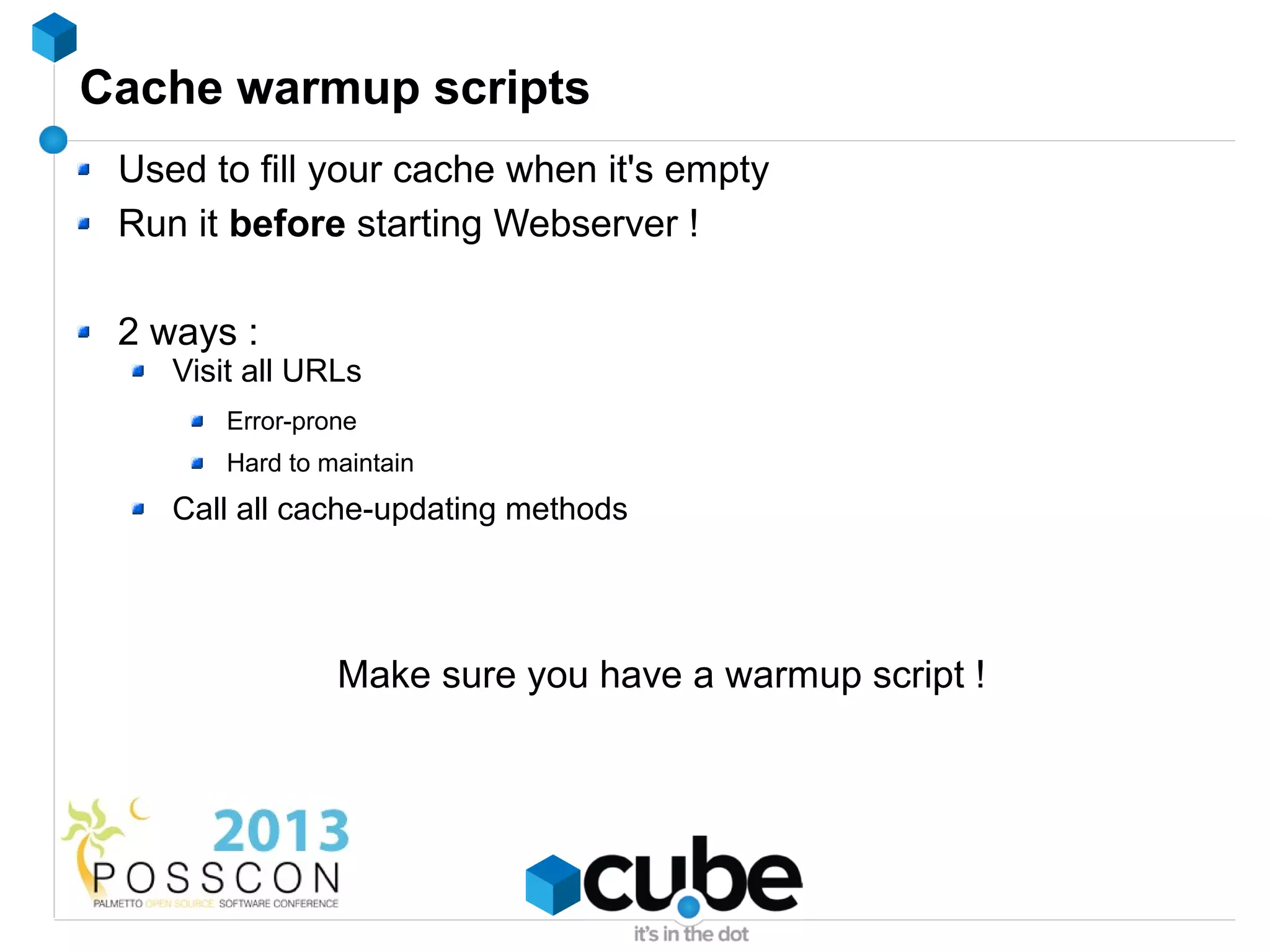
Cache warmup scripts
 Used to fill your cache when it's empty
 Run it before starting Webserver !

 2 ways :
    Visit all URLs
        Error-prone
        Hard to maintain
    Call all cache-updating methods


                 Make sure you have a warmup script !
Cache stampeding - what about locking ?
 Seems like a nice idea, but...
 While lock in place
 What if the process that created the lock fails ?
LAMP...


          → LAMMP


          → LNMMP
Nginx
 Web server
 Reverse proxy
 Lightweight, fast
 12.81% of all Websites
Nginx
 No threads, event-driven
 Uses epoll / kqueue
 Low memory footprint

 10000 active connections = normal
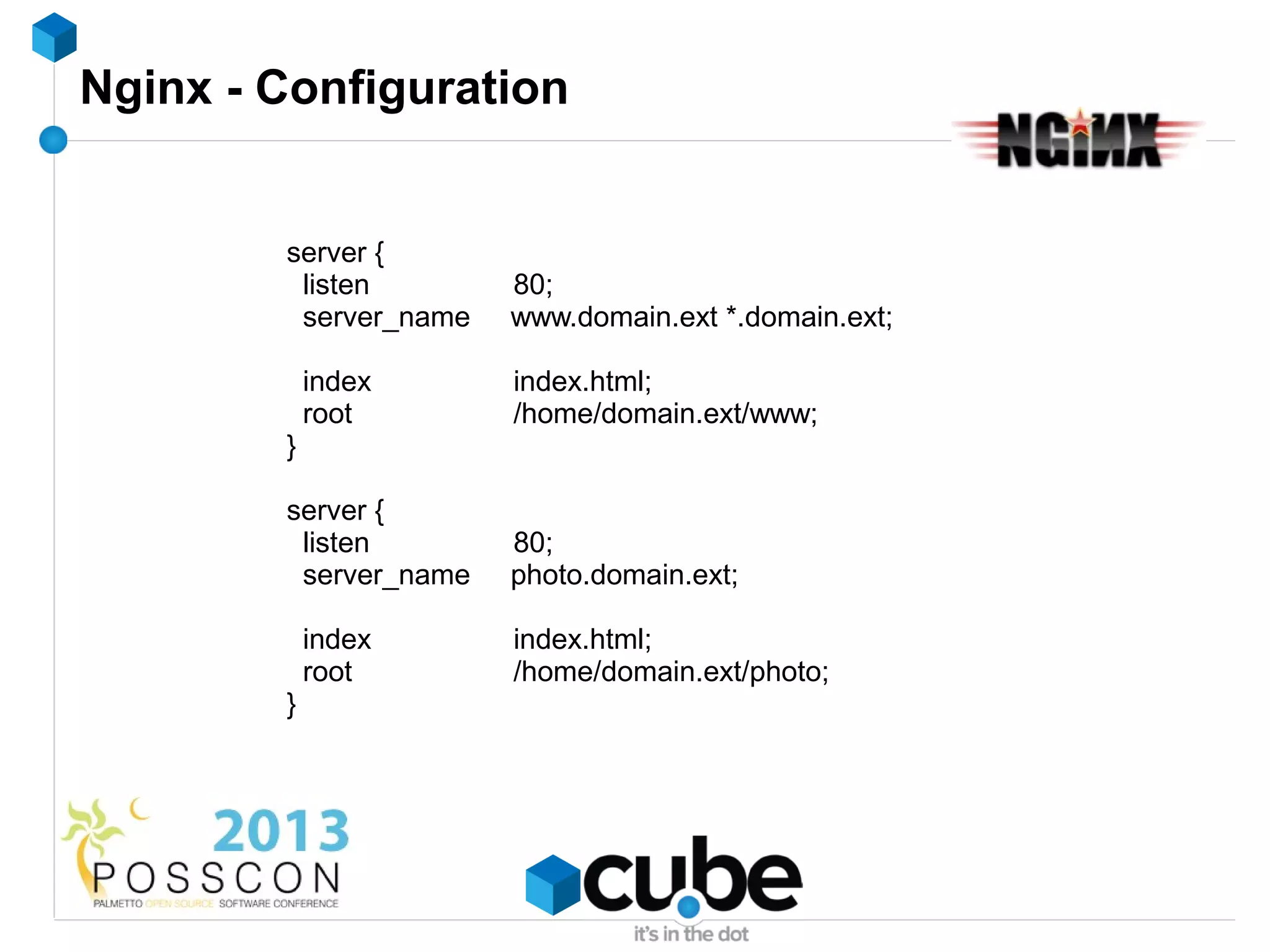
Nginx - Configuration


        server {
         listen        80;
         server_name   www.domain.ext *.domain.ext;

            index      index.html;
            root       /home/domain.ext/www;
        }

        server {
         listen        80;
         server_name   photo.domain.ext;

            index      index.html;
            root       /home/domain.ext/photo;
        }
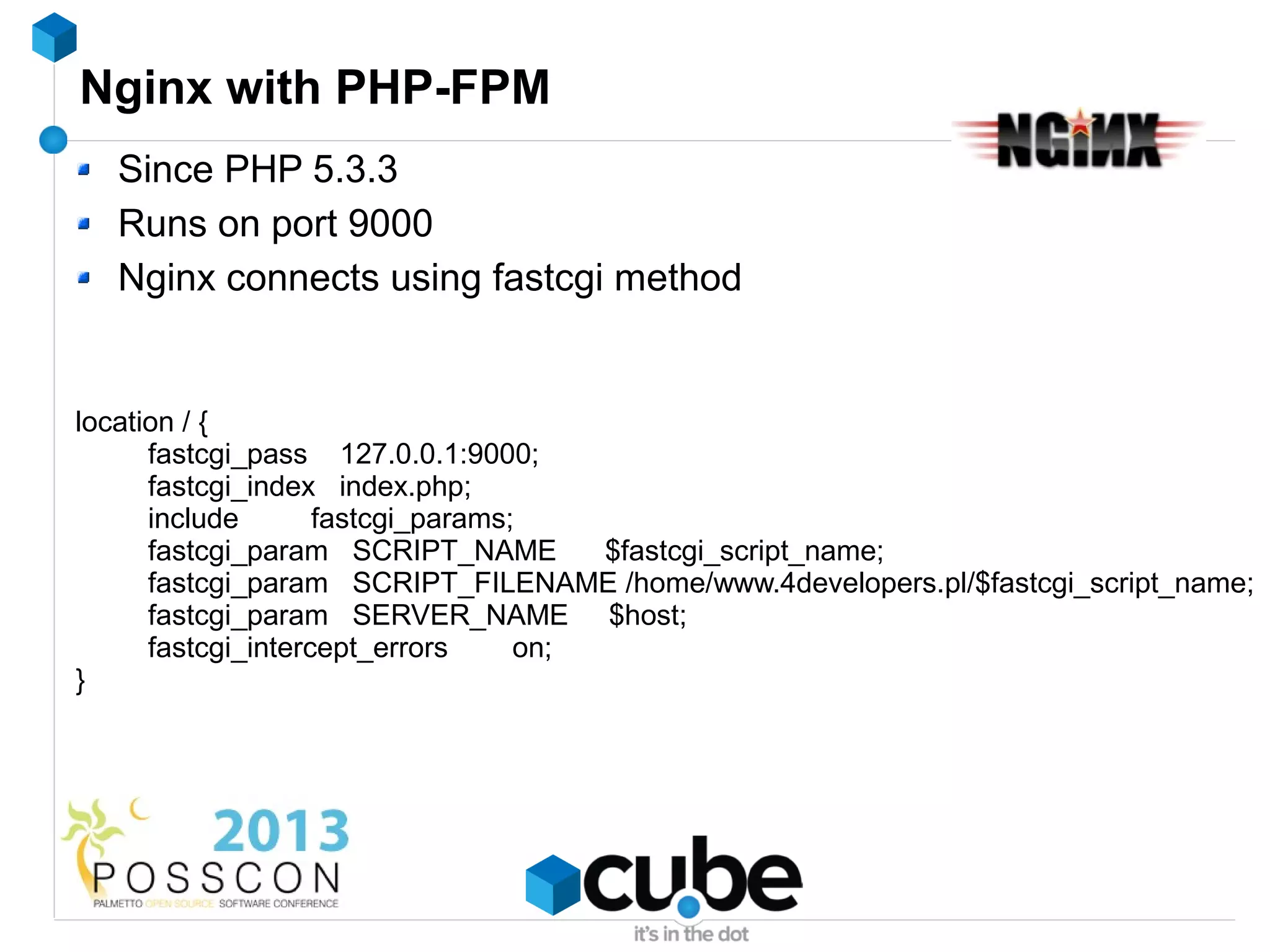
Nginx with PHP-FPM
  Since PHP 5.3.3
  Runs on port 9000
  Nginx connects using fastcgi method


location / {
      fastcgi_pass 127.0.0.1:9000;
      fastcgi_index index.php;
      include       fastcgi_params;
      fastcgi_param SCRIPT_NAME        $fastcgi_script_name;
      fastcgi_param SCRIPT_FILENAME /home/www.4developers.pl/$fastcgi_script_name;
      fastcgi_param SERVER_NAME $host;
      fastcgi_intercept_errors     on;
}
Nginx + PHP-FPM features
 Graceful upgrade
 Spawn new processes under high load
 Chroot
 Slow request log !
Nginx + PHP-FPM features
 Graceful upgrade
 Spawn new processes under high load
 Chroot
 Slow request log !
 fastcgi_finish_request() → offline processing
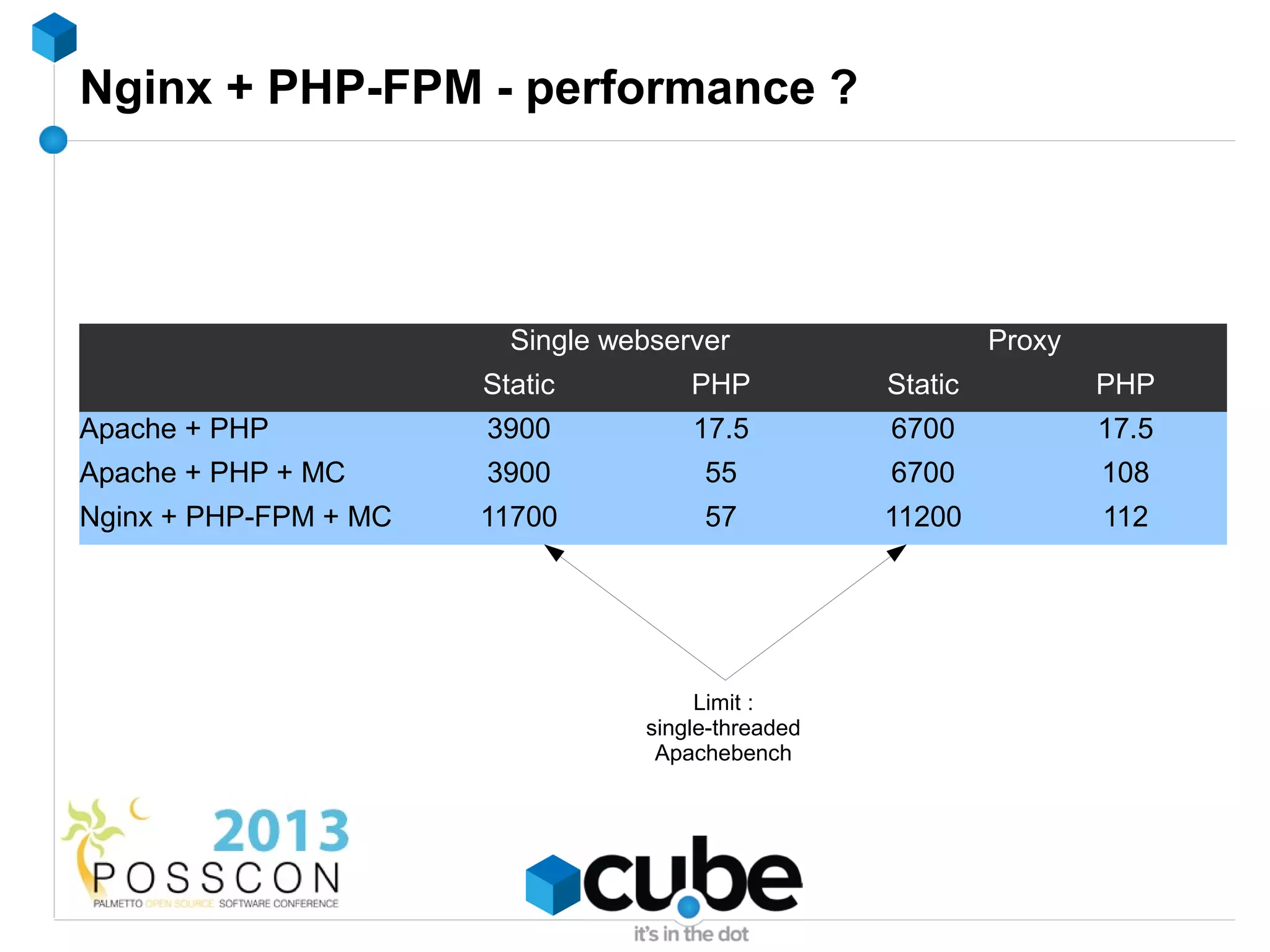
Nginx + PHP-FPM - performance ?


                         Single webserver                    Proxy
                       Static         PHP           Static           PHP
Apache + PHP           3900           17.5          6700             17.5
Apache + PHP + MC      3900            55           6700             108
Nginx + PHP-FPM + MC   11700           57           11200            112


                                       Limit :
                                  single-threaded
                                   Apachebench
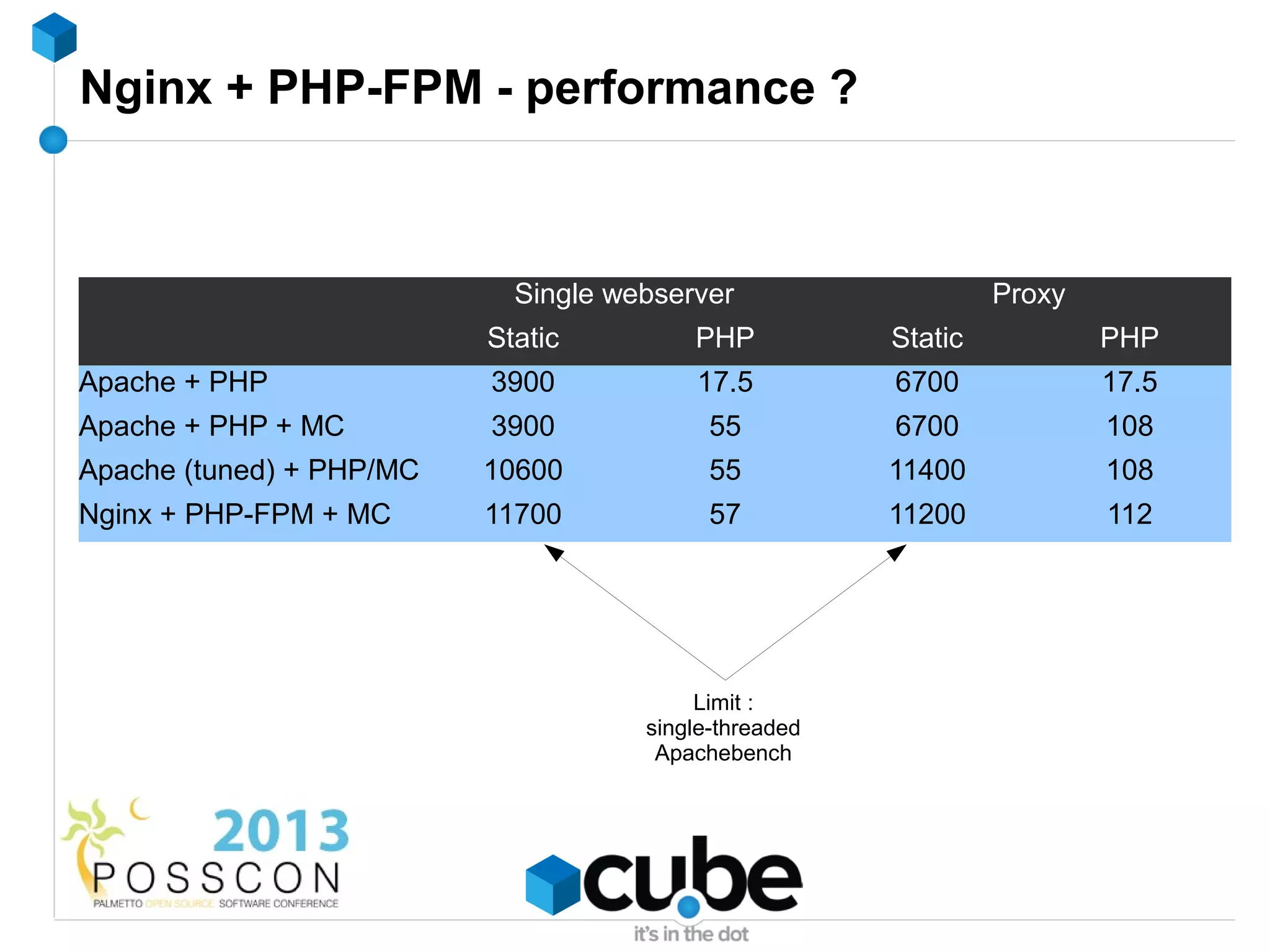
Nginx + PHP-FPM - performance ?


                            Single webserver                    Proxy
                          Static         PHP           Static           PHP
Apache + PHP              3900           17.5          6700             17.5
Apache + PHP + MC         3900             55          6700             108
Apache (tuned) + PHP/MC   10600            55          11400            108
Nginx + PHP-FPM + MC      11700            57          11200            112


                                          Limit :
                                     single-threaded
                                      Apachebench
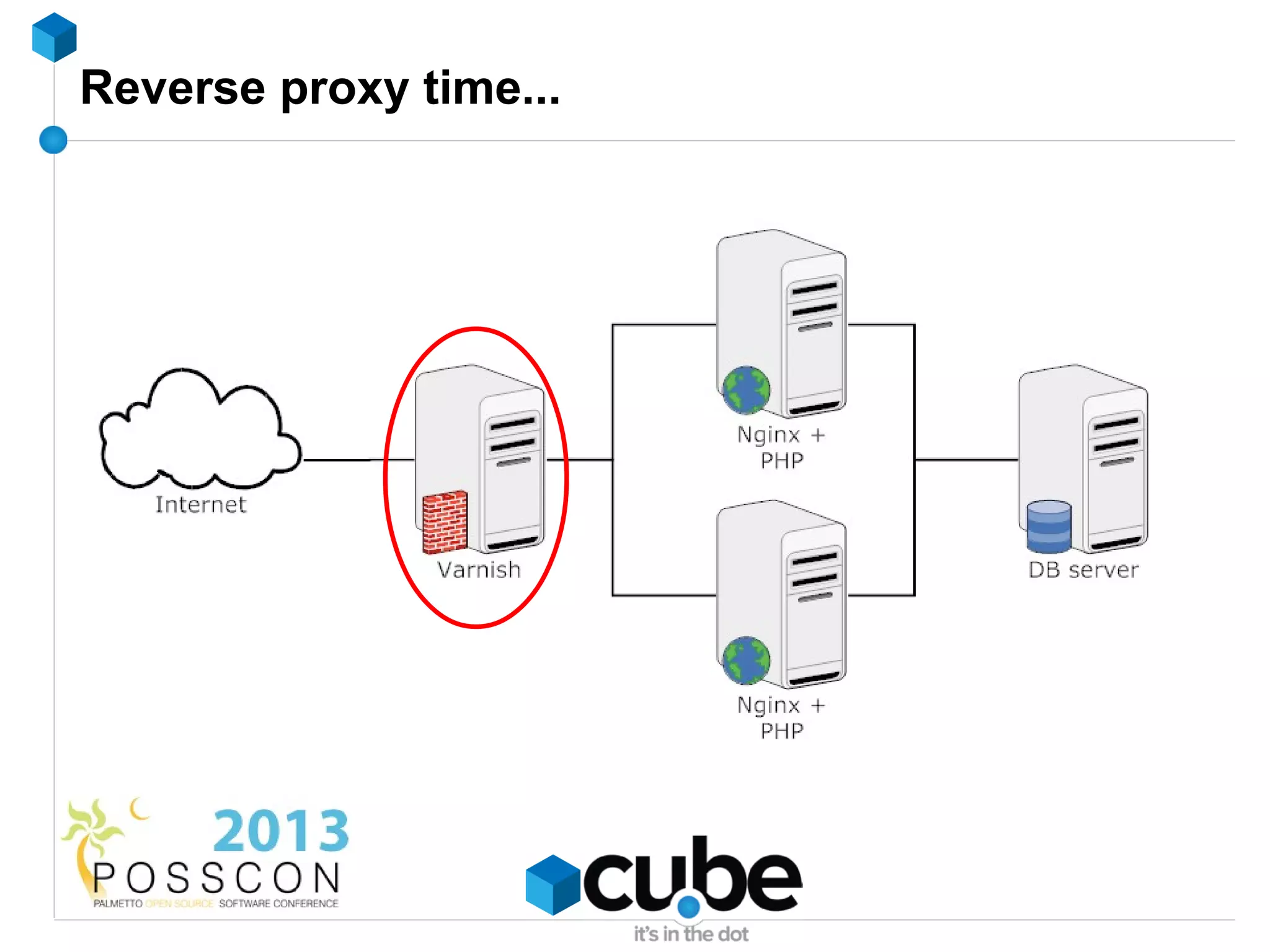
Reverse proxy time...
Varnish
 Not just a load balancer
 Reverse proxy cache / http accelerator / …
 Caches (parts of) pages in memory
 Careful :
    uses threads (like Apache)
    Nginx usually scales better (but doesn't have VCL)
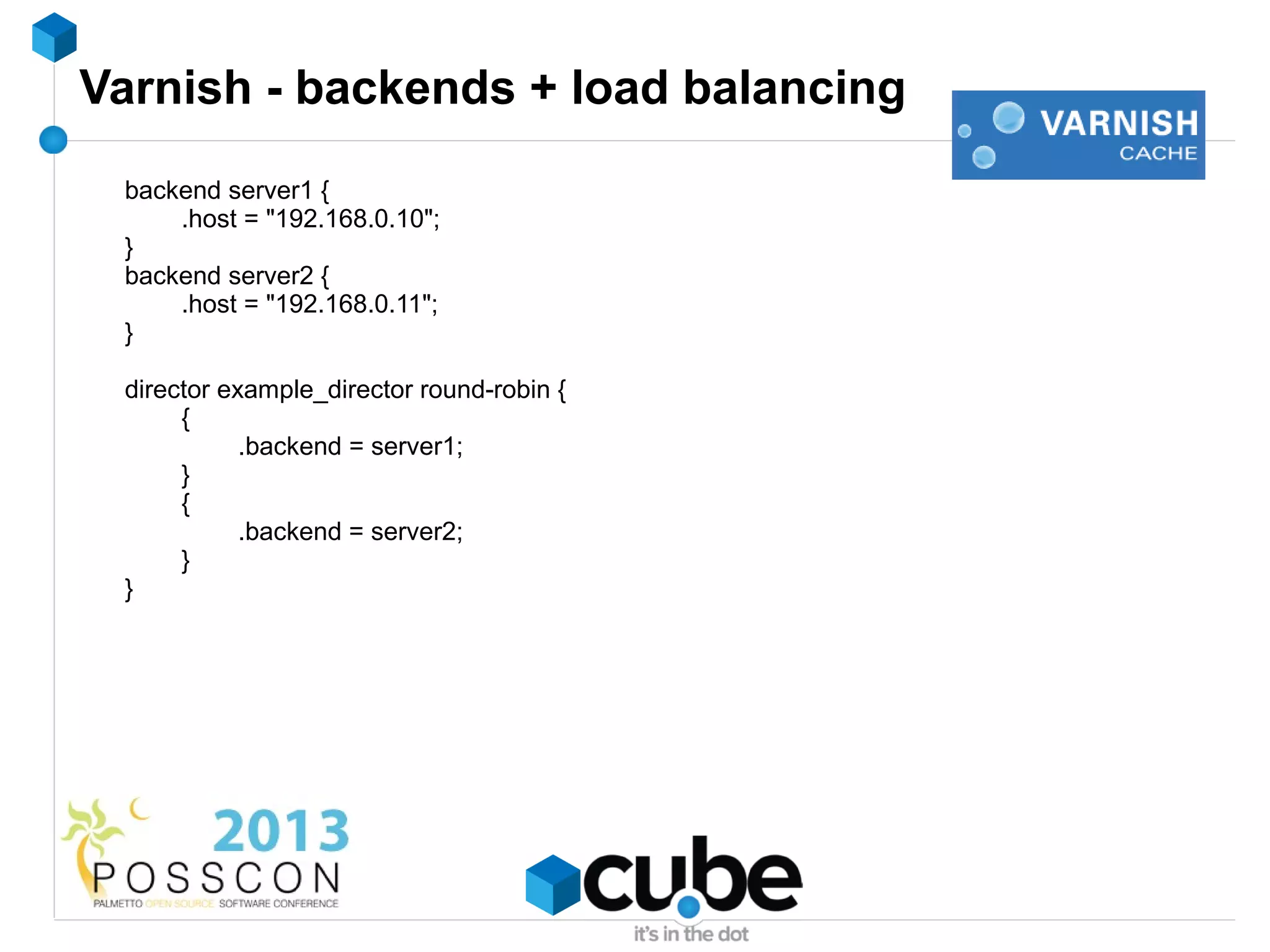
Varnish - backends + load balancing
 backend server1 {
     .host = "192.168.0.10";
 }
 backend server2 {
     .host = "192.168.0.11";
 }

 director example_director round-robin {
      {
            .backend = server1;
      }
      {
            .backend = server2;
      }
 }
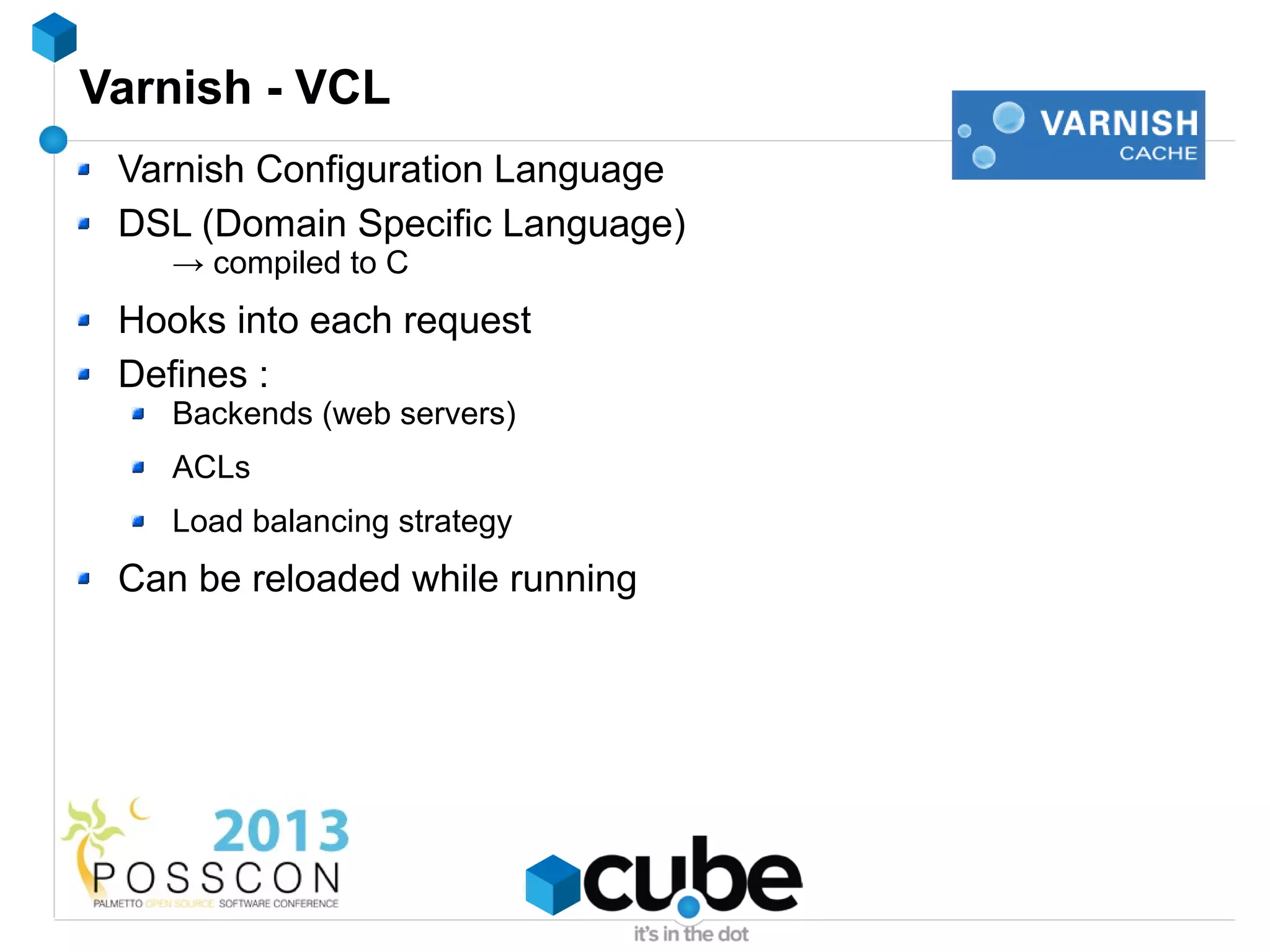
Varnish - VCL
 Varnish Configuration Language
 DSL (Domain Specific Language)
    → compiled to C
 Hooks into each request
 Defines :
    Backends (web servers)
    ACLs
    Load balancing strategy
 Can be reloaded while running
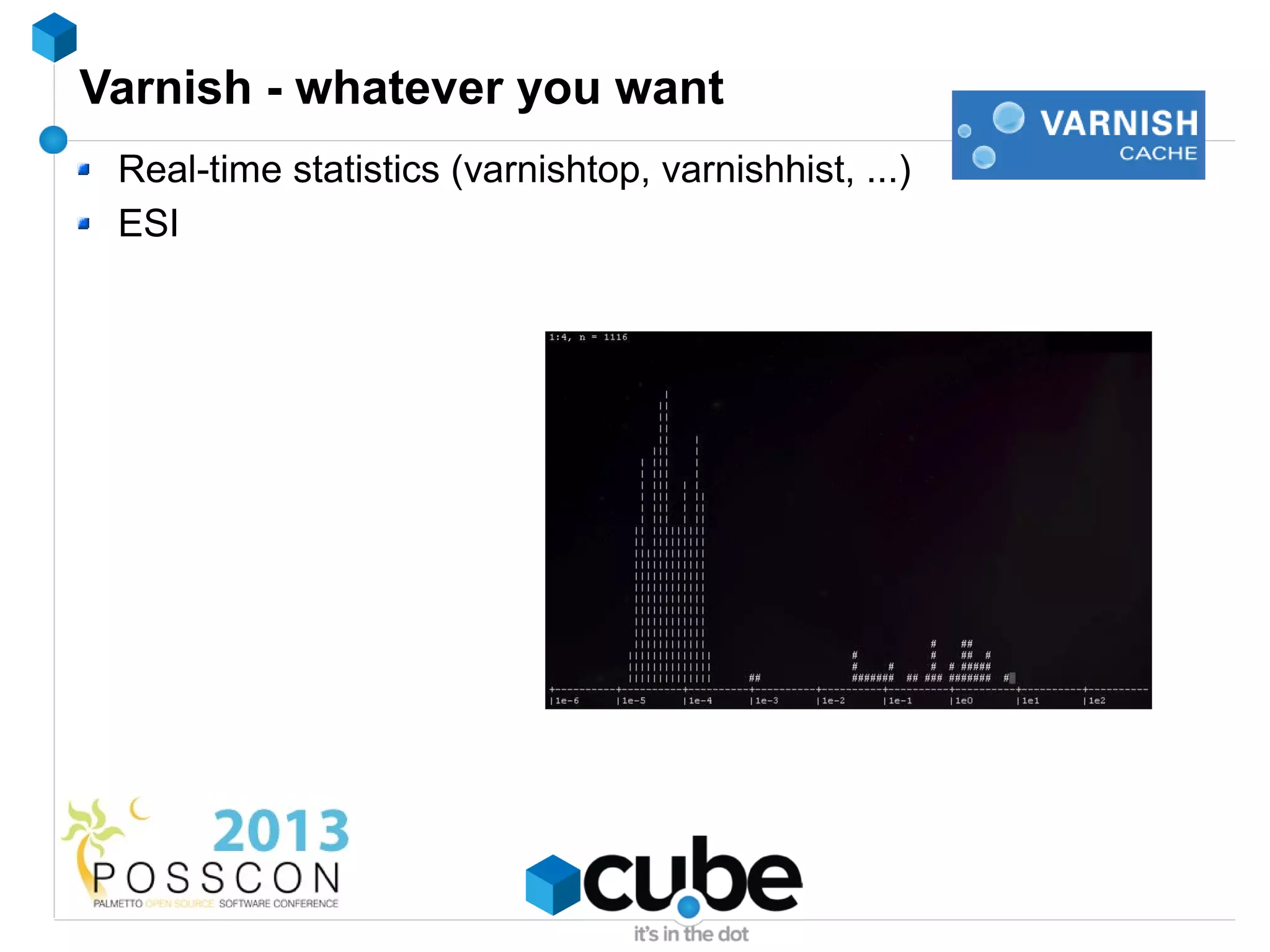
Varnish - whatever you want
 Real-time statistics (varnishtop, varnishhist, ...)
 ESI
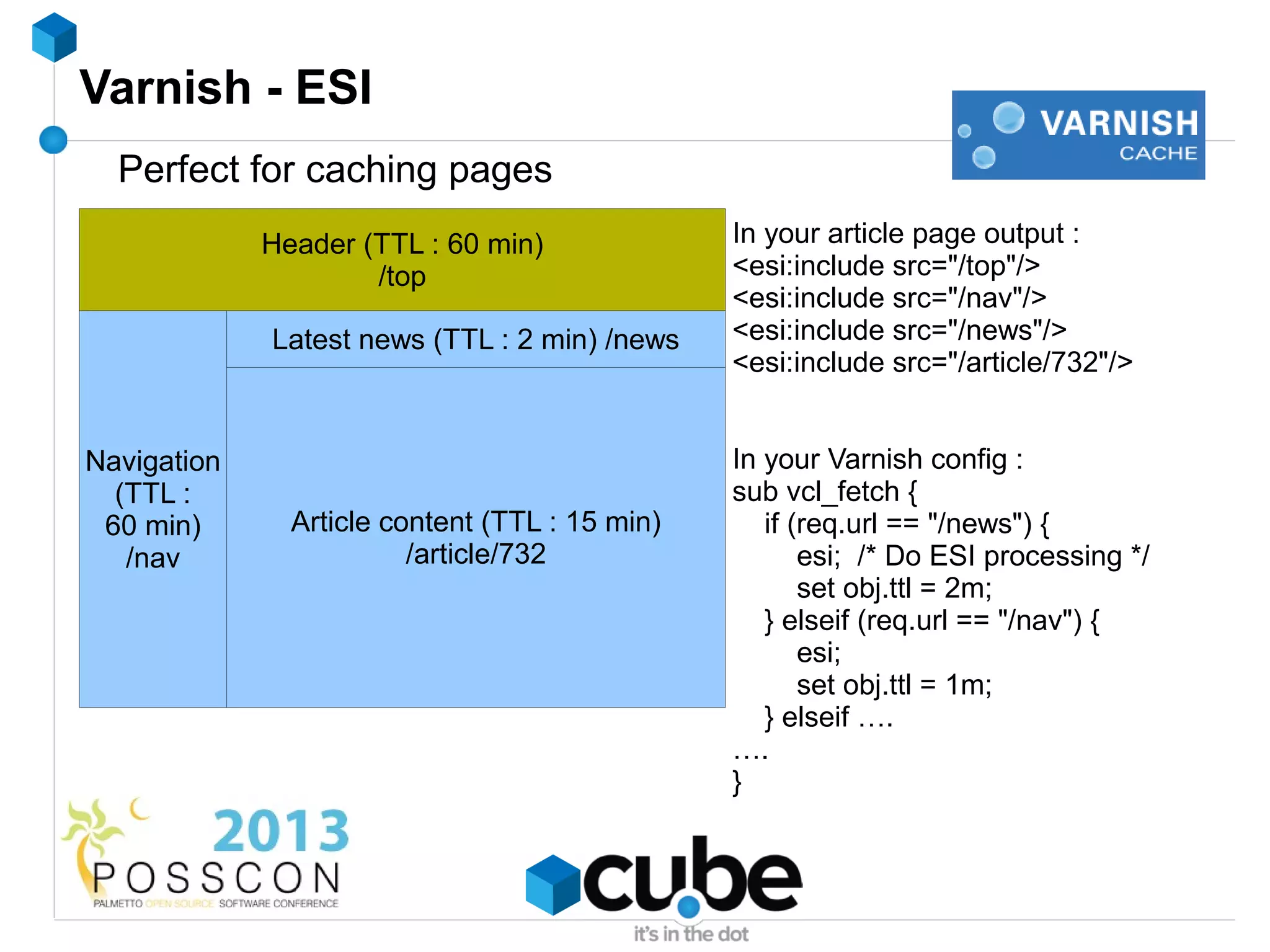
Varnish - ESI
  Perfect for caching pages
             Header (TTL : 60 min)              In your article page output :
                     /top                       <esi:include src="/top"/>
                                                <esi:include src="/nav"/>
             Latest news (TTL : 2 min) /news    <esi:include src="/news"/>
                                                <esi:include src="/article/732"/>


Navigation    Article content page              In your Varnish config :
  (TTL :                                        sub vcl_fetch {
 60 min)       Article content (TTL : 15 min)      if (req.url == "/news") {
   /nav                  /article/732                  esi; /* Do ESI processing */
                                                       set obj.ttl = 2m;
                                                   } elseif (req.url == "/nav") {
                                                       esi;
                                                       set obj.ttl = 1m;
                                                   } elseif ….
                                                ….
                                                }
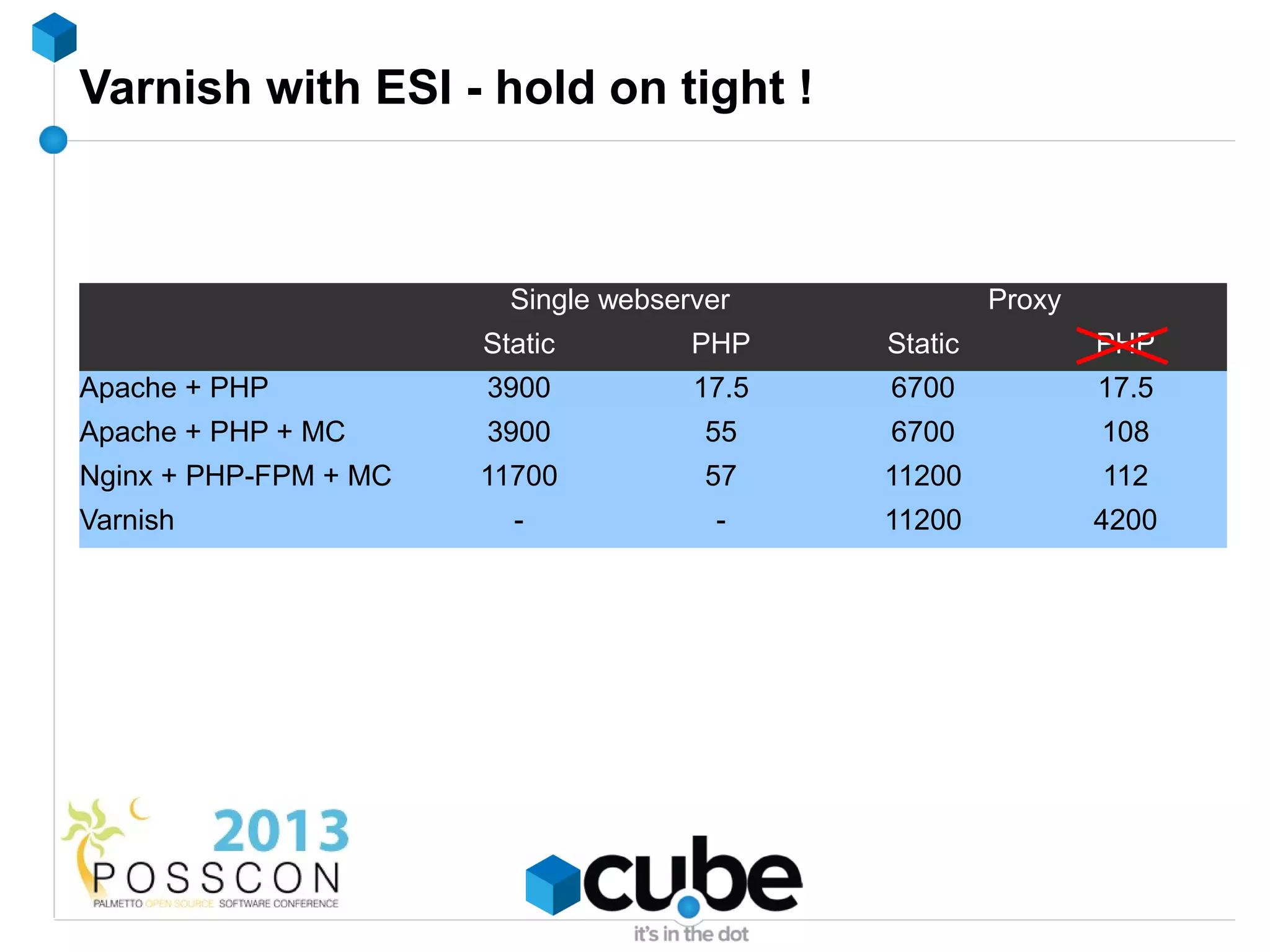
Varnish with ESI - hold on tight !


                         Single webserver             Proxy
                       Static         PHP    Static           PHP
Apache + PHP           3900           17.5   6700             17.5
Apache + PHP + MC      3900            55    6700             108
Nginx + PHP-FPM + MC   11700           57    11200            112
Varnish                  -              -    11200            4200
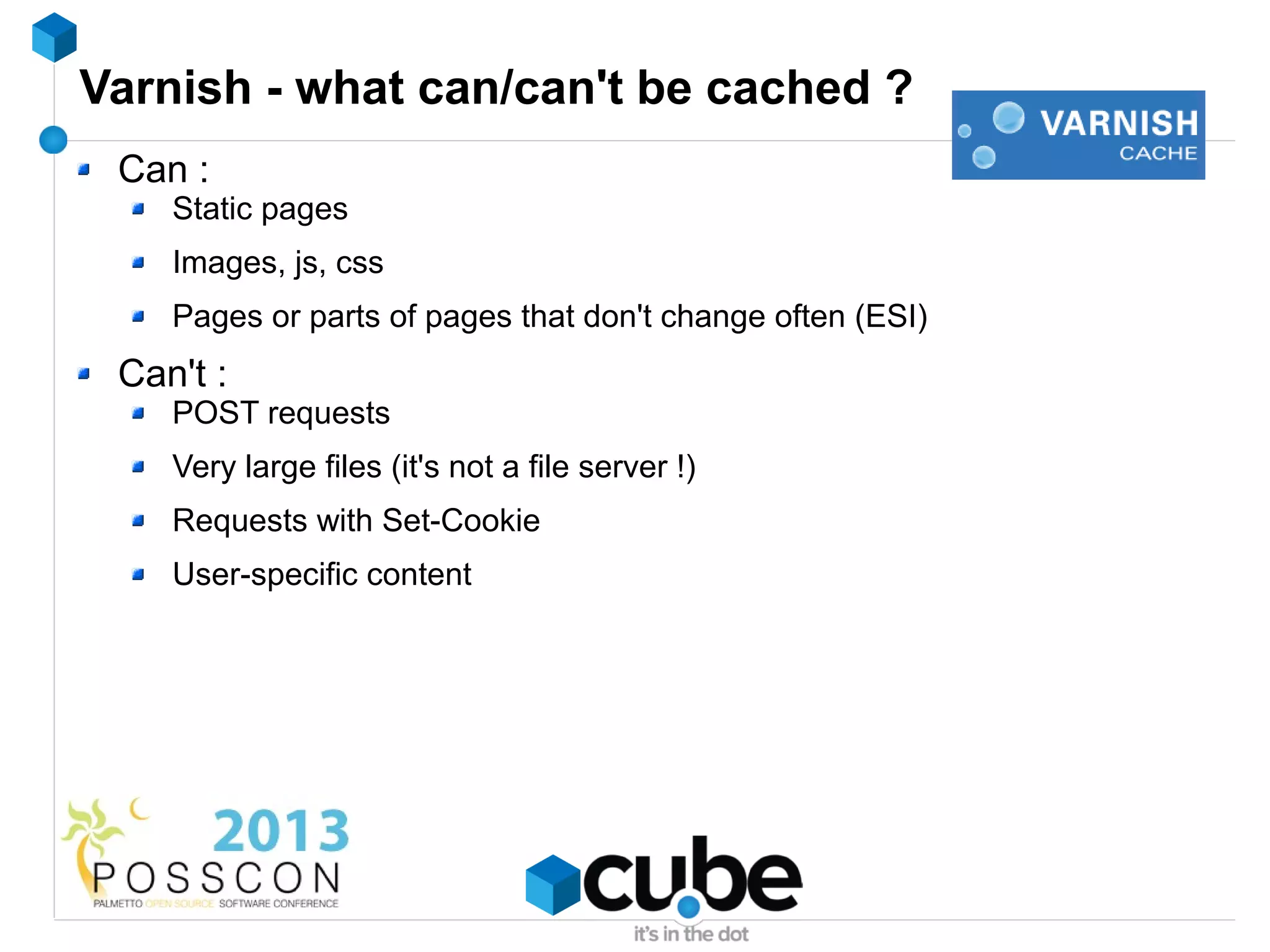
Varnish - what can/can't be cached ?
 Can :
    Static pages
    Images, js, css
    Pages or parts of pages that don't change often (ESI)
 Can't :
    POST requests
    Very large files (it's not a file server !)
    Requests with Set-Cookie
    User-specific content
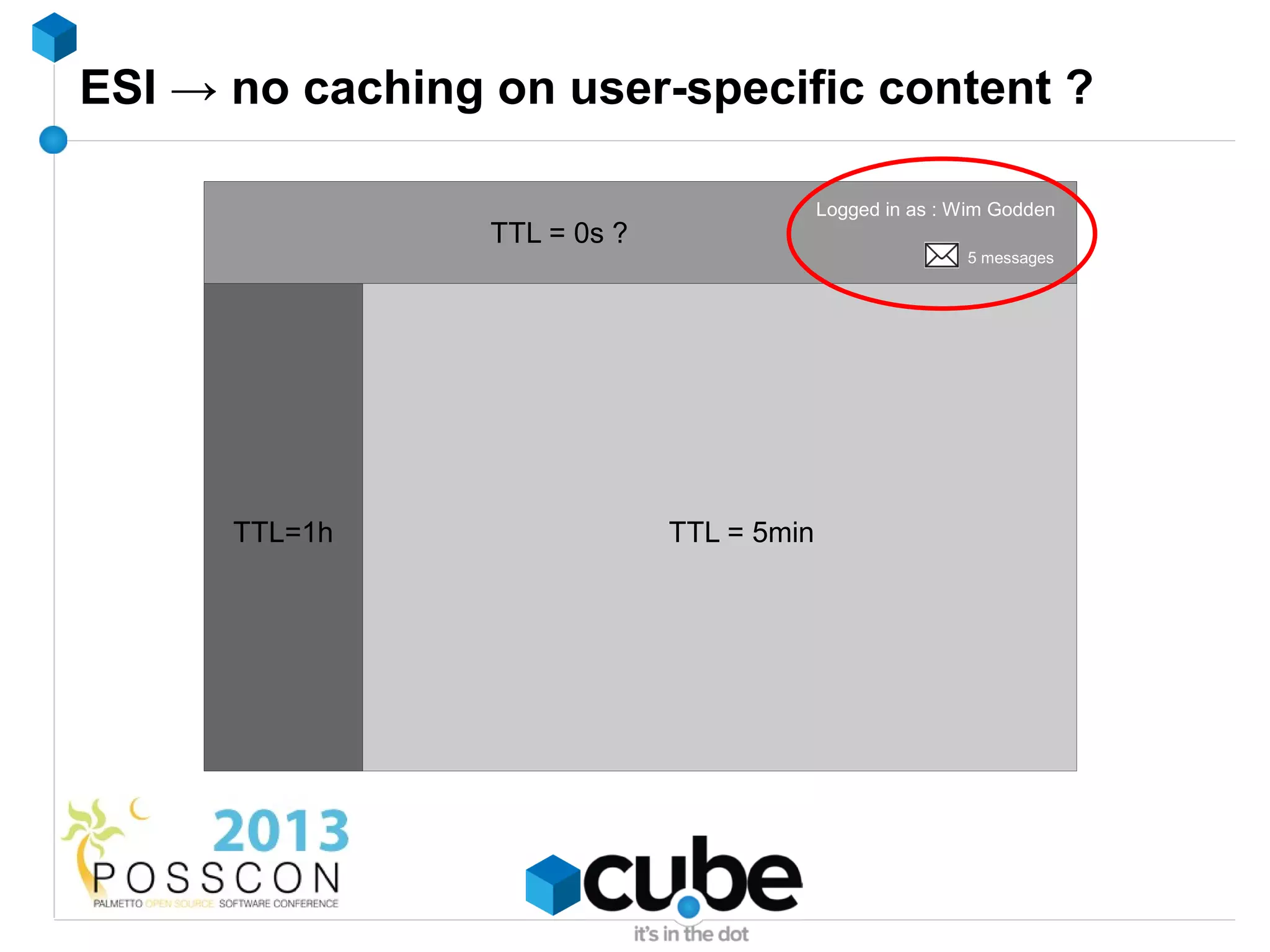
ESI → no caching on user-specific content ?

                                           Logged in as : Wim Godden
                 TTL = 0s ?
                                                          5 messages


      TTL=1h                  TTL = 5min
Coming soon...
 Based on Nginx
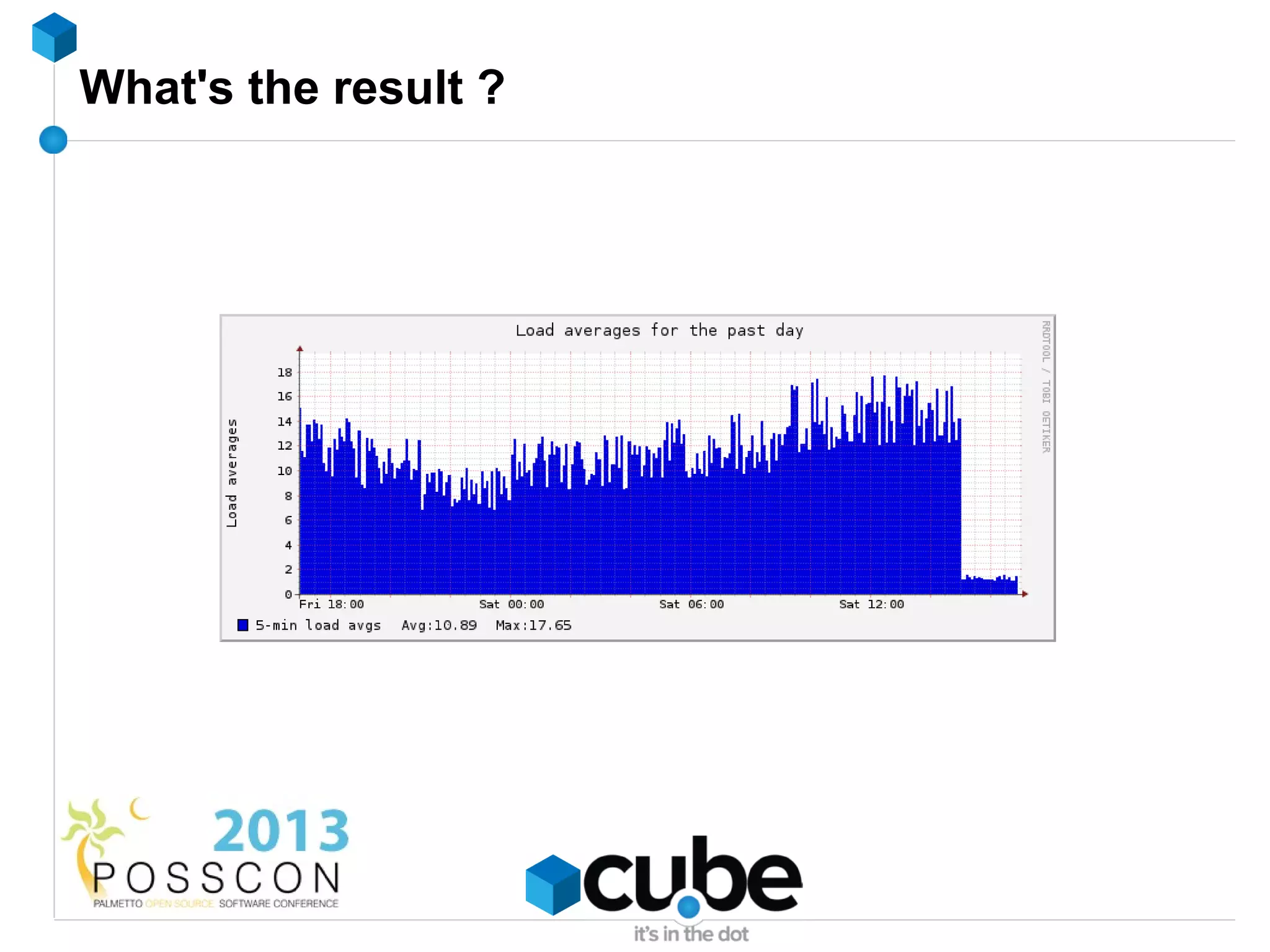
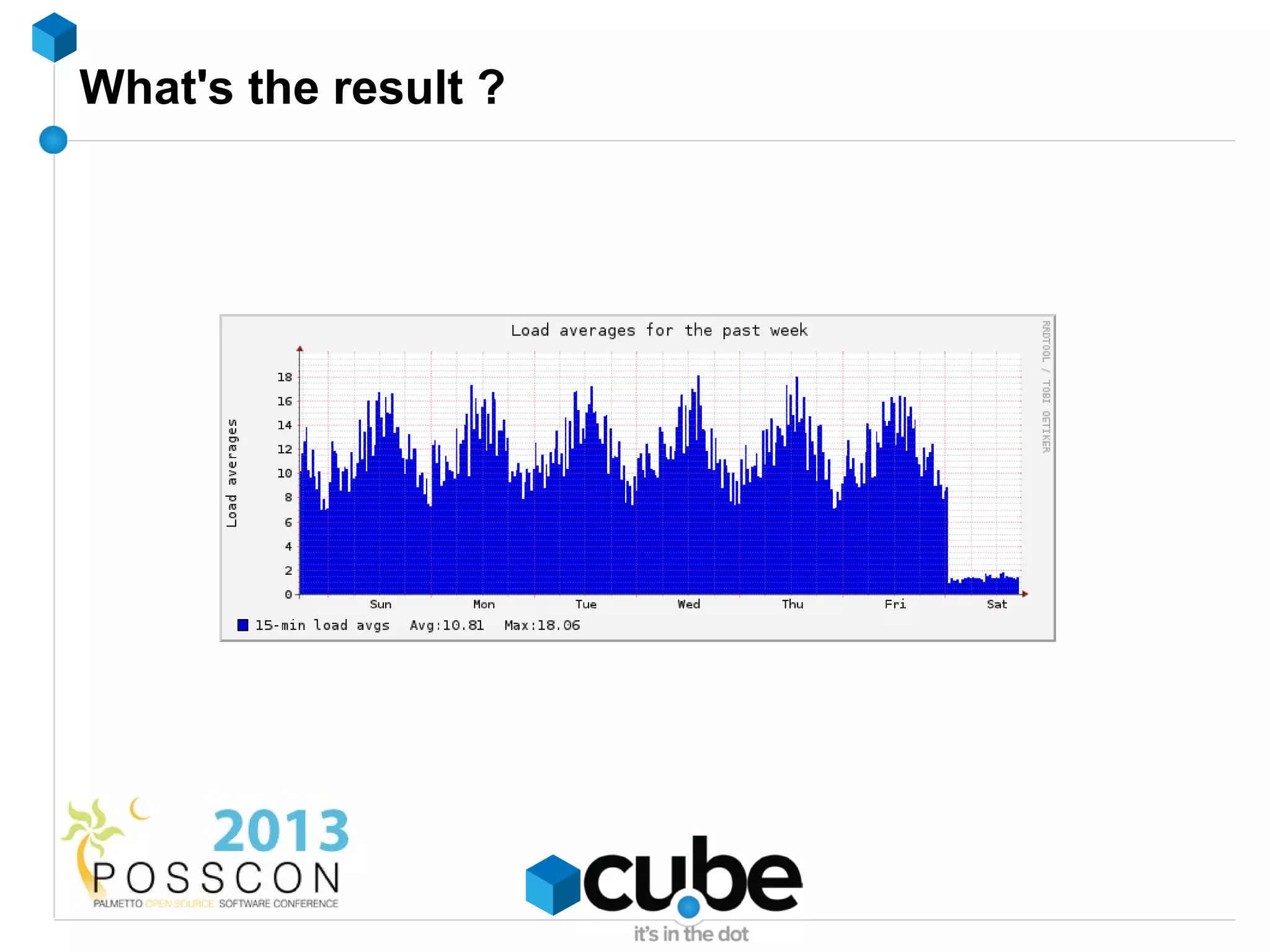
 Reduces load by 50 – 95%
   Requires code changes !
   Well-built project → few changes
   Effect on webservers and database servers
What's the result ?
What's the result ?
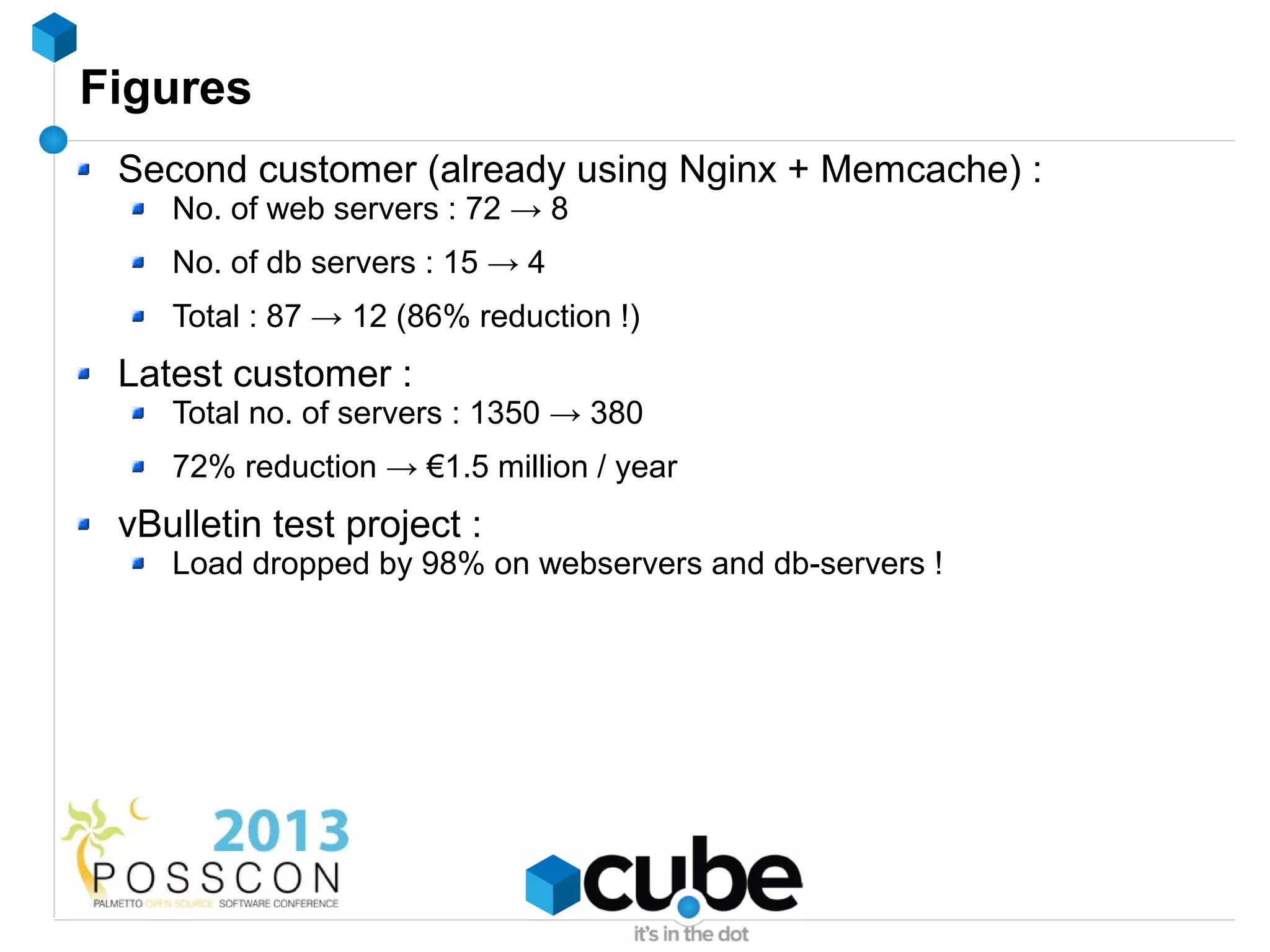
Figures
 Second customer (already using Nginx + Memcache) :
    No. of web servers : 72 → 8
    No. of db servers : 15 → 4
    Total : 87 → 12 (86% reduction !)
 Latest customer :
    Total no. of servers : 1350 → 380
    72% reduction → €1.5 million / year
 vBulletin test project :
    Load dropped by 98% on webservers and db-servers !
Availability
 Old system : stable at 4 customers
 Total rebuild : still under heavy development
 Beta : Sep 2013
 Final : End 2013
PHP speed - some tips
 Upgrade PHP - every minor release has 5-15% speed gain !
 Use an opcode cache (APC, eAccelerator, XCache)
DB speed - some tips
 Use same types for joins
    i.e. don't join decimal with int
 RAND() is evil !
 count(*) is evil in InnoDB without a where clause !
 Persistent connect is sort-of evil
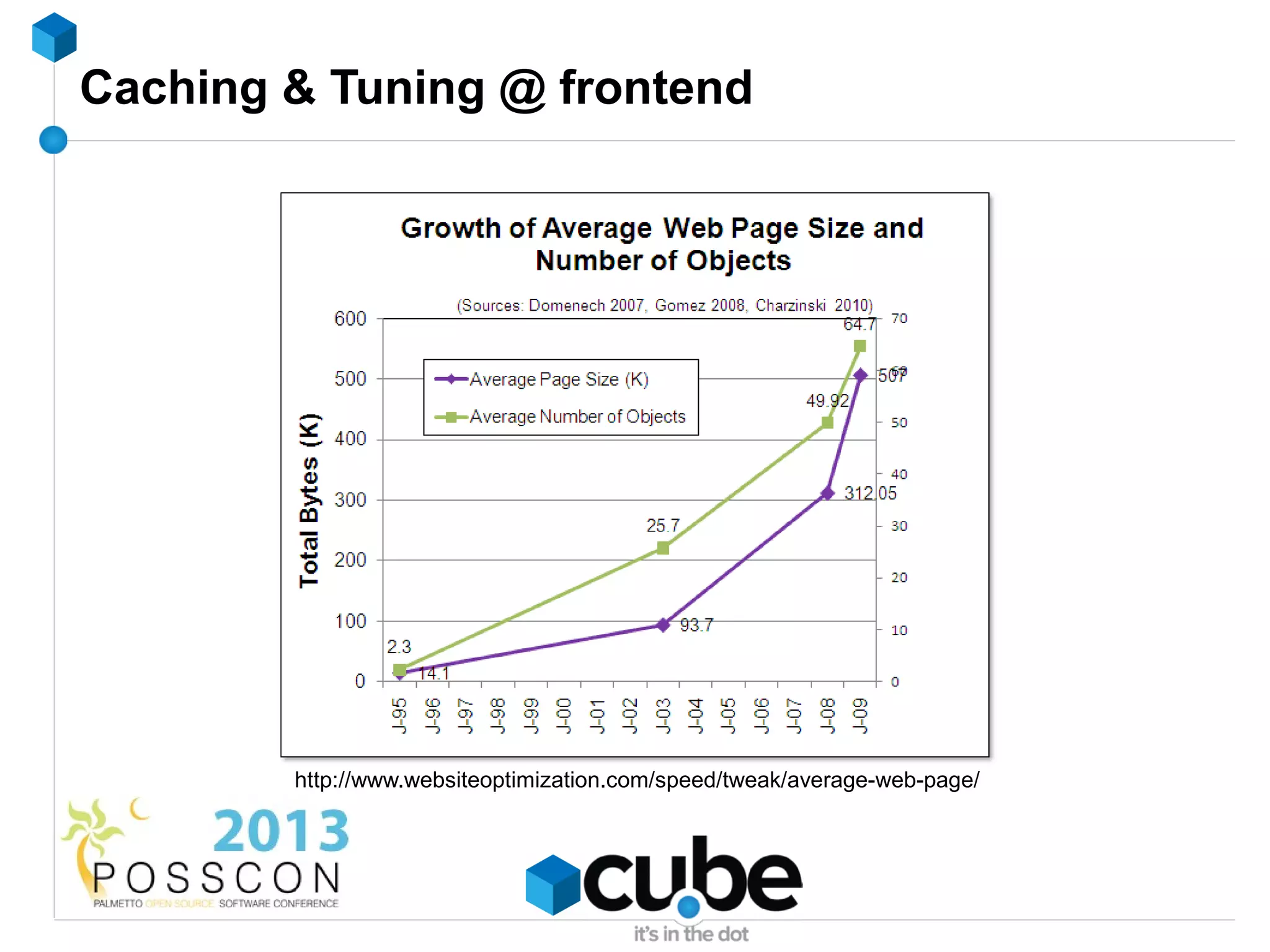
Caching & Tuning @ frontend


        http://www.websiteoptimization.com/speed/tweak/average-web-page/
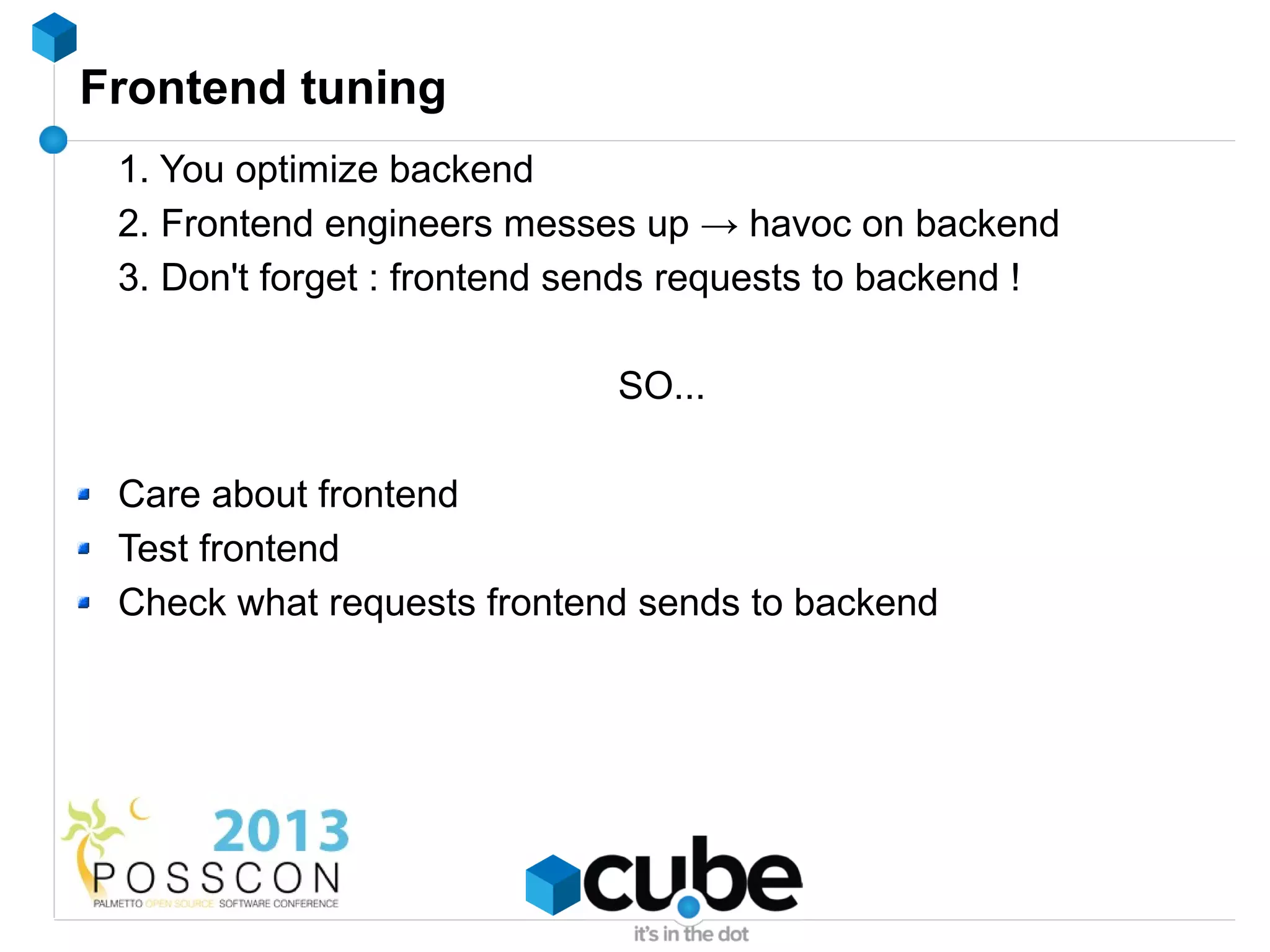
Frontend tuning
 1. You optimize backend
 2. Frontend engineers messes up → havoc on backend
 3. Don't forget : frontend sends requests to backend !

                             SO...

 Care about frontend
 Test frontend
 Check what requests frontend sends to backend
Tuning frontend
 Minimize requests
   Combine CSS/JavaScript files
Tuning frontend
 Minimize requests
   Combine CSS/JavaScript files
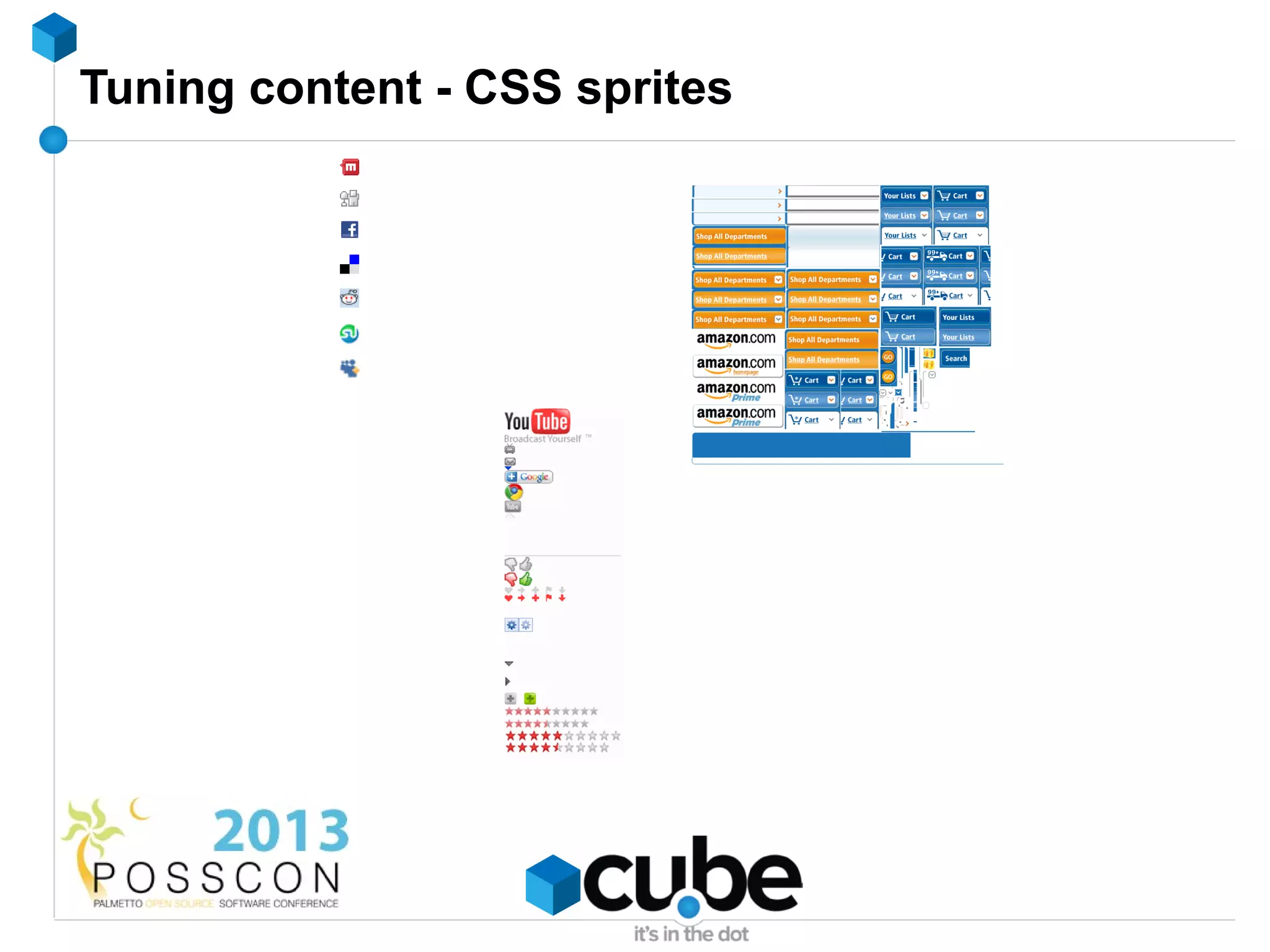
   Use CSS Sprites
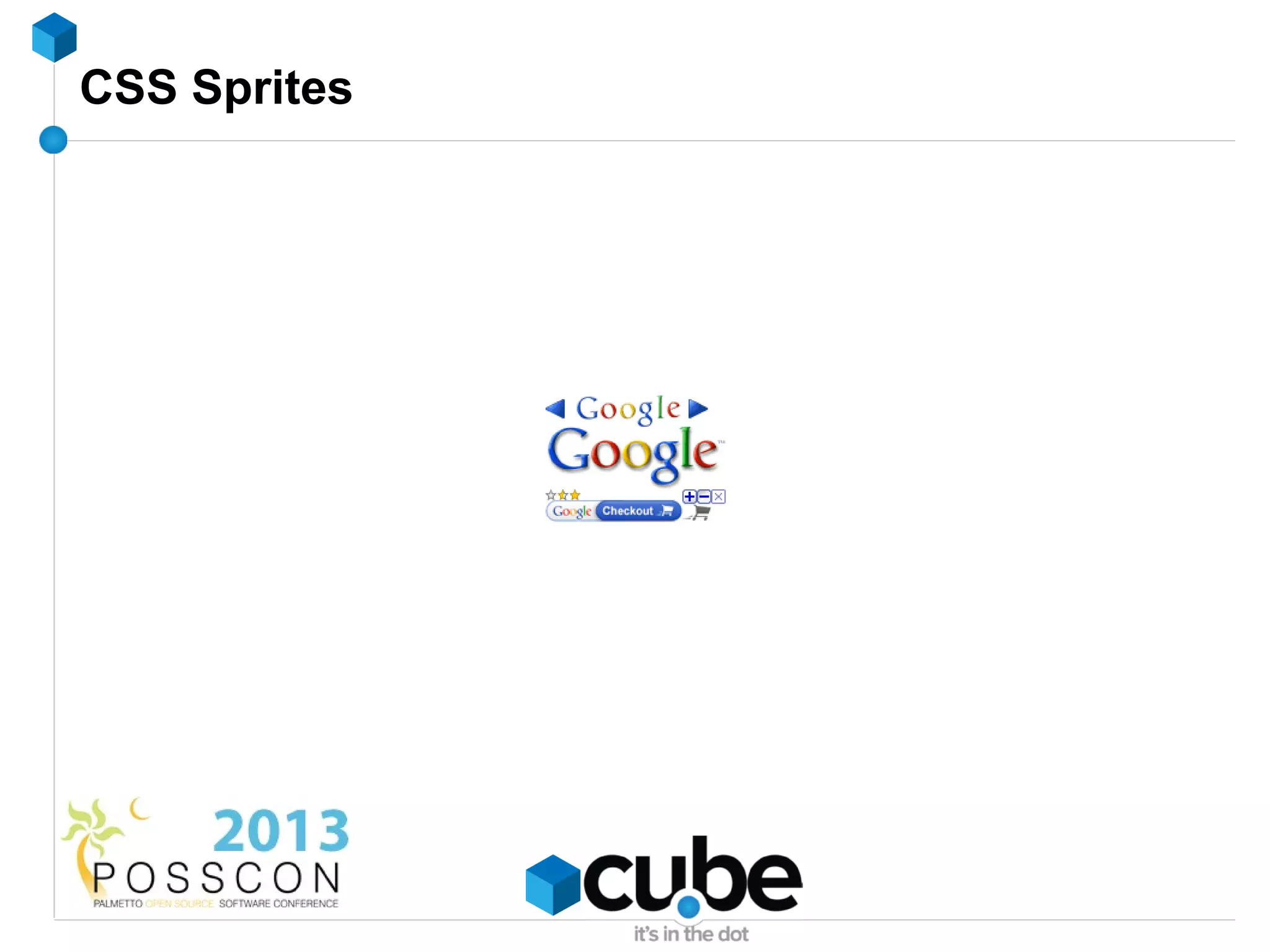
CSS Sprites
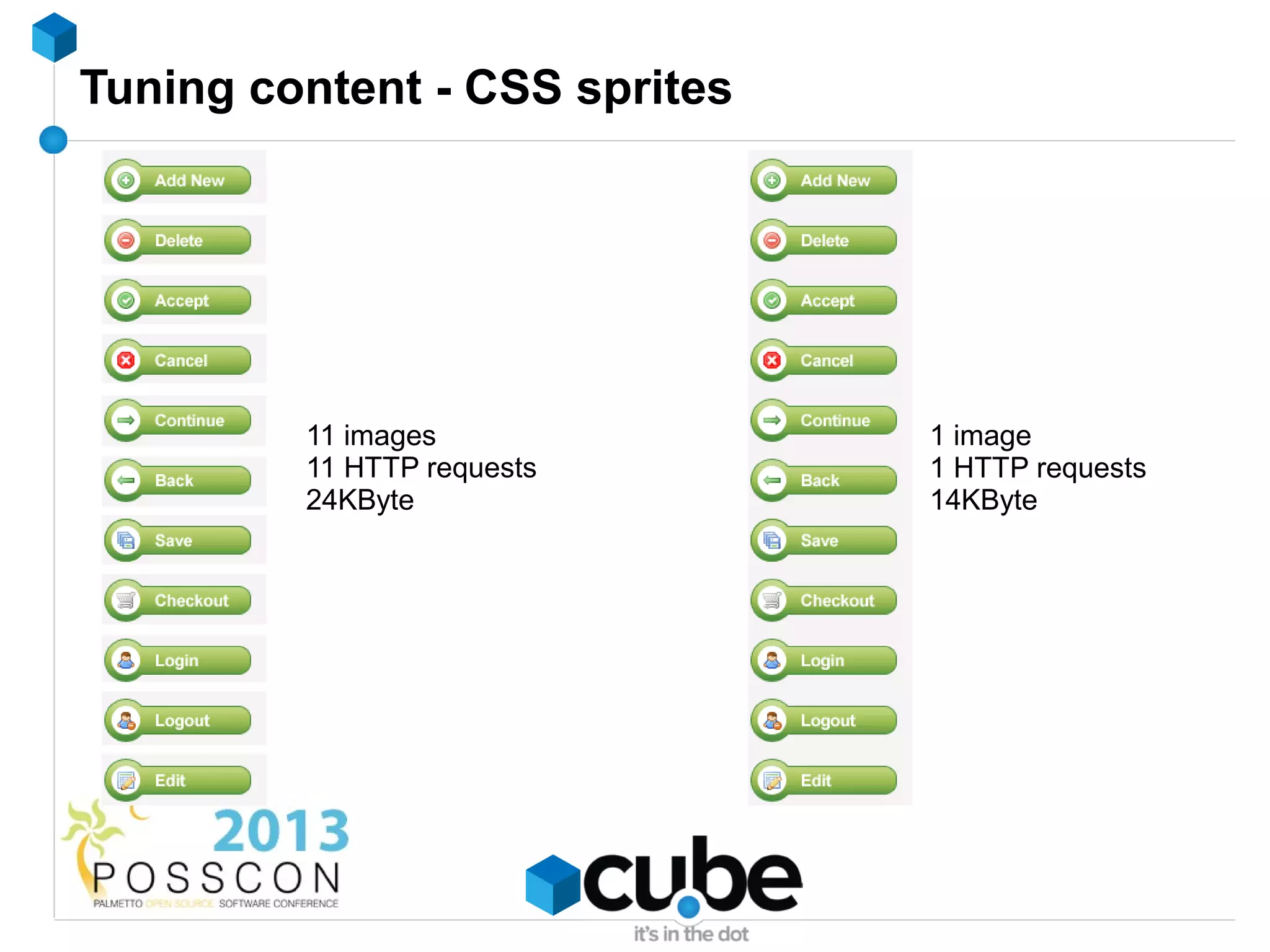
Tuning content - CSS sprites


         11 images             1 image
         11 HTTP requests      1 HTTP requests
         24KByte               14KByte
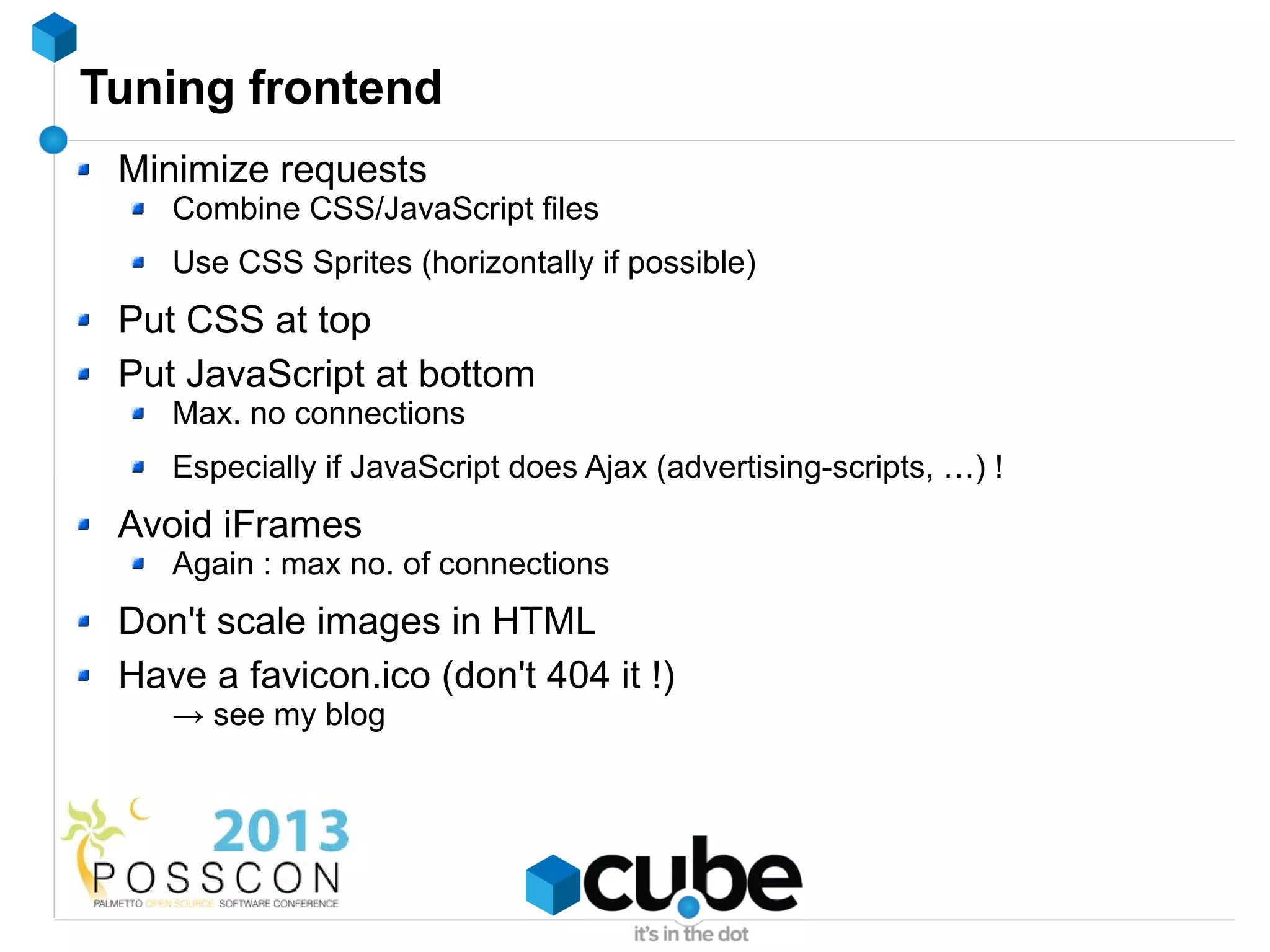
Tuning frontend
 Minimize requests
    Combine CSS/JavaScript files
    Use CSS Sprites (horizontally if possible)
 Put CSS at top
 Put JavaScript at bottom
    Max. no connections
    Especially if JavaScript does Ajax (advertising-scripts, …) !
 Avoid iFrames
    Again : max no. of connections
 Don't scale images in HTML
 Have a favicon.ico (don't 404 it !)
    → see my blog
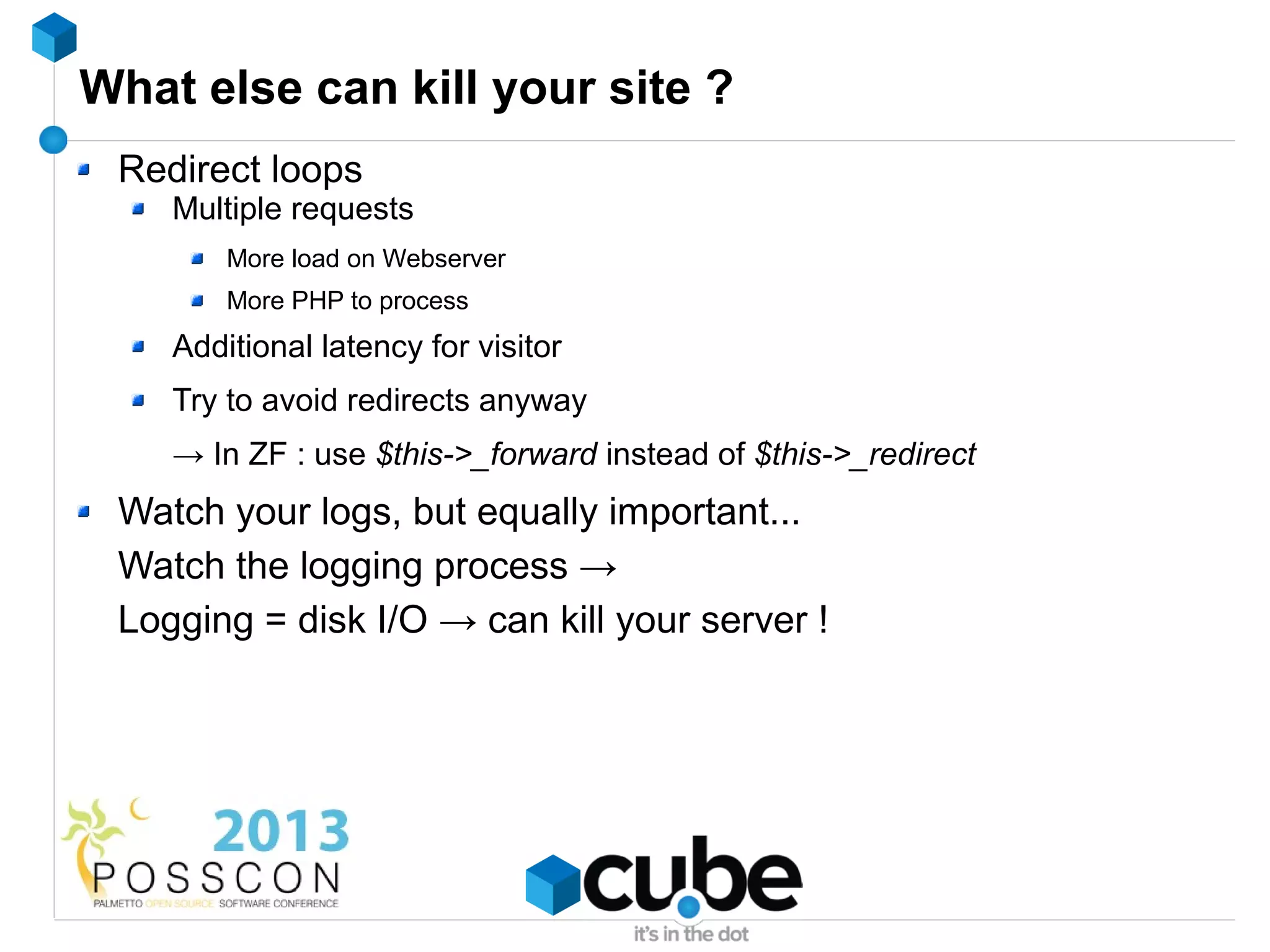
What else can kill your site ?
 Redirect loops
    Multiple requests
        More load on Webserver
        More PHP to process
    Additional latency for visitor
    Try to avoid redirects anyway
    → In ZF : use $this->_forward instead of $this->_redirect
 Watch your logs, but equally important...
 Watch the logging process →
 Logging = disk I/O → can kill your server !
Above all else... be prepared !
 Have a monitoring system
 Use a cache abstraction layer (disk → Memcache)
 Don't install for the worst → prepare for the worst
 Have a test-setup
 Have fallbacks
    → Turn off non-critical functionality
So...
 Cache
    But : never delete, always push !
    Have a warmup script
    Monitor your cache
    Have an abstraction layer
 Apache = fine, Nginx = better
 Static pages ? Use Varnish
 Tune your frontend → impact on backend !
Questions ?
Questions ?
Contact
 Twitter          @wimgtr
 Web              http://techblog.wimgodden.be
 Slides           http://www.slideshare.net/wimg
 E-mail           wim.godden@cu.be


                          Please...
           Rate my talk : http://spkr8.com/t/21151
Thanks !
               Please...
Rate my talk : http://spkr8.com/t/21151
Caching and tuning fun for high scalability

Caching and tuning fun for high scalability

  • 1.
    Caching and tuningfun for high scalability Wim Godden Cu.be Solutions
  • 2.
    Who am I? Wim Godden (@wimgtr) Founder of Cu.be Solutions (http://cu.be) Open Source developer since 1997 Developer of OpenX, PHPCompatibility, ... Speaker at PHP and Open Source conferences
  • 3.
    Who are you? Developers ? System/network engineers ? Managers ? Caching experience ?
  • 4.
    Goals of thistutorial Everything about caching and tuning A few techniques How-to How-NOT-to → Increase reliability, performance and scalability 5 visitors/day → 5 million visitors/day (Don't expect miracle cure !)
  • 5.
  • 6.
  • 7.
    Test page 3DB-queries select firstname, lastname, email from user where user_id = 5; select title, createddate, body from article order by createddate desc limit 5; select title, createddate, body from article order by score desc limit 5; Page just outputs result
  • 8.
    Our base benchmark Apachebench = useful enough Result ? Single webserver Proxy Static PHP Static PHP Apache + PHP 3900 17.5 6700 17.5 Limit : Limit : CPU, network database or disk
  • 9.
  • 10.
    What is caching? CACHE CACHE
  • 11.
    What is caching? x = 5, y = 2 Same result n = 50 CACHE CACHE select * from article join user Doesn't change on article.user_id = user.id all the time order by created desc limit 10
  • 12.
    Theory of caching DB le tab fro m ult ta d re s da turne e ct re sel ta = $da if ($data == false) Page GET /page set( 'key ', $da fal $data) ta = se get( 'key ') Cache
  • 13.
    Theory of caching DB HIT Cache
  • 14.
    Caching techniques #1 : Store entire pages #2 : Store part of a page (block) #3 : Store data retrieval (SQL ?) #4 : Store complex processing result #? : Your call ! When you have data, think : Creating time ? Modification frequency ? Retrieval frequency ?
  • 15.
    How to findcacheable data New projects : start from 'cache everything' Existing projects : Look at MySQL slow query log Make a complete query log (don't forget to turn it off !) → Use Percona Toolkit (pt-query-digest) Check page loading times
  • 16.
    Caching storage -Disk Data with few updates : good Caching SQL queries : preferably not DON'T use NFS or other network file systems high latency possible problem for sessions : locking issues !
  • 17.
    Caching storage -Disk / ramdisk Local 5 Webservers → 5 local caches How will you keep them synchronized ? → Don't say NFS or rsync !
  • 18.
    Caching storage -Memcache(d) Facebook, Twitter, YouTube, … → need we say more ? Distributed memory caching system Multiple machines ↔ 1 big memory-based hash-table Key-value storage system Keys - max. 250bytes Values - max. 1Mbyte
  • 19.
    Caching storage -Memcache(d) Facebook, Twitter, YouTube, … → need we say more ? Distributed memory caching system Key-value storage system Keys - max. 250bytes Values - max. 1Mbyte Extremely fast... non-blocking, UDP (!)
  • 20.
    Memcache - whereto install
  • 21.
    Memcache - whereto install
  • 22.
    Memcache - installation& running it Installation Distribution package PECL Windows : binaries Running No config-files memcached -d -m <mem> -l <ip> -p <port> ex. : memcached -d -m 2048 -l 172.16.1.91 -p 11211
  • 23.
    Caching storage -Memcache - some notes Not fault-tolerant It's a cache ! Lose session data Lose shopping cart data ...
  • 24.
    Caching storage -Memcache - some notes Not fault-tolerant It's a cache ! Lose session data Lose shopping cart data … Firewall your Memcache port !
  • 25.
    Memcache in code <?php $memcache= new Memcache(); $memcache->addServer('172.16.0.1', 11211); $memcache->addServer('172.16.0.2', 11211); $myData = $memcache->get('myKey'); if ($myData === false) { $myData = GetMyDataFromDB(); // Put it in Memcache as 'myKey', without compression, with no expiration $memcache->set('myKey', $myData, false, 0); } echo $myData;
  • 26.
    Benchmark with Memcache Single webserver Proxy Static PHP Static PHP Apache + PHP 3900 17.5 6700 17.5 Apache + PHP + MC 3900 55 6700 108
  • 27.
    Memcache slabs (or why Memcache says it's full when it's not) Multiple slabs of different sizes : Slab 1 : 400 bytes Slab 2 : 480 bytes (400 * 1.2) Slab 3 : 576 bytes (480 * 1.2) (and so on...) Multiplier (1.2 here) can be configured Store a lot of very large objects → Large slabs : full → Rest : free → Eviction of data !
  • 28.
    Memcache - Isit working ? Connect to it using telnet STAT pid 2941 STAT uptime 10878 STAT time 1296074240 "stats" command → STAT version 1.4.5 STAT pointer_size 64 STAT rusage_user 20.089945 Use Cacti or other monitoring tools STAT rusage_system 58.499106 STAT curr_connections 16 STAT total_connections 276950 STAT connection_structures 96 STAT cmd_get 276931 STAT cmd_set 584148 STAT cmd_flush 0 STAT get_hits 211106 STAT get_misses 65825 STAT delete_misses 101 STAT delete_hits 276829 STAT incr_misses 0 STAT incr_hits 0 STAT decr_misses 0 STAT decr_hits 0 STAT cas_misses 0 STAT cas_hits 0 STAT cas_badval 0 STAT auth_cmds 0 STAT auth_errors 0 STAT bytes_read 613193860 STAT bytes_written 553991373 STAT limit_maxbytes 268435456 STAT accepting_conns 1 STAT listen_disabled_num 0 STAT threads 4 STAT conn_yields 0 STAT bytes 20418140 STAT curr_items 65826 STAT total_items 553856 STAT evictions 0 STAT reclaimed 0
  • 29.
  • 30.
    Memcache - tip Page with multiple blocks ? → use Memcached::getMulti() Hashing getMulti($array) algorithm But : what if you get some hits and some misses ?
  • 31.
  • 32.
    Updating data LCD_Popular_Product_List
  • 33.
  • 34.
  • 35.
    Adding/updating data -Why it crashed
  • 36.
    Adding/updating data -Why it crashed
  • 37.
    Adding/updating data -Why it crashed
  • 38.
  • 39.
  • 40.
    Memcache code ? Memcache code Visitor interface Admin interface DB
  • 41.
    Cache warmup scripts Used to fill your cache when it's empty Run it before starting Webserver ! 2 ways : Visit all URLs Error-prone Hard to maintain Call all cache-updating methods Make sure you have a warmup script !
  • 42.
    Cache stampeding -what about locking ? Seems like a nice idea, but... While lock in place What if the process that created the lock fails ?
  • 43.
    LAMP... → LAMMP → LNMMP
  • 44.
    Nginx Web server Reverse proxy Lightweight, fast 12.81% of all Websites
  • 45.
    Nginx No threads,event-driven Uses epoll / kqueue Low memory footprint 10000 active connections = normal
  • 46.
    Nginx - Configuration server { listen 80; server_name www.domain.ext *.domain.ext; index index.html; root /home/domain.ext/www; } server { listen 80; server_name photo.domain.ext; index index.html; root /home/domain.ext/photo; }
  • 47.
    Nginx with PHP-FPM Since PHP 5.3.3 Runs on port 9000 Nginx connects using fastcgi method location / { fastcgi_pass 127.0.0.1:9000; fastcgi_index index.php; include fastcgi_params; fastcgi_param SCRIPT_NAME $fastcgi_script_name; fastcgi_param SCRIPT_FILENAME /home/www.4developers.pl/$fastcgi_script_name; fastcgi_param SERVER_NAME $host; fastcgi_intercept_errors on; }
  • 48.
    Nginx + PHP-FPMfeatures Graceful upgrade Spawn new processes under high load Chroot Slow request log !
  • 49.
    Nginx + PHP-FPMfeatures Graceful upgrade Spawn new processes under high load Chroot Slow request log ! fastcgi_finish_request() → offline processing
  • 50.
    Nginx + PHP-FPM- performance ? Single webserver Proxy Static PHP Static PHP Apache + PHP 3900 17.5 6700 17.5 Apache + PHP + MC 3900 55 6700 108 Nginx + PHP-FPM + MC 11700 57 11200 112 Limit : single-threaded Apachebench
  • 51.
    Nginx + PHP-FPM- performance ? Single webserver Proxy Static PHP Static PHP Apache + PHP 3900 17.5 6700 17.5 Apache + PHP + MC 3900 55 6700 108 Apache (tuned) + PHP/MC 10600 55 11400 108 Nginx + PHP-FPM + MC 11700 57 11200 112 Limit : single-threaded Apachebench
  • 52.
  • 53.
    Varnish Not justa load balancer Reverse proxy cache / http accelerator / … Caches (parts of) pages in memory Careful : uses threads (like Apache) Nginx usually scales better (but doesn't have VCL)
  • 54.
    Varnish - backends+ load balancing backend server1 { .host = "192.168.0.10"; } backend server2 { .host = "192.168.0.11"; } director example_director round-robin { { .backend = server1; } { .backend = server2; } }
  • 55.
    Varnish - VCL Varnish Configuration Language DSL (Domain Specific Language) → compiled to C Hooks into each request Defines : Backends (web servers) ACLs Load balancing strategy Can be reloaded while running
  • 56.
    Varnish - whateveryou want Real-time statistics (varnishtop, varnishhist, ...) ESI
  • 57.
    Varnish - ESI Perfect for caching pages Header (TTL : 60 min) In your article page output : /top <esi:include src="/top"/> <esi:include src="/nav"/> Latest news (TTL : 2 min) /news <esi:include src="/news"/> <esi:include src="/article/732"/> Navigation Article content page In your Varnish config : (TTL : sub vcl_fetch { 60 min) Article content (TTL : 15 min) if (req.url == "/news") { /nav /article/732 esi; /* Do ESI processing */ set obj.ttl = 2m; } elseif (req.url == "/nav") { esi; set obj.ttl = 1m; } elseif …. …. }
  • 58.
    Varnish with ESI- hold on tight ! Single webserver Proxy Static PHP Static PHP Apache + PHP 3900 17.5 6700 17.5 Apache + PHP + MC 3900 55 6700 108 Nginx + PHP-FPM + MC 11700 57 11200 112 Varnish - - 11200 4200
  • 59.
    Varnish - whatcan/can't be cached ? Can : Static pages Images, js, css Pages or parts of pages that don't change often (ESI) Can't : POST requests Very large files (it's not a file server !) Requests with Set-Cookie User-specific content
  • 60.
    ESI → nocaching on user-specific content ? Logged in as : Wim Godden TTL = 0s ? 5 messages TTL=1h TTL = 5min
  • 61.
    Coming soon... Basedon Nginx Reduces load by 50 – 95% Requires code changes ! Well-built project → few changes Effect on webservers and database servers
  • 62.
  • 63.
  • 64.
    Figures Second customer(already using Nginx + Memcache) : No. of web servers : 72 → 8 No. of db servers : 15 → 4 Total : 87 → 12 (86% reduction !) Latest customer : Total no. of servers : 1350 → 380 72% reduction → €1.5 million / year vBulletin test project : Load dropped by 98% on webservers and db-servers !
  • 65.
    Availability Old system: stable at 4 customers Total rebuild : still under heavy development Beta : Sep 2013 Final : End 2013
  • 66.
    PHP speed -some tips Upgrade PHP - every minor release has 5-15% speed gain ! Use an opcode cache (APC, eAccelerator, XCache)
  • 67.
    DB speed -some tips Use same types for joins i.e. don't join decimal with int RAND() is evil ! count(*) is evil in InnoDB without a where clause ! Persistent connect is sort-of evil
  • 68.
    Caching & Tuning@ frontend http://www.websiteoptimization.com/speed/tweak/average-web-page/
  • 69.
    Frontend tuning 1.You optimize backend 2. Frontend engineers messes up → havoc on backend 3. Don't forget : frontend sends requests to backend ! SO... Care about frontend Test frontend Check what requests frontend sends to backend
  • 70.
    Tuning frontend Minimizerequests Combine CSS/JavaScript files
  • 71.
    Tuning frontend Minimizerequests Combine CSS/JavaScript files Use CSS Sprites
  • 72.
  • 73.
    Tuning content -CSS sprites
  • 74.
    Tuning content -CSS sprites 11 images 1 image 11 HTTP requests 1 HTTP requests 24KByte 14KByte
  • 75.
    Tuning frontend Minimizerequests Combine CSS/JavaScript files Use CSS Sprites (horizontally if possible) Put CSS at top Put JavaScript at bottom Max. no connections Especially if JavaScript does Ajax (advertising-scripts, …) ! Avoid iFrames Again : max no. of connections Don't scale images in HTML Have a favicon.ico (don't 404 it !) → see my blog
  • 76.
    What else cankill your site ? Redirect loops Multiple requests More load on Webserver More PHP to process Additional latency for visitor Try to avoid redirects anyway → In ZF : use $this->_forward instead of $this->_redirect Watch your logs, but equally important... Watch the logging process → Logging = disk I/O → can kill your server !
  • 77.
    Above all else...be prepared ! Have a monitoring system Use a cache abstraction layer (disk → Memcache) Don't install for the worst → prepare for the worst Have a test-setup Have fallbacks → Turn off non-critical functionality
  • 78.
    So... Cache But : never delete, always push ! Have a warmup script Monitor your cache Have an abstraction layer Apache = fine, Nginx = better Static pages ? Use Varnish Tune your frontend → impact on backend !
  • 79.
  • 80.
  • 81.
    Contact Twitter @wimgtr Web http://techblog.wimgodden.be Slides http://www.slideshare.net/wimg E-mail wim.godden@cu.be Please... Rate my talk : http://spkr8.com/t/21151
  • 82.
    Thanks ! Please... Rate my talk : http://spkr8.com/t/21151