C Programming – Introduction
Subject Code: CS2C01
Course Instructor: Yogesh M J
Department of CSE
NIE,Mysuru-8
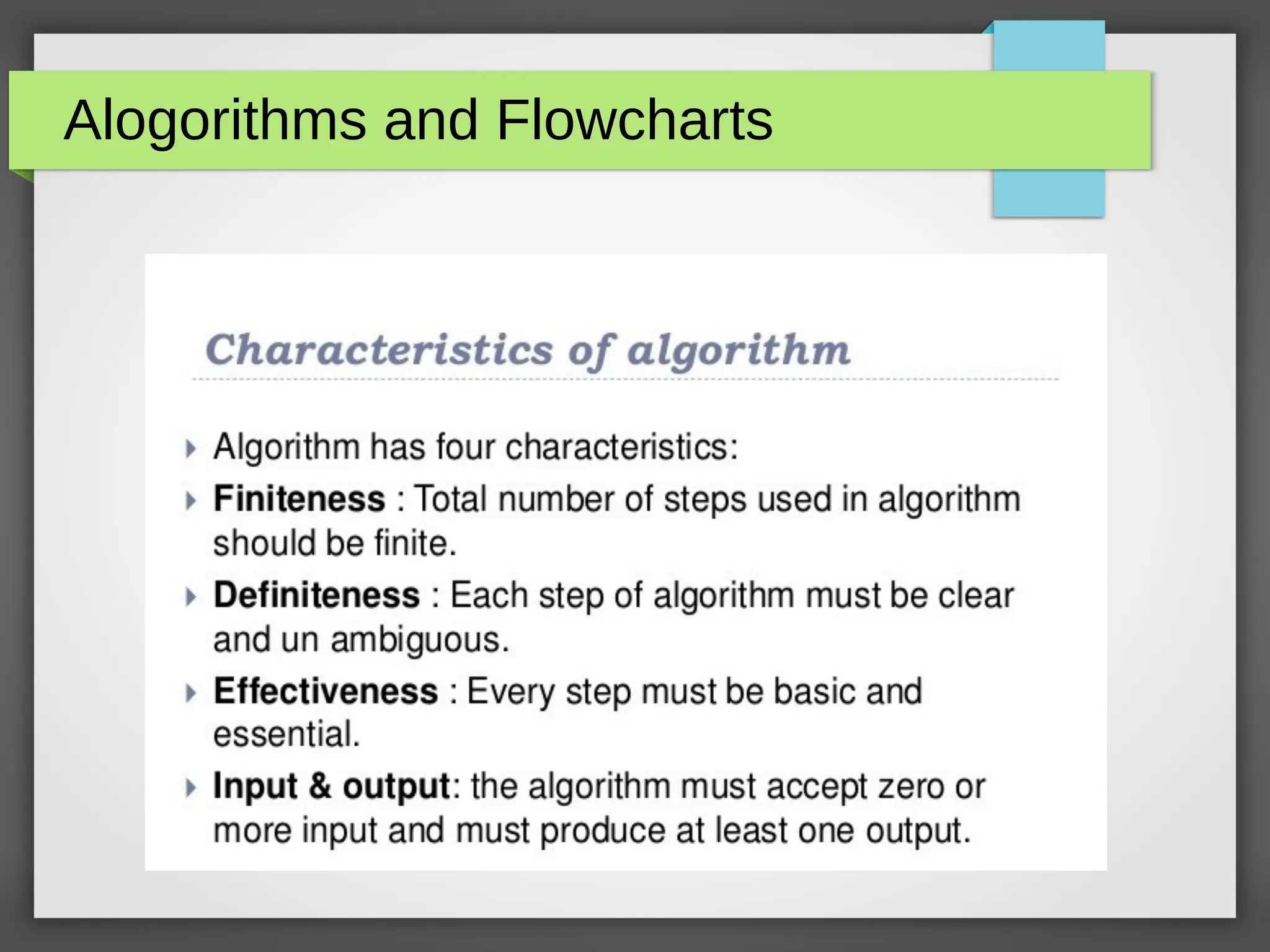
Alogorithms and Flowcharts
Algorithms – Continued
Features of algorithm

It is general english language written in step to justify the
programme objective which can easily be understood by a
beginner.

It is no more programme code.

Program control is always in from top-to-bottom approach.

It is independent of programming language.
Algorithms

Algorithm and flowchart are the powerful tools for learning
programming.

An algorithm is a step-by-step analysis of the process,
while a flowchart explains the steps of a program in a
graphical way.

Algorithm and flowcharts helps to clarify all the steps for
solving the problem.

For beginners, it is always recommended to first write
algorithm and draw flowchart for solving a problem and
then only write the program.
Algorithms

Beginners find it difficult to write algorithm and draw
flowchart.

The algorithm can vary from person to person to solve a
particular problem.

Algorithms can be drawn using a software also with the
following link :
https://www.nchsoftware.com/chart/index.html
Algorithms

The algorithm and flowchart include following three types of control
structures.

1. Sequence: In the sequence structure, statements are placed one
after the other and the execution takes place starting from up to
down.

2. Branching (Selection): In branch control, there is a condition
and according to a condition, a decision of either TRUE or FALSE is
achieved. In the case of TRUE, one of the two branches is
explored; but in the case of FALSE condition, the other alternative is
taken. Generally, the ‘IF-THEN’ is used to represent branch control.

3. Loop (Repetition): The Loop or Repetition allows a statement(s)
to be executed repeatedly based on certain loop condition e.g.
WHILE, FOR loops.
Advantages of Algorithms

It is a step-wise representation of a solution to a given
problem, which makes it easy to understand.

An algorithm uses a definite procedure.

It is not dependent on any programming language, so it is
easy to understand for anyone even without programming
knowledge.

Every step in an algorithm has its own logical sequence so
it is easy to debug.
FLOWCHART

A flowchart is a graphical or pictorial representation of an
algorithm with the help of different symbols, shapes and
arrows in order to demonstrate a process or a program.

Unlike an algorithm, Flowchart uses different symbols to
design a solution to a problem.

It is another commonly used programming tool.

By looking at a Flowchart one can understand the operations
and sequence of operations performed in a system.

Flowchart is often considered as a blueprint of a design used
for solving a specific problem.
Advantages of Flowchart

Flowchart is an excellent way of communicating the logic of a
program.

Easy and efficient to analyze problem using flowchart.

During program development cycle, the flowchart plays the role of
a blueprint, which makes program development process easier.

After successful development of a program, it needs continuous
timely maintenance during the course of its operation.

The flowchart makes program or system maintenance easier.

It is easy to convert the flowchart into any programming language
code.
Symbols of Flowchart
Differences between Algorithm and
Flowchart
Example
Practice Sets

Algorithm & Flowchart to find the sum of two numbers

Algorithm & Flowchart to convert temperature from Celsius
to Fahrenheit

Algorithm & Flowchart to convert temperature from
Fahrenheit to Celsius

Algorithm & Flowchart to find Area and Perimeter of
Square

Algorithm & Flowchart to find Area and Perimeter of
Rectangle
What is C????
C is a programming language developed at AT & T’s Bell
Laboratories of USA in 1972.
It was designed and written by a man named Dennis Ritchie.
In the late seventies C began to replace the more familiar
languages of that time like PL/I, ALGOL, etc.
No one pushed C. It wasn’t made the ‘official’ Bell Labs
language.
Thus, without any advertisement C’s reputation spread and
its pool of users grew.
Getting Started with C
Communicating with a computer involves speaking the
language the computer understands, which immediately rules
out English as the language of communication with computer.
However, there is a close analogy between learning English
language and learning C language.
The classical method of learning English is to first learn the
alphabets used in the language, then learn to combine these
alphabets to form words, which in turn are combined to form
sentences and sentences are combined to form paragraphs.
Learning C is similar and easier.
Steps in learning C language
The C Character Set
A character denotes any alphabet, digit or special symbol
used to represent information.
Constants, Variables and
Keywords
The alphabets, numbers and special symbols when properly
combined form constants, variables and keywords.
A constant is an entity that doesn’t change whereas a variable is an entity
that may change.
In any program we typically do lots of calculations. The results of these
calculations are stored in computers memory.
Like human memory the computer memory also consists of millions of cells.
The calculated values are stored in these memory cells.
To make the retrieval and usage of these values easy these memory cells
(also called memory locations) are given names.
Example
Types of Constants
Rules for Constructing Real
Constants
1. A real constant must have at least one digit.
2. It must have a decimal point.
3. It could be either positive or negative.
4. Default sign is positive.
5. No commas or blanks are allowed within a real constant.
Examples :
+325.34
426.0
-32.76
-48.5792
The exponential form of representation of real constants is usually used if the value of the constant is
either too small or too large.
It however doesn’t restrict us in any way from using exponential form of representation for other real
constants.
Rules for Constructing Integer
Constants
1. An integer constant must have at least one digit.
2. It must not have a decimal point.
3. It can be either positive or negative.
4. If no sign precedes an integer constant it is assumed to be positive.
5. No commas or blanks are allowed within an integer constant.
6. The allowable range for integer constants is -32768 to 32767.
Examples :
426
+782
-8000
-7605
Rules for Constructing Character
Constants
1. A character constant is a single alphabet, a single digit or a
single special symbol enclosed within single inverted commas.
2. Both the inverted commas should point to the left.
For example, ’A’ is a valid character constant whereas ‘A’ is not.
The maximum length of a character constant can be 1 character.
Examples:
'A'
'I'
'5'
'='
Executing a C Program
Steps
1. Creating the Program
2. Compiling the Program
3. Linking the program with functions that are needed from
the C library
4. Executing the program
Process of compiling and Running
C Program
Compiling,Linking and Executing :
Commands (in Unix/Linux)
Steps:
1. cc/gcc filename.c
2. cc/gcc filename -lm
3. a.out
The #define Directive
A #define is a preprocessor compiler directive and not a
statement.
Therefore #define lines should not end with a semicolon.
#define instructions are usually placed at the beginning
before the main() functions.
Useage/Example: #define PERIOD 10
#define PI 3.14
The #include Directive
C Programs are divided into modules or functions.
Some functions are written by users, like us, and many others
are stored in the C library.
Library functions are grouped category-wise and stored in
different files known as header files.
If we want to access the functions stored in the library, it is
necessary to tell the compiler about the files to be
accessed.
– Useage: #include<filename>
C Tokens
C Keywords
C Keywords
Rules for Indentifiers
Indentifiers refer to the names of variables, functions and
arrays.
These are user-defined names and consist of a sequence of
letters and digits, with a letter as a first character.
1. First character must be an alphabet(or underscore).
2. Must consist of only letters, digits or underscore.
3. Only first 31 characters are significant.
4. Cannot use a keyword.
5. Must not contain white space.
Backslash Character Constants
Data Types in C
Data Types in C
Data Type – Keyword Equivalent
C OPERATORS, OPERANDS,
EXPRESSION & STATEMENTS
Operators are symbols which take one or more operands or expressions
and perform arithmetic or logical computations.
Operands are variables or expressions which are used in conjunction
with operators to evaluate the expression.
Combination of operands and operators form an expression.
Expressions are sequences of operators, operands, and punctuators that
specify a computation.
Evaluation of expressions is based on the operators that the expressions
contain and the context in which they are used.
Expression can result in a value and can produce side effects.
A side effect is a change in the state of the execution environment.
An expression is any valid set of literals, variables, operators, operands
and expressions that evaluates to a single value.
This value can be a number, a string or a logical value.
For instance a = b + c; denotes an expression in which there are 3
operands a, b, c and two operator + and =.
A statement, the smallest independent computational unit, specifies an
action to be performed.
In most cases, statements are executed in sequence.
The number of operands of an operator is called its arity.
Based on arity, operators are classified as nullary (no operands), unary
(1 operand), binary (2 operands), ternary (3 operands).
Operators Description Example Usage
Postfix operators
()
Function call operator. A function call is
an expression containing the function
name followed by the function call
operator, (). If the function has been
defined to receive parameters, the
values that are to be sent into the
function are listed inside the
parentheses of the function call
operator. The argument list can
contain any number of expressions
separated by commas. It can also be
empty.
sumUp(inum1, inum2)
displayName()
student(cname, iage,
caddress)
Calculate(length, wide +
7)
[]
Array subscripting operator. A postfix
expression followed by an
expression in [ ] (brackets) specifies
an element of an array. The
expression within the brackets is
referred to as a subscript. The first
element of an array has the subscript
zero.
#include <stdio.h>
int main(void)
{
int a[3] = { 11, 12, 33 };
printf("a[0] = %dn", a[0]);
return 0;
}
.
Dot operator used to access class,
structure, or union members type.
objectVar.memberOfStructUnion
->
Arrow operator used to access class,
structure or union members using a
pointer type.
aptrTo->memberOfStructUnion
1. Example 1: function call operator
2. Example 2: array subscripting operator
3. Example 3: pointer dot and arrow operator
Unary Operators
Unary Operators
+
Unary plus maintains the value of the operand. Any
plus sign in front of a constant is not part of the
constant.
+aNumber
-
Unary minus operator negates the value of the
operand. For example, if num variable has the
value 200, -num has the value -200. Any minus
sign in front of a constant is not part of the
constant.
-342
Increment and Decrement
Operators
You can put the ++/-- before or after the operand. If it appears before the
operand, the operand is incremented/decremented. The incremented value is
then used in the expression. If you put the ++/-- after the operand, the value of
the operand is used in the expression before the operand is
incremented/decremented.
++ Post-increment. After the result is obtained, the
value of the operand is incremented by 1.
aNumber++
-- Post-decrement. After the result is obtained, the
value of the operand is decremented by 1.
aNumber--
++ Pre-increment. The operand is incremented by 1 and
its new value is the result of the expression.
++yourNumber
-- Pre-decrement. The operand is decremented by 1
and its new value is the result of the expression.
--yourNumber
&
The address-of operator (&) gives the address of its
operand. The operand of the address-of operator can
be either a function designator or an l-value that
designates an object that is not a bit field and is not
declared with the register storage-class specifier.
The result of the address operation is a pointer to the
operand. The type addressed by the pointer is the type
of the operand.
&addressO
fData
*
The indirection operator (*) accesses a value indirectly,
through a pointer. The operand must be a pointer
value. The result of the operation is the value
addressed by the operand; that is, the value at the
address to which its operand points. The type of the
result is the type that the operand addresses.
*aPointer
To
Sizeof operator
sizeof sizeof operator for expressions sizeof 723
sizeof() sizeof operator for types sizeof(char)
(type) cast-
expression
Explicit conversion of the type of
an object in a specific situation.
This is also call automatic
promotion.
(float)i
The multiplication operator causes its two operands to be multiplied.
* p = q * r;
/
The division operator causes the first operand to be divided by the second. If two integer
operands are divided and the result is not an integer, it is truncated according to the
following rules:
1.The result of division by 0 is undefined according to the ANSI C standard. The
Microsoft C compiler generates an error at compile time or run time.
2.If both operands are positive or unsigned, the result is truncated toward 0.
3.If either operand is negative, whether the result of the operation is the largest integer
less than or equal to the algebraic quotient or is the smallest integer greater than or equal
to the algebraic quotient is implementation defined.
a = b / c;
%
The result of the remainder operator is the remainder when the first operand is
divided by the second. When the division is inexact, the result is determined by
the following rules:
1.If the right operand is zero, the result is undefined.
2.If both operands are positive or unsigned, the result is positive.
3.If either operand is negative and the result is inexact, the result is implementation
defined.
x = y % z;
Addition and Subtraction Operators
Addition and subtraction Operators
+ addition d = e + f
- subtraction r = s – t;
 The operands can be integral or floating values. Some additive
operations can also be performed on pointer values, as outlined under
the discussion of each operator.
 The additive operators perform the usual arithmetic conversions on
integral and floating operands. The type of the result is the type of the
operands after conversion.
 Since the conversions performed by the additive operators do not
provide for overflow or underflow conditions, information may be lost
if the result of an additive operation cannot be represented in the type
of the operands after conversion.
Relational Expressions
For relational expression, 0 is FALSE, 1 is TRUE.
Any numeric value is interpreted as either TRUE or
FALSE when it is used in a C / C++ expression or
statement that is expecting a logical (true or false) value.
The rules are:
1. A value of 0 represents FALSE.
2. Any non-zero (including negative numbers) value represents
TRUE.
Relational Inequality Operators
The relational operators compare two operands and determine the validity
of a relationship.
<
Specifies whether the value of the left operand is less
than the value of the right operand. The type of the result
is int and has the value 1 if the specified relationship is
true, and 0 if false.
i < 7
>
Specifies whether the value of the left operand is greater
than the value of the right operand. The type of the result
is int and has the value 1 if the specified relationship is
true, and 0 if false.
j > 5
<=
Specifies whether the value of the left operand is less
than or equal to the value of the right operand. The type
of the result is int and has the values 1 if the specified
relationship is true, and 0 if false.
k <= 4
>=
Specifies whether the value of the left operand is greater
than or equal to the value of the right operand. The type
of the result is int and has the values 1 if the specified
relationship is true, and 0 if false.
p >= 3
Relational Equality Operators
The equality operators, like the relational operators, compare two operands for the validity of a
relationship.
==
Indicates whether the value of the left operand is equal to the value of
the right operand. The type of the result is int and has the value 1 if
the specified relationship is true, and 0 if false. The equality operator
(==) should not be confused with the assignment (=) operator. For
example:
if (x == 4) evaluates to true (or 1) if x is equal to four.
while
if (x = 4) is taken to be true because (x = 4) evaluates to a nonzero
value (4). The expression also assigns the value 4 to x.
nChoice == 'Y'
!=
Indicates whether the value of the left operand is not equal to the value
of the right operand. The type of the result is int and has the value 1 if
the specified relationship is true, and 0 if false.
nChoice != 'Y'
C OPERATORS
www.tenouk.com, ©
Expressions Evaluates as
(3 == 3) && (4 != 3) True (1) because both operands are true
(4 > 2) || (7 < 11)
True (1) because (either) one
operand/expression is true
(3 == 2) && (7 == 7) False (0) because one operand is false
! (4 == 3) True (1) because the expression is false
NOT(FALSE) = TRUE
NOT(TRUE) = FALSE
C OPERATORS
Program example: less-than, greater-than, less-than and equal-to, greater-
than and equal-to, not-equal, equal and assignment operators
www.tenouk.com, ©
Logical NOT Operator (unary)
!
Logical not operator. Produces value 0 if its operand or
expression is true (nonzero) and the value 1 if its
operand or expression is false (0). The result has an int
type. The operand must be an integral, floating, or
pointer value.
!(4 == 2)
!x
Operand (or expression) Output
!0 1 ( T )
!1 0 ( F )
C OPERATORS
www.tenouk.com, ©
Logical AND Operator
&&
Indicates whether both operands are true.
If both operands have nonzero values, the result has the value 1.
Otherwise, the result has the value 0. The type of the result is
int. Both operands must have an arithmetic or pointer type. The
usual arithmetic conversions on each operand are performed.
The logical AND (&&) should not be confused with the bitwise AND
(&) operator. For example:
1 && 4 evaluates to 1 (True && True = True)
while
1 & 4 (0001 & 0100 = 0000) evaluates to 0
x && y
Operand1 Operand2 Output
0 0 0 ( F )
0 1 0 ( F )
1 0 0 ( F )
1 1 1 ( T )
C OPERATORS
Logical OR Operator
||
Indicates whether either operand is true. If either of the
operands has a nonzero value, the result has the value 1.
Otherwise, the result has the value 0. The type of the result is
int. Both operands must have a arithmetic or pointer type.
The usual arithmetic conversions on each operand are
performed.
The logical OR (||) should not be confused with the bitwise OR
(|) operator. For example:
1 || 4 evaluates to 1 (or True || True = True)
while 1 | 4 (0001 | 0100 = 0101) evaluates to 5
x || y
Operand1 Operand2 Output
0 0 0 ( F )
0 1 1 ( T )
1 0 1 ( T )
1 1 1 ( T )
C OPERATORS
Conditional Operator (ternary)
?:
The first operand/expression is evaluated, and its
value determines whether the second or third
operand/expression is evaluated:
1.If the value is true, the second
operand/expression is evaluated.
2.If the value is false, the third operand/expression
is evaluated.
The result is the value of the second or third
operand/expression. The syntax is:
First operand ? second operand :
third operand
size != 0 ? size : 0
Program example: tenary conditional operator
C OPERATORS
C OPERATORS
 The compound assignment operators consist of a binary
operator and the simple assignment operator.
 They perform the operation of the binary operator on both
operands and store the result of that operation into the left
operand.
 The following table lists the simple and compound assignment
operators and expression examples:
Simple Assignment Operator
=
 The simple assignment operator has the
following form:
lvalue = expr
 The operator stores the value of the right
operand expr in the object designated by the
left operand lvalue.
 The left operand must be a modifiable
lvalue.
 The type of an assignment operation is the
type of the left operand.
i = 5 + x;
C OPERATORS
Compound
Assignment
Operator
Example Equivalent expression
identifier operator= entity represents identifier = identifier
operator entity
+= nindex += 3 index = nindex + 3
-= *(paPter++) -= 1 * paPter = *( paPter ++) - 1
*= fbonus *= fpercent fbonus = fbonus * fpercent
/= ftimePeriod /= fhours ftimePeriod = ftimePeriod / fhours
%= fallowance %= 80 fallowance = fallowance % 80
<<= iresult <<= inum iresult = iresult << inum
>>= byleftForm >>= 1 byleftForm = byleftForm >> 1
&= bybitMask &= 2 bybitMask = bybitMask & 2
^= itestSet ^= imainTest itestSet = itestSet ^ imainTest
|= bflag |= bonBit bflag = bflag | bonBit
Program example: compound operators
C OPERATORS
Comma Operator
,
A comma expression contains two operands of any type separated by a comma and has left-to-right
associativity. The left operand is fully evaluated, possibly producing side effects, and its value, if
there is one, is discarded. The right operand is then evaluated. The type and value of the result of a
comma expression are those of its right operand, after the usual unary conversions. In some
contexts where the comma character is used, parentheses are required to avoid ambiguity. The
primary use of the comma operator is to produce side effects in the following situations:
1.Calling a function.
2.Entering or repeating an iteration loop.
3.Testing a condition.
4.Other situations where a side effect is required but the result of the expression is not immediately
needed.
The use of the comma token as an operator is distinct from its use in function calls and definitions,
variable declarations, enum declarations, and similar constructs, where it acts as a separator.
Because the comma operator discards its first operand, it is generally only useful where the first
operand has desirable side effects, such as in the initializer or the counting expression of a for loop.
C OPERATORS
 The following table gives some examples of the uses of the comma operator.
Statement Effects
for (i=0; i<4; ++i, func());
A for statement in which i is incremented and func() is
called at each iteration.
if (func(), ++i, i>1 )
{ /* ... */ }
An if statement in which function func() is called,
variable i is incremented, and variable i is tested against a
value. The first two expressions within this comma
expression are evaluated before the expression i>1.
Regardless of the results of the first two expressions, the
third is evaluated and its result determines whether the if
statement is processed.
func1((++iaArg, func2(iaArg)));
A function call to func1() in which iaArg is incremented,
the resulting value is passed to a function func2(), and
the return value of func2() is passed to func1(). The
function func1() is passed only a single argument,
because the comma expression is enclosed in parentheses
within the function argument list.
int inum=3, inum2=7, inum3 = 2; Comma acts as separator, not as an operator.
Program example: comma operator
C OPERATORS
Bitwise (complement) NOT Operators
~
The ~ (bitwise negation) operator yields the bitwise (one) complement of
the operand. In the binary representation of the result, every bit has the
opposite value of the same bit in the binary representation of the operand.
The operand must have an integral type. The result has the same type as
the operand but is not an lvalue (left value). The symbol used called tilde.
Suppose byNum variable represents the decimal value 8. The 16-bit binary representation of byNum
is:
00000000 00001000
The expression ~byNum yields the following result (represented here as a 16-bit binary number):
11111111 11110111
Note that the ~ character can be represented by the trigraph ??-.
The 16-bit binary representation of ~0 (which is ~00000000 00000000) is:
11111111 11111111
C OPERATORS
Bitwise Shift Operators
<< Left shift operator, shift their first operand left (<<) by the number of
positions specified by the second operand.
nbits << nshiftSize
>> Right shift operator, shift their first operand right (>>) by the number
of positions specified by the second operand.
nbits >> nshiftSize
 Both operands must be integral values. These operators perform the usual arithmetic conversions; the type of
the result is the type of the left operand after conversion.
 For leftward shifts, the vacated right bits are set to 0. For rightward shifts, the vacated left bits are filled based on
the type of the first operand after conversion. If the type is unsigned, they are set to 0. Otherwise, they are filled
with copies of the sign bit. For left-shift operators without overflow, the statement:
expression1 << expression2
 is equivalent to multiplication by 2expression2
. For right-shift operators:
expression1 >> expression2
 is equivalent to division by 2expression2
if expression1 is unsigned or has a nonnegative value.
 The result of a shift operation is undefined if the second operand is negative, or if the right operand is greater
than or equal to the width in bits of the promoted left operand.
 Since the conversions performed by the shift operators do not provide for overflow or underflow conditions,
information may be lost if the result of a shift operation cannot be represented in the type of the first operand
after conversion.
C OPERATORS
Program example: bitwise shift left, bitwise shift right and bitwise-NOT operators
C OPERATORS
Bitwise AND Operator
&
 The & (bitwise AND) operator compares each bit of its first operand to the
corresponding bit of the second operand. If both bits are 1's, the
corresponding bit of the result is set to 1. Otherwise, it sets the
corresponding result bit to 0.
 Both operands must have an integral or enumeration type. The usual
arithmetic conversions on each operand are performed. The result has
the same type as the converted operands.
 Because the bitwise AND operator has both associative and commutative
properties, the compiler can rearrange the operands in an expression
that contains more than one bitwise AND operator.
 The bitwise AND (&) should not be confused with the logical AND. (&&)
operator. For example:
1 & 4 evaluates to 0 (0001 & 0100 = 0000) while
1 && 4 evaluates to true [True && True = True]
C OPERATORS
C OPERATORS
Bitwise XOR Operator
^
 The bitwise exclusive OR operator (in EBCDIC, the ^ symbol is represented by
the ¬ symbol) compares each bit of its first operand to the corresponding bit of
the second operand. If both bits are 1's or both bits are 0's, the corresponding bit
of the result is set to 0. Otherwise, it sets the corresponding result bit to 1.
 Both operands must have an integral or enumeration type. The usual arithmetic
conversions on each operand are performed. The result has the same type as the
converted operands and is not an lvalue (left value).
 Because the bitwise exclusive OR operator has both associative and commutative
properties, the compiler can rearrange the operands in an expression that
contains more than one bitwise exclusive OR operator. Note that the ^ character
can be represented by the trigraph ??'. The symbol used called caret.
C OPERATORS
C OPERATORS
Bitwise (Inclusive) OR Operator
|
 The | (bitwise inclusive OR) operator compares the values (in binary format) of
each operand and yields a value whose bit pattern shows which bits in either of
the operands has the value 1. If both of the bits are 0, the result of that bit is 0;
otherwise, the result is 1.
 Both operands must have an integral or enumeration type. The usual arithmetic
conversions on each operand are performed. The result has the same type as the
converted operands and is not an lvalue.
 Because the bitwise inclusive OR operator has both associative and commutative
properties, the compiler can rearrange the operands in an expression that
contains more than one bitwise inclusive OR operator. Note that the | character
can be represented by the trigraph ??!.
 The bitwise OR (|) should not be confused with the logical OR (||) operator.
For example:
1 | 4 evaluates to 5 (0001 | 0100 = 0101) while 1 || 4 (True
|| True = True) evaluates to true
C OPERATORS
C OPERATORS
OPERATOR PRECEDENCE
 Consider the following arithmetic operation:
- left to right
6 / 2 * 1 + 2 = 5
- right to left
6/2 * 1 + 2 = 1
- using parentheses
= 6 / (2 * 1) + 2
= (6 / 2) + 2
= 3 + 2
= 5
Inconsistent
answers!
OPERATOR PRECEDENCE
Operator precedence: a rule used to clarify
unambiguously which operations (operator and
operands) should be performed first in the
given (mathematical) expression.
Use precedence levels that conform to the
order commonly used in mathematics.
However, parentheses take the highest
precedence and operation performed from the
innermost to the outermost parentheses.
OPERATOR PRECEDENCE
Precedence and associativity of C operators
affect the grouping and evaluation of
operands in expressions.
Is meaningful only if other operators with
higher or lower precedence are present.
Expressions with higher-precedence
operators are evaluated first.
Precedence and Associativity of C Operators
Symbol Type of Operation Associativity
[ ] ( ) . –> postfix ++ and postfix –– Expression Left to right
prefix ++ and prefix –– sizeof & * +
– ~ !
Unary Right to left
typecasts Unary Right to left
* / % Multiplicative Left to right
+ – Additive Left to right
<< >> Bitwise shift Left to right
< > <= >= Relational Left to right
== != Equality Left to right
& Bitwise-AND Left to right
^ Bitwise-exclusive-OR Left to right
| Bitwise-inclusive-OR Left to right
&& Logical-AND Left to right
|| Logical-OR Left to right
? : Conditional-expression Right to left
= *= /= %=
+= –= <<= >>= &=
^= |=
Simple and compound
assignment
Right to left
, Sequential evaluation Left to right
OPERATOR PRECEDENCE
OPERATOR PRECEDENCE
The precedence and associativity (the order in
which the operands are evaluated) of C
operators.
In the order of precedence from highest to lowest.
If several operators appear together, they have
equal precedence and are evaluated according to
their associativity.
All simple and compound-assignment operators
have equal precedence.
OPERATOR PRECEDENCE
Operators with equal precedence such as +
and -, evaluation proceeds according to the
associativity of the operator, either from right
to left or from left to right.
The direction of evaluation does not affect
the results of expressions that include more
than one multiplication (*), addition (+), or
binary-bitwise (& | ^) operator at the same
level.
OPERATOR PRECEDENCE
e.g:
Order of operations is not defined by the language.
The compiler is free to evaluate such expressions in
any order, if the compiler can guarantee a consistent
result.
3 + 5 + (3 + 2) = 13 – right to left
(3 + 5) + 3 + 2 = 13 – left to right
3 + (5 + 3) + 2 = 13 – from middle
OPERATOR PRECEDENCE
Only the sequential-evaluation (,), logical-AND (&&),
logical-OR (||), conditional-expression (? :), and
function-call operators constitute sequence points and
therefore guarantee a particular order of evaluation for
their operands.
The sequential-evaluation operator (,) is guaranteed
to evaluate its operands from left to right.
The comma operator in a function call is not the same
as the sequential-evaluation operator and does not
provide any such guarantee.
OPERATOR PRECEDENCE
Logical operators also guarantee evaluation of
their operands from left to right.
But, they evaluate the smallest number of
operands needed to determine the result of the
expression.
This is called "short-circuit" evaluation.
Thus, some operands of the expression may not
be evaluated.
OPERATOR PRECEDENCE
For example:
The second operand, y++, is evaluated
only if x is true (nonzero).
Thus, y is not incremented if x is false (0).
x && y++
 Label the execution order for the following expressions
OPERATOR PRECEDENCE
a.(rate*rate) + delta
b.2*(salary + bonus)
c. 1/(time + (3*mass))
d.(a - 7) / (t + (9 * v))
OPERATOR PRECEDENCE
 Convert the following operations to C
expression
C Programming Slides for 1st Year Engg students

  • 1.
    C Programming –Introduction Subject Code: CS2C01 Course Instructor: Yogesh M J Department of CSE NIE,Mysuru-8
  • 2.
  • 3.
    Algorithms – Continued Featuresof algorithm  It is general english language written in step to justify the programme objective which can easily be understood by a beginner.  It is no more programme code.  Program control is always in from top-to-bottom approach.  It is independent of programming language.
  • 4.
    Algorithms  Algorithm and flowchartare the powerful tools for learning programming.  An algorithm is a step-by-step analysis of the process, while a flowchart explains the steps of a program in a graphical way.  Algorithm and flowcharts helps to clarify all the steps for solving the problem.  For beginners, it is always recommended to first write algorithm and draw flowchart for solving a problem and then only write the program.
  • 5.
    Algorithms  Beginners find itdifficult to write algorithm and draw flowchart.  The algorithm can vary from person to person to solve a particular problem.  Algorithms can be drawn using a software also with the following link : https://www.nchsoftware.com/chart/index.html
  • 6.
    Algorithms  The algorithm andflowchart include following three types of control structures.  1. Sequence: In the sequence structure, statements are placed one after the other and the execution takes place starting from up to down.  2. Branching (Selection): In branch control, there is a condition and according to a condition, a decision of either TRUE or FALSE is achieved. In the case of TRUE, one of the two branches is explored; but in the case of FALSE condition, the other alternative is taken. Generally, the ‘IF-THEN’ is used to represent branch control.  3. Loop (Repetition): The Loop or Repetition allows a statement(s) to be executed repeatedly based on certain loop condition e.g. WHILE, FOR loops.
  • 7.
    Advantages of Algorithms  Itis a step-wise representation of a solution to a given problem, which makes it easy to understand.  An algorithm uses a definite procedure.  It is not dependent on any programming language, so it is easy to understand for anyone even without programming knowledge.  Every step in an algorithm has its own logical sequence so it is easy to debug.
  • 8.
    FLOWCHART  A flowchart isa graphical or pictorial representation of an algorithm with the help of different symbols, shapes and arrows in order to demonstrate a process or a program.  Unlike an algorithm, Flowchart uses different symbols to design a solution to a problem.  It is another commonly used programming tool.  By looking at a Flowchart one can understand the operations and sequence of operations performed in a system.  Flowchart is often considered as a blueprint of a design used for solving a specific problem.
  • 9.
    Advantages of Flowchart  Flowchartis an excellent way of communicating the logic of a program.  Easy and efficient to analyze problem using flowchart.  During program development cycle, the flowchart plays the role of a blueprint, which makes program development process easier.  After successful development of a program, it needs continuous timely maintenance during the course of its operation.  The flowchart makes program or system maintenance easier.  It is easy to convert the flowchart into any programming language code.
  • 10.
  • 11.
  • 12.
  • 13.
    Practice Sets  Algorithm &Flowchart to find the sum of two numbers  Algorithm & Flowchart to convert temperature from Celsius to Fahrenheit  Algorithm & Flowchart to convert temperature from Fahrenheit to Celsius  Algorithm & Flowchart to find Area and Perimeter of Square  Algorithm & Flowchart to find Area and Perimeter of Rectangle
  • 14.
    What is C???? Cis a programming language developed at AT & T’s Bell Laboratories of USA in 1972. It was designed and written by a man named Dennis Ritchie. In the late seventies C began to replace the more familiar languages of that time like PL/I, ALGOL, etc. No one pushed C. It wasn’t made the ‘official’ Bell Labs language. Thus, without any advertisement C’s reputation spread and its pool of users grew.
  • 15.
    Getting Started withC Communicating with a computer involves speaking the language the computer understands, which immediately rules out English as the language of communication with computer. However, there is a close analogy between learning English language and learning C language. The classical method of learning English is to first learn the alphabets used in the language, then learn to combine these alphabets to form words, which in turn are combined to form sentences and sentences are combined to form paragraphs. Learning C is similar and easier.
  • 16.
  • 17.
    The C CharacterSet A character denotes any alphabet, digit or special symbol used to represent information.
  • 18.
    Constants, Variables and Keywords Thealphabets, numbers and special symbols when properly combined form constants, variables and keywords. A constant is an entity that doesn’t change whereas a variable is an entity that may change. In any program we typically do lots of calculations. The results of these calculations are stored in computers memory. Like human memory the computer memory also consists of millions of cells. The calculated values are stored in these memory cells. To make the retrieval and usage of these values easy these memory cells (also called memory locations) are given names.
  • 19.
  • 20.
  • 21.
    Rules for ConstructingReal Constants 1. A real constant must have at least one digit. 2. It must have a decimal point. 3. It could be either positive or negative. 4. Default sign is positive. 5. No commas or blanks are allowed within a real constant. Examples : +325.34 426.0 -32.76 -48.5792 The exponential form of representation of real constants is usually used if the value of the constant is either too small or too large. It however doesn’t restrict us in any way from using exponential form of representation for other real constants.
  • 22.
    Rules for ConstructingInteger Constants 1. An integer constant must have at least one digit. 2. It must not have a decimal point. 3. It can be either positive or negative. 4. If no sign precedes an integer constant it is assumed to be positive. 5. No commas or blanks are allowed within an integer constant. 6. The allowable range for integer constants is -32768 to 32767. Examples : 426 +782 -8000 -7605
  • 23.
    Rules for ConstructingCharacter Constants 1. A character constant is a single alphabet, a single digit or a single special symbol enclosed within single inverted commas. 2. Both the inverted commas should point to the left. For example, ’A’ is a valid character constant whereas ‘A’ is not. The maximum length of a character constant can be 1 character. Examples: 'A' 'I' '5' '='
  • 24.
    Executing a CProgram Steps 1. Creating the Program 2. Compiling the Program 3. Linking the program with functions that are needed from the C library 4. Executing the program
  • 25.
    Process of compilingand Running C Program
  • 26.
    Compiling,Linking and Executing: Commands (in Unix/Linux) Steps: 1. cc/gcc filename.c 2. cc/gcc filename -lm 3. a.out
  • 27.
    The #define Directive A#define is a preprocessor compiler directive and not a statement. Therefore #define lines should not end with a semicolon. #define instructions are usually placed at the beginning before the main() functions. Useage/Example: #define PERIOD 10 #define PI 3.14
  • 28.
    The #include Directive CPrograms are divided into modules or functions. Some functions are written by users, like us, and many others are stored in the C library. Library functions are grouped category-wise and stored in different files known as header files. If we want to access the functions stored in the library, it is necessary to tell the compiler about the files to be accessed. – Useage: #include<filename>
  • 29.
  • 30.
  • 31.
  • 32.
    Rules for Indentifiers Indentifiersrefer to the names of variables, functions and arrays. These are user-defined names and consist of a sequence of letters and digits, with a letter as a first character. 1. First character must be an alphabet(or underscore). 2. Must consist of only letters, digits or underscore. 3. Only first 31 characters are significant. 4. Cannot use a keyword. 5. Must not contain white space.
  • 33.
  • 34.
  • 35.
  • 36.
    Data Type –Keyword Equivalent
  • 37.
    C OPERATORS, OPERANDS, EXPRESSION& STATEMENTS Operators are symbols which take one or more operands or expressions and perform arithmetic or logical computations. Operands are variables or expressions which are used in conjunction with operators to evaluate the expression. Combination of operands and operators form an expression. Expressions are sequences of operators, operands, and punctuators that specify a computation. Evaluation of expressions is based on the operators that the expressions contain and the context in which they are used. Expression can result in a value and can produce side effects. A side effect is a change in the state of the execution environment.
  • 38.
    An expression isany valid set of literals, variables, operators, operands and expressions that evaluates to a single value. This value can be a number, a string or a logical value. For instance a = b + c; denotes an expression in which there are 3 operands a, b, c and two operator + and =. A statement, the smallest independent computational unit, specifies an action to be performed. In most cases, statements are executed in sequence. The number of operands of an operator is called its arity. Based on arity, operators are classified as nullary (no operands), unary (1 operand), binary (2 operands), ternary (3 operands).
  • 39.
    Operators Description ExampleUsage Postfix operators () Function call operator. A function call is an expression containing the function name followed by the function call operator, (). If the function has been defined to receive parameters, the values that are to be sent into the function are listed inside the parentheses of the function call operator. The argument list can contain any number of expressions separated by commas. It can also be empty. sumUp(inum1, inum2) displayName() student(cname, iage, caddress) Calculate(length, wide + 7)
  • 40.
    [] Array subscripting operator.A postfix expression followed by an expression in [ ] (brackets) specifies an element of an array. The expression within the brackets is referred to as a subscript. The first element of an array has the subscript zero. #include <stdio.h> int main(void) { int a[3] = { 11, 12, 33 }; printf("a[0] = %dn", a[0]); return 0; } . Dot operator used to access class, structure, or union members type. objectVar.memberOfStructUnion -> Arrow operator used to access class, structure or union members using a pointer type. aptrTo->memberOfStructUnion 1. Example 1: function call operator 2. Example 2: array subscripting operator 3. Example 3: pointer dot and arrow operator
  • 41.
    Unary Operators Unary Operators + Unaryplus maintains the value of the operand. Any plus sign in front of a constant is not part of the constant. +aNumber - Unary minus operator negates the value of the operand. For example, if num variable has the value 200, -num has the value -200. Any minus sign in front of a constant is not part of the constant. -342
  • 42.
    Increment and Decrement Operators Youcan put the ++/-- before or after the operand. If it appears before the operand, the operand is incremented/decremented. The incremented value is then used in the expression. If you put the ++/-- after the operand, the value of the operand is used in the expression before the operand is incremented/decremented. ++ Post-increment. After the result is obtained, the value of the operand is incremented by 1. aNumber++ -- Post-decrement. After the result is obtained, the value of the operand is decremented by 1. aNumber-- ++ Pre-increment. The operand is incremented by 1 and its new value is the result of the expression. ++yourNumber -- Pre-decrement. The operand is decremented by 1 and its new value is the result of the expression. --yourNumber
  • 43.
    & The address-of operator(&) gives the address of its operand. The operand of the address-of operator can be either a function designator or an l-value that designates an object that is not a bit field and is not declared with the register storage-class specifier. The result of the address operation is a pointer to the operand. The type addressed by the pointer is the type of the operand. &addressO fData * The indirection operator (*) accesses a value indirectly, through a pointer. The operand must be a pointer value. The result of the operation is the value addressed by the operand; that is, the value at the address to which its operand points. The type of the result is the type that the operand addresses. *aPointer To
  • 44.
    Sizeof operator sizeof sizeofoperator for expressions sizeof 723 sizeof() sizeof operator for types sizeof(char) (type) cast- expression Explicit conversion of the type of an object in a specific situation. This is also call automatic promotion. (float)i
  • 45.
    The multiplication operatorcauses its two operands to be multiplied. * p = q * r; / The division operator causes the first operand to be divided by the second. If two integer operands are divided and the result is not an integer, it is truncated according to the following rules: 1.The result of division by 0 is undefined according to the ANSI C standard. The Microsoft C compiler generates an error at compile time or run time. 2.If both operands are positive or unsigned, the result is truncated toward 0. 3.If either operand is negative, whether the result of the operation is the largest integer less than or equal to the algebraic quotient or is the smallest integer greater than or equal to the algebraic quotient is implementation defined. a = b / c; % The result of the remainder operator is the remainder when the first operand is divided by the second. When the division is inexact, the result is determined by the following rules: 1.If the right operand is zero, the result is undefined. 2.If both operands are positive or unsigned, the result is positive. 3.If either operand is negative and the result is inexact, the result is implementation defined. x = y % z;
  • 46.
    Addition and SubtractionOperators Addition and subtraction Operators + addition d = e + f - subtraction r = s – t;  The operands can be integral or floating values. Some additive operations can also be performed on pointer values, as outlined under the discussion of each operator.  The additive operators perform the usual arithmetic conversions on integral and floating operands. The type of the result is the type of the operands after conversion.  Since the conversions performed by the additive operators do not provide for overflow or underflow conditions, information may be lost if the result of an additive operation cannot be represented in the type of the operands after conversion.
  • 47.
    Relational Expressions For relationalexpression, 0 is FALSE, 1 is TRUE. Any numeric value is interpreted as either TRUE or FALSE when it is used in a C / C++ expression or statement that is expecting a logical (true or false) value. The rules are: 1. A value of 0 represents FALSE. 2. Any non-zero (including negative numbers) value represents TRUE.
  • 48.
    Relational Inequality Operators Therelational operators compare two operands and determine the validity of a relationship. < Specifies whether the value of the left operand is less than the value of the right operand. The type of the result is int and has the value 1 if the specified relationship is true, and 0 if false. i < 7 > Specifies whether the value of the left operand is greater than the value of the right operand. The type of the result is int and has the value 1 if the specified relationship is true, and 0 if false. j > 5 <= Specifies whether the value of the left operand is less than or equal to the value of the right operand. The type of the result is int and has the values 1 if the specified relationship is true, and 0 if false. k <= 4 >= Specifies whether the value of the left operand is greater than or equal to the value of the right operand. The type of the result is int and has the values 1 if the specified relationship is true, and 0 if false. p >= 3
  • 49.
    Relational Equality Operators Theequality operators, like the relational operators, compare two operands for the validity of a relationship. == Indicates whether the value of the left operand is equal to the value of the right operand. The type of the result is int and has the value 1 if the specified relationship is true, and 0 if false. The equality operator (==) should not be confused with the assignment (=) operator. For example: if (x == 4) evaluates to true (or 1) if x is equal to four. while if (x = 4) is taken to be true because (x = 4) evaluates to a nonzero value (4). The expression also assigns the value 4 to x. nChoice == 'Y' != Indicates whether the value of the left operand is not equal to the value of the right operand. The type of the result is int and has the value 1 if the specified relationship is true, and 0 if false. nChoice != 'Y' C OPERATORS www.tenouk.com, ©
  • 50.
    Expressions Evaluates as (3== 3) && (4 != 3) True (1) because both operands are true (4 > 2) || (7 < 11) True (1) because (either) one operand/expression is true (3 == 2) && (7 == 7) False (0) because one operand is false ! (4 == 3) True (1) because the expression is false NOT(FALSE) = TRUE NOT(TRUE) = FALSE C OPERATORS Program example: less-than, greater-than, less-than and equal-to, greater- than and equal-to, not-equal, equal and assignment operators www.tenouk.com, ©
  • 51.
    Logical NOT Operator(unary) ! Logical not operator. Produces value 0 if its operand or expression is true (nonzero) and the value 1 if its operand or expression is false (0). The result has an int type. The operand must be an integral, floating, or pointer value. !(4 == 2) !x Operand (or expression) Output !0 1 ( T ) !1 0 ( F ) C OPERATORS www.tenouk.com, ©
  • 52.
    Logical AND Operator && Indicateswhether both operands are true. If both operands have nonzero values, the result has the value 1. Otherwise, the result has the value 0. The type of the result is int. Both operands must have an arithmetic or pointer type. The usual arithmetic conversions on each operand are performed. The logical AND (&&) should not be confused with the bitwise AND (&) operator. For example: 1 && 4 evaluates to 1 (True && True = True) while 1 & 4 (0001 & 0100 = 0000) evaluates to 0 x && y Operand1 Operand2 Output 0 0 0 ( F ) 0 1 0 ( F ) 1 0 0 ( F ) 1 1 1 ( T ) C OPERATORS
  • 53.
    Logical OR Operator || Indicateswhether either operand is true. If either of the operands has a nonzero value, the result has the value 1. Otherwise, the result has the value 0. The type of the result is int. Both operands must have a arithmetic or pointer type. The usual arithmetic conversions on each operand are performed. The logical OR (||) should not be confused with the bitwise OR (|) operator. For example: 1 || 4 evaluates to 1 (or True || True = True) while 1 | 4 (0001 | 0100 = 0101) evaluates to 5 x || y Operand1 Operand2 Output 0 0 0 ( F ) 0 1 1 ( T ) 1 0 1 ( T ) 1 1 1 ( T ) C OPERATORS
  • 54.
    Conditional Operator (ternary) ?: Thefirst operand/expression is evaluated, and its value determines whether the second or third operand/expression is evaluated: 1.If the value is true, the second operand/expression is evaluated. 2.If the value is false, the third operand/expression is evaluated. The result is the value of the second or third operand/expression. The syntax is: First operand ? second operand : third operand size != 0 ? size : 0 Program example: tenary conditional operator C OPERATORS
  • 55.
    C OPERATORS  Thecompound assignment operators consist of a binary operator and the simple assignment operator.  They perform the operation of the binary operator on both operands and store the result of that operation into the left operand.  The following table lists the simple and compound assignment operators and expression examples:
  • 56.
    Simple Assignment Operator = The simple assignment operator has the following form: lvalue = expr  The operator stores the value of the right operand expr in the object designated by the left operand lvalue.  The left operand must be a modifiable lvalue.  The type of an assignment operation is the type of the left operand. i = 5 + x; C OPERATORS
  • 57.
    Compound Assignment Operator Example Equivalent expression identifieroperator= entity represents identifier = identifier operator entity += nindex += 3 index = nindex + 3 -= *(paPter++) -= 1 * paPter = *( paPter ++) - 1 *= fbonus *= fpercent fbonus = fbonus * fpercent /= ftimePeriod /= fhours ftimePeriod = ftimePeriod / fhours %= fallowance %= 80 fallowance = fallowance % 80 <<= iresult <<= inum iresult = iresult << inum >>= byleftForm >>= 1 byleftForm = byleftForm >> 1 &= bybitMask &= 2 bybitMask = bybitMask & 2 ^= itestSet ^= imainTest itestSet = itestSet ^ imainTest |= bflag |= bonBit bflag = bflag | bonBit Program example: compound operators C OPERATORS
  • 58.
    Comma Operator , A commaexpression contains two operands of any type separated by a comma and has left-to-right associativity. The left operand is fully evaluated, possibly producing side effects, and its value, if there is one, is discarded. The right operand is then evaluated. The type and value of the result of a comma expression are those of its right operand, after the usual unary conversions. In some contexts where the comma character is used, parentheses are required to avoid ambiguity. The primary use of the comma operator is to produce side effects in the following situations: 1.Calling a function. 2.Entering or repeating an iteration loop. 3.Testing a condition. 4.Other situations where a side effect is required but the result of the expression is not immediately needed. The use of the comma token as an operator is distinct from its use in function calls and definitions, variable declarations, enum declarations, and similar constructs, where it acts as a separator. Because the comma operator discards its first operand, it is generally only useful where the first operand has desirable side effects, such as in the initializer or the counting expression of a for loop. C OPERATORS
  • 59.
     The followingtable gives some examples of the uses of the comma operator. Statement Effects for (i=0; i<4; ++i, func()); A for statement in which i is incremented and func() is called at each iteration. if (func(), ++i, i>1 ) { /* ... */ } An if statement in which function func() is called, variable i is incremented, and variable i is tested against a value. The first two expressions within this comma expression are evaluated before the expression i>1. Regardless of the results of the first two expressions, the third is evaluated and its result determines whether the if statement is processed. func1((++iaArg, func2(iaArg))); A function call to func1() in which iaArg is incremented, the resulting value is passed to a function func2(), and the return value of func2() is passed to func1(). The function func1() is passed only a single argument, because the comma expression is enclosed in parentheses within the function argument list. int inum=3, inum2=7, inum3 = 2; Comma acts as separator, not as an operator. Program example: comma operator C OPERATORS
  • 60.
    Bitwise (complement) NOTOperators ~ The ~ (bitwise negation) operator yields the bitwise (one) complement of the operand. In the binary representation of the result, every bit has the opposite value of the same bit in the binary representation of the operand. The operand must have an integral type. The result has the same type as the operand but is not an lvalue (left value). The symbol used called tilde. Suppose byNum variable represents the decimal value 8. The 16-bit binary representation of byNum is: 00000000 00001000 The expression ~byNum yields the following result (represented here as a 16-bit binary number): 11111111 11110111 Note that the ~ character can be represented by the trigraph ??-. The 16-bit binary representation of ~0 (which is ~00000000 00000000) is: 11111111 11111111 C OPERATORS
  • 61.
    Bitwise Shift Operators <<Left shift operator, shift their first operand left (<<) by the number of positions specified by the second operand. nbits << nshiftSize >> Right shift operator, shift their first operand right (>>) by the number of positions specified by the second operand. nbits >> nshiftSize  Both operands must be integral values. These operators perform the usual arithmetic conversions; the type of the result is the type of the left operand after conversion.  For leftward shifts, the vacated right bits are set to 0. For rightward shifts, the vacated left bits are filled based on the type of the first operand after conversion. If the type is unsigned, they are set to 0. Otherwise, they are filled with copies of the sign bit. For left-shift operators without overflow, the statement: expression1 << expression2  is equivalent to multiplication by 2expression2 . For right-shift operators: expression1 >> expression2  is equivalent to division by 2expression2 if expression1 is unsigned or has a nonnegative value.  The result of a shift operation is undefined if the second operand is negative, or if the right operand is greater than or equal to the width in bits of the promoted left operand.  Since the conversions performed by the shift operators do not provide for overflow or underflow conditions, information may be lost if the result of a shift operation cannot be represented in the type of the first operand after conversion. C OPERATORS
  • 62.
    Program example: bitwiseshift left, bitwise shift right and bitwise-NOT operators C OPERATORS
  • 63.
    Bitwise AND Operator & The & (bitwise AND) operator compares each bit of its first operand to the corresponding bit of the second operand. If both bits are 1's, the corresponding bit of the result is set to 1. Otherwise, it sets the corresponding result bit to 0.  Both operands must have an integral or enumeration type. The usual arithmetic conversions on each operand are performed. The result has the same type as the converted operands.  Because the bitwise AND operator has both associative and commutative properties, the compiler can rearrange the operands in an expression that contains more than one bitwise AND operator.  The bitwise AND (&) should not be confused with the logical AND. (&&) operator. For example: 1 & 4 evaluates to 0 (0001 & 0100 = 0000) while 1 && 4 evaluates to true [True && True = True] C OPERATORS
  • 64.
  • 65.
    Bitwise XOR Operator ^ The bitwise exclusive OR operator (in EBCDIC, the ^ symbol is represented by the ¬ symbol) compares each bit of its first operand to the corresponding bit of the second operand. If both bits are 1's or both bits are 0's, the corresponding bit of the result is set to 0. Otherwise, it sets the corresponding result bit to 1.  Both operands must have an integral or enumeration type. The usual arithmetic conversions on each operand are performed. The result has the same type as the converted operands and is not an lvalue (left value).  Because the bitwise exclusive OR operator has both associative and commutative properties, the compiler can rearrange the operands in an expression that contains more than one bitwise exclusive OR operator. Note that the ^ character can be represented by the trigraph ??'. The symbol used called caret. C OPERATORS
  • 66.
  • 67.
    Bitwise (Inclusive) OROperator |  The | (bitwise inclusive OR) operator compares the values (in binary format) of each operand and yields a value whose bit pattern shows which bits in either of the operands has the value 1. If both of the bits are 0, the result of that bit is 0; otherwise, the result is 1.  Both operands must have an integral or enumeration type. The usual arithmetic conversions on each operand are performed. The result has the same type as the converted operands and is not an lvalue.  Because the bitwise inclusive OR operator has both associative and commutative properties, the compiler can rearrange the operands in an expression that contains more than one bitwise inclusive OR operator. Note that the | character can be represented by the trigraph ??!.  The bitwise OR (|) should not be confused with the logical OR (||) operator. For example: 1 | 4 evaluates to 5 (0001 | 0100 = 0101) while 1 || 4 (True || True = True) evaluates to true C OPERATORS
  • 68.
  • 69.
    OPERATOR PRECEDENCE  Considerthe following arithmetic operation: - left to right 6 / 2 * 1 + 2 = 5 - right to left 6/2 * 1 + 2 = 1 - using parentheses = 6 / (2 * 1) + 2 = (6 / 2) + 2 = 3 + 2 = 5 Inconsistent answers!
  • 70.
    OPERATOR PRECEDENCE Operator precedence:a rule used to clarify unambiguously which operations (operator and operands) should be performed first in the given (mathematical) expression. Use precedence levels that conform to the order commonly used in mathematics. However, parentheses take the highest precedence and operation performed from the innermost to the outermost parentheses.
  • 71.
    OPERATOR PRECEDENCE Precedence andassociativity of C operators affect the grouping and evaluation of operands in expressions. Is meaningful only if other operators with higher or lower precedence are present. Expressions with higher-precedence operators are evaluated first.
  • 72.
    Precedence and Associativityof C Operators Symbol Type of Operation Associativity [ ] ( ) . –> postfix ++ and postfix –– Expression Left to right prefix ++ and prefix –– sizeof & * + – ~ ! Unary Right to left typecasts Unary Right to left * / % Multiplicative Left to right + – Additive Left to right << >> Bitwise shift Left to right < > <= >= Relational Left to right == != Equality Left to right & Bitwise-AND Left to right ^ Bitwise-exclusive-OR Left to right | Bitwise-inclusive-OR Left to right && Logical-AND Left to right || Logical-OR Left to right ? : Conditional-expression Right to left = *= /= %= += –= <<= >>= &= ^= |= Simple and compound assignment Right to left , Sequential evaluation Left to right OPERATOR PRECEDENCE
  • 73.
    OPERATOR PRECEDENCE The precedenceand associativity (the order in which the operands are evaluated) of C operators. In the order of precedence from highest to lowest. If several operators appear together, they have equal precedence and are evaluated according to their associativity. All simple and compound-assignment operators have equal precedence.
  • 74.
    OPERATOR PRECEDENCE Operators withequal precedence such as + and -, evaluation proceeds according to the associativity of the operator, either from right to left or from left to right. The direction of evaluation does not affect the results of expressions that include more than one multiplication (*), addition (+), or binary-bitwise (& | ^) operator at the same level.
  • 75.
    OPERATOR PRECEDENCE e.g: Order ofoperations is not defined by the language. The compiler is free to evaluate such expressions in any order, if the compiler can guarantee a consistent result. 3 + 5 + (3 + 2) = 13 – right to left (3 + 5) + 3 + 2 = 13 – left to right 3 + (5 + 3) + 2 = 13 – from middle
  • 76.
    OPERATOR PRECEDENCE Only thesequential-evaluation (,), logical-AND (&&), logical-OR (||), conditional-expression (? :), and function-call operators constitute sequence points and therefore guarantee a particular order of evaluation for their operands. The sequential-evaluation operator (,) is guaranteed to evaluate its operands from left to right. The comma operator in a function call is not the same as the sequential-evaluation operator and does not provide any such guarantee.
  • 77.
    OPERATOR PRECEDENCE Logical operatorsalso guarantee evaluation of their operands from left to right. But, they evaluate the smallest number of operands needed to determine the result of the expression. This is called "short-circuit" evaluation. Thus, some operands of the expression may not be evaluated.
  • 78.
    OPERATOR PRECEDENCE For example: Thesecond operand, y++, is evaluated only if x is true (nonzero). Thus, y is not incremented if x is false (0). x && y++
  • 79.
     Label theexecution order for the following expressions OPERATOR PRECEDENCE
  • 80.
    a.(rate*rate) + delta b.2*(salary+ bonus) c. 1/(time + (3*mass)) d.(a - 7) / (t + (9 * v)) OPERATOR PRECEDENCE  Convert the following operations to C expression