Manish Kumar
Objective
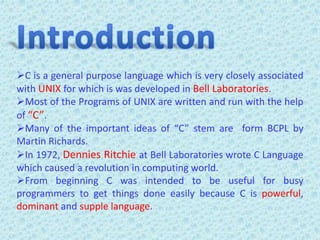
C is a general purpose language which is very closely associated
with UNIX for which is was developed in Bell Laboratories.
Most of the Programs of UNIX are written and run with the help
of “C”.
Many of the important ideas of “C” stem are form BCPL by
Martin Richards.
In 1972, Dennies Ritchie at Bell Laboratories wrote C Language
which caused a revolution in computing world.
From beginning C was intended to be useful for busy
programmers to get things done easily because C is powerful,
dominant and supple language.
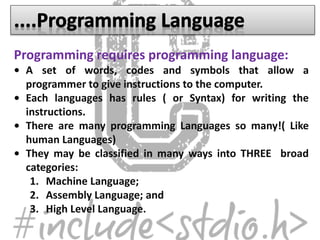
Programming requires programming language:
• A set of words, codes and symbols that allow a
programmer to give instructions to the computer.
• Each languages has rules ( or Syntax) for writing the
instructions.
• There are many programming Languages so many!( Like
human Languages)
• They may be classified in many ways into THREE broad
categories:
1. Machine Language;
2. Assembly Language; and
3. High Level Language.
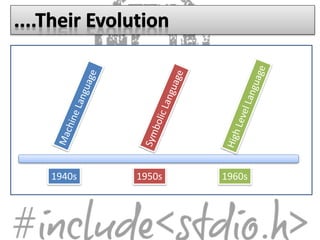
1940s 1950s 1960s
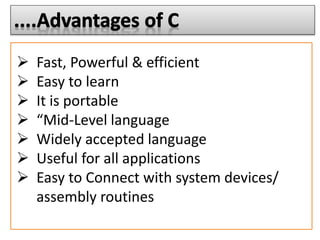
 Fast, Powerful & efficient
 Easy to learn
 It is portable
 “Mid-Level language
 Widely accepted language
 Useful for all applications
 Easy to Connect with system devices/
assembly routines
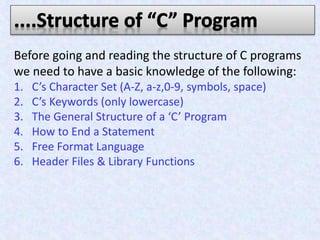
Before going and reading the structure of C programs
we need to have a basic knowledge of the following:
1. C’s Character Set (A-Z, a-z,0-9, symbols, space)
2. C’s Keywords (only lowercase)
3. The General Structure of a ‘C’ Program
4. How to End a Statement
5. Free Format Language
6. Header Files & Library Functions
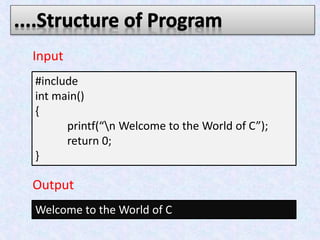
#include
int main()
{
printf(“n Welcome to the World of C”);
return 0;
}
Welcome to the World of C
Input
Output
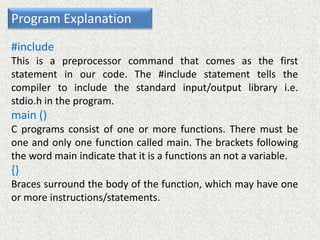
Program Explanation
#include
This is a preprocessor command that comes as the first
statement in our code. The #include statement tells the
compiler to include the standard input/output library i.e.
stdio.h in the program.
main ()
C programs consist of one or more functions. There must be
one and only one function called main. The brackets following
the word main indicate that it is a functions an not a variable.
{}
Braces surround the body of the function, which may have one
or more instructions/statements.
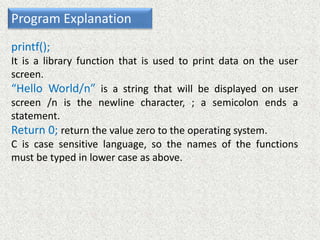
Program Explanation
printf();
It is a library function that is used to print data on the user
screen.
“Hello World/n” is a string that will be displayed on user
screen /n is the newline character, ; a semicolon ends a
statement.
Return 0; return the value zero to the operating system.
C is case sensitive language, so the names of the functions
must be typed in lower case as above.
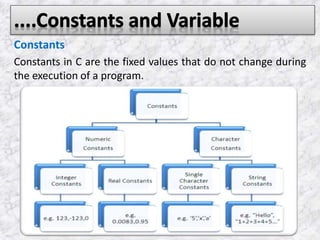
Constants
Constants in C are the fixed values that do not change during
the execution of a program.
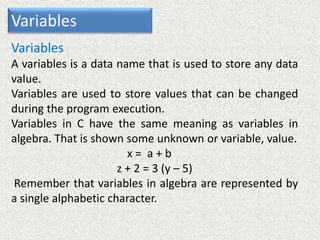
Variables
Variables
A variables is a data name that is used to store any data
value.
Variables are used to store values that can be changed
during the program execution.
Variables in C have the same meaning as variables in
algebra. That is shown some unknown or variable, value.
x = a + b
z + 2 = 3 (y – 5)
Remember that variables in algebra are represented by
a single alphabetic character.
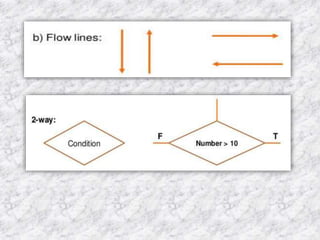
Program design tools that uses standard
graphical symbols to represent LOGICAL FLOW OF
DATA through a function/program.
Its primary purpose is to show the design of an
algorithm. It frees a programmer from the syntax and
details of programming to concentrate on details of
the problem to be solved.
It gives a Pictorial representation of an
algorithm—helps one to think of a problem
pictorially.
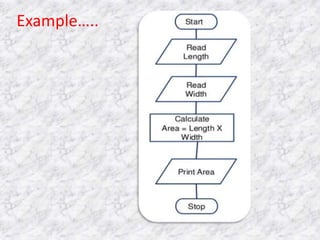
Example…..
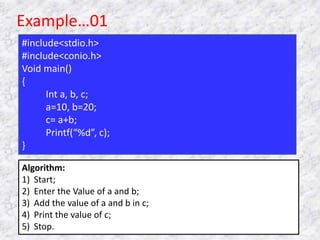
Example…01
#include<stdio.h>
#include<conio.h>
Void main()
{
Int a, b, c;
a=10, b=20;
c= a+b;
Printf(“%d”, c);
}
Algorithm:
1) Start;
2) Enter the Value of a and b;
3) Add the value of a and b in c;
4) Print the value of c;
5) Stop.
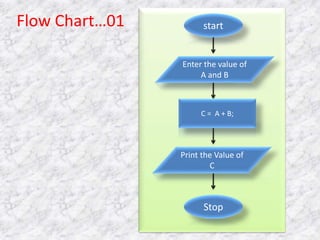
start
Enter the value of
A and B
Print the Value of
C
Stop
C = A + B;
Flow Chart…01
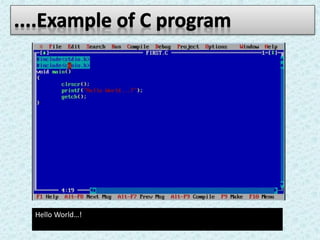
Hello World…!
C programming presentation(final)

C programming presentation(final)

  • 2.
  • 4.
  • 5.
    C is ageneral purpose language which is very closely associated with UNIX for which is was developed in Bell Laboratories. Most of the Programs of UNIX are written and run with the help of “C”. Many of the important ideas of “C” stem are form BCPL by Martin Richards. In 1972, Dennies Ritchie at Bell Laboratories wrote C Language which caused a revolution in computing world. From beginning C was intended to be useful for busy programmers to get things done easily because C is powerful, dominant and supple language.
  • 7.
    Programming requires programminglanguage: • A set of words, codes and symbols that allow a programmer to give instructions to the computer. • Each languages has rules ( or Syntax) for writing the instructions. • There are many programming Languages so many!( Like human Languages) • They may be classified in many ways into THREE broad categories: 1. Machine Language; 2. Assembly Language; and 3. High Level Language.
  • 8.
  • 9.
     Fast, Powerful& efficient  Easy to learn  It is portable  “Mid-Level language  Widely accepted language  Useful for all applications  Easy to Connect with system devices/ assembly routines
  • 11.
    Before going andreading the structure of C programs we need to have a basic knowledge of the following: 1. C’s Character Set (A-Z, a-z,0-9, symbols, space) 2. C’s Keywords (only lowercase) 3. The General Structure of a ‘C’ Program 4. How to End a Statement 5. Free Format Language 6. Header Files & Library Functions
  • 12.
    #include int main() { printf(“n Welcometo the World of C”); return 0; } Welcome to the World of C Input Output
  • 13.
    Program Explanation #include This isa preprocessor command that comes as the first statement in our code. The #include statement tells the compiler to include the standard input/output library i.e. stdio.h in the program. main () C programs consist of one or more functions. There must be one and only one function called main. The brackets following the word main indicate that it is a functions an not a variable. {} Braces surround the body of the function, which may have one or more instructions/statements.
  • 14.
    Program Explanation printf(); It isa library function that is used to print data on the user screen. “Hello World/n” is a string that will be displayed on user screen /n is the newline character, ; a semicolon ends a statement. Return 0; return the value zero to the operating system. C is case sensitive language, so the names of the functions must be typed in lower case as above.
  • 15.
    Constants Constants in Care the fixed values that do not change during the execution of a program.
  • 16.
    Variables Variables A variables isa data name that is used to store any data value. Variables are used to store values that can be changed during the program execution. Variables in C have the same meaning as variables in algebra. That is shown some unknown or variable, value. x = a + b z + 2 = 3 (y – 5) Remember that variables in algebra are represented by a single alphabetic character.
  • 17.
    Program design toolsthat uses standard graphical symbols to represent LOGICAL FLOW OF DATA through a function/program. Its primary purpose is to show the design of an algorithm. It frees a programmer from the syntax and details of programming to concentrate on details of the problem to be solved. It gives a Pictorial representation of an algorithm—helps one to think of a problem pictorially.
  • 20.
  • 21.
    Example…01 #include<stdio.h> #include<conio.h> Void main() { Int a,b, c; a=10, b=20; c= a+b; Printf(“%d”, c); } Algorithm: 1) Start; 2) Enter the Value of a and b; 3) Add the value of a and b in c; 4) Print the value of c; 5) Stop.
  • 22.
    start Enter the valueof A and B Print the Value of C Stop C = A + B; Flow Chart…01
  • 24.