C PROGRAMMING PPT
22CS132
BY
SANTHOSH.S
fl
Android studio
Click on
Windows/ Start/
Android Studio /
Android Studio
Then select
Do not import settings
and click OK
■fl"
-
«■■(<]
-i
Alarms & Clock
Anar onda3(M-brt;
Andronl Studio
Android Studio
Audacity
Bomqar Support Butter
Explorer
Calculator
Calendar
Camera
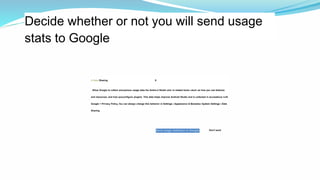
Decide whether or not you will send usage
stats to Google
A Data Sharing X
Allow Google to collect anonymous usage data foe Andre-d Studio and <s related tools—duch as how you use features
and resources, and how youconfigure plugins. This data helps improve Android Studio and is collected in accoedance n«th
Google > Prrvacy Policy, fou can always change this behavior in Settings | Appearance & Benastoc System Settings | Data
Sharing
Don't send
Send usage statistics to Google
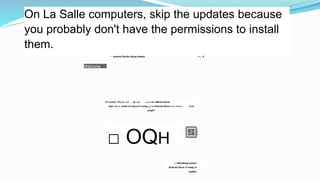
On La Salle computers, skip the updates because
you probably don't have the permissions to install
them.
<•- android Studio Setup Ateard — □ X
Welcome
A*<ccme> Thu A.-».d up ,«u- —»-« tor AMreid Slvdc
Add- icn.», ouatd oil bdp pi<t onlng W r-o Android Stud.o c< <«»>«. rt.cn
projKT
□ OQH
G OfandHag«Up4ot«
Android Stud« H ready to
update.
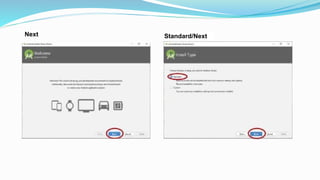
Next Standard/Next
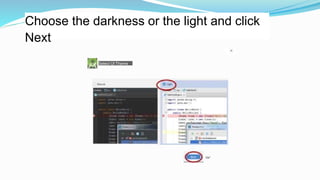
Choose the darkness or the light and click
Next
Select Ul Theme
OK*
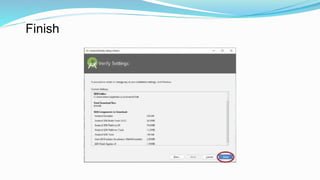
Finish
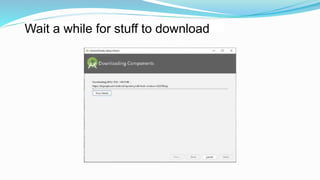
Wait a while for stuff to download
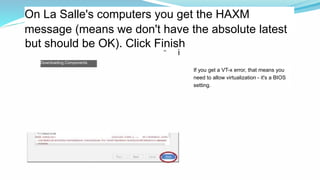
On La Salle's computers you get the HAXM
message (means we don't have the absolute latest
11
Downloading Components
but should be OK). Click Finish
i
it: htc
If you get a VT-x error, that means you
need to allow virtualization - it's a BIOS
setting.
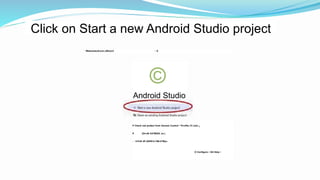
Click on Start a new Android Studio project
* WekometcArxJrc.dSlud.0 □ X
©
Android Studio
P Check owl prefect from Verwon Control * PrcrfAc Cf Jcbv 9
If (Gr«dk Ed*MADI, ac.)
□* lrC4it 4fl AAfllCd CM«4*Wp«
O Configure • GH Help •
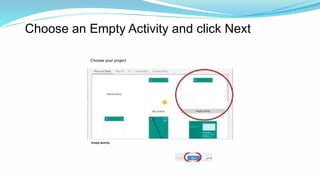
Choose an Empty Activity and click Next
Choose your project
Empty Activity
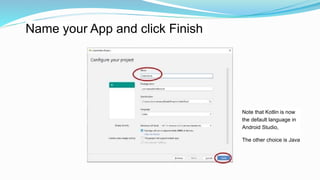
Name your App and click Finish
Note that Kotlin is now
the default language in
Android Studio,
The other choice is Java
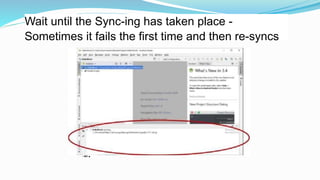
Wait until the Sync-ing has taken place -
Sometimes it fails the first time and then re-syncs
• WC ■
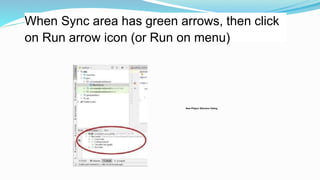
When Sync area has green arrows, then click
on Run arrow icon (or Run on menu)
New Pfoject Stfuctme Dialog
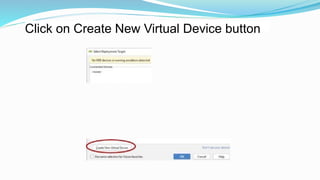
Click on Create New Virtual Device button
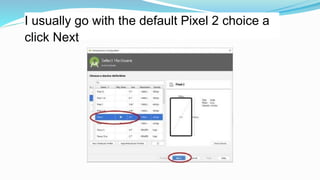
I usually go with the default Pixel 2 choice a
click Next
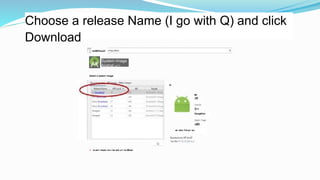
Choose a release Name (I go with Q) and click
Download
EIxtiMlOwuiC
System Image
Andnxl »K*>
Salart a lyatem imaga
Q
Ml
GoogKInc
■> aai« Ca«y» su,
0 * w-arrr mwar m«« ka wU.«r< la iMnar.
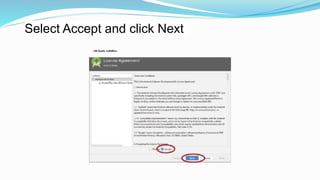
Select Accept and click Next
» UM Quatfu inaNiMion
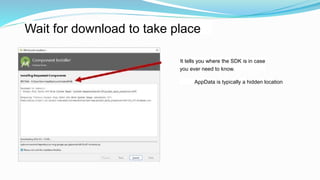
Wait for download to take place
AppData is typically a hidden location
It tells you where the SDK is in case
you ever need to know.
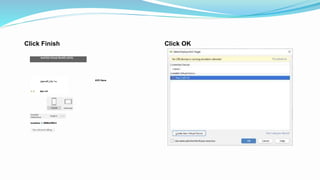
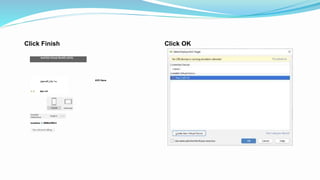
Click Finish
And'Oid Virtual DevKG (AVO)
|rw<«P j Cc *•»
A Q bte.l-41
AVD Nana
tooaKaw Q tMMtarMKm
Click OK
Click Finish
And'Oid Virtual DevKG (AVO)
|rw<«P j Cc *•»
A Q bte.l-41
AVD Nana
tooaKaw Q tMMtarMKm
Click OK
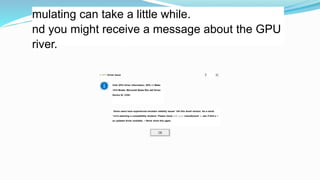
mulating can take a little while.
nd you might receive a message about the GPU
river.
U GPU Driver Issue
Votir GPU driver information; GPU »1 Make
1414 Model; Microsoft Baste Ren def Driver
Device ID. CO8<
Some users have experienced emulator stability issues *nth this dnvef version. As a result.
*»e're selecting a compatibility tenderer. Please check with your manufacturer to see rf thef e is
an updated driver available. ~ Never show this agam.
After a couple of other screens, your Hello
World should appear.
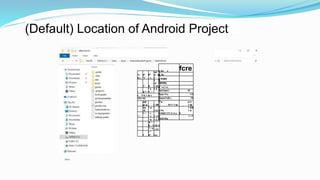
(Default) Location of Android Project
•'t
■ j
X"
*c'
9^
A &
'■V
1I St
1
T ‘ ft
1 5
rV
1 St t
• ■ f •
* e
n A*
1 5
t ‘Y'ft 1 St t
VUJ 4U
4W
■r ■ i ?M
4w
•tf
* w 1 *
>14
* •
< • • « .
* J 1 >14
* K 1 X 4
▼ *
D _> I St 4
T • a • >t<
I'
r *
9*‘ i»u
p As ♦ fcre
A As
■ KltMli
IMWM)|
■ *•«(*«•(
TwCwjm.l Ilf
nuac f>u 11f
pewwT«$f,» ?lf
>*■
R^r* f 4a
€11
1 IB
X Fit
0<V£tf 1T1 C 4 u
1 KB
1 A
fi
OUO-flle
I • I*
Location of the Kotlin file
HlimU
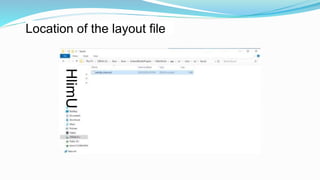
Location of the layout file

C PPT.pptx

  • 1.
  • 2.
  • 3.
    Click on Windows/ Start/ AndroidStudio / Android Studio Then select Do not import settings and click OK ■fl" - «■■(<] -i Alarms & Clock Anar onda3(M-brt; Andronl Studio Android Studio Audacity Bomqar Support Butter Explorer Calculator Calendar Camera
  • 4.
    Decide whether ornot you will send usage stats to Google A Data Sharing X Allow Google to collect anonymous usage data foe Andre-d Studio and <s related tools—duch as how you use features and resources, and how youconfigure plugins. This data helps improve Android Studio and is collected in accoedance n«th Google > Prrvacy Policy, fou can always change this behavior in Settings | Appearance & Benastoc System Settings | Data Sharing Don't send Send usage statistics to Google
  • 5.
    On La Sallecomputers, skip the updates because you probably don't have the permissions to install them. <•- android Studio Setup Ateard — □ X Welcome A*<ccme> Thu A.-».d up ,«u- —»-« tor AMreid Slvdc Add- icn.», ouatd oil bdp pi<t onlng W r-o Android Stud.o c< <«»>«. rt.cn projKT □ OQH G OfandHag«Up4ot« Android Stud« H ready to update.
  • 6.
  • 7.
    Choose the darknessor the light and click Next Select Ul Theme OK*
  • 8.
  • 9.
    Wait a whilefor stuff to download
  • 10.
    On La Salle'scomputers you get the HAXM message (means we don't have the absolute latest 11 Downloading Components but should be OK). Click Finish i it: htc If you get a VT-x error, that means you need to allow virtualization - it's a BIOS setting.
  • 11.
    Click on Starta new Android Studio project * WekometcArxJrc.dSlud.0 □ X © Android Studio P Check owl prefect from Verwon Control * PrcrfAc Cf Jcbv 9 If (Gr«dk Ed*MADI, ac.) □* lrC4it 4fl AAfllCd CM«4*Wp« O Configure • GH Help •
  • 12.
    Choose an EmptyActivity and click Next Choose your project Empty Activity
  • 13.
    Name your Appand click Finish Note that Kotlin is now the default language in Android Studio, The other choice is Java
  • 14.
    Wait until theSync-ing has taken place - Sometimes it fails the first time and then re-syncs • WC ■
  • 15.
    When Sync areahas green arrows, then click on Run arrow icon (or Run on menu) New Pfoject Stfuctme Dialog
  • 16.
    Click on CreateNew Virtual Device button
  • 17.
    I usually gowith the default Pixel 2 choice a click Next
  • 18.
    Choose a releaseName (I go with Q) and click Download EIxtiMlOwuiC System Image Andnxl »K*> Salart a lyatem imaga Q Ml GoogKInc ■> aai« Ca«y» su, 0 * w-arrr mwar m«« ka wU.«r< la iMnar.
  • 19.
    Select Accept andclick Next » UM Quatfu inaNiMion
  • 20.
    Wait for downloadto take place AppData is typically a hidden location It tells you where the SDK is in case you ever need to know.
  • 21.
    Click Finish And'Oid VirtualDevKG (AVO) |rw<«P j Cc *•» A Q bte.l-41 AVD Nana tooaKaw Q tMMtarMKm Click OK
  • 22.
    Click Finish And'Oid VirtualDevKG (AVO) |rw<«P j Cc *•» A Q bte.l-41 AVD Nana tooaKaw Q tMMtarMKm Click OK
  • 23.
    mulating can takea little while. nd you might receive a message about the GPU river. U GPU Driver Issue Votir GPU driver information; GPU »1 Make 1414 Model; Microsoft Baste Ren def Driver Device ID. CO8< Some users have experienced emulator stability issues *nth this dnvef version. As a result. *»e're selecting a compatibility tenderer. Please check with your manufacturer to see rf thef e is an updated driver available. ~ Never show this agam.
  • 24.
    After a coupleof other screens, your Hello World should appear.
  • 25.
    (Default) Location ofAndroid Project •'t ■ j X" *c' 9^ A & '■V 1I St 1 T ‘ ft 1 5 rV 1 St t • ■ f • * e n A* 1 5 t ‘Y'ft 1 St t VUJ 4U 4W ■r ■ i ?M 4w •tf * w 1 * >14 * • < • • « . * J 1 >14 * K 1 X 4 ▼ * D _> I St 4 T • a • >t< I' r * 9*‘ i»u p As ♦ fcre A As ■ KltMli IMWM)| ■ *•«(*«•( TwCwjm.l Ilf nuac f>u 11f pewwT«$f,» ?lf >*■ R^r* f 4a €11 1 IB X Fit 0<V£tf 1T1 C 4 u 1 KB 1 A fi OUO-flle I • I*
  • 26.
    Location of theKotlin file
  • 27.