A Sample Snippet from semanticase.com Amir Simantov Practical Programming with  C# 3.0 Using Microsoft Visual Studio 2008 with .NET Framework 3.5 Instructor-Led Course VERSION 2008.10.01 Amir Simantov, Israel   ©    All Rights Reserved --------------------------------------------------------
Just Because You Can Doesn’t Mean You Should -------------------------------------------------------- Join the course or order it from   semanticase.com
Advanced .NET Courses are also available at  semanticase.com Including LINQ -------------------------------------------------------- Join the course or order it from   semanticase.com
Chapters  1. Introducing C# and .NET – See Free Sample 2. CLR 3. Procedural 4. Types 5. Strings 6. Objects – See Free Sample 7. Strings 8. Static Classes and Members Practical Programming with C# 3.0 »  1 -------------------------------------------------------- Join the course or order it from   semanticase.com
Chapters  9. Inheritance 10. Attributes 11. Interfaces 12. Disposing of Objects 13. Code Integrity 14. Arrays 15. Collectioning 16. Generic Collections Practical Programming with C# 3.0 »  2 -------------------------------------------------------- Join the course or order it from   semanticase.com
Chapters  17. Functional De-coupling 18. Querying Data Using Linq 19. Lite Object Relation Mapping (ORM) 20. APPENDIXES Coding Guidelines Visual Studio 2008  Learning Resources See full syllabus  here . Practical Programming with C# 3.0 »  3 -------------------------------------------------------- Join the course or order it from   semanticase.com
Free Sample: CHAPTER 1 Managed code ahead Introducing C# and .NET Practical Programming with C# 3.0  »  1 -------------------------------------------------------- Join the course or order it from   semanticase.com
Evolution of Modern Languages C C++ Java C# D, F# Dynamic languages? ... Introducing C# and .NET »  1 -------------------------------------------------------- Join the course or order it from   semanticase.com
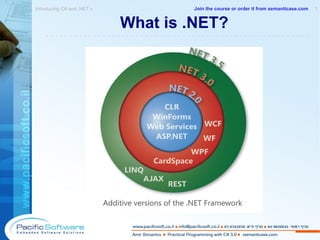
What is .NET? Introducing C# and .NET »  1 -------------------------------------------------------- Join the course or order it from   semanticase.com
What is .NET? Programming framework from Microsoft Large class library of ready-made types (BCL) Based on a special runtime (CLR) Virtualizes machine abstraction with CLR means that we do not program to a specific CPU Manages memory automatically Strongly typed Introducing C# and .NET »  2 -------------------------------------------------------- Join the course or order it from   semanticase.com
What is .NET? Language independent Cross-language integrates Defines a common type system (CTS) Uses Object-Oriented techniques Inter-operates with native code Simple deployment (copy-paste assemblies) See the list of all .NET-able languages:  http://www.dotnetpowered.com/languages.aspx Introducing C# and .NET »  3 -------------------------------------------------------- Join the course or order it from   semanticase.com
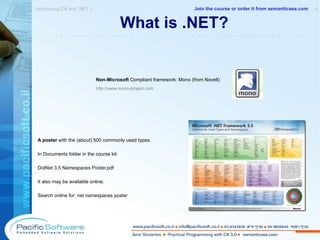
What is .NET? Non-Microsoft  Compliant framework: Mono (from Novell) http://www.mono-project.com A poster  with the (about) 500 commonly used types. In Documents folder in the course kit:  DotNet 3.5 Namespaces Poster.pdf It also may be available online. Search online for: net namespaces poster Introducing C# and .NET »  4 -------------------------------------------------------- Join the course or order it from   semanticase.com
CTS – Common Type System CTS is a formal specification for defining types in order to be hosted by the CLR. .NET compilers and tools must adhere to CTS. Introducing C# and .NET »  1 -------------------------------------------------------- Join the course or order it from   semanticase.com
.NET CTS Types 'Type' is a generic name to any of the following  5 CTS types (given in C# syntax):  class struct interface delegate enum Introducing C# and .NET »  1 -------------------------------------------------------- Join the course or order it from   semanticase.com
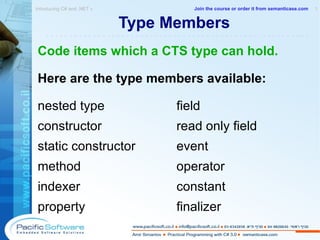
Type Members Code items which a CTS type can hold. Here are the type members available: nested type field constructor read only field static constructor event method operator   indexer constant property finalizer Introducing C# and .NET »  1 -------------------------------------------------------- Join the course or order it from   semanticase.com
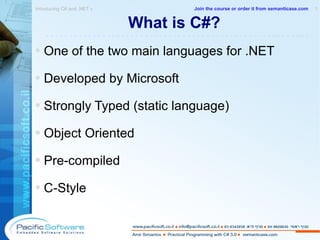
What is C#? One of the two main languages for .NET Developed by Microsoft  Strongly Typed (static language) Object Oriented Pre-compiled C-Style Introducing C# and .NET »  1 -------------------------------------------------------- Join the course or order it from   semanticase.com
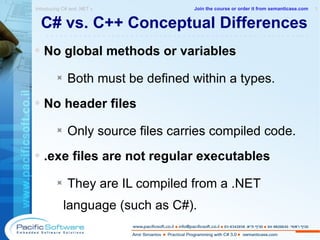
C# vs. C++ Conceptual Differences No global methods or variables  Both  must be defined within a types. No header files  Only source files carries compiled code. .exe files are not regular executables They are IL compiled from a .NET language (such as C#). Introducing C# and .NET »  1 -------------------------------------------------------- Join the course or order it from   semanticase.com
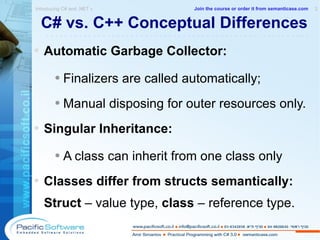
C# vs. C++ Conceptual Differences Automatic Garbage Collector:   Finalizers are called automatically; Manual disposing for outer resources only. Singular Inheritance:  A class can inherit from one class only Classes differ from structs semantically: Struct  – value type,  class  – reference type. Introducing C# and .NET »  2 -------------------------------------------------------- Join the course or order it from   semanticase.com
Free Sample: CHAPTER 6 Following Plato's Doctrine of Ideas Objects Practical Programming with C# 3.0 »  -------------------------------------------------------- Join the course or order it from   semanticase.com
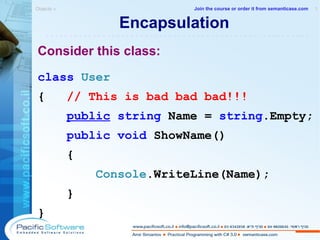
Encapsulation Consider this class: class   User {  // This is bad bad bad!!! public   string  Name =  string .Empty; public   void  ShowName() { Console .WriteLine(Name); } } Objects »  1 -------------------------------------------------------- Join the course or order it from   semanticase.com
Strive to Give Less Access ... because encapsulation is not like love! Give only when you must  in order to supply the service! Give only the level you must   in order to supply the service! Objects »  1 -------------------------------------------------------- Join the course or order it from   semanticase.com
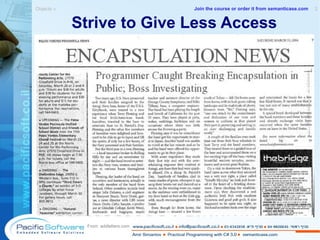
Strive to Give Less Access Objects »  2 -------------------------------------------------------- From: addletters.com Join the course or order it from   semanticase.com
Access Modifiers Why do access modifiers exist? Which is the default for: Fields:  ________________ Functions:   ________________ Nested Types:  ________________ Independent Types:  ________________ * Independent Types –  CTS types (classes, structs, interfaces, enums and delegates) which are defines directly under a namespace, i.e., they are not nested inside other types. Objects »  1 -------------------------------------------------------- Join the course or order it from   semanticase.com
Access Modifiers of Members Who can use a member  except  its definer? public  – any consumer protected internal  – inheritor OR same- assembly consumers Internal  – same-assembly consumers only protected  – derived consumers only private  – no one Objects »  1 -------------------------------------------------------- Join the course or order it from   semanticase.com
Access Modifiers of Types Who can use an independent type? public  – any consumer Internal  – same-assembly consumers only protected ,  protected internal,  private   cannot  use as modifiers  for an independant type.  Why? Objects »  1 -------------------------------------------------------- Join the course or order it from   semanticase.com
Only Private is Really Private* protected  does not protect your type! Variable fields should always be private. Protected access? - Only by methods. Do you know who will be your inheritors? What about   protected internal ? ( * By the compiler. Reflection bypasses it...) Objects »  1 -------------------------------------------------------- Join the course or order it from   semanticase.com
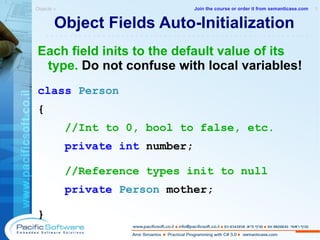
Object Fields Auto-Initialization Each field inits to the default value of its type.  Do not confuse with local variables! class   Person  { //Int to 0, bool to false, etc. private   int   number; //Reference types init to null private   Person   mother;   } Objects »  1 -------------------------------------------------------- Join the course or order it from   semanticase.com
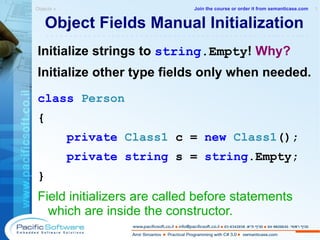
Object Fields Manual Initialization Initialize strings to  string .Empty !  Why? Initialize other type fields only when needed. class   Person  { private   Class1   c =  new  Class1 (); private   string  s =  string .Empty; } Field initializers are called before statements which are inside the constructor. Objects »  1 -------------------------------------------------------- Join the course or order it from   semanticase.com
Field-Constructor Ordering Fields are constructed first! Task: Initialize a field and check IL code. Where is the field initialized? ____________________ Objects »  1 -------------------------------------------------------- Join the course or order it from   semanticase.com
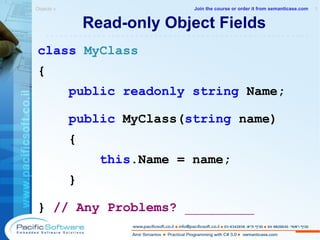
Read-only Object Fields class   MyClass { public   readonly   string  Name; public  MyClass( string  name) { this .Name = name; } }  // Any Problems?  _________ Objects »  1 -------------------------------------------------------- Join the course or order it from   semanticase.com
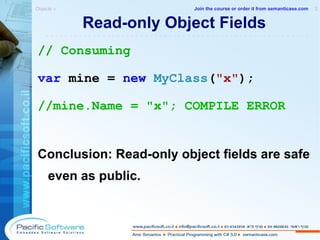
Read-only Object Fields // Consuming var  mine =  new   MyClass ( "x" ); //mine.Name = "x"; COMPILE ERROR Conclusion: Read-only object fields are safe even as public. Objects »  2 -------------------------------------------------------- Join the course or order it from   semanticase.com
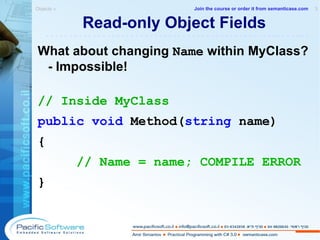
Read-only Object Fields What about changing  Name  within MyClass? - Impossible! // Inside MyClass public   void  Method( string  name) { // Name = name; COMPILE ERROR } Objects »  3 -------------------------------------------------------- Join the course or order it from   semanticase.com
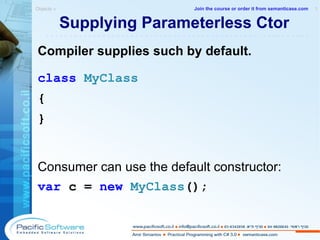
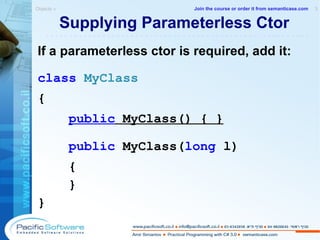
Supplying Parameterless Ctor Compiler supplies such by default. class   MyClass { } Consumer can use the default constructor: var  c =  new   MyClass (); Objects »  1 -------------------------------------------------------- Join the course or order it from   semanticase.com
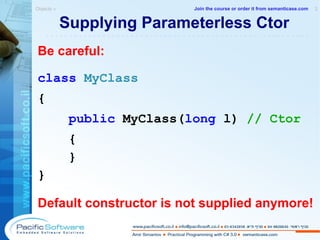
Supplying Parameterless Ctor Be careful: class   MyClass { public  MyClass( long  l)  // Ctor { } } Default constructor is not supplied anymore! Objects »  2 -------------------------------------------------------- Join the course or order it from   semanticase.com
Supplying Parameterless Ctor If a parameterless ctor is required, add it: class   MyClass { public  MyClass() { } public  MyClass( long  l)  {  } } Objects »  3 -------------------------------------------------------- Join the course or order it from   semanticase.com
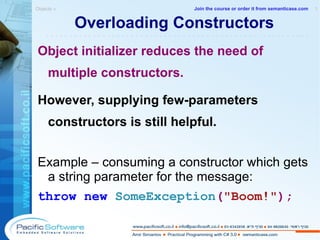
Overloading Constructors Object initializer reduces the need of multiple constructors. However, supplying few-parameters constructors is still helpful. Example – consuming a constructor which gets a string parameter for the message: throw   new   SomeException ( "Boom!" ); Objects »  1 -------------------------------------------------------- Join the course or order it from   semanticase.com
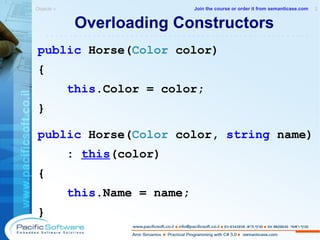
Overloading Constructors public  Horse( Color  color) { this .Color = color; } public  Horse( Color  color,  string  name) :  this (color) { this .Name = name; } Objects »  2 -------------------------------------------------------- Join the course or order it from   semanticase.com
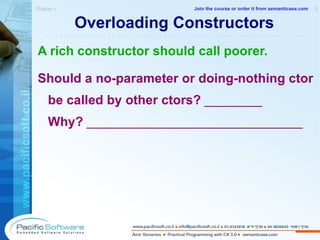
Overloading Constructors A rich constructor should call poorer. Should a no-parameter or doing-nothing ctor be called by other ctors?  ________ Why?  ______________________________ Objects »  3 -------------------------------------------------------- Join the course or order it from   semanticase.com
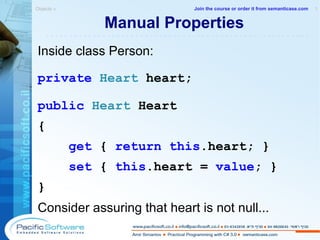
Manual Properties Inside class Person: private  Heart  heart; public   Heart  Heart { get  {  return   this .heart; } set  {  this .heart =  value ; } } Consider assuring that heart is not null...   Objects »  1 -------------------------------------------------------- Join the course or order it from   semanticase.com
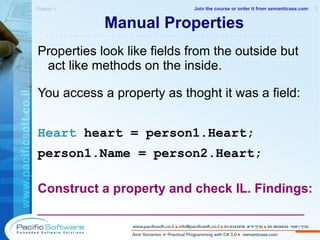
Manual Properties Properties look like fields from the outside but act like methods on the inside. You access a property as thoght it was a field: Heart  heart  = person1.Heart; person1.Name = person2.Heart; Construct a property and check IL. Findings: _____________________________________ Objects »  2 -------------------------------------------------------- Join the course or order it from   semanticase.com
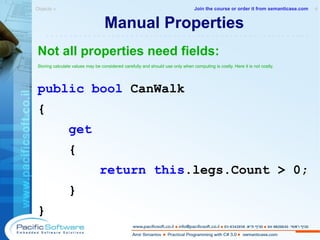
Manual Properties Not all properties need fields: Storing calculate values may be considered carefully and should use only when computing is costly. Here it is not costly. public   bool  CanWalk { get   { return this .legs.Count > 0; } } Objects »  4 -------------------------------------------------------- Join the course or order it from   semanticase.com
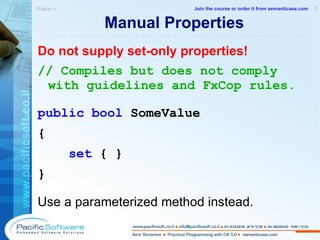
Manual Properties Do not supply set-only properties! // Compiles but does not comply with guidelines and FxCop rules. public   bool  SomeValue { set  { } } Use a parameterized method instead. Objects »  5 -------------------------------------------------------- Join the course or order it from   semanticase.com
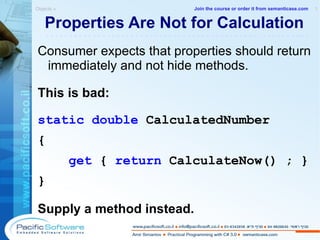
Properties Are Not for Calculation Consumer expects that properties should return immediately and not hide methods. This is bad: static   double  CalculatedNumber { get  {  return  CalculateNow() ; } } Supply a method instead. Objects »  1 -------------------------------------------------------- Join the course or order it from   semanticase.com
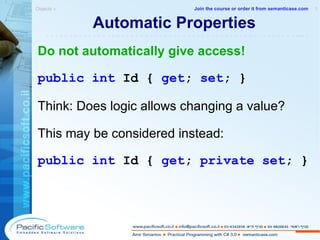
Automatic Properties Do not automatically give access! public   int   Id   {   get ;   set ; } Think: Does logic allows changing a value? This may be considered instead: public   int   Id   {   get ;   private set ; } Objects »  1 -------------------------------------------------------- Join the course or order it from   semanticase.com
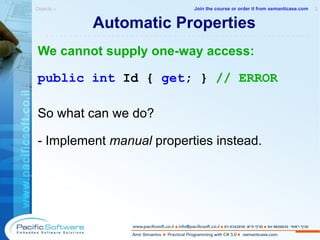
Automatic Properties We cannot supply one-way access: public   int   Id   {   get ; }  // ERROR So what can we do? - Implement  manual  properties  instead . Objects »  2 -------------------------------------------------------- Join the course or order it from   semanticase.com
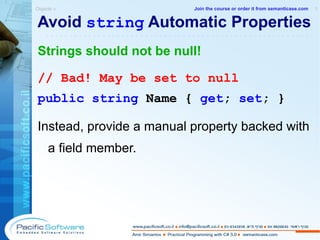
Avoid  string  Automatic Properties Strings should not be null! // Bad! May be set to null public   string   Name   {   get ;   set ; } Instead, provide a manual property backed with a field member. Objects »  1 -------------------------------------------------------- Join the course or order it from   semanticase.com
Indexers Allows consumer to access an object as an array. var  aquarium =  new   Aquarium (fishes); //Using an indexer which gets an int var  firstFish = aquarium[ 0 ]; Indexers cannot be static in C#. Objects »  1 -------------------------------------------------------- Join the course or order it from   semanticase.com
Indexers Here is the implementation of the indexer: public   Fish   this [ int  index] { get  {  return  fishes[index]; } } Kind of hybrid... Used like a property; Get parameters as a method. Objects »  2 -------------------------------------------------------- Join the course or order it from   semanticase.com
Indexers //Using an indexer which gets a string var  kingFishes = aquarium[ "King" ]; Is it clear what does the indexer return? What is the alternative to get the collection of king fishes? Do not use indexers if the meaning is not clear with the quickest glance! Objects »  3 -------------------------------------------------------- Join the course or order it from   semanticase.com
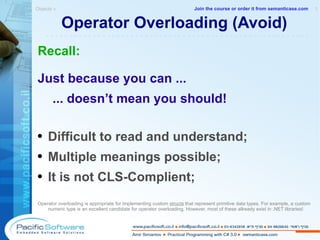
Operator Overloading (Avoid) Recall: Just because you can ... ... doesn’t mean you should! Difficult to read and understand; Multiple meanings possible; It is not CLS-Complient; Operator overloading is appropriate for implementing custom  structs  that represent primitive data types. For example, a custom numeric type is an excellent candidate for operator overloading. However, most of these allready exist in .NET libraries! Objects »  1 -------------------------------------------------------- Join the course or order it from   semanticase.com
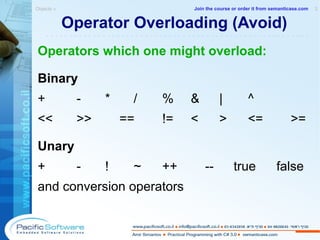
Operator Overloading (Avoid) Operators which one might overload: Binary + - * / % & | ^ << >> == != < > <= >= Unary + - ! ~ ++ -- true false and conversion operators Objects »  2 -------------------------------------------------------- Join the course or order it from   semanticase.com
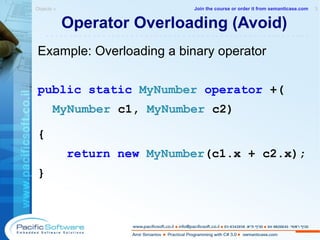
Operator Overloading (Avoid) Example: Overloading a binary operator public   static   MyNumber   operator  +( MyNumber  c1,  MyNumber  c2) { return   new   MyNumber (c1.x + c2.x); } Objects »  3 -------------------------------------------------------- Join the course or order it from   semanticase.com
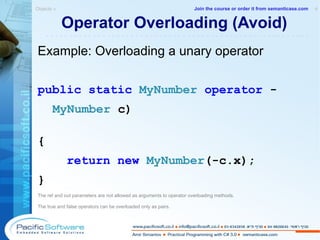
Operator Overloading (Avoid) Example: Overloading a unary operator public   static   MyNumber   operator  - MyNumber  c) { return   new   MyNumber (-c.x) ; } The ref and out parameters are not allowed as arguments to operator overloading methods. The true and false operators can be overloaded only as pairs. Objects »  4 -------------------------------------------------------- Join the course or order it from   semanticase.com
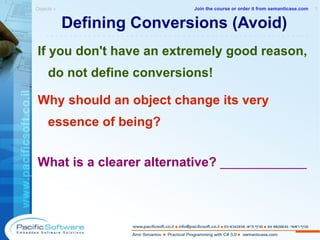
Defining Conversions (Avoid) If you don't have an extremely good reason, do not define conversions! Why should an object change its very essence of being? What is a clearer alternative?  ____________ Objects »  1 -------------------------------------------------------- Join the course or order it from   semanticase.com
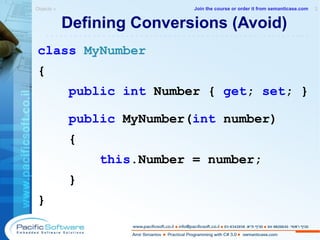
Defining Conversions (Avoid) class   MyNumber { public   int  Number {  get ;  set ; } public  MyNumber( int  number) { this .Number = number; } } Objects »  2 -------------------------------------------------------- Join the course or order it from   semanticase.com
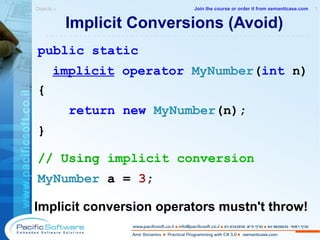
Implicit Conversions (Avoid) public   static   implicit   operator  MyNumber ( int  n) { return   new   MyNumber (n); } // Using  implicit conversion MyNumber  a =  3 ; Implicit conversion operators mustn't throw! Objects »  1 -------------------------------------------------------- Join the course or order it from   semanticase.com
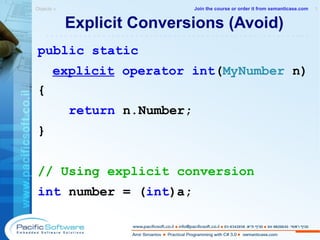
Explicit Conversions (Avoid) public   static   explicit   operator   int ( MyNumber  n) { return  n.Number; } // Using  explicit conversion int  number = ( int )a; Objects »  1 -------------------------------------------------------- Join the course or order it from   semanticase.com
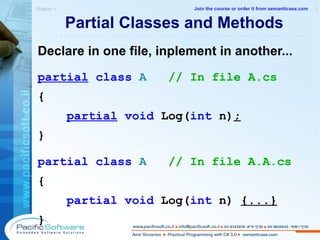
Declare in one file, inplement in another... partial   class   A  // In file A.cs { partial   void  Log( int  n) ; } partial   class   A  // In file A.A.cs { partial   void  Log( int  n)  {...} } Partial Classes and Methods Objects »  1 -------------------------------------------------------- Join the course or order it from   semanticase.com
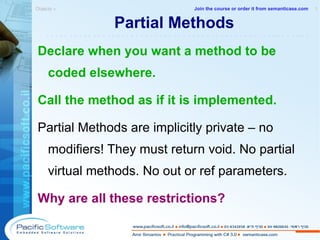
Partial Methods Declare when you want a method to be coded elsewhere. Call the method as if it is implemented. Partial Methods are implicitly private – no modifiers! They must return void. No partial virtual methods.  No out or ref parameters. Why are all these restrictions? Objects »  1 -------------------------------------------------------- Join the course or order it from   semanticase.com
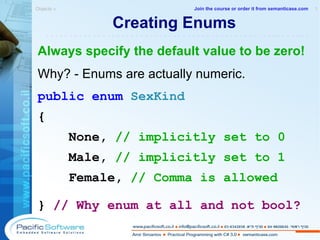
Creating Enums Always specify the default value to be zero! Why? - Enums are actually numeric. public   enum   SexKind { None,  // implicitly set to 0 Male,  // implicitly set to 1 Female,  // Comma is allowed }  // Why enum at all and not bool? Objects »  1 -------------------------------------------------------- Join the course or order it from   semanticase.com
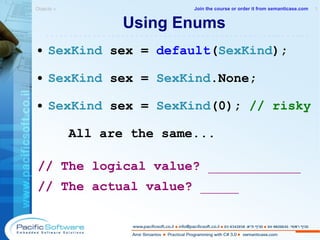
Using Enums SexKind  sex =  default ( SexKind ) ; SexKind  sex =  SexKind .None; SexKind  sex =  SexKind (0);  // risky All are the same... // The logical value?  ____________ // The actual value?  _____ Objects »  1 -------------------------------------------------------- Join the course or order it from   semanticase.com
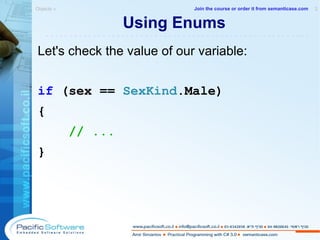
Using Enums Let's check the value of our variable: if  ( sex  ==  SexKind .Male) { // ... } Objects »  2 -------------------------------------------------------- Join the course or order it from   semanticase.com
Creating Bit Flag Enums [ Flags ] public   enum   FontStyle { Regular = 0x0, Body = 0x1, Italic = 0x2,  Underline = 0x4,  } Next values of the type will be: 0x8, 0x10, 0x20, 0x40...  Bit flag enums without evaluation breaks bit logic. This ib because  each enum value which is not explicitly evaluated takes the value of the preceding enum value plus 1. In bit flag enum type we want each enum  value to be twice as much as the preceding one. Objects »  1 -------------------------------------------------------- Join the course or order it from   semanticase.com
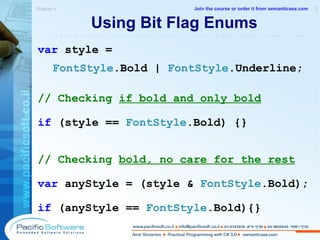
Using Bit Flag Enums var  style =  FontStyle .Bold |  FontStyle .Underline; // Checking  if bold and only bold if  (style ==  FontStyle .Bold)  {} // Checking  bold, no care for the rest var  anyStyle = (style &  FontStyle .Bold); if  (anyStyle ==  FontStyle .Bold) {} Objects »  2 -------------------------------------------------------- Join the course or order it from   semanticase.com
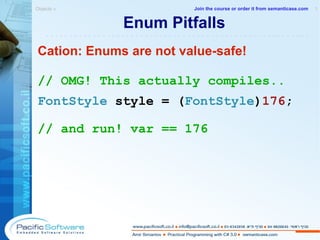
Enum Pitfalls Cation: Enums are not value-safe! // OMG! This actually compiles..  FontStyle  style = ( FontStyle ) 176 ; // and run! var == 176 Objects »  1 -------------------------------------------------------- Join the course or order it from   semanticase.com
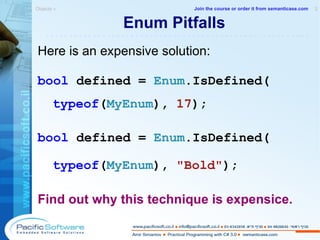
Enum Pitfalls Here is an expensive solution: bool  defined =  Enum .IsDefined( typeof ( MyEnum ),  17 ); bool  defined =  Enum .IsDefined( typeof ( MyEnum ),  &quot;Bold&quot; ); Find out why this technique is expensice. Objects »  2 -------------------------------------------------------- Join the course or order it from   semanticase.com
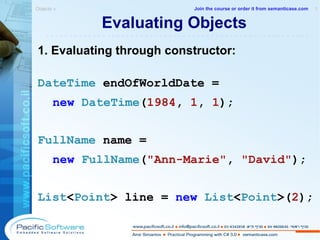
Evaluating Objects 1. Evaluating through constructor: DateTime  endOfWorldDate =  new   DateTime ( 1984 ,  1 ,  1 ); FullName  name =  new   FullName ( &quot;Ann-Marie&quot; ,  &quot;David&quot; ); List < Point >  line =  new   List < Point >( 2 ); Objects »  1 -------------------------------------------------------- Join the course or order it from   semanticase.com
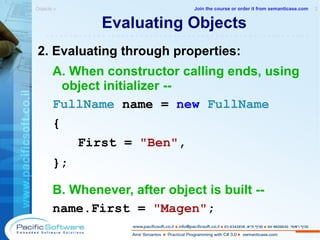
Evaluating Objects 2. Evaluating through properties: A. When constructor calling ends, using object initializer -- FullName  name =  new   FullName   {    First =  &quot;Ben&quot; , }; B. Whenever, after object is built -- name.First =  &quot;Magen&quot; ; Objects »  2 -------------------------------------------------------- Join the course or order it from   semanticase.com
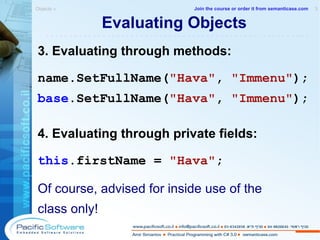
Evaluating Objects 3. Evaluating through methods: name.SetFullName( &quot;Hava&quot; ,  &quot;Immenu&quot; ); base .SetFullName( &quot;Hava&quot; ,  &quot;Immenu&quot; ); 4. Evaluating through private fields: this .firstName =  &quot;Hava&quot; ; Of course, advised for inside use of the class only! Objects »  3 -------------------------------------------------------- Join the course or order it from   semanticase.com
Appendix C Visual Studio 2008 Exploring the environment Practical Programming with C# 3.0  »  -------------------------------------------------------- Join the course or order it from   semanticase.com
Microsoft Visual Studio IDE Enables Rapid Development  Rapid Development (RAD) with visual designers decreases extensibility – watch out! Integrated debugger Class designer  Shamefully, Class Designer is not available in Visual Studio Express editions Helpful Intellisense and re-factorer Source control support Integrates smoothly with data bases Enables add-ons (like R#) IDE stands for Integrated Development Environment. There are many add-ins for Visual Studio and supporting tools. Check Visual Studio Gallery:  http://www.visualstudiogallery.com/ Non-Microsoft ID Es are available, such as SharpDevelop:  http://www.icsharpcode.net/OpenSource/SD/ Visual Studio 2008 »  1 -------------------------------------------------------- Join the course or order it from   semanticase.com
.NET Application Types Console Application WPF Application Windows Forms Application ASP.NET Web Application WPF Browser Application WPF Browser Application is similar to stand-alone WPF application but it runs on a server like a web application. Recommended:  Some videos for beginners can be watched here:  http://msdn.microsoft.com/en-us/library/bb820889.aspx Visual Studio 2008 »  1 -------------------------------------------------------- Join the course or order it from   semanticase.com
C# Compiler – Your Best Friend Builds 2 types of assemblies: Dynamic-Linked Libraries (.dll files) has no entry point Executable (.exe file)  has a static Main() method Visual Studio 2008 »  1 -------------------------------------------------------- Join the course or order it from   semanticase.com
C# Compiler – Your Best Friend Can be run from the command line Integrated into Visual Studio Generously configurable Guards you from compile time errors Guides you how to fix them Forget ignoring warnings! Visual Studio 2008 »  2 -------------------------------------------------------- Join the course or order it from   semanticase.com
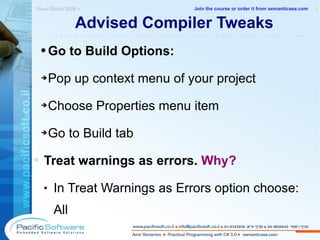
Advised Compiler Tweaks Go to Build Options: Pop up context menu of your project Choose Properties menu item Go to Build tab Treat warnings as errors.  Why? In Treat Warnings as Errors option choose: All Visual Studio 2008 »  1 -------------------------------------------------------- Join the course or order it from   semanticase.com
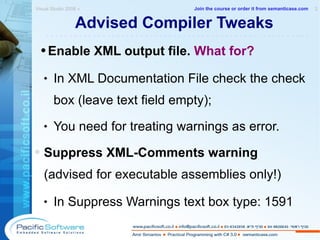
Advised Compiler Tweaks Enable XML output file.  What for? In XML Documentation File check the check box (leave text field empty); You need for treating warnings as error. Suppress XML-Comments warning  (advised for executable assemblies only!) In Suppress Warnings text box type: 1591 Visual Studio 2008 »  2 -------------------------------------------------------- Join the course or order it from   semanticase.com
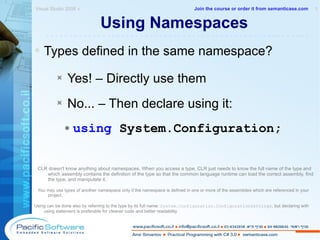
Using Namespaces Types defined in the same namespace? Yes! – Directly use them No... – Then declare using it: using  System.Configuration; CLR doesn't know anything about namespaces. When you access a type, CLR just needs to know the full name of the type and which assembly contains the definition of the type so that the common language runtime can load the correct assembly, find the type, and manipulate it. You may use types of another namespace only if the namespace is defined in one or more of the assemblies which are referenced in your project. Using can be done also by referring to the type by its full name:  System.Configuration.ConfigurationSettings , but declaring with using statement is preferable for cleaner code and better readability. Visual Studio 2008 »  1 -------------------------------------------------------- Join the course or order it from   semanticase.com
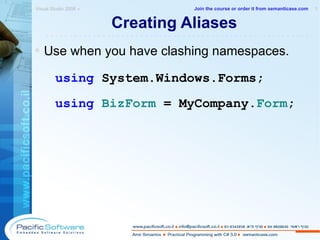
Creating Aliases Use when you have clashing namespaces. using  System.Windows.Forms; using   BizForm  = MyCompany. Form ; Visual Studio 2008 »  1 -------------------------------------------------------- Join the course or order it from   semanticase.com
Referencing Projects and Libraries Add a reference (option 1) Open Object Browser (CTRL + W, J) Select the desired assembly or namespace Click on the icon Add to References. Add a reference (option 2) Choose Add Reference from the context menu of your project Add the desired assemblies. Prefer referencing projects than output assembly files: More powerful debugging capabilities Easier accessing to referenced code Be careful not to break other consumers' code. Both .exe and .dll files may be referenced, but avoid making libraries as executable. Visual Studio 2008 »  1 -------------------------------------------------------- Join the course or order it from   semanticase.com
Refactoring When does refactoring end? -  Only when the code is thrown away! Prefer automatic refactoring. Change a name of a type through its file name. Consider R# add-in (pronounced: Re-sharper) R# is a proprietary tool from JetBRAINS.com Consider CodeRush add-in CodeRush is now owned by DevExpress.com – links are changing. Visual Studio 2008 »  1 -------------------------------------------------------- Join the course or order it from   semanticase.com
Refactoring Mastering refactoring tools lets you... Increase productivity; Have more information about the plain code;  Work faster; Avoid syntactic mistakes. Tool: Clone Detective  – Allows you to analyze C# projects for source code that is duplicated. Having duplicates can easily lead to inconsistencies and often is an indicator for poorly factored code.  http://www.codeplex.com/CloneDetectiveVS Visual Studio 2008 »  2 -------------------------------------------------------- Join the course or order it from   semanticase.com
Need Help? Google and IntelliSense are the most used: Diagram taken from Brad Abram's post with his findings for the survey checking how developers use VS and .NET Framework documentation. One of the questions was “How do you find information?” and the answers can be seen in the diagram. Post: http://blogs.msdn.com/brada/archive/2008/08/11/some-results-from-visual-studio-and-net-framework-developer-documentation-survey.aspx Blog: http://blogs.msdn.com/brada/ Visual Studio 2008 »  1 -------------------------------------------------------- Join the course or order it from   semanticase.com
IntelliSense Tips When finding the desired item in the list... If defining – hit SPACE If using – keep on coding! Visual Studio 2008 »  1 -------------------------------------------------------- Join the course or order it from   semanticase.com
Smart Tags Let automation work for you! Remember  CTRL +   .  keyboard shortcut :-) Use when implementing interfaces. Use when renaming. Use smart tags for adding  using  namespaces (2 ways): A smart tag blinks when you delete the namespace in a full name of a type within the code; A smart tag blinks when you write the name of a type without IntelliSense with Pascal casing. Visual Studio 2008 »  1 -------------------------------------------------------- Join the course or order it from   semanticase.com
Snippets A snippet is a small ready-made piece of code. Insert a snippet : Type the abbreviations and hit TAB twice Or - In context menu choose  I nsert Snippet... Use ENTER to choose, TAB to navigate and ENTER again to go on typing. Using the context menu option will ask you to choose a set of snippets when more that one set are installed.  Visual Studio 2008 »  1 -------------------------------------------------------- Join the course or order it from   semanticase.com
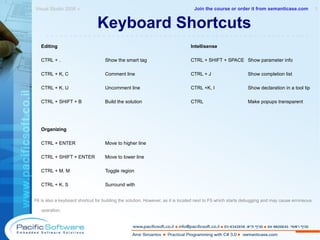
Keyboard Shortcuts Editing Intellisense CTRL + . Show the smart tag CTRL + SHIFT + SPACE Show parameter info CTRL + K, C Comment line CTRL + J Show completion list CTRL + K, U Uncomment line CTRL +K, I Show declaration in a tool tip CTRL + SHIFT + B Build the solution CTRL  Make popups transparent Organizing CTRL + ENTER Move to higher line CTRL + SHIFT + ENTER Move to lower line CTRL + M, M Toggle region CTRL + K, S Surround with F6 is also a keyboard shortcut for building the solution. However, as it is located next to F5 which starts debugging and may cause erroneous operation. Visual Studio 2008 »  1 -------------------------------------------------------- Join the course or order it from   semanticase.com
Keyboard Shortcuts Navigation Debugging F8 Move to next location F9 Add or remove a breakpoint F12 Move to definition F5 Start debugging SHIFT + F12 List all references SHIFT + F5 End debugging CTRL + ] Move to matching brace:  {  and  } F11 Step into CTRL + I Move to what I type SHIFT + F11 Step out CTRL + SHIFT + 8 Move to where I was F10 Step over CTRL + F/H Show Find and Replace dialog CTRL + SHIFT + F/H Find or replace in many files CTRL + TAB Show files navigator ESC Return to code Visual Studio 2008 »  2 -------------------------------------------------------- Join the course or order it from   semanticase.com
Regions Regions are  visual  grouping for easier orientation. #region  Private Methods // Some private methods come here #endregion Free Tool: Regionerate – Automatic regioning! http://www.rauchy.net/regionerate/  - Omer Rauchwerger  Visual Studio 2008 »  1 -------------------------------------------------------- Join the course or order it from   semanticase.com
Do not Misuse Regions Regions are for grouping, not for hiding. Regions do not provide encapsulation. Avoid nested regions. Having many regions in a type? Lots of code? Extract new types or partial types! Do not define many types in one file, hidden inside regions. Visual Studio 2008 »  1 -------------------------------------------------------- Join the course or order it from   semanticase.com
Debugger Has a Bad Name Why? - It should be used not only for debugging! This is a  Runner! Use the debugger throughout development! F5 starts debugging, SHIFT + F5 stops it. Visual Studio 2008 »  1 -------------------------------------------------------- Join the course or order it from   semanticase.com
Debug! Have a bug? Search for it! Debug! Start thinking only after in-depth debugging. Don't waste your time  thinking  what is wrong; Discover  what is wrong! Visual Studio 2008 »  1 -------------------------------------------------------- Join the course or order it from   semanticase.com
Debug Breakpoints F9 adds or removes a breakpoint. Clean up breakpoints when bug fixed. Use conditional breakpoints – right click on the breakpoint. Do not run when code is not built – this is neither VB6 not a scripting language. Well, not yet. Conditional breakpoints are not available in C# Express Edition. Visual Studio 2008 »  1 -------------------------------------------------------- Join the course or order it from   semanticase.com
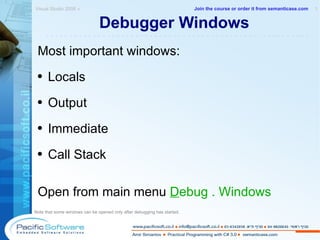
Debugger Windows Most important windows: Locals Output Immediate Call Stack Open from main menu  D ebug . Windows Note that some windows can be opened only after debugging has started. Visual Studio 2008 »  1 -------------------------------------------------------- Join the course or order it from   semanticase.com
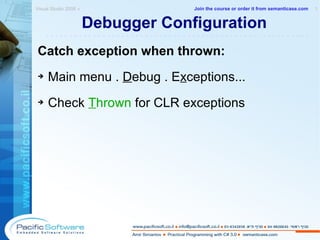
Debugger Configuration Catch exception when thrown: Main menu .  D ebug . E x ceptions... Check  T hrown  for CLR exceptions Visual Studio 2008 »  1 -------------------------------------------------------- Join the course or order it from   semanticase.com
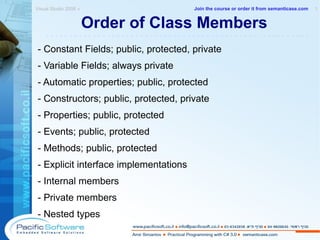
Order of Class Members - Constant Fields; public, protected, private - Variable Fields; always private - Automatic properties; public, protected - Constructors; public, protected, private - Properties; public, protected - Events; public, protected - Methods; public, protected - Explicit interface implementations  - Internal members - Private members  - Nested types Visual Studio 2008 »  1 -------------------------------------------------------- Join the course or order it from   semanticase.com
Manager - Order the course for your company! Individual – join a public course! Advanced .NET courses are also available! semanticase.com --------------------------------------------------------

C# 3.0 Course

  • 1.
    A Sample Snippetfrom semanticase.com Amir Simantov Practical Programming with C# 3.0 Using Microsoft Visual Studio 2008 with .NET Framework 3.5 Instructor-Led Course VERSION 2008.10.01 Amir Simantov, Israel © All Rights Reserved --------------------------------------------------------
  • 2.
    Just Because YouCan Doesn’t Mean You Should -------------------------------------------------------- Join the course or order it from semanticase.com
  • 3.
    Advanced .NET Coursesare also available at semanticase.com Including LINQ -------------------------------------------------------- Join the course or order it from semanticase.com
  • 4.
    Chapters 1.Introducing C# and .NET – See Free Sample 2. CLR 3. Procedural 4. Types 5. Strings 6. Objects – See Free Sample 7. Strings 8. Static Classes and Members Practical Programming with C# 3.0 » 1 -------------------------------------------------------- Join the course or order it from semanticase.com
  • 5.
    Chapters 9.Inheritance 10. Attributes 11. Interfaces 12. Disposing of Objects 13. Code Integrity 14. Arrays 15. Collectioning 16. Generic Collections Practical Programming with C# 3.0 » 2 -------------------------------------------------------- Join the course or order it from semanticase.com
  • 6.
    Chapters 17.Functional De-coupling 18. Querying Data Using Linq 19. Lite Object Relation Mapping (ORM) 20. APPENDIXES Coding Guidelines Visual Studio 2008 Learning Resources See full syllabus here . Practical Programming with C# 3.0 » 3 -------------------------------------------------------- Join the course or order it from semanticase.com
  • 7.
    Free Sample: CHAPTER1 Managed code ahead Introducing C# and .NET Practical Programming with C# 3.0 » 1 -------------------------------------------------------- Join the course or order it from semanticase.com
  • 8.
    Evolution of ModernLanguages C C++ Java C# D, F# Dynamic languages? ... Introducing C# and .NET » 1 -------------------------------------------------------- Join the course or order it from semanticase.com
  • 9.
    What is .NET?Introducing C# and .NET » 1 -------------------------------------------------------- Join the course or order it from semanticase.com
  • 10.
    What is .NET?Programming framework from Microsoft Large class library of ready-made types (BCL) Based on a special runtime (CLR) Virtualizes machine abstraction with CLR means that we do not program to a specific CPU Manages memory automatically Strongly typed Introducing C# and .NET » 2 -------------------------------------------------------- Join the course or order it from semanticase.com
  • 11.
    What is .NET?Language independent Cross-language integrates Defines a common type system (CTS) Uses Object-Oriented techniques Inter-operates with native code Simple deployment (copy-paste assemblies) See the list of all .NET-able languages: http://www.dotnetpowered.com/languages.aspx Introducing C# and .NET » 3 -------------------------------------------------------- Join the course or order it from semanticase.com
  • 12.
    What is .NET?Non-Microsoft Compliant framework: Mono (from Novell) http://www.mono-project.com A poster with the (about) 500 commonly used types. In Documents folder in the course kit: DotNet 3.5 Namespaces Poster.pdf It also may be available online. Search online for: net namespaces poster Introducing C# and .NET » 4 -------------------------------------------------------- Join the course or order it from semanticase.com
  • 13.
    CTS – CommonType System CTS is a formal specification for defining types in order to be hosted by the CLR. .NET compilers and tools must adhere to CTS. Introducing C# and .NET » 1 -------------------------------------------------------- Join the course or order it from semanticase.com
  • 14.
    .NET CTS Types'Type' is a generic name to any of the following 5 CTS types (given in C# syntax): class struct interface delegate enum Introducing C# and .NET » 1 -------------------------------------------------------- Join the course or order it from semanticase.com
  • 15.
    Type Members Codeitems which a CTS type can hold. Here are the type members available: nested type field constructor read only field static constructor event method operator indexer constant property finalizer Introducing C# and .NET » 1 -------------------------------------------------------- Join the course or order it from semanticase.com
  • 16.
    What is C#?One of the two main languages for .NET Developed by Microsoft Strongly Typed (static language) Object Oriented Pre-compiled C-Style Introducing C# and .NET » 1 -------------------------------------------------------- Join the course or order it from semanticase.com
  • 17.
    C# vs. C++Conceptual Differences No global methods or variables Both must be defined within a types. No header files Only source files carries compiled code. .exe files are not regular executables They are IL compiled from a .NET language (such as C#). Introducing C# and .NET » 1 -------------------------------------------------------- Join the course or order it from semanticase.com
  • 18.
    C# vs. C++Conceptual Differences Automatic Garbage Collector: Finalizers are called automatically; Manual disposing for outer resources only. Singular Inheritance: A class can inherit from one class only Classes differ from structs semantically: Struct – value type, class – reference type. Introducing C# and .NET » 2 -------------------------------------------------------- Join the course or order it from semanticase.com
  • 19.
    Free Sample: CHAPTER6 Following Plato's Doctrine of Ideas Objects Practical Programming with C# 3.0 » -------------------------------------------------------- Join the course or order it from semanticase.com
  • 20.
    Encapsulation Consider thisclass: class User { // This is bad bad bad!!! public string Name = string .Empty; public void ShowName() { Console .WriteLine(Name); } } Objects » 1 -------------------------------------------------------- Join the course or order it from semanticase.com
  • 21.
    Strive to GiveLess Access ... because encapsulation is not like love! Give only when you must in order to supply the service! Give only the level you must in order to supply the service! Objects » 1 -------------------------------------------------------- Join the course or order it from semanticase.com
  • 22.
    Strive to GiveLess Access Objects » 2 -------------------------------------------------------- From: addletters.com Join the course or order it from semanticase.com
  • 23.
    Access Modifiers Whydo access modifiers exist? Which is the default for: Fields: ________________ Functions: ________________ Nested Types: ________________ Independent Types: ________________ * Independent Types – CTS types (classes, structs, interfaces, enums and delegates) which are defines directly under a namespace, i.e., they are not nested inside other types. Objects » 1 -------------------------------------------------------- Join the course or order it from semanticase.com
  • 24.
    Access Modifiers ofMembers Who can use a member except its definer? public – any consumer protected internal – inheritor OR same- assembly consumers Internal – same-assembly consumers only protected – derived consumers only private – no one Objects » 1 -------------------------------------------------------- Join the course or order it from semanticase.com
  • 25.
    Access Modifiers ofTypes Who can use an independent type? public – any consumer Internal – same-assembly consumers only protected , protected internal, private cannot use as modifiers for an independant type. Why? Objects » 1 -------------------------------------------------------- Join the course or order it from semanticase.com
  • 26.
    Only Private isReally Private* protected does not protect your type! Variable fields should always be private. Protected access? - Only by methods. Do you know who will be your inheritors? What about protected internal ? ( * By the compiler. Reflection bypasses it...) Objects » 1 -------------------------------------------------------- Join the course or order it from semanticase.com
  • 27.
    Object Fields Auto-InitializationEach field inits to the default value of its type. Do not confuse with local variables! class Person { //Int to 0, bool to false, etc. private int number; //Reference types init to null private Person mother; } Objects » 1 -------------------------------------------------------- Join the course or order it from semanticase.com
  • 28.
    Object Fields ManualInitialization Initialize strings to string .Empty ! Why? Initialize other type fields only when needed. class Person { private Class1 c = new Class1 (); private string s = string .Empty; } Field initializers are called before statements which are inside the constructor. Objects » 1 -------------------------------------------------------- Join the course or order it from semanticase.com
  • 29.
    Field-Constructor Ordering Fieldsare constructed first! Task: Initialize a field and check IL code. Where is the field initialized? ____________________ Objects » 1 -------------------------------------------------------- Join the course or order it from semanticase.com
  • 30.
    Read-only Object Fieldsclass MyClass { public readonly string Name; public MyClass( string name) { this .Name = name; } } // Any Problems? _________ Objects » 1 -------------------------------------------------------- Join the course or order it from semanticase.com
  • 31.
    Read-only Object Fields// Consuming var mine = new MyClass ( &quot;x&quot; ); //mine.Name = &quot;x&quot;; COMPILE ERROR Conclusion: Read-only object fields are safe even as public. Objects » 2 -------------------------------------------------------- Join the course or order it from semanticase.com
  • 32.
    Read-only Object FieldsWhat about changing Name within MyClass? - Impossible! // Inside MyClass public void Method( string name) { // Name = name; COMPILE ERROR } Objects » 3 -------------------------------------------------------- Join the course or order it from semanticase.com
  • 33.
    Supplying Parameterless CtorCompiler supplies such by default. class MyClass { } Consumer can use the default constructor: var c = new MyClass (); Objects » 1 -------------------------------------------------------- Join the course or order it from semanticase.com
  • 34.
    Supplying Parameterless CtorBe careful: class MyClass { public MyClass( long l) // Ctor { } } Default constructor is not supplied anymore! Objects » 2 -------------------------------------------------------- Join the course or order it from semanticase.com
  • 35.
    Supplying Parameterless CtorIf a parameterless ctor is required, add it: class MyClass { public MyClass() { } public MyClass( long l) { } } Objects » 3 -------------------------------------------------------- Join the course or order it from semanticase.com
  • 36.
    Overloading Constructors Objectinitializer reduces the need of multiple constructors. However, supplying few-parameters constructors is still helpful. Example – consuming a constructor which gets a string parameter for the message: throw new SomeException ( &quot;Boom!&quot; ); Objects » 1 -------------------------------------------------------- Join the course or order it from semanticase.com
  • 37.
    Overloading Constructors public Horse( Color color) { this .Color = color; } public Horse( Color color, string name) : this (color) { this .Name = name; } Objects » 2 -------------------------------------------------------- Join the course or order it from semanticase.com
  • 38.
    Overloading Constructors Arich constructor should call poorer. Should a no-parameter or doing-nothing ctor be called by other ctors? ________ Why? ______________________________ Objects » 3 -------------------------------------------------------- Join the course or order it from semanticase.com
  • 39.
    Manual Properties Insideclass Person: private Heart heart; public Heart Heart { get { return this .heart; } set { this .heart = value ; } } Consider assuring that heart is not null... Objects » 1 -------------------------------------------------------- Join the course or order it from semanticase.com
  • 40.
    Manual Properties Propertieslook like fields from the outside but act like methods on the inside. You access a property as thoght it was a field: Heart heart = person1.Heart; person1.Name = person2.Heart; Construct a property and check IL. Findings: _____________________________________ Objects » 2 -------------------------------------------------------- Join the course or order it from semanticase.com
  • 41.
    Manual Properties Notall properties need fields: Storing calculate values may be considered carefully and should use only when computing is costly. Here it is not costly. public bool CanWalk { get { return this .legs.Count > 0; } } Objects » 4 -------------------------------------------------------- Join the course or order it from semanticase.com
  • 42.
    Manual Properties Donot supply set-only properties! // Compiles but does not comply with guidelines and FxCop rules. public bool SomeValue { set { } } Use a parameterized method instead. Objects » 5 -------------------------------------------------------- Join the course or order it from semanticase.com
  • 43.
    Properties Are Notfor Calculation Consumer expects that properties should return immediately and not hide methods. This is bad: static double CalculatedNumber { get { return CalculateNow() ; } } Supply a method instead. Objects » 1 -------------------------------------------------------- Join the course or order it from semanticase.com
  • 44.
    Automatic Properties Donot automatically give access! public int Id { get ; set ; } Think: Does logic allows changing a value? This may be considered instead: public int Id { get ; private set ; } Objects » 1 -------------------------------------------------------- Join the course or order it from semanticase.com
  • 45.
    Automatic Properties Wecannot supply one-way access: public int Id { get ; } // ERROR So what can we do? - Implement manual properties instead . Objects » 2 -------------------------------------------------------- Join the course or order it from semanticase.com
  • 46.
    Avoid string Automatic Properties Strings should not be null! // Bad! May be set to null public string Name { get ; set ; } Instead, provide a manual property backed with a field member. Objects » 1 -------------------------------------------------------- Join the course or order it from semanticase.com
  • 47.
    Indexers Allows consumerto access an object as an array. var aquarium = new Aquarium (fishes); //Using an indexer which gets an int var firstFish = aquarium[ 0 ]; Indexers cannot be static in C#. Objects » 1 -------------------------------------------------------- Join the course or order it from semanticase.com
  • 48.
    Indexers Here isthe implementation of the indexer: public Fish this [ int index] { get { return fishes[index]; } } Kind of hybrid... Used like a property; Get parameters as a method. Objects » 2 -------------------------------------------------------- Join the course or order it from semanticase.com
  • 49.
    Indexers //Using anindexer which gets a string var kingFishes = aquarium[ &quot;King&quot; ]; Is it clear what does the indexer return? What is the alternative to get the collection of king fishes? Do not use indexers if the meaning is not clear with the quickest glance! Objects » 3 -------------------------------------------------------- Join the course or order it from semanticase.com
  • 50.
    Operator Overloading (Avoid)Recall: Just because you can ... ... doesn’t mean you should! Difficult to read and understand; Multiple meanings possible; It is not CLS-Complient; Operator overloading is appropriate for implementing custom structs that represent primitive data types. For example, a custom numeric type is an excellent candidate for operator overloading. However, most of these allready exist in .NET libraries! Objects » 1 -------------------------------------------------------- Join the course or order it from semanticase.com
  • 51.
    Operator Overloading (Avoid)Operators which one might overload: Binary + - * / % & | ^ << >> == != < > <= >= Unary + - ! ~ ++ -- true false and conversion operators Objects » 2 -------------------------------------------------------- Join the course or order it from semanticase.com
  • 52.
    Operator Overloading (Avoid)Example: Overloading a binary operator public static MyNumber operator +( MyNumber c1, MyNumber c2) { return new MyNumber (c1.x + c2.x); } Objects » 3 -------------------------------------------------------- Join the course or order it from semanticase.com
  • 53.
    Operator Overloading (Avoid)Example: Overloading a unary operator public static MyNumber operator - MyNumber c) { return new MyNumber (-c.x) ; } The ref and out parameters are not allowed as arguments to operator overloading methods. The true and false operators can be overloaded only as pairs. Objects » 4 -------------------------------------------------------- Join the course or order it from semanticase.com
  • 54.
    Defining Conversions (Avoid)If you don't have an extremely good reason, do not define conversions! Why should an object change its very essence of being? What is a clearer alternative? ____________ Objects » 1 -------------------------------------------------------- Join the course or order it from semanticase.com
  • 55.
    Defining Conversions (Avoid)class MyNumber { public int Number { get ; set ; } public MyNumber( int number) { this .Number = number; } } Objects » 2 -------------------------------------------------------- Join the course or order it from semanticase.com
  • 56.
    Implicit Conversions (Avoid)public static implicit operator MyNumber ( int n) { return new MyNumber (n); } // Using implicit conversion MyNumber a = 3 ; Implicit conversion operators mustn't throw! Objects » 1 -------------------------------------------------------- Join the course or order it from semanticase.com
  • 57.
    Explicit Conversions (Avoid)public static explicit operator int ( MyNumber n) { return n.Number; } // Using explicit conversion int number = ( int )a; Objects » 1 -------------------------------------------------------- Join the course or order it from semanticase.com
  • 58.
    Declare in onefile, inplement in another... partial class A // In file A.cs { partial void Log( int n) ; } partial class A // In file A.A.cs { partial void Log( int n) {...} } Partial Classes and Methods Objects » 1 -------------------------------------------------------- Join the course or order it from semanticase.com
  • 59.
    Partial Methods Declarewhen you want a method to be coded elsewhere. Call the method as if it is implemented. Partial Methods are implicitly private – no modifiers! They must return void. No partial virtual methods. No out or ref parameters. Why are all these restrictions? Objects » 1 -------------------------------------------------------- Join the course or order it from semanticase.com
  • 60.
    Creating Enums Alwaysspecify the default value to be zero! Why? - Enums are actually numeric. public enum SexKind { None, // implicitly set to 0 Male, // implicitly set to 1 Female, // Comma is allowed } // Why enum at all and not bool? Objects » 1 -------------------------------------------------------- Join the course or order it from semanticase.com
  • 61.
    Using Enums SexKind sex = default ( SexKind ) ; SexKind sex = SexKind .None; SexKind sex = SexKind (0); // risky All are the same... // The logical value? ____________ // The actual value? _____ Objects » 1 -------------------------------------------------------- Join the course or order it from semanticase.com
  • 62.
    Using Enums Let'scheck the value of our variable: if ( sex == SexKind .Male) { // ... } Objects » 2 -------------------------------------------------------- Join the course or order it from semanticase.com
  • 63.
    Creating Bit FlagEnums [ Flags ] public enum FontStyle { Regular = 0x0, Body = 0x1, Italic = 0x2, Underline = 0x4, } Next values of the type will be: 0x8, 0x10, 0x20, 0x40... Bit flag enums without evaluation breaks bit logic. This ib because each enum value which is not explicitly evaluated takes the value of the preceding enum value plus 1. In bit flag enum type we want each enum value to be twice as much as the preceding one. Objects » 1 -------------------------------------------------------- Join the course or order it from semanticase.com
  • 64.
    Using Bit FlagEnums var style = FontStyle .Bold | FontStyle .Underline; // Checking if bold and only bold if (style == FontStyle .Bold) {} // Checking bold, no care for the rest var anyStyle = (style & FontStyle .Bold); if (anyStyle == FontStyle .Bold) {} Objects » 2 -------------------------------------------------------- Join the course or order it from semanticase.com
  • 65.
    Enum Pitfalls Cation:Enums are not value-safe! // OMG! This actually compiles.. FontStyle style = ( FontStyle ) 176 ; // and run! var == 176 Objects » 1 -------------------------------------------------------- Join the course or order it from semanticase.com
  • 66.
    Enum Pitfalls Hereis an expensive solution: bool defined = Enum .IsDefined( typeof ( MyEnum ), 17 ); bool defined = Enum .IsDefined( typeof ( MyEnum ), &quot;Bold&quot; ); Find out why this technique is expensice. Objects » 2 -------------------------------------------------------- Join the course or order it from semanticase.com
  • 67.
    Evaluating Objects 1.Evaluating through constructor: DateTime endOfWorldDate = new DateTime ( 1984 , 1 , 1 ); FullName name = new FullName ( &quot;Ann-Marie&quot; , &quot;David&quot; ); List < Point > line = new List < Point >( 2 ); Objects » 1 -------------------------------------------------------- Join the course or order it from semanticase.com
  • 68.
    Evaluating Objects 2.Evaluating through properties: A. When constructor calling ends, using object initializer -- FullName name = new FullName { First = &quot;Ben&quot; , }; B. Whenever, after object is built -- name.First = &quot;Magen&quot; ; Objects » 2 -------------------------------------------------------- Join the course or order it from semanticase.com
  • 69.
    Evaluating Objects 3.Evaluating through methods: name.SetFullName( &quot;Hava&quot; , &quot;Immenu&quot; ); base .SetFullName( &quot;Hava&quot; , &quot;Immenu&quot; ); 4. Evaluating through private fields: this .firstName = &quot;Hava&quot; ; Of course, advised for inside use of the class only! Objects » 3 -------------------------------------------------------- Join the course or order it from semanticase.com
  • 70.
    Appendix C VisualStudio 2008 Exploring the environment Practical Programming with C# 3.0 » -------------------------------------------------------- Join the course or order it from semanticase.com
  • 71.
    Microsoft Visual StudioIDE Enables Rapid Development Rapid Development (RAD) with visual designers decreases extensibility – watch out! Integrated debugger Class designer Shamefully, Class Designer is not available in Visual Studio Express editions Helpful Intellisense and re-factorer Source control support Integrates smoothly with data bases Enables add-ons (like R#) IDE stands for Integrated Development Environment. There are many add-ins for Visual Studio and supporting tools. Check Visual Studio Gallery: http://www.visualstudiogallery.com/ Non-Microsoft ID Es are available, such as SharpDevelop: http://www.icsharpcode.net/OpenSource/SD/ Visual Studio 2008 » 1 -------------------------------------------------------- Join the course or order it from semanticase.com
  • 72.
    .NET Application TypesConsole Application WPF Application Windows Forms Application ASP.NET Web Application WPF Browser Application WPF Browser Application is similar to stand-alone WPF application but it runs on a server like a web application. Recommended: Some videos for beginners can be watched here: http://msdn.microsoft.com/en-us/library/bb820889.aspx Visual Studio 2008 » 1 -------------------------------------------------------- Join the course or order it from semanticase.com
  • 73.
    C# Compiler –Your Best Friend Builds 2 types of assemblies: Dynamic-Linked Libraries (.dll files) has no entry point Executable (.exe file) has a static Main() method Visual Studio 2008 » 1 -------------------------------------------------------- Join the course or order it from semanticase.com
  • 74.
    C# Compiler –Your Best Friend Can be run from the command line Integrated into Visual Studio Generously configurable Guards you from compile time errors Guides you how to fix them Forget ignoring warnings! Visual Studio 2008 » 2 -------------------------------------------------------- Join the course or order it from semanticase.com
  • 75.
    Advised Compiler TweaksGo to Build Options: Pop up context menu of your project Choose Properties menu item Go to Build tab Treat warnings as errors. Why? In Treat Warnings as Errors option choose: All Visual Studio 2008 » 1 -------------------------------------------------------- Join the course or order it from semanticase.com
  • 76.
    Advised Compiler TweaksEnable XML output file. What for? In XML Documentation File check the check box (leave text field empty); You need for treating warnings as error. Suppress XML-Comments warning (advised for executable assemblies only!) In Suppress Warnings text box type: 1591 Visual Studio 2008 » 2 -------------------------------------------------------- Join the course or order it from semanticase.com
  • 77.
    Using Namespaces Typesdefined in the same namespace? Yes! – Directly use them No... – Then declare using it: using System.Configuration; CLR doesn't know anything about namespaces. When you access a type, CLR just needs to know the full name of the type and which assembly contains the definition of the type so that the common language runtime can load the correct assembly, find the type, and manipulate it. You may use types of another namespace only if the namespace is defined in one or more of the assemblies which are referenced in your project. Using can be done also by referring to the type by its full name: System.Configuration.ConfigurationSettings , but declaring with using statement is preferable for cleaner code and better readability. Visual Studio 2008 » 1 -------------------------------------------------------- Join the course or order it from semanticase.com
  • 78.
    Creating Aliases Usewhen you have clashing namespaces. using System.Windows.Forms; using BizForm = MyCompany. Form ; Visual Studio 2008 » 1 -------------------------------------------------------- Join the course or order it from semanticase.com
  • 79.
    Referencing Projects andLibraries Add a reference (option 1) Open Object Browser (CTRL + W, J) Select the desired assembly or namespace Click on the icon Add to References. Add a reference (option 2) Choose Add Reference from the context menu of your project Add the desired assemblies. Prefer referencing projects than output assembly files: More powerful debugging capabilities Easier accessing to referenced code Be careful not to break other consumers' code. Both .exe and .dll files may be referenced, but avoid making libraries as executable. Visual Studio 2008 » 1 -------------------------------------------------------- Join the course or order it from semanticase.com
  • 80.
    Refactoring When doesrefactoring end? - Only when the code is thrown away! Prefer automatic refactoring. Change a name of a type through its file name. Consider R# add-in (pronounced: Re-sharper) R# is a proprietary tool from JetBRAINS.com Consider CodeRush add-in CodeRush is now owned by DevExpress.com – links are changing. Visual Studio 2008 » 1 -------------------------------------------------------- Join the course or order it from semanticase.com
  • 81.
    Refactoring Mastering refactoringtools lets you... Increase productivity; Have more information about the plain code; Work faster; Avoid syntactic mistakes. Tool: Clone Detective – Allows you to analyze C# projects for source code that is duplicated. Having duplicates can easily lead to inconsistencies and often is an indicator for poorly factored code. http://www.codeplex.com/CloneDetectiveVS Visual Studio 2008 » 2 -------------------------------------------------------- Join the course or order it from semanticase.com
  • 82.
    Need Help? Googleand IntelliSense are the most used: Diagram taken from Brad Abram's post with his findings for the survey checking how developers use VS and .NET Framework documentation. One of the questions was “How do you find information?” and the answers can be seen in the diagram. Post: http://blogs.msdn.com/brada/archive/2008/08/11/some-results-from-visual-studio-and-net-framework-developer-documentation-survey.aspx Blog: http://blogs.msdn.com/brada/ Visual Studio 2008 » 1 -------------------------------------------------------- Join the course or order it from semanticase.com
  • 83.
    IntelliSense Tips Whenfinding the desired item in the list... If defining – hit SPACE If using – keep on coding! Visual Studio 2008 » 1 -------------------------------------------------------- Join the course or order it from semanticase.com
  • 84.
    Smart Tags Letautomation work for you! Remember CTRL + . keyboard shortcut :-) Use when implementing interfaces. Use when renaming. Use smart tags for adding using namespaces (2 ways): A smart tag blinks when you delete the namespace in a full name of a type within the code; A smart tag blinks when you write the name of a type without IntelliSense with Pascal casing. Visual Studio 2008 » 1 -------------------------------------------------------- Join the course or order it from semanticase.com
  • 85.
    Snippets A snippetis a small ready-made piece of code. Insert a snippet : Type the abbreviations and hit TAB twice Or - In context menu choose I nsert Snippet... Use ENTER to choose, TAB to navigate and ENTER again to go on typing. Using the context menu option will ask you to choose a set of snippets when more that one set are installed. Visual Studio 2008 » 1 -------------------------------------------------------- Join the course or order it from semanticase.com
  • 86.
    Keyboard Shortcuts EditingIntellisense CTRL + . Show the smart tag CTRL + SHIFT + SPACE Show parameter info CTRL + K, C Comment line CTRL + J Show completion list CTRL + K, U Uncomment line CTRL +K, I Show declaration in a tool tip CTRL + SHIFT + B Build the solution CTRL Make popups transparent Organizing CTRL + ENTER Move to higher line CTRL + SHIFT + ENTER Move to lower line CTRL + M, M Toggle region CTRL + K, S Surround with F6 is also a keyboard shortcut for building the solution. However, as it is located next to F5 which starts debugging and may cause erroneous operation. Visual Studio 2008 » 1 -------------------------------------------------------- Join the course or order it from semanticase.com
  • 87.
    Keyboard Shortcuts NavigationDebugging F8 Move to next location F9 Add or remove a breakpoint F12 Move to definition F5 Start debugging SHIFT + F12 List all references SHIFT + F5 End debugging CTRL + ] Move to matching brace: { and } F11 Step into CTRL + I Move to what I type SHIFT + F11 Step out CTRL + SHIFT + 8 Move to where I was F10 Step over CTRL + F/H Show Find and Replace dialog CTRL + SHIFT + F/H Find or replace in many files CTRL + TAB Show files navigator ESC Return to code Visual Studio 2008 » 2 -------------------------------------------------------- Join the course or order it from semanticase.com
  • 88.
    Regions Regions are visual grouping for easier orientation. #region Private Methods // Some private methods come here #endregion Free Tool: Regionerate – Automatic regioning! http://www.rauchy.net/regionerate/ - Omer Rauchwerger Visual Studio 2008 » 1 -------------------------------------------------------- Join the course or order it from semanticase.com
  • 89.
    Do not MisuseRegions Regions are for grouping, not for hiding. Regions do not provide encapsulation. Avoid nested regions. Having many regions in a type? Lots of code? Extract new types or partial types! Do not define many types in one file, hidden inside regions. Visual Studio 2008 » 1 -------------------------------------------------------- Join the course or order it from semanticase.com
  • 90.
    Debugger Has aBad Name Why? - It should be used not only for debugging! This is a Runner! Use the debugger throughout development! F5 starts debugging, SHIFT + F5 stops it. Visual Studio 2008 » 1 -------------------------------------------------------- Join the course or order it from semanticase.com
  • 91.
    Debug! Have abug? Search for it! Debug! Start thinking only after in-depth debugging. Don't waste your time thinking what is wrong; Discover what is wrong! Visual Studio 2008 » 1 -------------------------------------------------------- Join the course or order it from semanticase.com
  • 92.
    Debug Breakpoints F9adds or removes a breakpoint. Clean up breakpoints when bug fixed. Use conditional breakpoints – right click on the breakpoint. Do not run when code is not built – this is neither VB6 not a scripting language. Well, not yet. Conditional breakpoints are not available in C# Express Edition. Visual Studio 2008 » 1 -------------------------------------------------------- Join the course or order it from semanticase.com
  • 93.
    Debugger Windows Mostimportant windows: Locals Output Immediate Call Stack Open from main menu D ebug . Windows Note that some windows can be opened only after debugging has started. Visual Studio 2008 » 1 -------------------------------------------------------- Join the course or order it from semanticase.com
  • 94.
    Debugger Configuration Catchexception when thrown: Main menu . D ebug . E x ceptions... Check T hrown for CLR exceptions Visual Studio 2008 » 1 -------------------------------------------------------- Join the course or order it from semanticase.com
  • 95.
    Order of ClassMembers - Constant Fields; public, protected, private - Variable Fields; always private - Automatic properties; public, protected - Constructors; public, protected, private - Properties; public, protected - Events; public, protected - Methods; public, protected - Explicit interface implementations - Internal members - Private members - Nested types Visual Studio 2008 » 1 -------------------------------------------------------- Join the course or order it from semanticase.com
  • 96.
    Manager - Orderthe course for your company! Individual – join a public course! Advanced .NET courses are also available! semanticase.com --------------------------------------------------------