Business Source Complete
Complete a comprehensive search
of over 1,800 trade journals &
general business magazines, case
studies, and books.
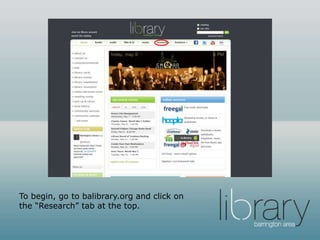
Go to balibrary.org and click on
“databases.”
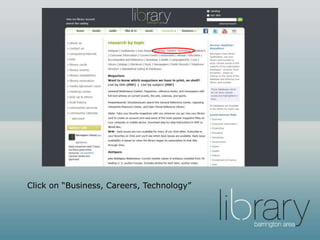
Click on “Business and Careers” or
scroll down to Business Source
Complete.
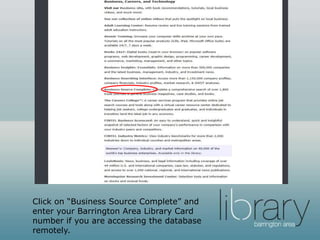
Click on “Business Source Complete” and
enter your Barrington Area Library Card
number if you are accessing the database
remotely.
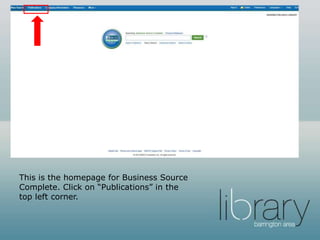
This is the homepage for Business Source
Complete. Click on “Publications” in the
top left corner.
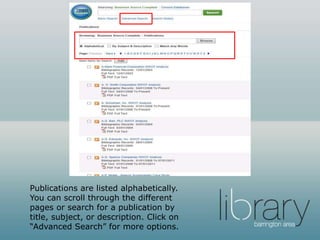
Publications are listed alphabetically.
You can scroll through the different
pages or search for a publication by
title, subject, or description. Click on
“Advanced Search” for more options.
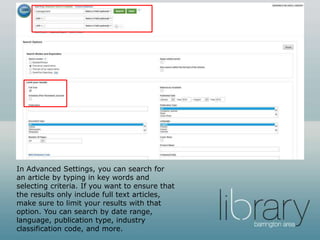
In Advanced Settings, you can search for
an article by typing in key words and
selecting criteria. If you want to ensure that
the results only include full text articles,
make sure to limit your results with that
option. You can search by date range,
language, publication type, industry
classification code, and more.
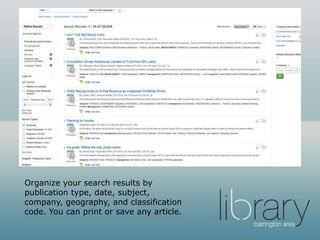
Organize your search results by
publication type, date, subject,
company, geography, and classification
code. You can print or save any article.
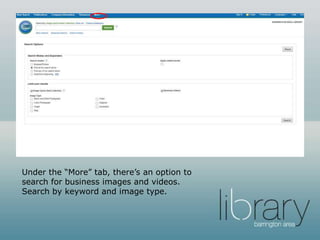
Under the “More” tab, there’s an option to
search for business images and videos.
Search by keyword and image type.
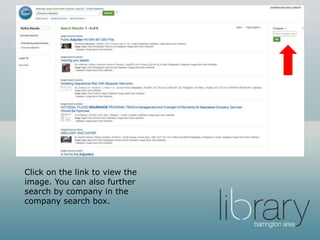
Click on the link to view the
image. You can also further
search by company in the
company search box.
Want to learn more?
• The Barrington Area Library’s Slide
Share account has tutorials on other
business databases available with
your Barrington Area Library Card.
• Access these tutorials here.
Questions?
• You can visit the Adult Services
Reference Desk, call us at (847) 382-
1300 x 1, text is at 66746 (type code
askbal the first time you send a text),
or send us an email.
• Thank you for using the Barrington
Area Library! For more information on
our business resources, check out our
business page at balibrary.org/business

Business Source Complete

  • 1.
    Business Source Complete Completea comprehensive search of over 1,800 trade journals & general business magazines, case studies, and books.
  • 2.
    Go to balibrary.organd click on “databases.”
  • 3.
    Click on “Businessand Careers” or scroll down to Business Source Complete.
  • 4.
    Click on “BusinessSource Complete” and enter your Barrington Area Library Card number if you are accessing the database remotely.
  • 5.
    This is thehomepage for Business Source Complete. Click on “Publications” in the top left corner.
  • 6.
    Publications are listedalphabetically. You can scroll through the different pages or search for a publication by title, subject, or description. Click on “Advanced Search” for more options.
  • 7.
    In Advanced Settings,you can search for an article by typing in key words and selecting criteria. If you want to ensure that the results only include full text articles, make sure to limit your results with that option. You can search by date range, language, publication type, industry classification code, and more.
  • 8.
    Organize your searchresults by publication type, date, subject, company, geography, and classification code. You can print or save any article.
  • 9.
    Under the “More”tab, there’s an option to search for business images and videos. Search by keyword and image type.
  • 10.
    Click on thelink to view the image. You can also further search by company in the company search box.
  • 11.
    Want to learnmore? • The Barrington Area Library’s Slide Share account has tutorials on other business databases available with your Barrington Area Library Card. • Access these tutorials here.
  • 12.
    Questions? • You canvisit the Adult Services Reference Desk, call us at (847) 382- 1300 x 1, text is at 66746 (type code askbal the first time you send a text), or send us an email. • Thank you for using the Barrington Area Library! For more information on our business resources, check out our business page at balibrary.org/business