Building Lightning Apps
Kitchener, Canada Developer Group
Speaker
Date
Venue/Link
Daniel Peter
August 25th, 2018 @ 10:00 AM EST
https://zoom.us/j/391873868
Meeting Sponsor
Who Am I?
Sudipta Deb
● Technical Architect with Appirio Inc., a Wipro Company
● 2.5X Trailhead Ranger
● 7x Salesforce Certified
● Blogging at www.sudipta-deb.in
● Co-Organizer of Kitchener, Canada Developer Group
● Follow me @sudipta_1984
Our Speaker
Daniel Peter
● Salesforce MVP
● 24x Salesforce Certified
● Bay Area Salesforce Developer Group Leader
● Independent Consultant
Agenda
● Advice from my experience developing Lightning apps
● Demo
● Q&A
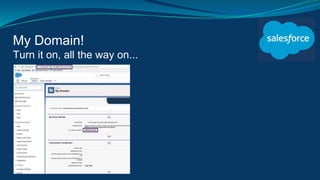
My Domain!
Turn it on, all the way on...
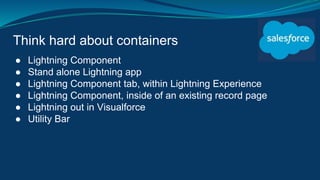
Think hard about containers
● Lightning Component
● Stand alone Lightning app
● Lightning Component tab, within Lightning Experience
● Lightning Component, inside of an existing record page
● Lightning out in Visualforce
● Utility Bar
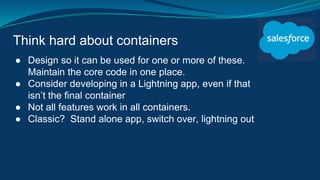
Think hard about containers
● Design so it can be used for one or more of these.
Maintain the core code in one place.
● Consider developing in a Lightning app, even if that
isn’t the final container
● Not all features work in all containers.
● Classic? Stand alone app, switch over, lightning out
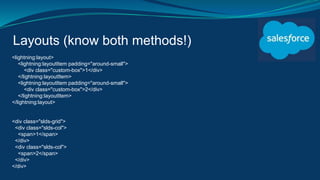
Layouts (know both methods!)
<lightning:layout>
<lightning:layoutItem padding="around-small">
<div class="custom-box">1</div>
</lightning:layoutItem>
<lightning:layoutItem padding="around-small">
<div class="custom-box">2</div>
</lightning:layoutItem>
</lightning:layout>
<div class="slds-grid">
<div class="slds-col">
<span>1</span>
</div>
<div class="slds-col">
<span>2</span>
</div>
</div>
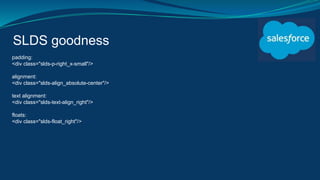
SLDS goodness
padding:
<div class="slds-p-right_x-small"/>
alignment:
<div class="slds-align_absolute-center"/>
text alignment:
<div class="slds-text-align_right"/>
floats:
<div class="slds-float_right"/>
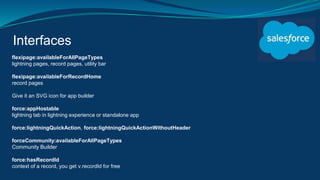
Interfaces
flexipage:availableForAllPageTypes
lightning pages, record pages, utility bar
flexipage:availableForRecordHome
record pages
Give it an SVG icon for app builder
force:appHostable
lightning tab in lightning experience or standalone app
force:lightningQuickAction, force:lightningQuickActionWithoutHeader
forceCommunity:availableForAllPageTypes
Community Builder
force:hasRecordId
context of a record, you get v.recordId for free
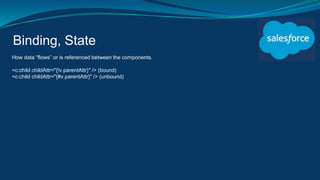
Binding, State
How data “flows” or is referenced between the components.
<c:child childAttr="{!v.parentAttr}" /> (bound)
<c:child childAttr="{#v.parentAttr}" /> (unbound)
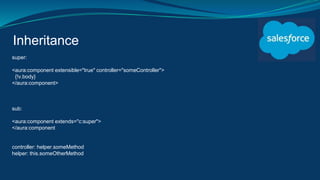
Inheritance
super:
<aura:component extensible="true" controller="someController">
{!v.body}
</aura:component>
sub:
<aura:component extends="c:super">
</aura:component
controller: helper.someMethod
helper: this.someOtherMethod
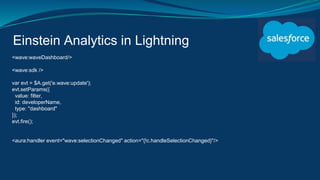
Einstein Analytics in Lightning
<wave:waveDashboard/>
<wave:sdk />
var evt = $A.get('e.wave:update');
evt.setParams({
value: filter,
id: developerName,
type: "dashboard"
});
evt.fire();
<aura:handler event="wave:selectionChanged" action="{!c.handleSelectionChanged}"/>
Resources
Component Library
https://developer.salesforce.com/docs/component-library/overview/components
Lightning Components Developer Guide
https://developer.salesforce.com/docs/atlas.en-
us.lightning.meta/lightning/component_library.htm
Lightning Design System Reference
https://www.lightningdesignsystem.com
Q&A

Building lightning apps by Daniel Peter

  • 1.
    Building Lightning Apps Kitchener,Canada Developer Group Speaker Date Venue/Link Daniel Peter August 25th, 2018 @ 10:00 AM EST https://zoom.us/j/391873868
  • 2.
  • 3.
    Who Am I? SudiptaDeb ● Technical Architect with Appirio Inc., a Wipro Company ● 2.5X Trailhead Ranger ● 7x Salesforce Certified ● Blogging at www.sudipta-deb.in ● Co-Organizer of Kitchener, Canada Developer Group ● Follow me @sudipta_1984
  • 4.
    Our Speaker Daniel Peter ●Salesforce MVP ● 24x Salesforce Certified ● Bay Area Salesforce Developer Group Leader ● Independent Consultant
  • 5.
    Agenda ● Advice frommy experience developing Lightning apps ● Demo ● Q&A
  • 6.
    My Domain! Turn iton, all the way on...
  • 7.
    Think hard aboutcontainers ● Lightning Component ● Stand alone Lightning app ● Lightning Component tab, within Lightning Experience ● Lightning Component, inside of an existing record page ● Lightning out in Visualforce ● Utility Bar
  • 8.
    Think hard aboutcontainers ● Design so it can be used for one or more of these. Maintain the core code in one place. ● Consider developing in a Lightning app, even if that isn’t the final container ● Not all features work in all containers. ● Classic? Stand alone app, switch over, lightning out
  • 9.
    Layouts (know bothmethods!) <lightning:layout> <lightning:layoutItem padding="around-small"> <div class="custom-box">1</div> </lightning:layoutItem> <lightning:layoutItem padding="around-small"> <div class="custom-box">2</div> </lightning:layoutItem> </lightning:layout> <div class="slds-grid"> <div class="slds-col"> <span>1</span> </div> <div class="slds-col"> <span>2</span> </div> </div>
  • 10.
    SLDS goodness padding: <div class="slds-p-right_x-small"/> alignment: <divclass="slds-align_absolute-center"/> text alignment: <div class="slds-text-align_right"/> floats: <div class="slds-float_right"/>
  • 11.
    Interfaces flexipage:availableForAllPageTypes lightning pages, recordpages, utility bar flexipage:availableForRecordHome record pages Give it an SVG icon for app builder force:appHostable lightning tab in lightning experience or standalone app force:lightningQuickAction, force:lightningQuickActionWithoutHeader forceCommunity:availableForAllPageTypes Community Builder force:hasRecordId context of a record, you get v.recordId for free
  • 12.
    Binding, State How data“flows” or is referenced between the components. <c:child childAttr="{!v.parentAttr}" /> (bound) <c:child childAttr="{#v.parentAttr}" /> (unbound)
  • 13.
    Inheritance super: <aura:component extensible="true" controller="someController"> {!v.body} </aura:component> sub: <aura:componentextends="c:super"> </aura:component controller: helper.someMethod helper: this.someOtherMethod
  • 14.
    Einstein Analytics inLightning <wave:waveDashboard/> <wave:sdk /> var evt = $A.get('e.wave:update'); evt.setParams({ value: filter, id: developerName, type: "dashboard" }); evt.fire(); <aura:handler event="wave:selectionChanged" action="{!c.handleSelectionChanged}"/>
  • 15.
    Resources Component Library https://developer.salesforce.com/docs/component-library/overview/components Lightning ComponentsDeveloper Guide https://developer.salesforce.com/docs/atlas.en- us.lightning.meta/lightning/component_library.htm Lightning Design System Reference https://www.lightningdesignsystem.com
  • 16.

Editor's Notes

  • #2 You can put your image here