If you need some help, see the Frequently Asked Questions at bt.com/switch8 or call 0808 100 6116*.
* Calls made from within the UK mainland network are free. Mobile and International call costs may vary.
User Guide
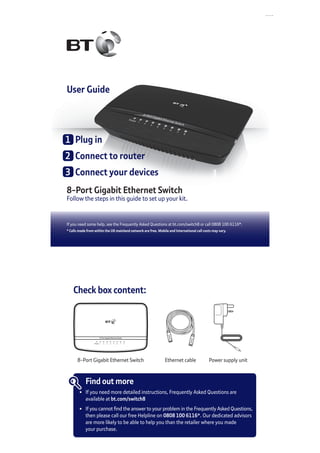
8-Port Gigabit Ethernet Switch
Follow the steps in this guide to set up your kit.
1	 Plug in
2	 Connect to router
3	 Connect your devices
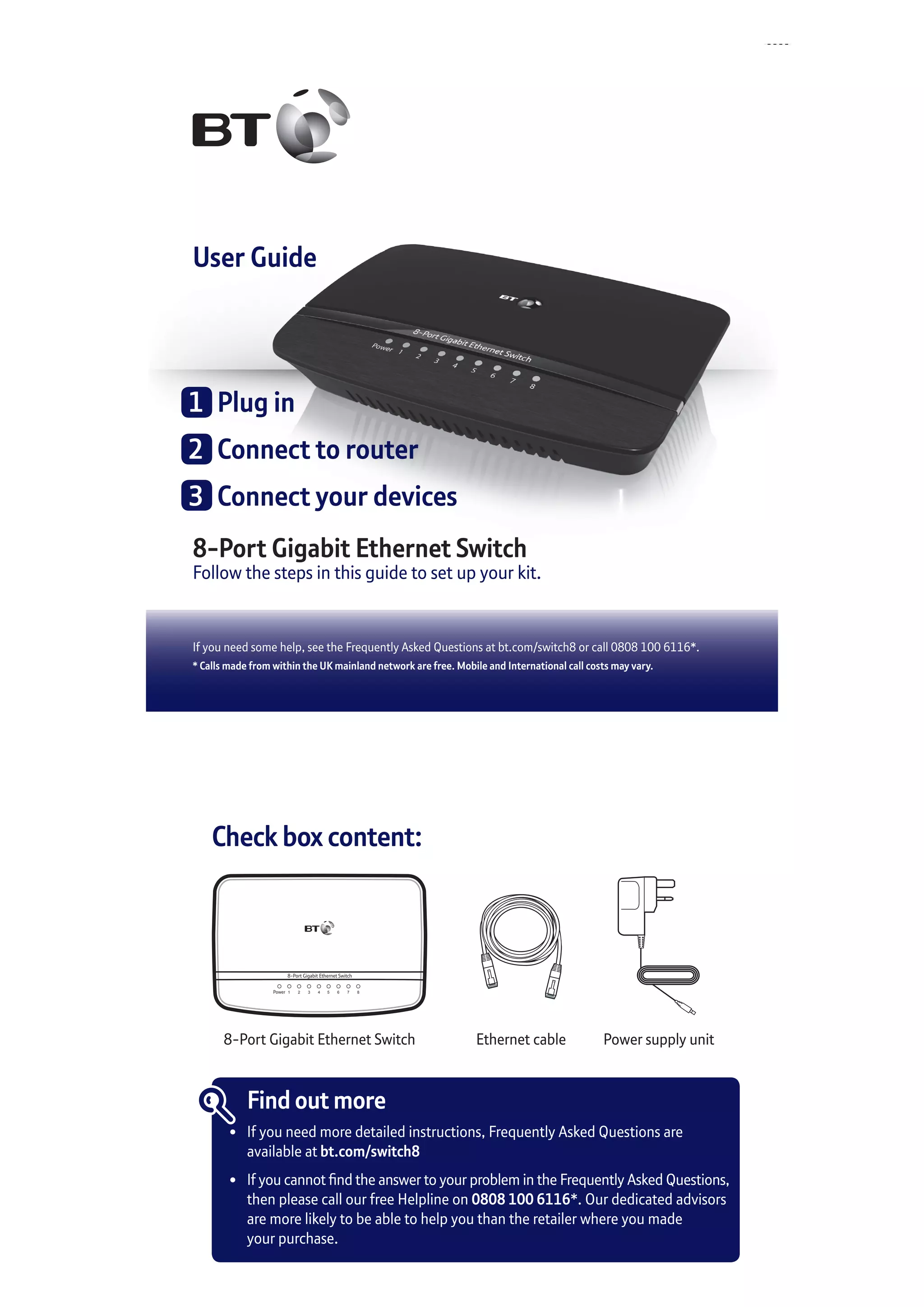
Check box content:
8-Port Gigabit Ethernet Switch
Power 1 2 3 4 5 6 7 8
8-Port Gigabit Ethernet Switch
Find out more
•	 If you need more detailed instructions, Frequently Asked Questions are
	 available at bt.com/switch8
•	 If you cannot find the answer to your problem in the Frequently Asked Questions,
	 then please call our free Helpline on 0808 100 6116*. Our dedicated advisors
	 are more likely to be able to help you than the retailer where you made
	 your purchase.
Power supply unitEthernet cable
1	 Plug in
Plug the mains power adapter into the Ethernet switch. Plug the other
end of the adapter into the wall power socket and switch on.
	 You’ll need an ethernet cable for each device you want to connect to the switch.
For best performance it’s recommended you use a cable that supports gigabit
ethernet such as a CAT5e 4 pair cable.
Power8 7 6 5 4 3 2 1
	2	 Connect to router
Connect any port on the switch to an Ethernet port on your broadband
router/hub. Use the GigE port if your router has one (it’s port 4 if you
have a BT Hub 3 or Hub 4).
The corresponding port light will turn on.
	3	 Connect your devices
Connect your device to any port on the switch. The corresponding port
light on the switch will light up for each connected device.
1
2 3
Connection help
The Power light is off
•	 Check the power socket is switched on where you’ve plugged the switch in.
•	 Make sure the power cord is properly connected to the switch.
No data connection
•	 Make sure all ethernet cables are properly plugged in at both ends.
•	 Check port light is on.
•	 Try rebooting your device.
If you need more help, go to bt.com/switch8
or call 0808 100 6116*.
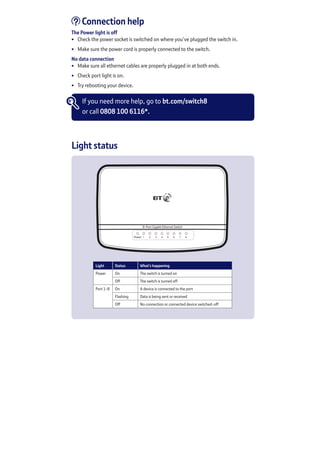
Light Status What’s happening
Power On The switch is turned on
Off The switch is turned off
Port 1-8 On A device is connected to the port
Flashing Data is being sent or received
Off No connection or connected device switched-off
8-Port Gigabit Ethernet Switch
Power 1 2 3 4 5 6 7 8
Light status
General information
For information on safety instructions,
technical information or setting up the
switch, please see the Frequently Asked
Questions at bt.com/switch8
Guarantee
Your 8-Port Gigabit Ethernet Switch is guaranteed for
a period of 1 year from the date of purchase. Subject
to the terms listed below, the guarantee will provide
for the repair of, or at BT’s or its agent’s discretion, the
option to replace the 8-Port Gigabit Ethernet Switch or
any component thereof which is identified as faulty or
below standard, or as a result of inferior workmanship
or materials. Products over 28 days old from the date
of purchase may be replaced with a refurbished or
repaired product.
The conditions of this guarantee are:
•	 the guarantee shall only apply to defects that occur
within the 1 year guarantee period
•	 proof of purchase is required
•	 the equipment is returned to BT or its agent
as instructed.
This guarantee does not cover any faults or defects
caused by accidents, misuse, fair wear and tear,
neglect, tampering with the equipment, or any
attempt at adjustment or repair other than through
approved agents.
This guarantee does not affect your statutory rights.
To find out what to do if your switch is in or outside of
the 1 year guarantee, please see the Frequently Asked
Questions at bt.com/switch8
How to recycle your equipment
The symbol shown here and on the product
means that the product is classed as electrical
or electronic equipment, so DO NOT put it in
your normal rubbish bin.
It’s all part of the Waste Electrical and Electronic
Equipment (WEEE) Directive to recycle products in
the best way – to be kinder to the planet, get rid of
dangerous things more safely and bury less rubbish
in the ground.
You should contact your retailer or supplier for
advice on how to dispose of this product in an
environmentally friendly way.
Declaration of Conformity
For a copy of the Declaration of Conformity
please refer to bt.com/switch8
Power consumption
In operation 2.0 Watts
Network standby 2.0 Watts
Standby mode 0.4 Watts
Elapsed time before going
into standby mode
4 Minutes
Offices worldwide
The services described in this publication are subject to availability and may be
modified from time to time. Services and equipment are supplied subject to
British Telecommunications plc’s respective standard conditions of contract.
Nothing in this publication forms any part of a contract.
© British Telecommunications plc 2015.
Registered Office: 81 Newgate Street, London EC1A 7AJ.
Registered in England No. 1800000.
Designed and produced by The Art & Design Partnership Ltd.
Printed in China / Issue 4 / ADP02-15
For a Better Future
We’re always looking to make our products last longer
and use less power, so we don’t have such a big impact
on the environment.
To find out about what we are doing, visit
bt.com/betterfuture

BT 8-Port Gigabit Ethernet Switch User Guide

  • 1.
    If you needsome help, see the Frequently Asked Questions at bt.com/switch8 or call 0808 100 6116*. * Calls made from within the UK mainland network are free. Mobile and International call costs may vary. User Guide 8-Port Gigabit Ethernet Switch Follow the steps in this guide to set up your kit. 1 Plug in 2 Connect to router 3 Connect your devices Check box content: 8-Port Gigabit Ethernet Switch Power 1 2 3 4 5 6 7 8 8-Port Gigabit Ethernet Switch Find out more • If you need more detailed instructions, Frequently Asked Questions are available at bt.com/switch8 • If you cannot find the answer to your problem in the Frequently Asked Questions, then please call our free Helpline on 0808 100 6116*. Our dedicated advisors are more likely to be able to help you than the retailer where you made your purchase. Power supply unitEthernet cable
  • 2.
    1 Plug in Plugthe mains power adapter into the Ethernet switch. Plug the other end of the adapter into the wall power socket and switch on. You’ll need an ethernet cable for each device you want to connect to the switch. For best performance it’s recommended you use a cable that supports gigabit ethernet such as a CAT5e 4 pair cable. Power8 7 6 5 4 3 2 1 2 Connect to router Connect any port on the switch to an Ethernet port on your broadband router/hub. Use the GigE port if your router has one (it’s port 4 if you have a BT Hub 3 or Hub 4). The corresponding port light will turn on. 3 Connect your devices Connect your device to any port on the switch. The corresponding port light on the switch will light up for each connected device. 1 2 3
  • 3.
    Connection help The Powerlight is off • Check the power socket is switched on where you’ve plugged the switch in. • Make sure the power cord is properly connected to the switch. No data connection • Make sure all ethernet cables are properly plugged in at both ends. • Check port light is on. • Try rebooting your device. If you need more help, go to bt.com/switch8 or call 0808 100 6116*. Light Status What’s happening Power On The switch is turned on Off The switch is turned off Port 1-8 On A device is connected to the port Flashing Data is being sent or received Off No connection or connected device switched-off 8-Port Gigabit Ethernet Switch Power 1 2 3 4 5 6 7 8 Light status
  • 4.
    General information For informationon safety instructions, technical information or setting up the switch, please see the Frequently Asked Questions at bt.com/switch8 Guarantee Your 8-Port Gigabit Ethernet Switch is guaranteed for a period of 1 year from the date of purchase. Subject to the terms listed below, the guarantee will provide for the repair of, or at BT’s or its agent’s discretion, the option to replace the 8-Port Gigabit Ethernet Switch or any component thereof which is identified as faulty or below standard, or as a result of inferior workmanship or materials. Products over 28 days old from the date of purchase may be replaced with a refurbished or repaired product. The conditions of this guarantee are: • the guarantee shall only apply to defects that occur within the 1 year guarantee period • proof of purchase is required • the equipment is returned to BT or its agent as instructed. This guarantee does not cover any faults or defects caused by accidents, misuse, fair wear and tear, neglect, tampering with the equipment, or any attempt at adjustment or repair other than through approved agents. This guarantee does not affect your statutory rights. To find out what to do if your switch is in or outside of the 1 year guarantee, please see the Frequently Asked Questions at bt.com/switch8 How to recycle your equipment The symbol shown here and on the product means that the product is classed as electrical or electronic equipment, so DO NOT put it in your normal rubbish bin. It’s all part of the Waste Electrical and Electronic Equipment (WEEE) Directive to recycle products in the best way – to be kinder to the planet, get rid of dangerous things more safely and bury less rubbish in the ground. You should contact your retailer or supplier for advice on how to dispose of this product in an environmentally friendly way. Declaration of Conformity For a copy of the Declaration of Conformity please refer to bt.com/switch8 Power consumption In operation 2.0 Watts Network standby 2.0 Watts Standby mode 0.4 Watts Elapsed time before going into standby mode 4 Minutes Offices worldwide The services described in this publication are subject to availability and may be modified from time to time. Services and equipment are supplied subject to British Telecommunications plc’s respective standard conditions of contract. Nothing in this publication forms any part of a contract. © British Telecommunications plc 2015. Registered Office: 81 Newgate Street, London EC1A 7AJ. Registered in England No. 1800000. Designed and produced by The Art & Design Partnership Ltd. Printed in China / Issue 4 / ADP02-15 For a Better Future We’re always looking to make our products last longer and use less power, so we don’t have such a big impact on the environment. To find out about what we are doing, visit bt.com/betterfuture