Pitfalls and tips withPitfalls and tips with
browser based testIngbrowser based testIng
My Background
several projects with functional testing
consulted at organizations to introduce functional testing
and builds
heavily involved in trying to improve effectiveness and
reduce maintenance
developed a framework over several projects that made use
of my learnings
Common uses of functional
tests
smoke/sanity tests for most valuable and risky features
black box/regression tests
post deployment checks and rollbacks
multi browser testing
what do we want from
tests?
correctness (when my tests work, my application is not
broken)
robustness (when my tests break, my application is broken)
what do we focus on?
what’s valuable? (it matters to us that people can do this)
what’s risky? (if this breaks, it really affects us)
so whats the problem?so whats the problem?
five problemsfive problems
1. slow tests1. slow tests
BecauseBecause
uses theuses the
entire stackentire stack
low spec hardwarelow spec hardware
tons of setuptons of setup
and teardownand teardown
talking to thetalking to the
browser is slowbrowser is slow
soso
very long feedback loopvery long feedback loop
can delay deploymentscan delay deployments
2. Brittle tests2. Brittle tests
UIUI
changeschanges
a lota lot
tests overtests over
specifyspecify
3. Random failures3. Random failures
race conditionsrace conditions
unreliable dependenciesunreliable dependencies
4. tests are hard to debug4. tests are hard to debug
too manytoo many
tests breaktests break
error messageserror messages
tell you nothingtell you nothing
5. test code becomes5. test code becomes
unmaintainableunmaintainable
insufficient commitmentinsufficient commitment
to testingto testing
inadequateinadequate
understandingunderstanding
of testingof testing
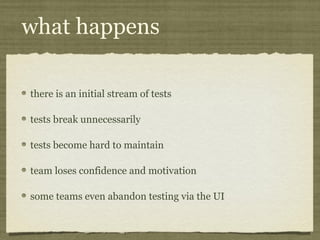
what happens
there is an initial stream of tests
tests break unnecessarily
tests become hard to maintain
team loses confidence and motivation
some teams even abandon testing via the UI
tips and trickstips and tricks
Treat test code
like real code
like real code
speed
maintainability
A lot of the techniques we useA lot of the techniques we use
with real code work with testwith real code work with test
codecode
similar levels ofsimilar levels of
commitmentcommitment
testtest
creation/maintenancecreation/maintenance
can be part of the devcan be part of the dev
cyclecycle
Use Ruby
maintainability
development time
use a headless browser
when possible
speed
Use selenium RC
(if you use selenium)
avoid brittleness
maintainability
Don’t record and replay
(if you use selenium)
avoid brittleness
maintainability
development time
Introduce an Abstraction
layer
speed
maintainability
Categorize/tag tests
speed
maintainability
Use the
page object pattern
maintainability
Parallelize
speed
separate data
for tests
speed
avoid random failures
clump data into common
location
maintainability
Push setup and teardown
out of tests
speed
avoid brittleness
development time
debuggability
Only exercise parts of the
application you want to test
speed
avoid brittleness
debuggability
Build stub services
speed
avoid random failures
don’t over specify
avoid brittleness
debuggability
run on better hardware
speed
slice vertically
debuggability
Use the right locator
maintainability
avoid brittleness
speed
learn xpath/css selectors
avoid brittleness
maintainability
fail later
speed
use polls over sleep
speed
avoid random failures
use existing waits of
selenium
speed
avoid random failures
avoid brittleness
avoid random
Don’t use assertions to
identify transitions
avoid brittleness
debuggability
avoid brittleness
screenshots and html
dumps
debuggability
xpath/css selector tester
development time
firebug or w/e
development time
maintainability
talk to me if you’retalk to me if you’re
testing tabular datatesting tabular data
I’m always available forI’m always available for
questionsquestions
Questions?Questions?
thank youthank you

Browser based testing

Editor's Notes

  • #29 not knowing the tool not understanding what works and what doesnt
  • #32 there are many things you can do to speed up tests, but you have to care about it
  • #34 1) yes test code is less valuable than production code 2) but production code is less valuable than the product too 3) we are only as good as our tools allow us to be 4) similar rules apply as technical debt -> grows exponentially
  • #35 1) avoid a specialist 2) people are aware of testability when designing UI 3) tests are written by people who best know that section of the domain.
  • #36 ruby/java community does a lot around testing testing domain benefits a lot from dsls I believe ruby is a very powerful language anyway
  • #37 mechanize copybara
  • #39 1) it generates some fairly bad code 2) you’ll get really fast anyway
  • #40 webrat is an example of an existing tool like this allows you to use mechanize, copybara for most tests allows you to switch to webdriver/sahi/wati which are at times faster
  • #41 smoke, high value, high risk, per feature
  • #42 highly recommended if you dont like object, read encapsulation we used cucumber, not a big fan so far
  • #43 don’t recommend this right away but be aware you might want to do this someday
  • #44 tests are parallelizable
  • #45 tests are parallelizable
  • #46 expose apis
  • #47 jump straight to pages assert stuff in the database or from services insert admin settings directly
  • #48 jump straight to pages assert stuff in the database or from services insert admin settings directly
  • #49 even if its valuable, dont check it on every test
  • #51 still use test flows per feature “it depends”
  • #52 fast selectors (dont worry most of the time)
  • #53 I prefer xpath css selectors considered more readable semantic markup is your friend
  • #54 on missing elemnts but may not be an assertion failures
  • #58 instant recognition