BP204 Integration of OpenOffice.org and IBM Lotus Notes and Domino  Alan Bell John D. Head
Before we begin Please turn off/set to vibrate/mute all Cell Phones Pagers Computers Please remember to fill out your evaluations
Agenda Who are we? What is OpenOffice.org EXAMPLE 1 thru 3   –   The Hello World examples EXAMPLE 4   –   Hello World using Java EXAMPLE 5   –   Mail Merge EXAMPLE 6   –   Fun with Spreadsheets EXAMPLE 7   –   A Real World Notes Application EXAMPLE 8   –   Impress with Impress Notes 8 Productivity Editors
Who are we? Alan Bell Dominux Consulting Penumbra Group The Open Learning Centre
About Dominux
Who are we? John D. Head Offering and Development Manager for frameworks at PSC Group, LLC Involved in Lotus technology since 1993 Speaker Over 22 sessions at Lotusphere since 1996 Speaker at Advisor conferences Author Advisor Magazine and other publications on Office and SmartSuite integration with Notes LotusUserGroup.org contributing Author and Forum moderator www.johndavidhead.com
PSC Group, LLC IBM Premium Business Partner for 15+ Years Microsoft Gold Partner Host of OpenNTF.org Winner of 2007 Lotus Award! Host of the following blogs: Ed Brill’s  ( www.edbrill.com ) ‏ Alan Lepofsky’s Notes Tip’s  ( www.alanlepofsky.net ) ‏ Alan Gartenberg - Sametime  ( www.adamgartenberg.com ) ‏ Jeff Eisen – Hannover  ( www.jeffeisen.com ) ‏ Domino Server Team (www.dominoblog.com) ‏
A little poll ... Who is using  … Office 97 and earlier Office 2000 Office XP Office 2003 OpenOffice / StarOffice Other
OpenOffice.org – The History Star Division Star Office written in the mid 80s Bought by Sun Microsystems in 1999 Sun Star Office released in August 1999 Source code released October 2000 OpenOffice.org 1.0 released May 2002 OpenOffice.org 2.0 released October 2005 OpenDocument format becomes international standard ISO/IEC 26300 November 2006 IBM Lotus Workplace Productivity Editors released 2005 Based on OpenOffice 1.1 Notes 8 to include IBM Productivity Editors
What is OpenOffice.org? From the website: free office suite - OpenOffice.org is a multiplatform and multilingual office suite and an open-source project. Compatible with all other major office suites, the product is free to download, use, and distribute. To help build the community, join us. And the mission statement: To create, as a community, the leading international office suite that will run on all major platforms and provide access to all functionality and data through open-component based APIs and an XML-based file format.
What is OpenOffice.org? Getting past the marketing speak … …  OpenOffice is an alternative to Microsoft Word, Excel, and PowerPoint … which is  FREE Provides the following applications Writer – Document Editor Impress – Presentation Program Math – Math Function Creator Draw – Vector Drawing Tool Calc - Spreadsheet  Base - Database
Why should I care about OpenOffice.org? Only office suite that supports Open Document Format (ODF) 100% A free alternative to Microsoft Office Runs on 3 platforms Windows Mac Linux Saves to PDF Natively OpenOffice is the basis of the IBM Productivity Tools included with IBM Lotus Notes 8
OpenOffice.org - Licensing Licensing LGPL – the GNU Lesser General Public License “ Lesser” means that non-free code can use integration with OpenOffice.org (roughly speaking) ‏ Is it really Free? Yes Will it always be Free? Yes
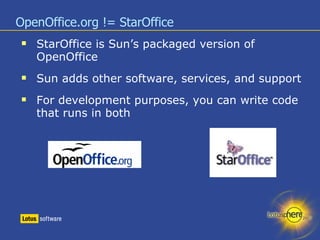
OpenOffice.org != StarOffice StarOffice is Sun’s packaged version of OpenOffice Sun adds other software, services, and support For development purposes, you can write code that runs in both
Introduction to OpenOffice.org Development The OpenOffice Development effort is designed on an interface-based component model called UNO ( Universal Network Objects) ‏ UNO Definition: UNO offers interoperability between different programming languages, different object models, different machine architectures and different processes; either in a local network or even via the Internet. UNO components can be implemented in and accessed from any programming language for which a UNO language binding exists.
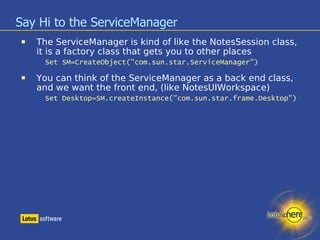
Say Hi to the ServiceManager The ServiceManager is kind of like the NotesSession class, it is a factory class that gets you to other places Set SM=CreateObject("com.sun.star.ServiceManager") ‏ You can think of the ServiceManager as a back end class, and we want the front end, (like NotesUIWorkspace) ‏ Set Desktop=SM.createInstance("com.sun.star.frame.Desktop") ‏
What did that do?
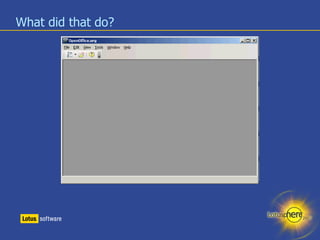
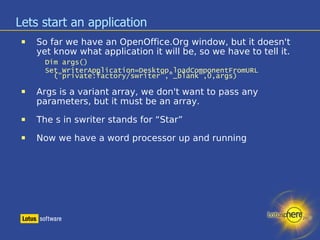
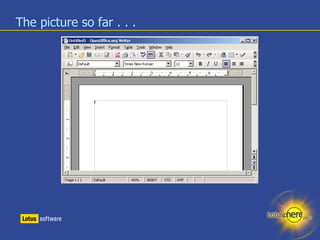
Lets start an application So far we have an OpenOffice.Org window, but it doesn't yet know what application it will be, so we have to tell it. Dim args() ‏ Set WriterApplication=Desktop.loadComponentFromURL ("private:factory/swriter","_blank",0,args) ‏ Args is a variant array, we don't want to pass any parameters, but it must be an array. The s in swriter stands for “Star” Now we have a word processor up and running
The picture so far . . .
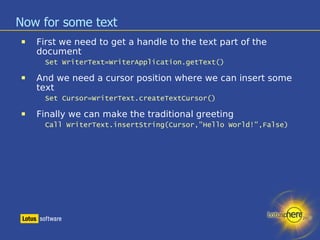
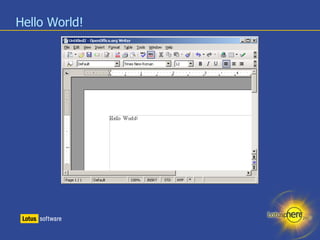
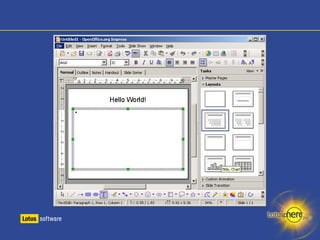
Now for some text First we need to get a handle to the text part of the document Set WriterText=WriterApplication.getText() ‏ And we need a cursor position where we can insert some text Set Cursor=WriterText.createTextCursor() ‏ Finally we can make the traditional greeting Call WriterText.insertString(Cursor,"Hello World!",False) ‏
Hello World!
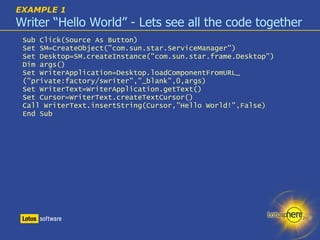
EXAMPLE 1   Writer “Hello World” - Lets see all the code together Sub Click(Source As Button) ‏ Set SM=CreateObject("com.sun.star.ServiceManager") ‏ Set Desktop=SM.createInstance("com.sun.star.frame.Desktop") ‏ Dim args() ‏ Set WriterApplication=Desktop.loadComponentFromURL_ ("private:factory/swriter","_blank",0,args) ‏ Set WriterText=WriterApplication.getText() ‏ Set Cursor=WriterText.createTextCursor() ‏ Call WriterText.insertString(Cursor,"Hello World!",False) ‏ End Sub
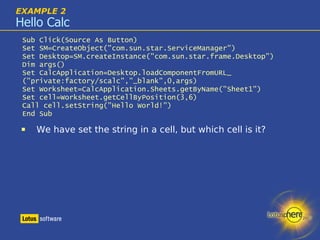
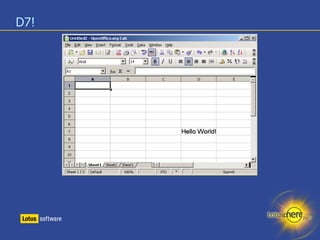
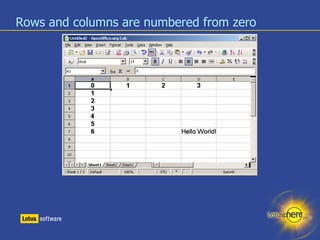
EXAMPLE 2 Hello Calc Sub Click(Source As Button) ‏ Set SM=CreateObject("com.sun.star.ServiceManager") ‏ Set Desktop=SM.createInstance("com.sun.star.frame.Desktop") ‏ Dim args() Set CalcApplication=Desktop.loadComponentFromURL_ ("private:factory/scalc","_blank",0,args) ‏ Set Worksheet=CalcApplication.Sheets.getByName("Sheet1") ‏ Set cell=Worksheet.getCellByPosition(3,6) ‏ Call cell.setString("Hello World!") ‏ End Sub We have set the string in a cell, but which cell is it?
D7!
Rows and columns are numbered from zero
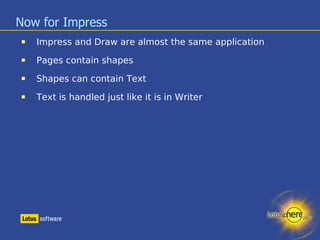
Now for Impress Impress and Draw are almost the same application Pages contain shapes Shapes can contain Text Text is handled just like it is in Writer
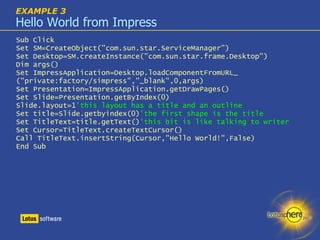
EXAMPLE 3 Hello World from Impress Sub Click Set SM=CreateObject("com.sun.star.ServiceManager") ‏ Set Desktop=SM.createInstance("com.sun.star.frame.Desktop") ‏ Dim args() Set ImpressApplication=Desktop.loadComponentFromURL_ ("private:factory/simpress","_blank",0,args) ‏ Set Presentation=ImpressApplication.getDrawPages() ‏ Set Slide=Presentation.getByIndex(0) ‏ Slide.layout=1 'this layout has a title and an outline Set title=Slide.getbyindex(0) 'the first shape is the title Set TitleText=title.getText() 'this bit is like talking to writer Set Cursor=TitleText.createTextCursor() ‏ Call TitleText.insertString(Cursor,"Hello World!",False) ‏ End Sub
 
The Help Files – how to read them Objects Interfaces – collections of properties In LotusScript you can use methods and properties from any interface In Java and C you have to specify which interface you want to use.
EXAMPLE 4 Lets see some Java The examples in the help files are typically in Java You have to specify the interface you want to use on an object
More to say then “Hello” So far, we have shown you the basics How to connect to OpenOffice.org from Notes LotusScript and Java examples Now, let's show you some real-world, useful demos
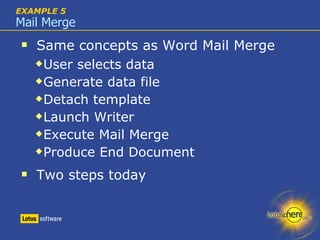
EXAMPLE 5 Mail Merge Same concepts as Word Mail Merge User selects data Generate data file Detach template Launch Writer Execute Mail Merge Produce End Document Two steps today
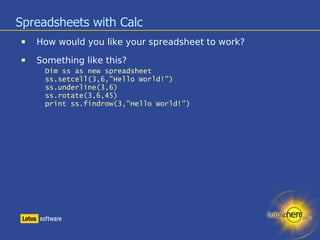
Spreadsheets with Calc How would you like your spreadsheet to work? Something like this? Dim ss as new spreadsheet ss.setcell(3,6,”Hello World!”) ‏ ss.underline(3,6) ‏ ss.rotate(3,6,45) ‏ print ss.findrow(3,”Hello World!”) ‏
EXAMPLE 6 Spreadsheets Demo Time
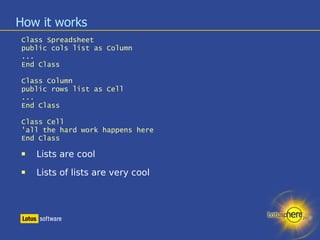
How it works Class Spreadsheet public cols list as Column ... End Class Class Column public rows list as Cell ... End Class Class Cell 'all the hard work happens here End Class Lists are cool Lists of lists are very cool
EXAMPLE 7 OpenOffice.org in a Real World Application Demo Time
EXAMPLE 8 Impresing with Impress Demo Time
The Notes 8 Productivity Editors How do they relate to OpenOffice.org? How similar is the API?
Wrap-Up Who are we? What is OpenOffice.org The Hello World examples Hello World using Java Mail Merge Fun with Spreadsheets A Real World Notes Application Impress with Impress Notes 8 Productivity Editors 8 Examples you can take home with you!
Resources LDD Discussions (Notes.Net) http://www-130.ibm.com/developerworks/lotus OpenOffice.org  http://www.openoffice.org OpenOffice Developers Guide http://api.openoffice.org/DevelopersGuide/DevelopersGuide.html Programming OpenOffice with Visual Basic http://www.kalitech.fr/clients/doc/VB_APIOOo_en.html Alan Bell's blog http://www.dominux.co.uk/dominuxblog.nsf John Head’s blog http://www.johndavidhead.com Slides and content available from http://www.johndavidhead.com   http://www.dominux.co.uk
Thank You! Questions & Answers We will be in the speaker room after the session Please remember to fill out your evaluation. alan@dominux.co.uk  http://www.dominux.co.uk/dominuxblog.nsf  http://www.dominux.co.uk [email_address]   www.johndavidhead.com   www.psclistens.com

BP204 Integration of OpenOffice.org and IBM Lotus Notes and Domino

  • 1.
    BP204 Integration ofOpenOffice.org and IBM Lotus Notes and Domino Alan Bell John D. Head
  • 2.
    Before we beginPlease turn off/set to vibrate/mute all Cell Phones Pagers Computers Please remember to fill out your evaluations
  • 3.
    Agenda Who arewe? What is OpenOffice.org EXAMPLE 1 thru 3 – The Hello World examples EXAMPLE 4 – Hello World using Java EXAMPLE 5 – Mail Merge EXAMPLE 6 – Fun with Spreadsheets EXAMPLE 7 – A Real World Notes Application EXAMPLE 8 – Impress with Impress Notes 8 Productivity Editors
  • 4.
    Who are we?Alan Bell Dominux Consulting Penumbra Group The Open Learning Centre
  • 5.
  • 6.
    Who are we?John D. Head Offering and Development Manager for frameworks at PSC Group, LLC Involved in Lotus technology since 1993 Speaker Over 22 sessions at Lotusphere since 1996 Speaker at Advisor conferences Author Advisor Magazine and other publications on Office and SmartSuite integration with Notes LotusUserGroup.org contributing Author and Forum moderator www.johndavidhead.com
  • 7.
    PSC Group, LLCIBM Premium Business Partner for 15+ Years Microsoft Gold Partner Host of OpenNTF.org Winner of 2007 Lotus Award! Host of the following blogs: Ed Brill’s ( www.edbrill.com ) ‏ Alan Lepofsky’s Notes Tip’s ( www.alanlepofsky.net ) ‏ Alan Gartenberg - Sametime ( www.adamgartenberg.com ) ‏ Jeff Eisen – Hannover  ( www.jeffeisen.com ) ‏ Domino Server Team (www.dominoblog.com) ‏
  • 8.
    A little poll... Who is using … Office 97 and earlier Office 2000 Office XP Office 2003 OpenOffice / StarOffice Other
  • 9.
    OpenOffice.org – TheHistory Star Division Star Office written in the mid 80s Bought by Sun Microsystems in 1999 Sun Star Office released in August 1999 Source code released October 2000 OpenOffice.org 1.0 released May 2002 OpenOffice.org 2.0 released October 2005 OpenDocument format becomes international standard ISO/IEC 26300 November 2006 IBM Lotus Workplace Productivity Editors released 2005 Based on OpenOffice 1.1 Notes 8 to include IBM Productivity Editors
  • 10.
    What is OpenOffice.org?From the website: free office suite - OpenOffice.org is a multiplatform and multilingual office suite and an open-source project. Compatible with all other major office suites, the product is free to download, use, and distribute. To help build the community, join us. And the mission statement: To create, as a community, the leading international office suite that will run on all major platforms and provide access to all functionality and data through open-component based APIs and an XML-based file format.
  • 11.
    What is OpenOffice.org?Getting past the marketing speak … … OpenOffice is an alternative to Microsoft Word, Excel, and PowerPoint … which is FREE Provides the following applications Writer – Document Editor Impress – Presentation Program Math – Math Function Creator Draw – Vector Drawing Tool Calc - Spreadsheet Base - Database
  • 12.
    Why should Icare about OpenOffice.org? Only office suite that supports Open Document Format (ODF) 100% A free alternative to Microsoft Office Runs on 3 platforms Windows Mac Linux Saves to PDF Natively OpenOffice is the basis of the IBM Productivity Tools included with IBM Lotus Notes 8
  • 13.
    OpenOffice.org - LicensingLicensing LGPL – the GNU Lesser General Public License “ Lesser” means that non-free code can use integration with OpenOffice.org (roughly speaking) ‏ Is it really Free? Yes Will it always be Free? Yes
  • 14.
    OpenOffice.org != StarOfficeStarOffice is Sun’s packaged version of OpenOffice Sun adds other software, services, and support For development purposes, you can write code that runs in both
  • 15.
    Introduction to OpenOffice.orgDevelopment The OpenOffice Development effort is designed on an interface-based component model called UNO ( Universal Network Objects) ‏ UNO Definition: UNO offers interoperability between different programming languages, different object models, different machine architectures and different processes; either in a local network or even via the Internet. UNO components can be implemented in and accessed from any programming language for which a UNO language binding exists.
  • 16.
    Say Hi tothe ServiceManager The ServiceManager is kind of like the NotesSession class, it is a factory class that gets you to other places Set SM=CreateObject("com.sun.star.ServiceManager") ‏ You can think of the ServiceManager as a back end class, and we want the front end, (like NotesUIWorkspace) ‏ Set Desktop=SM.createInstance("com.sun.star.frame.Desktop") ‏
  • 17.
  • 18.
    Lets start anapplication So far we have an OpenOffice.Org window, but it doesn't yet know what application it will be, so we have to tell it. Dim args() ‏ Set WriterApplication=Desktop.loadComponentFromURL ("private:factory/swriter","_blank",0,args) ‏ Args is a variant array, we don't want to pass any parameters, but it must be an array. The s in swriter stands for “Star” Now we have a word processor up and running
  • 19.
    The picture sofar . . .
  • 20.
    Now for sometext First we need to get a handle to the text part of the document Set WriterText=WriterApplication.getText() ‏ And we need a cursor position where we can insert some text Set Cursor=WriterText.createTextCursor() ‏ Finally we can make the traditional greeting Call WriterText.insertString(Cursor,"Hello World!",False) ‏
  • 21.
  • 22.
    EXAMPLE 1 Writer “Hello World” - Lets see all the code together Sub Click(Source As Button) ‏ Set SM=CreateObject("com.sun.star.ServiceManager") ‏ Set Desktop=SM.createInstance("com.sun.star.frame.Desktop") ‏ Dim args() ‏ Set WriterApplication=Desktop.loadComponentFromURL_ ("private:factory/swriter","_blank",0,args) ‏ Set WriterText=WriterApplication.getText() ‏ Set Cursor=WriterText.createTextCursor() ‏ Call WriterText.insertString(Cursor,"Hello World!",False) ‏ End Sub
  • 23.
    EXAMPLE 2 HelloCalc Sub Click(Source As Button) ‏ Set SM=CreateObject("com.sun.star.ServiceManager") ‏ Set Desktop=SM.createInstance("com.sun.star.frame.Desktop") ‏ Dim args() Set CalcApplication=Desktop.loadComponentFromURL_ ("private:factory/scalc","_blank",0,args) ‏ Set Worksheet=CalcApplication.Sheets.getByName("Sheet1") ‏ Set cell=Worksheet.getCellByPosition(3,6) ‏ Call cell.setString("Hello World!") ‏ End Sub We have set the string in a cell, but which cell is it?
  • 24.
  • 25.
    Rows and columnsare numbered from zero
  • 26.
    Now for ImpressImpress and Draw are almost the same application Pages contain shapes Shapes can contain Text Text is handled just like it is in Writer
  • 27.
    EXAMPLE 3 HelloWorld from Impress Sub Click Set SM=CreateObject("com.sun.star.ServiceManager") ‏ Set Desktop=SM.createInstance("com.sun.star.frame.Desktop") ‏ Dim args() Set ImpressApplication=Desktop.loadComponentFromURL_ ("private:factory/simpress","_blank",0,args) ‏ Set Presentation=ImpressApplication.getDrawPages() ‏ Set Slide=Presentation.getByIndex(0) ‏ Slide.layout=1 'this layout has a title and an outline Set title=Slide.getbyindex(0) 'the first shape is the title Set TitleText=title.getText() 'this bit is like talking to writer Set Cursor=TitleText.createTextCursor() ‏ Call TitleText.insertString(Cursor,"Hello World!",False) ‏ End Sub
  • 28.
  • 29.
    The Help Files– how to read them Objects Interfaces – collections of properties In LotusScript you can use methods and properties from any interface In Java and C you have to specify which interface you want to use.
  • 30.
    EXAMPLE 4 Letssee some Java The examples in the help files are typically in Java You have to specify the interface you want to use on an object
  • 31.
    More to saythen “Hello” So far, we have shown you the basics How to connect to OpenOffice.org from Notes LotusScript and Java examples Now, let's show you some real-world, useful demos
  • 32.
    EXAMPLE 5 MailMerge Same concepts as Word Mail Merge User selects data Generate data file Detach template Launch Writer Execute Mail Merge Produce End Document Two steps today
  • 33.
    Spreadsheets with CalcHow would you like your spreadsheet to work? Something like this? Dim ss as new spreadsheet ss.setcell(3,6,”Hello World!”) ‏ ss.underline(3,6) ‏ ss.rotate(3,6,45) ‏ print ss.findrow(3,”Hello World!”) ‏
  • 34.
  • 35.
    How it worksClass Spreadsheet public cols list as Column ... End Class Class Column public rows list as Cell ... End Class Class Cell 'all the hard work happens here End Class Lists are cool Lists of lists are very cool
  • 36.
    EXAMPLE 7 OpenOffice.orgin a Real World Application Demo Time
  • 37.
    EXAMPLE 8 Impresingwith Impress Demo Time
  • 38.
    The Notes 8Productivity Editors How do they relate to OpenOffice.org? How similar is the API?
  • 39.
    Wrap-Up Who arewe? What is OpenOffice.org The Hello World examples Hello World using Java Mail Merge Fun with Spreadsheets A Real World Notes Application Impress with Impress Notes 8 Productivity Editors 8 Examples you can take home with you!
  • 40.
    Resources LDD Discussions(Notes.Net) http://www-130.ibm.com/developerworks/lotus OpenOffice.org http://www.openoffice.org OpenOffice Developers Guide http://api.openoffice.org/DevelopersGuide/DevelopersGuide.html Programming OpenOffice with Visual Basic http://www.kalitech.fr/clients/doc/VB_APIOOo_en.html Alan Bell's blog http://www.dominux.co.uk/dominuxblog.nsf John Head’s blog http://www.johndavidhead.com Slides and content available from http://www.johndavidhead.com http://www.dominux.co.uk
  • 41.
    Thank You! Questions& Answers We will be in the speaker room after the session Please remember to fill out your evaluation. alan@dominux.co.uk http://www.dominux.co.uk/dominuxblog.nsf http://www.dominux.co.uk [email_address] www.johndavidhead.com www.psclistens.com