BP309 – Extreme Integration - Techniques for Advanced Integration of Office and OpenOffice with IBM Lotus Notes and Domino John Head – PSC Group, LLC
Before we begin … Please turn off/set to vibrate/mute all Cell Phones Pages Computers Please remember to fill out your evaluations Hand in at end of session Fill out via Lotusphere Online
Otherwise known as  The “Kumbaya” Session or “The only session where IBM and Microsoft are going to play nice and not beat each other up at Lotusphere”
Who is John Head? Offering and Development Manager for our enTouch frameworks Technical and Sales role Involved in Lotus technology since 1993 Speaker for 20 sessions at Lotusphere since 1996 Speaker at Advisor conferences IBM Lotus Notes/Domino Certified Author for Advisor Magazine and Group Computing on Office and SmartSuite integration with Notes Blog and site with articles www.johndavidhead.com Basic text slide
Where do I work? PSC Group, LLC (www.psclistens.com) Midwest Mid-Market Professional Services Firm IBM Premium Business Partner for 15 Years Host of Ed Brill’s blog ( www.edbrill.com ) Host of Alan Lepofsky’s Notes Tip’s blog ( www.alanlepofsky.net ) Host of OpenNTF.org (www.openntf.org) Winner of 2005 Lotus Award for Best Competitive Win! Basic text slide
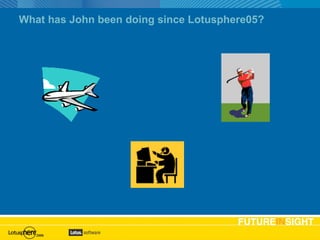
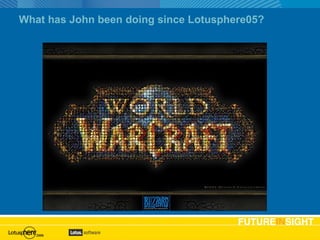
What has John been doing since Lotusphere05?
John has been … Working closer with Microsoft to make the new .NET technology be read for “prime time” Building Web Services until his eyes fall out Building OpenOffice samples Losing sleep over the OpenOffice APIs Shaking his head at the document standard war And all of the above
Purpose Present new ways to integrate Utilize new features in Visual Studio.NET and Visual Studio Tools for Office 2005 Utilize new features in OpenOffice 2.0.1 Take advantage of Notes & Domino 7 functionality Demonstrate some of the possibilities Discuss the ‘XML format’ war started in 2005 but most importantly … Push Microsoft Office and OpenOffice to the  EXTREME Agenda slide Expect lots of Code !!!
A little poll Who is using … Office 97 and earlier Office 2000 Office XP Office 2003 OpenOffice / StarOffice Office for the Mac Microsoft Works iWorks or Appleworks SmartSuite Other Agenda slide
Agenda Getting Started Word Solutions with COM Word Solutions with Web Services Dealing with Templates XML in Office Visual Studio.NET Visual Studio Tools for Office OpenOffice Mail Merge Resources Question and Answers Agenda slide
Getting Started This session builds on top of JMP204 –The Hitchhikers Guide to Microsoft Office Integration with IBM Lotus Notes and Domino Terms used in this presentation XML Well Formed Schemas Transform Web Services SOAP UDDI WDSL Office 2003 wordprocessingML / spreadsheetML / etc SmartDocuments
Integration in 2006 Proprietary Technologies are being replaced Moving to standards-based Office XML and OpenDocument formats XML and Web Services No Longer limited to OLE and COM Integration without needing local data Notes Client not required XML is the foundation
Integration in 2006 (cont) New applications and tools Difficulty scale increasing drastically Limitations being removed Speed Data Size Presentation Options Integration should always focus on the end user
The Starting Point – Word 2003 COM and OLE are not bad! Builds on existing Domino skills LotusScript = VBA Allows access to Domino data using familiar techniques Can be initiated in multiple places Notes Client Office Application Internet Explorer (via VBScript and ActiveX)
Baby Steps Focus on end user and the goal Where will the file be stored? Is the file for printing/viewing/storage What does the end user community want?
Word 2003 Demo Create a new document Prompt User to select something Place data into document Let’s look see the demo
Limitations with the ‘traditional method’ Notes Client must be installed Must have understanding of Notes Object Model Notes Storage Model Can be slow with large amounts of data
Web Services Self-contained application published and invoked from the Web Based on XML Uses WSDL and SOAP Designed for machine-to-machine interaction over a network Advantages Connects various applications running on different platforms Use open standards and protocols Use HTTP bypassing firewall and other security measures Disadvantages Poor performance as opposed to DCOM
First things first First, you need to build a Web Service They can be written using LotusScript, Java or importing WSDL They are very similar to an agent To be able to write a web service, you must know how to write a Class AD202 – Web Services and IBM Lotus Notes and Domino 7 AD230 – Tips and Topics for Developing Web Services in IBM Lotus Domino Designer
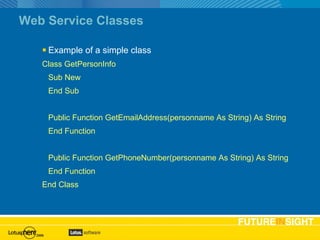
Web Service Classes Example of a simple class Class GetPersonInfo Sub New End Sub Public Function GetEmailAddress(personname As String) As String End Function Public Function GetPhoneNumber(personname As String) As String End Function End Class
Word 2003 Demo with Web Services Same demo as the Word 2003 COM demo Different Technology Get to the same place with different technologies Remember, it is not how you build it, but how the user experiences it
Word 2003 Demo – Web Services Create a new document Prompt User to select something Place data into document Let’s look see the demo
Office Templates How did I get that template in my New dialog? Template Installation Tool Each template is a document Supports all Office 2000, XP (2002), and 2003 applications Can also be used as a programmatic template tool Will be submitted to OpenNTF.org this week Let’s see the demo
Office 2003 and XML XML is everywhere! Many documents can be stored as XML Options to save only data Import data from XML file Specific/Import XML Schema Transform XML with XML Style Sheets
XML The Extensible Markup Language Can describe different types of data Human and machine readable format Self-documenting
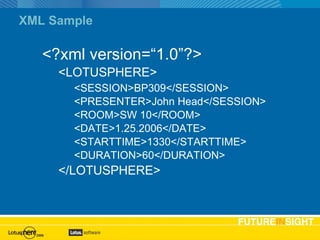
XML Sample <?xml version=“1.0”?> <LOTUSPHERE> <SESSION>BP309</SESSION> <PRESENTER>John Head</SESSION> <ROOM>SW 10</ROOM> <DATE>1.25.2006</DATE> <STARTTIME>1330</STARTTIME> <DURATION>60</DURATION> </LOTUSPHERE>
Well Formed Data XML file that conforms to strict rules Most programs require well formed data to open/read the file Applications that support Well Formed XML OpenOffice 1.X and 2.X Access Excel InfoPath Word
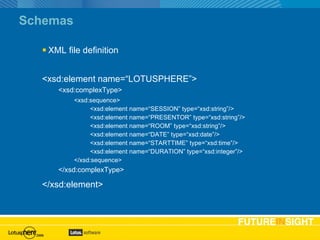
Schemas XML file definition <xsd:element name=“LOTUSPHERE”> <xsd:complexType> <xsd:sequence> <xsd:element name=“SESSION” type=“xsd:string”/> <xsd:element name=“PRESENTOR” type=“xsd:string”/> <xsd:element name=“ROOM” type=“xsd:string”/> <xsd:element name=“DATE” type=“xsd:date”/> <xsd:element name=“STARTTIME” type=“xsd:time”/> <xsd:element name=“DURATION” type=“xsd:integer”/> </xsd:sequence> </xsd:complexType> </xsd:element>
Transforms Allows for reuse of a single data file with multiple presentation formats In Office, defined for each application True power of XML in Office
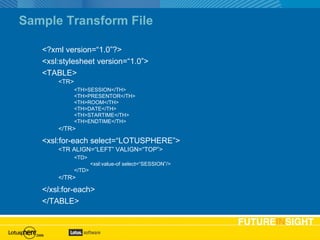
Sample Transform File <?xml version=“1.0”?> <xsl:stylesheet version=“1.0”> <TABLE> <TR> <TH>SESSION</TH> <TH>PRESENTOR</TH> <TH>ROOM</TH> <TH>DATE</TH> <TH>STARTIME</TH> <TH>ENDTIME</TH> </TR> <xsl:for-each select=“LOTUSPHERE”> <TR ALIGN=“LEFT” VALIGN=“TOP”> <TD> <xsl:value-of select=“SESSION”/> </TD> </TR> </xsl:for-each> </TABLE>
Using XML with Excel Read XML from a Notes Database XML generated via Agent in Notes Database Chart the data using Excel charting tools Works with Domino 5.X, 6.X, 6.5.X
Visual Studio.NET Microsoft Development Environment Supports Multiple Languages VB.NET C# Etc Support for WinForms Uses .NET Security
Visual Studio.NET WinForms Demo Same data as the Excel Database Uses a Web Service Stand-alone applications Let’s look at the demo and code
Smart Documents New class of Office application development Built with Visual Studio Tools for Office Inherits Visual Studio.NET security model “ Managed Code” VS.NET can build installers for VSTO applications
Visual Studio Tools for Office Addin for Visual Studio.NET Adds support for Word Excel InfoPath Outlook Can develop in Visual Basic C#
Building a VSTO application Incorporate Web Services and VSTO Session Selection in Task Pane Let’s see the demo
What?
OpenOffice New version release in 2005 2.0 2.0.1 just released Many people use OpenOffice in place of Office Introduction samples in Jumpstart Let’s look at Mail Merge with OpenOffice
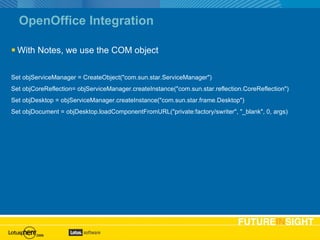
OpenOffice Integration With Notes, we use the COM object Set objServiceManager = CreateObject(&quot;com.sun.star.ServiceManager&quot;) Set objCoreReflection= objServiceManager.createInstance(&quot;com.sun.star.reflection.CoreReflection&quot;) Set objDesktop = objServiceManager.createInstance(&quot;com.sun.star.frame.Desktop&quot;) Set objDocument = objDesktop.loadComponentFromURL(&quot;private:factory/swriter&quot;, &quot;_blank&quot;, 0, args)
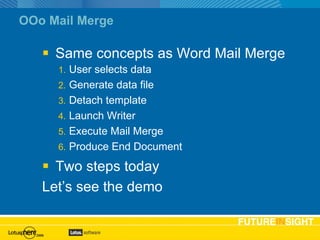
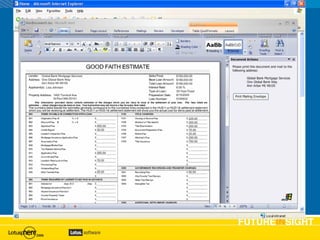
OOo Mail Merge Same concepts as Word Mail Merge User selects data Generate data file Detach template Launch Writer Execute Mail Merge Produce End Document Two steps today Let’s see the demo
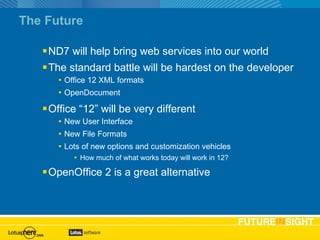
The Future ND7 will help bring web services into our world The standard battle will be hardest on the developer Office 12 XML formats OpenDocument Office “12” will be very different New User Interface New File Formats Lots of new options and customization vehicles How much of what works today will work in 12? OpenOffice 2 is a great alternative
 
Wrap-up Reviewed how to architect integration projects Got an understanding of the technologies used Walked thru lots of examples Introduction to new Notes & Domino 7 functionality Showed OpenOffice.org is an alternative Agenda slide
Resources LDD Discussions (Notes.Net) http://www-130.ibm.com/developerworks/lotus Advisor Magazine http://www.advisor.com MSDN http://msdn.microsoft.com OpenOffice http://www.openoffice.org Domino and .NET Samples http://www.msdomino.net John Head’s blog http://www.johndavidhead.com Slides and content available from http://www.johndavidhead.com http://www.psclistens.com  on the Events menu Basic text slide
Questions & Answers Thank You! Please turn in your evaluations or fill them out online! [email_address]   www.johndavidhead.com   www.psclistens.com

Bp309

  • 1.
    BP309 – ExtremeIntegration - Techniques for Advanced Integration of Office and OpenOffice with IBM Lotus Notes and Domino John Head – PSC Group, LLC
  • 2.
    Before we begin… Please turn off/set to vibrate/mute all Cell Phones Pages Computers Please remember to fill out your evaluations Hand in at end of session Fill out via Lotusphere Online
  • 3.
    Otherwise known as The “Kumbaya” Session or “The only session where IBM and Microsoft are going to play nice and not beat each other up at Lotusphere”
  • 4.
    Who is JohnHead? Offering and Development Manager for our enTouch frameworks Technical and Sales role Involved in Lotus technology since 1993 Speaker for 20 sessions at Lotusphere since 1996 Speaker at Advisor conferences IBM Lotus Notes/Domino Certified Author for Advisor Magazine and Group Computing on Office and SmartSuite integration with Notes Blog and site with articles www.johndavidhead.com Basic text slide
  • 5.
    Where do Iwork? PSC Group, LLC (www.psclistens.com) Midwest Mid-Market Professional Services Firm IBM Premium Business Partner for 15 Years Host of Ed Brill’s blog ( www.edbrill.com ) Host of Alan Lepofsky’s Notes Tip’s blog ( www.alanlepofsky.net ) Host of OpenNTF.org (www.openntf.org) Winner of 2005 Lotus Award for Best Competitive Win! Basic text slide
  • 6.
    What has Johnbeen doing since Lotusphere05?
  • 7.
    What has Johnbeen doing since Lotusphere05?
  • 8.
    John has been… Working closer with Microsoft to make the new .NET technology be read for “prime time” Building Web Services until his eyes fall out Building OpenOffice samples Losing sleep over the OpenOffice APIs Shaking his head at the document standard war And all of the above
  • 9.
    Purpose Present newways to integrate Utilize new features in Visual Studio.NET and Visual Studio Tools for Office 2005 Utilize new features in OpenOffice 2.0.1 Take advantage of Notes & Domino 7 functionality Demonstrate some of the possibilities Discuss the ‘XML format’ war started in 2005 but most importantly … Push Microsoft Office and OpenOffice to the EXTREME Agenda slide Expect lots of Code !!!
  • 10.
    A little pollWho is using … Office 97 and earlier Office 2000 Office XP Office 2003 OpenOffice / StarOffice Office for the Mac Microsoft Works iWorks or Appleworks SmartSuite Other Agenda slide
  • 11.
    Agenda Getting StartedWord Solutions with COM Word Solutions with Web Services Dealing with Templates XML in Office Visual Studio.NET Visual Studio Tools for Office OpenOffice Mail Merge Resources Question and Answers Agenda slide
  • 12.
    Getting Started Thissession builds on top of JMP204 –The Hitchhikers Guide to Microsoft Office Integration with IBM Lotus Notes and Domino Terms used in this presentation XML Well Formed Schemas Transform Web Services SOAP UDDI WDSL Office 2003 wordprocessingML / spreadsheetML / etc SmartDocuments
  • 13.
    Integration in 2006Proprietary Technologies are being replaced Moving to standards-based Office XML and OpenDocument formats XML and Web Services No Longer limited to OLE and COM Integration without needing local data Notes Client not required XML is the foundation
  • 14.
    Integration in 2006(cont) New applications and tools Difficulty scale increasing drastically Limitations being removed Speed Data Size Presentation Options Integration should always focus on the end user
  • 15.
    The Starting Point– Word 2003 COM and OLE are not bad! Builds on existing Domino skills LotusScript = VBA Allows access to Domino data using familiar techniques Can be initiated in multiple places Notes Client Office Application Internet Explorer (via VBScript and ActiveX)
  • 16.
    Baby Steps Focuson end user and the goal Where will the file be stored? Is the file for printing/viewing/storage What does the end user community want?
  • 17.
    Word 2003 DemoCreate a new document Prompt User to select something Place data into document Let’s look see the demo
  • 18.
    Limitations with the‘traditional method’ Notes Client must be installed Must have understanding of Notes Object Model Notes Storage Model Can be slow with large amounts of data
  • 19.
    Web Services Self-containedapplication published and invoked from the Web Based on XML Uses WSDL and SOAP Designed for machine-to-machine interaction over a network Advantages Connects various applications running on different platforms Use open standards and protocols Use HTTP bypassing firewall and other security measures Disadvantages Poor performance as opposed to DCOM
  • 20.
    First things firstFirst, you need to build a Web Service They can be written using LotusScript, Java or importing WSDL They are very similar to an agent To be able to write a web service, you must know how to write a Class AD202 – Web Services and IBM Lotus Notes and Domino 7 AD230 – Tips and Topics for Developing Web Services in IBM Lotus Domino Designer
  • 21.
    Web Service ClassesExample of a simple class Class GetPersonInfo Sub New End Sub Public Function GetEmailAddress(personname As String) As String End Function Public Function GetPhoneNumber(personname As String) As String End Function End Class
  • 22.
    Word 2003 Demowith Web Services Same demo as the Word 2003 COM demo Different Technology Get to the same place with different technologies Remember, it is not how you build it, but how the user experiences it
  • 23.
    Word 2003 Demo– Web Services Create a new document Prompt User to select something Place data into document Let’s look see the demo
  • 24.
    Office Templates Howdid I get that template in my New dialog? Template Installation Tool Each template is a document Supports all Office 2000, XP (2002), and 2003 applications Can also be used as a programmatic template tool Will be submitted to OpenNTF.org this week Let’s see the demo
  • 25.
    Office 2003 andXML XML is everywhere! Many documents can be stored as XML Options to save only data Import data from XML file Specific/Import XML Schema Transform XML with XML Style Sheets
  • 26.
    XML The ExtensibleMarkup Language Can describe different types of data Human and machine readable format Self-documenting
  • 27.
    XML Sample <?xmlversion=“1.0”?> <LOTUSPHERE> <SESSION>BP309</SESSION> <PRESENTER>John Head</SESSION> <ROOM>SW 10</ROOM> <DATE>1.25.2006</DATE> <STARTTIME>1330</STARTTIME> <DURATION>60</DURATION> </LOTUSPHERE>
  • 28.
    Well Formed DataXML file that conforms to strict rules Most programs require well formed data to open/read the file Applications that support Well Formed XML OpenOffice 1.X and 2.X Access Excel InfoPath Word
  • 29.
    Schemas XML filedefinition <xsd:element name=“LOTUSPHERE”> <xsd:complexType> <xsd:sequence> <xsd:element name=“SESSION” type=“xsd:string”/> <xsd:element name=“PRESENTOR” type=“xsd:string”/> <xsd:element name=“ROOM” type=“xsd:string”/> <xsd:element name=“DATE” type=“xsd:date”/> <xsd:element name=“STARTTIME” type=“xsd:time”/> <xsd:element name=“DURATION” type=“xsd:integer”/> </xsd:sequence> </xsd:complexType> </xsd:element>
  • 30.
    Transforms Allows forreuse of a single data file with multiple presentation formats In Office, defined for each application True power of XML in Office
  • 31.
    Sample Transform File<?xml version=“1.0”?> <xsl:stylesheet version=“1.0”> <TABLE> <TR> <TH>SESSION</TH> <TH>PRESENTOR</TH> <TH>ROOM</TH> <TH>DATE</TH> <TH>STARTIME</TH> <TH>ENDTIME</TH> </TR> <xsl:for-each select=“LOTUSPHERE”> <TR ALIGN=“LEFT” VALIGN=“TOP”> <TD> <xsl:value-of select=“SESSION”/> </TD> </TR> </xsl:for-each> </TABLE>
  • 32.
    Using XML withExcel Read XML from a Notes Database XML generated via Agent in Notes Database Chart the data using Excel charting tools Works with Domino 5.X, 6.X, 6.5.X
  • 33.
    Visual Studio.NET MicrosoftDevelopment Environment Supports Multiple Languages VB.NET C# Etc Support for WinForms Uses .NET Security
  • 34.
    Visual Studio.NET WinFormsDemo Same data as the Excel Database Uses a Web Service Stand-alone applications Let’s look at the demo and code
  • 35.
    Smart Documents Newclass of Office application development Built with Visual Studio Tools for Office Inherits Visual Studio.NET security model “ Managed Code” VS.NET can build installers for VSTO applications
  • 36.
    Visual Studio Toolsfor Office Addin for Visual Studio.NET Adds support for Word Excel InfoPath Outlook Can develop in Visual Basic C#
  • 37.
    Building a VSTOapplication Incorporate Web Services and VSTO Session Selection in Task Pane Let’s see the demo
  • 38.
  • 39.
    OpenOffice New versionrelease in 2005 2.0 2.0.1 just released Many people use OpenOffice in place of Office Introduction samples in Jumpstart Let’s look at Mail Merge with OpenOffice
  • 40.
    OpenOffice Integration WithNotes, we use the COM object Set objServiceManager = CreateObject(&quot;com.sun.star.ServiceManager&quot;) Set objCoreReflection= objServiceManager.createInstance(&quot;com.sun.star.reflection.CoreReflection&quot;) Set objDesktop = objServiceManager.createInstance(&quot;com.sun.star.frame.Desktop&quot;) Set objDocument = objDesktop.loadComponentFromURL(&quot;private:factory/swriter&quot;, &quot;_blank&quot;, 0, args)
  • 41.
    OOo Mail MergeSame concepts as Word Mail Merge User selects data Generate data file Detach template Launch Writer Execute Mail Merge Produce End Document Two steps today Let’s see the demo
  • 42.
    The Future ND7will help bring web services into our world The standard battle will be hardest on the developer Office 12 XML formats OpenDocument Office “12” will be very different New User Interface New File Formats Lots of new options and customization vehicles How much of what works today will work in 12? OpenOffice 2 is a great alternative
  • 43.
  • 44.
    Wrap-up Reviewed howto architect integration projects Got an understanding of the technologies used Walked thru lots of examples Introduction to new Notes & Domino 7 functionality Showed OpenOffice.org is an alternative Agenda slide
  • 45.
    Resources LDD Discussions(Notes.Net) http://www-130.ibm.com/developerworks/lotus Advisor Magazine http://www.advisor.com MSDN http://msdn.microsoft.com OpenOffice http://www.openoffice.org Domino and .NET Samples http://www.msdomino.net John Head’s blog http://www.johndavidhead.com Slides and content available from http://www.johndavidhead.com http://www.psclistens.com on the Events menu Basic text slide
  • 46.
    Questions & AnswersThank You! Please turn in your evaluations or fill them out online! [email_address] www.johndavidhead.com www.psclistens.com