Top Questions to ask
when choosing a BI
tool
How to get the maximum out of
Analytics Platforms!
INTRODUCTION | CONSIDERATIONS | USE CASES | CAPABILITIES | PLATFORM | CONCLUSION
But the traditional BI tools are not capable of handling the volume
and the pace of today’s digital economy. Therefore, there is a need
to utilize Modern BI solutions which can handle every use case
your business needs, from robust reports to real-time intelligence to
analytics, even AI and ML integrations on the go is required.
Becoming a Data-driven enterprise is what every organization
wants, to use data to solve challenging problems and improve
decision making to boost revenue and profitability.
In this guide, we explore multiple criteria for a modern analytics
platform- Use Cases, Platform capabilities, and a discussion of the
top platforms. By the end of this, you should be equipped to decide
on the right platform for your business.
INTRODUCTION | CONSIDERATIONS | USE CASES | CAPABILITIES | PLATFORM | CONCLUSION
Where will the value come from?
To know how will BI drive value and how you expect
Analytics to impact your business you are looking to-
 Align with your long term and short term goals
 Understand key KPIs and reasons behind the
same
 Make better decisions and take informed action
with generated insights
 Create advanced analytics roadmap to support
large strategic decisions
 Decrease reaction time based on changing data
 Embed analytics in workflows for teams, partners
and customers
What will it really cost?
The TCO can be more than the cost of initial purchase. You’ll
have to look at additional costs which can be based on-
 Are there any software subscription and maintenance
costs?
 Whether you be working with Software-as-a- Service
(SaaS) offering, or an on-premise solution?
 Any need to spend on support activities like IT or Vendor
Management?
 What would the additional spending be on user training,
storage, and enablement?
Important topics
to consider
Copyright © Polestar
Solutions.
INTRODUCTION | CONSIDERATIONS | USE CASES | CAPABILITIES | PLATFORM | CONCLUSION
Who are your
Stakeholders ?
To have a far-reaching impact on your business not just today but also
for the future, you should cater to users with varying levels of
proficiency. So, ask yourself -
 Who would be responsible for implementing and
supervising the platform?
 Will your scope be extending to Embedded analytics in
operational workflows?
 Who are the intended end users - small set of analysts or
multiple groups of beginners?
 What are the security levels needed - which users will
have access to dashboards, reports, NLP, etc.?
 Whom should you react out to in case any roadblocks
arise during implementation?
Copyright © Polestar
Solutions.
INTRODUCTION | CONSIDERATIONS | USE CASES | CAPABILITIES | PLATFORM | CONCLUSION
Analytics Use Cases
In addition to these use cases, further
capabilities which are included in
current BI solutions are:
❏ Mobile Analytics
❏ Geospatial Analytics
❏ Governance & Deployment
❏ Full-enterprise SaaS Capabilities
❏ Advanced Analytics & Augmented
Intelligence
❏ In-memory processing
❏ Interactive Exploration
❏ Natural Language Processing
❏ Custom Apps
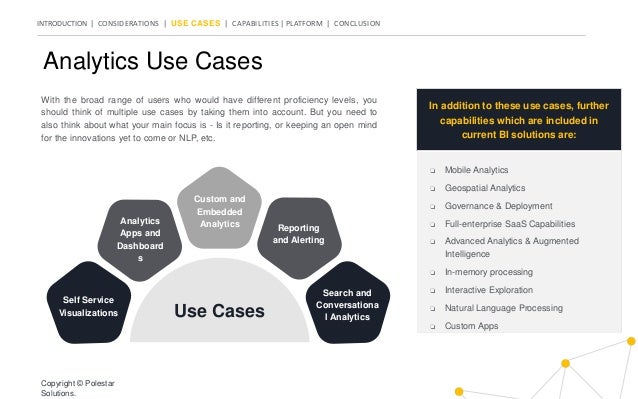
With the broad range of users who would have different proficiency levels, you
should think of multiple use cases by taking them into account. But you need to
also think about what your main focus is - Is it reporting, or keeping an open mind
for the innovations yet to come or NLP, etc.
Copyright © Polestar
Solutions.
Self Service
Visualizations
Search and
Conversationa
l Analytics
Analytics
Apps and
Dashboard
s
Reporting
and Alerting
Custom and
Embedded
Analytics
Use Cases
INTRODUCTION | CONSIDERATIONS | USE CASES | CAPABILITIES | PLATFORM | CONCLUSION
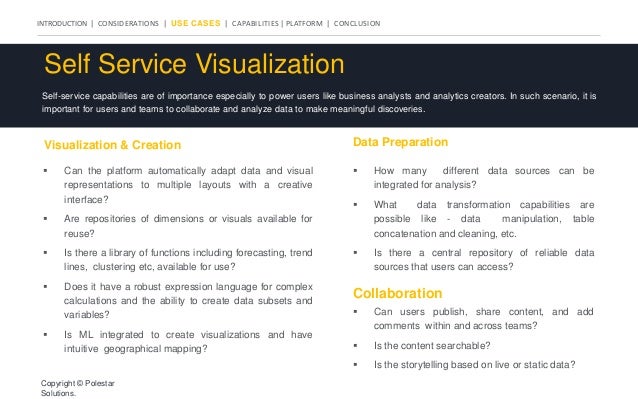
Self Service Visualization
Self-service capabilities are of importance especially to power users like business analysts and analytics creators. In such scenario, it is
important for users and teams to collaborate and analyze data to make meaningful discoveries.
Visualization & Creation
 Can the platform automatically adapt data and visual
representations to multiple layouts with a creative
interface?
 Are repositories of dimensions or visuals available for
reuse?
 Is there a library of functions including forecasting, trend
lines, clustering etc, available for use?
 Does it have a robust expression language for complex
calculations and the ability to create data subsets and
variables?
 Is ML integrated to create visualizations and have
intuitive geographical mapping?
Data Preparation
Collaboration
 How many different data sources can be
integrated for analysis?
 What data transformation capabilities are
possible like - data manipulation, table
concatenation and cleaning, etc.
 Is there a central repository of reliable data
sources that users can access?
 Can users publish, share content, and add
comments within and across teams?
 Is the content searchable?
 Is the storytelling based on live or static data?
Copyright © Polestar
Solutions.
INTRODUCTION | CONSIDERATIONS | USE CASES | CAPABILITIES | PLATFORM | CONCLUSION
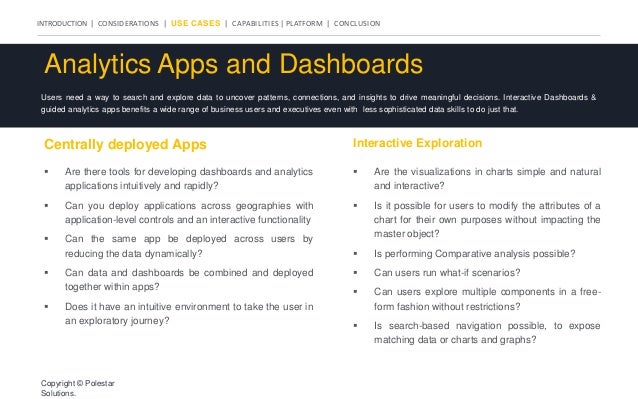
Analytics Apps and Dashboards
Users need a way to search and explore data to uncover patterns, connections, and insights to drive meaningful decisions. Interactive Dashboards &
guided analytics apps benefits a wide range of business users and executives even with less sophisticated data skills to do just that.
Centrally deployed Apps Interactive Exploration
 Are there tools for developing dashboards and analytics
applications intuitively and rapidly?
 Can you deploy applications across geographies with
application-level controls and an interactive functionality
 Can the same app be deployed across users by
reducing the data dynamically?
 Can data and dashboards be combined and deployed
together within apps?
 Does it have an intuitive environment to take the user in
an exploratory journey?
 Are the visualizations in charts simple and natural
and interactive?
 Is it possible for users to modify the attributes of a
chart for their own purposes without impacting the
master object?
 Is performing Comparative analysis possible?
 Can users run what-if scenarios?
 Can users explore multiple components in a free-
form fashion without restrictions?
 Is search-based navigation possible, to expose
matching data or charts and graphs?
Copyright © Polestar
Solutions.
INTRODUCTION | CONSIDERATIONS | USE CASES | CAPABILITIES | PLATFORM | CONCLUSION
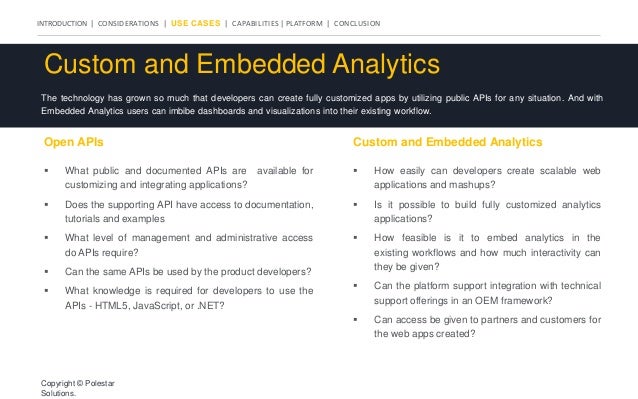
Custom and Embedded Analytics
The technology has grown so much that developers can create fully customized apps by utilizing public APIs for any situation. And with
Embedded Analytics users can imbibe dashboards and visualizations into their existing workflow.
Open APIs Custom and Embedded Analytics
 What public and documented APIs are available for
customizing and integrating applications?
 Does the supporting API have access to documentation,
tutorials and examples
 What level of management and administrative access
do APIs require?
 Can the same APIs be used by the product developers?
 What knowledge is required for developers to use the
APIs - HTML5, JavaScript, or .NET?
 How easily can developers create scalable web
applications and mashups?
 Is it possible to build fully customized analytics
applications?
 How feasible is it to embed analytics in the
existing workflows and how much interactivity can
they be given?
 Can the platform support integration with technical
support offerings in an OEM framework?
 Can access be given to partners and customers for
the web apps created?
Copyright © Polestar
Solutions.
INTRODUCTION | CONSIDERATIONS | USE CASES | CAPABILITIES | PLATFORM | CONCLUSION
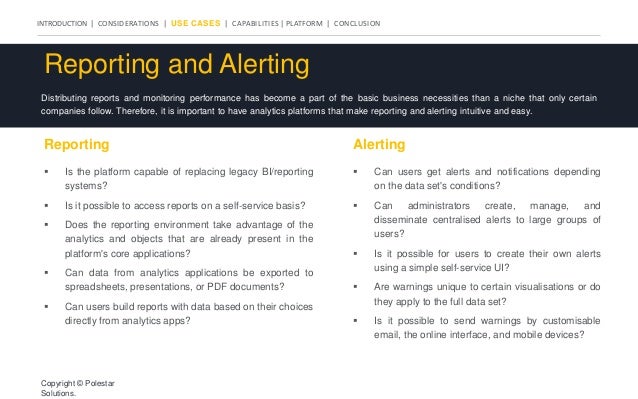
Reporting and Alerting
Distributing reports and monitoring performance has become a part of the basic business necessities than a niche that only certain
companies follow. Therefore, it is important to have analytics platforms that make reporting and alerting intuitive and easy.
Reporting Alerting
 Is the platform capable of replacing legacy BI/reporting
systems?
 Is it possible to access reports on a self-service basis?
 Does the reporting environment take advantage of the
analytics and objects that are already present in the
platform's core applications?
 Can data from analytics applications be exported to
spreadsheets, presentations, or PDF documents?
 Can users build reports with data based on their choices
directly from analytics apps?
 Can users get alerts and notifications depending
on the data set's conditions?
 Can administrators create, manage, and
disseminate centralised alerts to large groups of
users?
 Is it possible for users to create their own alerts
using a simple self-service UI?
 Are warnings unique to certain visualisations or do
they apply to the full data set?
 Is it possible to send warnings by customisable
email, the online interface, and mobile devices?
Copyright © Polestar
Solutions.
INTRODUCTION | CONSIDERATIONS | USE CASES | CAPABILITIES | PLATFORM | CONCLUSION
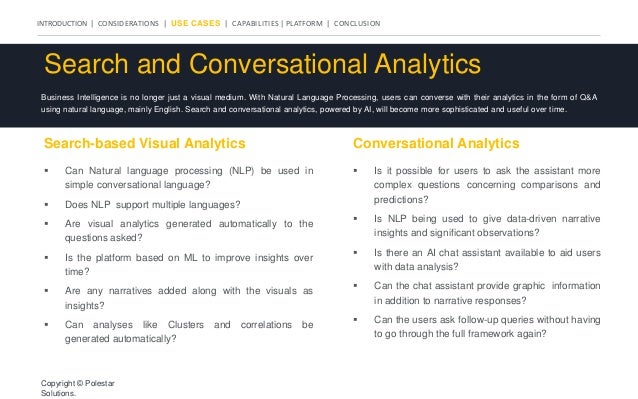
Search and Conversational Analytics
Business Intelligence is no longer just a visual medium. With Natural Language Processing, users can converse with their analytics in the form of Q&A
using natural language, mainly English. Search and conversational analytics, powered by AI, will become more sophisticated and useful over time.
Search-based Visual Analytics Conversational Analytics
 Can Natural language processing (NLP) be used in
simple conversational language?
 Does NLP support multiple languages?
 Are visual analytics generated automatically to the
questions asked?
 Is the platform based on ML to improve insights over
time?
 Are any narratives added along with the visuals as
insights?
 Can analyses like Clusters and correlations be
generated automatically?
 Is it possible for users to ask the assistant more
complex questions concerning comparisons and
predictions?
 Is NLP being used to give data-driven narrative
insights and significant observations?
 Is there an AI chat assistant available to aid users
with data analysis?
 Can the chat assistant provide graphic information
in addition to narrative responses?
 Can the users ask follow-up queries without having
to go through the full framework again?
Copyright © Polestar
Solutions.
INTRODUCTION | CONSIDERATIONS | USE CASES | CAPABILITIES | PLATFORM | CONCLUSION
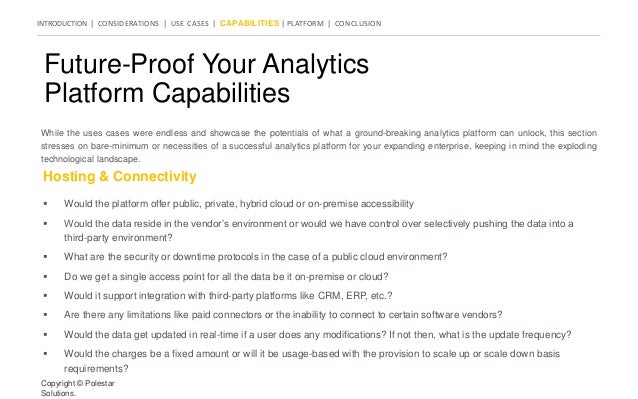
Future-Proof Your Analytics
Platform Capabilities
While the uses cases were endless and showcase the potentials of what a ground-breaking analytics platform can unlock, this section
stresses on bare-minimum or necessities of a successful analytics platform for your expanding enterprise, keeping in mind the exploding
technological landscape.
Hosting & Connectivity
 Would the platform offer public, private, hybrid cloud or on-premise accessibility
 Would the data reside in the vendor’s environment or would we have control over selectively pushing the data into a
third-party environment?
 What are the security or downtime protocols in the case of a public cloud environment?
 Do we get a single access point for all the data be it on-premise or cloud?
 Would it support integration with third-party platforms like CRM, ERP, etc.?
 Are there any limitations like paid connectors or the inability to connect to certain software vendors?
 Would the data get updated in real-time if a user does any modifications? If not then, what is the update frequency?
 Would the charges be a fixed amount or will it be usage-based with the provision to scale up or scale down basis
requirements?
Copyright © Polestar
Solutions.
INTRODUCTION | CONSIDERATIONS | USE CASES | CAPABILITIES | PLATFORM | CONCLUSION
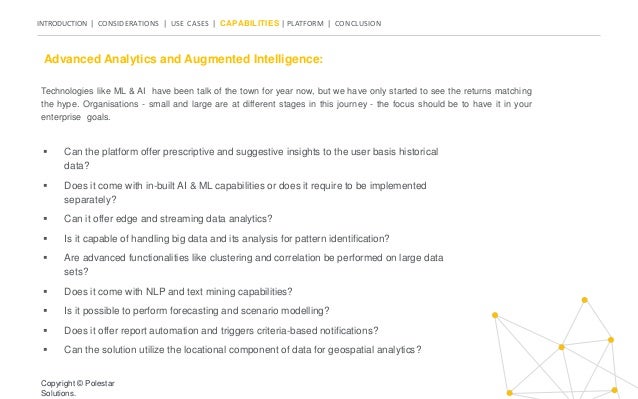
Technologies like ML & AI have been talk of the town for year now, but we have only started to see the returns matching
the hype. Organisations - small and large are at different stages in this journey - the focus should be to have it in your
enterprise goals.
Advanced Analytics and Augmented Intelligence:
 Can the platform offer prescriptive and suggestive insights to the user basis historical
data?
 Does it come with in-built AI & ML capabilities or does it require to be implemented
separately?
 Can it offer edge and streaming data analytics?
 Is it capable of handling big data and its analysis for pattern identification?
 Are advanced functionalities like clustering and correlation be performed on large data
sets?
 Does it come with NLP and text mining capabilities?
 Is it possible to perform forecasting and scenario modelling?
 Does it offer report automation and triggers criteria-based notifications?
 Can the solution utilize the locational component of data for geospatial analytics?
Copyright © Polestar
Solutions.
INTRODUCTION | CONSIDERATIONS | USE CASES | CAPABILITIES | PLATFORM | CONCLUSION
Collaboration & Master Data Management (MDM):
 Is it possible to define and limit role-based access to data and reports?
 Can I invite new users on reports or charts to collaborate?
 Is it possible to search and request access to pre-existing reports?
 Can I embed the reports in PowerPoint Presentation or Word Doc?
 Does the system stores the trail of interaction to a data set or report?
 Is the accessibility of data and reports governed centrally?
 Can I utilize the same dataset in multiple reports?
 What is the frequency for maintenance, validation and profiling of data?
 Is there a mechanism in place to get prioritized access to new reports?
Copyright © Polestar
Solutions.
Collaboration amongst the users is necessary to completely remove the informational-silos & fuel innovation, but it
comes at a cost. MDM is known to the IT departments but associated problems come in disguised shape and sizes - a
well governed MDM is a necessity too.
INTRODUCTION | CONSIDERATIONS | USE CASES | CAPABILITIES | PLATFORM | CONCLUSION
Heavyweights of Self-Service BI
Though there are multiple platforms which offer BI solutions, we believe that Power BI, Qlik, and Tableau are the leaders. Therefore,
here is very short brief on the three platforms to help you decide what’s suited for you.
Power BI Qlik Tableau
The leader in Gartner’s Magic Quadrant
for Analytics, Power BI has features
including:
 Attractive visualization and
powerful Data modelling
 Seamless Integration with
Applications
 DAX for complicated analysis
 Connectivity with Azure ML, R, and
Python for advanced capabilities
As the Next-gen BI tool, after QlikView,
Qlik Sense has become the tool for
Active Intelligence with:
 Smart Visualizations and Analytics
 Conversational Analytics and NLP
 Attunity and Qlik Data Integration
Capabilities
 Data Storytelling and Reporting
 QAP & Embedded Analytics
With an interactive and colorful interface
offering in-depth analysis, Tableau’s
features include:
 Real-Time Data Analysis
 Drag and Drop Clusters
 Collaboration and Online
Availability
 Trend Lines And Predictive
Analysis
 Robust Security and Mobile View
 Modern Cloud Analytics
Check out our Power BI Portfolio >> Click to know our Qlik Expertise
>>
Check out our Tableau Services
>>
Copyright © Polestar
Solutions.
INTRODUCTION | CONSIDERATIONS | USE CASES | CAPABILITIES | PLATFORM | CONCLUSION
Make the right choice
for your data.
With a modern analytics platform, you can
empower your team with the capability of data-
driven decision making. By utilizing the power of
Active Intelligence, you can move from passive to
active BI and accelerate value creation across the
organization.
We hope this guide has provided you with some
of the questions you might want to ask before
choosing your BI tool.
Copyright © Polestar
Solutions.
Why Choose Polestar Solutions as your
BI Implementation Partner?
With our detailed discovery process combined with our
experts in Business Intelligence including
 A pool of 200+ BI consultants, developers and
architects
 ISO 9001 and ISO 27001-certified to assure the
quality of project deliveries and data security
 Qlik Elite Partners and Members of ‘Qlik Partner
Advisory Council’ for the APAC Region
 Microsoft Gold Partners for Data Platforms
www.polestarllp.com
Copyright © Polestar Solutions.

bi-tool-guide-e-book-Polestar-Solutions.pptx

  • 1.
    Top Questions toask when choosing a BI tool
  • 2.
    How to getthe maximum out of Analytics Platforms! INTRODUCTION | CONSIDERATIONS | USE CASES | CAPABILITIES | PLATFORM | CONCLUSION But the traditional BI tools are not capable of handling the volume and the pace of today’s digital economy. Therefore, there is a need to utilize Modern BI solutions which can handle every use case your business needs, from robust reports to real-time intelligence to analytics, even AI and ML integrations on the go is required. Becoming a Data-driven enterprise is what every organization wants, to use data to solve challenging problems and improve decision making to boost revenue and profitability. In this guide, we explore multiple criteria for a modern analytics platform- Use Cases, Platform capabilities, and a discussion of the top platforms. By the end of this, you should be equipped to decide on the right platform for your business.
  • 3.
    INTRODUCTION | CONSIDERATIONS| USE CASES | CAPABILITIES | PLATFORM | CONCLUSION Where will the value come from? To know how will BI drive value and how you expect Analytics to impact your business you are looking to-  Align with your long term and short term goals  Understand key KPIs and reasons behind the same  Make better decisions and take informed action with generated insights  Create advanced analytics roadmap to support large strategic decisions  Decrease reaction time based on changing data  Embed analytics in workflows for teams, partners and customers What will it really cost? The TCO can be more than the cost of initial purchase. You’ll have to look at additional costs which can be based on-  Are there any software subscription and maintenance costs?  Whether you be working with Software-as-a- Service (SaaS) offering, or an on-premise solution?  Any need to spend on support activities like IT or Vendor Management?  What would the additional spending be on user training, storage, and enablement? Important topics to consider Copyright © Polestar Solutions.
  • 4.
    INTRODUCTION | CONSIDERATIONS| USE CASES | CAPABILITIES | PLATFORM | CONCLUSION Who are your Stakeholders ? To have a far-reaching impact on your business not just today but also for the future, you should cater to users with varying levels of proficiency. So, ask yourself -  Who would be responsible for implementing and supervising the platform?  Will your scope be extending to Embedded analytics in operational workflows?  Who are the intended end users - small set of analysts or multiple groups of beginners?  What are the security levels needed - which users will have access to dashboards, reports, NLP, etc.?  Whom should you react out to in case any roadblocks arise during implementation? Copyright © Polestar Solutions.
  • 5.
    INTRODUCTION | CONSIDERATIONS| USE CASES | CAPABILITIES | PLATFORM | CONCLUSION Analytics Use Cases In addition to these use cases, further capabilities which are included in current BI solutions are: ❏ Mobile Analytics ❏ Geospatial Analytics ❏ Governance & Deployment ❏ Full-enterprise SaaS Capabilities ❏ Advanced Analytics & Augmented Intelligence ❏ In-memory processing ❏ Interactive Exploration ❏ Natural Language Processing ❏ Custom Apps With the broad range of users who would have different proficiency levels, you should think of multiple use cases by taking them into account. But you need to also think about what your main focus is - Is it reporting, or keeping an open mind for the innovations yet to come or NLP, etc. Copyright © Polestar Solutions. Self Service Visualizations Search and Conversationa l Analytics Analytics Apps and Dashboard s Reporting and Alerting Custom and Embedded Analytics Use Cases
  • 6.
    INTRODUCTION | CONSIDERATIONS| USE CASES | CAPABILITIES | PLATFORM | CONCLUSION Self Service Visualization Self-service capabilities are of importance especially to power users like business analysts and analytics creators. In such scenario, it is important for users and teams to collaborate and analyze data to make meaningful discoveries. Visualization & Creation  Can the platform automatically adapt data and visual representations to multiple layouts with a creative interface?  Are repositories of dimensions or visuals available for reuse?  Is there a library of functions including forecasting, trend lines, clustering etc, available for use?  Does it have a robust expression language for complex calculations and the ability to create data subsets and variables?  Is ML integrated to create visualizations and have intuitive geographical mapping? Data Preparation Collaboration  How many different data sources can be integrated for analysis?  What data transformation capabilities are possible like - data manipulation, table concatenation and cleaning, etc.  Is there a central repository of reliable data sources that users can access?  Can users publish, share content, and add comments within and across teams?  Is the content searchable?  Is the storytelling based on live or static data? Copyright © Polestar Solutions.
  • 7.
    INTRODUCTION | CONSIDERATIONS| USE CASES | CAPABILITIES | PLATFORM | CONCLUSION Analytics Apps and Dashboards Users need a way to search and explore data to uncover patterns, connections, and insights to drive meaningful decisions. Interactive Dashboards & guided analytics apps benefits a wide range of business users and executives even with less sophisticated data skills to do just that. Centrally deployed Apps Interactive Exploration  Are there tools for developing dashboards and analytics applications intuitively and rapidly?  Can you deploy applications across geographies with application-level controls and an interactive functionality  Can the same app be deployed across users by reducing the data dynamically?  Can data and dashboards be combined and deployed together within apps?  Does it have an intuitive environment to take the user in an exploratory journey?  Are the visualizations in charts simple and natural and interactive?  Is it possible for users to modify the attributes of a chart for their own purposes without impacting the master object?  Is performing Comparative analysis possible?  Can users run what-if scenarios?  Can users explore multiple components in a free- form fashion without restrictions?  Is search-based navigation possible, to expose matching data or charts and graphs? Copyright © Polestar Solutions.
  • 8.
    INTRODUCTION | CONSIDERATIONS| USE CASES | CAPABILITIES | PLATFORM | CONCLUSION Custom and Embedded Analytics The technology has grown so much that developers can create fully customized apps by utilizing public APIs for any situation. And with Embedded Analytics users can imbibe dashboards and visualizations into their existing workflow. Open APIs Custom and Embedded Analytics  What public and documented APIs are available for customizing and integrating applications?  Does the supporting API have access to documentation, tutorials and examples  What level of management and administrative access do APIs require?  Can the same APIs be used by the product developers?  What knowledge is required for developers to use the APIs - HTML5, JavaScript, or .NET?  How easily can developers create scalable web applications and mashups?  Is it possible to build fully customized analytics applications?  How feasible is it to embed analytics in the existing workflows and how much interactivity can they be given?  Can the platform support integration with technical support offerings in an OEM framework?  Can access be given to partners and customers for the web apps created? Copyright © Polestar Solutions.
  • 9.
    INTRODUCTION | CONSIDERATIONS| USE CASES | CAPABILITIES | PLATFORM | CONCLUSION Reporting and Alerting Distributing reports and monitoring performance has become a part of the basic business necessities than a niche that only certain companies follow. Therefore, it is important to have analytics platforms that make reporting and alerting intuitive and easy. Reporting Alerting  Is the platform capable of replacing legacy BI/reporting systems?  Is it possible to access reports on a self-service basis?  Does the reporting environment take advantage of the analytics and objects that are already present in the platform's core applications?  Can data from analytics applications be exported to spreadsheets, presentations, or PDF documents?  Can users build reports with data based on their choices directly from analytics apps?  Can users get alerts and notifications depending on the data set's conditions?  Can administrators create, manage, and disseminate centralised alerts to large groups of users?  Is it possible for users to create their own alerts using a simple self-service UI?  Are warnings unique to certain visualisations or do they apply to the full data set?  Is it possible to send warnings by customisable email, the online interface, and mobile devices? Copyright © Polestar Solutions.
  • 10.
    INTRODUCTION | CONSIDERATIONS| USE CASES | CAPABILITIES | PLATFORM | CONCLUSION Search and Conversational Analytics Business Intelligence is no longer just a visual medium. With Natural Language Processing, users can converse with their analytics in the form of Q&A using natural language, mainly English. Search and conversational analytics, powered by AI, will become more sophisticated and useful over time. Search-based Visual Analytics Conversational Analytics  Can Natural language processing (NLP) be used in simple conversational language?  Does NLP support multiple languages?  Are visual analytics generated automatically to the questions asked?  Is the platform based on ML to improve insights over time?  Are any narratives added along with the visuals as insights?  Can analyses like Clusters and correlations be generated automatically?  Is it possible for users to ask the assistant more complex questions concerning comparisons and predictions?  Is NLP being used to give data-driven narrative insights and significant observations?  Is there an AI chat assistant available to aid users with data analysis?  Can the chat assistant provide graphic information in addition to narrative responses?  Can the users ask follow-up queries without having to go through the full framework again? Copyright © Polestar Solutions.
  • 11.
    INTRODUCTION | CONSIDERATIONS| USE CASES | CAPABILITIES | PLATFORM | CONCLUSION Future-Proof Your Analytics Platform Capabilities While the uses cases were endless and showcase the potentials of what a ground-breaking analytics platform can unlock, this section stresses on bare-minimum or necessities of a successful analytics platform for your expanding enterprise, keeping in mind the exploding technological landscape. Hosting & Connectivity  Would the platform offer public, private, hybrid cloud or on-premise accessibility  Would the data reside in the vendor’s environment or would we have control over selectively pushing the data into a third-party environment?  What are the security or downtime protocols in the case of a public cloud environment?  Do we get a single access point for all the data be it on-premise or cloud?  Would it support integration with third-party platforms like CRM, ERP, etc.?  Are there any limitations like paid connectors or the inability to connect to certain software vendors?  Would the data get updated in real-time if a user does any modifications? If not then, what is the update frequency?  Would the charges be a fixed amount or will it be usage-based with the provision to scale up or scale down basis requirements? Copyright © Polestar Solutions.
  • 12.
    INTRODUCTION | CONSIDERATIONS| USE CASES | CAPABILITIES | PLATFORM | CONCLUSION Technologies like ML & AI have been talk of the town for year now, but we have only started to see the returns matching the hype. Organisations - small and large are at different stages in this journey - the focus should be to have it in your enterprise goals. Advanced Analytics and Augmented Intelligence:  Can the platform offer prescriptive and suggestive insights to the user basis historical data?  Does it come with in-built AI & ML capabilities or does it require to be implemented separately?  Can it offer edge and streaming data analytics?  Is it capable of handling big data and its analysis for pattern identification?  Are advanced functionalities like clustering and correlation be performed on large data sets?  Does it come with NLP and text mining capabilities?  Is it possible to perform forecasting and scenario modelling?  Does it offer report automation and triggers criteria-based notifications?  Can the solution utilize the locational component of data for geospatial analytics? Copyright © Polestar Solutions.
  • 13.
    INTRODUCTION | CONSIDERATIONS| USE CASES | CAPABILITIES | PLATFORM | CONCLUSION Collaboration & Master Data Management (MDM):  Is it possible to define and limit role-based access to data and reports?  Can I invite new users on reports or charts to collaborate?  Is it possible to search and request access to pre-existing reports?  Can I embed the reports in PowerPoint Presentation or Word Doc?  Does the system stores the trail of interaction to a data set or report?  Is the accessibility of data and reports governed centrally?  Can I utilize the same dataset in multiple reports?  What is the frequency for maintenance, validation and profiling of data?  Is there a mechanism in place to get prioritized access to new reports? Copyright © Polestar Solutions. Collaboration amongst the users is necessary to completely remove the informational-silos & fuel innovation, but it comes at a cost. MDM is known to the IT departments but associated problems come in disguised shape and sizes - a well governed MDM is a necessity too.
  • 14.
    INTRODUCTION | CONSIDERATIONS| USE CASES | CAPABILITIES | PLATFORM | CONCLUSION Heavyweights of Self-Service BI Though there are multiple platforms which offer BI solutions, we believe that Power BI, Qlik, and Tableau are the leaders. Therefore, here is very short brief on the three platforms to help you decide what’s suited for you. Power BI Qlik Tableau The leader in Gartner’s Magic Quadrant for Analytics, Power BI has features including:  Attractive visualization and powerful Data modelling  Seamless Integration with Applications  DAX for complicated analysis  Connectivity with Azure ML, R, and Python for advanced capabilities As the Next-gen BI tool, after QlikView, Qlik Sense has become the tool for Active Intelligence with:  Smart Visualizations and Analytics  Conversational Analytics and NLP  Attunity and Qlik Data Integration Capabilities  Data Storytelling and Reporting  QAP & Embedded Analytics With an interactive and colorful interface offering in-depth analysis, Tableau’s features include:  Real-Time Data Analysis  Drag and Drop Clusters  Collaboration and Online Availability  Trend Lines And Predictive Analysis  Robust Security and Mobile View  Modern Cloud Analytics Check out our Power BI Portfolio >> Click to know our Qlik Expertise >> Check out our Tableau Services >> Copyright © Polestar Solutions.
  • 15.
    INTRODUCTION | CONSIDERATIONS| USE CASES | CAPABILITIES | PLATFORM | CONCLUSION Make the right choice for your data. With a modern analytics platform, you can empower your team with the capability of data- driven decision making. By utilizing the power of Active Intelligence, you can move from passive to active BI and accelerate value creation across the organization. We hope this guide has provided you with some of the questions you might want to ask before choosing your BI tool. Copyright © Polestar Solutions.
  • 16.
    Why Choose PolestarSolutions as your BI Implementation Partner? With our detailed discovery process combined with our experts in Business Intelligence including  A pool of 200+ BI consultants, developers and architects  ISO 9001 and ISO 27001-certified to assure the quality of project deliveries and data security  Qlik Elite Partners and Members of ‘Qlik Partner Advisory Council’ for the APAC Region  Microsoft Gold Partners for Data Platforms www.polestarllp.com Copyright © Polestar Solutions.