B.E.S.T.-Mobile
Best Effort Security Testing for Mobile Apps
Murat Lostar
About
Murat Lostar
@muratlostar
• IT since 1986
• Full time security since 1998
• Based in Istanbul & Turkey
• ISC2 - CISSP, ISSMP, CSSLP, CCSP
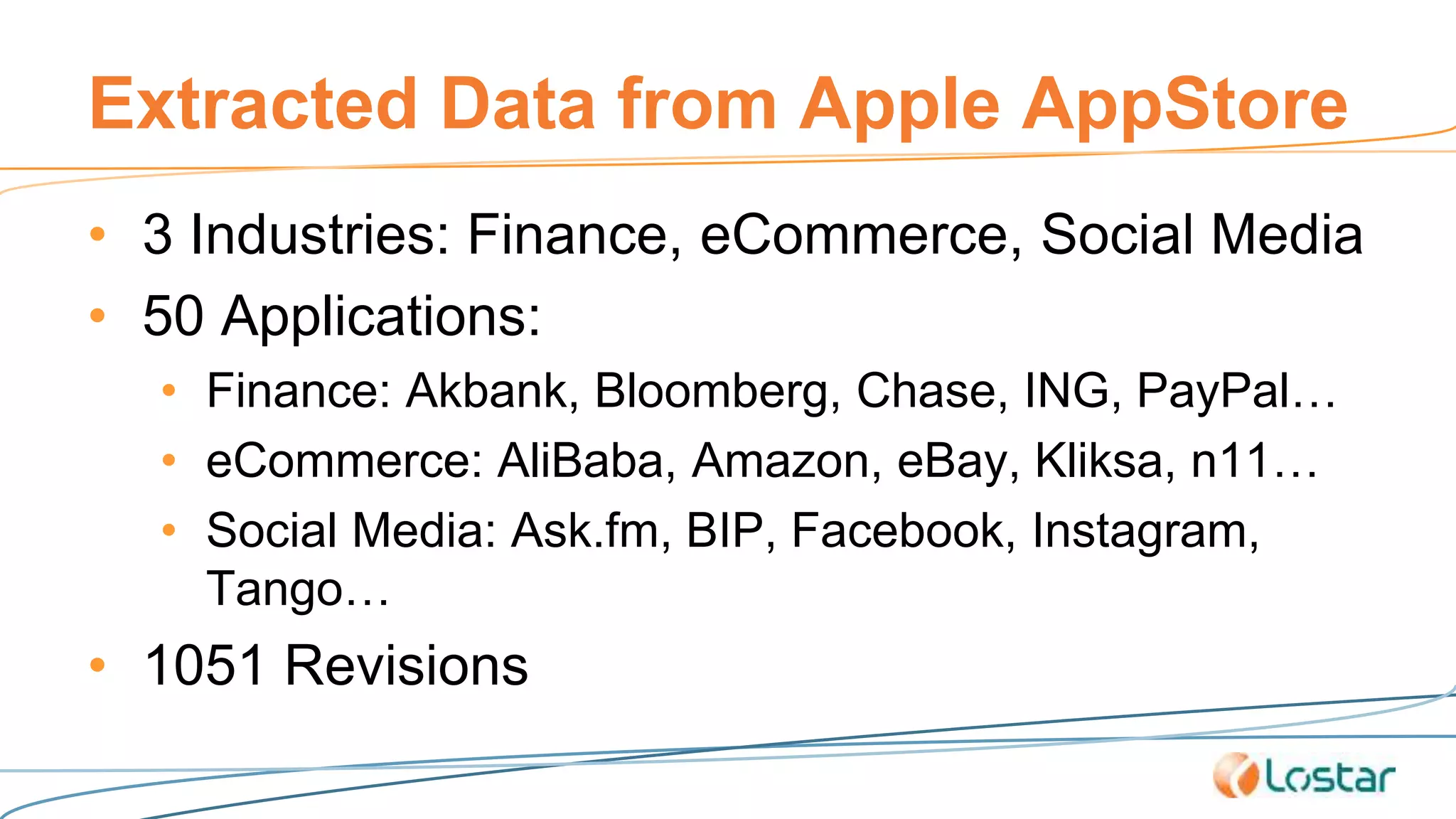
Extracted Data from Apple AppStore
• 3 Industries: Finance, eCommerce, Social Media
• 50 Applications:
• Finance: Akbank, Bloomberg, Chase, ING, PayPal…
• eCommerce: AliBaba, Amazon, eBay, Kliksa, n11…
• Social Media: Ask.fm, BIP, Facebook, Instagram,
Tango…
• 1051 Revisions
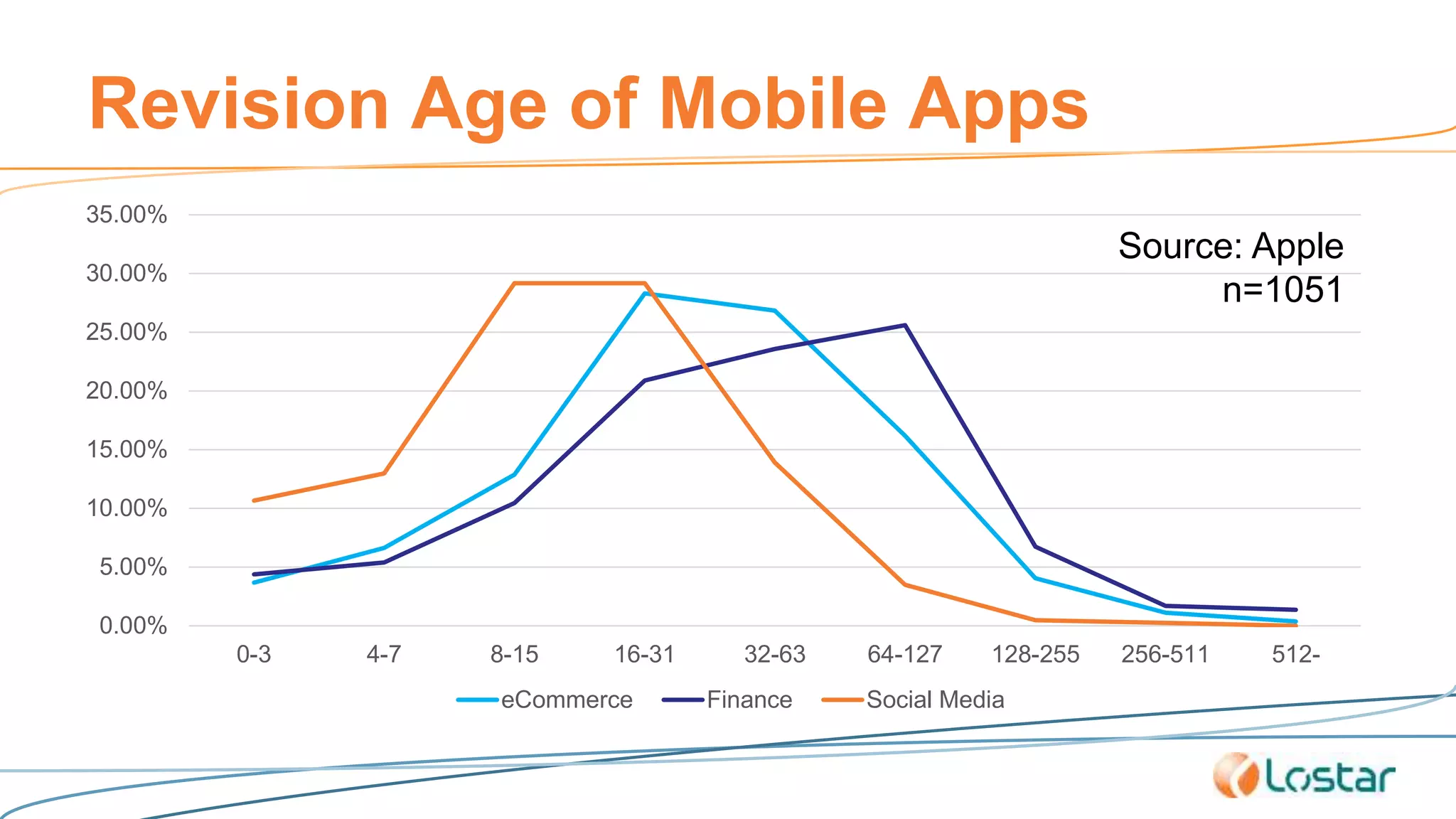
Revision Age of Mobile Apps
0.00%
5.00%
10.00%
15.00%
20.00%
25.00%
30.00%
35.00%
0-3 4-7 8-15 16-31 32-63 64-127 128-255 256-511 512-
eCommerce Finance Social Media
Source: Apple
n=1051
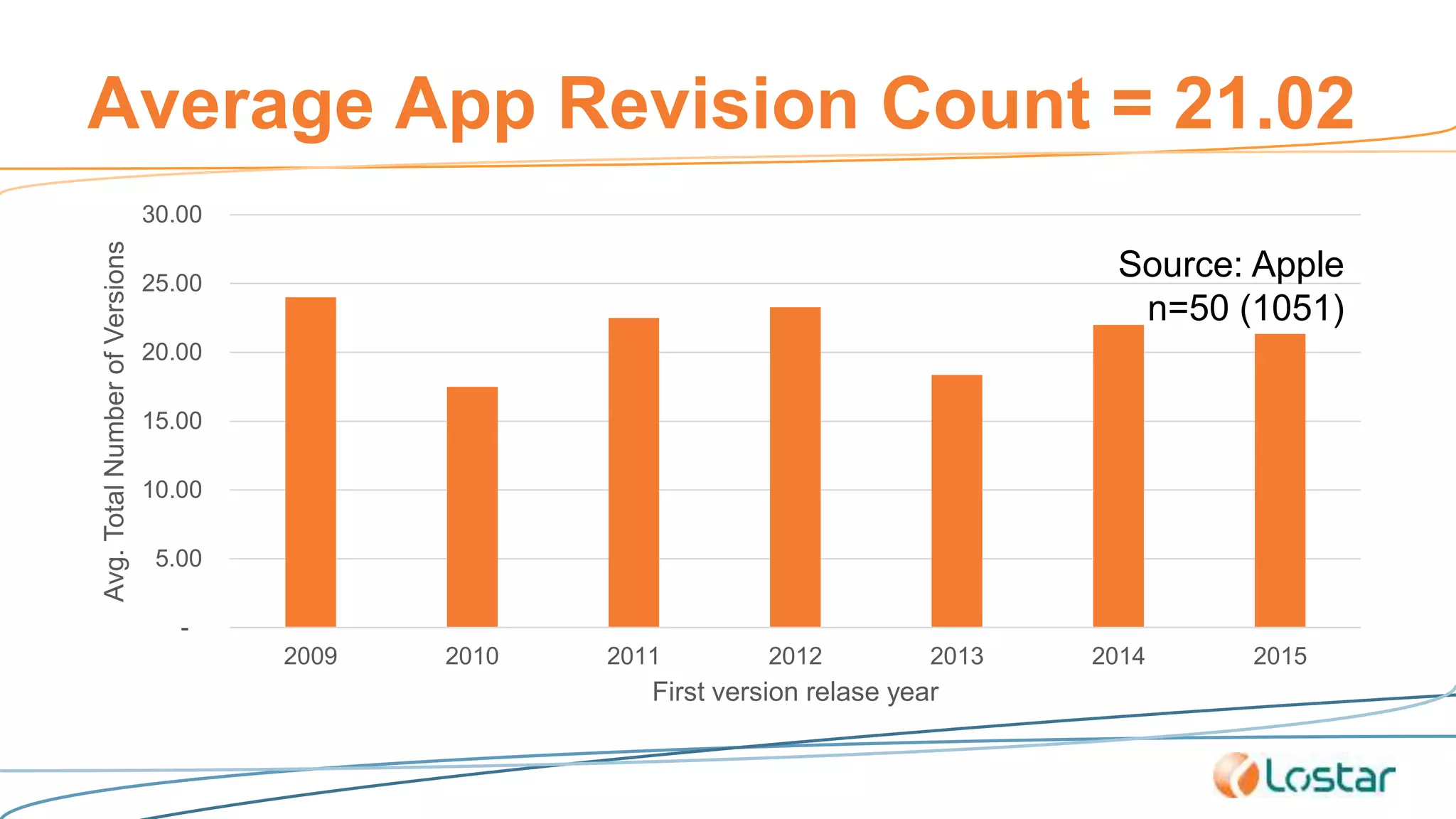
Average App Revision Count = 21.02
-
5.00
10.00
15.00
20.00
25.00
30.00
2009 2010 2011 2012 2013 2014 2015
Avg.TotalNumberofVersions
First version relase year
Source: Apple
n=50 (1051)
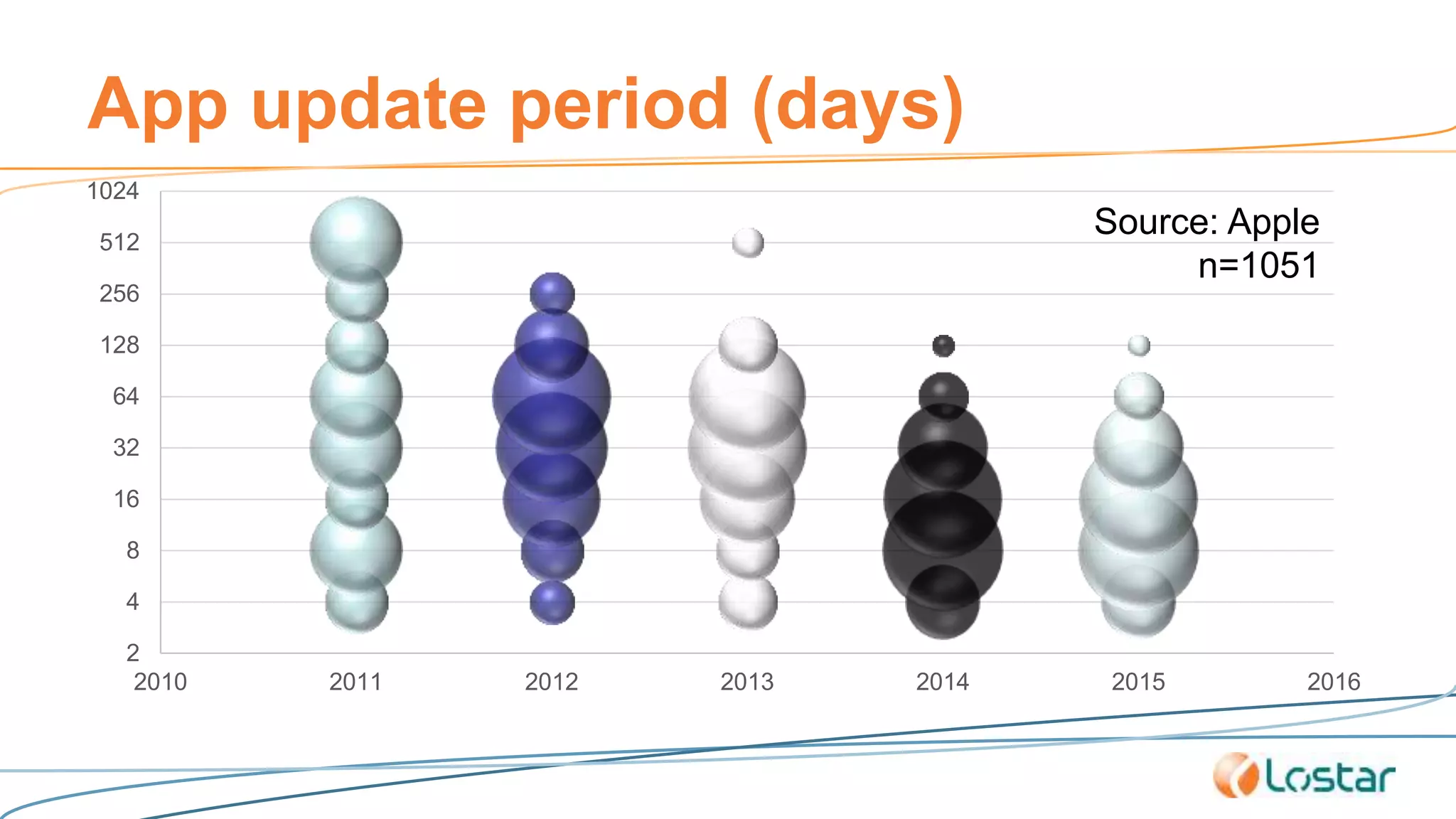
App update period (days)
2
4
8
16
32
64
128
256
512
1024
2010 2011 2012 2013 2014 2015 2016
Source: Apple
n=1051
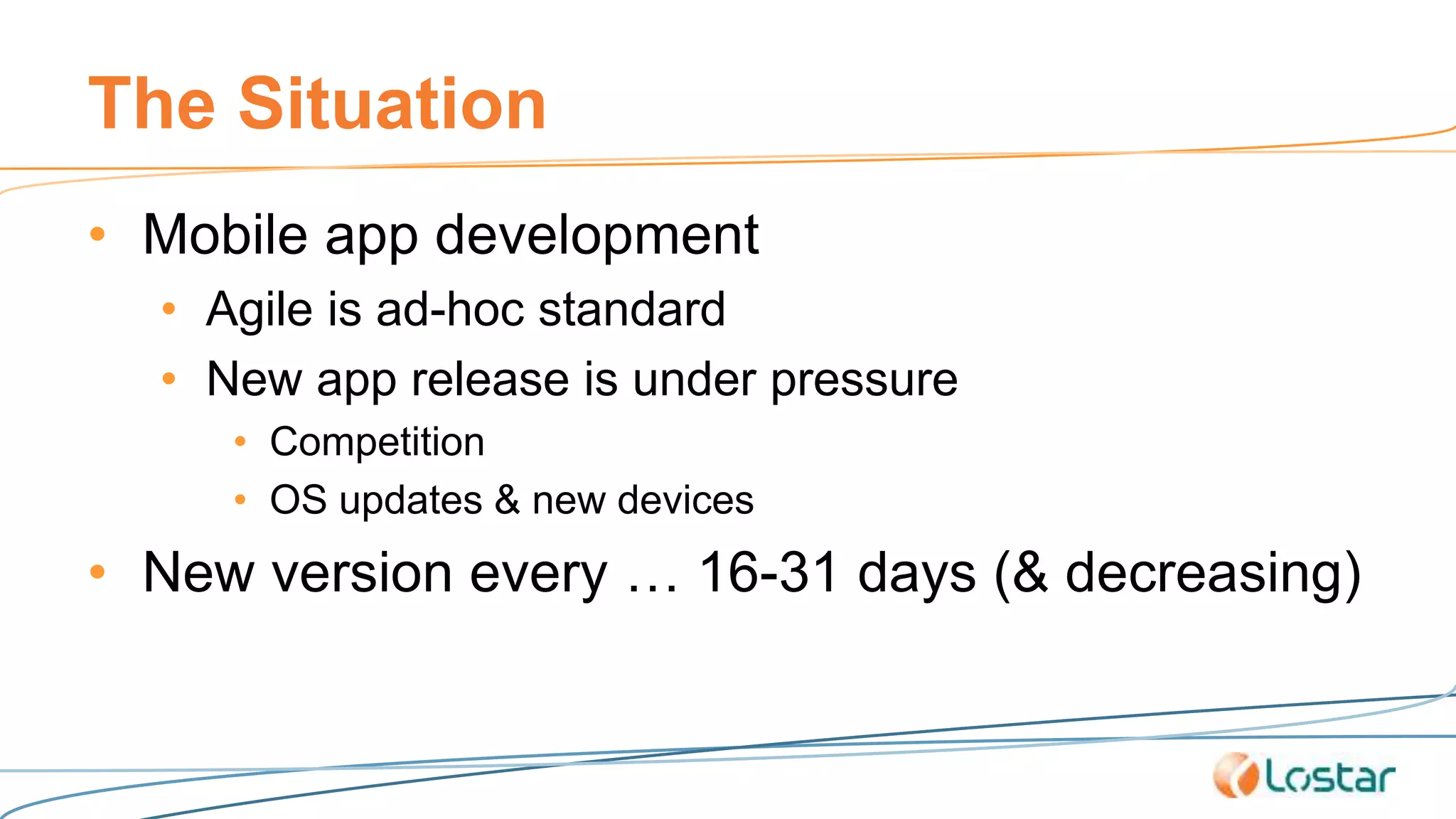
The Situation
• Mobile app development
• Agile is ad-hoc standard
• New app release is under pressure
• Competition
• OS updates & new devices
• New version every … 16-31 days (& decreasing)
The Requirement
• Detailed manual penetration testing for each
version (before release)
• If possible, source code review
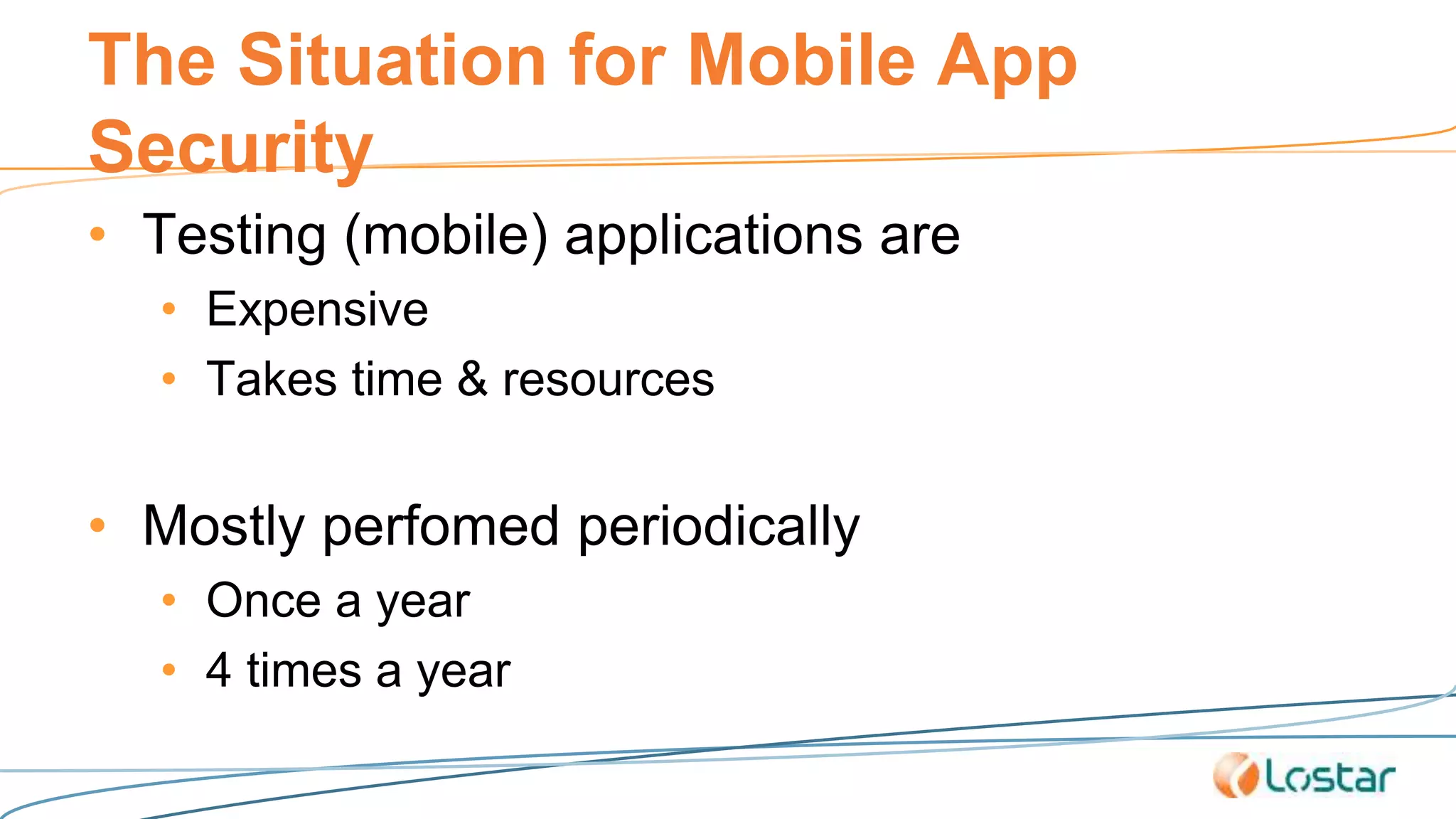
The Situation for Mobile App
Security
• Testing (mobile) applications are
• Expensive
• Takes time & resources
• Mostly perfomed periodically
• Once a year
• 4 times a year
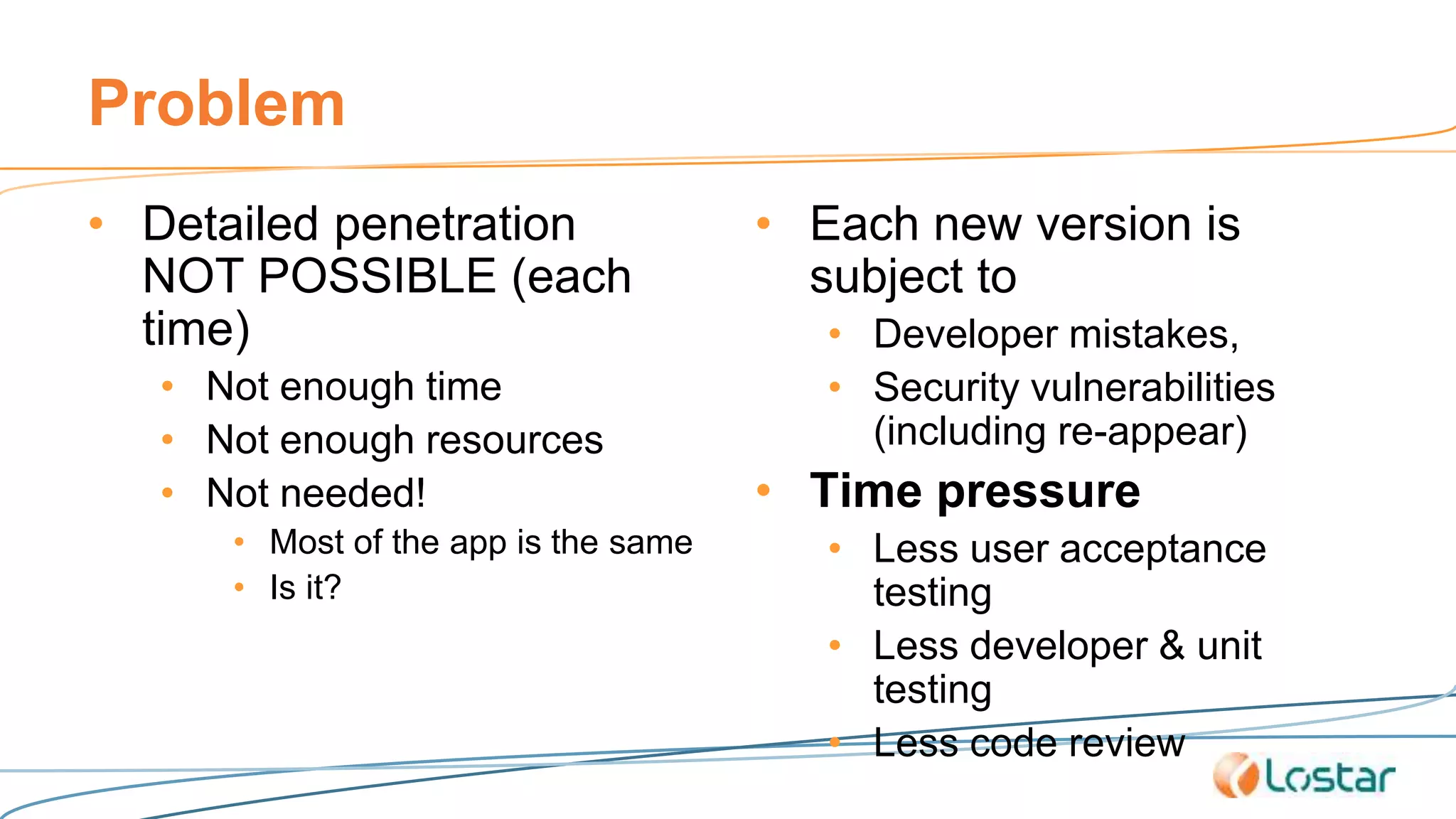
Problem
• Detailed penetration
NOT POSSIBLE (each
time)
• Not enough time
• Not enough resources
• Not needed!
• Most of the app is the same
• Is it?
• Each new version is
subject to
• Developer mistakes,
• Security vulnerabilities
(including re-appear)
• Time pressure
• Less user acceptance
testing
• Less developer & unit
testing
• Less code review
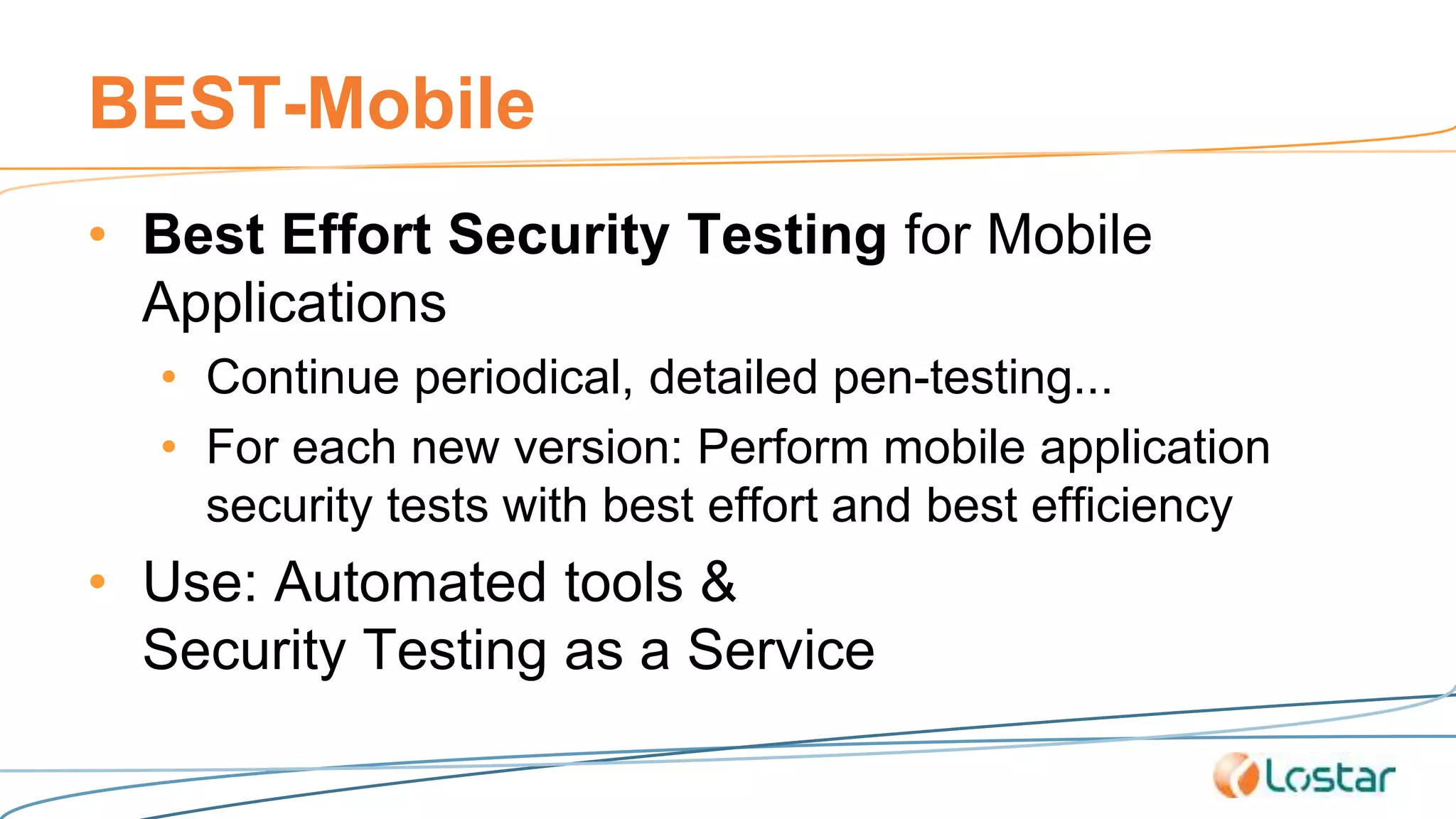
BEST-Mobile
• Best Effort Security Testing for Mobile
Applications
• Continue periodical, detailed pen-testing...
• For each new version: Perform mobile application
security tests with best effort and best efficiency
• Use: Automated tools &
Security Testing as a Service
Question
• Can we trust automated testing?
• Is there enough investment on automated
mobile vulnerability
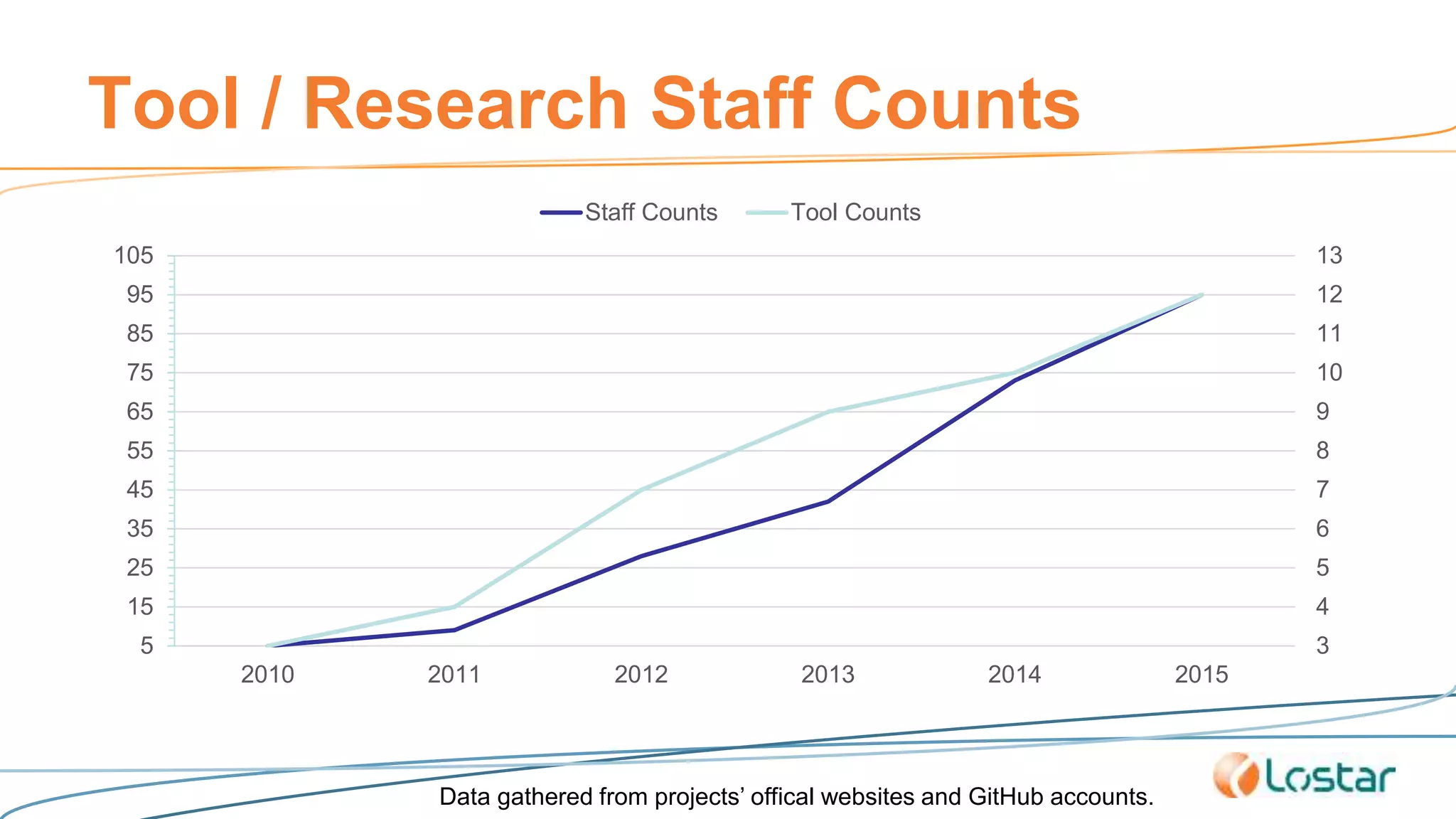
Tool / Research Staff Counts
3
4
5
6
7
8
9
10
11
12
13
5
15
25
35
45
55
65
75
85
95
105
2010 2011 2012 2013 2014 2015
Staff Counts Tool Counts
Data gathered from projects’ offical websites and GitHub accounts.
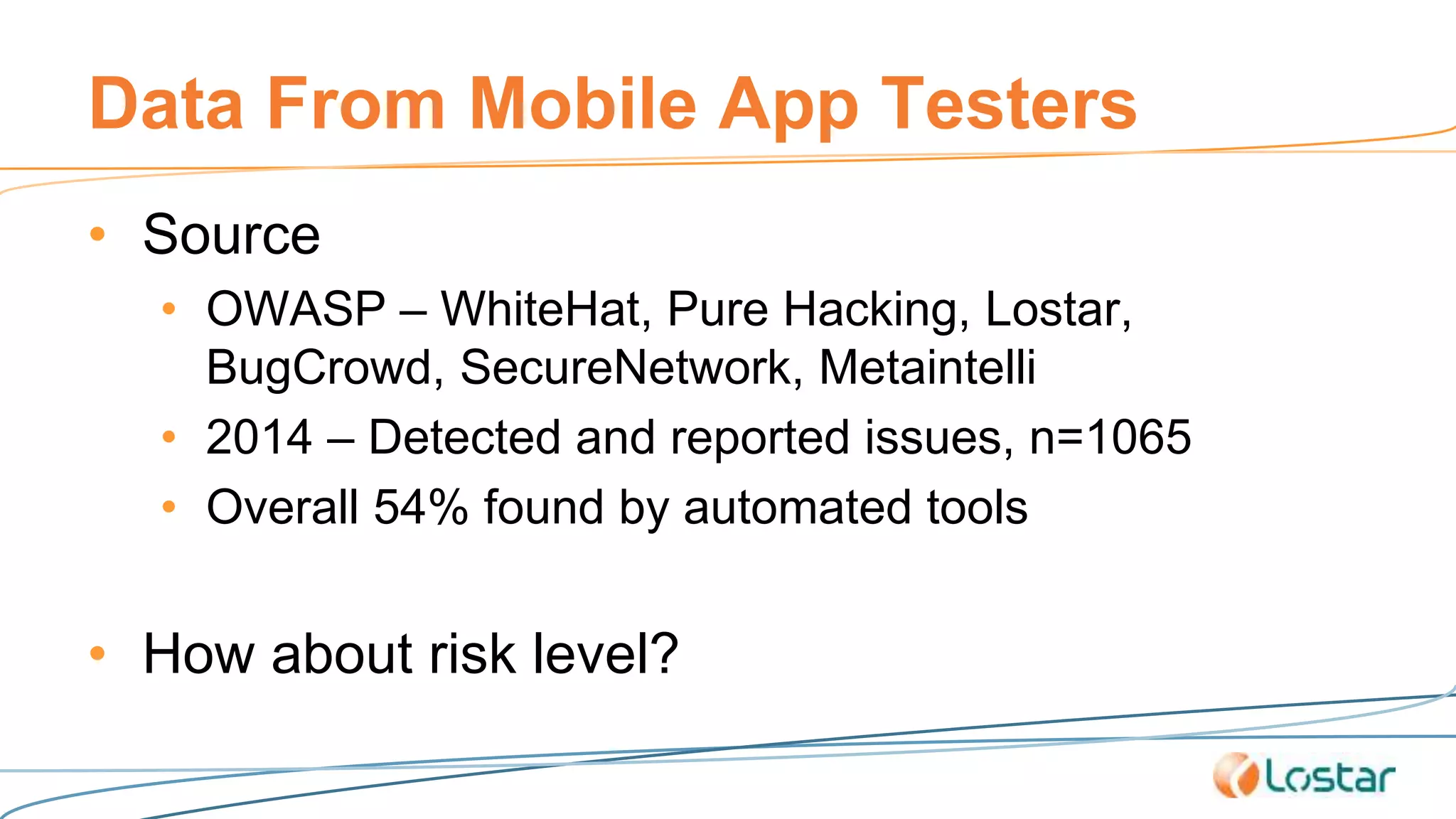
Data From Mobile App Testers
• Source
• OWASP – WhiteHat, Pure Hacking, Lostar,
BugCrowd, SecureNetwork, Metaintelli
• 2014 – Detected and reported issues, n=1065
• Overall 54% found by automated tools
• How about risk level?
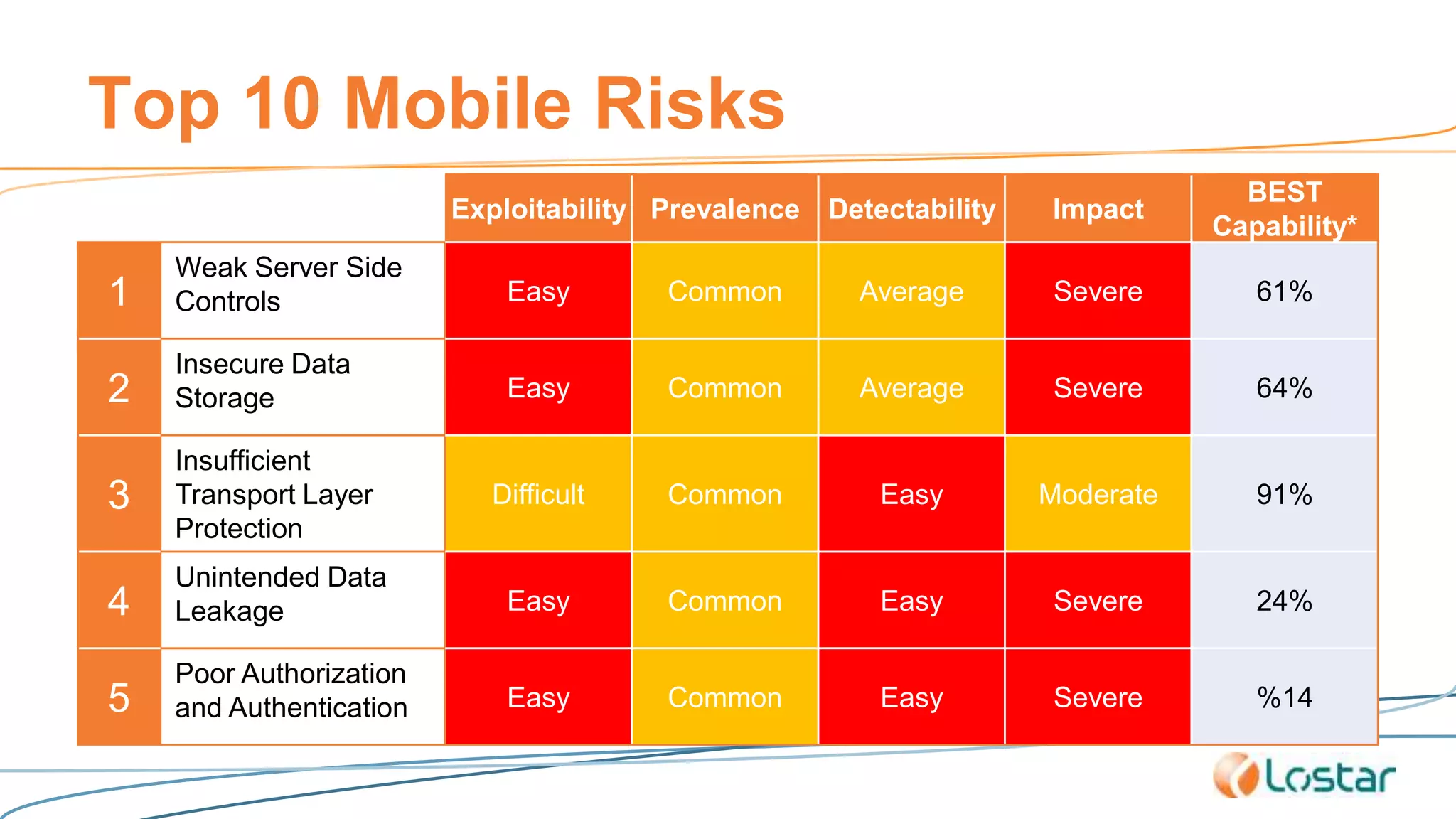
Top 10 Mobile Risks
Exploitability Prevalence Detectability Impact
BEST
Capability*
1
Weak Server Side
Controls Easy Common Average Severe 61%
2
Insecure Data
Storage Easy Common Average Severe 64%
3
Insufficient
Transport Layer
Protection
Difficult Common Easy Moderate 91%
4
Unintended Data
Leakage Easy Common Easy Severe 24%
5
Poor Authorization
and Authentication Easy Common Easy Severe %14
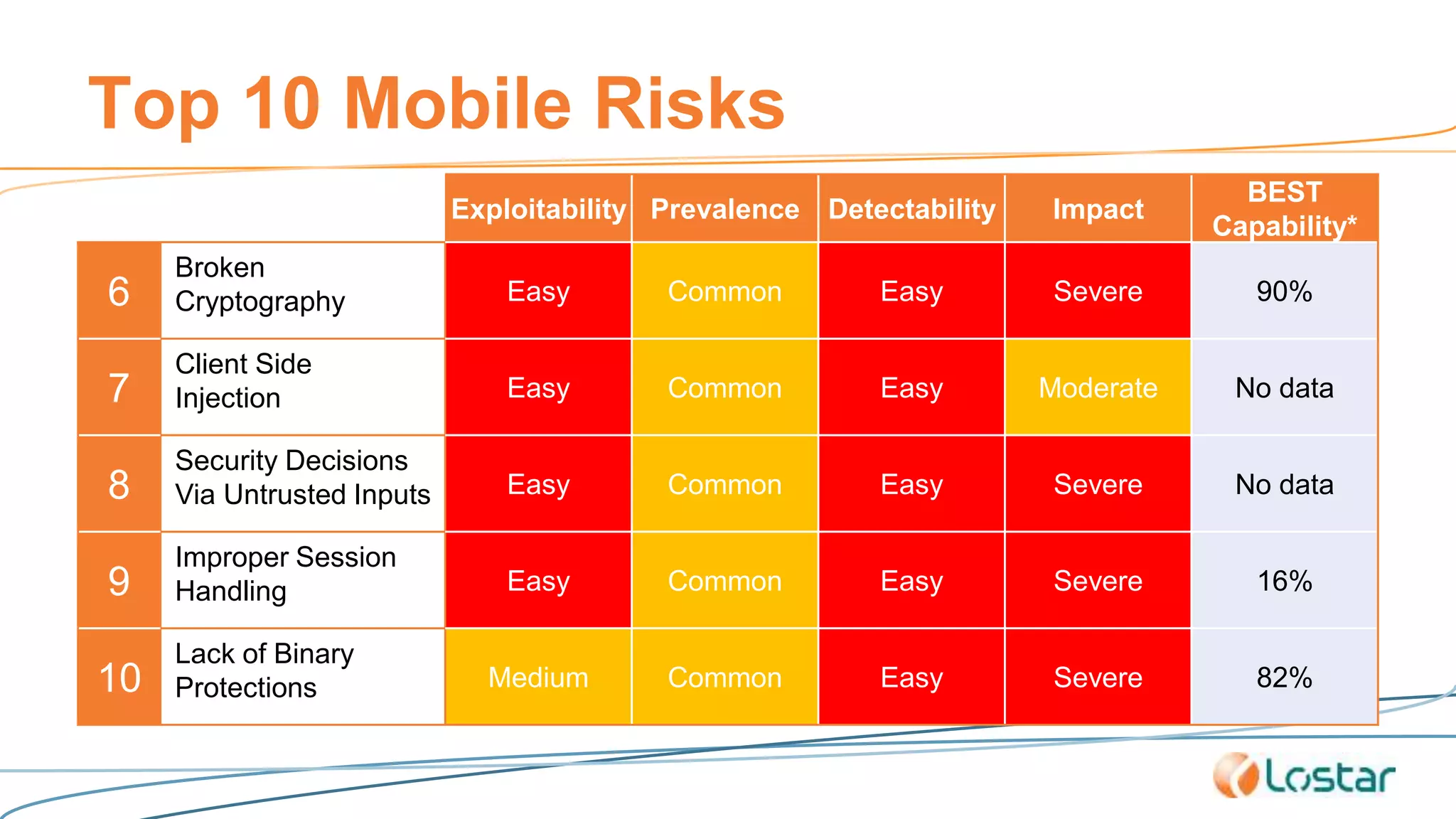
Top 10 Mobile Risks
Exploitability Prevalence Detectability Impact
BEST
Capability*
6
Broken
Cryptography Easy Common Easy Severe 90%
7
Client Side
Injection Easy Common Easy Moderate No data
8
Security Decisions
Via Untrusted Inputs Easy Common Easy Severe No data
9
Improper Session
Handling Easy Common Easy Severe 16%
10
Lack of Binary
Protections Medium Common Easy Severe 82%
Verdict
• Automated testing can NOT replace manual
mobile penetration testing and code review.
• It can however, can be used to see the basics
(i.e.Usefull in the sence of pareto rule)
Proposed Testing Process
1. Classify Mobile Applications
• High, Medium, Low
Proposed Testing Process
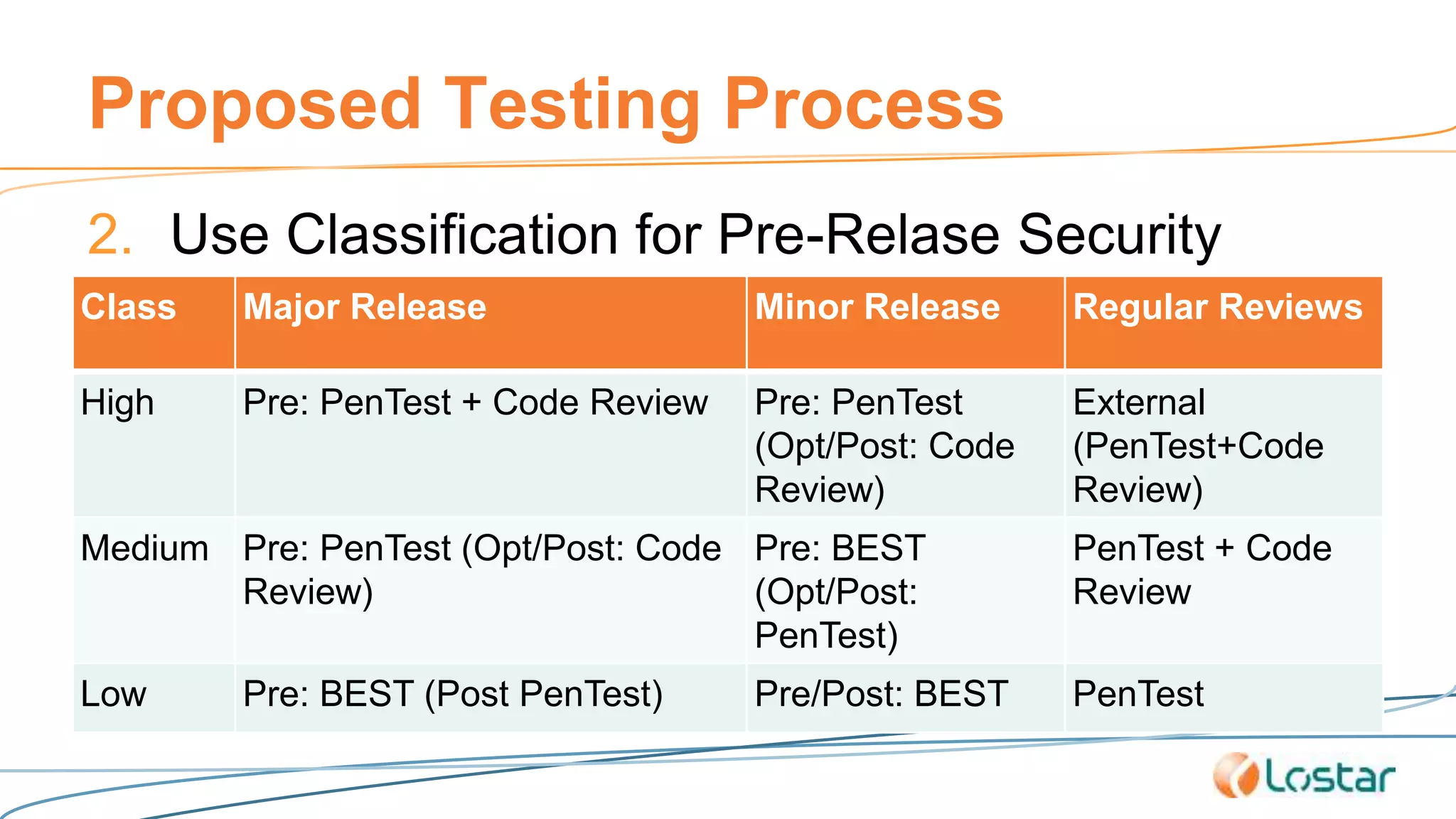
2. Use Classification for Pre-Relase Security
TestingClass Major Release Minor Release Regular Reviews
High Pre: PenTest + Code Review Pre: PenTest
(Opt/Post: Code
Review)
External
(PenTest+Code
Review)
Medium Pre: PenTest (Opt/Post: Code
Review)
Pre: BEST
(Opt/Post:
PenTest)
PenTest + Code
Review
Low Pre: BEST (Post PenTest) Pre/Post: BEST PenTest
Proposed Testing Process
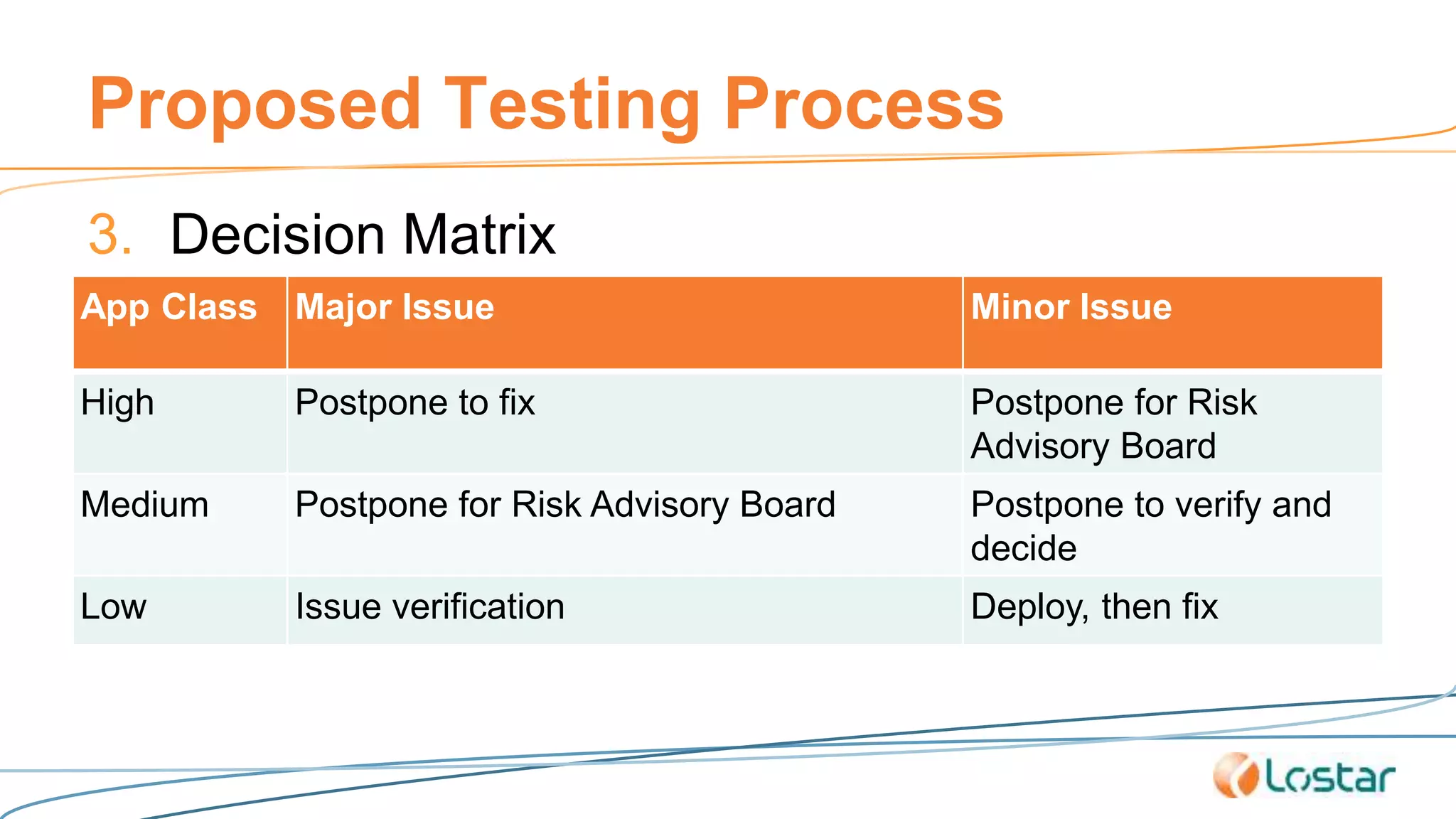
3. Decision Matrix
App Class Major Issue Minor Issue
High Postpone to fix Postpone for Risk
Advisory Board
Medium Postpone for Risk Advisory Board Postpone to verify and
decide
Low Issue verification Deploy, then fix
Thank You
@muratlostar
Next Step
• Put BEST into mobile SDLC
• Strategies
• Send the beta product to BEST tool
• Integrate BEST tool with Bug Tracking System
• Create automated bug/issue entries for each finding
• When
• Ath the end of each sprint
• Part of testing process

Best Effort Security Testing for Mobile Applications - 2015 #ISC2CONGRESS

  • 1.
    B.E.S.T.-Mobile Best Effort SecurityTesting for Mobile Apps Murat Lostar
  • 2.
    About Murat Lostar @muratlostar • ITsince 1986 • Full time security since 1998 • Based in Istanbul & Turkey • ISC2 - CISSP, ISSMP, CSSLP, CCSP
  • 4.
    Extracted Data fromApple AppStore • 3 Industries: Finance, eCommerce, Social Media • 50 Applications: • Finance: Akbank, Bloomberg, Chase, ING, PayPal… • eCommerce: AliBaba, Amazon, eBay, Kliksa, n11… • Social Media: Ask.fm, BIP, Facebook, Instagram, Tango… • 1051 Revisions
  • 5.
    Revision Age ofMobile Apps 0.00% 5.00% 10.00% 15.00% 20.00% 25.00% 30.00% 35.00% 0-3 4-7 8-15 16-31 32-63 64-127 128-255 256-511 512- eCommerce Finance Social Media Source: Apple n=1051
  • 6.
    Average App RevisionCount = 21.02 - 5.00 10.00 15.00 20.00 25.00 30.00 2009 2010 2011 2012 2013 2014 2015 Avg.TotalNumberofVersions First version relase year Source: Apple n=50 (1051)
  • 7.
    App update period(days) 2 4 8 16 32 64 128 256 512 1024 2010 2011 2012 2013 2014 2015 2016 Source: Apple n=1051
  • 8.
    The Situation • Mobileapp development • Agile is ad-hoc standard • New app release is under pressure • Competition • OS updates & new devices • New version every … 16-31 days (& decreasing)
  • 9.
    The Requirement • Detailedmanual penetration testing for each version (before release) • If possible, source code review
  • 10.
    The Situation forMobile App Security • Testing (mobile) applications are • Expensive • Takes time & resources • Mostly perfomed periodically • Once a year • 4 times a year
  • 11.
    Problem • Detailed penetration NOTPOSSIBLE (each time) • Not enough time • Not enough resources • Not needed! • Most of the app is the same • Is it? • Each new version is subject to • Developer mistakes, • Security vulnerabilities (including re-appear) • Time pressure • Less user acceptance testing • Less developer & unit testing • Less code review
  • 12.
    BEST-Mobile • Best EffortSecurity Testing for Mobile Applications • Continue periodical, detailed pen-testing... • For each new version: Perform mobile application security tests with best effort and best efficiency • Use: Automated tools & Security Testing as a Service
  • 13.
    Question • Can wetrust automated testing? • Is there enough investment on automated mobile vulnerability
  • 14.
    Tool / ResearchStaff Counts 3 4 5 6 7 8 9 10 11 12 13 5 15 25 35 45 55 65 75 85 95 105 2010 2011 2012 2013 2014 2015 Staff Counts Tool Counts Data gathered from projects’ offical websites and GitHub accounts.
  • 15.
    Data From MobileApp Testers • Source • OWASP – WhiteHat, Pure Hacking, Lostar, BugCrowd, SecureNetwork, Metaintelli • 2014 – Detected and reported issues, n=1065 • Overall 54% found by automated tools • How about risk level?
  • 16.
    Top 10 MobileRisks Exploitability Prevalence Detectability Impact BEST Capability* 1 Weak Server Side Controls Easy Common Average Severe 61% 2 Insecure Data Storage Easy Common Average Severe 64% 3 Insufficient Transport Layer Protection Difficult Common Easy Moderate 91% 4 Unintended Data Leakage Easy Common Easy Severe 24% 5 Poor Authorization and Authentication Easy Common Easy Severe %14
  • 17.
    Top 10 MobileRisks Exploitability Prevalence Detectability Impact BEST Capability* 6 Broken Cryptography Easy Common Easy Severe 90% 7 Client Side Injection Easy Common Easy Moderate No data 8 Security Decisions Via Untrusted Inputs Easy Common Easy Severe No data 9 Improper Session Handling Easy Common Easy Severe 16% 10 Lack of Binary Protections Medium Common Easy Severe 82%
  • 18.
    Verdict • Automated testingcan NOT replace manual mobile penetration testing and code review. • It can however, can be used to see the basics (i.e.Usefull in the sence of pareto rule)
  • 19.
    Proposed Testing Process 1.Classify Mobile Applications • High, Medium, Low
  • 20.
    Proposed Testing Process 2.Use Classification for Pre-Relase Security TestingClass Major Release Minor Release Regular Reviews High Pre: PenTest + Code Review Pre: PenTest (Opt/Post: Code Review) External (PenTest+Code Review) Medium Pre: PenTest (Opt/Post: Code Review) Pre: BEST (Opt/Post: PenTest) PenTest + Code Review Low Pre: BEST (Post PenTest) Pre/Post: BEST PenTest
  • 21.
    Proposed Testing Process 3.Decision Matrix App Class Major Issue Minor Issue High Postpone to fix Postpone for Risk Advisory Board Medium Postpone for Risk Advisory Board Postpone to verify and decide Low Issue verification Deploy, then fix
  • 22.
  • 23.
    Next Step • PutBEST into mobile SDLC • Strategies • Send the beta product to BEST tool • Integrate BEST tool with Bug Tracking System • Create automated bug/issue entries for each finding • When • Ath the end of each sprint • Part of testing process

Editor's Notes

  • #15 AppUse: https://appsec-labs.com/appuse/ iAnalyzer: https://appsec-labs.com/iNalyzer/ Anubis: https://anubis.iseclab.org/ Akana: http://akana.mobiseclab.org/index.jsp Drozer: https://www.mwrinfosecurity.com/products/drozer/ Droidbox: https://github.com/pjlantz/droidbox Androguard: https://github.com/androguard/androguard Android Hooker: https://github.com/AndroidHooker/hooker Androwarn: https://github.com/maaaaz/androwarn/ YSO-Mobile-Security-Framework: https://github.com/ajinabraham/YSO-Mobile-Security-Framework IDB: http://www.idbtool.com/ Selenium for Android: https://github.com/selendroid/selendroid Vezir-Project: https://github.com/oguzhantopgul/Vezir-Project