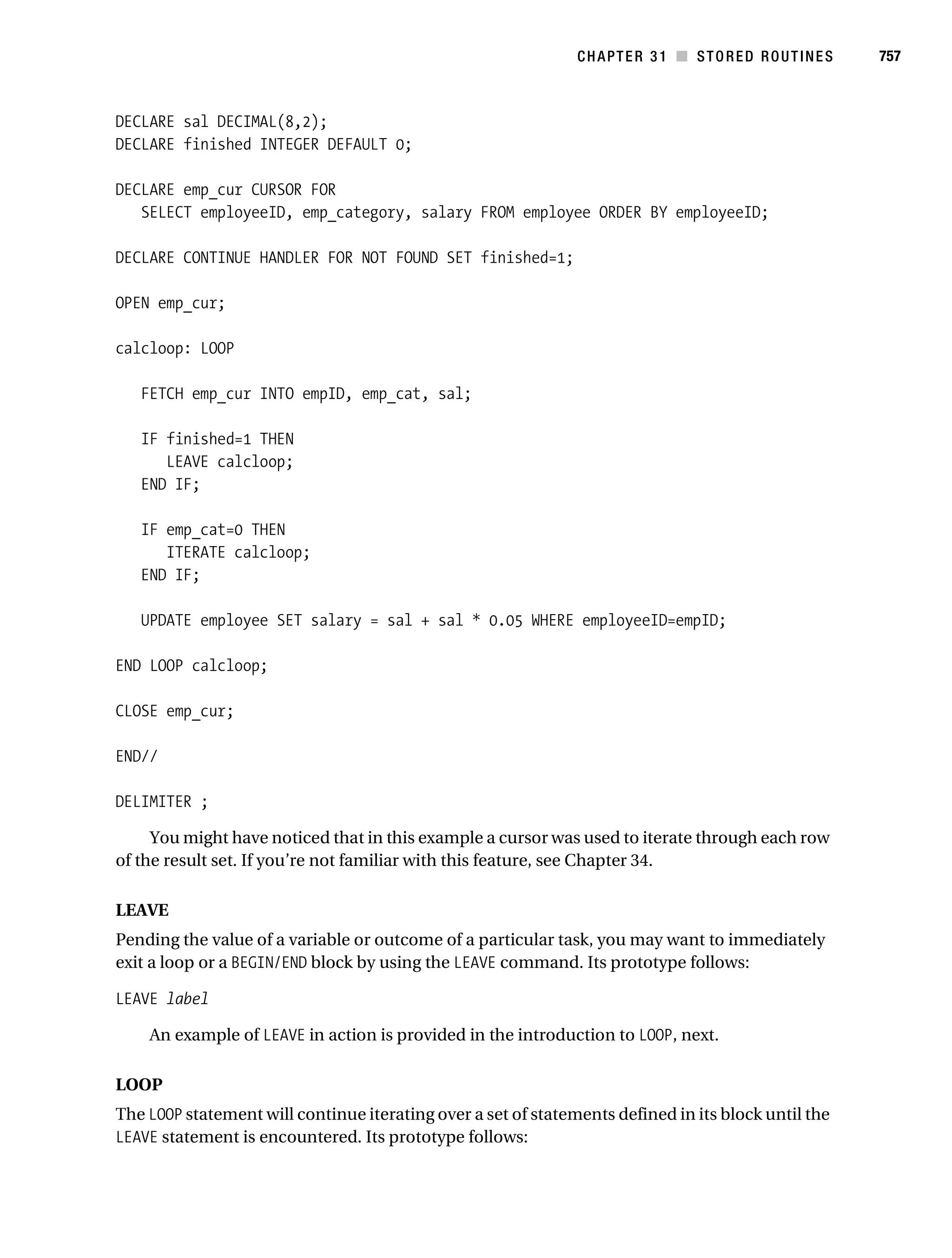
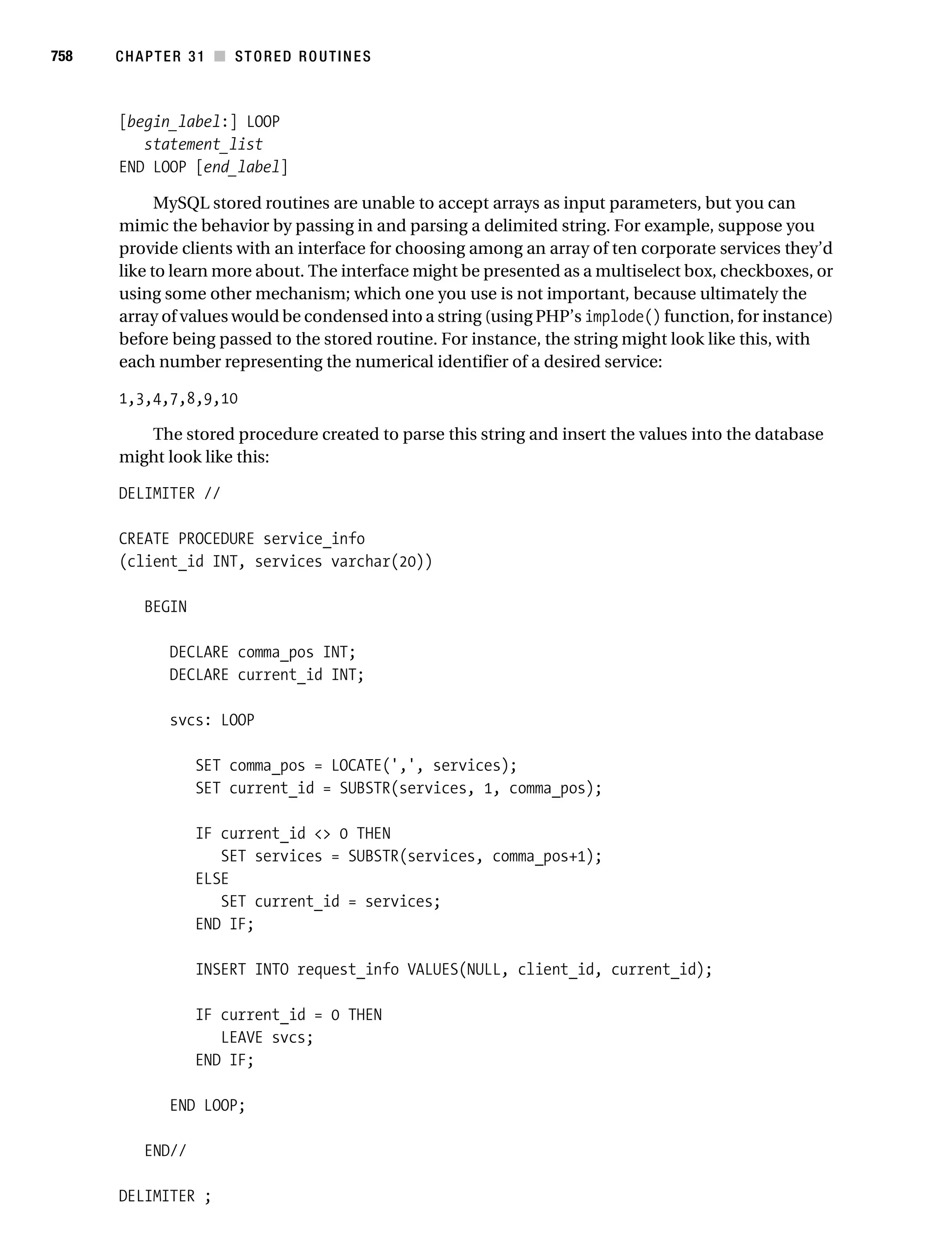
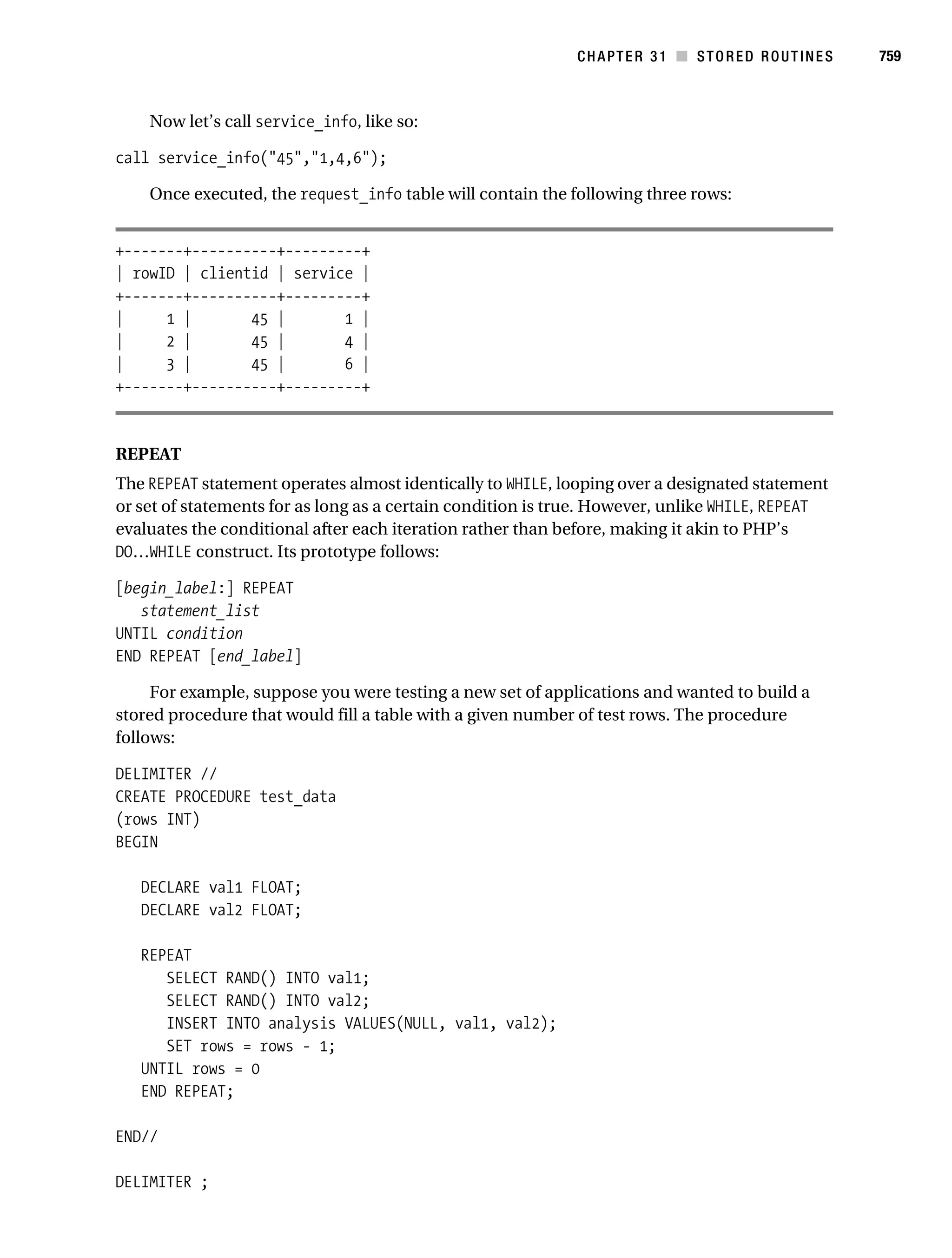
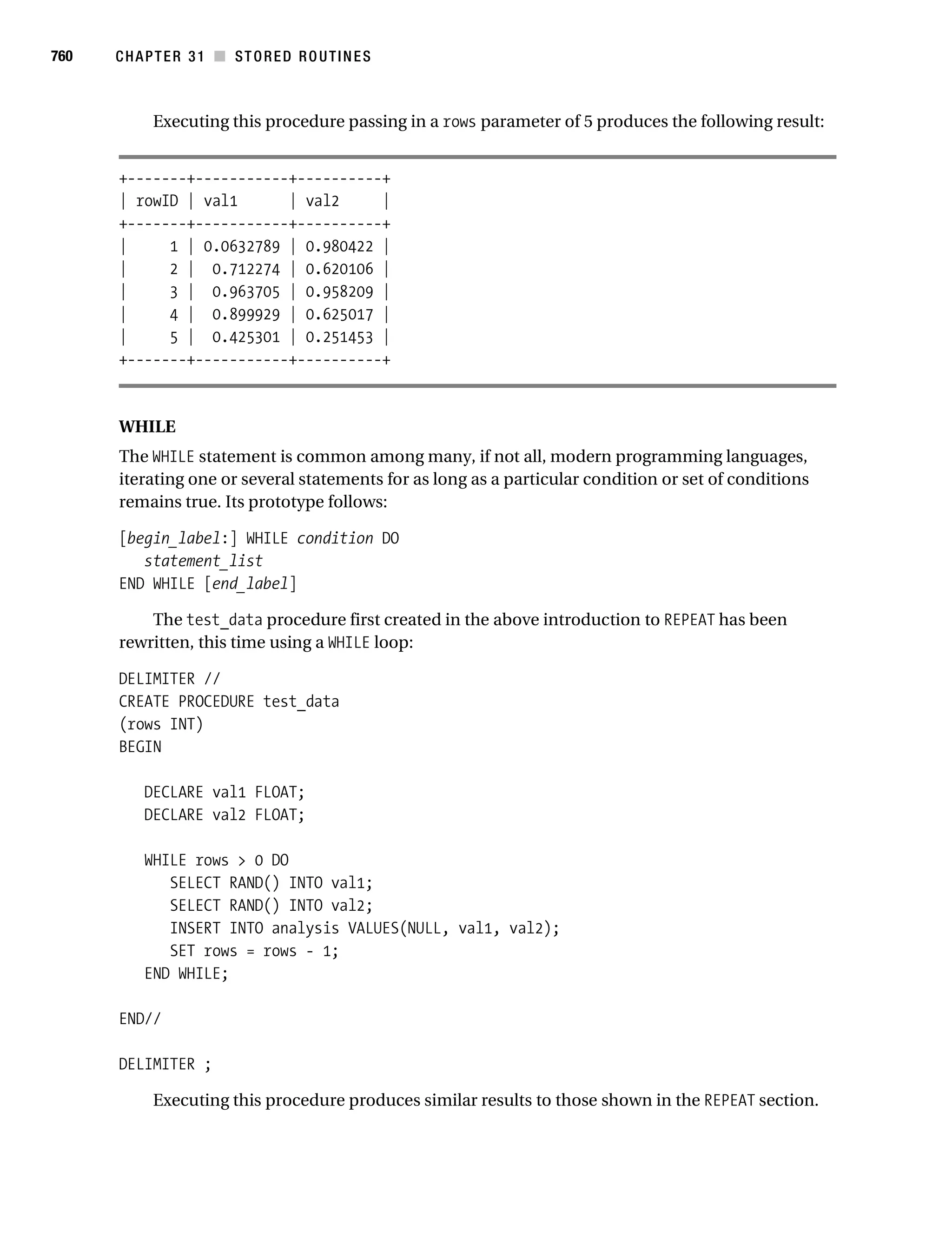
Gilmore_552-1Front.fm Page i Wednesday, December 21, 2005 3:05 PM


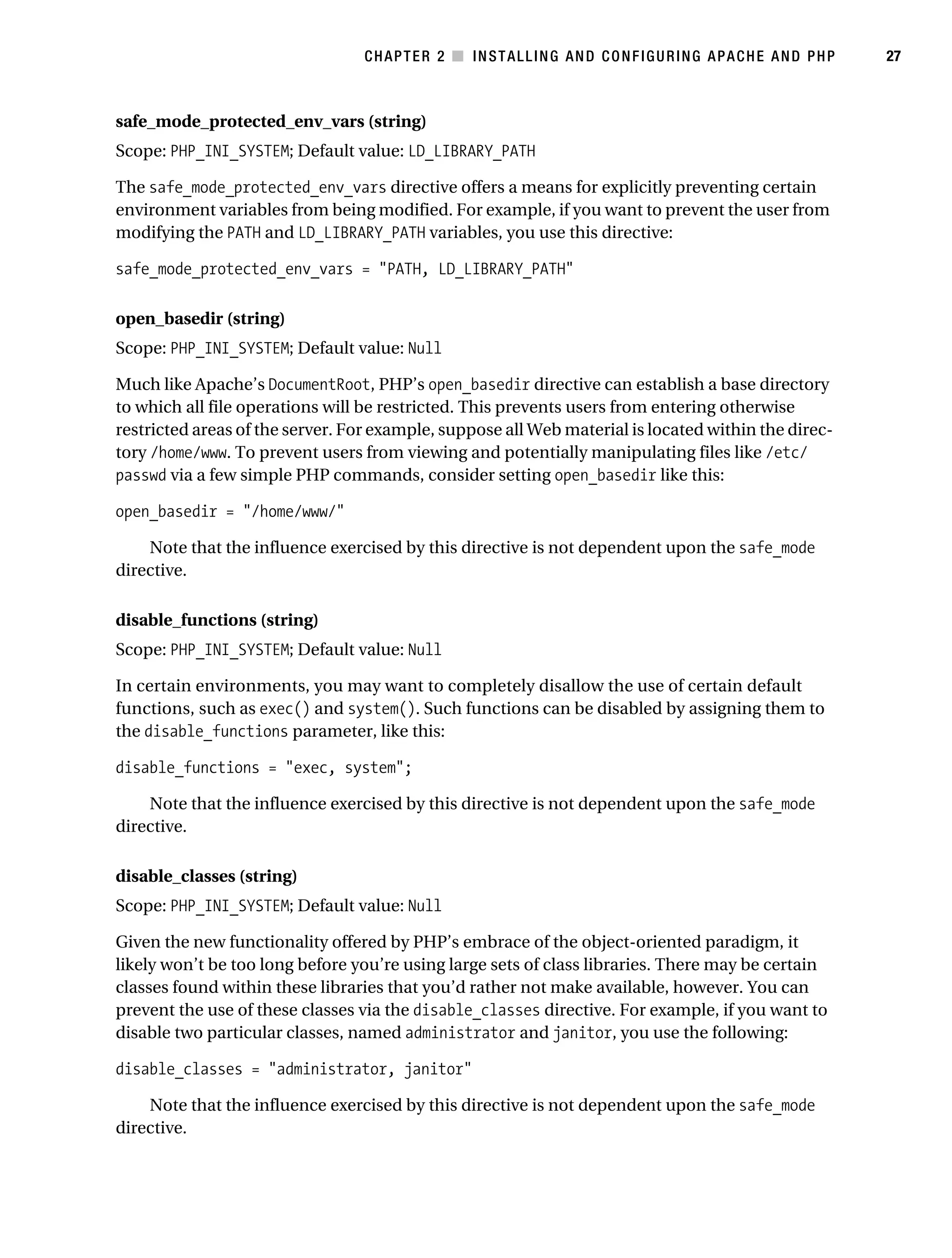
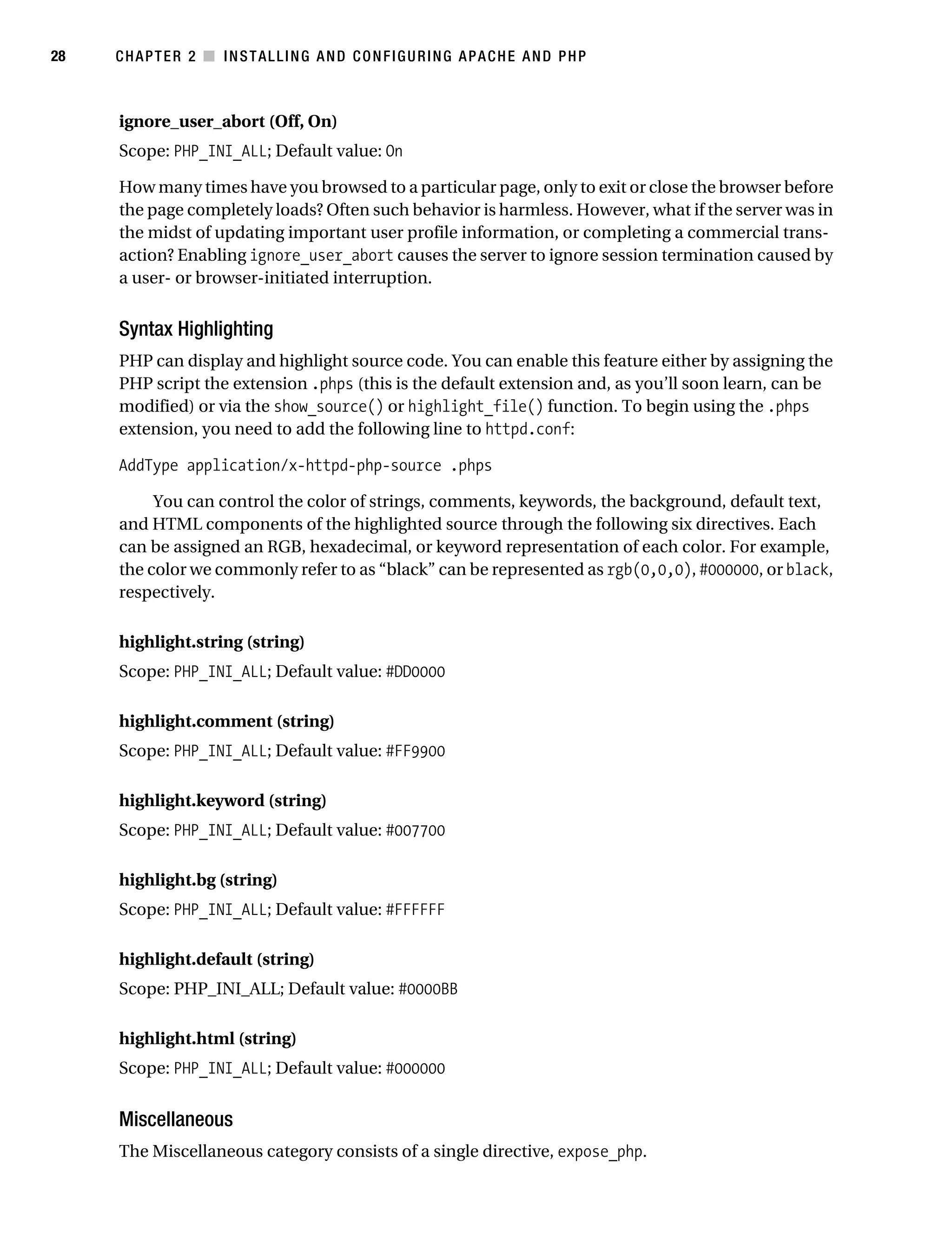
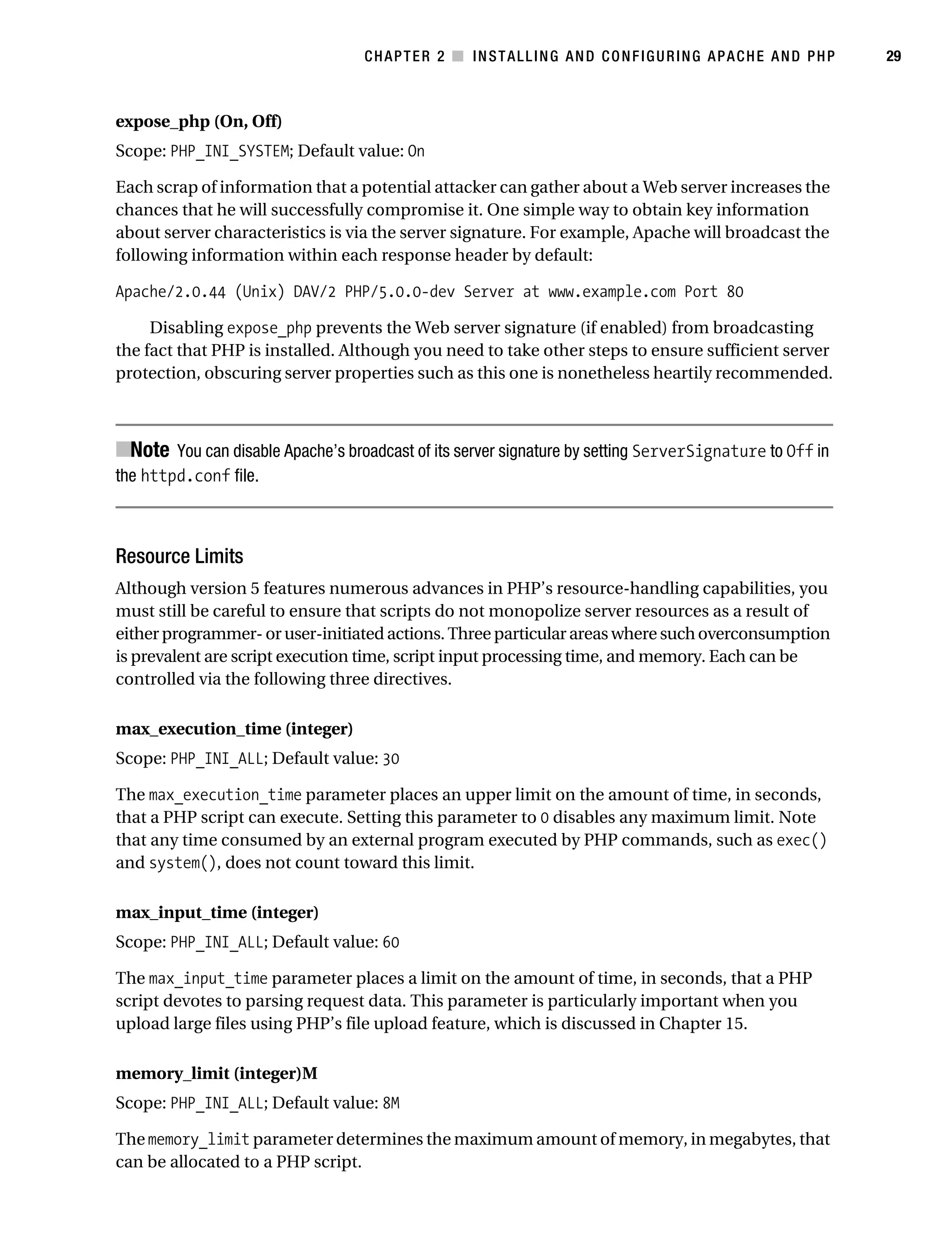
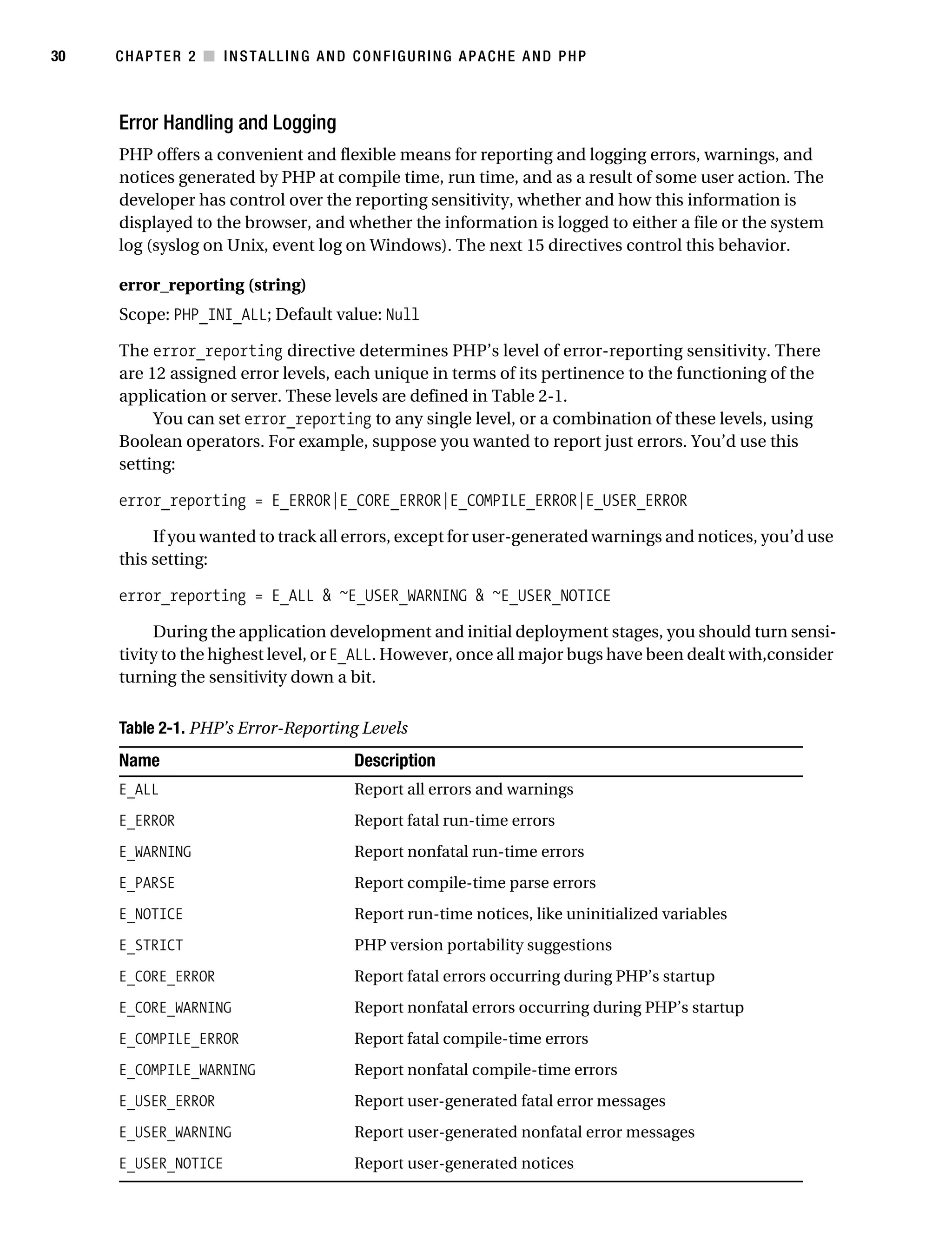
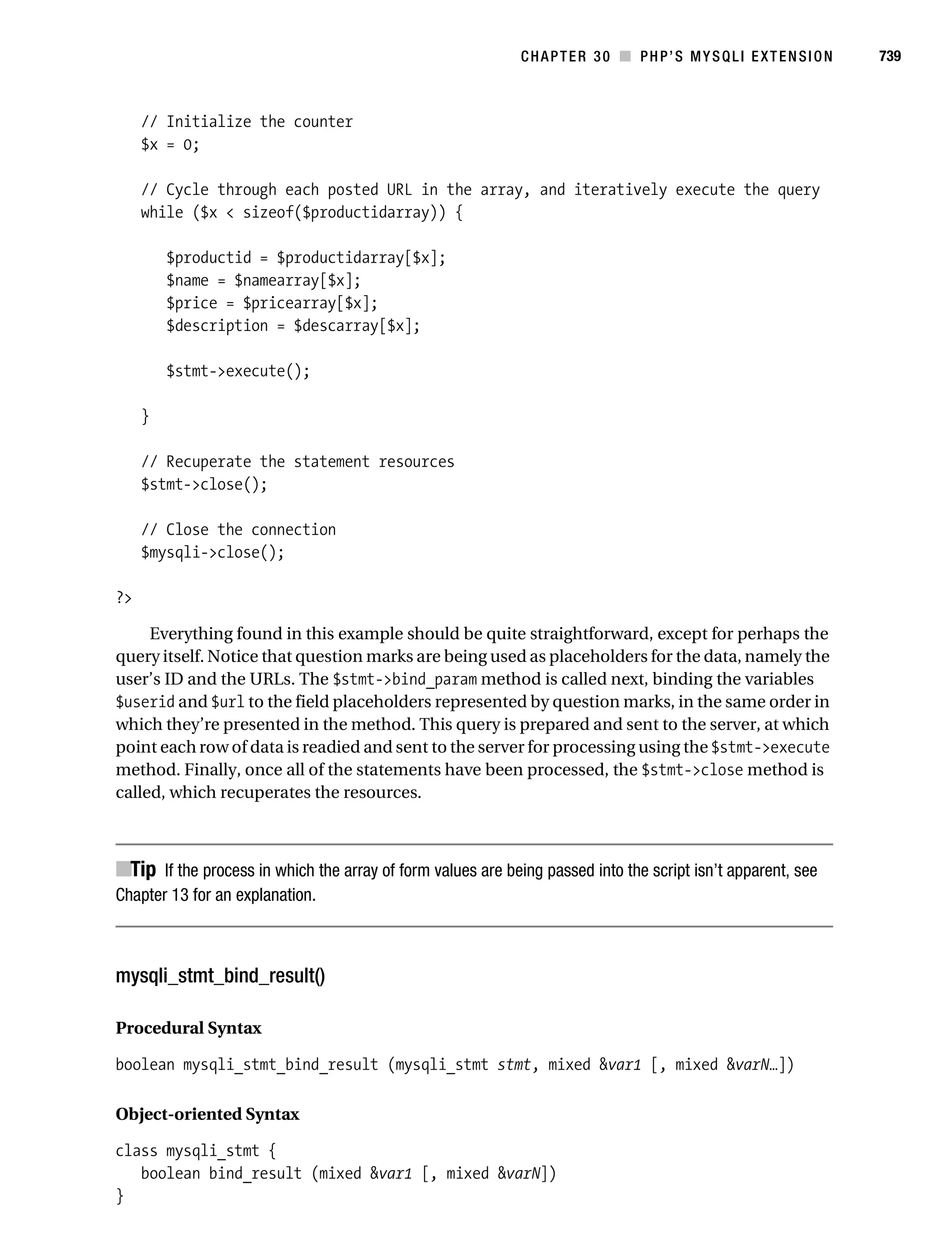
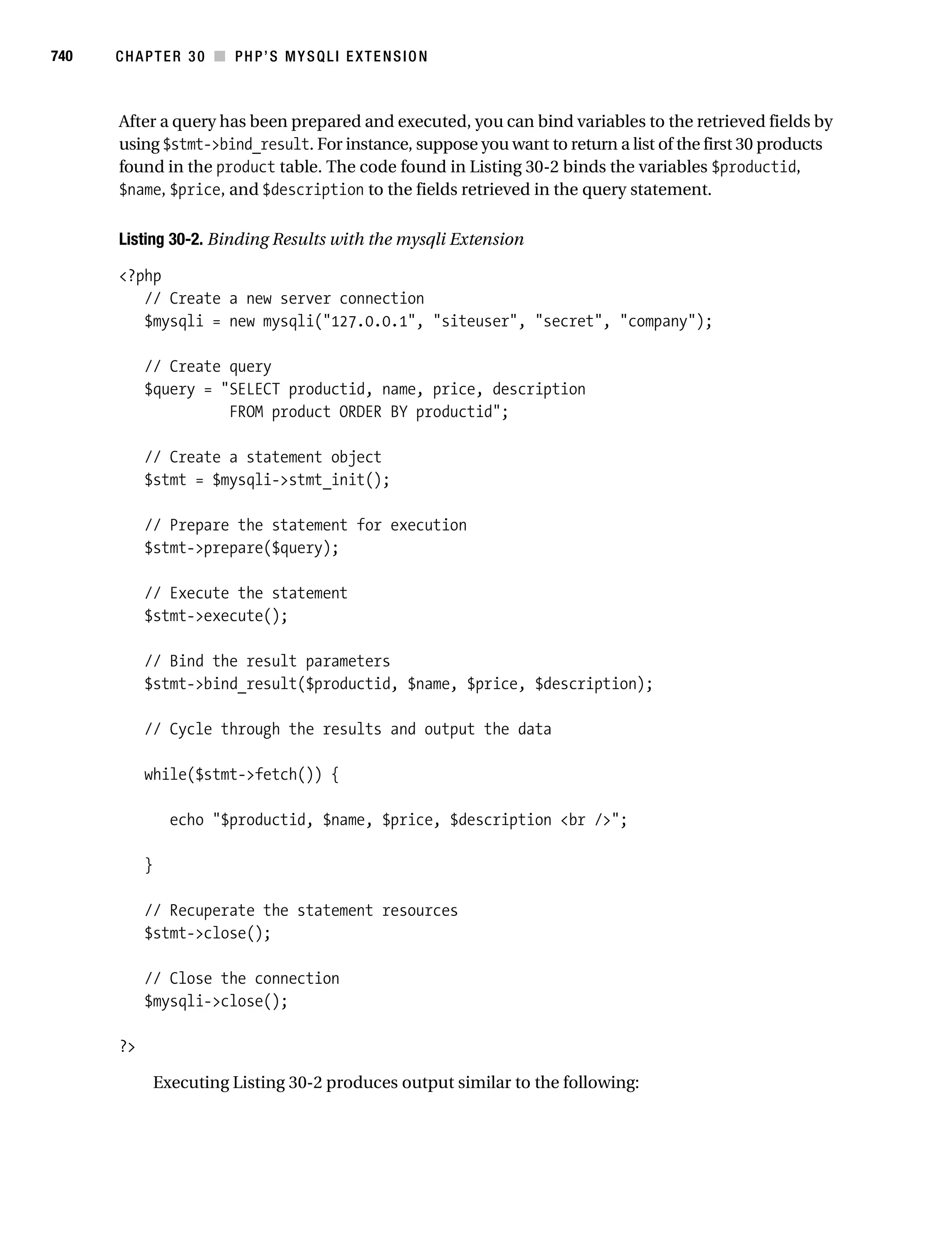
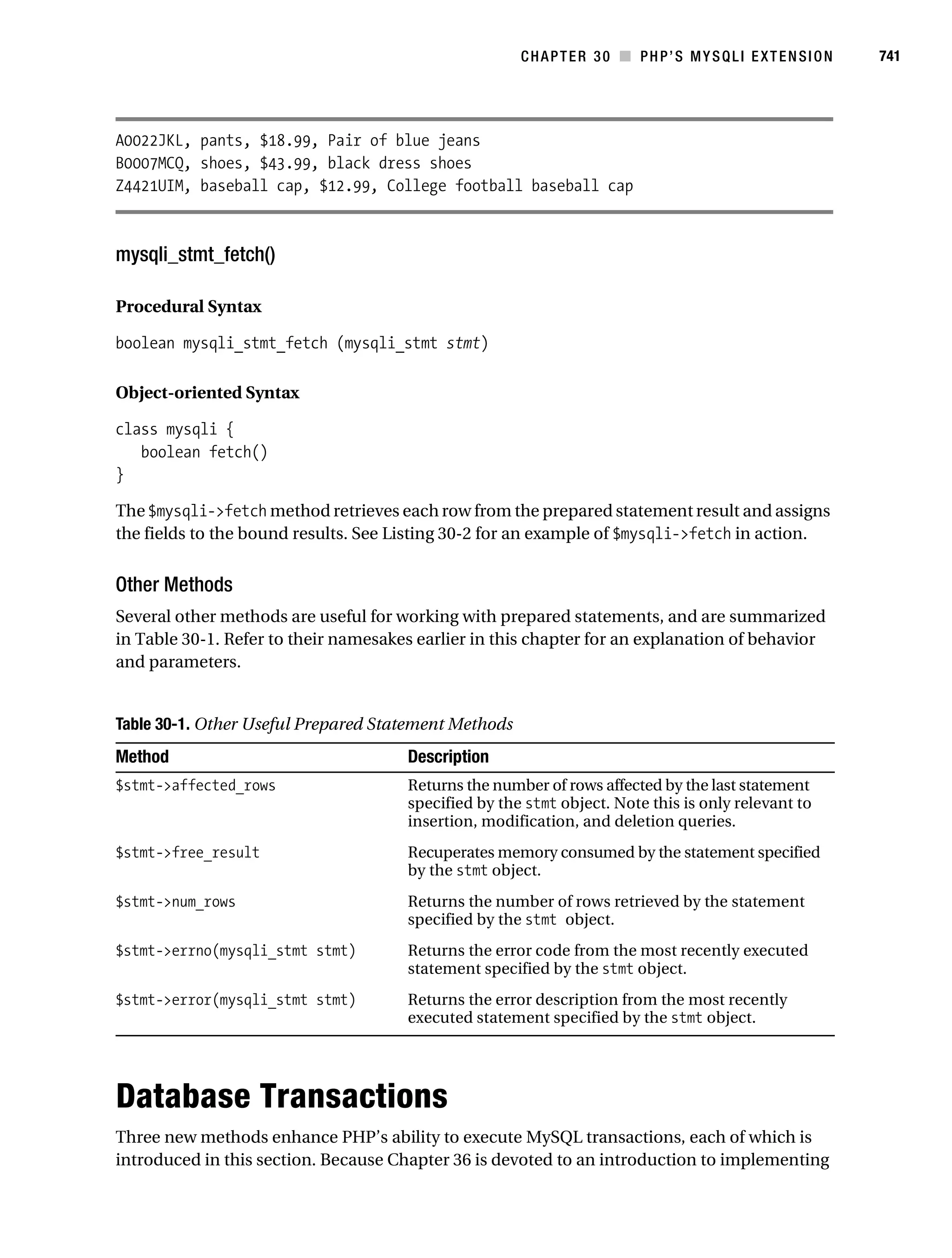
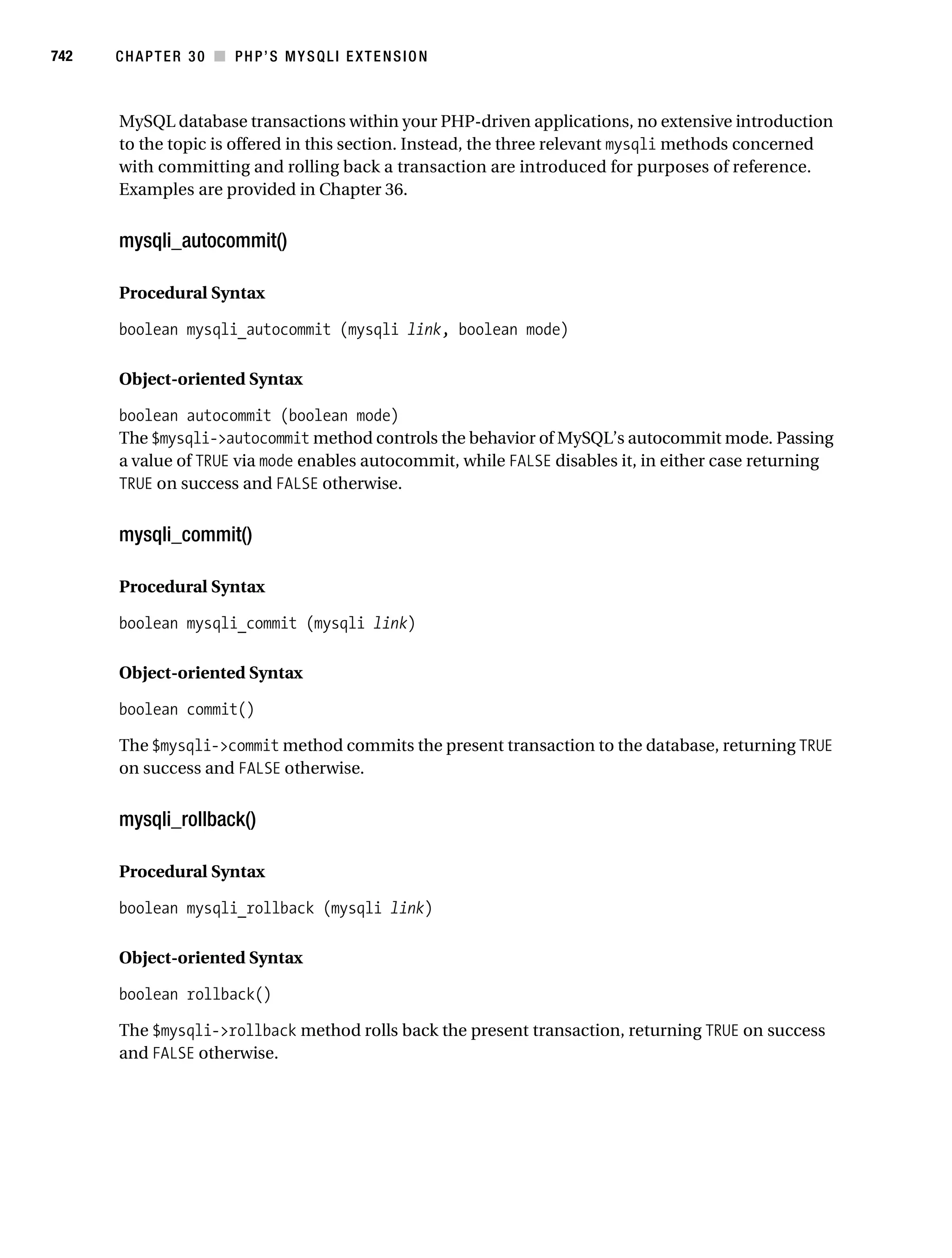
           Beginning PHP
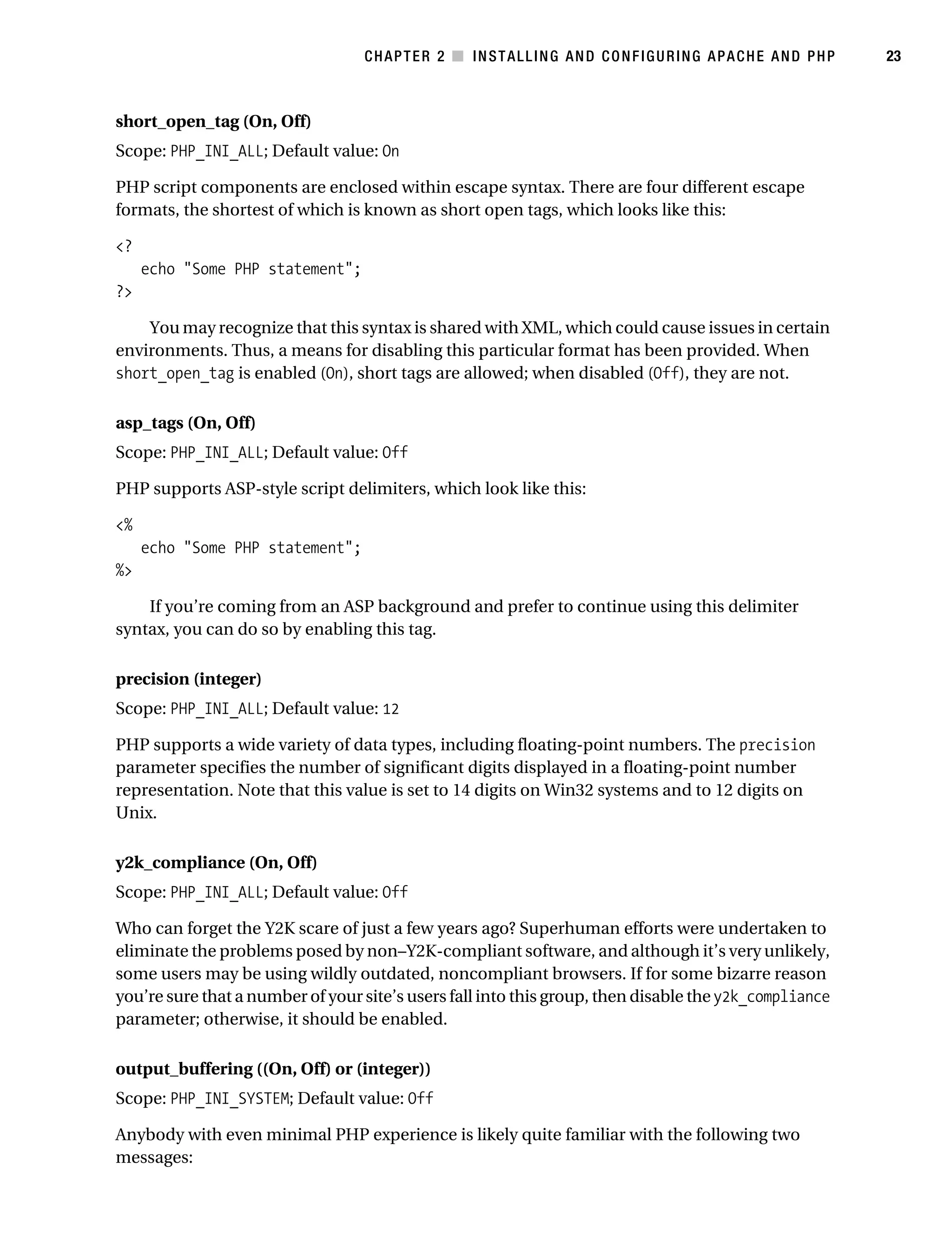
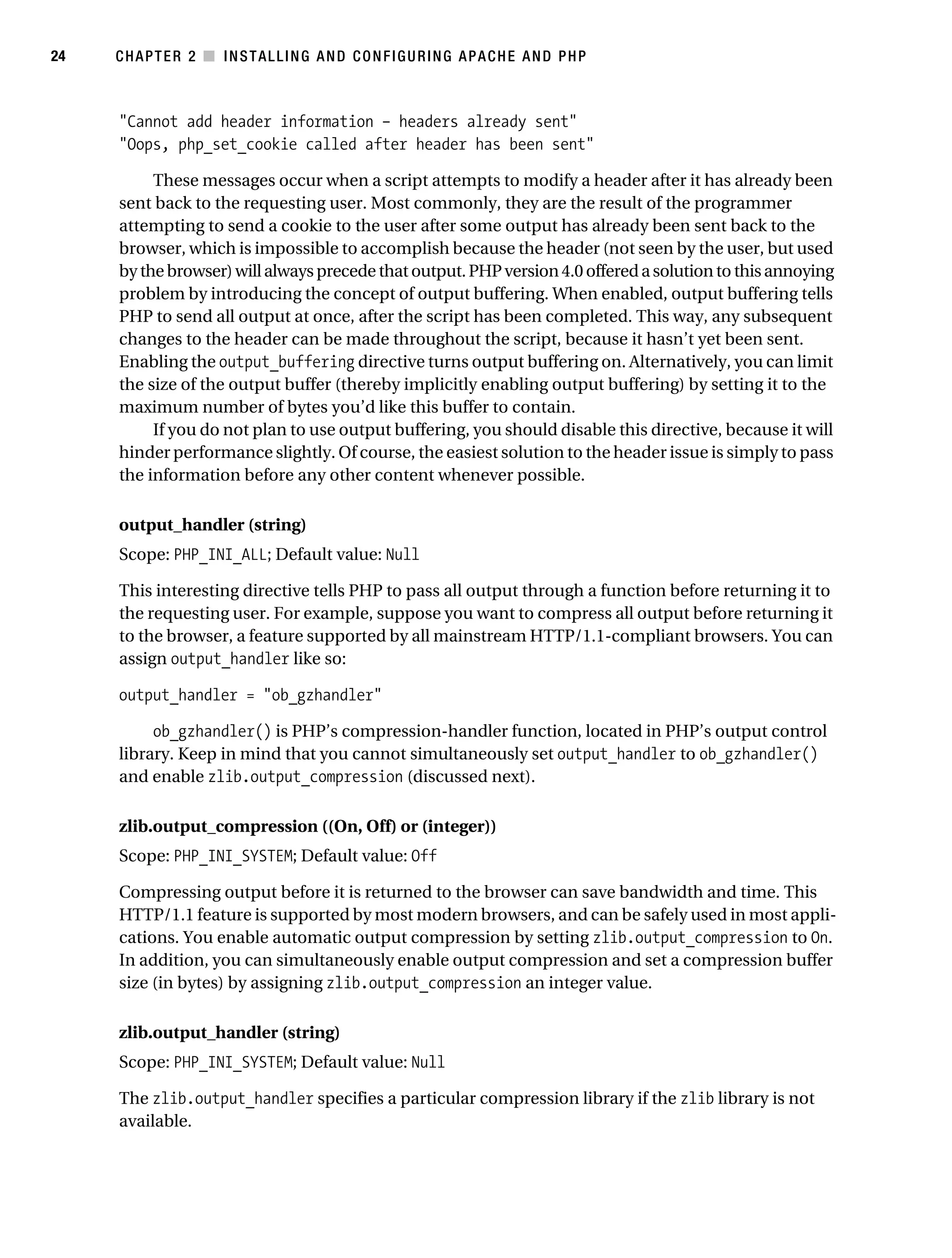
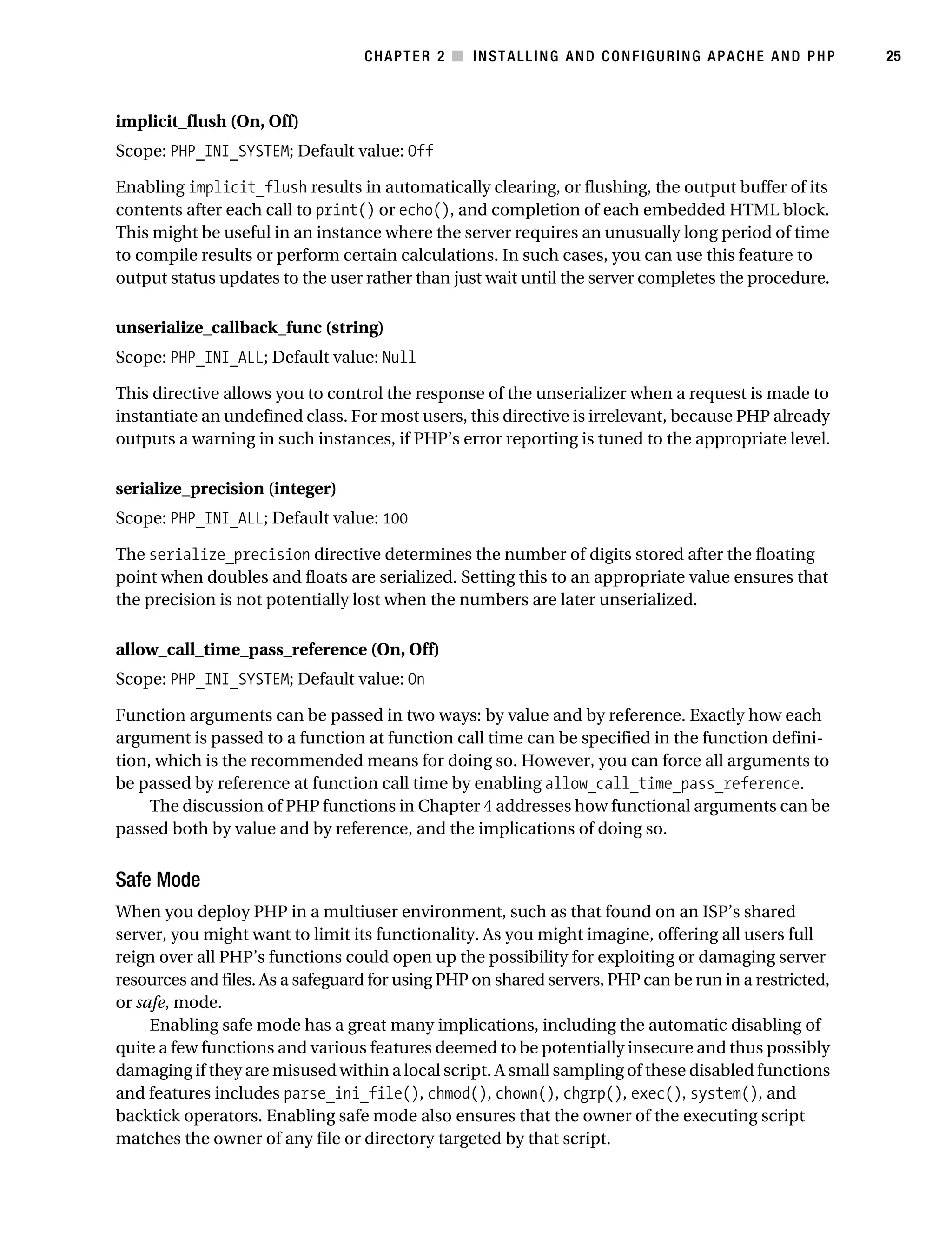
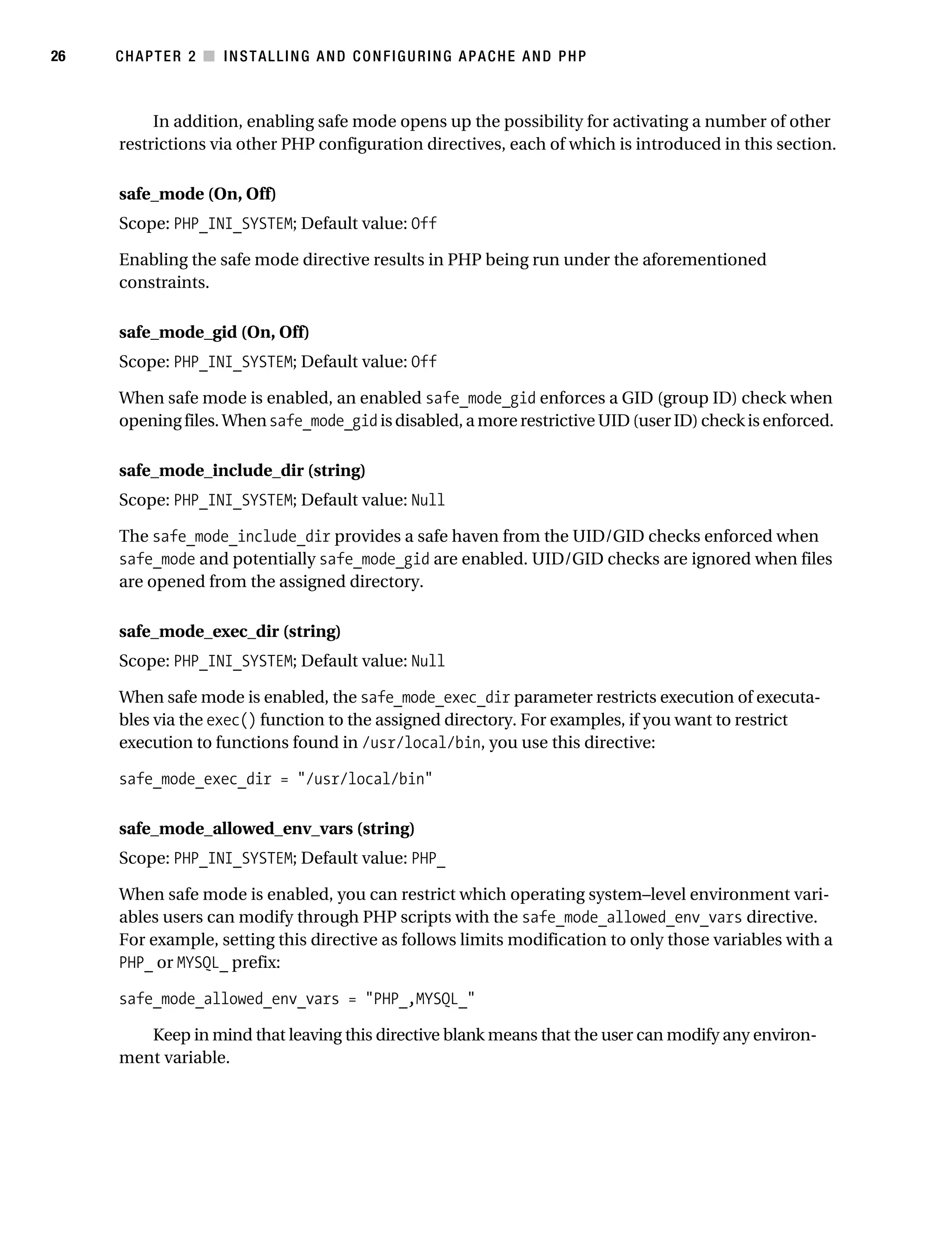
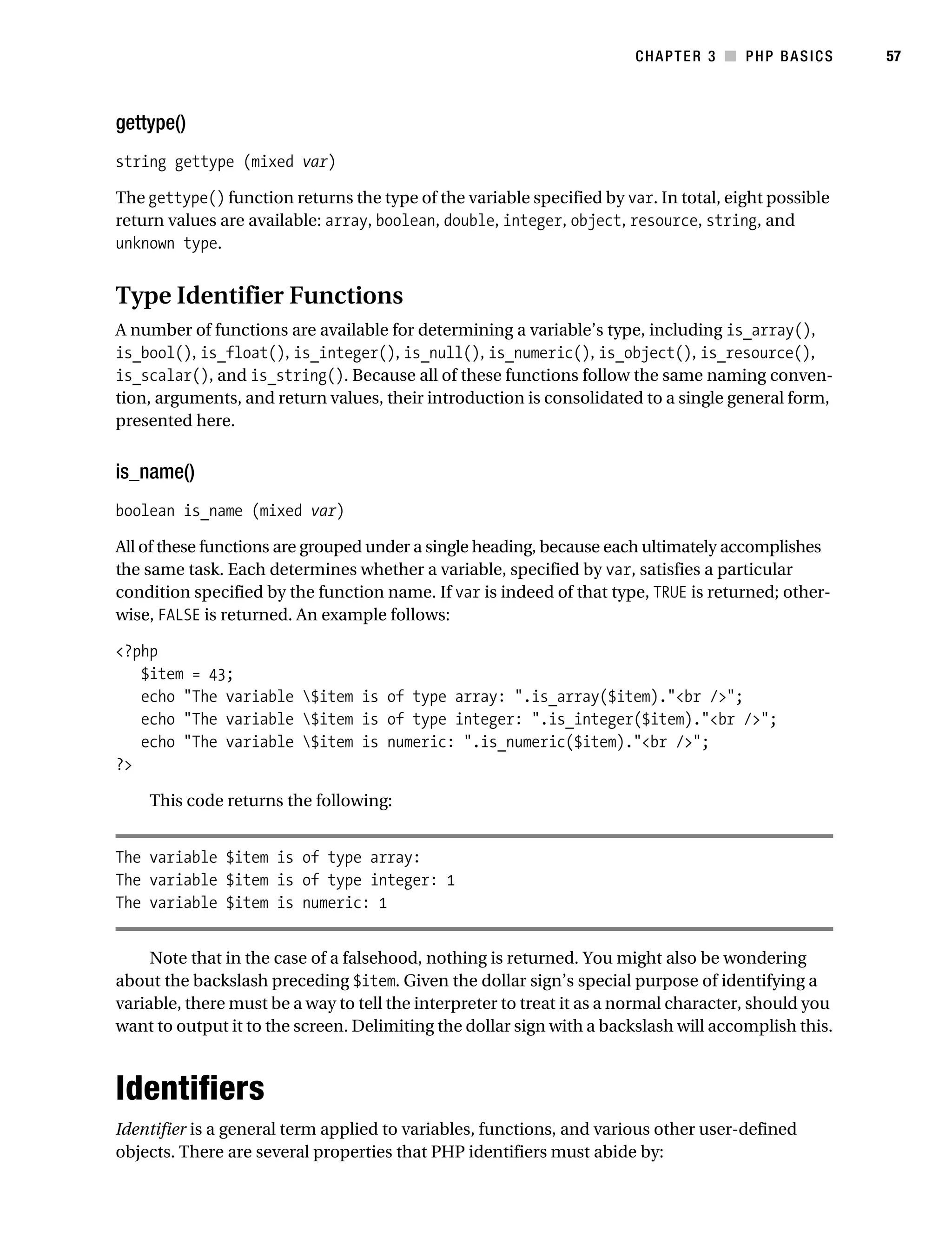
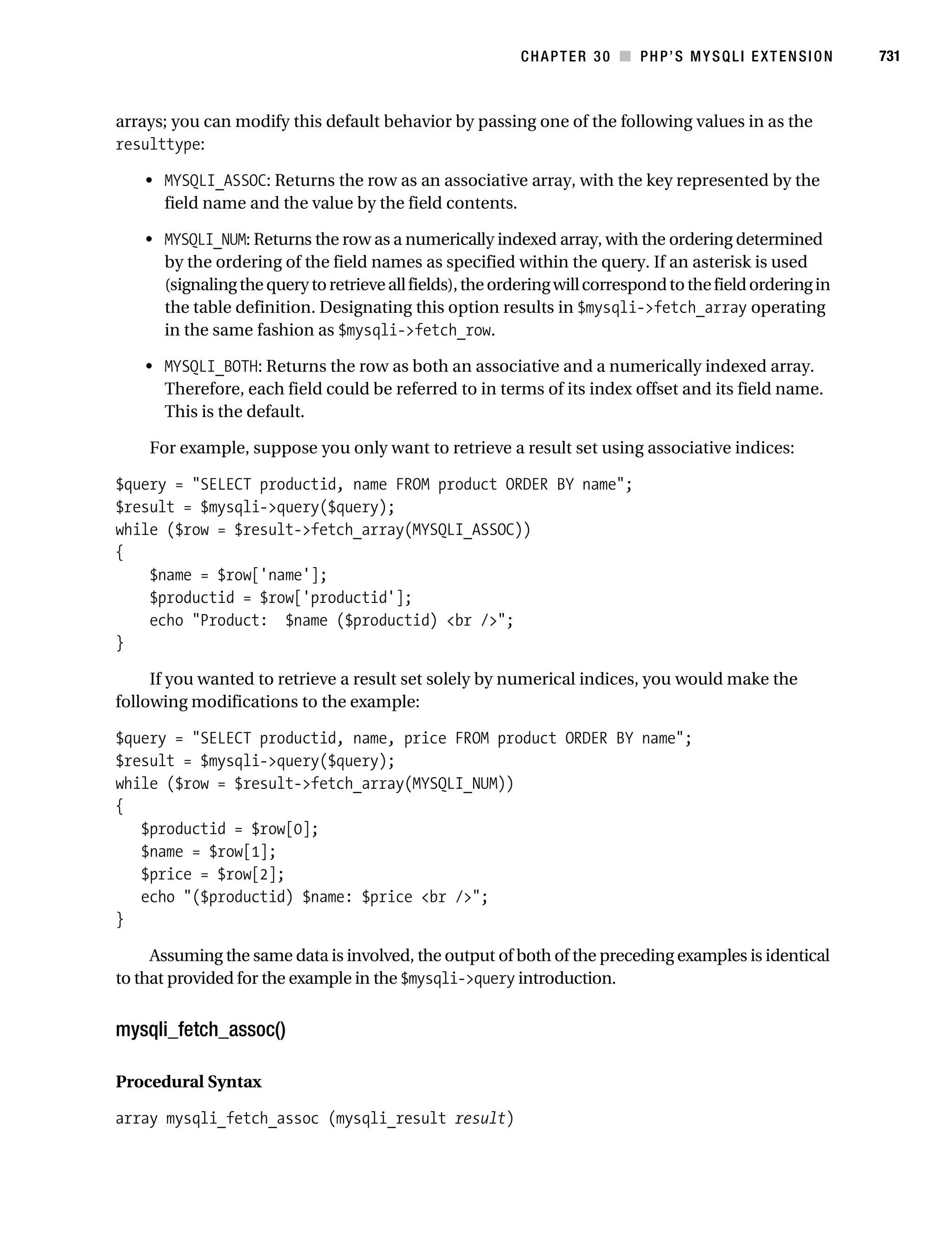
           and MySQL 5
           From Novice to Professional,
           Second Edition


           ■■■

           W. Jason Gilmore
Gilmore_552-1Front.fm Page ii Wednesday, December 21, 2005 3:05 PM


           Beginning PHP and MySQL 5: From Novice to Professional, Second Edition
           Copyright © 2006 by W. Jason Gilmore
           All rights reserved. No part of this work may be reproduced or transmitted in any form or by any means,
           electronic or mechanical, including photocopying, recording, or by any information storage or retrieval
           system, without the prior written permission of the copyright owner and the publisher.
           ISBN-13 (pbk): 978-1-59059-552-7
           ISBN-10 (pbk): 1-59059-552-1
           Printed and bound in the United States of America 9 8 7 6 5 4 3 2 1
           Trademarked names may appear in this book. Rather than use a trademark symbol with every occurrence
           of a trademarked name, we use the names only in an editorial fashion and to the benefit of the trademark
           owner, with no intention of infringement of the trademark.
           Lead Editor: Matthew Moodie
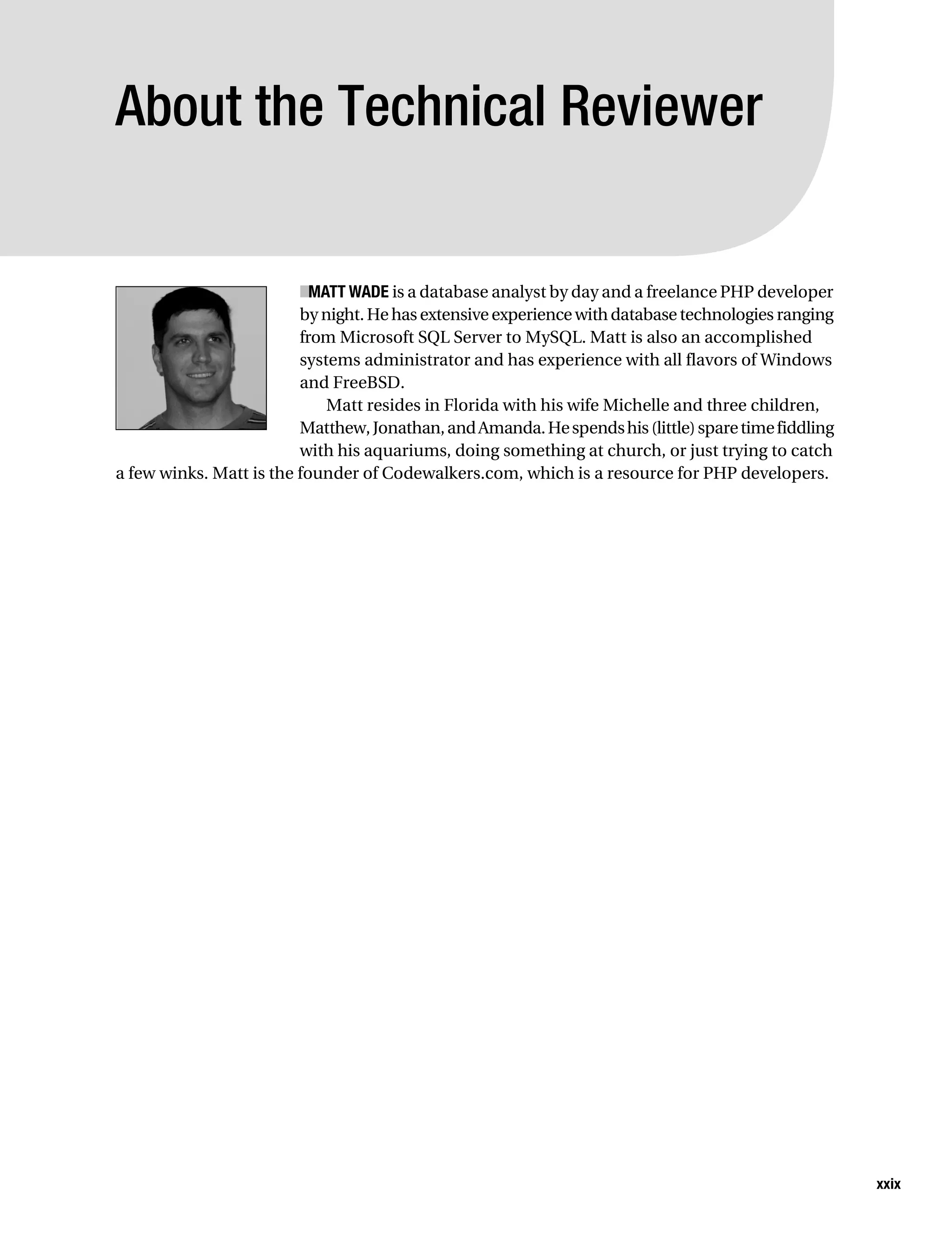
           Technical Reviewer: Matthew Wade
           Editorial Board: Steve Anglin, Dan Appleman, Ewan Buckingham, Gary Cornell, Tony Davis, Jason Gilmore,
              Jonathan Hassell, Chris Mills, Dominic Shakeshaft, Jim Sumser
           Project Managers: Laura Cheu, Beth Christmas
           Copy Edit Manager: Nicole LeClerc
           Copy Editor: Bill McManus
           Assistant Production Director: Kari Brooks-Copony
           Production Editor: Laura Cheu
           Compositor: Susan Glinert Stevens
           Proofreader: Nancy Sixsmith
           Indexer: John Collin
           Cover Designer: Kurt Krames
           Manufacturing Director: Tom Debolski
           Distributed to the book trade worldwide by Springer-Verlag New York, Inc., 233 Spring Street, 6th Floor,
           New York, NY 10013. Phone 1-800-SPRINGER, fax 201-348-4505, e-mail orders-ny@springer-sbm.com, or
           visit http://www.springeronline.com.
           For information on translations, please contact Apress directly at 2560 Ninth Street, Suite 219, Berkeley, CA
           94710. Phone 510-549-5930, fax 510-549-5939, e-mail info@apress.com, or visit http://www.apress.com.
           The information in this book is distributed on an “as is” basis, without warranty. Although every precaution
           has been taken in the preparation of this work, neither the author(s) nor Apress shall have any liability to
           any person or entity with respect to any loss or damage caused or alleged to be caused directly or indirectly
           by the information contained in this work.
           The source code for this book is available to readers at http://www.apress.com in the Source Code section.
Gilmore_552-1Front.fm Page iii Wednesday, December 21, 2005 3:05 PM


                  This book is dedicated to the memory of Dr. Giovanni “Nino” Sanzi (1929–2004).
                                                 Addio, caro amico.
Gilmore_552-1Front.fm Page iv Wednesday, December 21, 2005 3:05 PM
Gilmore_552-1Front.fm Page v Wednesday, December 21, 2005 3:05 PM


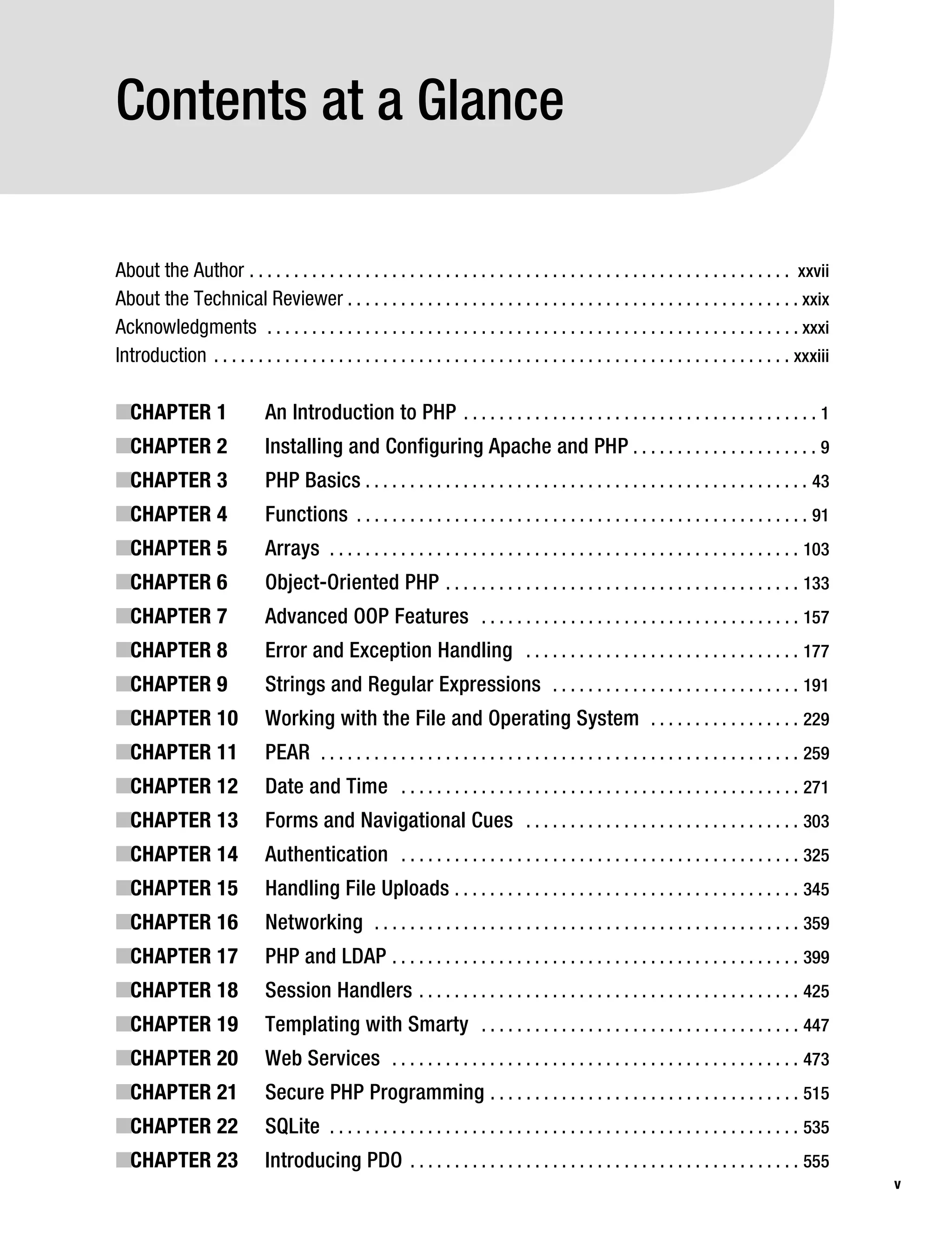
           Contents at a Glance

           About the Author . . . . . . . . . . . . . . . . . . . . . . . . . . . . . . . . . . . . . . . . . . . . . . . . . . . . . . . . . . . . . xxvii
           About the Technical Reviewer . . . . . . . . . . . . . . . . . . . . . . . . . . . . . . . . . . . . . . . . . . . . . . . . . . . xxix
           Acknowledgments . . . . . . . . . . . . . . . . . . . . . . . . . . . . . . . . . . . . . . . . . . . . . . . . . . . . . . . . . . . . xxxi
           Introduction . . . . . . . . . . . . . . . . . . . . . . . . . . . . . . . . . . . . . . . . . . . . . . . . . . . . . . . . . . . . . . . . . xxxiii

           ■CHAPTER 1                     An Introduction to PHP . . . . . . . . . . . . . . . . . . . . . . . . . . . . . . . . . . . . . . . . 1
           ■CHAPTER 2                     Installing and Configuring Apache and PHP . . . . . . . . . . . . . . . . . . . . . 9
           ■CHAPTER 3                     PHP Basics . . . . . . . . . . . . . . . . . . . . . . . . . . . . . . . . . . . . . . . . . . . . . . . . . . 43
           ■CHAPTER 4                     Functions . . . . . . . . . . . . . . . . . . . . . . . . . . . . . . . . . . . . . . . . . . . . . . . . . . . 91
           ■CHAPTER 5                     Arrays . . . . . . . . . . . . . . . . . . . . . . . . . . . . . . . . . . . . . . . . . . . . . . . . . . . . . 103
           ■CHAPTER 6                     Object-Oriented PHP . . . . . . . . . . . . . . . . . . . . . . . . . . . . . . . . . . . . . . . . 133
           ■CHAPTER 7                     Advanced OOP Features . . . . . . . . . . . . . . . . . . . . . . . . . . . . . . . . . . . . 157
           ■CHAPTER 8                     Error and Exception Handling . . . . . . . . . . . . . . . . . . . . . . . . . . . . . . . 177
           ■CHAPTER 9                     Strings and Regular Expressions . . . . . . . . . . . . . . . . . . . . . . . . . . . . 191
           ■CHAPTER 10                    Working with the File and Operating System . . . . . . . . . . . . . . . . . 229
           ■CHAPTER 11                    PEAR . . . . . . . . . . . . . . . . . . . . . . . . . . . . . . . . . . . . . . . . . . . . . . . . . . . . . . 259
           ■CHAPTER 12                    Date and Time . . . . . . . . . . . . . . . . . . . . . . . . . . . . . . . . . . . . . . . . . . . . . 271
           ■CHAPTER 13                    Forms and Navigational Cues . . . . . . . . . . . . . . . . . . . . . . . . . . . . . . . 303
           ■CHAPTER 14                    Authentication . . . . . . . . . . . . . . . . . . . . . . . . . . . . . . . . . . . . . . . . . . . . . 325
           ■CHAPTER 15                    Handling File Uploads . . . . . . . . . . . . . . . . . . . . . . . . . . . . . . . . . . . . . . . 345
           ■CHAPTER 16                    Networking . . . . . . . . . . . . . . . . . . . . . . . . . . . . . . . . . . . . . . . . . . . . . . . . 359
           ■CHAPTER 17                    PHP and LDAP . . . . . . . . . . . . . . . . . . . . . . . . . . . . . . . . . . . . . . . . . . . . . . 399
           ■CHAPTER 18                    Session Handlers . . . . . . . . . . . . . . . . . . . . . . . . . . . . . . . . . . . . . . . . . . . 425
           ■CHAPTER 19                    Templating with Smarty . . . . . . . . . . . . . . . . . . . . . . . . . . . . . . . . . . . . 447
           ■CHAPTER 20                    Web Services . . . . . . . . . . . . . . . . . . . . . . . . . . . . . . . . . . . . . . . . . . . . . . 473
           ■CHAPTER 21                    Secure PHP Programming . . . . . . . . . . . . . . . . . . . . . . . . . . . . . . . . . . . 515
           ■CHAPTER 22                    SQLite . . . . . . . . . . . . . . . . . . . . . . . . . . . . . . . . . . . . . . . . . . . . . . . . . . . . . 535
           ■CHAPTER 23                    Introducing PDO . . . . . . . . . . . . . . . . . . . . . . . . . . . . . . . . . . . . . . . . . . . . 555
                                                                                                                                                                   v
Gilmore_552-1Front.fm Page vi Wednesday, December 21, 2005 3:05 PM


vi         ■C O N T E N T S A T A G L A N C E


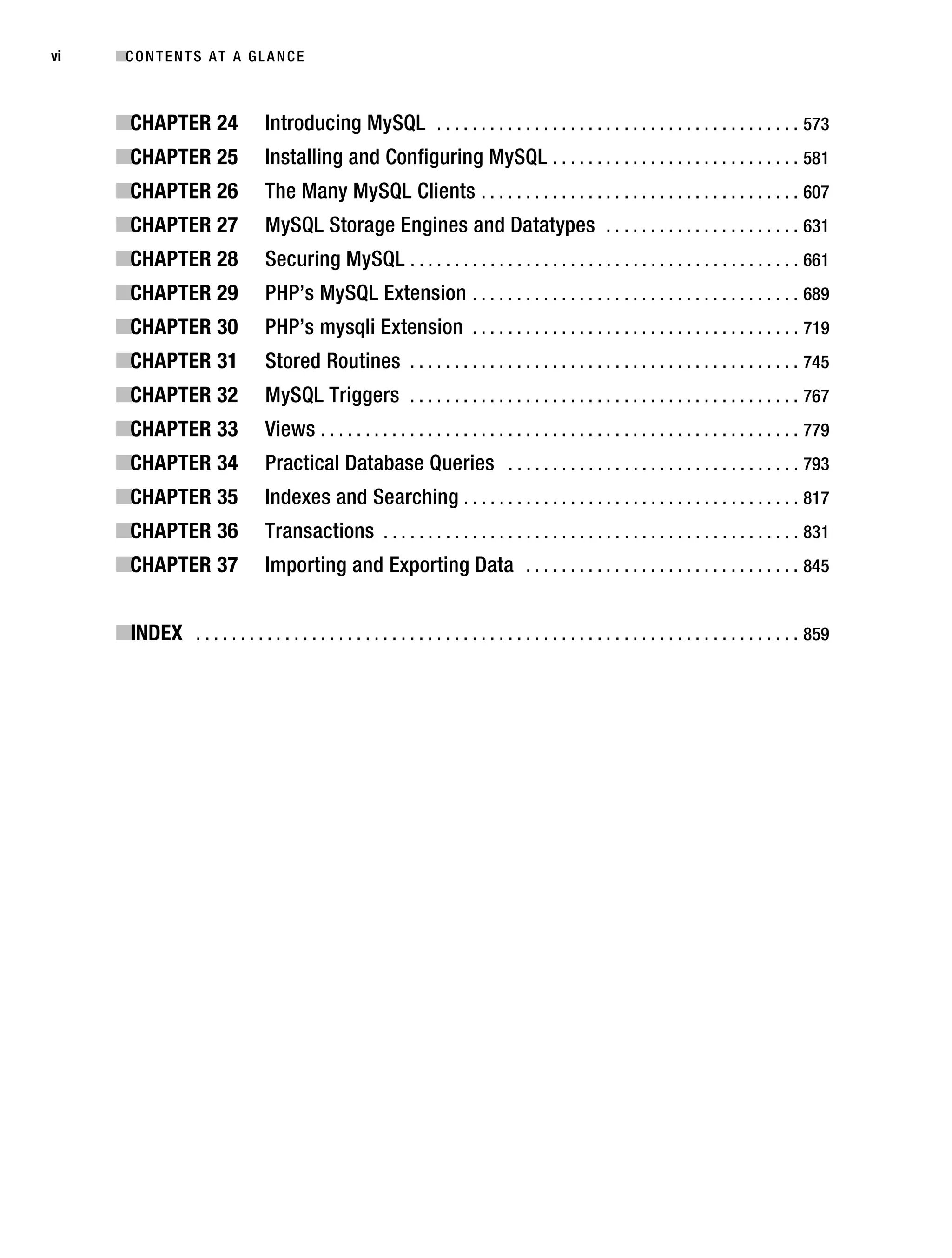
           ■CHAPTER 24                   Introducing MySQL . . . . . . . . . . . . . . . . . . . . . . . . . . . . . . . . . . . . . . . . . 573
           ■CHAPTER 25                   Installing and Configuring MySQL . . . . . . . . . . . . . . . . . . . . . . . . . . . . 581
           ■CHAPTER 26                   The Many MySQL Clients . . . . . . . . . . . . . . . . . . . . . . . . . . . . . . . . . . . . 607
           ■CHAPTER 27                   MySQL Storage Engines and Datatypes . . . . . . . . . . . . . . . . . . . . . . 631
           ■CHAPTER 28                   Securing MySQL . . . . . . . . . . . . . . . . . . . . . . . . . . . . . . . . . . . . . . . . . . . . 661
           ■CHAPTER 29                   PHP’s MySQL Extension . . . . . . . . . . . . . . . . . . . . . . . . . . . . . . . . . . . . . 689
           ■CHAPTER 30                   PHP’s mysqli Extension . . . . . . . . . . . . . . . . . . . . . . . . . . . . . . . . . . . . . 719
           ■CHAPTER 31                   Stored Routines . . . . . . . . . . . . . . . . . . . . . . . . . . . . . . . . . . . . . . . . . . . . 745
           ■CHAPTER 32                   MySQL Triggers . . . . . . . . . . . . . . . . . . . . . . . . . . . . . . . . . . . . . . . . . . . . 767
           ■CHAPTER 33                   Views . . . . . . . . . . . . . . . . . . . . . . . . . . . . . . . . . . . . . . . . . . . . . . . . . . . . . . 779
           ■CHAPTER 34                   Practical Database Queries . . . . . . . . . . . . . . . . . . . . . . . . . . . . . . . . . 793
           ■CHAPTER 35                   Indexes and Searching . . . . . . . . . . . . . . . . . . . . . . . . . . . . . . . . . . . . . . 817
           ■CHAPTER 36                   Transactions . . . . . . . . . . . . . . . . . . . . . . . . . . . . . . . . . . . . . . . . . . . . . . . 831
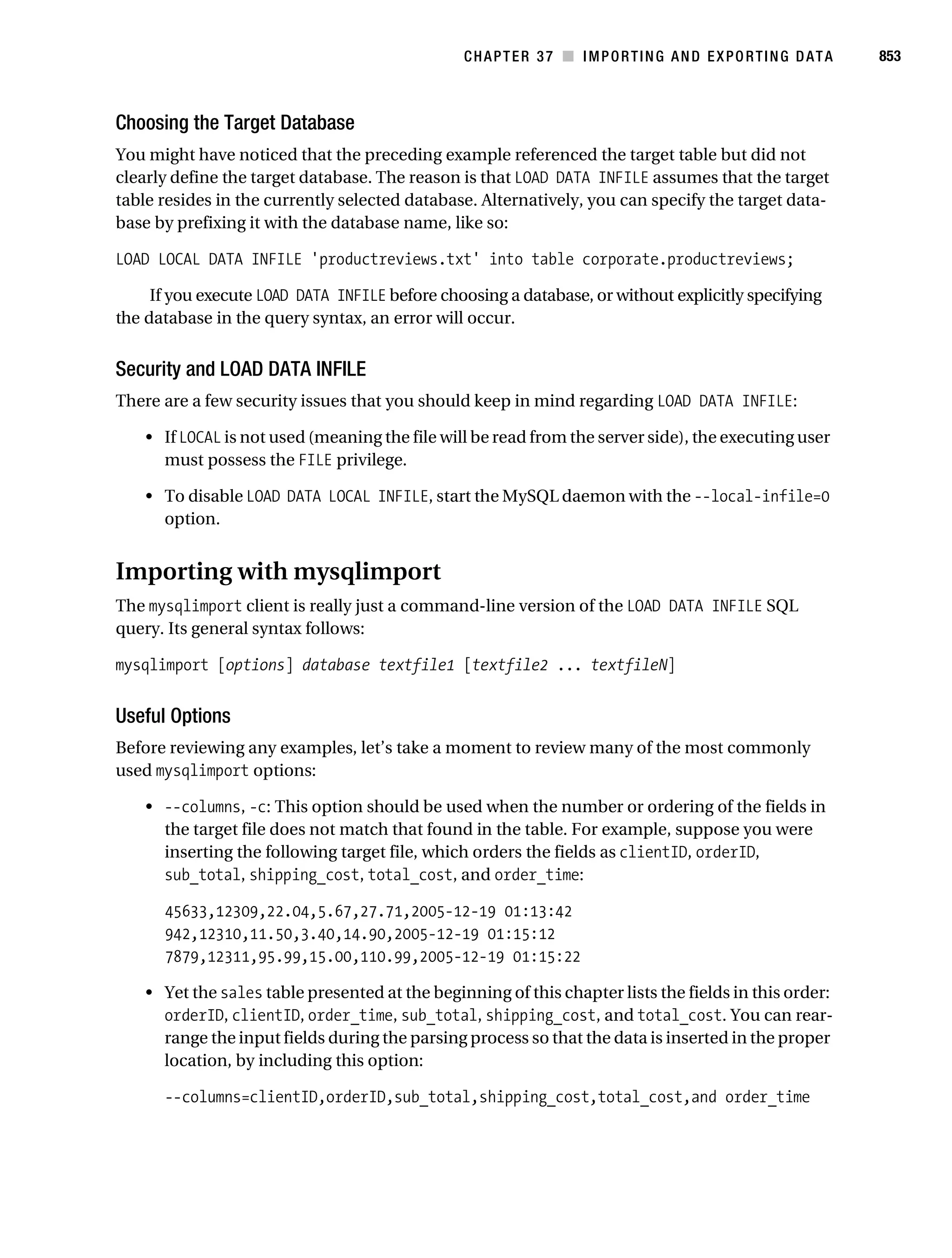
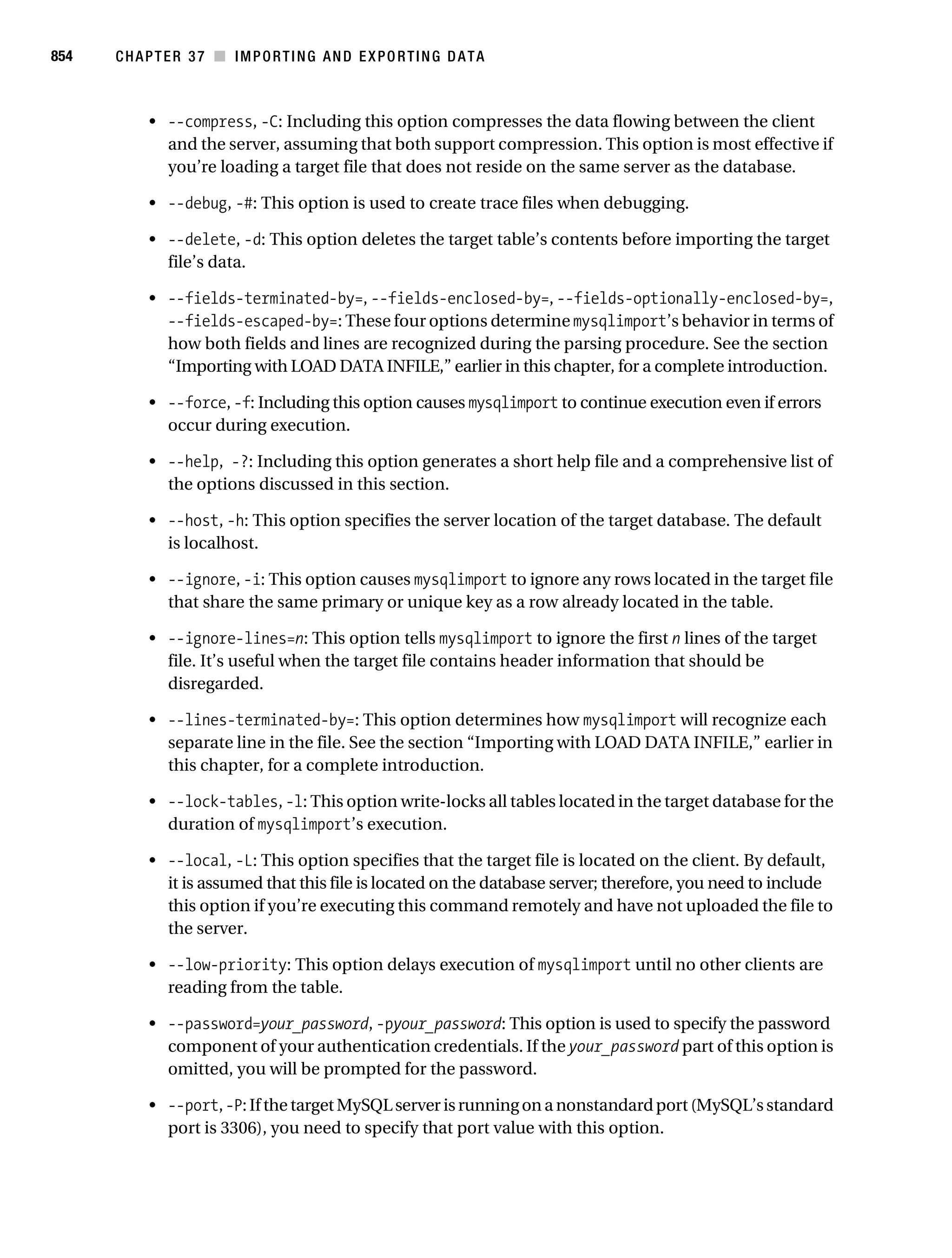
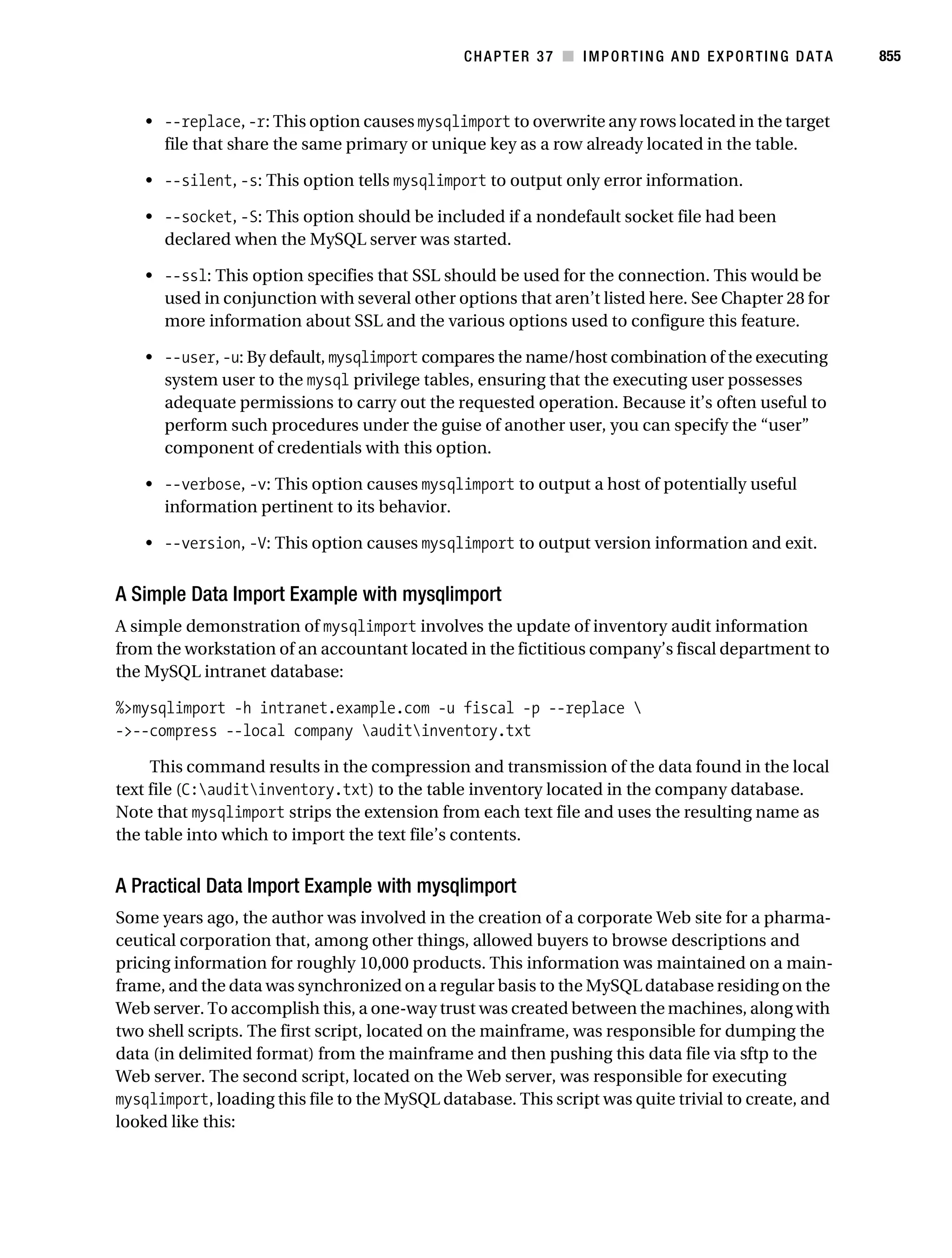
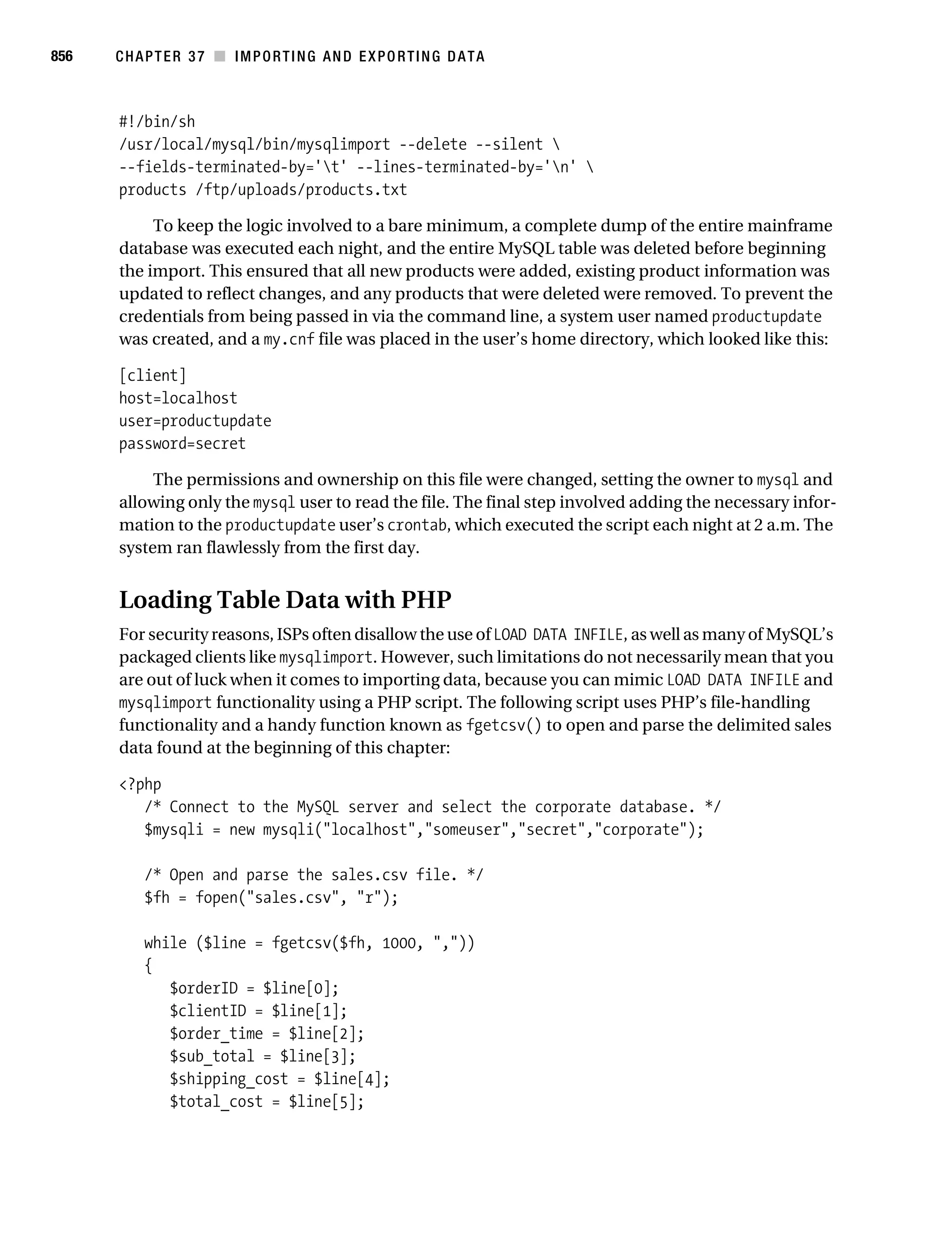
           ■CHAPTER 37                   Importing and Exporting Data . . . . . . . . . . . . . . . . . . . . . . . . . . . . . . . 845


           ■INDEX . . . . . . . . . . . . . . . . . . . . . . . . . . . . . . . . . . . . . . . . . . . . . . . . . . . . . . . . . . . . . . . . . . . . 859
Gilmore_552-1Front.fm Page vii Wednesday, December 21, 2005 3:05 PM


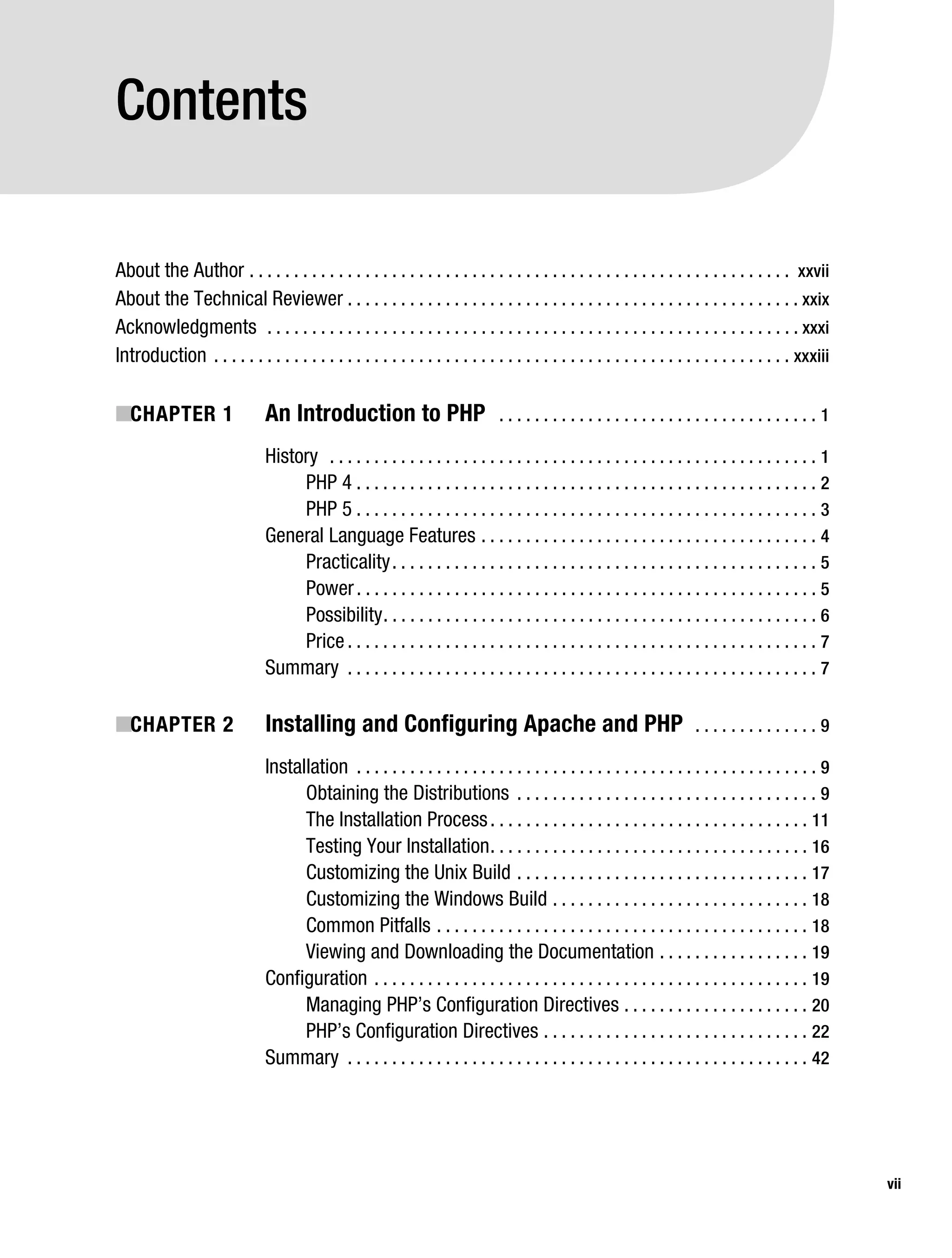
           Contents

           About the Author . . . . . . . . . . . . . . . . . . . . . . . . . . . . . . . . . . . . . . . . . . . . . . . . . . . . . . . . . . . . . xxvii
           About the Technical Reviewer . . . . . . . . . . . . . . . . . . . . . . . . . . . . . . . . . . . . . . . . . . . . . . . . . . . xxix
           Acknowledgments . . . . . . . . . . . . . . . . . . . . . . . . . . . . . . . . . . . . . . . . . . . . . . . . . . . . . . . . . . . . xxxi
           Introduction . . . . . . . . . . . . . . . . . . . . . . . . . . . . . . . . . . . . . . . . . . . . . . . . . . . . . . . . . . . . . . . . . xxxiii

           ■CHAPTER 1                     An Introduction to PHP                           ....................................1

                                          History . . . . . . . . . . . . . . . . . . . . . . . . . . . . . . . . . . . . . . . . . . . . . . . . . . . . . . . 1
                                               PHP 4 . . . . . . . . . . . . . . . . . . . . . . . . . . . . . . . . . . . . . . . . . . . . . . . . . . . . 2
                                               PHP 5 . . . . . . . . . . . . . . . . . . . . . . . . . . . . . . . . . . . . . . . . . . . . . . . . . . . . 3
                                          General Language Features . . . . . . . . . . . . . . . . . . . . . . . . . . . . . . . . . . . . . . 4
                                               Practicality . . . . . . . . . . . . . . . . . . . . . . . . . . . . . . . . . . . . . . . . . . . . . . . . 5
                                               Power . . . . . . . . . . . . . . . . . . . . . . . . . . . . . . . . . . . . . . . . . . . . . . . . . . . . 5
                                               Possibility . . . . . . . . . . . . . . . . . . . . . . . . . . . . . . . . . . . . . . . . . . . . . . . . . 6
                                               Price . . . . . . . . . . . . . . . . . . . . . . . . . . . . . . . . . . . . . . . . . . . . . . . . . . . . . 7
                                          Summary . . . . . . . . . . . . . . . . . . . . . . . . . . . . . . . . . . . . . . . . . . . . . . . . . . . . . 7

           ■CHAPTER 2                     Installing and Configuring Apache and PHP                                                 ..............9

                                          Installation . . . . . . . . . . . . . . . . . . . . . . . . . . . . . . . . . . . . . . . . . . . . . . . . . . . . 9
                                                Obtaining the Distributions . . . . . . . . . . . . . . . . . . . . . . . . . . . . . . . . . . 9
                                                The Installation Process . . . . . . . . . . . . . . . . . . . . . . . . . . . . . . . . . . . . 11
                                                Testing Your Installation . . . . . . . . . . . . . . . . . . . . . . . . . . . . . . . . . . . . 16
                                                Customizing the Unix Build . . . . . . . . . . . . . . . . . . . . . . . . . . . . . . . . . 17
                                                Customizing the Windows Build . . . . . . . . . . . . . . . . . . . . . . . . . . . . . 18
                                                Common Pitfalls . . . . . . . . . . . . . . . . . . . . . . . . . . . . . . . . . . . . . . . . . . 18
                                                Viewing and Downloading the Documentation . . . . . . . . . . . . . . . . . 19
                                          Configuration . . . . . . . . . . . . . . . . . . . . . . . . . . . . . . . . . . . . . . . . . . . . . . . . . 19
                                                Managing PHP’s Configuration Directives . . . . . . . . . . . . . . . . . . . . . 20
                                                PHP’s Configuration Directives . . . . . . . . . . . . . . . . . . . . . . . . . . . . . . 22
                                          Summary . . . . . . . . . . . . . . . . . . . . . . . . . . . . . . . . . . . . . . . . . . . . . . . . . . . . 42


                                                                                                                                                                    vii
Gilmore_552-1Front.fm Page viii Wednesday, December 21, 2005 3:05 PM


viii       ■C O N T E N T S


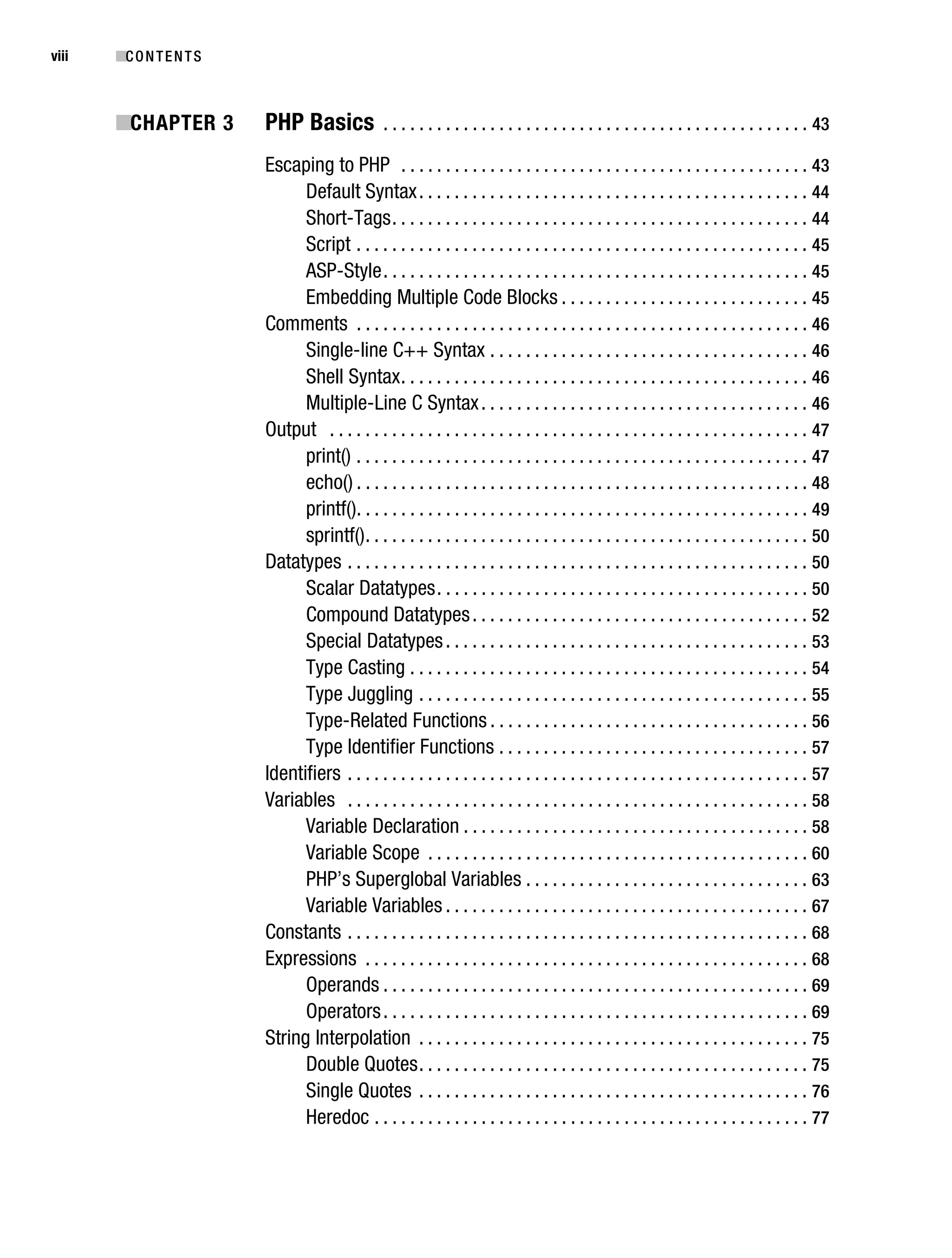
           ■CHAPTER 3               PHP Basics              . . . . . . . . . . . . . . . . . . . . . . . . . . . . . . . . . . . . . . . . . . . . . . . . 43

                                    Escaping to PHP . . . . . . . . . . . . . . . . . . . . . . . . . . . . . . . . . . . . . . . . . . . . . . 43
                                          Default Syntax . . . . . . . . . . . . . . . . . . . . . . . . . . . . . . . . . . . . . . . . . . . . 44
                                          Short-Tags . . . . . . . . . . . . . . . . . . . . . . . . . . . . . . . . . . . . . . . . . . . . . . . 44
                                          Script . . . . . . . . . . . . . . . . . . . . . . . . . . . . . . . . . . . . . . . . . . . . . . . . . . . 45
                                          ASP-Style . . . . . . . . . . . . . . . . . . . . . . . . . . . . . . . . . . . . . . . . . . . . . . . . 45
                                          Embedding Multiple Code Blocks . . . . . . . . . . . . . . . . . . . . . . . . . . . . 45
                                    Comments . . . . . . . . . . . . . . . . . . . . . . . . . . . . . . . . . . . . . . . . . . . . . . . . . . . 46
                                          Single-line C++ Syntax . . . . . . . . . . . . . . . . . . . . . . . . . . . . . . . . . . . . 46
                                          Shell Syntax . . . . . . . . . . . . . . . . . . . . . . . . . . . . . . . . . . . . . . . . . . . . . . 46
                                          Multiple-Line C Syntax . . . . . . . . . . . . . . . . . . . . . . . . . . . . . . . . . . . . . 46
                                    Output . . . . . . . . . . . . . . . . . . . . . . . . . . . . . . . . . . . . . . . . . . . . . . . . . . . . . . 47
                                          print() . . . . . . . . . . . . . . . . . . . . . . . . . . . . . . . . . . . . . . . . . . . . . . . . . . . 47
                                          echo() . . . . . . . . . . . . . . . . . . . . . . . . . . . . . . . . . . . . . . . . . . . . . . . . . . . 48
                                          printf(). . . . . . . . . . . . . . . . . . . . . . . . . . . . . . . . . . . . . . . . . . . . . . . . . . . 49
                                          sprintf() . . . . . . . . . . . . . . . . . . . . . . . . . . . . . . . . . . . . . . . . . . . . . . . . . . 50
                                    Datatypes . . . . . . . . . . . . . . . . . . . . . . . . . . . . . . . . . . . . . . . . . . . . . . . . . . . . 50
                                          Scalar Datatypes . . . . . . . . . . . . . . . . . . . . . . . . . . . . . . . . . . . . . . . . . . 50
                                          Compound Datatypes . . . . . . . . . . . . . . . . . . . . . . . . . . . . . . . . . . . . . . 52
                                          Special Datatypes . . . . . . . . . . . . . . . . . . . . . . . . . . . . . . . . . . . . . . . . . 53
                                          Type Casting . . . . . . . . . . . . . . . . . . . . . . . . . . . . . . . . . . . . . . . . . . . . . 54
                                          Type Juggling . . . . . . . . . . . . . . . . . . . . . . . . . . . . . . . . . . . . . . . . . . . . 55
                                          Type-Related Functions . . . . . . . . . . . . . . . . . . . . . . . . . . . . . . . . . . . . 56
                                          Type Identifier Functions . . . . . . . . . . . . . . . . . . . . . . . . . . . . . . . . . . . 57
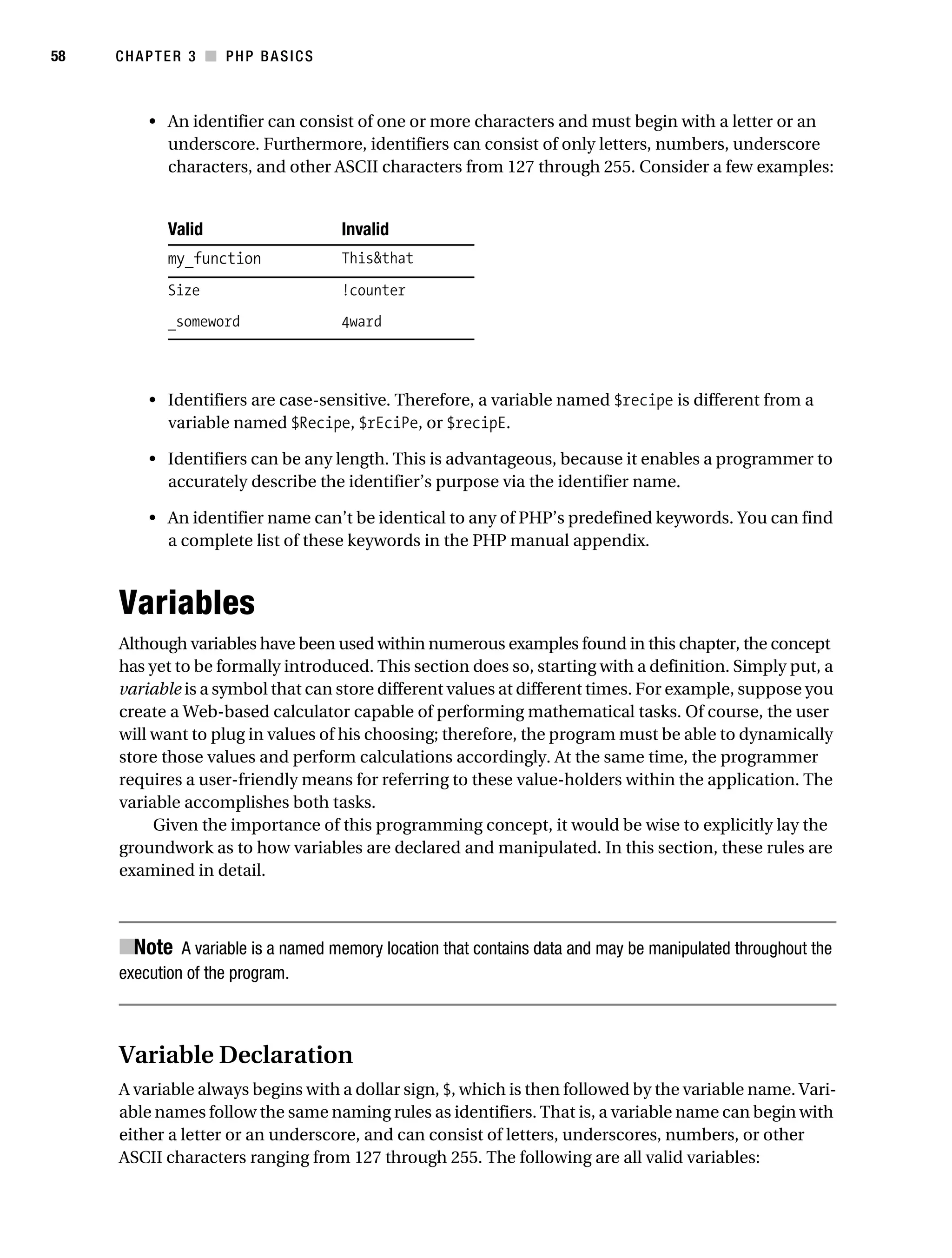
                                    Identifiers . . . . . . . . . . . . . . . . . . . . . . . . . . . . . . . . . . . . . . . . . . . . . . . . . . . . 57
                                    Variables . . . . . . . . . . . . . . . . . . . . . . . . . . . . . . . . . . . . . . . . . . . . . . . . . . . . 58
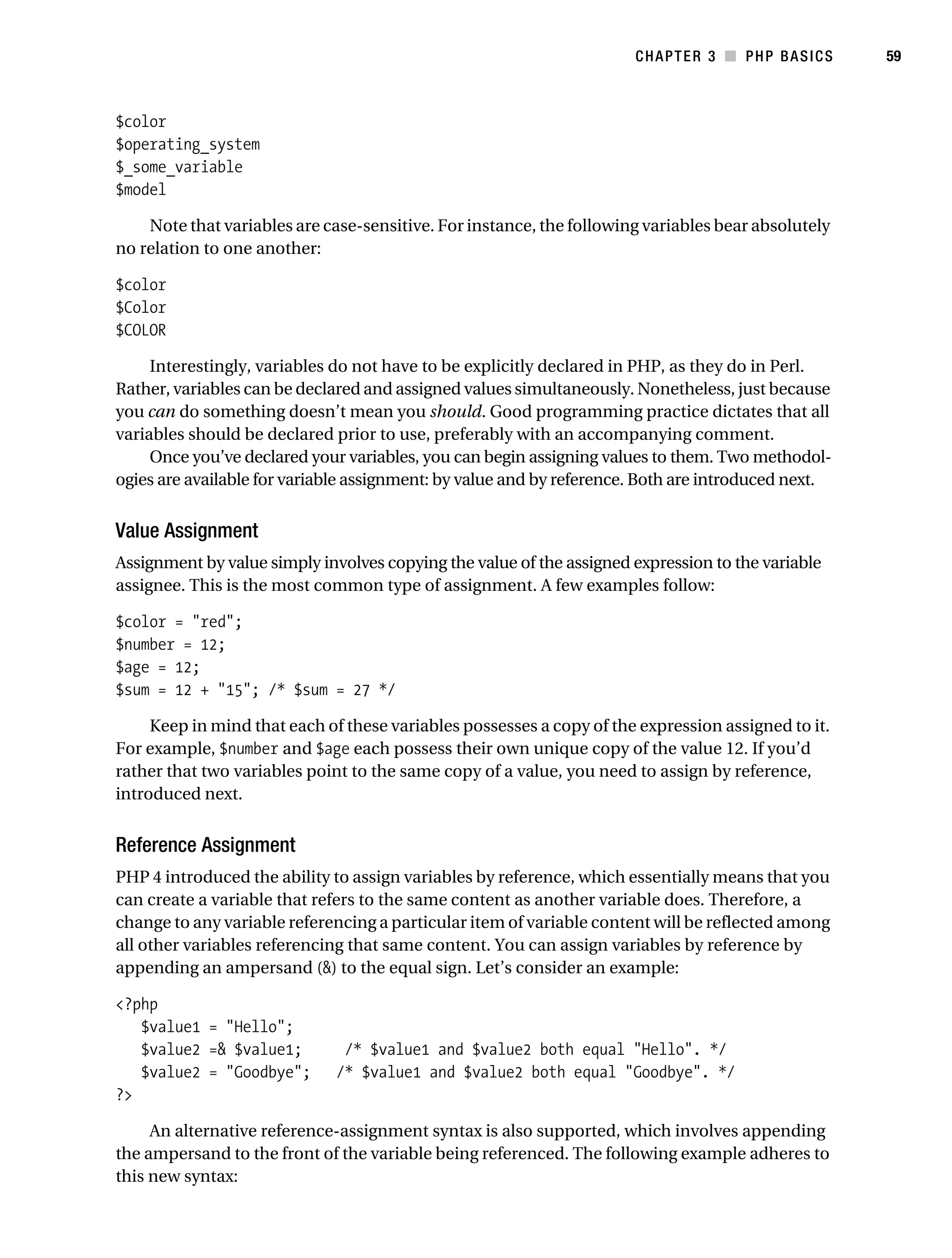
                                          Variable Declaration . . . . . . . . . . . . . . . . . . . . . . . . . . . . . . . . . . . . . . . 58
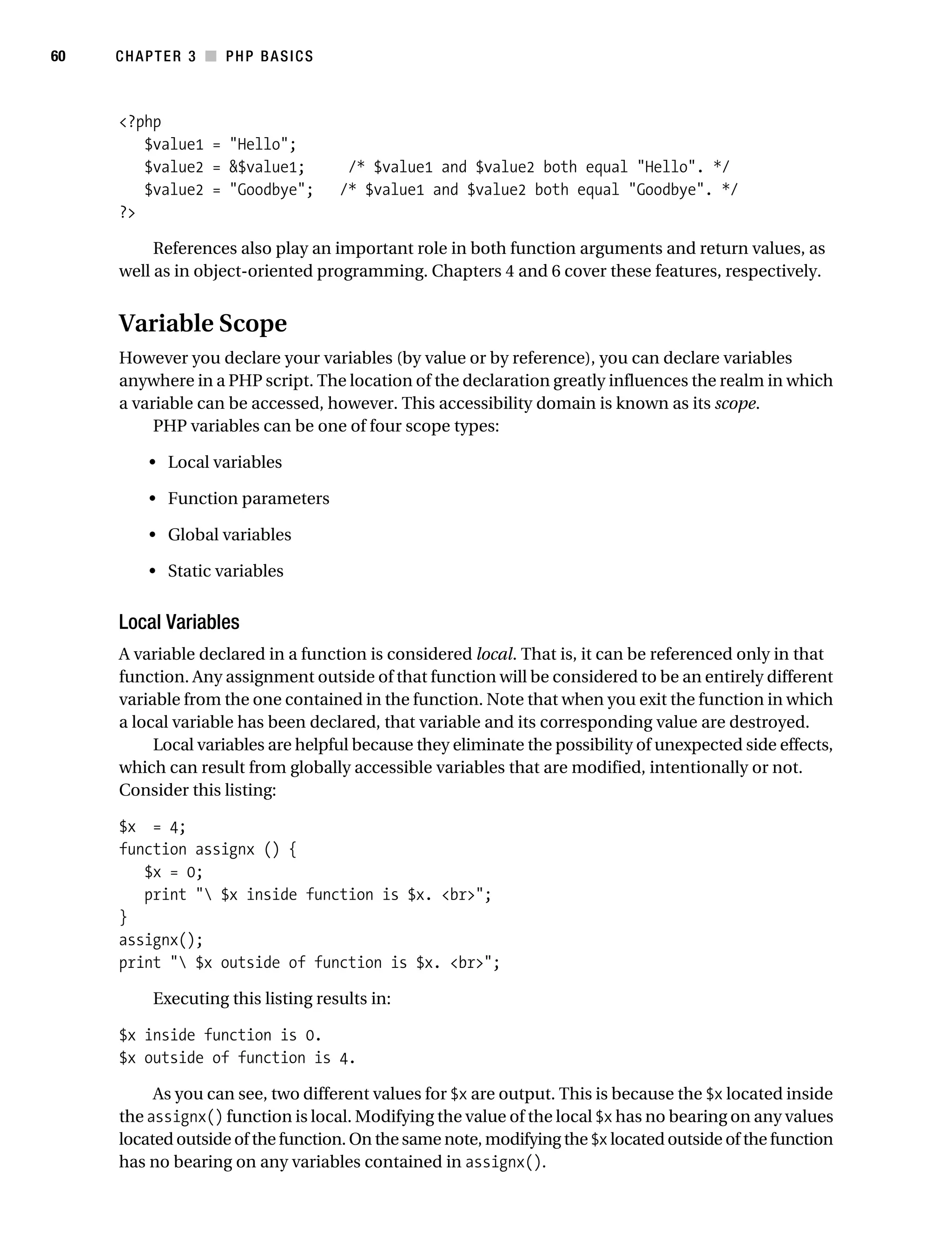
                                          Variable Scope . . . . . . . . . . . . . . . . . . . . . . . . . . . . . . . . . . . . . . . . . . . 60
                                          PHP’s Superglobal Variables . . . . . . . . . . . . . . . . . . . . . . . . . . . . . . . . 63
                                          Variable Variables . . . . . . . . . . . . . . . . . . . . . . . . . . . . . . . . . . . . . . . . . 67
                                    Constants . . . . . . . . . . . . . . . . . . . . . . . . . . . . . . . . . . . . . . . . . . . . . . . . . . . . 68
                                    Expressions . . . . . . . . . . . . . . . . . . . . . . . . . . . . . . . . . . . . . . . . . . . . . . . . . . 68
                                          Operands . . . . . . . . . . . . . . . . . . . . . . . . . . . . . . . . . . . . . . . . . . . . . . . . 69
                                          Operators . . . . . . . . . . . . . . . . . . . . . . . . . . . . . . . . . . . . . . . . . . . . . . . . 69
                                    String Interpolation . . . . . . . . . . . . . . . . . . . . . . . . . . . . . . . . . . . . . . . . . . . . 75
                                          Double Quotes . . . . . . . . . . . . . . . . . . . . . . . . . . . . . . . . . . . . . . . . . . . . 75
                                          Single Quotes . . . . . . . . . . . . . . . . . . . . . . . . . . . . . . . . . . . . . . . . . . . . 76
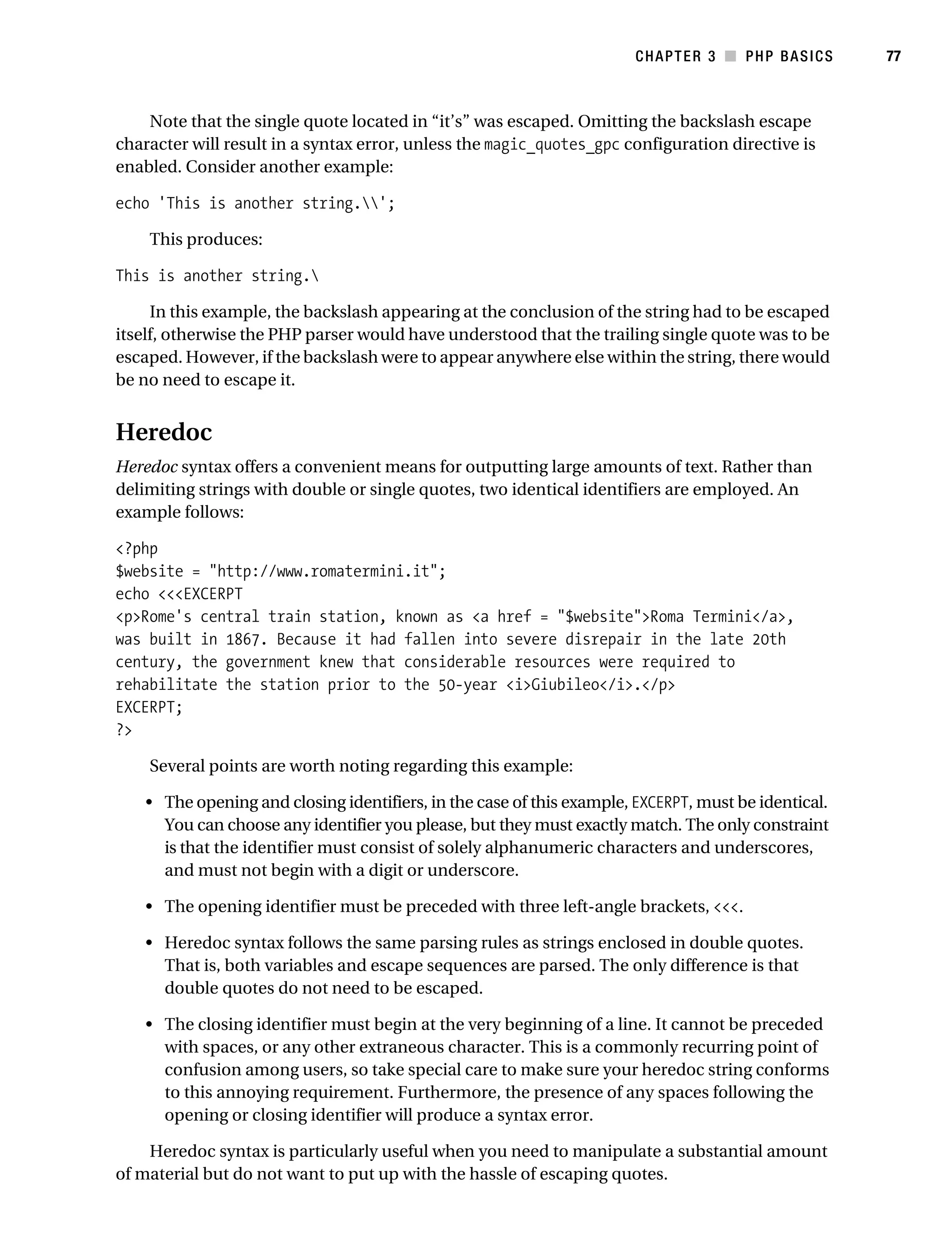
                                          Heredoc . . . . . . . . . . . . . . . . . . . . . . . . . . . . . . . . . . . . . . . . . . . . . . . . . 77
Gilmore_552-1Front.fm Page ix Wednesday, December 21, 2005 3:05 PM


                                                                                                                                           ■C O N T E N T S     ix


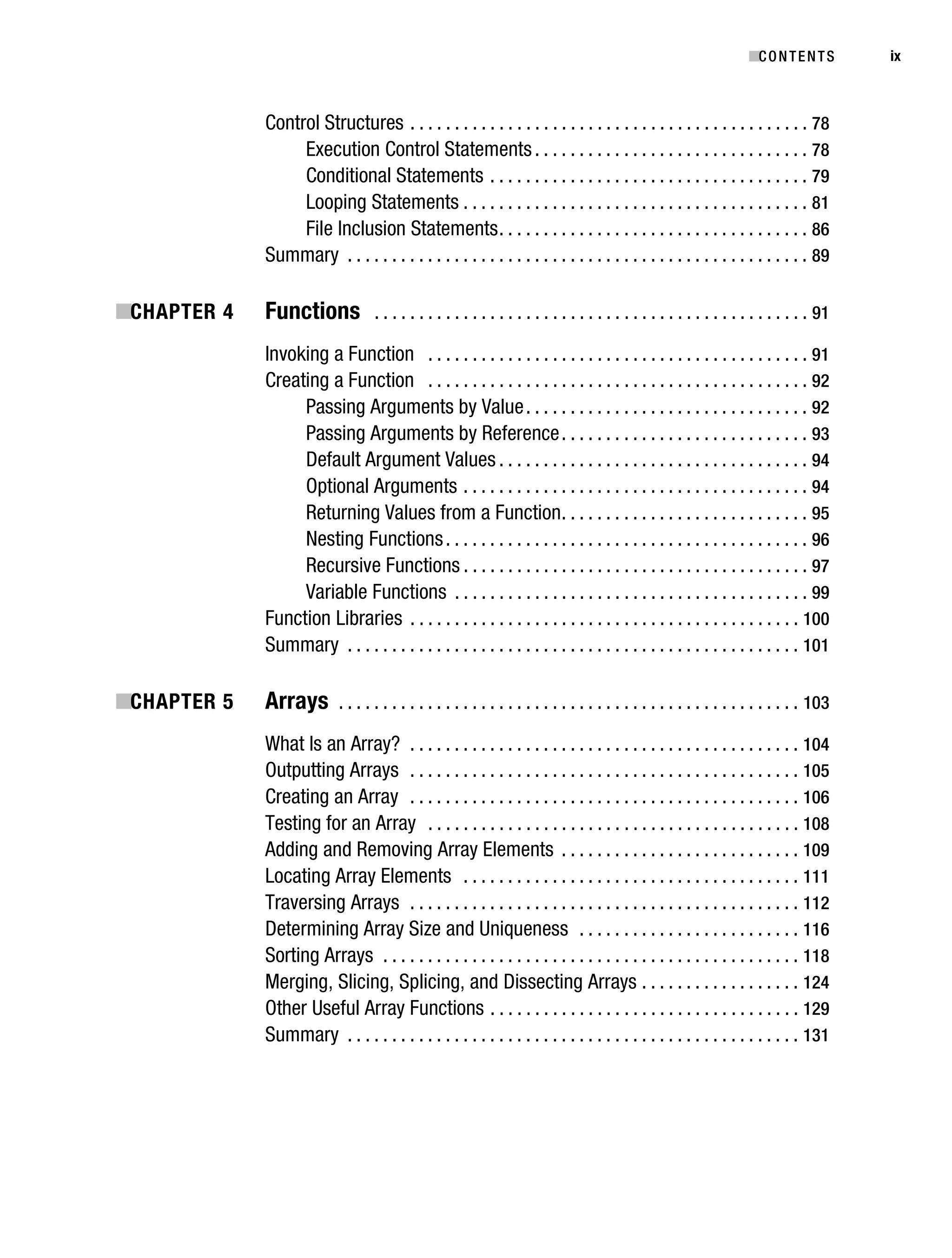
                                   Control Structures . . . . . . . . . . . . . . . . . . . . . . . . . . . . . . . . . . . . . . . . . . . . . 78
                                        Execution Control Statements . . . . . . . . . . . . . . . . . . . . . . . . . . . . . . . 78
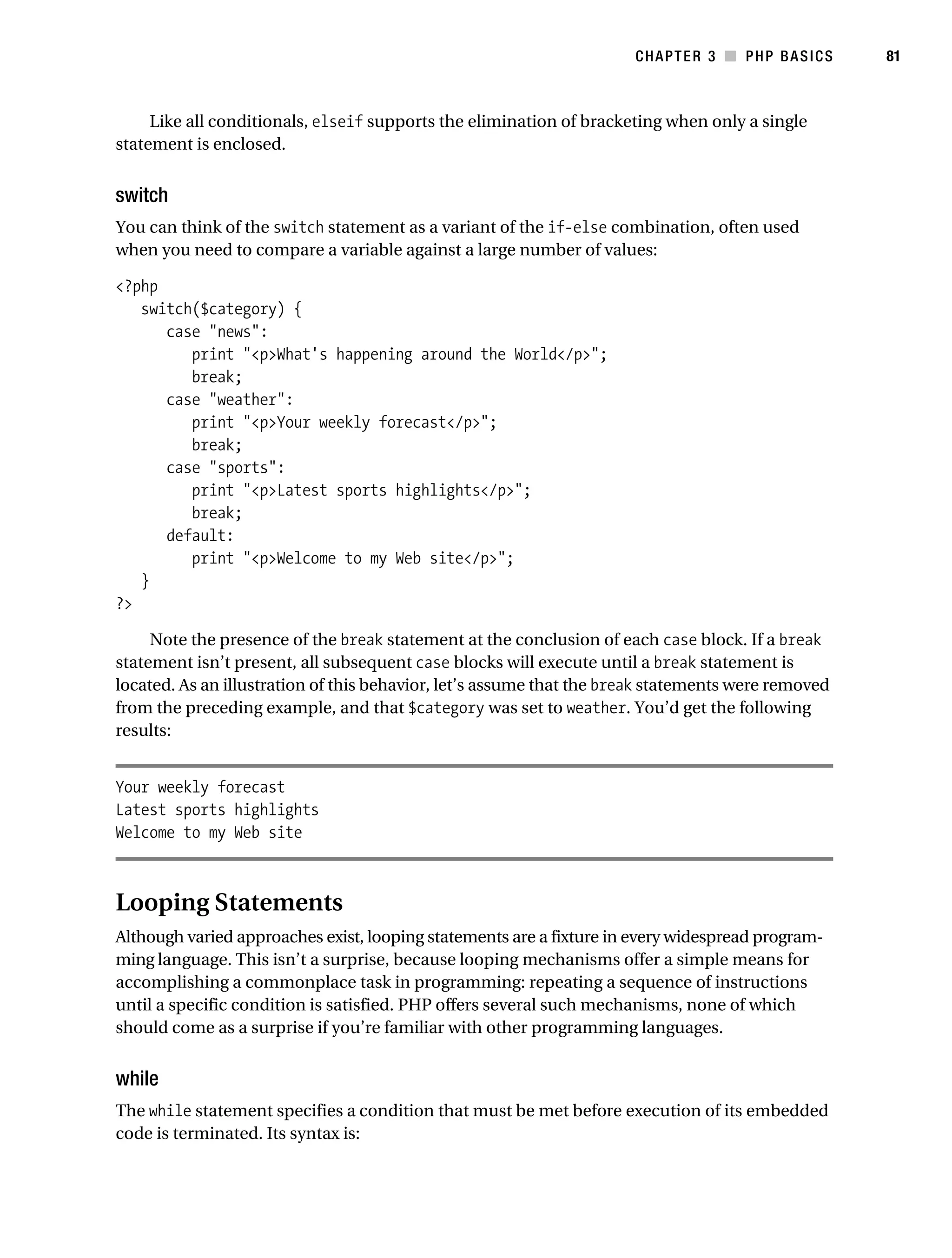
                                        Conditional Statements . . . . . . . . . . . . . . . . . . . . . . . . . . . . . . . . . . . . 79
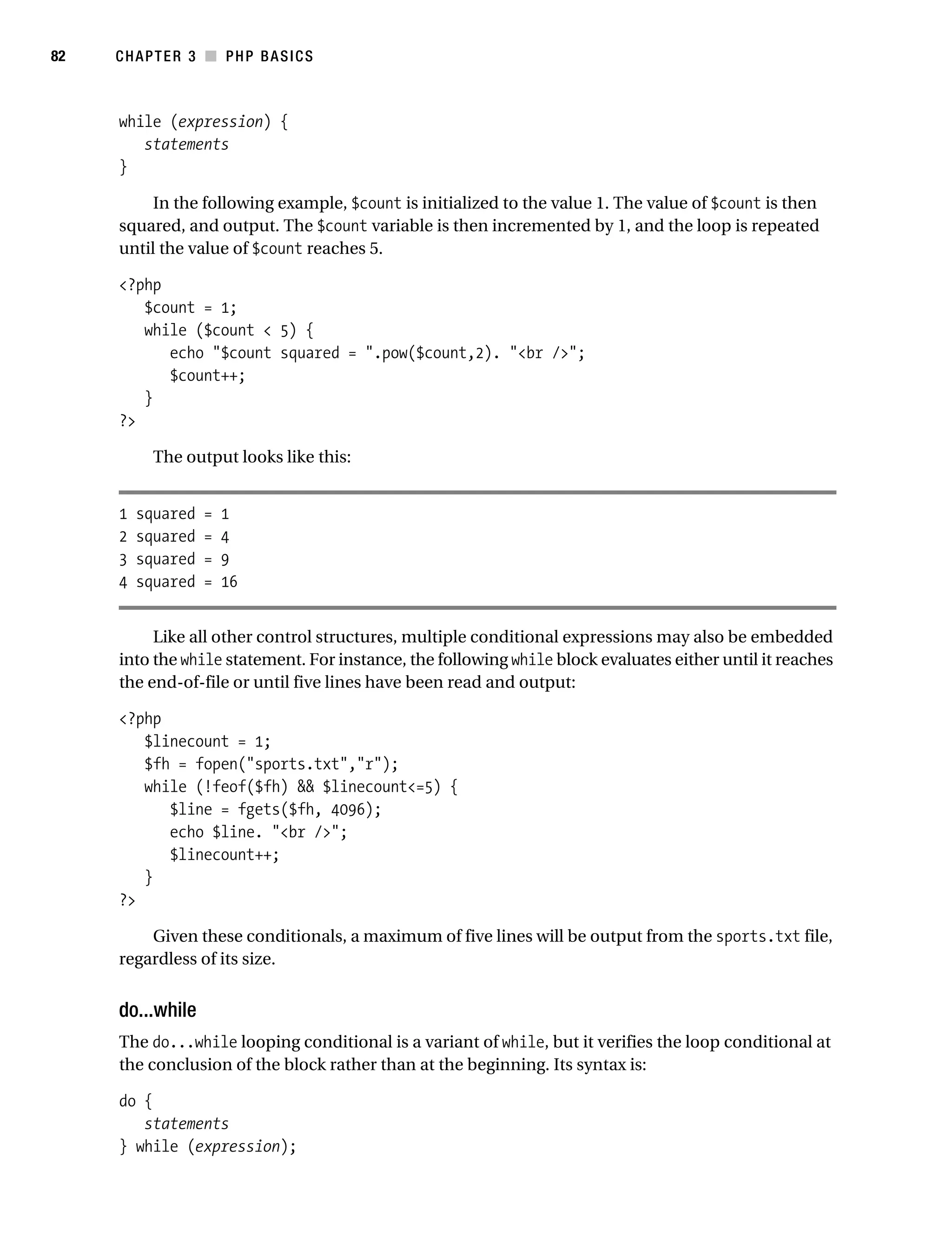
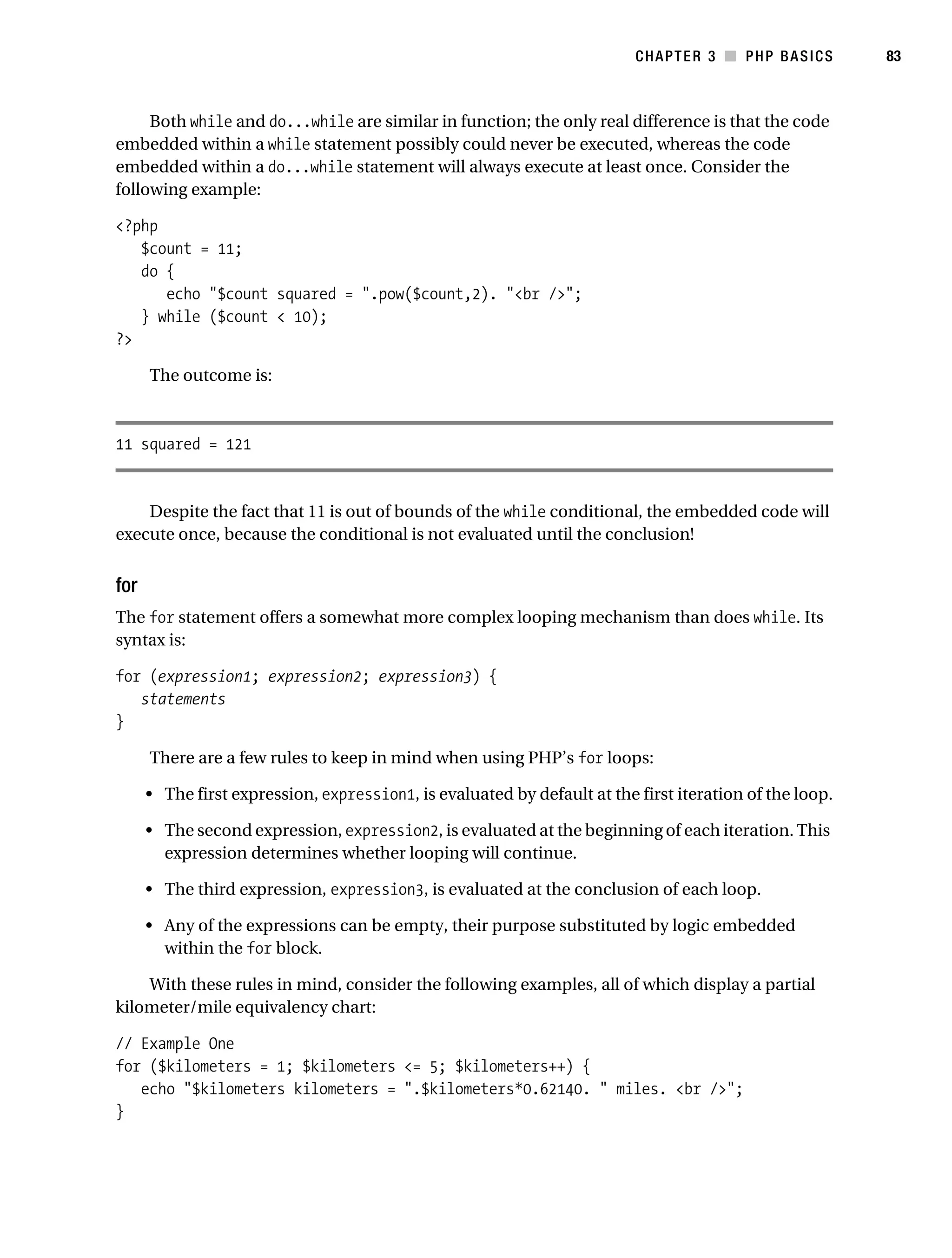
                                        Looping Statements . . . . . . . . . . . . . . . . . . . . . . . . . . . . . . . . . . . . . . . 81
                                        File Inclusion Statements . . . . . . . . . . . . . . . . . . . . . . . . . . . . . . . . . . . 86
                                   Summary . . . . . . . . . . . . . . . . . . . . . . . . . . . . . . . . . . . . . . . . . . . . . . . . . . . . 89

           ■CHAPTER 4              Functions             . . . . . . . . . . . . . . . . . . . . . . . . . . . . . . . . . . . . . . . . . . . . . . . . . 91

                                   Invoking a Function . . . . . . . . . . . . . . . . . . . . . . . . . . . . . . . . . . . . . . . . . . . 91
                                   Creating a Function . . . . . . . . . . . . . . . . . . . . . . . . . . . . . . . . . . . . . . . . . . . 92
                                        Passing Arguments by Value . . . . . . . . . . . . . . . . . . . . . . . . . . . . . . . . 92
                                        Passing Arguments by Reference . . . . . . . . . . . . . . . . . . . . . . . . . . . . 93
                                        Default Argument Values . . . . . . . . . . . . . . . . . . . . . . . . . . . . . . . . . . . 94
                                        Optional Arguments . . . . . . . . . . . . . . . . . . . . . . . . . . . . . . . . . . . . . . . 94
                                        Returning Values from a Function . . . . . . . . . . . . . . . . . . . . . . . . . . . . 95
                                        Nesting Functions . . . . . . . . . . . . . . . . . . . . . . . . . . . . . . . . . . . . . . . . . 96
                                        Recursive Functions . . . . . . . . . . . . . . . . . . . . . . . . . . . . . . . . . . . . . . . 97
                                        Variable Functions . . . . . . . . . . . . . . . . . . . . . . . . . . . . . . . . . . . . . . . . 99
                                   Function Libraries . . . . . . . . . . . . . . . . . . . . . . . . . . . . . . . . . . . . . . . . . . . . 100
                                   Summary . . . . . . . . . . . . . . . . . . . . . . . . . . . . . . . . . . . . . . . . . . . . . . . . . . . 101

           ■CHAPTER 5              Arrays        . . . . . . . . . . . . . . . . . . . . . . . . . . . . . . . . . . . . . . . . . . . . . . . . . . . . 103

                                   What Is an Array? . . . . . . . . . . . . . . . . . . . . . . . . . . . . . . . . . . . . . . . . . . . . 104
                                   Outputting Arrays . . . . . . . . . . . . . . . . . . . . . . . . . . . . . . . . . . . . . . . . . . . . 105
                                   Creating an Array . . . . . . . . . . . . . . . . . . . . . . . . . . . . . . . . . . . . . . . . . . . . 106
                                   Testing for an Array . . . . . . . . . . . . . . . . . . . . . . . . . . . . . . . . . . . . . . . . . . 108
                                   Adding and Removing Array Elements . . . . . . . . . . . . . . . . . . . . . . . . . . . 109
                                   Locating Array Elements . . . . . . . . . . . . . . . . . . . . . . . . . . . . . . . . . . . . . . 111
                                   Traversing Arrays . . . . . . . . . . . . . . . . . . . . . . . . . . . . . . . . . . . . . . . . . . . . 112
                                   Determining Array Size and Uniqueness . . . . . . . . . . . . . . . . . . . . . . . . . 116
                                   Sorting Arrays . . . . . . . . . . . . . . . . . . . . . . . . . . . . . . . . . . . . . . . . . . . . . . . 118
                                   Merging, Slicing, Splicing, and Dissecting Arrays . . . . . . . . . . . . . . . . . . 124
                                   Other Useful Array Functions . . . . . . . . . . . . . . . . . . . . . . . . . . . . . . . . . . . 129
                                   Summary . . . . . . . . . . . . . . . . . . . . . . . . . . . . . . . . . . . . . . . . . . . . . . . . . . . 131
Gilmore_552-1Front.fm Page x Wednesday, December 21, 2005 3:05 PM


x          ■C O N T E N T S


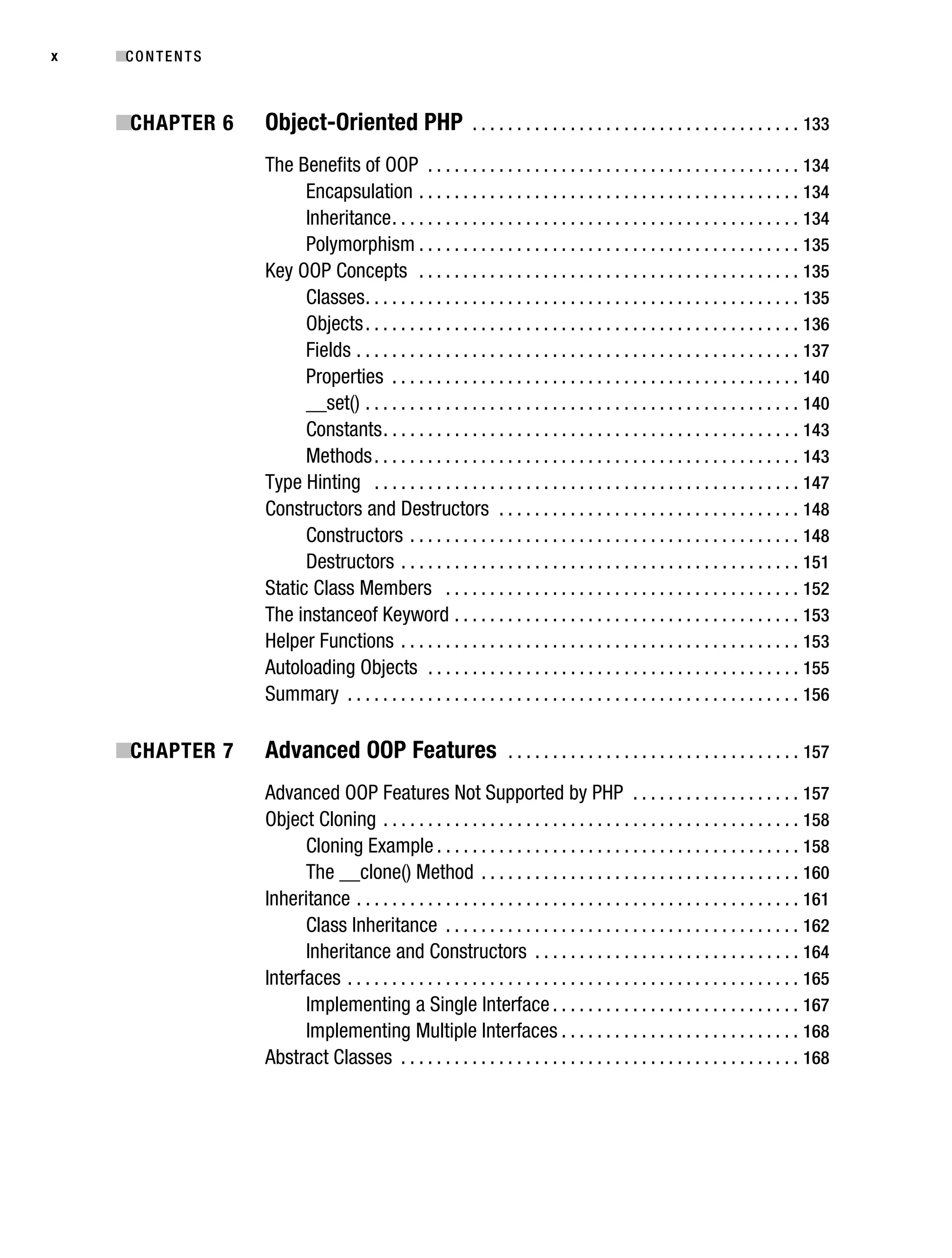
           ■CHAPTER 6              Object-Oriented PHP                       . . . . . . . . . . . . . . . . . . . . . . . . . . . . . . . . . . . . . 133

                                   The Benefits of OOP . . . . . . . . . . . . . . . . . . . . . . . . . . . . . . . . . . . . . . . . . . 134
                                         Encapsulation . . . . . . . . . . . . . . . . . . . . . . . . . . . . . . . . . . . . . . . . . . . 134
                                         Inheritance . . . . . . . . . . . . . . . . . . . . . . . . . . . . . . . . . . . . . . . . . . . . . . 134
                                         Polymorphism . . . . . . . . . . . . . . . . . . . . . . . . . . . . . . . . . . . . . . . . . . . 135
                                   Key OOP Concepts . . . . . . . . . . . . . . . . . . . . . . . . . . . . . . . . . . . . . . . . . . . 135
                                         Classes . . . . . . . . . . . . . . . . . . . . . . . . . . . . . . . . . . . . . . . . . . . . . . . . . 135
                                         Objects . . . . . . . . . . . . . . . . . . . . . . . . . . . . . . . . . . . . . . . . . . . . . . . . . 136
                                         Fields . . . . . . . . . . . . . . . . . . . . . . . . . . . . . . . . . . . . . . . . . . . . . . . . . . 137
                                         Properties . . . . . . . . . . . . . . . . . . . . . . . . . . . . . . . . . . . . . . . . . . . . . . 140
                                         __set() . . . . . . . . . . . . . . . . . . . . . . . . . . . . . . . . . . . . . . . . . . . . . . . . . 140
                                         Constants . . . . . . . . . . . . . . . . . . . . . . . . . . . . . . . . . . . . . . . . . . . . . . . 143
                                         Methods . . . . . . . . . . . . . . . . . . . . . . . . . . . . . . . . . . . . . . . . . . . . . . . . 143
                                   Type Hinting . . . . . . . . . . . . . . . . . . . . . . . . . . . . . . . . . . . . . . . . . . . . . . . . 147
                                   Constructors and Destructors . . . . . . . . . . . . . . . . . . . . . . . . . . . . . . . . . . 148
                                         Constructors . . . . . . . . . . . . . . . . . . . . . . . . . . . . . . . . . . . . . . . . . . . . 148
                                         Destructors . . . . . . . . . . . . . . . . . . . . . . . . . . . . . . . . . . . . . . . . . . . . . 151
                                   Static Class Members . . . . . . . . . . . . . . . . . . . . . . . . . . . . . . . . . . . . . . . . 152
                                   The instanceof Keyword . . . . . . . . . . . . . . . . . . . . . . . . . . . . . . . . . . . . . . . 153
                                   Helper Functions . . . . . . . . . . . . . . . . . . . . . . . . . . . . . . . . . . . . . . . . . . . . . 153
                                   Autoloading Objects . . . . . . . . . . . . . . . . . . . . . . . . . . . . . . . . . . . . . . . . . . 155
                                   Summary . . . . . . . . . . . . . . . . . . . . . . . . . . . . . . . . . . . . . . . . . . . . . . . . . . . 156

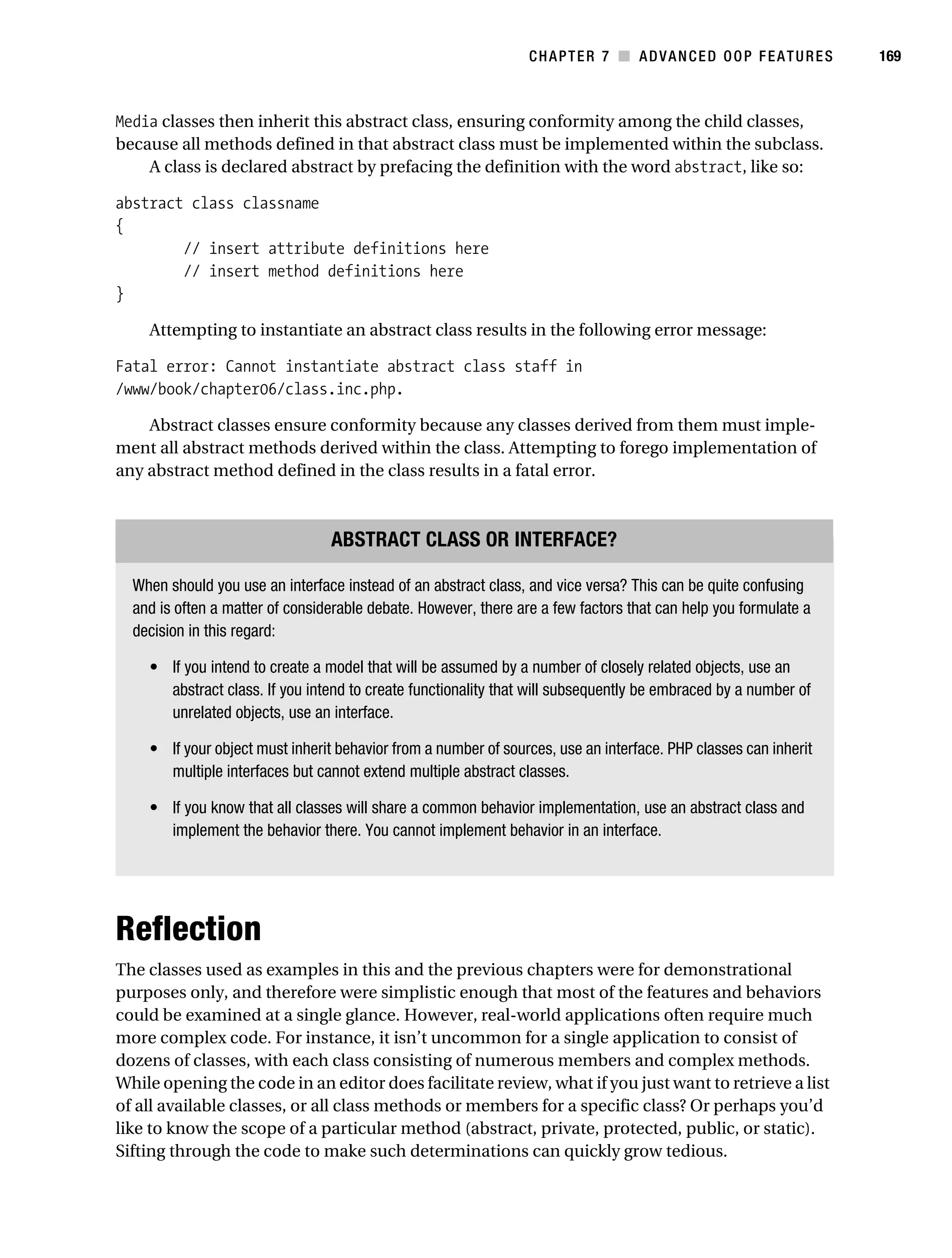
           ■CHAPTER 7              Advanced OOP Features                             . . . . . . . . . . . . . . . . . . . . . . . . . . . . . . . . . 157

                                   Advanced OOP Features Not Supported by PHP . . . . . . . . . . . . . . . . . . . 157
                                   Object Cloning . . . . . . . . . . . . . . . . . . . . . . . . . . . . . . . . . . . . . . . . . . . . . . . 158
                                         Cloning Example . . . . . . . . . . . . . . . . . . . . . . . . . . . . . . . . . . . . . . . . . 158
                                         The __clone() Method . . . . . . . . . . . . . . . . . . . . . . . . . . . . . . . . . . . . 160
                                   Inheritance . . . . . . . . . . . . . . . . . . . . . . . . . . . . . . . . . . . . . . . . . . . . . . . . . . 161
                                         Class Inheritance . . . . . . . . . . . . . . . . . . . . . . . . . . . . . . . . . . . . . . . . 162
                                         Inheritance and Constructors . . . . . . . . . . . . . . . . . . . . . . . . . . . . . . 164
                                   Interfaces . . . . . . . . . . . . . . . . . . . . . . . . . . . . . . . . . . . . . . . . . . . . . . . . . . . 165
                                         Implementing a Single Interface . . . . . . . . . . . . . . . . . . . . . . . . . . . . 167
                                         Implementing Multiple Interfaces . . . . . . . . . . . . . . . . . . . . . . . . . . . 168
                                   Abstract Classes . . . . . . . . . . . . . . . . . . . . . . . . . . . . . . . . . . . . . . . . . . . . . 168
Gilmore_552-1Front.fm Page xi Wednesday, December 21, 2005 3:05 PM


                                                                                                                                      ■C O N T E N T S     xi


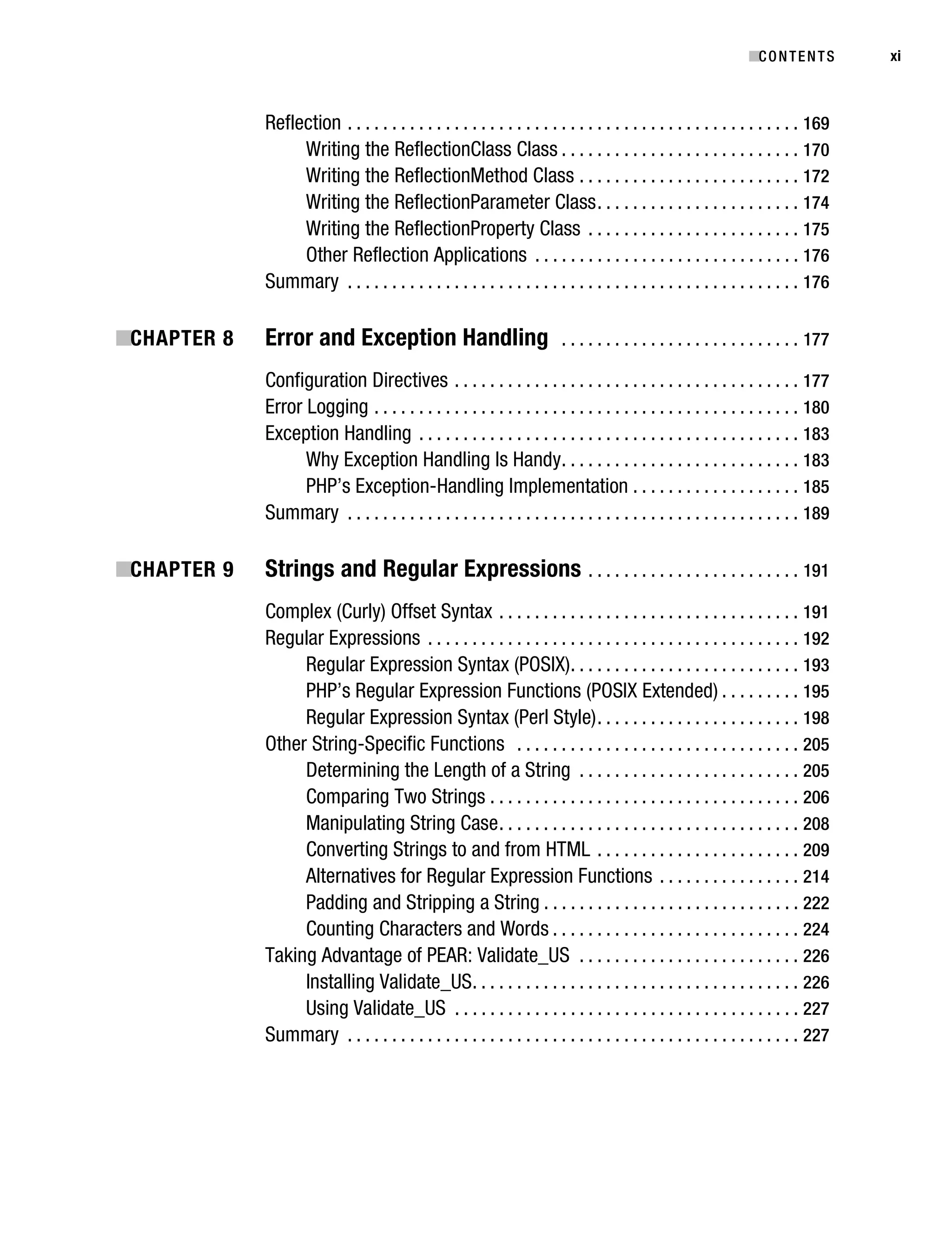
                                   Reflection . . . . . . . . . . . . . . . . . . . . . . . . . . . . . . . . . . . . . . . . . . . . . . . . . . . 169
                                        Writing the ReflectionClass Class . . . . . . . . . . . . . . . . . . . . . . . . . . . 170
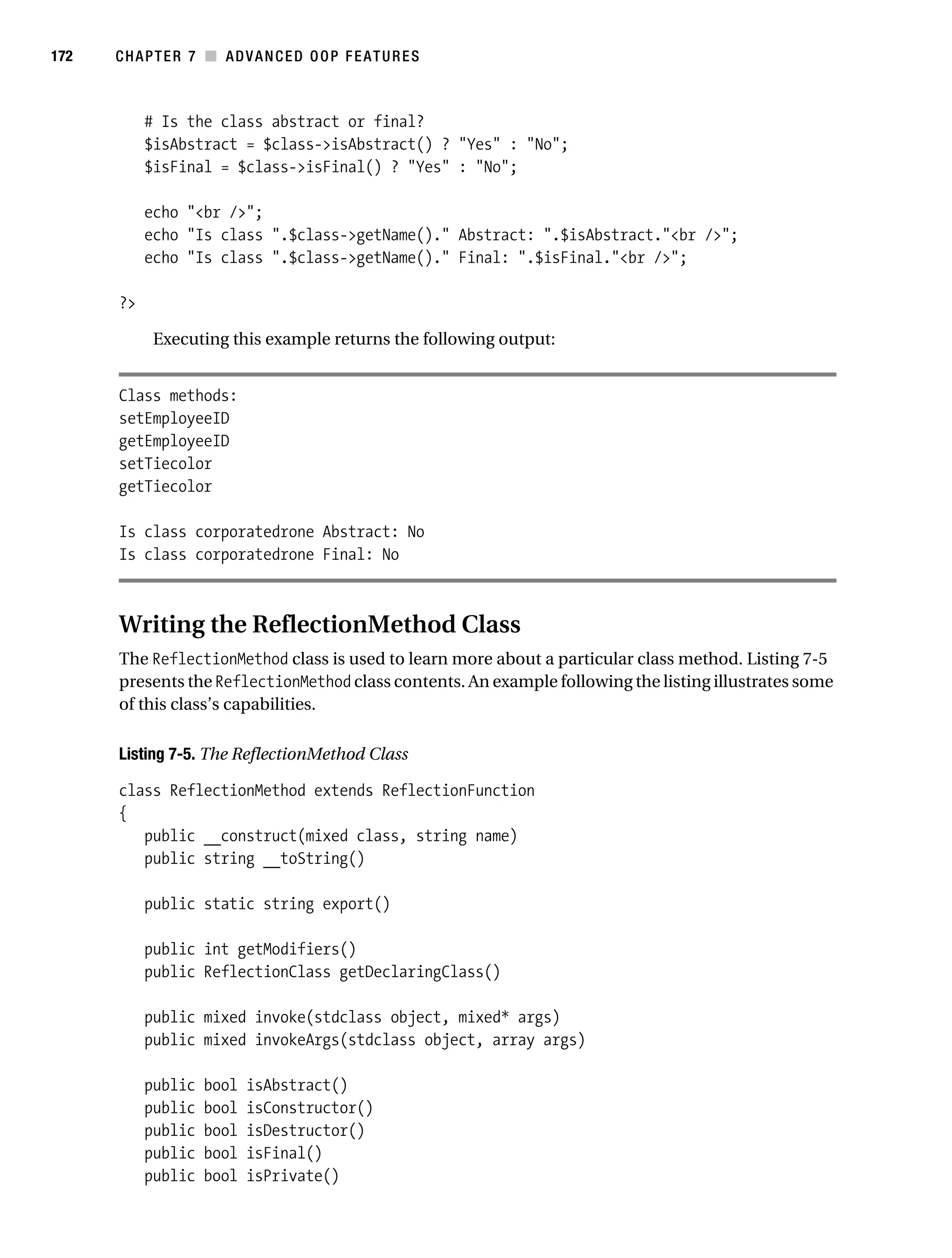
                                        Writing the ReflectionMethod Class . . . . . . . . . . . . . . . . . . . . . . . . . 172
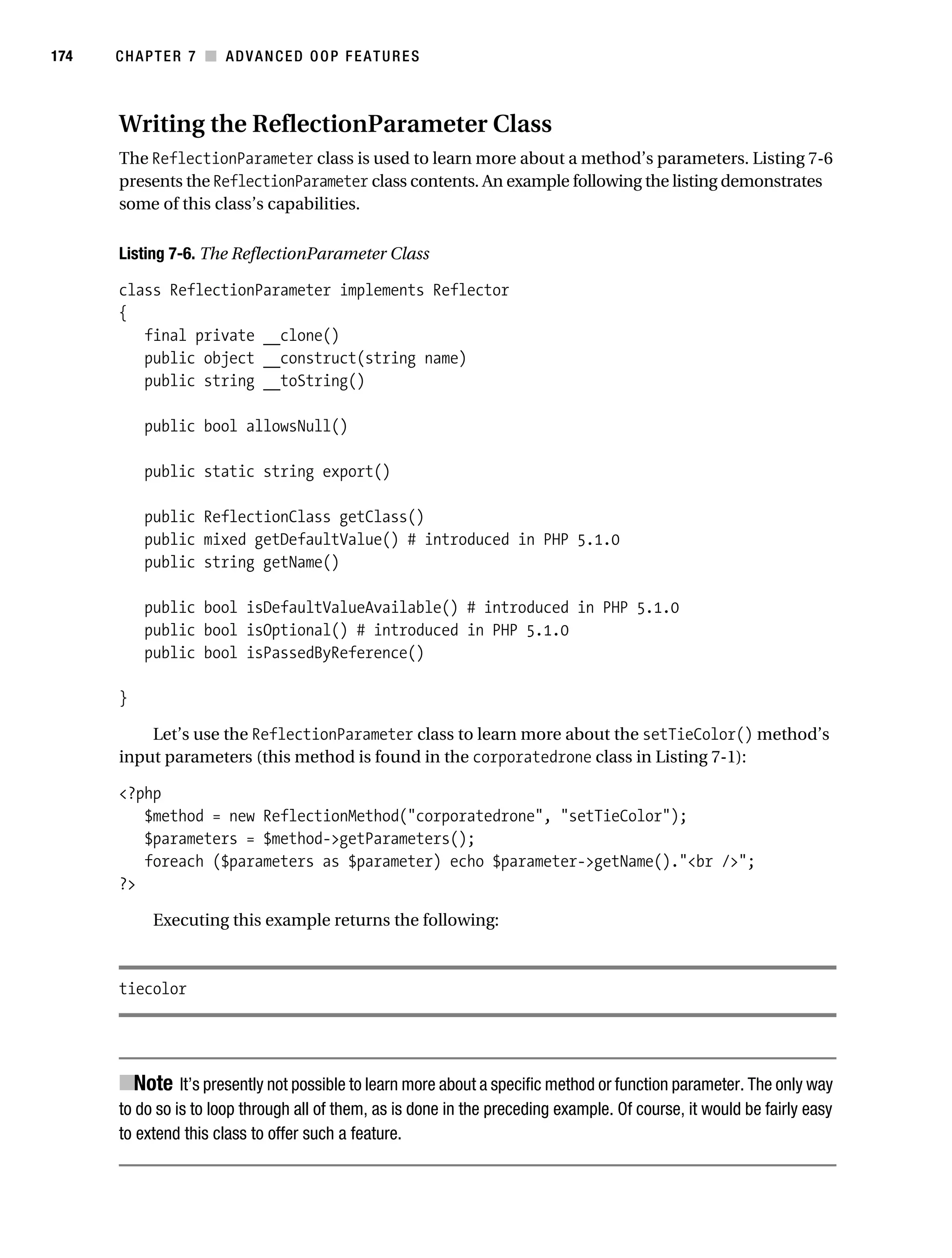
                                        Writing the ReflectionParameter Class . . . . . . . . . . . . . . . . . . . . . . . 174
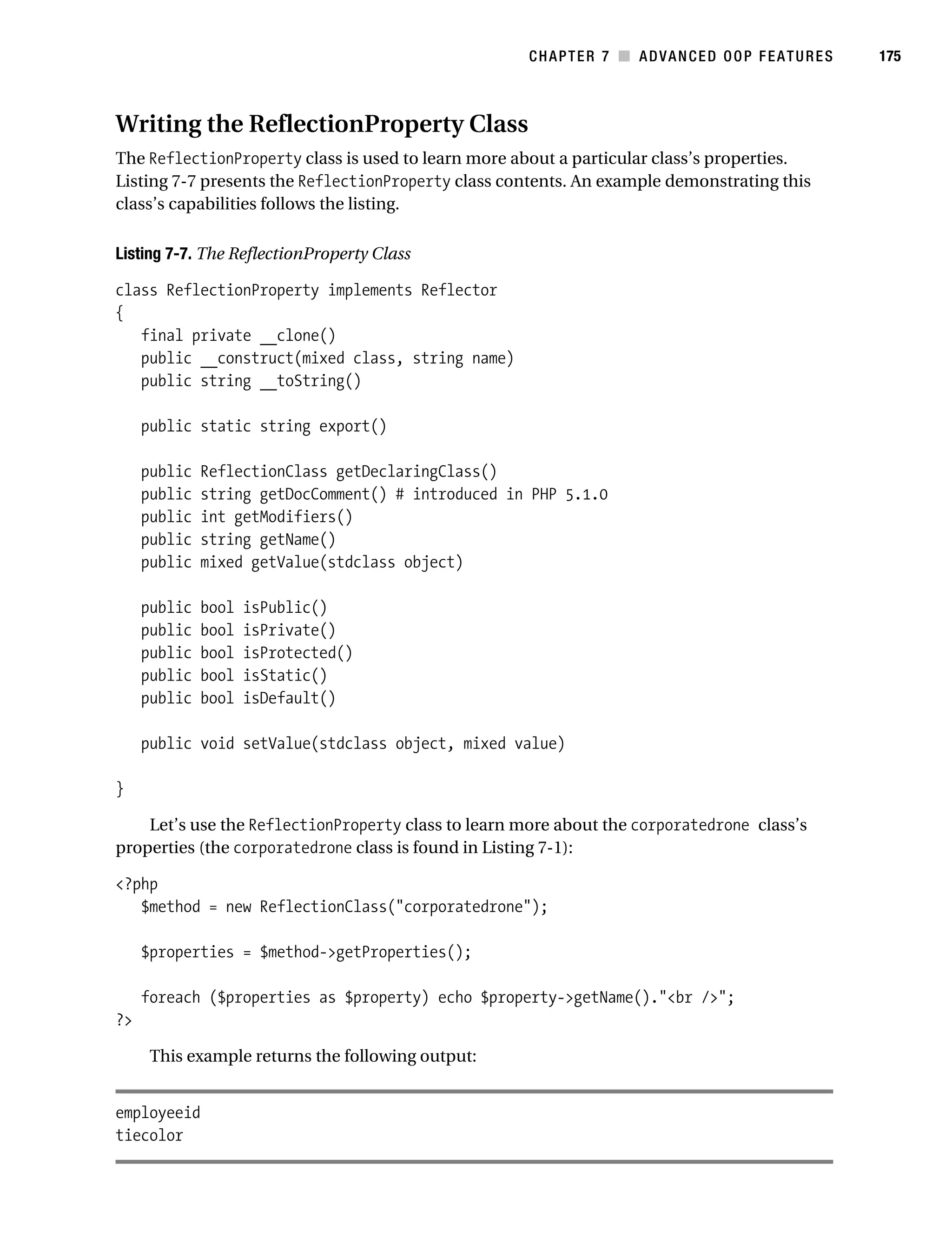
                                        Writing the ReflectionProperty Class . . . . . . . . . . . . . . . . . . . . . . . . 175
                                        Other Reflection Applications . . . . . . . . . . . . . . . . . . . . . . . . . . . . . . 176
                                   Summary . . . . . . . . . . . . . . . . . . . . . . . . . . . . . . . . . . . . . . . . . . . . . . . . . . . 176

           ■CHAPTER 8              Error and Exception Handling                                . . . . . . . . . . . . . . . . . . . . . . . . . . . 177

                                   Configuration Directives . . . . . . . . . . . . . . . . . . . . . . . . . . . . . . . . . . . . . . . 177
                                   Error Logging . . . . . . . . . . . . . . . . . . . . . . . . . . . . . . . . . . . . . . . . . . . . . . . . 180
                                   Exception Handling . . . . . . . . . . . . . . . . . . . . . . . . . . . . . . . . . . . . . . . . . . . 183
                                         Why Exception Handling Is Handy . . . . . . . . . . . . . . . . . . . . . . . . . . . 183
                                         PHP’s Exception-Handling Implementation . . . . . . . . . . . . . . . . . . . 185
                                   Summary . . . . . . . . . . . . . . . . . . . . . . . . . . . . . . . . . . . . . . . . . . . . . . . . . . . 189

           ■CHAPTER 9              Strings and Regular Expressions                                   . . . . . . . . . . . . . . . . . . . . . . . . 191

                                   Complex (Curly) Offset Syntax . . . . . . . . . . . . . . . . . . . . . . . . . . . . . . . . . . 191
                                   Regular Expressions . . . . . . . . . . . . . . . . . . . . . . . . . . . . . . . . . . . . . . . . . . 192
                                        Regular Expression Syntax (POSIX) . . . . . . . . . . . . . . . . . . . . . . . . . . 193
                                        PHP’s Regular Expression Functions (POSIX Extended) . . . . . . . . . 195
                                        Regular Expression Syntax (Perl Style) . . . . . . . . . . . . . . . . . . . . . . . 198
                                   Other String-Specific Functions . . . . . . . . . . . . . . . . . . . . . . . . . . . . . . . . 205
                                        Determining the Length of a String . . . . . . . . . . . . . . . . . . . . . . . . . 205
                                        Comparing Two Strings . . . . . . . . . . . . . . . . . . . . . . . . . . . . . . . . . . . 206
                                        Manipulating String Case . . . . . . . . . . . . . . . . . . . . . . . . . . . . . . . . . . 208
                                        Converting Strings to and from HTML . . . . . . . . . . . . . . . . . . . . . . . 209
                                        Alternatives for Regular Expression Functions . . . . . . . . . . . . . . . . 214
                                        Padding and Stripping a String . . . . . . . . . . . . . . . . . . . . . . . . . . . . . 222
                                        Counting Characters and Words . . . . . . . . . . . . . . . . . . . . . . . . . . . . 224
                                   Taking Advantage of PEAR: Validate_US . . . . . . . . . . . . . . . . . . . . . . . . . 226
                                        Installing Validate_US . . . . . . . . . . . . . . . . . . . . . . . . . . . . . . . . . . . . . 226
                                        Using Validate_US . . . . . . . . . . . . . . . . . . . . . . . . . . . . . . . . . . . . . . . 227
                                   Summary . . . . . . . . . . . . . . . . . . . . . . . . . . . . . . . . . . . . . . . . . . . . . . . . . . . 227
Gilmore_552-1Front.fm Page xii Wednesday, December 21, 2005 3:05 PM


xii        ■C O N T E N T S


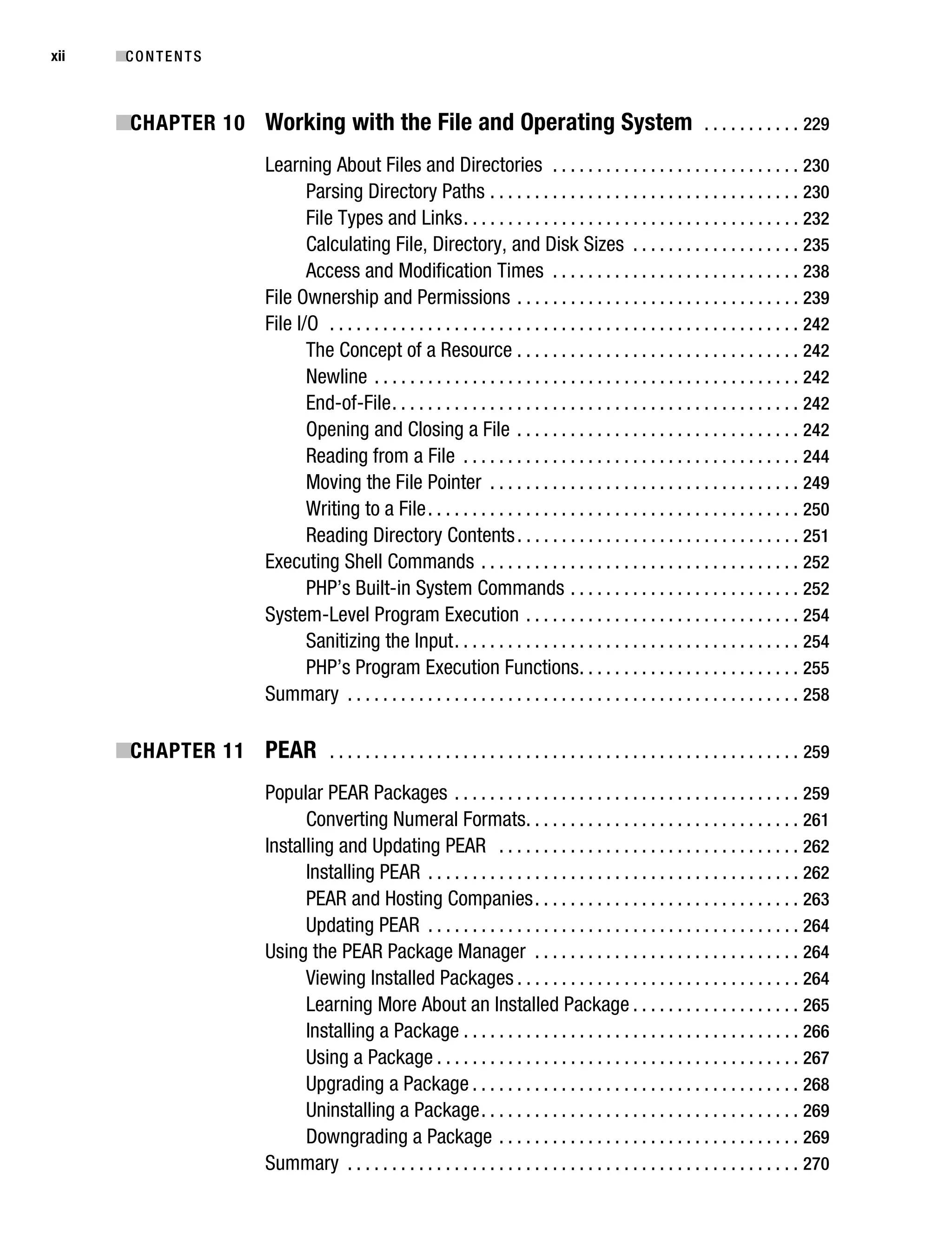
           ■CHAPTER 10 Working with the File and Operating System . . . . . . . . . . . 229
                                     Learning About Files and Directories . . . . . . . . . . . . . . . . . . . . . . . . . . . . 230
                                            Parsing Directory Paths . . . . . . . . . . . . . . . . . . . . . . . . . . . . . . . . . . . 230
                                            File Types and Links . . . . . . . . . . . . . . . . . . . . . . . . . . . . . . . . . . . . . . 232
                                            Calculating File, Directory, and Disk Sizes . . . . . . . . . . . . . . . . . . . 235
                                            Access and Modification Times . . . . . . . . . . . . . . . . . . . . . . . . . . . . 238
                                     File Ownership and Permissions . . . . . . . . . . . . . . . . . . . . . . . . . . . . . . . . 239
                                     File I/O . . . . . . . . . . . . . . . . . . . . . . . . . . . . . . . . . . . . . . . . . . . . . . . . . . . . . 242
                                            The Concept of a Resource . . . . . . . . . . . . . . . . . . . . . . . . . . . . . . . . 242
                                            Newline . . . . . . . . . . . . . . . . . . . . . . . . . . . . . . . . . . . . . . . . . . . . . . . . 242
                                            End-of-File . . . . . . . . . . . . . . . . . . . . . . . . . . . . . . . . . . . . . . . . . . . . . . 242
                                            Opening and Closing a File . . . . . . . . . . . . . . . . . . . . . . . . . . . . . . . . 242
                                            Reading from a File . . . . . . . . . . . . . . . . . . . . . . . . . . . . . . . . . . . . . . 244
                                            Moving the File Pointer . . . . . . . . . . . . . . . . . . . . . . . . . . . . . . . . . . . 249
                                            Writing to a File . . . . . . . . . . . . . . . . . . . . . . . . . . . . . . . . . . . . . . . . . . 250
                                            Reading Directory Contents . . . . . . . . . . . . . . . . . . . . . . . . . . . . . . . . 251
                                     Executing Shell Commands . . . . . . . . . . . . . . . . . . . . . . . . . . . . . . . . . . . . 252
                                            PHP’s Built-in System Commands . . . . . . . . . . . . . . . . . . . . . . . . . . 252
                                     System-Level Program Execution . . . . . . . . . . . . . . . . . . . . . . . . . . . . . . . 254
                                            Sanitizing the Input . . . . . . . . . . . . . . . . . . . . . . . . . . . . . . . . . . . . . . . 254
                                            PHP’s Program Execution Functions . . . . . . . . . . . . . . . . . . . . . . . . . 255
                                     Summary . . . . . . . . . . . . . . . . . . . . . . . . . . . . . . . . . . . . . . . . . . . . . . . . . . . 258

           ■CHAPTER 11 PEAR . . . . . . . . . . . . . . . . . . . . . . . . . . . . . . . . . . . . . . . . . . . . . . . . . . . . . 259
                                     Popular PEAR Packages . . . . . . . . . . . . . . . . . . . . . . . . . . . . . . . . . . . . . . . 259
                                           Converting Numeral Formats. . . . . . . . . . . . . . . . . . . . . . . . . . . . . . . 261
                                     Installing and Updating PEAR . . . . . . . . . . . . . . . . . . . . . . . . . . . . . . . . . . 262
                                           Installing PEAR . . . . . . . . . . . . . . . . . . . . . . . . . . . . . . . . . . . . . . . . . . 262
                                           PEAR and Hosting Companies . . . . . . . . . . . . . . . . . . . . . . . . . . . . . . 263
                                           Updating PEAR . . . . . . . . . . . . . . . . . . . . . . . . . . . . . . . . . . . . . . . . . . 264
                                     Using the PEAR Package Manager . . . . . . . . . . . . . . . . . . . . . . . . . . . . . . 264
                                           Viewing Installed Packages . . . . . . . . . . . . . . . . . . . . . . . . . . . . . . . . 264
                                           Learning More About an Installed Package . . . . . . . . . . . . . . . . . . . 265
                                           Installing a Package . . . . . . . . . . . . . . . . . . . . . . . . . . . . . . . . . . . . . . 266
                                           Using a Package . . . . . . . . . . . . . . . . . . . . . . . . . . . . . . . . . . . . . . . . . 267
                                           Upgrading a Package . . . . . . . . . . . . . . . . . . . . . . . . . . . . . . . . . . . . . 268
                                           Uninstalling a Package . . . . . . . . . . . . . . . . . . . . . . . . . . . . . . . . . . . . 269
                                           Downgrading a Package . . . . . . . . . . . . . . . . . . . . . . . . . . . . . . . . . . 269
                                     Summary . . . . . . . . . . . . . . . . . . . . . . . . . . . . . . . . . . . . . . . . . . . . . . . . . . . 270
Gilmore_552-1Front.fm Page xiii Wednesday, December 21, 2005 3:05 PM


                                                                                                                                        ■C O N T E N T S    xiii


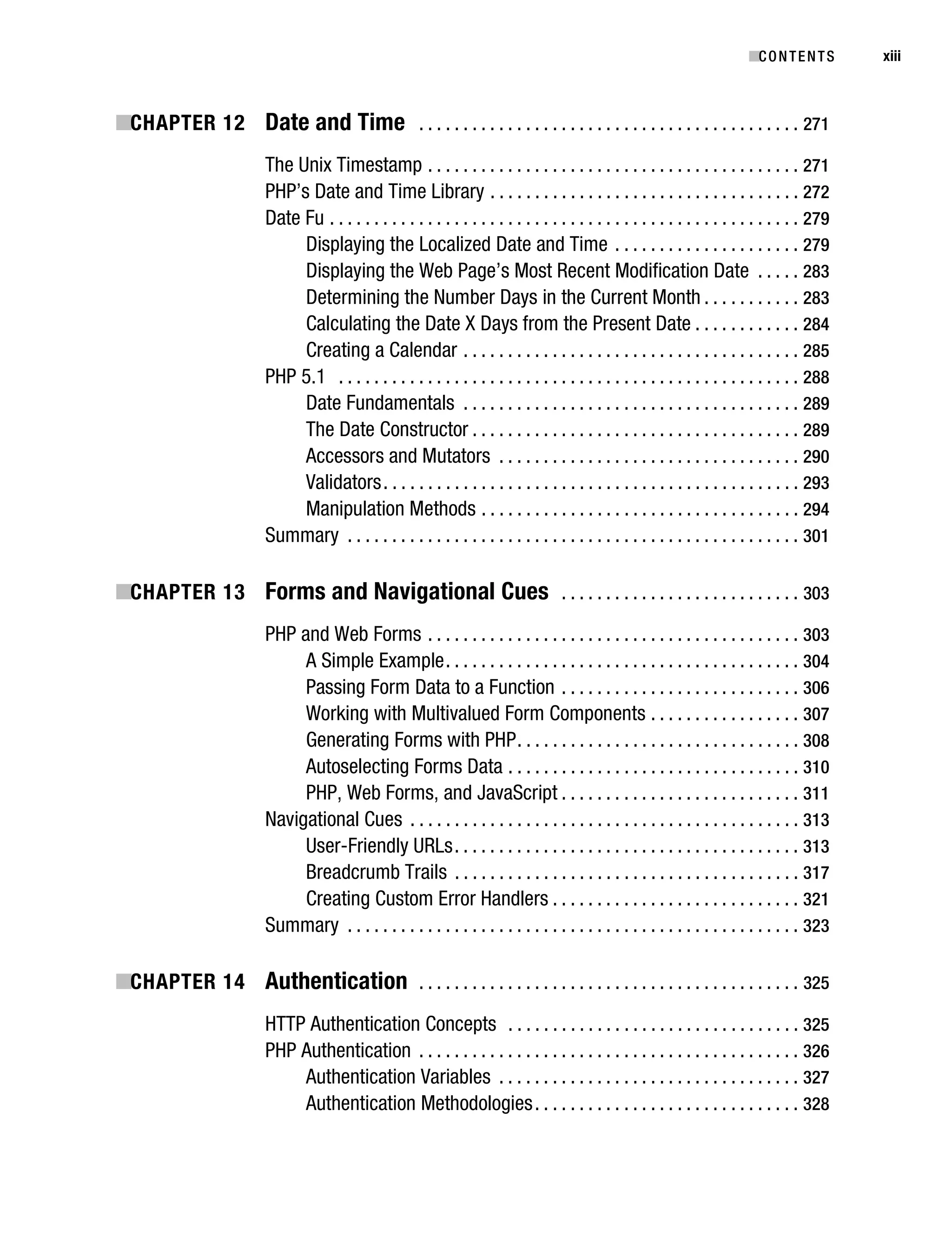
           ■CHAPTER 12 Date and Time . . . . . . . . . . . . . . . . . . . . . . . . . . . . . . . . . . . . . . . . . . . 271
                                    The Unix Timestamp . . . . . . . . . . . . . . . . . . . . . . . . . . . . . . . . . . . . . . . . . . 271
                                    PHP’s Date and Time Library . . . . . . . . . . . . . . . . . . . . . . . . . . . . . . . . . . . 272
                                    Date Fu . . . . . . . . . . . . . . . . . . . . . . . . . . . . . . . . . . . . . . . . . . . . . . . . . . . . . 279
                                         Displaying the Localized Date and Time . . . . . . . . . . . . . . . . . . . . . 279
                                         Displaying the Web Page’s Most Recent Modification Date . . . . . 283
                                         Determining the Number Days in the Current Month . . . . . . . . . . . 283
                                         Calculating the Date X Days from the Present Date . . . . . . . . . . . . 284
                                         Creating a Calendar . . . . . . . . . . . . . . . . . . . . . . . . . . . . . . . . . . . . . . 285
                                    PHP 5.1 . . . . . . . . . . . . . . . . . . . . . . . . . . . . . . . . . . . . . . . . . . . . . . . . . . . . 288
                                         Date Fundamentals . . . . . . . . . . . . . . . . . . . . . . . . . . . . . . . . . . . . . . 289
                                         The Date Constructor . . . . . . . . . . . . . . . . . . . . . . . . . . . . . . . . . . . . . 289
                                         Accessors and Mutators . . . . . . . . . . . . . . . . . . . . . . . . . . . . . . . . . . 290
                                         Validators . . . . . . . . . . . . . . . . . . . . . . . . . . . . . . . . . . . . . . . . . . . . . . . 293
                                         Manipulation Methods . . . . . . . . . . . . . . . . . . . . . . . . . . . . . . . . . . . . 294
                                    Summary . . . . . . . . . . . . . . . . . . . . . . . . . . . . . . . . . . . . . . . . . . . . . . . . . . . 301

           ■CHAPTER 13 Forms and Navigational Cues . . . . . . . . . . . . . . . . . . . . . . . . . . . 303
                                    PHP and Web Forms . . . . . . . . . . . . . . . . . . . . . . . . . . . . . . . . . . . . . . . . . . 303
                                         A Simple Example . . . . . . . . . . . . . . . . . . . . . . . . . . . . . . . . . . . . . . . . 304
                                         Passing Form Data to a Function . . . . . . . . . . . . . . . . . . . . . . . . . . . 306
                                         Working with Multivalued Form Components . . . . . . . . . . . . . . . . . 307
                                         Generating Forms with PHP . . . . . . . . . . . . . . . . . . . . . . . . . . . . . . . . 308
                                         Autoselecting Forms Data . . . . . . . . . . . . . . . . . . . . . . . . . . . . . . . . . 310
                                         PHP, Web Forms, and JavaScript . . . . . . . . . . . . . . . . . . . . . . . . . . . 311
                                    Navigational Cues . . . . . . . . . . . . . . . . . . . . . . . . . . . . . . . . . . . . . . . . . . . . 313
                                         User-Friendly URLs . . . . . . . . . . . . . . . . . . . . . . . . . . . . . . . . . . . . . . . 313
                                         Breadcrumb Trails . . . . . . . . . . . . . . . . . . . . . . . . . . . . . . . . . . . . . . . 317
                                         Creating Custom Error Handlers . . . . . . . . . . . . . . . . . . . . . . . . . . . . 321
                                    Summary . . . . . . . . . . . . . . . . . . . . . . . . . . . . . . . . . . . . . . . . . . . . . . . . . . . 323

           ■CHAPTER 14 Authentication . . . . . . . . . . . . . . . . . . . . . . . . . . . . . . . . . . . . . . . . . . . 325
                                    HTTP Authentication Concepts . . . . . . . . . . . . . . . . . . . . . . . . . . . . . . . . . 325
                                    PHP Authentication . . . . . . . . . . . . . . . . . . . . . . . . . . . . . . . . . . . . . . . . . . . 326
                                        Authentication Variables . . . . . . . . . . . . . . . . . . . . . . . . . . . . . . . . . . 327
                                        Authentication Methodologies . . . . . . . . . . . . . . . . . . . . . . . . . . . . . . 328
Gilmore_552-1Front.fm Page xiv Wednesday, December 21, 2005 3:05 PM


xiv        ■C O N T E N T S


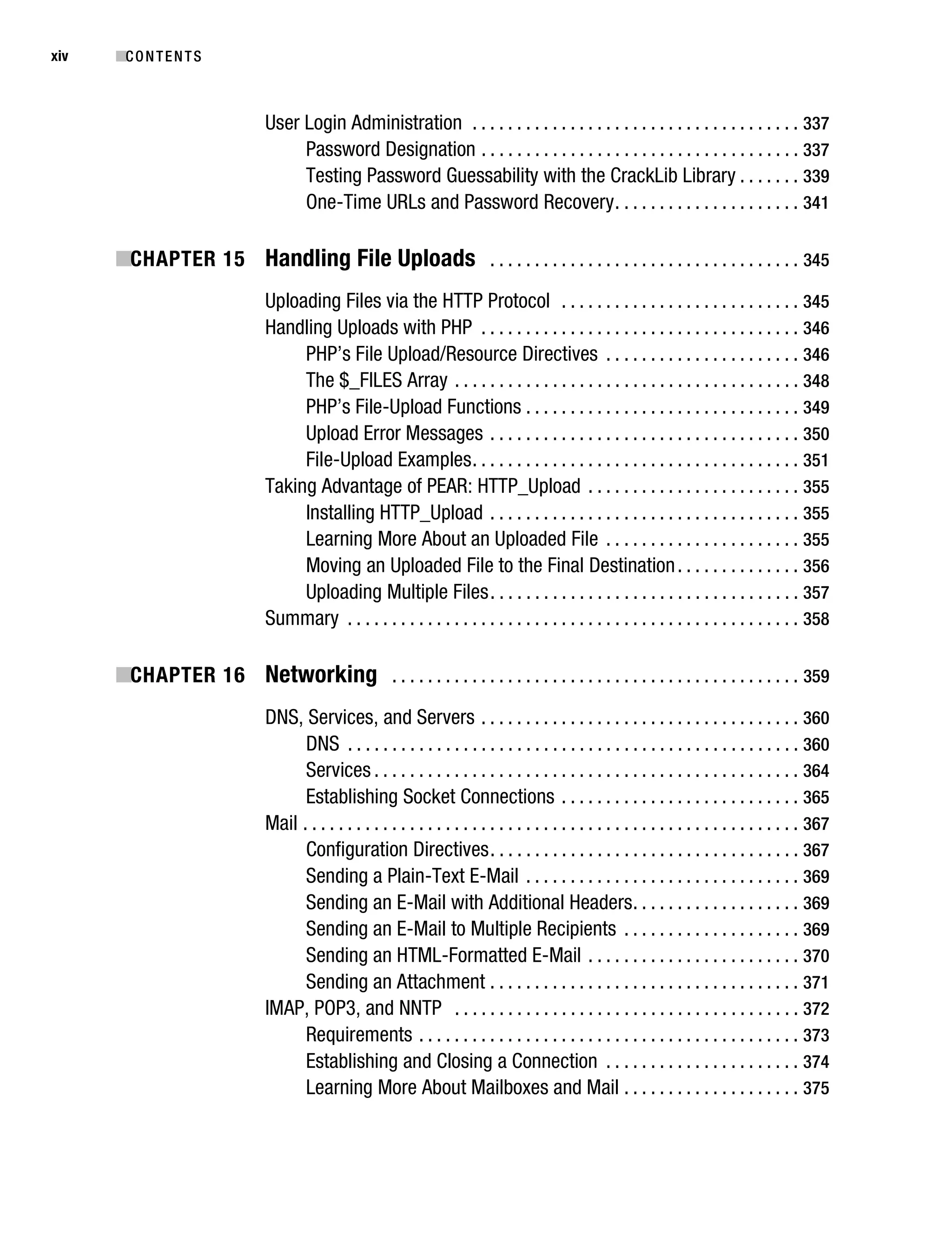
                                   User Login Administration . . . . . . . . . . . . . . . . . . . . . . . . . . . . . . . . . . . . . 337
                                        Password Designation . . . . . . . . . . . . . . . . . . . . . . . . . . . . . . . . . . . . 337
                                        Testing Password Guessability with the CrackLib Library . . . . . . . 339
                                        One-Time URLs and Password Recovery . . . . . . . . . . . . . . . . . . . . . 341

           ■CHAPTER 15 Handling File Uploads . . . . . . . . . . . . . . . . . . . . . . . . . . . . . . . . . . . 345
                                   Uploading Files via the HTTP Protocol . . . . . . . . . . . . . . . . . . . . . . . . . . . 345
                                   Handling Uploads with PHP . . . . . . . . . . . . . . . . . . . . . . . . . . . . . . . . . . . . 346
                                        PHP’s File Upload/Resource Directives . . . . . . . . . . . . . . . . . . . . . . 346
                                        The $_FILES Array . . . . . . . . . . . . . . . . . . . . . . . . . . . . . . . . . . . . . . . 348
                                        PHP’s File-Upload Functions . . . . . . . . . . . . . . . . . . . . . . . . . . . . . . . 349
                                        Upload Error Messages . . . . . . . . . . . . . . . . . . . . . . . . . . . . . . . . . . . 350
                                        File-Upload Examples . . . . . . . . . . . . . . . . . . . . . . . . . . . . . . . . . . . . . 351
                                   Taking Advantage of PEAR: HTTP_Upload . . . . . . . . . . . . . . . . . . . . . . . . 355
                                        Installing HTTP_Upload . . . . . . . . . . . . . . . . . . . . . . . . . . . . . . . . . . . 355
                                        Learning More About an Uploaded File . . . . . . . . . . . . . . . . . . . . . . 355
                                        Moving an Uploaded File to the Final Destination . . . . . . . . . . . . . . 356
                                        Uploading Multiple Files . . . . . . . . . . . . . . . . . . . . . . . . . . . . . . . . . . . 357
                                   Summary . . . . . . . . . . . . . . . . . . . . . . . . . . . . . . . . . . . . . . . . . . . . . . . . . . . 358

           ■CHAPTER 16 Networking . . . . . . . . . . . . . . . . . . . . . . . . . . . . . . . . . . . . . . . . . . . . . . 359
                                   DNS, Services, and Servers . . . . . . . . . . . . . . . . . . . . . . . . . . . . . . . . . . . . 360
                                         DNS . . . . . . . . . . . . . . . . . . . . . . . . . . . . . . . . . . . . . . . . . . . . . . . . . . . 360
                                         Services . . . . . . . . . . . . . . . . . . . . . . . . . . . . . . . . . . . . . . . . . . . . . . . . 364
                                         Establishing Socket Connections . . . . . . . . . . . . . . . . . . . . . . . . . . . 365
                                   Mail . . . . . . . . . . . . . . . . . . . . . . . . . . . . . . . . . . . . . . . . . . . . . . . . . . . . . . . . 367
                                         Configuration Directives . . . . . . . . . . . . . . . . . . . . . . . . . . . . . . . . . . . 367
                                         Sending a Plain-Text E-Mail . . . . . . . . . . . . . . . . . . . . . . . . . . . . . . . 369
                                         Sending an E-Mail with Additional Headers . . . . . . . . . . . . . . . . . . . 369
                                         Sending an E-Mail to Multiple Recipients . . . . . . . . . . . . . . . . . . . . 369
                                         Sending an HTML-Formatted E-Mail . . . . . . . . . . . . . . . . . . . . . . . . 370
                                         Sending an Attachment . . . . . . . . . . . . . . . . . . . . . . . . . . . . . . . . . . . 371
                                   IMAP, POP3, and NNTP . . . . . . . . . . . . . . . . . . . . . . . . . . . . . . . . . . . . . . . 372
                                         Requirements . . . . . . . . . . . . . . . . . . . . . . . . . . . . . . . . . . . . . . . . . . . 373
                                         Establishing and Closing a Connection . . . . . . . . . . . . . . . . . . . . . . 374
                                         Learning More About Mailboxes and Mail . . . . . . . . . . . . . . . . . . . . 375
Gilmore_552-1Front.fm Page xv Wednesday, December 21, 2005 3:05 PM


                                                                                                                                     ■C O N T E N T S    xv


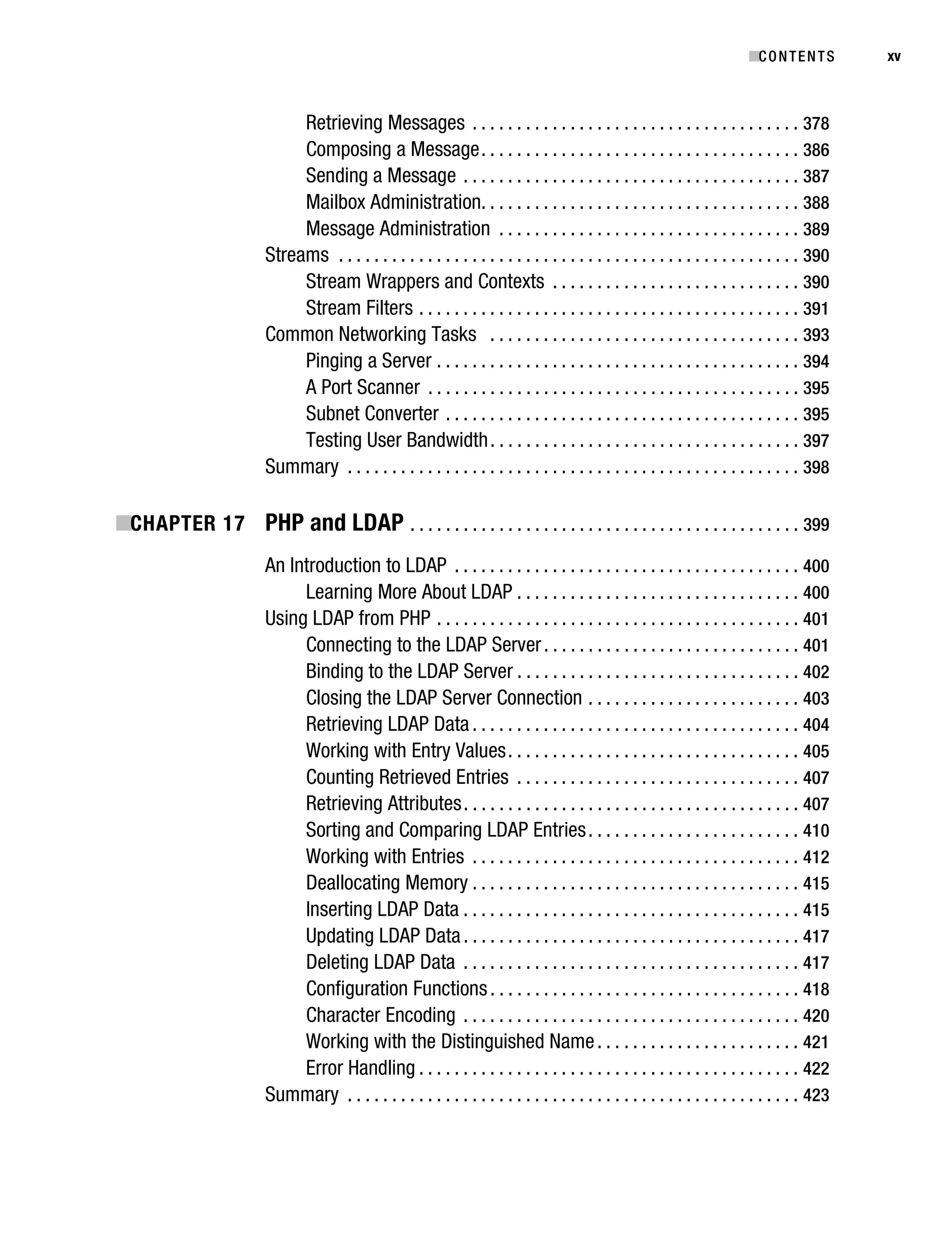
                                        Retrieving Messages . . . . . . . . . . . . . . . . . . . . . . . . . . . . . . . . . . . . . 378
                                        Composing a Message . . . . . . . . . . . . . . . . . . . . . . . . . . . . . . . . . . . . 386
                                        Sending a Message . . . . . . . . . . . . . . . . . . . . . . . . . . . . . . . . . . . . . . 387
                                        Mailbox Administration. . . . . . . . . . . . . . . . . . . . . . . . . . . . . . . . . . . . 388
                                        Message Administration . . . . . . . . . . . . . . . . . . . . . . . . . . . . . . . . . . 389
                                   Streams . . . . . . . . . . . . . . . . . . . . . . . . . . . . . . . . . . . . . . . . . . . . . . . . . . . . 390
                                        Stream Wrappers and Contexts . . . . . . . . . . . . . . . . . . . . . . . . . . . . 390
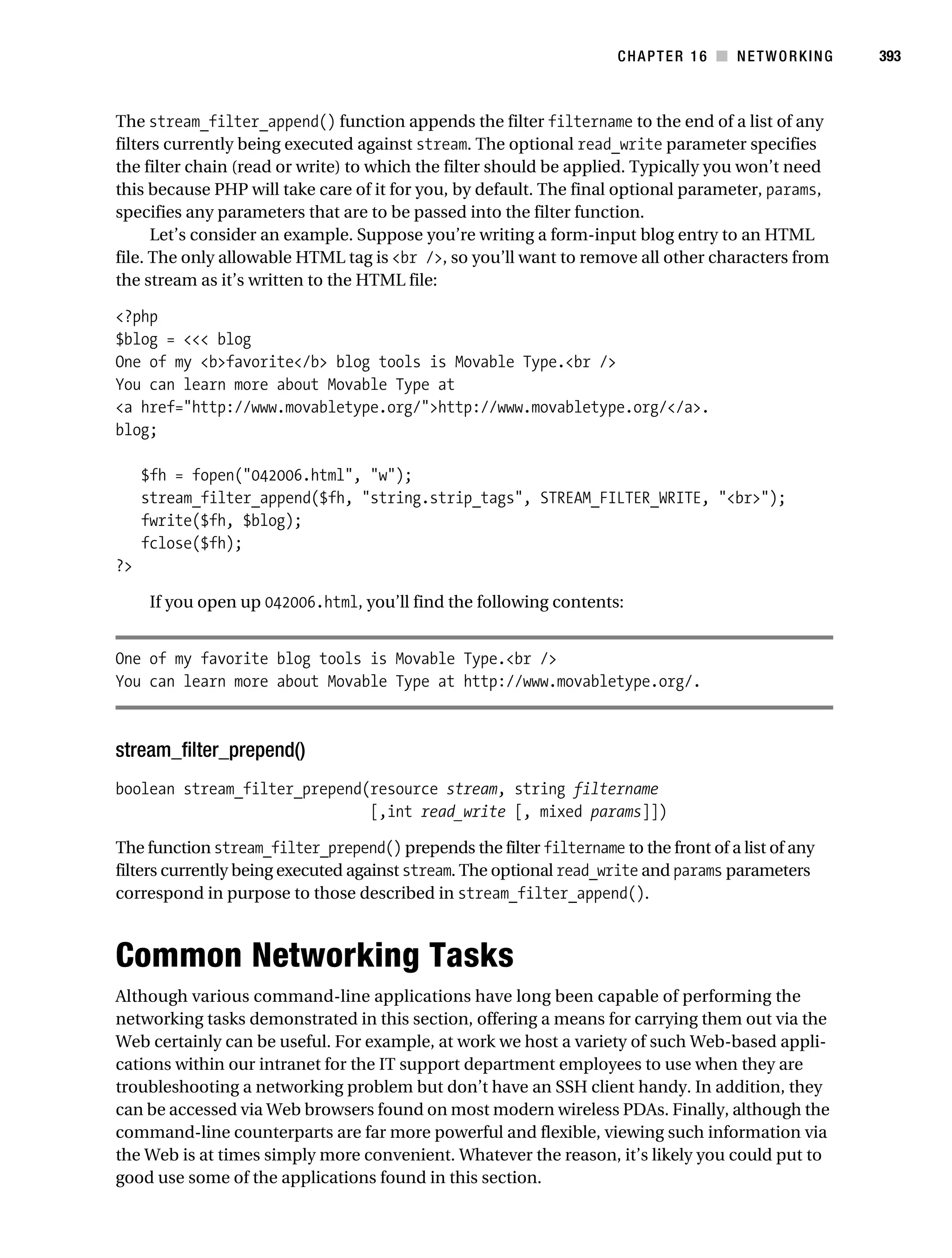
                                        Stream Filters . . . . . . . . . . . . . . . . . . . . . . . . . . . . . . . . . . . . . . . . . . . 391
                                   Common Networking Tasks . . . . . . . . . . . . . . . . . . . . . . . . . . . . . . . . . . . 393
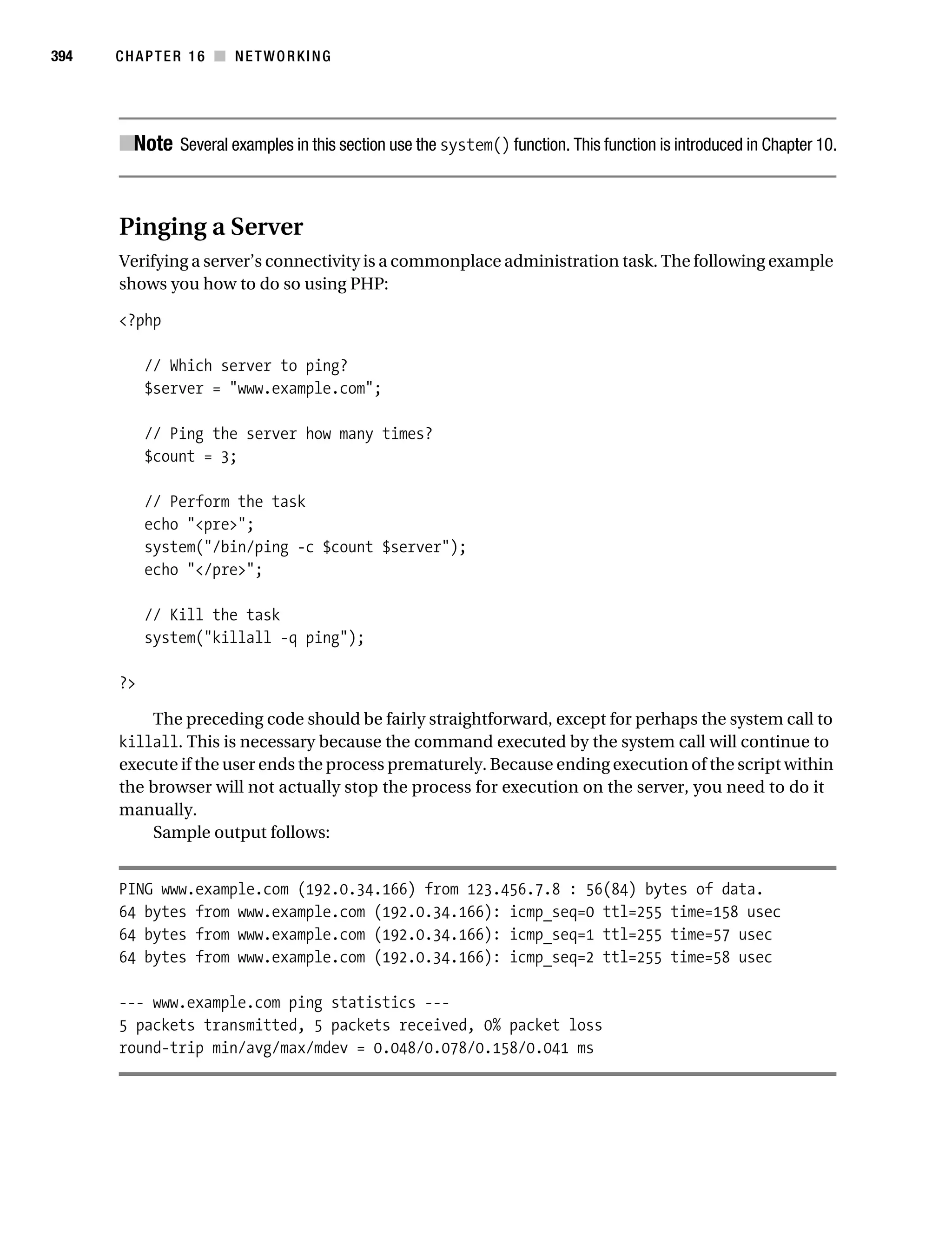
                                        Pinging a Server . . . . . . . . . . . . . . . . . . . . . . . . . . . . . . . . . . . . . . . . . 394
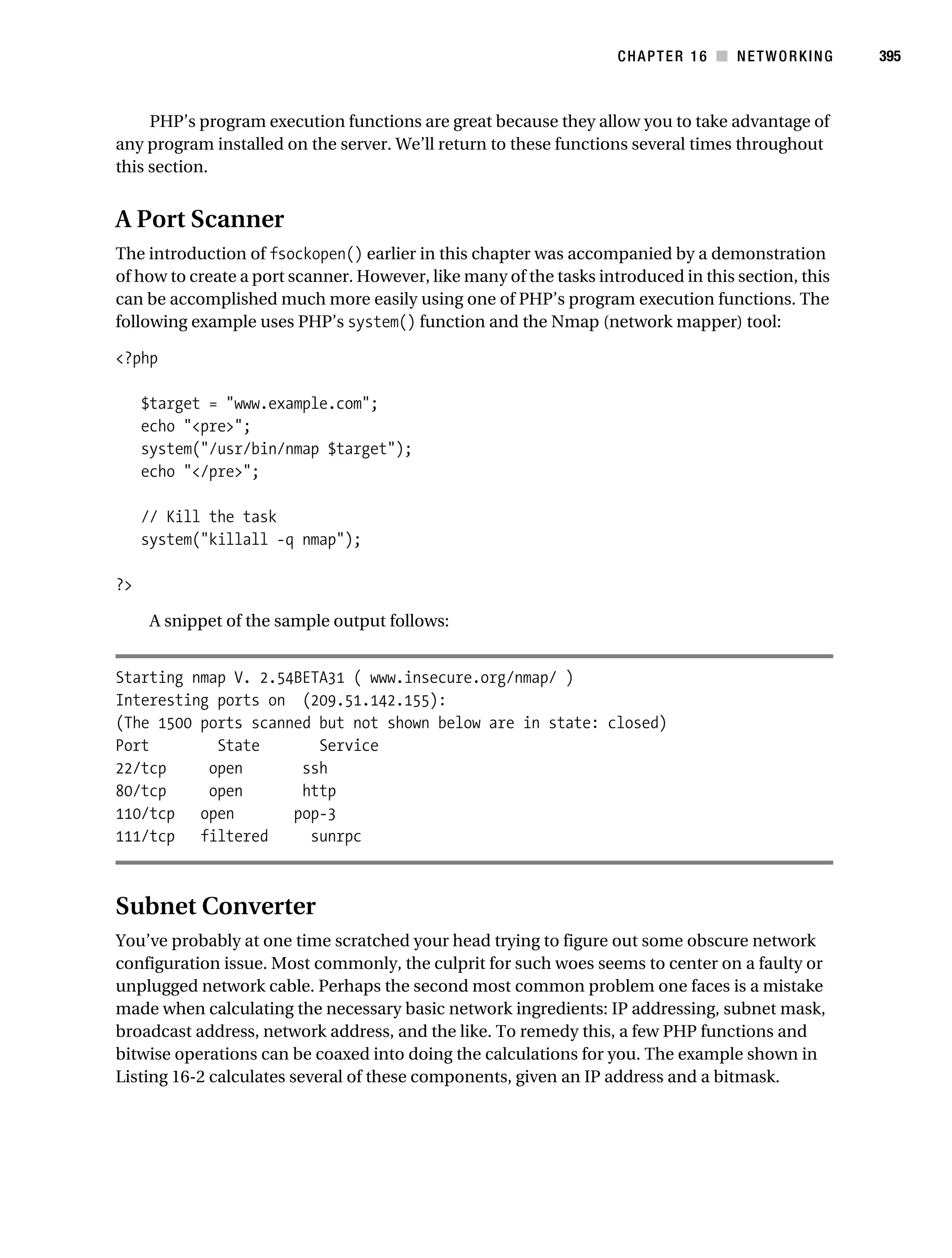
                                        A Port Scanner . . . . . . . . . . . . . . . . . . . . . . . . . . . . . . . . . . . . . . . . . . 395
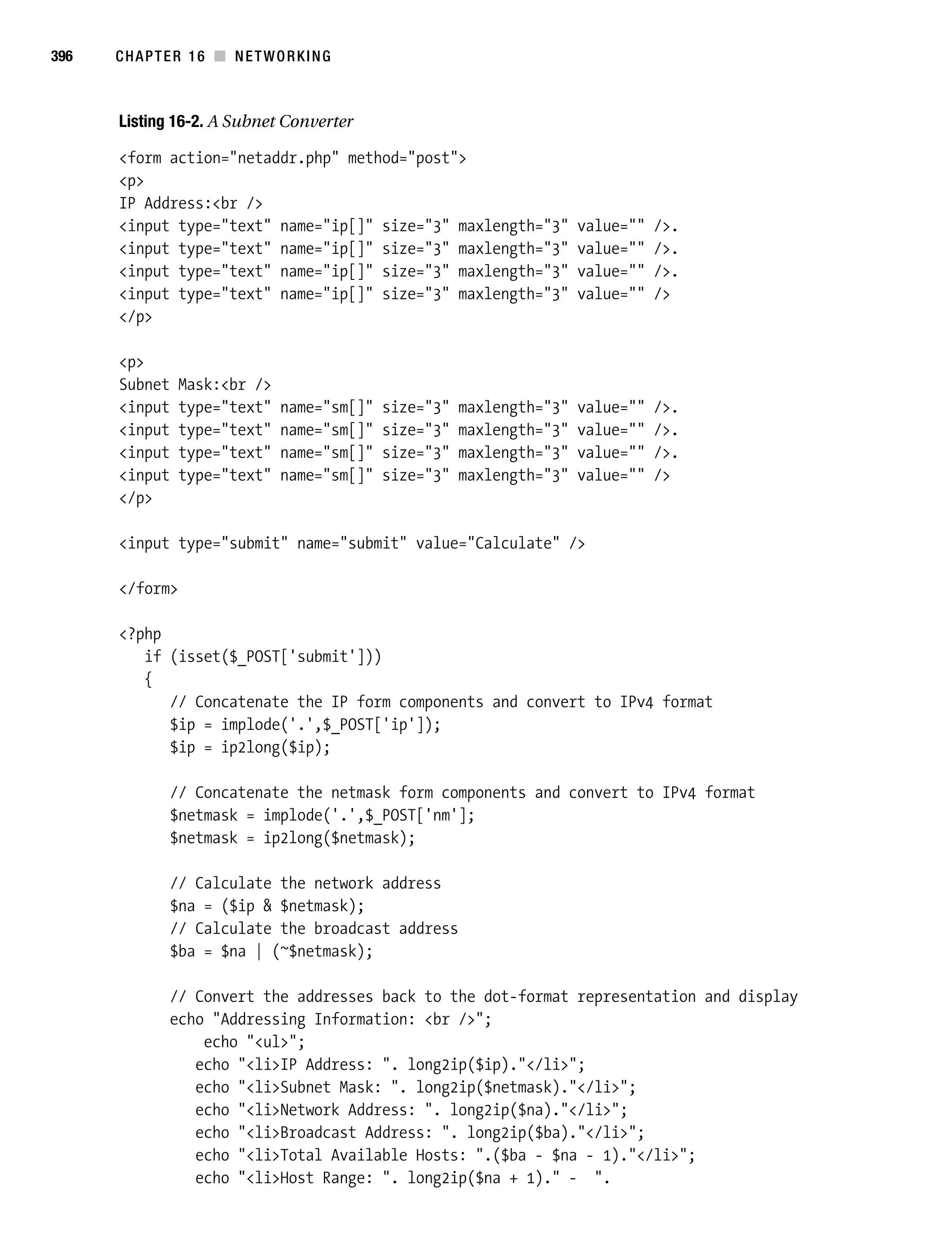
                                        Subnet Converter . . . . . . . . . . . . . . . . . . . . . . . . . . . . . . . . . . . . . . . . 395
                                        Testing User Bandwidth . . . . . . . . . . . . . . . . . . . . . . . . . . . . . . . . . . . 397
                                   Summary . . . . . . . . . . . . . . . . . . . . . . . . . . . . . . . . . . . . . . . . . . . . . . . . . . . 398

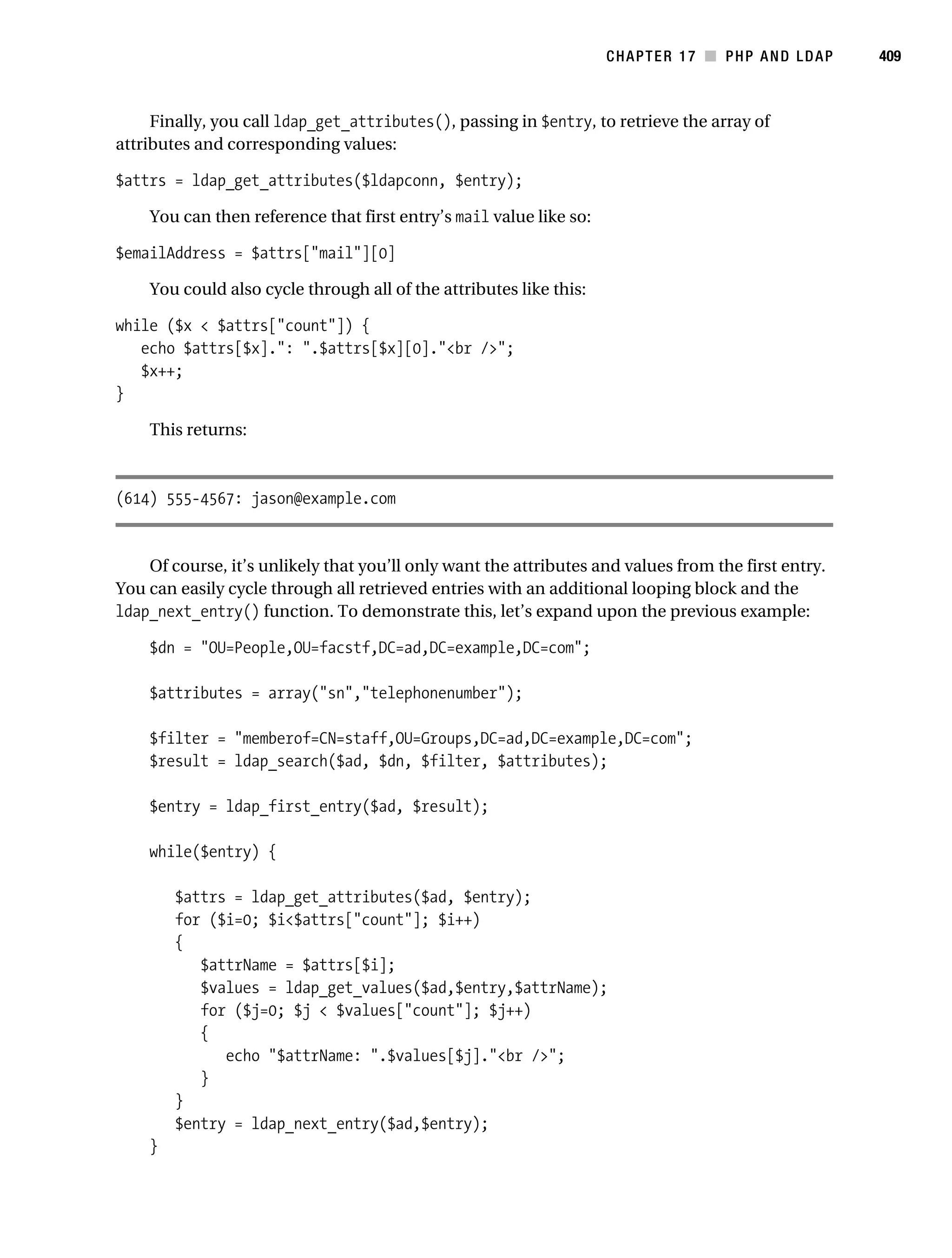
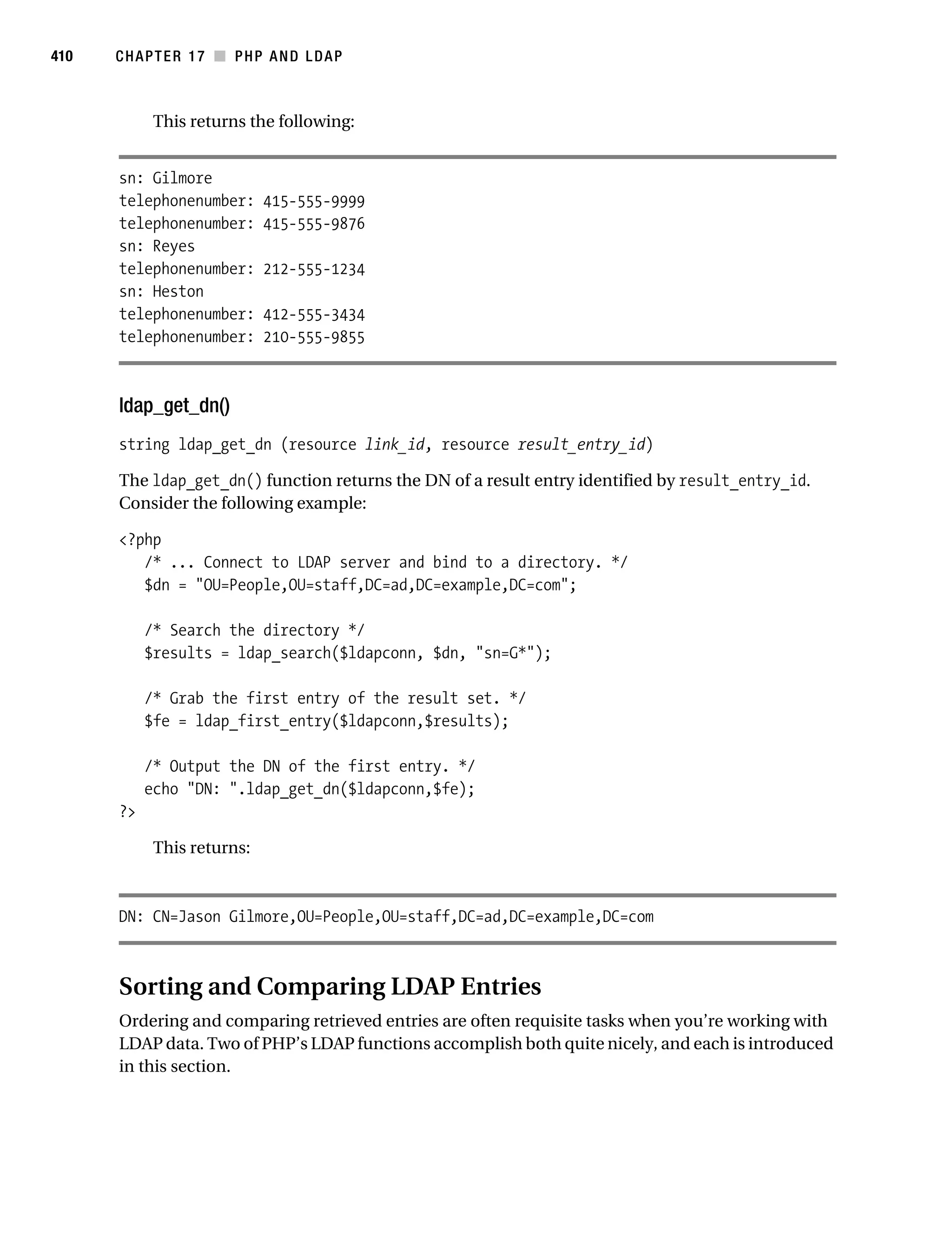
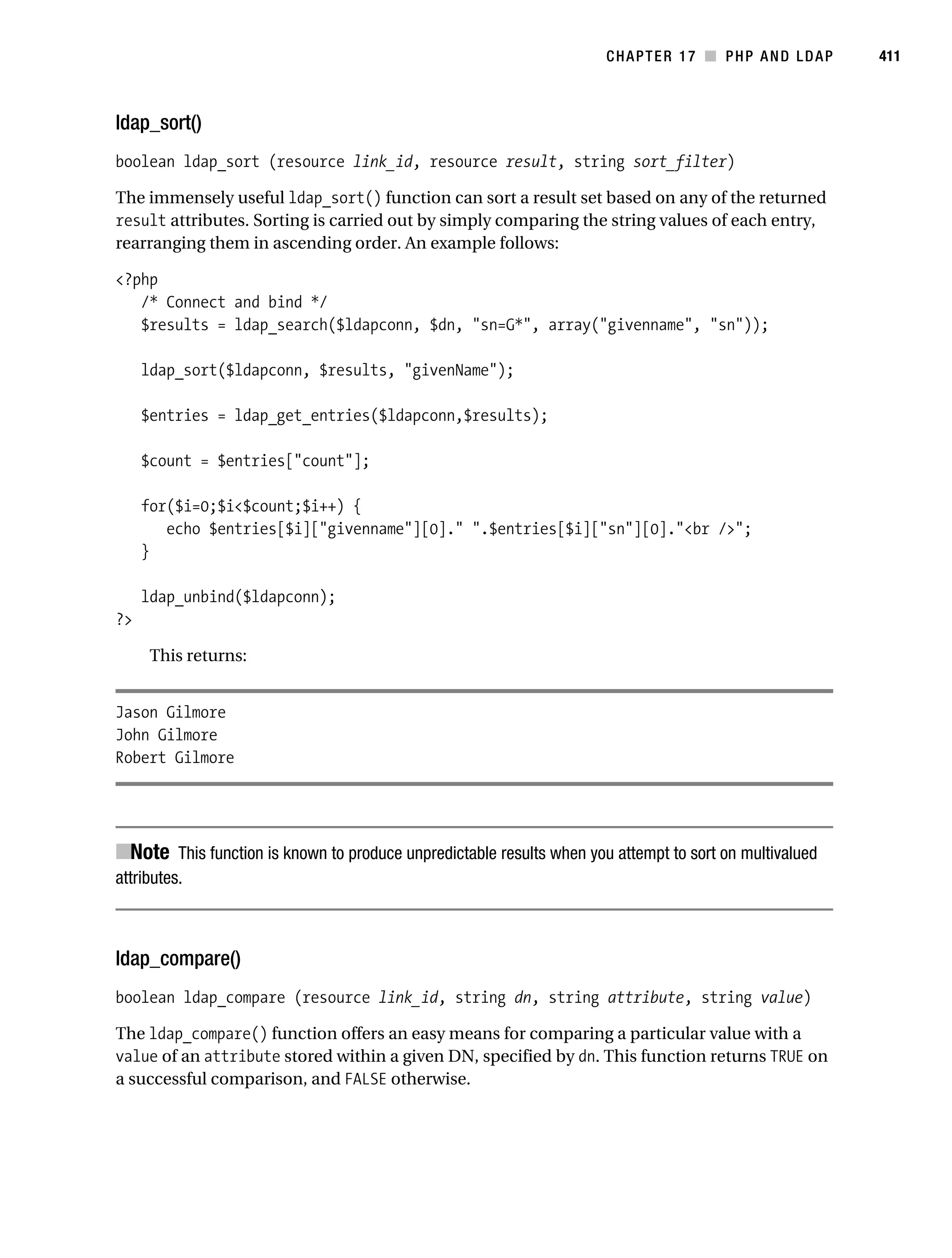
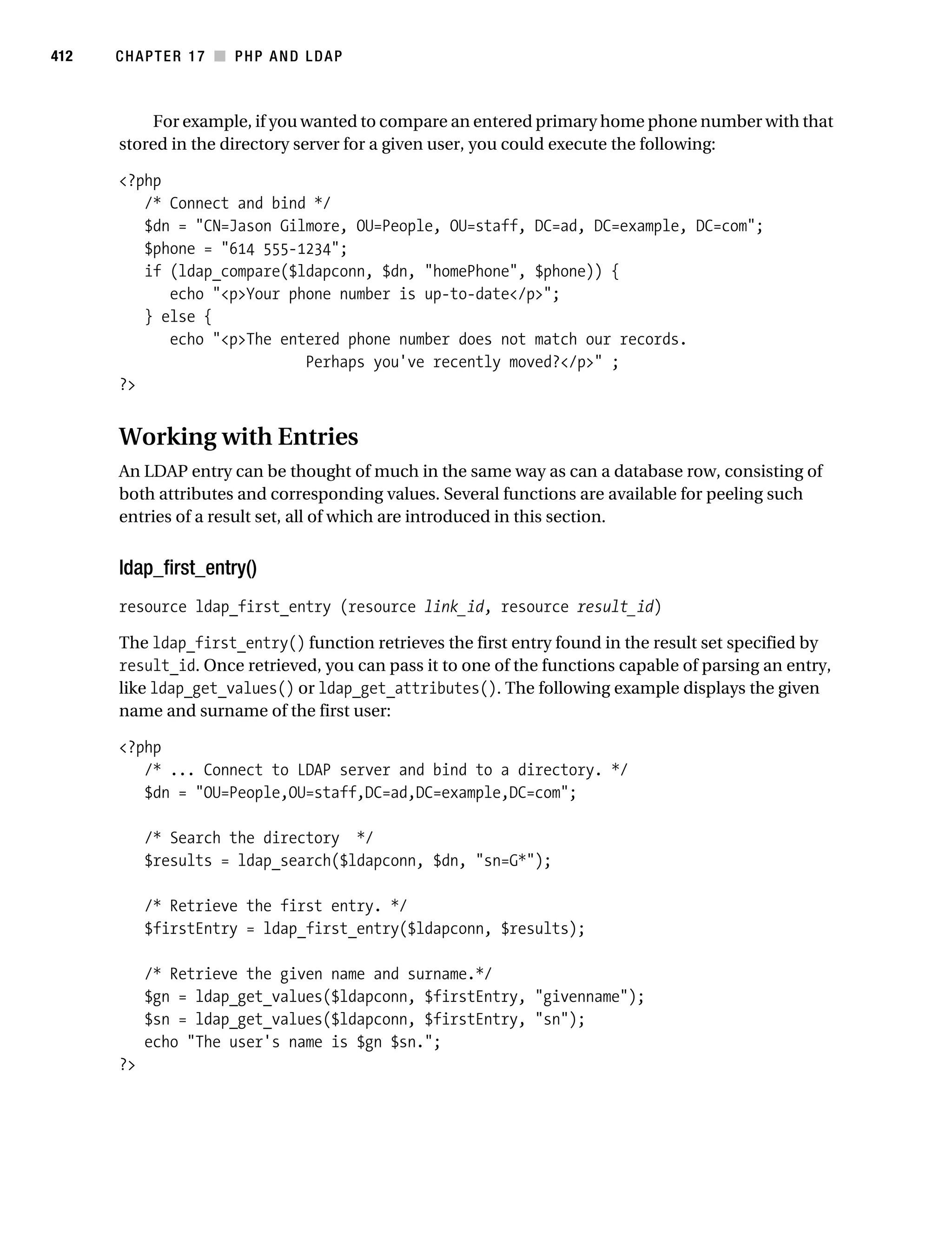
           ■CHAPTER 17 PHP and LDAP . . . . . . . . . . . . . . . . . . . . . . . . . . . . . . . . . . . . . . . . . . . . 399
                                   An Introduction to LDAP . . . . . . . . . . . . . . . . . . . . . . . . . . . . . . . . . . . . . . . 400
                                        Learning More About LDAP . . . . . . . . . . . . . . . . . . . . . . . . . . . . . . . . 400
                                   Using LDAP from PHP . . . . . . . . . . . . . . . . . . . . . . . . . . . . . . . . . . . . . . . . . 401
                                        Connecting to the LDAP Server . . . . . . . . . . . . . . . . . . . . . . . . . . . . . 401
                                        Binding to the LDAP Server . . . . . . . . . . . . . . . . . . . . . . . . . . . . . . . . 402
                                        Closing the LDAP Server Connection . . . . . . . . . . . . . . . . . . . . . . . . 403
                                        Retrieving LDAP Data . . . . . . . . . . . . . . . . . . . . . . . . . . . . . . . . . . . . . 404
                                        Working with Entry Values . . . . . . . . . . . . . . . . . . . . . . . . . . . . . . . . . 405
                                        Counting Retrieved Entries . . . . . . . . . . . . . . . . . . . . . . . . . . . . . . . . 407
                                        Retrieving Attributes . . . . . . . . . . . . . . . . . . . . . . . . . . . . . . . . . . . . . . 407
                                        Sorting and Comparing LDAP Entries . . . . . . . . . . . . . . . . . . . . . . . . 410
                                        Working with Entries . . . . . . . . . . . . . . . . . . . . . . . . . . . . . . . . . . . . . 412
                                        Deallocating Memory . . . . . . . . . . . . . . . . . . . . . . . . . . . . . . . . . . . . . 415
                                        Inserting LDAP Data . . . . . . . . . . . . . . . . . . . . . . . . . . . . . . . . . . . . . . 415
                                        Updating LDAP Data . . . . . . . . . . . . . . . . . . . . . . . . . . . . . . . . . . . . . . 417
                                        Deleting LDAP Data . . . . . . . . . . . . . . . . . . . . . . . . . . . . . . . . . . . . . . 417
                                        Configuration Functions . . . . . . . . . . . . . . . . . . . . . . . . . . . . . . . . . . . 418
                                        Character Encoding . . . . . . . . . . . . . . . . . . . . . . . . . . . . . . . . . . . . . . 420
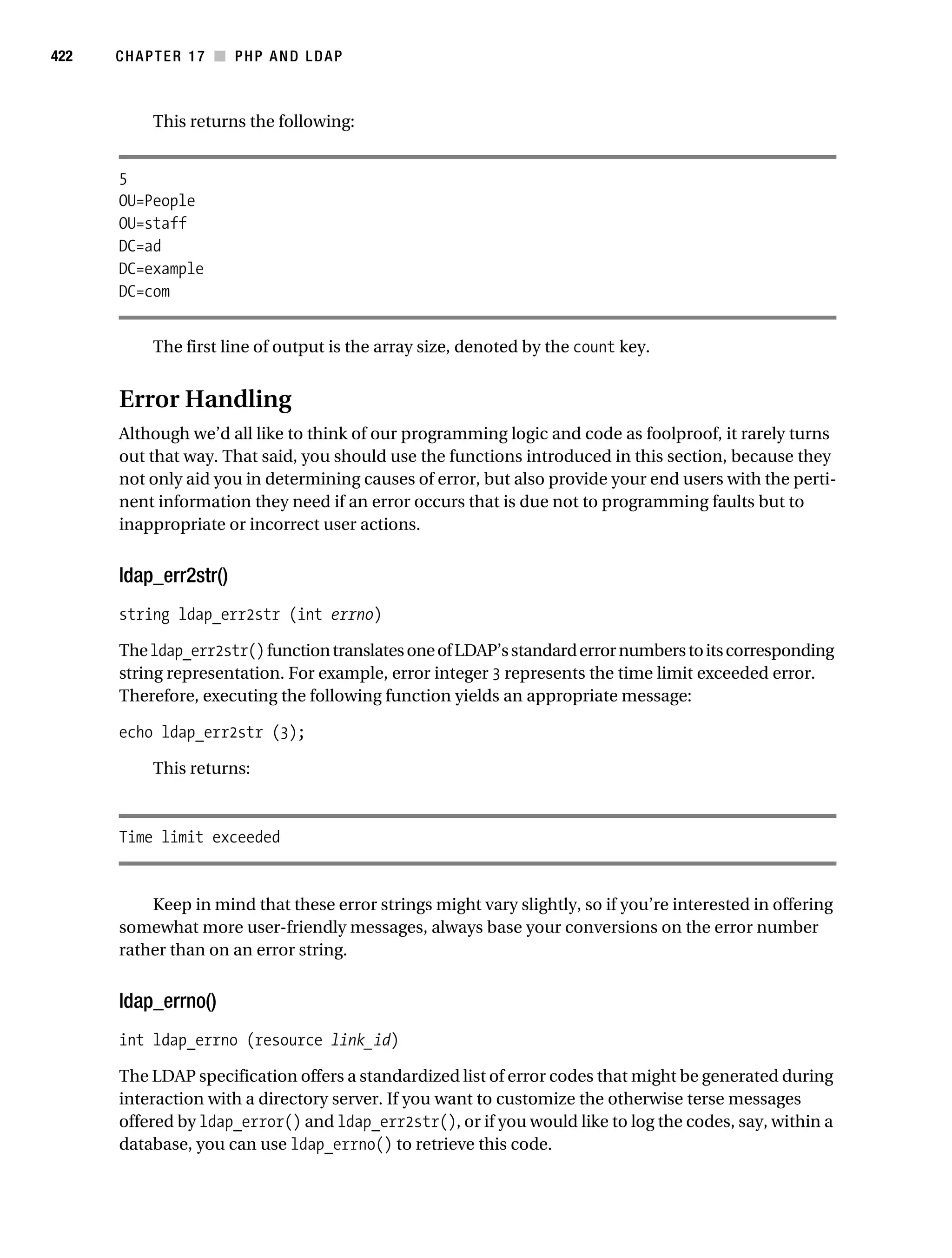
                                        Working with the Distinguished Name . . . . . . . . . . . . . . . . . . . . . . . 421
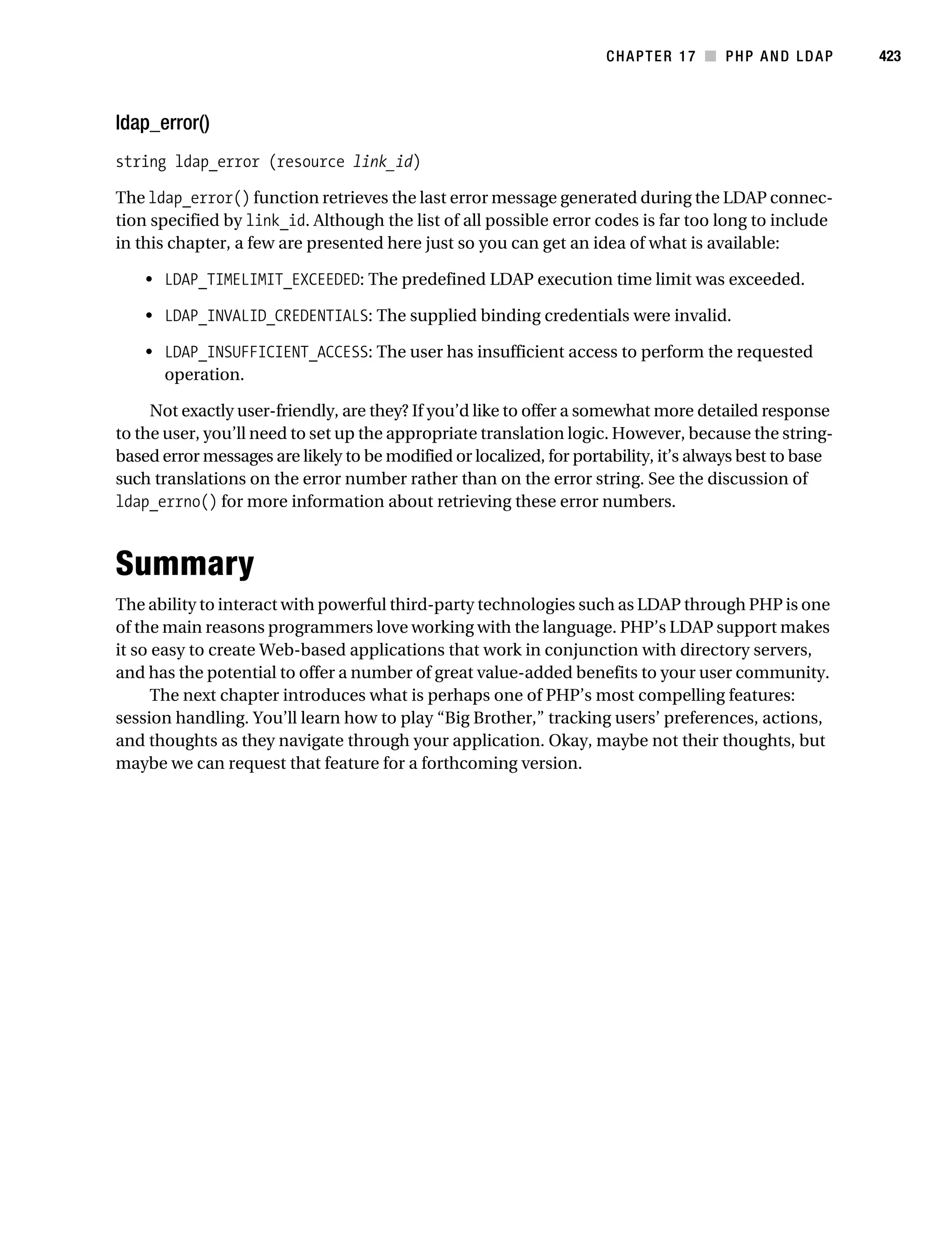
                                        Error Handling . . . . . . . . . . . . . . . . . . . . . . . . . . . . . . . . . . . . . . . . . . . 422
                                   Summary . . . . . . . . . . . . . . . . . . . . . . . . . . . . . . . . . . . . . . . . . . . . . . . . . . . 423
Gilmore_552-1Front.fm Page xvi Wednesday, December 21, 2005 3:05 PM


xvi        ■C O N T E N T S


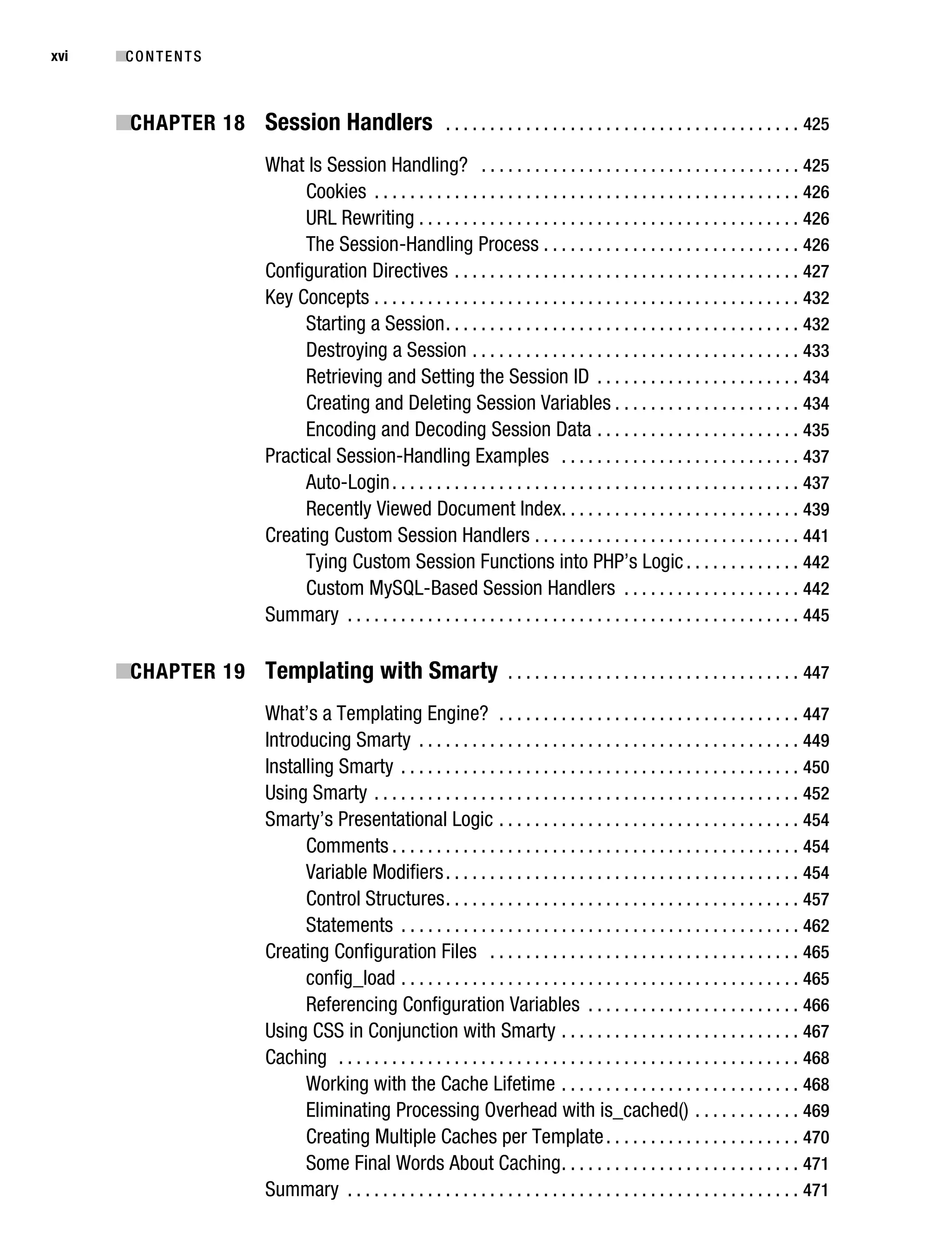
           ■CHAPTER 18 Session Handlers . . . . . . . . . . . . . . . . . . . . . . . . . . . . . . . . . . . . . . . . 425
                                   What Is Session Handling? . . . . . . . . . . . . . . . . . . . . . . . . . . . . . . . . . . . . 425
                                        Cookies . . . . . . . . . . . . . . . . . . . . . . . . . . . . . . . . . . . . . . . . . . . . . . . . 426
                                        URL Rewriting . . . . . . . . . . . . . . . . . . . . . . . . . . . . . . . . . . . . . . . . . . . 426
                                        The Session-Handling Process . . . . . . . . . . . . . . . . . . . . . . . . . . . . . 426
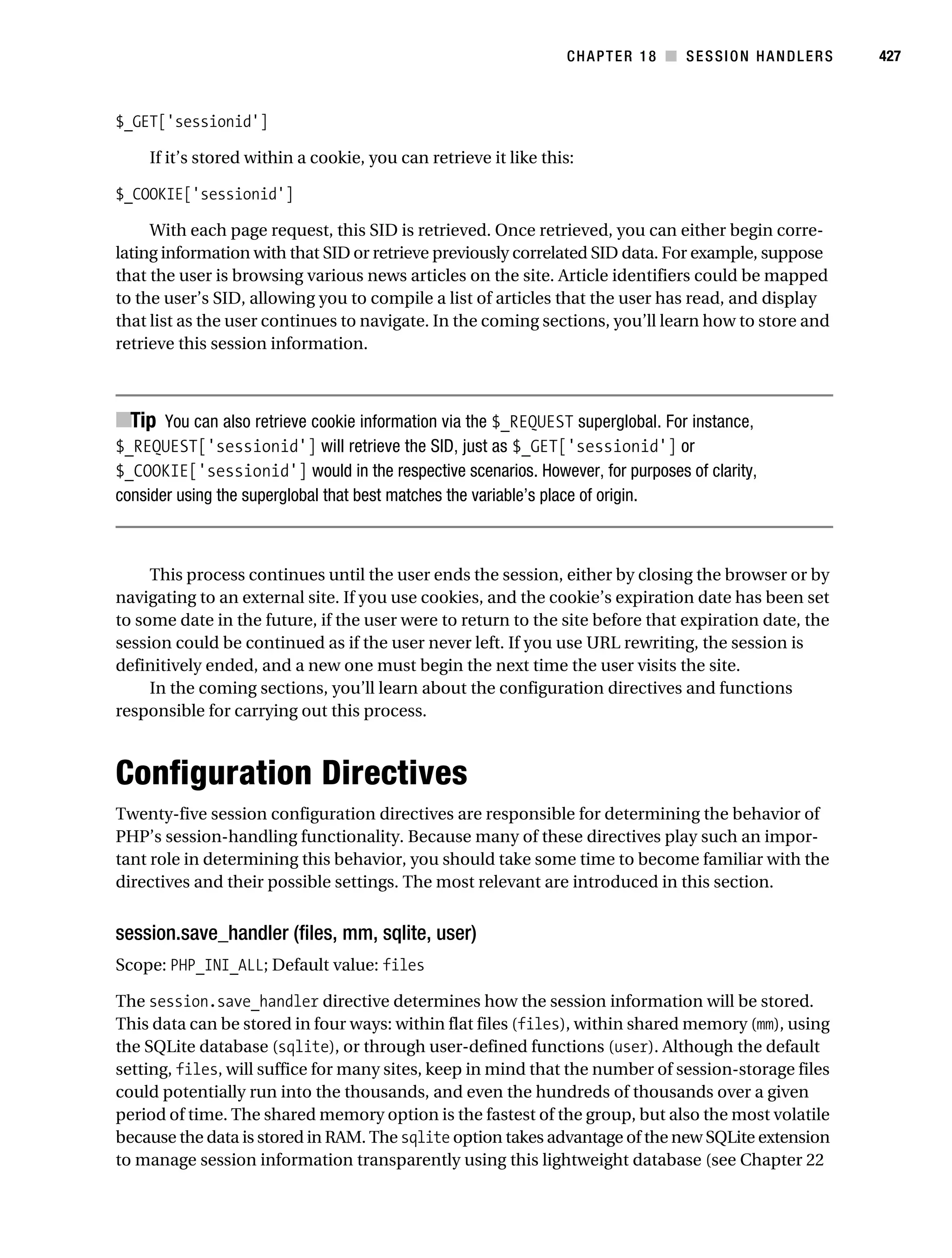
                                   Configuration Directives . . . . . . . . . . . . . . . . . . . . . . . . . . . . . . . . . . . . . . . 427
                                   Key Concepts . . . . . . . . . . . . . . . . . . . . . . . . . . . . . . . . . . . . . . . . . . . . . . . . 432
                                        Starting a Session . . . . . . . . . . . . . . . . . . . . . . . . . . . . . . . . . . . . . . . . 432
                                        Destroying a Session . . . . . . . . . . . . . . . . . . . . . . . . . . . . . . . . . . . . . 433
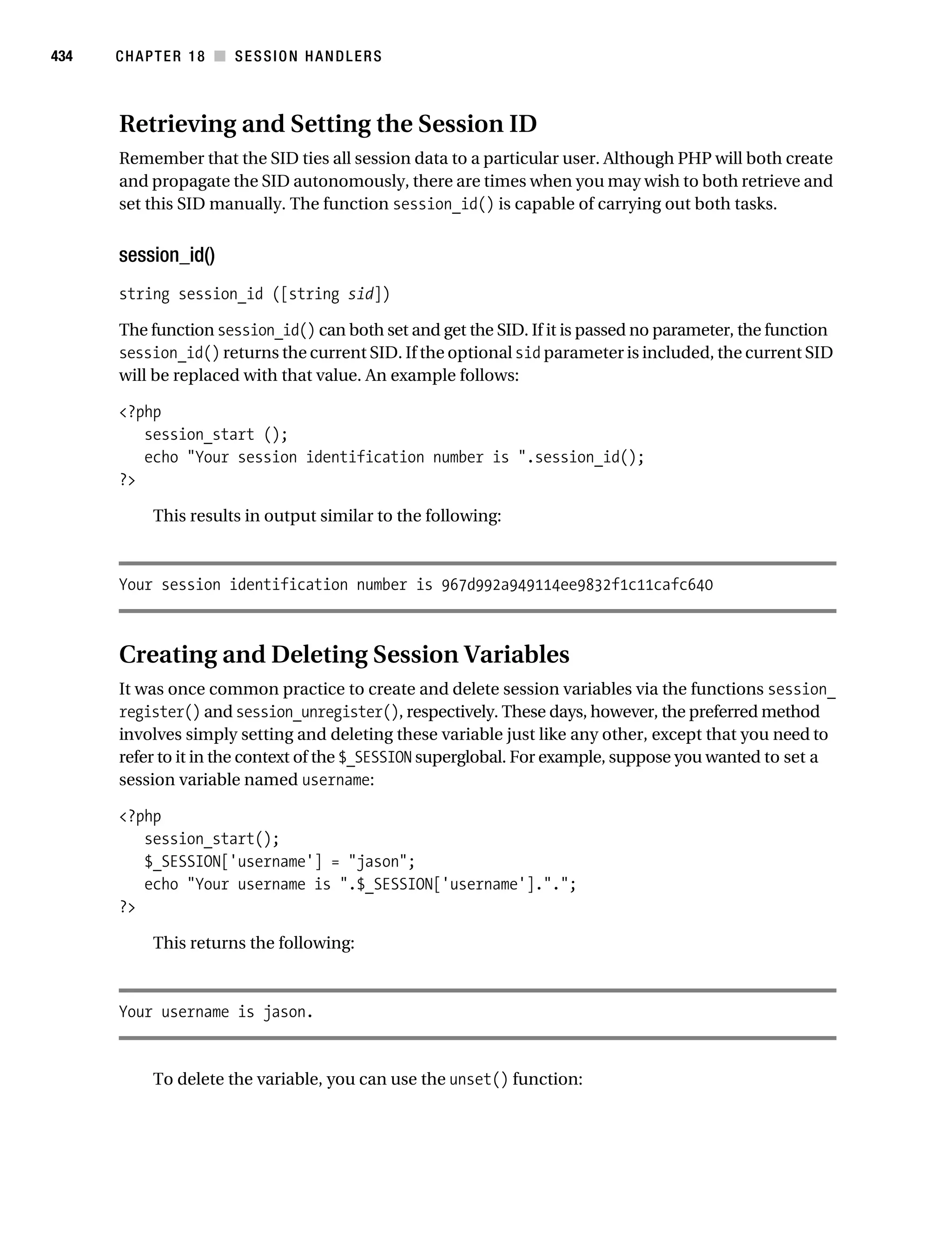
                                        Retrieving and Setting the Session ID . . . . . . . . . . . . . . . . . . . . . . . 434
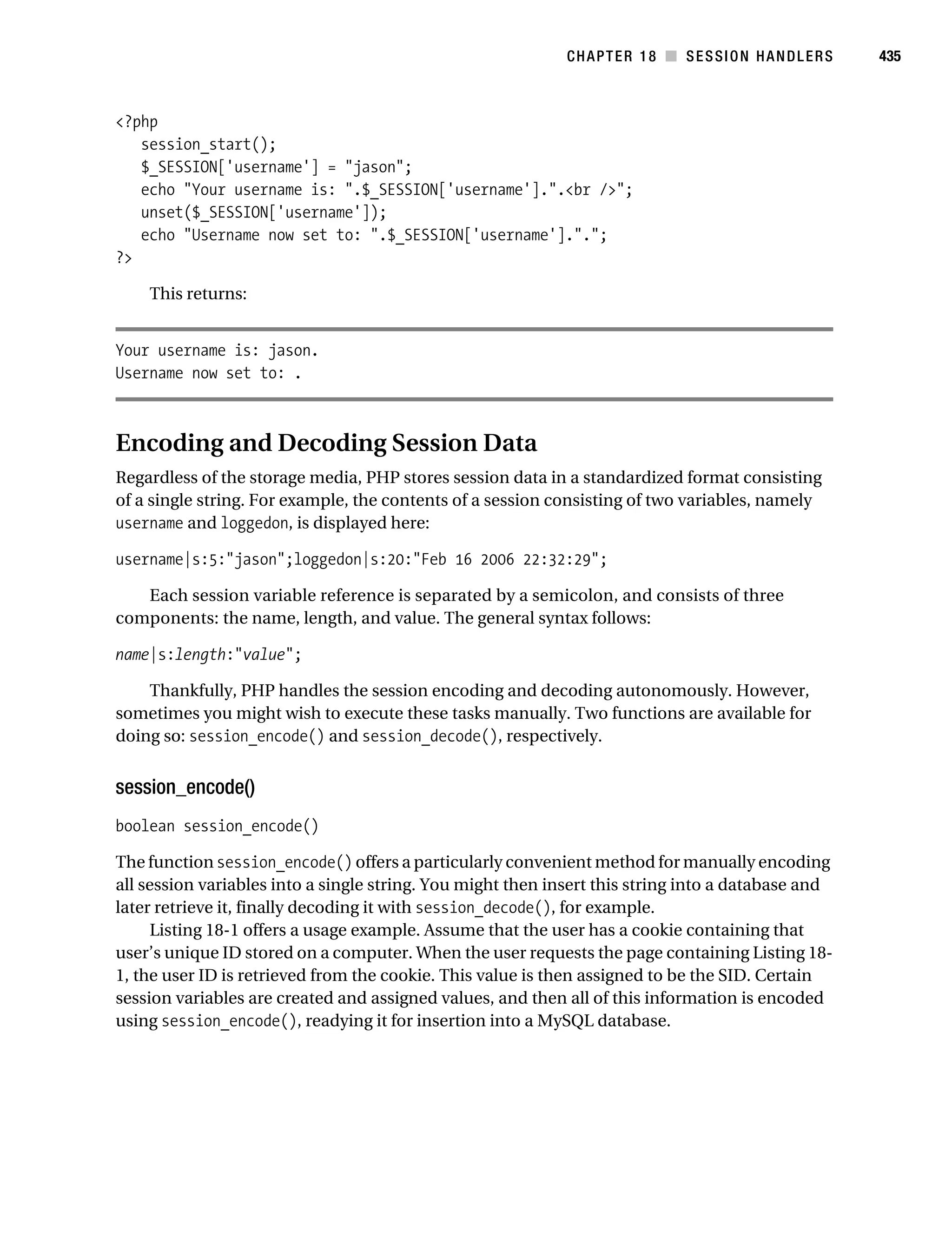
                                        Creating and Deleting Session Variables . . . . . . . . . . . . . . . . . . . . . 434
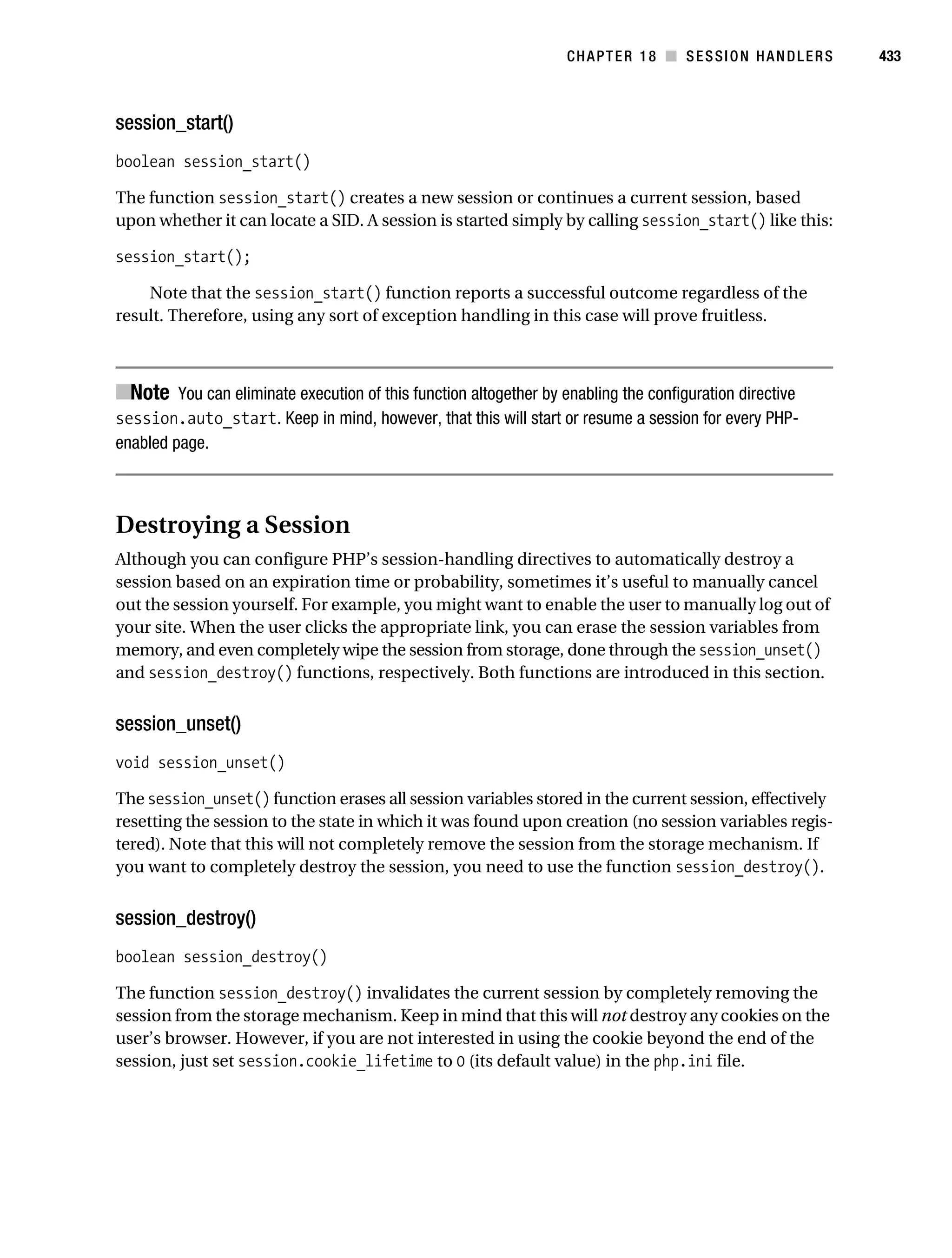
                                        Encoding and Decoding Session Data . . . . . . . . . . . . . . . . . . . . . . . 435
                                   Practical Session-Handling Examples . . . . . . . . . . . . . . . . . . . . . . . . . . . 437
                                        Auto-Login . . . . . . . . . . . . . . . . . . . . . . . . . . . . . . . . . . . . . . . . . . . . . . 437
                                        Recently Viewed Document Index. . . . . . . . . . . . . . . . . . . . . . . . . . . 439
                                   Creating Custom Session Handlers . . . . . . . . . . . . . . . . . . . . . . . . . . . . . . 441
                                        Tying Custom Session Functions into PHP’s Logic . . . . . . . . . . . . . 442
                                        Custom MySQL-Based Session Handlers . . . . . . . . . . . . . . . . . . . . 442
                                   Summary . . . . . . . . . . . . . . . . . . . . . . . . . . . . . . . . . . . . . . . . . . . . . . . . . . . 445

           ■CHAPTER 19 Templating with Smarty . . . . . . . . . . . . . . . . . . . . . . . . . . . . . . . . . 447
                                   What’s a Templating Engine? . . . . . . . . . . . . . . . . . . . . . . . . . . . . . . . . . . 447
                                   Introducing Smarty . . . . . . . . . . . . . . . . . . . . . . . . . . . . . . . . . . . . . . . . . . . 449
                                   Installing Smarty . . . . . . . . . . . . . . . . . . . . . . . . . . . . . . . . . . . . . . . . . . . . . 450
                                   Using Smarty . . . . . . . . . . . . . . . . . . . . . . . . . . . . . . . . . . . . . . . . . . . . . . . . 452
                                   Smarty’s Presentational Logic . . . . . . . . . . . . . . . . . . . . . . . . . . . . . . . . . . 454
                                         Comments . . . . . . . . . . . . . . . . . . . . . . . . . . . . . . . . . . . . . . . . . . . . . . 454
                                         Variable Modifiers . . . . . . . . . . . . . . . . . . . . . . . . . . . . . . . . . . . . . . . . 454
                                         Control Structures . . . . . . . . . . . . . . . . . . . . . . . . . . . . . . . . . . . . . . . . 457
                                         Statements . . . . . . . . . . . . . . . . . . . . . . . . . . . . . . . . . . . . . . . . . . . . . 462
                                   Creating Configuration Files . . . . . . . . . . . . . . . . . . . . . . . . . . . . . . . . . . . 465
                                         config_load . . . . . . . . . . . . . . . . . . . . . . . . . . . . . . . . . . . . . . . . . . . . . 465
                                         Referencing Configuration Variables . . . . . . . . . . . . . . . . . . . . . . . . 466
                                   Using CSS in Conjunction with Smarty . . . . . . . . . . . . . . . . . . . . . . . . . . . 467
                                   Caching . . . . . . . . . . . . . . . . . . . . . . . . . . . . . . . . . . . . . . . . . . . . . . . . . . . . 468
                                         Working with the Cache Lifetime . . . . . . . . . . . . . . . . . . . . . . . . . . . 468
                                         Eliminating Processing Overhead with is_cached() . . . . . . . . . . . . 469
                                         Creating Multiple Caches per Template . . . . . . . . . . . . . . . . . . . . . . 470
                                         Some Final Words About Caching . . . . . . . . . . . . . . . . . . . . . . . . . . . 471
                                   Summary . . . . . . . . . . . . . . . . . . . . . . . . . . . . . . . . . . . . . . . . . . . . . . . . . . . 471
Gilmore_552-1Front.fm Page xvii Wednesday, December 21, 2005 3:05 PM


                                                                                                                                        ■C O N T E N T S    xvii


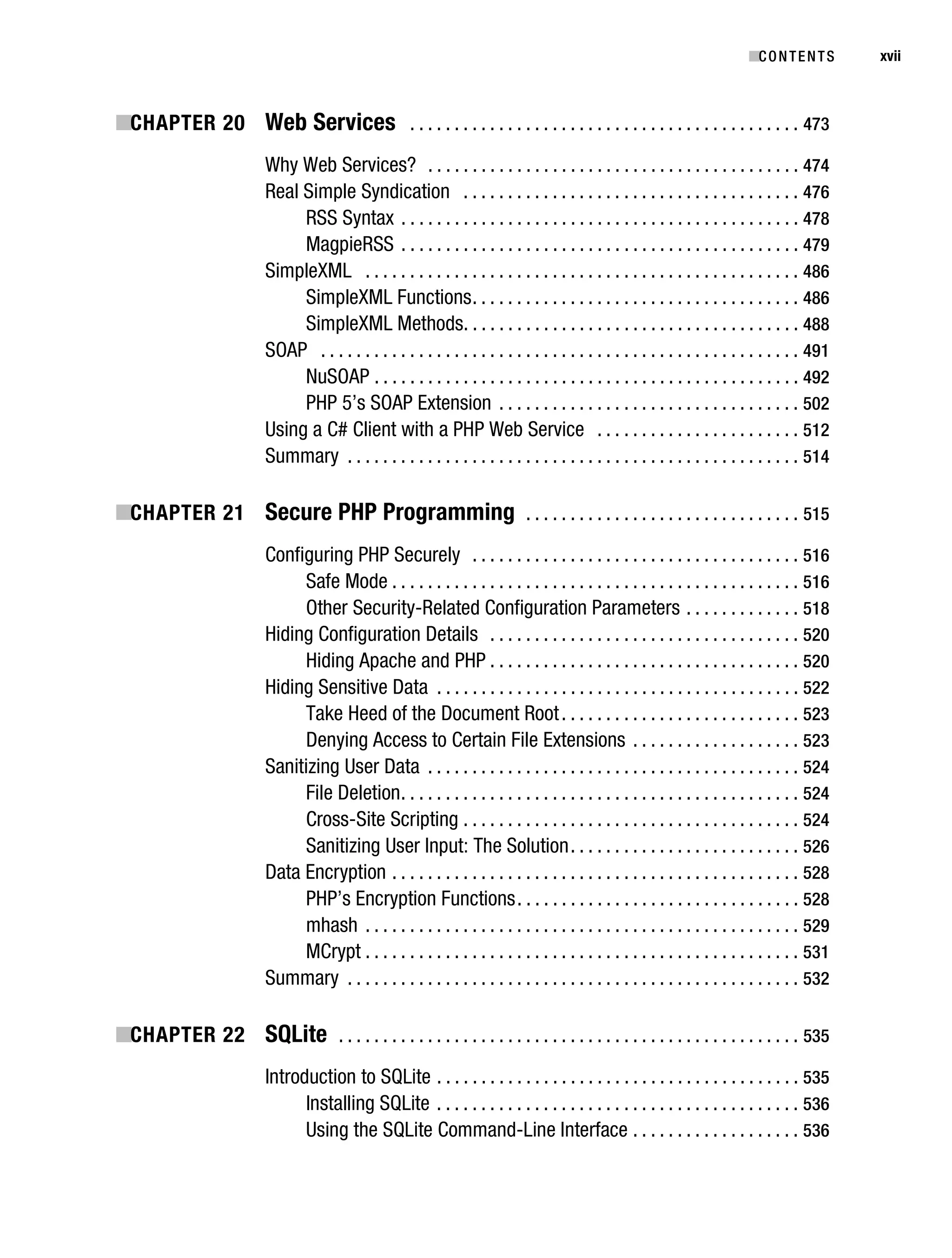
           ■CHAPTER 20 Web Services . . . . . . . . . . . . . . . . . . . . . . . . . . . . . . . . . . . . . . . . . . . . 473
                                     Why Web Services? . . . . . . . . . . . . . . . . . . . . . . . . . . . . . . . . . . . . . . . . . . 474
                                     Real Simple Syndication . . . . . . . . . . . . . . . . . . . . . . . . . . . . . . . . . . . . . . 476
                                          RSS Syntax . . . . . . . . . . . . . . . . . . . . . . . . . . . . . . . . . . . . . . . . . . . . . 478
                                          MagpieRSS . . . . . . . . . . . . . . . . . . . . . . . . . . . . . . . . . . . . . . . . . . . . . 479
                                     SimpleXML . . . . . . . . . . . . . . . . . . . . . . . . . . . . . . . . . . . . . . . . . . . . . . . . . 486
                                          SimpleXML Functions . . . . . . . . . . . . . . . . . . . . . . . . . . . . . . . . . . . . . 486
                                          SimpleXML Methods. . . . . . . . . . . . . . . . . . . . . . . . . . . . . . . . . . . . . . 488
                                     SOAP . . . . . . . . . . . . . . . . . . . . . . . . . . . . . . . . . . . . . . . . . . . . . . . . . . . . . . 491
                                          NuSOAP . . . . . . . . . . . . . . . . . . . . . . . . . . . . . . . . . . . . . . . . . . . . . . . . 492
                                          PHP 5’s SOAP Extension . . . . . . . . . . . . . . . . . . . . . . . . . . . . . . . . . . 502
                                     Using a C# Client with a PHP Web Service . . . . . . . . . . . . . . . . . . . . . . . 512
                                     Summary . . . . . . . . . . . . . . . . . . . . . . . . . . . . . . . . . . . . . . . . . . . . . . . . . . . 514

           ■CHAPTER 21 Secure PHP Programming . . . . . . . . . . . . . . . . . . . . . . . . . . . . . . . 515
                                     Configuring PHP Securely . . . . . . . . . . . . . . . . . . . . . . . . . . . . . . . . . . . . . 516
                                          Safe Mode . . . . . . . . . . . . . . . . . . . . . . . . . . . . . . . . . . . . . . . . . . . . . . 516
                                          Other Security-Related Configuration Parameters . . . . . . . . . . . . . 518
                                     Hiding Configuration Details . . . . . . . . . . . . . . . . . . . . . . . . . . . . . . . . . . . 520
                                          Hiding Apache and PHP . . . . . . . . . . . . . . . . . . . . . . . . . . . . . . . . . . . 520
                                     Hiding Sensitive Data . . . . . . . . . . . . . . . . . . . . . . . . . . . . . . . . . . . . . . . . . 522
                                          Take Heed of the Document Root . . . . . . . . . . . . . . . . . . . . . . . . . . . 523
                                          Denying Access to Certain File Extensions . . . . . . . . . . . . . . . . . . . 523
                                     Sanitizing User Data . . . . . . . . . . . . . . . . . . . . . . . . . . . . . . . . . . . . . . . . . . 524
                                          File Deletion . . . . . . . . . . . . . . . . . . . . . . . . . . . . . . . . . . . . . . . . . . . . . 524
                                          Cross-Site Scripting . . . . . . . . . . . . . . . . . . . . . . . . . . . . . . . . . . . . . . 524
                                          Sanitizing User Input: The Solution . . . . . . . . . . . . . . . . . . . . . . . . . . 526
                                     Data Encryption . . . . . . . . . . . . . . . . . . . . . . . . . . . . . . . . . . . . . . . . . . . . . . 528
                                          PHP’s Encryption Functions . . . . . . . . . . . . . . . . . . . . . . . . . . . . . . . . 528
                                          mhash . . . . . . . . . . . . . . . . . . . . . . . . . . . . . . . . . . . . . . . . . . . . . . . . . 529
                                          MCrypt . . . . . . . . . . . . . . . . . . . . . . . . . . . . . . . . . . . . . . . . . . . . . . . . . 531
                                     Summary . . . . . . . . . . . . . . . . . . . . . . . . . . . . . . . . . . . . . . . . . . . . . . . . . . . 532

           ■CHAPTER 22 SQLite . . . . . . . . . . . . . . . . . . . . . . . . . . . . . . . . . . . . . . . . . . . . . . . . . . . . 535
                                     Introduction to SQLite . . . . . . . . . . . . . . . . . . . . . . . . . . . . . . . . . . . . . . . . . 535
                                           Installing SQLite . . . . . . . . . . . . . . . . . . . . . . . . . . . . . . . . . . . . . . . . . 536
                                           Using the SQLite Command-Line Interface . . . . . . . . . . . . . . . . . . . 536
Gilmore_552-1Front.fm Page xviii Wednesday, December 21, 2005 3:05 PM


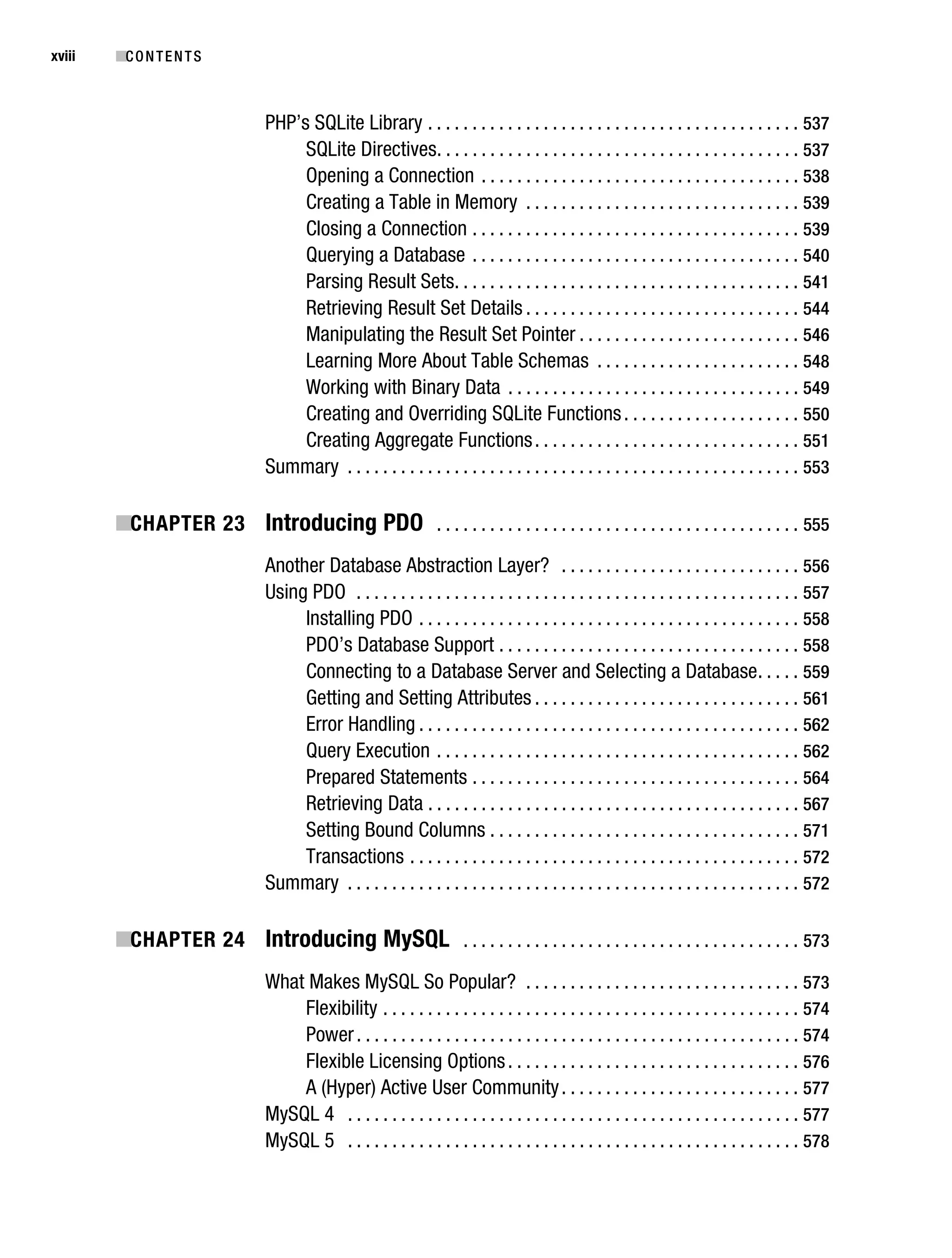
xviii      ■C O N T E N T S


                                    PHP’s SQLite Library . . . . . . . . . . . . . . . . . . . . . . . . . . . . . . . . . . . . . . . . . . 537
                                         SQLite Directives. . . . . . . . . . . . . . . . . . . . . . . . . . . . . . . . . . . . . . . . . 537
                                         Opening a Connection . . . . . . . . . . . . . . . . . . . . . . . . . . . . . . . . . . . . 538
                                         Creating a Table in Memory . . . . . . . . . . . . . . . . . . . . . . . . . . . . . . . 539
                                         Closing a Connection . . . . . . . . . . . . . . . . . . . . . . . . . . . . . . . . . . . . . 539
                                         Querying a Database . . . . . . . . . . . . . . . . . . . . . . . . . . . . . . . . . . . . . 540
                                         Parsing Result Sets. . . . . . . . . . . . . . . . . . . . . . . . . . . . . . . . . . . . . . . 541
                                         Retrieving Result Set Details . . . . . . . . . . . . . . . . . . . . . . . . . . . . . . . 544
                                         Manipulating the Result Set Pointer . . . . . . . . . . . . . . . . . . . . . . . . . 546
                                         Learning More About Table Schemas . . . . . . . . . . . . . . . . . . . . . . . 548
                                         Working with Binary Data . . . . . . . . . . . . . . . . . . . . . . . . . . . . . . . . . 549
                                         Creating and Overriding SQLite Functions . . . . . . . . . . . . . . . . . . . . 550
                                         Creating Aggregate Functions . . . . . . . . . . . . . . . . . . . . . . . . . . . . . . 551
                                    Summary . . . . . . . . . . . . . . . . . . . . . . . . . . . . . . . . . . . . . . . . . . . . . . . . . . . 553

           ■CHAPTER 23 Introducing PDO . . . . . . . . . . . . . . . . . . . . . . . . . . . . . . . . . . . . . . . . . 555
                                    Another Database Abstraction Layer? . . . . . . . . . . . . . . . . . . . . . . . . . . . 556
                                    Using PDO . . . . . . . . . . . . . . . . . . . . . . . . . . . . . . . . . . . . . . . . . . . . . . . . . . 557
                                         Installing PDO . . . . . . . . . . . . . . . . . . . . . . . . . . . . . . . . . . . . . . . . . . . 558
                                         PDO’s Database Support . . . . . . . . . . . . . . . . . . . . . . . . . . . . . . . . . . 558
                                         Connecting to a Database Server and Selecting a Database . . . . . 559
                                         Getting and Setting Attributes . . . . . . . . . . . . . . . . . . . . . . . . . . . . . . 561
                                         Error Handling . . . . . . . . . . . . . . . . . . . . . . . . . . . . . . . . . . . . . . . . . . . 562
                                         Query Execution . . . . . . . . . . . . . . . . . . . . . . . . . . . . . . . . . . . . . . . . . 562
                                         Prepared Statements . . . . . . . . . . . . . . . . . . . . . . . . . . . . . . . . . . . . . 564
                                         Retrieving Data . . . . . . . . . . . . . . . . . . . . . . . . . . . . . . . . . . . . . . . . . . 567
                                         Setting Bound Columns . . . . . . . . . . . . . . . . . . . . . . . . . . . . . . . . . . . 571
                                         Transactions . . . . . . . . . . . . . . . . . . . . . . . . . . . . . . . . . . . . . . . . . . . . 572
                                    Summary . . . . . . . . . . . . . . . . . . . . . . . . . . . . . . . . . . . . . . . . . . . . . . . . . . . 572

           ■CHAPTER 24 Introducing MySQL . . . . . . . . . . . . . . . . . . . . . . . . . . . . . . . . . . . . . . 573
                                    What Makes MySQL So Popular? . . . . . . . . . . . . . . . . . . . . . . . . . . . . . . . 573
                                        Flexibility . . . . . . . . . . . . . . . . . . . . . . . . . . . . . . . . . . . . . . . . . . . . . . . 574
                                        Power . . . . . . . . . . . . . . . . . . . . . . . . . . . . . . . . . . . . . . . . . . . . . . . . . . 574
                                        Flexible Licensing Options . . . . . . . . . . . . . . . . . . . . . . . . . . . . . . . . . 576
                                        A (Hyper) Active User Community . . . . . . . . . . . . . . . . . . . . . . . . . . . 577
                                    MySQL 4 . . . . . . . . . . . . . . . . . . . . . . . . . . . . . . . . . . . . . . . . . . . . . . . . . . . 577
                                    MySQL 5 . . . . . . . . . . . . . . . . . . . . . . . . . . . . . . . . . . . . . . . . . . . . . . . . . . . 578
Gilmore_552-1Front.fm Page xix Wednesday, December 21, 2005 3:05 PM


                                                                                                                                       ■C O N T E N T S    xix


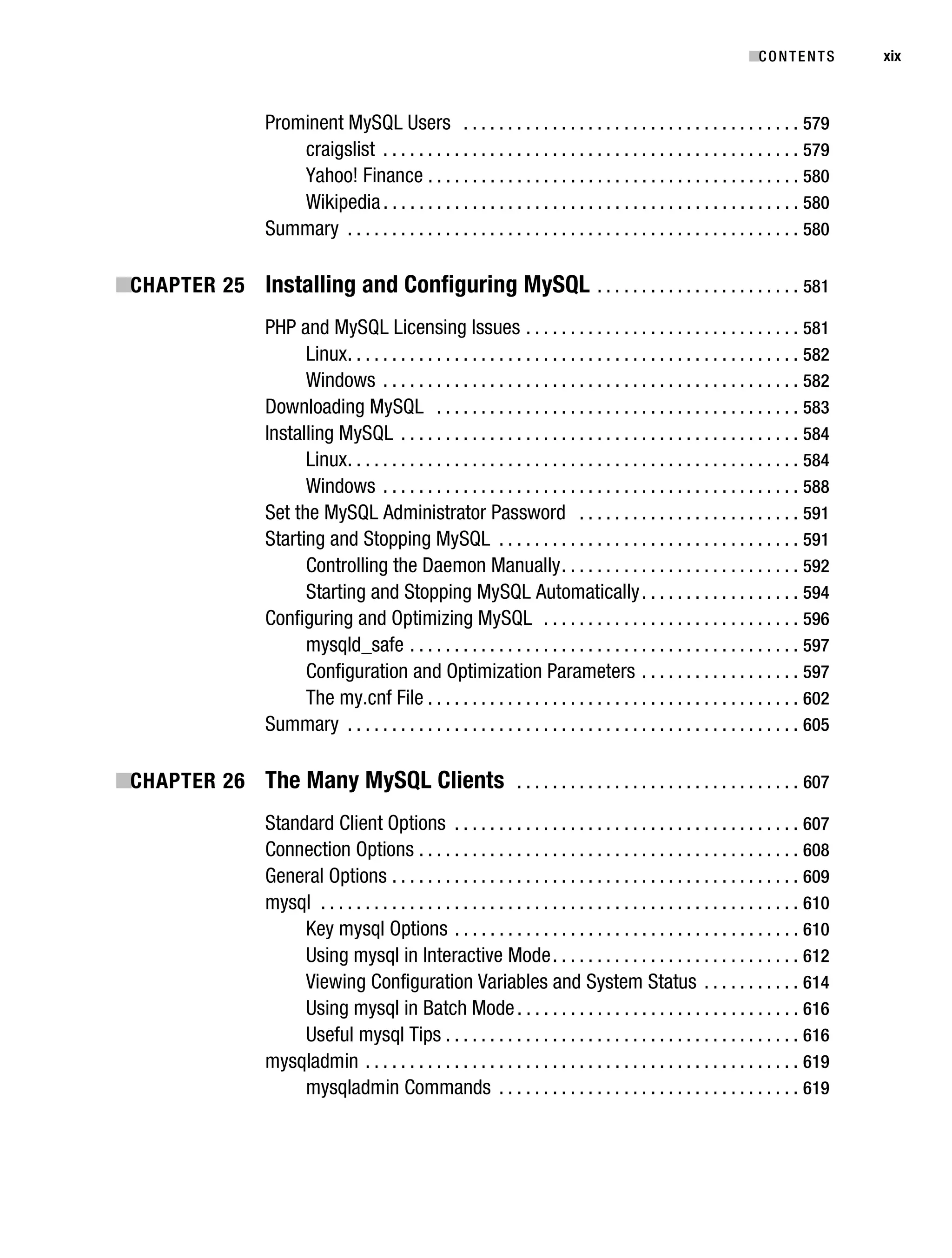
                                   Prominent MySQL Users . . . . . . . . . . . . . . . . . . . . . . . . . . . . . . . . . . . . . . 579
                                       craigslist . . . . . . . . . . . . . . . . . . . . . . . . . . . . . . . . . . . . . . . . . . . . . . . 579
                                       Yahoo! Finance . . . . . . . . . . . . . . . . . . . . . . . . . . . . . . . . . . . . . . . . . . 580
                                       Wikipedia . . . . . . . . . . . . . . . . . . . . . . . . . . . . . . . . . . . . . . . . . . . . . . . 580
                                   Summary . . . . . . . . . . . . . . . . . . . . . . . . . . . . . . . . . . . . . . . . . . . . . . . . . . . 580

           ■CHAPTER 25 Installing and Configuring MySQL . . . . . . . . . . . . . . . . . . . . . . . 581
                                   PHP and MySQL Licensing Issues . . . . . . . . . . . . . . . . . . . . . . . . . . . . . . . 581
                                         Linux . . . . . . . . . . . . . . . . . . . . . . . . . . . . . . . . . . . . . . . . . . . . . . . . . . . 582
                                         Windows . . . . . . . . . . . . . . . . . . . . . . . . . . . . . . . . . . . . . . . . . . . . . . . 582
                                   Downloading MySQL . . . . . . . . . . . . . . . . . . . . . . . . . . . . . . . . . . . . . . . . . 583
                                   Installing MySQL . . . . . . . . . . . . . . . . . . . . . . . . . . . . . . . . . . . . . . . . . . . . . 584
                                         Linux . . . . . . . . . . . . . . . . . . . . . . . . . . . . . . . . . . . . . . . . . . . . . . . . . . . 584
                                         Windows . . . . . . . . . . . . . . . . . . . . . . . . . . . . . . . . . . . . . . . . . . . . . . . 588
                                   Set the MySQL Administrator Password . . . . . . . . . . . . . . . . . . . . . . . . . 591
                                   Starting and Stopping MySQL . . . . . . . . . . . . . . . . . . . . . . . . . . . . . . . . . . 591
                                         Controlling the Daemon Manually . . . . . . . . . . . . . . . . . . . . . . . . . . . 592
                                         Starting and Stopping MySQL Automatically . . . . . . . . . . . . . . . . . . 594
                                   Configuring and Optimizing MySQL . . . . . . . . . . . . . . . . . . . . . . . . . . . . . 596
                                         mysqld_safe . . . . . . . . . . . . . . . . . . . . . . . . . . . . . . . . . . . . . . . . . . . . 597
                                         Configuration and Optimization Parameters . . . . . . . . . . . . . . . . . . 597
                                         The my.cnf File . . . . . . . . . . . . . . . . . . . . . . . . . . . . . . . . . . . . . . . . . . 602
                                   Summary . . . . . . . . . . . . . . . . . . . . . . . . . . . . . . . . . . . . . . . . . . . . . . . . . . . 605

           ■CHAPTER 26 The Many MySQL Clients . . . . . . . . . . . . . . . . . . . . . . . . . . . . . . . . 607
                                   Standard Client Options . . . . . . . . . . . . . . . . . . . . . . . . . . . . . . . . . . . . . . . 607
                                   Connection Options . . . . . . . . . . . . . . . . . . . . . . . . . . . . . . . . . . . . . . . . . . . 608
                                   General Options . . . . . . . . . . . . . . . . . . . . . . . . . . . . . . . . . . . . . . . . . . . . . . 609
                                   mysql . . . . . . . . . . . . . . . . . . . . . . . . . . . . . . . . . . . . . . . . . . . . . . . . . . . . . . 610
                                        Key mysql Options . . . . . . . . . . . . . . . . . . . . . . . . . . . . . . . . . . . . . . . 610
                                        Using mysql in Interactive Mode . . . . . . . . . . . . . . . . . . . . . . . . . . . . 612
                                        Viewing Configuration Variables and System Status . . . . . . . . . . . 614
                                        Using mysql in Batch Mode . . . . . . . . . . . . . . . . . . . . . . . . . . . . . . . . 616
                                        Useful mysql Tips . . . . . . . . . . . . . . . . . . . . . . . . . . . . . . . . . . . . . . . . 616
                                   mysqladmin . . . . . . . . . . . . . . . . . . . . . . . . . . . . . . . . . . . . . . . . . . . . . . . . . 619
                                        mysqladmin Commands . . . . . . . . . . . . . . . . . . . . . . . . . . . . . . . . . . 619
Gilmore_552-1Front.fm Page xx Wednesday, December 21, 2005 3:05 PM


xx         ■C O N T E N T S


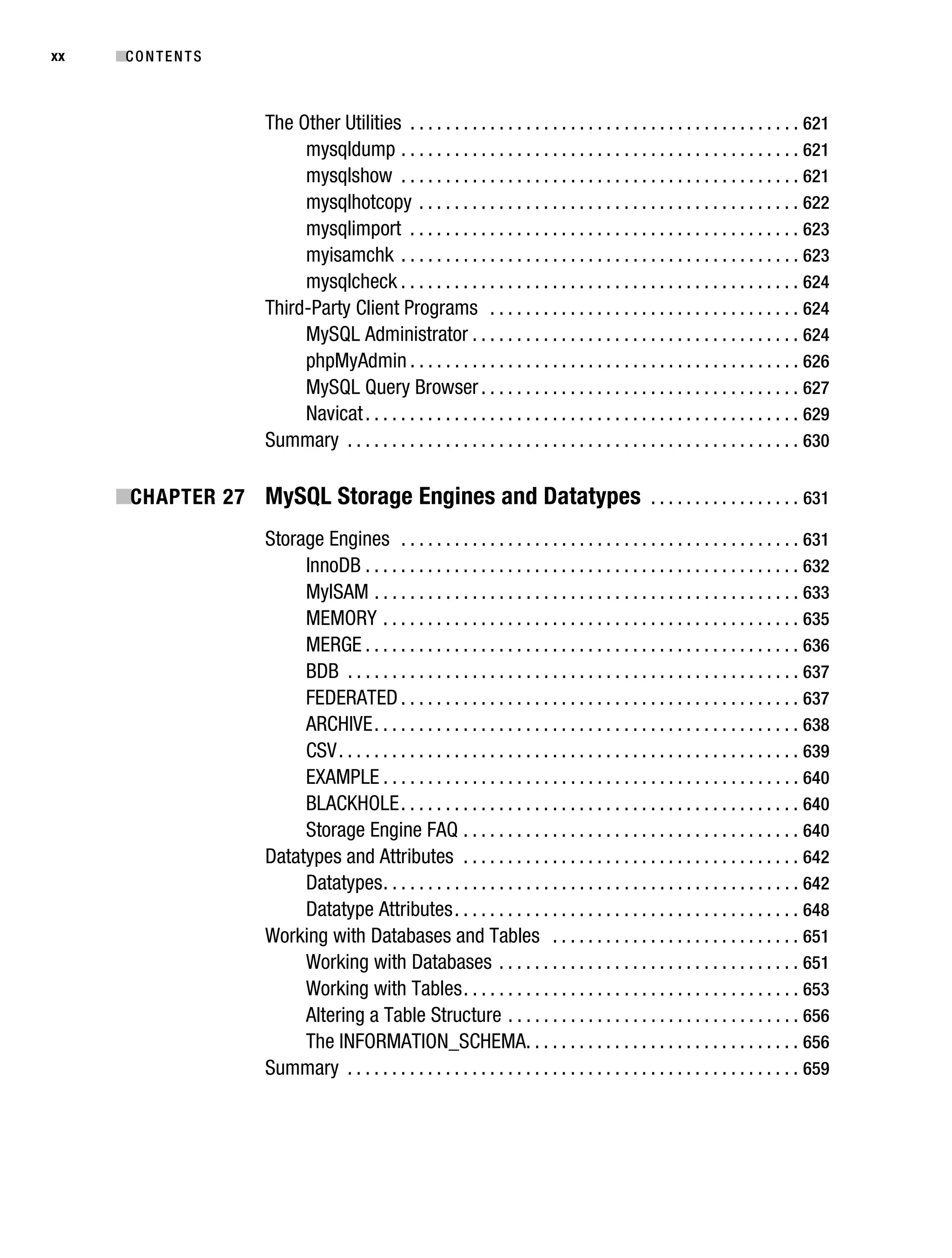
                                   The Other Utilities . . . . . . . . . . . . . . . . . . . . . . . . . . . . . . . . . . . . . . . . . . . . 621
                                        mysqldump . . . . . . . . . . . . . . . . . . . . . . . . . . . . . . . . . . . . . . . . . . . . . 621
                                        mysqlshow . . . . . . . . . . . . . . . . . . . . . . . . . . . . . . . . . . . . . . . . . . . . . 621
                                        mysqlhotcopy . . . . . . . . . . . . . . . . . . . . . . . . . . . . . . . . . . . . . . . . . . . 622
                                        mysqlimport . . . . . . . . . . . . . . . . . . . . . . . . . . . . . . . . . . . . . . . . . . . . 623
                                        myisamchk . . . . . . . . . . . . . . . . . . . . . . . . . . . . . . . . . . . . . . . . . . . . . 623
                                        mysqlcheck . . . . . . . . . . . . . . . . . . . . . . . . . . . . . . . . . . . . . . . . . . . . . 624
                                   Third-Party Client Programs . . . . . . . . . . . . . . . . . . . . . . . . . . . . . . . . . . . 624
                                        MySQL Administrator . . . . . . . . . . . . . . . . . . . . . . . . . . . . . . . . . . . . . 624
                                        phpMyAdmin . . . . . . . . . . . . . . . . . . . . . . . . . . . . . . . . . . . . . . . . . . . . 626
                                        MySQL Query Browser . . . . . . . . . . . . . . . . . . . . . . . . . . . . . . . . . . . . 627
                                        Navicat . . . . . . . . . . . . . . . . . . . . . . . . . . . . . . . . . . . . . . . . . . . . . . . . . 629
                                   Summary . . . . . . . . . . . . . . . . . . . . . . . . . . . . . . . . . . . . . . . . . . . . . . . . . . . 630

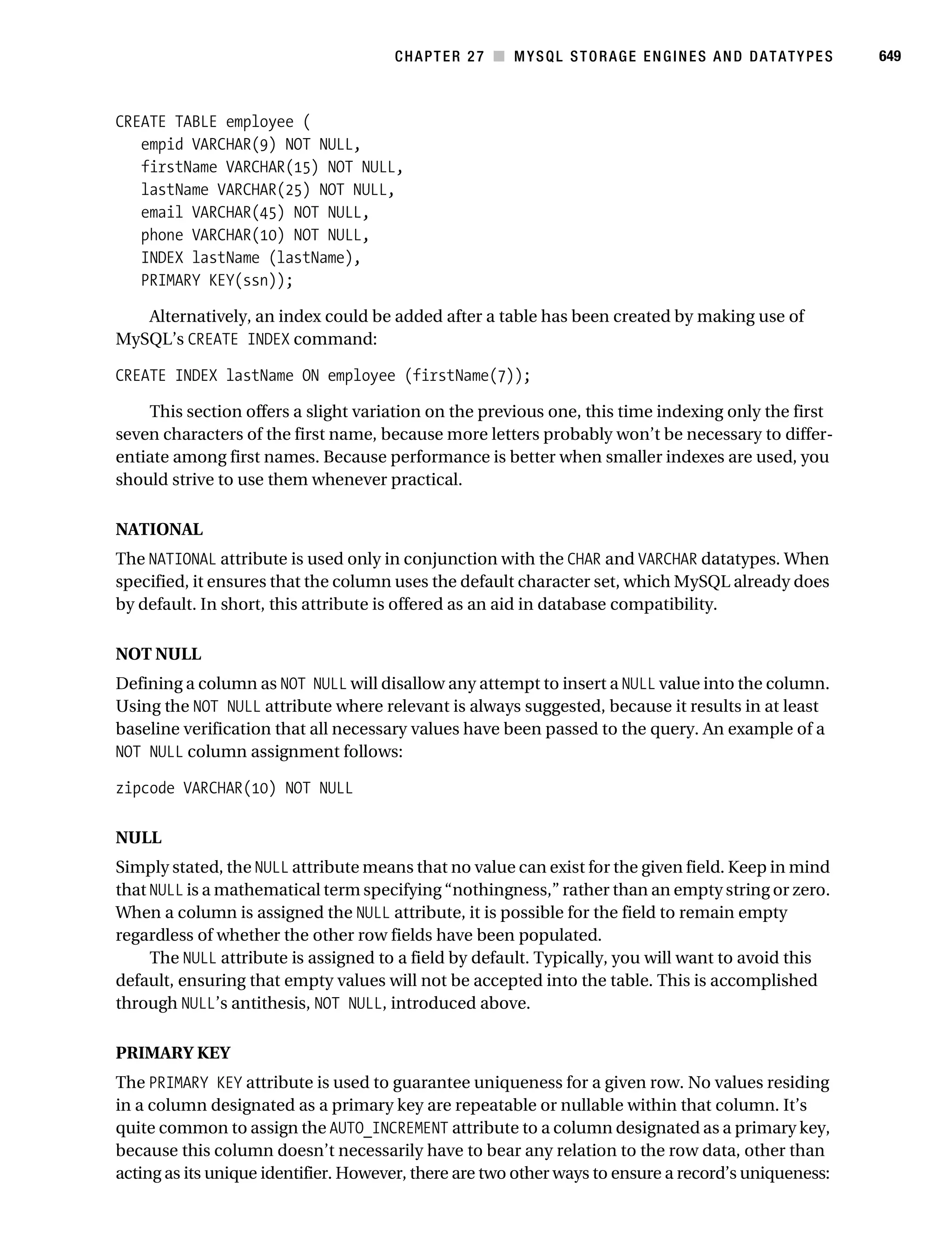
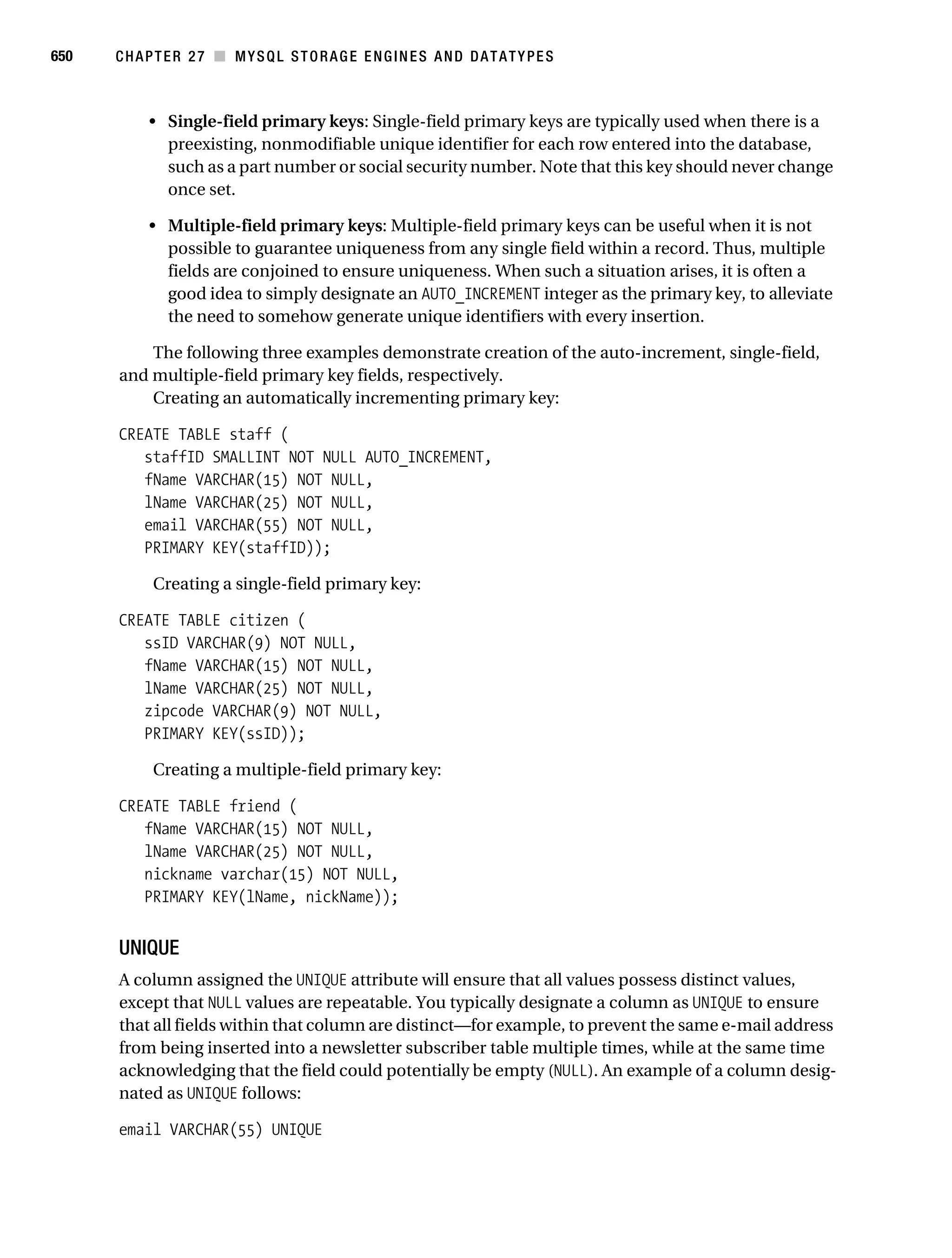
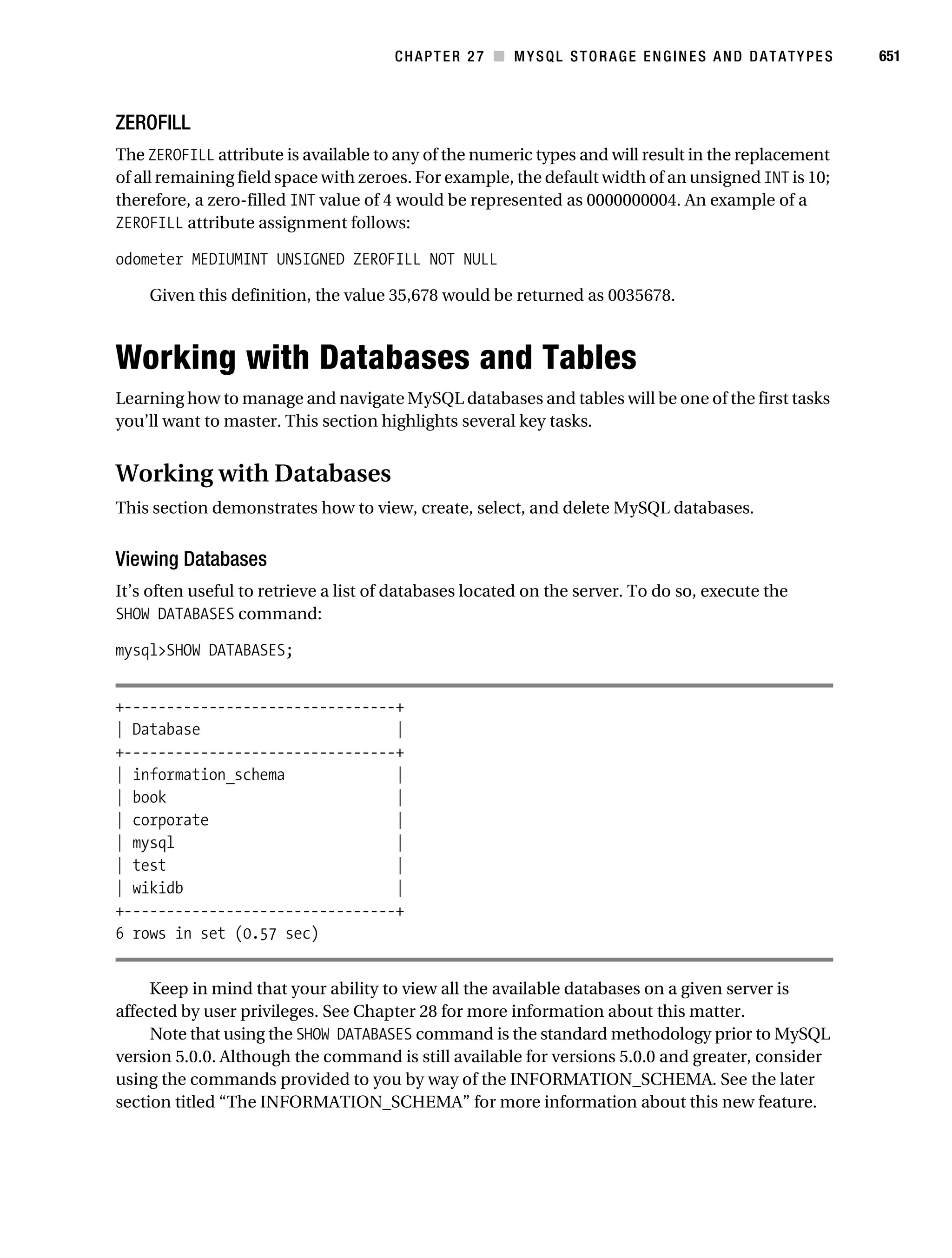
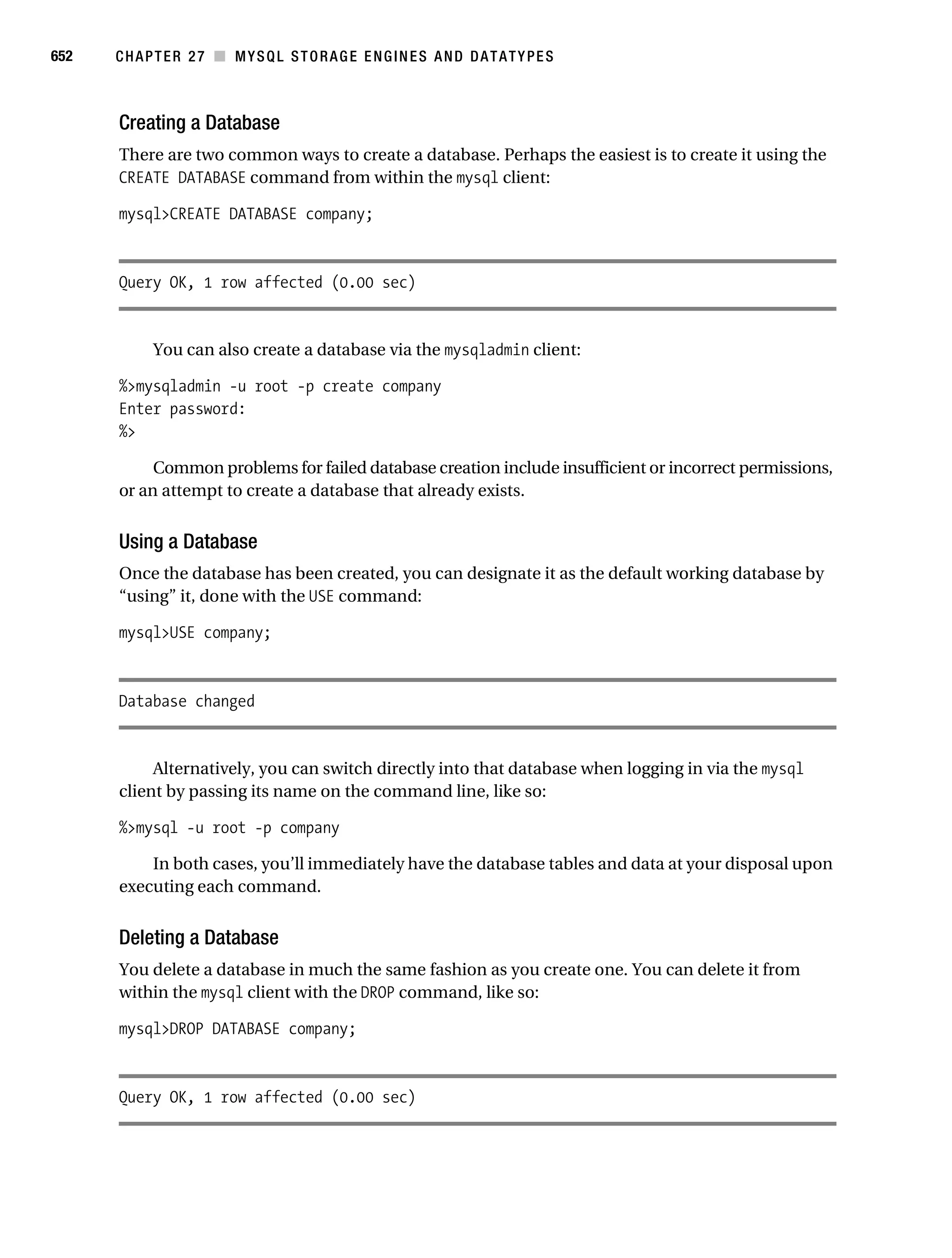
           ■CHAPTER 27 MySQL Storage Engines and Datatypes . . . . . . . . . . . . . . . . . 631
                                   Storage Engines . . . . . . . . . . . . . . . . . . . . . . . . . . . . . . . . . . . . . . . . . . . . . 631
                                        InnoDB . . . . . . . . . . . . . . . . . . . . . . . . . . . . . . . . . . . . . . . . . . . . . . . . . 632
                                        MyISAM . . . . . . . . . . . . . . . . . . . . . . . . . . . . . . . . . . . . . . . . . . . . . . . . 633
                                        MEMORY . . . . . . . . . . . . . . . . . . . . . . . . . . . . . . . . . . . . . . . . . . . . . . . 635
                                        MERGE . . . . . . . . . . . . . . . . . . . . . . . . . . . . . . . . . . . . . . . . . . . . . . . . . 636
                                        BDB . . . . . . . . . . . . . . . . . . . . . . . . . . . . . . . . . . . . . . . . . . . . . . . . . . . 637
                                        FEDERATED . . . . . . . . . . . . . . . . . . . . . . . . . . . . . . . . . . . . . . . . . . . . . 637
                                        ARCHIVE . . . . . . . . . . . . . . . . . . . . . . . . . . . . . . . . . . . . . . . . . . . . . . . . 638
                                        CSV . . . . . . . . . . . . . . . . . . . . . . . . . . . . . . . . . . . . . . . . . . . . . . . . . . . . 639
                                        EXAMPLE . . . . . . . . . . . . . . . . . . . . . . . . . . . . . . . . . . . . . . . . . . . . . . . 640
                                        BLACKHOLE . . . . . . . . . . . . . . . . . . . . . . . . . . . . . . . . . . . . . . . . . . . . . 640
                                        Storage Engine FAQ . . . . . . . . . . . . . . . . . . . . . . . . . . . . . . . . . . . . . . 640
                                   Datatypes and Attributes . . . . . . . . . . . . . . . . . . . . . . . . . . . . . . . . . . . . . . 642
                                        Datatypes . . . . . . . . . . . . . . . . . . . . . . . . . . . . . . . . . . . . . . . . . . . . . . . 642
                                        Datatype Attributes . . . . . . . . . . . . . . . . . . . . . . . . . . . . . . . . . . . . . . . 648
                                   Working with Databases and Tables . . . . . . . . . . . . . . . . . . . . . . . . . . . . 651
                                        Working with Databases . . . . . . . . . . . . . . . . . . . . . . . . . . . . . . . . . . 651
                                        Working with Tables . . . . . . . . . . . . . . . . . . . . . . . . . . . . . . . . . . . . . . 653
                                        Altering a Table Structure . . . . . . . . . . . . . . . . . . . . . . . . . . . . . . . . . 656
                                        The INFORMATION_SCHEMA. . . . . . . . . . . . . . . . . . . . . . . . . . . . . . . 656
                                   Summary . . . . . . . . . . . . . . . . . . . . . . . . . . . . . . . . . . . . . . . . . . . . . . . . . . . 659
Gilmore_552-1Front.fm Page xxi Wednesday, December 21, 2005 3:05 PM


                                                                                                                                   ■C O N T E N T S    xxi


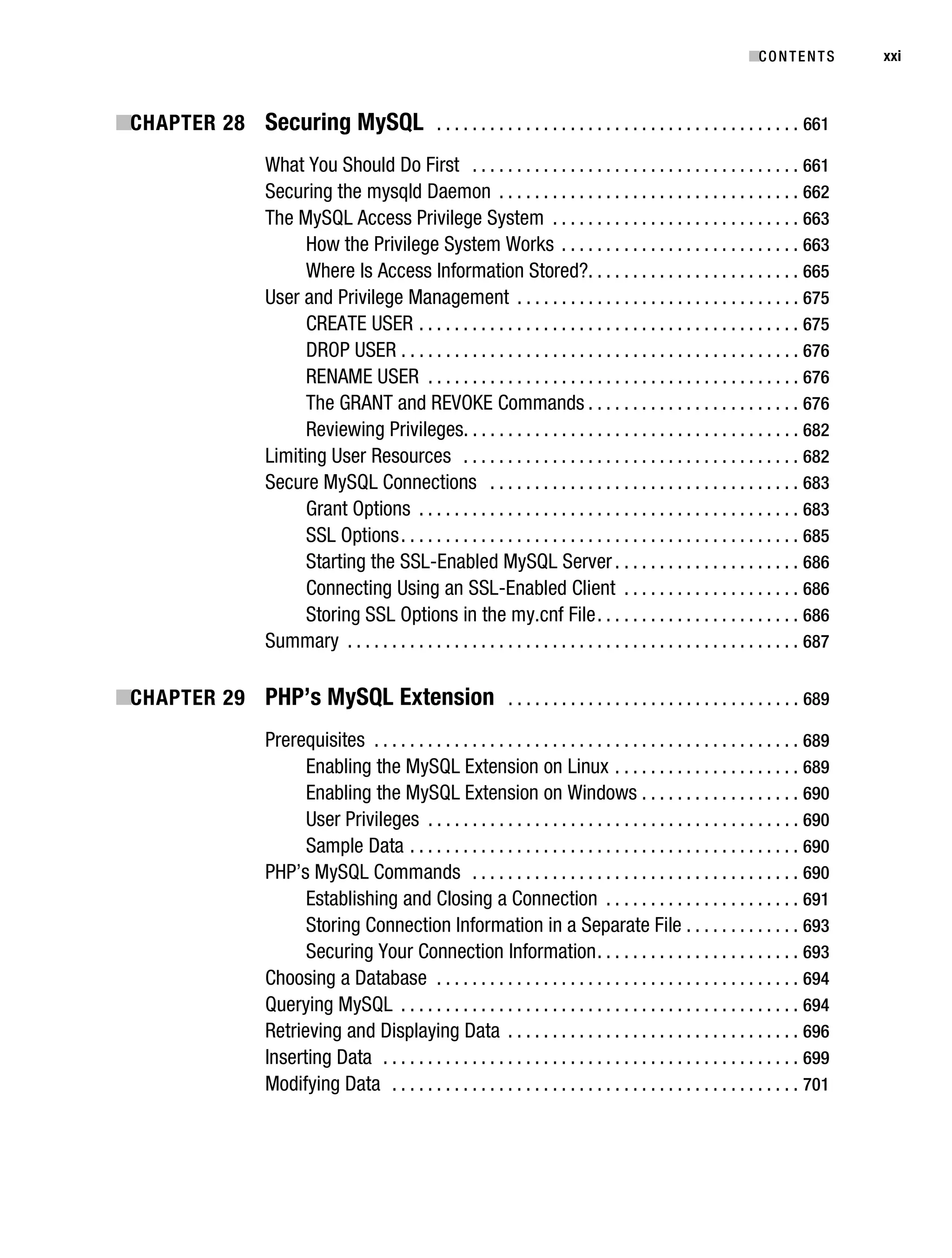
           ■CHAPTER 28 Securing MySQL . . . . . . . . . . . . . . . . . . . . . . . . . . . . . . . . . . . . . . . . . 661
                                   What You Should Do First . . . . . . . . . . . . . . . . . . . . . . . . . . . . . . . . . . . . . 661
                                   Securing the mysqld Daemon . . . . . . . . . . . . . . . . . . . . . . . . . . . . . . . . . . 662
                                   The MySQL Access Privilege System . . . . . . . . . . . . . . . . . . . . . . . . . . . . 663
                                         How the Privilege System Works . . . . . . . . . . . . . . . . . . . . . . . . . . . 663
                                         Where Is Access Information Stored?. . . . . . . . . . . . . . . . . . . . . . . . 665
                                   User and Privilege Management . . . . . . . . . . . . . . . . . . . . . . . . . . . . . . . . 675
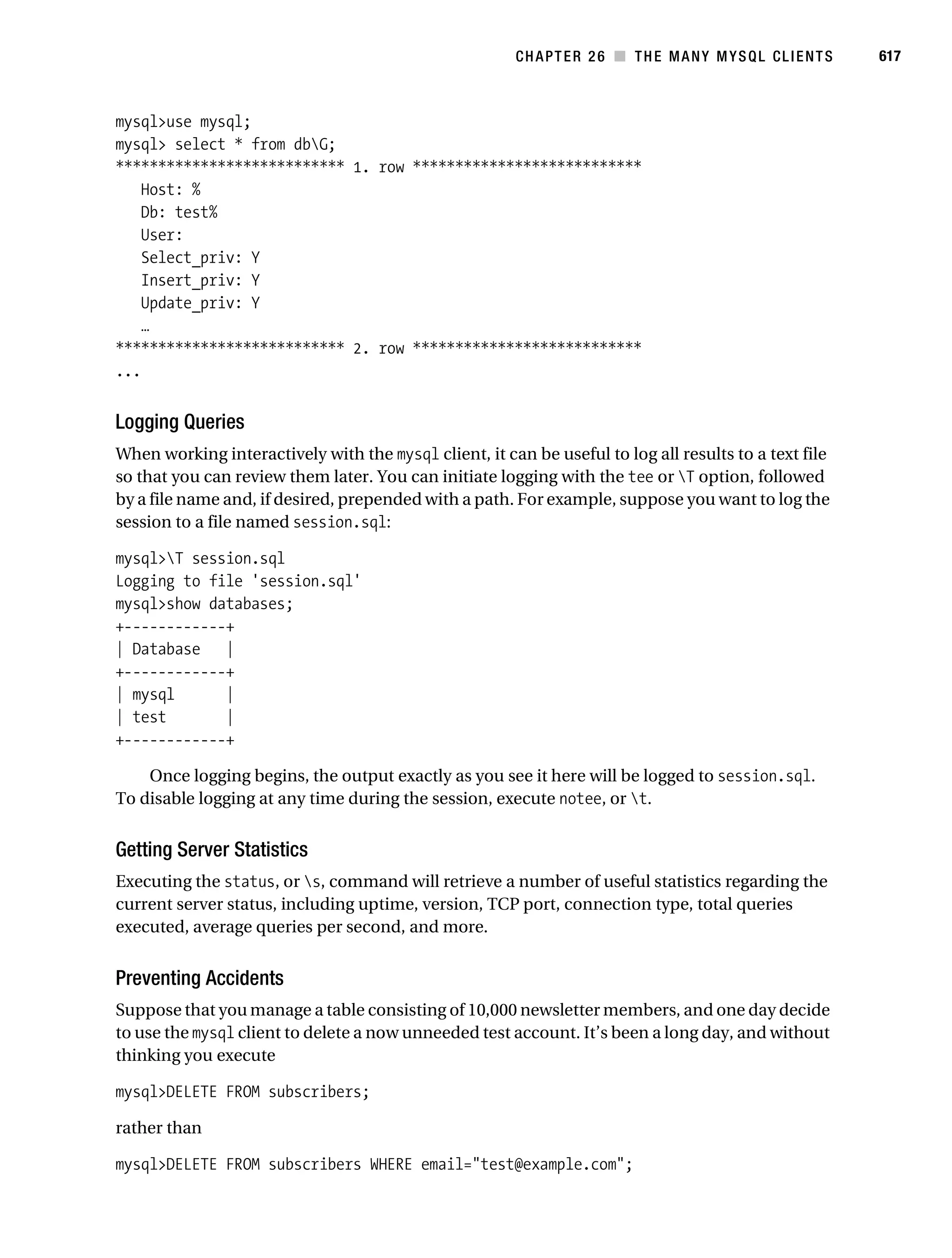
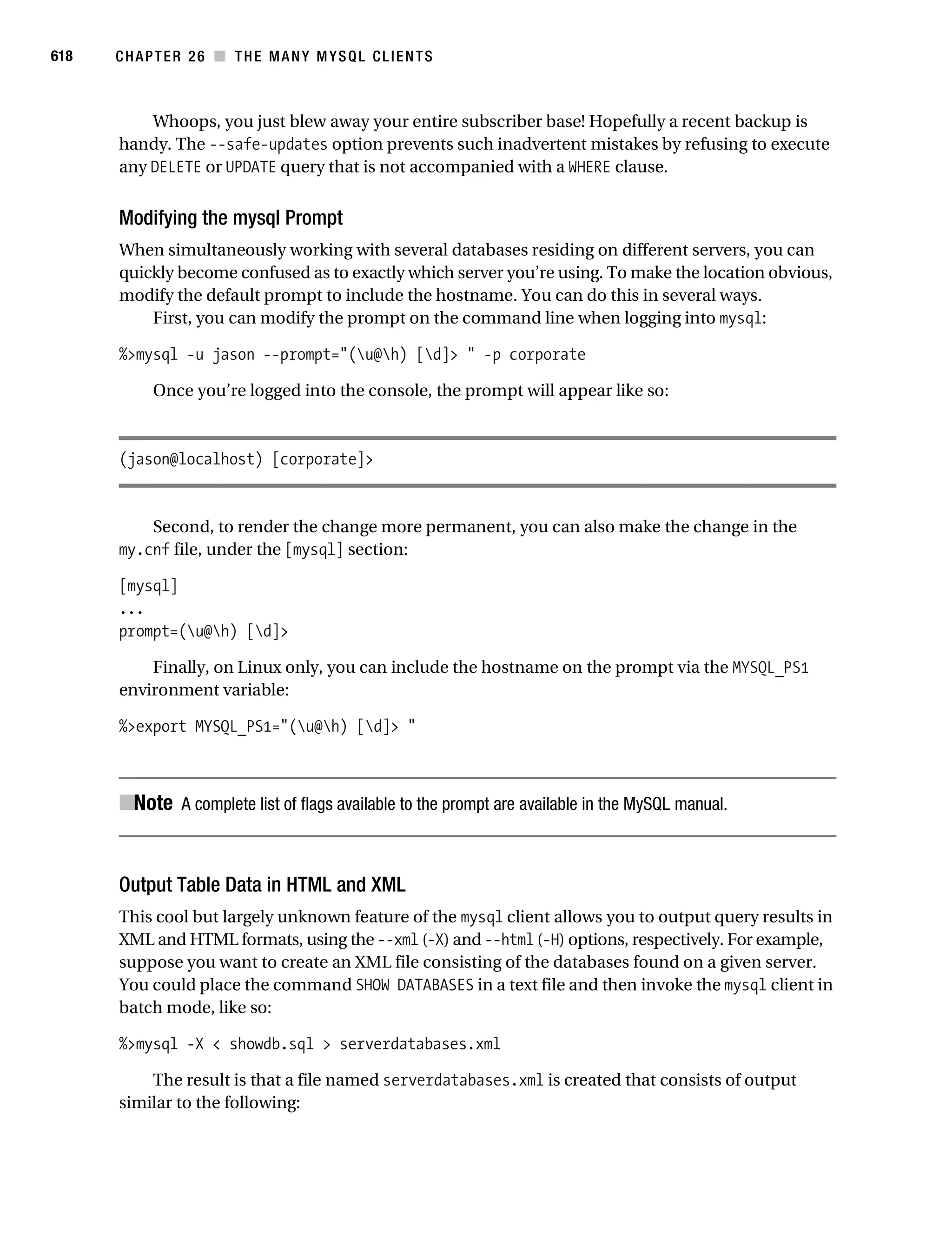
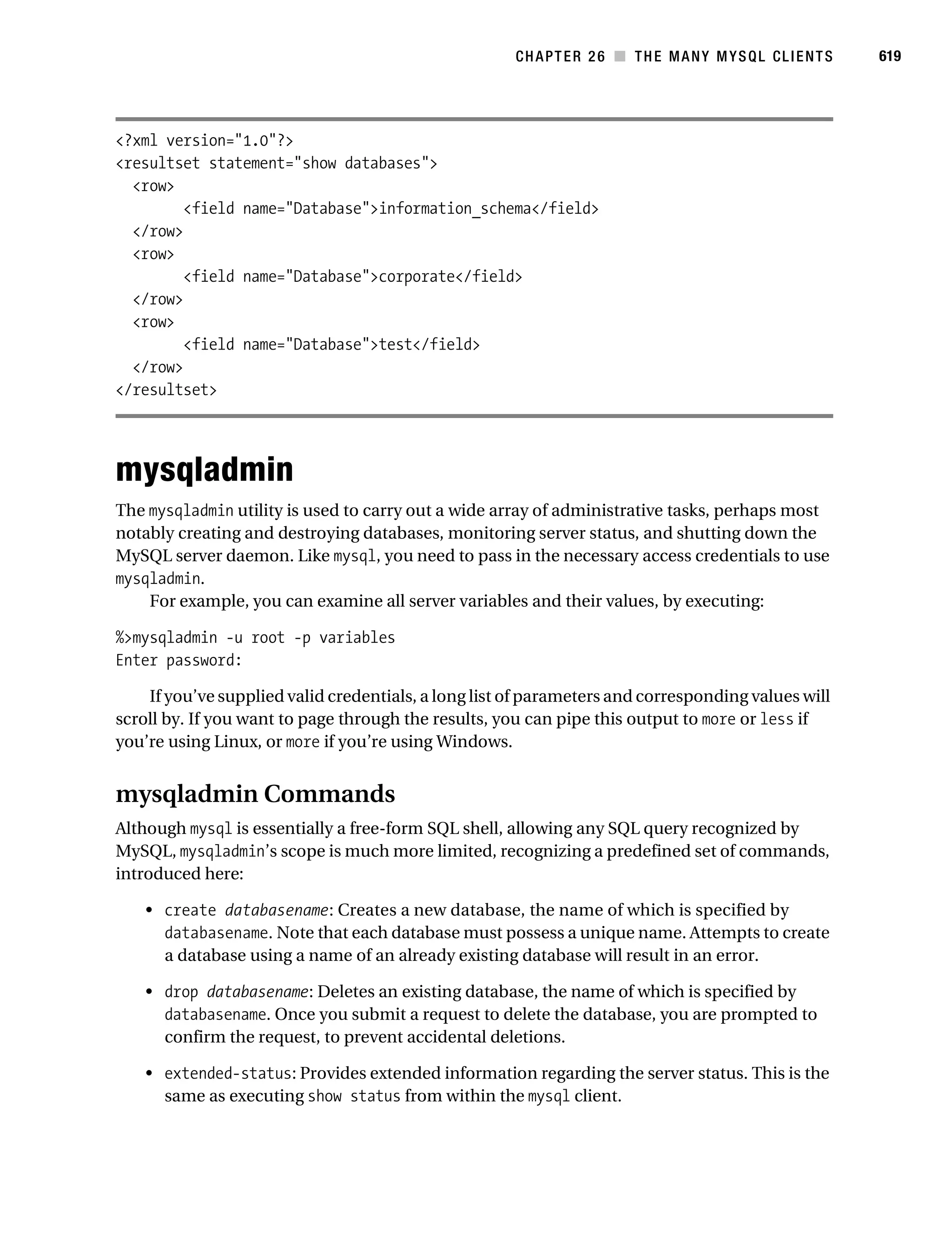
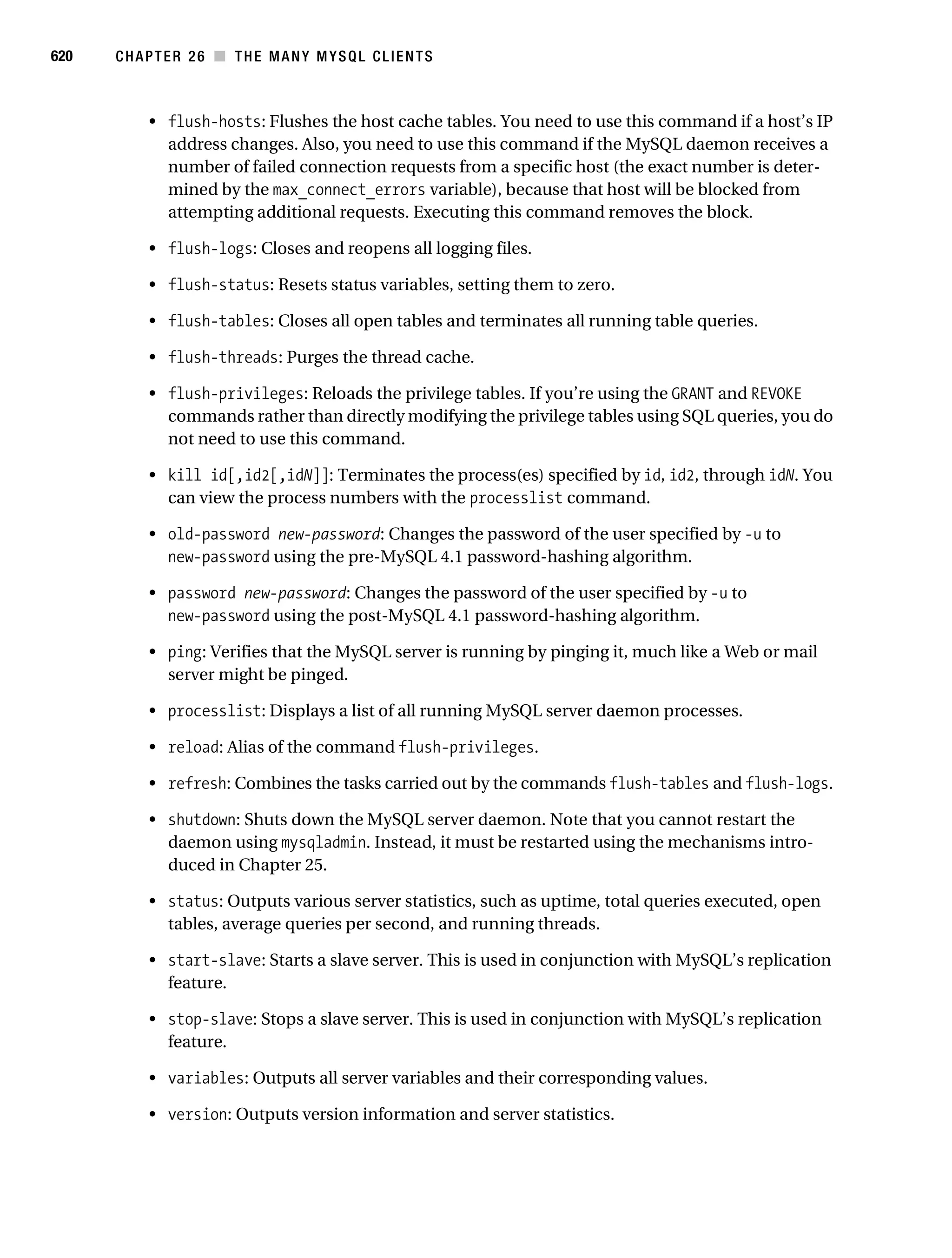
                                         CREATE USER . . . . . . . . . . . . . . . . . . . . . . . . . . . . . . . . . . . . . . . . . . . 675
                                         DROP USER . . . . . . . . . . . . . . . . . . . . . . . . . . . . . . . . . . . . . . . . . . . . . 676
                                         RENAME USER . . . . . . . . . . . . . . . . . . . . . . . . . . . . . . . . . . . . . . . . . . 676
                                         The GRANT and REVOKE Commands . . . . . . . . . . . . . . . . . . . . . . . . 676
                                         Reviewing Privileges. . . . . . . . . . . . . . . . . . . . . . . . . . . . . . . . . . . . . . 682
                                   Limiting User Resources . . . . . . . . . . . . . . . . . . . . . . . . . . . . . . . . . . . . . . 682
                                   Secure MySQL Connections . . . . . . . . . . . . . . . . . . . . . . . . . . . . . . . . . . . 683
                                         Grant Options . . . . . . . . . . . . . . . . . . . . . . . . . . . . . . . . . . . . . . . . . . . 683
                                         SSL Options . . . . . . . . . . . . . . . . . . . . . . . . . . . . . . . . . . . . . . . . . . . . . 685
                                         Starting the SSL-Enabled MySQL Server . . . . . . . . . . . . . . . . . . . . . 686
                                         Connecting Using an SSL-Enabled Client . . . . . . . . . . . . . . . . . . . . 686
                                         Storing SSL Options in the my.cnf File . . . . . . . . . . . . . . . . . . . . . . . 686
                                   Summary . . . . . . . . . . . . . . . . . . . . . . . . . . . . . . . . . . . . . . . . . . . . . . . . . . . 687

           ■CHAPTER 29 PHP’s MySQL Extension . . . . . . . . . . . . . . . . . . . . . . . . . . . . . . . . . 689
                                   Prerequisites . . . . . . . . . . . . . . . . . . . . . . . . . . . . . . . . . . . . . . . . . . . . . . . . 689
                                         Enabling the MySQL Extension on Linux . . . . . . . . . . . . . . . . . . . . . 689
                                         Enabling the MySQL Extension on Windows . . . . . . . . . . . . . . . . . . 690
                                         User Privileges . . . . . . . . . . . . . . . . . . . . . . . . . . . . . . . . . . . . . . . . . . 690
                                         Sample Data . . . . . . . . . . . . . . . . . . . . . . . . . . . . . . . . . . . . . . . . . . . . 690
                                   PHP’s MySQL Commands . . . . . . . . . . . . . . . . . . . . . . . . . . . . . . . . . . . . . 690
                                         Establishing and Closing a Connection . . . . . . . . . . . . . . . . . . . . . . 691
                                         Storing Connection Information in a Separate File . . . . . . . . . . . . . 693
                                         Securing Your Connection Information . . . . . . . . . . . . . . . . . . . . . . . 693
                                   Choosing a Database . . . . . . . . . . . . . . . . . . . . . . . . . . . . . . . . . . . . . . . . . 694
                                   Querying MySQL . . . . . . . . . . . . . . . . . . . . . . . . . . . . . . . . . . . . . . . . . . . . . 694
                                   Retrieving and Displaying Data . . . . . . . . . . . . . . . . . . . . . . . . . . . . . . . . . 696
                                   Inserting Data . . . . . . . . . . . . . . . . . . . . . . . . . . . . . . . . . . . . . . . . . . . . . . . 699
                                   Modifying Data . . . . . . . . . . . . . . . . . . . . . . . . . . . . . . . . . . . . . . . . . . . . . . 701
Gilmore_552-1Front.fm Page xxii Wednesday, December 21, 2005 3:05 PM


xxii       ■C O N T E N T S


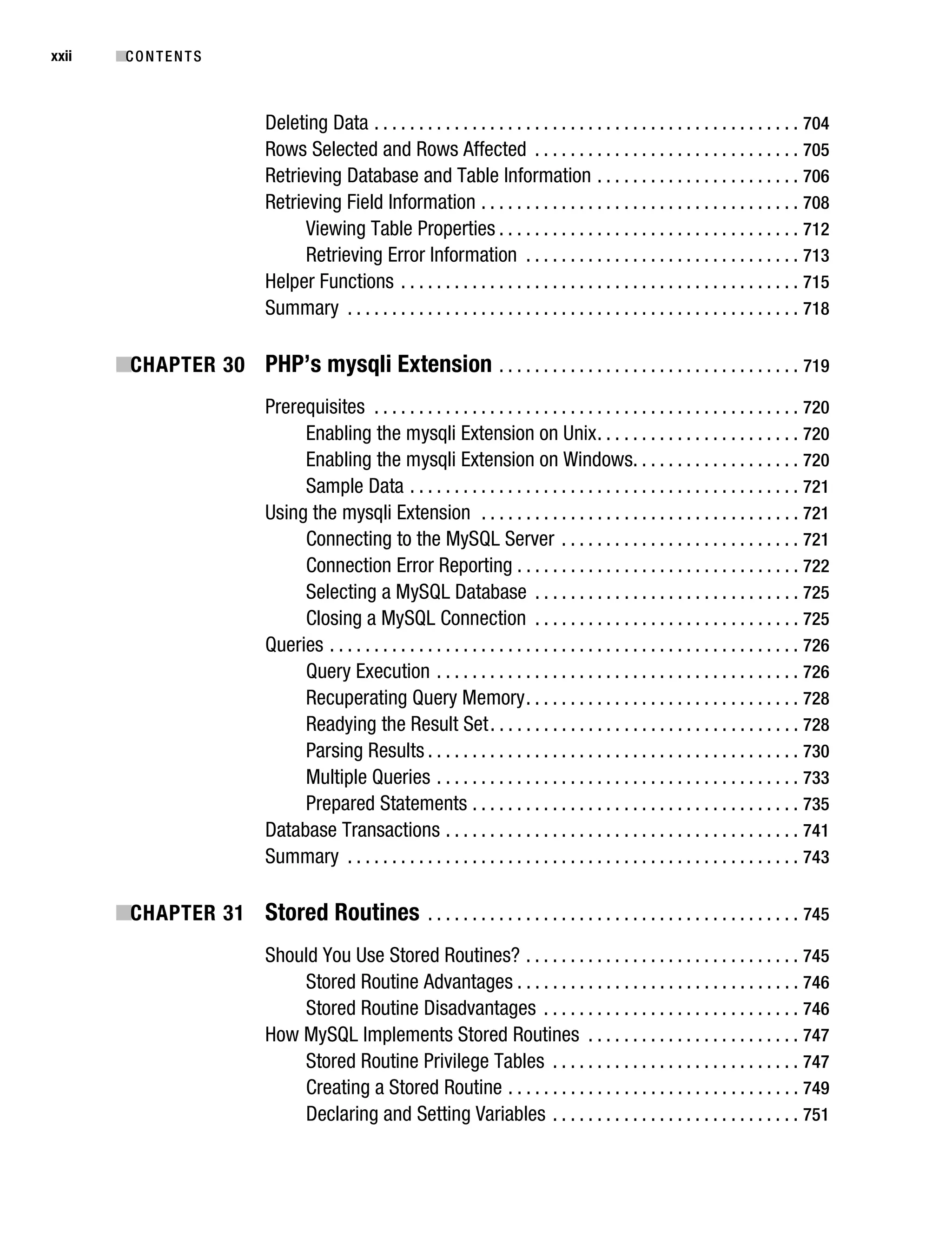
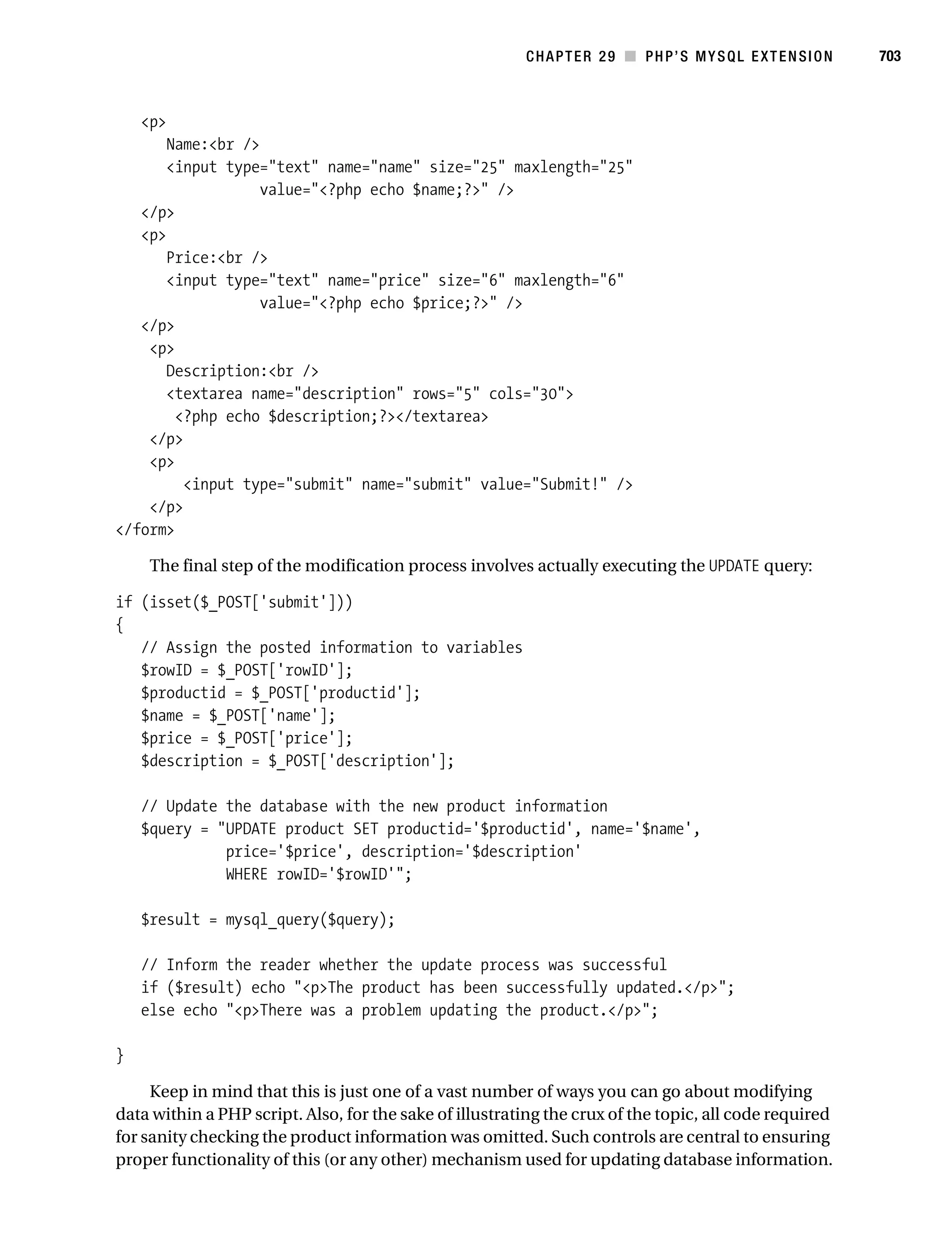
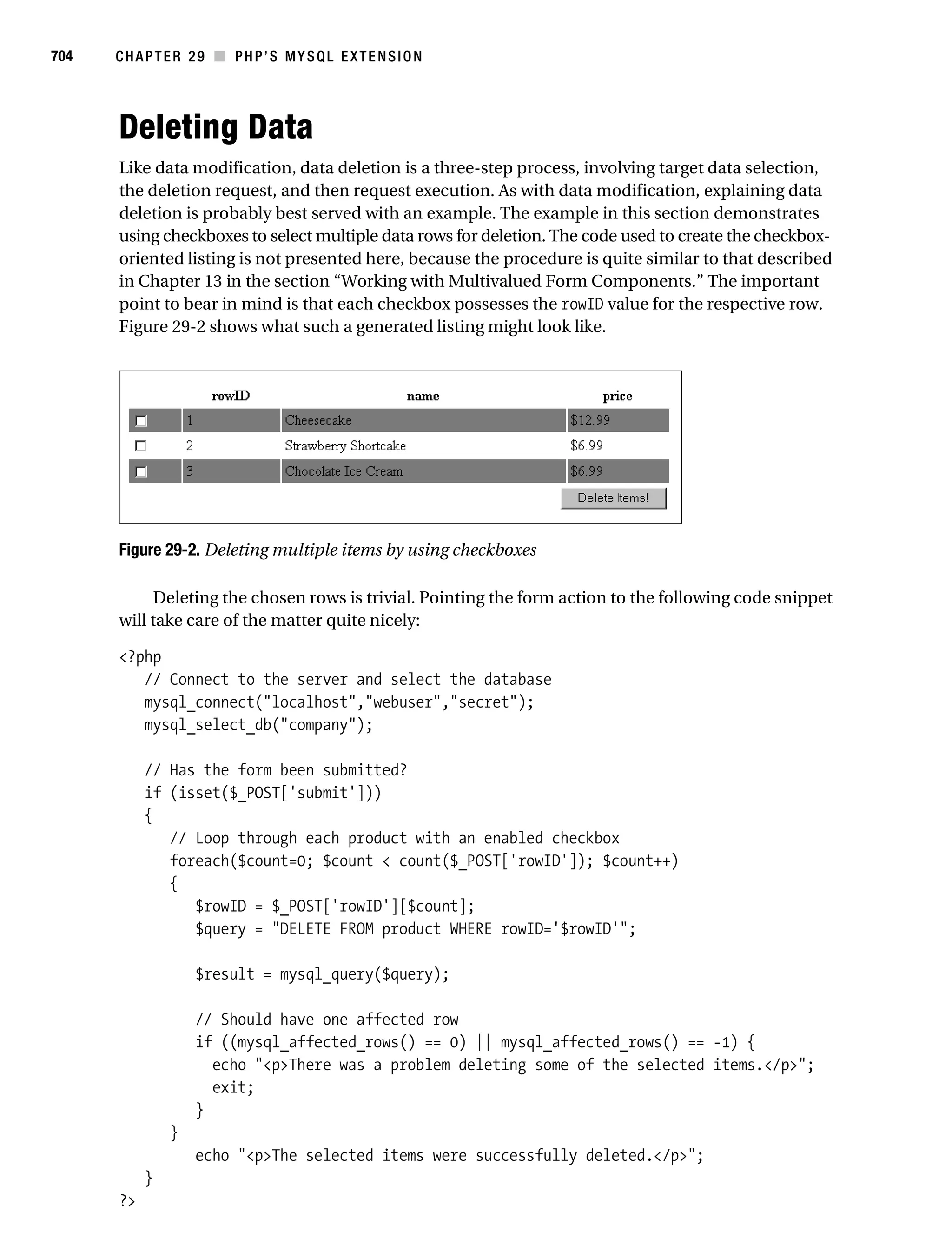
                                    Deleting Data . . . . . . . . . . . . . . . . . . . . . . . . . . . . . . . . . . . . . . . . . . . . . . . . 704
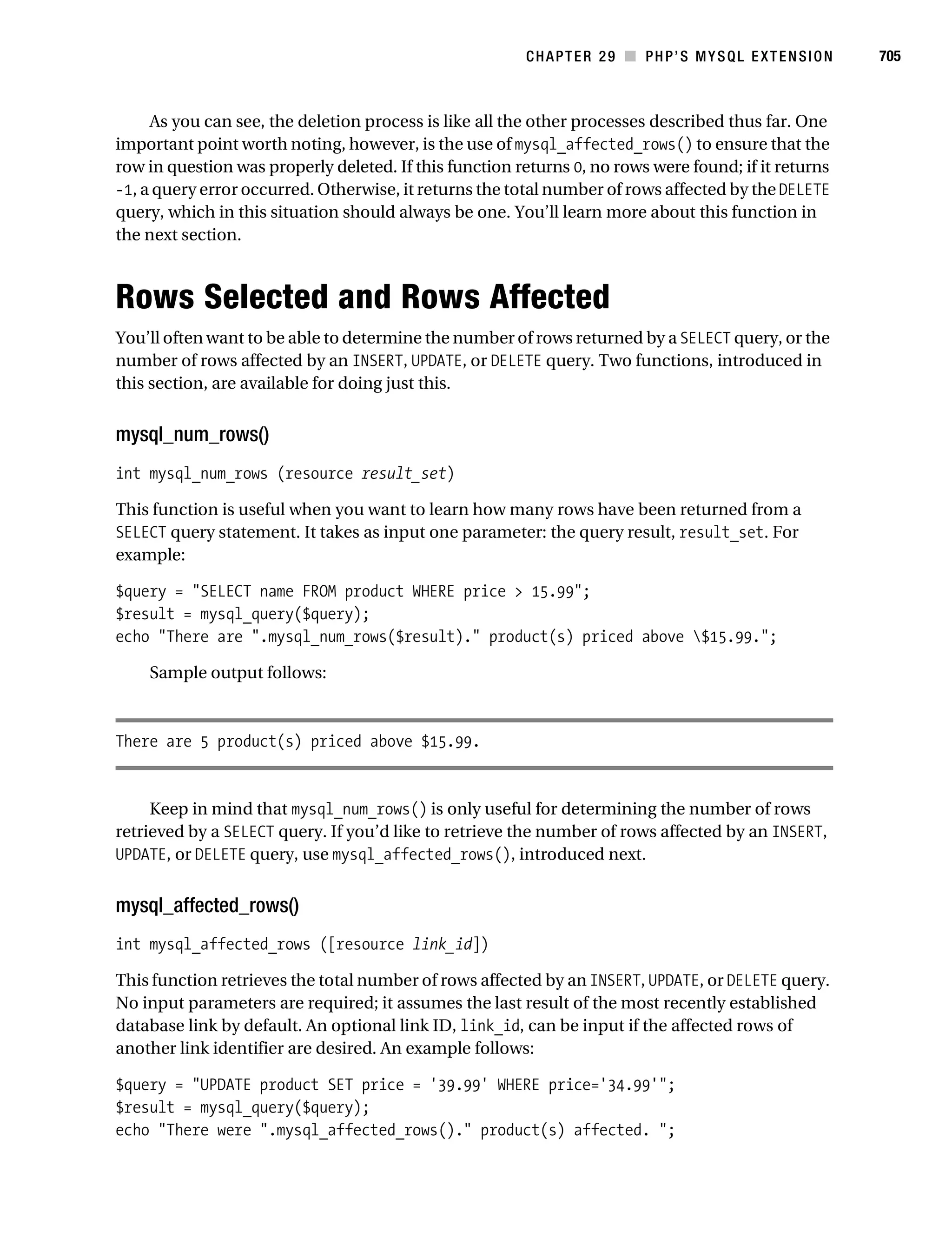
                                    Rows Selected and Rows Affected . . . . . . . . . . . . . . . . . . . . . . . . . . . . . . 705
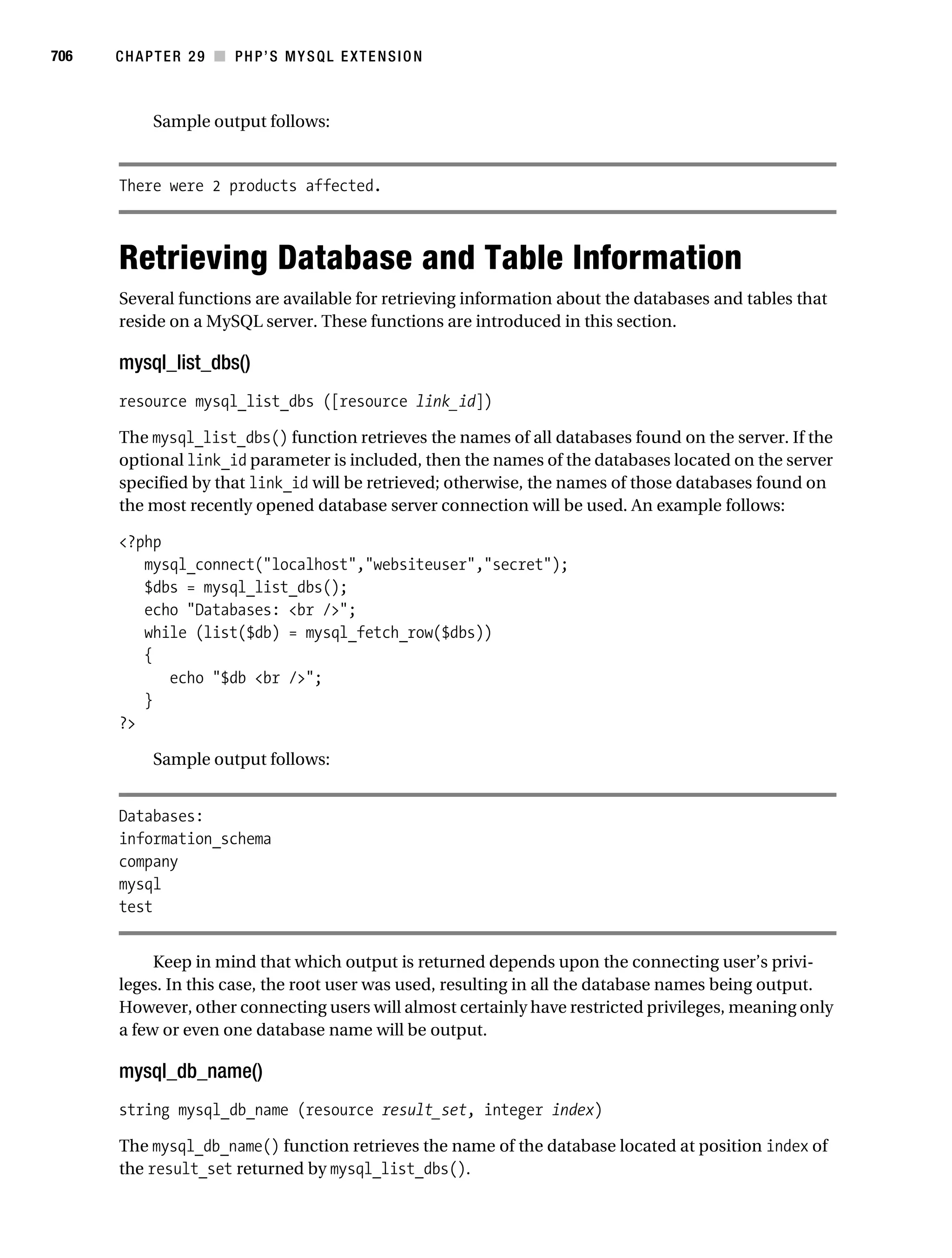
                                    Retrieving Database and Table Information . . . . . . . . . . . . . . . . . . . . . . . 706
                                    Retrieving Field Information . . . . . . . . . . . . . . . . . . . . . . . . . . . . . . . . . . . . 708
                                          Viewing Table Properties . . . . . . . . . . . . . . . . . . . . . . . . . . . . . . . . . . 712
                                          Retrieving Error Information . . . . . . . . . . . . . . . . . . . . . . . . . . . . . . . 713
                                    Helper Functions . . . . . . . . . . . . . . . . . . . . . . . . . . . . . . . . . . . . . . . . . . . . . 715
                                    Summary . . . . . . . . . . . . . . . . . . . . . . . . . . . . . . . . . . . . . . . . . . . . . . . . . . . 718

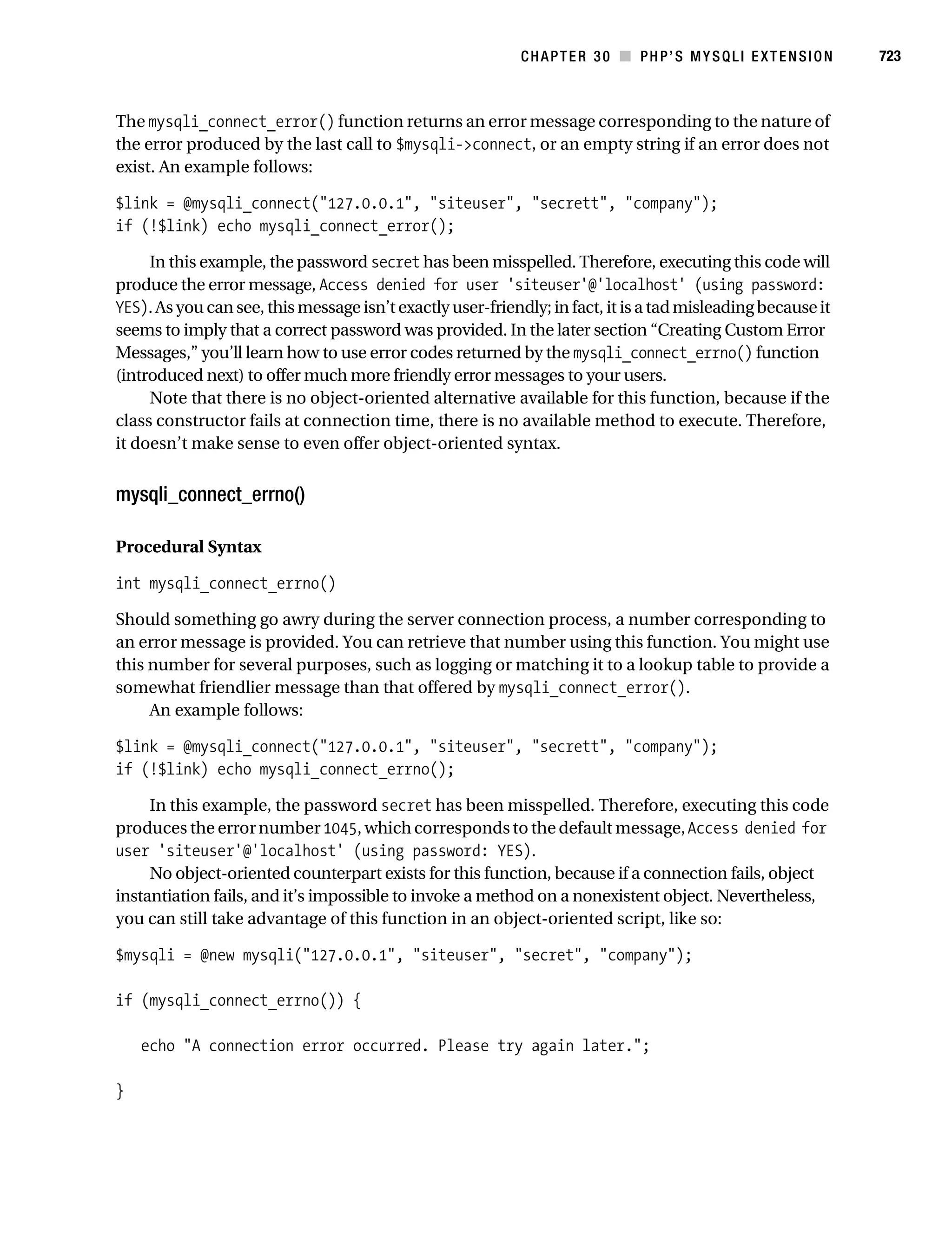
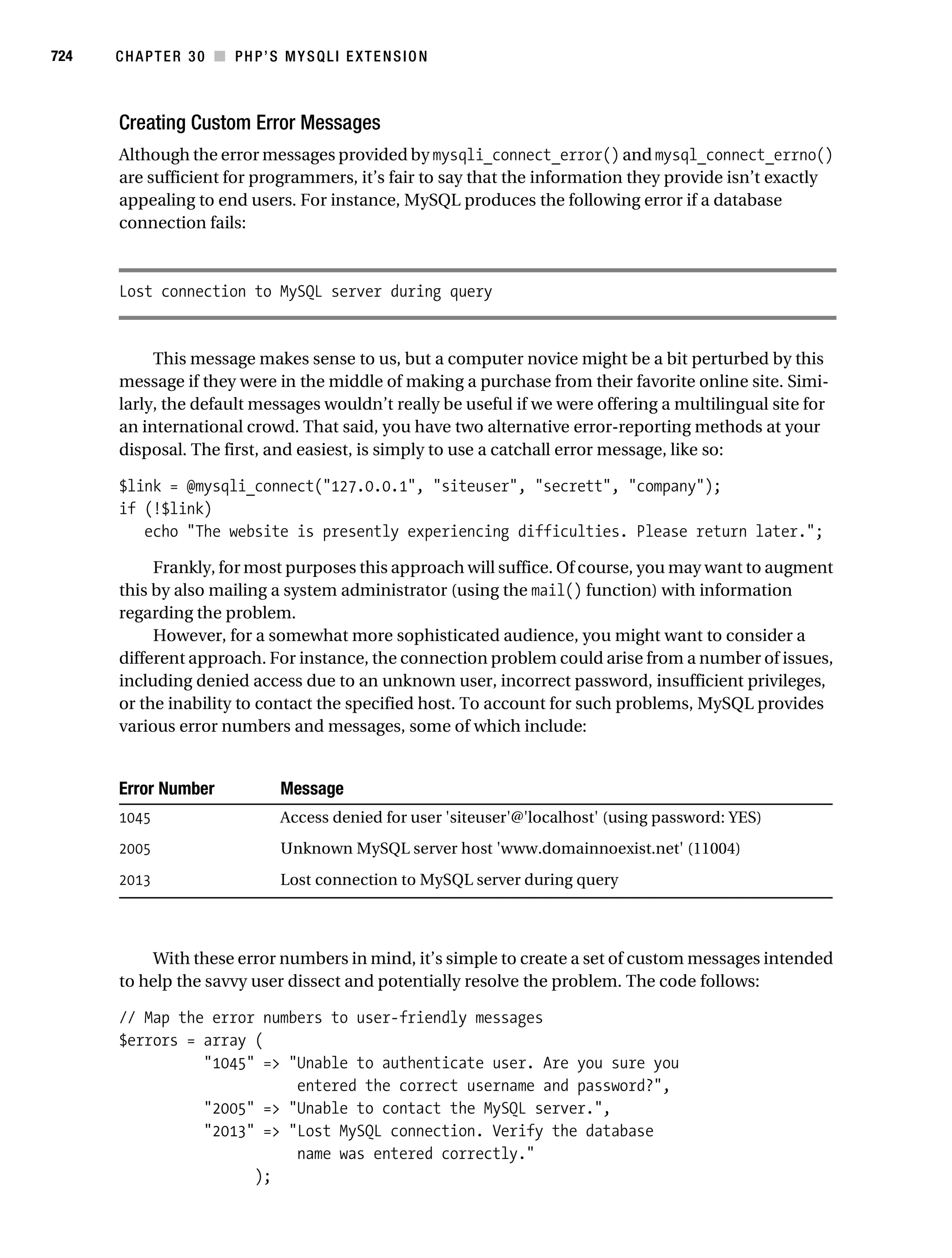
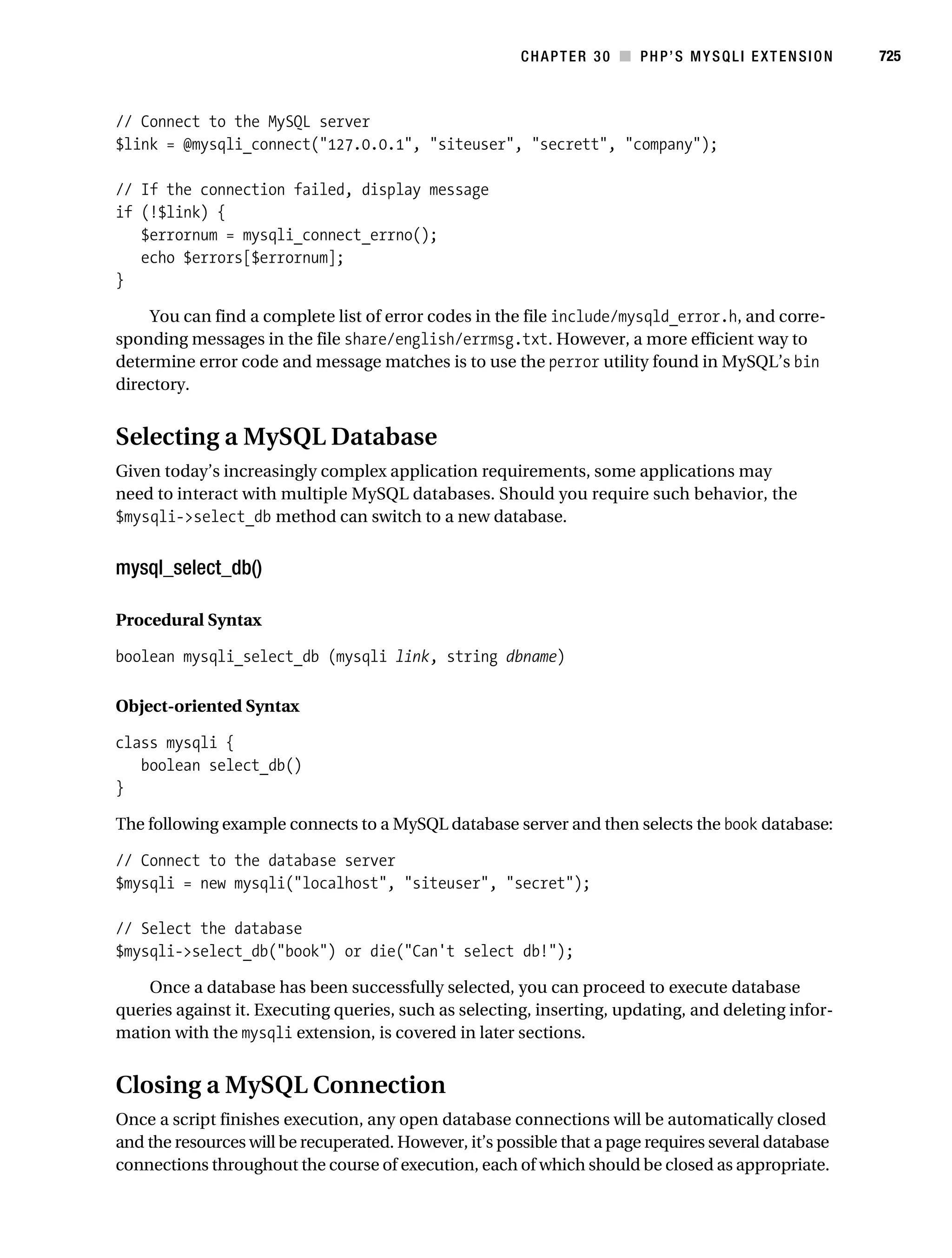
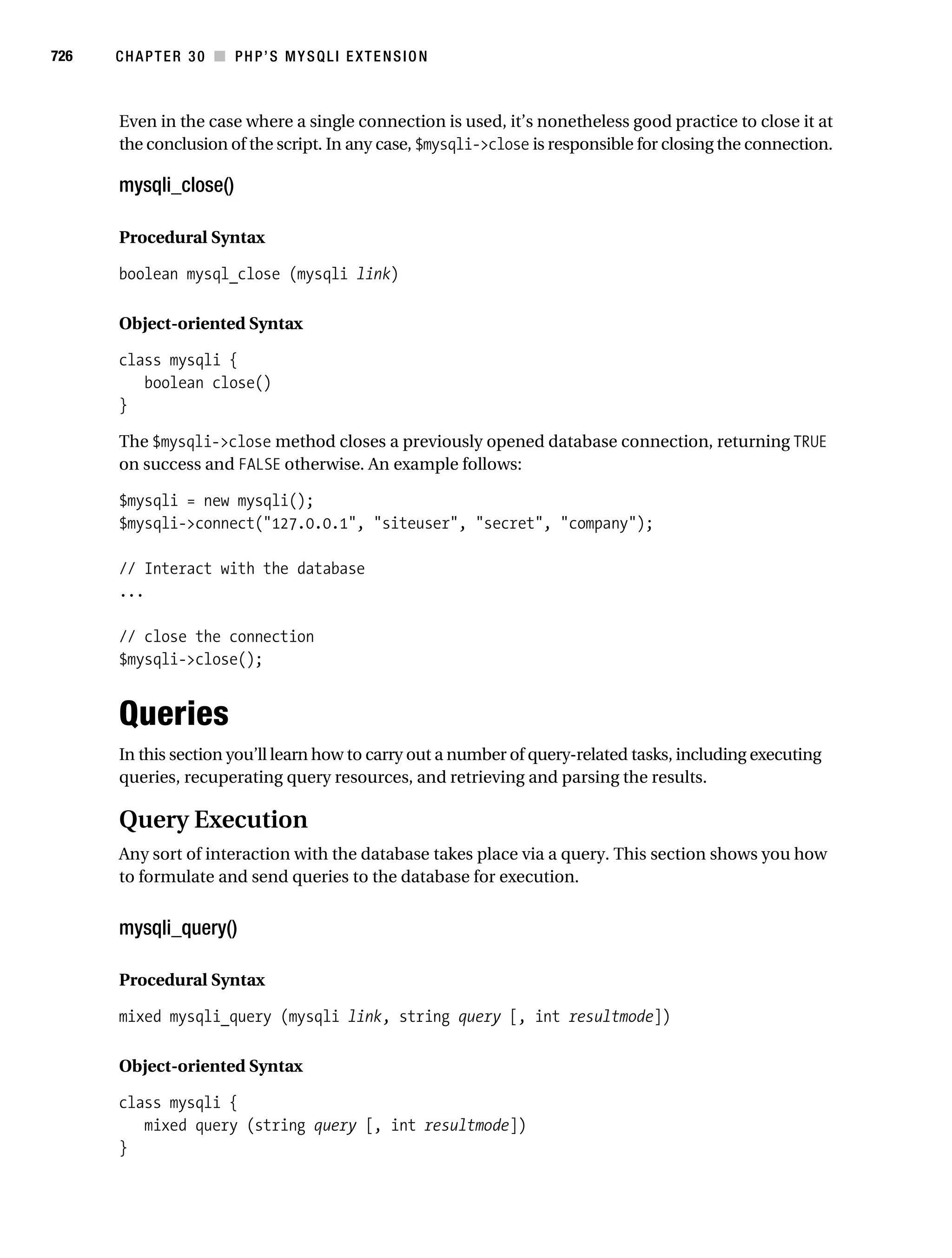
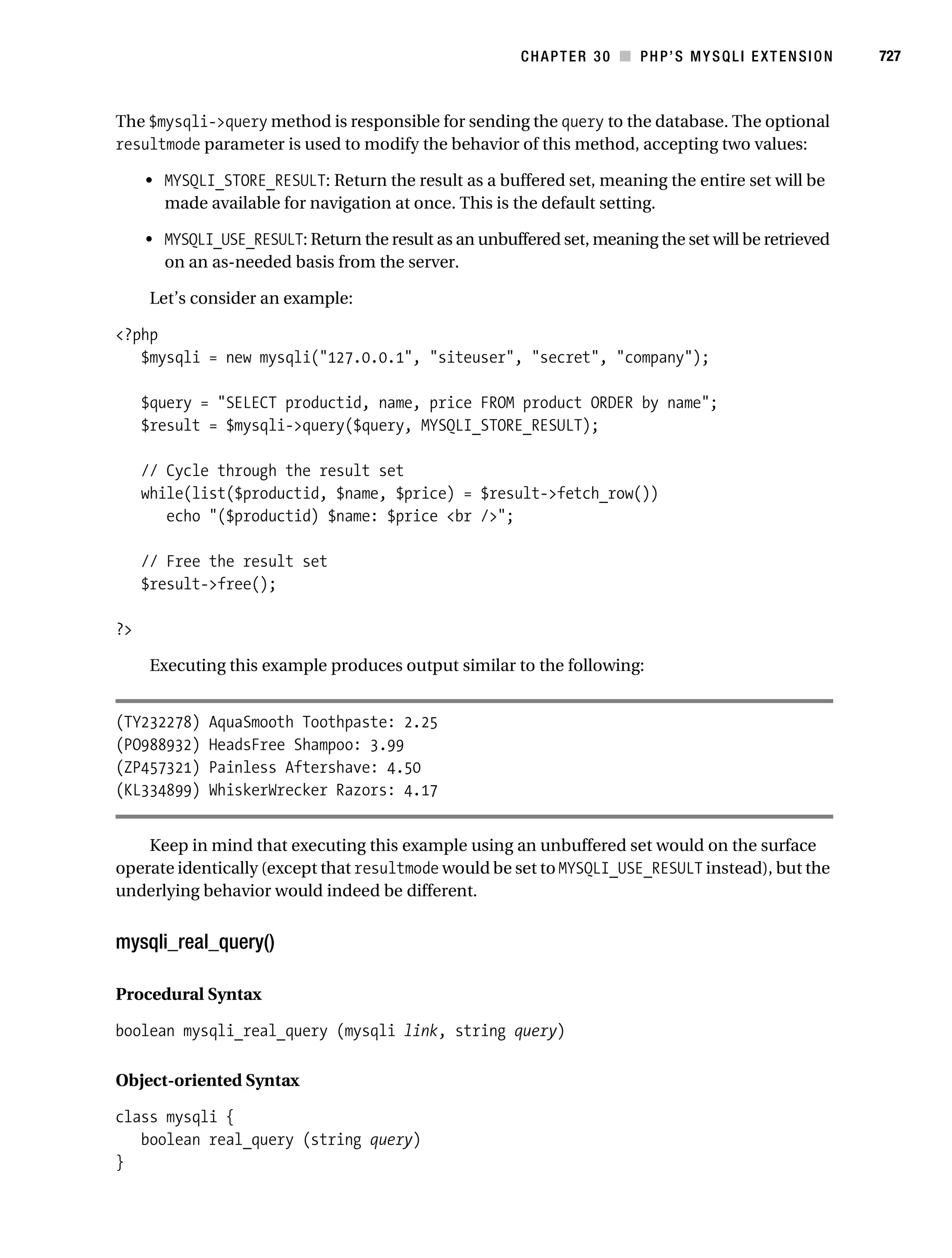
           ■CHAPTER 30 PHP’s mysqli Extension . . . . . . . . . . . . . . . . . . . . . . . . . . . . . . . . . . 719
                                    Prerequisites . . . . . . . . . . . . . . . . . . . . . . . . . . . . . . . . . . . . . . . . . . . . . . . . 720
                                         Enabling the mysqli Extension on Unix . . . . . . . . . . . . . . . . . . . . . . . 720
                                         Enabling the mysqli Extension on Windows. . . . . . . . . . . . . . . . . . . 720
                                         Sample Data . . . . . . . . . . . . . . . . . . . . . . . . . . . . . . . . . . . . . . . . . . . . 721
                                    Using the mysqli Extension . . . . . . . . . . . . . . . . . . . . . . . . . . . . . . . . . . . . 721
                                         Connecting to the MySQL Server . . . . . . . . . . . . . . . . . . . . . . . . . . . 721
                                         Connection Error Reporting . . . . . . . . . . . . . . . . . . . . . . . . . . . . . . . . 722
                                         Selecting a MySQL Database . . . . . . . . . . . . . . . . . . . . . . . . . . . . . . 725
                                         Closing a MySQL Connection . . . . . . . . . . . . . . . . . . . . . . . . . . . . . . 725
                                    Queries . . . . . . . . . . . . . . . . . . . . . . . . . . . . . . . . . . . . . . . . . . . . . . . . . . . . . 726
                                         Query Execution . . . . . . . . . . . . . . . . . . . . . . . . . . . . . . . . . . . . . . . . . 726
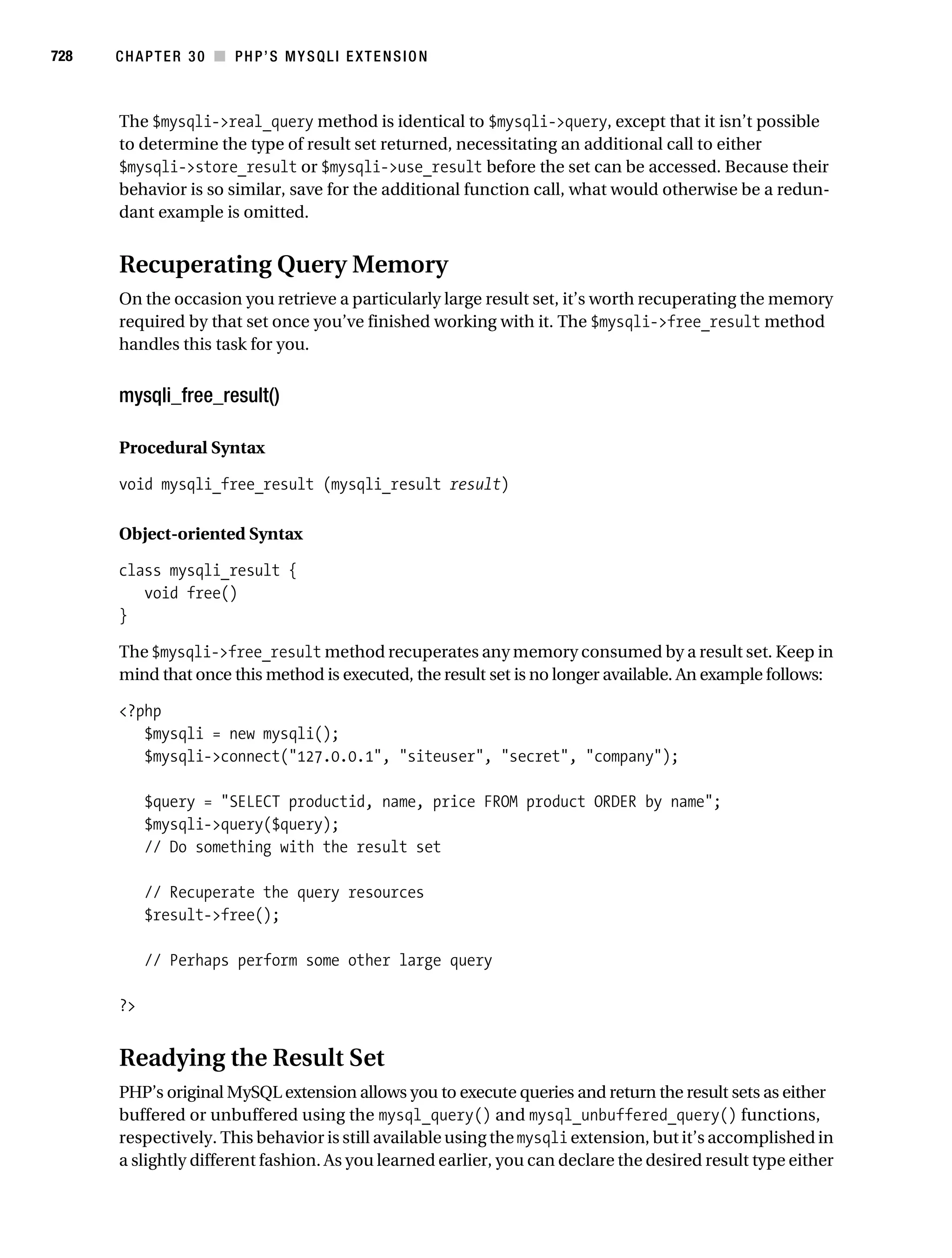
                                         Recuperating Query Memory . . . . . . . . . . . . . . . . . . . . . . . . . . . . . . . 728
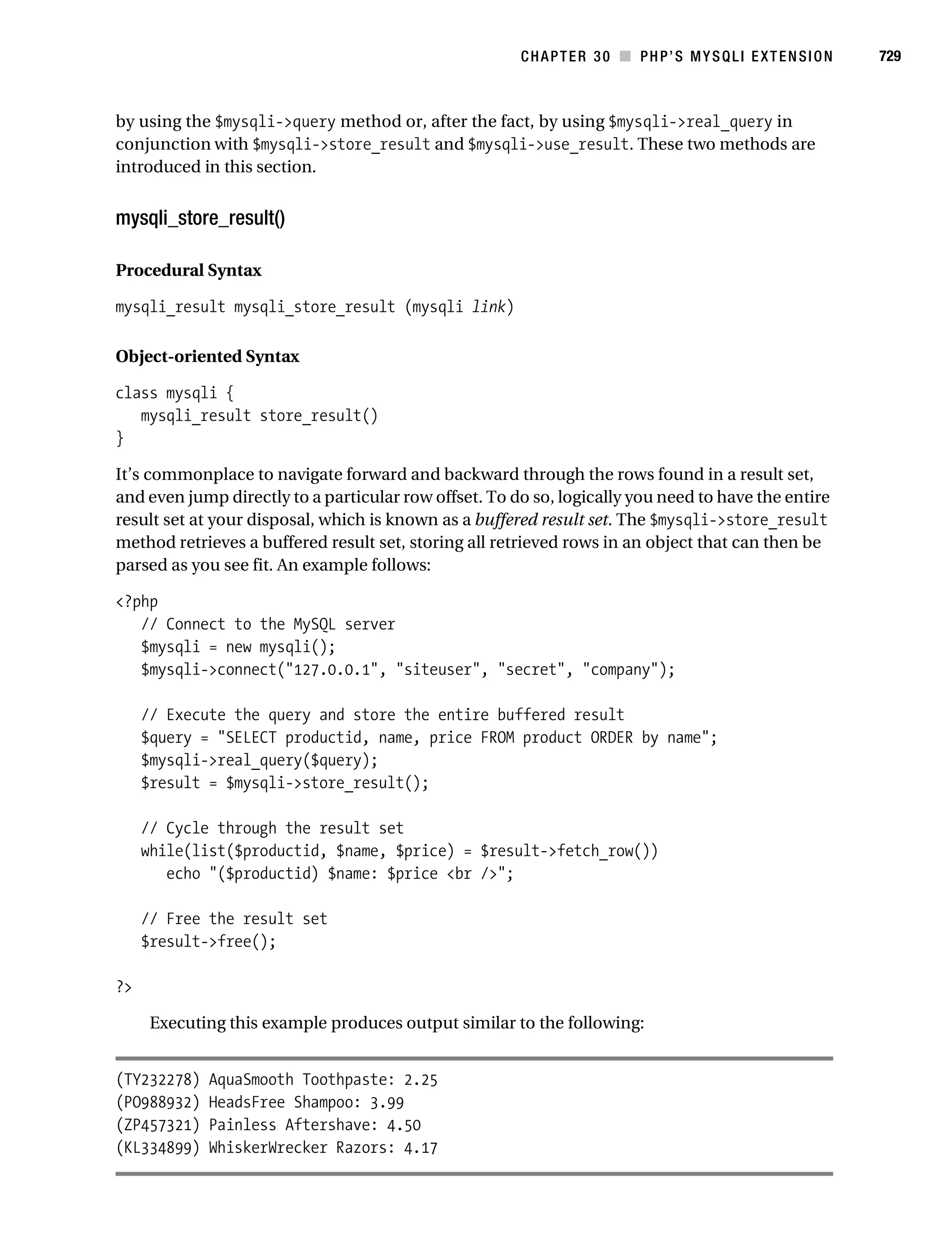
                                         Readying the Result Set . . . . . . . . . . . . . . . . . . . . . . . . . . . . . . . . . . . 728
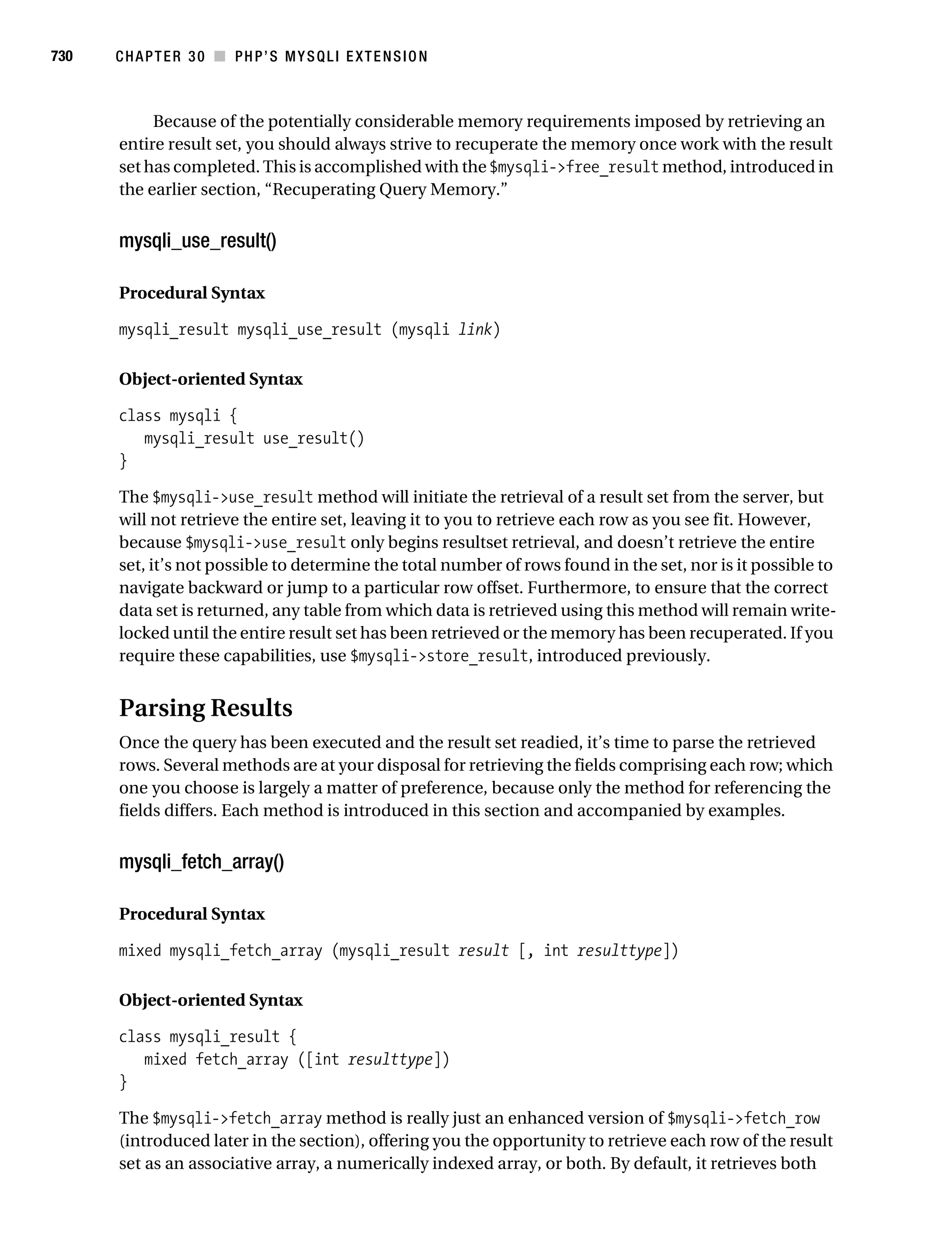
                                         Parsing Results . . . . . . . . . . . . . . . . . . . . . . . . . . . . . . . . . . . . . . . . . . 730
                                         Multiple Queries . . . . . . . . . . . . . . . . . . . . . . . . . . . . . . . . . . . . . . . . . 733
                                         Prepared Statements . . . . . . . . . . . . . . . . . . . . . . . . . . . . . . . . . . . . . 735
                                    Database Transactions . . . . . . . . . . . . . . . . . . . . . . . . . . . . . . . . . . . . . . . . 741
                                    Summary . . . . . . . . . . . . . . . . . . . . . . . . . . . . . . . . . . . . . . . . . . . . . . . . . . . 743

           ■CHAPTER 31 Stored Routines . . . . . . . . . . . . . . . . . . . . . . . . . . . . . . . . . . . . . . . . . . 745
                                    Should You Use Stored Routines? . . . . . . . . . . . . . . . . . . . . . . . . . . . . . . . 745
                                        Stored Routine Advantages . . . . . . . . . . . . . . . . . . . . . . . . . . . . . . . . 746
                                        Stored Routine Disadvantages . . . . . . . . . . . . . . . . . . . . . . . . . . . . . 746
                                    How MySQL Implements Stored Routines . . . . . . . . . . . . . . . . . . . . . . . . 747
                                        Stored Routine Privilege Tables . . . . . . . . . . . . . . . . . . . . . . . . . . . . 747
                                        Creating a Stored Routine . . . . . . . . . . . . . . . . . . . . . . . . . . . . . . . . . 749
                                        Declaring and Setting Variables . . . . . . . . . . . . . . . . . . . . . . . . . . . . 751
Gilmore_552-1Front.fm Page xxiii Wednesday, December 21, 2005 3:05 PM


                                                                                                                                     ■C O N T E N T S    xxiii


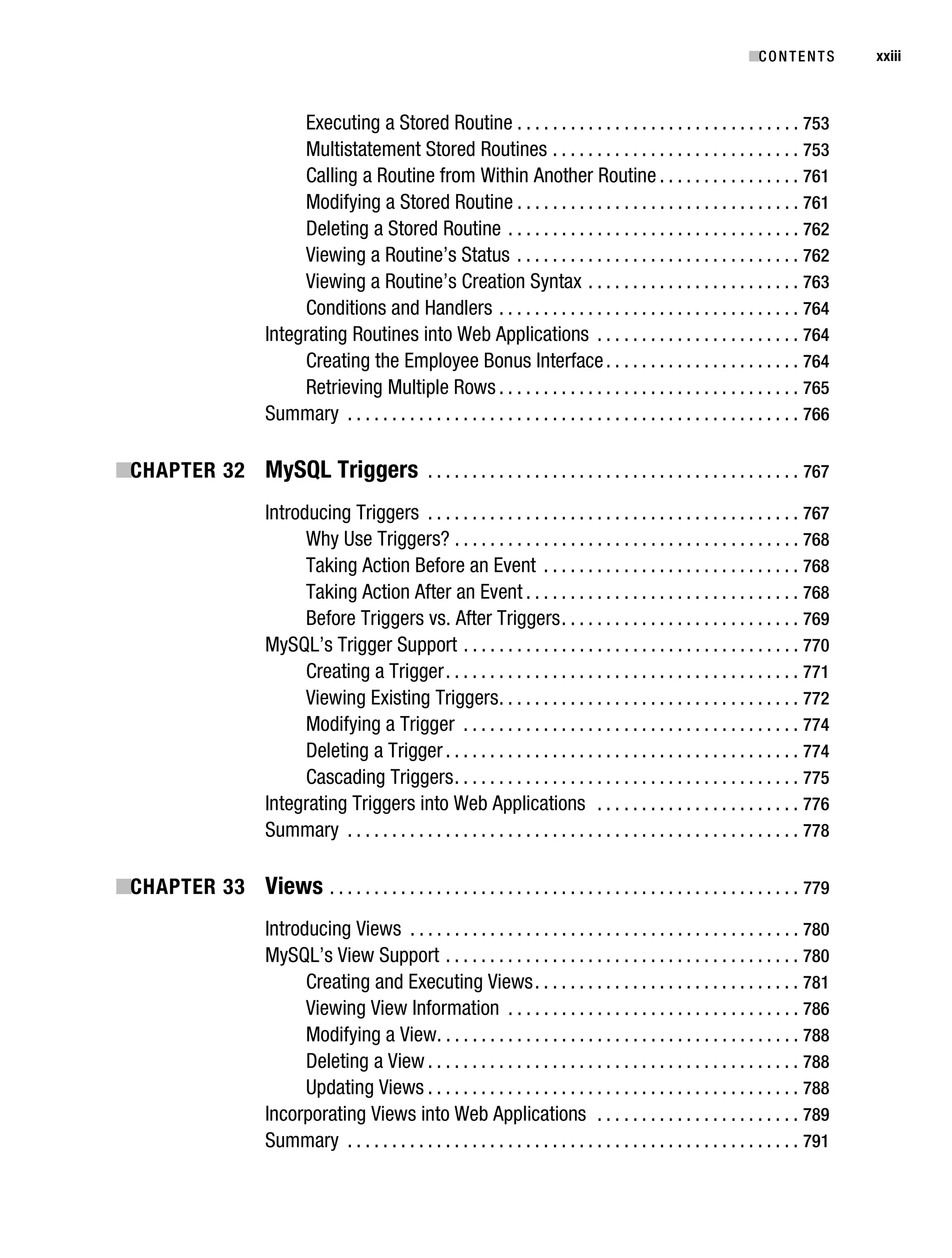
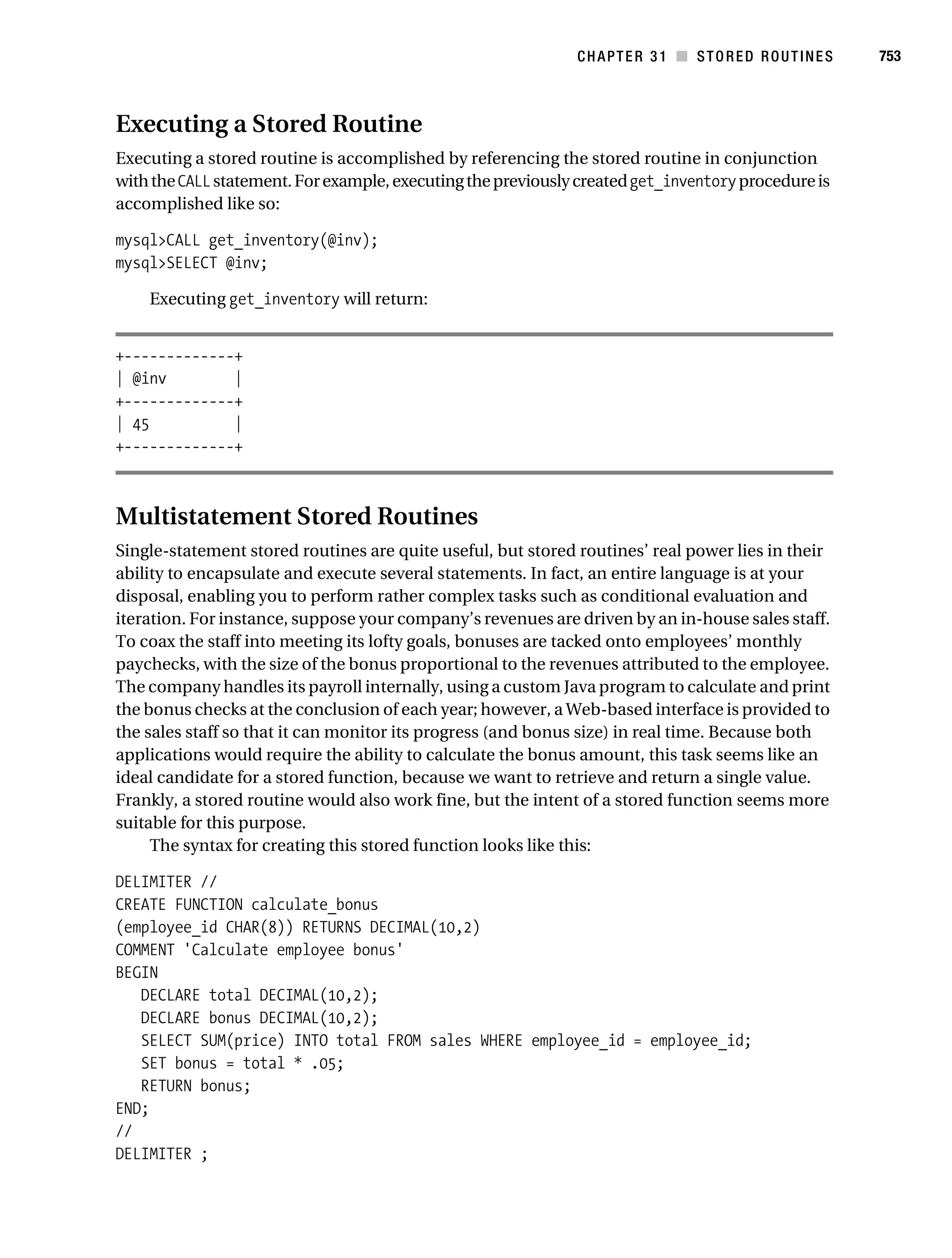
                                          Executing a Stored Routine . . . . . . . . . . . . . . . . . . . . . . . . . . . . . . . . 753
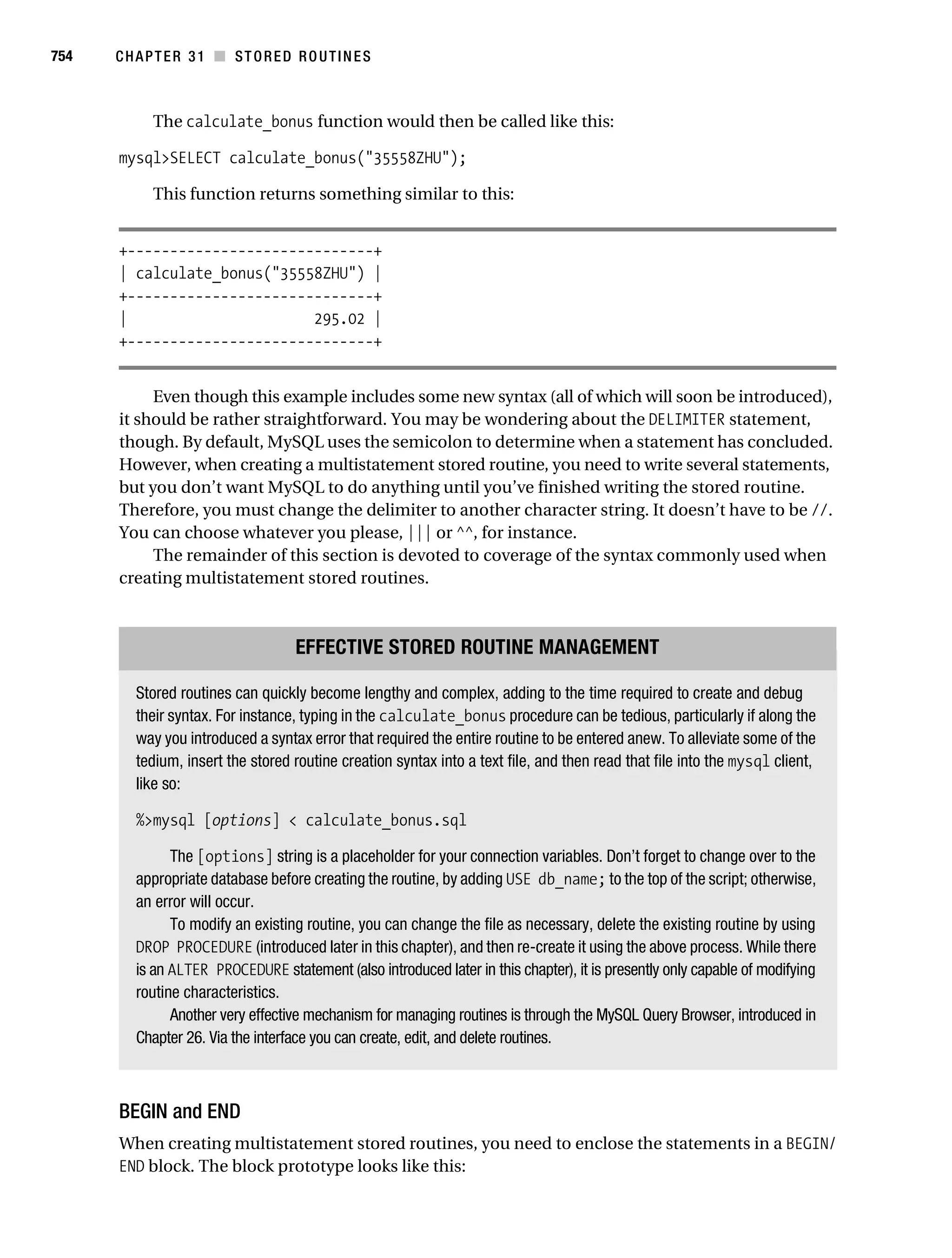
                                          Multistatement Stored Routines . . . . . . . . . . . . . . . . . . . . . . . . . . . . 753
                                          Calling a Routine from Within Another Routine . . . . . . . . . . . . . . . . 761
                                          Modifying a Stored Routine . . . . . . . . . . . . . . . . . . . . . . . . . . . . . . . . 761
                                          Deleting a Stored Routine . . . . . . . . . . . . . . . . . . . . . . . . . . . . . . . . . 762
                                          Viewing a Routine’s Status . . . . . . . . . . . . . . . . . . . . . . . . . . . . . . . . 762
                                          Viewing a Routine’s Creation Syntax . . . . . . . . . . . . . . . . . . . . . . . . 763
                                          Conditions and Handlers . . . . . . . . . . . . . . . . . . . . . . . . . . . . . . . . . . 764
                                     Integrating Routines into Web Applications . . . . . . . . . . . . . . . . . . . . . . . 764
                                          Creating the Employee Bonus Interface . . . . . . . . . . . . . . . . . . . . . . 764
                                          Retrieving Multiple Rows . . . . . . . . . . . . . . . . . . . . . . . . . . . . . . . . . . 765
                                     Summary . . . . . . . . . . . . . . . . . . . . . . . . . . . . . . . . . . . . . . . . . . . . . . . . . . . 766

           ■CHAPTER 32 MySQL Triggers . . . . . . . . . . . . . . . . . . . . . . . . . . . . . . . . . . . . . . . . . . 767
                                     Introducing Triggers . . . . . . . . . . . . . . . . . . . . . . . . . . . . . . . . . . . . . . . . . . 767
                                           Why Use Triggers? . . . . . . . . . . . . . . . . . . . . . . . . . . . . . . . . . . . . . . . 768
                                           Taking Action Before an Event . . . . . . . . . . . . . . . . . . . . . . . . . . . . . 768
                                           Taking Action After an Event . . . . . . . . . . . . . . . . . . . . . . . . . . . . . . . 768
                                           Before Triggers vs. After Triggers . . . . . . . . . . . . . . . . . . . . . . . . . . . 769
                                     MySQL’s Trigger Support . . . . . . . . . . . . . . . . . . . . . . . . . . . . . . . . . . . . . . 770
                                           Creating a Trigger . . . . . . . . . . . . . . . . . . . . . . . . . . . . . . . . . . . . . . . . 771
                                           Viewing Existing Triggers . . . . . . . . . . . . . . . . . . . . . . . . . . . . . . . . . . 772
                                           Modifying a Trigger . . . . . . . . . . . . . . . . . . . . . . . . . . . . . . . . . . . . . . 774
                                           Deleting a Trigger . . . . . . . . . . . . . . . . . . . . . . . . . . . . . . . . . . . . . . . . 774
                                           Cascading Triggers . . . . . . . . . . . . . . . . . . . . . . . . . . . . . . . . . . . . . . . 775
                                     Integrating Triggers into Web Applications . . . . . . . . . . . . . . . . . . . . . . . 776
                                     Summary . . . . . . . . . . . . . . . . . . . . . . . . . . . . . . . . . . . . . . . . . . . . . . . . . . . 778

           ■CHAPTER 33 Views . . . . . . . . . . . . . . . . . . . . . . . . . . . . . . . . . . . . . . . . . . . . . . . . . . . . . 779
                                     Introducing Views . . . . . . . . . . . . . . . . . . . . . . . . . . . . . . . . . . . . . . . . . . . . 780
                                     MySQL’s View Support . . . . . . . . . . . . . . . . . . . . . . . . . . . . . . . . . . . . . . . . 780
                                           Creating and Executing Views . . . . . . . . . . . . . . . . . . . . . . . . . . . . . . 781
                                           Viewing View Information . . . . . . . . . . . . . . . . . . . . . . . . . . . . . . . . . 786
                                           Modifying a View. . . . . . . . . . . . . . . . . . . . . . . . . . . . . . . . . . . . . . . . . 788
                                           Deleting a View . . . . . . . . . . . . . . . . . . . . . . . . . . . . . . . . . . . . . . . . . . 788
                                           Updating Views . . . . . . . . . . . . . . . . . . . . . . . . . . . . . . . . . . . . . . . . . . 788
                                     Incorporating Views into Web Applications . . . . . . . . . . . . . . . . . . . . . . . 789
                                     Summary . . . . . . . . . . . . . . . . . . . . . . . . . . . . . . . . . . . . . . . . . . . . . . . . . . . 791
Gilmore_552-1Front.fm Page xxiv Wednesday, December 21, 2005 3:05 PM


xxiv       ■C O N T E N T S


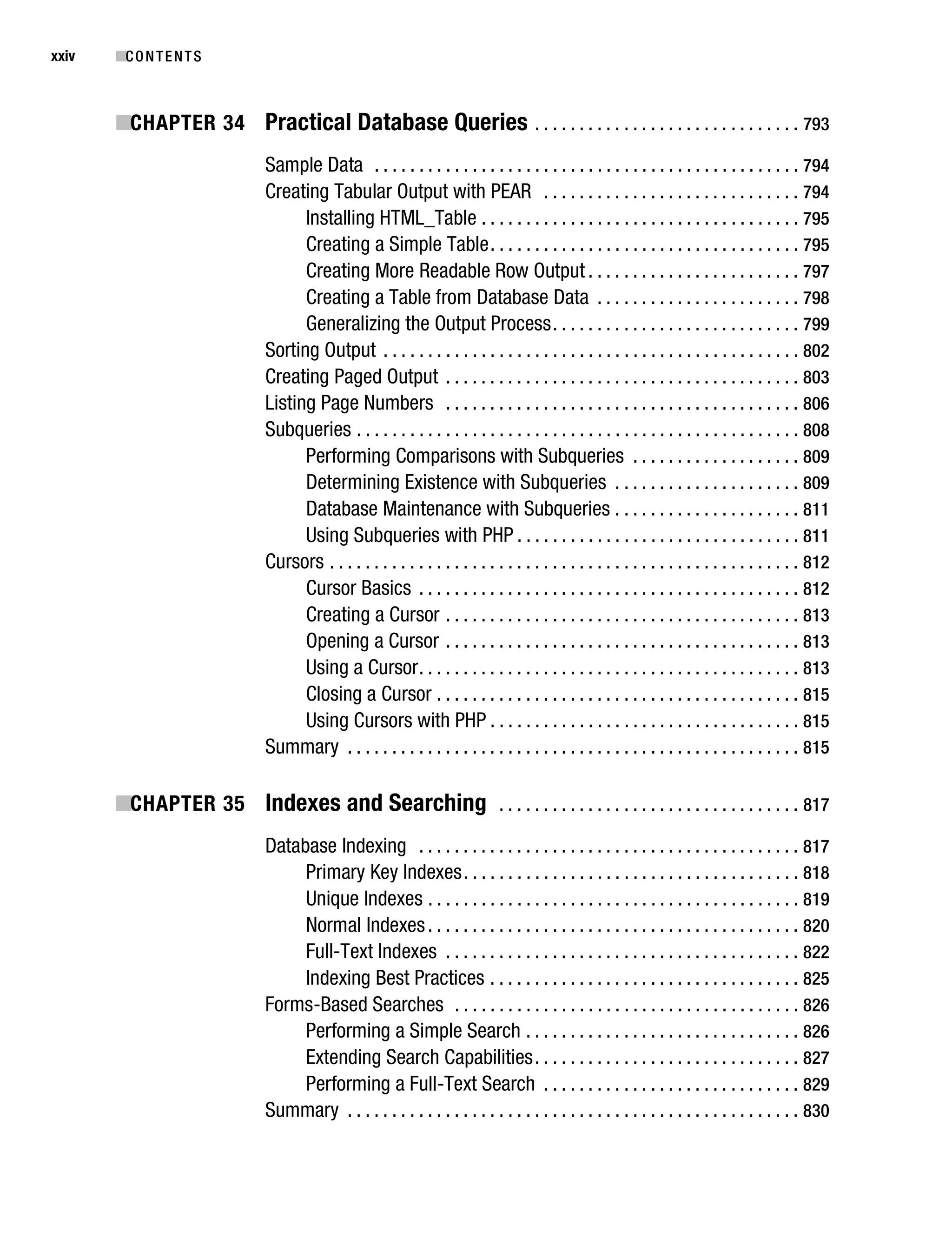
           ■CHAPTER 34 Practical Database Queries . . . . . . . . . . . . . . . . . . . . . . . . . . . . . . 793
                                   Sample Data . . . . . . . . . . . . . . . . . . . . . . . . . . . . . . . . . . . . . . . . . . . . . . . . 794
                                   Creating Tabular Output with PEAR . . . . . . . . . . . . . . . . . . . . . . . . . . . . . 794
                                         Installing HTML_Table . . . . . . . . . . . . . . . . . . . . . . . . . . . . . . . . . . . . 795
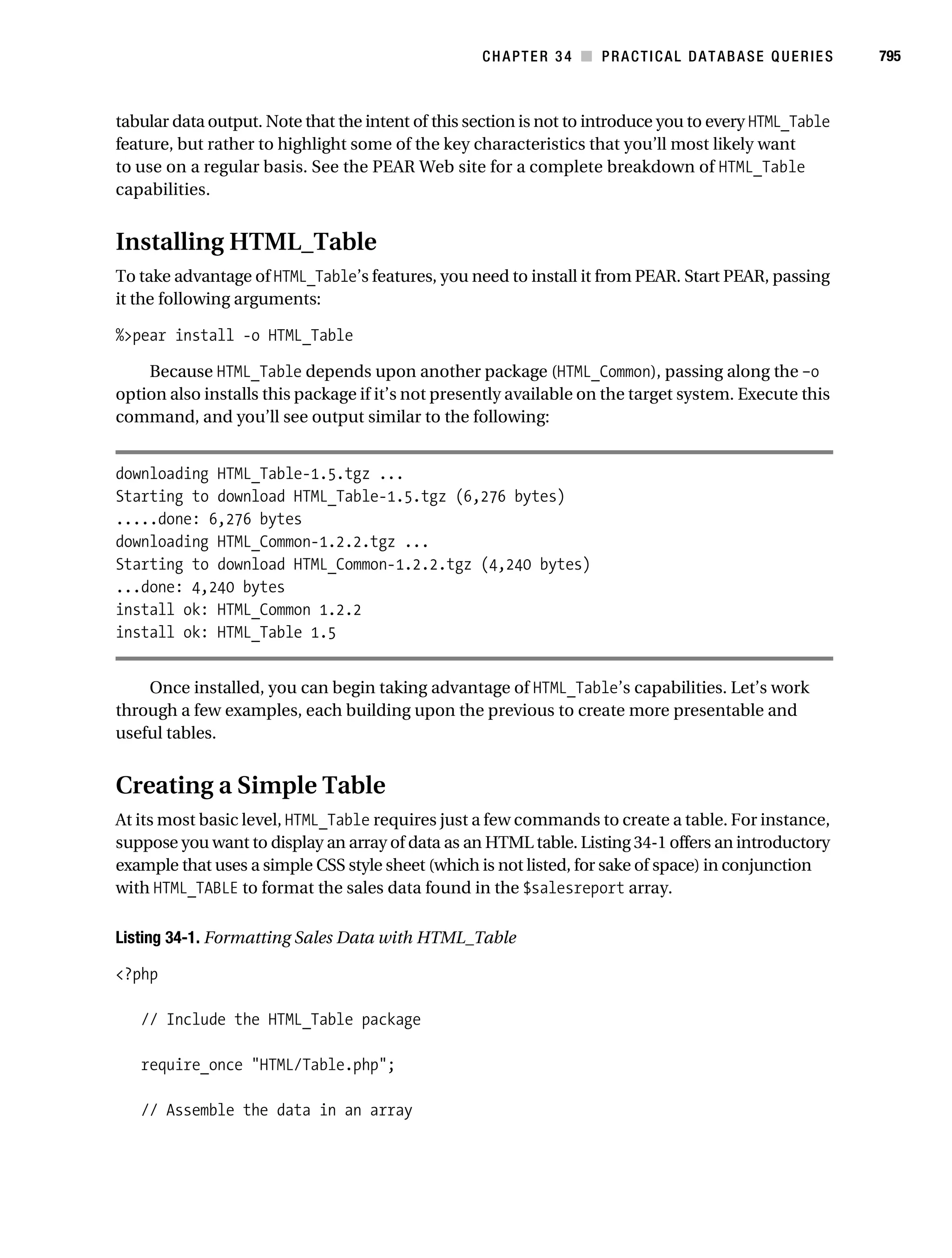
                                         Creating a Simple Table . . . . . . . . . . . . . . . . . . . . . . . . . . . . . . . . . . . 795
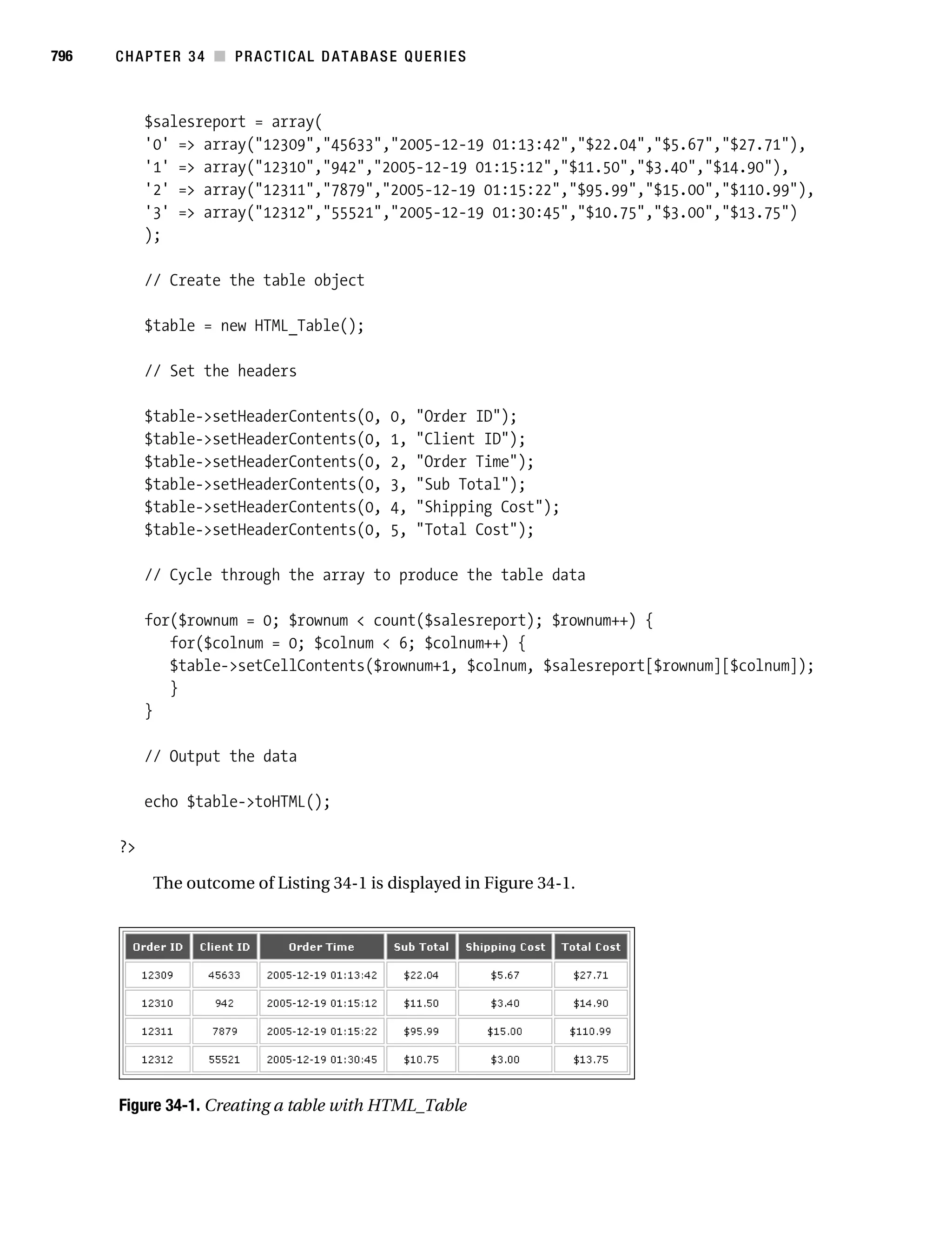
                                         Creating More Readable Row Output . . . . . . . . . . . . . . . . . . . . . . . . 797
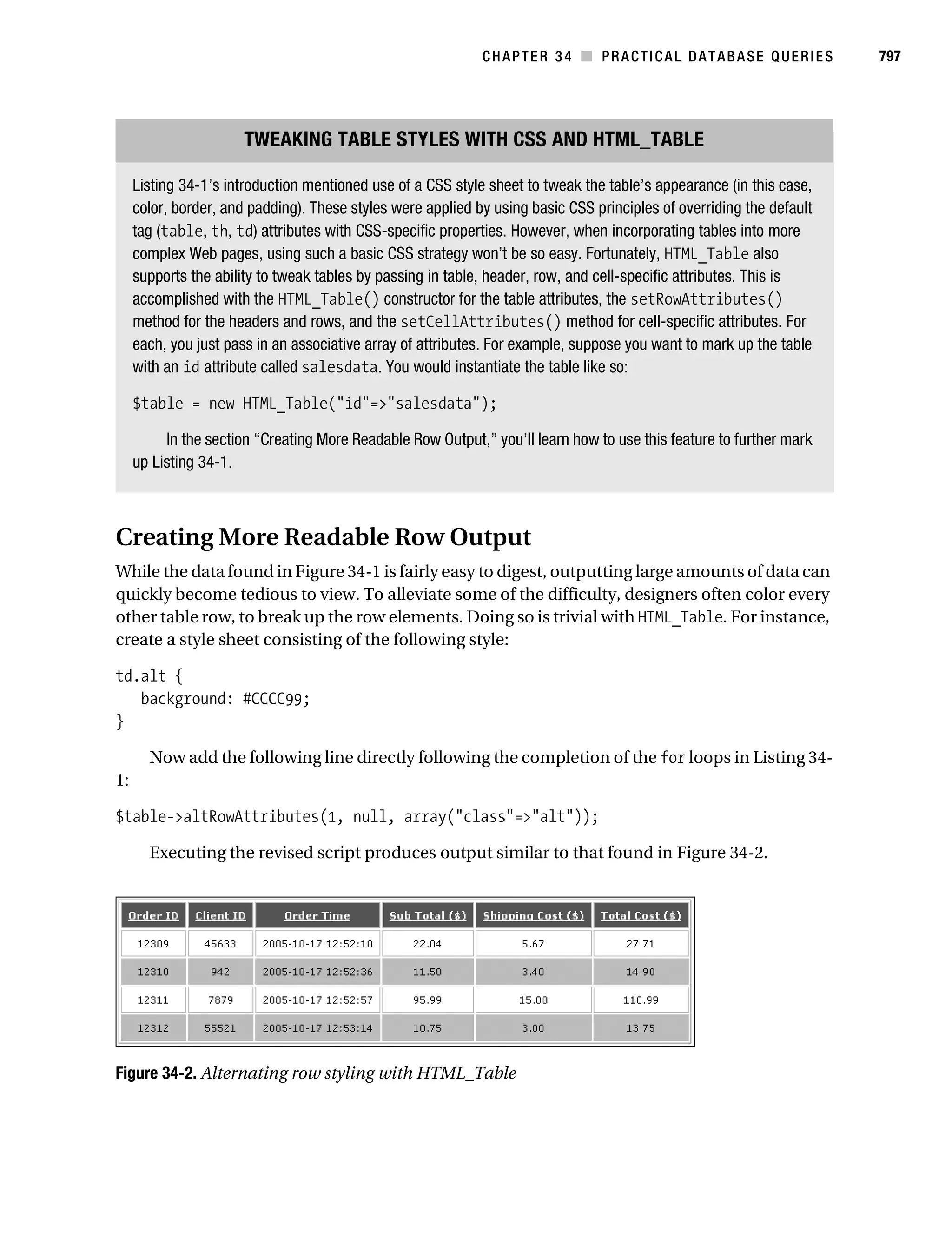
                                         Creating a Table from Database Data . . . . . . . . . . . . . . . . . . . . . . . 798
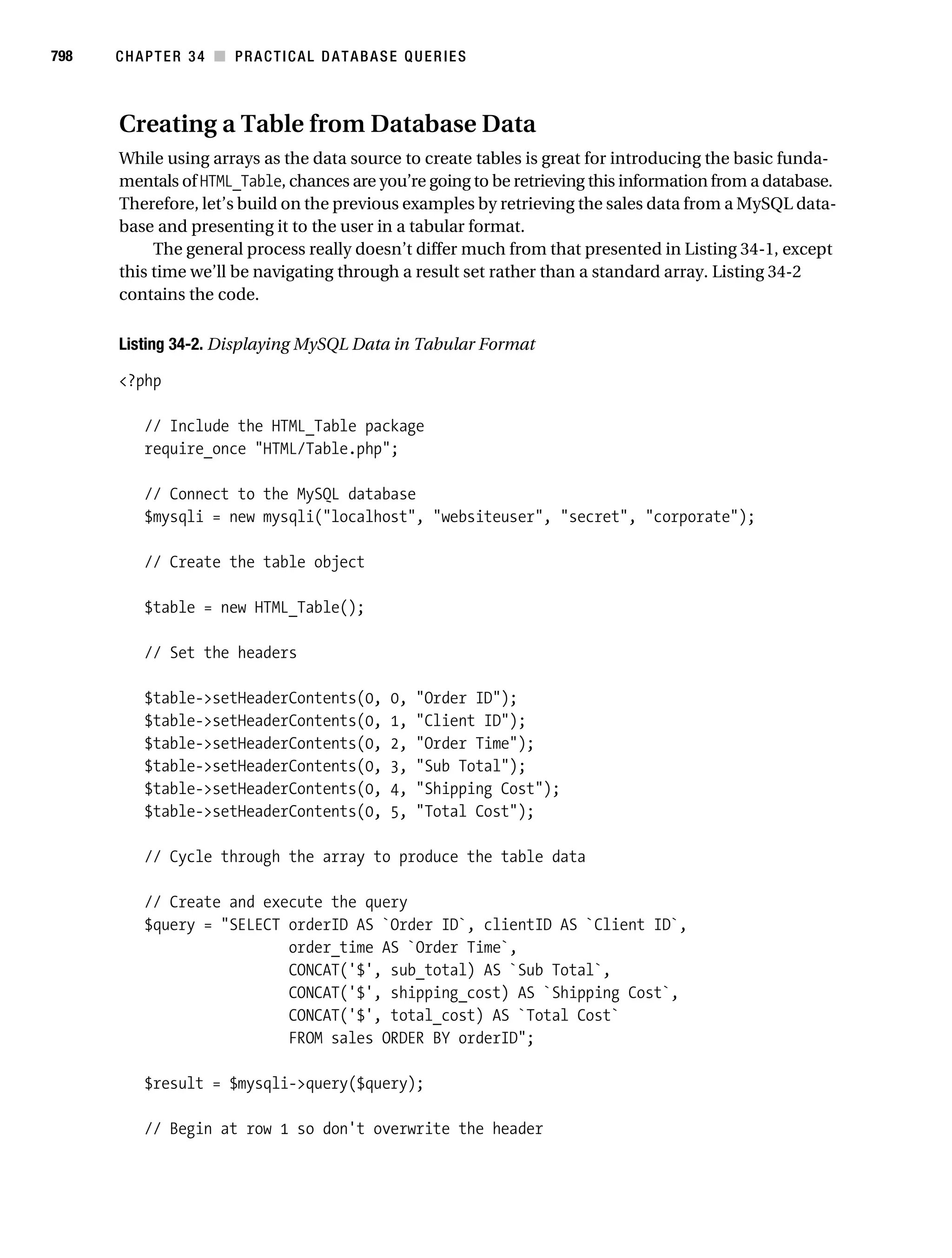
                                         Generalizing the Output Process . . . . . . . . . . . . . . . . . . . . . . . . . . . . 799
                                   Sorting Output . . . . . . . . . . . . . . . . . . . . . . . . . . . . . . . . . . . . . . . . . . . . . . . 802
                                   Creating Paged Output . . . . . . . . . . . . . . . . . . . . . . . . . . . . . . . . . . . . . . . . 803
                                   Listing Page Numbers . . . . . . . . . . . . . . . . . . . . . . . . . . . . . . . . . . . . . . . . 806
                                   Subqueries . . . . . . . . . . . . . . . . . . . . . . . . . . . . . . . . . . . . . . . . . . . . . . . . . . 808
                                         Performing Comparisons with Subqueries . . . . . . . . . . . . . . . . . . . 809
                                         Determining Existence with Subqueries . . . . . . . . . . . . . . . . . . . . . 809
                                         Database Maintenance with Subqueries . . . . . . . . . . . . . . . . . . . . . 811
                                         Using Subqueries with PHP . . . . . . . . . . . . . . . . . . . . . . . . . . . . . . . . 811
                                   Cursors . . . . . . . . . . . . . . . . . . . . . . . . . . . . . . . . . . . . . . . . . . . . . . . . . . . . . 812
                                         Cursor Basics . . . . . . . . . . . . . . . . . . . . . . . . . . . . . . . . . . . . . . . . . . . 812
                                         Creating a Cursor . . . . . . . . . . . . . . . . . . . . . . . . . . . . . . . . . . . . . . . . 813
                                         Opening a Cursor . . . . . . . . . . . . . . . . . . . . . . . . . . . . . . . . . . . . . . . . 813
                                         Using a Cursor . . . . . . . . . . . . . . . . . . . . . . . . . . . . . . . . . . . . . . . . . . . 813
                                         Closing a Cursor . . . . . . . . . . . . . . . . . . . . . . . . . . . . . . . . . . . . . . . . . 815
                                         Using Cursors with PHP . . . . . . . . . . . . . . . . . . . . . . . . . . . . . . . . . . . 815
                                   Summary . . . . . . . . . . . . . . . . . . . . . . . . . . . . . . . . . . . . . . . . . . . . . . . . . . . 815

           ■CHAPTER 35 Indexes and Searching . . . . . . . . . . . . . . . . . . . . . . . . . . . . . . . . . . 817
                                   Database Indexing . . . . . . . . . . . . . . . . . . . . . . . . . . . . . . . . . . . . . . . . . . . 817
                                        Primary Key Indexes . . . . . . . . . . . . . . . . . . . . . . . . . . . . . . . . . . . . . . 818
                                        Unique Indexes . . . . . . . . . . . . . . . . . . . . . . . . . . . . . . . . . . . . . . . . . . 819
                                        Normal Indexes . . . . . . . . . . . . . . . . . . . . . . . . . . . . . . . . . . . . . . . . . . 820
                                        Full-Text Indexes . . . . . . . . . . . . . . . . . . . . . . . . . . . . . . . . . . . . . . . . 822
                                        Indexing Best Practices . . . . . . . . . . . . . . . . . . . . . . . . . . . . . . . . . . . 825
                                   Forms-Based Searches . . . . . . . . . . . . . . . . . . . . . . . . . . . . . . . . . . . . . . . 826
                                        Performing a Simple Search . . . . . . . . . . . . . . . . . . . . . . . . . . . . . . . 826
                                        Extending Search Capabilities . . . . . . . . . . . . . . . . . . . . . . . . . . . . . . 827
                                        Performing a Full-Text Search . . . . . . . . . . . . . . . . . . . . . . . . . . . . . 829
                                   Summary . . . . . . . . . . . . . . . . . . . . . . . . . . . . . . . . . . . . . . . . . . . . . . . . . . . 830
Gilmore_552-1Front.fm Page xxv Wednesday, December 21, 2005 3:05 PM


                                                                                                                                            ■C O N T E N T S    xxv


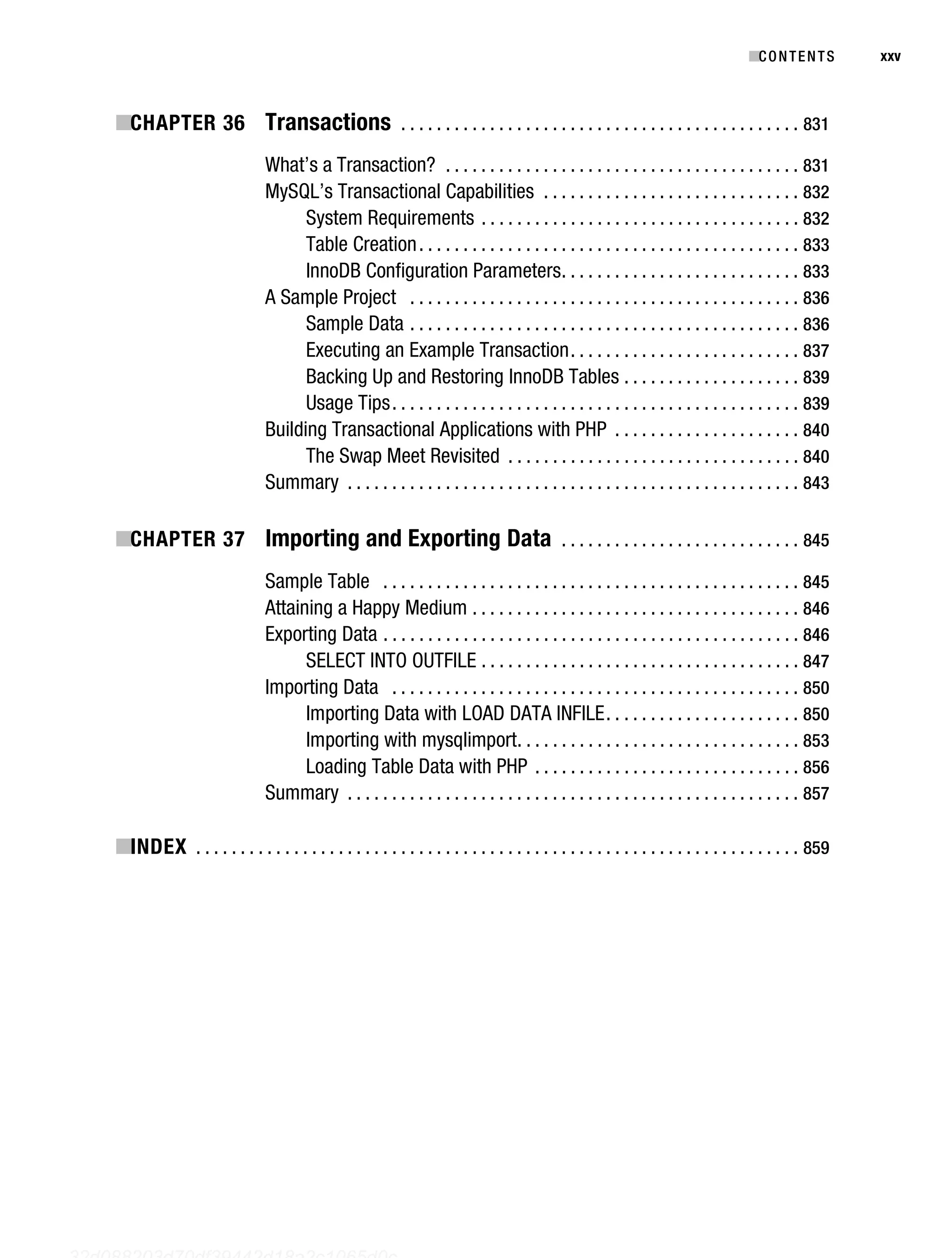
           ■CHAPTER 36 Transactions . . . . . . . . . . . . . . . . . . . . . . . . . . . . . . . . . . . . . . . . . . . . . 831
                                         What’s a Transaction? . . . . . . . . . . . . . . . . . . . . . . . . . . . . . . . . . . . . . . . . 831
                                         MySQL’s Transactional Capabilities . . . . . . . . . . . . . . . . . . . . . . . . . . . . . 832
                                               System Requirements . . . . . . . . . . . . . . . . . . . . . . . . . . . . . . . . . . . . 832
                                               Table Creation . . . . . . . . . . . . . . . . . . . . . . . . . . . . . . . . . . . . . . . . . . . 833
                                               InnoDB Configuration Parameters . . . . . . . . . . . . . . . . . . . . . . . . . . . 833
                                         A Sample Project . . . . . . . . . . . . . . . . . . . . . . . . . . . . . . . . . . . . . . . . . . . . 836
                                               Sample Data . . . . . . . . . . . . . . . . . . . . . . . . . . . . . . . . . . . . . . . . . . . . 836
                                               Executing an Example Transaction . . . . . . . . . . . . . . . . . . . . . . . . . . 837
                                               Backing Up and Restoring InnoDB Tables . . . . . . . . . . . . . . . . . . . . 839
                                               Usage Tips . . . . . . . . . . . . . . . . . . . . . . . . . . . . . . . . . . . . . . . . . . . . . . 839
                                         Building Transactional Applications with PHP . . . . . . . . . . . . . . . . . . . . . 840
                                               The Swap Meet Revisited . . . . . . . . . . . . . . . . . . . . . . . . . . . . . . . . . 840
                                         Summary . . . . . . . . . . . . . . . . . . . . . . . . . . . . . . . . . . . . . . . . . . . . . . . . . . . 843

           ■CHAPTER 37 Importing and Exporting Data . . . . . . . . . . . . . . . . . . . . . . . . . . . 845
                                         Sample Table . . . . . . . . . . . . . . . . . . . . . . . . . . . . . . . . . . . . . . . . . . . . . . . 845
                                         Attaining a Happy Medium . . . . . . . . . . . . . . . . . . . . . . . . . . . . . . . . . . . . . 846
                                         Exporting Data . . . . . . . . . . . . . . . . . . . . . . . . . . . . . . . . . . . . . . . . . . . . . . . 846
                                               SELECT INTO OUTFILE . . . . . . . . . . . . . . . . . . . . . . . . . . . . . . . . . . . . 847
                                         Importing Data . . . . . . . . . . . . . . . . . . . . . . . . . . . . . . . . . . . . . . . . . . . . . . 850
                                               Importing Data with LOAD DATA INFILE . . . . . . . . . . . . . . . . . . . . . . 850
                                               Importing with mysqlimport. . . . . . . . . . . . . . . . . . . . . . . . . . . . . . . . 853
                                               Loading Table Data with PHP . . . . . . . . . . . . . . . . . . . . . . . . . . . . . . 856
                                         Summary . . . . . . . . . . . . . . . . . . . . . . . . . . . . . . . . . . . . . . . . . . . . . . . . . . . 857

           ■INDEX . . . . . . . . . . . . . . . . . . . . . . . . . . . . . . . . . . . . . . . . . . . . . . . . . . . . . . . . . . . . . . . . . . . . 859


   32d088203d70df39442d18a2c1065d0c
Gilmore_552-1Front.fm Page xxvi Wednesday, December 21, 2005 3:05 PM
Gilmore_552-1Front.fm Page xxvii Wednesday, December 21, 2005 3:05 PM


           About the Author


                                     ■ JASON GILMORE has developed countless PHP and MySQL applications
                                      W.
                                     over the past seven years, and has dozens of articles to his credit on this
                                     and other topics pertinent to Internet application development. He
                                     has had articles featured in, among others, Linux Magazine and
                                     Developer.com, and adopted for use within United Nations and Ford
                                     Foundation educational programs. Jason is the author of three books,
                                     including most recently the best-selling Beginning PHP and MySQL:
           From Novice to Professional, and, with coauthor Robert Treat, Beginning PHP and PostgreSQL 8:
           From Novice to Professional. These days Jason splits his time between running Apress’s Open
           Source program, experimenting with spatially enabled Web applications, and starting more
           home remodeling projects than he could possibly complete. Contact Jason at wj@wjgilmore.com,
           and be sure to visit his Web site at http://www.wjgilmore.com.


                                                                                                                   xxvii
Gilmore_552-1Front.fm Page xxviii Wednesday, December 21, 2005 3:05 PM
Gilmore_552-1Front.fm Page xxix Wednesday, December 21, 2005 3:05 PM


           About the Technical Reviewer


                                    ■ MATT WADE is a database analyst by day and a freelance PHP developer
                                    by night. He has extensive experience with database technologies ranging
                                    from Microsoft SQL Server to MySQL. Matt is also an accomplished
                                    systems administrator and has experience with all flavors of Windows
                                    and FreeBSD.
                                        Matt resides in Florida with his wife Michelle and three children,
                                    Matthew, Jonathan, and Amanda. He spends his (little) spare time fiddling
                                    with his aquariums, doing something at church, or just trying to catch
           a few winks. Matt is the founder of Codewalkers.com, which is a resource for PHP developers.


                                                                                                                xxix
Gilmore_552-1Front.fm Page xxx Wednesday, December 21, 2005 3:05 PM
Gilmore_552-1Front.fm Page xxxi Wednesday, December 21, 2005 3:05 PM


           Acknowledgments


           W    riting a book is an enormous undertaking, and although the author’s name is the one
           appearing on the cover, this book would not have been possible without the efforts of numerous
           individuals.
                I’d like to thank Gary Cornell for yet another opportunity to write for the greatest computer
           book publisher on the planet. Assistant Publisher Dominic Shakeshaft offered unwavering support
           and encouragement throughout the project. Project Managers Beth Christmas and Laura Cheu
           demonstrated their skills for otherworldly patience and schedule wrangling while I muddled
           through this project. Matt Wade’s keen eye for detail resulted in vastly improved code and
           helped fill in more than a few blanks regarding some of PHP’s and MySQL’s undocumented
           features. Bill McManus diligently turned my often incoherent ramblings into a far more read-
           able format. Editor Matt Moodie saved what’s left of my sanity by helping out on late-stage
           chapter reviews. Designer-extraordinaire Kurt Krames produced yet another beautiful cover.
           Of course, thank you to all of the other members of the staff who do such a tremendous job not
           only on this but all of the Apress books.
                A sincere thank you is also in order for the PHP and MySQL developer communities who
           have worked so tirelessly over the years to advance these two truly special technologies.
                Last but certainly not least, I’d like to thank my family and friends just for being there, and
           for dragging me away from the laptop on occasion.
                Any errors in this book are mine and mine alone.


                                                                                                                  xxxi
Gilmore_552-1Front.fm Page xxxii Wednesday, December 21, 2005 3:05 PM
Gilmore_552-1Front.fm Page xxxiii Wednesday, December 21, 2005 3:05 PM


           Introduction


           M    ost great programming books sway far more toward the realm of the practical than of the
           academic. Although I have no illusions regarding my place among the great technical authors
           of our time, it is always my goal to write with this point in mind, producing material that you
           can apply to your own situation. Given the size of this book, it’s probably apparent that I attempt
           to squeeze out every last drop of such practicality from the subject matter. That said, if you’re
           interested in gaining practical and comprehensive insight into the PHP programming language
           and MySQL database server, and how these prominent technologies can be used together to
           create dynamic, database-driven Web applications, this book is for you.
                In the 18 months since the first edition of this book was published, the PHP and MySQL
           communities have continued to work feverishly to advance the capabilities of these two prom-
           inent technologies. Accordingly, this revision could not have come without the addition of a
           substantial amount of new material, to the tune of more than 100 additional pages. In total,
           seven new chapters have been added. Three of these chapters are devoted to PHP-specific topics,
           including the PHP Extension and Application Repository (PEAR), date and time functionality,
           and the PHP Data Objects (PDO) extension. Four additional chapters cover PHP 5’s mysqli
           extension, and MySQL 5’s new stored routine, trigger, and view functionality. Furthermore, all
           existing chapters have been carefully revised, and in some cases heavily modified, to both update
           and improve upon the first edition material.
                If you’re new to PHP, I heartily recommend beginning with Chapter 1, because first gaining
           fundamental knowledge of PHP will be of considerable benefit to you when reading later chapters.
           If you know PHP but are new to MySQL, consider beginning with Chapter 24. Intermediate and
           advanced readers are invited to jump around as necessary; after all, this isn’t a romance novel.
           Regardless of your reading strategy, I’ve attempted to compartmentalize the material found in
           each chapter so that you can quickly learn each topic without necessarily having to master
           other chapters beyond those that concentrate on the technology fundamentals.
                Furthermore, novice and seasoned PHP and MySQL developers alike have something to
           gain from this book, as I’ve intentionally organized it in a hybrid format of both tutorial and
           reference. I appreciate the fact that you have traded hard-earned cash for this book, and there-
           fore I have strived to present the material in a fashion that will prove useful not only the first few
           times you peruse it, but far into the future.


           Download the Code
           Experimenting with the code found in this book is the most efficient way to best understand the
           concepts presented within. For your convenience, a ZIP file containing all of the examples can
           be downloaded from http://www.apress.com.


                                                                                                                    xxxiii
Gilmore_552-1Front.fm Page xxxiv Wednesday, December 21, 2005 3:05 PM


xxxiv      ■I N T R O D U C T I O N


           Contact Me!
           I love reader e-mail, and invite you to contact me with comments, suggestions, and questions.
           Feel free to e-mail me at wj@wjgilmore.com. Also be sure to regularly check http://www.
           wjgilmore.com for links to my latest projects and articles.
Gilmore 2E_552-1.book Page 1 Tuesday, November 1, 2005 1:31 PM


           CHAPTER 1
           ■■■


           An Introduction to PHP


           T his chapter serves to better acquaint you with the basics of PHP, offering insight into its
           roots, popularity, and users. This information sets the stage for a discussion of PHP’s feature
           set, including the new features in PHP 5. By the conclusion of this chapter, you’ll learn:

                • How a Canadian developer’s Web page hit counter spawned one of the world’s most
                  popular scripting languages

                • What PHP’s developers have done to once again reinvent the language, making version 5 the
                  best yet released

                • Which features of PHP attract both new and expert programmers alike


           History
           The origins of PHP date back to 1995, when an independent software development contractor
           named Rasmus Lerdorf developed a Perl/CGI script that enabled him to know how many visitors
           were reading his online résumé. His script performed two tasks: logging visitor information,
           and displaying the count of visitors to the Web page. Because the Web as we know it today was
           still young at that time, tools such as these were nonexistent, and they prompted e-mails inquiring
           about Lerdorf’s scripts. Lerdorf thus began giving away his toolset, dubbed Personal Home
           Page (PHP).
                  The clamor for the PHP toolset prompted Lerdorf to continue developing the language,
           perhaps the most notable early change coming when he added a feature for converting data
           entered in an HTML form into symbolic variables, encouraging exportation into other systems.
           To accomplish this, he opted to continue development in C code rather than Perl. Ongoing
           additions to the PHP toolset culminated in November 1997 with the release of PHP 2.0, or
           Personal Home Page—Form Interpreter (PHP-FI). As a result of PHP’s rising popularity, the 2.0
           release was accompanied by a number of enhancements and improvements from program-
           mers worldwide.
                  The new PHP release was extremely popular, and a core team of developers soon joined
           Lerdorf. They kept the original concept of incorporating code directly alongside HTML and
           rewrote the parsing engine, giving birth to PHP 3.0. By the June 1998 release of version 3.0,
           more than 50,000 users were using PHP to enhance their Web pages.


                                                                                                                 1
Gilmore 2E_552-1.book Page 2 Tuesday, November 1, 2005 1:31 PM


2          CHAPTER 1 ■ AN INTRODUCTION TO PHP


            ■Note 1997 also saw the change of the words underlying the PHP abbreviation from Personal Home Page
            to the recursive acronym Hypertext Preprocessor.


                Development continued at a hectic pace over the next two years, with hundreds of functions
            being added and the user count growing in leaps and bounds. At the beginning of 1999, Netcraft
            (http://www.netcraft.com/) reported a conservative estimate of a user base surpassing
            1,000,000, making PHP one of the most popular scripting languages in the world. Its popularity
            surpassed even the greatest expectations of the developers, as it soon became apparent that
            users intended to use PHP to power far larger applications than was originally anticipated. Two
            core developers, Zeev Suraski and Andi Gutmans, took the initiative to completely rethink the
            way PHP operated, culminating in a rewriting of the PHP parser, dubbed the Zend scripting
            engine. The result of this work was found in the PHP 4 release.


            ■Note In addition to leading development of the Zend engine and playing a major role in steering the overall
            development of the PHP language, Zend Technologies Ltd. (http://www.zend.com/), based in Israel,
            offers a host of tools for developing and deploying PHP. These include Zend Studio, Zend Encoder, and Zend
            Optimizer, among others. Check out the Zend Web site for more information.


            PHP 4
            On May 22, 2000, roughly 18 months after the first official announcement of the new development
            effort, PHP 4.0 was released. Many considered the release of PHP 4 to be the language’s official
            debut within the enterprise development scene, an opinion backed by the language’s meteoric rise
            in popularity. Just a few months after the major release, Netcraft (http://www.netcraft.com/)
            estimated that PHP had been installed on more than 3.6 million domains.


            Features
            PHP 4 included several enterprise-level improvements, including the following:

                • Improved resource handling: One of version 3.X’s primary drawbacks was scalability.
                  This was largely because the designers underestimated how much the language would
                  be used for large-scale applications. The language wasn’t originally intended to run
                  enterprise-class Web sites, and subsequent attempts to do so caused the developers to
                  rethink much of the language’s mechanics. The result was vastly improved resource-
                  handling functionality in version 4.

                • Object-oriented support: Version 4 incorporated a degree of object-oriented functionality,
                  although it was largely considered an unexceptional implementation. Nonetheless, the new
                  features played an important role in attracting users used to working with traditional
                  object-oriented programming (OOP) languages. Standard class and object development
                  methodologies were made available, in addition to object overloading, and run-time
                  class information. A much more comprehensive OOP implementation has been made
                  available in version 5, and is introduced in Chapter 5.
Gilmore 2E_552-1.book Page 3 Tuesday, November 1, 2005 1:31 PM


                                                                    CHAPTER 1 ■ AN INTRODUCTION TO PHP           3


                • Native session-handling support: HTTP session handling, available to version 3.X users
                  through the third-party package PHPLIB (http://phplib.sourceforge.net), was natively
                  incorporated into version 4. This feature offers developers a means for tracking user
                  activity and preferences with unparalleled efficiency and ease. Chapter 15 covers PHP’s
                  session-handling capabilities.

                • Encryption: The MCrypt (http://mcrypt.sourceforge.net) library was incorporated
                  into the default distribution, offering users both full and hash encryption using encryption
                  algorithms including Blowfish, MD5, SHA1, and TripleDES, among others. Chapter 18
                  delves into PHP’s encryption capabilities.

                • ISAPI support: ISAPI support offered users the ability to use PHP in conjunction with
                  Microsoft’s IIS Web server as an ISAPI module, greatly increasing its performance and
                  security.

                • Native COM/DCOM support: Another bonus for Windows users is PHP 4’s ability to
                  access and instantiate COM objects. This functionality opened up a wide range of
                  interoperability with Windows applications.

                • Native Java support: In another boost to PHP’s interoperability, support for binding to
                  Java objects from a PHP application was made available in version 4.0.

                • Perl Compatible Regular Expressions (PCRE) library: The Perl language has long been
                  heralded as the reigning royalty of the string parsing kingdom. The developers knew that
                  powerful regular expression functionality would play a major role in the widespread
                  acceptance of PHP, and opted to simply incorporate Perl’s functionality rather than
                  reproduce it, rolling the PCRE library package into PHP’s default distribution (as of
                  version 4.2.0). Chapter 9 introduces this important feature in great detail, and offers a
                  general introduction to the often confusing regular expression syntax.

               In addition to these features, literally hundreds of functions were added to version 4, greatly
           enhancing the language’s capabilities. Throughout the course of this book, much of this func-
           tionality is discussed, as it remains equally important in the version 5 release.


           Drawbacks
           PHP 4 represented a gigantic leap forward in the language’s maturity. The new functionality,
           power, and scalability offered by the new version swayed an enormous number of burgeoning
           and expert developers alike, resulting in its firm establishment among the Web scripting behe-
           moths. Yet maintaining user adoration in the language business is a difficult task; programmers
           often hold a “what have you done for me lately?” mindset. The PHP development team kept
           this notion close in mind, because it wasn’t too long before it set out upon another monumental
           task, one that could establish the language as the 800-pound gorilla of the Web scripting world:
           PHP 5.


           PHP 5
           Version 5 is yet another watershed in the evolution of the PHP language. Although previous
           major releases had enormous numbers of new library additions, version 5 contains improve-
           ments over existing functionality and adds several features commonly associated with mature
           programming language architectures:
Gilmore 2E_552-1.book Page 4 Tuesday, November 1, 2005 1:31 PM


4          CHAPTER 1 ■ AN INTRODUCTION TO PHP


                • Vastly improved object-oriented capabilities: Improvements to PHP’s object-oriented
                  architecture is version 5’s most visible feature. Version 5 includes numerous functional
                  additions such as explicit constructors and destructors, object cloning, class abstraction,
                  variable scope, interfaces, and a major improvement regarding how PHP handles object
                  management. Chapters 6 and 7 offer thorough introductions to this topic.

                • Try/catch exception handling: Devising custom error-handling strategies within structural
                  programming languages is, ironically, error-prone and inconsistent. To remedy this
                  problem, version 5 now supports exception handling. Long a mainstay of error manage-
                  ment in many languages, C++, C#, Python, and Java included, exception handling offers
                  an excellent means for standardizing your error-reporting logic. This new and convenient
                  methodology is introduced in Chapter 8.

                • Improved string handling: Prior versions of PHP have treated strings as arrays by default,
                  a practice indicative of the language’s traditional loose-knit attitude toward datatypes.
                  This strategy has been tweaked in version 5, in which a specialized string offset syntax
                  has been introduced, and the previous methodology has been deprecated. The new
                  features, changes, and effects offered by this new syntax are discussed in Chapter 9.

                • Improved XML and Web Services support: XML support is now based on the libxml2
                  library, and a new and rather promising extension for parsing and manipulating XML,
                  known as SimpleXML, has been introduced. In addition, a SOAP extension is now avail-
                  able. In Chapter 20, these two new extensions are introduced, along with a number of
                  slick third-party Web Services extensions.

                • Native support for SQLite: Always keen on choice, the developers have added support
                  for the powerful yet compact SQLite database server (http://www.sqlite.org/). SQLite
                  offers a convenient solution for developers looking for many of the features found
                  in some of the heavyweight database products without incurring the accompanying
                  administrative overhead. PHP’s support for this powerful database engine is introduced
                  in Chapter 22.

                 A host of other improvements and additions are offered in version 5, many of which are
            introduced, as relevant, throughout the book.
                 With the release of version 5, PHP’s prevalence is at a historical high. At press time, PHP
            has been installed on almost 19 million domains (Netcraft, http://www.netcraft.com/). According
            to E-Soft, Inc. (http://www.securityspace.com/), PHP is by far the most popular Apache module,
            available on almost 54 percent of all Apache installations.
                 So far, this chapter has discussed only version-specific features of the language. Each version
            shares a common set of characteristics that play a very important role in attracting and retaining a
            large user base. In the next section, you’ll learn about these foundational features.


            General Language Features
            Every user has his or her own specific reason for using PHP to implement a mission-critical
            application, although one could argue that such motives tend to fall into four key categories:
            practicality, power, possibility, and price.
Gilmore 2E_552-1.book Page 5 Tuesday, November 1, 2005 1:31 PM


                                                                       CHAPTER 1 ■ AN INTRODUCTION TO PHP             5


           Practicality
           From the very start, the PHP language was created with practicality in mind. After all, Lerdorf’s
           original intention was not to design an entirely new language, but to resolve a problem that
           had no readily available solution. Furthermore, much of PHP’s early evolution was not the
           result of the explicit intention to improve the language itself, but rather to increase its utility to
           the user. The result is a minimalist language, both in terms of what is required of the user and
           in terms of the language’s syntactical requirements. For starters, a useful PHP script can consist of
           as little as one line; unlike C, there is no need for the mandatory inclusion of libraries. For example,
           the following represents a complete PHP script, the purpose of which is to output the current
           date, in this case one formatted like September 23, 2005:

           <?php echo date("F j, Y");?>

                Another example of the language’s penchant for compactness is its ability to nest functions.
           For example, you can effect numerous changes to a value on the same line by stacking functions
           in a particular order, in the following case producing a pseudorandom string of five alphanu-
           meric characters, a3jh8 for instance:

           $randomString = substr(md5(microtime()), 0, 5);

                PHP is a loosely typed language, meaning there is no need to explicitly create, typecast, or
           destroy a variable, although you are not prevented from doing so. PHP handles such matters
           internally, creating variables on the fly as they are called in a script, and employing a best-guess
           formula for automatically typecasting variables. For instance, PHP considers the following set
           of statements to be perfectly valid:

           <?php
              $number = "5";                   # $number is a string
              $sum = 15 + $number;             # Add an integer and string to produce integer
              $sum = "twenty";                 # Overwrite $sum with a string.
           ?>

                PHP will also automatically destroy variables and return resources to the system when the
           script completes. In these and in many other respects, by attempting to handle many of the
           administrative aspects of programming internally, PHP allows the developer to concentrate
           almost exclusively on the final goal, namely a working application.


           Power
           The earlier introduction to PHP 5 alluded to the fact that the new version is more qualitative
           than quantitative in comparison to previous versions. Previous major versions were accom-
           panied by enormous additions to PHP’s default libraries, to the tune of several hundred new
           functions per release. Presently, 113 libraries are available, collectively containing well over
           1,000 functions. Although you’re likely aware of PHP’s ability to interface with databases,
           manipulate form information, and create pages dynamically, you might not know that PHP
           can also do the following:
Gilmore 2E_552-1.book Page 6 Tuesday, November 1, 2005 1:31 PM


6          CHAPTER 1 ■ AN INTRODUCTION TO PHP


                • Create and manipulate Macromedia Flash, image, and Portable Document Format
                  (PDF) files

                • Evaluate a password for guessability by comparing it to language dictionaries and easily
                  broken patterns

                • Communicate with the Lightweight Directory Access Protocol (LDAP)

                • Parse even the most complex of strings using both the POSIX and Perl-based regular
                  expression libraries

                • Authenticate users against login credentials stored in flat files, databases, and even
                  Microsoft’s Active Directory

                • Communicate with a wide variety of protocols, including IMAP, POP3, NNTP, and DNS,
                  among others

                • Communicate with a wide array of credit-card processing solutions

                Of course, the coming chapters cover as many of these and other interesting and useful
            features of PHP as possible.


            Possibility
            PHP developers are rarely bound to any single implementation solution. On the contrary, a
            user is typically fraught with choices offered by the language. For example, consider PHP’s
            array of database support options. Native support is offered for over 25 database products,
            including Adabas D, dBase, Empress, FilePro, FrontBase, Hyperwave, IBM DB2, Informix,
            Ingres, Interbase, mSQL, direct MS-SQL, MySQL, Oracle, Ovrimos, PostgreSQL, Solid, Sybase,
            Unix dbm, and Velocis. In addition, abstraction layer functions are available for accessing
            Berkeley DB–style databases. Finally, two database abstraction layers are available, one called
            the dbx module, and another via PEAR, titled the PEAR DB.
                  PHP’s powerful string-parsing capabilities is another feature indicative of the possibility
            offered to users. In addition to more than 85 string-manipulation functions, both POSIX- and
            Perl-based regular expression formats are supported. This flexibility offers users of differing
            skill sets the opportunity not only to immediately begin performing complex string operations
            but also to quickly port programs of similar functionality (such as Perl and Python) over to PHP.
                  Do you prefer a language that embraces functional programming? How about one that
            embraces the object-oriented paradigm? PHP offers comprehensive support for both. Although
            PHP was originally a solely functional language, the developers soon came to realize the
            importance of offering the popular OOP paradigm, and took the steps to implement an
            extensive solution.
                  The recurring theme here is that PHP allows you to quickly capitalize on your current skill
            set with very little time investment. The examples set forth here are but a small sampling of this
            strategy, which can be found repeatedly throughout the language.
Gilmore 2E_552-1.book Page 7 Tuesday, November 1, 2005 1:31 PM


                                                                      CHAPTER 1 ■ AN INTRODUCTION TO PHP            7


           Price
           Since its inception, PHP has been without usage, modification, and redistribution restrictions.
           In recent years, software meeting such open licensing qualifications has been referred to as
           open-source software. Open-source software and the Internet go together like bread and
           butter. Open-source projects like Sendmail, Bind, Linux, and Apache all play enormous roles in
           the ongoing operations of the Internet at large. Although the fact that open-source software is
           freely available for use has been the characteristic most promoted by the media, several other
           characteristics are equally important if not more so:

                • Free of licensing restrictions imposed by most commercial products: Open-source
                  software users are freed of the vast majority of licensing restrictions one would expect of
                  commercial counterparts. Although some discrepancies do exist among license variants,
                  users are largely free to modify, redistribute, and integrate the software into other products.

                • Open development and auditing process: Although there have been some incidents,
                  open-source software has long enjoyed a stellar security record. Such high standards are
                  a result of the open development and auditing process. Because the source code is freely
                  available for anyone to examine, security holes and potential problems are rapidly found
                  and fixed. This advantage was perhaps best summarized by open-source advocate
                  Eric S. Raymond, who wrote, “Given enough eyeballs, all bugs are shallow.”

                • Participation is encouraged: Development teams are not limited to a particular organi-
                  zation. Anyone who has the interest and the ability is free to join the project. The absence
                  of member restrictions greatly enhances the talent pool for a given project, ultimately
                  contributing to a higher-quality product.


           Summary
           This chapter has provided a bit of foreshadowing about this wonderful language to which much
           of this book is devoted. We looked first at PHP’s history, before outlining version 4 and 5’s core
           features, setting the stage for later chapters.
                In Chapter 2, prepare to get your hands dirty, as you’ll delve into the PHP installation and
           configuration process. Although readers often liken most such chapters to scratching nails on
           a chalkboard, you can gain much from learning more about this process. Much like a professional
           cyclist or race car driver, the programmer with hands-on knowledge of the tweaking and main-
           tenance process often holds an advantage over those without, by virtue of a better understanding
           of both the software’s behaviors and quirks. So grab a snack and cozy up to your keyboard; it’s
           time to build.
Gilmore 2E_552-1.book Page 8 Tuesday, November 1, 2005 1:31 PM
Gilmore_552-1C02.fm Page 9 Monday, November 7, 2005 3:35 PM


           CHAPTER 2
           ■■■


           Installing and Configuring
           Apache and PHP


           I n this chapter, you’ll learn how to install and configure PHP, and in the process learn how to
           install the Apache Web server. If you don’t already have a working Apache/PHP server at your
           disposal, the material covered here will prove invaluable for working with the examples in later
           chapters, not to mention for carrying out your own experiments. Specifically, in this chapter,
           you will learn about:

               • How to install Apache and PHP as an Apache server module on both the Unix and Windows
                 platforms

               • How to test your installation to ensure that all of the components are properly working

               • Common installation pitfalls and their resolutions

               • The purpose, scope, and default values of many of PHP’s most commonly used configu-
                 ration directives

               • Various ways in which you can modify PHP’s configuration directives


           Installation
           In this section, you’ll carry out all of the steps required to install an operational Apache/PHP
           server. By its conclusion, you’ll be able to execute PHP scripts and view the results in a browser.

           Obtaining the Distributions
           Before beginning the installation, you’ll need to download the source code. This section provides
           instructions regarding how to do so.

           Downloading Apache
           Apache’s popularity and open source license have prompted practically all Unix developers to
           package the software with their respective distribution. Because of Apache’s rapid release
           schedule, however, you should consult the Apache Web site and download the latest version.
           At the time of this writing, the following page offers a listing of 260 mirrors located in 53 different
           countries:
                                                                                                                     9
Gilmore_552-1C02.fm Page 10 Monday, November 7, 2005 3:35 PM


10         CHAPTER 2 ■ INSTALLING AND CONFIGURING APACHE AND PHP


           http://www.apache.org/mirrors/

               Navigate to this page and choose a suitable mirror by clicking on the appropriate link. The
           resulting page will consist of all projects found under the Apache Software Foundation umbrella.
           Choose the httpd link. This will take you to the page that includes links to the most recent
           Apache releases and various related projects and utilities. The distribution is available in
           two formats:

                • Source: If your target server platform is a Unix variant, consider downloading the source
                  code. Although there is certainly nothing wrong with using one of the convenient binary
                  versions, the extra time invested in learning how to compile from source will provide
                  you with greater configuration flexibility. If your target platform is Windows, and you’d
                  like to compile from source, note that a separate source package intended for the Win32
                  platform is available for download. However, note that this chapter does not discuss
                  the Win32 source installation process. Instead, this chapter focuses on the much more
                  commonplace (and recommended) binary installer.

                • Binary: At the time of this writing, binaries are available for 15 operating systems. If your
                  target server platform is Windows, consider downloading the relevant binary version.
                  For other platforms, consider compiling from source, because of the greater flexibility it
                  provides in the long run.


           ■Note At the time of this writing, a Win32 binary version of Apache 2 with SSL support was not available,
           although it’s possible that by the time you read this, the situation has changed. However, if it still is not available and
           you require SSL support on Windows, you’ll need to build from source.


                So, which Apache version should you download? Although Apache 2 was released more
           than three years ago, version 1.X remains in widespread use. In fact, it seems that the majority
           of shared-server ISPs have yet to migrate to version 2.X. The reluctance to upgrade doesn’t
           have anything to do with issues regarding version 2.X, but rather is a testament to the amazing
           stability and power of version 1.X. For standard use, the external differences between the two
           versions are practically undetectable; therefore, consider going with Apache 2, to take advan-
           tage of its enhanced stability. In fact, if you plan to run Apache on Windows for either development
           or deployment purposes, it is recommended that you choose version 2, because it is a complete
           rewrite of the previous Windows distribution and is significantly more stable than its predecessor.


           Downloading PHP
           Although PHP comes bundled with most Linux distributions nowadays, you should download
           the latest stable version from the PHP Web site. To decrease download time, choose from more
           than 100 official mirrors residing in over 50 countries, a list of which is available here: http://
           www.php.net/mirrors.php.
                Once you’ve chosen the closest mirror, navigate to the downloads page and choose one of
           the three available distributions:
Gilmore_552-1C02.fm Page 11 Monday, November 7, 2005 3:35 PM


                                                  CHAPTER 2 ■ INSTALLING AND CONFIGURING APACHE AND PHP                     11


               • Source: If Unix is your target server platform, or if you plan to compile from source for
                 the Windows platform, choose this distribution format. Building from source on Windows
                 isn’t recommended, and isn’t discussed in this book. Unless your situation warrants
                 very special circumstances, chances are that the prebuilt Windows binary will suit your
                 needs just fine. This distribution is compressed in bz2 and gz formats. Keep in mind that
                 their contents are identical; the different compression formats are just there for your
                 convenience.

               • Windows zip package: This binary includes both the CGI binary and various server module
                 versions. If you plan to use PHP in conjunction with Apache on Windows, you should
                 download this distribution, because it’s the focus of the later installation instructions.

               • Windows installer: This CGI-only binary offers a convenient Windows installer interface
                 for installing and configuring PHP, and support for automatically configuring the IIS,
                 PWS, and Xitami servers. Although you could use this version in conjunction with Apache,
                 it is not recommended. Instead, use the Windows zip package version.

                If you are interested in playing with the very latest PHP development snapshots, you can
           download both source and binary versions at http://snaps.php.net/. Keep in mind that some
           of the versions made available via this Web site are not intended for production use.


           The Installation Process
           Because PHP is the primary focus of this chapter, not the Apache server, any significant discussion
           of the many features made available to you during the Apache build process is beyond the scope of
           this chapter. For additional information regarding these features, take some time to peruse the
           Apache documentation, or pick up a copy of Pro Apache, Third Edition by Peter Wainwright
           (Apress, 2004).


           ■Note Licensing conflicts between PHP and MySQL have resulted in the removal of the MySQL libraries
           from PHP 5. Therefore, to use PHP 5 and MySQL together, you need to take the necessary steps to make the
           MySQL libraries available to PHP 5. This matter is discussed in further detail in Chapter 25. Additionally, be
           sure to review this chapter for information regarding the licensing scenarios involved in using PHP and MySQL
           together.


           Installing Apache and PHP on Linux/Unix
           This section guides you through the process of building Apache and PHP from source, targeting the
           Unix platform. You need a respectable ANSI-C compiler and build system, two items that are
           commonplace on the vast majority of distributions available today. In addition, PHP requires
           the Flex (http://www.gnu.org/software/flex/flex.html) and Bison (http://www.gnu.org/
           software/bison/bison.html) packages, while Apache requires at least Perl version 5.003. Again,
           all three items are prevalent on most, if not all, modern Unix platforms. Finally, you need root
           access to the target server to complete the build process.
Gilmore_552-1C02.fm Page 12 Monday, November 7, 2005 3:35 PM


12         CHAPTER 2 ■ INSTALLING AND CONFIGURING APACHE AND PHP


               Before beginning the installation process, for sake of convenience, consider moving both
           packages to a common location, /usr/src/ for example. The installation process follows:

                 1. Unzip and untar Apache and PHP:

                    %>gunzip httpd-2_X_XX.tar.gz
                    %>tar xvf httpd-2_X_XX.tar
                    %>gunzip php-XX.tar.gz
                    %>tar xvf php-XX.tar

                 2. Configure and build Apache. At a minimum, you’ll want to pass two options. The first
                    option, --enable-so, tells Apache to enable the ability to load shared modules. The
                    second, --with-mpm=worker, tells Apache to use a threaded multiprocessing module
                    known as worker. Based on your particular needs, you might also consider using the
                    multiprocessing module prefork. See the Apache documentation for more information
                    regarding this important matter.

                    %>cd httpd-2_X_XX
                    %>./configure --enable-so --with-mpm=worker [other options]
                    %>make

                 3. Install Apache:

                    %>make install

                 4. Configure, build, and install PHP (see the section “Customizing the Unix Build” or
                    “Customizing the Windows Build,” depending on your operating system, for infor-
                    mation regarding modifying installation defaults and incorporating third-party
                    extensions into PHP):

                    %>cd ../php-X_XX
                    %>./configure --with-apxs2=/usr/local/apache2/bin/apxs [other options]
                    %>make
                    %>make install


           ■Caution The Unix version of PHP relies on several utilities in order to compile correctly, and the configu-
           ration process will fail if they are not present on the server. Most notably, these packages include the Bison
           parser generator, the Flex lexical analysis generator, the GCC compiler collection, and the m4 macro processor.
           Unfortunately, numerous distributions fail to install these automatically, necessitating manual addition of the
           packages at the time the operating system is installed, or prior to installation of PHP. Therefore, if errors
           regarding any of these packages occur, keep in mind that this is fairly typical, and take the steps necessary
           to install them on your system.
Gilmore_552-1C02.fm Page 13 Monday, November 7, 2005 3:35 PM


                                                  CHAPTER 2 ■ INSTALLING AND CONFIGURING APACHE AND PHP                       13


                5. Copy the php.ini-dist file to its default location and rename it php.ini. The php.ini file
                   contains hundreds of directives that are responsible for tweaking PHP’s behavior. The
                   later section “Configuration” examines php.ini’s purpose and contents in detail. Note
                   that you can place this configuration file anywhere you please, but if you choose a non-
                   default location, then you also need to configure PHP using the --with-config-file-
                   path option. Also note that there is another default configuration file at your disposal,
                   php.ini-recommended. This file sets various nonstandard settings and is intended to
                   better secure and optimize your installation, although this configuration may not be
                   fully compatible with some of the legacy applications. Consider using this file in lieu of
                   php.ini-dist.

                    %>cp php.ini-recommended /usr/local/lib/php.ini

                6. Open the httpd.conf file and verify that the following lines exist. (The httpd.conf file is
                   located at APACHE_INSTALL_DIR/conf/httpd.conf.) If they don’t exist, go ahead and add
                   them. Consider adding each alongside the other LoadModule and AddType entries,
                   respectively.

                    LoadModule php5_module modules/libphp5.so
                    AddType application/x-httpd-php .php

                Believe it or not, that’s it! Restart the Apache server with the following command:

           %>/usr/local/apache2/bin/apachectl restart

                Now proceed to the section “Testing Your Installation.”


           ■Tip The AddType directive found in Step 6 binds a MIME type to a particular extension or extensions. The
           .php extension is only a suggestion; you can use any extension you’d like, including .html, .php5, or even
           .jason. In addition, you can designate multiple extensions simply by including them all on the line, each
           separated by a space. While some users prefer to use PHP in conjunction with the .html extension, keep in
           mind that doing so will ultimately cause the file to be passed to PHP for parsing every single time an HTML file
           is requested. Some people may consider this convenient, but it will come at the cost of a performance decrease.


           Installing Apache and PHP on Windows
           Whereas previous Windows-based versions of Apache weren’t optimized for the Windows
           platform, the Win32 version of Apache 2 was completely rewritten to take advantage of Windows
           platform-specific features. Even if you don’t plan to deploy your application on Windows, it
           nonetheless makes for a great localized testing environment for those users who prefer it over
           other platforms. The installation process follows:
Gilmore_552-1C02.fm Page 14 Monday, November 7, 2005 3:35 PM


14         CHAPTER 2 ■ INSTALLING AND CONFIGURING APACHE AND PHP


                 1. Start the Apache installer by double-clicking the apache_X.X.XX-win32-x86-no_ssl.msi
                    icon.

                 2. The installation process begins with a welcome screen. Take a moment to read the
                    screen and then click Next.

                 3. The License Agreement is displayed next. Carefully read through the license. Assuming
                    that you agree with the license stipulations, click Next.

                 4. A screen containing various items pertinent to the Apache server is displayed next. Take
                    a moment to read through this information and then click Next.

                 5. You will be prompted for various items pertinent to the server’s operation, including the
                    Network Domain, Server Name, and Administrator’s Email Address. If you know this
                    information, fill it in now; otherwise, just use localhost for the first two items, and put
                    in any e-mail address for the last. You can always change this information later in the
                    httpd.conf file. You’ll also be prompted as to whether Apache should run as a service
                    for all users or only for the current user. If you want Apache to automatically start with
                    the operating system, which is recommended, then choose to install Apache as a service for
                    all users. When you’re finished, click Next.

                 6. You are prompted for a Setup Type: Typical or Custom. Unless there is a specific reason
                    you don’t want the Apache documentation installed, choose Typical and click Next.
                    Otherwise, choose Custom, click Next, and, on the next screen, uncheck the Apache
                    Documentation option.

                 7. You’re prompted for the Destination folder. By default, this is C:Program FilesApache
                    Group. Consider changing this to C:, which will create an installation directory
                    C:Apache2. Regardless of what you choose, keep in mind that the latter is used here
                    for the sake of convention. Click Next.

                 8. Click Install to complete the installation. That’s it for Apache. Next you’ll install PHP.

                 9. Unzip the PHP package, placing the contents into C:php5. You’re free to choose
                    any installation directory you please, but avoid choosing a path that contains spaces.
                    Regardless, the installation directory C:php5 will be used throughout this chapter for
                    consistency.

               10. Make the php5ts.dll file available to Apache. This is most easily accomplished simply
                   by adding the PHP installation directory path to the Windows Path. To do so, navigate to
                   Start ➤ Settings ➤ Control Panel ➤ System, choose the Advanced tab, and click the
                   Environment Variables button. In the Environment Variables dialog box, scroll through
                   the System variables pane until you find Path. Double-click this line and, in the Edit
                   System Variable dialog box, append C:php5 to the path, as is depicted in Figure 2-1.
Gilmore_552-1C02.fm Page 15 Monday, November 7, 2005 3:35 PM


                                                  CHAPTER 2 ■ INSTALLING AND CONFIGURING APACHE AND PHP                       15


                    Figure 2-1. Modifying the Windows Path

               11. Navigate to C:apache2conf and open httpd.conf for editing.

               12. Add the following three lines to the httpd.conf file. Consider adding them directly
                   below the block of LoadModule entries located in the bottom of the Global Environment
                   section.

                    LoadModule php5_module c:/php5/php5apache2.dll
                    AddType application/x-httpd-php .php
                    PHPIniDir "C:php5"


           ■Tip The AddType directive found in Step 12 binds a MIME type to a particular extension or extensions. The
           .php extension is only a suggestion; you can use any extension you’d like, including .html, .php5, or even
           .jason. In addition, you can designate multiple extensions simply by including them all on the line, each
           separated by a space. While some users prefer to use PHP in conjunction with the .html extension, keep in
           mind that doing so will ultimately cause the file to be passed to PHP for parsing every single time an HTML file
           is requested. Some people may consider this convenient, but it will come at the cost of a performance decrease.
Gilmore_552-1C02.fm Page 16 Monday, November 7, 2005 3:35 PM


16         CHAPTER 2 ■ INSTALLING AND CONFIGURING APACHE AND PHP


                13. Rename the php.ini-dist file php.ini and save it to the C:php5 directory. The php.ini
                    file contains hundreds of directives that are responsible for tweaking PHP’s behavior. The
                    later section “Configuration” examines php.ini’s purpose and contents in detail. Note
                    that you can place this configuration file anywhere you please, but if you choose a nonde-
                    fault location, then you also need to configure PHP using the --with-config-file-path
                    option. Also note that there is another default configuration file at your disposal,
                    php.ini-recommended. This file sets various nonstandard settings, and is intended to
                    better secure and optimize your installation, although this configuration may not be
                    fully compatible with some of the legacy applications. Consider using this file in lieu
                    of php.ini-dist.

                14. If you’re using Windows NT, 2000, or XP, navigate to Start ➤ Settings ➤ Control Panel ➤
                    Administrative Tools ➤ Services.

                15. Locate Apache in the list, and make sure that it is started. If it is not started, highlight the
                    label and click Start the service, located to the left of the label. If it is started, highlight
                    the label and click Restart the service, so that the changes made to the httpd.conf file
                    take effect. Next, right-click Apache and choose Properties. Ensure that the startup type
                    is set to Automatic. If you’re still using Windows 95/98, you need to start Apache man-
                    ually via the shortcut provided on the Start menu.


           Testing Your Installation
           The best way to verify your PHP installation is by attempting to execute a PHP script. Open a
           text editor and add the following lines to a new file. Then save that file within Apache’s htdocs
           directory as phpinfo.php:

           <?php
                  phpinfo();
           ?>

                 Now open a browser and access this file by typing the appropriate URL:

           http://localhost/phpinfo.php

           If all goes well, you should see output similar to that shown in Figure 2-2.


           ■Tip The phpinfo() function offers a plethora of useful information pertinent to your PHP installation.
Gilmore_552-1C02.fm Page 17 Monday, November 7, 2005 3:35 PM


                                                  CHAPTER 2 ■ INSTALLING AND CONFIGURING APACHE AND PHP          17


           Figure 2-2. Output from PHP’s phpinfo() function

           Help! I’m Getting an Error!
           Assuming that you encountered no noticeable errors during the build process, you may not be
           seeing the cool phpinfo() output due to one or more of the following reasons:

               • Apache was not started or restarted after the build process was complete.

               • A typing error was introduced into the code in the phpinfo.php file. If a parse error message
                 is resulting in the browser input, then this is almost certainly the case.

               • Something went awry during the build process. Consider rebuilding (reinstalling on
                 Windows), carefully monitoring for errors. If you’re running Linux/Unix, don’t forget to
                 execute a make clean from within each of the respective distribution directories before
                 reconfiguring and rebuilding.


           Customizing the Unix Build
           Although the base PHP installation is sufficient for most beginning users, chances are you’ll
           soon want to make adjustments to the default configuration settings and possibly experiment
           with some of the third-party extensions that are not built into the distribution by default. You
           can view a complete list of configuration flags (there are over 200) by executing the following:

           %>./configure --help
Gilmore_552-1C02.fm Page 18 Monday, November 7, 2005 3:35 PM


18         CHAPTER 2 ■ INSTALLING AND CONFIGURING APACHE AND PHP


               To make adjustments to the build process, you just need to add one or more of these argu-
           ments to PHP’s configure command, including a value assignment if necessary. For example,
           suppose you want to enable PHP’s FTP functionality, a feature not enabled by default. Just
           modify the configuration step of the PHP build process like so:

           %>./configure --with-apxs2=/usr/local/apache2/bin/apxs --enable-ftp

                As another example, suppose you want to enable PHP’s Java extension. Just change Step 4
           to read:

           %>./configure --with-apxs2=/usr/local/apache2/bin/apxs 
            >--enable-java=[JDK-INSTALL-DIR]

                One common point of confusion among beginners is to assume that simply including
           additional flags will automatically make this functionality available via PHP. This is not necessarily
           the case. Keep in mind that you also need to install the software that is ultimately responsible
           for enabling the extension support. In the case of the Java example, you need the Java Develop-
           ment Kit (JDK).


           Customizing the Windows Build
           A total of 45 extensions come with PHP’s Windows distribution, all of which are located in the
           INSTALL_DIRext directory. However, to actually use any of these extensions, you need to
           uncomment the appropriate line within the php.ini file. For example, if you’d like to enable
           PHP’s IMAP extension, you need to make two minor adjustments to your php.ini file:

                 1. Open the php.ini file, located in the Windows directory. To determine which directory
                    that is, see installation Step 13 of the “Installing Apache and PHP on Windows” section.
                    Locate the extension_dir directive and assign it C:php5ext. If you installed PHP in
                    another directory, modify this path accordingly.

                 2. Locate the line ;extension=php_imap.dll. Uncomment this line by removing the preceding
                    semicolon. Save and close the file.

                 3. Restart Apache, and the extension is ready for use from within PHP Keep in mind that
                                                                                        .
                    some extensions require further modifications to the PHP file before they can be used
                    properly. See the “Configuration” section for a discussion of the php.ini file.


           Common Pitfalls
           It’s common to experience some initial problems bringing your first PHP-enabled page online.
           The more commonplace issues are discussed in this section:

                • Changes made to Apache’s configuration file do not take effect until it has been restarted.
                  Therefore, be sure to restart Apache after adding the necessary PHP-specific lines to the
                  file.

                • When you modify the Apache configuration file, you may accidentally introduce an
                  invalid character, causing Apache to fail upon an attempt to restart. If Apache will not
                  start, go back and review your changes.
Gilmore_552-1C02.fm Page 19 Monday, November 7, 2005 3:35 PM


                                                  CHAPTER 2 ■ INSTALLING AND CONFIGURING APACHE AND PHP         19


               • Verify that the file ends in the PHP-specific extension as specified in the httpd.conf file.
                 For example, if you’ve defined only .php as the recognizable extension, don’t try to embed
                 PHP code in an .html file.

               • Make sure that you’ve delimited the PHP code within the file. Neglecting to do this will
                 cause the code to output to the browser.

               • You’ve created a file named index.php and are trying unsuccessfully to call it as you
                 would a default directory index. Remember that by default, Apache only recognizes
                 index.html in this fashion. Therefore, you need to add index.php to Apache’s
                 DirectoryIndex directive.


           Viewing and Downloading the Documentation
           Both the Apache and PHP projects offer truly exemplary documentation, covering practically
           every aspect of the respective technology in lucid detail. You can view the latest respective
           versions online via http://httpd.apache.org/ and http://www.php.net/, or download a local
           version to your local machine and read it there.


           Downloading the Apache Manual
           Each Apache distribution comes packaged with the latest versions of the documentation in
           XML and HTML formats and in six languages (English, French, German, Japanese, Korean, and
           Russian). The documentation is located in the directory docs, found in the installation root
           directory.
               Should you need to upgrade your local version, require an alternative format such as PDF
           or Microsoft Help (CHM), or need to browse it online, proceed to the following Web site:

           http://httpd.apache.org/docs-project/


           Downloading the PHP Manual
           The PHP documentation is available in 24 languages, and in a variety of formats, including a
           single HTML page, multiple HTML pages, Microsoft HTML Help (CHM) format, and extended
           HTML Help format. These versions are generated from Docbook-based master files, which can
           be retrieved from the PHP project’s CVS server should you wish to convert to another format.
           The documentation is located in the directory manual, found in the installation root directory.
                Should you need to upgrade your local version, or retrieve an alternative format, navigate
           to the following page and click the appropriate link:

           http://www.php.net/docs.php


           Configuration
           If you’ve made it this far, congratulations! You have an operating Apache and PHP server at
           your disposal. However, you’ll probably need to make at least a few other run-time changes to
           get the software working to your satisfaction. The vast majority of these changes are handled
           through Apache’s httpd.conf file and PHP’s php.ini file. Each file contains a myriad of config-
           uration directives that collectively control the behavior of each product. For the remainder of
Gilmore_552-1C02.fm Page 20 Monday, November 7, 2005 3:35 PM


20         CHAPTER 2 ■ INSTALLING AND CONFIGURING APACHE AND PHP


           this chapter, we’ll focus on PHP’s most commonly used configuration directives, introducing
           the purpose, scope, and default value of each.


           Managing PHP’s Configuration Directives
           Before you delve into the specifics of each directive, this section demonstrates the various ways
           in which these directives can be manipulated, including through the php.ini file, the httpd.conf
           and .htaccess files, and directly through a PHP script.


           The php.ini File
           The PHP distribution comes with two configuration templates, php.ini-dist and
           php.ini-recommended. The “Installation” section suggested that you use the latter, because
           many of the parameters found within it have already been set to their suggested settings.
           Taking this advice will likely save you a good deal of initial time and effort securing and
           tweaking your installation, because there are almost 240 distinct configuration parameters in
           this file. Although the default values go a long way toward helping you to quickly deploy PHP,
           you’ll probably want to make additional adjustments to PHP’s behavior, so you’ll need to learn
           a bit more about this file and its many configuration parameters. The upcoming section “PHP’s
           Configuration Directives” presents a comprehensive introduction to many of these parame-
           ters, explaining the purpose, scope, and range of each.
                The php.ini file is PHP’s global configuration file, much like httpd.conf is to Apache, or
           my.cnf (my.ini on Windows) is to MySQL. This file addresses 12 different aspects of PHP’s
           behavior:

                • Language Options

                • Safe Mode

                • Syntax Highlighting

                • Miscellaneous

                • Resource Limits

                • Error Handling and Logging

                • Data Handling

                • Paths and Directories

                • File Uploads

                • Fopen Wrappers

                • Dynamic Extensions

                • Module Settings

                Each of the listed items is introduced along with its respective parameters in the “PHP’s
           Configuration Directives” section. Before you are introduced to them, however, take a moment
           to review the php.ini file’s general syntactical characteristics. The php.ini file is a simple text
Gilmore_552-1C02.fm Page 21 Monday, November 7, 2005 3:35 PM


                                                  CHAPTER 2 ■ INSTALLING AND CONFIGURING APACHE AND PHP                21


           file, consisting solely of comments and parameter = key assignment pairs. Here’s a sample
           snippet from the file:

           ;
           ; Safe Mode
           ;
           safe_mode = Off

           Lines beginning with a semicolon are comments; the parameter safe_mode is assigned the
           value Off.


           ■Tip Once you’re comfortable with a configuration parameter’s purpose, consider deleting the accompanying
           comments to streamline the file’s contents, thereby decreasing later editing time.


                Exactly when changes take effect depends on how you installed PHP. If PHP is installed as
           a CGI binary, the php.ini file is reread every time PHP is invoked, thus making changes instan-
           taneous. If PHP is installed as an Apache module, then php.ini is only read in once, when the
           Apache daemon is first started. Therefore, if PHP is installed in the latter fashion, you must
           restart Apache before any of the changes take effect.


           The Apache httpd.conf and .htaccess Files
           When PHP is running as an Apache module, you can modify many of the directives through
           either the httpd.conf file or the .htaccess file. This is accomplished by prefixing the name =
           value pair with one of the following keywords:

               • php_value: Sets the value of the specified directive.

               • php_flag: Sets the value of the specified Boolean directive.

               • php_admin_value: Sets the value of the specified directive. This differs from php_value in
                 that it cannot be used within an .htaccess file and cannot be overridden within virtual
                 hosts or .htaccess.

               • php_admin_flag: Sets the value of the specified directive. This differs from php_value in
                 that it cannot be used within an .htaccess file and cannot be overridden within virtual
                 hosts or .htaccess.


           Within the Executing Script
           The third, and most localized, means for manipulating PHP’s configuration variables is via the
           ini_set() function. For example, suppose you want to modify PHP’s maximum execution time
           for a given script. Just embed the following command into the top of the script:

           ini_set("max_execution_time","60");
Gilmore_552-1C02.fm Page 22 Monday, November 7, 2005 3:35 PM


22         CHAPTER 2 ■ INSTALLING AND CONFIGURING APACHE AND PHP


           Configuration Directive Scope
           Can configuration directives be modified anywhere? Good question. The answer is no, for a
           variety of reasons, mostly security related. Each directive is assigned a scope, and the directive
           can be modified only within that scope. In total, there are four scopes:

                • PHP_INI_PERDIR: Directive can be modified within the php.ini, httpd.conf, or .htaccess
                  files

                • PHP_INI_SYSTEM: Directive can be modified within the php.ini and httpd.conf files

                • PHP_INI_USER: Directive can be modified within user scripts

                • PHP_INI_ALL: Directive can be modified anywhere


           PHP’s Configuration Directives
           The following sections introduce many of PHP’s core configuration directives. In addition to a
           general definition, each section includes the configuration directive’s scope and default value.
           Because you’ll probably spend the majority of your time working with these variables from
           within php.ini, the directives are introduced as they appear in this file.
                Note that the directives introduced in this section are largely relevant solely to PHP’s
           general behavior; directives pertinent to extensions, or to topics in which considerable atten-
           tion is given later in the book, are not introduced in this section, but rather are introduced in
           the appropriate chapter. For example, MySQL’s configuration directives are introduced in
           Chapter 25.


           Language Options
           The directives located in this initial section determine some of the language’s most basic
           behavior. You’ll definitely want to take a few moments to become acquainted with these
           configuration possibilities.

           engine (On, Off)
           Scope: PHP_INI_ALL; Default value: On

           This parameter is simply responsible for determining whether the PHP engine is available.
           Turning it off prevents you from using PHP at all. Obviously, you should leave this enabled if
           you plan to use PHP.

           zend.ze1_compatibility_mode (On, Off)
           Scope: PHP_INI_ALL; Default value: Off

           Even at press time, some 18 months after PHP 5.0 released, PHP 4.X is still in widespread use. One
           of the reasons for the protracted upgrade cycle is due to some incompatibilities between PHP 4
           and 5. However, many developers aren’t aware that enabling the zend.ze1_compatibility_mode
           directive allows PHP 4 applications to run without issue in version 5. Therefore, if you’d like to
           use a PHP 4–specific application on a PHP 5–driven server, look to this directive.
Gilmore_552-1C02.fm Page 23 Monday, November 7, 2005 3:35 PM


                                                  CHAPTER 2 ■ INSTALLING AND CONFIGURING APACHE AND PHP           23


           short_open_tag (On, Off)
           Scope: PHP_INI_ALL; Default value: On

           PHP script components are enclosed within escape syntax. There are four different escape
           formats, the shortest of which is known as short open tags, which looks like this:

           <?
                echo "Some PHP statement";
           ?>

               You may recognize that this syntax is shared with XML, which could cause issues in certain
           environments. Thus, a means for disabling this particular format has been provided. When
           short_open_tag is enabled (On), short tags are allowed; when disabled (Off), they are not.

           asp_tags (On, Off)
           Scope: PHP_INI_ALL; Default value: Off

           PHP supports ASP-style script delimiters, which look like this:

           <%
                echo "Some PHP statement";
           %>

               If you’re coming from an ASP background and prefer to continue using this delimiter
           syntax, you can do so by enabling this tag.

           precision (integer)
           Scope: PHP_INI_ALL; Default value: 12

           PHP supports a wide variety of data types, including floating-point numbers. The precision
           parameter specifies the number of significant digits displayed in a floating-point number
           representation. Note that this value is set to 14 digits on Win32 systems and to 12 digits on
           Unix.

           y2k_compliance (On, Off)
           Scope: PHP_INI_ALL; Default value: Off

           Who can forget the Y2K scare of just a few years ago? Superhuman efforts were undertaken to
           eliminate the problems posed by non–Y2K-compliant software, and although it’s very unlikely,
           some users may be using wildly outdated, noncompliant browsers. If for some bizarre reason
           you’re sure that a number of your site’s users fall into this group, then disable the y2k_compliance
           parameter; otherwise, it should be enabled.

           output_buffering ((On, Off) or (integer))
           Scope: PHP_INI_SYSTEM; Default value: Off

           Anybody with even minimal PHP experience is likely quite familiar with the following two
           messages:
Gilmore_552-1C02.fm Page 24 Monday, November 7, 2005 3:35 PM


24         CHAPTER 2 ■ INSTALLING AND CONFIGURING APACHE AND PHP


           "Cannot add header information – headers already sent"
           "Oops, php_set_cookie called after header has been sent"

                These messages occur when a script attempts to modify a header after it has already been
           sent back to the requesting user. Most commonly, they are the result of the programmer
           attempting to send a cookie to the user after some output has already been sent back to the
           browser, which is impossible to accomplish because the header (not seen by the user, but used
           by the browser) will always precede that output. PHP version 4.0 offered a solution to this annoying
           problem by introducing the concept of output buffering. When enabled, output buffering tells
           PHP to send all output at once, after the script has been completed. This way, any subsequent
           changes to the header can be made throughout the script, because it hasn’t yet been sent.
           Enabling the output_buffering directive turns output buffering on. Alternatively, you can limit
           the size of the output buffer (thereby implicitly enabling output buffering) by setting it to the
           maximum number of bytes you’d like this buffer to contain.
                If you do not plan to use output buffering, you should disable this directive, because it will
           hinder performance slightly. Of course, the easiest solution to the header issue is simply to pass
           the information before any other content whenever possible.

           output_handler (string)
           Scope: PHP_INI_ALL; Default value: Null

           This interesting directive tells PHP to pass all output through a function before returning it to
           the requesting user. For example, suppose you want to compress all output before returning it
           to the browser, a feature supported by all mainstream HTTP/1.1-compliant browsers. You can
           assign output_handler like so:

           output_handler = "ob_gzhandler"

                ob_gzhandler() is PHP’s compression-handler function, located in PHP’s output control
           library. Keep in mind that you cannot simultaneously set output_handler to ob_gzhandler()
           and enable zlib.output_compression (discussed next).

           zlib.output_compression ((On, Off) or (integer))
           Scope: PHP_INI_SYSTEM; Default value: Off

           Compressing output before it is returned to the browser can save bandwidth and time. This
           HTTP/1.1 feature is supported by most modern browsers, and can be safely used in most appli-
           cations. You enable automatic output compression by setting zlib.output_compression to On.
           In addition, you can simultaneously enable output compression and set a compression buffer
           size (in bytes) by assigning zlib.output_compression an integer value.

           zlib.output_handler (string)
           Scope: PHP_INI_SYSTEM; Default value: Null

           The zlib.output_handler specifies a particular compression library if the zlib library is not
           available.
Gilmore_552-1C02.fm Page 25 Monday, November 7, 2005 3:35 PM


                                                  CHAPTER 2 ■ INSTALLING AND CONFIGURING APACHE AND PHP           25


           implicit_flush (On, Off)
           Scope: PHP_INI_SYSTEM; Default value: Off

           Enabling implicit_flush results in automatically clearing, or flushing, the output buffer of its
           contents after each call to print() or echo(), and completion of each embedded HTML block.
           This might be useful in an instance where the server requires an unusually long period of time
           to compile results or perform certain calculations. In such cases, you can use this feature to
           output status updates to the user rather than just wait until the server completes the procedure.

           unserialize_callback_func (string)
           Scope: PHP_INI_ALL; Default value: Null

           This directive allows you to control the response of the unserializer when a request is made to
           instantiate an undefined class. For most users, this directive is irrelevant, because PHP already
           outputs a warning in such instances, if PHP’s error reporting is tuned to the appropriate level.

           serialize_precision (integer)
           Scope: PHP_INI_ALL; Default value: 100

           The serialize_precision directive determines the number of digits stored after the floating
           point when doubles and floats are serialized. Setting this to an appropriate value ensures that
           the precision is not potentially lost when the numbers are later unserialized.

           allow_call_time_pass_reference (On, Off)
           Scope: PHP_INI_SYSTEM; Default value: On

           Function arguments can be passed in two ways: by value and by reference. Exactly how each
           argument is passed to a function at function call time can be specified in the function defini-
           tion, which is the recommended means for doing so. However, you can force all arguments to
           be passed by reference at function call time by enabling allow_call_time_pass_reference.
                The discussion of PHP functions in Chapter 4 addresses how functional arguments can be
           passed both by value and by reference, and the implications of doing so.


           Safe Mode
           When you deploy PHP in a multiuser environment, such as that found on an ISP’s shared
           server, you might want to limit its functionality. As you might imagine, offering all users full
           reign over all PHP’s functions could open up the possibility for exploiting or damaging server
           resources and files. As a safeguard for using PHP on shared servers, PHP can be run in a restricted,
           or safe, mode.
                Enabling safe mode has a great many implications, including the automatic disabling of
           quite a few functions and various features deemed to be potentially insecure and thus possibly
           damaging if they are misused within a local script. A small sampling of these disabled functions
           and features includes parse_ini_file(), chmod(), chown(), chgrp(), exec(), system(), and
           backtick operators. Enabling safe mode also ensures that the owner of the executing script
           matches the owner of any file or directory targeted by that script.
Gilmore_552-1C02.fm Page 26 Monday, November 7, 2005 3:35 PM


26         CHAPTER 2 ■ INSTALLING AND CONFIGURING APACHE AND PHP


                In addition, enabling safe mode opens up the possibility for activating a number of other
           restrictions via other PHP configuration directives, each of which is introduced in this section.

           safe_mode (On, Off)
           Scope: PHP_INI_SYSTEM; Default value: Off

           Enabling the safe mode directive results in PHP being run under the aforementioned
           constraints.

           safe_mode_gid (On, Off)
           Scope: PHP_INI_SYSTEM; Default value: Off

           When safe mode is enabled, an enabled safe_mode_gid enforces a GID (group ID) check when
           opening files. When safe_mode_gid is disabled, a more restrictive UID (user ID) check is enforced.

           safe_mode_include_dir (string)
           Scope: PHP_INI_SYSTEM; Default value: Null

           The safe_mode_include_dir provides a safe haven from the UID/GID checks enforced when
           safe_mode and potentially safe_mode_gid are enabled. UID/GID checks are ignored when files
           are opened from the assigned directory.

           safe_mode_exec_dir (string)
           Scope: PHP_INI_SYSTEM; Default value: Null

           When safe mode is enabled, the safe_mode_exec_dir parameter restricts execution of executa-
           bles via the exec() function to the assigned directory. For examples, if you want to restrict
           execution to functions found in /usr/local/bin, you use this directive:

           safe_mode_exec_dir = "/usr/local/bin"

           safe_mode_allowed_env_vars (string)
           Scope: PHP_INI_SYSTEM; Default value: PHP_

           When safe mode is enabled, you can restrict which operating system–level environment vari-
           ables users can modify through PHP scripts with the safe_mode_allowed_env_vars directive.
           For example, setting this directive as follows limits modification to only those variables with a
           PHP_ or MYSQL_ prefix:

           safe_mode_allowed_env_vars = "PHP_,MYSQL_"

              Keep in mind that leaving this directive blank means that the user can modify any environ-
           ment variable.
Gilmore_552-1C02.fm Page 27 Monday, November 7, 2005 3:35 PM


                                                  CHAPTER 2 ■ INSTALLING AND CONFIGURING APACHE AND PHP         27


           safe_mode_protected_env_vars (string)
           Scope: PHP_INI_SYSTEM; Default value: LD_LIBRARY_PATH

           The safe_mode_protected_env_vars directive offers a means for explicitly preventing certain
           environment variables from being modified. For example, if you want to prevent the user from
           modifying the PATH and LD_LIBRARY_PATH variables, you use this directive:

           safe_mode_protected_env_vars = "PATH, LD_LIBRARY_PATH"

           open_basedir (string)
           Scope: PHP_INI_SYSTEM; Default value: Null

           Much like Apache’s DocumentRoot, PHP’s open_basedir directive can establish a base directory
           to which all file operations will be restricted. This prevents users from entering otherwise
           restricted areas of the server. For example, suppose all Web material is located within the direc-
           tory /home/www. To prevent users from viewing and potentially manipulating files like /etc/
           passwd via a few simple PHP commands, consider setting open_basedir like this:

           open_basedir = "/home/www/"

               Note that the influence exercised by this directive is not dependent upon the safe_mode
           directive.

           disable_functions (string)
           Scope: PHP_INI_SYSTEM; Default value: Null

           In certain environments, you may want to completely disallow the use of certain default
           functions, such as exec() and system(). Such functions can be disabled by assigning them to
           the disable_functions parameter, like this:

           disable_functions = "exec, system";

               Note that the influence exercised by this directive is not dependent upon the safe_mode
           directive.

           disable_classes (string)
           Scope: PHP_INI_SYSTEM; Default value: Null

           Given the new functionality offered by PHP’s embrace of the object-oriented paradigm, it
           likely won’t be too long before you’re using large sets of class libraries. There may be certain
           classes found within these libraries that you’d rather not make available, however. You can
           prevent the use of these classes via the disable_classes directive. For example, if you want to
           disable two particular classes, named administrator and janitor, you use the following:

           disable_classes = "administrator, janitor"

               Note that the influence exercised by this directive is not dependent upon the safe_mode
           directive.
Gilmore_552-1C02.fm Page 28 Monday, November 7, 2005 3:35 PM


28         CHAPTER 2 ■ INSTALLING AND CONFIGURING APACHE AND PHP


           ignore_user_abort (Off, On)
           Scope: PHP_INI_ALL; Default value: On

           How many times have you browsed to a particular page, only to exit or close the browser before

           the page completely loads? Often such behavior is harmless. However, what if the server was in
           the midst of updating important user profile information, or completing a commercial trans-
           action? Enabling ignore_user_abort causes the server to ignore session termination caused by
           a user- or browser-initiated interruption.


           Syntax Highlighting
           PHP can display and highlight source code. You can enable this feature either by assigning the
           PHP script the extension .phps (this is the default extension and, as you’ll soon learn, can be
           modified) or via the show_source() or highlight_file() function. To begin using the .phps
           extension, you need to add the following line to httpd.conf:

           AddType application/x-httpd-php-source .phps

                You can control the color of strings, comments, keywords, the background, default text,
           and HTML components of the highlighted source through the following six directives. Each
           can be assigned an RGB, hexadecimal, or keyword representation of each color. For example,
           the color we commonly refer to as “black” can be represented as rgb(0,0,0), #000000, or black,
           respectively.

           highlight.string (string)
           Scope: PHP_INI_ALL; Default value: #DD0000

           highlight.comment (string)
           Scope: PHP_INI_ALL; Default value: #FF9900

           highlight.keyword (string)
           Scope: PHP_INI_ALL; Default value: #007700

           highlight.bg (string)
           Scope: PHP_INI_ALL; Default value: #FFFFFF

           highlight.default (string)
           Scope: PHP_INI_ALL; Default value: #0000BB

           highlight.html (string)
           Scope: PHP_INI_ALL; Default value: #000000


           Miscellaneous
           The Miscellaneous category consists of a single directive, expose_php.
Gilmore_552-1C02.fm Page 29 Monday, November 7, 2005 3:35 PM


                                                  CHAPTER 2 ■ INSTALLING AND CONFIGURING APACHE AND PHP            29


           expose_php (On, Off)
           Scope: PHP_INI_SYSTEM; Default value: On

           Each scrap of information that a potential attacker can gather about a Web server increases the
           chances that he will successfully compromise it. One simple way to obtain key information
           about server characteristics is via the server signature. For example, Apache will broadcast the
           following information within each response header by default:

           Apache/2.0.44 (Unix) DAV/2 PHP/5.0.0-dev Server at www.example.com Port 80

                Disabling expose_php prevents the Web server signature (if enabled) from broadcasting
           the fact that PHP is installed. Although you need to take other steps to ensure sufficient server
           protection, obscuring server properties such as this one is nonetheless heartily recommended.


           ■Note You can disable Apache’s broadcast of its server signature by setting ServerSignature to Off in
           the httpd.conf file.


           Resource Limits
           Although version 5 features numerous advances in PHP’s resource-handling capabilities, you
           must still be careful to ensure that scripts do not monopolize server resources as a result of
           either programmer- or user-initiated actions. Three particular areas where such overconsumption
           is prevalent are script execution time, script input processing time, and memory. Each can be
           controlled via the following three directives.

           max_execution_time (integer)
           Scope: PHP_INI_ALL; Default value: 30

           The max_execution_time parameter places an upper limit on the amount of time, in seconds,
           that a PHP script can execute. Setting this parameter to 0 disables any maximum limit. Note
           that any time consumed by an external program executed by PHP commands, such as exec()
           and system(), does not count toward this limit.

           max_input_time (integer)
           Scope: PHP_INI_ALL; Default value: 60

           The max_input_time parameter places a limit on the amount of time, in seconds, that a PHP
           script devotes to parsing request data. This parameter is particularly important when you
           upload large files using PHP’s file upload feature, which is discussed in Chapter 15.

           memory_limit (integer)M
           Scope: PHP_INI_ALL; Default value: 8M

           The memory_limit parameter determines the maximum amount of memory, in megabytes, that
           can be allocated to a PHP script.
Gilmore_552-1C02.fm Page 30 Monday, November 7, 2005 3:35 PM


30         CHAPTER 2 ■ INSTALLING AND CONFIGURING APACHE AND PHP


           Error Handling and Logging
           PHP offers a convenient and flexible means for reporting and logging errors, warnings, and
           notices generated by PHP at compile time, run time, and as a result of some user action. The
           developer has control over the reporting sensitivity, whether and how this information is
           displayed to the browser, and whether the information is logged to either a file or the system
           log (syslog on Unix, event log on Windows). The next 15 directives control this behavior.

           error_reporting (string)
           Scope: PHP_INI_ALL; Default value: Null

           The error_reporting directive determines PHP’s level of error-reporting sensitivity. There
           are 12 assigned error levels, each unique in terms of its pertinence to the functioning of the
           application or server. These levels are defined in Table 2-1.
                You can set error_reporting to any single level, or a combination of these levels, using
           Boolean operators. For example, suppose you wanted to report just errors. You’d use this
           setting:

           error_reporting = E_ERROR|E_CORE_ERROR|E_COMPILE_ERROR|E_USER_ERROR

                If you wanted to track all errors, except for user-generated warnings and notices, you’d use
           this setting:

           error_reporting = E_ALL & ~E_USER_WARNING & ~E_USER_NOTICE

                During the application development and initial deployment stages, you should turn sensi-
           tivity to the highest level, or E_ALL. However, once all major bugs have been dealt with,consider
           turning the sensitivity down a bit.


           Table 2-1. PHP’s Error-Reporting Levels
           Name                                  Description
           E_ALL                                 Report all errors and warnings
           E_ERROR                               Report fatal run-time errors
           E_WARNING                             Report nonfatal run-time errors
           E_PARSE                               Report compile-time parse errors
           E_NOTICE                              Report run-time notices, like uninitialized variables
           E_STRICT                              PHP version portability suggestions
           E_CORE_ERROR                          Report fatal errors occurring during PHP’s startup
           E_CORE_WARNING                        Report nonfatal errors occurring during PHP’s startup
           E_COMPILE_ERROR                       Report fatal compile-time errors
           E_COMPILE_WARNING                     Report nonfatal compile-time errors
           E_USER_ERROR                          Report user-generated fatal error messages
           E_USER_WARNING                        Report user-generated nonfatal error messages
           E_USER_NOTICE                         Report user-generated notices
Gilmore_552-1C02.fm Page 31 Monday, November 7, 2005 3:35 PM


                                                  CHAPTER 2 ■ INSTALLING AND CONFIGURING APACHE AND PHP           31


           display_errors (On, Off)
           Scope: PHP_INI_ALL; Default value: On

           When display_errors is enabled, all errors of at least the level specified by error_reporting are
           output. Consider enabling this parameter during the development stage. When your applica-
           tion is deployed, all errors should be logged instead, accomplished by enabling log_errors and
           specifying the destination of the log, using error_log.

           display_startup_errors (On, Off)
           Scope: PHP_INI_ALL; Default value: Off

           Disabling display_startup_errors prevents errors specific to PHP’s startup procedure from
           being displayed to the user.

           log_errors (On, Off)
           Scope: PHP_INI_ALL; Default value: Off

           Error messages can prove invaluable in determining potential issues that arise during the
           execution of your PHP application. Enabling log_errors tells PHP that these errors should be
           logged, either to a particular file or to the syslog. The exact destination is determined by another
           parameter, error_log.

           log_errors_max_len (integer)
           Scope: PHP_INI_ALL; Default value: 1024

           This parameter determines the maximum length of a single log message, in bytes. Setting this
           parameter to 0 results in no maximum imposed limit.

           ignore_repeated_errors (On, Off)
           Scope: PHP_INI_ALL; Default value: Off

           If you’re reviewing the log regularly, there really is no need to note errors that repeatedly occur
           on the same line of the same file. Disabling this parameter prevents such repeated errors from
           being logged.

           ignore_repeated_source (On, Off)
           Scope: PHP_INI_ALL; Default value: Off

           Disabling this variant on the ignore_repeated_errors parameter will disregard the source of
           the errors when ignoring repeated errors. This means that only a maximum of one instance of
           each error message can be logged.
Gilmore_552-1C02.fm Page 32 Monday, November 7, 2005 3:35 PM


32         CHAPTER 2 ■ INSTALLING AND CONFIGURING APACHE AND PHP


           report_memleaks (On, Off)
           Scope: PHP_INI_ALL; Default value: Off

           This parameter, only relevant when PHP is compiled in debug mode, determines whether
           memory leaks are displayed or logged. In addition to the debug mode constraint, an error level
           of at least E_WARNING must be in effect.

           track_errors (On, Off)
           Scope: PHP_INI_ALL; Default value: Off

           Enabling track_errors causes PHP to store the most recent error message in the variable
           $php_error_msg. The scope of this variable is limited to the particular script in which the error
           occurs.

           html_errors (On, Off)
           Scope: PHP_INI_SYSTEM; Default value: On

           PHP encloses error messages within HTML tags by default. Sometimes, you might not want
           PHP to do this, so a means for disabling this behavior is offered via the html_errors parameter.

           docref_root (string)
           Scope: PHP_INI_ALL; Default value: Null

           If html_errors is enabled, PHP includes a link to a detailed description of any error, found in
           the official manual. However, rather than linking to the official Web site, you should point the
           user to a local copy of the manual. The location of the local manual is determined by the path
           specified by docref_root.

           docref_ext (string)
           Scope: PHP_INI_ALL; Default value: Null

           The docref_ext parameter informs PHP of the local manual’s page extensions when used to
           provide additional information about errors (see docref_root).

           error_prepend_string (string)
           Scope: PHP_INI_ALL; Default value: Null

           If you want to pass additional information to the user before outputting an error, you can
           prepend a string (including formatting tags) to the automatically generated error output by
           using the error_prepend_string parameter.

           error_append_string (string)
           Scope: PHP_INI_ALL; Default value: Null

           If you want to pass additional information to the user after outputting an error, you can
           append a string (including formatting tags) to the automatically generated error output by
           using the error_append_string parameter.
Gilmore_552-1C02.fm Page 33 Monday, November 7, 2005 3:35 PM


                                                  CHAPTER 2 ■ INSTALLING AND CONFIGURING APACHE AND PHP        33


           error_log (string)
           Scope: PHP_INI_ALL; Default value: Null

           If log_errors is enabled, the error_log directive specifies the message destination. PHP supports
           logging to both a specific file and the operating system syslog. On Windows, setting error_log
           to syslog results in messages being logged to the event log.


           Data Handling
           The parameters introduced in this section affect the way that PHP handles external variables;
           that is, variables passed into the script via some outside source. GET, POST, cookies, the oper-
           ating system, and the server are all possible candidates for providing external data. Other
           parameters located in this section determine PHP’s default character set, PHP’s default MIME
           type, and whether external files will be automatically prepended or appended to PHP’s
           returned output.

           arg_separator.output (string)
           Scope: PHP_INI_ALL; Default value: &

           PHP is capable of automatically generating URLs, and uses the standard ampersand (&) to
           separate input variables. However, if you need to override this convention, you can do so by
           using the arg_separator.output directive.

           arg_separator.input (string)
           Scope: PHP_INI_ALL; Default value: &

           The ampersand (&) is the standard character used to separate input variables passed in via the
           POST or GET method. Although unlikely, should you need to override this convention within
           your PHP applications, you can do so by using the arg_separator.input directive.

           variables_order (string)
           Scope: PHP_INI_ALL; Default value: Null

           The variables_order directive determines the order in which the ENVIRONMENT, GET, POST,
           COOKIE, and SERVER variables are parsed. While seemingly irrelevant, is register_globals is
           enabled (not recommended), the ordering of these values could result in unexpected results
           due to later variables overwriting those parsed earlier in the process.

           register_globals (On, Off)
           Scope: PHP_INI_SYSTEM; Default value: Off

           If you have used PHP before version 4, the mere mention of this directive is enough to evoke
           gnashing of the teeth and pulling of the hair. In version 4.2.0 this directive was disabled by
           default, forcing many long-time PHP users to entirely rethink (and in some cases rewrite) their
           Web application development methodology. This change, although done at a cost of considerable
           confusion, ultimately serves the best interests of developers in terms of greater application
           security. If you’re new to all of this, what’s the big deal?
Gilmore_552-1C02.fm Page 34 Monday, November 7, 2005 3:35 PM


34         CHAPTER 2 ■ INSTALLING AND CONFIGURING APACHE AND PHP


                Historically, all external variables were automatically registered in the global scope. That
           is, any incoming variable of the types COOKIE, ENVIRONMENT, GET, POST and SERVER were made
           available globally. Because they were available globally, they were also globally modifiable.
           Although this might seem convenient to some people, it also introduced a security deficiency,
           because variables intended to be managed solely by using a cookie could also potentially be
           modified via the URL. For example, suppose that a session identifier uniquely identifying the
           user is communicated across pages via a cookie. Nobody but that user should see the data that
           is ultimately mapped to the user identified by that session identifier. A user could open the
           cookie, copy the session identifier, and paste it onto the end of the URL, like this:

           http://www.example.com/secretdata.php?sessionid=4x5bh5H793adK

                The user could then e-mail this link to some other user. If there are no other security
           restrictions in place (IP identification, for example), this second user will be able to see the
           otherwise confidential data. Disabling the register_globals directive prevents such behavior
           from occurring. While these external variables remain in the global scope, each must be referred
           to in conjunction with its type. For example, the sessionid variable used in the previous example
           would instead be referred to solely as:

           $_COOKIE['sessionid']

               Any attempt to modify this parameter using any other means (GET or POST, for
           example) causes a new variable in the global scope of that means ($_GET['sessionid'] or
           $_POST['sessionid']). In Chapter 3, the section “PHP’s Superglobal Variables” offers a thor-
           ough introduction to external variables of the COOKIE, ENVIRONMENT, GET, POST, and SERVER types.
               Although disabling register_globals is unequivocally a good idea, it isn’t the only factor
           you should keep in mind when you secure an application. Chapter 21 offers more information
           about PHP application security.

           register_long_arrays (On, Off)
           Scope: PHP_INI_SYSTEM; Default value: Off

           This directive determines whether to continue registering the various input arrays
           (ENVIRONMENT, GET, POST, COOKIE, SYSTEM) using the deprecated syntax, such as HTTP_*_VARS.
           Disabling this directive is recommended for performance reasons.

           register_argc_argv (On, Off)
           Scope: PHP_INI_SYSTEM; Default value: On

           Passing in variable information via the GET method is analogous to passing arguments to an
           executable. Many languages process such arguments in terms of argc and argv. argc is the
           argument count, and argv is an indexed array containing the arguments. If you would like to
           declare variables $argc and $argv and mimic this functionality, enable register_argc_argv.
Gilmore_552-1C02.fm Page 35 Monday, November 7, 2005 3:35 PM


                                                   CHAPTER 2 ■ INSTALLING AND CONFIGURING APACHE AND PHP                           35


           post_max_size (integer)M
           Scope: PHP_INI_SYSTEM; Default value: 8M

           Of the two methods for passing data between requests, POST is better equipped to transport
           large amounts, such as what might be sent via a Web form. However, for both security and
           performance reasons, you might wish to place an upper ceiling on exactly how much data can
           be sent via this method to a PHP script; this can be accomplished using post_max_size.


           ■Note Quotes, both of the single and double variety, have long played a special role in programming.
           Because they are commonly used both as string delimiters and in written language, you need a way to differ-
           entiate between the two in programming, to eliminate confusion. The solution is simple: Escape any quote
           mark not intended to delimit the string. If you don’t do this, unexpected errors could occur. Consider the following:

           $sentence = "John said, "I love racing cars!"";

           Which quote mark is intended to delimit the string, and which are used to delimit John’s utterance? PHP
           doesn’t know, unless certain quote marks are escaped, like this:

           $sentence = "John said, "I love racing cars!"";

           Escaping nondelimiting quote marks is known as enabling magic quotes. This process could be done either
           automatically, by enabling the directive magic_quotes_gpc (introduced in this section), or manually, by
           using the functions addslashes() and stripslashes(). The latter strategy is recommended, because it
           enables you to wield total control over the application, although in those cases where you’re trying to use an
           application in which the automatic escaping of quotations is expected, you’ll need to enable this behavior
           accordingly.

           Three parameters determine how PHP behaves in this regard: magic_quotes_gpc, magic_quotes_runtime,
           and magic_quotes_sybase.


           magic_quotes_gpc (On, Off)
           Scope: PHP_INI_SYSTEM; Default value: On

           This parameter determines whether magic quotes are enabled for data transmitted via the GET,
           POST, and Cookie methodologies. When enabled, all single and double quotes, backslashes,
           and null characters are automatically escaped with a backslash.

           magic_quotes_runtime (On, Off)
           Scope: PHP_INI_ALL; Default value: Off

           Enabling this parameter results in the automatic escaping (using a backslash) of any quote
           marks located within data returned from an external resource, such as a database or text file.
Gilmore_552-1C02.fm Page 36 Monday, November 7, 2005 3:35 PM


36         CHAPTER 2 ■ INSTALLING AND CONFIGURING APACHE AND PHP


           magic_quotes_sybase (On, Off)
           Scope: PHP_INI_ALL; Default value: Off

           This parameter is only of interest if magic_quotes_runtime is enabled. If magic_quotes_sybase is
           enabled, all data returned from an external resource will be escaped using a single quote rather
           than a backslash. This is useful when the data is being returned from a Sybase database, which
           employs a rather unorthodox requirement of escaping special characters with a single quote
           rather than a backslash.

           auto_prepend_file (string)
           Scope: PHP_INI_SYSTEM; Default value: Null

           Creating page header templates or including code libraries before a PHP script is executed is
           most commonly done using the include() or require() function. You can automate this process
           and forego the inclusion of these functions within your scripts by assigning the file name and
           corresponding path to the auto_prepend_file directive.

           auto_append_file (string)
           Scope: PHP_INI_SYSTEM; Default value: Null

           Automatically inserting footer templates after a PHP script is executed is most commonly done
           using the include() or require() function. You can automate this process and forego the inclusion
           of these functions within your scripts by assigning the template file name and corresponding path
           to the auto_append_file directive.

           default_mimetype (string)
           Scope: PHP_INI_ALL; Default value: SAPI_DEFAULT_MIMETYPE

           MIME types offer a standard means for classifying file types on the Internet. You can serve any
           of these file types via PHP applications, the most common of which is text/html. If you’re using
           PHP in other fashions, however, such as a content generator for WML (Wireless Markup Language)
           applications, you need to adjust the MIME type accordingly. You can do so by modifying the
           default_mimetype directive.

           default_charset (string)
           Scope: PHP_INI_ALL; Default value: SAPI_DEFAULT_CHARSET

           As of version 4.0b4, PHP outputs a character encoding in the Content-type header. By default
           this is set to iso-8859-1, which supports languages such as English, Spanish, German, Italian,
           and Portuguese, among others. If your application is geared toward languages such as Japanese,
           Chinese, or Hebrew, however, the default_charset directive allows you to update this character set
           setting accordingly.

           always_populate_raw_post_data (On, Off)
           Scope: PHP_INI_PERDIR; Default value: On
Gilmore_552-1C02.fm Page 37 Monday, November 7, 2005 3:35 PM


                                                  CHAPTER 2 ■ INSTALLING AND CONFIGURING APACHE AND PHP            37


           Enabling the always_populate_raw_post_data directive causes PHP to assign a string consisting
           of POSTed name/value pairs to the variable $HTTP_RAW_POST_DATA, even if the form variable has
           no corresponding value. For example, suppose this directive is enabled and you create a form
           consisting of two text fields, one for the user’s name and another for the user’s e-mail address.
           In the resulting form action, you execute just one command:

           echo $HTTP_RAW_POST_DATA;

                Filling out neither field and clicking the Submit button results in the following output:


           name=&email=


                Filling out both fields and clicking the Submit button produces output similar to the following:


           name=jason&email=jason%40example.com


           Paths and Directories
           This section introduces directives that determine PHP’s default path settings. These paths are
           used for including libraries and extensions, as well as for determining user Web directories and
           Web document roots.

           include_path (string)
           Scope: PHP_INI_ALL; Default value: PHP_INCLUDE_PATH

           The path to which this parameter is set serves as the base path used by functions such as
           include(), require(), and fopen_with_path(). You can specify multiple directories by separating
           each with a semicolon, as shown in the following example:

           include_path=".:/usr/local/include/php;/home/php"

                By default, this parameter is set to the path defined by the environment variable
           PHP_INCLUDE_PATH.
                Note that on Windows, backward slashes are used in lieu of forward slashes, and the drive
           letter prefaces the path. For example:

           include_path=".;C:php5includes"

           doc_root (string)
           Scope: PHP_INI_SYSTEM; Default value: Null

           This parameter determines the default from which all PHP scripts will be served. This parameter
           is used only if it is not empty.
Gilmore_552-1C02.fm Page 38 Monday, November 7, 2005 3:35 PM


38         CHAPTER 2 ■ INSTALLING AND CONFIGURING APACHE AND PHP


           user_dir (string)
           Scope: PHP_INI_SYSTEM; Default value: Null

           The user_dir directive specifies the absolute directory PHP uses when opening files using the
           /~username convention. For example, when user_dir is set to /home/users and a user attempts
           to open the file ~/gilmore/collections/books.txt, PHP knows that the absolute path is /home/
           users/gilmore/collections/books.txt.

           extension_dir (string)
           Scope: PHP_INI_SYSTEM; Default value: PHP_EXTENSION_DIR

           The extension_dir directive tells PHP where its loadable extensions (modules) are located. By
           default, this is set to ./, which means that the loadable extensions are located in the same
           directory as the executing script. In the Windows environment, if extension_dir is not set, it
           will default to C:PHP-INSTALLATION-DIRECTORYext. In the Unix environment, the exact loca-
           tion of this directory depends on several factors, although it’s quite likely that the location will
           be PHP-INSTALLATION-DIRECTORY/lib/php/extensions/no-debug-zts-RELEASE-BUILD-DATE/.

           enable_dl (On, Off)
           Scope: PHP_INI_SYSTEM; Default value: On

           The enable_dl() function allows a user to load a PHP extension at run time; that is, during a
           script’s execution.


           File Uploads
           PHP supports the uploading and subsequent administrative processing of both text and binary
           files via the POST method. Three directives are available for maintaining this functionality,
           each of which is introduced in this section.


           ■Tip PHP’s file upload functionality is introduced in Chapter 15.


           file_uploads (On, Off)
           Scope: PHP_INI_SYSTEM; Default value: On

           The file_uploads directive determines whether PHP’s file uploading feature is enabled.

           upload_tmp_dir (string)
           Scope: PHP_INI_SYSTEM; Default value: Null

           When files are first uploaded to the server, most operating systems place them in a staging, or
           temporary, directory. You can specify this directory for files uploaded via PHP by using the
           upload_tmp_dir directive.
Gilmore_552-1C02.fm Page 39 Monday, November 7, 2005 3:35 PM


                                                  CHAPTER 2 ■ INSTALLING AND CONFIGURING APACHE AND PHP         39


           upload_max_filesize (integer)M
           Scope: PHP_INI_SYSTEM; Default value: 2M

           The upload_max_filesize directive sets an upper limit, in megabytes, on the size of a file
           processed using PHP’s upload mechanism.


           fopen Wrappers
           This section contains five directives pertinent to the access and manipulation of remote files.

           allow_url_fopen (On, Off)
           Scope: PHP_INI_ALL; Default value: On

           Enabling allow_url_fopen allows PHP to treat remote files almost as if they were local. When
           enabled, a PHP script can access and modify files residing on remote servers, if the files have
           the correct permissions.

           from (string)
           Scope: PHP_INI_ALL; Default value: Null

           The from directive is perhaps misleading in its title in that it actually determines the password,
           rather than the identity, of the anonymous user used to perform FTP connections. Therefore,
           if from is set like this:

           from = "jason@example.com"

           the username anonymous and password jason@example.com will be passed to the server when
           authentication is requested.

           user_agent (string)
           Scope: PHP_INI_ALL; Default value: Null

           PHP always sends a content header along with its processed output, including a user agent
           attribute. This directive determines the value of that attribute.

           default_socket_timeout (integer)
           Scope: PHP_INI_ALL; Default value: 60

           This directive determines the timeout value of a socket-based stream, in seconds.

           auto_detect_line_endings (On, Off)
           Scope: PHP_INI_ALL; Default value: Off

           One never-ending source of developer frustration is derived from the end-of-line (EOL)
           character, because of the varying syntax employed by different operating systems. Enabling
           auto_detect_line_endings determines whether the data read by fgets() and file() uses
           Macintosh, MS-DOS, or Unix file conventions.
Gilmore_552-1C02.fm Page 40 Monday, November 7, 2005 3:35 PM


40         CHAPTER 2 ■ INSTALLING AND CONFIGURING APACHE AND PHP


           Dynamic Extensions
           The Dynamic Extensions section contains a single directive, extension.

           extension (string)
           Scope: PHP_INI_ALL; Default value: Null

           The extension directive is used to dynamically load a particular module. On the Win32 operating
           system, a module might be loaded like this:

           extension = php_java.dll

                  On Unix, it would be loaded like this:

           extension = php_java.so

                Keep in mind that on either operating system, simply uncommenting or adding this line
           doesn’t necessarily enable the relevant extension. You’ll also need to ensure that the appro-
           priate software is installed on the operating system. For example, to enable Java support, you
           also need to install the JDK.


           Module Settings
           The directives found in this section affect the behavior of PHP’s interaction with various oper-
           ating system functions and nondefault extensions, such as Java and various database servers.
           This section introduces only a few directives, but numerous others are presented in later
           chapters.


           syslog
           It’s possible to use your operating system logging facility to log PHP run-time information and
           errors. One directive is available for tweaking that behavior, and it’s defined in this section.

           define_syslog_variables (On, Off)
           Scope: PHP_INI_ALL; Default value: Off

           This directive specifies whether or not syslog variables such as $LOG_PID and $LOG_CRON should
           be automatically defined. For performance reasons, disabling this directive is recommended.


           Mail
           PHP’s mail() function offers a convenient means for sending e-mail messages via PHP scripts.
           Four directives are available for determining PHP’s behavior in this respect.

           SMTP (string)
           Scope: PHP_INI_ALL; Default value: localhost

           The SMTP directive, applicable only for Win32 operating systems, determines the DNS name
           or IP address of the SMTP server that PHP should use when sending mail. Linux/Unix users
           should look to the sendmail_path directive in order to configure PHP’s mail feature.
Gilmore_552-1C02.fm Page 41 Monday, November 7, 2005 3:35 PM


                                                  CHAPTER 2 ■ INSTALLING AND CONFIGURING APACHE AND PHP        41


           smtp_port (int)
           Scope: PHP_INI_ALL; Default value: 25

           The smtp_port directive, applicable only for Win32 operating systems, specifies the port that
           PHP should use when sending mail via the server designated by the SMTP directive.

           sendmail_from (string)
           Scope: PHP_INI_ALL; Default value: Null

           The sendmail_from directive, applicable only for Win32 operating systems, designates the
           sender identity when PHP is used to initiate the delivery of e-mail.

           sendmail_path (string)
           Scope: PHP_INI_SYSTEM; Default value: DEFAULT_SENDMAIL_PATH

           The sendmail_path directive, applicable only for Unix operating systems, is primarily used to
           pass additional options to the sendmail daemon, although it could also be used to determine
           the location of sendmail when installed in a nonstandard directory.


           Java
           PHP can instantiate Java classes via its Java extension. The following four directives determine
           PHP’s behavior in this respect. Note that it’s also possible to run PHP as a Java servlet via the
           Java Servlet API, although this topic isn’t discussed in this book. Check out the PHP manual for
           more information.

           java.class.path (string)
           Scope: PHP_INI_ALL; Default value: Null

           The java.class.path directory specifies the location where your Java classes are stored.

           java.home (string)
           Scope: PHP_INI_ALL; Default value: Null

           The java.home directive specifies the location of the JDK binary directory.

           java.library (string)
           Scope: PHP_INI_ALL; Default value: JAVALIB

           The java.library directive specifies the location of the Java Virtual Machine (JVM).

           java.library.path (string)
           Scope: PHP_INI_ALL; Default value: Null

           The java.library.path directive specifies the location of PHP’s Java extension.
Gilmore_552-1C02.fm Page 42 Monday, November 7, 2005 3:35 PM


42         CHAPTER 2 ■ INSTALLING AND CONFIGURING APACHE AND PHP


           Summary
           This chapter provided you with the information you need to establish an operational Apache/PHP
           server, and valuable insight regarding PHP’s run-time configuration options and capabilities.
           This was a major step, because you’ll now be able to use this platform to test examples throughout
           the remainder of the book.
                In the next chapter, you’ll learn all about the basic syntactical properties of the PHP
           language. By its conclusion, you’ll be able to create simplistic yet quite useful scripts. This
           material sets the stage for subsequent chapters, where you’ll gain the knowledge required to
           start building some really cool applications.
Gilmore_552-1C03.fm Page 43 Monday, November 7, 2005 3:56 PM


           CHAPTER 3
           ■■■


           PHP Basics


           O   nly two chapters into the book and we’ve already covered quite a bit of ground regarding
           the PHP language. By now, you are familiar with the language’s background and history, and
           have delved deep into the installation and configuration concepts and procedures. This mate-
           rial has set the stage for what will form the crux of much of the remaining material found in this
           book: creating powerful PHP applications. This chapter initiates this discussion, introducing a
           great number of the language’s foundational features. Specifically, chapter topics include:

               • How to delimit PHP code, which provides the parsing engine with a means for determining
                 which areas of the script should be parsed and executed, and which should be ignored

               • An introduction to commenting code using the various methodologies borrowed from
                 the Unix shell scripting, C, and C++ languages

               • How to output data using the echo(), print(), printf(), and sprintf() statements

               • A discussion of PHP’s datatypes, variables, operators, and statements

               • A thorough dissertation of PHP’s key control structures and statements, including
                 if-else-elseif, while, foreach, include, require, break, continue, and declare

               By the conclusion of this chapter, you’ll possess not only the knowledge necessary to
           create basic but useful PHP applications, but also an understanding of what’s required to make
           the most of the material covered in later chapters.


           Escaping to PHP
           One of PHP’s advantages is that you can embed PHP code directly into static HTML pages. For
           the code to do anything, the page must be passed to the PHP engine for interpretation. It would
           be highly inefficient for the interpreter to consider every line as a potential PHP command,
           however. Therefore, the parser needs some means to immediately determine which areas of
           the page are PHP-enabled. This is logically accomplished by delimiting the PHP code. There
           are four delimitation variants, all of which are introduced in this section.


                                                                                                                43
Gilmore_552-1C03.fm Page 44 Monday, November 7, 2005 3:56 PM


44         CHAPTER 3 ■ PHP BASICS


           Default Syntax
           The default delimiter syntax opens with <?php and concludes with ?>, like this:

           <h3>Welcome!</h3>
           <?php
              print "<p>This is a PHP example.</p>";
           ?>
           <p>Some static information found here...</p>

                If you save this code as test.php and call it from a PHP-enabled Web server, output such
           as that shown in Figure 3-1 follows.


           Figure 3-1. Sample PHP Output


           Short-Tags
           For the less-motivated, an even shorter delimiter syntax is available. Known as short-tags, this
           syntax foregoes the php reference required in the default syntax. However, to use this feature,
           you need to enable PHP’s short_open_tag directive. An example follows:

           <?
                print "This is another PHP example.";
           ?>
Gilmore_552-1C03.fm Page 45 Monday, November 7, 2005 3:56 PM


                                                                                       CHAPTER 3 ■ PHP BASICS       45


           ■Caution Although short-tag delimiters are convenient, keep in mind that they clash with XML, and thus
           XHTML, syntax. Therefore for conformance reasons you should use the default syntax.


               Typically, information is displayed using print or echo statements. When short-tags syntax is
           enabled, you can omit these statements using an output variation known as short-circuit syntax:

           <?="This is another PHP example.";?>

                 This is functionally equivalent to both of the following variations:

           <? print "This is another PHP example."; ?>
           <?php print "This is another PHP example.";?>


           Script
           Historically, certain editors, Microsoft’s FrontPage editor in particular, have had problems
           dealing with escape syntax such as that employed by PHP. Therefore, support for another
           mainstream delimiter variant, <script>, was incorporated into PHP:

           <script language="php">
              print "This is another PHP example.";
           </script>


           ■Tip Microsoft's FrontPage editor also recognizes ASP-style delimiter syntax, introduced next.


           ASP-Style
           Microsoft ASP pages employ a similar strategy, delimiting static from dynamic syntax by using
           a predefined character pattern, opening dynamic syntax with <% and concluding with %>. If
           you’re coming from an ASP background and prefer to continue using this syntax, PHP supports
           it. Here’s an example:

           <%
                print "This is another PHP example.";
           %>


           Embedding Multiple Code Blocks
           You can escape to and from PHP as many times as required throughout a given page. For
           instance, the following example is perfectly acceptable:
Gilmore_552-1C03.fm Page 46 Monday, November 7, 2005 3:56 PM


46         CHAPTER 3 ■ PHP BASICS


           <html>
              <head>
                  <title><?php echo "Welcome to my site!";?></title>
              </head>
              <body>
                  <?php
                     $date = "May 18, 2003";
                  ?>
                  <h3>Today's date is <?=$date;?></h3>
              </body>
           </html>

               Note that any variables declared in a prior code block are “remembered” for later blocks,
           as was the case with the $date variable in this example.


           Comments
           Whether for your own benefit or for that of a programmer later tasked with maintaining your
           code, the importance of thoroughly commenting your code cannot be overstated. PHP offers
           several syntactical variations, each of which is introduced in this section.


           Single-line C++ Syntax
           Comments often require no more than a single line. Because of its brevity, there is no need to
           delimit the comment’s conclusion, because the newline (n) character fills this need quite
           nicely. PHP supports C++ single-line comment syntax, which is prefaced with a double-slash (//),
           like this:

           <?php
              // Title: My PHP program
              // Author: Jason
              print "This is a PHP program";
           ?>


           Shell Syntax
           PHP also supports an alternative to the C++-style single-line syntax, known as shell syntax,
           which is prefaced with a hash mark (#). Revisiting the previous example:

           <?php
              # Title: My PHP program
              # Author: Jason
              print "This is a PHP program";
           ?>


           Multiple-line C Syntax
           It’s often convenient to include somewhat more verbose functional descriptions or other
           explanatory notes within code, which logically warrant numerous lines. Although you could
Gilmore_552-1C03.fm Page 47 Monday, November 7, 2005 3:56 PM


                                                                                  CHAPTER 3 ■ PHP BASICS        47


           preface each line with C++ or shell-style delimiters, PHP also offers a multiple-line variant that
           both opens and closes the comment. Consider the following multiline comment:

           <?php
              /*
              Title: My PHP Program
              Author: Jason
              Date: October 10, 2005
              */
           ?>

               Multiline commentary syntax is particularly useful when generating documentation from
           code, because it offers a definitive means for distinguishing between disparate comments, a
           convenience not easily possible using single-line syntax.


           Output
           Most Web applications involve a high degree of interactivity. Well-written scripts are constantly
           communicating with users, via both tool interfaces and request responses. PHP offers a number of
           means for displaying information, each of which is discussed in this section.


           print()
           boolean print (argument)

           The print() statement is responsible for providing user feedback, and it is capable of displaying
           both raw strings and variables. All of the following are plausible print() statements:

           <?php
              print("<p>I love the summertime.</p>");
           ?>

           <?php
              $season = "summertime";
              print "<p>I love the $season.</p>";
           ?>

           <?php
              print "<p>I love the
              summertime.</p>";
           ?>

           <?php
              $season = "summertime";
              print "<p>I love the ".$season."</p>";
           ?>

                All these statements produce identical output:
Gilmore_552-1C03.fm Page 48 Monday, November 7, 2005 3:56 PM


48         CHAPTER 3 ■ PHP BASICS


           I love the summertime.


                While the first three variations are likely quite easy to understand, the last one might not
           be so straightforward. In this last variation, three strings were concatenated together using a
           period, which when used in this context is known as the concatenation operator. This practice
           is commonly employed when concatenating variables, constants, and static strings together.
           You’ll see this strategy used repeatedly throughout the entire book.


           ■Note Although the official syntax calls for the use of parentheses to enclose the argument, you have the
           option of omitting them. Many programmers tend to choose this option, simply because the target argument
           is equally apparent without them.


           echo()
           void echo (string argument1 [, ...string argumentN])

           The echo() statement operates similarly to print(), except for two differences. First, it cannot
           be used as part of a complex expression because it returns void, whereas print() returns a
           Boolean. Second, echo() is capable of outputting multiple strings. The utility of this particular
           trait is questionable; using it seems to be a matter of preference more than anything else.
           Nonetheless, it’s available should you feel the need. Here’s an example:

           <?php
              $heavyweight = "Lennox Lewis";
              $lightweight = "Floyd Mayweather";
              echo $heavyweight, " and ", $lightweight, " are great fighters.";
           ?>

                 This code produces the following:


           Lennox Lewis and Floyd Mayweather are great fighters.


           ■Tip Which is faster, echo() or print()? The fact that they are functionally interchangeable leaves many
           pondering this question. The answer is that the echo() function is a tad faster, because it returns nothing,
           whereas print() returns a Boolean value informing the caller whether or not the statement was successfully
           output. It’s rather unlikely that you’ll notice any speed difference, however, so you can consider the usage
           decision to be one of stylistic concern.
Gilmore_552-1C03.fm Page 49 Monday, November 7, 2005 3:56 PM


                                                                                    CHAPTER 3 ■ PHP BASICS         49


           printf()
           boolean printf (string format [, mixed args])

           The printf() function is functionally identical to print(), outputting the arguments specified
           in args, except that the output is formatted according to format. The format parameter allows
           you to wield considerable control over the output data, be it in terms of alignment, precision,
           type, or position. The argument consists of up to five components, which should appear in
           format in the following order:

                • Padding specifier: This optional component determines which character will be used to
                  pad the outcome to the correct string size. The default is a space character. An alternative
                  character is specified by preceding it with a single quotation.

                • Alignment specifier: This optional component determines whether the outcome should
                  be left- or right-justified. The default is right-justified; you can set the alignment to left
                  with a negative sign.

                • Width specifier: This optional component determines the minimum number of characters
                  that should be output by the function.

                • Precision specifier: This optional component determines the number of decimal digits
                  that should be displayed. This component affects only data of type float.

                • Type specifier: This component determines how the argument will be cast. The supported
                  type specifiers are listed in Table 3-1.


           Table 3-1. Supported Type Specifiers
           Type           Description
           %b             Argument considered an integer; presented as a binary number
           %c             Argument considered an integer; presented as a character corresponding to that
                          ASCII value
           %d             Argument considered an integer; presented as a signed decimal number
           %f             Argument considered a floating-point number; presented as a floating-point
                          number
           %o             Argument considered an integer; presented as an octal number
           %s             Argument considered a string; presented as a string
           %u             Argument considered an integer; presented as an unsigned decimal number
           %x             Argument considered an integer; presented as a lowercase hexadecimal number
           %X             Argument considered an integer; presented as an uppercase hexadecimal number


                  Consider a few examples:
Gilmore_552-1C03.fm Page 50 Monday, November 7, 2005 3:56 PM


50         CHAPTER 3 ■ PHP BASICS


           printf("$%01.2f", 43.2); // $43.20
           printf("%d beer %s", 100, "bottles"); // 100 beer bottles
           printf("%15s", "Some text"); // Some text

                Sometimes it’s convenient to change the output order of the arguments, or repeat the
           output of a particular argument, without explicitly repeating it in the argument list. This is
           done by making reference to the argument in accordance with its position. For example, %2$
           indicates the argument located in the second position of the argument list, while %3$ indicates
           the third. However, when placed within the format string, the dollar sign must be escaped, like
           this: %2$. Two examples follow:

           printf("The %2$s likes to %1$s", "bark", "dog");
           // The dog likes to bark
           printf("The %1$s says: %2$s, %2$s.", "dog", "bark");
           // The dog says: bark, bark.


           sprintf()
           string sprintf (string format [, mixed arguments])

           The sprintf() function is functionally identical to printf(), except that the output is assigned
           to a string rather than output directly to standard output. An example follows:

           $cost = sprintf("$%01.2f", 43.2); // $cost = $43.20


           Datatypes
           A datatype is the generic name assigned to any set of data sharing a common set of character-
           istics. Common datatypes include strings, integers, floats, and Booleans. PHP has long offered a
           rich set of datatypes, and has further increased this yield in version 5. This section offers an
           introduction to these datatypes, which can be broken into three categories: scalar, compound,
           and special.

           Scalar Datatypes
           Scalar datatypes are capable of containing a single item of information. Several datatypes fall
           under this category, including Boolean, integer, float, and string.

           Boolean
           The Boolean datatype is named after George Boole (1815–1864), a mathematician who is
           considered to be one of the founding fathers of information theory. A Boolean variable repre-
           sents truth, supporting only two values: TRUE or FALSE (case insensitive). Alternatively, you can
           use zero to represent FALSE, and any nonzero value to represent TRUE. A few examples follow:

           $alive    =   false;          #   $alive   is   false.
           $alive    =   1;              #   $alive   is   true.
           $alive    =   -1;             #   $alive   is   true.
           $alive    =   5;              #   $alive   is   true.
           $alive    =   0;              #   $alive   is   false.
Gilmore_552-1C03.fm Page 51 Monday, November 7, 2005 3:56 PM


                                                                                   CHAPTER 3 ■ PHP BASICS        51


           Integer
           An integer is quite simply a whole number, or one that does not contain fractional parts. Decimal
           (base 10), octal (base 8), and hexadecimal (base 16) numbers all fall under this category. Several
           examples follow:

           42               #   decimal
           -678900          #   decimal
           0755             #   octal
           0xC4E            #   hexadecimal

               The maximum supported integer size is platform-dependent, although this is typically
           positive or negative 231. If you attempt to surpass this limit within a PHP script, the number will
           be automatically converted to a float. An example follows:

           <?php
              $val = 45678945939390393678976;
              echo $val + 5;
           ?>

                This is the result:


           4.567894593939E+022


           Float
           Floating-point numbers, also referred to as floats, doubles, or real numbers, allow you to
           specify numbers that contain fractional parts. Floats are used to represent monetary values,
           weights, distances, and a whole host of other representations in which a simple integer value
           won’t suffice. PHP’s floats can be specified in a variety of ways, each of which is exemplified
           here:

           4.5678
           4.0
           8.7e4
           1.23E+11


           String
           Simply put, a string is a sequence of characters treated as a contiguous group. Such groups are
           typically delimited by single or double quotes, although PHP also supports another delimitation
           methodology, which is introduced in the later section “String Interpolation.” The ramifications
           of all three delimitation methods are also discussed in that section.
                The following are all examples of valid strings:

           "whoop-de-do"
           'subwayn'
           "123$%^789"
Gilmore_552-1C03.fm Page 52 Monday, November 7, 2005 3:56 PM


52         CHAPTER 3 ■ PHP BASICS


                Historically, PHP treated strings in the same fashion as arrays (see the next section,
           “Compound Datatypes,” for more information about arrays), allowing for specific characters
           to be accessed via array offset notation. For example, consider the following string:

           $color = "maroon";

               You could retrieve and display a particular character of the string by treating the string as
           an array, like this:

           echo $color[2]; // outputs 'r'

               Although this is convenient, it can lead to some confusion, and thus PHP 5 introduces
           specialized string offset functionality, which Chapter 9 covers in some detail. Additionally,
           Chapter 9 is devoted to a thorough presentation of many of PHP’s valuable string and regular
           expression functions.


           Compound Datatypes
           Compound datatypes allow for multiple items of the same type to be aggregated under a single
           representative entity. The array and the object fall into this category.


           Array
           It’s often useful to aggregate a series of similar items together, arranging and referencing them
           in some specific way. These data structures, known as arrays, are formally defined as an indexed
           collection of data values. Each member of the array index (also known as the key) references a
           corresponding value, and can be a simple numerical reference to the value’s position in the
           series, or it could have some direct correlation to the value. For example, if you were interested
           in creating a list of U.S. states, you could use a numerically indexed array, like so:

           $state[0] = "Alabama";
           $state[1] = "Alaska";
           $state[2] = "Arizona";
           ...
           $state[49] = "Wyoming";

                But what if the project required correlating U.S. states to their capitals? Rather than base
           the keys on a numerical index, you might instead use an associative index, like this:

           $state["Alabama"] = "Montgomery";
           $state["Alaska"] = "Juneau";
           $state["Arizona"] = "Phoenix";
           ...
           $state["Wyoming"] = "Cheyenne";

               A formal introduction to the concept of arrays in provided Chapter 5, so don’t worry too
           much about the matter if you don’t completely understand these concepts right now. Just keep
           in mind that the array datatype is indeed supported by the PHP language.
Gilmore_552-1C03.fm Page 53 Monday, November 7, 2005 3:56 PM


                                                                                       CHAPTER 3 ■ PHP BASICS          53


           ■Note PHP also supports arrays consisting of several dimensions, better known as multidimensional arrays.
           This concept is introduced in Chapter 5.


           Object
           The other compound datatype supported by PHP is the object. The object is a central concept
           of the object-oriented programming paradigm. If you’re new to object-oriented programming,
           don’t worry, because Chapters 6 and 7 are devoted to a complete introduction to the matter.
                Unlike the other datatypes contained in the PHP language, an object must be explicitly
           declared. This declaration of an object’s characteristics and behavior takes place within something
           called a class. Here’s a general example of class declaration and subsequent object instantiation:

           class appliance {
              private $power;
              function setPower($status) {
                 $this->power = $status;
              }
           }
           ...
           $blender = new appliance;

                A class definition creates several attributes and functions pertinent to a data structure, in
           this case a data structure named appliance. So far, appliance isn’t very functional. There is only
           one attribute: power. This attribute can be modified by using the method setPower().
                Remember, however, that a class definition is a template and cannot itself be manipulated.
           Instead, objects are created based on this template. This is accomplished via the new keyword.
           Therefore, in the last line of the previous listing, an object of class appliance named blender
           is created.
                The blender object’s power attribute can then be set by making use of the method
           setPower():

           $blender->setPower("on");

              Improvements to PHP’s object-oriented development model are a highlight of PHP 5.
           Chapters 6 and 7 are devoted to thorough coverage of this important feature.


           Special Datatypes
           Special datatypes encompass those types serving some sort of niche purpose, which makes it
           impossible to group them in any other type category. The resource and null datatypes fall
           under this category.


           Resource
           PHP is often used to interact with some external data source: databases, files, and network
           streams all come to mind. Typically this interaction takes place through handles, which are
           named at the time a connection to that resource is successfully initiated. These handles remain
Gilmore_552-1C03.fm Page 54 Monday, November 7, 2005 3:56 PM


54         CHAPTER 3 ■ PHP BASICS


           the main point of reference for that resource until communication is completed, at which time
           the handle is destroyed. These handles are of the resource datatype.
                Not all functions return resources; only those that are responsible for binding a resource
           to a variable found within the PHP script do. Examples of such functions include fopen(),
           mysqli_connect(), and pdf_new(). For example, $link is of type resource in the following
           example:

           $fh = fopen("/home/jason/books.txt", "r");

                Variables of type resource don’t actually hold a value; rather, they hold a pointer to the
           opened resource connection. In fact, if you try to output the contents, you’ll see a reference to
           a resource ID number.


           Null
           Null, a term meaning “nothing,” has long been a concept that has perplexed beginning
           programmers. Null does not mean blank space, nor does it mean zero; it means no value, or
           nothing. In PHP, a value is considered to be null if:

                • It has not been set to any predefined value.

                • It has been specifically assigned the value Null.

                • It has been erased using the function unset().

                  The null datatype recognizes only one value, Null:

           <?php
                   $default = Null;
           ?>


           Type Casting
           Forcing a variable to behave as a type other than the one originally intended for it is known as
           type casting. A variable can be evaluated once as a different type by casting it to another. This is
           accomplished by placing the intended type in front of the variable to be cast. A type can be cast
           by inserting one of the casts shown in Table 3-2 in front of the variable.


           Table 3-2. Type Casting Operators
           Cast Operators                                Conversion
           (array)                                       Array
           (bool) or (boolean)                           Boolean
           (int) or (integer)                            Integer
           (object)                                      Object
           (real) or (double) or (float)                 Float
           (string)                                      String
Gilmore_552-1C03.fm Page 55 Monday, November 7, 2005 3:56 PM


                                                                                   CHAPTER 3 ■ PHP BASICS         55


                Let’s consider several examples. Suppose you’d like to cast an integer as a double:

           $variable1 = 13;
           $variable2 = (double) $variable1; // $variable2 is assigned the value 13.0
               Although $variable1 originally held the integer value 13, the double cast temporarily
           converted the type to double (and in turn, 13 became 13.0). This value was then assigned to
           $variable2.
               Now consider the opposite scenario. Type casting a value of type double to type integer
           has an effect that you might not expect:

           $variable1 = 4.7;
           $variable2 = 5;
           $variable3 = (int) $variable1 + $variable2;             // $variable3 = 9

               The decimal was truncated from the double. Note that the double will be rounded down
           every time, regardless of the decimal value.
               You can also cast a datatype to be a member of an array. The value being cast simply
           becomes the first element of the array:

           $variable1 = 1114;
           $array1 = (array) $variable1;
           print $array1[0];                        // The value 1114 is output.

                 Note that this shouldn’t be considered standard practice for adding items to an array,
           because this only seems to work for the very first member of a newly created array. If it is cast
           against an existing array, that array will be wiped out, leaving only the newly cast value in the
           first position.
                 What happens if you cast a string datatype to that of an integer? Let’s find out:

           $sentence = "This is a sentence";
           echo (int) $sentence; // returns 0

                 That isn’t very practical. How about the opposite procedure, casting an integer to a string?
           In light of PHP’s loosely typed design, it will simply return the integer value unmodified. However,
           as you’ll see in the next section, PHP will sometimes take the initiative and cast a type to best
           fit the requirements of a given situation.
                 One final example: any datatype can be cast as an object. The result is that the variable
           becomes an attribute of the object, the attribute having the name scalar:

           $model = "Toyota";
           $new_obj = (object) $model;

                The value can then be referenced as follows:

           print $new_obj->scalar; // returns "Toyota"


           Type Juggling
           Because of PHP’s lax attitude toward type definitions, variables are sometimes automatically
           cast to best fit the circumstances in which they are referenced. Consider the following snippet:
Gilmore_552-1C03.fm Page 56 Monday, November 7, 2005 3:56 PM


56         CHAPTER 3 ■ PHP BASICS


           <?php
              $total = 5;
              $count = "15";
              $total += $count; // $total = 20;
           ?>

               The outcome is the expected one; $total is assigned 20, converting the $count variable
           from a string to an integer in order to do so. Here’s another example:

           <?php
              $total = "45 fire engines";
              $incoming = 10;
              $total = $incoming + $total; // $total = 55
           ?>

               Because the original $total string begins with an integer value, this value is used in the
           calculation. However, if it begins with anything other than a numerical representation, the
           value is zero. Consider another example:

           <?php
              $total = "1.0";
              if ($total) echo "The total count is positive";
           ?>

               In this example, a string is converted to Boolean type in order to evaluate the if statement.
           This is indeed common practice in PHP programming, something you’ll see on a regular basis,
           and is useful if you prefer streamlined code.
               Consider one last, particularly interesting, example. If a string used in a mathematical
           calculation includes a ., e, or E, it will be evaluated as a float:

           <?php
               $val1 = "1.2e3";
               $val2 = 2;
               echo $val1 * $val2; // outputs 2400
           ?>


           Type-Related Functions
           A few functions are available for both verifying and converting datatypes, and those are
           covered in this section.


           settype()
           boolean settype (mixed var, string type)

           The settype() function converts a variable, specified by var, to the type specified by type.
           Seven possible type values are available: array, boolean, float, integer, null, object, and
           string. If the conversion is successful, TRUE is returned; otherwise, FALSE is returned.
Gilmore_552-1C03.fm Page 57 Monday, November 7, 2005 3:56 PM


                                                                                  CHAPTER 3 ■ PHP BASICS         57


           gettype()
           string gettype (mixed var)

           The gettype() function returns the type of the variable specified by var. In total, eight possible
           return values are available: array, boolean, double, integer, object, resource, string, and
           unknown type.


           Type Identifier Functions
           A number of functions are available for determining a variable’s type, including is_array(),
           is_bool(), is_float(), is_integer(), is_null(), is_numeric(), is_object(), is_resource(),
           is_scalar(), and is_string(). Because all of these functions follow the same naming conven-
           tion, arguments, and return values, their introduction is consolidated to a single general form,
           presented here.


           is_name()
           boolean is_name (mixed var)

           All of these functions are grouped under a single heading, because each ultimately accomplishes
           the same task. Each determines whether a variable, specified by var, satisfies a particular
           condition specified by the function name. If var is indeed of that type, TRUE is returned; other-
           wise, FALSE is returned. An example follows:

           <?php
              $item = 43;
              echo "The variable $item is of type array: ".is_array($item)."<br />";
              echo "The variable $item is of type integer: ".is_integer($item)."<br />";
              echo "The variable $item is numeric: ".is_numeric($item)."<br />";
           ?>

                This code returns the following:


           The variable $item is of type array:
           The variable $item is of type integer: 1
           The variable $item is numeric: 1


                Note that in the case of a falsehood, nothing is returned. You might also be wondering
           about the backslash preceding $item. Given the dollar sign’s special purpose of identifying a
           variable, there must be a way to tell the interpreter to treat it as a normal character, should you
           want to output it to the screen. Delimiting the dollar sign with a backslash will accomplish this.


           Identifiers
           Identifier is a general term applied to variables, functions, and various other user-defined
           objects. There are several properties that PHP identifiers must abide by:
Gilmore_552-1C03.fm Page 58 Monday, November 7, 2005 3:56 PM


58         CHAPTER 3 ■ PHP BASICS


                • An identifier can consist of one or more characters and must begin with a letter or an
                  underscore. Furthermore, identifiers can consist of only letters, numbers, underscore
                  characters, and other ASCII characters from 127 through 255. Consider a few examples:


                   Valid                       Invalid
                   my_function                 This&that

                   Size                        !counter
                   _someword                   4ward


                • Identifiers are case-sensitive. Therefore, a variable named $recipe is different from a
                  variable named $Recipe, $rEciPe, or $recipE.

                • Identifiers can be any length. This is advantageous, because it enables a programmer to
                  accurately describe the identifier’s purpose via the identifier name.

                • An identifier name can’t be identical to any of PHP’s predefined keywords. You can find
                  a complete list of these keywords in the PHP manual appendix.


           Variables
           Although variables have been used within numerous examples found in this chapter, the concept
           has yet to be formally introduced. This section does so, starting with a definition. Simply put, a
           variable is a symbol that can store different values at different times. For example, suppose you
           create a Web-based calculator capable of performing mathematical tasks. Of course, the user
           will want to plug in values of his choosing; therefore, the program must be able to dynamically
           store those values and perform calculations accordingly. At the same time, the programmer
           requires a user-friendly means for referring to these value-holders within the application. The
           variable accomplishes both tasks.
                Given the importance of this programming concept, it would be wise to explicitly lay the
           groundwork as to how variables are declared and manipulated. In this section, these rules are
           examined in detail.


           ■Note A variable is a named memory location that contains data and may be manipulated throughout the
           execution of the program.


           Variable Declaration
           A variable always begins with a dollar sign, $, which is then followed by the variable name. Vari-
           able names follow the same naming rules as identifiers. That is, a variable name can begin with
           either a letter or an underscore, and can consist of letters, underscores, numbers, or other
           ASCII characters ranging from 127 through 255. The following are all valid variables:
Gilmore_552-1C03.fm Page 59 Monday, November 7, 2005 3:56 PM


                                                                                 CHAPTER 3 ■ PHP BASICS        59


           $color
           $operating_system
           $_some_variable
           $model

               Note that variables are case-sensitive. For instance, the following variables bear absolutely
           no relation to one another:

           $color
           $Color
           $COLOR

                Interestingly, variables do not have to be explicitly declared in PHP, as they do in Perl.
           Rather, variables can be declared and assigned values simultaneously. Nonetheless, just because
           you can do something doesn’t mean you should. Good programming practice dictates that all
           variables should be declared prior to use, preferably with an accompanying comment.
                Once you’ve declared your variables, you can begin assigning values to them. Two methodol-
           ogies are available for variable assignment: by value and by reference. Both are introduced next.


           Value Assignment
           Assignment by value simply involves copying the value of the assigned expression to the variable
           assignee. This is the most common type of assignment. A few examples follow:

           $color = "red";
           $number = 12;
           $age = 12;
           $sum = 12 + "15"; /* $sum = 27 */

                Keep in mind that each of these variables possesses a copy of the expression assigned to it.
           For example, $number and $age each possess their own unique copy of the value 12. If you’d
           rather that two variables point to the same copy of a value, you need to assign by reference,
           introduced next.


           Reference Assignment
           PHP 4 introduced the ability to assign variables by reference, which essentially means that you
           can create a variable that refers to the same content as another variable does. Therefore, a
           change to any variable referencing a particular item of variable content will be reflected among
           all other variables referencing that same content. You can assign variables by reference by
           appending an ampersand (&) to the equal sign. Let’s consider an example:

           <?php
              $value1 = "Hello";
              $value2 =& $value1;              /* $value1 and $value2 both equal "Hello". */
              $value2 = "Goodbye";            /* $value1 and $value2 both equal "Goodbye". */
           ?>

                An alternative reference-assignment syntax is also supported, which involves appending
           the ampersand to the front of the variable being referenced. The following example adheres to
           this new syntax:
Gilmore_552-1C03.fm Page 60 Monday, November 7, 2005 3:56 PM


60         CHAPTER 3 ■ PHP BASICS


           <?php
              $value1 = "Hello";
              $value2 = &$value1;              /* $value1 and $value2 both equal "Hello". */
              $value2 = "Goodbye";            /* $value1 and $value2 both equal "Goodbye". */
           ?>

                References also play an important role in both function arguments and return values, as
           well as in object-oriented programming. Chapters 4 and 6 cover these features, respectively.


           Variable Scope
           However you declare your variables (by value or by reference), you can declare variables
           anywhere in a PHP script. The location of the declaration greatly influences the realm in which
           a variable can be accessed, however. This accessibility domain is known as its scope.
                PHP variables can be one of four scope types:

                • Local variables

                • Function parameters

                • Global variables

                • Static variables


           Local Variables
           A variable declared in a function is considered local. That is, it can be referenced only in that
           function. Any assignment outside of that function will be considered to be an entirely different
           variable from the one contained in the function. Note that when you exit the function in which
           a local variable has been declared, that variable and its corresponding value are destroyed.
                Local variables are helpful because they eliminate the possibility of unexpected side effects,
           which can result from globally accessible variables that are modified, intentionally or not.
           Consider this listing:

           $x = 4;
           function assignx () {
              $x = 0;
              print " $x inside function is $x. <br>";
           }
           assignx();
           print " $x outside of function is $x. <br>";

                 Executing this listing results in:

           $x inside function is 0.
           $x outside of function is 4.

                As you can see, two different values for $x are output. This is because the $x located inside
           the assignx() function is local. Modifying the value of the local $x has no bearing on any values
           located outside of the function. On the same note, modifying the $x located outside of the function
           has no bearing on any variables contained in assignx().
Gilmore_552-1C03.fm Page 61 Monday, November 7, 2005 3:56 PM


                                                                                         CHAPTER 3 ■ PHP BASICS           61


           Function Parameters
           As in many other programming languages, in PHP, any function that accepts arguments must
           declare those arguments in the function header. Although those arguments accept values that
           come from outside of the function, they are no longer accessible once the function has exited.


           ■Note This section applies only to parameters passed by value, and not to those passed by reference.
           Parameters passed by reference will indeed be affected by any changes made to the parameter from within
           the function. If you don’t know what this means, don’t worry about it, because Chapter 4 addresses the topic
           in some detail.


                Function parameters are declared after the function name and inside parentheses. They
           are declared much like a typical variable would be:

           // multiply a value by 10 and return it to the caller
           function x10 ($value) {
              $value = $value * 10;
              return $value;
           }

               Keep in mind that although you can access and manipulate any function parameter in the
           function in which it is declared, it is destroyed when the function execution ends.


           Global Variables
           In contrast to local variables, a global variable can be accessed in any part of the program. To
           modify a global variable, however, it must be explicitly declared to be global in the function in
           which it is to be modified. This is accomplished, conveniently enough, by placing the keyword
           GLOBAL in front of the variable that should be recognized as global. Placing this keyword in front
           of an already existing variable tells PHP to use the variable having that name. Consider an example:

           $somevar = 15;

           function addit() {
              GLOBAL $somevar;
              $somevar++;
              print "Somevar is $somevar";
           }
           addit();

                The displayed value of $somevar would be 16. However, if you were to omit this line,

           GLOBAL $somevar;

           the variable $somevar would be assigned the value 1, because $somevar would then be considered
           local within the addit() function. This local declaration would be implicitly set to 0, and then
           incremented by 1 to display the value 1.
Gilmore_552-1C03.fm Page 62 Monday, November 7, 2005 3:56 PM


62         CHAPTER 3 ■ PHP BASICS


               An alternative method for declaring a variable to be global is to use PHP’s $GLOBALS array,
           formally introduced in the next section. Reconsidering the preceding example, you can use this
           array to declare the variable $somevar to be global:

           $somevar = 15;

           function addit() {
              $GLOBALS["somevar"]++;
           }

           addit();
           print "Somevar is ".$GLOBALS["somevar"];

                 This returns the following:


           Somevar is 16


                Regardless of the method you choose to convert a variable to global scope, be aware that
           the global scope has long been a cause of grief among programmers due to unexpected results
           that may arise from its careless use. Therefore, although global variables can be extremely
           useful, be prudent when using them.


           Static Variables
           The final type of variable scoping to discuss is known as static. In contrast to the variables
           declared as function parameters, which are destroyed on the function’s exit, a static variable
           does not lose its value when the function exits, and will still hold that value if the function is
           called again. You can declare a variable as static simply by placing the keyword STATIC in front
           of the variable name:

           STATIC $somevar;

                 Consider an example:

           function keep_track() {
              STATIC $count = 0;
              $count++;
              print $count;
              print "<br>";
           }

           keep_track();
           keep_track();
           keep_track();

               What would you expect the outcome of this script to be? If the variable $count were not
           designated to be static (thus making $count a local variable), the outcome would be as follows:
Gilmore_552-1C03.fm Page 63 Monday, November 7, 2005 3:56 PM


                                                                                  CHAPTER 3 ■ PHP BASICS        63


           1
           1
           1


               However, because $count is static, it retains its previous value each time the function is
           executed. Therefore, the outcome is:


           1
           2
           3


               Static scoping is particularly useful for recursive functions. Recursive functions are a
           powerful programming concept in which a function repeatedly calls itself until a particular
           condition is met. Recursive functions are covered in detail in Chapter 4.


           PHP’s Superglobal Variables
           PHP offers a number of useful predefined variables, which are accessible from anywhere
           within the executing script and provide you with a substantial amount of environment-specific
           information. You can sift through these variables to retrieve details about the current user
           session, the user’s operating environment, the local operating environment, and more. PHP
           creates some of the variables, while the availability and value of many of the other variables are
           specific to the operating system and Web server. Therefore, rather than attempt to assemble a
           comprehensive list of all possible predefined variables and their possible values, the following
           code will output all predefined variables pertinent to any given Web server and the script’s
           execution environment:

           foreach ($_SERVER as $var => $value) {
              echo "$var => $value <br />";
           }

               This returns a list of variables similar to the following. Take a moment to peruse the listing
           produced by this code as executed on a Windows server. You’ll see some of these variables
           again in the examples that follow.


           HTTP_ACCEPT => */*
           HTTP_ACCEPT_LANGUAGE => en-us
           HTTP_ACCEPT_ENCODING => gzip, deflate
           HTTP_USER_AGENT => Mozilla/4.0 (compatible; MSIE 6.0; Windows NT 5.1;)
           HTTP_HOST => localhost
           HTTP_CONNECTION => Keep-Alive
           PATH => C:Perlbin;C:WINDOWSsystem32;C:WINDOWS;
           SystemRoot => C:WINDOWS
           COMSPEC => C:WINDOWSsystem32cmd.exe
           PATHEXT => .COM;.EXE;.BAT;.CMD;.VBS;.VBE;.JS;.JSE;.WSF;.WSH
Gilmore_552-1C03.fm Page 64 Monday, November 7, 2005 3:56 PM


64         CHAPTER 3 ■ PHP BASICS


           WINDIR => C:WINDOWS
           SERVER_SIGNATURE => Apache/2.0.54 (Win32) PHP/5.1.b2 Server at localhost Port 80
           SERVER_SOFTWARE => Apache/2.0.54 (Win32) PHP/5.1.0b2
           SERVER_NAME => localhost
           SERVER_ADDR => 127.0.0.1
           SERVER_PORT => 80
           REMOTE_ADDR => 127.0.0.1
           DOCUMENT_ROOT => C:/Apache2/htdocs
           SERVER_ADMIN => wj@wjgilmore.com
           SCRIPT_FILENAME => C:/Apache2/htdocs/pmnp/3/globals.php
           REMOTE_PORT => 1393
           GATEWAY_INTERFACE => CGI/1.1
           SERVER_PROTOCOL => HTTP/1.1
           REQUEST_METHOD => GET
           QUERY_STRING =>
           REQUEST_URI => /pmnp/3/globals.php
           SCRIPT_NAME => /pmnp/3/globals.php
           PHP_SELF => /pmnp/3/globals.php


                As you can see, quite a bit of information is available—some useful, some not so useful.
           You can display just one of these variables simply by treating it as a regular variable. For example,
           use this to display the user’s IP address:

           print "Hi! Your IP address is: $_SERVER['REMOTE_ADDR']";

              This returns a numerical IP address, such as 192.0.34.166.
              You can also gain information regarding the user’s browser and operating system.
           Consider the following one-liner:

           print "Your browser is: $_SERVER['HTTP_USER_AGENT']";

                 This returns information similar to the following:


           Your browser is: Mozilla/4.0 (compatible; MSIE 6.0; Windows NT 5.1; .NET CLR
           1.0.3705)


                This example illustrates only one of PHP’s nine predefined variable arrays. The rest of this
           section is devoted to introducing the purpose and contents of each.


           ■Note To use the predefined variable arrays, the configuration parameter track_vars must be enabled
           in the php.ini file. As of PHP 4.03, track_vars is always enabled.
Gilmore_552-1C03.fm Page 65 Monday, November 7, 2005 3:56 PM


                                                                                CHAPTER 3 ■ PHP BASICS        65


           $_SERVER
           The $_SERVER superglobal contains information created by the Web server, and offers a bevy of
           information regarding the server and client configuration and the current request environment.
           Although the value and number of variables found in $_SERVER varies by server, you can typically
           expect to find those defined in the CGI 1.1 specification (available at the National Center for
           Supercomputing Applications, at http://hoohoo.ncsa.uiuc.edu/cgi/env.html). You’ll likely
           find all of these variables to be quite useful in your applications, some of which include:

               • $_SERVER['HTTP_REFERER']: The URL of the page that referred the user to the current
                 location.

               • $_SERVER['REMOTE_ADDR']: The client’s IP address.

               • $_SERVER['REQUEST_URI']: The path component of the URL. For example, if the URL
                 is http://www.example.com/blog/apache/index.html, then the URI is /blog/apache/
                 index.html.

               • $_SERVER['HTTP_USER_AGENT']: The client’s user agent, which typically offers information
                 about both the operating system and browser.


           $_GET
           The $_GET superglobal contains information pertinent to any parameters passed using the GET
           method. If the URL http://www.example.com/index.html?cat=apache&id=157 was requested,
           you could access the following variables by using the $_GET superglobal:

           $_GET['cat'] = "apache"
           $_GET['id'] = "157"

               The $_GET superglobal, by default, is the only way that you can access variables passed via
           the GET method. You cannot reference GET variables like this: $cat, $id. See Chapter 21 for an
           explanation of why this is the recommended means for accessing GET information.


           $_POST
           The $_POST superglobal contains information pertinent to any parameters passed using the
           POST method. Consider the following form, used to solicit subscriber information:

           <form action="subscribe.php" method="post">
              <p>
                  Email address:<br />
                  <input type="text" name="email" size="20" maxlength="50" value="" />
              </p>
              <p>
                  Password:<br />
                  <input type="password" name="pswd" size="20" maxlength="15" value="" />
              </p>
              <p>
                  <input type="submit" name="subscribe" value="subscribe!" />
              </p>
           </form>
Gilmore_552-1C03.fm Page 66 Monday, November 7, 2005 3:56 PM


66         CHAPTER 3 ■ PHP BASICS


                 The following POST variables will be made available via the target subscribe.php script:

           $_POST['email'] = "jason@example.com";
           $_POST['pswd'] = "rainyday";
           $_POST['subscribe'] = "subscribe!";

               Like $_GET, the $_POST superglobal is by default the only way to access POST variables.
           You cannot reference POST variables like this: $email, $pswd, $subscribe.


           $_COOKIE
           The $_COOKIE superglobal stores information passed into the script through HTTP cookies.
           Such cookies are typically set by a previously executed PHP script through the PHP function
           setcookie(). For example, suppose that you use setcookie() to store a cookie named example.com
           with the value ab2213. You could later retrieve that value by calling $_COOKIE["example.com"].
           Chapter 18 introduces PHP’s cookie-handling functionality in detail.


           $_FILES
           The $_FILES superglobal contains information regarding data uploaded to the server via the
           POST method. This superglobal is a tad different from the others in that it is a two-dimensional
           array containing five elements. The first subscript refers to the name of the form’s file-upload
           form element; the second is one of five predefined subscripts that describe a particular
           attribute of the uploaded file:

                • $_FILES['upload-name']['name']: The name of the file as uploaded from the client to
                  the server.

                • $_FILES['upload-name']['type']: The MIME type of the uploaded file. Whether this
                  variable is assigned depends on the browser capabilities.

                • $_FILES['upload-name']['size']: The byte size of the uploaded file.

                • $_FILES['upload-name']['tmp_name']: Once uploaded, the file will be assigned a tempo-
                  rary name before it is moved to its final location.

                • $_FILES['upload-name']['error']: An upload status code. Despite the name, this variable
                  will be populated even in the case of success. There are five possible values:

                    • UPLOAD_ERR_OK: The file was successfully uploaded.

                    • UPLOAD_ERR_INI_SIZE: The file size exceeds the maximum size imposed by the
                      upload_max_filesize directive.

                    • UPLOAD_ERR_FORM_SIZE: The file size exceeds the maximum size imposed by an optional
                      MAX_FILE_SIZE hidden form-field parameter.

                    • UPLOAD_ERR_PARTIAL: The file was only partially uploaded.

                    • UPLOAD_ERR_NO_FILE: A file was not specified in the upload form prompt.

                 Chapter 15 is devoted to a complete introduction of PHP’s file-upload functionality.
Gilmore_552-1C03.fm Page 67 Monday, November 7, 2005 3:56 PM


                                                                                 CHAPTER 3 ■ PHP BASICS        67


           $_ENV
           The $_ENV superglobal offers information regarding the PHP parser’s underlying server environ-
           ment. Some of the variables found in this array include:

               • $_ENV['HOSTNAME']: The server host name

               • $_ENV['SHELL']: The system shell


           $_REQUEST
           The $_REQUEST superglobal is a catch-all of sorts, recording variables passed to a script via any
           input method, specifically GET, POST, and Cookie. The order of these variables doesn’t depend
           on the order in which they appear in the sending script, but rather depends on the order spec-
           ified by the variables_order configuration directive. Although it may be tempting, do not use
           this superglobal to handle variables, because it is insecure. See Chapter 21 for an explanation.


           $_SESSION
           The $_SESSION superglobal contains information regarding all session variables. Registering
           session information allows you the convenience of referring to it throughout your entire Web
           site, without the hassle of explicitly passing the data via GET or POST. Chapter 18 is devoted to
           PHP’s formidable session-handling feature.


           $GLOBALS
           The $GLOBALS superglobal array can be thought of as the superglobal superset, and contains a
           comprehensive listing of all variables found in the global scope. You can view a dump of all
           variables found in $GLOBALS by executing the following:

           print '<pre>';
           print_r($GLOBALS);
           PRINT '</pre>';


           Variable Variables
           On occasion, you may want to use a variable whose contents can be treated dynamically as a
           variable in itself. Consider this typical variable assignment:

           $recipe = "spaghetti";

                Interestingly, you can then treat the value spaghetti as a variable by placing a second
           dollar sign in front of the original variable name and again assigning another value:

           $$recipe = "& meatballs";

           This in effect assigns & meatballs to a variable named spaghetti.
               Therefore, the following two snippets of code produce the same result:

           print $recipe $spaghetti;
           print $recipe ${$recipe};

           The result of both is the string spaghetti & meatballs.
Gilmore_552-1C03.fm Page 68 Monday, November 7, 2005 3:56 PM


68         CHAPTER 3 ■ PHP BASICS


           Constants
           A constant is a value that cannot be modified throughout the execution of a program. Constants
           are particularly useful when working with values that definitely will not require modification,
           such as pi (3.141592) or the number of feet in a mile (5,280). Once a constant has been defined,
           it cannot be changed (or redefined) at any other point of the program. Constants are defined
           using the define() function.


           define()
           boolean define (string name, mixed value [, bool case_insensitive])

           The define() function defines a constant, specified by name, assigning it the value value. If the
           optional parameter case-insensitive is included and assigned TRUE, subsequent references to
           the constant will be case insensitive. Consider the following example, in which the mathematical
           constant PI is defined:

           define("PI", 3.141592);

                 The constant is subsequently used in the following listing:

           print "The value of pi is ".PI.".<br />";
           $pi2 = 2 * PI;
           print "Pi doubled equals $pi2.";

                 This code produces the following results:


           The value of pi is 3.141592.
           Pi doubled equals 6.283184.


                There are several points to note regarding the previous listing. The first is that constant
           references are not prefaced with a dollar sign. The second is that you can’t redefine or undefine
           the constant once it has been defined (for example, 2*PI); if you need to produce a value based
           on the constant, the value must be stored in another variable. Finally, constants are global;
           they can be referenced anywhere in your script.


           Expressions
           An expression is a phrase representing a particular action in a program. All expressions consist
           of at least one operand and one or more operators. A few examples follow:

           $a = 5;                            //   assign integer value 5 to the variable $a
           $a = "5";                          //   assign string value "5" to the variable $a
           $sum = 50 + $some_int;             //   assign sum of 50 + $some_int to $sum
           $wine = "Zinfandel";               //   assign "Zinfandel" to the variable $wine
           $inventory++;                      //   increment the variable $inventory by 1
Gilmore_552-1C03.fm Page 69 Monday, November 7, 2005 3:56 PM


                                                                                          CHAPTER 3 ■ PHP BASICS       69


           Operands
           Operands are the inputs of an expression. You might already be familiar with the manipulation
           and use of operands not only through everyday mathematical calculations, but also through
           prior programming experience. Some examples of operands follow:

           $a++; // $a is the operand
           $sum = $val1 + val2; // $sum, $val1 and $val2 are operands


           Operators
           An operator is a symbol that specifies a particular action in an expression. Many operators may
           be familiar to you. Regardless, you should remember that PHP’s automatic type conversion
           will convert types based on the type of operator placed between the two operands, which is not
           always the case in other programming languages.
                 The precedence and associativity of operators are significant characteristics of a program-
           ming language. Both concepts are introduced in this section. Table 3-3 contains a complete
           listing of all operators, ordered from highest to lowest precedence.


           Table 3-3. Operator Precedence, Associativity, and Purpose
           Operator                       Associativity        Purpose
           new                            NA                   Object instantiation
           ( )                            NA                   Expression subgrouping
           [ ]                            Right                Index enclosure
           ! ~ ++ --                      Right                Boolean NOT, bitwise NOT, increment, decrement
           @                              Right                Error suppression
           / * %                          Left                 Division, multiplication, modulus
           + - .                          Left                 Addition, subtraction, concatenation
           << >>                          Left                 Shift left, shift right (bitwise)
           < <= > >=                      NA                   Less than, less than or equal to, greater than,
                                                               greater than or equal to
           == != === <>                   NA                   Is equal to, is not equal to, is identical to, is not
                                                               equal to
           & ^ |                          Left                 Bitwise AND, bitwise XOR, bitwise OR
           && ||                          Left                 Boolean AND, Boolean OR
           ?:                             Right                Ternary operator
           = += *= /= .= %=&=             Right                Assignment operators
           |= ^= <<= >>=
           AND XOR OR                     Left                 Boolean AND, Boolean XOR, Boolean OR
           ,                              Left                 Expression separation; example:
                                                               $days = array(1=>"Monday", 2=>"Tuesday")
Gilmore_552-1C03.fm Page 70 Monday, November 7, 2005 3:56 PM


70         CHAPTER 3 ■ PHP BASICS


           Operator Precedence
           Operator precedence is a characteristic of operators that determines the order in which they
           evaluate the operands surrounding them. PHP follows the standard precedence rules used in
           elementary school math class. Consider a few examples:

           $total_cost = $cost + $cost * 0.06;

                 This is the same as writing

           $total_cost = $cost + ($cost * 0.06);

           because the multiplication operator has higher precedence than the addition operator.


           Operator Associativity
           The associativity characteristic of an operator specifies how operations of the same precedence
           (i.e., having the same precedence value, as displayed in Table 3-3) are evaluated as they are
           executed. Associativity can be performed in two directions, left to right or right to left. Left-to-
           right associativity means that the various operations making up the expression are evaluated
           from left to right. Consider the following example:

           $value = 3 * 4 * 5 * 7 * 2;

                 The preceding example is the same as:

           $value = ((((3 * 4) * 5) * 7) * 2);

           This expression results in the value 840, because the multiplication (*) operator is left-to-right
           associative.
                In contrast, right-to-left associativity evaluates operators of the same precedence from
           right to left:

           $c = 5;
           print $value = $a = $b = $c;

                 The preceding example is the same as:

           $c = 5;
           $value = ($a = ($b = $c));

           When this expression is evaluated, variables $value, $a, $b, and $c will all contain the value 5,
           because the assignment operator (=) has right-to-left associativity.


           Arithmetic Operators
           The arithmetic operators, listed in Table 3-4, perform various mathematical operations and
           will probably be used frequently in many of your PHP programs. Fortunately, they are easy to use.
Gilmore_552-1C03.fm Page 71 Monday, November 7, 2005 3:56 PM


                                                                                           CHAPTER 3 ■ PHP BASICS   71


           Table 3-4. Arithmetic Operators
           Example              Label                      Outcome
           $a + $b              Addition                   Sum of $a and $b
           $a - $b              Subtraction                Difference of $a and $b
           $a * $b              Multiplication             Product of $a and $b
           $a / $b              Division                   Quotient of $a and $b
           $a % $b              Modulus                    Remainder of $a divided by $b


               Incidentally, PHP provides a vast assortment of predefined mathematical functions,
           capable of performing base conversions and calculating logarithms, square roots, geometric
           values, and more. Check the manual for an updated list of these functions.


           Assignment Operators
           The assignment operators assign a data value to a variable. The simplest form of assignment
           operator just assigns some value, while others (known as shortcut assignment operators)
           perform some other operation before making the assignment. Table 3-5 lists examples using
           this type of operator.


           Table 3-5. Assignment Operators
           Example          Label                                        Outcome
           $a = 5           Assignment                                   $a equals 5
           $a += 5          Addition-assignment                          $a equals $a plus 5
           $a *= 5          Multiplication-assignment                    $a equals $a multiplied by 5
           $a /= 5          Division-assignment                          $a equals $a divided by 5
           $a .= 5          Concatenation-assignment                     $a equals $a concatenated with 5


           String Operators
           PHP’s string operators (see Table 3-6) provide a convenient way in which to concatenate
           strings together. There are two such operators, including the concatenation operator (.) and
           the concatenation assignment operator (.=), discussed in the previous section.


           ■Note To concatenate means to combine two or more objects together to form one single entity.
Gilmore_552-1C03.fm Page 72 Monday, November 7, 2005 3:56 PM


72         CHAPTER 3 ■ PHP BASICS


           Table 3-6. String Operators
           Example                        Label                            Outcome
           $a = "abc"."def";              Concatenation                    $a is assigned the string “abcdef”
           $a .= "ghijkl";                Concatenation-assignment         $a equals its current value
                                                                           concatenated with “ghijkl”


                 Here is an example involving string operators:

           // $a contains the string value "Spaghetti & Meatballs";
           $a = "Spaghetti" . "& Meatballs";

           $a .= " are delicious";
           // $a contains the value "Spaghetti & Meatballs are delicious."

               The two concatenation operators are hardly the extent of PHP’s string-handling capabilities.
           Read Chapter 9 for a complete accounting of this functionality.


           Increment and Decrement Operators
           The increment (++) and decrement (--) operators listed in Table 3-7 present a minor convenience in
           terms of code clarity, providing shortened means by which you can add 1 to or subtract 1 from
           the current value of a variable.


           Table 3-7. Increment and Decrement Operators
           Example               Label                 Outcome
           ++$a, $a++            Increment             Increment $a by 1
           --$a, $a--            Decrement             Decrement $a by 1


               These operators can be placed on either side of a variable, and the side on which they are
           placed provides a slightly different effect. Consider the outcomes of the following examples:

           $inv = 15;         /* Assign integer value 15 to $inv. */
           $oldInv = $inv--; /* Assign $oldInv the value of $inv, then decrement $inv.*/
           $origInv = ++$inv; /*Increment $inv, then assign the new $inv value to $origInv.*/

                As you can see, the order in which the increment and decrement operators are used has an
           important effect on the value of a variable. Prefixing the operand with one of these operators is
           known as a preincrement and predecrement operation, while postfixing the operand is known
           as a postincrement and postdecrement operation.


           Logical Operators
           Much like the arithmetic operators, logical operators (see Table 3-8) will probably play a major
           role in many of your PHP applications, providing a way to make decisions based on the values
Gilmore_552-1C03.fm Page 73 Monday, November 7, 2005 3:56 PM


                                                                                             CHAPTER 3 ■ PHP BASICS   73


           of multiple variables. Logical operators make it possible to direct the flow of a program, and are
           used frequently with control structures, such as the if conditional and the while and for loops.


           Table 3-8. Logical Operators
           Example              Label                   Outcome
           $a && $b             And                     True if both $a and $b are true
           $a AND $b            And                     True if both $a and $b are true
           $a || $b             Or                      True if either $a or $b is true
           $a OR $b             Or                      True if either $a or $b is true
           !$a                  Not                     True if $a is not true
           NOT $a               Not                     True if $a is not true
           $a XOR $b            Exclusive Or            True if only $a or only $b is true


               Logical operators are also commonly used to provide details about the outcome of other
           operations, particularly those that return a value:

           file_exists("filename.txt") OR print "File does not exist!";

                 One of two outcomes will occur:

                 • The file filename.txt exists

                 • The sentence “File does not exist!” will be output


           Equality Operators
           Equality operators (see Table 3-9) are used to compare two values, testing for equivalence.


           Table 3-9. Equality Operators
           Example           Label                   Outcome
           $a == $b          Is equal to             True if $a and $b are equivalent
           $a != $b          Is not equal to         True if $a is not equal to $b
           $a === $b         Is identical to         True if $a and $b are equivalent, and $a and $b have the
                                                     same type


               It is a common mistake for even experienced programmers to attempt to test for equality
           using just one equal sign (for example, $a = $b). Keep in mind that this will result in the assign-
           ment of the contents of $b to $a, and will not produce the expected results.
Gilmore_552-1C03.fm Page 74 Monday, November 7, 2005 3:56 PM


74         CHAPTER 3 ■ PHP BASICS


           Comparison Operators
           Comparison operators (see Table 3-10), like logical operators, provide a method by which to
           direct program flow through examination of the comparative values of two or more variables.


           Table 3-10. Comparison Operators
           Example                           Label                      Outcome
           $a < $b                           Less than                  True if $a is less than $b
           $a > $b                           Greater than               True if $a is greater than $b
           $a <= $b                          Less than or equal to      True if $a is less than or equal to $b
           $a >= $b                          Greater than or equal to   True if $a is greater than or equal to $b
           ($a == 12) ? 5 : -1               Ternary                    If $a equals 12, return value is 5;
                                                                        otherwise, return value is –1


                Note that the comparison operators should be used only for comparing numerical values.
           Although you may be tempted to compare strings with these operators, you will most likely not
           arrive at the expected outcome if you do so. There is a substantial set of predefined functions
           that compare string values, which are discussed in detail in Chapter 9.


           Bitwise Operators
           Bitwise operators examine and manipulate integer values on the level of individual bits that
           make up the integer value (thus the name). To fully understand this concept, you need at least
           an introductory knowledge of the binary representation of decimal integers. Table 3-11 presents a
           few decimal integers and their corresponding binary representations.


           Table 3-11. Binary Representations
           Decimal Integer            Binary Representation
           2                          10
           5                          101
           10                         1010
           12                         1100
           145                        10010001
           1,452,012                  101100010011111101100


               The bitwise operators listed in Table 3-12 are variations on some of the logical operators,
           but can result in drastically different outcomes.
Gilmore_552-1C03.fm Page 75 Monday, November 7, 2005 3:56 PM


                                                                                           CHAPTER 3 ■ PHP BASICS   75


           Table 3-12. Bitwise Operators
           Example             Label                  Outcome
           $a & $b             And                    And together each bit contained in $a and $b
           $a | $b             Or                     Or together each bit contained in $a and $b
           $a ^ $b             Xor                    Exclusive-or together each bit contained in $a and $b
           ~ $b                Not                    Negate each bit in $b
           $a << $b            Shift left             $a will receive the value of $b shifted left two bits
           $a >> $b            Shift right            $a will receive the value of $b shifted right two bits


               If you are interested in learning more about binary encoding, bitwise operators, and why
           they are important, check out Randall Hyde’s massive online reference, “The Art of Assembly
           Language Programming,” available at http://webster.cs.ucr.edu/. It’s easily one of the best
           resources available on the Web.


           String Interpolation
           To offer developers the maximum flexibility when working with string values, PHP offers a means
           for both literal and figurative interpretation. For example, consider the following string:

           The $animal jumped over the wall.n

                You might assume that $animal is a variable and that n is a newline character, and there-
           fore both should be interpreted accordingly. However, what if you want to output the string
           exactly as it is written, or perhaps you want the newline to be rendered, but want the variable
           to display in its literal form ($animal), or vice versa? All of these variations are possible in PHP,
           depending on how the strings are enclosed and whether certain key characters are escaped
           through a predefined sequence. These topics are the focus of this section.


           Double Quotes
           Strings enclosed in double quotes are the most commonly used in most PHP scripts, because
           they offer the most flexibility. This is because both variables and escape sequences will be
           parsed accordingly. Consider the following example:

           <?php
              $sport = "boxing";
              echo "Jason's favorite sport is $sport.";
           ?>

                  This example returns:


           Jason's favorite sport is boxing.
Gilmore_552-1C03.fm Page 76 Monday, November 7, 2005 3:56 PM


76         CHAPTER 3 ■ PHP BASICS


                 Escape sequences are also parsed. Consider this example:

           <?php
              $output = "This is one line.nAnd this is another line.";
              echo $output;
           ?>

                 This returns the following within the browser source:


           This is one line.
           And this is another line.


                It’s worth reiterating that this output is found in the browser source rather than in the
           browser window. Newline characters of this fashion are ignored by the browser window. However,
           if you view the source, you’ll see that the output in fact appears on two separate lines. The same
           idea holds true if the data were output to a text file.
                In addition to the newline character, PHP recognizes a number of special escape sequences,
           all of which are listed in Table 3-13.


           Table 3-13. Recognized Escape Sequences
           Sequence                         Description
           n                               Newline character
           r                               Carriage return
           t                               Horizontal tab
                                          Backslash
           $                               Dollar sign
           "                               Double quote
           [0-7]{1,3}                      Octal notation
           x[0-9A-Fa-f]{1,2}               Hexadecimal notation


           Single Quotes
           Enclosing a string within single quotes is useful when the string should be interpreted exactly
           as stated. This means that both variables and escape sequences will not be interpreted when
           the string is parsed. For example, consider the following single-quoted string:

           echo 'This string will $print exactly as it's n declared.';

                 This produces:


           This string will $print exactly as it's n declared.
Gilmore_552-1C03.fm Page 77 Monday, November 7, 2005 3:56 PM


                                                                                   CHAPTER 3 ■ PHP BASICS        77


               Note that the single quote located in “it’s” was escaped. Omitting the backslash escape
           character will result in a syntax error, unless the magic_quotes_gpc configuration directive is
           enabled. Consider another example:

           echo 'This is another string.';

                This produces:

           This is another string.

                In this example, the backslash appearing at the conclusion of the string had to be escaped
           itself, otherwise the PHP parser would have understood that the trailing single quote was to be
           escaped. However, if the backslash were to appear anywhere else within the string, there would
           be no need to escape it.


           Heredoc
           Heredoc syntax offers a convenient means for outputting large amounts of text. Rather than
           delimiting strings with double or single quotes, two identical identifiers are employed. An
           example follows:

           <?php
           $website = "http://www.romatermini.it";
           echo <<<EXCERPT
           <p>Rome's central train station, known as <a href = "$website">Roma Termini</a>,
           was built in 1867. Because it had fallen into severe disrepair in the late 20th
           century, the government knew that considerable resources were required to
           rehabilitate the station prior to the 50-year <i>Giubileo</i>.</p>
           EXCERPT;
           ?>

                Several points are worth noting regarding this example:

               • The opening and closing identifiers, in the case of this example, EXCERPT, must be identical.
                 You can choose any identifier you please, but they must exactly match. The only constraint
                 is that the identifier must consist of solely alphanumeric characters and underscores,
                 and must not begin with a digit or underscore.

               • The opening identifier must be preceded with three left-angle brackets, <<<.

               • Heredoc syntax follows the same parsing rules as strings enclosed in double quotes.
                 That is, both variables and escape sequences are parsed. The only difference is that
                 double quotes do not need to be escaped.

               • The closing identifier must begin at the very beginning of a line. It cannot be preceded
                 with spaces, or any other extraneous character. This is a commonly recurring point of
                 confusion among users, so take special care to make sure your heredoc string conforms
                 to this annoying requirement. Furthermore, the presence of any spaces following the
                 opening or closing identifier will produce a syntax error.

               Heredoc syntax is particularly useful when you need to manipulate a substantial amount
           of material but do not want to put up with the hassle of escaping quotes.
Gilmore_552-1C03.fm Page 78 Monday, November 7, 2005 3:56 PM


78         CHAPTER 3 ■ PHP BASICS


           Control Structures
           Control structures determine the flow of code within an application, defining execution char-
           acteristics like whether and how many times a particular code statement will execute, as well
           as when a code block will relinquish execution control. These structures also offer a simple
           means to introduce entirely new sections of code (via file-inclusion statements) into a currently
           executing script. In this section, you’ll learn about all such control structures available to the
           PHP language.


           Execution Control Statements
           The return and declare statements offer fine-tuned means for controlling when a particular
           code block begins and ends, respectively.


           declare()
           declare (directive) statement

           The declare() statement is used to determine the execution frequency of a specified block of
           code. Only one directive is currently supported: the tick. PHP defines a tick as an event occurring
           upon the execution of a certain number of low-level statements by the PHP parser. You might
           use a tick for benchmarking code, debugging, simple multitasking, or any other task in which
           control over the execution of low-level statements is required.
               The event is defined within a function and is registered as a tick event via the
           register_tick_function() function. The event can subsequently be unregistered via the
           unregister_tick_function() function. Both functions are introduced next. The event
           frequency is specified by setting the declare function’s directive accordingly, like this: ticks=N,
           where N is the number of low-level statements occurring between invocations of the event.


           register_tick_function()
           void register_tick_function (callback function [, mixed arg])

           The register_tick_function() function registers the function specified by function as a tick event.


           unregister_tick_function()
           void unregister_tick_function (string function)

           The unregister_tick_function() function unregisters the previously registered function specified
           by function.


           return()
           The return() statement is typically used within a function body, returning outcome to the
           function caller. If return() is called from the global scope, script execution ends immediately.
           If it is called from within a script that has been included using include() or require(), then
Gilmore_552-1C03.fm Page 79 Monday, November 7, 2005 3:56 PM


                                                                                    CHAPTER 3 ■ PHP BASICS     79


           control is returned to the file caller. Enclosing its argument in parentheses is optional. An
           example follows:

           function cubed($value) {
              return $value * $value * value;
           }

                Calling this function will return the following result to the caller:


           $answer = cubed(3); // $answer = 27


           Conditional Statements
           Conditional statements make it possible for your computer program to respond accordingly to
           a wide variety of inputs, using logic to discern between various conditions based on input
           value. This functionality is so basic to the creation of computer software that it shouldn’t come
           as a surprise that a variety of conditional statements are a staple of all mainstream programming
           languages, PHP included.


           if
           The if conditional is one of the most commonplace constructs of any mainstream program-
           ming language, offering a convenient means for conditional code execution. The syntax is:

           if (expression) {
                statement
           }

               Considering an example, suppose you wanted a congratulatory message displayed if the
           user guesses a predetermined secret number:

           <?php
              $secretNumber = 453;
              if ($_POST['guess'] == $secretNumber) {
                 echo "<p>Congratulations!</p>";
              }
           ?>

               The hopelessly lazy can forego the use of brackets when the conditional body consists of
           only a single statement. Here’s a revision of the previous example:

           <?php
              $secretNumber = 453;
              if ($_POST['guess'] == $secretNumber) echo"<p>Congratulations!</p>";
           ?>
Gilmore_552-1C03.fm Page 80 Monday, November 7, 2005 3:56 PM


80         CHAPTER 3 ■ PHP BASICS


           ■Note Alternative enclosure syntax is available for the if, while, for, foreach, and switch control
           structures. This involves replacing the opening bracket with a colon (:) and replacing the closing bracket with
           endif;, endwhile;, endfor;, endforeach;, and endswitch;, respectively. There has been discussion
           regarding deprecating this syntax in a future release, although it is likely to remain valid for the foreseeable
           future.


           else
           The problem with the previous example is that output is only offered for the user who correctly
           guesses the secret number. All other users are left destitute, completely snubbed for reasons
           presumably linked to their lack of psychic power. What if you wanted to provide a tailored
           response no matter the outcome? To do so, you would need a way to handle those not meeting
           the if conditional requirements, a function handily offered by way of the else statement.
           Here’s a revision of the previous example, this time offering a response in both cases:

           <?php
              $secretNumber = 453;
              if ($_POST['guess'] == $secretNumber) {
                 echo "<p>Congratulations!!</p>";
              } else {
                 echo "<p>Sorry!</p>";
              }
           ?>

               Like if, the else statement brackets can be skipped if only a single code statement is
           enclosed.


           elseif
           The if-else combination works nicely in an “either-or” situation; that is, a situation in which
           only two possible outcomes are available. What if several outcomes are possible? You would
           need a means for considering each possible outcome, which is accomplished with the elseif
           statement. Let’s revise the secret-number example again, this time offering a message if the
           user’s guess is relatively close (within 10) of the secret number:

           <?php
              $secretNumber = 453;
              $_POST['guess'] = 442;
              if ($_POST['guess'] == $secretNumber) {
                 echo "<p>Congratulations!</p>";
              } elseif (abs ($_POST['guess'] - $secretNumber) < 10) {
                 echo "<p>You're getting close!</p>";
              } else {
                 echo "<p>Sorry!</p>";
              }
           ?>
Gilmore_552-1C03.fm Page 81 Monday, November 7, 2005 3:56 PM


                                                                                 CHAPTER 3 ■ PHP BASICS        81


                Like all conditionals, elseif supports the elimination of bracketing when only a single
           statement is enclosed.


           switch
           You can think of the switch statement as a variant of the if-else combination, often used
           when you need to compare a variable against a large number of values:

           <?php
              switch($category) {
                 case "news":
                    print "<p>What's happening around the World</p>";
                    break;
                 case "weather":
                    print "<p>Your weekly forecast</p>";
                    break;
                 case "sports":
                    print "<p>Latest sports highlights</p>";
                    break;
                 default:
                    print "<p>Welcome to my Web site</p>";
              }
           ?>

                Note the presence of the break statement at the conclusion of each case block. If a break
           statement isn’t present, all subsequent case blocks will execute until a break statement is
           located. As an illustration of this behavior, let’s assume that the break statements were removed
           from the preceding example, and that $category was set to weather. You’d get the following
           results:


           Your weekly forecast
           Latest sports highlights
           Welcome to my Web site


           Looping Statements
           Although varied approaches exist, looping statements are a fixture in every widespread program-
           ming language. This isn’t a surprise, because looping mechanisms offer a simple means for
           accomplishing a commonplace task in programming: repeating a sequence of instructions
           until a specific condition is satisfied. PHP offers several such mechanisms, none of which
           should come as a surprise if you’re familiar with other programming languages.


           while
           The while statement specifies a condition that must be met before execution of its embedded
           code is terminated. Its syntax is:
Gilmore_552-1C03.fm Page 82 Monday, November 7, 2005 3:56 PM


82         CHAPTER 3 ■ PHP BASICS


           while (expression) {
              statements
           }

                In the following example, $count is initialized to the value 1. The value of $count is then
           squared, and output. The $count variable is then incremented by 1, and the loop is repeated
           until the value of $count reaches 5.

           <?php
              $count = 1;
              while ($count < 5) {
                 echo "$count squared = ".pow($count,2). "<br />";
                 $count++;
              }
           ?>

                 The output looks like this:


           1   squared   =   1
           2   squared   =   4
           3   squared   =   9
           4   squared   =   16


                Like all other control structures, multiple conditional expressions may also be embedded
           into the while statement. For instance, the following while block evaluates either until it reaches
           the end-of-file or until five lines have been read and output:

           <?php
              $linecount = 1;
              $fh = fopen("sports.txt","r");
              while (!feof($fh) && $linecount<=5) {
                 $line = fgets($fh, 4096);
                 echo $line. "<br />";
                 $linecount++;
              }
           ?>

               Given these conditionals, a maximum of five lines will be output from the sports.txt file,
           regardless of its size.


           do...while
           The do...while looping conditional is a variant of while, but it verifies the loop conditional at
           the conclusion of the block rather than at the beginning. Its syntax is:

           do {
              statements
           } while (expression);
Gilmore_552-1C03.fm Page 83 Monday, November 7, 2005 3:56 PM


                                                                                     CHAPTER 3 ■ PHP BASICS         83


                Both while and do...while are similar in function; the only real difference is that the code
           embedded within a while statement possibly could never be executed, whereas the code
           embedded within a do...while statement will always execute at least once. Consider the
           following example:

           <?php
              $count = 11;
              do {
                 echo "$count squared = ".pow($count,2). "<br />";
              } while ($count < 10);
           ?>

                 The outcome is:


           11 squared = 121


               Despite the fact that 11 is out of bounds of the while conditional, the embedded code will
           execute once, because the conditional is not evaluated until the conclusion!


           for
           The for statement offers a somewhat more complex looping mechanism than does while. Its
           syntax is:

           for (expression1; expression2; expression3) {
              statements
           }

                 There are a few rules to keep in mind when using PHP’s for loops:

                 • The first expression, expression1, is evaluated by default at the first iteration of the loop.

                 • The second expression, expression2, is evaluated at the beginning of each iteration. This
                   expression determines whether looping will continue.

                 • The third expression, expression3, is evaluated at the conclusion of each loop.

                 • Any of the expressions can be empty, their purpose substituted by logic embedded
                   within the for block.

               With these rules in mind, consider the following examples, all of which display a partial
           kilometer/mile equivalency chart:

           // Example One
           for ($kilometers = 1; $kilometers <= 5; $kilometers++) {
              echo "$kilometers kilometers = ".$kilometers*0.62140. " miles. <br />";
           }
Gilmore_552-1C03.fm Page 84 Monday, November 7, 2005 3:56 PM


84         CHAPTER 3 ■ PHP BASICS


           // Example Two
           for ($kilometers = 1; ; $kilometers++) {
              if ($kilometers > 5) break;
              echo "$kilometers kilometers = ".$kilometers*0.62140. " miles. <br />";
           }

           // Example Three
           $kilometers = 1;
           for (;;) {
              // if $kilometers > 5 break out of the for loop.
              if ($kilometers > 5) break;
              echo "$kilometers kilometers = ".$kilometers*0.62140. " miles. <br />";
              $kilometers++;
           }

                 The results for all three examples follow:


           1   kilometers    =   0.6214 miles
           2   kilometers    =   1.2428 miles
           3   kilometers    =   1.8642 miles
           4   kilometers    =   2.4856 miles
           5   kilometers    =   3.107 miles


           foreach
           The foreach looping construct syntax is adept at looping through arrays, pulling each key/value
           pair from the array until all items have been retrieved, or some other internal conditional has
           been met. Two syntax variations are available, each of which is presented with an example.
                The first syntax variant strips each value from the array, moving the pointer closer to the
           end with each iteration. Its syntax is:

           foreach (array_expr as $value) {
              statement
           }

                 Consider an example. Suppose you wanted to output an array of links:

           <?php
              $links = array("www.apress.com","www.php.net","www.apache.org");
              echo "<b>Online Resources</b>:<br />";
              foreach($links as $link) {
                 echo "<a href="http://$link">$link</a><br />";
              }
           ?>
Gilmore_552-1C03.fm Page 85 Monday, November 7, 2005 3:56 PM


                                                                                  CHAPTER 3 ■ PHP BASICS     85


                This would result in:


           Online Resources:<br />
           <a href="http://www.apache.org">The Official Apache Web site</a><br />
           <a href="http://www.apress.com">The Apress corporate Web site</a><br />
           <a href="http://www.php.net">The Official PHP Web site</a><br />


               The second variation is well-suited for working with both the key and value of an array.
           The syntax follows:

           foreach (array_expr as $key => $value) {
                statement
           }

               Revising the previous example, suppose that the $links array contained both a link and
           corresponding link title:

           $links = array("The Official Apache Web site" => "www.apache.org",
                          "The Apress corporate Web site" => "www.apress.com",
                          "The Official PHP Web site" => "www.php.net");

               Each array item consists of both a key and a corresponding value. The foreach statement
           can easily peel each key/value pair from the array, like this:

           echo "<b>Online Resources</b>:<br />";
           foreach($links as $title => $link) {
               echo "<a href="http://$link">$title</a><br />";
           }

                The result would be that each link is embedded under its respective title, like this:


           Online Resources:<br />
           <a href="http://www.apache.org">The Official Apache Web site</a><br />
           <a href="http://www.apress.com">The Apress corporate Web site</a><br />
           <a href="http://www.php.net">The Official PHP Web site</a><br />


                There are many other variations on this method of key/value retrieval, all of which are
           introduced in Chapter 5.


           break
           Encountering a break statement will immediately end execution of a do...while, for, foreach,
           switch, or while block. For example, the following for loop will terminate if a prime number is
           pseudo-randomly happened upon:
Gilmore_552-1C03.fm Page 86 Monday, November 7, 2005 3:56 PM


86         CHAPTER 3 ■ PHP BASICS


           <?php
              $primes = array(2,3,5,7,11,13,17,19,23,29,31,37,41,43,47);
              for($count = 1; $count++; $count < 1000) {
                 $randomNumber = rand(1,50);
                 if (in_array($randomNumber,$primes)) {
                    break;
                 } else {
                    echo "<p>Non-prime number encountered: $randomNumber</p>";
                 }
              }
           ?>

                 Sample output follows:


           Non-prime number encountered: 48
           Non-prime number encountered: 42
           Prime number encountered: 17


           continue
           The continue statement causes execution of the current loop iteration to end and commence
           at the beginning of the next iteration. For example, execution of the following while body will
           recommence if $usernames[$x] is found to have the value “missing”:

           <?php
              $usernames = array("grace","doris","gary","nate","missing","tom");
              for ($x=0; $x < count($usernames); $x++) {
                 if ($usernames[$x] == "missing") continue;
                 echo "Staff member: $usernames[$x] <br />";
              }
           ?>

                 This results in the following output:


           Staff   member:    grace
           Staff   member:    doris
           Staff   member:    gary
           Staff   member:    nate
           Staff   member:    tom


           File Inclusion Statements
           Efficient programmers are always thinking in terms of ensuring reusability and modularity.
           The most prevalent means for ensuring such is by isolating functional components into separate
           files, and then reassembling those files as needed. PHP offers four statements for including
           such files into applications, each of which is introduced in this section.
Gilmore_552-1C03.fm Page 87 Monday, November 7, 2005 3:56 PM


                                                                                  CHAPTER 3 ■ PHP BASICS        87


           include()
           include (/path/to/filename)

           The include() statement will evaluate and include a file into the location where it is called.
           Including a file produces the same result as copying the data from the file specified into the
           location in which the statement appears.
               Like the print and echo statements, you have the option of omitting the parentheses when
           using include(). For example, if you wanted to include a series of predefined functions and
           configuration variables, you could place them into a separate file (called init.php, for example),
           and then include that file within the top of each PHP script, like this:

           <?php
              include "/usr/local/lib/php/wjgilmore/init.php";
              /* the script continues here */
           ?>

                You can also execute include() statements conditionally. For example, if an include()
           statement is placed in an if statement, the file will be included only if the if statement in
           which it is enclosed evaluates to true. One quirk regarding the use of include() in a conditional
           is that it must be enclosed in statement block curly brackets or in the alternative statement
           enclosure. Consider the difference in syntax between the following two code snippets. The first
           presents incorrect use of conditional include() statements due to the lack of proper block
           enclosures:

           <?php
              if (expression)
                 include ('filename');
              else
                 include ('another_filename');
           ?>

               The next snippet presents the correct use of conditional include() statements by properly
           enclosing the blocks in curly brackets:

           <?php
              if (expression) {
                 include ('filename');
              } else {
                 include ('another_filename');
              }
           ?>

                 One misconception about the include() statement is the belief that, because the included
           code will be embedded in a PHP execution block, the PHP escape tags aren’t required. However,
           this is not so; the delimiters must always be included. Therefore, you could not just place a PHP
           command in a file and expect it to parse correctly, such as the one found here:

           print "this is an invalid include file";

                Instead, any PHP statements must be enclosed with the correct escape tags, as shown here:
Gilmore_552-1C03.fm Page 88 Monday, November 7, 2005 3:56 PM


88         CHAPTER 3 ■ PHP BASICS


           <?php
              print "this is an invalid include file";
           ?>


           ■Tip Any code found within an included file will inherit the variable scope of the location of its caller.


               Interestingly, all include() statements support the inclusion of files residing on remote
           servers by prefacing include()’s argument with a supported URL. If the resident server is PHP-
           enabled, any variables found within the included file can be parsed by passing the necessary
           key/value pairs as would be done in a GET request, like this:

           include "http://www.wjgilmore.com/index.html?background=blue";

                Two requirements must be satisfied before the inclusion of remote files is possible. First,
           the allow_url_fopen configuration directive must be enabled. Second, the URL wrapper must
           be supported. The latter requirement is discussed in further detail in Chapter 16.


           include_once()
           include_once (filename)

           The include_once() function has the same purpose as include(), except that it first verifies
           whether or not the file has already been included. If it has been, include_once() will not execute.
           Otherwise, it will include the file as necessary. Other than this difference, include_once() operates
           in exactly the same way as include().
                The same quirk pertinent to enclosing include() within conditional statements also applies
           to include_once().


           require()
           require (filename)

           For the most part, require() operates like include(), including a template into the file in which
           the require() call is located.
                There are two important differences between require() and include(). First, the file will
           be included in the script in which the require() construct appears, regardless of where require()
           is located. For instance, if require() were placed within an if statement that evaluated to false,
           the file would be included anyway!


           ■Tip A URL can be used with require() only if allow_url_fopen is enabled, which by default it is.
Gilmore_552-1C03.fm Page 89 Monday, November 7, 2005 3:56 PM


                                                                                   CHAPTER 3 ■ PHP BASICS         89


               The second important difference is that script execution will stop if a require() fails, whereas
           it may continue in the case of an include(). One possible explanation for the failure of a
           require() statement is an incorrectly referenced target path.


           require_once()
           require_once (insertion_file)

           As your site grows, you may find yourself redundantly including certain files. Although this
           might not always be a problem, sometimes you will not want modified variables in the included
           file to be overwritten by a later inclusion of the same file. Another problem that arises is the
           clashing of function names should they exist in the inclusion file. You can solve these problems
           with the require_once() function.
                 The require_once() function ensures that the inclusion file is included only once in your
           script. After require_once() is encountered, any subsequent attempts to include the same file
           will be ignored.
                 Other than the verification procedure of require_once(), all other aspects of the function
           are the same as for require().


           Summary
           Although the material presented here is not as glamorous as the material in later chapters, it is
           invaluable to your success as a PHP programmer, because all subsequent functionality is based
           on these building blocks. This will soon become apparent.
               The next chapter is devoted to the construction and invocation of functions, reusable
           chunks of code intended to perform a specific task. This material starts you down the path
           necessary to begin building modular, reusable PHP applications.
Gilmore_552-1C03.fm Page 90 Monday, November 7, 2005 3:56 PM
Gilmore 2E_552-1.book Page 91 Tuesday, November 1, 2005 1:31 PM


           CHAPTER 4
           ■■■


           Functions


           E   ven in trivial applications, repetitive processes are likely to exist. For nontrivial applications,
           such repetition is a given. For example, in an e-commerce application, you might need to query
           a customer’s profile information numerous times: at login, at checkout, and when verifying a
           shipping address. However, repeating the profile querying process throughout the application
           would be not only error-prone, but also a nightmare to maintain. What happens if a new field
           has been added to the customer’s profile? You might need to sift through each page of the
           application, modifying the query as necessary, likely introducing errors in the process.
                Thankfully, the concept of embodying these repetitive processes within a named section
           of code, and then invoking this name as necessary, has long been a key component of any
           respectable computer language. These sections of code are known as functions, and they grant
           you the convenience of a singular point of modification if the embodied process requires changes
           in the future, which greatly reduces both the possibility of programming errors and maintenance
           overhead. In this chapter, you’ll learn all about PHP functions, including how to create and invoke
           them, pass input, return both single and multiple values to the caller, and create and include
           function libraries. Additionally, you’ll learn about both recursive and variable functions.


           Invoking a Function
           More than 1,000 standard functions are built into the standard PHP distribution, many of
           which you’ll see throughout this book. You can invoke the function you want simply by speci-
           fying the function name, assuming that the function has been made available either through the
           library’s compilation into the installed distribution or via the include() or require() statement.
           For example, suppose you want to raise 5 to the third power. You could invoke PHP’s pow()
           function like this:

           <?php
               $value = pow(5,3); // returns 125
               echo $value;
           ?>

                If you simply want to output the function outcome, you can forego assigning the value to
           a variable, like this:

           <?php
               echo pow(5,3);
           ?>
                                                                                                                     91
Gilmore 2E_552-1.book Page 92 Tuesday, November 1, 2005 1:31 PM


92         CHAPTER 4 ■ FUNCTIONS


                  If you want to output function outcome within a larger string, you need to concatenate it
            like this:

            echo "Five raised to the third power equals ".pow(5,3).".";


            Creating a Function
            Although PHP’s vast assortment of function libraries is a tremendous benefit to any programmer
            who is seeking to avoid reinventing the programmatic wheel, sooner or later you’ll need to go
            beyond what is offered in the standard distribution, which means you’ll need to create custom
            functions or even entire function libraries. To do so, you’ll need to define a function using a
            predefined syntactical pattern, like so:

            function function_name (parameters) {
                function-body
            }

                For example, consider the following function, generate_footer(), which outputs a
            page footer:

            function generate_footer() {
                echo "<p>Copyright &copy; 2006 W. Jason Gilmore</p>";
            }

                 Once it is defined, you can then call this function as you would any other. For example:

            <?php
                generate_footer();
            ?>

                 This yields the following result:


            <p>Copyright &copy; 2005 W. Jason Gilmore</p>


            Passing Arguments by Value
            You’ll often find it useful to pass data into a function. As an example, let’s create a function that
            calculates an item’s total cost by determining its sales tax and then adding that amount to
            the price:

            function salestax($price,$tax) {
                $total = $price + ($price * $tax);
                echo "Total cost: $total";
            }

                This function accepts two parameters, aptly named $price and $tax, which are used in the
            calculation. Although these parameters are intended to be floats, because of PHP’s loose typing,
            nothing prevents you from passing in variables of any data type, but the outcome might not be
Gilmore 2E_552-1.book Page 93 Tuesday, November 1, 2005 1:31 PM


                                                                                           CHAPTER 4 ■ FUNCTIONS            93


           as one would expect. In addition, you’re allowed to define as few or as many parameters as you
           deem necessary; there are no language-imposed constraints in this regard.
                Once you define the function, you can then invoke it, as was demonstrated in the previous
           section. For example, the salestax() function would be called like so:

           salestax(15.00,.075);

                 Of course, you’re not bound to passing static values into the function. You can pass variables
           like this:

           <?php
               $pricetag = 15.00;
               $salestax = .075;
               salestax($pricetag, $salestax);
           ?>

               When you pass an argument in this manner, it’s called passing by value. This means that
           any changes made to those values within the scope of the function are ignored outside of the
           function. If you want these changes to be reflected outside of the function’s scope, you can
           pass the argument by reference, introduced next.


           ■Note Note that you don’t necessarily need to define the function before it’s invoked, because PHP reads
           the entire script into the engine before execution. Therefore, you could actually call salestax() before it is
           defined, although such haphazard practice is not recommended.


           Passing Arguments by Reference
           On occasion, you may want any changes made to an argument within a function to be reflected
           outside of the function’s scope. Passing the argument by reference accomplishes this need.
           Passing an argument by reference is done by appending an ampersand to the front of the
           argument. An example follows:

           <?php
               $cost = 20.00;
               $tax = 0.05;
               function calculate_cost(&$cost, $tax)
               {
                   // Modify the $cost variable
                   $cost = $cost + ($cost * $tax);
                   // Perform some random change to the $tax variable.
                   $tax += 4;
               }
               calculate_cost($cost,$tax);
               echo "Tax is: ". $tax*100."<br />";
               echo "Cost is: $". $cost."<br />";
           ?>
Gilmore 2E_552-1.book Page 94 Tuesday, November 1, 2005 1:31 PM


94         CHAPTER 4 ■ FUNCTIONS


                 Here’s the result:


            Tax is 5%
            Cost is $21


                 Note that the value of $tax remains the same, although $cost has changed.


            Default Argument Values
            Default values can be assigned to input arguments, which will be automatically assigned to the
            argument if no other value is provided. To revise the sales tax example, suppose that the majority of
            your sales are to take place in Franklin County, located in the great state of Ohio. You could
            then assign $tax the default value of 5.75 percent, like this:

            function salestax($price,$tax=.0575) {
               $total = $price + ($price * $tax);
               echo "Total cost: $total";
            }

                Keep in mind that you can still pass $tax another taxation rate; 5.75 percent will be used
            only if salestax() is invoked like this:

            $price = 15.47;
            salestax($price);

               Note that default argument values must be constant expressions; you cannot assign
            nonconstant values such as function calls or variables.


            Optional Arguments
            You can designate certain arguments as optional by placing them at the end of the list and
            assigning them a default value of nothing, like so:

            function salestax($price,$tax="") {
               $total = $price + ($price * $tax);
               echo "Total cost: $total";
            }

                 This allows you to call salestax() without the second parameter if there is no sales tax:

            salestax(42.00);

                 This returns the following:


            Total cost: $42.00
Gilmore 2E_552-1.book Page 95 Tuesday, November 1, 2005 1:31 PM


                                                                                   CHAPTER 4 ■ FUNCTIONS         95


               If multiple optional arguments are specified, you can selectively choose which ones are
           passed along. Consider this example:

           function calculate($price,$price2="",$price3="") {
              echo $price + $price2 + $price3;
           }

                You can then call calculate(), passing along just $price and $price3, like so:

           calculate(10,"",3);

                This returns the following value:


           13


           Returning Values from a Function
           Often, simply relying on a function to do something is insufficient; a script’s outcome might
           depend on a function’s outcome, or on changes in data resulting from its execution. Yet variable
           scoping prevents information from easily being passed from a function body back to its caller,
           so how can we accomplish this? You can pass data back to the caller by way of the return keyword.


           return()
           The return() statement returns any ensuing value back to the function caller, returning program
           control back to the caller’s scope in the process. If return() is called from within the global
           scope, the script execution is terminated. Revising the salestax() function again, suppose you
           don’t want to immediately echo the sales total back to the user upon calculation, but rather
           want to return the value to the calling block:

           function salestax($price,$tax=.0575) {
              $total = $price + ($price * $tax);
              return $total;
           }

                 Alternatively, you could return the calculation directly without even assigning it to $total,
           like this:

           function salestax($price,$tax=.0575) {
              return $price + ($price * $tax);
           }

                Here’s an example of how you would call this function:

           <?php
                  $price = 6.50;
                  $total = salestax($price);
           ?>
Gilmore 2E_552-1.book Page 96 Tuesday, November 1, 2005 1:31 PM


96         CHAPTER 4 ■ FUNCTIONS


            Returning Multiple Values
            It’s often quite convenient to return multiple values from a function. For example, suppose
            that you’d like to create a function that retrieves user data from a database, say the user’s
            name, e-mail address, and phone number, and returns it to the caller. Accomplishing this is
            much easier than you might think, with the help of a very useful language construct, list().
            The list() construct offers a convenient means for retrieving values from an array, like so:

            <?php
                $colors = array("red","blue","green");
                list($red,$blue,$green) = $colors; // $red="red", $blue="blue", $green="green"
            ?>

                Building on this example, you can imagine how the three prerequisite values might be
            returned from a function using list():

            <?php
               function retrieve_user_profile() {
                  $user[] = "Jason";
                  $user[] = "jason@example.com";
                  $user[] = "English";
                  return $user;
               }
               list($name,$email,$language) = retrieve_user_profile();
               echo "Name: $name, email: $email, preferred language: $language";
            ?>

                 Executing this script returns:


            Name: Jason, email: jason@example.com, preferred language: English


                 This concept is useful and will be used repeatedly throughout this book.


            Nesting Functions
            PHP supports the practice of nesting functions, or defining and invoking functions within
            functions. For example, a dollar-to-pound conversion function, convert_pound(), could be
            both defined and invoked entirely within the salestax() function, like this:

            function salestax($price,$tax) {
               function convert_pound($dollars, $conversion=1.6) {
                  return $dollars * $conversion;
               }
               $total = $price + ($price * $tax);
               echo "Total cost in dollars: $total. Cost in British pounds: "
                    .convert_pound($total);
            }
Gilmore 2E_552-1.book Page 97 Tuesday, November 1, 2005 1:31 PM


                                                                                  CHAPTER 4 ■ FUNCTIONS        97


                Note that PHP does not restrict the scope of a nested function. For example, you could still
           call convert_pound() outside of salestax(), like this:

           salestax(15.00,.075);
           echo convert_pound(15);


           Recursive Functions
           Recursive functions, or functions that call themselves, offer considerable practical value to the
           programmer and are used to divide an otherwise complex problem into a simple case, reiterating
           that case until the problem is resolved.
                Practically every introductory recursion example involves factorial computation. Yawn.
           Let’s do something a tad more practical and create a loan payment calculator. Specifically, the
           following example uses recursion to create a payment schedule, telling you the principal and
           interest amounts required of each payment installment to repay the loan. The recursive function,
           amortizationTable(), is introduced in Listing 4-1. It takes as input four arguments:
           $paymentNum, which identifies the payment number, $periodicPayment, which carries the total
           monthly payment, $balance, which indicates the remaining loan balance, and $monthlyInterest,
           which determines the monthly interest percentage rate. These items are designated or deter-
           mined in the script listed in Listing 4-2, titled mortgage.php.

           Listing 4-1. The Payment Calculator Function, amortizationTable()

           function amortizationTable($paymentNum, $periodicPayment, $balance,
                                       $monthlyInterest) {
               $paymentInterest = round($balance * $monthlyInterest,2);
               $paymentPrincipal = round($periodicPayment - $paymentInterest,2);
               $newBalance = round($balance - $paymentPrincipal,2);
               print "<tr>
                      <td>$paymentNum</td>
                      <td>$".number_format($balance,2)."</td>
                      <td>$".number_format($periodicPayment,2)."</td>
                      <td>$".number_format($paymentInterest,2)."</td>
                      <td>$".number_format($paymentPrincipal,2)."</td>
                      </tr>";
                # If balance not yet zero, recursively call amortizationTable()
                if ($newBalance > 0) {
                   $paymentNum++;
                   amortizationTable($paymentNum, $periodicPayment, $newBalance,
                                      $monthlyInterest);
                } else {
                   exit;
                }
           } #end amortizationTable()

               After setting pertinent variables and performing a few preliminary calculations, Listing 4-2
           invokes the amortizationTable() function. Because this function calls itself recursively, all
Gilmore 2E_552-1.book Page 98 Tuesday, November 1, 2005 1:31 PM


98         CHAPTER 4 ■ FUNCTIONS


            amortization table calculations will be performed internal to this function; once complete,
            control is returned to the caller.

            Listing 4-2. A Payment Schedule Calculator Using Recursion (mortgage.php)

            <?php
               # Loan balance
               $balance = 200000.00;

                 # Loan interest rate
                 $interestRate = .0575;

                 # Monthly interest rate
                 $monthlyInterest = .0575 / 12;

                 # Term length of the loan, in years.
                 $termLength = 30;

                 # Number of payments per year.
                 $paymentsPerYear = 12;

                 # Payment iteration
                 $paymentNumber = 1;

                 # Perform preliminary calculations
                 $totalPayments = $termLength * $paymentsPerYear;
                 $intCalc = 1 + $interestRate / $paymentsPerYear;
                 $periodicPayment = $balance * pow($intCalc,$totalPayments) * ($intCalc - 1) /
                                                  (pow($intCalc,$totalPayments) - 1);
                 $periodicPayment = round($periodicPayment,2);

                 # Create table
                 echo "<table width='50%' align='center' border='1'>";
                 print "<tr>
                        <th>Payment Number</th><th>Balance</th>
                        <th>Payment</th><th>Interest</th><th>Principal</th>
                        </tr>";

                 # Call recursive function
                 amortizationTable($paymentNumber, $periodicPayment, $balance, $monthlyInterest);

                 # Close table
                 print "</table>";
            ?>

                Figure 4-1 shows sample output, based on monthly payments made on a 30-year fixed
            loan of $200,000.00 at 6.25 percent interest. For reasons of space conservation, just the first 10
            payment iterations are listed.
Gilmore 2E_552-1.book Page 99 Tuesday, November 1, 2005 1:31 PM


                                                                                    CHAPTER 4 ■ FUNCTIONS         99


           Figure 4-1. Sample output from mortgage.php

               Employing a recursive strategy often results in significant code savings and promotes
           reusability. Although recursive functions are not always the optimal solution, they are often a
           welcome addition to any language’s repertoire.


           Variable Functions
           One of PHP’s most attractive traits is its syntactical clarity. On occasion, however, taking a
           somewhat more abstract programmatic route can eliminate a great deal of coding overhead.
           For example, consider a scenario in which several data-retrieval functions have been created:
           retrieveUser(), retrieveNews(), and retrieveWeather(), where the name of each function
           implies its purpose. In order to trigger a given function, you could use a URL parameter and an
           if conditional statement, like this:

           <?php
               if ($trigger == "retrieveUser") {
                   retrieveUser($rowid);
               } else if ($trigger == "retrieveNews") {
                   retrieveNews($rowid);
               } else if ($trigger == "retrieveWeather") {
                   retrieveWeather($rowid);
               }
           ?>

                This code allows you to pass along URLs like this:

           http://www.example.com/content/index.php?trigger=retrieveUser&rowid=5

                The index.php file will then use $trigger to determine which function should be executed.
           Although this works just fine, it is tedious, particularly if a large number of retrieval functions
           are required. An alternative, much shorter means for accomplishing the same goal is through
           variable functions. A variable function is a function whose name is also evaluated before execution,
           meaning that its exact name is not known until execution time. Variable functions are prefaced
           with a dollar sign, just like regular variables, like this:

           $function();
Gilmore 2E_552-1.book Page 100 Tuesday, November 1, 2005 1:31 PM


100        CHAPTER 4 ■ FUNCTIONS


                 Using variable functions, let’s revisit the previous example:

           <?php
               $trigger($rowid);
           ?>

               Although variable functions are at times convenient, keep in mind that they do present
           certain security risks. Most notably, an attacker could execute any function in PHP’s repertoire
           simply by modifying the variable used to declare the function name. For example, consider the
           ramifications of modifying the $trigger variable in the previous example to contain the value
           exec and modifying the $rowid variable to contain rm -rf /. PHP’s exec() command will
           happily attempt to execute its argument on the system level. The command rm -rf / will
           attempt to recursively delete all files, starting at the root-level directory. The results could be
           catastrophic. Therefore, as always, be sure to sanitize all user information; you never know
           what will be attempted next.


           Function Libraries
                Great programmers are lazy, and lazy programmers think in terms of reusability. Functions
           form the crux of such efforts, and are often collectively assembled into libraries and subsequently
           repeatedly reused within similar applications. PHP libraries are created via the simple aggregation
           of function definitions in a single file, like this:

           <?php
              function local_tax($grossIncome, $taxRate) {
                 // function body here
              }
              function state_tax($grossIncome, $taxRate) {
                 // function body here
              }
              function medicare($grossIncome, $medicareRate) {
                 // function body here
              }
           ?>

                Save this library, preferably using a naming convention that will clearly denote its purpose, like
           taxes.library.php. You can then insert this function into scripts using include(), include_once(),
           require(), or require_once(), each of which was introduced in Chapter 3. (Alternatively, you
           could use PHP’s auto_prepend configuration directive to automate the task of file insertion for
           you.) For example, assuming that you titled this library taxation.library.php, you could include it
           into a script like this:

           <?php
               require_once("taxation.library.php");
               ...
           ?>

                 Once included, any of the three functions found in this library can be invoked as needed.
Gilmore 2E_552-1.book Page 101 Tuesday, November 1, 2005 1:31 PM


                                                                                CHAPTER 4 ■ FUNCTIONS       101


           Summary
           This chapter concentrated on one of the basic building blocks of modern-day programming
           languages: reusability through functional programming. You learned how to create and invoke
           functions, pass information to and from the function block, nest functions, and create both
           recursive and variable functions. Finally, you learned how to aggregate functions together as
           libraries and include them into the script as needed.
                The next chapter introduces PHP’s array functionality, covering the language’s vast array
           of management capabilities and introducing PHP 5’s new array-handling features.
Gilmore 2E_552-1.book Page 102 Tuesday, November 1, 2005 1:31 PM
Gilmore 2E_552-1.book Page 103 Tuesday, November 1, 2005 1:31 PM


           CHAPTER 5
           ■■■


           Arrays


           P rogrammers spend a considerable amount of time working with sets of related data. Some
           examples of data sets include the names of all employees at a corporation; all the U.S. presidents
           and their corresponding birth dates; and the years between 1900 and 1975. In fact, working
           with data sets is so prevalent, it is not surprising that a means for managing these groups within
           code is a common feature across all mainstream programming languages. This means typically
           centers on the compound datatype array, which offers an ideal way to store, manipulate, sort,
           and retrieve data sets. PHP’s solution is no different, supporting the array datatype, in addition
           to an accompanying host of behaviors and functions directed toward array manipulation. In
           this chapter, you’ll learn all about the array-based features and functions supported by PHP.
                This chapter introduces numerous functions that are used to work with arrays. Rather
           than present them in alphabetical order, this chapter presents them in the context of how you
           would use them to do the following:

                • Outputting arrays

                • Creating arrays

                • Testing for an array

                • Adding and removing array elements

                • Locating array elements

                • Traversing arrays

                • Determining array size and element uniqueness

                • Sorting arrays

                • Merging, slicing, splicing, and dissecting arrays

                This presentation of the functions by category should be much more useful than an alpha-
           betical listing when you need to reference this chapter later to find a viable solution to some
           future problem. But before beginning this overview, let’s take a moment to formally define an
           array and review some fundamental concepts regarding how PHP regards this important datatype.


                                                                                                                103
Gilmore 2E_552-1.book Page 104 Tuesday, November 1, 2005 1:31 PM


104        CHAPTER 5 ■ ARRAYS


           What Is an Array?
           An array is traditionally defined as a group of items that share certain characteristics, such as
           similarity (car models, baseball teams, types of fruit, etc.) and type (all strings or integers, for
           instance), and each is distinguished by a special identifier, known as a key. The preceding
           sentence uses the word traditionally because you can disregard this definition and group
           entirely unrelated entities together in an array structure. PHP takes this a step further, fore-
           going the requirement that the items even share the same datatype. For example, an array
           might contain items like state names, ZIP codes, exam scores, or playing card suits.
                Each entity consists of two items: the aforementioned key and a value. The key serves as
           the lookup facility for retrieving its counterpart, the value. These keys can be numerical or
           associative. Numerical keys bear no real relation to the value other than the value’s position in
           the array. As an example, the array could consist of an alphabetically sorted list of state names,
           with key 0 representing “Alabama”, and key 49 representing “Wyoming”. Using PHP syntax,
           this might look as follows:

           $states = array (0 => "Alabama", "1" => "Alaska"..."49" => "Wyoming");

                 Using numerical indexing, you could reference the first state like so:

           $states[0]


           ■Note PHP’s numerically indexed arrays begin with position 0, not 1.


                Alternatively, an associative key bears some relation to the value other than its array position.
           Mapping arrays associatively is particularly convenient when using numerical index values just
           doesn’t make sense. For instance, you might want to create an array that maps state abbreviations
           to their names, like this: OH/Ohio, PA/Pennsylvania, and NY/New York. Using PHP syntax, this
           might look like the following:

           $states = array ("OH" => "Ohio", "PA" => "Pennsylvania", "NY" => "New York")

                 You could then reference “Ohio” like so:

           $states["OH"]

                Arrays consisting solely of atomic entities are referred to as being single-dimensional. It’s
           also possible to create arrays of arrays, known as multidimensional arrays. For example, you
           could use a multidimensional array to store U.S. state information. Using PHP syntax, it might
           look like this:

           $states = array (
              "Ohio" => array ("population" => "11,353,140", "capital" => "Columbus"),
              "Nebraska" => array("population" => "1,711,263", "capital" => "Omaha")
           )
Gilmore 2E_552-1.book Page 105 Tuesday, November 1, 2005 1:31 PM


                                                                                        CHAPTER 5 ■ ARRAYS        105


                You could then reference Ohio’s population like so:

           $states["Ohio"]["population"]

                This would return the following value:


           11,353,140


                In addition to offering a means for creating and populating an array, the language must
           also offer a means for traversing it. As you’ll learn throughout this chapter, PHP offers many
           ways to traverse an array. Regardless of which way you use, keep in mind that all rely on the use
           of a central feature known as an array pointer. The array pointer acts like a bookmark, telling
           you the position of the array that you’re presently examining. You won’t work with the array
           pointer directly, but instead will traverse the array using either built-in language features or
           functions. Still, it’s useful to understand this basic concept.


           Outputting Arrays
           Although it might not necessarily make sense to learn how to output an array before even
           knowing how to create one in PHP, the print_r() function is so heavily used throughout this
           chapter, and indeed, throughout the general development process, that it merits first mention
           in this chapter.


           print_r()
           boolean print_r(mixed variable [, boolean return])

           The print_r() function takes as input any variable and sends its contents to standard output,
           returning TRUE on success and FALSE otherwise. This in itself isn’t particularly exciting, until
           you take into account that it will organize an array’s contents (as well as an object’s) into a very
           readable format before displaying them. For example, suppose you wanted to view the contents of
           an associative array consisting of states and their corresponding state capitals. You could call
           print_r() like this:

           print_r($states);

                This returns the following:

           Array ( [Ohio] => Columbus [Iowa] => Des Moines [Arizona] => Phoenix )

                The optional parameter return modifies the function’s behavior, causing it to return the
           output to the caller, rather than sending it to standard output. Therefore, if you want to return
           the contents of the preceding $states array, you just set return to TRUE:

           $stateCapitals = print_r($states, TRUE);

                This function is used repeatedly throughout this chapter as a simple means for displaying
           the results of the example at hand.
Gilmore 2E_552-1.book Page 106 Tuesday, November 1, 2005 1:31 PM


106        CHAPTER 5 ■ ARRAYS


           ■Tip The print_r() function isn’t the only way to output an array, but rather offers a convenient means
           for doing so. You’re free to output arrays using a looping conditional, such as while or for; in fact, using
           these sorts of loops is required to implement many application features. We’ll return to this method repeatedly
           throughout this and later chapters.


           Creating an Array
           Unlike other array implementations found in many other languages, PHP doesn’t require that
           you assign a size to an array at creation time. In fact, because it’s a loosely typed language, PHP
           doesn’t even require that you declare the array before you use it. Despite the lack of restriction,
           PHP offers both formal and informal array declaration methodologies. Each has its advantages,
           and both are worth learning. Each is introduced in this section, beginning with the informal variety.
                Individual elements of a PHP array are referenced by denoting the element between a pair
           of square brackets. Because there is no size limitation on the array, you can create the array
           simply by making reference to it, like this:

           $state[0] = "Delaware";

                 You can then display the first element of the array $state like this:

           echo $state[0];

                 You can then add additional values by mapping each new value to an array index, like this:

           $state[1] = "Pennsylvania";
           $state[2] = "New Jersey";
           ...
           $state[49] = "Hawaii";

               Interestingly, if you assume the index value is numerical and ascending, you can choose to
           omit the index value at creation time:

           $state[] = "Pennsylvania";
           $state[] = "New Jersey";
           ...
           $state[] = "Hawaii";

                Creating associative arrays in this fashion is equally trivial, except that the associative
           index reference is always required. The following example creates an array that matches U.S.
           state names with their date of entry into the Union:

           $state["Delaware"] = "December 7, 1787";
           $state["Pennsylvania"] = "December 12, 1787";
           $state["New Jersey"] = "December 18, 1787";
           ...
           $state["Hawaii"] = "August 21, 1959";
Gilmore 2E_552-1.book Page 107 Tuesday, November 1, 2005 1:31 PM


                                                                                      CHAPTER 5 ■ ARRAYS      107


               The array() function, discussed next, is a functionally identical yet somewhat more
           formal means for creating arrays.


           array()
           array array([item1 [,item2 ... [,itemN]]])

           The array() function takes as its input zero or more items and returns an array consisting of
           these input elements. Here is an example of using array() to create an indexed array:

           $languages = array ("English", "Gaelic", "Spanish");
           // $languages[0] = "English", $languages[1] = "Gaelic", $languages[2] = "Spanish"

                You can also use array() to create an associative array, like this:

           $languages = array ("Spain" => "Spanish",
                               "Ireland" => "Gaelic",
                               "United States" => "English");
           // $languages["Spain"] = "Spanish"
           // $languages["Ireland"] = "Gaelic"
           // $languages["United States"] = "English"


           list()
           void list(mixed...)

           The list() function is similar to array(), though it’s used to make simultaneous variable
           assignments from values extracted from an array in just one operation. This construct can be
           particularly useful when you’re extracting information from a database or file. For example,
           suppose you wanted to format and output information read from a text file. Each line of the file
           contains user information, including name, occupation, and favorite color, with each item
           delimited by a vertical bar. A typical line would look similar to the following:

           Nino Sanzi|Professional Golfer|green

                Using list(), a simple loop could read each line, assign each piece of data to a variable,
           and format and display the data as needed. Here’s how you could use list() to make multiple
           variable assignments simultaneously:

           // While the EOF hasn't been reached, get next line
           while ($line = fgets ($user_file, 4096)) {
                // use explode() to separate each piece of data.
                list ($name, $occupation, $color) = explode ("|", $line);
                // format and output the data
                print "Name: $name <br />";
                print "Occupation: $occupation <br />";
                print "Favorite color: $color <br />";
           }
Gilmore 2E_552-1.book Page 108 Tuesday, November 1, 2005 1:31 PM


108        CHAPTER 5 ■ ARRAYS


                 Each line would in turn be read and formatted similar to this:


           Name: Nino Sanzi
           Occupation: Professional Golfer
           Favorite Color: green


                Reviewing the example, list() depends on the function explode() to split each line into
           three elements, which explode() does by using the vertical bar as the element delimiter. (The
           explode() function is formally introduced in Chapter 9.) These elements are then assigned
           to $name, $occupation, and $color. At that point, it’s just a matter of formatting for display to
           the browser.


           range()
           array range(int low, int high [,int step])

           The range() function provides an easy way to quickly create and fill an array consisting of a
           range of low and high integer values. An array containing all integer values in this range is returned.
           As an example, suppose you need an array consisting of all possible face values of a die:

           $die = range(0,6);
           // Same as specifying $die = array(0,1,2,3,4,5,6)

               The optional step parameter offers a convenient means for determining the increment
           between members of the range. For example, if you want an array consisting of all even values
           between 0 and 20, you could use a step value of 2:

           $even = range(0,20,2);
           // $even = array(0,2,4,6,8,10,12,14,16,18,20);

              The range() function can also be used for character sequences. For example, suppose you
           wanted to create an array consisting of the letters A through F:

           $letters = range("A","F");
           // $letters = array("A,","B","C","D","E","F");


           Testing for an Array
           When you incorporate arrays into your application, you’ll sometimes need to know whether a
           particular variable is an array. A built-in function, is_array(), is available for accomplishing
           this task.


           is_array()
           boolean is_array(mixed variable)

           The is_array() function determines whether variable is an array, returning TRUE if it is and
           FALSE otherwise. Note that even an array consisting of a single value will still be considered an
           array. An example follows:
Gilmore 2E_552-1.book Page 109 Tuesday, November 1, 2005 1:31 PM


                                                                                               CHAPTER 5 ■ ARRAYS           109


           $states = array("Florida");
           $state = "Ohio";
           echo "$states is an array: ".is_array($states)."<br />";
           echo "$state is an array: ".is_array($state)."<br />";

                The following are the results:


           $states is an array: 1
           $state is an array:


           Adding and Removing Array Elements
           PHP provides a number of functions for both growing and shrinking an array. Some of these
           functions are provided as a convenience to programmers who wish to mimic various queue
           implementations (FIFO, LIFO, and so on), as reflected by their names (push, pop, shift, and
           unshift). This section introduces these functions and offers several usage examples.


           ■Note A traditional queue is a data structure in which the elements are removed in the same order in which
           they were entered, known as first-in-first-out, or FIFO. In contrast, a stack is a data structure in which the
           elements are removed in the order opposite to that in which they were entered, known as last-in-first-out,
           or LIFO.


           $arrayname[ ]
           This isn’t a function, but a language feature. You can add array elements simply by executing
           the assignment, like so:

           $states["Ohio"] = "March 1, 1803";

                In the case of a numerical index, you can append a new element like this:

           $state[] = "Ohio";

                Sometimes, however, you’ll require a somewhat more sophisticated means for adding
           array elements (and subtracting array elements, a feature not readily available in the fashion
           described for adding elements). These functions are introduced throughout the remainder of
           this section.


           array_push()
           int array_push(array target_array, mixed variable [, mixed variable...])

           The array_push() function adds variable onto the end of the target_array, returning TRUE on
           success and FALSE otherwise. You can push multiple variables onto the array simultaneously,
           by passing these variables into the function as input parameters. An example follows:
Gilmore 2E_552-1.book Page 110 Tuesday, November 1, 2005 1:31 PM


110        CHAPTER 5 ■ ARRAYS


           $states = array("Ohio","New York");
           array_push($states,"California","Texas");
           // $states = array("Ohio","New York","California","Texas");


           array_pop()
           mixed array_pop(array target_array)

           The array_pop() function returns the last element from target_array, resetting the array
           pointer upon completion. An example follows:

           $states = array("Ohio","New York","California","Texas");
           $state = array_pop($states); // $state = "Texas"


           array_shift()
           mixed array_shift(array target_array)

           The array_shift() function is similar to array_pop(), except that it returns the first array item
           found on the target_array rather than the last. As a result, if numerical keys are used, all corre-
           sponding values will be shifted down, whereas arrays using associative keys will not be affected.
           An example follows:

           $states = array("Ohio","New York","California","Texas");
           $state = array_shift($states);
           // $states = array("New York","California","Texas")
           // $state = "Ohio"

                 Like array_pop(), array_shift() also resets the pointer after completion.


           array_unshift()
           int array_unshift(array target_array, mixed variable [, mixed variable...])

           The array_unshift() function is similar to array_push(), except that it adds elements to the
           front of the array rather than to the end. All preexisting numerical keys are modified to reflect
           their new position in the array, but associative keys aren’t affected. An example follows:

           $states = array("Ohio","New York");
           array_unshift($states,"California","Texas");
           // $states = array("California","Texas","Ohio","New York");


           array_pad()
           array array_pad(array target, integer length, mixed pad_value)

           The array_pad() function modifies the target array, increasing its size to the length specified
           by length. This is done by padding the array with the value specified by pad_value. If pad_value
           is positive, the array will be padded to the right side (the end); if it is negative, the array will be
Gilmore 2E_552-1.book Page 111 Tuesday, November 1, 2005 1:31 PM


                                                                                       CHAPTER 5 ■ ARRAYS         111


           padded to the left (the beginning). If length is equal to or less than the current target size, no
           action will be taken. An example follows:

           $states = array("Alaska","Hawaii");
           $states = array_pad($states,4,"New colony?");
           $states = array("Alaska","Hawaii","New colony?","New colony?");


           Locating Array Elements
           The ability to efficiently sift through data is absolutely crucial in today’s information-driven
           society. This section introduces several functions that enable you to sift through arrays in order
           to locate items of interest efficiently.


           in_array()
           boolean in_array(mixed needle, array haystack [,boolean strict])

           The in_array() function searches the haystack array for needle, returning TRUE if found, and
           FALSE otherwise. The optional third parameter, strict, forces in_array() to also consider type.
           An example follows:

           $grades = array(100,94.7,67,89,100);
           if (in_array("100",$grades)) echo "Sally studied for the test!";
           if (in_array("100",$grades,1)) echo "Joe studied for the test!";

                This returns:


           Sally studied for the test!


              This string was output only once, because the second test required that the datatypes
           match. Because the second test compared an integer with a string, the test failed.


           array_keys()
           array array_keys(array target_array [, mixed search_value])

           The array_keys() function returns an array consisting of all keys located in the array target_array.
           If the optional search_value parameter is included, only keys matching that value will be
           returned. An example follows:

           $state["Delaware"] = "December 7, 1787";
           $state["Pennsylvania"] = "December 12, 1787";
           $state["New Jersey"] = "December 18, 1787";
           $keys = array_keys($state);
           print_r($keys);
           // Array ( [0] => Delaware [1] => Pennsylvania [2] => New Jersey )
Gilmore 2E_552-1.book Page 112 Tuesday, November 1, 2005 1:31 PM


112        CHAPTER 5 ■ ARRAYS


           array_key_exists()
           boolean array_key_exists(mixed key, array target_array)

           The function array_key_exists() returns TRUE if the supplied key is found in the array
           target_array, and returns FALSE otherwise. An example follows:

           $state["Delaware"] = "December 7, 1787";
           $state["Pennsylvania"] = "December 12, 1787";
           $state["Ohio"] = "March 1, 1803";
           if (array_key_exists("Ohio", $state)) echo "Ohio joined the Union on $state[Ohio]";

                 The result is:


           Ohio joined the Union on March 1, 1803


           array_values()
           array array_values(array target_array)

           The array_values() function returns all values located in the array target_array, automatically
           providing numeric indexes for the returned array. For example:

           $population = array("Ohio" => "11,421,267", "Iowa" => "2,936,760");
           $popvalues = array_values($population);
           print_r($popvalues);
           // Array ( [0] => 11,421,267 [1] => 2,936,760 )


           array_search()
           mixed array_search(mixed needle, array haystack [, boolean strict])

           The array_search() function searches the array haystack for the value needle, returning its key
           if located, and FALSE otherwise. For example:

           $state["Ohio"] = "March 1";
           $state["Delaware"] = "December 7";
           $state["Pennsylvania"] = "December 12";
           $founded = array_search("December 7", $state);
           if ($founded) echo "The state $founded was founded on $state[$founded]";


           Traversing Arrays
           The need to travel across an array and retrieve various keys, values, or both is common, so it’s not
           a surprise that PHP offers numerous functions suited to this need. Many of these functions do
           double duty, both retrieving the key or value residing at the current pointer location, and moving
           the pointer to the next appropriate location. These functions are introduced in this section.
Gilmore 2E_552-1.book Page 113 Tuesday, November 1, 2005 1:31 PM


                                                                                    CHAPTER 5 ■ ARRAYS        113


           key()
           mixed key(array input_array)

           The key() function returns the key element located at the current pointer position of
           input_array. Consider the following example:

           $capitals = array("Ohio" => "Columbus", "Iowa" => "Des Moines",
                             "Arizona" => "Phoenix");
           echo "<p>Can you name the capitals of these states?</p>";
           while($key = key($capitals)) {
               echo $key."<br />";
               next($capitals);
           }

                This returns:


           Ohio
           Iowa
           Arizona


                Note that key() does not advance the pointer with each call. Rather, you use the next()
           function, whose sole purpose is to accomplish this task. This function is formally introduced
           later in this section.


           reset()
           mixed reset(array input_array)

           The reset() function serves to set the input_array pointer back to the beginning of the array.
           This function is commonly used when you need to review or manipulate an array multiple
           times within a script, or when sorting has completed.


           each()
           array each(array input_array)

           The each() function returns the current key/value pair from the input_array and advances the
           pointer one position. The returned array consists of four keys, with keys 0 and key containing
           the key name, and keys 1 and value containing the corresponding data. If the pointer is residing
           at the end of the array before executing each(), FALSE is returned.


           current()
           mixed current(array target_array)

           The current() function returns the array value residing at the current pointer position of the
           target_array. Note that unlike the next(), prev(), and end() functions, current() does not
           move the pointer. An example follows:
Gilmore 2E_552-1.book Page 114 Tuesday, November 1, 2005 1:31 PM


114        CHAPTER 5 ■ ARRAYS


           $fruits = array("apple", "orange", "banana");
           $fruit = current($fruits); // returns "apple"
           $fruit = next($fruits); // returns "orange"
           $fruit = prev($fruits); // returns "apple"


           end()
           mixed end(array target_array)

           The end() function moves the pointer to the last position of the target_array, returning the last
           element. An example follows:

           $fruits = array("apple", "orange", "banana");
           $fruit = current($fruits); // returns "apple"
           $fruit = end($fruits); // returns "banana"


           next()
           mixed next(array target_array)

           The next() function returns the array value residing at the position immediately following that
           of the current array pointer. An example follows:

           $fruits = array("apple", "orange", "banana");
           $fruit = next($fruits); // returns "orange"
           $fruit = next($fruits); // returns "banana"


           prev()
           mixed prev(array target_array)

           The prev() function returns the array value residing at the location preceding the current
           pointer location, or FALSE if the pointer resides at the first position in the array.


           array_walk()
           boolean array_walk(array input_array, callback function [, mixed userdata])

           The array_walk() function will pass each element of input_array to the user-defined function.
           This is useful when you need to perform a particular action based on each array element. Note
           that if you intend to actually modify the array key/value pairs, you’ll need to pass each key/value
           to the function as a reference.
                The user-defined function must take two parameters as input: The first represents the
           array’s current value, and the second represents the current key. If the optional userdata
           parameter is present in the call to array_walk(), then its value will be passed as a third param-
           eter to the user-defined function.
                You are probably scratching your head, wondering how this function could possibly be of
           any use. Perhaps one of the most effective examples involves the sanity-checking of user-supplied
           form data. Suppose the user was asked to provide six keywords that he thought best describe
           the state in which he lives. That form source code might look like that shown in Listing 5-1.
Gilmore 2E_552-1.book Page 115 Tuesday, November 1, 2005 1:31 PM


                                                                                            CHAPTER 5 ■ ARRAYS   115


           Listing 5-1. Using an Array in a Form

           <form action="submitdata.php" method="post">
               <p>
               Provide up to six keywords that you believe best describe the state in
               which you live:
               </p>
               <p>Keyword 1:<br />
               <input type="text" name="keyword[]" size="20" maxlength="20" value="" /></p>
               <p>Keyword 2:<br />
               <input type="text" name="keyword[]" size="20" maxlength="20" value="" /></p>
               <p>Keyword 3:<br />
               <input type="text" name="keyword[]" size="20" maxlength="20" value="" /></p>
               <p>Keyword 4:<br />
               <input type="text" name="keyword[]" size="20" maxlength="20" value="" /></p>
               <p>Keyword 5:<br />
               <input type="text" name="keyword[]" size="20" maxlength="20" value="" /></p>
               <p>Keyword 6:<br />
               <input type="text" name="keyword[]" size="20" maxlength="20" value="" /></p>
               <p><input type="submit" value="Submit!"></p>
           </form>

                This form information is then sent to some script, referred to as submitdata.php in the
           form. This script should sanitize user data, then insert it into a database for later review. Using
           array_walk(), you can easily sanitize the keywords using a function stored in a form validation
           class:

           <?php
               function sanitize_data(&$value, $key) {
                   $value = strip_tags($value);
               }


                array_walk($_POST['keyword'],"sanitize_data");

           ?>

               The result is that each value in the array is run through the strip_tags() function, which
           results in any HTML and PHP tags being deleted from the value. Of course, additional input
           checking would be necessary, but this should suffice to illustrate the utility of array_walk().


           ■Note If you’re not familiar with PHP’s form-handling capabilities, see Chapter 12.


           array_reverse()
           array array_reverse(array target [, boolean preserve_keys])
Gilmore 2E_552-1.book Page 116 Tuesday, November 1, 2005 1:31 PM


116        CHAPTER 5 ■ ARRAYS


           The array_reverse() function reverses the element order of the target array. If the optional
           preserve_keys parameter is set to TRUE, the key mappings are maintained. Otherwise, each
           newly rearranged value will assume the key of the value previously presiding at that position:

           $states = array("Delaware","Pennsylvania","New Jersey");
           print_r(array_reverse($states));
           // Array ( [0] => New Jersey [1] => Pennsylvania [2] => Delaware )

                 Contrast this behavior with that resulting from enabling preserve_keys:

           $states = array("Delaware","Pennsylvania","New Jersey");
           print_r(array_reverse($states,1));
           // Array ( [2] => New Jersey [1] => Pennsylvania [0] => Delaware )

               Arrays with associative keys are not affected by preserve_keys; key mappings are always
           preserved in this case.


           array_flip()
           array array_flip(array target_array)

           The array_flip() function reverses the roles of the keys and their corresponding values in the
           array target_array. An example follows:

           $state = array("Delaware","Pennsylvania","New Jersey");
           $state = array_flip($state);
           print_r($state);
           // Array ( [Delaware] => 0 [Pennsylvania] => 1 [New Jersey] => 2 )


           Determining Array Size and Uniqueness
           A few functions are available for determining the number of total and unique array values.
           These functions are introduced in this section.


           count()
           integer count(array input_array [, int mode])

           The count() function returns the total number of values found in the input_array. If the
           optional mode parameter is enabled (set to 1), the array will be counted recursively, a feature
           useful when counting all elements of a multidimensional array. The first example counts the
           total number of vegetables found in the $garden array:

           $garden = array("cabbage", "peppers", "turnips", "carrots");
           echo count($garden);
Gilmore 2E_552-1.book Page 117 Tuesday, November 1, 2005 1:31 PM


                                                                                           CHAPTER 5 ■ ARRAYS   117


                This returns:


           4


                The next example counts both the scalar values and arrays found in $locations:

           $locations = array("Italy","Amsterdam",array("Boston","Des Moines"),"Miami");
           echo count($locations,1);

                This returns:


           6


               You may be scratching your head at this outcome, because there appears to be only five
           elements in the array. The array entity holding “Boston” and “Des Moines” is counted as an
           item, just as its contents are.


           ■Note The sizeof() function is an alias of count(). It is functionally identical.


           array_count_values()
           array array_count_values(array input_array)

           The array_count_values() function returns an array consisting of associative key/value pairs.
           Each key represents a value found in the input_array, and its corresponding value denotes the
           frequency of that key’s appearance (as a value) in the input_array. An example follows:

           $states = array("Ohio","Iowa","Arizona","Iowa","Ohio");
           $stateFrequency = array_count_values($states);
           print_r($stateFrequency);

                This returns:


           Array ( [Ohio] => 2 [Iowa] => 2 [Arizona] => 1 )
Gilmore 2E_552-1.book Page 118 Tuesday, November 1, 2005 1:31 PM


118        CHAPTER 5 ■ ARRAYS


           array_unique()
           array array_unique(array input_array)

           The array_unique() function removes all duplicate values found in input_array, returning an
           array consisting of solely unique values. An example follows:

           $states = array("Ohio","Iowa","Arizona","Iowa","Ohio");
           $uniqueStates = array_unique($states);
           print_r($uniqueStates);

                 This returns:


           Array ( [0] => Ohio [1] => Iowa [2] => Arizona )


           Sorting Arrays
           To be sure, data sorting is a central topic of computer science. Anybody who’s taken an entry-
           level programming class is well aware of sorting algorithms such as bubble, heap, shell, and
           quick. This subject rears its head so often during daily programming tasks that the process of
           sorting data is as common as creating an if conditional or a while loop. PHP facilitates the
           process by offering a multitude of useful functions capable of sorting arrays in a variety of
           manners. Those functions are introduced in this section.


           ■Tip By default, PHP’s sorting functions sort in accordance with the rules as specified by the English
           language. If you need to sort in another language, say French or German, you’ll need to modify this default
           behavior by setting your locale using the setlocale() function.


           sort()
           void sort(array target_array [, int sort_flags])

           The sort() function sorts the target_array, ordering elements from lowest to highest value.
           Note that it doesn’t return the sorted array. Instead, it sorts the array “in place,” returning
           nothing, regardless of outcome. The optional sort_flags parameter modifies the function’s
           default behavior in accordance with its assigned value:

                • SORT_NUMERIC: Sort items numerically. This is useful when sorting integers or floats.

                • SORT_REGULAR: Sort items by their ASCII value. This means that B will come before a, for
                  instance. A quick search online will produce several ASCII tables, so one isn’t reproduced
                  in this book.
Gilmore 2E_552-1.book Page 119 Tuesday, November 1, 2005 1:31 PM


                                                                                     CHAPTER 5 ■ ARRAYS        119


                • SORT_STRING: Sort items in a fashion that might better correspond with how a human
                  might perceive the correct order. See natsort() for further information about this matter,
                  introduced later in this section.

                Consider an example. Suppose you wanted to sort exam grades from lowest to highest:

           $grades = array(42,57,98,100,100,43,78,12);
           sort($grades);
           print_r($grades);

                The outcome looks like this:


           Array ( [0] => 12 [1] => 42 [2] => 43 [3] => 57 [4] => 78 [5] => 98
           [6] => 100 [7] => 100 )


                It’s important to note that key/value associations are not maintained. Consider the
           following example:

           $states = array("OH" => "Ohio", "CA" => "California", "MD" => "Maryland");
           sort($states);
           print_r($states);

                Here’s the output:


           Array ( [0] => California [1] => Maryland [2] => Ohio )


                To maintain these associations, use asort(), introduced later in this section.


           natsort()
           void natsort(array target_array)

           The natsort() function is intended to offer a sorting mechanism comparable to the mechanisms
           that people normally use. The PHP manual offers an excellent example, borrowed here, of what
           our innate sorting strategies entail. Consider the following items: picture1.jpg, picture2.jpg,
           picture10.jpg, picture20.jpg. Sorting these items using typical algorithms results in the
           following ordering:


           picture1.jpg, picture10.jpg, picture2.jpg, picture20.jpg


               Certainly not what you might have expected, right? The natsort() function resolves this
           dilemma, sorting the target_array in the order you would expect, like so:
Gilmore 2E_552-1.book Page 120 Tuesday, November 1, 2005 1:31 PM


120        CHAPTER 5 ■ ARRAYS


           picture1.jpg, picture2.jpg, picture10.jpg, picture20.jpg


           natcasesort()
           void natcasesort(array target_array)

           The function natcasesort() is functionally identical to natsort(), except that it is case insensitive.
           Returning to the file-sorting dilemma raised in the natsort() section, suppose that the pictures
           were named like this: Picture1.JPG, picture2.jpg, PICTURE10.jpg, picture20.jpg. The natsort()
           function would do its best, sorting these items like so:


           PICTURE10.jpg, Picture1.JPG, picture2.jpg, picture20.jpg


                 The natcasesort() function resolves this idiosyncrasy, sorting as you might expect:


           Picture1.jpg, PICTURE10.jpg, picture2.jpg, picture20.jpg


           rsort()
           void rsort(array target_array [, int sort_flags])

           The rsort() function is identical to sort(), except that it sorts array items in reverse (descending)
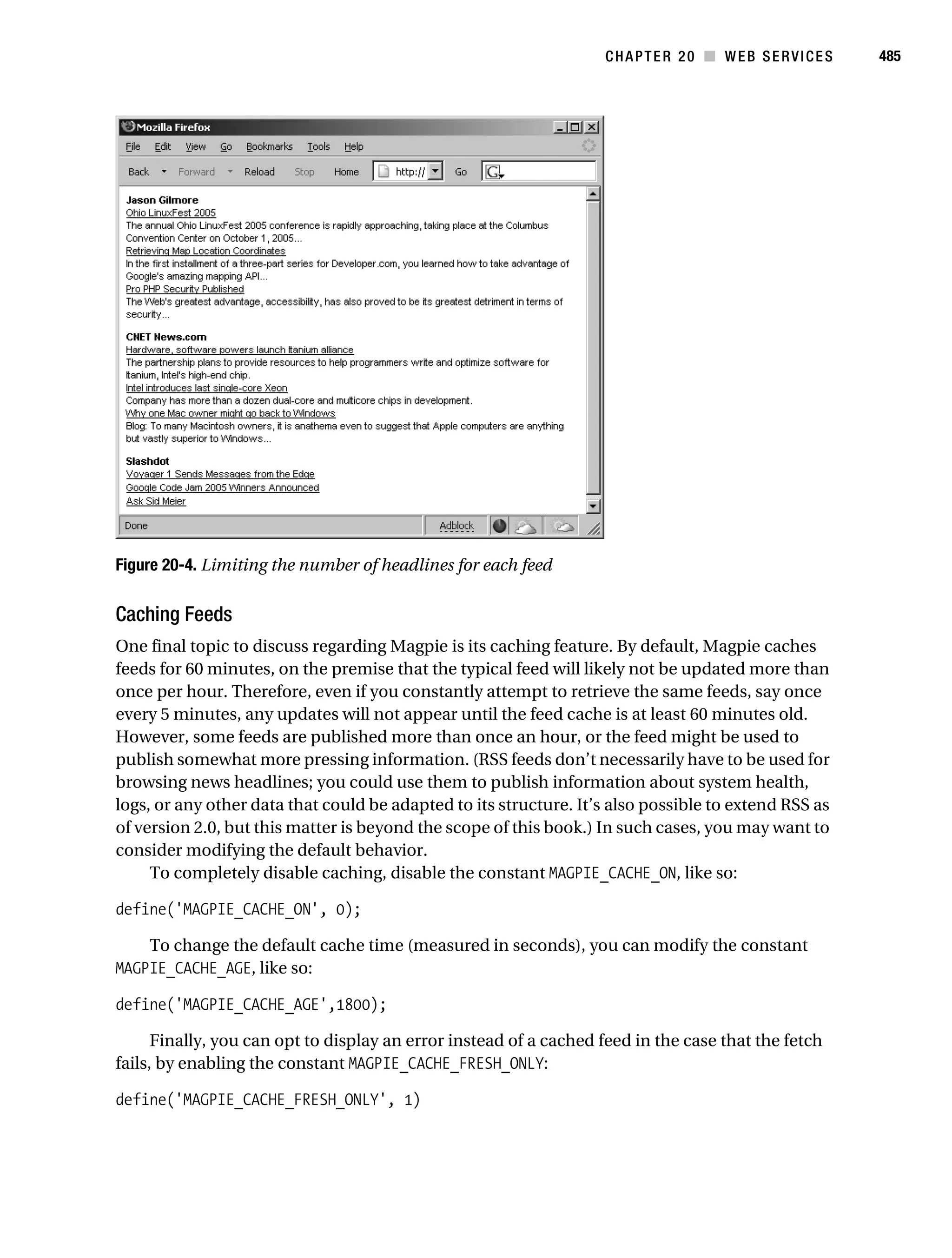
           order. An example follows:

           $states = array("Ohio","Florida","Massachusetts","Montana");
           sort($states);
           print_r($states)
           // Array ( [0] => Ohio [1] => Montana [2] => Massachusetts [3] => Florida )

               If the optional sort_flags parameter is included, then the exact sorting behavior is
           determined by its value, as explained in the sort() section.


           asort()
           void asort(array target_array [,integer sort_flags])

           The asort() function is identical to sort(), sorting the target_array in ascending order, except
           that the key/value correspondence is maintained. Consider an array that contains the states in
           the order in which they joined the Union:
Gilmore 2E_552-1.book Page 121 Tuesday, November 1, 2005 1:31 PM


                                                                                        CHAPTER 5 ■ ARRAYS        121


           $state[0] = "Delaware";
           $state[1] = "Pennsylvania";
           $state[2] = "New Jersey";

               Sorting this array using sort() causes the associative correlation to be lost, which is probably
           a bad idea. Sorting using sort() produces the following ordering:


           Array ( [0] => Delaware [1] => New Jersey [2] => Pennsylvania )


                  However, sorting with asort() produces:


           Array ( [0] => Delaware [2] => New Jersey [1] => Pennsylvania )


                If you use the optional sort_flags parameter, the exact sorting behavior is determined by
           its value, as described in the sort() section.


           array_multisort()
           boolean array_multisort(array array [, mixed arg [, mixed arg2...]])

           The array_multisort() function can sort several arrays at once, and can sort multidimensional
           arrays in a number of fashions, returning TRUE on success and FALSE otherwise. It takes as input
           one or more arrays, each of which can be followed by flags that determine sorting behavior.
           There are two categories of sorting flags: order and type. Each flag is described in Table 5-1.


           Table 5-1. array_multisort() Flags
           Flag                       Type              Purpose
           SORT_ASC                   Order             Sort in ascending order
           SORT_DESC                  Order             Sort in descending order
           SORT_REGULAR               Type              Compare items normally
           SORT_NUMERIC               Type              Compare items numerically
           SORT_STRING                Type              Compare items as strings


                Consider an example. Suppose that you want to sort the surname column of a multidimen-
           sional array consisting of staff information. To ensure that the entire name (given-name surname)
           is sorted properly, you would then sort by the given name:
Gilmore 2E_552-1.book Page 122 Tuesday, November 1, 2005 1:31 PM


122        CHAPTER 5 ■ ARRAYS


           <?php
              $staff["givenname"][0]           = "Jason";
              $staff["givenname"][1]           = "Manny";
              $staff["givenname"][2]           = "Gary";
              $staff["givenname"][3]           = "James";
              $staff["surname"][0] =           "Gilmore";
              $staff["surname"][1] =           "Champy";
              $staff["surname"][2] =           "Grisold";
              $staff["surname"][3] =           "Gilmore";

                $res = array_multisort($staff["surname"],SORT_STRING,SORT_ASC,
                                       $staff["givenname"],SORT_STRING,SORT_ASC);

                print_r($staff);
           ?>

                 This returns the following:


           Array ( [givenname] => Array ( [0] => Manny [1] => James [2] => Jason [3] => Gary )

                            [surname] => Array ( [0] => Champy [1] => Gilmore [2] =>
                                                Gilmore [3] => Grisold ) )


           arsort()
           void arsort(array array [, int sort_flags])

           Like asort(), arsort() maintains key/value correlation. However, it sorts the array in reverse
           order. An example follows:

           $states = array("Delaware","Pennsylvania","New Jersey");
           arsort($states);
           print_r($states);
           // Array ( [1] => Pennsylvania [2] => New Jersey [0] => Delaware )

                If the optional sort_flags parameter is included, the exact sorting behavior is determined
           by its value, as described in the sort() section.


           ksort()
           integer ksort(array array [,int sort_flags])

           The ksort() function sorts the input array array by its keys, returning TRUE on success and
           FALSE otherwise. If the optional sort_flags parameter is included, then the exact sorting
           behavior is determined by its value, as described in the sort() section. Keep in mind that the
           behavior will be applied to key sorting but not to value sorting.
Gilmore 2E_552-1.book Page 123 Tuesday, November 1, 2005 1:31 PM


                                                                                     CHAPTER 5 ■ ARRAYS      123


           krsort()
           integer krsort(array array [,int sort_flags])

           The krsort() function operates identically to ksort(), sorting by key, except that it sorts in
           reverse (descending) order.


           usort()
           void usort(array array, callback function_name)

           The usort() function offers a means for sorting an array by using a user-defined comparison
           algorithm, embodied within a function. This is useful when you need to sort data in a fashion
           not offered by one of PHP’s built-in sorting functions.
               The user-defined function must take as input two arguments and must return a negative
           integer, zero, or a positive integer, respectively, based on whether the first argument is less
           than, equal to, or greater than the second argument. Not surprisingly, this function must be
           made available to the same scope in which usort() is being called.
               A particularly applicable example of where usort() comes in handy involves the ordering
           of American-format dates (month-day-year, as opposed to day-month-year ordering used by
           most other countries). Suppose that you want to sort an array of dates in ascending order:

           <?php

           $dates = array('10-10-2003', '2-17-2002', '2-16-2003', '1-01-2005', '10-10-2004');

           sort($dates);
           // Array ( [0] => 10-01-2002 [1] => 10-10-2003 [2] => 2-16-2003 [3] => 8-18-2002 )

           natsort($dates);
           // Array ( [2] => 2-16-2003 [3] => 8-18-2002 [1] => 10-01-2002 [0] => 10-10-2003 )

           function DateSort($a, $b) {

                // If the dates are equal, do nothing.
                if($a == $b) return 0;

                // Disassemble dates
                list($amonth, $aday, $ayear) = explode('-',$a);
                list($bmonth, $bday, $byear) = explode('-',$b);

                // Pad the month with a leading zero if leading number not present
                $amonth = str_pad($amonth, 2, "0", STR_PAD_LEFT);
                $bmonth = str_pad($bmonth, 2, "0", STR_PAD_LEFT);

                // Pad the day with a leading zero if leading number not present
                $aday = str_pad($aday, 2, "0", STR_PAD_LEFT);
                $bday = str_pad($bday, 2, "0", STR_PAD_LEFT);
Gilmore 2E_552-1.book Page 124 Tuesday, November 1, 2005 1:31 PM


124        CHAPTER 5 ■ ARRAYS


                 // Reassemble dates
                 $a = $ayear . $amonth . $aday;
                 $b = $byear . $bmonth . $bday;

                 // Determine whether date $a > $date b
                 return ($a > $b) ? 1 : -1;
           }

           usort($dates, 'DateSort');

           print_r($dates);
           ?>

                 This returns the desired result:


           Array ( [0] => 8-18-2002 [1] => 10-01-2002 [2] => 2-16-2003 [3] => 10-10-2003 )


           Merging, Slicing, Splicing, and Dissecting Arrays
           This section introduces a number of functions that are capable of performing somewhat more
           complex array-manipulation tasks, such as combining and merging multiple arrays, extracting
           a cross-section of array elements, and comparing arrays.


           array_combine()
           array array_combine(array keys, array values)

           The array_combine() function produces a new array consisting of keys residing in the input
           parameter array keys, and corresponding values found in the input parameter array values.
           Note that both input arrays must be of equal size, and that neither can be empty. An example
           follows:

           $abbreviations = array("AL","AK","AZ","AR");
           $states = array("Alabama","Alaska","Arizona","Arkansas");
           $stateMap = array_combine($abbreviations,$states);
           print_r($stateMap);

                 This returns:


           Array ( [AL] => Alabama [AK] => Alaska [AZ] => Arizona [AR] => Arkansas )


           array_merge()
           array array_merge(array input_array1, array input_array2 [..., array input_arrayN])
Gilmore 2E_552-1.book Page 125 Tuesday, November 1, 2005 1:31 PM


                                                                                        CHAPTER 5 ■ ARRAYS         125


           The array_merge() function appends arrays together, returning a single, unified array. The
           resulting array will begin with the first input array parameter, appending each subsequent
           array parameter in the order of appearance. If an input array contains a string key that already
           exists in the resulting array, that key/value pair will overwrite the previously existing entry. This
           behavior does not hold true for numerical keys, in which case the key/value pair will be appended
           to the array. An example follows:

           $face = array("J","Q","K","A");
           $numbered = array("2","3","4","5","6","7","8","9");
           $cards = array_merge($face, $numbered);
           shuffle($cards);
           print_r($cards);

                This returns something along the lines of the following (your results will vary because of
           the shuffle):

           Array ( [0] => 8 [1] => 6 [2] => K [3] => Q [4] => 9 [5] => 5
                   [6] => 3 [7] => 2 [8] => 7 [9] => 4 [10] => A [11] => J )


           array_merge_recursive()
           array array_merge_recursive(array input_array1, array input_array2 [, array...])

           The array_merge_recursive() function operates identically to array_merge(), joining two or
           more arrays together to form a single, unified array. The difference between the two functions
           lies in the way that this function behaves when a string key located in one of the input arrays
           already exists within the resulting array. array_merge() will simply overwrite the preexisting
           key/value pair, replacing it with the one found in the current input array. array_merge_recursive()
           will instead merge the values together, forming a new array with the preexisting key as its
           name. An example follows:

           $class1 = array("John" => 100, "James" => 85);
           $class2 = array("Micky" => 78, "John" => 45);
           $classScores = array_merge_recursive($class1, $class2);
           print_r($classScores);

                This returns the following:


           Array ( [John] => Array ( [0] => 100 [1] => 45 ) [James] => 85 [Micky] => 78 )


                Note that the key “John” now points to a numerically indexed array consisting of two scores.


           array_slice()
           array array_slice(array input_array, int offset [, int length])

           The array_slice() function returns the section of input_array, starting at the key offset and
           ending at position offset + length. A positive offset value will cause the slice to begin that
Gilmore 2E_552-1.book Page 126 Tuesday, November 1, 2005 1:31 PM


126        CHAPTER 5 ■ ARRAYS


           many positions from the beginning of the array, while a negative offset value will start the slice
           that many positions from the end of the array. If the optional length parameter is omitted, the
           slice will start at offset and end at the last element of the array. If length is provided and is
           positive, it will end at offset + length positions from the beginning of the array. Conversely, if
           length is provided and is negative, it will end at count(input_array) – length positions from the
           end of the array. Consider an example:

                $states = array("Alabama", "Alaska", "Arizona", "Arkansas",
                                "California", "Colorado", "Connecticut");
                $subset = array_slice($states, 4);
                print_r($subset);

                 This returns:


           Array ( [0] => California [1] => Colorado [2] => Connecticut )


                 Consider a second example, this one involving a negative length:

           $states = array("Alabama", "Alaska", "Arizona", "Arkansas",
                           "California", "Colorado", "Connecticut");
           $subset = array_slice($states, 2, -2);
           print_r($subset);

                 This returns:


           Array ( [0] => Arizona [1] => Arkansas [2] => California )


           array_splice()
           array array_splice(array input, int offset [, int length [, array replacement]])

           The array_splice() function removes all elements of an array, starting at offset and ending
           at position offset + length, and will return those removed elements in the form of an array.
           A positive offset value will cause the splice to begin that many positions from the beginning of
           the array, while a negative offset will start the splice that many positions from the end of the
           array. If the optional length parameter is omitted, all elements from the offset position to the
           conclusion of the array will be removed. If length is provided and is positive, the splice will end
           at offset + length positions from the beginning of the array. Conversely, if length is provided
           and is negative, the splice will end at count(input_array) – length positions from the end of the
           array. An example follows:

           $states = array("Alabama", "Alaska", "Arizona", "Arkansas",
                           "California", "Connecticut");
           $subset = array_splice($states, 4);
           print_r($states);
           print_r($subset);
Gilmore 2E_552-1.book Page 127 Tuesday, November 1, 2005 1:31 PM


                                                                                   CHAPTER 5 ■ ARRAYS     127


                This produces:


           Array ( [0] => Alabama [1] => Alaska [2] => Arizona [3] => Arkansas )
           Array ( [0] => California [1] => Connecticut )


               You can use the optional parameter replacement to specify an array that will replace the
           target segment. An example follows:

           $states = array("Alabama", "Alaska", "Arizona", "Arkansas",
                           "California", "Connecticut");
           $subset = array_splice($states, 2, -1, array("New York", "Florida"));
           print_r($states);

                This returns the following:


           Array ( [0] => Alabama [1] => Alaska [2] => New York
                    [3] => Florida [4] => Connecticut )


           array_intersect()
           array array_intersect(array input_array1, array input_array2 [, array...])

           The array_intersect() function returns a key-preserved array consisting only of those values
           present in input_array1 that are also present in each of the other input arrays. An example
           follows:

           $array1 = array("OH","CA","NY","HI","CT");
           $array2 = array("OH","CA","HI","NY","IA");
           $array3 = array("TX","MD","NE","OH","HI");
           $intersection = array_intersect($array1, $array2, $array3);
           print_r($intersection);

                This returns:


           Array ( [0] => OH [3] => HI )


              Note that array_intersect() considers two items to be equal only if they also share the
           same datatype.


           array_intersect_assoc()
           array array_intersect(array input_array1, array input_array2 [, array...])

           The function array_intersect_assoc() operates identically to array_intersect(), except that
           it also considers array keys in the comparison. Therefore, only key/value pairs located in
Gilmore 2E_552-1.book Page 128 Tuesday, November 1, 2005 1:31 PM


128        CHAPTER 5 ■ ARRAYS


           input_array1 that are also found in all other input arrays will be returned in the resulting array.
           An example follows:

           $array1 = array("OH" => "Ohio", "CA" => "California", "HI" => "Hawaii");
           $array2 = array("50" => "Hawaii", "CA" => "California", "OH" => "Ohio");
           $array3 = array("TX" => "Texas", "MD" => "Maryland", "OH" => "Ohio");
           $intersection = array_intersect_assoc($array1, $array2, $array3);
           print_r($intersection);

                 This returns:


           Array ( [OH] => Ohio )


               Note that Hawaii was not returned because the corresponding key in $array2 is “50” rather
           than “HI” (as is the case in the other two arrays.)


           array_diff()
           array array_diff(array input_array1, array input_array2 [, array...])

           The function array_diff() returns those values located in input_array1 that are not located in
           any of the other input arrays. This function is essentially the opposite of array_intersect().
           An example follows:

           $array1 = array("OH","CA","NY","HI","CT");
           $array2 = array("OH","CA","HI","NY","IA");
           $array3 = array("TX","MD","NE","OH","HI");
           $diff = array_diff($array1, $array2, $array3);
           print_r($intersection);

                 This returns:


           Array ( [0] => CT )


           array_diff_assoc()
           array array_diff_assoc(array input_array1, array input_array2 [, array...])

           The function array_diff_assoc() operates identically to array_diff(), except that it also
           considers array keys in the comparison. Therefore only key/value pairs located in input_array1,
           and not appearing in any of the other input arrays, will be returned in the result array. An
           example follows:
Gilmore 2E_552-1.book Page 129 Tuesday, November 1, 2005 1:31 PM


                                                                                    CHAPTER 5 ■ ARRAYS      129


           $array1 = array("OH" => "Ohio", "CA" => "California", "HI" => "Hawaii");
           $array2 = array("50" => "Hawaii", "CA" => "California", "OH" => "Ohio");
           $array3 = array("TX" => "Texas", "MD" => "Maryland", "KS" => "Kansas");
           $diff = array_diff_assoc($array1, $array2, $array3);
           print_r($diff);

                This returns:


           Array ( [HI] => Hawaii )


           Other Useful Array Functions
           This section introduces a number of array functions that perhaps don’t easily fall into one of
           the prior sections but are nonetheless quite useful.


           array_rand()
           mixed array_rand(array input_array [, int num_entries])

           The array_rand() function will return one or more keys found in input_array. If you omit the
           optional num_entries parameter, only one random value will be returned. You can tweak the
           number of returned random values by setting num_entries accordingly. An example follows:

           $states = array("Ohio" => "Columbus", "Iowa" => "Des Moines",
                           "Arizona" => "Phoenix");
           $randomStates = array_rand($states, 2);
           print_r($randomStates);

                This returns:


           Array ( [0] => Arizona [1] => Ohio )


           shuffle()
           void shuffle(array input_array)

           The shuffle() function randomly reorders the elements of input_array. Consider an array
           containing values representing playing cards:

           $cards = array("jh","js","jd","jc","qh","qs","qd","qc",
                          "kh","ks","kd","kc","ah","as","ad","ac");
           // shuffle the cards
           shuffle($cards);
           print_r($positions);
Gilmore 2E_552-1.book Page 130 Tuesday, November 1, 2005 1:31 PM


130        CHAPTER 5 ■ ARRAYS


                This returns something along the lines of the following (your results will vary because of
           the shuffle):


           Array ( [0] => js [1] => ks [2] => kh [3] => jd
                       [4] => ad [5] => qd [6] => qc [7] => ah
                       [8] => kc [9] => qh [10] => kd [11] => as
                       [12] => ac [13] => jc [14] => jh [15] => qs )


           array_sum()
           mixed array_sum(array input_array)

           The array_sum() function adds all the values of input_array together, returning the final sum.
           Of course, the values should be either integers or floats. If other datatypes (a string, for example)
           are found in the array, they will be ignored. An example follows:

           <?php
               $grades = array(42,"hello",42);
               $total = array_sum($grades);
               print $total;
           ?>

                 This returns:


           84


           array_chunk()
           array array_chunk(array input_array, int size [, boolean preserve_keys])

           The array_chunk() function breaks input_array into a multidimensional array comprised of
           several smaller arrays consisting of size elements. If the input_array can’t be evenly divided by
           size, the last array will consist of fewer than size elements. Enabling the optional parameter
           preserve_keys will preserve each value’s corresponding key. Omitting or disabling this parameter
           results in numerical indexing starting from zero for each array. An example follows:

           $cards = array("jh","js","jd","jc","qh","qs","qd","qc",
                          "kh","ks","kd","kc","ah","as","ad","ac");
           // shuffle the cards
           shuffle($cards);
           // Use array_chunk() to divide the cards into four equal "hands"
           $hands = array_chunk($cards, 4);
           print_r($hands);
Gilmore 2E_552-1.book Page 131 Tuesday, November 1, 2005 1:31 PM


                                                                                               CHAPTER 5 ■ ARRAYS       131


                            This returns the following (your results will vary because of the shuffle):


                      Array ( [0] => Array ( [0]           => jc [1]   => ks [2]   => js [3]   => qd )
                                  [1] => Array (           [0] => kh   [1] => qh   [2] => jd   [3] => kd )
                                  [2] => Array (           [0] => jh   [1] => kc   [2] => ac   [3] => as )
                                  [3] => Array (           [0] => ad   [1] => ah   [2] => qc   [3] => qs ) )


                      Summary
                      Arrays play an indispensable role in programming, and are ubiquitous in every imaginable
                      type of application, Web-based or not. The purpose of this chapter was to bring you up to
                      speed regarding many of the PHP functions that will make your programming life much easier
                      as you deal with these arrays.
                           The next chapter focuses on yet another very important topic: object-oriented programming.
                      This topic has a particularly special role in PHP 5, because the process has been entirely redesigned
                      for this major release.
Gilmore 2E_552-1.book Page 132 Tuesday, November 1, 2005 1:31 PM
Gilmore 2E_552-1.book Page 133 Tuesday, November 1, 2005 1:31 PM


           CHAPTER 6
           ■■■


           Object-Oriented PHP


           T his chapter and the next introduce what is surely PHP 5’s shining star: the vast improve-
           ments and enhancements to PHP’s object-oriented functionality. If you’ve used PHP prior to
           version 5, you may be wondering what the buzz is all about. After all, PHP 4 offered object-
           oriented capabilities, right? Although the answer to this question is technically yes, version 4’s
           object-oriented functionality was rather hobbled. Although the very basic premises of object-
           oriented programming (OOP) were offered in version 4, several deficiencies existed, including:

                • An unorthodox object-referencing methodology

                • No means for setting the scope (public, private, protected, abstract) of fields and
                  methods

                • No standard convention for naming constructors

                • Absence of object destructors

                • Lack of an object-cloning feature

                • Lack of support for interfaces

                In fact, PHP 4’s adherence to the traditional OOP model is so bad that in Jason’s first book,
           A Programmer’s Introduction to PHP 4.0, he devoted more time to demonstrating hacks than to
           actually introducing useful OOP features. Thankfully, version 5 eliminates all of the aforemen-
           tioned hindrances, offering substantial improvements over the original implementation, as
           well as a bevy of new OOP features. This chapter and the following aim to introduce these new
           features and enhanced functionality. Before doing so, however, this chapter briefly discusses
           the advantages of the OOP development model.


           ■Note While this and the following chapter serve to provide you with an extensive introduction to PHP’s
           OOP features, a thorough treatment of their ramifications for the PHP developer is actually worthy of an entire
           book. Conveniently, Matt Zandstra’s PHP 5 Objects, Patterns, and Practice (Apress, 2004) covers the topic in
           considerable detail, accompanied by a fascinating introduction to implementing design patterns with PHP and
           an overview of key development tools such as Phing, PEAR, and phpDocumentor.


                                                                                                                             133
Gilmore 2E_552-1.book Page 134 Tuesday, November 1, 2005 1:31 PM


134        CHAPTER 6 ■ OBJECT-ORIENTED PHP


           The Benefits of OOP
           The birth of object-oriented programming represented a major paradigm shift in development
           strategy, refocusing attention on an application’s data rather than its logic. To put it another
           way, OOP shifts the focus from a program’s procedural events toward the real-life entities it
           ultimately models. The result is an application that closely resembles the world around us.
                This section examines three of OOP’s foundational concepts: encapsulation, inheritance,
           and polymorphism. Together, these three ideals form the basis for the most powerful program-
           ming model yet devised.


           Encapsulation
           Programmers are typically rabidly curious individuals. We enjoy taking things apart and
           learning how all of the little pieces work together. Although mentally gratifying, attaining such
           in-depth knowledge of an item’s inner workings isn’t a requirement. For example, millions of
           people use a computer every day, yet few know how it actually works. The same idea applies to
           automobiles, microwaves, televisions, and any number of commonplace items. We can get
           away with such ignorance through the use of interfaces. For example, you know that turning
           the radio dial allows you to change radio stations; never mind the fact that what you’re actually
           doing is telling the radio to listen to the signal transmitted at a particular frequency, a feat
           accomplished using a demodulator. Failing to understand this process does not prevent you
           from using the radio, because the interface takes care to hide such details. The practice of sepa-
           rating the user from the true inner workings of an application through well-known interfaces is
           known as encapsulation.
                Object-oriented programming promotes the same notion of hiding the inner workings
           of the application, by making available well-defined interfaces from which each application
           component can be accessed. Rather than get bogged down in the gory details, OOP-minded
           developers design each application component so that it is independent from the others,
           which not only encourages reuse but also enables the developer to assemble components like
           a puzzle rather than tightly lash, or couple, them together. These well-defined interfaces are
           known as objects. Objects are created from a template known as a class, which is used to embody
           both the data and the behavior you would expect of a particular entity. Classes expose certain
           behaviors through functions known as methods, which in turn are used to manipulate class
           characteristics, known as fields. This strategy offers several advantages:

                • The developer can change the application implementation without affecting the object
                  user, because the user’s only interaction with the object is via its interface.

                • The potential for user error is reduced, because of the control exercised over the user’s
                  interaction with the application.


           Inheritance
           The many objects constituting our environment can be modeled using a fairly well-defined set
           of rules. Take, for example, the concept of an employee. Let’s begin by loosely defining an
           employee as somebody who contributes to the common goals of an organization. All employees
           share a common set of characteristics: a name, employee ID, and wage, for instance. However,
           there are many different classes of employees: clerks, supervisors, cashiers, and chief executive
Gilmore 2E_552-1.book Page 135 Tuesday, November 1, 2005 1:31 PM


                                                                         CHAPTER 6 ■ OBJECT-ORIENTED PHP            135


           offers, among others, each of which likely possesses some superset of those characteristics
           defined by the generic employee definition. In object-oriented terms, these various employee
           classes inherit the general employee definition, including all of the characteristics and behav-
           iors that contribute to this definition. In turn, each of these specific employee classes could, in
           turn, be inherited by yet another, more specific class. For example, the “clerk” type might be
           inherited by a day clerk and a night clerk, each of which inherits all traits specified by both the
           employee definition and the clerk definition. Building on this idea, you could then later create
           a “human” class, and then make the “employee” class a subclass of human. The effect would
           be that the employee class and all of its derived classes (clerk, cashier, CEO, and so on) would
           immediately inherit all characteristics and behaviors defined by human.
                The object-oriented development methodology places great stock in the concept of inher-
           itance. This strategy promotes code reusability, because it assumes that one will be able to
           use well-designed classes (i.e. classes that are sufficiently abstract to allow for reuse) within
           numerous applications.


           Polymorphism
           Polymorphism, a term originating from the Greek language that means “having multiple
           forms,” is perhaps the coolest feature of OOP. Simply defined, polymorphism defines OOP’s
           ability to redefine, or morph, a class’s characteristic or behavior depending upon the context in
           which it is used. This is perhaps best explained with an example.
                Returning to the employee example, suppose that a behavior titled clock_in was included
           within the employee definition. For employees of class clerk, this behavior might involve actu-
           ally using a time clock to timestamp a card. For other types of employees, “programmers” for
           instance, clocking in might involve signing on to the corporate network. Although both classes
           derive this behavior from the employee class, the actual implementation of each is dependent
           upon the context in which “clocking in” is implemented. This is the power of polymorphism.
                These three key OOP concepts, encapsulation, inheritance, and polymorphism, are
           touched upon as they apply to PHP’s OOP implementation through this chapter and the next.


           Key OOP Concepts
           This section introduces key object-oriented implementation concepts, including PHP-specific
           examples.


           Classes
           Our everyday environment consists of innumerable entities: plants, people, vehicles, food...we
           could go on for hours just listing them. Each entity is defined by a particular set of characteristics
           and behaviors that ultimately serves to define the entity for what it is. For example, a vehicle
           might be defined as having characteristics such as color, number of tires, make, model, and
           capacity, and having behaviors such as stop, go, turn, and honk horn. In the vocabulary of
           OOP, such an embodiment of an entity’s defining attributes and behaviors is known as a class.
                Classes are intended to represent those real-life items that you’d like to manipulate within
           an application. For example, if you wanted to create an application for managing a public
           library, you’d probably want to include classes representing books, magazines, employees,
           special events, patrons, and anything else that would require oversight. Each of these entities
Gilmore 2E_552-1.book Page 136 Tuesday, November 1, 2005 1:31 PM


136        CHAPTER 6 ■ OBJECT-ORIENTED PHP


           embodies a certain set of characteristics and behaviors, better known in OOP as fields and
           methods, respectively, that defines the entity as what it is. PHP’s generalized class creation
           syntax follows:

           class classname
           {
                // Field declarations defined here
                // Method declarations defined here
           }

                 Listing 6-1 depicts a class representing employees.

           Listing 6-1. Class Creation

           class Staff
           {
               private $name;
               private $title;
               protected $wage;
               protected function clockIn() {
                   echo "Member $this->name clocked in at ".date("h:i:s");
               }
               protected function clockOut() {
                   echo "Member $this->name clocked out at ".date("h:i:s");
               }
           }

                Titled Staff, this class defines three fields, name, title, and wage, in addition to two methods,
           clockIn and clockOut. Don’t worry if you’re not familiar with some of the grammar and syntax
           (private/protected and $this, particularly); each of these topics is covered in detail later in
           the chapter.


           Objects
           A class is quite similar to a recipe, or template, that defines both the characteristics and
           behavior of a particular concept or tangible item. This template provides a basis from which
           you can create specific instances of the entity the class models, better known as objects. For
           example, an employee management application may include a Staff class, which serves as the
           template for managing employee information. Based on these specifications, you can create
           and maintain specific instances of the staff class, Sally and Jim, for example.


           ■Note The practice of creating objects based on predefined classes is often referred to as class instantiation.


                 Objects are created using the new keyword, like this:

           $employee = new Staff();
Gilmore 2E_552-1.book Page 137 Tuesday, November 1, 2005 1:31 PM


                                                                         CHAPTER 6 ■ OBJECT-ORIENTED PHP            137


                Once the object is created, all of the characteristics and behaviors defined within the class
           are made available to the newly instantiated object. Exactly how this is accomplished is revealed
           in the following sections.


           Fields
           Fields are attributes that are intended to describe some aspect of a class. They are quite similar
           to normal PHP variables, except for a few minor differences, which you’ll learn about in this
           section. You’ll also learn how to declare and invoke fields, and read all about field scopes.


           Declaring Fields
           The rules regarding field declaration are quite similar to those in place for variable declaration:
           essentially, there are none. Because PHP is a loosely typed language, fields don’t even necessarily
           need to be declared; they can simply be created and assigned simultaneously by a class object,
           although you’ll rarely want to do that. Instead, common practice is to declare fields at the
           beginning of the class. Optionally, you can assign them initial values at this time. An example
           follows:

           class Staff
           {
               public $name = "Lackey";
               private $wage;
           }

                In this example, the two fields, name and wage, are prefaced with a scope descriptor (public
           or private), a common practice when declaring fields. Once declared, each field can be used
           under the terms accorded to it by the scope descriptor. If you don’t know what role scope plays
           in class fields, don’t worry; that topic is covered later in this chapter.


           Invoking Fields
           Fields are referred to using the -> operator and, unlike variables, are not prefaced with a dollar
           sign. Furthermore, because a field’s value typically is specific to a given object, it is correlated
           to said object like this:

           $object->field

                For example, the Staff class described at the beginning of this chapter included the fields
           name, title, and wage. If you created an object named $employee of type Staff, you would refer
           to these fields like this:

           $employee->name
           $employee->title
           $employee->wage

                When you refer to a field from within the class in which it is defined, it is still prefaced with
           the -> operator, although instead of correlating it to the class name, you use the $this keyword.
           $this implies that you’re referring to the field residing in the same class in which the field is
           being accessed or manipulated. Therefore, if you were to create a method for setting the name
           field in the aforementioned Staff class, it might look like this:
Gilmore 2E_552-1.book Page 138 Tuesday, November 1, 2005 1:31 PM


138        CHAPTER 6 ■ OBJECT-ORIENTED PHP


           function setName($name)
           {
               $this->name = $name;
           }


           Field Scopes
           PHP supports five class field scopes: public, private, protected, final, and static. The first four
           are introduced in this section, and the static scope is introduced in the later section, “Static
           Class Members.”

           Public
           You can declare fields in the public scope by prefacing the field with the keyword public.
           An example follows:

           class Staff
           {
               public $name;
               /* Other field and method declarations follow... */
           }

                Public fields can then be manipulated and accessed directly by a corresponding object,
           like so:

           $employee = new Staff();
           $employee->name = "Mary Swanson";
           $name = $employee->name;
           echo "New staff member: $name";

                 Not surprisingly, executing this code produces:

           New staff member: Mary Swanson

                Although this might seem like a logical means for maintaining class fields, public fields are
           actually generally considered taboo to OOP, and for good reason. The reason for shunning
           such an implementation is that such direct access robs the class of a convenient means for
           enforcing any sort of data validation. For example, nothing would prevent the user from
           assigning name like so:

           $employee->name = "12345";

                This is certainly not the kind of input you were expecting. To prevent such mishaps from
           occurring, two solutions are available. One solution involves encapsulating the data within the
           object, making it available only via a series of interfaces, known as public methods. Data encap-
           sulated in this way is said to be private in scope. The second recommended solution involves
           the use of properties, and is actually quite similar to the first solution, although it is a tad more
           convenient in most cases. Private scoping is introduced next, whereas properties are discussed
           in the later section, “Properties.”
Gilmore 2E_552-1.book Page 139 Tuesday, November 1, 2005 1:31 PM


                                                                        CHAPTER 6 ■ OBJECT-ORIENTED PHP           139


           Private
           Private fields are only accessible from within the class in which they are defined. An example
           follows:

           class Staff
           {
               private $name;
               private $telephone;
           }

               Fields designated as private are not directly accessible by an instantiated object, nor are
           they available to subclasses. If you want to make these fields available to subclasses, consider
           using the protected scope instead, introduced next. Instead, private fields must be accessed via
           publicly exposed interfaces, which satisfies one of OOP’s main tenets introduced at the begin-
           ning of this chapter: encapsulation. Consider the following example, in which a private field is
           manipulated by a public method:

           <?php
              class Staff
              {
                 private $name;
                 public function setName($name) {
                    $this->name = $name;
                 }
              }
              $staff = new Staff;
              $staff->setName("Mary");
           ?>

               Encapsulating the management of such fields within a method enables the developer to
           maintain tight control over how that field is set. For example, you could add to the setName()
           method’s capabilities, to validate that the name is set to solely alphabetical characters and to
           ensure that it isn’t blank. This strategy is much more reliable than leaving it to the end user to
           provide valid information.

           Protected
           Just like functions often require variables intended for use only within the function, classes can
           include fields used for solely internal purposes. Such fields are deemed protected, and are prefaced
           accordingly. An example follows:

           class Staff
           {
                protected $wage;
           }

                Protected fields are also made available to inherited classes for access and manipulation,
           a trait not shared by private fields. Any attempt by an object to access a protected field will
           result in a fatal error. Therefore, if you plan on extending the class, you should use protected
           fields in lieu of private fields.
Gilmore 2E_552-1.book Page 140 Tuesday, November 1, 2005 1:31 PM


140        CHAPTER 6 ■ OBJECT-ORIENTED PHP


           Final
           Marking a field as final prevents it from being overridden by a subclass, a matter discussed in
           further detail in the next chapter. A finalized field is declared like so:

           class Staff
           {
               final $ssn;
               ...
           }

                You can also declare methods as final; the procedure for doing so is described in the later
           section, “Methods.”


           Properties
           Properties are a particularly convincing example of the powerful features OOP has to offer,
           ensuring protection of fields by forcing access and manipulation to take place through methods,
           yet allowing the data to be accessed as if it were a public field. These methods, known as accessors
           and mutators, or more informally as getters and setters, are automatically triggered whenever
           the field is accessed or manipulated, respectively.
                 Unfortunately, PHP 5 does not offer the property functionality that you might be used to if
           you’re familiar with other OOP languages like C++ and Java. Therefore, you’ll need to make do
           with using public methods to imitate such functionality. For example, you might create getter
           and setter methods for the property name by declaring two functions, getName() and setName(),
           respectively, and embedding the appropriate syntax within each. An example of this strategy is
           presented at the conclusion of this section.
                 PHP 5 does offer some semblance of support for properties, opening up several new possi-
           bilities. This support is made available by overloading the __set and __get methods. These
           methods are invoked if you attempt to reference a member variable that does not exist within
           the class definition. Properties can be used for a variety of purposes, such as to invoke an error
           message, or even to extend the class by actually creating new variables on the fly. Both _get and
           _set are introduced in this section.


           __set()
           boolean __set([string property_name],[mixed value_to_assign])

           The mutator, or setter method, is responsible for both hiding field assignment implementation
           and validating class data before assigning it to a class field. It takes as input a property name
           and a corresponding value, returning TRUE if the method is successfully executed, and FALSE
           otherwise. An example follows:
Gilmore 2E_552-1.book Page 141 Tuesday, November 1, 2005 1:31 PM


                                                                     CHAPTER 6 ■ OBJECT-ORIENTED PHP      141


           class Staff
           {
               var $name;
               function __set($propName, $propValue)
               {
                   echo "Nonexistent variable: $$propName!";
               }
           }

           $employee = new Staff();
           $employee->name = "Mario";
           $employee->title = "Executive Chef";

                This results in the following output:


           Nonexistent variable: $title!


                 Of course, you could use this method to actually extend the class with new properties,
           like this:

           class Staff
           {
               var $name;
               function __set($propName, $propValue)
               {
                   $this->$propName = $propValue;
               }
           }

           $employee = new Staff();
           $employee->name = "Mario";
           $employee->title = "Executive Chef";
           echo "Name: ".$employee->name;
           echo "<br />";
           echo "Title: ".$employee->title;

                This produces:


           Name: Mario
           Title: Executive Chef
Gilmore 2E_552-1.book Page 142 Tuesday, November 1, 2005 1:31 PM


142        CHAPTER 6 ■ OBJECT-ORIENTED PHP


           __get()
           boolean __get([string property_name])

           The accessor, or getter method, is responsible for encapsulating the code required for retrieving
           a class variable. It takes as input one parameter, the name of the property whose value you’d
           like to retrieve. It should return the value TRUE on successful execution, and FALSE otherwise. An
           example follows:

           class Staff
           {
               var $name;
               var $city;
               protected $wage;

                 function __get($propName)
                 {
                     echo "__get called!<br />";
                     $vars = array("name","city");
                     if (in_array($propName, $vars))
                     {
                        return $this->$propName;
                     } else {
                        return "No such variable!";
                     }
                 }

           }

           $employee = new Staff();
           $employee->name = "Mario";

           echo $employee->name."<br />";
           echo $employee->age;

                 This returns the following:


           Mario
           __get called!
           No such variable!


           Creating Custom Getters and Setters
           Frankly, although there are some benefits to the aforementioned __set() and __get() methods,
           they really aren’t sufficient for managing properties in a complex object-oriented application.
           Because PHP doesn’t offer support for the creation of properties in the fashion that Java or C#
           does, you need to implement your own methodology. Consider creating two methods for each
           private field, like so:
Gilmore 2E_552-1.book Page 143 Tuesday, November 1, 2005 1:31 PM


                                                                      CHAPTER 6 ■ OBJECT-ORIENTED PHP          143


           <?php
           class Staff {
              private $name;
              // Getter
              public function getName() {
                 return $this->name;
              }
              // Setter
              public function setName($name) {
                 $this->name = $name;
              }
           }
           ?>

               Although such a strategy doesn’t offer the same convenience as using properties, it does
           encapsulate management and retrieval tasks using a standardized naming convention. Of
           course, you should add additional validation functionality to the setter; however, this simple
           example should suffice to drive the point home.


           Constants
           You can define constants, or values that are not intended to change, within a class. These values
           will remain unchanged throughout the lifetime of any object instantiated from that class. Class
           constants are created like so:

           const NAME = 'VALUE';

               For example, suppose you created a math-related class that contains a number of methods
           defining mathematical functions, in addition to numerous constants:

           class math_functions
           {
               const PI = '3.14159265';
               const E = '2.7182818284';
               const EULER = '0.5772156649';
               /* define other constants and methods here... */
           }

                Class constants can then be called like this:


           echo math_functions::PI;


           Methods
           A method is quite similar to a function, except that it is intended to define the behavior of a
           particular class. Like a function, a method can accept arguments as input and can return a
           value to the caller. Methods are also invoked like functions, except that the method is prefaced
           with the name of the object invoking the method, like this:
Gilmore 2E_552-1.book Page 144 Tuesday, November 1, 2005 1:31 PM


144        CHAPTER 6 ■ OBJECT-ORIENTED PHP


           $object->method_name();

                In this section you’ll learn all about methods, including method declaration, method invo-
           cation, and scope.


           Declaring Methods
           Methods are created in exactly the same fashion as functions, using identical syntax. The only
           difference between methods and normal functions is that the method declaration is typically
           prefaced with a scope descriptor. The generalized syntax follows:

           scope function functionName()
           {
               /* Function body goes here */
           }

                 For example, a public method titled calculateSalary() might look like this:

           public function calculateSalary()
           {
               return $this->wage * $this->hours;
           }

                In this example, the method is directly invoking two class fields, wage and hours, using the
           $this keyword. It calculates a salary by multiplying the two field values together, and returns
           the result just like a function might. Note, however, that a method isn’t confined to working
           solely with class fields; it’s perfectly valid to pass in arguments in the same way you can with
           a function.


           ■Tip In the case of public methods, you can forego explicitly declaring the scope and just declare the
           method like you would a function (without any scope).


           Invoking Methods
           Methods are invoked in almost exactly the same fashion as functions. Continuing with the
           previous example, the calculateSalary() method might be invoked like so:

           $employee = new staff("Janie");
           $salary = $employee->calculateSalary();


           Method Scopes
           PHP supports six method scopes: public, private, protected, abstract, final, and static. The first
           five scopes are introduced in this section. The sixth, static, is introduced in the later section,
           “Static Members.”
Gilmore 2E_552-1.book Page 145 Tuesday, November 1, 2005 1:31 PM


                                                                       CHAPTER 6 ■ OBJECT-ORIENTED PHP       145


           Public
           Public methods can be accessed from anywhere, at any time. You declare a public method by
           prefacing it with the keyword public, or by foregoing any prefacing whatsoever. The following
           example demonstrates both declaration practices, in addition to demonstrating how public
           methods can be called from outside the class:

           <?php
              class Visitors
              {
                 public function greetVisitor()
                 {
                   echo "Hello<br />";
                 }
                 function sayGoodbye()
                 {
                   echo "Goodbye<br />";
                 }
              }
              Visitors::greetVisitor();
              $visitor = new Visitors();
              $visitor->sayGoodbye();
           ?>

                The following is the result:


           Hello
           Goodbye


           Private
           Methods marked as private are available for use only within the originating class and cannot be
           called by the instantiated object, nor by any of the originating class’s subclasses. Methods
           solely intended to be helpers for other methods located within the class should be marked as
           private. For example, consider a method, called validateCardNumber(), used to determine the
           syntactical validity of a patron’s library card number. Although this method would certainly
           prove useful for satisfying a number of tasks, such as creating patrons and self-checkout, the
           function has no use when executed alone. Therefore, validateCardNumber() should be marked
           as private, like this:

           private function validateCardNumber($number)
           {
               if (! ereg('^([0-9]{4})-([0-9]{3})-([0-9]{2})') ) return FALSE;
                 else return TRUE;
           }

                Attempts to call this method from an instantiated object result in a fatal error.
Gilmore 2E_552-1.book Page 146 Tuesday, November 1, 2005 1:31 PM


146        CHAPTER 6 ■ OBJECT-ORIENTED PHP


           Protected
           Class methods marked as protected are available only to the originating class and its subclasses.
           Such methods might be used for helping the class or subclass perform internal computations.
           For example, before retrieving information about a particular staff member, you might want to
           verify the employee identification number (EIN), passed in as an argument to the class instanti-
           ator. You would then verify this EIN for syntactical correctness using the verify_ein() method.
           Because this method is intended for use only by other methods within the class, and could
           potentially be useful to classes derived from Staff, it should be declared protected:

           <?php
               class Staff
               {
                   private $ein;
                   function __construct($ein)
                   {
                       if ($this->verify_ein($ein)) {

                                  echo "EIN verified. Finish";
                            }

                       }
                       protected function verify_ein($ein)
                       {
                           return TRUE;
                       }
                 }
                 $employee = new Staff("123-45-6789");
           ?>

                 Attempts to call verify_ein() from outside of the class will result in a fatal error, because
           of its protected scope status.

           Abstract
           Abstract methods are special in that they are declared only within a parent class but are imple-
           mented in child classes. Only classes declared as abstract can contain abstract methods. You
           might declare an abstract method if you’d like to define an application programming interface
           (API) that can later be used as a model for implementation. A developer would know that his
           particular implementation of that method should work provided that it meets all requirements as
           defined by the abstract method. Abstract methods are declared like this:

           abstract function methodName();

           Suppose that you wanted to create an abstract Staff class, which would then serve as the base
           class for a variety of staff types (manager, clerk, cashier, and so on):
Gilmore 2E_552-1.book Page 147 Tuesday, November 1, 2005 1:31 PM


                                                                           CHAPTER 6 ■ OBJECT-ORIENTED PHP       147


           abstract class Staff
           {
               abstract function hire();
               abstract function fire();
               abstract function promote();
               abstract demote();
           }

               This class could then be extended by the respective staffing classes, such as manager, clerk,
           and cashier. Chapter 7 expands upon this concept and looks much more deeply at abstract classes.

           Final
           Marking a method as final prevents it from being overridden by a subclass. A finalized method
           is declared like this:

           class staff
           {
               ...
               final function getName() {
               ...
               }
           }

               Attempts to later override a finalized method result in a fatal error. PHP supports six method
           scopes: public, private, protected, abstract, final, and static.


           ■Note The topics of class inheritance and the overriding of methods and fields are discussed in the
           next chapter.


           Type Hinting
           Type hinting is a feature new to PHP 5. Type hinting ensures that the object being passed to the
           method is indeed a member of the expected class. For example, it makes sense that only objects of
           class staff should be passed to the take_lunchbreak() method. Therefore, you can preface the
           method definition’s sole input parameter $employee with staff, enforcing this rule. An example
           follows:

           private function take_lunchbreak (staff $employee)
           {
               ...
           }

                Keep in mind that type hinting only works for objects. You can’t offer hints for types such
           as integers, floats, or strings.
Gilmore 2E_552-1.book Page 148 Tuesday, November 1, 2005 1:31 PM


148        CHAPTER 6 ■ OBJECT-ORIENTED PHP


           Constructors and Destructors
           Often, you’ll want to execute a number of tasks when creating and destroying objects. For
           example, you might want to immediately assign several fields of a newly instantiated object.
           However, if you have to do so manually, you’ll almost certainly forget to execute all of the
           required tasks. Object-oriented programming goes a long way toward removing the possibility
           for such errors by offering special methods, called constructors and destructors, that automate
           the object creation and destruction processes.


           Constructors
           You often want to initialize certain fields and even trigger the execution of methods found
           when an object is newly instantiated. There’s nothing wrong with doing so immediately after
           instantiation, but it would be easier if this were done for you automatically. Such a mechanism
           exists in OOP, known as a constructor. Quite simply, a constructor is defined as a block of code
           that automatically executes at the time of object instantiation. OOP constructors offer a
           number of advantages:

                • Constructors can accept parameters, which are assigned to specific object fields at
                  creation time.

                • Constructors can call class methods or other functions.

                • Class constructors can call on other constructors, including those from the class parent.

               This section reviews how all of these advantages work with PHP 5’s improved constructor
           functionality.


           ■Note PHP 4 also offered class constructors, but it used a different, more cumbersome syntax than that
           used in version 5. Version 4 constructors were simply class methods of the same name as the class they
           represented. Such a convention made it tedious to rename a class. The new constructor-naming convention
           resolves these issues. For reasons of compatibility, however, if a class is found to not contain a constructor
           satisfying the new naming convention, that class will then be searched for a method bearing the same name
           as the class; if located, this method is considered the constructor.


               PHP recognizes constructors by the name __construct. The general syntax for constructor
           declaration follows:

           function __construct([argument1, argument2, ..., argumentN])
           {
                /* Class initialization code */
           }

                As an example, suppose you wanted to immediately populate certain book fields with
           information specific to a supplied ISBN. For example, you might want to know the title and
           author of the book, in addition to how many copies the library owns, and how many are pres-
           ently available for loan. This code might look like this:
Gilmore 2E_552-1.book Page 149 Tuesday, November 1, 2005 1:31 PM


                                                                     CHAPTER 6 ■ OBJECT-ORIENTED PHP          149


           <?php
               class book
               {
                   private $title;
                   private $isbn;
                   private $copies;

                      public function __construct($isbn)
                      {
                          $this->setIsbn($isbn);
                          $this->getTitle();
                          $this->getNumberCopies();
                      }

                      public function setIsbn($isbn)
                      {
                          $this->isbn = $isbn;
                      }

                      public function getTitle() {
                          $this->title = "Beginning Python";
                          print "Title: ".$this->title."<br />";
                      }

                      public function getNumberCopies() {
                          $this->copies = "5";
                          print "Number copies available: ".$this->copies."<br />";
                      }
                }

                $book = new book("159059519X");
           ?>

                This results in:


           Title: Beginning Python
           Number copies available: 5


                Of course, a real-life implementation would likely involve somewhat more intelligent get
           methods (methods that query a database, for example), but the point is made. Instantiating
           the book object results in the automatic invocation of the constructor, which in turn calls the
           setIsbn(), getTitle(), and getNumberCopies() methods. If you know that such method should
           be called whenever a new object is instantiated, you’re far better off automating the calls via
           the constructor than attempting to manually call them yourself.
                Additionally, if you would like to make sure that these methods are called only via the
           constructor, you should set their scope to private, ensuring that they cannot be directly called
           by the object or by a subclass.
Gilmore 2E_552-1.book Page 150 Tuesday, November 1, 2005 1:31 PM


150        CHAPTER 6 ■ OBJECT-ORIENTED PHP


           Invoking Parent Constructors
           PHP does not automatically call the parent constructor; you must call it explicitly using the
           parent keyword. An example follows:

           <?php
           class Staff
           {
               protected $name;
               protected $title;

                 function __construct()
                 {
                     echo "<p>Staff constructor called!</p>";
                 }
           }

           class Manager extends Staff
           {
               function __construct()
               {
                   parent::__construct();
                   echo "<p>Manager constructor called!</p>";
               }
           }

           $employee = new Manager();
           ?>

                 This results in:


           Staff constructor called!
           Manager constructor called!


               Neglecting to include the call to parent::__construct() results in the invocation of only
           the Manager constructor, like this:


           Manager constructor called!


           Invoking Unrelated Constructors
           You can invoke class constructors that don’t have any relation to the instantiated object, simply
           by prefacing __constructor with the class name, like so:

           classname::__construct()
Gilmore 2E_552-1.book Page 151 Tuesday, November 1, 2005 1:31 PM


                                                                          CHAPTER 6 ■ OBJECT-ORIENTED PHP           151


                As an example, assume that the Manager and Staff classes used in the previous example
           bear no hierarchical relationship; instead, they are simply two classes located within the same
           library. The Staff constructor could still be invoked within Manager’s constructor, like this:

           Staff::__construct()

               Calling the Staff constructor like this results in the same outcome as that shown in the
           previous example.


           ■Note You may be wondering why the extremely useful constructor-overloading feature, available in many
           OOP languages, has not been discussed. The answer is simple: PHP does not support this feature.


           Destructors
           Although objects were automatically destroyed upon script completion in PHP 4, it wasn’t
           possible to customize this cleanup process. With the introduction of destructors in PHP 5,
           this constraint is no more. Destructors are created like any other method, but must be titled
           __destruct(). An example follows:

           <?php
               class Book
               {
                   private $title;
                   private $isbn;
                   private $copies;

                      function __construct($isbn)
                      {
                          echo "<p>Book class instance created.</p>";
                      }

                      function __destruct()
                      {
                          echo "<p>Book class instance destroyed.</p>";
                      }
                }

                $book = new Book("1893115852");
           ?>

                Here’s the result:


           Book class instance created.
           Book class instance destroyed.
Gilmore 2E_552-1.book Page 152 Tuesday, November 1, 2005 1:31 PM


152        CHAPTER 6 ■ OBJECT-ORIENTED PHP


                When the script is complete, PHP will destroy any objects that reside in memory. Therefore,
           if the instantiated class and any information created as a result of the instantiation reside in
           memory, you’re not required to explicitly declare a destructor. However, if less volatile data
           were created (say, stored in a database) as a result of the instantiation, and should be destroyed
           at the time of object destruction, you’ll need to create a custom destructor.


           Static Class Members
           Sometimes it’s useful to create fields and methods that are not invoked by any particular
           object, but rather are pertinent to, and are shared by, all class instances. For example, suppose
           that you are writing a class that tracks the number of Web page visitors. You wouldn’t want the
           visitor count to reset to zero every time the class was instantiated, and therefore you would set
           the field to be of the static scope:

           <?php
               class visitors
               {
                   private static $visitors = 0;

                       function __construct()
                       {
                           self::$visitors++;
                       }
                           static function getVisitors()
                       {
                           return self::$visitors;
                       }

                 }
                 /* Instantiate the visitors class. */
                 $visits = new visitors();

                 echo visitors::getVisitors()."<br />";
                 /* Instantiate another visitors class. */
                 $visits2 = new visitors();

                 echo visitors::getVisitors()."<br />";

           ?>

           The results are as follows:


           1
           2
Gilmore 2E_552-1.book Page 153 Tuesday, November 1, 2005 1:31 PM


                                                                          CHAPTER 6 ■ OBJECT-ORIENTED PHP          153


                Because the $visitors field was declared as static, any changes made to its value (in this
           case via the class constructor) are reflected across all instantiated objects. Also note that static
           fields and methods are referred to using the self keyword and class name, rather than via the
           this and arrow operators. This is because referring to static fields using the means allowed for
           their “regular” siblings is not possible, and will result in a syntax error if attempted.


           ■Note You can’t use $this within a class to refer to a field declared as static.


           The instanceof Keyword
           Another newcomer to PHP 5 is the instanceof keyword. With it, you can determine whether an
           object is an instance of a class, is a subclass of a class, or implements a particular interface, and
           do something accordingly. For example, suppose you wanted to learn whether an object called
           manager is derived from the class Staff:

           $manager = new Staff();
           ...
           if ($manager instanceof staff) echo "Yes";

                 There are two points worth noting here. First, the class name is not surrounded by any sort
           of delimiters (quotes). Including them will result in a syntax error. Second, if this comparison
           fails, then the script will abort execution! The instanceof keyword is particularly useful when
           you’re working with a number of objects simultaneously. For example, you might be repeatedly
           calling a particular function, but want to tweak that function’s behavior in accordance with a
           given type of object. You might use a case statement and the instanceof keyword to manage
           behavior in this fashion.


           Helper Functions
           A number of functions are available to help the developer manage and use class libraries.
           These functions are introduced in this section.


           class_exists()
           boolean class_exists(string class_name)

           The class_exists() function returns TRUE if the class specified by class_name exists within the
           currently executing script context, and returns FALSE otherwise.


           get_class()
           string get_class(object object)

           The get_class() function returns the name of the class to which object belongs, and returns
           FALSE if object is not an object.
Gilmore 2E_552-1.book Page 154 Tuesday, November 1, 2005 1:31 PM


154        CHAPTER 6 ■ OBJECT-ORIENTED PHP


           get_class_methods()
           array get_class_methods (mixed class_name)

           The get_class_methods() function returns an array containing all method names defined by
           the class class_name.


           get_class_vars()
           array get_class_vars (string class_name)

           The get_class_vars() function returns an associative array containing the names of all fields
           and their corresponding values defined within the class specified by class_name.


           get_declared_classes()
           array get_declared_classes(void)

           The function get_declared_classes() returns an array containing the names of all classes
           defined within the currently executing script. The output of this function will vary according to
           how your PHP distribution is configured. For instance, executing get_declared_classes() on
           a test server produces a list of 63 classes.


           get_object_vars()
           array get_object_vars(object object)

           The function get_object_vars() returns an associative array containing the defined fields
           available to object, and their corresponding values. Those fields that don’t possess a value
           will be assigned NULL within the associative array.


           get_parent_class()
           string get_parent_class(mixed object)

           The get_parent_class() function returns the name of the parent of the class to which object
           belongs. If object’s class is a base class, then that class name will be returned.


           interface_exists()
           boolean interface_exists(string interface_name [, boolean autoload])

           The interface_exists() function determines whether an interface exists, returning TRUE if it
           does and FALSE otherwise.


           is_a()
           boolean is_a(object object, string class_name)
Gilmore 2E_552-1.book Page 155 Tuesday, November 1, 2005 1:31 PM


                                                                        CHAPTER 6 ■ OBJECT-ORIENTED PHP            155


           The is_a() function returns TRUE if object belongs to a class of type class_name, or if it belongs
           to a class that is a child of class_name. If object bears no relation to the class_name type, FALSE
           is returned.


           is_subclass_of()
           boolean is_subclass_of (object object, string class_name)

           The is_subclass_of() function returns TRUE if object belongs to a class inherited from
           class_name, and returns FALSE otherwise.


           method_exists()
           boolean method_exists(object object, string method_name)

           The method_exists() function returns TRUE if a method named method_name is available to
           object, and returns FALSE otherwise.


           Autoloading Objects
           For organizational reasons, it’s common practice to place each class in a separate file. Returning
           to the library scenario, suppose the management application called for classes representing
           books, employees, events, and patrons. Tasked with this project, you might create a directory
           named classes and place the following files in it: Books.class.php, Employees.class.php,
           Events.class.php, and Patrons.class.php. While this does indeed facilitate class management, it
           also requires that each separate file be made available to any script requiring it, typically through
           the require_once() statement. Therefore, a script requiring all four classes would require that
           the following statements be inserted at the beginning:

           require_once("classes/Books.class.php");
           require_once("classes/Employees.class.php");
           require_once("classes/Events.class.php");
           require_once("classes/Patrons.class.php");

                Managing class inclusion in this manner can become rather tedious, and adds an extra
           step to the already often complicated development process. To eliminate this additional task,
           the concept of autoloading objects was introduced in PHP 5. Autoloading allows you to define
           a special __autoload function that is automatically called whenever a class is referenced that
           hasn’t yet been defined in the script. Returning to the library example, you can eliminate the
           need to manually include each class file by defining the following function:

           function __autoload($class) {
               require_once("classes/$class.class.php");
           }
Gilmore 2E_552-1.book Page 156 Tuesday, November 1, 2005 1:31 PM


156        CHAPTER 6 ■ OBJECT-ORIENTED PHP


               Defining this function eliminates the need for the require_once() statements, because
           when a class is invoked for the first time, __autoload() will be called, loading the class
           according to the commands defined in __autoload(). This function can be placed in some
           global application configuration file, meaning only that function will need to be made avail-
           able to the script.


           ■Note The require_once() function and its siblings are introduced in Chapter 10.


           Summary
           This chapter introduced object-oriented programming fundamentals, followed by an overview
           of PHP’s basic object-oriented features, devoting special attention to those enhancements and
           additions that are new to PHP 5.
               The next chapter expands upon this introductory information, covering topics such as
           inheritance, interfaces, abstract classes, and more.
Gilmore 2E_552-1.book Page 157 Tuesday, November 1, 2005 1:31 PM


           CHAPTER 7
           ■■■


           Advanced OOP Features


           C   hapter 6 introduced the fundamentals of object-oriented PHP programming. This chapter
           builds on that foundation by introducing several of the more advanced OOP features that you
           should consider once you have mastered the basics. Specifically, this chapter introduces the
           following five features:

                • Object cloning: One of the major improvements to PHP’s OOP model in version 5 is the
                  treatment of all objects as references rather than values. However, how do you go about
                  creating a copy of an object if all objects are treated as references? By cloning the object,
                  a feature that is new in PHP 5.

                • Inheritance: As mentioned in Chapter 6, the ability to build class hierarchies through
                  inheritance is a key concept of OOP. This chapter introduces PHP 5’s inheritance features
                  and syntax, and includes several examples that demonstrate this key OOP feature.

                • Interfaces: An interface is a collection of unimplemented method definitions and constants
                  that serves as a class blueprint of sorts. Interfaces define exactly what can be done with
                  the class, without getting bogged down in implementation-specific details. This chapter
                  introduces PHP 5’s interface support and offers several examples demonstrating this
                  powerful OOP feature.

                • Abstract classes: An abstract class is essentially a class that cannot be instantiated.
                  Abstract classes are intended to be inherited by a class that can be instantiated, better
                  known as a concrete class. Abstract classes can be fully implemented, partially imple-
                  mented, or not implemented at all. This chapter presents general concepts surrounding
                  abstract classes, coupled with an introduction to PHP 5’s class abstraction capabilities.

                • Reflection: As you learned in Chapter 6, hiding the application’s gruesome details behind
                  a friendly interface (encapsulation) is one of the main OOP tenants. However, programmers
                  nonetheless require a convenient means for investigating a class’s behavior. A concept
                  known as reflection provides that capability, as described in this chapter.


           Advanced OOP Features Not Supported by PHP
           If you have experience in other object-oriented languages, you might be scratching your head
           over why the previous list of features doesn’t include one or more particular OOP features that
           you are familiar with from other languages. The reason might well be that PHP doesn’t support

                                                                                                                  157
Gilmore 2E_552-1.book Page 158 Tuesday, November 1, 2005 1:31 PM


158        CHAPTER 7 ■ ADVANCED OOP FEATURES


           those features. To save you from further head scratching, the following list enumerates the
           advanced OOP features that are not supported by PHP and thus are not covered in this chapter:

                • Namespaces: Although originally planned as a PHP 5 feature, inclusion of namespace
                  support was soon removed. It isn’t clear whether namespace support will be integrated
                  into a future version.

                • Method overloading: The ability to implement polymorphism through functional
                  overloading is not supported by PHP and, according to a discussion on the Zend Web
                  site, probably never will be. Learn more about why at http://www.zend.com/php/
                  ask_experts.php.

                • Operator overloading: The ability to assign additional meanings to operators based
                  upon the type of data you’re attempting to modify did not make the cut this time around.
                  According to the aforementioned Zend Web site discussion, it is unlikely that this feature
                  will ever be implemented.

                • Multiple inheritance: PHP does not support multiple inheritance. Implementation of
                  multiple interfaces is supported, however.

               Only time will tell whether any or all of these features will be supported in future versions
           of PHP.


           Object Cloning
           One of the biggest drawbacks to PHP 4’s object-oriented capabilities was its treatment of objects
           as just another data type, which impeded the use of many common OOP methodologies, such as
           the use of design patterns. Such methodologies depend on the ability to pass objects to other
           class methods as references, rather than as values, which was PHP’s default practice. Thank-
           fully, this matter has been resolved with PHP 5, and now all objects are treated by default as
           references. However, because all objects are treated as references rather than as values, it is
           now more difficult to copy an object. If you try to copy a referenced object, it will simply point
           back to the addressing location of the original object. To remedy the problems with copying,
           PHP offers an explicit means for cloning an object.


           Cloning Example
           You clone an object by prefacing it with the clone keyword, like so:

           destinationobject = clone targetobject;

                Listing 7-1 offers a comprehensive object-cloning example. This example uses a sample
           class named corporatedrone, which contains two members (employeeid and tiecolor) and
           corresponding getters and setters for these members. The example code instantiates a
           corporatedrone object and uses it as the basis for demonstrating the effects of a clone
           operation.
Gilmore 2E_552-1.book Page 159 Tuesday, November 1, 2005 1:31 PM


                                                                     CHAPTER 7 ■ ADVANCED OOP FEATURES   159


           Listing 7-1. Cloning an Object with the clone Keyword

           <?php
              class corporatedrone {
                 private $employeeid;
                 private $tiecolor;

                   // Define a setter and getter for $employeeid
                   function setEmployeeID($employeeid) {
                      $this->employeeid = $employeeid;
                   }
                   function getEmployeeID() {
                      return $this->employeeid;
                   }

                   // Define a setter and getter for $tiecolor
                   function setTiecolor($tiecolor) {
                      $this->tiecolor = $tiecolor;
                   }
                   function getTiecolor() {
                      return $this->tiecolor;
                   }
                }
                // Create new corporatedrone object
                $drone1 = new corporatedrone();

                // Set the $drone1 employeeid member
                $drone1->setEmployeeID("12345");

                // Set the $drone1 tiecolor member
                $drone1->setTiecolor("red");

                // Clone the $drone1 object
                $drone2 = clone $drone1;

                // Set the $drone2 employeeid member
                $drone2->setEmployeeID("67890");

                // Output the $drone1 and $drone2 employeeid members
                echo "drone1 employeeID: ".$drone1->getEmployeeID()."<br />";
                echo "drone1 tie color: ".$drone1->getTiecolor()."<br />";
                echo "drone2 employeeID: ".$drone2->getEmployeeID()."<br />";
                echo "drone2 tie color: ".$drone2->getTiecolor()."<br />";
           ?>

                 Executing this code returns the following output:
Gilmore 2E_552-1.book Page 160 Tuesday, November 1, 2005 1:31 PM


160        CHAPTER 7 ■ ADVANCED OOP FEATURES


           drone1    employeeID: 12345
           drone1    tie color: red
           drone2    employeeID: 67890
           drone2    tie color: red


               As you can see, $drone2 became an object of type corporatedrone and inherited the member
           values of $drone1. To further demonstrate that $drone2 is indeed of type corporatedrone, its
           employeeid member was also reassigned.


           The __clone() Method
           You can tweak an object’s cloning behavior by defining a __clone() method within the object
           class. Any code in this method will execute during the cloning operation. This occurs in addi-
           tion to the copying of all existing object members to the target object. Now the corporatedrone
           class is revised, adding the following method:

           function __clone() {
              $this->tiecolor = "blue";
           }

               With this in place, let’s create a new corporatedrone object, add the employeeid member
           value, clone it, and then output some data to show that the cloned object’s tiecolor was
           indeed set through the __clone() method. Listing 7-2 offers the example.

           Listing 7-2. Extending clone’s Capabilities with the __clone() Method

                // Create new corporatedrone object
                $drone1 = new corporatedrone();

                // Set the $drone1 employeeid member
                $drone1->setEmployeeID("12345");

                // Clone the $drone1 object
                $drone2 = clone $drone1;

                // Set the $drone2 employeeid member
                $drone2->setEmployeeID("67890");

                // Output the $drone1 and $drone2 employeeid members
                echo "drone1 employeeID: ".$drone1->getEmployeeID()."<br />";
                echo "drone2 employeeID: ".$drone2->getEmployeeID()."<br />";
                echo "drone2 tiecolor: ".$drone2->getTiecolor()."<br />";
Gilmore 2E_552-1.book Page 161 Tuesday, November 1, 2005 1:31 PM


                                                                    CHAPTER 7 ■ ADVANCED OOP FEATURES             161


                Executing this code returns the following output:


           drone1 employeeID: 12345
           drone2 employeeID: 67890
           drone2 tiecolor: blue


           Inheritance
           People are quite adept at thinking in terms of organizational hierarchies; thus, it doesn’t come
           as a surprise that we make widespread use of this conceptual view to manage many aspects of
           our everyday lives. Corporate management structures, the United States tax system, and our
           view of the plant and animal kingdoms are just a few examples of systems that rely heavily on
           hierarchical concepts. Because object-oriented programming is based on the premise of allowing
           us humans to closely model the properties and behaviors of the real-world environment we’re
           trying to implement in code, it makes sense to also be able to represent these hierarchical
           relationships.
                For example, suppose that your application calls for a class titled employee, which is intended
           to represent the characteristics and behaviors that one might expect from an employee. Some
           class members that represent characteristics might include:

                • name: The employee’s name

                • age: The employee’s age

                • salary: The employee’s salary

                • years_employed: The number of years the employee has been with the company

                Some employee class methods might include:

                • doWork: Perform some work-related task

                • eatLunch: Take a lunch break

                • takeVacation: Make the most of those valuable two weeks

                These characteristics and behaviors would be relevant to all types of employees, regard-
           less of the employee’s purpose or stature within the organization. Obviously, though, there are
           also differences among employees; for example, the executive might hold stock options and be
           able to pillage the company, while other employees are not afforded such luxuries. An assistant
           must be able to take a memo, and an office manager needs to take supply inventories. Despite
           these differences, it would be quite inefficient if you had to create and maintain redundant
           class structures for those attributes that all classes share. The OOP development paradigm
           takes this into account, allowing you to inherit from and build upon existing classes.
Gilmore 2E_552-1.book Page 162 Tuesday, November 1, 2005 1:31 PM


162        CHAPTER 7 ■ ADVANCED OOP FEATURES


           Class Inheritance
           As applied to PHP, class inheritance is accomplished by using the extends keyword. Listing 7-3
           demonstrates this ability, first creating an Employee class, and then creating an Executive class
           that inherits from Employee.


           ■Note A class that inherits from another class is known as a child class, or a subclass. The class from
           which the child class inherits is known as the parent, or base class.


           Listing 7-3. Inheriting from a Base Class

           <?php
              # Define a base Employee class
              class Employee {

                    private $name;

                    # Define a setter for the private $name member.
                    function setName($name) {
                       if ($name == "") echo "Name cannot be blank!";
                       else $this->name = $name;
                    }

                   # Define a getter for the private $name member
                   function getName() {
                      return "My name is ".$this->name."<br />";
                   }
                } #end Employee class

                # Define an Executive class that inherits from Employee
                class Executive extends Employee {
                   # Define a method unique to Employee
                   function pillageCompany() {
                      echo "I'm selling company assets to finance my yacht!";
                   }
                } #end Executive class

                # Create a new Executive object
                $exec = new Executive();

                # Call the setName() method, defined in the Employee class
                $exec->setName("Richard");
Gilmore 2E_552-1.book Page 163 Tuesday, November 1, 2005 1:31 PM


                                                                   CHAPTER 7 ■ ADVANCED OOP FEATURES          163


                # Call the getName() method
                echo $exec->getName();

                # Call the pillageCompany() method
                $exec->pillageCompany();
           ?>

                 This returns the following:


           My name is Richard.
           I'm selling company assets to finance my yacht!


                Because all employees have a name, the Executive class inherits from the Employee class,
           saving you the hassle of having to re-create the name member and the corresponding getter and
           setter. You can then focus solely on those characteristics that are specific to an executive, in
           this case a method named pillageCompany(). This method is available solely to objects of type
           Executive, and not to the Employee class or any other class, unless of course we create a class
           that inherits from Executive. The following example demonstrates that concept, producing a
           class titled CEO, which inherits from Executive:

           <?php

                class Employee {
                ...
                }

                class Executive extends Employee {
                ...
                }

                class CEO extends Executive {
                   function getFacelift() {
                      echo "nip nip tuck tuck";
                   }
                }

                $ceo = new CEO();
                $ceo->setName("Bernie");
                $ceo->pillageCompany();
                $ceo->getFacelift();

           ?>

               Because Executive has inherited from Employee, objects of type CEO also have all the members
           and methods that are available to Executive.
Gilmore 2E_552-1.book Page 164 Tuesday, November 1, 2005 1:31 PM


164        CHAPTER 7 ■ ADVANCED OOP FEATURES


           Inheritance and Constructors
           A common question pertinent to class inheritance has to do with the use of constructors. Does
           a parent class constructor execute when a child is instantiated? If so, what happens if the child
           class also has its own constructor? Does it execute in addition to the parent constructor, or
           does it override the parent? Such questions are answered in this section.
                If a parent class offers a constructor, it does execute when the child class is instantiated,
           provided that the child class does not also have a constructor. For example, suppose that the
           Employee class offers this constructor:

           function __construct($name) {
              $this->setName($name);
           }

                 Then you instantiate the CEO class and retrieve the name member:

                $ceo = new CEO("Dennis");
                echo $ceo->getName();

                 It will yield the following:


           My name is Dennis


                However, if the child class also has a constructor, that constructor will execute when the
           child class is instantiated, regardless of whether the parent class also has a constructor. For
           example, suppose that in addition to the Employee class containing the previously described
           constructor, the CEO class contains this constructor:

                    function __construct() {
                       echo "<p>CEO object created!</p>";
                    }

                 Then you instantiate the CEO class:

                $ceo = new CEO("Dennis");
                echo $ceo->getName();

               This time it will yield the following, because the CEO constructor overrides the Employee
           constructor:


           CEO object created!
           My name is


               When it comes time to retrieve the name member, you find that it’s blank, because the
           setName() method, which executes in the Employee constructor, never fires. Of course, you’re
           quite likely going to want those parent constructors to also fire. Not to fear, because there is a
           simple solution. Modify the CEO constructor like so:
Gilmore 2E_552-1.book Page 165 Tuesday, November 1, 2005 1:31 PM


                                                                        CHAPTER 7 ■ ADVANCED OOP FEATURES       165


                   function __construct($name) {
                      parent::__construct($name);
                      echo "<p>CEO object created!</p>";
                   }

                Again instantiating the CEO class and executing getName() in the same fashion as before,
           this time you’ll see a different outcome:


           CEO object created!
           My name is Dennis


                You should understand that when parent::__construct() was encountered, PHP began a
           search upward through the parent classes for an appropriate constructor. Because it did not
           find one in Executive, it continued the search up to the Employee class, at which point it located
           an appropriate constructor. If PHP had located a constructor in the Employee class, then it
           would have fired. If you want both the Employee and Executive constructors to fire, then you
           need to place a call to parent::__construct() in the Executive constructor.
                You also have the option to reference parent constructors in another fashion. For example,
           suppose that both the Employee and Executive constructors should execute when a new CEO
           object is created. As mentioned in the last chapter, these constructors can be referenced
           explicitly within the CEO constructor like so:

                   function __construct($name) {
                      Employee::__construct($name);
                      Executive::__construct();
                      echo "<p>CEO object created!</p>";
                   }


           Interfaces
           An interface defines a general specification for implementing a particular service, declaring the
           required functions and constants, without specifying exactly how it must be implemented.
           Implementation details aren’t provided because different entities might need to implement
           the published method definitions in different ways. The point is to establish a general set of
           guidelines that must be implemented in order for the interface to be considered implemented.


           ■Caution Class members are not defined within interfaces! This is a matter left entirely to the
           implementing class.


                Take for example the concept of pillaging a company. This task might be accomplished in
           a variety of ways, depending upon who is doing the dirty work. For example, a typical employee
           might do his part by using the office credit card to purchase shoes and movie tickets, writing
           the purchases off as “office expenses,” while an executive might force his assistant to reallocate
Gilmore 2E_552-1.book Page 166 Tuesday, November 1, 2005 1:31 PM


166        CHAPTER 7 ■ ADVANCED OOP FEATURES


           funds to his Swiss bank account through the online accounting system. Both employees are
           intent on accomplishing the task, but each goes about it in a different way. In this case, the goal
           of the interface is to define a set of guidelines for pillaging the company, and then ask the
           respective classes to implement that interface accordingly. For example, the interface might
           consist of just two methods:

           emptyBankAccount()
           burnDocuments()

                You can then ask the Employee and Executive classes to implement these features. In this
           section, you’ll learn how this is accomplished. First, however, take a moment to understand
           how PHP 5 implements interfaces. In PHP, an interface is created like so:

           interface IinterfaceName
           {
               CONST 1;
               ...
               CONST N;

                 function methodName1();
                 ...
                 function methodNameN();
           }


           ■Tip It’s common practice to preface the names of interfaces with the letter I to make them easier
           to recognize.


                The contract is completed when a class implements the interface, via the implements
           keyword. All methods must be implemented, or the implementing class must be declared
           abstract (a concept introduced in the next section), or else a fatal error similar to the following
           will occur:

           Fatal error: Class Executive contains 1 abstract methods and must
           therefore be declared abstract (pillageCompany::emptyBankAccount) in
           /www/htdocs/pmnp/7/executive.php on line 30

                 The following is the general syntax for implementing the preceding interface:

           class className implements interfaceName
           {
               function methodName1()
               {
                    /* methodName1() implementation */
               }
               ....
Gilmore 2E_552-1.book Page 167 Tuesday, November 1, 2005 1:31 PM


                                                                   CHAPTER 7 ■ ADVANCED OOP FEATURES       167


                function methodNameN()
                {
                    /* methodName1() implementation */
                }
           }


           Implementing a Single Interface
           This section presents a working example of PHP’s interface implementation by creating and
           implementing an interface, named IPillage, that is used to pillage the company:

           interface IPillage
           {
               function emptyBankAccount();
               function burnDocuments();
           }

                This interface is then implemented for use by the Executive class:

           class Executive extends Employee implements IPillage
           {
               private $totalStockOptions;

                function emptyBankAccount()
                {
                   echo "Call CFO and ask to transfer funds to Swiss bank account.";
                }

                function burnDocuments()
                {
                   echo "Torch the office suite.";
                }
           }

              Because pillaging should be carried out at all levels of the company, we can implement the
           same interface by the Assistant class:

           class Assistant extends Employee implements IPillage
           {
               function takeMemo() {
                  echo "Taking memo…";
               }

                function emptyBankAccount()
                {
                   echo "Go on shopping spree with office credit card.";
                }
Gilmore 2E_552-1.book Page 168 Tuesday, November 1, 2005 1:31 PM


168        CHAPTER 7 ■ ADVANCED OOP FEATURES


                 function burnDocuments()
                 {
                    echo "Start small fire in the trash can.";
                 }
           }

                As you can see, interfaces are particularly useful because, although they define the number
           and name of the methods required for some behavior to occur, they acknowledge the fact that
           different classes might require different ways of carrying out those methods. In this example,
           the Assistant class burns documents by setting them on fire in a trash can, while the Executive
           class does so through somewhat more aggressive means (setting his office on fire).


           Implementing Multiple Interfaces
           Of course, it wouldn’t be fair if we allowed outside contractors to pillage the company; after all,
           it was upon the backs of our full-time employees that the organization was built. That said, how
           can we provide our employees with the ability to both do their job and pillage the company,
           while limiting contractors solely to the tasks required of them? The solution is to break these
           tasks down into several tasks and then implement multiple interfaces as necessary. Such a
           feature is available to PHP 5. Consider this example:

           <?php
              interface IEmployee {...}
              interface IDeveloper {...}
              interface IPillage {...}

                class Employee implements IEmployee, IDeveloper, iPillage {
                …
                }

                class Contractor implements IEmployee, IDeveloper {
                …
                }
           ?>

                As you can see, all three interfaces (IEmployee, IDeveloper, and IPillage) have been made
           available to the employee, while only IEmployee and IDeveloper have been made available to
           the contractor.


           Abstract Classes
           An abstract class is a class that really isn’t supposed to ever be instantiated, but instead serves
           as a base class to be inherited by other classes. For example, consider a class titled Media, intended
           to embody the common characteristics of various types of published materials, such as news-
           papers, books, and CDs. Because the Media class doesn’t represent a real-life entity, but is instead a
           generalized representation of a range of similar entities, you’d never want to instantiate it
           directly. To ensure that this doesn’t happen, the class is deemed abstract. The various derived
Gilmore 2E_552-1.book Page 169 Tuesday, November 1, 2005 1:31 PM


                                                                             CHAPTER 7 ■ ADVANCED OOP FEATURES               169


           Media classes then inherit this abstract class, ensuring conformity among the child classes,
           because all methods defined in that abstract class must be implemented within the subclass.
               A class is declared abstract by prefacing the definition with the word abstract, like so:

           abstract class classname
           {
                   // insert attribute definitions here
                   // insert method definitions here
           }

                Attempting to instantiate an abstract class results in the following error message:

           Fatal error: Cannot instantiate abstract class staff in
           /www/book/chapter06/class.inc.php.

               Abstract classes ensure conformity because any classes derived from them must imple-
           ment all abstract methods derived within the class. Attempting to forego implementation of
           any abstract method defined in the class results in a fatal error.


                                              ABSTRACT CLASS OR INTERFACE?

              When should you use an interface instead of an abstract class, and vice versa? This can be quite confusing
              and is often a matter of considerable debate. However, there are a few factors that can help you formulate a
              decision in this regard:

                • If you intend to create a model that will be assumed by a number of closely related objects, use an
                  abstract class. If you intend to create functionality that will subsequently be embraced by a number of
                  unrelated objects, use an interface.

                • If your object must inherit behavior from a number of sources, use an interface. PHP classes can inherit
                  multiple interfaces but cannot extend multiple abstract classes.

                • If you know that all classes will share a common behavior implementation, use an abstract class and
                  implement the behavior there. You cannot implement behavior in an interface.


           Reflection
           The classes used as examples in this and the previous chapters were for demonstrational
           purposes only, and therefore were simplistic enough that most of the features and behaviors
           could be examined at a single glance. However, real-world applications often require much
           more complex code. For instance, it isn’t uncommon for a single application to consist of
           dozens of classes, with each class consisting of numerous members and complex methods.
           While opening the code in an editor does facilitate review, what if you just want to retrieve a list
           of all available classes, or all class methods or members for a specific class? Or perhaps you’d
           like to know the scope of a particular method (abstract, private, protected, public, or static).
           Sifting through the code to make such determinations can quickly grow tedious.
Gilmore 2E_552-1.book Page 170 Tuesday, November 1, 2005 1:31 PM


170        CHAPTER 7 ■ ADVANCED OOP FEATURES


                The idea of inspecting an object to learn more about it is known as introspection, whereas
           the process of actually doing so is called reflection. As of version 5, PHP offers a reflection API
           that is capable of querying not only classes and methods, but also functions, interfaces, and
           extensions. This section introduces reflection as applied to the review of classes and methods.


           ■Tip The PHP manual offers more about the other features available to PHP’s reflection API. See http://
           www.php.net/oop5.reflection for more information.


                As related to class and method introspection, the PHP reflection API consists of four
           classes: ReflectionClass, ReflectionMethod, ReflectionParameter, and ReflectionProperty.
           Each class is introduced in turn in the following sections.


           Writing the ReflectionClass Class
           The ReflectionClass class is used to learn all about a class. It is capable of determining whether the
           class is a child class of some particular parent, retrieving a list of class methods and members,
           verifying whether the class is final, and much more. Listing 7-4 presents the ReflectionClass
           class contents. Although it isn’t practical to introduce each of the more than 30 methods available
           to this class, the method names are fairly self-explanatory regarding their purpose. An example
           follows the listing.

           Listing 7-4. The ReflectionClass Class

           class ReflectionClass implements Reflector
           {
              final private __clone()
              public object __construct(string name)
              public string __toString()

                public static string export()

                public   mixed getConstant(string name)
                public   array getConstants()
                public   ReflectionMethod getConstructor()
                public   array getDefaultProperties()
                public   string getDocComment()
                public   int getEndLine()
                public   string getExtensionName()
                public   string getFileName()
                public   ReflectionClass[] getInterfaces()
                public   ReflectionMethod[] getMethods()
                public   ReflectionMethod getMethod(string name)
Gilmore 2E_552-1.book Page 171 Tuesday, November 1, 2005 1:31 PM


                                                                   CHAPTER 7 ■ ADVANCED OOP FEATURES      171


               public    int getModifiers()
               public    string getName()
               public    ReflectionClass getParentClass()
               public    ReflectionProperty[] getProperties()
               public    ReflectionProperty getProperty(string name)
               public    int getStartLine()
               public    array getStaticProperties()

               # The following three methods were introduced in PHP 5.1

               public bool hasConstant(string name)
               public bool hasMethod(string name)
               public bool hasProperty(string name)

               public bool implementsInterface(string name)

               public    bool   isAbstract()
               public    bool   isFinal()
               public    bool   isInstance(stdclass object)
               public    bool   isInstantiable()
               public    bool   isInterface()
               public    bool   isInternal()
               public    bool   isSubclassOf(ReflectionClass class)
               public    bool   isIterateable()
               public    bool   isUserDefined()

               public stdclass newInstance(mixed* args)

               public ReflectionExtension getExtension()

           }

               To see ReflectionClass in action, let’s use it to examine the corporatedrone class first
           created in Listing 7-1:

           <?php

               $class = new ReflectionClass("corporatedrone");

               # Retrieve and output class methods
               $methods = $class->getMethods();

               echo "Class methods: <br />";

               foreach($methods as $method)
                  echo $method->getName()."<br />";
Gilmore 2E_552-1.book Page 172 Tuesday, November 1, 2005 1:31 PM


172        CHAPTER 7 ■ ADVANCED OOP FEATURES


                # Is the class abstract or final?
                $isAbstract = $class->isAbstract() ? "Yes" : "No";
                $isFinal = $class->isFinal() ? "Yes" : "No";

                echo "<br />";
                echo "Is class ".$class->getName()." Abstract: ".$isAbstract."<br />";
                echo "Is class ".$class->getName()." Final: ".$isFinal."<br />";

           ?>

                 Executing this example returns the following output:


           Class methods:
           setEmployeeID
           getEmployeeID
           setTiecolor
           getTiecolor

           Is class corporatedrone Abstract: No
           Is class corporatedrone Final: No


           Writing the ReflectionMethod Class
           The ReflectionMethod class is used to learn more about a particular class method. Listing 7-5
           presents the ReflectionMethod class contents. An example following the listing illustrates some
           of this class’s capabilities.

           Listing 7-5. The ReflectionMethod Class

           class ReflectionMethod extends ReflectionFunction
           {
              public __construct(mixed class, string name)
              public string __toString()

                public static string export()

                public int getModifiers()
                public ReflectionClass getDeclaringClass()

                public mixed invoke(stdclass object, mixed* args)
                public mixed invokeArgs(stdclass object, array args)

                public   bool   isAbstract()
                public   bool   isConstructor()
                public   bool   isDestructor()
                public   bool   isFinal()
                public   bool   isPrivate()
Gilmore 2E_552-1.book Page 173 Tuesday, November 1, 2005 1:31 PM


                                                                   CHAPTER 7 ■ ADVANCED OOP FEATURES        173


                public bool isProtected()
                public bool isPublic()
                public bool isStatic()

                # ReflectionMethod inherits from ReflectionFunction
                # (not covered in this book), therefore the following methods
                # are made available to it.

                final private __clone()

                public string getName()

                public bool isInternal()
                public bool isUserDefined()

                public   string getDocComment()
                public   int getEndLine()
                public   string getFileName()
                public   int getNumberOfRequiredParameters()
                public   int getNumberOfParameters()
                public   ReflectionParameter[] getParameters()
                public   int getStartLine()
                public   array getStaticVariables()

                public bool returnsReference()

           }

                Let’s use the ReflectionMethod class to learn more about the setTieColor() method defined
           in the corporatedrone class (see Listing 7-1):

           <?php
              $method = new ReflectionMethod("corporatedrone", "setTieColor");

                $isPublic = $method->isPublic() ? "Yes" : "No";

                printf ("Is %s public: %s <br />", $method->getName(), $isPublic);

                printf ("Total number of parameters: %d", $method->getNumberofParameters());
           ?>

                 Executing this example produces this output:


           Is setTiecolor public: Yes
           Total number of parameters: 1
Gilmore 2E_552-1.book Page 174 Tuesday, November 1, 2005 1:31 PM


174        CHAPTER 7 ■ ADVANCED OOP FEATURES


           Writing the ReflectionParameter Class
           The ReflectionParameter class is used to learn more about a method’s parameters. Listing 7-6
           presents the ReflectionParameter class contents. An example following the listing demonstrates
           some of this class’s capabilities.

           Listing 7-6. The ReflectionParameter Class

           class ReflectionParameter implements Reflector
           {
              final private __clone()
              public object __construct(string name)
              public string __toString()

                public bool allowsNull()

                public static string export()

                public ReflectionClass getClass()
                public mixed getDefaultValue() # introduced in PHP 5.1.0
                public string getName()

                public bool isDefaultValueAvailable() # introduced in PHP 5.1.0
                public bool isOptional() # introduced in PHP 5.1.0
                public bool isPassedByReference()

           }

               Let’s use the ReflectionParameter class to learn more about the setTieColor() method’s
           input parameters (this method is found in the corporatedrone class in Listing 7-1):

           <?php
              $method = new ReflectionMethod("corporatedrone", "setTieColor");
              $parameters = $method->getParameters();
              foreach ($parameters as $parameter) echo $parameter->getName()."<br />";
           ?>

                 Executing this example returns the following:


           tiecolor


           ■Note It’s presently not possible to learn more about a specific method or function parameter. The only way
           to do so is to loop through all of them, as is done in the preceding example. Of course, it would be fairly easy
           to extend this class to offer such a feature.
Gilmore 2E_552-1.book Page 175 Tuesday, November 1, 2005 1:31 PM


                                                                   CHAPTER 7 ■ ADVANCED OOP FEATURES   175


           Writing the ReflectionProperty Class
           The ReflectionProperty class is used to learn more about a particular class’s properties.
           Listing 7-7 presents the ReflectionProperty class contents. An example demonstrating this
           class’s capabilities follows the listing.

           Listing 7-7. The ReflectionProperty Class

           class ReflectionProperty implements Reflector
           {
              final private __clone()
              public __construct(mixed class, string name)
              public string __toString()

                public static string export()

                public   ReflectionClass getDeclaringClass()
                public   string getDocComment() # introduced in PHP 5.1.0
                public   int getModifiers()
                public   string getName()
                public   mixed getValue(stdclass object)

                public   bool   isPublic()
                public   bool   isPrivate()
                public   bool   isProtected()
                public   bool   isStatic()
                public   bool   isDefault()

                public void setValue(stdclass object, mixed value)

           }

               Let’s use the ReflectionProperty class to learn more about the corporatedrone class’s
           properties (the corporatedrone class is found in Listing 7-1):

           <?php
              $method = new ReflectionClass("corporatedrone");

                $properties = $method->getProperties();

                foreach ($properties as $property) echo $property->getName()."<br />";
           ?>

                 This example returns the following output:


           employeeid
           tiecolor
Gilmore 2E_552-1.book Page 176 Tuesday, November 1, 2005 1:31 PM


176        CHAPTER 7 ■ ADVANCED OOP FEATURES


           Other Reflection Applications
           While reflection is useful for purposes such as those described in the preceding sections, you
           may be surprised to know that it can also be applied to a variety of tasks, including testing code,
           generating documentation, and performing other duties. For instance, the following two PEAR
           packages depend upon the reflection API to carry out their respective tasks:

                • PHPDoc: Useful for automatically generating code documentation based on comments
                  embedded in the source code (see http://www.pear.php.net/package/PHPDoc)

                • PHPUnit2: A testing framework for performing unit tests (see http://www.pear.php.net/
                  package/PHPUnit2)

               Consider examining the contents of these packages to learn about the powerful ways in
           which they harness reflection to carry out useful tasks.


           Summary
           This and the previous chapter introduced you to the entire gamut of PHP’s OOP features, both old
           and new. Although the PHP development team was careful to ensure that users aren’t constrained
           to use these features, the improvements and additions made regarding PHP’s ability to operate
           in conjunction with this important development paradigm represent a quantum leap forward
           for the language. If you’re an old hand at object-oriented programming, hopefully these last
           two chapters have left you smiling ear-to-ear over the long-awaited capabilities introduced
           within these pages. If you’re new to OOP, the material should help you to better understand
           many of the key OOP concepts and inspire you to perform additional experimentation and
           research.
                The next chapter introduces yet another new, and certainly long-awaited, feature of PHP 5:
           exception handling.
Gilmore 2E_552-1.book Page 177 Tuesday, November 1, 2005 1:31 PM


           CHAPTER 8
           ■■■


           Error and Exception Handling


           E   ven if you wear an S on your chest when it comes to programming, you can be sure that errors
           will be a part of all but the most trivial of applications. Some of these errors are programmer-
           induced; that is, they’re the result of blunders during the development process. Others are
           user-induced, caused by the end user’s unwillingness or inability to conform to application
           constraints. For example, the user might enter “12341234” when asked for an e-mail address,
           obviously ignoring what would otherwise be expected as valid input. Regardless of the source
           of the error, your application must be able to encounter and react to such unexpected errors in
           a graceful fashion, hopefully doing so without a loss of data or the crash of a program or system.
           In addition, your application should be able to provide users with the feedback necessary to
           understand the reason for such errors and potentially adjust their behavior accordingly.
                This chapter introduces several features PHP has to offer for handling errors. Specifically,
           the following topics are covered:

                • Configuration directives: PHP’s error-related configuration directives determine the
                  bulk of the language’s error-handling behavior. Many of the most pertinent directives
                  are introduced in this chapter.

                • Error logging: Keeping a running log of application errors is the best way to record
                  progress regarding the correction of repeated errors, as well as quickly take note of newly
                  introduced problems. In this chapter, you learn how to log messages to both your oper-
                  ating system syslog and a custom log file.

                • Exception handling: This long-awaited feature, prevalent among many popular languages
                  (Java, C#, and Python, to name a few) and new to PHP 5, offers a standardized process for
                  detecting, responding to, and reporting errors.

               Historically, the development community has been notoriously lax in implementing
           proper application error handling. However, as applications continue to grow increasingly
           complex and unwieldy, the importance of incorporating proper error-handling strategies into
           your daily development routine cannot be understated. Therefore, you should invest some
           time becoming familiar with the many features PHP has to offer in this regard.


           Configuration Directives
           Numerous configuration directives determine PHP’s error-reporting behavior. Many of these
           directives are introduced in this section.
                                                                                                                177
Gilmore 2E_552-1.book Page 178 Tuesday, November 1, 2005 1:31 PM


178        CHAPTER 8 ■ ERROR AND EXCEPTION HANDLING


           error_reporting (string)
           Scope: PHP_INI_ALL; Default value: E_ALL & ~E_NOTICE & ~E_STRICT

           The error_reporting directive determines the reporting sensitivity level. Thirteen separate
           levels are available, and any combination of these levels is valid. See Table 8-1 for a complete
           list of these levels. Note that each level is inclusive of all levels residing below it. For example,
           the E_WARNING level reports any messages resulting from all 10 levels residing below it in the table.


           Table 8-1. PHP’s Error-Reporting Levels
           Level                                 Description
           E_ALL                                 All errors and warnings
           E_ERROR                               Fatal run-time errors
           E_WARNING                             Run-time warnings
           E_PARSE                               Compile-time parse errors
           E_NOTICE                              Run-time notices
           E_STRICT                              PHP version portability suggestions
           E_CORE_ERROR                          Fatal errors that occur during PHP’s initial start
           E_CORE_WARNING                        Warnings that occur during PHP’s initial start
           E_COMPILE_ERROR                       Fatal compile-time errors
           E_COMPILE_WARNING                     Compile-time warnings
           E_USER_ERROR                          User-generated errors
           E_USER_WARNING                        User-generated warnings
           E_USER_NOTICE                         User-generated notices


                Take special note of E_STRICT, because it’s new as of PHP 5. E_STRICT suggests code changes
           based on the core developers’ determinations as to proper coding methodologies, and is intended
           to ensure portability across PHP versions. If you use deprecated functions or syntax, use refer-
           ences incorrectly, use var rather than a scope level for class fields, or introduce other stylistic
           discrepancies, E_STRICT calls it to your attention.


           ■Note The logical operator NOT is represented by the tilde character (~). This meaning is specific to this
           directive, as the exclamation mark (!) bears this significance throughout all other parts of the language.


               During the development stage, you’ll likely want all errors to be reported. Therefore,
           consider setting the directive like this:

           error_reporting E_ALL
Gilmore 2E_552-1.book Page 179 Tuesday, November 1, 2005 1:31 PM


                                                                   CHAPTER 8 ■ ERROR AND EXCEPTION HANDLING      179


               However, suppose that you were only concerned about fatal run-time, parse, and core
           errors. You could use logical operators to set the directive as follows:

           error_reporting E_ERROR | E_PARSE | E_CORE_ERROR

                As a final example, suppose you want all errors reported except for user-generated ones:

           error_reporting E_ALL & ~(E_USER_ERROR | E_USER_WARNING | E_USER_NOTICE)

                As is often the case, the name of the game is to remain well-informed about your application’s
           ongoing issues without becoming so inundated with information that you quit looking at the
           logs. Spend some time experimenting with the various levels during the development process,
           at least until you’re well aware of the various types of reporting data that each configuration
           provides.


           display_errors (On | Off)
           Scope: PHP_INI_ALL; Default value: On

           Enabling the display_errors directive results in the display of any errors meeting the criteria
           defined by error_reporting. You should have this directive enabled only during testing, and
           keep it disabled when the site is live. The display of such messages not only is likely to further
           confuse the end user, but could also provide more information about your application/server
           than you might like to make available. For example, suppose you were using a flat file to store
           newsletter subscriber e-mail addresses. Due to a permissions misconfiguration, the application
           could not write to the file. Yet rather than catch the error and offer a user-friendly response,
           you instead opt to allow PHP to report the matter to the end user. The displayed error would
           look something like:

           Warning: fopen(subscribers.txt): failed to open stream: Permission denied in
           /home/www/htdocs/pmnp/8/displayerrors.php on line 3

                Granted, you’ve already broken a cardinal rule by placing a sensitive file within the docu-
           ment root tree, but now you’ve greatly exacerbated the problem by informing the user of the
           exact location and name of the file. The user can then simply enter a URL similar to http://
           www.example.com/subscribers.txt, and proceed to do what he will with your soon-to-be
           furious subscriber base.


           display_startup_errors (On | Off)
           Scope: PHP_INI_ALL; Default value: Off

           Enabling the display_startup_errors directive will display any errors encountered during the
           initialization of the PHP engine. Like display_errors, you should have this directive enabled
           during testing, and disabled when the site is live.


           log_errors (On | Off)
           Scope: PHP_INI_ALL; Default value: Off
Gilmore 2E_552-1.book Page 180 Tuesday, November 1, 2005 1:31 PM


180        CHAPTER 8 ■ ERROR AND EXCEPTION HANDLING


           Errors should be logged in every instance, because such records provide the most valuable
           means for determining problems specific to your application and the PHP engine. Therefore,
           you should keep log_errors enabled at all times. Exactly to where these log statements are
           recorded depends on the error_log directive.


           error_log (string)
           Scope: PHP_INI_ALL; Default value: Null

           Errors can be sent to the system syslog, or can be sent to a file specified by the administrator via
           the error_log directive. If this directive is set to syslog, error statements will be sent to the
           syslog on Linux, or to the event log on Windows.
                If you’re unfamiliar with the syslog, it’s a Unix-based logging facility that offers an API for
           logging messages pertinent to system and application execution. The Windows event log is
           essentially the equivalent to the Unix syslog. These logs are commonly viewed using the Event
           Viewer.


           log_errors_max_len (integer)
           Scope: PHP_INI_ALL; Default value: 1024

           The log_errors_max_len directive sets the maximum length, in bytes, of each logged item. The
           default is 1,024 bytes. Setting this directive to 0 means that no maximum length is imposed.


           ignore_repeated_errors (On | Off)
           Scope: PHP_INI_ALL; Default value: Off

           Enabling this directive causes PHP to disregard repeated error messages that occur within the
           same file and on the same line.


           ignore_repeated_source (On | Off)
           Scope: PHP_INI_ALL; Default value: Off

           Enabling this directive causes PHP to disregard repeated error messages emanating from
           different files or different lines within the same file.


           track_errors (On | Off)
           Scope: PHP_INI_ALL; Default value: Off

           Enabling this directive causes PHP to store the most recent error message in the variable
           $php_errormsg. Once registered, you can do as you please with the variable data, including
           output it, save it to a database, or do any other task suiting a variable.


           Error Logging
           If you’ve decided to log your errors to a separate text file, the Web server process owner must
           have adequate permissions to write to this file. In addition, be sure to place this file outside of
Gilmore 2E_552-1.book Page 181 Tuesday, November 1, 2005 1:31 PM


                                                                   CHAPTER 8 ■ ERROR AND EXCEPTION HANDLING       181


           the document root to lessen the likelihood that an attacker could happen across it and poten-
           tially uncover some information that is useful for surreptitiously entering your server. When
           you write to the syslog, the error messages look like this:

           Dec 5 10:56:37 example.com httpd: PHP Warning:
           fopen(/home/www/htdocs/subscribers.txt): failed to open stream: Permission
           denied in /home/www/htdocs/book/8/displayerrors.php on line 3

                When you write to a separate text file, the error messages look like this:

           [05-Dec-2005 10:53:47] PHP Warning:
           fopen(/home/www/htdocs/subscribers.txt): failed to open stream: Permission
           denied in /home/www/htdocs/book/8/displayerrors.php on line 3

                As to which one to use, that is a decision that you should make on a per-environment
           basis. If your Web site is running on a shared server, then using a separate text file or database
           table is probably your only solution. If you control the server, then using the syslog may be ideal,
           because you’d be able to take advantage of a syslog-parsing utility to review and analyze the
           logs. Take care to examine both routes and choose the strategy that best fits the configuration
           of your server environment.
                PHP enables you to send custom messages as well as general error output to the system
           syslog. Four functions facilitate this feature. These functions are introduced in this section,
           followed by a concluding example.


           define_syslog_variables()
           void define_syslog_variables(void)

           The define_syslog_variables() function initializes the constants necessary for using the
           openlog(), closelog(), and syslog() functions. You need to execute this function before using
           any of the following logging functions.


           openlog()
           int openlog(string ident, int option, int facility)

           The openlog() function opens a connection to the platform’s system logger and sets the stage
           for the insertion of one or more messages into the system log by designating several parameters
           that will be used within the log context:

                • ident: A message identifier added to the beginning of each entry. Typically this value is
                  set to the name of the program. Therefore, you might want to identify PHP-related
                  messages as “PHP” or “PHP5”.

                • option: Determines which logging options are used when generating the message. A list
                  of available options is offered in Table 8-2. If more than one option is required, separate
                  each option with a vertical bar. For example, you could specify three of the options like
                  so: LOG_ODELAY | LOG_PERROR | LOG_PID.
Gilmore 2E_552-1.book Page 182 Tuesday, November 1, 2005 1:31 PM


182        CHAPTER 8 ■ ERROR AND EXCEPTION HANDLING


                • facility: Helps determine what category of program is logging the message. There are
                  several categories, including LOG_KERN, LOG_USER, LOG_MAIL, LOG_DAEMON, LOG_AUTH, LOG_LPR,
                  and LOG_LOCALN, where N is a value ranging between 0 and 7. Note that the designated
                  facility determines the message destination. For example, designating LOG_CRON results
                  in the submission of subsequent messages to the cron log, whereas designating LOG_USER
                  results in the transmission of messages to the messages file. Unless PHP is being used as
                  a command-line interpreter, you’ll likely want to set this to LOG_USER. It’s common to use
                  LOG_CRON when executing PHP scripts from a crontab. See the syslog documentation for
                  more information about this matter.


           Table 8-2. Logging Options
           Option                   Description
           LOG_CONS                 If error occurs when writing to the syslog, send output to the system console.
           LOG_NDELAY               Immediately open the connection to the syslog.
           LOG_ODELAY               Do not open the connection until the first message has been submitted for
                                    logging. This is the default.
           LOG_PERROR               Output the logged message to both the syslog and standard error.
           LOG_PID                  Accompany each message with the process ID (PID).


           closelog()
           int closelog(void)

           The closelog() function closes the connection opened by openlog().


           syslog()
           int syslog(int priority, string message)

           The syslog() function is responsible for sending a custom message to the syslog. The first
           parameter, priority, specifies the syslog priority level, presented in order of severity here:

                • LOG_EMERG: A serious system problem, likely signaling a crash

                • LOG_ALERT: A condition that must be immediately resolved to avert jeopardizing
                  system integrity

                • LOG_CRIT: A critical error, which could render a service unusable but does not necessarily
                  place the system in danger

                • LOG_ERR: A general error

                • LOG_WARNING: A general warning

                • LOG_NOTICE: A normal but notable condition
Gilmore 2E_552-1.book Page 183 Tuesday, November 1, 2005 1:31 PM


                                                                   CHAPTER 8 ■ ERROR AND EXCEPTION HANDLING      183


                • LOG_INFO: General informational message

                • LOG_DEBUG: Information that is typically only relevant when debugging an application

                The second parameter, message, specifies the text of the message that you’d like to log. If
           you’d like to log the error message as provided by the PHP engine, you can include the string
           %m in the message. This string will be replaced by the error message string (strerror) as offered
           by the engine at execution time.
                Now that you’ve been acquainted with the relevant functions, here’s an example:

           <?php
               define_syslog_variables();
               openlog("CHP8", LOG_PID, LOG_USER);
               syslog(LOG_WARNING,"Chapter 8 example warning.");
               closelog();
           ?>

                This snippet would produce a log entry in the messages syslog file similar to the following:


           Dec 5 20:09:29 CHP8[30326]: Chapter 8 example warning.


           Exception Handling
           Languages such as Java, C#, and Python have long been heralded for their efficient error-
           management abilities, accomplished through the use of exception handling. If you have prior
           experience working with exception handlers, you likely scratch your head when working with
           any language, PHP included, that doesn’t offer similar capabilities. This sentiment is appar-
           ently a common one across the PHP community, because as of version 5.0, exception-handling
           capabilities have been incorporated into the language. In this section, you’ll learn all about this
           feature, including the basic concepts, syntax, and best practices. Because exception handling
           is new to PHP, you may not have any prior experience incorporating this feature into your
           applications. Therefore, a general overview is presented regarding the matter. If you’re already
           familiar with the basic concepts, feel free to skip ahead to the PHP-specific material later in
           this section.


           Why Exception Handling Is Handy
           In a perfect world, your program would run like a well-oiled machine, devoid of both internal
           and user-initiated errors that disrupt the flow of execution. However, programming, like the
           real world, remains anything but an idyllic dream, and unforeseen events that disrupt the ordinary
           chain of events happen all the time. In programmer’s lingo, these unexpected events are known as
           exceptions. Some programming languages have the capability to react gracefully to an exception
           by locating a code block that can handle the error. This is referred to as throwing the exception.
           In turn, the error-handling code takes ownership of the exception, or catches it. The advantages
           to such a strategy are many.
Gilmore 2E_552-1.book Page 184 Tuesday, November 1, 2005 1:31 PM


184        CHAPTER 8 ■ ERROR AND EXCEPTION HANDLING


                For starters, exception handling essentially brings order to the error-management process
           through the use of a generalized strategy for not only identifying and reporting application
           errors, but also specifying what the program should do once an error is encountered. Further-
           more, exception-handling syntax promotes the separation of error handlers from the general
           application logic, resulting in considerably more organized, readable code. Most languages
           that implement exception handling abstract the process into four steps:

                 1. The application attempts something.

                 2. If the attempt fails, the exception-handling feature throws an exception.

                 3. The assigned handler catches the exception and performs any necessary tasks.

                 4. The exception-handling feature cleans up any resources consumed during the attempt.

               Almost all languages have borrowed from the C++ language’s handler syntax, known as
           try/catch. Here’s a simple pseudocode example:

           try {
                perform some task
                if something goes wrong
                    throw exception("Something bad happened")
           // Catch the thrown exception
           } catch(exception) {
                output the exception message
           }

                You can also set up multiple handler blocks, which enables you to account for a variety of
           errors. You can accomplish this either by using various predefined handlers, or by extending
           one of the predefined handlers, essentially creating your own custom handler. PHP currently
           only offers a single handler, exception. However, that handler can be extended if necessary. It’s
           likely that additional default handlers will be made available in future releases. For the purposes of
           illustration, let’s build on the previous pseudocode example, using contrived handler classes to
           manage I/O and division-related errors:

           try {
                perform some task
                if something goes wrong
                    throw IOexception("Something bad happened")
                if something else goes wrong
                    throw Numberexception("Something really bad happened")
           // Catch IOexception
           } catch(IOexception) {
                output the IOexception message
           }
           // Catch Numberexception
           } catch(Numberexception) {
                output the Numberexception message
           }
Gilmore 2E_552-1.book Page 185 Tuesday, November 1, 2005 1:31 PM


                                                                   CHAPTER 8 ■ ERROR AND EXCEPTION HANDLING     185


                If you’re new to exceptions, such a syntactical error-handling standard seems like a breath
           of fresh air. In the next section, we’ll apply these concepts to PHP by introducing and demon-
           strating the variety of new exception-handling procedures made available in version 5.


           PHP’s Exception-Handling Implementation
           This section introduces PHP’s exception-handling feature. Specifically, we’ll touch upon the
           base exception class internals, and demonstrate how to extend this base class, define multiple
           catch blocks, and introduce other advanced handling tasks. Let’s begin with the basics: the
           base exception class.


           PHP’s Base Exception Class
           PHP’s base exception class is actually quite simple in nature, offering a default constructor
           consisting of no parameters, an overloaded constructor consisting of two optional parameters,
           and six methods. Each of these parameters and methods is introduced in this section.

           The Default Constructor
           The default exception constructor is called with no parameters. For example, you can invoke
           the exception class like so:

           throw new Exception();

                Once the exception has been instantiated, you can use any of the six methods introduced
           later in this section. However, only four will be of any use; the other two are useful only if you
           instantiate the class with the overloaded constructor, introduced next.

           The Overloaded Constructor
           The overloaded constructor offers additional functionality not available to the default
           constructor through the acceptance of two optional parameters:

                • message: Intended to be a user-friendly explanation that presumably will be passed to
                  the user via the getMessage() method, introduced in the following section.

                • error code: Intended to hold an error identifier that presumably will be mapped to some
                  identifier-to-message table. Error codes are often used for reasons of internationalization
                  and localization. This error code is made available via the getCode() method, introduced
                  in the next section. Later, you’ll learn how the base exception class can be extended to
                  compute identifier-to-message table lookups.

                You can call this constructor in a variety of ways, each of which is demonstrated here:

           throw new Exception("Something bad just happened", 4)
           throw new Exception("Something bad just happened");
           throw new Exception("",4);

                Of course, nothing actually happens to the exception until it’s caught, as demonstrated
           later in this section.
Gilmore 2E_552-1.book Page 186 Tuesday, November 1, 2005 1:31 PM


186        CHAPTER 8 ■ ERROR AND EXCEPTION HANDLING


           Methods
           Six methods are available to the exception class:

                • getMessage(): Returns the message if it was passed to the constructor.

                • getCode(): Returns the error code if it was passed to the constructor.

                • getLine(): Returns the line number for which the exception is thrown.

                • getFile(): Returns the name of the file throwing the exception.

                • getTrace(): Returns an array consisting of information pertinent to the context in which
                  the error occurred. Specifically, this array includes the file name, line, function, and
                  function parameters.

                • getTraceAsString(): Returns all of the same information as is made available by getTrace(),
                  except that this information is returned as a string rather than as an array.


           ■Caution Although you can extend the exception base class, you cannot override any of the preceding
           methods, because they are all declared as final. See Chapter 6 more for information about the final scope.


               Listing 8-1 offers a simple example that embodies the use of the overloaded base class
           constructor, as well as several of the methods.

           Listing 8-1. Raising an Exception

           try {

                 $fh = fopen("contacts.txt", "r");
                 if (! $fh) {
                     throw new Exception("Could not open the file!");
                 }
           }
           catch (Exception $e) {
               echo "Error (File: ".$e->getFile().", line ".
                     $e->getLine()."): ".$e->getMessage();
           }

                 If the exception is raised, something like the following would be output:


           Error (File: /usr/local/apache2/htdocs/read.php, line 6): Could not open the file!
Gilmore 2E_552-1.book Page 187 Tuesday, November 1, 2005 1:31 PM


                                                                   CHAPTER 8 ■ ERROR AND EXCEPTION HANDLING       187


           Extending the Exception Class
           Although PHP’s base exception class offers some nifty features, in some situations, you’ll likely
           want to extend the class to allow for additional capabilities. For example, suppose you want to
           internationalize your application to allow for the translation of error messages. These messages
           reside in an array located in a separate text file. The extended exception class will read from this
           flat file, mapping the error code passed into the constructor to the appropriate message (which
           presumably has been localized to the appropriate language). A sample flat file follows:

           1,Could not connect to the database!
           2,Incorrect password. Please try again.
           3,Username not found.
           4,You do not possess adequate privileges to execute this command.

                When MyException is instantiated with a language and error code, it will read in the appro-
           priate language file, parsing each line into an associative array consisting of the error code and
           its corresponding message. The MyException class and a usage example are found in Listing 8-2.

           Listing 8-2. The MyException Class in Action

           class MyException extends Exception {
               function __construct($language,$errorcode) {
                   $this->language = $language;
                   $this->errorcode = $errorcode;
               }

               function getMessageMap() {
                   $errors = file("errors/".$this->language.".txt");
                   foreach($errors as $error) {
                        list($key,$value) = explode(",",$error,2);
                        $errorArray[$key] = $value;
                   }
                   return $errorArray[$this->errorcode];
               }
           } # end MyException

           try {
               throw new MyException("english",4);
           }
           catch (MyException $e) {
               echo $e->getMessageMap();
           }


           Catching Multiple Exceptions
           Good programmers must always ensure that all possible scenarios are taken into account.
           Consider a scenario in which your site offers an HTML form from which the user could
Gilmore 2E_552-1.book Page 188 Tuesday, November 1, 2005 1:31 PM


188        CHAPTER 8 ■ ERROR AND EXCEPTION HANDLING


           subscribe to a newsletter by submitting his or her e-mail address. Several outcomes are
           possible. For example, the user could do one of the following:

                • Provide a valid e-mail address

                • Provide an invalid e-mail address

                • Neglect to enter any e-mail address at all

                • Attempt to mount an attack such as a SQL injection

               Proper exception handling will account for all such scenarios. However, in order to do so,
           you need to provide a means for catching each exception. Thankfully, this is easily possible
           with PHP. Listing 8-3 shows the code that satisfies this requirement.

           Listing 8-3. Catching Multiple Exceptions

           <?php
           /* The InvalidEmailException class is responsible for notifying the site
               administrator in the case that the e-mail is deemed invalid. */
           class InvalidEmailException extends Exception {

                function __construct($message, $email) {
                     $this->message = $message;
                     $this->notifyAdmin($email);
                }

                private function notifyAdmin($email) {
                   mail("admin@example.org","INVALID EMAIL",$email,"From:web@example.com");
                }

           }

           /* The subscribe class is responsible for validating an e-mail address
               and adding the user e-mail address to the database. */
           class subscribe {

                function validateEmail($email) {
                   try {
                      if ($email == "") {
                         throw new Exception("You must enter an e-mail address!");
                      } else {
                         list($user,$domain) = explode("@", $email);
                         if (! checkdnsrr($domain, "MX"))
                         {
                            throw new InvalidEmailException("Invalid e-mail address!", $email);
Gilmore 2E_552-1.book Page 189 Tuesday, November 1, 2005 1:31 PM


                                                                   CHAPTER 8 ■ ERROR AND EXCEPTION HANDLING      189


                            } else {
                               return 1;
                            }
                     }
                  } catch    (Exception $e) {
                     echo    $e->getMessage();
                  } catch    (InvalidEmailException $e) {
                     echo    $e->getMessage();
                  }

                }
                /* This method would presumably add the user's e-mail address to
                    a database. */
                function subscribeUser() {
                   echo $this->email." added to the database!";
                }

           } #end subscribe class

           /* Assume that the e-mail address came from a subscription form. */

           $_POST['email'] = "someuser@example.com";

           /* Attempt to validate and add address to database. */
           if (isset($_POST['email'])) {
                $subscribe = new subscribe();
                if($subscribe->validateEmail($_POST['email']))
                   $subscribe->subscribeUser($_POST['email']);
           }

           ?>

                You can see that it’s possible for two different exceptions to fire, one derived from the base
           class and one extended from the base class, InvalidEmailException.


           Summary
           The topics covered in this chapter touch upon many of the core error-handling practices used
           in today’s programming industry. While the implementation of such features unfortunately
           remains more preference than policy, the introduction of capabilities such as logging and error
           handling has contributed substantially to the ability of programmers to detect and respond to
           otherwise unforeseen problems in their code.
                In the next chapter, we’ll take an in-depth look at PHP’s string-parsing capabilities,
           covering the language’s powerful regular expression features, and offering insight into many of
           the powerful string-manipulation functions.
Gilmore 2E_552-1.book Page 190 Tuesday, November 1, 2005 1:31 PM
Gilmore 2E_552-1.book Page 191 Tuesday, November 1, 2005 1:31 PM


           CHAPTER 9
           ■■■


           Strings and
           Regular Expressions


           A   s programmers, we build applications that are based on established rules regarding the
           classification, parsing, storage, and display of information, whether that information consists
           of gourmet recipes, store sales receipts, poetry, or some other collection of data. In this chapter,
           we examine many of the PHP functions that you’ll undoubtedly use on a regular basis when
           performing such tasks.
                This chapter covers the following topics:

                • PHP 5’s new string offset syntax: In an effort to remove ambiguity and pave the way for
                  potential optimization of run-time string processing, a change to the string offset syntax
                  was made in PHP 5.

                • Regular expressions: A brief introduction to regular expressions touches upon the features
                  and syntax of PHP’s two supported regular expression implementations: POSIX and
                  Perl. Following that is a complete introduction to PHP’s respective function libraries.

                • String manipulation: It’s conceivable that throughout your programming career, you’ll
                  somehow be required to modify every conceivable aspect of a string. Many of the powerful
                  PHP functions that can help you to do so are introduced in this chapter.

                • The PEAR Validate_US package: In this and subsequent chapters, various PEAR packages
                  are introduced that are relevant to the respective chapter’s subject matter. This chapter
                  introduces Validate_US, a PEAR package that is useful for validating the syntax for items
                  of information commonly used in applications of all types, including phone numbers,
                  social security numbers, ZIP codes, and state abbreviations. (If you’re not familiar with
                  PEAR, it’s introduced in Chapter 11.)


           Complex (Curly) Offset Syntax
           Because PHP is a loosely typed language, it makes sense that a string could also easily be treated as
           an array. Therefore, any string, php for example, could be treated as both a contiguous entity
           and as a collection of three characters, meaning that you could output such a string in two
           fashions:


                                                                                                                   191
Gilmore 2E_552-1.book Page 192 Tuesday, November 1, 2005 1:31 PM


192        CHAPTER 9 ■ STRINGS AND REGULAR EXPRESSIONS


           <?php
              $thing = "php";
              echo $thing;
              echo "<br />";
              echo $thing[0];
              echo $thing[1];
              echo $thing[2];
           ?>

                 This returns the following:


           php
           php


                Although this behavior is quite convenient, it isn’t without problems. For starters, it invites
           ambiguity. Looking at the code, was it the developer’s intention to treat this data as a string or
           as an array? Also, this loose syntax prevents you from creating any sort of run-time code opti-
           mization intended solely for strings, because the scripting engine can’t differentiate between
           strings and arrays. To resolve this problem, the square bracket offset syntax has been deprecated
           in preference to curly bracket syntax when working with strings. Here’s another look at the
           previous example, this time using the preferred syntax:

           <?php
              $thing = "php";
              echo $thing;
              echo "<br />";
              echo $thing{0};
              echo $thing{1};
              echo $thing{2};
           ?>

               This example yields the same results as the original version.
               The square bracket syntax has been around so long that it’s unlikely to go away any time
           soon, if ever. Nonetheless, in the spirit of clean programming practice, it’s suggested that you
           migrate to the curly bracketing syntax style for future applications.


           Regular Expressions
           Regular expressions provide the foundation for describing or matching data according to defined
           syntax rules. A regular expression is nothing more than a pattern of characters itself, matched
           against a certain parcel of text. This sequence may be a pattern with which you are already
           familiar, such as the word “dog,” or it may be a pattern with specific meaning in the context of
           the world of pattern matching, <(?)>.*< /.?> for example.
                PHP offers functions specific to two sets of regular expression functions, each corresponding
           to a certain type of regular expression: POSIX and Perl-style. Each has its own unique style of
           syntax and is discussed accordingly in later sections. Keep in mind that innumerable tutorials
           have been written regarding this matter; you can find them both on the Web and in various
Gilmore 2E_552-1.book Page 193 Tuesday, November 1, 2005 1:31 PM


                                                                   CHAPTER 9 ■ STRINGS AND REGULAR EXPRESSIONS        193


           books. Therefore, this chapter provides just a basic introduction to both, leaving it to you to
           search out further information should you be so inclined.
                If you are not already familiar with the mechanics of general expressions, please take some
           time to read through the short tutorial comprising the remainder of this section. If you are
           already a regular expression pro, feel free to skip past the tutorial to the section “PHP’s Regular
           Expression Functions (POSIX Extended).”


           Regular Expression Syntax (POSIX)
           The structure of a POSIX regular expression is similar to that of a typical arithmetic expression:
           various elements (operators) are combined to form a more complex expression. The meaning
           of the combined regular expression elements is what makes them so powerful. You can locate
           not only literal expressions, such as a specific word or number, but also a multitude of seman-
           tically different but syntactically similar strings, such as all HTML tags in a file.
                The simplest regular expression is one that matches a single character, such as g, which
           would match strings such as g, haggle, and bag. You could combine several letters together to
           form larger expressions, such as gan, which logically would match any string containing gan:
           gang, organize, or Reagan, for example.
                You can also test for several different expressions simultaneously by using the pipe (|)
           operator. For example, you could test for php or zend via the regular expression php|zend.
                Prior to introducing PHP’s POSIX-based regular expression functions, we’ll introduce
           three syntactical variations that POSIX supports for easily locating different character sequences:
           brackets, quantifiers, and predefined character classes.


           Brackets
           Brackets ([]) have a special meaning when used in the context of regular expressions, which
           are used to find a range of characters. Contrary to the regular expression php, which will find
           strings containing the explicit string php, the regular expression [php] will find any string containing
           the character p or h. Bracketing plays a significant role in regular expressions, because many
           times you may be interested in finding strings containing any of a range of characters. Several
           commonly used character ranges follow:

                • [0-9] matches any decimal digit from 0 through 9.

                • [a-z] matches any character from lowercase a through lowercase z.

                • [A-Z] matches any character from uppercase A through uppercase Z.

                • [A-Za-z] matches any character from uppercase A through lowercase z.

               Of course, the ranges shown here are general; you could also use the range [0-3] to match
           any decimal digit ranging from 0 through 3, or the range [b-v] to match any lowercase character
           ranging from b through v. In short, you are free to specify whatever range you wish.


           Quantifiers
           The frequency or position of bracketed character sequences and single characters can be denoted
           by a special character, with each special character having a specific connotation. The +, *, ?,
           {occurrence_range}, and $ flags all follow a character sequence:
Gilmore 2E_552-1.book Page 194 Tuesday, November 1, 2005 1:31 PM


194        CHAPTER 9 ■ STRINGS AND REGULAR EXPRESSIONS


                • p+ matches any string containing at least one p.

                • p* matches any string containing zero or more p’s.

                • p? matches any string containing zero or one p.

                • p{2} matches any string containing a sequence of two p’s.

                • p{2,3} matches any string containing a sequence of two or three p’s.

                • p{2,} matches any string containing a sequence of at least two p’s.

                • p$ matches any string with p at the end of it.

                 Still other flags can precede and be inserted before and within a character sequence:

                • ^p matches any string with p at the beginning of it.

                • [^a-zA-Z] matches any string not containing any of the characters ranging from a
                  through z and A through Z.

                • p.p matches any string containing p, followed by any character, in turn followed by
                  another p.

                You can also combine special characters to form more complex expressions. Consider the
           following examples:

                • ^.{2}$ matches any string containing exactly two characters.

                • <b>(.*)</b> matches any string enclosed within <b> and </b> (presumably HTML
                  bold tags).

                • p(hp)* matches any string containing a p followed by zero or more instances of the
                  sequence hp.

                You may wish to search for these special characters in strings instead of using them in
           the special context just described. If you want to do so, the characters must be escaped with
           a backslash (). For example, if you wanted to search for a dollar amount, a plausible regular
           expression would be as follows: ([$])([0-9]+); that is, a dollar sign followed by one or more
           integers. Notice the backslash preceding the dollar sign. Potential matches of this regular
           expression include $42, $560, and $3.


           Predefined Character Ranges (Character Classes)
           For your programming convenience, several predefined character ranges, also known as character
           classes, are available. Character classes specify an entire range of characters, for example, the
           alphabet or an integer set. Standard classes include:

                • [:alpha:]: Lowercase and uppercase alphabetical characters. This can also be specified
                  as [A-Za-z].

                • [:alnum:]: Lowercase and uppercase alphabetical characters and numerical digits. This
                  can also be specified as [A-Za-z0-9].

                • [:cntrl:]: Control characters such as a tab, escape, or backspace.
Gilmore 2E_552-1.book Page 195 Tuesday, November 1, 2005 1:31 PM


                                                                   CHAPTER 9 ■ STRINGS AND REGULAR EXPRESSIONS       195


                • [:digit:]: Numerical digits 0 through 9. This can also be specified as [0-9].

                • [:graph:]: Printable characters found in the range of ASCII 33 to 126.

                • [:lower:]: Lowercase alphabetical characters. This can also be specified as [a-z].

                • [:punct:]: Punctuation characters, including ~ ` ! @ # $ % ^ & * ( ) - _ + = { } [ ] : ; ' < > ,
                  . ? and /.

                • [:upper:]: Uppercase alphabetical characters. This can also be specified as [A-Z].

                • [:space:]: Whitespace characters, including the space, horizontal tab, vertical tab, new
                  line, form feed, or carriage return.

                • [:xdigit:]: Hexadecimal characters. This can also be specified as [a-fA-F0-9].


           PHP’s Regular Expression Functions (POSIX Extended)
           PHP currently offers seven functions for searching strings using POSIX-style regular expressions:
           ereg(), ereg_replace(), eregi(), eregi_replace(), split(), spliti(), and sql_regcase(). These
           functions are discussed in this section.


           ereg()
           boolean ereg (string pattern, string string [, array regs])

           The ereg() function executes a case-sensitive search of string for pattern, returning TRUE if the
           pattern is found and FALSE otherwise. Here’s how you could use ereg() to ensure that a user-
           name consists solely of lowercase letters:

           <?php
              $username = "jasoN";
              if (ereg("([^a-z])",$username)) echo "Username must be all lowercase!";
           ?>

               In this case, ereg() will return TRUE, causing the error message to output.
               The optional input parameter regs contains an array of all matched expressions that were
           grouped by parentheses in the regular expression. Making use of this array, you could segment
           a URL into several pieces, as shown here:

           <?php
              $url = "http://www.apress.com";

               // break $url down into three distinct pieces:
               // "http://www", "apress", and "com"
               $parts = ereg("^(http://www).([[:alnum:]]+).([[:alnum:]]+)", $url, $regs);

               echo   $regs[0];          // outputs the entire string "http://www.apress.com"
               echo   "<br>";
               echo   $regs[1];          // outputs "http://www"
               echo   "<br>";
Gilmore 2E_552-1.book Page 196 Tuesday, November 1, 2005 1:31 PM


196        CHAPTER 9 ■ STRINGS AND REGULAR EXPRESSIONS


                echo $regs[2];            // outputs "apress"
                echo "<br>";
                echo $regs[3];            // outputs "com"
           ?>

                 This returns:


           http://www.apress.com
           http://www
           apress
           com


           eregi()
           int eregi (string pattern, string string, [array regs])

           The eregi() function searches string for pattern. Unlike ereg(), the search is case insensitive.
           This function can be useful when checking the validity of strings, such as passwords. This concept
           is illustrated in the following example:

           <?php
              $pswd = "jasongild";
              if (!eregi("^[a-zA-Z0-9]{8,10}$", $pswd))
              echo "The password must consist solely of alphanumeric characters,
                    and must be 8-10 characters in length!";
           ?>

               In this example, the user must provide an alphanumeric password consisting of 8 to 10
           characters, or else an error message is displayed.


           ereg_replace()
           string ereg_replace (string pattern, string replacement, string string)

           The ereg_replace() function operates much like ereg(), except that the functionality is extended
           to finding and replacing pattern with replacement instead of simply locating it. If no matches
           are found, the string will remain unchanged. Like ereg(), ereg_replace() is case sensitive.
           Consider an example:

           <?php
              $text = "This is a link to http://www.wjgilmore.com/.";
              echo ereg_replace("http://([a-zA-Z0-9./-]+)$", "<a href="0">0</a>",
                                $text);
           ?>

                 This returns:
Gilmore 2E_552-1.book Page 197 Tuesday, November 1, 2005 1:31 PM


                                                                   CHAPTER 9 ■ STRINGS AND REGULAR EXPRESSIONS     197


           This is a link to
           <a href="http://www.wjgilmore.com/">http://www.wjgilmore.com</a>.


                A rather interesting feature of PHP’s string-replacement capability is the ability to back-
           reference parenthesized substrings. This works much like the optional input parameter regs in
           the function ereg(), except that the substrings are referenced using backslashes, such as 0, 1,
           2, and so on, where 0 refers to the entire string, 1 the first successful match, and so on. Up to
           nine back references can be used. This example shows how to replace all references to a URL
           with a working hyperlink:

           $url = "Apress (http://www.apress.com)";
           $url = ereg_replace("http://([a-zA-Z0-9./-]+)([a-zA-Z/]+)",
                               "<a href="0">0</a>", $url);
           print $url;
           // Displays Apress (<a href="http://www.apress.com">http://www.apress.com</a>)


           ■Note Although ereg_replace() works just fine, another predefined function named str_replace()
           is actually much faster when complex regular expressions are not required. str_replace() is discussed
           later in this chapter.


           eregi_replace()
           string eregi_replace (string pattern, string replacement, string string)

           The eregi_replace() function operates exactly like ereg_replace(), except that the search for
           pattern in string is not case sensitive.


           split()
           array split (string pattern, string string [, int limit])

           The split() function divides string into various elements, with the boundaries of each element
           based on the occurrence of pattern in string. The optional input parameter limit is used to
           specify the number of elements into which the string should be divided, starting from the left
           end of the string and working rightward. In cases where the pattern is an alphabetical character,
           split() is case sensitive. Here’s how you would use split() to break a string into pieces based
           on occurrences of horizontal tabs and newline characters:

           <?php
              $text = "this istsome text thatnwe might like to parse.";
              print_r(split("[nt]",$text));
           ?>

                This returns:
Gilmore 2E_552-1.book Page 198 Tuesday, November 1, 2005 1:31 PM


198        CHAPTER 9 ■ STRINGS AND REGULAR EXPRESSIONS


           Array ( [0] => this is [1] => some text that [2] => we might like to parse. )


           spliti()
           array spliti (string pattern, string string [, int limit])

           The spliti() function operates exactly in the same manner as its sibling split(), except that it
           is case insensitive.


           sql_regcase()
           string sql_regcase (string string)

           The sql_regcase() function converts each character in string into a bracketed expression
           containing two characters. If the character is alphabetic, the bracket will contain both forms;
           otherwise, the original character will be left unchanged. This function is particularly useful
           when PHP is used in conjunction with products that support only case-sensitive regular
           expressions. Here’s how you would use sql_regcase() to convert a string:

           <?php
              $version = "php 4.0";
              print sql_regcase($version);
              // outputs [Pp] [Hh] [Pp] 4.0
           ?>


           Regular Expression Syntax (Perl Style)
           Perl has long been considered one of the greatest parsing languages ever written, and it provides
           a comprehensive regular expression language that can be used to search and replace even the
           most complicated of string patterns. The developers of PHP felt that instead of reinventing the
           regular expression wheel, so to speak, they should make the famed Perl regular expression
           syntax available to PHP users, thus the Perl-style functions.
                 Perl-style regular expressions are similar to their POSIX counterparts. In fact, Perl’s regular
           expression syntax is a derivation of the POSIX implementation, resulting in considerable simi-
           larities between the two. You can use any of the quantifiers introduced in the previous POSIX
           section. The remainder of this section is devoted to a brief introduction of Perl regular expression
           syntax. Let’s start with a simple example of a Perl-based regular expression:

           /food/

               Notice that the string food is enclosed between two forward slashes. Just like with POSIX
           regular expressions, you can build a more complex string through the use of quantifiers:

           /fo+/

               This will match fo followed by one or more characters. Some potential matches include
           food, fool, and fo4. Here is another example of using a quantifier:

           /fo{2,4}/
Gilmore 2E_552-1.book Page 199 Tuesday, November 1, 2005 1:31 PM


                                                                   CHAPTER 9 ■ STRINGS AND REGULAR EXPRESSIONS          199


               This matches f followed by two to four occurrences of o. Some potential matches include
           fool, fooool, and foosball.


           Modifiers
           Often, you’ll want to tweak the interpretation of a regular expression; for example, you may
           want to tell the regular expression to execute a case-insensitive search or to ignore comments
           embedded within its syntax. These tweaks are known as modifiers, and they go a long way
           toward helping you to write short and concise expressions. A few of the more interesting modi-
           fiers are outlined in Table 9-1.


           Table 9-1. Six Sample Modifiers
           Modifier              Description
           i                     Perform a case-insensitive search.
           g                     Find all occurrences (perform a global search).
           m                     Treat a string as several (m for multiple) lines. By default, the ^ and $ characters
                                 match at the very start and very end of the string in question. Using the m modifier
                                 will allow for ^ and $ to match at the beginning of any line in a string.
           s                     Treat a string as a single line, ignoring any newline characters found within;
                                 this accomplishes just the opposite of the m modifier.
           x                     Ignore whitespace and comments within the regular expression.
           U                     Stop at the first match. Many quantifiers are “greedy”; they match the pattern as
                                 many times as possible rather than just stop at the first match. You can cause
                                 them to be “ungreedy” with this modifier.


                These modifiers are placed directly after the regular expression; for example, /string/i.
           Let’s consider a few examples:

                • /wmd/i: Matches WMD, wMD, WMd, wmd, and any other case variation of the string wmd.

                • /taxation/gi: Case insensitivity locates all occurrences of the word taxation. You might
                  use the global modifier to tally up the total number of occurrences, or use it in conjunction
                  with a replacement feature to replace all occurrences with some other string.


           Metacharacters
           Another useful thing you can do with Perl regular expressions is use various metacharacters to
           search for matches. A metacharacter is simply an alphabetical character preceded by a backslash
           that symbolizes special meaning. A list of useful metacharacters follows:

                • A: Matches only at the beginning of the string.

                • b: Matches a word boundary.

                • B: Matches anything but a word boundary.
Gilmore 2E_552-1.book Page 200 Tuesday, November 1, 2005 1:31 PM


200        CHAPTER 9 ■ STRINGS AND REGULAR EXPRESSIONS


                • d: Matches a digit character. This is the same as [0-9].

                • D: Matches a nondigit character.

                • s: Matches a whitespace character.

                • S: Matches a nonwhitespace character.

                • []: Encloses a character class. A list of useful character classes was provided in the
                  previous section.

                • (): Encloses a character grouping or defines a back reference.

                • $: Matches the end of a line.

                • ^: Matches the beginning of a line.

                • .: Matches any character except for the newline.

                • : Quotes the next metacharacter.

                • w: Matches any string containing solely underscore and alphanumeric characters.
                  This is the same as [a-zA-Z0-9_].

                • W: Matches a string, omitting the underscore and alphanumeric characters.

                 Let’s consider a few examples:

           /sab/

                Because the word boundary is defined to be on the right side of the strings, this will match
           strings like pisa and lisa, but not sand.

           /blinuxb/i

                 This returns the first case-insensitive occurrence of the word linux.

           /saB/

              The opposite of the word boundary metacharacter is B, matching on anything but a word
           boundary. This will match strings like sand and Sally, but not Melissa.

           /$d+g

                 This returns all instances of strings matching a dollar sign followed by one or more digits.


           PHP’s Regular Expression Functions (Perl Compatible)
           PHP offers seven functions for searching strings using Perl-compatible regular expressions:
           preg_grep(), preg_match(), preg_match_all(), preg_quote(), preg_replace(),
           preg_replace_callback(), and preg_split(). These functions are introduced in the following
           sections.


           preg_grep()
           array preg_grep (string pattern, array input [, flags])
Gilmore 2E_552-1.book Page 201 Tuesday, November 1, 2005 1:31 PM


                                                                   CHAPTER 9 ■ STRINGS AND REGULAR EXPRESSIONS   201


           The preg_grep() function searches all elements of the array input, returning an array consisting of
           all elements matching pattern. Consider an example that uses this function to search an array
           for foods beginning with p:

           <?php
              $foods = array("pasta", "steak", "fish", "potatoes");
              $food = preg_grep("/^p/", $foods);
              print_r($food);
           ?>

                This returns:


           Array ( [0] => pasta [3] => potatoes )


                 Note that the array corresponds to the indexed order of the input array. If the value at that
           index position matches, it’s included in the corresponding position of the output array. Other-
           wise, that position is empty. If you want to remove those instances of the array that are blank,
           filter the output array through the function array_values(), introduced in Chapter 5.
                 The optional input parameter flags was added in PHP version 4.3. It accepts one value,
           PREG_GREP_INVERT. Passing this flag will result in retrieval of those array elements that do not
           match the pattern.


           preg_match()
           int preg_match (string pattern, string string [, array matches]
                          [, int flags [, int offset]]])

           The preg_match() function searches string for pattern, returning TRUE if it exists and FALSE
           otherwise. The optional input parameter pattern_array can contain various sections of the
           subpatterns contained in the search pattern, if applicable. Here’s an example that uses
           preg_match() to perform a case-sensitive search:

           <?php
              $line = "Vim is the greatest word processor ever created!";
              if (preg_match("/bVimb/i", $line, $match)) print "Match found!";
           ?>

               For instance, this script will confirm a match if the word Vim or vim is located, but not
           simplevim, vims, or evim.


           preg_match_all()
           int preg_match_all (string pattern, string string, array pattern_array
             [, int order])

           The preg_match_all() function matches all occurrences of pattern in string, assigning each
           occurrence to array pattern_array in the order you specify via the optional input parameter
           order. The order parameter accepts two values:
Gilmore 2E_552-1.book Page 202 Tuesday, November 1, 2005 1:31 PM


202        CHAPTER 9 ■ STRINGS AND REGULAR EXPRESSIONS


                • PREG_PATTERN_ORDER is the default if the optional order parameter is not included.
                  PREG_PATTERN_ORDER specifies the order in the way that you might think most logical:
                  $pattern_array[0] is an array of all complete pattern matches, $pattern_array[1] is an
                  array of all strings matching the first parenthesized regular expression, and so on.

                • PREG_SET_ORDER orders the array a bit differently than the default setting. $pattern_array[0]
                  contains elements matched by the first parenthesized regular expression,
                  $pattern_array[1] contains elements matched by the second parenthesized regular
                  expression, and so on.

                 Here’s how you would use preg_match_all() to find all strings enclosed in bold HTML tags:

           <?php
              $userinfo = "Name: <b>Zeev Suraski</b> <br> Title: <b>PHP Guru</b>";
              preg_match_all ("/<b>(.*)</b>/U", $userinfo, $pat_array);
              print $pat_array[0][0]." <br> ".$pat_array[0][1]."n";
           ?>

                 This returns:


           Zeev Suraski
           PHP Guru


           preg_quote()
           string preg_quote(string str [, string delimiter])

           The function preg_quote() inserts a backslash delimiter before every character of special
           significance to regular expression syntax. These special characters include: $ ^ * ( ) + = { } [ ] |
            : < >. The optional parameter delimiter is used to specify what delimiter is used for the
           regular expression, causing it to also be escaped by a backslash. Consider an example:

           <?php
              $text = "Tickets for the bout are going for $500.";
              echo preg_quote($text);
           ?>

                 This returns:


           Tickets for the bout are going for $500.


           preg_replace()
           mixed preg_replace (mixed pattern, mixed replacement, mixed str [, int limit])
Gilmore 2E_552-1.book Page 203 Tuesday, November 1, 2005 1:31 PM


                                                                   CHAPTER 9 ■ STRINGS AND REGULAR EXPRESSIONS   203


           The preg_replace() function operates identically to ereg_replace(), except that it uses a Perl-
           based regular expression syntax, replacing all occurrences of pattern with replacement, and
           returning the modified result. The optional input parameter limit specifies how many matches
           should take place. Failing to set limit or setting it to -1 will result in the replacement of all
           occurrences. Consider an example:

           <?php
              $text = "This is a link to http://www.wjgilmore.com/.";
              echo preg_replace("/http://(.*)//", "<a href="${0}">${0}</a>", $text);
           ?>

                This returns:


           This is a link to
           <a href="http://www.wjgilmore.com/">http://www.wjgilmore.com/</a>.


                 Interestingly, the pattern and replacement input parameters can also be arrays. This function
           will cycle through each element of each array, making replacements as they are found. Consider
           this example, which we could market as a corporate report generator:

           <?php
              $draft = "In 2006 the company faced plummeting revenues and scandal.";
              $keywords = array("/faced/", "/plummeting/", "/scandal/");
              $replacements = array("celebrated", "skyrocketing", "expansion");
              echo preg_replace($keywords, $replacements, $draft);
           ?>

                This returns:


           In 2006 the company celebrated skyrocketing revenues and expansion.


           preg_replace_callback()
           mixed preg_replace_callback(mixed pattern, callback callback, mixed str
             [, int limit])

           Rather than handling the replacement procedure itself, the preg_replace_callback() function
           delegates the string-replacement procedure to some other user-defined function. The pattern
           parameter determines what you’re looking for, while the str parameter defines the string you’re
           searching. The callback parameter defines the name of the function to be used for the replace-
           ment task. The optional parameter limit specifies how many matches should take place. Failing to
           set limit or setting it to -1 will result in the replacement of all occurrences. In the following
           example, a function named acronym() is passed into preg_replace_callback() and is used to
           insert the long form of various acronyms into the target string:
Gilmore 2E_552-1.book Page 204 Tuesday, November 1, 2005 1:31 PM


204        CHAPTER 9 ■ STRINGS AND REGULAR EXPRESSIONS


           <?php
              // This function will add the acronym long form
              // directly after any acronyms found in $matches
              function acronym($matches) {
                 $acronyms = array(
                    'WWW' => 'World Wide Web',
                    'IRS' => 'Internal Revenue Service',
                    'PDF' => 'Portable Document Format');
                 if (isset($acronyms[$matches[1]]))
                    return $matches[1] . " (" . $acronyms[$matches[1]] . ")";
                 else
                    return $matches[1];
              }

                    // The target text
                $text = "The <acronym>IRS</acronym> offers tax forms in
                              <acronym>PDF</acronym> format on the <acronym>WWW</acronym>.";
                // Add the acronyms' long forms to the target text
                $newtext = preg_replace_callback("/<acronym>(.*)</acronym>/U", 'acronym',
                                                 $text);

                print_r($newtext);
           ?>

                 This returns:


           The IRS (Internal Revenue Service) offers tax forms
           in PDF (Portable Document Format) on the WWW (World Wide Web).


           preg_split()
           array preg_split (string pattern, string string [, int limit [, int flags]])

           The preg_split() function operates exactly like split(), except that pattern can also be defined in
           terms of a regular expression. If the optional input parameter limit is specified, only limit
           number of substrings are returned. Consider an example:

           <?php
              $delimitedText = "+Jason+++Gilmore+++++++++++Columbus+++OH";
              $fields = preg_split("/+{1,}/", $delimitedText);
               foreach($fields as $field) echo $field."<br />";
           ?>

                 This returns the following:
Gilmore 2E_552-1.book Page 205 Tuesday, November 1, 2005 1:31 PM


                                                                   CHAPTER 9 ■ STRINGS AND REGULAR EXPRESSIONS              205


           Jason
           Gilmore
           Columbus
           OH


           ■Note Later in this chapter, the section titled “Alternatives for Regular Expression Functions” offers several
           standard functions that can be used in lieu of regular expressions for certain tasks. In many cases, these
           alternative functions actually perform much faster than their regular expression counterparts.


           Other String-Specific Functions
           In addition to the regular expression–based functions discussed in the first half of this chapter,
           PHP offers over 100 functions collectively capable of manipulating practically every imaginable
           aspect of a string. To introduce each function would be out of the scope of this book and would
           only repeat much of the information in the PHP documentation. This section is devoted to a
           categorical FAQ of sorts, focusing upon the string-related issues that seem to most frequently
           appear within community forums. The section is divided into the following topics:

                • Determining string length

                • Comparing string length

                • Manipulating string case

                • Converting strings to and from HTML

                • Alternatives for regular expression functions

                • Padding and stripping a string

                • Counting characters and words


           Determining the Length of a String
           Determining string length is a repeated action within countless applications. The PHP function
           strlen() accomplishes this task quite nicely.


           strlen()
           int strlen (string str)

           You can determine the length of a string with the strlen() function. This function returns the
           length of a string, where each character in the string is equivalent to one unit. The following
           example verifies whether a user password is of acceptable length:
Gilmore 2E_552-1.book Page 206 Tuesday, November 1, 2005 1:31 PM


206        CHAPTER 9 ■ STRINGS AND REGULAR EXPRESSIONS


           <?php
              $pswd = "secretpswd";
              if (strlen($string) < 10) echo "Password is too short!";
           ?>

                In this case, the error message will not appear, because the chosen password consists of
           10 characters, whereas the conditional expression validates whether the target string consists
           of less than 10 characters.


           Comparing Two Strings
           String comparison is arguably one of the most important features of the string-handling capa-
           bilities of any language. Although there are many ways in which two strings can be compared
           for equality, PHP provides four functions for performing this task: strcmp(), strcasecmp(),
           strspn(), and strcspn(). These functions are discussed in the following sections.


           strcmp()
           int strcmp (string str1, string str2)

           The strcmp() function performs a binary-safe, case-sensitive comparison of the strings str1
           and str2, returning one of three possible values:

                • 0 if str1 and str2 are equal

                • -1 if str1 is less than str2

                • 1 if str2 is less than str1

               Web sites often require a registering user to enter and confirm his chosen password, less-
           ening the possibility of an incorrectly entered password as a result of a typing error. Because
           passwords are often case sensitive, strcmp() is a great function for comparing the two:

           <?php
              $pswd = "supersecret";
              $pswd2 = "supersecret";
              if (strcmp($pswd,$pswd2) != 0) echo "Your passwords do not match!";
           ?>

               Note that the strings must match exactly for strcmp() to consider them equal. For example,
           Supersecret is different from supersecret. If you’re looking to compare two strings case-
           insensitively, consider strcasecmp(), introduced next.
               Another common point of confusion regarding this function surrounds its behavior of
           returning 0 if the two strings are equal. This is different from executing a string comparison
           using the == operator, like so:

           if ($str1 == $str2)

                While both accomplish the same goal, which is to compare two strings, keep in mind that
           the values they return in doing so are different.
Gilmore 2E_552-1.book Page 207 Tuesday, November 1, 2005 1:31 PM


                                                                   CHAPTER 9 ■ STRINGS AND REGULAR EXPRESSIONS   207


           strcasecmp()
           int strcasecmp (string str1, string str2)

           The strcasecmp() function operates exactly like strcmp(), except that its comparison is case
           insensitive. The following example compares two e-mail addresses, an ideal use for strcasecmp()
           because casing does not determine an e-mail address’s uniqueness:

           <?php
              $email1 = "admin@example.com";
              $email2 = "ADMIN@example.com";

                if (! strcasecmp($email1, $email2))
                   print "The email addresses are identical!";
           ?>

              In this case, the message is output, because strcasecmp() performs a case-insensitive
           comparison of $email1 and $email2 and determines that they are indeed identical.


           strspn()
           int strspn (string str1, string str2)

           The strspn() function returns the length of the first segment in str1 containing characters also
           in str2. Here’s how you might use strspn() to ensure that a password does not consist solely
           of numbers:

           <?php
              $password = "3312345";
              if (strspn($password, "1234567890") == strlen($password))
                 echo "The password cannot consist solely of numbers!";
           ?>

                In this case, the error message is returned, because $password does indeed consist solely
           of digits.


           strcspn()
           int strcspn (string str1, string str2)

           The strcspn() function returns the length of the first segment in str1 containing characters
           not found in str2. Here’s an example of password validation using strcspn():

           <?php
              $password = "a12345";
              if (strcspn($password, "1234567890") == 0) {
                 print "Password cannot consist solely of numbers! ";
              }
           ?>
Gilmore 2E_552-1.book Page 208 Tuesday, November 1, 2005 1:31 PM


208        CHAPTER 9 ■ STRINGS AND REGULAR EXPRESSIONS


                In this case, the error message will not be displayed, because $password does not consist
           solely of numbers.


           Manipulating String Case
           Four functions are available to aid you in manipulating the case of characters in a string:
           strtolower(), strtoupper(), ucfirst(), and ucwords(). These functions are discussed in
           this section.


           strtolower()
           string strtolower (string str)

           The strtolower() function converts str to all lowercase letters, returning the modified string.
           Nonalphabetical characters are not affected. The following example uses strtolower() to
           convert a URL to all lowercase letters:

           <?php
              $url = "http://WWW.EXAMPLE.COM/";
              echo strtolower($url);
           ?>

                 This returns:


           http://www.example.com/


           strtoupper()
           string strtoupper (string str)

           Just as you can convert a string to lowercase, you can convert it to uppercase. This is accom-
           plished with the function strtoupper(). Nonalphabetical characters are not affected. This
           example uses strtoupper() to convert a string to all uppercase letters:

           <?php
              $msg = "i annoy people by capitalizing e-mail text.";
              echo strtoupper($msg);
           ?>

                 This returns:


           I ANNOY PEOPLE BY CAPITALIZING E-MAIL TEXT.


           ucfirst()
           string ucfirst (string str)
Gilmore 2E_552-1.book Page 209 Tuesday, November 1, 2005 1:31 PM


                                                                   CHAPTER 9 ■ STRINGS AND REGULAR EXPRESSIONS       209


           The ucfirst() function capitalizes the first letter of the string str, if it is alphabetical. Nonalpha-
           betical characters will not be affected. Additionally, any capitalized characters found in the
           string will be left untouched. Consider this example:

           <?php
              $sentence = "the newest version of PHP was released today!";
              echo ucfirst($sentence);
           ?>

                This returns:


           The newest version of PHP was released today!


               Note that while the first letter is indeed capitalized, the capitalized word “PHP” was left
           untouched.


           ucwords()
           string ucwords (string str)

           The ucwords() function capitalizes the first letter of each word in a string. Nonalphabetical
           characters are not affected. This example uses ucwords() to capitalize each word in a string:

           <?php
              $title = "O'Malley wins the heavyweight championship!";
              echo ucwords($title);
           ?>

                This returns:


           O'Malley Wins The Heavyweight Championship!


                Note that if “O’Malley” was accidentally written as “O’malley,” ucwords() would not catch
           the error, as it considers a word to be defined as a string of characters separated from other
           entities in the string by a blank space on each side.


           Converting Strings to and from HTML
           Converting a string or an entire file into a form suitable for viewing on the Web (and vice versa)
           is easier than you would think. Several functions are suited for such tasks, all of which are intro-
           duced in this section. For convenience, this section is divided into two parts: “Converting Plain
           Text to HTML” and “Converting HTML to Plain Text.”
Gilmore 2E_552-1.book Page 210 Tuesday, November 1, 2005 1:31 PM


210        CHAPTER 9 ■ STRINGS AND REGULAR EXPRESSIONS


           Converting Plain Text to HTML
           It is often useful to be able to quickly convert plain text into HTML for readability within a Web
           browser. Several functions can aid you in doing so. These functions are the subject of this section.


           nl2br()
           string nl2br (string str)

           The nl2br() function converts all newline (n) characters in a string to their XHTML-compliant
           equivalent, <br />. The newline characters could be created via a carriage return, or explicitly
           written into the string. The following example translates a text string to HTML format:

           <?php
              $recipe = "3 tablespoons Dijon mustard
              1/3 cup Caesar salad dressing
              8 ounces grilled chicken breast
              3 cups romaine lettuce";
              // convert the newlines to <br />'s.
              echo nl2br($recipe);
           ?>

                 Executing this example results in the following output:


           3 tablespoons Dijon mustard<br />
           1/3 cup Caesar salad dressing<br />
           8 ounces grilled chicken breast<br />
           3 cups romaine lettuce


           htmlentities()
           string htmlentities (string str [, int quote_style [, int charset]])

           During the general course of communication, you may come across many characters that are
           not included in a document’s text encoding, or that are not readily available on the keyboard.
           Examples of such characters include the copyright symbol (©), cent sign (¢), and the French
           accent grave (è). To facilitate such shortcomings, a set of universal key codes was devised, known
           as character entity references. When these entities are parsed by the browser, they will be converted
           into their recognizable counterparts. For example, the three aforementioned characters would
           be presented as &copy;, &cent;, and &Egrave;, respectively.
                The htmlentities() function converts all such characters found in str into their HTML equiv-
           alents. Because of the special nature of quote marks within markup, the optional quote_style
           parameter offers the opportunity to choose how they will be handled. Three values are accepted:

                • ENT_COMPAT: Convert double-quotes and ignore single quotes. This is the default.

                • ENT_NOQUOTES: Ignore both double and single quotes.

                • ENT_QUOTES: Convert both double and single quotes.
Gilmore 2E_552-1.book Page 211 Tuesday, November 1, 2005 1:31 PM


                                                                   CHAPTER 9 ■ STRINGS AND REGULAR EXPRESSIONS   211


               A second optional parameter, charset, determines the character set used for the conversion.
           Table 9-2 offers the list of supported character sets. If charset is omitted, it will default to
           ISO-8859-1.


           Table 9-2. htmlentities()’s Supported Character Sets
           Character Set               Description
           BIG5                        Traditional Chinese
           BIG5-HKSCS                  BIG5 with additional Hong Kong extensions, traditional Chinese
           cp866                       DOS-specific Cyrillic character set
           cp1251                      Windows-specific Cyrillic character set
           cp1252                      Windows-specific character set for Western Europe
           EUC-JP                      Japanese
           GB2312                      Simplified Chinese
           ISO-8859-1                  Western European, Latin-1
           ISO-8859-15                 Western European, Latin-9
           KOI8-R                      Russian
           Shift-JIS                   Japanese
           UTF-8                       ASCII-compatible multibyte 8 encode


                  The following example converts the necessary characters for Web display:

           <?php
              $advertisement = "Coffee at 'Cafè Française' costs $2.25.";
              echo htmlentities($advertisement);
           ?>

                  This returns:


           Coffee at 'Caf&egrave; Fran&ccedil;aise' costs $2.25.


               Two characters were converted, the accent grave (è) and the cedilla (ç). The single quotes
           were ignored due to the default quote_style setting ENT_COMPAT.


           htmlspecialchars()
           string htmlspecialchars (string str [, int quote_style [, string charset]])

           Several characters play a dual role in both markup languages and the human language. When
           used in the latter fashion, these characters must be converted into their displayable equivalents.
Gilmore 2E_552-1.book Page 212 Tuesday, November 1, 2005 1:31 PM


212        CHAPTER 9 ■ STRINGS AND REGULAR EXPRESSIONS


           For example, an ampersand must be converted to &amp;, whereas a greater-than character
           must be converted to &gt;. The htmlspecialchars() function can do this for you, converting
           the following characters into their compatible equivalents:

                • & becomes &amp;

                • " (double quote) becomes &quot;

                • ' (single quote) becomes &#039;

                • < becomes &lt;

                • > becomes &gt;

                This function is particularly useful in preventing users from entering HTML markup into
           an interactive Web application, such as a message board.
                The following example converts potentially harmful characters using htmlspecialchars():

           <?php
              $input = "I just can't get <<enough>> of PHP!";
              echo htmlspecialchars($input);
           ?>

                 Viewing the source, you’ll see:


           I just can't get &lt;&lt;enough&gt;&gt; of PHP &amp!


               If the translation isn’t necessary, perhaps a more efficient way to do this would be to use
           strip_tags(), which deletes the tags from the string altogether.


           ■Tip If you are using gethtmlspecialchars() in conjunction with a function like nl2br(), you should
           execute nl2br() after gethtmlspecialchars(); otherwise, the <br /> tags that are generated with
           nl2br() will be converted to visible characters.


           get_html_translation_table()
           array get_html_translation_table (int table [, int quote_style])

           Using get_html_translation_table() is a convenient way to translate text to its HTML equivalent,
           returning one of the two translation tables (HTML_SPECIALCHARS or HTML_ENTITIES) specified by
           table. This returned value can then be used in conjunction with another predefined function,
           strtr() (formally introduced later in this section), to essentially translate the text into its corre-
           sponding HTML code.
                The following sample uses get_html_translation_table() to convert text to HTML:
Gilmore 2E_552-1.book Page 213 Tuesday, November 1, 2005 1:31 PM


                                                                   CHAPTER 9 ■ STRINGS AND REGULAR EXPRESSIONS   213


           <?php
              $string = "La pasta é il piatto piú amato in Italia";
              $translate = get_html_translation_table(HTML_ENTITIES);
              echo strtr($string, $translate);
           ?>

                This returns the string formatted as necessary for browser rendering:


           La pasta &eacute; il piatto pi&uacute; amato in Italia


                Interestingly, array_flip() is capable of reversing the text-to-HTML translation and vice
           versa. Assume that instead of printing the result of strtr() in the preceding code sample, you
           assigned it to the variable $translated_string.
                The next example uses array_flip() to return a string back to its original value:

           <?php
              $entities = get_html_translation_table(HTML_ENTITIES);
              $translate = array_flip($entities);
              $string = "La pasta &eacute; il piatto pi&uacute; amato in Italia";
              echo strtr($string, $translate);
           ?>

                This returns the following:


           La pasta é il piatto piú amato in italia


           strtr()
           string strtr (string str, array replacements)

           The strtr() function converts all characters in str to their corresponding match found in
           replacements. This example converts the deprecated bold (<b>) character to its XHTML equivalent:

           <?php
              $table = array("<b>" => "<strong>", "</b>" => "</strong>");
              $html = "<b>Today In PHP-Powered News</b>";
              echo strtr($html, $table);
           ?>

                This returns the following:


           <strong>Today In PHP-Powered News</strong>
Gilmore 2E_552-1.book Page 214 Tuesday, November 1, 2005 1:31 PM


214        CHAPTER 9 ■ STRINGS AND REGULAR EXPRESSIONS


           Converting HTML to Plain Text
           You may sometimes need to convert an HTML file to plain text. The following function can
           help you accomplish this.


           strip_tags()
           string strip_tags (string str [, string allowable_tags])

           The strip_tags() function removes all HTML and PHP tags from str, leaving only the text
           entities. The optional allowable_tags parameter allows you to specify which tags you would
           like to be skipped during this process. This example uses strip_tags() to delete all HTML tags
           from a string:

           <?php
              $input = "Email <a href='spammer@example.com'>spammer@example.com</a>";
              echo strip_tags($input);
           ?>

                 This returns the following:


           Email spammer@example.com


                 The following sample strips all tags except the <a> tag:

           <?php
              $input = "This <a href='http://www.example.com/'>example</a>
                        is <b>awesome</b>!";
              echo strip_tags($input, "<a>");
           ?>

                 This returns the following:


           This <a href='http://www.example.com/'>example</a> is awesome!


           ■Note Another function that behaves like strip_tags() is fgetss(). This function is described in
           Chapter 10.


           Alternatives for Regular Expression Functions
           When you’re processing large amounts of information, the regular expression functions can
           slow matters dramatically. You should use these functions only when you are interested in
           parsing relatively complicated strings that require the use of regular expressions. If you are
Gilmore 2E_552-1.book Page 215 Tuesday, November 1, 2005 1:31 PM


                                                                   CHAPTER 9 ■ STRINGS AND REGULAR EXPRESSIONS   215


           instead interested in parsing for simple expressions, there are a variety of predefined functions
           that speed up the process considerably. Each of these functions is described in this section.


           strtok()
           string strtok (string str, string tokens)

           The strtok() function parses the string str based on the characters found in tokens. One
           oddity about strtok() is that it must be continually called in order to completely tokenize a
           string; each call only tokenizes the next piece of the string. However, the str parameter needs
           to be specified only once, because the function keeps track of its position in str until it either
           completely tokenizes str or a new str parameter is specified. Its behavior is best explained via
           an example:

           <?php
              $info = "J. Gilmore:jason@example.com|Columbus, Ohio";

                // delimiters include colon (:), vertical bar (|), and comma (,)
                $tokens = ":|,";
                $tokenized = strtok($info, $tokens);
                // print out each element in the $tokenized array
                while ($tokenized) {
                   echo "Element = $tokenized<br>";
                   // Don't include the first argument in subsequent calls.
                   $tokenized = strtok($tokens);
                }
           ?>

                 This returns the following:


           Element    =   J. Gilmore
           Element    =   jason@example.com
           Element    =   Columbus
           Element    =   Ohio


           parse_str()
           void parse_str (string str [, array arr]))

           The parse_str() function parses string into various variables, setting the variables in the
           current scope. If the optional parameter arr is included, the variables will be placed in that
           array instead. This function is particularly useful when handling URLs that contain HTML
           forms or other parameters passed via the query string. The following example parses informa-
           tion passed via a URL. This string is the common form for a grouping of data that is passed from
           one page to another, compiled either directly in a hyperlink or in an HTML form:
Gilmore 2E_552-1.book Page 216 Tuesday, November 1, 2005 1:31 PM


216        CHAPTER 9 ■ STRINGS AND REGULAR EXPRESSIONS


           <?php
              // suppose that the URL is http://www.example.com?ln=gilmore&zip=43210
              parse_str($_SERVER['QUERY_STRING']);
              // after execution of parse_str(), the following variables are available:
              // $ln = "gilmore"
              // $zip = "43210"
           ?>

                Note that parse_str() is unable to correctly parse the first variable of the query string
           if the string leads off with a question mark. Therefore, if you use a means other than
           $_SERVER['QUERY_STRING'] for retrieving this parameter string, make sure you delete that
           preceding question mark before passing the string to parse_str(). The ltrim() function, intro-
           duced later in the chapter, is ideal for such tasks.


           explode()
           array explode (string separator, string str [, int limit])

           The explode() function divides the string str into an array of substrings. The original string is
           divided into distinct elements by separating it based on the character separator specified by
           separator. The number of elements can be limited with the optional inclusion of limit. Let’s
           use explode() in conjunction with sizeof() and strip_tags() to determine the total number
           of words in a given block of text:

           <?php
           $summary = <<< summary
           In the latest installment of the ongoing Developer.com PHP series,
           I discuss the many improvements and additions to
           <a href="http://www.php.net">PHP 5's</a> object-oriented architecture.
           summary;
           $words = sizeof(explode(' ',strip_tags($summary)));
           echo "Total words in summary: $words";
           ?>

                 This returns:


           Total words in summary: 22


               The explode() function will always be considerably faster than preg_split(), split(), and
           spliti(). Therefore, always use it instead of the others when a regular expression isn’t necessary.


           implode()
           string implode (string delimiter, array pieces)
Gilmore 2E_552-1.book Page 217 Tuesday, November 1, 2005 1:31 PM


                                                                   CHAPTER 9 ■ STRINGS AND REGULAR EXPRESSIONS    217


           Just as you can use the explode() function to divide a delimited string into various array elements,
           you concatenate array elements to form a single delimited string. This is accomplished with
           the implode() function. This example forms a string out of the elements of an array:

           <?php
              $cities = array("Columbus", "Akron", "Cleveland", "Cincinnati");
              echo implode("|", $cities);
           ?>

                This returns:


           Columbus|Akron|Cleveland|Cincinnati


           ■Note join() is an alias for implode().


           strpos()
           int strpos (string str, string substr [, int offset])

           The strpos() function finds the position of the first case-sensitive occurrence of substr in str.
           The optional input parameter offset specifies the position at which to begin the search. If
           substr is not in str, strpos() will return FALSE. The optional parameter offset determines the
           position from which strpos() will begin searching. The following example determines the
           timestamp of the first time index.html is accessed:

           <?php
              $substr = "index.html";
           $log = <<< logfile
           192.168.1.11:/www/htdocs/index.html:[2006/02/10:20:36:50]
           192.168.1.13:/www/htdocs/about.html:[2006/02/11:04:15:23]
           192.168.1.15:/www/htdocs/index.html:[2006/02/15:17:25]
           logfile;

               // what is first occurrence of the time $substr in log?
               $pos = strpos($log, $substr);

               // Find the numerical position of the end of the line
               $pos2 = strpos($log,"n",$pos);

               // Calculate the beginning of the timestamp
               $pos = $pos + strlen($substr) + 1;
Gilmore 2E_552-1.book Page 218 Tuesday, November 1, 2005 1:31 PM


218        CHAPTER 9 ■ STRINGS AND REGULAR EXPRESSIONS


                // Retrieve the timestamp
                $timestamp = substr($log,$pos,$pos2-$pos);

                echo "The file $substr was first accessed on: $timestamp";
           ?>

                 This returns the position in which the file index.html was first accessed:


           The file index.html was first accessed on: [2006/02/10:20:36:50]


           stripos()
           int stripos(string str, string substr [, int offset])

           The function stripos() operates identically to strpos(), except that that it executes its search
           case-insensitively.


           strrpos()
           int strrpos (string str, char substr [, offset])

           The strrpos() function finds the last occurrence of substr in str, returning its numerical posi-
           tion. The optional parameter offset determines the position from which strrpos() will begin
           searching. Suppose you wanted to pare down lengthy news summaries, truncating the summary
           and replacing the truncated component with an ellipsis. However, rather than simply cut off
           the summary explicitly at the desired length, you want it to operate in a user-friendly fashion,
           truncating at the end of the word closest to the truncation length. This function is ideal for such
           a task. Consider this example:

           <?php
              // Limit $summary to how many characters?
              $limit = 100;

           $summary = <<< summary
           In the latest installment of the ongoing Developer.com PHP series,
           I discuss the many improvements and additions to
           <a href="http://www.php.net">PHP 5's</a> object-oriented
           architecture.
           summary;

                if (strlen($summary) > $limit)
                   $summary = substr($summary, 0, strrpos(substr($summary, 0, $limit),
                                     ' ')) . '...';
                echo $summary;
           ?>
Gilmore 2E_552-1.book Page 219 Tuesday, November 1, 2005 1:31 PM


                                                                   CHAPTER 9 ■ STRINGS AND REGULAR EXPRESSIONS   219


                This returns:


           In the latest installment of the ongoing Developer.com PHP series,
           I discuss the many...


           str_replace()
           mixed str_replace (string occurrence, mixed replacement, mixed str [, int count])

           The str_replace() function executes a case-sensitive search for occurrence in str, replacing
           all instances with replacement. If occurrence is not found in str, then str is returned unmodi-
           fied. If the optional parameter count is defined, then only count occurrences found in str will
           be replaced.
                 This function is ideal for hiding e-mail addresses from automated e-mail address retrieval
           programs:

           <?php
              $author = "jason@example.com";
              $author = str_replace("@","(at)",$author);
              echo "Contact the author of this article at $author.";
           ?>

                This returns:


           Contact the author of this article at jason(at)example.com.


           str_ireplace()
           mixed str_ireplace(mixed occurrence, mixed replacement, mixed str [, int count])

           The function str_ireplace() operates identically to str_replace(), except that it is capable of
           executing a case-insensitive search.


           strstr()
           string strstr (string str, string occurrence)

           The strstr() function returns the remainder of str beginning at the first occurrence. This
           example uses the function in conjunction with the ltrim() function to retrieve the domain
           name of an e-mail address:

           <?php
              $url = "sales@example.com";
              echo ltrim(strstr($url, "@"),"@");
           ?>
Gilmore 2E_552-1.book Page 220 Tuesday, November 1, 2005 1:31 PM


220        CHAPTER 9 ■ STRINGS AND REGULAR EXPRESSIONS


                  This returns the following:


           example.com


           substr()
           string substr(string str, int start [, int length])

           The substr() function returns the part of str located between the start and start + length
           positions. If the optional length parameter is not specified, the substring is considered to be
           the string starting at start and ending at the end of str. There are four points to keep in mind
           when using this function:

                • If start is positive, the returned string will begin at the start position of the string.

                • If start is negative, the returned string will begin at the string length – start position of
                  the string.

                • If length is provided and is positive, the returned string will consist of the characters
                  between start and (start + length). If this distance surpasses the total string length,
                  then only the string between start and the string’s end will be returned.

                • If length is provided and is negative, the returned string will end length characters from
                  the end of str.

                Keep in mind that start is the offset from the first character of str; therefore, the returned
           string will actually start at character position (start + 1).
                Consider a basic example:

           <?php
              $car = "1944 Ford";
              echo substr($car, 5);
           ?>

                  This returns the following:


           Ford


                  The following example uses the length parameter:

           <?php
              $car = "1944 Ford";
              echo substr($car, 0, 4);
           ?>
Gilmore 2E_552-1.book Page 221 Tuesday, November 1, 2005 1:31 PM


                                                                   CHAPTER 9 ■ STRINGS AND REGULAR EXPRESSIONS   221


                  This returns the following:


           1944


                  The final example uses a negative length parameter:

           <?php
              $car = "1944 Ford";
              $yr = echo substr($car, 2, -5);
           ?>

                  This returns:


           44


           substr_count()
           int substr_count (string str, string substring)

           The substr_count() function returns the number of times substring occurs in str. The following
           example determines the number of times an IT consultant uses various buzzwords in his
           presentation:

           <?php
              $buzzwords = array("mindshare", "synergy", "space");
           $talk = <<< talk
           I'm certain that we could dominate mindshare in this space with our new product,
           establishing a true synergy between the marketing and product development teams.
           We'll own this space in three months.
           talk;
              foreach($buzzwords as $bw) {
                 echo "The word $bw appears ".substr_count($talk,$bw)." time(s).<br />";
              }
           ?>

                  This returns the following:


           The word mindshare appears 1 time(s).
           The word synergy appears 1 time(s).
           The word space appears 2 time(s).
Gilmore 2E_552-1.book Page 222 Tuesday, November 1, 2005 1:31 PM


222        CHAPTER 9 ■ STRINGS AND REGULAR EXPRESSIONS


           substr_replace()
           string substr_replace (string str, string replacement, int start [, int length])

           The substr_replace() function replaces a portion of str with replacement, beginning the substitu-
           tion at start position of str, and ending at start + length (assuming that the optional input
           parameter length is included). Alternatively, the substitution will stop on the complete placement
           of replacement in str. There are several behaviors you should keep in mind regarding the values of
           start and length:

                • If start is positive, replacement will begin at character start.

                • If start is negative, replacement will begin at (str length – start).

                • If length is provided and is positive, replacement will be length characters long.

                • If length is provided and is negative, replacement will end at (str length – length)
                  characters.

                Suppose you built an e-commerce site, and within the user profile interface, you want to
           show just the last four digits of the provided credit card number. This function is ideal for such
           a task:

           <?php
              $ccnumber = "1234567899991111";
              echo substr_replace($ccnumber,"************",0,12);
           ?>

                 This returns:


           ************1111


           Padding and Stripping a String
           For formatting reasons, you sometimes need to modify the string length via either padding or
           stripping characters. PHP provides a number of functions for doing so. We’ll examine many of
           the commonly used functions in this section.


           ltrim()
           string ltrim (string str [, string charlist])

           The ltrim() function removes various characters from the beginning of str, including whitespace,
           the horizontal tab (t), newline (n), carriage return (r), NULL (0), and vertical tab (x0b).You can
           designate other characters for removal by defining them in the optional parameter charlist.
Gilmore 2E_552-1.book Page 223 Tuesday, November 1, 2005 1:31 PM


                                                                   CHAPTER 9 ■ STRINGS AND REGULAR EXPRESSIONS   223


           rtrim()
           string rtrim(string str [, string charlist])

           The rtrim() function operates identically to ltrim(), except that it removes the designated
           characters from the right side of str.


           trim()
           string trim (string str [, string charlist])

           You can think of the trim() function as a combination of ltrim() and rtrim(), except that it
           removes the designated characters from both sides of str.


           str_pad()
           string str_pad (string str, int length [, string pad_string [, int pad_type]])

           The str_pad() function pads str to length characters. If the optional parameter pad_string is
           not defined, str will be padded with blank spaces; otherwise, it will be padded with the character
           pattern specified by pad_string. By default, the string will be padded to the right; however, the
           optional parameter pad_type may be assigned the values STR_PAD_RIGHT, STR_PAD_LEFT, or
           STR_PAD_BOTH, padding the string accordingly. This example shows how to pad a string using
           str_pad():

           <?php
              echo str_pad("Salad", 10)." is good.";
           ?>

                This returns the following:


           Salad         is good.


                This example makes use of str_pad()’s optional parameters:

           <?php
              $header = "Log Report";
              echo str_pad ($header, 20, "=+", STR_PAD_BOTH);
           ?>

                This returns:


           =+=+=Log Report=+=+=


               Note that str_pad() truncates the pattern defined by pad_string if length is reached
           before completing an entire repetition of the pattern.
Gilmore 2E_552-1.book Page 224 Tuesday, November 1, 2005 1:31 PM


224        CHAPTER 9 ■ STRINGS AND REGULAR EXPRESSIONS


           Counting Characters and Words
           It’s often useful to determine the total number of characters or words in a given string. Although
           PHP’s considerable capabilities in string parsing has long made this task trivial, two functions
           were recently added that formalize the process. Both functions are introduced in this section.


           count_chars()
           mixed count_chars(string str [, mode])

           The function count_chars() offers information regarding the characters found in str. Its behavior
           depends upon how the optional parameter mode is defined:

                • 0: Returns an array consisting of each found byte value as the key and the corresponding
                  frequency as the value, even if the frequency is zero. This is the default.

                • 1: Same as 0, but returns only those byte-values with a frequency greater than zero.

                • 2: Same as 0, but returns only those byte-values with a frequency of zero.

                • 3: Returns a string containing all located byte-values.

                • 4: Returns a string containing all unused byte-values.

                 The following example counts the frequency of each character in $sentence:

           <?php
              $sentence = "The rain in Spain falls mainly on the plain";
              // Retrieve located characters and their corresponding frequency.
              $chart = count_chars($sentence, 1);

                foreach($chart as $letter=>$frequency)
                   echo "Character ".chr($letter)." appears $frequency times<br />";
           ?>

                 This returns the following:


           Character     appears 8     times
           Character     S appears     1 times
           Character     T appears     1 times
           Character     a appears     5 times
           Character     e appears     2 times
           Character     f appears     1 times
           Character     h appears     2 times
           Character     i appears     5 times
           Character     l appears     4 times
           Character     m appears     1 times
           Character     n appears     6 times
           Character     o appears     1 times
           Character     p appears     2 times
           Character     r appears     1 times
Gilmore 2E_552-1.book Page 225 Tuesday, November 1, 2005 1:31 PM


                                                                   CHAPTER 9 ■ STRINGS AND REGULAR EXPRESSIONS   225


           Character s appears 1 times
           Character t appears 1 times
           Character y appears 1 times


           str_word_count()
           mixed str_word_count (string str [, int format])

           The function str_word_count() offers information regarding the total number of words found
           in str. If the optional parameter format is not defined, it will simply return the total number of
           words. If format is defined, it modifies the function’s behavior based on its value:

                • 1: Returns an array consisting of all words located in str.

                • 2: Returns an associative array, where the key is the numerical position of the word in
                  str, and the value is the word itself.

                Consider an example:

           <?php
           $summary = <<< summary
           In the latest installment of the ongoing Developer.com PHP series,
           I discuss the many improvements and additions to PHP 5's
           object-oriented architecture.
           summary;
              $words = str_word_count($summary);
              echo "Total words in summary: $words";
           ?>

                This returns the following:


           Total words in summary: 23


               You can use this function in conjunction with array_count_values() to determine the
           frequency in which each word appears within the string:

           <?php
           $summary = <<< summary
           In the latest installment of the ongoing Developer.com PHP series,
           I discuss the many improvements and additions to PHP 5's
           object-oriented architecture.
           summary;
              $words = str_word_count($summary,2);
              $frequency = array_count_values($words);
              print_r($frequency);
           ?>
Gilmore 2E_552-1.book Page 226 Tuesday, November 1, 2005 1:31 PM


226        CHAPTER 9 ■ STRINGS AND REGULAR EXPRESSIONS


                 This returns the following:


           Array ( [In] => 1 [the] => 3 [latest] => 1 [installment] => 1 [of] => 1
           [ongoing] => 1 [Developer] => 1 [com] => 1 [PHP] => 2 [series] => 1
           [I] => 1 [discuss] => 1 [many] => 1 [improvements] => 1 [and] => 1
           [additions] => 1 [to] => 1 [s] => 1 [object-oriented] => 1
           [architecture] => 1 )


           Taking Advantage of PEAR: Validate_US
           Regardless of whether your Web application is intended for use in banking, medical, IT, retail,
           or some other industry, chances are that certain data elements will be commonplace. For instance,
           it’s conceivable you’ll be tasked with inputting and validating a telephone number or state
           abbreviation, regardless of whether you’re dealing with a client, patient, staff member, or
           customer. Such repeatability certainly presents the opportunity to create a library that is capable
           of handling such matters, regardless of the application. Indeed, because we’re faced with such
           repeatable tasks, it follows that so are other programmers. Therefore, it’s always prudent to
           investigate whether somebody has already done the hard work for us and made a package
           available via PEAR.


           ■Note If you’re unfamiliar with PEAR, then take some time to review Chapter 11 before continuing.


                Sure enough, our suspicions have proved fruitful, because a quick PEAR search turns up
           Validate_US, a package that is capable of validating various informational items specific to the
           United States. Although still in beta at press time, Validate_US is already capable of syntacti-
           cally validating phone numbers, social security numbers, state abbreviations, and ZIP codes.
           This section introduces Validate_US, showing you how to install and implement this immensely
           useful package.


           Installing Validate_US
           To take advantage of Validate_US, you need to install it. The process for doing so follows:

           %>pear install -f Validate_US
           Warning: Validate_US is state 'beta' which is less stable than state 'stable'
           downloading Validate_US-0.5.0.tgz ...
           Starting to download Validate_US-0.5.0.tgz (5,611 bytes)
           .....done: 5,611 bytes
           install ok: Validate_US 0.5.0

                Note that because Validate_US is still a beta release, you need to pass the -f option to the
           install command in order to force installation. Once you have installed the package, proceed
           to the next section.
Gilmore 2E_552-1.book Page 227 Tuesday, November 1, 2005 1:31 PM


                                                                   CHAPTER 9 ■ STRINGS AND REGULAR EXPRESSIONS   227


           Using Validate_US
           The Validate_US package is extremely easy to use; simply instantiate the Validate_US() class
           and call the appropriate validation method. In total there are seven methods, three of which
           are relevant to this discussion, including:

                • phoneNumber(): Validates a phone number, returning TRUE on success and FALSE other-
                  wise. It accepts phone numbers in a variety of formats, including xxx xxx-xxxx, (xxx)
                  xxx-xxxx, and similar combinations without dashes, parentheses, or spaces. For example,
                  (614)999-9999, 6149999999, and (614)9999999 are all valid, whereas (6149999999,
                  614-999-9999, and 614999 are not.

                • postalCode(): Validates a ZIP code, returning TRUE on success and FALSE otherwise. It
                  accepts ZIP codes in a variety of formats, including xxxxx, xxxxxxxxx, xxxxx-xxxx, and
                  similar combinations without the dash. For example, 43210 and 43210-0362 are both
                  valid, whereas 4321 and 4321009999 are not.

                • region(): Validates a state abbreviation, returning TRUE on success and FALSE otherwise.
                  It accepts two-letter state abbreviations as supported by the United States Postal Service
                  (http://www.usps.com/ncsc/lookups/usps_abbreviations.html). For example, OH, CA,
                  and NY are all valid, whereas CC, DUI, and BASF are not.

                • ssn(): Validates a social security number (SSN) by not only checking the SSN syntax but
                  also reviewing validation information made available via the Social Security Administra-
                  tion Web site (http://www.ssa.gov/), returning TRUE on success and FALSE otherwise. It
                  accepts SSNs in a variety of formats, including xxx-xx-xxxx, xxx xx xxx, xxx/xx/xxxx,
                  xxxtxxtxxxx (t = tab), xxxnxxnxxxx (n = newline), or any nine-digit combination
                  thereof involving dashes, forward slashes, tabs, or newline characters. For example,
                  479-35-6432 and 591467543 are valid, whereas 999999999, 777665555, and 45678 are not.

                Once you have an understanding of the method definitions, implementation is trivial. For
           example, suppose you want to validate a phone number. Just include the Validate_US class and
           call phoneNumber() like so:

           <?php
              include "Validate/US.php";
              $validate = new Validate_US();
              echo $validate->phoneNumber("614-999-9999");
           ?>

                Because phoneNumber() returns a boolean, in this example a 1 will be returned. Contrast
           this with supplying 614-876530932 to phoneNumber(), which will return FALSE.


           Summary
           Many of the functions introduced in this chapter will be among the most commonly used
           within your PHP applications, as they form the crux of the language’s string-manipulation
           capabilities.
               In the next chapter, we’ll turn our attention toward another set of well-worn functions:
           those devoted to working with the file and operating system.
Gilmore 2E_552-1.book Page 228 Tuesday, November 1, 2005 1:31 PM
Gilmore 2E_552-1.book Page 229 Tuesday, November 1, 2005 1:31 PM


           CHAPTER 10
           ■■■


           Working with the File and
           Operating System


           I t’s quite rare to write an application that is entirely self-sufficient—that is, a program that
           does not rely on at least some level of interaction with external resources, such as the under-
           lying file and operating system, and even other programming languages. The reason for this is
           simple: As languages, file systems, and operating systems have matured, the opportunities for
           creating much more efficient, scalable, and timely applications have increased greatly as a
           result of the developer’s ability to integrate the tried-and-true features of each component into
           a singular product. Of course, the trick is to choose a language that offers a convenient and effi-
           cient means for doing so. Fortunately, PHP satisfies both conditions quite nicely, offering the
           programmer a wonderful array of tools not only for handling file system input and output, but
           also for executing programs at the shell level. This chapter serves as an introduction to all such
           functionality, describing how to work with the following:

                • Files and directories: You’ll learn how to perform file system forensics, revealing details
                  such as file and directory size and location, modification and access times, file pointers
                  (both the hard and symbolic types), and more.

                • File ownership and permissions: All mainstream operating systems offer a means for
                  securing system data through a permission system based on user and group ownership
                  and rights. You’ll learn how to both identify and manipulate these controls.

                • File I/O: You’ll learn how to interact with data files, which will let you perform a variety
                  of practical tasks, including creating, deleting, reading, and writing files.

                • Directory contents: You’ll learn how to easily retrieve directory contents.

                • Shell commands: You can take advantage of operating system and other language-level
                  functionality from within a PHP application through a number of built-in functions and
                  mechanisms. You’ll learn all about them. This chapter also demonstrates PHP’s input
                  sanitization capabilities, showing you how to prevent users from passing data that could
                  potentially cause harm to your data and operating system.


                                                                                                                 229
Gilmore 2E_552-1.book Page 230 Tuesday, November 1, 2005 1:31 PM


230        CHAPTER 10 ■ WORKING WITH THE FILE AND OPERATING SYSTEM


           ■Note PHP is particularly adept at working with the underlying file system, so much so that it is gaining
           popularity as a command-line interpreter, a capability introduced in version 4.2.0. Although this topic is out of
           the scope of this book, you can find additional information in the PHP manual.


           Learning About Files and Directories
           Organizing related data into entities commonly referred to as files and directories has long
           been a core concept in the computing environment. For this reason, programmers need to
           have a means for obtaining important details about files and directories, such as the location,
           size, last modification time, last access time, and other defining information. This section
           introduces many of PHP’s built-in functions for obtaining these important details.


           Parsing Directory Paths
           It’s often useful to parse directory paths for various attributes, such as the tailing extension
           name, directory component, and base name. Several functions are available for performing
           such tasks, all of which are introduced in this section.


           basename()
           string basename (string path [, string suffix])

           The basename() function returns the filename component of path. If the optional suffix
           parameter is supplied, that suffix will be omitted if the returned file name contains that extension.
           An example follows:

           <?php
              $path = "/home/www/data/users.txt";
              $filename = basename($path); // $filename contains "users.txt"
              $filename2 = basename($path, ".txt"); // $filename2 contains "users"
           ?>


           dirname()
           string dirname (string path)

           The dirname() function is essentially the counterpart to basename(), providing the directory
           component of path. Reconsidering the previous example:

           <?php
              $path = "/home/www/data/users.txt";
              $dirname = dirname($path); // $dirname contains "/home/www/data"
           ?>
Gilmore 2E_552-1.book Page 231 Tuesday, November 1, 2005 1:31 PM


                                                CHAPTER 10 ■ WORKING WITH THE FILE AND OPERATING SYSTEM       231


           pathinfo()
           array pathinfo (string path)

           The pathinfo() function creates an associative array containing three components of the path
           specified by path: directory name, base name, and extension, referred to by the array keys
           dirname, basename, and extension, respectively. Consider the following path:

           /home/www/htdocs/book/chapter10/index.html

                As is relevant to pathinfo(), this path contains three components:

                • dirname: /home/www/htdocs/book/chapter10

                • basename: index.html

                • extension: html

                Therefore, you can use pathinfo() like this to retrieve this information:

           <?php
              $pathinfo = pathinfo("/home/www/htdocs/book/chapter10/index.html");
              echo "Dir name: $pathinfo[dirname]<br />n";
              echo "Base name: $pathinfo[basename] <br />n";
              echo "Extension: $pathinfo[extension] <br />n";
           ?>

                This returns:


           Dir name: /home/www/htdocs/book/chapter10
           Base name: index.html
           Extension: html


           realpath()
           string realpath (string path)

           The useful realpath() function converts all symbolic links, and relative path references located
           in path, to their absolute counterparts. For example, suppose your directory structure assumed
           the following path:

           /home/www/htdocs/book/images/

                You can use realpath() to resolve any local path references:

           <?php
                  $imgPath = "../../images/cover.gif";
                  $absolutePath = realpath($imgPath);
                  // Returns /www/htdocs/book/images/cover.gif
           ?>
Gilmore 2E_552-1.book Page 232 Tuesday, November 1, 2005 1:31 PM


232        CHAPTER 10 ■ WORKING WITH THE FILE AND OPERATING SYSTEM


           File Types and Links
           Numerous functions are available for learning various details about files and links (or file
           pointers) found on a file system. Those functions are introduced in this section.


           filetype()
           string filetype (string filename)

           The filetype() function determines and returns the file type of filename. Eight values
           are possible:

                • block: A block device such as a floppy disk drive or CD-ROM.

                • char: A character device, which is responsible for a nonbuffered exchange of data between
                  the operating system and a device such as a terminal or printer.

                • dir: A directory.

                • fifo: A named pipe, which is commonly used to facilitate the passage of information
                  from one process to another.

                • file: A hard link, which serves as a pointer to a file inode. This type is produced for
                  anything you would consider to be a file, such as a text document or executable.

                • link: A symbolic link, which is a pointer to the pointer of a file.

                • socket: A socket resource. At the time of writing, this value is undocumented.

                • unknown: The type is unknown.

              Let’s consider three examples. In the first example, you determine the type of a
           CD-ROM drive:

           echo filetype("/mnt/cdrom"); // char

                 Next, you determine the type of a Linux partition:

           echo filetype("/dev/sda6"); // block

                 Finally, you determine the type of a regular old HTML file:

           echo filetype("/home/www/htdocs/index.html"); // file


           link()
           int link (string target, string link)

           The link() function creates a hard link, link, to target, returning TRUE on success and FALSE
           otherwise. Note that because PHP scripts typically execute under the guise of the server daemon
           process owner, this function will fail unless that user has write permissions within the directory
           in which link is to reside.
Gilmore 2E_552-1.book Page 233 Tuesday, November 1, 2005 1:31 PM


                                                CHAPTER 10 ■ WORKING WITH THE FILE AND OPERATING SYSTEM             233


           linkinfo()
           int linkinfo (string path)

           The lstat() function is used to return useful information about a symbolic link, including
           items such as the size, time of last modification, and the owner’s user ID. The linkinfo() function
           returns one particular item offered by the lstat() function, used to determine whether the
           symbolic link specified by path really exists. This function isn’t available for the Windows platform.


           lstat()
           array lstat (string symlink)

           The lstat() function returns numerous items of useful information regarding the symbolic
           link referenced by symlink. See the following section on fstat() for a complete accounting of
           the returned array.


           fstat()
           array fstat (resource filepointer)

           The fstat() function retrieves an array of useful information pertinent to a file referenced by
           a file pointer, filepointer. This array can be accessed either numerically or via associative
           indices, each of which is listed in its numerically indexed position:

                • dev (0): The device number upon which the file resides.

                • ino (1): The file’s inode number. The inode number is the unique numerical identifier
                  associated with each file name and is used to reference the associated entry in the inode
                  table that contains information about the file’s size, type, location, and other key
                  characteristics.

                • mode (2): The file’s inode protection mode. This value determines the access and modi-
                  fication privileges assigned to the file.

                • nlink (3): The number of hard links associated with the file.

                • uid (4): The file owner’s user ID (UID).

                • gid (5): The file group’s group ID (GID).

                • rdev (6): The device type, if the inode device is available. Note that this element is not
                  available for the Windows platform.

                • size (7): The file size, in bytes.

                • atime (8): The time of the file’s last access, in Unix timestamp format.

                • mtime (9): The time of the file’s last modification, in Unix timestamp format.

                • ctime (10): The time of the file’s last change, in Unix timestamp format.
Gilmore 2E_552-1.book Page 234 Tuesday, November 1, 2005 1:31 PM


234        CHAPTER 10 ■ WORKING WITH THE FILE AND OPERATING SYSTEM


                • blksize (11): The file system’s block size. Note that this element is not available on the
                  Windows platform.

                • blocks (12): The number of blocks allocated to the file.

                 Consider the example shown in Listing 10-1.

           Listing 10-1. Retrieving Key File Information

           <?php

                /* Convert timestamp to desired format. */
                function tstamp_to_date($tstamp) {
                   return date("m-d-y g:i:sa", $tstamp);
                }

                $file = "/usr/local/apache2/htdocs/book/chapter10/stat.php";
                /* Open the file */
                $fh = fopen($file, "r");

                /* Retrieve file information */
                $fileinfo = fstat($fh);

                /* Output some juicy information about the file. */
                echo "Filename: ".basename($file)."<br />";
                echo "Filesize: ".round(($fileinfo["size"]/1024), 2)." kb <br />";
                echo "Last accessed: ".tstamp_to_date($fileinfo["atime"])."<br />";
                echo "Last modified: ".tstamp_to_date($fileinfo["mtime"])."<br />";
           ?>

                 This code returns:


           Filename: stat.php
           Filesize: 2.16 kb
           Last accessed: 06-09-05 12:03:00pm
           Last modified: 06-09-05 12:02:59pm


           stat()
           array stat (string filename)

           The stat() function returns an array of useful information about the file specified by filename,
           or FALSE if it fails. This function operates exactly like fstat(), returning all of the same array
           elements; the only difference is that stat() requires an actual file name and path rather than a
           resource handle.
                If filename is a symbolic link, then the information will be pertinent to the file the symbolic
           link points to, and not the symbolic link itself. To retrieve information about a symbolic link,
           use lstat(), introduced a bit earlier in this chapter.
Gilmore 2E_552-1.book Page 235 Tuesday, November 1, 2005 1:31 PM


                                                CHAPTER 10 ■ WORKING WITH THE FILE AND OPERATING SYSTEM            235


           readlink()
           string readlink (string path)

           The readlink() function returns the target of the symbolic link specified by path, or FALSE if an
           error occurs. Therefore, if link test-link.txt is a symbolic link pointing to test.txt, the following
           will return the absolute pathname to the file:

           echo readlink("/home/jason/test-link.txt");
           // returns /home/jason/myfiles/test.txt


           symlink()
           int symlink (string target, string link)

           The symlink() function creates a symbolic link named link to the existing target, returning
           TRUE on success and FALSE otherwise. Note that because PHP scripts typically execute under
           the guise of the server daemon process owner, this function will fail unless that daemon owner
           has write permissions within the directory in which link is to reside. Consider this example, in
           which symbolic link “03” is pointed to the directory “2003”:

           <?php
                  $link = symlink("/www/htdocs/stats/2003", "/www/htdocs/stats/03");
           ?>


           Calculating File, Directory, and Disk Sizes
           Calculating file, directory, and disk sizes is a common task in all sorts of applications. This
           section introduces a number of standard PHP functions suited to this task.


           filesize()
           int filesize (string filename)

           The filesize() function returns the size, in bytes, of filename. An example follows:

           <?php
              $file = "/www/htdocs/book/chapter1.pdf";
              $bytes = filesize("$file"); // Returns 91815
              echo "File ".basename($file)." is $bytes bytes, or
                   ".round($bytes / 1024, 2)." kilobytes.";
           ?>

                This returns the following:


           File 852Chapter16R.rtf is 91815 bytes, or 89.66 kilobytes
Gilmore 2E_552-1.book Page 236 Tuesday, November 1, 2005 1:31 PM


236        CHAPTER 10 ■ WORKING WITH THE FILE AND OPERATING SYSTEM


           disk_free_space()
           float disk_free_space (string directory)

           The disk_free_space() function returns the available space, in bytes, allocated to the disk
           partition housing the directory specified by directory. An example follows:

           <?php
                  $drive = "/usr";
                  echo round((disk_free_space($drive) / 1048576), 2);
           ?>

                 This returns:


           2141.29


               Note that the returned number is in megabytes (MB), because the value returned from
           disk_free_space() was divided by 1,048,576, which is equivalent to 1MB.


           disk_total_space()
           float disk_total_space (string directory)

           The disk_total_space() function returns the total size, in bytes, consumed by the disk partition
           housing the directory specified by directory. If you use this function in conjunction with
           disk_free_space(), it’s easy to offer useful space allocation statistics:

           <?php
              $systempartitions = array("/", "/home","/usr", "/www");
              foreach ($systempartitions as $partition) {
                 $totalSpace = disk_total_space($partition) / 1048576;
                 $usedSpace = $totalSpace - disk_free_space($partition) / 1048576;
                 echo "Partition: $partition (Allocated: $totalSpace MB.
                       Used: $usedSpace MB.)";
              }
           ?>

                 This returns:


           Partition:      / (Allocated: 3099.292 MB. Used: 343.652 MB.)
           Partition:      /home (Allocated: 5510.664 MB. Used: 344.448 MB.)
           Partition:      /usr (Allocated: 4127.108 MB. Used: 1985.716 MB.)
           Partition:      /usr/local/apache2/htdocs (Allocated: 4127.108 MB. Used: 1985.716 MB.)
Gilmore 2E_552-1.book Page 237 Tuesday, November 1, 2005 1:31 PM


                                                CHAPTER 10 ■ WORKING WITH THE FILE AND OPERATING SYSTEM              237


           Retrieving a Directory Size
           PHP doesn’t currently offer a standard function for retrieving the total size of a directory, a task
           more often required than retrieving total disk space (see disk_total_space()). And although you
           could make a system-level call to du using exec() or system() (both of which are introduced later
           in this chapter), such functions are often disabled for security reasons. The alternative solution is
           to write a custom PHP function that is capable of carrying out this task. A recursive function
           seems particularly well-suited for this task. One possible variation is offered in Listing 10-2.


           ■Note The du command will summarize disk usage of a file or directory. See the appropriate man page for
           usage information.


           Listing 10-2. Determining the Size of a Directory’s Contents

           <?php
              function directory_size($directory) {
                 $directorySize=0;

                   /* Open the directory and read its contents. */
                   if ($dh = @opendir($directory)) {

                       /* Iterate through each directory entry. */
                       while (($filename = readdir ($dh))) {

                            /* Filter out some of the unwanted directory entries. */
                            if ($filename != "." && $filename != "..")
                            {

                                // File, so determine size and add to total.
                                if (is_file($directory."/".$filename))
                                   $directorySize += filesize($directory."/".$filename);

                                    // New directory, so initiate recursion. */
                                    if (is_dir($directory."/".$filename))
                                       $directorySize += directory_size($directory."/".$filename);
                         }
                     } #endWHILE
                  } #endIF

                  @closedir($dh);
                  return $directorySize;

               } #end directory_size()
Gilmore 2E_552-1.book Page 238 Tuesday, November 1, 2005 1:31 PM


238        CHAPTER 10 ■ WORKING WITH THE FILE AND OPERATING SYSTEM


                $directory = "/usr/local/apache2/htdocs/book/chapter10/";
                $totalSize = round((directory_size($directory) / 1024), 2);
                echo "Directory $directory: ".$totalSize. "kb.";

           ?>


           Access and Modification Times
           The ability to determine a file’s last access and modification time plays an important role in
           many administrative tasks, especially in Web applications that involve network or CPU-intensive
           update operations. PHP offers three functions for determining a file’s access, creation, and last
           modification time, all of which are introduced in this section.


           fileatime()
           int fileatime (string filename)

           The fileatime() function returns filename’s last access time in Unix timestamp format, or
           FALSE on error. An example follows:

           <?php
              $file = "/usr/local/apache2/htdocs/book/chapter10/stat.php";
              echo "File last accessed: ".date("m-d-y g:i:sa", fileatime($file));
           ?>

                 This returns:


           File last accessed: 06-09-03 1:26:14pm


           filectime()
           int filectime (string filename)

           The filectime() function returns filename’s last changed time in Unix timestamp format, or
           FALSE on error. An example follows:

           <?php
              $file = "/usr/local/apache2/htdocs/book/chapter10/stat.php";
              echo "File inode last changed: ".date("m-d-y g:i:sa", fileatime($file));
           ?>

                 This returns:


           File inode last changed: 06-09-03 1:26:14pm
Gilmore 2E_552-1.book Page 239 Tuesday, November 1, 2005 1:31 PM


                                                CHAPTER 10 ■ WORKING WITH THE FILE AND OPERATING SYSTEM                     239


           ■Note The “last changed time” differs from the “last modified time” in that the last changed time refers to
           any change in the file’s inode data, including changes to permissions, owner, group, or other inode-specific
           information, whereas the last modified time refers to changes to the file’s content (specifically, byte size).


           filemtime()
           int filemtime (string filename)

           The filemtime() function returns filename’s last modification time in Unix timestamp format,
           or FALSE otherwise. The following code demonstrates how to place a “last modified” timestamp
           on a Web page:

           <?php
              $file = "/usr/local/apache2/htdocs/book/chapter10/stat.php";
              echo "File last updated: ".date("m-d-y g:i:sa", filemtime($file));
           ?>

                This returns:


           File last updated: 06-09-03 1:26:14pm


           File Ownership and Permissions
           These days, security is paramount to any server installation, large or small. Most modern operating
           systems have embraced the concept of the separation of file rights via a user/group ownership
           paradigm, which, when properly configured, offers a wonderfully convenient and powerful
           means for securing data. In this section, you’ll learn how to use PHP’s built-in functionality to
           review and manage these permissions.
                Note that because PHP scripts typically execute under the guise of the server daemon
           process owner, some of these functions will fail unless highly insecure actions are taken to run
           the server as a privileged user. Thus, keep in mind that some of the functionality introduced in
           this chapter is much better suited for use when running PHP as a command-line interface
           (CLI), since scripts executed by way of the CLI could conceivably be run as any system user.


           chown()
           int chown (string filename, mixed user)

           The chown() function attempts to change the owner of filename to user (specified either by the
           user’s username or UID), returning TRUE on success and FALSE otherwise.
Gilmore 2E_552-1.book Page 240 Tuesday, November 1, 2005 1:31 PM


240        CHAPTER 10 ■ WORKING WITH THE FILE AND OPERATING SYSTEM


           chgrp()
           int chgrp (string filename, mixed group)

           The chgrp() function attempts to change the group membership of filename to group, returning
           TRUE on success and FALSE otherwise.


           fileperms()
           int fileperms (string filename)

           The fileperms() function returns filename’s permissions in decimal format, or FALSE in case of
           error. Because the decimal permissions representation is almost certainly not the desired
           format, you’ll need to convert fileperms()’s return value. This is easily accomplished using the
           base_convert() function in conjunction with substr(). The base_convert() function converts
           a value from one number base to another; therefore, you can use it to convert fileperms()’s
           returned decimal value from base 10 to the desired base 8. The substr() function is then used
           to retrieve only the final three digits of base_convert()’s returned value, which are the only
           digits referred to when discussing Unix file permissions. Consider the following example:

           <?php
              echo substr(base_convert(fileperms("/etc/passwd"), 10, 8), 3);
           ?>

                 This returns:


           644


           filegroup()
           int filegroup (string filename)

           The filegroup() function returns the group ID (GID) of the filename owner, and FALSE if the
           GID cannot be determined:

           <?php
              $gid = filegroup("/etc/passwd");
              // Returns "0" on Unix, because root usually has GID of 0.
           ?>

           Note that filegroup() returns the GID, and not the group name.


           fileowner()
           int fileowner (string filename)

           The fileowner() function returns the user ID (UID) of the filename owner, or FALSE if the UID
           cannot be determined. Consider this example:
Gilmore 2E_552-1.book Page 241 Tuesday, November 1, 2005 1:31 PM


                                                CHAPTER 10 ■ WORKING WITH THE FILE AND OPERATING SYSTEM           241


           <?php
              $uid = fileowner("/etc/passwd");
              // Returns "0" on Linux, as root typically has UID of 0.
           ?>

           Note that fileowner() returns the UID, and not the username.


           isexecutable()
           boolean isexecutable (string filename)

           The isexecutable() function returns TRUE if filename exists and is executable, and FALSE otherwise.
           Note that this function is not available on the Windows platform.


           isreadable()
           boolean isreadable (string filename)

           The isreadable() function returns TRUE if filename exists and is readable, and FALSE otherwise.
           If a directory name is passed in as filename, isreadable() will determine whether that directory is
           readable.


           iswriteable()
           boolean iswriteable (string filename)

           The iswriteable() function returns TRUE if filename exists and is writable, and FALSE otherwise.
           If a directory name is passed in as filename, iswriteable() will determine whether that directory is
           writable.


           ■Note The function iswritable() is an alias of iswriteable().


           umask()
           int umask ([int mask])

           The umask() function determines the level of permissions assigned to a newly created file. The
           umask() function calculates PHP’s umask to be the result of mask bitwise ANDed with 0777, and
           returns the old mask. Keep in mind that mask is a three- or four-digit code representing the
           permission level. PHP then uses this umask when creating files and directories throughout the
           script. Omitting the optional parameter mask results in the retrieval of PHP’s currently config-
           ured umask value.
Gilmore 2E_552-1.book Page 242 Tuesday, November 1, 2005 1:31 PM


242        CHAPTER 10 ■ WORKING WITH THE FILE AND OPERATING SYSTEM


           File I/O
           Writing exciting, useful programs almost always requires that the program work with some sort
           of external data source. Two prime examples of such data sources are files and databases. In
           this section, we delve deep into working with files. Before we introduce PHP’s numerous standard
           file-related functions, however, it’s worth introducing a few basic concepts pertinent to this topic.


           The Concept of a Resource
           The term “resource” is commonly attached to any entity from which an input or output stream
           can be initiated. Standard input or output, files, and network sockets are all examples of resources.


           Newline
           The newline character, which is represented by the n character sequence, represents the end
           of a line within a file. Keep this in mind when you need to input or output information one line
           at a time. Several functions introduced throughout the remainder of this chapter offer functionality
           tailored to working with the newline character. Some of these functions include file(), fgetcsv(),
           and fgets().


           End-of-File
           Programs require a standardized means for discerning when the end of a file has been reached.
           This standard is commonly referred to as the end-of-file, or EOF, character. This is such an
           important concept that almost every mainstream programming language offers a built-in function
           for verifying whether or not the parser has arrived at the EOF. In the case of PHP, this function is
           feof(), described next.


           feof()
           int feof (string resource)

           The feof() function determines whether resource’s EOF has been reached. It is used quite
           commonly in file I/O operations. An example follows:

           <?php
              $fh = fopen("/home/www/data/users.txt", "rt");
              while (!feof($fh)) echo fgets($fh);
              fclose($fh);
           ?>


           Opening and Closing a File
           You’ll often need to establish a connection to a file resource before you can do anything with
           its contents. Likewise, once you’ve finished working with that resource, you should close the
           connection. Two standard functions are available for such tasks, both of which are introduced
           in this section.
Gilmore 2E_552-1.book Page 243 Tuesday, November 1, 2005 1:31 PM


                                                CHAPTER 10 ■ WORKING WITH THE FILE AND OPERATING SYSTEM                   243


           fopen()
           resource fopen (string resource, string mode [, int use_include_path
                          [, resource zcontext]])

           The fopen() function binds a resource to a stream, or handler. Once bound, the script can
           interact with this resource via the handle. Most commonly, it’s used to open files for reading
           and manipulation. However, fopen() is also capable of opening resources via a number of
           protocols, including HTTP, HTTPS, and FTP, a concept discussed in Chapter 16.
                The mode, assigned at the time a resource is opened, determines the level of access avail-
           able to that resource. The various modes are defined in Table 10-1.


           Table 10-1. File Modes
           Mode          Description
           r             Read-only. The file pointer is placed at the beginning of the file.
           r+            Read and write. The file pointer is placed at the beginning of the file.
           w             Write only. Before writing, delete the file contents and return the file pointer to the
                         beginning of the file. If the file does not exist, attempt to create it.
           w+            Read and write. Before reading or writing, delete the file contents and return the file
                         pointer to the beginning of the file. If the file does not exist, attempt to create it.
           a             Write only. The file pointer is placed at the end of the file. If the file does not exist,
                         attempt to create it. This mode is better known as Append.
           a+            Read and write. The file pointer is placed at the end of the file. If the file does not exist,
                         attempt to create it. This process is known as appending to the file.
           b             Open the file in binary mode.
           t             Open the file in text mode.


                 If the resource is found on the local file system, PHP expects the resource to be available
           by either the local or relative path prefacing it. Alternatively, you can assign fopen()’s
           use_include_path parameter the value of 1, which will cause PHP to consider the paths speci-
           fied in the include_path configuration directive.
                 The final parameter, zcontext, is used for setting configuration parameters specific to the
           file or stream, and for sharing file- or stream-specific information across multiple fopen()
           requests. This topic is discussed in further detail in Chapter 16.
                 Let’s consider a few examples. The first opens a read-only stream to a text file residing on
           the local server:

           $fh = fopen("/usr/local/apache/data/users.txt","rt");

               The next example demonstrates opening a write stream to a Microsoft Word document.
           Because Word documents are binary, you should specify the binary b mode variation.

           $fh = fopen("/usr/local/apache/data/docs/summary.doc","wb");
Gilmore 2E_552-1.book Page 244 Tuesday, November 1, 2005 1:31 PM


244        CHAPTER 10 ■ WORKING WITH THE FILE AND OPERATING SYSTEM


                The next example refers to the same Word document, except this time PHP will search for
           the file in the paths specified by the include_path directive:

           $fh = fopen("summary.doc","wb", 1);

                    The final example opens a read-only stream to a remote index.html file:

           $fh = fopen("http://www.example.com/", "rt");

                    You’ll see this function in numerous examples throughout this and the next chapter.


           fclose()
           boolean fclose (resource filehandle)

           Good programming practice dictates that you should destroy pointers to any resources once
           you’re finished with them. The fclose() function handles this for you, closing the previously
           opened file pointer specified by filehandle, returning TRUE on success and FALSE otherwise.
           The filehandle must be an existing file pointer opened using fopen() or fsockopen().

           Reading from a File
           PHP offers numerous methods for reading data from a file, ranging from reading in just one
           character at a time to reading in the entire file with a single operation. Many of the most useful
           functions are introduced in this section.

           file()
           array file (string filename [int use_include_path [, resource context]])

           The immensely useful file() function is capable of reading a file into an array, separating each
           element by the newline character, with the newline still attached to the end of each element.
           Although simplistic, the importance of this function can’t be understated, and therefore it
           warrants a simple demonstration. Consider the following sample text file, named users.txt:

           Ale ale@example.com
           Nicole nicole@example.com
           Laura laura@example.com

              The following script reads in users.txt and parses and converts the data into a convenient
           Web-based format:

           <?php
              $users = file("users.txt");

                foreach ($users as $user) {
                   list($name, $email) = explode(" ", $user);

                      // Remove newline from $email
                      $email = trim($email);
                      echo "<a href="mailto:$email">$name</a> <br />n";
                }
           ?>
Gilmore 2E_552-1.book Page 245 Tuesday, November 1, 2005 1:31 PM


                                                CHAPTER 10 ■ WORKING WITH THE FILE AND OPERATING SYSTEM            245


                This script produces the following HTML output:


           <a href="ale@example.com">Ale</a><br />
           <a href="nicole@example.com">Nicole</a><br />
           <a href="laura@example.com">Laura</a><br />


                Like fopen(), you can tell file() to search through the paths specified in the include_path
           configuration parameter by setting use_include_path to 1. The context parameter refers to a
           stream context. You’ll learn more about this topic in Chapter 16.


           file_get_contents()
           string file_get_contents (string filename [, int use_include_path
                                    [resource context]])

           The file_get_contents() function reads the contents of filename into a string. By revising the
           script from the preceding section to use this function instead of file(), you get the following code:

           <?php
              $userfile= file_get_contents("users.txt");
              // Place each line of $userfile into array
              $users = explode("n",$userfile);
              foreach ($users as $user) {
                 list($name, $email) = explode(" ", $user);
                 echo "<a href="mailto:$email">$name/a> <br />";
              }
           ?>

              The context parameter refers to a stream context. You’ll learn more about this topic in
           Chapter 16.


           fgetc()
           string fgetc (resource handle)

           The fgetc() function reads a single character from the open resource stream specified by
           handle. If the EOF is encountered, a value of FALSE is returned.


           fgetcsv()
           array fgetcsv (resource handle, int length [, string delimiter
                         [, string enclosure]])

           The convenient fgetcsv() function parses each line of a file specified by handle and delimited
           by delimiter, placing each field into an array. Reading does not stop on a newline; rather, it
           stops either when length characters have been read or when the closing enclosure character is
           located. Therefore, it is always a good idea to choose a number that will certainly surpass the
           longest line in the file.
Gilmore 2E_552-1.book Page 246 Tuesday, November 1, 2005 1:31 PM


246        CHAPTER 10 ■ WORKING WITH THE FILE AND OPERATING SYSTEM


               Consider a scenario in which weekly newsletter subscriber data is cached to a file for
           perusal by the corporate marketing staff. Always eager to barrage the IT department with
           dubious requests, the marketing staff asks that the information also be made available for
           viewing on the Web. Thankfully, this is easily accomplished with fgetcsv(). The following
           example parses the already cached file:

           <?php
              $fh = fopen("/home/www/data/subscribers.csv", "r");
              while (list($name, $email, $phone) = fgetcsv($fh, 1024, ",")) {
                 echo "<p>$name ($email) Tel. $phone</p>";
              }
           ?>

               Note that you don’t have to use fgetcsv() to parse such files; the file() and list() functions
           accomplish the job quite nicely. Reconsidering the preceding example:

           <?php
              $users = file("users.txt");
              foreach ($users as $user) {
                 list($name, $email, $phone) = explode(",", $user);
                 echo "<p>$name ($email) Tel. $phone</p>";
              }
           ?>


           ■Note Comma-separated value (CSV) files are commonly used when importing files between applications.
           Microsoft Excel and Access, MySQL, Oracle, and PostgreSQL are just a few of the applications and databases
           capable of both importing and exporting CSV data. Additionally, languages such as Perl, Python, and PHP are
           particularly efficient at parsing delimited data.


           fgets()
           fgets (resource handle [, int length])

           The fgets() function returns either length – 1 bytes from the opened resource referred to by
           handle, or everything it has read up to the point that a newline or the EOF is encountered. If the
           optional length parameter is omitted, 1,024 characters is assumed. In most situations, this
           means that fgets() will encounter a newline character before reading 1,024 characters, thereby
           returning the next line with each successive call. An example follows:

           <?php
              $fh = fopen("/home/www/data/users.txt", "rt");
              while (!feof($fh)) echo fgets($fh);
              fclose($fh);
           ?>
Gilmore 2E_552-1.book Page 247 Tuesday, November 1, 2005 1:31 PM


                                                CHAPTER 10 ■ WORKING WITH THE FILE AND OPERATING SYSTEM            247


           fgetss()
           string fgetss (resource handle, int length [, string allowable_tags])

           The fgetss() function operates similarly to fgets(), except that it strips any HTML and PHP
           tags from handle. If you’d like certain tags to be ignored, include them in the allowable_tags
           parameter. As an example, consider a scenario in which authors are expected to submit their
           work in HTML format using a specified subset of HTML tags. Of course, the authors don’t
           always follow instructions, so the file must be scanned for tag misuse before it can be
           published. With fgetss(), this is trivial:

           <?php
              /* Build list of acceptable tags */
              $tags = "<h2><h3><p><b><a><img>";

                /* Open the article, and read its contents. */
                $fh = fopen("article.html", "rt");

                while (!feof($fh)) {
                   $article .= fgetss($fh, 1024, $tags);
                }
                fclose($fh);

                /* Open the file up in write mode
                   and write $article contents. */
                $fh = fopen("article.html", "wt");
                fwrite($fh, $article);
                fclose($fh);
           ?>


           ■Tip If you want to remove HTML tags from user input submitted via a form, check out the strip_tags()
           function, introduced in Chapter 9.


           fread()
           string fread (resource handle, int length)

           The fread() function reads length characters from the resource specified by handle. Reading
           stops when the EOF is reached or when length characters have been read. Note that, unlike
           other read functions, newline characters are irrelevant when using fread(); therefore, it’s often
           convenient to read the entire file in at once using filesize() to determine the number of char-
           acters that should be read in:
Gilmore 2E_552-1.book Page 248 Tuesday, November 1, 2005 1:31 PM


248        CHAPTER 10 ■ WORKING WITH THE FILE AND OPERATING SYSTEM


           <?php
              $file = "/home/www/data/users.txt";
              $fh = fopen($file, "rt");
              $userdata = fread($fh, filesize($file));
              fclose($fh);
           ?>

           The variable $userdata now contains the contents of the users.txt file.


           readfile()
           int readfile (string filename [, int use_include_path])

           The readfile() function reads an entire file specified by filename and immediately outputs it to
           the output buffer, returning the number of bytes read. Enabling the optional use_include_path
           parameter tells PHP to search the paths specified by the include_path configuration parameter.
           After sanitizing the article discussed in the fgetss() section, it can be output to the browser
           quite easily using readfile(). This revised example is shown here:

           <?php
              $file = "/home/www/articles/gilmore.html";

                /* Build list of acceptable tags */
                $tags = "<h2><h3><p><b><a><img>";

                /* Open the article, and read its contents. */
                $fh = fopen($file, "rt");

                while (!feof($fh))
                   $article .= fgetss($fh, 1024, $tags);

                fclose($fh);

                /* Open the article, overwriting it with the sanitized material */
                $fh = fopen($file, "wt");
                fwrite($fh, $article);
                fclose($fh);

                /* Output the article to the browser. */
                $bytes = readfile($file);
           ?>

               Like many of PHP’s other file I/O functions, remote files can be opened via their URL if the
           configuration parameter fopen_wrappers is enabled.


           fscanf()
           mixed fscanf (resource handle, string format [, string var1])
Gilmore 2E_552-1.book Page 249 Tuesday, November 1, 2005 1:31 PM


                                                CHAPTER 10 ■ WORKING WITH THE FILE AND OPERATING SYSTEM       249


           The fscanf() function offers a convenient means for parsing the resource specified by handle
           in accordance with the format specified by format. Suppose you want to parse the following file
           consisting of social security (SSN) numbers (socsecurity.txt):

           123-45-6789
           234-56-7890
           345-67-8901

                 The following example parses the socsecurity.txt file:

           <?php
              $fh = fopen("socsecurity.txt", "r");

                /* Parse each SSN in accordance with
                   integer-integer-integer format. */

                while ($user = fscanf($fh, "%d-%d-%d")) {
                   list ($part1,$part2,$part3) = $user;
                   ...
                }

                fclose($fh);
           ?>

              With each iteration, the variables $part1, $part2, and $part3 are assigned the three
           components of each SSN, respectively.


           Moving the File Pointer
           It’s often useful to jump around within a file, reading from and writing to various locations.
           Several PHP functions are available for doing just this.


           fseek()
           int fseek (resource handle, int offset [, int whence])

           The fseek() function moves the handle’s pointer to the location specified by offset. If the
           optional parameter whence is omitted, the position is set offset bytes from the beginning of the
           file. Otherwise, whence can be set to one of three possible values, which affect the pointer’s
           position:

                • SEEK_CUR: Sets the pointer position to the current position plus offset bytes.

                • SEEK_END: Sets the pointer position to the EOF plus offset bytes. In this case, offset
                  must be set to a negative value.

                • SEEK_SET: Sets the pointer position to offset bytes. This has the same effect as omitting
                  whence.
Gilmore 2E_552-1.book Page 250 Tuesday, November 1, 2005 1:31 PM


250        CHAPTER 10 ■ WORKING WITH THE FILE AND OPERATING SYSTEM


           ftell()
           int ftell (resource handle)

           The ftell() function retrieves the current position of the file pointer’s offset within the resource
           specified by handle.


           rewind()
           int rewind (resource handle)

           The rewind() function moves the file pointer back to the beginning of the resource specified by
           handle.


           Writing to a File
           This section highlights several of the functions used to output data to a file.


           fwrite()
           int fwrite (resource handle, string string [, int length])

           The fwrite() function outputs the contents of string to the resource pointed to by handle. If
           the optional length parameter is provided, fwrite() will stop writing when length characters
           have been written. Otherwise, writing will stop when the end of the string is found. Consider
           this example:

           <?php
              $subscriberInfo = "Jason Gilmore|wj@example.com";
              $fh = fopen("/home/www/data/subscribers.txt", "at");
              fwrite($fh, $subscriberInfo);
              fclose($fh);
           ?>


           ■Tip If the optional length parameter is not supplied to fwrite(), the magic_quotes_runtime config-
           uration parameter will be disregarded. See Chapters 2 and 9 for more information about this parameter.


           fputs()
           int fputs (resource handle, string string [, int length])

           The fputs() function operates identically to fwrite(). Presumably, it was incorporated into
           the language to satisfy the terminology preferences of C/C++ programmers.
Gilmore 2E_552-1.book Page 251 Tuesday, November 1, 2005 1:31 PM


                                                CHAPTER 10 ■ WORKING WITH THE FILE AND OPERATING SYSTEM             251


           Reading Directory Contents
           The process required for reading a directory’s contents is quite similar to that involved in reading a
           file. This section introduces the functions available for this task, and also introduces a function
           new to PHP 5 that reads a directory’s contents into an array.


           opendir()
           resource opendir (string path)

           Just as fopen() opens a file pointer to a given file, opendir() opens a directory stream specified
           by path.


           closedir()
           void closedir (resource directory_handle)

           The closedir() function closes the directory stream pointed to by directory_handle.


           readdir()
           string readdir (int directory_handle)

           The readdir() function returns each element in the directory specified by directory_handle.
           You can use this function to list all files and child directories in a given directory:

           <?php
              $dh = opendir('/usr/local/apache2/htdocs/');
              while ($file = readdir($dh))
                 echo "$file <br>";
              closedir($dh);
           ?>

                Sample output follows:


           .
           ..
           articles
           images
           news
           test.php


                 Note that readdir() also returns the . and .. entries common to a typical Unix directory
           listing. You can easily filter these out with an if statement:

           if($file != "." AND $file != "..")...
Gilmore 2E_552-1.book Page 252 Tuesday, November 1, 2005 1:31 PM


252        CHAPTER 10 ■ WORKING WITH THE FILE AND OPERATING SYSTEM


           scandir()
           array scandir (string directory [,int sorting_order [, resource context]])

           The scandir() function, which is new to PHP 5, returns an array consisting of files and directories
           found in directory, or returns FALSE on error. Setting the optional sorting_order parameter to
           1 sorts the contents in descending order, overriding the default of ascending order. Revisiting
           the example from the previous section:

           <?php
              print_r(scandir("/usr/local/apache2/htdocs"));
           ?>

                 This returns:


           Array ( [0] => . [1] => .. [2] => articles [3] => images
           [4] => news [5] => test.php )


              The context parameter refers to a stream context. You’ll learn more about this topic in
           Chapter 16.


           Executing Shell Commands
           The ability to interact with the underlying operating system is a crucial feature of any programming
           language. This section introduces PHP’s capabilities in this regard.


           PHP’s Built-in System Commands
           Although you could conceivably execute any system-level command using a function like
           exec() or system(), some of these functions are so commonplace that the developers thought
           it a good idea to incorporate them directly into the language. Several such functions are intro-
           duced in this section.


           rmdir()
           int rmdir (string dirname)

           The rmdir() function removes the directory specified by dirname, returning TRUE on success
           and FALSE otherwise. As with many of PHP’s file system functions, permissions must be prop-
           erly set in order for rmdir() to successfully remove the directory. Because PHP scripts typically
           execute under the guise of the server daemon process owner, rmdir() will fail unless that user
           has write permissions to the directory. Also, the directory must be empty.
                  To remove a nonempty directory, you can either use a function capable of executing a
           system-level command, like system() or exec(), or write a recursive function that will remove
           all file contents before attempting to remove the directory. Note that in either case, the executing
Gilmore 2E_552-1.book Page 253 Tuesday, November 1, 2005 1:31 PM


                                                CHAPTER 10 ■ WORKING WITH THE FILE AND OPERATING SYSTEM              253


           user (server daemon process owner) requires write access to the parent of the target directory.
           Here is an example of the latter approach:

           <?php
              function delete_directory($dir)
              {
                 if ($dh = @opendir($dir))
                 {

                       /* Iterate through directory contents. */
                       while (($file = readdir ($dh)) != false)
                       {
                           if (($file == ".") || ($file == "..")) continue;
                           if (is_dir($dir . '/' . $file))
                              delete_directory($dir . '/' . $file);
                           else
                              unlink($dir . '/' . $file);
                         } #endWHILE

                       @closedir($dh);
                       rmdir($dir);
                  } #endIF
                } #end delete_directory()

                $dir = "/usr/local/apache2/htdocs/book/chapter10/test/";
                delete_directory($dir);
           ?>


           rename()
           boolean rename (string oldname, string newname)

           The rename() function renames a file specified by oldname to the new name newname, returning
           TRUE on success and FALSE otherwise. Because PHP scripts typically execute under the guise of
           the server daemon process owner, rename() will fail unless that user has write permissions to
           that file.


           touch()
           int touch (string filename [, int time [, int atime]])

           The touch() function sets the file filename’s last-modified and last-accessed times, returning
           TRUE on success or FALSE on error. If time is not provided, the present time (as specified by the
           server) is used. If the optional atime parameter is provided, the access time will be set to this
           value; otherwise, like the modification time, it will be set to either time or the present server time.
               Note that if filename does not exist, it will be created, assuming that the script’s owner
           possesses adequate permissions.
Gilmore 2E_552-1.book Page 254 Tuesday, November 1, 2005 1:31 PM


254        CHAPTER 10 ■ WORKING WITH THE FILE AND OPERATING SYSTEM


           System-Level Program Execution
           Truly lazy programmers know how to make the most of their entire server environment when
           developing applications, which includes exploiting the functionality of the operating system,
           file system, installed program base, and programming languages whenever necessary. In this
           section, you’ll learn how PHP can interact with the operating system to call both OS-level
           programs and third-party installed applications. Done properly, it adds a whole new level of
           functionality to your PHP programming repertoire. Done poorly, it can be catastrophic not
           only to your application, but also to your server’s data integrity. That said, before delving into
           this powerful feature, take a moment to consider the topic of sanitizing user input before
           passing it to the shell level.


           Sanitizing the Input
           Neglecting to sanitize user input that may subsequently be passed to system-level functions
           could allow attackers to do massive internal damage to your information store and operating
           system, deface or delete Web files, and otherwise gain unrestricted access to your server. And
           that’s only the beginning.


           ■Note See Chapter 21 for a discussion of secure PHP programming.


                As an example of why sanitizing the input is so important, consider a real-world scenario.
           Suppose that you offer an online service that generates PDFs from an input URL. A great tool for
           accomplishing just this is HTMLDOC, a program that converts HTML documents to indexed
           HTML, Adobe PostScript, and PDF files. HTMLDOC (http://www.htmldoc.org/) is released
           under the GNU General Public License. HTMLDOC can be invoked from the command line,
           like so:

           %>htmldoc --webpage –f webpage.pdf http://www.wjgilmore.com/

                This would result in the creation of a PDF named webpage.pdf, which would contain a
           snapshot of the Web site’s index page. Of course, most users will not have command-line
           access to your server; therefore, you’ll need to create a much more controlled interface to the
           service, perhaps the most obvious of which being via a Web page. Using PHP’s passthru()
           function (introduced later in this chapter), you can call HTMLDOC and return the desired PDF,
           like so:

           $document = $_POST['userurl'];
           passthru("htmldoc --webpage -f webpage.pdf $document);

                What if an enterprising attacker took the liberty of passing through additional input, unre-
           lated to the desired HTML page, entering something like this:

           http://www.wjgilmore.com/ ; cd /usr/local/apache/htdocs/; rm –rf *

               Most Unix shells would interpret the passthru() request as three separate commands.
           The first is:
Gilmore 2E_552-1.book Page 255 Tuesday, November 1, 2005 1:31 PM


                                                CHAPTER 10 ■ WORKING WITH THE FILE AND OPERATING SYSTEM        255


           htmldoc --webpage -f webpage.pdf http://www.wjgilmore.com/

                The second command is:

           cd /usr/local/apache/htdocs/

                And the final command is:

           rm -rf *

                Those last two commands were certainly unexpected, and could result in the deletion of
           your entire Web document tree. One way to safeguard against such attempts is to sanitize user
           input before it is passed to any of PHP’s program execution functions. Two standard functions
           are conveniently available for doing so: escapeshellarg() and escapeshellcmd(). Each is intro-
           duced in this section.


           escapeshellarg()
           string escapeshellarg (string arguments)

           The escapeshellarg() function delimits arguments with single quotes and prefixes (escapes)
           quotes found within arguments. The effect is that when arguments is passed to a shell command, it
           will be considered a single argument. This is significant because it lessens the possibility that
           an attacker could masquerade additional commands as shell command arguments. Therefore,
           in the aforementioned nightmarish scenario, the entire user input would be enclosed in single
           quotes, like so:

           'http://www.wjgilmore.com/ ; cd /usr/local/apache/htdoc/; rm –rf *'

               The result would be that HTMLDOC would simply return an error, because it could not
           resolve a URL possessing this syntax, rather than delete an entire directory tree.


           escapeshellcmd()
           string escapeshellcmd (string command)

           The escapeshellcmd() function operates under the same premise as escapeshellarg(), sanitizing
           potentially dangerous input by escaping shell metacharacters. These characters include the
           following: # & ; ` , | * ? , ~ < > ^ ( ) [ ] { } $ .


           PHP’s Program Execution Functions
           This section introduces several functions (in addition to the backticks execution operator)
           used to execute system-level programs via a PHP script. Although at first glance they all appear
           to be operationally identical, each offers its own syntactical nuances.


           exec()
           string exec (string command [, array output [, int return_var]])
Gilmore 2E_552-1.book Page 256 Tuesday, November 1, 2005 1:31 PM


256        CHAPTER 10 ■ WORKING WITH THE FILE AND OPERATING SYSTEM


           The exec() function is best-suited for executing an operating system–level application (desig-
           nated by command) intended to continue executing in the server background. Although the last
           line of output will be returned, chances are that you’d like to have all of the output returned for
           review; you can do this by including the optional parameter output, which will be populated
           with each line of output upon completion of the command specified by exec(). In addition,
           you can discover the executed command’s return status by including the optional parameter
           return_var.
                Although we could take the easy way out and demonstrate how exec() can be used to
           execute an ls command (dir for the Windows folks), returning the directory listing, it’s more
           informative to offer a somewhat more practical example: how to call a Perl script from PHP.
           Consider the following Perl script (languages.pl):

           #! /usr/bin/perl
           my @languages = qw[perl php python java c];
           foreach $language (@languages) {
                print $language."<br />";
           }

                The Perl script is quite simple; no third-party modules are required, so you could test this
           example with little time investment. If you’re running Linux, chances are very good that you
           could run this example immediately, because Perl is installed on every respectable distribu-
           tion. If you’re running Windows, check out ActiveState’s (http://www.activestate.com/)
           ActivePerl distribution.
                Like languages.pl, the PHP script shown here isn’t exactly rocket science; it simply calls
           the Perl script, specifying that the outcome be placed into an array named $results. The contents
           of $results are then output to the browser.

           <?php
              $outcome = exec("languages.pl", $results);
              foreach ($results as $result) echo $result;
           ?>

                 The results are as follows:


           perl
           php
           python
           java
           c


           system()
           string system (string command [, int return_var])

           The system() function is useful when you want to output the executed command’s results.
           Rather than return output via an optional parameter, as is the case with exec(), the output is
Gilmore 2E_552-1.book Page 257 Tuesday, November 1, 2005 1:31 PM


                                                CHAPTER 10 ■ WORKING WITH THE FILE AND OPERATING SYSTEM          257


           returned directly to the caller. However, if you would like to review the execution status of the
           called program, you need to designate a variable using the optional parameter return_var.
                For example, suppose you’d like to list all files located within a specific directory:

           $mymp3s = system("ls -1 /home/jason/mp3s/");

                Or, revising the previous PHP script to again call the languages.pl using system():

           <?php
              $outcome = exec("languages.pl", $results);
              echo $outcome
           ?>


           passthru()
           void passthru (string command [, int return_var])

           The passthru() function is similar in function to exec(), except that it should be used if you’d
           like to return binary output to the caller. For example, suppose you want to convert GIF images
           to PNG before displaying them to the browser. You could use the Netpbm graphics package,
           available at http://netpbm.sourceforge.net/ under the GPL license:

           <?php
              header("ContentType:image/png");
              passthru("giftopnm cover.gif | pnmtopng > cover.png");
           ?>


           Backticks
           Delimiting a string with backticks signals to PHP that the string should be executed as a shell
           command, returning any output. Note that backticks are not single quotes, but rather are a
           slanted cousin, commonly sharing a key with the tilde (~) on most American keyboards. An
           example follows:

           <?php
              $result = `date`;
              echo "<p>The server timestamp is: $result</p>";
           ?>

                This returns something similar to:


           The server timestamp is: Sun Jun 15 15:32:14 EDT 2003


                The backtick operator is operationally identical to the shellexec() function, introduced next.
Gilmore 2E_552-1.book Page 258 Tuesday, November 1, 2005 1:31 PM


258        CHAPTER 10 ■ WORKING WITH THE FILE AND OPERATING SYSTEM


           shell_exec()
           string shell_exec (string command)

           The shell_exec() function offers a syntactical alternative to backticks, executing a shell command
           and returning the output. Reconsidering the preceding example:

           <?php
                  $result = shell_exec("date");
                  echo "<p>The server timestamp is: $result</p>";
           ?>


           Summary
           Although you can certainly go a very long way using solely PHP to build interesting and powerful
           Web applications, such capabilities are greatly expanded when functionality is integrated with
           the underlying platform and other technologies. As applied to this chapter, these technologies
           include the underlying operating and file systems. You’ll see this theme repeatedly throughout
           the remainder of this book, as PHP’s ability to interface with a wide variety of technologies like
           LDAP, SOAP, and Web Services is introduced.
                In the next chapter, you’ll examine two key aspects of any Web application: Web forms
           and navigational cues.
Gilmore 2E_552-1.book Page 259 Tuesday, November 1, 2005 1:31 PM


           CHAPTER 11
           ■■■


           PEAR


           G   ood programmers write solid code, while great programmers reuse the code of good
           programmers. For PHP programmers, PEAR (http://pear.php.net), acronym for PHP Extension
           and Application Repository, is one of the most effective means for finding and reusing good
           PHP code. Inspired by Perl’s wildly popular CPAN (http://www.cpan.org), the project was
           started in 1999 by noted PHP developer Stig Bakken, with the first stable release bundled with
           PHP version 4.3.0. Formally defined, PEAR is a framework and distribution system for reusable
           PHP components, and presently offers 442 packages categorized under 41 different topics (and
           increasing all the time). Because PEAR contributions are carefully reviewed by the community
           before they’re accepted, code quality and adherence to PEAR’s standard development guide-
           lines are assured. Furthermore, because many PEAR packages logically implement common
           tasks guaranteed to repeatedly occur no matter the type of application, taking advantage of
           this community-driven service will save you countless hours of programming time.
                This chapter is devoted to a thorough discussion of PEAR, offering the following topics:

                • A survey of several popular PEAR packages, intended to give you an idea of just how
                  useful this repository can really be.

                • Instructions regarding the installation and administration of PEAR packages via the
                  PEAR console.

                • A discussion of PEAR coding and documentation guidelines, which could prove useful
                  not only for building general applications but also for reviewing and submitting PEAR
                  packages.

                • An overview of the PEAR submission process, should you be interested in making your
                  own contributions to the repository.


           Popular PEAR Packages
           To give you a taste of just how popular the PEAR packages are, at the time of this writing the
           hosted packages have been downloaded almost 14 million times to date! In fact, several packages
           are so popular that the developers started including them by default as of version 4.0. A list of
           the presently included packages follows:


                                                                                                               259
Gilmore 2E_552-1.book Page 260 Tuesday, November 1, 2005 1:31 PM


260        CHAPTER 11 ■ PEAR


                • Archive_Tar: The Archive_Tar package facilitates the management of tar files, providing
                  methods for creating, listing, extracting, and adding to tar files. Additionally, it supports
                  the Gzip and Bzip2 compression algorithms, provided the respective PHP extensions are
                  installed. This package is required for PEAR to run properly.

                • Console_Getopt: It’s often useful to modify the behavior of scripts executed via the
                  command line by supplying options at execution time. For example, you can verify the
                  installed PEAR version by passing -V to the pear command:

                   %>pear -V

                   The Console_Getopt package provides a standard means for reading these options and
                   providing the user with error messages if the supplied syntax does not correspond to
                   some predefined specifications (such as whether a particular argument requires a
                   parameter). This package is required for PEAR to run properly.

                • DB: The DB package provides an object-oriented query API for abstracting communication
                  with the database layer. This affords you the convenience of transparently migrating
                  applications from one database to another potentially as easily as modifying a single line
                  of code. At present there are 12 supported databases, including: dBase, FrontBase, Informix,
                  InterBase, Mini SQL, Microsoft SQL Server, MySQL, Oracle, ODBC, PostgreSQL, SQLite, and
                  Sybase.

                • Mail: Writing a portable PHP application that is capable of sending e-mail may be trickier
                  than you think, because not all operating systems offer the same facilities for supporting
                  this feature. For instance, by default, PHP’s mail() function relies on the sendmail
                  program (or a sendmail wrapper), but sendmail isn’t available on Windows. To account
                  for this incompatibility, it’s possible to alternatively specify the address of an SMTP
                  server and send mail through it. However, how would your application be able to deter-
                  mine which method is available? The Mail package resolves this dilemma by offering a
                  unified interface for sending mail that doesn’t involve modifying PHP’s configuration. It
                  supports three different back ends for sending e-mail from a PHP application (PHP’s
                  mail() function, sendmail, and an SMTP server) and includes a method for validating
                  e-mail address syntax. Using a simple application configuration file or Web-based pref-
                  erences form, users can specify the methodology that best suits their needs.

                • Net_Socket: The Net_Socket package is used to simplify the management of TCP sockets
                  by offering a generic API for carrying out connections, and reading and writing informa-
                  tion between these sockets.

                • Net_SMTP: The Net_SMTP package offers an implementation of the SMTP protocol, making
                  it easy for you to carry out tasks such as connecting to and disconnecting from SMTP
                  servers, performing SMTP authentication, identifying senders, and sending mail.

                • PEAR: This package is required for PEAR to run properly.

                • PHPUnit: A unit test is a particular testing methodology for ensuring the proper operation
                  of a block (or unit) of code, typically classes or function libraries. The PHPUnit package
                  facilitates the creation, maintenance, and execution of unit tests by specifying a general
                  set of structural guidelines and a means for automating testing.
Gilmore 2E_552-1.book Page 261 Tuesday, November 1, 2005 1:31 PM


                                                                                         CHAPTER 11 ■ PEAR        261


                • XML_Parser: The XML_Parser package offers an easy, object-oriented solution for parsing
                  XML files.

                • XML_RPC: The XML_RPC package is a PHP-based implementation of the XML-RPC protocol
                  (http://www.xmlrpc.com/), a means for remotely calling procedures over the Internet.
                  Using this package, you can create XML-RPC-based clients and servers. This package is
                  required for PEAR to run properly.

                While the preceding packages are among the most popular, keep in mind that they are just
           a few of the packages available via PEAR. A few other prominent packages follow:

                • Auth: The Auth package facilitates user authentication across a wide variety of mechanisms,
                  including LDAP, POP3, IMAP, RADIUS, SOAP, and others.

                • HTML_QuickForm: The HTML_QuickForm package facilitates the creation, rendering, and
                  validation of HTML forms.

                • Log: The Log package offers an abstract logging facility, supporting logging to console,
                  file, SQL, SQLite, syslog, mail, and mcal destinations.

                It might not come as a surprise that the aforementioned packages are so popular. After all,
           if you haven’t yet started taking advantage of PEAR, it’s likely you’ve spent significant effort and
           time repeatedly implementing some of these features.


           Converting Numeral Formats
           To demonstrate the power of PEAR, it’s worth calling attention to a package that exemplifies
           why you should regularly look to the repository before attempting to resolve any significant
           programming task. While some might consider this particular choice of package a tad odd, it is
           meant to show that a package may be available even for a particularly tricky problem that you
           may think is too uncommon for a package to have been developed, and thus not bother searching
           the repository for an available solution. The package is Numbers_Roman, and it makes converting
           Arabic numerals to Roman and vice versa a snap.
                Returning to the problem, suppose you were recently hired to create a new Web site for a
           movie producer. As we all know, any serious producer uses Roman numerals to represent
           years, and the product manager tells you that any date found on the Web site must appear in
           this format. Take a moment to think about this requirement, because fulfilling it isn’t as easy as
           it may sound. Of course, you could look up a conversion table online and hard code the values,
           but how would you ensure that the site copyright year in the page footer is always up to date?
           You’re just about to settle in for a long evening of coding when you pause for a moment to
           consider whether somebody else has encountered a similar problem. “No way,” you mutter,
           but taking a quick moment to search PEAR certainly would be worth the trouble. You navigate
           over and, sure enough, encounter Numbers_Roman.
                For the purposes of this exercise, assume that the Numbers_Roman package has been installed
           on the server. Don’t worry too much about this right now, because you’ll learn how to install
           packages in the next section. So how would you go about making sure the current year is
           displayed in the footer? By using the following script:
Gilmore 2E_552-1.book Page 262 Tuesday, November 1, 2005 1:31 PM


262        CHAPTER 11 ■ PEAR


           <?php
              // Make the Numbers_Roman package available
              require_once("Numbers/Roman.php");

                // Retrieve current year
                $year = date("Y");

                // Convert year to Roman numerals
                $romanyear = Numbers_Roman::toNumeral($year);

                // Output the copyright statement
                echo "Copyright &copy; $romanyear";
           ?>

                 For the year 2005, this script would produce:


           Copyright © MMV


                The moral of this story? Even though you may think that a particular problem is obscure,
           other programmers likely have faced a similar problem, and if you’re fortunate enough, a solu-
           tion is readily available and yours for the taking.


           Installing and Updating PEAR
           The easiest way to manage your PEAR packages is through the PEAR Package Manager. This is
           a command-line program that offers a simple and efficient interface for performing tasks such
           as inspecting, adding, updating, and deleting packages, and browsing packages residing in the
           repository. In this section, you’ll learn how to install and update the PEAR Package Manager
           on both the Unix and Windows platforms. Because many readers run Web sites on a shared
           hosting provider, this section also explains how to take advantage of PEAR without running the
           Package Manager.


           Installing PEAR
           PEAR has become such an important aspect of efficient PHP programming that a stable release
           has been included with the distribution since version 4.3.0. Therefore, if you’re running this
           version or later, feel free to jump ahead and review the section “Updating Pear.” If you’re running
           PHP version 4.2.X or earlier on Unix, or are using the Windows platform, the installation process is
           trivial, as you’ll soon learn.


           Unix
           Installing PEAR on Unix is a rather simple process, done by retrieving a script from the
           http://go-pear.org/ Web site and executing it with the PHP binary. Open up a terminal and
           execute the following command:
Gilmore 2E_552-1.book Page 263 Tuesday, November 1, 2005 1:31 PM


                                                                                              CHAPTER 11 ■ PEAR        263


           %>lynx -source http://go-pear.org/ | php

                Note that you need to have the lynx Web browser installed, a rather standard program on
           the Unix platform. If you don’t have it, search the appropriate program repository for your
           particular OS distribution; it’s guaranteed to be there. Alternatively, you can just use a standard
           Web browser such as Firefox and navigate to the preceding URL, save the retrieved page, and
           execute it using the binary.
                Once the installation process begins, you’ll be prompted to confirm a few configuration
           settings such as the location of the PHP root directory and executable; you’ll likely be able to
           accept the default answers (provided between square brackets) without issue. During this round
           of questions, you will also be prompted as to whether the six optional default packages should
           be installed. It’s presently an all-or-none proposition; therefore, if you’d like to immediately
           begin using any of the packages, just go ahead and accede to the request.


           Windows
           PEAR is not installed by default with the Windows distribution. To install it, you need to run the
           go-pear.bat file, located in the PHP distribution’s root directory. This file installs the PEAR
           command, the necessary support files, and the aforementioned six PEAR packages. Initiate the
           installation process by changing to the PHP root directory and executing go-pear.bat, like so:

           %>go-pear.bat

                You’ll be prompted to confirm a few configuration settings such as the location of the PHP
           root directory and executable; you’ll likely be able to accept the default answers (provided
           between square brackets) without issue. During this round of questions, you will also be prompted
           as to whether the six optional default packages should be installed. It’s presently an all-or-none
           proposition; therefore, if you’d like to immediately begin using any of the packages, just go
           ahead and accede to the request.
                At the conclusion of the installation process, a registry file named PEAR_ENV.reg is created.
           Executing this file will create environment variables for a number of PEAR-specific variables.
           Although not critical, adding these variables to the system path affords you the convenience of
           executing the PEAR Package Manager from any location while at the Windows command
           prompt.


           ■Caution Executing the PEAR_ENV.reg file will modify your system registry. Although this particular
           modification is innocuous, you should nonetheless consider backing up your registry before executing the
           script. To do so, go to Start ➤ Run, execute regedit, and then export the registry via File ➤ Export.


           PEAR and Hosting Companies
           If your hosting company doesn’t allow users to install new software on its servers, don’t fret,
           because it likely already offers at least rudimentary support for the most prominent packages.
           If PEAR support is not readily obvious, contact customer support and inquire as to whether
           they would consider making a particular package available for use on the server. If they accede,
           you’re all set. If they deny your request, not to worry, because it’s still possible to use the packages,
Gilmore 2E_552-1.book Page 264 Tuesday, November 1, 2005 1:31 PM


264        CHAPTER 11 ■ PEAR


           although installing them is accomplished by a somewhat more manual mechanism. This process
           is outlined in the later section, “Installing a PEAR Package.”


           Updating PEAR
           Although it’s been around for years, the PEAR Package Manager is constantly the focus of
           ongoing enhancements. That said, you’ll want to occasionally check for and update the system.
           Doing so is a trivial process on both the Unix and Windows platforms, done by executing the
           go-pear.php script found in the PHP_INSTALLATION_DIRPEAR directory:

           %>php go-pear.php

               Executing this command essentially restarts the installation process, overwriting the
           previously installed Package Manager version.


           Using the PEAR Package Manager
           The PEAR Package Manager allows you to browse and search the contributions, view recent
           releases, and download packages. It executes via the command line, using the following syntax:

           %>pear [options] command [command-options] <parameters>

               To get better acquainted with the Package Manager, open up a command prompt and
           execute the following:

           %>pear

                You’ll be greeted with a list of commands and some usage information. This output is
           pretty long, so we’ll forego reproducing it here and instead introduce just the most popular
           commands available to you. Note that, because the intent of this chapter is to familiarize you
           with only the most commonplace PEAR features, this introduction is not exhaustive. Therefore, if
           you’re interested in learning more about one of the commands not covered in the remainder
           of this chapter, execute that command in the Package Manager, supplying the help parameter
           like so:

           %>pear help <command>


           ■Tip If PEAR doesn’t execute because the command was not found, you need to add the PEAR directory to
           your system path.


           Viewing Installed Packages
           Viewing the packages installed on your machine is simple; just execute the following:

           %>pear list

                 Here’s some sample output:
Gilmore 2E_552-1.book Page 265 Tuesday, November 1, 2005 1:31 PM


                                                                                       CHAPTER 11 ■ PEAR       265


           Installed packages:
           ===================
           Package        Version           State
           Archive_Tar    1.3.1             stable
           Console_Getopt 1.2               stable
           DB             1.7.6             stable
           HTTP           1.2.2             stable
           Mail           1.1.3             stable
           Net_SMTP       1.2.6             stable
           Net_Socket     1.0.1             stable
           PEAR           1.3.5             stable
           PhpDocumentor 1.3.0RC3           beta
           XML_Parser     1.0.1             stable
           XML_RPC        1.2.2             stable


           Learning More About an Installed Package
           The preceding output indicates that 11 packages are installed on the server in question. However,
           this information is quite rudimentary and really doesn’t provide anything more than the package
           name and version. To learn more about a package, execute the info command, passing it the
           package name. For example, you would execute the following command to learn more about
           the Console_Getopt package:

           %>pear info Console_Getopt

                Here’s an example of output from this command:


           ABOUT CONSOLE_GETOPT-1.2
           ========================
           Provides        Classes: Console_Getopt
           Package         Console_Getopt
           Summary         Command-line option parser
           Description     This is a PHP implementation of "getopt"
                           supporting both short and long options.
           Maintainers     Andrei Zmievski <andrei@php.net> (lead)
                           Stig Bakken <stig@php.net> (developer)
           Version         1.2
           Release Date    2003-12-11
           Release License PHP License
           Release State stable
           Release Notes Fix to preserve BC with 1.0 and allow correct
                           behaviour for new users
           Last Modified 2005-01-23


                As you can see, this output offers some very useful information about the package.
Gilmore 2E_552-1.book Page 266 Tuesday, November 1, 2005 1:31 PM


266        CHAPTER 11 ■ PEAR


           Installing a Package
           Installing a PEAR package is a surprisingly automated process, accomplished simply by executing
           the install command. The general syntax follows:

           %>pear install [options] package

                Suppose for example that you want to install the Auth package, first introduced earlier in
           this chapter. The command and corresponding output follows:

           %>pear install Auth


           pear install auth
           downloading Auth-1.2.3.tgz ...
           Starting to download Auth-1.2.3.tgz (24,040 bytes)
           ........done: 24,040 bytes
           Optional dependencies:
           package 'File_Passwd' version >= 0.9.5 is recommended to utilize some features.
           package 'Net_POP3' version >= 1.3 is recommended to utilize some features.
           package 'MDB' is recommended to utilize some features.
           package 'Auth_RADIUS' is recommended to utilize some features.
           package 'File_SMBPasswd' is recommended to utilize some features.
           install ok: Auth 1.2.3


                In addition to offering information regarding the installation status, many packages also
           present a list of optional dependencies that, if installed, will expand the available features. For
           example, installing the File_SMBPasswd package enhances Auth’s capabilities, enabling it to
           authenticate against a Samba server.
                Assuming a successful installation, you’re ready to begin using the package. Forge ahead
           to the section “Using a Package” to learn more about how to make the package available to
           your script. If you run into installation problems, it’s almost certainly due to a failed dependency.
           Read on to learn how to resolve this problem.

           Failed Dependency?
           In the preceding example, File_SMBPasswd is an instance of an optional dependency, meaning
           it doesn’t have to be installed in order to use Auth, although a certain subset of functionality
           will not be available via Auth until File_SMBPasswd is installed. However, it is also possible for
           there to be required dependencies involved when installing a package, if developers can save
           development time by incorporating existing packages into their project. For instance, because
           Auth_HTTP requires the Auth package in order to function, any attempt to install Auth_HTTP
           without first installing this requisite package will fail, producing the following error:


           downloading Auth_HTTP-2.1.4.tgz ...
           Starting to download Auth_HTTP-2.1.4.tgz (7,835 bytes)
           .....done: 7,835 bytes
           requires package 'Auth' >= 1.2.0
           Auth_HTTP: Dependencies failed
Gilmore 2E_552-1.book Page 267 Tuesday, November 1, 2005 1:31 PM


                                                                                          CHAPTER 11 ■ PEAR        267


           Automatically Installing Dependencies
           Of course, chances are that if you need a particular package, then installing any dependencies
           is a foregone conclusion. To install required dependencies, pass the -o (or --onlyreqdeps)
           option to the install command:

           %>pear install -o Auth_HTTP

               To install both optional and required dependencies, pass along the -a (or --alldeps)
           option:

           %>pear install -a Auth_HTTP


           Installing a Package from the PEAR Web Site
           The PEAR Package Manager by default installs the latest stable package version. But what if you
           were interested in installing a previous package release, or were unable to use the Package
           Manager altogether due to administration restrictions placed on a shared server? Navigate to
           the PEAR Web site at http://pear.php.net and locate the desired package. If you know the
           package name, you can take a shortcut by entering the package name at the conclusion of the
           URL http://pear.php.net/package/.
                Next, click on the Download tab, found toward the top of the package’s home page. Doing
           so produces a linked list of the current package and all previous packages released. Select and
           download the appropriate package to your server. These packages are stored in TGZ (tar’red
           and gzipped) format.
                Next, extract the files to an appropriate location. It doesn’t really matter where, provided
           you’re consistent in placing all packages in this tree. If you’re taking this installation route
           because of the need to install a previous version, then it makes sense to place the files in their
           appropriate location within the PEAR directory structure found in the PHP root installation
           directory. If you’re forced to take this route in order to circumvent ISP restrictions, then creating
           a PEAR directory in your home directory will suffice. Regardless, be sure this directory is found
           in the include_path.
                The package should now be ready for use, so move on to the next section to learn how this
           is accomplished.


           Using a Package
           Using an installed PEAR package is simple. All you need to do is make the package contents
           available to your script with include or preferably require. Examine the following example,
           where PEAR DB package is included and used:

           <?php
              // Make the PEAR DB package available to the script
              require_once("DB.php");

                // Connect to the database
                $db = DB::connect("mysql://jason:secret@localhost/book");
                ...
           ?>
Gilmore 2E_552-1.book Page 268 Tuesday, November 1, 2005 1:31 PM


268        CHAPTER 11 ■ PEAR


               Keep in mind that you need to add the PEAR base directory to your include_path directive;
           otherwise, an error similar to the following will occur:

           Fatal error: Class 'DB' not found in /home/www/htdocs/book/11/Roman.php on line 9

                Those of you with particularly keen eyes might have noticed in the preceding example that
           the require_once statement directly references the DB.php file, whereas in the earlier example
           involving the Numbers_Roman package, a directory was also referenced:

           require_once("Numbers/Roman.php");

                A directory is referenced because the Numbers_Roman package falls under the Numbers cate-
           gory, meaning that, for purposes of organization, a corresponding hierarchy will be created,
           with Roman.php placed in a directory named Numbers. You can determine the package’s location in
           the hierarchy simply by looking at the package name. Each underscore is indicative of another level
           in the hierarchy, so in the case of Numbers_Roman, it’s Numbers/Roman.php. In the case of DB, it’s
           just DB.php.


           ■Note See Chapter 2 for more information about the include_path directive.


           Upgrading a Package
           All PEAR packages must be actively maintained, and most are in a regular state of development.
           That said, to take advantage of the latest enhancements and bug fixes, you should regularly
           check whether a new package version is available. The general syntax for doing so looks like this:

           %>pear upgrade [package name]

              For instance, on occasion you’ll want to upgrade the PEAR package, responsible for
           managing your package environment. This is accomplished with the following command:

           %>pear upgrade pear

                 If your version corresponds with the latest release, you’ll see a message that looks like:


           Package 'PEAR-1.3.3.1' already installed, skipping


               If for some reason you have a version that’s greater than the version found in the PEAR
           repository (for instance, you manually downloaded a package from the author’s Web site
           before it was officially updated in PEAR), you’ll see a message that looks like this:
Gilmore 2E_552-1.book Page 269 Tuesday, November 1, 2005 1:31 PM


                                                                                       CHAPTER 11 ■ PEAR        269


           Package 'PEAR' version '1.3.3.2' is installed and 1.3.3.1 is > requested '1.3.0',
           skipping


              Otherwise, the upgrade should automatically proceed. When completed, you’ll see a
           message that looks like:


           downloading PEAR-1.3.3.1.tgz ...
           Starting to download PEAR-1.3.3.1.tgz (106,079 bytes)
           ........................done: 106,079 bytes
           upgrade ok: PEAR 1.3.3.1


           Upgrading All Packages
           It stands to reason that you’ll want to upgrade all packages residing on your server, so why not
           perform this task in a single step? This is easily accomplished with the upgrade-all command,
           executed like this:

           %>pear upgrade-all

                Although unlikely, it’s possible some future package version could be incompatible with
           previous releases. That said, using this command isn’t recommended unless you’re well aware
           of the consequences surrounding the upgrade of each package.


           Uninstalling a Package
           If you have finished experimenting with a PEAR package, have decided to use another solution,
           or have no more use for the package, you should uninstall it from the system. Doing so is trivial
           using the uninstall command. The general syntax follows:

           %>pear uninstall [options] package name

                For example, to uninstall the Numbers_Roman package, execute the following command:

           %>pear uninstall Numbers_Roman

               Because the options are fairly rarely used, you can perform additional investigation on
           your own, by executing:

           %>pear help uninstall


           Downgrading a Package
           There is no readily available means for downgrading a package via the Package Manager. To do
           so, download the desired version via the PEAR Web site (http://pear.php.net), which will be
           encapsulated in TGZ format, uninstall the presently installed package, and then install the
           downloaded package using the instructions provided in the earlier section, “Installing a Package.”
Gilmore 2E_552-1.book Page 270 Tuesday, November 1, 2005 1:31 PM


270        CHAPTER 11 ■ PEAR


           Summary
           PEAR can be a major catalyst for quickly creating PHP applications. Hopefully this chapter
           convinced you of the serious time savings this repository can present. You learned about the
           PEAR Package Manager, and how to manage and use packages.
               Forthcoming chapters introduce additional packages, as appropriate, showing you how
           these packages can really speed development and enhance your application’s capabilities.
Gilmore 2E_552-1.book Page 271 Tuesday, November 1, 2005 1:31 PM


           CHAPTER 12
           ■■■


           Date and Time


           T  emporal matters play a role in practically every conceivable aspect of programming and are
           often crucial to representing data in a fashion of interest to users. When was a tutorial published?
           Is the pricing information for a particular product recent? What time did the office assistant log
           into the accounting system? At what hour of the day does the corporate Web site see the most
           visitor traffic? These and countless other time-oriented questions come about on a regular
           basis, making the proper accounting of such matters absolutely crucial to the success of your
           programming efforts.
                This chapter introduces PHP’s powerful date and time manipulation capabilities. After
           offering some preliminary information regarding how Unix deals with date and time values,
           you’ll learn about several of the more commonly used functions found in PHP’s date and time
           library. Next, we’ll engage in a bout of Date Fu, where you’ll learn how to use the date functions
           together to produce deadly (okay, useful) combinations, young grasshopper. We’ll also create
           grid calendars using the aptly named PEAR package Calendar. Finally, the vastly improved date
           and time manipulation functions available as of PHP 5.1 are introduced.


           The Unix Timestamp
           Fitting the oft-incongruous aspects of our world into the rigorous constraints of a programming
           environment can be a tedious affair. Such problems are particularly prominent when dealing
           with dates and times. For example, suppose you were tasked with calculating the difference in
           days between two points in time, but the dates were provided in the formats July 4, 2005 3:45pm
           and 7th of December, 2005 18:17. As you might imagine, figuring out how to do this program-
           matically would be a daunting affair. What you would need is a standard format, some sort of
           agreement regarding how all dates and times will be presented. Preferably, the information
           would be provided in some sort of numerical format, 20050704154500 and 20051207181700,
           for example. Date and time values formatted in such a manner are commonly referred to as
           timestamps.
                However, even this improved situation has its problems. For instance, this proposed solu-
           tion still doesn’t resolve challenges presented by time zones, matters pertinent to time adjustment
           due to daylight savings, or cultural date format variances. What we need is to standardize
           according to a single time zone, and to devise an agnostic format that could easily be converted
           to any desired format. What about representing temporal values in seconds, and basing every-
           thing on Coordinated Universal Time (UTC)? In fact, this strategy was embraced by the early
           Unix development team, using 00:00:00 UTC January 1, 1970 as the base from which all dates

                                                                                                                  271
Gilmore 2E_552-1.book Page 272 Tuesday, November 1, 2005 1:31 PM


272        CHAPTER 12 ■ DATE AND TIME


           are calculated. This date is commonly referred to as the Unix epoch. Therefore, the incongruously
           formatted dates in the previous example would actually be represented as 1120491900 and
           1133979420, respectively.


           ■Caution You may be wondering whether it’s possible to work with dates prior to the Unix epoch (00:00:00 UTC
           January 1, 1970). Indeed it is, at least if you’re using a Unix-based system. On Windows, due to an integer
           overflow issue, an error will occur if you attempt to use the timestamp-oriented functions in this chapter in
           conjunction with dates prior to the epoch definition.


           PHP’s Date and Time Library
           Even the simplest of PHP applications often involve at least a few of PHP’s date- and time-related
           functions. Whether validating a date, formatting a timestamp in some particular arrangement,
           or converting a human-readable date value to its corresponding timestamp, these functions
           can prove immensely useful in tackling otherwise quite complex tasks.


           checkdate()
           boolean checkdate (int month, int day, int year)

           Although most readers could distinctly recall learning the “Thirty Days Hath September”
           poem1 back in grade school, it’s unlikely many of us could recite it, present company included.
           Thankfully, the checkdate() function accomplishes the task of validating dates quite nicely,
           returning TRUE if the date specified by month, day, and year is valid, and FALSE otherwise. Let’s
           consider a few examples:

           echo checkdate(4, 31, 2005);
           // returns false

           echo checkdate(03, 29, 2004);
           // returns true, because 2004 was a leap yearf

           echo checkdate(03, 29, 2005);
           // returns false, because 2005 is not a leap year


           date()
           string date (string format [, int timestamp])

           The date() function returns a string representation of the present time and/or date formatted
           according to the instructions specified by format. Table 12-1 includes an almost complete


           1. “Thirty days hath September, April, June, and November; February has twenty-eight alone, All the rest
              have thirty-one, Excepting leap year, that’s the time When February’s days are twenty-nine.”
Gilmore 2E_552-1.book Page 273 Tuesday, November 1, 2005 1:31 PM


                                                                                  CHAPTER 12 ■ DATE AND TIME           273


           breakdown of all available date() format parameters. Forgive the decision to forego inclusion
           of the parameter for Swatch Internet time2.
                Including the optional timestamp parameter, represented in Unix timestamp format,
           prompts date() to produce a string representation according to that designation. The timestamp
           parameter must be formatted in accordance with the rules of GNU’s date syntax. If timestamp
           isn’t provided, the current Unix timestamp will be used in its place.


           Table 12-1. The date() Function’s Format Parameters
           Parameter           Description                                     Example
           a                   Lowercase ante meridiem and post meridiem am or pm
           A                   Uppercase ante meridiem and                     AM or PM
                               post meridiem
           d                   Day of the month, with leading zero             01 to 31
           D                   Three-letter text representation of day         Mon through Sun
           F                   Complete text representation of month           January through December
           g                   12-hour format of hour, sans zeros              1 through 12
           G                   24-hour format, sans zeros                      1 through 24
           h                   12-hour format of hour, with zeros              01 through 24
           H                   24-hour format, with zeros                      01 through 24
           i                   Minutes, with zeros                             01 through 60
           I                   Daylight saving time                            0 if no, 1 if yes
           j                   Day of month, sans zeros                        1 through 31
           l                   Text representation of day                      Monday through Sunday
           L                   Leap year                                       0 if no, 1 if yes
           m                   Numeric representation of month,                01 through 12
                               with zeros
           M                   Three-letter text representation                Jan through Dec
                               of month
           n                   Numeric representation of month,                1 through 12
                               sans zeros
           O                   Difference to Greenwich Mean Time (GMT)         –0500
           r                   Date formatted according to RFC 2822            Tue, 19 Apr 2005 22:37:00 –0500
           s                   Seconds, with zeros                             01 through 59
           S                   Ordinal suffix of day                           st, nd, rd, th


           2. Created in the midst of the dotcom insanity, the watchmaker Swatch (http://www.swatch.com/) came
              up with the concept of Swatch time, which intended to do away with the stodgy old concept of time
              zones, instead setting time according to “Swatch beats.” Not surprisingly, the universal reference for
              maintaining Swatch time was established via a meridian residing at the Swatch corporate office.
Gilmore 2E_552-1.book Page 274 Tuesday, November 1, 2005 1:31 PM


274        CHAPTER 12 ■ DATE AND TIME


           Table 12-1. The date() Function’s Format Parameters (Continued)
           Parameter           Description                               Example
           t                   Number of days in month                   28 through 31
           T                   Timezone setting of executing machine     PST, MST, CST, EST, etc.
           U                   Seconds since Unix epoch                  1114646885
           w                   Numeric representation of weekday         0 for Sunday through 6 for
                                                                         Saturday
           W                   ISO-8601 week number of year              1 through 53
           Y                   Four-digit representation of year         1901 through 2038 (Unix);
                                                                         1970 through 2038 (Windows)
           z                   The day of year                           0 through 365
           Z                   Timezone offset in seconds                –43200 through 43200


                Despite having regularly used PHP for years, many PHP programmers still need to visit the
           PHP documentation to refresh their memory about the list of parameters provided in Table 12-1.
           Therefore, although you likely won’t be able to remember how to use this function simply by
           reviewing a few examples, let’s look at a few examples just to give you a clearer understanding
           of what exactly date() is capable of accomplishing.
                The first example demonstrates one of the most commonplace uses for date(), which is
           simply to output a standard date to the browser:

           echo "Today is ".date("F d, Y");
           // Today is April 27, 2005

                 The next example demonstrates how to output the weekday:

           echo "Today is ".date("l");
           // Today is Wednesday

                 Let’s try a more verbose presentation of the present date:

           $weekday = date("l");
           $daynumber = date("dS");
           $monthyear = date("F Y");

           printf("Today is %s the %s day of %s", $weekday, $daynumber, $monthyear);

                 This returns the following output:


           Today is Wednesday the 27th day of April 2005


               You might be tempted to insert the nonparameter-related strings directly into the date()
           function, like this:
Gilmore 2E_552-1.book Page 275 Tuesday, November 1, 2005 1:31 PM


                                                                            CHAPTER 12 ■ DATE AND TIME       275


           echo date("Today is l the ds day of F Y");

                Indeed, this does work in some cases; however, the results can be quite unpredictable. For
           instance, executing the preceding code produces:


           EDTo27pm05 0351 Wednesday 3008e 2751 27pm05 of April 2005


               However, because punctuation doesn’t conflict with any of the parameters, feel free to
           insert it as necessary. For example, to format a date as mm-dd-yyyy, use the following:

           echo date("m-d-Y");
           // 04-26-2005

           Working with Time
           The date() function can also produce time-related values. Let’s run through a few examples,
           starting with simply outputting the present time:

           echo "The time is ".date("h:i:s");
           // The time is 07:44:53

                But is it morning or evening? Just add the a parameter:

           echo "The time is ".date("h:i:sa");
           // The time is 07:44:53pm


           getdate()
           array getdate ([int timestamp])

           The getdate() function returns an associative array consisting of timestamp components. This
           function returns these components based on the present date and time unless a Unix-format
           timestamp is provided. In total, 11 array elements are returned, including:

                • hours: Numeric representation of the hours. The range is 0 through 23.

                • mday: Numeric representation of the day of the month. The range is 1 through 31.

                • minutes: Numeric representation of the minutes. The range is 0 through 59.

                • mon: Numeric representation of the month. The range is 1 through 12.

                • month: Complete text representation of the month, e.g. July.

                • seconds: Numeric representation of seconds. The range is 0 through 59.

                • wday: Numeric representation of the day of the week, e.g. 0 for Sunday.

                • weekday: Complete text representation of the day of the week, e.g. Friday.

                • yday: Numeric offset of the day of the year. The range is 0 through 365.
Gilmore 2E_552-1.book Page 276 Tuesday, November 1, 2005 1:31 PM


276        CHAPTER 12 ■ DATE AND TIME


                • year: Four-digit numeric representation of the year, e.g. 2005.

                • 0: Number of seconds since the Unix epoch. While the range is system-dependent, on
                  Unix-based systems, it’s generally –2147483648 through 2147483647, and on Windows,
                  the range is 0 through 2147483648.


           ■Caution The Windows operating system doesn’t support negative timestamp values, so the earliest date
           you could parse with this function on Windows is midnight, January 1, 1970.


               Consider the timestamp 1114284300 (April 23, 2005 15:25:00 EDT). Let’s pass it to getdate()
           and review the array elements:


           Array (
             [seconds] => 0
             [minutes] => 25
             [hours] => 15
             [mday] => 23
             [wday] => 6
             [mon] => 4
             [year] => 2005
             [yday] => 112
             [weekday] => Saturday
             [month] => April
             [0] => 1114284300
           )


           gettimeofday()
           mixed gettimeofday ([bool return_float])

           The gettimeofday() function returns an associative array consisting of elements regarding the
           current time. For those running PHP 5.1.0 and newer, the optional parameter return_float
           causes gettimeofday() to return the current time as a float value. In total, four elements are
           returned, including:

                • dsttime: Indicates the daylight savings time algorithm used, which varies according to
                  geographic location. There are 11 possible values, including 0 (no daylight savings
                  time enforced), 1 (United States), 2 (Australia), 3 (Western Europe), 4 (Middle Europe),
                  5 (Eastern Europe), 6 (Canada), 7 (Great Britain and Ireland), 8 (Romania), 9 (Turkey),
                  and 10 (the Australian 1986 variation).

                • minuteswest: The number of minutes west of Greenwich Mean Time (GMT).
Gilmore 2E_552-1.book Page 277 Tuesday, November 1, 2005 1:31 PM


                                                                                 CHAPTER 12 ■ DATE AND TIME           277


                • sec: The number of seconds since the Unix epoch.

                • usec: The number of microseconds should the time fractionally supercede a whole
                  second value.

                Executing gettimeofday() from a test server on April 23, 2005 16:24:55 EDT produces the
           following output:


           Array (
             [sec] => 1114287896
             [usec] => 110683
             [minuteswest] => 300
             [dsttime] => 1
           )


               Of course, it’s possible to assign the output to an array and then reference each element as
           necessary:

           $time = gettimeofday();
           $GMToffset = $time['minuteswest'] / 60;
           echo "Server location is $GMToffset hours west of GMT.";

                This returns the following:


           Server location is 5 hours west of GMT.


           mktime()
           int mktime ([int hour [, int minute [, int second [, int month
                       [, int day [, int year [, int is_dst]]]]]]])

           The mktime() function is useful for producing a timestamp, in seconds, between the Unix
           epoch and a given date and time. The purpose of each optional parameter should be obvious,
           save for perhaps is_dst, which should be set to 1 if daylight savings time is in effect, 0 if not, or –1
           (default) if you’re not sure. The default value prompts PHP to try to determine whether daylight
           savings is in effect. For example, if you want to know the timestamp for April 27, 2005 8:50 p.m.,
           all you have to do is plug in the appropriate values:

           echo mktime(20,50,00,4,27,2005);

                This returns the following:


           1114649400
Gilmore 2E_552-1.book Page 278 Tuesday, November 1, 2005 1:31 PM


278        CHAPTER 12 ■ DATE AND TIME


                This is particularly useful for calculating the difference between two points in time. For
           instance, how many hours are there between now and midnight April 15, 2006 (the next major
           U.S. tax day)?

           $now = mktime();
           $taxday = mktime(0,0,0,4,15,2006);

           // Difference in seconds
           $difference = $taxday - $now;

           // Calculate total hours
           $hours = round($difference / 60 / 60);

           echo "Only $hours hours until tax day!";

                 This returns the following:


           Only 8451 hours until tax day!


           time()
           int time()

           The time() function is useful for retrieving the present Unix timestamp. The following example
           was executed at 15:25:00 EDT on April 23, 2005:

           echo time();

                 This produces the following:


           1114284300


               Using the previously introduced date() function, this timestamp can later be converted
           back to a human-readable date:

           echo date("F d, Y h:i:s", 1114284300);

                 This returns the following:


           April 23, 2005 03:25:00


               If you’d like to convert a specific date/time value to its corresponding timestamp, see the
           previous section for mktime().
Gilmore 2E_552-1.book Page 279 Tuesday, November 1, 2005 1:31 PM


                                                                                CHAPTER 12 ■ DATE AND TIME           279


           Date Fu
           Some prize fighters never reach the upper echelons of their sport because they’re one-
           dimensional. That is, they rely too heavily on one particular aspect of their fighting repertoire,
           a left hook, for instance. The truly world-class boxers take advantage of everything at their
           disposal, using combinations to attack, wear down, and ultimately defeat their competitors.
           This is analogous to effective use of the date functions: While sometimes only one function is
           all you need, often their true power becomes apparent when you use two or three together to
           produce the desired outcome. This section demonstrates several of the most commonly
           requested date-related “moves” (tasks), some of which involve just one function, and others
           that involve some combination of several functions.


           Displaying the Localized Date and Time
           Throughout this chapter, and indeed this book, the Americanized temporal and monetary
           formats have been commonly used, such as 04-12-05 and $2,600.93. However, other parts of
           the world use different date and time formats, currencies, and even character sets. Given the
           Internet’s global reach, you may have to create an application that’s capable of adhering to
           foreign, or localized, formats. In fact, neglecting to do so can cause considerable confusion. For
           instance, suppose you are going to create a Web site that books reservations for a popular hotel
           in Orlando, Florida. This particular hotel is popular among citizens of various other countries,
           so you decide to create several localized versions of the site. How should you deal with the fact
           that most countries use their own currency and date formats, not to mention different languages?
           While you could go to the trouble of creating a tedious method of managing such matters, it likely
           would be error-prone and take some time to deploy. Thankfully, PHP offers a built-in set of
           features for localizing this type of data.
                PHP not only can facilitate proper formatting of dates, times, currencies, and such, but
           also can translate the month name accordingly. In this section, you’ll learn how to take advantage
           of this feature to format dates according to any locality you please. Doing so essentially requires two
           functions, setlocale() and strftime(). Both are introduced, followed by a few examples.


           setlocale()
           string setlocale (mixed category, string locale [, string locale...])
           string setlocale (mixed category, array locale)

           The setlocale() function changes PHP’s localization default by assigning the appropriate
           value to locale. Localization strings officially follow this structure:

           language_COUNTRY.characterset

                For example, if you wanted to use Italian localization, the locale string should be set to
           it_IT. Israeli localization would be set to he_IL, British localization to en_GB, and United States
           localization to en_US. The characterset component would come into play when potentially
           several character sets are available for a given locale. For example the locale string zh_CN.gb18030
           is used for handling Tibetan, Uigur, and Yi characters, whereas zh_CN.gb3212 is for Simplified
           Chinese.
                You’ll see that the locale parameter can be passed as either several different strings or an
           array of locale values. But why pass more than one locale? This feature is in place (as of PHP
Gilmore 2E_552-1.book Page 280 Tuesday, November 1, 2005 1:31 PM


280        CHAPTER 12 ■ DATE AND TIME


           version 4.2.0) to counter the discrepancies between locale codes across different operating
           systems. Given that the vast majority of PHP-driven applications target a specific platform, this
           should rarely be an issue; however, the feature is there should you need it.
                Finally, if you’re running PHP on Windows, keep in mind that, apparently in the interests
           of keeping us on our toes, Microsoft has devised its own set of localization strings. You can
           retrieve a list of the language and country codes from http://msdn.microsoft.com.


           ■Tip On some Unix-based systems, you can determine which locales are supported by running the
           command: locale -a.


                It’s possible to specify a locale for a particular classification of data. Six different categories
           are supported:

                • LC_ALL: Set localization rules for all of the following five categories.

                • LC_COLLATE: String comparison. This is useful for languages using characters such as â
                  and é.

                • LC_CTYPE: Character classification and conversion. For example, setting this category
                  allows PHP to properly convert â to its corresponding lowercase representation of Â
                  using the strtolower() function.

                • LC_MONETARY: Monetary representation. For example, Americans represent 50 dollars as
                  $50.00, whereas Italians represent 50 Euro as 50,00.

                • LC_NUMERIC: Numeric representation. For example, Americans represent one thousand
                  four hundred and twelve as 1,412.00, whereas Italians represent it as 1.412,00.

                • LC_TIME: Date and time representation. For example, Americans represent dates with the
                  month followed by the day, and finally the year. For example, February 12, 2005 might be
                  represented as 02-12-2005. However, Europeans (and much of the rest of the world)
                  represent this date as 12-02-2005. Once set, you can use the strftime() function to
                  produce the localized format.

                For example, suppose we were working with monetary values and wanted to ensure that
           the sums were formatted according to the Italian locale:

           setlocale(LC_MONETARY, "it_IT");
           echo money_format("%i", 478.54);

                 This returns:

           EUR 478,54

                To localize dates and times, you need to use setlocale() in conjunction with strftime(),
           introduced next.
Gilmore 2E_552-1.book Page 281 Tuesday, November 1, 2005 1:31 PM


                                                                              CHAPTER 12 ■ DATE AND TIME        281


           strftime()
           string strftime (string format [, int timestamp])

           The strftime() function formats a date and time according to the localization setting as specified
           by setlocale(). While it works in the same format as date(), accepting conversion parameters
           that determine the layout of the requested date and time, unfortunately, the parameters are
           different from those used by date(), necessitating reproduction of all available parameters in
           Table 12-2 for your reference. Keep in mind that all parameters will produce the output according
           to the set locale. Also, note that some of these parameters aren’t supported on Windows.


           Table 12-2. The strftime() Function’s Format Parameters
           Parameter          Description                                      Examples or Range
           %a                 Abbreviated weekly name                          Mon, Tue
           %A                 Complete weekday name                            Monday, Tuesday
           %b                 Abbreviated month name                           Jan, Feb
           %B                 Complete month name                              January, February
           %c                 Standard date and time                           04/26/05 21:40:46
           %C                 Century number                                   21
           %d                 Numerical day of month, with leading zero        01, 15, 26
           %D                 Equivalent to %m/%d/%y                           04/26/05
           %e                 Numerical day of month, no leading zero          26
           %g                 Same output as %G, but without the century       05
           %G                 Numerical year, behaving according to rules      2005
                              set by %V
           %h                 Same output as %b                                Jan, Feb
           %H                 Numerical hour (24-hour clock),                  00 through 23
                              with leading zero
           %I                 Numerical hour (12-hour clock),                  00 through 12
                              with leading zero
           %j                 Numerical day of year                            001 through 366
           %m                 Numerical month, with leading zero               01 through 12
           %M                 Numerical month, with leading zero               00 through 59
           %n                 Newline character                                n
           %p                 Ante meridiem and post meridiem                  AM, PM
           %r                 Ante meridiem and post meridiem, with periods    A.M., P.M.
           %R                 24-hour time notation                            00:01:00 through 23:59:59
           %S                 Numerical seconds, with leading zero             00 through 59
Gilmore 2E_552-1.book Page 282 Tuesday, November 1, 2005 1:31 PM


282        CHAPTER 12 ■ DATE AND TIME


           Table 12-2. The strftime() Function’s Format Parameters (Continued)
           Parameter           Description                                    Examples or Range
           %t                  Tab character                                  t
           %T                  Equivalent to %H:%M:%S                         22:14:54
           %u                  Numerical weekday, where 1 = Monday            1 through 7
           %U                  Numerical week number, where first Sunday is   17
                               first day of first week
           %V                  Numerical week number, where week 1 =          01 through 53
                               first week with >= 4 days
           %W                  Numerical week number, where first Monday is   08
                               first day of first week
           %w                  Numerical weekday, where 0 = Sunday            0 through 6
           %x                  Standard date                                  04/26/05
           %X                  Standard time                                  22:07:54
           %y                  Numerical year, without century                05
           %Y                  Numerical year, with century                   2005
           %Z or %z            Time zone                                      Eastern Daylight Time
           %%                  The percentage character                       %


                By using strftime() in conjunction with setlocale(), it’s possible to format dates according
           to your user’s local language, standards, and customs. Recalling the travel site, it would be
           trivial to provide the user with a localized itinerary with travel dates and the ticket cost:

           Benvenuto abordo, Sr. Sanzi<br />
           <?php
              setlocale(LC_ALL, "it_IT");
              $tickets = 2;
              $departure_time = 1118837700;
              $return_time = 1119457800;
              $cost = 1350.99;
           ?>
           Numero di biglietti: <?php echo $tickets; ?><br />
           Orario di partenza: <?php echo strftime("%d %B, %Y", $departure_time); ?><br />
           Orario di ritorno: <?php echo strftime("%d %B, %Y", $return_time); ?><br />
           Prezzo IVA incluso: <?php echo money_format('%i', $cost); ?><br />

                 This example returns the following:
Gilmore 2E_552-1.book Page 283 Tuesday, November 1, 2005 1:31 PM


                                                                            CHAPTER 12 ■ DATE AND TIME       283


           Benvenuto abordo, Sr. Sanzi
           Numero di biglietti: 2
           Orario di partenza: 15 giugno, 2005
           Orario di ritorno: 22 giugno, 2005
           Prezzo IVA incluso: EUR 1.350,99


           Displaying the Web Page’s Most Recent Modification Date
           Barely a decade old, the Web is already starting to look like a packrat’s office. Documents are
           strewn everywhere, many of which are old, outdated, and often downright irrelevant. One of
           the commonplace strategies for helping the visitor determine the document’s validity involves
           adding a timestamp to the page. Of course, doing so manually will only invite errors, as the
           page administrator will eventually forget to update the timestamp. However, it’s possible to
           automate this process using date() and getlastmod(). You already know date(), so this oppor-
           tunity is taken to introduce getlastmod().


           getlastmod()
           int getlastmod()

           The getlastmod() function returns the value of the page’s Last-Modified header, or FALSE in the
           case of an error. If you use it in conjunction with date(), providing information regarding the
           page’s last modification time and date is trivial:

           $lastmod = date("F d, Y h:i:sa", getlastmod());
           echo "Page last modified on $lastmod";

                This returns output similar to the following:


           Page last modified on April 26, 2005 07:59:34pm


           Determining the Number Days in the Current Month
           To determine the number of days found in the present month, use the date() function’s
           t parameter. Consider the following code:

           printf("There are %d days in %s.", date("t"), date("F"));

                If this was executed in April, the following result would be output:


           There are 30 days in April.
Gilmore 2E_552-1.book Page 284 Tuesday, November 1, 2005 1:31 PM


284        CHAPTER 12 ■ DATE AND TIME


           Determining the Number of Days in Any Given Month
           Sometimes you might want to determine the number of days in some month other than the
           present month. The date() function alone won’t work because it requires a timestamp, and
           you might only have a month and year available. However, the mktime() function can be used
           in conjunction with date() to produce the desired result. Suppose you want to determine the
           number of days found in February of 2006:

           $lastday = mktime(0, 0, 0, 3, 0, 2006);
           printf("There are %d days in February, 2006.", date("t",$lastday));

                 Executing this snippet produces the following output:

           There are 28 days in February, 2006.


           Calculating the Date X Days from the Present Date
           It’s often useful to determine the precise date some specific number of days into the future or
           past. Using the strtotime() function and GNU date syntax, such requests are trivial. Suppose
           you want to know what the date will be 45 days into the future, based on today’s date of April
           23, 2005:

           $futuredate = strtotime("45 days");
           echo date("F d, Y", $futuredate);

                 This returns:


           June 07, 2005


                 By prepending a negative sign, you can determine the date 45 days into the past:

           $pastdate = strtotime("-45 days");
           echo date("F d, Y", $pastdate);

                 This returns the following:


           March 09, 2005


                 What about 10 weeks and 2 days from today?

           $futuredate = strtotime("10 weeks 2 days");
           echo date("F d, Y", $futuredate);

                 This returns:


           July 04, 2005
Gilmore 2E_552-1.book Page 285 Tuesday, November 1, 2005 1:31 PM


                                                                               CHAPTER 12 ■ DATE AND TIME          285


                 Using strtotime() and the supported GNU date input formats, making such determinations
           is largely limited to your imagination.


           Creating a Calendar
           The Calendar package consists of 12 classes capable of automating numerous chronological
           tasks. The following list highlights just a few of the useful ways in which you can apply this
           powerful package:

                • Render a calendar of any scope (hourly, daily, weekly, monthly, and yearly being the
                  most common) in a format of your choice.

                • Navigate calendars in a manner reminiscent of that used by the Gnome Calendar and
                  Windows Date & Time Properties interface.

                • Validate any date. For example, you can use Calendar to determine whether April 1, 2019
                  falls on a Monday (it does).

                • Extend Calendar’s capabilities to tackle a variety of other tasks, date analysis for instance.

                In this section, you’ll learn about Calendar’s most important capabilities, followed by
           several examples showing you how to actually implement some of these interesting features. But
           before you can begin taking advantage of this powerful package, you need to install it. Although you
           learned all about the PEAR package installation process in Chapter 11, for those of you not
           yet entirely familiar with the installation process, the necessary steps are reproduced next.


           Installing Calendar
           To capitalize upon all of Calendar’s features, you also need to install the Date package. Let’s
           take care of both during the Calendar installation process, which follows:

           %>pear install Date
           downloading Date-1.4.3.tgz ...
           Starting to download Date-1.4.3.tgz (42,048 bytes)
           ............done: 42,048 bytes
           install ok: Date 1.4.3
           %>pear install -f Calendar
           Warning: Calendar is state 'beta' which is less stable than state 'stable'
           downloading Calendar-0.5.2.tgz ...
           Starting to download Calendar-0.5.2.tgz (60,164 bytes)
           ..............done: 60,164 bytes
           Optional dependencies:
           package `Date' is recommended to utilize some features.
           install ok: Calendar 0.5.2
           %>

               The –f flag is included when installing Calendar here because, at the time of this writing,
           Calendar is still a beta release. By the time of publication, Calendar could be officially stable,
           meaning you won’t need to include this flag. See Chapter 11 for a complete introduction to
           PEAR and the install command.
Gilmore 2E_552-1.book Page 286 Tuesday, November 1, 2005 1:31 PM


286        CHAPTER 12 ■ DATE AND TIME


           Calendar Fundamentals
           Calendar is a rather large package, consisting of 12 public classes broken down into four
           distinct groups:

                • Date classes: Used to manage the six date components: years, months, days, hours,
                  minutes, and seconds. A separate class exists for each component: Calendar_Year,
                  Calendar_Month, Calendar_Day, Calendar_Hour, Calendar_Minute, and Calendar_Second,
                  respectively.

                • Tabular date classes: Used to build monthly and weekly grid-based calendars. Three
                  classes are available: Calendar_Month_Weekdays, Calendar_Month_Weeks, and Calendar_Week.
                  These classes are useful for building monthly tabular calendars in daily and weekly
                  formats, and weekly tabular calendars in seven-day format, respectively.

                • Validation classes: Used to validate dates. The two classes are Calendar_Validator,
                  which is used to validate any component of a date and can be called by any subclass, and
                  Calendar_Validation_Error, which offers an additional level of reporting if something is
                  wrong with a date, and provides several methods for dissecting the date value.

                • Decorator classes: Used to extend the capabilities of the other subclasses without having to
                  actually extend them. For instance, suppose you want to extend Calendar’s functionality
                  with a few features for analyzing the number of Saturdays falling on the 17th of any given
                  month. A decorator would be an ideal way to make that feature available. Several decorators
                  are offered for reference and use, including Calendar_Decorator, Calendar_Decorator_Uri,
                  Calendar_Decorator_Textual, and Calendar_Decorator_Wrapper. In the interests of sticking
                  to a discussion of the most commonly used features, Calendar’s decorator internals aren’t
                  discussed here; consider examining the decorators installed with Calendar for ideas
                  regarding how you can go about creating your own.

                All four classes are subclasses of Calendar, meaning all of the Calendar class’s methods are
           available to each subclass. For a complete summary of the methods for this superclass and the
           four subclasses, see http://pear.php.net/package/Calendar.


           Creating a Monthly Calendar
           These days, grid-based monthly calendars seem to be one of the most commonly desired Web
           site features, particularly given the popularity of time-based content such as blogs. Yet creating
           one from scratch can be deceivingly difficult. Thankfully, Calendar handles all of the tedium for
           you, offering the ability to create a grid calendar with just a few lines of code. For example,
           suppose we want to create a calendar for the present month and year, as shown in Figure 12-1.
                 The code for creating this calendar is surprisingly simple, and is presented in Listing 12-1.
           An explanation of key lines follows the code, referring to their line numbers for convenience.
Gilmore 2E_552-1.book Page 287 Tuesday, November 1, 2005 1:31 PM


                                                                   CHAPTER 12 ■ DATE AND TIME   287


           Figure 12-1. A grid calendar for April, 2006

           Listing 12-1. Creating a Monthly Calendar

           01 <?php
           02 require_once 'Calendar/Month/Weekdays.php';
           03
           04 $month = new Calendar_Month_Weekdays(2006, 4, 0);
           05
           06 $month->build();
           07
           08 echo "<table cellspacing='5'>n";
           09 echo "<tr><td class='monthname' colspan='7'>April, 2006</td></tr>";
           10 echo "<tr><td>Su</td><td>Mo</td><td>Tu</td><td>We</td>
           11             <td>Th</td><td>Fr</td><td>Sa</td></tr>";
           12 while ($day = $month->fetch()) {
           13      if ($day->isFirst()) {
           14         echo "<tr>";
           15      }
           16
           17      if ($day->isEmpty()) {
           18         echo "<td>&nbsp;</td>";
           19      } else {
           20         echo '<td>'.$day->thisDay()."</td>";
           21      }
           22
           23      if ($day->isLast()) {
           24         echo "</tr>";
           25      }
           26 }
           27
           28 echo "</table>";
           29 ?>
Gilmore 2E_552-1.book Page 288 Tuesday, November 1, 2005 1:31 PM


288        CHAPTER 12 ■ DATE AND TIME


                • Line 02: Because we want to build a grid calendar representing a month, the
                  Calendar_Month_Weekdays class is required. Line 02 makes this class available to
                  the script.

                • Line 04: The Calendar_Month_Weekdays class is instantiated, and the date is set to April,
                  2006. The calendar should be laid out from Sunday to Saturday, so the third parameter
                  is set to 0, which is representative of the Sunday numerical offset (1 for Monday, 2 for
                  Tuesday, and so forth).

                • Line 06: The build() method generates an array consisting of all dates found in the month.

                • Line 12: A while loop begins, responsible for cycling through each day of the month.

                • Lines 13–15: If $Day is the first day of the week, output a <tr> tag.

                • Lines 17–21: If $Day is empty, output an empty cell. Otherwise, output the day number.

                • Lines 23–25: If $Day is the last day of the week, output a </tr> tag.

                Pretty simple isn’t it? Creating weekly and daily calendars operates on a very similar premise.
           Just choose the appropriate class and adjust the format as you see fit.


           Validating Dates and Times
           While PHP’s checkdate() function is useful for validating a date, it requires that all three date
           components (month, day, and year) are provided. But what if you want to validate just one
           date component, the month, for instance? Or perhaps you’d like to make sure a time value
           (hours:minutes:seconds), or some particular part of it, is legitimate before inserting it into a
           database. The Calendar package offers several methods for confirming both dates and times,
           or any part thereof. This list introduces these methods:

                • isValid(): Executes all the other time and date validator methods, validating a date
                  and time

                • isValidDay(): Ensures that a day falls between 1 and 31

                • isValidHour(): Ensures that the value falls between 0 and 23

                • isValidMinute(): Ensures that the value falls between 0 and 59

                • isValidMonth(): Ensures that the value falls between 1 and 12

                • isValidSecond(): Ensures that the value falls between 0 and 59

                • isValidYear(): Ensures that the value falls between 1902 and 2037 on Unix, or 1970
                  and 2037 on Windows


           PHP 5.1
           While the built-in date functions discussed earlier in this chapter are very useful, users inter-
           ested in manipulating and navigating dates are left out in the cold. For example, there is no
           readily available function for determining what day comes after Monday, what month comes
Gilmore 2E_552-1.book Page 289 Tuesday, November 1, 2005 1:31 PM


                                                                                       CHAPTER 12 ■ DATE AND TIME              289


           after November, or whether a given year is a leap year. While the Calendar package introduced
           in the last section offers these capabilities, it would be nice to make these enhancements avail-
           able via the default distribution. Those of you who have long yearned for such features are in
           luck, because the PECL3 Date and Time extension has been incorporated into the standard
           PHP distribution as of version 5.1. Authored by Pierre-Alain Joye, the Date and Time Library
           (hereafter referred to as Date) is guaranteed to make the lives of many PHP programmers
           significantly easier. In this section, you’ll learn about Date and see its powerful capabilities
           demonstrated through several examples.


           ■Caution This chapter was written several months ahead of the official PHP 5.1 release, at a time when
           no documentation was available for the Date extension. Therefore, be forewarned that any information found
           in this section could indeed be incorrect by the time you read this. Nor does this section offer a comprehensive
           summary of all available features, as at the time of writing several of the methods weren’t working properly,
           and therefore it was decided better to omit them from the material. Such are the risks one takes to stay on
           the leading edge of technology!


           Date Fundamentals
           Earlier in the chapter, it was half-jokingly mentioned that offering date() examples was just for
           the sake of demonstration, because you’ll nonetheless need to refer to the documentation (or
           this book) for years in order to recall what the somewhat nonsensical parameters do. Date takes
           away much of the guesswork because it’s fully object-oriented, meaning the process involved
           in juggling dates is somewhat natural because the method names are rather self-explanatory.
           For example, to set the month, you call the setMonth() mutator; to retrieve the year, you call the
           getYear() accessor; and so on. The remainder of this chapter is devoted to an introduction of
           this class and its many methods.


           ■Note Because Date relies on object-oriented features available as of version 5.0, you cannot use Date
           in conjunction with any earlier version. If you haven’t yet upgraded to version 5.1 (but are using version 5.0.X)
           and want to use Date, download it from http://pecl.php.net/package/date_time.


           The Date Constructor
           Before you can use the Date features, you need to instantiate a date object via its class
           constructor. This constructor is introduced in this section.


           3. PECL is the PHP Extension Community Library, containing PHP extensions written in the C language.
              Learn more about it at http://pecl.php.net.
Gilmore 2E_552-1.book Page 290 Tuesday, November 1, 2005 1:31 PM


290        CHAPTER 12 ■ DATE AND TIME


           date()
           object date ([integer day [, integer month [, integer year [, integer weekstart]]]])

           The date() method is the class constructor. You can set the date either at the time of instantiation
           by using the day, month, and year parameters, or later by using a variety of mutators (setters),
           which are introduced next. To create an empty date object, just call date() like so:

           $date = new Date();

                 To create an object and set the date to April 29, 2005, execute:

           $date = new Date(29,4,2005);

               You can use the optional weekstart parameter to tell the object which day of the week
           should be considered the first. By default, date objects assume the week begins with Monday,
           meaning Monday has the offset 1.
               Curiously, there is no convenient means for setting the date object to the current date.
           To do so, you need to use the date() function:

           $date = new Date(date("j"),date("n"),date("Y"));


           Accessors and Mutators
           Date offers several accessors (getters) and mutators (setters) that are useful for manipulating
           and retrieving date component values. Those methods are introduced in this section.


           setDMY()
           boolean setDMY (integer day, integer month, integer year)

           The setDMY() method sets the date object’s day, month, and year, returning TRUE on success
           and FALSE otherwise. Let’s set the date to April 29, 2005:

           $date = new Date();
           $date->setDMY(29,4,2005);
           $dcs = $date->getArray();
           print_r($dcs);

                 This returns the following:


           Array (
              [day] => 29 [month] => 4 [year] => 2005
              [hour] => 0 [min] => 0 [sec] => 0
           )


               The getArray() method is convenient for easily storing all three date components in an
           array. This method is introduced next.
Gilmore 2E_552-1.book Page 291 Tuesday, November 1, 2005 1:31 PM


                                                                          CHAPTER 12 ■ DATE AND TIME        291


           getArray()
           array getArray()

           The getArray() method returns an associative array consisting of three keys: day, month,
           and year:

           $date = new Date();
           $date->setDMY(29,4,2005);
           $dcs = $date->getArray();
           echo "The month: ".$dcs['month']."<br />";
           echo "The day: ".$dcs['day']."<br />";
           echo "The year: ".$dcs['year']."<br />";

                The result follows:


           The month: 4
           The day: 29
           The year: 2005


           setDay()
           boolean setDay (integer day)

           The setDay() method sets the date object’s day attribute to day, returning TRUE on success and
           FALSE otherwise. The following example sets the date to April 29, 2006 and then changes the
           day to 15:

           $date = new Date(29,4,2006);
           $date->setDay15);
           // The date is now set to April 15, 2006


           getDay()
           integer getDay()

           The getDay() method returns the day attribute from the date object. An example follows:

           $date = new Date(29,4,2006);
           echo $date->getDay();

                The following is returned:


           29
Gilmore 2E_552-1.book Page 292 Tuesday, November 1, 2005 1:31 PM


292        CHAPTER 12 ■ DATE AND TIME


           setJulian()
           The Julian date was created by historian Joseph Scaliger (1540–1609) in an attempt to convert
           between the many disparate calendaring systems he encountered when studying historical
           documents. It’s based on a 7,980-year cycle, because this number is a multiple of several common
           time cycles (namely the lunar and solar cycles and a Roman taxation cycle) that served as the
           foundation for these systems. Julian dates are represented by the number of days elapsed from
           a specific date, and the first Julian cycle began at noon on January 1, 4,713 B.C. on the Julian
           calendar; therefore, the Julian date equivalent for April 29, 2006 is 2453851.5.


           ■Caution Julian dates bear no relation to the 365-day Julian calendaring system we use today, which was
           instituted by Julius Caesar in 46 B.C.


           getJuliaan()
           int getJuliaan()

           The getJuliaan() method returns the Julian date calculated from the date specified by the date
           object. Interestingly, as of the time of writing, Julian is misspelled as Juliaan. If you use this
           method, be sure to monitor future releases, because this is likely to change to the correct
           spelling in the future.


           setMonth()
           boolean setMonth (integer month)

           The setMonth() method sets the date object’s month attribute to month, returning TRUE on success
           and FALSE otherwise. The following example sets the date to April 29, 2005 and then changes
           the month to July:

           $date = new Date(29,4,2005);
           $date->setMonth(7);
           // The month is now set to July (7)


           getMonth()
           integer getMonth()

           The getMonth() method returns the month attribute from the date object. An example follows:

           $date = new Date(29,4,2005);
           echo $date->getMonth();

                 This returns:


           4
Gilmore 2E_552-1.book Page 293 Tuesday, November 1, 2005 1:31 PM


                                                                           CHAPTER 12 ■ DATE AND TIME        293


           setYear()
           boolean setYear (integer year)

           The setYear() method sets the date object’s year attribute to year, returning TRUE on success
           and FALSE otherwise. The following example sets the date to April 29, 2005 and then changes
           the year to 2006:

           $date = new Date(29,4,2005);
           $date->setYear(2006);
           // The year is now set to 2006


           getYear()
           integer getYear()

           The getYear() method returns the year attribute from the date object. An example follows:

           $date = new Date(29,4,2005);
           echo $date->getYear();

                  The result returned follows:


           2005


           Validators
           Date offers a method for determining whether the date falls on a leap year and a method for
           validating the date’s correctness. Both of those methods are introduced in this section.


           isLeap()
           boolean isLeap()

           The isLeap() method returns TRUE if the year represented by the date object is a leap year, and
           FALSE otherwise. The following script uses isLeap() in conjunction with a ternary operator to
           inform the user whether a given year is a leap year:

           $year = 2005;
           $date = new Date(date("j"),date("n"),$year);
           echo "$year is ". ($date->isLeap() == 1 ? "" : "not"). " a leap year.";

                  This produces the following output:


           2005 is not a leap year.
Gilmore 2E_552-1.book Page 294 Tuesday, November 1, 2005 1:31 PM


294        CHAPTER 12 ■ DATE AND TIME


           isValid()
           boolean isValid()

           The isValid() method returns TRUE if the date represented by the date object is valid, and FALSE
           otherwise. Because this method can’t be called statically, and it’s impossible to set an invalid
           date using the constructor of any of the mutators, it isn’t presently apparent why isValid()
           exists.


           Manipulation Methods
           Of course, the true applicability of this class comes from its date-manipulation capabilities. In
           this section, you’ll learn about the functions that allow you to manipulate dates with ease


           addDays()
           boolean addDays (int days)

           The addDays() method adds days days to the date object, adjusting the month and year accord-
           ingly should the new day value surpass the present month’s total number of days, returning TRUE
           on success and FALSE otherwise. For example, suppose the object’s date is set to April 28, 2005
           and we use addDays() to add five days:

           $date = new Date();
           $date->setDMY(28,4,2005);
           $date->addDays(5);
           $dcs = $date->getArray();
           print_r($dcs);

                 The following is returned:


           Array (
              [day] => 3 [month] => 5 [year] => 2005
              [hour] => 0 [min] => 0 [sec] => 0
           )


           subDays()
           boolean subDays (int days)

           The subDays() method subtracts days days from the date object, adjusting the month and year
           accordingly should days be greater than the date’s day component, returning TRUE on success
           and FALSE otherwise. For example, suppose the object’s date is set to April 28, 2006 and we use
           addDays() to subtract 14 days:

           $date = new Date();
           $date->setDMY(28,4,2006);
           $date->subDays(14);
           $dcs = $date->getArray();
           print_r($dcs);
Gilmore 2E_552-1.book Page 295 Tuesday, November 1, 2005 1:31 PM


                                                                           CHAPTER 12 ■ DATE AND TIME         295


                This returns:


           Array (
              [day] => 14 [month] => 4 [year] => 2006
              [hour] => 0 [min] => 0 [sec] => 0
           )


           addMonths()
           boolean addMonths (int months)

           The addMonths() method adds months months to the date object’s month attribute, adjusting the
           year accordingly should the new month value be greater than 12, returning TRUE on success
           and FALSE otherwise. For example, suppose the object’s date is set to April 28, 2006 and we use
           addMonths() to add nine months:

           $date = new Date();
           $date->setDMY(28,4,2006);
           $date->addMonths(9);
           $dcs = $date->getArray();
           print_r($dcs);

                The following is the output:


           Array (
              [day] => 28 [month] => 1 [year] => 2007
              [hour] => 0 [min] => 0 [sec] => 0
           )


                In the case that the new month does not possess the number of days found in the day
           attribute, then day will be adjusted downward to the last day of the new month.


           subMonths()
           boolean subMonths (int months)

           The subMonths() method subtracts months months from the date object’s month attribute, adjusting
           the year accordingly should the new month value be less than zero, returning TRUE on success
           and FALSE otherwise. For example, suppose the object’s date is set to April 28, 2006 and we use
           subMonths() to add nine months:

           $date = new Date();
           $date->setDMY(28,4,2006);
           $date->subMonths(9);
           $dcs = $date->getArray();
           print_r($dcs);
Gilmore 2E_552-1.book Page 296 Tuesday, November 1, 2005 1:31 PM


296        CHAPTER 12 ■ DATE AND TIME


                 This returns:


           Array (
              [day] => 28 [month] => 7 [year] => 2005
              [hour] => 0 [min] => 0 [sec] => 0
           )


                In the case that the new month does not possess the number of days found in the day
           attribute, then day will be adjusted downward to the last day of the new month.


           addWeeks()
           boolean addWeeks (int weeks)

           The addWeeks() method adds weeks weeks to the date object’s date, returning TRUE on success
           and FALSE otherwise. For example, suppose the object’s date is set to April 28, 2006 and we use
           addWeeks() to add seven weeks:

           $date = new Date();
           $date->setDMY(28,4,2006);
           $date->addWeeks(7);
           $dcs = $date->getArray();
           print_r($dcs);

                 The following is returned:


           Array (
              [day] => 16 [month] => 6 [year] => 2006
              [hour] => 0 [min] => 0 [sec] => 0
           )


           subWeeks()
           boolean subWeeks (int weeks)

           The subWeeks() method subtracts weeks weeks from the date object’s date, returning TRUE on
           success and FALSE otherwise. For example, suppose the object’s date is set to April 28, 2006 and
           we use subWeeks() to subtract seven weeks:

           $date = new Date();
           $date->setDMY(28,4,2006);
           $date->subWeeks(7);
           $dcs = $date->getArray();
           print_r($dcs);
Gilmore 2E_552-1.book Page 297 Tuesday, November 1, 2005 1:31 PM


                                                                           CHAPTER 12 ■ DATE AND TIME        297


                This returns the following:


           Array (
              [day] => 10 [month] => 3 [year] => 2006
              [hour] => 0 [min] => 0 [sec] => 0
           )


           addYears()
           boolean addYears (int years)

           The addYears() method adds years years from the date object’s year attribute, returning TRUE
           on success and FALSE otherwise. For example, suppose the object’s date is set to April 28, 2006
           and we use addYears() to add four years:

           $date = new Date();
           $date->setDMY(28,4,2006);
           $date->addYears(4);
           $dcs = $date->getArray();
           print_r($dcs);

                This returns the following:


           Array (
              [day] => 28 [month] => 4 [year] => 2010
              [hour] => 0 [min] => 0 [sec] => 0
           )


           subYears()
           boolean subYears (int years)

           The subYears() method subtracts years years from the date object’s year attribute, returning
           TRUE on success and FALSE otherwise. For example, suppose the object’s date is set to April 28,
           2006 and we use subYears() to subtract two years:

           $date = new Date();
           $date->setDMY(28,4,2006);
           $date->subYears(2);
           $dcs = $date->getArray();
           print_r($dcs);
Gilmore 2E_552-1.book Page 298 Tuesday, November 1, 2005 1:31 PM


298        CHAPTER 12 ■ DATE AND TIME


                 The following output is returned:


           Array (
              [day] => 28 [month] => 4 [year] => 2004
              [hour] => 0 [min] => 0 [sec] => 0
           )


           getWeekday()
           integer getWeekday()

           The getWeekday() method returns the numerical offset of the day specified by the date object.
           An example follows:

           $date = new Date();
           $date->setDMY(30,4,2006);
           echo $date->getWeekday();

                 This returns the following, which is a Sunday, because Sunday’s numerical offset is 7:


           7


           setToWeekday()
           boolean setToWeekday (int weekday, int n [, int month [, int year]])

           The setToWeekday() method sets the date to the nth weekday of the month and year, returning
           TRUE on success and FALSE otherwise. If no month and year are provided, the present month and
           year are used. As of the time of writing, this method was broken; quite likely it will have been
           fixed by the time this book is published.


           getDayOfYear()
           integer getDayOfYear()

           The getDayOfYear() method returns the numerical offset of the day specified by the date object.
           An example follows:

           $date = new Date();
           $date->setDMY(4,7,1776);
           echo $date->getDayOfYear();

                 The following is the result:


           186
Gilmore 2E_552-1.book Page 299 Tuesday, November 1, 2005 1:31 PM


                                                                             CHAPTER 12 ■ DATE AND TIME         299


           getWeekOfYear()
           integer getWeekOfYear()

           The getDayOfYear() method returns the numerical offset of the week specified by the date object:

           $date = new Date();
           $date->setDMY(4,7,1776);
           echo $date->getWeekOfYear();

                This returns:


           27


           getISOWeekOfYear()
           integer getISOWeekOfYear()

           The getISOWeekOfYear() method returns the week number of the date represented by the date
           object according to the ISO 8601 specification. ISO 8601 states that the first week of the year is
           the week containing the first Thursday. For instance, the first day of 2005 fell on a Sunday, but
           January 2 through 8 contained the first Thursday; therefore, January 1 does not even count as
           falling in the first week of the year. You might think this a tad odd; however, the decision is
           almost arbitrary in that it just standardizes the method for determining what constitutes the
           year’s first week. Let’s see this explanation in action by querying for the week number in which
           January 4 falls:

           $date = new Date();
           $date->setDMY(4,1,2005);
           echo $date->getISOWeekOfYear();

                The following is returned:


           1


                So, given that January 1 doesn’t qualify as falling within the first week of the year, within
           what week does it fall? You might be surprised to learn the ISO standard actually considers it to
           be the 53rd week of 2004:

           $date = new Date();
           $date->setDMY(1,1,2005);
           echo $date->getISOWeekOfYear();
Gilmore 2E_552-1.book Page 300 Tuesday, November 1, 2005 1:31 PM


300        CHAPTER 12 ■ DATE AND TIME


                 This returns:


           53


           setToLastMonthDay()
           boolean setToLastMonthDay()

           The setToLastMonthDay() method adjusts the date object’s day attribute to the last day of the
           month specified by the month attribute, returning TRUE on success and FALSE otherwise. An
           example follows:

           $date = new Date();
           $date->setDMY(1,4,2006);
           $date->setToLastMonthDay();
           echo $date->getDay();

                 The following output is returned:


           30


           setFirstDow()
           boolean setFirstDow()

           The setFirstDow() method sets the date object’s day attribute to the first day of the week as
           specified by the weekstart attribute, returning TRUE on success and FALSE otherwise. By default,
           weekstart is set to Monday. The following example sets the date April 28, 2006 (which is a
           Friday), and then moves the date to the first day of the week (a Monday):

           $date = new Date();
           $date->setDMY(28,4,2006);
           $date->setFirstDow();
           $dcs = $date->getArray();
           print_r($dcs);

                 This returns:


           Array (
              [day] => 24 [month] => 4 [year] => 2006
              [hour] => 0 [min] => 0 [sec] => 0
           )
Gilmore 2E_552-1.book Page 301 Tuesday, November 1, 2005 1:31 PM


                                                                              CHAPTER 12 ■ DATE AND TIME         301


           setLastDow()
           boolean setLastDow()

           The setLastDow() method sets the date object’s day attribute to the last day of the week, returning
           TRUE on success and FALSE otherwise. This day is dependent upon the value of the weekstart
           attribute, which is set to Monday by default. The following example sets the date April 28, 2006
           (which is a Friday), and then moves the date to the last day of the week (a Sunday):

           $date = new Date();
           $date->setDMY(28,4,2006);
           $date->setLastDow();
           $dcs = $date->getArray();
           print_r($dcs);

                This returns:


           Array (
              [day] => 30 [month] => 4 [year] => 2006
              [hour] => 0 [min] => 0 [sec] => 0
           )


           Summary
           This chapter covered quite a bit of material, beginning with an overview of several date and
           time functions that appear almost daily in typical PHP programming tasks. Next up was a
           journey into the ancient art of Date Fu, where you learned how to combine the capabilities of
           these functions to carry out useful chronological tasks. We also covered the useful Calendar
           PEAR package, where you learned how to create grid-based calendars, and both validation and
           navigation mechanisms. Finally, for those readers living on the frayed edges of emerging tech-
           nology, an introduction to PHP 5.1’s new date-manipulation features was provided.
                The next chapter is focused on the topic that is likely responsible for piquing your interest
           in learning more about PHP: user interactivity. We’ll jump into data processing via forms,
           demonstrating both basic features and advanced topics such as how to work with multivalued
           form components and automated form generation. You’ll also learn how to facilitate user navi-
           gation by creating breadcrumb navigation trails and custom 404 messages.
Gilmore 2E_552-1.book Page 302 Tuesday, November 1, 2005 1:31 PM
Gilmore_552-1C13.fm Page 303 Monday, November 7, 2005 4:00 PM


           CHAPTER 13
           ■■■


           Forms and Navigational Cues


           Y  ou can throw about technical terms such as relational database, Web Services, session handling,
           and LDAP, but when it comes down to it, you started learning PHP because you wanted to
           build cool, interactive Web sites. After all, one of the Web’s most alluring aspects is that it’s a
           two-way media; the Web not only enables you to publish information, but also offers a highly
           effective means for interaction. This chapter formally introduces one of the most common
           ways in which you can use PHP to interact with the user: Web forms. In addition, you’ll learn a
           few commonplace site-design strategies that will help the user to better engage with your site
           and even recall key aspects of your site structure more easily. This chapter presents three such
           strategies, referred to as navigational cues, including user-friendly URLs, breadcrumb trails,
           and custom error pages.
                The majority of the material covered in this chapter should be relatively simple to under-
           stand, yet crucial for anybody who is interested in building even basic Web sites. In total, we’ll
           talk about the following topics:

               • Basic PHP and Web form concepts

               • Passing form data to PHP functions

               • Working with multivalued form components

               • Automating form generation

               • Forms autocompletion

               • PHP and JavaScript integration

               • Creating friendly URLs with PHP and Apache

               • Creating breadcrumb navigation trails

               • Creating custom 404 handlers


           PHP and Web Forms
           Although using hyperlinks as a means for interaction is indeed useful, often you’ll require a
           means for allowing the user to actually input raw data into the application. For example, what
           if you wanted to enable a user to enter his name and e-mail address so he could subscribe to a


                                                                                                                 303
Gilmore_552-1C13.fm Page 304 Monday, November 7, 2005 4:00 PM


304        CHAPTER 13 ■ FORMS AND NAVIGATIONAL CUES


           newsletter? You’d use a form, of course. Because you’re surely quite aware of what a Web form
           is, and have undoubtedly made use of Web forms—at least on the level of an end user—hundreds,
           if not thousands of times, this chapter won’t introduce form syntax. If you require a primer or
           a refresher course regarding how to create basic forms, consider reviewing any of the many
           tutorials made available on the Web. Two particularly useful sites that offer forms-specific
           tutorials follow:

                • W3 Schools: http://www.w3schools.com/

                • HTML Goodies: http://www.htmlgoodies.com/

                Instead, we will review how you can use Web forms in conjunction with PHP to gather and
           process valuable user data.
                There are two common methods for passing data from one script to another: GET and
           POST. Although GET is the default, you’ll typically want to use POST, because it’s capable of
           handling considerably more data, an important behavior when you’re using forms to insert
           and modify large blocks of text. If you use POST, any posted data sent to a PHP script must be
           referenced using the $_POST syntax, as was first introduced in Chapter 3. For example, suppose
           the form contains a text-field value named email that looks like this:

           <input type="text" name="email" size="20" maxlength="40" value="" />

                 Once this form is submitted, you can reference that text-field value like so:

           $_POST['email']

               Of course, for sake of convenience, nothing prevents you from first assigning this value to
           another variable, like so:

           $email = $_POST['email'];

                 Keep in mind that, other than the odd naming convention, $_POST variables are just like any
           other variable. They’re simply referenced in this fashion in an effort to definitively compart-
           mentalize an external variable’s origination. As you learned in Chapter 3, such a convention
           is available for variables originating from the GET method, cookies, sessions, the server, and
           uploaded files. Think of it as namespaces for variables.
                 This section introduces numerous scenarios in which PHP can play a highly effective role
           not only in managing form data, but also in actually creating the form itself. For starters, though,
           let’s take a look at a proof-of-concept example.


           A Simple Example
           The following script renders a form that prompts the user for their name and e-mail address.
           Once completed and submitted, the script (named subscribe.php) displays this information
           back to the browser window.
Gilmore_552-1C13.fm Page 305 Monday, November 7, 2005 4:00 PM


                                                                CHAPTER 13 ■ FORMS AND NAVIGATIONAL CUES        305


           <?php
               // If the submit button has been pressed
               if (isset($_POST['submit']))
               {
                   echo "Hi ".$_POST['name']."!<br />";
                   echo "The address ".$_POST['email']." will soon be a spam-magnet!<br />";
               }
           ?>

           <form action="subscribe.php" method="post">
               <p>
                    Name:<br />
                    <input type="text" name="name" size="20" maxlength="40" value="" />
               </p>
               <p>
                    Email Address:<br />
                    <input type="text" name="email" size="20" maxlength="40" value="" />
               </p>
               <input type="submit" name = "submit" value="Go!" />
           </form>

                Assuming that the user completes both fields and clicks the Go! button, output similar to
           the following will be displayed:


           Hi Bill!
           The address bill@example.com will soon be a spam-magnet!


                Note that in this example the form refers to the script in which it is found, rather than
           another script. Although both practices are regularly employed, it’s quite commonplace to
           refer to the originating document and use conditional logic to determine which actions should
           be performed. In this case, the conditional logic dictates that the echo statements will only
           occur if the user has submitted (posted) the form.
                It’s also worth noting that in cases where you’re posting data back to the same script from
           which it originated, as in the preceding example, you can use the PHP superglobal variable
           $_SERVER['PHP_SELF']. The name of the executing script is automatically assigned to this variable;
           therefore, using it in place of the actual file name will save some additional code modification
           should the file name later change. For example, the <form> tag in the preceding example could
           be modified as follows and still produce the same outcome:

           <form action="<?php echo $_SERVER['PHP_SELF']; ?>" method="post">
Gilmore_552-1C13.fm Page 306 Monday, November 7, 2005 4:00 PM


306        CHAPTER 13 ■ FORMS AND NAVIGATIONAL CUES


           Passing Form Data to a Function
           The process for passing form data to a function is identical to the process for passing any other
           variable; you simply pass the posted form data as function parameters. Suppose you wanted to
           incorporate some server-side validation into the previous example, using a custom function to
           verify the e-mail address’s syntactical validity. Listing 13-1 offers this revised script.

           Listing 13-1. Validating Form Data in a Function

           <?php
              // Function used to check email syntax
              function validate_email($email)
              {
                 // Create the syntactical validation regular expression
                 $regexp = "^([_a-z0-9-]+)(.[_a-z0-9-]+)*@([a-z0-9-]+)
                             (.[a-z0-9-]+)*(.[a-z]{2,6})$";

                    // Validate the syntax
                    if (eregi($regexp, $email)) return 1;
                       else return 0;
                }

                // Has the form been submitted?
                if (isset($_POST['submit']))
                {
                   echo "Hi ".$_POST['name']."!<br />";
                   if (validate_email($_POST['email']))
                      echo "The address ".$_POST['email']." is valid!";
                   else
                      echo "The address <strong>".$_POST['email']."</strong> is invalid!";
                }
           ?>

           <form action="subscribe.php" method="post">
              <p>
                  Name:<br />
                  <input type="text" name="name" size="20" maxlength="40" value="" />
              </p>

                <p>
                   Email Address:<br />
                   <input type="text" name="email" size="20" maxlength="40" value="" />
                </p>

              <input type="submit" name = "submit" value="Go!" />
           </form>
Gilmore_552-1C13.fm Page 307 Monday, November 7, 2005 4:00 PM


                                                                 CHAPTER 13 ■ FORMS AND NAVIGATIONAL CUES      307


           Working with Multivalued Form Components
           Multivalued form components such as checkboxes and multiple-select boxes greatly enhance
           your Web-based data-collection capabilities, because they enable the user to simultaneously
           select multiple values for a given form item. For example, consider a form used to gauge a
           user’s computer-related interests. Specifically, you would like to ask the user to indicate those
           programming languages that interest her. Using checkboxes or a multiple-select box, this form
           item might look similar to that shown in Figure 13-1.
               The HTML code for rendering the checkboxes looks like this:

           <input   type="checkbox"       name="languages"      value="csharp" />C#<br />
           <input   type="checkbox"       name="languages"      value="jscript" />JavaScript<br />
           <input   type="checkbox"       name="languages"      value="perl" />Perl<br />
           <input   type="checkbox"       name="languages"      value="php" />PHP<br />


           Figure 13-1. Representing the same data using two different form items

                The HTML for the multiple-select box might look like this:

           <select name="languages" multiple="multiple">
               <option value="csharp">C#</option>
               <option value="jscript">JavaScript</option>
               <option value="perl">Perl</option>
               <option value="php">PHP</option>
           </select>

                 Because these components are multivalued, the form processor must be able to recognize
           that there may be several values assigned to a single form variable. In the preceding examples,
           note that both use the name “languages” to reference several language entries. How does PHP
           handle the matter? Perhaps not surprisingly, by considering it an array. To make PHP recognize
           that several values may be assigned to a single form variable (i.e., consider it an array), you
           need to make a minor change to the form item name, appending a pair of square brackets to it.
           Therefore, instead of languages, the name would read languages[]. Once renamed, PHP will
           treat the posted variable just like any other array. Consider a complete example, found in the
           file multiplevaluesexample.php:
Gilmore_552-1C13.fm Page 308 Monday, November 7, 2005 4:00 PM


308        CHAPTER 13 ■ FORMS AND NAVIGATIONAL CUES


           <?php
              if (isset($_POST['submit']))
              {
                 echo "You like the following languages:<br />";
                 foreach($_POST['languages'] AS $language) echo "$language<br />";
              }
           ?>

           <form action="multiplevalueexample.php" method="post">
              What's your favorite programming language?<br /> (check all that apply):<br />
              <input type="checkbox" name="languages[]" value="csharp" />C#<br />
              <input type="checkbox" name="languages[]" value="jscript" />JavaScript<br />
              <input type="checkbox" name="languages[]" value="perl" />Perl<br />
              <input type="checkbox" name="languages[]" value="php" />PHP<br />
              <input type="submit" name="submit" value="Go!" />
           </form>

                If the user were to choose the languages “C#” and “PHP,” she would be greeted with the
           following output:


           You like the following languages:
           csharp
           php


           Generating Forms with PHP
           Of course, many Web-based forms require a tad more work than simply assembling a few fields.
           Items such as checkboxes, radio buttons, and drop-down boxes are all quite useful, and can
           add considerably to the utility of a form. However, you’ll often want to base the values assigned
           to such items on data retrieved from some dynamic source, such as a database. PHP renders
           such a task trivial, as this section explains.
                Suppose your site offers a registration form that prompts for the user’s preferred language,
           among other things. That language will serve as the default for future e-mail correspondence.
           However, the choice of languages depends upon the language capabilities of your support staff, the
           records of which are maintained by the human resources department. Therefore, rather than
           take the chance of offering an outdated list of available languages, you link the drop-down list
           used for this form item directly to the language table used by the HR department. Furthermore,
           because you know that each element of a drop-down list consists of three items (a name iden-
           tifying the list itself, and a value and a name for each list item), you can create a function that
           abstracts this task. This function, which is creatively called create_dropdown(), accepts four
           input parameters:

                • $identifier: The name assigned to the drop-down list, determining how the posted
                  variable will be referenced.

                • $pairs: An associative array that contains the key-value pairs used to create the selection
                  menu entries.
Gilmore_552-1C13.fm Page 309 Monday, November 7, 2005 4:00 PM


                                                                CHAPTER 13 ■ FORMS AND NAVIGATIONAL CUES          309


                • $firstentry: Serves as a visual cue for the drop-down list, and is placed in the very first
                  position.
                • $multiple: Should this drop-down list allow for multiple selection? If yes, pass in multiple;
                  if no, pass in nothing (the parameter is optional).
                    The function follows:
                function create_dropdown($identifier,$pairs,$firstentry,$multiple="")
                {
                   // Start the dropdown list with the <select> element and title
                   $dropdown = "<select name="$identifier" multiple="$multiple">";
                   $dropdown .= "<option name="">$firstentry</option>";

                      // Create the dropdown elements
                      foreach($pairs AS $value => $name)
                      {
                         $dropdown .= "<option name="$value">$name</option>";
                      }
                      // Conclude the dropdown and return it
                      echo "</select>";
                      return $dropdown;
                }
                The following code snippet uses the function, using a MySQL database to store the form
           information:
           <?php

                // Connect to the db server and select a database
                $conn = mysql_connect("localhost", "website", "secret")
                   or die("Can't connect to database!");

                mysql_select_db("corporate")
                   or die("Can't select database!");

                // Retrieve the language table data
                $query = "SELECT id,name FROM language ORDER BY name";
                $result = mysql_query($query)

                // Create an associative array based on the table data
                while($row = mysql_fetch_array($result))
                {
                   $value = $row["id"];
                   $name = $row["name"];
                   $pairs["$value"] = $name;
                }

                echo "Choose your preferred language: <br />";
                echo create_dropdown("language",$pairs,"Choose One:");

           ?>
Gilmore_552-1C13.fm Page 310 Monday, November 7, 2005 4:00 PM


310        CHAPTER 13 ■ FORMS AND NAVIGATIONAL CUES


                 Figure 13-2 offers a rendering of the form once the values have been retrieved.


           Figure 13-2. A PHP-generated form element


           Autoselecting Forms Data
           Quality GUI design is largely a product of consistency. That said, it’s always a good idea to
           strive for visual harmony across the entire site, particularly within those components that the
           user will come into direct contact with—forms, for example. To facilitate a consistent interface,
           it may be a good idea to reuse form-based code wherever possible, re-enlisting the same template
           for both data insertion and modification. Of course, you might imagine that such a strategy
           could quickly result in a mish-mash of logic and presentation. However, with a bit of forethought,
           it’s actually quite simple to encourage form reuse while maintaining some semblance of
           respectable coding practice. This section presents one way to do so.
                 The last section demonstrated how to create a general function for creating dynamically
           generated drop-down lists. To illustrate the concepts introduced in this section, let’s continue
           that theme, except this time we will revise the create_dropdown() function to both generate the
           dynamic list and autoselect a predetermined value. Adding this extra feature is accomplished
           simply by defining another parameter:

                • $key: This optional parameter holds the value of the element to be autoselected. If it is
                  not assigned, then no values will be autoselected.

               The function determines whether a particular element should be autoselected by comparing
           each to the $key while building the drop-down list. For the purposes of slightly more compact
           code, the ternary operator is used to make this comparison. The revised function follows:

           function create_dropdown($identifier, $pairs, $firstentry,$multiple="", $key="")
           {
              $dropdown = "<select name="$identifier" multiple="$multiple">";
              $dropdown .= "<option name="">$firstentry</option>";

               foreach($pairs AS $value => $name)
               {
                  $dropdown .= ($value == $key) ?
                             "<option name="$value" selected="selected">$name</option>" :
                             "<option name="$value">$name</option>";
               }
               echo "</select>";
               return $dropdown;
           }
Gilmore_552-1C13.fm Page 311 Monday, November 7, 2005 4:00 PM


                                                                CHAPTER 13 ■ FORMS AND NAVIGATIONAL CUES          311


                If you want to autoselect the element “Italian,” you just pass in its corresponding identifier,
           for example “2,” like this:

           echo create_dropdown("language",$pairs,"Choose One:", "", 2);

                This produces the following output (formatted for readability):

           Choose your preferred language: <br />
           <select name="language" >
              <option name="">Choose One:</option>
              <option name="4">Dutch</option>
              <option name="1">English</option>
              <option name="2" selected="selected">Italian</option>
              <option name="3">Spanish</option>
           </select>

                Note that the “Italian” element has been selected.


           PHP, Web Forms, and JavaScript
           Of course, just because you’re using PHP as a primary scripting language doesn’t mean that
           you should rely on it to do everything. In fact, using PHP in conjunction with a client-side
           language such as JavaScript often greatly extends the application’s flexibility. However, a point
           of common confusion involves how to make one language talk to another, because JavaScript
           executes on the client side whereas PHP executes on the server side. Accomplishing this is
           easier than you think, as is illustrated in the following example.
                Many Web sites offer the ability to e-mail an article or news story to a friend. Sometimes
           this is accomplished by using a “pop-up” window, which in turn prompts the user for the
           recipient’s address and some other information. Upon submitting the form, the article is mailed
           to the recipient, and the user in turn closes the window. Often, the pop-up action is accomplished
           using JavaScript, while the mail submission is performed using PHP. However, because JavaScript
           is launching the new window, it must be able to pass some important information, such as a
           unique article identifier, that uniquely identifies the article.
                The following script demonstrates this task, showing how easy it is to pass a PHP variable
           into a JavaScript function. In the document header, a JavaScript function named mail() is
           defined. This function opens a new fixed-size window to a PHP script, which in turn prompts
           for and then processes the mail submission.

           <html>
              <head>
              <title>Breaking News</title>
              <script type="text/javascript">
                  function mail(id) {
                     window.open("mail.php?id=" + id, "info",
                                           "width=250,height=250,scrollbars=0,resizable=0")
                  }
Gilmore_552-1C13.fm Page 312 Monday, November 7, 2005 4:00 PM


312        CHAPTER 13 ■ FORMS AND NAVIGATIONAL CUES


              </script>
              </head>
              <body bgcolor="#ffffff" text="#000000" link="#0000ff"
                    vlink="#800080" alink="#ff0000">
                 <a href="#" onclick="mail(<?php echo $id; ?>);">
                 Mail this article to a friend</a>
                 Article content goes here...
              </body>
           </html>

                    Once the link is clicked, a form similar to that shown in Figure 13-3 is opened.


           Figure 13-3. The article mailer form

                In particular, note that you passed the PHP variable $id into the call to the JavaScript function
           mail() simply by escaping to PHP, outputting the variable, and then escaping back to the HTML.
           Clicking the link triggers the onclick() event, which opens the following script:

           <?php

                // If the mail form has been submitted
                if (isset($_POST['submit']))
                {
                   // Designate a mail header and body
                   $headers = "FROM:editor@example.comn";
                   $body = $_POST['name']." thought you'd be interested in this
                              article:nhttp://www.example.com/article.html?id=".$_POST['id'];
                   // Mail the article URL
                   mail($_POST['recipient'],"Example.com News Article",$body,$headers);

                      // Notify the user
                      echo "The article has been mailed to ".$_POST['recipient'];
                }
           ?>
Gilmore_552-1C13.fm Page 313 Monday, November 7, 2005 4:00 PM


                                                                CHAPTER 13 ■ FORMS AND NAVIGATIONAL CUES         313


           <p>
              Email this article to a friend!
           </p>
           <form action="mail.html" method="post">
              <input type="hidden" name="id" value="<?php echo $_GET['id'];?>" />
              <p>
                  Recipient email:<br />
                  <input type="text" name="recipient" size="20" maxlength="40" value="" />
              </p>
              <p>
                  Your name:<br />
                  <input type="text" name="name" size="20" maxlength="40" value="" />
              </p>
              <input type="submit" name="submit" value="Send Article" />
           </form>

                Although a predefined URL was used to provide the recipient with a reference to the article,
           you could just as easily offer the option to retrieve the article from the database by using the
           available unique identifier ($id), and embed the article information directly into the e-mail.


           Navigational Cues
           Programmers tend to delegate matters pertinent to usability to the site designer. Indeed, while
           the presentational aspects of the site are often placed in a designer’s hands, the programmer
           nonetheless plays a very important part in providing the necessary navigational data to the
           designer in a convenient format. But how can application data provide users with cues that are
           useful for facilitating site navigation? Strictly defined, the degree to which a Web application is
           “usable” is determined by the degree of effectiveness and satisfaction derived from its use. In
           other words, has the interface been designed in such a manner that users feel comfortable and
           perhaps even empowered using it? Can they easily locate the tools and data they require? Does
           it offer multiple means to the same ends, often accomplished through readily available visual
           cues? Taken together, characteristics such as these define an application’s “usability.”
                 This section presents three commonplace navigational cues: user-friendly URLs, bread-
           crumb trails, and custom error files. All three can be implemented with a minimum of effort,
           and provide considerable value to the user.


           User-Friendly URLs
           Back in the early days of the Web, coming across a URL like this was pretty impressive:

           http://www.example.com/sports/football/buckeyes.html

                This user undoubtedly meant business! After all, he’s taken the time to categorize his site
           material, and judging from the URL structure, his site is so vast that he talks about more than
           one football team, or even more than one sport. However, the intuitive nature of the URL provides
           site visitors with an additional aid for determining their present location, not to mention that it
           affords power users the opportunity to navigate the site through direct URL manipulation.
Gilmore_552-1C13.fm Page 314 Monday, November 7, 2005 4:00 PM


314        CHAPTER 13 ■ FORMS AND NAVIGATIONAL CUES


           These days, however, it’s not uncommon to come across a URL that looks like this (or that is
           significantly longer!):

           http://www.example.com/articles.php?category=php&id=145


           ■Note The feature found in this section is Apache 2.0-specific, because it requires the Apache
           AcceptPathInfo directive, which is found only in Apache versions 2.0.30 and later.


                URLs have continued to grow in length due to the need to pass ever more information
           from one page to another in order to drive increasingly complex applications. The trade-off is
           that, although the amount of material made available via that avant-garde Web site of years
           ago is laughable when compared to many of today’s sports-related Web sites, we’ve managed
           to lose a key navigational aid, the URL, in the process. But what if you could rewrite the latter
           URL in a much more user-oriented fashion, all without sacrificing use of cutting-edge technologies
           such as PHP? For example, suppose that you could rewrite it like so:

           http://www.example.com/articles/php/145/

                This is much more “friendly” than its uglier predecessor, but how is it possible to implement
           friendly URLs and still pass the required variables to the necessary PHP script? Furthermore,
           how does Apache even know which script to request? After all, both php and 145 are actually
           parameters and do not represent a location in the server document structure. Believe it or not,
           Apache is capable of resolving both dilemmas, by employing a little-known feature called lookback
           to discern the intended destination. Let’s consider an example that demonstrates how this
           feature operates.
                Suppose Apache receives a request for the preceding user-friendly URL, which doesn’t
           physically exist. When lookback is enabled, after Apache finds that no index file exists at that
           location, it begins to “look backward” down the URL, searching for a suitable destination. So,
           Apache next looks for a file named 145. Because Apache does not find that file, it then examines
           the following URL, repeating the same process::

           http://www.example.com/articles/php/

                 Because no suitable match is presumably located, Apache then examines:

           http://www.example.com/articles/

                Assuming there is no index file in a directory at that location named articles, Apache then
           looks for a file named articles. It finds articles.php, and thus serves that file.
                Once the file articles.php is served, anything following articles within the URL is assigned
           to the Apache environment variable PATH_INFO, and is accessible from a PHP script using the
           following variable:

           $_SERVER['PATH_INFO']
Gilmore_552-1C13.fm Page 315 Monday, November 7, 2005 4:00 PM


                                                                CHAPTER 13 ■ FORMS AND NAVIGATIONAL CUES                  315


                Therefore, in the case of this example, this variable would be assigned:

           /php/145/

                So, now you know the basic premise behind how the lookback feature works. To implement
           this feature, you’ll probably need to make some minor changes to your Apache configuration,
           explained next.


           Configuring Apache’s Lookback Feature
           You can activate Apache’s lookback feature by using three configuration directives: Files,
           ForceType, and AcceptPathInfo. This section introduces each in turn as it applies to the look-
           back feature.


           ■Note You can accomplish the same task via Apache’s rewrite feature. In fact, this might even be the
           preferred method in some cases, because it eliminates the need to embed additional code within your appli-
           cation with the sole purpose of parsing the URL. However, because many users run their Web sites through a
           third-party host, and thus do not possess adequate privileges to manipulate Apache’s configuration, Apache’s
           lookback feature can offer an ideal solution.


           Files
           The Files directive is a container that enables you to modify the behavior of certain requests
           based on the filename destination. A demonstration of this directive is provided in the
           following section.

           ForceType
           The ForceType directive allows you to force the mapping of a particular MIME type in a given
           instance. For example, you could use this directive in conjunction with the Files container to
           force the mapping of the PHP MIME type to any file named articles:

           <Files articles>
              ForceType application/x-httpd-php
           </Files>

               If the context of the preceding Files container were applied at the document root level,
           you could create a file named articles (with no extension), and place various PHP commands
           within it, executing the script like so:

           http://www.example.com/articles

               This causes the file to be parsed and executed like any other PHP script. When used in
           conjunction with the next directive, AcceptPathInfo, you’ve completed the Apache configuration
           requirements.
Gilmore_552-1C13.fm Page 316 Monday, November 7, 2005 4:00 PM


316        CHAPTER 13 ■ FORMS AND NAVIGATIONAL CUES


           ■Note Discussing the context in which Apache directives and containers are applied is out of the scope of
           this book. Please consult the excellent Apache documentation at http://httpd.apache.org/ for more
           information.


           AcceptPathInfo
           The AcceptPathInfo directive is the key component of Apache’s lookback feature. When enabled,
           Apache understands that a URL might not explicitly map to the intended destination. Turning
           on this directive causes Apache to begin searching the requested URL path for a viable destina-
           tion and placing any trailing URL components into the PATH_INFO variable.
                This directive is typically used in conjunction with a Directory container. Therefore, if you
           enable lookback capabilities at the document root level of your Web server, you might enable
           AcceptPathInfo like so:

           <Directory />
              # Other directives go here…
              AcceptPathInfo On
           </Directory>

                Keep in mind that the AcceptPathInfo directive is only available to Apache 2.0.30 and later.
           Therefore, if you’re using an earlier Apache version, you won’t be able to take advantage of this
           feature as implemented.

           Putting It All Together
           What follows is a sample snippet from Apache’s httpd.conf file, used to configure Apache’s
           lookback feature:

           <Directory content>
              AcceptPathInfo On
              <Files articles>
                 ForceType application/x-httpd-php
              </Files>
              <Files news>
                 ForceType application/x-httpd-php
              </Files>
           </Directory>

                Once the necessary changes to Apache are in place, restart the Apache server and proceed
           to the next section.


           The PHP Code
           Once you’ve reconfigured Apache, all that’s left to do is write a tiny bit of PHP code to handle
           the data placed in the PATH_INFO environment variable. For starters, however, you’ll just output
           this data. Assuming that you configured your Apache as explained previously, place the following
           in the articles file (again, no extension):
Gilmore_552-1C13.fm Page 317 Monday, November 7, 2005 4:00 PM


                                                                CHAPTER 13 ■ FORMS AND NAVIGATIONAL CUES       317


           <?php
              echo $_SERVER['PATH_INFO'];
           ?>

                Next, navigate to the example URL, replacing the domain with your own:

           http://www.example.com/articles/php/145/

                The following should appear within the browser:

           /php/145/

               However, you need to parse that information. According to our original “unfriendly” URL,
           two parameters are required, category and id. You can use two predefined PHP functions,
           list() and explode(), to retrieve these parameter values from $_SERVER['PATH_INFO']:

           list($category, $id) = explode("/", $_SERVER['PATH_INFO']);

                Just place this at the top of your articles script, and then use the resulting variables as
           necessary to retrieve the intended article. Note that it’s not necessary to modify any other
           aspect of the article-retrieval script, because the variable names used to retrieve the article
           information presumably do not change.


           Breadcrumb Trails
           Navigational trails, or as they are more affectionately titled, breadcrumb trails, are frequently
           implemented within Web applications, because they offer a readily visible and intuitive navi-
           gational aid to users. Breaking down a user’s present location into a path of hyperlinks that
           provides a summary view of the current document’s location as it relates to the site at large not
           only offers the user a far more practical and efficient navigational tool than is offered by the
           browser, but also serves to complement or even replace a typical site’s localized menu system.
           Figure 13-4 depicts a breadcrumb trail in action.


           Figure 13-4. A typical navigational trail

                This section is devoted to a demonstration of two separate breadcrumb trail implementa-
           tions. The first uses an array to transform an unwieldy URL tree into a much more user-friendly
           naming convention. This implementation is particularly useful for creating navigational trees
           that correspond to largely static pages. The second implementation expands upon the first,
           this time using a MySQL database to create user-friendly navigational mappings for a database-
           driven Web site. Although each follows a different approach, both accomplish the same goal.
           In fact, it’s often useful to implement a hybrid mapping strategy: that is, one that can handle
           both static and database-driven pages as necessary.
Gilmore_552-1C13.fm Page 318 Monday, November 7, 2005 4:00 PM


318        CHAPTER 13 ■ FORMS AND NAVIGATIONAL CUES


           Creating Breadcrumbs from Static Data
           One rather simple means for implementing breadcrumb trails using PHP is to create an associative
           array that maps the entire directory structure to corresponding user-friendly titles. When each page
           is loaded, the URL is parsed and converted to its corresponding linked list of those user-friendly
           titles as specified within the array. The generalized process for realizing this implementation
           follows:

                 1. Outline the Web directory structure on a piece of paper or in a text file, assigning a user-
                    friendly name to each directory and page.

                 2. Create an associative array, which is used to provide user-friendly names to the bread-
                    crumbs. This array is typically stored in a global site header.

                 3. Create the URL parsing and mapping function, create_crumbs(). Store it in the global
                    site header.

                 4. Execute the create_crumbs() function where necessary within each page intended to
                    contain the crumb trail.

                 Listing 13-2 shows the create_crumbs() function.

           Listing 13-2. The create_crumbs() Function

           function create_crumbs($crumb_site, $home_label, $crumb_labels) {

               // Start the crumb trail
               $crumb_trail = "<a href="$crumb_site">$home_label</a>";

               // Parse the requested URL path
               $crumb_tree = explode('/', $_SERVER['PHP_SELF']);

               // Start the URL path used within the trail
               $crumb_path = $crumb_site.'/';

               // Assemble the crumb trail
               for ($x = 1; $x < count($crumb_tree) - 2; $x++) {
                  $crumb_path .= $crumb_tree[$x].'/';
                  $crumb_trail .= ' &gt; <a href="'.$crumb_path.'">'.
                                  $crumb_labels[$crumb_tree[$x]].'</a>';
               }

               return $crumb_trail;
           }

                 Next you need to create the three input parameters. The purpose of each is explained here:
Gilmore_552-1C13.fm Page 319 Monday, November 7, 2005 4:00 PM


                                                                CHAPTER 13 ■ FORMS AND NAVIGATIONAL CUES       319


               • $crumb_site: The base URL of the path. This is useful because it allows you to easily start
                 new trails within subsections of your site.

               • $home_label: The name given to the very first crumb in the path. This will point back to
                 the URL specified by $crumb_site.

               • $crumb_labels: The array containing the URL component to friendly name mappings.

                Typically these variables would be placed in an application configuration file. However,
           for the sake of space, they’re included in the same script as the call to the create_crumbs()
           function:

           <?php
              include "breadcrumbs.php";
              $crumb_site = "http://www.example.com/";
              $crumb_labels = array("articles" => "Recent Articles",
                                    "php" => "PHP",
                                    "mysql" => "MYSQL",
                                    "pmnp" => "Beginning PHP and MySQL 5");
              echo create_crumbs($crumb_site, "Home", $crumb_labels);
           ?>

                Now place this script into a document tree at this location:

           http://www.example.com/pmnp/articles/mysql/

                The following breadcrumb trail will appear:

           Home > Beginning PHP and MySQL 5 > Recent Articles > MySQL


           Creating Breadcrumbs from Database Table Data
           In the previous section, you learned how to use arrays in conjunction with URLs to create navi-
           gational trails. But what about generating breadcrumbs based on data stored within a database?
           For example, consider the following URL:

           http://www.example.com/books/1590595521/

                How would you go about translating this URL into the following breadcrumb trail?

           Home > Books > Beginning PHP and MySQL 5

               At first glance, it would seem that you could use the first breadcrumb implementation.
           After all, it seems as if a simple translation is taking place, involving the replacement of a
           user-unfriendly ISBN (1590595521) with the user-friendly book title, “Beginning PHP and
           MySQL 5.” However, using an array isn’t always the most convenient means for storing
           dynamic information. Given that most corporate Web sites retrieve content from a relational
           database system, it would be impractical to store some of this information redundantly in both
           a database and a separate file-based array. With that in mind, the remainder of this section
           demonstrates a mechanism for creating navigational trails using a MySQL database.
Gilmore_552-1C13.fm Page 320 Monday, November 7, 2005 4:00 PM


320        CHAPTER 13 ■ FORMS AND NAVIGATIONAL CUES


           ■Note If you’re unfamiliar with the MySQL server and are confused by the syntax found in the following
           example, consider reviewing the material found in Chapter 30.


               The following MySQL table, categories, provides the 1-to-N mapping of a book category
           to books stored within the books table (introduced next):

           CREATE TABLE categories (
              categoryID TINYINT NOT NULL UNSIGNED AUTO_INCREMENT,
              name VARCHAR(15) NOT NULL,
              PRIMARY KEY(categoryID)););

                 The following table, books, is used to store information about a publisher’s book offerings:

           CREATE TABLE books (
              bookID TINYINT NOT NULL UNSIGNED AUTO_INCREMENT,
              categoryID TINYINT NOT NULL,
              isbn VARCHAR(9) NOT NULL,
              author VARCHAR(50) NOT NULL,
              title VARCHAR(45) NOT NULL,
              description VARCHAR(300) NOT NULL,
              PRIMARY KEY(bookID));

                Note that a similar author table mapping would exist in a real implementation, but it’s
           omitted here because it’s not relevant to the present discussion.
                In addition to the aforementioned user-friendly URL, you would like to provide a naviga-
           tional trail at the top of the page to allow users to easily recognize their current site location and
           to easily navigate back up the site directory tree. The intended goal is to create a navigation trail
           that resembles the following:

           Home > Open Source > Beginning PHP and MySQL 5

               Listing 13-3 demonstrates the modified create_crumbs() function, this one capable of
           parsing the URL and building the preceding navigation trail based on retrieved table data.

           Listing 13-3. The create_crumbs() Function Revisited

           <?php
              // The revised create_crumbs() function. Note that this version is
              // much simpler, as it's customized specifically for use with the book catalog.
              function create_crumbs($siteURL, $categoryID, $categoryName, $title) {

                   $crumb = "<a href = "$siteURL">Home</a> &gt;
                                    <a href = "$siteURL/category/$categoryID/">
                                    $categoryName</a> &gt; $title";

                     print $crumb;
Gilmore_552-1C13.fm Page 321 Monday, November 7, 2005 4:00 PM


                                                                CHAPTER 13 ■ FORMS AND NAVIGATIONAL CUES         321


                } # end create_crumbs definition

                $siteURL = "http://www.example.com";

                // connect to the db server and select the database
                mysql_pconnect("localhost","jason","secret");
                mysql_select_db("corporate");

                // assume that this would be parsed from the user-friendly URL
                $isbn = "1590595521";

                // Execute the query. To improve performance, this same query could also
                // be used to retrieve the book data for the page.
                $result = mysql_query("SELECT b.categoryID, c.name, b.isbn,
                                    b.author, b.title, b.description
                                    FROM books b, categories c
                                    WHERE b.isbn = $isbn AND
                                    b.categoryID = c.categoryID");

                $row = mysql_fetch_assoc($result);

                // Retrieve the query values
                $categoryID = $row["categoryID"];
                $categoryName = $row["name"];
                $isbn = $row["isbn"];
                $authorID = $row["author"];
                $title = $row["title"];

                // Execute the function
                create_crumbs($siteURL, $categoryID, $categoryName, $title);

           ?>


           Creating Custom Error Handlers
           It can be rather irritating for a user to happen upon a moved or removed Web page, only to see
           the dreaded “HTTP 404 – File not found” message. That said, site maintainers should take every
           step necessary to ensure that “link rot” does not occur. However, there are times when this
           cannot be easily avoided, particularly when major site migrations or updates are taking place.
           Fortunately, Apache offers a configuration directive that makes it possible to forward all requests
           ending in a particular server error (404, 403, and 500, for example) to a predetermined page.
           The directive, named ErrorDocument, can be placed with httpd.conf’s main configuration
           container, as well as within virtual host, directory, and .htaccess containers (with the appro-
           priate permissions, of course). For example, you could point all 404 errors to a document
           named error.html, which is located in the particular context’s base directory, like so:

           ErrorDocument 404 /error.html
Gilmore_552-1C13.fm Page 322 Monday, November 7, 2005 4:00 PM


322        CHAPTER 13 ■ FORMS AND NAVIGATIONAL CUES


                Pointing 404s to such a page is useful because it could provide the user with further infor-
           mation regarding the reason for page removal, an update pertinent to Web site upgrade progress,
           or even a search interface. Using it in combination with PHP, such a page could also attempt to
           discern the page that the user is attempting to access, and forward them accordingly; e-mail
           the site administrator, letting her know that an error has occurred; create custom error logs; or
           do really anything else that you’d like it to do. This section demonstrates how to use PHP to
           gather some statistics pertinent to the missing file and mail that information to a site adminis-
           trator. Hopefully this example will provide you with a few ideas as to how you can begin creating
           custom 404 handlers suited to your own specific needs.


           ■Note Some of the concepts described in this chapter are already handled quite efficiently by the URL-
           rewriting capability of the Apache Web server. However, keep in mind that many readers use shared servers
           for Web hosting, and thus do not have the luxury of wielding such control over the behavior of their Web
           server. That said, the concepts described here serve to encourage readers to consider alternative solutions in
           situations where not all tools are made available to them.


               In this example, you’ll create a script that e-mails the site administrator with a detailed
           report of the error, and displays a message asking the user’s forgiveness. To start, create an
           .htaccess file that redirects the 404 errors to the custom script:

           ErrorDocument 404 /www/htdocs/errormessage.html

                If you want this behavior to occur throughout the site, place it in the root directory of your
           Web site. If you’re unfamiliar with .htaccess files, see the Apache documentation for more
           information.
                Next, create the script that handles the error by e-mailing the site administrator and
           displaying an appropriate message. This script is provided in Listing 13-4.

           Listing 13-4. E-mail Notification and Simple Message Display

           <?php

               // Server
               $servername = $_SERVER['SERVER_NAME'];
               $recipient = "webmaster@example.com";
               $subject = "404 error detected: ".$_SERVER['PHP_SELF'];
               $timestamp = date( "F d, Y G:i:s", time() );
               $referrer = $_SERVER['HTTP_REFERER'];
               $ip = $_SERVER['REMOTE_ADDR'];
               $redirect = $_SERVER['REQUEST_URI'];

               $body = <<< body
                  A 404 error was detected at: $timestamp.
Gilmore_552-1C13.fm Page 323 Monday, November 7, 2005 4:00 PM


                                                                CHAPTER 13 ■ FORMS AND NAVIGATIONAL CUES        323


                   Server: $servername
                   Missing page: $redirect
                   Referring document: $referrer
                   User IP Address: $ip
           body;

                mail($recipient, $subject, $body, "From: administratorrn");
           ?>

           <h3>File Not Found</h3>
           <p>
           Please forgive us, as our Web site is currently undergoing maintenance.
           As a result, you may experience occasional difficulties accessing documents
           and/or services.
           The site administrator has been emailed with a detailed event log of this matter.
           </p>
           Thank you,<br />
           The Web site Crew

               Of course, if your site is particularly large, you might want to consider writing error infor-
           mation to a log file or database rather than sending it via e-mail.


           Summary
           One of the Web’s great strengths is the ease with which it enables us to not only disseminate
           but also compile and aggregate user information. However, as developers, this mean that we
           must spend an enormous amount of time building and maintaining a multitude of user inter-
           faces, many of which are complex HTML forms. The concepts described in this chapter should
           enable you to decrease that time a tad.
                In addition, this chapter offered a few commonplace strategies for improving the general
           user experience while working with your application. Although not an exhaustive list, perhaps
           the material presented in this chapter will act as a springboard for you to conduct further
           experimentation, as well as help you to decrease the time that you invest in what is surely one
           of the more time-consuming aspects of Web development: improving the user experience.
                The next chapter shows you how to protect the sensitive areas of your Web site by forcing
           users to supply a username and password prior to entry.
Gilmore_552-1C13.fm Page 324 Monday, November 7, 2005 4:00 PM
Gilmore_552-1C14.fm Page 325 Monday, November 7, 2005 4:04 PM


           CHAPTER 14
           ■■■


           Authentication


           A   uthenticating user identities is common practice in today’s Web applications. This is done
           not only for security-related reasons, but also to offer customization features based on user
           preferences and type. Typically, users are prompted for a username and password, the combi-
           nation of which forms a unique identifying value for that user. In this chapter, you’ll learn how
           to prompt for and validate this information, using PHP’s built-in authentication capabilities.
           Specifically, in this chapter you’ll learn about:

               • Basic HTTP-based authentication concepts

               • PHP’s authentication variables, namely $_SERVER['PHP_AUTH_USER'] and
                 $_SERVER['PHP_AUTH_PW']

               • Several PHP functions that are commonly used to implement authentication procedures

               • Three commonplace authentication methodologies: hard-coding the login pair (username
                 and password) directly into the script, file-based authentication, and database-based
                 authentication

               • Further restricting authentication credentials with a user’s IP address

               • Taking advantage of PEAR using the Auth_HTTP package

               • Testing password guessability using the CrackLib extension

               • Recovering lost passwords using one-time URLs


           HTTP Authentication Concepts
           The HTTP protocol offers a fairly simple, yet effective, means for user authentication, used by
           the server to challenge a resource request, and by the client (browser) to provide information
           pertinent to the authentication procedure. A typical authentication process goes like this:

                1. The client requests a resource that has been restricted.

                2. The server responds to this request with a 401 (Unauthorized access) response message.


                                                                                                               325
Gilmore_552-1C14.fm Page 326 Monday, November 7, 2005 4:04 PM


326        CHAPTER 14 ■ AUTHENTICATION


                 3. The client (browser) recognizes the 401 response and produces a pop-up authentication
                    prompt similar to the one shown in Figure 14-1. Most modern browsers are capable of
                    understanding HTTP authentication and offering appropriate capabilities, including
                    Internet Explorer, Netscape Navigator, Mozilla, and Opera.

                 4. If the user supplies proper credentials (username and password), they are sent back
                    to the server for validation. The user is subsequently allowed to access the resource.
                    However, if the user supplies incorrect or blank credentials, access is denied.

                 5. If the user is validated, the browser stores the authentication information within its
                    authentication cache. This cache information remains within the browser until the
                    cache is cleared, or until another 401 server response is sent to the browser.


           Figure 14-1. An authentication prompt

                You should understand that although HTTP authentication effectively controls access to
           restricted resources, it does not secure the channel in which authentication information travels.
           That is, it is quite trivial for a well-positioned attacker to sniff, or monitor, all traffic taking place
           between a server and a client. Both the supplied username and password are included in this
           traffic, both unencrypted. Therefore, to eliminate the possibility of compromise through such
           a method, you need to implement a secure communications channel, typically accomplished
           using Secure Sockets Layer (SSL). SSL support is available for all mainstream Web servers,
           including Apache and Microsoft Internet Information Server (IIS).


           PHP Authentication
           Integrating user authentication directly into your Web application logic is convenient and flexible;
           convenient because it consolidates what would otherwise require some level of interprocess
           communication, and flexible because integrated authentication provides a much simpler
           means for integrating with other components of an application, such as content customization
           and user privilege designation. For the remainder of this chapter, we’ll examine PHP’s built-in
           authentication feature, and demonstrate several authentication methodologies that you can
           immediately begin incorporating into your applications.
Gilmore_552-1C14.fm Page 327 Monday, November 7, 2005 4:04 PM


                                                                                        CHAPTER 14 ■ AUTHENTICATION              327


           Authentication Variables
           PHP uses two predefined variables to authenticate a user: $_SERVER['PHP_AUTH_USER'] and
           $_SERVER['PHP_AUTH_PW']. These variables hold the two components needed for authentica-
           tion, specifically the username and the password, respectively. Their usage will become apparent
           in the following examples. For the moment, however, there are two important caveats to keep
           in mind when using these predefined variables:

               • Both variables must be verified at the start of every restricted page. You can easily
                 accomplish this by wrapping each restricted page, which means that you place the
                 authentication code in a separate file and then include that file in the restricted page
                 by using the REQUIRE() function.

               • These variables do not function properly with the CGI version of PHP, nor do they function
                 on Microsoft IIS. See the sidebar about PHP authentication and IIS.


                                                PHP AUTHENTICATION AND IIS

             If you’re using IIS in conjunction with PHP’s ISAPI module, and you want to use PHP’s HTTP authentication
             capabilities, you need to make a minor modification to the examples offered throughout this chapter. The username
             and password variables are still available to PHP when using IIS, but not via $_SERVER['PHP_AUTH_USER']
             and $_SERVER['PHP_AUTH_PW']. Instead, these values must be parsed from another server global variable,
             $_SERVER['HTTP_AUTHORIZATION']. So, for example, you need to parse out these variables like so:

             list($user, $pswd) =
                  explode(':', base64_decode(substr($_SERVER['HTTP_AUTHORIZATION'], 6)));


           Useful Functions
           Two standard functions are commonly used when handling authentication via PHP: header()
           and isset(). Both are introduced in this section.

           header()

           void header(string string [, boolean replace [, int http_response_code]])

           The header() function sends a raw HTTP header to the browser. The string parameter speci-
           fies the header information sent to the browser. The optional replace parameter determines
           whether this information should replace or accompany a previously sent header. Finally, the
           optional http_response_code parameter defines a specific response code that will accompany
           the header information. Note that you can include this code in the string, as will soon be
           demonstrated. Applied to user authentication, this function is useful for sending the WWW
           authentication header to the browser, causing the pop-up authentication prompt to be displayed.
           It is also useful for sending the 401 header message to the user, if incorrect authentication
           credentials are submitted. An example follows:
Gilmore_552-1C14.fm Page 328 Monday, November 7, 2005 4:04 PM


328        CHAPTER 14 ■ AUTHENTICATION


           <?php
              header('WWW-Authenticate: Basic Realm="Book Projects"');
              header("HTTP/1.1 401 Unauthorized");
              ...
           ?>

                Note that unless output buffering is enabled, these commands must be executed before
           any output is returned. Neglecting this rule will result in a server error, because of the violation
           of the HTTP specification.

           isset()

           boolean isset(mixed var [, mixed var [,...]])

           The isset() function determines whether or not a variable has been assigned a value. It returns
           TRUE if the variable contains a value, and FALSE if it does not. Applied to user authentication, the
           isset() function is useful for determining whether or not the $_SERVER['PHP_AUTH_USER'] and
           $_SERVER['PHP_AUTH_PW'] variables are properly set. Listing 14-1 offers a usage example.

           Listing 14-1. Using isset() to Verify Whether a Variable Contains a Value

           <?php
              if (isset($_SERVER['PHP_AUTH_USER']) and isset($_SERVER['PHP_AUTH_PW'])) {
                 // execute additional authentication tasks
              } else {
                   echo "<p>Please enter both a username and a password!</p>";
              }
           ?>


           Authentication Methodologies
           There are several ways you can implement authentication via a PHP script. You should consider the
           scope and complexity of each way when the need to invoke such a feature arises. In particular, this
           section discusses hard-coding a login pair directly into the script, using file-based authentica-
           tion, using IP-based authentication, using PEAR’s HTTP authentication functionality, and
           using database-based authentication.


           Hard-Coded Authentication
           The simplest way to restrict resource access is by hard-coding the username and password
           directly into the script. Listing 14-2 offers an example of how to accomplish this.
Gilmore_552-1C14.fm Page 329 Monday, November 7, 2005 4:04 PM


                                                                             CHAPTER 14 ■ AUTHENTICATION          329


           Listing 14-2. Authenticating Against a Hard-Coded Login Pair

           if (($_SERVER['PHP_AUTH_USER'] != 'specialuser') ||
              ($_SERVER['PHP_AUTH_PW'] != 'secretpassword')) {
                 header('WWW-Authenticate: Basic Realm="Secret Stash"');
                 header('HTTP/1.0 401 Unauthorized');
                 print('You must provide the proper credentials!');
                 exit;
           }

                The logic in this example is quite simple. If $_SERVER['PHP_AUTH_USER'] and
           $_SERVER['PHP_AUTH_PW'] are set to “specialuser” and “secretpassword,” respectively, the
           code block will not execute, and anything ensuing that block will execute. Otherwise, the user
           is prompted for the username and password until either the proper information is provided or
           a 401 Unauthorized message is displayed due to multiple authentication failures.
                Although using a hard-coded authentication pair is very quick and easy to configure, it has
           several drawbacks. First, as this code currently stands, all users requiring access to that resource
           must use the same authentication pair. Usually, in real-world situations, each user must be
           uniquely identified so that user-specific preferences or resources can be made available.
           Although you could allow for multiple login pairs by adding additional logic, the ensuing code
           would be highly unwieldy. Second, changing the username or password can be done only by
           entering the code and making the manual adjustment. The next two methodologies satisfy
           this need.


           File-based Authentication
           Often you need to provide each user with a unique login pair, making it possible to log user-
           specific login times, movements, and actions. You can do this easily with a text file, much like
           the one commonly used to store information about Unix users (/etc/passwd). Listing 14-3
           offers such a file. Each line contains a username and an encrypted password pair, with the two
           elements separated by a colon (:).

           Listing 14-3. The authenticationFile.txt File Containing Encrypted Passwords

           jason:60d99e58d66a5e0f4f89ec3ddd1d9a80
           donald:d5fc4b0e45c8f9a333c0056492c191cf
           mickey:bc180dbc583491c00f8a1cd134f7517b

                A crucial security consideration regarding authenticationFile.txt is that this file should
           be stored outside the server document root. If it is not, an attacker could discover the file
           through brute-force guessing, revealing half of the login combination. In addition, although
           you have the option to skip encryption of the password and store it in plain-text format, this
           practice is strongly discouraged, because users with access to the server might be able to view
           the login information if file permissions are not correctly configured.
Gilmore_552-1C14.fm Page 330 Monday, November 7, 2005 4:04 PM


330        CHAPTER 14 ■ AUTHENTICATION


                The PHP script required to parse this file and authenticate a user against a given login pair
           is only a tad more complicated than the script used to authenticate against a hard-coded
           authentication pair. The difference lies in the fact that the script must also read the text file into
           an array, and then cycle through that array searching for a match. This involves the use of
           several functions, including the following:

                • file(string filename): The file() function reads a file into an array, with each element
                  of the array consisting of a line in the file.

                • explode(string separator, string string [, int limit]): The explode() function
                  splits a string into a series of substrings, with each string boundary determined by a
                  specific separator.

                • md5(string str): The md5() function calculates an MD5 hash of a string, using RSA Data
                  Security Inc.’s MD5 Message-Digest algorithm (http://www.rsa.com).


           ■Note Although they are similar in function, you should use explode() instead of split(), because
           split() is a tad slower due to its invocation of PHP’s regular expression parsing engine.


               Listing 14-4 illustrates a PHP script that is capable of parsing authenticationFile.txt,
           potentially matching a user’s input to a login pair.

           Listing 14-4. Authenticating a User Against a Flat File Login Repository

           <?php
              // Preset authentication status to false
              $authorized = FALSE;

               if (isset($_SERVER['PHP_AUTH_USER']) && isset($_SERVER['PHP_AUTH_PW'])) {

                   // Read the authentication file into an array
                   $authFile = file("/usr/local/lib/php/site/authenticate.txt");

                   // Cycle through each line in file, searching for authentication match
                   foreach ($authFile as $login) {
                      list($username, $password) = explode(":", $login);

                       // Remove the newline from the password
                       $password = trim($password);
                       if (($username == $_SERVER['PHP_AUTH_USER']) &&
                           ($password == md5($_SERVER['PHP_AUTH_PW']))) {
                           $authorized = TRUE;
                           break;
                       }
                   }
               }
Gilmore_552-1C14.fm Page 331 Monday, November 7, 2005 4:04 PM


                                                                               CHAPTER 14 ■ AUTHENTICATION          331


                // If not authorized, display authentication prompt or 401 error
                if (! $authorized) {
                   header('WWW-Authenticate: Basic Realm="Secret Stash"');
                   header('HTTP/1.0 401 Unauthorized');
                   print('You must provide the proper credentials!');
                   exit;
                }
                // restricted material goes here...
           ?>

                Although the file-based authentication system works great for relatively small, static
           authentication lists, this strategy can become somewhat inconvenient when you’re handling a
           large number of users, when users are regularly being added, deleted, and modified, or when
           you need to incorporate an authentication scheme into a larger information infrastructure
           (into a pre-existing user table, for example). Such requirements are better satisfied by imple-
           menting a database-based solution. The following section demonstrates just such a solution,
           using a MySQL database to store authentication pairs.


           Database-based Authentication
           Of all the various authentication methodologies discussed in this chapter, implementing a
           database-based solution is the most powerful methodology, because it not only enhances
           administrative convenience and scalability, but also can be integrated into a larger database
           infrastructure. For purposes of this example, we’ll limit the data store to four fields—a primary
           key, the user’s name, a username, and a password. These columns are placed into a table that
           we’ll call userauth, shown in Listing 14-5.


           ■Note If you’re unfamiliar with the MySQL server and are confused by the syntax found in the following
           example, consider reviewing the material found in Chapter 30.


           Listing 14-5. A User Authentication Table

           CREATE TABLE userauth (
              rowID TINYINT UNSIGNED NOT NULL AUTO_INCREMENT,
              commonname VARCHAR(35) NOT NULL,
              username VARCHAR(8) NOT NULL,
              pswd VARCHAR(32) NOT NULL,
              PRIMARY KEY(rowID));

               Listing 14-6 displays the code used to authenticate a user-supplied username and password
           against the information stored within the userauth table.
Gilmore_552-1C14.fm Page 332 Monday, November 7, 2005 4:04 PM


332        CHAPTER 14 ■ AUTHENTICATION


           Listing 14-6. Authenticating a User Against a MySQL Table

           <?php

                /* Because the authentication prompt needs to be invoked twice,
                   embed it within a function.
                */

                function authenticate_user() {
                   header('WWW-Authenticate: Basic realm="Secret Stash"');
                   header("HTTP/1.0 401 Unauthorized");
                   exit;
                }

                /* If $_SERVER['PHP_AUTH_USER'] is blank, the user has not yet been
                   prompted for the authentication information.
                */

                if (! isset($_SERVER['PHP_AUTH_USER'])) {
                   authenticate_user();
                } else {

                    // Connect to the MySQL database
                    mysql_pconnect("localhost","authenticator","secret")
                       or die("Can't connect to database server!");

                    mysql_select_db("gilmorebook")
                       or die("Can't select database!");

                    // Create and execute the selection query.
                    $query = "SELECT username, pswd FROM userauth
                       WHERE username='$_SERVER[PHP_AUTH_USER]' AND
                       pswd=MD5('$_SERVER[PHP_AUTH_PW]')";

                    $result = mysql_query($query);
                    // If nothing was found, reprompt the user for the login information.
                    if (mysql_num_rows($result) == 0) {
                       authenticate_user();
                    }
                    else {
                       echo "Welcome to the secret archive!";
                    }
                }
           ?>

                 Although MySQL authentication is more powerful than the previous two methodologies, it is
           really quite trivial to implement. Simply execute a selection query against the userauth table,
           using the entered username and password as criteria for the query. Of course, such a solution
           is not dependent upon specific use of a MySQL database; any relational database could be used
           in its place.
Gilmore_552-1C14.fm Page 333 Monday, November 7, 2005 4:04 PM


                                                                            CHAPTER 14 ■ AUTHENTICATION           333


           IP-based Authentication
           Sometimes you need an even greater level of access restriction to ensure the validity of the
           user. Of course, a username/password combination is not foolproof; this information can be
           given to someone else, or stolen from a user. It could also be guessed through deduction or
           brute force, particularly if the user chooses a poor login combination, which is still quite common.
           To combat this, one effective way to further enforce authentication validity is to require not
           only a valid username/password login pair, but also a specific IP address. To do so, you only
           need to slightly modify the userauth table used in the previous section, and make a tiny modi-
           fication to the query used in Listing 14-6. First the table, displayed in Listing 14-7.

           Listing 14-7. The userauth Table Revisited

           CREATE TABLE userauth (
              rowID TINYINT UNSIGNED NOT NULL AUTO_INCREMENT,
              commonname VARCHAR(35) NOT NULL,
              username VARCHAR(8) NOT NULL,
              pswd VARCHAR(32) NOT NULL,
              ipaddress VARCHAR(15) NOT NULL,
              PRIMARY KEY(rowID));

                The code for validating both the username/password and IP address is displayed in
           Listing 14-8.

           Listing 14-8. Authenticating Using a Login Pair and an IP Address

           <?php
              function authenticate_user() {
                 header('WWW-Authenticate: Basic realm="Secret Stash"');
                 header("HTTP/1.0 401 Unauthorized");
                 exit;
              }

               if(! isset($_SERVER['PHP_AUTH_USER'])) {
                  authenticate_user();
               } else {

                   mysql_connect("localhost","authenticator","secret")
                      or die("Can't connect to database server!");

                   mysql_select_db("gilmorebook")
                      or die("Can't select authentication database!");

                   $query = "SELECT username, pswd FROM userauth
                      WHERE username='$_SERVER[PHP_AUTH_USER]' AND
                      pswd=MD5('$_SERVER[PHP_AUTH_PW]')
                      AND ipaddress='$_SERVER[REMOTE_ADDR]'";

                   $result = mysql_query($query);
Gilmore_552-1C14.fm Page 334 Monday, November 7, 2005 4:04 PM


334        CHAPTER 14 ■ AUTHENTICATION


                   if (mysql_num_rows($result) == 0)
                      authenticate_user();
                   else
                      echo "Welcome to the secret archive!";

                   mysql_close();

                } # end if
           ?>

                Although this additional layer of security works quite well, you should understand that it is
           not foolproof. The practice of IP spoofing, or tricking a network into thinking that traffic is
           emanating from a particular IP address, has long been a tool in the savvy attacker’s toolbox.
           Therefore, if such an attacker gains access to a user’s username and password, they could
           conceivably circumvent your IP-based security obstacles.

           Taking Advantage of PEAR: Auth_HTTP
           While the approaches to authentication discussed thus far work just fine, it’s always nice to
           hide some of the implementation details within a class. The PEAR class Auth_HTTP satisfies this
           desire quite nicely, taking advantage of Apache’s authentication mechanism and prompt (see
           Figure 14-1) to produce an identical prompt but using PHP to manage the authentication infor-
           mation. Auth_HTTP encapsulates many of the messy aspects of user authentication, exposing the
           information and features we’re looking for by way of a convenient interface. Furthermore,
           because it inherits from the Auth class, Auth_HTTP also offers a broad range of authentication
           storage mechanisms, some of which include the DB database abstraction package, LDAP, POP3,
           IMAP, RADIUS, and SAMBA. In this section, we’ll show you how to take advantage of Auth_HTTP
           to store user authentication information in a flat file.

           Installing Auth_HTTP
           To take advantage of Auth_HTTP’s features, you need to install it from PEAR. Therefore, start
           PEAR and pass it the following arguments:

           %>pear install -o auth_http

               Because auth_http is dependent upon another package (Auth), you should pass at least the
           -o option, which will install this required package. Execute this command and you’ll see output
           similar to the following:

           downloading Auth_HTTP-2.1.6.tgz ...
           Starting to download Auth_HTTP-2.1.6.tgz (9,327 bytes)
           .....done: 9,327 bytes
           downloading Auth-1.2.3.tgz ...
           Starting to download Auth-1.2.3.tgz (24,040 bytes)
           ...done: 24,040 bytes
           skipping Package 'auth' optional dependency 'File_Passwd'
           skipping Package 'auth' optional dependency 'Net_POP3'
           skipping Package 'auth' optional dependency 'DB'
           skipping Package 'auth' optional dependency 'MDB'
           skipping Package 'auth' optional dependency 'Auth_RADIUS'
Gilmore_552-1C14.fm Page 335 Monday, November 7, 2005 4:04 PM


                                                                          CHAPTER 14 ■ AUTHENTICATION         335


           skipping Package 'auth' optional dependency 'File_SMBPasswd'
           Optional dependencies:
           package 'File_Passwd' version >= 0.9.5 is recommended to utilize some features.
           package 'Net_POP3' version >= 1.3 is recommended to utilize some features.
           package 'MDB' is recommended to utilize some features.
           package 'Auth_RADIUS' is recommended to utilize some features.
           package 'File_SMBPasswd' is recommended to utilize some features.
           install ok: Auth 1.2.3
           install ok: Auth_HTTP 2.1.6
           %>

              Once installed, you can begin taking advantage of Auth_HTTP’s capabilities. For purposes of
           demonstration, we’ll consider how to authenticate against a MySQL database.

           Authenticating Against a MySQL Database
           Because Auth_HTTP subclasses the Auth package, it inherits all of Auth’s capabilities. Because
           Auth subclasses the DB package, Auth_HTTP can take advantage of using this popular database
           abstraction layer to store authentication information in a database table. To store the informa-
           tion, we’ll use a table identical to one used earlier in this chapter:

           CREATE TABLE userauth (
              rowID TINYINT UNSIGNED NOT NULL AUTO_INCREMENT,
              commonname VARCHAR(35) NOT NULL,
              username VARCHAR(8) NOT NULL,
              pswd VARCHAR(32) NOT NULL,
              PRIMARY KEY(rowID));

               Next we need to create a script that invokes Auth_HTTP, telling it to refer to a MySQL data-
           base. This script is presented in Listing 14-9.

           Listing 14-9. Validating User Credentials with Auth_HTTP

           <?php

               require_once("Auth/HTTP.php");

               // Designate authentication credentials, table name,
               // username and password columns, password encryption type,
               // and query parameters for retrieving other fields

               $dblogin = array (
                  'dsn' => "mysql://corpweb:secret@localhost/corporate",
                  'table' => "userauth",
                  'usernamecol' => "username",
                  'passwordcol' => "pswd",
                  'cryptType' => "md5"
                  'db_fields' => "*"
               );
Gilmore_552-1C14.fm Page 336 Monday, November 7, 2005 4:04 PM


336        CHAPTER 14 ■ AUTHENTICATION


                // Instantiate Auth_HTTP
                $auth = new Auth_HTTP("DB", $dblogin) or die("blah");

                // Begin the authentication process
                $auth->start();

                // Message to provide in case of authentication failure
                $auth->setCancelText('Authentication credentials not accepted!');

                // Check for credentials. If not available, prompt for them
                if($auth->getAuth())
                {
                   echo "Welcome, $auth->commonname<br />";
                }

           ?>

                Executing Listing 14-9, and passing along information matching that found in the userauth
           table, will allow the user to pass into the restricted area. Otherwise, he’ll receive the error
           message supplied in setCancelText().
                The comments should really be enough to guide you through the code, perhaps with one
           exception regarding the $dblogin array. This array is passed into the Auth_HTTP constructor
           along with a declaration of the data source type. See the Auth_HTTP documentation at http://
           pear.php.net/package/Auth_HTTP for a list of the accepted data source types. The array’s first
           element, dsn, represents the Data Source Name (DSN). A DSN must be presented in the
           following format:

           datasourcetitle:username:password@hostname/database

                 Therefore, we use the following DSN to log in to a MySQL database:

           mysql://corpweb:secret@localhost/corporate

                 If it were a PostgreSQL database and all other things were equal, datasourcetitle would
           be set to pgsql. See the DB documentation at http://pear.php.net/package/DB for a complete
           list of accepted datasourcetitle values.
                 The next three elements, namely table, usernamecol, and passwordcol, represent the table
           that stores the authentication information, the column title that stores the usernames, and the
           column title that stores the passwords, respectively.
                 The cryptType element specifies whether the password is stored in the database in plain
           text or as an MD5 hash. If it is stored in plain text, cryptType should be set to none, whereas if is
           stored as an MD5 hash, it should be set to md5.
                 Finally, the db_fields element provides the query parameters used to retrieve any other
           table information, such as the commonname field.
                 Auth_HTTP, its parent class Auth, and the DB database abstraction class provide users with a
           powerful array of features capable of carrying out otherwise tedious tasks. Definitely take time
           to visit the PEAR site and learn more about these packages.
Gilmore_552-1C14.fm Page 337 Monday, November 7, 2005 4:04 PM


                                                                            CHAPTER 14 ■ AUTHENTICATION           337


           User Login Administration
           When you incorporate user logins into your application, providing a sound authentication
           mechanism is only part of the total picture. How do you ensure that the user chooses a sound
           password, of sufficient difficulty that attackers cannot use it as a possible attack route? Further-
           more, how do you deal with the inevitable event of the user forgetting his password? Both
           topics are covered in detail in this section.


           Password Designation
           Passwords are often assigned during some sort of user registration process, typically when the
           user signs up to become a site member. In addition to providing various items of information
           such as the user’s given name and e-mail address, the user often is also prompted to designate
           a username and password, to use later to log in to the site. You’ll create a working example of
           such a registration process, using the following table to store the user data:

           CREATE TABLE userauth (
              rowID TINYINT UNSIGNED NOT NULL AUTO_INCREMENT,
              commonname VARCHAR(35) NOT NULL,
              email VARCHAR(55) NOT NULL,
              username VARCHAR(8) NOT NULL,
              pswd VARCHAR(32) NOT NULL,
              PRIMARY KEY(rowID));

                Listing 14-10 offers the registration code. For sake of space conservation, we’ll forego
           presenting the registration form HTML, as it is assumed by now that you’re quite familiar with
           such syntax. This form, shown in Figure 14-2, is stored in a file called registration.html, and
           is displayed using the file_get_contents() function.


           Figure 14-2. The registration form

                The user provides the necessary input and submits the form data. The script then confirms
           that the password and password verification strings match, displaying an error if they do not.
Gilmore_552-1C14.fm Page 338 Monday, November 7, 2005 4:04 PM


338        CHAPTER 14 ■ AUTHENTICATION


           If the password checks out, a connection to the MySQL server is made, and an appropriate
           insertion query is executed.

           Listing 14-10. User Registration (registration.php)

           <?php

                /*
                Has the user submitted data?
                If not, display the registration form.
                */
                if (! isset($_POST['submitbutton'])) {
                   echo file_get_contents("/templates/registration.html");

                /* Form data has been submitted. */
                } else {

                    $conn = mysql_pconnect("localhost", "corpweb", "secret");

                    mysql_select_db("corporate");

                    /* Ensure that the password and password verifier match. */
                    if ($_POST['pswd'] != $_POST['pswdagain']) {
                       echo "<p>The passwords do not match. Please go back and try again.</p>";

                        /* Passwords match, attempt to insert information into userauth table. */
                        } else {

                           try {
                              $query = "INSERT INTO userauth (commonname, email, username, pswd)
                                        VALUES ('$_POST[name]', '$_POST[email]',
                                        '$_POST[username]', md5('$_POST[pswd]'));

                              $result = mysql_query($query);
                              if (! $result) {
                                 throw new Exception(
                                    "Registration problems were encountered!"
                                 );
                              } else {
                                 echo "<p>Registration was successful!</p>";
                              }
                           } catch(Exception $e) {
                              echo "<p>".$e->getMessage()."</p>";
                           } #endCatch
                    }
                }
           ?>
Gilmore_552-1C14.fm Page 339 Monday, November 7, 2005 4:04 PM


                                                                             CHAPTER 14 ■ AUTHENTICATION           339


                The registration script provided here is for demonstration purposes only; if you want to
           use such a script in a mission-critical application, you’ll need to include additional error-checking
           mechanisms. Here are just a few items to verify:

               • All fields have been completed.

               • The e-mail address is valid. This is important because the e-mail address is likely to be
                 the main avenue of communication for matters such as password recovery (a topic
                 discussed in the next section).

               • The password and password verification strings match (done in the preceding example).

               • The user does not already exist in the database.

               • No potentially malicious code has been inserted into the fields. This matter is discussed
                 in some detail in Chapter 21.

               • Password length is adequate and password syntax is correct. Shorter passwords consisting
                 solely of letters or numbers are much more likely to be broken, given a concerted attempt.


           Testing Password Guessability with the CrackLib Library
           In an ill-conceived effort to prevent forgetting their passwords, users tend to choose something
           easy to remember, such as the name of their dog, their mother’s maiden name, or even their
           own name or age. Ironically, this practice often doesn’t help users to remember the password
           and, even worse, offers attackers a rather simple route into an otherwise restricted system, either
           by researching the user’s background and attempting various passwords until the correct one
           is found, or by using brute force to discern the password through numerous repeated attempts.
           In either case, the password typically is broken because the user has chosen a password that is
           easily guessable, resulting in the possible compromise of not only the user’s personal data, but
           also the system itself.
                Reducing the possibility that such easily guessable passwords could be introduced into
           the system is quite simple, by turning the procedure of unchallenged password creation into
           one of automated password approval. PHP offers a wonderful means for doing so via the CrackLib
           library, created by Alec Muffett (http://www.crypticide.org/users/alecm/). CrackLib is intended
           to test the strength of a password by setting certain benchmarks that determine its guessability,
           including:

               • Length: Passwords must be longer than four characters.

               • Case: Passwords cannot be all lowercase.

               • Distinction: Passwords must contain adequate different characters. In addition, the
                 password cannot be blank.

               • Familiarity: Passwords cannot be based on a word found in a dictionary. In addition, the
                 password cannot be based on a reversed word found in the dictionary. Dictionaries are
                 discussed further in a bit.
Gilmore_552-1C14.fm Page 340 Monday, November 7, 2005 4:04 PM


340        CHAPTER 14 ■ AUTHENTICATION


                • Standard numbering: Because CrackLib’s author is British, he thought it a good idea to
                  check against patterns similar to what is known as a National Insurance (NI) Number.
                  The NI Number is used in Britain for taxation, much like the Social Security Number
                  (SSN) is used in the United States. Coincidentally, both numbers are nine characters
                  long, allowing this mechanism to efficiently prevent the use of either, if a user is stupid
                  enough to use such a sensitive identifier for this purpose.


           Installing PHP’s CrackLib Extension
           To use the CrackLib extension, you need to first download and install the CrackLib library,
           available at http://www.crypticide.org/users/alecm/. If you’re running a Linux/Unix variant,
           it might already be installed, because CrackLib is often packaged with these operating systems.
           Complete installation instructions are available in the README file found in the CrackLib tar
           package.
                PHP’s CrackLib extension was unbundled from PHP as of version 5.0.0, and moved to the
           PHP Extension Community Library (PECL), a repository for PHP extensions. Therefore, to use
           CrackLib, you need to download and install the crack extension from PECL. PECL is not covered
           in this book, so please consult the PECL Web site at http://pecl.php.net for extension instal-
           lation instructions if you want to take advantage of CrackLib.
                Once you install CrackLib, you need to make sure that the crack.default_dictionary
           directive in php.ini is pointing to a password dictionary. Such dictionaries abound on the
           Internet, so executing a search will turn up numerous results. Later in this section you’ll learn
           more about the various types of dictionaries at your disposal.


           Using the CrackLib Extension
           Using PHP’s CrackLib extension is quite easy. Listing 14-11 offers a complete usage example.

           Listing 14-11. Using PHP’s CrackLib Extension

           <?php
              $pswd = "567hejk39";

                /* Open the dictionary. Note that the dictionary
                   filename does NOT include the extension.
                */
                $dictionary = crack_opendict('/usr/lib/cracklib_dict');

                // Check password for guessability
                $check = crack_check($dictionary, $pswd);

                // Retrieve outcome
                echo crack_getlastmessage();

                // Close dictionary
                crack_closedict($dictionary);
           ?>
Gilmore_552-1C14.fm Page 341 Monday, November 7, 2005 4:04 PM


                                                                             CHAPTER 14 ■ AUTHENTICATION           341


               In this particular example, crack_getlastmessage() returns the string “strong password”
           because the password denoted by $pswd is sufficiently difficult to guess. However, if the pass-
           word is weak, one of a number of different messages could be returned. Table 14-1 offers a few
           other passwords, and the resulting outcome from passing them through crack_check().


           Table 14-1. Password Candidates and the crack_check() Function’s Response
           Password             Response
           mary                 it is too short
           12                   it’s WAY too short
           1234567              it is too simplistic/systematic
           street               it does not contain enough DIFFERENT characters


               By writing a short conditional statement, you can create user-friendly, detailed responses
           based on the information returned from CrackLib. Of course, if the response is “strong password,”
           you can allow the user’s password choice to take effect.


           Dictionaries
           Listing 14-11 uses the cracklib_dict.pwd dictionary, which is generated by CrackLib during
           the installation process. Note that in the example, the extension .pwd is not included when
           referring to the file. This seems to be a quirk with the way that PHP wants to refer to this file,
           and could change some time in the future so that the extension is also required.
                You are also free to use other dictionaries, of which there are many freely available on the
           Internet. Furthermore, you can find dictionaries for practically every spoken language. One
           particularly complete repository of such dictionaries is available on the University of Oxford’s
           FTP site: ftp.ox.ac.uk. In addition to quite a few language dictionaries, the site offers a number of
           interesting specialized dictionaries, including one containing keywords from many Star Trek
           plot summaries. At any rate, regardless of the dictionary you decide to use, simply assign its
           location to the crack.default_dictionary directive, or open it using crack_opendict().


           One-Time URLs and Password Recovery
           As sure as the sun rises, your application users will forget their passwords. All of us are guilty of
           forgetting such information, and it’s not entirely our fault. Take a moment to list all the different
           login combinations you regularly use; my guess is that you have at least 12 such combinations.
           E-mail, workstations, servers, bank accounts, utilities, online commerce, securities and mortgage
           brokerages... We use passwords to manage nearly everything these days. Because your applica-
           tion will assumedly be adding yet another login pair to the user’s list, a simple, automated
           mechanism should be in place for retrieving or resetting the user’s password when he or she
           forgets it. Depending on the sensitivity of the material protected by the login, retrieving the
           password might require a phone call or sending the password via the postal service. As always,
           use discretion when you devise mechanisms that may be exploited by an intruder. This section
           examines one such mechanism, referred to as a one-time URL.
Gilmore_552-1C14.fm Page 342 Monday, November 7, 2005 4:04 PM


342        CHAPTER 14 ■ AUTHENTICATION


                A one-time URL is commonly given to a user to ensure uniqueness when no other authen-
           tication mechanisms are available, or when the user would find authentication perhaps too
           tedious for the task at hand. For example, suppose you maintain a list of newsletter subscribers
           and want to know which and how many subscribers are actually reading each monthly issue.
           Simply embedding the newsletter into an e-mail won’t do, because you would never know how
           many subscribers were simply deleting the e-mail from their inboxes without even glancing at
           the contents. Rather, you could offer them a one-time URL pointing to the newsletter, one of
           which might look like this:

           http://www.example.com/newsletter/0503.php?id=9b758e7f08a2165d664c2684fddbcde2

                In order to know exactly which users showed interest in the newsletter issue, a unique ID
           parameter like the one shown in the preceding URL has been assigned to each user, and stored
           in some subscriber table. Such values are typically pseudorandom, derived using PHP’s md5()
           and uniqid() functions, like so:

           $id = md5(uniqid(rand(),1));

                 The subscriber table might look something like the following:

           CREATE TABLE subscriber (
              rowID SMALLINT UNSIGNED NOT NULL AUTO_INCREMENT,
              email VARCHAR(55) NOT NULL,
              uniqueid VARCHAR(32) NOT NULL,
              readnewsletter CHAR,
              PRIMARY KEY(rowID));

                When the user clicks this link, taking her to the newsletter, a function similar to the
           following could execute before displaying the newsletter:

           function read_newsletter($id) {
                $query = "UPDATE subscriber SET readnewsletter='Y' WHERE uniqueid='$id'";
                return mysql_query($query);
           }

               The result is that you will know exactly how many subscribers showed interest in the
           newsletter, because they all actively clicked the link.
               This very same concept can be applied to password recovery. To illustrate how this is
           accomplished, consider the revised userauth table shown in Listing 14-12.

           Listing 14-12. A Revised userauth Table

           CREATE TABLE userauth (
              rowID TINYINT UNSIGNED NOT NULL AUTO_INCREMENT,
              commonname VARCHAR(35) NOT NULL,
              email VARCHAR(55) NOT NULL,
              username VARCHAR(8) NOT NULL,
              pswd VARCHAR(32) NOT NULL,
              uniqueidentifier VARCHAR(32) NOT NULL,
              PRIMARY KEY(rowID));
Gilmore_552-1C14.fm Page 343 Monday, November 7, 2005 4:04 PM


                                                                           CHAPTER 14 ■ AUTHENTICATION         343


                Suppose one of the users found in this table forgets his password and thus clicks the Forgot
           password? link, commonly found near a login prompt. The user will arrive at a page in which he
           is asked to enter his e-mail address. Upon entering the address and submitting the form, a
           script is executed similar to that shown in Listing 14-13.

           Listing 14-13. A One-Time URL Generator

           <?php
           // Create unique identifier
           $id = md5(uniqid(rand(),1));

           // Set user's unique identifier field to a unique id
           $query = "UPDATE userauth SET uniqueidentifier='$id' WHERE email=$_POST[email]";
           $result = mysql_query($query);

           $email = <<< email
           Dear user,
           Click on the following link to reset your password:
           http://www.example.com/users/lostpassword.php?id=$id
           email;
Gilmore_552-1C14.fm Page 344 Monday, November 7, 2005 4:04 PM
Gilmore 2E_552-1.book Page 345 Tuesday, November 1, 2005 1:31 PM


           CHAPTER 15
           ■■■


           Handling File Uploads


           W    hile most people tend to equate the Web with Web pages only, the HTTP protocol actually
           facilitates the transfer of any kind of file, such as Microsoft Office documents, PDFs, executables,
           MPEGs, zip files, and a wide range of other file types. Although FTP historically has been the
           standard means for uploading files to a server, such file transfers are becoming increasingly
           prevalent via a Web-based interface. In this chapter, you’ll learn all about PHP’s file-upload
           handling capabilities. In particular, chapter topics include:

                • PHP’s file-upload configuration directives

                • PHP’s $_FILES superglobal array, used to handle file-upload data

                • PHP’s built-in file-upload functions: is_uploaded_file() and move_uploaded_file()

                • A review of possible values returned from an upload script

               As always, numerous real-world examples are offered throughout this chapter, providing
           you with applicable insight into this topic.


           Uploading Files via the HTTP Protocol
           The way files are uploaded via a Web browser was officially formalized in November 1995,
           when Ernesto Nebel and Larry Masinter of the Xerox Corporation proposed a standardized
           methodology for doing so within RFC 1867, “Form-based File Upload in HTML” (http://
           www.ietf.org/rfc/rfc1867.txt). This memo, which formulated the groundwork for making
           the additions necessary to HTML to allow for file uploads (subsequently incorporated into
           HTML 3.0), also offered the specification for a new Internet media type, multipart/form-data.
           This new media type was desired, because the standard type used to encode “normal” form
           values, application/x-www-form-urlencoded, was considered too inefficient to handle large
           quantities of binary data such as that which might be uploaded via such a form interface. An
           example of a file-upload form follows, and a screenshot of the corresponding output is shown
           in Figure 15-1:

           <form action="uploadmanager.html" enctype="multipart/form-data" method="post">
                Name:<br /> <input type="text" name="name" value="" /><br />
                Email:<br /> <input type="text" name="email" value="" /><br />
                Homework:<br /> <input type="file" name="homework" value="" /><br />
                <p><input type="submit" name="submit" value="Submit Homework" /></p>
           </form>
                                                                                                                  345
Gilmore 2E_552-1.book Page 346 Tuesday, November 1, 2005 1:31 PM


346        CHAPTER 15 ■ HANDLING FILE UPLOADS


           Figure 15-1. HTML form incorporating the “file” input type tag

               Understand that this form offers only part of the desired result; whereas the file input
           type and other upload-related attributes standardize the way files are sent to the server via an
           HTML page, no capabilities are offered for determining what happens once that file gets there!
           The reception and subsequent handling of the uploaded files is a function of an upload handler,
           created using some server process, or capable server-side language like Perl, Java, or PHP. The
           remainder of this chapter is devoted to this aspect of the upload process.


           Handling Uploads with PHP
           Successfully managing file uploads via PHP is the result of cooperation between various
           configuration directives, the $_FILES superglobal, and a properly coded Web form. In the
           following sections, all three topics are introduced, concluding with a number of examples.


           PHP’s File Upload/Resource Directives
           Several configuration directives are available for fine-tuning PHP’s file-upload capabilities.
           These directives determine whether PHP’s file-upload support is enabled, the maximum
           allowable uploadable file size, the maximum allowable script memory allocation, and various
           other important resource benchmarks. These directives are introduced in this section.


           file_uploads (boolean)
           Scope: PHP_INI_SYSTEM; Default value: 1

           The file_uploads directive determines whether PHP scripts on the server can accept file uploads.


           max_execution_time (integer)
           Scope: PHP_INI_ALL; Default value: 30

           The max_execution_time directive determines the maximum amount of time, in seconds, that
           a PHP script will execute before registering a fatal error.
Gilmore 2E_552-1.book Page 347 Tuesday, November 1, 2005 1:31 PM


                                                                    CHAPTER 15 ■ HANDLING FILE UPLOADS           347


           memory_limit (integer)M
           Scope: PHP_INI_ALL; Default value: 8M

           The memory_limit directive sets a maximum allowable amount of memory, in megabytes, that
           a script can allocate. Note that the integer value must be followed by M for this setting to work
           properly. This prevents runaway scripts from monopolizing server memory, and even crashing
           the server in certain situations. This directive takes effect only if the --enable-memory-limit
           flag was set at compile-time.


           upload_max_filesize (integer)M
           Scope: PHP_INI_SYSTEM; Default value: 2M

           The upload_max_filesize directive determines the maximum size, in megabytes, of an uploaded
           file. This directive should be smaller than post_max_size (introduced in the section following
           the next section), because it applies only to information passed via the file input type, and not
           to all information passed via the POST instance. Like memory_limit, note that M must follow the
           integer value.


           upload_tmp_dir (string)
           Scope: PHP_INI_SYSTEM; Default value: Null

           Because an uploaded file must be successfully transferred to the server before subsequent
           processing on that file can begin, a staging area of sorts must be designated for such files as the
           location where they can be temporarily placed until they are moved to their final location. This
           location is specified using the upload_tmp_dir directive. For example, suppose you wanted to
           temporarily store uploaded files in the /tmp/phpuploads/ directory. You would use the following:

           upload_tmp_dir = "/tmp/phpuploads/"

                Keep in mind that this directory must be writable by the user owning the server process.
           Therefore, if user nobody owns the Apache process, then user nobody should be made either
           owner of the temporary upload directory or a member of the group owning that directory. If
           this is not done, user nobody will be unable to write the file to the directory, unless world write
           permissions are assigned to the directory.


           post_max_size (integer)M
           Scope: PHP_INI_SYSTEM; Default value: 8M

           The post_max_size directive determines the maximum allowable size, in megabytes, of infor-
           mation that can be accepted via the POST method. As a rule of thumb, this directive setting
           should be larger than upload_max_filesize, to account for any other form fields that may be
           passed in addition to the uploaded file. Like memory_limit and upload_max_filesize, note that
           M must follow the integer value.
Gilmore 2E_552-1.book Page 348 Tuesday, November 1, 2005 1:31 PM


348        CHAPTER 15 ■ HANDLING FILE UPLOADS


           The $_FILES Array
           The $_FILES superglobal is special in that it is the only one of the predefined EGCPFS (Environ-
           ment, Get, Cookie, Put, Files, Server) superglobal arrays that is two-dimensional. Its purpose is
           to store a variety of information pertinent to a file (or files) uploaded to the server via a PHP
           script. In total, five items are available in this array, each of which is introduced in this section.


           ■Note Each of the items introduced in this section makes reference to userfile. This is simply a placeholder
           for the name assigned to the file-upload form element. Therefore, this value will likely change in accordance
           to your chosen name assignment.


           $_FILES['userfile']['error']
           The $_FILES['userfile']['error'] array value offers important information pertinent to the
           outcome of the upload attempt. In total, five return values are possible, one signifying a successful
           outcome, and four others denoting specific errors that arise from the attempt. The names and
           meanings of each return value are introduced in the later section, “Upload Error Messages.”


           $_FILES['userfile']['name']
           The $_FILES['userfile']['name'] variable specifies the original name of the file, including
           the extension, as declared on the client machine. Therefore, if you browse to a file named
           vacation.jpg and upload it via the form, this variable will be assigned the value vacation.jpg.


           $_FILES['userfile']['size']
           The $_FILES['userfile']['size'] variable specifies the size, in bytes, of the file uploaded from
           the client machine. Therefore, in the case of the vacation.jpg file, this variable could plausibly
           be assigned a value like 5253, or roughly 5KB.


           $_FILES['userfile']['tmp_name']
           The $_FILES['userfile']['tmp_name'] variable specifies the temporary name assigned to the file
           once it has been uploaded to the server. This is the name of the file assigned to it while stored
           in the temporary directory (specified by the PHP directive upload_tmp_dir).


           $_FILES['userfile']['type']
           The $_FILES['userfile']['type'] variable specifies the MIME-type of the file uploaded from the
           client machine. Therefore, in the case of the vacation.jpg file, this variable would be assigned
           the value image/jpeg. If a PDF were uploaded, then the value application/pdf would be assigned.
                Because this variable sometimes produces unexpected results, you should explicitly verify
           it yourself from within the script.
Gilmore 2E_552-1.book Page 349 Tuesday, November 1, 2005 1:31 PM


                                                                    CHAPTER 15 ■ HANDLING FILE UPLOADS            349


           PHP’s File-Upload Functions
           In addition to the host of file-handling functions made available via PHP’s file system library
           (see Chapter 10 for more information), PHP offers two functions specifically intended to aid in
           the file-upload process, is_uploaded_file() and move_uploaded_file(). Each function is intro-
           duced in this section.


           is_uploaded_file()
           boolean is_uploaded_file(string filename)

           The is_uploaded_file() function determines whether a file specified by the input parameter
           filename was uploaded using the POST method. This function is intended to prevent a potential
           attacker from manipulating files not intended for interaction via the script in question. For
           example, consider a scenario in which uploaded files were made immediately available for viewing
           via a public site repository. Say an attacker wanted to make a file somewhat juicier than boring
           old class notes available for his perusal, say /etc/passwd. So rather than navigate to a class
           notes file as would be expected, the attacker instead types /etc/passwd directly into the form’s
           file-upload field.
                Now consider the following uploadmanager.php script:

           <?php
                  copy($_FILES['classnotes']['tmp_name'],
                           "/www/htdocs/classnotes/".basename($classnotes));
           ?>

                The result in this poorly written example would be that the /etc/passwd file is copied to a
           publicly accessible directory. (Go ahead, try it. Scary, isn’t it?) To avoid such a problem, use the
           is_uploaded_file() function to ensure that the file denoted by the form field, in this case
           classnotes, is indeed a file that has been uploaded via the form. Here’s an improved and revised
           version of the uploadmanager.php code:

           <?php
           if (is_uploaded_file($_FILES['classnotes']['tmp_name'])) {
                 copy($_FILES['classnotes']['tmp_name'],
                          "/www/htdocs/classnotes/".$_FILES['classnotes']['name']);
           } else {
                 echo "<p>Potential script abuse attempt detected.</p>";
           }
           ?>

               In the revised script, is_uploaded_file() checks whether the file denoted by
           $_FILES['classnotes']['tmp_name'] has indeed been uploaded. If the answer is yes, the file is
           copied to the desired destination. Otherwise, an appropriate error message is displayed.


           move_uploaded_file()
           boolean move_uploaded_file(string filename, string destination)
Gilmore 2E_552-1.book Page 350 Tuesday, November 1, 2005 1:31 PM


350        CHAPTER 15 ■ HANDLING FILE UPLOADS


           The move_uploaded_file() function was introduced in version 4.0.3 as a convenient means for
           moving an uploaded file from the temporary directory to a final location. Although copy() works
           equally well, move_uploaded_file() offers one additional feature that this function does not: It will
           check to ensure that the file denoted by the filename input parameter was in fact uploaded via
           PHP’s HTTP POST upload mechanism. If the file has not been uploaded, the move will fail and a
           FALSE value will be returned. Because of this, you can forego using is_uploaded_file() as a
           precursor condition to using move_uploaded_file().
               Using move_uploaded_file() is quite simple. Consider a scenario in which you want to
           move the uploaded class notes file to the directory /www/htdocs/classnotes/, while also
           preserving the file name as specified on the client:

           move_uploaded_file($_FILES['classnotes']['tmp_name'],
                                   "/www/htdocs/classnotes/".$_FILES['classnotes']['name']);

               Of course, you could rename the file to anything you wish when it’s moved. It’s important,
           however, that you properly reference the file’s temporary name within the first (source)
           parameter.


           Upload Error Messages
           Like any other application component involving user interaction, you need a means to assess
           the outcome, successful or otherwise. How do you definitively know that the file-upload procedure
           was successful? And if something goes awry during the upload process, how do you know what
           caused the error? Thankfully, sufficient information for determining the outcome, and in the
           case of an error, the reason for the error, is provided in $_FILES['userfile']['error'].


           UPLOAD_ERR_OK (Value = 0)
           A value of 0 is returned if the upload is successful.


           UPLOAD_ERR_INI_SIZE (Value = 1)
           A value of 1 is returned if there is an attempt to upload a file whose size exceeds the value specified
           by the upload_max_filesize directive.


           UPLOAD_ERR_FORM_SIZE (Value = 2)
           A value of 2 is returned if there is an attempt to upload a file whose size exceeds the value of the
           MAX_FILE_SIZE directive, which can be embedded into the HTML form.


           ■Note Because the MAX_FILE_SIZE directive is embedded within the HTML form, it can easily be modified by
           an enterprising attacker. Therefore, always use PHP’s server-side settings (upload_max_filesize,
           post_max_filesize) to ensure that such predetermined absolutes are not surpassed.
Gilmore 2E_552-1.book Page 351 Tuesday, November 1, 2005 1:31 PM


                                                                     CHAPTER 15 ■ HANDLING FILE UPLOADS             351


           UPLOAD_ERR_PARTIAL (Value = 3)
           A value of 3 is returned if a file was not completely uploaded. This might occur if a network
           error occurs that results in a disruption of the upload process.


           UPLOAD_ERR_NO_FILE (Value = 4)
           A value of 4 is returned if the user submits the form without specifying a file for upload.


           File-Upload Examples
           Now that the groundwork has been set regarding the basic concepts, it’s time to consider a few
           practical examples.


           A First File-Upload Example
           The first example actually implements the class notes example referred to throughout this
           chapter. To formalize the scenario, suppose that a professor invites students to post class notes
           to his Web site, the idea being that everyone might have something to gain from such a collab-
           orative effort. Of course, credit should nonetheless be given where credit is due, so each file upload
           should be renamed to the last name of the student. In addition, only PDF files are accepted.
           Listing 15-1 (uploadmanager.php) offers an example.

           Listing 15-1. A Simple File-Upload Example

           <form action="uploadmanager.php" enctype="multipart/form-data" method="post">
                Last Name:<br /> <input type="text" name="name" value="" /><br />
                Class Notes:<br /> <input type="file" name="classnotes" value="" /><br />
                <p><input type="submit" name="submit" value="Submit Notes" /></p>
           </form>

           <?php
           /* Set a few constants */
           define ("FILEREPOSITORY","/home/www/htdocs/class/classnotes/");

           /* Make sure that the file was POSTed. */
           if (is_uploaded_file($_FILES['classnotes']['tmp_name'])) {

                  /* Was the file a PDF? */
                  if ($_FILES['classnotes']['type'] != "application/pdf") {
                       echo "<p>Class notes must be uploaded in PDF format.</p>";
                  } else {
                       /* move uploaded file to final destination. */
                       $name = $_POST['name'];

                         $result = move_uploaded_file($_FILES['classnotes']['tmp_name'],
                         FILEREPOSITORY."/$name.pdf");
Gilmore 2E_552-1.book Page 352 Tuesday, November 1, 2005 1:31 PM


352        CHAPTER 15 ■ HANDLING FILE UPLOADS


                         if ($result == 1) echo "<p>File successfully uploaded.</p>";
                              else echo "<p>There was a problem uploading the file.</p>";

                  } #endIF

           } #endIF
           ?>


           ■Caution Remember that files are both uploaded and moved under the guise of the Web server daemon
           owner. Failing to assign adequate permissions to both the temporary upload directory and the final directory
           destination for this user will result in failure to properly execute the file-upload procedure.


           Listing Uploaded Files by Date
           The professor, delighted by the students’ participation in the class notes project, has decided
           to move all class correspondence online. His current project involves providing an interface
           that will allow students to submit their daily homework via the Web. Like the class notes, the
           homework is to be submitted in PDF format, and will be assigned the student’s last name as its
           file name when stored on the server. Because homework is due daily, the professor wants both
           a means for automatically organizing the assignment submissions by date and a means for
           ensuring that the class slackers can’t sneak homework in after the deadline, which is 11:59:59 p.m.
           daily.
                 The script offered in Listing 15-2 automates all of this, minimizing administrative over-
           head for the professor. In addition to ensuring that the file is a PDF and automatically assigning
           it the student’s specified last name, the script also creates new folders daily, each following the
           naming convention MM-DD-YYYY.

           Listing 15-2. Categorizing the Files by Date

           <form action="homework.php" enctype="multipart/form-data" method="post">
                Last Name:<br /> <input type="text" name="name" value="" /><br />
                Homework:<br /> <input type="file" name="homework" value="" /><br />
                <p><input type="submit" name="submit" value="Submit Notes" /></p>
           </form>

           <?php
           # Set a constant
           define ("FILEREPOSITORY","/home/www/htdocs/class/homework/");

           if (isset($_FILES['homework'])) {

                if (is_uploaded_file($_FILES['homework']['tmp_name'])) {
Gilmore 2E_552-1.book Page 353 Tuesday, November 1, 2005 1:31 PM


                                                                           CHAPTER 15 ■ HANDLING FILE UPLOADS               353


                    if ($_FILES['homework']['type'] != "application/pdf") {
                       echo "<p>Homework must be uploaded in PDF format.</p>";
                    } else {

                        /* Format date and create daily directory, if necessary. */
                        $today = date("m-d-Y");
                        if (! is_dir(FILEREPOSITORY.$today)) mkdir(FILEREPOSITORY.$today);

                        /* Assign name and move uploaded file to final destination. */
                        $name = $_POST['name'];
                        $result = move_uploaded_file($_FILES['homework']['tmp_name'],
                                  FILEREPOSITORY.$today."/"."$name.pdf");

                        /* Provide user with feedback. */
                        if ($result == 1) echo "<p>File successfully uploaded.</p>";
                           else echo "<p>There was a problem uploading the homework.</p>";

                    }

                }
           }
           ?>

                Although this code could stand a bit of improvement, it accomplishes what the professor
           set out to do. Although it does not prevent students from submitting late homework, the home-
           work will be placed in the folder corresponding to the current date as specified by the server clock.


           ■Note Fortunately for the students, PHP will overwrite previously submitted files, allowing them to repeatedly
           revise and resubmit homework as the deadline nears.


           Working with Multiple File Uploads
           The professor, always eager to push his students to the outer limits of sanity, has decided to
           require the submission of two daily homework assignments. Striving for a streamlined submis-
           sion mechanism, the professor would like both assignments to be submitted via a single interface,
           and would like them named student-name1 and student-name2. The dating procedure used in
           the previous listing will be reused in this script. Therefore, the only real puzzle here is to devise
           a solution for submitting multiple files via a single form interface.
                As mentioned earlier in this chapter, the $_FILES array is unique because it is the only
           predefined variable array that is two-dimensional. This is not without reason; the first element
           of that array represents the file input name, so if multiple file inputs exist within a single form,
           each can be handled separately without interfering with the other. This concept is demonstrated in
           Listing 15-3.
Gilmore 2E_552-1.book Page 354 Tuesday, November 1, 2005 1:31 PM


354        CHAPTER 15 ■ HANDLING FILE UPLOADS


           Listing 15-3. Handling Multiple File Uploads

           <form action="multiplehomework.php" enctype="multipart/form-data" method="post">
                Last Name:<br /> <input type="text" name="name" value="" /><br />
                Homework #1:<br /> <input type="file" name="homework1" value="" /><br />
                Homework #2:<br /> <input type="file" name="homework2" value="" /><br />
                <p><input type="submit" name="submit" value="Submit Notes" /></p>
           </form>

           <?php
           /* Set a constant */
           define ("FILEREPOSITORY","/home/www/htdocs/class/homework/");
           if (isset($_FILES['homework'])) {
              if (is_uploaded_file($_FILES['homework1']['tmp_name']) &&
                  is_uploaded_file($_FILES['homework2']['tmp_name'])) {

                    if (($_FILES['homework1']['type'] != "application/pdf") ||
                        ($_FILES['homework2']['type'] != "application/pdf")) {

                        echo "<p>All homework must be uploaded in PDF format.</p>";

                    } else {
                       /* Format date and create daily directory, if necessary. */
                       $today = date("m-d-Y");

                        if (! is_dir(FILEREPOSITORY.$today))
                              mkdir(FILEREPOSITORY.$today);

                            /* Name and move homework #1 */
                            $filename1 = $_POST['name']."1";

                            $result = move_uploaded_file($_FILES['homework1']['tmp_name'],
                                      FILEREPOSITORY.$today."/"."$filename1.pdf");

                            if ($result == 1) echo "<p>Homework #1 successfully uploaded.</p>";
                            else echo "<p>There was a problem uploading homework #1.</p>";

                            /* Name and move homework #2 */
                            $filename2 = $_POST['name']."2";

                            $result = move_uploaded_file($_FILES['homework2']['tmp_name'],
                                      FILEREPOSITORY.$today."/"."$filename2.pdf");

                            if ($result == 1) echo "<p>Homework #2 successfully uploaded.</p>";
                            else echo "<p>There was a problem uploading homework #2.</p>";
Gilmore 2E_552-1.book Page 355 Tuesday, November 1, 2005 1:31 PM


                                                                    CHAPTER 15 ■ HANDLING FILE UPLOADS            355


                     } #endif
                } #endif
           } #endif
           ?>

                Although this script is a tad longer due to the extra logic required to handle the second home-
           work assignment, it differs only slightly from Listing 15-2. However, there is one very important
           matter to keep in mind when working with this or any other script that handles multiple file
           uploads: the combined file size cannot exceed the upload_max_size or post_max_size configu-
           ration directives.


           Taking Advantage of PEAR: HTTP_Upload
           While the approaches to file uploading discussed thus far work just fine, it’s always nice to hide
           some of the implementation details by using a class. The PEAR class HTTP_Upload satisfies this
           desire quite nicely. It encapsulates many of the messy aspects of file uploading, exposing the
           information and features we’re looking for via a convenient interface. This section introduces
           HTTP_Upload, showing you how to take advantage of this powerful, no-nonsense package to
           effectively manage your site’s upload mechanisms.


           Installing HTTP_Upload
           To take advantage of HTTP_Upload’s features, you need to install it from PEAR. The process for
           doing so follows:

           %>pear install HTTP_Upload
           downloading HTTP_Upload-0.9.1.tgz ...
           Starting to download HTTP_Upload-0.9.1.tgz (9,460 bytes)
           .....done: 9,460 bytes
           install ok: HTTP_Upload 0.9.1


           Learning More About an Uploaded File
           In this first example, you find out how easy it is to retrieve information about an uploaded
           file. Let’s revisit the form presented in Listing 15-1, this time pointing the form action to
           uploadprops.php, found in Listing 15-4.

           Listing 15-4. Using HTTP_Upload to Retrieve File Properties

           <?php
              require('HTTP/Upload.php');

               // New HTTP_Upload object
               $upload = new HTTP_Upload();

               // Retrieve the classnotes file
               $file = $upload->getFiles('classnotes');
Gilmore 2E_552-1.book Page 356 Tuesday, November 1, 2005 1:31 PM


356        CHAPTER 15 ■ HANDLING FILE UPLOADS


                // Load the file properties to associative array
                $props = $file->getProp();

                // Output the properties
                print_r($props);
           ?>

                 Uploading a file named notes.txt and executing Listing 15-4 produces the following output:


           Array (
           [real] => notes.txt
           [name] => notes.txt
           [form_name] => classnotes
           [ext] => txt
           [tmp_name] => /tmp/B723k_ka43
           [size] => 22616
           [type] => text/plain
           [error] =>
           )


                 The key values and their respective properties were discussed earlier in this chapter, so
           there’s no reason to describe them again (besides, all the names are rather self-explanatory). If
           you’re interested in just retrieving the value of a single property, pass a key to the getProp()
           call. For example, suppose you want to know the size (in bytes) of the file:

           echo $files->getProp('size');

                 This produces the following output:


           22616


           Moving an Uploaded File to the Final Destination
           Of course, simply learning about the uploaded file’s properties isn’t sufficient. We also want to
           move the file to some final resting place. Listing 15-5 demonstrates how to ensure an uploaded
           file’s validity and subsequently move the file to an appropriate resting place.

           Listing 15-5. Using HTTP_Upload to Move an Uploaded File

           <?php
              require('HTTP/Upload.php');

                // New HTTP_Upload object
                $upload = new HTTP_Upload();
                // Retrieve the classnotes file
                $file = $upload->getFiles('classnotes');
Gilmore 2E_552-1.book Page 357 Tuesday, November 1, 2005 1:31 PM


                                                                   CHAPTER 15 ■ HANDLING FILE UPLOADS          357


                // If no problems with uploaded file
                if ($file->isValid()) {
                   $file->moveTo('/home/httpd/html/uploads');
                   echo "File successfully uploaded!";
                }
                else {
                   echo $file->errorMsg();
                }
           ?>

                 You’ll notice that the last line refers to a method named errorMsg(). The package tracks a
           variety of potential errors, including matters pertinent to a nonexistent upload directory, lack
           of write permissions, a copy failure, or a file surpassing the maximum upload size limit. By
           default, these messages are in English; however, HTTP_Upload supports seven languages: Dutch
           (nl), English (en), French (fr), German (de), Italian (it), Portuguese (pt_BR), and Spanish (es).
           To change the default error language, invoke the HTTP_Upload() constructor using the appro-
           priate abbreviation. For example, to change the language to Spanish, invoke the constructor
           like so:

           $upload = new HTTP_Upload('es');


           Uploading Multiple Files
           One of the beautiful aspects of HTTP_Upload is its ability to manage multiple file uploads. To
           handle a form consisting of multiple files, all you have to do is invoke a new instance of the
           class and call getFiles() for each upload control. Suppose the aforementioned professor has
           gone totally mad and now demands five homework assignments daily from his students. The
           form might look like this:

           <form action="multiplehomework.php" enctype="multipart/form-data" method="post">
                Last Name:<br /> <input type="text" name="name" value="" /><br />
                Homework #1:<br /> <input type="file" name="homework1" value="" /><br />
                Homework #2:<br /> <input type="file" name="homework2" value="" /><br />
                Homework #3:<br /> <input type="file" name="homework3" value="" /><br />
                Homework #4:<br /> <input type="file" name="homework4" value="" /><br />
                Homework #5:<br /> <input type="file" name="homework5" value="" /><br />
                <p><input type="submit" name="submit" value="Submit Notes" /></p>
           </form>

                 Handling this with HTTP_Upload is trivial:

           $homework = new HTTP_Upload();
           $hw1 = $homework->getFiles('homework1');
           $hw2 = $homework->getFiles('homework2');
           $hw3 = $homework->getFiles('homework3');
           $hw4 = $homework->getFiles('homework4');
           $hw5 = $homework->getFiles('homework5');

                At this point, simply use methods such as isValid() and moveTo() to do what you will with
           the files.
Gilmore 2E_552-1.book Page 358 Tuesday, November 1, 2005 1:31 PM


358        CHAPTER 15 ■ HANDLING FILE UPLOADS


           Summary
           Transferring files via the Web eliminates a great many inconveniences otherwise posed by fire-
           walls and FTP servers and clients. It also enhances an application’s ability to easily manipulate
           and publish nontraditional files. In this chapter, you learned just how easy it is to add such
           capabilities to your PHP applications. In addition to offering a comprehensive overview of
           PHP’s file-upload features, several practical examples were discussed.
               The next chapter introduces in great detail the highly useful Web development topic of
           tracking users via session handling.
Gilmore 2E_552-1.book Page 359 Tuesday, November 1, 2005 1:31 PM


           CHAPTER 16
           ■■■


           Networking


           Y  ou may have turned to this page wondering just what PHP could possibly have to offer in
           regards to networking. After all, aren’t networking tasks largely relegated to languages commonly
           used for system administration, such as Perl or Python? While such a stereotype might have
           once painted a fairly accurate picture, these days, incorporating networking capabilities into a
           Web application is commonplace. In fact, Web-based applications are regularly used to monitor
           and even maintain network infrastructures. Furthermore, with the introduction of the command-
           line interface (CLI) in PHP version 4.2.0, PHP is now increasingly used for system administration
           among those developers who wish to continue using their favorite language for other purposes.
           The PHP developers, always keen to acknowledge growing needs in the realm of Web applica-
           tion development, and remedy that demand by incorporating new features into the language,
           have put together a rather amazing array of network-specific functionality.
                 This chapter is divided into several topics, each of which is previewed here:

                • DNS, servers, and services: PHP offers a variety of functions capable of retrieving infor-
                  mation about the internals of networks, DNS, protocols, and Internet addressing
                  schemes. This chapter introduces these functions and offers several usage examples.

                • Sending e-mail with PHP: Sending e-mail via a Web application is undoubtedly one of
                  the most commonplace features you can find these days, and for good reason. E-mail
                  remains the Internet’s killer application, and offers an amazingly efficient means for
                  communicating and maintaining important data and information. This chapter explains
                  how to effectively imitate even the most proficient e-mail client’s “send” functionality
                  via a PHP script.

                • IMAP, POP3, and NNTP: PHP’s IMAP extension is, despite its name, capable of commu-
                  nicating with IMAP, POP3, and NNTP servers. This chapter introduces many of the most
                  commonly used functions found in this library, showing you how to effectively manage
                  an IMAP account via the Web.

                • Streams: Introduced in version 4.3, streams offer a generalized means for interacting
                  with streamable resources, or resources that are read from and written to in a linear
                  fashion. This chapter offers an introduction to this feature.

                • Common networking tasks: To wrap up this chapter, you’ll learn how to use PHP to
                  mimic the tasks commonly carried out by command-line tools, including pinging a
                  network address, tracing a network connection, scanning a server’s open ports, and more.


                                                                                                               359
Gilmore 2E_552-1.book Page 360 Tuesday, November 1, 2005 1:31 PM


360        CHAPTER 16 ■ NETWORKING


           DNS, Services, and Servers
           These days, investigating or troubleshooting a network issue often involves gathering a variety
           of information pertinent to affected clients, servers, and network internals such as protocols,
           domain name resolution, and IP addressing schemes. PHP offers a number of functions for
           retrieving a bevy of information about each subject, each of which is introduced in this section.

           DNS
           The DNS is what allows us to use domain names (example.com, for instance) in place of the
           corresponding not-so-user-friendly IP address, such as 192.0.34.166. The domain names and
           their complementary IP addresses are stored and made available for reference on domain
           name servers, which are interspersed across the globe. Typically, a domain has several types of
           records associated to it, one mapping the IP address to the domain, another for directing e-mail,
           and another for a domain name alias, for example. Often, network administrators and developers
           require a means to learn more about various DNS records for a given domain. This section
           introduces a number of standard PHP functions capable of digging up a great deal of informa-
           tion regarding DNS records.

           checkdnsrr()
           int checkdnsrr (string host [, string type])

           The checkdnsrr() function checks for the existence of DNS records based on the supplied host
           value and optional DNS resource record type, returning TRUE if any records are located and
           FALSE otherwise. Possible record types include the following:

                • A: IPv4 Address Record. Responsible for the hostname-to-IPv4 address translation.

                • AAAA: IPv6 Address Record. Responsible for the hostname-to-IPv6 address translation.

                • A6: A record type used to represent IPv6 addresses. Intended to supplant present use of
                  AAAA records for IPv6 mappings.

                • ANY: Looks for any type of record.

                • CNAME: Canonical Name Record. Maps an alias to the real domain name.

                • MX: Mail Exchange Record. Determines the name and relative preference of a mail
                  server for the host. This is the default setting.

                • NAPTR: Naming Authority Pointer. Used to allow for non-DNS-compliant names,
                  resolving them to new domains using regular expression rewrite rules. For example,
                  an NAPTR might be used to maintain legacy (pre-DNS) services.

                • NS: Name Server Record. Determines the name server for the host.

                • PTR: Pointer Record. Used to map an IP address to a host.
Gilmore 2E_552-1.book Page 361 Tuesday, November 1, 2005 1:31 PM


                                                                               CHAPTER 16 ■ NETWORKING       361


                • SOA: Start of Authority Record. Sets global parameters for the host.

                • SRV: Services Record. Used to denote the location of various services for the supplied
                  domain.

               Consider an example. Suppose you want to verify whether the domain name example.com
           has been taken:

           <?php
              $recordexists = checkdnsrr("example.com", "ANY");
              if ($recordexists) echo "The domain name has been taken. Sorry!";
              else echo "The domain name is available!";
           ?>

                 This returns the following:


           The domain name has been taken. Sorry!


                 You can use this function to verify the existence of a domain of a supplied mail address:

           <?php
              $email = "ceo@example.com";
              $domain = explode("@",$email);

                $valid = checkdnsrr($domain[1], "ANY");

                if($valid) echo "The domain has an MX record!";
                else echo "Cannot locate MX record for $domain[1]!";
           ?>

                 This returns:


           The domain has an MX record!


               Note that this isn’t a request for verification of the existence of an MX record. Sometimes
           network administrators employ other configuration methods to allow for mail resolution without
           using MX records (because MX records are not mandatory). To err on the side of caution, just
           check for the existence of the domain, without specifically requesting verification of whether
           an MX record exists.


           dns_get_record()
           array dns_get_record (string hostname [, int type
                                [, array &authns, array &addtl]])
Gilmore 2E_552-1.book Page 362 Tuesday, November 1, 2005 1:31 PM


362        CHAPTER 16 ■ NETWORKING


           The dns_get_record() function returns an array consisting of various DNS resource records
           pertinent to the domain specified by hostname. Although by default dns_get_record() returns
           all records it can find specific to the supplied domain, you can streamline the retrieval process
           by specifying a type, the name of which must be prefaced with DNS_. This function supports
           all the types introduced along with checkdnsrr(), in addition to others that will be introduced
           in a moment. Finally, if you’re looking for a full-blown description of this hostname’s DNS
           description, you can pass the authns and addtl parameters in by reference, which specify that
           information pertinent to the authoritative name servers and additional records also should be
           returned.
                 Assuming that the supplied hostname is valid and exists, a call to dns_get_record() returns
           at least four attributes:

                • host: Specifies the name of the DNS namespace to which all other attributes correspond.

                • class: Because this function only returns records of class “Internet,” this attribute always
                  reads IN.

                • type: Determines the record type. Depending upon the returned type, other attributes
                  might also be made available.

                • ttl: The record’s time-to-live, calculating the record’s original TTL minus the amount of
                  time that has passed since the authoritative name server was queried.

               In addition to the types introduced in the section on checkdnsrr(), the following domain
           record types are made available to dns_get_record():

                • DNS_ALL: Retrieves all available records, even those that might not be recognized when
                  using the recognition capabilities of your particular operating system. Use this when you
                  want to be absolutely sure that all available records have been retrieved.

                • DNS_ANY: Retrieves all records recognized by your particular operating system.

                • DNS_HINFO: A host information record, used to specify the operating system and
                  computer type of the host. Keep in mind that this information is not required.

                • DNS_NS: A name server record, used to determine whether the name server is the
                  authoritative answer for the given domain, or whether this responsibility is ultimately
                  delegated to another server.

                To forego redundancy, the preceding list doesn’t include the types already introduced
           along with checkdnsrr(). Keep in mind that those types are also available to dns_get_record().
           Just remember that the type names must always be prefaced with DNS_.
                Consider an example. Suppose you want to learn more about the example.com domain:

           <?php
              $result = dns_get_record("example.com");
              print_r($result);
           ?>

                 A sampling of the returned information follows:
Gilmore 2E_552-1.book Page 363 Tuesday, November 1, 2005 1:31 PM


                                                                               CHAPTER 16 ■ NETWORKING         363


           Array (
              [0] => Array (
                 [host] => example.com
                 [type] => NS
                 [target] => a.iana-servers.net
                 [class] => IN
                 [ttl] => 110275
                 )
              [1] => Array (
                 [host] => example.com
                 [type] => A
                 [ip] => 192.0.34.166
                 [class] => IN
                 [ttl] => 88674
                 )
           )


                If you were only interested in the name server records, you could execute the following:

           <?php
              $result = dns_get_record("example.com","DNS_CNAME");
              print_r($result);
           ?>

                This returns the following:


           Array ( [0] => Array ( [host] => example.com [type] => NS
           [target] => a.iana-servers.net [class] => IN [ttl] => 21564 )
           [1] => Array ( [host] => example.com [type] => NS
           [target] => b.iana-servers.net [class] => IN [ttl] => 21564 ) )
           getmxrr()


           getmxrr()
           int getmxrr (string hostname, array &mxhosts [, array &weight])

           The getmxrr() function retrieves the MX records for the host specified by hostname. The MX
           records are added to the array specified by mxhosts. If the optional input parameter weight is
           supplied, the corresponding weight values will be placed there, which refer to the hit prevalence
           assigned to each server identified by record. An example follows:

           <?php
              getmxrr("wjgilmore.com",$mxhosts);
              print_r($mxhosts);
           ?>
Gilmore 2E_552-1.book Page 364 Tuesday, November 1, 2005 1:31 PM


364        CHAPTER 16 ■ NETWORKING


                 This returns the following:


           Array ( [0] => mail.wjgilmore.com)


           Services
           Although we often use the word “Internet” in a generalized sense, making statements pertinent
           to using the Internet to chat, read, or download the latest version of some game, what we’re
           actually referring to is one or several Internet services that collectively define this communica-
           tions platform. Examples of these services include HTTP, FTP, POP3, IMAP, and SSH. For
           various reasons (an explanation of which is beyond the scope of this book), each service commonly
           operates on a particular communications port. For example, HTTP’s default port is 80, and
           SSH’s default port is 22. These days, the widespread need for firewalls at all levels of a network
           makes knowledge of such matters quite important. Two PHP functions, getservbyname() and
           getservbyport(), are available for learning more about services and their corresponding port
           numbers.


           getservbyname()
           int getservbyname (string service, string protocol)

           The getservbyname() function returns the port number of the service corresponding to service
           as specified by the /etc/services file. The protocol parameter specifies whether you’re referring to
           the tcp or udp component of this service. Consider an example:

           <?php
              echo "HTTP's default port number is: ".getservbyname("http", "tcp");
           ?>

                 This returns the following:


           HTTP's default port number is: 80


           getservbyport()
           string getservbyport (int port, string protocol)

           The getservbyport() function returns the name of the service corresponding to the supplied
           port number as specified by the /etc/services file. The protocol parameter specifies whether
           you’re referring to the tcp or udp component of the service. Consider an example:

           <?php
              echo "Port 80's default service is: ".getservbyport(80, "tcp");
           ?>
Gilmore 2E_552-1.book Page 365 Tuesday, November 1, 2005 1:31 PM


                                                                             CHAPTER 16 ■ NETWORKING         365


                 This returns the following:


           Port 80's default service is: http


           Establishing Socket Connections
           In today’s networked environment, you’ll often want to query services, both local and remote.
           Often this is done by establishing a socket connection with that service. This section demon-
           strates how this is accomplished, using the fsockopen() function.


           fsockopen()
           resource fsockopen (string target, int port [, int errno [, string errstring
                              [, float timeout]]])

           The fsockopen() function establishes a connection to the resource designated by target on
           port port, returning error information to the optional parameters errno and errstring. The
           optional parameter timeout sets a time limit, in seconds, on how long the function will attempt
           to establish the connection before failing.
                The first example shows how to establish a port 80 connection to www.example.com using
           fsockopen() and how to output the index page:

           <?php

                // Establish a port 80 connection with www.example.com
                $http = fsockopen("www.example.com",80);

                // Send a request to the server
                $req = "GET / HTTP/1.1rn";
                $req .= "Host: www.example.comrn";
                $req .= "Connection: Closernrn";

                fputs($http, $req);

                // Output the request results
                while(!feof($http))
                {
                   echo fgets($http, 1024);
                }

                // Close the connection
                fclose($http);

           ?>
Gilmore 2E_552-1.book Page 366 Tuesday, November 1, 2005 1:31 PM


366        CHAPTER 16 ■ NETWORKING


                 This returns the following:


           HTTP/1.1 200 OK Date: Mon, 05 Jan 2006 02:17:54 GMT Server: Apache/1.3.27 (Unix)
           (Red-Hat/Linux) Last-Modified: Wed, 08 Jan 2006 23:11:55 GMT ETag:
           "3f80f-1b6-3e1cb03b" Accept-Ranges: bytes Content-Length: 438
           Connection: close Content-Type: text/html
           You have reached this web page by typing "example.com", "example.net", or
           "example.org" into your web browser.
           These domain names are reserved for use in documentation and are not available
           for registration. See RFC 2606, Section 3.


               The second example, shown in Listing 16-1, demonstrates how to use fsockopen() to build
           a rudimentary port scanner.

           Listing 16-1. Creating a Port Scanner with fsockopen()

           <?php

                // Give the script enough time to complete the task
                ini_set("max_execution_time", 120);

                // Define scan range
                $rangeStart = 0;
                $rangeStop = 1024;

                // Which server to scan?
                $target = "www.example.com";

                // Build an array of port values
                $range =range($rangeStart, $rangeStop);

                echo "<p>Scan results for $target</p>";

                // Execute the scan
                foreach ($range as $port) {
                   $result = @fsockopen($target, $port,$errno,$errstr,1);
                   if ($result) echo "<p>Socket open at port $port</p>";
                }

           ?>

                 Scanning the www.example.com Web site, the following output is returned:
Gilmore 2E_552-1.book Page 367 Tuesday, November 1, 2005 1:31 PM


                                                                                CHAPTER 16 ■ NETWORKING          367


           Scan results for www.example.com:
           Socket open at port 22
           Socket open at port 80
           Socket open at port 443


               A far lazier means for accomplishing the same task involves using a program execution
           command like system() and the wonderful free software package Nmap (http://
           www.insecure.org/nmap/). This method is demonstrated in this chapter’s concluding section,
           “Common Networking Tasks.”


           pfsockopen()
           int pfsockopen (string host, int port [, int errno [, string errstring
                           [, int timeout]]])

           The pfsockopen() function, or “persistent fsockopen(),” is operationally identical to fsockopen(),
           except that the connection is not closed once the script completes execution.


           Mail
           This powerful yet easy-to-implement feature of PHP is so darned useful, and needed in so
           many Web applications, that this section is likely to be one of the more popular sections of this
           chapter, if not this book. In this section, you’ll learn how to send e-mail using PHP’s popular
           mail() function, including how to control headers, include attachments, and carry out other
           commonly desired tasks. Additionally, PHP’s IMAP extension is introduced, accompanied by
           demonstrations of the numerous features made available via this great library.
               This section introduces the relevant configuration directives, describes PHP’s mail() function,
           and concludes with several examples highlighting this function’s many usage variations.


           Configuration Directives
           There are five configuration directives pertinent to PHP’s mail() function. Pay close attention
           to the descriptions, because each is platform-specific.


           SMTP
           Scope: PHP_INI_ALL; Default value: localhost

           The SMTP directive sets the Mail Transfer Agent (MTA) for PHP’s Windows platform version of
           the mail function. Note that this is only relevant to the Windows platform, because Unix platform
           implementations of this function are actually just wrappers around that operating system’s
           mail function. Instead, the Windows implementation depends on a socket connection made to
           either a local or a remote MTA, defined by this directive.
Gilmore 2E_552-1.book Page 368 Tuesday, November 1, 2005 1:31 PM


368        CHAPTER 16 ■ NETWORKING


           sendmail_from
           Scope: PHP_INI_ALL; Default value: Null

           The sendmail_from directive sets the From field of the message header. This parameter is only
           useful on the Windows platform. If you’re using a Unix platform, you must set this field within
           the mail function’s addl_headers parameter.


           sendmail_path
           Scope: PHP_INI_SYSTEM; Default value: The default sendmail path

           The sendmail_path directive sets the path to the sendmail binary if it’s not in the system path,
           or if you’d like to pass additional arguments to the binary. By default, this is set to the following:

           sendmail -t -i

               Keep in mind that this directive only applies to the Unix platform. Windows depends upon
           establishing a socket connection to an SMTP server specified by the SMTP directive on port
           smtp_port.


           smtp_port
           Scope: PHP_INI_ALL; Default value: 25

           The smtp_port directive sets the port used to connect to the server specified by the SMTP directive.


           mail.force_extra_parameters
           Scope: PHP_INI_SYSTEM; Default value: Null

           You can use the mail.force_extra_parameters directive to pass additional flags to the sendmail
           binary. Note that any parameters passed here will replace those passed in via the mail() function’s
           addl_parameters parameter.
               As of PHP 4.2.3, the addl_params parameter is disabled if you’re running in safe mode.
           However, any flags passed in via this directive will still be passed in even if safe mode is enabled.
           In addition, this parameter is irrelevant on the Windows platform.


           mail()
           boolean mail(string to, string subject, string message [, string addl_headers
                        [, string addl_params]])

           The mail() function can send an e-mail with a subject of subject and a message containing
           message to one or several recipients denoted in to. You can tailor many of the e-mail properties
           using the addl_headers parameter, and can even modify your SMTP server’s behavior by passing
           extra flags via the addl_params parameter.
                On the Unix platform, PHP’s mail() function is dependent upon the sendmail MTA. If
           you’re using an alternative MTA (qmail, for example), you need to use that MTA’s sendmail
           wrappers. PHP’s Windows implementation of the function instead depends upon establishing
           a socket connection to an MTA designated by the SMTP configuration directive, introduced
           earlier in this chapter.
Gilmore 2E_552-1.book Page 369 Tuesday, November 1, 2005 1:31 PM


                                                                              CHAPTER 16 ■ NETWORKING         369


               The remainder of this section is devoted to numerous examples highlighting the many
           capabilities of this simple yet powerful function.


           Sending a Plain-Text E-Mail
           Sending the simplest of e-mails is trivial using the mail() function, done using just the three
           required parameters. Here’s an example:

           <?php
              mail("test@example.com", "This is a subject", "This is the mail body");
           ?>

                Try swapping out the placeholder recipient address with your own and executing this on
           your server. The mail should arrive in your inbox within a few moments. If you’ve executed this
           script on a Windows server, the From field should denote whatever e-mail address you assigned
           to the sendmail_from configuration directive. However, if you’ve executed this script on a Unix
           machine, you might have noticed a rather odd From address, likely specifying the user nobody
           or www. Because of the way PHP’s mail function is implemented on Unix systems, the default
           sender will appear as the same user under which the server daemon process is operating. You
           can change this default, as is demonstrated in the next example.


           Sending an E-Mail with Additional Headers
           The previous example was a proof-of-concept of sorts, offered just to show you that sending
           e-mail via PHP can indeed be done. However, it’s unlikely that such a bare-bones approach
           would be taken in any practical implementation. Rather, you’ll likely want to specify additional
           headers such as Reply-To, Content-Type, and From. To do so, you can use the addl_headers
           parameter of the mail() function, like so:

           <?php
               $headers = "From:sender@example.comrn";
               $headers .= "Reply-To:sender@example.comrn";
               $headers .= "Content-Type: text/plain;rn charset=iso-8859-1rn";

                mail("test@example.com", "This is the subject",
                     "This is the mail body", $headers);
           ?>

               When you’re using additional headers, make sure that the syntax and ordering corresponds
           exactly with that found in RFCs 822 and 2822; otherwise, unexpected behavior may occur.
           Certain mail servers have been known to not follow the specifications properly, causing addi-
           tional odd behavior. Check the appropriate documentation if something appears to be awry.


           Sending an E-Mail to Multiple Recipients
           Sending an e-mail to multiple recipients is easily accomplished by placing the comma-separated
           list of addresses within the to parameter, like so:
Gilmore 2E_552-1.book Page 370 Tuesday, November 1, 2005 1:31 PM


370        CHAPTER 16 ■ NETWORKING


           <?php
              $headers = "From:sender@example.comrn";
              $recipients = "test@example.com,info@example.com";
              mail($recipients, "This is the subject","This is the mail body", $headers);
           ?>

               You can also send to cc: and bcc: recipients, by modifying the corresponding headers.
           An example follows:

           <?php
              $headers = "From:secretary@example.comrn";
              $headers .= "Bcc:theboss@example.comn";
              mail("intern@example.com", "Company picnic scheduled",
                   "Don't be late!", $headers);
           ?>


           Sending an HTML-Formatted E-Mail
           Although many consider HTML-formatted e-mail to rank among the Internet’s greatest annoy-
           ances, nonetheless, how to send HTML-formatted e-mail is a question that comes up repeatedly
           in regard to PHP’s mail() function. Therefore, it seems prudent to offer an example, and hope
           that no innocent recipients are harmed as a result.
                Despite the widespread confusion surrounding this task, sending an HTML-formatted
           e-mail is actually quite easy. It’s done simply by setting the Content-Type header to text/html;.
           Consider an example:

           <?php

                // Assign a few headers
                $headers = "From:sender@example.comrn";
                $headers .= "Reply-To:sender@example.comrn";
                $headers .= "Content-Type: text/html;rn charset="iso-8859-1"rn";

                // Create the message body.
                $body = "
                <html>
                   <head>
                       <title>Your Winter Quarter Schedule</title>
                   </head>
                   <body>
                   <p>Your Winter quarter class schedule follows.<br />
                   Please contact your guidance counselor should you have any questions.
                   </p>
                   <table>
                   <tr>
                       <th>Class</th><th>Teacher</th><th>Days</th><th>Time</th>
                   </tr>
                   <tr>
Gilmore 2E_552-1.book Page 371 Tuesday, November 1, 2005 1:31 PM


                                                                                       CHAPTER 16 ■ NETWORKING             371


                      <td>Math 630</td><td>Kelly, George</td><td>MWF</td><td>10:30am</td>
                   </tr>
                   <tr>
                      <td>Physics 133</td><td>Josey, John</td><td>TR</td><td>1:00pm</td>
                   </tr>
                   </table>
                   </body>
                </html>
                ";

                // Send the message
                mail("student@example.com", "Wi/03 Class Schedule", $body, $headers);

           ?>

                 Executing this script results in an e-mail that looks like that shown in Figure 16-1.


           Figure 16-1. An HTML-formatted e-mail

               Because of the differences in the way HTML-formatted e-mail is handled by the myriad of
           mail clients out there, consider sticking with plain-text formatting for such matters.


           Sending an Attachment
           The question of how to include an attachment with a programmatically created e-mail often
           comes up. One of the most eloquent solutions is available via a wonderful class written and
           maintained by Richard Heyes (http://www.phpguru.org/) called HTML Mime Mail 5. Available
           for free download and use under the GNU GPL, it makes sending MIME-based e-mail a snap.
           In addition to offering the always intuitive OOP syntax for managing e-mail submissions, it’s
           capable of executing all of the e-mail–specific tasks discussed thus far, in addition to sending
           attachments.


           ■Note If the GPL license isn’t suitable to your project, Richard Heyes also offers a previous release of HTML
           Mime Mail under the BSD license. Visit his site at http://www.phpguru.org/ for more information.
Gilmore 2E_552-1.book Page 372 Tuesday, November 1, 2005 1:31 PM


372        CHAPTER 16 ■ NETWORKING


               Like most other classes, using HTML Mime Mail is as simple as placing it within your
           INCLUDE path, and including it into your script like so:

           include("mimemail/htmlMimeMail5.php");

                Next, instantiate the class and send an e-mail with a Word document included as an
           attachment:

           // Instantiate the class
           $mail = new htmlMimeMail5();

           // Set the From and Reply-To headers
           $mail->setFrom('Jason <author@example.com>');
           $mail->setReturnPath('author@example.com');

           // Set the Subject
           $mail->setSubject('Test with attached email');

           // Set the body
           $mail->setText("Please find attached Chapter 16. Thank you!");

           // Retrieve a file for attachment
           $attachment = $mail->getFile('chapter16.doc');

           // Attach the file, assigning it a name and a corresponding Mime-type.
           $mail->addAttachment($attachment, 'chapter16.doc', 'application/vnd.ms-word');

           // Send the email to editor@example.com
           $result = $mail->send(array('editor@example.com'));

                Keep in mind that this is only a fraction of the features offered by this excellent class. This
           is definitely one to keep in mind if you plan on incorporating mail-based capabilities into your
           application.


           IMAP, POP3, and NNTP
           PHP offers a powerful range of functions for communicating with the IMAP protocol, dubbed
           its IMAP extension. Because it’s primarily used for mail, it seems fitting to place it in the “Mail”
           section. However, the foundational library that this extension depends upon is also capable of
           interacting with the POP3 and NNTP protocols. For the purposes of this introduction, this section
           focuses largely on IMAP-specific examples, although in many cases they will work transparently
           with the other two protocols.
                 Before delving into the specifics of the IMAP extension, however, let’s take a moment to
           review IMAP’s purpose and advantages. IMAP, an acronym for Internet Message Access Protocol,
           is the product of Stanford University, first appearing in 1986. However, it was at the University
           of Washington that the protocol really started taking hold as a popular means for accessing and
           manipulating remote message stores. IMAP affords the user the opportunity to manage mail as
           if it were local, creating and administering folders used for organization, marking mail with
Gilmore 2E_552-1.book Page 373 Tuesday, November 1, 2005 1:31 PM


                                                                                      CHAPTER 16 ■ NETWORKING            373


           various flags (read, deleted, and replied to, for example), and executing search operations on
           the store, among many other tasks. These features have grown increasingly useful as users
           require access to e-mail from multiple locations—home, office, and while traveling, for example.
           These days, IMAP is used just about everywhere; in fact, your own place of employment or
           university likely offers IMAP-based e-mail access; if not, they’re way behind the technology curve.
                PHP’s IMAP capabilities are considerable, with almost 70 functions available through the
           library. This section introduces several of the key functions, and provides a few examples that,
           put together, offer the functionality of a very basic Web-based e-mail client. The goal of this
           section is to demonstrate some of the basic features of this extension and offer you a foundation
           upon which you can begin additional experimentation. First, however, you need to complete a
           few required configuration-related tasks.


           ■Tip SquirrelMail (http://www.squirrelmail.org/) is a comprehensive Web-based e-mail client
           written using PHP and the IMAP extension. With support for 40 languages, a very active development and user
           community, and over 200 plug-ins, SquirrelMail remains one of the most promising open-source Web-mail
           products available.


           Requirements
           Before you can use PHP’s IMAP extension, you need to complete a few relatively simple tasks,
           outlined in this section. PHP’s IMAP extension depends on the c-client library, created and
           maintained by the University of Washington (UW). You can download the software from UW’s
           FTP site, located at ftp://ftp.cac.washington.edu/imap/. Installing the software is trivial, and
           the README file located within the c-client package has instructions. However, there have
           been a few ongoing points of confusion, some of which are outlined here:

                • The makefile contains a list of ports for many operating systems. You should choose the
                  port that best suits your system and specify it when building the package.

                • By default, the c-client software expects that you’ll be performing SSL connections to
                  the IMAP server. If you choose not to use SSL to make the connections, be sure to pass
                  SSLTYPE=none along on the command line when building the package. Otherwise, PHP
                  will fail during the subsequent configuration.

                • If you plan to use the c-client library solely to allow PHP to communicate with a remote
                  or preexisting local IMAP/POP3/NNTP server, you do not have to install the various
                  daemons discussed in the README document. Just building the package is sufficient.

                • There are reports of serious system conflicts occurring when copying the c-client source
                  files to the operating system’s include directory. To circumvent such problems, create a
                  directory within that directory, called imap-version# for example, and place the files there.

                Once the c-client build is complete, rebuild PHP using the --with-imap flag. To save time,
           review the output of the phpinfo() function, and copy the contents of the “Configure Command”
           section. This contains the last-used configure command, along with all accompanying flags.
           Copy that to the command line and tack the following onto it:
Gilmore 2E_552-1.book Page 374 Tuesday, November 1, 2005 1:31 PM


374        CHAPTER 16 ■ NETWORKING


           --with-imap=/path/to/c-client/directory

           Restart Apache, and you should be ready to move on.
                The following section concentrates on those functions in the library that you’re most likely
           to use. For the sake of practicality, these functions are introduced according to their task,
           starting with the very basic processes, such as establishing a server connection, and ending
           with some of the more complicated actions you might require, such as renaming mailboxes
           and moving messages. Keep in mind that these are just a sampling of the functions that are
           made available by the IMAP extension. Consult the PHP manual for a complete listing.


           Establishing and Closing a Connection
           Before you do anything with one of the protocols, you need to establish a server connection.
           As always, once you’ve completed the necessary tasks, you should close the connection. This
           section introduces the functions that are capable of handling both tasks.


           imap_open()
           resource imap_open(string mailbox, string username, string pswd [, int options])

           The imap_open() function establishes a connection to an IMAP mailbox specified by mailbox,
           returning an IMAP stream on success and FALSE otherwise. This connection is dependent upon
           three components: the mailbox, username, and pswd. While the latter two components are self-
           explanatory, it might not be so obvious that mailbox should consist of both the server address
           and the mailbox path. In addition, if the port number used isn’t standard (143, 110, and 119 for
           IMAP, POP3, and NNTP, respectively), you need to postfix this parameter with a colon, followed
           by the specific port number.
                The optional options parameter is a bitmask consisting of one or more values. The most
           relevant are introduced here:

                • OP_ANONYMOUS: This NNTP-specific option should be used when you don’t want to update
                  or use the .newsrc configuration file.

                • CL_EXPUNGE: This option causes the opened mailbox to be expunged upon closure.
                  Expunging a mailbox means that all messages marked for deletion are destroyed.

                • OP_HALFOPEN: Specifying this option tells imap_open() to open a connection, but not any
                  specific mailbox. This option applies only to NNTP and IMAP.

                • OP_READONLY: This option tells imap_open() to open the mailbox using read-only privileges.

                • OP_SECURE: This option forces imap_open() to disregard nonsecure attempts to authenticate.

               The following example demonstrates how to open connections to IMAP, POP3, and NNTP
           mailboxes, respectively:

                // Open an IMAP connection
                $ms = imap_open("{imap.example.com:143/imap/notls}","jason","mypswd");
Gilmore 2E_552-1.book Page 375 Tuesday, November 1, 2005 1:31 PM


                                                                                  CHAPTER 16 ■ NETWORKING          375


                // Open a POP3 connection
                $ms = imap_open("{pop3.example.com:110/pop3/notls}","jason","mypswd");

                // Open an NNTP connection
                $ns = imap_open("{nntp.example.com:119/nntp}","jason","mypswd");


           ■Note If you plan to perform a non-SSL connection, you need to postfix mailbox with the string /imap/
           notls for IMAP and /pop3/notls for POP3, because PHP assumes by default that you are using an SSL
           connection. Neglecting to use the postfix will cause the attempt to fail.


           imap_close()
           boolean imap_close(resource msg_stream [, int flag])

           The imap_close() function closes a previously established stream, specified by msg_stream. It
           accepts one optional flag, CL_EXPUNGE, which destroys all messages marked for deletion upon
           execution. An example follows:

           <?php

                // Open an IMAP connection
                $ms = imap_open("{imap.example.com:143}","jason","mypswd");

                // Perform some tasks ...

                // Close the connection, expunging the mailbox
                imap_close($ms, CL_EXPUNGE);

           ?>


           Learning More About Mailboxes and Mail
           Once you’ve established a connection, you can begin working with it. Some of the most basic
           tasks involve retrieving more information about the mailboxes and messages made available
           via that connection. This section introduces several of the functions that are capable of performing
           such tasks.


           imap_getmailboxes()
           array imap_getmailboxes(resource msg_stream, string ref, string pattern)

           The imap_getmailboxes() function returns an array of objects consisting of information about
           each mailbox found via the stream specified by msg_stream. Object attributes include name,
           which denotes the mailbox name, delimiter, which denotes the separator between folders,
           and attributes, which is a bitmask denoting the following:
Gilmore 2E_552-1.book Page 376 Tuesday, November 1, 2005 1:31 PM


376        CHAPTER 16 ■ NETWORKING


                • LATT_NOINFERIORS: This mailbox has no children.

                • LATT_NOSELECT: This is a container, not a mailbox.

                • LATT_MARKED: This mailbox is “marked,” a feature specific to the University of Washington
                  IMAP implementation.

                • LATT_UNMARKED: This mailbox is “unmarked,” a feature specific to the University of
                  Washington IMAP implementation.

               The ref parameter repeats the value of the mailbox parameter used in the imap_open()
           function. The pattern parameter offers a means for designating the location and scope of the
           attempt. Setting the pattern to * returns all mailboxes, while setting it to % returns only the
           current level. For example, you could set pattern to /work/% to retrieve only the mailboxes
           found in the work directory.
               Consider an example:

           <?php
              // Designate the mail server
              $mailserver = "{imap.example.com:143/imap/notls}";

                // Establish a connection
                $ms = imap_open($mailserver,"jason","mypswd");

                // Retrieve a single-level mailbox listing
                $mbxs = imap_getmailboxes($ms, $mailserver, "INBOX/Staff/%");
                while (list($key,$val) = each($mbxs))
                {
                   echo $val->name."<br />";
                }

                imap_close($ms);
           ?>

                 This returns:


           {imap.example.com:143/imap/notls}INBOX/Staff/CEO
           {imap.example.com:143/imap/notls}INBOX/Staff/IT
           {imap.example.com:143/imap/notls}INBOX/Staff/Secretary


           imap_num_msg()
           int imap_num_msg(resource msg_stream)

           This function returns the number of messages found in the mailbox specified by msg_stream.
           An example follows:

           <?php
Gilmore 2E_552-1.book Page 377 Tuesday, November 1, 2005 1:31 PM


                                                                                     CHAPTER 16 ■ NETWORKING        377


                // Open an IMAP connection
                $user = "jason";
                $pswd = "mypswd";
                $ms = imap_open("{imap.example.com:143}INBOX",$user, $pswd);

                // How many messages in user jason's inbox?
                $msgnum = imap_num_msg($ms);
                echo "<p>User $user has $msgnum messages in his inbox.</p>";

           ?>

                 This returns:


           User jason has 11,386 messages in his inbox.


                 It’s apparent that Jason has a serious problem organizing his messages.


           ■Tip If you’re interested in receiving just the recently arrived messages (messages that have not been
           included in prior sessions), check out the imap_num_recent() function.


           imap_status()
           object imap_status(resource msg_stream, string mbox, int options)

           The imap_status() function returns an object consisting of status information pertinent to the
           mailbox named in mbox. Four possible attributes can be set, depending upon how the options
           parameter is defined. The options parameter can be set to one of the following values:

                • SA_ALL: Set all of the available flags.

                • SA_MESSAGES: Set the messages attribute to the number of messages found in the mailbox.

                • SA_RECENT: Set the recent attribute to the number of messages recently added to the
                  mailbox. A recent message is one that has not appeared in prior sessions. Note that this
                  differs from unseen (unread) messages insofar as unread messages can remain unread
                  across sessions, whereas recent messages are only deemed as such during the first session in
                  which they appear.

                • * SA_UIDNEXT: Set the uidnext attribute to the next UID used in the mailbox.

                • SA_UIDVALIDITY: Set the uidvalidity attribute to a constant that changes if the UIDs for
                  a particular mailbox are no longer valid. UIDs can be invalidated when the mail server
                  experiences a condition that makes it impossible to maintain permanent UIDs, or when
                  a mailbox has been deleted and re-created.

                • SA_UNSEEN: Set the unseen attribute to the number of unread messages in the mailbox.
Gilmore 2E_552-1.book Page 378 Tuesday, November 1, 2005 1:31 PM


378        CHAPTER 16 ■ NETWORKING


                 Consider the following example:

           <?php

                $mailserver = "{mail.example.com:143/imap/notls}";
                $ms = imap_open($mailserver,"jason","mypswd");

                // Retrieve all of the attributes
                $status = imap_status($ms, $mailserver."INBOX",SA_ALL);

                // How many unseen messages?
                echo $status->unseen;
                imap_close($ms);

           ?>

                 This returns:


           64


                 The majority of which are spam, no doubt!


           Retrieving Messages
           Obviously, you are most interested in the information found within the messages sent to you.
           This section shows you how to parse these messages for both header and body information.


           imap_headers()
           array imap_headers(resource msg_stream)

           The imap_headers() function retrieves an array consisting of messages located in the mailbox
           specified by msg_stream. Here’s an example:

           <?php

                // Designate a mailbox and establish a connection
                $mailserver = "{mail.example.com:143/imap/notls}INBOX/Staff/CEO";
                $ms = imap_open($mailserver,"jason","mypswd");

                // Retrieve message headers
                $headers = imap_headers($ms);

                // Display total number of messages in mailbox
                echo "<strong>".count($headers)." messages in the mailbox</strong><br />";
           ?>
Gilmore 2E_552-1.book Page 379 Tuesday, November 1, 2005 1:31 PM


                                                                                 CHAPTER 16 ■ NETWORKING          379


                This returns:


           3 messages in the mailbox


                By itself, imap_headers() isn’t very useful. After all, you can retrieve the total number of
           messages using the imap_num_msg() function. Instead, you typically use this function in
           conjunction with another function capable of parsing each of the retrieved array entries. This
           is demonstrated next, using the imap_headerinfo() function.


           imap_headerinfo()
           object imap_headerinfo(resource msg_stream, int msg_number [, int fromlength
                                  [, int subjectlength [, string defaulthost]]])

           The function imap_headerinfo() retrieves a vast amount of information pertinent to the
           message msg_number located in the mailbox specified by msg_stream. Three optional parameters
           can also be supplied: fromlength, which denotes the maximum number of characters that should
           be retrieved for the from attribute, subjectlength, which denotes the maximum number of
           characters that should be retrieved for the subject attribute, and defaulthost, which is presently a
           placeholder that has no purpose.
                In total, 29 object attributes for each message are returned:

                • Answered: Has the message been answered? The attribute is A if answered, blank otherwise.

                • bccaddress: A string consisting of all information found in the Bcc header, to a maximum
                  of 1,024 characters.

                • bcc[]: An array of objects consisting of items pertinent to the message Bcc header. Each
                  object consists of the following attributes:

                    • adl: Known as the at-domain or source route, this attribute is deprecated and rarely,
                      if ever, used.

                    • host: Specifies the host component of the e-mail address. For example, if the address
                      is gilmore@example.com, host would be set to example.com.

                    • mailbox: Specifies the username component of the e-mail address. For example, if the
                      address is ceo@example.com, the mailbox attribute would be set to ceo.

                    • personal: Specifies the “friendly name” of the e-mail address. For example, the From
                      header might read Jason Gilmore <gilmore@example.com>. In this case, the personal
                      attribute would be set to Jason Gilmore.

                • ccaddress: A string consisting of all information found in the Cc header, to a maximum
                  of 1,024 characters.

                • cc[]: An array of objects consisting of items pertinent to the message Cc header. Each
                  object consists of the same attributes introduced in the bcc[] summary.
Gilmore 2E_552-1.book Page 380 Tuesday, November 1, 2005 1:31 PM


380        CHAPTER 16 ■ NETWORKING


                • date: The date found in the headers of the sender’s mail client. Note that this can easily
                  be incorrect or altogether forged. You’ll probably want to rely on udate for a more accu-
                  rate timeframe of when the message was received.

                • deleted: Has the message been marked for deletion? This attribute is D if deleted, blank
                  otherwise.

                • draft: Is this message in draft format? This attribute is X if draft, blank otherwise.

                • fetchfrom: The From header, not to exceed fromlength characters.

                • fetchsubject: The Subject header, not to exceed subjectlength characters.

                • followup_to: This attribute is used to prevent the sender’s message from being sent to
                  the user when the message is intended for a list. Note that this attribute is not standard,
                  and is not supported by all mail agents.

                • flagged: Has this message been flagged? This attribute is F if flagged, blank otherwise.

                • fromaddress: A string consisting of all information found in the From header, to a maximum
                  of 1,024 characters.

                • from[]: An array of objects consisting of items pertinent to the message From header.
                  Each object consists of the same attributes introduced in the bcc[] summary.

                • in_reply_to: If the message identified by msg_number is in response to another message,
                  this attribute specifies the Message-ID header identifying that original message.

                • message_id: A string used to uniquely identify the message. The following is a sample
                  message identifier:

                   <1C0CCEE45B00E74D8FBBB1AE6A472E85012C696E>@wjgilmore.com

                • newsgroups: The newsgroups to which the message has been sent.

                • recent: Is this message recent? This attribute is R if the message is recent and seen, N if
                  recent and not seen, and blank otherwise.

                • reply_toaddress: A string consisting of all information found in the Reply-To header, to
                  a maximum of 1,024 characters.

                • reply_to: An array of objects consisting of items pertinent to the Reply-To header. Each
                  object consists of the same attributes introduced in the bcc[] summary.

                • return_path: A string consisting of all information found in the Return-path header, to a
                  maximum of 1,024 characters.

                • return_path[]: An array of objects consisting of items pertinent to the message Return-path
                  header. Each object consists of the same attributes introduced in the bcc[] summary.

                • subject: The message subject.

                • senderaddress: A string consisting of all information found in the Sender header, to a
                  maximum of 1,024 characters.
Gilmore 2E_552-1.book Page 381 Tuesday, November 1, 2005 1:31 PM


                                                                              CHAPTER 16 ■ NETWORKING        381


                • sender: An array of objects consisting of items pertinent to the message Sender header.
                  Each object consists of the same attributes introduced in the bcc[] summary.

                • toaddress: A string consisting of all information found in the To header, to a maximum
                  of 1,024 characters.

                • to[]: An array of objects consisting of items pertinent to the message To header. Each
                  object consists of the same attributes introduced in the bcc[] summary.

                • udate: The date the message was received by the server, formatted in Unix time.

                • unseen: Denotes whether the message has been read. This attribute is U if the message is
                  unseen and not recent, and blank otherwise.

                 Consider the following example:

           <?php

                // Designate a mailbox and establish a connection
                $mailserver = "{mail.example.com:143/imap/notls}INBOX/Staff/CEO";
                $ms = imap_open($mailserver,"jason","mypswd");

                // Retrieve message headers
                $headers = imap_headers($ms);

                // Display total number of messages in mailbox
                echo "<strong>".count($headers)." messages in the mailbox</strong><br />";

                // Loop through messages and display subject/date of each
                for($x=1;$x<=count($headers);$x++)
                {
                   $header = imap_header($ms,$x);
                   echo $header->Subject." (".$header->Date.")<br />";
                }

                // Close the connection
                imap_close($ms);

           ?>

                 This returns the output shown in Figure 16-2.


           Figure 16-2. Retrieving message headers
Gilmore 2E_552-1.book Page 382 Tuesday, November 1, 2005 1:31 PM


382        CHAPTER 16 ■ NETWORKING


                Consider another example. What if you wanted to display in bold those messages that are
           unread? For sake of space, this example is a revision of the previous example, but includes only
           the relevant components:

           <?php
           ...
           for($x=1;$x<=count($headers);$x++)
           {
              $header = imap_header($ms,$x);
              $unseen = $header->unseen;
              $recent = $header->recent;
              if ($unseen == "U" || $recent == "N") {
                   $flagStart = "<strong>";
                   $flagStop = "</strong>";
              }
              echo "<tr>";
              echo "<td>".$header->fromaddress."</td>";
              echo "<td>".$flagStart.$header->Subject.$flagStop."</td>";
              echo "<td>".$header->date."</td>";
              echo "</tr>";
           }
           echo "</table>";
           ...
           ?>

                Note that you had to perform a Boolean test on two attributes: recent and unseen. Because
           unseen will be set to U if the message is unseen and not recent, and recent will be set to N if the
           message is recent and not seen, we can cover our bases by examining whether either is true. If
           so, you have found an unread message.


           imap_fetchstructure()
           object imap_fetchstructure(resource msg_stream, int msg_number [, int options])

           The imap_fetchstructure() function returns an object consisting of a variety of items pertinent
           to the message identified by msg_number. If the optional options flag is set to FT_UID, then it is
           assumed that the msg_number is a UID. There are 17 different object properties, but only those
           that you’ll probably find particularly interesting are described here:

                • bytes: The message size, in bytes.

                • encoding: The value assigned to the Content-Transfer-Encoding header. This is an
                  integer ranging from 0 to 5, the values corresponding to 7bit, 8bit, binary, base64,
                  quoted-printable, and other, respectively.

                • ifid: This is set to TRUE if a Message-ID header exists.

                • id: The Message-ID header, if one exists.

                • lines: The number of lines found in the message body.
Gilmore 2E_552-1.book Page 383 Tuesday, November 1, 2005 1:31 PM


                                                                               CHAPTER 16 ■ NETWORKING          383


                • type: The value assigned to the Content-Type header. This is an integer ranging from 0
                  to 7, the values corresponding to Text, Multipart, Message, Application, Audio, Image,
                  Video, and Other, respectively.

               Consider an example. The following code will retrieve the number of lines and size, in
           bytes, of a message:

           <?php

                // Open an IMAP connection
                $user = "jason";
                $pswd = "mypswd";
                $ms = imap_open("{imap.example.com:143}INBOX", $user, $pswd);

                // Retrieve information about message number 5.
                $message = imap_fetchstructure($ms,5);
                echo "Message lines: ".$message->lines."<br />";
                echo "Message size: ".$message->bytes." bytes<br />";

           ?>

                 Sample output follows:


           Message lines: 15
           Message size: 854 bytes


           imap_fetchoverview()
           array imap_fetchoverview(resource msg_stream, string sequence [, int options])

           The imap_fetchoverview() function retrieves the message headers for a particular sequence of
           messages, returning an array of objects. If the optional options flag is set to FT_UID, then it is
           assumed that the msg_number is a UID. Each object in the array consists of 14 attributes:

                • answered: Determines whether the message is flagged as answered

                • date: The date the message was sent

                • deleted: Determines whether the message is flagged for deletion

                • draft: Determines whether the message is flagged as a draft

                • flagged: Determines whether the message is flagged

                • from: The sender

                • message-id: The Message-ID header

                • msgno: The message’s message sequence number

                • recent: Determines whether the message is flagged as recent
Gilmore 2E_552-1.book Page 384 Tuesday, November 1, 2005 1:31 PM


384        CHAPTER 16 ■ NETWORKING


                • references: This message’s referring Message-ID

                • seen: Determines whether the message is flagged as seen

                • size: The message’s size, in bytes

                • subject: The message’s subject

                • uid: The message’s UID

               Among other things, you can use this function to produce a listing of messages that have
           not yet been read:

           <?php
              // Open an IMAP connection
              $user = "jason";
              $pswd = "mypswd";
              $ms = imap_open("{imap.example.com:143}INBOX",$user, $pswd);

                // Retrieve total number of messages
                $nummsgs = imap_num_msg($ms);
                $messages = imap_fetch_overview($ms,"1:$nummsgs");

                // If message not flagged as seen, output info about it
                while(list($key,$value) = each($messages)) {
                   if ($value->seen == 0) {
                      echo "<p>Subject: ".$value->subject."<br />";
                      echo "Date: ".$value->date."<br />";
                      echo "From: ".$value->from."</p>";
                   }
                }
           ?>

                 Sample output follows:


           Subject: Audio Visual Web site
           Date: Mon, 26 Aug 2006 18:04:37 -0500
           From: Andrew Fieldpen

           Subject: The Internet is broken
           Date: Mon, 27 Aug 2006 20:04:37 -0500
           From: "Roy J. Dugger"

           Subject: Re: Standards article for Web browsers
           Date: Mon, 28 Aug 2006 21:04:37 -0500
           From: Nicholas Kringle
Gilmore 2E_552-1.book Page 385 Tuesday, November 1, 2005 1:31 PM


                                                                                 CHAPTER 16 ■ NETWORKING         385


                Note the use of a colon to separate the starting and ending message numbers. Also, keep
           in mind that this function will always sort the array in ascending order, even if you place the
           ending message number first. Finally, it’s possible to selectively choose messages by separating
           each number with a comma. For example, if you want to retrieve information about messages
           1 through 3, and 5, you can set sequence like so: 1:3,5.


           imap_fetchbody()
           string imap_fetchbody(resource msg_stream, int msg_number,
                                 string part_number [, flags options])

           The imap_fetchbody() function retrieves a particular section (part_number) of the message
           body identified by msg_number, returning the section as a string. The optional options flag is a
           bitmask containing one or more of the following items:

                • FT_UID: Consider the msg_number value to be a UID.

                • FT_PEEK: Do not set the message’s seen flag if it isn’t already set.

                • FT_INTERNAL: Do not convert any newline characters. Instead, return the message exactly
                  as it appears internally to the mail server.

                If you leave part_number blank, by assigning it an empty string, this function returns the
           entire message text. You can selectively retrieve message parts by assigning part_number an integer
           value denoting the message part’s position. The following example retrieves the entire message:

           <?php

                // Open an IMAP connection
                $user = "jason";
                $pswd = "mypswd";
                $ms = imap_open("{imap.example.com:143}INBOX",$user, $pswd);

                $message = imap_fetchbody($ms,1,"","FT_PEEK");
                echo $message;

           ?>

                 Sample output follows:


           Jason,

           Can we create a Web administrator account for my new student?

           Thanks
           Bill Niceguy
Gilmore 2E_552-1.book Page 386 Tuesday, November 1, 2005 1:31 PM


386        CHAPTER 16 ■ NETWORKING


           From: "Josh Crabgrass" <crabgrass@example.com>
           To: "'Bill Niceguy'" <niceguy@example.com>
           Subject: RE: Web site access
           Date: Mon, 5 August 2004 10:26:01 –0400
           X-Mailer: Microsoft Outlook, Build 10.0.4510
           Importance: Normal

           Bill,

           I'll need an admin account in order to maintain the new Web site.

           Thanks,
           Josh


           Composing a Message
           Creating and sending messages are likely the two e-mail tasks that take up most of your time.
           The next two functions demonstrate how both are accomplished using PHP’s IMAP extension.


           imap_mail_compose()
           string imap_mail_compose(array envelope, array body)

           This function creates a MIME message based on the provided envelope and body. The envelope
           comprises all of the header information pertinent to the addressing of the message, including
           well-known items such as From, Reply-To, CC, BCC, Subject, and others. The body consists of the
           actual message and various attributes pertinent to its format. Once created, you can do any
           number of things with the message, including mailing it, appending it to an existing mail store,
           or anything else for which MIME messages are suitable.
               A basic composition example follows:

           <?php

                $envelope["from"] = "gilmore@example.com";
                $envelope["to"] = "admin@example.com";
                $msgpart["type"] = TYPETEXT;
                $msgpart["subtype"] = "plain";
                $msgpart["contents.data"] = "This is the message text.";
                $msgbody[1] = $msgpart;

                echo nl2br(imap_mail_compose($envelope,$msbody));

           ?>

                 The following example returns:
Gilmore 2E_552-1.book Page 387 Tuesday, November 1, 2005 1:31 PM


                                                                              CHAPTER 16 ■ NETWORKING         387


           From: gilmore@example.com
           To: admin@example.com
           MIME-Version: 1.0
           Content-Type: TEXT/plain; CHARSET=US-ASCII
           This is the message text.


           Sending a Message
           Once you’ve composed a message, you can send it using the imap_mail() function, introduced
           next.


           imap_mail()
           boolean imap_mail(string rcpt, string subject, string msg
                            [, string addl_headers [, string cc [, string bcc
                            [, string rpath]]]])

           The imap_mail() function works much like the previously introduced mail() function, sending
           a message to the address specified by rcpt, possessing the subject of subject and the message
           consisting of msg. You can include additional headers with the parameter addl_headers. In
           addition, you can CC and BCC additional recipients with the parameters cc and bcc, respectively.
           Finally, the rpath parameter is used to set the Return-path header.
               Let’s revise the previous example so that the composed message is also sent:

           <?php

                $envelope["from"] = "gilmore@example.com";
                $msgpart["type"] = TYPETEXT;
                $msgpart["subtype"] = "plain";
                $msgpart["contents.data"] = "This is the message text.";
                $msgbody[1] = $msgpart;
                $message = imap_mail_compose($envelope,$msbody);

                // Separate the message header and body. Some
                // mail clients seem unable to do so.

                list($msgheader,$msgbody)=split("rnrn",$message,2);
                $subject = "Test IMAP message";
                $to = "jason@example.com";
                $result=imap_mail($to,$subject,$msgbody,$msgheader);

           ?>
Gilmore 2E_552-1.book Page 388 Tuesday, November 1, 2005 1:31 PM


388        CHAPTER 16 ■ NETWORKING


           Mailbox Administration
           IMAP offers the ability to organize mail by categorizing it within comp
Beginning php 5 and my sql 5   from novice to professional

Beginning php 5 and my sql 5 from novice to professional

  • 2.
    Gilmore_552-1Front.fm Page iWednesday, December 21, 2005 3:05 PM Beginning PHP and MySQL 5 From Novice to Professional, Second Edition ■■■ W. Jason Gilmore
  • 3.
    Gilmore_552-1Front.fm Page iiWednesday, December 21, 2005 3:05 PM Beginning PHP and MySQL 5: From Novice to Professional, Second Edition Copyright © 2006 by W. Jason Gilmore All rights reserved. No part of this work may be reproduced or transmitted in any form or by any means, electronic or mechanical, including photocopying, recording, or by any information storage or retrieval system, without the prior written permission of the copyright owner and the publisher. ISBN-13 (pbk): 978-1-59059-552-7 ISBN-10 (pbk): 1-59059-552-1 Printed and bound in the United States of America 9 8 7 6 5 4 3 2 1 Trademarked names may appear in this book. Rather than use a trademark symbol with every occurrence of a trademarked name, we use the names only in an editorial fashion and to the benefit of the trademark owner, with no intention of infringement of the trademark. Lead Editor: Matthew Moodie Technical Reviewer: Matthew Wade Editorial Board: Steve Anglin, Dan Appleman, Ewan Buckingham, Gary Cornell, Tony Davis, Jason Gilmore, Jonathan Hassell, Chris Mills, Dominic Shakeshaft, Jim Sumser Project Managers: Laura Cheu, Beth Christmas Copy Edit Manager: Nicole LeClerc Copy Editor: Bill McManus Assistant Production Director: Kari Brooks-Copony Production Editor: Laura Cheu Compositor: Susan Glinert Stevens Proofreader: Nancy Sixsmith Indexer: John Collin Cover Designer: Kurt Krames Manufacturing Director: Tom Debolski Distributed to the book trade worldwide by Springer-Verlag New York, Inc., 233 Spring Street, 6th Floor, New York, NY 10013. Phone 1-800-SPRINGER, fax 201-348-4505, e-mail orders-ny@springer-sbm.com, or visit http://www.springeronline.com. For information on translations, please contact Apress directly at 2560 Ninth Street, Suite 219, Berkeley, CA 94710. Phone 510-549-5930, fax 510-549-5939, e-mail info@apress.com, or visit http://www.apress.com. The information in this book is distributed on an “as is” basis, without warranty. Although every precaution has been taken in the preparation of this work, neither the author(s) nor Apress shall have any liability to any person or entity with respect to any loss or damage caused or alleged to be caused directly or indirectly by the information contained in this work. The source code for this book is available to readers at http://www.apress.com in the Source Code section.
  • 4.
    Gilmore_552-1Front.fm Page iiiWednesday, December 21, 2005 3:05 PM This book is dedicated to the memory of Dr. Giovanni “Nino” Sanzi (1929–2004). Addio, caro amico.
  • 5.
    Gilmore_552-1Front.fm Page ivWednesday, December 21, 2005 3:05 PM
  • 6.
    Gilmore_552-1Front.fm Page vWednesday, December 21, 2005 3:05 PM Contents at a Glance About the Author . . . . . . . . . . . . . . . . . . . . . . . . . . . . . . . . . . . . . . . . . . . . . . . . . . . . . . . . . . . . . xxvii About the Technical Reviewer . . . . . . . . . . . . . . . . . . . . . . . . . . . . . . . . . . . . . . . . . . . . . . . . . . . xxix Acknowledgments . . . . . . . . . . . . . . . . . . . . . . . . . . . . . . . . . . . . . . . . . . . . . . . . . . . . . . . . . . . . xxxi Introduction . . . . . . . . . . . . . . . . . . . . . . . . . . . . . . . . . . . . . . . . . . . . . . . . . . . . . . . . . . . . . . . . . xxxiii ■CHAPTER 1 An Introduction to PHP . . . . . . . . . . . . . . . . . . . . . . . . . . . . . . . . . . . . . . . . 1 ■CHAPTER 2 Installing and Configuring Apache and PHP . . . . . . . . . . . . . . . . . . . . . 9 ■CHAPTER 3 PHP Basics . . . . . . . . . . . . . . . . . . . . . . . . . . . . . . . . . . . . . . . . . . . . . . . . . . 43 ■CHAPTER 4 Functions . . . . . . . . . . . . . . . . . . . . . . . . . . . . . . . . . . . . . . . . . . . . . . . . . . . 91 ■CHAPTER 5 Arrays . . . . . . . . . . . . . . . . . . . . . . . . . . . . . . . . . . . . . . . . . . . . . . . . . . . . . 103 ■CHAPTER 6 Object-Oriented PHP . . . . . . . . . . . . . . . . . . . . . . . . . . . . . . . . . . . . . . . . 133 ■CHAPTER 7 Advanced OOP Features . . . . . . . . . . . . . . . . . . . . . . . . . . . . . . . . . . . . 157 ■CHAPTER 8 Error and Exception Handling . . . . . . . . . . . . . . . . . . . . . . . . . . . . . . . 177 ■CHAPTER 9 Strings and Regular Expressions . . . . . . . . . . . . . . . . . . . . . . . . . . . . 191 ■CHAPTER 10 Working with the File and Operating System . . . . . . . . . . . . . . . . . 229 ■CHAPTER 11 PEAR . . . . . . . . . . . . . . . . . . . . . . . . . . . . . . . . . . . . . . . . . . . . . . . . . . . . . . 259 ■CHAPTER 12 Date and Time . . . . . . . . . . . . . . . . . . . . . . . . . . . . . . . . . . . . . . . . . . . . . 271 ■CHAPTER 13 Forms and Navigational Cues . . . . . . . . . . . . . . . . . . . . . . . . . . . . . . . 303 ■CHAPTER 14 Authentication . . . . . . . . . . . . . . . . . . . . . . . . . . . . . . . . . . . . . . . . . . . . . 325 ■CHAPTER 15 Handling File Uploads . . . . . . . . . . . . . . . . . . . . . . . . . . . . . . . . . . . . . . . 345 ■CHAPTER 16 Networking . . . . . . . . . . . . . . . . . . . . . . . . . . . . . . . . . . . . . . . . . . . . . . . . 359 ■CHAPTER 17 PHP and LDAP . . . . . . . . . . . . . . . . . . . . . . . . . . . . . . . . . . . . . . . . . . . . . . 399 ■CHAPTER 18 Session Handlers . . . . . . . . . . . . . . . . . . . . . . . . . . . . . . . . . . . . . . . . . . . 425 ■CHAPTER 19 Templating with Smarty . . . . . . . . . . . . . . . . . . . . . . . . . . . . . . . . . . . . 447 ■CHAPTER 20 Web Services . . . . . . . . . . . . . . . . . . . . . . . . . . . . . . . . . . . . . . . . . . . . . . 473 ■CHAPTER 21 Secure PHP Programming . . . . . . . . . . . . . . . . . . . . . . . . . . . . . . . . . . . 515 ■CHAPTER 22 SQLite . . . . . . . . . . . . . . . . . . . . . . . . . . . . . . . . . . . . . . . . . . . . . . . . . . . . . 535 ■CHAPTER 23 Introducing PDO . . . . . . . . . . . . . . . . . . . . . . . . . . . . . . . . . . . . . . . . . . . . 555 v
  • 7.
    Gilmore_552-1Front.fm Page viWednesday, December 21, 2005 3:05 PM vi ■C O N T E N T S A T A G L A N C E ■CHAPTER 24 Introducing MySQL . . . . . . . . . . . . . . . . . . . . . . . . . . . . . . . . . . . . . . . . . 573 ■CHAPTER 25 Installing and Configuring MySQL . . . . . . . . . . . . . . . . . . . . . . . . . . . . 581 ■CHAPTER 26 The Many MySQL Clients . . . . . . . . . . . . . . . . . . . . . . . . . . . . . . . . . . . . 607 ■CHAPTER 27 MySQL Storage Engines and Datatypes . . . . . . . . . . . . . . . . . . . . . . 631 ■CHAPTER 28 Securing MySQL . . . . . . . . . . . . . . . . . . . . . . . . . . . . . . . . . . . . . . . . . . . . 661 ■CHAPTER 29 PHP’s MySQL Extension . . . . . . . . . . . . . . . . . . . . . . . . . . . . . . . . . . . . . 689 ■CHAPTER 30 PHP’s mysqli Extension . . . . . . . . . . . . . . . . . . . . . . . . . . . . . . . . . . . . . 719 ■CHAPTER 31 Stored Routines . . . . . . . . . . . . . . . . . . . . . . . . . . . . . . . . . . . . . . . . . . . . 745 ■CHAPTER 32 MySQL Triggers . . . . . . . . . . . . . . . . . . . . . . . . . . . . . . . . . . . . . . . . . . . . 767 ■CHAPTER 33 Views . . . . . . . . . . . . . . . . . . . . . . . . . . . . . . . . . . . . . . . . . . . . . . . . . . . . . . 779 ■CHAPTER 34 Practical Database Queries . . . . . . . . . . . . . . . . . . . . . . . . . . . . . . . . . 793 ■CHAPTER 35 Indexes and Searching . . . . . . . . . . . . . . . . . . . . . . . . . . . . . . . . . . . . . . 817 ■CHAPTER 36 Transactions . . . . . . . . . . . . . . . . . . . . . . . . . . . . . . . . . . . . . . . . . . . . . . . 831 ■CHAPTER 37 Importing and Exporting Data . . . . . . . . . . . . . . . . . . . . . . . . . . . . . . . 845 ■INDEX . . . . . . . . . . . . . . . . . . . . . . . . . . . . . . . . . . . . . . . . . . . . . . . . . . . . . . . . . . . . . . . . . . . . 859
  • 8.
    Gilmore_552-1Front.fm Page viiWednesday, December 21, 2005 3:05 PM Contents About the Author . . . . . . . . . . . . . . . . . . . . . . . . . . . . . . . . . . . . . . . . . . . . . . . . . . . . . . . . . . . . . xxvii About the Technical Reviewer . . . . . . . . . . . . . . . . . . . . . . . . . . . . . . . . . . . . . . . . . . . . . . . . . . . xxix Acknowledgments . . . . . . . . . . . . . . . . . . . . . . . . . . . . . . . . . . . . . . . . . . . . . . . . . . . . . . . . . . . . xxxi Introduction . . . . . . . . . . . . . . . . . . . . . . . . . . . . . . . . . . . . . . . . . . . . . . . . . . . . . . . . . . . . . . . . . xxxiii ■CHAPTER 1 An Introduction to PHP ....................................1 History . . . . . . . . . . . . . . . . . . . . . . . . . . . . . . . . . . . . . . . . . . . . . . . . . . . . . . . 1 PHP 4 . . . . . . . . . . . . . . . . . . . . . . . . . . . . . . . . . . . . . . . . . . . . . . . . . . . . 2 PHP 5 . . . . . . . . . . . . . . . . . . . . . . . . . . . . . . . . . . . . . . . . . . . . . . . . . . . . 3 General Language Features . . . . . . . . . . . . . . . . . . . . . . . . . . . . . . . . . . . . . . 4 Practicality . . . . . . . . . . . . . . . . . . . . . . . . . . . . . . . . . . . . . . . . . . . . . . . . 5 Power . . . . . . . . . . . . . . . . . . . . . . . . . . . . . . . . . . . . . . . . . . . . . . . . . . . . 5 Possibility . . . . . . . . . . . . . . . . . . . . . . . . . . . . . . . . . . . . . . . . . . . . . . . . . 6 Price . . . . . . . . . . . . . . . . . . . . . . . . . . . . . . . . . . . . . . . . . . . . . . . . . . . . . 7 Summary . . . . . . . . . . . . . . . . . . . . . . . . . . . . . . . . . . . . . . . . . . . . . . . . . . . . . 7 ■CHAPTER 2 Installing and Configuring Apache and PHP ..............9 Installation . . . . . . . . . . . . . . . . . . . . . . . . . . . . . . . . . . . . . . . . . . . . . . . . . . . . 9 Obtaining the Distributions . . . . . . . . . . . . . . . . . . . . . . . . . . . . . . . . . . 9 The Installation Process . . . . . . . . . . . . . . . . . . . . . . . . . . . . . . . . . . . . 11 Testing Your Installation . . . . . . . . . . . . . . . . . . . . . . . . . . . . . . . . . . . . 16 Customizing the Unix Build . . . . . . . . . . . . . . . . . . . . . . . . . . . . . . . . . 17 Customizing the Windows Build . . . . . . . . . . . . . . . . . . . . . . . . . . . . . 18 Common Pitfalls . . . . . . . . . . . . . . . . . . . . . . . . . . . . . . . . . . . . . . . . . . 18 Viewing and Downloading the Documentation . . . . . . . . . . . . . . . . . 19 Configuration . . . . . . . . . . . . . . . . . . . . . . . . . . . . . . . . . . . . . . . . . . . . . . . . . 19 Managing PHP’s Configuration Directives . . . . . . . . . . . . . . . . . . . . . 20 PHP’s Configuration Directives . . . . . . . . . . . . . . . . . . . . . . . . . . . . . . 22 Summary . . . . . . . . . . . . . . . . . . . . . . . . . . . . . . . . . . . . . . . . . . . . . . . . . . . . 42 vii
  • 9.
    Gilmore_552-1Front.fm Page viiiWednesday, December 21, 2005 3:05 PM viii ■C O N T E N T S ■CHAPTER 3 PHP Basics . . . . . . . . . . . . . . . . . . . . . . . . . . . . . . . . . . . . . . . . . . . . . . . . 43 Escaping to PHP . . . . . . . . . . . . . . . . . . . . . . . . . . . . . . . . . . . . . . . . . . . . . . 43 Default Syntax . . . . . . . . . . . . . . . . . . . . . . . . . . . . . . . . . . . . . . . . . . . . 44 Short-Tags . . . . . . . . . . . . . . . . . . . . . . . . . . . . . . . . . . . . . . . . . . . . . . . 44 Script . . . . . . . . . . . . . . . . . . . . . . . . . . . . . . . . . . . . . . . . . . . . . . . . . . . 45 ASP-Style . . . . . . . . . . . . . . . . . . . . . . . . . . . . . . . . . . . . . . . . . . . . . . . . 45 Embedding Multiple Code Blocks . . . . . . . . . . . . . . . . . . . . . . . . . . . . 45 Comments . . . . . . . . . . . . . . . . . . . . . . . . . . . . . . . . . . . . . . . . . . . . . . . . . . . 46 Single-line C++ Syntax . . . . . . . . . . . . . . . . . . . . . . . . . . . . . . . . . . . . 46 Shell Syntax . . . . . . . . . . . . . . . . . . . . . . . . . . . . . . . . . . . . . . . . . . . . . . 46 Multiple-Line C Syntax . . . . . . . . . . . . . . . . . . . . . . . . . . . . . . . . . . . . . 46 Output . . . . . . . . . . . . . . . . . . . . . . . . . . . . . . . . . . . . . . . . . . . . . . . . . . . . . . 47 print() . . . . . . . . . . . . . . . . . . . . . . . . . . . . . . . . . . . . . . . . . . . . . . . . . . . 47 echo() . . . . . . . . . . . . . . . . . . . . . . . . . . . . . . . . . . . . . . . . . . . . . . . . . . . 48 printf(). . . . . . . . . . . . . . . . . . . . . . . . . . . . . . . . . . . . . . . . . . . . . . . . . . . 49 sprintf() . . . . . . . . . . . . . . . . . . . . . . . . . . . . . . . . . . . . . . . . . . . . . . . . . . 50 Datatypes . . . . . . . . . . . . . . . . . . . . . . . . . . . . . . . . . . . . . . . . . . . . . . . . . . . . 50 Scalar Datatypes . . . . . . . . . . . . . . . . . . . . . . . . . . . . . . . . . . . . . . . . . . 50 Compound Datatypes . . . . . . . . . . . . . . . . . . . . . . . . . . . . . . . . . . . . . . 52 Special Datatypes . . . . . . . . . . . . . . . . . . . . . . . . . . . . . . . . . . . . . . . . . 53 Type Casting . . . . . . . . . . . . . . . . . . . . . . . . . . . . . . . . . . . . . . . . . . . . . 54 Type Juggling . . . . . . . . . . . . . . . . . . . . . . . . . . . . . . . . . . . . . . . . . . . . 55 Type-Related Functions . . . . . . . . . . . . . . . . . . . . . . . . . . . . . . . . . . . . 56 Type Identifier Functions . . . . . . . . . . . . . . . . . . . . . . . . . . . . . . . . . . . 57 Identifiers . . . . . . . . . . . . . . . . . . . . . . . . . . . . . . . . . . . . . . . . . . . . . . . . . . . . 57 Variables . . . . . . . . . . . . . . . . . . . . . . . . . . . . . . . . . . . . . . . . . . . . . . . . . . . . 58 Variable Declaration . . . . . . . . . . . . . . . . . . . . . . . . . . . . . . . . . . . . . . . 58 Variable Scope . . . . . . . . . . . . . . . . . . . . . . . . . . . . . . . . . . . . . . . . . . . 60 PHP’s Superglobal Variables . . . . . . . . . . . . . . . . . . . . . . . . . . . . . . . . 63 Variable Variables . . . . . . . . . . . . . . . . . . . . . . . . . . . . . . . . . . . . . . . . . 67 Constants . . . . . . . . . . . . . . . . . . . . . . . . . . . . . . . . . . . . . . . . . . . . . . . . . . . . 68 Expressions . . . . . . . . . . . . . . . . . . . . . . . . . . . . . . . . . . . . . . . . . . . . . . . . . . 68 Operands . . . . . . . . . . . . . . . . . . . . . . . . . . . . . . . . . . . . . . . . . . . . . . . . 69 Operators . . . . . . . . . . . . . . . . . . . . . . . . . . . . . . . . . . . . . . . . . . . . . . . . 69 String Interpolation . . . . . . . . . . . . . . . . . . . . . . . . . . . . . . . . . . . . . . . . . . . . 75 Double Quotes . . . . . . . . . . . . . . . . . . . . . . . . . . . . . . . . . . . . . . . . . . . . 75 Single Quotes . . . . . . . . . . . . . . . . . . . . . . . . . . . . . . . . . . . . . . . . . . . . 76 Heredoc . . . . . . . . . . . . . . . . . . . . . . . . . . . . . . . . . . . . . . . . . . . . . . . . . 77
  • 10.
    Gilmore_552-1Front.fm Page ixWednesday, December 21, 2005 3:05 PM ■C O N T E N T S ix Control Structures . . . . . . . . . . . . . . . . . . . . . . . . . . . . . . . . . . . . . . . . . . . . . 78 Execution Control Statements . . . . . . . . . . . . . . . . . . . . . . . . . . . . . . . 78 Conditional Statements . . . . . . . . . . . . . . . . . . . . . . . . . . . . . . . . . . . . 79 Looping Statements . . . . . . . . . . . . . . . . . . . . . . . . . . . . . . . . . . . . . . . 81 File Inclusion Statements . . . . . . . . . . . . . . . . . . . . . . . . . . . . . . . . . . . 86 Summary . . . . . . . . . . . . . . . . . . . . . . . . . . . . . . . . . . . . . . . . . . . . . . . . . . . . 89 ■CHAPTER 4 Functions . . . . . . . . . . . . . . . . . . . . . . . . . . . . . . . . . . . . . . . . . . . . . . . . . 91 Invoking a Function . . . . . . . . . . . . . . . . . . . . . . . . . . . . . . . . . . . . . . . . . . . 91 Creating a Function . . . . . . . . . . . . . . . . . . . . . . . . . . . . . . . . . . . . . . . . . . . 92 Passing Arguments by Value . . . . . . . . . . . . . . . . . . . . . . . . . . . . . . . . 92 Passing Arguments by Reference . . . . . . . . . . . . . . . . . . . . . . . . . . . . 93 Default Argument Values . . . . . . . . . . . . . . . . . . . . . . . . . . . . . . . . . . . 94 Optional Arguments . . . . . . . . . . . . . . . . . . . . . . . . . . . . . . . . . . . . . . . 94 Returning Values from a Function . . . . . . . . . . . . . . . . . . . . . . . . . . . . 95 Nesting Functions . . . . . . . . . . . . . . . . . . . . . . . . . . . . . . . . . . . . . . . . . 96 Recursive Functions . . . . . . . . . . . . . . . . . . . . . . . . . . . . . . . . . . . . . . . 97 Variable Functions . . . . . . . . . . . . . . . . . . . . . . . . . . . . . . . . . . . . . . . . 99 Function Libraries . . . . . . . . . . . . . . . . . . . . . . . . . . . . . . . . . . . . . . . . . . . . 100 Summary . . . . . . . . . . . . . . . . . . . . . . . . . . . . . . . . . . . . . . . . . . . . . . . . . . . 101 ■CHAPTER 5 Arrays . . . . . . . . . . . . . . . . . . . . . . . . . . . . . . . . . . . . . . . . . . . . . . . . . . . . 103 What Is an Array? . . . . . . . . . . . . . . . . . . . . . . . . . . . . . . . . . . . . . . . . . . . . 104 Outputting Arrays . . . . . . . . . . . . . . . . . . . . . . . . . . . . . . . . . . . . . . . . . . . . 105 Creating an Array . . . . . . . . . . . . . . . . . . . . . . . . . . . . . . . . . . . . . . . . . . . . 106 Testing for an Array . . . . . . . . . . . . . . . . . . . . . . . . . . . . . . . . . . . . . . . . . . 108 Adding and Removing Array Elements . . . . . . . . . . . . . . . . . . . . . . . . . . . 109 Locating Array Elements . . . . . . . . . . . . . . . . . . . . . . . . . . . . . . . . . . . . . . 111 Traversing Arrays . . . . . . . . . . . . . . . . . . . . . . . . . . . . . . . . . . . . . . . . . . . . 112 Determining Array Size and Uniqueness . . . . . . . . . . . . . . . . . . . . . . . . . 116 Sorting Arrays . . . . . . . . . . . . . . . . . . . . . . . . . . . . . . . . . . . . . . . . . . . . . . . 118 Merging, Slicing, Splicing, and Dissecting Arrays . . . . . . . . . . . . . . . . . . 124 Other Useful Array Functions . . . . . . . . . . . . . . . . . . . . . . . . . . . . . . . . . . . 129 Summary . . . . . . . . . . . . . . . . . . . . . . . . . . . . . . . . . . . . . . . . . . . . . . . . . . . 131
  • 11.
    Gilmore_552-1Front.fm Page xWednesday, December 21, 2005 3:05 PM x ■C O N T E N T S ■CHAPTER 6 Object-Oriented PHP . . . . . . . . . . . . . . . . . . . . . . . . . . . . . . . . . . . . . 133 The Benefits of OOP . . . . . . . . . . . . . . . . . . . . . . . . . . . . . . . . . . . . . . . . . . 134 Encapsulation . . . . . . . . . . . . . . . . . . . . . . . . . . . . . . . . . . . . . . . . . . . 134 Inheritance . . . . . . . . . . . . . . . . . . . . . . . . . . . . . . . . . . . . . . . . . . . . . . 134 Polymorphism . . . . . . . . . . . . . . . . . . . . . . . . . . . . . . . . . . . . . . . . . . . 135 Key OOP Concepts . . . . . . . . . . . . . . . . . . . . . . . . . . . . . . . . . . . . . . . . . . . 135 Classes . . . . . . . . . . . . . . . . . . . . . . . . . . . . . . . . . . . . . . . . . . . . . . . . . 135 Objects . . . . . . . . . . . . . . . . . . . . . . . . . . . . . . . . . . . . . . . . . . . . . . . . . 136 Fields . . . . . . . . . . . . . . . . . . . . . . . . . . . . . . . . . . . . . . . . . . . . . . . . . . 137 Properties . . . . . . . . . . . . . . . . . . . . . . . . . . . . . . . . . . . . . . . . . . . . . . 140 __set() . . . . . . . . . . . . . . . . . . . . . . . . . . . . . . . . . . . . . . . . . . . . . . . . . 140 Constants . . . . . . . . . . . . . . . . . . . . . . . . . . . . . . . . . . . . . . . . . . . . . . . 143 Methods . . . . . . . . . . . . . . . . . . . . . . . . . . . . . . . . . . . . . . . . . . . . . . . . 143 Type Hinting . . . . . . . . . . . . . . . . . . . . . . . . . . . . . . . . . . . . . . . . . . . . . . . . 147 Constructors and Destructors . . . . . . . . . . . . . . . . . . . . . . . . . . . . . . . . . . 148 Constructors . . . . . . . . . . . . . . . . . . . . . . . . . . . . . . . . . . . . . . . . . . . . 148 Destructors . . . . . . . . . . . . . . . . . . . . . . . . . . . . . . . . . . . . . . . . . . . . . 151 Static Class Members . . . . . . . . . . . . . . . . . . . . . . . . . . . . . . . . . . . . . . . . 152 The instanceof Keyword . . . . . . . . . . . . . . . . . . . . . . . . . . . . . . . . . . . . . . . 153 Helper Functions . . . . . . . . . . . . . . . . . . . . . . . . . . . . . . . . . . . . . . . . . . . . . 153 Autoloading Objects . . . . . . . . . . . . . . . . . . . . . . . . . . . . . . . . . . . . . . . . . . 155 Summary . . . . . . . . . . . . . . . . . . . . . . . . . . . . . . . . . . . . . . . . . . . . . . . . . . . 156 ■CHAPTER 7 Advanced OOP Features . . . . . . . . . . . . . . . . . . . . . . . . . . . . . . . . . 157 Advanced OOP Features Not Supported by PHP . . . . . . . . . . . . . . . . . . . 157 Object Cloning . . . . . . . . . . . . . . . . . . . . . . . . . . . . . . . . . . . . . . . . . . . . . . . 158 Cloning Example . . . . . . . . . . . . . . . . . . . . . . . . . . . . . . . . . . . . . . . . . 158 The __clone() Method . . . . . . . . . . . . . . . . . . . . . . . . . . . . . . . . . . . . 160 Inheritance . . . . . . . . . . . . . . . . . . . . . . . . . . . . . . . . . . . . . . . . . . . . . . . . . . 161 Class Inheritance . . . . . . . . . . . . . . . . . . . . . . . . . . . . . . . . . . . . . . . . 162 Inheritance and Constructors . . . . . . . . . . . . . . . . . . . . . . . . . . . . . . 164 Interfaces . . . . . . . . . . . . . . . . . . . . . . . . . . . . . . . . . . . . . . . . . . . . . . . . . . . 165 Implementing a Single Interface . . . . . . . . . . . . . . . . . . . . . . . . . . . . 167 Implementing Multiple Interfaces . . . . . . . . . . . . . . . . . . . . . . . . . . . 168 Abstract Classes . . . . . . . . . . . . . . . . . . . . . . . . . . . . . . . . . . . . . . . . . . . . . 168
  • 12.
    Gilmore_552-1Front.fm Page xiWednesday, December 21, 2005 3:05 PM ■C O N T E N T S xi Reflection . . . . . . . . . . . . . . . . . . . . . . . . . . . . . . . . . . . . . . . . . . . . . . . . . . . 169 Writing the ReflectionClass Class . . . . . . . . . . . . . . . . . . . . . . . . . . . 170 Writing the ReflectionMethod Class . . . . . . . . . . . . . . . . . . . . . . . . . 172 Writing the ReflectionParameter Class . . . . . . . . . . . . . . . . . . . . . . . 174 Writing the ReflectionProperty Class . . . . . . . . . . . . . . . . . . . . . . . . 175 Other Reflection Applications . . . . . . . . . . . . . . . . . . . . . . . . . . . . . . 176 Summary . . . . . . . . . . . . . . . . . . . . . . . . . . . . . . . . . . . . . . . . . . . . . . . . . . . 176 ■CHAPTER 8 Error and Exception Handling . . . . . . . . . . . . . . . . . . . . . . . . . . . 177 Configuration Directives . . . . . . . . . . . . . . . . . . . . . . . . . . . . . . . . . . . . . . . 177 Error Logging . . . . . . . . . . . . . . . . . . . . . . . . . . . . . . . . . . . . . . . . . . . . . . . . 180 Exception Handling . . . . . . . . . . . . . . . . . . . . . . . . . . . . . . . . . . . . . . . . . . . 183 Why Exception Handling Is Handy . . . . . . . . . . . . . . . . . . . . . . . . . . . 183 PHP’s Exception-Handling Implementation . . . . . . . . . . . . . . . . . . . 185 Summary . . . . . . . . . . . . . . . . . . . . . . . . . . . . . . . . . . . . . . . . . . . . . . . . . . . 189 ■CHAPTER 9 Strings and Regular Expressions . . . . . . . . . . . . . . . . . . . . . . . . 191 Complex (Curly) Offset Syntax . . . . . . . . . . . . . . . . . . . . . . . . . . . . . . . . . . 191 Regular Expressions . . . . . . . . . . . . . . . . . . . . . . . . . . . . . . . . . . . . . . . . . . 192 Regular Expression Syntax (POSIX) . . . . . . . . . . . . . . . . . . . . . . . . . . 193 PHP’s Regular Expression Functions (POSIX Extended) . . . . . . . . . 195 Regular Expression Syntax (Perl Style) . . . . . . . . . . . . . . . . . . . . . . . 198 Other String-Specific Functions . . . . . . . . . . . . . . . . . . . . . . . . . . . . . . . . 205 Determining the Length of a String . . . . . . . . . . . . . . . . . . . . . . . . . 205 Comparing Two Strings . . . . . . . . . . . . . . . . . . . . . . . . . . . . . . . . . . . 206 Manipulating String Case . . . . . . . . . . . . . . . . . . . . . . . . . . . . . . . . . . 208 Converting Strings to and from HTML . . . . . . . . . . . . . . . . . . . . . . . 209 Alternatives for Regular Expression Functions . . . . . . . . . . . . . . . . 214 Padding and Stripping a String . . . . . . . . . . . . . . . . . . . . . . . . . . . . . 222 Counting Characters and Words . . . . . . . . . . . . . . . . . . . . . . . . . . . . 224 Taking Advantage of PEAR: Validate_US . . . . . . . . . . . . . . . . . . . . . . . . . 226 Installing Validate_US . . . . . . . . . . . . . . . . . . . . . . . . . . . . . . . . . . . . . 226 Using Validate_US . . . . . . . . . . . . . . . . . . . . . . . . . . . . . . . . . . . . . . . 227 Summary . . . . . . . . . . . . . . . . . . . . . . . . . . . . . . . . . . . . . . . . . . . . . . . . . . . 227
  • 13.
    Gilmore_552-1Front.fm Page xiiWednesday, December 21, 2005 3:05 PM xii ■C O N T E N T S ■CHAPTER 10 Working with the File and Operating System . . . . . . . . . . . 229 Learning About Files and Directories . . . . . . . . . . . . . . . . . . . . . . . . . . . . 230 Parsing Directory Paths . . . . . . . . . . . . . . . . . . . . . . . . . . . . . . . . . . . 230 File Types and Links . . . . . . . . . . . . . . . . . . . . . . . . . . . . . . . . . . . . . . 232 Calculating File, Directory, and Disk Sizes . . . . . . . . . . . . . . . . . . . 235 Access and Modification Times . . . . . . . . . . . . . . . . . . . . . . . . . . . . 238 File Ownership and Permissions . . . . . . . . . . . . . . . . . . . . . . . . . . . . . . . . 239 File I/O . . . . . . . . . . . . . . . . . . . . . . . . . . . . . . . . . . . . . . . . . . . . . . . . . . . . . 242 The Concept of a Resource . . . . . . . . . . . . . . . . . . . . . . . . . . . . . . . . 242 Newline . . . . . . . . . . . . . . . . . . . . . . . . . . . . . . . . . . . . . . . . . . . . . . . . 242 End-of-File . . . . . . . . . . . . . . . . . . . . . . . . . . . . . . . . . . . . . . . . . . . . . . 242 Opening and Closing a File . . . . . . . . . . . . . . . . . . . . . . . . . . . . . . . . 242 Reading from a File . . . . . . . . . . . . . . . . . . . . . . . . . . . . . . . . . . . . . . 244 Moving the File Pointer . . . . . . . . . . . . . . . . . . . . . . . . . . . . . . . . . . . 249 Writing to a File . . . . . . . . . . . . . . . . . . . . . . . . . . . . . . . . . . . . . . . . . . 250 Reading Directory Contents . . . . . . . . . . . . . . . . . . . . . . . . . . . . . . . . 251 Executing Shell Commands . . . . . . . . . . . . . . . . . . . . . . . . . . . . . . . . . . . . 252 PHP’s Built-in System Commands . . . . . . . . . . . . . . . . . . . . . . . . . . 252 System-Level Program Execution . . . . . . . . . . . . . . . . . . . . . . . . . . . . . . . 254 Sanitizing the Input . . . . . . . . . . . . . . . . . . . . . . . . . . . . . . . . . . . . . . . 254 PHP’s Program Execution Functions . . . . . . . . . . . . . . . . . . . . . . . . . 255 Summary . . . . . . . . . . . . . . . . . . . . . . . . . . . . . . . . . . . . . . . . . . . . . . . . . . . 258 ■CHAPTER 11 PEAR . . . . . . . . . . . . . . . . . . . . . . . . . . . . . . . . . . . . . . . . . . . . . . . . . . . . . 259 Popular PEAR Packages . . . . . . . . . . . . . . . . . . . . . . . . . . . . . . . . . . . . . . . 259 Converting Numeral Formats. . . . . . . . . . . . . . . . . . . . . . . . . . . . . . . 261 Installing and Updating PEAR . . . . . . . . . . . . . . . . . . . . . . . . . . . . . . . . . . 262 Installing PEAR . . . . . . . . . . . . . . . . . . . . . . . . . . . . . . . . . . . . . . . . . . 262 PEAR and Hosting Companies . . . . . . . . . . . . . . . . . . . . . . . . . . . . . . 263 Updating PEAR . . . . . . . . . . . . . . . . . . . . . . . . . . . . . . . . . . . . . . . . . . 264 Using the PEAR Package Manager . . . . . . . . . . . . . . . . . . . . . . . . . . . . . . 264 Viewing Installed Packages . . . . . . . . . . . . . . . . . . . . . . . . . . . . . . . . 264 Learning More About an Installed Package . . . . . . . . . . . . . . . . . . . 265 Installing a Package . . . . . . . . . . . . . . . . . . . . . . . . . . . . . . . . . . . . . . 266 Using a Package . . . . . . . . . . . . . . . . . . . . . . . . . . . . . . . . . . . . . . . . . 267 Upgrading a Package . . . . . . . . . . . . . . . . . . . . . . . . . . . . . . . . . . . . . 268 Uninstalling a Package . . . . . . . . . . . . . . . . . . . . . . . . . . . . . . . . . . . . 269 Downgrading a Package . . . . . . . . . . . . . . . . . . . . . . . . . . . . . . . . . . 269 Summary . . . . . . . . . . . . . . . . . . . . . . . . . . . . . . . . . . . . . . . . . . . . . . . . . . . 270
  • 14.
    Gilmore_552-1Front.fm Page xiiiWednesday, December 21, 2005 3:05 PM ■C O N T E N T S xiii ■CHAPTER 12 Date and Time . . . . . . . . . . . . . . . . . . . . . . . . . . . . . . . . . . . . . . . . . . . 271 The Unix Timestamp . . . . . . . . . . . . . . . . . . . . . . . . . . . . . . . . . . . . . . . . . . 271 PHP’s Date and Time Library . . . . . . . . . . . . . . . . . . . . . . . . . . . . . . . . . . . 272 Date Fu . . . . . . . . . . . . . . . . . . . . . . . . . . . . . . . . . . . . . . . . . . . . . . . . . . . . . 279 Displaying the Localized Date and Time . . . . . . . . . . . . . . . . . . . . . 279 Displaying the Web Page’s Most Recent Modification Date . . . . . 283 Determining the Number Days in the Current Month . . . . . . . . . . . 283 Calculating the Date X Days from the Present Date . . . . . . . . . . . . 284 Creating a Calendar . . . . . . . . . . . . . . . . . . . . . . . . . . . . . . . . . . . . . . 285 PHP 5.1 . . . . . . . . . . . . . . . . . . . . . . . . . . . . . . . . . . . . . . . . . . . . . . . . . . . . 288 Date Fundamentals . . . . . . . . . . . . . . . . . . . . . . . . . . . . . . . . . . . . . . 289 The Date Constructor . . . . . . . . . . . . . . . . . . . . . . . . . . . . . . . . . . . . . 289 Accessors and Mutators . . . . . . . . . . . . . . . . . . . . . . . . . . . . . . . . . . 290 Validators . . . . . . . . . . . . . . . . . . . . . . . . . . . . . . . . . . . . . . . . . . . . . . . 293 Manipulation Methods . . . . . . . . . . . . . . . . . . . . . . . . . . . . . . . . . . . . 294 Summary . . . . . . . . . . . . . . . . . . . . . . . . . . . . . . . . . . . . . . . . . . . . . . . . . . . 301 ■CHAPTER 13 Forms and Navigational Cues . . . . . . . . . . . . . . . . . . . . . . . . . . . 303 PHP and Web Forms . . . . . . . . . . . . . . . . . . . . . . . . . . . . . . . . . . . . . . . . . . 303 A Simple Example . . . . . . . . . . . . . . . . . . . . . . . . . . . . . . . . . . . . . . . . 304 Passing Form Data to a Function . . . . . . . . . . . . . . . . . . . . . . . . . . . 306 Working with Multivalued Form Components . . . . . . . . . . . . . . . . . 307 Generating Forms with PHP . . . . . . . . . . . . . . . . . . . . . . . . . . . . . . . . 308 Autoselecting Forms Data . . . . . . . . . . . . . . . . . . . . . . . . . . . . . . . . . 310 PHP, Web Forms, and JavaScript . . . . . . . . . . . . . . . . . . . . . . . . . . . 311 Navigational Cues . . . . . . . . . . . . . . . . . . . . . . . . . . . . . . . . . . . . . . . . . . . . 313 User-Friendly URLs . . . . . . . . . . . . . . . . . . . . . . . . . . . . . . . . . . . . . . . 313 Breadcrumb Trails . . . . . . . . . . . . . . . . . . . . . . . . . . . . . . . . . . . . . . . 317 Creating Custom Error Handlers . . . . . . . . . . . . . . . . . . . . . . . . . . . . 321 Summary . . . . . . . . . . . . . . . . . . . . . . . . . . . . . . . . . . . . . . . . . . . . . . . . . . . 323 ■CHAPTER 14 Authentication . . . . . . . . . . . . . . . . . . . . . . . . . . . . . . . . . . . . . . . . . . . 325 HTTP Authentication Concepts . . . . . . . . . . . . . . . . . . . . . . . . . . . . . . . . . 325 PHP Authentication . . . . . . . . . . . . . . . . . . . . . . . . . . . . . . . . . . . . . . . . . . . 326 Authentication Variables . . . . . . . . . . . . . . . . . . . . . . . . . . . . . . . . . . 327 Authentication Methodologies . . . . . . . . . . . . . . . . . . . . . . . . . . . . . . 328
  • 15.
    Gilmore_552-1Front.fm Page xivWednesday, December 21, 2005 3:05 PM xiv ■C O N T E N T S User Login Administration . . . . . . . . . . . . . . . . . . . . . . . . . . . . . . . . . . . . . 337 Password Designation . . . . . . . . . . . . . . . . . . . . . . . . . . . . . . . . . . . . 337 Testing Password Guessability with the CrackLib Library . . . . . . . 339 One-Time URLs and Password Recovery . . . . . . . . . . . . . . . . . . . . . 341 ■CHAPTER 15 Handling File Uploads . . . . . . . . . . . . . . . . . . . . . . . . . . . . . . . . . . . 345 Uploading Files via the HTTP Protocol . . . . . . . . . . . . . . . . . . . . . . . . . . . 345 Handling Uploads with PHP . . . . . . . . . . . . . . . . . . . . . . . . . . . . . . . . . . . . 346 PHP’s File Upload/Resource Directives . . . . . . . . . . . . . . . . . . . . . . 346 The $_FILES Array . . . . . . . . . . . . . . . . . . . . . . . . . . . . . . . . . . . . . . . 348 PHP’s File-Upload Functions . . . . . . . . . . . . . . . . . . . . . . . . . . . . . . . 349 Upload Error Messages . . . . . . . . . . . . . . . . . . . . . . . . . . . . . . . . . . . 350 File-Upload Examples . . . . . . . . . . . . . . . . . . . . . . . . . . . . . . . . . . . . . 351 Taking Advantage of PEAR: HTTP_Upload . . . . . . . . . . . . . . . . . . . . . . . . 355 Installing HTTP_Upload . . . . . . . . . . . . . . . . . . . . . . . . . . . . . . . . . . . 355 Learning More About an Uploaded File . . . . . . . . . . . . . . . . . . . . . . 355 Moving an Uploaded File to the Final Destination . . . . . . . . . . . . . . 356 Uploading Multiple Files . . . . . . . . . . . . . . . . . . . . . . . . . . . . . . . . . . . 357 Summary . . . . . . . . . . . . . . . . . . . . . . . . . . . . . . . . . . . . . . . . . . . . . . . . . . . 358 ■CHAPTER 16 Networking . . . . . . . . . . . . . . . . . . . . . . . . . . . . . . . . . . . . . . . . . . . . . . 359 DNS, Services, and Servers . . . . . . . . . . . . . . . . . . . . . . . . . . . . . . . . . . . . 360 DNS . . . . . . . . . . . . . . . . . . . . . . . . . . . . . . . . . . . . . . . . . . . . . . . . . . . 360 Services . . . . . . . . . . . . . . . . . . . . . . . . . . . . . . . . . . . . . . . . . . . . . . . . 364 Establishing Socket Connections . . . . . . . . . . . . . . . . . . . . . . . . . . . 365 Mail . . . . . . . . . . . . . . . . . . . . . . . . . . . . . . . . . . . . . . . . . . . . . . . . . . . . . . . . 367 Configuration Directives . . . . . . . . . . . . . . . . . . . . . . . . . . . . . . . . . . . 367 Sending a Plain-Text E-Mail . . . . . . . . . . . . . . . . . . . . . . . . . . . . . . . 369 Sending an E-Mail with Additional Headers . . . . . . . . . . . . . . . . . . . 369 Sending an E-Mail to Multiple Recipients . . . . . . . . . . . . . . . . . . . . 369 Sending an HTML-Formatted E-Mail . . . . . . . . . . . . . . . . . . . . . . . . 370 Sending an Attachment . . . . . . . . . . . . . . . . . . . . . . . . . . . . . . . . . . . 371 IMAP, POP3, and NNTP . . . . . . . . . . . . . . . . . . . . . . . . . . . . . . . . . . . . . . . 372 Requirements . . . . . . . . . . . . . . . . . . . . . . . . . . . . . . . . . . . . . . . . . . . 373 Establishing and Closing a Connection . . . . . . . . . . . . . . . . . . . . . . 374 Learning More About Mailboxes and Mail . . . . . . . . . . . . . . . . . . . . 375
  • 16.
    Gilmore_552-1Front.fm Page xvWednesday, December 21, 2005 3:05 PM ■C O N T E N T S xv Retrieving Messages . . . . . . . . . . . . . . . . . . . . . . . . . . . . . . . . . . . . . 378 Composing a Message . . . . . . . . . . . . . . . . . . . . . . . . . . . . . . . . . . . . 386 Sending a Message . . . . . . . . . . . . . . . . . . . . . . . . . . . . . . . . . . . . . . 387 Mailbox Administration. . . . . . . . . . . . . . . . . . . . . . . . . . . . . . . . . . . . 388 Message Administration . . . . . . . . . . . . . . . . . . . . . . . . . . . . . . . . . . 389 Streams . . . . . . . . . . . . . . . . . . . . . . . . . . . . . . . . . . . . . . . . . . . . . . . . . . . . 390 Stream Wrappers and Contexts . . . . . . . . . . . . . . . . . . . . . . . . . . . . 390 Stream Filters . . . . . . . . . . . . . . . . . . . . . . . . . . . . . . . . . . . . . . . . . . . 391 Common Networking Tasks . . . . . . . . . . . . . . . . . . . . . . . . . . . . . . . . . . . 393 Pinging a Server . . . . . . . . . . . . . . . . . . . . . . . . . . . . . . . . . . . . . . . . . 394 A Port Scanner . . . . . . . . . . . . . . . . . . . . . . . . . . . . . . . . . . . . . . . . . . 395 Subnet Converter . . . . . . . . . . . . . . . . . . . . . . . . . . . . . . . . . . . . . . . . 395 Testing User Bandwidth . . . . . . . . . . . . . . . . . . . . . . . . . . . . . . . . . . . 397 Summary . . . . . . . . . . . . . . . . . . . . . . . . . . . . . . . . . . . . . . . . . . . . . . . . . . . 398 ■CHAPTER 17 PHP and LDAP . . . . . . . . . . . . . . . . . . . . . . . . . . . . . . . . . . . . . . . . . . . . 399 An Introduction to LDAP . . . . . . . . . . . . . . . . . . . . . . . . . . . . . . . . . . . . . . . 400 Learning More About LDAP . . . . . . . . . . . . . . . . . . . . . . . . . . . . . . . . 400 Using LDAP from PHP . . . . . . . . . . . . . . . . . . . . . . . . . . . . . . . . . . . . . . . . . 401 Connecting to the LDAP Server . . . . . . . . . . . . . . . . . . . . . . . . . . . . . 401 Binding to the LDAP Server . . . . . . . . . . . . . . . . . . . . . . . . . . . . . . . . 402 Closing the LDAP Server Connection . . . . . . . . . . . . . . . . . . . . . . . . 403 Retrieving LDAP Data . . . . . . . . . . . . . . . . . . . . . . . . . . . . . . . . . . . . . 404 Working with Entry Values . . . . . . . . . . . . . . . . . . . . . . . . . . . . . . . . . 405 Counting Retrieved Entries . . . . . . . . . . . . . . . . . . . . . . . . . . . . . . . . 407 Retrieving Attributes . . . . . . . . . . . . . . . . . . . . . . . . . . . . . . . . . . . . . . 407 Sorting and Comparing LDAP Entries . . . . . . . . . . . . . . . . . . . . . . . . 410 Working with Entries . . . . . . . . . . . . . . . . . . . . . . . . . . . . . . . . . . . . . 412 Deallocating Memory . . . . . . . . . . . . . . . . . . . . . . . . . . . . . . . . . . . . . 415 Inserting LDAP Data . . . . . . . . . . . . . . . . . . . . . . . . . . . . . . . . . . . . . . 415 Updating LDAP Data . . . . . . . . . . . . . . . . . . . . . . . . . . . . . . . . . . . . . . 417 Deleting LDAP Data . . . . . . . . . . . . . . . . . . . . . . . . . . . . . . . . . . . . . . 417 Configuration Functions . . . . . . . . . . . . . . . . . . . . . . . . . . . . . . . . . . . 418 Character Encoding . . . . . . . . . . . . . . . . . . . . . . . . . . . . . . . . . . . . . . 420 Working with the Distinguished Name . . . . . . . . . . . . . . . . . . . . . . . 421 Error Handling . . . . . . . . . . . . . . . . . . . . . . . . . . . . . . . . . . . . . . . . . . . 422 Summary . . . . . . . . . . . . . . . . . . . . . . . . . . . . . . . . . . . . . . . . . . . . . . . . . . . 423
  • 17.
    Gilmore_552-1Front.fm Page xviWednesday, December 21, 2005 3:05 PM xvi ■C O N T E N T S ■CHAPTER 18 Session Handlers . . . . . . . . . . . . . . . . . . . . . . . . . . . . . . . . . . . . . . . . 425 What Is Session Handling? . . . . . . . . . . . . . . . . . . . . . . . . . . . . . . . . . . . . 425 Cookies . . . . . . . . . . . . . . . . . . . . . . . . . . . . . . . . . . . . . . . . . . . . . . . . 426 URL Rewriting . . . . . . . . . . . . . . . . . . . . . . . . . . . . . . . . . . . . . . . . . . . 426 The Session-Handling Process . . . . . . . . . . . . . . . . . . . . . . . . . . . . . 426 Configuration Directives . . . . . . . . . . . . . . . . . . . . . . . . . . . . . . . . . . . . . . . 427 Key Concepts . . . . . . . . . . . . . . . . . . . . . . . . . . . . . . . . . . . . . . . . . . . . . . . . 432 Starting a Session . . . . . . . . . . . . . . . . . . . . . . . . . . . . . . . . . . . . . . . . 432 Destroying a Session . . . . . . . . . . . . . . . . . . . . . . . . . . . . . . . . . . . . . 433 Retrieving and Setting the Session ID . . . . . . . . . . . . . . . . . . . . . . . 434 Creating and Deleting Session Variables . . . . . . . . . . . . . . . . . . . . . 434 Encoding and Decoding Session Data . . . . . . . . . . . . . . . . . . . . . . . 435 Practical Session-Handling Examples . . . . . . . . . . . . . . . . . . . . . . . . . . . 437 Auto-Login . . . . . . . . . . . . . . . . . . . . . . . . . . . . . . . . . . . . . . . . . . . . . . 437 Recently Viewed Document Index. . . . . . . . . . . . . . . . . . . . . . . . . . . 439 Creating Custom Session Handlers . . . . . . . . . . . . . . . . . . . . . . . . . . . . . . 441 Tying Custom Session Functions into PHP’s Logic . . . . . . . . . . . . . 442 Custom MySQL-Based Session Handlers . . . . . . . . . . . . . . . . . . . . 442 Summary . . . . . . . . . . . . . . . . . . . . . . . . . . . . . . . . . . . . . . . . . . . . . . . . . . . 445 ■CHAPTER 19 Templating with Smarty . . . . . . . . . . . . . . . . . . . . . . . . . . . . . . . . . 447 What’s a Templating Engine? . . . . . . . . . . . . . . . . . . . . . . . . . . . . . . . . . . 447 Introducing Smarty . . . . . . . . . . . . . . . . . . . . . . . . . . . . . . . . . . . . . . . . . . . 449 Installing Smarty . . . . . . . . . . . . . . . . . . . . . . . . . . . . . . . . . . . . . . . . . . . . . 450 Using Smarty . . . . . . . . . . . . . . . . . . . . . . . . . . . . . . . . . . . . . . . . . . . . . . . . 452 Smarty’s Presentational Logic . . . . . . . . . . . . . . . . . . . . . . . . . . . . . . . . . . 454 Comments . . . . . . . . . . . . . . . . . . . . . . . . . . . . . . . . . . . . . . . . . . . . . . 454 Variable Modifiers . . . . . . . . . . . . . . . . . . . . . . . . . . . . . . . . . . . . . . . . 454 Control Structures . . . . . . . . . . . . . . . . . . . . . . . . . . . . . . . . . . . . . . . . 457 Statements . . . . . . . . . . . . . . . . . . . . . . . . . . . . . . . . . . . . . . . . . . . . . 462 Creating Configuration Files . . . . . . . . . . . . . . . . . . . . . . . . . . . . . . . . . . . 465 config_load . . . . . . . . . . . . . . . . . . . . . . . . . . . . . . . . . . . . . . . . . . . . . 465 Referencing Configuration Variables . . . . . . . . . . . . . . . . . . . . . . . . 466 Using CSS in Conjunction with Smarty . . . . . . . . . . . . . . . . . . . . . . . . . . . 467 Caching . . . . . . . . . . . . . . . . . . . . . . . . . . . . . . . . . . . . . . . . . . . . . . . . . . . . 468 Working with the Cache Lifetime . . . . . . . . . . . . . . . . . . . . . . . . . . . 468 Eliminating Processing Overhead with is_cached() . . . . . . . . . . . . 469 Creating Multiple Caches per Template . . . . . . . . . . . . . . . . . . . . . . 470 Some Final Words About Caching . . . . . . . . . . . . . . . . . . . . . . . . . . . 471 Summary . . . . . . . . . . . . . . . . . . . . . . . . . . . . . . . . . . . . . . . . . . . . . . . . . . . 471
  • 18.
    Gilmore_552-1Front.fm Page xviiWednesday, December 21, 2005 3:05 PM ■C O N T E N T S xvii ■CHAPTER 20 Web Services . . . . . . . . . . . . . . . . . . . . . . . . . . . . . . . . . . . . . . . . . . . . 473 Why Web Services? . . . . . . . . . . . . . . . . . . . . . . . . . . . . . . . . . . . . . . . . . . 474 Real Simple Syndication . . . . . . . . . . . . . . . . . . . . . . . . . . . . . . . . . . . . . . 476 RSS Syntax . . . . . . . . . . . . . . . . . . . . . . . . . . . . . . . . . . . . . . . . . . . . . 478 MagpieRSS . . . . . . . . . . . . . . . . . . . . . . . . . . . . . . . . . . . . . . . . . . . . . 479 SimpleXML . . . . . . . . . . . . . . . . . . . . . . . . . . . . . . . . . . . . . . . . . . . . . . . . . 486 SimpleXML Functions . . . . . . . . . . . . . . . . . . . . . . . . . . . . . . . . . . . . . 486 SimpleXML Methods. . . . . . . . . . . . . . . . . . . . . . . . . . . . . . . . . . . . . . 488 SOAP . . . . . . . . . . . . . . . . . . . . . . . . . . . . . . . . . . . . . . . . . . . . . . . . . . . . . . 491 NuSOAP . . . . . . . . . . . . . . . . . . . . . . . . . . . . . . . . . . . . . . . . . . . . . . . . 492 PHP 5’s SOAP Extension . . . . . . . . . . . . . . . . . . . . . . . . . . . . . . . . . . 502 Using a C# Client with a PHP Web Service . . . . . . . . . . . . . . . . . . . . . . . 512 Summary . . . . . . . . . . . . . . . . . . . . . . . . . . . . . . . . . . . . . . . . . . . . . . . . . . . 514 ■CHAPTER 21 Secure PHP Programming . . . . . . . . . . . . . . . . . . . . . . . . . . . . . . . 515 Configuring PHP Securely . . . . . . . . . . . . . . . . . . . . . . . . . . . . . . . . . . . . . 516 Safe Mode . . . . . . . . . . . . . . . . . . . . . . . . . . . . . . . . . . . . . . . . . . . . . . 516 Other Security-Related Configuration Parameters . . . . . . . . . . . . . 518 Hiding Configuration Details . . . . . . . . . . . . . . . . . . . . . . . . . . . . . . . . . . . 520 Hiding Apache and PHP . . . . . . . . . . . . . . . . . . . . . . . . . . . . . . . . . . . 520 Hiding Sensitive Data . . . . . . . . . . . . . . . . . . . . . . . . . . . . . . . . . . . . . . . . . 522 Take Heed of the Document Root . . . . . . . . . . . . . . . . . . . . . . . . . . . 523 Denying Access to Certain File Extensions . . . . . . . . . . . . . . . . . . . 523 Sanitizing User Data . . . . . . . . . . . . . . . . . . . . . . . . . . . . . . . . . . . . . . . . . . 524 File Deletion . . . . . . . . . . . . . . . . . . . . . . . . . . . . . . . . . . . . . . . . . . . . . 524 Cross-Site Scripting . . . . . . . . . . . . . . . . . . . . . . . . . . . . . . . . . . . . . . 524 Sanitizing User Input: The Solution . . . . . . . . . . . . . . . . . . . . . . . . . . 526 Data Encryption . . . . . . . . . . . . . . . . . . . . . . . . . . . . . . . . . . . . . . . . . . . . . . 528 PHP’s Encryption Functions . . . . . . . . . . . . . . . . . . . . . . . . . . . . . . . . 528 mhash . . . . . . . . . . . . . . . . . . . . . . . . . . . . . . . . . . . . . . . . . . . . . . . . . 529 MCrypt . . . . . . . . . . . . . . . . . . . . . . . . . . . . . . . . . . . . . . . . . . . . . . . . . 531 Summary . . . . . . . . . . . . . . . . . . . . . . . . . . . . . . . . . . . . . . . . . . . . . . . . . . . 532 ■CHAPTER 22 SQLite . . . . . . . . . . . . . . . . . . . . . . . . . . . . . . . . . . . . . . . . . . . . . . . . . . . . 535 Introduction to SQLite . . . . . . . . . . . . . . . . . . . . . . . . . . . . . . . . . . . . . . . . . 535 Installing SQLite . . . . . . . . . . . . . . . . . . . . . . . . . . . . . . . . . . . . . . . . . 536 Using the SQLite Command-Line Interface . . . . . . . . . . . . . . . . . . . 536
  • 19.
    Gilmore_552-1Front.fm Page xviiiWednesday, December 21, 2005 3:05 PM xviii ■C O N T E N T S PHP’s SQLite Library . . . . . . . . . . . . . . . . . . . . . . . . . . . . . . . . . . . . . . . . . . 537 SQLite Directives. . . . . . . . . . . . . . . . . . . . . . . . . . . . . . . . . . . . . . . . . 537 Opening a Connection . . . . . . . . . . . . . . . . . . . . . . . . . . . . . . . . . . . . 538 Creating a Table in Memory . . . . . . . . . . . . . . . . . . . . . . . . . . . . . . . 539 Closing a Connection . . . . . . . . . . . . . . . . . . . . . . . . . . . . . . . . . . . . . 539 Querying a Database . . . . . . . . . . . . . . . . . . . . . . . . . . . . . . . . . . . . . 540 Parsing Result Sets. . . . . . . . . . . . . . . . . . . . . . . . . . . . . . . . . . . . . . . 541 Retrieving Result Set Details . . . . . . . . . . . . . . . . . . . . . . . . . . . . . . . 544 Manipulating the Result Set Pointer . . . . . . . . . . . . . . . . . . . . . . . . . 546 Learning More About Table Schemas . . . . . . . . . . . . . . . . . . . . . . . 548 Working with Binary Data . . . . . . . . . . . . . . . . . . . . . . . . . . . . . . . . . 549 Creating and Overriding SQLite Functions . . . . . . . . . . . . . . . . . . . . 550 Creating Aggregate Functions . . . . . . . . . . . . . . . . . . . . . . . . . . . . . . 551 Summary . . . . . . . . . . . . . . . . . . . . . . . . . . . . . . . . . . . . . . . . . . . . . . . . . . . 553 ■CHAPTER 23 Introducing PDO . . . . . . . . . . . . . . . . . . . . . . . . . . . . . . . . . . . . . . . . . 555 Another Database Abstraction Layer? . . . . . . . . . . . . . . . . . . . . . . . . . . . 556 Using PDO . . . . . . . . . . . . . . . . . . . . . . . . . . . . . . . . . . . . . . . . . . . . . . . . . . 557 Installing PDO . . . . . . . . . . . . . . . . . . . . . . . . . . . . . . . . . . . . . . . . . . . 558 PDO’s Database Support . . . . . . . . . . . . . . . . . . . . . . . . . . . . . . . . . . 558 Connecting to a Database Server and Selecting a Database . . . . . 559 Getting and Setting Attributes . . . . . . . . . . . . . . . . . . . . . . . . . . . . . . 561 Error Handling . . . . . . . . . . . . . . . . . . . . . . . . . . . . . . . . . . . . . . . . . . . 562 Query Execution . . . . . . . . . . . . . . . . . . . . . . . . . . . . . . . . . . . . . . . . . 562 Prepared Statements . . . . . . . . . . . . . . . . . . . . . . . . . . . . . . . . . . . . . 564 Retrieving Data . . . . . . . . . . . . . . . . . . . . . . . . . . . . . . . . . . . . . . . . . . 567 Setting Bound Columns . . . . . . . . . . . . . . . . . . . . . . . . . . . . . . . . . . . 571 Transactions . . . . . . . . . . . . . . . . . . . . . . . . . . . . . . . . . . . . . . . . . . . . 572 Summary . . . . . . . . . . . . . . . . . . . . . . . . . . . . . . . . . . . . . . . . . . . . . . . . . . . 572 ■CHAPTER 24 Introducing MySQL . . . . . . . . . . . . . . . . . . . . . . . . . . . . . . . . . . . . . . 573 What Makes MySQL So Popular? . . . . . . . . . . . . . . . . . . . . . . . . . . . . . . . 573 Flexibility . . . . . . . . . . . . . . . . . . . . . . . . . . . . . . . . . . . . . . . . . . . . . . . 574 Power . . . . . . . . . . . . . . . . . . . . . . . . . . . . . . . . . . . . . . . . . . . . . . . . . . 574 Flexible Licensing Options . . . . . . . . . . . . . . . . . . . . . . . . . . . . . . . . . 576 A (Hyper) Active User Community . . . . . . . . . . . . . . . . . . . . . . . . . . . 577 MySQL 4 . . . . . . . . . . . . . . . . . . . . . . . . . . . . . . . . . . . . . . . . . . . . . . . . . . . 577 MySQL 5 . . . . . . . . . . . . . . . . . . . . . . . . . . . . . . . . . . . . . . . . . . . . . . . . . . . 578
  • 20.
    Gilmore_552-1Front.fm Page xixWednesday, December 21, 2005 3:05 PM ■C O N T E N T S xix Prominent MySQL Users . . . . . . . . . . . . . . . . . . . . . . . . . . . . . . . . . . . . . . 579 craigslist . . . . . . . . . . . . . . . . . . . . . . . . . . . . . . . . . . . . . . . . . . . . . . . 579 Yahoo! Finance . . . . . . . . . . . . . . . . . . . . . . . . . . . . . . . . . . . . . . . . . . 580 Wikipedia . . . . . . . . . . . . . . . . . . . . . . . . . . . . . . . . . . . . . . . . . . . . . . . 580 Summary . . . . . . . . . . . . . . . . . . . . . . . . . . . . . . . . . . . . . . . . . . . . . . . . . . . 580 ■CHAPTER 25 Installing and Configuring MySQL . . . . . . . . . . . . . . . . . . . . . . . 581 PHP and MySQL Licensing Issues . . . . . . . . . . . . . . . . . . . . . . . . . . . . . . . 581 Linux . . . . . . . . . . . . . . . . . . . . . . . . . . . . . . . . . . . . . . . . . . . . . . . . . . . 582 Windows . . . . . . . . . . . . . . . . . . . . . . . . . . . . . . . . . . . . . . . . . . . . . . . 582 Downloading MySQL . . . . . . . . . . . . . . . . . . . . . . . . . . . . . . . . . . . . . . . . . 583 Installing MySQL . . . . . . . . . . . . . . . . . . . . . . . . . . . . . . . . . . . . . . . . . . . . . 584 Linux . . . . . . . . . . . . . . . . . . . . . . . . . . . . . . . . . . . . . . . . . . . . . . . . . . . 584 Windows . . . . . . . . . . . . . . . . . . . . . . . . . . . . . . . . . . . . . . . . . . . . . . . 588 Set the MySQL Administrator Password . . . . . . . . . . . . . . . . . . . . . . . . . 591 Starting and Stopping MySQL . . . . . . . . . . . . . . . . . . . . . . . . . . . . . . . . . . 591 Controlling the Daemon Manually . . . . . . . . . . . . . . . . . . . . . . . . . . . 592 Starting and Stopping MySQL Automatically . . . . . . . . . . . . . . . . . . 594 Configuring and Optimizing MySQL . . . . . . . . . . . . . . . . . . . . . . . . . . . . . 596 mysqld_safe . . . . . . . . . . . . . . . . . . . . . . . . . . . . . . . . . . . . . . . . . . . . 597 Configuration and Optimization Parameters . . . . . . . . . . . . . . . . . . 597 The my.cnf File . . . . . . . . . . . . . . . . . . . . . . . . . . . . . . . . . . . . . . . . . . 602 Summary . . . . . . . . . . . . . . . . . . . . . . . . . . . . . . . . . . . . . . . . . . . . . . . . . . . 605 ■CHAPTER 26 The Many MySQL Clients . . . . . . . . . . . . . . . . . . . . . . . . . . . . . . . . 607 Standard Client Options . . . . . . . . . . . . . . . . . . . . . . . . . . . . . . . . . . . . . . . 607 Connection Options . . . . . . . . . . . . . . . . . . . . . . . . . . . . . . . . . . . . . . . . . . . 608 General Options . . . . . . . . . . . . . . . . . . . . . . . . . . . . . . . . . . . . . . . . . . . . . . 609 mysql . . . . . . . . . . . . . . . . . . . . . . . . . . . . . . . . . . . . . . . . . . . . . . . . . . . . . . 610 Key mysql Options . . . . . . . . . . . . . . . . . . . . . . . . . . . . . . . . . . . . . . . 610 Using mysql in Interactive Mode . . . . . . . . . . . . . . . . . . . . . . . . . . . . 612 Viewing Configuration Variables and System Status . . . . . . . . . . . 614 Using mysql in Batch Mode . . . . . . . . . . . . . . . . . . . . . . . . . . . . . . . . 616 Useful mysql Tips . . . . . . . . . . . . . . . . . . . . . . . . . . . . . . . . . . . . . . . . 616 mysqladmin . . . . . . . . . . . . . . . . . . . . . . . . . . . . . . . . . . . . . . . . . . . . . . . . . 619 mysqladmin Commands . . . . . . . . . . . . . . . . . . . . . . . . . . . . . . . . . . 619
  • 21.
    Gilmore_552-1Front.fm Page xxWednesday, December 21, 2005 3:05 PM xx ■C O N T E N T S The Other Utilities . . . . . . . . . . . . . . . . . . . . . . . . . . . . . . . . . . . . . . . . . . . . 621 mysqldump . . . . . . . . . . . . . . . . . . . . . . . . . . . . . . . . . . . . . . . . . . . . . 621 mysqlshow . . . . . . . . . . . . . . . . . . . . . . . . . . . . . . . . . . . . . . . . . . . . . 621 mysqlhotcopy . . . . . . . . . . . . . . . . . . . . . . . . . . . . . . . . . . . . . . . . . . . 622 mysqlimport . . . . . . . . . . . . . . . . . . . . . . . . . . . . . . . . . . . . . . . . . . . . 623 myisamchk . . . . . . . . . . . . . . . . . . . . . . . . . . . . . . . . . . . . . . . . . . . . . 623 mysqlcheck . . . . . . . . . . . . . . . . . . . . . . . . . . . . . . . . . . . . . . . . . . . . . 624 Third-Party Client Programs . . . . . . . . . . . . . . . . . . . . . . . . . . . . . . . . . . . 624 MySQL Administrator . . . . . . . . . . . . . . . . . . . . . . . . . . . . . . . . . . . . . 624 phpMyAdmin . . . . . . . . . . . . . . . . . . . . . . . . . . . . . . . . . . . . . . . . . . . . 626 MySQL Query Browser . . . . . . . . . . . . . . . . . . . . . . . . . . . . . . . . . . . . 627 Navicat . . . . . . . . . . . . . . . . . . . . . . . . . . . . . . . . . . . . . . . . . . . . . . . . . 629 Summary . . . . . . . . . . . . . . . . . . . . . . . . . . . . . . . . . . . . . . . . . . . . . . . . . . . 630 ■CHAPTER 27 MySQL Storage Engines and Datatypes . . . . . . . . . . . . . . . . . 631 Storage Engines . . . . . . . . . . . . . . . . . . . . . . . . . . . . . . . . . . . . . . . . . . . . . 631 InnoDB . . . . . . . . . . . . . . . . . . . . . . . . . . . . . . . . . . . . . . . . . . . . . . . . . 632 MyISAM . . . . . . . . . . . . . . . . . . . . . . . . . . . . . . . . . . . . . . . . . . . . . . . . 633 MEMORY . . . . . . . . . . . . . . . . . . . . . . . . . . . . . . . . . . . . . . . . . . . . . . . 635 MERGE . . . . . . . . . . . . . . . . . . . . . . . . . . . . . . . . . . . . . . . . . . . . . . . . . 636 BDB . . . . . . . . . . . . . . . . . . . . . . . . . . . . . . . . . . . . . . . . . . . . . . . . . . . 637 FEDERATED . . . . . . . . . . . . . . . . . . . . . . . . . . . . . . . . . . . . . . . . . . . . . 637 ARCHIVE . . . . . . . . . . . . . . . . . . . . . . . . . . . . . . . . . . . . . . . . . . . . . . . . 638 CSV . . . . . . . . . . . . . . . . . . . . . . . . . . . . . . . . . . . . . . . . . . . . . . . . . . . . 639 EXAMPLE . . . . . . . . . . . . . . . . . . . . . . . . . . . . . . . . . . . . . . . . . . . . . . . 640 BLACKHOLE . . . . . . . . . . . . . . . . . . . . . . . . . . . . . . . . . . . . . . . . . . . . . 640 Storage Engine FAQ . . . . . . . . . . . . . . . . . . . . . . . . . . . . . . . . . . . . . . 640 Datatypes and Attributes . . . . . . . . . . . . . . . . . . . . . . . . . . . . . . . . . . . . . . 642 Datatypes . . . . . . . . . . . . . . . . . . . . . . . . . . . . . . . . . . . . . . . . . . . . . . . 642 Datatype Attributes . . . . . . . . . . . . . . . . . . . . . . . . . . . . . . . . . . . . . . . 648 Working with Databases and Tables . . . . . . . . . . . . . . . . . . . . . . . . . . . . 651 Working with Databases . . . . . . . . . . . . . . . . . . . . . . . . . . . . . . . . . . 651 Working with Tables . . . . . . . . . . . . . . . . . . . . . . . . . . . . . . . . . . . . . . 653 Altering a Table Structure . . . . . . . . . . . . . . . . . . . . . . . . . . . . . . . . . 656 The INFORMATION_SCHEMA. . . . . . . . . . . . . . . . . . . . . . . . . . . . . . . 656 Summary . . . . . . . . . . . . . . . . . . . . . . . . . . . . . . . . . . . . . . . . . . . . . . . . . . . 659
  • 22.
    Gilmore_552-1Front.fm Page xxiWednesday, December 21, 2005 3:05 PM ■C O N T E N T S xxi ■CHAPTER 28 Securing MySQL . . . . . . . . . . . . . . . . . . . . . . . . . . . . . . . . . . . . . . . . . 661 What You Should Do First . . . . . . . . . . . . . . . . . . . . . . . . . . . . . . . . . . . . . 661 Securing the mysqld Daemon . . . . . . . . . . . . . . . . . . . . . . . . . . . . . . . . . . 662 The MySQL Access Privilege System . . . . . . . . . . . . . . . . . . . . . . . . . . . . 663 How the Privilege System Works . . . . . . . . . . . . . . . . . . . . . . . . . . . 663 Where Is Access Information Stored?. . . . . . . . . . . . . . . . . . . . . . . . 665 User and Privilege Management . . . . . . . . . . . . . . . . . . . . . . . . . . . . . . . . 675 CREATE USER . . . . . . . . . . . . . . . . . . . . . . . . . . . . . . . . . . . . . . . . . . . 675 DROP USER . . . . . . . . . . . . . . . . . . . . . . . . . . . . . . . . . . . . . . . . . . . . . 676 RENAME USER . . . . . . . . . . . . . . . . . . . . . . . . . . . . . . . . . . . . . . . . . . 676 The GRANT and REVOKE Commands . . . . . . . . . . . . . . . . . . . . . . . . 676 Reviewing Privileges. . . . . . . . . . . . . . . . . . . . . . . . . . . . . . . . . . . . . . 682 Limiting User Resources . . . . . . . . . . . . . . . . . . . . . . . . . . . . . . . . . . . . . . 682 Secure MySQL Connections . . . . . . . . . . . . . . . . . . . . . . . . . . . . . . . . . . . 683 Grant Options . . . . . . . . . . . . . . . . . . . . . . . . . . . . . . . . . . . . . . . . . . . 683 SSL Options . . . . . . . . . . . . . . . . . . . . . . . . . . . . . . . . . . . . . . . . . . . . . 685 Starting the SSL-Enabled MySQL Server . . . . . . . . . . . . . . . . . . . . . 686 Connecting Using an SSL-Enabled Client . . . . . . . . . . . . . . . . . . . . 686 Storing SSL Options in the my.cnf File . . . . . . . . . . . . . . . . . . . . . . . 686 Summary . . . . . . . . . . . . . . . . . . . . . . . . . . . . . . . . . . . . . . . . . . . . . . . . . . . 687 ■CHAPTER 29 PHP’s MySQL Extension . . . . . . . . . . . . . . . . . . . . . . . . . . . . . . . . . 689 Prerequisites . . . . . . . . . . . . . . . . . . . . . . . . . . . . . . . . . . . . . . . . . . . . . . . . 689 Enabling the MySQL Extension on Linux . . . . . . . . . . . . . . . . . . . . . 689 Enabling the MySQL Extension on Windows . . . . . . . . . . . . . . . . . . 690 User Privileges . . . . . . . . . . . . . . . . . . . . . . . . . . . . . . . . . . . . . . . . . . 690 Sample Data . . . . . . . . . . . . . . . . . . . . . . . . . . . . . . . . . . . . . . . . . . . . 690 PHP’s MySQL Commands . . . . . . . . . . . . . . . . . . . . . . . . . . . . . . . . . . . . . 690 Establishing and Closing a Connection . . . . . . . . . . . . . . . . . . . . . . 691 Storing Connection Information in a Separate File . . . . . . . . . . . . . 693 Securing Your Connection Information . . . . . . . . . . . . . . . . . . . . . . . 693 Choosing a Database . . . . . . . . . . . . . . . . . . . . . . . . . . . . . . . . . . . . . . . . . 694 Querying MySQL . . . . . . . . . . . . . . . . . . . . . . . . . . . . . . . . . . . . . . . . . . . . . 694 Retrieving and Displaying Data . . . . . . . . . . . . . . . . . . . . . . . . . . . . . . . . . 696 Inserting Data . . . . . . . . . . . . . . . . . . . . . . . . . . . . . . . . . . . . . . . . . . . . . . . 699 Modifying Data . . . . . . . . . . . . . . . . . . . . . . . . . . . . . . . . . . . . . . . . . . . . . . 701
  • 23.
    Gilmore_552-1Front.fm Page xxiiWednesday, December 21, 2005 3:05 PM xxii ■C O N T E N T S Deleting Data . . . . . . . . . . . . . . . . . . . . . . . . . . . . . . . . . . . . . . . . . . . . . . . . 704 Rows Selected and Rows Affected . . . . . . . . . . . . . . . . . . . . . . . . . . . . . . 705 Retrieving Database and Table Information . . . . . . . . . . . . . . . . . . . . . . . 706 Retrieving Field Information . . . . . . . . . . . . . . . . . . . . . . . . . . . . . . . . . . . . 708 Viewing Table Properties . . . . . . . . . . . . . . . . . . . . . . . . . . . . . . . . . . 712 Retrieving Error Information . . . . . . . . . . . . . . . . . . . . . . . . . . . . . . . 713 Helper Functions . . . . . . . . . . . . . . . . . . . . . . . . . . . . . . . . . . . . . . . . . . . . . 715 Summary . . . . . . . . . . . . . . . . . . . . . . . . . . . . . . . . . . . . . . . . . . . . . . . . . . . 718 ■CHAPTER 30 PHP’s mysqli Extension . . . . . . . . . . . . . . . . . . . . . . . . . . . . . . . . . . 719 Prerequisites . . . . . . . . . . . . . . . . . . . . . . . . . . . . . . . . . . . . . . . . . . . . . . . . 720 Enabling the mysqli Extension on Unix . . . . . . . . . . . . . . . . . . . . . . . 720 Enabling the mysqli Extension on Windows. . . . . . . . . . . . . . . . . . . 720 Sample Data . . . . . . . . . . . . . . . . . . . . . . . . . . . . . . . . . . . . . . . . . . . . 721 Using the mysqli Extension . . . . . . . . . . . . . . . . . . . . . . . . . . . . . . . . . . . . 721 Connecting to the MySQL Server . . . . . . . . . . . . . . . . . . . . . . . . . . . 721 Connection Error Reporting . . . . . . . . . . . . . . . . . . . . . . . . . . . . . . . . 722 Selecting a MySQL Database . . . . . . . . . . . . . . . . . . . . . . . . . . . . . . 725 Closing a MySQL Connection . . . . . . . . . . . . . . . . . . . . . . . . . . . . . . 725 Queries . . . . . . . . . . . . . . . . . . . . . . . . . . . . . . . . . . . . . . . . . . . . . . . . . . . . . 726 Query Execution . . . . . . . . . . . . . . . . . . . . . . . . . . . . . . . . . . . . . . . . . 726 Recuperating Query Memory . . . . . . . . . . . . . . . . . . . . . . . . . . . . . . . 728 Readying the Result Set . . . . . . . . . . . . . . . . . . . . . . . . . . . . . . . . . . . 728 Parsing Results . . . . . . . . . . . . . . . . . . . . . . . . . . . . . . . . . . . . . . . . . . 730 Multiple Queries . . . . . . . . . . . . . . . . . . . . . . . . . . . . . . . . . . . . . . . . . 733 Prepared Statements . . . . . . . . . . . . . . . . . . . . . . . . . . . . . . . . . . . . . 735 Database Transactions . . . . . . . . . . . . . . . . . . . . . . . . . . . . . . . . . . . . . . . . 741 Summary . . . . . . . . . . . . . . . . . . . . . . . . . . . . . . . . . . . . . . . . . . . . . . . . . . . 743 ■CHAPTER 31 Stored Routines . . . . . . . . . . . . . . . . . . . . . . . . . . . . . . . . . . . . . . . . . . 745 Should You Use Stored Routines? . . . . . . . . . . . . . . . . . . . . . . . . . . . . . . . 745 Stored Routine Advantages . . . . . . . . . . . . . . . . . . . . . . . . . . . . . . . . 746 Stored Routine Disadvantages . . . . . . . . . . . . . . . . . . . . . . . . . . . . . 746 How MySQL Implements Stored Routines . . . . . . . . . . . . . . . . . . . . . . . . 747 Stored Routine Privilege Tables . . . . . . . . . . . . . . . . . . . . . . . . . . . . 747 Creating a Stored Routine . . . . . . . . . . . . . . . . . . . . . . . . . . . . . . . . . 749 Declaring and Setting Variables . . . . . . . . . . . . . . . . . . . . . . . . . . . . 751
  • 24.
    Gilmore_552-1Front.fm Page xxiiiWednesday, December 21, 2005 3:05 PM ■C O N T E N T S xxiii Executing a Stored Routine . . . . . . . . . . . . . . . . . . . . . . . . . . . . . . . . 753 Multistatement Stored Routines . . . . . . . . . . . . . . . . . . . . . . . . . . . . 753 Calling a Routine from Within Another Routine . . . . . . . . . . . . . . . . 761 Modifying a Stored Routine . . . . . . . . . . . . . . . . . . . . . . . . . . . . . . . . 761 Deleting a Stored Routine . . . . . . . . . . . . . . . . . . . . . . . . . . . . . . . . . 762 Viewing a Routine’s Status . . . . . . . . . . . . . . . . . . . . . . . . . . . . . . . . 762 Viewing a Routine’s Creation Syntax . . . . . . . . . . . . . . . . . . . . . . . . 763 Conditions and Handlers . . . . . . . . . . . . . . . . . . . . . . . . . . . . . . . . . . 764 Integrating Routines into Web Applications . . . . . . . . . . . . . . . . . . . . . . . 764 Creating the Employee Bonus Interface . . . . . . . . . . . . . . . . . . . . . . 764 Retrieving Multiple Rows . . . . . . . . . . . . . . . . . . . . . . . . . . . . . . . . . . 765 Summary . . . . . . . . . . . . . . . . . . . . . . . . . . . . . . . . . . . . . . . . . . . . . . . . . . . 766 ■CHAPTER 32 MySQL Triggers . . . . . . . . . . . . . . . . . . . . . . . . . . . . . . . . . . . . . . . . . . 767 Introducing Triggers . . . . . . . . . . . . . . . . . . . . . . . . . . . . . . . . . . . . . . . . . . 767 Why Use Triggers? . . . . . . . . . . . . . . . . . . . . . . . . . . . . . . . . . . . . . . . 768 Taking Action Before an Event . . . . . . . . . . . . . . . . . . . . . . . . . . . . . 768 Taking Action After an Event . . . . . . . . . . . . . . . . . . . . . . . . . . . . . . . 768 Before Triggers vs. After Triggers . . . . . . . . . . . . . . . . . . . . . . . . . . . 769 MySQL’s Trigger Support . . . . . . . . . . . . . . . . . . . . . . . . . . . . . . . . . . . . . . 770 Creating a Trigger . . . . . . . . . . . . . . . . . . . . . . . . . . . . . . . . . . . . . . . . 771 Viewing Existing Triggers . . . . . . . . . . . . . . . . . . . . . . . . . . . . . . . . . . 772 Modifying a Trigger . . . . . . . . . . . . . . . . . . . . . . . . . . . . . . . . . . . . . . 774 Deleting a Trigger . . . . . . . . . . . . . . . . . . . . . . . . . . . . . . . . . . . . . . . . 774 Cascading Triggers . . . . . . . . . . . . . . . . . . . . . . . . . . . . . . . . . . . . . . . 775 Integrating Triggers into Web Applications . . . . . . . . . . . . . . . . . . . . . . . 776 Summary . . . . . . . . . . . . . . . . . . . . . . . . . . . . . . . . . . . . . . . . . . . . . . . . . . . 778 ■CHAPTER 33 Views . . . . . . . . . . . . . . . . . . . . . . . . . . . . . . . . . . . . . . . . . . . . . . . . . . . . . 779 Introducing Views . . . . . . . . . . . . . . . . . . . . . . . . . . . . . . . . . . . . . . . . . . . . 780 MySQL’s View Support . . . . . . . . . . . . . . . . . . . . . . . . . . . . . . . . . . . . . . . . 780 Creating and Executing Views . . . . . . . . . . . . . . . . . . . . . . . . . . . . . . 781 Viewing View Information . . . . . . . . . . . . . . . . . . . . . . . . . . . . . . . . . 786 Modifying a View. . . . . . . . . . . . . . . . . . . . . . . . . . . . . . . . . . . . . . . . . 788 Deleting a View . . . . . . . . . . . . . . . . . . . . . . . . . . . . . . . . . . . . . . . . . . 788 Updating Views . . . . . . . . . . . . . . . . . . . . . . . . . . . . . . . . . . . . . . . . . . 788 Incorporating Views into Web Applications . . . . . . . . . . . . . . . . . . . . . . . 789 Summary . . . . . . . . . . . . . . . . . . . . . . . . . . . . . . . . . . . . . . . . . . . . . . . . . . . 791
  • 25.
    Gilmore_552-1Front.fm Page xxivWednesday, December 21, 2005 3:05 PM xxiv ■C O N T E N T S ■CHAPTER 34 Practical Database Queries . . . . . . . . . . . . . . . . . . . . . . . . . . . . . . 793 Sample Data . . . . . . . . . . . . . . . . . . . . . . . . . . . . . . . . . . . . . . . . . . . . . . . . 794 Creating Tabular Output with PEAR . . . . . . . . . . . . . . . . . . . . . . . . . . . . . 794 Installing HTML_Table . . . . . . . . . . . . . . . . . . . . . . . . . . . . . . . . . . . . 795 Creating a Simple Table . . . . . . . . . . . . . . . . . . . . . . . . . . . . . . . . . . . 795 Creating More Readable Row Output . . . . . . . . . . . . . . . . . . . . . . . . 797 Creating a Table from Database Data . . . . . . . . . . . . . . . . . . . . . . . 798 Generalizing the Output Process . . . . . . . . . . . . . . . . . . . . . . . . . . . . 799 Sorting Output . . . . . . . . . . . . . . . . . . . . . . . . . . . . . . . . . . . . . . . . . . . . . . . 802 Creating Paged Output . . . . . . . . . . . . . . . . . . . . . . . . . . . . . . . . . . . . . . . . 803 Listing Page Numbers . . . . . . . . . . . . . . . . . . . . . . . . . . . . . . . . . . . . . . . . 806 Subqueries . . . . . . . . . . . . . . . . . . . . . . . . . . . . . . . . . . . . . . . . . . . . . . . . . . 808 Performing Comparisons with Subqueries . . . . . . . . . . . . . . . . . . . 809 Determining Existence with Subqueries . . . . . . . . . . . . . . . . . . . . . 809 Database Maintenance with Subqueries . . . . . . . . . . . . . . . . . . . . . 811 Using Subqueries with PHP . . . . . . . . . . . . . . . . . . . . . . . . . . . . . . . . 811 Cursors . . . . . . . . . . . . . . . . . . . . . . . . . . . . . . . . . . . . . . . . . . . . . . . . . . . . . 812 Cursor Basics . . . . . . . . . . . . . . . . . . . . . . . . . . . . . . . . . . . . . . . . . . . 812 Creating a Cursor . . . . . . . . . . . . . . . . . . . . . . . . . . . . . . . . . . . . . . . . 813 Opening a Cursor . . . . . . . . . . . . . . . . . . . . . . . . . . . . . . . . . . . . . . . . 813 Using a Cursor . . . . . . . . . . . . . . . . . . . . . . . . . . . . . . . . . . . . . . . . . . . 813 Closing a Cursor . . . . . . . . . . . . . . . . . . . . . . . . . . . . . . . . . . . . . . . . . 815 Using Cursors with PHP . . . . . . . . . . . . . . . . . . . . . . . . . . . . . . . . . . . 815 Summary . . . . . . . . . . . . . . . . . . . . . . . . . . . . . . . . . . . . . . . . . . . . . . . . . . . 815 ■CHAPTER 35 Indexes and Searching . . . . . . . . . . . . . . . . . . . . . . . . . . . . . . . . . . 817 Database Indexing . . . . . . . . . . . . . . . . . . . . . . . . . . . . . . . . . . . . . . . . . . . 817 Primary Key Indexes . . . . . . . . . . . . . . . . . . . . . . . . . . . . . . . . . . . . . . 818 Unique Indexes . . . . . . . . . . . . . . . . . . . . . . . . . . . . . . . . . . . . . . . . . . 819 Normal Indexes . . . . . . . . . . . . . . . . . . . . . . . . . . . . . . . . . . . . . . . . . . 820 Full-Text Indexes . . . . . . . . . . . . . . . . . . . . . . . . . . . . . . . . . . . . . . . . 822 Indexing Best Practices . . . . . . . . . . . . . . . . . . . . . . . . . . . . . . . . . . . 825 Forms-Based Searches . . . . . . . . . . . . . . . . . . . . . . . . . . . . . . . . . . . . . . . 826 Performing a Simple Search . . . . . . . . . . . . . . . . . . . . . . . . . . . . . . . 826 Extending Search Capabilities . . . . . . . . . . . . . . . . . . . . . . . . . . . . . . 827 Performing a Full-Text Search . . . . . . . . . . . . . . . . . . . . . . . . . . . . . 829 Summary . . . . . . . . . . . . . . . . . . . . . . . . . . . . . . . . . . . . . . . . . . . . . . . . . . . 830
  • 26.
    Gilmore_552-1Front.fm Page xxvWednesday, December 21, 2005 3:05 PM ■C O N T E N T S xxv ■CHAPTER 36 Transactions . . . . . . . . . . . . . . . . . . . . . . . . . . . . . . . . . . . . . . . . . . . . . 831 What’s a Transaction? . . . . . . . . . . . . . . . . . . . . . . . . . . . . . . . . . . . . . . . . 831 MySQL’s Transactional Capabilities . . . . . . . . . . . . . . . . . . . . . . . . . . . . . 832 System Requirements . . . . . . . . . . . . . . . . . . . . . . . . . . . . . . . . . . . . 832 Table Creation . . . . . . . . . . . . . . . . . . . . . . . . . . . . . . . . . . . . . . . . . . . 833 InnoDB Configuration Parameters . . . . . . . . . . . . . . . . . . . . . . . . . . . 833 A Sample Project . . . . . . . . . . . . . . . . . . . . . . . . . . . . . . . . . . . . . . . . . . . . 836 Sample Data . . . . . . . . . . . . . . . . . . . . . . . . . . . . . . . . . . . . . . . . . . . . 836 Executing an Example Transaction . . . . . . . . . . . . . . . . . . . . . . . . . . 837 Backing Up and Restoring InnoDB Tables . . . . . . . . . . . . . . . . . . . . 839 Usage Tips . . . . . . . . . . . . . . . . . . . . . . . . . . . . . . . . . . . . . . . . . . . . . . 839 Building Transactional Applications with PHP . . . . . . . . . . . . . . . . . . . . . 840 The Swap Meet Revisited . . . . . . . . . . . . . . . . . . . . . . . . . . . . . . . . . 840 Summary . . . . . . . . . . . . . . . . . . . . . . . . . . . . . . . . . . . . . . . . . . . . . . . . . . . 843 ■CHAPTER 37 Importing and Exporting Data . . . . . . . . . . . . . . . . . . . . . . . . . . . 845 Sample Table . . . . . . . . . . . . . . . . . . . . . . . . . . . . . . . . . . . . . . . . . . . . . . . 845 Attaining a Happy Medium . . . . . . . . . . . . . . . . . . . . . . . . . . . . . . . . . . . . . 846 Exporting Data . . . . . . . . . . . . . . . . . . . . . . . . . . . . . . . . . . . . . . . . . . . . . . . 846 SELECT INTO OUTFILE . . . . . . . . . . . . . . . . . . . . . . . . . . . . . . . . . . . . 847 Importing Data . . . . . . . . . . . . . . . . . . . . . . . . . . . . . . . . . . . . . . . . . . . . . . 850 Importing Data with LOAD DATA INFILE . . . . . . . . . . . . . . . . . . . . . . 850 Importing with mysqlimport. . . . . . . . . . . . . . . . . . . . . . . . . . . . . . . . 853 Loading Table Data with PHP . . . . . . . . . . . . . . . . . . . . . . . . . . . . . . 856 Summary . . . . . . . . . . . . . . . . . . . . . . . . . . . . . . . . . . . . . . . . . . . . . . . . . . . 857 ■INDEX . . . . . . . . . . . . . . . . . . . . . . . . . . . . . . . . . . . . . . . . . . . . . . . . . . . . . . . . . . . . . . . . . . . . 859 32d088203d70df39442d18a2c1065d0c
  • 27.
    Gilmore_552-1Front.fm Page xxviWednesday, December 21, 2005 3:05 PM
  • 28.
    Gilmore_552-1Front.fm Page xxviiWednesday, December 21, 2005 3:05 PM About the Author ■ JASON GILMORE has developed countless PHP and MySQL applications W. over the past seven years, and has dozens of articles to his credit on this and other topics pertinent to Internet application development. He has had articles featured in, among others, Linux Magazine and Developer.com, and adopted for use within United Nations and Ford Foundation educational programs. Jason is the author of three books, including most recently the best-selling Beginning PHP and MySQL: From Novice to Professional, and, with coauthor Robert Treat, Beginning PHP and PostgreSQL 8: From Novice to Professional. These days Jason splits his time between running Apress’s Open Source program, experimenting with spatially enabled Web applications, and starting more home remodeling projects than he could possibly complete. Contact Jason at wj@wjgilmore.com, and be sure to visit his Web site at http://www.wjgilmore.com. xxvii
  • 29.
    Gilmore_552-1Front.fm Page xxviiiWednesday, December 21, 2005 3:05 PM
  • 30.
    Gilmore_552-1Front.fm Page xxixWednesday, December 21, 2005 3:05 PM About the Technical Reviewer ■ MATT WADE is a database analyst by day and a freelance PHP developer by night. He has extensive experience with database technologies ranging from Microsoft SQL Server to MySQL. Matt is also an accomplished systems administrator and has experience with all flavors of Windows and FreeBSD. Matt resides in Florida with his wife Michelle and three children, Matthew, Jonathan, and Amanda. He spends his (little) spare time fiddling with his aquariums, doing something at church, or just trying to catch a few winks. Matt is the founder of Codewalkers.com, which is a resource for PHP developers. xxix
  • 31.
    Gilmore_552-1Front.fm Page xxxWednesday, December 21, 2005 3:05 PM
  • 32.
    Gilmore_552-1Front.fm Page xxxiWednesday, December 21, 2005 3:05 PM Acknowledgments W riting a book is an enormous undertaking, and although the author’s name is the one appearing on the cover, this book would not have been possible without the efforts of numerous individuals. I’d like to thank Gary Cornell for yet another opportunity to write for the greatest computer book publisher on the planet. Assistant Publisher Dominic Shakeshaft offered unwavering support and encouragement throughout the project. Project Managers Beth Christmas and Laura Cheu demonstrated their skills for otherworldly patience and schedule wrangling while I muddled through this project. Matt Wade’s keen eye for detail resulted in vastly improved code and helped fill in more than a few blanks regarding some of PHP’s and MySQL’s undocumented features. Bill McManus diligently turned my often incoherent ramblings into a far more read- able format. Editor Matt Moodie saved what’s left of my sanity by helping out on late-stage chapter reviews. Designer-extraordinaire Kurt Krames produced yet another beautiful cover. Of course, thank you to all of the other members of the staff who do such a tremendous job not only on this but all of the Apress books. A sincere thank you is also in order for the PHP and MySQL developer communities who have worked so tirelessly over the years to advance these two truly special technologies. Last but certainly not least, I’d like to thank my family and friends just for being there, and for dragging me away from the laptop on occasion. Any errors in this book are mine and mine alone. xxxi
  • 33.
    Gilmore_552-1Front.fm Page xxxiiWednesday, December 21, 2005 3:05 PM
  • 34.
    Gilmore_552-1Front.fm Page xxxiiiWednesday, December 21, 2005 3:05 PM Introduction M ost great programming books sway far more toward the realm of the practical than of the academic. Although I have no illusions regarding my place among the great technical authors of our time, it is always my goal to write with this point in mind, producing material that you can apply to your own situation. Given the size of this book, it’s probably apparent that I attempt to squeeze out every last drop of such practicality from the subject matter. That said, if you’re interested in gaining practical and comprehensive insight into the PHP programming language and MySQL database server, and how these prominent technologies can be used together to create dynamic, database-driven Web applications, this book is for you. In the 18 months since the first edition of this book was published, the PHP and MySQL communities have continued to work feverishly to advance the capabilities of these two prom- inent technologies. Accordingly, this revision could not have come without the addition of a substantial amount of new material, to the tune of more than 100 additional pages. In total, seven new chapters have been added. Three of these chapters are devoted to PHP-specific topics, including the PHP Extension and Application Repository (PEAR), date and time functionality, and the PHP Data Objects (PDO) extension. Four additional chapters cover PHP 5’s mysqli extension, and MySQL 5’s new stored routine, trigger, and view functionality. Furthermore, all existing chapters have been carefully revised, and in some cases heavily modified, to both update and improve upon the first edition material. If you’re new to PHP, I heartily recommend beginning with Chapter 1, because first gaining fundamental knowledge of PHP will be of considerable benefit to you when reading later chapters. If you know PHP but are new to MySQL, consider beginning with Chapter 24. Intermediate and advanced readers are invited to jump around as necessary; after all, this isn’t a romance novel. Regardless of your reading strategy, I’ve attempted to compartmentalize the material found in each chapter so that you can quickly learn each topic without necessarily having to master other chapters beyond those that concentrate on the technology fundamentals. Furthermore, novice and seasoned PHP and MySQL developers alike have something to gain from this book, as I’ve intentionally organized it in a hybrid format of both tutorial and reference. I appreciate the fact that you have traded hard-earned cash for this book, and there- fore I have strived to present the material in a fashion that will prove useful not only the first few times you peruse it, but far into the future. Download the Code Experimenting with the code found in this book is the most efficient way to best understand the concepts presented within. For your convenience, a ZIP file containing all of the examples can be downloaded from http://www.apress.com. xxxiii
  • 35.
    Gilmore_552-1Front.fm Page xxxivWednesday, December 21, 2005 3:05 PM xxxiv ■I N T R O D U C T I O N Contact Me! I love reader e-mail, and invite you to contact me with comments, suggestions, and questions. Feel free to e-mail me at wj@wjgilmore.com. Also be sure to regularly check http://www. wjgilmore.com for links to my latest projects and articles.
  • 36.
    Gilmore 2E_552-1.book Page1 Tuesday, November 1, 2005 1:31 PM CHAPTER 1 ■■■ An Introduction to PHP T his chapter serves to better acquaint you with the basics of PHP, offering insight into its roots, popularity, and users. This information sets the stage for a discussion of PHP’s feature set, including the new features in PHP 5. By the conclusion of this chapter, you’ll learn: • How a Canadian developer’s Web page hit counter spawned one of the world’s most popular scripting languages • What PHP’s developers have done to once again reinvent the language, making version 5 the best yet released • Which features of PHP attract both new and expert programmers alike History The origins of PHP date back to 1995, when an independent software development contractor named Rasmus Lerdorf developed a Perl/CGI script that enabled him to know how many visitors were reading his online résumé. His script performed two tasks: logging visitor information, and displaying the count of visitors to the Web page. Because the Web as we know it today was still young at that time, tools such as these were nonexistent, and they prompted e-mails inquiring about Lerdorf’s scripts. Lerdorf thus began giving away his toolset, dubbed Personal Home Page (PHP). The clamor for the PHP toolset prompted Lerdorf to continue developing the language, perhaps the most notable early change coming when he added a feature for converting data entered in an HTML form into symbolic variables, encouraging exportation into other systems. To accomplish this, he opted to continue development in C code rather than Perl. Ongoing additions to the PHP toolset culminated in November 1997 with the release of PHP 2.0, or Personal Home Page—Form Interpreter (PHP-FI). As a result of PHP’s rising popularity, the 2.0 release was accompanied by a number of enhancements and improvements from program- mers worldwide. The new PHP release was extremely popular, and a core team of developers soon joined Lerdorf. They kept the original concept of incorporating code directly alongside HTML and rewrote the parsing engine, giving birth to PHP 3.0. By the June 1998 release of version 3.0, more than 50,000 users were using PHP to enhance their Web pages. 1
  • 37.
    Gilmore 2E_552-1.book Page2 Tuesday, November 1, 2005 1:31 PM 2 CHAPTER 1 ■ AN INTRODUCTION TO PHP ■Note 1997 also saw the change of the words underlying the PHP abbreviation from Personal Home Page to the recursive acronym Hypertext Preprocessor. Development continued at a hectic pace over the next two years, with hundreds of functions being added and the user count growing in leaps and bounds. At the beginning of 1999, Netcraft (http://www.netcraft.com/) reported a conservative estimate of a user base surpassing 1,000,000, making PHP one of the most popular scripting languages in the world. Its popularity surpassed even the greatest expectations of the developers, as it soon became apparent that users intended to use PHP to power far larger applications than was originally anticipated. Two core developers, Zeev Suraski and Andi Gutmans, took the initiative to completely rethink the way PHP operated, culminating in a rewriting of the PHP parser, dubbed the Zend scripting engine. The result of this work was found in the PHP 4 release. ■Note In addition to leading development of the Zend engine and playing a major role in steering the overall development of the PHP language, Zend Technologies Ltd. (http://www.zend.com/), based in Israel, offers a host of tools for developing and deploying PHP. These include Zend Studio, Zend Encoder, and Zend Optimizer, among others. Check out the Zend Web site for more information. PHP 4 On May 22, 2000, roughly 18 months after the first official announcement of the new development effort, PHP 4.0 was released. Many considered the release of PHP 4 to be the language’s official debut within the enterprise development scene, an opinion backed by the language’s meteoric rise in popularity. Just a few months after the major release, Netcraft (http://www.netcraft.com/) estimated that PHP had been installed on more than 3.6 million domains. Features PHP 4 included several enterprise-level improvements, including the following: • Improved resource handling: One of version 3.X’s primary drawbacks was scalability. This was largely because the designers underestimated how much the language would be used for large-scale applications. The language wasn’t originally intended to run enterprise-class Web sites, and subsequent attempts to do so caused the developers to rethink much of the language’s mechanics. The result was vastly improved resource- handling functionality in version 4. • Object-oriented support: Version 4 incorporated a degree of object-oriented functionality, although it was largely considered an unexceptional implementation. Nonetheless, the new features played an important role in attracting users used to working with traditional object-oriented programming (OOP) languages. Standard class and object development methodologies were made available, in addition to object overloading, and run-time class information. A much more comprehensive OOP implementation has been made available in version 5, and is introduced in Chapter 5.
  • 38.
    Gilmore 2E_552-1.book Page3 Tuesday, November 1, 2005 1:31 PM CHAPTER 1 ■ AN INTRODUCTION TO PHP 3 • Native session-handling support: HTTP session handling, available to version 3.X users through the third-party package PHPLIB (http://phplib.sourceforge.net), was natively incorporated into version 4. This feature offers developers a means for tracking user activity and preferences with unparalleled efficiency and ease. Chapter 15 covers PHP’s session-handling capabilities. • Encryption: The MCrypt (http://mcrypt.sourceforge.net) library was incorporated into the default distribution, offering users both full and hash encryption using encryption algorithms including Blowfish, MD5, SHA1, and TripleDES, among others. Chapter 18 delves into PHP’s encryption capabilities. • ISAPI support: ISAPI support offered users the ability to use PHP in conjunction with Microsoft’s IIS Web server as an ISAPI module, greatly increasing its performance and security. • Native COM/DCOM support: Another bonus for Windows users is PHP 4’s ability to access and instantiate COM objects. This functionality opened up a wide range of interoperability with Windows applications. • Native Java support: In another boost to PHP’s interoperability, support for binding to Java objects from a PHP application was made available in version 4.0. • Perl Compatible Regular Expressions (PCRE) library: The Perl language has long been heralded as the reigning royalty of the string parsing kingdom. The developers knew that powerful regular expression functionality would play a major role in the widespread acceptance of PHP, and opted to simply incorporate Perl’s functionality rather than reproduce it, rolling the PCRE library package into PHP’s default distribution (as of version 4.2.0). Chapter 9 introduces this important feature in great detail, and offers a general introduction to the often confusing regular expression syntax. In addition to these features, literally hundreds of functions were added to version 4, greatly enhancing the language’s capabilities. Throughout the course of this book, much of this func- tionality is discussed, as it remains equally important in the version 5 release. Drawbacks PHP 4 represented a gigantic leap forward in the language’s maturity. The new functionality, power, and scalability offered by the new version swayed an enormous number of burgeoning and expert developers alike, resulting in its firm establishment among the Web scripting behe- moths. Yet maintaining user adoration in the language business is a difficult task; programmers often hold a “what have you done for me lately?” mindset. The PHP development team kept this notion close in mind, because it wasn’t too long before it set out upon another monumental task, one that could establish the language as the 800-pound gorilla of the Web scripting world: PHP 5. PHP 5 Version 5 is yet another watershed in the evolution of the PHP language. Although previous major releases had enormous numbers of new library additions, version 5 contains improve- ments over existing functionality and adds several features commonly associated with mature programming language architectures:
  • 39.
    Gilmore 2E_552-1.book Page4 Tuesday, November 1, 2005 1:31 PM 4 CHAPTER 1 ■ AN INTRODUCTION TO PHP • Vastly improved object-oriented capabilities: Improvements to PHP’s object-oriented architecture is version 5’s most visible feature. Version 5 includes numerous functional additions such as explicit constructors and destructors, object cloning, class abstraction, variable scope, interfaces, and a major improvement regarding how PHP handles object management. Chapters 6 and 7 offer thorough introductions to this topic. • Try/catch exception handling: Devising custom error-handling strategies within structural programming languages is, ironically, error-prone and inconsistent. To remedy this problem, version 5 now supports exception handling. Long a mainstay of error manage- ment in many languages, C++, C#, Python, and Java included, exception handling offers an excellent means for standardizing your error-reporting logic. This new and convenient methodology is introduced in Chapter 8. • Improved string handling: Prior versions of PHP have treated strings as arrays by default, a practice indicative of the language’s traditional loose-knit attitude toward datatypes. This strategy has been tweaked in version 5, in which a specialized string offset syntax has been introduced, and the previous methodology has been deprecated. The new features, changes, and effects offered by this new syntax are discussed in Chapter 9. • Improved XML and Web Services support: XML support is now based on the libxml2 library, and a new and rather promising extension for parsing and manipulating XML, known as SimpleXML, has been introduced. In addition, a SOAP extension is now avail- able. In Chapter 20, these two new extensions are introduced, along with a number of slick third-party Web Services extensions. • Native support for SQLite: Always keen on choice, the developers have added support for the powerful yet compact SQLite database server (http://www.sqlite.org/). SQLite offers a convenient solution for developers looking for many of the features found in some of the heavyweight database products without incurring the accompanying administrative overhead. PHP’s support for this powerful database engine is introduced in Chapter 22. A host of other improvements and additions are offered in version 5, many of which are introduced, as relevant, throughout the book. With the release of version 5, PHP’s prevalence is at a historical high. At press time, PHP has been installed on almost 19 million domains (Netcraft, http://www.netcraft.com/). According to E-Soft, Inc. (http://www.securityspace.com/), PHP is by far the most popular Apache module, available on almost 54 percent of all Apache installations. So far, this chapter has discussed only version-specific features of the language. Each version shares a common set of characteristics that play a very important role in attracting and retaining a large user base. In the next section, you’ll learn about these foundational features. General Language Features Every user has his or her own specific reason for using PHP to implement a mission-critical application, although one could argue that such motives tend to fall into four key categories: practicality, power, possibility, and price.
  • 40.
    Gilmore 2E_552-1.book Page5 Tuesday, November 1, 2005 1:31 PM CHAPTER 1 ■ AN INTRODUCTION TO PHP 5 Practicality From the very start, the PHP language was created with practicality in mind. After all, Lerdorf’s original intention was not to design an entirely new language, but to resolve a problem that had no readily available solution. Furthermore, much of PHP’s early evolution was not the result of the explicit intention to improve the language itself, but rather to increase its utility to the user. The result is a minimalist language, both in terms of what is required of the user and in terms of the language’s syntactical requirements. For starters, a useful PHP script can consist of as little as one line; unlike C, there is no need for the mandatory inclusion of libraries. For example, the following represents a complete PHP script, the purpose of which is to output the current date, in this case one formatted like September 23, 2005: <?php echo date("F j, Y");?> Another example of the language’s penchant for compactness is its ability to nest functions. For example, you can effect numerous changes to a value on the same line by stacking functions in a particular order, in the following case producing a pseudorandom string of five alphanu- meric characters, a3jh8 for instance: $randomString = substr(md5(microtime()), 0, 5); PHP is a loosely typed language, meaning there is no need to explicitly create, typecast, or destroy a variable, although you are not prevented from doing so. PHP handles such matters internally, creating variables on the fly as they are called in a script, and employing a best-guess formula for automatically typecasting variables. For instance, PHP considers the following set of statements to be perfectly valid: <?php $number = "5"; # $number is a string $sum = 15 + $number; # Add an integer and string to produce integer $sum = "twenty"; # Overwrite $sum with a string. ?> PHP will also automatically destroy variables and return resources to the system when the script completes. In these and in many other respects, by attempting to handle many of the administrative aspects of programming internally, PHP allows the developer to concentrate almost exclusively on the final goal, namely a working application. Power The earlier introduction to PHP 5 alluded to the fact that the new version is more qualitative than quantitative in comparison to previous versions. Previous major versions were accom- panied by enormous additions to PHP’s default libraries, to the tune of several hundred new functions per release. Presently, 113 libraries are available, collectively containing well over 1,000 functions. Although you’re likely aware of PHP’s ability to interface with databases, manipulate form information, and create pages dynamically, you might not know that PHP can also do the following:
  • 41.
    Gilmore 2E_552-1.book Page6 Tuesday, November 1, 2005 1:31 PM 6 CHAPTER 1 ■ AN INTRODUCTION TO PHP • Create and manipulate Macromedia Flash, image, and Portable Document Format (PDF) files • Evaluate a password for guessability by comparing it to language dictionaries and easily broken patterns • Communicate with the Lightweight Directory Access Protocol (LDAP) • Parse even the most complex of strings using both the POSIX and Perl-based regular expression libraries • Authenticate users against login credentials stored in flat files, databases, and even Microsoft’s Active Directory • Communicate with a wide variety of protocols, including IMAP, POP3, NNTP, and DNS, among others • Communicate with a wide array of credit-card processing solutions Of course, the coming chapters cover as many of these and other interesting and useful features of PHP as possible. Possibility PHP developers are rarely bound to any single implementation solution. On the contrary, a user is typically fraught with choices offered by the language. For example, consider PHP’s array of database support options. Native support is offered for over 25 database products, including Adabas D, dBase, Empress, FilePro, FrontBase, Hyperwave, IBM DB2, Informix, Ingres, Interbase, mSQL, direct MS-SQL, MySQL, Oracle, Ovrimos, PostgreSQL, Solid, Sybase, Unix dbm, and Velocis. In addition, abstraction layer functions are available for accessing Berkeley DB–style databases. Finally, two database abstraction layers are available, one called the dbx module, and another via PEAR, titled the PEAR DB. PHP’s powerful string-parsing capabilities is another feature indicative of the possibility offered to users. In addition to more than 85 string-manipulation functions, both POSIX- and Perl-based regular expression formats are supported. This flexibility offers users of differing skill sets the opportunity not only to immediately begin performing complex string operations but also to quickly port programs of similar functionality (such as Perl and Python) over to PHP. Do you prefer a language that embraces functional programming? How about one that embraces the object-oriented paradigm? PHP offers comprehensive support for both. Although PHP was originally a solely functional language, the developers soon came to realize the importance of offering the popular OOP paradigm, and took the steps to implement an extensive solution. The recurring theme here is that PHP allows you to quickly capitalize on your current skill set with very little time investment. The examples set forth here are but a small sampling of this strategy, which can be found repeatedly throughout the language.
  • 42.
    Gilmore 2E_552-1.book Page7 Tuesday, November 1, 2005 1:31 PM CHAPTER 1 ■ AN INTRODUCTION TO PHP 7 Price Since its inception, PHP has been without usage, modification, and redistribution restrictions. In recent years, software meeting such open licensing qualifications has been referred to as open-source software. Open-source software and the Internet go together like bread and butter. Open-source projects like Sendmail, Bind, Linux, and Apache all play enormous roles in the ongoing operations of the Internet at large. Although the fact that open-source software is freely available for use has been the characteristic most promoted by the media, several other characteristics are equally important if not more so: • Free of licensing restrictions imposed by most commercial products: Open-source software users are freed of the vast majority of licensing restrictions one would expect of commercial counterparts. Although some discrepancies do exist among license variants, users are largely free to modify, redistribute, and integrate the software into other products. • Open development and auditing process: Although there have been some incidents, open-source software has long enjoyed a stellar security record. Such high standards are a result of the open development and auditing process. Because the source code is freely available for anyone to examine, security holes and potential problems are rapidly found and fixed. This advantage was perhaps best summarized by open-source advocate Eric S. Raymond, who wrote, “Given enough eyeballs, all bugs are shallow.” • Participation is encouraged: Development teams are not limited to a particular organi- zation. Anyone who has the interest and the ability is free to join the project. The absence of member restrictions greatly enhances the talent pool for a given project, ultimately contributing to a higher-quality product. Summary This chapter has provided a bit of foreshadowing about this wonderful language to which much of this book is devoted. We looked first at PHP’s history, before outlining version 4 and 5’s core features, setting the stage for later chapters. In Chapter 2, prepare to get your hands dirty, as you’ll delve into the PHP installation and configuration process. Although readers often liken most such chapters to scratching nails on a chalkboard, you can gain much from learning more about this process. Much like a professional cyclist or race car driver, the programmer with hands-on knowledge of the tweaking and main- tenance process often holds an advantage over those without, by virtue of a better understanding of both the software’s behaviors and quirks. So grab a snack and cozy up to your keyboard; it’s time to build.
  • 43.
    Gilmore 2E_552-1.book Page8 Tuesday, November 1, 2005 1:31 PM
  • 44.
    Gilmore_552-1C02.fm Page 9Monday, November 7, 2005 3:35 PM CHAPTER 2 ■■■ Installing and Configuring Apache and PHP I n this chapter, you’ll learn how to install and configure PHP, and in the process learn how to install the Apache Web server. If you don’t already have a working Apache/PHP server at your disposal, the material covered here will prove invaluable for working with the examples in later chapters, not to mention for carrying out your own experiments. Specifically, in this chapter, you will learn about: • How to install Apache and PHP as an Apache server module on both the Unix and Windows platforms • How to test your installation to ensure that all of the components are properly working • Common installation pitfalls and their resolutions • The purpose, scope, and default values of many of PHP’s most commonly used configu- ration directives • Various ways in which you can modify PHP’s configuration directives Installation In this section, you’ll carry out all of the steps required to install an operational Apache/PHP server. By its conclusion, you’ll be able to execute PHP scripts and view the results in a browser. Obtaining the Distributions Before beginning the installation, you’ll need to download the source code. This section provides instructions regarding how to do so. Downloading Apache Apache’s popularity and open source license have prompted practically all Unix developers to package the software with their respective distribution. Because of Apache’s rapid release schedule, however, you should consult the Apache Web site and download the latest version. At the time of this writing, the following page offers a listing of 260 mirrors located in 53 different countries: 9
  • 45.
    Gilmore_552-1C02.fm Page 10Monday, November 7, 2005 3:35 PM 10 CHAPTER 2 ■ INSTALLING AND CONFIGURING APACHE AND PHP http://www.apache.org/mirrors/ Navigate to this page and choose a suitable mirror by clicking on the appropriate link. The resulting page will consist of all projects found under the Apache Software Foundation umbrella. Choose the httpd link. This will take you to the page that includes links to the most recent Apache releases and various related projects and utilities. The distribution is available in two formats: • Source: If your target server platform is a Unix variant, consider downloading the source code. Although there is certainly nothing wrong with using one of the convenient binary versions, the extra time invested in learning how to compile from source will provide you with greater configuration flexibility. If your target platform is Windows, and you’d like to compile from source, note that a separate source package intended for the Win32 platform is available for download. However, note that this chapter does not discuss the Win32 source installation process. Instead, this chapter focuses on the much more commonplace (and recommended) binary installer. • Binary: At the time of this writing, binaries are available for 15 operating systems. If your target server platform is Windows, consider downloading the relevant binary version. For other platforms, consider compiling from source, because of the greater flexibility it provides in the long run. ■Note At the time of this writing, a Win32 binary version of Apache 2 with SSL support was not available, although it’s possible that by the time you read this, the situation has changed. However, if it still is not available and you require SSL support on Windows, you’ll need to build from source. So, which Apache version should you download? Although Apache 2 was released more than three years ago, version 1.X remains in widespread use. In fact, it seems that the majority of shared-server ISPs have yet to migrate to version 2.X. The reluctance to upgrade doesn’t have anything to do with issues regarding version 2.X, but rather is a testament to the amazing stability and power of version 1.X. For standard use, the external differences between the two versions are practically undetectable; therefore, consider going with Apache 2, to take advan- tage of its enhanced stability. In fact, if you plan to run Apache on Windows for either development or deployment purposes, it is recommended that you choose version 2, because it is a complete rewrite of the previous Windows distribution and is significantly more stable than its predecessor. Downloading PHP Although PHP comes bundled with most Linux distributions nowadays, you should download the latest stable version from the PHP Web site. To decrease download time, choose from more than 100 official mirrors residing in over 50 countries, a list of which is available here: http:// www.php.net/mirrors.php. Once you’ve chosen the closest mirror, navigate to the downloads page and choose one of the three available distributions:
  • 46.
    Gilmore_552-1C02.fm Page 11Monday, November 7, 2005 3:35 PM CHAPTER 2 ■ INSTALLING AND CONFIGURING APACHE AND PHP 11 • Source: If Unix is your target server platform, or if you plan to compile from source for the Windows platform, choose this distribution format. Building from source on Windows isn’t recommended, and isn’t discussed in this book. Unless your situation warrants very special circumstances, chances are that the prebuilt Windows binary will suit your needs just fine. This distribution is compressed in bz2 and gz formats. Keep in mind that their contents are identical; the different compression formats are just there for your convenience. • Windows zip package: This binary includes both the CGI binary and various server module versions. If you plan to use PHP in conjunction with Apache on Windows, you should download this distribution, because it’s the focus of the later installation instructions. • Windows installer: This CGI-only binary offers a convenient Windows installer interface for installing and configuring PHP, and support for automatically configuring the IIS, PWS, and Xitami servers. Although you could use this version in conjunction with Apache, it is not recommended. Instead, use the Windows zip package version. If you are interested in playing with the very latest PHP development snapshots, you can download both source and binary versions at http://snaps.php.net/. Keep in mind that some of the versions made available via this Web site are not intended for production use. The Installation Process Because PHP is the primary focus of this chapter, not the Apache server, any significant discussion of the many features made available to you during the Apache build process is beyond the scope of this chapter. For additional information regarding these features, take some time to peruse the Apache documentation, or pick up a copy of Pro Apache, Third Edition by Peter Wainwright (Apress, 2004). ■Note Licensing conflicts between PHP and MySQL have resulted in the removal of the MySQL libraries from PHP 5. Therefore, to use PHP 5 and MySQL together, you need to take the necessary steps to make the MySQL libraries available to PHP 5. This matter is discussed in further detail in Chapter 25. Additionally, be sure to review this chapter for information regarding the licensing scenarios involved in using PHP and MySQL together. Installing Apache and PHP on Linux/Unix This section guides you through the process of building Apache and PHP from source, targeting the Unix platform. You need a respectable ANSI-C compiler and build system, two items that are commonplace on the vast majority of distributions available today. In addition, PHP requires the Flex (http://www.gnu.org/software/flex/flex.html) and Bison (http://www.gnu.org/ software/bison/bison.html) packages, while Apache requires at least Perl version 5.003. Again, all three items are prevalent on most, if not all, modern Unix platforms. Finally, you need root access to the target server to complete the build process.
  • 47.
    Gilmore_552-1C02.fm Page 12Monday, November 7, 2005 3:35 PM 12 CHAPTER 2 ■ INSTALLING AND CONFIGURING APACHE AND PHP Before beginning the installation process, for sake of convenience, consider moving both packages to a common location, /usr/src/ for example. The installation process follows: 1. Unzip and untar Apache and PHP: %>gunzip httpd-2_X_XX.tar.gz %>tar xvf httpd-2_X_XX.tar %>gunzip php-XX.tar.gz %>tar xvf php-XX.tar 2. Configure and build Apache. At a minimum, you’ll want to pass two options. The first option, --enable-so, tells Apache to enable the ability to load shared modules. The second, --with-mpm=worker, tells Apache to use a threaded multiprocessing module known as worker. Based on your particular needs, you might also consider using the multiprocessing module prefork. See the Apache documentation for more information regarding this important matter. %>cd httpd-2_X_XX %>./configure --enable-so --with-mpm=worker [other options] %>make 3. Install Apache: %>make install 4. Configure, build, and install PHP (see the section “Customizing the Unix Build” or “Customizing the Windows Build,” depending on your operating system, for infor- mation regarding modifying installation defaults and incorporating third-party extensions into PHP): %>cd ../php-X_XX %>./configure --with-apxs2=/usr/local/apache2/bin/apxs [other options] %>make %>make install ■Caution The Unix version of PHP relies on several utilities in order to compile correctly, and the configu- ration process will fail if they are not present on the server. Most notably, these packages include the Bison parser generator, the Flex lexical analysis generator, the GCC compiler collection, and the m4 macro processor. Unfortunately, numerous distributions fail to install these automatically, necessitating manual addition of the packages at the time the operating system is installed, or prior to installation of PHP. Therefore, if errors regarding any of these packages occur, keep in mind that this is fairly typical, and take the steps necessary to install them on your system.
  • 48.
    Gilmore_552-1C02.fm Page 13Monday, November 7, 2005 3:35 PM CHAPTER 2 ■ INSTALLING AND CONFIGURING APACHE AND PHP 13 5. Copy the php.ini-dist file to its default location and rename it php.ini. The php.ini file contains hundreds of directives that are responsible for tweaking PHP’s behavior. The later section “Configuration” examines php.ini’s purpose and contents in detail. Note that you can place this configuration file anywhere you please, but if you choose a non- default location, then you also need to configure PHP using the --with-config-file- path option. Also note that there is another default configuration file at your disposal, php.ini-recommended. This file sets various nonstandard settings and is intended to better secure and optimize your installation, although this configuration may not be fully compatible with some of the legacy applications. Consider using this file in lieu of php.ini-dist. %>cp php.ini-recommended /usr/local/lib/php.ini 6. Open the httpd.conf file and verify that the following lines exist. (The httpd.conf file is located at APACHE_INSTALL_DIR/conf/httpd.conf.) If they don’t exist, go ahead and add them. Consider adding each alongside the other LoadModule and AddType entries, respectively. LoadModule php5_module modules/libphp5.so AddType application/x-httpd-php .php Believe it or not, that’s it! Restart the Apache server with the following command: %>/usr/local/apache2/bin/apachectl restart Now proceed to the section “Testing Your Installation.” ■Tip The AddType directive found in Step 6 binds a MIME type to a particular extension or extensions. The .php extension is only a suggestion; you can use any extension you’d like, including .html, .php5, or even .jason. In addition, you can designate multiple extensions simply by including them all on the line, each separated by a space. While some users prefer to use PHP in conjunction with the .html extension, keep in mind that doing so will ultimately cause the file to be passed to PHP for parsing every single time an HTML file is requested. Some people may consider this convenient, but it will come at the cost of a performance decrease. Installing Apache and PHP on Windows Whereas previous Windows-based versions of Apache weren’t optimized for the Windows platform, the Win32 version of Apache 2 was completely rewritten to take advantage of Windows platform-specific features. Even if you don’t plan to deploy your application on Windows, it nonetheless makes for a great localized testing environment for those users who prefer it over other platforms. The installation process follows:
  • 49.
    Gilmore_552-1C02.fm Page 14Monday, November 7, 2005 3:35 PM 14 CHAPTER 2 ■ INSTALLING AND CONFIGURING APACHE AND PHP 1. Start the Apache installer by double-clicking the apache_X.X.XX-win32-x86-no_ssl.msi icon. 2. The installation process begins with a welcome screen. Take a moment to read the screen and then click Next. 3. The License Agreement is displayed next. Carefully read through the license. Assuming that you agree with the license stipulations, click Next. 4. A screen containing various items pertinent to the Apache server is displayed next. Take a moment to read through this information and then click Next. 5. You will be prompted for various items pertinent to the server’s operation, including the Network Domain, Server Name, and Administrator’s Email Address. If you know this information, fill it in now; otherwise, just use localhost for the first two items, and put in any e-mail address for the last. You can always change this information later in the httpd.conf file. You’ll also be prompted as to whether Apache should run as a service for all users or only for the current user. If you want Apache to automatically start with the operating system, which is recommended, then choose to install Apache as a service for all users. When you’re finished, click Next. 6. You are prompted for a Setup Type: Typical or Custom. Unless there is a specific reason you don’t want the Apache documentation installed, choose Typical and click Next. Otherwise, choose Custom, click Next, and, on the next screen, uncheck the Apache Documentation option. 7. You’re prompted for the Destination folder. By default, this is C:Program FilesApache Group. Consider changing this to C:, which will create an installation directory C:Apache2. Regardless of what you choose, keep in mind that the latter is used here for the sake of convention. Click Next. 8. Click Install to complete the installation. That’s it for Apache. Next you’ll install PHP. 9. Unzip the PHP package, placing the contents into C:php5. You’re free to choose any installation directory you please, but avoid choosing a path that contains spaces. Regardless, the installation directory C:php5 will be used throughout this chapter for consistency. 10. Make the php5ts.dll file available to Apache. This is most easily accomplished simply by adding the PHP installation directory path to the Windows Path. To do so, navigate to Start ➤ Settings ➤ Control Panel ➤ System, choose the Advanced tab, and click the Environment Variables button. In the Environment Variables dialog box, scroll through the System variables pane until you find Path. Double-click this line and, in the Edit System Variable dialog box, append C:php5 to the path, as is depicted in Figure 2-1.
  • 50.
    Gilmore_552-1C02.fm Page 15Monday, November 7, 2005 3:35 PM CHAPTER 2 ■ INSTALLING AND CONFIGURING APACHE AND PHP 15 Figure 2-1. Modifying the Windows Path 11. Navigate to C:apache2conf and open httpd.conf for editing. 12. Add the following three lines to the httpd.conf file. Consider adding them directly below the block of LoadModule entries located in the bottom of the Global Environment section. LoadModule php5_module c:/php5/php5apache2.dll AddType application/x-httpd-php .php PHPIniDir "C:php5" ■Tip The AddType directive found in Step 12 binds a MIME type to a particular extension or extensions. The .php extension is only a suggestion; you can use any extension you’d like, including .html, .php5, or even .jason. In addition, you can designate multiple extensions simply by including them all on the line, each separated by a space. While some users prefer to use PHP in conjunction with the .html extension, keep in mind that doing so will ultimately cause the file to be passed to PHP for parsing every single time an HTML file is requested. Some people may consider this convenient, but it will come at the cost of a performance decrease.
  • 51.
    Gilmore_552-1C02.fm Page 16Monday, November 7, 2005 3:35 PM 16 CHAPTER 2 ■ INSTALLING AND CONFIGURING APACHE AND PHP 13. Rename the php.ini-dist file php.ini and save it to the C:php5 directory. The php.ini file contains hundreds of directives that are responsible for tweaking PHP’s behavior. The later section “Configuration” examines php.ini’s purpose and contents in detail. Note that you can place this configuration file anywhere you please, but if you choose a nonde- fault location, then you also need to configure PHP using the --with-config-file-path option. Also note that there is another default configuration file at your disposal, php.ini-recommended. This file sets various nonstandard settings, and is intended to better secure and optimize your installation, although this configuration may not be fully compatible with some of the legacy applications. Consider using this file in lieu of php.ini-dist. 14. If you’re using Windows NT, 2000, or XP, navigate to Start ➤ Settings ➤ Control Panel ➤ Administrative Tools ➤ Services. 15. Locate Apache in the list, and make sure that it is started. If it is not started, highlight the label and click Start the service, located to the left of the label. If it is started, highlight the label and click Restart the service, so that the changes made to the httpd.conf file take effect. Next, right-click Apache and choose Properties. Ensure that the startup type is set to Automatic. If you’re still using Windows 95/98, you need to start Apache man- ually via the shortcut provided on the Start menu. Testing Your Installation The best way to verify your PHP installation is by attempting to execute a PHP script. Open a text editor and add the following lines to a new file. Then save that file within Apache’s htdocs directory as phpinfo.php: <?php phpinfo(); ?> Now open a browser and access this file by typing the appropriate URL: http://localhost/phpinfo.php If all goes well, you should see output similar to that shown in Figure 2-2. ■Tip The phpinfo() function offers a plethora of useful information pertinent to your PHP installation.
  • 52.
    Gilmore_552-1C02.fm Page 17Monday, November 7, 2005 3:35 PM CHAPTER 2 ■ INSTALLING AND CONFIGURING APACHE AND PHP 17 Figure 2-2. Output from PHP’s phpinfo() function Help! I’m Getting an Error! Assuming that you encountered no noticeable errors during the build process, you may not be seeing the cool phpinfo() output due to one or more of the following reasons: • Apache was not started or restarted after the build process was complete. • A typing error was introduced into the code in the phpinfo.php file. If a parse error message is resulting in the browser input, then this is almost certainly the case. • Something went awry during the build process. Consider rebuilding (reinstalling on Windows), carefully monitoring for errors. If you’re running Linux/Unix, don’t forget to execute a make clean from within each of the respective distribution directories before reconfiguring and rebuilding. Customizing the Unix Build Although the base PHP installation is sufficient for most beginning users, chances are you’ll soon want to make adjustments to the default configuration settings and possibly experiment with some of the third-party extensions that are not built into the distribution by default. You can view a complete list of configuration flags (there are over 200) by executing the following: %>./configure --help
  • 53.
    Gilmore_552-1C02.fm Page 18Monday, November 7, 2005 3:35 PM 18 CHAPTER 2 ■ INSTALLING AND CONFIGURING APACHE AND PHP To make adjustments to the build process, you just need to add one or more of these argu- ments to PHP’s configure command, including a value assignment if necessary. For example, suppose you want to enable PHP’s FTP functionality, a feature not enabled by default. Just modify the configuration step of the PHP build process like so: %>./configure --with-apxs2=/usr/local/apache2/bin/apxs --enable-ftp As another example, suppose you want to enable PHP’s Java extension. Just change Step 4 to read: %>./configure --with-apxs2=/usr/local/apache2/bin/apxs >--enable-java=[JDK-INSTALL-DIR] One common point of confusion among beginners is to assume that simply including additional flags will automatically make this functionality available via PHP. This is not necessarily the case. Keep in mind that you also need to install the software that is ultimately responsible for enabling the extension support. In the case of the Java example, you need the Java Develop- ment Kit (JDK). Customizing the Windows Build A total of 45 extensions come with PHP’s Windows distribution, all of which are located in the INSTALL_DIRext directory. However, to actually use any of these extensions, you need to uncomment the appropriate line within the php.ini file. For example, if you’d like to enable PHP’s IMAP extension, you need to make two minor adjustments to your php.ini file: 1. Open the php.ini file, located in the Windows directory. To determine which directory that is, see installation Step 13 of the “Installing Apache and PHP on Windows” section. Locate the extension_dir directive and assign it C:php5ext. If you installed PHP in another directory, modify this path accordingly. 2. Locate the line ;extension=php_imap.dll. Uncomment this line by removing the preceding semicolon. Save and close the file. 3. Restart Apache, and the extension is ready for use from within PHP Keep in mind that . some extensions require further modifications to the PHP file before they can be used properly. See the “Configuration” section for a discussion of the php.ini file. Common Pitfalls It’s common to experience some initial problems bringing your first PHP-enabled page online. The more commonplace issues are discussed in this section: • Changes made to Apache’s configuration file do not take effect until it has been restarted. Therefore, be sure to restart Apache after adding the necessary PHP-specific lines to the file. • When you modify the Apache configuration file, you may accidentally introduce an invalid character, causing Apache to fail upon an attempt to restart. If Apache will not start, go back and review your changes.
  • 54.
    Gilmore_552-1C02.fm Page 19Monday, November 7, 2005 3:35 PM CHAPTER 2 ■ INSTALLING AND CONFIGURING APACHE AND PHP 19 • Verify that the file ends in the PHP-specific extension as specified in the httpd.conf file. For example, if you’ve defined only .php as the recognizable extension, don’t try to embed PHP code in an .html file. • Make sure that you’ve delimited the PHP code within the file. Neglecting to do this will cause the code to output to the browser. • You’ve created a file named index.php and are trying unsuccessfully to call it as you would a default directory index. Remember that by default, Apache only recognizes index.html in this fashion. Therefore, you need to add index.php to Apache’s DirectoryIndex directive. Viewing and Downloading the Documentation Both the Apache and PHP projects offer truly exemplary documentation, covering practically every aspect of the respective technology in lucid detail. You can view the latest respective versions online via http://httpd.apache.org/ and http://www.php.net/, or download a local version to your local machine and read it there. Downloading the Apache Manual Each Apache distribution comes packaged with the latest versions of the documentation in XML and HTML formats and in six languages (English, French, German, Japanese, Korean, and Russian). The documentation is located in the directory docs, found in the installation root directory. Should you need to upgrade your local version, require an alternative format such as PDF or Microsoft Help (CHM), or need to browse it online, proceed to the following Web site: http://httpd.apache.org/docs-project/ Downloading the PHP Manual The PHP documentation is available in 24 languages, and in a variety of formats, including a single HTML page, multiple HTML pages, Microsoft HTML Help (CHM) format, and extended HTML Help format. These versions are generated from Docbook-based master files, which can be retrieved from the PHP project’s CVS server should you wish to convert to another format. The documentation is located in the directory manual, found in the installation root directory. Should you need to upgrade your local version, or retrieve an alternative format, navigate to the following page and click the appropriate link: http://www.php.net/docs.php Configuration If you’ve made it this far, congratulations! You have an operating Apache and PHP server at your disposal. However, you’ll probably need to make at least a few other run-time changes to get the software working to your satisfaction. The vast majority of these changes are handled through Apache’s httpd.conf file and PHP’s php.ini file. Each file contains a myriad of config- uration directives that collectively control the behavior of each product. For the remainder of
  • 55.
    Gilmore_552-1C02.fm Page 20Monday, November 7, 2005 3:35 PM 20 CHAPTER 2 ■ INSTALLING AND CONFIGURING APACHE AND PHP this chapter, we’ll focus on PHP’s most commonly used configuration directives, introducing the purpose, scope, and default value of each. Managing PHP’s Configuration Directives Before you delve into the specifics of each directive, this section demonstrates the various ways in which these directives can be manipulated, including through the php.ini file, the httpd.conf and .htaccess files, and directly through a PHP script. The php.ini File The PHP distribution comes with two configuration templates, php.ini-dist and php.ini-recommended. The “Installation” section suggested that you use the latter, because many of the parameters found within it have already been set to their suggested settings. Taking this advice will likely save you a good deal of initial time and effort securing and tweaking your installation, because there are almost 240 distinct configuration parameters in this file. Although the default values go a long way toward helping you to quickly deploy PHP, you’ll probably want to make additional adjustments to PHP’s behavior, so you’ll need to learn a bit more about this file and its many configuration parameters. The upcoming section “PHP’s Configuration Directives” presents a comprehensive introduction to many of these parame- ters, explaining the purpose, scope, and range of each. The php.ini file is PHP’s global configuration file, much like httpd.conf is to Apache, or my.cnf (my.ini on Windows) is to MySQL. This file addresses 12 different aspects of PHP’s behavior: • Language Options • Safe Mode • Syntax Highlighting • Miscellaneous • Resource Limits • Error Handling and Logging • Data Handling • Paths and Directories • File Uploads • Fopen Wrappers • Dynamic Extensions • Module Settings Each of the listed items is introduced along with its respective parameters in the “PHP’s Configuration Directives” section. Before you are introduced to them, however, take a moment to review the php.ini file’s general syntactical characteristics. The php.ini file is a simple text
  • 56.
    Gilmore_552-1C02.fm Page 21Monday, November 7, 2005 3:35 PM CHAPTER 2 ■ INSTALLING AND CONFIGURING APACHE AND PHP 21 file, consisting solely of comments and parameter = key assignment pairs. Here’s a sample snippet from the file: ; ; Safe Mode ; safe_mode = Off Lines beginning with a semicolon are comments; the parameter safe_mode is assigned the value Off. ■Tip Once you’re comfortable with a configuration parameter’s purpose, consider deleting the accompanying comments to streamline the file’s contents, thereby decreasing later editing time. Exactly when changes take effect depends on how you installed PHP. If PHP is installed as a CGI binary, the php.ini file is reread every time PHP is invoked, thus making changes instan- taneous. If PHP is installed as an Apache module, then php.ini is only read in once, when the Apache daemon is first started. Therefore, if PHP is installed in the latter fashion, you must restart Apache before any of the changes take effect. The Apache httpd.conf and .htaccess Files When PHP is running as an Apache module, you can modify many of the directives through either the httpd.conf file or the .htaccess file. This is accomplished by prefixing the name = value pair with one of the following keywords: • php_value: Sets the value of the specified directive. • php_flag: Sets the value of the specified Boolean directive. • php_admin_value: Sets the value of the specified directive. This differs from php_value in that it cannot be used within an .htaccess file and cannot be overridden within virtual hosts or .htaccess. • php_admin_flag: Sets the value of the specified directive. This differs from php_value in that it cannot be used within an .htaccess file and cannot be overridden within virtual hosts or .htaccess. Within the Executing Script The third, and most localized, means for manipulating PHP’s configuration variables is via the ini_set() function. For example, suppose you want to modify PHP’s maximum execution time for a given script. Just embed the following command into the top of the script: ini_set("max_execution_time","60");
  • 57.
    Gilmore_552-1C02.fm Page 22Monday, November 7, 2005 3:35 PM 22 CHAPTER 2 ■ INSTALLING AND CONFIGURING APACHE AND PHP Configuration Directive Scope Can configuration directives be modified anywhere? Good question. The answer is no, for a variety of reasons, mostly security related. Each directive is assigned a scope, and the directive can be modified only within that scope. In total, there are four scopes: • PHP_INI_PERDIR: Directive can be modified within the php.ini, httpd.conf, or .htaccess files • PHP_INI_SYSTEM: Directive can be modified within the php.ini and httpd.conf files • PHP_INI_USER: Directive can be modified within user scripts • PHP_INI_ALL: Directive can be modified anywhere PHP’s Configuration Directives The following sections introduce many of PHP’s core configuration directives. In addition to a general definition, each section includes the configuration directive’s scope and default value. Because you’ll probably spend the majority of your time working with these variables from within php.ini, the directives are introduced as they appear in this file. Note that the directives introduced in this section are largely relevant solely to PHP’s general behavior; directives pertinent to extensions, or to topics in which considerable atten- tion is given later in the book, are not introduced in this section, but rather are introduced in the appropriate chapter. For example, MySQL’s configuration directives are introduced in Chapter 25. Language Options The directives located in this initial section determine some of the language’s most basic behavior. You’ll definitely want to take a few moments to become acquainted with these configuration possibilities. engine (On, Off) Scope: PHP_INI_ALL; Default value: On This parameter is simply responsible for determining whether the PHP engine is available. Turning it off prevents you from using PHP at all. Obviously, you should leave this enabled if you plan to use PHP. zend.ze1_compatibility_mode (On, Off) Scope: PHP_INI_ALL; Default value: Off Even at press time, some 18 months after PHP 5.0 released, PHP 4.X is still in widespread use. One of the reasons for the protracted upgrade cycle is due to some incompatibilities between PHP 4 and 5. However, many developers aren’t aware that enabling the zend.ze1_compatibility_mode directive allows PHP 4 applications to run without issue in version 5. Therefore, if you’d like to use a PHP 4–specific application on a PHP 5–driven server, look to this directive.
  • 58.
    Gilmore_552-1C02.fm Page 23Monday, November 7, 2005 3:35 PM CHAPTER 2 ■ INSTALLING AND CONFIGURING APACHE AND PHP 23 short_open_tag (On, Off) Scope: PHP_INI_ALL; Default value: On PHP script components are enclosed within escape syntax. There are four different escape formats, the shortest of which is known as short open tags, which looks like this: <? echo "Some PHP statement"; ?> You may recognize that this syntax is shared with XML, which could cause issues in certain environments. Thus, a means for disabling this particular format has been provided. When short_open_tag is enabled (On), short tags are allowed; when disabled (Off), they are not. asp_tags (On, Off) Scope: PHP_INI_ALL; Default value: Off PHP supports ASP-style script delimiters, which look like this: <% echo "Some PHP statement"; %> If you’re coming from an ASP background and prefer to continue using this delimiter syntax, you can do so by enabling this tag. precision (integer) Scope: PHP_INI_ALL; Default value: 12 PHP supports a wide variety of data types, including floating-point numbers. The precision parameter specifies the number of significant digits displayed in a floating-point number representation. Note that this value is set to 14 digits on Win32 systems and to 12 digits on Unix. y2k_compliance (On, Off) Scope: PHP_INI_ALL; Default value: Off Who can forget the Y2K scare of just a few years ago? Superhuman efforts were undertaken to eliminate the problems posed by non–Y2K-compliant software, and although it’s very unlikely, some users may be using wildly outdated, noncompliant browsers. If for some bizarre reason you’re sure that a number of your site’s users fall into this group, then disable the y2k_compliance parameter; otherwise, it should be enabled. output_buffering ((On, Off) or (integer)) Scope: PHP_INI_SYSTEM; Default value: Off Anybody with even minimal PHP experience is likely quite familiar with the following two messages:
  • 59.
    Gilmore_552-1C02.fm Page 24Monday, November 7, 2005 3:35 PM 24 CHAPTER 2 ■ INSTALLING AND CONFIGURING APACHE AND PHP "Cannot add header information – headers already sent" "Oops, php_set_cookie called after header has been sent" These messages occur when a script attempts to modify a header after it has already been sent back to the requesting user. Most commonly, they are the result of the programmer attempting to send a cookie to the user after some output has already been sent back to the browser, which is impossible to accomplish because the header (not seen by the user, but used by the browser) will always precede that output. PHP version 4.0 offered a solution to this annoying problem by introducing the concept of output buffering. When enabled, output buffering tells PHP to send all output at once, after the script has been completed. This way, any subsequent changes to the header can be made throughout the script, because it hasn’t yet been sent. Enabling the output_buffering directive turns output buffering on. Alternatively, you can limit the size of the output buffer (thereby implicitly enabling output buffering) by setting it to the maximum number of bytes you’d like this buffer to contain. If you do not plan to use output buffering, you should disable this directive, because it will hinder performance slightly. Of course, the easiest solution to the header issue is simply to pass the information before any other content whenever possible. output_handler (string) Scope: PHP_INI_ALL; Default value: Null This interesting directive tells PHP to pass all output through a function before returning it to the requesting user. For example, suppose you want to compress all output before returning it to the browser, a feature supported by all mainstream HTTP/1.1-compliant browsers. You can assign output_handler like so: output_handler = "ob_gzhandler" ob_gzhandler() is PHP’s compression-handler function, located in PHP’s output control library. Keep in mind that you cannot simultaneously set output_handler to ob_gzhandler() and enable zlib.output_compression (discussed next). zlib.output_compression ((On, Off) or (integer)) Scope: PHP_INI_SYSTEM; Default value: Off Compressing output before it is returned to the browser can save bandwidth and time. This HTTP/1.1 feature is supported by most modern browsers, and can be safely used in most appli- cations. You enable automatic output compression by setting zlib.output_compression to On. In addition, you can simultaneously enable output compression and set a compression buffer size (in bytes) by assigning zlib.output_compression an integer value. zlib.output_handler (string) Scope: PHP_INI_SYSTEM; Default value: Null The zlib.output_handler specifies a particular compression library if the zlib library is not available.
  • 60.
    Gilmore_552-1C02.fm Page 25Monday, November 7, 2005 3:35 PM CHAPTER 2 ■ INSTALLING AND CONFIGURING APACHE AND PHP 25 implicit_flush (On, Off) Scope: PHP_INI_SYSTEM; Default value: Off Enabling implicit_flush results in automatically clearing, or flushing, the output buffer of its contents after each call to print() or echo(), and completion of each embedded HTML block. This might be useful in an instance where the server requires an unusually long period of time to compile results or perform certain calculations. In such cases, you can use this feature to output status updates to the user rather than just wait until the server completes the procedure. unserialize_callback_func (string) Scope: PHP_INI_ALL; Default value: Null This directive allows you to control the response of the unserializer when a request is made to instantiate an undefined class. For most users, this directive is irrelevant, because PHP already outputs a warning in such instances, if PHP’s error reporting is tuned to the appropriate level. serialize_precision (integer) Scope: PHP_INI_ALL; Default value: 100 The serialize_precision directive determines the number of digits stored after the floating point when doubles and floats are serialized. Setting this to an appropriate value ensures that the precision is not potentially lost when the numbers are later unserialized. allow_call_time_pass_reference (On, Off) Scope: PHP_INI_SYSTEM; Default value: On Function arguments can be passed in two ways: by value and by reference. Exactly how each argument is passed to a function at function call time can be specified in the function defini- tion, which is the recommended means for doing so. However, you can force all arguments to be passed by reference at function call time by enabling allow_call_time_pass_reference. The discussion of PHP functions in Chapter 4 addresses how functional arguments can be passed both by value and by reference, and the implications of doing so. Safe Mode When you deploy PHP in a multiuser environment, such as that found on an ISP’s shared server, you might want to limit its functionality. As you might imagine, offering all users full reign over all PHP’s functions could open up the possibility for exploiting or damaging server resources and files. As a safeguard for using PHP on shared servers, PHP can be run in a restricted, or safe, mode. Enabling safe mode has a great many implications, including the automatic disabling of quite a few functions and various features deemed to be potentially insecure and thus possibly damaging if they are misused within a local script. A small sampling of these disabled functions and features includes parse_ini_file(), chmod(), chown(), chgrp(), exec(), system(), and backtick operators. Enabling safe mode also ensures that the owner of the executing script matches the owner of any file or directory targeted by that script.
  • 61.
    Gilmore_552-1C02.fm Page 26Monday, November 7, 2005 3:35 PM 26 CHAPTER 2 ■ INSTALLING AND CONFIGURING APACHE AND PHP In addition, enabling safe mode opens up the possibility for activating a number of other restrictions via other PHP configuration directives, each of which is introduced in this section. safe_mode (On, Off) Scope: PHP_INI_SYSTEM; Default value: Off Enabling the safe mode directive results in PHP being run under the aforementioned constraints. safe_mode_gid (On, Off) Scope: PHP_INI_SYSTEM; Default value: Off When safe mode is enabled, an enabled safe_mode_gid enforces a GID (group ID) check when opening files. When safe_mode_gid is disabled, a more restrictive UID (user ID) check is enforced. safe_mode_include_dir (string) Scope: PHP_INI_SYSTEM; Default value: Null The safe_mode_include_dir provides a safe haven from the UID/GID checks enforced when safe_mode and potentially safe_mode_gid are enabled. UID/GID checks are ignored when files are opened from the assigned directory. safe_mode_exec_dir (string) Scope: PHP_INI_SYSTEM; Default value: Null When safe mode is enabled, the safe_mode_exec_dir parameter restricts execution of executa- bles via the exec() function to the assigned directory. For examples, if you want to restrict execution to functions found in /usr/local/bin, you use this directive: safe_mode_exec_dir = "/usr/local/bin" safe_mode_allowed_env_vars (string) Scope: PHP_INI_SYSTEM; Default value: PHP_ When safe mode is enabled, you can restrict which operating system–level environment vari- ables users can modify through PHP scripts with the safe_mode_allowed_env_vars directive. For example, setting this directive as follows limits modification to only those variables with a PHP_ or MYSQL_ prefix: safe_mode_allowed_env_vars = "PHP_,MYSQL_" Keep in mind that leaving this directive blank means that the user can modify any environ- ment variable.
  • 62.
    Gilmore_552-1C02.fm Page 27Monday, November 7, 2005 3:35 PM CHAPTER 2 ■ INSTALLING AND CONFIGURING APACHE AND PHP 27 safe_mode_protected_env_vars (string) Scope: PHP_INI_SYSTEM; Default value: LD_LIBRARY_PATH The safe_mode_protected_env_vars directive offers a means for explicitly preventing certain environment variables from being modified. For example, if you want to prevent the user from modifying the PATH and LD_LIBRARY_PATH variables, you use this directive: safe_mode_protected_env_vars = "PATH, LD_LIBRARY_PATH" open_basedir (string) Scope: PHP_INI_SYSTEM; Default value: Null Much like Apache’s DocumentRoot, PHP’s open_basedir directive can establish a base directory to which all file operations will be restricted. This prevents users from entering otherwise restricted areas of the server. For example, suppose all Web material is located within the direc- tory /home/www. To prevent users from viewing and potentially manipulating files like /etc/ passwd via a few simple PHP commands, consider setting open_basedir like this: open_basedir = "/home/www/" Note that the influence exercised by this directive is not dependent upon the safe_mode directive. disable_functions (string) Scope: PHP_INI_SYSTEM; Default value: Null In certain environments, you may want to completely disallow the use of certain default functions, such as exec() and system(). Such functions can be disabled by assigning them to the disable_functions parameter, like this: disable_functions = "exec, system"; Note that the influence exercised by this directive is not dependent upon the safe_mode directive. disable_classes (string) Scope: PHP_INI_SYSTEM; Default value: Null Given the new functionality offered by PHP’s embrace of the object-oriented paradigm, it likely won’t be too long before you’re using large sets of class libraries. There may be certain classes found within these libraries that you’d rather not make available, however. You can prevent the use of these classes via the disable_classes directive. For example, if you want to disable two particular classes, named administrator and janitor, you use the following: disable_classes = "administrator, janitor" Note that the influence exercised by this directive is not dependent upon the safe_mode directive.
  • 63.
    Gilmore_552-1C02.fm Page 28Monday, November 7, 2005 3:35 PM 28 CHAPTER 2 ■ INSTALLING AND CONFIGURING APACHE AND PHP ignore_user_abort (Off, On) Scope: PHP_INI_ALL; Default value: On How many times have you browsed to a particular page, only to exit or close the browser before the page completely loads? Often such behavior is harmless. However, what if the server was in the midst of updating important user profile information, or completing a commercial trans- action? Enabling ignore_user_abort causes the server to ignore session termination caused by a user- or browser-initiated interruption. Syntax Highlighting PHP can display and highlight source code. You can enable this feature either by assigning the PHP script the extension .phps (this is the default extension and, as you’ll soon learn, can be modified) or via the show_source() or highlight_file() function. To begin using the .phps extension, you need to add the following line to httpd.conf: AddType application/x-httpd-php-source .phps You can control the color of strings, comments, keywords, the background, default text, and HTML components of the highlighted source through the following six directives. Each can be assigned an RGB, hexadecimal, or keyword representation of each color. For example, the color we commonly refer to as “black” can be represented as rgb(0,0,0), #000000, or black, respectively. highlight.string (string) Scope: PHP_INI_ALL; Default value: #DD0000 highlight.comment (string) Scope: PHP_INI_ALL; Default value: #FF9900 highlight.keyword (string) Scope: PHP_INI_ALL; Default value: #007700 highlight.bg (string) Scope: PHP_INI_ALL; Default value: #FFFFFF highlight.default (string) Scope: PHP_INI_ALL; Default value: #0000BB highlight.html (string) Scope: PHP_INI_ALL; Default value: #000000 Miscellaneous The Miscellaneous category consists of a single directive, expose_php.
  • 64.
    Gilmore_552-1C02.fm Page 29Monday, November 7, 2005 3:35 PM CHAPTER 2 ■ INSTALLING AND CONFIGURING APACHE AND PHP 29 expose_php (On, Off) Scope: PHP_INI_SYSTEM; Default value: On Each scrap of information that a potential attacker can gather about a Web server increases the chances that he will successfully compromise it. One simple way to obtain key information about server characteristics is via the server signature. For example, Apache will broadcast the following information within each response header by default: Apache/2.0.44 (Unix) DAV/2 PHP/5.0.0-dev Server at www.example.com Port 80 Disabling expose_php prevents the Web server signature (if enabled) from broadcasting the fact that PHP is installed. Although you need to take other steps to ensure sufficient server protection, obscuring server properties such as this one is nonetheless heartily recommended. ■Note You can disable Apache’s broadcast of its server signature by setting ServerSignature to Off in the httpd.conf file. Resource Limits Although version 5 features numerous advances in PHP’s resource-handling capabilities, you must still be careful to ensure that scripts do not monopolize server resources as a result of either programmer- or user-initiated actions. Three particular areas where such overconsumption is prevalent are script execution time, script input processing time, and memory. Each can be controlled via the following three directives. max_execution_time (integer) Scope: PHP_INI_ALL; Default value: 30 The max_execution_time parameter places an upper limit on the amount of time, in seconds, that a PHP script can execute. Setting this parameter to 0 disables any maximum limit. Note that any time consumed by an external program executed by PHP commands, such as exec() and system(), does not count toward this limit. max_input_time (integer) Scope: PHP_INI_ALL; Default value: 60 The max_input_time parameter places a limit on the amount of time, in seconds, that a PHP script devotes to parsing request data. This parameter is particularly important when you upload large files using PHP’s file upload feature, which is discussed in Chapter 15. memory_limit (integer)M Scope: PHP_INI_ALL; Default value: 8M The memory_limit parameter determines the maximum amount of memory, in megabytes, that can be allocated to a PHP script.
  • 65.
    Gilmore_552-1C02.fm Page 30Monday, November 7, 2005 3:35 PM 30 CHAPTER 2 ■ INSTALLING AND CONFIGURING APACHE AND PHP Error Handling and Logging PHP offers a convenient and flexible means for reporting and logging errors, warnings, and notices generated by PHP at compile time, run time, and as a result of some user action. The developer has control over the reporting sensitivity, whether and how this information is displayed to the browser, and whether the information is logged to either a file or the system log (syslog on Unix, event log on Windows). The next 15 directives control this behavior. error_reporting (string) Scope: PHP_INI_ALL; Default value: Null The error_reporting directive determines PHP’s level of error-reporting sensitivity. There are 12 assigned error levels, each unique in terms of its pertinence to the functioning of the application or server. These levels are defined in Table 2-1. You can set error_reporting to any single level, or a combination of these levels, using Boolean operators. For example, suppose you wanted to report just errors. You’d use this setting: error_reporting = E_ERROR|E_CORE_ERROR|E_COMPILE_ERROR|E_USER_ERROR If you wanted to track all errors, except for user-generated warnings and notices, you’d use this setting: error_reporting = E_ALL & ~E_USER_WARNING & ~E_USER_NOTICE During the application development and initial deployment stages, you should turn sensi- tivity to the highest level, or E_ALL. However, once all major bugs have been dealt with,consider turning the sensitivity down a bit. Table 2-1. PHP’s Error-Reporting Levels Name Description E_ALL Report all errors and warnings E_ERROR Report fatal run-time errors E_WARNING Report nonfatal run-time errors E_PARSE Report compile-time parse errors E_NOTICE Report run-time notices, like uninitialized variables E_STRICT PHP version portability suggestions E_CORE_ERROR Report fatal errors occurring during PHP’s startup E_CORE_WARNING Report nonfatal errors occurring during PHP’s startup E_COMPILE_ERROR Report fatal compile-time errors E_COMPILE_WARNING Report nonfatal compile-time errors E_USER_ERROR Report user-generated fatal error messages E_USER_WARNING Report user-generated nonfatal error messages E_USER_NOTICE Report user-generated notices
  • 66.
    Gilmore_552-1C02.fm Page 31Monday, November 7, 2005 3:35 PM CHAPTER 2 ■ INSTALLING AND CONFIGURING APACHE AND PHP 31 display_errors (On, Off) Scope: PHP_INI_ALL; Default value: On When display_errors is enabled, all errors of at least the level specified by error_reporting are output. Consider enabling this parameter during the development stage. When your applica- tion is deployed, all errors should be logged instead, accomplished by enabling log_errors and specifying the destination of the log, using error_log. display_startup_errors (On, Off) Scope: PHP_INI_ALL; Default value: Off Disabling display_startup_errors prevents errors specific to PHP’s startup procedure from being displayed to the user. log_errors (On, Off) Scope: PHP_INI_ALL; Default value: Off Error messages can prove invaluable in determining potential issues that arise during the execution of your PHP application. Enabling log_errors tells PHP that these errors should be logged, either to a particular file or to the syslog. The exact destination is determined by another parameter, error_log. log_errors_max_len (integer) Scope: PHP_INI_ALL; Default value: 1024 This parameter determines the maximum length of a single log message, in bytes. Setting this parameter to 0 results in no maximum imposed limit. ignore_repeated_errors (On, Off) Scope: PHP_INI_ALL; Default value: Off If you’re reviewing the log regularly, there really is no need to note errors that repeatedly occur on the same line of the same file. Disabling this parameter prevents such repeated errors from being logged. ignore_repeated_source (On, Off) Scope: PHP_INI_ALL; Default value: Off Disabling this variant on the ignore_repeated_errors parameter will disregard the source of the errors when ignoring repeated errors. This means that only a maximum of one instance of each error message can be logged.
  • 67.
    Gilmore_552-1C02.fm Page 32Monday, November 7, 2005 3:35 PM 32 CHAPTER 2 ■ INSTALLING AND CONFIGURING APACHE AND PHP report_memleaks (On, Off) Scope: PHP_INI_ALL; Default value: Off This parameter, only relevant when PHP is compiled in debug mode, determines whether memory leaks are displayed or logged. In addition to the debug mode constraint, an error level of at least E_WARNING must be in effect. track_errors (On, Off) Scope: PHP_INI_ALL; Default value: Off Enabling track_errors causes PHP to store the most recent error message in the variable $php_error_msg. The scope of this variable is limited to the particular script in which the error occurs. html_errors (On, Off) Scope: PHP_INI_SYSTEM; Default value: On PHP encloses error messages within HTML tags by default. Sometimes, you might not want PHP to do this, so a means for disabling this behavior is offered via the html_errors parameter. docref_root (string) Scope: PHP_INI_ALL; Default value: Null If html_errors is enabled, PHP includes a link to a detailed description of any error, found in the official manual. However, rather than linking to the official Web site, you should point the user to a local copy of the manual. The location of the local manual is determined by the path specified by docref_root. docref_ext (string) Scope: PHP_INI_ALL; Default value: Null The docref_ext parameter informs PHP of the local manual’s page extensions when used to provide additional information about errors (see docref_root). error_prepend_string (string) Scope: PHP_INI_ALL; Default value: Null If you want to pass additional information to the user before outputting an error, you can prepend a string (including formatting tags) to the automatically generated error output by using the error_prepend_string parameter. error_append_string (string) Scope: PHP_INI_ALL; Default value: Null If you want to pass additional information to the user after outputting an error, you can append a string (including formatting tags) to the automatically generated error output by using the error_append_string parameter.
  • 68.
    Gilmore_552-1C02.fm Page 33Monday, November 7, 2005 3:35 PM CHAPTER 2 ■ INSTALLING AND CONFIGURING APACHE AND PHP 33 error_log (string) Scope: PHP_INI_ALL; Default value: Null If log_errors is enabled, the error_log directive specifies the message destination. PHP supports logging to both a specific file and the operating system syslog. On Windows, setting error_log to syslog results in messages being logged to the event log. Data Handling The parameters introduced in this section affect the way that PHP handles external variables; that is, variables passed into the script via some outside source. GET, POST, cookies, the oper- ating system, and the server are all possible candidates for providing external data. Other parameters located in this section determine PHP’s default character set, PHP’s default MIME type, and whether external files will be automatically prepended or appended to PHP’s returned output. arg_separator.output (string) Scope: PHP_INI_ALL; Default value: & PHP is capable of automatically generating URLs, and uses the standard ampersand (&) to separate input variables. However, if you need to override this convention, you can do so by using the arg_separator.output directive. arg_separator.input (string) Scope: PHP_INI_ALL; Default value: & The ampersand (&) is the standard character used to separate input variables passed in via the POST or GET method. Although unlikely, should you need to override this convention within your PHP applications, you can do so by using the arg_separator.input directive. variables_order (string) Scope: PHP_INI_ALL; Default value: Null The variables_order directive determines the order in which the ENVIRONMENT, GET, POST, COOKIE, and SERVER variables are parsed. While seemingly irrelevant, is register_globals is enabled (not recommended), the ordering of these values could result in unexpected results due to later variables overwriting those parsed earlier in the process. register_globals (On, Off) Scope: PHP_INI_SYSTEM; Default value: Off If you have used PHP before version 4, the mere mention of this directive is enough to evoke gnashing of the teeth and pulling of the hair. In version 4.2.0 this directive was disabled by default, forcing many long-time PHP users to entirely rethink (and in some cases rewrite) their Web application development methodology. This change, although done at a cost of considerable confusion, ultimately serves the best interests of developers in terms of greater application security. If you’re new to all of this, what’s the big deal?
  • 69.
    Gilmore_552-1C02.fm Page 34Monday, November 7, 2005 3:35 PM 34 CHAPTER 2 ■ INSTALLING AND CONFIGURING APACHE AND PHP Historically, all external variables were automatically registered in the global scope. That is, any incoming variable of the types COOKIE, ENVIRONMENT, GET, POST and SERVER were made available globally. Because they were available globally, they were also globally modifiable. Although this might seem convenient to some people, it also introduced a security deficiency, because variables intended to be managed solely by using a cookie could also potentially be modified via the URL. For example, suppose that a session identifier uniquely identifying the user is communicated across pages via a cookie. Nobody but that user should see the data that is ultimately mapped to the user identified by that session identifier. A user could open the cookie, copy the session identifier, and paste it onto the end of the URL, like this: http://www.example.com/secretdata.php?sessionid=4x5bh5H793adK The user could then e-mail this link to some other user. If there are no other security restrictions in place (IP identification, for example), this second user will be able to see the otherwise confidential data. Disabling the register_globals directive prevents such behavior from occurring. While these external variables remain in the global scope, each must be referred to in conjunction with its type. For example, the sessionid variable used in the previous example would instead be referred to solely as: $_COOKIE['sessionid'] Any attempt to modify this parameter using any other means (GET or POST, for example) causes a new variable in the global scope of that means ($_GET['sessionid'] or $_POST['sessionid']). In Chapter 3, the section “PHP’s Superglobal Variables” offers a thor- ough introduction to external variables of the COOKIE, ENVIRONMENT, GET, POST, and SERVER types. Although disabling register_globals is unequivocally a good idea, it isn’t the only factor you should keep in mind when you secure an application. Chapter 21 offers more information about PHP application security. register_long_arrays (On, Off) Scope: PHP_INI_SYSTEM; Default value: Off This directive determines whether to continue registering the various input arrays (ENVIRONMENT, GET, POST, COOKIE, SYSTEM) using the deprecated syntax, such as HTTP_*_VARS. Disabling this directive is recommended for performance reasons. register_argc_argv (On, Off) Scope: PHP_INI_SYSTEM; Default value: On Passing in variable information via the GET method is analogous to passing arguments to an executable. Many languages process such arguments in terms of argc and argv. argc is the argument count, and argv is an indexed array containing the arguments. If you would like to declare variables $argc and $argv and mimic this functionality, enable register_argc_argv.
  • 70.
    Gilmore_552-1C02.fm Page 35Monday, November 7, 2005 3:35 PM CHAPTER 2 ■ INSTALLING AND CONFIGURING APACHE AND PHP 35 post_max_size (integer)M Scope: PHP_INI_SYSTEM; Default value: 8M Of the two methods for passing data between requests, POST is better equipped to transport large amounts, such as what might be sent via a Web form. However, for both security and performance reasons, you might wish to place an upper ceiling on exactly how much data can be sent via this method to a PHP script; this can be accomplished using post_max_size. ■Note Quotes, both of the single and double variety, have long played a special role in programming. Because they are commonly used both as string delimiters and in written language, you need a way to differ- entiate between the two in programming, to eliminate confusion. The solution is simple: Escape any quote mark not intended to delimit the string. If you don’t do this, unexpected errors could occur. Consider the following: $sentence = "John said, "I love racing cars!""; Which quote mark is intended to delimit the string, and which are used to delimit John’s utterance? PHP doesn’t know, unless certain quote marks are escaped, like this: $sentence = "John said, "I love racing cars!""; Escaping nondelimiting quote marks is known as enabling magic quotes. This process could be done either automatically, by enabling the directive magic_quotes_gpc (introduced in this section), or manually, by using the functions addslashes() and stripslashes(). The latter strategy is recommended, because it enables you to wield total control over the application, although in those cases where you’re trying to use an application in which the automatic escaping of quotations is expected, you’ll need to enable this behavior accordingly. Three parameters determine how PHP behaves in this regard: magic_quotes_gpc, magic_quotes_runtime, and magic_quotes_sybase. magic_quotes_gpc (On, Off) Scope: PHP_INI_SYSTEM; Default value: On This parameter determines whether magic quotes are enabled for data transmitted via the GET, POST, and Cookie methodologies. When enabled, all single and double quotes, backslashes, and null characters are automatically escaped with a backslash. magic_quotes_runtime (On, Off) Scope: PHP_INI_ALL; Default value: Off Enabling this parameter results in the automatic escaping (using a backslash) of any quote marks located within data returned from an external resource, such as a database or text file.
  • 71.
    Gilmore_552-1C02.fm Page 36Monday, November 7, 2005 3:35 PM 36 CHAPTER 2 ■ INSTALLING AND CONFIGURING APACHE AND PHP magic_quotes_sybase (On, Off) Scope: PHP_INI_ALL; Default value: Off This parameter is only of interest if magic_quotes_runtime is enabled. If magic_quotes_sybase is enabled, all data returned from an external resource will be escaped using a single quote rather than a backslash. This is useful when the data is being returned from a Sybase database, which employs a rather unorthodox requirement of escaping special characters with a single quote rather than a backslash. auto_prepend_file (string) Scope: PHP_INI_SYSTEM; Default value: Null Creating page header templates or including code libraries before a PHP script is executed is most commonly done using the include() or require() function. You can automate this process and forego the inclusion of these functions within your scripts by assigning the file name and corresponding path to the auto_prepend_file directive. auto_append_file (string) Scope: PHP_INI_SYSTEM; Default value: Null Automatically inserting footer templates after a PHP script is executed is most commonly done using the include() or require() function. You can automate this process and forego the inclusion of these functions within your scripts by assigning the template file name and corresponding path to the auto_append_file directive. default_mimetype (string) Scope: PHP_INI_ALL; Default value: SAPI_DEFAULT_MIMETYPE MIME types offer a standard means for classifying file types on the Internet. You can serve any of these file types via PHP applications, the most common of which is text/html. If you’re using PHP in other fashions, however, such as a content generator for WML (Wireless Markup Language) applications, you need to adjust the MIME type accordingly. You can do so by modifying the default_mimetype directive. default_charset (string) Scope: PHP_INI_ALL; Default value: SAPI_DEFAULT_CHARSET As of version 4.0b4, PHP outputs a character encoding in the Content-type header. By default this is set to iso-8859-1, which supports languages such as English, Spanish, German, Italian, and Portuguese, among others. If your application is geared toward languages such as Japanese, Chinese, or Hebrew, however, the default_charset directive allows you to update this character set setting accordingly. always_populate_raw_post_data (On, Off) Scope: PHP_INI_PERDIR; Default value: On
  • 72.
    Gilmore_552-1C02.fm Page 37Monday, November 7, 2005 3:35 PM CHAPTER 2 ■ INSTALLING AND CONFIGURING APACHE AND PHP 37 Enabling the always_populate_raw_post_data directive causes PHP to assign a string consisting of POSTed name/value pairs to the variable $HTTP_RAW_POST_DATA, even if the form variable has no corresponding value. For example, suppose this directive is enabled and you create a form consisting of two text fields, one for the user’s name and another for the user’s e-mail address. In the resulting form action, you execute just one command: echo $HTTP_RAW_POST_DATA; Filling out neither field and clicking the Submit button results in the following output: name=&email= Filling out both fields and clicking the Submit button produces output similar to the following: name=jason&email=jason%40example.com Paths and Directories This section introduces directives that determine PHP’s default path settings. These paths are used for including libraries and extensions, as well as for determining user Web directories and Web document roots. include_path (string) Scope: PHP_INI_ALL; Default value: PHP_INCLUDE_PATH The path to which this parameter is set serves as the base path used by functions such as include(), require(), and fopen_with_path(). You can specify multiple directories by separating each with a semicolon, as shown in the following example: include_path=".:/usr/local/include/php;/home/php" By default, this parameter is set to the path defined by the environment variable PHP_INCLUDE_PATH. Note that on Windows, backward slashes are used in lieu of forward slashes, and the drive letter prefaces the path. For example: include_path=".;C:php5includes" doc_root (string) Scope: PHP_INI_SYSTEM; Default value: Null This parameter determines the default from which all PHP scripts will be served. This parameter is used only if it is not empty.
  • 73.
    Gilmore_552-1C02.fm Page 38Monday, November 7, 2005 3:35 PM 38 CHAPTER 2 ■ INSTALLING AND CONFIGURING APACHE AND PHP user_dir (string) Scope: PHP_INI_SYSTEM; Default value: Null The user_dir directive specifies the absolute directory PHP uses when opening files using the /~username convention. For example, when user_dir is set to /home/users and a user attempts to open the file ~/gilmore/collections/books.txt, PHP knows that the absolute path is /home/ users/gilmore/collections/books.txt. extension_dir (string) Scope: PHP_INI_SYSTEM; Default value: PHP_EXTENSION_DIR The extension_dir directive tells PHP where its loadable extensions (modules) are located. By default, this is set to ./, which means that the loadable extensions are located in the same directory as the executing script. In the Windows environment, if extension_dir is not set, it will default to C:PHP-INSTALLATION-DIRECTORYext. In the Unix environment, the exact loca- tion of this directory depends on several factors, although it’s quite likely that the location will be PHP-INSTALLATION-DIRECTORY/lib/php/extensions/no-debug-zts-RELEASE-BUILD-DATE/. enable_dl (On, Off) Scope: PHP_INI_SYSTEM; Default value: On The enable_dl() function allows a user to load a PHP extension at run time; that is, during a script’s execution. File Uploads PHP supports the uploading and subsequent administrative processing of both text and binary files via the POST method. Three directives are available for maintaining this functionality, each of which is introduced in this section. ■Tip PHP’s file upload functionality is introduced in Chapter 15. file_uploads (On, Off) Scope: PHP_INI_SYSTEM; Default value: On The file_uploads directive determines whether PHP’s file uploading feature is enabled. upload_tmp_dir (string) Scope: PHP_INI_SYSTEM; Default value: Null When files are first uploaded to the server, most operating systems place them in a staging, or temporary, directory. You can specify this directory for files uploaded via PHP by using the upload_tmp_dir directive.
  • 74.
    Gilmore_552-1C02.fm Page 39Monday, November 7, 2005 3:35 PM CHAPTER 2 ■ INSTALLING AND CONFIGURING APACHE AND PHP 39 upload_max_filesize (integer)M Scope: PHP_INI_SYSTEM; Default value: 2M The upload_max_filesize directive sets an upper limit, in megabytes, on the size of a file processed using PHP’s upload mechanism. fopen Wrappers This section contains five directives pertinent to the access and manipulation of remote files. allow_url_fopen (On, Off) Scope: PHP_INI_ALL; Default value: On Enabling allow_url_fopen allows PHP to treat remote files almost as if they were local. When enabled, a PHP script can access and modify files residing on remote servers, if the files have the correct permissions. from (string) Scope: PHP_INI_ALL; Default value: Null The from directive is perhaps misleading in its title in that it actually determines the password, rather than the identity, of the anonymous user used to perform FTP connections. Therefore, if from is set like this: from = "jason@example.com" the username anonymous and password jason@example.com will be passed to the server when authentication is requested. user_agent (string) Scope: PHP_INI_ALL; Default value: Null PHP always sends a content header along with its processed output, including a user agent attribute. This directive determines the value of that attribute. default_socket_timeout (integer) Scope: PHP_INI_ALL; Default value: 60 This directive determines the timeout value of a socket-based stream, in seconds. auto_detect_line_endings (On, Off) Scope: PHP_INI_ALL; Default value: Off One never-ending source of developer frustration is derived from the end-of-line (EOL) character, because of the varying syntax employed by different operating systems. Enabling auto_detect_line_endings determines whether the data read by fgets() and file() uses Macintosh, MS-DOS, or Unix file conventions.
  • 75.
    Gilmore_552-1C02.fm Page 40Monday, November 7, 2005 3:35 PM 40 CHAPTER 2 ■ INSTALLING AND CONFIGURING APACHE AND PHP Dynamic Extensions The Dynamic Extensions section contains a single directive, extension. extension (string) Scope: PHP_INI_ALL; Default value: Null The extension directive is used to dynamically load a particular module. On the Win32 operating system, a module might be loaded like this: extension = php_java.dll On Unix, it would be loaded like this: extension = php_java.so Keep in mind that on either operating system, simply uncommenting or adding this line doesn’t necessarily enable the relevant extension. You’ll also need to ensure that the appro- priate software is installed on the operating system. For example, to enable Java support, you also need to install the JDK. Module Settings The directives found in this section affect the behavior of PHP’s interaction with various oper- ating system functions and nondefault extensions, such as Java and various database servers. This section introduces only a few directives, but numerous others are presented in later chapters. syslog It’s possible to use your operating system logging facility to log PHP run-time information and errors. One directive is available for tweaking that behavior, and it’s defined in this section. define_syslog_variables (On, Off) Scope: PHP_INI_ALL; Default value: Off This directive specifies whether or not syslog variables such as $LOG_PID and $LOG_CRON should be automatically defined. For performance reasons, disabling this directive is recommended. Mail PHP’s mail() function offers a convenient means for sending e-mail messages via PHP scripts. Four directives are available for determining PHP’s behavior in this respect. SMTP (string) Scope: PHP_INI_ALL; Default value: localhost The SMTP directive, applicable only for Win32 operating systems, determines the DNS name or IP address of the SMTP server that PHP should use when sending mail. Linux/Unix users should look to the sendmail_path directive in order to configure PHP’s mail feature.
  • 76.
    Gilmore_552-1C02.fm Page 41Monday, November 7, 2005 3:35 PM CHAPTER 2 ■ INSTALLING AND CONFIGURING APACHE AND PHP 41 smtp_port (int) Scope: PHP_INI_ALL; Default value: 25 The smtp_port directive, applicable only for Win32 operating systems, specifies the port that PHP should use when sending mail via the server designated by the SMTP directive. sendmail_from (string) Scope: PHP_INI_ALL; Default value: Null The sendmail_from directive, applicable only for Win32 operating systems, designates the sender identity when PHP is used to initiate the delivery of e-mail. sendmail_path (string) Scope: PHP_INI_SYSTEM; Default value: DEFAULT_SENDMAIL_PATH The sendmail_path directive, applicable only for Unix operating systems, is primarily used to pass additional options to the sendmail daemon, although it could also be used to determine the location of sendmail when installed in a nonstandard directory. Java PHP can instantiate Java classes via its Java extension. The following four directives determine PHP’s behavior in this respect. Note that it’s also possible to run PHP as a Java servlet via the Java Servlet API, although this topic isn’t discussed in this book. Check out the PHP manual for more information. java.class.path (string) Scope: PHP_INI_ALL; Default value: Null The java.class.path directory specifies the location where your Java classes are stored. java.home (string) Scope: PHP_INI_ALL; Default value: Null The java.home directive specifies the location of the JDK binary directory. java.library (string) Scope: PHP_INI_ALL; Default value: JAVALIB The java.library directive specifies the location of the Java Virtual Machine (JVM). java.library.path (string) Scope: PHP_INI_ALL; Default value: Null The java.library.path directive specifies the location of PHP’s Java extension.
  • 77.
    Gilmore_552-1C02.fm Page 42Monday, November 7, 2005 3:35 PM 42 CHAPTER 2 ■ INSTALLING AND CONFIGURING APACHE AND PHP Summary This chapter provided you with the information you need to establish an operational Apache/PHP server, and valuable insight regarding PHP’s run-time configuration options and capabilities. This was a major step, because you’ll now be able to use this platform to test examples throughout the remainder of the book. In the next chapter, you’ll learn all about the basic syntactical properties of the PHP language. By its conclusion, you’ll be able to create simplistic yet quite useful scripts. This material sets the stage for subsequent chapters, where you’ll gain the knowledge required to start building some really cool applications.
  • 78.
    Gilmore_552-1C03.fm Page 43Monday, November 7, 2005 3:56 PM CHAPTER 3 ■■■ PHP Basics O nly two chapters into the book and we’ve already covered quite a bit of ground regarding the PHP language. By now, you are familiar with the language’s background and history, and have delved deep into the installation and configuration concepts and procedures. This mate- rial has set the stage for what will form the crux of much of the remaining material found in this book: creating powerful PHP applications. This chapter initiates this discussion, introducing a great number of the language’s foundational features. Specifically, chapter topics include: • How to delimit PHP code, which provides the parsing engine with a means for determining which areas of the script should be parsed and executed, and which should be ignored • An introduction to commenting code using the various methodologies borrowed from the Unix shell scripting, C, and C++ languages • How to output data using the echo(), print(), printf(), and sprintf() statements • A discussion of PHP’s datatypes, variables, operators, and statements • A thorough dissertation of PHP’s key control structures and statements, including if-else-elseif, while, foreach, include, require, break, continue, and declare By the conclusion of this chapter, you’ll possess not only the knowledge necessary to create basic but useful PHP applications, but also an understanding of what’s required to make the most of the material covered in later chapters. Escaping to PHP One of PHP’s advantages is that you can embed PHP code directly into static HTML pages. For the code to do anything, the page must be passed to the PHP engine for interpretation. It would be highly inefficient for the interpreter to consider every line as a potential PHP command, however. Therefore, the parser needs some means to immediately determine which areas of the page are PHP-enabled. This is logically accomplished by delimiting the PHP code. There are four delimitation variants, all of which are introduced in this section. 43
  • 79.
    Gilmore_552-1C03.fm Page 44Monday, November 7, 2005 3:56 PM 44 CHAPTER 3 ■ PHP BASICS Default Syntax The default delimiter syntax opens with <?php and concludes with ?>, like this: <h3>Welcome!</h3> <?php print "<p>This is a PHP example.</p>"; ?> <p>Some static information found here...</p> If you save this code as test.php and call it from a PHP-enabled Web server, output such as that shown in Figure 3-1 follows. Figure 3-1. Sample PHP Output Short-Tags For the less-motivated, an even shorter delimiter syntax is available. Known as short-tags, this syntax foregoes the php reference required in the default syntax. However, to use this feature, you need to enable PHP’s short_open_tag directive. An example follows: <? print "This is another PHP example."; ?>
  • 80.
    Gilmore_552-1C03.fm Page 45Monday, November 7, 2005 3:56 PM CHAPTER 3 ■ PHP BASICS 45 ■Caution Although short-tag delimiters are convenient, keep in mind that they clash with XML, and thus XHTML, syntax. Therefore for conformance reasons you should use the default syntax. Typically, information is displayed using print or echo statements. When short-tags syntax is enabled, you can omit these statements using an output variation known as short-circuit syntax: <?="This is another PHP example.";?> This is functionally equivalent to both of the following variations: <? print "This is another PHP example."; ?> <?php print "This is another PHP example.";?> Script Historically, certain editors, Microsoft’s FrontPage editor in particular, have had problems dealing with escape syntax such as that employed by PHP. Therefore, support for another mainstream delimiter variant, <script>, was incorporated into PHP: <script language="php"> print "This is another PHP example."; </script> ■Tip Microsoft's FrontPage editor also recognizes ASP-style delimiter syntax, introduced next. ASP-Style Microsoft ASP pages employ a similar strategy, delimiting static from dynamic syntax by using a predefined character pattern, opening dynamic syntax with <% and concluding with %>. If you’re coming from an ASP background and prefer to continue using this syntax, PHP supports it. Here’s an example: <% print "This is another PHP example."; %> Embedding Multiple Code Blocks You can escape to and from PHP as many times as required throughout a given page. For instance, the following example is perfectly acceptable:
  • 81.
    Gilmore_552-1C03.fm Page 46Monday, November 7, 2005 3:56 PM 46 CHAPTER 3 ■ PHP BASICS <html> <head> <title><?php echo "Welcome to my site!";?></title> </head> <body> <?php $date = "May 18, 2003"; ?> <h3>Today's date is <?=$date;?></h3> </body> </html> Note that any variables declared in a prior code block are “remembered” for later blocks, as was the case with the $date variable in this example. Comments Whether for your own benefit or for that of a programmer later tasked with maintaining your code, the importance of thoroughly commenting your code cannot be overstated. PHP offers several syntactical variations, each of which is introduced in this section. Single-line C++ Syntax Comments often require no more than a single line. Because of its brevity, there is no need to delimit the comment’s conclusion, because the newline (n) character fills this need quite nicely. PHP supports C++ single-line comment syntax, which is prefaced with a double-slash (//), like this: <?php // Title: My PHP program // Author: Jason print "This is a PHP program"; ?> Shell Syntax PHP also supports an alternative to the C++-style single-line syntax, known as shell syntax, which is prefaced with a hash mark (#). Revisiting the previous example: <?php # Title: My PHP program # Author: Jason print "This is a PHP program"; ?> Multiple-line C Syntax It’s often convenient to include somewhat more verbose functional descriptions or other explanatory notes within code, which logically warrant numerous lines. Although you could
  • 82.
    Gilmore_552-1C03.fm Page 47Monday, November 7, 2005 3:56 PM CHAPTER 3 ■ PHP BASICS 47 preface each line with C++ or shell-style delimiters, PHP also offers a multiple-line variant that both opens and closes the comment. Consider the following multiline comment: <?php /* Title: My PHP Program Author: Jason Date: October 10, 2005 */ ?> Multiline commentary syntax is particularly useful when generating documentation from code, because it offers a definitive means for distinguishing between disparate comments, a convenience not easily possible using single-line syntax. Output Most Web applications involve a high degree of interactivity. Well-written scripts are constantly communicating with users, via both tool interfaces and request responses. PHP offers a number of means for displaying information, each of which is discussed in this section. print() boolean print (argument) The print() statement is responsible for providing user feedback, and it is capable of displaying both raw strings and variables. All of the following are plausible print() statements: <?php print("<p>I love the summertime.</p>"); ?> <?php $season = "summertime"; print "<p>I love the $season.</p>"; ?> <?php print "<p>I love the summertime.</p>"; ?> <?php $season = "summertime"; print "<p>I love the ".$season."</p>"; ?> All these statements produce identical output:
  • 83.
    Gilmore_552-1C03.fm Page 48Monday, November 7, 2005 3:56 PM 48 CHAPTER 3 ■ PHP BASICS I love the summertime. While the first three variations are likely quite easy to understand, the last one might not be so straightforward. In this last variation, three strings were concatenated together using a period, which when used in this context is known as the concatenation operator. This practice is commonly employed when concatenating variables, constants, and static strings together. You’ll see this strategy used repeatedly throughout the entire book. ■Note Although the official syntax calls for the use of parentheses to enclose the argument, you have the option of omitting them. Many programmers tend to choose this option, simply because the target argument is equally apparent without them. echo() void echo (string argument1 [, ...string argumentN]) The echo() statement operates similarly to print(), except for two differences. First, it cannot be used as part of a complex expression because it returns void, whereas print() returns a Boolean. Second, echo() is capable of outputting multiple strings. The utility of this particular trait is questionable; using it seems to be a matter of preference more than anything else. Nonetheless, it’s available should you feel the need. Here’s an example: <?php $heavyweight = "Lennox Lewis"; $lightweight = "Floyd Mayweather"; echo $heavyweight, " and ", $lightweight, " are great fighters."; ?> This code produces the following: Lennox Lewis and Floyd Mayweather are great fighters. ■Tip Which is faster, echo() or print()? The fact that they are functionally interchangeable leaves many pondering this question. The answer is that the echo() function is a tad faster, because it returns nothing, whereas print() returns a Boolean value informing the caller whether or not the statement was successfully output. It’s rather unlikely that you’ll notice any speed difference, however, so you can consider the usage decision to be one of stylistic concern.
  • 84.
    Gilmore_552-1C03.fm Page 49Monday, November 7, 2005 3:56 PM CHAPTER 3 ■ PHP BASICS 49 printf() boolean printf (string format [, mixed args]) The printf() function is functionally identical to print(), outputting the arguments specified in args, except that the output is formatted according to format. The format parameter allows you to wield considerable control over the output data, be it in terms of alignment, precision, type, or position. The argument consists of up to five components, which should appear in format in the following order: • Padding specifier: This optional component determines which character will be used to pad the outcome to the correct string size. The default is a space character. An alternative character is specified by preceding it with a single quotation. • Alignment specifier: This optional component determines whether the outcome should be left- or right-justified. The default is right-justified; you can set the alignment to left with a negative sign. • Width specifier: This optional component determines the minimum number of characters that should be output by the function. • Precision specifier: This optional component determines the number of decimal digits that should be displayed. This component affects only data of type float. • Type specifier: This component determines how the argument will be cast. The supported type specifiers are listed in Table 3-1. Table 3-1. Supported Type Specifiers Type Description %b Argument considered an integer; presented as a binary number %c Argument considered an integer; presented as a character corresponding to that ASCII value %d Argument considered an integer; presented as a signed decimal number %f Argument considered a floating-point number; presented as a floating-point number %o Argument considered an integer; presented as an octal number %s Argument considered a string; presented as a string %u Argument considered an integer; presented as an unsigned decimal number %x Argument considered an integer; presented as a lowercase hexadecimal number %X Argument considered an integer; presented as an uppercase hexadecimal number Consider a few examples:
  • 85.
    Gilmore_552-1C03.fm Page 50Monday, November 7, 2005 3:56 PM 50 CHAPTER 3 ■ PHP BASICS printf("$%01.2f", 43.2); // $43.20 printf("%d beer %s", 100, "bottles"); // 100 beer bottles printf("%15s", "Some text"); // Some text Sometimes it’s convenient to change the output order of the arguments, or repeat the output of a particular argument, without explicitly repeating it in the argument list. This is done by making reference to the argument in accordance with its position. For example, %2$ indicates the argument located in the second position of the argument list, while %3$ indicates the third. However, when placed within the format string, the dollar sign must be escaped, like this: %2$. Two examples follow: printf("The %2$s likes to %1$s", "bark", "dog"); // The dog likes to bark printf("The %1$s says: %2$s, %2$s.", "dog", "bark"); // The dog says: bark, bark. sprintf() string sprintf (string format [, mixed arguments]) The sprintf() function is functionally identical to printf(), except that the output is assigned to a string rather than output directly to standard output. An example follows: $cost = sprintf("$%01.2f", 43.2); // $cost = $43.20 Datatypes A datatype is the generic name assigned to any set of data sharing a common set of character- istics. Common datatypes include strings, integers, floats, and Booleans. PHP has long offered a rich set of datatypes, and has further increased this yield in version 5. This section offers an introduction to these datatypes, which can be broken into three categories: scalar, compound, and special. Scalar Datatypes Scalar datatypes are capable of containing a single item of information. Several datatypes fall under this category, including Boolean, integer, float, and string. Boolean The Boolean datatype is named after George Boole (1815–1864), a mathematician who is considered to be one of the founding fathers of information theory. A Boolean variable repre- sents truth, supporting only two values: TRUE or FALSE (case insensitive). Alternatively, you can use zero to represent FALSE, and any nonzero value to represent TRUE. A few examples follow: $alive = false; # $alive is false. $alive = 1; # $alive is true. $alive = -1; # $alive is true. $alive = 5; # $alive is true. $alive = 0; # $alive is false.
  • 86.
    Gilmore_552-1C03.fm Page 51Monday, November 7, 2005 3:56 PM CHAPTER 3 ■ PHP BASICS 51 Integer An integer is quite simply a whole number, or one that does not contain fractional parts. Decimal (base 10), octal (base 8), and hexadecimal (base 16) numbers all fall under this category. Several examples follow: 42 # decimal -678900 # decimal 0755 # octal 0xC4E # hexadecimal The maximum supported integer size is platform-dependent, although this is typically positive or negative 231. If you attempt to surpass this limit within a PHP script, the number will be automatically converted to a float. An example follows: <?php $val = 45678945939390393678976; echo $val + 5; ?> This is the result: 4.567894593939E+022 Float Floating-point numbers, also referred to as floats, doubles, or real numbers, allow you to specify numbers that contain fractional parts. Floats are used to represent monetary values, weights, distances, and a whole host of other representations in which a simple integer value won’t suffice. PHP’s floats can be specified in a variety of ways, each of which is exemplified here: 4.5678 4.0 8.7e4 1.23E+11 String Simply put, a string is a sequence of characters treated as a contiguous group. Such groups are typically delimited by single or double quotes, although PHP also supports another delimitation methodology, which is introduced in the later section “String Interpolation.” The ramifications of all three delimitation methods are also discussed in that section. The following are all examples of valid strings: "whoop-de-do" 'subwayn' "123$%^789"
  • 87.
    Gilmore_552-1C03.fm Page 52Monday, November 7, 2005 3:56 PM 52 CHAPTER 3 ■ PHP BASICS Historically, PHP treated strings in the same fashion as arrays (see the next section, “Compound Datatypes,” for more information about arrays), allowing for specific characters to be accessed via array offset notation. For example, consider the following string: $color = "maroon"; You could retrieve and display a particular character of the string by treating the string as an array, like this: echo $color[2]; // outputs 'r' Although this is convenient, it can lead to some confusion, and thus PHP 5 introduces specialized string offset functionality, which Chapter 9 covers in some detail. Additionally, Chapter 9 is devoted to a thorough presentation of many of PHP’s valuable string and regular expression functions. Compound Datatypes Compound datatypes allow for multiple items of the same type to be aggregated under a single representative entity. The array and the object fall into this category. Array It’s often useful to aggregate a series of similar items together, arranging and referencing them in some specific way. These data structures, known as arrays, are formally defined as an indexed collection of data values. Each member of the array index (also known as the key) references a corresponding value, and can be a simple numerical reference to the value’s position in the series, or it could have some direct correlation to the value. For example, if you were interested in creating a list of U.S. states, you could use a numerically indexed array, like so: $state[0] = "Alabama"; $state[1] = "Alaska"; $state[2] = "Arizona"; ... $state[49] = "Wyoming"; But what if the project required correlating U.S. states to their capitals? Rather than base the keys on a numerical index, you might instead use an associative index, like this: $state["Alabama"] = "Montgomery"; $state["Alaska"] = "Juneau"; $state["Arizona"] = "Phoenix"; ... $state["Wyoming"] = "Cheyenne"; A formal introduction to the concept of arrays in provided Chapter 5, so don’t worry too much about the matter if you don’t completely understand these concepts right now. Just keep in mind that the array datatype is indeed supported by the PHP language.
  • 88.
    Gilmore_552-1C03.fm Page 53Monday, November 7, 2005 3:56 PM CHAPTER 3 ■ PHP BASICS 53 ■Note PHP also supports arrays consisting of several dimensions, better known as multidimensional arrays. This concept is introduced in Chapter 5. Object The other compound datatype supported by PHP is the object. The object is a central concept of the object-oriented programming paradigm. If you’re new to object-oriented programming, don’t worry, because Chapters 6 and 7 are devoted to a complete introduction to the matter. Unlike the other datatypes contained in the PHP language, an object must be explicitly declared. This declaration of an object’s characteristics and behavior takes place within something called a class. Here’s a general example of class declaration and subsequent object instantiation: class appliance { private $power; function setPower($status) { $this->power = $status; } } ... $blender = new appliance; A class definition creates several attributes and functions pertinent to a data structure, in this case a data structure named appliance. So far, appliance isn’t very functional. There is only one attribute: power. This attribute can be modified by using the method setPower(). Remember, however, that a class definition is a template and cannot itself be manipulated. Instead, objects are created based on this template. This is accomplished via the new keyword. Therefore, in the last line of the previous listing, an object of class appliance named blender is created. The blender object’s power attribute can then be set by making use of the method setPower(): $blender->setPower("on"); Improvements to PHP’s object-oriented development model are a highlight of PHP 5. Chapters 6 and 7 are devoted to thorough coverage of this important feature. Special Datatypes Special datatypes encompass those types serving some sort of niche purpose, which makes it impossible to group them in any other type category. The resource and null datatypes fall under this category. Resource PHP is often used to interact with some external data source: databases, files, and network streams all come to mind. Typically this interaction takes place through handles, which are named at the time a connection to that resource is successfully initiated. These handles remain
  • 89.
    Gilmore_552-1C03.fm Page 54Monday, November 7, 2005 3:56 PM 54 CHAPTER 3 ■ PHP BASICS the main point of reference for that resource until communication is completed, at which time the handle is destroyed. These handles are of the resource datatype. Not all functions return resources; only those that are responsible for binding a resource to a variable found within the PHP script do. Examples of such functions include fopen(), mysqli_connect(), and pdf_new(). For example, $link is of type resource in the following example: $fh = fopen("/home/jason/books.txt", "r"); Variables of type resource don’t actually hold a value; rather, they hold a pointer to the opened resource connection. In fact, if you try to output the contents, you’ll see a reference to a resource ID number. Null Null, a term meaning “nothing,” has long been a concept that has perplexed beginning programmers. Null does not mean blank space, nor does it mean zero; it means no value, or nothing. In PHP, a value is considered to be null if: • It has not been set to any predefined value. • It has been specifically assigned the value Null. • It has been erased using the function unset(). The null datatype recognizes only one value, Null: <?php $default = Null; ?> Type Casting Forcing a variable to behave as a type other than the one originally intended for it is known as type casting. A variable can be evaluated once as a different type by casting it to another. This is accomplished by placing the intended type in front of the variable to be cast. A type can be cast by inserting one of the casts shown in Table 3-2 in front of the variable. Table 3-2. Type Casting Operators Cast Operators Conversion (array) Array (bool) or (boolean) Boolean (int) or (integer) Integer (object) Object (real) or (double) or (float) Float (string) String
  • 90.
    Gilmore_552-1C03.fm Page 55Monday, November 7, 2005 3:56 PM CHAPTER 3 ■ PHP BASICS 55 Let’s consider several examples. Suppose you’d like to cast an integer as a double: $variable1 = 13; $variable2 = (double) $variable1; // $variable2 is assigned the value 13.0 Although $variable1 originally held the integer value 13, the double cast temporarily converted the type to double (and in turn, 13 became 13.0). This value was then assigned to $variable2. Now consider the opposite scenario. Type casting a value of type double to type integer has an effect that you might not expect: $variable1 = 4.7; $variable2 = 5; $variable3 = (int) $variable1 + $variable2; // $variable3 = 9 The decimal was truncated from the double. Note that the double will be rounded down every time, regardless of the decimal value. You can also cast a datatype to be a member of an array. The value being cast simply becomes the first element of the array: $variable1 = 1114; $array1 = (array) $variable1; print $array1[0]; // The value 1114 is output. Note that this shouldn’t be considered standard practice for adding items to an array, because this only seems to work for the very first member of a newly created array. If it is cast against an existing array, that array will be wiped out, leaving only the newly cast value in the first position. What happens if you cast a string datatype to that of an integer? Let’s find out: $sentence = "This is a sentence"; echo (int) $sentence; // returns 0 That isn’t very practical. How about the opposite procedure, casting an integer to a string? In light of PHP’s loosely typed design, it will simply return the integer value unmodified. However, as you’ll see in the next section, PHP will sometimes take the initiative and cast a type to best fit the requirements of a given situation. One final example: any datatype can be cast as an object. The result is that the variable becomes an attribute of the object, the attribute having the name scalar: $model = "Toyota"; $new_obj = (object) $model; The value can then be referenced as follows: print $new_obj->scalar; // returns "Toyota" Type Juggling Because of PHP’s lax attitude toward type definitions, variables are sometimes automatically cast to best fit the circumstances in which they are referenced. Consider the following snippet:
  • 91.
    Gilmore_552-1C03.fm Page 56Monday, November 7, 2005 3:56 PM 56 CHAPTER 3 ■ PHP BASICS <?php $total = 5; $count = "15"; $total += $count; // $total = 20; ?> The outcome is the expected one; $total is assigned 20, converting the $count variable from a string to an integer in order to do so. Here’s another example: <?php $total = "45 fire engines"; $incoming = 10; $total = $incoming + $total; // $total = 55 ?> Because the original $total string begins with an integer value, this value is used in the calculation. However, if it begins with anything other than a numerical representation, the value is zero. Consider another example: <?php $total = "1.0"; if ($total) echo "The total count is positive"; ?> In this example, a string is converted to Boolean type in order to evaluate the if statement. This is indeed common practice in PHP programming, something you’ll see on a regular basis, and is useful if you prefer streamlined code. Consider one last, particularly interesting, example. If a string used in a mathematical calculation includes a ., e, or E, it will be evaluated as a float: <?php $val1 = "1.2e3"; $val2 = 2; echo $val1 * $val2; // outputs 2400 ?> Type-Related Functions A few functions are available for both verifying and converting datatypes, and those are covered in this section. settype() boolean settype (mixed var, string type) The settype() function converts a variable, specified by var, to the type specified by type. Seven possible type values are available: array, boolean, float, integer, null, object, and string. If the conversion is successful, TRUE is returned; otherwise, FALSE is returned.
  • 92.
    Gilmore_552-1C03.fm Page 57Monday, November 7, 2005 3:56 PM CHAPTER 3 ■ PHP BASICS 57 gettype() string gettype (mixed var) The gettype() function returns the type of the variable specified by var. In total, eight possible return values are available: array, boolean, double, integer, object, resource, string, and unknown type. Type Identifier Functions A number of functions are available for determining a variable’s type, including is_array(), is_bool(), is_float(), is_integer(), is_null(), is_numeric(), is_object(), is_resource(), is_scalar(), and is_string(). Because all of these functions follow the same naming conven- tion, arguments, and return values, their introduction is consolidated to a single general form, presented here. is_name() boolean is_name (mixed var) All of these functions are grouped under a single heading, because each ultimately accomplishes the same task. Each determines whether a variable, specified by var, satisfies a particular condition specified by the function name. If var is indeed of that type, TRUE is returned; other- wise, FALSE is returned. An example follows: <?php $item = 43; echo "The variable $item is of type array: ".is_array($item)."<br />"; echo "The variable $item is of type integer: ".is_integer($item)."<br />"; echo "The variable $item is numeric: ".is_numeric($item)."<br />"; ?> This code returns the following: The variable $item is of type array: The variable $item is of type integer: 1 The variable $item is numeric: 1 Note that in the case of a falsehood, nothing is returned. You might also be wondering about the backslash preceding $item. Given the dollar sign’s special purpose of identifying a variable, there must be a way to tell the interpreter to treat it as a normal character, should you want to output it to the screen. Delimiting the dollar sign with a backslash will accomplish this. Identifiers Identifier is a general term applied to variables, functions, and various other user-defined objects. There are several properties that PHP identifiers must abide by:
  • 93.
    Gilmore_552-1C03.fm Page 58Monday, November 7, 2005 3:56 PM 58 CHAPTER 3 ■ PHP BASICS • An identifier can consist of one or more characters and must begin with a letter or an underscore. Furthermore, identifiers can consist of only letters, numbers, underscore characters, and other ASCII characters from 127 through 255. Consider a few examples: Valid Invalid my_function This&that Size !counter _someword 4ward • Identifiers are case-sensitive. Therefore, a variable named $recipe is different from a variable named $Recipe, $rEciPe, or $recipE. • Identifiers can be any length. This is advantageous, because it enables a programmer to accurately describe the identifier’s purpose via the identifier name. • An identifier name can’t be identical to any of PHP’s predefined keywords. You can find a complete list of these keywords in the PHP manual appendix. Variables Although variables have been used within numerous examples found in this chapter, the concept has yet to be formally introduced. This section does so, starting with a definition. Simply put, a variable is a symbol that can store different values at different times. For example, suppose you create a Web-based calculator capable of performing mathematical tasks. Of course, the user will want to plug in values of his choosing; therefore, the program must be able to dynamically store those values and perform calculations accordingly. At the same time, the programmer requires a user-friendly means for referring to these value-holders within the application. The variable accomplishes both tasks. Given the importance of this programming concept, it would be wise to explicitly lay the groundwork as to how variables are declared and manipulated. In this section, these rules are examined in detail. ■Note A variable is a named memory location that contains data and may be manipulated throughout the execution of the program. Variable Declaration A variable always begins with a dollar sign, $, which is then followed by the variable name. Vari- able names follow the same naming rules as identifiers. That is, a variable name can begin with either a letter or an underscore, and can consist of letters, underscores, numbers, or other ASCII characters ranging from 127 through 255. The following are all valid variables:
  • 94.
    Gilmore_552-1C03.fm Page 59Monday, November 7, 2005 3:56 PM CHAPTER 3 ■ PHP BASICS 59 $color $operating_system $_some_variable $model Note that variables are case-sensitive. For instance, the following variables bear absolutely no relation to one another: $color $Color $COLOR Interestingly, variables do not have to be explicitly declared in PHP, as they do in Perl. Rather, variables can be declared and assigned values simultaneously. Nonetheless, just because you can do something doesn’t mean you should. Good programming practice dictates that all variables should be declared prior to use, preferably with an accompanying comment. Once you’ve declared your variables, you can begin assigning values to them. Two methodol- ogies are available for variable assignment: by value and by reference. Both are introduced next. Value Assignment Assignment by value simply involves copying the value of the assigned expression to the variable assignee. This is the most common type of assignment. A few examples follow: $color = "red"; $number = 12; $age = 12; $sum = 12 + "15"; /* $sum = 27 */ Keep in mind that each of these variables possesses a copy of the expression assigned to it. For example, $number and $age each possess their own unique copy of the value 12. If you’d rather that two variables point to the same copy of a value, you need to assign by reference, introduced next. Reference Assignment PHP 4 introduced the ability to assign variables by reference, which essentially means that you can create a variable that refers to the same content as another variable does. Therefore, a change to any variable referencing a particular item of variable content will be reflected among all other variables referencing that same content. You can assign variables by reference by appending an ampersand (&) to the equal sign. Let’s consider an example: <?php $value1 = "Hello"; $value2 =& $value1; /* $value1 and $value2 both equal "Hello". */ $value2 = "Goodbye"; /* $value1 and $value2 both equal "Goodbye". */ ?> An alternative reference-assignment syntax is also supported, which involves appending the ampersand to the front of the variable being referenced. The following example adheres to this new syntax:
  • 95.
    Gilmore_552-1C03.fm Page 60Monday, November 7, 2005 3:56 PM 60 CHAPTER 3 ■ PHP BASICS <?php $value1 = "Hello"; $value2 = &$value1; /* $value1 and $value2 both equal "Hello". */ $value2 = "Goodbye"; /* $value1 and $value2 both equal "Goodbye". */ ?> References also play an important role in both function arguments and return values, as well as in object-oriented programming. Chapters 4 and 6 cover these features, respectively. Variable Scope However you declare your variables (by value or by reference), you can declare variables anywhere in a PHP script. The location of the declaration greatly influences the realm in which a variable can be accessed, however. This accessibility domain is known as its scope. PHP variables can be one of four scope types: • Local variables • Function parameters • Global variables • Static variables Local Variables A variable declared in a function is considered local. That is, it can be referenced only in that function. Any assignment outside of that function will be considered to be an entirely different variable from the one contained in the function. Note that when you exit the function in which a local variable has been declared, that variable and its corresponding value are destroyed. Local variables are helpful because they eliminate the possibility of unexpected side effects, which can result from globally accessible variables that are modified, intentionally or not. Consider this listing: $x = 4; function assignx () { $x = 0; print " $x inside function is $x. <br>"; } assignx(); print " $x outside of function is $x. <br>"; Executing this listing results in: $x inside function is 0. $x outside of function is 4. As you can see, two different values for $x are output. This is because the $x located inside the assignx() function is local. Modifying the value of the local $x has no bearing on any values located outside of the function. On the same note, modifying the $x located outside of the function has no bearing on any variables contained in assignx().
  • 96.
    Gilmore_552-1C03.fm Page 61Monday, November 7, 2005 3:56 PM CHAPTER 3 ■ PHP BASICS 61 Function Parameters As in many other programming languages, in PHP, any function that accepts arguments must declare those arguments in the function header. Although those arguments accept values that come from outside of the function, they are no longer accessible once the function has exited. ■Note This section applies only to parameters passed by value, and not to those passed by reference. Parameters passed by reference will indeed be affected by any changes made to the parameter from within the function. If you don’t know what this means, don’t worry about it, because Chapter 4 addresses the topic in some detail. Function parameters are declared after the function name and inside parentheses. They are declared much like a typical variable would be: // multiply a value by 10 and return it to the caller function x10 ($value) { $value = $value * 10; return $value; } Keep in mind that although you can access and manipulate any function parameter in the function in which it is declared, it is destroyed when the function execution ends. Global Variables In contrast to local variables, a global variable can be accessed in any part of the program. To modify a global variable, however, it must be explicitly declared to be global in the function in which it is to be modified. This is accomplished, conveniently enough, by placing the keyword GLOBAL in front of the variable that should be recognized as global. Placing this keyword in front of an already existing variable tells PHP to use the variable having that name. Consider an example: $somevar = 15; function addit() { GLOBAL $somevar; $somevar++; print "Somevar is $somevar"; } addit(); The displayed value of $somevar would be 16. However, if you were to omit this line, GLOBAL $somevar; the variable $somevar would be assigned the value 1, because $somevar would then be considered local within the addit() function. This local declaration would be implicitly set to 0, and then incremented by 1 to display the value 1.
  • 97.
    Gilmore_552-1C03.fm Page 62Monday, November 7, 2005 3:56 PM 62 CHAPTER 3 ■ PHP BASICS An alternative method for declaring a variable to be global is to use PHP’s $GLOBALS array, formally introduced in the next section. Reconsidering the preceding example, you can use this array to declare the variable $somevar to be global: $somevar = 15; function addit() { $GLOBALS["somevar"]++; } addit(); print "Somevar is ".$GLOBALS["somevar"]; This returns the following: Somevar is 16 Regardless of the method you choose to convert a variable to global scope, be aware that the global scope has long been a cause of grief among programmers due to unexpected results that may arise from its careless use. Therefore, although global variables can be extremely useful, be prudent when using them. Static Variables The final type of variable scoping to discuss is known as static. In contrast to the variables declared as function parameters, which are destroyed on the function’s exit, a static variable does not lose its value when the function exits, and will still hold that value if the function is called again. You can declare a variable as static simply by placing the keyword STATIC in front of the variable name: STATIC $somevar; Consider an example: function keep_track() { STATIC $count = 0; $count++; print $count; print "<br>"; } keep_track(); keep_track(); keep_track(); What would you expect the outcome of this script to be? If the variable $count were not designated to be static (thus making $count a local variable), the outcome would be as follows:
  • 98.
    Gilmore_552-1C03.fm Page 63Monday, November 7, 2005 3:56 PM CHAPTER 3 ■ PHP BASICS 63 1 1 1 However, because $count is static, it retains its previous value each time the function is executed. Therefore, the outcome is: 1 2 3 Static scoping is particularly useful for recursive functions. Recursive functions are a powerful programming concept in which a function repeatedly calls itself until a particular condition is met. Recursive functions are covered in detail in Chapter 4. PHP’s Superglobal Variables PHP offers a number of useful predefined variables, which are accessible from anywhere within the executing script and provide you with a substantial amount of environment-specific information. You can sift through these variables to retrieve details about the current user session, the user’s operating environment, the local operating environment, and more. PHP creates some of the variables, while the availability and value of many of the other variables are specific to the operating system and Web server. Therefore, rather than attempt to assemble a comprehensive list of all possible predefined variables and their possible values, the following code will output all predefined variables pertinent to any given Web server and the script’s execution environment: foreach ($_SERVER as $var => $value) { echo "$var => $value <br />"; } This returns a list of variables similar to the following. Take a moment to peruse the listing produced by this code as executed on a Windows server. You’ll see some of these variables again in the examples that follow. HTTP_ACCEPT => */* HTTP_ACCEPT_LANGUAGE => en-us HTTP_ACCEPT_ENCODING => gzip, deflate HTTP_USER_AGENT => Mozilla/4.0 (compatible; MSIE 6.0; Windows NT 5.1;) HTTP_HOST => localhost HTTP_CONNECTION => Keep-Alive PATH => C:Perlbin;C:WINDOWSsystem32;C:WINDOWS; SystemRoot => C:WINDOWS COMSPEC => C:WINDOWSsystem32cmd.exe PATHEXT => .COM;.EXE;.BAT;.CMD;.VBS;.VBE;.JS;.JSE;.WSF;.WSH
  • 99.
    Gilmore_552-1C03.fm Page 64Monday, November 7, 2005 3:56 PM 64 CHAPTER 3 ■ PHP BASICS WINDIR => C:WINDOWS SERVER_SIGNATURE => Apache/2.0.54 (Win32) PHP/5.1.b2 Server at localhost Port 80 SERVER_SOFTWARE => Apache/2.0.54 (Win32) PHP/5.1.0b2 SERVER_NAME => localhost SERVER_ADDR => 127.0.0.1 SERVER_PORT => 80 REMOTE_ADDR => 127.0.0.1 DOCUMENT_ROOT => C:/Apache2/htdocs SERVER_ADMIN => wj@wjgilmore.com SCRIPT_FILENAME => C:/Apache2/htdocs/pmnp/3/globals.php REMOTE_PORT => 1393 GATEWAY_INTERFACE => CGI/1.1 SERVER_PROTOCOL => HTTP/1.1 REQUEST_METHOD => GET QUERY_STRING => REQUEST_URI => /pmnp/3/globals.php SCRIPT_NAME => /pmnp/3/globals.php PHP_SELF => /pmnp/3/globals.php As you can see, quite a bit of information is available—some useful, some not so useful. You can display just one of these variables simply by treating it as a regular variable. For example, use this to display the user’s IP address: print "Hi! Your IP address is: $_SERVER['REMOTE_ADDR']"; This returns a numerical IP address, such as 192.0.34.166. You can also gain information regarding the user’s browser and operating system. Consider the following one-liner: print "Your browser is: $_SERVER['HTTP_USER_AGENT']"; This returns information similar to the following: Your browser is: Mozilla/4.0 (compatible; MSIE 6.0; Windows NT 5.1; .NET CLR 1.0.3705) This example illustrates only one of PHP’s nine predefined variable arrays. The rest of this section is devoted to introducing the purpose and contents of each. ■Note To use the predefined variable arrays, the configuration parameter track_vars must be enabled in the php.ini file. As of PHP 4.03, track_vars is always enabled.
  • 100.
    Gilmore_552-1C03.fm Page 65Monday, November 7, 2005 3:56 PM CHAPTER 3 ■ PHP BASICS 65 $_SERVER The $_SERVER superglobal contains information created by the Web server, and offers a bevy of information regarding the server and client configuration and the current request environment. Although the value and number of variables found in $_SERVER varies by server, you can typically expect to find those defined in the CGI 1.1 specification (available at the National Center for Supercomputing Applications, at http://hoohoo.ncsa.uiuc.edu/cgi/env.html). You’ll likely find all of these variables to be quite useful in your applications, some of which include: • $_SERVER['HTTP_REFERER']: The URL of the page that referred the user to the current location. • $_SERVER['REMOTE_ADDR']: The client’s IP address. • $_SERVER['REQUEST_URI']: The path component of the URL. For example, if the URL is http://www.example.com/blog/apache/index.html, then the URI is /blog/apache/ index.html. • $_SERVER['HTTP_USER_AGENT']: The client’s user agent, which typically offers information about both the operating system and browser. $_GET The $_GET superglobal contains information pertinent to any parameters passed using the GET method. If the URL http://www.example.com/index.html?cat=apache&id=157 was requested, you could access the following variables by using the $_GET superglobal: $_GET['cat'] = "apache" $_GET['id'] = "157" The $_GET superglobal, by default, is the only way that you can access variables passed via the GET method. You cannot reference GET variables like this: $cat, $id. See Chapter 21 for an explanation of why this is the recommended means for accessing GET information. $_POST The $_POST superglobal contains information pertinent to any parameters passed using the POST method. Consider the following form, used to solicit subscriber information: <form action="subscribe.php" method="post"> <p> Email address:<br /> <input type="text" name="email" size="20" maxlength="50" value="" /> </p> <p> Password:<br /> <input type="password" name="pswd" size="20" maxlength="15" value="" /> </p> <p> <input type="submit" name="subscribe" value="subscribe!" /> </p> </form>
  • 101.
    Gilmore_552-1C03.fm Page 66Monday, November 7, 2005 3:56 PM 66 CHAPTER 3 ■ PHP BASICS The following POST variables will be made available via the target subscribe.php script: $_POST['email'] = "jason@example.com"; $_POST['pswd'] = "rainyday"; $_POST['subscribe'] = "subscribe!"; Like $_GET, the $_POST superglobal is by default the only way to access POST variables. You cannot reference POST variables like this: $email, $pswd, $subscribe. $_COOKIE The $_COOKIE superglobal stores information passed into the script through HTTP cookies. Such cookies are typically set by a previously executed PHP script through the PHP function setcookie(). For example, suppose that you use setcookie() to store a cookie named example.com with the value ab2213. You could later retrieve that value by calling $_COOKIE["example.com"]. Chapter 18 introduces PHP’s cookie-handling functionality in detail. $_FILES The $_FILES superglobal contains information regarding data uploaded to the server via the POST method. This superglobal is a tad different from the others in that it is a two-dimensional array containing five elements. The first subscript refers to the name of the form’s file-upload form element; the second is one of five predefined subscripts that describe a particular attribute of the uploaded file: • $_FILES['upload-name']['name']: The name of the file as uploaded from the client to the server. • $_FILES['upload-name']['type']: The MIME type of the uploaded file. Whether this variable is assigned depends on the browser capabilities. • $_FILES['upload-name']['size']: The byte size of the uploaded file. • $_FILES['upload-name']['tmp_name']: Once uploaded, the file will be assigned a tempo- rary name before it is moved to its final location. • $_FILES['upload-name']['error']: An upload status code. Despite the name, this variable will be populated even in the case of success. There are five possible values: • UPLOAD_ERR_OK: The file was successfully uploaded. • UPLOAD_ERR_INI_SIZE: The file size exceeds the maximum size imposed by the upload_max_filesize directive. • UPLOAD_ERR_FORM_SIZE: The file size exceeds the maximum size imposed by an optional MAX_FILE_SIZE hidden form-field parameter. • UPLOAD_ERR_PARTIAL: The file was only partially uploaded. • UPLOAD_ERR_NO_FILE: A file was not specified in the upload form prompt. Chapter 15 is devoted to a complete introduction of PHP’s file-upload functionality.
  • 102.
    Gilmore_552-1C03.fm Page 67Monday, November 7, 2005 3:56 PM CHAPTER 3 ■ PHP BASICS 67 $_ENV The $_ENV superglobal offers information regarding the PHP parser’s underlying server environ- ment. Some of the variables found in this array include: • $_ENV['HOSTNAME']: The server host name • $_ENV['SHELL']: The system shell $_REQUEST The $_REQUEST superglobal is a catch-all of sorts, recording variables passed to a script via any input method, specifically GET, POST, and Cookie. The order of these variables doesn’t depend on the order in which they appear in the sending script, but rather depends on the order spec- ified by the variables_order configuration directive. Although it may be tempting, do not use this superglobal to handle variables, because it is insecure. See Chapter 21 for an explanation. $_SESSION The $_SESSION superglobal contains information regarding all session variables. Registering session information allows you the convenience of referring to it throughout your entire Web site, without the hassle of explicitly passing the data via GET or POST. Chapter 18 is devoted to PHP’s formidable session-handling feature. $GLOBALS The $GLOBALS superglobal array can be thought of as the superglobal superset, and contains a comprehensive listing of all variables found in the global scope. You can view a dump of all variables found in $GLOBALS by executing the following: print '<pre>'; print_r($GLOBALS); PRINT '</pre>'; Variable Variables On occasion, you may want to use a variable whose contents can be treated dynamically as a variable in itself. Consider this typical variable assignment: $recipe = "spaghetti"; Interestingly, you can then treat the value spaghetti as a variable by placing a second dollar sign in front of the original variable name and again assigning another value: $$recipe = "& meatballs"; This in effect assigns & meatballs to a variable named spaghetti. Therefore, the following two snippets of code produce the same result: print $recipe $spaghetti; print $recipe ${$recipe}; The result of both is the string spaghetti & meatballs.
  • 103.
    Gilmore_552-1C03.fm Page 68Monday, November 7, 2005 3:56 PM 68 CHAPTER 3 ■ PHP BASICS Constants A constant is a value that cannot be modified throughout the execution of a program. Constants are particularly useful when working with values that definitely will not require modification, such as pi (3.141592) or the number of feet in a mile (5,280). Once a constant has been defined, it cannot be changed (or redefined) at any other point of the program. Constants are defined using the define() function. define() boolean define (string name, mixed value [, bool case_insensitive]) The define() function defines a constant, specified by name, assigning it the value value. If the optional parameter case-insensitive is included and assigned TRUE, subsequent references to the constant will be case insensitive. Consider the following example, in which the mathematical constant PI is defined: define("PI", 3.141592); The constant is subsequently used in the following listing: print "The value of pi is ".PI.".<br />"; $pi2 = 2 * PI; print "Pi doubled equals $pi2."; This code produces the following results: The value of pi is 3.141592. Pi doubled equals 6.283184. There are several points to note regarding the previous listing. The first is that constant references are not prefaced with a dollar sign. The second is that you can’t redefine or undefine the constant once it has been defined (for example, 2*PI); if you need to produce a value based on the constant, the value must be stored in another variable. Finally, constants are global; they can be referenced anywhere in your script. Expressions An expression is a phrase representing a particular action in a program. All expressions consist of at least one operand and one or more operators. A few examples follow: $a = 5; // assign integer value 5 to the variable $a $a = "5"; // assign string value "5" to the variable $a $sum = 50 + $some_int; // assign sum of 50 + $some_int to $sum $wine = "Zinfandel"; // assign "Zinfandel" to the variable $wine $inventory++; // increment the variable $inventory by 1
  • 104.
    Gilmore_552-1C03.fm Page 69Monday, November 7, 2005 3:56 PM CHAPTER 3 ■ PHP BASICS 69 Operands Operands are the inputs of an expression. You might already be familiar with the manipulation and use of operands not only through everyday mathematical calculations, but also through prior programming experience. Some examples of operands follow: $a++; // $a is the operand $sum = $val1 + val2; // $sum, $val1 and $val2 are operands Operators An operator is a symbol that specifies a particular action in an expression. Many operators may be familiar to you. Regardless, you should remember that PHP’s automatic type conversion will convert types based on the type of operator placed between the two operands, which is not always the case in other programming languages. The precedence and associativity of operators are significant characteristics of a program- ming language. Both concepts are introduced in this section. Table 3-3 contains a complete listing of all operators, ordered from highest to lowest precedence. Table 3-3. Operator Precedence, Associativity, and Purpose Operator Associativity Purpose new NA Object instantiation ( ) NA Expression subgrouping [ ] Right Index enclosure ! ~ ++ -- Right Boolean NOT, bitwise NOT, increment, decrement @ Right Error suppression / * % Left Division, multiplication, modulus + - . Left Addition, subtraction, concatenation << >> Left Shift left, shift right (bitwise) < <= > >= NA Less than, less than or equal to, greater than, greater than or equal to == != === <> NA Is equal to, is not equal to, is identical to, is not equal to & ^ | Left Bitwise AND, bitwise XOR, bitwise OR && || Left Boolean AND, Boolean OR ?: Right Ternary operator = += *= /= .= %=&= Right Assignment operators |= ^= <<= >>= AND XOR OR Left Boolean AND, Boolean XOR, Boolean OR , Left Expression separation; example: $days = array(1=>"Monday", 2=>"Tuesday")
  • 105.
    Gilmore_552-1C03.fm Page 70Monday, November 7, 2005 3:56 PM 70 CHAPTER 3 ■ PHP BASICS Operator Precedence Operator precedence is a characteristic of operators that determines the order in which they evaluate the operands surrounding them. PHP follows the standard precedence rules used in elementary school math class. Consider a few examples: $total_cost = $cost + $cost * 0.06; This is the same as writing $total_cost = $cost + ($cost * 0.06); because the multiplication operator has higher precedence than the addition operator. Operator Associativity The associativity characteristic of an operator specifies how operations of the same precedence (i.e., having the same precedence value, as displayed in Table 3-3) are evaluated as they are executed. Associativity can be performed in two directions, left to right or right to left. Left-to- right associativity means that the various operations making up the expression are evaluated from left to right. Consider the following example: $value = 3 * 4 * 5 * 7 * 2; The preceding example is the same as: $value = ((((3 * 4) * 5) * 7) * 2); This expression results in the value 840, because the multiplication (*) operator is left-to-right associative. In contrast, right-to-left associativity evaluates operators of the same precedence from right to left: $c = 5; print $value = $a = $b = $c; The preceding example is the same as: $c = 5; $value = ($a = ($b = $c)); When this expression is evaluated, variables $value, $a, $b, and $c will all contain the value 5, because the assignment operator (=) has right-to-left associativity. Arithmetic Operators The arithmetic operators, listed in Table 3-4, perform various mathematical operations and will probably be used frequently in many of your PHP programs. Fortunately, they are easy to use.
  • 106.
    Gilmore_552-1C03.fm Page 71Monday, November 7, 2005 3:56 PM CHAPTER 3 ■ PHP BASICS 71 Table 3-4. Arithmetic Operators Example Label Outcome $a + $b Addition Sum of $a and $b $a - $b Subtraction Difference of $a and $b $a * $b Multiplication Product of $a and $b $a / $b Division Quotient of $a and $b $a % $b Modulus Remainder of $a divided by $b Incidentally, PHP provides a vast assortment of predefined mathematical functions, capable of performing base conversions and calculating logarithms, square roots, geometric values, and more. Check the manual for an updated list of these functions. Assignment Operators The assignment operators assign a data value to a variable. The simplest form of assignment operator just assigns some value, while others (known as shortcut assignment operators) perform some other operation before making the assignment. Table 3-5 lists examples using this type of operator. Table 3-5. Assignment Operators Example Label Outcome $a = 5 Assignment $a equals 5 $a += 5 Addition-assignment $a equals $a plus 5 $a *= 5 Multiplication-assignment $a equals $a multiplied by 5 $a /= 5 Division-assignment $a equals $a divided by 5 $a .= 5 Concatenation-assignment $a equals $a concatenated with 5 String Operators PHP’s string operators (see Table 3-6) provide a convenient way in which to concatenate strings together. There are two such operators, including the concatenation operator (.) and the concatenation assignment operator (.=), discussed in the previous section. ■Note To concatenate means to combine two or more objects together to form one single entity.
  • 107.
    Gilmore_552-1C03.fm Page 72Monday, November 7, 2005 3:56 PM 72 CHAPTER 3 ■ PHP BASICS Table 3-6. String Operators Example Label Outcome $a = "abc"."def"; Concatenation $a is assigned the string “abcdef” $a .= "ghijkl"; Concatenation-assignment $a equals its current value concatenated with “ghijkl” Here is an example involving string operators: // $a contains the string value "Spaghetti & Meatballs"; $a = "Spaghetti" . "& Meatballs"; $a .= " are delicious"; // $a contains the value "Spaghetti & Meatballs are delicious." The two concatenation operators are hardly the extent of PHP’s string-handling capabilities. Read Chapter 9 for a complete accounting of this functionality. Increment and Decrement Operators The increment (++) and decrement (--) operators listed in Table 3-7 present a minor convenience in terms of code clarity, providing shortened means by which you can add 1 to or subtract 1 from the current value of a variable. Table 3-7. Increment and Decrement Operators Example Label Outcome ++$a, $a++ Increment Increment $a by 1 --$a, $a-- Decrement Decrement $a by 1 These operators can be placed on either side of a variable, and the side on which they are placed provides a slightly different effect. Consider the outcomes of the following examples: $inv = 15; /* Assign integer value 15 to $inv. */ $oldInv = $inv--; /* Assign $oldInv the value of $inv, then decrement $inv.*/ $origInv = ++$inv; /*Increment $inv, then assign the new $inv value to $origInv.*/ As you can see, the order in which the increment and decrement operators are used has an important effect on the value of a variable. Prefixing the operand with one of these operators is known as a preincrement and predecrement operation, while postfixing the operand is known as a postincrement and postdecrement operation. Logical Operators Much like the arithmetic operators, logical operators (see Table 3-8) will probably play a major role in many of your PHP applications, providing a way to make decisions based on the values
  • 108.
    Gilmore_552-1C03.fm Page 73Monday, November 7, 2005 3:56 PM CHAPTER 3 ■ PHP BASICS 73 of multiple variables. Logical operators make it possible to direct the flow of a program, and are used frequently with control structures, such as the if conditional and the while and for loops. Table 3-8. Logical Operators Example Label Outcome $a && $b And True if both $a and $b are true $a AND $b And True if both $a and $b are true $a || $b Or True if either $a or $b is true $a OR $b Or True if either $a or $b is true !$a Not True if $a is not true NOT $a Not True if $a is not true $a XOR $b Exclusive Or True if only $a or only $b is true Logical operators are also commonly used to provide details about the outcome of other operations, particularly those that return a value: file_exists("filename.txt") OR print "File does not exist!"; One of two outcomes will occur: • The file filename.txt exists • The sentence “File does not exist!” will be output Equality Operators Equality operators (see Table 3-9) are used to compare two values, testing for equivalence. Table 3-9. Equality Operators Example Label Outcome $a == $b Is equal to True if $a and $b are equivalent $a != $b Is not equal to True if $a is not equal to $b $a === $b Is identical to True if $a and $b are equivalent, and $a and $b have the same type It is a common mistake for even experienced programmers to attempt to test for equality using just one equal sign (for example, $a = $b). Keep in mind that this will result in the assign- ment of the contents of $b to $a, and will not produce the expected results.
  • 109.
    Gilmore_552-1C03.fm Page 74Monday, November 7, 2005 3:56 PM 74 CHAPTER 3 ■ PHP BASICS Comparison Operators Comparison operators (see Table 3-10), like logical operators, provide a method by which to direct program flow through examination of the comparative values of two or more variables. Table 3-10. Comparison Operators Example Label Outcome $a < $b Less than True if $a is less than $b $a > $b Greater than True if $a is greater than $b $a <= $b Less than or equal to True if $a is less than or equal to $b $a >= $b Greater than or equal to True if $a is greater than or equal to $b ($a == 12) ? 5 : -1 Ternary If $a equals 12, return value is 5; otherwise, return value is –1 Note that the comparison operators should be used only for comparing numerical values. Although you may be tempted to compare strings with these operators, you will most likely not arrive at the expected outcome if you do so. There is a substantial set of predefined functions that compare string values, which are discussed in detail in Chapter 9. Bitwise Operators Bitwise operators examine and manipulate integer values on the level of individual bits that make up the integer value (thus the name). To fully understand this concept, you need at least an introductory knowledge of the binary representation of decimal integers. Table 3-11 presents a few decimal integers and their corresponding binary representations. Table 3-11. Binary Representations Decimal Integer Binary Representation 2 10 5 101 10 1010 12 1100 145 10010001 1,452,012 101100010011111101100 The bitwise operators listed in Table 3-12 are variations on some of the logical operators, but can result in drastically different outcomes.
  • 110.
    Gilmore_552-1C03.fm Page 75Monday, November 7, 2005 3:56 PM CHAPTER 3 ■ PHP BASICS 75 Table 3-12. Bitwise Operators Example Label Outcome $a & $b And And together each bit contained in $a and $b $a | $b Or Or together each bit contained in $a and $b $a ^ $b Xor Exclusive-or together each bit contained in $a and $b ~ $b Not Negate each bit in $b $a << $b Shift left $a will receive the value of $b shifted left two bits $a >> $b Shift right $a will receive the value of $b shifted right two bits If you are interested in learning more about binary encoding, bitwise operators, and why they are important, check out Randall Hyde’s massive online reference, “The Art of Assembly Language Programming,” available at http://webster.cs.ucr.edu/. It’s easily one of the best resources available on the Web. String Interpolation To offer developers the maximum flexibility when working with string values, PHP offers a means for both literal and figurative interpretation. For example, consider the following string: The $animal jumped over the wall.n You might assume that $animal is a variable and that n is a newline character, and there- fore both should be interpreted accordingly. However, what if you want to output the string exactly as it is written, or perhaps you want the newline to be rendered, but want the variable to display in its literal form ($animal), or vice versa? All of these variations are possible in PHP, depending on how the strings are enclosed and whether certain key characters are escaped through a predefined sequence. These topics are the focus of this section. Double Quotes Strings enclosed in double quotes are the most commonly used in most PHP scripts, because they offer the most flexibility. This is because both variables and escape sequences will be parsed accordingly. Consider the following example: <?php $sport = "boxing"; echo "Jason's favorite sport is $sport."; ?> This example returns: Jason's favorite sport is boxing.
  • 111.
    Gilmore_552-1C03.fm Page 76Monday, November 7, 2005 3:56 PM 76 CHAPTER 3 ■ PHP BASICS Escape sequences are also parsed. Consider this example: <?php $output = "This is one line.nAnd this is another line."; echo $output; ?> This returns the following within the browser source: This is one line. And this is another line. It’s worth reiterating that this output is found in the browser source rather than in the browser window. Newline characters of this fashion are ignored by the browser window. However, if you view the source, you’ll see that the output in fact appears on two separate lines. The same idea holds true if the data were output to a text file. In addition to the newline character, PHP recognizes a number of special escape sequences, all of which are listed in Table 3-13. Table 3-13. Recognized Escape Sequences Sequence Description n Newline character r Carriage return t Horizontal tab Backslash $ Dollar sign " Double quote [0-7]{1,3} Octal notation x[0-9A-Fa-f]{1,2} Hexadecimal notation Single Quotes Enclosing a string within single quotes is useful when the string should be interpreted exactly as stated. This means that both variables and escape sequences will not be interpreted when the string is parsed. For example, consider the following single-quoted string: echo 'This string will $print exactly as it's n declared.'; This produces: This string will $print exactly as it's n declared.
  • 112.
    Gilmore_552-1C03.fm Page 77Monday, November 7, 2005 3:56 PM CHAPTER 3 ■ PHP BASICS 77 Note that the single quote located in “it’s” was escaped. Omitting the backslash escape character will result in a syntax error, unless the magic_quotes_gpc configuration directive is enabled. Consider another example: echo 'This is another string.'; This produces: This is another string. In this example, the backslash appearing at the conclusion of the string had to be escaped itself, otherwise the PHP parser would have understood that the trailing single quote was to be escaped. However, if the backslash were to appear anywhere else within the string, there would be no need to escape it. Heredoc Heredoc syntax offers a convenient means for outputting large amounts of text. Rather than delimiting strings with double or single quotes, two identical identifiers are employed. An example follows: <?php $website = "http://www.romatermini.it"; echo <<<EXCERPT <p>Rome's central train station, known as <a href = "$website">Roma Termini</a>, was built in 1867. Because it had fallen into severe disrepair in the late 20th century, the government knew that considerable resources were required to rehabilitate the station prior to the 50-year <i>Giubileo</i>.</p> EXCERPT; ?> Several points are worth noting regarding this example: • The opening and closing identifiers, in the case of this example, EXCERPT, must be identical. You can choose any identifier you please, but they must exactly match. The only constraint is that the identifier must consist of solely alphanumeric characters and underscores, and must not begin with a digit or underscore. • The opening identifier must be preceded with three left-angle brackets, <<<. • Heredoc syntax follows the same parsing rules as strings enclosed in double quotes. That is, both variables and escape sequences are parsed. The only difference is that double quotes do not need to be escaped. • The closing identifier must begin at the very beginning of a line. It cannot be preceded with spaces, or any other extraneous character. This is a commonly recurring point of confusion among users, so take special care to make sure your heredoc string conforms to this annoying requirement. Furthermore, the presence of any spaces following the opening or closing identifier will produce a syntax error. Heredoc syntax is particularly useful when you need to manipulate a substantial amount of material but do not want to put up with the hassle of escaping quotes.
  • 113.
    Gilmore_552-1C03.fm Page 78Monday, November 7, 2005 3:56 PM 78 CHAPTER 3 ■ PHP BASICS Control Structures Control structures determine the flow of code within an application, defining execution char- acteristics like whether and how many times a particular code statement will execute, as well as when a code block will relinquish execution control. These structures also offer a simple means to introduce entirely new sections of code (via file-inclusion statements) into a currently executing script. In this section, you’ll learn about all such control structures available to the PHP language. Execution Control Statements The return and declare statements offer fine-tuned means for controlling when a particular code block begins and ends, respectively. declare() declare (directive) statement The declare() statement is used to determine the execution frequency of a specified block of code. Only one directive is currently supported: the tick. PHP defines a tick as an event occurring upon the execution of a certain number of low-level statements by the PHP parser. You might use a tick for benchmarking code, debugging, simple multitasking, or any other task in which control over the execution of low-level statements is required. The event is defined within a function and is registered as a tick event via the register_tick_function() function. The event can subsequently be unregistered via the unregister_tick_function() function. Both functions are introduced next. The event frequency is specified by setting the declare function’s directive accordingly, like this: ticks=N, where N is the number of low-level statements occurring between invocations of the event. register_tick_function() void register_tick_function (callback function [, mixed arg]) The register_tick_function() function registers the function specified by function as a tick event. unregister_tick_function() void unregister_tick_function (string function) The unregister_tick_function() function unregisters the previously registered function specified by function. return() The return() statement is typically used within a function body, returning outcome to the function caller. If return() is called from the global scope, script execution ends immediately. If it is called from within a script that has been included using include() or require(), then
  • 114.
    Gilmore_552-1C03.fm Page 79Monday, November 7, 2005 3:56 PM CHAPTER 3 ■ PHP BASICS 79 control is returned to the file caller. Enclosing its argument in parentheses is optional. An example follows: function cubed($value) { return $value * $value * value; } Calling this function will return the following result to the caller: $answer = cubed(3); // $answer = 27 Conditional Statements Conditional statements make it possible for your computer program to respond accordingly to a wide variety of inputs, using logic to discern between various conditions based on input value. This functionality is so basic to the creation of computer software that it shouldn’t come as a surprise that a variety of conditional statements are a staple of all mainstream programming languages, PHP included. if The if conditional is one of the most commonplace constructs of any mainstream program- ming language, offering a convenient means for conditional code execution. The syntax is: if (expression) { statement } Considering an example, suppose you wanted a congratulatory message displayed if the user guesses a predetermined secret number: <?php $secretNumber = 453; if ($_POST['guess'] == $secretNumber) { echo "<p>Congratulations!</p>"; } ?> The hopelessly lazy can forego the use of brackets when the conditional body consists of only a single statement. Here’s a revision of the previous example: <?php $secretNumber = 453; if ($_POST['guess'] == $secretNumber) echo"<p>Congratulations!</p>"; ?>
  • 115.
    Gilmore_552-1C03.fm Page 80Monday, November 7, 2005 3:56 PM 80 CHAPTER 3 ■ PHP BASICS ■Note Alternative enclosure syntax is available for the if, while, for, foreach, and switch control structures. This involves replacing the opening bracket with a colon (:) and replacing the closing bracket with endif;, endwhile;, endfor;, endforeach;, and endswitch;, respectively. There has been discussion regarding deprecating this syntax in a future release, although it is likely to remain valid for the foreseeable future. else The problem with the previous example is that output is only offered for the user who correctly guesses the secret number. All other users are left destitute, completely snubbed for reasons presumably linked to their lack of psychic power. What if you wanted to provide a tailored response no matter the outcome? To do so, you would need a way to handle those not meeting the if conditional requirements, a function handily offered by way of the else statement. Here’s a revision of the previous example, this time offering a response in both cases: <?php $secretNumber = 453; if ($_POST['guess'] == $secretNumber) { echo "<p>Congratulations!!</p>"; } else { echo "<p>Sorry!</p>"; } ?> Like if, the else statement brackets can be skipped if only a single code statement is enclosed. elseif The if-else combination works nicely in an “either-or” situation; that is, a situation in which only two possible outcomes are available. What if several outcomes are possible? You would need a means for considering each possible outcome, which is accomplished with the elseif statement. Let’s revise the secret-number example again, this time offering a message if the user’s guess is relatively close (within 10) of the secret number: <?php $secretNumber = 453; $_POST['guess'] = 442; if ($_POST['guess'] == $secretNumber) { echo "<p>Congratulations!</p>"; } elseif (abs ($_POST['guess'] - $secretNumber) < 10) { echo "<p>You're getting close!</p>"; } else { echo "<p>Sorry!</p>"; } ?>
  • 116.
    Gilmore_552-1C03.fm Page 81Monday, November 7, 2005 3:56 PM CHAPTER 3 ■ PHP BASICS 81 Like all conditionals, elseif supports the elimination of bracketing when only a single statement is enclosed. switch You can think of the switch statement as a variant of the if-else combination, often used when you need to compare a variable against a large number of values: <?php switch($category) { case "news": print "<p>What's happening around the World</p>"; break; case "weather": print "<p>Your weekly forecast</p>"; break; case "sports": print "<p>Latest sports highlights</p>"; break; default: print "<p>Welcome to my Web site</p>"; } ?> Note the presence of the break statement at the conclusion of each case block. If a break statement isn’t present, all subsequent case blocks will execute until a break statement is located. As an illustration of this behavior, let’s assume that the break statements were removed from the preceding example, and that $category was set to weather. You’d get the following results: Your weekly forecast Latest sports highlights Welcome to my Web site Looping Statements Although varied approaches exist, looping statements are a fixture in every widespread program- ming language. This isn’t a surprise, because looping mechanisms offer a simple means for accomplishing a commonplace task in programming: repeating a sequence of instructions until a specific condition is satisfied. PHP offers several such mechanisms, none of which should come as a surprise if you’re familiar with other programming languages. while The while statement specifies a condition that must be met before execution of its embedded code is terminated. Its syntax is:
  • 117.
    Gilmore_552-1C03.fm Page 82Monday, November 7, 2005 3:56 PM 82 CHAPTER 3 ■ PHP BASICS while (expression) { statements } In the following example, $count is initialized to the value 1. The value of $count is then squared, and output. The $count variable is then incremented by 1, and the loop is repeated until the value of $count reaches 5. <?php $count = 1; while ($count < 5) { echo "$count squared = ".pow($count,2). "<br />"; $count++; } ?> The output looks like this: 1 squared = 1 2 squared = 4 3 squared = 9 4 squared = 16 Like all other control structures, multiple conditional expressions may also be embedded into the while statement. For instance, the following while block evaluates either until it reaches the end-of-file or until five lines have been read and output: <?php $linecount = 1; $fh = fopen("sports.txt","r"); while (!feof($fh) && $linecount<=5) { $line = fgets($fh, 4096); echo $line. "<br />"; $linecount++; } ?> Given these conditionals, a maximum of five lines will be output from the sports.txt file, regardless of its size. do...while The do...while looping conditional is a variant of while, but it verifies the loop conditional at the conclusion of the block rather than at the beginning. Its syntax is: do { statements } while (expression);
  • 118.
    Gilmore_552-1C03.fm Page 83Monday, November 7, 2005 3:56 PM CHAPTER 3 ■ PHP BASICS 83 Both while and do...while are similar in function; the only real difference is that the code embedded within a while statement possibly could never be executed, whereas the code embedded within a do...while statement will always execute at least once. Consider the following example: <?php $count = 11; do { echo "$count squared = ".pow($count,2). "<br />"; } while ($count < 10); ?> The outcome is: 11 squared = 121 Despite the fact that 11 is out of bounds of the while conditional, the embedded code will execute once, because the conditional is not evaluated until the conclusion! for The for statement offers a somewhat more complex looping mechanism than does while. Its syntax is: for (expression1; expression2; expression3) { statements } There are a few rules to keep in mind when using PHP’s for loops: • The first expression, expression1, is evaluated by default at the first iteration of the loop. • The second expression, expression2, is evaluated at the beginning of each iteration. This expression determines whether looping will continue. • The third expression, expression3, is evaluated at the conclusion of each loop. • Any of the expressions can be empty, their purpose substituted by logic embedded within the for block. With these rules in mind, consider the following examples, all of which display a partial kilometer/mile equivalency chart: // Example One for ($kilometers = 1; $kilometers <= 5; $kilometers++) { echo "$kilometers kilometers = ".$kilometers*0.62140. " miles. <br />"; }
  • 119.
    Gilmore_552-1C03.fm Page 84Monday, November 7, 2005 3:56 PM 84 CHAPTER 3 ■ PHP BASICS // Example Two for ($kilometers = 1; ; $kilometers++) { if ($kilometers > 5) break; echo "$kilometers kilometers = ".$kilometers*0.62140. " miles. <br />"; } // Example Three $kilometers = 1; for (;;) { // if $kilometers > 5 break out of the for loop. if ($kilometers > 5) break; echo "$kilometers kilometers = ".$kilometers*0.62140. " miles. <br />"; $kilometers++; } The results for all three examples follow: 1 kilometers = 0.6214 miles 2 kilometers = 1.2428 miles 3 kilometers = 1.8642 miles 4 kilometers = 2.4856 miles 5 kilometers = 3.107 miles foreach The foreach looping construct syntax is adept at looping through arrays, pulling each key/value pair from the array until all items have been retrieved, or some other internal conditional has been met. Two syntax variations are available, each of which is presented with an example. The first syntax variant strips each value from the array, moving the pointer closer to the end with each iteration. Its syntax is: foreach (array_expr as $value) { statement } Consider an example. Suppose you wanted to output an array of links: <?php $links = array("www.apress.com","www.php.net","www.apache.org"); echo "<b>Online Resources</b>:<br />"; foreach($links as $link) { echo "<a href="http://$link">$link</a><br />"; } ?>
  • 120.
    Gilmore_552-1C03.fm Page 85Monday, November 7, 2005 3:56 PM CHAPTER 3 ■ PHP BASICS 85 This would result in: Online Resources:<br /> <a href="http://www.apache.org">The Official Apache Web site</a><br /> <a href="http://www.apress.com">The Apress corporate Web site</a><br /> <a href="http://www.php.net">The Official PHP Web site</a><br /> The second variation is well-suited for working with both the key and value of an array. The syntax follows: foreach (array_expr as $key => $value) { statement } Revising the previous example, suppose that the $links array contained both a link and corresponding link title: $links = array("The Official Apache Web site" => "www.apache.org", "The Apress corporate Web site" => "www.apress.com", "The Official PHP Web site" => "www.php.net"); Each array item consists of both a key and a corresponding value. The foreach statement can easily peel each key/value pair from the array, like this: echo "<b>Online Resources</b>:<br />"; foreach($links as $title => $link) { echo "<a href="http://$link">$title</a><br />"; } The result would be that each link is embedded under its respective title, like this: Online Resources:<br /> <a href="http://www.apache.org">The Official Apache Web site</a><br /> <a href="http://www.apress.com">The Apress corporate Web site</a><br /> <a href="http://www.php.net">The Official PHP Web site</a><br /> There are many other variations on this method of key/value retrieval, all of which are introduced in Chapter 5. break Encountering a break statement will immediately end execution of a do...while, for, foreach, switch, or while block. For example, the following for loop will terminate if a prime number is pseudo-randomly happened upon:
  • 121.
    Gilmore_552-1C03.fm Page 86Monday, November 7, 2005 3:56 PM 86 CHAPTER 3 ■ PHP BASICS <?php $primes = array(2,3,5,7,11,13,17,19,23,29,31,37,41,43,47); for($count = 1; $count++; $count < 1000) { $randomNumber = rand(1,50); if (in_array($randomNumber,$primes)) { break; } else { echo "<p>Non-prime number encountered: $randomNumber</p>"; } } ?> Sample output follows: Non-prime number encountered: 48 Non-prime number encountered: 42 Prime number encountered: 17 continue The continue statement causes execution of the current loop iteration to end and commence at the beginning of the next iteration. For example, execution of the following while body will recommence if $usernames[$x] is found to have the value “missing”: <?php $usernames = array("grace","doris","gary","nate","missing","tom"); for ($x=0; $x < count($usernames); $x++) { if ($usernames[$x] == "missing") continue; echo "Staff member: $usernames[$x] <br />"; } ?> This results in the following output: Staff member: grace Staff member: doris Staff member: gary Staff member: nate Staff member: tom File Inclusion Statements Efficient programmers are always thinking in terms of ensuring reusability and modularity. The most prevalent means for ensuring such is by isolating functional components into separate files, and then reassembling those files as needed. PHP offers four statements for including such files into applications, each of which is introduced in this section.
  • 122.
    Gilmore_552-1C03.fm Page 87Monday, November 7, 2005 3:56 PM CHAPTER 3 ■ PHP BASICS 87 include() include (/path/to/filename) The include() statement will evaluate and include a file into the location where it is called. Including a file produces the same result as copying the data from the file specified into the location in which the statement appears. Like the print and echo statements, you have the option of omitting the parentheses when using include(). For example, if you wanted to include a series of predefined functions and configuration variables, you could place them into a separate file (called init.php, for example), and then include that file within the top of each PHP script, like this: <?php include "/usr/local/lib/php/wjgilmore/init.php"; /* the script continues here */ ?> You can also execute include() statements conditionally. For example, if an include() statement is placed in an if statement, the file will be included only if the if statement in which it is enclosed evaluates to true. One quirk regarding the use of include() in a conditional is that it must be enclosed in statement block curly brackets or in the alternative statement enclosure. Consider the difference in syntax between the following two code snippets. The first presents incorrect use of conditional include() statements due to the lack of proper block enclosures: <?php if (expression) include ('filename'); else include ('another_filename'); ?> The next snippet presents the correct use of conditional include() statements by properly enclosing the blocks in curly brackets: <?php if (expression) { include ('filename'); } else { include ('another_filename'); } ?> One misconception about the include() statement is the belief that, because the included code will be embedded in a PHP execution block, the PHP escape tags aren’t required. However, this is not so; the delimiters must always be included. Therefore, you could not just place a PHP command in a file and expect it to parse correctly, such as the one found here: print "this is an invalid include file"; Instead, any PHP statements must be enclosed with the correct escape tags, as shown here:
  • 123.
    Gilmore_552-1C03.fm Page 88Monday, November 7, 2005 3:56 PM 88 CHAPTER 3 ■ PHP BASICS <?php print "this is an invalid include file"; ?> ■Tip Any code found within an included file will inherit the variable scope of the location of its caller. Interestingly, all include() statements support the inclusion of files residing on remote servers by prefacing include()’s argument with a supported URL. If the resident server is PHP- enabled, any variables found within the included file can be parsed by passing the necessary key/value pairs as would be done in a GET request, like this: include "http://www.wjgilmore.com/index.html?background=blue"; Two requirements must be satisfied before the inclusion of remote files is possible. First, the allow_url_fopen configuration directive must be enabled. Second, the URL wrapper must be supported. The latter requirement is discussed in further detail in Chapter 16. include_once() include_once (filename) The include_once() function has the same purpose as include(), except that it first verifies whether or not the file has already been included. If it has been, include_once() will not execute. Otherwise, it will include the file as necessary. Other than this difference, include_once() operates in exactly the same way as include(). The same quirk pertinent to enclosing include() within conditional statements also applies to include_once(). require() require (filename) For the most part, require() operates like include(), including a template into the file in which the require() call is located. There are two important differences between require() and include(). First, the file will be included in the script in which the require() construct appears, regardless of where require() is located. For instance, if require() were placed within an if statement that evaluated to false, the file would be included anyway! ■Tip A URL can be used with require() only if allow_url_fopen is enabled, which by default it is.
  • 124.
    Gilmore_552-1C03.fm Page 89Monday, November 7, 2005 3:56 PM CHAPTER 3 ■ PHP BASICS 89 The second important difference is that script execution will stop if a require() fails, whereas it may continue in the case of an include(). One possible explanation for the failure of a require() statement is an incorrectly referenced target path. require_once() require_once (insertion_file) As your site grows, you may find yourself redundantly including certain files. Although this might not always be a problem, sometimes you will not want modified variables in the included file to be overwritten by a later inclusion of the same file. Another problem that arises is the clashing of function names should they exist in the inclusion file. You can solve these problems with the require_once() function. The require_once() function ensures that the inclusion file is included only once in your script. After require_once() is encountered, any subsequent attempts to include the same file will be ignored. Other than the verification procedure of require_once(), all other aspects of the function are the same as for require(). Summary Although the material presented here is not as glamorous as the material in later chapters, it is invaluable to your success as a PHP programmer, because all subsequent functionality is based on these building blocks. This will soon become apparent. The next chapter is devoted to the construction and invocation of functions, reusable chunks of code intended to perform a specific task. This material starts you down the path necessary to begin building modular, reusable PHP applications.
  • 125.
    Gilmore_552-1C03.fm Page 90Monday, November 7, 2005 3:56 PM
  • 126.
    Gilmore 2E_552-1.book Page91 Tuesday, November 1, 2005 1:31 PM CHAPTER 4 ■■■ Functions E ven in trivial applications, repetitive processes are likely to exist. For nontrivial applications, such repetition is a given. For example, in an e-commerce application, you might need to query a customer’s profile information numerous times: at login, at checkout, and when verifying a shipping address. However, repeating the profile querying process throughout the application would be not only error-prone, but also a nightmare to maintain. What happens if a new field has been added to the customer’s profile? You might need to sift through each page of the application, modifying the query as necessary, likely introducing errors in the process. Thankfully, the concept of embodying these repetitive processes within a named section of code, and then invoking this name as necessary, has long been a key component of any respectable computer language. These sections of code are known as functions, and they grant you the convenience of a singular point of modification if the embodied process requires changes in the future, which greatly reduces both the possibility of programming errors and maintenance overhead. In this chapter, you’ll learn all about PHP functions, including how to create and invoke them, pass input, return both single and multiple values to the caller, and create and include function libraries. Additionally, you’ll learn about both recursive and variable functions. Invoking a Function More than 1,000 standard functions are built into the standard PHP distribution, many of which you’ll see throughout this book. You can invoke the function you want simply by speci- fying the function name, assuming that the function has been made available either through the library’s compilation into the installed distribution or via the include() or require() statement. For example, suppose you want to raise 5 to the third power. You could invoke PHP’s pow() function like this: <?php $value = pow(5,3); // returns 125 echo $value; ?> If you simply want to output the function outcome, you can forego assigning the value to a variable, like this: <?php echo pow(5,3); ?> 91
  • 127.
    Gilmore 2E_552-1.book Page92 Tuesday, November 1, 2005 1:31 PM 92 CHAPTER 4 ■ FUNCTIONS If you want to output function outcome within a larger string, you need to concatenate it like this: echo "Five raised to the third power equals ".pow(5,3)."."; Creating a Function Although PHP’s vast assortment of function libraries is a tremendous benefit to any programmer who is seeking to avoid reinventing the programmatic wheel, sooner or later you’ll need to go beyond what is offered in the standard distribution, which means you’ll need to create custom functions or even entire function libraries. To do so, you’ll need to define a function using a predefined syntactical pattern, like so: function function_name (parameters) { function-body } For example, consider the following function, generate_footer(), which outputs a page footer: function generate_footer() { echo "<p>Copyright &copy; 2006 W. Jason Gilmore</p>"; } Once it is defined, you can then call this function as you would any other. For example: <?php generate_footer(); ?> This yields the following result: <p>Copyright &copy; 2005 W. Jason Gilmore</p> Passing Arguments by Value You’ll often find it useful to pass data into a function. As an example, let’s create a function that calculates an item’s total cost by determining its sales tax and then adding that amount to the price: function salestax($price,$tax) { $total = $price + ($price * $tax); echo "Total cost: $total"; } This function accepts two parameters, aptly named $price and $tax, which are used in the calculation. Although these parameters are intended to be floats, because of PHP’s loose typing, nothing prevents you from passing in variables of any data type, but the outcome might not be
  • 128.
    Gilmore 2E_552-1.book Page93 Tuesday, November 1, 2005 1:31 PM CHAPTER 4 ■ FUNCTIONS 93 as one would expect. In addition, you’re allowed to define as few or as many parameters as you deem necessary; there are no language-imposed constraints in this regard. Once you define the function, you can then invoke it, as was demonstrated in the previous section. For example, the salestax() function would be called like so: salestax(15.00,.075); Of course, you’re not bound to passing static values into the function. You can pass variables like this: <?php $pricetag = 15.00; $salestax = .075; salestax($pricetag, $salestax); ?> When you pass an argument in this manner, it’s called passing by value. This means that any changes made to those values within the scope of the function are ignored outside of the function. If you want these changes to be reflected outside of the function’s scope, you can pass the argument by reference, introduced next. ■Note Note that you don’t necessarily need to define the function before it’s invoked, because PHP reads the entire script into the engine before execution. Therefore, you could actually call salestax() before it is defined, although such haphazard practice is not recommended. Passing Arguments by Reference On occasion, you may want any changes made to an argument within a function to be reflected outside of the function’s scope. Passing the argument by reference accomplishes this need. Passing an argument by reference is done by appending an ampersand to the front of the argument. An example follows: <?php $cost = 20.00; $tax = 0.05; function calculate_cost(&$cost, $tax) { // Modify the $cost variable $cost = $cost + ($cost * $tax); // Perform some random change to the $tax variable. $tax += 4; } calculate_cost($cost,$tax); echo "Tax is: ". $tax*100."<br />"; echo "Cost is: $". $cost."<br />"; ?>
  • 129.
    Gilmore 2E_552-1.book Page94 Tuesday, November 1, 2005 1:31 PM 94 CHAPTER 4 ■ FUNCTIONS Here’s the result: Tax is 5% Cost is $21 Note that the value of $tax remains the same, although $cost has changed. Default Argument Values Default values can be assigned to input arguments, which will be automatically assigned to the argument if no other value is provided. To revise the sales tax example, suppose that the majority of your sales are to take place in Franklin County, located in the great state of Ohio. You could then assign $tax the default value of 5.75 percent, like this: function salestax($price,$tax=.0575) { $total = $price + ($price * $tax); echo "Total cost: $total"; } Keep in mind that you can still pass $tax another taxation rate; 5.75 percent will be used only if salestax() is invoked like this: $price = 15.47; salestax($price); Note that default argument values must be constant expressions; you cannot assign nonconstant values such as function calls or variables. Optional Arguments You can designate certain arguments as optional by placing them at the end of the list and assigning them a default value of nothing, like so: function salestax($price,$tax="") { $total = $price + ($price * $tax); echo "Total cost: $total"; } This allows you to call salestax() without the second parameter if there is no sales tax: salestax(42.00); This returns the following: Total cost: $42.00
  • 130.
    Gilmore 2E_552-1.book Page95 Tuesday, November 1, 2005 1:31 PM CHAPTER 4 ■ FUNCTIONS 95 If multiple optional arguments are specified, you can selectively choose which ones are passed along. Consider this example: function calculate($price,$price2="",$price3="") { echo $price + $price2 + $price3; } You can then call calculate(), passing along just $price and $price3, like so: calculate(10,"",3); This returns the following value: 13 Returning Values from a Function Often, simply relying on a function to do something is insufficient; a script’s outcome might depend on a function’s outcome, or on changes in data resulting from its execution. Yet variable scoping prevents information from easily being passed from a function body back to its caller, so how can we accomplish this? You can pass data back to the caller by way of the return keyword. return() The return() statement returns any ensuing value back to the function caller, returning program control back to the caller’s scope in the process. If return() is called from within the global scope, the script execution is terminated. Revising the salestax() function again, suppose you don’t want to immediately echo the sales total back to the user upon calculation, but rather want to return the value to the calling block: function salestax($price,$tax=.0575) { $total = $price + ($price * $tax); return $total; } Alternatively, you could return the calculation directly without even assigning it to $total, like this: function salestax($price,$tax=.0575) { return $price + ($price * $tax); } Here’s an example of how you would call this function: <?php $price = 6.50; $total = salestax($price); ?>
  • 131.
    Gilmore 2E_552-1.book Page96 Tuesday, November 1, 2005 1:31 PM 96 CHAPTER 4 ■ FUNCTIONS Returning Multiple Values It’s often quite convenient to return multiple values from a function. For example, suppose that you’d like to create a function that retrieves user data from a database, say the user’s name, e-mail address, and phone number, and returns it to the caller. Accomplishing this is much easier than you might think, with the help of a very useful language construct, list(). The list() construct offers a convenient means for retrieving values from an array, like so: <?php $colors = array("red","blue","green"); list($red,$blue,$green) = $colors; // $red="red", $blue="blue", $green="green" ?> Building on this example, you can imagine how the three prerequisite values might be returned from a function using list(): <?php function retrieve_user_profile() { $user[] = "Jason"; $user[] = "jason@example.com"; $user[] = "English"; return $user; } list($name,$email,$language) = retrieve_user_profile(); echo "Name: $name, email: $email, preferred language: $language"; ?> Executing this script returns: Name: Jason, email: jason@example.com, preferred language: English This concept is useful and will be used repeatedly throughout this book. Nesting Functions PHP supports the practice of nesting functions, or defining and invoking functions within functions. For example, a dollar-to-pound conversion function, convert_pound(), could be both defined and invoked entirely within the salestax() function, like this: function salestax($price,$tax) { function convert_pound($dollars, $conversion=1.6) { return $dollars * $conversion; } $total = $price + ($price * $tax); echo "Total cost in dollars: $total. Cost in British pounds: " .convert_pound($total); }
  • 132.
    Gilmore 2E_552-1.book Page97 Tuesday, November 1, 2005 1:31 PM CHAPTER 4 ■ FUNCTIONS 97 Note that PHP does not restrict the scope of a nested function. For example, you could still call convert_pound() outside of salestax(), like this: salestax(15.00,.075); echo convert_pound(15); Recursive Functions Recursive functions, or functions that call themselves, offer considerable practical value to the programmer and are used to divide an otherwise complex problem into a simple case, reiterating that case until the problem is resolved. Practically every introductory recursion example involves factorial computation. Yawn. Let’s do something a tad more practical and create a loan payment calculator. Specifically, the following example uses recursion to create a payment schedule, telling you the principal and interest amounts required of each payment installment to repay the loan. The recursive function, amortizationTable(), is introduced in Listing 4-1. It takes as input four arguments: $paymentNum, which identifies the payment number, $periodicPayment, which carries the total monthly payment, $balance, which indicates the remaining loan balance, and $monthlyInterest, which determines the monthly interest percentage rate. These items are designated or deter- mined in the script listed in Listing 4-2, titled mortgage.php. Listing 4-1. The Payment Calculator Function, amortizationTable() function amortizationTable($paymentNum, $periodicPayment, $balance, $monthlyInterest) { $paymentInterest = round($balance * $monthlyInterest,2); $paymentPrincipal = round($periodicPayment - $paymentInterest,2); $newBalance = round($balance - $paymentPrincipal,2); print "<tr> <td>$paymentNum</td> <td>$".number_format($balance,2)."</td> <td>$".number_format($periodicPayment,2)."</td> <td>$".number_format($paymentInterest,2)."</td> <td>$".number_format($paymentPrincipal,2)."</td> </tr>"; # If balance not yet zero, recursively call amortizationTable() if ($newBalance > 0) { $paymentNum++; amortizationTable($paymentNum, $periodicPayment, $newBalance, $monthlyInterest); } else { exit; } } #end amortizationTable() After setting pertinent variables and performing a few preliminary calculations, Listing 4-2 invokes the amortizationTable() function. Because this function calls itself recursively, all
  • 133.
    Gilmore 2E_552-1.book Page98 Tuesday, November 1, 2005 1:31 PM 98 CHAPTER 4 ■ FUNCTIONS amortization table calculations will be performed internal to this function; once complete, control is returned to the caller. Listing 4-2. A Payment Schedule Calculator Using Recursion (mortgage.php) <?php # Loan balance $balance = 200000.00; # Loan interest rate $interestRate = .0575; # Monthly interest rate $monthlyInterest = .0575 / 12; # Term length of the loan, in years. $termLength = 30; # Number of payments per year. $paymentsPerYear = 12; # Payment iteration $paymentNumber = 1; # Perform preliminary calculations $totalPayments = $termLength * $paymentsPerYear; $intCalc = 1 + $interestRate / $paymentsPerYear; $periodicPayment = $balance * pow($intCalc,$totalPayments) * ($intCalc - 1) / (pow($intCalc,$totalPayments) - 1); $periodicPayment = round($periodicPayment,2); # Create table echo "<table width='50%' align='center' border='1'>"; print "<tr> <th>Payment Number</th><th>Balance</th> <th>Payment</th><th>Interest</th><th>Principal</th> </tr>"; # Call recursive function amortizationTable($paymentNumber, $periodicPayment, $balance, $monthlyInterest); # Close table print "</table>"; ?> Figure 4-1 shows sample output, based on monthly payments made on a 30-year fixed loan of $200,000.00 at 6.25 percent interest. For reasons of space conservation, just the first 10 payment iterations are listed.
  • 134.
    Gilmore 2E_552-1.book Page99 Tuesday, November 1, 2005 1:31 PM CHAPTER 4 ■ FUNCTIONS 99 Figure 4-1. Sample output from mortgage.php Employing a recursive strategy often results in significant code savings and promotes reusability. Although recursive functions are not always the optimal solution, they are often a welcome addition to any language’s repertoire. Variable Functions One of PHP’s most attractive traits is its syntactical clarity. On occasion, however, taking a somewhat more abstract programmatic route can eliminate a great deal of coding overhead. For example, consider a scenario in which several data-retrieval functions have been created: retrieveUser(), retrieveNews(), and retrieveWeather(), where the name of each function implies its purpose. In order to trigger a given function, you could use a URL parameter and an if conditional statement, like this: <?php if ($trigger == "retrieveUser") { retrieveUser($rowid); } else if ($trigger == "retrieveNews") { retrieveNews($rowid); } else if ($trigger == "retrieveWeather") { retrieveWeather($rowid); } ?> This code allows you to pass along URLs like this: http://www.example.com/content/index.php?trigger=retrieveUser&rowid=5 The index.php file will then use $trigger to determine which function should be executed. Although this works just fine, it is tedious, particularly if a large number of retrieval functions are required. An alternative, much shorter means for accomplishing the same goal is through variable functions. A variable function is a function whose name is also evaluated before execution, meaning that its exact name is not known until execution time. Variable functions are prefaced with a dollar sign, just like regular variables, like this: $function();
  • 135.
    Gilmore 2E_552-1.book Page100 Tuesday, November 1, 2005 1:31 PM 100 CHAPTER 4 ■ FUNCTIONS Using variable functions, let’s revisit the previous example: <?php $trigger($rowid); ?> Although variable functions are at times convenient, keep in mind that they do present certain security risks. Most notably, an attacker could execute any function in PHP’s repertoire simply by modifying the variable used to declare the function name. For example, consider the ramifications of modifying the $trigger variable in the previous example to contain the value exec and modifying the $rowid variable to contain rm -rf /. PHP’s exec() command will happily attempt to execute its argument on the system level. The command rm -rf / will attempt to recursively delete all files, starting at the root-level directory. The results could be catastrophic. Therefore, as always, be sure to sanitize all user information; you never know what will be attempted next. Function Libraries Great programmers are lazy, and lazy programmers think in terms of reusability. Functions form the crux of such efforts, and are often collectively assembled into libraries and subsequently repeatedly reused within similar applications. PHP libraries are created via the simple aggregation of function definitions in a single file, like this: <?php function local_tax($grossIncome, $taxRate) { // function body here } function state_tax($grossIncome, $taxRate) { // function body here } function medicare($grossIncome, $medicareRate) { // function body here } ?> Save this library, preferably using a naming convention that will clearly denote its purpose, like taxes.library.php. You can then insert this function into scripts using include(), include_once(), require(), or require_once(), each of which was introduced in Chapter 3. (Alternatively, you could use PHP’s auto_prepend configuration directive to automate the task of file insertion for you.) For example, assuming that you titled this library taxation.library.php, you could include it into a script like this: <?php require_once("taxation.library.php"); ... ?> Once included, any of the three functions found in this library can be invoked as needed.
  • 136.
    Gilmore 2E_552-1.book Page101 Tuesday, November 1, 2005 1:31 PM CHAPTER 4 ■ FUNCTIONS 101 Summary This chapter concentrated on one of the basic building blocks of modern-day programming languages: reusability through functional programming. You learned how to create and invoke functions, pass information to and from the function block, nest functions, and create both recursive and variable functions. Finally, you learned how to aggregate functions together as libraries and include them into the script as needed. The next chapter introduces PHP’s array functionality, covering the language’s vast array of management capabilities and introducing PHP 5’s new array-handling features.
  • 137.
    Gilmore 2E_552-1.book Page102 Tuesday, November 1, 2005 1:31 PM
  • 138.
    Gilmore 2E_552-1.book Page103 Tuesday, November 1, 2005 1:31 PM CHAPTER 5 ■■■ Arrays P rogrammers spend a considerable amount of time working with sets of related data. Some examples of data sets include the names of all employees at a corporation; all the U.S. presidents and their corresponding birth dates; and the years between 1900 and 1975. In fact, working with data sets is so prevalent, it is not surprising that a means for managing these groups within code is a common feature across all mainstream programming languages. This means typically centers on the compound datatype array, which offers an ideal way to store, manipulate, sort, and retrieve data sets. PHP’s solution is no different, supporting the array datatype, in addition to an accompanying host of behaviors and functions directed toward array manipulation. In this chapter, you’ll learn all about the array-based features and functions supported by PHP. This chapter introduces numerous functions that are used to work with arrays. Rather than present them in alphabetical order, this chapter presents them in the context of how you would use them to do the following: • Outputting arrays • Creating arrays • Testing for an array • Adding and removing array elements • Locating array elements • Traversing arrays • Determining array size and element uniqueness • Sorting arrays • Merging, slicing, splicing, and dissecting arrays This presentation of the functions by category should be much more useful than an alpha- betical listing when you need to reference this chapter later to find a viable solution to some future problem. But before beginning this overview, let’s take a moment to formally define an array and review some fundamental concepts regarding how PHP regards this important datatype. 103
  • 139.
    Gilmore 2E_552-1.book Page104 Tuesday, November 1, 2005 1:31 PM 104 CHAPTER 5 ■ ARRAYS What Is an Array? An array is traditionally defined as a group of items that share certain characteristics, such as similarity (car models, baseball teams, types of fruit, etc.) and type (all strings or integers, for instance), and each is distinguished by a special identifier, known as a key. The preceding sentence uses the word traditionally because you can disregard this definition and group entirely unrelated entities together in an array structure. PHP takes this a step further, fore- going the requirement that the items even share the same datatype. For example, an array might contain items like state names, ZIP codes, exam scores, or playing card suits. Each entity consists of two items: the aforementioned key and a value. The key serves as the lookup facility for retrieving its counterpart, the value. These keys can be numerical or associative. Numerical keys bear no real relation to the value other than the value’s position in the array. As an example, the array could consist of an alphabetically sorted list of state names, with key 0 representing “Alabama”, and key 49 representing “Wyoming”. Using PHP syntax, this might look as follows: $states = array (0 => "Alabama", "1" => "Alaska"..."49" => "Wyoming"); Using numerical indexing, you could reference the first state like so: $states[0] ■Note PHP’s numerically indexed arrays begin with position 0, not 1. Alternatively, an associative key bears some relation to the value other than its array position. Mapping arrays associatively is particularly convenient when using numerical index values just doesn’t make sense. For instance, you might want to create an array that maps state abbreviations to their names, like this: OH/Ohio, PA/Pennsylvania, and NY/New York. Using PHP syntax, this might look like the following: $states = array ("OH" => "Ohio", "PA" => "Pennsylvania", "NY" => "New York") You could then reference “Ohio” like so: $states["OH"] Arrays consisting solely of atomic entities are referred to as being single-dimensional. It’s also possible to create arrays of arrays, known as multidimensional arrays. For example, you could use a multidimensional array to store U.S. state information. Using PHP syntax, it might look like this: $states = array ( "Ohio" => array ("population" => "11,353,140", "capital" => "Columbus"), "Nebraska" => array("population" => "1,711,263", "capital" => "Omaha") )
  • 140.
    Gilmore 2E_552-1.book Page105 Tuesday, November 1, 2005 1:31 PM CHAPTER 5 ■ ARRAYS 105 You could then reference Ohio’s population like so: $states["Ohio"]["population"] This would return the following value: 11,353,140 In addition to offering a means for creating and populating an array, the language must also offer a means for traversing it. As you’ll learn throughout this chapter, PHP offers many ways to traverse an array. Regardless of which way you use, keep in mind that all rely on the use of a central feature known as an array pointer. The array pointer acts like a bookmark, telling you the position of the array that you’re presently examining. You won’t work with the array pointer directly, but instead will traverse the array using either built-in language features or functions. Still, it’s useful to understand this basic concept. Outputting Arrays Although it might not necessarily make sense to learn how to output an array before even knowing how to create one in PHP, the print_r() function is so heavily used throughout this chapter, and indeed, throughout the general development process, that it merits first mention in this chapter. print_r() boolean print_r(mixed variable [, boolean return]) The print_r() function takes as input any variable and sends its contents to standard output, returning TRUE on success and FALSE otherwise. This in itself isn’t particularly exciting, until you take into account that it will organize an array’s contents (as well as an object’s) into a very readable format before displaying them. For example, suppose you wanted to view the contents of an associative array consisting of states and their corresponding state capitals. You could call print_r() like this: print_r($states); This returns the following: Array ( [Ohio] => Columbus [Iowa] => Des Moines [Arizona] => Phoenix ) The optional parameter return modifies the function’s behavior, causing it to return the output to the caller, rather than sending it to standard output. Therefore, if you want to return the contents of the preceding $states array, you just set return to TRUE: $stateCapitals = print_r($states, TRUE); This function is used repeatedly throughout this chapter as a simple means for displaying the results of the example at hand.
  • 141.
    Gilmore 2E_552-1.book Page106 Tuesday, November 1, 2005 1:31 PM 106 CHAPTER 5 ■ ARRAYS ■Tip The print_r() function isn’t the only way to output an array, but rather offers a convenient means for doing so. You’re free to output arrays using a looping conditional, such as while or for; in fact, using these sorts of loops is required to implement many application features. We’ll return to this method repeatedly throughout this and later chapters. Creating an Array Unlike other array implementations found in many other languages, PHP doesn’t require that you assign a size to an array at creation time. In fact, because it’s a loosely typed language, PHP doesn’t even require that you declare the array before you use it. Despite the lack of restriction, PHP offers both formal and informal array declaration methodologies. Each has its advantages, and both are worth learning. Each is introduced in this section, beginning with the informal variety. Individual elements of a PHP array are referenced by denoting the element between a pair of square brackets. Because there is no size limitation on the array, you can create the array simply by making reference to it, like this: $state[0] = "Delaware"; You can then display the first element of the array $state like this: echo $state[0]; You can then add additional values by mapping each new value to an array index, like this: $state[1] = "Pennsylvania"; $state[2] = "New Jersey"; ... $state[49] = "Hawaii"; Interestingly, if you assume the index value is numerical and ascending, you can choose to omit the index value at creation time: $state[] = "Pennsylvania"; $state[] = "New Jersey"; ... $state[] = "Hawaii"; Creating associative arrays in this fashion is equally trivial, except that the associative index reference is always required. The following example creates an array that matches U.S. state names with their date of entry into the Union: $state["Delaware"] = "December 7, 1787"; $state["Pennsylvania"] = "December 12, 1787"; $state["New Jersey"] = "December 18, 1787"; ... $state["Hawaii"] = "August 21, 1959";
  • 142.
    Gilmore 2E_552-1.book Page107 Tuesday, November 1, 2005 1:31 PM CHAPTER 5 ■ ARRAYS 107 The array() function, discussed next, is a functionally identical yet somewhat more formal means for creating arrays. array() array array([item1 [,item2 ... [,itemN]]]) The array() function takes as its input zero or more items and returns an array consisting of these input elements. Here is an example of using array() to create an indexed array: $languages = array ("English", "Gaelic", "Spanish"); // $languages[0] = "English", $languages[1] = "Gaelic", $languages[2] = "Spanish" You can also use array() to create an associative array, like this: $languages = array ("Spain" => "Spanish", "Ireland" => "Gaelic", "United States" => "English"); // $languages["Spain"] = "Spanish" // $languages["Ireland"] = "Gaelic" // $languages["United States"] = "English" list() void list(mixed...) The list() function is similar to array(), though it’s used to make simultaneous variable assignments from values extracted from an array in just one operation. This construct can be particularly useful when you’re extracting information from a database or file. For example, suppose you wanted to format and output information read from a text file. Each line of the file contains user information, including name, occupation, and favorite color, with each item delimited by a vertical bar. A typical line would look similar to the following: Nino Sanzi|Professional Golfer|green Using list(), a simple loop could read each line, assign each piece of data to a variable, and format and display the data as needed. Here’s how you could use list() to make multiple variable assignments simultaneously: // While the EOF hasn't been reached, get next line while ($line = fgets ($user_file, 4096)) { // use explode() to separate each piece of data. list ($name, $occupation, $color) = explode ("|", $line); // format and output the data print "Name: $name <br />"; print "Occupation: $occupation <br />"; print "Favorite color: $color <br />"; }
  • 143.
    Gilmore 2E_552-1.book Page108 Tuesday, November 1, 2005 1:31 PM 108 CHAPTER 5 ■ ARRAYS Each line would in turn be read and formatted similar to this: Name: Nino Sanzi Occupation: Professional Golfer Favorite Color: green Reviewing the example, list() depends on the function explode() to split each line into three elements, which explode() does by using the vertical bar as the element delimiter. (The explode() function is formally introduced in Chapter 9.) These elements are then assigned to $name, $occupation, and $color. At that point, it’s just a matter of formatting for display to the browser. range() array range(int low, int high [,int step]) The range() function provides an easy way to quickly create and fill an array consisting of a range of low and high integer values. An array containing all integer values in this range is returned. As an example, suppose you need an array consisting of all possible face values of a die: $die = range(0,6); // Same as specifying $die = array(0,1,2,3,4,5,6) The optional step parameter offers a convenient means for determining the increment between members of the range. For example, if you want an array consisting of all even values between 0 and 20, you could use a step value of 2: $even = range(0,20,2); // $even = array(0,2,4,6,8,10,12,14,16,18,20); The range() function can also be used for character sequences. For example, suppose you wanted to create an array consisting of the letters A through F: $letters = range("A","F"); // $letters = array("A,","B","C","D","E","F"); Testing for an Array When you incorporate arrays into your application, you’ll sometimes need to know whether a particular variable is an array. A built-in function, is_array(), is available for accomplishing this task. is_array() boolean is_array(mixed variable) The is_array() function determines whether variable is an array, returning TRUE if it is and FALSE otherwise. Note that even an array consisting of a single value will still be considered an array. An example follows:
  • 144.
    Gilmore 2E_552-1.book Page109 Tuesday, November 1, 2005 1:31 PM CHAPTER 5 ■ ARRAYS 109 $states = array("Florida"); $state = "Ohio"; echo "$states is an array: ".is_array($states)."<br />"; echo "$state is an array: ".is_array($state)."<br />"; The following are the results: $states is an array: 1 $state is an array: Adding and Removing Array Elements PHP provides a number of functions for both growing and shrinking an array. Some of these functions are provided as a convenience to programmers who wish to mimic various queue implementations (FIFO, LIFO, and so on), as reflected by their names (push, pop, shift, and unshift). This section introduces these functions and offers several usage examples. ■Note A traditional queue is a data structure in which the elements are removed in the same order in which they were entered, known as first-in-first-out, or FIFO. In contrast, a stack is a data structure in which the elements are removed in the order opposite to that in which they were entered, known as last-in-first-out, or LIFO. $arrayname[ ] This isn’t a function, but a language feature. You can add array elements simply by executing the assignment, like so: $states["Ohio"] = "March 1, 1803"; In the case of a numerical index, you can append a new element like this: $state[] = "Ohio"; Sometimes, however, you’ll require a somewhat more sophisticated means for adding array elements (and subtracting array elements, a feature not readily available in the fashion described for adding elements). These functions are introduced throughout the remainder of this section. array_push() int array_push(array target_array, mixed variable [, mixed variable...]) The array_push() function adds variable onto the end of the target_array, returning TRUE on success and FALSE otherwise. You can push multiple variables onto the array simultaneously, by passing these variables into the function as input parameters. An example follows:
  • 145.
    Gilmore 2E_552-1.book Page110 Tuesday, November 1, 2005 1:31 PM 110 CHAPTER 5 ■ ARRAYS $states = array("Ohio","New York"); array_push($states,"California","Texas"); // $states = array("Ohio","New York","California","Texas"); array_pop() mixed array_pop(array target_array) The array_pop() function returns the last element from target_array, resetting the array pointer upon completion. An example follows: $states = array("Ohio","New York","California","Texas"); $state = array_pop($states); // $state = "Texas" array_shift() mixed array_shift(array target_array) The array_shift() function is similar to array_pop(), except that it returns the first array item found on the target_array rather than the last. As a result, if numerical keys are used, all corre- sponding values will be shifted down, whereas arrays using associative keys will not be affected. An example follows: $states = array("Ohio","New York","California","Texas"); $state = array_shift($states); // $states = array("New York","California","Texas") // $state = "Ohio" Like array_pop(), array_shift() also resets the pointer after completion. array_unshift() int array_unshift(array target_array, mixed variable [, mixed variable...]) The array_unshift() function is similar to array_push(), except that it adds elements to the front of the array rather than to the end. All preexisting numerical keys are modified to reflect their new position in the array, but associative keys aren’t affected. An example follows: $states = array("Ohio","New York"); array_unshift($states,"California","Texas"); // $states = array("California","Texas","Ohio","New York"); array_pad() array array_pad(array target, integer length, mixed pad_value) The array_pad() function modifies the target array, increasing its size to the length specified by length. This is done by padding the array with the value specified by pad_value. If pad_value is positive, the array will be padded to the right side (the end); if it is negative, the array will be
  • 146.
    Gilmore 2E_552-1.book Page111 Tuesday, November 1, 2005 1:31 PM CHAPTER 5 ■ ARRAYS 111 padded to the left (the beginning). If length is equal to or less than the current target size, no action will be taken. An example follows: $states = array("Alaska","Hawaii"); $states = array_pad($states,4,"New colony?"); $states = array("Alaska","Hawaii","New colony?","New colony?"); Locating Array Elements The ability to efficiently sift through data is absolutely crucial in today’s information-driven society. This section introduces several functions that enable you to sift through arrays in order to locate items of interest efficiently. in_array() boolean in_array(mixed needle, array haystack [,boolean strict]) The in_array() function searches the haystack array for needle, returning TRUE if found, and FALSE otherwise. The optional third parameter, strict, forces in_array() to also consider type. An example follows: $grades = array(100,94.7,67,89,100); if (in_array("100",$grades)) echo "Sally studied for the test!"; if (in_array("100",$grades,1)) echo "Joe studied for the test!"; This returns: Sally studied for the test! This string was output only once, because the second test required that the datatypes match. Because the second test compared an integer with a string, the test failed. array_keys() array array_keys(array target_array [, mixed search_value]) The array_keys() function returns an array consisting of all keys located in the array target_array. If the optional search_value parameter is included, only keys matching that value will be returned. An example follows: $state["Delaware"] = "December 7, 1787"; $state["Pennsylvania"] = "December 12, 1787"; $state["New Jersey"] = "December 18, 1787"; $keys = array_keys($state); print_r($keys); // Array ( [0] => Delaware [1] => Pennsylvania [2] => New Jersey )
  • 147.
    Gilmore 2E_552-1.book Page112 Tuesday, November 1, 2005 1:31 PM 112 CHAPTER 5 ■ ARRAYS array_key_exists() boolean array_key_exists(mixed key, array target_array) The function array_key_exists() returns TRUE if the supplied key is found in the array target_array, and returns FALSE otherwise. An example follows: $state["Delaware"] = "December 7, 1787"; $state["Pennsylvania"] = "December 12, 1787"; $state["Ohio"] = "March 1, 1803"; if (array_key_exists("Ohio", $state)) echo "Ohio joined the Union on $state[Ohio]"; The result is: Ohio joined the Union on March 1, 1803 array_values() array array_values(array target_array) The array_values() function returns all values located in the array target_array, automatically providing numeric indexes for the returned array. For example: $population = array("Ohio" => "11,421,267", "Iowa" => "2,936,760"); $popvalues = array_values($population); print_r($popvalues); // Array ( [0] => 11,421,267 [1] => 2,936,760 ) array_search() mixed array_search(mixed needle, array haystack [, boolean strict]) The array_search() function searches the array haystack for the value needle, returning its key if located, and FALSE otherwise. For example: $state["Ohio"] = "March 1"; $state["Delaware"] = "December 7"; $state["Pennsylvania"] = "December 12"; $founded = array_search("December 7", $state); if ($founded) echo "The state $founded was founded on $state[$founded]"; Traversing Arrays The need to travel across an array and retrieve various keys, values, or both is common, so it’s not a surprise that PHP offers numerous functions suited to this need. Many of these functions do double duty, both retrieving the key or value residing at the current pointer location, and moving the pointer to the next appropriate location. These functions are introduced in this section.
  • 148.
    Gilmore 2E_552-1.book Page113 Tuesday, November 1, 2005 1:31 PM CHAPTER 5 ■ ARRAYS 113 key() mixed key(array input_array) The key() function returns the key element located at the current pointer position of input_array. Consider the following example: $capitals = array("Ohio" => "Columbus", "Iowa" => "Des Moines", "Arizona" => "Phoenix"); echo "<p>Can you name the capitals of these states?</p>"; while($key = key($capitals)) { echo $key."<br />"; next($capitals); } This returns: Ohio Iowa Arizona Note that key() does not advance the pointer with each call. Rather, you use the next() function, whose sole purpose is to accomplish this task. This function is formally introduced later in this section. reset() mixed reset(array input_array) The reset() function serves to set the input_array pointer back to the beginning of the array. This function is commonly used when you need to review or manipulate an array multiple times within a script, or when sorting has completed. each() array each(array input_array) The each() function returns the current key/value pair from the input_array and advances the pointer one position. The returned array consists of four keys, with keys 0 and key containing the key name, and keys 1 and value containing the corresponding data. If the pointer is residing at the end of the array before executing each(), FALSE is returned. current() mixed current(array target_array) The current() function returns the array value residing at the current pointer position of the target_array. Note that unlike the next(), prev(), and end() functions, current() does not move the pointer. An example follows:
  • 149.
    Gilmore 2E_552-1.book Page114 Tuesday, November 1, 2005 1:31 PM 114 CHAPTER 5 ■ ARRAYS $fruits = array("apple", "orange", "banana"); $fruit = current($fruits); // returns "apple" $fruit = next($fruits); // returns "orange" $fruit = prev($fruits); // returns "apple" end() mixed end(array target_array) The end() function moves the pointer to the last position of the target_array, returning the last element. An example follows: $fruits = array("apple", "orange", "banana"); $fruit = current($fruits); // returns "apple" $fruit = end($fruits); // returns "banana" next() mixed next(array target_array) The next() function returns the array value residing at the position immediately following that of the current array pointer. An example follows: $fruits = array("apple", "orange", "banana"); $fruit = next($fruits); // returns "orange" $fruit = next($fruits); // returns "banana" prev() mixed prev(array target_array) The prev() function returns the array value residing at the location preceding the current pointer location, or FALSE if the pointer resides at the first position in the array. array_walk() boolean array_walk(array input_array, callback function [, mixed userdata]) The array_walk() function will pass each element of input_array to the user-defined function. This is useful when you need to perform a particular action based on each array element. Note that if you intend to actually modify the array key/value pairs, you’ll need to pass each key/value to the function as a reference. The user-defined function must take two parameters as input: The first represents the array’s current value, and the second represents the current key. If the optional userdata parameter is present in the call to array_walk(), then its value will be passed as a third param- eter to the user-defined function. You are probably scratching your head, wondering how this function could possibly be of any use. Perhaps one of the most effective examples involves the sanity-checking of user-supplied form data. Suppose the user was asked to provide six keywords that he thought best describe the state in which he lives. That form source code might look like that shown in Listing 5-1.
  • 150.
    Gilmore 2E_552-1.book Page115 Tuesday, November 1, 2005 1:31 PM CHAPTER 5 ■ ARRAYS 115 Listing 5-1. Using an Array in a Form <form action="submitdata.php" method="post"> <p> Provide up to six keywords that you believe best describe the state in which you live: </p> <p>Keyword 1:<br /> <input type="text" name="keyword[]" size="20" maxlength="20" value="" /></p> <p>Keyword 2:<br /> <input type="text" name="keyword[]" size="20" maxlength="20" value="" /></p> <p>Keyword 3:<br /> <input type="text" name="keyword[]" size="20" maxlength="20" value="" /></p> <p>Keyword 4:<br /> <input type="text" name="keyword[]" size="20" maxlength="20" value="" /></p> <p>Keyword 5:<br /> <input type="text" name="keyword[]" size="20" maxlength="20" value="" /></p> <p>Keyword 6:<br /> <input type="text" name="keyword[]" size="20" maxlength="20" value="" /></p> <p><input type="submit" value="Submit!"></p> </form> This form information is then sent to some script, referred to as submitdata.php in the form. This script should sanitize user data, then insert it into a database for later review. Using array_walk(), you can easily sanitize the keywords using a function stored in a form validation class: <?php function sanitize_data(&$value, $key) { $value = strip_tags($value); } array_walk($_POST['keyword'],"sanitize_data"); ?> The result is that each value in the array is run through the strip_tags() function, which results in any HTML and PHP tags being deleted from the value. Of course, additional input checking would be necessary, but this should suffice to illustrate the utility of array_walk(). ■Note If you’re not familiar with PHP’s form-handling capabilities, see Chapter 12. array_reverse() array array_reverse(array target [, boolean preserve_keys])
  • 151.
    Gilmore 2E_552-1.book Page116 Tuesday, November 1, 2005 1:31 PM 116 CHAPTER 5 ■ ARRAYS The array_reverse() function reverses the element order of the target array. If the optional preserve_keys parameter is set to TRUE, the key mappings are maintained. Otherwise, each newly rearranged value will assume the key of the value previously presiding at that position: $states = array("Delaware","Pennsylvania","New Jersey"); print_r(array_reverse($states)); // Array ( [0] => New Jersey [1] => Pennsylvania [2] => Delaware ) Contrast this behavior with that resulting from enabling preserve_keys: $states = array("Delaware","Pennsylvania","New Jersey"); print_r(array_reverse($states,1)); // Array ( [2] => New Jersey [1] => Pennsylvania [0] => Delaware ) Arrays with associative keys are not affected by preserve_keys; key mappings are always preserved in this case. array_flip() array array_flip(array target_array) The array_flip() function reverses the roles of the keys and their corresponding values in the array target_array. An example follows: $state = array("Delaware","Pennsylvania","New Jersey"); $state = array_flip($state); print_r($state); // Array ( [Delaware] => 0 [Pennsylvania] => 1 [New Jersey] => 2 ) Determining Array Size and Uniqueness A few functions are available for determining the number of total and unique array values. These functions are introduced in this section. count() integer count(array input_array [, int mode]) The count() function returns the total number of values found in the input_array. If the optional mode parameter is enabled (set to 1), the array will be counted recursively, a feature useful when counting all elements of a multidimensional array. The first example counts the total number of vegetables found in the $garden array: $garden = array("cabbage", "peppers", "turnips", "carrots"); echo count($garden);
  • 152.
    Gilmore 2E_552-1.book Page117 Tuesday, November 1, 2005 1:31 PM CHAPTER 5 ■ ARRAYS 117 This returns: 4 The next example counts both the scalar values and arrays found in $locations: $locations = array("Italy","Amsterdam",array("Boston","Des Moines"),"Miami"); echo count($locations,1); This returns: 6 You may be scratching your head at this outcome, because there appears to be only five elements in the array. The array entity holding “Boston” and “Des Moines” is counted as an item, just as its contents are. ■Note The sizeof() function is an alias of count(). It is functionally identical. array_count_values() array array_count_values(array input_array) The array_count_values() function returns an array consisting of associative key/value pairs. Each key represents a value found in the input_array, and its corresponding value denotes the frequency of that key’s appearance (as a value) in the input_array. An example follows: $states = array("Ohio","Iowa","Arizona","Iowa","Ohio"); $stateFrequency = array_count_values($states); print_r($stateFrequency); This returns: Array ( [Ohio] => 2 [Iowa] => 2 [Arizona] => 1 )
  • 153.
    Gilmore 2E_552-1.book Page118 Tuesday, November 1, 2005 1:31 PM 118 CHAPTER 5 ■ ARRAYS array_unique() array array_unique(array input_array) The array_unique() function removes all duplicate values found in input_array, returning an array consisting of solely unique values. An example follows: $states = array("Ohio","Iowa","Arizona","Iowa","Ohio"); $uniqueStates = array_unique($states); print_r($uniqueStates); This returns: Array ( [0] => Ohio [1] => Iowa [2] => Arizona ) Sorting Arrays To be sure, data sorting is a central topic of computer science. Anybody who’s taken an entry- level programming class is well aware of sorting algorithms such as bubble, heap, shell, and quick. This subject rears its head so often during daily programming tasks that the process of sorting data is as common as creating an if conditional or a while loop. PHP facilitates the process by offering a multitude of useful functions capable of sorting arrays in a variety of manners. Those functions are introduced in this section. ■Tip By default, PHP’s sorting functions sort in accordance with the rules as specified by the English language. If you need to sort in another language, say French or German, you’ll need to modify this default behavior by setting your locale using the setlocale() function. sort() void sort(array target_array [, int sort_flags]) The sort() function sorts the target_array, ordering elements from lowest to highest value. Note that it doesn’t return the sorted array. Instead, it sorts the array “in place,” returning nothing, regardless of outcome. The optional sort_flags parameter modifies the function’s default behavior in accordance with its assigned value: • SORT_NUMERIC: Sort items numerically. This is useful when sorting integers or floats. • SORT_REGULAR: Sort items by their ASCII value. This means that B will come before a, for instance. A quick search online will produce several ASCII tables, so one isn’t reproduced in this book.
  • 154.
    Gilmore 2E_552-1.book Page119 Tuesday, November 1, 2005 1:31 PM CHAPTER 5 ■ ARRAYS 119 • SORT_STRING: Sort items in a fashion that might better correspond with how a human might perceive the correct order. See natsort() for further information about this matter, introduced later in this section. Consider an example. Suppose you wanted to sort exam grades from lowest to highest: $grades = array(42,57,98,100,100,43,78,12); sort($grades); print_r($grades); The outcome looks like this: Array ( [0] => 12 [1] => 42 [2] => 43 [3] => 57 [4] => 78 [5] => 98 [6] => 100 [7] => 100 ) It’s important to note that key/value associations are not maintained. Consider the following example: $states = array("OH" => "Ohio", "CA" => "California", "MD" => "Maryland"); sort($states); print_r($states); Here’s the output: Array ( [0] => California [1] => Maryland [2] => Ohio ) To maintain these associations, use asort(), introduced later in this section. natsort() void natsort(array target_array) The natsort() function is intended to offer a sorting mechanism comparable to the mechanisms that people normally use. The PHP manual offers an excellent example, borrowed here, of what our innate sorting strategies entail. Consider the following items: picture1.jpg, picture2.jpg, picture10.jpg, picture20.jpg. Sorting these items using typical algorithms results in the following ordering: picture1.jpg, picture10.jpg, picture2.jpg, picture20.jpg Certainly not what you might have expected, right? The natsort() function resolves this dilemma, sorting the target_array in the order you would expect, like so:
  • 155.
    Gilmore 2E_552-1.book Page120 Tuesday, November 1, 2005 1:31 PM 120 CHAPTER 5 ■ ARRAYS picture1.jpg, picture2.jpg, picture10.jpg, picture20.jpg natcasesort() void natcasesort(array target_array) The function natcasesort() is functionally identical to natsort(), except that it is case insensitive. Returning to the file-sorting dilemma raised in the natsort() section, suppose that the pictures were named like this: Picture1.JPG, picture2.jpg, PICTURE10.jpg, picture20.jpg. The natsort() function would do its best, sorting these items like so: PICTURE10.jpg, Picture1.JPG, picture2.jpg, picture20.jpg The natcasesort() function resolves this idiosyncrasy, sorting as you might expect: Picture1.jpg, PICTURE10.jpg, picture2.jpg, picture20.jpg rsort() void rsort(array target_array [, int sort_flags]) The rsort() function is identical to sort(), except that it sorts array items in reverse (descending) order. An example follows: $states = array("Ohio","Florida","Massachusetts","Montana"); sort($states); print_r($states) // Array ( [0] => Ohio [1] => Montana [2] => Massachusetts [3] => Florida ) If the optional sort_flags parameter is included, then the exact sorting behavior is determined by its value, as explained in the sort() section. asort() void asort(array target_array [,integer sort_flags]) The asort() function is identical to sort(), sorting the target_array in ascending order, except that the key/value correspondence is maintained. Consider an array that contains the states in the order in which they joined the Union:
  • 156.
    Gilmore 2E_552-1.book Page121 Tuesday, November 1, 2005 1:31 PM CHAPTER 5 ■ ARRAYS 121 $state[0] = "Delaware"; $state[1] = "Pennsylvania"; $state[2] = "New Jersey"; Sorting this array using sort() causes the associative correlation to be lost, which is probably a bad idea. Sorting using sort() produces the following ordering: Array ( [0] => Delaware [1] => New Jersey [2] => Pennsylvania ) However, sorting with asort() produces: Array ( [0] => Delaware [2] => New Jersey [1] => Pennsylvania ) If you use the optional sort_flags parameter, the exact sorting behavior is determined by its value, as described in the sort() section. array_multisort() boolean array_multisort(array array [, mixed arg [, mixed arg2...]]) The array_multisort() function can sort several arrays at once, and can sort multidimensional arrays in a number of fashions, returning TRUE on success and FALSE otherwise. It takes as input one or more arrays, each of which can be followed by flags that determine sorting behavior. There are two categories of sorting flags: order and type. Each flag is described in Table 5-1. Table 5-1. array_multisort() Flags Flag Type Purpose SORT_ASC Order Sort in ascending order SORT_DESC Order Sort in descending order SORT_REGULAR Type Compare items normally SORT_NUMERIC Type Compare items numerically SORT_STRING Type Compare items as strings Consider an example. Suppose that you want to sort the surname column of a multidimen- sional array consisting of staff information. To ensure that the entire name (given-name surname) is sorted properly, you would then sort by the given name:
  • 157.
    Gilmore 2E_552-1.book Page122 Tuesday, November 1, 2005 1:31 PM 122 CHAPTER 5 ■ ARRAYS <?php $staff["givenname"][0] = "Jason"; $staff["givenname"][1] = "Manny"; $staff["givenname"][2] = "Gary"; $staff["givenname"][3] = "James"; $staff["surname"][0] = "Gilmore"; $staff["surname"][1] = "Champy"; $staff["surname"][2] = "Grisold"; $staff["surname"][3] = "Gilmore"; $res = array_multisort($staff["surname"],SORT_STRING,SORT_ASC, $staff["givenname"],SORT_STRING,SORT_ASC); print_r($staff); ?> This returns the following: Array ( [givenname] => Array ( [0] => Manny [1] => James [2] => Jason [3] => Gary ) [surname] => Array ( [0] => Champy [1] => Gilmore [2] => Gilmore [3] => Grisold ) ) arsort() void arsort(array array [, int sort_flags]) Like asort(), arsort() maintains key/value correlation. However, it sorts the array in reverse order. An example follows: $states = array("Delaware","Pennsylvania","New Jersey"); arsort($states); print_r($states); // Array ( [1] => Pennsylvania [2] => New Jersey [0] => Delaware ) If the optional sort_flags parameter is included, the exact sorting behavior is determined by its value, as described in the sort() section. ksort() integer ksort(array array [,int sort_flags]) The ksort() function sorts the input array array by its keys, returning TRUE on success and FALSE otherwise. If the optional sort_flags parameter is included, then the exact sorting behavior is determined by its value, as described in the sort() section. Keep in mind that the behavior will be applied to key sorting but not to value sorting.
  • 158.
    Gilmore 2E_552-1.book Page123 Tuesday, November 1, 2005 1:31 PM CHAPTER 5 ■ ARRAYS 123 krsort() integer krsort(array array [,int sort_flags]) The krsort() function operates identically to ksort(), sorting by key, except that it sorts in reverse (descending) order. usort() void usort(array array, callback function_name) The usort() function offers a means for sorting an array by using a user-defined comparison algorithm, embodied within a function. This is useful when you need to sort data in a fashion not offered by one of PHP’s built-in sorting functions. The user-defined function must take as input two arguments and must return a negative integer, zero, or a positive integer, respectively, based on whether the first argument is less than, equal to, or greater than the second argument. Not surprisingly, this function must be made available to the same scope in which usort() is being called. A particularly applicable example of where usort() comes in handy involves the ordering of American-format dates (month-day-year, as opposed to day-month-year ordering used by most other countries). Suppose that you want to sort an array of dates in ascending order: <?php $dates = array('10-10-2003', '2-17-2002', '2-16-2003', '1-01-2005', '10-10-2004'); sort($dates); // Array ( [0] => 10-01-2002 [1] => 10-10-2003 [2] => 2-16-2003 [3] => 8-18-2002 ) natsort($dates); // Array ( [2] => 2-16-2003 [3] => 8-18-2002 [1] => 10-01-2002 [0] => 10-10-2003 ) function DateSort($a, $b) { // If the dates are equal, do nothing. if($a == $b) return 0; // Disassemble dates list($amonth, $aday, $ayear) = explode('-',$a); list($bmonth, $bday, $byear) = explode('-',$b); // Pad the month with a leading zero if leading number not present $amonth = str_pad($amonth, 2, "0", STR_PAD_LEFT); $bmonth = str_pad($bmonth, 2, "0", STR_PAD_LEFT); // Pad the day with a leading zero if leading number not present $aday = str_pad($aday, 2, "0", STR_PAD_LEFT); $bday = str_pad($bday, 2, "0", STR_PAD_LEFT);
  • 159.
    Gilmore 2E_552-1.book Page124 Tuesday, November 1, 2005 1:31 PM 124 CHAPTER 5 ■ ARRAYS // Reassemble dates $a = $ayear . $amonth . $aday; $b = $byear . $bmonth . $bday; // Determine whether date $a > $date b return ($a > $b) ? 1 : -1; } usort($dates, 'DateSort'); print_r($dates); ?> This returns the desired result: Array ( [0] => 8-18-2002 [1] => 10-01-2002 [2] => 2-16-2003 [3] => 10-10-2003 ) Merging, Slicing, Splicing, and Dissecting Arrays This section introduces a number of functions that are capable of performing somewhat more complex array-manipulation tasks, such as combining and merging multiple arrays, extracting a cross-section of array elements, and comparing arrays. array_combine() array array_combine(array keys, array values) The array_combine() function produces a new array consisting of keys residing in the input parameter array keys, and corresponding values found in the input parameter array values. Note that both input arrays must be of equal size, and that neither can be empty. An example follows: $abbreviations = array("AL","AK","AZ","AR"); $states = array("Alabama","Alaska","Arizona","Arkansas"); $stateMap = array_combine($abbreviations,$states); print_r($stateMap); This returns: Array ( [AL] => Alabama [AK] => Alaska [AZ] => Arizona [AR] => Arkansas ) array_merge() array array_merge(array input_array1, array input_array2 [..., array input_arrayN])
  • 160.
    Gilmore 2E_552-1.book Page125 Tuesday, November 1, 2005 1:31 PM CHAPTER 5 ■ ARRAYS 125 The array_merge() function appends arrays together, returning a single, unified array. The resulting array will begin with the first input array parameter, appending each subsequent array parameter in the order of appearance. If an input array contains a string key that already exists in the resulting array, that key/value pair will overwrite the previously existing entry. This behavior does not hold true for numerical keys, in which case the key/value pair will be appended to the array. An example follows: $face = array("J","Q","K","A"); $numbered = array("2","3","4","5","6","7","8","9"); $cards = array_merge($face, $numbered); shuffle($cards); print_r($cards); This returns something along the lines of the following (your results will vary because of the shuffle): Array ( [0] => 8 [1] => 6 [2] => K [3] => Q [4] => 9 [5] => 5 [6] => 3 [7] => 2 [8] => 7 [9] => 4 [10] => A [11] => J ) array_merge_recursive() array array_merge_recursive(array input_array1, array input_array2 [, array...]) The array_merge_recursive() function operates identically to array_merge(), joining two or more arrays together to form a single, unified array. The difference between the two functions lies in the way that this function behaves when a string key located in one of the input arrays already exists within the resulting array. array_merge() will simply overwrite the preexisting key/value pair, replacing it with the one found in the current input array. array_merge_recursive() will instead merge the values together, forming a new array with the preexisting key as its name. An example follows: $class1 = array("John" => 100, "James" => 85); $class2 = array("Micky" => 78, "John" => 45); $classScores = array_merge_recursive($class1, $class2); print_r($classScores); This returns the following: Array ( [John] => Array ( [0] => 100 [1] => 45 ) [James] => 85 [Micky] => 78 ) Note that the key “John” now points to a numerically indexed array consisting of two scores. array_slice() array array_slice(array input_array, int offset [, int length]) The array_slice() function returns the section of input_array, starting at the key offset and ending at position offset + length. A positive offset value will cause the slice to begin that
  • 161.
    Gilmore 2E_552-1.book Page126 Tuesday, November 1, 2005 1:31 PM 126 CHAPTER 5 ■ ARRAYS many positions from the beginning of the array, while a negative offset value will start the slice that many positions from the end of the array. If the optional length parameter is omitted, the slice will start at offset and end at the last element of the array. If length is provided and is positive, it will end at offset + length positions from the beginning of the array. Conversely, if length is provided and is negative, it will end at count(input_array) – length positions from the end of the array. Consider an example: $states = array("Alabama", "Alaska", "Arizona", "Arkansas", "California", "Colorado", "Connecticut"); $subset = array_slice($states, 4); print_r($subset); This returns: Array ( [0] => California [1] => Colorado [2] => Connecticut ) Consider a second example, this one involving a negative length: $states = array("Alabama", "Alaska", "Arizona", "Arkansas", "California", "Colorado", "Connecticut"); $subset = array_slice($states, 2, -2); print_r($subset); This returns: Array ( [0] => Arizona [1] => Arkansas [2] => California ) array_splice() array array_splice(array input, int offset [, int length [, array replacement]]) The array_splice() function removes all elements of an array, starting at offset and ending at position offset + length, and will return those removed elements in the form of an array. A positive offset value will cause the splice to begin that many positions from the beginning of the array, while a negative offset will start the splice that many positions from the end of the array. If the optional length parameter is omitted, all elements from the offset position to the conclusion of the array will be removed. If length is provided and is positive, the splice will end at offset + length positions from the beginning of the array. Conversely, if length is provided and is negative, the splice will end at count(input_array) – length positions from the end of the array. An example follows: $states = array("Alabama", "Alaska", "Arizona", "Arkansas", "California", "Connecticut"); $subset = array_splice($states, 4); print_r($states); print_r($subset);
  • 162.
    Gilmore 2E_552-1.book Page127 Tuesday, November 1, 2005 1:31 PM CHAPTER 5 ■ ARRAYS 127 This produces: Array ( [0] => Alabama [1] => Alaska [2] => Arizona [3] => Arkansas ) Array ( [0] => California [1] => Connecticut ) You can use the optional parameter replacement to specify an array that will replace the target segment. An example follows: $states = array("Alabama", "Alaska", "Arizona", "Arkansas", "California", "Connecticut"); $subset = array_splice($states, 2, -1, array("New York", "Florida")); print_r($states); This returns the following: Array ( [0] => Alabama [1] => Alaska [2] => New York [3] => Florida [4] => Connecticut ) array_intersect() array array_intersect(array input_array1, array input_array2 [, array...]) The array_intersect() function returns a key-preserved array consisting only of those values present in input_array1 that are also present in each of the other input arrays. An example follows: $array1 = array("OH","CA","NY","HI","CT"); $array2 = array("OH","CA","HI","NY","IA"); $array3 = array("TX","MD","NE","OH","HI"); $intersection = array_intersect($array1, $array2, $array3); print_r($intersection); This returns: Array ( [0] => OH [3] => HI ) Note that array_intersect() considers two items to be equal only if they also share the same datatype. array_intersect_assoc() array array_intersect(array input_array1, array input_array2 [, array...]) The function array_intersect_assoc() operates identically to array_intersect(), except that it also considers array keys in the comparison. Therefore, only key/value pairs located in
  • 163.
    Gilmore 2E_552-1.book Page128 Tuesday, November 1, 2005 1:31 PM 128 CHAPTER 5 ■ ARRAYS input_array1 that are also found in all other input arrays will be returned in the resulting array. An example follows: $array1 = array("OH" => "Ohio", "CA" => "California", "HI" => "Hawaii"); $array2 = array("50" => "Hawaii", "CA" => "California", "OH" => "Ohio"); $array3 = array("TX" => "Texas", "MD" => "Maryland", "OH" => "Ohio"); $intersection = array_intersect_assoc($array1, $array2, $array3); print_r($intersection); This returns: Array ( [OH] => Ohio ) Note that Hawaii was not returned because the corresponding key in $array2 is “50” rather than “HI” (as is the case in the other two arrays.) array_diff() array array_diff(array input_array1, array input_array2 [, array...]) The function array_diff() returns those values located in input_array1 that are not located in any of the other input arrays. This function is essentially the opposite of array_intersect(). An example follows: $array1 = array("OH","CA","NY","HI","CT"); $array2 = array("OH","CA","HI","NY","IA"); $array3 = array("TX","MD","NE","OH","HI"); $diff = array_diff($array1, $array2, $array3); print_r($intersection); This returns: Array ( [0] => CT ) array_diff_assoc() array array_diff_assoc(array input_array1, array input_array2 [, array...]) The function array_diff_assoc() operates identically to array_diff(), except that it also considers array keys in the comparison. Therefore only key/value pairs located in input_array1, and not appearing in any of the other input arrays, will be returned in the result array. An example follows:
  • 164.
    Gilmore 2E_552-1.book Page129 Tuesday, November 1, 2005 1:31 PM CHAPTER 5 ■ ARRAYS 129 $array1 = array("OH" => "Ohio", "CA" => "California", "HI" => "Hawaii"); $array2 = array("50" => "Hawaii", "CA" => "California", "OH" => "Ohio"); $array3 = array("TX" => "Texas", "MD" => "Maryland", "KS" => "Kansas"); $diff = array_diff_assoc($array1, $array2, $array3); print_r($diff); This returns: Array ( [HI] => Hawaii ) Other Useful Array Functions This section introduces a number of array functions that perhaps don’t easily fall into one of the prior sections but are nonetheless quite useful. array_rand() mixed array_rand(array input_array [, int num_entries]) The array_rand() function will return one or more keys found in input_array. If you omit the optional num_entries parameter, only one random value will be returned. You can tweak the number of returned random values by setting num_entries accordingly. An example follows: $states = array("Ohio" => "Columbus", "Iowa" => "Des Moines", "Arizona" => "Phoenix"); $randomStates = array_rand($states, 2); print_r($randomStates); This returns: Array ( [0] => Arizona [1] => Ohio ) shuffle() void shuffle(array input_array) The shuffle() function randomly reorders the elements of input_array. Consider an array containing values representing playing cards: $cards = array("jh","js","jd","jc","qh","qs","qd","qc", "kh","ks","kd","kc","ah","as","ad","ac"); // shuffle the cards shuffle($cards); print_r($positions);
  • 165.
    Gilmore 2E_552-1.book Page130 Tuesday, November 1, 2005 1:31 PM 130 CHAPTER 5 ■ ARRAYS This returns something along the lines of the following (your results will vary because of the shuffle): Array ( [0] => js [1] => ks [2] => kh [3] => jd [4] => ad [5] => qd [6] => qc [7] => ah [8] => kc [9] => qh [10] => kd [11] => as [12] => ac [13] => jc [14] => jh [15] => qs ) array_sum() mixed array_sum(array input_array) The array_sum() function adds all the values of input_array together, returning the final sum. Of course, the values should be either integers or floats. If other datatypes (a string, for example) are found in the array, they will be ignored. An example follows: <?php $grades = array(42,"hello",42); $total = array_sum($grades); print $total; ?> This returns: 84 array_chunk() array array_chunk(array input_array, int size [, boolean preserve_keys]) The array_chunk() function breaks input_array into a multidimensional array comprised of several smaller arrays consisting of size elements. If the input_array can’t be evenly divided by size, the last array will consist of fewer than size elements. Enabling the optional parameter preserve_keys will preserve each value’s corresponding key. Omitting or disabling this parameter results in numerical indexing starting from zero for each array. An example follows: $cards = array("jh","js","jd","jc","qh","qs","qd","qc", "kh","ks","kd","kc","ah","as","ad","ac"); // shuffle the cards shuffle($cards); // Use array_chunk() to divide the cards into four equal "hands" $hands = array_chunk($cards, 4); print_r($hands);
  • 166.
    Gilmore 2E_552-1.book Page131 Tuesday, November 1, 2005 1:31 PM CHAPTER 5 ■ ARRAYS 131 This returns the following (your results will vary because of the shuffle): Array ( [0] => Array ( [0] => jc [1] => ks [2] => js [3] => qd ) [1] => Array ( [0] => kh [1] => qh [2] => jd [3] => kd ) [2] => Array ( [0] => jh [1] => kc [2] => ac [3] => as ) [3] => Array ( [0] => ad [1] => ah [2] => qc [3] => qs ) ) Summary Arrays play an indispensable role in programming, and are ubiquitous in every imaginable type of application, Web-based or not. The purpose of this chapter was to bring you up to speed regarding many of the PHP functions that will make your programming life much easier as you deal with these arrays. The next chapter focuses on yet another very important topic: object-oriented programming. This topic has a particularly special role in PHP 5, because the process has been entirely redesigned for this major release.
  • 167.
    Gilmore 2E_552-1.book Page132 Tuesday, November 1, 2005 1:31 PM
  • 168.
    Gilmore 2E_552-1.book Page133 Tuesday, November 1, 2005 1:31 PM CHAPTER 6 ■■■ Object-Oriented PHP T his chapter and the next introduce what is surely PHP 5’s shining star: the vast improve- ments and enhancements to PHP’s object-oriented functionality. If you’ve used PHP prior to version 5, you may be wondering what the buzz is all about. After all, PHP 4 offered object- oriented capabilities, right? Although the answer to this question is technically yes, version 4’s object-oriented functionality was rather hobbled. Although the very basic premises of object- oriented programming (OOP) were offered in version 4, several deficiencies existed, including: • An unorthodox object-referencing methodology • No means for setting the scope (public, private, protected, abstract) of fields and methods • No standard convention for naming constructors • Absence of object destructors • Lack of an object-cloning feature • Lack of support for interfaces In fact, PHP 4’s adherence to the traditional OOP model is so bad that in Jason’s first book, A Programmer’s Introduction to PHP 4.0, he devoted more time to demonstrating hacks than to actually introducing useful OOP features. Thankfully, version 5 eliminates all of the aforemen- tioned hindrances, offering substantial improvements over the original implementation, as well as a bevy of new OOP features. This chapter and the following aim to introduce these new features and enhanced functionality. Before doing so, however, this chapter briefly discusses the advantages of the OOP development model. ■Note While this and the following chapter serve to provide you with an extensive introduction to PHP’s OOP features, a thorough treatment of their ramifications for the PHP developer is actually worthy of an entire book. Conveniently, Matt Zandstra’s PHP 5 Objects, Patterns, and Practice (Apress, 2004) covers the topic in considerable detail, accompanied by a fascinating introduction to implementing design patterns with PHP and an overview of key development tools such as Phing, PEAR, and phpDocumentor. 133
  • 169.
    Gilmore 2E_552-1.book Page134 Tuesday, November 1, 2005 1:31 PM 134 CHAPTER 6 ■ OBJECT-ORIENTED PHP The Benefits of OOP The birth of object-oriented programming represented a major paradigm shift in development strategy, refocusing attention on an application’s data rather than its logic. To put it another way, OOP shifts the focus from a program’s procedural events toward the real-life entities it ultimately models. The result is an application that closely resembles the world around us. This section examines three of OOP’s foundational concepts: encapsulation, inheritance, and polymorphism. Together, these three ideals form the basis for the most powerful program- ming model yet devised. Encapsulation Programmers are typically rabidly curious individuals. We enjoy taking things apart and learning how all of the little pieces work together. Although mentally gratifying, attaining such in-depth knowledge of an item’s inner workings isn’t a requirement. For example, millions of people use a computer every day, yet few know how it actually works. The same idea applies to automobiles, microwaves, televisions, and any number of commonplace items. We can get away with such ignorance through the use of interfaces. For example, you know that turning the radio dial allows you to change radio stations; never mind the fact that what you’re actually doing is telling the radio to listen to the signal transmitted at a particular frequency, a feat accomplished using a demodulator. Failing to understand this process does not prevent you from using the radio, because the interface takes care to hide such details. The practice of sepa- rating the user from the true inner workings of an application through well-known interfaces is known as encapsulation. Object-oriented programming promotes the same notion of hiding the inner workings of the application, by making available well-defined interfaces from which each application component can be accessed. Rather than get bogged down in the gory details, OOP-minded developers design each application component so that it is independent from the others, which not only encourages reuse but also enables the developer to assemble components like a puzzle rather than tightly lash, or couple, them together. These well-defined interfaces are known as objects. Objects are created from a template known as a class, which is used to embody both the data and the behavior you would expect of a particular entity. Classes expose certain behaviors through functions known as methods, which in turn are used to manipulate class characteristics, known as fields. This strategy offers several advantages: • The developer can change the application implementation without affecting the object user, because the user’s only interaction with the object is via its interface. • The potential for user error is reduced, because of the control exercised over the user’s interaction with the application. Inheritance The many objects constituting our environment can be modeled using a fairly well-defined set of rules. Take, for example, the concept of an employee. Let’s begin by loosely defining an employee as somebody who contributes to the common goals of an organization. All employees share a common set of characteristics: a name, employee ID, and wage, for instance. However, there are many different classes of employees: clerks, supervisors, cashiers, and chief executive
  • 170.
    Gilmore 2E_552-1.book Page135 Tuesday, November 1, 2005 1:31 PM CHAPTER 6 ■ OBJECT-ORIENTED PHP 135 offers, among others, each of which likely possesses some superset of those characteristics defined by the generic employee definition. In object-oriented terms, these various employee classes inherit the general employee definition, including all of the characteristics and behav- iors that contribute to this definition. In turn, each of these specific employee classes could, in turn, be inherited by yet another, more specific class. For example, the “clerk” type might be inherited by a day clerk and a night clerk, each of which inherits all traits specified by both the employee definition and the clerk definition. Building on this idea, you could then later create a “human” class, and then make the “employee” class a subclass of human. The effect would be that the employee class and all of its derived classes (clerk, cashier, CEO, and so on) would immediately inherit all characteristics and behaviors defined by human. The object-oriented development methodology places great stock in the concept of inher- itance. This strategy promotes code reusability, because it assumes that one will be able to use well-designed classes (i.e. classes that are sufficiently abstract to allow for reuse) within numerous applications. Polymorphism Polymorphism, a term originating from the Greek language that means “having multiple forms,” is perhaps the coolest feature of OOP. Simply defined, polymorphism defines OOP’s ability to redefine, or morph, a class’s characteristic or behavior depending upon the context in which it is used. This is perhaps best explained with an example. Returning to the employee example, suppose that a behavior titled clock_in was included within the employee definition. For employees of class clerk, this behavior might involve actu- ally using a time clock to timestamp a card. For other types of employees, “programmers” for instance, clocking in might involve signing on to the corporate network. Although both classes derive this behavior from the employee class, the actual implementation of each is dependent upon the context in which “clocking in” is implemented. This is the power of polymorphism. These three key OOP concepts, encapsulation, inheritance, and polymorphism, are touched upon as they apply to PHP’s OOP implementation through this chapter and the next. Key OOP Concepts This section introduces key object-oriented implementation concepts, including PHP-specific examples. Classes Our everyday environment consists of innumerable entities: plants, people, vehicles, food...we could go on for hours just listing them. Each entity is defined by a particular set of characteristics and behaviors that ultimately serves to define the entity for what it is. For example, a vehicle might be defined as having characteristics such as color, number of tires, make, model, and capacity, and having behaviors such as stop, go, turn, and honk horn. In the vocabulary of OOP, such an embodiment of an entity’s defining attributes and behaviors is known as a class. Classes are intended to represent those real-life items that you’d like to manipulate within an application. For example, if you wanted to create an application for managing a public library, you’d probably want to include classes representing books, magazines, employees, special events, patrons, and anything else that would require oversight. Each of these entities
  • 171.
    Gilmore 2E_552-1.book Page136 Tuesday, November 1, 2005 1:31 PM 136 CHAPTER 6 ■ OBJECT-ORIENTED PHP embodies a certain set of characteristics and behaviors, better known in OOP as fields and methods, respectively, that defines the entity as what it is. PHP’s generalized class creation syntax follows: class classname { // Field declarations defined here // Method declarations defined here } Listing 6-1 depicts a class representing employees. Listing 6-1. Class Creation class Staff { private $name; private $title; protected $wage; protected function clockIn() { echo "Member $this->name clocked in at ".date("h:i:s"); } protected function clockOut() { echo "Member $this->name clocked out at ".date("h:i:s"); } } Titled Staff, this class defines three fields, name, title, and wage, in addition to two methods, clockIn and clockOut. Don’t worry if you’re not familiar with some of the grammar and syntax (private/protected and $this, particularly); each of these topics is covered in detail later in the chapter. Objects A class is quite similar to a recipe, or template, that defines both the characteristics and behavior of a particular concept or tangible item. This template provides a basis from which you can create specific instances of the entity the class models, better known as objects. For example, an employee management application may include a Staff class, which serves as the template for managing employee information. Based on these specifications, you can create and maintain specific instances of the staff class, Sally and Jim, for example. ■Note The practice of creating objects based on predefined classes is often referred to as class instantiation. Objects are created using the new keyword, like this: $employee = new Staff();
  • 172.
    Gilmore 2E_552-1.book Page137 Tuesday, November 1, 2005 1:31 PM CHAPTER 6 ■ OBJECT-ORIENTED PHP 137 Once the object is created, all of the characteristics and behaviors defined within the class are made available to the newly instantiated object. Exactly how this is accomplished is revealed in the following sections. Fields Fields are attributes that are intended to describe some aspect of a class. They are quite similar to normal PHP variables, except for a few minor differences, which you’ll learn about in this section. You’ll also learn how to declare and invoke fields, and read all about field scopes. Declaring Fields The rules regarding field declaration are quite similar to those in place for variable declaration: essentially, there are none. Because PHP is a loosely typed language, fields don’t even necessarily need to be declared; they can simply be created and assigned simultaneously by a class object, although you’ll rarely want to do that. Instead, common practice is to declare fields at the beginning of the class. Optionally, you can assign them initial values at this time. An example follows: class Staff { public $name = "Lackey"; private $wage; } In this example, the two fields, name and wage, are prefaced with a scope descriptor (public or private), a common practice when declaring fields. Once declared, each field can be used under the terms accorded to it by the scope descriptor. If you don’t know what role scope plays in class fields, don’t worry; that topic is covered later in this chapter. Invoking Fields Fields are referred to using the -> operator and, unlike variables, are not prefaced with a dollar sign. Furthermore, because a field’s value typically is specific to a given object, it is correlated to said object like this: $object->field For example, the Staff class described at the beginning of this chapter included the fields name, title, and wage. If you created an object named $employee of type Staff, you would refer to these fields like this: $employee->name $employee->title $employee->wage When you refer to a field from within the class in which it is defined, it is still prefaced with the -> operator, although instead of correlating it to the class name, you use the $this keyword. $this implies that you’re referring to the field residing in the same class in which the field is being accessed or manipulated. Therefore, if you were to create a method for setting the name field in the aforementioned Staff class, it might look like this:
  • 173.
    Gilmore 2E_552-1.book Page138 Tuesday, November 1, 2005 1:31 PM 138 CHAPTER 6 ■ OBJECT-ORIENTED PHP function setName($name) { $this->name = $name; } Field Scopes PHP supports five class field scopes: public, private, protected, final, and static. The first four are introduced in this section, and the static scope is introduced in the later section, “Static Class Members.” Public You can declare fields in the public scope by prefacing the field with the keyword public. An example follows: class Staff { public $name; /* Other field and method declarations follow... */ } Public fields can then be manipulated and accessed directly by a corresponding object, like so: $employee = new Staff(); $employee->name = "Mary Swanson"; $name = $employee->name; echo "New staff member: $name"; Not surprisingly, executing this code produces: New staff member: Mary Swanson Although this might seem like a logical means for maintaining class fields, public fields are actually generally considered taboo to OOP, and for good reason. The reason for shunning such an implementation is that such direct access robs the class of a convenient means for enforcing any sort of data validation. For example, nothing would prevent the user from assigning name like so: $employee->name = "12345"; This is certainly not the kind of input you were expecting. To prevent such mishaps from occurring, two solutions are available. One solution involves encapsulating the data within the object, making it available only via a series of interfaces, known as public methods. Data encap- sulated in this way is said to be private in scope. The second recommended solution involves the use of properties, and is actually quite similar to the first solution, although it is a tad more convenient in most cases. Private scoping is introduced next, whereas properties are discussed in the later section, “Properties.”
  • 174.
    Gilmore 2E_552-1.book Page139 Tuesday, November 1, 2005 1:31 PM CHAPTER 6 ■ OBJECT-ORIENTED PHP 139 Private Private fields are only accessible from within the class in which they are defined. An example follows: class Staff { private $name; private $telephone; } Fields designated as private are not directly accessible by an instantiated object, nor are they available to subclasses. If you want to make these fields available to subclasses, consider using the protected scope instead, introduced next. Instead, private fields must be accessed via publicly exposed interfaces, which satisfies one of OOP’s main tenets introduced at the begin- ning of this chapter: encapsulation. Consider the following example, in which a private field is manipulated by a public method: <?php class Staff { private $name; public function setName($name) { $this->name = $name; } } $staff = new Staff; $staff->setName("Mary"); ?> Encapsulating the management of such fields within a method enables the developer to maintain tight control over how that field is set. For example, you could add to the setName() method’s capabilities, to validate that the name is set to solely alphabetical characters and to ensure that it isn’t blank. This strategy is much more reliable than leaving it to the end user to provide valid information. Protected Just like functions often require variables intended for use only within the function, classes can include fields used for solely internal purposes. Such fields are deemed protected, and are prefaced accordingly. An example follows: class Staff { protected $wage; } Protected fields are also made available to inherited classes for access and manipulation, a trait not shared by private fields. Any attempt by an object to access a protected field will result in a fatal error. Therefore, if you plan on extending the class, you should use protected fields in lieu of private fields.
  • 175.
    Gilmore 2E_552-1.book Page140 Tuesday, November 1, 2005 1:31 PM 140 CHAPTER 6 ■ OBJECT-ORIENTED PHP Final Marking a field as final prevents it from being overridden by a subclass, a matter discussed in further detail in the next chapter. A finalized field is declared like so: class Staff { final $ssn; ... } You can also declare methods as final; the procedure for doing so is described in the later section, “Methods.” Properties Properties are a particularly convincing example of the powerful features OOP has to offer, ensuring protection of fields by forcing access and manipulation to take place through methods, yet allowing the data to be accessed as if it were a public field. These methods, known as accessors and mutators, or more informally as getters and setters, are automatically triggered whenever the field is accessed or manipulated, respectively. Unfortunately, PHP 5 does not offer the property functionality that you might be used to if you’re familiar with other OOP languages like C++ and Java. Therefore, you’ll need to make do with using public methods to imitate such functionality. For example, you might create getter and setter methods for the property name by declaring two functions, getName() and setName(), respectively, and embedding the appropriate syntax within each. An example of this strategy is presented at the conclusion of this section. PHP 5 does offer some semblance of support for properties, opening up several new possi- bilities. This support is made available by overloading the __set and __get methods. These methods are invoked if you attempt to reference a member variable that does not exist within the class definition. Properties can be used for a variety of purposes, such as to invoke an error message, or even to extend the class by actually creating new variables on the fly. Both _get and _set are introduced in this section. __set() boolean __set([string property_name],[mixed value_to_assign]) The mutator, or setter method, is responsible for both hiding field assignment implementation and validating class data before assigning it to a class field. It takes as input a property name and a corresponding value, returning TRUE if the method is successfully executed, and FALSE otherwise. An example follows:
  • 176.
    Gilmore 2E_552-1.book Page141 Tuesday, November 1, 2005 1:31 PM CHAPTER 6 ■ OBJECT-ORIENTED PHP 141 class Staff { var $name; function __set($propName, $propValue) { echo "Nonexistent variable: $$propName!"; } } $employee = new Staff(); $employee->name = "Mario"; $employee->title = "Executive Chef"; This results in the following output: Nonexistent variable: $title! Of course, you could use this method to actually extend the class with new properties, like this: class Staff { var $name; function __set($propName, $propValue) { $this->$propName = $propValue; } } $employee = new Staff(); $employee->name = "Mario"; $employee->title = "Executive Chef"; echo "Name: ".$employee->name; echo "<br />"; echo "Title: ".$employee->title; This produces: Name: Mario Title: Executive Chef
  • 177.
    Gilmore 2E_552-1.book Page142 Tuesday, November 1, 2005 1:31 PM 142 CHAPTER 6 ■ OBJECT-ORIENTED PHP __get() boolean __get([string property_name]) The accessor, or getter method, is responsible for encapsulating the code required for retrieving a class variable. It takes as input one parameter, the name of the property whose value you’d like to retrieve. It should return the value TRUE on successful execution, and FALSE otherwise. An example follows: class Staff { var $name; var $city; protected $wage; function __get($propName) { echo "__get called!<br />"; $vars = array("name","city"); if (in_array($propName, $vars)) { return $this->$propName; } else { return "No such variable!"; } } } $employee = new Staff(); $employee->name = "Mario"; echo $employee->name."<br />"; echo $employee->age; This returns the following: Mario __get called! No such variable! Creating Custom Getters and Setters Frankly, although there are some benefits to the aforementioned __set() and __get() methods, they really aren’t sufficient for managing properties in a complex object-oriented application. Because PHP doesn’t offer support for the creation of properties in the fashion that Java or C# does, you need to implement your own methodology. Consider creating two methods for each private field, like so:
  • 178.
    Gilmore 2E_552-1.book Page143 Tuesday, November 1, 2005 1:31 PM CHAPTER 6 ■ OBJECT-ORIENTED PHP 143 <?php class Staff { private $name; // Getter public function getName() { return $this->name; } // Setter public function setName($name) { $this->name = $name; } } ?> Although such a strategy doesn’t offer the same convenience as using properties, it does encapsulate management and retrieval tasks using a standardized naming convention. Of course, you should add additional validation functionality to the setter; however, this simple example should suffice to drive the point home. Constants You can define constants, or values that are not intended to change, within a class. These values will remain unchanged throughout the lifetime of any object instantiated from that class. Class constants are created like so: const NAME = 'VALUE'; For example, suppose you created a math-related class that contains a number of methods defining mathematical functions, in addition to numerous constants: class math_functions { const PI = '3.14159265'; const E = '2.7182818284'; const EULER = '0.5772156649'; /* define other constants and methods here... */ } Class constants can then be called like this: echo math_functions::PI; Methods A method is quite similar to a function, except that it is intended to define the behavior of a particular class. Like a function, a method can accept arguments as input and can return a value to the caller. Methods are also invoked like functions, except that the method is prefaced with the name of the object invoking the method, like this:
  • 179.
    Gilmore 2E_552-1.book Page144 Tuesday, November 1, 2005 1:31 PM 144 CHAPTER 6 ■ OBJECT-ORIENTED PHP $object->method_name(); In this section you’ll learn all about methods, including method declaration, method invo- cation, and scope. Declaring Methods Methods are created in exactly the same fashion as functions, using identical syntax. The only difference between methods and normal functions is that the method declaration is typically prefaced with a scope descriptor. The generalized syntax follows: scope function functionName() { /* Function body goes here */ } For example, a public method titled calculateSalary() might look like this: public function calculateSalary() { return $this->wage * $this->hours; } In this example, the method is directly invoking two class fields, wage and hours, using the $this keyword. It calculates a salary by multiplying the two field values together, and returns the result just like a function might. Note, however, that a method isn’t confined to working solely with class fields; it’s perfectly valid to pass in arguments in the same way you can with a function. ■Tip In the case of public methods, you can forego explicitly declaring the scope and just declare the method like you would a function (without any scope). Invoking Methods Methods are invoked in almost exactly the same fashion as functions. Continuing with the previous example, the calculateSalary() method might be invoked like so: $employee = new staff("Janie"); $salary = $employee->calculateSalary(); Method Scopes PHP supports six method scopes: public, private, protected, abstract, final, and static. The first five scopes are introduced in this section. The sixth, static, is introduced in the later section, “Static Members.”
  • 180.
    Gilmore 2E_552-1.book Page145 Tuesday, November 1, 2005 1:31 PM CHAPTER 6 ■ OBJECT-ORIENTED PHP 145 Public Public methods can be accessed from anywhere, at any time. You declare a public method by prefacing it with the keyword public, or by foregoing any prefacing whatsoever. The following example demonstrates both declaration practices, in addition to demonstrating how public methods can be called from outside the class: <?php class Visitors { public function greetVisitor() { echo "Hello<br />"; } function sayGoodbye() { echo "Goodbye<br />"; } } Visitors::greetVisitor(); $visitor = new Visitors(); $visitor->sayGoodbye(); ?> The following is the result: Hello Goodbye Private Methods marked as private are available for use only within the originating class and cannot be called by the instantiated object, nor by any of the originating class’s subclasses. Methods solely intended to be helpers for other methods located within the class should be marked as private. For example, consider a method, called validateCardNumber(), used to determine the syntactical validity of a patron’s library card number. Although this method would certainly prove useful for satisfying a number of tasks, such as creating patrons and self-checkout, the function has no use when executed alone. Therefore, validateCardNumber() should be marked as private, like this: private function validateCardNumber($number) { if (! ereg('^([0-9]{4})-([0-9]{3})-([0-9]{2})') ) return FALSE; else return TRUE; } Attempts to call this method from an instantiated object result in a fatal error.
  • 181.
    Gilmore 2E_552-1.book Page146 Tuesday, November 1, 2005 1:31 PM 146 CHAPTER 6 ■ OBJECT-ORIENTED PHP Protected Class methods marked as protected are available only to the originating class and its subclasses. Such methods might be used for helping the class or subclass perform internal computations. For example, before retrieving information about a particular staff member, you might want to verify the employee identification number (EIN), passed in as an argument to the class instanti- ator. You would then verify this EIN for syntactical correctness using the verify_ein() method. Because this method is intended for use only by other methods within the class, and could potentially be useful to classes derived from Staff, it should be declared protected: <?php class Staff { private $ein; function __construct($ein) { if ($this->verify_ein($ein)) { echo "EIN verified. Finish"; } } protected function verify_ein($ein) { return TRUE; } } $employee = new Staff("123-45-6789"); ?> Attempts to call verify_ein() from outside of the class will result in a fatal error, because of its protected scope status. Abstract Abstract methods are special in that they are declared only within a parent class but are imple- mented in child classes. Only classes declared as abstract can contain abstract methods. You might declare an abstract method if you’d like to define an application programming interface (API) that can later be used as a model for implementation. A developer would know that his particular implementation of that method should work provided that it meets all requirements as defined by the abstract method. Abstract methods are declared like this: abstract function methodName(); Suppose that you wanted to create an abstract Staff class, which would then serve as the base class for a variety of staff types (manager, clerk, cashier, and so on):
  • 182.
    Gilmore 2E_552-1.book Page147 Tuesday, November 1, 2005 1:31 PM CHAPTER 6 ■ OBJECT-ORIENTED PHP 147 abstract class Staff { abstract function hire(); abstract function fire(); abstract function promote(); abstract demote(); } This class could then be extended by the respective staffing classes, such as manager, clerk, and cashier. Chapter 7 expands upon this concept and looks much more deeply at abstract classes. Final Marking a method as final prevents it from being overridden by a subclass. A finalized method is declared like this: class staff { ... final function getName() { ... } } Attempts to later override a finalized method result in a fatal error. PHP supports six method scopes: public, private, protected, abstract, final, and static. ■Note The topics of class inheritance and the overriding of methods and fields are discussed in the next chapter. Type Hinting Type hinting is a feature new to PHP 5. Type hinting ensures that the object being passed to the method is indeed a member of the expected class. For example, it makes sense that only objects of class staff should be passed to the take_lunchbreak() method. Therefore, you can preface the method definition’s sole input parameter $employee with staff, enforcing this rule. An example follows: private function take_lunchbreak (staff $employee) { ... } Keep in mind that type hinting only works for objects. You can’t offer hints for types such as integers, floats, or strings.
  • 183.
    Gilmore 2E_552-1.book Page148 Tuesday, November 1, 2005 1:31 PM 148 CHAPTER 6 ■ OBJECT-ORIENTED PHP Constructors and Destructors Often, you’ll want to execute a number of tasks when creating and destroying objects. For example, you might want to immediately assign several fields of a newly instantiated object. However, if you have to do so manually, you’ll almost certainly forget to execute all of the required tasks. Object-oriented programming goes a long way toward removing the possibility for such errors by offering special methods, called constructors and destructors, that automate the object creation and destruction processes. Constructors You often want to initialize certain fields and even trigger the execution of methods found when an object is newly instantiated. There’s nothing wrong with doing so immediately after instantiation, but it would be easier if this were done for you automatically. Such a mechanism exists in OOP, known as a constructor. Quite simply, a constructor is defined as a block of code that automatically executes at the time of object instantiation. OOP constructors offer a number of advantages: • Constructors can accept parameters, which are assigned to specific object fields at creation time. • Constructors can call class methods or other functions. • Class constructors can call on other constructors, including those from the class parent. This section reviews how all of these advantages work with PHP 5’s improved constructor functionality. ■Note PHP 4 also offered class constructors, but it used a different, more cumbersome syntax than that used in version 5. Version 4 constructors were simply class methods of the same name as the class they represented. Such a convention made it tedious to rename a class. The new constructor-naming convention resolves these issues. For reasons of compatibility, however, if a class is found to not contain a constructor satisfying the new naming convention, that class will then be searched for a method bearing the same name as the class; if located, this method is considered the constructor. PHP recognizes constructors by the name __construct. The general syntax for constructor declaration follows: function __construct([argument1, argument2, ..., argumentN]) { /* Class initialization code */ } As an example, suppose you wanted to immediately populate certain book fields with information specific to a supplied ISBN. For example, you might want to know the title and author of the book, in addition to how many copies the library owns, and how many are pres- ently available for loan. This code might look like this:
  • 184.
    Gilmore 2E_552-1.book Page149 Tuesday, November 1, 2005 1:31 PM CHAPTER 6 ■ OBJECT-ORIENTED PHP 149 <?php class book { private $title; private $isbn; private $copies; public function __construct($isbn) { $this->setIsbn($isbn); $this->getTitle(); $this->getNumberCopies(); } public function setIsbn($isbn) { $this->isbn = $isbn; } public function getTitle() { $this->title = "Beginning Python"; print "Title: ".$this->title."<br />"; } public function getNumberCopies() { $this->copies = "5"; print "Number copies available: ".$this->copies."<br />"; } } $book = new book("159059519X"); ?> This results in: Title: Beginning Python Number copies available: 5 Of course, a real-life implementation would likely involve somewhat more intelligent get methods (methods that query a database, for example), but the point is made. Instantiating the book object results in the automatic invocation of the constructor, which in turn calls the setIsbn(), getTitle(), and getNumberCopies() methods. If you know that such method should be called whenever a new object is instantiated, you’re far better off automating the calls via the constructor than attempting to manually call them yourself. Additionally, if you would like to make sure that these methods are called only via the constructor, you should set their scope to private, ensuring that they cannot be directly called by the object or by a subclass.
  • 185.
    Gilmore 2E_552-1.book Page150 Tuesday, November 1, 2005 1:31 PM 150 CHAPTER 6 ■ OBJECT-ORIENTED PHP Invoking Parent Constructors PHP does not automatically call the parent constructor; you must call it explicitly using the parent keyword. An example follows: <?php class Staff { protected $name; protected $title; function __construct() { echo "<p>Staff constructor called!</p>"; } } class Manager extends Staff { function __construct() { parent::__construct(); echo "<p>Manager constructor called!</p>"; } } $employee = new Manager(); ?> This results in: Staff constructor called! Manager constructor called! Neglecting to include the call to parent::__construct() results in the invocation of only the Manager constructor, like this: Manager constructor called! Invoking Unrelated Constructors You can invoke class constructors that don’t have any relation to the instantiated object, simply by prefacing __constructor with the class name, like so: classname::__construct()
  • 186.
    Gilmore 2E_552-1.book Page151 Tuesday, November 1, 2005 1:31 PM CHAPTER 6 ■ OBJECT-ORIENTED PHP 151 As an example, assume that the Manager and Staff classes used in the previous example bear no hierarchical relationship; instead, they are simply two classes located within the same library. The Staff constructor could still be invoked within Manager’s constructor, like this: Staff::__construct() Calling the Staff constructor like this results in the same outcome as that shown in the previous example. ■Note You may be wondering why the extremely useful constructor-overloading feature, available in many OOP languages, has not been discussed. The answer is simple: PHP does not support this feature. Destructors Although objects were automatically destroyed upon script completion in PHP 4, it wasn’t possible to customize this cleanup process. With the introduction of destructors in PHP 5, this constraint is no more. Destructors are created like any other method, but must be titled __destruct(). An example follows: <?php class Book { private $title; private $isbn; private $copies; function __construct($isbn) { echo "<p>Book class instance created.</p>"; } function __destruct() { echo "<p>Book class instance destroyed.</p>"; } } $book = new Book("1893115852"); ?> Here’s the result: Book class instance created. Book class instance destroyed.
  • 187.
    Gilmore 2E_552-1.book Page152 Tuesday, November 1, 2005 1:31 PM 152 CHAPTER 6 ■ OBJECT-ORIENTED PHP When the script is complete, PHP will destroy any objects that reside in memory. Therefore, if the instantiated class and any information created as a result of the instantiation reside in memory, you’re not required to explicitly declare a destructor. However, if less volatile data were created (say, stored in a database) as a result of the instantiation, and should be destroyed at the time of object destruction, you’ll need to create a custom destructor. Static Class Members Sometimes it’s useful to create fields and methods that are not invoked by any particular object, but rather are pertinent to, and are shared by, all class instances. For example, suppose that you are writing a class that tracks the number of Web page visitors. You wouldn’t want the visitor count to reset to zero every time the class was instantiated, and therefore you would set the field to be of the static scope: <?php class visitors { private static $visitors = 0; function __construct() { self::$visitors++; } static function getVisitors() { return self::$visitors; } } /* Instantiate the visitors class. */ $visits = new visitors(); echo visitors::getVisitors()."<br />"; /* Instantiate another visitors class. */ $visits2 = new visitors(); echo visitors::getVisitors()."<br />"; ?> The results are as follows: 1 2
  • 188.
    Gilmore 2E_552-1.book Page153 Tuesday, November 1, 2005 1:31 PM CHAPTER 6 ■ OBJECT-ORIENTED PHP 153 Because the $visitors field was declared as static, any changes made to its value (in this case via the class constructor) are reflected across all instantiated objects. Also note that static fields and methods are referred to using the self keyword and class name, rather than via the this and arrow operators. This is because referring to static fields using the means allowed for their “regular” siblings is not possible, and will result in a syntax error if attempted. ■Note You can’t use $this within a class to refer to a field declared as static. The instanceof Keyword Another newcomer to PHP 5 is the instanceof keyword. With it, you can determine whether an object is an instance of a class, is a subclass of a class, or implements a particular interface, and do something accordingly. For example, suppose you wanted to learn whether an object called manager is derived from the class Staff: $manager = new Staff(); ... if ($manager instanceof staff) echo "Yes"; There are two points worth noting here. First, the class name is not surrounded by any sort of delimiters (quotes). Including them will result in a syntax error. Second, if this comparison fails, then the script will abort execution! The instanceof keyword is particularly useful when you’re working with a number of objects simultaneously. For example, you might be repeatedly calling a particular function, but want to tweak that function’s behavior in accordance with a given type of object. You might use a case statement and the instanceof keyword to manage behavior in this fashion. Helper Functions A number of functions are available to help the developer manage and use class libraries. These functions are introduced in this section. class_exists() boolean class_exists(string class_name) The class_exists() function returns TRUE if the class specified by class_name exists within the currently executing script context, and returns FALSE otherwise. get_class() string get_class(object object) The get_class() function returns the name of the class to which object belongs, and returns FALSE if object is not an object.
  • 189.
    Gilmore 2E_552-1.book Page154 Tuesday, November 1, 2005 1:31 PM 154 CHAPTER 6 ■ OBJECT-ORIENTED PHP get_class_methods() array get_class_methods (mixed class_name) The get_class_methods() function returns an array containing all method names defined by the class class_name. get_class_vars() array get_class_vars (string class_name) The get_class_vars() function returns an associative array containing the names of all fields and their corresponding values defined within the class specified by class_name. get_declared_classes() array get_declared_classes(void) The function get_declared_classes() returns an array containing the names of all classes defined within the currently executing script. The output of this function will vary according to how your PHP distribution is configured. For instance, executing get_declared_classes() on a test server produces a list of 63 classes. get_object_vars() array get_object_vars(object object) The function get_object_vars() returns an associative array containing the defined fields available to object, and their corresponding values. Those fields that don’t possess a value will be assigned NULL within the associative array. get_parent_class() string get_parent_class(mixed object) The get_parent_class() function returns the name of the parent of the class to which object belongs. If object’s class is a base class, then that class name will be returned. interface_exists() boolean interface_exists(string interface_name [, boolean autoload]) The interface_exists() function determines whether an interface exists, returning TRUE if it does and FALSE otherwise. is_a() boolean is_a(object object, string class_name)
  • 190.
    Gilmore 2E_552-1.book Page155 Tuesday, November 1, 2005 1:31 PM CHAPTER 6 ■ OBJECT-ORIENTED PHP 155 The is_a() function returns TRUE if object belongs to a class of type class_name, or if it belongs to a class that is a child of class_name. If object bears no relation to the class_name type, FALSE is returned. is_subclass_of() boolean is_subclass_of (object object, string class_name) The is_subclass_of() function returns TRUE if object belongs to a class inherited from class_name, and returns FALSE otherwise. method_exists() boolean method_exists(object object, string method_name) The method_exists() function returns TRUE if a method named method_name is available to object, and returns FALSE otherwise. Autoloading Objects For organizational reasons, it’s common practice to place each class in a separate file. Returning to the library scenario, suppose the management application called for classes representing books, employees, events, and patrons. Tasked with this project, you might create a directory named classes and place the following files in it: Books.class.php, Employees.class.php, Events.class.php, and Patrons.class.php. While this does indeed facilitate class management, it also requires that each separate file be made available to any script requiring it, typically through the require_once() statement. Therefore, a script requiring all four classes would require that the following statements be inserted at the beginning: require_once("classes/Books.class.php"); require_once("classes/Employees.class.php"); require_once("classes/Events.class.php"); require_once("classes/Patrons.class.php"); Managing class inclusion in this manner can become rather tedious, and adds an extra step to the already often complicated development process. To eliminate this additional task, the concept of autoloading objects was introduced in PHP 5. Autoloading allows you to define a special __autoload function that is automatically called whenever a class is referenced that hasn’t yet been defined in the script. Returning to the library example, you can eliminate the need to manually include each class file by defining the following function: function __autoload($class) { require_once("classes/$class.class.php"); }
  • 191.
    Gilmore 2E_552-1.book Page156 Tuesday, November 1, 2005 1:31 PM 156 CHAPTER 6 ■ OBJECT-ORIENTED PHP Defining this function eliminates the need for the require_once() statements, because when a class is invoked for the first time, __autoload() will be called, loading the class according to the commands defined in __autoload(). This function can be placed in some global application configuration file, meaning only that function will need to be made avail- able to the script. ■Note The require_once() function and its siblings are introduced in Chapter 10. Summary This chapter introduced object-oriented programming fundamentals, followed by an overview of PHP’s basic object-oriented features, devoting special attention to those enhancements and additions that are new to PHP 5. The next chapter expands upon this introductory information, covering topics such as inheritance, interfaces, abstract classes, and more.
  • 192.
    Gilmore 2E_552-1.book Page157 Tuesday, November 1, 2005 1:31 PM CHAPTER 7 ■■■ Advanced OOP Features C hapter 6 introduced the fundamentals of object-oriented PHP programming. This chapter builds on that foundation by introducing several of the more advanced OOP features that you should consider once you have mastered the basics. Specifically, this chapter introduces the following five features: • Object cloning: One of the major improvements to PHP’s OOP model in version 5 is the treatment of all objects as references rather than values. However, how do you go about creating a copy of an object if all objects are treated as references? By cloning the object, a feature that is new in PHP 5. • Inheritance: As mentioned in Chapter 6, the ability to build class hierarchies through inheritance is a key concept of OOP. This chapter introduces PHP 5’s inheritance features and syntax, and includes several examples that demonstrate this key OOP feature. • Interfaces: An interface is a collection of unimplemented method definitions and constants that serves as a class blueprint of sorts. Interfaces define exactly what can be done with the class, without getting bogged down in implementation-specific details. This chapter introduces PHP 5’s interface support and offers several examples demonstrating this powerful OOP feature. • Abstract classes: An abstract class is essentially a class that cannot be instantiated. Abstract classes are intended to be inherited by a class that can be instantiated, better known as a concrete class. Abstract classes can be fully implemented, partially imple- mented, or not implemented at all. This chapter presents general concepts surrounding abstract classes, coupled with an introduction to PHP 5’s class abstraction capabilities. • Reflection: As you learned in Chapter 6, hiding the application’s gruesome details behind a friendly interface (encapsulation) is one of the main OOP tenants. However, programmers nonetheless require a convenient means for investigating a class’s behavior. A concept known as reflection provides that capability, as described in this chapter. Advanced OOP Features Not Supported by PHP If you have experience in other object-oriented languages, you might be scratching your head over why the previous list of features doesn’t include one or more particular OOP features that you are familiar with from other languages. The reason might well be that PHP doesn’t support 157
  • 193.
    Gilmore 2E_552-1.book Page158 Tuesday, November 1, 2005 1:31 PM 158 CHAPTER 7 ■ ADVANCED OOP FEATURES those features. To save you from further head scratching, the following list enumerates the advanced OOP features that are not supported by PHP and thus are not covered in this chapter: • Namespaces: Although originally planned as a PHP 5 feature, inclusion of namespace support was soon removed. It isn’t clear whether namespace support will be integrated into a future version. • Method overloading: The ability to implement polymorphism through functional overloading is not supported by PHP and, according to a discussion on the Zend Web site, probably never will be. Learn more about why at http://www.zend.com/php/ ask_experts.php. • Operator overloading: The ability to assign additional meanings to operators based upon the type of data you’re attempting to modify did not make the cut this time around. According to the aforementioned Zend Web site discussion, it is unlikely that this feature will ever be implemented. • Multiple inheritance: PHP does not support multiple inheritance. Implementation of multiple interfaces is supported, however. Only time will tell whether any or all of these features will be supported in future versions of PHP. Object Cloning One of the biggest drawbacks to PHP 4’s object-oriented capabilities was its treatment of objects as just another data type, which impeded the use of many common OOP methodologies, such as the use of design patterns. Such methodologies depend on the ability to pass objects to other class methods as references, rather than as values, which was PHP’s default practice. Thank- fully, this matter has been resolved with PHP 5, and now all objects are treated by default as references. However, because all objects are treated as references rather than as values, it is now more difficult to copy an object. If you try to copy a referenced object, it will simply point back to the addressing location of the original object. To remedy the problems with copying, PHP offers an explicit means for cloning an object. Cloning Example You clone an object by prefacing it with the clone keyword, like so: destinationobject = clone targetobject; Listing 7-1 offers a comprehensive object-cloning example. This example uses a sample class named corporatedrone, which contains two members (employeeid and tiecolor) and corresponding getters and setters for these members. The example code instantiates a corporatedrone object and uses it as the basis for demonstrating the effects of a clone operation.
  • 194.
    Gilmore 2E_552-1.book Page159 Tuesday, November 1, 2005 1:31 PM CHAPTER 7 ■ ADVANCED OOP FEATURES 159 Listing 7-1. Cloning an Object with the clone Keyword <?php class corporatedrone { private $employeeid; private $tiecolor; // Define a setter and getter for $employeeid function setEmployeeID($employeeid) { $this->employeeid = $employeeid; } function getEmployeeID() { return $this->employeeid; } // Define a setter and getter for $tiecolor function setTiecolor($tiecolor) { $this->tiecolor = $tiecolor; } function getTiecolor() { return $this->tiecolor; } } // Create new corporatedrone object $drone1 = new corporatedrone(); // Set the $drone1 employeeid member $drone1->setEmployeeID("12345"); // Set the $drone1 tiecolor member $drone1->setTiecolor("red"); // Clone the $drone1 object $drone2 = clone $drone1; // Set the $drone2 employeeid member $drone2->setEmployeeID("67890"); // Output the $drone1 and $drone2 employeeid members echo "drone1 employeeID: ".$drone1->getEmployeeID()."<br />"; echo "drone1 tie color: ".$drone1->getTiecolor()."<br />"; echo "drone2 employeeID: ".$drone2->getEmployeeID()."<br />"; echo "drone2 tie color: ".$drone2->getTiecolor()."<br />"; ?> Executing this code returns the following output:
  • 195.
    Gilmore 2E_552-1.book Page160 Tuesday, November 1, 2005 1:31 PM 160 CHAPTER 7 ■ ADVANCED OOP FEATURES drone1 employeeID: 12345 drone1 tie color: red drone2 employeeID: 67890 drone2 tie color: red As you can see, $drone2 became an object of type corporatedrone and inherited the member values of $drone1. To further demonstrate that $drone2 is indeed of type corporatedrone, its employeeid member was also reassigned. The __clone() Method You can tweak an object’s cloning behavior by defining a __clone() method within the object class. Any code in this method will execute during the cloning operation. This occurs in addi- tion to the copying of all existing object members to the target object. Now the corporatedrone class is revised, adding the following method: function __clone() { $this->tiecolor = "blue"; } With this in place, let’s create a new corporatedrone object, add the employeeid member value, clone it, and then output some data to show that the cloned object’s tiecolor was indeed set through the __clone() method. Listing 7-2 offers the example. Listing 7-2. Extending clone’s Capabilities with the __clone() Method // Create new corporatedrone object $drone1 = new corporatedrone(); // Set the $drone1 employeeid member $drone1->setEmployeeID("12345"); // Clone the $drone1 object $drone2 = clone $drone1; // Set the $drone2 employeeid member $drone2->setEmployeeID("67890"); // Output the $drone1 and $drone2 employeeid members echo "drone1 employeeID: ".$drone1->getEmployeeID()."<br />"; echo "drone2 employeeID: ".$drone2->getEmployeeID()."<br />"; echo "drone2 tiecolor: ".$drone2->getTiecolor()."<br />";
  • 196.
    Gilmore 2E_552-1.book Page161 Tuesday, November 1, 2005 1:31 PM CHAPTER 7 ■ ADVANCED OOP FEATURES 161 Executing this code returns the following output: drone1 employeeID: 12345 drone2 employeeID: 67890 drone2 tiecolor: blue Inheritance People are quite adept at thinking in terms of organizational hierarchies; thus, it doesn’t come as a surprise that we make widespread use of this conceptual view to manage many aspects of our everyday lives. Corporate management structures, the United States tax system, and our view of the plant and animal kingdoms are just a few examples of systems that rely heavily on hierarchical concepts. Because object-oriented programming is based on the premise of allowing us humans to closely model the properties and behaviors of the real-world environment we’re trying to implement in code, it makes sense to also be able to represent these hierarchical relationships. For example, suppose that your application calls for a class titled employee, which is intended to represent the characteristics and behaviors that one might expect from an employee. Some class members that represent characteristics might include: • name: The employee’s name • age: The employee’s age • salary: The employee’s salary • years_employed: The number of years the employee has been with the company Some employee class methods might include: • doWork: Perform some work-related task • eatLunch: Take a lunch break • takeVacation: Make the most of those valuable two weeks These characteristics and behaviors would be relevant to all types of employees, regard- less of the employee’s purpose or stature within the organization. Obviously, though, there are also differences among employees; for example, the executive might hold stock options and be able to pillage the company, while other employees are not afforded such luxuries. An assistant must be able to take a memo, and an office manager needs to take supply inventories. Despite these differences, it would be quite inefficient if you had to create and maintain redundant class structures for those attributes that all classes share. The OOP development paradigm takes this into account, allowing you to inherit from and build upon existing classes.
  • 197.
    Gilmore 2E_552-1.book Page162 Tuesday, November 1, 2005 1:31 PM 162 CHAPTER 7 ■ ADVANCED OOP FEATURES Class Inheritance As applied to PHP, class inheritance is accomplished by using the extends keyword. Listing 7-3 demonstrates this ability, first creating an Employee class, and then creating an Executive class that inherits from Employee. ■Note A class that inherits from another class is known as a child class, or a subclass. The class from which the child class inherits is known as the parent, or base class. Listing 7-3. Inheriting from a Base Class <?php # Define a base Employee class class Employee { private $name; # Define a setter for the private $name member. function setName($name) { if ($name == "") echo "Name cannot be blank!"; else $this->name = $name; } # Define a getter for the private $name member function getName() { return "My name is ".$this->name."<br />"; } } #end Employee class # Define an Executive class that inherits from Employee class Executive extends Employee { # Define a method unique to Employee function pillageCompany() { echo "I'm selling company assets to finance my yacht!"; } } #end Executive class # Create a new Executive object $exec = new Executive(); # Call the setName() method, defined in the Employee class $exec->setName("Richard");
  • 198.
    Gilmore 2E_552-1.book Page163 Tuesday, November 1, 2005 1:31 PM CHAPTER 7 ■ ADVANCED OOP FEATURES 163 # Call the getName() method echo $exec->getName(); # Call the pillageCompany() method $exec->pillageCompany(); ?> This returns the following: My name is Richard. I'm selling company assets to finance my yacht! Because all employees have a name, the Executive class inherits from the Employee class, saving you the hassle of having to re-create the name member and the corresponding getter and setter. You can then focus solely on those characteristics that are specific to an executive, in this case a method named pillageCompany(). This method is available solely to objects of type Executive, and not to the Employee class or any other class, unless of course we create a class that inherits from Executive. The following example demonstrates that concept, producing a class titled CEO, which inherits from Executive: <?php class Employee { ... } class Executive extends Employee { ... } class CEO extends Executive { function getFacelift() { echo "nip nip tuck tuck"; } } $ceo = new CEO(); $ceo->setName("Bernie"); $ceo->pillageCompany(); $ceo->getFacelift(); ?> Because Executive has inherited from Employee, objects of type CEO also have all the members and methods that are available to Executive.
  • 199.
    Gilmore 2E_552-1.book Page164 Tuesday, November 1, 2005 1:31 PM 164 CHAPTER 7 ■ ADVANCED OOP FEATURES Inheritance and Constructors A common question pertinent to class inheritance has to do with the use of constructors. Does a parent class constructor execute when a child is instantiated? If so, what happens if the child class also has its own constructor? Does it execute in addition to the parent constructor, or does it override the parent? Such questions are answered in this section. If a parent class offers a constructor, it does execute when the child class is instantiated, provided that the child class does not also have a constructor. For example, suppose that the Employee class offers this constructor: function __construct($name) { $this->setName($name); } Then you instantiate the CEO class and retrieve the name member: $ceo = new CEO("Dennis"); echo $ceo->getName(); It will yield the following: My name is Dennis However, if the child class also has a constructor, that constructor will execute when the child class is instantiated, regardless of whether the parent class also has a constructor. For example, suppose that in addition to the Employee class containing the previously described constructor, the CEO class contains this constructor: function __construct() { echo "<p>CEO object created!</p>"; } Then you instantiate the CEO class: $ceo = new CEO("Dennis"); echo $ceo->getName(); This time it will yield the following, because the CEO constructor overrides the Employee constructor: CEO object created! My name is When it comes time to retrieve the name member, you find that it’s blank, because the setName() method, which executes in the Employee constructor, never fires. Of course, you’re quite likely going to want those parent constructors to also fire. Not to fear, because there is a simple solution. Modify the CEO constructor like so:
  • 200.
    Gilmore 2E_552-1.book Page165 Tuesday, November 1, 2005 1:31 PM CHAPTER 7 ■ ADVANCED OOP FEATURES 165 function __construct($name) { parent::__construct($name); echo "<p>CEO object created!</p>"; } Again instantiating the CEO class and executing getName() in the same fashion as before, this time you’ll see a different outcome: CEO object created! My name is Dennis You should understand that when parent::__construct() was encountered, PHP began a search upward through the parent classes for an appropriate constructor. Because it did not find one in Executive, it continued the search up to the Employee class, at which point it located an appropriate constructor. If PHP had located a constructor in the Employee class, then it would have fired. If you want both the Employee and Executive constructors to fire, then you need to place a call to parent::__construct() in the Executive constructor. You also have the option to reference parent constructors in another fashion. For example, suppose that both the Employee and Executive constructors should execute when a new CEO object is created. As mentioned in the last chapter, these constructors can be referenced explicitly within the CEO constructor like so: function __construct($name) { Employee::__construct($name); Executive::__construct(); echo "<p>CEO object created!</p>"; } Interfaces An interface defines a general specification for implementing a particular service, declaring the required functions and constants, without specifying exactly how it must be implemented. Implementation details aren’t provided because different entities might need to implement the published method definitions in different ways. The point is to establish a general set of guidelines that must be implemented in order for the interface to be considered implemented. ■Caution Class members are not defined within interfaces! This is a matter left entirely to the implementing class. Take for example the concept of pillaging a company. This task might be accomplished in a variety of ways, depending upon who is doing the dirty work. For example, a typical employee might do his part by using the office credit card to purchase shoes and movie tickets, writing the purchases off as “office expenses,” while an executive might force his assistant to reallocate
  • 201.
    Gilmore 2E_552-1.book Page166 Tuesday, November 1, 2005 1:31 PM 166 CHAPTER 7 ■ ADVANCED OOP FEATURES funds to his Swiss bank account through the online accounting system. Both employees are intent on accomplishing the task, but each goes about it in a different way. In this case, the goal of the interface is to define a set of guidelines for pillaging the company, and then ask the respective classes to implement that interface accordingly. For example, the interface might consist of just two methods: emptyBankAccount() burnDocuments() You can then ask the Employee and Executive classes to implement these features. In this section, you’ll learn how this is accomplished. First, however, take a moment to understand how PHP 5 implements interfaces. In PHP, an interface is created like so: interface IinterfaceName { CONST 1; ... CONST N; function methodName1(); ... function methodNameN(); } ■Tip It’s common practice to preface the names of interfaces with the letter I to make them easier to recognize. The contract is completed when a class implements the interface, via the implements keyword. All methods must be implemented, or the implementing class must be declared abstract (a concept introduced in the next section), or else a fatal error similar to the following will occur: Fatal error: Class Executive contains 1 abstract methods and must therefore be declared abstract (pillageCompany::emptyBankAccount) in /www/htdocs/pmnp/7/executive.php on line 30 The following is the general syntax for implementing the preceding interface: class className implements interfaceName { function methodName1() { /* methodName1() implementation */ } ....
  • 202.
    Gilmore 2E_552-1.book Page167 Tuesday, November 1, 2005 1:31 PM CHAPTER 7 ■ ADVANCED OOP FEATURES 167 function methodNameN() { /* methodName1() implementation */ } } Implementing a Single Interface This section presents a working example of PHP’s interface implementation by creating and implementing an interface, named IPillage, that is used to pillage the company: interface IPillage { function emptyBankAccount(); function burnDocuments(); } This interface is then implemented for use by the Executive class: class Executive extends Employee implements IPillage { private $totalStockOptions; function emptyBankAccount() { echo "Call CFO and ask to transfer funds to Swiss bank account."; } function burnDocuments() { echo "Torch the office suite."; } } Because pillaging should be carried out at all levels of the company, we can implement the same interface by the Assistant class: class Assistant extends Employee implements IPillage { function takeMemo() { echo "Taking memo…"; } function emptyBankAccount() { echo "Go on shopping spree with office credit card."; }
  • 203.
    Gilmore 2E_552-1.book Page168 Tuesday, November 1, 2005 1:31 PM 168 CHAPTER 7 ■ ADVANCED OOP FEATURES function burnDocuments() { echo "Start small fire in the trash can."; } } As you can see, interfaces are particularly useful because, although they define the number and name of the methods required for some behavior to occur, they acknowledge the fact that different classes might require different ways of carrying out those methods. In this example, the Assistant class burns documents by setting them on fire in a trash can, while the Executive class does so through somewhat more aggressive means (setting his office on fire). Implementing Multiple Interfaces Of course, it wouldn’t be fair if we allowed outside contractors to pillage the company; after all, it was upon the backs of our full-time employees that the organization was built. That said, how can we provide our employees with the ability to both do their job and pillage the company, while limiting contractors solely to the tasks required of them? The solution is to break these tasks down into several tasks and then implement multiple interfaces as necessary. Such a feature is available to PHP 5. Consider this example: <?php interface IEmployee {...} interface IDeveloper {...} interface IPillage {...} class Employee implements IEmployee, IDeveloper, iPillage { … } class Contractor implements IEmployee, IDeveloper { … } ?> As you can see, all three interfaces (IEmployee, IDeveloper, and IPillage) have been made available to the employee, while only IEmployee and IDeveloper have been made available to the contractor. Abstract Classes An abstract class is a class that really isn’t supposed to ever be instantiated, but instead serves as a base class to be inherited by other classes. For example, consider a class titled Media, intended to embody the common characteristics of various types of published materials, such as news- papers, books, and CDs. Because the Media class doesn’t represent a real-life entity, but is instead a generalized representation of a range of similar entities, you’d never want to instantiate it directly. To ensure that this doesn’t happen, the class is deemed abstract. The various derived
  • 204.
    Gilmore 2E_552-1.book Page169 Tuesday, November 1, 2005 1:31 PM CHAPTER 7 ■ ADVANCED OOP FEATURES 169 Media classes then inherit this abstract class, ensuring conformity among the child classes, because all methods defined in that abstract class must be implemented within the subclass. A class is declared abstract by prefacing the definition with the word abstract, like so: abstract class classname { // insert attribute definitions here // insert method definitions here } Attempting to instantiate an abstract class results in the following error message: Fatal error: Cannot instantiate abstract class staff in /www/book/chapter06/class.inc.php. Abstract classes ensure conformity because any classes derived from them must imple- ment all abstract methods derived within the class. Attempting to forego implementation of any abstract method defined in the class results in a fatal error. ABSTRACT CLASS OR INTERFACE? When should you use an interface instead of an abstract class, and vice versa? This can be quite confusing and is often a matter of considerable debate. However, there are a few factors that can help you formulate a decision in this regard: • If you intend to create a model that will be assumed by a number of closely related objects, use an abstract class. If you intend to create functionality that will subsequently be embraced by a number of unrelated objects, use an interface. • If your object must inherit behavior from a number of sources, use an interface. PHP classes can inherit multiple interfaces but cannot extend multiple abstract classes. • If you know that all classes will share a common behavior implementation, use an abstract class and implement the behavior there. You cannot implement behavior in an interface. Reflection The classes used as examples in this and the previous chapters were for demonstrational purposes only, and therefore were simplistic enough that most of the features and behaviors could be examined at a single glance. However, real-world applications often require much more complex code. For instance, it isn’t uncommon for a single application to consist of dozens of classes, with each class consisting of numerous members and complex methods. While opening the code in an editor does facilitate review, what if you just want to retrieve a list of all available classes, or all class methods or members for a specific class? Or perhaps you’d like to know the scope of a particular method (abstract, private, protected, public, or static). Sifting through the code to make such determinations can quickly grow tedious.
  • 205.
    Gilmore 2E_552-1.book Page170 Tuesday, November 1, 2005 1:31 PM 170 CHAPTER 7 ■ ADVANCED OOP FEATURES The idea of inspecting an object to learn more about it is known as introspection, whereas the process of actually doing so is called reflection. As of version 5, PHP offers a reflection API that is capable of querying not only classes and methods, but also functions, interfaces, and extensions. This section introduces reflection as applied to the review of classes and methods. ■Tip The PHP manual offers more about the other features available to PHP’s reflection API. See http:// www.php.net/oop5.reflection for more information. As related to class and method introspection, the PHP reflection API consists of four classes: ReflectionClass, ReflectionMethod, ReflectionParameter, and ReflectionProperty. Each class is introduced in turn in the following sections. Writing the ReflectionClass Class The ReflectionClass class is used to learn all about a class. It is capable of determining whether the class is a child class of some particular parent, retrieving a list of class methods and members, verifying whether the class is final, and much more. Listing 7-4 presents the ReflectionClass class contents. Although it isn’t practical to introduce each of the more than 30 methods available to this class, the method names are fairly self-explanatory regarding their purpose. An example follows the listing. Listing 7-4. The ReflectionClass Class class ReflectionClass implements Reflector { final private __clone() public object __construct(string name) public string __toString() public static string export() public mixed getConstant(string name) public array getConstants() public ReflectionMethod getConstructor() public array getDefaultProperties() public string getDocComment() public int getEndLine() public string getExtensionName() public string getFileName() public ReflectionClass[] getInterfaces() public ReflectionMethod[] getMethods() public ReflectionMethod getMethod(string name)
  • 206.
    Gilmore 2E_552-1.book Page171 Tuesday, November 1, 2005 1:31 PM CHAPTER 7 ■ ADVANCED OOP FEATURES 171 public int getModifiers() public string getName() public ReflectionClass getParentClass() public ReflectionProperty[] getProperties() public ReflectionProperty getProperty(string name) public int getStartLine() public array getStaticProperties() # The following three methods were introduced in PHP 5.1 public bool hasConstant(string name) public bool hasMethod(string name) public bool hasProperty(string name) public bool implementsInterface(string name) public bool isAbstract() public bool isFinal() public bool isInstance(stdclass object) public bool isInstantiable() public bool isInterface() public bool isInternal() public bool isSubclassOf(ReflectionClass class) public bool isIterateable() public bool isUserDefined() public stdclass newInstance(mixed* args) public ReflectionExtension getExtension() } To see ReflectionClass in action, let’s use it to examine the corporatedrone class first created in Listing 7-1: <?php $class = new ReflectionClass("corporatedrone"); # Retrieve and output class methods $methods = $class->getMethods(); echo "Class methods: <br />"; foreach($methods as $method) echo $method->getName()."<br />";
  • 207.
    Gilmore 2E_552-1.book Page172 Tuesday, November 1, 2005 1:31 PM 172 CHAPTER 7 ■ ADVANCED OOP FEATURES # Is the class abstract or final? $isAbstract = $class->isAbstract() ? "Yes" : "No"; $isFinal = $class->isFinal() ? "Yes" : "No"; echo "<br />"; echo "Is class ".$class->getName()." Abstract: ".$isAbstract."<br />"; echo "Is class ".$class->getName()." Final: ".$isFinal."<br />"; ?> Executing this example returns the following output: Class methods: setEmployeeID getEmployeeID setTiecolor getTiecolor Is class corporatedrone Abstract: No Is class corporatedrone Final: No Writing the ReflectionMethod Class The ReflectionMethod class is used to learn more about a particular class method. Listing 7-5 presents the ReflectionMethod class contents. An example following the listing illustrates some of this class’s capabilities. Listing 7-5. The ReflectionMethod Class class ReflectionMethod extends ReflectionFunction { public __construct(mixed class, string name) public string __toString() public static string export() public int getModifiers() public ReflectionClass getDeclaringClass() public mixed invoke(stdclass object, mixed* args) public mixed invokeArgs(stdclass object, array args) public bool isAbstract() public bool isConstructor() public bool isDestructor() public bool isFinal() public bool isPrivate()
  • 208.
    Gilmore 2E_552-1.book Page173 Tuesday, November 1, 2005 1:31 PM CHAPTER 7 ■ ADVANCED OOP FEATURES 173 public bool isProtected() public bool isPublic() public bool isStatic() # ReflectionMethod inherits from ReflectionFunction # (not covered in this book), therefore the following methods # are made available to it. final private __clone() public string getName() public bool isInternal() public bool isUserDefined() public string getDocComment() public int getEndLine() public string getFileName() public int getNumberOfRequiredParameters() public int getNumberOfParameters() public ReflectionParameter[] getParameters() public int getStartLine() public array getStaticVariables() public bool returnsReference() } Let’s use the ReflectionMethod class to learn more about the setTieColor() method defined in the corporatedrone class (see Listing 7-1): <?php $method = new ReflectionMethod("corporatedrone", "setTieColor"); $isPublic = $method->isPublic() ? "Yes" : "No"; printf ("Is %s public: %s <br />", $method->getName(), $isPublic); printf ("Total number of parameters: %d", $method->getNumberofParameters()); ?> Executing this example produces this output: Is setTiecolor public: Yes Total number of parameters: 1
  • 209.
    Gilmore 2E_552-1.book Page174 Tuesday, November 1, 2005 1:31 PM 174 CHAPTER 7 ■ ADVANCED OOP FEATURES Writing the ReflectionParameter Class The ReflectionParameter class is used to learn more about a method’s parameters. Listing 7-6 presents the ReflectionParameter class contents. An example following the listing demonstrates some of this class’s capabilities. Listing 7-6. The ReflectionParameter Class class ReflectionParameter implements Reflector { final private __clone() public object __construct(string name) public string __toString() public bool allowsNull() public static string export() public ReflectionClass getClass() public mixed getDefaultValue() # introduced in PHP 5.1.0 public string getName() public bool isDefaultValueAvailable() # introduced in PHP 5.1.0 public bool isOptional() # introduced in PHP 5.1.0 public bool isPassedByReference() } Let’s use the ReflectionParameter class to learn more about the setTieColor() method’s input parameters (this method is found in the corporatedrone class in Listing 7-1): <?php $method = new ReflectionMethod("corporatedrone", "setTieColor"); $parameters = $method->getParameters(); foreach ($parameters as $parameter) echo $parameter->getName()."<br />"; ?> Executing this example returns the following: tiecolor ■Note It’s presently not possible to learn more about a specific method or function parameter. The only way to do so is to loop through all of them, as is done in the preceding example. Of course, it would be fairly easy to extend this class to offer such a feature.
  • 210.
    Gilmore 2E_552-1.book Page175 Tuesday, November 1, 2005 1:31 PM CHAPTER 7 ■ ADVANCED OOP FEATURES 175 Writing the ReflectionProperty Class The ReflectionProperty class is used to learn more about a particular class’s properties. Listing 7-7 presents the ReflectionProperty class contents. An example demonstrating this class’s capabilities follows the listing. Listing 7-7. The ReflectionProperty Class class ReflectionProperty implements Reflector { final private __clone() public __construct(mixed class, string name) public string __toString() public static string export() public ReflectionClass getDeclaringClass() public string getDocComment() # introduced in PHP 5.1.0 public int getModifiers() public string getName() public mixed getValue(stdclass object) public bool isPublic() public bool isPrivate() public bool isProtected() public bool isStatic() public bool isDefault() public void setValue(stdclass object, mixed value) } Let’s use the ReflectionProperty class to learn more about the corporatedrone class’s properties (the corporatedrone class is found in Listing 7-1): <?php $method = new ReflectionClass("corporatedrone"); $properties = $method->getProperties(); foreach ($properties as $property) echo $property->getName()."<br />"; ?> This example returns the following output: employeeid tiecolor
  • 211.
    Gilmore 2E_552-1.book Page176 Tuesday, November 1, 2005 1:31 PM 176 CHAPTER 7 ■ ADVANCED OOP FEATURES Other Reflection Applications While reflection is useful for purposes such as those described in the preceding sections, you may be surprised to know that it can also be applied to a variety of tasks, including testing code, generating documentation, and performing other duties. For instance, the following two PEAR packages depend upon the reflection API to carry out their respective tasks: • PHPDoc: Useful for automatically generating code documentation based on comments embedded in the source code (see http://www.pear.php.net/package/PHPDoc) • PHPUnit2: A testing framework for performing unit tests (see http://www.pear.php.net/ package/PHPUnit2) Consider examining the contents of these packages to learn about the powerful ways in which they harness reflection to carry out useful tasks. Summary This and the previous chapter introduced you to the entire gamut of PHP’s OOP features, both old and new. Although the PHP development team was careful to ensure that users aren’t constrained to use these features, the improvements and additions made regarding PHP’s ability to operate in conjunction with this important development paradigm represent a quantum leap forward for the language. If you’re an old hand at object-oriented programming, hopefully these last two chapters have left you smiling ear-to-ear over the long-awaited capabilities introduced within these pages. If you’re new to OOP, the material should help you to better understand many of the key OOP concepts and inspire you to perform additional experimentation and research. The next chapter introduces yet another new, and certainly long-awaited, feature of PHP 5: exception handling.
  • 212.
    Gilmore 2E_552-1.book Page177 Tuesday, November 1, 2005 1:31 PM CHAPTER 8 ■■■ Error and Exception Handling E ven if you wear an S on your chest when it comes to programming, you can be sure that errors will be a part of all but the most trivial of applications. Some of these errors are programmer- induced; that is, they’re the result of blunders during the development process. Others are user-induced, caused by the end user’s unwillingness or inability to conform to application constraints. For example, the user might enter “12341234” when asked for an e-mail address, obviously ignoring what would otherwise be expected as valid input. Regardless of the source of the error, your application must be able to encounter and react to such unexpected errors in a graceful fashion, hopefully doing so without a loss of data or the crash of a program or system. In addition, your application should be able to provide users with the feedback necessary to understand the reason for such errors and potentially adjust their behavior accordingly. This chapter introduces several features PHP has to offer for handling errors. Specifically, the following topics are covered: • Configuration directives: PHP’s error-related configuration directives determine the bulk of the language’s error-handling behavior. Many of the most pertinent directives are introduced in this chapter. • Error logging: Keeping a running log of application errors is the best way to record progress regarding the correction of repeated errors, as well as quickly take note of newly introduced problems. In this chapter, you learn how to log messages to both your oper- ating system syslog and a custom log file. • Exception handling: This long-awaited feature, prevalent among many popular languages (Java, C#, and Python, to name a few) and new to PHP 5, offers a standardized process for detecting, responding to, and reporting errors. Historically, the development community has been notoriously lax in implementing proper application error handling. However, as applications continue to grow increasingly complex and unwieldy, the importance of incorporating proper error-handling strategies into your daily development routine cannot be understated. Therefore, you should invest some time becoming familiar with the many features PHP has to offer in this regard. Configuration Directives Numerous configuration directives determine PHP’s error-reporting behavior. Many of these directives are introduced in this section. 177
  • 213.
    Gilmore 2E_552-1.book Page178 Tuesday, November 1, 2005 1:31 PM 178 CHAPTER 8 ■ ERROR AND EXCEPTION HANDLING error_reporting (string) Scope: PHP_INI_ALL; Default value: E_ALL & ~E_NOTICE & ~E_STRICT The error_reporting directive determines the reporting sensitivity level. Thirteen separate levels are available, and any combination of these levels is valid. See Table 8-1 for a complete list of these levels. Note that each level is inclusive of all levels residing below it. For example, the E_WARNING level reports any messages resulting from all 10 levels residing below it in the table. Table 8-1. PHP’s Error-Reporting Levels Level Description E_ALL All errors and warnings E_ERROR Fatal run-time errors E_WARNING Run-time warnings E_PARSE Compile-time parse errors E_NOTICE Run-time notices E_STRICT PHP version portability suggestions E_CORE_ERROR Fatal errors that occur during PHP’s initial start E_CORE_WARNING Warnings that occur during PHP’s initial start E_COMPILE_ERROR Fatal compile-time errors E_COMPILE_WARNING Compile-time warnings E_USER_ERROR User-generated errors E_USER_WARNING User-generated warnings E_USER_NOTICE User-generated notices Take special note of E_STRICT, because it’s new as of PHP 5. E_STRICT suggests code changes based on the core developers’ determinations as to proper coding methodologies, and is intended to ensure portability across PHP versions. If you use deprecated functions or syntax, use refer- ences incorrectly, use var rather than a scope level for class fields, or introduce other stylistic discrepancies, E_STRICT calls it to your attention. ■Note The logical operator NOT is represented by the tilde character (~). This meaning is specific to this directive, as the exclamation mark (!) bears this significance throughout all other parts of the language. During the development stage, you’ll likely want all errors to be reported. Therefore, consider setting the directive like this: error_reporting E_ALL
  • 214.
    Gilmore 2E_552-1.book Page179 Tuesday, November 1, 2005 1:31 PM CHAPTER 8 ■ ERROR AND EXCEPTION HANDLING 179 However, suppose that you were only concerned about fatal run-time, parse, and core errors. You could use logical operators to set the directive as follows: error_reporting E_ERROR | E_PARSE | E_CORE_ERROR As a final example, suppose you want all errors reported except for user-generated ones: error_reporting E_ALL & ~(E_USER_ERROR | E_USER_WARNING | E_USER_NOTICE) As is often the case, the name of the game is to remain well-informed about your application’s ongoing issues without becoming so inundated with information that you quit looking at the logs. Spend some time experimenting with the various levels during the development process, at least until you’re well aware of the various types of reporting data that each configuration provides. display_errors (On | Off) Scope: PHP_INI_ALL; Default value: On Enabling the display_errors directive results in the display of any errors meeting the criteria defined by error_reporting. You should have this directive enabled only during testing, and keep it disabled when the site is live. The display of such messages not only is likely to further confuse the end user, but could also provide more information about your application/server than you might like to make available. For example, suppose you were using a flat file to store newsletter subscriber e-mail addresses. Due to a permissions misconfiguration, the application could not write to the file. Yet rather than catch the error and offer a user-friendly response, you instead opt to allow PHP to report the matter to the end user. The displayed error would look something like: Warning: fopen(subscribers.txt): failed to open stream: Permission denied in /home/www/htdocs/pmnp/8/displayerrors.php on line 3 Granted, you’ve already broken a cardinal rule by placing a sensitive file within the docu- ment root tree, but now you’ve greatly exacerbated the problem by informing the user of the exact location and name of the file. The user can then simply enter a URL similar to http:// www.example.com/subscribers.txt, and proceed to do what he will with your soon-to-be furious subscriber base. display_startup_errors (On | Off) Scope: PHP_INI_ALL; Default value: Off Enabling the display_startup_errors directive will display any errors encountered during the initialization of the PHP engine. Like display_errors, you should have this directive enabled during testing, and disabled when the site is live. log_errors (On | Off) Scope: PHP_INI_ALL; Default value: Off
  • 215.
    Gilmore 2E_552-1.book Page180 Tuesday, November 1, 2005 1:31 PM 180 CHAPTER 8 ■ ERROR AND EXCEPTION HANDLING Errors should be logged in every instance, because such records provide the most valuable means for determining problems specific to your application and the PHP engine. Therefore, you should keep log_errors enabled at all times. Exactly to where these log statements are recorded depends on the error_log directive. error_log (string) Scope: PHP_INI_ALL; Default value: Null Errors can be sent to the system syslog, or can be sent to a file specified by the administrator via the error_log directive. If this directive is set to syslog, error statements will be sent to the syslog on Linux, or to the event log on Windows. If you’re unfamiliar with the syslog, it’s a Unix-based logging facility that offers an API for logging messages pertinent to system and application execution. The Windows event log is essentially the equivalent to the Unix syslog. These logs are commonly viewed using the Event Viewer. log_errors_max_len (integer) Scope: PHP_INI_ALL; Default value: 1024 The log_errors_max_len directive sets the maximum length, in bytes, of each logged item. The default is 1,024 bytes. Setting this directive to 0 means that no maximum length is imposed. ignore_repeated_errors (On | Off) Scope: PHP_INI_ALL; Default value: Off Enabling this directive causes PHP to disregard repeated error messages that occur within the same file and on the same line. ignore_repeated_source (On | Off) Scope: PHP_INI_ALL; Default value: Off Enabling this directive causes PHP to disregard repeated error messages emanating from different files or different lines within the same file. track_errors (On | Off) Scope: PHP_INI_ALL; Default value: Off Enabling this directive causes PHP to store the most recent error message in the variable $php_errormsg. Once registered, you can do as you please with the variable data, including output it, save it to a database, or do any other task suiting a variable. Error Logging If you’ve decided to log your errors to a separate text file, the Web server process owner must have adequate permissions to write to this file. In addition, be sure to place this file outside of
  • 216.
    Gilmore 2E_552-1.book Page181 Tuesday, November 1, 2005 1:31 PM CHAPTER 8 ■ ERROR AND EXCEPTION HANDLING 181 the document root to lessen the likelihood that an attacker could happen across it and poten- tially uncover some information that is useful for surreptitiously entering your server. When you write to the syslog, the error messages look like this: Dec 5 10:56:37 example.com httpd: PHP Warning: fopen(/home/www/htdocs/subscribers.txt): failed to open stream: Permission denied in /home/www/htdocs/book/8/displayerrors.php on line 3 When you write to a separate text file, the error messages look like this: [05-Dec-2005 10:53:47] PHP Warning: fopen(/home/www/htdocs/subscribers.txt): failed to open stream: Permission denied in /home/www/htdocs/book/8/displayerrors.php on line 3 As to which one to use, that is a decision that you should make on a per-environment basis. If your Web site is running on a shared server, then using a separate text file or database table is probably your only solution. If you control the server, then using the syslog may be ideal, because you’d be able to take advantage of a syslog-parsing utility to review and analyze the logs. Take care to examine both routes and choose the strategy that best fits the configuration of your server environment. PHP enables you to send custom messages as well as general error output to the system syslog. Four functions facilitate this feature. These functions are introduced in this section, followed by a concluding example. define_syslog_variables() void define_syslog_variables(void) The define_syslog_variables() function initializes the constants necessary for using the openlog(), closelog(), and syslog() functions. You need to execute this function before using any of the following logging functions. openlog() int openlog(string ident, int option, int facility) The openlog() function opens a connection to the platform’s system logger and sets the stage for the insertion of one or more messages into the system log by designating several parameters that will be used within the log context: • ident: A message identifier added to the beginning of each entry. Typically this value is set to the name of the program. Therefore, you might want to identify PHP-related messages as “PHP” or “PHP5”. • option: Determines which logging options are used when generating the message. A list of available options is offered in Table 8-2. If more than one option is required, separate each option with a vertical bar. For example, you could specify three of the options like so: LOG_ODELAY | LOG_PERROR | LOG_PID.
  • 217.
    Gilmore 2E_552-1.book Page182 Tuesday, November 1, 2005 1:31 PM 182 CHAPTER 8 ■ ERROR AND EXCEPTION HANDLING • facility: Helps determine what category of program is logging the message. There are several categories, including LOG_KERN, LOG_USER, LOG_MAIL, LOG_DAEMON, LOG_AUTH, LOG_LPR, and LOG_LOCALN, where N is a value ranging between 0 and 7. Note that the designated facility determines the message destination. For example, designating LOG_CRON results in the submission of subsequent messages to the cron log, whereas designating LOG_USER results in the transmission of messages to the messages file. Unless PHP is being used as a command-line interpreter, you’ll likely want to set this to LOG_USER. It’s common to use LOG_CRON when executing PHP scripts from a crontab. See the syslog documentation for more information about this matter. Table 8-2. Logging Options Option Description LOG_CONS If error occurs when writing to the syslog, send output to the system console. LOG_NDELAY Immediately open the connection to the syslog. LOG_ODELAY Do not open the connection until the first message has been submitted for logging. This is the default. LOG_PERROR Output the logged message to both the syslog and standard error. LOG_PID Accompany each message with the process ID (PID). closelog() int closelog(void) The closelog() function closes the connection opened by openlog(). syslog() int syslog(int priority, string message) The syslog() function is responsible for sending a custom message to the syslog. The first parameter, priority, specifies the syslog priority level, presented in order of severity here: • LOG_EMERG: A serious system problem, likely signaling a crash • LOG_ALERT: A condition that must be immediately resolved to avert jeopardizing system integrity • LOG_CRIT: A critical error, which could render a service unusable but does not necessarily place the system in danger • LOG_ERR: A general error • LOG_WARNING: A general warning • LOG_NOTICE: A normal but notable condition
  • 218.
    Gilmore 2E_552-1.book Page183 Tuesday, November 1, 2005 1:31 PM CHAPTER 8 ■ ERROR AND EXCEPTION HANDLING 183 • LOG_INFO: General informational message • LOG_DEBUG: Information that is typically only relevant when debugging an application The second parameter, message, specifies the text of the message that you’d like to log. If you’d like to log the error message as provided by the PHP engine, you can include the string %m in the message. This string will be replaced by the error message string (strerror) as offered by the engine at execution time. Now that you’ve been acquainted with the relevant functions, here’s an example: <?php define_syslog_variables(); openlog("CHP8", LOG_PID, LOG_USER); syslog(LOG_WARNING,"Chapter 8 example warning."); closelog(); ?> This snippet would produce a log entry in the messages syslog file similar to the following: Dec 5 20:09:29 CHP8[30326]: Chapter 8 example warning. Exception Handling Languages such as Java, C#, and Python have long been heralded for their efficient error- management abilities, accomplished through the use of exception handling. If you have prior experience working with exception handlers, you likely scratch your head when working with any language, PHP included, that doesn’t offer similar capabilities. This sentiment is appar- ently a common one across the PHP community, because as of version 5.0, exception-handling capabilities have been incorporated into the language. In this section, you’ll learn all about this feature, including the basic concepts, syntax, and best practices. Because exception handling is new to PHP, you may not have any prior experience incorporating this feature into your applications. Therefore, a general overview is presented regarding the matter. If you’re already familiar with the basic concepts, feel free to skip ahead to the PHP-specific material later in this section. Why Exception Handling Is Handy In a perfect world, your program would run like a well-oiled machine, devoid of both internal and user-initiated errors that disrupt the flow of execution. However, programming, like the real world, remains anything but an idyllic dream, and unforeseen events that disrupt the ordinary chain of events happen all the time. In programmer’s lingo, these unexpected events are known as exceptions. Some programming languages have the capability to react gracefully to an exception by locating a code block that can handle the error. This is referred to as throwing the exception. In turn, the error-handling code takes ownership of the exception, or catches it. The advantages to such a strategy are many.
  • 219.
    Gilmore 2E_552-1.book Page184 Tuesday, November 1, 2005 1:31 PM 184 CHAPTER 8 ■ ERROR AND EXCEPTION HANDLING For starters, exception handling essentially brings order to the error-management process through the use of a generalized strategy for not only identifying and reporting application errors, but also specifying what the program should do once an error is encountered. Further- more, exception-handling syntax promotes the separation of error handlers from the general application logic, resulting in considerably more organized, readable code. Most languages that implement exception handling abstract the process into four steps: 1. The application attempts something. 2. If the attempt fails, the exception-handling feature throws an exception. 3. The assigned handler catches the exception and performs any necessary tasks. 4. The exception-handling feature cleans up any resources consumed during the attempt. Almost all languages have borrowed from the C++ language’s handler syntax, known as try/catch. Here’s a simple pseudocode example: try { perform some task if something goes wrong throw exception("Something bad happened") // Catch the thrown exception } catch(exception) { output the exception message } You can also set up multiple handler blocks, which enables you to account for a variety of errors. You can accomplish this either by using various predefined handlers, or by extending one of the predefined handlers, essentially creating your own custom handler. PHP currently only offers a single handler, exception. However, that handler can be extended if necessary. It’s likely that additional default handlers will be made available in future releases. For the purposes of illustration, let’s build on the previous pseudocode example, using contrived handler classes to manage I/O and division-related errors: try { perform some task if something goes wrong throw IOexception("Something bad happened") if something else goes wrong throw Numberexception("Something really bad happened") // Catch IOexception } catch(IOexception) { output the IOexception message } // Catch Numberexception } catch(Numberexception) { output the Numberexception message }
  • 220.
    Gilmore 2E_552-1.book Page185 Tuesday, November 1, 2005 1:31 PM CHAPTER 8 ■ ERROR AND EXCEPTION HANDLING 185 If you’re new to exceptions, such a syntactical error-handling standard seems like a breath of fresh air. In the next section, we’ll apply these concepts to PHP by introducing and demon- strating the variety of new exception-handling procedures made available in version 5. PHP’s Exception-Handling Implementation This section introduces PHP’s exception-handling feature. Specifically, we’ll touch upon the base exception class internals, and demonstrate how to extend this base class, define multiple catch blocks, and introduce other advanced handling tasks. Let’s begin with the basics: the base exception class. PHP’s Base Exception Class PHP’s base exception class is actually quite simple in nature, offering a default constructor consisting of no parameters, an overloaded constructor consisting of two optional parameters, and six methods. Each of these parameters and methods is introduced in this section. The Default Constructor The default exception constructor is called with no parameters. For example, you can invoke the exception class like so: throw new Exception(); Once the exception has been instantiated, you can use any of the six methods introduced later in this section. However, only four will be of any use; the other two are useful only if you instantiate the class with the overloaded constructor, introduced next. The Overloaded Constructor The overloaded constructor offers additional functionality not available to the default constructor through the acceptance of two optional parameters: • message: Intended to be a user-friendly explanation that presumably will be passed to the user via the getMessage() method, introduced in the following section. • error code: Intended to hold an error identifier that presumably will be mapped to some identifier-to-message table. Error codes are often used for reasons of internationalization and localization. This error code is made available via the getCode() method, introduced in the next section. Later, you’ll learn how the base exception class can be extended to compute identifier-to-message table lookups. You can call this constructor in a variety of ways, each of which is demonstrated here: throw new Exception("Something bad just happened", 4) throw new Exception("Something bad just happened"); throw new Exception("",4); Of course, nothing actually happens to the exception until it’s caught, as demonstrated later in this section.
  • 221.
    Gilmore 2E_552-1.book Page186 Tuesday, November 1, 2005 1:31 PM 186 CHAPTER 8 ■ ERROR AND EXCEPTION HANDLING Methods Six methods are available to the exception class: • getMessage(): Returns the message if it was passed to the constructor. • getCode(): Returns the error code if it was passed to the constructor. • getLine(): Returns the line number for which the exception is thrown. • getFile(): Returns the name of the file throwing the exception. • getTrace(): Returns an array consisting of information pertinent to the context in which the error occurred. Specifically, this array includes the file name, line, function, and function parameters. • getTraceAsString(): Returns all of the same information as is made available by getTrace(), except that this information is returned as a string rather than as an array. ■Caution Although you can extend the exception base class, you cannot override any of the preceding methods, because they are all declared as final. See Chapter 6 more for information about the final scope. Listing 8-1 offers a simple example that embodies the use of the overloaded base class constructor, as well as several of the methods. Listing 8-1. Raising an Exception try { $fh = fopen("contacts.txt", "r"); if (! $fh) { throw new Exception("Could not open the file!"); } } catch (Exception $e) { echo "Error (File: ".$e->getFile().", line ". $e->getLine()."): ".$e->getMessage(); } If the exception is raised, something like the following would be output: Error (File: /usr/local/apache2/htdocs/read.php, line 6): Could not open the file!
  • 222.
    Gilmore 2E_552-1.book Page187 Tuesday, November 1, 2005 1:31 PM CHAPTER 8 ■ ERROR AND EXCEPTION HANDLING 187 Extending the Exception Class Although PHP’s base exception class offers some nifty features, in some situations, you’ll likely want to extend the class to allow for additional capabilities. For example, suppose you want to internationalize your application to allow for the translation of error messages. These messages reside in an array located in a separate text file. The extended exception class will read from this flat file, mapping the error code passed into the constructor to the appropriate message (which presumably has been localized to the appropriate language). A sample flat file follows: 1,Could not connect to the database! 2,Incorrect password. Please try again. 3,Username not found. 4,You do not possess adequate privileges to execute this command. When MyException is instantiated with a language and error code, it will read in the appro- priate language file, parsing each line into an associative array consisting of the error code and its corresponding message. The MyException class and a usage example are found in Listing 8-2. Listing 8-2. The MyException Class in Action class MyException extends Exception { function __construct($language,$errorcode) { $this->language = $language; $this->errorcode = $errorcode; } function getMessageMap() { $errors = file("errors/".$this->language.".txt"); foreach($errors as $error) { list($key,$value) = explode(",",$error,2); $errorArray[$key] = $value; } return $errorArray[$this->errorcode]; } } # end MyException try { throw new MyException("english",4); } catch (MyException $e) { echo $e->getMessageMap(); } Catching Multiple Exceptions Good programmers must always ensure that all possible scenarios are taken into account. Consider a scenario in which your site offers an HTML form from which the user could
  • 223.
    Gilmore 2E_552-1.book Page188 Tuesday, November 1, 2005 1:31 PM 188 CHAPTER 8 ■ ERROR AND EXCEPTION HANDLING subscribe to a newsletter by submitting his or her e-mail address. Several outcomes are possible. For example, the user could do one of the following: • Provide a valid e-mail address • Provide an invalid e-mail address • Neglect to enter any e-mail address at all • Attempt to mount an attack such as a SQL injection Proper exception handling will account for all such scenarios. However, in order to do so, you need to provide a means for catching each exception. Thankfully, this is easily possible with PHP. Listing 8-3 shows the code that satisfies this requirement. Listing 8-3. Catching Multiple Exceptions <?php /* The InvalidEmailException class is responsible for notifying the site administrator in the case that the e-mail is deemed invalid. */ class InvalidEmailException extends Exception { function __construct($message, $email) { $this->message = $message; $this->notifyAdmin($email); } private function notifyAdmin($email) { mail("admin@example.org","INVALID EMAIL",$email,"From:web@example.com"); } } /* The subscribe class is responsible for validating an e-mail address and adding the user e-mail address to the database. */ class subscribe { function validateEmail($email) { try { if ($email == "") { throw new Exception("You must enter an e-mail address!"); } else { list($user,$domain) = explode("@", $email); if (! checkdnsrr($domain, "MX")) { throw new InvalidEmailException("Invalid e-mail address!", $email);
  • 224.
    Gilmore 2E_552-1.book Page189 Tuesday, November 1, 2005 1:31 PM CHAPTER 8 ■ ERROR AND EXCEPTION HANDLING 189 } else { return 1; } } } catch (Exception $e) { echo $e->getMessage(); } catch (InvalidEmailException $e) { echo $e->getMessage(); } } /* This method would presumably add the user's e-mail address to a database. */ function subscribeUser() { echo $this->email." added to the database!"; } } #end subscribe class /* Assume that the e-mail address came from a subscription form. */ $_POST['email'] = "someuser@example.com"; /* Attempt to validate and add address to database. */ if (isset($_POST['email'])) { $subscribe = new subscribe(); if($subscribe->validateEmail($_POST['email'])) $subscribe->subscribeUser($_POST['email']); } ?> You can see that it’s possible for two different exceptions to fire, one derived from the base class and one extended from the base class, InvalidEmailException. Summary The topics covered in this chapter touch upon many of the core error-handling practices used in today’s programming industry. While the implementation of such features unfortunately remains more preference than policy, the introduction of capabilities such as logging and error handling has contributed substantially to the ability of programmers to detect and respond to otherwise unforeseen problems in their code. In the next chapter, we’ll take an in-depth look at PHP’s string-parsing capabilities, covering the language’s powerful regular expression features, and offering insight into many of the powerful string-manipulation functions.
  • 225.
    Gilmore 2E_552-1.book Page190 Tuesday, November 1, 2005 1:31 PM
  • 226.
    Gilmore 2E_552-1.book Page191 Tuesday, November 1, 2005 1:31 PM CHAPTER 9 ■■■ Strings and Regular Expressions A s programmers, we build applications that are based on established rules regarding the classification, parsing, storage, and display of information, whether that information consists of gourmet recipes, store sales receipts, poetry, or some other collection of data. In this chapter, we examine many of the PHP functions that you’ll undoubtedly use on a regular basis when performing such tasks. This chapter covers the following topics: • PHP 5’s new string offset syntax: In an effort to remove ambiguity and pave the way for potential optimization of run-time string processing, a change to the string offset syntax was made in PHP 5. • Regular expressions: A brief introduction to regular expressions touches upon the features and syntax of PHP’s two supported regular expression implementations: POSIX and Perl. Following that is a complete introduction to PHP’s respective function libraries. • String manipulation: It’s conceivable that throughout your programming career, you’ll somehow be required to modify every conceivable aspect of a string. Many of the powerful PHP functions that can help you to do so are introduced in this chapter. • The PEAR Validate_US package: In this and subsequent chapters, various PEAR packages are introduced that are relevant to the respective chapter’s subject matter. This chapter introduces Validate_US, a PEAR package that is useful for validating the syntax for items of information commonly used in applications of all types, including phone numbers, social security numbers, ZIP codes, and state abbreviations. (If you’re not familiar with PEAR, it’s introduced in Chapter 11.) Complex (Curly) Offset Syntax Because PHP is a loosely typed language, it makes sense that a string could also easily be treated as an array. Therefore, any string, php for example, could be treated as both a contiguous entity and as a collection of three characters, meaning that you could output such a string in two fashions: 191
  • 227.
    Gilmore 2E_552-1.book Page192 Tuesday, November 1, 2005 1:31 PM 192 CHAPTER 9 ■ STRINGS AND REGULAR EXPRESSIONS <?php $thing = "php"; echo $thing; echo "<br />"; echo $thing[0]; echo $thing[1]; echo $thing[2]; ?> This returns the following: php php Although this behavior is quite convenient, it isn’t without problems. For starters, it invites ambiguity. Looking at the code, was it the developer’s intention to treat this data as a string or as an array? Also, this loose syntax prevents you from creating any sort of run-time code opti- mization intended solely for strings, because the scripting engine can’t differentiate between strings and arrays. To resolve this problem, the square bracket offset syntax has been deprecated in preference to curly bracket syntax when working with strings. Here’s another look at the previous example, this time using the preferred syntax: <?php $thing = "php"; echo $thing; echo "<br />"; echo $thing{0}; echo $thing{1}; echo $thing{2}; ?> This example yields the same results as the original version. The square bracket syntax has been around so long that it’s unlikely to go away any time soon, if ever. Nonetheless, in the spirit of clean programming practice, it’s suggested that you migrate to the curly bracketing syntax style for future applications. Regular Expressions Regular expressions provide the foundation for describing or matching data according to defined syntax rules. A regular expression is nothing more than a pattern of characters itself, matched against a certain parcel of text. This sequence may be a pattern with which you are already familiar, such as the word “dog,” or it may be a pattern with specific meaning in the context of the world of pattern matching, <(?)>.*< /.?> for example. PHP offers functions specific to two sets of regular expression functions, each corresponding to a certain type of regular expression: POSIX and Perl-style. Each has its own unique style of syntax and is discussed accordingly in later sections. Keep in mind that innumerable tutorials have been written regarding this matter; you can find them both on the Web and in various
  • 228.
    Gilmore 2E_552-1.book Page193 Tuesday, November 1, 2005 1:31 PM CHAPTER 9 ■ STRINGS AND REGULAR EXPRESSIONS 193 books. Therefore, this chapter provides just a basic introduction to both, leaving it to you to search out further information should you be so inclined. If you are not already familiar with the mechanics of general expressions, please take some time to read through the short tutorial comprising the remainder of this section. If you are already a regular expression pro, feel free to skip past the tutorial to the section “PHP’s Regular Expression Functions (POSIX Extended).” Regular Expression Syntax (POSIX) The structure of a POSIX regular expression is similar to that of a typical arithmetic expression: various elements (operators) are combined to form a more complex expression. The meaning of the combined regular expression elements is what makes them so powerful. You can locate not only literal expressions, such as a specific word or number, but also a multitude of seman- tically different but syntactically similar strings, such as all HTML tags in a file. The simplest regular expression is one that matches a single character, such as g, which would match strings such as g, haggle, and bag. You could combine several letters together to form larger expressions, such as gan, which logically would match any string containing gan: gang, organize, or Reagan, for example. You can also test for several different expressions simultaneously by using the pipe (|) operator. For example, you could test for php or zend via the regular expression php|zend. Prior to introducing PHP’s POSIX-based regular expression functions, we’ll introduce three syntactical variations that POSIX supports for easily locating different character sequences: brackets, quantifiers, and predefined character classes. Brackets Brackets ([]) have a special meaning when used in the context of regular expressions, which are used to find a range of characters. Contrary to the regular expression php, which will find strings containing the explicit string php, the regular expression [php] will find any string containing the character p or h. Bracketing plays a significant role in regular expressions, because many times you may be interested in finding strings containing any of a range of characters. Several commonly used character ranges follow: • [0-9] matches any decimal digit from 0 through 9. • [a-z] matches any character from lowercase a through lowercase z. • [A-Z] matches any character from uppercase A through uppercase Z. • [A-Za-z] matches any character from uppercase A through lowercase z. Of course, the ranges shown here are general; you could also use the range [0-3] to match any decimal digit ranging from 0 through 3, or the range [b-v] to match any lowercase character ranging from b through v. In short, you are free to specify whatever range you wish. Quantifiers The frequency or position of bracketed character sequences and single characters can be denoted by a special character, with each special character having a specific connotation. The +, *, ?, {occurrence_range}, and $ flags all follow a character sequence:
  • 229.
    Gilmore 2E_552-1.book Page194 Tuesday, November 1, 2005 1:31 PM 194 CHAPTER 9 ■ STRINGS AND REGULAR EXPRESSIONS • p+ matches any string containing at least one p. • p* matches any string containing zero or more p’s. • p? matches any string containing zero or one p. • p{2} matches any string containing a sequence of two p’s. • p{2,3} matches any string containing a sequence of two or three p’s. • p{2,} matches any string containing a sequence of at least two p’s. • p$ matches any string with p at the end of it. Still other flags can precede and be inserted before and within a character sequence: • ^p matches any string with p at the beginning of it. • [^a-zA-Z] matches any string not containing any of the characters ranging from a through z and A through Z. • p.p matches any string containing p, followed by any character, in turn followed by another p. You can also combine special characters to form more complex expressions. Consider the following examples: • ^.{2}$ matches any string containing exactly two characters. • <b>(.*)</b> matches any string enclosed within <b> and </b> (presumably HTML bold tags). • p(hp)* matches any string containing a p followed by zero or more instances of the sequence hp. You may wish to search for these special characters in strings instead of using them in the special context just described. If you want to do so, the characters must be escaped with a backslash (). For example, if you wanted to search for a dollar amount, a plausible regular expression would be as follows: ([$])([0-9]+); that is, a dollar sign followed by one or more integers. Notice the backslash preceding the dollar sign. Potential matches of this regular expression include $42, $560, and $3. Predefined Character Ranges (Character Classes) For your programming convenience, several predefined character ranges, also known as character classes, are available. Character classes specify an entire range of characters, for example, the alphabet or an integer set. Standard classes include: • [:alpha:]: Lowercase and uppercase alphabetical characters. This can also be specified as [A-Za-z]. • [:alnum:]: Lowercase and uppercase alphabetical characters and numerical digits. This can also be specified as [A-Za-z0-9]. • [:cntrl:]: Control characters such as a tab, escape, or backspace.
  • 230.
    Gilmore 2E_552-1.book Page195 Tuesday, November 1, 2005 1:31 PM CHAPTER 9 ■ STRINGS AND REGULAR EXPRESSIONS 195 • [:digit:]: Numerical digits 0 through 9. This can also be specified as [0-9]. • [:graph:]: Printable characters found in the range of ASCII 33 to 126. • [:lower:]: Lowercase alphabetical characters. This can also be specified as [a-z]. • [:punct:]: Punctuation characters, including ~ ` ! @ # $ % ^ & * ( ) - _ + = { } [ ] : ; ' < > , . ? and /. • [:upper:]: Uppercase alphabetical characters. This can also be specified as [A-Z]. • [:space:]: Whitespace characters, including the space, horizontal tab, vertical tab, new line, form feed, or carriage return. • [:xdigit:]: Hexadecimal characters. This can also be specified as [a-fA-F0-9]. PHP’s Regular Expression Functions (POSIX Extended) PHP currently offers seven functions for searching strings using POSIX-style regular expressions: ereg(), ereg_replace(), eregi(), eregi_replace(), split(), spliti(), and sql_regcase(). These functions are discussed in this section. ereg() boolean ereg (string pattern, string string [, array regs]) The ereg() function executes a case-sensitive search of string for pattern, returning TRUE if the pattern is found and FALSE otherwise. Here’s how you could use ereg() to ensure that a user- name consists solely of lowercase letters: <?php $username = "jasoN"; if (ereg("([^a-z])",$username)) echo "Username must be all lowercase!"; ?> In this case, ereg() will return TRUE, causing the error message to output. The optional input parameter regs contains an array of all matched expressions that were grouped by parentheses in the regular expression. Making use of this array, you could segment a URL into several pieces, as shown here: <?php $url = "http://www.apress.com"; // break $url down into three distinct pieces: // "http://www", "apress", and "com" $parts = ereg("^(http://www).([[:alnum:]]+).([[:alnum:]]+)", $url, $regs); echo $regs[0]; // outputs the entire string "http://www.apress.com" echo "<br>"; echo $regs[1]; // outputs "http://www" echo "<br>";
  • 231.
    Gilmore 2E_552-1.book Page196 Tuesday, November 1, 2005 1:31 PM 196 CHAPTER 9 ■ STRINGS AND REGULAR EXPRESSIONS echo $regs[2]; // outputs "apress" echo "<br>"; echo $regs[3]; // outputs "com" ?> This returns: http://www.apress.com http://www apress com eregi() int eregi (string pattern, string string, [array regs]) The eregi() function searches string for pattern. Unlike ereg(), the search is case insensitive. This function can be useful when checking the validity of strings, such as passwords. This concept is illustrated in the following example: <?php $pswd = "jasongild"; if (!eregi("^[a-zA-Z0-9]{8,10}$", $pswd)) echo "The password must consist solely of alphanumeric characters, and must be 8-10 characters in length!"; ?> In this example, the user must provide an alphanumeric password consisting of 8 to 10 characters, or else an error message is displayed. ereg_replace() string ereg_replace (string pattern, string replacement, string string) The ereg_replace() function operates much like ereg(), except that the functionality is extended to finding and replacing pattern with replacement instead of simply locating it. If no matches are found, the string will remain unchanged. Like ereg(), ereg_replace() is case sensitive. Consider an example: <?php $text = "This is a link to http://www.wjgilmore.com/."; echo ereg_replace("http://([a-zA-Z0-9./-]+)$", "<a href="0">0</a>", $text); ?> This returns:
  • 232.
    Gilmore 2E_552-1.book Page197 Tuesday, November 1, 2005 1:31 PM CHAPTER 9 ■ STRINGS AND REGULAR EXPRESSIONS 197 This is a link to <a href="http://www.wjgilmore.com/">http://www.wjgilmore.com</a>. A rather interesting feature of PHP’s string-replacement capability is the ability to back- reference parenthesized substrings. This works much like the optional input parameter regs in the function ereg(), except that the substrings are referenced using backslashes, such as 0, 1, 2, and so on, where 0 refers to the entire string, 1 the first successful match, and so on. Up to nine back references can be used. This example shows how to replace all references to a URL with a working hyperlink: $url = "Apress (http://www.apress.com)"; $url = ereg_replace("http://([a-zA-Z0-9./-]+)([a-zA-Z/]+)", "<a href="0">0</a>", $url); print $url; // Displays Apress (<a href="http://www.apress.com">http://www.apress.com</a>) ■Note Although ereg_replace() works just fine, another predefined function named str_replace() is actually much faster when complex regular expressions are not required. str_replace() is discussed later in this chapter. eregi_replace() string eregi_replace (string pattern, string replacement, string string) The eregi_replace() function operates exactly like ereg_replace(), except that the search for pattern in string is not case sensitive. split() array split (string pattern, string string [, int limit]) The split() function divides string into various elements, with the boundaries of each element based on the occurrence of pattern in string. The optional input parameter limit is used to specify the number of elements into which the string should be divided, starting from the left end of the string and working rightward. In cases where the pattern is an alphabetical character, split() is case sensitive. Here’s how you would use split() to break a string into pieces based on occurrences of horizontal tabs and newline characters: <?php $text = "this istsome text thatnwe might like to parse."; print_r(split("[nt]",$text)); ?> This returns:
  • 233.
    Gilmore 2E_552-1.book Page198 Tuesday, November 1, 2005 1:31 PM 198 CHAPTER 9 ■ STRINGS AND REGULAR EXPRESSIONS Array ( [0] => this is [1] => some text that [2] => we might like to parse. ) spliti() array spliti (string pattern, string string [, int limit]) The spliti() function operates exactly in the same manner as its sibling split(), except that it is case insensitive. sql_regcase() string sql_regcase (string string) The sql_regcase() function converts each character in string into a bracketed expression containing two characters. If the character is alphabetic, the bracket will contain both forms; otherwise, the original character will be left unchanged. This function is particularly useful when PHP is used in conjunction with products that support only case-sensitive regular expressions. Here’s how you would use sql_regcase() to convert a string: <?php $version = "php 4.0"; print sql_regcase($version); // outputs [Pp] [Hh] [Pp] 4.0 ?> Regular Expression Syntax (Perl Style) Perl has long been considered one of the greatest parsing languages ever written, and it provides a comprehensive regular expression language that can be used to search and replace even the most complicated of string patterns. The developers of PHP felt that instead of reinventing the regular expression wheel, so to speak, they should make the famed Perl regular expression syntax available to PHP users, thus the Perl-style functions. Perl-style regular expressions are similar to their POSIX counterparts. In fact, Perl’s regular expression syntax is a derivation of the POSIX implementation, resulting in considerable simi- larities between the two. You can use any of the quantifiers introduced in the previous POSIX section. The remainder of this section is devoted to a brief introduction of Perl regular expression syntax. Let’s start with a simple example of a Perl-based regular expression: /food/ Notice that the string food is enclosed between two forward slashes. Just like with POSIX regular expressions, you can build a more complex string through the use of quantifiers: /fo+/ This will match fo followed by one or more characters. Some potential matches include food, fool, and fo4. Here is another example of using a quantifier: /fo{2,4}/
  • 234.
    Gilmore 2E_552-1.book Page199 Tuesday, November 1, 2005 1:31 PM CHAPTER 9 ■ STRINGS AND REGULAR EXPRESSIONS 199 This matches f followed by two to four occurrences of o. Some potential matches include fool, fooool, and foosball. Modifiers Often, you’ll want to tweak the interpretation of a regular expression; for example, you may want to tell the regular expression to execute a case-insensitive search or to ignore comments embedded within its syntax. These tweaks are known as modifiers, and they go a long way toward helping you to write short and concise expressions. A few of the more interesting modi- fiers are outlined in Table 9-1. Table 9-1. Six Sample Modifiers Modifier Description i Perform a case-insensitive search. g Find all occurrences (perform a global search). m Treat a string as several (m for multiple) lines. By default, the ^ and $ characters match at the very start and very end of the string in question. Using the m modifier will allow for ^ and $ to match at the beginning of any line in a string. s Treat a string as a single line, ignoring any newline characters found within; this accomplishes just the opposite of the m modifier. x Ignore whitespace and comments within the regular expression. U Stop at the first match. Many quantifiers are “greedy”; they match the pattern as many times as possible rather than just stop at the first match. You can cause them to be “ungreedy” with this modifier. These modifiers are placed directly after the regular expression; for example, /string/i. Let’s consider a few examples: • /wmd/i: Matches WMD, wMD, WMd, wmd, and any other case variation of the string wmd. • /taxation/gi: Case insensitivity locates all occurrences of the word taxation. You might use the global modifier to tally up the total number of occurrences, or use it in conjunction with a replacement feature to replace all occurrences with some other string. Metacharacters Another useful thing you can do with Perl regular expressions is use various metacharacters to search for matches. A metacharacter is simply an alphabetical character preceded by a backslash that symbolizes special meaning. A list of useful metacharacters follows: • A: Matches only at the beginning of the string. • b: Matches a word boundary. • B: Matches anything but a word boundary.
  • 235.
    Gilmore 2E_552-1.book Page200 Tuesday, November 1, 2005 1:31 PM 200 CHAPTER 9 ■ STRINGS AND REGULAR EXPRESSIONS • d: Matches a digit character. This is the same as [0-9]. • D: Matches a nondigit character. • s: Matches a whitespace character. • S: Matches a nonwhitespace character. • []: Encloses a character class. A list of useful character classes was provided in the previous section. • (): Encloses a character grouping or defines a back reference. • $: Matches the end of a line. • ^: Matches the beginning of a line. • .: Matches any character except for the newline. • : Quotes the next metacharacter. • w: Matches any string containing solely underscore and alphanumeric characters. This is the same as [a-zA-Z0-9_]. • W: Matches a string, omitting the underscore and alphanumeric characters. Let’s consider a few examples: /sab/ Because the word boundary is defined to be on the right side of the strings, this will match strings like pisa and lisa, but not sand. /blinuxb/i This returns the first case-insensitive occurrence of the word linux. /saB/ The opposite of the word boundary metacharacter is B, matching on anything but a word boundary. This will match strings like sand and Sally, but not Melissa. /$d+g This returns all instances of strings matching a dollar sign followed by one or more digits. PHP’s Regular Expression Functions (Perl Compatible) PHP offers seven functions for searching strings using Perl-compatible regular expressions: preg_grep(), preg_match(), preg_match_all(), preg_quote(), preg_replace(), preg_replace_callback(), and preg_split(). These functions are introduced in the following sections. preg_grep() array preg_grep (string pattern, array input [, flags])
  • 236.
    Gilmore 2E_552-1.book Page201 Tuesday, November 1, 2005 1:31 PM CHAPTER 9 ■ STRINGS AND REGULAR EXPRESSIONS 201 The preg_grep() function searches all elements of the array input, returning an array consisting of all elements matching pattern. Consider an example that uses this function to search an array for foods beginning with p: <?php $foods = array("pasta", "steak", "fish", "potatoes"); $food = preg_grep("/^p/", $foods); print_r($food); ?> This returns: Array ( [0] => pasta [3] => potatoes ) Note that the array corresponds to the indexed order of the input array. If the value at that index position matches, it’s included in the corresponding position of the output array. Other- wise, that position is empty. If you want to remove those instances of the array that are blank, filter the output array through the function array_values(), introduced in Chapter 5. The optional input parameter flags was added in PHP version 4.3. It accepts one value, PREG_GREP_INVERT. Passing this flag will result in retrieval of those array elements that do not match the pattern. preg_match() int preg_match (string pattern, string string [, array matches] [, int flags [, int offset]]]) The preg_match() function searches string for pattern, returning TRUE if it exists and FALSE otherwise. The optional input parameter pattern_array can contain various sections of the subpatterns contained in the search pattern, if applicable. Here’s an example that uses preg_match() to perform a case-sensitive search: <?php $line = "Vim is the greatest word processor ever created!"; if (preg_match("/bVimb/i", $line, $match)) print "Match found!"; ?> For instance, this script will confirm a match if the word Vim or vim is located, but not simplevim, vims, or evim. preg_match_all() int preg_match_all (string pattern, string string, array pattern_array [, int order]) The preg_match_all() function matches all occurrences of pattern in string, assigning each occurrence to array pattern_array in the order you specify via the optional input parameter order. The order parameter accepts two values:
  • 237.
    Gilmore 2E_552-1.book Page202 Tuesday, November 1, 2005 1:31 PM 202 CHAPTER 9 ■ STRINGS AND REGULAR EXPRESSIONS • PREG_PATTERN_ORDER is the default if the optional order parameter is not included. PREG_PATTERN_ORDER specifies the order in the way that you might think most logical: $pattern_array[0] is an array of all complete pattern matches, $pattern_array[1] is an array of all strings matching the first parenthesized regular expression, and so on. • PREG_SET_ORDER orders the array a bit differently than the default setting. $pattern_array[0] contains elements matched by the first parenthesized regular expression, $pattern_array[1] contains elements matched by the second parenthesized regular expression, and so on. Here’s how you would use preg_match_all() to find all strings enclosed in bold HTML tags: <?php $userinfo = "Name: <b>Zeev Suraski</b> <br> Title: <b>PHP Guru</b>"; preg_match_all ("/<b>(.*)</b>/U", $userinfo, $pat_array); print $pat_array[0][0]." <br> ".$pat_array[0][1]."n"; ?> This returns: Zeev Suraski PHP Guru preg_quote() string preg_quote(string str [, string delimiter]) The function preg_quote() inserts a backslash delimiter before every character of special significance to regular expression syntax. These special characters include: $ ^ * ( ) + = { } [ ] | : < >. The optional parameter delimiter is used to specify what delimiter is used for the regular expression, causing it to also be escaped by a backslash. Consider an example: <?php $text = "Tickets for the bout are going for $500."; echo preg_quote($text); ?> This returns: Tickets for the bout are going for $500. preg_replace() mixed preg_replace (mixed pattern, mixed replacement, mixed str [, int limit])
  • 238.
    Gilmore 2E_552-1.book Page203 Tuesday, November 1, 2005 1:31 PM CHAPTER 9 ■ STRINGS AND REGULAR EXPRESSIONS 203 The preg_replace() function operates identically to ereg_replace(), except that it uses a Perl- based regular expression syntax, replacing all occurrences of pattern with replacement, and returning the modified result. The optional input parameter limit specifies how many matches should take place. Failing to set limit or setting it to -1 will result in the replacement of all occurrences. Consider an example: <?php $text = "This is a link to http://www.wjgilmore.com/."; echo preg_replace("/http://(.*)//", "<a href="${0}">${0}</a>", $text); ?> This returns: This is a link to <a href="http://www.wjgilmore.com/">http://www.wjgilmore.com/</a>. Interestingly, the pattern and replacement input parameters can also be arrays. This function will cycle through each element of each array, making replacements as they are found. Consider this example, which we could market as a corporate report generator: <?php $draft = "In 2006 the company faced plummeting revenues and scandal."; $keywords = array("/faced/", "/plummeting/", "/scandal/"); $replacements = array("celebrated", "skyrocketing", "expansion"); echo preg_replace($keywords, $replacements, $draft); ?> This returns: In 2006 the company celebrated skyrocketing revenues and expansion. preg_replace_callback() mixed preg_replace_callback(mixed pattern, callback callback, mixed str [, int limit]) Rather than handling the replacement procedure itself, the preg_replace_callback() function delegates the string-replacement procedure to some other user-defined function. The pattern parameter determines what you’re looking for, while the str parameter defines the string you’re searching. The callback parameter defines the name of the function to be used for the replace- ment task. The optional parameter limit specifies how many matches should take place. Failing to set limit or setting it to -1 will result in the replacement of all occurrences. In the following example, a function named acronym() is passed into preg_replace_callback() and is used to insert the long form of various acronyms into the target string:
  • 239.
    Gilmore 2E_552-1.book Page204 Tuesday, November 1, 2005 1:31 PM 204 CHAPTER 9 ■ STRINGS AND REGULAR EXPRESSIONS <?php // This function will add the acronym long form // directly after any acronyms found in $matches function acronym($matches) { $acronyms = array( 'WWW' => 'World Wide Web', 'IRS' => 'Internal Revenue Service', 'PDF' => 'Portable Document Format'); if (isset($acronyms[$matches[1]])) return $matches[1] . " (" . $acronyms[$matches[1]] . ")"; else return $matches[1]; } // The target text $text = "The <acronym>IRS</acronym> offers tax forms in <acronym>PDF</acronym> format on the <acronym>WWW</acronym>."; // Add the acronyms' long forms to the target text $newtext = preg_replace_callback("/<acronym>(.*)</acronym>/U", 'acronym', $text); print_r($newtext); ?> This returns: The IRS (Internal Revenue Service) offers tax forms in PDF (Portable Document Format) on the WWW (World Wide Web). preg_split() array preg_split (string pattern, string string [, int limit [, int flags]]) The preg_split() function operates exactly like split(), except that pattern can also be defined in terms of a regular expression. If the optional input parameter limit is specified, only limit number of substrings are returned. Consider an example: <?php $delimitedText = "+Jason+++Gilmore+++++++++++Columbus+++OH"; $fields = preg_split("/+{1,}/", $delimitedText); foreach($fields as $field) echo $field."<br />"; ?> This returns the following:
  • 240.
    Gilmore 2E_552-1.book Page205 Tuesday, November 1, 2005 1:31 PM CHAPTER 9 ■ STRINGS AND REGULAR EXPRESSIONS 205 Jason Gilmore Columbus OH ■Note Later in this chapter, the section titled “Alternatives for Regular Expression Functions” offers several standard functions that can be used in lieu of regular expressions for certain tasks. In many cases, these alternative functions actually perform much faster than their regular expression counterparts. Other String-Specific Functions In addition to the regular expression–based functions discussed in the first half of this chapter, PHP offers over 100 functions collectively capable of manipulating practically every imaginable aspect of a string. To introduce each function would be out of the scope of this book and would only repeat much of the information in the PHP documentation. This section is devoted to a categorical FAQ of sorts, focusing upon the string-related issues that seem to most frequently appear within community forums. The section is divided into the following topics: • Determining string length • Comparing string length • Manipulating string case • Converting strings to and from HTML • Alternatives for regular expression functions • Padding and stripping a string • Counting characters and words Determining the Length of a String Determining string length is a repeated action within countless applications. The PHP function strlen() accomplishes this task quite nicely. strlen() int strlen (string str) You can determine the length of a string with the strlen() function. This function returns the length of a string, where each character in the string is equivalent to one unit. The following example verifies whether a user password is of acceptable length:
  • 241.
    Gilmore 2E_552-1.book Page206 Tuesday, November 1, 2005 1:31 PM 206 CHAPTER 9 ■ STRINGS AND REGULAR EXPRESSIONS <?php $pswd = "secretpswd"; if (strlen($string) < 10) echo "Password is too short!"; ?> In this case, the error message will not appear, because the chosen password consists of 10 characters, whereas the conditional expression validates whether the target string consists of less than 10 characters. Comparing Two Strings String comparison is arguably one of the most important features of the string-handling capa- bilities of any language. Although there are many ways in which two strings can be compared for equality, PHP provides four functions for performing this task: strcmp(), strcasecmp(), strspn(), and strcspn(). These functions are discussed in the following sections. strcmp() int strcmp (string str1, string str2) The strcmp() function performs a binary-safe, case-sensitive comparison of the strings str1 and str2, returning one of three possible values: • 0 if str1 and str2 are equal • -1 if str1 is less than str2 • 1 if str2 is less than str1 Web sites often require a registering user to enter and confirm his chosen password, less- ening the possibility of an incorrectly entered password as a result of a typing error. Because passwords are often case sensitive, strcmp() is a great function for comparing the two: <?php $pswd = "supersecret"; $pswd2 = "supersecret"; if (strcmp($pswd,$pswd2) != 0) echo "Your passwords do not match!"; ?> Note that the strings must match exactly for strcmp() to consider them equal. For example, Supersecret is different from supersecret. If you’re looking to compare two strings case- insensitively, consider strcasecmp(), introduced next. Another common point of confusion regarding this function surrounds its behavior of returning 0 if the two strings are equal. This is different from executing a string comparison using the == operator, like so: if ($str1 == $str2) While both accomplish the same goal, which is to compare two strings, keep in mind that the values they return in doing so are different.
  • 242.
    Gilmore 2E_552-1.book Page207 Tuesday, November 1, 2005 1:31 PM CHAPTER 9 ■ STRINGS AND REGULAR EXPRESSIONS 207 strcasecmp() int strcasecmp (string str1, string str2) The strcasecmp() function operates exactly like strcmp(), except that its comparison is case insensitive. The following example compares two e-mail addresses, an ideal use for strcasecmp() because casing does not determine an e-mail address’s uniqueness: <?php $email1 = "admin@example.com"; $email2 = "ADMIN@example.com"; if (! strcasecmp($email1, $email2)) print "The email addresses are identical!"; ?> In this case, the message is output, because strcasecmp() performs a case-insensitive comparison of $email1 and $email2 and determines that they are indeed identical. strspn() int strspn (string str1, string str2) The strspn() function returns the length of the first segment in str1 containing characters also in str2. Here’s how you might use strspn() to ensure that a password does not consist solely of numbers: <?php $password = "3312345"; if (strspn($password, "1234567890") == strlen($password)) echo "The password cannot consist solely of numbers!"; ?> In this case, the error message is returned, because $password does indeed consist solely of digits. strcspn() int strcspn (string str1, string str2) The strcspn() function returns the length of the first segment in str1 containing characters not found in str2. Here’s an example of password validation using strcspn(): <?php $password = "a12345"; if (strcspn($password, "1234567890") == 0) { print "Password cannot consist solely of numbers! "; } ?>
  • 243.
    Gilmore 2E_552-1.book Page208 Tuesday, November 1, 2005 1:31 PM 208 CHAPTER 9 ■ STRINGS AND REGULAR EXPRESSIONS In this case, the error message will not be displayed, because $password does not consist solely of numbers. Manipulating String Case Four functions are available to aid you in manipulating the case of characters in a string: strtolower(), strtoupper(), ucfirst(), and ucwords(). These functions are discussed in this section. strtolower() string strtolower (string str) The strtolower() function converts str to all lowercase letters, returning the modified string. Nonalphabetical characters are not affected. The following example uses strtolower() to convert a URL to all lowercase letters: <?php $url = "http://WWW.EXAMPLE.COM/"; echo strtolower($url); ?> This returns: http://www.example.com/ strtoupper() string strtoupper (string str) Just as you can convert a string to lowercase, you can convert it to uppercase. This is accom- plished with the function strtoupper(). Nonalphabetical characters are not affected. This example uses strtoupper() to convert a string to all uppercase letters: <?php $msg = "i annoy people by capitalizing e-mail text."; echo strtoupper($msg); ?> This returns: I ANNOY PEOPLE BY CAPITALIZING E-MAIL TEXT. ucfirst() string ucfirst (string str)
  • 244.
    Gilmore 2E_552-1.book Page209 Tuesday, November 1, 2005 1:31 PM CHAPTER 9 ■ STRINGS AND REGULAR EXPRESSIONS 209 The ucfirst() function capitalizes the first letter of the string str, if it is alphabetical. Nonalpha- betical characters will not be affected. Additionally, any capitalized characters found in the string will be left untouched. Consider this example: <?php $sentence = "the newest version of PHP was released today!"; echo ucfirst($sentence); ?> This returns: The newest version of PHP was released today! Note that while the first letter is indeed capitalized, the capitalized word “PHP” was left untouched. ucwords() string ucwords (string str) The ucwords() function capitalizes the first letter of each word in a string. Nonalphabetical characters are not affected. This example uses ucwords() to capitalize each word in a string: <?php $title = "O'Malley wins the heavyweight championship!"; echo ucwords($title); ?> This returns: O'Malley Wins The Heavyweight Championship! Note that if “O’Malley” was accidentally written as “O’malley,” ucwords() would not catch the error, as it considers a word to be defined as a string of characters separated from other entities in the string by a blank space on each side. Converting Strings to and from HTML Converting a string or an entire file into a form suitable for viewing on the Web (and vice versa) is easier than you would think. Several functions are suited for such tasks, all of which are intro- duced in this section. For convenience, this section is divided into two parts: “Converting Plain Text to HTML” and “Converting HTML to Plain Text.”
  • 245.
    Gilmore 2E_552-1.book Page210 Tuesday, November 1, 2005 1:31 PM 210 CHAPTER 9 ■ STRINGS AND REGULAR EXPRESSIONS Converting Plain Text to HTML It is often useful to be able to quickly convert plain text into HTML for readability within a Web browser. Several functions can aid you in doing so. These functions are the subject of this section. nl2br() string nl2br (string str) The nl2br() function converts all newline (n) characters in a string to their XHTML-compliant equivalent, <br />. The newline characters could be created via a carriage return, or explicitly written into the string. The following example translates a text string to HTML format: <?php $recipe = "3 tablespoons Dijon mustard 1/3 cup Caesar salad dressing 8 ounces grilled chicken breast 3 cups romaine lettuce"; // convert the newlines to <br />'s. echo nl2br($recipe); ?> Executing this example results in the following output: 3 tablespoons Dijon mustard<br /> 1/3 cup Caesar salad dressing<br /> 8 ounces grilled chicken breast<br /> 3 cups romaine lettuce htmlentities() string htmlentities (string str [, int quote_style [, int charset]]) During the general course of communication, you may come across many characters that are not included in a document’s text encoding, or that are not readily available on the keyboard. Examples of such characters include the copyright symbol (©), cent sign (¢), and the French accent grave (è). To facilitate such shortcomings, a set of universal key codes was devised, known as character entity references. When these entities are parsed by the browser, they will be converted into their recognizable counterparts. For example, the three aforementioned characters would be presented as &copy;, &cent;, and &Egrave;, respectively. The htmlentities() function converts all such characters found in str into their HTML equiv- alents. Because of the special nature of quote marks within markup, the optional quote_style parameter offers the opportunity to choose how they will be handled. Three values are accepted: • ENT_COMPAT: Convert double-quotes and ignore single quotes. This is the default. • ENT_NOQUOTES: Ignore both double and single quotes. • ENT_QUOTES: Convert both double and single quotes.
  • 246.
    Gilmore 2E_552-1.book Page211 Tuesday, November 1, 2005 1:31 PM CHAPTER 9 ■ STRINGS AND REGULAR EXPRESSIONS 211 A second optional parameter, charset, determines the character set used for the conversion. Table 9-2 offers the list of supported character sets. If charset is omitted, it will default to ISO-8859-1. Table 9-2. htmlentities()’s Supported Character Sets Character Set Description BIG5 Traditional Chinese BIG5-HKSCS BIG5 with additional Hong Kong extensions, traditional Chinese cp866 DOS-specific Cyrillic character set cp1251 Windows-specific Cyrillic character set cp1252 Windows-specific character set for Western Europe EUC-JP Japanese GB2312 Simplified Chinese ISO-8859-1 Western European, Latin-1 ISO-8859-15 Western European, Latin-9 KOI8-R Russian Shift-JIS Japanese UTF-8 ASCII-compatible multibyte 8 encode The following example converts the necessary characters for Web display: <?php $advertisement = "Coffee at 'Cafè Française' costs $2.25."; echo htmlentities($advertisement); ?> This returns: Coffee at 'Caf&egrave; Fran&ccedil;aise' costs $2.25. Two characters were converted, the accent grave (è) and the cedilla (ç). The single quotes were ignored due to the default quote_style setting ENT_COMPAT. htmlspecialchars() string htmlspecialchars (string str [, int quote_style [, string charset]]) Several characters play a dual role in both markup languages and the human language. When used in the latter fashion, these characters must be converted into their displayable equivalents.
  • 247.
    Gilmore 2E_552-1.book Page212 Tuesday, November 1, 2005 1:31 PM 212 CHAPTER 9 ■ STRINGS AND REGULAR EXPRESSIONS For example, an ampersand must be converted to &amp;, whereas a greater-than character must be converted to &gt;. The htmlspecialchars() function can do this for you, converting the following characters into their compatible equivalents: • & becomes &amp; • " (double quote) becomes &quot; • ' (single quote) becomes &#039; • < becomes &lt; • > becomes &gt; This function is particularly useful in preventing users from entering HTML markup into an interactive Web application, such as a message board. The following example converts potentially harmful characters using htmlspecialchars(): <?php $input = "I just can't get <<enough>> of PHP!"; echo htmlspecialchars($input); ?> Viewing the source, you’ll see: I just can't get &lt;&lt;enough&gt;&gt; of PHP &amp! If the translation isn’t necessary, perhaps a more efficient way to do this would be to use strip_tags(), which deletes the tags from the string altogether. ■Tip If you are using gethtmlspecialchars() in conjunction with a function like nl2br(), you should execute nl2br() after gethtmlspecialchars(); otherwise, the <br /> tags that are generated with nl2br() will be converted to visible characters. get_html_translation_table() array get_html_translation_table (int table [, int quote_style]) Using get_html_translation_table() is a convenient way to translate text to its HTML equivalent, returning one of the two translation tables (HTML_SPECIALCHARS or HTML_ENTITIES) specified by table. This returned value can then be used in conjunction with another predefined function, strtr() (formally introduced later in this section), to essentially translate the text into its corre- sponding HTML code. The following sample uses get_html_translation_table() to convert text to HTML:
  • 248.
    Gilmore 2E_552-1.book Page213 Tuesday, November 1, 2005 1:31 PM CHAPTER 9 ■ STRINGS AND REGULAR EXPRESSIONS 213 <?php $string = "La pasta é il piatto piú amato in Italia"; $translate = get_html_translation_table(HTML_ENTITIES); echo strtr($string, $translate); ?> This returns the string formatted as necessary for browser rendering: La pasta &eacute; il piatto pi&uacute; amato in Italia Interestingly, array_flip() is capable of reversing the text-to-HTML translation and vice versa. Assume that instead of printing the result of strtr() in the preceding code sample, you assigned it to the variable $translated_string. The next example uses array_flip() to return a string back to its original value: <?php $entities = get_html_translation_table(HTML_ENTITIES); $translate = array_flip($entities); $string = "La pasta &eacute; il piatto pi&uacute; amato in Italia"; echo strtr($string, $translate); ?> This returns the following: La pasta é il piatto piú amato in italia strtr() string strtr (string str, array replacements) The strtr() function converts all characters in str to their corresponding match found in replacements. This example converts the deprecated bold (<b>) character to its XHTML equivalent: <?php $table = array("<b>" => "<strong>", "</b>" => "</strong>"); $html = "<b>Today In PHP-Powered News</b>"; echo strtr($html, $table); ?> This returns the following: <strong>Today In PHP-Powered News</strong>
  • 249.
    Gilmore 2E_552-1.book Page214 Tuesday, November 1, 2005 1:31 PM 214 CHAPTER 9 ■ STRINGS AND REGULAR EXPRESSIONS Converting HTML to Plain Text You may sometimes need to convert an HTML file to plain text. The following function can help you accomplish this. strip_tags() string strip_tags (string str [, string allowable_tags]) The strip_tags() function removes all HTML and PHP tags from str, leaving only the text entities. The optional allowable_tags parameter allows you to specify which tags you would like to be skipped during this process. This example uses strip_tags() to delete all HTML tags from a string: <?php $input = "Email <a href='spammer@example.com'>spammer@example.com</a>"; echo strip_tags($input); ?> This returns the following: Email spammer@example.com The following sample strips all tags except the <a> tag: <?php $input = "This <a href='http://www.example.com/'>example</a> is <b>awesome</b>!"; echo strip_tags($input, "<a>"); ?> This returns the following: This <a href='http://www.example.com/'>example</a> is awesome! ■Note Another function that behaves like strip_tags() is fgetss(). This function is described in Chapter 10. Alternatives for Regular Expression Functions When you’re processing large amounts of information, the regular expression functions can slow matters dramatically. You should use these functions only when you are interested in parsing relatively complicated strings that require the use of regular expressions. If you are
  • 250.
    Gilmore 2E_552-1.book Page215 Tuesday, November 1, 2005 1:31 PM CHAPTER 9 ■ STRINGS AND REGULAR EXPRESSIONS 215 instead interested in parsing for simple expressions, there are a variety of predefined functions that speed up the process considerably. Each of these functions is described in this section. strtok() string strtok (string str, string tokens) The strtok() function parses the string str based on the characters found in tokens. One oddity about strtok() is that it must be continually called in order to completely tokenize a string; each call only tokenizes the next piece of the string. However, the str parameter needs to be specified only once, because the function keeps track of its position in str until it either completely tokenizes str or a new str parameter is specified. Its behavior is best explained via an example: <?php $info = "J. Gilmore:jason@example.com|Columbus, Ohio"; // delimiters include colon (:), vertical bar (|), and comma (,) $tokens = ":|,"; $tokenized = strtok($info, $tokens); // print out each element in the $tokenized array while ($tokenized) { echo "Element = $tokenized<br>"; // Don't include the first argument in subsequent calls. $tokenized = strtok($tokens); } ?> This returns the following: Element = J. Gilmore Element = jason@example.com Element = Columbus Element = Ohio parse_str() void parse_str (string str [, array arr])) The parse_str() function parses string into various variables, setting the variables in the current scope. If the optional parameter arr is included, the variables will be placed in that array instead. This function is particularly useful when handling URLs that contain HTML forms or other parameters passed via the query string. The following example parses informa- tion passed via a URL. This string is the common form for a grouping of data that is passed from one page to another, compiled either directly in a hyperlink or in an HTML form:
  • 251.
    Gilmore 2E_552-1.book Page216 Tuesday, November 1, 2005 1:31 PM 216 CHAPTER 9 ■ STRINGS AND REGULAR EXPRESSIONS <?php // suppose that the URL is http://www.example.com?ln=gilmore&zip=43210 parse_str($_SERVER['QUERY_STRING']); // after execution of parse_str(), the following variables are available: // $ln = "gilmore" // $zip = "43210" ?> Note that parse_str() is unable to correctly parse the first variable of the query string if the string leads off with a question mark. Therefore, if you use a means other than $_SERVER['QUERY_STRING'] for retrieving this parameter string, make sure you delete that preceding question mark before passing the string to parse_str(). The ltrim() function, intro- duced later in the chapter, is ideal for such tasks. explode() array explode (string separator, string str [, int limit]) The explode() function divides the string str into an array of substrings. The original string is divided into distinct elements by separating it based on the character separator specified by separator. The number of elements can be limited with the optional inclusion of limit. Let’s use explode() in conjunction with sizeof() and strip_tags() to determine the total number of words in a given block of text: <?php $summary = <<< summary In the latest installment of the ongoing Developer.com PHP series, I discuss the many improvements and additions to <a href="http://www.php.net">PHP 5's</a> object-oriented architecture. summary; $words = sizeof(explode(' ',strip_tags($summary))); echo "Total words in summary: $words"; ?> This returns: Total words in summary: 22 The explode() function will always be considerably faster than preg_split(), split(), and spliti(). Therefore, always use it instead of the others when a regular expression isn’t necessary. implode() string implode (string delimiter, array pieces)
  • 252.
    Gilmore 2E_552-1.book Page217 Tuesday, November 1, 2005 1:31 PM CHAPTER 9 ■ STRINGS AND REGULAR EXPRESSIONS 217 Just as you can use the explode() function to divide a delimited string into various array elements, you concatenate array elements to form a single delimited string. This is accomplished with the implode() function. This example forms a string out of the elements of an array: <?php $cities = array("Columbus", "Akron", "Cleveland", "Cincinnati"); echo implode("|", $cities); ?> This returns: Columbus|Akron|Cleveland|Cincinnati ■Note join() is an alias for implode(). strpos() int strpos (string str, string substr [, int offset]) The strpos() function finds the position of the first case-sensitive occurrence of substr in str. The optional input parameter offset specifies the position at which to begin the search. If substr is not in str, strpos() will return FALSE. The optional parameter offset determines the position from which strpos() will begin searching. The following example determines the timestamp of the first time index.html is accessed: <?php $substr = "index.html"; $log = <<< logfile 192.168.1.11:/www/htdocs/index.html:[2006/02/10:20:36:50] 192.168.1.13:/www/htdocs/about.html:[2006/02/11:04:15:23] 192.168.1.15:/www/htdocs/index.html:[2006/02/15:17:25] logfile; // what is first occurrence of the time $substr in log? $pos = strpos($log, $substr); // Find the numerical position of the end of the line $pos2 = strpos($log,"n",$pos); // Calculate the beginning of the timestamp $pos = $pos + strlen($substr) + 1;
  • 253.
    Gilmore 2E_552-1.book Page218 Tuesday, November 1, 2005 1:31 PM 218 CHAPTER 9 ■ STRINGS AND REGULAR EXPRESSIONS // Retrieve the timestamp $timestamp = substr($log,$pos,$pos2-$pos); echo "The file $substr was first accessed on: $timestamp"; ?> This returns the position in which the file index.html was first accessed: The file index.html was first accessed on: [2006/02/10:20:36:50] stripos() int stripos(string str, string substr [, int offset]) The function stripos() operates identically to strpos(), except that that it executes its search case-insensitively. strrpos() int strrpos (string str, char substr [, offset]) The strrpos() function finds the last occurrence of substr in str, returning its numerical posi- tion. The optional parameter offset determines the position from which strrpos() will begin searching. Suppose you wanted to pare down lengthy news summaries, truncating the summary and replacing the truncated component with an ellipsis. However, rather than simply cut off the summary explicitly at the desired length, you want it to operate in a user-friendly fashion, truncating at the end of the word closest to the truncation length. This function is ideal for such a task. Consider this example: <?php // Limit $summary to how many characters? $limit = 100; $summary = <<< summary In the latest installment of the ongoing Developer.com PHP series, I discuss the many improvements and additions to <a href="http://www.php.net">PHP 5's</a> object-oriented architecture. summary; if (strlen($summary) > $limit) $summary = substr($summary, 0, strrpos(substr($summary, 0, $limit), ' ')) . '...'; echo $summary; ?>
  • 254.
    Gilmore 2E_552-1.book Page219 Tuesday, November 1, 2005 1:31 PM CHAPTER 9 ■ STRINGS AND REGULAR EXPRESSIONS 219 This returns: In the latest installment of the ongoing Developer.com PHP series, I discuss the many... str_replace() mixed str_replace (string occurrence, mixed replacement, mixed str [, int count]) The str_replace() function executes a case-sensitive search for occurrence in str, replacing all instances with replacement. If occurrence is not found in str, then str is returned unmodi- fied. If the optional parameter count is defined, then only count occurrences found in str will be replaced. This function is ideal for hiding e-mail addresses from automated e-mail address retrieval programs: <?php $author = "jason@example.com"; $author = str_replace("@","(at)",$author); echo "Contact the author of this article at $author."; ?> This returns: Contact the author of this article at jason(at)example.com. str_ireplace() mixed str_ireplace(mixed occurrence, mixed replacement, mixed str [, int count]) The function str_ireplace() operates identically to str_replace(), except that it is capable of executing a case-insensitive search. strstr() string strstr (string str, string occurrence) The strstr() function returns the remainder of str beginning at the first occurrence. This example uses the function in conjunction with the ltrim() function to retrieve the domain name of an e-mail address: <?php $url = "sales@example.com"; echo ltrim(strstr($url, "@"),"@"); ?>
  • 255.
    Gilmore 2E_552-1.book Page220 Tuesday, November 1, 2005 1:31 PM 220 CHAPTER 9 ■ STRINGS AND REGULAR EXPRESSIONS This returns the following: example.com substr() string substr(string str, int start [, int length]) The substr() function returns the part of str located between the start and start + length positions. If the optional length parameter is not specified, the substring is considered to be the string starting at start and ending at the end of str. There are four points to keep in mind when using this function: • If start is positive, the returned string will begin at the start position of the string. • If start is negative, the returned string will begin at the string length – start position of the string. • If length is provided and is positive, the returned string will consist of the characters between start and (start + length). If this distance surpasses the total string length, then only the string between start and the string’s end will be returned. • If length is provided and is negative, the returned string will end length characters from the end of str. Keep in mind that start is the offset from the first character of str; therefore, the returned string will actually start at character position (start + 1). Consider a basic example: <?php $car = "1944 Ford"; echo substr($car, 5); ?> This returns the following: Ford The following example uses the length parameter: <?php $car = "1944 Ford"; echo substr($car, 0, 4); ?>
  • 256.
    Gilmore 2E_552-1.book Page221 Tuesday, November 1, 2005 1:31 PM CHAPTER 9 ■ STRINGS AND REGULAR EXPRESSIONS 221 This returns the following: 1944 The final example uses a negative length parameter: <?php $car = "1944 Ford"; $yr = echo substr($car, 2, -5); ?> This returns: 44 substr_count() int substr_count (string str, string substring) The substr_count() function returns the number of times substring occurs in str. The following example determines the number of times an IT consultant uses various buzzwords in his presentation: <?php $buzzwords = array("mindshare", "synergy", "space"); $talk = <<< talk I'm certain that we could dominate mindshare in this space with our new product, establishing a true synergy between the marketing and product development teams. We'll own this space in three months. talk; foreach($buzzwords as $bw) { echo "The word $bw appears ".substr_count($talk,$bw)." time(s).<br />"; } ?> This returns the following: The word mindshare appears 1 time(s). The word synergy appears 1 time(s). The word space appears 2 time(s).
  • 257.
    Gilmore 2E_552-1.book Page222 Tuesday, November 1, 2005 1:31 PM 222 CHAPTER 9 ■ STRINGS AND REGULAR EXPRESSIONS substr_replace() string substr_replace (string str, string replacement, int start [, int length]) The substr_replace() function replaces a portion of str with replacement, beginning the substitu- tion at start position of str, and ending at start + length (assuming that the optional input parameter length is included). Alternatively, the substitution will stop on the complete placement of replacement in str. There are several behaviors you should keep in mind regarding the values of start and length: • If start is positive, replacement will begin at character start. • If start is negative, replacement will begin at (str length – start). • If length is provided and is positive, replacement will be length characters long. • If length is provided and is negative, replacement will end at (str length – length) characters. Suppose you built an e-commerce site, and within the user profile interface, you want to show just the last four digits of the provided credit card number. This function is ideal for such a task: <?php $ccnumber = "1234567899991111"; echo substr_replace($ccnumber,"************",0,12); ?> This returns: ************1111 Padding and Stripping a String For formatting reasons, you sometimes need to modify the string length via either padding or stripping characters. PHP provides a number of functions for doing so. We’ll examine many of the commonly used functions in this section. ltrim() string ltrim (string str [, string charlist]) The ltrim() function removes various characters from the beginning of str, including whitespace, the horizontal tab (t), newline (n), carriage return (r), NULL (0), and vertical tab (x0b).You can designate other characters for removal by defining them in the optional parameter charlist.
  • 258.
    Gilmore 2E_552-1.book Page223 Tuesday, November 1, 2005 1:31 PM CHAPTER 9 ■ STRINGS AND REGULAR EXPRESSIONS 223 rtrim() string rtrim(string str [, string charlist]) The rtrim() function operates identically to ltrim(), except that it removes the designated characters from the right side of str. trim() string trim (string str [, string charlist]) You can think of the trim() function as a combination of ltrim() and rtrim(), except that it removes the designated characters from both sides of str. str_pad() string str_pad (string str, int length [, string pad_string [, int pad_type]]) The str_pad() function pads str to length characters. If the optional parameter pad_string is not defined, str will be padded with blank spaces; otherwise, it will be padded with the character pattern specified by pad_string. By default, the string will be padded to the right; however, the optional parameter pad_type may be assigned the values STR_PAD_RIGHT, STR_PAD_LEFT, or STR_PAD_BOTH, padding the string accordingly. This example shows how to pad a string using str_pad(): <?php echo str_pad("Salad", 10)." is good."; ?> This returns the following: Salad is good. This example makes use of str_pad()’s optional parameters: <?php $header = "Log Report"; echo str_pad ($header, 20, "=+", STR_PAD_BOTH); ?> This returns: =+=+=Log Report=+=+= Note that str_pad() truncates the pattern defined by pad_string if length is reached before completing an entire repetition of the pattern.
  • 259.
    Gilmore 2E_552-1.book Page224 Tuesday, November 1, 2005 1:31 PM 224 CHAPTER 9 ■ STRINGS AND REGULAR EXPRESSIONS Counting Characters and Words It’s often useful to determine the total number of characters or words in a given string. Although PHP’s considerable capabilities in string parsing has long made this task trivial, two functions were recently added that formalize the process. Both functions are introduced in this section. count_chars() mixed count_chars(string str [, mode]) The function count_chars() offers information regarding the characters found in str. Its behavior depends upon how the optional parameter mode is defined: • 0: Returns an array consisting of each found byte value as the key and the corresponding frequency as the value, even if the frequency is zero. This is the default. • 1: Same as 0, but returns only those byte-values with a frequency greater than zero. • 2: Same as 0, but returns only those byte-values with a frequency of zero. • 3: Returns a string containing all located byte-values. • 4: Returns a string containing all unused byte-values. The following example counts the frequency of each character in $sentence: <?php $sentence = "The rain in Spain falls mainly on the plain"; // Retrieve located characters and their corresponding frequency. $chart = count_chars($sentence, 1); foreach($chart as $letter=>$frequency) echo "Character ".chr($letter)." appears $frequency times<br />"; ?> This returns the following: Character appears 8 times Character S appears 1 times Character T appears 1 times Character a appears 5 times Character e appears 2 times Character f appears 1 times Character h appears 2 times Character i appears 5 times Character l appears 4 times Character m appears 1 times Character n appears 6 times Character o appears 1 times Character p appears 2 times Character r appears 1 times
  • 260.
    Gilmore 2E_552-1.book Page225 Tuesday, November 1, 2005 1:31 PM CHAPTER 9 ■ STRINGS AND REGULAR EXPRESSIONS 225 Character s appears 1 times Character t appears 1 times Character y appears 1 times str_word_count() mixed str_word_count (string str [, int format]) The function str_word_count() offers information regarding the total number of words found in str. If the optional parameter format is not defined, it will simply return the total number of words. If format is defined, it modifies the function’s behavior based on its value: • 1: Returns an array consisting of all words located in str. • 2: Returns an associative array, where the key is the numerical position of the word in str, and the value is the word itself. Consider an example: <?php $summary = <<< summary In the latest installment of the ongoing Developer.com PHP series, I discuss the many improvements and additions to PHP 5's object-oriented architecture. summary; $words = str_word_count($summary); echo "Total words in summary: $words"; ?> This returns the following: Total words in summary: 23 You can use this function in conjunction with array_count_values() to determine the frequency in which each word appears within the string: <?php $summary = <<< summary In the latest installment of the ongoing Developer.com PHP series, I discuss the many improvements and additions to PHP 5's object-oriented architecture. summary; $words = str_word_count($summary,2); $frequency = array_count_values($words); print_r($frequency); ?>
  • 261.
    Gilmore 2E_552-1.book Page226 Tuesday, November 1, 2005 1:31 PM 226 CHAPTER 9 ■ STRINGS AND REGULAR EXPRESSIONS This returns the following: Array ( [In] => 1 [the] => 3 [latest] => 1 [installment] => 1 [of] => 1 [ongoing] => 1 [Developer] => 1 [com] => 1 [PHP] => 2 [series] => 1 [I] => 1 [discuss] => 1 [many] => 1 [improvements] => 1 [and] => 1 [additions] => 1 [to] => 1 [s] => 1 [object-oriented] => 1 [architecture] => 1 ) Taking Advantage of PEAR: Validate_US Regardless of whether your Web application is intended for use in banking, medical, IT, retail, or some other industry, chances are that certain data elements will be commonplace. For instance, it’s conceivable you’ll be tasked with inputting and validating a telephone number or state abbreviation, regardless of whether you’re dealing with a client, patient, staff member, or customer. Such repeatability certainly presents the opportunity to create a library that is capable of handling such matters, regardless of the application. Indeed, because we’re faced with such repeatable tasks, it follows that so are other programmers. Therefore, it’s always prudent to investigate whether somebody has already done the hard work for us and made a package available via PEAR. ■Note If you’re unfamiliar with PEAR, then take some time to review Chapter 11 before continuing. Sure enough, our suspicions have proved fruitful, because a quick PEAR search turns up Validate_US, a package that is capable of validating various informational items specific to the United States. Although still in beta at press time, Validate_US is already capable of syntacti- cally validating phone numbers, social security numbers, state abbreviations, and ZIP codes. This section introduces Validate_US, showing you how to install and implement this immensely useful package. Installing Validate_US To take advantage of Validate_US, you need to install it. The process for doing so follows: %>pear install -f Validate_US Warning: Validate_US is state 'beta' which is less stable than state 'stable' downloading Validate_US-0.5.0.tgz ... Starting to download Validate_US-0.5.0.tgz (5,611 bytes) .....done: 5,611 bytes install ok: Validate_US 0.5.0 Note that because Validate_US is still a beta release, you need to pass the -f option to the install command in order to force installation. Once you have installed the package, proceed to the next section.
  • 262.
    Gilmore 2E_552-1.book Page227 Tuesday, November 1, 2005 1:31 PM CHAPTER 9 ■ STRINGS AND REGULAR EXPRESSIONS 227 Using Validate_US The Validate_US package is extremely easy to use; simply instantiate the Validate_US() class and call the appropriate validation method. In total there are seven methods, three of which are relevant to this discussion, including: • phoneNumber(): Validates a phone number, returning TRUE on success and FALSE other- wise. It accepts phone numbers in a variety of formats, including xxx xxx-xxxx, (xxx) xxx-xxxx, and similar combinations without dashes, parentheses, or spaces. For example, (614)999-9999, 6149999999, and (614)9999999 are all valid, whereas (6149999999, 614-999-9999, and 614999 are not. • postalCode(): Validates a ZIP code, returning TRUE on success and FALSE otherwise. It accepts ZIP codes in a variety of formats, including xxxxx, xxxxxxxxx, xxxxx-xxxx, and similar combinations without the dash. For example, 43210 and 43210-0362 are both valid, whereas 4321 and 4321009999 are not. • region(): Validates a state abbreviation, returning TRUE on success and FALSE otherwise. It accepts two-letter state abbreviations as supported by the United States Postal Service (http://www.usps.com/ncsc/lookups/usps_abbreviations.html). For example, OH, CA, and NY are all valid, whereas CC, DUI, and BASF are not. • ssn(): Validates a social security number (SSN) by not only checking the SSN syntax but also reviewing validation information made available via the Social Security Administra- tion Web site (http://www.ssa.gov/), returning TRUE on success and FALSE otherwise. It accepts SSNs in a variety of formats, including xxx-xx-xxxx, xxx xx xxx, xxx/xx/xxxx, xxxtxxtxxxx (t = tab), xxxnxxnxxxx (n = newline), or any nine-digit combination thereof involving dashes, forward slashes, tabs, or newline characters. For example, 479-35-6432 and 591467543 are valid, whereas 999999999, 777665555, and 45678 are not. Once you have an understanding of the method definitions, implementation is trivial. For example, suppose you want to validate a phone number. Just include the Validate_US class and call phoneNumber() like so: <?php include "Validate/US.php"; $validate = new Validate_US(); echo $validate->phoneNumber("614-999-9999"); ?> Because phoneNumber() returns a boolean, in this example a 1 will be returned. Contrast this with supplying 614-876530932 to phoneNumber(), which will return FALSE. Summary Many of the functions introduced in this chapter will be among the most commonly used within your PHP applications, as they form the crux of the language’s string-manipulation capabilities. In the next chapter, we’ll turn our attention toward another set of well-worn functions: those devoted to working with the file and operating system.
  • 263.
    Gilmore 2E_552-1.book Page228 Tuesday, November 1, 2005 1:31 PM
  • 264.
    Gilmore 2E_552-1.book Page229 Tuesday, November 1, 2005 1:31 PM CHAPTER 10 ■■■ Working with the File and Operating System I t’s quite rare to write an application that is entirely self-sufficient—that is, a program that does not rely on at least some level of interaction with external resources, such as the under- lying file and operating system, and even other programming languages. The reason for this is simple: As languages, file systems, and operating systems have matured, the opportunities for creating much more efficient, scalable, and timely applications have increased greatly as a result of the developer’s ability to integrate the tried-and-true features of each component into a singular product. Of course, the trick is to choose a language that offers a convenient and effi- cient means for doing so. Fortunately, PHP satisfies both conditions quite nicely, offering the programmer a wonderful array of tools not only for handling file system input and output, but also for executing programs at the shell level. This chapter serves as an introduction to all such functionality, describing how to work with the following: • Files and directories: You’ll learn how to perform file system forensics, revealing details such as file and directory size and location, modification and access times, file pointers (both the hard and symbolic types), and more. • File ownership and permissions: All mainstream operating systems offer a means for securing system data through a permission system based on user and group ownership and rights. You’ll learn how to both identify and manipulate these controls. • File I/O: You’ll learn how to interact with data files, which will let you perform a variety of practical tasks, including creating, deleting, reading, and writing files. • Directory contents: You’ll learn how to easily retrieve directory contents. • Shell commands: You can take advantage of operating system and other language-level functionality from within a PHP application through a number of built-in functions and mechanisms. You’ll learn all about them. This chapter also demonstrates PHP’s input sanitization capabilities, showing you how to prevent users from passing data that could potentially cause harm to your data and operating system. 229
  • 265.
    Gilmore 2E_552-1.book Page230 Tuesday, November 1, 2005 1:31 PM 230 CHAPTER 10 ■ WORKING WITH THE FILE AND OPERATING SYSTEM ■Note PHP is particularly adept at working with the underlying file system, so much so that it is gaining popularity as a command-line interpreter, a capability introduced in version 4.2.0. Although this topic is out of the scope of this book, you can find additional information in the PHP manual. Learning About Files and Directories Organizing related data into entities commonly referred to as files and directories has long been a core concept in the computing environment. For this reason, programmers need to have a means for obtaining important details about files and directories, such as the location, size, last modification time, last access time, and other defining information. This section introduces many of PHP’s built-in functions for obtaining these important details. Parsing Directory Paths It’s often useful to parse directory paths for various attributes, such as the tailing extension name, directory component, and base name. Several functions are available for performing such tasks, all of which are introduced in this section. basename() string basename (string path [, string suffix]) The basename() function returns the filename component of path. If the optional suffix parameter is supplied, that suffix will be omitted if the returned file name contains that extension. An example follows: <?php $path = "/home/www/data/users.txt"; $filename = basename($path); // $filename contains "users.txt" $filename2 = basename($path, ".txt"); // $filename2 contains "users" ?> dirname() string dirname (string path) The dirname() function is essentially the counterpart to basename(), providing the directory component of path. Reconsidering the previous example: <?php $path = "/home/www/data/users.txt"; $dirname = dirname($path); // $dirname contains "/home/www/data" ?>
  • 266.
    Gilmore 2E_552-1.book Page231 Tuesday, November 1, 2005 1:31 PM CHAPTER 10 ■ WORKING WITH THE FILE AND OPERATING SYSTEM 231 pathinfo() array pathinfo (string path) The pathinfo() function creates an associative array containing three components of the path specified by path: directory name, base name, and extension, referred to by the array keys dirname, basename, and extension, respectively. Consider the following path: /home/www/htdocs/book/chapter10/index.html As is relevant to pathinfo(), this path contains three components: • dirname: /home/www/htdocs/book/chapter10 • basename: index.html • extension: html Therefore, you can use pathinfo() like this to retrieve this information: <?php $pathinfo = pathinfo("/home/www/htdocs/book/chapter10/index.html"); echo "Dir name: $pathinfo[dirname]<br />n"; echo "Base name: $pathinfo[basename] <br />n"; echo "Extension: $pathinfo[extension] <br />n"; ?> This returns: Dir name: /home/www/htdocs/book/chapter10 Base name: index.html Extension: html realpath() string realpath (string path) The useful realpath() function converts all symbolic links, and relative path references located in path, to their absolute counterparts. For example, suppose your directory structure assumed the following path: /home/www/htdocs/book/images/ You can use realpath() to resolve any local path references: <?php $imgPath = "../../images/cover.gif"; $absolutePath = realpath($imgPath); // Returns /www/htdocs/book/images/cover.gif ?>
  • 267.
    Gilmore 2E_552-1.book Page232 Tuesday, November 1, 2005 1:31 PM 232 CHAPTER 10 ■ WORKING WITH THE FILE AND OPERATING SYSTEM File Types and Links Numerous functions are available for learning various details about files and links (or file pointers) found on a file system. Those functions are introduced in this section. filetype() string filetype (string filename) The filetype() function determines and returns the file type of filename. Eight values are possible: • block: A block device such as a floppy disk drive or CD-ROM. • char: A character device, which is responsible for a nonbuffered exchange of data between the operating system and a device such as a terminal or printer. • dir: A directory. • fifo: A named pipe, which is commonly used to facilitate the passage of information from one process to another. • file: A hard link, which serves as a pointer to a file inode. This type is produced for anything you would consider to be a file, such as a text document or executable. • link: A symbolic link, which is a pointer to the pointer of a file. • socket: A socket resource. At the time of writing, this value is undocumented. • unknown: The type is unknown. Let’s consider three examples. In the first example, you determine the type of a CD-ROM drive: echo filetype("/mnt/cdrom"); // char Next, you determine the type of a Linux partition: echo filetype("/dev/sda6"); // block Finally, you determine the type of a regular old HTML file: echo filetype("/home/www/htdocs/index.html"); // file link() int link (string target, string link) The link() function creates a hard link, link, to target, returning TRUE on success and FALSE otherwise. Note that because PHP scripts typically execute under the guise of the server daemon process owner, this function will fail unless that user has write permissions within the directory in which link is to reside.
  • 268.
    Gilmore 2E_552-1.book Page233 Tuesday, November 1, 2005 1:31 PM CHAPTER 10 ■ WORKING WITH THE FILE AND OPERATING SYSTEM 233 linkinfo() int linkinfo (string path) The lstat() function is used to return useful information about a symbolic link, including items such as the size, time of last modification, and the owner’s user ID. The linkinfo() function returns one particular item offered by the lstat() function, used to determine whether the symbolic link specified by path really exists. This function isn’t available for the Windows platform. lstat() array lstat (string symlink) The lstat() function returns numerous items of useful information regarding the symbolic link referenced by symlink. See the following section on fstat() for a complete accounting of the returned array. fstat() array fstat (resource filepointer) The fstat() function retrieves an array of useful information pertinent to a file referenced by a file pointer, filepointer. This array can be accessed either numerically or via associative indices, each of which is listed in its numerically indexed position: • dev (0): The device number upon which the file resides. • ino (1): The file’s inode number. The inode number is the unique numerical identifier associated with each file name and is used to reference the associated entry in the inode table that contains information about the file’s size, type, location, and other key characteristics. • mode (2): The file’s inode protection mode. This value determines the access and modi- fication privileges assigned to the file. • nlink (3): The number of hard links associated with the file. • uid (4): The file owner’s user ID (UID). • gid (5): The file group’s group ID (GID). • rdev (6): The device type, if the inode device is available. Note that this element is not available for the Windows platform. • size (7): The file size, in bytes. • atime (8): The time of the file’s last access, in Unix timestamp format. • mtime (9): The time of the file’s last modification, in Unix timestamp format. • ctime (10): The time of the file’s last change, in Unix timestamp format.
  • 269.
    Gilmore 2E_552-1.book Page234 Tuesday, November 1, 2005 1:31 PM 234 CHAPTER 10 ■ WORKING WITH THE FILE AND OPERATING SYSTEM • blksize (11): The file system’s block size. Note that this element is not available on the Windows platform. • blocks (12): The number of blocks allocated to the file. Consider the example shown in Listing 10-1. Listing 10-1. Retrieving Key File Information <?php /* Convert timestamp to desired format. */ function tstamp_to_date($tstamp) { return date("m-d-y g:i:sa", $tstamp); } $file = "/usr/local/apache2/htdocs/book/chapter10/stat.php"; /* Open the file */ $fh = fopen($file, "r"); /* Retrieve file information */ $fileinfo = fstat($fh); /* Output some juicy information about the file. */ echo "Filename: ".basename($file)."<br />"; echo "Filesize: ".round(($fileinfo["size"]/1024), 2)." kb <br />"; echo "Last accessed: ".tstamp_to_date($fileinfo["atime"])."<br />"; echo "Last modified: ".tstamp_to_date($fileinfo["mtime"])."<br />"; ?> This code returns: Filename: stat.php Filesize: 2.16 kb Last accessed: 06-09-05 12:03:00pm Last modified: 06-09-05 12:02:59pm stat() array stat (string filename) The stat() function returns an array of useful information about the file specified by filename, or FALSE if it fails. This function operates exactly like fstat(), returning all of the same array elements; the only difference is that stat() requires an actual file name and path rather than a resource handle. If filename is a symbolic link, then the information will be pertinent to the file the symbolic link points to, and not the symbolic link itself. To retrieve information about a symbolic link, use lstat(), introduced a bit earlier in this chapter.
  • 270.
    Gilmore 2E_552-1.book Page235 Tuesday, November 1, 2005 1:31 PM CHAPTER 10 ■ WORKING WITH THE FILE AND OPERATING SYSTEM 235 readlink() string readlink (string path) The readlink() function returns the target of the symbolic link specified by path, or FALSE if an error occurs. Therefore, if link test-link.txt is a symbolic link pointing to test.txt, the following will return the absolute pathname to the file: echo readlink("/home/jason/test-link.txt"); // returns /home/jason/myfiles/test.txt symlink() int symlink (string target, string link) The symlink() function creates a symbolic link named link to the existing target, returning TRUE on success and FALSE otherwise. Note that because PHP scripts typically execute under the guise of the server daemon process owner, this function will fail unless that daemon owner has write permissions within the directory in which link is to reside. Consider this example, in which symbolic link “03” is pointed to the directory “2003”: <?php $link = symlink("/www/htdocs/stats/2003", "/www/htdocs/stats/03"); ?> Calculating File, Directory, and Disk Sizes Calculating file, directory, and disk sizes is a common task in all sorts of applications. This section introduces a number of standard PHP functions suited to this task. filesize() int filesize (string filename) The filesize() function returns the size, in bytes, of filename. An example follows: <?php $file = "/www/htdocs/book/chapter1.pdf"; $bytes = filesize("$file"); // Returns 91815 echo "File ".basename($file)." is $bytes bytes, or ".round($bytes / 1024, 2)." kilobytes."; ?> This returns the following: File 852Chapter16R.rtf is 91815 bytes, or 89.66 kilobytes
  • 271.
    Gilmore 2E_552-1.book Page236 Tuesday, November 1, 2005 1:31 PM 236 CHAPTER 10 ■ WORKING WITH THE FILE AND OPERATING SYSTEM disk_free_space() float disk_free_space (string directory) The disk_free_space() function returns the available space, in bytes, allocated to the disk partition housing the directory specified by directory. An example follows: <?php $drive = "/usr"; echo round((disk_free_space($drive) / 1048576), 2); ?> This returns: 2141.29 Note that the returned number is in megabytes (MB), because the value returned from disk_free_space() was divided by 1,048,576, which is equivalent to 1MB. disk_total_space() float disk_total_space (string directory) The disk_total_space() function returns the total size, in bytes, consumed by the disk partition housing the directory specified by directory. If you use this function in conjunction with disk_free_space(), it’s easy to offer useful space allocation statistics: <?php $systempartitions = array("/", "/home","/usr", "/www"); foreach ($systempartitions as $partition) { $totalSpace = disk_total_space($partition) / 1048576; $usedSpace = $totalSpace - disk_free_space($partition) / 1048576; echo "Partition: $partition (Allocated: $totalSpace MB. Used: $usedSpace MB.)"; } ?> This returns: Partition: / (Allocated: 3099.292 MB. Used: 343.652 MB.) Partition: /home (Allocated: 5510.664 MB. Used: 344.448 MB.) Partition: /usr (Allocated: 4127.108 MB. Used: 1985.716 MB.) Partition: /usr/local/apache2/htdocs (Allocated: 4127.108 MB. Used: 1985.716 MB.)
  • 272.
    Gilmore 2E_552-1.book Page237 Tuesday, November 1, 2005 1:31 PM CHAPTER 10 ■ WORKING WITH THE FILE AND OPERATING SYSTEM 237 Retrieving a Directory Size PHP doesn’t currently offer a standard function for retrieving the total size of a directory, a task more often required than retrieving total disk space (see disk_total_space()). And although you could make a system-level call to du using exec() or system() (both of which are introduced later in this chapter), such functions are often disabled for security reasons. The alternative solution is to write a custom PHP function that is capable of carrying out this task. A recursive function seems particularly well-suited for this task. One possible variation is offered in Listing 10-2. ■Note The du command will summarize disk usage of a file or directory. See the appropriate man page for usage information. Listing 10-2. Determining the Size of a Directory’s Contents <?php function directory_size($directory) { $directorySize=0; /* Open the directory and read its contents. */ if ($dh = @opendir($directory)) { /* Iterate through each directory entry. */ while (($filename = readdir ($dh))) { /* Filter out some of the unwanted directory entries. */ if ($filename != "." && $filename != "..") { // File, so determine size and add to total. if (is_file($directory."/".$filename)) $directorySize += filesize($directory."/".$filename); // New directory, so initiate recursion. */ if (is_dir($directory."/".$filename)) $directorySize += directory_size($directory."/".$filename); } } #endWHILE } #endIF @closedir($dh); return $directorySize; } #end directory_size()
  • 273.
    Gilmore 2E_552-1.book Page238 Tuesday, November 1, 2005 1:31 PM 238 CHAPTER 10 ■ WORKING WITH THE FILE AND OPERATING SYSTEM $directory = "/usr/local/apache2/htdocs/book/chapter10/"; $totalSize = round((directory_size($directory) / 1024), 2); echo "Directory $directory: ".$totalSize. "kb."; ?> Access and Modification Times The ability to determine a file’s last access and modification time plays an important role in many administrative tasks, especially in Web applications that involve network or CPU-intensive update operations. PHP offers three functions for determining a file’s access, creation, and last modification time, all of which are introduced in this section. fileatime() int fileatime (string filename) The fileatime() function returns filename’s last access time in Unix timestamp format, or FALSE on error. An example follows: <?php $file = "/usr/local/apache2/htdocs/book/chapter10/stat.php"; echo "File last accessed: ".date("m-d-y g:i:sa", fileatime($file)); ?> This returns: File last accessed: 06-09-03 1:26:14pm filectime() int filectime (string filename) The filectime() function returns filename’s last changed time in Unix timestamp format, or FALSE on error. An example follows: <?php $file = "/usr/local/apache2/htdocs/book/chapter10/stat.php"; echo "File inode last changed: ".date("m-d-y g:i:sa", fileatime($file)); ?> This returns: File inode last changed: 06-09-03 1:26:14pm
  • 274.
    Gilmore 2E_552-1.book Page239 Tuesday, November 1, 2005 1:31 PM CHAPTER 10 ■ WORKING WITH THE FILE AND OPERATING SYSTEM 239 ■Note The “last changed time” differs from the “last modified time” in that the last changed time refers to any change in the file’s inode data, including changes to permissions, owner, group, or other inode-specific information, whereas the last modified time refers to changes to the file’s content (specifically, byte size). filemtime() int filemtime (string filename) The filemtime() function returns filename’s last modification time in Unix timestamp format, or FALSE otherwise. The following code demonstrates how to place a “last modified” timestamp on a Web page: <?php $file = "/usr/local/apache2/htdocs/book/chapter10/stat.php"; echo "File last updated: ".date("m-d-y g:i:sa", filemtime($file)); ?> This returns: File last updated: 06-09-03 1:26:14pm File Ownership and Permissions These days, security is paramount to any server installation, large or small. Most modern operating systems have embraced the concept of the separation of file rights via a user/group ownership paradigm, which, when properly configured, offers a wonderfully convenient and powerful means for securing data. In this section, you’ll learn how to use PHP’s built-in functionality to review and manage these permissions. Note that because PHP scripts typically execute under the guise of the server daemon process owner, some of these functions will fail unless highly insecure actions are taken to run the server as a privileged user. Thus, keep in mind that some of the functionality introduced in this chapter is much better suited for use when running PHP as a command-line interface (CLI), since scripts executed by way of the CLI could conceivably be run as any system user. chown() int chown (string filename, mixed user) The chown() function attempts to change the owner of filename to user (specified either by the user’s username or UID), returning TRUE on success and FALSE otherwise.
  • 275.
    Gilmore 2E_552-1.book Page240 Tuesday, November 1, 2005 1:31 PM 240 CHAPTER 10 ■ WORKING WITH THE FILE AND OPERATING SYSTEM chgrp() int chgrp (string filename, mixed group) The chgrp() function attempts to change the group membership of filename to group, returning TRUE on success and FALSE otherwise. fileperms() int fileperms (string filename) The fileperms() function returns filename’s permissions in decimal format, or FALSE in case of error. Because the decimal permissions representation is almost certainly not the desired format, you’ll need to convert fileperms()’s return value. This is easily accomplished using the base_convert() function in conjunction with substr(). The base_convert() function converts a value from one number base to another; therefore, you can use it to convert fileperms()’s returned decimal value from base 10 to the desired base 8. The substr() function is then used to retrieve only the final three digits of base_convert()’s returned value, which are the only digits referred to when discussing Unix file permissions. Consider the following example: <?php echo substr(base_convert(fileperms("/etc/passwd"), 10, 8), 3); ?> This returns: 644 filegroup() int filegroup (string filename) The filegroup() function returns the group ID (GID) of the filename owner, and FALSE if the GID cannot be determined: <?php $gid = filegroup("/etc/passwd"); // Returns "0" on Unix, because root usually has GID of 0. ?> Note that filegroup() returns the GID, and not the group name. fileowner() int fileowner (string filename) The fileowner() function returns the user ID (UID) of the filename owner, or FALSE if the UID cannot be determined. Consider this example:
  • 276.
    Gilmore 2E_552-1.book Page241 Tuesday, November 1, 2005 1:31 PM CHAPTER 10 ■ WORKING WITH THE FILE AND OPERATING SYSTEM 241 <?php $uid = fileowner("/etc/passwd"); // Returns "0" on Linux, as root typically has UID of 0. ?> Note that fileowner() returns the UID, and not the username. isexecutable() boolean isexecutable (string filename) The isexecutable() function returns TRUE if filename exists and is executable, and FALSE otherwise. Note that this function is not available on the Windows platform. isreadable() boolean isreadable (string filename) The isreadable() function returns TRUE if filename exists and is readable, and FALSE otherwise. If a directory name is passed in as filename, isreadable() will determine whether that directory is readable. iswriteable() boolean iswriteable (string filename) The iswriteable() function returns TRUE if filename exists and is writable, and FALSE otherwise. If a directory name is passed in as filename, iswriteable() will determine whether that directory is writable. ■Note The function iswritable() is an alias of iswriteable(). umask() int umask ([int mask]) The umask() function determines the level of permissions assigned to a newly created file. The umask() function calculates PHP’s umask to be the result of mask bitwise ANDed with 0777, and returns the old mask. Keep in mind that mask is a three- or four-digit code representing the permission level. PHP then uses this umask when creating files and directories throughout the script. Omitting the optional parameter mask results in the retrieval of PHP’s currently config- ured umask value.
  • 277.
    Gilmore 2E_552-1.book Page242 Tuesday, November 1, 2005 1:31 PM 242 CHAPTER 10 ■ WORKING WITH THE FILE AND OPERATING SYSTEM File I/O Writing exciting, useful programs almost always requires that the program work with some sort of external data source. Two prime examples of such data sources are files and databases. In this section, we delve deep into working with files. Before we introduce PHP’s numerous standard file-related functions, however, it’s worth introducing a few basic concepts pertinent to this topic. The Concept of a Resource The term “resource” is commonly attached to any entity from which an input or output stream can be initiated. Standard input or output, files, and network sockets are all examples of resources. Newline The newline character, which is represented by the n character sequence, represents the end of a line within a file. Keep this in mind when you need to input or output information one line at a time. Several functions introduced throughout the remainder of this chapter offer functionality tailored to working with the newline character. Some of these functions include file(), fgetcsv(), and fgets(). End-of-File Programs require a standardized means for discerning when the end of a file has been reached. This standard is commonly referred to as the end-of-file, or EOF, character. This is such an important concept that almost every mainstream programming language offers a built-in function for verifying whether or not the parser has arrived at the EOF. In the case of PHP, this function is feof(), described next. feof() int feof (string resource) The feof() function determines whether resource’s EOF has been reached. It is used quite commonly in file I/O operations. An example follows: <?php $fh = fopen("/home/www/data/users.txt", "rt"); while (!feof($fh)) echo fgets($fh); fclose($fh); ?> Opening and Closing a File You’ll often need to establish a connection to a file resource before you can do anything with its contents. Likewise, once you’ve finished working with that resource, you should close the connection. Two standard functions are available for such tasks, both of which are introduced in this section.
  • 278.
    Gilmore 2E_552-1.book Page243 Tuesday, November 1, 2005 1:31 PM CHAPTER 10 ■ WORKING WITH THE FILE AND OPERATING SYSTEM 243 fopen() resource fopen (string resource, string mode [, int use_include_path [, resource zcontext]]) The fopen() function binds a resource to a stream, or handler. Once bound, the script can interact with this resource via the handle. Most commonly, it’s used to open files for reading and manipulation. However, fopen() is also capable of opening resources via a number of protocols, including HTTP, HTTPS, and FTP, a concept discussed in Chapter 16. The mode, assigned at the time a resource is opened, determines the level of access avail- able to that resource. The various modes are defined in Table 10-1. Table 10-1. File Modes Mode Description r Read-only. The file pointer is placed at the beginning of the file. r+ Read and write. The file pointer is placed at the beginning of the file. w Write only. Before writing, delete the file contents and return the file pointer to the beginning of the file. If the file does not exist, attempt to create it. w+ Read and write. Before reading or writing, delete the file contents and return the file pointer to the beginning of the file. If the file does not exist, attempt to create it. a Write only. The file pointer is placed at the end of the file. If the file does not exist, attempt to create it. This mode is better known as Append. a+ Read and write. The file pointer is placed at the end of the file. If the file does not exist, attempt to create it. This process is known as appending to the file. b Open the file in binary mode. t Open the file in text mode. If the resource is found on the local file system, PHP expects the resource to be available by either the local or relative path prefacing it. Alternatively, you can assign fopen()’s use_include_path parameter the value of 1, which will cause PHP to consider the paths speci- fied in the include_path configuration directive. The final parameter, zcontext, is used for setting configuration parameters specific to the file or stream, and for sharing file- or stream-specific information across multiple fopen() requests. This topic is discussed in further detail in Chapter 16. Let’s consider a few examples. The first opens a read-only stream to a text file residing on the local server: $fh = fopen("/usr/local/apache/data/users.txt","rt"); The next example demonstrates opening a write stream to a Microsoft Word document. Because Word documents are binary, you should specify the binary b mode variation. $fh = fopen("/usr/local/apache/data/docs/summary.doc","wb");
  • 279.
    Gilmore 2E_552-1.book Page244 Tuesday, November 1, 2005 1:31 PM 244 CHAPTER 10 ■ WORKING WITH THE FILE AND OPERATING SYSTEM The next example refers to the same Word document, except this time PHP will search for the file in the paths specified by the include_path directive: $fh = fopen("summary.doc","wb", 1); The final example opens a read-only stream to a remote index.html file: $fh = fopen("http://www.example.com/", "rt"); You’ll see this function in numerous examples throughout this and the next chapter. fclose() boolean fclose (resource filehandle) Good programming practice dictates that you should destroy pointers to any resources once you’re finished with them. The fclose() function handles this for you, closing the previously opened file pointer specified by filehandle, returning TRUE on success and FALSE otherwise. The filehandle must be an existing file pointer opened using fopen() or fsockopen(). Reading from a File PHP offers numerous methods for reading data from a file, ranging from reading in just one character at a time to reading in the entire file with a single operation. Many of the most useful functions are introduced in this section. file() array file (string filename [int use_include_path [, resource context]]) The immensely useful file() function is capable of reading a file into an array, separating each element by the newline character, with the newline still attached to the end of each element. Although simplistic, the importance of this function can’t be understated, and therefore it warrants a simple demonstration. Consider the following sample text file, named users.txt: Ale ale@example.com Nicole nicole@example.com Laura laura@example.com The following script reads in users.txt and parses and converts the data into a convenient Web-based format: <?php $users = file("users.txt"); foreach ($users as $user) { list($name, $email) = explode(" ", $user); // Remove newline from $email $email = trim($email); echo "<a href="mailto:$email">$name</a> <br />n"; } ?>
  • 280.
    Gilmore 2E_552-1.book Page245 Tuesday, November 1, 2005 1:31 PM CHAPTER 10 ■ WORKING WITH THE FILE AND OPERATING SYSTEM 245 This script produces the following HTML output: <a href="ale@example.com">Ale</a><br /> <a href="nicole@example.com">Nicole</a><br /> <a href="laura@example.com">Laura</a><br /> Like fopen(), you can tell file() to search through the paths specified in the include_path configuration parameter by setting use_include_path to 1. The context parameter refers to a stream context. You’ll learn more about this topic in Chapter 16. file_get_contents() string file_get_contents (string filename [, int use_include_path [resource context]]) The file_get_contents() function reads the contents of filename into a string. By revising the script from the preceding section to use this function instead of file(), you get the following code: <?php $userfile= file_get_contents("users.txt"); // Place each line of $userfile into array $users = explode("n",$userfile); foreach ($users as $user) { list($name, $email) = explode(" ", $user); echo "<a href="mailto:$email">$name/a> <br />"; } ?> The context parameter refers to a stream context. You’ll learn more about this topic in Chapter 16. fgetc() string fgetc (resource handle) The fgetc() function reads a single character from the open resource stream specified by handle. If the EOF is encountered, a value of FALSE is returned. fgetcsv() array fgetcsv (resource handle, int length [, string delimiter [, string enclosure]]) The convenient fgetcsv() function parses each line of a file specified by handle and delimited by delimiter, placing each field into an array. Reading does not stop on a newline; rather, it stops either when length characters have been read or when the closing enclosure character is located. Therefore, it is always a good idea to choose a number that will certainly surpass the longest line in the file.
  • 281.
    Gilmore 2E_552-1.book Page246 Tuesday, November 1, 2005 1:31 PM 246 CHAPTER 10 ■ WORKING WITH THE FILE AND OPERATING SYSTEM Consider a scenario in which weekly newsletter subscriber data is cached to a file for perusal by the corporate marketing staff. Always eager to barrage the IT department with dubious requests, the marketing staff asks that the information also be made available for viewing on the Web. Thankfully, this is easily accomplished with fgetcsv(). The following example parses the already cached file: <?php $fh = fopen("/home/www/data/subscribers.csv", "r"); while (list($name, $email, $phone) = fgetcsv($fh, 1024, ",")) { echo "<p>$name ($email) Tel. $phone</p>"; } ?> Note that you don’t have to use fgetcsv() to parse such files; the file() and list() functions accomplish the job quite nicely. Reconsidering the preceding example: <?php $users = file("users.txt"); foreach ($users as $user) { list($name, $email, $phone) = explode(",", $user); echo "<p>$name ($email) Tel. $phone</p>"; } ?> ■Note Comma-separated value (CSV) files are commonly used when importing files between applications. Microsoft Excel and Access, MySQL, Oracle, and PostgreSQL are just a few of the applications and databases capable of both importing and exporting CSV data. Additionally, languages such as Perl, Python, and PHP are particularly efficient at parsing delimited data. fgets() fgets (resource handle [, int length]) The fgets() function returns either length – 1 bytes from the opened resource referred to by handle, or everything it has read up to the point that a newline or the EOF is encountered. If the optional length parameter is omitted, 1,024 characters is assumed. In most situations, this means that fgets() will encounter a newline character before reading 1,024 characters, thereby returning the next line with each successive call. An example follows: <?php $fh = fopen("/home/www/data/users.txt", "rt"); while (!feof($fh)) echo fgets($fh); fclose($fh); ?>
  • 282.
    Gilmore 2E_552-1.book Page247 Tuesday, November 1, 2005 1:31 PM CHAPTER 10 ■ WORKING WITH THE FILE AND OPERATING SYSTEM 247 fgetss() string fgetss (resource handle, int length [, string allowable_tags]) The fgetss() function operates similarly to fgets(), except that it strips any HTML and PHP tags from handle. If you’d like certain tags to be ignored, include them in the allowable_tags parameter. As an example, consider a scenario in which authors are expected to submit their work in HTML format using a specified subset of HTML tags. Of course, the authors don’t always follow instructions, so the file must be scanned for tag misuse before it can be published. With fgetss(), this is trivial: <?php /* Build list of acceptable tags */ $tags = "<h2><h3><p><b><a><img>"; /* Open the article, and read its contents. */ $fh = fopen("article.html", "rt"); while (!feof($fh)) { $article .= fgetss($fh, 1024, $tags); } fclose($fh); /* Open the file up in write mode and write $article contents. */ $fh = fopen("article.html", "wt"); fwrite($fh, $article); fclose($fh); ?> ■Tip If you want to remove HTML tags from user input submitted via a form, check out the strip_tags() function, introduced in Chapter 9. fread() string fread (resource handle, int length) The fread() function reads length characters from the resource specified by handle. Reading stops when the EOF is reached or when length characters have been read. Note that, unlike other read functions, newline characters are irrelevant when using fread(); therefore, it’s often convenient to read the entire file in at once using filesize() to determine the number of char- acters that should be read in:
  • 283.
    Gilmore 2E_552-1.book Page248 Tuesday, November 1, 2005 1:31 PM 248 CHAPTER 10 ■ WORKING WITH THE FILE AND OPERATING SYSTEM <?php $file = "/home/www/data/users.txt"; $fh = fopen($file, "rt"); $userdata = fread($fh, filesize($file)); fclose($fh); ?> The variable $userdata now contains the contents of the users.txt file. readfile() int readfile (string filename [, int use_include_path]) The readfile() function reads an entire file specified by filename and immediately outputs it to the output buffer, returning the number of bytes read. Enabling the optional use_include_path parameter tells PHP to search the paths specified by the include_path configuration parameter. After sanitizing the article discussed in the fgetss() section, it can be output to the browser quite easily using readfile(). This revised example is shown here: <?php $file = "/home/www/articles/gilmore.html"; /* Build list of acceptable tags */ $tags = "<h2><h3><p><b><a><img>"; /* Open the article, and read its contents. */ $fh = fopen($file, "rt"); while (!feof($fh)) $article .= fgetss($fh, 1024, $tags); fclose($fh); /* Open the article, overwriting it with the sanitized material */ $fh = fopen($file, "wt"); fwrite($fh, $article); fclose($fh); /* Output the article to the browser. */ $bytes = readfile($file); ?> Like many of PHP’s other file I/O functions, remote files can be opened via their URL if the configuration parameter fopen_wrappers is enabled. fscanf() mixed fscanf (resource handle, string format [, string var1])
  • 284.
    Gilmore 2E_552-1.book Page249 Tuesday, November 1, 2005 1:31 PM CHAPTER 10 ■ WORKING WITH THE FILE AND OPERATING SYSTEM 249 The fscanf() function offers a convenient means for parsing the resource specified by handle in accordance with the format specified by format. Suppose you want to parse the following file consisting of social security (SSN) numbers (socsecurity.txt): 123-45-6789 234-56-7890 345-67-8901 The following example parses the socsecurity.txt file: <?php $fh = fopen("socsecurity.txt", "r"); /* Parse each SSN in accordance with integer-integer-integer format. */ while ($user = fscanf($fh, "%d-%d-%d")) { list ($part1,$part2,$part3) = $user; ... } fclose($fh); ?> With each iteration, the variables $part1, $part2, and $part3 are assigned the three components of each SSN, respectively. Moving the File Pointer It’s often useful to jump around within a file, reading from and writing to various locations. Several PHP functions are available for doing just this. fseek() int fseek (resource handle, int offset [, int whence]) The fseek() function moves the handle’s pointer to the location specified by offset. If the optional parameter whence is omitted, the position is set offset bytes from the beginning of the file. Otherwise, whence can be set to one of three possible values, which affect the pointer’s position: • SEEK_CUR: Sets the pointer position to the current position plus offset bytes. • SEEK_END: Sets the pointer position to the EOF plus offset bytes. In this case, offset must be set to a negative value. • SEEK_SET: Sets the pointer position to offset bytes. This has the same effect as omitting whence.
  • 285.
    Gilmore 2E_552-1.book Page250 Tuesday, November 1, 2005 1:31 PM 250 CHAPTER 10 ■ WORKING WITH THE FILE AND OPERATING SYSTEM ftell() int ftell (resource handle) The ftell() function retrieves the current position of the file pointer’s offset within the resource specified by handle. rewind() int rewind (resource handle) The rewind() function moves the file pointer back to the beginning of the resource specified by handle. Writing to a File This section highlights several of the functions used to output data to a file. fwrite() int fwrite (resource handle, string string [, int length]) The fwrite() function outputs the contents of string to the resource pointed to by handle. If the optional length parameter is provided, fwrite() will stop writing when length characters have been written. Otherwise, writing will stop when the end of the string is found. Consider this example: <?php $subscriberInfo = "Jason Gilmore|wj@example.com"; $fh = fopen("/home/www/data/subscribers.txt", "at"); fwrite($fh, $subscriberInfo); fclose($fh); ?> ■Tip If the optional length parameter is not supplied to fwrite(), the magic_quotes_runtime config- uration parameter will be disregarded. See Chapters 2 and 9 for more information about this parameter. fputs() int fputs (resource handle, string string [, int length]) The fputs() function operates identically to fwrite(). Presumably, it was incorporated into the language to satisfy the terminology preferences of C/C++ programmers.
  • 286.
    Gilmore 2E_552-1.book Page251 Tuesday, November 1, 2005 1:31 PM CHAPTER 10 ■ WORKING WITH THE FILE AND OPERATING SYSTEM 251 Reading Directory Contents The process required for reading a directory’s contents is quite similar to that involved in reading a file. This section introduces the functions available for this task, and also introduces a function new to PHP 5 that reads a directory’s contents into an array. opendir() resource opendir (string path) Just as fopen() opens a file pointer to a given file, opendir() opens a directory stream specified by path. closedir() void closedir (resource directory_handle) The closedir() function closes the directory stream pointed to by directory_handle. readdir() string readdir (int directory_handle) The readdir() function returns each element in the directory specified by directory_handle. You can use this function to list all files and child directories in a given directory: <?php $dh = opendir('/usr/local/apache2/htdocs/'); while ($file = readdir($dh)) echo "$file <br>"; closedir($dh); ?> Sample output follows: . .. articles images news test.php Note that readdir() also returns the . and .. entries common to a typical Unix directory listing. You can easily filter these out with an if statement: if($file != "." AND $file != "..")...
  • 287.
    Gilmore 2E_552-1.book Page252 Tuesday, November 1, 2005 1:31 PM 252 CHAPTER 10 ■ WORKING WITH THE FILE AND OPERATING SYSTEM scandir() array scandir (string directory [,int sorting_order [, resource context]]) The scandir() function, which is new to PHP 5, returns an array consisting of files and directories found in directory, or returns FALSE on error. Setting the optional sorting_order parameter to 1 sorts the contents in descending order, overriding the default of ascending order. Revisiting the example from the previous section: <?php print_r(scandir("/usr/local/apache2/htdocs")); ?> This returns: Array ( [0] => . [1] => .. [2] => articles [3] => images [4] => news [5] => test.php ) The context parameter refers to a stream context. You’ll learn more about this topic in Chapter 16. Executing Shell Commands The ability to interact with the underlying operating system is a crucial feature of any programming language. This section introduces PHP’s capabilities in this regard. PHP’s Built-in System Commands Although you could conceivably execute any system-level command using a function like exec() or system(), some of these functions are so commonplace that the developers thought it a good idea to incorporate them directly into the language. Several such functions are intro- duced in this section. rmdir() int rmdir (string dirname) The rmdir() function removes the directory specified by dirname, returning TRUE on success and FALSE otherwise. As with many of PHP’s file system functions, permissions must be prop- erly set in order for rmdir() to successfully remove the directory. Because PHP scripts typically execute under the guise of the server daemon process owner, rmdir() will fail unless that user has write permissions to the directory. Also, the directory must be empty. To remove a nonempty directory, you can either use a function capable of executing a system-level command, like system() or exec(), or write a recursive function that will remove all file contents before attempting to remove the directory. Note that in either case, the executing
  • 288.
    Gilmore 2E_552-1.book Page253 Tuesday, November 1, 2005 1:31 PM CHAPTER 10 ■ WORKING WITH THE FILE AND OPERATING SYSTEM 253 user (server daemon process owner) requires write access to the parent of the target directory. Here is an example of the latter approach: <?php function delete_directory($dir) { if ($dh = @opendir($dir)) { /* Iterate through directory contents. */ while (($file = readdir ($dh)) != false) { if (($file == ".") || ($file == "..")) continue; if (is_dir($dir . '/' . $file)) delete_directory($dir . '/' . $file); else unlink($dir . '/' . $file); } #endWHILE @closedir($dh); rmdir($dir); } #endIF } #end delete_directory() $dir = "/usr/local/apache2/htdocs/book/chapter10/test/"; delete_directory($dir); ?> rename() boolean rename (string oldname, string newname) The rename() function renames a file specified by oldname to the new name newname, returning TRUE on success and FALSE otherwise. Because PHP scripts typically execute under the guise of the server daemon process owner, rename() will fail unless that user has write permissions to that file. touch() int touch (string filename [, int time [, int atime]]) The touch() function sets the file filename’s last-modified and last-accessed times, returning TRUE on success or FALSE on error. If time is not provided, the present time (as specified by the server) is used. If the optional atime parameter is provided, the access time will be set to this value; otherwise, like the modification time, it will be set to either time or the present server time. Note that if filename does not exist, it will be created, assuming that the script’s owner possesses adequate permissions.
  • 289.
    Gilmore 2E_552-1.book Page254 Tuesday, November 1, 2005 1:31 PM 254 CHAPTER 10 ■ WORKING WITH THE FILE AND OPERATING SYSTEM System-Level Program Execution Truly lazy programmers know how to make the most of their entire server environment when developing applications, which includes exploiting the functionality of the operating system, file system, installed program base, and programming languages whenever necessary. In this section, you’ll learn how PHP can interact with the operating system to call both OS-level programs and third-party installed applications. Done properly, it adds a whole new level of functionality to your PHP programming repertoire. Done poorly, it can be catastrophic not only to your application, but also to your server’s data integrity. That said, before delving into this powerful feature, take a moment to consider the topic of sanitizing user input before passing it to the shell level. Sanitizing the Input Neglecting to sanitize user input that may subsequently be passed to system-level functions could allow attackers to do massive internal damage to your information store and operating system, deface or delete Web files, and otherwise gain unrestricted access to your server. And that’s only the beginning. ■Note See Chapter 21 for a discussion of secure PHP programming. As an example of why sanitizing the input is so important, consider a real-world scenario. Suppose that you offer an online service that generates PDFs from an input URL. A great tool for accomplishing just this is HTMLDOC, a program that converts HTML documents to indexed HTML, Adobe PostScript, and PDF files. HTMLDOC (http://www.htmldoc.org/) is released under the GNU General Public License. HTMLDOC can be invoked from the command line, like so: %>htmldoc --webpage –f webpage.pdf http://www.wjgilmore.com/ This would result in the creation of a PDF named webpage.pdf, which would contain a snapshot of the Web site’s index page. Of course, most users will not have command-line access to your server; therefore, you’ll need to create a much more controlled interface to the service, perhaps the most obvious of which being via a Web page. Using PHP’s passthru() function (introduced later in this chapter), you can call HTMLDOC and return the desired PDF, like so: $document = $_POST['userurl']; passthru("htmldoc --webpage -f webpage.pdf $document); What if an enterprising attacker took the liberty of passing through additional input, unre- lated to the desired HTML page, entering something like this: http://www.wjgilmore.com/ ; cd /usr/local/apache/htdocs/; rm –rf * Most Unix shells would interpret the passthru() request as three separate commands. The first is:
  • 290.
    Gilmore 2E_552-1.book Page255 Tuesday, November 1, 2005 1:31 PM CHAPTER 10 ■ WORKING WITH THE FILE AND OPERATING SYSTEM 255 htmldoc --webpage -f webpage.pdf http://www.wjgilmore.com/ The second command is: cd /usr/local/apache/htdocs/ And the final command is: rm -rf * Those last two commands were certainly unexpected, and could result in the deletion of your entire Web document tree. One way to safeguard against such attempts is to sanitize user input before it is passed to any of PHP’s program execution functions. Two standard functions are conveniently available for doing so: escapeshellarg() and escapeshellcmd(). Each is intro- duced in this section. escapeshellarg() string escapeshellarg (string arguments) The escapeshellarg() function delimits arguments with single quotes and prefixes (escapes) quotes found within arguments. The effect is that when arguments is passed to a shell command, it will be considered a single argument. This is significant because it lessens the possibility that an attacker could masquerade additional commands as shell command arguments. Therefore, in the aforementioned nightmarish scenario, the entire user input would be enclosed in single quotes, like so: 'http://www.wjgilmore.com/ ; cd /usr/local/apache/htdoc/; rm –rf *' The result would be that HTMLDOC would simply return an error, because it could not resolve a URL possessing this syntax, rather than delete an entire directory tree. escapeshellcmd() string escapeshellcmd (string command) The escapeshellcmd() function operates under the same premise as escapeshellarg(), sanitizing potentially dangerous input by escaping shell metacharacters. These characters include the following: # & ; ` , | * ? , ~ < > ^ ( ) [ ] { } $ . PHP’s Program Execution Functions This section introduces several functions (in addition to the backticks execution operator) used to execute system-level programs via a PHP script. Although at first glance they all appear to be operationally identical, each offers its own syntactical nuances. exec() string exec (string command [, array output [, int return_var]])
  • 291.
    Gilmore 2E_552-1.book Page256 Tuesday, November 1, 2005 1:31 PM 256 CHAPTER 10 ■ WORKING WITH THE FILE AND OPERATING SYSTEM The exec() function is best-suited for executing an operating system–level application (desig- nated by command) intended to continue executing in the server background. Although the last line of output will be returned, chances are that you’d like to have all of the output returned for review; you can do this by including the optional parameter output, which will be populated with each line of output upon completion of the command specified by exec(). In addition, you can discover the executed command’s return status by including the optional parameter return_var. Although we could take the easy way out and demonstrate how exec() can be used to execute an ls command (dir for the Windows folks), returning the directory listing, it’s more informative to offer a somewhat more practical example: how to call a Perl script from PHP. Consider the following Perl script (languages.pl): #! /usr/bin/perl my @languages = qw[perl php python java c]; foreach $language (@languages) { print $language."<br />"; } The Perl script is quite simple; no third-party modules are required, so you could test this example with little time investment. If you’re running Linux, chances are very good that you could run this example immediately, because Perl is installed on every respectable distribu- tion. If you’re running Windows, check out ActiveState’s (http://www.activestate.com/) ActivePerl distribution. Like languages.pl, the PHP script shown here isn’t exactly rocket science; it simply calls the Perl script, specifying that the outcome be placed into an array named $results. The contents of $results are then output to the browser. <?php $outcome = exec("languages.pl", $results); foreach ($results as $result) echo $result; ?> The results are as follows: perl php python java c system() string system (string command [, int return_var]) The system() function is useful when you want to output the executed command’s results. Rather than return output via an optional parameter, as is the case with exec(), the output is
  • 292.
    Gilmore 2E_552-1.book Page257 Tuesday, November 1, 2005 1:31 PM CHAPTER 10 ■ WORKING WITH THE FILE AND OPERATING SYSTEM 257 returned directly to the caller. However, if you would like to review the execution status of the called program, you need to designate a variable using the optional parameter return_var. For example, suppose you’d like to list all files located within a specific directory: $mymp3s = system("ls -1 /home/jason/mp3s/"); Or, revising the previous PHP script to again call the languages.pl using system(): <?php $outcome = exec("languages.pl", $results); echo $outcome ?> passthru() void passthru (string command [, int return_var]) The passthru() function is similar in function to exec(), except that it should be used if you’d like to return binary output to the caller. For example, suppose you want to convert GIF images to PNG before displaying them to the browser. You could use the Netpbm graphics package, available at http://netpbm.sourceforge.net/ under the GPL license: <?php header("ContentType:image/png"); passthru("giftopnm cover.gif | pnmtopng > cover.png"); ?> Backticks Delimiting a string with backticks signals to PHP that the string should be executed as a shell command, returning any output. Note that backticks are not single quotes, but rather are a slanted cousin, commonly sharing a key with the tilde (~) on most American keyboards. An example follows: <?php $result = `date`; echo "<p>The server timestamp is: $result</p>"; ?> This returns something similar to: The server timestamp is: Sun Jun 15 15:32:14 EDT 2003 The backtick operator is operationally identical to the shellexec() function, introduced next.
  • 293.
    Gilmore 2E_552-1.book Page258 Tuesday, November 1, 2005 1:31 PM 258 CHAPTER 10 ■ WORKING WITH THE FILE AND OPERATING SYSTEM shell_exec() string shell_exec (string command) The shell_exec() function offers a syntactical alternative to backticks, executing a shell command and returning the output. Reconsidering the preceding example: <?php $result = shell_exec("date"); echo "<p>The server timestamp is: $result</p>"; ?> Summary Although you can certainly go a very long way using solely PHP to build interesting and powerful Web applications, such capabilities are greatly expanded when functionality is integrated with the underlying platform and other technologies. As applied to this chapter, these technologies include the underlying operating and file systems. You’ll see this theme repeatedly throughout the remainder of this book, as PHP’s ability to interface with a wide variety of technologies like LDAP, SOAP, and Web Services is introduced. In the next chapter, you’ll examine two key aspects of any Web application: Web forms and navigational cues.
  • 294.
    Gilmore 2E_552-1.book Page259 Tuesday, November 1, 2005 1:31 PM CHAPTER 11 ■■■ PEAR G ood programmers write solid code, while great programmers reuse the code of good programmers. For PHP programmers, PEAR (http://pear.php.net), acronym for PHP Extension and Application Repository, is one of the most effective means for finding and reusing good PHP code. Inspired by Perl’s wildly popular CPAN (http://www.cpan.org), the project was started in 1999 by noted PHP developer Stig Bakken, with the first stable release bundled with PHP version 4.3.0. Formally defined, PEAR is a framework and distribution system for reusable PHP components, and presently offers 442 packages categorized under 41 different topics (and increasing all the time). Because PEAR contributions are carefully reviewed by the community before they’re accepted, code quality and adherence to PEAR’s standard development guide- lines are assured. Furthermore, because many PEAR packages logically implement common tasks guaranteed to repeatedly occur no matter the type of application, taking advantage of this community-driven service will save you countless hours of programming time. This chapter is devoted to a thorough discussion of PEAR, offering the following topics: • A survey of several popular PEAR packages, intended to give you an idea of just how useful this repository can really be. • Instructions regarding the installation and administration of PEAR packages via the PEAR console. • A discussion of PEAR coding and documentation guidelines, which could prove useful not only for building general applications but also for reviewing and submitting PEAR packages. • An overview of the PEAR submission process, should you be interested in making your own contributions to the repository. Popular PEAR Packages To give you a taste of just how popular the PEAR packages are, at the time of this writing the hosted packages have been downloaded almost 14 million times to date! In fact, several packages are so popular that the developers started including them by default as of version 4.0. A list of the presently included packages follows: 259
  • 295.
    Gilmore 2E_552-1.book Page260 Tuesday, November 1, 2005 1:31 PM 260 CHAPTER 11 ■ PEAR • Archive_Tar: The Archive_Tar package facilitates the management of tar files, providing methods for creating, listing, extracting, and adding to tar files. Additionally, it supports the Gzip and Bzip2 compression algorithms, provided the respective PHP extensions are installed. This package is required for PEAR to run properly. • Console_Getopt: It’s often useful to modify the behavior of scripts executed via the command line by supplying options at execution time. For example, you can verify the installed PEAR version by passing -V to the pear command: %>pear -V The Console_Getopt package provides a standard means for reading these options and providing the user with error messages if the supplied syntax does not correspond to some predefined specifications (such as whether a particular argument requires a parameter). This package is required for PEAR to run properly. • DB: The DB package provides an object-oriented query API for abstracting communication with the database layer. This affords you the convenience of transparently migrating applications from one database to another potentially as easily as modifying a single line of code. At present there are 12 supported databases, including: dBase, FrontBase, Informix, InterBase, Mini SQL, Microsoft SQL Server, MySQL, Oracle, ODBC, PostgreSQL, SQLite, and Sybase. • Mail: Writing a portable PHP application that is capable of sending e-mail may be trickier than you think, because not all operating systems offer the same facilities for supporting this feature. For instance, by default, PHP’s mail() function relies on the sendmail program (or a sendmail wrapper), but sendmail isn’t available on Windows. To account for this incompatibility, it’s possible to alternatively specify the address of an SMTP server and send mail through it. However, how would your application be able to deter- mine which method is available? The Mail package resolves this dilemma by offering a unified interface for sending mail that doesn’t involve modifying PHP’s configuration. It supports three different back ends for sending e-mail from a PHP application (PHP’s mail() function, sendmail, and an SMTP server) and includes a method for validating e-mail address syntax. Using a simple application configuration file or Web-based pref- erences form, users can specify the methodology that best suits their needs. • Net_Socket: The Net_Socket package is used to simplify the management of TCP sockets by offering a generic API for carrying out connections, and reading and writing informa- tion between these sockets. • Net_SMTP: The Net_SMTP package offers an implementation of the SMTP protocol, making it easy for you to carry out tasks such as connecting to and disconnecting from SMTP servers, performing SMTP authentication, identifying senders, and sending mail. • PEAR: This package is required for PEAR to run properly. • PHPUnit: A unit test is a particular testing methodology for ensuring the proper operation of a block (or unit) of code, typically classes or function libraries. The PHPUnit package facilitates the creation, maintenance, and execution of unit tests by specifying a general set of structural guidelines and a means for automating testing.
  • 296.
    Gilmore 2E_552-1.book Page261 Tuesday, November 1, 2005 1:31 PM CHAPTER 11 ■ PEAR 261 • XML_Parser: The XML_Parser package offers an easy, object-oriented solution for parsing XML files. • XML_RPC: The XML_RPC package is a PHP-based implementation of the XML-RPC protocol (http://www.xmlrpc.com/), a means for remotely calling procedures over the Internet. Using this package, you can create XML-RPC-based clients and servers. This package is required for PEAR to run properly. While the preceding packages are among the most popular, keep in mind that they are just a few of the packages available via PEAR. A few other prominent packages follow: • Auth: The Auth package facilitates user authentication across a wide variety of mechanisms, including LDAP, POP3, IMAP, RADIUS, SOAP, and others. • HTML_QuickForm: The HTML_QuickForm package facilitates the creation, rendering, and validation of HTML forms. • Log: The Log package offers an abstract logging facility, supporting logging to console, file, SQL, SQLite, syslog, mail, and mcal destinations. It might not come as a surprise that the aforementioned packages are so popular. After all, if you haven’t yet started taking advantage of PEAR, it’s likely you’ve spent significant effort and time repeatedly implementing some of these features. Converting Numeral Formats To demonstrate the power of PEAR, it’s worth calling attention to a package that exemplifies why you should regularly look to the repository before attempting to resolve any significant programming task. While some might consider this particular choice of package a tad odd, it is meant to show that a package may be available even for a particularly tricky problem that you may think is too uncommon for a package to have been developed, and thus not bother searching the repository for an available solution. The package is Numbers_Roman, and it makes converting Arabic numerals to Roman and vice versa a snap. Returning to the problem, suppose you were recently hired to create a new Web site for a movie producer. As we all know, any serious producer uses Roman numerals to represent years, and the product manager tells you that any date found on the Web site must appear in this format. Take a moment to think about this requirement, because fulfilling it isn’t as easy as it may sound. Of course, you could look up a conversion table online and hard code the values, but how would you ensure that the site copyright year in the page footer is always up to date? You’re just about to settle in for a long evening of coding when you pause for a moment to consider whether somebody else has encountered a similar problem. “No way,” you mutter, but taking a quick moment to search PEAR certainly would be worth the trouble. You navigate over and, sure enough, encounter Numbers_Roman. For the purposes of this exercise, assume that the Numbers_Roman package has been installed on the server. Don’t worry too much about this right now, because you’ll learn how to install packages in the next section. So how would you go about making sure the current year is displayed in the footer? By using the following script:
  • 297.
    Gilmore 2E_552-1.book Page262 Tuesday, November 1, 2005 1:31 PM 262 CHAPTER 11 ■ PEAR <?php // Make the Numbers_Roman package available require_once("Numbers/Roman.php"); // Retrieve current year $year = date("Y"); // Convert year to Roman numerals $romanyear = Numbers_Roman::toNumeral($year); // Output the copyright statement echo "Copyright &copy; $romanyear"; ?> For the year 2005, this script would produce: Copyright © MMV The moral of this story? Even though you may think that a particular problem is obscure, other programmers likely have faced a similar problem, and if you’re fortunate enough, a solu- tion is readily available and yours for the taking. Installing and Updating PEAR The easiest way to manage your PEAR packages is through the PEAR Package Manager. This is a command-line program that offers a simple and efficient interface for performing tasks such as inspecting, adding, updating, and deleting packages, and browsing packages residing in the repository. In this section, you’ll learn how to install and update the PEAR Package Manager on both the Unix and Windows platforms. Because many readers run Web sites on a shared hosting provider, this section also explains how to take advantage of PEAR without running the Package Manager. Installing PEAR PEAR has become such an important aspect of efficient PHP programming that a stable release has been included with the distribution since version 4.3.0. Therefore, if you’re running this version or later, feel free to jump ahead and review the section “Updating Pear.” If you’re running PHP version 4.2.X or earlier on Unix, or are using the Windows platform, the installation process is trivial, as you’ll soon learn. Unix Installing PEAR on Unix is a rather simple process, done by retrieving a script from the http://go-pear.org/ Web site and executing it with the PHP binary. Open up a terminal and execute the following command:
  • 298.
    Gilmore 2E_552-1.book Page263 Tuesday, November 1, 2005 1:31 PM CHAPTER 11 ■ PEAR 263 %>lynx -source http://go-pear.org/ | php Note that you need to have the lynx Web browser installed, a rather standard program on the Unix platform. If you don’t have it, search the appropriate program repository for your particular OS distribution; it’s guaranteed to be there. Alternatively, you can just use a standard Web browser such as Firefox and navigate to the preceding URL, save the retrieved page, and execute it using the binary. Once the installation process begins, you’ll be prompted to confirm a few configuration settings such as the location of the PHP root directory and executable; you’ll likely be able to accept the default answers (provided between square brackets) without issue. During this round of questions, you will also be prompted as to whether the six optional default packages should be installed. It’s presently an all-or-none proposition; therefore, if you’d like to immediately begin using any of the packages, just go ahead and accede to the request. Windows PEAR is not installed by default with the Windows distribution. To install it, you need to run the go-pear.bat file, located in the PHP distribution’s root directory. This file installs the PEAR command, the necessary support files, and the aforementioned six PEAR packages. Initiate the installation process by changing to the PHP root directory and executing go-pear.bat, like so: %>go-pear.bat You’ll be prompted to confirm a few configuration settings such as the location of the PHP root directory and executable; you’ll likely be able to accept the default answers (provided between square brackets) without issue. During this round of questions, you will also be prompted as to whether the six optional default packages should be installed. It’s presently an all-or-none proposition; therefore, if you’d like to immediately begin using any of the packages, just go ahead and accede to the request. At the conclusion of the installation process, a registry file named PEAR_ENV.reg is created. Executing this file will create environment variables for a number of PEAR-specific variables. Although not critical, adding these variables to the system path affords you the convenience of executing the PEAR Package Manager from any location while at the Windows command prompt. ■Caution Executing the PEAR_ENV.reg file will modify your system registry. Although this particular modification is innocuous, you should nonetheless consider backing up your registry before executing the script. To do so, go to Start ➤ Run, execute regedit, and then export the registry via File ➤ Export. PEAR and Hosting Companies If your hosting company doesn’t allow users to install new software on its servers, don’t fret, because it likely already offers at least rudimentary support for the most prominent packages. If PEAR support is not readily obvious, contact customer support and inquire as to whether they would consider making a particular package available for use on the server. If they accede, you’re all set. If they deny your request, not to worry, because it’s still possible to use the packages,
  • 299.
    Gilmore 2E_552-1.book Page264 Tuesday, November 1, 2005 1:31 PM 264 CHAPTER 11 ■ PEAR although installing them is accomplished by a somewhat more manual mechanism. This process is outlined in the later section, “Installing a PEAR Package.” Updating PEAR Although it’s been around for years, the PEAR Package Manager is constantly the focus of ongoing enhancements. That said, you’ll want to occasionally check for and update the system. Doing so is a trivial process on both the Unix and Windows platforms, done by executing the go-pear.php script found in the PHP_INSTALLATION_DIRPEAR directory: %>php go-pear.php Executing this command essentially restarts the installation process, overwriting the previously installed Package Manager version. Using the PEAR Package Manager The PEAR Package Manager allows you to browse and search the contributions, view recent releases, and download packages. It executes via the command line, using the following syntax: %>pear [options] command [command-options] <parameters> To get better acquainted with the Package Manager, open up a command prompt and execute the following: %>pear You’ll be greeted with a list of commands and some usage information. This output is pretty long, so we’ll forego reproducing it here and instead introduce just the most popular commands available to you. Note that, because the intent of this chapter is to familiarize you with only the most commonplace PEAR features, this introduction is not exhaustive. Therefore, if you’re interested in learning more about one of the commands not covered in the remainder of this chapter, execute that command in the Package Manager, supplying the help parameter like so: %>pear help <command> ■Tip If PEAR doesn’t execute because the command was not found, you need to add the PEAR directory to your system path. Viewing Installed Packages Viewing the packages installed on your machine is simple; just execute the following: %>pear list Here’s some sample output:
  • 300.
    Gilmore 2E_552-1.book Page265 Tuesday, November 1, 2005 1:31 PM CHAPTER 11 ■ PEAR 265 Installed packages: =================== Package Version State Archive_Tar 1.3.1 stable Console_Getopt 1.2 stable DB 1.7.6 stable HTTP 1.2.2 stable Mail 1.1.3 stable Net_SMTP 1.2.6 stable Net_Socket 1.0.1 stable PEAR 1.3.5 stable PhpDocumentor 1.3.0RC3 beta XML_Parser 1.0.1 stable XML_RPC 1.2.2 stable Learning More About an Installed Package The preceding output indicates that 11 packages are installed on the server in question. However, this information is quite rudimentary and really doesn’t provide anything more than the package name and version. To learn more about a package, execute the info command, passing it the package name. For example, you would execute the following command to learn more about the Console_Getopt package: %>pear info Console_Getopt Here’s an example of output from this command: ABOUT CONSOLE_GETOPT-1.2 ======================== Provides Classes: Console_Getopt Package Console_Getopt Summary Command-line option parser Description This is a PHP implementation of "getopt" supporting both short and long options. Maintainers Andrei Zmievski <andrei@php.net> (lead) Stig Bakken <stig@php.net> (developer) Version 1.2 Release Date 2003-12-11 Release License PHP License Release State stable Release Notes Fix to preserve BC with 1.0 and allow correct behaviour for new users Last Modified 2005-01-23 As you can see, this output offers some very useful information about the package.
  • 301.
    Gilmore 2E_552-1.book Page266 Tuesday, November 1, 2005 1:31 PM 266 CHAPTER 11 ■ PEAR Installing a Package Installing a PEAR package is a surprisingly automated process, accomplished simply by executing the install command. The general syntax follows: %>pear install [options] package Suppose for example that you want to install the Auth package, first introduced earlier in this chapter. The command and corresponding output follows: %>pear install Auth pear install auth downloading Auth-1.2.3.tgz ... Starting to download Auth-1.2.3.tgz (24,040 bytes) ........done: 24,040 bytes Optional dependencies: package 'File_Passwd' version >= 0.9.5 is recommended to utilize some features. package 'Net_POP3' version >= 1.3 is recommended to utilize some features. package 'MDB' is recommended to utilize some features. package 'Auth_RADIUS' is recommended to utilize some features. package 'File_SMBPasswd' is recommended to utilize some features. install ok: Auth 1.2.3 In addition to offering information regarding the installation status, many packages also present a list of optional dependencies that, if installed, will expand the available features. For example, installing the File_SMBPasswd package enhances Auth’s capabilities, enabling it to authenticate against a Samba server. Assuming a successful installation, you’re ready to begin using the package. Forge ahead to the section “Using a Package” to learn more about how to make the package available to your script. If you run into installation problems, it’s almost certainly due to a failed dependency. Read on to learn how to resolve this problem. Failed Dependency? In the preceding example, File_SMBPasswd is an instance of an optional dependency, meaning it doesn’t have to be installed in order to use Auth, although a certain subset of functionality will not be available via Auth until File_SMBPasswd is installed. However, it is also possible for there to be required dependencies involved when installing a package, if developers can save development time by incorporating existing packages into their project. For instance, because Auth_HTTP requires the Auth package in order to function, any attempt to install Auth_HTTP without first installing this requisite package will fail, producing the following error: downloading Auth_HTTP-2.1.4.tgz ... Starting to download Auth_HTTP-2.1.4.tgz (7,835 bytes) .....done: 7,835 bytes requires package 'Auth' >= 1.2.0 Auth_HTTP: Dependencies failed
  • 302.
    Gilmore 2E_552-1.book Page267 Tuesday, November 1, 2005 1:31 PM CHAPTER 11 ■ PEAR 267 Automatically Installing Dependencies Of course, chances are that if you need a particular package, then installing any dependencies is a foregone conclusion. To install required dependencies, pass the -o (or --onlyreqdeps) option to the install command: %>pear install -o Auth_HTTP To install both optional and required dependencies, pass along the -a (or --alldeps) option: %>pear install -a Auth_HTTP Installing a Package from the PEAR Web Site The PEAR Package Manager by default installs the latest stable package version. But what if you were interested in installing a previous package release, or were unable to use the Package Manager altogether due to administration restrictions placed on a shared server? Navigate to the PEAR Web site at http://pear.php.net and locate the desired package. If you know the package name, you can take a shortcut by entering the package name at the conclusion of the URL http://pear.php.net/package/. Next, click on the Download tab, found toward the top of the package’s home page. Doing so produces a linked list of the current package and all previous packages released. Select and download the appropriate package to your server. These packages are stored in TGZ (tar’red and gzipped) format. Next, extract the files to an appropriate location. It doesn’t really matter where, provided you’re consistent in placing all packages in this tree. If you’re taking this installation route because of the need to install a previous version, then it makes sense to place the files in their appropriate location within the PEAR directory structure found in the PHP root installation directory. If you’re forced to take this route in order to circumvent ISP restrictions, then creating a PEAR directory in your home directory will suffice. Regardless, be sure this directory is found in the include_path. The package should now be ready for use, so move on to the next section to learn how this is accomplished. Using a Package Using an installed PEAR package is simple. All you need to do is make the package contents available to your script with include or preferably require. Examine the following example, where PEAR DB package is included and used: <?php // Make the PEAR DB package available to the script require_once("DB.php"); // Connect to the database $db = DB::connect("mysql://jason:secret@localhost/book"); ... ?>
  • 303.
    Gilmore 2E_552-1.book Page268 Tuesday, November 1, 2005 1:31 PM 268 CHAPTER 11 ■ PEAR Keep in mind that you need to add the PEAR base directory to your include_path directive; otherwise, an error similar to the following will occur: Fatal error: Class 'DB' not found in /home/www/htdocs/book/11/Roman.php on line 9 Those of you with particularly keen eyes might have noticed in the preceding example that the require_once statement directly references the DB.php file, whereas in the earlier example involving the Numbers_Roman package, a directory was also referenced: require_once("Numbers/Roman.php"); A directory is referenced because the Numbers_Roman package falls under the Numbers cate- gory, meaning that, for purposes of organization, a corresponding hierarchy will be created, with Roman.php placed in a directory named Numbers. You can determine the package’s location in the hierarchy simply by looking at the package name. Each underscore is indicative of another level in the hierarchy, so in the case of Numbers_Roman, it’s Numbers/Roman.php. In the case of DB, it’s just DB.php. ■Note See Chapter 2 for more information about the include_path directive. Upgrading a Package All PEAR packages must be actively maintained, and most are in a regular state of development. That said, to take advantage of the latest enhancements and bug fixes, you should regularly check whether a new package version is available. The general syntax for doing so looks like this: %>pear upgrade [package name] For instance, on occasion you’ll want to upgrade the PEAR package, responsible for managing your package environment. This is accomplished with the following command: %>pear upgrade pear If your version corresponds with the latest release, you’ll see a message that looks like: Package 'PEAR-1.3.3.1' already installed, skipping If for some reason you have a version that’s greater than the version found in the PEAR repository (for instance, you manually downloaded a package from the author’s Web site before it was officially updated in PEAR), you’ll see a message that looks like this:
  • 304.
    Gilmore 2E_552-1.book Page269 Tuesday, November 1, 2005 1:31 PM CHAPTER 11 ■ PEAR 269 Package 'PEAR' version '1.3.3.2' is installed and 1.3.3.1 is > requested '1.3.0', skipping Otherwise, the upgrade should automatically proceed. When completed, you’ll see a message that looks like: downloading PEAR-1.3.3.1.tgz ... Starting to download PEAR-1.3.3.1.tgz (106,079 bytes) ........................done: 106,079 bytes upgrade ok: PEAR 1.3.3.1 Upgrading All Packages It stands to reason that you’ll want to upgrade all packages residing on your server, so why not perform this task in a single step? This is easily accomplished with the upgrade-all command, executed like this: %>pear upgrade-all Although unlikely, it’s possible some future package version could be incompatible with previous releases. That said, using this command isn’t recommended unless you’re well aware of the consequences surrounding the upgrade of each package. Uninstalling a Package If you have finished experimenting with a PEAR package, have decided to use another solution, or have no more use for the package, you should uninstall it from the system. Doing so is trivial using the uninstall command. The general syntax follows: %>pear uninstall [options] package name For example, to uninstall the Numbers_Roman package, execute the following command: %>pear uninstall Numbers_Roman Because the options are fairly rarely used, you can perform additional investigation on your own, by executing: %>pear help uninstall Downgrading a Package There is no readily available means for downgrading a package via the Package Manager. To do so, download the desired version via the PEAR Web site (http://pear.php.net), which will be encapsulated in TGZ format, uninstall the presently installed package, and then install the downloaded package using the instructions provided in the earlier section, “Installing a Package.”
  • 305.
    Gilmore 2E_552-1.book Page270 Tuesday, November 1, 2005 1:31 PM 270 CHAPTER 11 ■ PEAR Summary PEAR can be a major catalyst for quickly creating PHP applications. Hopefully this chapter convinced you of the serious time savings this repository can present. You learned about the PEAR Package Manager, and how to manage and use packages. Forthcoming chapters introduce additional packages, as appropriate, showing you how these packages can really speed development and enhance your application’s capabilities.
  • 306.
    Gilmore 2E_552-1.book Page271 Tuesday, November 1, 2005 1:31 PM CHAPTER 12 ■■■ Date and Time T emporal matters play a role in practically every conceivable aspect of programming and are often crucial to representing data in a fashion of interest to users. When was a tutorial published? Is the pricing information for a particular product recent? What time did the office assistant log into the accounting system? At what hour of the day does the corporate Web site see the most visitor traffic? These and countless other time-oriented questions come about on a regular basis, making the proper accounting of such matters absolutely crucial to the success of your programming efforts. This chapter introduces PHP’s powerful date and time manipulation capabilities. After offering some preliminary information regarding how Unix deals with date and time values, you’ll learn about several of the more commonly used functions found in PHP’s date and time library. Next, we’ll engage in a bout of Date Fu, where you’ll learn how to use the date functions together to produce deadly (okay, useful) combinations, young grasshopper. We’ll also create grid calendars using the aptly named PEAR package Calendar. Finally, the vastly improved date and time manipulation functions available as of PHP 5.1 are introduced. The Unix Timestamp Fitting the oft-incongruous aspects of our world into the rigorous constraints of a programming environment can be a tedious affair. Such problems are particularly prominent when dealing with dates and times. For example, suppose you were tasked with calculating the difference in days between two points in time, but the dates were provided in the formats July 4, 2005 3:45pm and 7th of December, 2005 18:17. As you might imagine, figuring out how to do this program- matically would be a daunting affair. What you would need is a standard format, some sort of agreement regarding how all dates and times will be presented. Preferably, the information would be provided in some sort of numerical format, 20050704154500 and 20051207181700, for example. Date and time values formatted in such a manner are commonly referred to as timestamps. However, even this improved situation has its problems. For instance, this proposed solu- tion still doesn’t resolve challenges presented by time zones, matters pertinent to time adjustment due to daylight savings, or cultural date format variances. What we need is to standardize according to a single time zone, and to devise an agnostic format that could easily be converted to any desired format. What about representing temporal values in seconds, and basing every- thing on Coordinated Universal Time (UTC)? In fact, this strategy was embraced by the early Unix development team, using 00:00:00 UTC January 1, 1970 as the base from which all dates 271
  • 307.
    Gilmore 2E_552-1.book Page272 Tuesday, November 1, 2005 1:31 PM 272 CHAPTER 12 ■ DATE AND TIME are calculated. This date is commonly referred to as the Unix epoch. Therefore, the incongruously formatted dates in the previous example would actually be represented as 1120491900 and 1133979420, respectively. ■Caution You may be wondering whether it’s possible to work with dates prior to the Unix epoch (00:00:00 UTC January 1, 1970). Indeed it is, at least if you’re using a Unix-based system. On Windows, due to an integer overflow issue, an error will occur if you attempt to use the timestamp-oriented functions in this chapter in conjunction with dates prior to the epoch definition. PHP’s Date and Time Library Even the simplest of PHP applications often involve at least a few of PHP’s date- and time-related functions. Whether validating a date, formatting a timestamp in some particular arrangement, or converting a human-readable date value to its corresponding timestamp, these functions can prove immensely useful in tackling otherwise quite complex tasks. checkdate() boolean checkdate (int month, int day, int year) Although most readers could distinctly recall learning the “Thirty Days Hath September” poem1 back in grade school, it’s unlikely many of us could recite it, present company included. Thankfully, the checkdate() function accomplishes the task of validating dates quite nicely, returning TRUE if the date specified by month, day, and year is valid, and FALSE otherwise. Let’s consider a few examples: echo checkdate(4, 31, 2005); // returns false echo checkdate(03, 29, 2004); // returns true, because 2004 was a leap yearf echo checkdate(03, 29, 2005); // returns false, because 2005 is not a leap year date() string date (string format [, int timestamp]) The date() function returns a string representation of the present time and/or date formatted according to the instructions specified by format. Table 12-1 includes an almost complete 1. “Thirty days hath September, April, June, and November; February has twenty-eight alone, All the rest have thirty-one, Excepting leap year, that’s the time When February’s days are twenty-nine.”
  • 308.
    Gilmore 2E_552-1.book Page273 Tuesday, November 1, 2005 1:31 PM CHAPTER 12 ■ DATE AND TIME 273 breakdown of all available date() format parameters. Forgive the decision to forego inclusion of the parameter for Swatch Internet time2. Including the optional timestamp parameter, represented in Unix timestamp format, prompts date() to produce a string representation according to that designation. The timestamp parameter must be formatted in accordance with the rules of GNU’s date syntax. If timestamp isn’t provided, the current Unix timestamp will be used in its place. Table 12-1. The date() Function’s Format Parameters Parameter Description Example a Lowercase ante meridiem and post meridiem am or pm A Uppercase ante meridiem and AM or PM post meridiem d Day of the month, with leading zero 01 to 31 D Three-letter text representation of day Mon through Sun F Complete text representation of month January through December g 12-hour format of hour, sans zeros 1 through 12 G 24-hour format, sans zeros 1 through 24 h 12-hour format of hour, with zeros 01 through 24 H 24-hour format, with zeros 01 through 24 i Minutes, with zeros 01 through 60 I Daylight saving time 0 if no, 1 if yes j Day of month, sans zeros 1 through 31 l Text representation of day Monday through Sunday L Leap year 0 if no, 1 if yes m Numeric representation of month, 01 through 12 with zeros M Three-letter text representation Jan through Dec of month n Numeric representation of month, 1 through 12 sans zeros O Difference to Greenwich Mean Time (GMT) –0500 r Date formatted according to RFC 2822 Tue, 19 Apr 2005 22:37:00 –0500 s Seconds, with zeros 01 through 59 S Ordinal suffix of day st, nd, rd, th 2. Created in the midst of the dotcom insanity, the watchmaker Swatch (http://www.swatch.com/) came up with the concept of Swatch time, which intended to do away with the stodgy old concept of time zones, instead setting time according to “Swatch beats.” Not surprisingly, the universal reference for maintaining Swatch time was established via a meridian residing at the Swatch corporate office.
  • 309.
    Gilmore 2E_552-1.book Page274 Tuesday, November 1, 2005 1:31 PM 274 CHAPTER 12 ■ DATE AND TIME Table 12-1. The date() Function’s Format Parameters (Continued) Parameter Description Example t Number of days in month 28 through 31 T Timezone setting of executing machine PST, MST, CST, EST, etc. U Seconds since Unix epoch 1114646885 w Numeric representation of weekday 0 for Sunday through 6 for Saturday W ISO-8601 week number of year 1 through 53 Y Four-digit representation of year 1901 through 2038 (Unix); 1970 through 2038 (Windows) z The day of year 0 through 365 Z Timezone offset in seconds –43200 through 43200 Despite having regularly used PHP for years, many PHP programmers still need to visit the PHP documentation to refresh their memory about the list of parameters provided in Table 12-1. Therefore, although you likely won’t be able to remember how to use this function simply by reviewing a few examples, let’s look at a few examples just to give you a clearer understanding of what exactly date() is capable of accomplishing. The first example demonstrates one of the most commonplace uses for date(), which is simply to output a standard date to the browser: echo "Today is ".date("F d, Y"); // Today is April 27, 2005 The next example demonstrates how to output the weekday: echo "Today is ".date("l"); // Today is Wednesday Let’s try a more verbose presentation of the present date: $weekday = date("l"); $daynumber = date("dS"); $monthyear = date("F Y"); printf("Today is %s the %s day of %s", $weekday, $daynumber, $monthyear); This returns the following output: Today is Wednesday the 27th day of April 2005 You might be tempted to insert the nonparameter-related strings directly into the date() function, like this:
  • 310.
    Gilmore 2E_552-1.book Page275 Tuesday, November 1, 2005 1:31 PM CHAPTER 12 ■ DATE AND TIME 275 echo date("Today is l the ds day of F Y"); Indeed, this does work in some cases; however, the results can be quite unpredictable. For instance, executing the preceding code produces: EDTo27pm05 0351 Wednesday 3008e 2751 27pm05 of April 2005 However, because punctuation doesn’t conflict with any of the parameters, feel free to insert it as necessary. For example, to format a date as mm-dd-yyyy, use the following: echo date("m-d-Y"); // 04-26-2005 Working with Time The date() function can also produce time-related values. Let’s run through a few examples, starting with simply outputting the present time: echo "The time is ".date("h:i:s"); // The time is 07:44:53 But is it morning or evening? Just add the a parameter: echo "The time is ".date("h:i:sa"); // The time is 07:44:53pm getdate() array getdate ([int timestamp]) The getdate() function returns an associative array consisting of timestamp components. This function returns these components based on the present date and time unless a Unix-format timestamp is provided. In total, 11 array elements are returned, including: • hours: Numeric representation of the hours. The range is 0 through 23. • mday: Numeric representation of the day of the month. The range is 1 through 31. • minutes: Numeric representation of the minutes. The range is 0 through 59. • mon: Numeric representation of the month. The range is 1 through 12. • month: Complete text representation of the month, e.g. July. • seconds: Numeric representation of seconds. The range is 0 through 59. • wday: Numeric representation of the day of the week, e.g. 0 for Sunday. • weekday: Complete text representation of the day of the week, e.g. Friday. • yday: Numeric offset of the day of the year. The range is 0 through 365.
  • 311.
    Gilmore 2E_552-1.book Page276 Tuesday, November 1, 2005 1:31 PM 276 CHAPTER 12 ■ DATE AND TIME • year: Four-digit numeric representation of the year, e.g. 2005. • 0: Number of seconds since the Unix epoch. While the range is system-dependent, on Unix-based systems, it’s generally –2147483648 through 2147483647, and on Windows, the range is 0 through 2147483648. ■Caution The Windows operating system doesn’t support negative timestamp values, so the earliest date you could parse with this function on Windows is midnight, January 1, 1970. Consider the timestamp 1114284300 (April 23, 2005 15:25:00 EDT). Let’s pass it to getdate() and review the array elements: Array ( [seconds] => 0 [minutes] => 25 [hours] => 15 [mday] => 23 [wday] => 6 [mon] => 4 [year] => 2005 [yday] => 112 [weekday] => Saturday [month] => April [0] => 1114284300 ) gettimeofday() mixed gettimeofday ([bool return_float]) The gettimeofday() function returns an associative array consisting of elements regarding the current time. For those running PHP 5.1.0 and newer, the optional parameter return_float causes gettimeofday() to return the current time as a float value. In total, four elements are returned, including: • dsttime: Indicates the daylight savings time algorithm used, which varies according to geographic location. There are 11 possible values, including 0 (no daylight savings time enforced), 1 (United States), 2 (Australia), 3 (Western Europe), 4 (Middle Europe), 5 (Eastern Europe), 6 (Canada), 7 (Great Britain and Ireland), 8 (Romania), 9 (Turkey), and 10 (the Australian 1986 variation). • minuteswest: The number of minutes west of Greenwich Mean Time (GMT).
  • 312.
    Gilmore 2E_552-1.book Page277 Tuesday, November 1, 2005 1:31 PM CHAPTER 12 ■ DATE AND TIME 277 • sec: The number of seconds since the Unix epoch. • usec: The number of microseconds should the time fractionally supercede a whole second value. Executing gettimeofday() from a test server on April 23, 2005 16:24:55 EDT produces the following output: Array ( [sec] => 1114287896 [usec] => 110683 [minuteswest] => 300 [dsttime] => 1 ) Of course, it’s possible to assign the output to an array and then reference each element as necessary: $time = gettimeofday(); $GMToffset = $time['minuteswest'] / 60; echo "Server location is $GMToffset hours west of GMT."; This returns the following: Server location is 5 hours west of GMT. mktime() int mktime ([int hour [, int minute [, int second [, int month [, int day [, int year [, int is_dst]]]]]]]) The mktime() function is useful for producing a timestamp, in seconds, between the Unix epoch and a given date and time. The purpose of each optional parameter should be obvious, save for perhaps is_dst, which should be set to 1 if daylight savings time is in effect, 0 if not, or –1 (default) if you’re not sure. The default value prompts PHP to try to determine whether daylight savings is in effect. For example, if you want to know the timestamp for April 27, 2005 8:50 p.m., all you have to do is plug in the appropriate values: echo mktime(20,50,00,4,27,2005); This returns the following: 1114649400
  • 313.
    Gilmore 2E_552-1.book Page278 Tuesday, November 1, 2005 1:31 PM 278 CHAPTER 12 ■ DATE AND TIME This is particularly useful for calculating the difference between two points in time. For instance, how many hours are there between now and midnight April 15, 2006 (the next major U.S. tax day)? $now = mktime(); $taxday = mktime(0,0,0,4,15,2006); // Difference in seconds $difference = $taxday - $now; // Calculate total hours $hours = round($difference / 60 / 60); echo "Only $hours hours until tax day!"; This returns the following: Only 8451 hours until tax day! time() int time() The time() function is useful for retrieving the present Unix timestamp. The following example was executed at 15:25:00 EDT on April 23, 2005: echo time(); This produces the following: 1114284300 Using the previously introduced date() function, this timestamp can later be converted back to a human-readable date: echo date("F d, Y h:i:s", 1114284300); This returns the following: April 23, 2005 03:25:00 If you’d like to convert a specific date/time value to its corresponding timestamp, see the previous section for mktime().
  • 314.
    Gilmore 2E_552-1.book Page279 Tuesday, November 1, 2005 1:31 PM CHAPTER 12 ■ DATE AND TIME 279 Date Fu Some prize fighters never reach the upper echelons of their sport because they’re one- dimensional. That is, they rely too heavily on one particular aspect of their fighting repertoire, a left hook, for instance. The truly world-class boxers take advantage of everything at their disposal, using combinations to attack, wear down, and ultimately defeat their competitors. This is analogous to effective use of the date functions: While sometimes only one function is all you need, often their true power becomes apparent when you use two or three together to produce the desired outcome. This section demonstrates several of the most commonly requested date-related “moves” (tasks), some of which involve just one function, and others that involve some combination of several functions. Displaying the Localized Date and Time Throughout this chapter, and indeed this book, the Americanized temporal and monetary formats have been commonly used, such as 04-12-05 and $2,600.93. However, other parts of the world use different date and time formats, currencies, and even character sets. Given the Internet’s global reach, you may have to create an application that’s capable of adhering to foreign, or localized, formats. In fact, neglecting to do so can cause considerable confusion. For instance, suppose you are going to create a Web site that books reservations for a popular hotel in Orlando, Florida. This particular hotel is popular among citizens of various other countries, so you decide to create several localized versions of the site. How should you deal with the fact that most countries use their own currency and date formats, not to mention different languages? While you could go to the trouble of creating a tedious method of managing such matters, it likely would be error-prone and take some time to deploy. Thankfully, PHP offers a built-in set of features for localizing this type of data. PHP not only can facilitate proper formatting of dates, times, currencies, and such, but also can translate the month name accordingly. In this section, you’ll learn how to take advantage of this feature to format dates according to any locality you please. Doing so essentially requires two functions, setlocale() and strftime(). Both are introduced, followed by a few examples. setlocale() string setlocale (mixed category, string locale [, string locale...]) string setlocale (mixed category, array locale) The setlocale() function changes PHP’s localization default by assigning the appropriate value to locale. Localization strings officially follow this structure: language_COUNTRY.characterset For example, if you wanted to use Italian localization, the locale string should be set to it_IT. Israeli localization would be set to he_IL, British localization to en_GB, and United States localization to en_US. The characterset component would come into play when potentially several character sets are available for a given locale. For example the locale string zh_CN.gb18030 is used for handling Tibetan, Uigur, and Yi characters, whereas zh_CN.gb3212 is for Simplified Chinese. You’ll see that the locale parameter can be passed as either several different strings or an array of locale values. But why pass more than one locale? This feature is in place (as of PHP
  • 315.
    Gilmore 2E_552-1.book Page280 Tuesday, November 1, 2005 1:31 PM 280 CHAPTER 12 ■ DATE AND TIME version 4.2.0) to counter the discrepancies between locale codes across different operating systems. Given that the vast majority of PHP-driven applications target a specific platform, this should rarely be an issue; however, the feature is there should you need it. Finally, if you’re running PHP on Windows, keep in mind that, apparently in the interests of keeping us on our toes, Microsoft has devised its own set of localization strings. You can retrieve a list of the language and country codes from http://msdn.microsoft.com. ■Tip On some Unix-based systems, you can determine which locales are supported by running the command: locale -a. It’s possible to specify a locale for a particular classification of data. Six different categories are supported: • LC_ALL: Set localization rules for all of the following five categories. • LC_COLLATE: String comparison. This is useful for languages using characters such as â and é. • LC_CTYPE: Character classification and conversion. For example, setting this category allows PHP to properly convert â to its corresponding lowercase representation of  using the strtolower() function. • LC_MONETARY: Monetary representation. For example, Americans represent 50 dollars as $50.00, whereas Italians represent 50 Euro as 50,00. • LC_NUMERIC: Numeric representation. For example, Americans represent one thousand four hundred and twelve as 1,412.00, whereas Italians represent it as 1.412,00. • LC_TIME: Date and time representation. For example, Americans represent dates with the month followed by the day, and finally the year. For example, February 12, 2005 might be represented as 02-12-2005. However, Europeans (and much of the rest of the world) represent this date as 12-02-2005. Once set, you can use the strftime() function to produce the localized format. For example, suppose we were working with monetary values and wanted to ensure that the sums were formatted according to the Italian locale: setlocale(LC_MONETARY, "it_IT"); echo money_format("%i", 478.54); This returns: EUR 478,54 To localize dates and times, you need to use setlocale() in conjunction with strftime(), introduced next.
  • 316.
    Gilmore 2E_552-1.book Page281 Tuesday, November 1, 2005 1:31 PM CHAPTER 12 ■ DATE AND TIME 281 strftime() string strftime (string format [, int timestamp]) The strftime() function formats a date and time according to the localization setting as specified by setlocale(). While it works in the same format as date(), accepting conversion parameters that determine the layout of the requested date and time, unfortunately, the parameters are different from those used by date(), necessitating reproduction of all available parameters in Table 12-2 for your reference. Keep in mind that all parameters will produce the output according to the set locale. Also, note that some of these parameters aren’t supported on Windows. Table 12-2. The strftime() Function’s Format Parameters Parameter Description Examples or Range %a Abbreviated weekly name Mon, Tue %A Complete weekday name Monday, Tuesday %b Abbreviated month name Jan, Feb %B Complete month name January, February %c Standard date and time 04/26/05 21:40:46 %C Century number 21 %d Numerical day of month, with leading zero 01, 15, 26 %D Equivalent to %m/%d/%y 04/26/05 %e Numerical day of month, no leading zero 26 %g Same output as %G, but without the century 05 %G Numerical year, behaving according to rules 2005 set by %V %h Same output as %b Jan, Feb %H Numerical hour (24-hour clock), 00 through 23 with leading zero %I Numerical hour (12-hour clock), 00 through 12 with leading zero %j Numerical day of year 001 through 366 %m Numerical month, with leading zero 01 through 12 %M Numerical month, with leading zero 00 through 59 %n Newline character n %p Ante meridiem and post meridiem AM, PM %r Ante meridiem and post meridiem, with periods A.M., P.M. %R 24-hour time notation 00:01:00 through 23:59:59 %S Numerical seconds, with leading zero 00 through 59
  • 317.
    Gilmore 2E_552-1.book Page282 Tuesday, November 1, 2005 1:31 PM 282 CHAPTER 12 ■ DATE AND TIME Table 12-2. The strftime() Function’s Format Parameters (Continued) Parameter Description Examples or Range %t Tab character t %T Equivalent to %H:%M:%S 22:14:54 %u Numerical weekday, where 1 = Monday 1 through 7 %U Numerical week number, where first Sunday is 17 first day of first week %V Numerical week number, where week 1 = 01 through 53 first week with >= 4 days %W Numerical week number, where first Monday is 08 first day of first week %w Numerical weekday, where 0 = Sunday 0 through 6 %x Standard date 04/26/05 %X Standard time 22:07:54 %y Numerical year, without century 05 %Y Numerical year, with century 2005 %Z or %z Time zone Eastern Daylight Time %% The percentage character % By using strftime() in conjunction with setlocale(), it’s possible to format dates according to your user’s local language, standards, and customs. Recalling the travel site, it would be trivial to provide the user with a localized itinerary with travel dates and the ticket cost: Benvenuto abordo, Sr. Sanzi<br /> <?php setlocale(LC_ALL, "it_IT"); $tickets = 2; $departure_time = 1118837700; $return_time = 1119457800; $cost = 1350.99; ?> Numero di biglietti: <?php echo $tickets; ?><br /> Orario di partenza: <?php echo strftime("%d %B, %Y", $departure_time); ?><br /> Orario di ritorno: <?php echo strftime("%d %B, %Y", $return_time); ?><br /> Prezzo IVA incluso: <?php echo money_format('%i', $cost); ?><br /> This example returns the following:
  • 318.
    Gilmore 2E_552-1.book Page283 Tuesday, November 1, 2005 1:31 PM CHAPTER 12 ■ DATE AND TIME 283 Benvenuto abordo, Sr. Sanzi Numero di biglietti: 2 Orario di partenza: 15 giugno, 2005 Orario di ritorno: 22 giugno, 2005 Prezzo IVA incluso: EUR 1.350,99 Displaying the Web Page’s Most Recent Modification Date Barely a decade old, the Web is already starting to look like a packrat’s office. Documents are strewn everywhere, many of which are old, outdated, and often downright irrelevant. One of the commonplace strategies for helping the visitor determine the document’s validity involves adding a timestamp to the page. Of course, doing so manually will only invite errors, as the page administrator will eventually forget to update the timestamp. However, it’s possible to automate this process using date() and getlastmod(). You already know date(), so this oppor- tunity is taken to introduce getlastmod(). getlastmod() int getlastmod() The getlastmod() function returns the value of the page’s Last-Modified header, or FALSE in the case of an error. If you use it in conjunction with date(), providing information regarding the page’s last modification time and date is trivial: $lastmod = date("F d, Y h:i:sa", getlastmod()); echo "Page last modified on $lastmod"; This returns output similar to the following: Page last modified on April 26, 2005 07:59:34pm Determining the Number Days in the Current Month To determine the number of days found in the present month, use the date() function’s t parameter. Consider the following code: printf("There are %d days in %s.", date("t"), date("F")); If this was executed in April, the following result would be output: There are 30 days in April.
  • 319.
    Gilmore 2E_552-1.book Page284 Tuesday, November 1, 2005 1:31 PM 284 CHAPTER 12 ■ DATE AND TIME Determining the Number of Days in Any Given Month Sometimes you might want to determine the number of days in some month other than the present month. The date() function alone won’t work because it requires a timestamp, and you might only have a month and year available. However, the mktime() function can be used in conjunction with date() to produce the desired result. Suppose you want to determine the number of days found in February of 2006: $lastday = mktime(0, 0, 0, 3, 0, 2006); printf("There are %d days in February, 2006.", date("t",$lastday)); Executing this snippet produces the following output: There are 28 days in February, 2006. Calculating the Date X Days from the Present Date It’s often useful to determine the precise date some specific number of days into the future or past. Using the strtotime() function and GNU date syntax, such requests are trivial. Suppose you want to know what the date will be 45 days into the future, based on today’s date of April 23, 2005: $futuredate = strtotime("45 days"); echo date("F d, Y", $futuredate); This returns: June 07, 2005 By prepending a negative sign, you can determine the date 45 days into the past: $pastdate = strtotime("-45 days"); echo date("F d, Y", $pastdate); This returns the following: March 09, 2005 What about 10 weeks and 2 days from today? $futuredate = strtotime("10 weeks 2 days"); echo date("F d, Y", $futuredate); This returns: July 04, 2005
  • 320.
    Gilmore 2E_552-1.book Page285 Tuesday, November 1, 2005 1:31 PM CHAPTER 12 ■ DATE AND TIME 285 Using strtotime() and the supported GNU date input formats, making such determinations is largely limited to your imagination. Creating a Calendar The Calendar package consists of 12 classes capable of automating numerous chronological tasks. The following list highlights just a few of the useful ways in which you can apply this powerful package: • Render a calendar of any scope (hourly, daily, weekly, monthly, and yearly being the most common) in a format of your choice. • Navigate calendars in a manner reminiscent of that used by the Gnome Calendar and Windows Date & Time Properties interface. • Validate any date. For example, you can use Calendar to determine whether April 1, 2019 falls on a Monday (it does). • Extend Calendar’s capabilities to tackle a variety of other tasks, date analysis for instance. In this section, you’ll learn about Calendar’s most important capabilities, followed by several examples showing you how to actually implement some of these interesting features. But before you can begin taking advantage of this powerful package, you need to install it. Although you learned all about the PEAR package installation process in Chapter 11, for those of you not yet entirely familiar with the installation process, the necessary steps are reproduced next. Installing Calendar To capitalize upon all of Calendar’s features, you also need to install the Date package. Let’s take care of both during the Calendar installation process, which follows: %>pear install Date downloading Date-1.4.3.tgz ... Starting to download Date-1.4.3.tgz (42,048 bytes) ............done: 42,048 bytes install ok: Date 1.4.3 %>pear install -f Calendar Warning: Calendar is state 'beta' which is less stable than state 'stable' downloading Calendar-0.5.2.tgz ... Starting to download Calendar-0.5.2.tgz (60,164 bytes) ..............done: 60,164 bytes Optional dependencies: package `Date' is recommended to utilize some features. install ok: Calendar 0.5.2 %> The –f flag is included when installing Calendar here because, at the time of this writing, Calendar is still a beta release. By the time of publication, Calendar could be officially stable, meaning you won’t need to include this flag. See Chapter 11 for a complete introduction to PEAR and the install command.
  • 321.
    Gilmore 2E_552-1.book Page286 Tuesday, November 1, 2005 1:31 PM 286 CHAPTER 12 ■ DATE AND TIME Calendar Fundamentals Calendar is a rather large package, consisting of 12 public classes broken down into four distinct groups: • Date classes: Used to manage the six date components: years, months, days, hours, minutes, and seconds. A separate class exists for each component: Calendar_Year, Calendar_Month, Calendar_Day, Calendar_Hour, Calendar_Minute, and Calendar_Second, respectively. • Tabular date classes: Used to build monthly and weekly grid-based calendars. Three classes are available: Calendar_Month_Weekdays, Calendar_Month_Weeks, and Calendar_Week. These classes are useful for building monthly tabular calendars in daily and weekly formats, and weekly tabular calendars in seven-day format, respectively. • Validation classes: Used to validate dates. The two classes are Calendar_Validator, which is used to validate any component of a date and can be called by any subclass, and Calendar_Validation_Error, which offers an additional level of reporting if something is wrong with a date, and provides several methods for dissecting the date value. • Decorator classes: Used to extend the capabilities of the other subclasses without having to actually extend them. For instance, suppose you want to extend Calendar’s functionality with a few features for analyzing the number of Saturdays falling on the 17th of any given month. A decorator would be an ideal way to make that feature available. Several decorators are offered for reference and use, including Calendar_Decorator, Calendar_Decorator_Uri, Calendar_Decorator_Textual, and Calendar_Decorator_Wrapper. In the interests of sticking to a discussion of the most commonly used features, Calendar’s decorator internals aren’t discussed here; consider examining the decorators installed with Calendar for ideas regarding how you can go about creating your own. All four classes are subclasses of Calendar, meaning all of the Calendar class’s methods are available to each subclass. For a complete summary of the methods for this superclass and the four subclasses, see http://pear.php.net/package/Calendar. Creating a Monthly Calendar These days, grid-based monthly calendars seem to be one of the most commonly desired Web site features, particularly given the popularity of time-based content such as blogs. Yet creating one from scratch can be deceivingly difficult. Thankfully, Calendar handles all of the tedium for you, offering the ability to create a grid calendar with just a few lines of code. For example, suppose we want to create a calendar for the present month and year, as shown in Figure 12-1. The code for creating this calendar is surprisingly simple, and is presented in Listing 12-1. An explanation of key lines follows the code, referring to their line numbers for convenience.
  • 322.
    Gilmore 2E_552-1.book Page287 Tuesday, November 1, 2005 1:31 PM CHAPTER 12 ■ DATE AND TIME 287 Figure 12-1. A grid calendar for April, 2006 Listing 12-1. Creating a Monthly Calendar 01 <?php 02 require_once 'Calendar/Month/Weekdays.php'; 03 04 $month = new Calendar_Month_Weekdays(2006, 4, 0); 05 06 $month->build(); 07 08 echo "<table cellspacing='5'>n"; 09 echo "<tr><td class='monthname' colspan='7'>April, 2006</td></tr>"; 10 echo "<tr><td>Su</td><td>Mo</td><td>Tu</td><td>We</td> 11 <td>Th</td><td>Fr</td><td>Sa</td></tr>"; 12 while ($day = $month->fetch()) { 13 if ($day->isFirst()) { 14 echo "<tr>"; 15 } 16 17 if ($day->isEmpty()) { 18 echo "<td>&nbsp;</td>"; 19 } else { 20 echo '<td>'.$day->thisDay()."</td>"; 21 } 22 23 if ($day->isLast()) { 24 echo "</tr>"; 25 } 26 } 27 28 echo "</table>"; 29 ?>
  • 323.
    Gilmore 2E_552-1.book Page288 Tuesday, November 1, 2005 1:31 PM 288 CHAPTER 12 ■ DATE AND TIME • Line 02: Because we want to build a grid calendar representing a month, the Calendar_Month_Weekdays class is required. Line 02 makes this class available to the script. • Line 04: The Calendar_Month_Weekdays class is instantiated, and the date is set to April, 2006. The calendar should be laid out from Sunday to Saturday, so the third parameter is set to 0, which is representative of the Sunday numerical offset (1 for Monday, 2 for Tuesday, and so forth). • Line 06: The build() method generates an array consisting of all dates found in the month. • Line 12: A while loop begins, responsible for cycling through each day of the month. • Lines 13–15: If $Day is the first day of the week, output a <tr> tag. • Lines 17–21: If $Day is empty, output an empty cell. Otherwise, output the day number. • Lines 23–25: If $Day is the last day of the week, output a </tr> tag. Pretty simple isn’t it? Creating weekly and daily calendars operates on a very similar premise. Just choose the appropriate class and adjust the format as you see fit. Validating Dates and Times While PHP’s checkdate() function is useful for validating a date, it requires that all three date components (month, day, and year) are provided. But what if you want to validate just one date component, the month, for instance? Or perhaps you’d like to make sure a time value (hours:minutes:seconds), or some particular part of it, is legitimate before inserting it into a database. The Calendar package offers several methods for confirming both dates and times, or any part thereof. This list introduces these methods: • isValid(): Executes all the other time and date validator methods, validating a date and time • isValidDay(): Ensures that a day falls between 1 and 31 • isValidHour(): Ensures that the value falls between 0 and 23 • isValidMinute(): Ensures that the value falls between 0 and 59 • isValidMonth(): Ensures that the value falls between 1 and 12 • isValidSecond(): Ensures that the value falls between 0 and 59 • isValidYear(): Ensures that the value falls between 1902 and 2037 on Unix, or 1970 and 2037 on Windows PHP 5.1 While the built-in date functions discussed earlier in this chapter are very useful, users inter- ested in manipulating and navigating dates are left out in the cold. For example, there is no readily available function for determining what day comes after Monday, what month comes
  • 324.
    Gilmore 2E_552-1.book Page289 Tuesday, November 1, 2005 1:31 PM CHAPTER 12 ■ DATE AND TIME 289 after November, or whether a given year is a leap year. While the Calendar package introduced in the last section offers these capabilities, it would be nice to make these enhancements avail- able via the default distribution. Those of you who have long yearned for such features are in luck, because the PECL3 Date and Time extension has been incorporated into the standard PHP distribution as of version 5.1. Authored by Pierre-Alain Joye, the Date and Time Library (hereafter referred to as Date) is guaranteed to make the lives of many PHP programmers significantly easier. In this section, you’ll learn about Date and see its powerful capabilities demonstrated through several examples. ■Caution This chapter was written several months ahead of the official PHP 5.1 release, at a time when no documentation was available for the Date extension. Therefore, be forewarned that any information found in this section could indeed be incorrect by the time you read this. Nor does this section offer a comprehensive summary of all available features, as at the time of writing several of the methods weren’t working properly, and therefore it was decided better to omit them from the material. Such are the risks one takes to stay on the leading edge of technology! Date Fundamentals Earlier in the chapter, it was half-jokingly mentioned that offering date() examples was just for the sake of demonstration, because you’ll nonetheless need to refer to the documentation (or this book) for years in order to recall what the somewhat nonsensical parameters do. Date takes away much of the guesswork because it’s fully object-oriented, meaning the process involved in juggling dates is somewhat natural because the method names are rather self-explanatory. For example, to set the month, you call the setMonth() mutator; to retrieve the year, you call the getYear() accessor; and so on. The remainder of this chapter is devoted to an introduction of this class and its many methods. ■Note Because Date relies on object-oriented features available as of version 5.0, you cannot use Date in conjunction with any earlier version. If you haven’t yet upgraded to version 5.1 (but are using version 5.0.X) and want to use Date, download it from http://pecl.php.net/package/date_time. The Date Constructor Before you can use the Date features, you need to instantiate a date object via its class constructor. This constructor is introduced in this section. 3. PECL is the PHP Extension Community Library, containing PHP extensions written in the C language. Learn more about it at http://pecl.php.net.
  • 325.
    Gilmore 2E_552-1.book Page290 Tuesday, November 1, 2005 1:31 PM 290 CHAPTER 12 ■ DATE AND TIME date() object date ([integer day [, integer month [, integer year [, integer weekstart]]]]) The date() method is the class constructor. You can set the date either at the time of instantiation by using the day, month, and year parameters, or later by using a variety of mutators (setters), which are introduced next. To create an empty date object, just call date() like so: $date = new Date(); To create an object and set the date to April 29, 2005, execute: $date = new Date(29,4,2005); You can use the optional weekstart parameter to tell the object which day of the week should be considered the first. By default, date objects assume the week begins with Monday, meaning Monday has the offset 1. Curiously, there is no convenient means for setting the date object to the current date. To do so, you need to use the date() function: $date = new Date(date("j"),date("n"),date("Y")); Accessors and Mutators Date offers several accessors (getters) and mutators (setters) that are useful for manipulating and retrieving date component values. Those methods are introduced in this section. setDMY() boolean setDMY (integer day, integer month, integer year) The setDMY() method sets the date object’s day, month, and year, returning TRUE on success and FALSE otherwise. Let’s set the date to April 29, 2005: $date = new Date(); $date->setDMY(29,4,2005); $dcs = $date->getArray(); print_r($dcs); This returns the following: Array ( [day] => 29 [month] => 4 [year] => 2005 [hour] => 0 [min] => 0 [sec] => 0 ) The getArray() method is convenient for easily storing all three date components in an array. This method is introduced next.
  • 326.
    Gilmore 2E_552-1.book Page291 Tuesday, November 1, 2005 1:31 PM CHAPTER 12 ■ DATE AND TIME 291 getArray() array getArray() The getArray() method returns an associative array consisting of three keys: day, month, and year: $date = new Date(); $date->setDMY(29,4,2005); $dcs = $date->getArray(); echo "The month: ".$dcs['month']."<br />"; echo "The day: ".$dcs['day']."<br />"; echo "The year: ".$dcs['year']."<br />"; The result follows: The month: 4 The day: 29 The year: 2005 setDay() boolean setDay (integer day) The setDay() method sets the date object’s day attribute to day, returning TRUE on success and FALSE otherwise. The following example sets the date to April 29, 2006 and then changes the day to 15: $date = new Date(29,4,2006); $date->setDay15); // The date is now set to April 15, 2006 getDay() integer getDay() The getDay() method returns the day attribute from the date object. An example follows: $date = new Date(29,4,2006); echo $date->getDay(); The following is returned: 29
  • 327.
    Gilmore 2E_552-1.book Page292 Tuesday, November 1, 2005 1:31 PM 292 CHAPTER 12 ■ DATE AND TIME setJulian() The Julian date was created by historian Joseph Scaliger (1540–1609) in an attempt to convert between the many disparate calendaring systems he encountered when studying historical documents. It’s based on a 7,980-year cycle, because this number is a multiple of several common time cycles (namely the lunar and solar cycles and a Roman taxation cycle) that served as the foundation for these systems. Julian dates are represented by the number of days elapsed from a specific date, and the first Julian cycle began at noon on January 1, 4,713 B.C. on the Julian calendar; therefore, the Julian date equivalent for April 29, 2006 is 2453851.5. ■Caution Julian dates bear no relation to the 365-day Julian calendaring system we use today, which was instituted by Julius Caesar in 46 B.C. getJuliaan() int getJuliaan() The getJuliaan() method returns the Julian date calculated from the date specified by the date object. Interestingly, as of the time of writing, Julian is misspelled as Juliaan. If you use this method, be sure to monitor future releases, because this is likely to change to the correct spelling in the future. setMonth() boolean setMonth (integer month) The setMonth() method sets the date object’s month attribute to month, returning TRUE on success and FALSE otherwise. The following example sets the date to April 29, 2005 and then changes the month to July: $date = new Date(29,4,2005); $date->setMonth(7); // The month is now set to July (7) getMonth() integer getMonth() The getMonth() method returns the month attribute from the date object. An example follows: $date = new Date(29,4,2005); echo $date->getMonth(); This returns: 4
  • 328.
    Gilmore 2E_552-1.book Page293 Tuesday, November 1, 2005 1:31 PM CHAPTER 12 ■ DATE AND TIME 293 setYear() boolean setYear (integer year) The setYear() method sets the date object’s year attribute to year, returning TRUE on success and FALSE otherwise. The following example sets the date to April 29, 2005 and then changes the year to 2006: $date = new Date(29,4,2005); $date->setYear(2006); // The year is now set to 2006 getYear() integer getYear() The getYear() method returns the year attribute from the date object. An example follows: $date = new Date(29,4,2005); echo $date->getYear(); The result returned follows: 2005 Validators Date offers a method for determining whether the date falls on a leap year and a method for validating the date’s correctness. Both of those methods are introduced in this section. isLeap() boolean isLeap() The isLeap() method returns TRUE if the year represented by the date object is a leap year, and FALSE otherwise. The following script uses isLeap() in conjunction with a ternary operator to inform the user whether a given year is a leap year: $year = 2005; $date = new Date(date("j"),date("n"),$year); echo "$year is ". ($date->isLeap() == 1 ? "" : "not"). " a leap year."; This produces the following output: 2005 is not a leap year.
  • 329.
    Gilmore 2E_552-1.book Page294 Tuesday, November 1, 2005 1:31 PM 294 CHAPTER 12 ■ DATE AND TIME isValid() boolean isValid() The isValid() method returns TRUE if the date represented by the date object is valid, and FALSE otherwise. Because this method can’t be called statically, and it’s impossible to set an invalid date using the constructor of any of the mutators, it isn’t presently apparent why isValid() exists. Manipulation Methods Of course, the true applicability of this class comes from its date-manipulation capabilities. In this section, you’ll learn about the functions that allow you to manipulate dates with ease addDays() boolean addDays (int days) The addDays() method adds days days to the date object, adjusting the month and year accord- ingly should the new day value surpass the present month’s total number of days, returning TRUE on success and FALSE otherwise. For example, suppose the object’s date is set to April 28, 2005 and we use addDays() to add five days: $date = new Date(); $date->setDMY(28,4,2005); $date->addDays(5); $dcs = $date->getArray(); print_r($dcs); The following is returned: Array ( [day] => 3 [month] => 5 [year] => 2005 [hour] => 0 [min] => 0 [sec] => 0 ) subDays() boolean subDays (int days) The subDays() method subtracts days days from the date object, adjusting the month and year accordingly should days be greater than the date’s day component, returning TRUE on success and FALSE otherwise. For example, suppose the object’s date is set to April 28, 2006 and we use addDays() to subtract 14 days: $date = new Date(); $date->setDMY(28,4,2006); $date->subDays(14); $dcs = $date->getArray(); print_r($dcs);
  • 330.
    Gilmore 2E_552-1.book Page295 Tuesday, November 1, 2005 1:31 PM CHAPTER 12 ■ DATE AND TIME 295 This returns: Array ( [day] => 14 [month] => 4 [year] => 2006 [hour] => 0 [min] => 0 [sec] => 0 ) addMonths() boolean addMonths (int months) The addMonths() method adds months months to the date object’s month attribute, adjusting the year accordingly should the new month value be greater than 12, returning TRUE on success and FALSE otherwise. For example, suppose the object’s date is set to April 28, 2006 and we use addMonths() to add nine months: $date = new Date(); $date->setDMY(28,4,2006); $date->addMonths(9); $dcs = $date->getArray(); print_r($dcs); The following is the output: Array ( [day] => 28 [month] => 1 [year] => 2007 [hour] => 0 [min] => 0 [sec] => 0 ) In the case that the new month does not possess the number of days found in the day attribute, then day will be adjusted downward to the last day of the new month. subMonths() boolean subMonths (int months) The subMonths() method subtracts months months from the date object’s month attribute, adjusting the year accordingly should the new month value be less than zero, returning TRUE on success and FALSE otherwise. For example, suppose the object’s date is set to April 28, 2006 and we use subMonths() to add nine months: $date = new Date(); $date->setDMY(28,4,2006); $date->subMonths(9); $dcs = $date->getArray(); print_r($dcs);
  • 331.
    Gilmore 2E_552-1.book Page296 Tuesday, November 1, 2005 1:31 PM 296 CHAPTER 12 ■ DATE AND TIME This returns: Array ( [day] => 28 [month] => 7 [year] => 2005 [hour] => 0 [min] => 0 [sec] => 0 ) In the case that the new month does not possess the number of days found in the day attribute, then day will be adjusted downward to the last day of the new month. addWeeks() boolean addWeeks (int weeks) The addWeeks() method adds weeks weeks to the date object’s date, returning TRUE on success and FALSE otherwise. For example, suppose the object’s date is set to April 28, 2006 and we use addWeeks() to add seven weeks: $date = new Date(); $date->setDMY(28,4,2006); $date->addWeeks(7); $dcs = $date->getArray(); print_r($dcs); The following is returned: Array ( [day] => 16 [month] => 6 [year] => 2006 [hour] => 0 [min] => 0 [sec] => 0 ) subWeeks() boolean subWeeks (int weeks) The subWeeks() method subtracts weeks weeks from the date object’s date, returning TRUE on success and FALSE otherwise. For example, suppose the object’s date is set to April 28, 2006 and we use subWeeks() to subtract seven weeks: $date = new Date(); $date->setDMY(28,4,2006); $date->subWeeks(7); $dcs = $date->getArray(); print_r($dcs);
  • 332.
    Gilmore 2E_552-1.book Page297 Tuesday, November 1, 2005 1:31 PM CHAPTER 12 ■ DATE AND TIME 297 This returns the following: Array ( [day] => 10 [month] => 3 [year] => 2006 [hour] => 0 [min] => 0 [sec] => 0 ) addYears() boolean addYears (int years) The addYears() method adds years years from the date object’s year attribute, returning TRUE on success and FALSE otherwise. For example, suppose the object’s date is set to April 28, 2006 and we use addYears() to add four years: $date = new Date(); $date->setDMY(28,4,2006); $date->addYears(4); $dcs = $date->getArray(); print_r($dcs); This returns the following: Array ( [day] => 28 [month] => 4 [year] => 2010 [hour] => 0 [min] => 0 [sec] => 0 ) subYears() boolean subYears (int years) The subYears() method subtracts years years from the date object’s year attribute, returning TRUE on success and FALSE otherwise. For example, suppose the object’s date is set to April 28, 2006 and we use subYears() to subtract two years: $date = new Date(); $date->setDMY(28,4,2006); $date->subYears(2); $dcs = $date->getArray(); print_r($dcs);
  • 333.
    Gilmore 2E_552-1.book Page298 Tuesday, November 1, 2005 1:31 PM 298 CHAPTER 12 ■ DATE AND TIME The following output is returned: Array ( [day] => 28 [month] => 4 [year] => 2004 [hour] => 0 [min] => 0 [sec] => 0 ) getWeekday() integer getWeekday() The getWeekday() method returns the numerical offset of the day specified by the date object. An example follows: $date = new Date(); $date->setDMY(30,4,2006); echo $date->getWeekday(); This returns the following, which is a Sunday, because Sunday’s numerical offset is 7: 7 setToWeekday() boolean setToWeekday (int weekday, int n [, int month [, int year]]) The setToWeekday() method sets the date to the nth weekday of the month and year, returning TRUE on success and FALSE otherwise. If no month and year are provided, the present month and year are used. As of the time of writing, this method was broken; quite likely it will have been fixed by the time this book is published. getDayOfYear() integer getDayOfYear() The getDayOfYear() method returns the numerical offset of the day specified by the date object. An example follows: $date = new Date(); $date->setDMY(4,7,1776); echo $date->getDayOfYear(); The following is the result: 186
  • 334.
    Gilmore 2E_552-1.book Page299 Tuesday, November 1, 2005 1:31 PM CHAPTER 12 ■ DATE AND TIME 299 getWeekOfYear() integer getWeekOfYear() The getDayOfYear() method returns the numerical offset of the week specified by the date object: $date = new Date(); $date->setDMY(4,7,1776); echo $date->getWeekOfYear(); This returns: 27 getISOWeekOfYear() integer getISOWeekOfYear() The getISOWeekOfYear() method returns the week number of the date represented by the date object according to the ISO 8601 specification. ISO 8601 states that the first week of the year is the week containing the first Thursday. For instance, the first day of 2005 fell on a Sunday, but January 2 through 8 contained the first Thursday; therefore, January 1 does not even count as falling in the first week of the year. You might think this a tad odd; however, the decision is almost arbitrary in that it just standardizes the method for determining what constitutes the year’s first week. Let’s see this explanation in action by querying for the week number in which January 4 falls: $date = new Date(); $date->setDMY(4,1,2005); echo $date->getISOWeekOfYear(); The following is returned: 1 So, given that January 1 doesn’t qualify as falling within the first week of the year, within what week does it fall? You might be surprised to learn the ISO standard actually considers it to be the 53rd week of 2004: $date = new Date(); $date->setDMY(1,1,2005); echo $date->getISOWeekOfYear();
  • 335.
    Gilmore 2E_552-1.book Page300 Tuesday, November 1, 2005 1:31 PM 300 CHAPTER 12 ■ DATE AND TIME This returns: 53 setToLastMonthDay() boolean setToLastMonthDay() The setToLastMonthDay() method adjusts the date object’s day attribute to the last day of the month specified by the month attribute, returning TRUE on success and FALSE otherwise. An example follows: $date = new Date(); $date->setDMY(1,4,2006); $date->setToLastMonthDay(); echo $date->getDay(); The following output is returned: 30 setFirstDow() boolean setFirstDow() The setFirstDow() method sets the date object’s day attribute to the first day of the week as specified by the weekstart attribute, returning TRUE on success and FALSE otherwise. By default, weekstart is set to Monday. The following example sets the date April 28, 2006 (which is a Friday), and then moves the date to the first day of the week (a Monday): $date = new Date(); $date->setDMY(28,4,2006); $date->setFirstDow(); $dcs = $date->getArray(); print_r($dcs); This returns: Array ( [day] => 24 [month] => 4 [year] => 2006 [hour] => 0 [min] => 0 [sec] => 0 )
  • 336.
    Gilmore 2E_552-1.book Page301 Tuesday, November 1, 2005 1:31 PM CHAPTER 12 ■ DATE AND TIME 301 setLastDow() boolean setLastDow() The setLastDow() method sets the date object’s day attribute to the last day of the week, returning TRUE on success and FALSE otherwise. This day is dependent upon the value of the weekstart attribute, which is set to Monday by default. The following example sets the date April 28, 2006 (which is a Friday), and then moves the date to the last day of the week (a Sunday): $date = new Date(); $date->setDMY(28,4,2006); $date->setLastDow(); $dcs = $date->getArray(); print_r($dcs); This returns: Array ( [day] => 30 [month] => 4 [year] => 2006 [hour] => 0 [min] => 0 [sec] => 0 ) Summary This chapter covered quite a bit of material, beginning with an overview of several date and time functions that appear almost daily in typical PHP programming tasks. Next up was a journey into the ancient art of Date Fu, where you learned how to combine the capabilities of these functions to carry out useful chronological tasks. We also covered the useful Calendar PEAR package, where you learned how to create grid-based calendars, and both validation and navigation mechanisms. Finally, for those readers living on the frayed edges of emerging tech- nology, an introduction to PHP 5.1’s new date-manipulation features was provided. The next chapter is focused on the topic that is likely responsible for piquing your interest in learning more about PHP: user interactivity. We’ll jump into data processing via forms, demonstrating both basic features and advanced topics such as how to work with multivalued form components and automated form generation. You’ll also learn how to facilitate user navi- gation by creating breadcrumb navigation trails and custom 404 messages.
  • 337.
    Gilmore 2E_552-1.book Page302 Tuesday, November 1, 2005 1:31 PM
  • 338.
    Gilmore_552-1C13.fm Page 303Monday, November 7, 2005 4:00 PM CHAPTER 13 ■■■ Forms and Navigational Cues Y ou can throw about technical terms such as relational database, Web Services, session handling, and LDAP, but when it comes down to it, you started learning PHP because you wanted to build cool, interactive Web sites. After all, one of the Web’s most alluring aspects is that it’s a two-way media; the Web not only enables you to publish information, but also offers a highly effective means for interaction. This chapter formally introduces one of the most common ways in which you can use PHP to interact with the user: Web forms. In addition, you’ll learn a few commonplace site-design strategies that will help the user to better engage with your site and even recall key aspects of your site structure more easily. This chapter presents three such strategies, referred to as navigational cues, including user-friendly URLs, breadcrumb trails, and custom error pages. The majority of the material covered in this chapter should be relatively simple to under- stand, yet crucial for anybody who is interested in building even basic Web sites. In total, we’ll talk about the following topics: • Basic PHP and Web form concepts • Passing form data to PHP functions • Working with multivalued form components • Automating form generation • Forms autocompletion • PHP and JavaScript integration • Creating friendly URLs with PHP and Apache • Creating breadcrumb navigation trails • Creating custom 404 handlers PHP and Web Forms Although using hyperlinks as a means for interaction is indeed useful, often you’ll require a means for allowing the user to actually input raw data into the application. For example, what if you wanted to enable a user to enter his name and e-mail address so he could subscribe to a 303
  • 339.
    Gilmore_552-1C13.fm Page 304Monday, November 7, 2005 4:00 PM 304 CHAPTER 13 ■ FORMS AND NAVIGATIONAL CUES newsletter? You’d use a form, of course. Because you’re surely quite aware of what a Web form is, and have undoubtedly made use of Web forms—at least on the level of an end user—hundreds, if not thousands of times, this chapter won’t introduce form syntax. If you require a primer or a refresher course regarding how to create basic forms, consider reviewing any of the many tutorials made available on the Web. Two particularly useful sites that offer forms-specific tutorials follow: • W3 Schools: http://www.w3schools.com/ • HTML Goodies: http://www.htmlgoodies.com/ Instead, we will review how you can use Web forms in conjunction with PHP to gather and process valuable user data. There are two common methods for passing data from one script to another: GET and POST. Although GET is the default, you’ll typically want to use POST, because it’s capable of handling considerably more data, an important behavior when you’re using forms to insert and modify large blocks of text. If you use POST, any posted data sent to a PHP script must be referenced using the $_POST syntax, as was first introduced in Chapter 3. For example, suppose the form contains a text-field value named email that looks like this: <input type="text" name="email" size="20" maxlength="40" value="" /> Once this form is submitted, you can reference that text-field value like so: $_POST['email'] Of course, for sake of convenience, nothing prevents you from first assigning this value to another variable, like so: $email = $_POST['email']; Keep in mind that, other than the odd naming convention, $_POST variables are just like any other variable. They’re simply referenced in this fashion in an effort to definitively compart- mentalize an external variable’s origination. As you learned in Chapter 3, such a convention is available for variables originating from the GET method, cookies, sessions, the server, and uploaded files. Think of it as namespaces for variables. This section introduces numerous scenarios in which PHP can play a highly effective role not only in managing form data, but also in actually creating the form itself. For starters, though, let’s take a look at a proof-of-concept example. A Simple Example The following script renders a form that prompts the user for their name and e-mail address. Once completed and submitted, the script (named subscribe.php) displays this information back to the browser window.
  • 340.
    Gilmore_552-1C13.fm Page 305Monday, November 7, 2005 4:00 PM CHAPTER 13 ■ FORMS AND NAVIGATIONAL CUES 305 <?php // If the submit button has been pressed if (isset($_POST['submit'])) { echo "Hi ".$_POST['name']."!<br />"; echo "The address ".$_POST['email']." will soon be a spam-magnet!<br />"; } ?> <form action="subscribe.php" method="post"> <p> Name:<br /> <input type="text" name="name" size="20" maxlength="40" value="" /> </p> <p> Email Address:<br /> <input type="text" name="email" size="20" maxlength="40" value="" /> </p> <input type="submit" name = "submit" value="Go!" /> </form> Assuming that the user completes both fields and clicks the Go! button, output similar to the following will be displayed: Hi Bill! The address bill@example.com will soon be a spam-magnet! Note that in this example the form refers to the script in which it is found, rather than another script. Although both practices are regularly employed, it’s quite commonplace to refer to the originating document and use conditional logic to determine which actions should be performed. In this case, the conditional logic dictates that the echo statements will only occur if the user has submitted (posted) the form. It’s also worth noting that in cases where you’re posting data back to the same script from which it originated, as in the preceding example, you can use the PHP superglobal variable $_SERVER['PHP_SELF']. The name of the executing script is automatically assigned to this variable; therefore, using it in place of the actual file name will save some additional code modification should the file name later change. For example, the <form> tag in the preceding example could be modified as follows and still produce the same outcome: <form action="<?php echo $_SERVER['PHP_SELF']; ?>" method="post">
  • 341.
    Gilmore_552-1C13.fm Page 306Monday, November 7, 2005 4:00 PM 306 CHAPTER 13 ■ FORMS AND NAVIGATIONAL CUES Passing Form Data to a Function The process for passing form data to a function is identical to the process for passing any other variable; you simply pass the posted form data as function parameters. Suppose you wanted to incorporate some server-side validation into the previous example, using a custom function to verify the e-mail address’s syntactical validity. Listing 13-1 offers this revised script. Listing 13-1. Validating Form Data in a Function <?php // Function used to check email syntax function validate_email($email) { // Create the syntactical validation regular expression $regexp = "^([_a-z0-9-]+)(.[_a-z0-9-]+)*@([a-z0-9-]+) (.[a-z0-9-]+)*(.[a-z]{2,6})$"; // Validate the syntax if (eregi($regexp, $email)) return 1; else return 0; } // Has the form been submitted? if (isset($_POST['submit'])) { echo "Hi ".$_POST['name']."!<br />"; if (validate_email($_POST['email'])) echo "The address ".$_POST['email']." is valid!"; else echo "The address <strong>".$_POST['email']."</strong> is invalid!"; } ?> <form action="subscribe.php" method="post"> <p> Name:<br /> <input type="text" name="name" size="20" maxlength="40" value="" /> </p> <p> Email Address:<br /> <input type="text" name="email" size="20" maxlength="40" value="" /> </p> <input type="submit" name = "submit" value="Go!" /> </form>
  • 342.
    Gilmore_552-1C13.fm Page 307Monday, November 7, 2005 4:00 PM CHAPTER 13 ■ FORMS AND NAVIGATIONAL CUES 307 Working with Multivalued Form Components Multivalued form components such as checkboxes and multiple-select boxes greatly enhance your Web-based data-collection capabilities, because they enable the user to simultaneously select multiple values for a given form item. For example, consider a form used to gauge a user’s computer-related interests. Specifically, you would like to ask the user to indicate those programming languages that interest her. Using checkboxes or a multiple-select box, this form item might look similar to that shown in Figure 13-1. The HTML code for rendering the checkboxes looks like this: <input type="checkbox" name="languages" value="csharp" />C#<br /> <input type="checkbox" name="languages" value="jscript" />JavaScript<br /> <input type="checkbox" name="languages" value="perl" />Perl<br /> <input type="checkbox" name="languages" value="php" />PHP<br /> Figure 13-1. Representing the same data using two different form items The HTML for the multiple-select box might look like this: <select name="languages" multiple="multiple"> <option value="csharp">C#</option> <option value="jscript">JavaScript</option> <option value="perl">Perl</option> <option value="php">PHP</option> </select> Because these components are multivalued, the form processor must be able to recognize that there may be several values assigned to a single form variable. In the preceding examples, note that both use the name “languages” to reference several language entries. How does PHP handle the matter? Perhaps not surprisingly, by considering it an array. To make PHP recognize that several values may be assigned to a single form variable (i.e., consider it an array), you need to make a minor change to the form item name, appending a pair of square brackets to it. Therefore, instead of languages, the name would read languages[]. Once renamed, PHP will treat the posted variable just like any other array. Consider a complete example, found in the file multiplevaluesexample.php:
  • 343.
    Gilmore_552-1C13.fm Page 308Monday, November 7, 2005 4:00 PM 308 CHAPTER 13 ■ FORMS AND NAVIGATIONAL CUES <?php if (isset($_POST['submit'])) { echo "You like the following languages:<br />"; foreach($_POST['languages'] AS $language) echo "$language<br />"; } ?> <form action="multiplevalueexample.php" method="post"> What's your favorite programming language?<br /> (check all that apply):<br /> <input type="checkbox" name="languages[]" value="csharp" />C#<br /> <input type="checkbox" name="languages[]" value="jscript" />JavaScript<br /> <input type="checkbox" name="languages[]" value="perl" />Perl<br /> <input type="checkbox" name="languages[]" value="php" />PHP<br /> <input type="submit" name="submit" value="Go!" /> </form> If the user were to choose the languages “C#” and “PHP,” she would be greeted with the following output: You like the following languages: csharp php Generating Forms with PHP Of course, many Web-based forms require a tad more work than simply assembling a few fields. Items such as checkboxes, radio buttons, and drop-down boxes are all quite useful, and can add considerably to the utility of a form. However, you’ll often want to base the values assigned to such items on data retrieved from some dynamic source, such as a database. PHP renders such a task trivial, as this section explains. Suppose your site offers a registration form that prompts for the user’s preferred language, among other things. That language will serve as the default for future e-mail correspondence. However, the choice of languages depends upon the language capabilities of your support staff, the records of which are maintained by the human resources department. Therefore, rather than take the chance of offering an outdated list of available languages, you link the drop-down list used for this form item directly to the language table used by the HR department. Furthermore, because you know that each element of a drop-down list consists of three items (a name iden- tifying the list itself, and a value and a name for each list item), you can create a function that abstracts this task. This function, which is creatively called create_dropdown(), accepts four input parameters: • $identifier: The name assigned to the drop-down list, determining how the posted variable will be referenced. • $pairs: An associative array that contains the key-value pairs used to create the selection menu entries.
  • 344.
    Gilmore_552-1C13.fm Page 309Monday, November 7, 2005 4:00 PM CHAPTER 13 ■ FORMS AND NAVIGATIONAL CUES 309 • $firstentry: Serves as a visual cue for the drop-down list, and is placed in the very first position. • $multiple: Should this drop-down list allow for multiple selection? If yes, pass in multiple; if no, pass in nothing (the parameter is optional). The function follows: function create_dropdown($identifier,$pairs,$firstentry,$multiple="") { // Start the dropdown list with the <select> element and title $dropdown = "<select name="$identifier" multiple="$multiple">"; $dropdown .= "<option name="">$firstentry</option>"; // Create the dropdown elements foreach($pairs AS $value => $name) { $dropdown .= "<option name="$value">$name</option>"; } // Conclude the dropdown and return it echo "</select>"; return $dropdown; } The following code snippet uses the function, using a MySQL database to store the form information: <?php // Connect to the db server and select a database $conn = mysql_connect("localhost", "website", "secret") or die("Can't connect to database!"); mysql_select_db("corporate") or die("Can't select database!"); // Retrieve the language table data $query = "SELECT id,name FROM language ORDER BY name"; $result = mysql_query($query) // Create an associative array based on the table data while($row = mysql_fetch_array($result)) { $value = $row["id"]; $name = $row["name"]; $pairs["$value"] = $name; } echo "Choose your preferred language: <br />"; echo create_dropdown("language",$pairs,"Choose One:"); ?>
  • 345.
    Gilmore_552-1C13.fm Page 310Monday, November 7, 2005 4:00 PM 310 CHAPTER 13 ■ FORMS AND NAVIGATIONAL CUES Figure 13-2 offers a rendering of the form once the values have been retrieved. Figure 13-2. A PHP-generated form element Autoselecting Forms Data Quality GUI design is largely a product of consistency. That said, it’s always a good idea to strive for visual harmony across the entire site, particularly within those components that the user will come into direct contact with—forms, for example. To facilitate a consistent interface, it may be a good idea to reuse form-based code wherever possible, re-enlisting the same template for both data insertion and modification. Of course, you might imagine that such a strategy could quickly result in a mish-mash of logic and presentation. However, with a bit of forethought, it’s actually quite simple to encourage form reuse while maintaining some semblance of respectable coding practice. This section presents one way to do so. The last section demonstrated how to create a general function for creating dynamically generated drop-down lists. To illustrate the concepts introduced in this section, let’s continue that theme, except this time we will revise the create_dropdown() function to both generate the dynamic list and autoselect a predetermined value. Adding this extra feature is accomplished simply by defining another parameter: • $key: This optional parameter holds the value of the element to be autoselected. If it is not assigned, then no values will be autoselected. The function determines whether a particular element should be autoselected by comparing each to the $key while building the drop-down list. For the purposes of slightly more compact code, the ternary operator is used to make this comparison. The revised function follows: function create_dropdown($identifier, $pairs, $firstentry,$multiple="", $key="") { $dropdown = "<select name="$identifier" multiple="$multiple">"; $dropdown .= "<option name="">$firstentry</option>"; foreach($pairs AS $value => $name) { $dropdown .= ($value == $key) ? "<option name="$value" selected="selected">$name</option>" : "<option name="$value">$name</option>"; } echo "</select>"; return $dropdown; }
  • 346.
    Gilmore_552-1C13.fm Page 311Monday, November 7, 2005 4:00 PM CHAPTER 13 ■ FORMS AND NAVIGATIONAL CUES 311 If you want to autoselect the element “Italian,” you just pass in its corresponding identifier, for example “2,” like this: echo create_dropdown("language",$pairs,"Choose One:", "", 2); This produces the following output (formatted for readability): Choose your preferred language: <br /> <select name="language" > <option name="">Choose One:</option> <option name="4">Dutch</option> <option name="1">English</option> <option name="2" selected="selected">Italian</option> <option name="3">Spanish</option> </select> Note that the “Italian” element has been selected. PHP, Web Forms, and JavaScript Of course, just because you’re using PHP as a primary scripting language doesn’t mean that you should rely on it to do everything. In fact, using PHP in conjunction with a client-side language such as JavaScript often greatly extends the application’s flexibility. However, a point of common confusion involves how to make one language talk to another, because JavaScript executes on the client side whereas PHP executes on the server side. Accomplishing this is easier than you think, as is illustrated in the following example. Many Web sites offer the ability to e-mail an article or news story to a friend. Sometimes this is accomplished by using a “pop-up” window, which in turn prompts the user for the recipient’s address and some other information. Upon submitting the form, the article is mailed to the recipient, and the user in turn closes the window. Often, the pop-up action is accomplished using JavaScript, while the mail submission is performed using PHP. However, because JavaScript is launching the new window, it must be able to pass some important information, such as a unique article identifier, that uniquely identifies the article. The following script demonstrates this task, showing how easy it is to pass a PHP variable into a JavaScript function. In the document header, a JavaScript function named mail() is defined. This function opens a new fixed-size window to a PHP script, which in turn prompts for and then processes the mail submission. <html> <head> <title>Breaking News</title> <script type="text/javascript"> function mail(id) { window.open("mail.php?id=" + id, "info", "width=250,height=250,scrollbars=0,resizable=0") }
  • 347.
    Gilmore_552-1C13.fm Page 312Monday, November 7, 2005 4:00 PM 312 CHAPTER 13 ■ FORMS AND NAVIGATIONAL CUES </script> </head> <body bgcolor="#ffffff" text="#000000" link="#0000ff" vlink="#800080" alink="#ff0000"> <a href="#" onclick="mail(<?php echo $id; ?>);"> Mail this article to a friend</a> Article content goes here... </body> </html> Once the link is clicked, a form similar to that shown in Figure 13-3 is opened. Figure 13-3. The article mailer form In particular, note that you passed the PHP variable $id into the call to the JavaScript function mail() simply by escaping to PHP, outputting the variable, and then escaping back to the HTML. Clicking the link triggers the onclick() event, which opens the following script: <?php // If the mail form has been submitted if (isset($_POST['submit'])) { // Designate a mail header and body $headers = "FROM:editor@example.comn"; $body = $_POST['name']." thought you'd be interested in this article:nhttp://www.example.com/article.html?id=".$_POST['id']; // Mail the article URL mail($_POST['recipient'],"Example.com News Article",$body,$headers); // Notify the user echo "The article has been mailed to ".$_POST['recipient']; } ?>
  • 348.
    Gilmore_552-1C13.fm Page 313Monday, November 7, 2005 4:00 PM CHAPTER 13 ■ FORMS AND NAVIGATIONAL CUES 313 <p> Email this article to a friend! </p> <form action="mail.html" method="post"> <input type="hidden" name="id" value="<?php echo $_GET['id'];?>" /> <p> Recipient email:<br /> <input type="text" name="recipient" size="20" maxlength="40" value="" /> </p> <p> Your name:<br /> <input type="text" name="name" size="20" maxlength="40" value="" /> </p> <input type="submit" name="submit" value="Send Article" /> </form> Although a predefined URL was used to provide the recipient with a reference to the article, you could just as easily offer the option to retrieve the article from the database by using the available unique identifier ($id), and embed the article information directly into the e-mail. Navigational Cues Programmers tend to delegate matters pertinent to usability to the site designer. Indeed, while the presentational aspects of the site are often placed in a designer’s hands, the programmer nonetheless plays a very important part in providing the necessary navigational data to the designer in a convenient format. But how can application data provide users with cues that are useful for facilitating site navigation? Strictly defined, the degree to which a Web application is “usable” is determined by the degree of effectiveness and satisfaction derived from its use. In other words, has the interface been designed in such a manner that users feel comfortable and perhaps even empowered using it? Can they easily locate the tools and data they require? Does it offer multiple means to the same ends, often accomplished through readily available visual cues? Taken together, characteristics such as these define an application’s “usability.” This section presents three commonplace navigational cues: user-friendly URLs, bread- crumb trails, and custom error files. All three can be implemented with a minimum of effort, and provide considerable value to the user. User-Friendly URLs Back in the early days of the Web, coming across a URL like this was pretty impressive: http://www.example.com/sports/football/buckeyes.html This user undoubtedly meant business! After all, he’s taken the time to categorize his site material, and judging from the URL structure, his site is so vast that he talks about more than one football team, or even more than one sport. However, the intuitive nature of the URL provides site visitors with an additional aid for determining their present location, not to mention that it affords power users the opportunity to navigate the site through direct URL manipulation.
  • 349.
    Gilmore_552-1C13.fm Page 314Monday, November 7, 2005 4:00 PM 314 CHAPTER 13 ■ FORMS AND NAVIGATIONAL CUES These days, however, it’s not uncommon to come across a URL that looks like this (or that is significantly longer!): http://www.example.com/articles.php?category=php&id=145 ■Note The feature found in this section is Apache 2.0-specific, because it requires the Apache AcceptPathInfo directive, which is found only in Apache versions 2.0.30 and later. URLs have continued to grow in length due to the need to pass ever more information from one page to another in order to drive increasingly complex applications. The trade-off is that, although the amount of material made available via that avant-garde Web site of years ago is laughable when compared to many of today’s sports-related Web sites, we’ve managed to lose a key navigational aid, the URL, in the process. But what if you could rewrite the latter URL in a much more user-oriented fashion, all without sacrificing use of cutting-edge technologies such as PHP? For example, suppose that you could rewrite it like so: http://www.example.com/articles/php/145/ This is much more “friendly” than its uglier predecessor, but how is it possible to implement friendly URLs and still pass the required variables to the necessary PHP script? Furthermore, how does Apache even know which script to request? After all, both php and 145 are actually parameters and do not represent a location in the server document structure. Believe it or not, Apache is capable of resolving both dilemmas, by employing a little-known feature called lookback to discern the intended destination. Let’s consider an example that demonstrates how this feature operates. Suppose Apache receives a request for the preceding user-friendly URL, which doesn’t physically exist. When lookback is enabled, after Apache finds that no index file exists at that location, it begins to “look backward” down the URL, searching for a suitable destination. So, Apache next looks for a file named 145. Because Apache does not find that file, it then examines the following URL, repeating the same process:: http://www.example.com/articles/php/ Because no suitable match is presumably located, Apache then examines: http://www.example.com/articles/ Assuming there is no index file in a directory at that location named articles, Apache then looks for a file named articles. It finds articles.php, and thus serves that file. Once the file articles.php is served, anything following articles within the URL is assigned to the Apache environment variable PATH_INFO, and is accessible from a PHP script using the following variable: $_SERVER['PATH_INFO']
  • 350.
    Gilmore_552-1C13.fm Page 315Monday, November 7, 2005 4:00 PM CHAPTER 13 ■ FORMS AND NAVIGATIONAL CUES 315 Therefore, in the case of this example, this variable would be assigned: /php/145/ So, now you know the basic premise behind how the lookback feature works. To implement this feature, you’ll probably need to make some minor changes to your Apache configuration, explained next. Configuring Apache’s Lookback Feature You can activate Apache’s lookback feature by using three configuration directives: Files, ForceType, and AcceptPathInfo. This section introduces each in turn as it applies to the look- back feature. ■Note You can accomplish the same task via Apache’s rewrite feature. In fact, this might even be the preferred method in some cases, because it eliminates the need to embed additional code within your appli- cation with the sole purpose of parsing the URL. However, because many users run their Web sites through a third-party host, and thus do not possess adequate privileges to manipulate Apache’s configuration, Apache’s lookback feature can offer an ideal solution. Files The Files directive is a container that enables you to modify the behavior of certain requests based on the filename destination. A demonstration of this directive is provided in the following section. ForceType The ForceType directive allows you to force the mapping of a particular MIME type in a given instance. For example, you could use this directive in conjunction with the Files container to force the mapping of the PHP MIME type to any file named articles: <Files articles> ForceType application/x-httpd-php </Files> If the context of the preceding Files container were applied at the document root level, you could create a file named articles (with no extension), and place various PHP commands within it, executing the script like so: http://www.example.com/articles This causes the file to be parsed and executed like any other PHP script. When used in conjunction with the next directive, AcceptPathInfo, you’ve completed the Apache configuration requirements.
  • 351.
    Gilmore_552-1C13.fm Page 316Monday, November 7, 2005 4:00 PM 316 CHAPTER 13 ■ FORMS AND NAVIGATIONAL CUES ■Note Discussing the context in which Apache directives and containers are applied is out of the scope of this book. Please consult the excellent Apache documentation at http://httpd.apache.org/ for more information. AcceptPathInfo The AcceptPathInfo directive is the key component of Apache’s lookback feature. When enabled, Apache understands that a URL might not explicitly map to the intended destination. Turning on this directive causes Apache to begin searching the requested URL path for a viable destina- tion and placing any trailing URL components into the PATH_INFO variable. This directive is typically used in conjunction with a Directory container. Therefore, if you enable lookback capabilities at the document root level of your Web server, you might enable AcceptPathInfo like so: <Directory /> # Other directives go here… AcceptPathInfo On </Directory> Keep in mind that the AcceptPathInfo directive is only available to Apache 2.0.30 and later. Therefore, if you’re using an earlier Apache version, you won’t be able to take advantage of this feature as implemented. Putting It All Together What follows is a sample snippet from Apache’s httpd.conf file, used to configure Apache’s lookback feature: <Directory content> AcceptPathInfo On <Files articles> ForceType application/x-httpd-php </Files> <Files news> ForceType application/x-httpd-php </Files> </Directory> Once the necessary changes to Apache are in place, restart the Apache server and proceed to the next section. The PHP Code Once you’ve reconfigured Apache, all that’s left to do is write a tiny bit of PHP code to handle the data placed in the PATH_INFO environment variable. For starters, however, you’ll just output this data. Assuming that you configured your Apache as explained previously, place the following in the articles file (again, no extension):
  • 352.
    Gilmore_552-1C13.fm Page 317Monday, November 7, 2005 4:00 PM CHAPTER 13 ■ FORMS AND NAVIGATIONAL CUES 317 <?php echo $_SERVER['PATH_INFO']; ?> Next, navigate to the example URL, replacing the domain with your own: http://www.example.com/articles/php/145/ The following should appear within the browser: /php/145/ However, you need to parse that information. According to our original “unfriendly” URL, two parameters are required, category and id. You can use two predefined PHP functions, list() and explode(), to retrieve these parameter values from $_SERVER['PATH_INFO']: list($category, $id) = explode("/", $_SERVER['PATH_INFO']); Just place this at the top of your articles script, and then use the resulting variables as necessary to retrieve the intended article. Note that it’s not necessary to modify any other aspect of the article-retrieval script, because the variable names used to retrieve the article information presumably do not change. Breadcrumb Trails Navigational trails, or as they are more affectionately titled, breadcrumb trails, are frequently implemented within Web applications, because they offer a readily visible and intuitive navi- gational aid to users. Breaking down a user’s present location into a path of hyperlinks that provides a summary view of the current document’s location as it relates to the site at large not only offers the user a far more practical and efficient navigational tool than is offered by the browser, but also serves to complement or even replace a typical site’s localized menu system. Figure 13-4 depicts a breadcrumb trail in action. Figure 13-4. A typical navigational trail This section is devoted to a demonstration of two separate breadcrumb trail implementa- tions. The first uses an array to transform an unwieldy URL tree into a much more user-friendly naming convention. This implementation is particularly useful for creating navigational trees that correspond to largely static pages. The second implementation expands upon the first, this time using a MySQL database to create user-friendly navigational mappings for a database- driven Web site. Although each follows a different approach, both accomplish the same goal. In fact, it’s often useful to implement a hybrid mapping strategy: that is, one that can handle both static and database-driven pages as necessary.
  • 353.
    Gilmore_552-1C13.fm Page 318Monday, November 7, 2005 4:00 PM 318 CHAPTER 13 ■ FORMS AND NAVIGATIONAL CUES Creating Breadcrumbs from Static Data One rather simple means for implementing breadcrumb trails using PHP is to create an associative array that maps the entire directory structure to corresponding user-friendly titles. When each page is loaded, the URL is parsed and converted to its corresponding linked list of those user-friendly titles as specified within the array. The generalized process for realizing this implementation follows: 1. Outline the Web directory structure on a piece of paper or in a text file, assigning a user- friendly name to each directory and page. 2. Create an associative array, which is used to provide user-friendly names to the bread- crumbs. This array is typically stored in a global site header. 3. Create the URL parsing and mapping function, create_crumbs(). Store it in the global site header. 4. Execute the create_crumbs() function where necessary within each page intended to contain the crumb trail. Listing 13-2 shows the create_crumbs() function. Listing 13-2. The create_crumbs() Function function create_crumbs($crumb_site, $home_label, $crumb_labels) { // Start the crumb trail $crumb_trail = "<a href="$crumb_site">$home_label</a>"; // Parse the requested URL path $crumb_tree = explode('/', $_SERVER['PHP_SELF']); // Start the URL path used within the trail $crumb_path = $crumb_site.'/'; // Assemble the crumb trail for ($x = 1; $x < count($crumb_tree) - 2; $x++) { $crumb_path .= $crumb_tree[$x].'/'; $crumb_trail .= ' &gt; <a href="'.$crumb_path.'">'. $crumb_labels[$crumb_tree[$x]].'</a>'; } return $crumb_trail; } Next you need to create the three input parameters. The purpose of each is explained here:
  • 354.
    Gilmore_552-1C13.fm Page 319Monday, November 7, 2005 4:00 PM CHAPTER 13 ■ FORMS AND NAVIGATIONAL CUES 319 • $crumb_site: The base URL of the path. This is useful because it allows you to easily start new trails within subsections of your site. • $home_label: The name given to the very first crumb in the path. This will point back to the URL specified by $crumb_site. • $crumb_labels: The array containing the URL component to friendly name mappings. Typically these variables would be placed in an application configuration file. However, for the sake of space, they’re included in the same script as the call to the create_crumbs() function: <?php include "breadcrumbs.php"; $crumb_site = "http://www.example.com/"; $crumb_labels = array("articles" => "Recent Articles", "php" => "PHP", "mysql" => "MYSQL", "pmnp" => "Beginning PHP and MySQL 5"); echo create_crumbs($crumb_site, "Home", $crumb_labels); ?> Now place this script into a document tree at this location: http://www.example.com/pmnp/articles/mysql/ The following breadcrumb trail will appear: Home > Beginning PHP and MySQL 5 > Recent Articles > MySQL Creating Breadcrumbs from Database Table Data In the previous section, you learned how to use arrays in conjunction with URLs to create navi- gational trails. But what about generating breadcrumbs based on data stored within a database? For example, consider the following URL: http://www.example.com/books/1590595521/ How would you go about translating this URL into the following breadcrumb trail? Home > Books > Beginning PHP and MySQL 5 At first glance, it would seem that you could use the first breadcrumb implementation. After all, it seems as if a simple translation is taking place, involving the replacement of a user-unfriendly ISBN (1590595521) with the user-friendly book title, “Beginning PHP and MySQL 5.” However, using an array isn’t always the most convenient means for storing dynamic information. Given that most corporate Web sites retrieve content from a relational database system, it would be impractical to store some of this information redundantly in both a database and a separate file-based array. With that in mind, the remainder of this section demonstrates a mechanism for creating navigational trails using a MySQL database.
  • 355.
    Gilmore_552-1C13.fm Page 320Monday, November 7, 2005 4:00 PM 320 CHAPTER 13 ■ FORMS AND NAVIGATIONAL CUES ■Note If you’re unfamiliar with the MySQL server and are confused by the syntax found in the following example, consider reviewing the material found in Chapter 30. The following MySQL table, categories, provides the 1-to-N mapping of a book category to books stored within the books table (introduced next): CREATE TABLE categories ( categoryID TINYINT NOT NULL UNSIGNED AUTO_INCREMENT, name VARCHAR(15) NOT NULL, PRIMARY KEY(categoryID));); The following table, books, is used to store information about a publisher’s book offerings: CREATE TABLE books ( bookID TINYINT NOT NULL UNSIGNED AUTO_INCREMENT, categoryID TINYINT NOT NULL, isbn VARCHAR(9) NOT NULL, author VARCHAR(50) NOT NULL, title VARCHAR(45) NOT NULL, description VARCHAR(300) NOT NULL, PRIMARY KEY(bookID)); Note that a similar author table mapping would exist in a real implementation, but it’s omitted here because it’s not relevant to the present discussion. In addition to the aforementioned user-friendly URL, you would like to provide a naviga- tional trail at the top of the page to allow users to easily recognize their current site location and to easily navigate back up the site directory tree. The intended goal is to create a navigation trail that resembles the following: Home > Open Source > Beginning PHP and MySQL 5 Listing 13-3 demonstrates the modified create_crumbs() function, this one capable of parsing the URL and building the preceding navigation trail based on retrieved table data. Listing 13-3. The create_crumbs() Function Revisited <?php // The revised create_crumbs() function. Note that this version is // much simpler, as it's customized specifically for use with the book catalog. function create_crumbs($siteURL, $categoryID, $categoryName, $title) { $crumb = "<a href = "$siteURL">Home</a> &gt; <a href = "$siteURL/category/$categoryID/"> $categoryName</a> &gt; $title"; print $crumb;
  • 356.
    Gilmore_552-1C13.fm Page 321Monday, November 7, 2005 4:00 PM CHAPTER 13 ■ FORMS AND NAVIGATIONAL CUES 321 } # end create_crumbs definition $siteURL = "http://www.example.com"; // connect to the db server and select the database mysql_pconnect("localhost","jason","secret"); mysql_select_db("corporate"); // assume that this would be parsed from the user-friendly URL $isbn = "1590595521"; // Execute the query. To improve performance, this same query could also // be used to retrieve the book data for the page. $result = mysql_query("SELECT b.categoryID, c.name, b.isbn, b.author, b.title, b.description FROM books b, categories c WHERE b.isbn = $isbn AND b.categoryID = c.categoryID"); $row = mysql_fetch_assoc($result); // Retrieve the query values $categoryID = $row["categoryID"]; $categoryName = $row["name"]; $isbn = $row["isbn"]; $authorID = $row["author"]; $title = $row["title"]; // Execute the function create_crumbs($siteURL, $categoryID, $categoryName, $title); ?> Creating Custom Error Handlers It can be rather irritating for a user to happen upon a moved or removed Web page, only to see the dreaded “HTTP 404 – File not found” message. That said, site maintainers should take every step necessary to ensure that “link rot” does not occur. However, there are times when this cannot be easily avoided, particularly when major site migrations or updates are taking place. Fortunately, Apache offers a configuration directive that makes it possible to forward all requests ending in a particular server error (404, 403, and 500, for example) to a predetermined page. The directive, named ErrorDocument, can be placed with httpd.conf’s main configuration container, as well as within virtual host, directory, and .htaccess containers (with the appro- priate permissions, of course). For example, you could point all 404 errors to a document named error.html, which is located in the particular context’s base directory, like so: ErrorDocument 404 /error.html
  • 357.
    Gilmore_552-1C13.fm Page 322Monday, November 7, 2005 4:00 PM 322 CHAPTER 13 ■ FORMS AND NAVIGATIONAL CUES Pointing 404s to such a page is useful because it could provide the user with further infor- mation regarding the reason for page removal, an update pertinent to Web site upgrade progress, or even a search interface. Using it in combination with PHP, such a page could also attempt to discern the page that the user is attempting to access, and forward them accordingly; e-mail the site administrator, letting her know that an error has occurred; create custom error logs; or do really anything else that you’d like it to do. This section demonstrates how to use PHP to gather some statistics pertinent to the missing file and mail that information to a site adminis- trator. Hopefully this example will provide you with a few ideas as to how you can begin creating custom 404 handlers suited to your own specific needs. ■Note Some of the concepts described in this chapter are already handled quite efficiently by the URL- rewriting capability of the Apache Web server. However, keep in mind that many readers use shared servers for Web hosting, and thus do not have the luxury of wielding such control over the behavior of their Web server. That said, the concepts described here serve to encourage readers to consider alternative solutions in situations where not all tools are made available to them. In this example, you’ll create a script that e-mails the site administrator with a detailed report of the error, and displays a message asking the user’s forgiveness. To start, create an .htaccess file that redirects the 404 errors to the custom script: ErrorDocument 404 /www/htdocs/errormessage.html If you want this behavior to occur throughout the site, place it in the root directory of your Web site. If you’re unfamiliar with .htaccess files, see the Apache documentation for more information. Next, create the script that handles the error by e-mailing the site administrator and displaying an appropriate message. This script is provided in Listing 13-4. Listing 13-4. E-mail Notification and Simple Message Display <?php // Server $servername = $_SERVER['SERVER_NAME']; $recipient = "webmaster@example.com"; $subject = "404 error detected: ".$_SERVER['PHP_SELF']; $timestamp = date( "F d, Y G:i:s", time() ); $referrer = $_SERVER['HTTP_REFERER']; $ip = $_SERVER['REMOTE_ADDR']; $redirect = $_SERVER['REQUEST_URI']; $body = <<< body A 404 error was detected at: $timestamp.
  • 358.
    Gilmore_552-1C13.fm Page 323Monday, November 7, 2005 4:00 PM CHAPTER 13 ■ FORMS AND NAVIGATIONAL CUES 323 Server: $servername Missing page: $redirect Referring document: $referrer User IP Address: $ip body; mail($recipient, $subject, $body, "From: administratorrn"); ?> <h3>File Not Found</h3> <p> Please forgive us, as our Web site is currently undergoing maintenance. As a result, you may experience occasional difficulties accessing documents and/or services. The site administrator has been emailed with a detailed event log of this matter. </p> Thank you,<br /> The Web site Crew Of course, if your site is particularly large, you might want to consider writing error infor- mation to a log file or database rather than sending it via e-mail. Summary One of the Web’s great strengths is the ease with which it enables us to not only disseminate but also compile and aggregate user information. However, as developers, this mean that we must spend an enormous amount of time building and maintaining a multitude of user inter- faces, many of which are complex HTML forms. The concepts described in this chapter should enable you to decrease that time a tad. In addition, this chapter offered a few commonplace strategies for improving the general user experience while working with your application. Although not an exhaustive list, perhaps the material presented in this chapter will act as a springboard for you to conduct further experimentation, as well as help you to decrease the time that you invest in what is surely one of the more time-consuming aspects of Web development: improving the user experience. The next chapter shows you how to protect the sensitive areas of your Web site by forcing users to supply a username and password prior to entry.
  • 359.
    Gilmore_552-1C13.fm Page 324Monday, November 7, 2005 4:00 PM
  • 360.
    Gilmore_552-1C14.fm Page 325Monday, November 7, 2005 4:04 PM CHAPTER 14 ■■■ Authentication A uthenticating user identities is common practice in today’s Web applications. This is done not only for security-related reasons, but also to offer customization features based on user preferences and type. Typically, users are prompted for a username and password, the combi- nation of which forms a unique identifying value for that user. In this chapter, you’ll learn how to prompt for and validate this information, using PHP’s built-in authentication capabilities. Specifically, in this chapter you’ll learn about: • Basic HTTP-based authentication concepts • PHP’s authentication variables, namely $_SERVER['PHP_AUTH_USER'] and $_SERVER['PHP_AUTH_PW'] • Several PHP functions that are commonly used to implement authentication procedures • Three commonplace authentication methodologies: hard-coding the login pair (username and password) directly into the script, file-based authentication, and database-based authentication • Further restricting authentication credentials with a user’s IP address • Taking advantage of PEAR using the Auth_HTTP package • Testing password guessability using the CrackLib extension • Recovering lost passwords using one-time URLs HTTP Authentication Concepts The HTTP protocol offers a fairly simple, yet effective, means for user authentication, used by the server to challenge a resource request, and by the client (browser) to provide information pertinent to the authentication procedure. A typical authentication process goes like this: 1. The client requests a resource that has been restricted. 2. The server responds to this request with a 401 (Unauthorized access) response message. 325
  • 361.
    Gilmore_552-1C14.fm Page 326Monday, November 7, 2005 4:04 PM 326 CHAPTER 14 ■ AUTHENTICATION 3. The client (browser) recognizes the 401 response and produces a pop-up authentication prompt similar to the one shown in Figure 14-1. Most modern browsers are capable of understanding HTTP authentication and offering appropriate capabilities, including Internet Explorer, Netscape Navigator, Mozilla, and Opera. 4. If the user supplies proper credentials (username and password), they are sent back to the server for validation. The user is subsequently allowed to access the resource. However, if the user supplies incorrect or blank credentials, access is denied. 5. If the user is validated, the browser stores the authentication information within its authentication cache. This cache information remains within the browser until the cache is cleared, or until another 401 server response is sent to the browser. Figure 14-1. An authentication prompt You should understand that although HTTP authentication effectively controls access to restricted resources, it does not secure the channel in which authentication information travels. That is, it is quite trivial for a well-positioned attacker to sniff, or monitor, all traffic taking place between a server and a client. Both the supplied username and password are included in this traffic, both unencrypted. Therefore, to eliminate the possibility of compromise through such a method, you need to implement a secure communications channel, typically accomplished using Secure Sockets Layer (SSL). SSL support is available for all mainstream Web servers, including Apache and Microsoft Internet Information Server (IIS). PHP Authentication Integrating user authentication directly into your Web application logic is convenient and flexible; convenient because it consolidates what would otherwise require some level of interprocess communication, and flexible because integrated authentication provides a much simpler means for integrating with other components of an application, such as content customization and user privilege designation. For the remainder of this chapter, we’ll examine PHP’s built-in authentication feature, and demonstrate several authentication methodologies that you can immediately begin incorporating into your applications.
  • 362.
    Gilmore_552-1C14.fm Page 327Monday, November 7, 2005 4:04 PM CHAPTER 14 ■ AUTHENTICATION 327 Authentication Variables PHP uses two predefined variables to authenticate a user: $_SERVER['PHP_AUTH_USER'] and $_SERVER['PHP_AUTH_PW']. These variables hold the two components needed for authentica- tion, specifically the username and the password, respectively. Their usage will become apparent in the following examples. For the moment, however, there are two important caveats to keep in mind when using these predefined variables: • Both variables must be verified at the start of every restricted page. You can easily accomplish this by wrapping each restricted page, which means that you place the authentication code in a separate file and then include that file in the restricted page by using the REQUIRE() function. • These variables do not function properly with the CGI version of PHP, nor do they function on Microsoft IIS. See the sidebar about PHP authentication and IIS. PHP AUTHENTICATION AND IIS If you’re using IIS in conjunction with PHP’s ISAPI module, and you want to use PHP’s HTTP authentication capabilities, you need to make a minor modification to the examples offered throughout this chapter. The username and password variables are still available to PHP when using IIS, but not via $_SERVER['PHP_AUTH_USER'] and $_SERVER['PHP_AUTH_PW']. Instead, these values must be parsed from another server global variable, $_SERVER['HTTP_AUTHORIZATION']. So, for example, you need to parse out these variables like so: list($user, $pswd) = explode(':', base64_decode(substr($_SERVER['HTTP_AUTHORIZATION'], 6))); Useful Functions Two standard functions are commonly used when handling authentication via PHP: header() and isset(). Both are introduced in this section. header() void header(string string [, boolean replace [, int http_response_code]]) The header() function sends a raw HTTP header to the browser. The string parameter speci- fies the header information sent to the browser. The optional replace parameter determines whether this information should replace or accompany a previously sent header. Finally, the optional http_response_code parameter defines a specific response code that will accompany the header information. Note that you can include this code in the string, as will soon be demonstrated. Applied to user authentication, this function is useful for sending the WWW authentication header to the browser, causing the pop-up authentication prompt to be displayed. It is also useful for sending the 401 header message to the user, if incorrect authentication credentials are submitted. An example follows:
  • 363.
    Gilmore_552-1C14.fm Page 328Monday, November 7, 2005 4:04 PM 328 CHAPTER 14 ■ AUTHENTICATION <?php header('WWW-Authenticate: Basic Realm="Book Projects"'); header("HTTP/1.1 401 Unauthorized"); ... ?> Note that unless output buffering is enabled, these commands must be executed before any output is returned. Neglecting this rule will result in a server error, because of the violation of the HTTP specification. isset() boolean isset(mixed var [, mixed var [,...]]) The isset() function determines whether or not a variable has been assigned a value. It returns TRUE if the variable contains a value, and FALSE if it does not. Applied to user authentication, the isset() function is useful for determining whether or not the $_SERVER['PHP_AUTH_USER'] and $_SERVER['PHP_AUTH_PW'] variables are properly set. Listing 14-1 offers a usage example. Listing 14-1. Using isset() to Verify Whether a Variable Contains a Value <?php if (isset($_SERVER['PHP_AUTH_USER']) and isset($_SERVER['PHP_AUTH_PW'])) { // execute additional authentication tasks } else { echo "<p>Please enter both a username and a password!</p>"; } ?> Authentication Methodologies There are several ways you can implement authentication via a PHP script. You should consider the scope and complexity of each way when the need to invoke such a feature arises. In particular, this section discusses hard-coding a login pair directly into the script, using file-based authentica- tion, using IP-based authentication, using PEAR’s HTTP authentication functionality, and using database-based authentication. Hard-Coded Authentication The simplest way to restrict resource access is by hard-coding the username and password directly into the script. Listing 14-2 offers an example of how to accomplish this.
  • 364.
    Gilmore_552-1C14.fm Page 329Monday, November 7, 2005 4:04 PM CHAPTER 14 ■ AUTHENTICATION 329 Listing 14-2. Authenticating Against a Hard-Coded Login Pair if (($_SERVER['PHP_AUTH_USER'] != 'specialuser') || ($_SERVER['PHP_AUTH_PW'] != 'secretpassword')) { header('WWW-Authenticate: Basic Realm="Secret Stash"'); header('HTTP/1.0 401 Unauthorized'); print('You must provide the proper credentials!'); exit; } The logic in this example is quite simple. If $_SERVER['PHP_AUTH_USER'] and $_SERVER['PHP_AUTH_PW'] are set to “specialuser” and “secretpassword,” respectively, the code block will not execute, and anything ensuing that block will execute. Otherwise, the user is prompted for the username and password until either the proper information is provided or a 401 Unauthorized message is displayed due to multiple authentication failures. Although using a hard-coded authentication pair is very quick and easy to configure, it has several drawbacks. First, as this code currently stands, all users requiring access to that resource must use the same authentication pair. Usually, in real-world situations, each user must be uniquely identified so that user-specific preferences or resources can be made available. Although you could allow for multiple login pairs by adding additional logic, the ensuing code would be highly unwieldy. Second, changing the username or password can be done only by entering the code and making the manual adjustment. The next two methodologies satisfy this need. File-based Authentication Often you need to provide each user with a unique login pair, making it possible to log user- specific login times, movements, and actions. You can do this easily with a text file, much like the one commonly used to store information about Unix users (/etc/passwd). Listing 14-3 offers such a file. Each line contains a username and an encrypted password pair, with the two elements separated by a colon (:). Listing 14-3. The authenticationFile.txt File Containing Encrypted Passwords jason:60d99e58d66a5e0f4f89ec3ddd1d9a80 donald:d5fc4b0e45c8f9a333c0056492c191cf mickey:bc180dbc583491c00f8a1cd134f7517b A crucial security consideration regarding authenticationFile.txt is that this file should be stored outside the server document root. If it is not, an attacker could discover the file through brute-force guessing, revealing half of the login combination. In addition, although you have the option to skip encryption of the password and store it in plain-text format, this practice is strongly discouraged, because users with access to the server might be able to view the login information if file permissions are not correctly configured.
  • 365.
    Gilmore_552-1C14.fm Page 330Monday, November 7, 2005 4:04 PM 330 CHAPTER 14 ■ AUTHENTICATION The PHP script required to parse this file and authenticate a user against a given login pair is only a tad more complicated than the script used to authenticate against a hard-coded authentication pair. The difference lies in the fact that the script must also read the text file into an array, and then cycle through that array searching for a match. This involves the use of several functions, including the following: • file(string filename): The file() function reads a file into an array, with each element of the array consisting of a line in the file. • explode(string separator, string string [, int limit]): The explode() function splits a string into a series of substrings, with each string boundary determined by a specific separator. • md5(string str): The md5() function calculates an MD5 hash of a string, using RSA Data Security Inc.’s MD5 Message-Digest algorithm (http://www.rsa.com). ■Note Although they are similar in function, you should use explode() instead of split(), because split() is a tad slower due to its invocation of PHP’s regular expression parsing engine. Listing 14-4 illustrates a PHP script that is capable of parsing authenticationFile.txt, potentially matching a user’s input to a login pair. Listing 14-4. Authenticating a User Against a Flat File Login Repository <?php // Preset authentication status to false $authorized = FALSE; if (isset($_SERVER['PHP_AUTH_USER']) && isset($_SERVER['PHP_AUTH_PW'])) { // Read the authentication file into an array $authFile = file("/usr/local/lib/php/site/authenticate.txt"); // Cycle through each line in file, searching for authentication match foreach ($authFile as $login) { list($username, $password) = explode(":", $login); // Remove the newline from the password $password = trim($password); if (($username == $_SERVER['PHP_AUTH_USER']) && ($password == md5($_SERVER['PHP_AUTH_PW']))) { $authorized = TRUE; break; } } }
  • 366.
    Gilmore_552-1C14.fm Page 331Monday, November 7, 2005 4:04 PM CHAPTER 14 ■ AUTHENTICATION 331 // If not authorized, display authentication prompt or 401 error if (! $authorized) { header('WWW-Authenticate: Basic Realm="Secret Stash"'); header('HTTP/1.0 401 Unauthorized'); print('You must provide the proper credentials!'); exit; } // restricted material goes here... ?> Although the file-based authentication system works great for relatively small, static authentication lists, this strategy can become somewhat inconvenient when you’re handling a large number of users, when users are regularly being added, deleted, and modified, or when you need to incorporate an authentication scheme into a larger information infrastructure (into a pre-existing user table, for example). Such requirements are better satisfied by imple- menting a database-based solution. The following section demonstrates just such a solution, using a MySQL database to store authentication pairs. Database-based Authentication Of all the various authentication methodologies discussed in this chapter, implementing a database-based solution is the most powerful methodology, because it not only enhances administrative convenience and scalability, but also can be integrated into a larger database infrastructure. For purposes of this example, we’ll limit the data store to four fields—a primary key, the user’s name, a username, and a password. These columns are placed into a table that we’ll call userauth, shown in Listing 14-5. ■Note If you’re unfamiliar with the MySQL server and are confused by the syntax found in the following example, consider reviewing the material found in Chapter 30. Listing 14-5. A User Authentication Table CREATE TABLE userauth ( rowID TINYINT UNSIGNED NOT NULL AUTO_INCREMENT, commonname VARCHAR(35) NOT NULL, username VARCHAR(8) NOT NULL, pswd VARCHAR(32) NOT NULL, PRIMARY KEY(rowID)); Listing 14-6 displays the code used to authenticate a user-supplied username and password against the information stored within the userauth table.
  • 367.
    Gilmore_552-1C14.fm Page 332Monday, November 7, 2005 4:04 PM 332 CHAPTER 14 ■ AUTHENTICATION Listing 14-6. Authenticating a User Against a MySQL Table <?php /* Because the authentication prompt needs to be invoked twice, embed it within a function. */ function authenticate_user() { header('WWW-Authenticate: Basic realm="Secret Stash"'); header("HTTP/1.0 401 Unauthorized"); exit; } /* If $_SERVER['PHP_AUTH_USER'] is blank, the user has not yet been prompted for the authentication information. */ if (! isset($_SERVER['PHP_AUTH_USER'])) { authenticate_user(); } else { // Connect to the MySQL database mysql_pconnect("localhost","authenticator","secret") or die("Can't connect to database server!"); mysql_select_db("gilmorebook") or die("Can't select database!"); // Create and execute the selection query. $query = "SELECT username, pswd FROM userauth WHERE username='$_SERVER[PHP_AUTH_USER]' AND pswd=MD5('$_SERVER[PHP_AUTH_PW]')"; $result = mysql_query($query); // If nothing was found, reprompt the user for the login information. if (mysql_num_rows($result) == 0) { authenticate_user(); } else { echo "Welcome to the secret archive!"; } } ?> Although MySQL authentication is more powerful than the previous two methodologies, it is really quite trivial to implement. Simply execute a selection query against the userauth table, using the entered username and password as criteria for the query. Of course, such a solution is not dependent upon specific use of a MySQL database; any relational database could be used in its place.
  • 368.
    Gilmore_552-1C14.fm Page 333Monday, November 7, 2005 4:04 PM CHAPTER 14 ■ AUTHENTICATION 333 IP-based Authentication Sometimes you need an even greater level of access restriction to ensure the validity of the user. Of course, a username/password combination is not foolproof; this information can be given to someone else, or stolen from a user. It could also be guessed through deduction or brute force, particularly if the user chooses a poor login combination, which is still quite common. To combat this, one effective way to further enforce authentication validity is to require not only a valid username/password login pair, but also a specific IP address. To do so, you only need to slightly modify the userauth table used in the previous section, and make a tiny modi- fication to the query used in Listing 14-6. First the table, displayed in Listing 14-7. Listing 14-7. The userauth Table Revisited CREATE TABLE userauth ( rowID TINYINT UNSIGNED NOT NULL AUTO_INCREMENT, commonname VARCHAR(35) NOT NULL, username VARCHAR(8) NOT NULL, pswd VARCHAR(32) NOT NULL, ipaddress VARCHAR(15) NOT NULL, PRIMARY KEY(rowID)); The code for validating both the username/password and IP address is displayed in Listing 14-8. Listing 14-8. Authenticating Using a Login Pair and an IP Address <?php function authenticate_user() { header('WWW-Authenticate: Basic realm="Secret Stash"'); header("HTTP/1.0 401 Unauthorized"); exit; } if(! isset($_SERVER['PHP_AUTH_USER'])) { authenticate_user(); } else { mysql_connect("localhost","authenticator","secret") or die("Can't connect to database server!"); mysql_select_db("gilmorebook") or die("Can't select authentication database!"); $query = "SELECT username, pswd FROM userauth WHERE username='$_SERVER[PHP_AUTH_USER]' AND pswd=MD5('$_SERVER[PHP_AUTH_PW]') AND ipaddress='$_SERVER[REMOTE_ADDR]'"; $result = mysql_query($query);
  • 369.
    Gilmore_552-1C14.fm Page 334Monday, November 7, 2005 4:04 PM 334 CHAPTER 14 ■ AUTHENTICATION if (mysql_num_rows($result) == 0) authenticate_user(); else echo "Welcome to the secret archive!"; mysql_close(); } # end if ?> Although this additional layer of security works quite well, you should understand that it is not foolproof. The practice of IP spoofing, or tricking a network into thinking that traffic is emanating from a particular IP address, has long been a tool in the savvy attacker’s toolbox. Therefore, if such an attacker gains access to a user’s username and password, they could conceivably circumvent your IP-based security obstacles. Taking Advantage of PEAR: Auth_HTTP While the approaches to authentication discussed thus far work just fine, it’s always nice to hide some of the implementation details within a class. The PEAR class Auth_HTTP satisfies this desire quite nicely, taking advantage of Apache’s authentication mechanism and prompt (see Figure 14-1) to produce an identical prompt but using PHP to manage the authentication infor- mation. Auth_HTTP encapsulates many of the messy aspects of user authentication, exposing the information and features we’re looking for by way of a convenient interface. Furthermore, because it inherits from the Auth class, Auth_HTTP also offers a broad range of authentication storage mechanisms, some of which include the DB database abstraction package, LDAP, POP3, IMAP, RADIUS, and SAMBA. In this section, we’ll show you how to take advantage of Auth_HTTP to store user authentication information in a flat file. Installing Auth_HTTP To take advantage of Auth_HTTP’s features, you need to install it from PEAR. Therefore, start PEAR and pass it the following arguments: %>pear install -o auth_http Because auth_http is dependent upon another package (Auth), you should pass at least the -o option, which will install this required package. Execute this command and you’ll see output similar to the following: downloading Auth_HTTP-2.1.6.tgz ... Starting to download Auth_HTTP-2.1.6.tgz (9,327 bytes) .....done: 9,327 bytes downloading Auth-1.2.3.tgz ... Starting to download Auth-1.2.3.tgz (24,040 bytes) ...done: 24,040 bytes skipping Package 'auth' optional dependency 'File_Passwd' skipping Package 'auth' optional dependency 'Net_POP3' skipping Package 'auth' optional dependency 'DB' skipping Package 'auth' optional dependency 'MDB' skipping Package 'auth' optional dependency 'Auth_RADIUS'
  • 370.
    Gilmore_552-1C14.fm Page 335Monday, November 7, 2005 4:04 PM CHAPTER 14 ■ AUTHENTICATION 335 skipping Package 'auth' optional dependency 'File_SMBPasswd' Optional dependencies: package 'File_Passwd' version >= 0.9.5 is recommended to utilize some features. package 'Net_POP3' version >= 1.3 is recommended to utilize some features. package 'MDB' is recommended to utilize some features. package 'Auth_RADIUS' is recommended to utilize some features. package 'File_SMBPasswd' is recommended to utilize some features. install ok: Auth 1.2.3 install ok: Auth_HTTP 2.1.6 %> Once installed, you can begin taking advantage of Auth_HTTP’s capabilities. For purposes of demonstration, we’ll consider how to authenticate against a MySQL database. Authenticating Against a MySQL Database Because Auth_HTTP subclasses the Auth package, it inherits all of Auth’s capabilities. Because Auth subclasses the DB package, Auth_HTTP can take advantage of using this popular database abstraction layer to store authentication information in a database table. To store the informa- tion, we’ll use a table identical to one used earlier in this chapter: CREATE TABLE userauth ( rowID TINYINT UNSIGNED NOT NULL AUTO_INCREMENT, commonname VARCHAR(35) NOT NULL, username VARCHAR(8) NOT NULL, pswd VARCHAR(32) NOT NULL, PRIMARY KEY(rowID)); Next we need to create a script that invokes Auth_HTTP, telling it to refer to a MySQL data- base. This script is presented in Listing 14-9. Listing 14-9. Validating User Credentials with Auth_HTTP <?php require_once("Auth/HTTP.php"); // Designate authentication credentials, table name, // username and password columns, password encryption type, // and query parameters for retrieving other fields $dblogin = array ( 'dsn' => "mysql://corpweb:secret@localhost/corporate", 'table' => "userauth", 'usernamecol' => "username", 'passwordcol' => "pswd", 'cryptType' => "md5" 'db_fields' => "*" );
  • 371.
    Gilmore_552-1C14.fm Page 336Monday, November 7, 2005 4:04 PM 336 CHAPTER 14 ■ AUTHENTICATION // Instantiate Auth_HTTP $auth = new Auth_HTTP("DB", $dblogin) or die("blah"); // Begin the authentication process $auth->start(); // Message to provide in case of authentication failure $auth->setCancelText('Authentication credentials not accepted!'); // Check for credentials. If not available, prompt for them if($auth->getAuth()) { echo "Welcome, $auth->commonname<br />"; } ?> Executing Listing 14-9, and passing along information matching that found in the userauth table, will allow the user to pass into the restricted area. Otherwise, he’ll receive the error message supplied in setCancelText(). The comments should really be enough to guide you through the code, perhaps with one exception regarding the $dblogin array. This array is passed into the Auth_HTTP constructor along with a declaration of the data source type. See the Auth_HTTP documentation at http:// pear.php.net/package/Auth_HTTP for a list of the accepted data source types. The array’s first element, dsn, represents the Data Source Name (DSN). A DSN must be presented in the following format: datasourcetitle:username:password@hostname/database Therefore, we use the following DSN to log in to a MySQL database: mysql://corpweb:secret@localhost/corporate If it were a PostgreSQL database and all other things were equal, datasourcetitle would be set to pgsql. See the DB documentation at http://pear.php.net/package/DB for a complete list of accepted datasourcetitle values. The next three elements, namely table, usernamecol, and passwordcol, represent the table that stores the authentication information, the column title that stores the usernames, and the column title that stores the passwords, respectively. The cryptType element specifies whether the password is stored in the database in plain text or as an MD5 hash. If it is stored in plain text, cryptType should be set to none, whereas if is stored as an MD5 hash, it should be set to md5. Finally, the db_fields element provides the query parameters used to retrieve any other table information, such as the commonname field. Auth_HTTP, its parent class Auth, and the DB database abstraction class provide users with a powerful array of features capable of carrying out otherwise tedious tasks. Definitely take time to visit the PEAR site and learn more about these packages.
  • 372.
    Gilmore_552-1C14.fm Page 337Monday, November 7, 2005 4:04 PM CHAPTER 14 ■ AUTHENTICATION 337 User Login Administration When you incorporate user logins into your application, providing a sound authentication mechanism is only part of the total picture. How do you ensure that the user chooses a sound password, of sufficient difficulty that attackers cannot use it as a possible attack route? Further- more, how do you deal with the inevitable event of the user forgetting his password? Both topics are covered in detail in this section. Password Designation Passwords are often assigned during some sort of user registration process, typically when the user signs up to become a site member. In addition to providing various items of information such as the user’s given name and e-mail address, the user often is also prompted to designate a username and password, to use later to log in to the site. You’ll create a working example of such a registration process, using the following table to store the user data: CREATE TABLE userauth ( rowID TINYINT UNSIGNED NOT NULL AUTO_INCREMENT, commonname VARCHAR(35) NOT NULL, email VARCHAR(55) NOT NULL, username VARCHAR(8) NOT NULL, pswd VARCHAR(32) NOT NULL, PRIMARY KEY(rowID)); Listing 14-10 offers the registration code. For sake of space conservation, we’ll forego presenting the registration form HTML, as it is assumed by now that you’re quite familiar with such syntax. This form, shown in Figure 14-2, is stored in a file called registration.html, and is displayed using the file_get_contents() function. Figure 14-2. The registration form The user provides the necessary input and submits the form data. The script then confirms that the password and password verification strings match, displaying an error if they do not.
  • 373.
    Gilmore_552-1C14.fm Page 338Monday, November 7, 2005 4:04 PM 338 CHAPTER 14 ■ AUTHENTICATION If the password checks out, a connection to the MySQL server is made, and an appropriate insertion query is executed. Listing 14-10. User Registration (registration.php) <?php /* Has the user submitted data? If not, display the registration form. */ if (! isset($_POST['submitbutton'])) { echo file_get_contents("/templates/registration.html"); /* Form data has been submitted. */ } else { $conn = mysql_pconnect("localhost", "corpweb", "secret"); mysql_select_db("corporate"); /* Ensure that the password and password verifier match. */ if ($_POST['pswd'] != $_POST['pswdagain']) { echo "<p>The passwords do not match. Please go back and try again.</p>"; /* Passwords match, attempt to insert information into userauth table. */ } else { try { $query = "INSERT INTO userauth (commonname, email, username, pswd) VALUES ('$_POST[name]', '$_POST[email]', '$_POST[username]', md5('$_POST[pswd]')); $result = mysql_query($query); if (! $result) { throw new Exception( "Registration problems were encountered!" ); } else { echo "<p>Registration was successful!</p>"; } } catch(Exception $e) { echo "<p>".$e->getMessage()."</p>"; } #endCatch } } ?>
  • 374.
    Gilmore_552-1C14.fm Page 339Monday, November 7, 2005 4:04 PM CHAPTER 14 ■ AUTHENTICATION 339 The registration script provided here is for demonstration purposes only; if you want to use such a script in a mission-critical application, you’ll need to include additional error-checking mechanisms. Here are just a few items to verify: • All fields have been completed. • The e-mail address is valid. This is important because the e-mail address is likely to be the main avenue of communication for matters such as password recovery (a topic discussed in the next section). • The password and password verification strings match (done in the preceding example). • The user does not already exist in the database. • No potentially malicious code has been inserted into the fields. This matter is discussed in some detail in Chapter 21. • Password length is adequate and password syntax is correct. Shorter passwords consisting solely of letters or numbers are much more likely to be broken, given a concerted attempt. Testing Password Guessability with the CrackLib Library In an ill-conceived effort to prevent forgetting their passwords, users tend to choose something easy to remember, such as the name of their dog, their mother’s maiden name, or even their own name or age. Ironically, this practice often doesn’t help users to remember the password and, even worse, offers attackers a rather simple route into an otherwise restricted system, either by researching the user’s background and attempting various passwords until the correct one is found, or by using brute force to discern the password through numerous repeated attempts. In either case, the password typically is broken because the user has chosen a password that is easily guessable, resulting in the possible compromise of not only the user’s personal data, but also the system itself. Reducing the possibility that such easily guessable passwords could be introduced into the system is quite simple, by turning the procedure of unchallenged password creation into one of automated password approval. PHP offers a wonderful means for doing so via the CrackLib library, created by Alec Muffett (http://www.crypticide.org/users/alecm/). CrackLib is intended to test the strength of a password by setting certain benchmarks that determine its guessability, including: • Length: Passwords must be longer than four characters. • Case: Passwords cannot be all lowercase. • Distinction: Passwords must contain adequate different characters. In addition, the password cannot be blank. • Familiarity: Passwords cannot be based on a word found in a dictionary. In addition, the password cannot be based on a reversed word found in the dictionary. Dictionaries are discussed further in a bit.
  • 375.
    Gilmore_552-1C14.fm Page 340Monday, November 7, 2005 4:04 PM 340 CHAPTER 14 ■ AUTHENTICATION • Standard numbering: Because CrackLib’s author is British, he thought it a good idea to check against patterns similar to what is known as a National Insurance (NI) Number. The NI Number is used in Britain for taxation, much like the Social Security Number (SSN) is used in the United States. Coincidentally, both numbers are nine characters long, allowing this mechanism to efficiently prevent the use of either, if a user is stupid enough to use such a sensitive identifier for this purpose. Installing PHP’s CrackLib Extension To use the CrackLib extension, you need to first download and install the CrackLib library, available at http://www.crypticide.org/users/alecm/. If you’re running a Linux/Unix variant, it might already be installed, because CrackLib is often packaged with these operating systems. Complete installation instructions are available in the README file found in the CrackLib tar package. PHP’s CrackLib extension was unbundled from PHP as of version 5.0.0, and moved to the PHP Extension Community Library (PECL), a repository for PHP extensions. Therefore, to use CrackLib, you need to download and install the crack extension from PECL. PECL is not covered in this book, so please consult the PECL Web site at http://pecl.php.net for extension instal- lation instructions if you want to take advantage of CrackLib. Once you install CrackLib, you need to make sure that the crack.default_dictionary directive in php.ini is pointing to a password dictionary. Such dictionaries abound on the Internet, so executing a search will turn up numerous results. Later in this section you’ll learn more about the various types of dictionaries at your disposal. Using the CrackLib Extension Using PHP’s CrackLib extension is quite easy. Listing 14-11 offers a complete usage example. Listing 14-11. Using PHP’s CrackLib Extension <?php $pswd = "567hejk39"; /* Open the dictionary. Note that the dictionary filename does NOT include the extension. */ $dictionary = crack_opendict('/usr/lib/cracklib_dict'); // Check password for guessability $check = crack_check($dictionary, $pswd); // Retrieve outcome echo crack_getlastmessage(); // Close dictionary crack_closedict($dictionary); ?>
  • 376.
    Gilmore_552-1C14.fm Page 341Monday, November 7, 2005 4:04 PM CHAPTER 14 ■ AUTHENTICATION 341 In this particular example, crack_getlastmessage() returns the string “strong password” because the password denoted by $pswd is sufficiently difficult to guess. However, if the pass- word is weak, one of a number of different messages could be returned. Table 14-1 offers a few other passwords, and the resulting outcome from passing them through crack_check(). Table 14-1. Password Candidates and the crack_check() Function’s Response Password Response mary it is too short 12 it’s WAY too short 1234567 it is too simplistic/systematic street it does not contain enough DIFFERENT characters By writing a short conditional statement, you can create user-friendly, detailed responses based on the information returned from CrackLib. Of course, if the response is “strong password,” you can allow the user’s password choice to take effect. Dictionaries Listing 14-11 uses the cracklib_dict.pwd dictionary, which is generated by CrackLib during the installation process. Note that in the example, the extension .pwd is not included when referring to the file. This seems to be a quirk with the way that PHP wants to refer to this file, and could change some time in the future so that the extension is also required. You are also free to use other dictionaries, of which there are many freely available on the Internet. Furthermore, you can find dictionaries for practically every spoken language. One particularly complete repository of such dictionaries is available on the University of Oxford’s FTP site: ftp.ox.ac.uk. In addition to quite a few language dictionaries, the site offers a number of interesting specialized dictionaries, including one containing keywords from many Star Trek plot summaries. At any rate, regardless of the dictionary you decide to use, simply assign its location to the crack.default_dictionary directive, or open it using crack_opendict(). One-Time URLs and Password Recovery As sure as the sun rises, your application users will forget their passwords. All of us are guilty of forgetting such information, and it’s not entirely our fault. Take a moment to list all the different login combinations you regularly use; my guess is that you have at least 12 such combinations. E-mail, workstations, servers, bank accounts, utilities, online commerce, securities and mortgage brokerages... We use passwords to manage nearly everything these days. Because your applica- tion will assumedly be adding yet another login pair to the user’s list, a simple, automated mechanism should be in place for retrieving or resetting the user’s password when he or she forgets it. Depending on the sensitivity of the material protected by the login, retrieving the password might require a phone call or sending the password via the postal service. As always, use discretion when you devise mechanisms that may be exploited by an intruder. This section examines one such mechanism, referred to as a one-time URL.
  • 377.
    Gilmore_552-1C14.fm Page 342Monday, November 7, 2005 4:04 PM 342 CHAPTER 14 ■ AUTHENTICATION A one-time URL is commonly given to a user to ensure uniqueness when no other authen- tication mechanisms are available, or when the user would find authentication perhaps too tedious for the task at hand. For example, suppose you maintain a list of newsletter subscribers and want to know which and how many subscribers are actually reading each monthly issue. Simply embedding the newsletter into an e-mail won’t do, because you would never know how many subscribers were simply deleting the e-mail from their inboxes without even glancing at the contents. Rather, you could offer them a one-time URL pointing to the newsletter, one of which might look like this: http://www.example.com/newsletter/0503.php?id=9b758e7f08a2165d664c2684fddbcde2 In order to know exactly which users showed interest in the newsletter issue, a unique ID parameter like the one shown in the preceding URL has been assigned to each user, and stored in some subscriber table. Such values are typically pseudorandom, derived using PHP’s md5() and uniqid() functions, like so: $id = md5(uniqid(rand(),1)); The subscriber table might look something like the following: CREATE TABLE subscriber ( rowID SMALLINT UNSIGNED NOT NULL AUTO_INCREMENT, email VARCHAR(55) NOT NULL, uniqueid VARCHAR(32) NOT NULL, readnewsletter CHAR, PRIMARY KEY(rowID)); When the user clicks this link, taking her to the newsletter, a function similar to the following could execute before displaying the newsletter: function read_newsletter($id) { $query = "UPDATE subscriber SET readnewsletter='Y' WHERE uniqueid='$id'"; return mysql_query($query); } The result is that you will know exactly how many subscribers showed interest in the newsletter, because they all actively clicked the link. This very same concept can be applied to password recovery. To illustrate how this is accomplished, consider the revised userauth table shown in Listing 14-12. Listing 14-12. A Revised userauth Table CREATE TABLE userauth ( rowID TINYINT UNSIGNED NOT NULL AUTO_INCREMENT, commonname VARCHAR(35) NOT NULL, email VARCHAR(55) NOT NULL, username VARCHAR(8) NOT NULL, pswd VARCHAR(32) NOT NULL, uniqueidentifier VARCHAR(32) NOT NULL, PRIMARY KEY(rowID));
  • 378.
    Gilmore_552-1C14.fm Page 343Monday, November 7, 2005 4:04 PM CHAPTER 14 ■ AUTHENTICATION 343 Suppose one of the users found in this table forgets his password and thus clicks the Forgot password? link, commonly found near a login prompt. The user will arrive at a page in which he is asked to enter his e-mail address. Upon entering the address and submitting the form, a script is executed similar to that shown in Listing 14-13. Listing 14-13. A One-Time URL Generator <?php // Create unique identifier $id = md5(uniqid(rand(),1)); // Set user's unique identifier field to a unique id $query = "UPDATE userauth SET uniqueidentifier='$id' WHERE email=$_POST[email]"; $result = mysql_query($query); $email = <<< email Dear user, Click on the following link to reset your password: http://www.example.com/users/lostpassword.php?id=$id email;
  • 379.
    Gilmore_552-1C14.fm Page 344Monday, November 7, 2005 4:04 PM
  • 380.
    Gilmore 2E_552-1.book Page345 Tuesday, November 1, 2005 1:31 PM CHAPTER 15 ■■■ Handling File Uploads W hile most people tend to equate the Web with Web pages only, the HTTP protocol actually facilitates the transfer of any kind of file, such as Microsoft Office documents, PDFs, executables, MPEGs, zip files, and a wide range of other file types. Although FTP historically has been the standard means for uploading files to a server, such file transfers are becoming increasingly prevalent via a Web-based interface. In this chapter, you’ll learn all about PHP’s file-upload handling capabilities. In particular, chapter topics include: • PHP’s file-upload configuration directives • PHP’s $_FILES superglobal array, used to handle file-upload data • PHP’s built-in file-upload functions: is_uploaded_file() and move_uploaded_file() • A review of possible values returned from an upload script As always, numerous real-world examples are offered throughout this chapter, providing you with applicable insight into this topic. Uploading Files via the HTTP Protocol The way files are uploaded via a Web browser was officially formalized in November 1995, when Ernesto Nebel and Larry Masinter of the Xerox Corporation proposed a standardized methodology for doing so within RFC 1867, “Form-based File Upload in HTML” (http:// www.ietf.org/rfc/rfc1867.txt). This memo, which formulated the groundwork for making the additions necessary to HTML to allow for file uploads (subsequently incorporated into HTML 3.0), also offered the specification for a new Internet media type, multipart/form-data. This new media type was desired, because the standard type used to encode “normal” form values, application/x-www-form-urlencoded, was considered too inefficient to handle large quantities of binary data such as that which might be uploaded via such a form interface. An example of a file-upload form follows, and a screenshot of the corresponding output is shown in Figure 15-1: <form action="uploadmanager.html" enctype="multipart/form-data" method="post"> Name:<br /> <input type="text" name="name" value="" /><br /> Email:<br /> <input type="text" name="email" value="" /><br /> Homework:<br /> <input type="file" name="homework" value="" /><br /> <p><input type="submit" name="submit" value="Submit Homework" /></p> </form> 345
  • 381.
    Gilmore 2E_552-1.book Page346 Tuesday, November 1, 2005 1:31 PM 346 CHAPTER 15 ■ HANDLING FILE UPLOADS Figure 15-1. HTML form incorporating the “file” input type tag Understand that this form offers only part of the desired result; whereas the file input type and other upload-related attributes standardize the way files are sent to the server via an HTML page, no capabilities are offered for determining what happens once that file gets there! The reception and subsequent handling of the uploaded files is a function of an upload handler, created using some server process, or capable server-side language like Perl, Java, or PHP. The remainder of this chapter is devoted to this aspect of the upload process. Handling Uploads with PHP Successfully managing file uploads via PHP is the result of cooperation between various configuration directives, the $_FILES superglobal, and a properly coded Web form. In the following sections, all three topics are introduced, concluding with a number of examples. PHP’s File Upload/Resource Directives Several configuration directives are available for fine-tuning PHP’s file-upload capabilities. These directives determine whether PHP’s file-upload support is enabled, the maximum allowable uploadable file size, the maximum allowable script memory allocation, and various other important resource benchmarks. These directives are introduced in this section. file_uploads (boolean) Scope: PHP_INI_SYSTEM; Default value: 1 The file_uploads directive determines whether PHP scripts on the server can accept file uploads. max_execution_time (integer) Scope: PHP_INI_ALL; Default value: 30 The max_execution_time directive determines the maximum amount of time, in seconds, that a PHP script will execute before registering a fatal error.
  • 382.
    Gilmore 2E_552-1.book Page347 Tuesday, November 1, 2005 1:31 PM CHAPTER 15 ■ HANDLING FILE UPLOADS 347 memory_limit (integer)M Scope: PHP_INI_ALL; Default value: 8M The memory_limit directive sets a maximum allowable amount of memory, in megabytes, that a script can allocate. Note that the integer value must be followed by M for this setting to work properly. This prevents runaway scripts from monopolizing server memory, and even crashing the server in certain situations. This directive takes effect only if the --enable-memory-limit flag was set at compile-time. upload_max_filesize (integer)M Scope: PHP_INI_SYSTEM; Default value: 2M The upload_max_filesize directive determines the maximum size, in megabytes, of an uploaded file. This directive should be smaller than post_max_size (introduced in the section following the next section), because it applies only to information passed via the file input type, and not to all information passed via the POST instance. Like memory_limit, note that M must follow the integer value. upload_tmp_dir (string) Scope: PHP_INI_SYSTEM; Default value: Null Because an uploaded file must be successfully transferred to the server before subsequent processing on that file can begin, a staging area of sorts must be designated for such files as the location where they can be temporarily placed until they are moved to their final location. This location is specified using the upload_tmp_dir directive. For example, suppose you wanted to temporarily store uploaded files in the /tmp/phpuploads/ directory. You would use the following: upload_tmp_dir = "/tmp/phpuploads/" Keep in mind that this directory must be writable by the user owning the server process. Therefore, if user nobody owns the Apache process, then user nobody should be made either owner of the temporary upload directory or a member of the group owning that directory. If this is not done, user nobody will be unable to write the file to the directory, unless world write permissions are assigned to the directory. post_max_size (integer)M Scope: PHP_INI_SYSTEM; Default value: 8M The post_max_size directive determines the maximum allowable size, in megabytes, of infor- mation that can be accepted via the POST method. As a rule of thumb, this directive setting should be larger than upload_max_filesize, to account for any other form fields that may be passed in addition to the uploaded file. Like memory_limit and upload_max_filesize, note that M must follow the integer value.
  • 383.
    Gilmore 2E_552-1.book Page348 Tuesday, November 1, 2005 1:31 PM 348 CHAPTER 15 ■ HANDLING FILE UPLOADS The $_FILES Array The $_FILES superglobal is special in that it is the only one of the predefined EGCPFS (Environ- ment, Get, Cookie, Put, Files, Server) superglobal arrays that is two-dimensional. Its purpose is to store a variety of information pertinent to a file (or files) uploaded to the server via a PHP script. In total, five items are available in this array, each of which is introduced in this section. ■Note Each of the items introduced in this section makes reference to userfile. This is simply a placeholder for the name assigned to the file-upload form element. Therefore, this value will likely change in accordance to your chosen name assignment. $_FILES['userfile']['error'] The $_FILES['userfile']['error'] array value offers important information pertinent to the outcome of the upload attempt. In total, five return values are possible, one signifying a successful outcome, and four others denoting specific errors that arise from the attempt. The names and meanings of each return value are introduced in the later section, “Upload Error Messages.” $_FILES['userfile']['name'] The $_FILES['userfile']['name'] variable specifies the original name of the file, including the extension, as declared on the client machine. Therefore, if you browse to a file named vacation.jpg and upload it via the form, this variable will be assigned the value vacation.jpg. $_FILES['userfile']['size'] The $_FILES['userfile']['size'] variable specifies the size, in bytes, of the file uploaded from the client machine. Therefore, in the case of the vacation.jpg file, this variable could plausibly be assigned a value like 5253, or roughly 5KB. $_FILES['userfile']['tmp_name'] The $_FILES['userfile']['tmp_name'] variable specifies the temporary name assigned to the file once it has been uploaded to the server. This is the name of the file assigned to it while stored in the temporary directory (specified by the PHP directive upload_tmp_dir). $_FILES['userfile']['type'] The $_FILES['userfile']['type'] variable specifies the MIME-type of the file uploaded from the client machine. Therefore, in the case of the vacation.jpg file, this variable would be assigned the value image/jpeg. If a PDF were uploaded, then the value application/pdf would be assigned. Because this variable sometimes produces unexpected results, you should explicitly verify it yourself from within the script.
  • 384.
    Gilmore 2E_552-1.book Page349 Tuesday, November 1, 2005 1:31 PM CHAPTER 15 ■ HANDLING FILE UPLOADS 349 PHP’s File-Upload Functions In addition to the host of file-handling functions made available via PHP’s file system library (see Chapter 10 for more information), PHP offers two functions specifically intended to aid in the file-upload process, is_uploaded_file() and move_uploaded_file(). Each function is intro- duced in this section. is_uploaded_file() boolean is_uploaded_file(string filename) The is_uploaded_file() function determines whether a file specified by the input parameter filename was uploaded using the POST method. This function is intended to prevent a potential attacker from manipulating files not intended for interaction via the script in question. For example, consider a scenario in which uploaded files were made immediately available for viewing via a public site repository. Say an attacker wanted to make a file somewhat juicier than boring old class notes available for his perusal, say /etc/passwd. So rather than navigate to a class notes file as would be expected, the attacker instead types /etc/passwd directly into the form’s file-upload field. Now consider the following uploadmanager.php script: <?php copy($_FILES['classnotes']['tmp_name'], "/www/htdocs/classnotes/".basename($classnotes)); ?> The result in this poorly written example would be that the /etc/passwd file is copied to a publicly accessible directory. (Go ahead, try it. Scary, isn’t it?) To avoid such a problem, use the is_uploaded_file() function to ensure that the file denoted by the form field, in this case classnotes, is indeed a file that has been uploaded via the form. Here’s an improved and revised version of the uploadmanager.php code: <?php if (is_uploaded_file($_FILES['classnotes']['tmp_name'])) { copy($_FILES['classnotes']['tmp_name'], "/www/htdocs/classnotes/".$_FILES['classnotes']['name']); } else { echo "<p>Potential script abuse attempt detected.</p>"; } ?> In the revised script, is_uploaded_file() checks whether the file denoted by $_FILES['classnotes']['tmp_name'] has indeed been uploaded. If the answer is yes, the file is copied to the desired destination. Otherwise, an appropriate error message is displayed. move_uploaded_file() boolean move_uploaded_file(string filename, string destination)
  • 385.
    Gilmore 2E_552-1.book Page350 Tuesday, November 1, 2005 1:31 PM 350 CHAPTER 15 ■ HANDLING FILE UPLOADS The move_uploaded_file() function was introduced in version 4.0.3 as a convenient means for moving an uploaded file from the temporary directory to a final location. Although copy() works equally well, move_uploaded_file() offers one additional feature that this function does not: It will check to ensure that the file denoted by the filename input parameter was in fact uploaded via PHP’s HTTP POST upload mechanism. If the file has not been uploaded, the move will fail and a FALSE value will be returned. Because of this, you can forego using is_uploaded_file() as a precursor condition to using move_uploaded_file(). Using move_uploaded_file() is quite simple. Consider a scenario in which you want to move the uploaded class notes file to the directory /www/htdocs/classnotes/, while also preserving the file name as specified on the client: move_uploaded_file($_FILES['classnotes']['tmp_name'], "/www/htdocs/classnotes/".$_FILES['classnotes']['name']); Of course, you could rename the file to anything you wish when it’s moved. It’s important, however, that you properly reference the file’s temporary name within the first (source) parameter. Upload Error Messages Like any other application component involving user interaction, you need a means to assess the outcome, successful or otherwise. How do you definitively know that the file-upload procedure was successful? And if something goes awry during the upload process, how do you know what caused the error? Thankfully, sufficient information for determining the outcome, and in the case of an error, the reason for the error, is provided in $_FILES['userfile']['error']. UPLOAD_ERR_OK (Value = 0) A value of 0 is returned if the upload is successful. UPLOAD_ERR_INI_SIZE (Value = 1) A value of 1 is returned if there is an attempt to upload a file whose size exceeds the value specified by the upload_max_filesize directive. UPLOAD_ERR_FORM_SIZE (Value = 2) A value of 2 is returned if there is an attempt to upload a file whose size exceeds the value of the MAX_FILE_SIZE directive, which can be embedded into the HTML form. ■Note Because the MAX_FILE_SIZE directive is embedded within the HTML form, it can easily be modified by an enterprising attacker. Therefore, always use PHP’s server-side settings (upload_max_filesize, post_max_filesize) to ensure that such predetermined absolutes are not surpassed.
  • 386.
    Gilmore 2E_552-1.book Page351 Tuesday, November 1, 2005 1:31 PM CHAPTER 15 ■ HANDLING FILE UPLOADS 351 UPLOAD_ERR_PARTIAL (Value = 3) A value of 3 is returned if a file was not completely uploaded. This might occur if a network error occurs that results in a disruption of the upload process. UPLOAD_ERR_NO_FILE (Value = 4) A value of 4 is returned if the user submits the form without specifying a file for upload. File-Upload Examples Now that the groundwork has been set regarding the basic concepts, it’s time to consider a few practical examples. A First File-Upload Example The first example actually implements the class notes example referred to throughout this chapter. To formalize the scenario, suppose that a professor invites students to post class notes to his Web site, the idea being that everyone might have something to gain from such a collab- orative effort. Of course, credit should nonetheless be given where credit is due, so each file upload should be renamed to the last name of the student. In addition, only PDF files are accepted. Listing 15-1 (uploadmanager.php) offers an example. Listing 15-1. A Simple File-Upload Example <form action="uploadmanager.php" enctype="multipart/form-data" method="post"> Last Name:<br /> <input type="text" name="name" value="" /><br /> Class Notes:<br /> <input type="file" name="classnotes" value="" /><br /> <p><input type="submit" name="submit" value="Submit Notes" /></p> </form> <?php /* Set a few constants */ define ("FILEREPOSITORY","/home/www/htdocs/class/classnotes/"); /* Make sure that the file was POSTed. */ if (is_uploaded_file($_FILES['classnotes']['tmp_name'])) { /* Was the file a PDF? */ if ($_FILES['classnotes']['type'] != "application/pdf") { echo "<p>Class notes must be uploaded in PDF format.</p>"; } else { /* move uploaded file to final destination. */ $name = $_POST['name']; $result = move_uploaded_file($_FILES['classnotes']['tmp_name'], FILEREPOSITORY."/$name.pdf");
  • 387.
    Gilmore 2E_552-1.book Page352 Tuesday, November 1, 2005 1:31 PM 352 CHAPTER 15 ■ HANDLING FILE UPLOADS if ($result == 1) echo "<p>File successfully uploaded.</p>"; else echo "<p>There was a problem uploading the file.</p>"; } #endIF } #endIF ?> ■Caution Remember that files are both uploaded and moved under the guise of the Web server daemon owner. Failing to assign adequate permissions to both the temporary upload directory and the final directory destination for this user will result in failure to properly execute the file-upload procedure. Listing Uploaded Files by Date The professor, delighted by the students’ participation in the class notes project, has decided to move all class correspondence online. His current project involves providing an interface that will allow students to submit their daily homework via the Web. Like the class notes, the homework is to be submitted in PDF format, and will be assigned the student’s last name as its file name when stored on the server. Because homework is due daily, the professor wants both a means for automatically organizing the assignment submissions by date and a means for ensuring that the class slackers can’t sneak homework in after the deadline, which is 11:59:59 p.m. daily. The script offered in Listing 15-2 automates all of this, minimizing administrative over- head for the professor. In addition to ensuring that the file is a PDF and automatically assigning it the student’s specified last name, the script also creates new folders daily, each following the naming convention MM-DD-YYYY. Listing 15-2. Categorizing the Files by Date <form action="homework.php" enctype="multipart/form-data" method="post"> Last Name:<br /> <input type="text" name="name" value="" /><br /> Homework:<br /> <input type="file" name="homework" value="" /><br /> <p><input type="submit" name="submit" value="Submit Notes" /></p> </form> <?php # Set a constant define ("FILEREPOSITORY","/home/www/htdocs/class/homework/"); if (isset($_FILES['homework'])) { if (is_uploaded_file($_FILES['homework']['tmp_name'])) {
  • 388.
    Gilmore 2E_552-1.book Page353 Tuesday, November 1, 2005 1:31 PM CHAPTER 15 ■ HANDLING FILE UPLOADS 353 if ($_FILES['homework']['type'] != "application/pdf") { echo "<p>Homework must be uploaded in PDF format.</p>"; } else { /* Format date and create daily directory, if necessary. */ $today = date("m-d-Y"); if (! is_dir(FILEREPOSITORY.$today)) mkdir(FILEREPOSITORY.$today); /* Assign name and move uploaded file to final destination. */ $name = $_POST['name']; $result = move_uploaded_file($_FILES['homework']['tmp_name'], FILEREPOSITORY.$today."/"."$name.pdf"); /* Provide user with feedback. */ if ($result == 1) echo "<p>File successfully uploaded.</p>"; else echo "<p>There was a problem uploading the homework.</p>"; } } } ?> Although this code could stand a bit of improvement, it accomplishes what the professor set out to do. Although it does not prevent students from submitting late homework, the home- work will be placed in the folder corresponding to the current date as specified by the server clock. ■Note Fortunately for the students, PHP will overwrite previously submitted files, allowing them to repeatedly revise and resubmit homework as the deadline nears. Working with Multiple File Uploads The professor, always eager to push his students to the outer limits of sanity, has decided to require the submission of two daily homework assignments. Striving for a streamlined submis- sion mechanism, the professor would like both assignments to be submitted via a single interface, and would like them named student-name1 and student-name2. The dating procedure used in the previous listing will be reused in this script. Therefore, the only real puzzle here is to devise a solution for submitting multiple files via a single form interface. As mentioned earlier in this chapter, the $_FILES array is unique because it is the only predefined variable array that is two-dimensional. This is not without reason; the first element of that array represents the file input name, so if multiple file inputs exist within a single form, each can be handled separately without interfering with the other. This concept is demonstrated in Listing 15-3.
  • 389.
    Gilmore 2E_552-1.book Page354 Tuesday, November 1, 2005 1:31 PM 354 CHAPTER 15 ■ HANDLING FILE UPLOADS Listing 15-3. Handling Multiple File Uploads <form action="multiplehomework.php" enctype="multipart/form-data" method="post"> Last Name:<br /> <input type="text" name="name" value="" /><br /> Homework #1:<br /> <input type="file" name="homework1" value="" /><br /> Homework #2:<br /> <input type="file" name="homework2" value="" /><br /> <p><input type="submit" name="submit" value="Submit Notes" /></p> </form> <?php /* Set a constant */ define ("FILEREPOSITORY","/home/www/htdocs/class/homework/"); if (isset($_FILES['homework'])) { if (is_uploaded_file($_FILES['homework1']['tmp_name']) && is_uploaded_file($_FILES['homework2']['tmp_name'])) { if (($_FILES['homework1']['type'] != "application/pdf") || ($_FILES['homework2']['type'] != "application/pdf")) { echo "<p>All homework must be uploaded in PDF format.</p>"; } else { /* Format date and create daily directory, if necessary. */ $today = date("m-d-Y"); if (! is_dir(FILEREPOSITORY.$today)) mkdir(FILEREPOSITORY.$today); /* Name and move homework #1 */ $filename1 = $_POST['name']."1"; $result = move_uploaded_file($_FILES['homework1']['tmp_name'], FILEREPOSITORY.$today."/"."$filename1.pdf"); if ($result == 1) echo "<p>Homework #1 successfully uploaded.</p>"; else echo "<p>There was a problem uploading homework #1.</p>"; /* Name and move homework #2 */ $filename2 = $_POST['name']."2"; $result = move_uploaded_file($_FILES['homework2']['tmp_name'], FILEREPOSITORY.$today."/"."$filename2.pdf"); if ($result == 1) echo "<p>Homework #2 successfully uploaded.</p>"; else echo "<p>There was a problem uploading homework #2.</p>";
  • 390.
    Gilmore 2E_552-1.book Page355 Tuesday, November 1, 2005 1:31 PM CHAPTER 15 ■ HANDLING FILE UPLOADS 355 } #endif } #endif } #endif ?> Although this script is a tad longer due to the extra logic required to handle the second home- work assignment, it differs only slightly from Listing 15-2. However, there is one very important matter to keep in mind when working with this or any other script that handles multiple file uploads: the combined file size cannot exceed the upload_max_size or post_max_size configu- ration directives. Taking Advantage of PEAR: HTTP_Upload While the approaches to file uploading discussed thus far work just fine, it’s always nice to hide some of the implementation details by using a class. The PEAR class HTTP_Upload satisfies this desire quite nicely. It encapsulates many of the messy aspects of file uploading, exposing the information and features we’re looking for via a convenient interface. This section introduces HTTP_Upload, showing you how to take advantage of this powerful, no-nonsense package to effectively manage your site’s upload mechanisms. Installing HTTP_Upload To take advantage of HTTP_Upload’s features, you need to install it from PEAR. The process for doing so follows: %>pear install HTTP_Upload downloading HTTP_Upload-0.9.1.tgz ... Starting to download HTTP_Upload-0.9.1.tgz (9,460 bytes) .....done: 9,460 bytes install ok: HTTP_Upload 0.9.1 Learning More About an Uploaded File In this first example, you find out how easy it is to retrieve information about an uploaded file. Let’s revisit the form presented in Listing 15-1, this time pointing the form action to uploadprops.php, found in Listing 15-4. Listing 15-4. Using HTTP_Upload to Retrieve File Properties <?php require('HTTP/Upload.php'); // New HTTP_Upload object $upload = new HTTP_Upload(); // Retrieve the classnotes file $file = $upload->getFiles('classnotes');
  • 391.
    Gilmore 2E_552-1.book Page356 Tuesday, November 1, 2005 1:31 PM 356 CHAPTER 15 ■ HANDLING FILE UPLOADS // Load the file properties to associative array $props = $file->getProp(); // Output the properties print_r($props); ?> Uploading a file named notes.txt and executing Listing 15-4 produces the following output: Array ( [real] => notes.txt [name] => notes.txt [form_name] => classnotes [ext] => txt [tmp_name] => /tmp/B723k_ka43 [size] => 22616 [type] => text/plain [error] => ) The key values and their respective properties were discussed earlier in this chapter, so there’s no reason to describe them again (besides, all the names are rather self-explanatory). If you’re interested in just retrieving the value of a single property, pass a key to the getProp() call. For example, suppose you want to know the size (in bytes) of the file: echo $files->getProp('size'); This produces the following output: 22616 Moving an Uploaded File to the Final Destination Of course, simply learning about the uploaded file’s properties isn’t sufficient. We also want to move the file to some final resting place. Listing 15-5 demonstrates how to ensure an uploaded file’s validity and subsequently move the file to an appropriate resting place. Listing 15-5. Using HTTP_Upload to Move an Uploaded File <?php require('HTTP/Upload.php'); // New HTTP_Upload object $upload = new HTTP_Upload(); // Retrieve the classnotes file $file = $upload->getFiles('classnotes');
  • 392.
    Gilmore 2E_552-1.book Page357 Tuesday, November 1, 2005 1:31 PM CHAPTER 15 ■ HANDLING FILE UPLOADS 357 // If no problems with uploaded file if ($file->isValid()) { $file->moveTo('/home/httpd/html/uploads'); echo "File successfully uploaded!"; } else { echo $file->errorMsg(); } ?> You’ll notice that the last line refers to a method named errorMsg(). The package tracks a variety of potential errors, including matters pertinent to a nonexistent upload directory, lack of write permissions, a copy failure, or a file surpassing the maximum upload size limit. By default, these messages are in English; however, HTTP_Upload supports seven languages: Dutch (nl), English (en), French (fr), German (de), Italian (it), Portuguese (pt_BR), and Spanish (es). To change the default error language, invoke the HTTP_Upload() constructor using the appro- priate abbreviation. For example, to change the language to Spanish, invoke the constructor like so: $upload = new HTTP_Upload('es'); Uploading Multiple Files One of the beautiful aspects of HTTP_Upload is its ability to manage multiple file uploads. To handle a form consisting of multiple files, all you have to do is invoke a new instance of the class and call getFiles() for each upload control. Suppose the aforementioned professor has gone totally mad and now demands five homework assignments daily from his students. The form might look like this: <form action="multiplehomework.php" enctype="multipart/form-data" method="post"> Last Name:<br /> <input type="text" name="name" value="" /><br /> Homework #1:<br /> <input type="file" name="homework1" value="" /><br /> Homework #2:<br /> <input type="file" name="homework2" value="" /><br /> Homework #3:<br /> <input type="file" name="homework3" value="" /><br /> Homework #4:<br /> <input type="file" name="homework4" value="" /><br /> Homework #5:<br /> <input type="file" name="homework5" value="" /><br /> <p><input type="submit" name="submit" value="Submit Notes" /></p> </form> Handling this with HTTP_Upload is trivial: $homework = new HTTP_Upload(); $hw1 = $homework->getFiles('homework1'); $hw2 = $homework->getFiles('homework2'); $hw3 = $homework->getFiles('homework3'); $hw4 = $homework->getFiles('homework4'); $hw5 = $homework->getFiles('homework5'); At this point, simply use methods such as isValid() and moveTo() to do what you will with the files.
  • 393.
    Gilmore 2E_552-1.book Page358 Tuesday, November 1, 2005 1:31 PM 358 CHAPTER 15 ■ HANDLING FILE UPLOADS Summary Transferring files via the Web eliminates a great many inconveniences otherwise posed by fire- walls and FTP servers and clients. It also enhances an application’s ability to easily manipulate and publish nontraditional files. In this chapter, you learned just how easy it is to add such capabilities to your PHP applications. In addition to offering a comprehensive overview of PHP’s file-upload features, several practical examples were discussed. The next chapter introduces in great detail the highly useful Web development topic of tracking users via session handling.
  • 394.
    Gilmore 2E_552-1.book Page359 Tuesday, November 1, 2005 1:31 PM CHAPTER 16 ■■■ Networking Y ou may have turned to this page wondering just what PHP could possibly have to offer in regards to networking. After all, aren’t networking tasks largely relegated to languages commonly used for system administration, such as Perl or Python? While such a stereotype might have once painted a fairly accurate picture, these days, incorporating networking capabilities into a Web application is commonplace. In fact, Web-based applications are regularly used to monitor and even maintain network infrastructures. Furthermore, with the introduction of the command- line interface (CLI) in PHP version 4.2.0, PHP is now increasingly used for system administration among those developers who wish to continue using their favorite language for other purposes. The PHP developers, always keen to acknowledge growing needs in the realm of Web applica- tion development, and remedy that demand by incorporating new features into the language, have put together a rather amazing array of network-specific functionality. This chapter is divided into several topics, each of which is previewed here: • DNS, servers, and services: PHP offers a variety of functions capable of retrieving infor- mation about the internals of networks, DNS, protocols, and Internet addressing schemes. This chapter introduces these functions and offers several usage examples. • Sending e-mail with PHP: Sending e-mail via a Web application is undoubtedly one of the most commonplace features you can find these days, and for good reason. E-mail remains the Internet’s killer application, and offers an amazingly efficient means for communicating and maintaining important data and information. This chapter explains how to effectively imitate even the most proficient e-mail client’s “send” functionality via a PHP script. • IMAP, POP3, and NNTP: PHP’s IMAP extension is, despite its name, capable of commu- nicating with IMAP, POP3, and NNTP servers. This chapter introduces many of the most commonly used functions found in this library, showing you how to effectively manage an IMAP account via the Web. • Streams: Introduced in version 4.3, streams offer a generalized means for interacting with streamable resources, or resources that are read from and written to in a linear fashion. This chapter offers an introduction to this feature. • Common networking tasks: To wrap up this chapter, you’ll learn how to use PHP to mimic the tasks commonly carried out by command-line tools, including pinging a network address, tracing a network connection, scanning a server’s open ports, and more. 359
  • 395.
    Gilmore 2E_552-1.book Page360 Tuesday, November 1, 2005 1:31 PM 360 CHAPTER 16 ■ NETWORKING DNS, Services, and Servers These days, investigating or troubleshooting a network issue often involves gathering a variety of information pertinent to affected clients, servers, and network internals such as protocols, domain name resolution, and IP addressing schemes. PHP offers a number of functions for retrieving a bevy of information about each subject, each of which is introduced in this section. DNS The DNS is what allows us to use domain names (example.com, for instance) in place of the corresponding not-so-user-friendly IP address, such as 192.0.34.166. The domain names and their complementary IP addresses are stored and made available for reference on domain name servers, which are interspersed across the globe. Typically, a domain has several types of records associated to it, one mapping the IP address to the domain, another for directing e-mail, and another for a domain name alias, for example. Often, network administrators and developers require a means to learn more about various DNS records for a given domain. This section introduces a number of standard PHP functions capable of digging up a great deal of informa- tion regarding DNS records. checkdnsrr() int checkdnsrr (string host [, string type]) The checkdnsrr() function checks for the existence of DNS records based on the supplied host value and optional DNS resource record type, returning TRUE if any records are located and FALSE otherwise. Possible record types include the following: • A: IPv4 Address Record. Responsible for the hostname-to-IPv4 address translation. • AAAA: IPv6 Address Record. Responsible for the hostname-to-IPv6 address translation. • A6: A record type used to represent IPv6 addresses. Intended to supplant present use of AAAA records for IPv6 mappings. • ANY: Looks for any type of record. • CNAME: Canonical Name Record. Maps an alias to the real domain name. • MX: Mail Exchange Record. Determines the name and relative preference of a mail server for the host. This is the default setting. • NAPTR: Naming Authority Pointer. Used to allow for non-DNS-compliant names, resolving them to new domains using regular expression rewrite rules. For example, an NAPTR might be used to maintain legacy (pre-DNS) services. • NS: Name Server Record. Determines the name server for the host. • PTR: Pointer Record. Used to map an IP address to a host.
  • 396.
    Gilmore 2E_552-1.book Page361 Tuesday, November 1, 2005 1:31 PM CHAPTER 16 ■ NETWORKING 361 • SOA: Start of Authority Record. Sets global parameters for the host. • SRV: Services Record. Used to denote the location of various services for the supplied domain. Consider an example. Suppose you want to verify whether the domain name example.com has been taken: <?php $recordexists = checkdnsrr("example.com", "ANY"); if ($recordexists) echo "The domain name has been taken. Sorry!"; else echo "The domain name is available!"; ?> This returns the following: The domain name has been taken. Sorry! You can use this function to verify the existence of a domain of a supplied mail address: <?php $email = "ceo@example.com"; $domain = explode("@",$email); $valid = checkdnsrr($domain[1], "ANY"); if($valid) echo "The domain has an MX record!"; else echo "Cannot locate MX record for $domain[1]!"; ?> This returns: The domain has an MX record! Note that this isn’t a request for verification of the existence of an MX record. Sometimes network administrators employ other configuration methods to allow for mail resolution without using MX records (because MX records are not mandatory). To err on the side of caution, just check for the existence of the domain, without specifically requesting verification of whether an MX record exists. dns_get_record() array dns_get_record (string hostname [, int type [, array &authns, array &addtl]])
  • 397.
    Gilmore 2E_552-1.book Page362 Tuesday, November 1, 2005 1:31 PM 362 CHAPTER 16 ■ NETWORKING The dns_get_record() function returns an array consisting of various DNS resource records pertinent to the domain specified by hostname. Although by default dns_get_record() returns all records it can find specific to the supplied domain, you can streamline the retrieval process by specifying a type, the name of which must be prefaced with DNS_. This function supports all the types introduced along with checkdnsrr(), in addition to others that will be introduced in a moment. Finally, if you’re looking for a full-blown description of this hostname’s DNS description, you can pass the authns and addtl parameters in by reference, which specify that information pertinent to the authoritative name servers and additional records also should be returned. Assuming that the supplied hostname is valid and exists, a call to dns_get_record() returns at least four attributes: • host: Specifies the name of the DNS namespace to which all other attributes correspond. • class: Because this function only returns records of class “Internet,” this attribute always reads IN. • type: Determines the record type. Depending upon the returned type, other attributes might also be made available. • ttl: The record’s time-to-live, calculating the record’s original TTL minus the amount of time that has passed since the authoritative name server was queried. In addition to the types introduced in the section on checkdnsrr(), the following domain record types are made available to dns_get_record(): • DNS_ALL: Retrieves all available records, even those that might not be recognized when using the recognition capabilities of your particular operating system. Use this when you want to be absolutely sure that all available records have been retrieved. • DNS_ANY: Retrieves all records recognized by your particular operating system. • DNS_HINFO: A host information record, used to specify the operating system and computer type of the host. Keep in mind that this information is not required. • DNS_NS: A name server record, used to determine whether the name server is the authoritative answer for the given domain, or whether this responsibility is ultimately delegated to another server. To forego redundancy, the preceding list doesn’t include the types already introduced along with checkdnsrr(). Keep in mind that those types are also available to dns_get_record(). Just remember that the type names must always be prefaced with DNS_. Consider an example. Suppose you want to learn more about the example.com domain: <?php $result = dns_get_record("example.com"); print_r($result); ?> A sampling of the returned information follows:
  • 398.
    Gilmore 2E_552-1.book Page363 Tuesday, November 1, 2005 1:31 PM CHAPTER 16 ■ NETWORKING 363 Array ( [0] => Array ( [host] => example.com [type] => NS [target] => a.iana-servers.net [class] => IN [ttl] => 110275 ) [1] => Array ( [host] => example.com [type] => A [ip] => 192.0.34.166 [class] => IN [ttl] => 88674 ) ) If you were only interested in the name server records, you could execute the following: <?php $result = dns_get_record("example.com","DNS_CNAME"); print_r($result); ?> This returns the following: Array ( [0] => Array ( [host] => example.com [type] => NS [target] => a.iana-servers.net [class] => IN [ttl] => 21564 ) [1] => Array ( [host] => example.com [type] => NS [target] => b.iana-servers.net [class] => IN [ttl] => 21564 ) ) getmxrr() getmxrr() int getmxrr (string hostname, array &mxhosts [, array &weight]) The getmxrr() function retrieves the MX records for the host specified by hostname. The MX records are added to the array specified by mxhosts. If the optional input parameter weight is supplied, the corresponding weight values will be placed there, which refer to the hit prevalence assigned to each server identified by record. An example follows: <?php getmxrr("wjgilmore.com",$mxhosts); print_r($mxhosts); ?>
  • 399.
    Gilmore 2E_552-1.book Page364 Tuesday, November 1, 2005 1:31 PM 364 CHAPTER 16 ■ NETWORKING This returns the following: Array ( [0] => mail.wjgilmore.com) Services Although we often use the word “Internet” in a generalized sense, making statements pertinent to using the Internet to chat, read, or download the latest version of some game, what we’re actually referring to is one or several Internet services that collectively define this communica- tions platform. Examples of these services include HTTP, FTP, POP3, IMAP, and SSH. For various reasons (an explanation of which is beyond the scope of this book), each service commonly operates on a particular communications port. For example, HTTP’s default port is 80, and SSH’s default port is 22. These days, the widespread need for firewalls at all levels of a network makes knowledge of such matters quite important. Two PHP functions, getservbyname() and getservbyport(), are available for learning more about services and their corresponding port numbers. getservbyname() int getservbyname (string service, string protocol) The getservbyname() function returns the port number of the service corresponding to service as specified by the /etc/services file. The protocol parameter specifies whether you’re referring to the tcp or udp component of this service. Consider an example: <?php echo "HTTP's default port number is: ".getservbyname("http", "tcp"); ?> This returns the following: HTTP's default port number is: 80 getservbyport() string getservbyport (int port, string protocol) The getservbyport() function returns the name of the service corresponding to the supplied port number as specified by the /etc/services file. The protocol parameter specifies whether you’re referring to the tcp or udp component of the service. Consider an example: <?php echo "Port 80's default service is: ".getservbyport(80, "tcp"); ?>
  • 400.
    Gilmore 2E_552-1.book Page365 Tuesday, November 1, 2005 1:31 PM CHAPTER 16 ■ NETWORKING 365 This returns the following: Port 80's default service is: http Establishing Socket Connections In today’s networked environment, you’ll often want to query services, both local and remote. Often this is done by establishing a socket connection with that service. This section demon- strates how this is accomplished, using the fsockopen() function. fsockopen() resource fsockopen (string target, int port [, int errno [, string errstring [, float timeout]]]) The fsockopen() function establishes a connection to the resource designated by target on port port, returning error information to the optional parameters errno and errstring. The optional parameter timeout sets a time limit, in seconds, on how long the function will attempt to establish the connection before failing. The first example shows how to establish a port 80 connection to www.example.com using fsockopen() and how to output the index page: <?php // Establish a port 80 connection with www.example.com $http = fsockopen("www.example.com",80); // Send a request to the server $req = "GET / HTTP/1.1rn"; $req .= "Host: www.example.comrn"; $req .= "Connection: Closernrn"; fputs($http, $req); // Output the request results while(!feof($http)) { echo fgets($http, 1024); } // Close the connection fclose($http); ?>
  • 401.
    Gilmore 2E_552-1.book Page366 Tuesday, November 1, 2005 1:31 PM 366 CHAPTER 16 ■ NETWORKING This returns the following: HTTP/1.1 200 OK Date: Mon, 05 Jan 2006 02:17:54 GMT Server: Apache/1.3.27 (Unix) (Red-Hat/Linux) Last-Modified: Wed, 08 Jan 2006 23:11:55 GMT ETag: "3f80f-1b6-3e1cb03b" Accept-Ranges: bytes Content-Length: 438 Connection: close Content-Type: text/html You have reached this web page by typing "example.com", "example.net", or "example.org" into your web browser. These domain names are reserved for use in documentation and are not available for registration. See RFC 2606, Section 3. The second example, shown in Listing 16-1, demonstrates how to use fsockopen() to build a rudimentary port scanner. Listing 16-1. Creating a Port Scanner with fsockopen() <?php // Give the script enough time to complete the task ini_set("max_execution_time", 120); // Define scan range $rangeStart = 0; $rangeStop = 1024; // Which server to scan? $target = "www.example.com"; // Build an array of port values $range =range($rangeStart, $rangeStop); echo "<p>Scan results for $target</p>"; // Execute the scan foreach ($range as $port) { $result = @fsockopen($target, $port,$errno,$errstr,1); if ($result) echo "<p>Socket open at port $port</p>"; } ?> Scanning the www.example.com Web site, the following output is returned:
  • 402.
    Gilmore 2E_552-1.book Page367 Tuesday, November 1, 2005 1:31 PM CHAPTER 16 ■ NETWORKING 367 Scan results for www.example.com: Socket open at port 22 Socket open at port 80 Socket open at port 443 A far lazier means for accomplishing the same task involves using a program execution command like system() and the wonderful free software package Nmap (http:// www.insecure.org/nmap/). This method is demonstrated in this chapter’s concluding section, “Common Networking Tasks.” pfsockopen() int pfsockopen (string host, int port [, int errno [, string errstring [, int timeout]]]) The pfsockopen() function, or “persistent fsockopen(),” is operationally identical to fsockopen(), except that the connection is not closed once the script completes execution. Mail This powerful yet easy-to-implement feature of PHP is so darned useful, and needed in so many Web applications, that this section is likely to be one of the more popular sections of this chapter, if not this book. In this section, you’ll learn how to send e-mail using PHP’s popular mail() function, including how to control headers, include attachments, and carry out other commonly desired tasks. Additionally, PHP’s IMAP extension is introduced, accompanied by demonstrations of the numerous features made available via this great library. This section introduces the relevant configuration directives, describes PHP’s mail() function, and concludes with several examples highlighting this function’s many usage variations. Configuration Directives There are five configuration directives pertinent to PHP’s mail() function. Pay close attention to the descriptions, because each is platform-specific. SMTP Scope: PHP_INI_ALL; Default value: localhost The SMTP directive sets the Mail Transfer Agent (MTA) for PHP’s Windows platform version of the mail function. Note that this is only relevant to the Windows platform, because Unix platform implementations of this function are actually just wrappers around that operating system’s mail function. Instead, the Windows implementation depends on a socket connection made to either a local or a remote MTA, defined by this directive.
  • 403.
    Gilmore 2E_552-1.book Page368 Tuesday, November 1, 2005 1:31 PM 368 CHAPTER 16 ■ NETWORKING sendmail_from Scope: PHP_INI_ALL; Default value: Null The sendmail_from directive sets the From field of the message header. This parameter is only useful on the Windows platform. If you’re using a Unix platform, you must set this field within the mail function’s addl_headers parameter. sendmail_path Scope: PHP_INI_SYSTEM; Default value: The default sendmail path The sendmail_path directive sets the path to the sendmail binary if it’s not in the system path, or if you’d like to pass additional arguments to the binary. By default, this is set to the following: sendmail -t -i Keep in mind that this directive only applies to the Unix platform. Windows depends upon establishing a socket connection to an SMTP server specified by the SMTP directive on port smtp_port. smtp_port Scope: PHP_INI_ALL; Default value: 25 The smtp_port directive sets the port used to connect to the server specified by the SMTP directive. mail.force_extra_parameters Scope: PHP_INI_SYSTEM; Default value: Null You can use the mail.force_extra_parameters directive to pass additional flags to the sendmail binary. Note that any parameters passed here will replace those passed in via the mail() function’s addl_parameters parameter. As of PHP 4.2.3, the addl_params parameter is disabled if you’re running in safe mode. However, any flags passed in via this directive will still be passed in even if safe mode is enabled. In addition, this parameter is irrelevant on the Windows platform. mail() boolean mail(string to, string subject, string message [, string addl_headers [, string addl_params]]) The mail() function can send an e-mail with a subject of subject and a message containing message to one or several recipients denoted in to. You can tailor many of the e-mail properties using the addl_headers parameter, and can even modify your SMTP server’s behavior by passing extra flags via the addl_params parameter. On the Unix platform, PHP’s mail() function is dependent upon the sendmail MTA. If you’re using an alternative MTA (qmail, for example), you need to use that MTA’s sendmail wrappers. PHP’s Windows implementation of the function instead depends upon establishing a socket connection to an MTA designated by the SMTP configuration directive, introduced earlier in this chapter.
  • 404.
    Gilmore 2E_552-1.book Page369 Tuesday, November 1, 2005 1:31 PM CHAPTER 16 ■ NETWORKING 369 The remainder of this section is devoted to numerous examples highlighting the many capabilities of this simple yet powerful function. Sending a Plain-Text E-Mail Sending the simplest of e-mails is trivial using the mail() function, done using just the three required parameters. Here’s an example: <?php mail("test@example.com", "This is a subject", "This is the mail body"); ?> Try swapping out the placeholder recipient address with your own and executing this on your server. The mail should arrive in your inbox within a few moments. If you’ve executed this script on a Windows server, the From field should denote whatever e-mail address you assigned to the sendmail_from configuration directive. However, if you’ve executed this script on a Unix machine, you might have noticed a rather odd From address, likely specifying the user nobody or www. Because of the way PHP’s mail function is implemented on Unix systems, the default sender will appear as the same user under which the server daemon process is operating. You can change this default, as is demonstrated in the next example. Sending an E-Mail with Additional Headers The previous example was a proof-of-concept of sorts, offered just to show you that sending e-mail via PHP can indeed be done. However, it’s unlikely that such a bare-bones approach would be taken in any practical implementation. Rather, you’ll likely want to specify additional headers such as Reply-To, Content-Type, and From. To do so, you can use the addl_headers parameter of the mail() function, like so: <?php $headers = "From:sender@example.comrn"; $headers .= "Reply-To:sender@example.comrn"; $headers .= "Content-Type: text/plain;rn charset=iso-8859-1rn"; mail("test@example.com", "This is the subject", "This is the mail body", $headers); ?> When you’re using additional headers, make sure that the syntax and ordering corresponds exactly with that found in RFCs 822 and 2822; otherwise, unexpected behavior may occur. Certain mail servers have been known to not follow the specifications properly, causing addi- tional odd behavior. Check the appropriate documentation if something appears to be awry. Sending an E-Mail to Multiple Recipients Sending an e-mail to multiple recipients is easily accomplished by placing the comma-separated list of addresses within the to parameter, like so:
  • 405.
    Gilmore 2E_552-1.book Page370 Tuesday, November 1, 2005 1:31 PM 370 CHAPTER 16 ■ NETWORKING <?php $headers = "From:sender@example.comrn"; $recipients = "test@example.com,info@example.com"; mail($recipients, "This is the subject","This is the mail body", $headers); ?> You can also send to cc: and bcc: recipients, by modifying the corresponding headers. An example follows: <?php $headers = "From:secretary@example.comrn"; $headers .= "Bcc:theboss@example.comn"; mail("intern@example.com", "Company picnic scheduled", "Don't be late!", $headers); ?> Sending an HTML-Formatted E-Mail Although many consider HTML-formatted e-mail to rank among the Internet’s greatest annoy- ances, nonetheless, how to send HTML-formatted e-mail is a question that comes up repeatedly in regard to PHP’s mail() function. Therefore, it seems prudent to offer an example, and hope that no innocent recipients are harmed as a result. Despite the widespread confusion surrounding this task, sending an HTML-formatted e-mail is actually quite easy. It’s done simply by setting the Content-Type header to text/html;. Consider an example: <?php // Assign a few headers $headers = "From:sender@example.comrn"; $headers .= "Reply-To:sender@example.comrn"; $headers .= "Content-Type: text/html;rn charset="iso-8859-1"rn"; // Create the message body. $body = " <html> <head> <title>Your Winter Quarter Schedule</title> </head> <body> <p>Your Winter quarter class schedule follows.<br /> Please contact your guidance counselor should you have any questions. </p> <table> <tr> <th>Class</th><th>Teacher</th><th>Days</th><th>Time</th> </tr> <tr>
  • 406.
    Gilmore 2E_552-1.book Page371 Tuesday, November 1, 2005 1:31 PM CHAPTER 16 ■ NETWORKING 371 <td>Math 630</td><td>Kelly, George</td><td>MWF</td><td>10:30am</td> </tr> <tr> <td>Physics 133</td><td>Josey, John</td><td>TR</td><td>1:00pm</td> </tr> </table> </body> </html> "; // Send the message mail("student@example.com", "Wi/03 Class Schedule", $body, $headers); ?> Executing this script results in an e-mail that looks like that shown in Figure 16-1. Figure 16-1. An HTML-formatted e-mail Because of the differences in the way HTML-formatted e-mail is handled by the myriad of mail clients out there, consider sticking with plain-text formatting for such matters. Sending an Attachment The question of how to include an attachment with a programmatically created e-mail often comes up. One of the most eloquent solutions is available via a wonderful class written and maintained by Richard Heyes (http://www.phpguru.org/) called HTML Mime Mail 5. Available for free download and use under the GNU GPL, it makes sending MIME-based e-mail a snap. In addition to offering the always intuitive OOP syntax for managing e-mail submissions, it’s capable of executing all of the e-mail–specific tasks discussed thus far, in addition to sending attachments. ■Note If the GPL license isn’t suitable to your project, Richard Heyes also offers a previous release of HTML Mime Mail under the BSD license. Visit his site at http://www.phpguru.org/ for more information.
  • 407.
    Gilmore 2E_552-1.book Page372 Tuesday, November 1, 2005 1:31 PM 372 CHAPTER 16 ■ NETWORKING Like most other classes, using HTML Mime Mail is as simple as placing it within your INCLUDE path, and including it into your script like so: include("mimemail/htmlMimeMail5.php"); Next, instantiate the class and send an e-mail with a Word document included as an attachment: // Instantiate the class $mail = new htmlMimeMail5(); // Set the From and Reply-To headers $mail->setFrom('Jason <author@example.com>'); $mail->setReturnPath('author@example.com'); // Set the Subject $mail->setSubject('Test with attached email'); // Set the body $mail->setText("Please find attached Chapter 16. Thank you!"); // Retrieve a file for attachment $attachment = $mail->getFile('chapter16.doc'); // Attach the file, assigning it a name and a corresponding Mime-type. $mail->addAttachment($attachment, 'chapter16.doc', 'application/vnd.ms-word'); // Send the email to editor@example.com $result = $mail->send(array('editor@example.com')); Keep in mind that this is only a fraction of the features offered by this excellent class. This is definitely one to keep in mind if you plan on incorporating mail-based capabilities into your application. IMAP, POP3, and NNTP PHP offers a powerful range of functions for communicating with the IMAP protocol, dubbed its IMAP extension. Because it’s primarily used for mail, it seems fitting to place it in the “Mail” section. However, the foundational library that this extension depends upon is also capable of interacting with the POP3 and NNTP protocols. For the purposes of this introduction, this section focuses largely on IMAP-specific examples, although in many cases they will work transparently with the other two protocols. Before delving into the specifics of the IMAP extension, however, let’s take a moment to review IMAP’s purpose and advantages. IMAP, an acronym for Internet Message Access Protocol, is the product of Stanford University, first appearing in 1986. However, it was at the University of Washington that the protocol really started taking hold as a popular means for accessing and manipulating remote message stores. IMAP affords the user the opportunity to manage mail as if it were local, creating and administering folders used for organization, marking mail with
  • 408.
    Gilmore 2E_552-1.book Page373 Tuesday, November 1, 2005 1:31 PM CHAPTER 16 ■ NETWORKING 373 various flags (read, deleted, and replied to, for example), and executing search operations on the store, among many other tasks. These features have grown increasingly useful as users require access to e-mail from multiple locations—home, office, and while traveling, for example. These days, IMAP is used just about everywhere; in fact, your own place of employment or university likely offers IMAP-based e-mail access; if not, they’re way behind the technology curve. PHP’s IMAP capabilities are considerable, with almost 70 functions available through the library. This section introduces several of the key functions, and provides a few examples that, put together, offer the functionality of a very basic Web-based e-mail client. The goal of this section is to demonstrate some of the basic features of this extension and offer you a foundation upon which you can begin additional experimentation. First, however, you need to complete a few required configuration-related tasks. ■Tip SquirrelMail (http://www.squirrelmail.org/) is a comprehensive Web-based e-mail client written using PHP and the IMAP extension. With support for 40 languages, a very active development and user community, and over 200 plug-ins, SquirrelMail remains one of the most promising open-source Web-mail products available. Requirements Before you can use PHP’s IMAP extension, you need to complete a few relatively simple tasks, outlined in this section. PHP’s IMAP extension depends on the c-client library, created and maintained by the University of Washington (UW). You can download the software from UW’s FTP site, located at ftp://ftp.cac.washington.edu/imap/. Installing the software is trivial, and the README file located within the c-client package has instructions. However, there have been a few ongoing points of confusion, some of which are outlined here: • The makefile contains a list of ports for many operating systems. You should choose the port that best suits your system and specify it when building the package. • By default, the c-client software expects that you’ll be performing SSL connections to the IMAP server. If you choose not to use SSL to make the connections, be sure to pass SSLTYPE=none along on the command line when building the package. Otherwise, PHP will fail during the subsequent configuration. • If you plan to use the c-client library solely to allow PHP to communicate with a remote or preexisting local IMAP/POP3/NNTP server, you do not have to install the various daemons discussed in the README document. Just building the package is sufficient. • There are reports of serious system conflicts occurring when copying the c-client source files to the operating system’s include directory. To circumvent such problems, create a directory within that directory, called imap-version# for example, and place the files there. Once the c-client build is complete, rebuild PHP using the --with-imap flag. To save time, review the output of the phpinfo() function, and copy the contents of the “Configure Command” section. This contains the last-used configure command, along with all accompanying flags. Copy that to the command line and tack the following onto it:
  • 409.
    Gilmore 2E_552-1.book Page374 Tuesday, November 1, 2005 1:31 PM 374 CHAPTER 16 ■ NETWORKING --with-imap=/path/to/c-client/directory Restart Apache, and you should be ready to move on. The following section concentrates on those functions in the library that you’re most likely to use. For the sake of practicality, these functions are introduced according to their task, starting with the very basic processes, such as establishing a server connection, and ending with some of the more complicated actions you might require, such as renaming mailboxes and moving messages. Keep in mind that these are just a sampling of the functions that are made available by the IMAP extension. Consult the PHP manual for a complete listing. Establishing and Closing a Connection Before you do anything with one of the protocols, you need to establish a server connection. As always, once you’ve completed the necessary tasks, you should close the connection. This section introduces the functions that are capable of handling both tasks. imap_open() resource imap_open(string mailbox, string username, string pswd [, int options]) The imap_open() function establishes a connection to an IMAP mailbox specified by mailbox, returning an IMAP stream on success and FALSE otherwise. This connection is dependent upon three components: the mailbox, username, and pswd. While the latter two components are self- explanatory, it might not be so obvious that mailbox should consist of both the server address and the mailbox path. In addition, if the port number used isn’t standard (143, 110, and 119 for IMAP, POP3, and NNTP, respectively), you need to postfix this parameter with a colon, followed by the specific port number. The optional options parameter is a bitmask consisting of one or more values. The most relevant are introduced here: • OP_ANONYMOUS: This NNTP-specific option should be used when you don’t want to update or use the .newsrc configuration file. • CL_EXPUNGE: This option causes the opened mailbox to be expunged upon closure. Expunging a mailbox means that all messages marked for deletion are destroyed. • OP_HALFOPEN: Specifying this option tells imap_open() to open a connection, but not any specific mailbox. This option applies only to NNTP and IMAP. • OP_READONLY: This option tells imap_open() to open the mailbox using read-only privileges. • OP_SECURE: This option forces imap_open() to disregard nonsecure attempts to authenticate. The following example demonstrates how to open connections to IMAP, POP3, and NNTP mailboxes, respectively: // Open an IMAP connection $ms = imap_open("{imap.example.com:143/imap/notls}","jason","mypswd");
  • 410.
    Gilmore 2E_552-1.book Page375 Tuesday, November 1, 2005 1:31 PM CHAPTER 16 ■ NETWORKING 375 // Open a POP3 connection $ms = imap_open("{pop3.example.com:110/pop3/notls}","jason","mypswd"); // Open an NNTP connection $ns = imap_open("{nntp.example.com:119/nntp}","jason","mypswd"); ■Note If you plan to perform a non-SSL connection, you need to postfix mailbox with the string /imap/ notls for IMAP and /pop3/notls for POP3, because PHP assumes by default that you are using an SSL connection. Neglecting to use the postfix will cause the attempt to fail. imap_close() boolean imap_close(resource msg_stream [, int flag]) The imap_close() function closes a previously established stream, specified by msg_stream. It accepts one optional flag, CL_EXPUNGE, which destroys all messages marked for deletion upon execution. An example follows: <?php // Open an IMAP connection $ms = imap_open("{imap.example.com:143}","jason","mypswd"); // Perform some tasks ... // Close the connection, expunging the mailbox imap_close($ms, CL_EXPUNGE); ?> Learning More About Mailboxes and Mail Once you’ve established a connection, you can begin working with it. Some of the most basic tasks involve retrieving more information about the mailboxes and messages made available via that connection. This section introduces several of the functions that are capable of performing such tasks. imap_getmailboxes() array imap_getmailboxes(resource msg_stream, string ref, string pattern) The imap_getmailboxes() function returns an array of objects consisting of information about each mailbox found via the stream specified by msg_stream. Object attributes include name, which denotes the mailbox name, delimiter, which denotes the separator between folders, and attributes, which is a bitmask denoting the following:
  • 411.
    Gilmore 2E_552-1.book Page376 Tuesday, November 1, 2005 1:31 PM 376 CHAPTER 16 ■ NETWORKING • LATT_NOINFERIORS: This mailbox has no children. • LATT_NOSELECT: This is a container, not a mailbox. • LATT_MARKED: This mailbox is “marked,” a feature specific to the University of Washington IMAP implementation. • LATT_UNMARKED: This mailbox is “unmarked,” a feature specific to the University of Washington IMAP implementation. The ref parameter repeats the value of the mailbox parameter used in the imap_open() function. The pattern parameter offers a means for designating the location and scope of the attempt. Setting the pattern to * returns all mailboxes, while setting it to % returns only the current level. For example, you could set pattern to /work/% to retrieve only the mailboxes found in the work directory. Consider an example: <?php // Designate the mail server $mailserver = "{imap.example.com:143/imap/notls}"; // Establish a connection $ms = imap_open($mailserver,"jason","mypswd"); // Retrieve a single-level mailbox listing $mbxs = imap_getmailboxes($ms, $mailserver, "INBOX/Staff/%"); while (list($key,$val) = each($mbxs)) { echo $val->name."<br />"; } imap_close($ms); ?> This returns: {imap.example.com:143/imap/notls}INBOX/Staff/CEO {imap.example.com:143/imap/notls}INBOX/Staff/IT {imap.example.com:143/imap/notls}INBOX/Staff/Secretary imap_num_msg() int imap_num_msg(resource msg_stream) This function returns the number of messages found in the mailbox specified by msg_stream. An example follows: <?php
  • 412.
    Gilmore 2E_552-1.book Page377 Tuesday, November 1, 2005 1:31 PM CHAPTER 16 ■ NETWORKING 377 // Open an IMAP connection $user = "jason"; $pswd = "mypswd"; $ms = imap_open("{imap.example.com:143}INBOX",$user, $pswd); // How many messages in user jason's inbox? $msgnum = imap_num_msg($ms); echo "<p>User $user has $msgnum messages in his inbox.</p>"; ?> This returns: User jason has 11,386 messages in his inbox. It’s apparent that Jason has a serious problem organizing his messages. ■Tip If you’re interested in receiving just the recently arrived messages (messages that have not been included in prior sessions), check out the imap_num_recent() function. imap_status() object imap_status(resource msg_stream, string mbox, int options) The imap_status() function returns an object consisting of status information pertinent to the mailbox named in mbox. Four possible attributes can be set, depending upon how the options parameter is defined. The options parameter can be set to one of the following values: • SA_ALL: Set all of the available flags. • SA_MESSAGES: Set the messages attribute to the number of messages found in the mailbox. • SA_RECENT: Set the recent attribute to the number of messages recently added to the mailbox. A recent message is one that has not appeared in prior sessions. Note that this differs from unseen (unread) messages insofar as unread messages can remain unread across sessions, whereas recent messages are only deemed as such during the first session in which they appear. • * SA_UIDNEXT: Set the uidnext attribute to the next UID used in the mailbox. • SA_UIDVALIDITY: Set the uidvalidity attribute to a constant that changes if the UIDs for a particular mailbox are no longer valid. UIDs can be invalidated when the mail server experiences a condition that makes it impossible to maintain permanent UIDs, or when a mailbox has been deleted and re-created. • SA_UNSEEN: Set the unseen attribute to the number of unread messages in the mailbox.
  • 413.
    Gilmore 2E_552-1.book Page378 Tuesday, November 1, 2005 1:31 PM 378 CHAPTER 16 ■ NETWORKING Consider the following example: <?php $mailserver = "{mail.example.com:143/imap/notls}"; $ms = imap_open($mailserver,"jason","mypswd"); // Retrieve all of the attributes $status = imap_status($ms, $mailserver."INBOX",SA_ALL); // How many unseen messages? echo $status->unseen; imap_close($ms); ?> This returns: 64 The majority of which are spam, no doubt! Retrieving Messages Obviously, you are most interested in the information found within the messages sent to you. This section shows you how to parse these messages for both header and body information. imap_headers() array imap_headers(resource msg_stream) The imap_headers() function retrieves an array consisting of messages located in the mailbox specified by msg_stream. Here’s an example: <?php // Designate a mailbox and establish a connection $mailserver = "{mail.example.com:143/imap/notls}INBOX/Staff/CEO"; $ms = imap_open($mailserver,"jason","mypswd"); // Retrieve message headers $headers = imap_headers($ms); // Display total number of messages in mailbox echo "<strong>".count($headers)." messages in the mailbox</strong><br />"; ?>
  • 414.
    Gilmore 2E_552-1.book Page379 Tuesday, November 1, 2005 1:31 PM CHAPTER 16 ■ NETWORKING 379 This returns: 3 messages in the mailbox By itself, imap_headers() isn’t very useful. After all, you can retrieve the total number of messages using the imap_num_msg() function. Instead, you typically use this function in conjunction with another function capable of parsing each of the retrieved array entries. This is demonstrated next, using the imap_headerinfo() function. imap_headerinfo() object imap_headerinfo(resource msg_stream, int msg_number [, int fromlength [, int subjectlength [, string defaulthost]]]) The function imap_headerinfo() retrieves a vast amount of information pertinent to the message msg_number located in the mailbox specified by msg_stream. Three optional parameters can also be supplied: fromlength, which denotes the maximum number of characters that should be retrieved for the from attribute, subjectlength, which denotes the maximum number of characters that should be retrieved for the subject attribute, and defaulthost, which is presently a placeholder that has no purpose. In total, 29 object attributes for each message are returned: • Answered: Has the message been answered? The attribute is A if answered, blank otherwise. • bccaddress: A string consisting of all information found in the Bcc header, to a maximum of 1,024 characters. • bcc[]: An array of objects consisting of items pertinent to the message Bcc header. Each object consists of the following attributes: • adl: Known as the at-domain or source route, this attribute is deprecated and rarely, if ever, used. • host: Specifies the host component of the e-mail address. For example, if the address is gilmore@example.com, host would be set to example.com. • mailbox: Specifies the username component of the e-mail address. For example, if the address is ceo@example.com, the mailbox attribute would be set to ceo. • personal: Specifies the “friendly name” of the e-mail address. For example, the From header might read Jason Gilmore <gilmore@example.com>. In this case, the personal attribute would be set to Jason Gilmore. • ccaddress: A string consisting of all information found in the Cc header, to a maximum of 1,024 characters. • cc[]: An array of objects consisting of items pertinent to the message Cc header. Each object consists of the same attributes introduced in the bcc[] summary.
  • 415.
    Gilmore 2E_552-1.book Page380 Tuesday, November 1, 2005 1:31 PM 380 CHAPTER 16 ■ NETWORKING • date: The date found in the headers of the sender’s mail client. Note that this can easily be incorrect or altogether forged. You’ll probably want to rely on udate for a more accu- rate timeframe of when the message was received. • deleted: Has the message been marked for deletion? This attribute is D if deleted, blank otherwise. • draft: Is this message in draft format? This attribute is X if draft, blank otherwise. • fetchfrom: The From header, not to exceed fromlength characters. • fetchsubject: The Subject header, not to exceed subjectlength characters. • followup_to: This attribute is used to prevent the sender’s message from being sent to the user when the message is intended for a list. Note that this attribute is not standard, and is not supported by all mail agents. • flagged: Has this message been flagged? This attribute is F if flagged, blank otherwise. • fromaddress: A string consisting of all information found in the From header, to a maximum of 1,024 characters. • from[]: An array of objects consisting of items pertinent to the message From header. Each object consists of the same attributes introduced in the bcc[] summary. • in_reply_to: If the message identified by msg_number is in response to another message, this attribute specifies the Message-ID header identifying that original message. • message_id: A string used to uniquely identify the message. The following is a sample message identifier: <1C0CCEE45B00E74D8FBBB1AE6A472E85012C696E>@wjgilmore.com • newsgroups: The newsgroups to which the message has been sent. • recent: Is this message recent? This attribute is R if the message is recent and seen, N if recent and not seen, and blank otherwise. • reply_toaddress: A string consisting of all information found in the Reply-To header, to a maximum of 1,024 characters. • reply_to: An array of objects consisting of items pertinent to the Reply-To header. Each object consists of the same attributes introduced in the bcc[] summary. • return_path: A string consisting of all information found in the Return-path header, to a maximum of 1,024 characters. • return_path[]: An array of objects consisting of items pertinent to the message Return-path header. Each object consists of the same attributes introduced in the bcc[] summary. • subject: The message subject. • senderaddress: A string consisting of all information found in the Sender header, to a maximum of 1,024 characters.
  • 416.
    Gilmore 2E_552-1.book Page381 Tuesday, November 1, 2005 1:31 PM CHAPTER 16 ■ NETWORKING 381 • sender: An array of objects consisting of items pertinent to the message Sender header. Each object consists of the same attributes introduced in the bcc[] summary. • toaddress: A string consisting of all information found in the To header, to a maximum of 1,024 characters. • to[]: An array of objects consisting of items pertinent to the message To header. Each object consists of the same attributes introduced in the bcc[] summary. • udate: The date the message was received by the server, formatted in Unix time. • unseen: Denotes whether the message has been read. This attribute is U if the message is unseen and not recent, and blank otherwise. Consider the following example: <?php // Designate a mailbox and establish a connection $mailserver = "{mail.example.com:143/imap/notls}INBOX/Staff/CEO"; $ms = imap_open($mailserver,"jason","mypswd"); // Retrieve message headers $headers = imap_headers($ms); // Display total number of messages in mailbox echo "<strong>".count($headers)." messages in the mailbox</strong><br />"; // Loop through messages and display subject/date of each for($x=1;$x<=count($headers);$x++) { $header = imap_header($ms,$x); echo $header->Subject." (".$header->Date.")<br />"; } // Close the connection imap_close($ms); ?> This returns the output shown in Figure 16-2. Figure 16-2. Retrieving message headers
  • 417.
    Gilmore 2E_552-1.book Page382 Tuesday, November 1, 2005 1:31 PM 382 CHAPTER 16 ■ NETWORKING Consider another example. What if you wanted to display in bold those messages that are unread? For sake of space, this example is a revision of the previous example, but includes only the relevant components: <?php ... for($x=1;$x<=count($headers);$x++) { $header = imap_header($ms,$x); $unseen = $header->unseen; $recent = $header->recent; if ($unseen == "U" || $recent == "N") { $flagStart = "<strong>"; $flagStop = "</strong>"; } echo "<tr>"; echo "<td>".$header->fromaddress."</td>"; echo "<td>".$flagStart.$header->Subject.$flagStop."</td>"; echo "<td>".$header->date."</td>"; echo "</tr>"; } echo "</table>"; ... ?> Note that you had to perform a Boolean test on two attributes: recent and unseen. Because unseen will be set to U if the message is unseen and not recent, and recent will be set to N if the message is recent and not seen, we can cover our bases by examining whether either is true. If so, you have found an unread message. imap_fetchstructure() object imap_fetchstructure(resource msg_stream, int msg_number [, int options]) The imap_fetchstructure() function returns an object consisting of a variety of items pertinent to the message identified by msg_number. If the optional options flag is set to FT_UID, then it is assumed that the msg_number is a UID. There are 17 different object properties, but only those that you’ll probably find particularly interesting are described here: • bytes: The message size, in bytes. • encoding: The value assigned to the Content-Transfer-Encoding header. This is an integer ranging from 0 to 5, the values corresponding to 7bit, 8bit, binary, base64, quoted-printable, and other, respectively. • ifid: This is set to TRUE if a Message-ID header exists. • id: The Message-ID header, if one exists. • lines: The number of lines found in the message body.
  • 418.
    Gilmore 2E_552-1.book Page383 Tuesday, November 1, 2005 1:31 PM CHAPTER 16 ■ NETWORKING 383 • type: The value assigned to the Content-Type header. This is an integer ranging from 0 to 7, the values corresponding to Text, Multipart, Message, Application, Audio, Image, Video, and Other, respectively. Consider an example. The following code will retrieve the number of lines and size, in bytes, of a message: <?php // Open an IMAP connection $user = "jason"; $pswd = "mypswd"; $ms = imap_open("{imap.example.com:143}INBOX", $user, $pswd); // Retrieve information about message number 5. $message = imap_fetchstructure($ms,5); echo "Message lines: ".$message->lines."<br />"; echo "Message size: ".$message->bytes." bytes<br />"; ?> Sample output follows: Message lines: 15 Message size: 854 bytes imap_fetchoverview() array imap_fetchoverview(resource msg_stream, string sequence [, int options]) The imap_fetchoverview() function retrieves the message headers for a particular sequence of messages, returning an array of objects. If the optional options flag is set to FT_UID, then it is assumed that the msg_number is a UID. Each object in the array consists of 14 attributes: • answered: Determines whether the message is flagged as answered • date: The date the message was sent • deleted: Determines whether the message is flagged for deletion • draft: Determines whether the message is flagged as a draft • flagged: Determines whether the message is flagged • from: The sender • message-id: The Message-ID header • msgno: The message’s message sequence number • recent: Determines whether the message is flagged as recent
  • 419.
    Gilmore 2E_552-1.book Page384 Tuesday, November 1, 2005 1:31 PM 384 CHAPTER 16 ■ NETWORKING • references: This message’s referring Message-ID • seen: Determines whether the message is flagged as seen • size: The message’s size, in bytes • subject: The message’s subject • uid: The message’s UID Among other things, you can use this function to produce a listing of messages that have not yet been read: <?php // Open an IMAP connection $user = "jason"; $pswd = "mypswd"; $ms = imap_open("{imap.example.com:143}INBOX",$user, $pswd); // Retrieve total number of messages $nummsgs = imap_num_msg($ms); $messages = imap_fetch_overview($ms,"1:$nummsgs"); // If message not flagged as seen, output info about it while(list($key,$value) = each($messages)) { if ($value->seen == 0) { echo "<p>Subject: ".$value->subject."<br />"; echo "Date: ".$value->date."<br />"; echo "From: ".$value->from."</p>"; } } ?> Sample output follows: Subject: Audio Visual Web site Date: Mon, 26 Aug 2006 18:04:37 -0500 From: Andrew Fieldpen Subject: The Internet is broken Date: Mon, 27 Aug 2006 20:04:37 -0500 From: "Roy J. Dugger" Subject: Re: Standards article for Web browsers Date: Mon, 28 Aug 2006 21:04:37 -0500 From: Nicholas Kringle
  • 420.
    Gilmore 2E_552-1.book Page385 Tuesday, November 1, 2005 1:31 PM CHAPTER 16 ■ NETWORKING 385 Note the use of a colon to separate the starting and ending message numbers. Also, keep in mind that this function will always sort the array in ascending order, even if you place the ending message number first. Finally, it’s possible to selectively choose messages by separating each number with a comma. For example, if you want to retrieve information about messages 1 through 3, and 5, you can set sequence like so: 1:3,5. imap_fetchbody() string imap_fetchbody(resource msg_stream, int msg_number, string part_number [, flags options]) The imap_fetchbody() function retrieves a particular section (part_number) of the message body identified by msg_number, returning the section as a string. The optional options flag is a bitmask containing one or more of the following items: • FT_UID: Consider the msg_number value to be a UID. • FT_PEEK: Do not set the message’s seen flag if it isn’t already set. • FT_INTERNAL: Do not convert any newline characters. Instead, return the message exactly as it appears internally to the mail server. If you leave part_number blank, by assigning it an empty string, this function returns the entire message text. You can selectively retrieve message parts by assigning part_number an integer value denoting the message part’s position. The following example retrieves the entire message: <?php // Open an IMAP connection $user = "jason"; $pswd = "mypswd"; $ms = imap_open("{imap.example.com:143}INBOX",$user, $pswd); $message = imap_fetchbody($ms,1,"","FT_PEEK"); echo $message; ?> Sample output follows: Jason, Can we create a Web administrator account for my new student? Thanks Bill Niceguy
  • 421.
    Gilmore 2E_552-1.book Page386 Tuesday, November 1, 2005 1:31 PM 386 CHAPTER 16 ■ NETWORKING From: "Josh Crabgrass" <crabgrass@example.com> To: "'Bill Niceguy'" <niceguy@example.com> Subject: RE: Web site access Date: Mon, 5 August 2004 10:26:01 –0400 X-Mailer: Microsoft Outlook, Build 10.0.4510 Importance: Normal Bill, I'll need an admin account in order to maintain the new Web site. Thanks, Josh Composing a Message Creating and sending messages are likely the two e-mail tasks that take up most of your time. The next two functions demonstrate how both are accomplished using PHP’s IMAP extension. imap_mail_compose() string imap_mail_compose(array envelope, array body) This function creates a MIME message based on the provided envelope and body. The envelope comprises all of the header information pertinent to the addressing of the message, including well-known items such as From, Reply-To, CC, BCC, Subject, and others. The body consists of the actual message and various attributes pertinent to its format. Once created, you can do any number of things with the message, including mailing it, appending it to an existing mail store, or anything else for which MIME messages are suitable. A basic composition example follows: <?php $envelope["from"] = "gilmore@example.com"; $envelope["to"] = "admin@example.com"; $msgpart["type"] = TYPETEXT; $msgpart["subtype"] = "plain"; $msgpart["contents.data"] = "This is the message text."; $msgbody[1] = $msgpart; echo nl2br(imap_mail_compose($envelope,$msbody)); ?> The following example returns:
  • 422.
    Gilmore 2E_552-1.book Page387 Tuesday, November 1, 2005 1:31 PM CHAPTER 16 ■ NETWORKING 387 From: gilmore@example.com To: admin@example.com MIME-Version: 1.0 Content-Type: TEXT/plain; CHARSET=US-ASCII This is the message text. Sending a Message Once you’ve composed a message, you can send it using the imap_mail() function, introduced next. imap_mail() boolean imap_mail(string rcpt, string subject, string msg [, string addl_headers [, string cc [, string bcc [, string rpath]]]]) The imap_mail() function works much like the previously introduced mail() function, sending a message to the address specified by rcpt, possessing the subject of subject and the message consisting of msg. You can include additional headers with the parameter addl_headers. In addition, you can CC and BCC additional recipients with the parameters cc and bcc, respectively. Finally, the rpath parameter is used to set the Return-path header. Let’s revise the previous example so that the composed message is also sent: <?php $envelope["from"] = "gilmore@example.com"; $msgpart["type"] = TYPETEXT; $msgpart["subtype"] = "plain"; $msgpart["contents.data"] = "This is the message text."; $msgbody[1] = $msgpart; $message = imap_mail_compose($envelope,$msbody); // Separate the message header and body. Some // mail clients seem unable to do so. list($msgheader,$msgbody)=split("rnrn",$message,2); $subject = "Test IMAP message"; $to = "jason@example.com"; $result=imap_mail($to,$subject,$msgbody,$msgheader); ?>
  • 423.
    Gilmore 2E_552-1.book Page388 Tuesday, November 1, 2005 1:31 PM 388 CHAPTER 16 ■ NETWORKING Mailbox Administration IMAP offers the ability to organize mail by categorizing it within comp