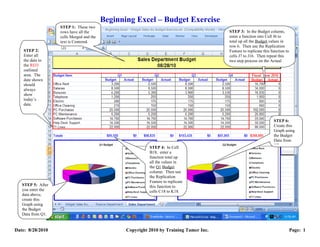
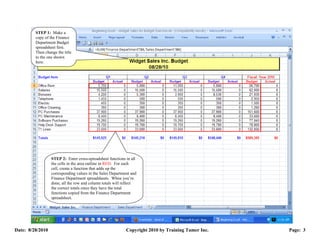
The document provides steps for a budget exercise in Excel. It instructs the user to:
1) Enter budget data for different departments and time periods in a spreadsheet.
2) Use functions to automatically total rows and columns of budget data.
3) Create graphs to visualize the budget data for different time periods.