Introduction to Kotlin
Feature comparison between J & K
@iChanSek www.chansek.com
SPAM !!!
About Me
About Me
● Working as an Android Engineer since last 6 years
About Me
● Working as an Android Engineer since last 6 years
● Created few apps like Chanse Games, Chanse Shops
About Me
● Working as an Android Engineer since last 6 years
● Created few apps like Chanse Games, Chanse Shops
● A failure Entrepreneur
About Me
● Working as an Android Engineer since last 6 years
● Created few apps like Chanse Games, Chanse Shops
● A failure Entrepreneur
● Author of an about to be released Kotlin book
About Me
● Working as an Android Engineer since last 6 years
● Created few apps like Chanse Games, Chanse Shops
● A failure Entrepreneur
● Author of an about to be released Kotlin book
● Only know upto Java-7
About Me
● Working as an Android Engineer since last 6 years
● Created few apps like Chanse Games, Chanse Shops
● A failure Entrepreneur
● Author of an about to be released Kotlin book
● Only know upto Java-7
● Worked with Kotlin since last 1 year
About Me
● Working as an Android Engineer since last 6 years
● Created few apps like Chanse Games, Chanse Shops
● A failure Entrepreneur
● Author of an about to be released Kotlin book
● Only know upto Java-7
● Worked with Kotlin since last 1 year
● Organizing Bengaluru’s Kotlin Group - BlrKotlin
About Me
● Working as an Android Engineer since last 6 years
● Created few apps like Chanse Games, Chanse Shops
● A failure Entrepreneur
● Author of an about to be released Kotlin book
● Only know upto Java-7
● Worked with Kotlin since last 1 year
● Organizing Bengaluru’s Kotlin Group - BlrKotlin
● meetup.com/BlrKotlin & blrkotlin.herokuapp.com
Kotlin - The selling point
Highlights of Kotlin
● Statically typed language like Java
Highlights of Kotlin
● Statically typed language like Java
● Billion Dollar mistake is no more as Null is in type system
and treated specially
Highlights of Kotlin
● Statically typed language like Java
● Billion Dollar mistake is no more as Null is in type system
and treated specially
● 100% interoperable with Java
Highlights of Kotlin
● Statically typed language like Java
● Billion Dollar mistake is no more as Null is in type system
and treated specially
● 100% interoperable with Java
● Believes in “Sharing is Caring” by supporting multi-
platform
Highlights of Kotlin
● Statically typed language like Java
● Billion Dollar mistake is no more as Null is in type system
and treated specially
● 100% interoperable with Java
● Believes in “Sharing is Caring” by supporting multi-
platform
● Much more concise than Java
Why should you try Kotlin?
● No need to refactor the whole project.
Why should you try Kotlin?
● No need to refactor the whole project.
● Write Less - Maintain Less - Spend Less
Why should you try Kotlin?
● No need to refactor the whole project.
● Write Less - Maintain Less - Spend Less
● No NPE - Millions of Profit - More Team Budget *
Why should you try Kotlin?
● No need to refactor the whole project.
● Write Less - Maintain Less - Spend Less
● No NPE - Millions of Profit - More Team Budget *
● Lot of awesome features to write neat code.
Java vs Kotlin
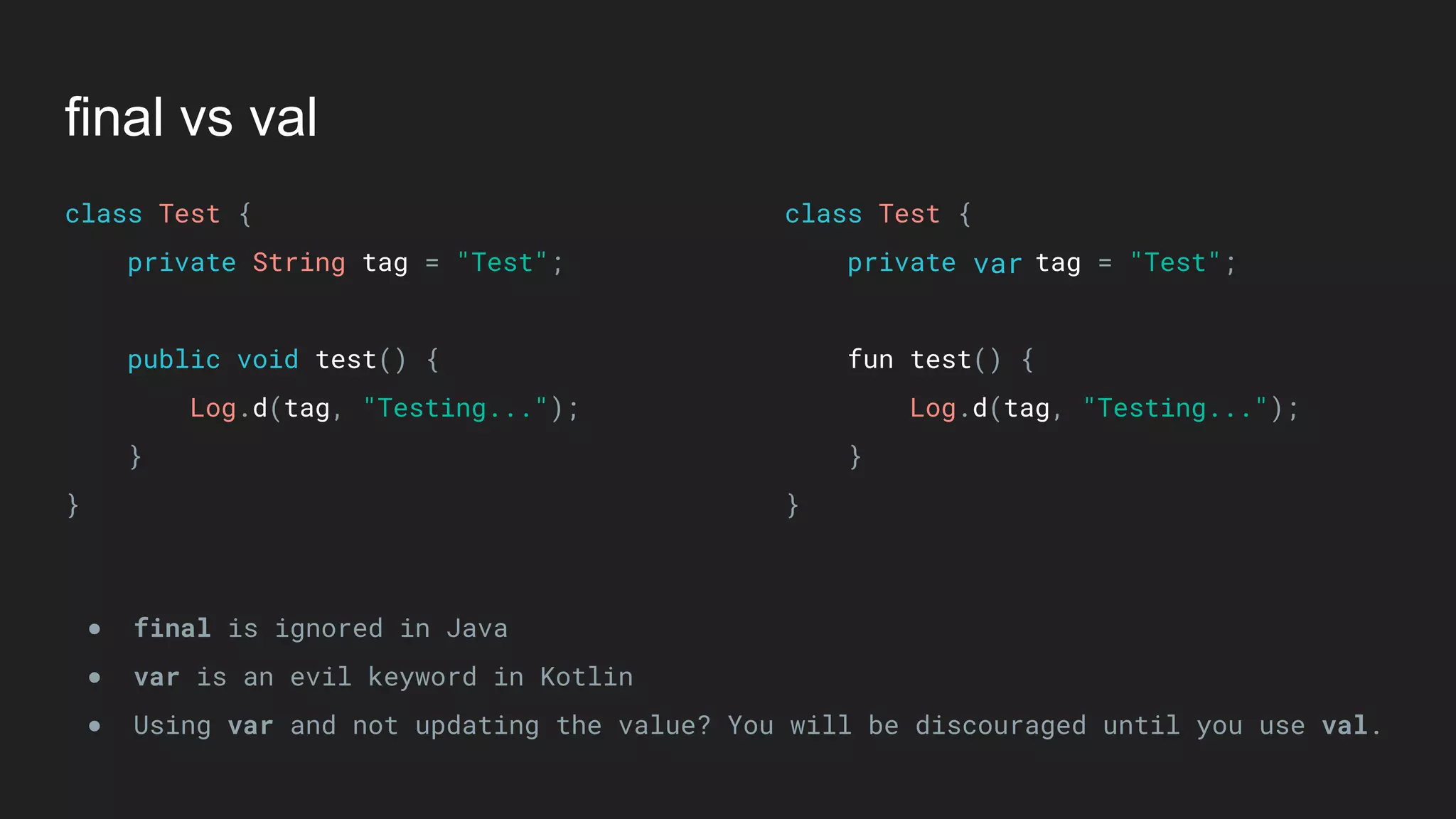
final vs val
final vs val
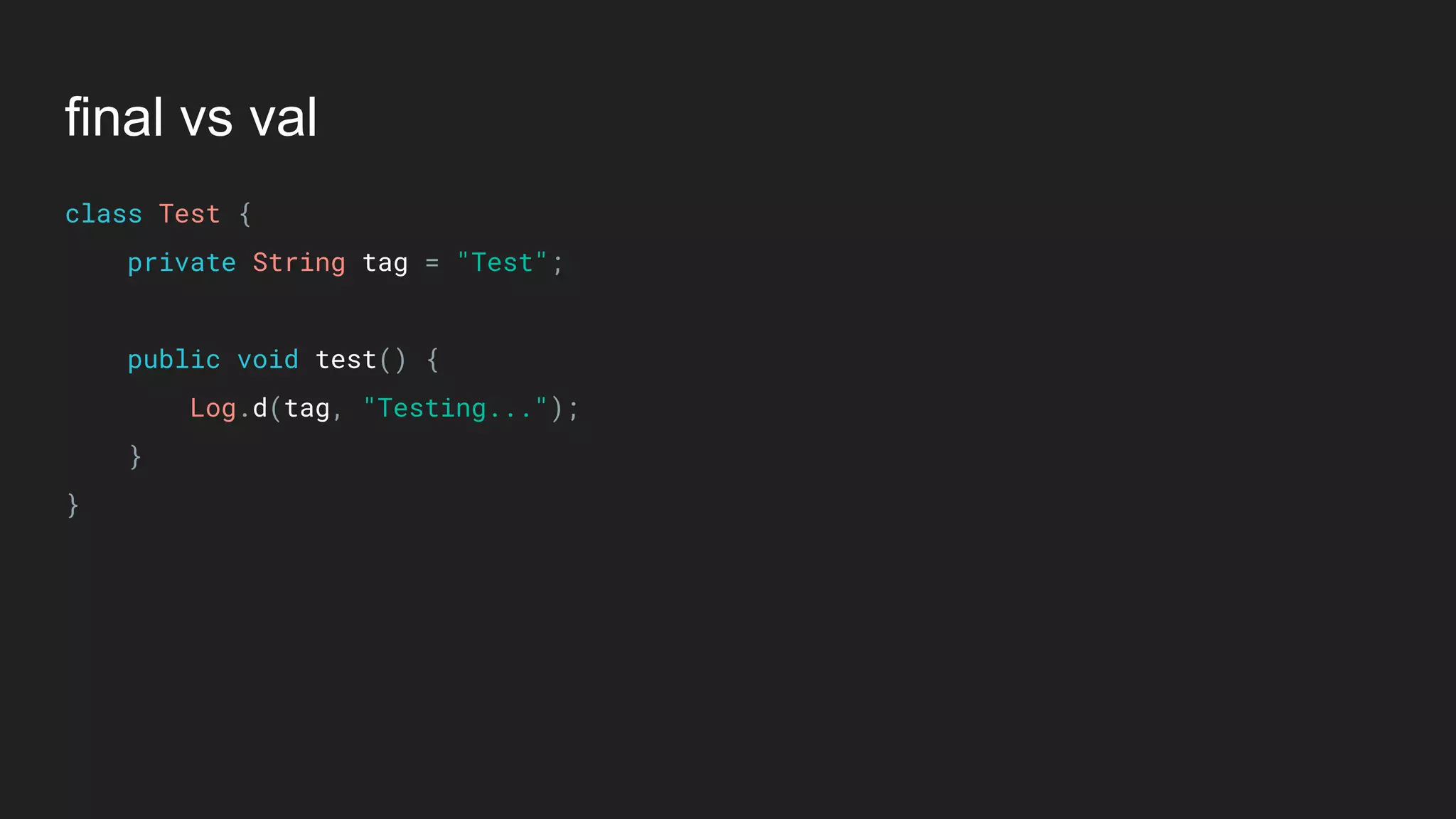
class Test {

private String tag = "Test";


public void test() {

Log.d(tag, "Testing...");

}

}
final vs val
class Test {

private String tag = "Test";


public void test() {

Log.d(tag, "Testing...");

}

}
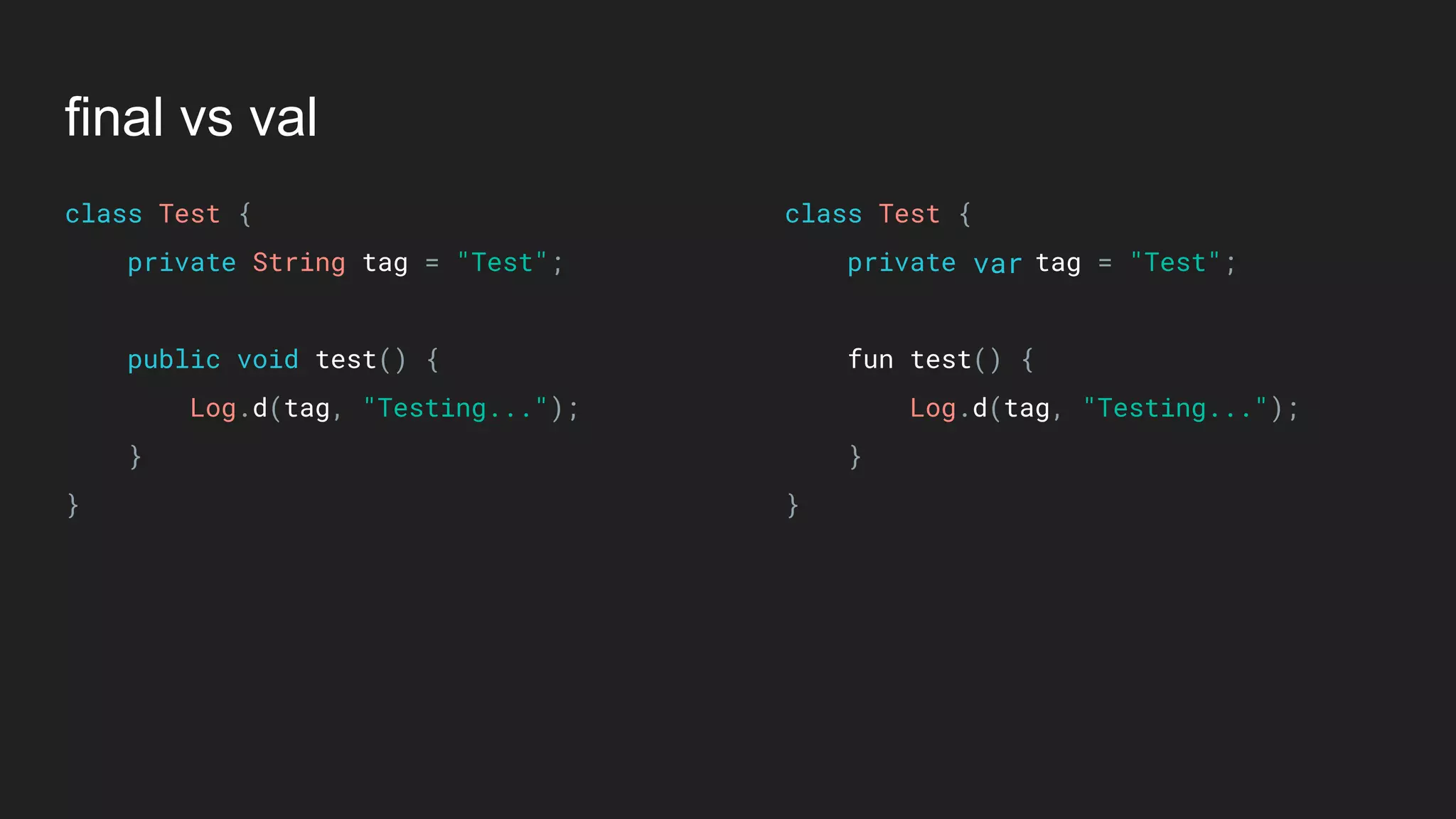
class Test {

private tag = "Test";


fun test() {

Log.d(tag, "Testing...");

}

}
var
final vs val
class Test {

private String tag = "Test";


public void test() {

Log.d(tag, "Testing...");

}

}
class Test {

private tag = "Test";


fun test() {

Log.d(tag, "Testing...");

}

}
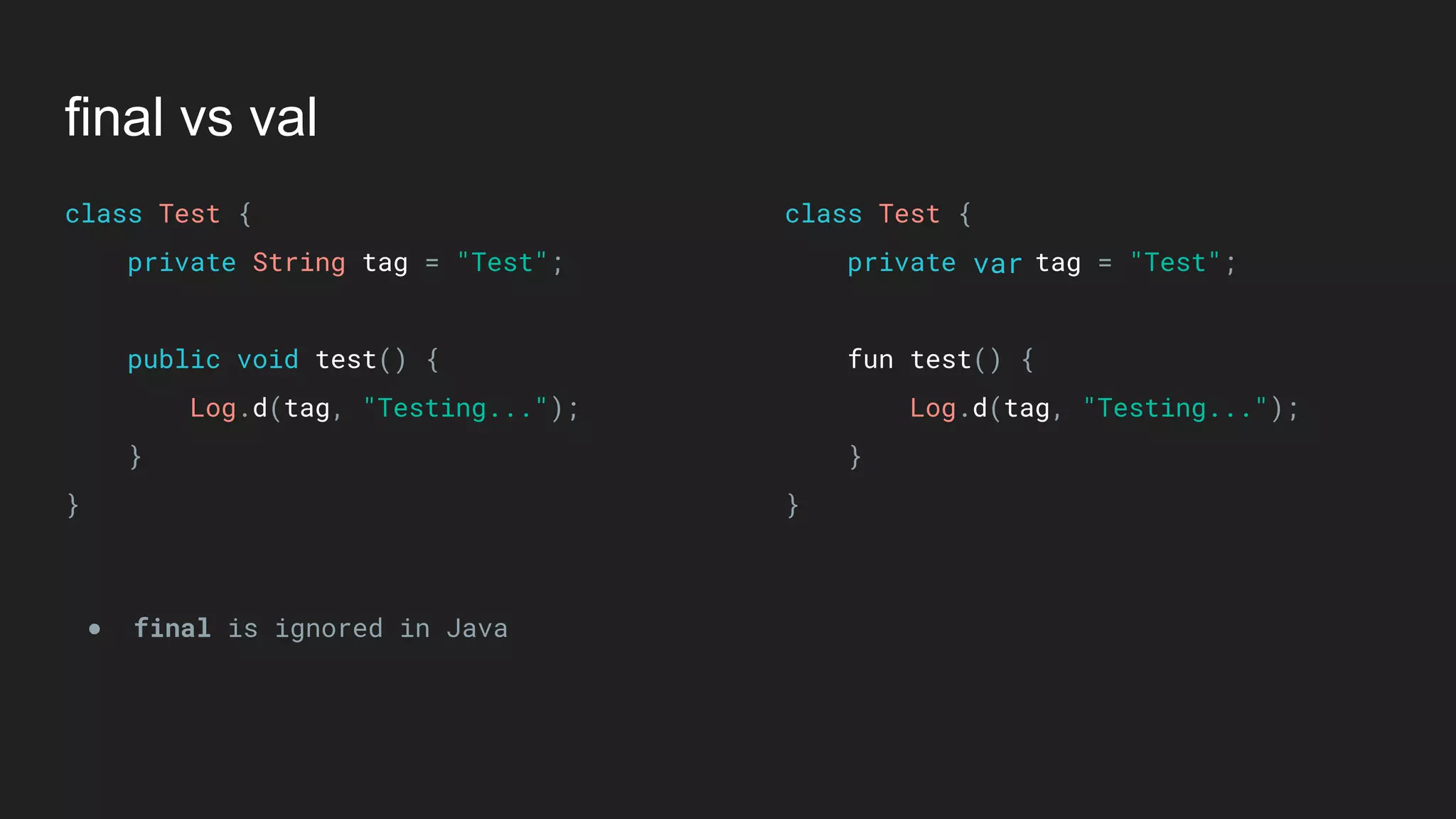
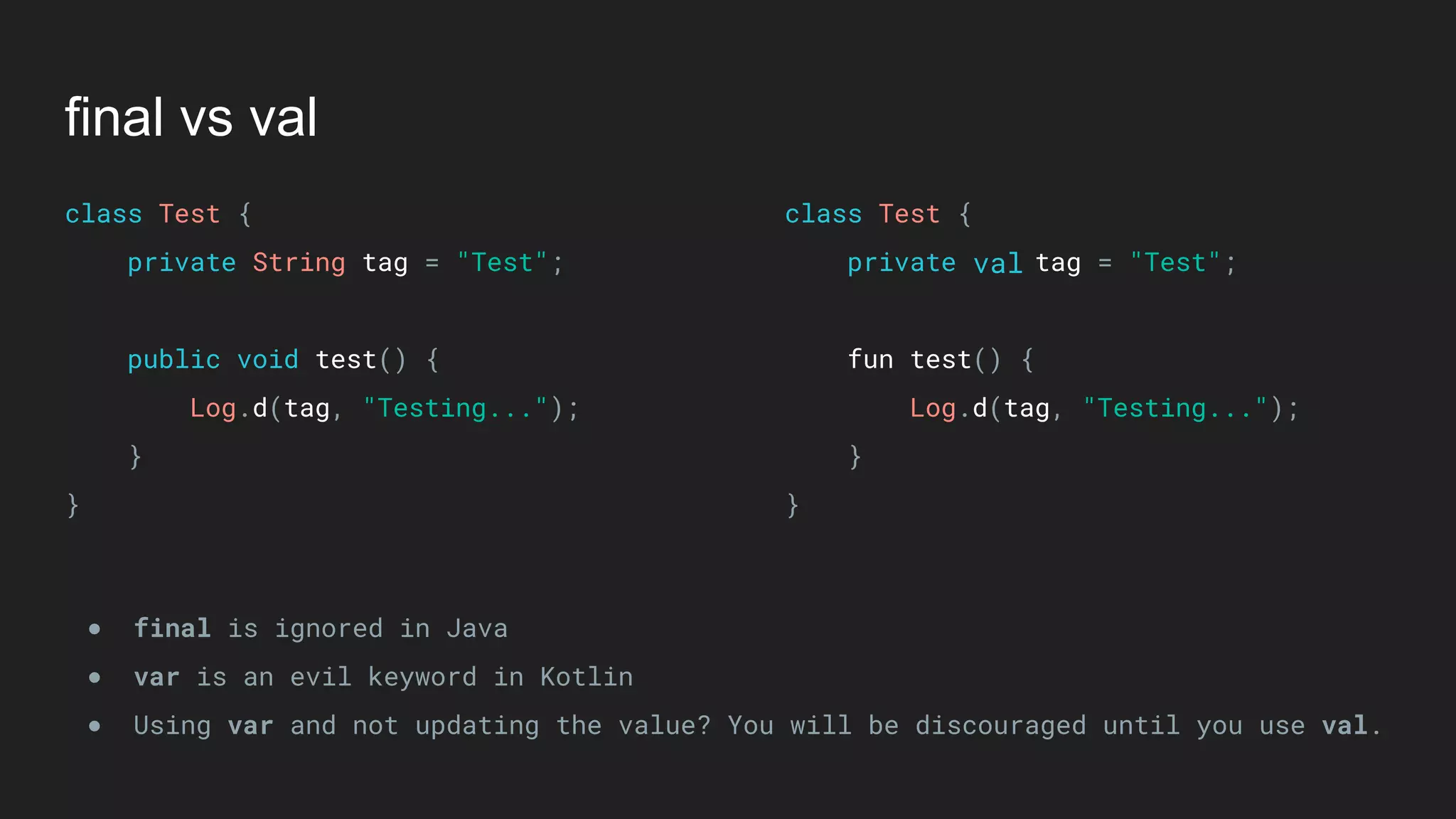
● final is ignored in Java
var
final vs val
class Test {

private String tag = "Test";


public void test() {

Log.d(tag, "Testing...");

}

}
class Test {

private tag = "Test";


fun test() {

Log.d(tag, "Testing...");

}

}
● final is ignored in Java
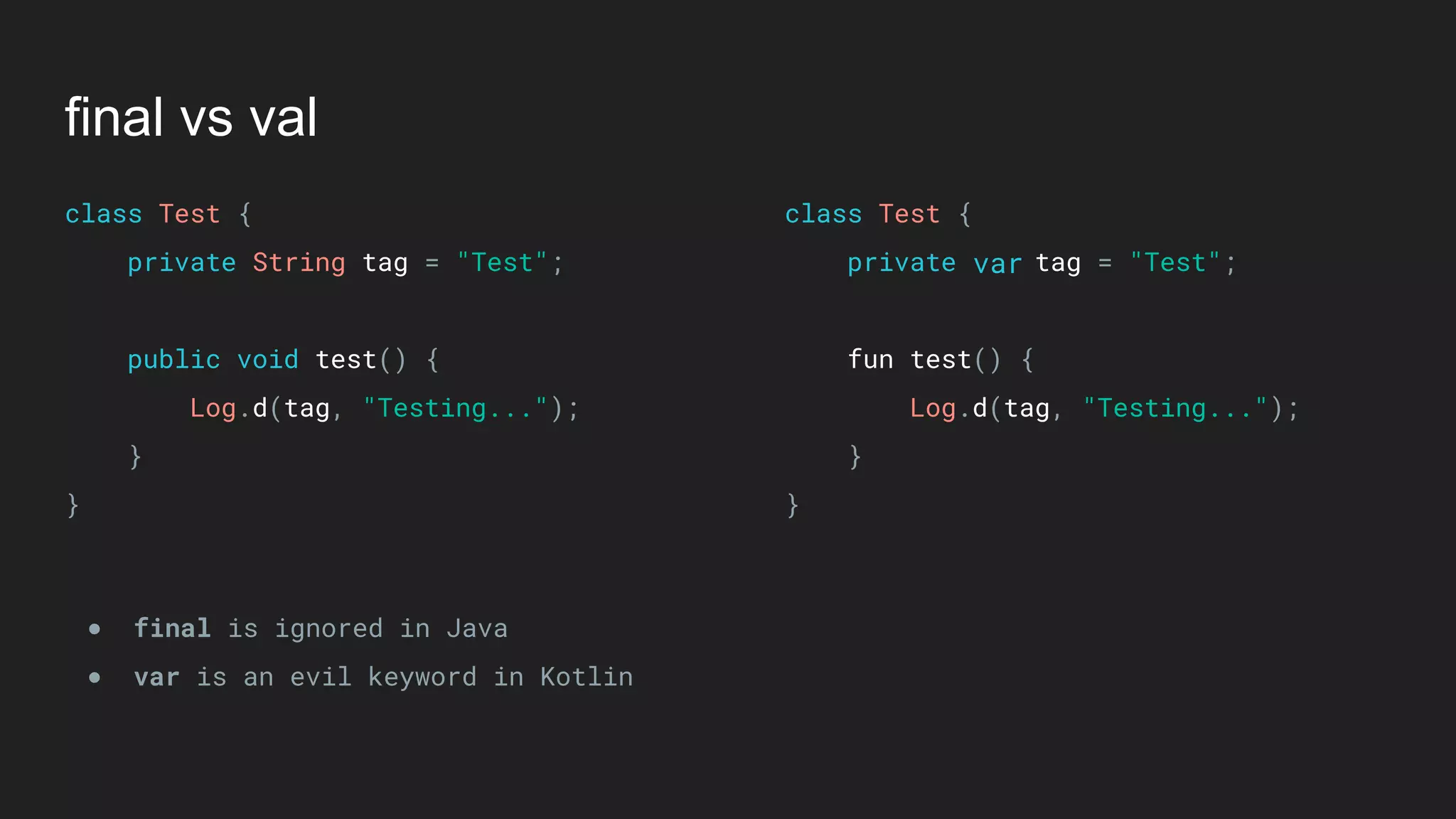
● var is an evil keyword in Kotlin
var
final vs val
class Test {

private String tag = "Test";


public void test() {

Log.d(tag, "Testing...");

}

}
class Test {

private tag = "Test";


fun test() {

Log.d(tag, "Testing...");

}

}
● final is ignored in Java
● var is an evil keyword in Kotlin
● Using var and not updating the value? You will be discouraged until you use val.
var
final vs val
class Test {

private String tag = "Test";


public void test() {

Log.d(tag, "Testing...");

}

}
class Test {

private tag = "Test";


fun test() {

Log.d(tag, "Testing...");

}

}
● final is ignored in Java
● var is an evil keyword in Kotlin
● Using var and not updating the value? You will be discouraged until you use val.
val
final vs open
final vs open
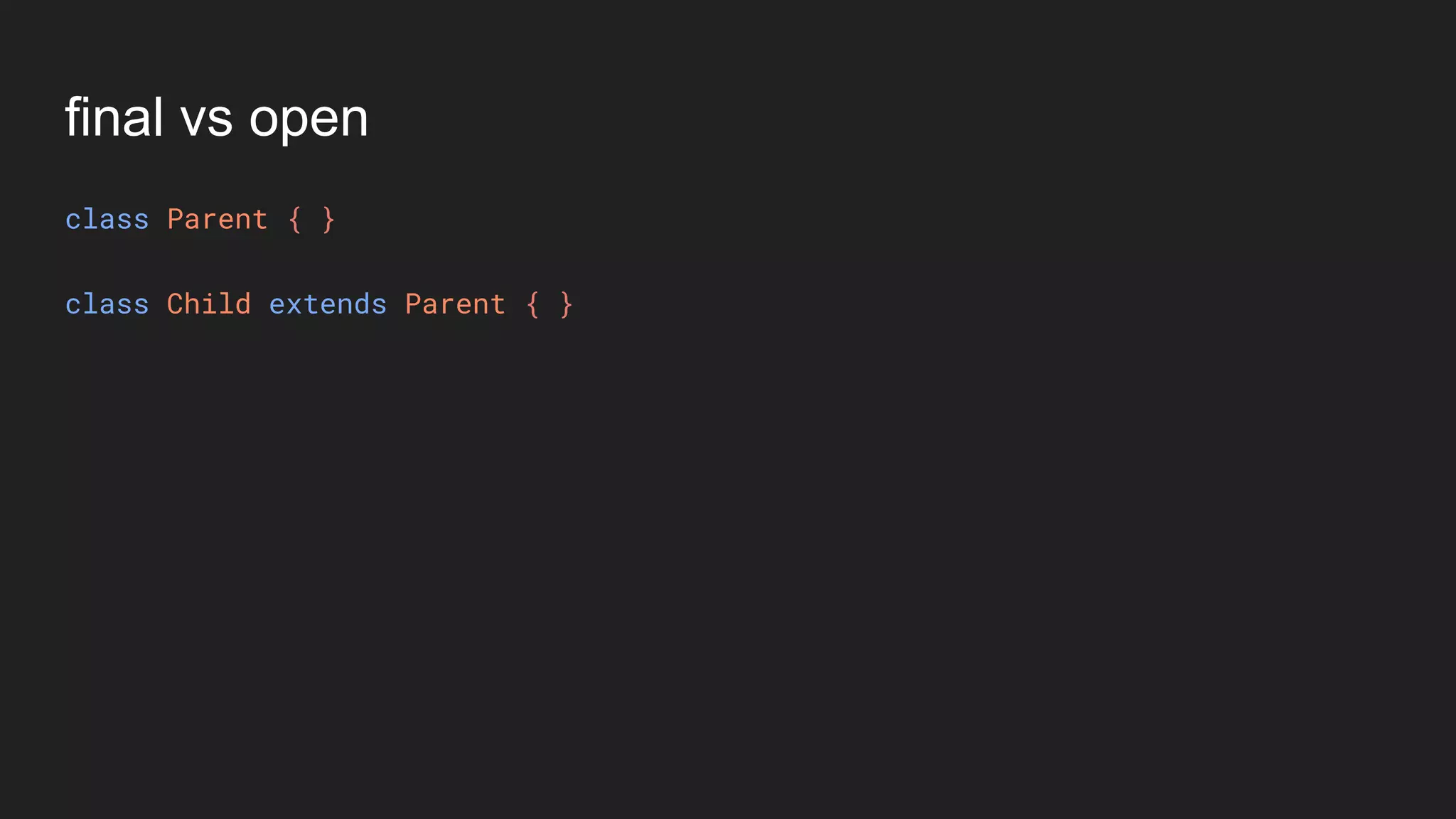
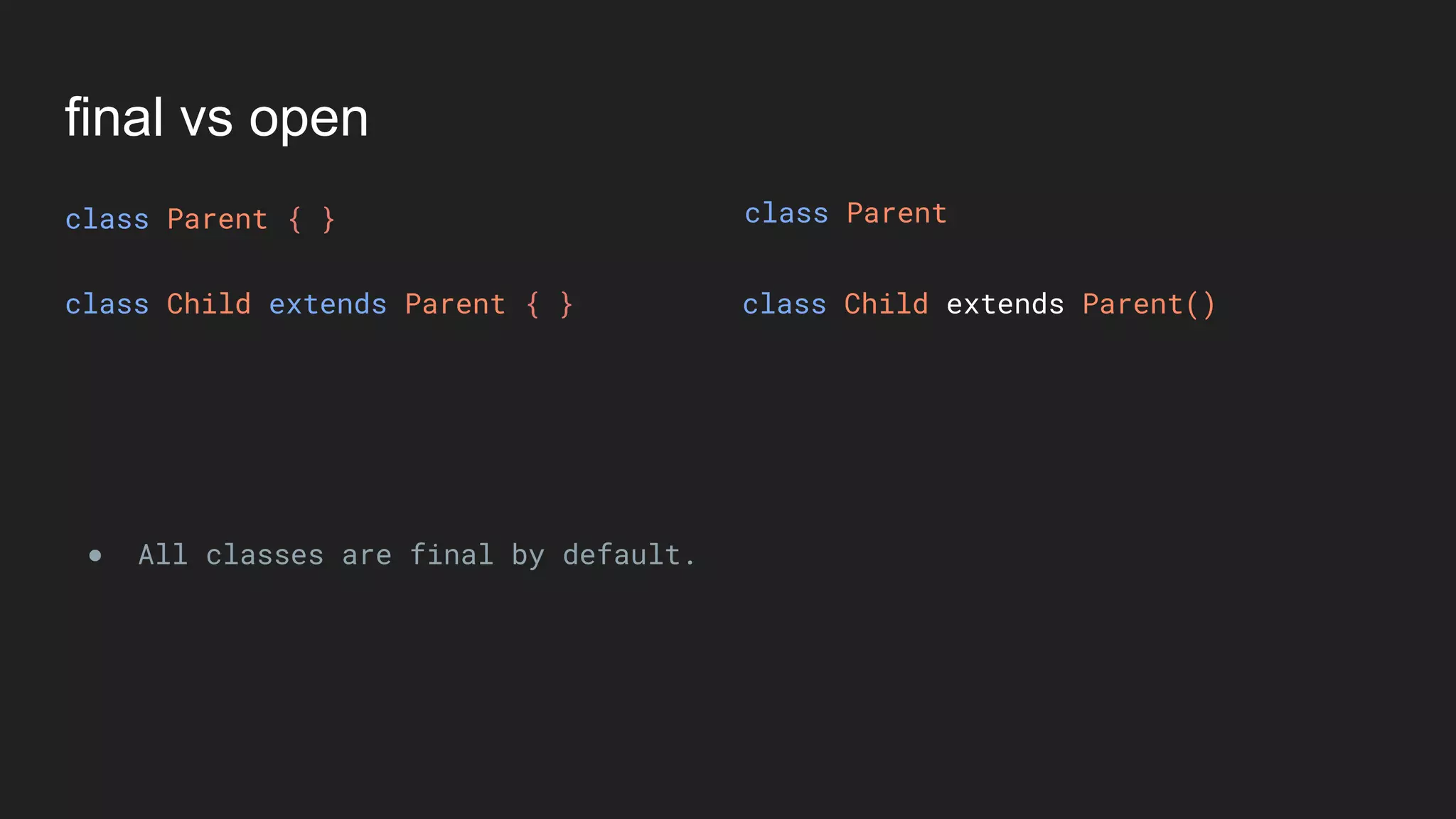
class Parent { }
class Child extends Parent { }
final vs open
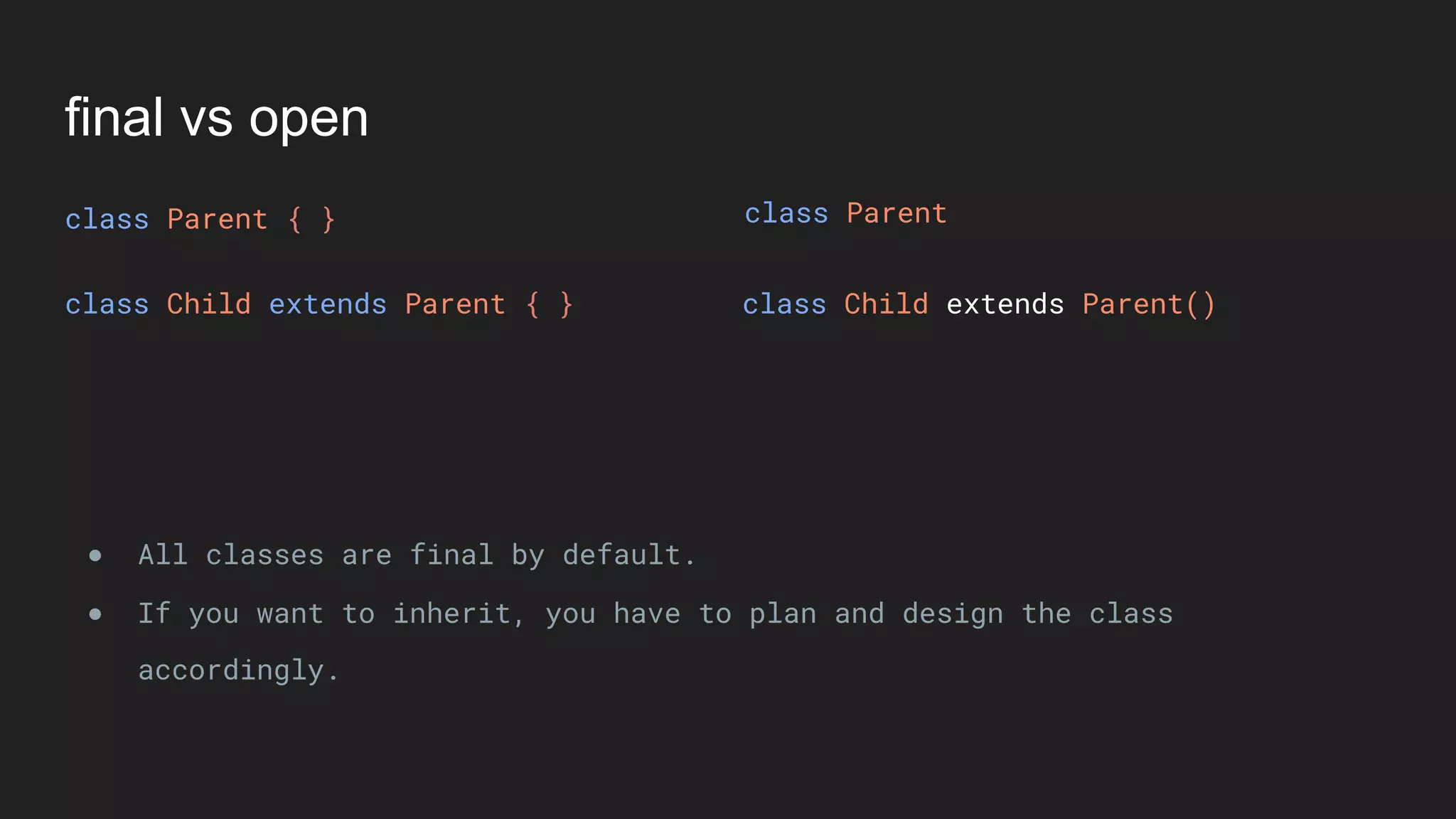
class Parent { }
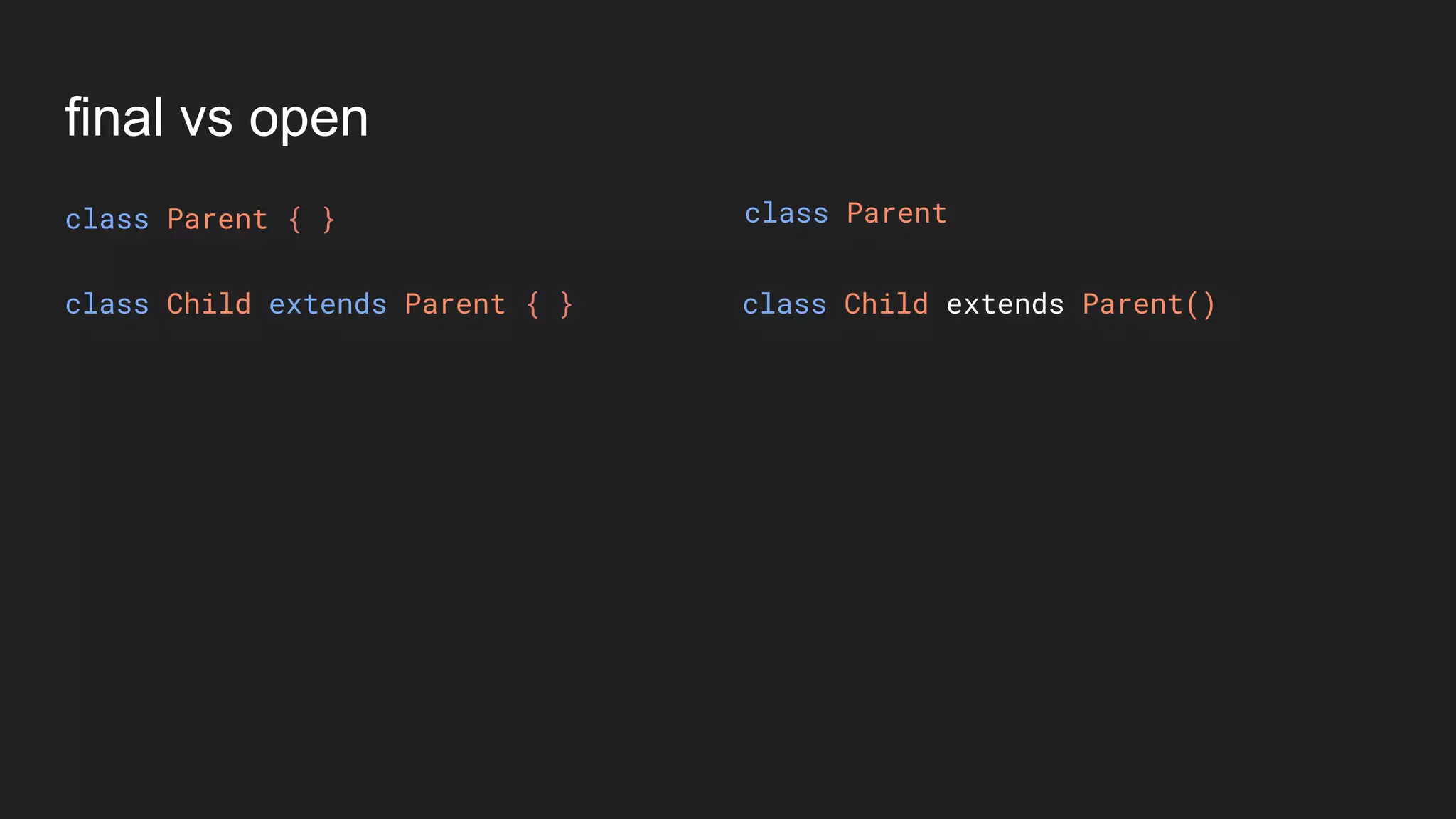
class Child extends Parent { } class Child extends Parent()
class Parent
final vs open
class Parent { }
class Child extends Parent { } class Child extends Parent()
● All classes are final by default.
class Parent
final vs open
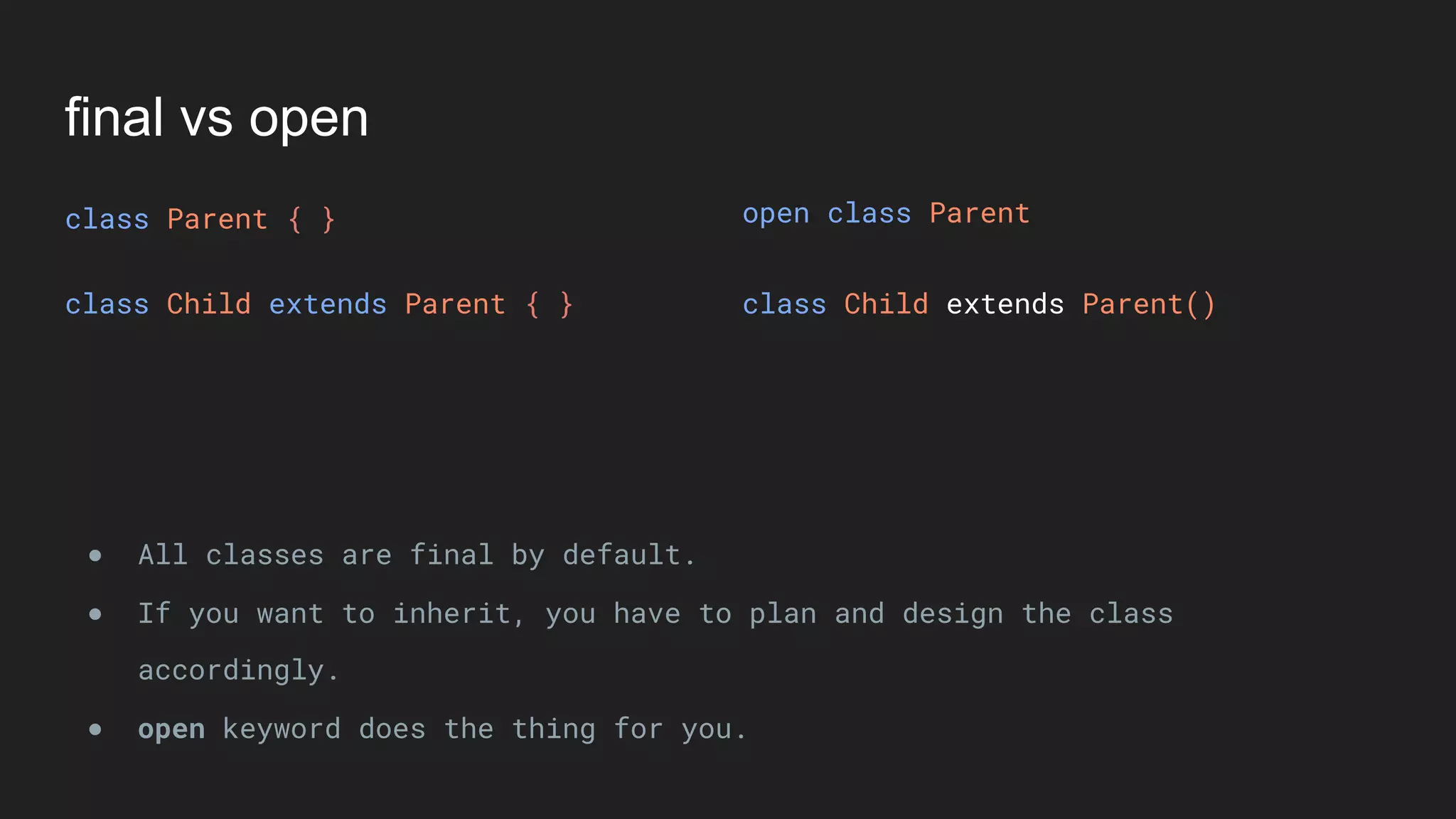
class Parent { }
class Child extends Parent { } class Child extends Parent()
● All classes are final by default.
● If you want to inherit, you have to plan and design the class
accordingly.
class Parent
final vs open
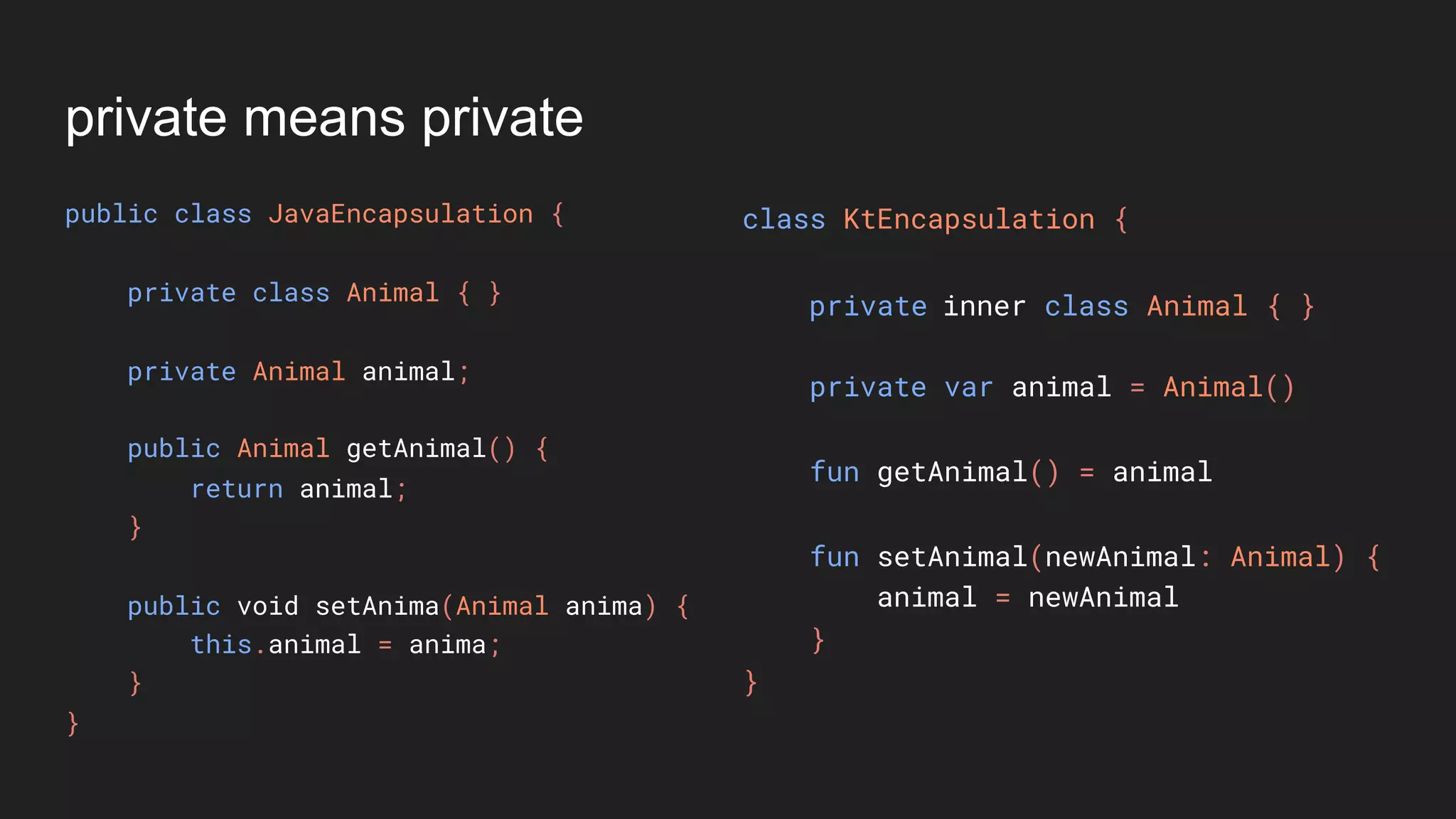
class Parent { }
class Child extends Parent { } class Child extends Parent()
● All classes are final by default.
● If you want to inherit, you have to plan and design the class
accordingly.
● open keyword does the thing for you.
open class Parent
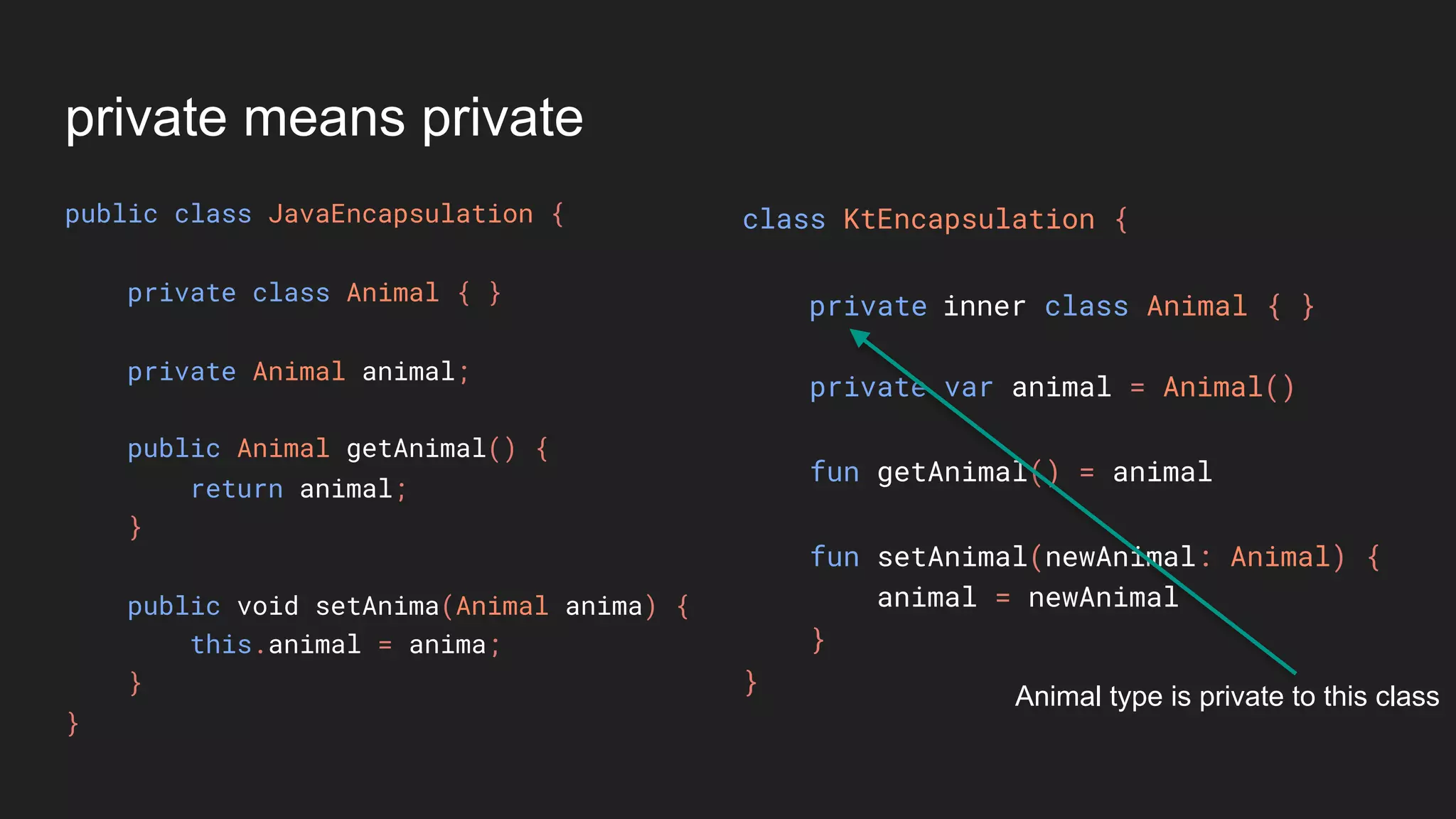
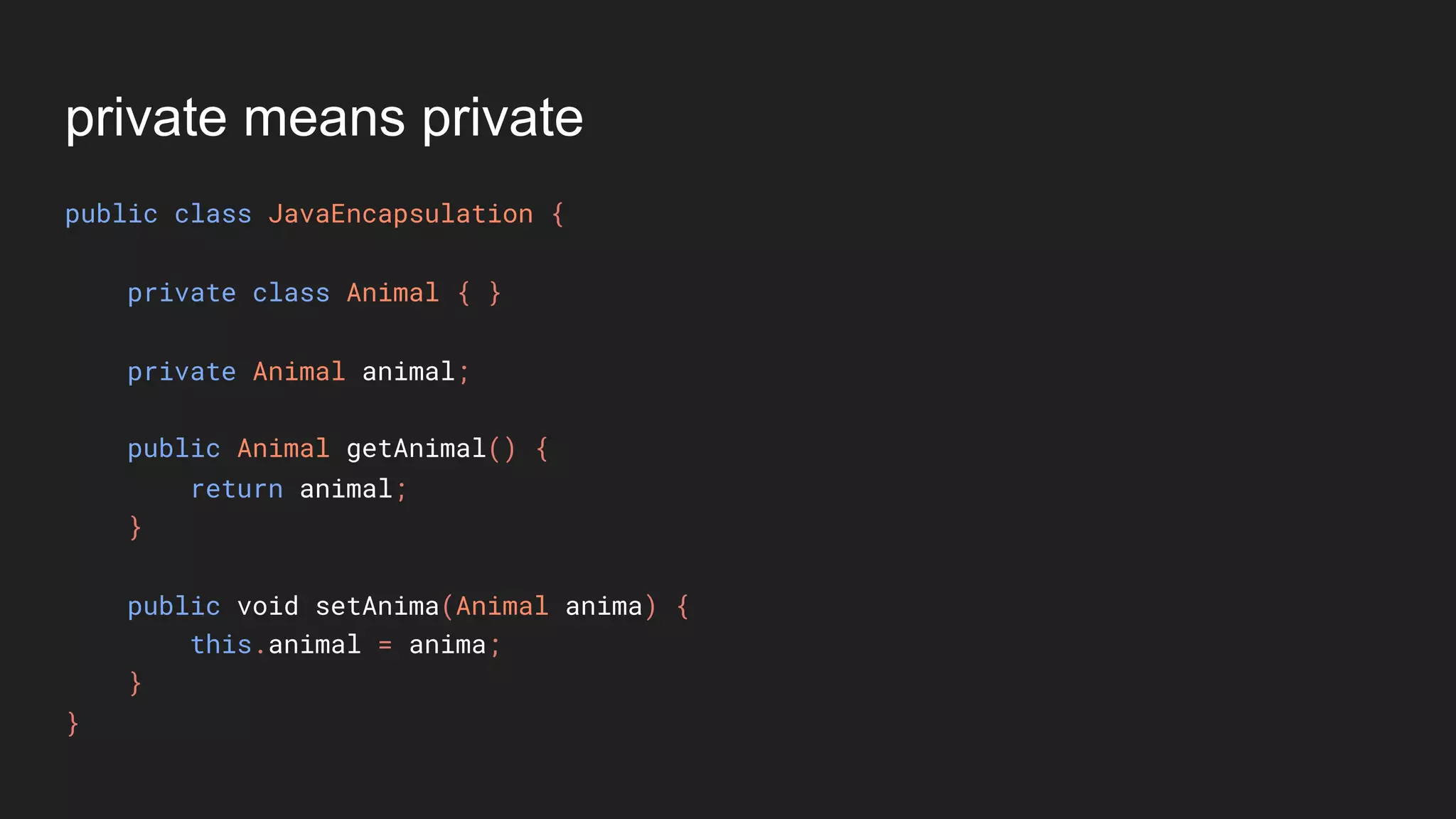
private means private
public class JavaEncapsulation {
private class Animal { }
private Animal animal;
public Animal getAnimal() {
return animal;
}
public void setAnima(Animal anima) {
this.animal = anima;
}
}
private means private
public class JavaEncapsulation {
private class Animal { }
private Animal animal;
public Animal getAnimal() {
return animal;
}
public void setAnima(Animal anima) {
this.animal = anima;
}
}
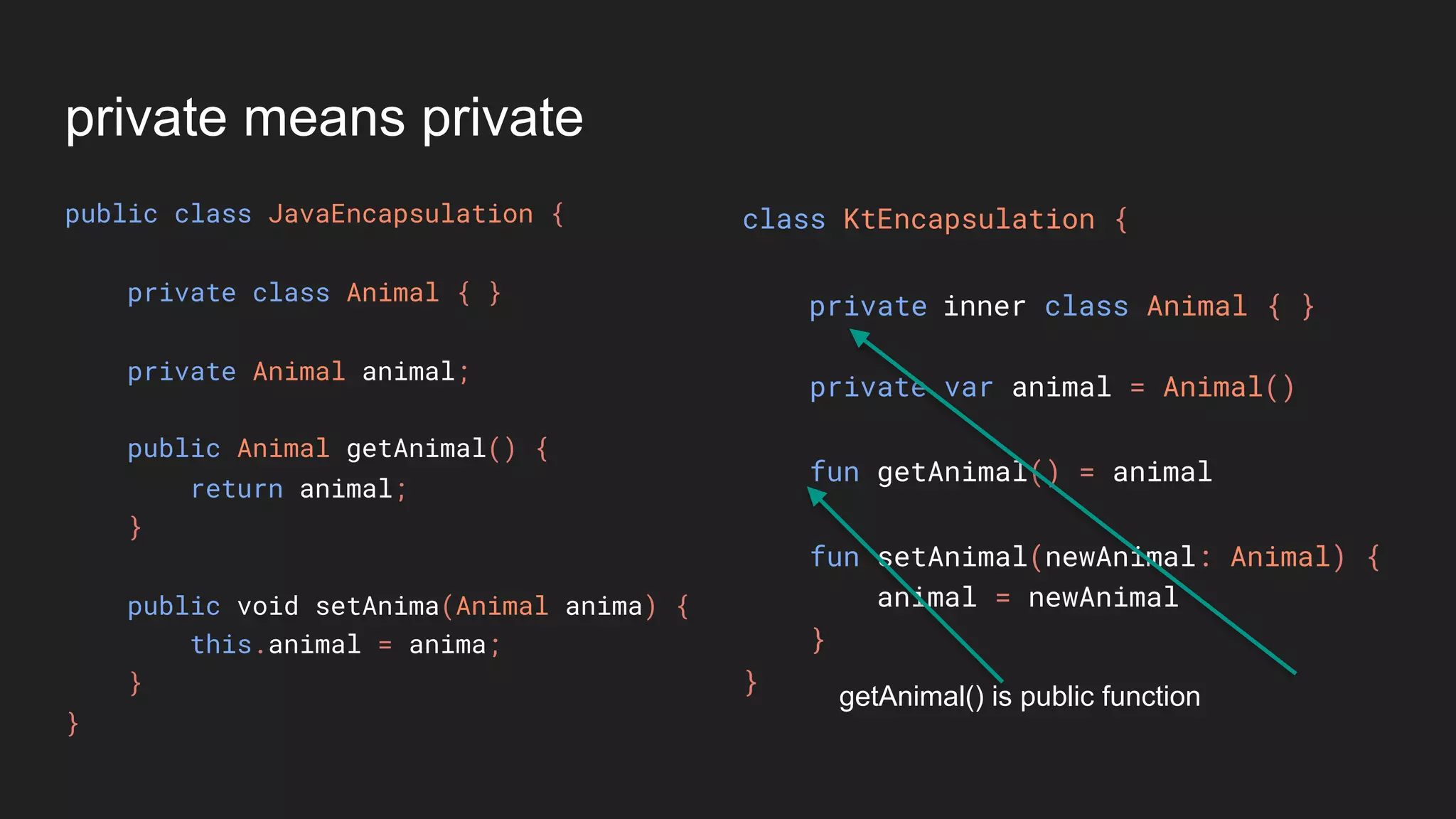
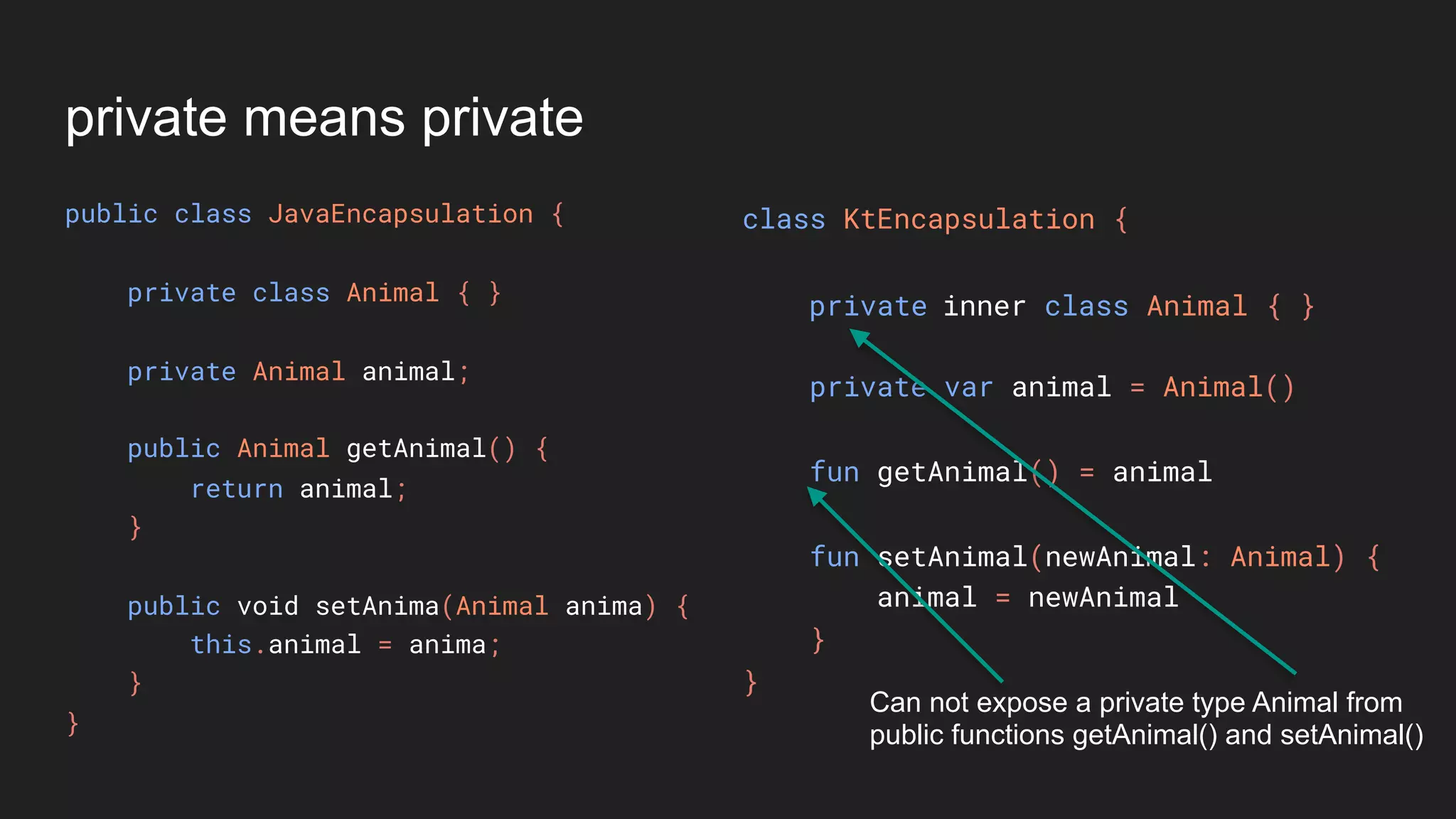
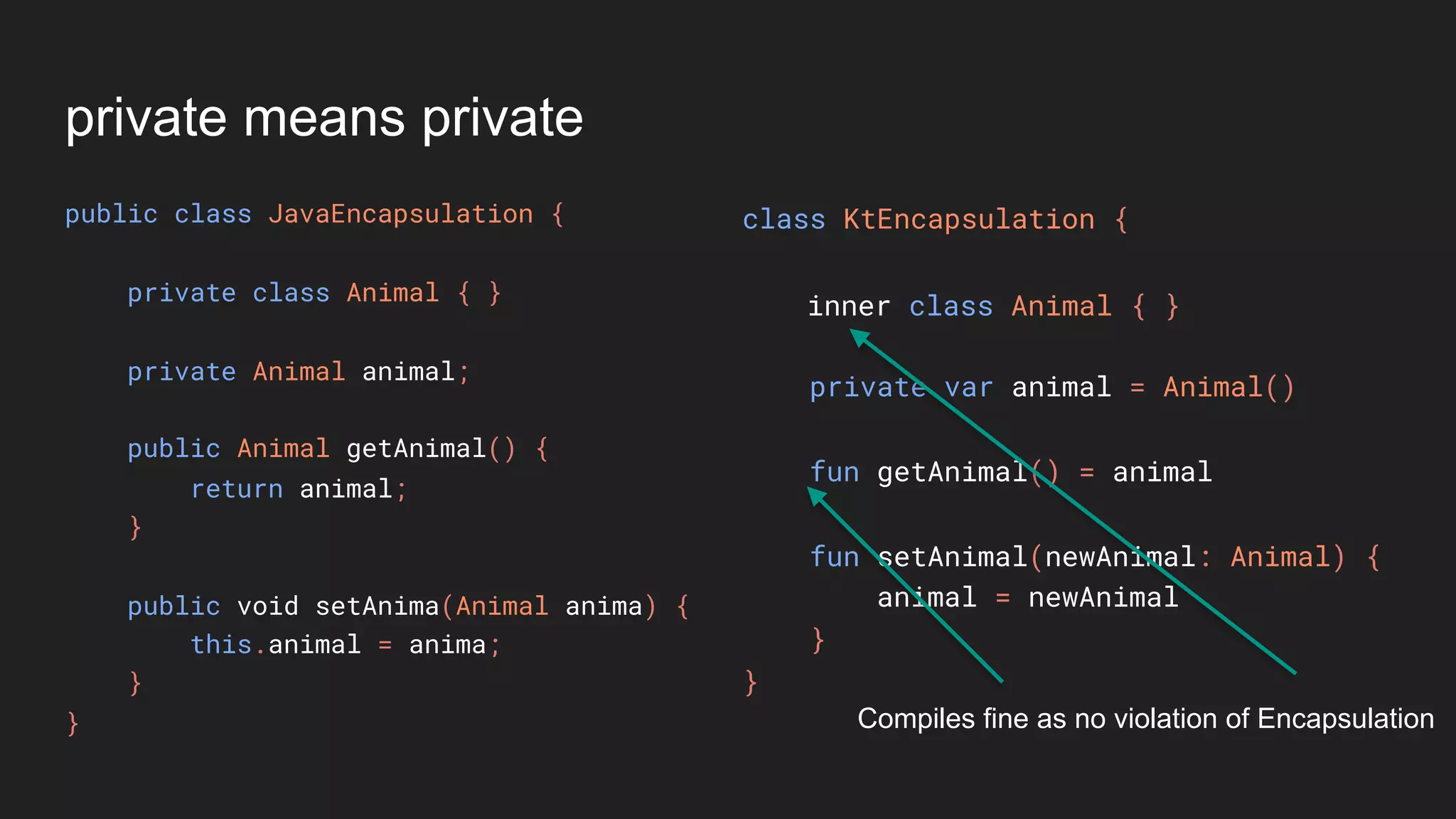
class KtEncapsulation {
private var animal = Animal()
fun getAnimal() = animal
fun setAnimal(newAnimal: Animal) {
animal = newAnimal
}
}
private inner class Animal { }
private means private
public class JavaEncapsulation {
private class Animal { }
private Animal animal;
public Animal getAnimal() {
return animal;
}
public void setAnima(Animal anima) {
this.animal = anima;
}
}
class KtEncapsulation {
private var animal = Animal()
fun getAnimal() = animal
fun setAnimal(newAnimal: Animal) {
animal = newAnimal
}
}
Animal type is private to this class
private inner class Animal { }
private means private
public class JavaEncapsulation {
private class Animal { }
private Animal animal;
public Animal getAnimal() {
return animal;
}
public void setAnima(Animal anima) {
this.animal = anima;
}
}
class KtEncapsulation {
private var animal = Animal()
fun getAnimal() = animal
fun setAnimal(newAnimal: Animal) {
animal = newAnimal
}
}
getAnimal() is public function
private inner class Animal { }
private means private
public class JavaEncapsulation {
private class Animal { }
private Animal animal;
public Animal getAnimal() {
return animal;
}
public void setAnima(Animal anima) {
this.animal = anima;
}
}
class KtEncapsulation {
private var animal = Animal()
fun getAnimal() = animal
fun setAnimal(newAnimal: Animal) {
animal = newAnimal
}
}
Can not expose a private type Animal from
public functions getAnimal() and setAnimal()
private inner class Animal { }
private means private
public class JavaEncapsulation {
private class Animal { }
private Animal animal;
public Animal getAnimal() {
return animal;
}
public void setAnima(Animal anima) {
this.animal = anima;
}
}
class KtEncapsulation {
private var animal = Animal()
fun getAnimal() = animal
fun setAnimal(newAnimal: Animal) {
animal = newAnimal
}
}
inner class Animal { }
Compiles fine as no violation of Encapsulation
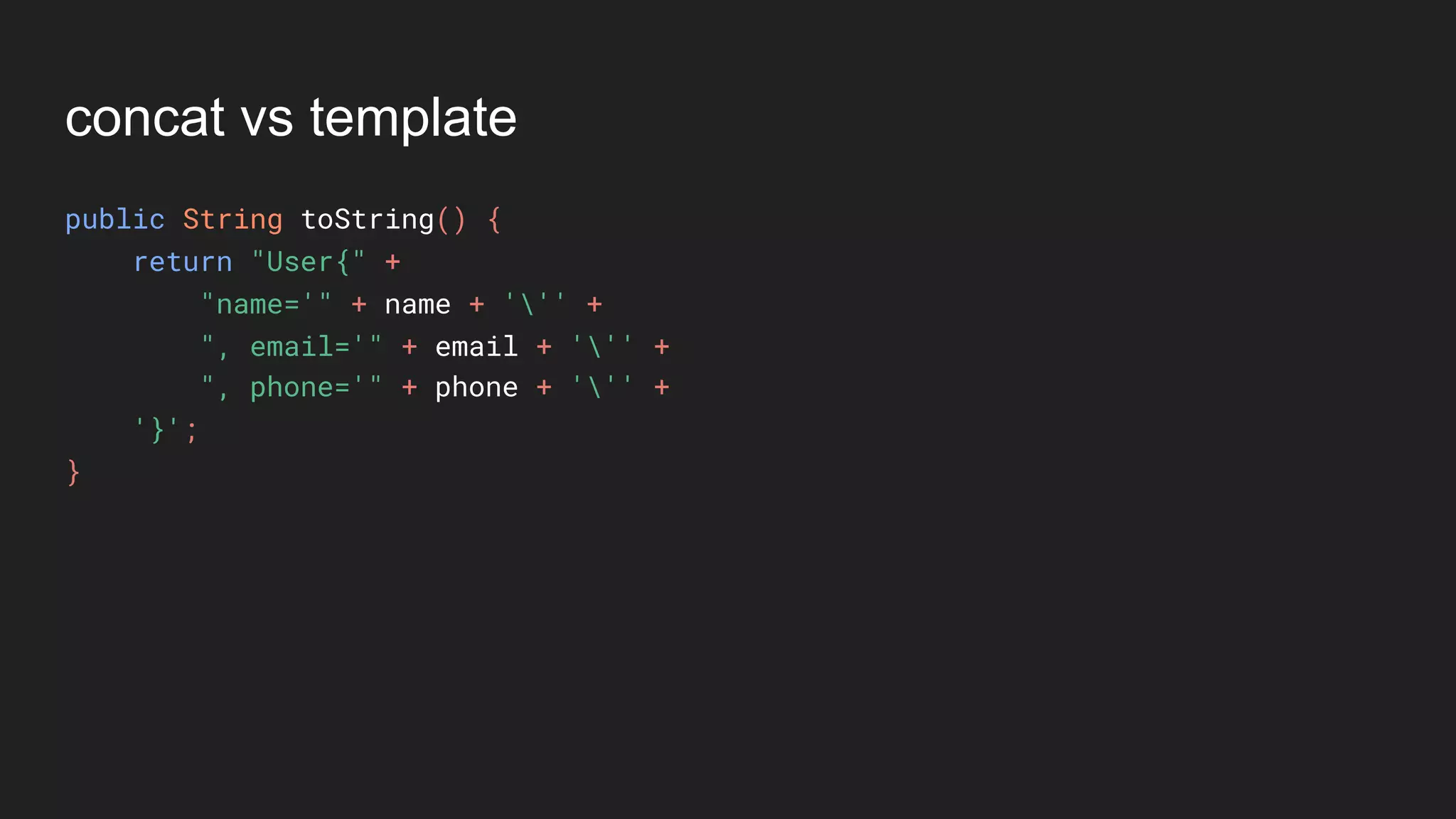
concat vs template
concat vs template
public String toString() {
return "User{" +
"name='" + name + ''' +
", email='" + email + ''' +
", phone='" + phone + ''' +
'}';
}
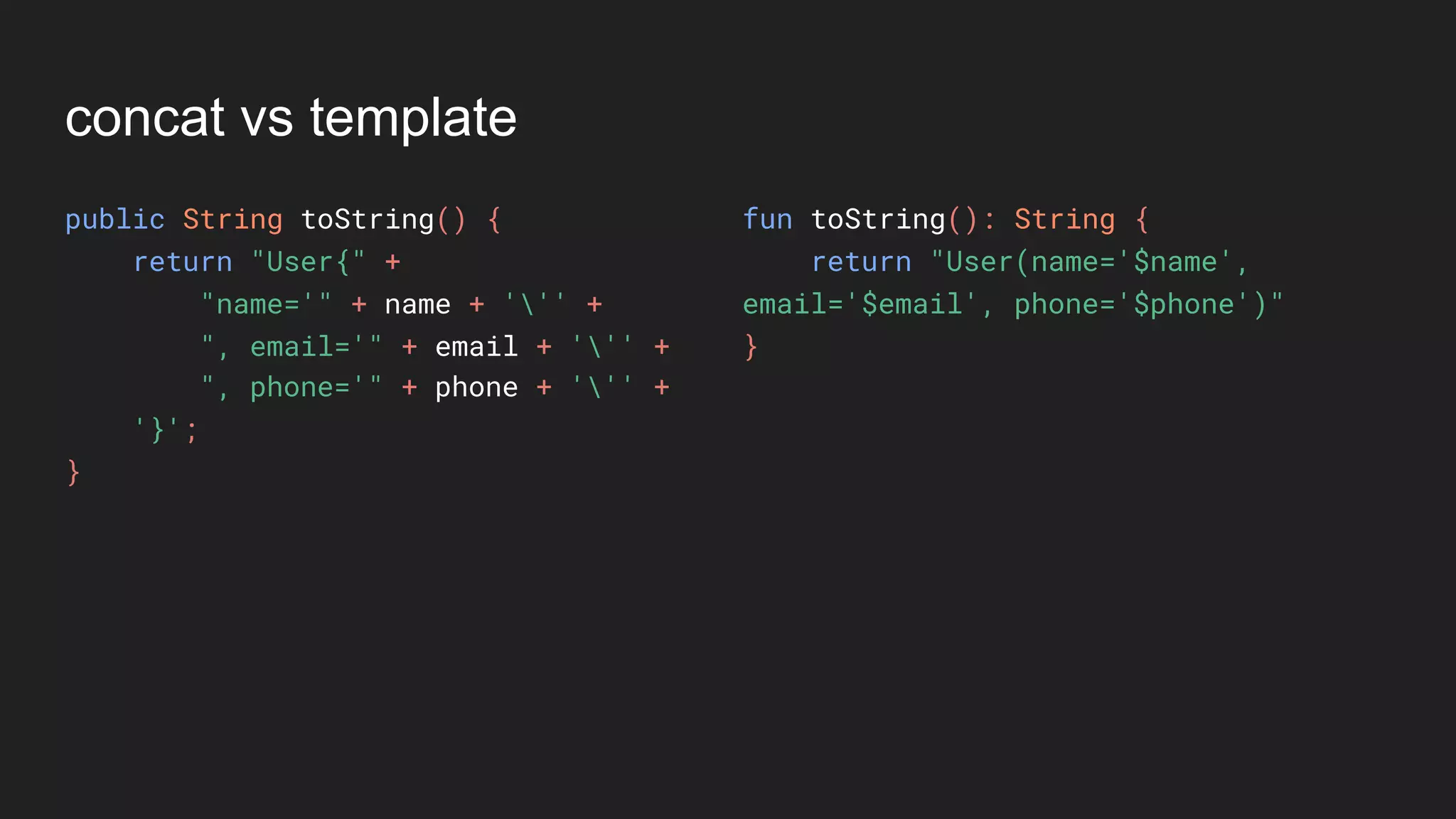
concat vs template
public String toString() {
return "User{" +
"name='" + name + ''' +
", email='" + email + ''' +
", phone='" + phone + ''' +
'}';
}
fun toString(): String {
return "User(name='$name',
email='$email', phone='$phone')"
}
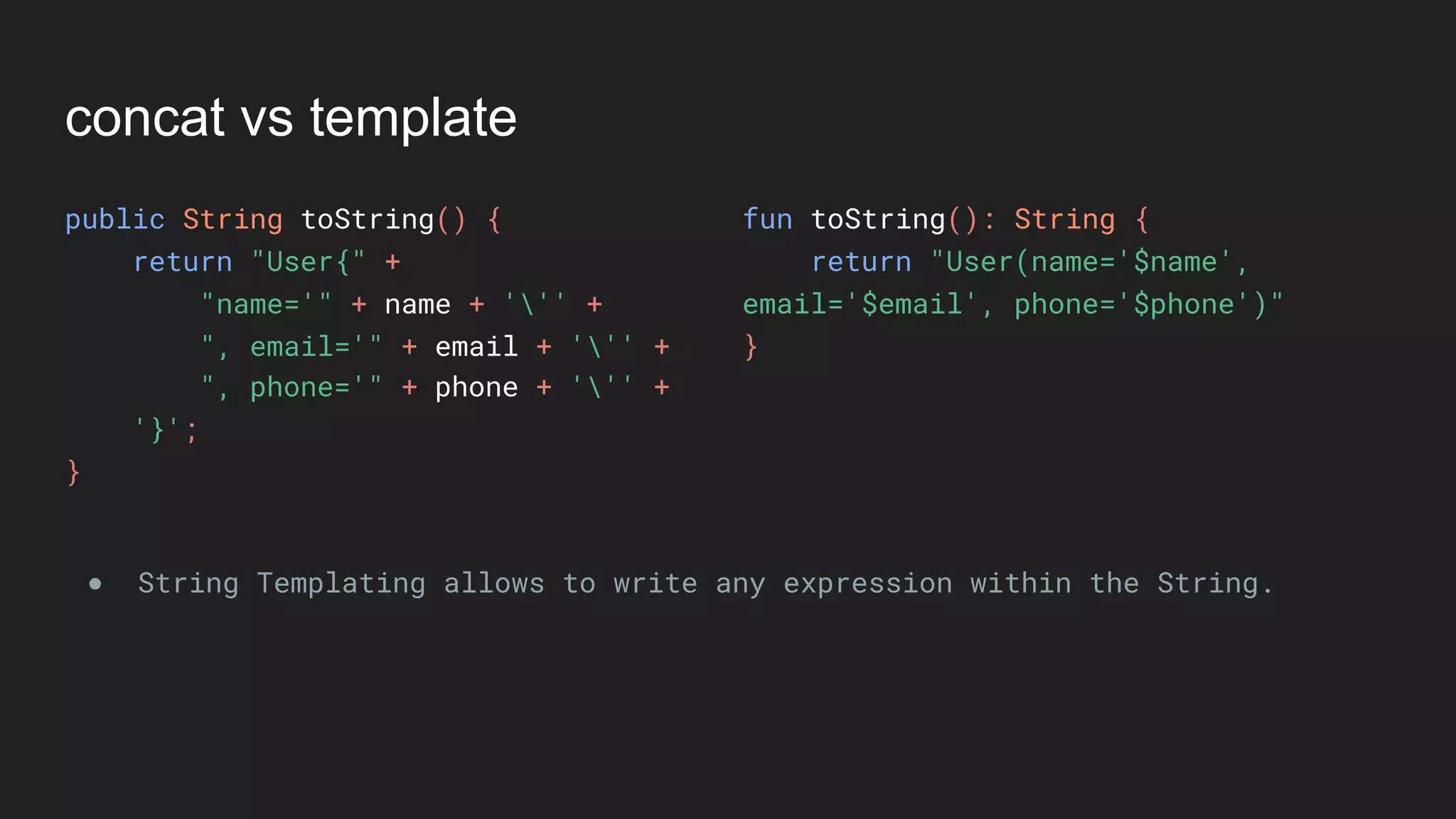
concat vs template
public String toString() {
return "User{" +
"name='" + name + ''' +
", email='" + email + ''' +
", phone='" + phone + ''' +
'}';
}
fun toString(): String {
return "User(name='$name',
email='$email', phone='$phone')"
}
● String Templating allows to write any expression within the String.
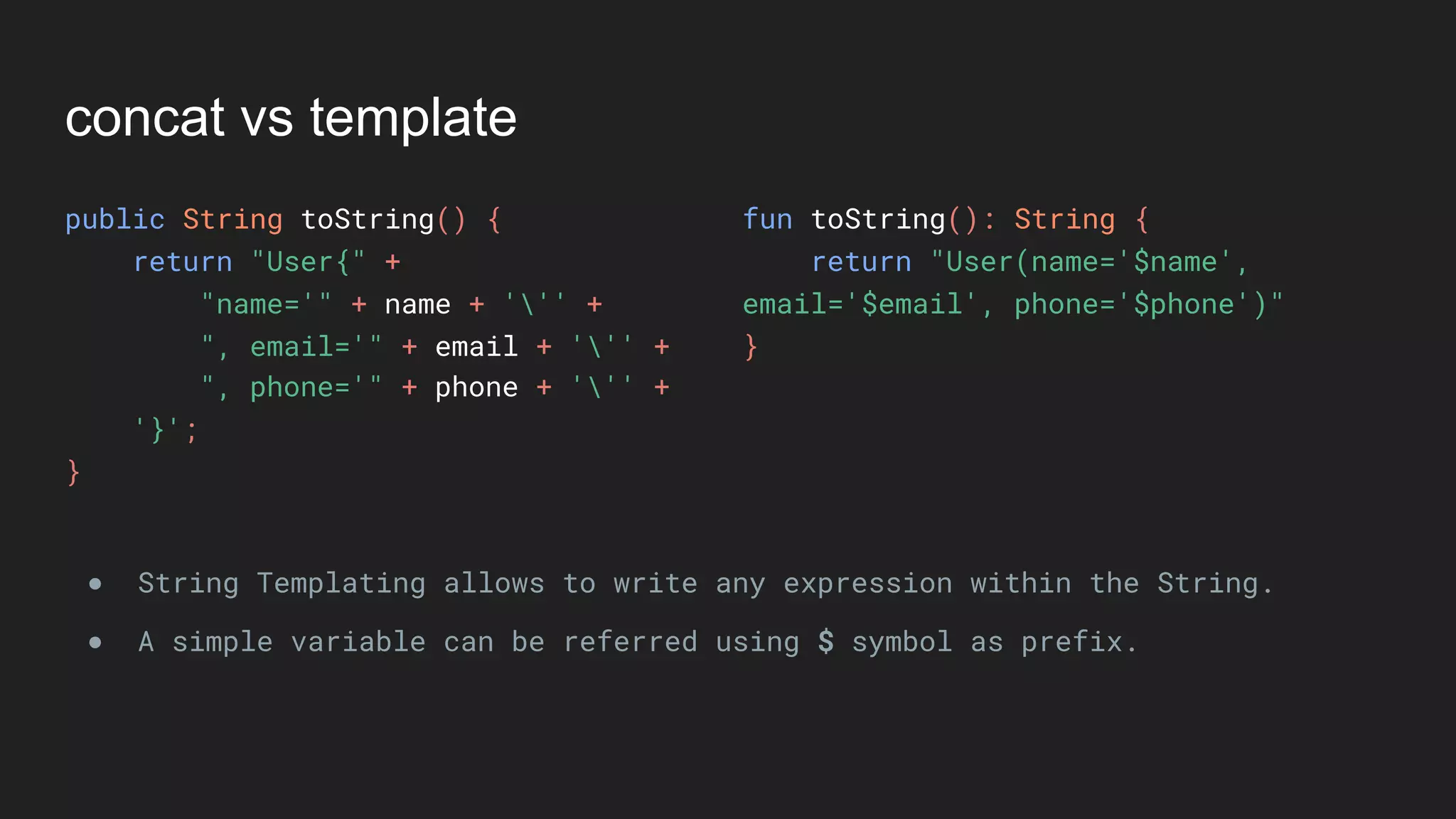
concat vs template
public String toString() {
return "User{" +
"name='" + name + ''' +
", email='" + email + ''' +
", phone='" + phone + ''' +
'}';
}
fun toString(): String {
return "User(name='$name',
email='$email', phone='$phone')"
}
● String Templating allows to write any expression within the String.
● A simple variable can be referred using $ symbol as prefix.
concat vs template
public String toString() {
return "User{" +
"name='" + name + ''' +
", email='" + email + ''' +
", phone='" + phone + ''' +
'}';
}
fun toString(): String {
return "User(name='$name',
email='$email', phone='$phone')"
}
● String Templating allows to write any expression within the String.
● A simple variable can be referred using $ symbol as prefix.
● A complex operation can also be done using ${operation} syntax. For
example - ${email.toUpperCase()}
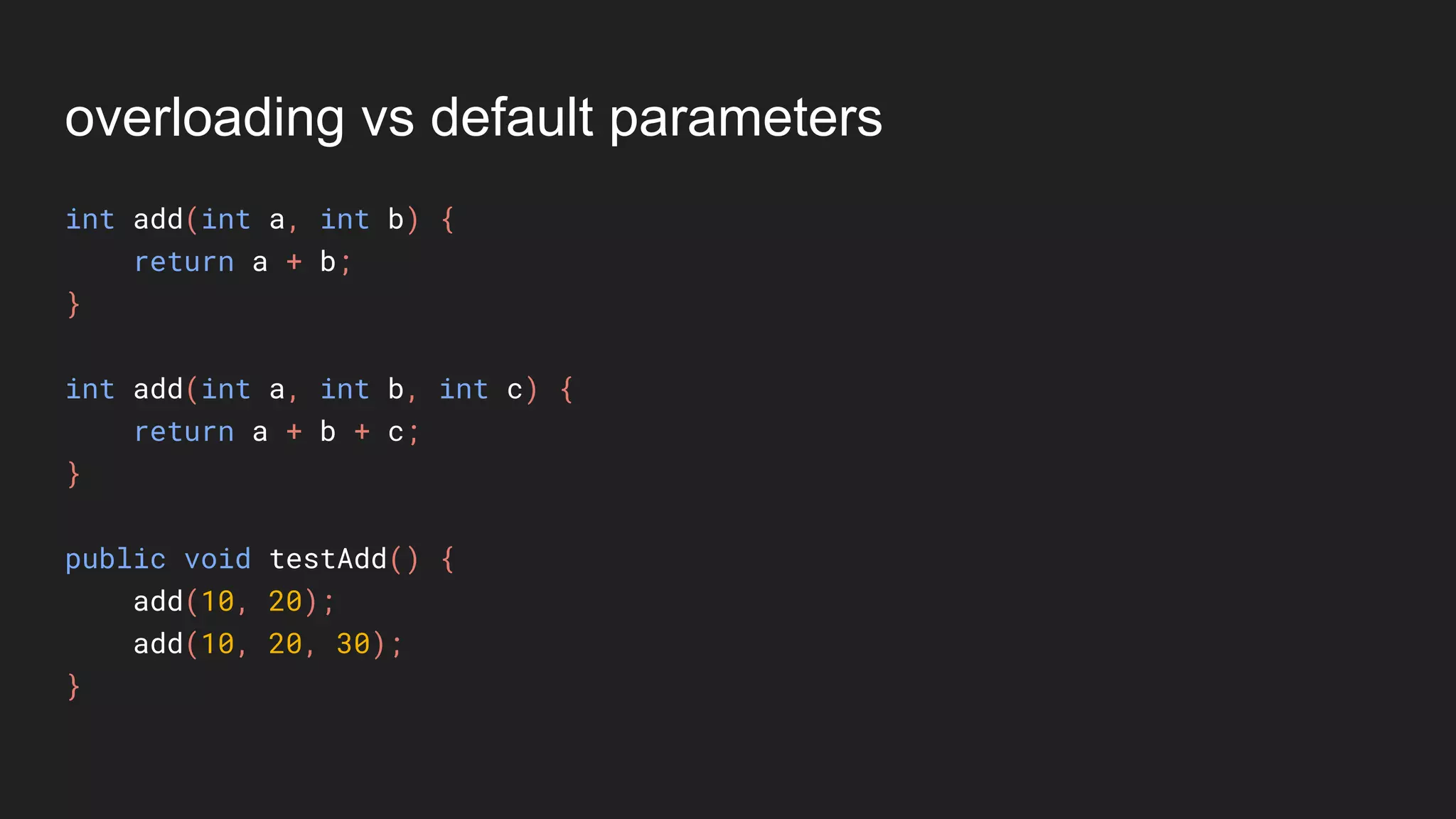
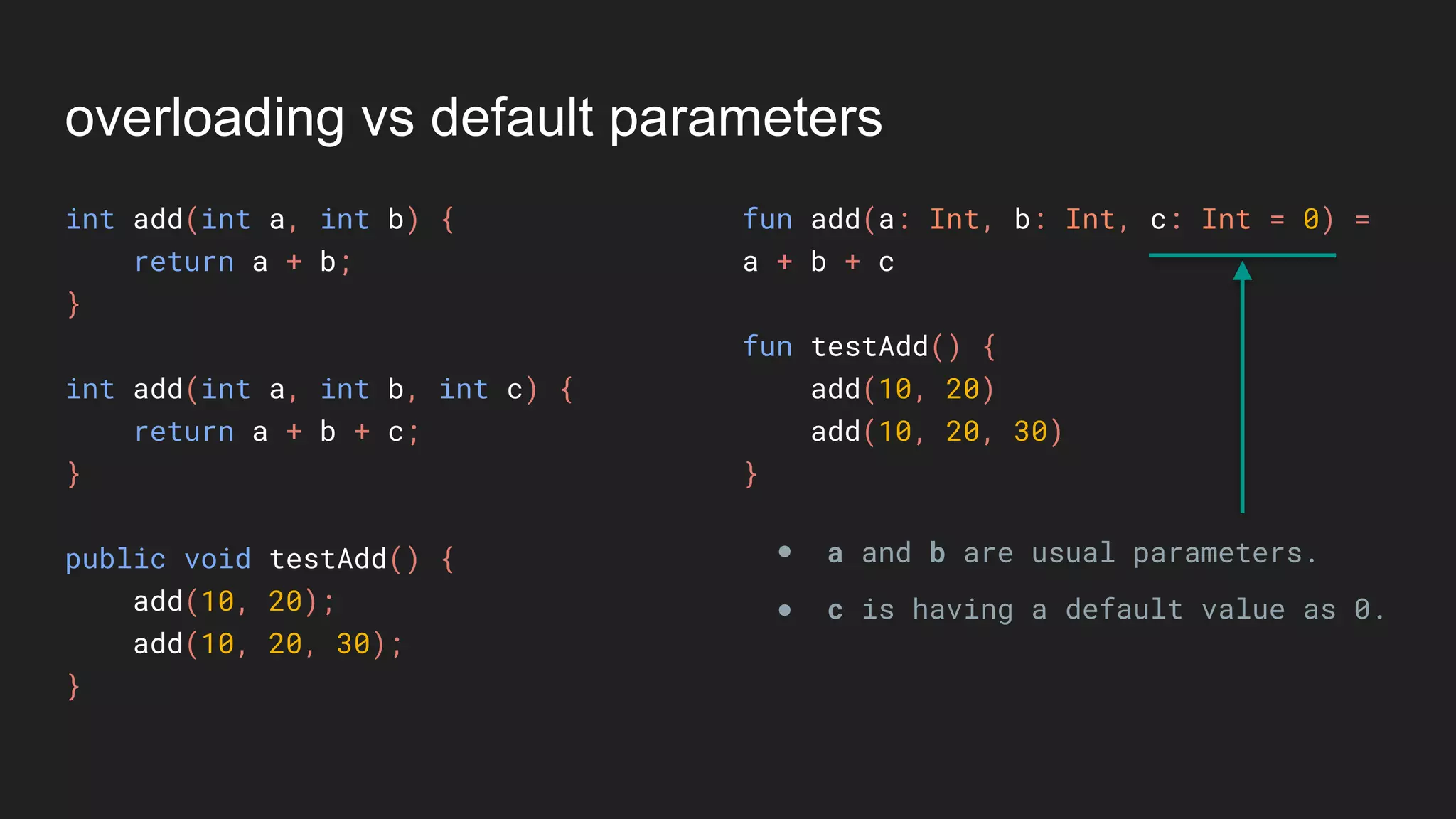
overloading vs default parameters
int add(int a, int b) {
return a + b;
}
int add(int a, int b, int c) {
return a + b + c;
}
public void testAdd() {
add(10, 20);
add(10, 20, 30);
}
overloading vs default parameters
int add(int a, int b) {
return a + b;
}
int add(int a, int b, int c) {
return a + b + c;
}
public void testAdd() {
add(10, 20);
add(10, 20, 30);
}
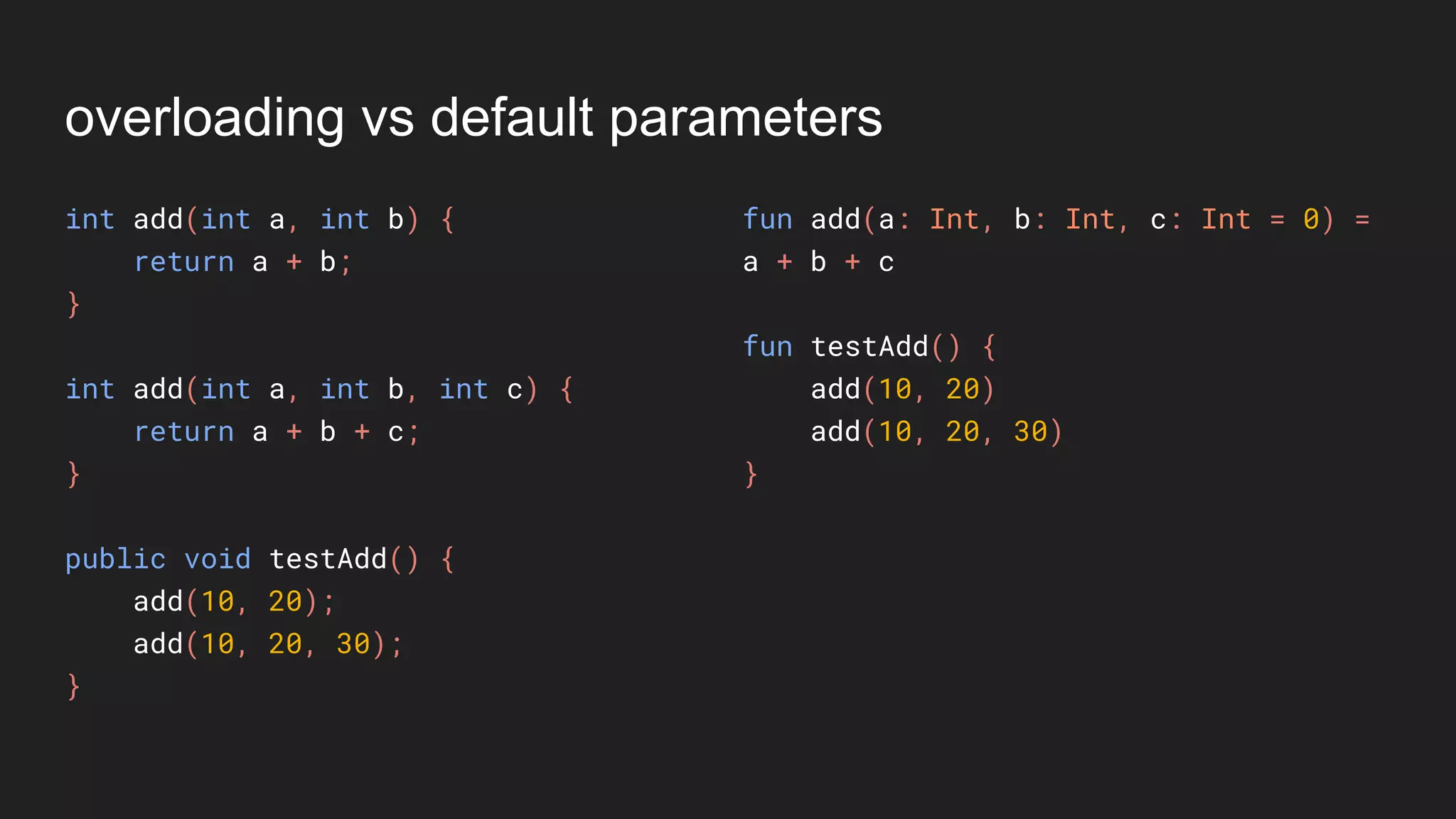
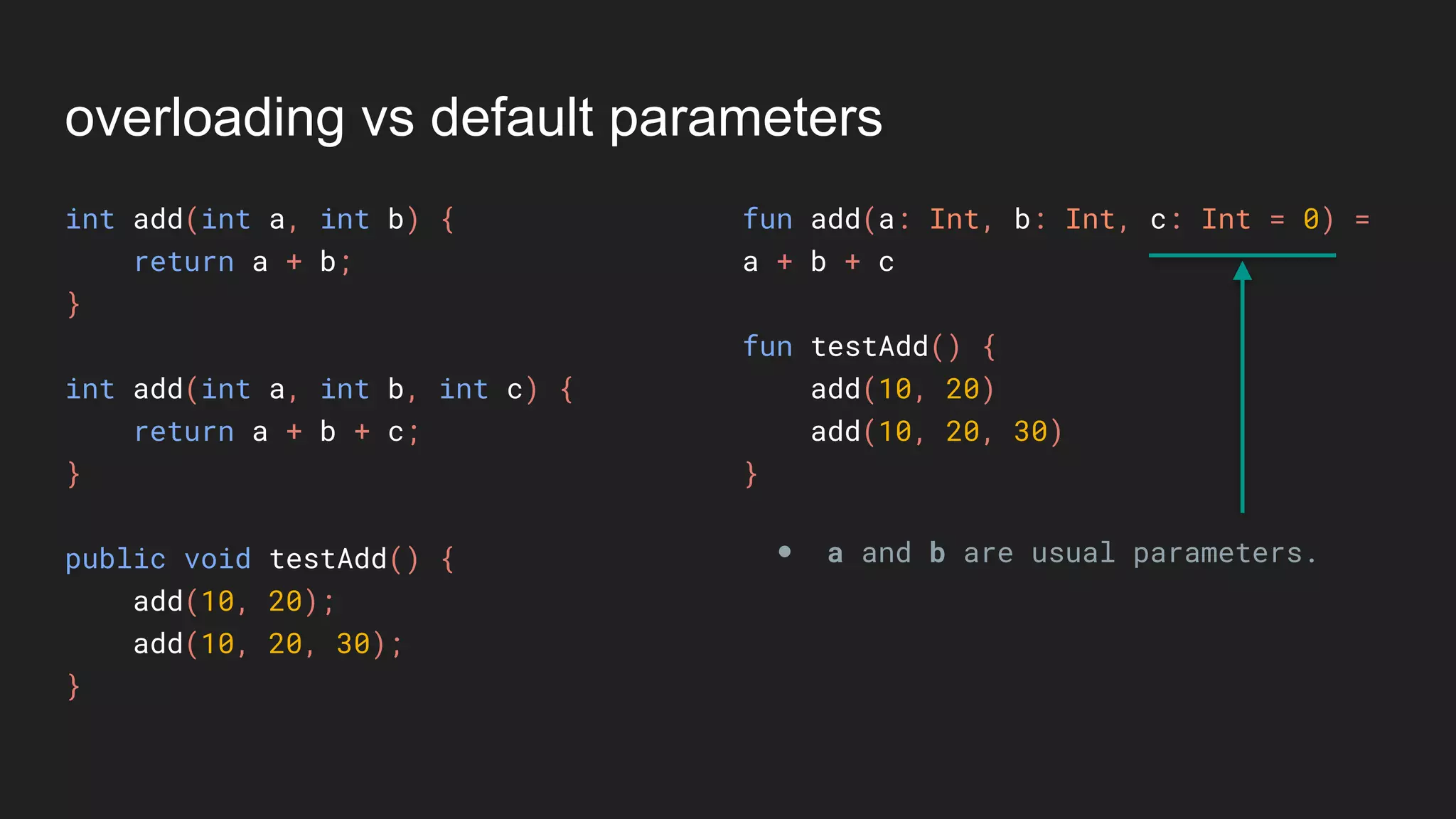
fun add(a: Int, b: Int, c: Int = 0) =
a + b + c
fun testAdd() {
add(10, 20)
add(10, 20, 30)
}
overloading vs default parameters
int add(int a, int b) {
return a + b;
}
int add(int a, int b, int c) {
return a + b + c;
}
public void testAdd() {
add(10, 20);
add(10, 20, 30);
}
fun add(a: Int, b: Int, c: Int = 0) =
a + b + c
fun testAdd() {
add(10, 20)
add(10, 20, 30)
}
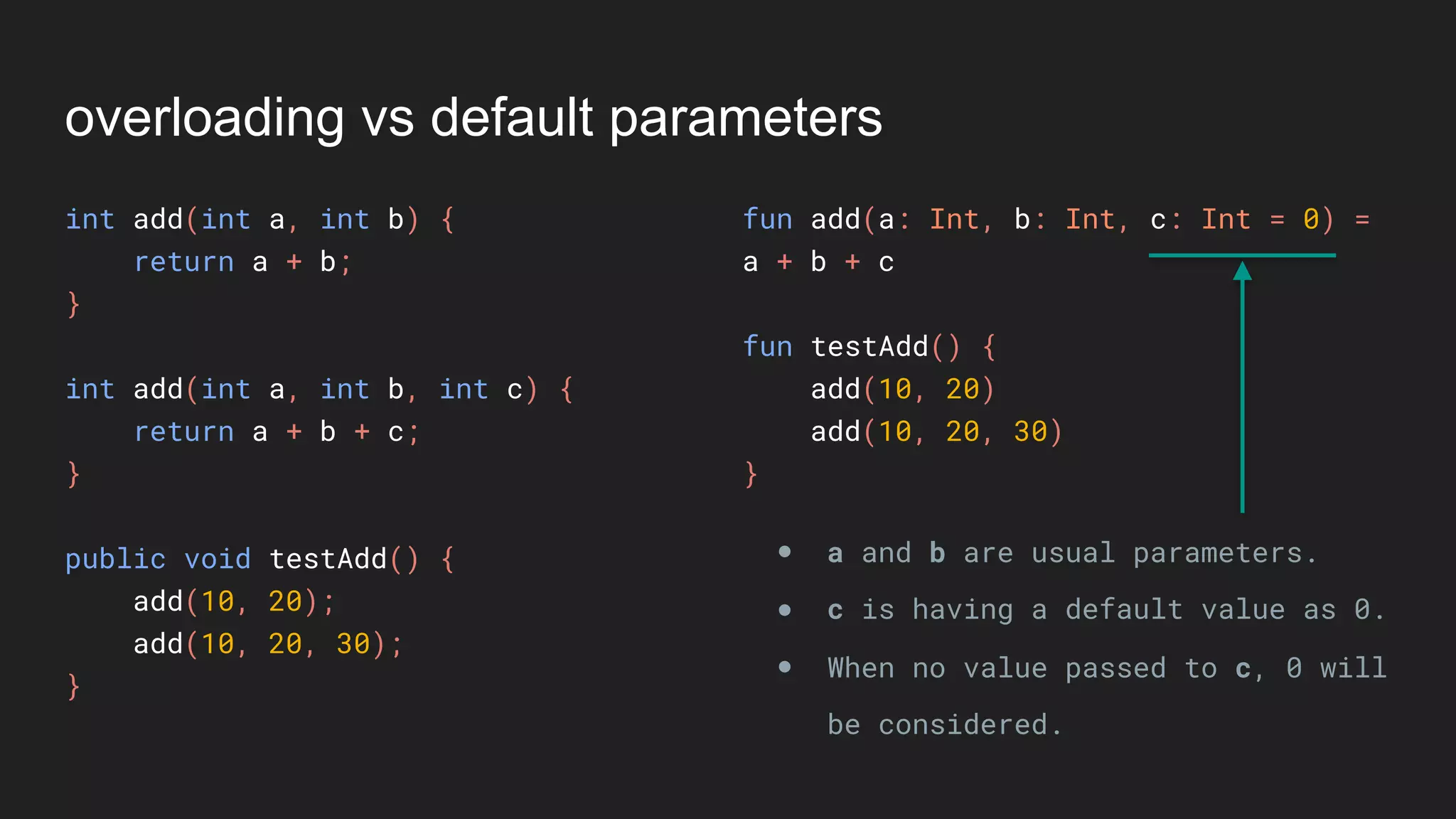
● a and b are usual parameters.
overloading vs default parameters
int add(int a, int b) {
return a + b;
}
int add(int a, int b, int c) {
return a + b + c;
}
public void testAdd() {
add(10, 20);
add(10, 20, 30);
}
fun add(a: Int, b: Int, c: Int = 0) =
a + b + c
fun testAdd() {
add(10, 20)
add(10, 20, 30)
}
● a and b are usual parameters.
● c is having a default value as 0.
overloading vs default parameters
int add(int a, int b) {
return a + b;
}
int add(int a, int b, int c) {
return a + b + c;
}
public void testAdd() {
add(10, 20);
add(10, 20, 30);
}
fun add(a: Int, b: Int, c: Int = 0) =
a + b + c
fun testAdd() {
add(10, 20)
add(10, 20, 30)
}
● a and b are usual parameters.
● c is having a default value as 0.
● When no value passed to c, 0 will
be considered.
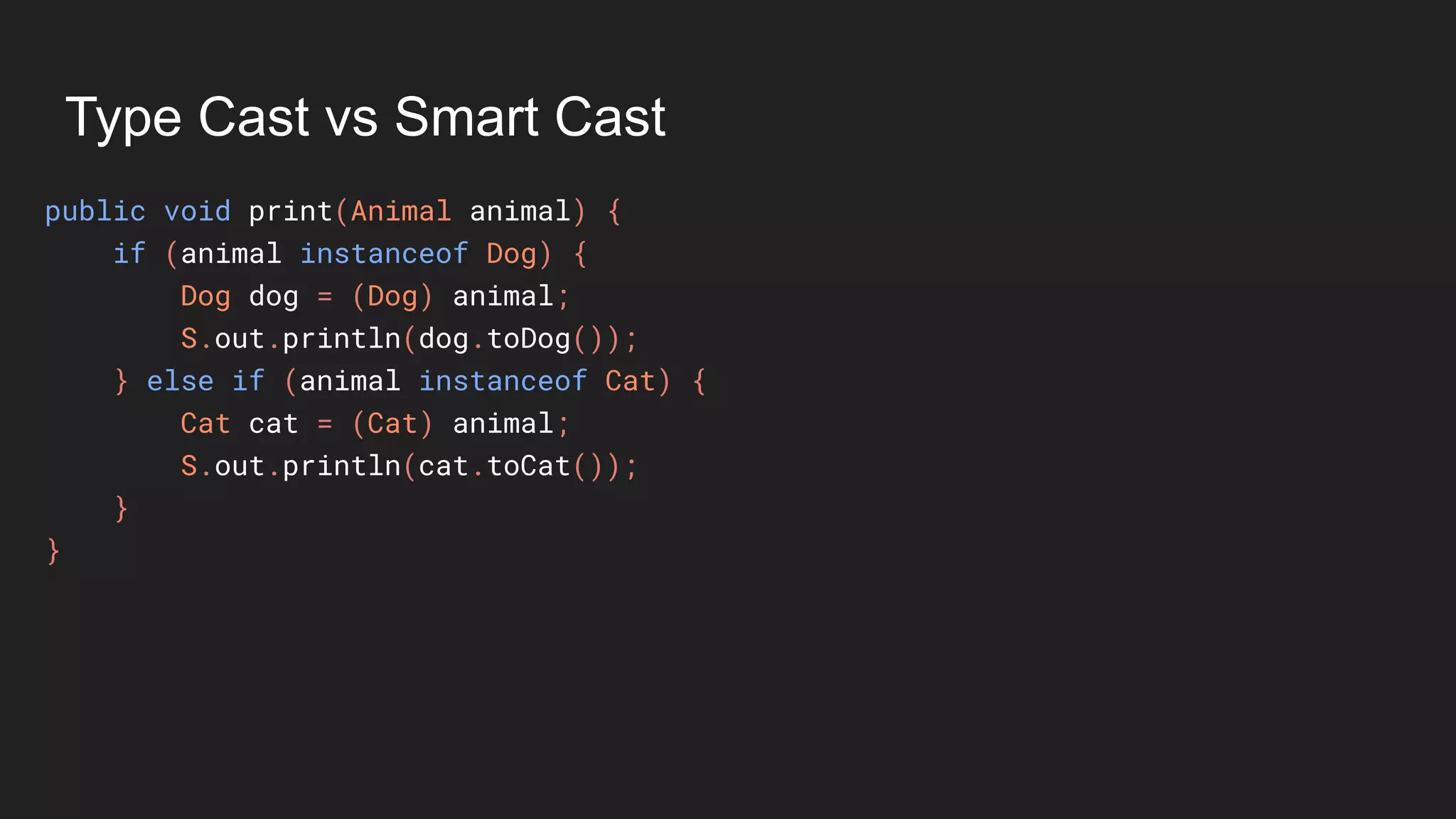
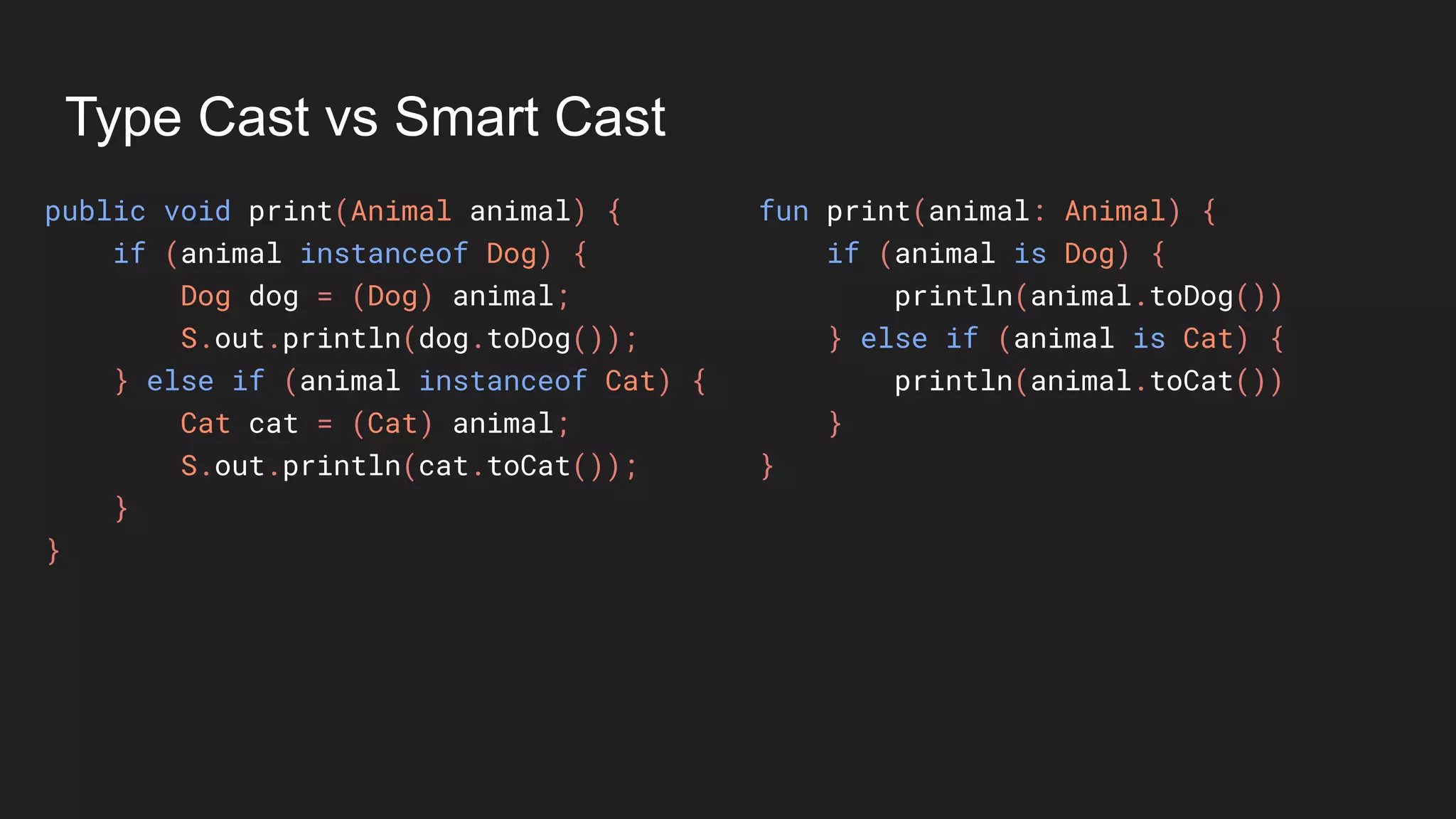
Type Cast vs Smart Cast
public void print(Animal animal) {
if (animal instanceof Dog) {
Dog dog = (Dog) animal;
S.out.println(dog.toDog());
} else if (animal instanceof Cat) {
Cat cat = (Cat) animal;
S.out.println(cat.toCat());
}
}
Type Cast vs Smart Cast
public void print(Animal animal) {
if (animal instanceof Dog) {
Dog dog = (Dog) animal;
S.out.println(dog.toDog());
} else if (animal instanceof Cat) {
Cat cat = (Cat) animal;
S.out.println(cat.toCat());
}
}
fun print(animal: Animal) {
if (animal is Dog) {
println(animal.toDog())
} else if (animal is Cat) {
println(animal.toCat())
}
}
Type Cast vs Smart Cast
public void print(Animal animal) {
if (animal instanceof Dog) {
Dog dog = (Dog) animal;
S.out.println(dog.toDog());
} else if (animal instanceof Cat) {
Cat cat = (Cat) animal;
S.out.println(cat.toCat());
}
}
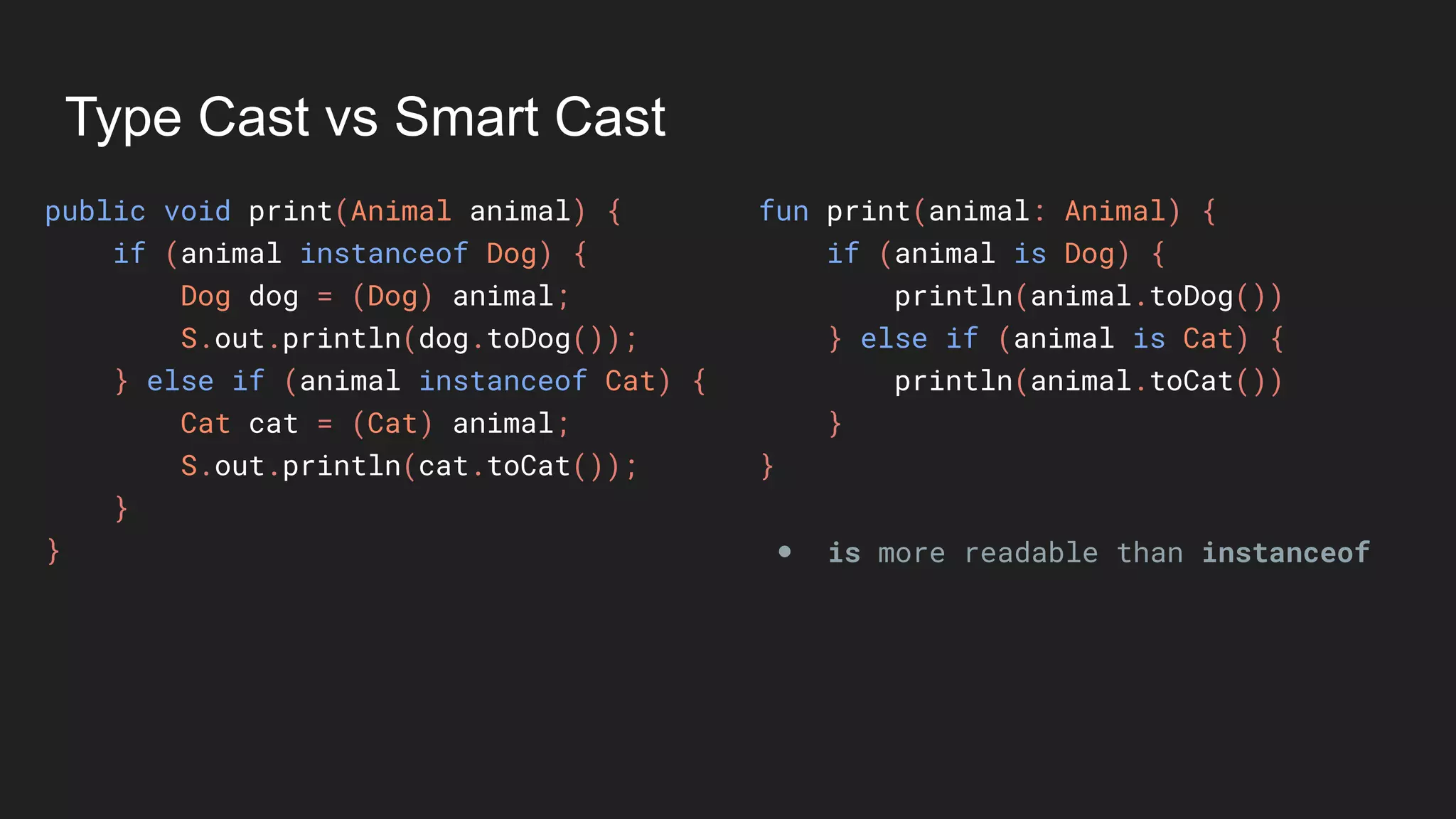
fun print(animal: Animal) {
if (animal is Dog) {
println(animal.toDog())
} else if (animal is Cat) {
println(animal.toCat())
}
}
● is more readable than instanceof
Type Cast vs Smart Cast
public void print(Animal animal) {
if (animal instanceof Dog) {
Dog dog = (Dog) animal;
S.out.println(dog.toDog());
} else if (animal instanceof Cat) {
Cat cat = (Cat) animal;
S.out.println(cat.toCat());
}
}
fun print(animal: Animal) {
if (animal is Dog) {
println(animal.toDog())
} else if (animal is Cat) {
println(animal.toCat())
}
}
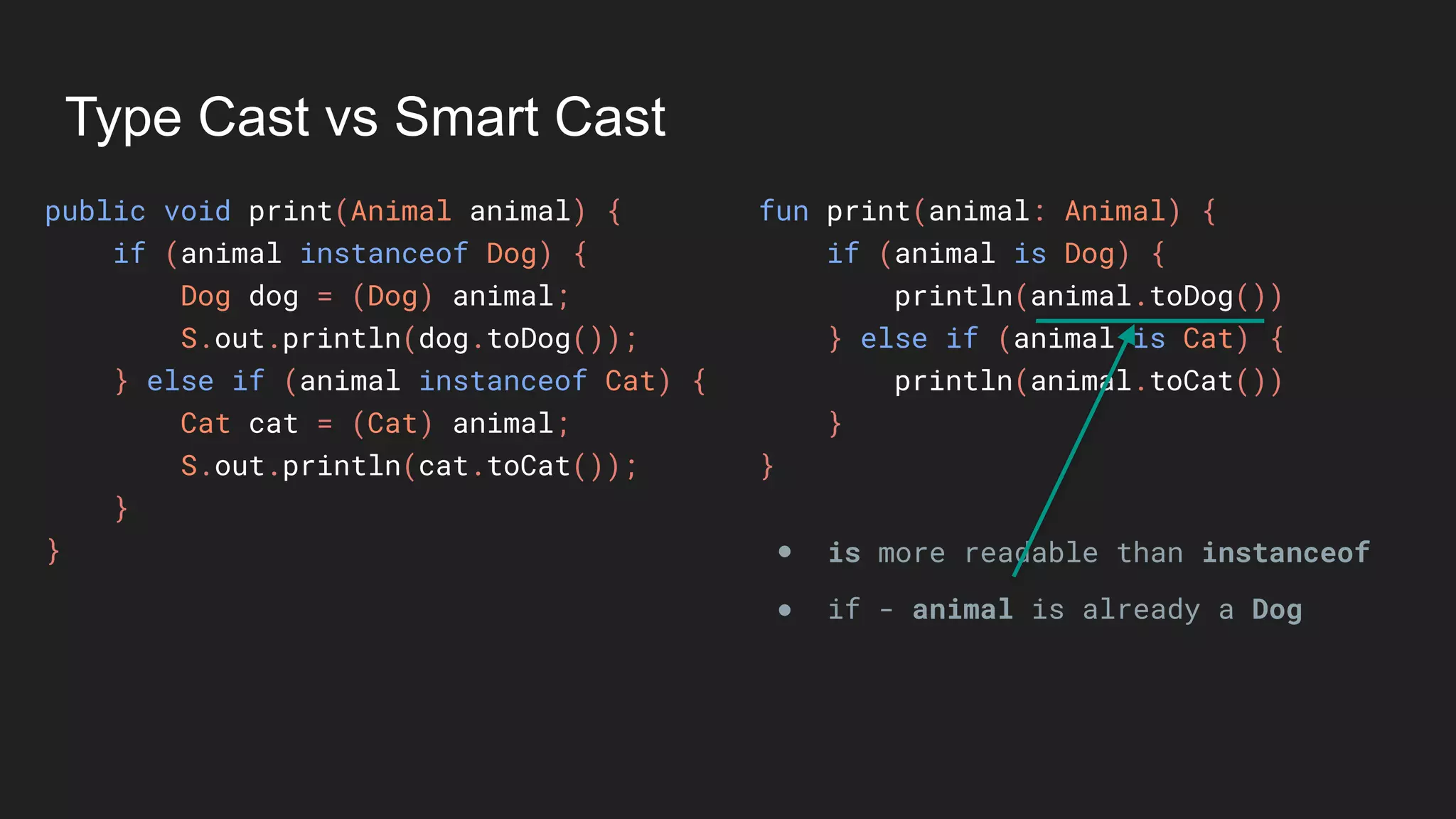
● is more readable than instanceof
● if - animal is already a Dog
Type Cast vs Smart Cast
public void print(Animal animal) {
if (animal instanceof Dog) {
Dog dog = (Dog) animal;
S.out.println(dog.toDog());
} else if (animal instanceof Cat) {
Cat cat = (Cat) animal;
S.out.println(cat.toCat());
}
}
fun print(animal: Animal) {
if (animal is Dog) {
println(animal.toDog())
} else if (animal is Cat) {
println(animal.toCat())
}
}
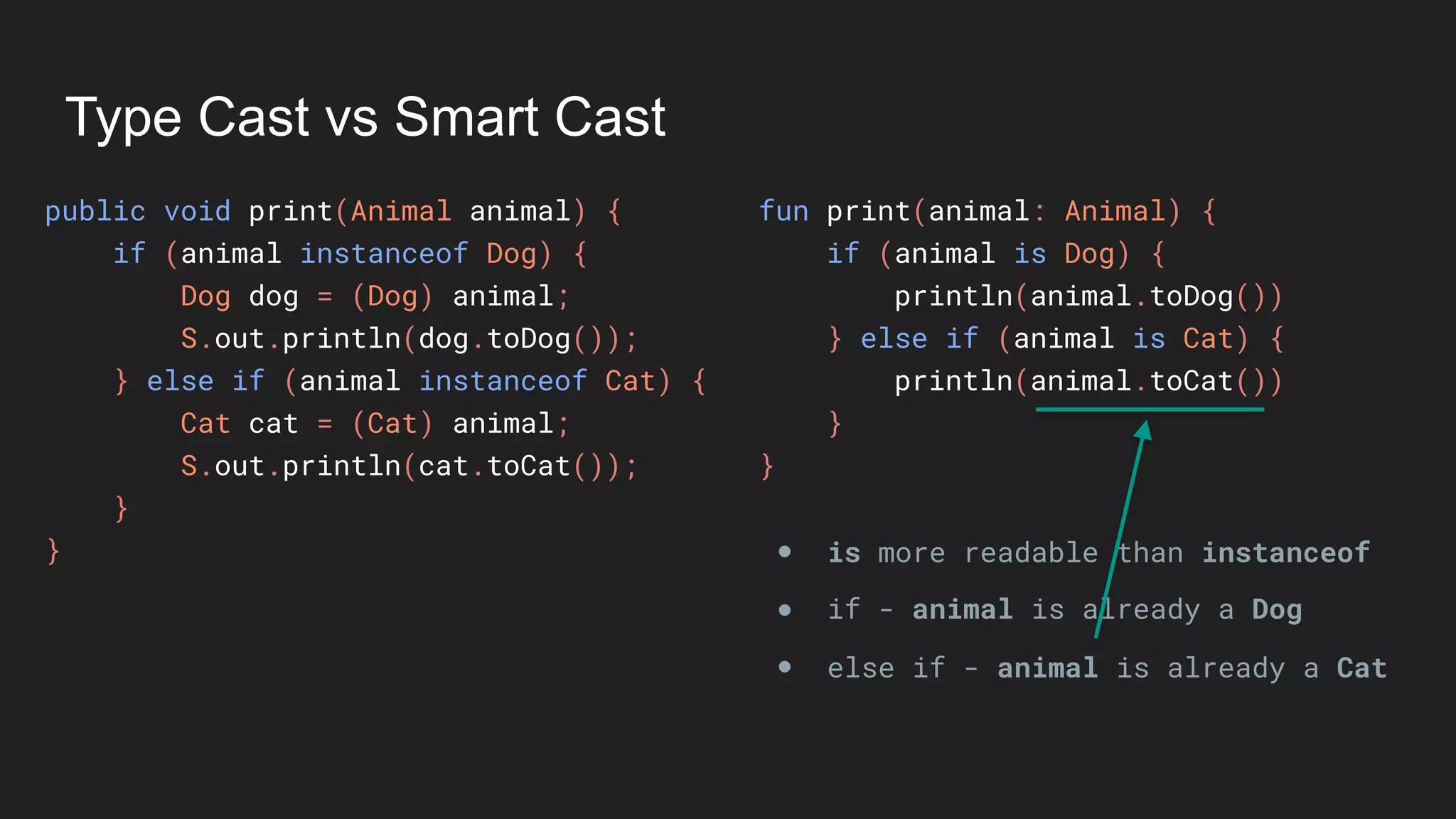
● is more readable than instanceof
● if - animal is already a Dog
● else if - animal is already a Cat
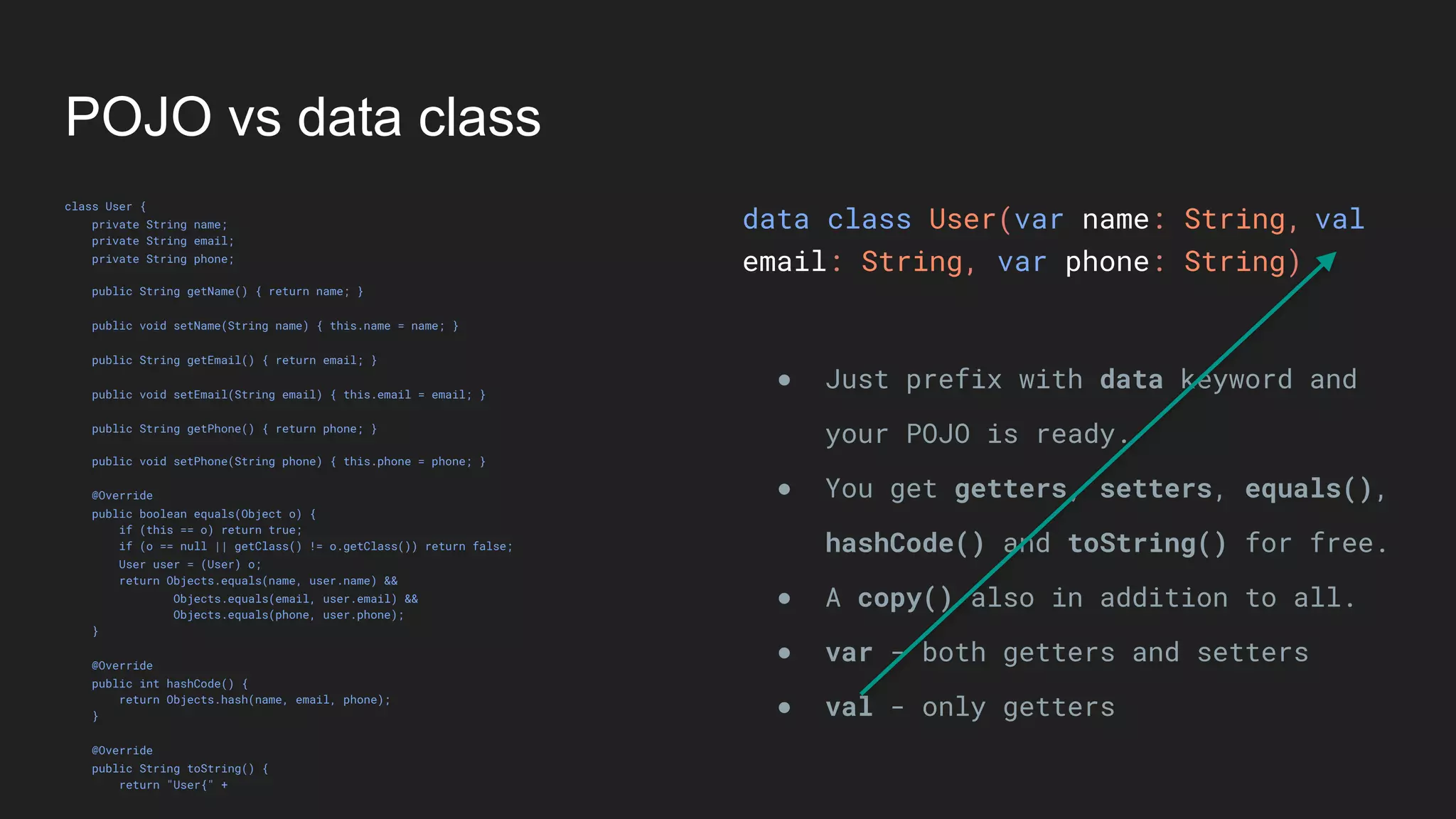
POJO vs data class
POJO vs data class
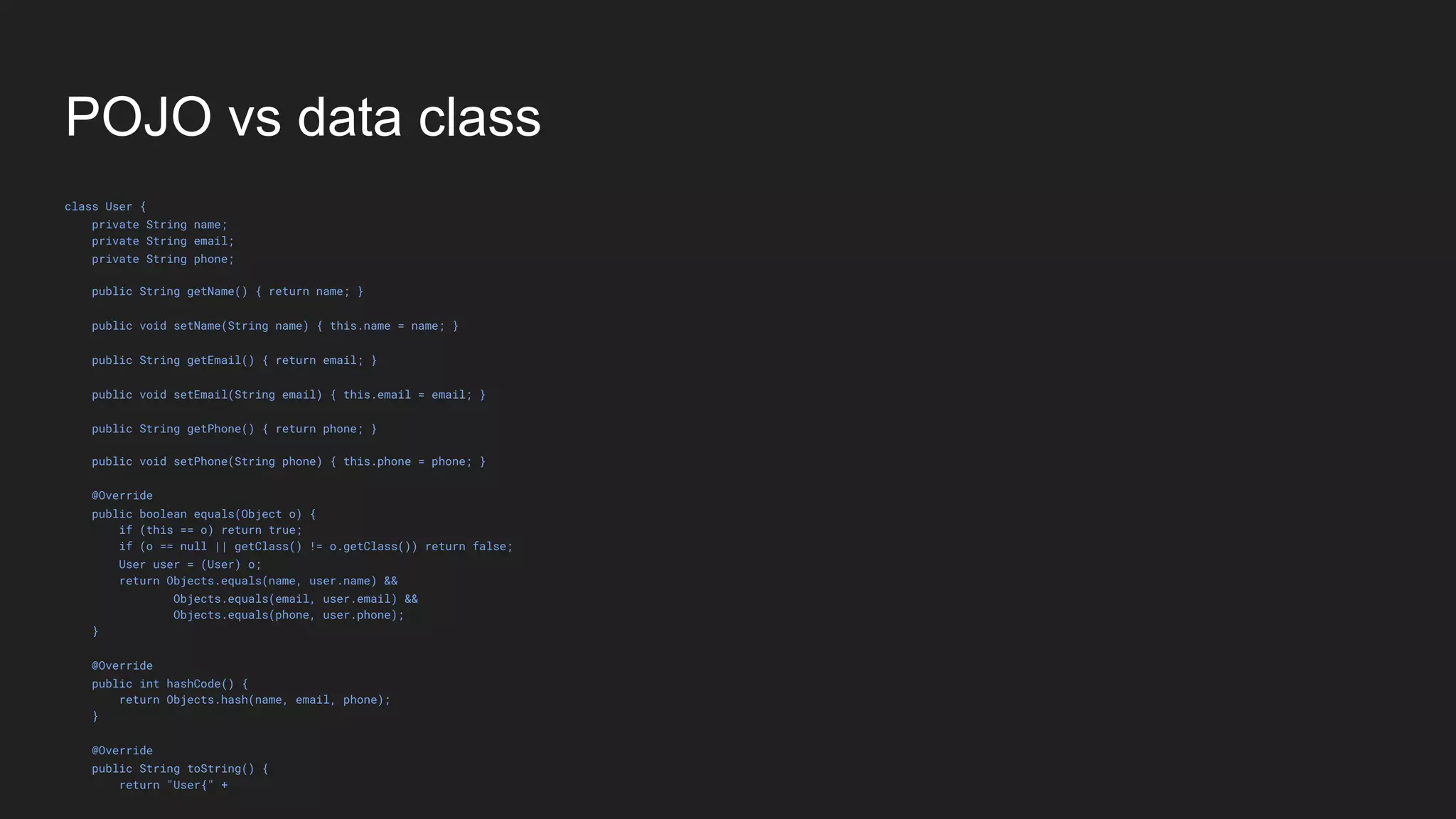
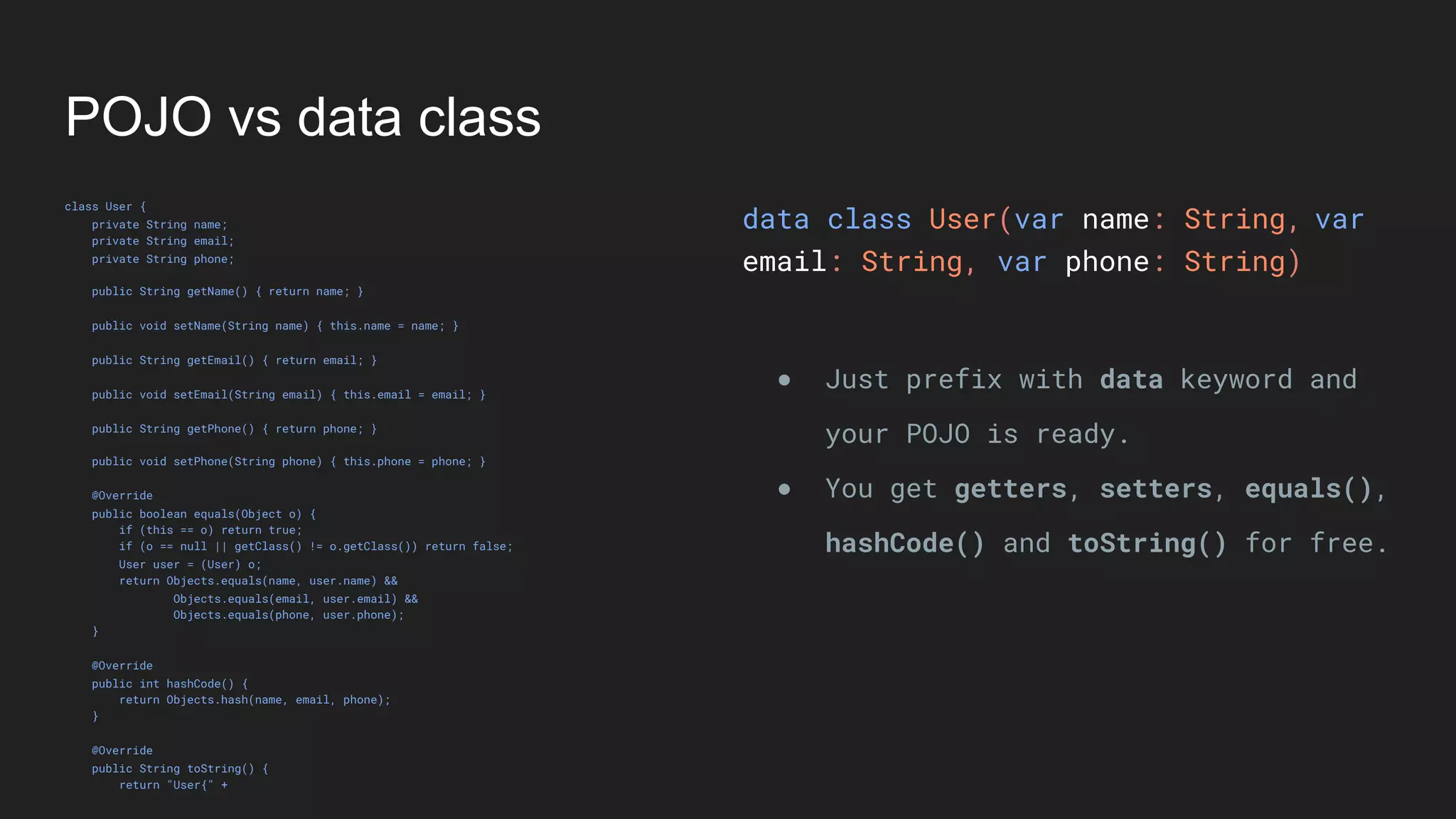
class User {
private String name;
private String email;
private String phone;
public String getName() { return name; }
public void setName(String name) { this.name = name; }
public String getEmail() { return email; }
public void setEmail(String email) { this.email = email; }
public String getPhone() { return phone; }
public void setPhone(String phone) { this.phone = phone; }
@Override
public boolean equals(Object o) {
if (this == o) return true;
if (o == null || getClass() != o.getClass()) return false;
User user = (User) o;
return Objects.equals(name, user.name) &&
Objects.equals(email, user.email) &&
Objects.equals(phone, user.phone);
}
@Override
public int hashCode() {
return Objects.hash(name, email, phone);
}
@Override
public String toString() {
return "User{" +
POJO vs data class
class User {
private String name;
private String email;
private String phone;
public String getName() { return name; }
public void setName(String name) { this.name = name; }
public String getEmail() { return email; }
public void setEmail(String email) { this.email = email; }
public String getPhone() { return phone; }
public void setPhone(String phone) { this.phone = phone; }
@Override
public boolean equals(Object o) {
if (this == o) return true;
if (o == null || getClass() != o.getClass()) return false;
User user = (User) o;
return Objects.equals(name, user.name) &&
Objects.equals(email, user.email) &&
Objects.equals(phone, user.phone);
}
@Override
public int hashCode() {
return Objects.hash(name, email, phone);
}
@Override
public String toString() {
return "User{" +
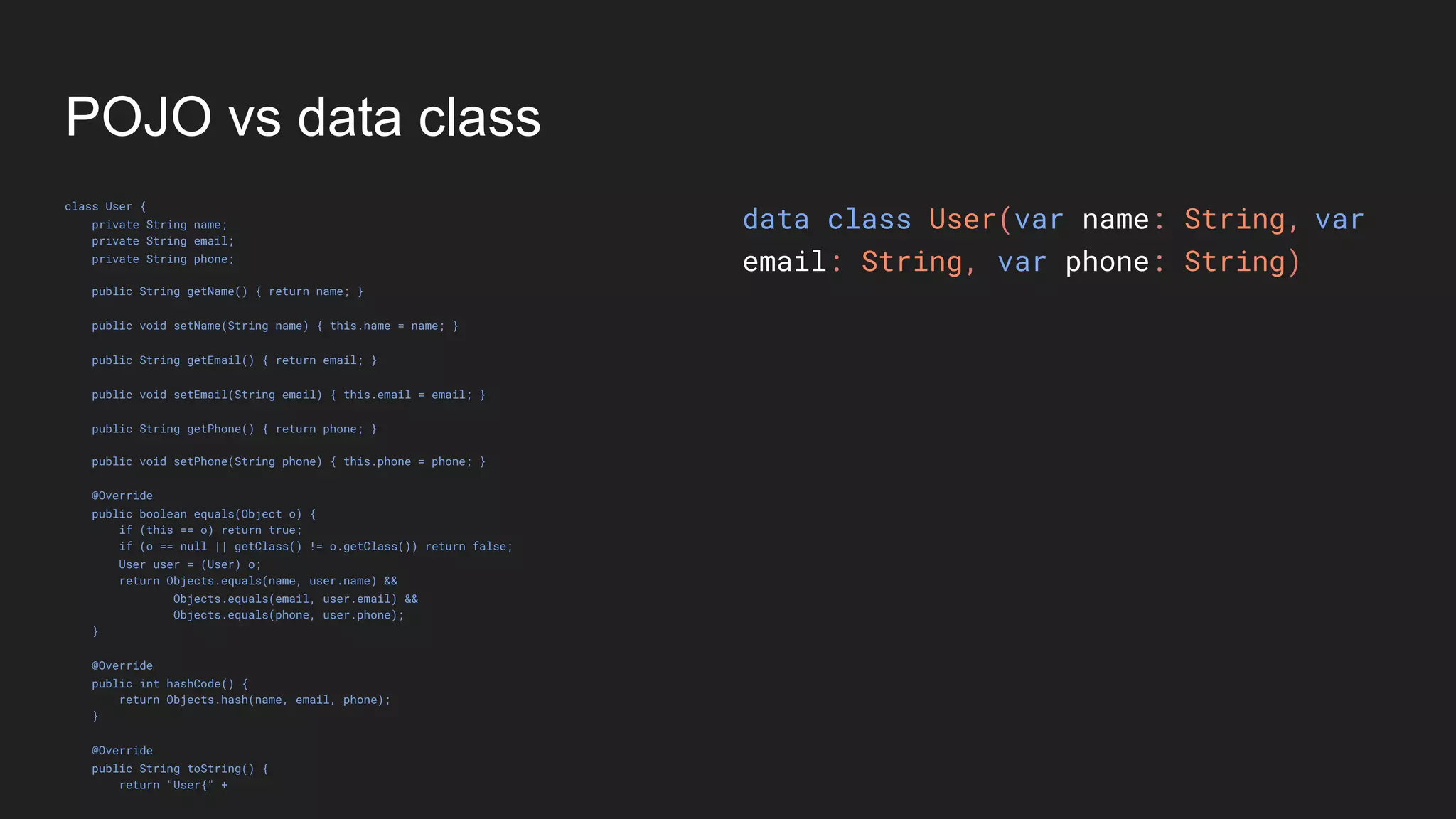
data class User(var name: String,
email: String, var phone: String)
var
POJO vs data class
class User {
private String name;
private String email;
private String phone;
public String getName() { return name; }
public void setName(String name) { this.name = name; }
public String getEmail() { return email; }
public void setEmail(String email) { this.email = email; }
public String getPhone() { return phone; }
public void setPhone(String phone) { this.phone = phone; }
@Override
public boolean equals(Object o) {
if (this == o) return true;
if (o == null || getClass() != o.getClass()) return false;
User user = (User) o;
return Objects.equals(name, user.name) &&
Objects.equals(email, user.email) &&
Objects.equals(phone, user.phone);
}
@Override
public int hashCode() {
return Objects.hash(name, email, phone);
}
@Override
public String toString() {
return "User{" +
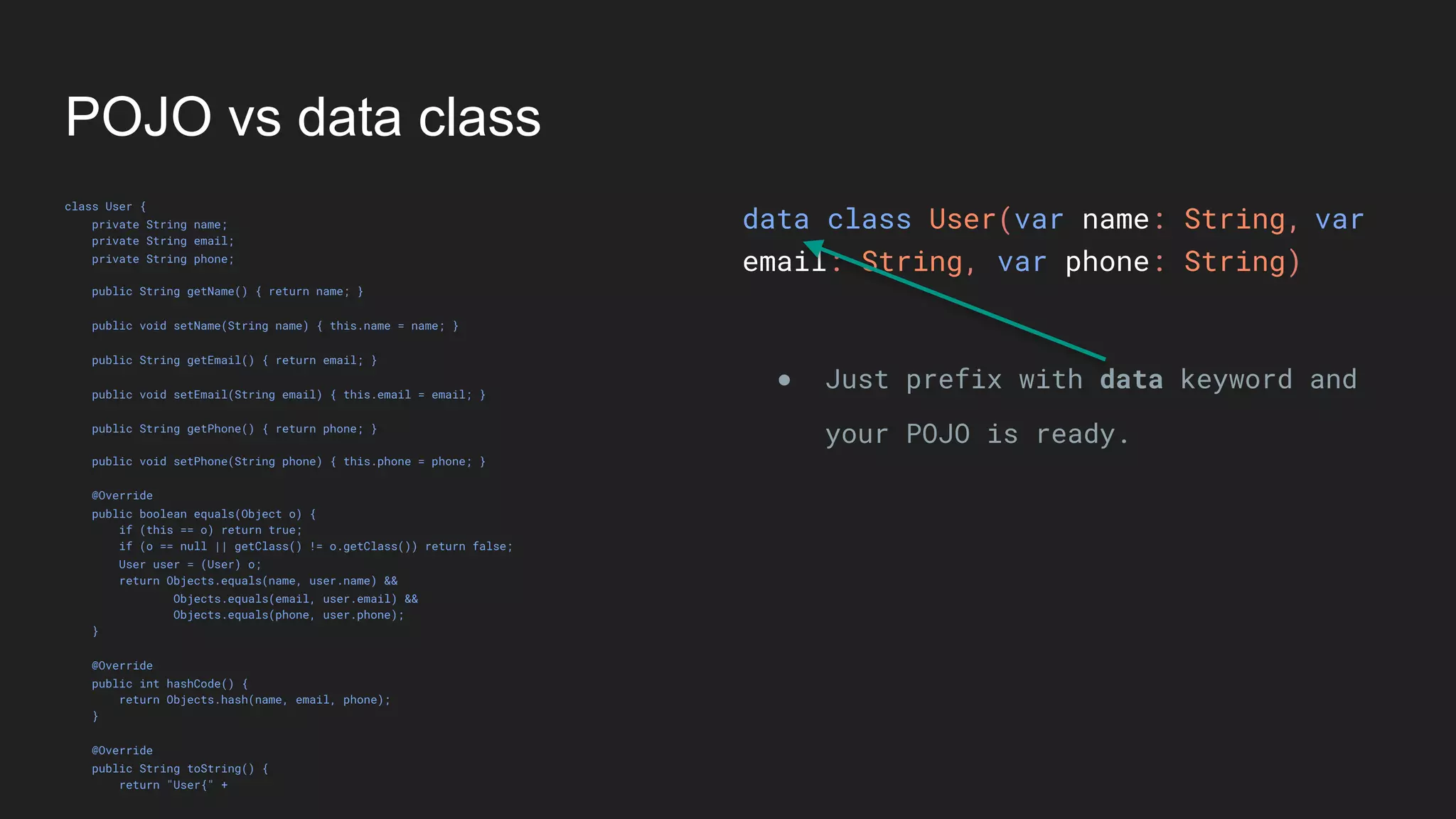
data class User(var name: String,
email: String, var phone: String)
● Just prefix with data keyword and
your POJO is ready.
var
POJO vs data class
class User {
private String name;
private String email;
private String phone;
public String getName() { return name; }
public void setName(String name) { this.name = name; }
public String getEmail() { return email; }
public void setEmail(String email) { this.email = email; }
public String getPhone() { return phone; }
public void setPhone(String phone) { this.phone = phone; }
@Override
public boolean equals(Object o) {
if (this == o) return true;
if (o == null || getClass() != o.getClass()) return false;
User user = (User) o;
return Objects.equals(name, user.name) &&
Objects.equals(email, user.email) &&
Objects.equals(phone, user.phone);
}
@Override
public int hashCode() {
return Objects.hash(name, email, phone);
}
@Override
public String toString() {
return "User{" +
data class User(var name: String,
email: String, var phone: String)
● Just prefix with data keyword and
your POJO is ready.
var
POJO vs data class
class User {
private String name;
private String email;
private String phone;
public String getName() { return name; }
public void setName(String name) { this.name = name; }
public String getEmail() { return email; }
public void setEmail(String email) { this.email = email; }
public String getPhone() { return phone; }
public void setPhone(String phone) { this.phone = phone; }
@Override
public boolean equals(Object o) {
if (this == o) return true;
if (o == null || getClass() != o.getClass()) return false;
User user = (User) o;
return Objects.equals(name, user.name) &&
Objects.equals(email, user.email) &&
Objects.equals(phone, user.phone);
}
@Override
public int hashCode() {
return Objects.hash(name, email, phone);
}
@Override
public String toString() {
return "User{" +
data class User(var name: String,
email: String, var phone: String)
● Just prefix with data keyword and
your POJO is ready.
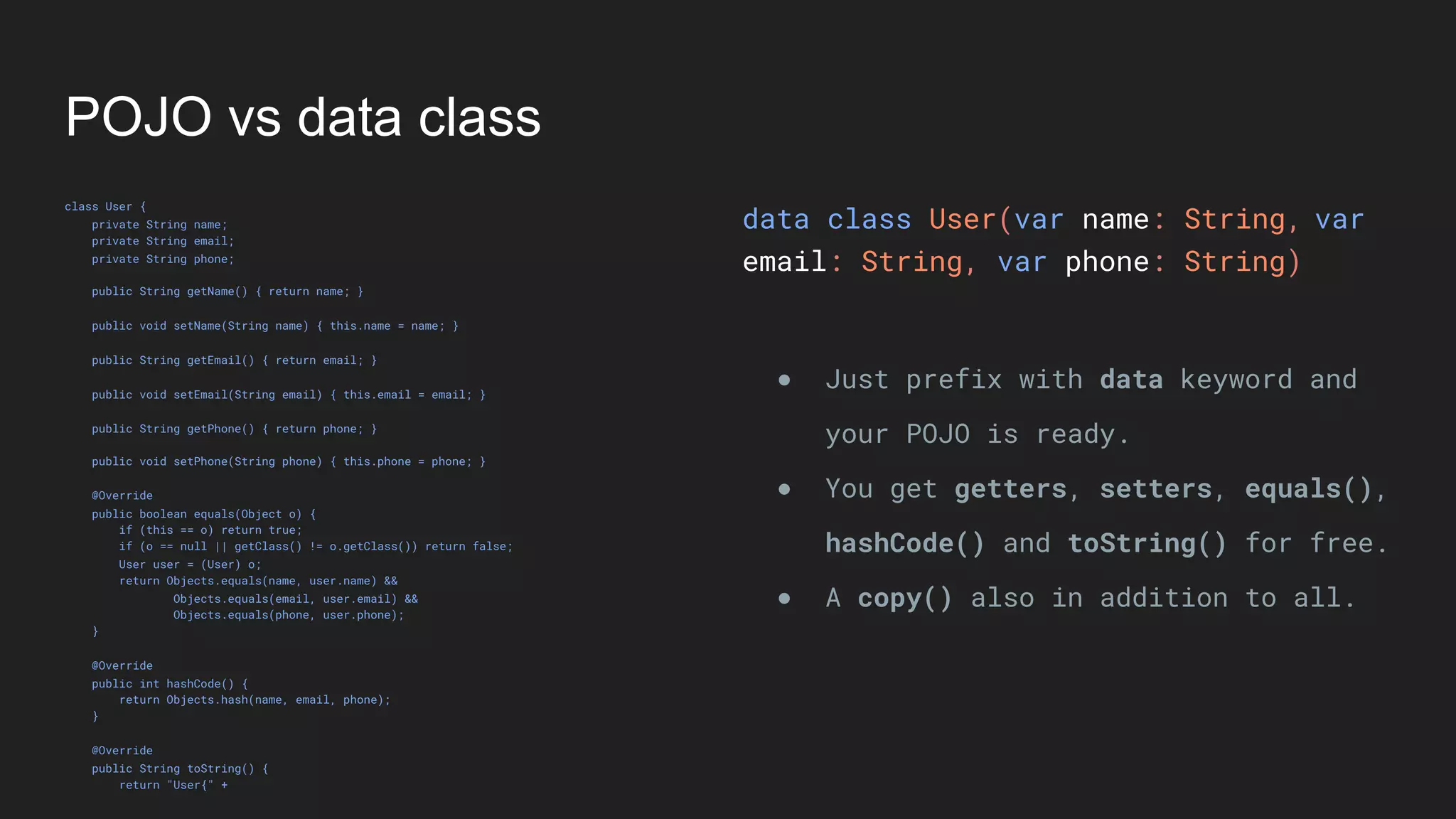
● You get getters, setters, equals(),
hashCode() and toString() for free.
var
POJO vs data class
class User {
private String name;
private String email;
private String phone;
public String getName() { return name; }
public void setName(String name) { this.name = name; }
public String getEmail() { return email; }
public void setEmail(String email) { this.email = email; }
public String getPhone() { return phone; }
public void setPhone(String phone) { this.phone = phone; }
@Override
public boolean equals(Object o) {
if (this == o) return true;
if (o == null || getClass() != o.getClass()) return false;
User user = (User) o;
return Objects.equals(name, user.name) &&
Objects.equals(email, user.email) &&
Objects.equals(phone, user.phone);
}
@Override
public int hashCode() {
return Objects.hash(name, email, phone);
}
@Override
public String toString() {
return "User{" +
data class User(var name: String,
email: String, var phone: String)
● Just prefix with data keyword and
your POJO is ready.
● You get getters, setters, equals(),
hashCode() and toString() for free.
● A copy() also in addition to all.
var
POJO vs data class
class User {
private String name;
private String email;
private String phone;
public String getName() { return name; }
public void setName(String name) { this.name = name; }
public String getEmail() { return email; }
public void setEmail(String email) { this.email = email; }
public String getPhone() { return phone; }
public void setPhone(String phone) { this.phone = phone; }
@Override
public boolean equals(Object o) {
if (this == o) return true;
if (o == null || getClass() != o.getClass()) return false;
User user = (User) o;
return Objects.equals(name, user.name) &&
Objects.equals(email, user.email) &&
Objects.equals(phone, user.phone);
}
@Override
public int hashCode() {
return Objects.hash(name, email, phone);
}
@Override
public String toString() {
return "User{" +
data class User(var name: String,
email: String, var phone: String)
● Just prefix with data keyword and
your POJO is ready.
● You get getters, setters, equals(),
hashCode() and toString() for free.
● A copy() also in addition to all.
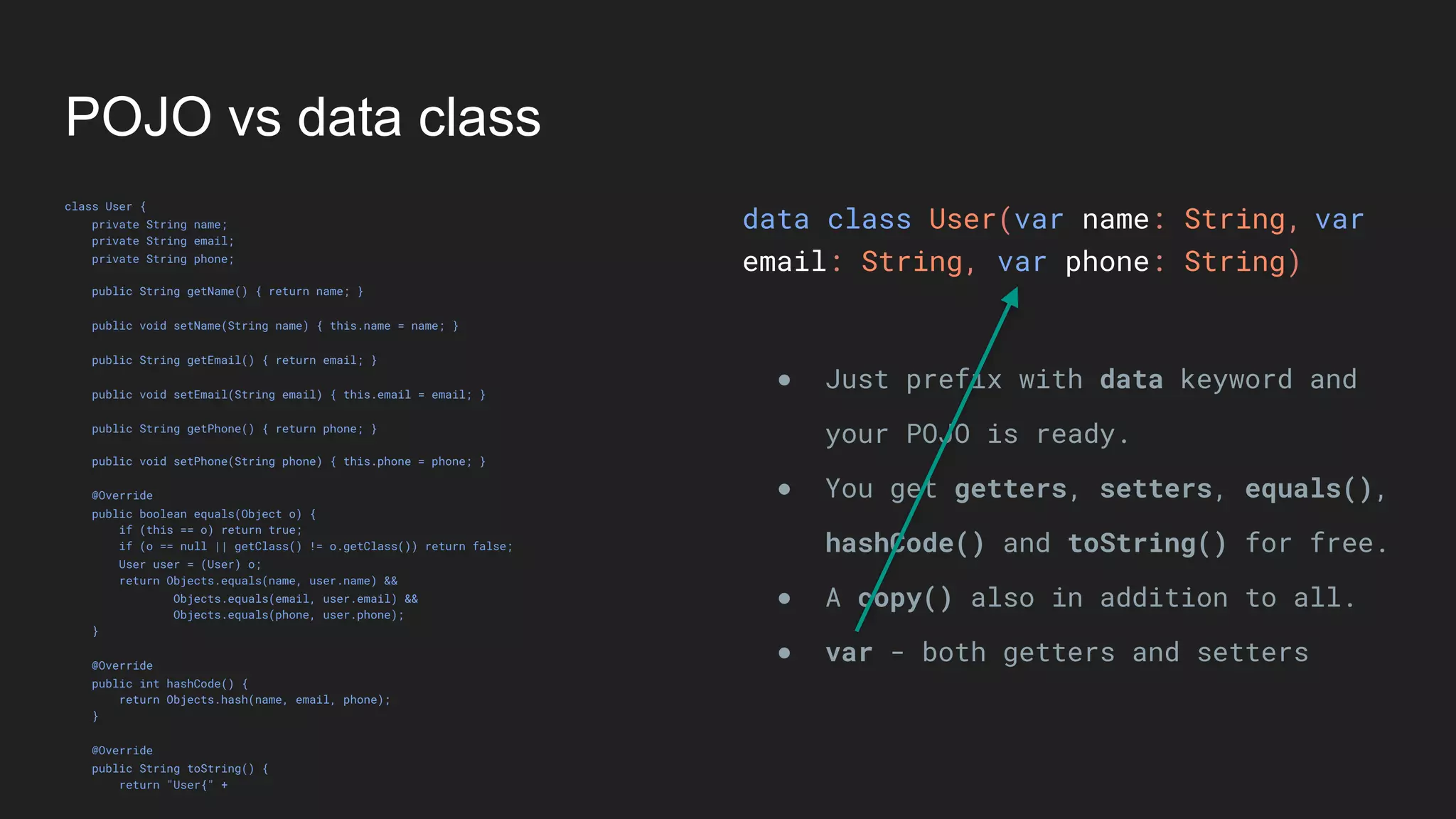
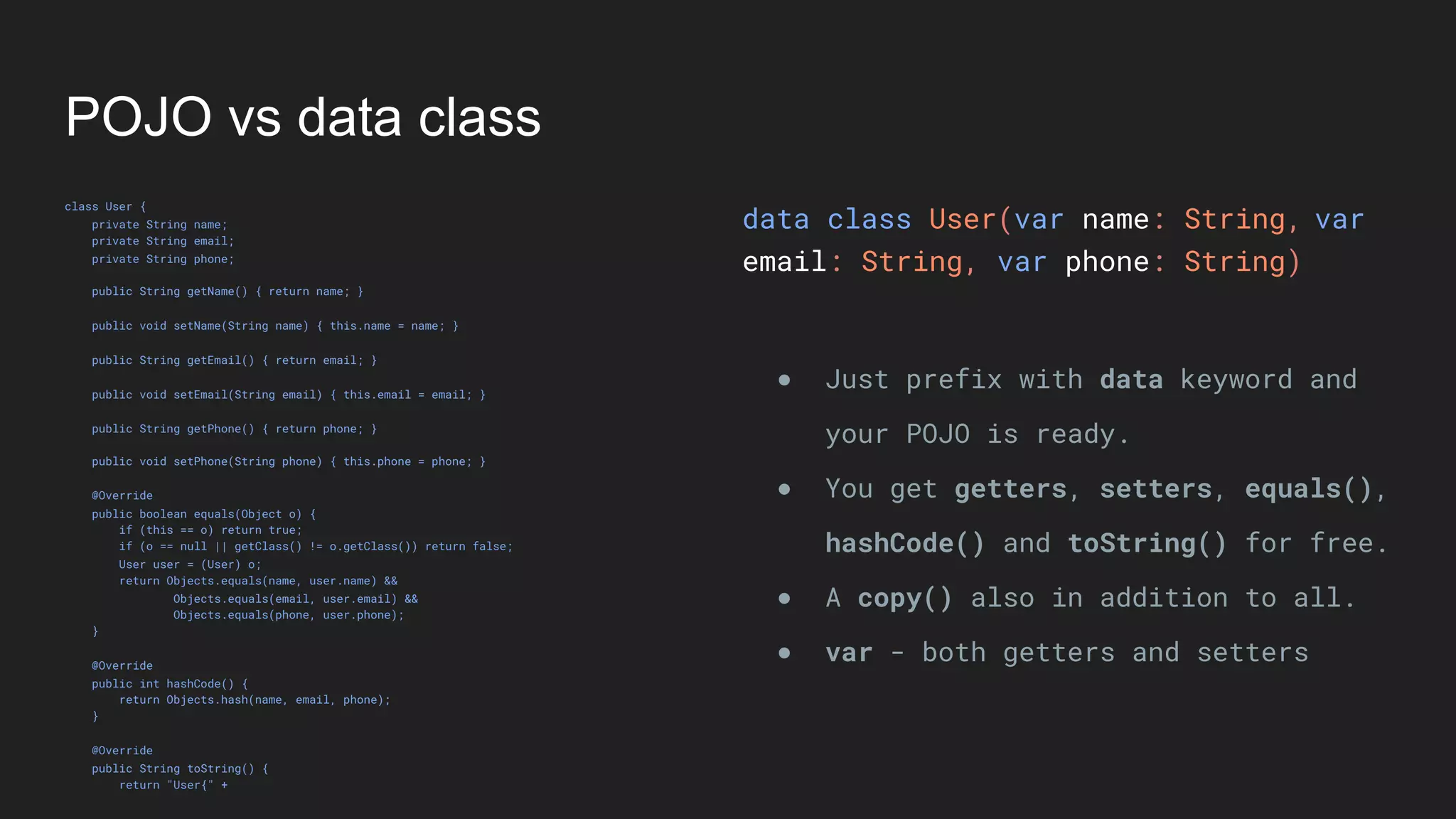
● var - both getters and setters
var
POJO vs data class
class User {
private String name;
private String email;
private String phone;
public String getName() { return name; }
public void setName(String name) { this.name = name; }
public String getEmail() { return email; }
public void setEmail(String email) { this.email = email; }
public String getPhone() { return phone; }
public void setPhone(String phone) { this.phone = phone; }
@Override
public boolean equals(Object o) {
if (this == o) return true;
if (o == null || getClass() != o.getClass()) return false;
User user = (User) o;
return Objects.equals(name, user.name) &&
Objects.equals(email, user.email) &&
Objects.equals(phone, user.phone);
}
@Override
public int hashCode() {
return Objects.hash(name, email, phone);
}
@Override
public String toString() {
return "User{" +
data class User(var name: String,
email: String, var phone: String)
● Just prefix with data keyword and
your POJO is ready.
● You get getters, setters, equals(),
hashCode() and toString() for free.
● A copy() also in addition to all.
● var - both getters and setters
var
POJO vs data class
class User {
private String name;
private String email;
private String phone;
public String getName() { return name; }
public void setName(String name) { this.name = name; }
public String getEmail() { return email; }
public void setEmail(String email) { this.email = email; }
public String getPhone() { return phone; }
public void setPhone(String phone) { this.phone = phone; }
@Override
public boolean equals(Object o) {
if (this == o) return true;
if (o == null || getClass() != o.getClass()) return false;
User user = (User) o;
return Objects.equals(name, user.name) &&
Objects.equals(email, user.email) &&
Objects.equals(phone, user.phone);
}
@Override
public int hashCode() {
return Objects.hash(name, email, phone);
}
@Override
public String toString() {
return "User{" +
data class User(var name: String,
email: String, var phone: String)
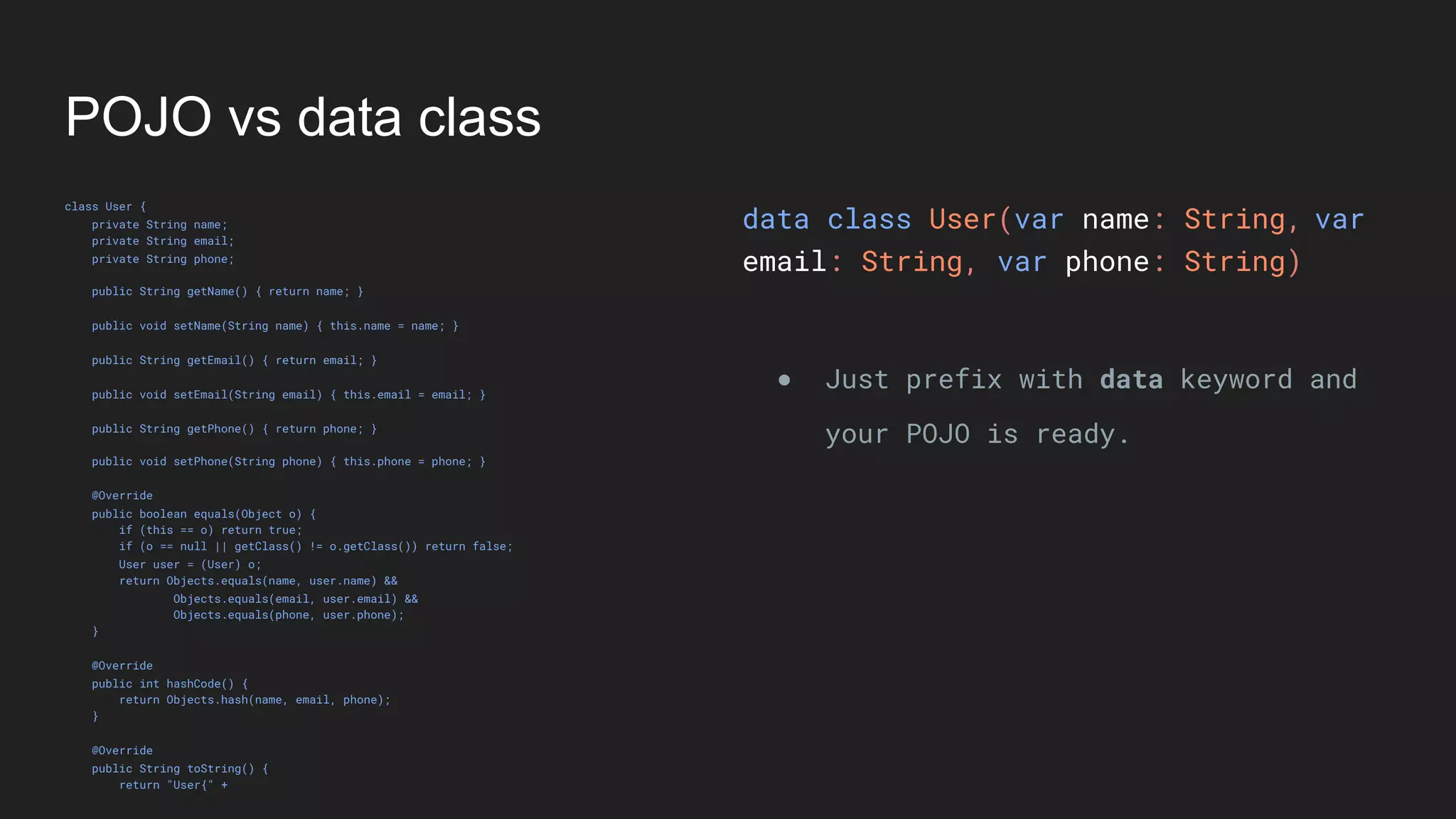
● Just prefix with data keyword and
your POJO is ready.
● You get getters, setters, equals(),
hashCode() and toString() for free.
● A copy() also in addition to all.
● var - both getters and setters
● val - only getters
val
Features of Kotlin
Features that are not present in Java
Type System
Nullable Types
Nullable Types
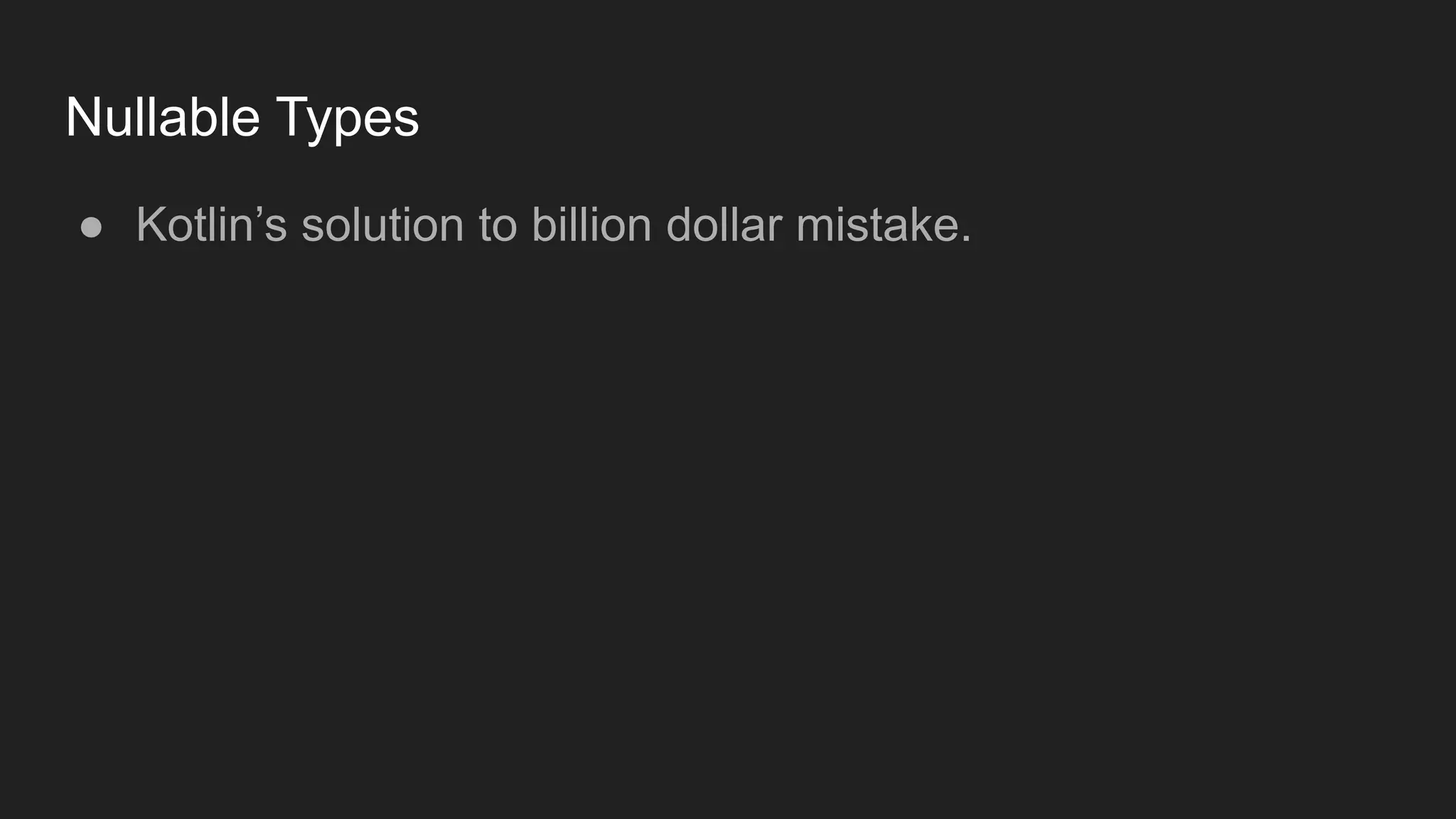
● Kotlin’s solution to billion dollar mistake.
Nullable Types
● Kotlin’s solution to billion dollar mistake.
● By default everything in Kotlin is non-nullable.
Nullable Types
● Kotlin’s solution to billion dollar mistake.
● By default everything in Kotlin is non-nullable.
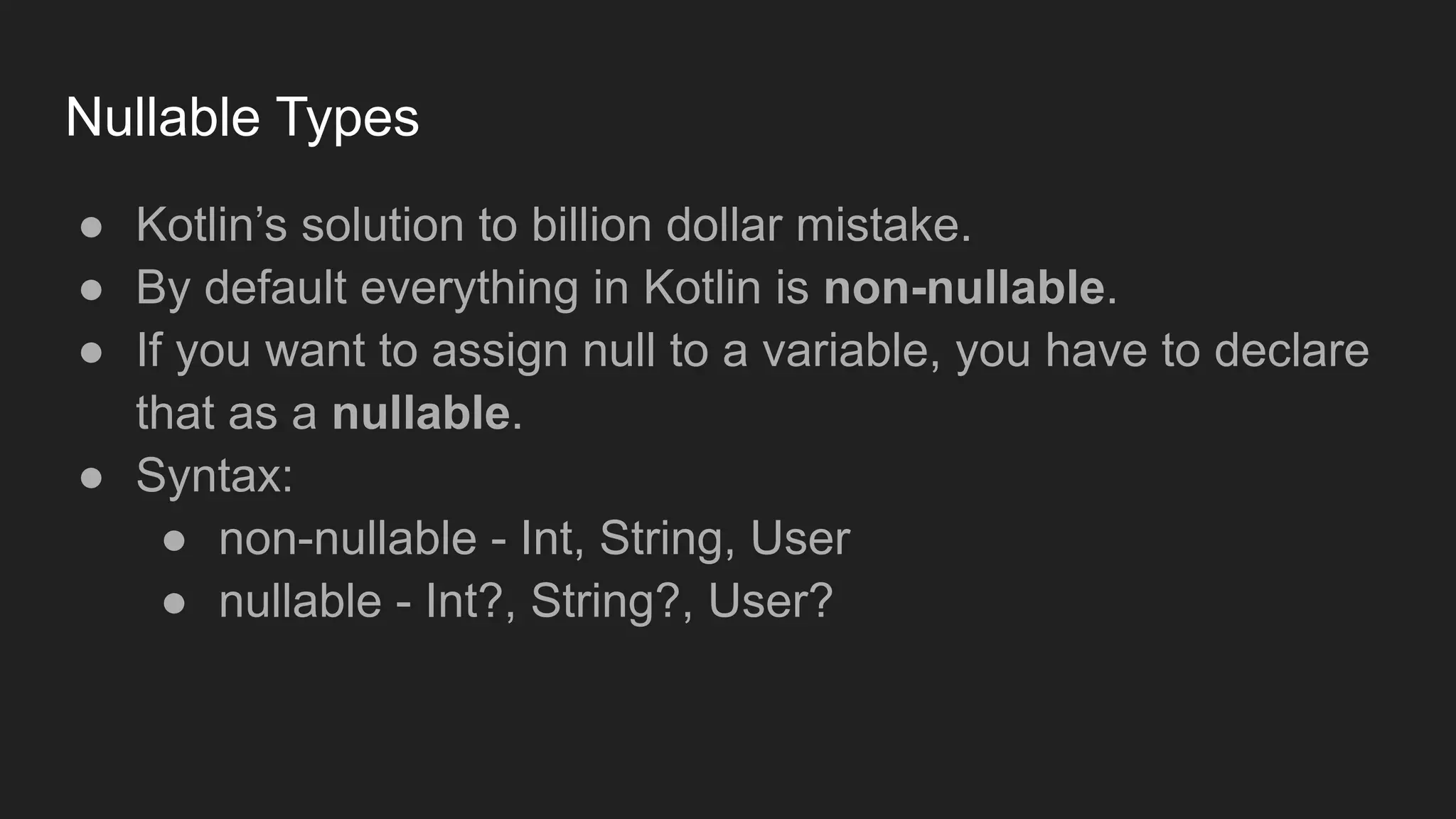
● If you want to assign null to a variable, you have to declare
that as a nullable.
Nullable Types
● Kotlin’s solution to billion dollar mistake.
● By default everything in Kotlin is non-nullable.
● If you want to assign null to a variable, you have to declare
that as a nullable.
● Syntax:
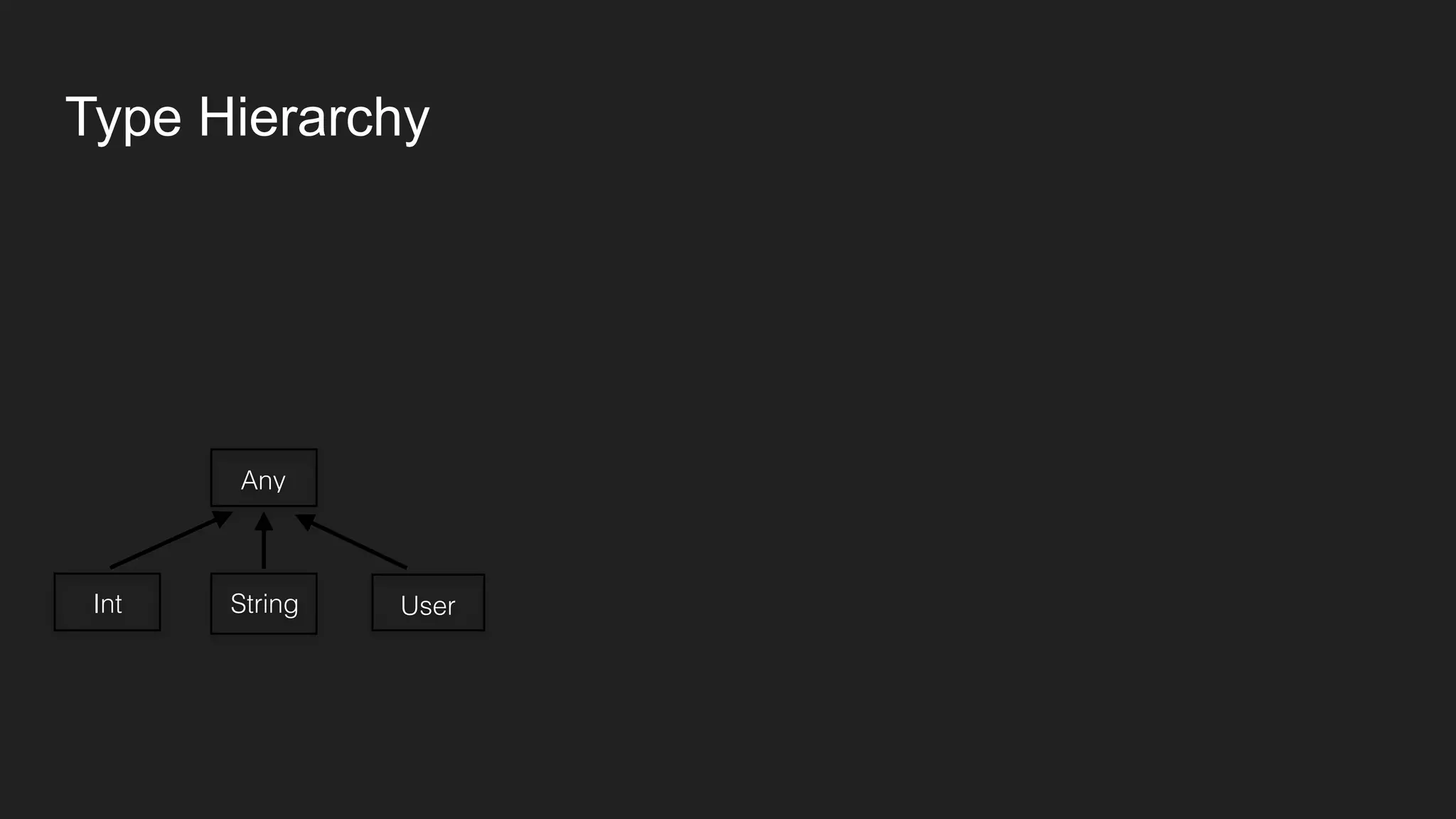
● non-nullable - Int, String, User
● nullable - Int?, String?, User?
Nullable Types
● Kotlin’s solution to billion dollar mistake.
● By default everything in Kotlin is non-nullable.
● If you want to assign null to a variable, you have to declare
that as a nullable.
● Syntax:
● non-nullable - Int, String, User
● nullable - Int?, String?, User?
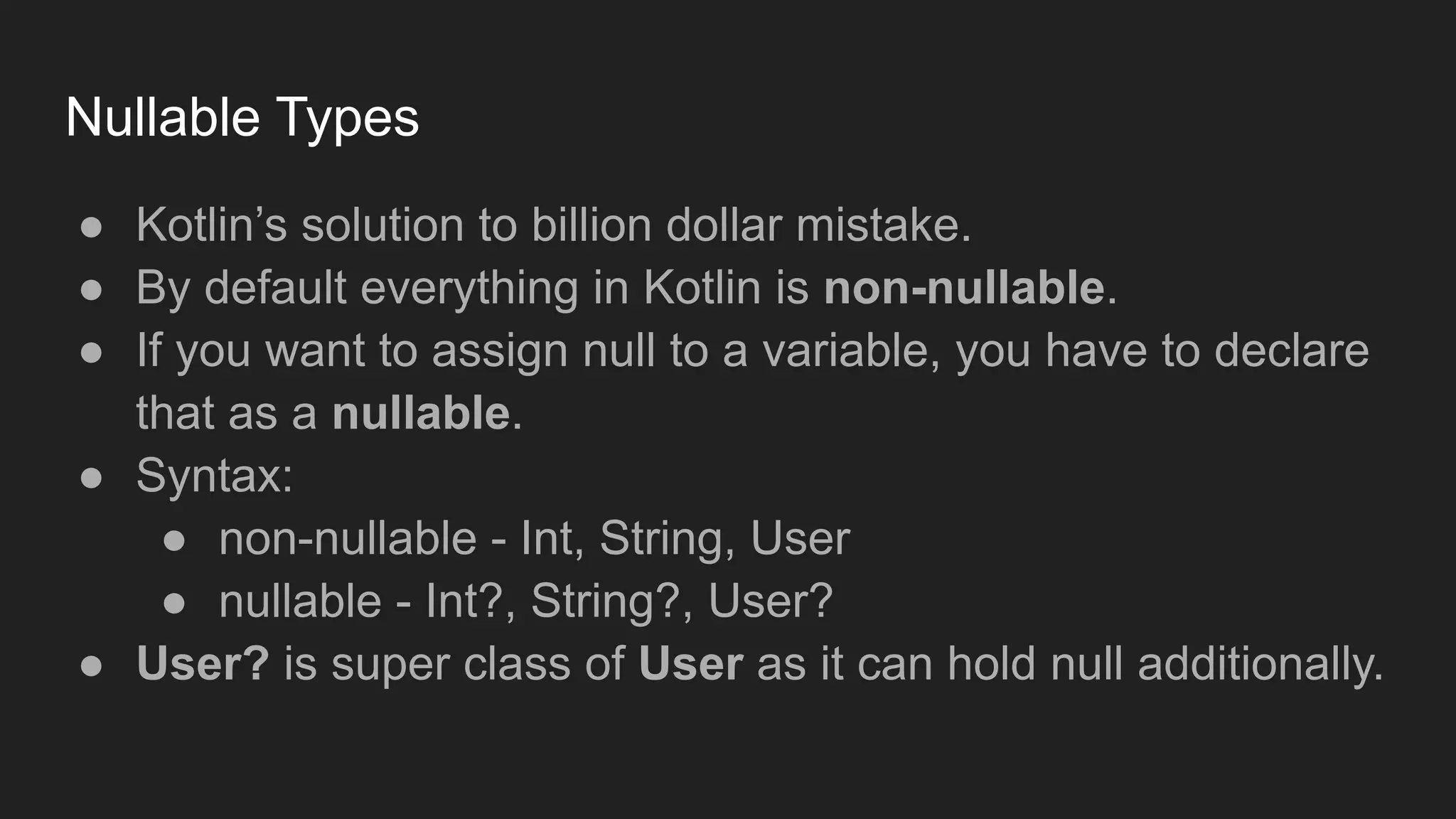
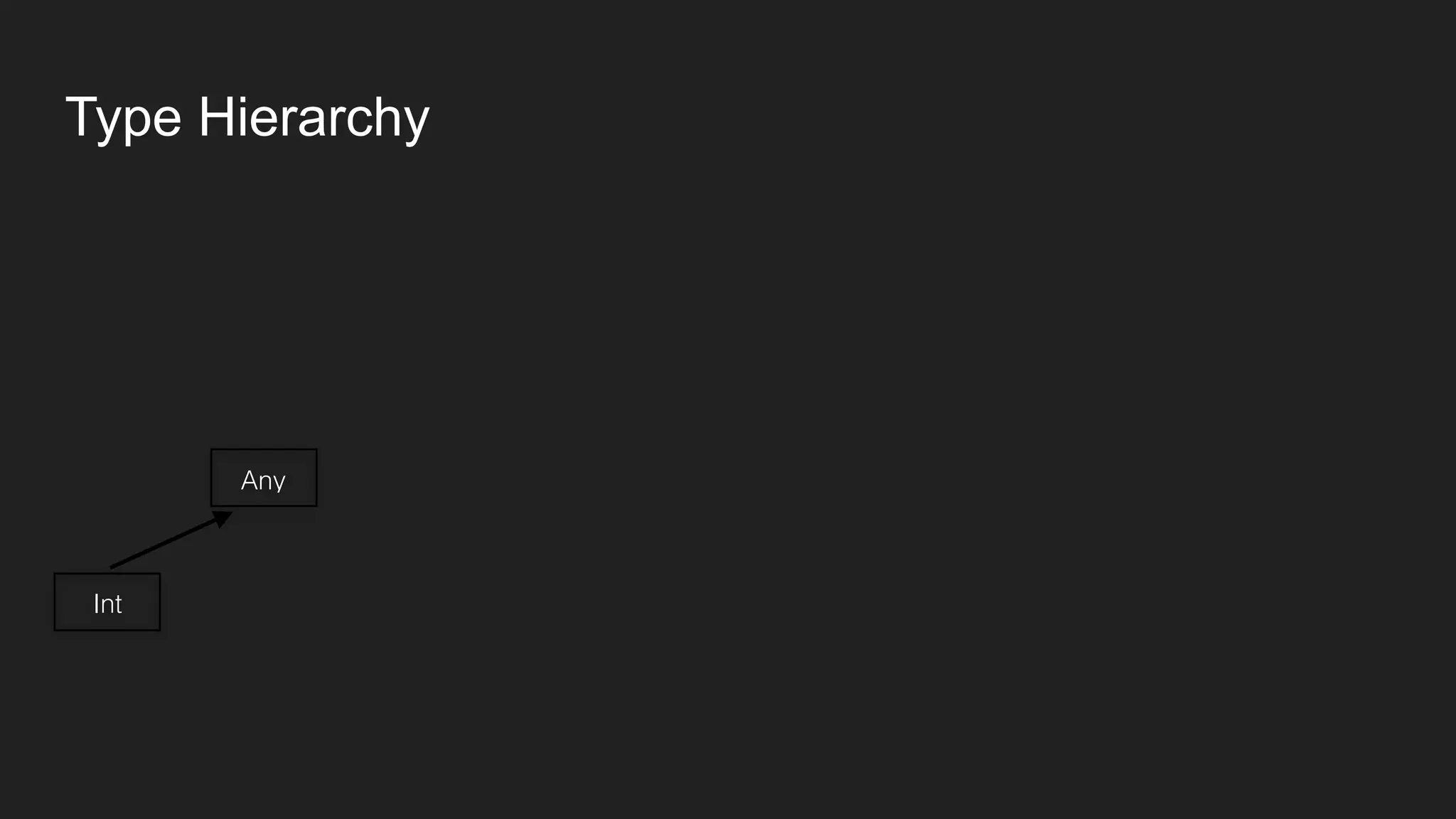
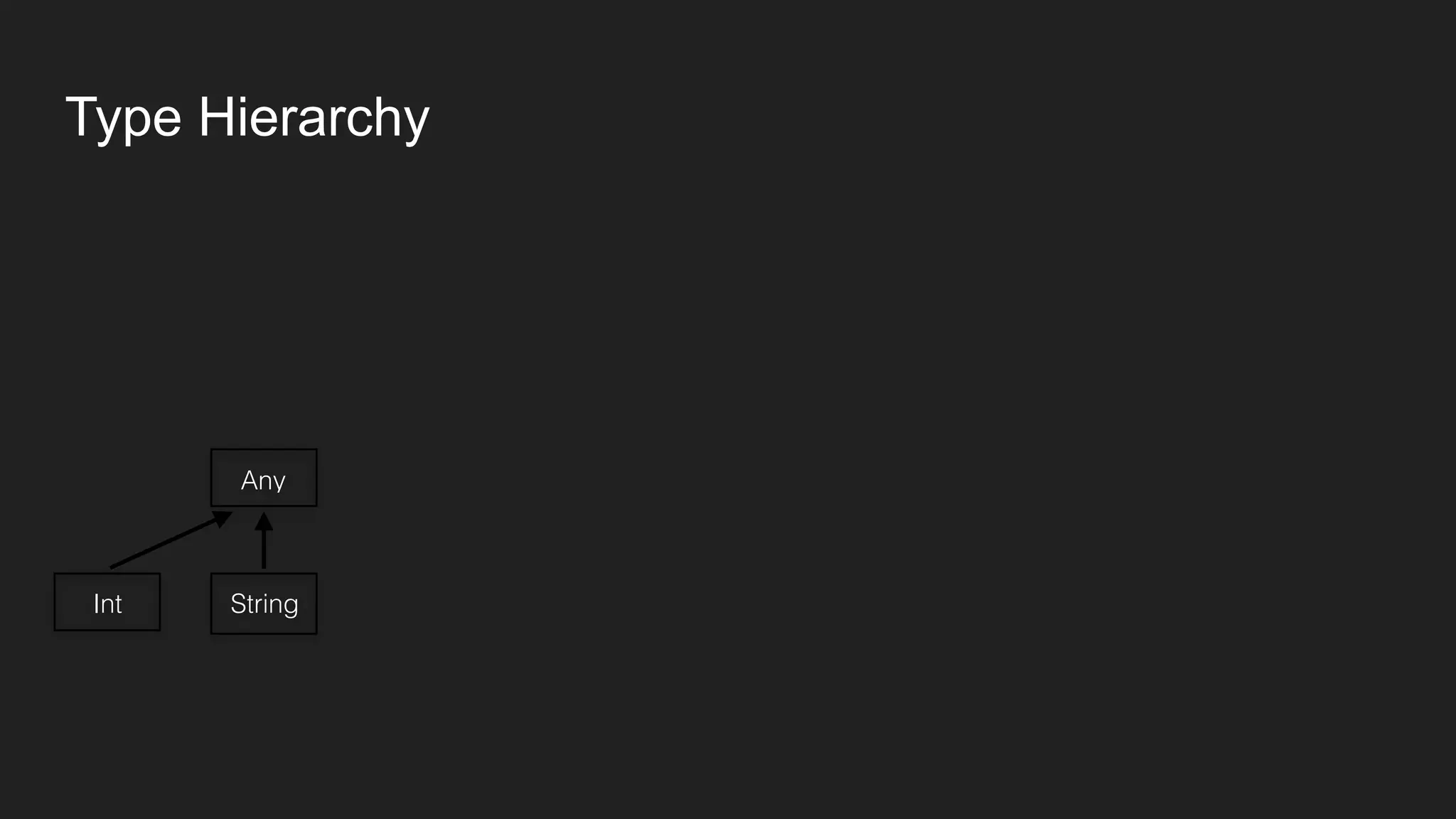
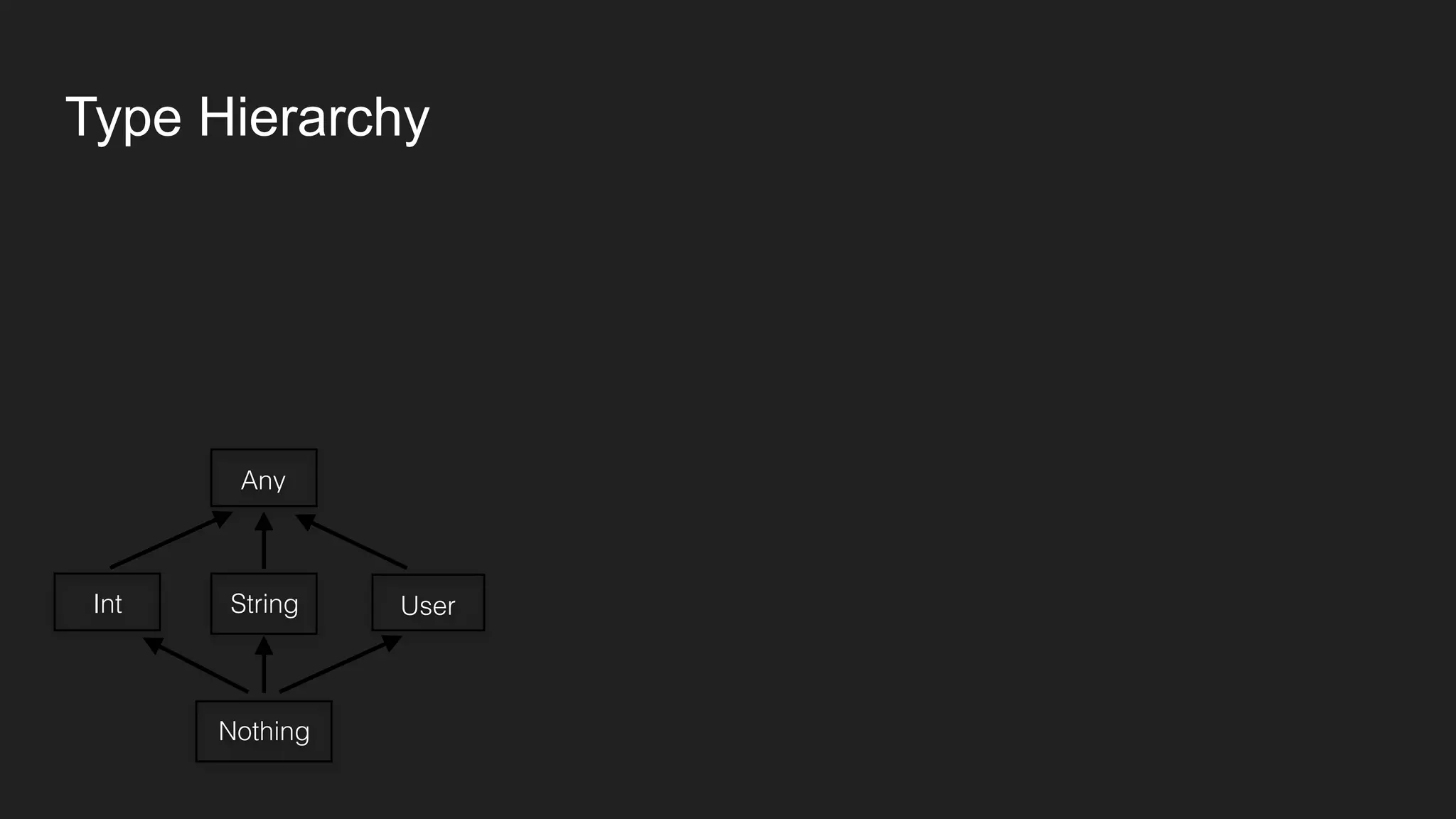
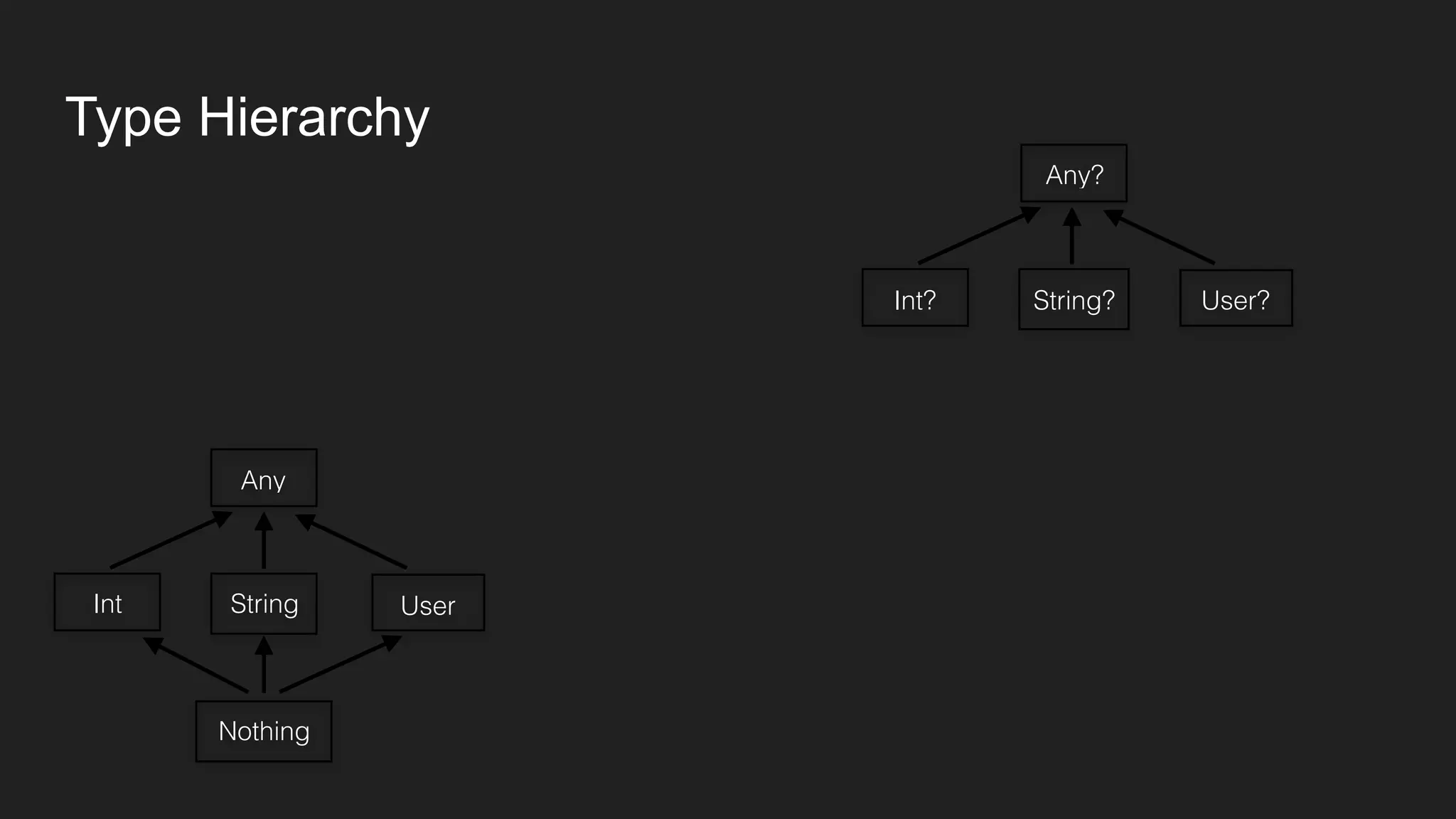
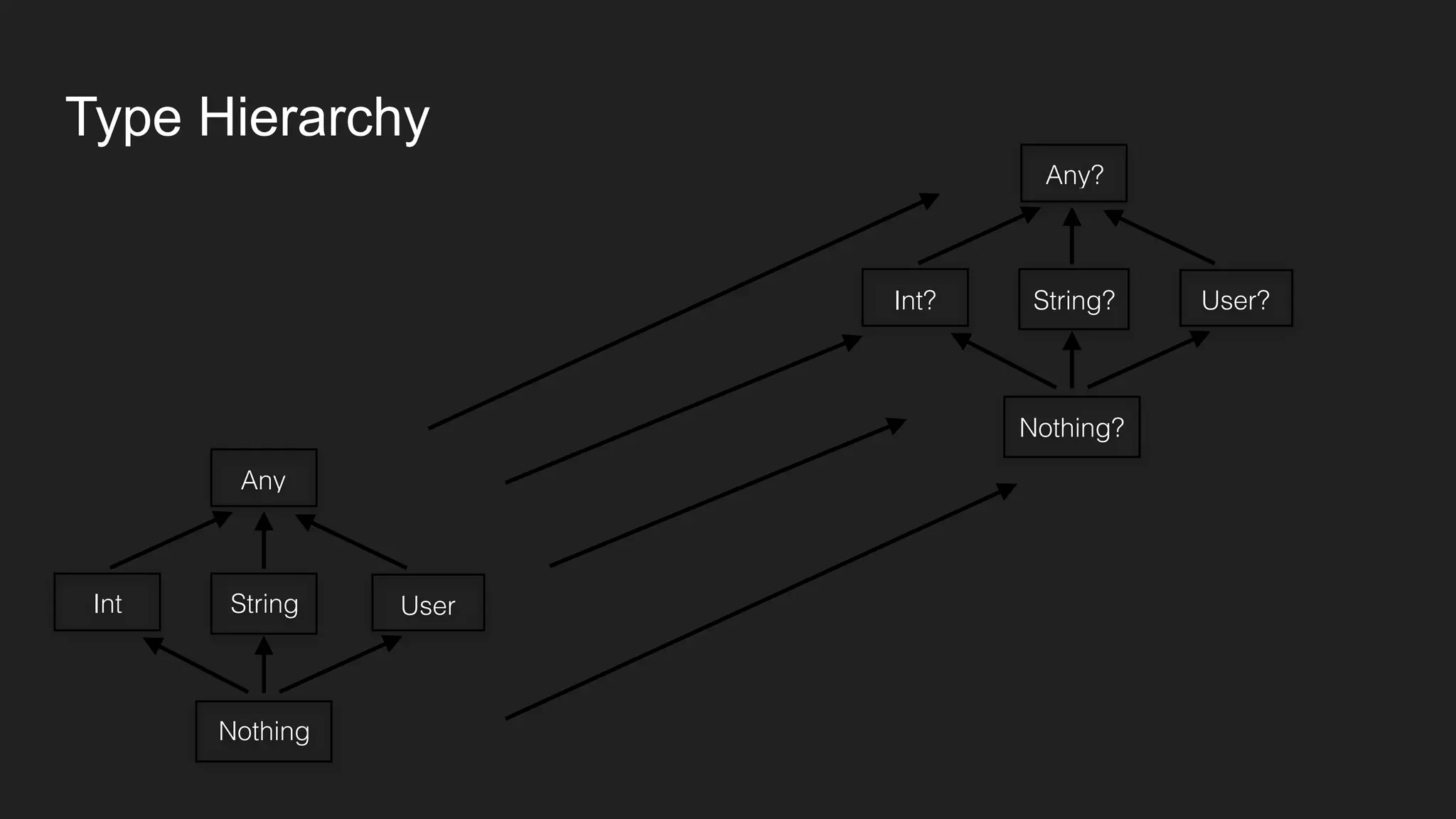
● User? is super class of User as it can hold null additionally.
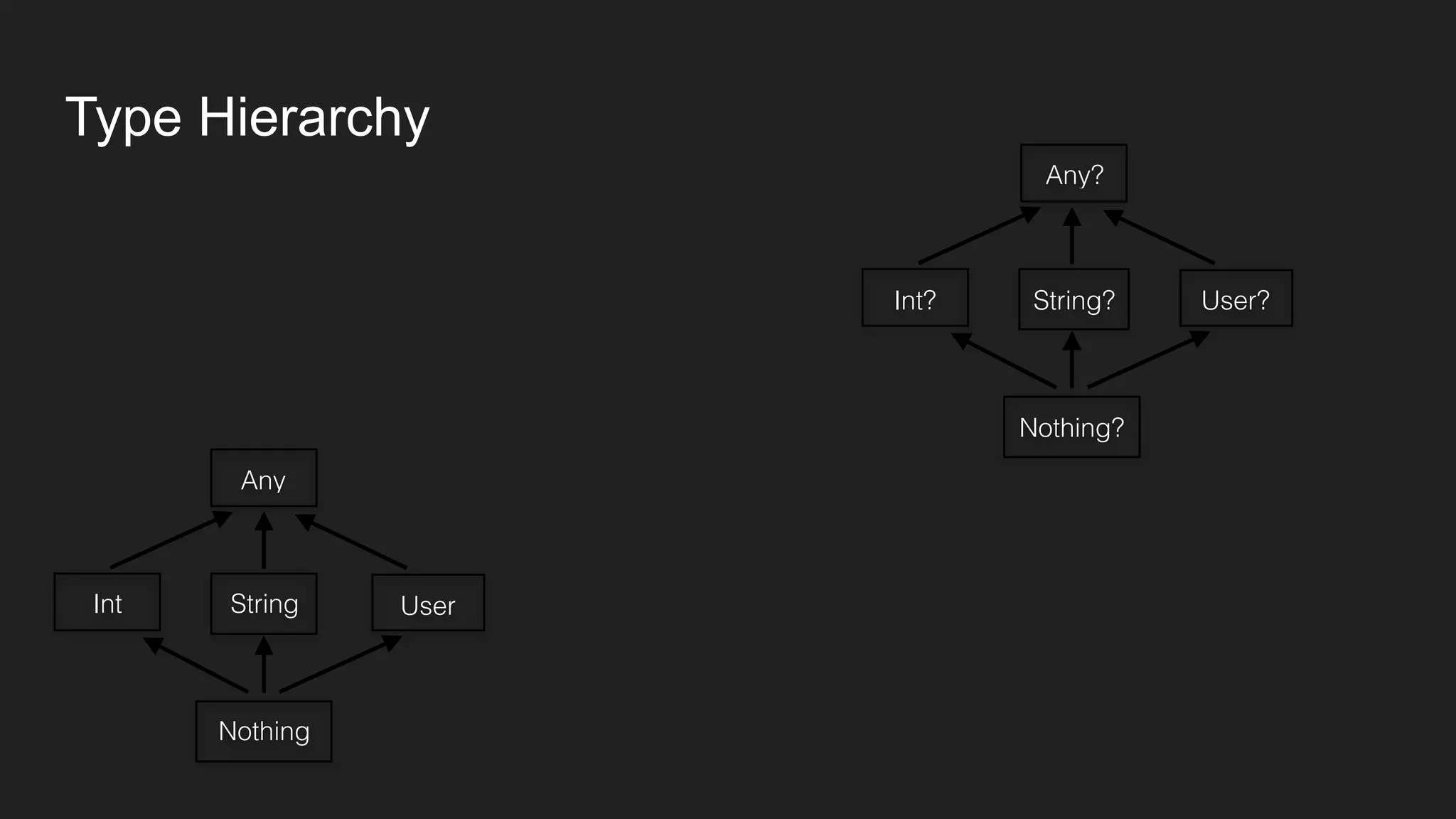
Type Hierarchy
Type Hierarchy
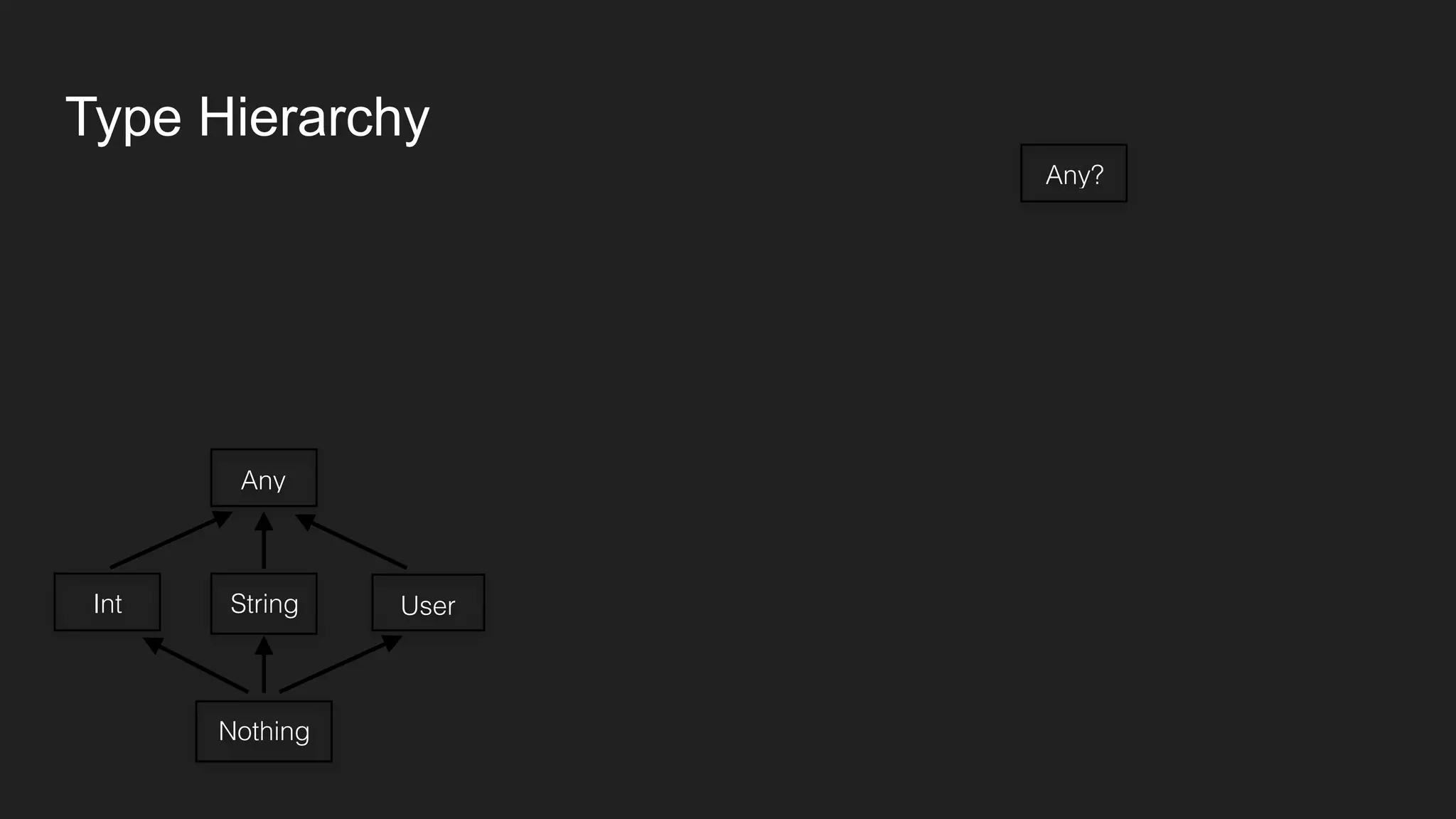
Any
Type Hierarchy
Any
Int
Type Hierarchy
Any
StringInt
Type Hierarchy
Any
StringInt User
Type Hierarchy
Any
StringInt User
Nothing
Type Hierarchy
Any
StringInt User
Nothing
Any?
Type Hierarchy
Any
StringInt User
Nothing
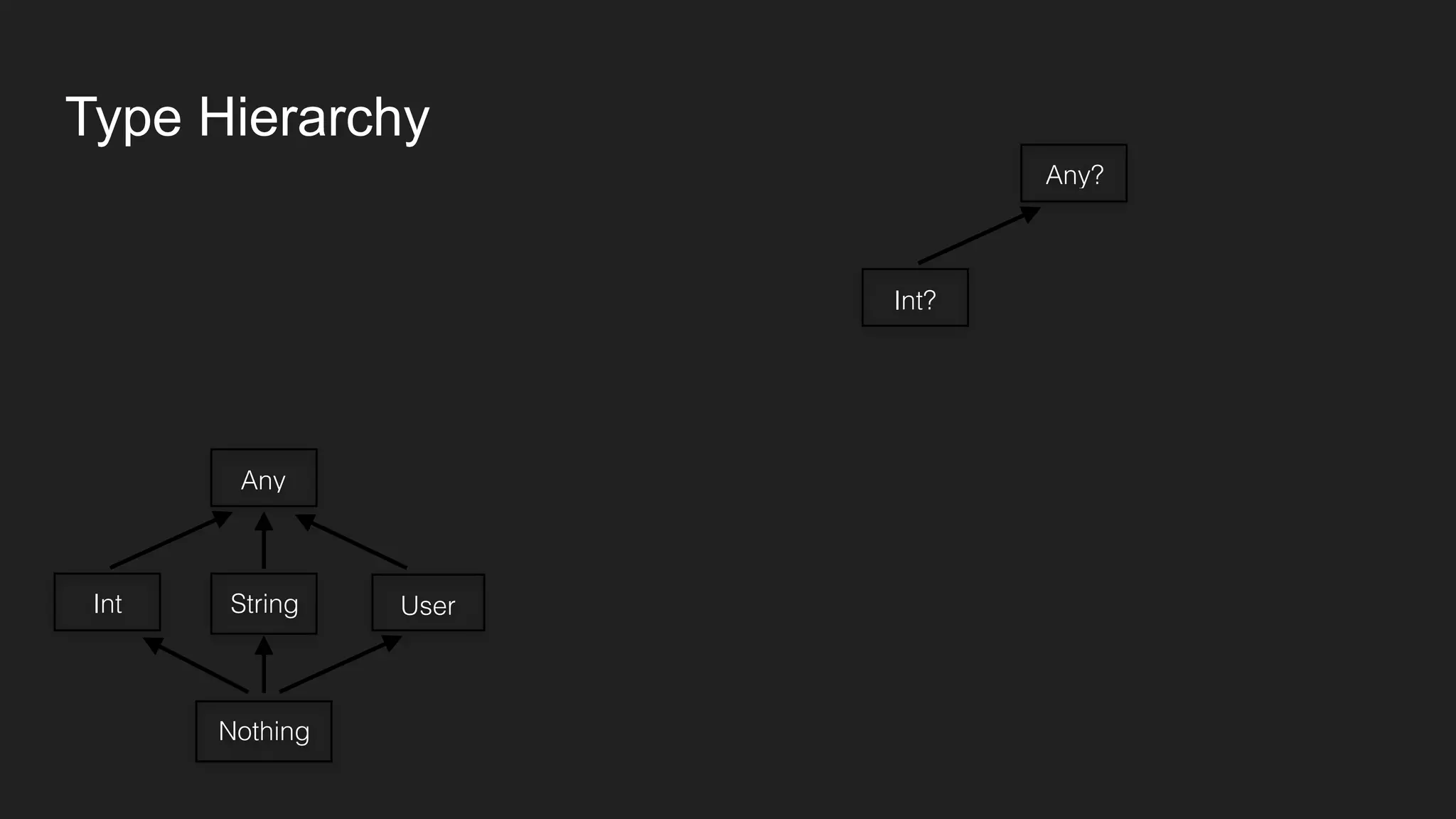
Any?
Int?
Type Hierarchy
Any
StringInt User
Nothing
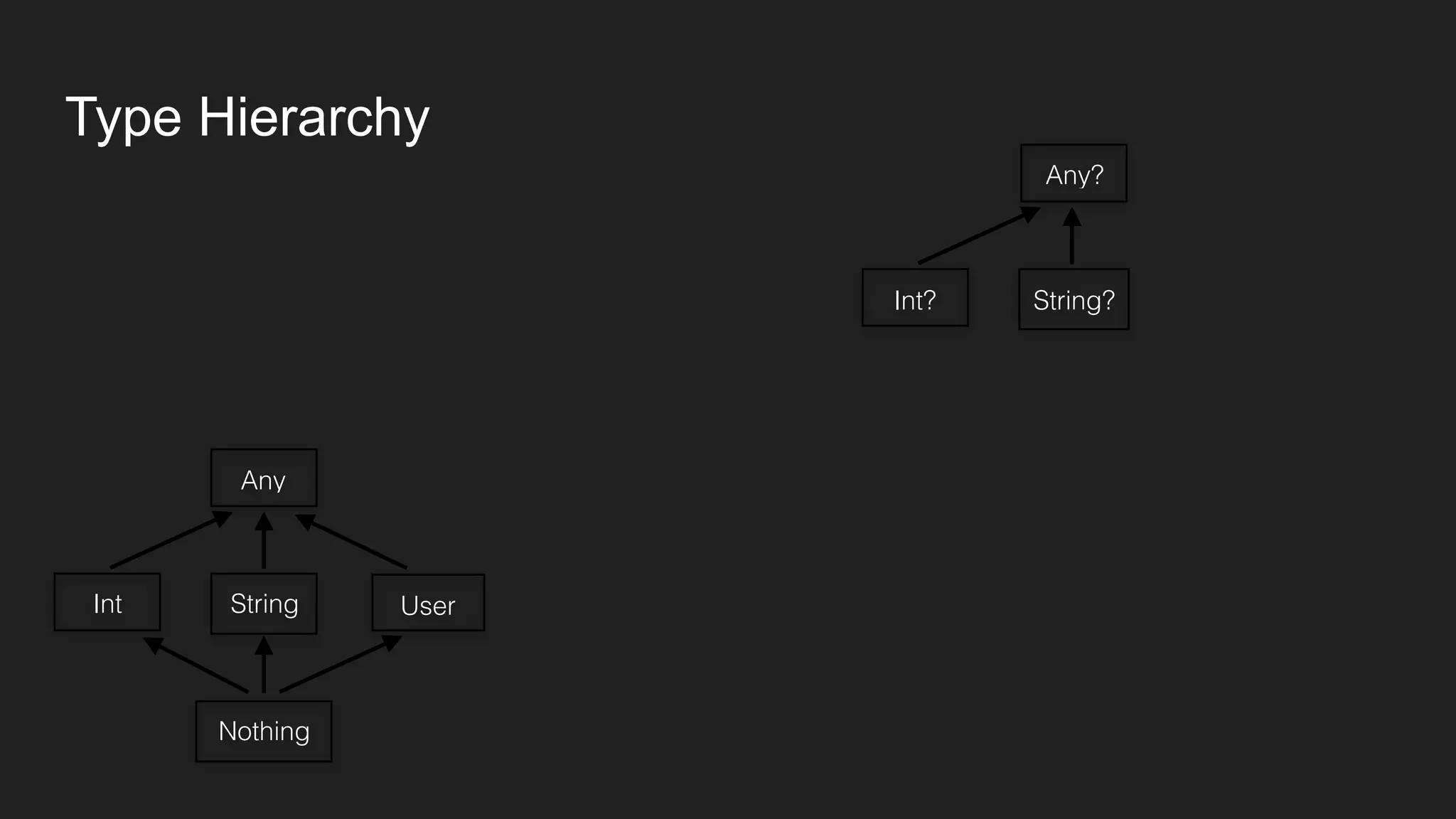
Any?
String?Int?
Type Hierarchy
Any
StringInt User
Nothing
Any?
String?Int? User?
Type Hierarchy
Any
StringInt User
Nothing
Any?
String?Int? User?
Nothing?
Type Hierarchy
Any
StringInt User
Nothing
Any?
String?Int? User?
Nothing?
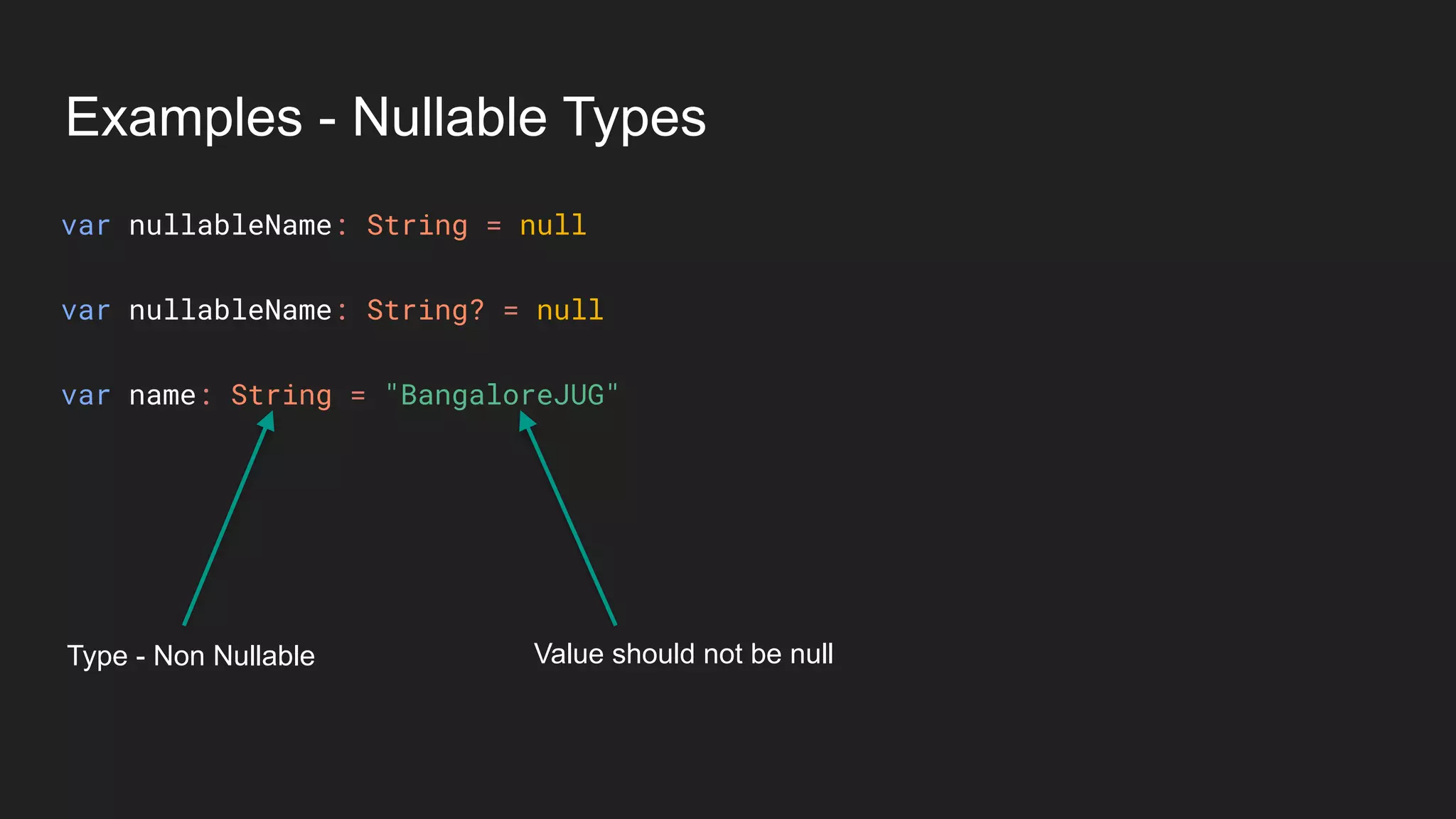
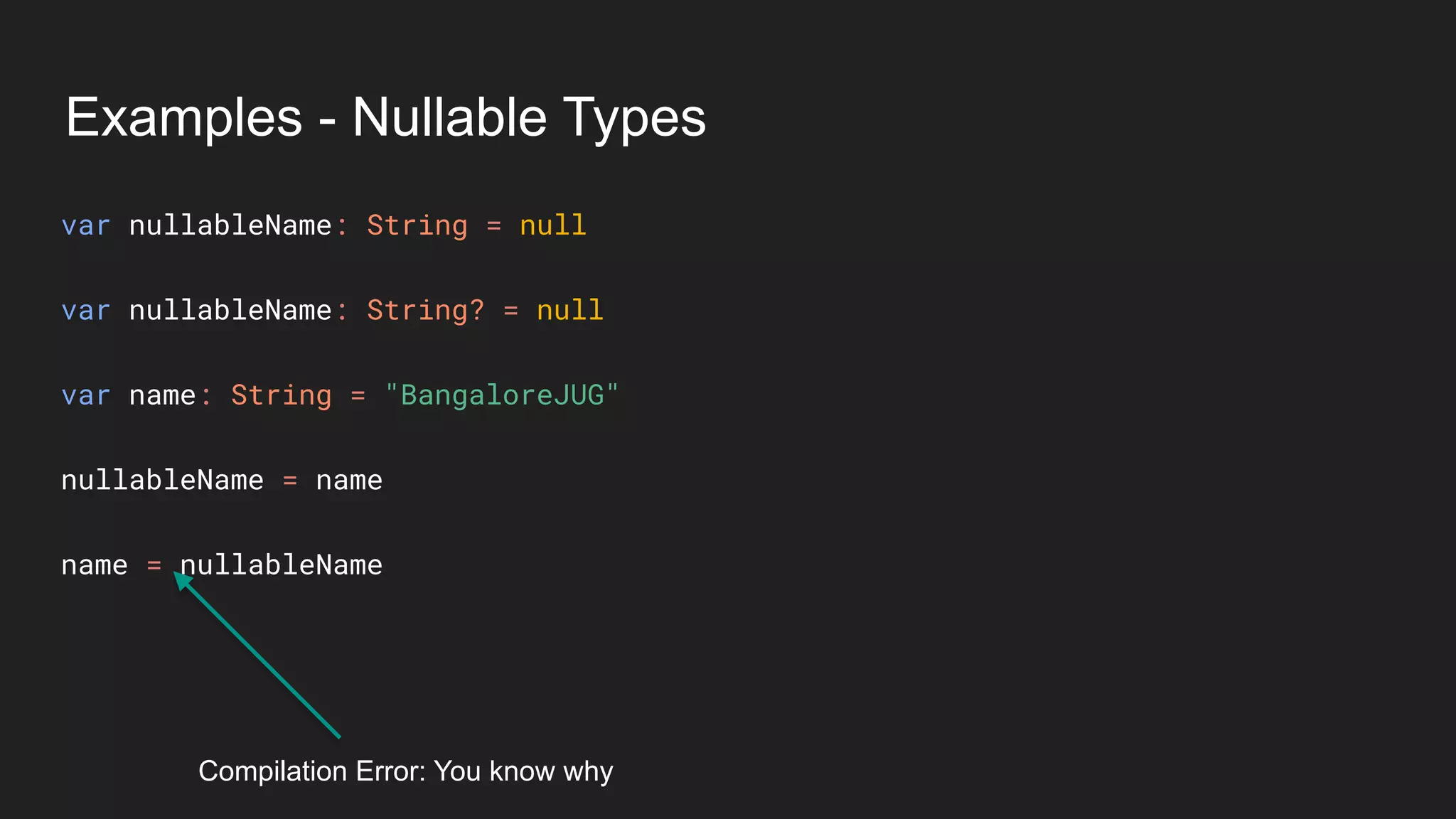
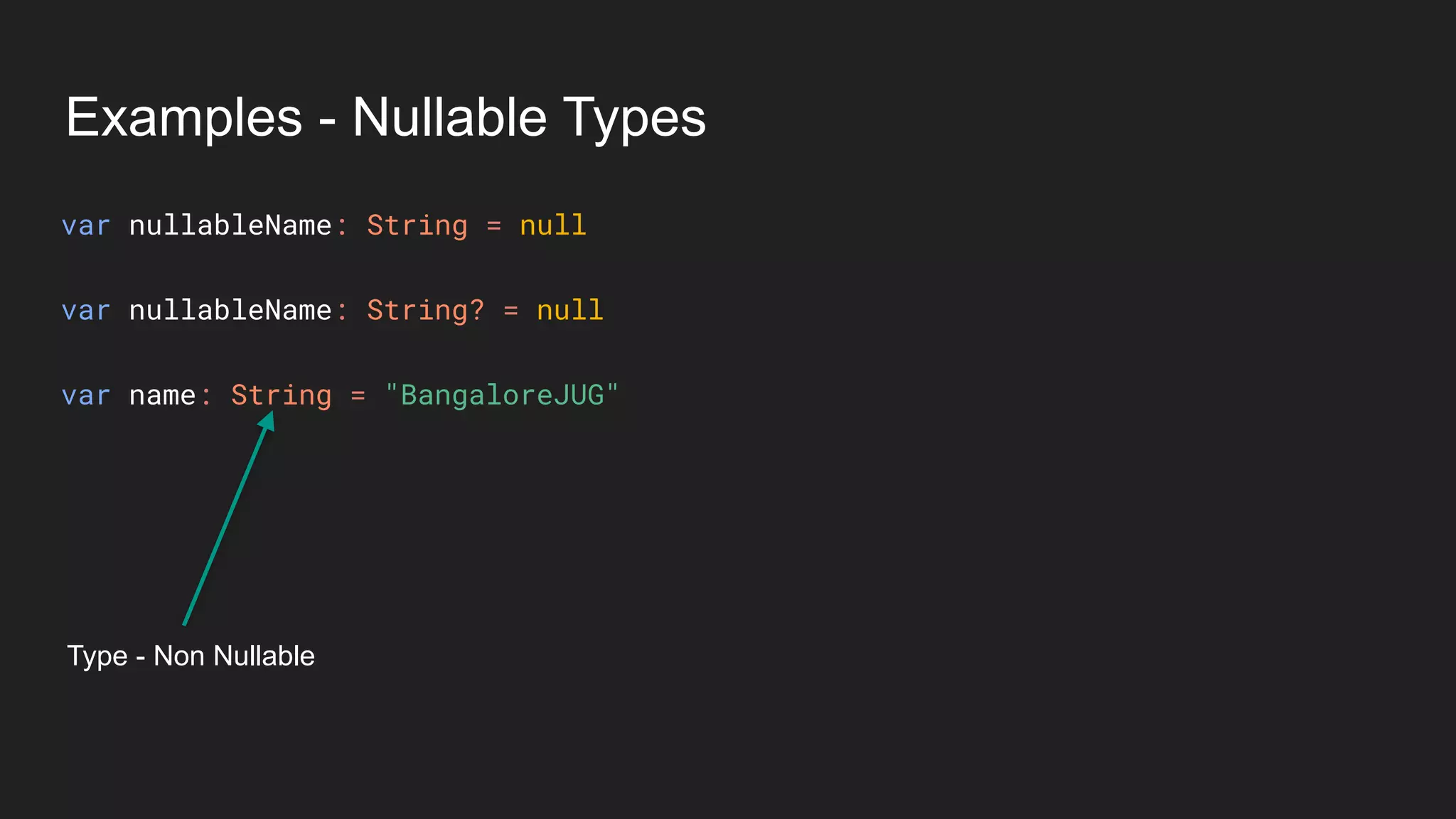
Examples - Nullable Types
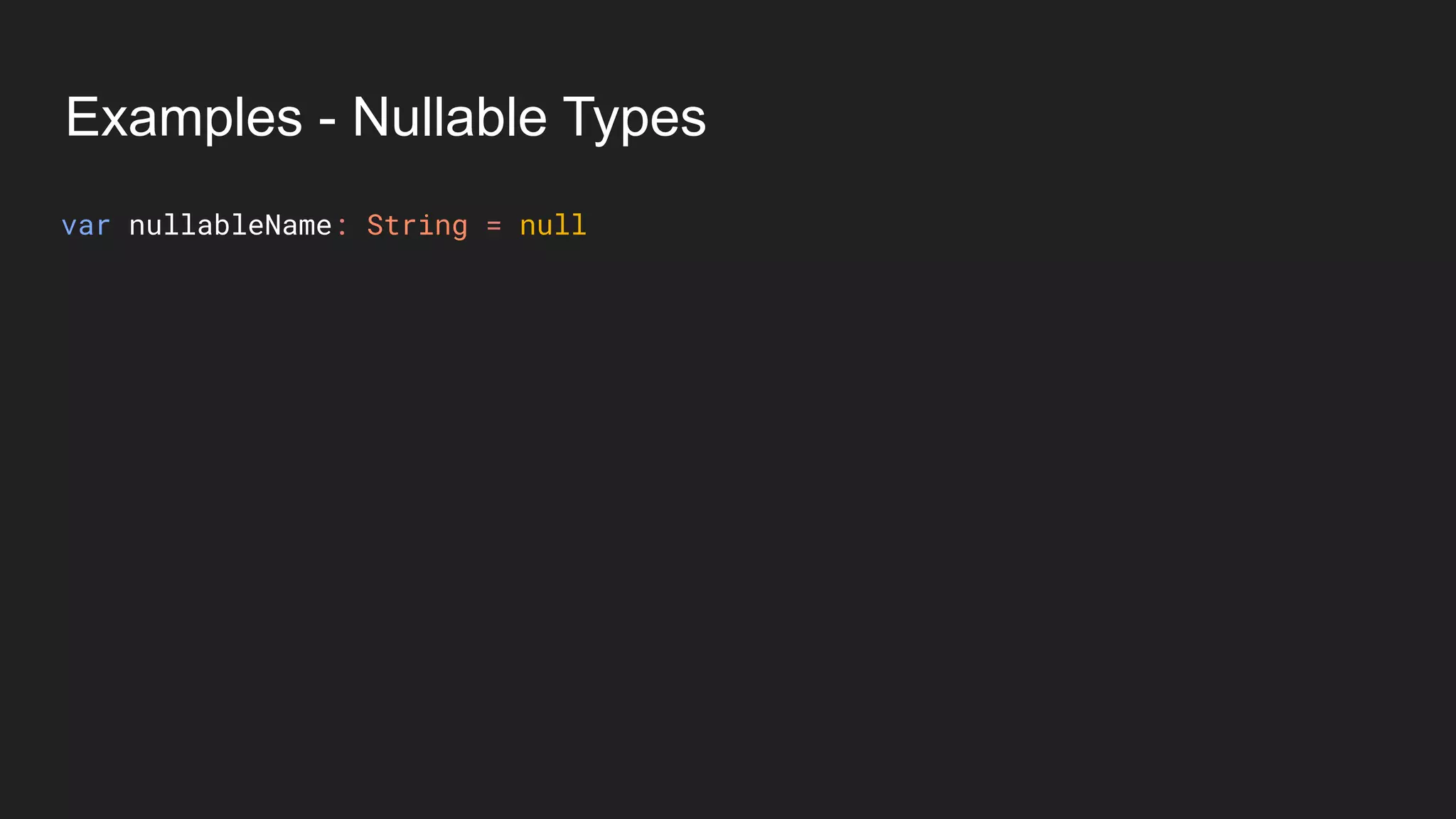
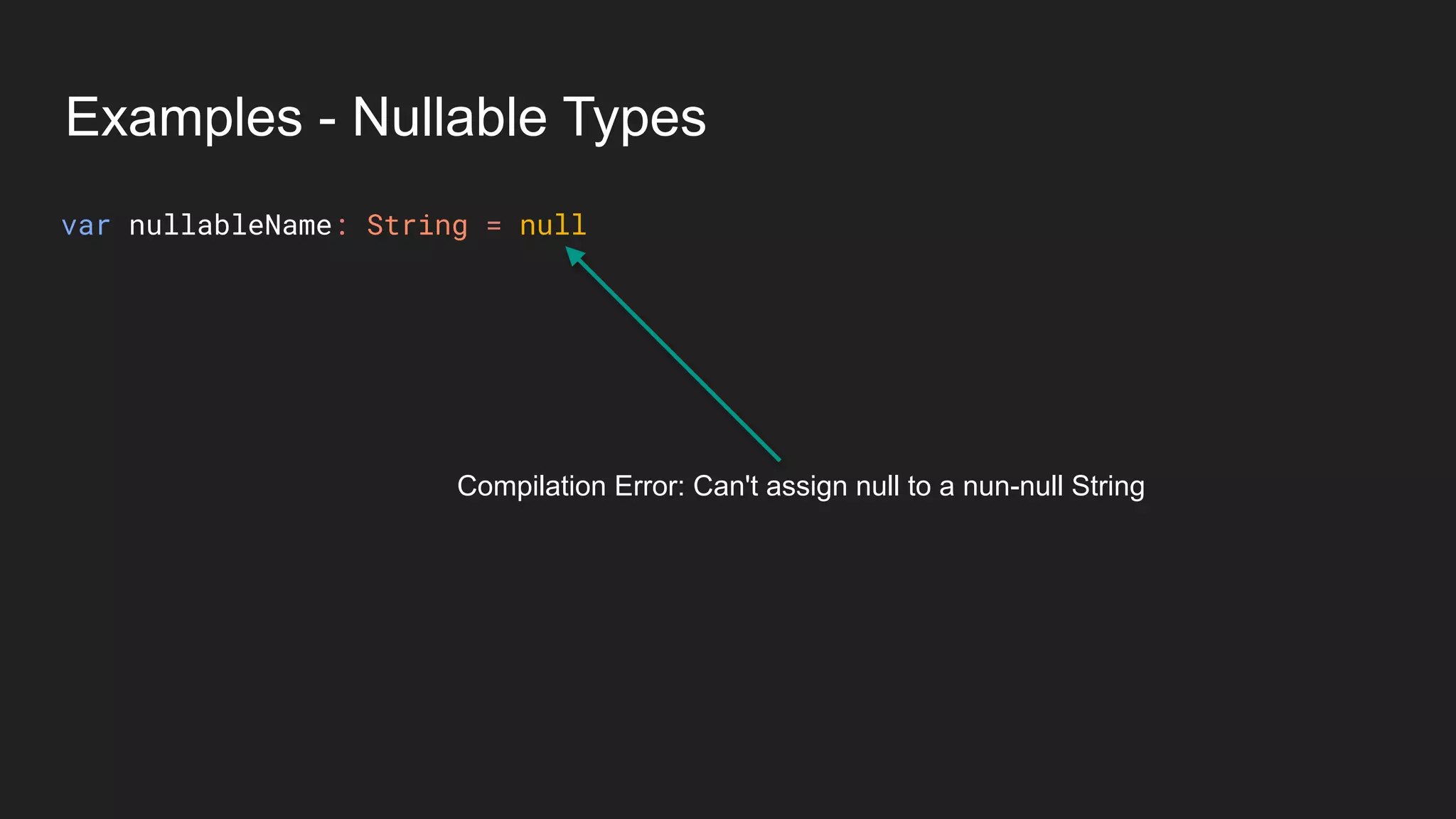
var nullableName: String = null
Examples - Nullable Types
Compilation Error: Can't assign null to a nun-null String
var nullableName: String = null
Examples - Nullable Types
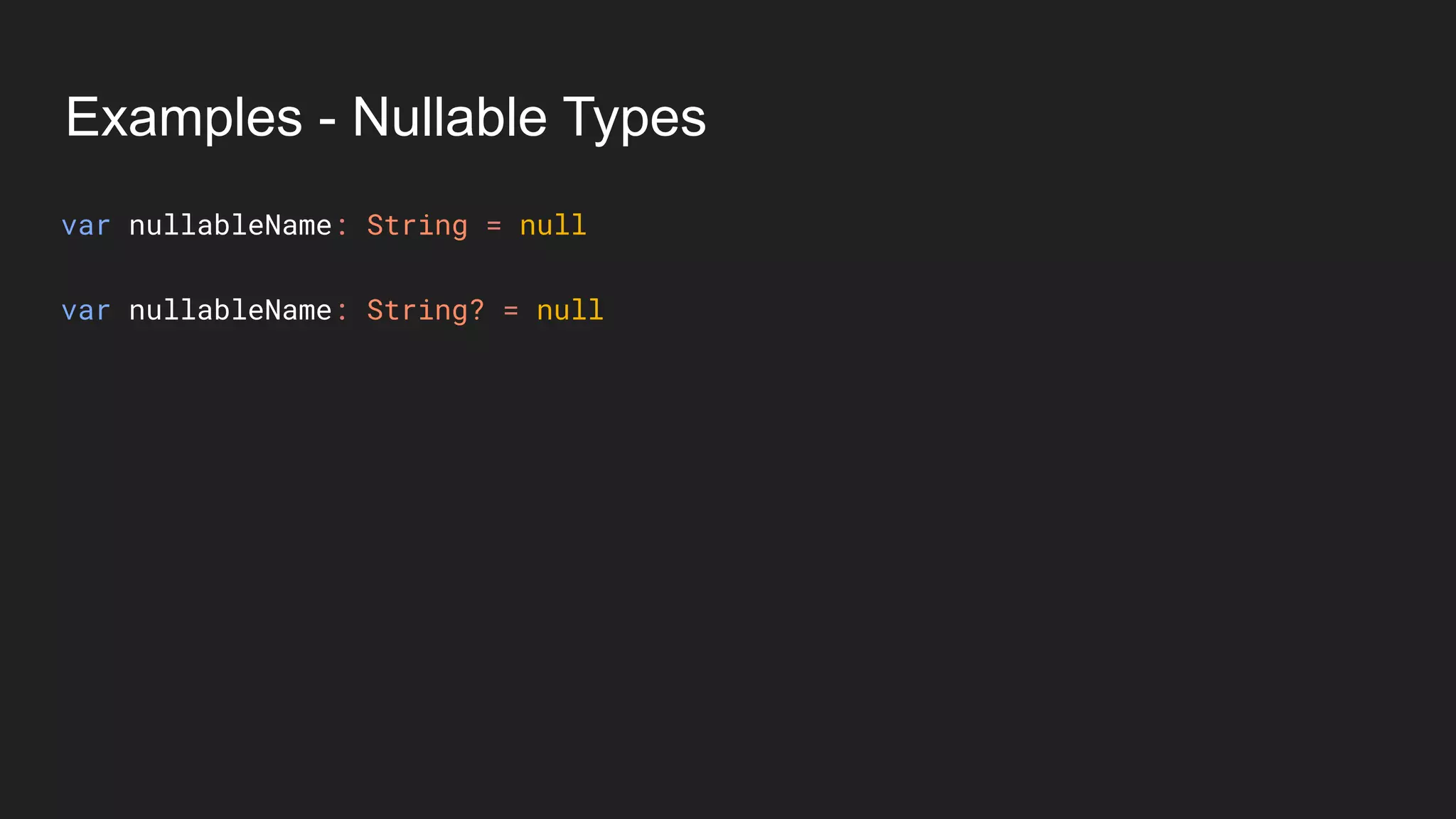
var nullableName: String = null
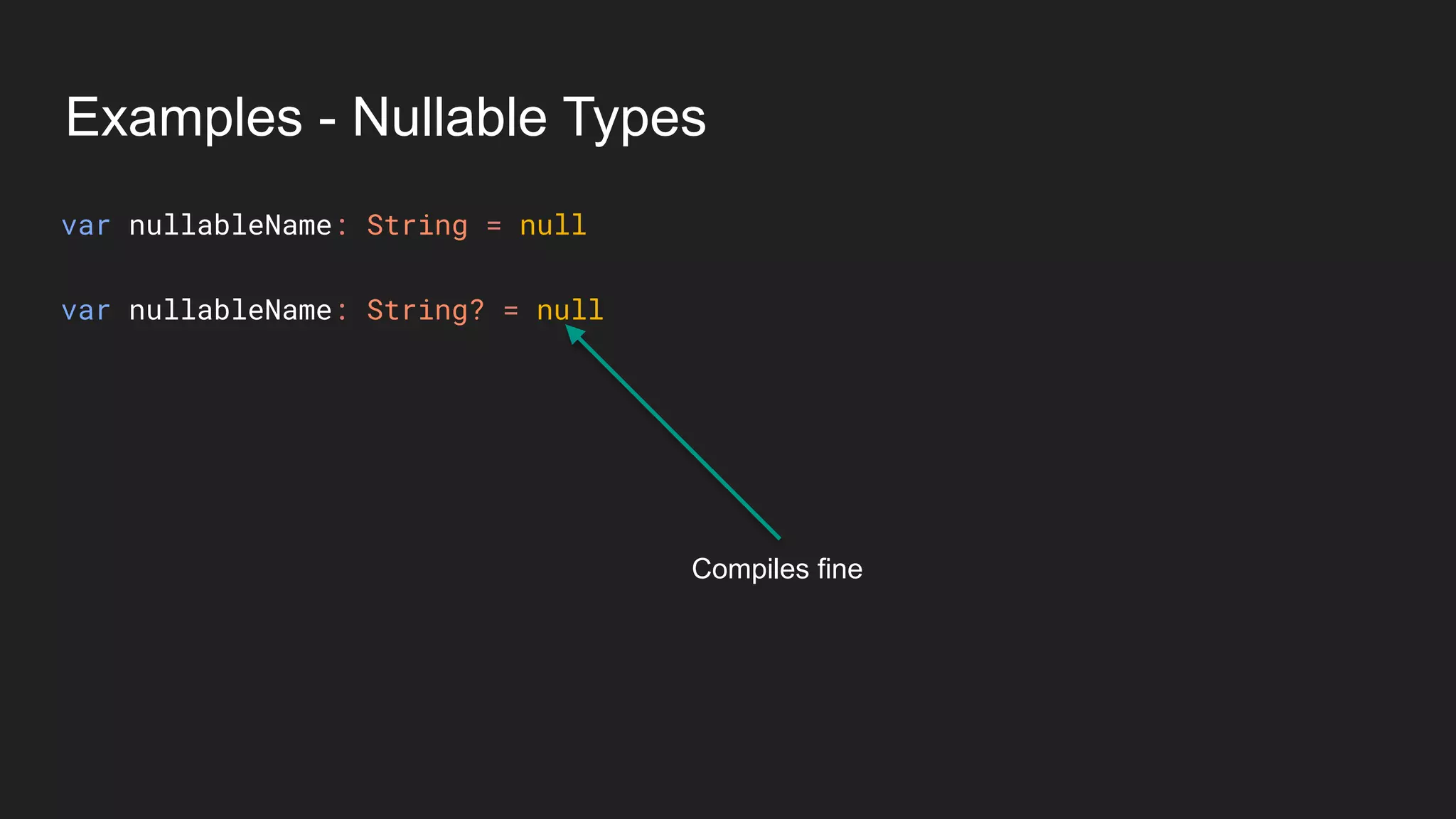
var nullableName: String? = null
Examples - Nullable Types
Compiles fine
var nullableName: String = null
var nullableName: String? = null
Examples - Nullable Types
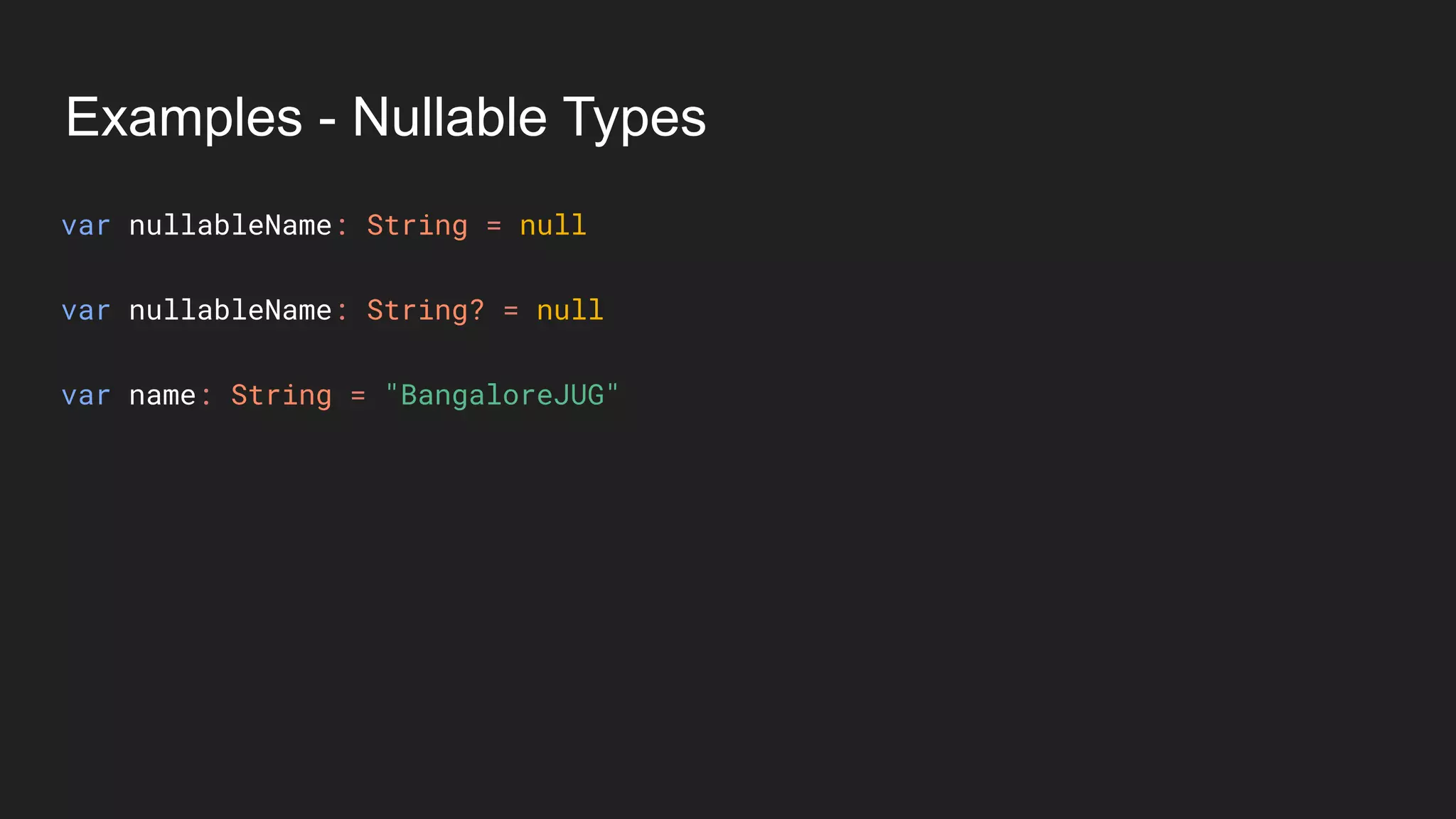
var nullableName: String = null
var nullableName: String? = null
var name: String = "BangaloreJUG"
Examples - Nullable Types
Type - Non Nullable
var nullableName: String = null
var nullableName: String? = null
var name: String = "BangaloreJUG"
Examples - Nullable Types
Type - Non Nullable Value should not be null
var nullableName: String = null
var nullableName: String? = null
var name: String = "BangaloreJUG"
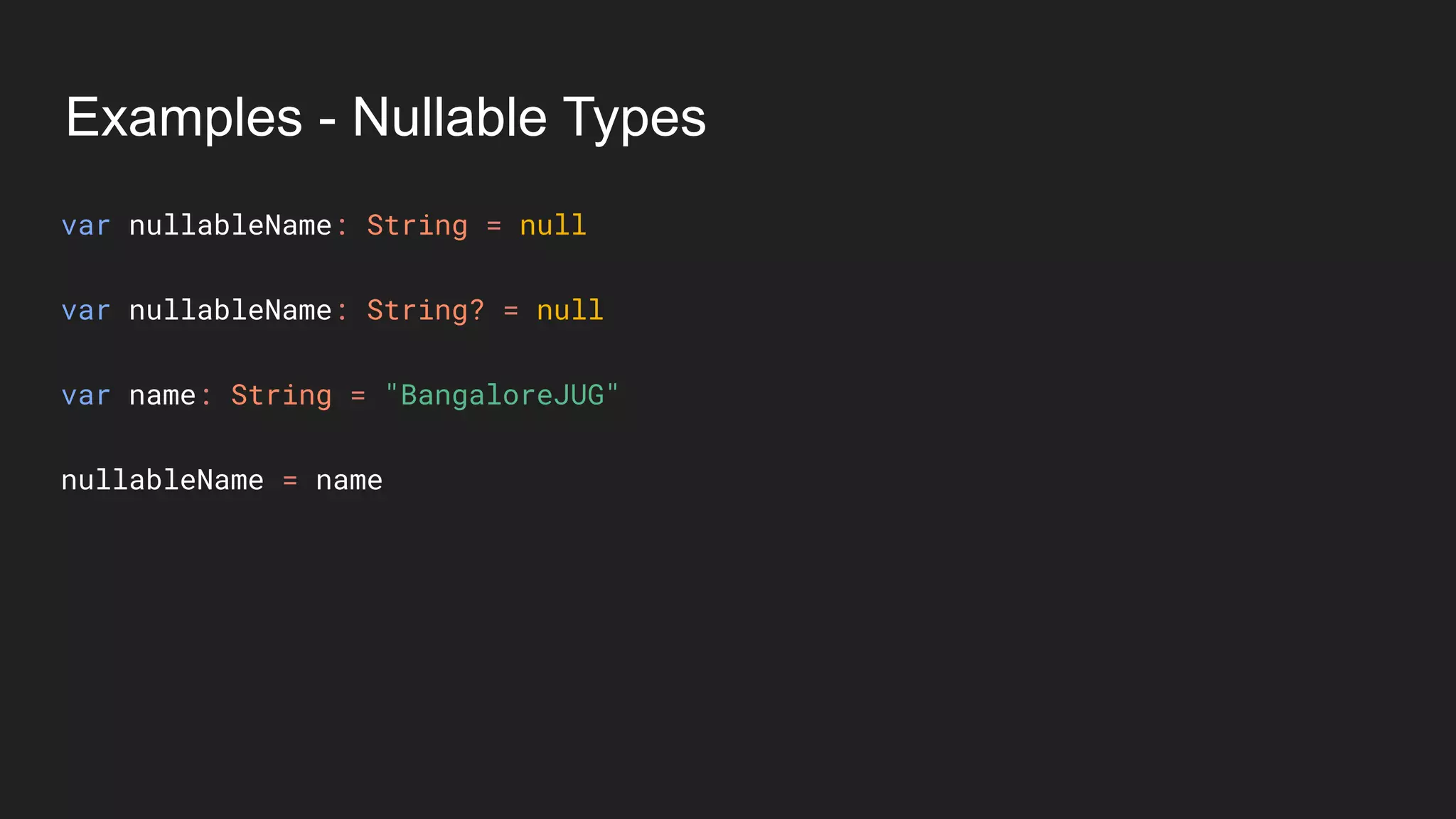
Examples - Nullable Types
var nullableName: String = null
var nullableName: String? = null
var name: String = "BangaloreJUG"
nullableName = name
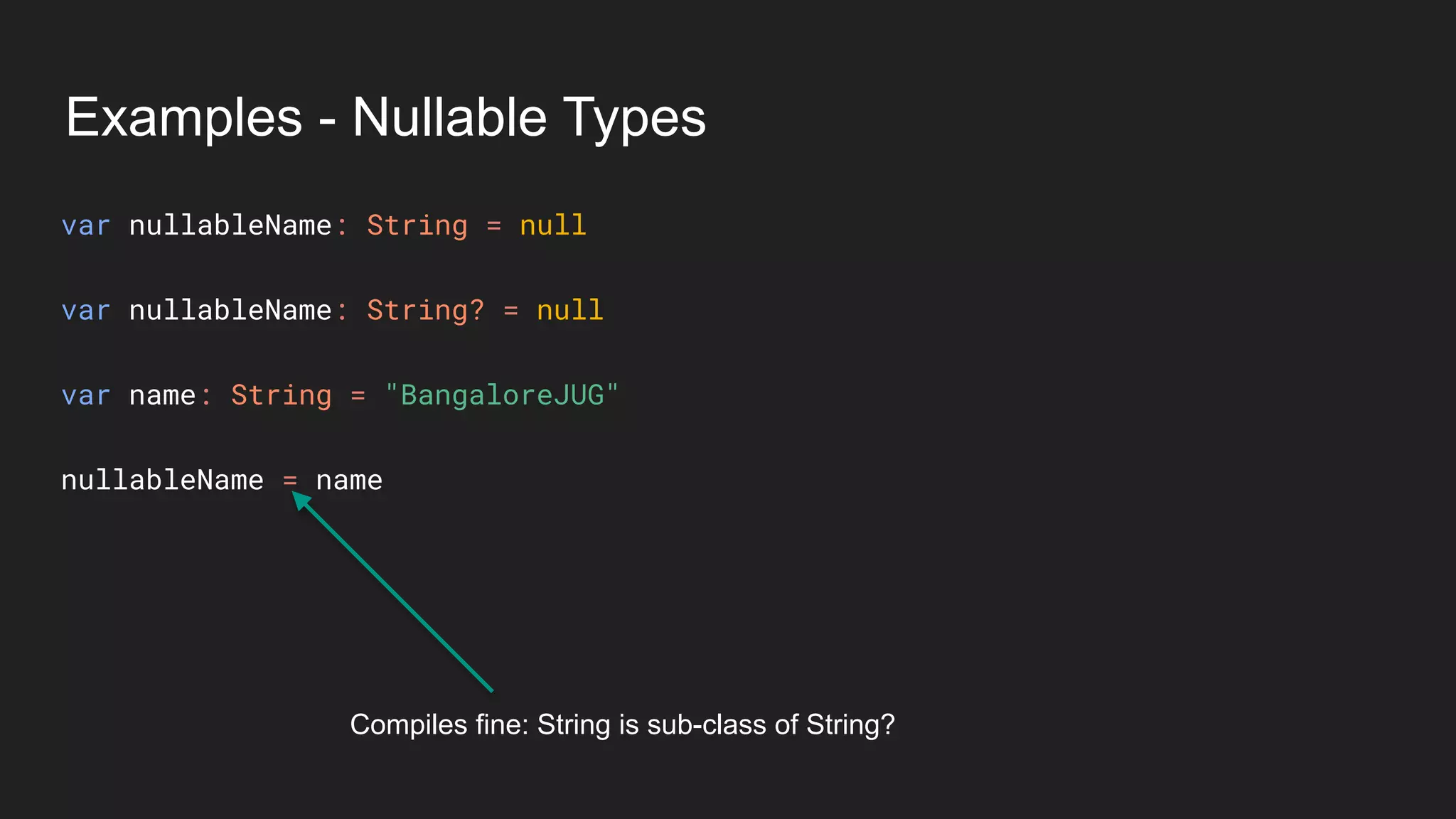
Examples - Nullable Types
var nullableName: String = null
var nullableName: String? = null
var name: String = "BangaloreJUG"
nullableName = name
Compiles fine: String is sub-class of String?
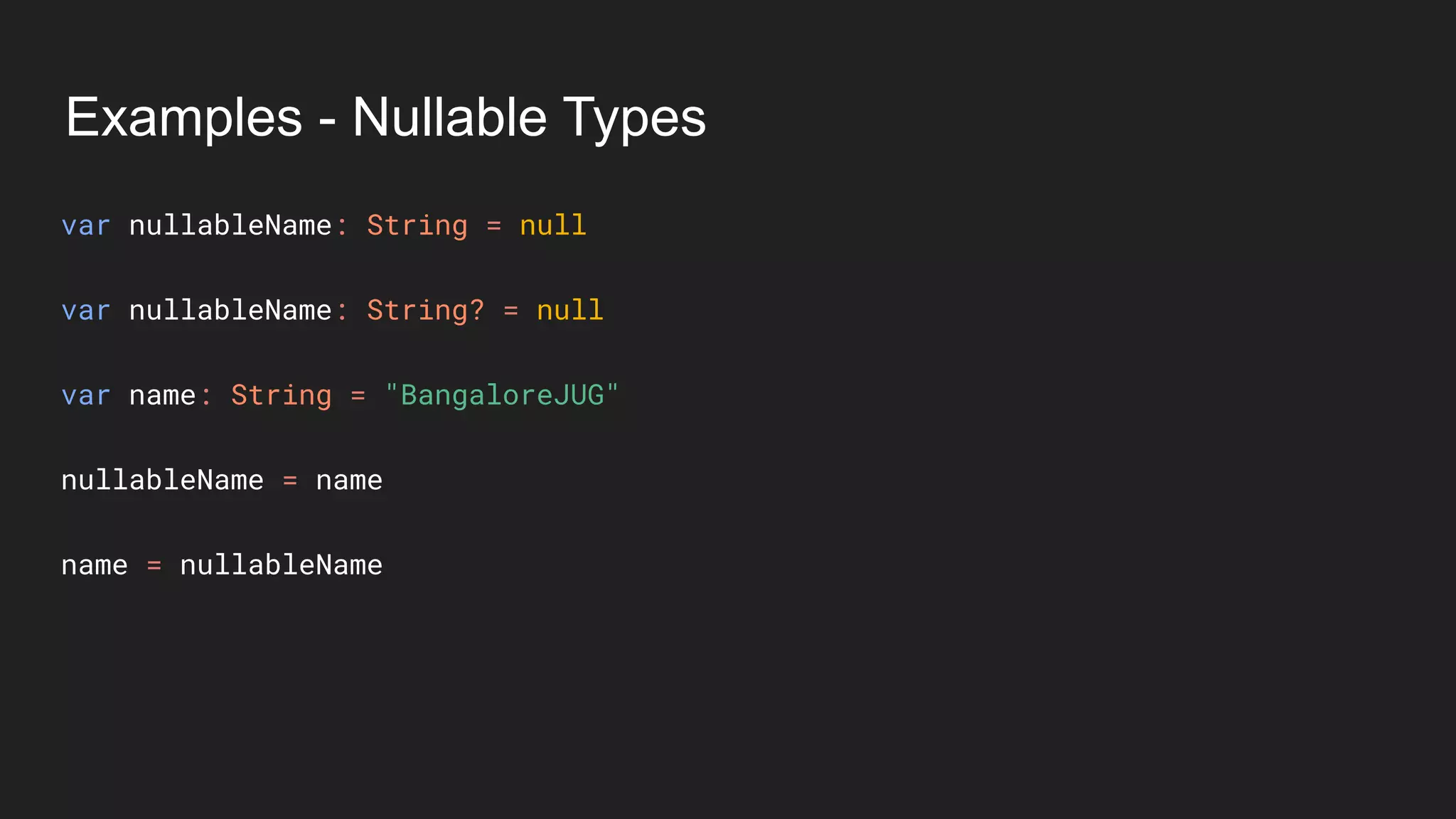
Examples - Nullable Types
var nullableName: String = null
var nullableName: String? = null
var name: String = "BangaloreJUG"
nullableName = name
name = nullableName
Examples - Nullable Types
var nullableName: String = null
var nullableName: String? = null
var name: String = "BangaloreJUG"
nullableName = name
name = nullableName
Compilation Error: You know why
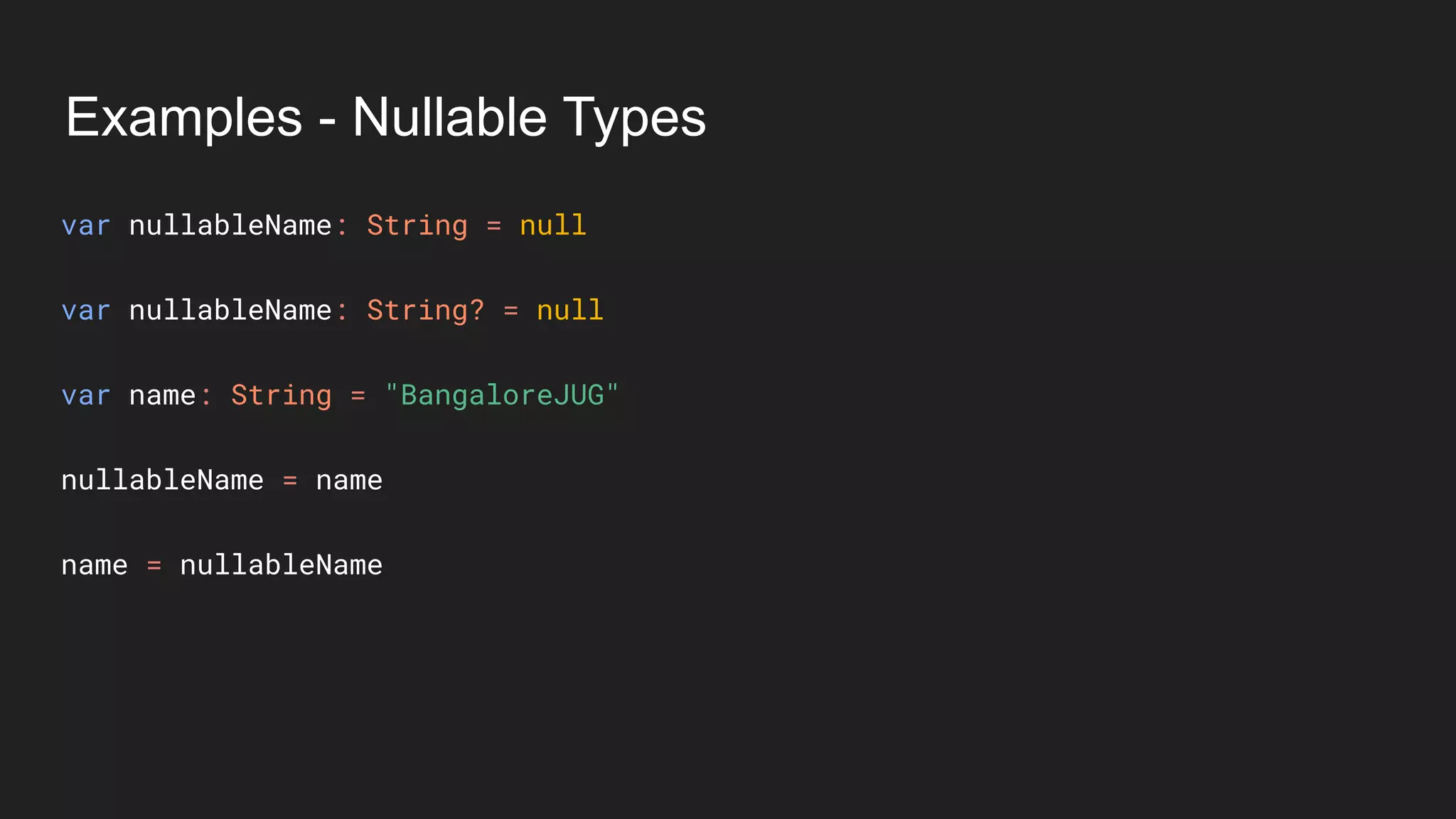
Examples - Nullable Types
var nullableName: String = null
var nullableName: String? = null
var name: String = "BangaloreJUG"
nullableName = name
name = nullableName
Destructuring Declaration
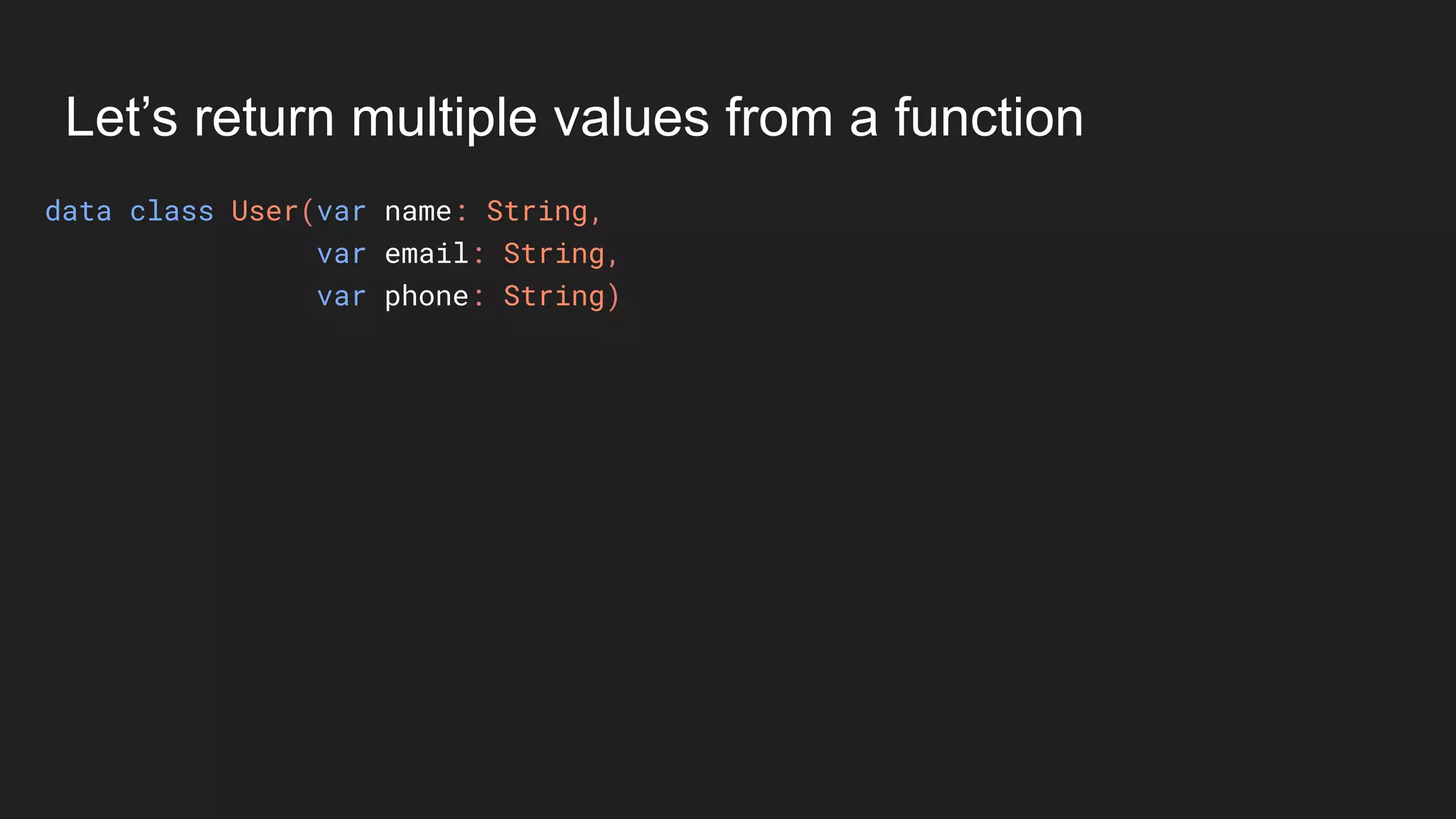
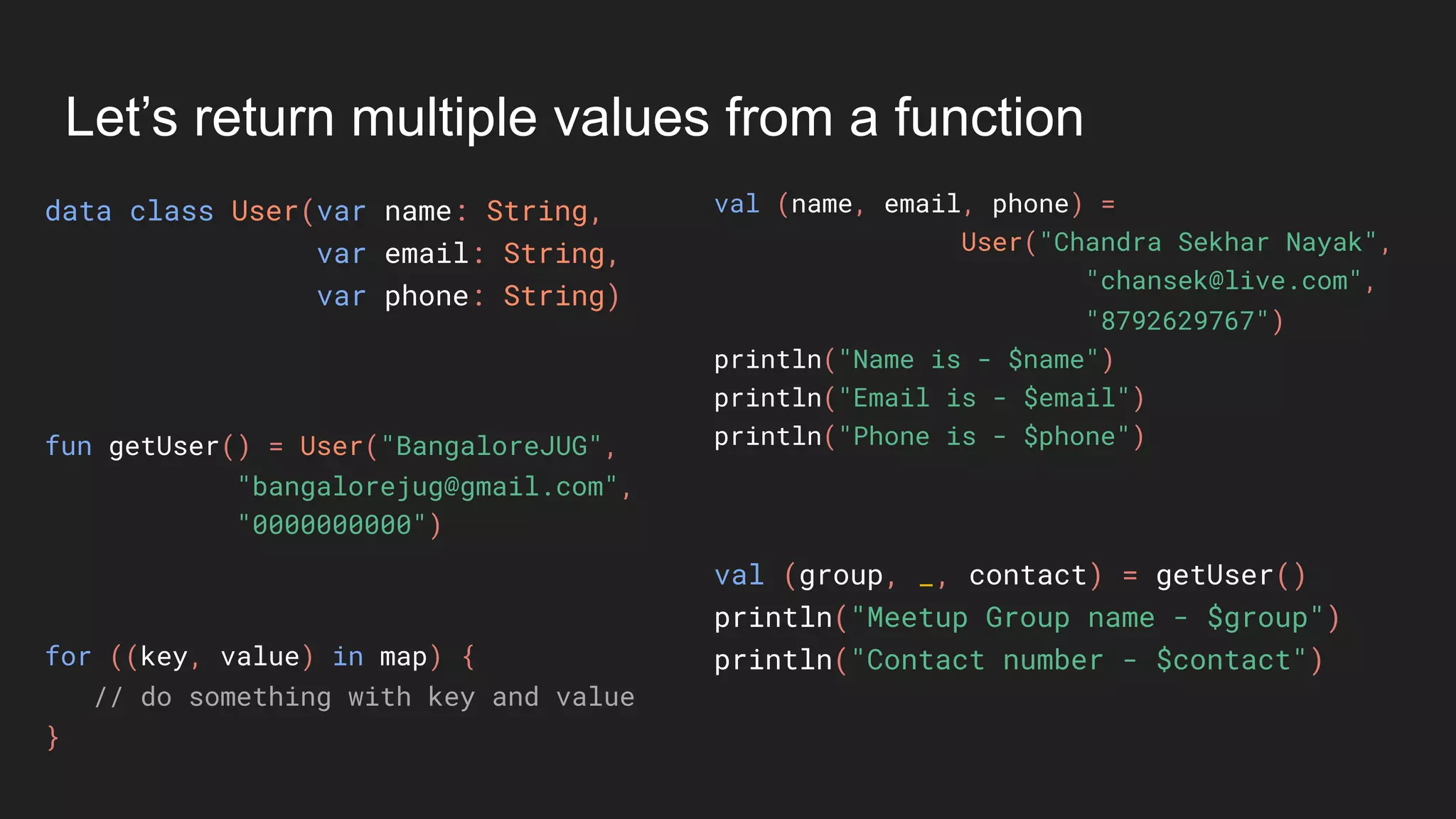
Let’s return multiple values from a function
data class User(var name: String,
var email: String,
var phone: String)
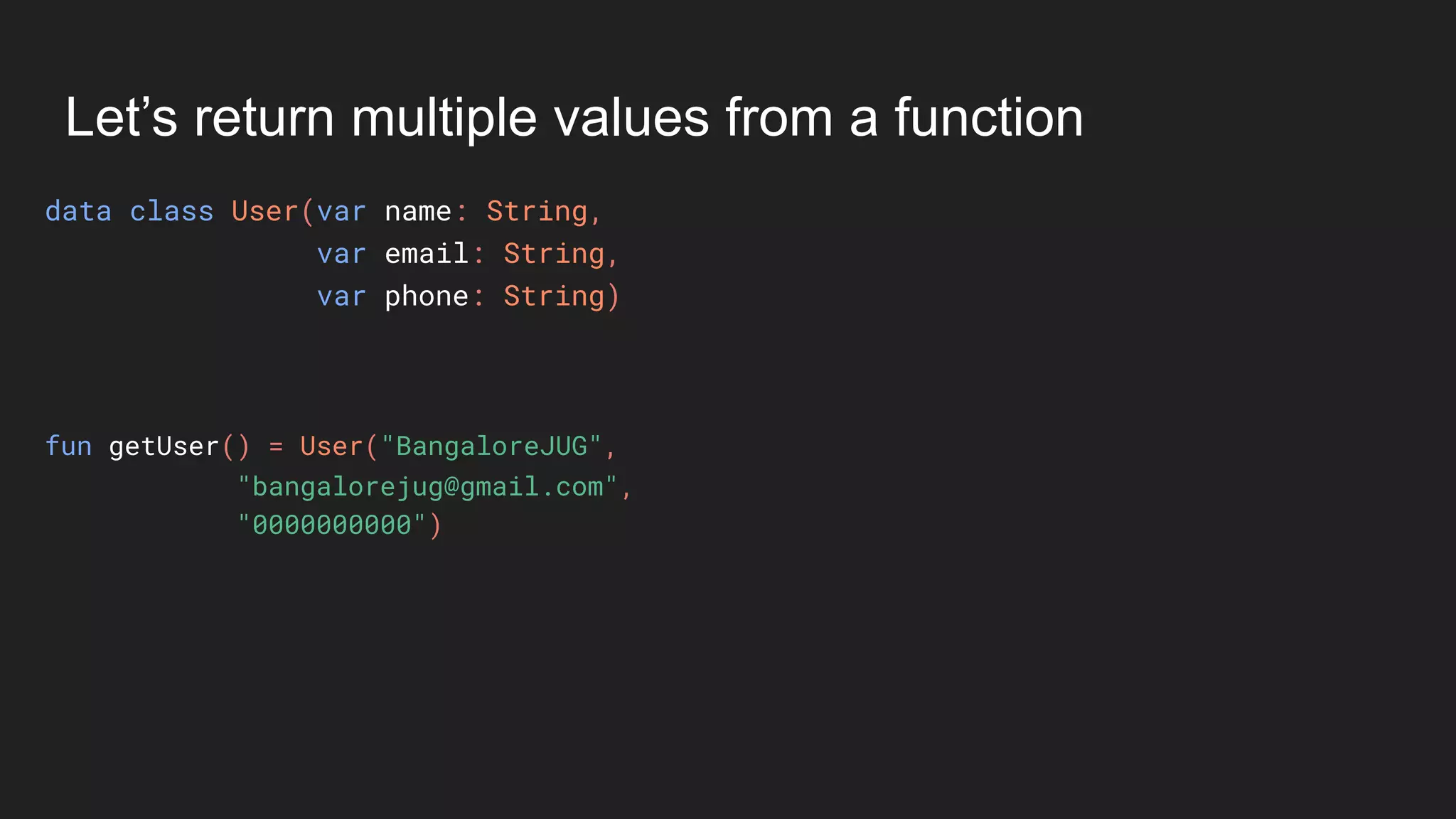
Let’s return multiple values from a function
data class User(var name: String,
var email: String,
var phone: String)
fun getUser() = User("BangaloreJUG",
"bangalorejug@gmail.com",
"0000000000")
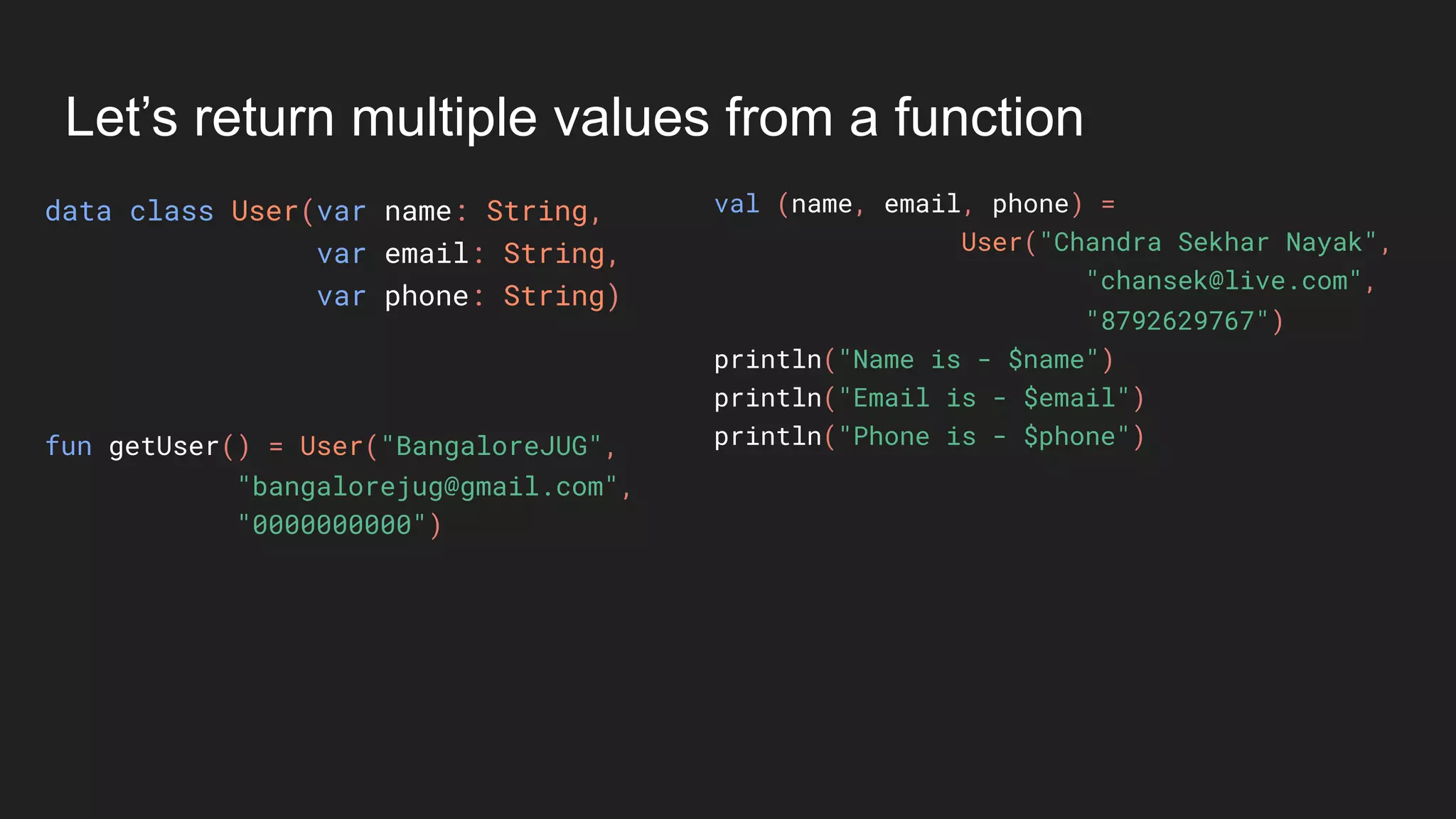
Let’s return multiple values from a function
data class User(var name: String,
var email: String,
var phone: String)
val (name, email, phone) =
User("Chandra Sekhar Nayak",
"chansek@live.com",
"8792629767")
println("Name is - $name")
println("Email is - $email")
println("Phone is - $phone")fun getUser() = User("BangaloreJUG",
"bangalorejug@gmail.com",
"0000000000")
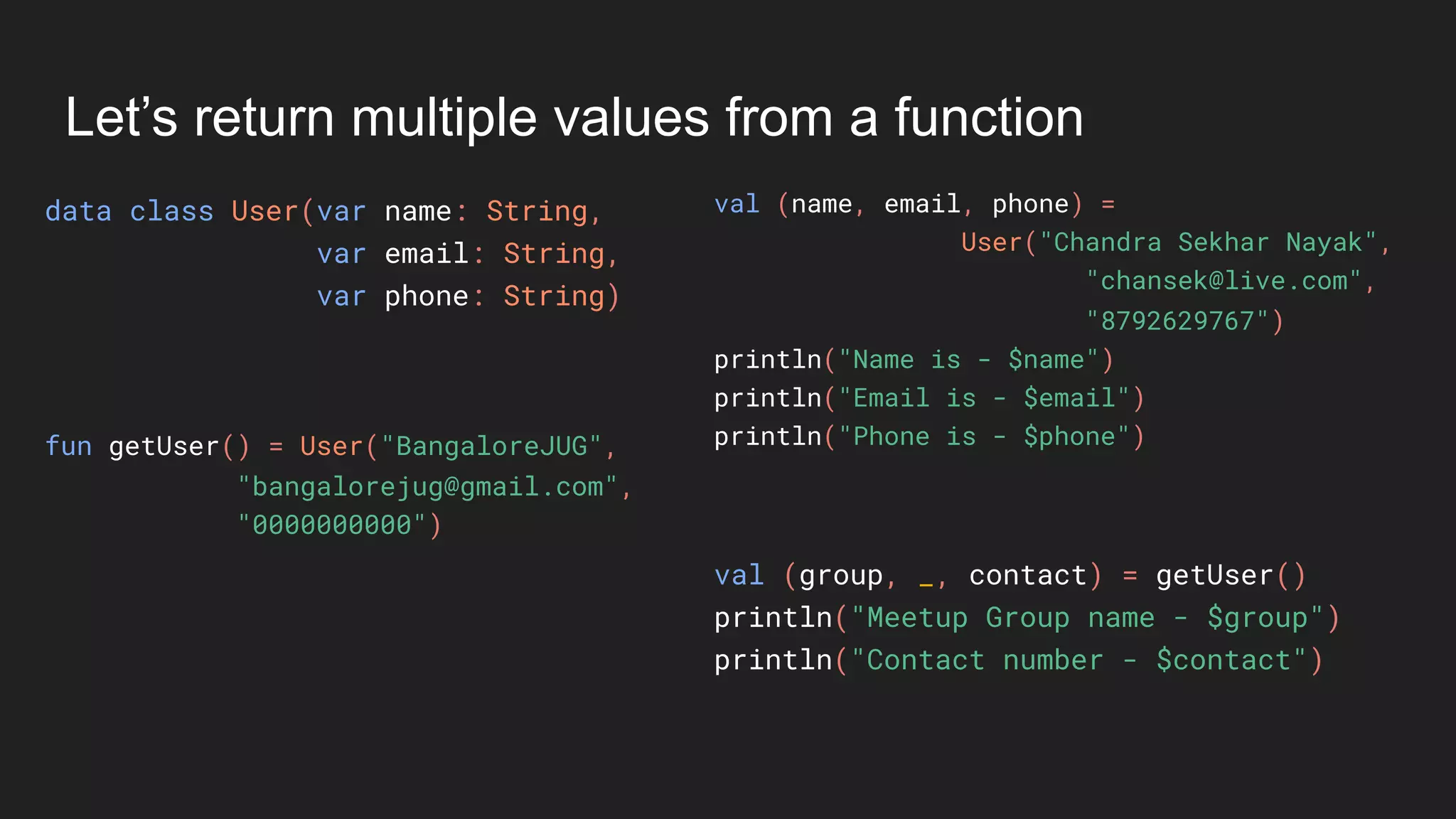
Let’s return multiple values from a function
data class User(var name: String,
var email: String,
var phone: String)
val (name, email, phone) =
User("Chandra Sekhar Nayak",
"chansek@live.com",
"8792629767")
println("Name is - $name")
println("Email is - $email")
println("Phone is - $phone")fun getUser() = User("BangaloreJUG",
"bangalorejug@gmail.com",
"0000000000")
val (group, _, contact) = getUser()
println("Meetup Group name - $group")
println("Contact number - $contact")
Let’s return multiple values from a function
data class User(var name: String,
var email: String,
var phone: String)
val (name, email, phone) =
User("Chandra Sekhar Nayak",
"chansek@live.com",
"8792629767")
println("Name is - $name")
println("Email is - $email")
println("Phone is - $phone")fun getUser() = User("BangaloreJUG",
"bangalorejug@gmail.com",
"0000000000")
val (group, _, contact) = getUser()
println("Meetup Group name - $group")
println("Contact number - $contact")for ((key, value) in map) {
// do something with key and value
}
Ranges
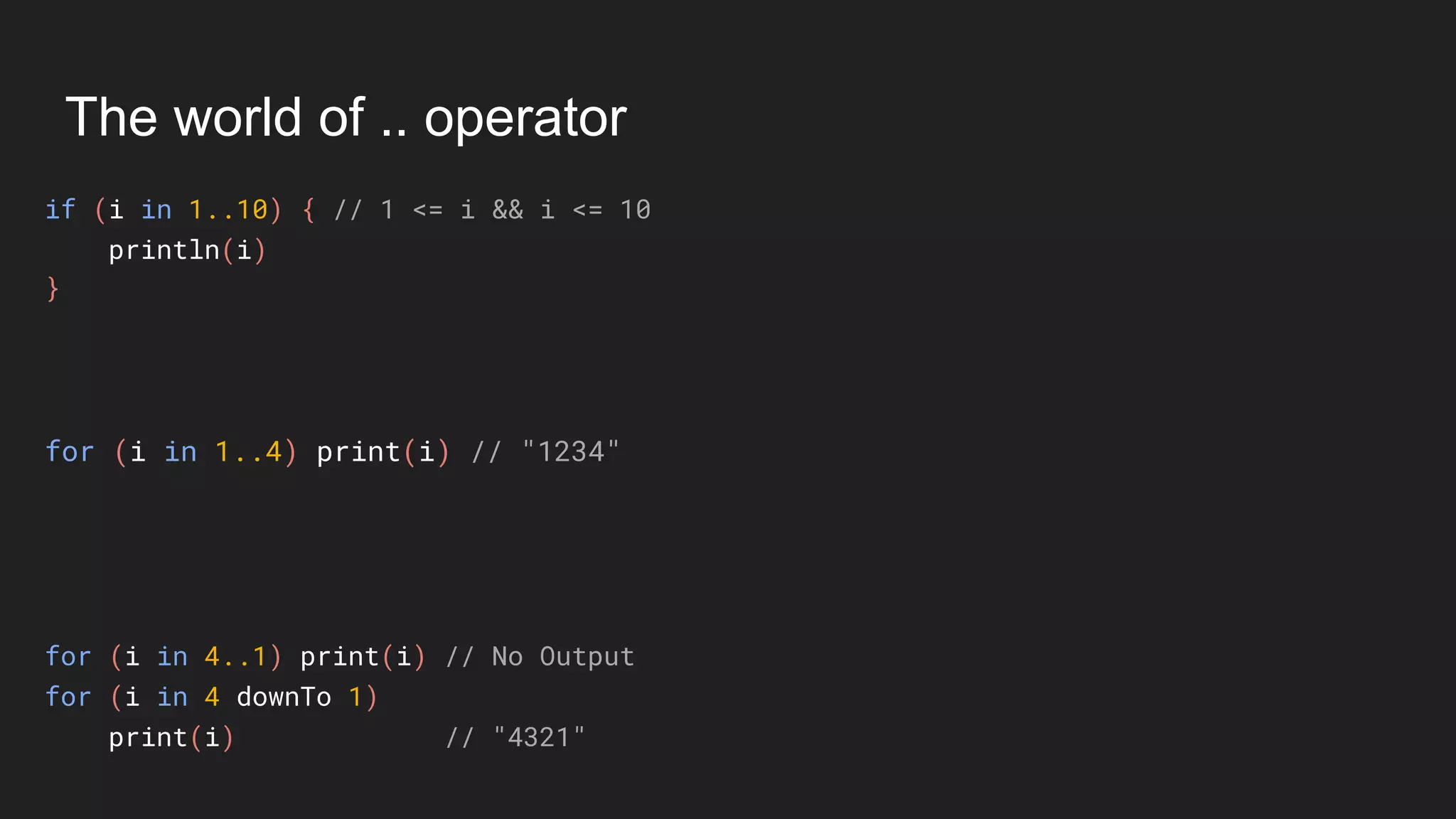
The world of .. operator
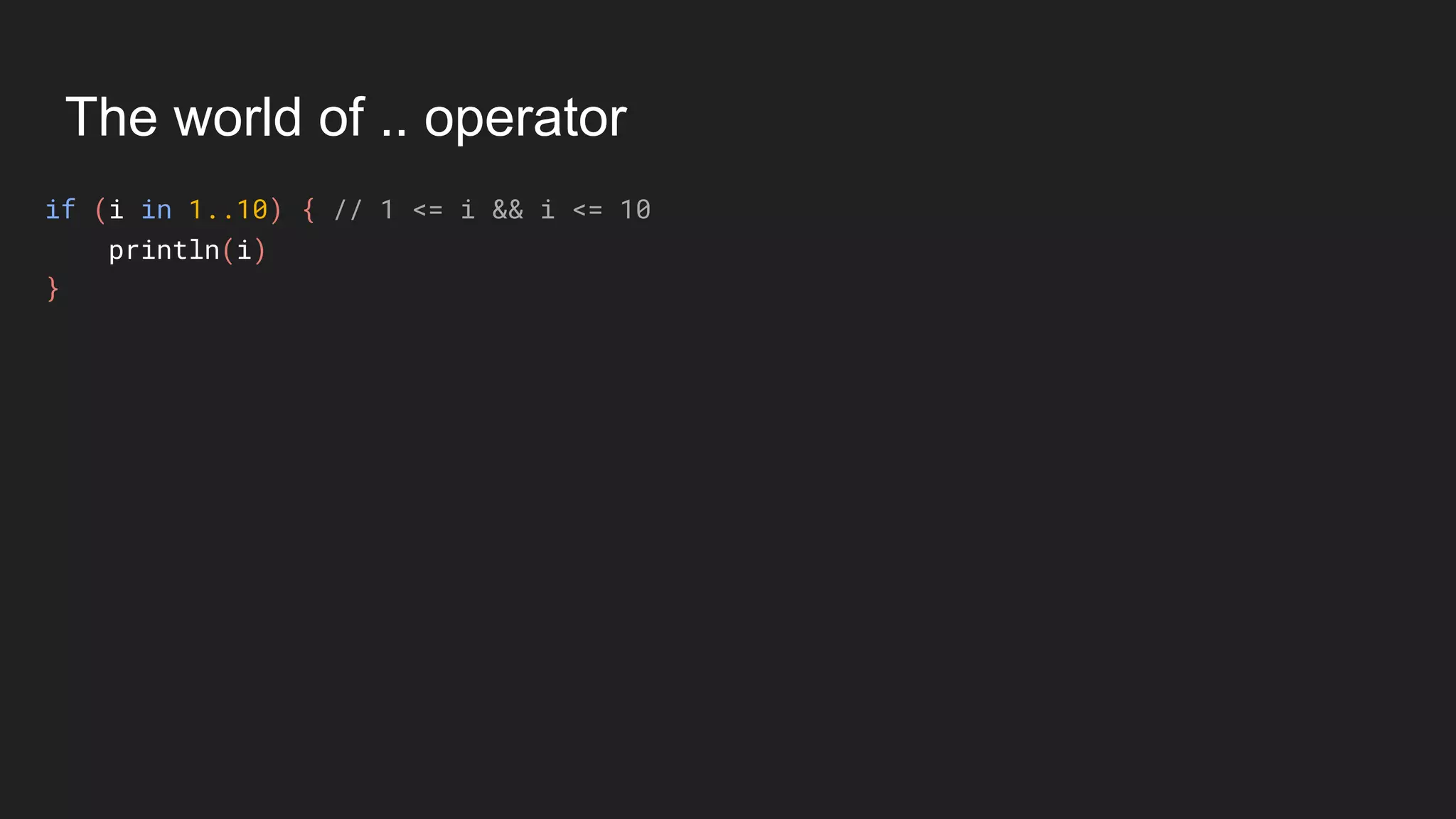
if (i in 1..10) { // 1 <= i && i <= 10
println(i)
}
The world of .. operator
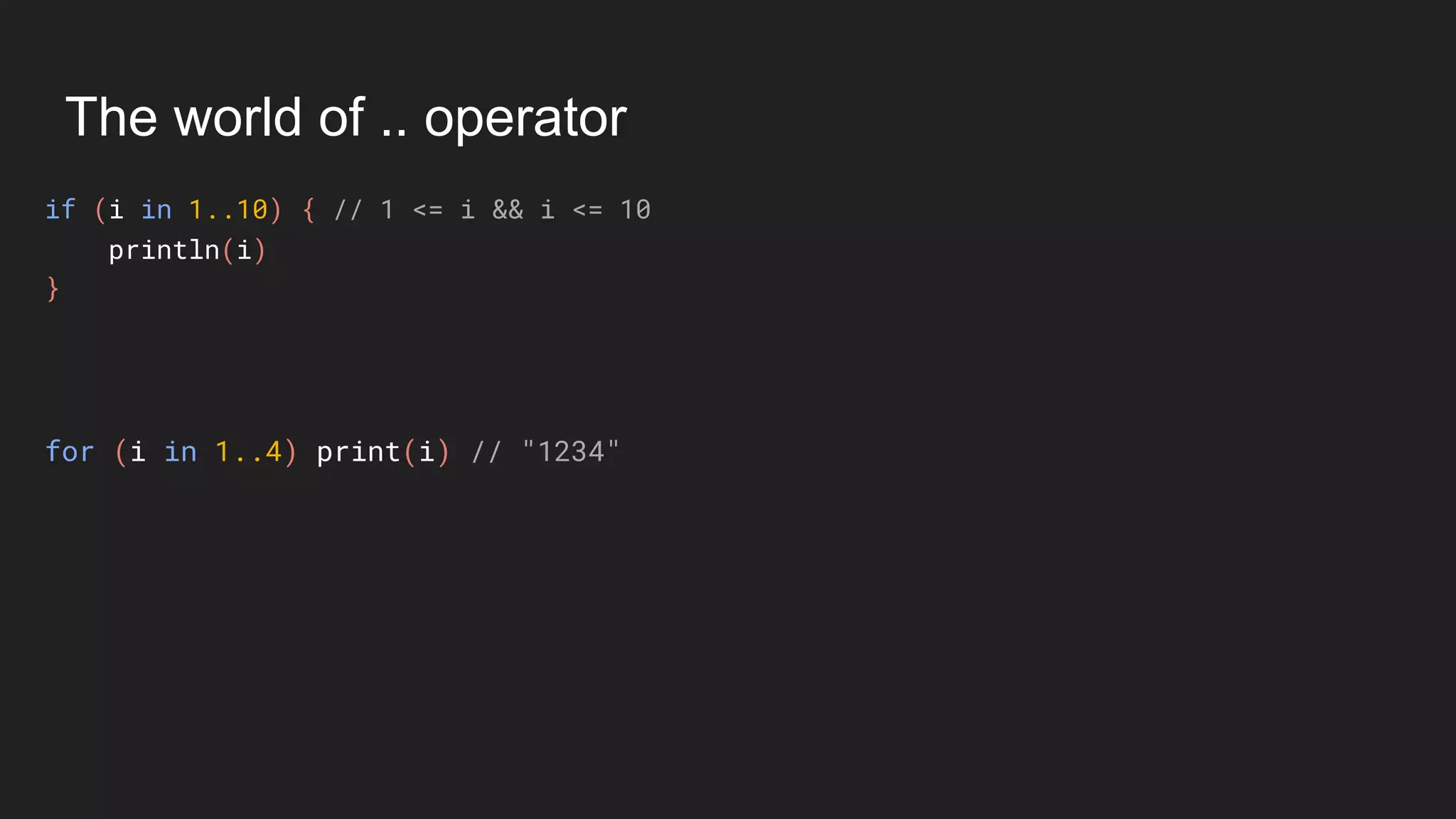
if (i in 1..10) { // 1 <= i && i <= 10
println(i)
}
for (i in 1..4) print(i) // "1234"
The world of .. operator
if (i in 1..10) { // 1 <= i && i <= 10
println(i)
}
for (i in 1..4) print(i) // "1234"
for (i in 4..1) print(i) // No Output
for (i in 4 downTo 1)
print(i) // "4321"
The world of .. operator
if (i in 1..10) { // 1 <= i && i <= 10
println(i)
}
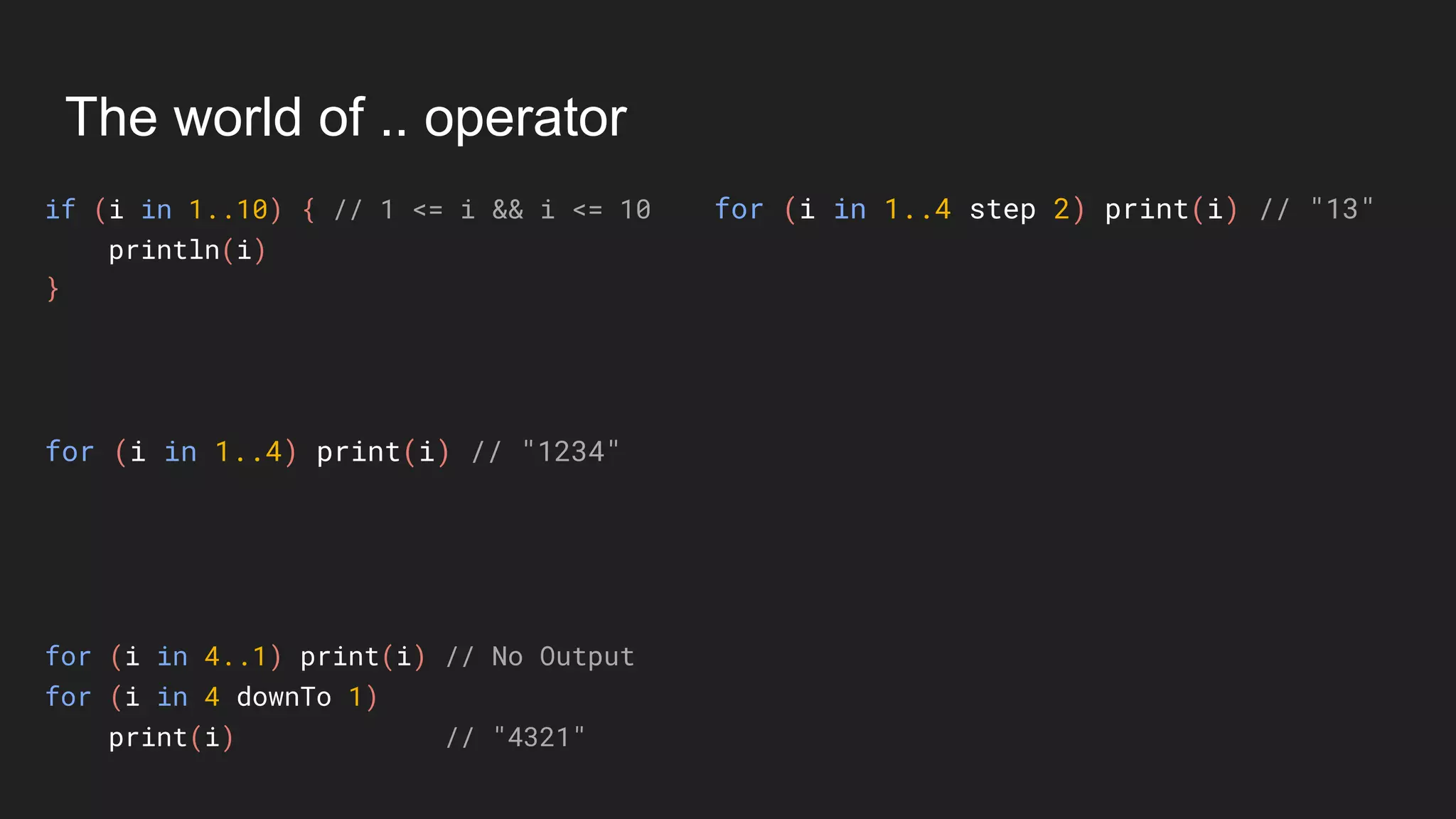
for (i in 1..4 step 2) print(i) // "13"
for (i in 1..4) print(i) // "1234"
for (i in 4..1) print(i) // No Output
for (i in 4 downTo 1)
print(i) // "4321"
The world of .. operator
if (i in 1..10) { // 1 <= i && i <= 10
println(i)
}
for (i in 1..4 step 2) print(i) // "13"
for (i in 1..4) print(i) // "1234"
for (i in 4..1) print(i) // No Output
for (i in 4 downTo 1)
print(i) // "4321"
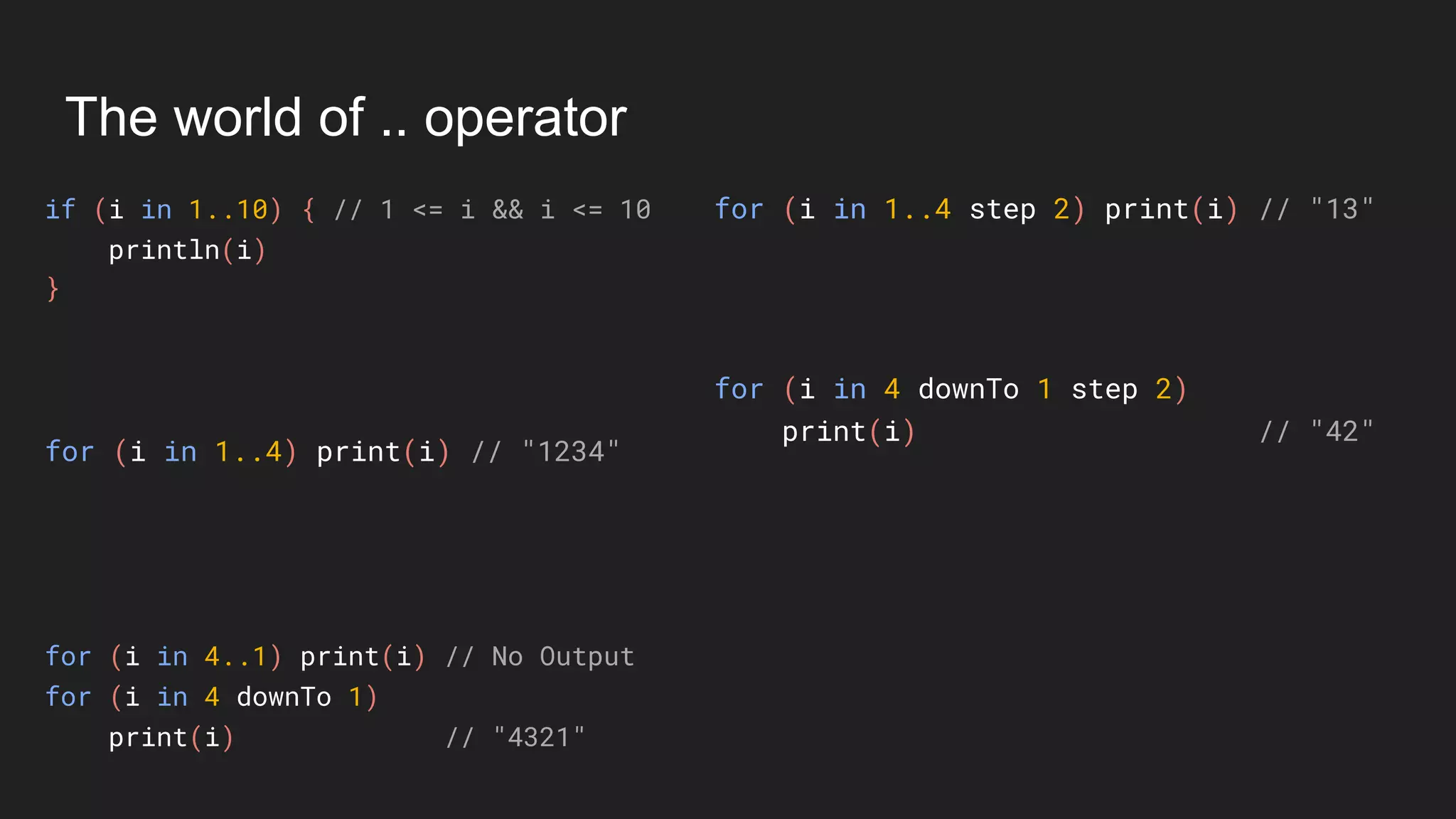
for (i in 4 downTo 1 step 2)
print(i) // "42"
The world of .. operator
if (i in 1..10) { // 1 <= i && i <= 10
println(i)
}
for (i in 1..4 step 2) print(i) // "13"
for (i in 1..4) print(i) // "1234"
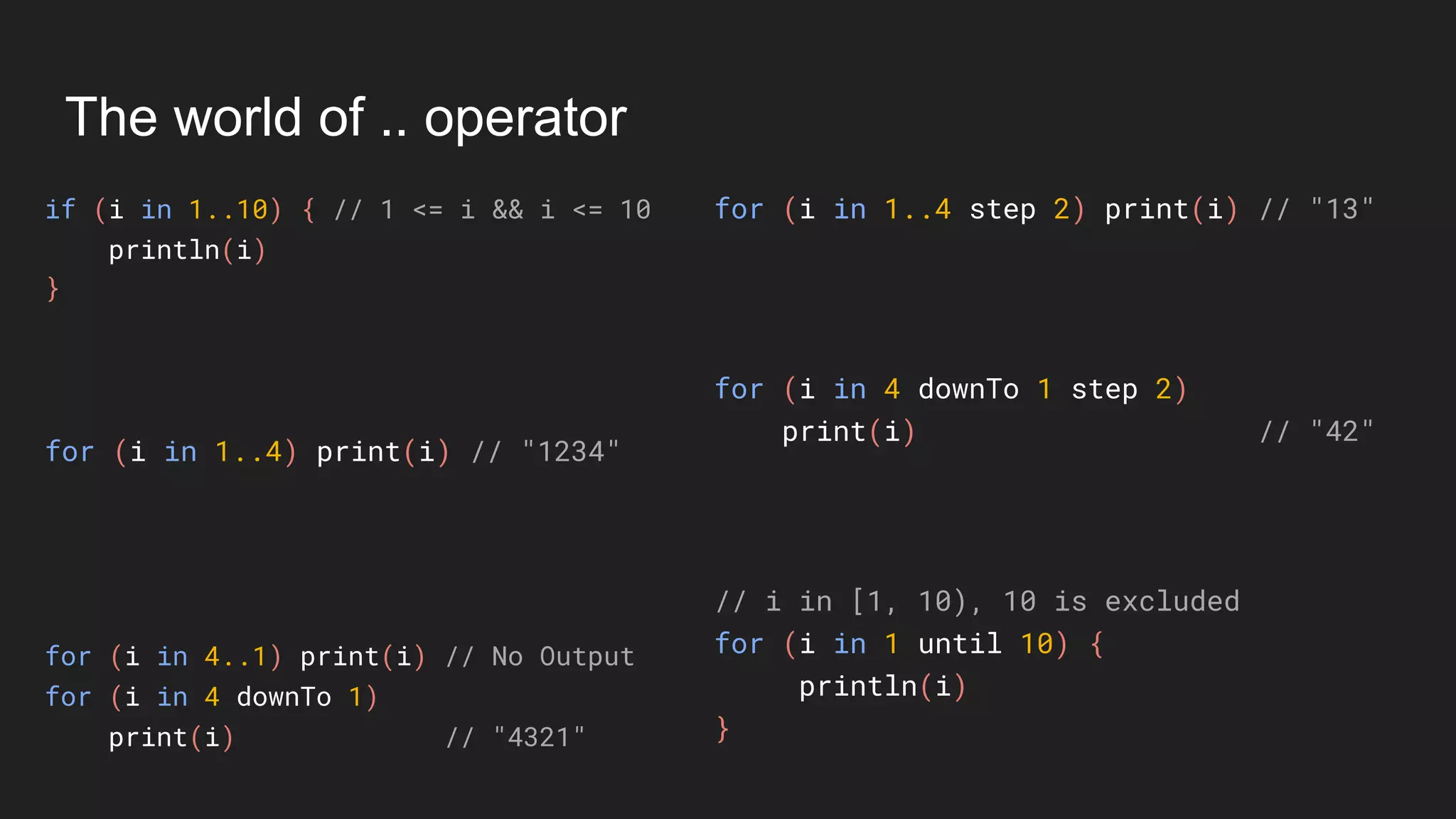
// i in [1, 10), 10 is excluded
for (i in 1 until 10) {
println(i)
}
for (i in 4..1) print(i) // No Output
for (i in 4 downTo 1)
print(i) // "4321"
for (i in 4 downTo 1 step 2)
print(i) // "42"
Operator Overloading
Unary Operations
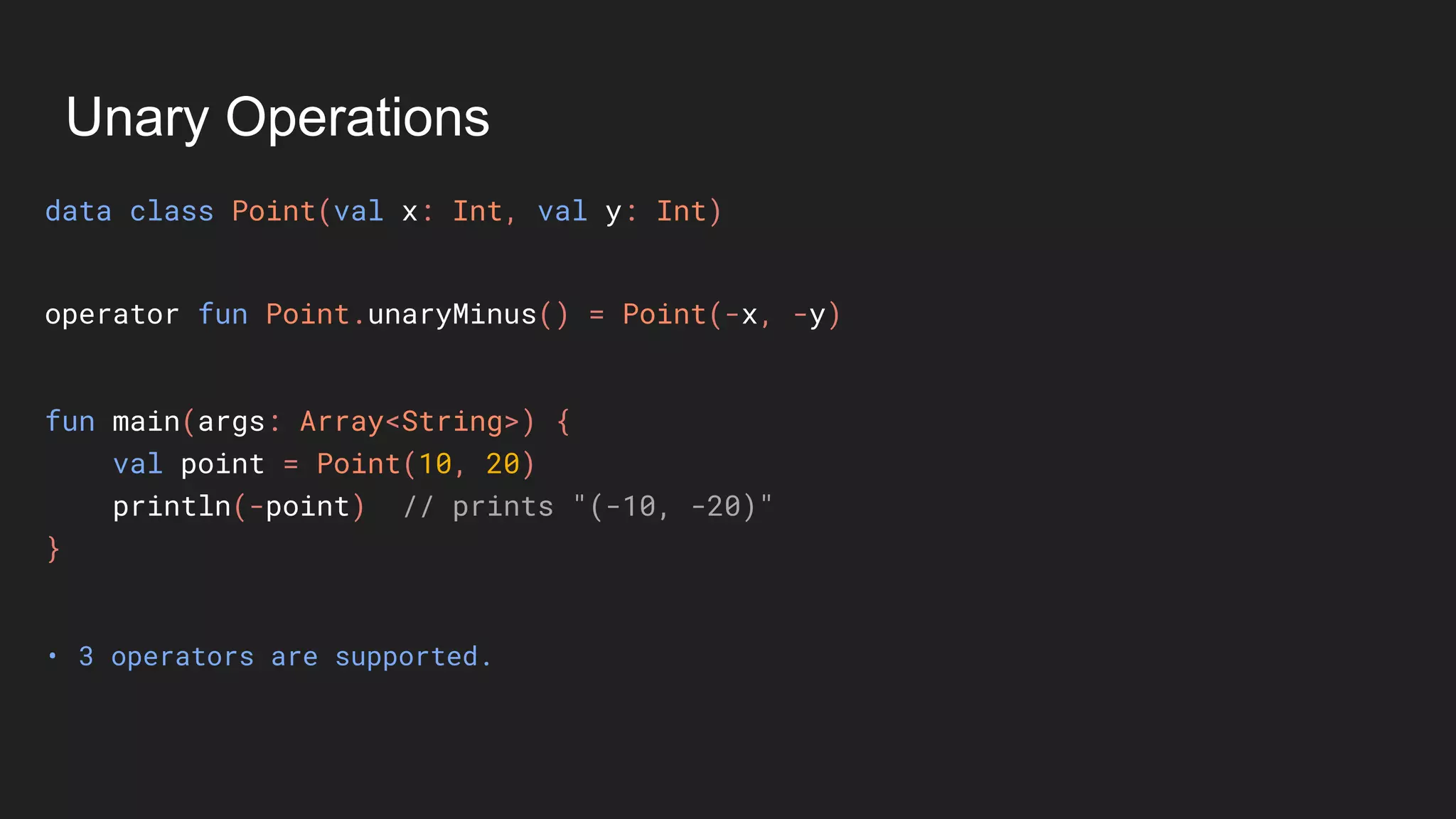
Unary Operations
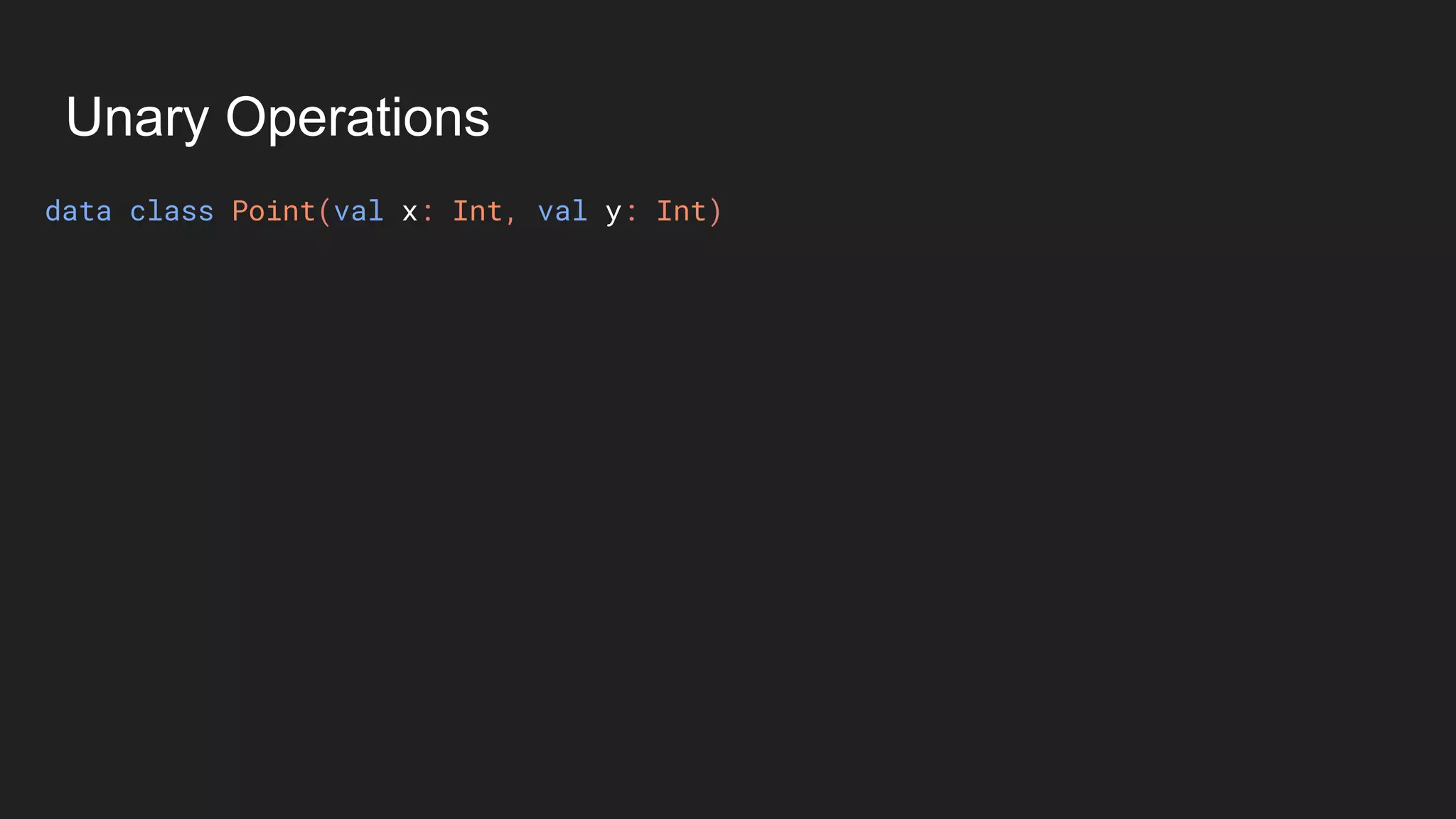
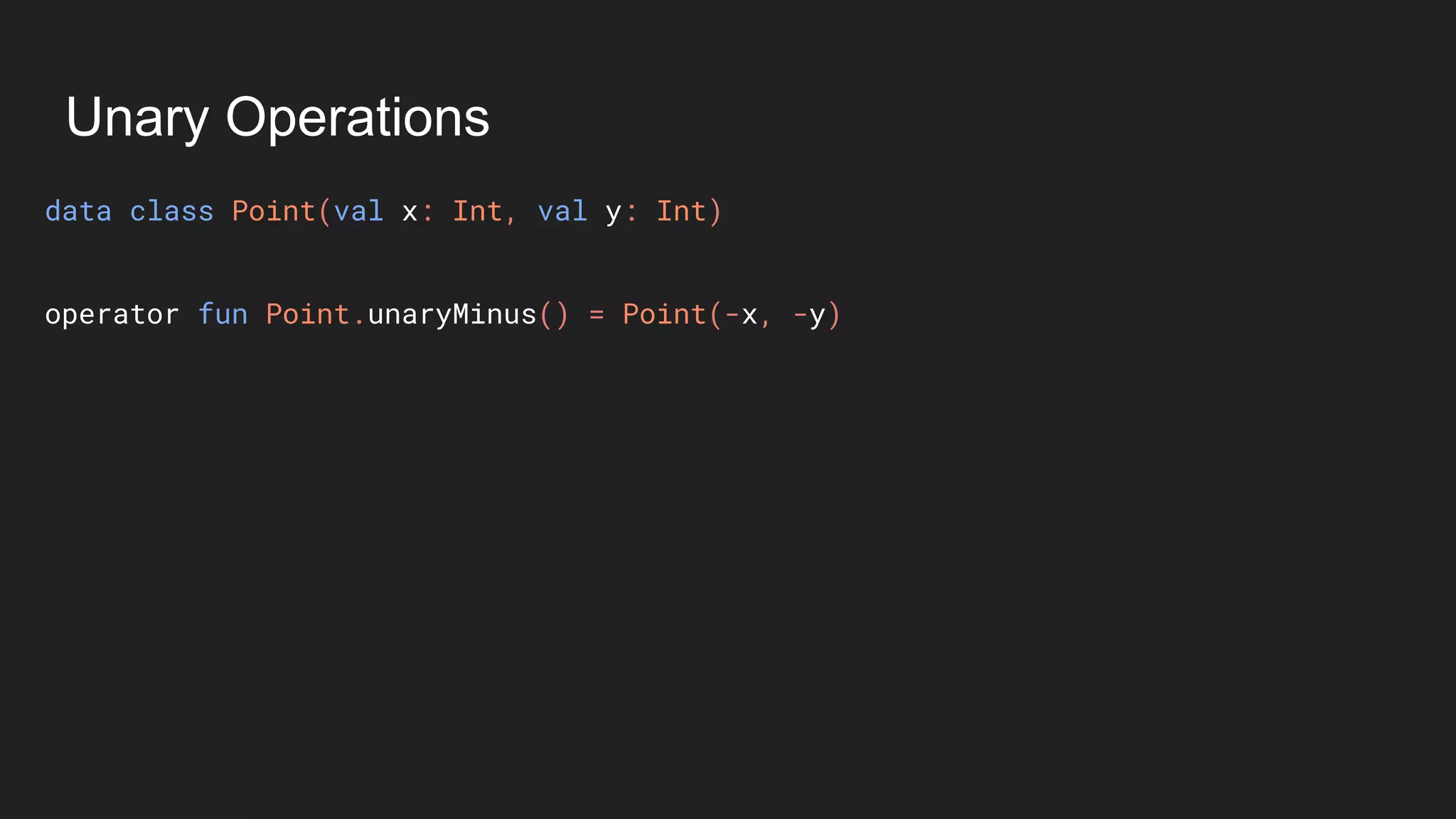
data class Point(val x: Int, val y: Int)
Unary Operations
data class Point(val x: Int, val y: Int)
operator fun Point.unaryMinus() = Point(-x, -y)
Unary Operations
data class Point(val x: Int, val y: Int)
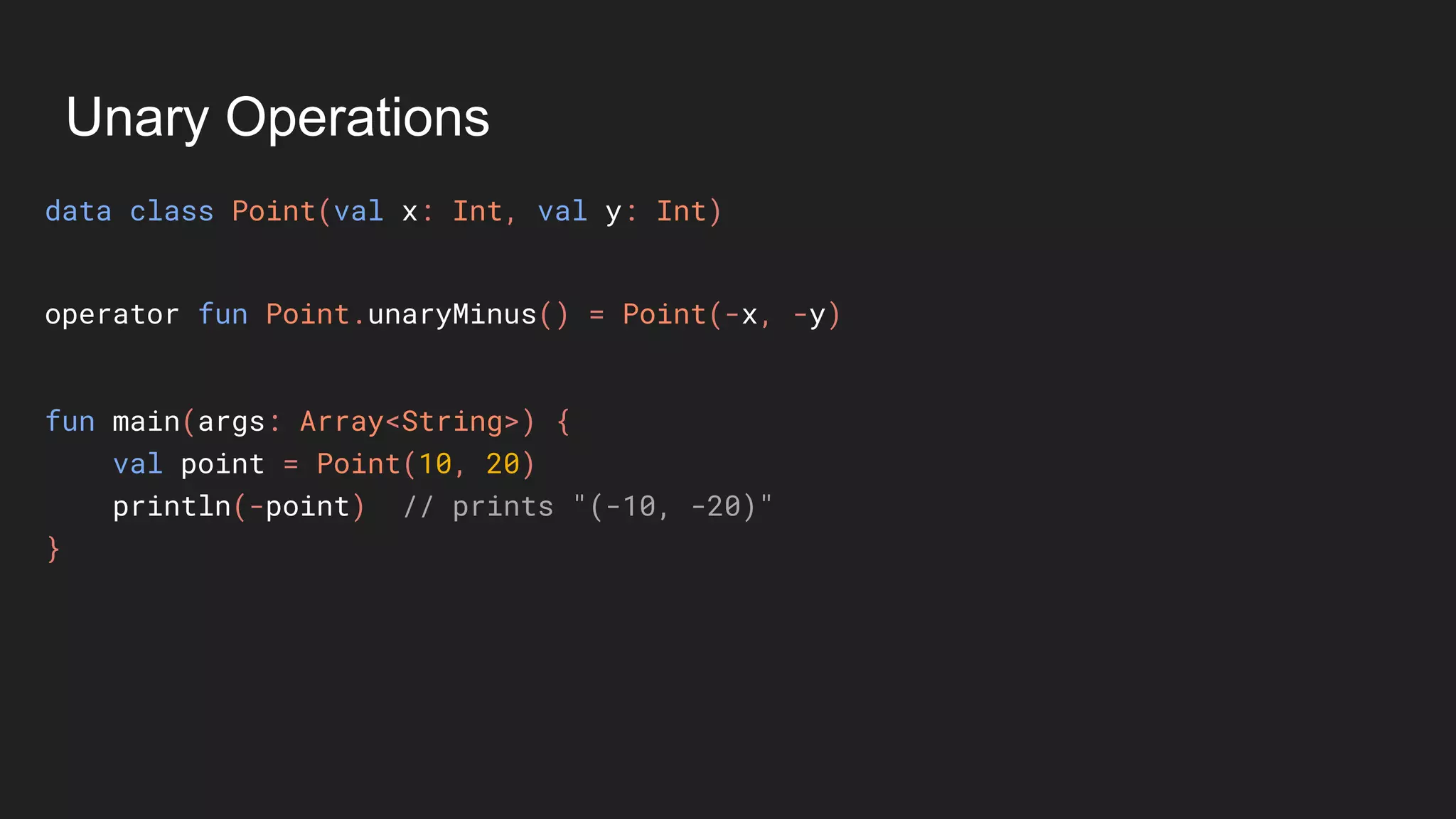
fun main(args: Array<String>) {
val point = Point(10, 20)
println(-point) // prints "(-10, -20)"
}
operator fun Point.unaryMinus() = Point(-x, -y)
Unary Operations
data class Point(val x: Int, val y: Int)
• 3 operators are supported.
fun main(args: Array<String>) {
val point = Point(10, 20)
println(-point) // prints "(-10, -20)"
}
operator fun Point.unaryMinus() = Point(-x, -y)
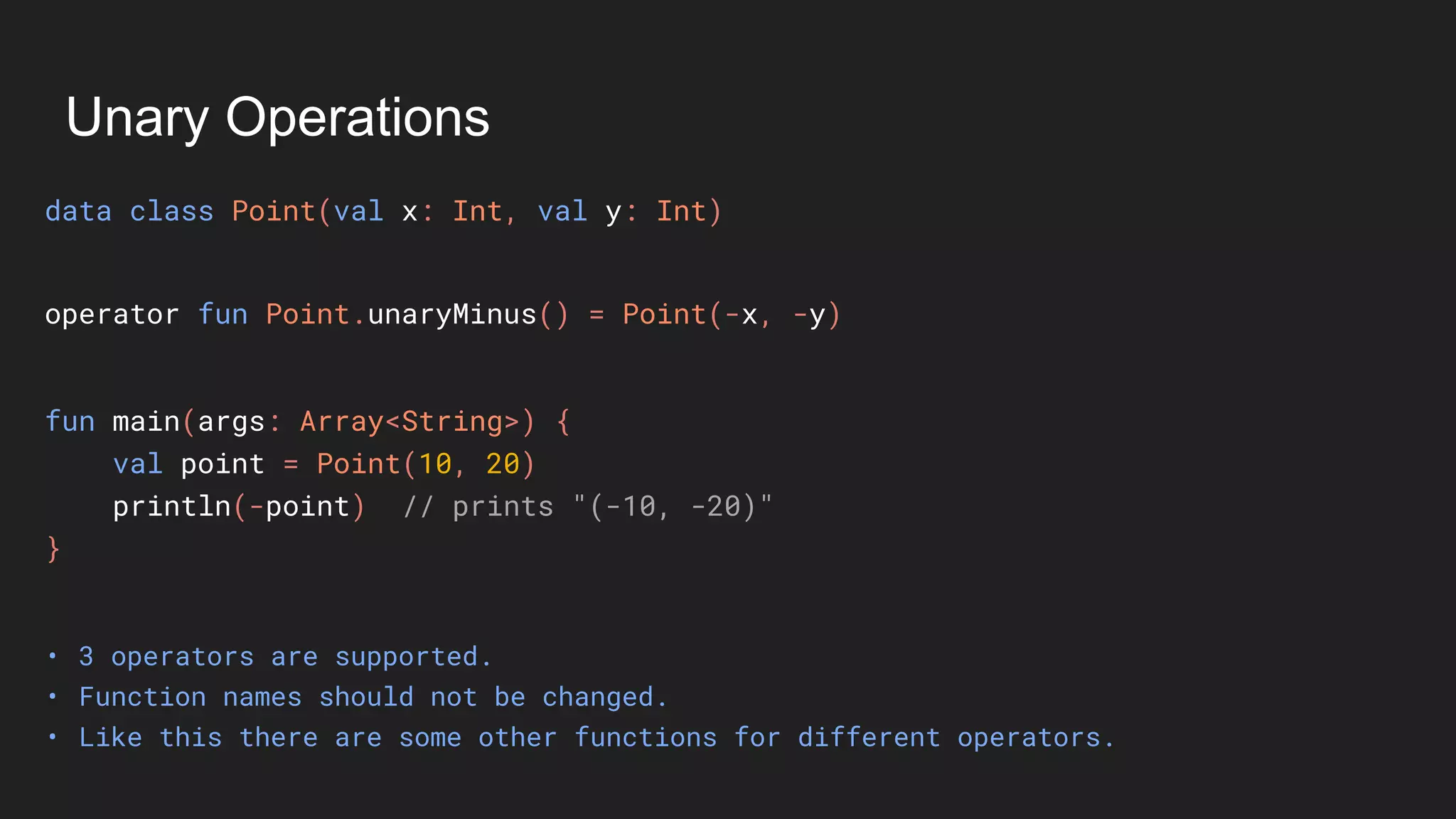
Unary Operations
data class Point(val x: Int, val y: Int)
• 3 operators are supported.
• Function names should not be changed.
fun main(args: Array<String>) {
val point = Point(10, 20)
println(-point) // prints "(-10, -20)"
}
operator fun Point.unaryMinus() = Point(-x, -y)
Unary Operations
data class Point(val x: Int, val y: Int)
• 3 operators are supported.
• Function names should not be changed.
• Like this there are some other functions for different operators.
fun main(args: Array<String>) {
val point = Point(10, 20)
println(-point) // prints "(-10, -20)"
}
operator fun Point.unaryMinus() = Point(-x, -y)
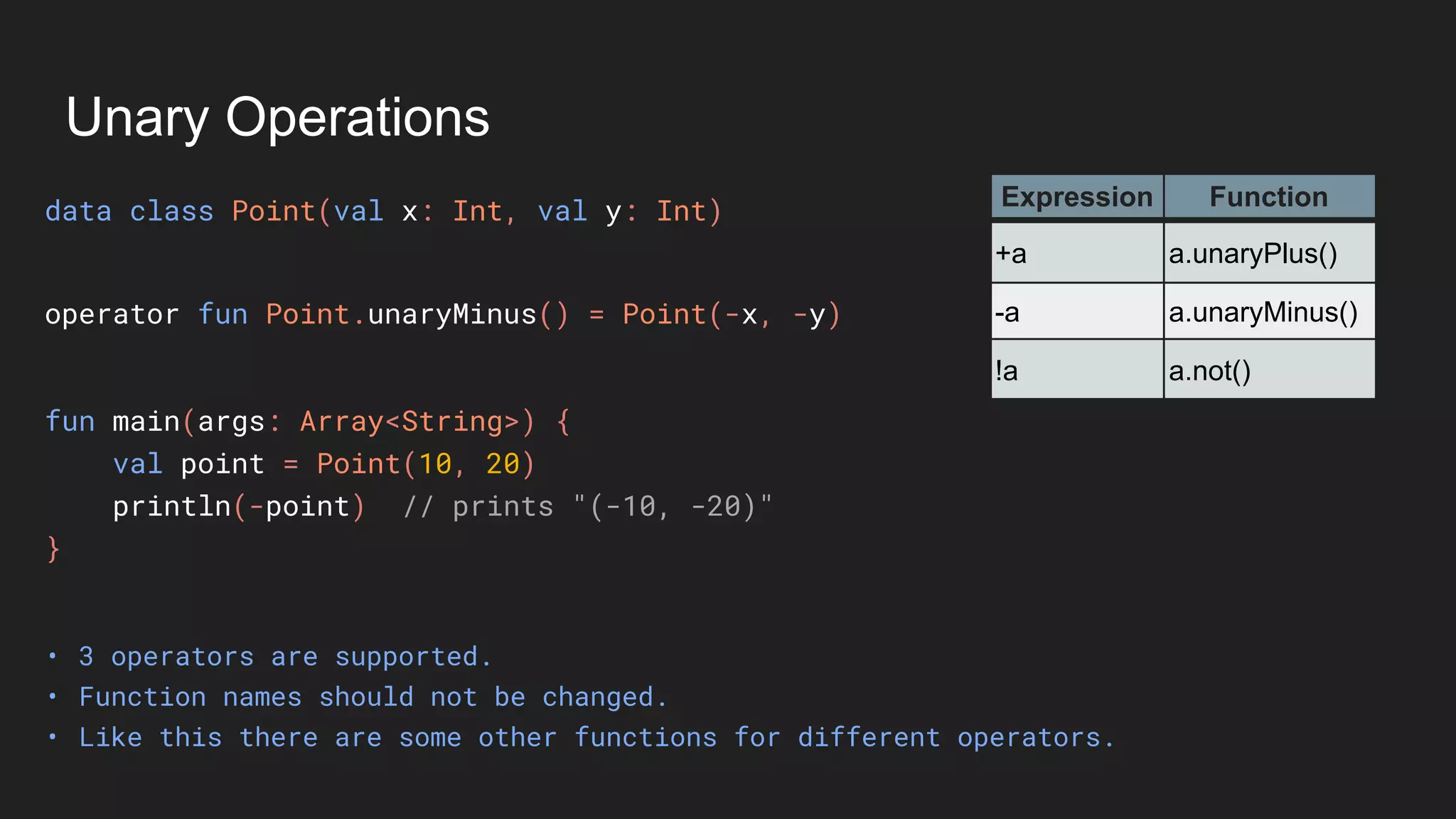
Unary Operations
data class Point(val x: Int, val y: Int)
• 3 operators are supported.
• Function names should not be changed.
• Like this there are some other functions for different operators.
fun main(args: Array<String>) {
val point = Point(10, 20)
println(-point) // prints "(-10, -20)"
}
Expression Function
+a a.unaryPlus()
-a a.unaryMinus()
!a a.not()
operator fun Point.unaryMinus() = Point(-x, -y)
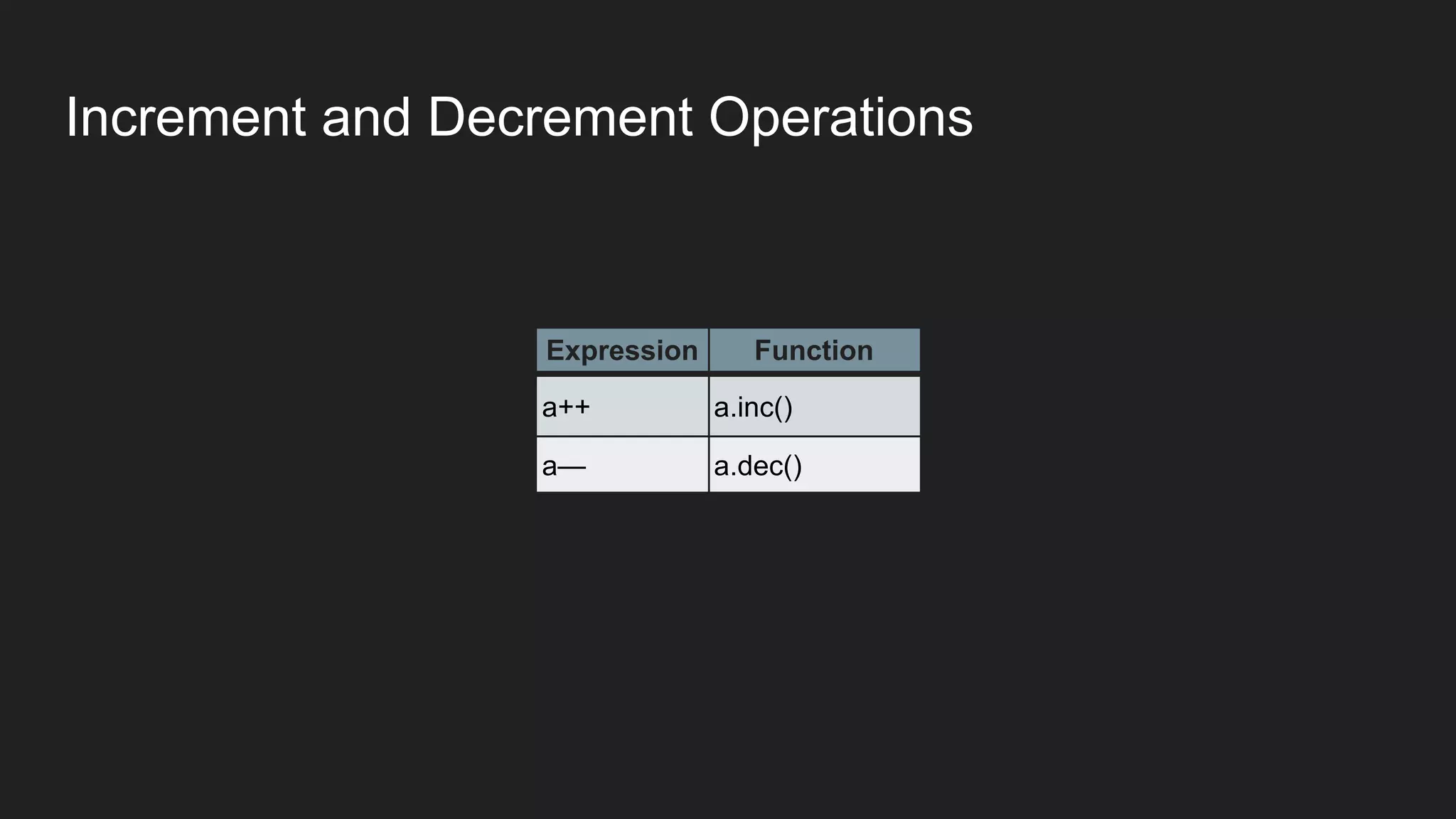
Increment and Decrement Operations
Expression Function
a++ a.inc()
a— a.dec()
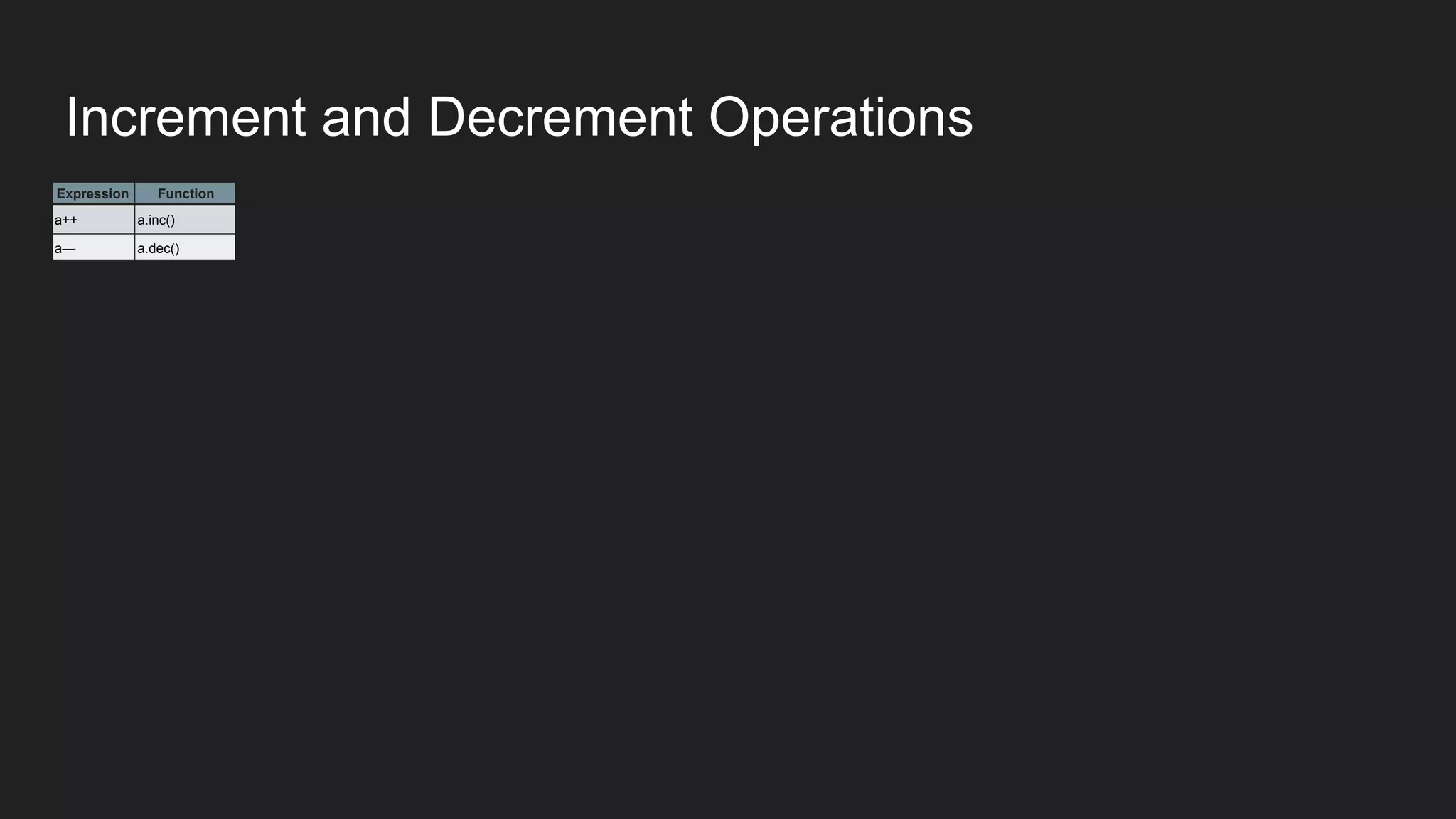
Increment and Decrement Operations
Expression Function
a++ a.inc()
a— a.dec()
Expression Function
a++ a.inc()
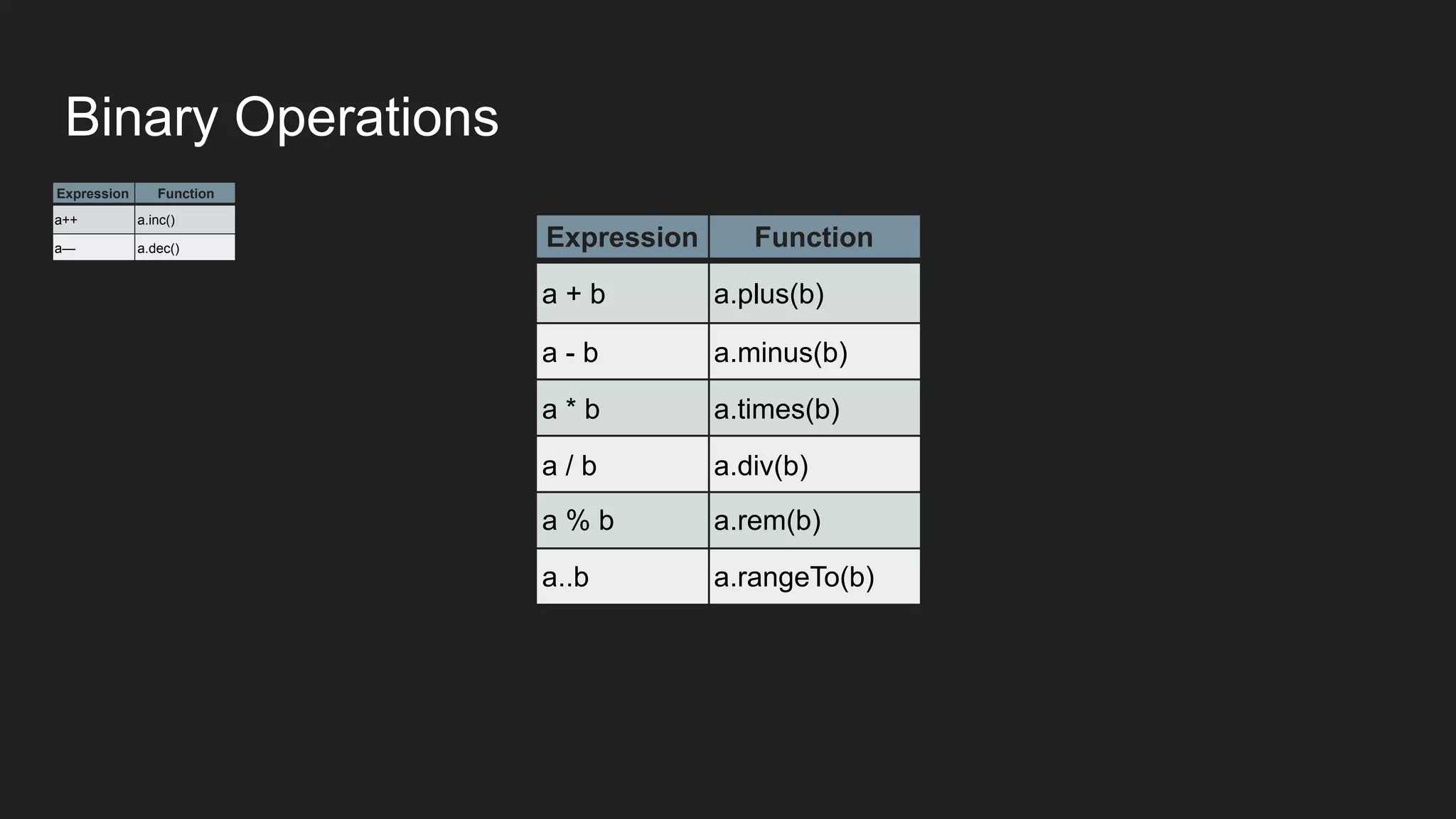
a— a.dec() Expression Function
a + b a.plus(b)
a - b a.minus(b)
a * b a.times(b)
a / b a.div(b)
a % b a.rem(b)
a..b a.rangeTo(b)
Binary Operations
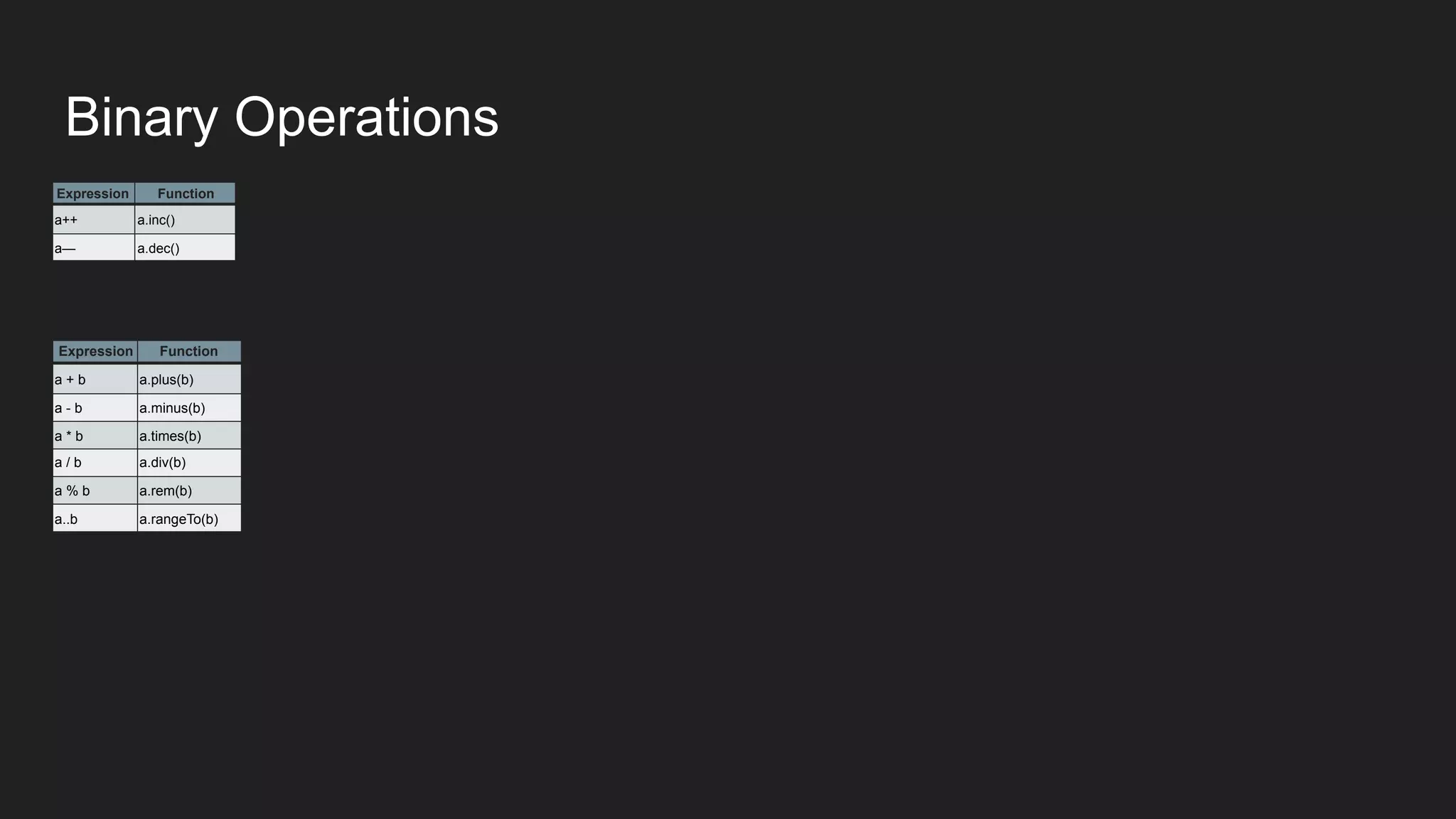
Expression Function
a++ a.inc()
a— a.dec()
Expression Function
a + b a.plus(b)
a - b a.minus(b)
a * b a.times(b)
a / b a.div(b)
a % b a.rem(b)
a..b a.rangeTo(b)
Binary Operations
Expression Function
a++ a.inc()
a— a.dec()
Expression Function
a + b a.plus(b)
a - b a.minus(b)
a * b a.times(b)
a / b a.div(b)
a % b a.rem(b)
a..b a.rangeTo(b)
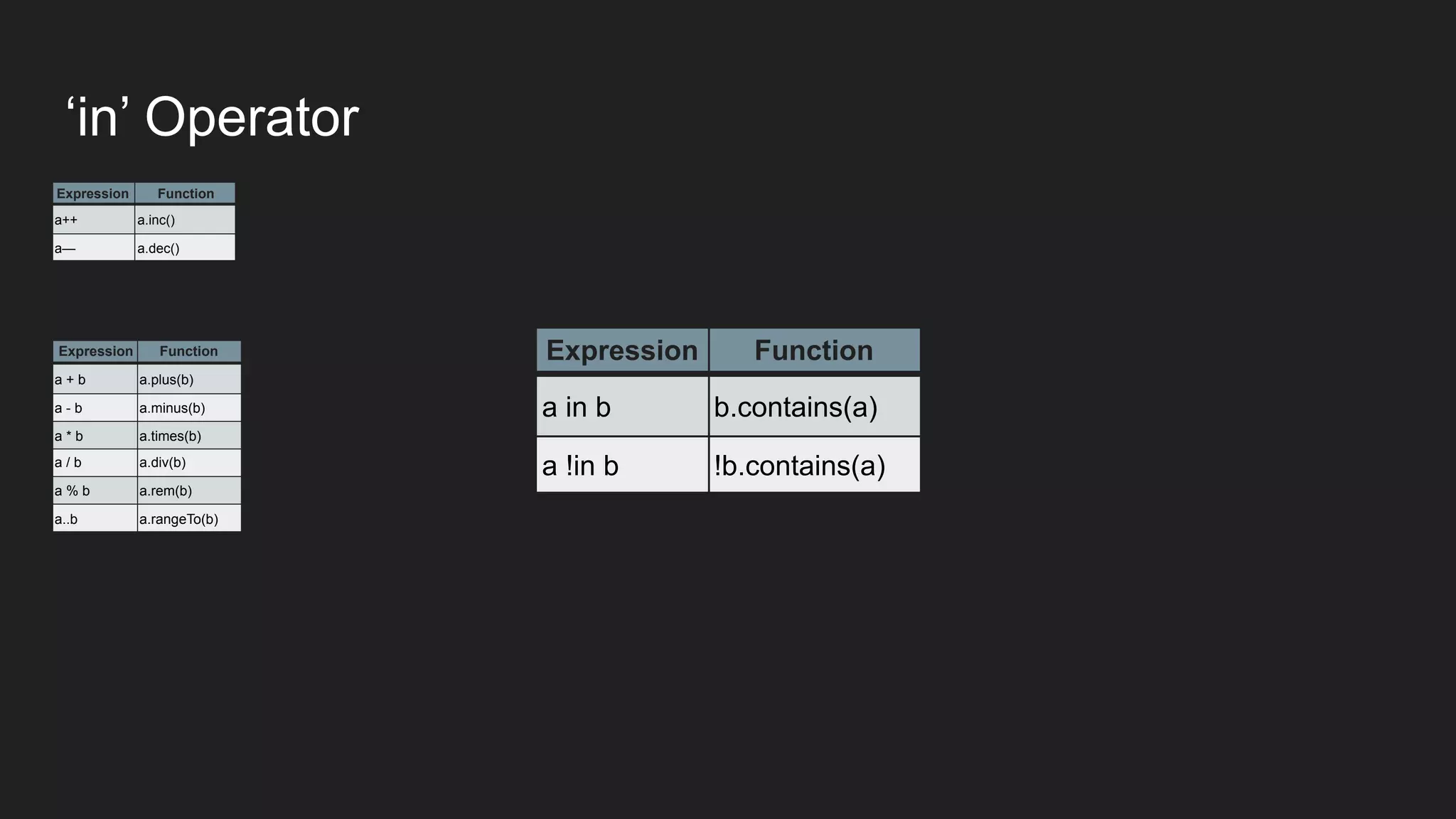
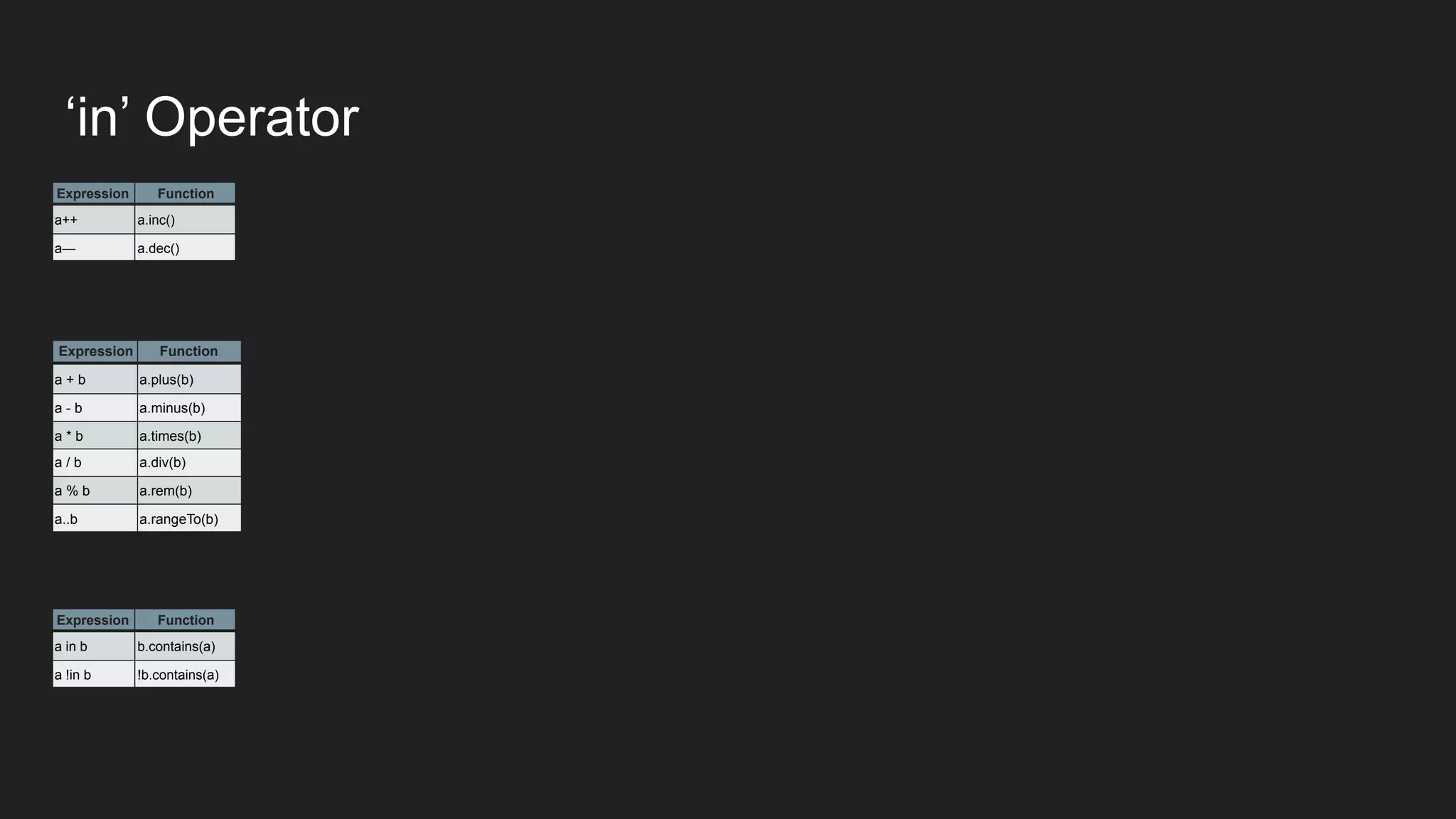
Expression Function
a in b b.contains(a)
a !in b !b.contains(a)
‘in’ Operator
Expression Function
a++ a.inc()
a— a.dec()
Expression Function
a + b a.plus(b)
a - b a.minus(b)
a * b a.times(b)
a / b a.div(b)
a % b a.rem(b)
a..b a.rangeTo(b)
Expression Function
a in b b.contains(a)
a !in b !b.contains(a)
‘in’ Operator
Expression Function
a++ a.inc()
a— a.dec()
Expression Function
a + b a.plus(b)
a - b a.minus(b)
a * b a.times(b)
a / b a.div(b)
a % b a.rem(b)
a..b a.rangeTo(b)
Expression Function
a in b b.contains(a)
a !in b !b.contains(a)
Expression Function
a[i] a.get(i)
a[i, j] a.get(i, j)
a[i1, i2, .., in] a.get(i1, i2, .., in)
a[i] = b a.set(i, b)
a[i, j] = b a.set(i, j, b)
a[i1, i2, .., in] = b a.set(i1, i2, .., in, b)
Indexed Access Operator
Expression Function
a++ a.inc()
a— a.dec()
Expression Function
a + b a.plus(b)
a - b a.minus(b)
a * b a.times(b)
a / b a.div(b)
a % b a.rem(b)
a..b a.rangeTo(b)
Expression Function
a in b b.contains(a)
a !in b !b.contains(a)
Expression Function
a[i] a.get(i)
a[i, j] a.get(i, j)
a[i1, i2, .., in] a.get(i1, i2, .., in)
a[i] = b a.set(i, b)
a[i, j] = b a.set(i, j, b)
a[i1, i2, .., in] = b a.set(i1, i2, .., in, b)
Indexed Access Operator
Expression Function
a++ a.inc()
a— a.dec()
Expression Function
a + b a.plus(b)
a - b a.minus(b)
a * b a.times(b)
a / b a.div(b)
a % b a.rem(b)
a..b a.rangeTo(b)
Expression Function
a in b b.contains(a)
a !in b !b.contains(a)
Expression Function
a[i] a.get(i)
a[i, j] a.get(i, j)
a[i1, i2, .., in] a.get(i1, i2, .., in)
a[i] = b a.set(i, b)
a[i, j] = b a.set(i, j, b)
a[i1, i2, .., in] = b a.set(i1, i2, .., in, b)
Expression Function
a() a.invoke()
a(i) a.invoke(i)
a(i, j) a.invoke(i, j)
Invoke Operator
Expression Function
a++ a.inc()
a— a.dec()
Expression Function
a + b a.plus(b)
a - b a.minus(b)
a * b a.times(b)
a / b a.div(b)
a % b a.rem(b)
a..b a.rangeTo(b)
Expression Function
a in b b.contains(a)
a !in b !b.contains(a)
Expression Function
a[i] a.get(i)
a[i, j] a.get(i, j)
a[i1, i2, .., in] a.get(i1, i2, .., in)
a[i] = b a.set(i, b)
a[i, j] = b a.set(i, j, b)
a[i1, i2, .., in] = b a.set(i1, i2, .., in, b)
Expression Function
a() a.invoke()
a(i) a.invoke(i)
a(i, j) a.invoke(i, j)
Invoke Operator
Extension Functions
Extending an existing class
● The most powerful feature of Kotlin
Extending an existing class
● The most powerful feature of Kotlin
● No utility class is required
Extending an existing class
● The most powerful feature of Kotlin
● No utility class is required
● IDE can auto suggest
Extending an existing class
● The most powerful feature of Kotlin
● No utility class is required
● IDE can auto suggest
● Accidentally multiple utility function for same doesn’t get
created
Let’s extend the functionality of a library class
fun ArrayList<String>.swap(index1: Int, index2: Int) {
val tmp = this[index1]
this[index1] = this[index2]
this[index2] = tmp
}
Let’s extend the functionality of a library class
fun ArrayList<String>.swap(index1: Int, index2: Int) {
val tmp = this[index1]
this[index1] = this[index2]
this[index2] = tmp
}
fun main(args: Array<String>) {
val list = arrayListOf("BangaloreJUG", "BlrKotlin", "BlrDroid")
list.swap(0, 1)
print(list)
}
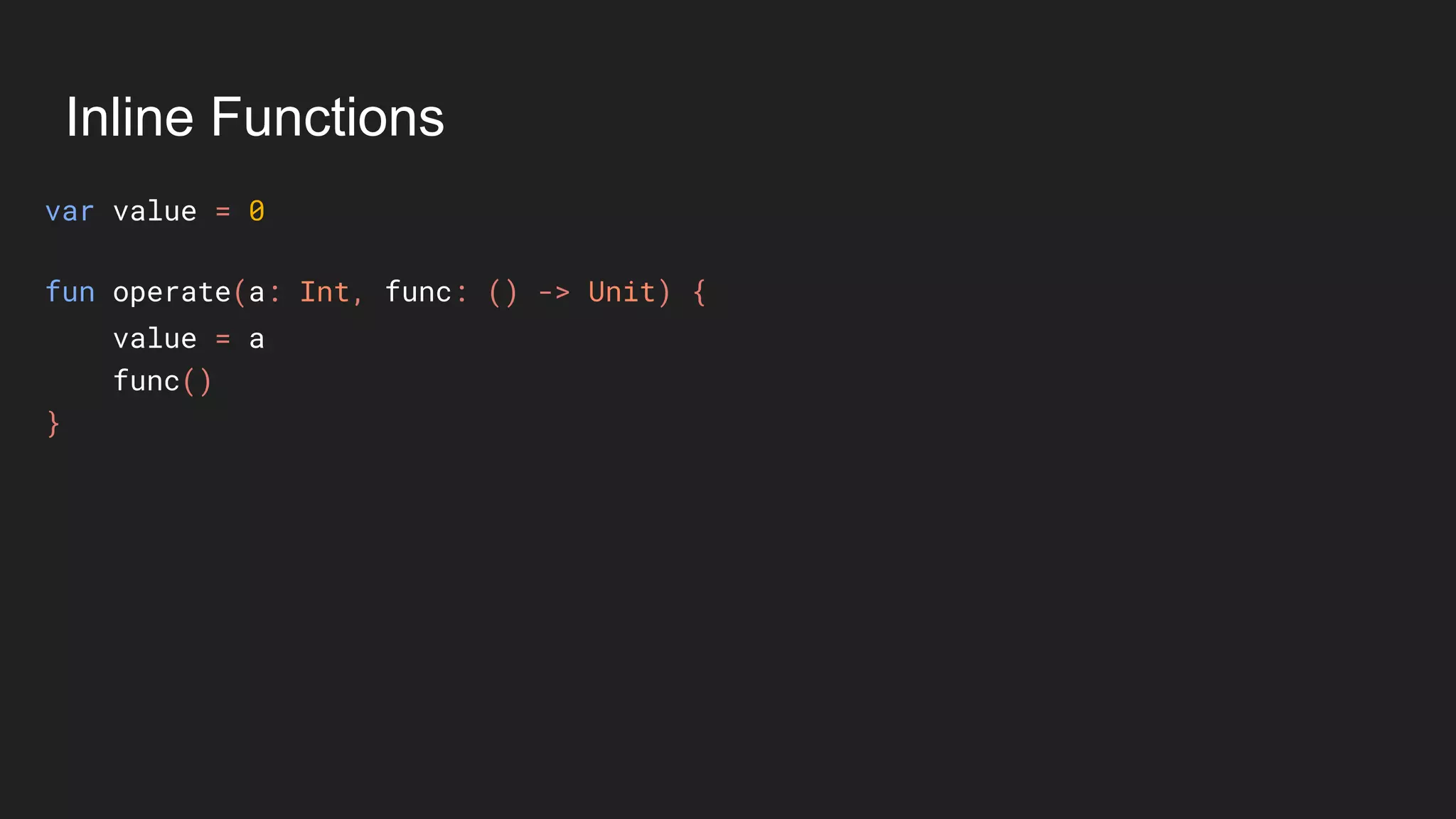
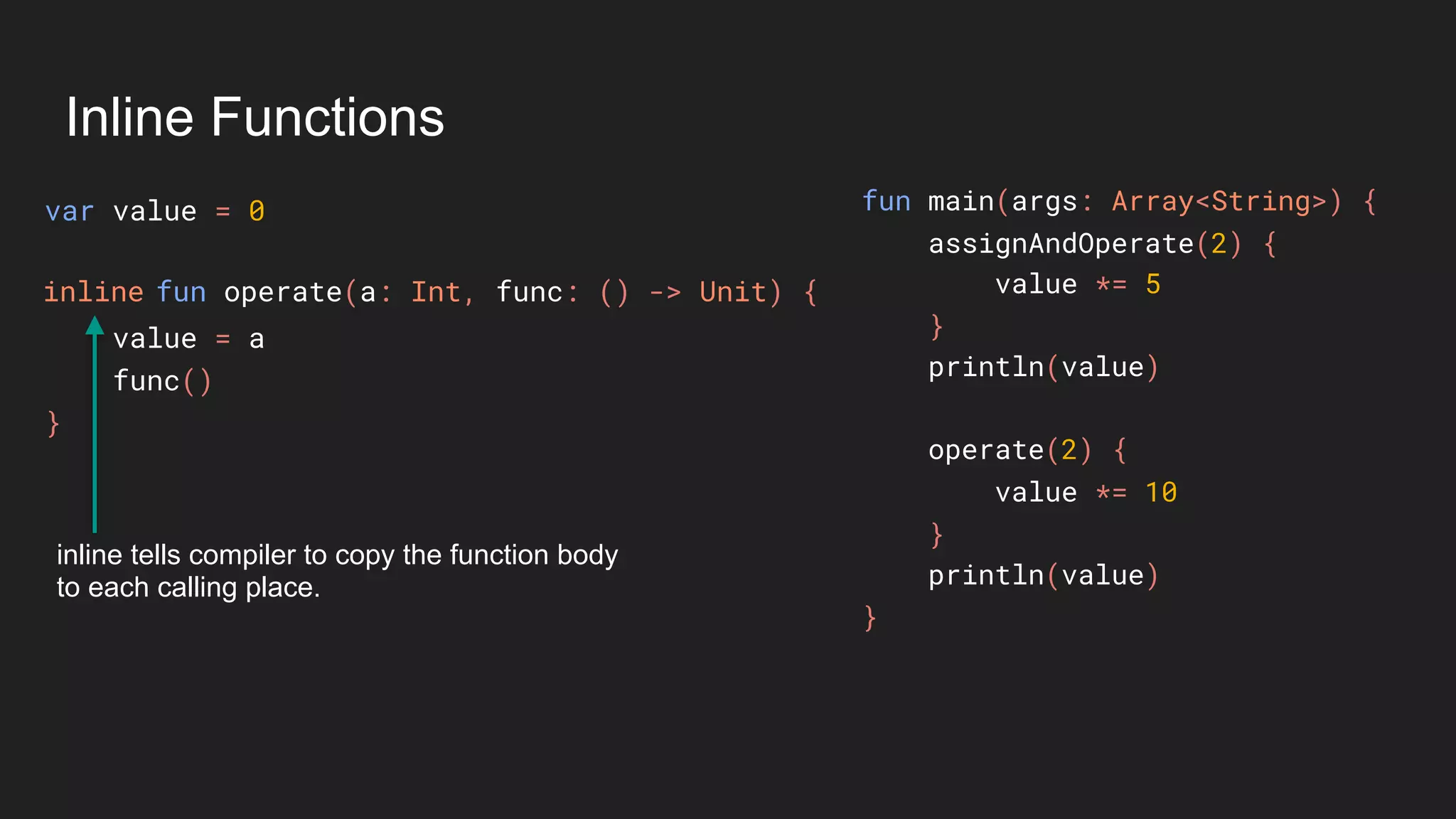
Inline Functions
Inline Functions
var value = 0
value = a
func()
}
fun operate(a: Int, func: () -> Unit) {
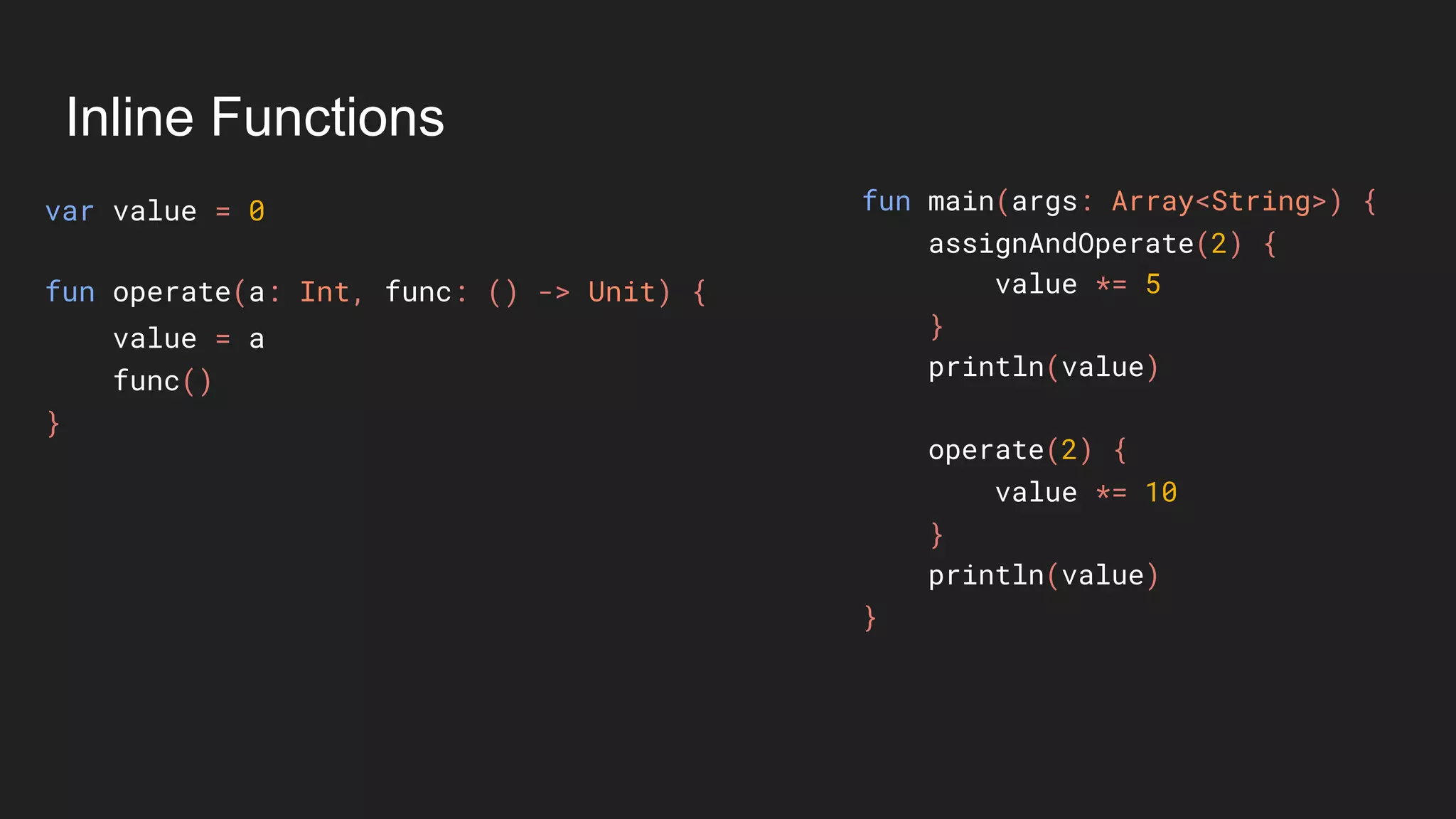
Inline Functions
var value = 0
value = a
func()
}
fun main(args: Array<String>) {
assignAndOperate(2) {
value *= 5
}
println(value)
operate(2) {
value *= 10
}
println(value)
}
fun operate(a: Int, func: () -> Unit) {
Inline Functions
var value = 0
value = a
func()
}
fun main(args: Array<String>) {
assignAndOperate(2) {
value *= 5
}
println(value)
operate(2) {
value *= 10
}
println(value)
}
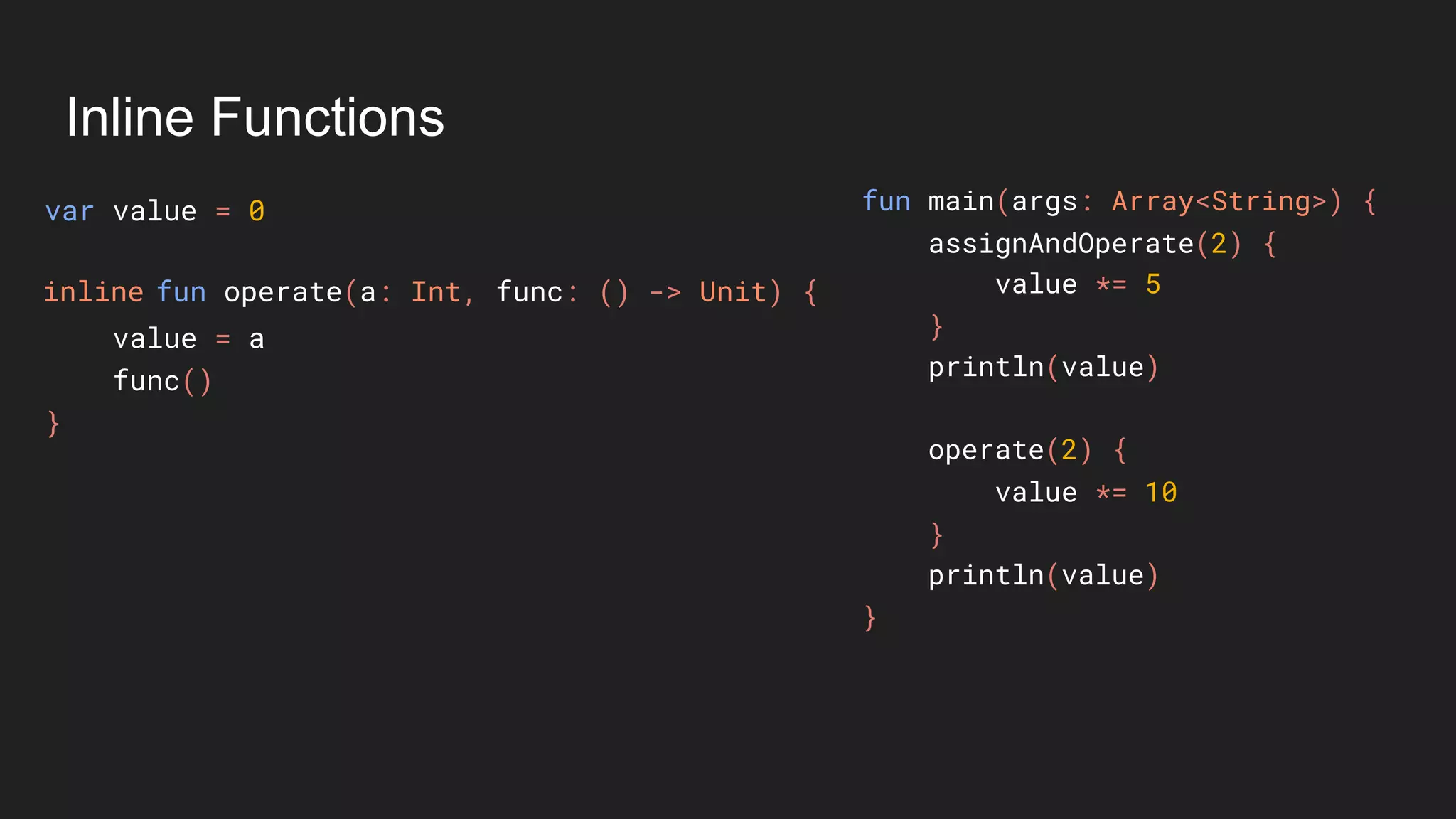
fun operate(a: Int, func: () -> Unit) {inline
Inline Functions
var value = 0
value = a
func()
}
fun main(args: Array<String>) {
assignAndOperate(2) {
value *= 5
}
println(value)
operate(2) {
value *= 10
}
println(value)
}
fun operate(a: Int, func: () -> Unit) {inline
inline tells compiler to copy the function body
to each calling place.
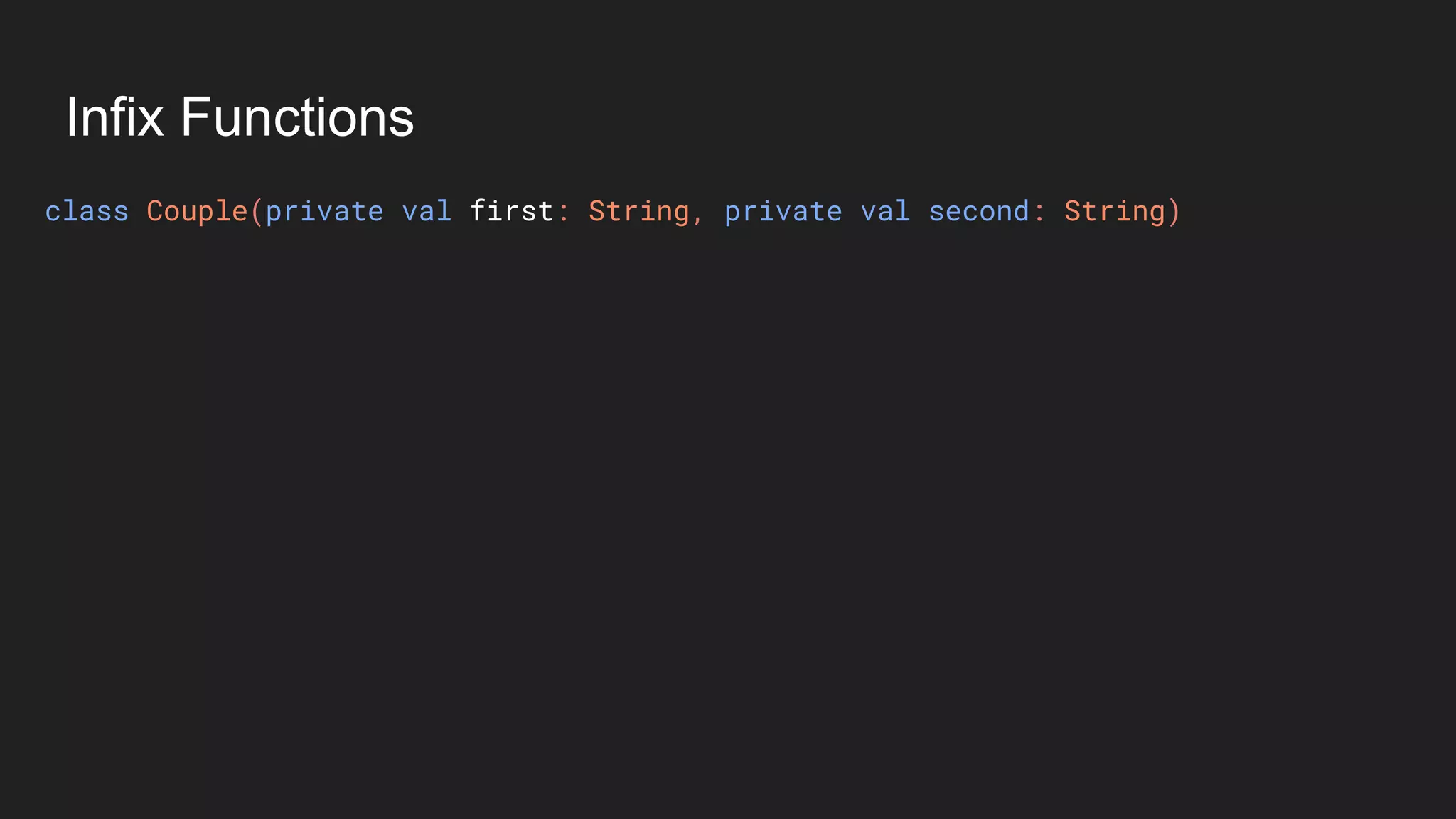
Infix Functions
Infix Functions
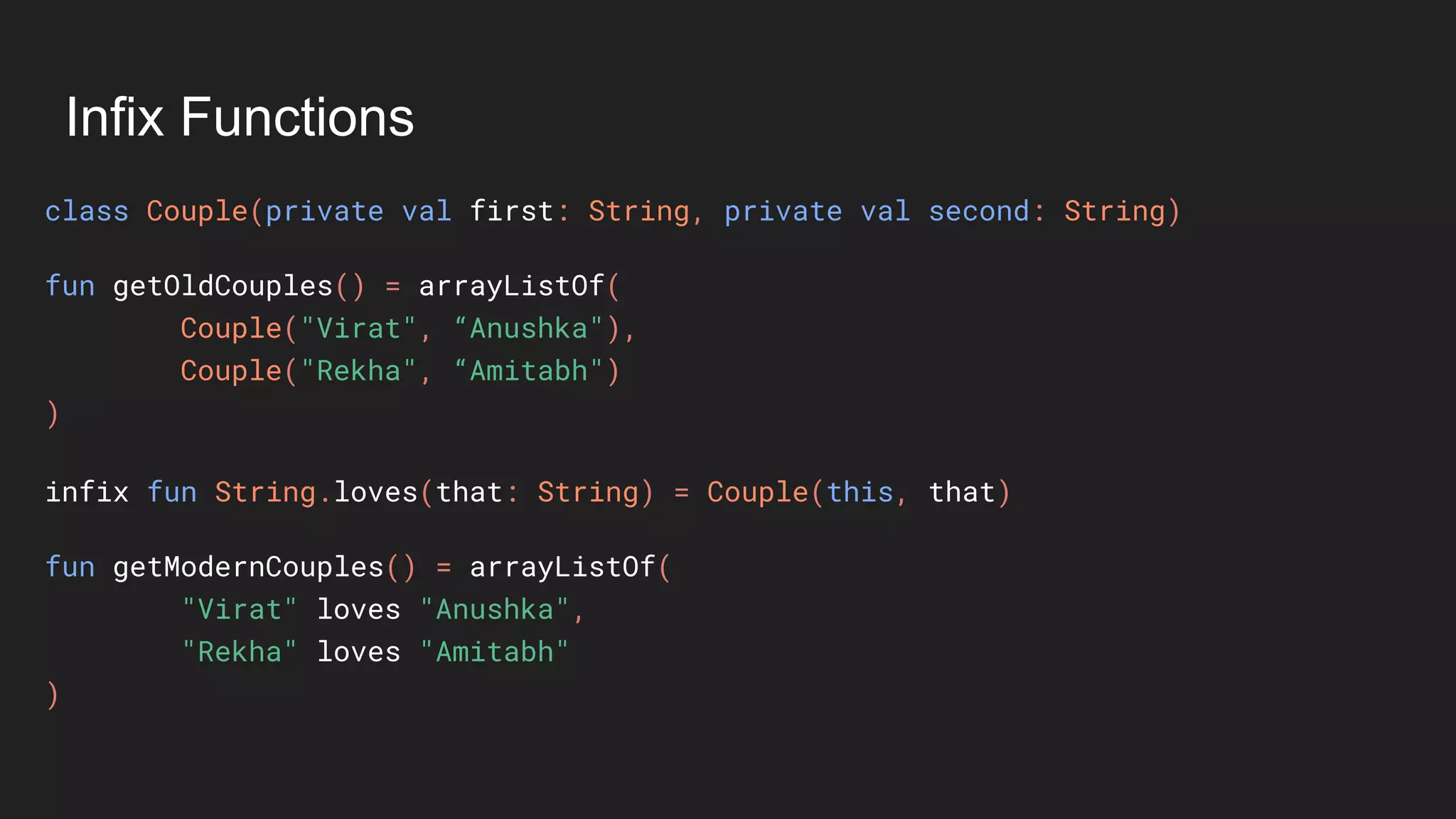
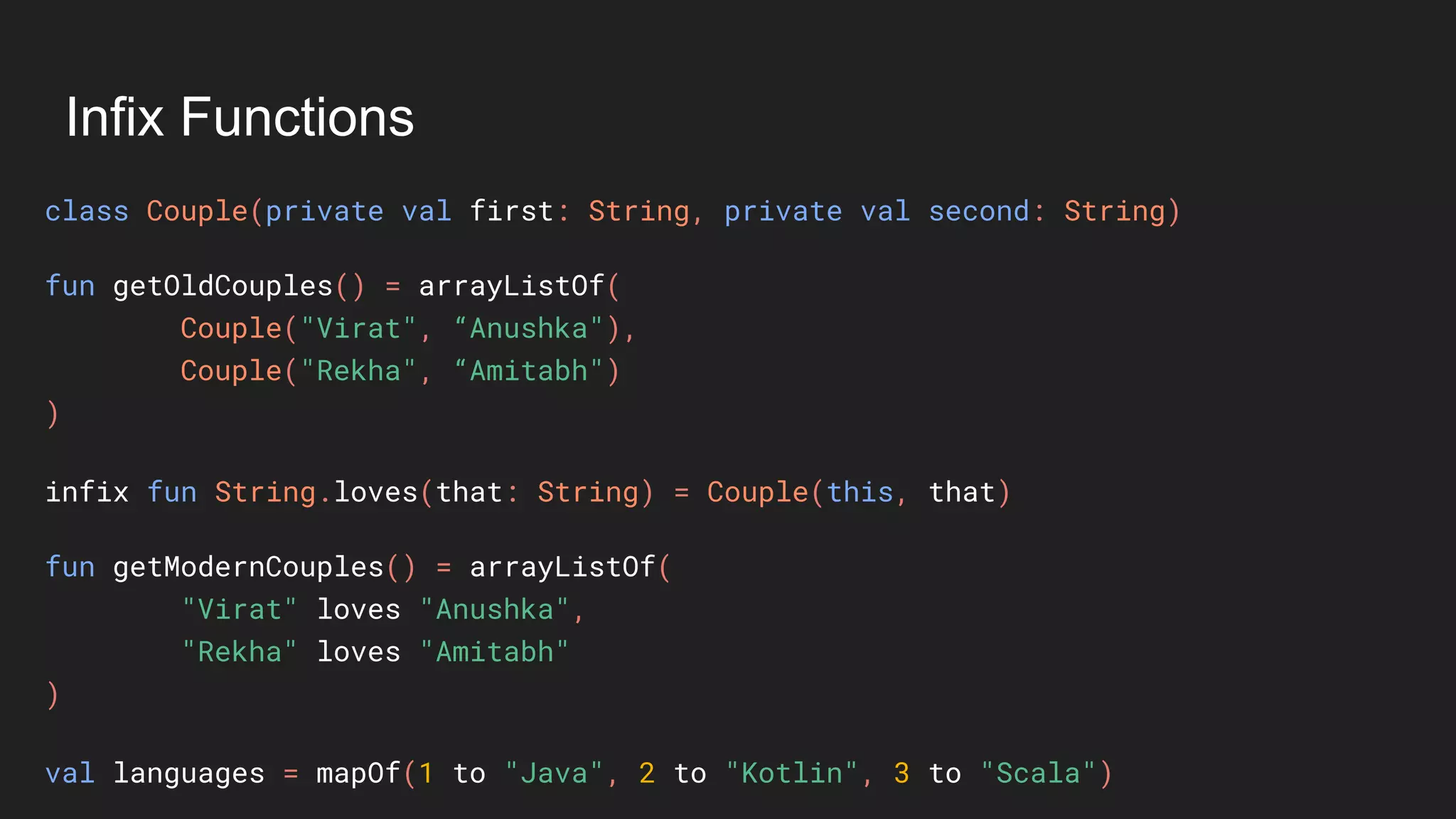
class Couple(private val first: String, private val second: String)
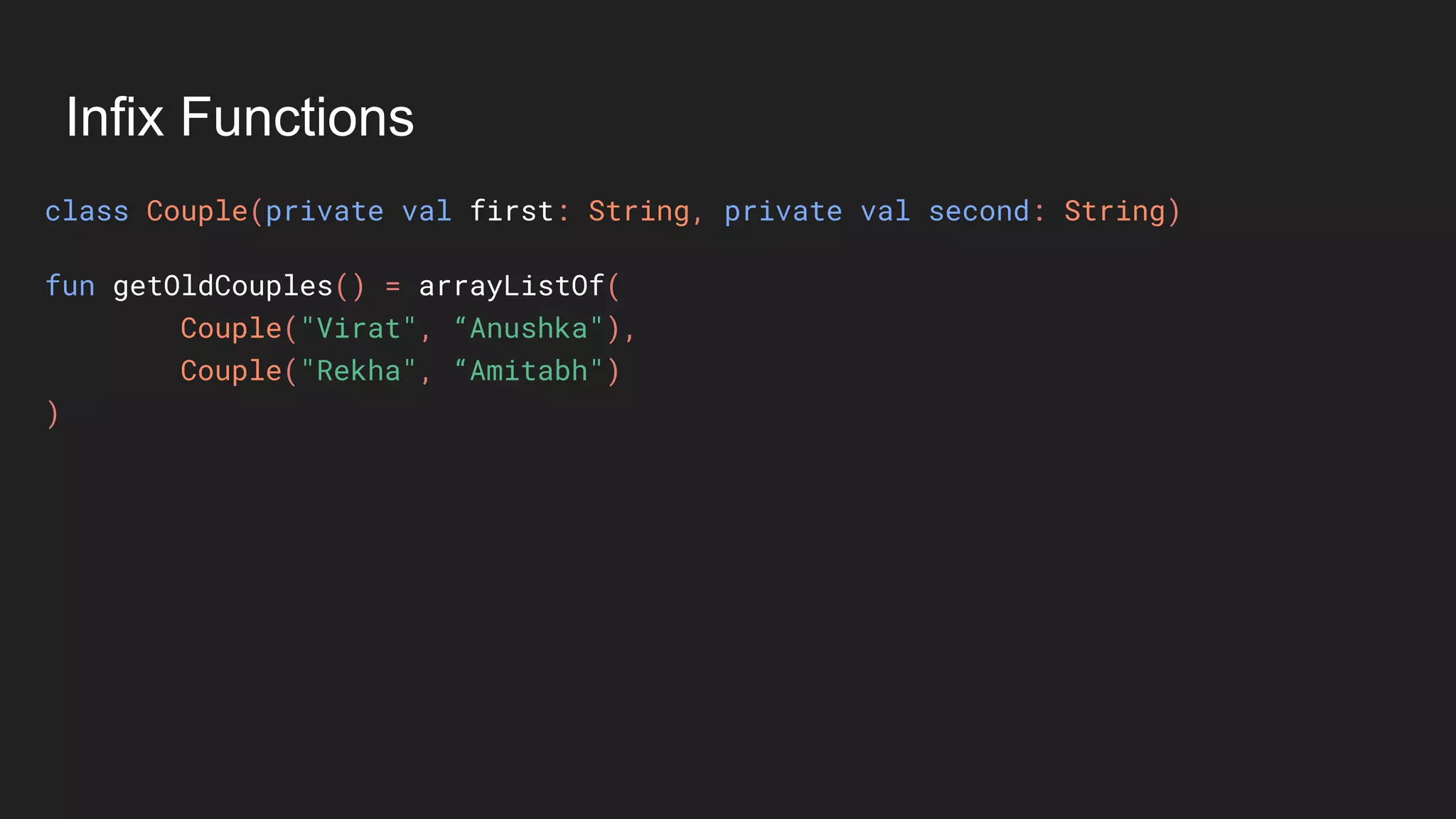
Infix Functions
class Couple(private val first: String, private val second: String)
fun getOldCouples() = arrayListOf(
Couple("Virat", “Anushka"),
Couple("Rekha", “Amitabh")
)
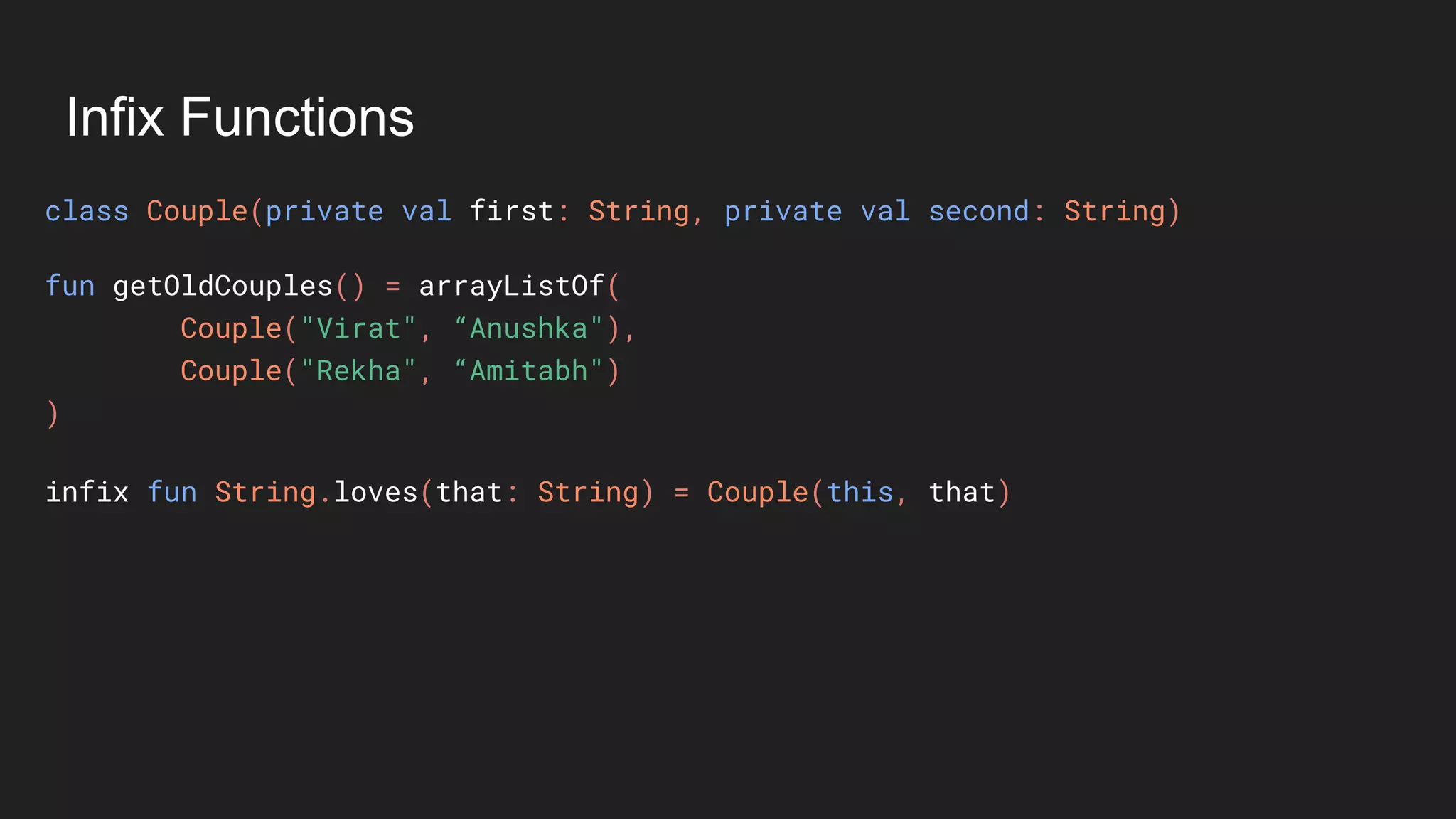
Infix Functions
class Couple(private val first: String, private val second: String)
fun getOldCouples() = arrayListOf(
Couple("Virat", “Anushka"),
Couple("Rekha", “Amitabh")
)
infix fun String.loves(that: String) = Couple(this, that)
Infix Functions
class Couple(private val first: String, private val second: String)
fun getOldCouples() = arrayListOf(
Couple("Virat", “Anushka"),
Couple("Rekha", “Amitabh")
)
infix fun String.loves(that: String) = Couple(this, that)
fun getModernCouples() = arrayListOf(
"Virat" loves "Anushka",
"Rekha" loves "Amitabh"
)
Infix Functions
class Couple(private val first: String, private val second: String)
fun getOldCouples() = arrayListOf(
Couple("Virat", “Anushka"),
Couple("Rekha", “Amitabh")
)
infix fun String.loves(that: String) = Couple(this, that)
fun getModernCouples() = arrayListOf(
"Virat" loves "Anushka",
"Rekha" loves "Amitabh"
)
val languages = mapOf(1 to "Java", 2 to "Kotlin", 3 to "Scala")
Java interoperability
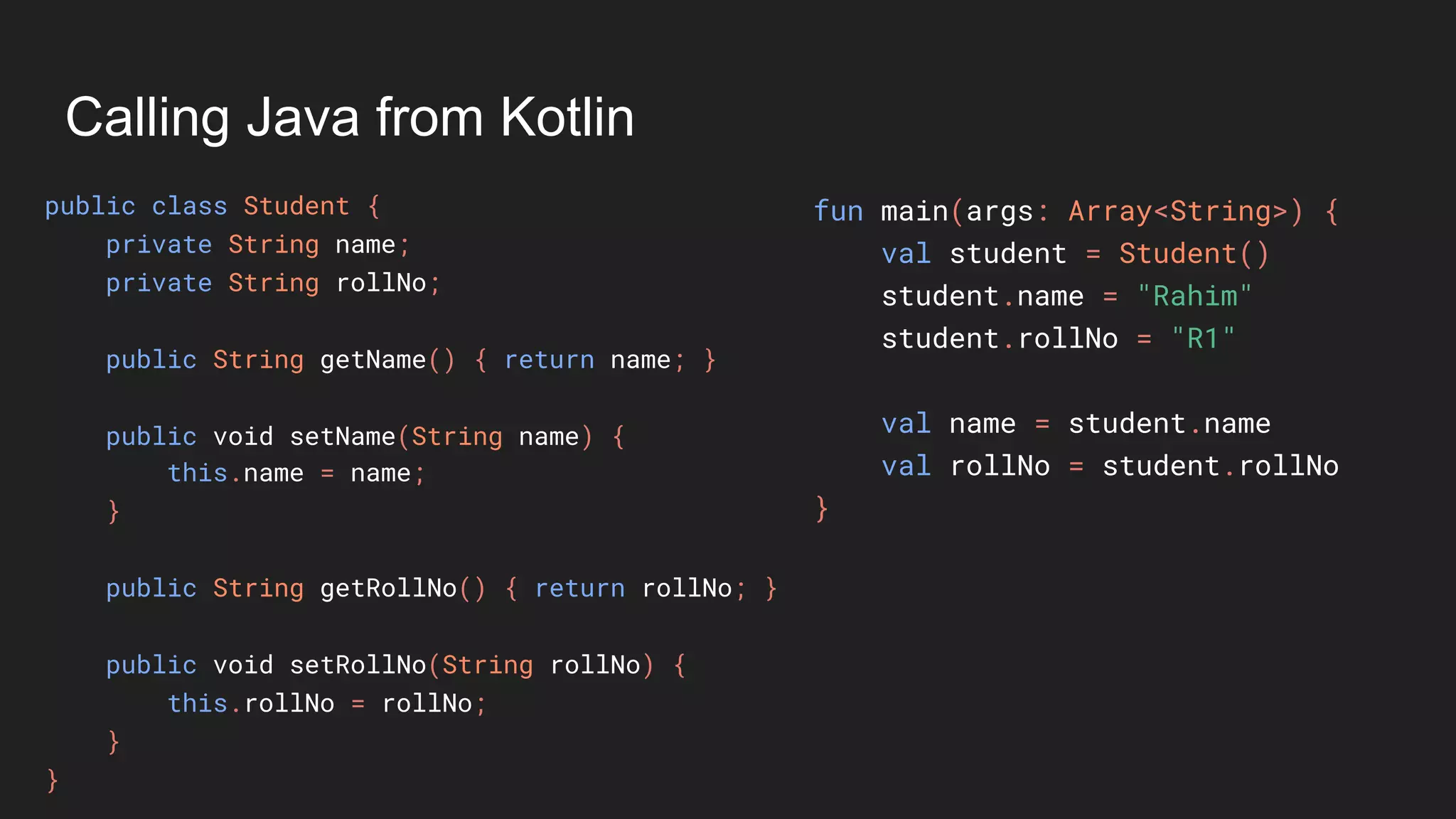
Calling Java from Kotlin
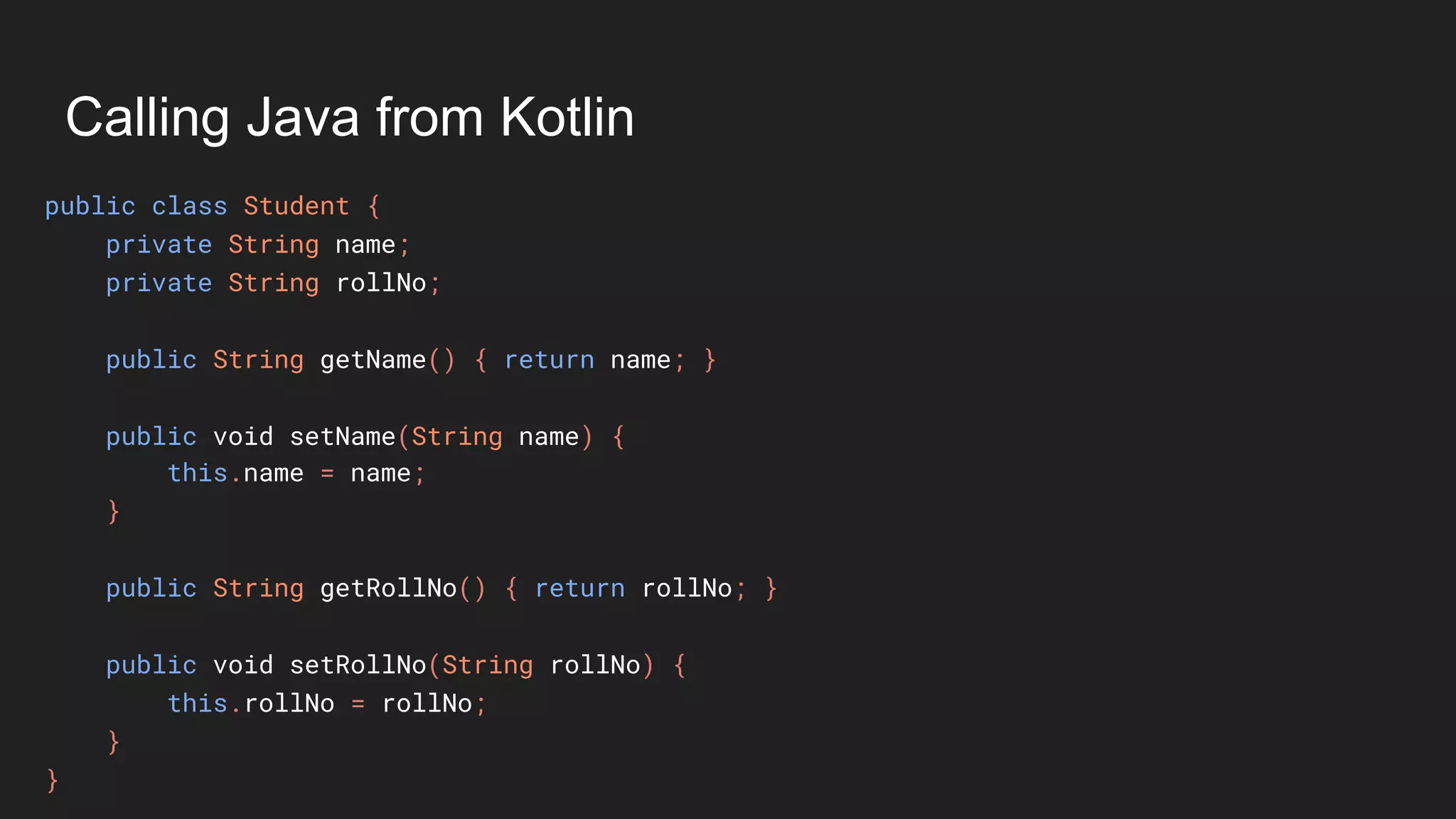
public class Student {
private String name;
private String rollNo;
public String getName() { return name; }
public void setName(String name) {
this.name = name;
}
public String getRollNo() { return rollNo; }
public void setRollNo(String rollNo) {
this.rollNo = rollNo;
}
}
Calling Java from Kotlin
public class Student {
private String name;
private String rollNo;
public String getName() { return name; }
public void setName(String name) {
this.name = name;
}
public String getRollNo() { return rollNo; }
public void setRollNo(String rollNo) {
this.rollNo = rollNo;
}
}
fun main(args: Array<String>) {
val student = Student()
student.name = "Rahim"
student.rollNo = "R1"
val name = student.name
val rollNo = student.rollNo
}
Calling Java from Kotlin
public class Student {
private String name;
private String rollNo;
public String getName() { return name; }
public void setName(String name) {
this.name = name;
}
public String getRollNo() { return rollNo; }
public void setRollNo(String rollNo) {
this.rollNo = rollNo;
}
}
fun main(args: Array<String>) {
val student = Student()
student.name = "Rahim"
student.rollNo = "R1"
val name = student.name
val rollNo = student.rollNo
}
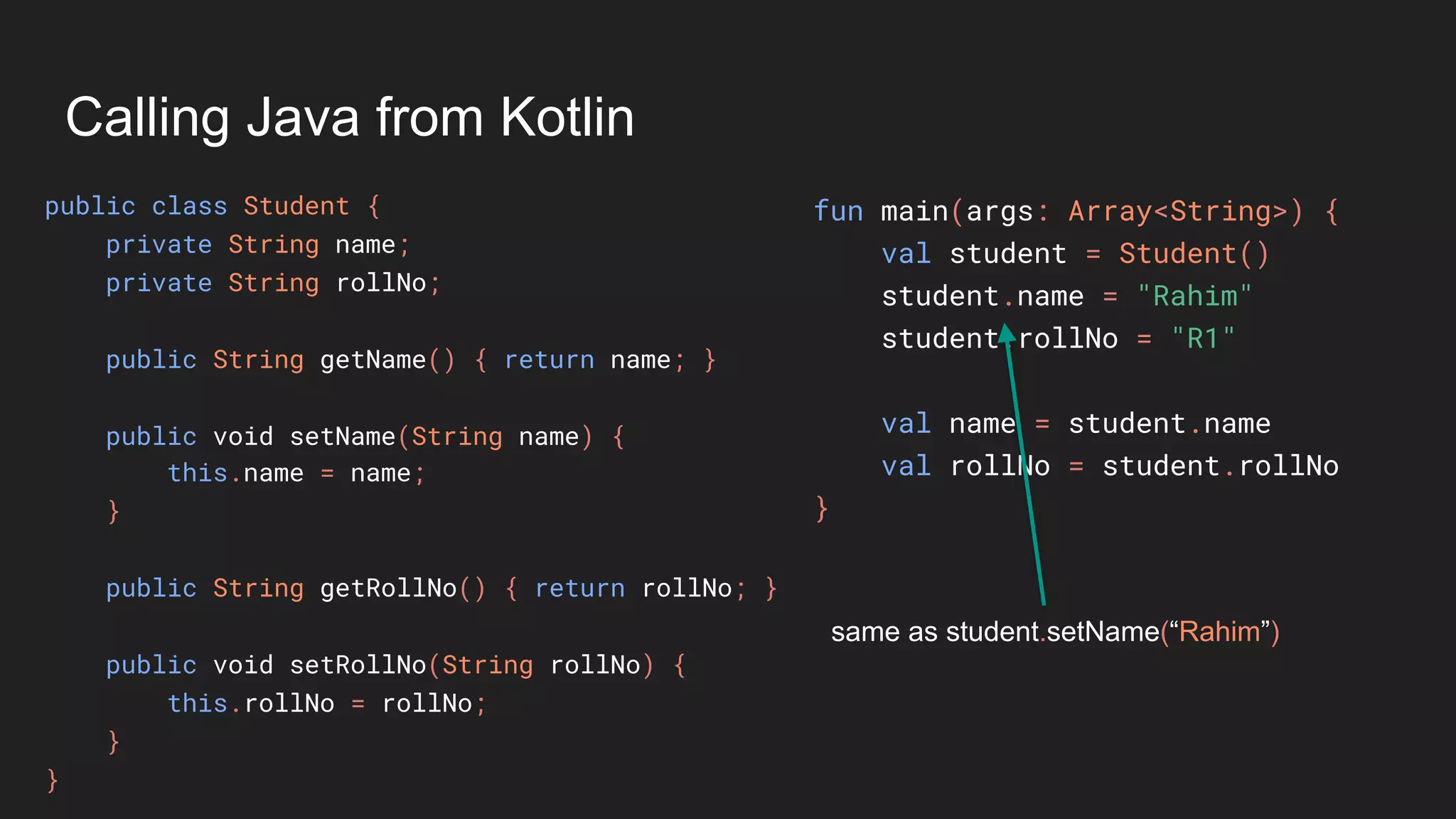
same as student.setName(“Rahim”)
Calling Java from Kotlin
public class Student {
private String name;
private String rollNo;
public String getName() { return name; }
public void setName(String name) {
this.name = name;
}
public String getRollNo() { return rollNo; }
public void setRollNo(String rollNo) {
this.rollNo = rollNo;
}
}
fun main(args: Array<String>) {
val student = Student()
student.name = "Rahim"
student.rollNo = "R1"
val name = student.name
val rollNo = student.rollNo
}
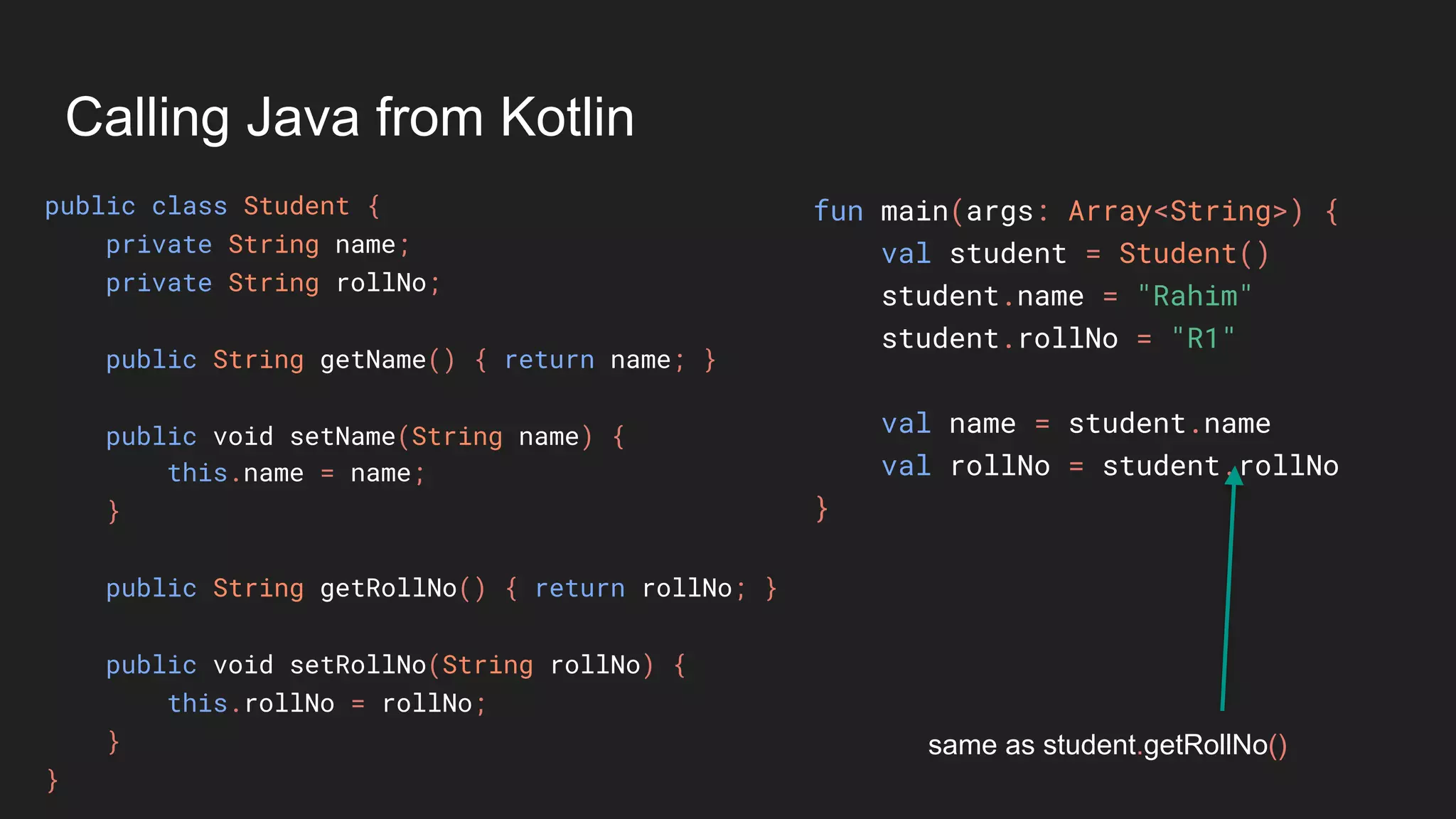
same as student.getRollNo()
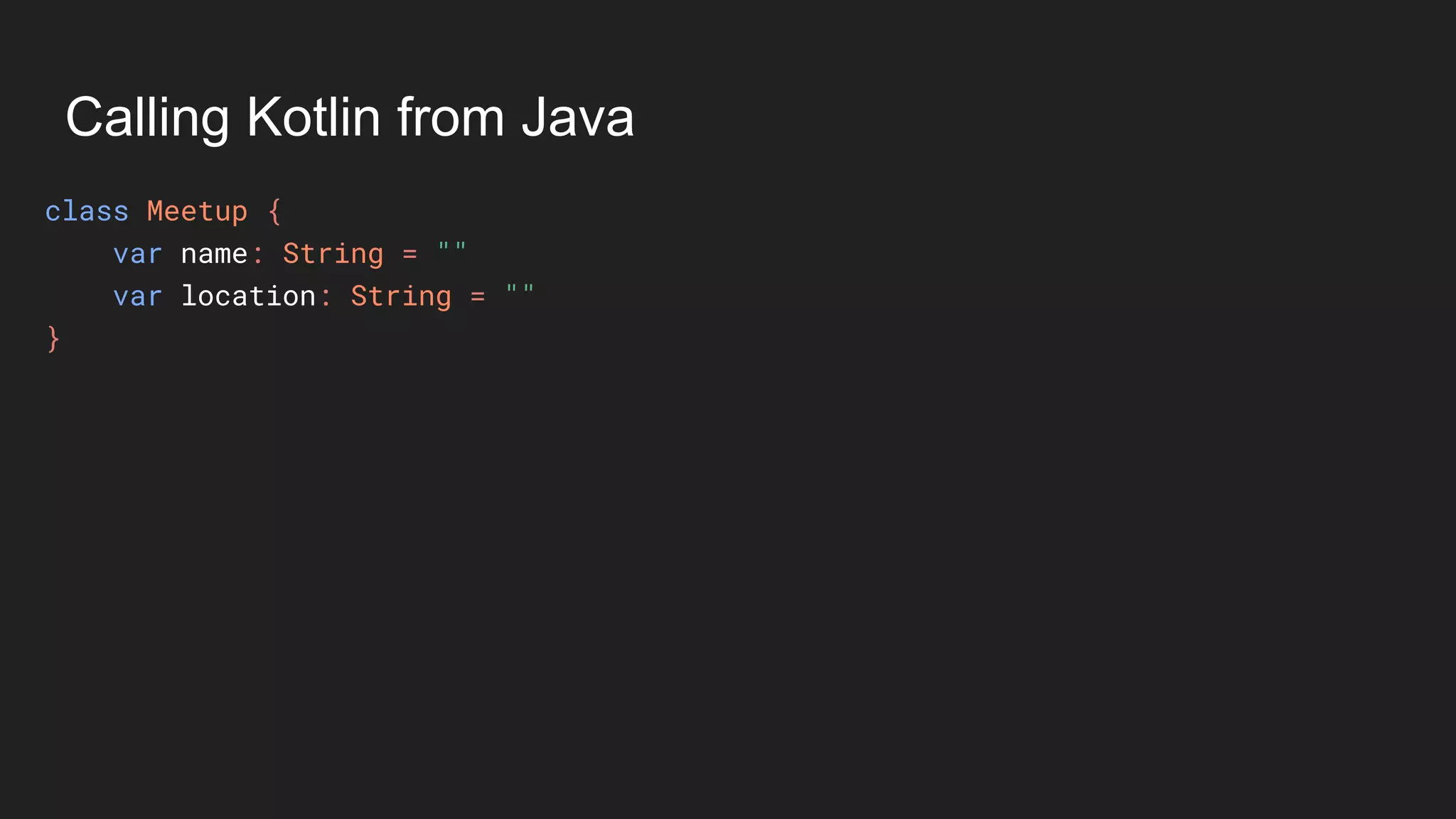
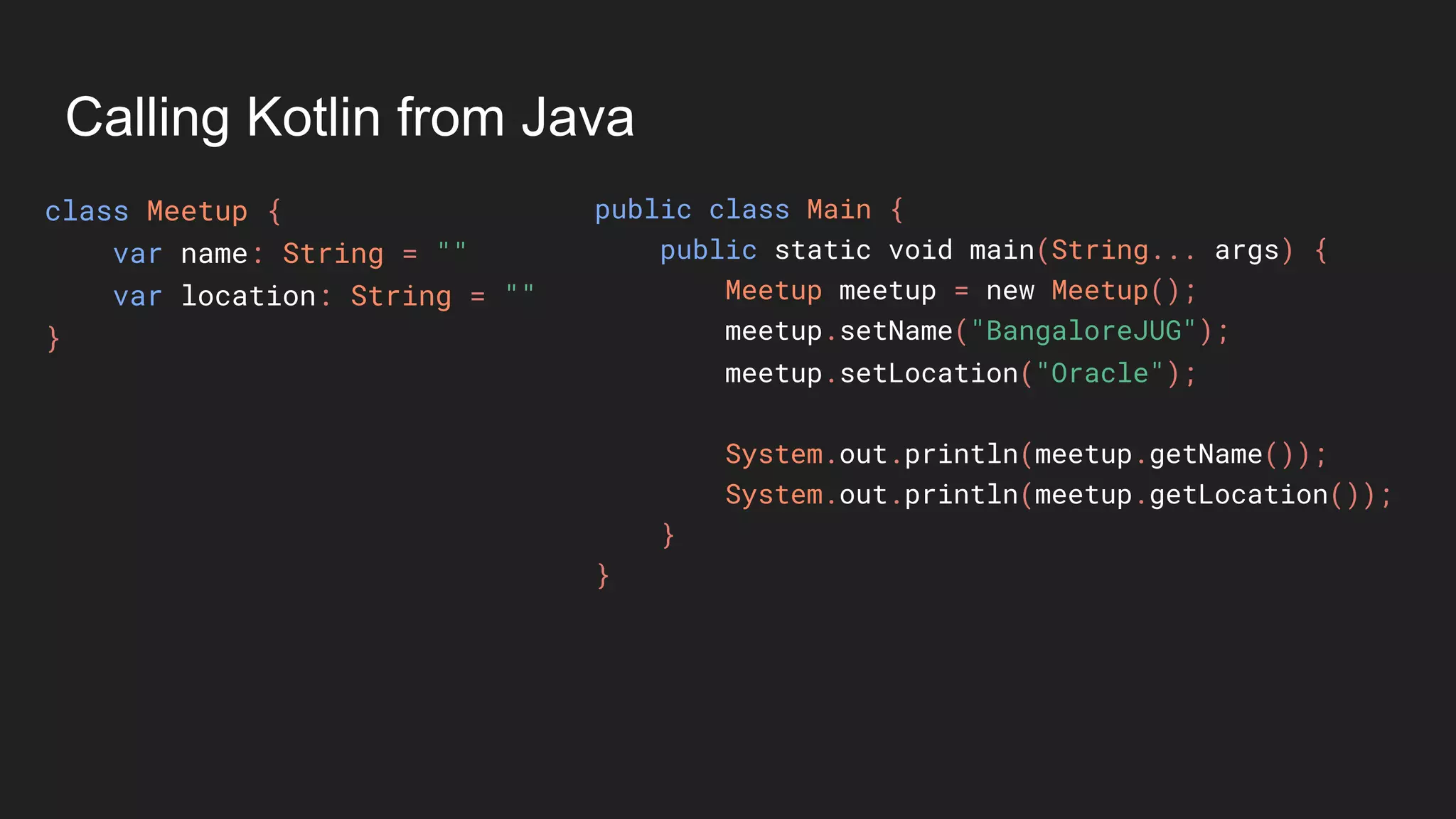
Calling Kotlin from Java
class Meetup {
var name: String = ""
var location: String = ""
}
Calling Kotlin from Java
class Meetup {
var name: String = ""
var location: String = ""
}
public class Main {
public static void main(String... args) {
Meetup meetup = new Meetup();
meetup.setName("BangaloreJUG");
meetup.setLocation("Oracle");
System.out.println(meetup.getName());
System.out.println(meetup.getLocation());
}
}
Calling Kotlin from Java
class Meetup {
var name: String = ""
var location: String = ""
}
public class Main {
public static void main(String... args) {
Meetup meetup = new Meetup();
meetup.setName("BangaloreJUG");
meetup.setLocation("Oracle");
System.out.println(meetup.getName());
System.out.println(meetup.getLocation());
}
}
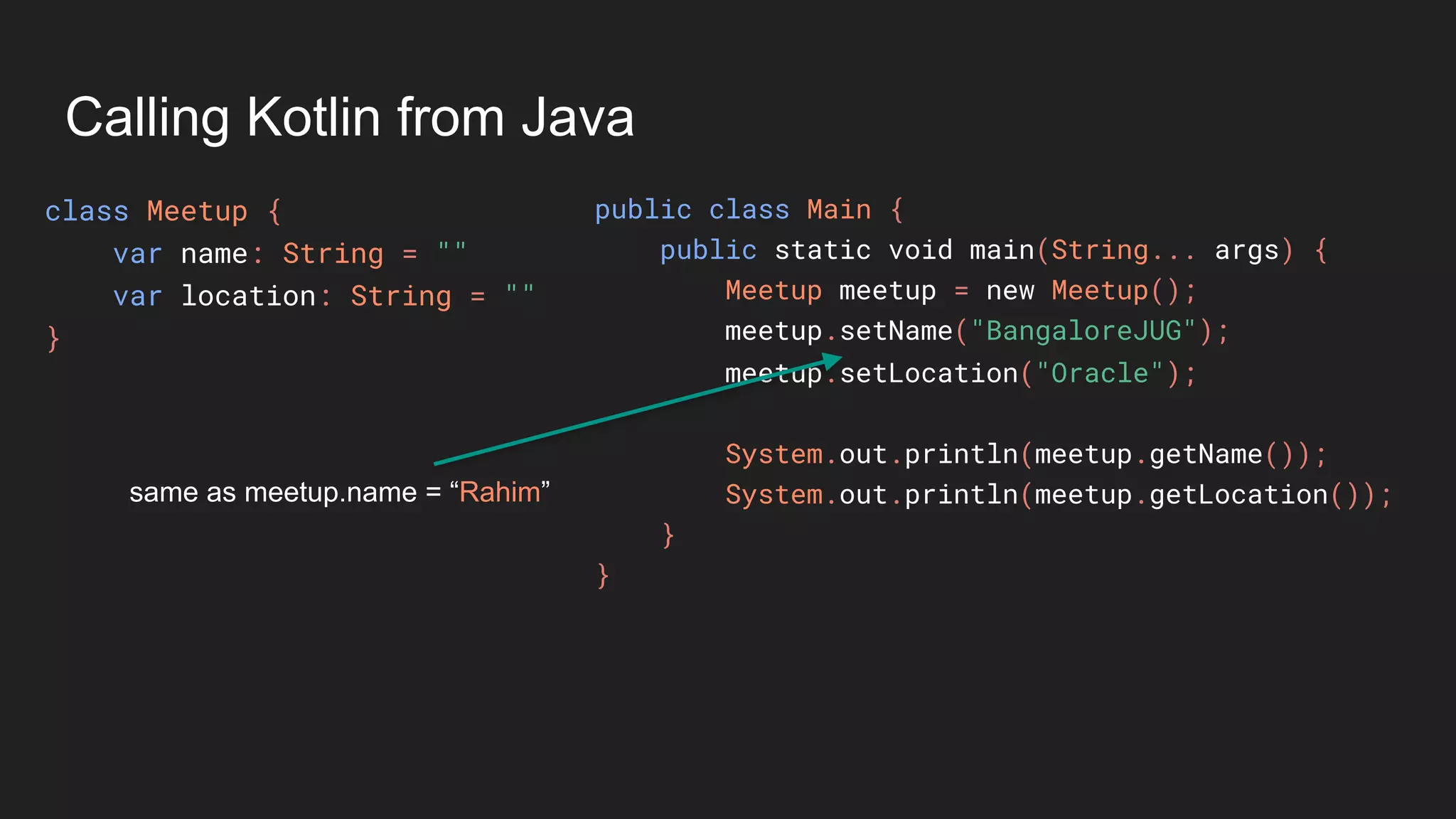
same as meetup.name = “Rahim”
Calling Kotlin from Java
class Meetup {
var name: String = ""
var location: String = ""
}
public class Main {
public static void main(String... args) {
Meetup meetup = new Meetup();
meetup.setName("BangaloreJUG");
meetup.setLocation("Oracle");
System.out.println(meetup.getName());
System.out.println(meetup.getLocation());
}
}
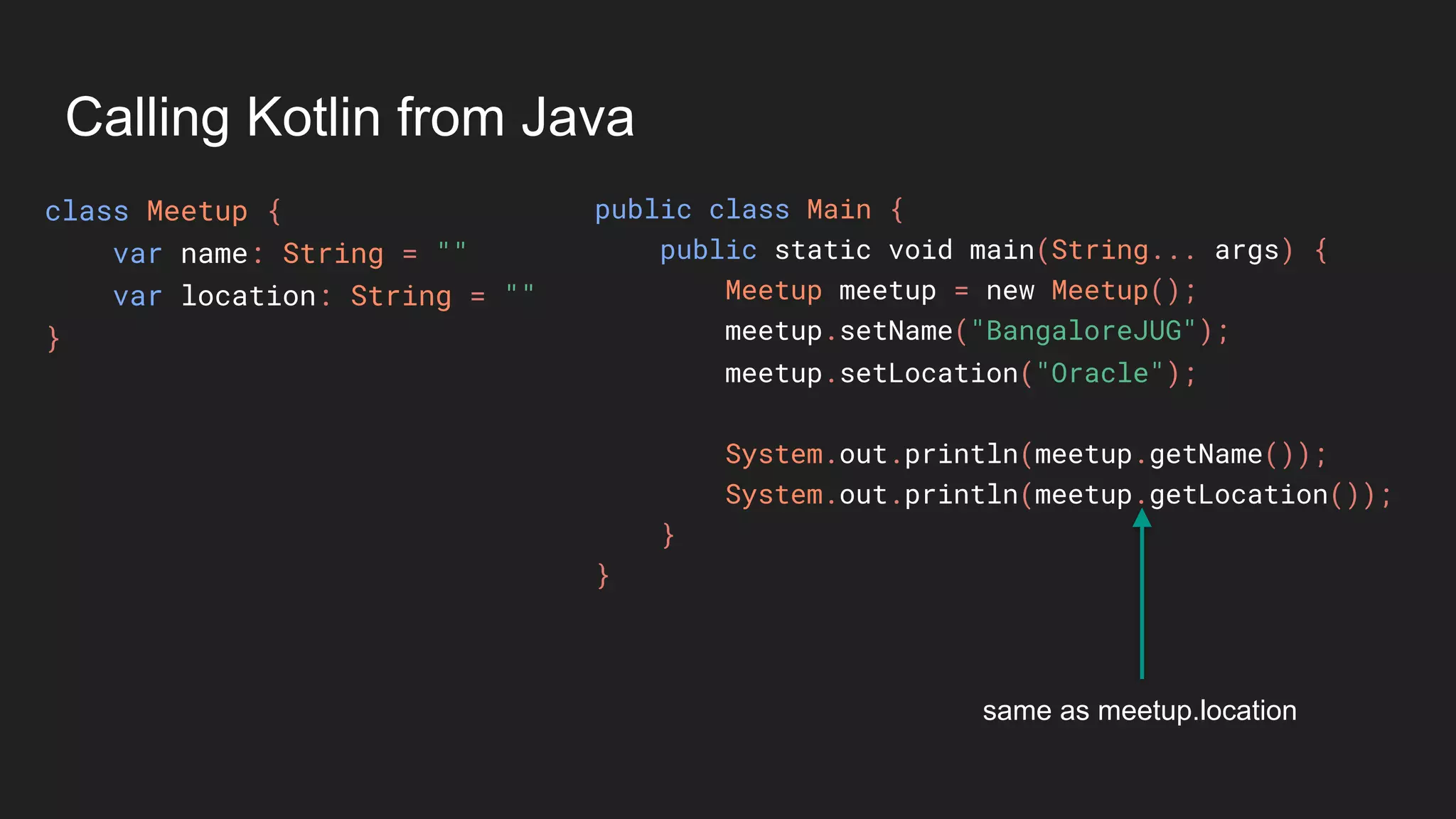
same as meetup.location
Coroutines
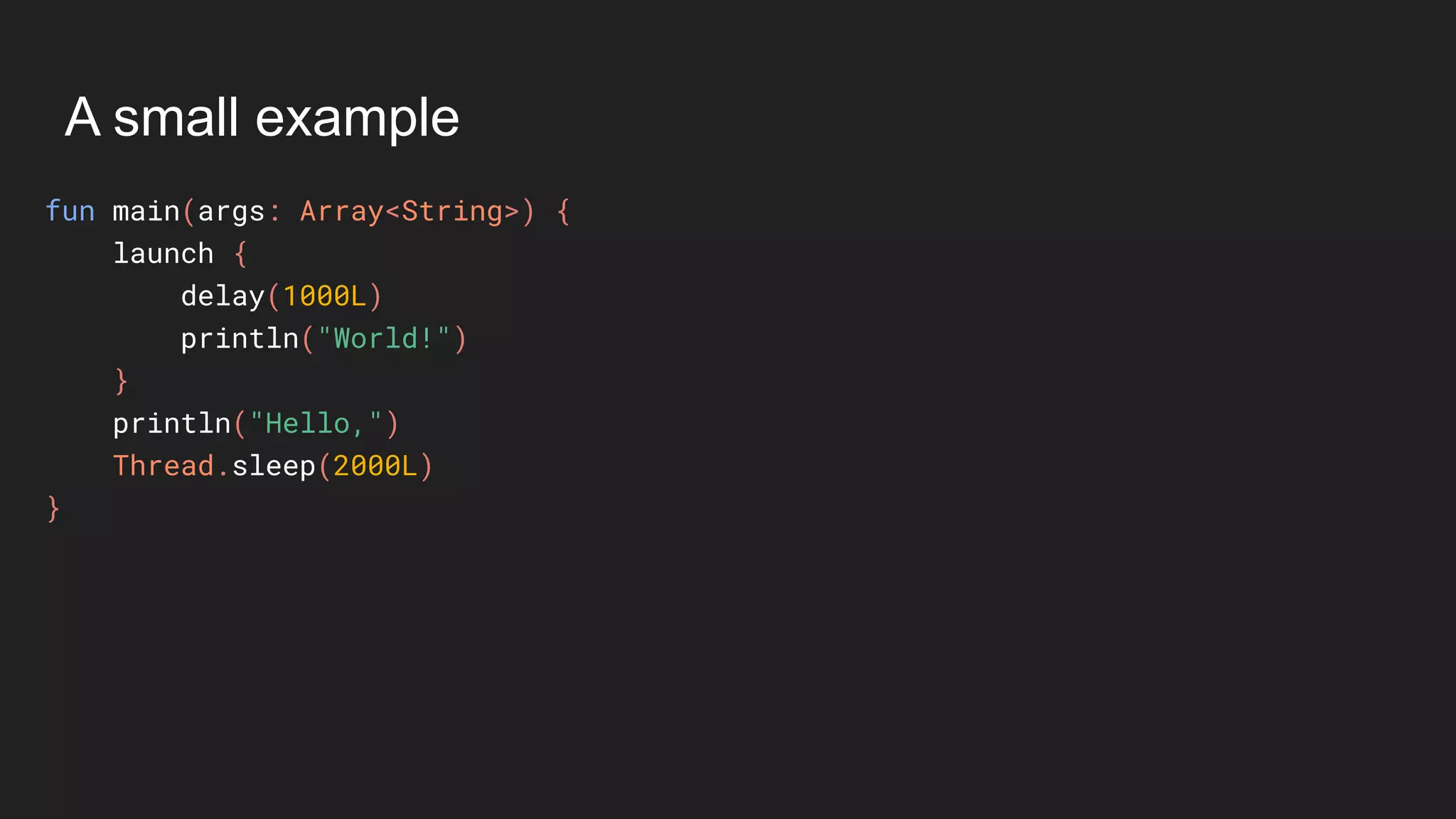
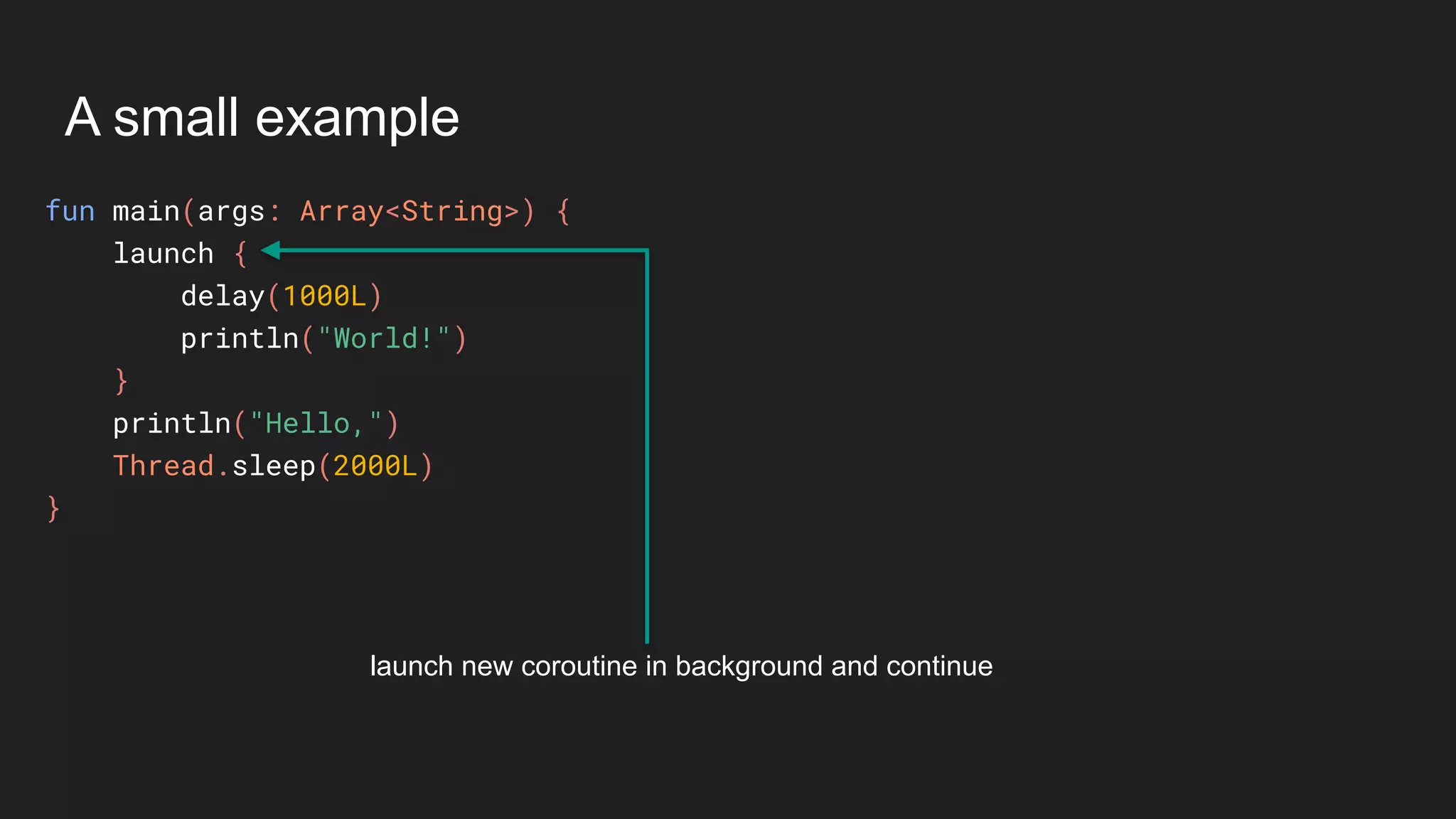
A small example
A small example
fun main(args: Array<String>) {
launch {
delay(1000L)
println("World!")
}
println("Hello,")
Thread.sleep(2000L)
}
A small example
fun main(args: Array<String>) {
launch {
delay(1000L)
println("World!")
}
println("Hello,")
Thread.sleep(2000L)
}
launch new coroutine in background and continue
A small example
fun main(args: Array<String>) {
launch {
delay(1000L)
println("World!")
}
println("Hello,")
Thread.sleep(2000L)
}
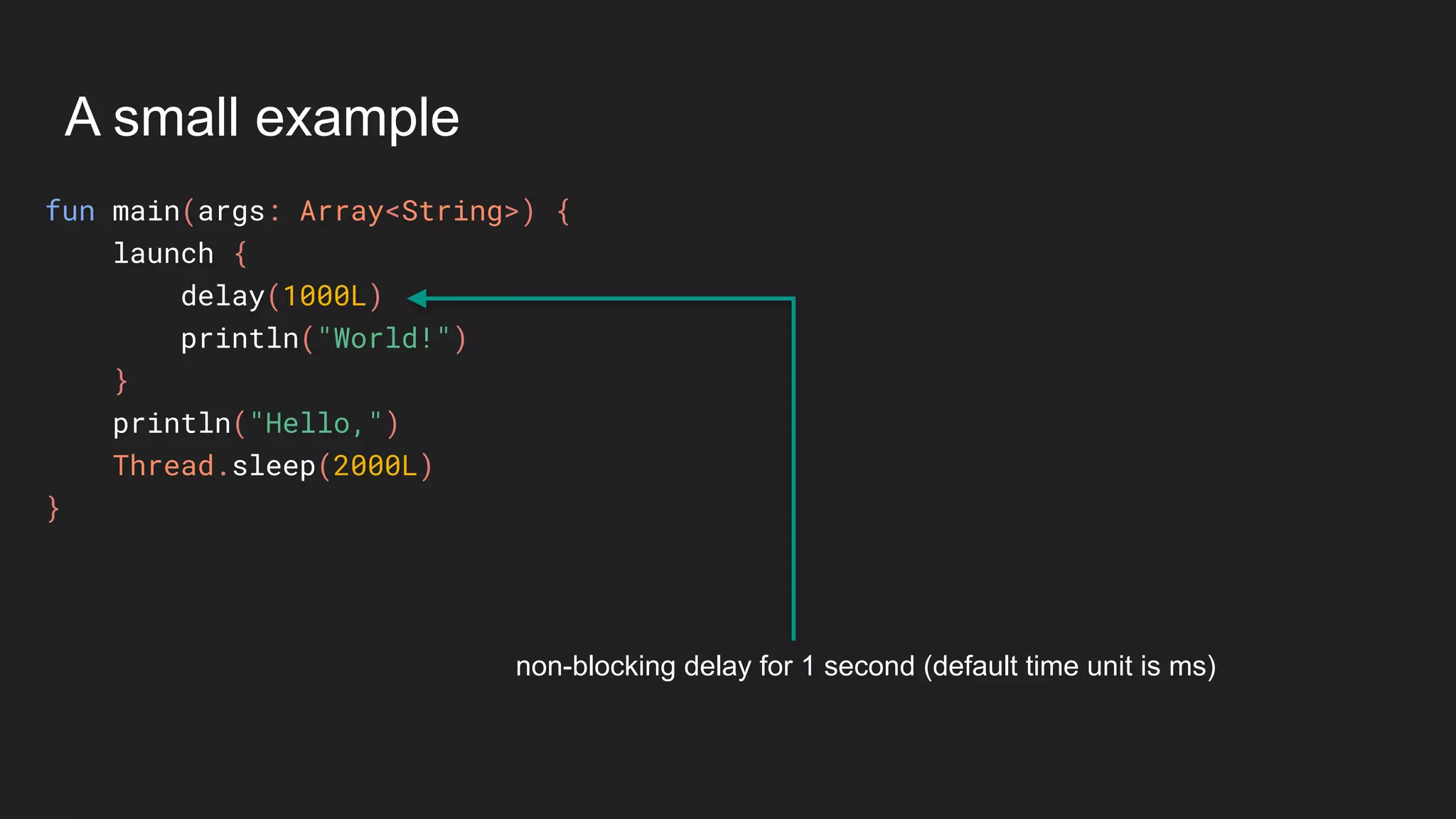
non-blocking delay for 1 second (default time unit is ms)
A small example
fun main(args: Array<String>) {
launch {
delay(1000L)
println("World!")
}
println("Hello,")
Thread.sleep(2000L)
}
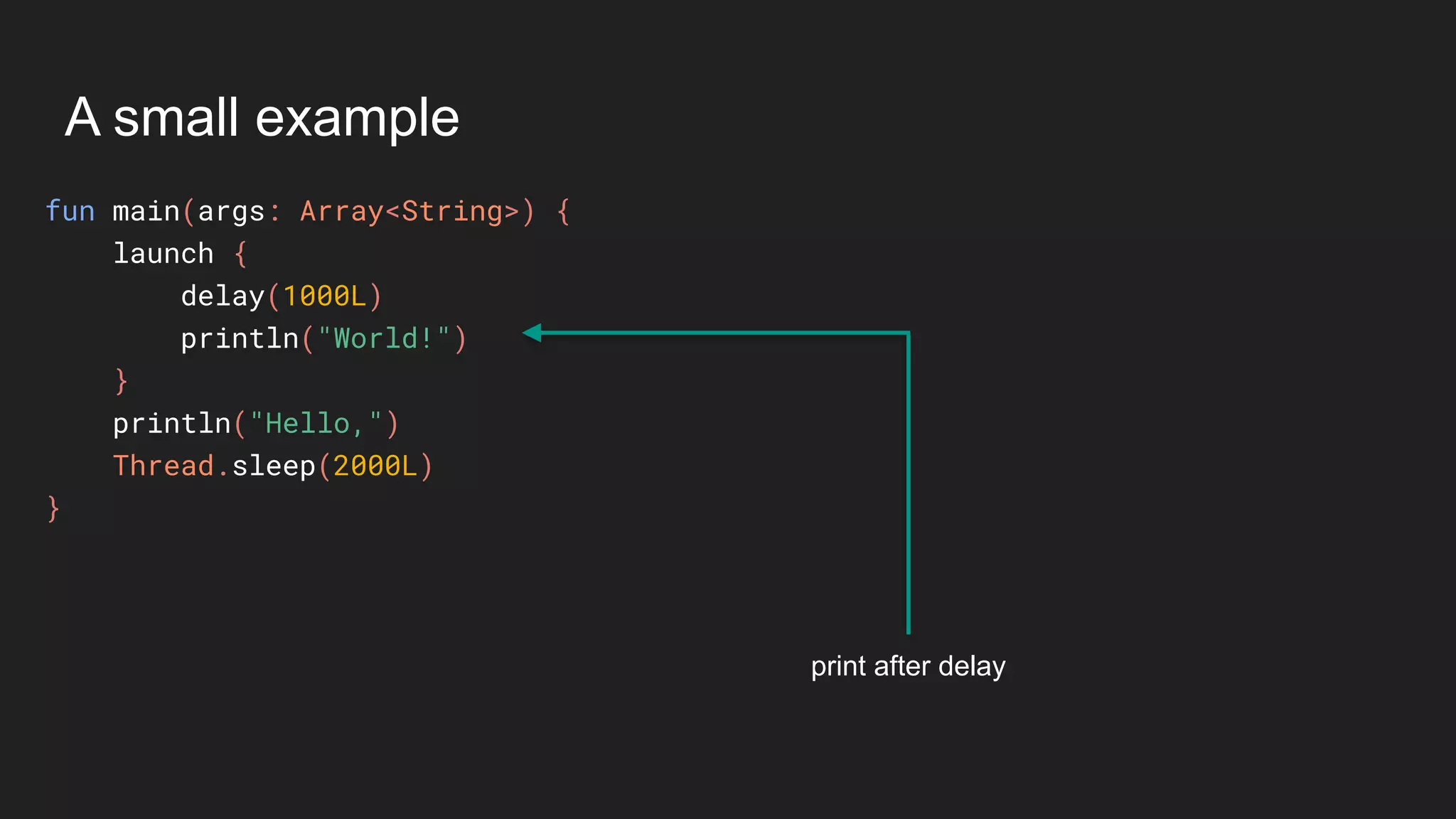
print after delay
A small example
fun main(args: Array<String>) {
launch {
delay(1000L)
println("World!")
}
println("Hello,")
Thread.sleep(2000L)
}
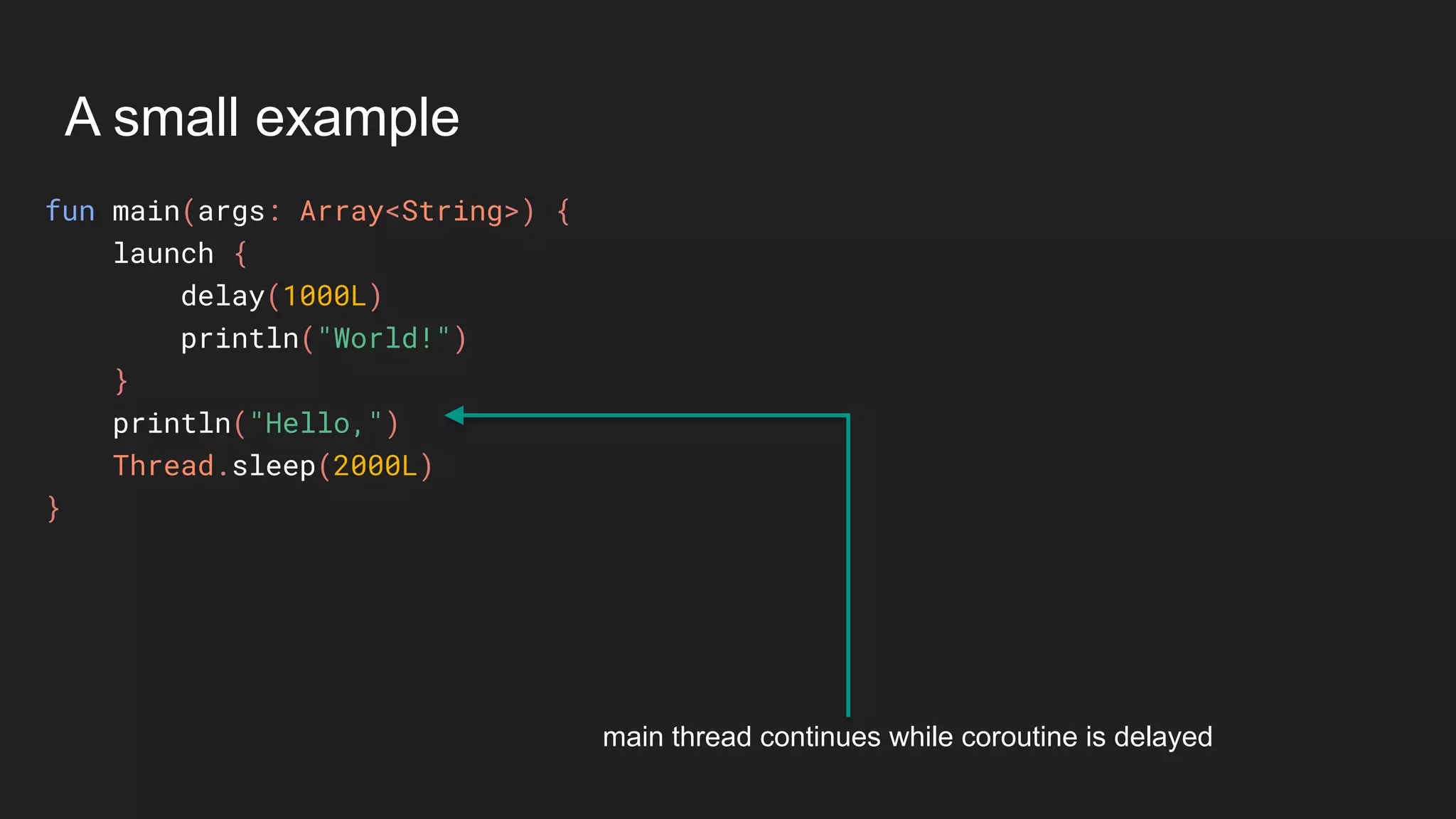
main thread continues while coroutine is delayed
Thank You
Join BlrKotlin for continuing your journey in Kotlin
@iChanSek www.chansek.com
meetup.com/blrkotlin blrkotlin.herokuapp.com

BangaloreJUG introduction to kotlin

  • 1.
    Introduction to Kotlin Featurecomparison between J & K @iChanSek www.chansek.com
  • 2.
  • 3.
  • 4.
    About Me ● Workingas an Android Engineer since last 6 years
  • 5.
    About Me ● Workingas an Android Engineer since last 6 years ● Created few apps like Chanse Games, Chanse Shops
  • 6.
    About Me ● Workingas an Android Engineer since last 6 years ● Created few apps like Chanse Games, Chanse Shops ● A failure Entrepreneur
  • 7.
    About Me ● Workingas an Android Engineer since last 6 years ● Created few apps like Chanse Games, Chanse Shops ● A failure Entrepreneur ● Author of an about to be released Kotlin book
  • 8.
    About Me ● Workingas an Android Engineer since last 6 years ● Created few apps like Chanse Games, Chanse Shops ● A failure Entrepreneur ● Author of an about to be released Kotlin book ● Only know upto Java-7
  • 9.
    About Me ● Workingas an Android Engineer since last 6 years ● Created few apps like Chanse Games, Chanse Shops ● A failure Entrepreneur ● Author of an about to be released Kotlin book ● Only know upto Java-7 ● Worked with Kotlin since last 1 year
  • 10.
    About Me ● Workingas an Android Engineer since last 6 years ● Created few apps like Chanse Games, Chanse Shops ● A failure Entrepreneur ● Author of an about to be released Kotlin book ● Only know upto Java-7 ● Worked with Kotlin since last 1 year ● Organizing Bengaluru’s Kotlin Group - BlrKotlin
  • 11.
    About Me ● Workingas an Android Engineer since last 6 years ● Created few apps like Chanse Games, Chanse Shops ● A failure Entrepreneur ● Author of an about to be released Kotlin book ● Only know upto Java-7 ● Worked with Kotlin since last 1 year ● Organizing Bengaluru’s Kotlin Group - BlrKotlin ● meetup.com/BlrKotlin & blrkotlin.herokuapp.com
  • 12.
    Kotlin - Theselling point
  • 13.
  • 14.
    Highlights of Kotlin ●Statically typed language like Java
  • 15.
    Highlights of Kotlin ●Statically typed language like Java ● Billion Dollar mistake is no more as Null is in type system and treated specially
  • 16.
    Highlights of Kotlin ●Statically typed language like Java ● Billion Dollar mistake is no more as Null is in type system and treated specially ● 100% interoperable with Java
  • 17.
    Highlights of Kotlin ●Statically typed language like Java ● Billion Dollar mistake is no more as Null is in type system and treated specially ● 100% interoperable with Java ● Believes in “Sharing is Caring” by supporting multi- platform
  • 18.
    Highlights of Kotlin ●Statically typed language like Java ● Billion Dollar mistake is no more as Null is in type system and treated specially ● 100% interoperable with Java ● Believes in “Sharing is Caring” by supporting multi- platform ● Much more concise than Java
  • 19.
    Why should youtry Kotlin?
  • 20.
    Why should youtry Kotlin? ● No need to refactor the whole project.
  • 21.
    Why should youtry Kotlin? ● No need to refactor the whole project. ● Write Less - Maintain Less - Spend Less
  • 22.
    Why should youtry Kotlin? ● No need to refactor the whole project. ● Write Less - Maintain Less - Spend Less ● No NPE - Millions of Profit - More Team Budget *
  • 23.
    Why should youtry Kotlin? ● No need to refactor the whole project. ● Write Less - Maintain Less - Spend Less ● No NPE - Millions of Profit - More Team Budget * ● Lot of awesome features to write neat code.
  • 24.
  • 25.
  • 26.
    final vs val classTest {
 private String tag = "Test";
 
 public void test() {
 Log.d(tag, "Testing...");
 }
 }
  • 27.
    final vs val classTest {
 private String tag = "Test";
 
 public void test() {
 Log.d(tag, "Testing...");
 }
 } class Test {
 private tag = "Test";
 
 fun test() {
 Log.d(tag, "Testing...");
 }
 } var
  • 28.
    final vs val classTest {
 private String tag = "Test";
 
 public void test() {
 Log.d(tag, "Testing...");
 }
 } class Test {
 private tag = "Test";
 
 fun test() {
 Log.d(tag, "Testing...");
 }
 } ● final is ignored in Java var
  • 29.
    final vs val classTest {
 private String tag = "Test";
 
 public void test() {
 Log.d(tag, "Testing...");
 }
 } class Test {
 private tag = "Test";
 
 fun test() {
 Log.d(tag, "Testing...");
 }
 } ● final is ignored in Java ● var is an evil keyword in Kotlin var
  • 30.
    final vs val classTest {
 private String tag = "Test";
 
 public void test() {
 Log.d(tag, "Testing...");
 }
 } class Test {
 private tag = "Test";
 
 fun test() {
 Log.d(tag, "Testing...");
 }
 } ● final is ignored in Java ● var is an evil keyword in Kotlin ● Using var and not updating the value? You will be discouraged until you use val. var
  • 31.
    final vs val classTest {
 private String tag = "Test";
 
 public void test() {
 Log.d(tag, "Testing...");
 }
 } class Test {
 private tag = "Test";
 
 fun test() {
 Log.d(tag, "Testing...");
 }
 } ● final is ignored in Java ● var is an evil keyword in Kotlin ● Using var and not updating the value? You will be discouraged until you use val. val
  • 32.
  • 33.
    final vs open classParent { } class Child extends Parent { }
  • 34.
    final vs open classParent { } class Child extends Parent { } class Child extends Parent() class Parent
  • 35.
    final vs open classParent { } class Child extends Parent { } class Child extends Parent() ● All classes are final by default. class Parent
  • 36.
    final vs open classParent { } class Child extends Parent { } class Child extends Parent() ● All classes are final by default. ● If you want to inherit, you have to plan and design the class accordingly. class Parent
  • 37.
    final vs open classParent { } class Child extends Parent { } class Child extends Parent() ● All classes are final by default. ● If you want to inherit, you have to plan and design the class accordingly. ● open keyword does the thing for you. open class Parent
  • 38.
  • 39.
    private means private publicclass JavaEncapsulation { private class Animal { } private Animal animal; public Animal getAnimal() { return animal; } public void setAnima(Animal anima) { this.animal = anima; } }
  • 40.
    private means private publicclass JavaEncapsulation { private class Animal { } private Animal animal; public Animal getAnimal() { return animal; } public void setAnima(Animal anima) { this.animal = anima; } } class KtEncapsulation { private var animal = Animal() fun getAnimal() = animal fun setAnimal(newAnimal: Animal) { animal = newAnimal } } private inner class Animal { }
  • 41.
    private means private publicclass JavaEncapsulation { private class Animal { } private Animal animal; public Animal getAnimal() { return animal; } public void setAnima(Animal anima) { this.animal = anima; } } class KtEncapsulation { private var animal = Animal() fun getAnimal() = animal fun setAnimal(newAnimal: Animal) { animal = newAnimal } } Animal type is private to this class private inner class Animal { }
  • 42.
    private means private publicclass JavaEncapsulation { private class Animal { } private Animal animal; public Animal getAnimal() { return animal; } public void setAnima(Animal anima) { this.animal = anima; } } class KtEncapsulation { private var animal = Animal() fun getAnimal() = animal fun setAnimal(newAnimal: Animal) { animal = newAnimal } } getAnimal() is public function private inner class Animal { }
  • 43.
    private means private publicclass JavaEncapsulation { private class Animal { } private Animal animal; public Animal getAnimal() { return animal; } public void setAnima(Animal anima) { this.animal = anima; } } class KtEncapsulation { private var animal = Animal() fun getAnimal() = animal fun setAnimal(newAnimal: Animal) { animal = newAnimal } } Can not expose a private type Animal from public functions getAnimal() and setAnimal() private inner class Animal { }
  • 44.
    private means private publicclass JavaEncapsulation { private class Animal { } private Animal animal; public Animal getAnimal() { return animal; } public void setAnima(Animal anima) { this.animal = anima; } } class KtEncapsulation { private var animal = Animal() fun getAnimal() = animal fun setAnimal(newAnimal: Animal) { animal = newAnimal } } inner class Animal { } Compiles fine as no violation of Encapsulation
  • 45.
  • 46.
    concat vs template publicString toString() { return "User{" + "name='" + name + ''' + ", email='" + email + ''' + ", phone='" + phone + ''' + '}'; }
  • 47.
    concat vs template publicString toString() { return "User{" + "name='" + name + ''' + ", email='" + email + ''' + ", phone='" + phone + ''' + '}'; } fun toString(): String { return "User(name='$name', email='$email', phone='$phone')" }
  • 48.
    concat vs template publicString toString() { return "User{" + "name='" + name + ''' + ", email='" + email + ''' + ", phone='" + phone + ''' + '}'; } fun toString(): String { return "User(name='$name', email='$email', phone='$phone')" } ● String Templating allows to write any expression within the String.
  • 49.
    concat vs template publicString toString() { return "User{" + "name='" + name + ''' + ", email='" + email + ''' + ", phone='" + phone + ''' + '}'; } fun toString(): String { return "User(name='$name', email='$email', phone='$phone')" } ● String Templating allows to write any expression within the String. ● A simple variable can be referred using $ symbol as prefix.
  • 50.
    concat vs template publicString toString() { return "User{" + "name='" + name + ''' + ", email='" + email + ''' + ", phone='" + phone + ''' + '}'; } fun toString(): String { return "User(name='$name', email='$email', phone='$phone')" } ● String Templating allows to write any expression within the String. ● A simple variable can be referred using $ symbol as prefix. ● A complex operation can also be done using ${operation} syntax. For example - ${email.toUpperCase()}
  • 51.
  • 52.
    overloading vs defaultparameters int add(int a, int b) { return a + b; } int add(int a, int b, int c) { return a + b + c; } public void testAdd() { add(10, 20); add(10, 20, 30); }
  • 53.
    overloading vs defaultparameters int add(int a, int b) { return a + b; } int add(int a, int b, int c) { return a + b + c; } public void testAdd() { add(10, 20); add(10, 20, 30); } fun add(a: Int, b: Int, c: Int = 0) = a + b + c fun testAdd() { add(10, 20) add(10, 20, 30) }
  • 54.
    overloading vs defaultparameters int add(int a, int b) { return a + b; } int add(int a, int b, int c) { return a + b + c; } public void testAdd() { add(10, 20); add(10, 20, 30); } fun add(a: Int, b: Int, c: Int = 0) = a + b + c fun testAdd() { add(10, 20) add(10, 20, 30) } ● a and b are usual parameters.
  • 55.
    overloading vs defaultparameters int add(int a, int b) { return a + b; } int add(int a, int b, int c) { return a + b + c; } public void testAdd() { add(10, 20); add(10, 20, 30); } fun add(a: Int, b: Int, c: Int = 0) = a + b + c fun testAdd() { add(10, 20) add(10, 20, 30) } ● a and b are usual parameters. ● c is having a default value as 0.
  • 56.
    overloading vs defaultparameters int add(int a, int b) { return a + b; } int add(int a, int b, int c) { return a + b + c; } public void testAdd() { add(10, 20); add(10, 20, 30); } fun add(a: Int, b: Int, c: Int = 0) = a + b + c fun testAdd() { add(10, 20) add(10, 20, 30) } ● a and b are usual parameters. ● c is having a default value as 0. ● When no value passed to c, 0 will be considered.
  • 57.
    Type Cast vsSmart Cast
  • 58.
    Type Cast vsSmart Cast public void print(Animal animal) { if (animal instanceof Dog) { Dog dog = (Dog) animal; S.out.println(dog.toDog()); } else if (animal instanceof Cat) { Cat cat = (Cat) animal; S.out.println(cat.toCat()); } }
  • 59.
    Type Cast vsSmart Cast public void print(Animal animal) { if (animal instanceof Dog) { Dog dog = (Dog) animal; S.out.println(dog.toDog()); } else if (animal instanceof Cat) { Cat cat = (Cat) animal; S.out.println(cat.toCat()); } } fun print(animal: Animal) { if (animal is Dog) { println(animal.toDog()) } else if (animal is Cat) { println(animal.toCat()) } }
  • 60.
    Type Cast vsSmart Cast public void print(Animal animal) { if (animal instanceof Dog) { Dog dog = (Dog) animal; S.out.println(dog.toDog()); } else if (animal instanceof Cat) { Cat cat = (Cat) animal; S.out.println(cat.toCat()); } } fun print(animal: Animal) { if (animal is Dog) { println(animal.toDog()) } else if (animal is Cat) { println(animal.toCat()) } } ● is more readable than instanceof
  • 61.
    Type Cast vsSmart Cast public void print(Animal animal) { if (animal instanceof Dog) { Dog dog = (Dog) animal; S.out.println(dog.toDog()); } else if (animal instanceof Cat) { Cat cat = (Cat) animal; S.out.println(cat.toCat()); } } fun print(animal: Animal) { if (animal is Dog) { println(animal.toDog()) } else if (animal is Cat) { println(animal.toCat()) } } ● is more readable than instanceof ● if - animal is already a Dog
  • 62.
    Type Cast vsSmart Cast public void print(Animal animal) { if (animal instanceof Dog) { Dog dog = (Dog) animal; S.out.println(dog.toDog()); } else if (animal instanceof Cat) { Cat cat = (Cat) animal; S.out.println(cat.toCat()); } } fun print(animal: Animal) { if (animal is Dog) { println(animal.toDog()) } else if (animal is Cat) { println(animal.toCat()) } } ● is more readable than instanceof ● if - animal is already a Dog ● else if - animal is already a Cat
  • 63.
  • 64.
    POJO vs dataclass class User { private String name; private String email; private String phone; public String getName() { return name; } public void setName(String name) { this.name = name; } public String getEmail() { return email; } public void setEmail(String email) { this.email = email; } public String getPhone() { return phone; } public void setPhone(String phone) { this.phone = phone; } @Override public boolean equals(Object o) { if (this == o) return true; if (o == null || getClass() != o.getClass()) return false; User user = (User) o; return Objects.equals(name, user.name) && Objects.equals(email, user.email) && Objects.equals(phone, user.phone); } @Override public int hashCode() { return Objects.hash(name, email, phone); } @Override public String toString() { return "User{" +
  • 65.
    POJO vs dataclass class User { private String name; private String email; private String phone; public String getName() { return name; } public void setName(String name) { this.name = name; } public String getEmail() { return email; } public void setEmail(String email) { this.email = email; } public String getPhone() { return phone; } public void setPhone(String phone) { this.phone = phone; } @Override public boolean equals(Object o) { if (this == o) return true; if (o == null || getClass() != o.getClass()) return false; User user = (User) o; return Objects.equals(name, user.name) && Objects.equals(email, user.email) && Objects.equals(phone, user.phone); } @Override public int hashCode() { return Objects.hash(name, email, phone); } @Override public String toString() { return "User{" + data class User(var name: String, email: String, var phone: String) var
  • 66.
    POJO vs dataclass class User { private String name; private String email; private String phone; public String getName() { return name; } public void setName(String name) { this.name = name; } public String getEmail() { return email; } public void setEmail(String email) { this.email = email; } public String getPhone() { return phone; } public void setPhone(String phone) { this.phone = phone; } @Override public boolean equals(Object o) { if (this == o) return true; if (o == null || getClass() != o.getClass()) return false; User user = (User) o; return Objects.equals(name, user.name) && Objects.equals(email, user.email) && Objects.equals(phone, user.phone); } @Override public int hashCode() { return Objects.hash(name, email, phone); } @Override public String toString() { return "User{" + data class User(var name: String, email: String, var phone: String) ● Just prefix with data keyword and your POJO is ready. var
  • 67.
    POJO vs dataclass class User { private String name; private String email; private String phone; public String getName() { return name; } public void setName(String name) { this.name = name; } public String getEmail() { return email; } public void setEmail(String email) { this.email = email; } public String getPhone() { return phone; } public void setPhone(String phone) { this.phone = phone; } @Override public boolean equals(Object o) { if (this == o) return true; if (o == null || getClass() != o.getClass()) return false; User user = (User) o; return Objects.equals(name, user.name) && Objects.equals(email, user.email) && Objects.equals(phone, user.phone); } @Override public int hashCode() { return Objects.hash(name, email, phone); } @Override public String toString() { return "User{" + data class User(var name: String, email: String, var phone: String) ● Just prefix with data keyword and your POJO is ready. var
  • 68.
    POJO vs dataclass class User { private String name; private String email; private String phone; public String getName() { return name; } public void setName(String name) { this.name = name; } public String getEmail() { return email; } public void setEmail(String email) { this.email = email; } public String getPhone() { return phone; } public void setPhone(String phone) { this.phone = phone; } @Override public boolean equals(Object o) { if (this == o) return true; if (o == null || getClass() != o.getClass()) return false; User user = (User) o; return Objects.equals(name, user.name) && Objects.equals(email, user.email) && Objects.equals(phone, user.phone); } @Override public int hashCode() { return Objects.hash(name, email, phone); } @Override public String toString() { return "User{" + data class User(var name: String, email: String, var phone: String) ● Just prefix with data keyword and your POJO is ready. ● You get getters, setters, equals(), hashCode() and toString() for free. var
  • 69.
    POJO vs dataclass class User { private String name; private String email; private String phone; public String getName() { return name; } public void setName(String name) { this.name = name; } public String getEmail() { return email; } public void setEmail(String email) { this.email = email; } public String getPhone() { return phone; } public void setPhone(String phone) { this.phone = phone; } @Override public boolean equals(Object o) { if (this == o) return true; if (o == null || getClass() != o.getClass()) return false; User user = (User) o; return Objects.equals(name, user.name) && Objects.equals(email, user.email) && Objects.equals(phone, user.phone); } @Override public int hashCode() { return Objects.hash(name, email, phone); } @Override public String toString() { return "User{" + data class User(var name: String, email: String, var phone: String) ● Just prefix with data keyword and your POJO is ready. ● You get getters, setters, equals(), hashCode() and toString() for free. ● A copy() also in addition to all. var
  • 70.
    POJO vs dataclass class User { private String name; private String email; private String phone; public String getName() { return name; } public void setName(String name) { this.name = name; } public String getEmail() { return email; } public void setEmail(String email) { this.email = email; } public String getPhone() { return phone; } public void setPhone(String phone) { this.phone = phone; } @Override public boolean equals(Object o) { if (this == o) return true; if (o == null || getClass() != o.getClass()) return false; User user = (User) o; return Objects.equals(name, user.name) && Objects.equals(email, user.email) && Objects.equals(phone, user.phone); } @Override public int hashCode() { return Objects.hash(name, email, phone); } @Override public String toString() { return "User{" + data class User(var name: String, email: String, var phone: String) ● Just prefix with data keyword and your POJO is ready. ● You get getters, setters, equals(), hashCode() and toString() for free. ● A copy() also in addition to all. ● var - both getters and setters var
  • 71.
    POJO vs dataclass class User { private String name; private String email; private String phone; public String getName() { return name; } public void setName(String name) { this.name = name; } public String getEmail() { return email; } public void setEmail(String email) { this.email = email; } public String getPhone() { return phone; } public void setPhone(String phone) { this.phone = phone; } @Override public boolean equals(Object o) { if (this == o) return true; if (o == null || getClass() != o.getClass()) return false; User user = (User) o; return Objects.equals(name, user.name) && Objects.equals(email, user.email) && Objects.equals(phone, user.phone); } @Override public int hashCode() { return Objects.hash(name, email, phone); } @Override public String toString() { return "User{" + data class User(var name: String, email: String, var phone: String) ● Just prefix with data keyword and your POJO is ready. ● You get getters, setters, equals(), hashCode() and toString() for free. ● A copy() also in addition to all. ● var - both getters and setters var
  • 72.
    POJO vs dataclass class User { private String name; private String email; private String phone; public String getName() { return name; } public void setName(String name) { this.name = name; } public String getEmail() { return email; } public void setEmail(String email) { this.email = email; } public String getPhone() { return phone; } public void setPhone(String phone) { this.phone = phone; } @Override public boolean equals(Object o) { if (this == o) return true; if (o == null || getClass() != o.getClass()) return false; User user = (User) o; return Objects.equals(name, user.name) && Objects.equals(email, user.email) && Objects.equals(phone, user.phone); } @Override public int hashCode() { return Objects.hash(name, email, phone); } @Override public String toString() { return "User{" + data class User(var name: String, email: String, var phone: String) ● Just prefix with data keyword and your POJO is ready. ● You get getters, setters, equals(), hashCode() and toString() for free. ● A copy() also in addition to all. ● var - both getters and setters ● val - only getters val
  • 73.
    Features of Kotlin Featuresthat are not present in Java
  • 74.
  • 75.
  • 76.
    Nullable Types ● Kotlin’ssolution to billion dollar mistake.
  • 77.
    Nullable Types ● Kotlin’ssolution to billion dollar mistake. ● By default everything in Kotlin is non-nullable.
  • 78.
    Nullable Types ● Kotlin’ssolution to billion dollar mistake. ● By default everything in Kotlin is non-nullable. ● If you want to assign null to a variable, you have to declare that as a nullable.
  • 79.
    Nullable Types ● Kotlin’ssolution to billion dollar mistake. ● By default everything in Kotlin is non-nullable. ● If you want to assign null to a variable, you have to declare that as a nullable. ● Syntax: ● non-nullable - Int, String, User ● nullable - Int?, String?, User?
  • 80.
    Nullable Types ● Kotlin’ssolution to billion dollar mistake. ● By default everything in Kotlin is non-nullable. ● If you want to assign null to a variable, you have to declare that as a nullable. ● Syntax: ● non-nullable - Int, String, User ● nullable - Int?, String?, User? ● User? is super class of User as it can hold null additionally.
  • 81.
  • 82.
  • 83.
  • 84.
  • 85.
  • 86.
  • 87.
  • 88.
  • 89.
  • 90.
  • 91.
  • 92.
  • 93.
  • 94.
    Examples - NullableTypes var nullableName: String = null
  • 95.
    Examples - NullableTypes Compilation Error: Can't assign null to a nun-null String var nullableName: String = null
  • 96.
    Examples - NullableTypes var nullableName: String = null var nullableName: String? = null
  • 97.
    Examples - NullableTypes Compiles fine var nullableName: String = null var nullableName: String? = null
  • 98.
    Examples - NullableTypes var nullableName: String = null var nullableName: String? = null var name: String = "BangaloreJUG"
  • 99.
    Examples - NullableTypes Type - Non Nullable var nullableName: String = null var nullableName: String? = null var name: String = "BangaloreJUG"
  • 100.
    Examples - NullableTypes Type - Non Nullable Value should not be null var nullableName: String = null var nullableName: String? = null var name: String = "BangaloreJUG"
  • 101.
    Examples - NullableTypes var nullableName: String = null var nullableName: String? = null var name: String = "BangaloreJUG" nullableName = name
  • 102.
    Examples - NullableTypes var nullableName: String = null var nullableName: String? = null var name: String = "BangaloreJUG" nullableName = name Compiles fine: String is sub-class of String?
  • 103.
    Examples - NullableTypes var nullableName: String = null var nullableName: String? = null var name: String = "BangaloreJUG" nullableName = name name = nullableName
  • 104.
    Examples - NullableTypes var nullableName: String = null var nullableName: String? = null var name: String = "BangaloreJUG" nullableName = name name = nullableName Compilation Error: You know why
  • 105.
    Examples - NullableTypes var nullableName: String = null var nullableName: String? = null var name: String = "BangaloreJUG" nullableName = name name = nullableName
  • 106.
  • 107.
    Let’s return multiplevalues from a function
  • 108.
    Let’s return multiplevalues from a function data class User(var name: String, var email: String, var phone: String)
  • 109.
    Let’s return multiplevalues from a function data class User(var name: String, var email: String, var phone: String) fun getUser() = User("BangaloreJUG", "bangalorejug@gmail.com", "0000000000")
  • 110.
    Let’s return multiplevalues from a function data class User(var name: String, var email: String, var phone: String) val (name, email, phone) = User("Chandra Sekhar Nayak", "chansek@live.com", "8792629767") println("Name is - $name") println("Email is - $email") println("Phone is - $phone")fun getUser() = User("BangaloreJUG", "bangalorejug@gmail.com", "0000000000")
  • 111.
    Let’s return multiplevalues from a function data class User(var name: String, var email: String, var phone: String) val (name, email, phone) = User("Chandra Sekhar Nayak", "chansek@live.com", "8792629767") println("Name is - $name") println("Email is - $email") println("Phone is - $phone")fun getUser() = User("BangaloreJUG", "bangalorejug@gmail.com", "0000000000") val (group, _, contact) = getUser() println("Meetup Group name - $group") println("Contact number - $contact")
  • 112.
    Let’s return multiplevalues from a function data class User(var name: String, var email: String, var phone: String) val (name, email, phone) = User("Chandra Sekhar Nayak", "chansek@live.com", "8792629767") println("Name is - $name") println("Email is - $email") println("Phone is - $phone")fun getUser() = User("BangaloreJUG", "bangalorejug@gmail.com", "0000000000") val (group, _, contact) = getUser() println("Meetup Group name - $group") println("Contact number - $contact")for ((key, value) in map) { // do something with key and value }
  • 113.
  • 114.
    The world of.. operator
  • 115.
    The world of.. operator if (i in 1..10) { // 1 <= i && i <= 10 println(i) }
  • 116.
    The world of.. operator if (i in 1..10) { // 1 <= i && i <= 10 println(i) } for (i in 1..4) print(i) // "1234"
  • 117.
    The world of.. operator if (i in 1..10) { // 1 <= i && i <= 10 println(i) } for (i in 1..4) print(i) // "1234" for (i in 4..1) print(i) // No Output for (i in 4 downTo 1) print(i) // "4321"
  • 118.
    The world of.. operator if (i in 1..10) { // 1 <= i && i <= 10 println(i) } for (i in 1..4 step 2) print(i) // "13" for (i in 1..4) print(i) // "1234" for (i in 4..1) print(i) // No Output for (i in 4 downTo 1) print(i) // "4321"
  • 119.
    The world of.. operator if (i in 1..10) { // 1 <= i && i <= 10 println(i) } for (i in 1..4 step 2) print(i) // "13" for (i in 1..4) print(i) // "1234" for (i in 4..1) print(i) // No Output for (i in 4 downTo 1) print(i) // "4321" for (i in 4 downTo 1 step 2) print(i) // "42"
  • 120.
    The world of.. operator if (i in 1..10) { // 1 <= i && i <= 10 println(i) } for (i in 1..4 step 2) print(i) // "13" for (i in 1..4) print(i) // "1234" // i in [1, 10), 10 is excluded for (i in 1 until 10) { println(i) } for (i in 4..1) print(i) // No Output for (i in 4 downTo 1) print(i) // "4321" for (i in 4 downTo 1 step 2) print(i) // "42"
  • 121.
  • 122.
  • 123.
    Unary Operations data classPoint(val x: Int, val y: Int)
  • 124.
    Unary Operations data classPoint(val x: Int, val y: Int) operator fun Point.unaryMinus() = Point(-x, -y)
  • 125.
    Unary Operations data classPoint(val x: Int, val y: Int) fun main(args: Array<String>) { val point = Point(10, 20) println(-point) // prints "(-10, -20)" } operator fun Point.unaryMinus() = Point(-x, -y)
  • 126.
    Unary Operations data classPoint(val x: Int, val y: Int) • 3 operators are supported. fun main(args: Array<String>) { val point = Point(10, 20) println(-point) // prints "(-10, -20)" } operator fun Point.unaryMinus() = Point(-x, -y)
  • 127.
    Unary Operations data classPoint(val x: Int, val y: Int) • 3 operators are supported. • Function names should not be changed. fun main(args: Array<String>) { val point = Point(10, 20) println(-point) // prints "(-10, -20)" } operator fun Point.unaryMinus() = Point(-x, -y)
  • 128.
    Unary Operations data classPoint(val x: Int, val y: Int) • 3 operators are supported. • Function names should not be changed. • Like this there are some other functions for different operators. fun main(args: Array<String>) { val point = Point(10, 20) println(-point) // prints "(-10, -20)" } operator fun Point.unaryMinus() = Point(-x, -y)
  • 129.
    Unary Operations data classPoint(val x: Int, val y: Int) • 3 operators are supported. • Function names should not be changed. • Like this there are some other functions for different operators. fun main(args: Array<String>) { val point = Point(10, 20) println(-point) // prints "(-10, -20)" } Expression Function +a a.unaryPlus() -a a.unaryMinus() !a a.not() operator fun Point.unaryMinus() = Point(-x, -y)
  • 130.
  • 131.
    Increment and DecrementOperations Expression Function a++ a.inc() a— a.dec()
  • 132.
    Increment and DecrementOperations Expression Function a++ a.inc() a— a.dec()
  • 133.
    Expression Function a++ a.inc() a—a.dec() Expression Function a + b a.plus(b) a - b a.minus(b) a * b a.times(b) a / b a.div(b) a % b a.rem(b) a..b a.rangeTo(b) Binary Operations
  • 134.
    Expression Function a++ a.inc() a—a.dec() Expression Function a + b a.plus(b) a - b a.minus(b) a * b a.times(b) a / b a.div(b) a % b a.rem(b) a..b a.rangeTo(b) Binary Operations
  • 135.
    Expression Function a++ a.inc() a—a.dec() Expression Function a + b a.plus(b) a - b a.minus(b) a * b a.times(b) a / b a.div(b) a % b a.rem(b) a..b a.rangeTo(b) Expression Function a in b b.contains(a) a !in b !b.contains(a) ‘in’ Operator
  • 136.
    Expression Function a++ a.inc() a—a.dec() Expression Function a + b a.plus(b) a - b a.minus(b) a * b a.times(b) a / b a.div(b) a % b a.rem(b) a..b a.rangeTo(b) Expression Function a in b b.contains(a) a !in b !b.contains(a) ‘in’ Operator
  • 137.
    Expression Function a++ a.inc() a—a.dec() Expression Function a + b a.plus(b) a - b a.minus(b) a * b a.times(b) a / b a.div(b) a % b a.rem(b) a..b a.rangeTo(b) Expression Function a in b b.contains(a) a !in b !b.contains(a) Expression Function a[i] a.get(i) a[i, j] a.get(i, j) a[i1, i2, .., in] a.get(i1, i2, .., in) a[i] = b a.set(i, b) a[i, j] = b a.set(i, j, b) a[i1, i2, .., in] = b a.set(i1, i2, .., in, b) Indexed Access Operator
  • 138.
    Expression Function a++ a.inc() a—a.dec() Expression Function a + b a.plus(b) a - b a.minus(b) a * b a.times(b) a / b a.div(b) a % b a.rem(b) a..b a.rangeTo(b) Expression Function a in b b.contains(a) a !in b !b.contains(a) Expression Function a[i] a.get(i) a[i, j] a.get(i, j) a[i1, i2, .., in] a.get(i1, i2, .., in) a[i] = b a.set(i, b) a[i, j] = b a.set(i, j, b) a[i1, i2, .., in] = b a.set(i1, i2, .., in, b) Indexed Access Operator
  • 139.
    Expression Function a++ a.inc() a—a.dec() Expression Function a + b a.plus(b) a - b a.minus(b) a * b a.times(b) a / b a.div(b) a % b a.rem(b) a..b a.rangeTo(b) Expression Function a in b b.contains(a) a !in b !b.contains(a) Expression Function a[i] a.get(i) a[i, j] a.get(i, j) a[i1, i2, .., in] a.get(i1, i2, .., in) a[i] = b a.set(i, b) a[i, j] = b a.set(i, j, b) a[i1, i2, .., in] = b a.set(i1, i2, .., in, b) Expression Function a() a.invoke() a(i) a.invoke(i) a(i, j) a.invoke(i, j) Invoke Operator
  • 140.
    Expression Function a++ a.inc() a—a.dec() Expression Function a + b a.plus(b) a - b a.minus(b) a * b a.times(b) a / b a.div(b) a % b a.rem(b) a..b a.rangeTo(b) Expression Function a in b b.contains(a) a !in b !b.contains(a) Expression Function a[i] a.get(i) a[i, j] a.get(i, j) a[i1, i2, .., in] a.get(i1, i2, .., in) a[i] = b a.set(i, b) a[i, j] = b a.set(i, j, b) a[i1, i2, .., in] = b a.set(i1, i2, .., in, b) Expression Function a() a.invoke() a(i) a.invoke(i) a(i, j) a.invoke(i, j) Invoke Operator
  • 141.
  • 142.
  • 143.
    Extending an existingclass ● The most powerful feature of Kotlin
  • 144.
    Extending an existingclass ● The most powerful feature of Kotlin ● No utility class is required
  • 145.
    Extending an existingclass ● The most powerful feature of Kotlin ● No utility class is required ● IDE can auto suggest
  • 146.
    Extending an existingclass ● The most powerful feature of Kotlin ● No utility class is required ● IDE can auto suggest ● Accidentally multiple utility function for same doesn’t get created
  • 147.
    Let’s extend thefunctionality of a library class
  • 148.
    Let’s extend thefunctionality of a library class fun ArrayList<String>.swap(index1: Int, index2: Int) { val tmp = this[index1] this[index1] = this[index2] this[index2] = tmp }
  • 149.
    Let’s extend thefunctionality of a library class fun ArrayList<String>.swap(index1: Int, index2: Int) { val tmp = this[index1] this[index1] = this[index2] this[index2] = tmp } fun main(args: Array<String>) { val list = arrayListOf("BangaloreJUG", "BlrKotlin", "BlrDroid") list.swap(0, 1) print(list) }
  • 150.
  • 151.
    Inline Functions var value= 0 value = a func() } fun operate(a: Int, func: () -> Unit) {
  • 152.
    Inline Functions var value= 0 value = a func() } fun main(args: Array<String>) { assignAndOperate(2) { value *= 5 } println(value) operate(2) { value *= 10 } println(value) } fun operate(a: Int, func: () -> Unit) {
  • 153.
    Inline Functions var value= 0 value = a func() } fun main(args: Array<String>) { assignAndOperate(2) { value *= 5 } println(value) operate(2) { value *= 10 } println(value) } fun operate(a: Int, func: () -> Unit) {inline
  • 154.
    Inline Functions var value= 0 value = a func() } fun main(args: Array<String>) { assignAndOperate(2) { value *= 5 } println(value) operate(2) { value *= 10 } println(value) } fun operate(a: Int, func: () -> Unit) {inline inline tells compiler to copy the function body to each calling place.
  • 155.
  • 156.
    Infix Functions class Couple(privateval first: String, private val second: String)
  • 157.
    Infix Functions class Couple(privateval first: String, private val second: String) fun getOldCouples() = arrayListOf( Couple("Virat", “Anushka"), Couple("Rekha", “Amitabh") )
  • 158.
    Infix Functions class Couple(privateval first: String, private val second: String) fun getOldCouples() = arrayListOf( Couple("Virat", “Anushka"), Couple("Rekha", “Amitabh") ) infix fun String.loves(that: String) = Couple(this, that)
  • 159.
    Infix Functions class Couple(privateval first: String, private val second: String) fun getOldCouples() = arrayListOf( Couple("Virat", “Anushka"), Couple("Rekha", “Amitabh") ) infix fun String.loves(that: String) = Couple(this, that) fun getModernCouples() = arrayListOf( "Virat" loves "Anushka", "Rekha" loves "Amitabh" )
  • 160.
    Infix Functions class Couple(privateval first: String, private val second: String) fun getOldCouples() = arrayListOf( Couple("Virat", “Anushka"), Couple("Rekha", “Amitabh") ) infix fun String.loves(that: String) = Couple(this, that) fun getModernCouples() = arrayListOf( "Virat" loves "Anushka", "Rekha" loves "Amitabh" ) val languages = mapOf(1 to "Java", 2 to "Kotlin", 3 to "Scala")
  • 161.
  • 162.
  • 163.
    Calling Java fromKotlin public class Student { private String name; private String rollNo; public String getName() { return name; } public void setName(String name) { this.name = name; } public String getRollNo() { return rollNo; } public void setRollNo(String rollNo) { this.rollNo = rollNo; } }
  • 164.
    Calling Java fromKotlin public class Student { private String name; private String rollNo; public String getName() { return name; } public void setName(String name) { this.name = name; } public String getRollNo() { return rollNo; } public void setRollNo(String rollNo) { this.rollNo = rollNo; } } fun main(args: Array<String>) { val student = Student() student.name = "Rahim" student.rollNo = "R1" val name = student.name val rollNo = student.rollNo }
  • 165.
    Calling Java fromKotlin public class Student { private String name; private String rollNo; public String getName() { return name; } public void setName(String name) { this.name = name; } public String getRollNo() { return rollNo; } public void setRollNo(String rollNo) { this.rollNo = rollNo; } } fun main(args: Array<String>) { val student = Student() student.name = "Rahim" student.rollNo = "R1" val name = student.name val rollNo = student.rollNo } same as student.setName(“Rahim”)
  • 166.
    Calling Java fromKotlin public class Student { private String name; private String rollNo; public String getName() { return name; } public void setName(String name) { this.name = name; } public String getRollNo() { return rollNo; } public void setRollNo(String rollNo) { this.rollNo = rollNo; } } fun main(args: Array<String>) { val student = Student() student.name = "Rahim" student.rollNo = "R1" val name = student.name val rollNo = student.rollNo } same as student.getRollNo()
  • 167.
  • 168.
    Calling Kotlin fromJava class Meetup { var name: String = "" var location: String = "" }
  • 169.
    Calling Kotlin fromJava class Meetup { var name: String = "" var location: String = "" } public class Main { public static void main(String... args) { Meetup meetup = new Meetup(); meetup.setName("BangaloreJUG"); meetup.setLocation("Oracle"); System.out.println(meetup.getName()); System.out.println(meetup.getLocation()); } }
  • 170.
    Calling Kotlin fromJava class Meetup { var name: String = "" var location: String = "" } public class Main { public static void main(String... args) { Meetup meetup = new Meetup(); meetup.setName("BangaloreJUG"); meetup.setLocation("Oracle"); System.out.println(meetup.getName()); System.out.println(meetup.getLocation()); } } same as meetup.name = “Rahim”
  • 171.
    Calling Kotlin fromJava class Meetup { var name: String = "" var location: String = "" } public class Main { public static void main(String... args) { Meetup meetup = new Meetup(); meetup.setName("BangaloreJUG"); meetup.setLocation("Oracle"); System.out.println(meetup.getName()); System.out.println(meetup.getLocation()); } } same as meetup.location
  • 172.
  • 173.
  • 174.
    A small example funmain(args: Array<String>) { launch { delay(1000L) println("World!") } println("Hello,") Thread.sleep(2000L) }
  • 175.
    A small example funmain(args: Array<String>) { launch { delay(1000L) println("World!") } println("Hello,") Thread.sleep(2000L) } launch new coroutine in background and continue
  • 176.
    A small example funmain(args: Array<String>) { launch { delay(1000L) println("World!") } println("Hello,") Thread.sleep(2000L) } non-blocking delay for 1 second (default time unit is ms)
  • 177.
    A small example funmain(args: Array<String>) { launch { delay(1000L) println("World!") } println("Hello,") Thread.sleep(2000L) } print after delay
  • 178.
    A small example funmain(args: Array<String>) { launch { delay(1000L) println("World!") } println("Hello,") Thread.sleep(2000L) } main thread continues while coroutine is delayed
  • 179.
    Thank You Join BlrKotlinfor continuing your journey in Kotlin @iChanSek www.chansek.com meetup.com/blrkotlin blrkotlin.herokuapp.com