balena Virtual Hackathon 2021
Welcome and Getting Started Guide
HACKATHON
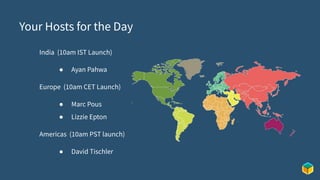
Your Hosts for the Day
India (10am IST Launch)
● Ayan Pahwa
Europe (10am CET Launch)
● Marc Pous
● Lizzie Epton
Americas (10am PST launch)
● David Tischler
Tentative Schedule for each Session
10:00 am - Welcome (all attendees)
● Beginners - Guided Walkthrough, Getting Started with Balena
● Advanced Users
● Learn from other developers from the balena community
11:00 am - 2:30 pm - Hacking!
● Content and talks available for those who are interested
● Or keep hacking if you prefer!
2:30 pm - Project Show and Tell (Let’s see what you built, no matter how complete it is)
● Build logs should go on our Forums: https://forums.balena.io/c/show-and-tell/92
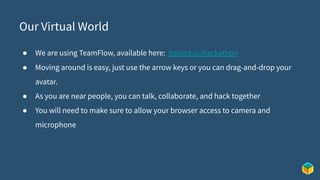
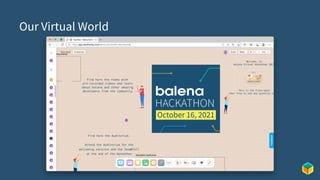
Our Virtual World
● We are using TeamFlow, available here: balena.io/hackathon
● Moving around is easy, just use the arrow keys or you can drag-and-drop your
avatar.
● As you are near people, you can talk, collaborate, and hack together
● You will need to make sure to allow your browser access to camera and
microphone
Our Virtual World
Content Available
In TeamFlow, we have several pre-recorded sessions showcasing interesting balena
projects, as well as community-built projects.
● You can find them by navigating to the left of the welcome area. Just go
for a quick walk over!
● Each talk occurs in it’s own room.
● The videos are posted and available for playback once you enter the
room.
Hacking Guidelines
New to Hackathons? No problem!
Here are some basic tips to help you get the most out of the day:
● Teams at balena Hackathons are self-organizing. Don’t be shy! Walk around the virtual
space and say hello, use the “Ideation” room for brainstorming, let folks know your
interests and abilities, and begin forming teams.
● It’s a long session, make sure you take breaks and grab tea, coffee, beer, or a beverage of
your choice regularly.
● Hacking on projects is supposed to fun! There is no need to worry if you don’t make your
goal of demo’ing by 2:30pm...just show off the progress you made, and you can post
build logs and your finished projects later on our Forums.
balena
balena
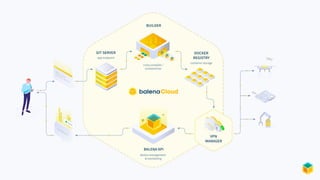
“Platform built to develop, deploy, and
manage fleets of connected devices at scale.”
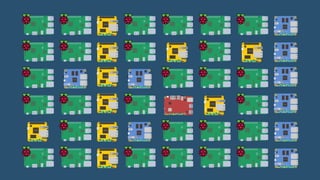
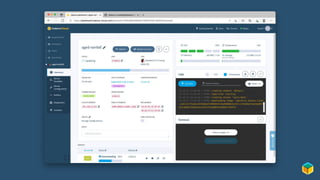
● balenaCloud
○ Web-based control of IoT devices, broken down by Applications,
Devices, Workloads, and more
○ Terminal access to device, logs, container build info, and more.
○ Easy scaling to tens, hundreds, or thousands of devices.
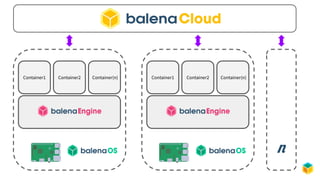
Container1 Container2 Container(n) Container1 Container2 Container(n)
n
How Do Customers Use This Platform?
Once IoT devices are deployed out into the field, customers can manage and
maintain the devices, and push updated workloads to them no matter where they
are located.
● Gateways (Helium, TTN, ADS-B, Zigbee and more)
● Edge AI (NVIDIA Jetson, Open Vino, Edge Impulse and more)
● Kiosk and Display Signage
● Environmental Monitoring
● Autonomous Rovers / Bots
● Logistics and Transportation
● Energy / Infrastructure
Today Goals
For today however, let’s hack, learn, containerize, and innovate.
Here are some sample projects for inspiration:
● balenaSense - https://www.balena.io/blog/build-an-environment-and-air-quality-monitor-with-raspberry-pi/
● balenaDash - https://www.balena.io/blog/make-a-web-frame-with-raspberry-pi-in-30-minutes/
● SenseHAT Snake Game - https://github.com/balena-io-playground/sense-snake
● SenseHAT Binary Clock - https://github.com/balena-io-playground/sense-binary-clock
● Raspberry Pi Xmas Lights (too soon?) - https://www.balena.io/blog/build-festive-lighting-for-the-holidays-with-balena
● Magic Mirror - https://forums.balena.io/t/deploying-magicmirror-to-balena/22097/16
● TTN Gateway - https://www.balena.io/blog/deploy-a-basics-station-lora-gateway-with-ttn-and-balena/
Inspiration, con’t.
● Tetris
● LED Alarm Clock: flash all LEDs at a pre-planned time
● Scrolling Messages (e.g. Weather / News / Twitter)
● Better Snake (e.g. tilt instead of a joystick)
● Space Invaders
● Weather Station: store data & show graphs online
● Vehicle and Bot telemetry
● Servo and Motor control
BalenaHub
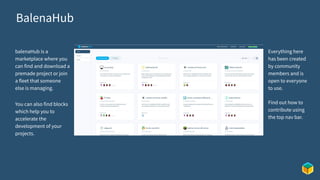
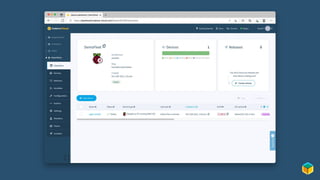
balenaHub is a
marketplace where you
can find and download a
premade project or join
a fleet that someone
else is managing.
You can also find blocks
which help you to
accelerate the
development of your
projects.
Everything here
has been created
by community
members and is
open to everyone
to use.
Find out how to
contribute using
the top nav bar.
Open Fleets
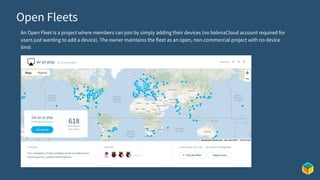
An Open Fleet is a project where members can join by simply adding their devices (no balenaCloud account required for
users just wanting to add a device). The owner maintains the fleet as an open, non-commercial project with no device
limit
hub.balena.io/challenge
Getting Started with balena
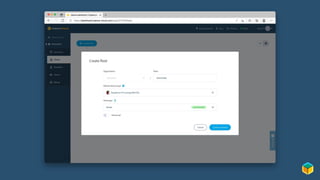
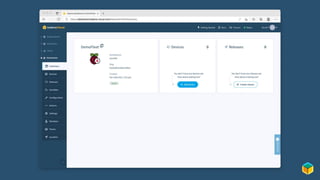
How to create a fleet?
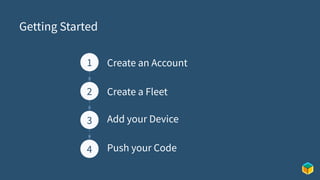
Getting Started
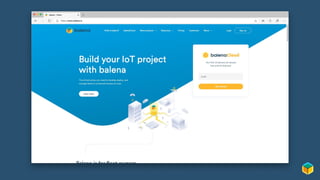
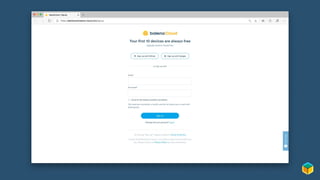
Create an Account
1
2
3
4
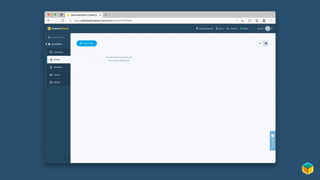
Create a Fleet
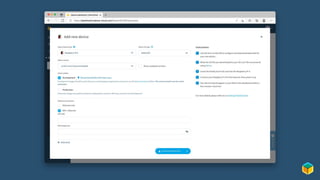
Add your Device
Push your Code
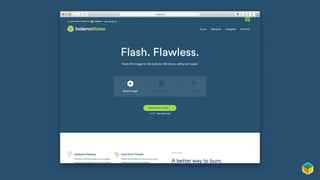
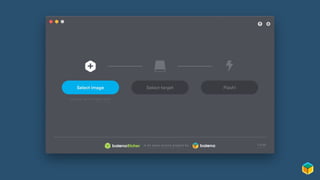
Flash SD Card with Etcher
Power Up!
Let’s Add a Container
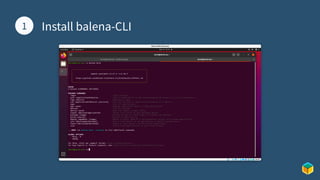
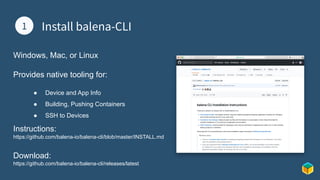
1 Install balena-CLI
1
Windows, Mac, or Linux
Provides native tooling for:
● Device and App Info
● Building, Pushing Containers
● SSH to Devices
Instructions:
https://github.com/balena-io/balena-cli/blob/master/INSTALL.md
Download:
https://github.com/balena-io/balena-cli/releases/latest
1 Install balena-CLI
1
1 Clone a Project
2
There are lots of sample projects to get started with, such as:
“It's a sign: build a remote controlled digital display with Screenly OSE and Raspberry Pi”
“Turn your old speakers or Hi-Fi into Bluetooth, Airplay and Spotify receivers.”
“Using Web Bluetooth to communicate with Bluetooth devices”
“Build a TTN LoRa Gateway with balenaFin and balenaCloud”
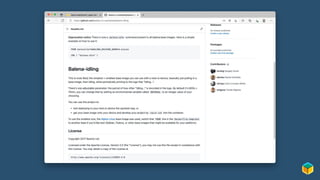
For now, let’s go with “balena-idling”
● https://github.com/balena-io-examples/balena-idling
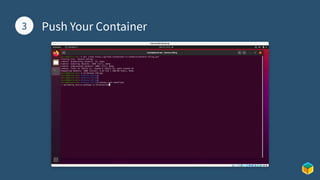
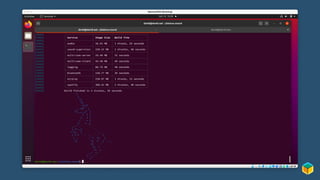
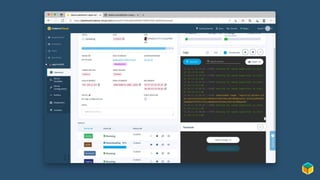
1 Push Your Container
3
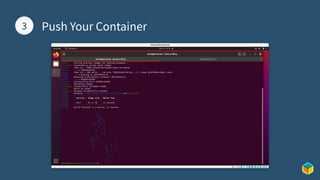
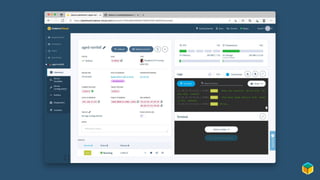
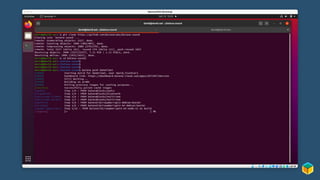
1 Push Your Container
3
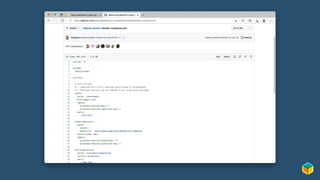
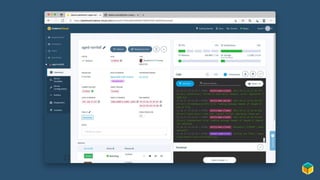
That container is boring,
let’s push an update
Now it’s time to hack
Additional Resources
balena Forums: https://forums.balena.io/
balena Blog: https://www.balena.io/blog/
balena Labs GitHub: https://github.com/balenalabs
Balena Hackathon 2021 - Welcome and Getting Started

Balena Hackathon 2021 - Welcome and Getting Started

  • 1.
    balena Virtual Hackathon2021 Welcome and Getting Started Guide
  • 2.
  • 3.
    Your Hosts forthe Day India (10am IST Launch) ● Ayan Pahwa Europe (10am CET Launch) ● Marc Pous ● Lizzie Epton Americas (10am PST launch) ● David Tischler
  • 4.
    Tentative Schedule foreach Session 10:00 am - Welcome (all attendees) ● Beginners - Guided Walkthrough, Getting Started with Balena ● Advanced Users ● Learn from other developers from the balena community 11:00 am - 2:30 pm - Hacking! ● Content and talks available for those who are interested ● Or keep hacking if you prefer! 2:30 pm - Project Show and Tell (Let’s see what you built, no matter how complete it is) ● Build logs should go on our Forums: https://forums.balena.io/c/show-and-tell/92
  • 5.
    Our Virtual World ●We are using TeamFlow, available here: balena.io/hackathon ● Moving around is easy, just use the arrow keys or you can drag-and-drop your avatar. ● As you are near people, you can talk, collaborate, and hack together ● You will need to make sure to allow your browser access to camera and microphone
  • 6.
  • 7.
    Content Available In TeamFlow,we have several pre-recorded sessions showcasing interesting balena projects, as well as community-built projects. ● You can find them by navigating to the left of the welcome area. Just go for a quick walk over! ● Each talk occurs in it’s own room. ● The videos are posted and available for playback once you enter the room.
  • 8.
    Hacking Guidelines New toHackathons? No problem! Here are some basic tips to help you get the most out of the day: ● Teams at balena Hackathons are self-organizing. Don’t be shy! Walk around the virtual space and say hello, use the “Ideation” room for brainstorming, let folks know your interests and abilities, and begin forming teams. ● It’s a long session, make sure you take breaks and grab tea, coffee, beer, or a beverage of your choice regularly. ● Hacking on projects is supposed to fun! There is no need to worry if you don’t make your goal of demo’ing by 2:30pm...just show off the progress you made, and you can post build logs and your finished projects later on our Forums.
  • 9.
  • 10.
    balena “Platform built todevelop, deploy, and manage fleets of connected devices at scale.” ● balenaCloud ○ Web-based control of IoT devices, broken down by Applications, Devices, Workloads, and more ○ Terminal access to device, logs, container build info, and more. ○ Easy scaling to tens, hundreds, or thousands of devices.
  • 14.
    Container1 Container2 Container(n)Container1 Container2 Container(n) n
  • 15.
    How Do CustomersUse This Platform? Once IoT devices are deployed out into the field, customers can manage and maintain the devices, and push updated workloads to them no matter where they are located. ● Gateways (Helium, TTN, ADS-B, Zigbee and more) ● Edge AI (NVIDIA Jetson, Open Vino, Edge Impulse and more) ● Kiosk and Display Signage ● Environmental Monitoring ● Autonomous Rovers / Bots ● Logistics and Transportation ● Energy / Infrastructure
  • 16.
    Today Goals For todayhowever, let’s hack, learn, containerize, and innovate. Here are some sample projects for inspiration: ● balenaSense - https://www.balena.io/blog/build-an-environment-and-air-quality-monitor-with-raspberry-pi/ ● balenaDash - https://www.balena.io/blog/make-a-web-frame-with-raspberry-pi-in-30-minutes/ ● SenseHAT Snake Game - https://github.com/balena-io-playground/sense-snake ● SenseHAT Binary Clock - https://github.com/balena-io-playground/sense-binary-clock ● Raspberry Pi Xmas Lights (too soon?) - https://www.balena.io/blog/build-festive-lighting-for-the-holidays-with-balena ● Magic Mirror - https://forums.balena.io/t/deploying-magicmirror-to-balena/22097/16 ● TTN Gateway - https://www.balena.io/blog/deploy-a-basics-station-lora-gateway-with-ttn-and-balena/
  • 17.
    Inspiration, con’t. ● Tetris ●LED Alarm Clock: flash all LEDs at a pre-planned time ● Scrolling Messages (e.g. Weather / News / Twitter) ● Better Snake (e.g. tilt instead of a joystick) ● Space Invaders ● Weather Station: store data & show graphs online ● Vehicle and Bot telemetry ● Servo and Motor control
  • 19.
    BalenaHub balenaHub is a marketplacewhere you can find and download a premade project or join a fleet that someone else is managing. You can also find blocks which help you to accelerate the development of your projects. Everything here has been created by community members and is open to everyone to use. Find out how to contribute using the top nav bar.

  • 20.
    Open Fleets An OpenFleet is a project where members can join by simply adding their devices (no balenaCloud account required for users just wanting to add a device). The owner maintains the fleet as an open, non-commercial project with no device limit
  • 21.
  • 22.
  • 23.
    How to createa fleet?
  • 24.
    Getting Started Create anAccount 1 2 3 4 Create a Fleet Add your Device Push your Code
  • 31.
    Flash SD Cardwith Etcher
  • 34.
  • 37.
    Let’s Add aContainer
  • 38.
    1 Install balena-CLI 1 Windows,Mac, or Linux Provides native tooling for: ● Device and App Info ● Building, Pushing Containers ● SSH to Devices Instructions: https://github.com/balena-io/balena-cli/blob/master/INSTALL.md Download: https://github.com/balena-io/balena-cli/releases/latest
  • 39.
  • 40.
    1 Clone aProject 2 There are lots of sample projects to get started with, such as: “It's a sign: build a remote controlled digital display with Screenly OSE and Raspberry Pi” “Turn your old speakers or Hi-Fi into Bluetooth, Airplay and Spotify receivers.” “Using Web Bluetooth to communicate with Bluetooth devices” “Build a TTN LoRa Gateway with balenaFin and balenaCloud” For now, let’s go with “balena-idling” ● https://github.com/balena-io-examples/balena-idling
  • 42.
    1 Push YourContainer 3
  • 43.
    1 Push YourContainer 3
  • 46.
    That container isboring, let’s push an update
  • 52.
  • 53.
    Additional Resources balena Forums:https://forums.balena.io/ balena Blog: https://www.balena.io/blog/ balena Labs GitHub: https://github.com/balenalabs