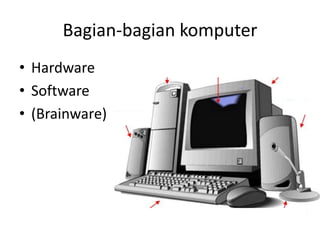
The document summarizes the main components of a computer system including hardware, software, and brainware. It describes the hardware components as input devices like keyboards and mice, the arithmetic logic unit including the central processing unit, and output devices like displays and printers. It also lists some common operating systems like Windows, Linux, and Unix as well as application software programs like Microsoft Office and browsers. Files are noted as having different extensions like .doc, .zip, and .pdf.
![[1] Hardware (perangkat keras)
• Input devices (perangkat masukan)
– Keyboard, mouse, microphone, touch screen, dll
• Aritmatic Logic Unit (unit pemroses )
– Processor / CPU
• Output devices (perangkat keluaran)
– Display, printer, speaker, dll
– Chasing, CD-RW, Disc?](https://image.slidesharecdn.com/bagian-bagian-komputer-140327010426-phpapp01/85/Bagian-bagian-komputer-2-320.jpg)

![[2] Software (Perangkat Lunak) 1/2
• Sistem Operasi
– Microsoft : Windows XP, Vista, Seven, NT, dll
– Linux : Ubuntu, Slackware, Centos, Debian, dll
– Unix : OpenBSD, FreeBSD, SCOunix, Solaris, dll
– Android, Symbian, dll](https://image.slidesharecdn.com/bagian-bagian-komputer-140327010426-phpapp01/85/Bagian-bagian-komputer-4-320.jpg)
![[2] Software (Perangkat Lunak) 2/2
• Sistem Aplikasi
– Microsoft Office
– OpenOffice
– Adobe Acrobat
– PotoShop,
– Browser, dll
• Files / data
– .doc, .zip, .pdf, .ppt, .exe, .txt, dll](https://image.slidesharecdn.com/bagian-bagian-komputer-140327010426-phpapp01/85/Bagian-bagian-komputer-5-320.jpg)


