AWS Cloud Architecture for
Enterprise ERP
Scalable, Secure, and Cost-Effective
Odoo Deployment
AWS Best Practices and Technical
Deep Dive
Executive Summary
• • Enterprise-grade ERP deployment on AWS
cloud
• • High availability with 99.99% uptime SLA
• • Auto-scaling architecture for dynamic
workloads
• • Multi-layer security with AWS native services
• • Cost optimization through right-sizing and
automation
• • Disaster recovery with RTO < 4 hours, RPO <
1 hour
Current State vs Future State
• Current State (On-Premises):
• • Fixed capacity with over-provisioning
• • Manual scaling and maintenance
• • Single point of failure risks
• • High CAPEX investment
• • Limited disaster recovery options
• Future State (AWS Cloud):
• • Elastic capacity with auto-scaling
AWS Well-Architected Framework
• Operational Excellence:
• • Infrastructure as Code
(CloudFormation/Terraform)
• • Automated monitoring and alerting
• Security:
• • Defense in depth with multiple security
layers
• • Encryption at rest and in transit
Detailed AWS Architecture
• Internet Gateway & Route 53:
• • DNS management and traffic routing
• • Health checks and failover
• Application Load Balancer:
• • Layer 7 load balancing
• • SSL termination and WAF integration
• Auto Scaling Groups:
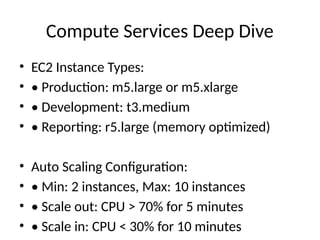
Compute Services Deep Dive
• EC2 Instance Types:
• • Production: m5.large or m5.xlarge
• • Development: t3.medium
• • Reporting: r5.large (memory optimized)
• Auto Scaling Configuration:
• • Min: 2 instances, Max: 10 instances
• • Scale out: CPU > 70% for 5 minutes
• • Scale in: CPU < 30% for 10 minutes
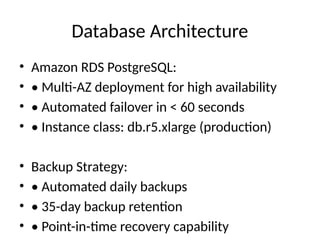
Database Architecture
• Amazon RDS PostgreSQL:
• • Multi-AZ deployment for high availability
• • Automated failover in < 60 seconds
• • Instance class: db.r5.xlarge (production)
• Backup Strategy:
• • Automated daily backups
• • 35-day backup retention
• • Point-in-time recovery capability
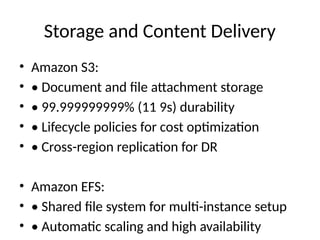
Storage and Content Delivery
• Amazon S3:
• • Document and file attachment storage
• • 99.999999999% (11 9s) durability
• • Lifecycle policies for cost optimization
• • Cross-region replication for DR
• Amazon EFS:
• • Shared file system for multi-instance setup
• • Automatic scaling and high availability
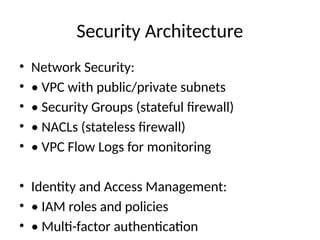
Security Architecture
• Network Security:
• • VPC with public/private subnets
• • Security Groups (stateful firewall)
• • NACLs (stateless firewall)
• • VPC Flow Logs for monitoring
• Identity and Access Management:
• • IAM roles and policies
• • Multi-factor authentication
Monitoring and Observability
• Amazon CloudWatch:
• • Custom dashboards and metrics
• • Automated alerting via SNS
• • Log aggregation and analysis
• • 15-month metric retention
• AWS X-Ray:
• • Distributed tracing for performance
• • Service map visualization
Disaster Recovery Strategy
• Multi-AZ Deployment:
• • Primary: us-east-1a
• • Secondary: us-east-1b
• • Automatic failover for RDS
• Cross-Region Backup:
• • Daily snapshots to us-west-2
• • S3 cross-region replication
• • AMI copies for quick recovery
Cost Optimization Strategies
• Reserved Instances:
• • 1-year or 3-year commitments
• • Up to 75% savings vs On-Demand
• • Convertible RIs for flexibility
• Spot Instances:
• • Development and testing environments
• • Up to 90% savings vs On-Demand
• • Fault-tolerant workloads
Migration Approach
• Assessment Phase:
• • AWS Application Discovery Service
• • Dependency mapping and analysis
• • Performance baseline establishment
• Migration Strategies (6 Rs):
• • Rehost: Lift and shift to EC2
• • Replatform: Optimize for cloud
• • Refactor: Cloud-native redesign
Technical Implementation
Roadmap
• Phase 1: Foundation (Weeks 1-2)
• • VPC setup and network configuration
• • IAM roles and security policies
• • Monitoring and logging setup
• Phase 2: Core Services (Weeks 3-4)
• • EC2 instances and Auto Scaling
• • RDS database deployment
• • Load balancer configuration
Success Metrics and KPIs
• Performance Metrics:
• • Application response time < 2 seconds
• • Database query performance < 500ms
• • 99.99% uptime SLA achievement
• Cost Metrics:
• • 20-30% reduction in total IT costs
• • Predictable monthly operational expenses
• • ROI achievement within 12 months
Thank You
AWS Cloud Architecture for
Enterprise ERP
Questions & Technical Discussion
Contact: AWS Solutions Architecture
AWS_Technical_Architecture_Presentation.pptx

  • 1.
    AWS Cloud Architecturefor Enterprise ERP Scalable, Secure, and Cost-Effective Odoo Deployment AWS Best Practices and Technical Deep Dive
  • 2.
    Executive Summary • •Enterprise-grade ERP deployment on AWS cloud • • High availability with 99.99% uptime SLA • • Auto-scaling architecture for dynamic workloads • • Multi-layer security with AWS native services • • Cost optimization through right-sizing and automation • • Disaster recovery with RTO < 4 hours, RPO < 1 hour
  • 3.
    Current State vsFuture State • Current State (On-Premises): • • Fixed capacity with over-provisioning • • Manual scaling and maintenance • • Single point of failure risks • • High CAPEX investment • • Limited disaster recovery options • Future State (AWS Cloud): • • Elastic capacity with auto-scaling
  • 4.
    AWS Well-Architected Framework •Operational Excellence: • • Infrastructure as Code (CloudFormation/Terraform) • • Automated monitoring and alerting • Security: • • Defense in depth with multiple security layers • • Encryption at rest and in transit
  • 5.
    Detailed AWS Architecture •Internet Gateway & Route 53: • • DNS management and traffic routing • • Health checks and failover • Application Load Balancer: • • Layer 7 load balancing • • SSL termination and WAF integration • Auto Scaling Groups:
  • 6.
    Compute Services DeepDive • EC2 Instance Types: • • Production: m5.large or m5.xlarge • • Development: t3.medium • • Reporting: r5.large (memory optimized) • Auto Scaling Configuration: • • Min: 2 instances, Max: 10 instances • • Scale out: CPU > 70% for 5 minutes • • Scale in: CPU < 30% for 10 minutes
  • 7.
    Database Architecture • AmazonRDS PostgreSQL: • • Multi-AZ deployment for high availability • • Automated failover in < 60 seconds • • Instance class: db.r5.xlarge (production) • Backup Strategy: • • Automated daily backups • • 35-day backup retention • • Point-in-time recovery capability
  • 8.
    Storage and ContentDelivery • Amazon S3: • • Document and file attachment storage • • 99.999999999% (11 9s) durability • • Lifecycle policies for cost optimization • • Cross-region replication for DR • Amazon EFS: • • Shared file system for multi-instance setup • • Automatic scaling and high availability
  • 9.
    Security Architecture • NetworkSecurity: • • VPC with public/private subnets • • Security Groups (stateful firewall) • • NACLs (stateless firewall) • • VPC Flow Logs for monitoring • Identity and Access Management: • • IAM roles and policies • • Multi-factor authentication
  • 10.
    Monitoring and Observability •Amazon CloudWatch: • • Custom dashboards and metrics • • Automated alerting via SNS • • Log aggregation and analysis • • 15-month metric retention • AWS X-Ray: • • Distributed tracing for performance • • Service map visualization
  • 11.
    Disaster Recovery Strategy •Multi-AZ Deployment: • • Primary: us-east-1a • • Secondary: us-east-1b • • Automatic failover for RDS • Cross-Region Backup: • • Daily snapshots to us-west-2 • • S3 cross-region replication • • AMI copies for quick recovery
  • 12.
    Cost Optimization Strategies •Reserved Instances: • • 1-year or 3-year commitments • • Up to 75% savings vs On-Demand • • Convertible RIs for flexibility • Spot Instances: • • Development and testing environments • • Up to 90% savings vs On-Demand • • Fault-tolerant workloads
  • 13.
    Migration Approach • AssessmentPhase: • • AWS Application Discovery Service • • Dependency mapping and analysis • • Performance baseline establishment • Migration Strategies (6 Rs): • • Rehost: Lift and shift to EC2 • • Replatform: Optimize for cloud • • Refactor: Cloud-native redesign
  • 14.
    Technical Implementation Roadmap • Phase1: Foundation (Weeks 1-2) • • VPC setup and network configuration • • IAM roles and security policies • • Monitoring and logging setup • Phase 2: Core Services (Weeks 3-4) • • EC2 instances and Auto Scaling • • RDS database deployment • • Load balancer configuration
  • 15.
    Success Metrics andKPIs • Performance Metrics: • • Application response time < 2 seconds • • Database query performance < 500ms • • 99.99% uptime SLA achievement • Cost Metrics: • • 20-30% reduction in total IT costs • • Predictable monthly operational expenses • • ROI achievement within 12 months
  • 16.
    Thank You AWS CloudArchitecture for Enterprise ERP Questions & Technical Discussion Contact: AWS Solutions Architecture