Automating Tasks
with Python
SIMPLIFYING WORKFLOWS AND ENHANCING PRODUCTIVITY
www.whytap.in
+91 82700 99991
Introduction to
Automation
Definition :
Automation involves using technology to perform
tasks with minimal human intervention.
Benefits :
Increased efficiency, accuracy, and productivity.
Python's Role:
Python's versatility and extensive libraries make it
ideal for automation.
Setting Up Your
Environment
Python Installation: Steps to install Python.
IDE: Choosing an Integrated Development Environment
(e.g., PyCharm, VS Code).
Packages: Introduction to pip for managing packages.
Reading Files: Using open(), read(), and
readlines().
Writing Files: Using write() and
writelines().
Automating File Operations: Scripts for
batch processing files.
Working with Files
Web Scraping
Extracting data from websites.
Introduction:
Libraries:
BeautifulSoup and Scrapy.
Example:
A script to scrape data from a webpage.
Email Automation
Libraries: smtplib and email for sending emails.
Example: Script to send automated emails.
Use Cases: Notifications, reports, alerts.
Working with
APIs
API Basics: Understanding APIs and
endpoints.
Requests Library: Using requests to
interact with APIs.
Example: Fetching data from a REST
API.
Task Scheduling
Scheduling Scripts: Using cron (Linux) or Task Scheduler (Windows).
Python Libraries: Introduction to schedule library.
Example: Script to run a task at specific intervals.
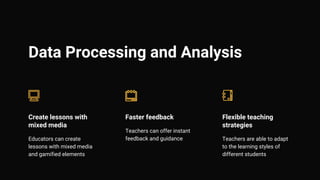
Data Processing and Analysis
Create lessons with
mixed media
Educators can create
lessons with mixed media
and gamified elements
Faster feedback
Teachers can offer instant
feedback and guidance
Flexible teaching
strategies
Teachers are able to adapt
to the learning styles of
different students
Image
Processing
Pillow:
Using Pillow for basic image processing
tasks.
01
OpenCV:
Advanced image processing with
OpenCV.
02
Example:
Automating image resizing and format
conversion.
03
Conclusion
Recap: Summary of automation techniques
covered.
Next Steps: Further resources and learning
paths.
Thank You: Contact information and additional
resources.

Automating Tasks with Python (Simplifying Workflows and Enhancing Productivity)

  • 1.
    Automating Tasks with Python SIMPLIFYINGWORKFLOWS AND ENHANCING PRODUCTIVITY www.whytap.in +91 82700 99991
  • 2.
    Introduction to Automation Definition : Automationinvolves using technology to perform tasks with minimal human intervention. Benefits : Increased efficiency, accuracy, and productivity. Python's Role: Python's versatility and extensive libraries make it ideal for automation.
  • 3.
    Setting Up Your Environment PythonInstallation: Steps to install Python. IDE: Choosing an Integrated Development Environment (e.g., PyCharm, VS Code). Packages: Introduction to pip for managing packages.
  • 4.
    Reading Files: Usingopen(), read(), and readlines(). Writing Files: Using write() and writelines(). Automating File Operations: Scripts for batch processing files. Working with Files
  • 5.
    Web Scraping Extracting datafrom websites. Introduction: Libraries: BeautifulSoup and Scrapy. Example: A script to scrape data from a webpage.
  • 6.
    Email Automation Libraries: smtpliband email for sending emails. Example: Script to send automated emails. Use Cases: Notifications, reports, alerts.
  • 7.
    Working with APIs API Basics:Understanding APIs and endpoints. Requests Library: Using requests to interact with APIs. Example: Fetching data from a REST API.
  • 8.
    Task Scheduling Scheduling Scripts:Using cron (Linux) or Task Scheduler (Windows). Python Libraries: Introduction to schedule library. Example: Script to run a task at specific intervals.
  • 9.
    Data Processing andAnalysis Create lessons with mixed media Educators can create lessons with mixed media and gamified elements Faster feedback Teachers can offer instant feedback and guidance Flexible teaching strategies Teachers are able to adapt to the learning styles of different students
  • 10.
    Image Processing Pillow: Using Pillow forbasic image processing tasks. 01 OpenCV: Advanced image processing with OpenCV. 02 Example: Automating image resizing and format conversion. 03
  • 11.
    Conclusion Recap: Summary ofautomation techniques covered. Next Steps: Further resources and learning paths. Thank You: Contact information and additional resources.