AUDIO INFORMATION AND MEDIA
Prepared by: Joan M. Torreres
Subject Teacher
Objectives:
What is an Audio?
sound, especially when recorded, transmitted, or reproduced
AUDIO MEDIA
• media communication that uses audio or recordings to deliver and transfer information through
the means of sound
Types of Audio Information
1. Radio Broadcast - live or recorded audio sent through radio waves to reach a wide audience
Types of Audio Information
2. Music - vocal or instrumental sounds combined in such a way as to produce beauty of form,
harmony, and expression of emotion
Types of Audio Information 3. Sound Recording - recording of
an interview, meeting, or any sound from the environment
4. Sound Clips / Effects - any sound artificially reproduced to create an effect in a dramatic
presentation (ex. sound of a storm, or a door)
Types of Audio Information
5. Audio Podcast - a digital audio or video file or recording, usually part of a themed series, that can be
downloaded from a website to a media player or a computer
Different ways of storing audio media
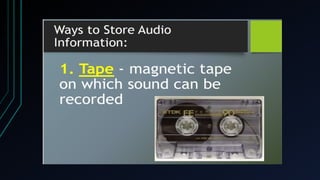
1. Tape - magnetic tape on which sound can be recorded.
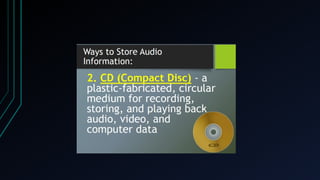
2. CD - a plastic-fabricated, circular medium for recording, storing, and playing
back audio, video, and computer data.
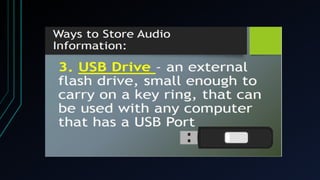
3. USB drive - an external flash drive, small enough to carry on a key ring, that
can be used with any computer that has a USB port.
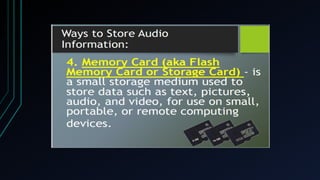
4. Memory Card - (aka flash memory card or storage card) is a small storage
medium used to store data such as text, pictures, audio, and video, for use on
small, portable, or remote computing devices.
5. Computer hard drive - secondary storage devices for storing audio files.
6. Internet/Cloud - websites or file repositories for retrieving audio files, and
more precisely the files are stored in some datacenter full of servers that is
connected to the Internet.
Different audio files formats
1. MP3 (MPEG Audio Layer 3) - a common format for consumer audio, as
well as a standard of digital audio compression for the transfer and playback
of music on most digital audio players.
2. M4A/AAC (MPEG-4 Audio/Advanced Audio Coding) - an audio coding
standard for lossy digital audio compression. Designed to be the successor of
the MP3 format, AAC generally achieves better sound quality than MP3 at
similar bit rates.
3. WAV - is a Microsoft audio file format standard for storing an audio bitstream
on PCs. It has become a standard file format for game sounds, among others.
4. WMA (Windows Media Audio) - is an audio data compression technology
developed by Microsoft and used with Windows Media Player.
With the same group, make a talk show about your school, class
subject, or a class or school activity or advocacy. Use radio
broadcasting as medium. Store your output in a memory card or USB.
Criteria:
Content - 5 points
Presentation of Information - 5 points
Use of Audio Design Elements - 5 points
Use of Audio Design Principles - 5 points
Grammar -5 points
Total: 25 points
audio media and information presentation

audio media and information presentation

  • 1.
    AUDIO INFORMATION ANDMEDIA Prepared by: Joan M. Torreres Subject Teacher
  • 2.
  • 4.
    What is anAudio? sound, especially when recorded, transmitted, or reproduced
  • 5.
    AUDIO MEDIA • mediacommunication that uses audio or recordings to deliver and transfer information through the means of sound
  • 6.
    Types of AudioInformation
  • 7.
    Types of AudioInformation 1. Radio Broadcast - live or recorded audio sent through radio waves to reach a wide audience
  • 8.
    Types of AudioInformation 2. Music - vocal or instrumental sounds combined in such a way as to produce beauty of form, harmony, and expression of emotion
  • 9.
    Types of AudioInformation 3. Sound Recording - recording of an interview, meeting, or any sound from the environment
  • 10.
    4. Sound Clips/ Effects - any sound artificially reproduced to create an effect in a dramatic presentation (ex. sound of a storm, or a door)
  • 11.
    Types of AudioInformation 5. Audio Podcast - a digital audio or video file or recording, usually part of a themed series, that can be downloaded from a website to a media player or a computer
  • 20.
    Different ways ofstoring audio media 1. Tape - magnetic tape on which sound can be recorded. 2. CD - a plastic-fabricated, circular medium for recording, storing, and playing back audio, video, and computer data. 3. USB drive - an external flash drive, small enough to carry on a key ring, that can be used with any computer that has a USB port. 4. Memory Card - (aka flash memory card or storage card) is a small storage medium used to store data such as text, pictures, audio, and video, for use on small, portable, or remote computing devices. 5. Computer hard drive - secondary storage devices for storing audio files. 6. Internet/Cloud - websites or file repositories for retrieving audio files, and more precisely the files are stored in some datacenter full of servers that is connected to the Internet.
  • 21.
    Different audio filesformats 1. MP3 (MPEG Audio Layer 3) - a common format for consumer audio, as well as a standard of digital audio compression for the transfer and playback of music on most digital audio players. 2. M4A/AAC (MPEG-4 Audio/Advanced Audio Coding) - an audio coding standard for lossy digital audio compression. Designed to be the successor of the MP3 format, AAC generally achieves better sound quality than MP3 at similar bit rates. 3. WAV - is a Microsoft audio file format standard for storing an audio bitstream on PCs. It has become a standard file format for game sounds, among others. 4. WMA (Windows Media Audio) - is an audio data compression technology developed by Microsoft and used with Windows Media Player.
  • 22.
    With the samegroup, make a talk show about your school, class subject, or a class or school activity or advocacy. Use radio broadcasting as medium. Store your output in a memory card or USB. Criteria: Content - 5 points Presentation of Information - 5 points Use of Audio Design Elements - 5 points Use of Audio Design Principles - 5 points Grammar -5 points Total: 25 points

Editor's Notes

  • #1 2.Highlight Audio Media and Information as the topic for today’s session. State the objectives of the lesson. 3. Review prerequisite knowledge and understanding of text and visual by asking questions about their use and limitations. 4. Ask the learners what the purpose of using text is. 5. Ask the learners to name one design element or principle employed in creating visual media. 1. Divide the class into 2 groups. 2. Each group will make a 2-minute silent movie. • Group 1- Inside the classroom • Group 2- At the market 3. What did you observe about your activity? 4. Start a quick discussion about how they found the experience of their activity without audio.
  • #3 “I was more focused on the film without the audio” - Perhaps we are so used to media that use multiple forms and channels. Audio, if not used well, can be distracting. That is why it’s important to ensure that the key message and intention are consistent across the different media that you will use. “It was boring” - We are not used to singular media anymore, and that can be a good example of convergence of media and how it is prevalent in our daily lives. Audio is a powerful tool to set the mood and convey emotions that visual can’t
  • #18 2.Highlight Audio Media and Information as the topic for today’s session. State the objectives of the lesson. 3. Review prerequisite knowledge and understanding of text and visual by asking questions about their use and limitations. 4. Ask the learners what the purpose of using text is. 5. Ask the learners to name one design element or principle employed in creating visual media. 1. Divide the class into 2 groups. 2. Each group will make a 2-minute silent movie. • Group 1- Inside the classroom • Group 2- At the market 3. What did you observe about your activity? 4. Start a quick discussion about how they found the experience of their activity without audio.
  • #19 2.Highlight Audio Media and Information as the topic for today’s session. State the objectives of the lesson. 3. Review prerequisite knowledge and understanding of text and visual by asking questions about their use and limitations. 4. Ask the learners what the purpose of using text is. 5. Ask the learners to name one design element or principle employed in creating visual media. 1. Divide the class into 2 groups. 2. Each group will make a 2-minute silent movie. • Group 1- Inside the classroom • Group 2- At the market 3. What did you observe about your activity? 4. Start a quick discussion about how they found the experience of their activity without audio.
  • #20 2.Highlight Audio Media and Information as the topic for today’s session. State the objectives of the lesson. 3. Review prerequisite knowledge and understanding of text and visual by asking questions about their use and limitations. 4. Ask the learners what the purpose of using text is. 5. Ask the learners to name one design element or principle employed in creating visual media. 1. Divide the class into 2 groups. 2. Each group will make a 2-minute silent movie. • Group 1- Inside the classroom • Group 2- At the market 3. What did you observe about your activity? 4. Start a quick discussion about how they found the experience of their activity without audio.
  • #21 Hearing vs Listening 1. Call the attention of the learners and have them be quiet to listen to the short audio clip (Note: This audio clip is a monologue in French): 2. Ask the learners whether they heard the audio or listened to the audio (“Did you hear the audio or did you listen to the audio?” 3. Ask the learners if they can differentiate between hearing and listening. 4. Explain the difference between hearing and listening: “Hearing is simply the act of perceiving sound by the ear. If you are not hearing-impaired, hearing simply happens. Listening, however, is something you consciously choose to do. Listening requires concentration so that your brain processes meaning from words and sentences. Listening leads to learning.” (http:// www.d.umn.edu/kmc/student/loon/acad/strat/ss_hearing.html)
  • #22 2.Highlight Audio Media and Information as the topic for today’s session. State the objectives of the lesson. 3. Review prerequisite knowledge and understanding of text and visual by asking questions about their use and limitations. 4. Ask the learners what the purpose of using text is. 5. Ask the learners to name one design element or principle employed in creating visual media. 1. Divide the class into 2 groups. 2. Each group will make a 2-minute silent movie. • Group 1- Inside the classroom • Group 2- At the market 3. What did you observe about your activity? 4. Start a quick discussion about how they found the experience of their activity without audio.
  • #23 With the same group, have the learners to make a talk show about their school, class subject, or a class or school activity or advocacy. Use radio broadcasting as medium. Store your output in a memory card or USB. Criteria: Content - 5 points Presentation of Information - 5 points Use of Audio Design Elements - 5 points Use of Audio Design Principles - 5 points Grammar -5 points Total: 25 points