
Windows 10 – Modern Device Management
Microsoft Cloud & Client Management
Windows 10 – Modern Device Management
#AteaCreatorsUpdate
Per Larsen
Microsoft MVP - Enterprise Mobility
@Perlarsen1975
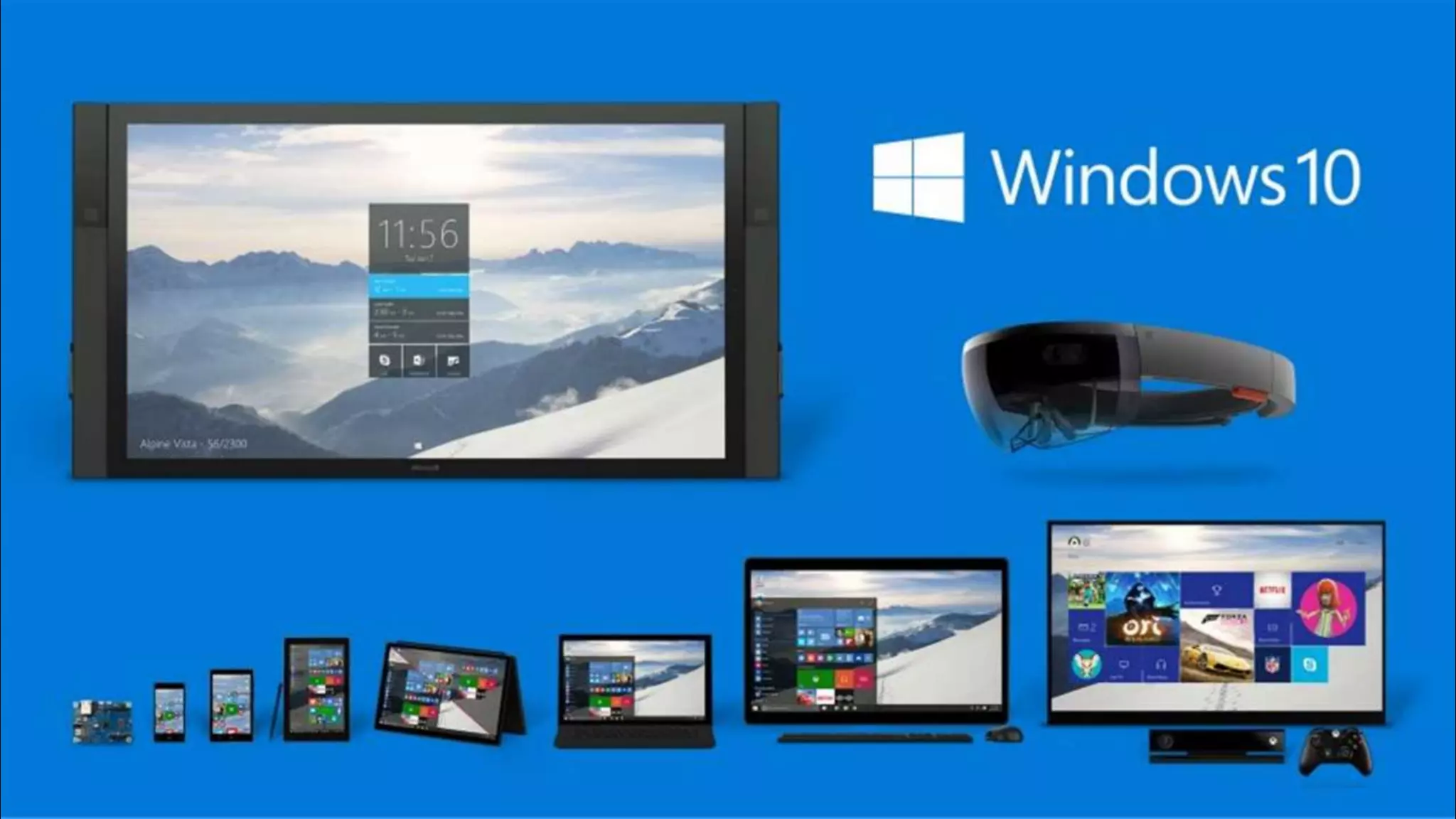
One Windows across all devices
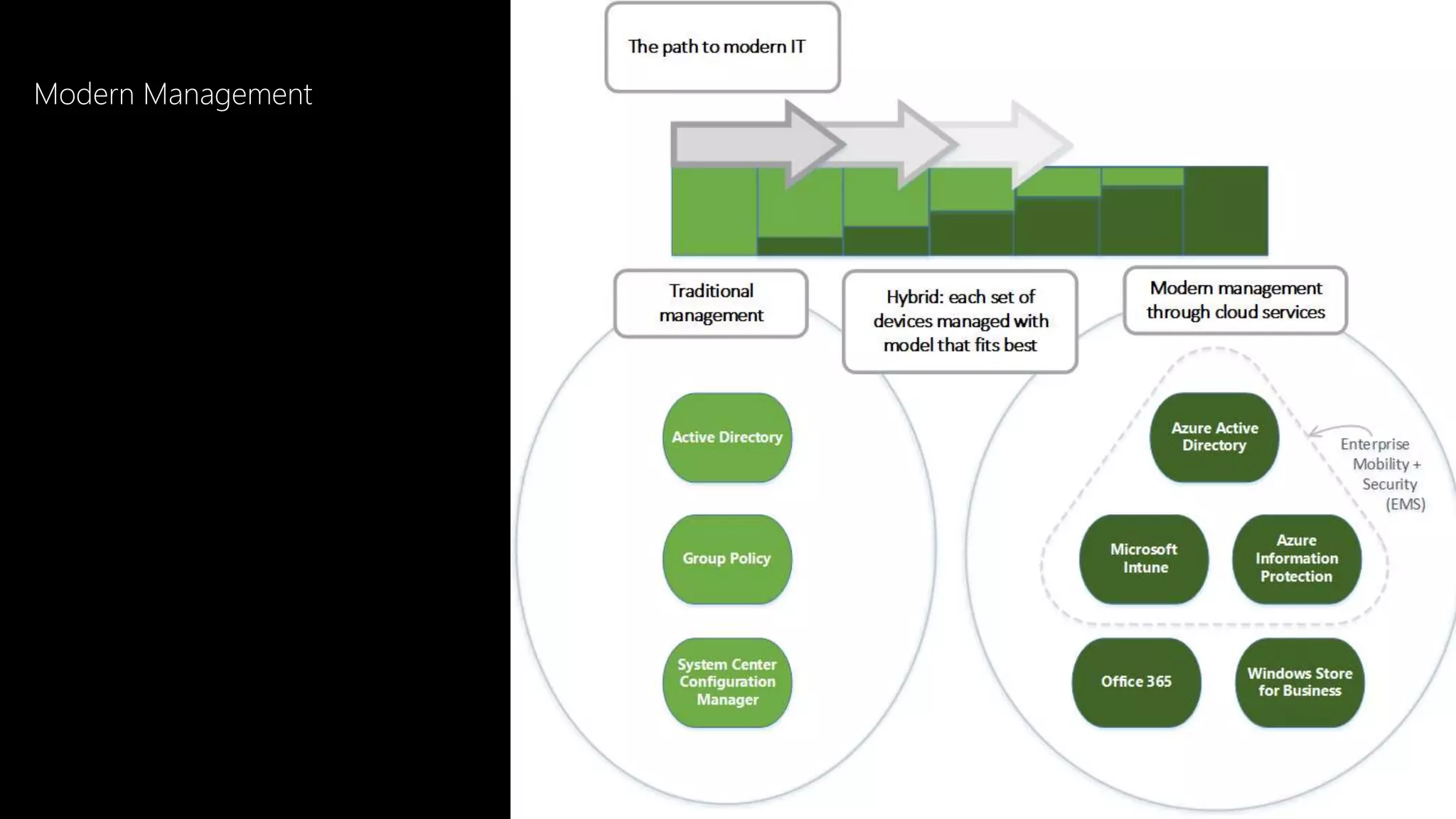
Modern Management
Windows 10 is born for
Modern Management
Microsoft Intune in Azure – Ibiza portal
Let’s have a closer look
Microsoft Intune – Ibiza Portal
Windows 10 Creators Update
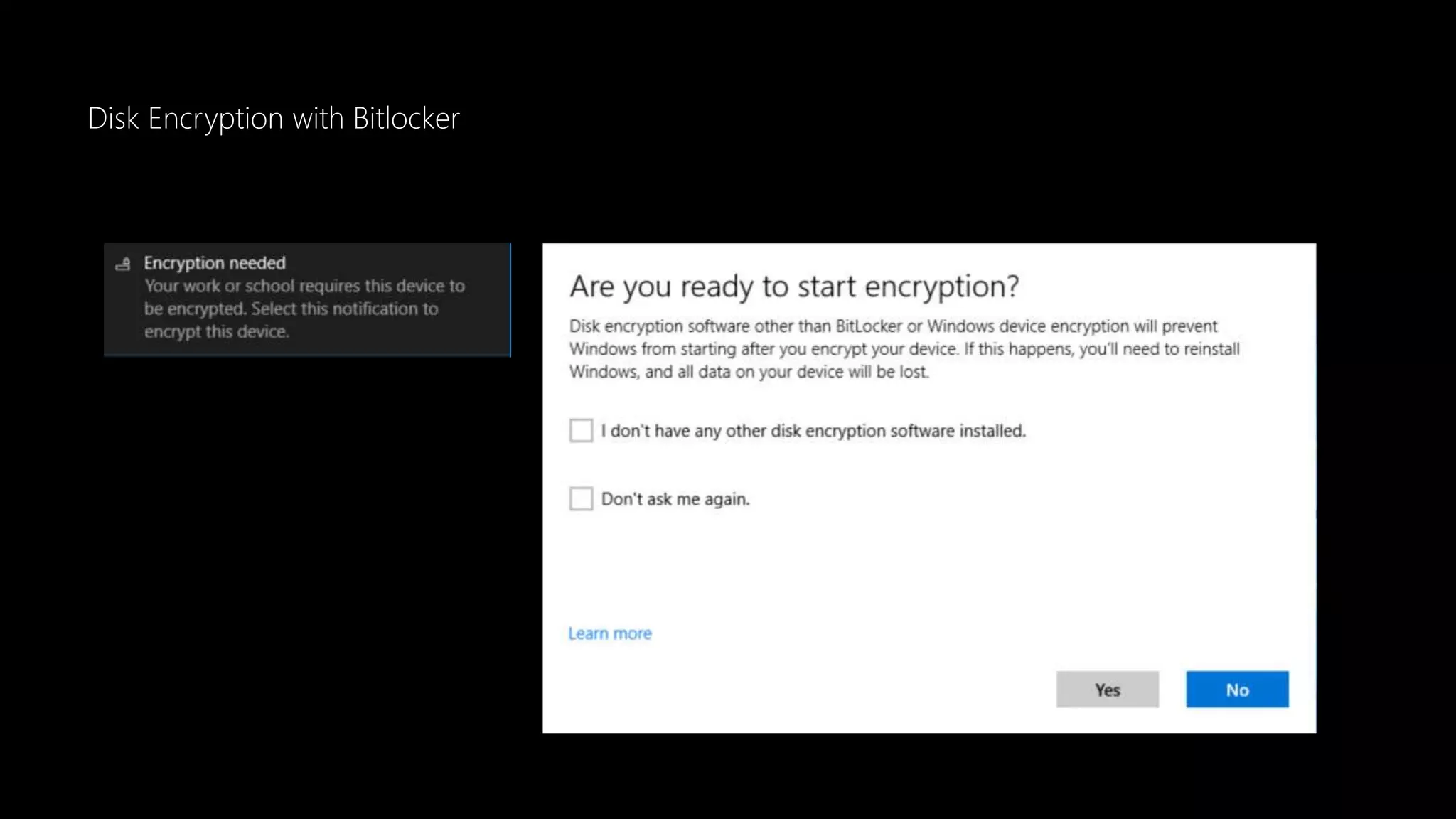
Disk Encryption with Bitlocker
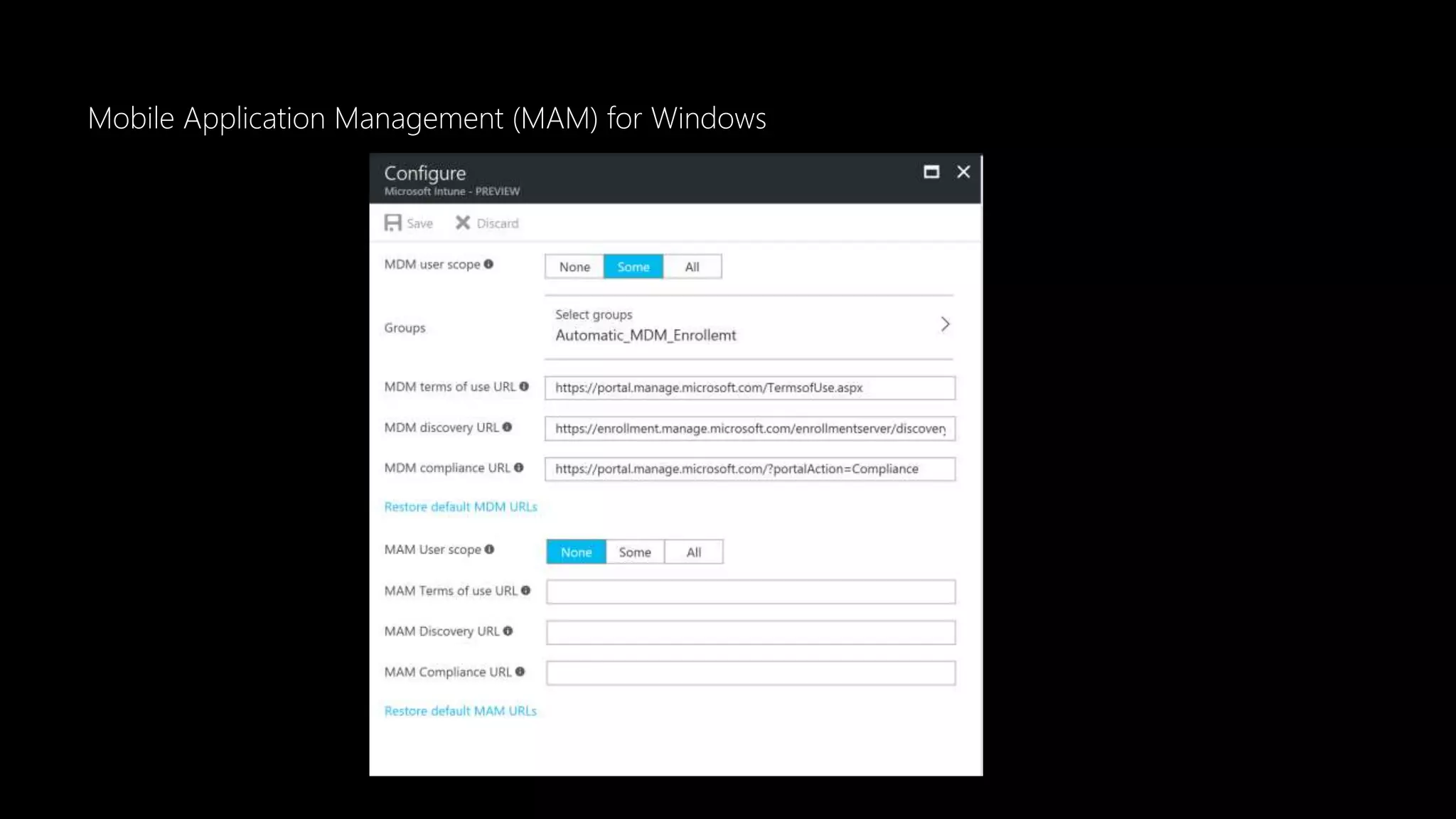
Mobile Application Management (MAM) for Windows
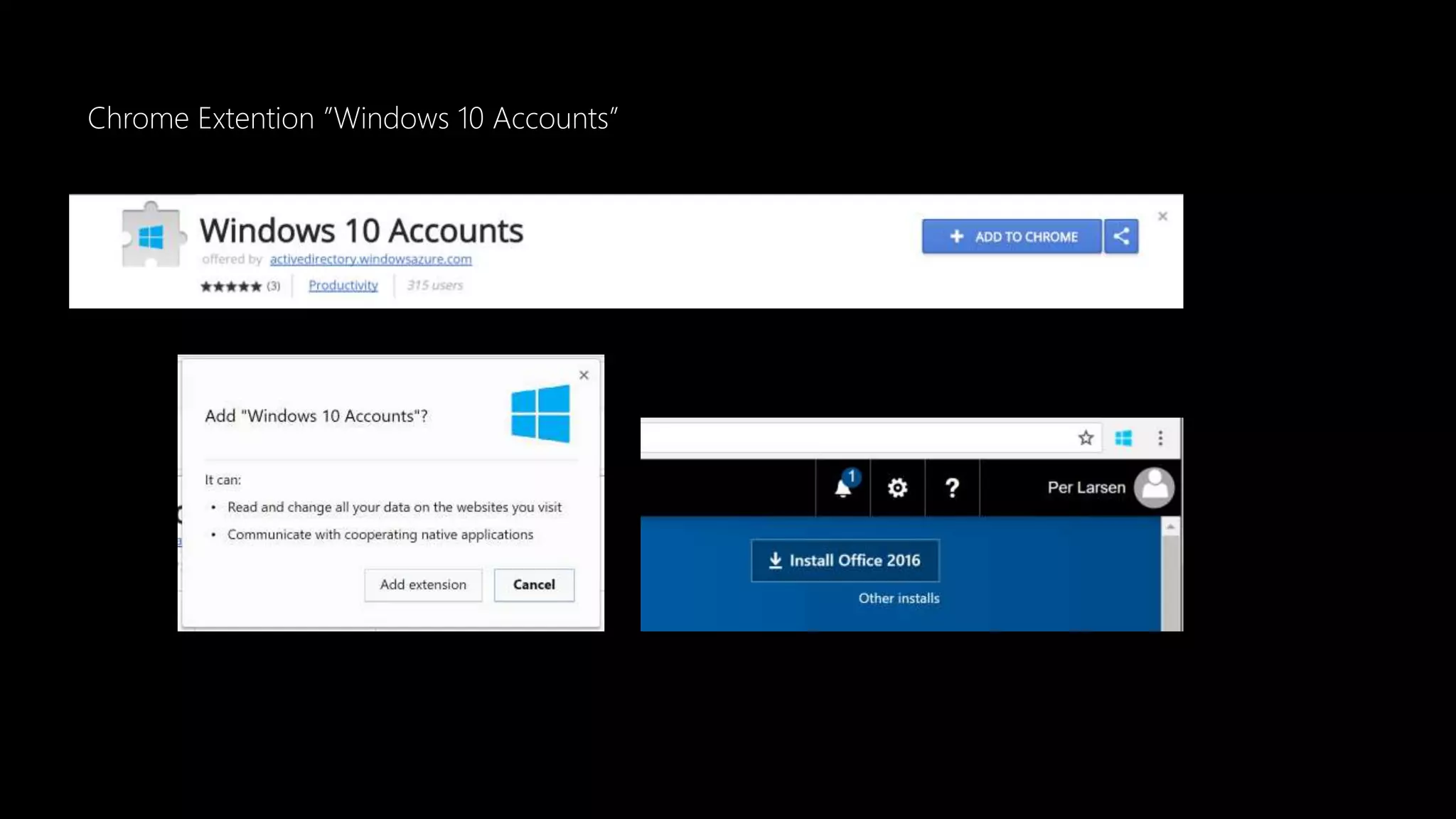
Chrome Extention ”Windows 10 Accounts”
Multi-user support for Windows 10 Creators Update
• Multi-user can get user assigned application
• Multi-user can get user assigned policy
• Multi-user cannot use the Company Portal for selfservice
• Like Application installation
New CSP in Windows Creators Update
• DynamicManagement CSP
• CleanPC CSP
• BitLocker CSP
• NetworkProxy CSP
• EnterpriseAppVManagement CSP
New CSP in Windows Creators Update
• Office CSP
• Policy CSP - ADMX-backed policies
• MDM Migration Analysis Tool (MMAT)
Let’s have a closer look
Windows 10 Creators Update
Microsoft Azure Active Directory
Microsoft Azure Active Directory (AAD)
Azure Active Directory join in bulk
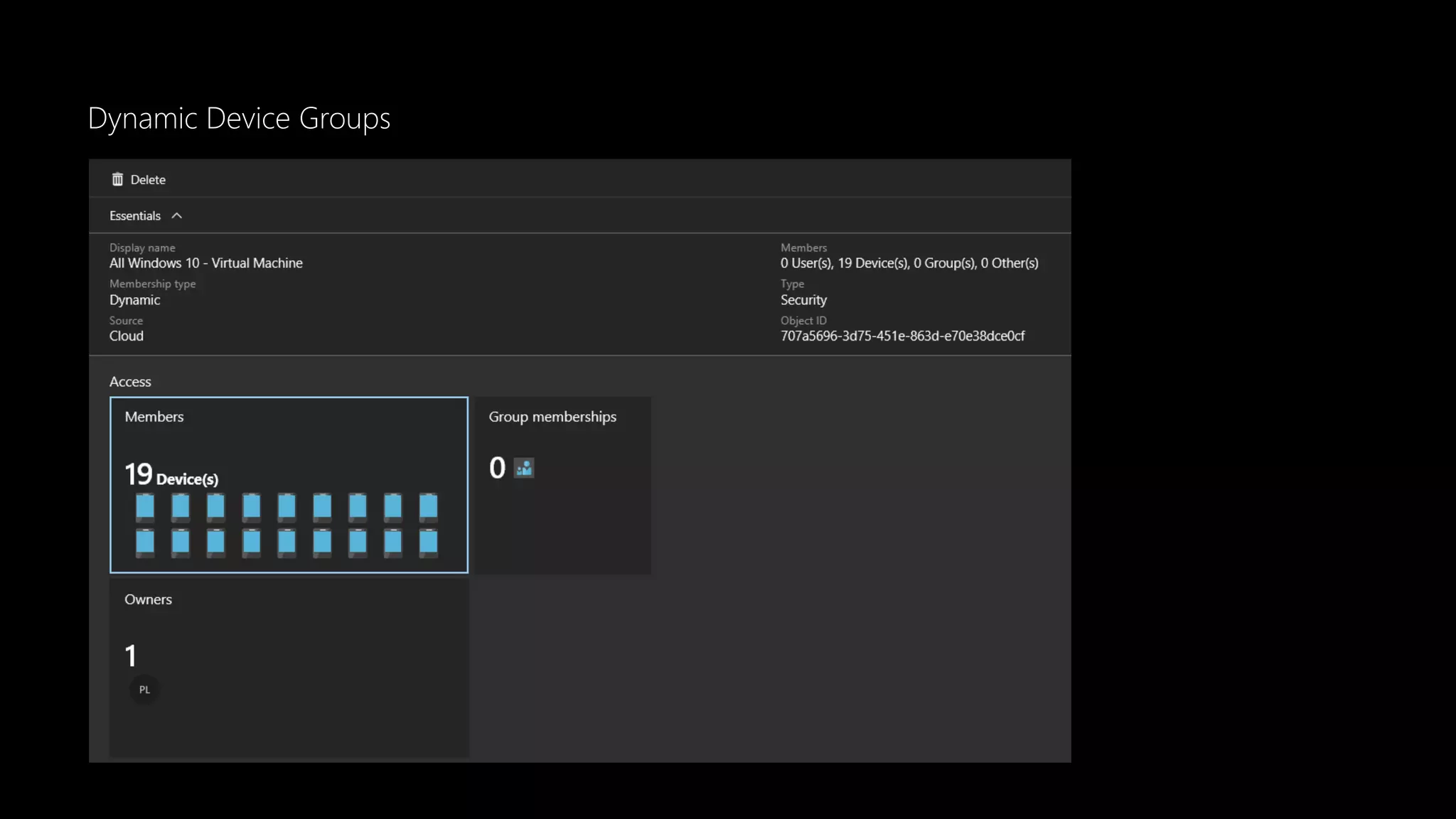
Dynamic Device Groups
Group Based Licenses
Let’s have a closer look
What's new…
Windows Analytics
Data is used to identify compatibility issues.
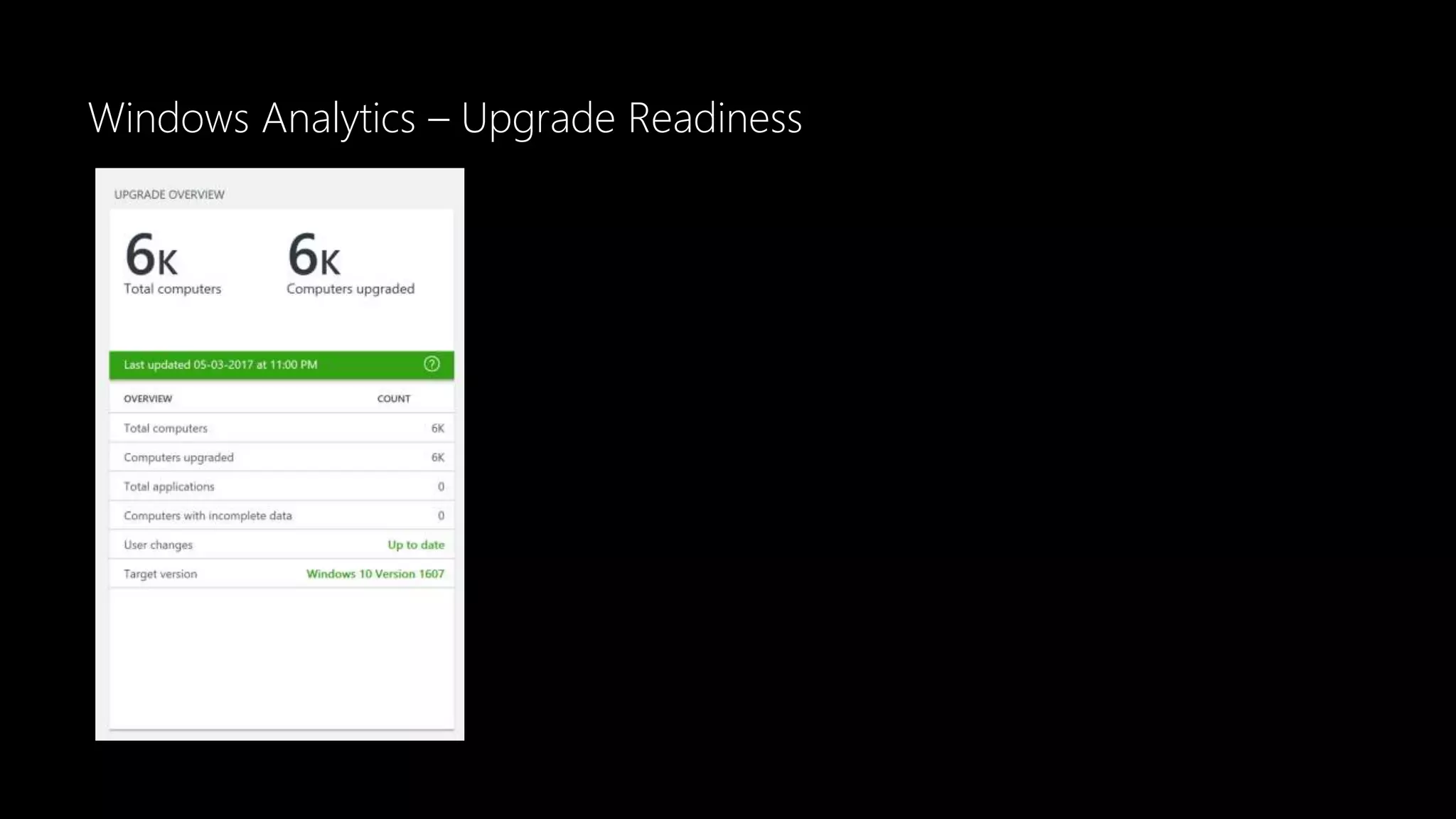
Update Rediness
• Operations Management Suite - OMS
• Requires Azure Subscriptions
• Windows 10 Readiness
• Office Add-ins
• Site Discovery
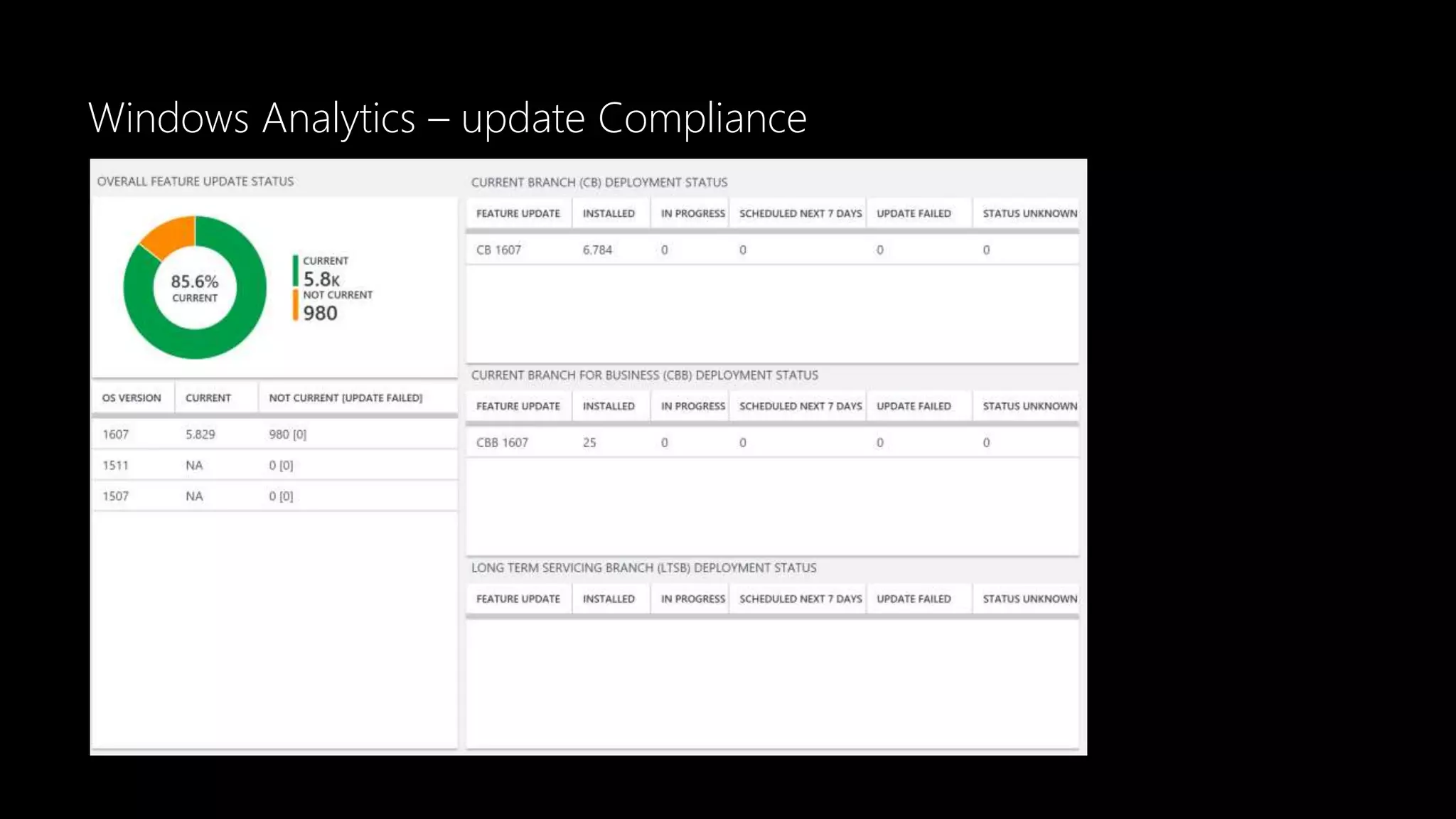
Update Compliance
• OS Update Overview
• Overall Quality Update Status
• Latest Security Update Status
• Overall Feature Update Stat
• Current Branch (CB) Deployment Status
Let’s have a closer look
Windows Analytics
Windows Analytics – Upgrade Readiness
Windows Analytics – Update Compliance
Windows Analytics – update Compliance
Windows Store for Business
The one stop Store for Windows 10 Devices
Windows Store for Business
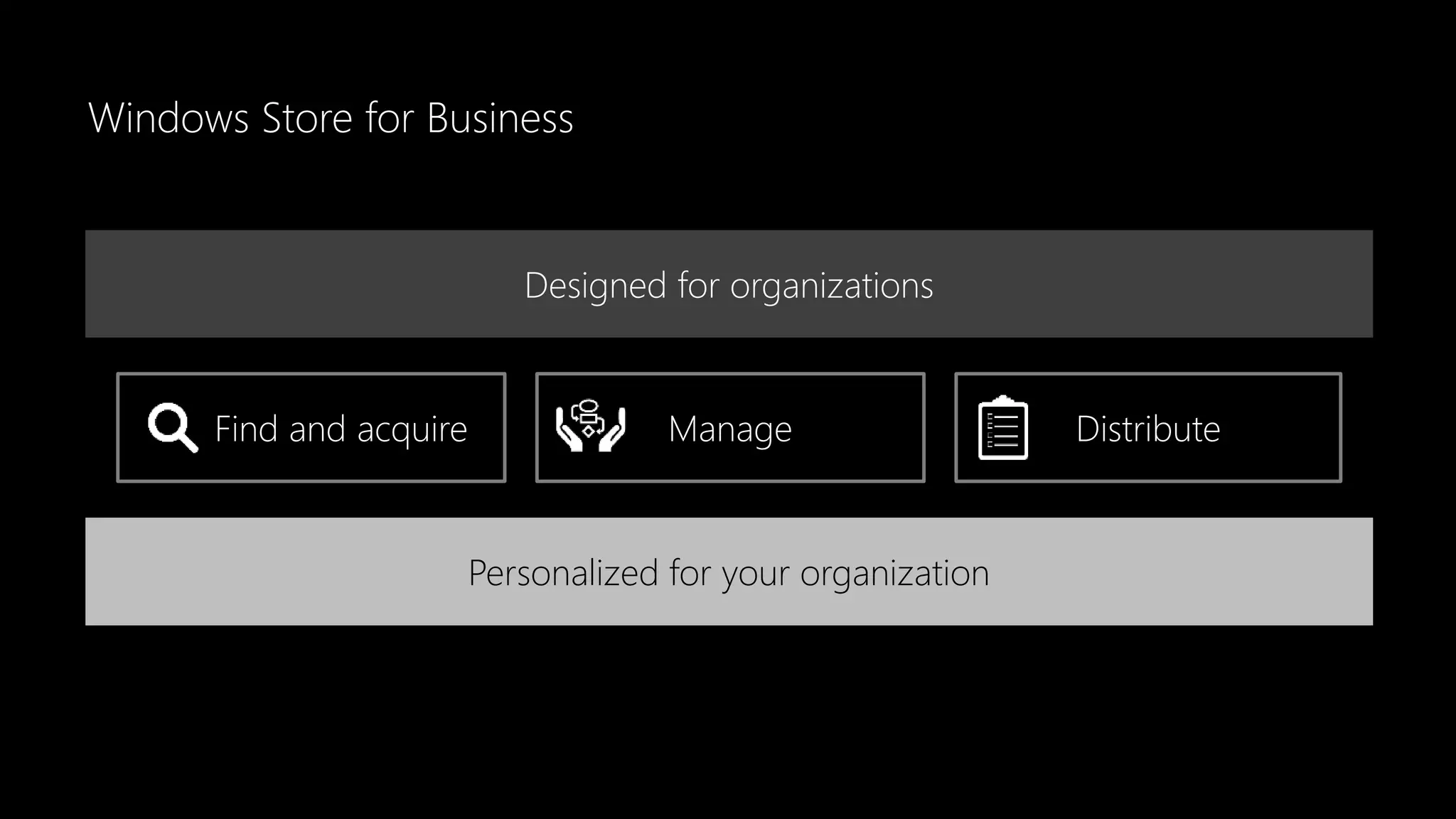
Find and acquire Manage Distribute
Designed for organizations
Personalized for your organization
Windows Store for Business
• Windows Store Apps
• Windows LOB Apps
• Microsoft Edge Browser Extensions
• Windows Desktop Themes
• Office 365 (Coming soon)
• More than one Management Tool
Let’s have a closer look
Windows Store for Business
Modern Management
A B C D
Thank you

Atea 1705 modern device management

Editor's Notes

  • #2 Microsoft Cloud & Client Management Modern Device Management / are you ready to take the step??
  • #3 Microsoft Cloud & Client Management How safe do you think your information is?
  • #4 About the presenter: Please do not hesitate to ask questions during the presentation, we will have a Q&A at the end of the presentation but I prefer a open dialog and see where it will take us  About me: Microsoft MVP - Enterprise Mobility, Solution Architect, Technical Lead Microsoft Enterprise Mobility Suite (EMS) and Microsoft Partner Technology Solutions Professional (P-TSP) Co-Owner of Everything Windows User Group Denmark Find me: E-mail: per.larsen@atea.dk Phone: +45 3078 1828 Follow me: Twitter: https://twitter.com/perlarsen1975/ LinkedIn: https://www.linkedin.com/in/perlarsen1975/ Blog: https://osddeployment.dk Join me: Everything User Group Denmark: http://ewug.dk
  • #5 The Windows 10 eco-system For a successful implementation of Windows 10, a clear Workstyle Strategy is essential. Do you have a Work style Strategy? Do you have a Work place Strategy? Do you have a BYOD strategy? Do you have a Virtual Desktop Infrastructure strategy? Devices Do you have a (one) Device Strategy? Windows 10 Do you have a OS Strategy? Cloud Do you have a Cloud Strategy? Microsoft Azure AD Office 365
  • #6 Windows 10, one Windows across all devices Let’s try to contextualize the achievement of Windows 10 being a converged platform for Microsoft. Windows has been synonymous with a PC. However, as this slide illustrates, Windows devices are no longer just the realm of PCs – from IoT to Perceptive Pixel Interfaces (PPIs).
  • #7 Reduce CTO Hybrid – Cloud only Enterprise Mobility + Security Windows licens management Simple Application deployment needs Simple management needs Not for all devices
  • #8 Learn more at microsoft.com/intune
  • #9 Windows 10 is born for Modern Management
  • #10 ConfigMgrDogs - All things Configuration Manager and Intune Intune on Azure Migration Blocker Guidance https://blogs.technet.microsoft.com/configmgrdogs/2017/05/18/intune-on-azure-migration-blocker-guidance/
  • #11 Live Demo
  • #12 Microsoft Azure Active Directory
  • #14 Mobile Application Management (MAM) for Windows The Windows version of mobile application management (MAM) is a lightweight solution for managing company data access and security on personal devices. MAM support is built into Windows on top of Windows Information Protection (WIP), starting in Windows 10, version 1703.
  • #15 Chrome Extention ”Windows 10 Accounts” Gives Singel Signon and works with Conditional Access
  • #16 Multi-user support for Windows 10 Creators Update We've added support for multi-user management for devices that run the Windows 10 Creators Update and are Azure Active Directory domain-joined. This means that when different standard users log onto the device with their Azure AD credentials, they will receive any apps and policies that were assigned to their user name. Users cannot currently use the Company Portal for self-service scenarios like installing apps.
  • #17 New CSP in Windows 10 Creators Update : DynamicManagement CSP allows you to manage devices differently depending on location, network, or time. For example, managed devices can have cameras disabled when at a work location, the cellular service can be disabled when outside the country to avoid roaming charges, or the wireless network can be disabled when the device is not within the corporate building or campus. Once configured, these settings will be enforced even if the device can’t reach the management server when the location or network changes. The Dynamic Management CSP enables configuration of policies that change how the device is managed in addition to setting the conditions on which the change occurs. CleanPC CSP allows removal of user-installed and pre-installed applications, with the option to persist user data. BitLocker CSP is used to manage encryption of PCs and devices. For example, you can require storage card encryption on mobile devices, or require encryption for operating system drives. NetworkProxy CSP is used to configure a proxy server for ethernet and Wi-Fi connections. Office CSP enables a Microsoft Office client to be installed on a device via the Office Deployment Tool. For more information, see Configuration options for the Office Deployment Tool. EnterpriseAppVManagement CSP is used to manage virtual applications in Windows 10 PCs (Enterprise and Education editions) and enables App-V sequenced apps to be streamed to PCs even when managed by MDM.
  • #18 New CSP in Windows 10 Creators Update : Policy CSP - ADMX-backed policies https://msdn.microsoft.com/en-us/windows/hardware/commercialize/customize/mdm/understanding-admx-backed-policies IT pros can use the new MDM Migration Analysis Tool (MMAT) to determine which Group Policy settings have been configured for a user or computer and cross-reference those settings against a built-in list of supported MDM policies. MMAT can generate both XML and HTML reports indicating the level of support for each Group Policy setting and MDM equivalents.
  • #19 Live Demo
  • #20 Microsoft Azure Active Directory
  • #21 Microsoft Azure Active Directory (AAD)
  • #22 Microsoft Azure Active Directory (AAD)
  • #23 Microsoft Azure Active Directory (AAD)
  • #24 Microsoft Azure Active Directory (AAD)
  • #25 About AzureAD| What's new
  • #26 Microsoft Upgrade Analytics https://mms.Microsoft.com
  • #29 http://mms.Microsoft.com
  • #33 Microsoft Windows Store for Business The one stop Store for Windows 10 Devices
  • #34 Microsoft Windows Store for Business The one stop Store for Windows 10 Devices Designed for organizations The Windows Store for Business is the place where IT decision makers and administrators find, acquire, manage, and distribute apps to Windows 10 devices. Find and acquire Quickly and easily find the right apps for your teams. Acquire apps individually or in volume. Manage Manage your organization’s inventory of apps in one place. You can assign, reclaim, or reassign licenses as well as control updates. Distribute Choose from scalable distribution options. Using accounts assigned by your organization, directly provide apps to individuals and groups, or let employees find apps in your private store. Connect your management server for more options. Managing computers not connected to the internet? Distribute offline-licensed apps.
  • #35 Windows Desktop Themes : https://support.microsoft.com/en-us/help/4013550/windows-protect-your-pc-from-ransomware
  • #36 Let’s have a closer look: Microsoft Windows Store for Business https://businessstore.microsoft.com/ https://www.microsoft.com/business-store/ https://www.microsoft.com/en-us/business-store/
  • #37 Traditionel Management Hybrid – Cloud only Enterprise Mobility + Security Modern Management
  • #38 Thank you