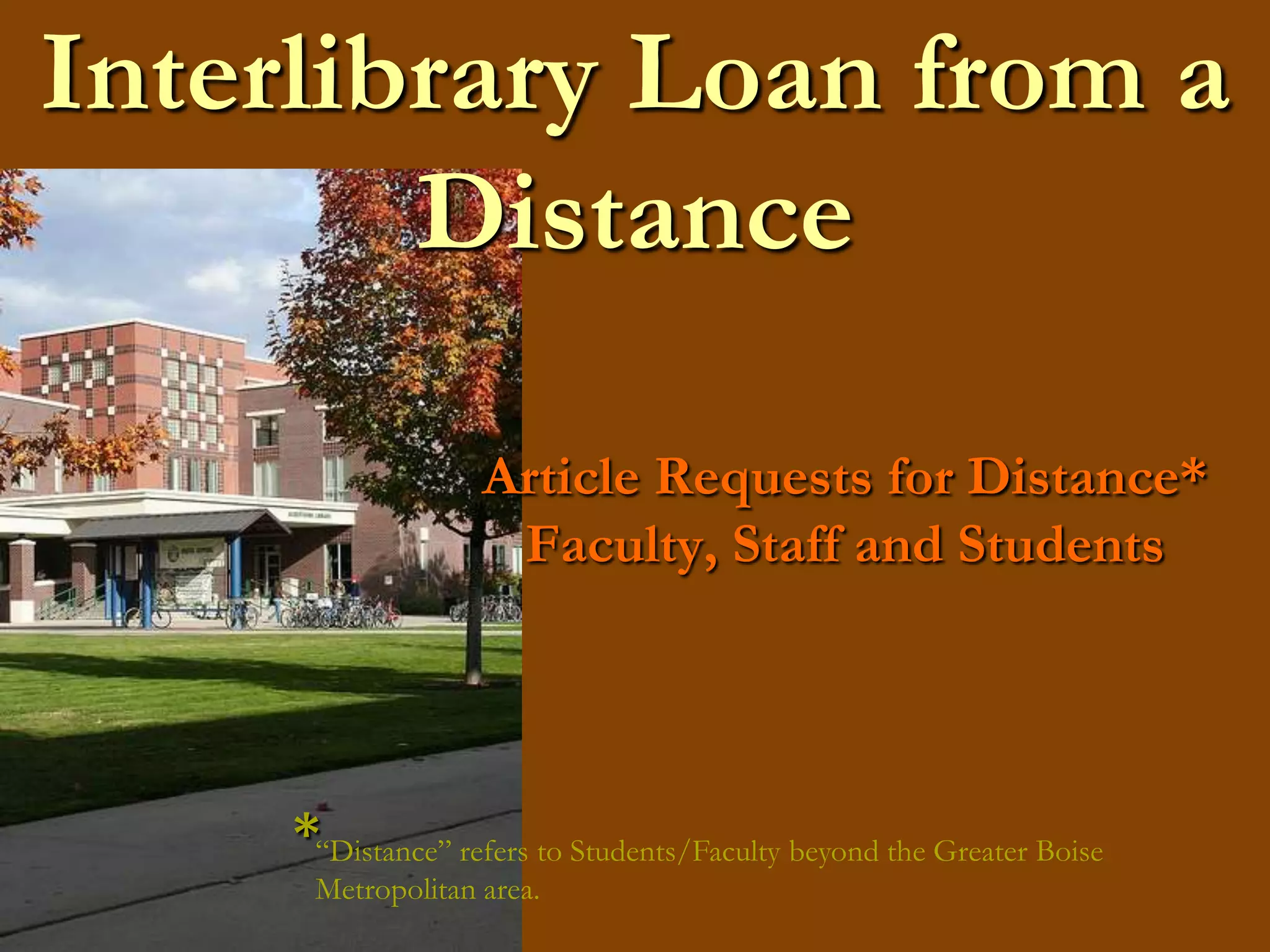
Interlibrary Loan from a DistanceArticle Requests for Distance* Faculty, Staff and Students*“Distance” refers to Students/Faculty beyond the Greater Boise   Metropolitan area.
Getting StartedAt theAlbertsons Library Website.http://library.boisestate.edu/
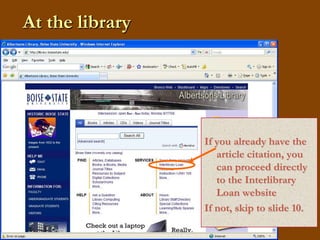
At the libraryIf you already have the article citation, you can proceed directly to the Interlibrary Loan websiteIf not, skip to slide 10.
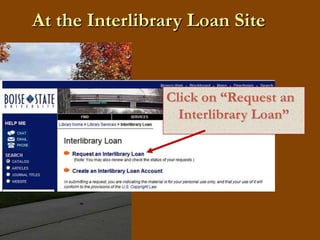
At the Interlibrary Loan SiteClick on “Request an Interlibrary Loan”
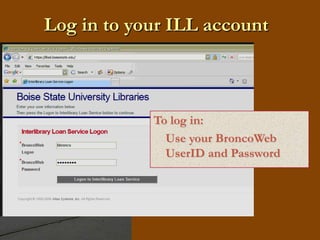
Log in to your ILL accountTo log in:	Use your BroncoWebUserID and Password
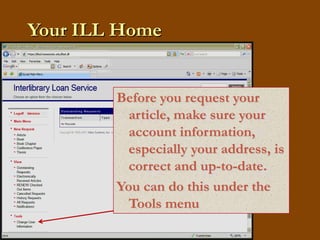
Your ILL HomeBefore you request your article, make sure your account information, especially your address, is correct and up-to-date.You can do this under the Tools menubbronco
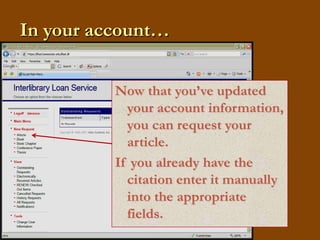
In your account…Now that you’ve updated your account information, you can request your article. If you already have the citation enter it manually into the appropriate fields.bbronco
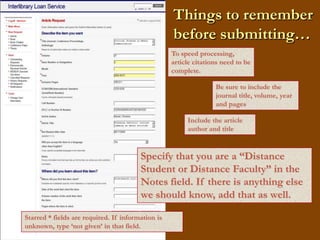
Things to remember before submitting…bbroncoTo speed processing, article citations need to be complete.Be sure to include the journal title, volume, year and pagesInclude the article author and titleSpecify that you are a “Distance Student or Distance Faculty” in the Notes field. If there is anything else we should know, add that as well.  Starred * fields are required. If information is unknown, type ‘not given’ in that field.
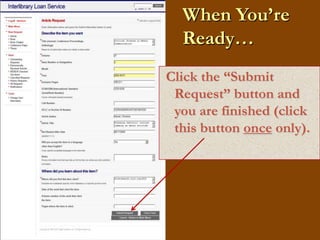
When You’re Ready…bbronco Click the “Submit Request” button and you are finished (click this button once only).
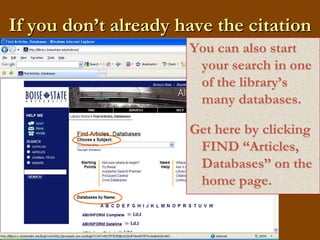
If you don’t already have the citationYou can also start your search in one of the library’s many databases.Get here by clicking FIND “Articles, Databases” on the home page.
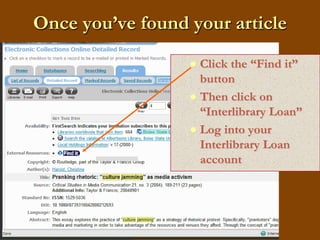
Once you’ve found your articleClick the “Find it” buttonThen click on “Interlibrary Loan”Log into your Interlibrary Loan account
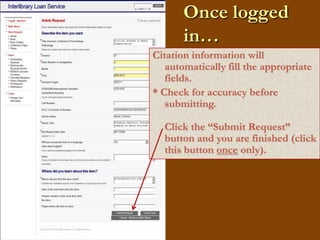
Once logged in…bbroncoCitation information will automatically fill the appropriate fields.* Check for accuracy before submitting. Click the “Submit Request” button and you are finished (click this button once only).
After Request is SubmittedFrom your ILL account, you can track the status of your request.You will receive notification when your requested Article arrives.Most articles are received electronically and will be posted to your ILL account.
Thank YouInterlibrary Loan contact information:		phone: 208-426-1163email:libraryill@boisestate.edu

Article Requests for Distance Students

  • 1.
    Interlibrary Loan froma DistanceArticle Requests for Distance* Faculty, Staff and Students*“Distance” refers to Students/Faculty beyond the Greater Boise Metropolitan area.
  • 2.
    Getting StartedAt theAlbertsonsLibrary Website.http://library.boisestate.edu/
  • 3.
    At the libraryIfyou already have the article citation, you can proceed directly to the Interlibrary Loan websiteIf not, skip to slide 10.
  • 4.
    At the InterlibraryLoan SiteClick on “Request an Interlibrary Loan”
  • 5.
    Log in toyour ILL accountTo log in: Use your BroncoWebUserID and Password
  • 6.
    Your ILL HomeBeforeyou request your article, make sure your account information, especially your address, is correct and up-to-date.You can do this under the Tools menubbronco
  • 7.
    In your account…Nowthat you’ve updated your account information, you can request your article. If you already have the citation enter it manually into the appropriate fields.bbronco
  • 8.
    Things to rememberbefore submitting…bbroncoTo speed processing, article citations need to be complete.Be sure to include the journal title, volume, year and pagesInclude the article author and titleSpecify that you are a “Distance Student or Distance Faculty” in the Notes field. If there is anything else we should know, add that as well. Starred * fields are required. If information is unknown, type ‘not given’ in that field.
  • 9.
    When You’re Ready…bbroncoClick the “Submit Request” button and you are finished (click this button once only).
  • 10.
    If you don’talready have the citationYou can also start your search in one of the library’s many databases.Get here by clicking FIND “Articles, Databases” on the home page.
  • 11.
    Once you’ve foundyour articleClick the “Find it” buttonThen click on “Interlibrary Loan”Log into your Interlibrary Loan account
  • 12.
    Once logged in…bbroncoCitationinformation will automatically fill the appropriate fields.* Check for accuracy before submitting. Click the “Submit Request” button and you are finished (click this button once only).
  • 13.
    After Request isSubmittedFrom your ILL account, you can track the status of your request.You will receive notification when your requested Article arrives.Most articles are received electronically and will be posted to your ILL account.
  • 14.
    Thank YouInterlibrary Loancontact information: phone: 208-426-1163email:libraryill@boisestate.edu