Argo UML
Presented by-
Pallavi Ghatage(2013BCS003)
Nisha Kasar(2013BCS004)
Supriya Adake(2013BCS012)
Pradnya Patil(2013BCS020)
UML
O The UML is widely used in object-oriented
software development.
O One keystone for its success in industry is the
wealth of CASE tools supporting UML.
O The Unified Modeling Language (UML) is a
general-purpose, developmental, modeling
language in the field of software engineering,
that is intended to provide a standard way to
visualize the design of a system.
What is ArgoUML?
O ArgoUML is a Java based UML tool that helps
you do your design using UML. It is able to
create and save most of the nine standard
UML diagrams.
O ArgoUML is not only a free UML modeling
tool, it is also an Open Source Development
project where you are invited to contribute.
O Open-source CASE tool, coded in Java
O Supports design in UML
O Extend available features
O Accessible from main pull-down menu
Where does the name
ArgoUML come from?
O According to Greek mythology, the hero
Jason built a ship called Argo and with
his colleague, the Argonauts, he left for
the quest of the golden fleece. Poseidon,
god of seas, protected and safely guided
their journey.
Users of ArgoUML
O software designers & architects
O software developers
O business analysts
O systems analysts and other professionals
involved in the analysis, design and
development of software applications.
Requirements
O Add features to available open-source
CASE tool
O Features include
O Cut, Copy, and Paste
O Undo and Redo
O Drag and Drop
Specifications
O Features must be accessible by
O Main Pull-down Menu
O Right-click Menu
O Tool bar
Features
O Support open standards extensively:
UML, XMI, SVG, OCL and others.
O 100% Platform independent thanks to
the exclusive use of Java
O Open Source, which allows extending
or customizing.
O Included features like:
O reflection-in-action
O opportunistic design
O comprehension and problem solving
Features(cont….)
O Included features like
O reflection-in-action
O Design Critics
O Corrective Automations (partially implemented)
O "To Do" List
O User model (partially implemented)
O opportunistic design
O "To Do" List
O Checklists
O Comprehension and Problem Solving
O Explorer Perspectives
O Multiple, Overlapping Views
O Alternative Design Representations: Graphs, Text, or
Table
Functional Features
O Cut, Copy, and Paste
O Class diagrams
O Undo and Redo
O Class diagrams
O Drag and Drop
O Not implemented
HOW TO USE
ARGO UML???
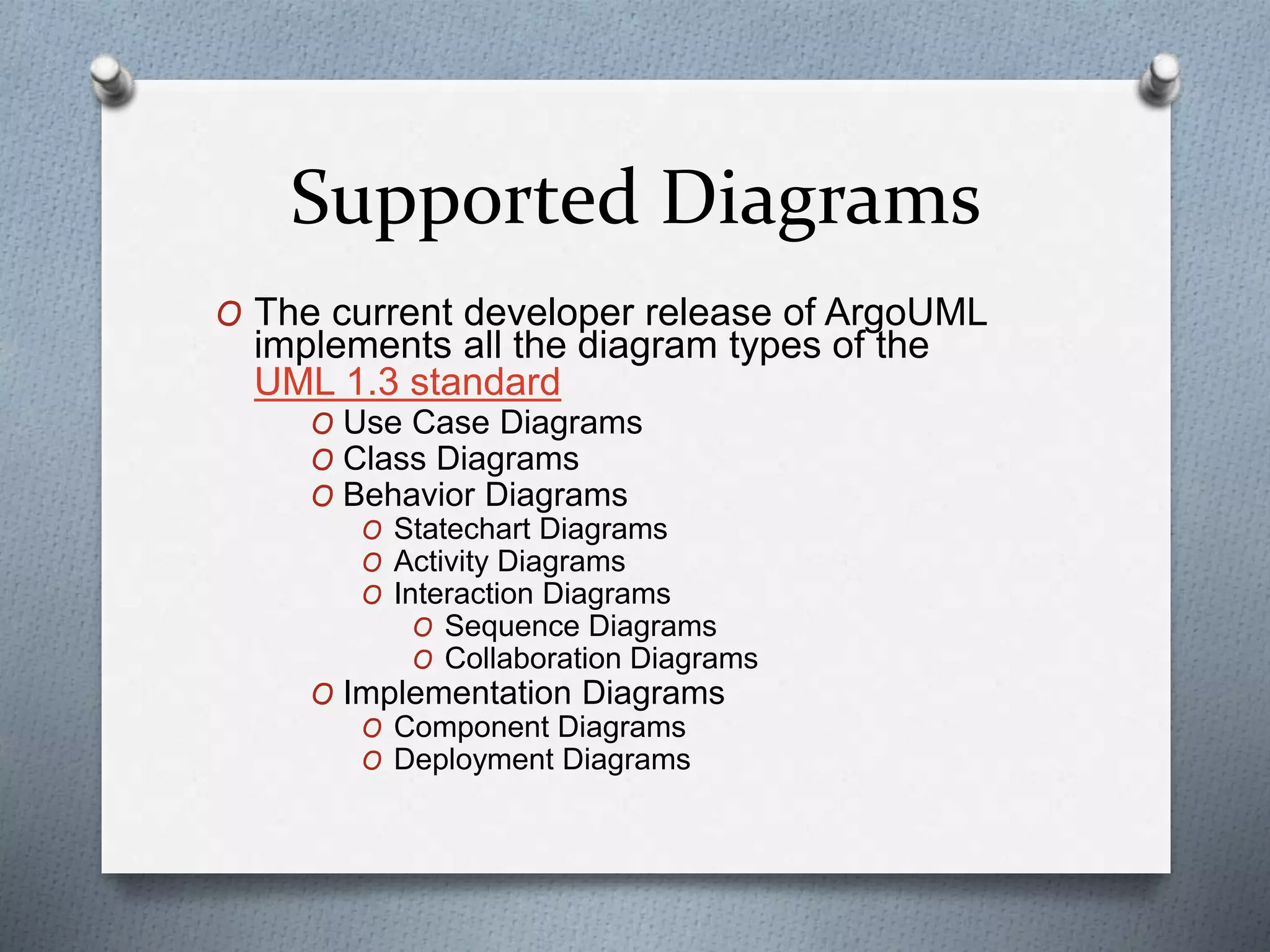
Supported Diagrams
O The current developer release of ArgoUML
implements all the diagram types of the
UML 1.3 standard
O Use Case Diagrams
O Class Diagrams
O Behavior Diagrams
O Statechart Diagrams
O Activity Diagrams
O Interaction Diagrams
O Sequence Diagrams
O Collaboration Diagrams
O Implementation Diagrams
O Component Diagrams
O Deployment Diagrams
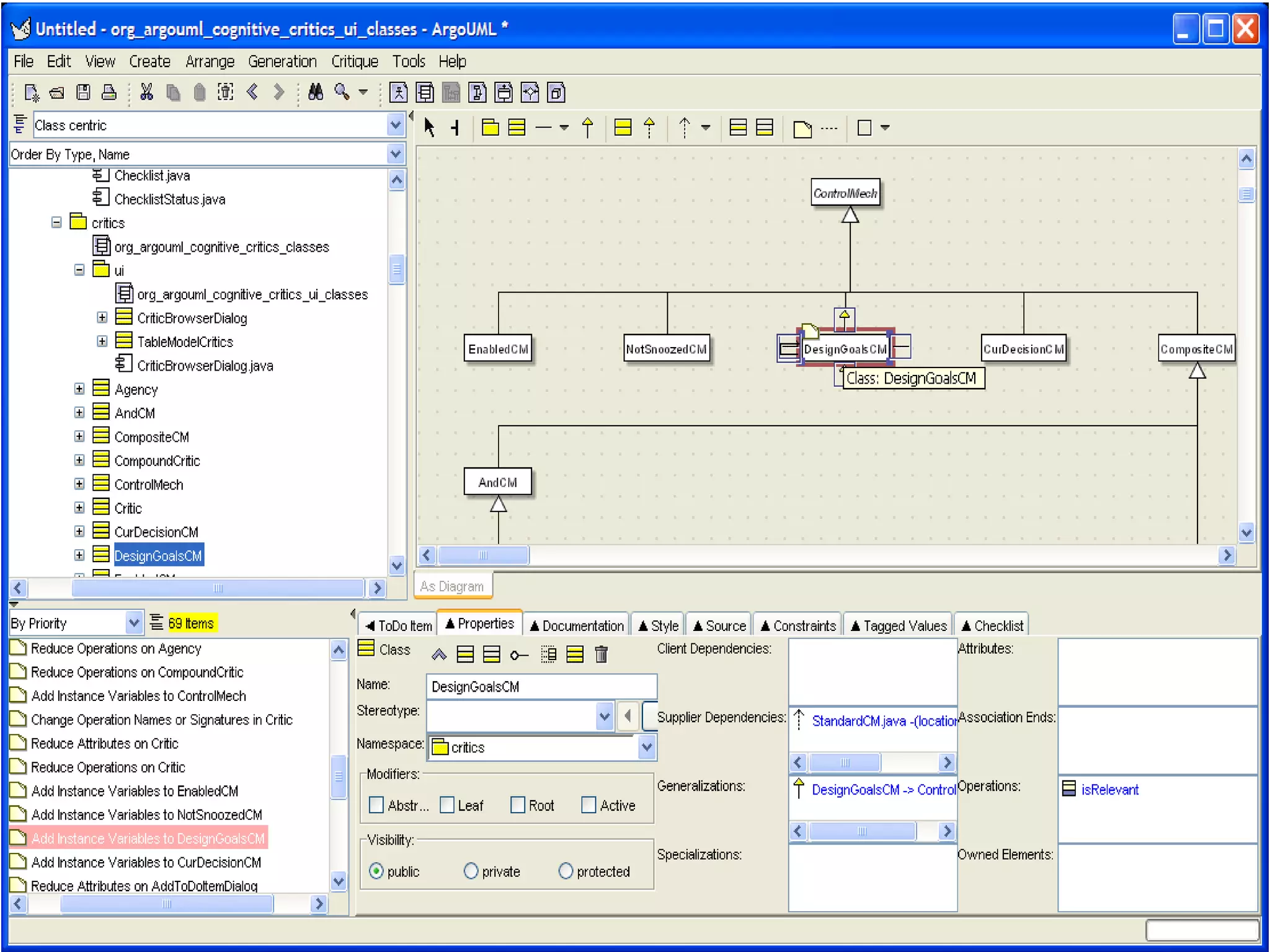
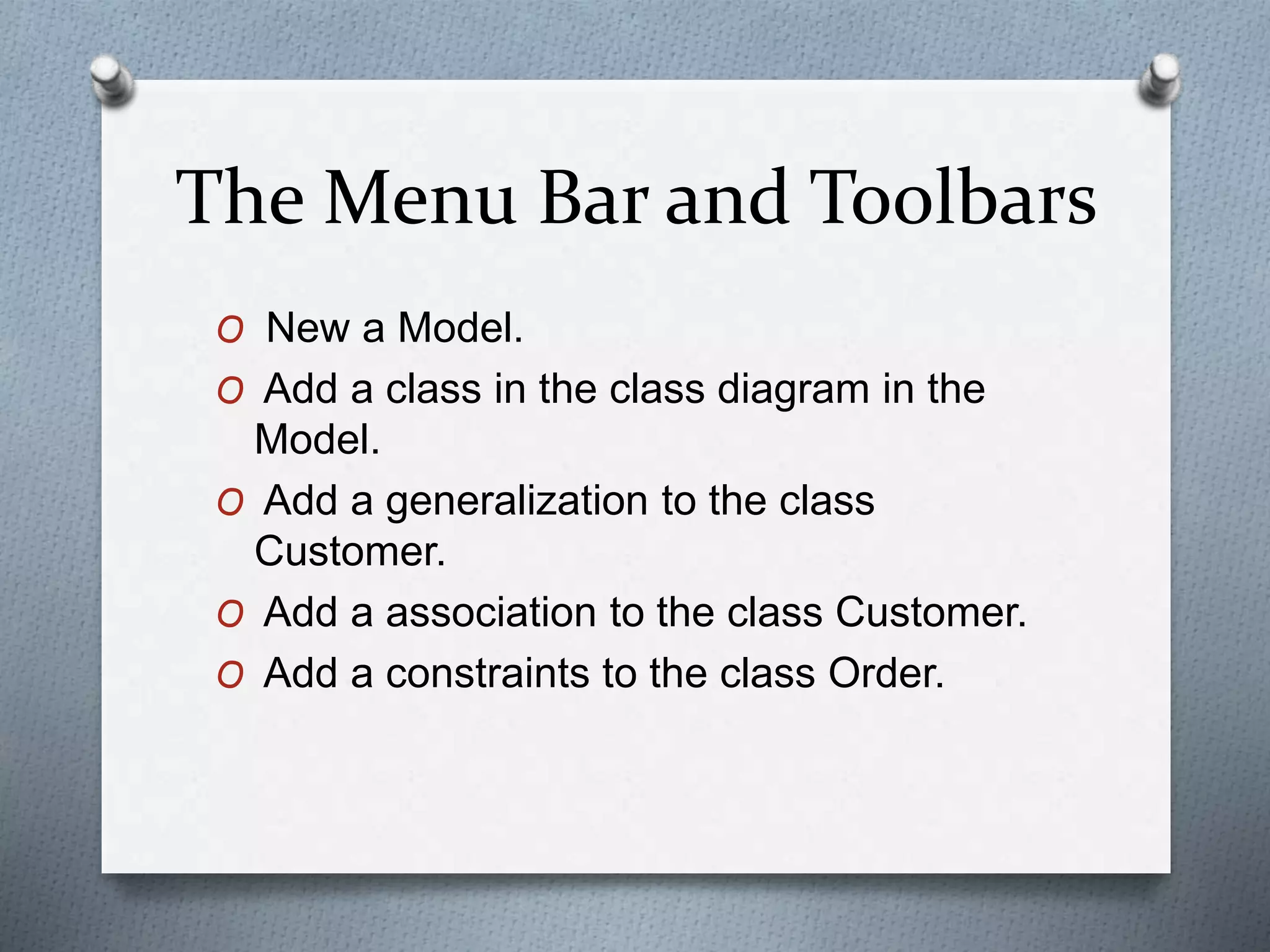
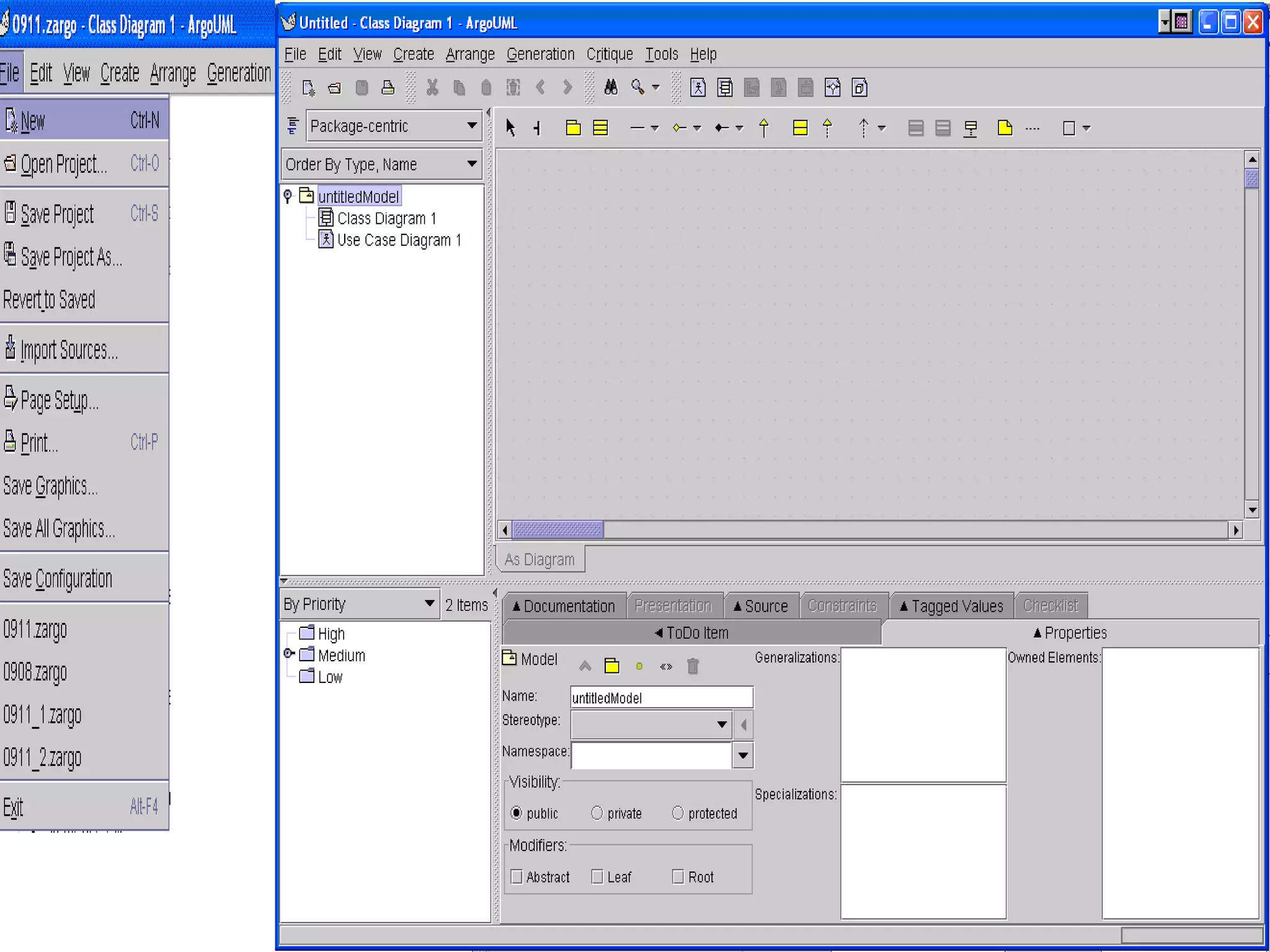
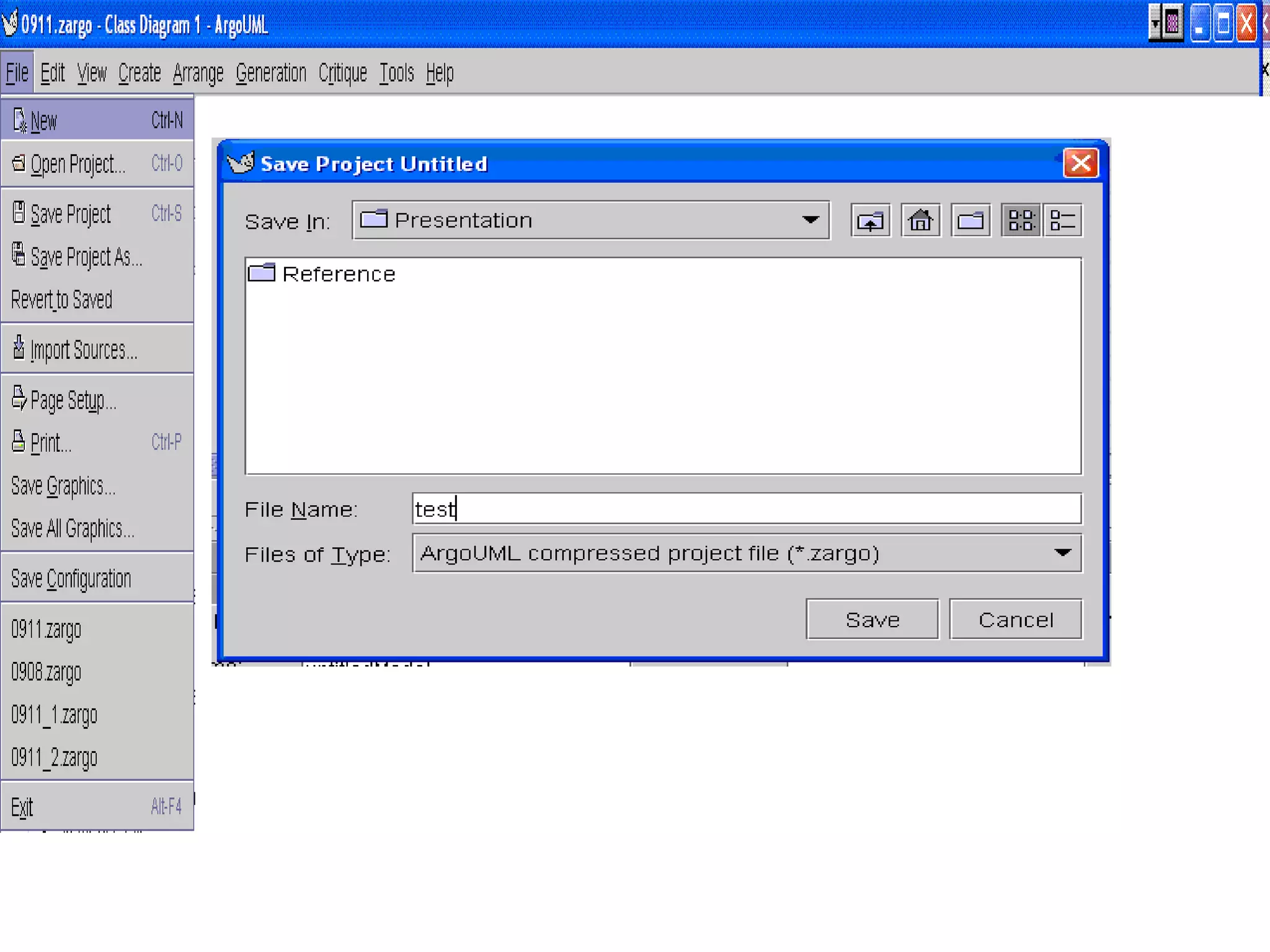
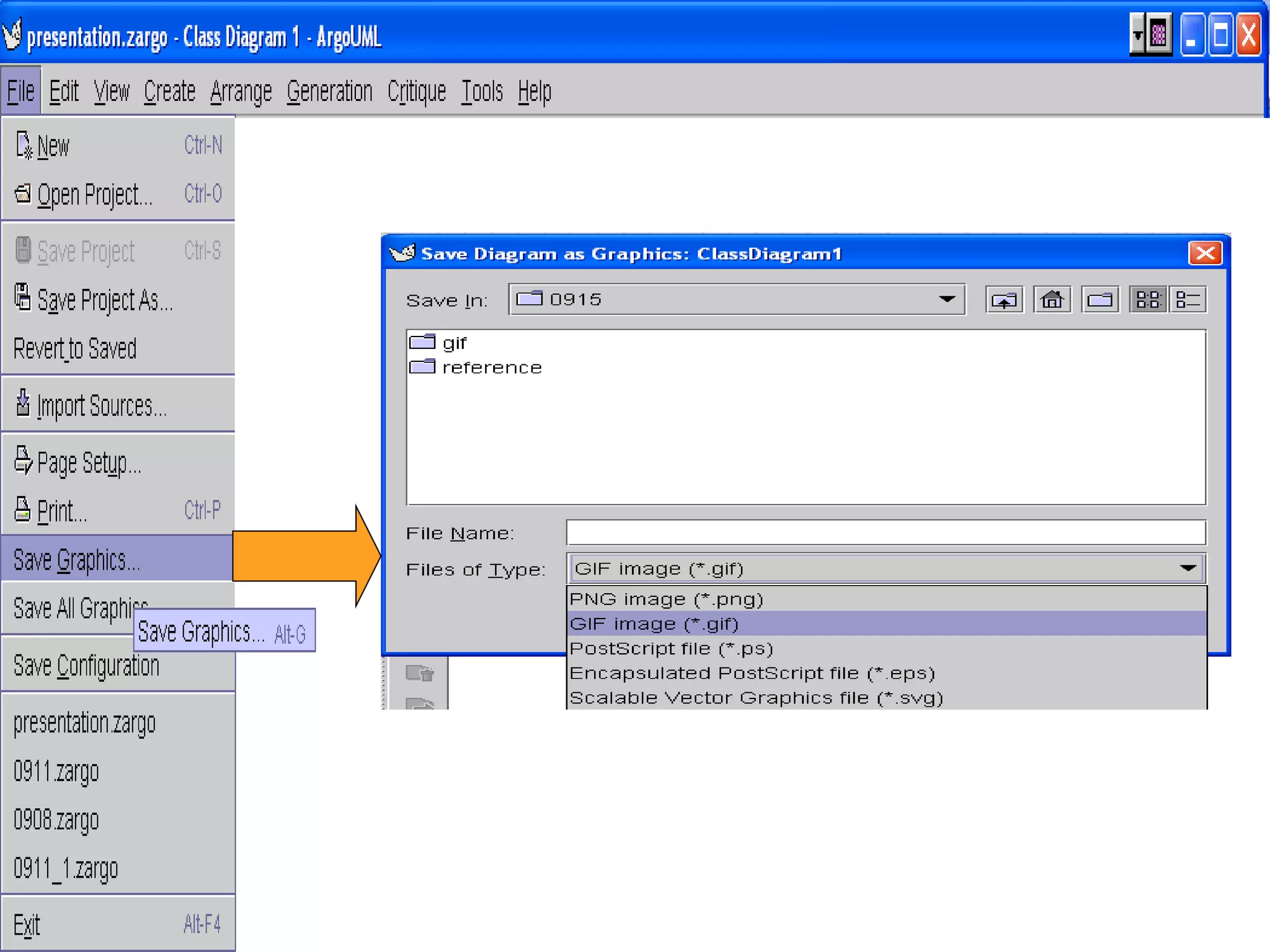
The Menu Bar and Toolbars
O New a Model.
O Add a class in the class diagram in the
Model.
O Add a generalization to the class
Customer.
O Add a association to the class Customer.
O Add a constraints to the class Order.
Comments on ArgoUML
O ArgoUML includes many user interface
features that specifically address challenges
faced by designers.
O Knowledge support via critics and checklists
O Process support via “to do” list
O Visualization support via navigational
perspectives
O Refined diagram editing with strong support
for secondary notation
O Critics and wizards offer functionality as
needed without cluttering the menus
Comments on
ArgoUML(cont..)
O The best current commercial tools are
unsatisfying to use because they are not
well matched to the design activity
O Clumsy, uninspired support for common
design tasks
O Weak support for the challenges of design
O There is a usability difference among tools
O I predict improved usability will be a key
part of the next round of CASE tools
Advantages
O The design of a user interface which allows the
user to view the design from a number of different
perspectives, and allows the user to achieve goals
through a number of alternative routes.
O The use of processes running in parallel with the
design tool, evaluating the current design against
models of how “best practice” design might work.
O The use of to-do lists to convey suggestions from
the design critics to the user, as well as allowing
the user to record areas for future action.
O The use of checklists, to guide the user through a
complex process.
Limitations
O ArgoUML does not yet completely
implement the UML standard.
O Earlier versions of Argo UML are not
having “undo” and “redo” facilities in it.
O Latest version released in December
2014, still have partial undo facility.
Conclusion
O ArgoUML is an active open source project
that provides a working tool to support
basic UML modeling activities. The
diagramming features are easy to use and
provides useful assistance in the
formatting / aligning process.
Thank You

Argo uml

  • 1.
    Argo UML Presented by- PallaviGhatage(2013BCS003) Nisha Kasar(2013BCS004) Supriya Adake(2013BCS012) Pradnya Patil(2013BCS020)
  • 2.
    UML O The UMLis widely used in object-oriented software development. O One keystone for its success in industry is the wealth of CASE tools supporting UML. O The Unified Modeling Language (UML) is a general-purpose, developmental, modeling language in the field of software engineering, that is intended to provide a standard way to visualize the design of a system.
  • 3.
    What is ArgoUML? OArgoUML is a Java based UML tool that helps you do your design using UML. It is able to create and save most of the nine standard UML diagrams. O ArgoUML is not only a free UML modeling tool, it is also an Open Source Development project where you are invited to contribute. O Open-source CASE tool, coded in Java O Supports design in UML O Extend available features O Accessible from main pull-down menu
  • 4.
    Where does thename ArgoUML come from? O According to Greek mythology, the hero Jason built a ship called Argo and with his colleague, the Argonauts, he left for the quest of the golden fleece. Poseidon, god of seas, protected and safely guided their journey.
  • 5.
    Users of ArgoUML Osoftware designers & architects O software developers O business analysts O systems analysts and other professionals involved in the analysis, design and development of software applications.
  • 6.
    Requirements O Add featuresto available open-source CASE tool O Features include O Cut, Copy, and Paste O Undo and Redo O Drag and Drop
  • 7.
    Specifications O Features mustbe accessible by O Main Pull-down Menu O Right-click Menu O Tool bar
  • 8.
    Features O Support openstandards extensively: UML, XMI, SVG, OCL and others. O 100% Platform independent thanks to the exclusive use of Java O Open Source, which allows extending or customizing. O Included features like: O reflection-in-action O opportunistic design O comprehension and problem solving
  • 9.
    Features(cont….) O Included featureslike O reflection-in-action O Design Critics O Corrective Automations (partially implemented) O "To Do" List O User model (partially implemented) O opportunistic design O "To Do" List O Checklists O Comprehension and Problem Solving O Explorer Perspectives O Multiple, Overlapping Views O Alternative Design Representations: Graphs, Text, or Table
  • 10.
    Functional Features O Cut,Copy, and Paste O Class diagrams O Undo and Redo O Class diagrams O Drag and Drop O Not implemented
  • 11.
  • 13.
    Supported Diagrams O Thecurrent developer release of ArgoUML implements all the diagram types of the UML 1.3 standard O Use Case Diagrams O Class Diagrams O Behavior Diagrams O Statechart Diagrams O Activity Diagrams O Interaction Diagrams O Sequence Diagrams O Collaboration Diagrams O Implementation Diagrams O Component Diagrams O Deployment Diagrams
  • 14.
    The Menu Barand Toolbars O New a Model. O Add a class in the class diagram in the Model. O Add a generalization to the class Customer. O Add a association to the class Customer. O Add a constraints to the class Order.
  • 18.
    Comments on ArgoUML OArgoUML includes many user interface features that specifically address challenges faced by designers. O Knowledge support via critics and checklists O Process support via “to do” list O Visualization support via navigational perspectives O Refined diagram editing with strong support for secondary notation O Critics and wizards offer functionality as needed without cluttering the menus
  • 19.
    Comments on ArgoUML(cont..) O Thebest current commercial tools are unsatisfying to use because they are not well matched to the design activity O Clumsy, uninspired support for common design tasks O Weak support for the challenges of design O There is a usability difference among tools O I predict improved usability will be a key part of the next round of CASE tools
  • 20.
    Advantages O The designof a user interface which allows the user to view the design from a number of different perspectives, and allows the user to achieve goals through a number of alternative routes. O The use of processes running in parallel with the design tool, evaluating the current design against models of how “best practice” design might work. O The use of to-do lists to convey suggestions from the design critics to the user, as well as allowing the user to record areas for future action. O The use of checklists, to guide the user through a complex process.
  • 21.
    Limitations O ArgoUML doesnot yet completely implement the UML standard. O Earlier versions of Argo UML are not having “undo” and “redo” facilities in it. O Latest version released in December 2014, still have partial undo facility.
  • 22.
    Conclusion O ArgoUML isan active open source project that provides a working tool to support basic UML modeling activities. The diagramming features are easy to use and provides useful assistance in the formatting / aligning process.
  • 23.