Theem College
APPLET
Theem College
Applet
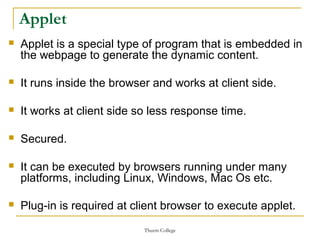
 Applet is a special type of program that is embedded in
the webpage to generate the dynamic content.
 It runs inside the browser and works at client side.
 It works at client side so less response time.
 Secured.
 It can be executed by browsers running under many
platforms, including Linux, Windows, Mac Os etc.
 Plug-in is required at client browser to execute applet.
Theem College
Applets
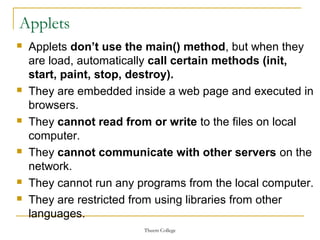
 Applets don’t use the main() method, but when they
are load, automatically call certain methods (init,
start, paint, stop, destroy).
 They are embedded inside a web page and executed in
browsers.
 They cannot read from or write to the files on local
computer.
 They cannot communicate with other servers on the
network.
 They cannot run any programs from the local computer.
 They are restricted from using libraries from other
languages.
Theem College
How to run an Applet?
 There are two ways to run an applet
 By appletViewer tool

By html file.
Theem College
By Appletviewer
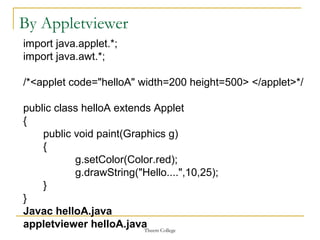
import java.applet.*;
import java.awt.*;
/*<applet code="helloA" width=200 height=500> </applet>*/
public class helloA extends Applet
{
public void paint(Graphics g)
{
g.setColor(Color.red);
g.drawString("Hello....",10,25);
}
}
Javac helloA.java
appletviewer helloA.java
Theem College
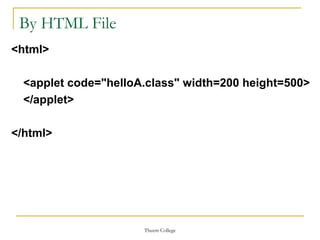
By HTML File
<html>
<applet code="helloA.class" width=200 height=500>
</applet>
</html>
Theem College
Applet Life Cycle
Theem College
1. Initialization state
 Applet enter in initialize state when it is loaded.
 In this state called init() method & overrode the code.
 This state occurs only ones in applet life cycle.
 In this state we done following task.
 Creating Object
 Load image or font
 Set text or background Color
 Setup initials values
Theem College
2. Running state
 Applet enter the running state when the system
call the start() method of applet class.
 This state occurs automatically after the
applet is initialization.
 Starting can also occur if the applet is already
in “stopped” state.
 We may override the start() method to execute
the statement.
Theem College
3. Idle or Stopped state
 Applet become idle when it is stopped from
running.
 stopping occur automatically when we leave
the current page.
 we may override the stop() method to execute
the statement.
Theem College
4. Dead State
 Applet said to be dead when it is removed
from memory.
 This state called destroy() automatically
when we quite from a browser.
 This state occurs only once in applet life
cycle.
 This state is used to clean up resources.
Theem College
5. Display State
 Applet moves to the display state whenever is
has perform some output operation on screen.
 This happens immediately after the applet enter
in to running state.
 Almost every applet will have a paint()
method.
 We must Remember Display state is not part
of Applet life cycle.
Theem College
Graphics Class
 A Graphics object encapsulates a set of
methods that can perform graphics output.
 Specifically, it allows you to draw lines, ovals,
rectangles, strings, images, characters, and
arcs.
Theem College
Graphics class Methods
Theem College
Theem College
Displaying Text
 We have seen that drawstring() method of the
Graphics class is used to display text.
 We can also display strings by using different
fonts. This is necessary in many applets.
 For example, tables and graphs use various
fonts for titles, axes, data and other
information.
Theem College
java.awt.Font
 A font determines the size and appearance of
characters in a string. Information about a font is
encapsulated by the java.awt.Font class.
 The following is one of its constructors:
 Font (String name, int style, int ps)
 Here, name identifies the font.
 Some commonly used font names are Serif,
SansSerif, and Monospaced.
 The style may be BOLD, ITALIC, or PLAIN.
 The point size of the font is ps.
Theem College
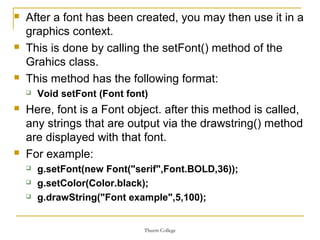
 After a font has been created, you may then use it in a
graphics context.
 This is done by calling the setFont() method of the
Grahics class.
 This method has the following format:
 Void setFont (Font font)
 Here, font is a Font object. after this method is called,
any strings that are output via the drawstring() method
are displayed with that font.
 For example:
 g.setFont(new Font("serif",Font.BOLD,36));
 g.setColor(Color.black);
 g.drawString("Font example",5,100);
Theem College
Applet Tag
 The applet viewer uses the HTML source
code at the beginning of a .java file to display
an applet.
 It is also possible to embed an applet in a
web page.
 The complete syntax for an applet tag is
shown in the following listing.
 Optional lines are enclosed in brackets.
Theem College
<applet
[codebase=url]
Code=clsName
[alt=text]
[name=appName]
Width=wpixels
Height=hpixels
[align=alignment]
[vspace=vspixels]
[hspace=hspixels]
>
[<param name=pname1 value=value1>]
[<param name=pname2 value=value2>]
…
[<param name=pnameN value=valueN>]</applet>

Applet &amp; graphics programming

  • 1.
  • 2.
    Theem College Applet  Appletis a special type of program that is embedded in the webpage to generate the dynamic content.  It runs inside the browser and works at client side.  It works at client side so less response time.  Secured.  It can be executed by browsers running under many platforms, including Linux, Windows, Mac Os etc.  Plug-in is required at client browser to execute applet.
  • 3.
    Theem College Applets  Appletsdon’t use the main() method, but when they are load, automatically call certain methods (init, start, paint, stop, destroy).  They are embedded inside a web page and executed in browsers.  They cannot read from or write to the files on local computer.  They cannot communicate with other servers on the network.  They cannot run any programs from the local computer.  They are restricted from using libraries from other languages.
  • 4.
    Theem College How torun an Applet?  There are two ways to run an applet  By appletViewer tool  By html file.
  • 5.
    Theem College By Appletviewer importjava.applet.*; import java.awt.*; /*<applet code="helloA" width=200 height=500> </applet>*/ public class helloA extends Applet { public void paint(Graphics g) { g.setColor(Color.red); g.drawString("Hello....",10,25); } } Javac helloA.java appletviewer helloA.java
  • 6.
    Theem College By HTMLFile <html> <applet code="helloA.class" width=200 height=500> </applet> </html>
  • 7.
  • 8.
    Theem College 1. Initializationstate  Applet enter in initialize state when it is loaded.  In this state called init() method & overrode the code.  This state occurs only ones in applet life cycle.  In this state we done following task.  Creating Object  Load image or font  Set text or background Color  Setup initials values
  • 9.
    Theem College 2. Runningstate  Applet enter the running state when the system call the start() method of applet class.  This state occurs automatically after the applet is initialization.  Starting can also occur if the applet is already in “stopped” state.  We may override the start() method to execute the statement.
  • 10.
    Theem College 3. Idleor Stopped state  Applet become idle when it is stopped from running.  stopping occur automatically when we leave the current page.  we may override the stop() method to execute the statement.
  • 11.
    Theem College 4. DeadState  Applet said to be dead when it is removed from memory.  This state called destroy() automatically when we quite from a browser.  This state occurs only once in applet life cycle.  This state is used to clean up resources.
  • 12.
    Theem College 5. DisplayState  Applet moves to the display state whenever is has perform some output operation on screen.  This happens immediately after the applet enter in to running state.  Almost every applet will have a paint() method.  We must Remember Display state is not part of Applet life cycle.
  • 13.
    Theem College Graphics Class A Graphics object encapsulates a set of methods that can perform graphics output.  Specifically, it allows you to draw lines, ovals, rectangles, strings, images, characters, and arcs.
  • 14.
  • 15.
  • 16.
    Theem College Displaying Text We have seen that drawstring() method of the Graphics class is used to display text.  We can also display strings by using different fonts. This is necessary in many applets.  For example, tables and graphs use various fonts for titles, axes, data and other information.
  • 17.
    Theem College java.awt.Font  Afont determines the size and appearance of characters in a string. Information about a font is encapsulated by the java.awt.Font class.  The following is one of its constructors:  Font (String name, int style, int ps)  Here, name identifies the font.  Some commonly used font names are Serif, SansSerif, and Monospaced.  The style may be BOLD, ITALIC, or PLAIN.  The point size of the font is ps.
  • 18.
    Theem College  Aftera font has been created, you may then use it in a graphics context.  This is done by calling the setFont() method of the Grahics class.  This method has the following format:  Void setFont (Font font)  Here, font is a Font object. after this method is called, any strings that are output via the drawstring() method are displayed with that font.  For example:  g.setFont(new Font("serif",Font.BOLD,36));  g.setColor(Color.black);  g.drawString("Font example",5,100);
  • 19.
    Theem College Applet Tag The applet viewer uses the HTML source code at the beginning of a .java file to display an applet.  It is also possible to embed an applet in a web page.  The complete syntax for an applet tag is shown in the following listing.  Optional lines are enclosed in brackets.
  • 20.