App Store Subscriptions
Condensed Edition
Mark Pavlidis

mark@pavlidis.ca 

mark@groksoftware.net

@mhp

TACOW Presentation 

2019-05-14
Agenda
Why: Choose a Subscription Business Model?

Who: Am I To Know?

What: You need to know to get started?

How: Do you avoid some pain points?

Where: Are we having beers?
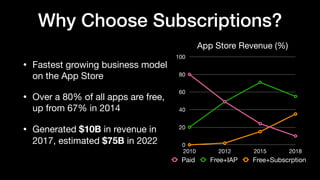
Why Choose Subscriptions?
• Fastest growing business model
on the App Store

• Over a 80% of all apps are free,
up from 67% in 2014

• Generated $10B in revenue in
2017, estimated $75B in 2022
App Store Revenue (%)
0
20
40
60
80
100
2010 2012 2015 2018
Paid Free+IAP Free+Subscrption
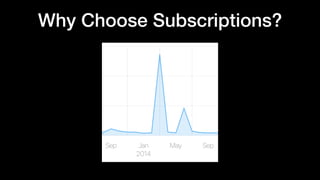
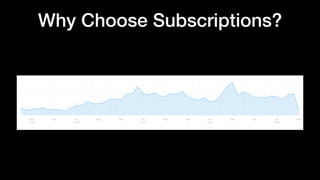
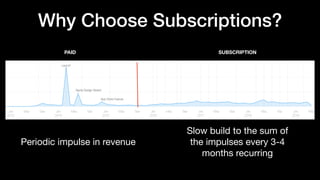
Why Choose Subscriptions?
PAID SUBSCRIPTION
Periodic impulse in revenue
Slow build to the sum of
the impulses every 3-4
months recurring
Launch
Apple Design Award
App Store Feature
Why Choose Subscriptions?
• Recurring Revenue
• Higher price points and fewer customers

• “Build meaningful relationships” with good customers

• Don’t hold back big features for new major versions

• Apple said so

• Everybody is doing it
Why Choose Subscriptions?
Are subscriptions right for me?

• Offering ongoing value

• Is the model right for the potential customers

• Do you have ongoing infrastructure costs

Popular Categories:

• Content, Utilities, Dating, Productivity, Creative
Who Am I To Know?
• First implemented Non-Renewing Subscriptions in 2011


Who Am I To Know?
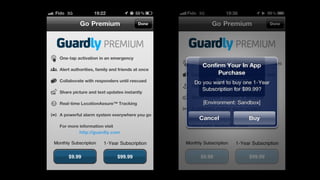
• First implemented Non-Renewable Subscriptions in 2011

• Auto-renewing plans for Flixel hosting service in 2014

• Included the app unlock in 2015 before it was “legal”

• Worked around a number of limitations that have since been
added to the App Store (i.e., price changes)

• Lucky for you there are still lots of limitations and workarounds
What Are The Basics
• Create your Auto-renewing plans in App Store Connect

• Initiate StoreKit at launch and fetch products

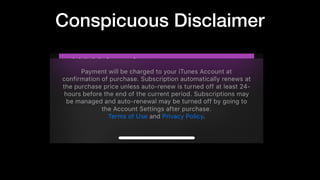
• Show localized plans in-app with the conspicuous disclaimer

• ALWAYS END YOUR TRANSACTIONS

• Provide a mechanism to restore subscription and non-
consumable IAPs
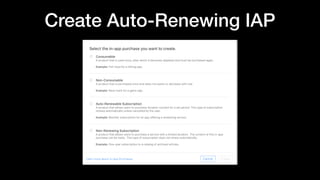
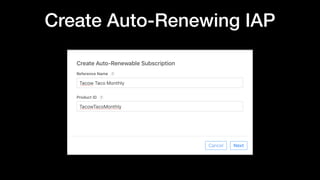
Create Auto-Renewing IAP
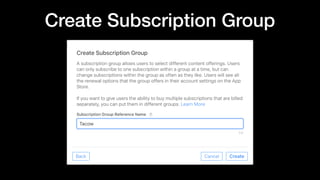
Create Subscription Group
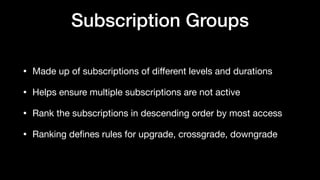
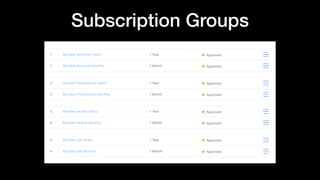
Subscription Groups
• Made up of subscriptions of different levels and durations

• Helps ensure multiple subscriptions are not active

• Rank the subscriptions in descending order by most access

• Ranking defines rules for upgrade, crossgrade, downgrade
Subscription Groups
Initiate StoreKit
func application(_ application: UIApplication,
didFinishLaunchingWithOptions launchOptions:
[UIApplication.LaunchOptionsKey: Any]?) -> Bool {
PurchaseController.shared.setup()
return true
}
Initiate StoreKit
class PurchaseController: NSObject {
func setup() {
// Register Observer
SKPaymentQueue.default().add(self)
}
func paymentQueue(_ queue: SKPaymentQueue, updatedTransactions
transactions: [SKPaymentTransaction]) {
//Handle transaction states here.
}
}
Fetch Products
func setup() {
// Register Observer
SKPaymentQueue.default().add(self)
// Register for product refresh
refreshObserver =
NotificationCenter.default.addObserver(forName:
UIApplication.didBecomeActiveNotification, object: nil,
queue: .main) { [weak self] note in
self?.fetchProducts()
}
}
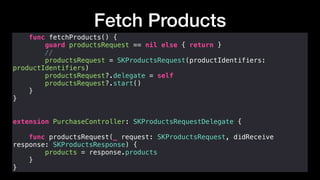
Fetch Products
func fetchProducts() {
guard productsRequest == nil else { return }
//
productsRequest = SKProductsRequest(productIdentifiers:
productIdentifiers)
productsRequest?.delegate = self
productsRequest?.start()
}
}
extension PurchaseController: SKProductsRequestDelegate {
func productsRequest(_ request: SKProductsRequest, didReceive
response: SKProductsResponse) {
products = response.products
}
}
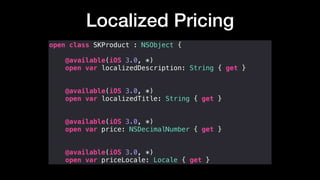
Localized Pricing
open class SKProduct : NSObject {
@available(iOS 3.0, *)
open var localizedDescription: String { get }
@available(iOS 3.0, *)
open var localizedTitle: String { get }
@available(iOS 3.0, *)
open var price: NSDecimalNumber { get }
@available(iOS 3.0, *)
open var priceLocale: Locale { get }
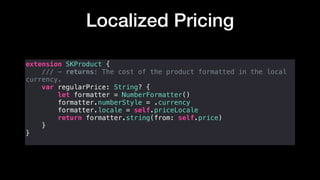
Localized Pricing
extension SKProduct {
/// - returns: The cost of the product formatted in the local
currency.
var regularPrice: String? {
let formatter = NumberFormatter()
formatter.numberStyle = .currency
formatter.locale = self.priceLocale
return formatter.string(from: self.price)
}
}
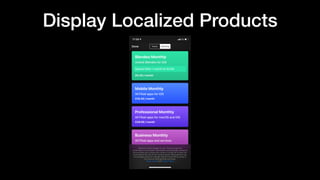
Display Localized Products
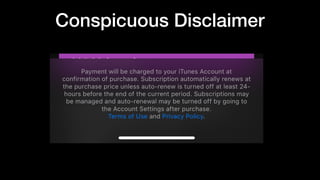
Conspicuous Disclaimer
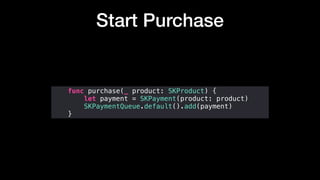
Start Purchase
func purchase(_ product: SKProduct) {
let payment = SKPayment(product: product)
SKPaymentQueue.default().add(payment)
}
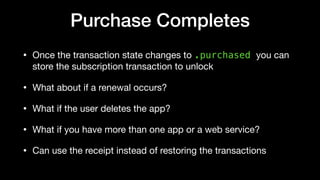
Purchase Completes
• Once the transaction state changes to .purchased you can
store the subscription transaction to unlock
• What about if a renewal occurs?

• What if the user deletes the app?

• What if you have more than one app or a web service?

• Can use the receipt instead of restoring the transactions
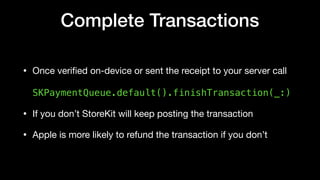
Complete Transactions
• Once verified on-device or sent the receipt to your server call 


SKPaymentQueue.default().finishTransaction(_:)
• If you don’t StoreKit will keep posting the transaction

• Apple is more likely to refund the transaction if you don’t
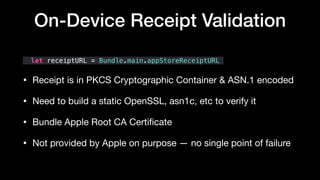
let receiptURL = Bundle.main.appStoreReceiptURL
• Receipt is in PKCS Cryptographic Container & ASN.1 encoded 

• Need to build a static OpenSSL, asn1c, etc to verify it

• Bundle Apple Root CA Certificate 

• Not provided by Apple on purpose — no single point of failure
On-Device Receipt Validation
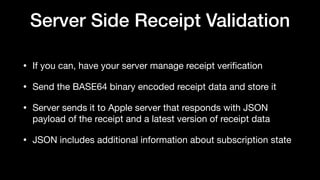
Server Side Receipt Validation
• If you can, have your server manage receipt verification 

• Send the BASE64 binary encoded receipt data and store it

• Server sends it to Apple server that responds with JSON
payload of the receipt and a latest version of receipt data

• JSON includes additional information about subscription state
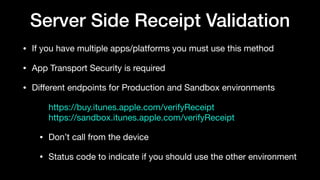
Server Side Receipt Validation
• If you have multiple apps/platforms you must use this method

• App Transport Security is required

• Different endpoints for Production and Sandbox environments

https://buy.itunes.apple.com/verifyReceipt

https://sandbox.itunes.apple.com/verifyReceipt

• Don’t call from the device

• Status code to indicate if you should use the other environment
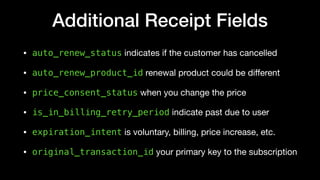
Additional Receipt Fields
• auto_renew_status indicates if the customer has cancelled

• auto_renew_product_id renewal product could be different

• price_consent_status when you change the price 

• is_in_billing_retry_period indicate past due to user 

• expiration_intent is voluntary, billing, price increase, etc.

• original_transaction_id your primary key to the subscription
JSON Receipt Demo
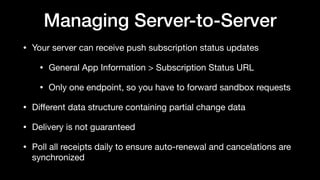
Managing Server-to-Server
• Your server can receive push subscription status updates

• General App Information > Subscription Status URL

• Only one endpoint, so you have to forward sandbox requests 

• Different data structure containing partial change data

• Delivery is not guaranteed 

• Poll all receipts daily to ensure auto-renewal and cancelations are
synchronized
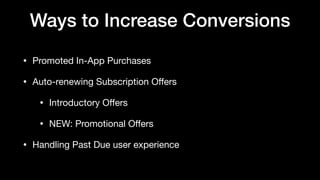
Ways to Increase Conversions
• Promoted In-App Purchases

• Auto-renewing Subscription Offers

• Introductory Offers

• NEW: Promotional Offers

• Handling Past Due user experience
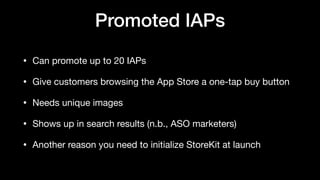
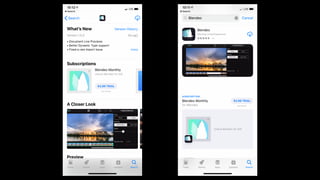
Promoted IAPs
• Can promote up to 20 IAPs

• Give customers browsing the App Store a one-tap buy button

• Needs unique images

• Shows up in search results (n.b., ASO marketers)

• Another reason you need to initialize StoreKit at launch
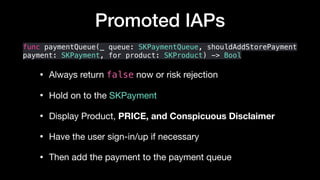
Promoted IAPs
func paymentQueue(_ queue: SKPaymentQueue, shouldAddStorePayment
payment: SKPayment, for product: SKProduct) -> Bool
• Always return false now or risk rejection

• Hold on to the SKPayment

• Display Product, PRICE, and Conspicuous Disclaimer 

• Have the user sign-in/up if necessary

• Then add the payment to the payment queue
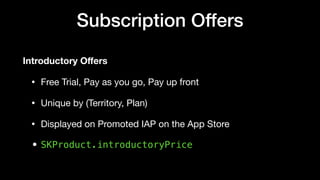
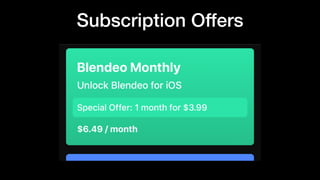
Subscription Offers
Introductory Offers
• Free Trial, Pay as you go, Pay up front

• Unique by (Territory, Plan)

• Displayed on Promoted IAP on the App Store

• SKProduct.introductoryPrice
Subscription Offers
Subscription Offers
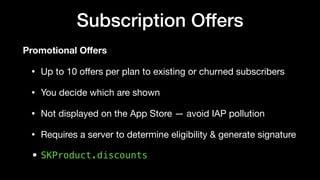
Promotional Offers
• Up to 10 offers per plan to existing or churned subscribers

• You decide which are shown

• Not displayed on the App Store — avoid IAP pollution 

• Requires a server to determine eligibility & generate signature 

• SKProduct.discounts
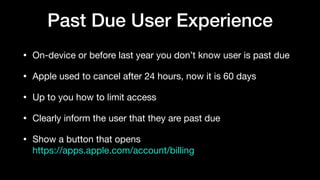
Past Due User Experience
• On-device or before last year you don’t know user is past due

• Apple used to cancel after 24 hours, now it is 60 days

• Up to you how to limit access

• Clearly inform the user that they are past due

• Show a button that opens 

https://apps.apple.com/account/billing
How Do You Avoid Some Pain
• Cancelled is not what you think it means

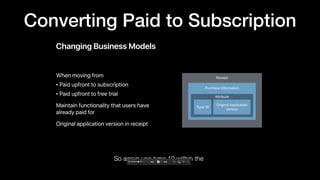
• Converting a Paid app to Free+Subscription

• New App Auto-Renewing Subscription Propagation

• Have I mentioned the Conspicuous Disclaimer?
What “Cancelled” Means
• Another reason to poll nightly is that a transaction in the receipt
can change

• cancellation_date_ms, cancellation_reason
• Means refunded and you should remove access immediately
REALLY ?
How To Know If Churned
• On-device: if the latest transaction in the receipt end date is in
the past now

• Server-side : check pending_renewal_info for
expiration_intent
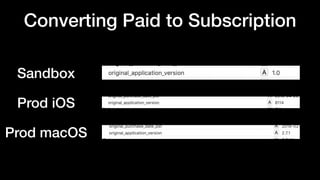
Converting Paid to Subscription
Sandbox
Prod iOS
Prod macOS
REALLY ?
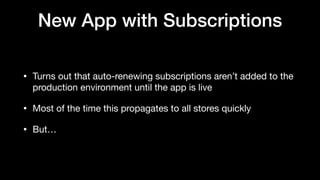
New App with Subscriptions
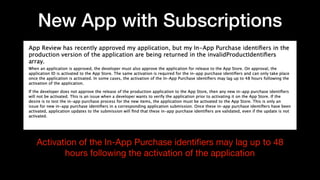
• Turns out that auto-renewing subscriptions aren’t added to the
production environment until the app is live

• Most of the time this propagates to all stores quickly

• But…
New App with Subscriptions
Activation of the In-App Purchase identifiers may lag up to 48
hours following the activation of the application
REALLY ?
Conspicuous Disclaimer
Summary
Why: Choose a Subscription Business Model?

Who: Am I To Know?

What: You need to know to get started?

How: Do you avoid some pain points?
Available for consulting after
WWDC
References
• Auto-renewable Subscriptions

• In-App Purchase and Subscriptions

• Implementing Introductory Offers in Your App

• Implementing Subscription Offers

• IAP Propagation Critical Bug “Tech Note”
App Store Subscriptions
Condensed Edition
Mark Pavlidis

mark@pavlidis.ca 

mark@groksoftware.net

@mhp

TACOW Presentation 

2019-05-14

App Store Subscriptions - Condensed Edition

  • 1.
    App Store Subscriptions CondensedEdition Mark Pavlidis mark@pavlidis.ca mark@groksoftware.net @mhp TACOW Presentation 2019-05-14
  • 2.
    Agenda Why: Choose aSubscription Business Model? Who: Am I To Know? What: You need to know to get started? How: Do you avoid some pain points? Where: Are we having beers?
  • 3.
    Why Choose Subscriptions? •Fastest growing business model on the App Store • Over a 80% of all apps are free, up from 67% in 2014 • Generated $10B in revenue in 2017, estimated $75B in 2022 App Store Revenue (%) 0 20 40 60 80 100 2010 2012 2015 2018 Paid Free+IAP Free+Subscrption
  • 4.
  • 5.
  • 6.
    Why Choose Subscriptions? PAIDSUBSCRIPTION Periodic impulse in revenue Slow build to the sum of the impulses every 3-4 months recurring Launch Apple Design Award App Store Feature
  • 7.
    Why Choose Subscriptions? •Recurring Revenue • Higher price points and fewer customers • “Build meaningful relationships” with good customers • Don’t hold back big features for new major versions • Apple said so • Everybody is doing it
  • 8.
    Why Choose Subscriptions? Aresubscriptions right for me? • Offering ongoing value • Is the model right for the potential customers • Do you have ongoing infrastructure costs Popular Categories: • Content, Utilities, Dating, Productivity, Creative
  • 9.
    Who Am ITo Know? • First implemented Non-Renewing Subscriptions in 2011


  • 11.
    Who Am ITo Know? • First implemented Non-Renewable Subscriptions in 2011 • Auto-renewing plans for Flixel hosting service in 2014 • Included the app unlock in 2015 before it was “legal” • Worked around a number of limitations that have since been added to the App Store (i.e., price changes) • Lucky for you there are still lots of limitations and workarounds
  • 12.
    What Are TheBasics • Create your Auto-renewing plans in App Store Connect • Initiate StoreKit at launch and fetch products • Show localized plans in-app with the conspicuous disclaimer • ALWAYS END YOUR TRANSACTIONS • Provide a mechanism to restore subscription and non- consumable IAPs
  • 13.
  • 14.
  • 15.
  • 16.
    Subscription Groups • Madeup of subscriptions of different levels and durations • Helps ensure multiple subscriptions are not active • Rank the subscriptions in descending order by most access • Ranking defines rules for upgrade, crossgrade, downgrade
  • 17.
  • 18.
    Initiate StoreKit func application(_application: UIApplication, didFinishLaunchingWithOptions launchOptions: [UIApplication.LaunchOptionsKey: Any]?) -> Bool { PurchaseController.shared.setup() return true }
  • 19.
    Initiate StoreKit class PurchaseController:NSObject { func setup() { // Register Observer SKPaymentQueue.default().add(self) } func paymentQueue(_ queue: SKPaymentQueue, updatedTransactions transactions: [SKPaymentTransaction]) { //Handle transaction states here. } }
  • 20.
    Fetch Products func setup(){ // Register Observer SKPaymentQueue.default().add(self) // Register for product refresh refreshObserver = NotificationCenter.default.addObserver(forName: UIApplication.didBecomeActiveNotification, object: nil, queue: .main) { [weak self] note in self?.fetchProducts() } }
  • 21.
    Fetch Products func fetchProducts(){ guard productsRequest == nil else { return } // productsRequest = SKProductsRequest(productIdentifiers: productIdentifiers) productsRequest?.delegate = self productsRequest?.start() } } extension PurchaseController: SKProductsRequestDelegate { func productsRequest(_ request: SKProductsRequest, didReceive response: SKProductsResponse) { products = response.products } }
  • 22.
    Localized Pricing open classSKProduct : NSObject { @available(iOS 3.0, *) open var localizedDescription: String { get } @available(iOS 3.0, *) open var localizedTitle: String { get } @available(iOS 3.0, *) open var price: NSDecimalNumber { get } @available(iOS 3.0, *) open var priceLocale: Locale { get }
  • 23.
    Localized Pricing extension SKProduct{ /// - returns: The cost of the product formatted in the local currency. var regularPrice: String? { let formatter = NumberFormatter() formatter.numberStyle = .currency formatter.locale = self.priceLocale return formatter.string(from: self.price) } }
  • 24.
  • 25.
  • 26.
    Start Purchase func purchase(_product: SKProduct) { let payment = SKPayment(product: product) SKPaymentQueue.default().add(payment) }
  • 27.
    Purchase Completes • Oncethe transaction state changes to .purchased you can store the subscription transaction to unlock • What about if a renewal occurs? • What if the user deletes the app? • What if you have more than one app or a web service? • Can use the receipt instead of restoring the transactions
  • 28.
    Complete Transactions • Onceverified on-device or sent the receipt to your server call 
 
 SKPaymentQueue.default().finishTransaction(_:) • If you don’t StoreKit will keep posting the transaction • Apple is more likely to refund the transaction if you don’t
  • 29.
    let receiptURL =Bundle.main.appStoreReceiptURL • Receipt is in PKCS Cryptographic Container & ASN.1 encoded • Need to build a static OpenSSL, asn1c, etc to verify it • Bundle Apple Root CA Certificate • Not provided by Apple on purpose — no single point of failure On-Device Receipt Validation
  • 30.
    Server Side ReceiptValidation • If you can, have your server manage receipt verification • Send the BASE64 binary encoded receipt data and store it • Server sends it to Apple server that responds with JSON payload of the receipt and a latest version of receipt data • JSON includes additional information about subscription state
  • 31.
    Server Side ReceiptValidation • If you have multiple apps/platforms you must use this method • App Transport Security is required • Different endpoints for Production and Sandbox environments https://buy.itunes.apple.com/verifyReceipt
 https://sandbox.itunes.apple.com/verifyReceipt • Don’t call from the device • Status code to indicate if you should use the other environment
  • 32.
    Additional Receipt Fields •auto_renew_status indicates if the customer has cancelled • auto_renew_product_id renewal product could be different • price_consent_status when you change the price • is_in_billing_retry_period indicate past due to user • expiration_intent is voluntary, billing, price increase, etc. • original_transaction_id your primary key to the subscription
  • 33.
  • 34.
    Managing Server-to-Server • Yourserver can receive push subscription status updates • General App Information > Subscription Status URL • Only one endpoint, so you have to forward sandbox requests • Different data structure containing partial change data • Delivery is not guaranteed • Poll all receipts daily to ensure auto-renewal and cancelations are synchronized
  • 35.
    Ways to IncreaseConversions • Promoted In-App Purchases • Auto-renewing Subscription Offers • Introductory Offers • NEW: Promotional Offers • Handling Past Due user experience
  • 36.
    Promoted IAPs • Canpromote up to 20 IAPs • Give customers browsing the App Store a one-tap buy button • Needs unique images • Shows up in search results (n.b., ASO marketers) • Another reason you need to initialize StoreKit at launch
  • 37.
    Promoted IAPs func paymentQueue(_queue: SKPaymentQueue, shouldAddStorePayment payment: SKPayment, for product: SKProduct) -> Bool • Always return false now or risk rejection • Hold on to the SKPayment • Display Product, PRICE, and Conspicuous Disclaimer • Have the user sign-in/up if necessary • Then add the payment to the payment queue
  • 39.
    Subscription Offers Introductory Offers •Free Trial, Pay as you go, Pay up front • Unique by (Territory, Plan) • Displayed on Promoted IAP on the App Store • SKProduct.introductoryPrice
  • 40.
  • 41.
    Subscription Offers Promotional Offers •Up to 10 offers per plan to existing or churned subscribers • You decide which are shown • Not displayed on the App Store — avoid IAP pollution • Requires a server to determine eligibility & generate signature • SKProduct.discounts
  • 42.
    Past Due UserExperience • On-device or before last year you don’t know user is past due • Apple used to cancel after 24 hours, now it is 60 days • Up to you how to limit access • Clearly inform the user that they are past due • Show a button that opens 
 https://apps.apple.com/account/billing
  • 43.
    How Do YouAvoid Some Pain • Cancelled is not what you think it means • Converting a Paid app to Free+Subscription • New App Auto-Renewing Subscription Propagation • Have I mentioned the Conspicuous Disclaimer?
  • 44.
    What “Cancelled” Means •Another reason to poll nightly is that a transaction in the receipt can change • cancellation_date_ms, cancellation_reason • Means refunded and you should remove access immediately
  • 45.
  • 46.
    How To KnowIf Churned • On-device: if the latest transaction in the receipt end date is in the past now • Server-side : check pending_renewal_info for expiration_intent
  • 47.
    Converting Paid toSubscription
  • 48.
    Converting Paid toSubscription Sandbox Prod iOS Prod macOS
  • 49.
  • 50.
    New App withSubscriptions • Turns out that auto-renewing subscriptions aren’t added to the production environment until the app is live • Most of the time this propagates to all stores quickly • But…
  • 51.
    New App withSubscriptions Activation of the In-App Purchase identifiers may lag up to 48 hours following the activation of the application
  • 52.
  • 53.
  • 54.
    Summary Why: Choose aSubscription Business Model? Who: Am I To Know? What: You need to know to get started? How: Do you avoid some pain points?
  • 55.
  • 56.
    References • Auto-renewable Subscriptions •In-App Purchase and Subscriptions • Implementing Introductory Offers in Your App • Implementing Subscription Offers • IAP Propagation Critical Bug “Tech Note”
  • 57.
    App Store Subscriptions CondensedEdition Mark Pavlidis mark@pavlidis.ca mark@groksoftware.net @mhp TACOW Presentation 2019-05-14