APIs and SDKs: Breaking Into
and Succeeding in a Specialty
Market
Ed Marshall
2007 STC - Philadelphia Metro Conference
Copyright 2007
APIs and SDKs
API = Application Programming Interface
SDK = Software Development Kit
• Typical users and why they use them
• Typical producers of these products
• Examples
Typical Documentation Deliverables
• Programmer’s reference guides
• Online help (in some format, more later)
• Programmer’s guides
• Data dictionaries
• API and SDK installation manuals
• System administrator's guides
• User configuration guides
Ideal Information for SDKs
• Provide an overview of the SDK
• Describe the tools and components in the SDK
and how they relate to the APIs
• Describe each tool in detail
• Describe any sample programs included in the
SDK
Ideal Information for APIs
• Break each component into the various
families
• Describe each API completely, including cross-
references to any types used in the definition
• Provide and explain examples that show both
trivial and complex use of the class / API
Reference Information for APIs
• Brief description
• Syntax
• Examples, examples, examples!
• Error messages
• Cross-references
Examples of API / SDK Documentation
• Visual Basic ActiveX Control Help Sample –
print and online help
• C++ API Help Sample – print and online help
• Typical SDK documentation – Guide to Tools,
Programmer’s Reference, Programmer’s
Guide, etc.
Key Programming Concepts
• Data types / variables
• Program control – loops, conditions, etc.
• Logical operators
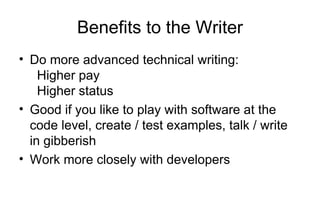
Benefits to the Writer
• Do more advanced technical writing:
Higher pay
Higher status
• Good if you like to play with software at the
code level, create / test examples, talk / write
in gibberish
• Work more closely with developers
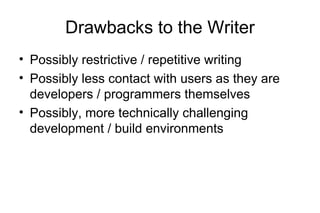
Drawbacks to the Writer
• Possibly restrictive / repetitive writing
• Possibly less contact with users as they are
developers / programmers themselves
• Possibly, more technically challenging
development / build environments
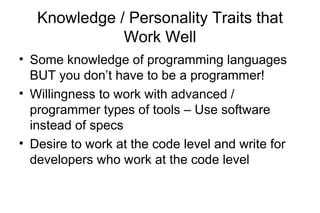
Knowledge / Personality Traits that
Work Well
• Some knowledge of programming languages
BUT you don’t have to be a programmer!
• Willingness to work with advanced /
programmer types of tools – Use software
instead of specs
• Desire to work at the code level and write for
developers who work at the code level
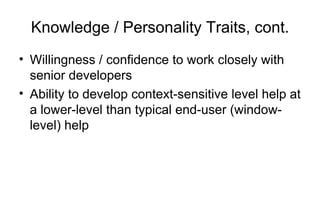
Knowledge / Personality Traits, cont.
• Willingness / confidence to work closely with
senior developers
• Ability to develop context-sensitive level help at
a lower-level than typical end-user (window-
level) help
Breaking into this Market
• Get training to develop the skills:
- Courses
- Self-paced training
- On-the-job training
• Make your own sample help systems, with
context-sensitive help coded
• Write some sample programs
Education / Training Opportunities
• Programming courses at local colleges
• STC conferences / workshops
Self-Paced Training
• Manuel Gordon’s API materials (
www.gordonandgordon.com)
• Documenting APIs: Writing Developer
Documentation for Java APIs / SDKs – James
Bisso / Victoria Maki (www.bitzone.com/book.html)
• Deitel & Deitel “(C / C++ / C# / Java) How to
Program”
• Sams “Teach Yourself…”
• Sample projects, such as the HTML Help API
Other Resources
• MSDN – msdn.microsoft.com
• RoboWizard Web site – www.robowizard.com
• Flare forums – www.madcapsoftware.com
• RoboHelp / Flare Web site – www.grainge.org/
Listservers (Yahoo Groups)
• STC API – h
ttp://groups.yahoo.com/group/svcstcapi/
• API writers –
http://groups.yahoo.com/group/APIWriters/
• NetTechWriters –
http://groups.yahoo.com/group/nettechwriters/
• HATT – http://groups.yahoo.com/group/HATT/
Listservers (Yahoo Groups), cont.
• MSHelp 2.0 –
http://groups.yahoo.com/group/MSHelp2/
• Eclipse –
http://groups.yahoo.com/group/eclipse_tw/
Ways to Get Information
• Reading the specifications
• Using the software
• Attending demos
• Running automated tools against the software
• Providing fill-in-the-blank templates to
developers
Build and Deployment Issues
• Use of automated build systems
• Use of source code control systems
• Other tools to do file comparisons, advanced
text editors, multi-file search and replace, etc.
Automated Tools
• JavaDoc
• DOXYGEN
• Others
Help Authoring Tools
• Flare
• RoboHelp – It’s back, as of Jan. 2007
• WebWorks ePublisherPro – for Frame / Word
• Doc-to-Help
• AuthorIT
Advanced Text Editors
NoteTabPro and EditPadPro:
• Both tools have: Spell-checking. Big plus if you work in a mixed OS
environment: Neither tool inserts Windows-style line feed
characters in Unix files.
• NoteTabPro has an auto-complete option for html tags and other
languages.
www.notetab.com $19.95, Lots of other tools here.
• EditPadPro has color-coding for custom html tags
www.jgsoft.com $39.
JG Soft has other tools too such as a PowerGrep tool, Registry editor, and
others.
Search and Replace Tool
Funduc: Will search & replace both folders and
zip files. Will also search & replace ASCII and
binary files. Some cautions about using it with
binary files but my initial tests with Word .DOC
files worked fine.
www.funduc.com $25
Many other tools here also.
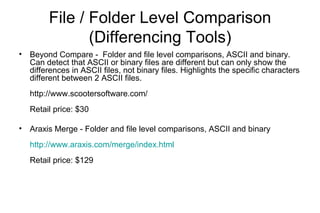
File / Folder Level Comparison
(Differencing Tools)
• Beyond Compare - Folder and file level comparisons, ASCII and binary.
Can detect that ASCII or binary files are different but can only show the
differences in ASCII files, not binary files. Highlights the specific characters
different between 2 ASCII files.
http://www.scootersoftware.com/
Retail price: $30
• Araxis Merge - Folder and file level comparisons, ASCII and binary
http://www.araxis.com/merge/index.html
Retail price: $129
Determining Which Help Format to Use
• Platforms
• Browsers
• Minimum versions required by your product
Common Help Formats
• WinHelp – Not in Vista but…
• HTMLHelp 1.x
• HTMLHelp 2.0 (used with Microsoft
VisualStudio.NET)
• WebHelp / Web Help
• JavaHelp
• Vista help – Not initially available to us in Vista
Context-sensitive Help
• Need to determine if it is necessary
• Need developers to implement / hook to the
API
• Have to use the appropriate API for the help
format
• Mapping of context IDs to numbers / text
strings
• Need to test all links from the product
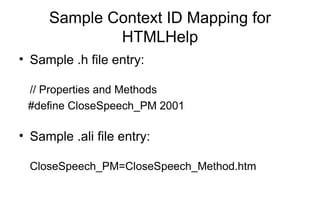
Sample Context ID Mapping for
HTMLHelp
• Sample .h file entry:
// Properties and Methods
#define CloseSpeech_PM 2001
• Sample .ali file entry:
CloseSpeech_PM=CloseSpeech_Method.htm
Summary
• Description of APIs / SDKs
• Benefits to writers
• Drawbacks to writers
• Training
• Writing considerations (i.e., tools, formats,
issues for context-sensitive help)
Closing
• Thank you.
• Questions?
Ed Marshall
ed.marshall@verizon.net
978-339-3095

APIs and SDKs: Breaking into and Succeeding in a Specialty Market

  • 1.
    APIs and SDKs:Breaking Into and Succeeding in a Specialty Market Ed Marshall 2007 STC - Philadelphia Metro Conference Copyright 2007
  • 2.
    APIs and SDKs API= Application Programming Interface SDK = Software Development Kit • Typical users and why they use them • Typical producers of these products • Examples
  • 3.
    Typical Documentation Deliverables •Programmer’s reference guides • Online help (in some format, more later) • Programmer’s guides • Data dictionaries • API and SDK installation manuals • System administrator's guides • User configuration guides
  • 4.
    Ideal Information forSDKs • Provide an overview of the SDK • Describe the tools and components in the SDK and how they relate to the APIs • Describe each tool in detail • Describe any sample programs included in the SDK
  • 5.
    Ideal Information forAPIs • Break each component into the various families • Describe each API completely, including cross- references to any types used in the definition • Provide and explain examples that show both trivial and complex use of the class / API
  • 6.
    Reference Information forAPIs • Brief description • Syntax • Examples, examples, examples! • Error messages • Cross-references
  • 7.
    Examples of API/ SDK Documentation • Visual Basic ActiveX Control Help Sample – print and online help • C++ API Help Sample – print and online help • Typical SDK documentation – Guide to Tools, Programmer’s Reference, Programmer’s Guide, etc.
  • 8.
    Key Programming Concepts •Data types / variables • Program control – loops, conditions, etc. • Logical operators
  • 9.
    Benefits to theWriter • Do more advanced technical writing: Higher pay Higher status • Good if you like to play with software at the code level, create / test examples, talk / write in gibberish • Work more closely with developers
  • 10.
    Drawbacks to theWriter • Possibly restrictive / repetitive writing • Possibly less contact with users as they are developers / programmers themselves • Possibly, more technically challenging development / build environments
  • 11.
    Knowledge / PersonalityTraits that Work Well • Some knowledge of programming languages BUT you don’t have to be a programmer! • Willingness to work with advanced / programmer types of tools – Use software instead of specs • Desire to work at the code level and write for developers who work at the code level
  • 12.
    Knowledge / PersonalityTraits, cont. • Willingness / confidence to work closely with senior developers • Ability to develop context-sensitive level help at a lower-level than typical end-user (window- level) help
  • 13.
    Breaking into thisMarket • Get training to develop the skills: - Courses - Self-paced training - On-the-job training • Make your own sample help systems, with context-sensitive help coded • Write some sample programs
  • 14.
    Education / TrainingOpportunities • Programming courses at local colleges • STC conferences / workshops
  • 15.
    Self-Paced Training • ManuelGordon’s API materials ( www.gordonandgordon.com) • Documenting APIs: Writing Developer Documentation for Java APIs / SDKs – James Bisso / Victoria Maki (www.bitzone.com/book.html) • Deitel & Deitel “(C / C++ / C# / Java) How to Program” • Sams “Teach Yourself…” • Sample projects, such as the HTML Help API
  • 16.
    Other Resources • MSDN– msdn.microsoft.com • RoboWizard Web site – www.robowizard.com • Flare forums – www.madcapsoftware.com • RoboHelp / Flare Web site – www.grainge.org/
  • 17.
    Listservers (Yahoo Groups) •STC API – h ttp://groups.yahoo.com/group/svcstcapi/ • API writers – http://groups.yahoo.com/group/APIWriters/ • NetTechWriters – http://groups.yahoo.com/group/nettechwriters/ • HATT – http://groups.yahoo.com/group/HATT/
  • 18.
    Listservers (Yahoo Groups),cont. • MSHelp 2.0 – http://groups.yahoo.com/group/MSHelp2/ • Eclipse – http://groups.yahoo.com/group/eclipse_tw/
  • 19.
    Ways to GetInformation • Reading the specifications • Using the software • Attending demos • Running automated tools against the software • Providing fill-in-the-blank templates to developers
  • 20.
    Build and DeploymentIssues • Use of automated build systems • Use of source code control systems • Other tools to do file comparisons, advanced text editors, multi-file search and replace, etc.
  • 21.
  • 22.
    Help Authoring Tools •Flare • RoboHelp – It’s back, as of Jan. 2007 • WebWorks ePublisherPro – for Frame / Word • Doc-to-Help • AuthorIT
  • 23.
    Advanced Text Editors NoteTabProand EditPadPro: • Both tools have: Spell-checking. Big plus if you work in a mixed OS environment: Neither tool inserts Windows-style line feed characters in Unix files. • NoteTabPro has an auto-complete option for html tags and other languages. www.notetab.com $19.95, Lots of other tools here. • EditPadPro has color-coding for custom html tags www.jgsoft.com $39. JG Soft has other tools too such as a PowerGrep tool, Registry editor, and others.
  • 24.
    Search and ReplaceTool Funduc: Will search & replace both folders and zip files. Will also search & replace ASCII and binary files. Some cautions about using it with binary files but my initial tests with Word .DOC files worked fine. www.funduc.com $25 Many other tools here also.
  • 25.
    File / FolderLevel Comparison (Differencing Tools) • Beyond Compare - Folder and file level comparisons, ASCII and binary. Can detect that ASCII or binary files are different but can only show the differences in ASCII files, not binary files. Highlights the specific characters different between 2 ASCII files. http://www.scootersoftware.com/ Retail price: $30 • Araxis Merge - Folder and file level comparisons, ASCII and binary http://www.araxis.com/merge/index.html Retail price: $129
  • 26.
    Determining Which HelpFormat to Use • Platforms • Browsers • Minimum versions required by your product
  • 27.
    Common Help Formats •WinHelp – Not in Vista but… • HTMLHelp 1.x • HTMLHelp 2.0 (used with Microsoft VisualStudio.NET) • WebHelp / Web Help • JavaHelp • Vista help – Not initially available to us in Vista
  • 28.
    Context-sensitive Help • Needto determine if it is necessary • Need developers to implement / hook to the API • Have to use the appropriate API for the help format • Mapping of context IDs to numbers / text strings • Need to test all links from the product
  • 29.
    Sample Context IDMapping for HTMLHelp • Sample .h file entry: // Properties and Methods #define CloseSpeech_PM 2001 • Sample .ali file entry: CloseSpeech_PM=CloseSpeech_Method.htm
  • 30.
    Summary • Description ofAPIs / SDKs • Benefits to writers • Drawbacks to writers • Training • Writing considerations (i.e., tools, formats, issues for context-sensitive help)
  • 31.
    Closing • Thank you. •Questions? Ed Marshall ed.marshall@verizon.net 978-339-3095