
Agenda
❖ What is a Web-server?
❖ Apache HTTP Server Overview
❖ Apache Features
❖ How Apache works
❖ Virtual Host
❖ Log Format
❖ Error Handling
❖ Installation of Apache
What is a web-server?
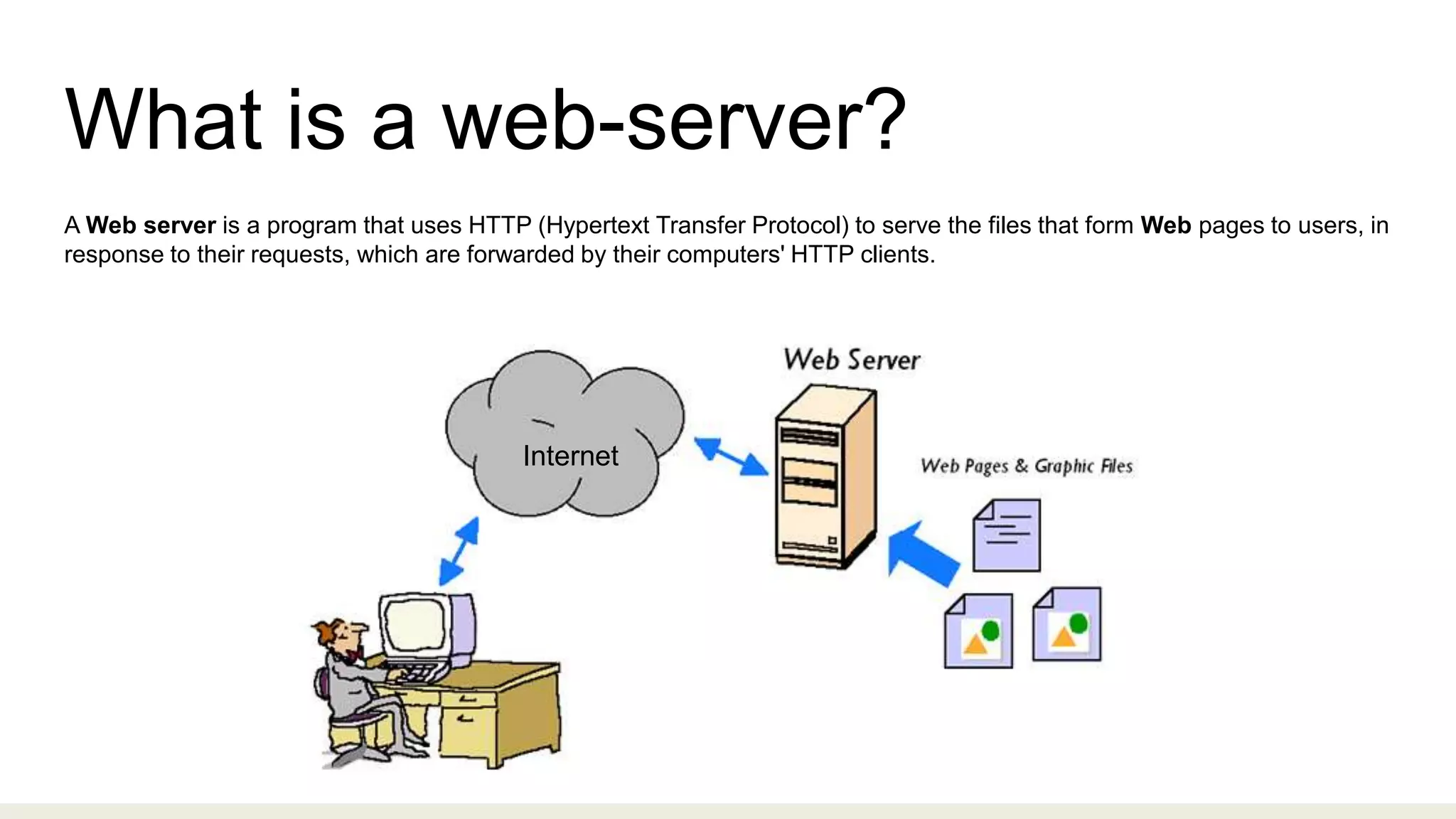
A Web server is a program that uses HTTP (Hypertext Transfer Protocol) to serve the files that form Web pages to users, in
response to their requests, which are forwarded by their computers' HTTP clients.
Internet
Apache HTTP server Overview
● Free, Based on Open source Technology
● Multiple Scripting language Support
● Simple, Powerful file-based configuration
● Runs on almost all Operating System
Origin of Apache
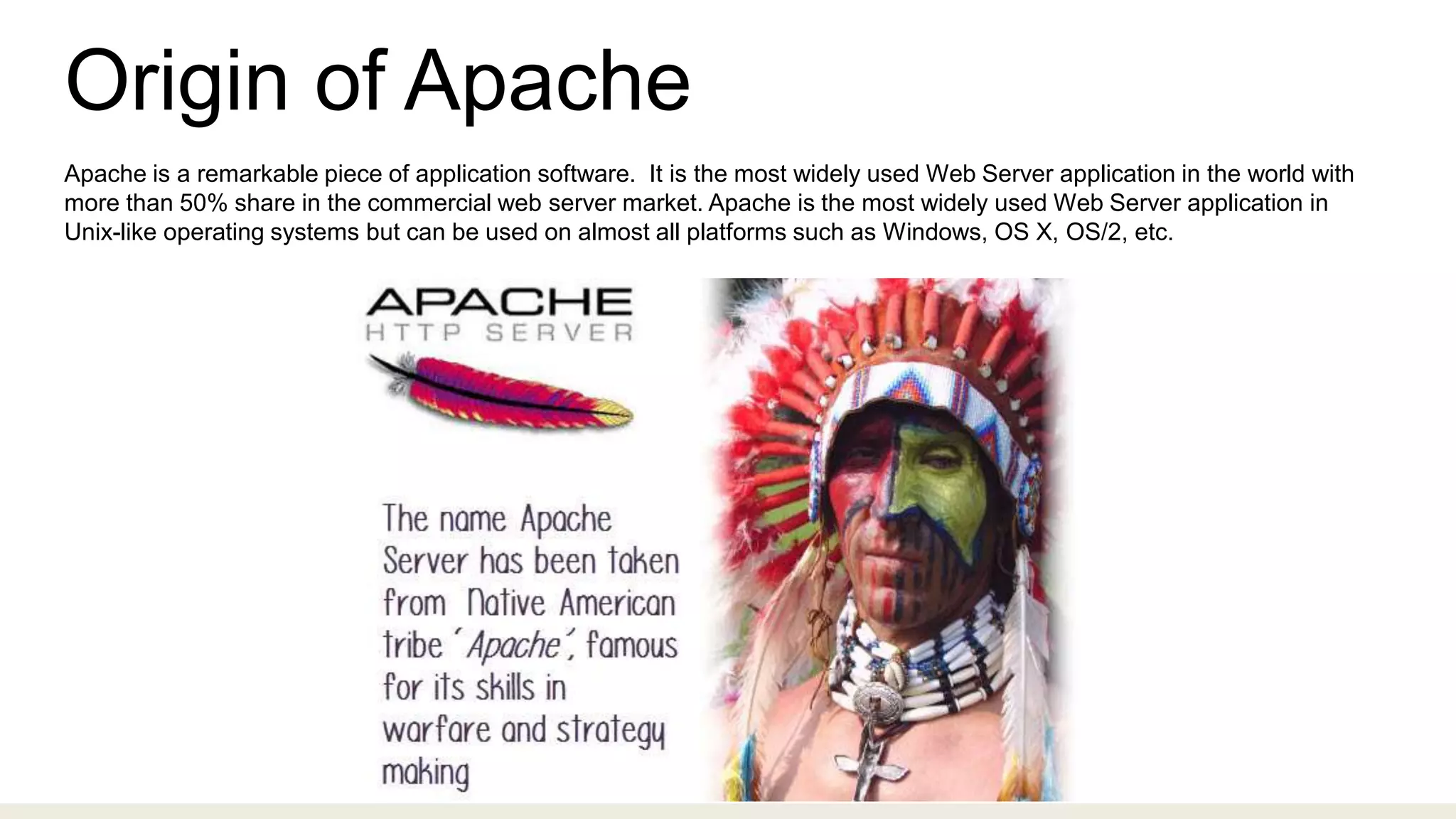
Apache is a remarkable piece of application software. It is the most widely used Web Server application in the world with
more than 50% share in the commercial web server market. Apache is the most widely used Web Server application in
Unix-like operating systems but can be used on almost all platforms such as Windows, OS X, OS/2, etc.
Apache Features
● It is a modular, process-based web server application that creates a new
thread with each simultaneous connection.
● It supports a number of features; many of them are compiled as separate
modules and extend its core functionality, and can provide everything from
server side programming language support to authentication mechanism.
● Virtual hosting is one such feature that allows a single Apache Web Server to
serve a number of different websites.
How Apache Works
Apache introduced Multi-Processing Modules, or MPMs. The MPMs change the basic functionality of the
web server. They do this by modifying how Apache listens to the network, accepts, and handles
requests.
1. Prefork
1. Worker
1. Event
Prefork
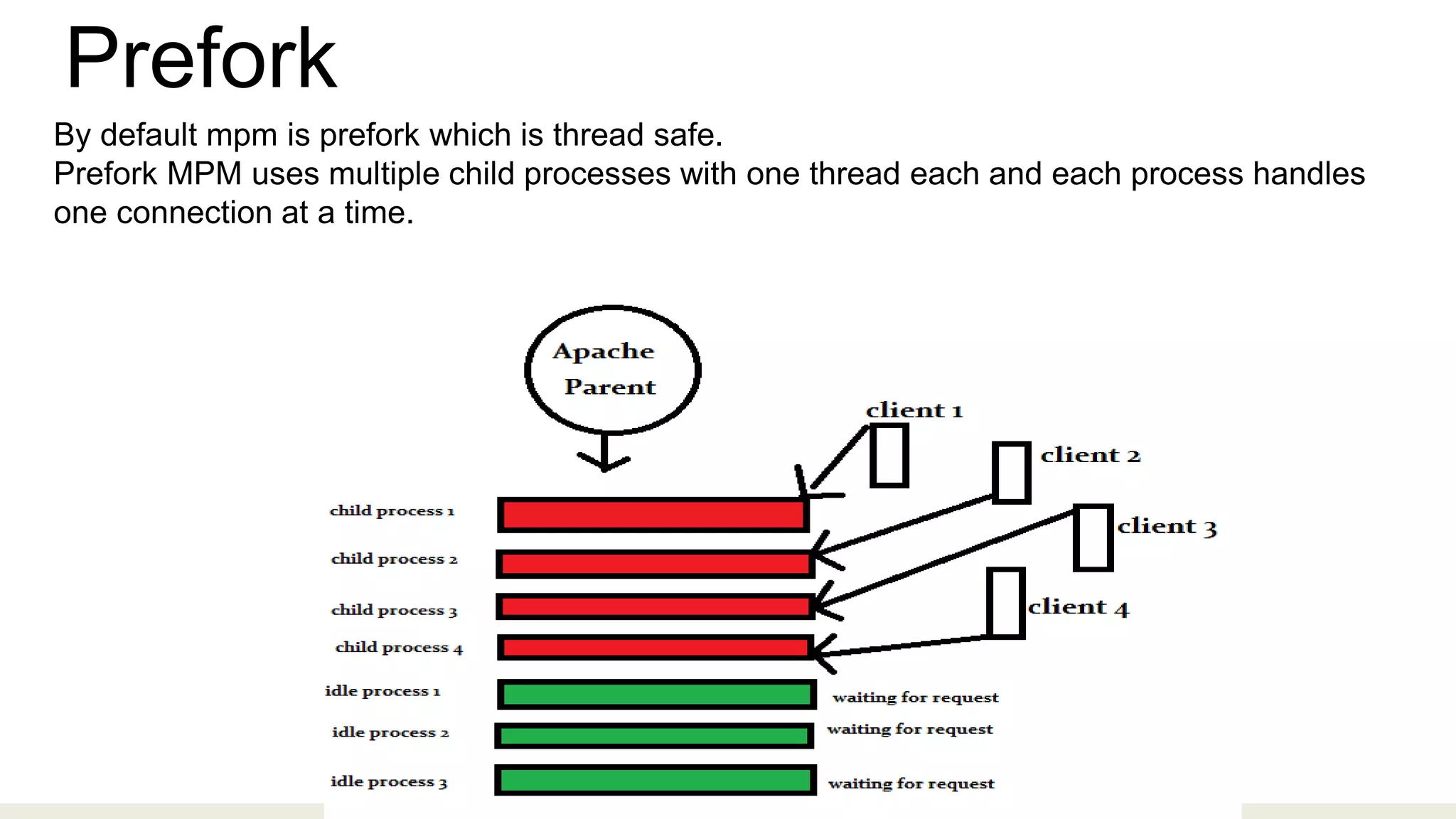
By default mpm is prefork which is thread safe.
Prefork MPM uses multiple child processes with one thread each and each process handles
one connection at a time.
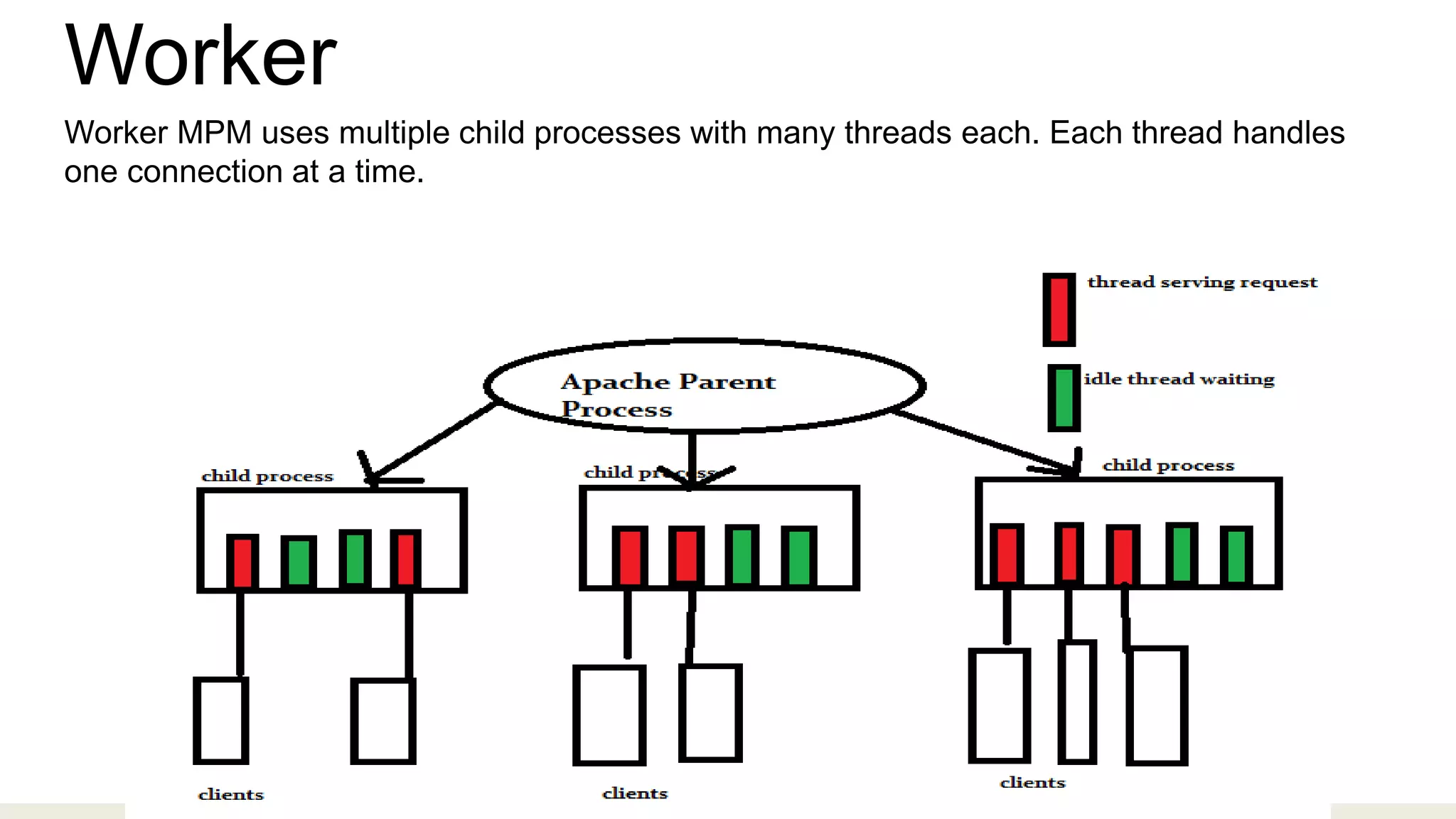
Worker
Worker MPM uses multiple child processes with many threads each. Each thread handles
one connection at a time.
Virtual Host
An Apache web server can host multiple websites on the SAME server. You do not need separate server machine and
apache software for each website. This can achieved using the concept of Virtual Host or VHost.
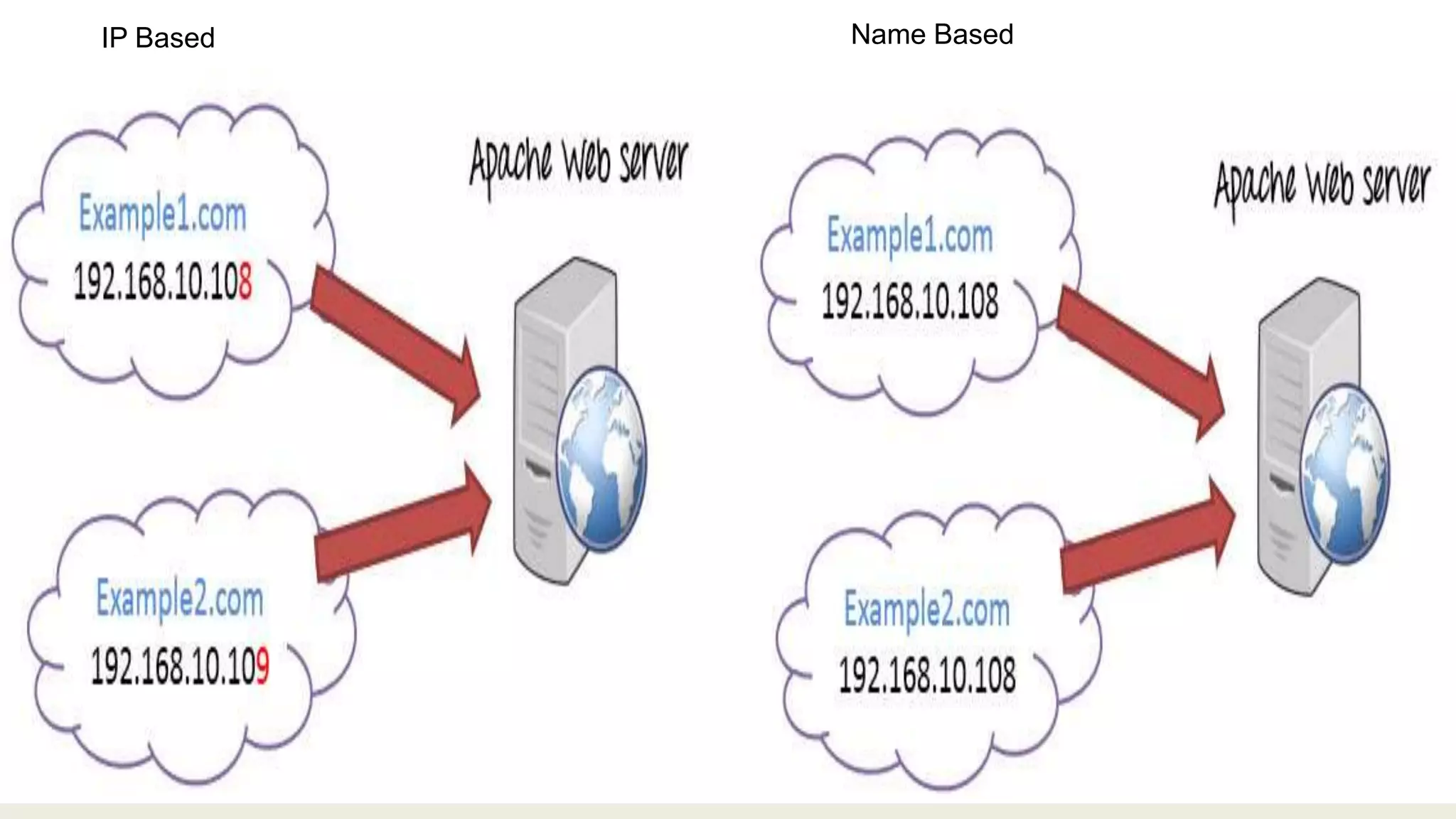
Types:
1. Name-based Virtual host
2. Address-based or IP based virtual host
IP Based Name Based
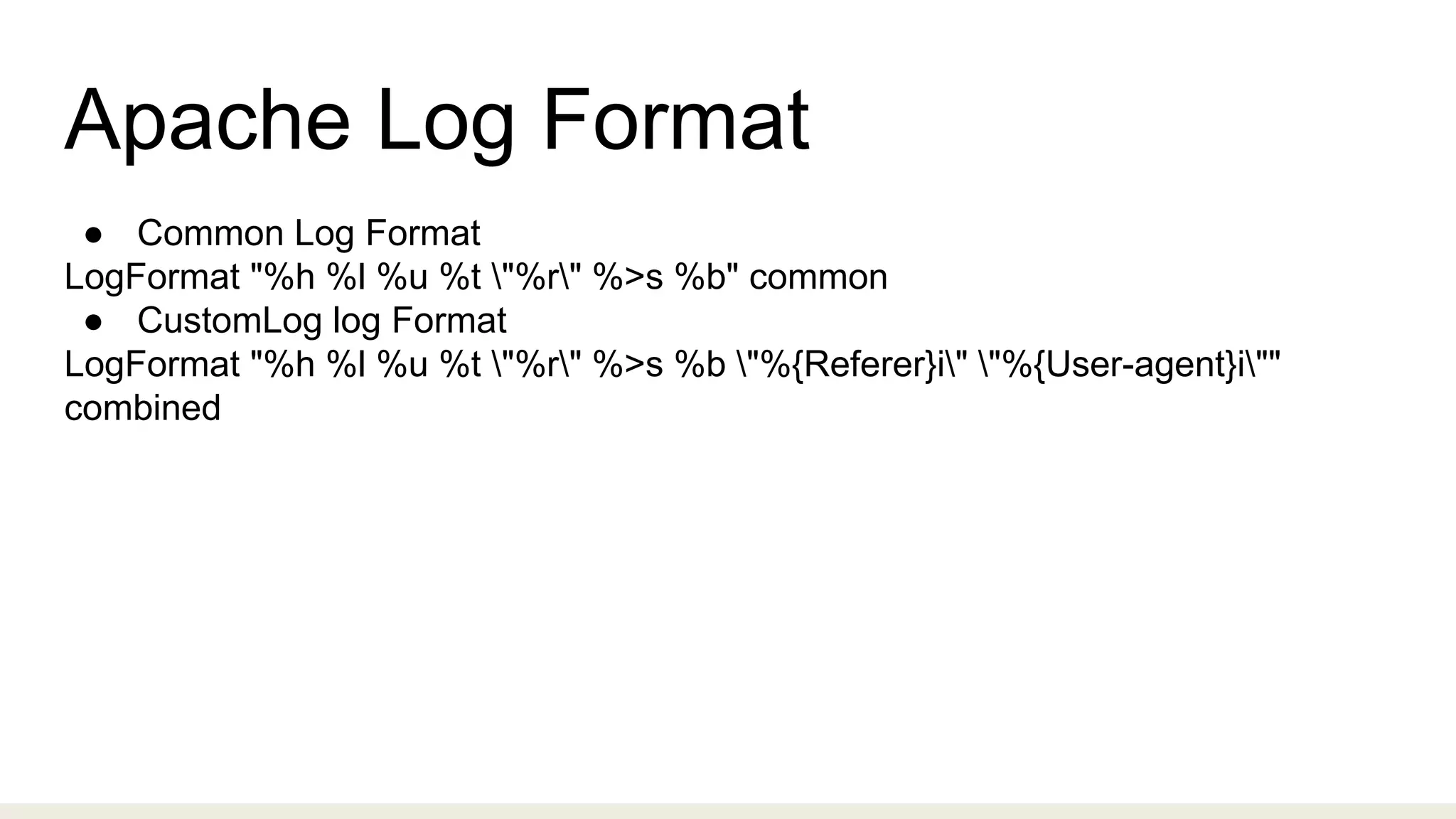
Apache Log Format
● Common Log Format
LogFormat "%h %l %u %t "%r" %>s %b" common
● CustomLog log Format
LogFormat "%h %l %u %t "%r" %>s %b "%{Referer}i" "%{User-agent}i""
combined
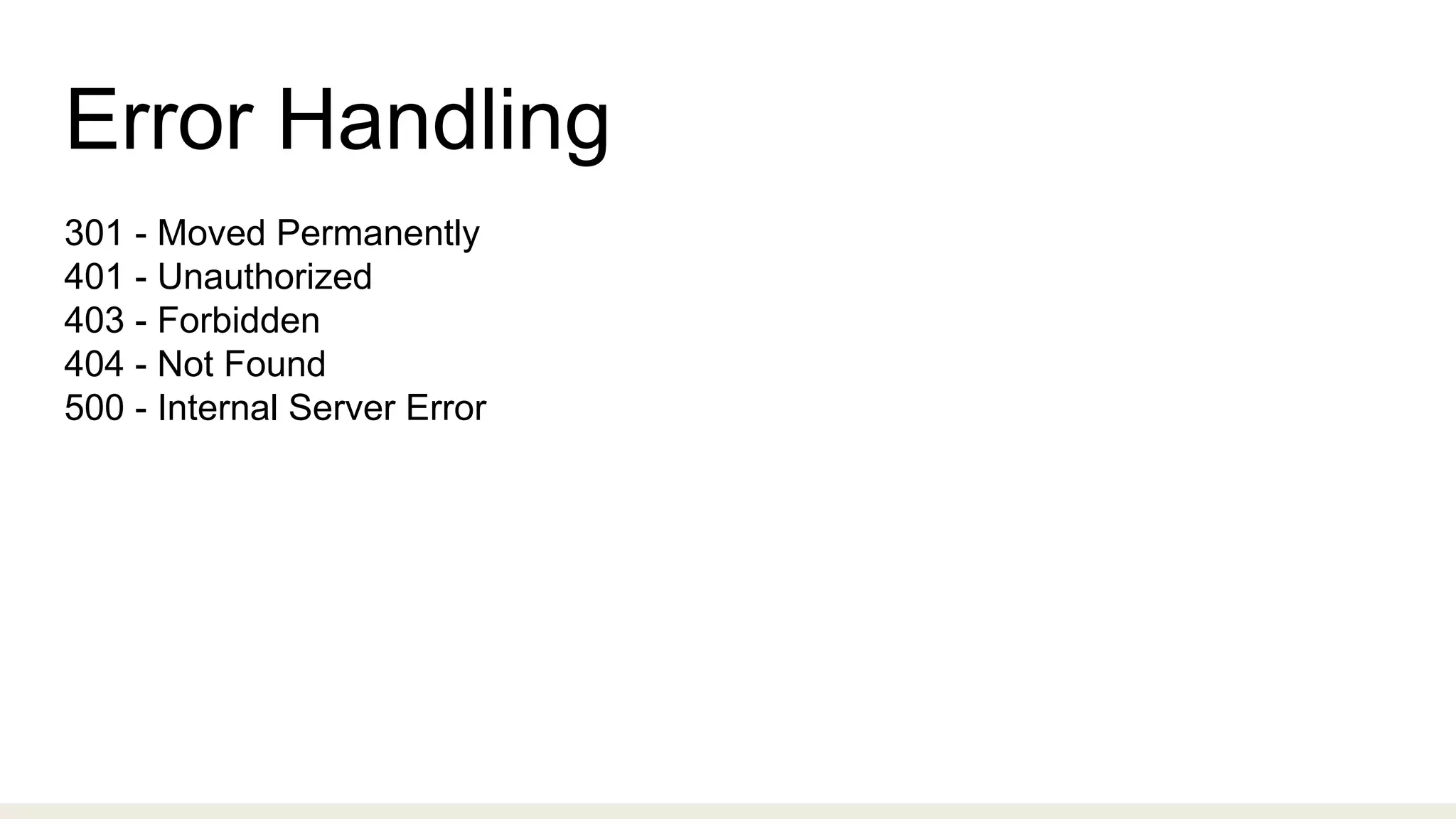
Error Handling
301 - Moved Permanently
401 - Unauthorized
403 - Forbidden
404 - Not Found
500 - Internal Server Error
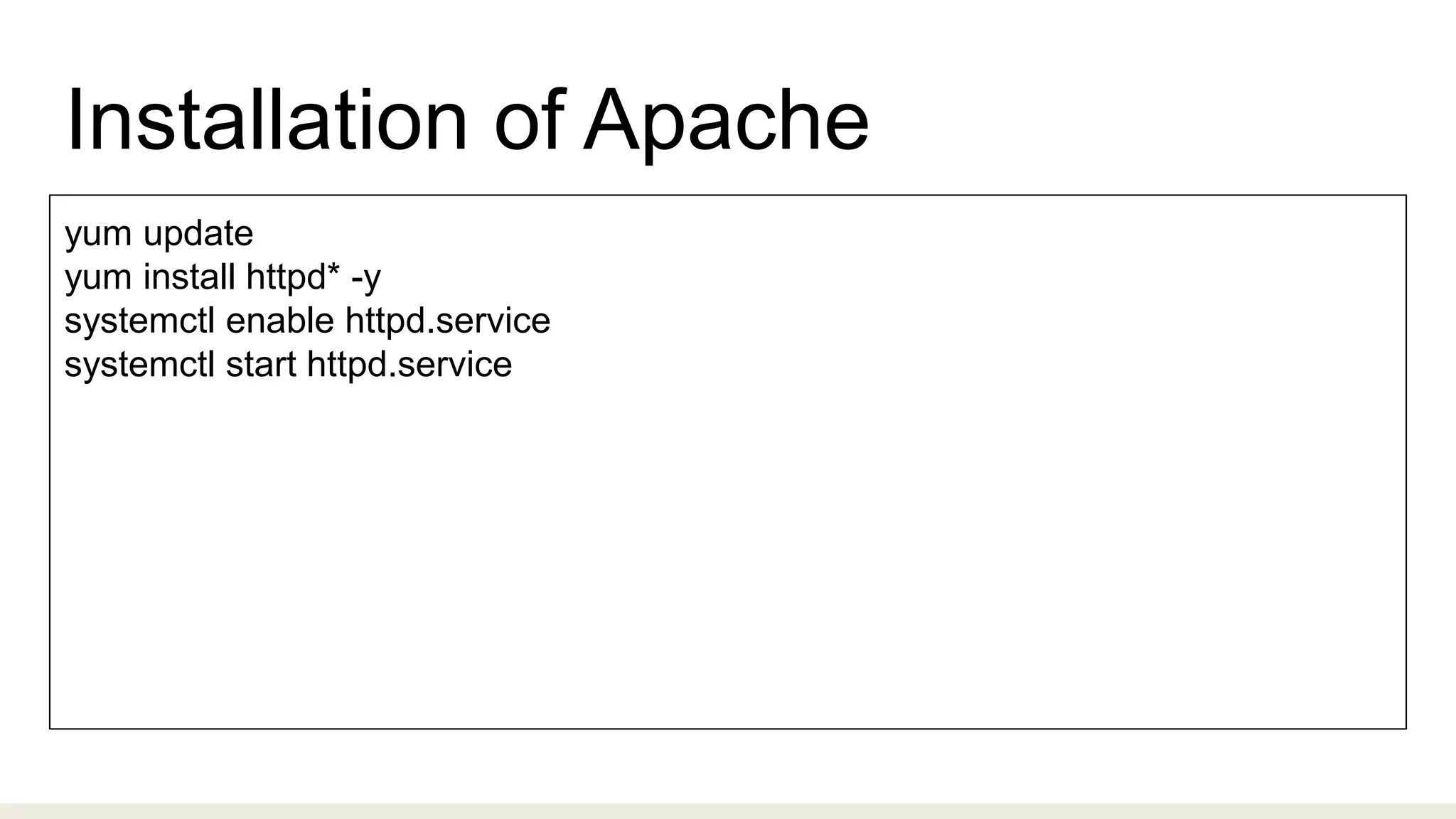
Installation of Apache
yum update
yum install httpd* -y
systemctl enable httpd.service
systemctl start httpd.service
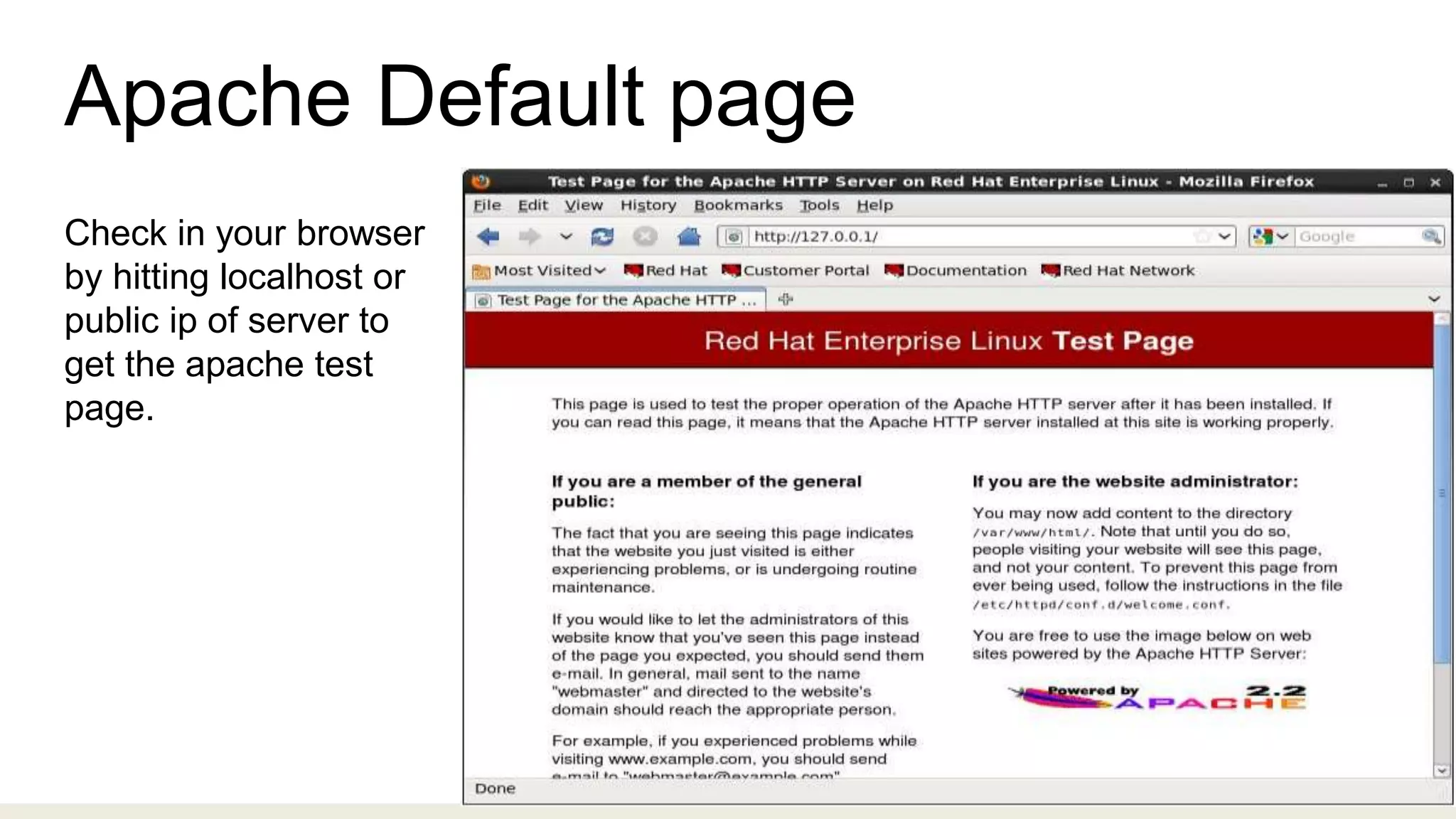
Apache Default page
Check in your browser
by hitting localhost or
public ip of server to
get the apache test
page.
THANK YOU

Apache

  • 2.
    Agenda ❖ What isa Web-server? ❖ Apache HTTP Server Overview ❖ Apache Features ❖ How Apache works ❖ Virtual Host ❖ Log Format ❖ Error Handling ❖ Installation of Apache
  • 3.
    What is aweb-server? A Web server is a program that uses HTTP (Hypertext Transfer Protocol) to serve the files that form Web pages to users, in response to their requests, which are forwarded by their computers' HTTP clients. Internet
  • 4.
    Apache HTTP serverOverview ● Free, Based on Open source Technology ● Multiple Scripting language Support ● Simple, Powerful file-based configuration ● Runs on almost all Operating System
  • 5.
    Origin of Apache Apacheis a remarkable piece of application software. It is the most widely used Web Server application in the world with more than 50% share in the commercial web server market. Apache is the most widely used Web Server application in Unix-like operating systems but can be used on almost all platforms such as Windows, OS X, OS/2, etc.
  • 6.
    Apache Features ● Itis a modular, process-based web server application that creates a new thread with each simultaneous connection. ● It supports a number of features; many of them are compiled as separate modules and extend its core functionality, and can provide everything from server side programming language support to authentication mechanism. ● Virtual hosting is one such feature that allows a single Apache Web Server to serve a number of different websites.
  • 7.
    How Apache Works Apacheintroduced Multi-Processing Modules, or MPMs. The MPMs change the basic functionality of the web server. They do this by modifying how Apache listens to the network, accepts, and handles requests. 1. Prefork 1. Worker 1. Event
  • 8.
    Prefork By default mpmis prefork which is thread safe. Prefork MPM uses multiple child processes with one thread each and each process handles one connection at a time.
  • 9.
    Worker Worker MPM usesmultiple child processes with many threads each. Each thread handles one connection at a time.
  • 10.
    Virtual Host An Apacheweb server can host multiple websites on the SAME server. You do not need separate server machine and apache software for each website. This can achieved using the concept of Virtual Host or VHost. Types: 1. Name-based Virtual host 2. Address-based or IP based virtual host
  • 11.
  • 12.
    Apache Log Format ●Common Log Format LogFormat "%h %l %u %t "%r" %>s %b" common ● CustomLog log Format LogFormat "%h %l %u %t "%r" %>s %b "%{Referer}i" "%{User-agent}i"" combined
  • 13.
    Error Handling 301 -Moved Permanently 401 - Unauthorized 403 - Forbidden 404 - Not Found 500 - Internal Server Error
  • 14.
    Installation of Apache yumupdate yum install httpd* -y systemctl enable httpd.service systemctl start httpd.service
  • 15.
    Apache Default page Checkin your browser by hitting localhost or public ip of server to get the apache test page.
  • 16.