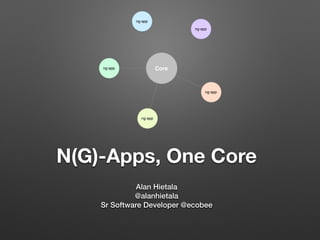
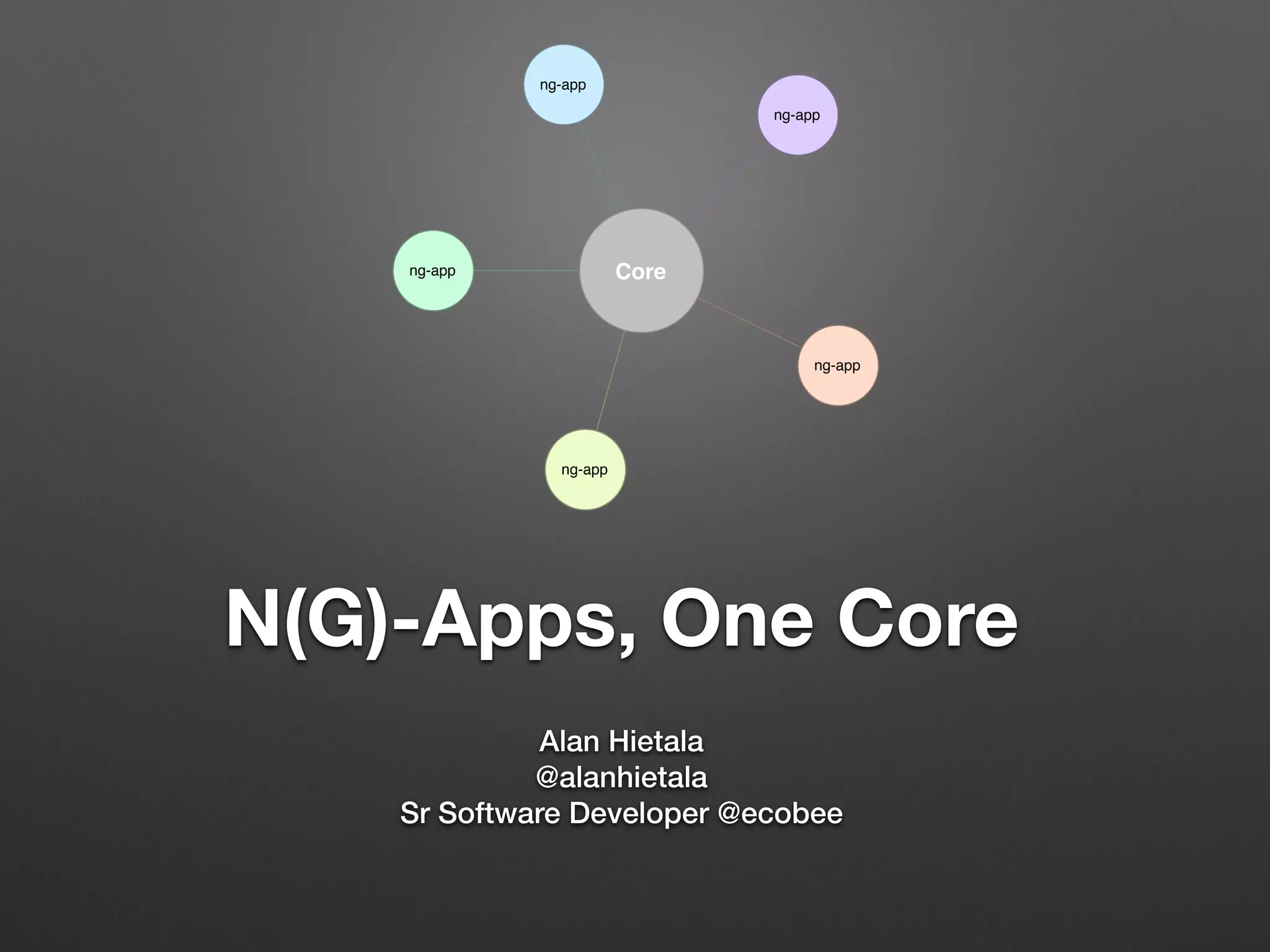
N(G)-Apps, One Core
Alan Hietala
@alanhietala
Sr Software Developer @ecobee
Core
ng-app
ng-app
ng-app
ng-app
ng-app
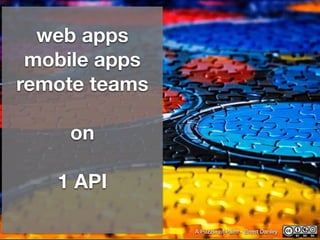
web apps
mobile apps
remote teams
!
on
!
1 API
A Puzzle of Paint - Brent Danley
Core Architecture
Connection Manager	
• All ThermostatServices make their data calls here
• Facade created to our bare metal API’s.
• Hides details of authentication from the developer
• provides a clean interface for actions that are more
complicated within the API itself.
Thermostat Services
• Rely on connection manager for data
• master service that splits the api json into bits
• Thermostat Service contains many task specific
services that process those bits of json
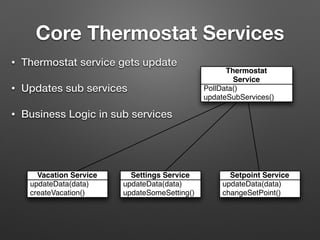
Core Thermostat Services
• Thermostat service gets update
• Updates sub services
• Business Logic in sub services
PollData()
updateSubServices()
Thermostat
Service
updateData(data)
createVacation()
Vacation Service
updateData(data)
updateSomeSetting()
Settings Service
updateData(data)
changeSetPoint()
Setpoint Service
Model Factories
• Raw API data often not in the best format for data
binding
• Model Factories create angular specific models
• Our sub services use the factory to create the data
objects controllers watch.
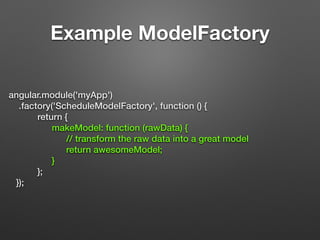
Example ModelFactory
angular.module('myApp')
.factory('ScheduleModelFactory', function () {
return {
makeModel: function (rawData) {
// transform the raw data into a great model
return awesomeModel;
}
};
});
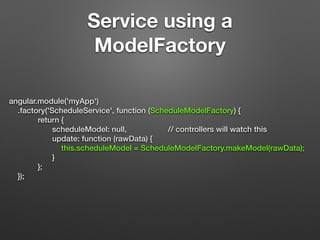
Service using a
ModelFactory
angular.module('myApp')
.factory('ScheduleService', function (ScheduleModelFactory) {
return {
scheduleModel: null, // controllers will watch this
update: function (rawData) {
this.scheduleModel = ScheduleModelFactory.makeModel(rawData);
}
};
});
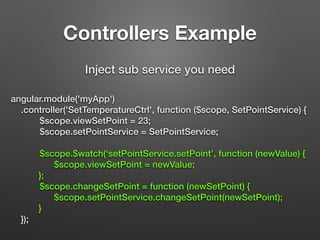
Controllers Example
angular.module('myApp')
.controller('SetTemperatureCtrl', function ($scope, SetPointService) {
$scope.viewSetPoint = 23;
$scope.setPointService = SetPointService;
$scope.$watch(‘setPointService.setPoint’, function (newValue) {
$scope.viewSetPoint = newValue;
};
$scope.changeSetPoint = function (newSetPoint) {
$scope.setPointService.changeSetPoint(newSetPoint);
}
});
Inject sub service you need
Business logic? Ram it Down
Untitled - Etno Deos
Core enforces Business
Rules
• Throwing errors from core important for developers
down stream
• Downstream devs don’t have to know all the business
rules.
• We don’t rely on an API call failures business rules
client side ensure speed.
Overriding core
• What if core doesn’t quite meet an apps needs?
• Create override module
• Use a decorator
Override Module
!
!
angular.module(“myApp”, [“overrideModule”]);
!
!
!
!
!
!
Angular takes the last loaded version if two
modules have the same service defined.
Decorator
angular.module('myApp', ['myLibrary'])
.config(function ($provide) {
$provide.decorator(‘serviceName’, function ($delegate) {
var patchedFunction = function () {
// do something here
}
$delegate.functionToPatch = patchedFunction;
return $delegate;
});
});
Angular Sanctioned Monkey Patching
DI Makes this all simple
• All of the architecture above is based heavily on DI
• We create many interchangeable parts
• Each encapsulates a single idea
• If any part of an idea changes we update one area
Core is Sacred
Protected - Hartwig HKD
How do we Protect it?
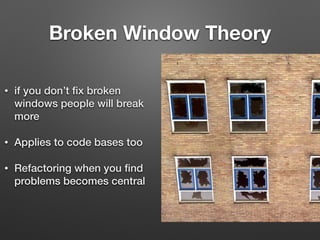
Broken Window Theory
• if you don’t fix broken
windows people will break
more
• Applies to code bases too
• Refactoring when you find
problems becomes central
Unit tests
Make things better, not
worse
you won’t change
things you’re scared of
breaking
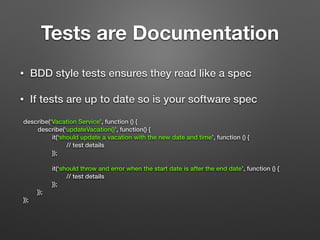
Tests are Documentation
• BDD style tests ensures they read like a spec
• If tests are up to date so is your software spec
describe(‘Vacation Service’, function () {
describe(‘updateVacation()’, function() {
it(‘should update a vacation with the new date and time’, function () {
// test details
});
!
it(‘should throw and error when the start date is after the end date’, function () {
// test details
});
});
});
Karma Advantages
• Run tests on all your target browsers
• Catch browser specific bugs Date.parse anyone?
• Good code coverage tools ties in with CI systems
easily
Code Review
gerrit
Review Board
Change Log
• V1.0.1 - Added net new feature
• V1.0.0 - changed business logic around thermostats
Problem
• How do we avoid breaking changes in core affecting
downstream code unexpectedly?
• Where we started wasn’t very ideal
Started with Sync Scripts
• With 2 apps had one copy services from the other
• As apps started to diverge the exclude list grew
• needed a better solution
Dependency Management
Bower
Bower to the rescue
• Bit the bullet and moved common services to it’s own
repo
• Set up bower in our applications to pull our new
tagged core repo.
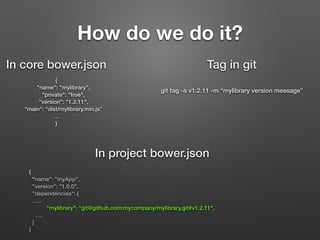
How do we do it?
{
"name": "myApp",
"version": "1.0.0",
"dependencies": {
….
"mylibrary": “git@github.com:mycompany/mylibrary.git#v1.2.11",
….
}
}
In project bower.json
In core bower.json
{
"name": "mylibrary",
"private": "true",
"version": "1.2.11",
"main": “dist/mylibrary.min.js”
…
}
Tag in git
git tag -a v1.2.11 -m “mylibrary version message”
Other benefits
• Forces conversations about what goes into core
services more thinking time is a good thing
• Easy rollback if change breaks your app.
• Dev controls what core version to use and upgrade
timing
In Summary
• Broke core into small services
• Abstracted connections
• model factories transform API data for frontend use
• Protect core with Unit testing, Dependency
Management, Code Reviews
• Angular makes this all easy
Thanks!
!
!
Questions?
Covered
• Services
• Sub Services
• Model Factories
• Controller interaction
• Connection Manager
• Dependency
Management
• Unit testing with Karma
• Code Review Tools
• Override modules
• Decorators
• Change Logs

AngularJSTO presentation

  • 1.
    N(G)-Apps, One Core AlanHietala @alanhietala Sr Software Developer @ecobee Core ng-app ng-app ng-app ng-app ng-app
  • 2.
    web apps mobile apps remoteteams ! on ! 1 API A Puzzle of Paint - Brent Danley
  • 3.
  • 4.
    Connection Manager • AllThermostatServices make their data calls here • Facade created to our bare metal API’s. • Hides details of authentication from the developer • provides a clean interface for actions that are more complicated within the API itself.
  • 5.
    Thermostat Services • Relyon connection manager for data • master service that splits the api json into bits • Thermostat Service contains many task specific services that process those bits of json
  • 6.
    Core Thermostat Services •Thermostat service gets update • Updates sub services • Business Logic in sub services PollData() updateSubServices() Thermostat Service updateData(data) createVacation() Vacation Service updateData(data) updateSomeSetting() Settings Service updateData(data) changeSetPoint() Setpoint Service
  • 7.
    Model Factories • RawAPI data often not in the best format for data binding • Model Factories create angular specific models • Our sub services use the factory to create the data objects controllers watch.
  • 8.
    Example ModelFactory angular.module('myApp') .factory('ScheduleModelFactory', function() { return { makeModel: function (rawData) { // transform the raw data into a great model return awesomeModel; } }; });
  • 9.
    Service using a ModelFactory angular.module('myApp') .factory('ScheduleService',function (ScheduleModelFactory) { return { scheduleModel: null, // controllers will watch this update: function (rawData) { this.scheduleModel = ScheduleModelFactory.makeModel(rawData); } }; });
  • 10.
    Controllers Example angular.module('myApp') .controller('SetTemperatureCtrl', function($scope, SetPointService) { $scope.viewSetPoint = 23; $scope.setPointService = SetPointService; $scope.$watch(‘setPointService.setPoint’, function (newValue) { $scope.viewSetPoint = newValue; }; $scope.changeSetPoint = function (newSetPoint) { $scope.setPointService.changeSetPoint(newSetPoint); } }); Inject sub service you need
  • 11.
    Business logic? Ramit Down Untitled - Etno Deos
  • 12.
    Core enforces Business Rules •Throwing errors from core important for developers down stream • Downstream devs don’t have to know all the business rules. • We don’t rely on an API call failures business rules client side ensure speed.
  • 13.
    Overriding core • Whatif core doesn’t quite meet an apps needs? • Create override module • Use a decorator
  • 14.
    Override Module ! ! angular.module(“myApp”, [“overrideModule”]); ! ! ! ! ! ! Angulartakes the last loaded version if two modules have the same service defined.
  • 15.
    Decorator angular.module('myApp', ['myLibrary']) .config(function ($provide){ $provide.decorator(‘serviceName’, function ($delegate) { var patchedFunction = function () { // do something here } $delegate.functionToPatch = patchedFunction; return $delegate; }); }); Angular Sanctioned Monkey Patching
  • 16.
    DI Makes thisall simple • All of the architecture above is based heavily on DI • We create many interchangeable parts • Each encapsulates a single idea • If any part of an idea changes we update one area
  • 17.
    Core is Sacred Protected- Hartwig HKD How do we Protect it?
  • 18.
    Broken Window Theory •if you don’t fix broken windows people will break more • Applies to code bases too • Refactoring when you find problems becomes central
  • 19.
    Unit tests Make thingsbetter, not worse you won’t change things you’re scared of breaking
  • 20.
    Tests are Documentation •BDD style tests ensures they read like a spec • If tests are up to date so is your software spec describe(‘Vacation Service’, function () { describe(‘updateVacation()’, function() { it(‘should update a vacation with the new date and time’, function () { // test details }); ! it(‘should throw and error when the start date is after the end date’, function () { // test details }); }); });
  • 21.
    Karma Advantages • Runtests on all your target browsers • Catch browser specific bugs Date.parse anyone? • Good code coverage tools ties in with CI systems easily
  • 22.
  • 23.
    Change Log • V1.0.1- Added net new feature • V1.0.0 - changed business logic around thermostats
  • 24.
    Problem • How dowe avoid breaking changes in core affecting downstream code unexpectedly? • Where we started wasn’t very ideal
  • 25.
    Started with SyncScripts • With 2 apps had one copy services from the other • As apps started to diverge the exclude list grew • needed a better solution
  • 26.
  • 27.
    Bower to therescue • Bit the bullet and moved common services to it’s own repo • Set up bower in our applications to pull our new tagged core repo.
  • 28.
    How do wedo it? { "name": "myApp", "version": "1.0.0", "dependencies": { …. "mylibrary": “git@github.com:mycompany/mylibrary.git#v1.2.11", …. } } In project bower.json In core bower.json { "name": "mylibrary", "private": "true", "version": "1.2.11", "main": “dist/mylibrary.min.js” … } Tag in git git tag -a v1.2.11 -m “mylibrary version message”
  • 29.
    Other benefits • Forcesconversations about what goes into core services more thinking time is a good thing • Easy rollback if change breaks your app. • Dev controls what core version to use and upgrade timing
  • 30.
    In Summary • Brokecore into small services • Abstracted connections • model factories transform API data for frontend use • Protect core with Unit testing, Dependency Management, Code Reviews • Angular makes this all easy
  • 31.
  • 32.
    Covered • Services • SubServices • Model Factories • Controller interaction • Connection Manager • Dependency Management • Unit testing with Karma • Code Review Tools • Override modules • Decorators • Change Logs