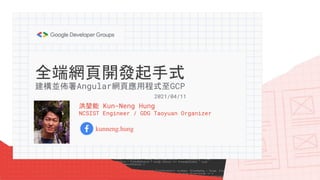
全端網頁開發起手式
洪堃能 Kun-Neng Hung
NCSIST Engineer / GDG Taoyuan Organizer
kunneng.hung
建構並佈署Angular網頁應用程式至GCP
2021/04/11
全端 = 前端 + 後端?
蛤?就這樣?
網頁架構設計、開發流程規劃、資
料庫維護、資訊安全...
Angular + GCP
典型的網站基本運作原理
Google Cloud Platform (GCP)
Google App Engine
Frontend 前端 Backend 後端
Webpage Web Service Database
Angular
或
Pub/Sub + Dataflow、
BigQuery、
Cloud Build、
…
request
response
data
事實上...
https://cloud.google.com/appengine
開始搭建舞台(GAE)吧!
https://cloud.google.com/appengine/docs/standard/nodejs/setting-up-environment
Step 1
https://cloud.google.com/sdk/docs/install
Step 2
https://cloud.google.com/appengine/docs/standard/nodejs/setting-up-environment
Step 3
初次使用Google Cloud SDK Shell
認證成功!
初次使用Google Cloud SDK Shell
gcloud CLI Commands
manage Google Cloud Platform resources and developer workflow
● gcloud config list
print the properties in the active configuration
● gcloud components list
list the status of all Cloud SDK components
● gcloud init [--console-only]
initialize or reinitialize gcloud
● gcloud projects describe PROJECT_ID_OR_NUMBER
show metadata for a project
https://cloud.google.com/sdk/gcloud/reference
gcloud app CLI Commands
deploy and manage your Google App Engine apps
● gcloud app regions list
list the availability of flex and standard environments for each region
● gcloud app create [--region=REGION]
create an App Engine app within the current Google Cloud Project
● gcloud app describe
display all data about an existing service
● gcloud app deploy
deploy the local code and/or configuration of your app to App Engine
https://cloud.google.com/sdk/gcloud/reference/app
gcloud app CLI Commands
deploy and manage your Google App Engine apps
● gcloud app regions list
● gcloud app create --region=asia-east2
● gcloud app describe
舞台限制特定動作
API 金鑰限制和最佳做法
https://developers.google.com/maps/api-key-best-practices
(1) 您可以將未受限制的 API 金鑰用於任何 Google 地圖平台 API 或 SDK,不過我們強烈建議您限制 API 金鑰,尤其是在下列
情況下:
○ 測試環境將設為或已設為開放給所有人檢視。
○ 採用 API 金鑰的應用程式可用於實際執行環境中。
(2) 考慮為行動應用程式採用原生的 Maps SDK for Android 和 Maps SDK for iOS。
舞者(Angular)熱身
初探 Angular
for creating efficient and sophisticated single-page apps
● App-Design framework 應用設計框架
● Development Platform 開發平臺
GDG Taoyuan #06 - 初探Angular 應用設計框架 (https://www.youtube.com/watch?v=xwYV3ZoavoI)
⇒ 提供比函式庫更完整功能與開發環境的「完整解決方案」
跨平臺
漸進式應用/原生/
桌面
速度與效能
程式碼產生/統一
平臺/程式碼拆分
生產力
範本/Angular
CLI/各種 IDE
完整開發故事
測試/動畫/可及性
程式碼整潔有規範
↓
程式碼格式一致性很高、不易出錯
↓
團隊合作順暢愉快
https://angular.tw/features
Angular 特色及優點
建立 Angular 專案
1. 安裝並確定 Node.js 與 npm 版本
2. 安裝 Angular CLI
3. 以 Angular CLI 建立新專案(工作空間)
4. 編譯並執行專案
ng new <name> [options]
ng n <name> [options]
ng serve <name> [options]
ng s <name> [options]
--host: Host to listen on.
--port: Port to listen on.
Default: 4200
node -v
npm -v
npm install -g @angular/cli
https://www.npmjs.com/package/@angular/cli
| Angular CLI | Angular | NodeJS | TypeScript |
|---------------|-----------------|--------------------------------|----------------|
|6.0.8 |6.0.x |8.9.x or later minor |2.7.x |
|6.1.5 |6.1.x |8.9.x or later minor |2.7.x |
|6.2.9 |6.1.x |8.9.x or later minor |2.9.x |
|7.0.7 |7.0.x |8.9.x/10.9.x or later minor |3.1.x |
|7.1.4 |7.1.x |8.9.x/10.9.x or later minor |3.1.x |
|7.2.4 |7.2.x |8.9.x/10.9.x or later minor |3.2.x |
|7.3.9 |7.2.x |8.9.x/10.9.x or later minor |3.2.x |
|8.0.6 |8.0.x |10.9.x or later minor |3.4.x |
|8.1.3 |8.1.x |10.9.x or later minor |3.4.x |
|8.2.2 |8.2.x |10.9.x or later minor |3.4.x |
|8.3.25 |8.2.x |10.9.x or later minor |3.5.x |
|9.0.7 |9.0.7 |10.13.x/12.11.x or later minor |3.6.x/3.7.x |
|9.x |9.x |10.13.x/12.11.x or later minor |3.6.x-3.8.x |
|10.x |10.x |10.13.x/12.11.x or later minor |3.9.x |
|10.1.x |10.1.x |10.13.x/12.11.x or later minor |3.9.x/4.0.x |
|10.2.x |10.2.x |10.13.x/12.11.x or later minor |3.9.x/4.0.x |
|11.0.7 |11.0.x |10.13.x/12.11.x or later minor |4.0.x |
|11.1.x |11.1.x |10.13.x/12.11.x or later minor |4.0.x/4.1.x |
|11.2.x |11.2.x |10.13.x/12.11.x or later minor |4.0.x/4.1.x |
|12.0.x |12.0.x |12.13.x/14.15.x or later minor |4.2.x |
https://gist.github.com/LayZeeDK/c822cc812f75bb07b7c55d07ba2719b3
(localhost)彩排
加入 Angular Google Maps component
Component on Angular 9
1. 確認並更新 Angular 版本
2. 安裝 Google Maps 模組
3. 使用 Google Maps 模組
npm install @angular/google-maps
ng version
ng update @angular/core@^9 @angular/cli@^9
https://github.com/angular/components/blob/master/src/google-maps/
載入並使用 Google Maps
操作 Angular CLI
● 建立模組
● 建立元件
● 建立服務
https://www.npmjs.com/package/@angular/cli
ng generate component <name> [options]
ng g component <name> [options]
ng generate service <name> [options]
ng g service <name> [options]
ng generate module <name> [options]
ng g module <name> [options]
PS C:projectsgaehugoo-bus> ng g component bus-map
CREATE src/app/bus-map/bus-map.component.html (22 bytes)
CREATE src/app/bus-map/bus-map.component.spec.ts (627 bytes)
CREATE src/app/bus-map/bus-map.component.ts (278 bytes)
CREATE src/app/bus-map/bus-map.component.css (0 bytes)
UPDATE src/app/app.module.ts (477 bytes)
PS C:projectsgaehugoo-bus> ng g module bus-map
CREATE src/app/bus-map/bus-map.module.ts (192 bytes)
PS C:projectsgaehugoo-bus> ng g service services/google-maps
CREATE src/app/services/google-maps.service.spec.ts (378 bytes)
CREATE src/app/services/google-maps.service.ts (139 bytes)
PS C:projectsgaehugoo-bus> ng g service services/bus-data
CREATE src/app/services/bus-data.service.spec.ts (363 bytes)
CREATE src/app/services/bus-data.service.ts (136 bytes)
BusMapComponent
BusMapModule
GoogleMapsService BusDataService
GoogleMapsModule
HttpClientModule
HttpClientJsonpModule
AppModule
Lazy Loading the API Bus Data Provider
步上舞台
runtime: nodejs14
handlers:
- url: /
static_files: dist/hugoo-bus/index.html
upload: dist/hugoo-bus/index.html
- url: /
static_dir: dist/hugoo-bus
https://cloud.google.com/appengine/docs/standard/nodejs/configuration-files
<application root>/
source files app.yaml
佈署 Angular 專案
1. 打包專案
2. 佈署專案
ng build --prod
gcloud app deploy
舞動人生,未完待續
在 Google App Engine 還要做更多事
相關社群與學習資源
● Angular 線上讀書會
https://www.facebook.com/groups/angularstudygroup/
● Google Developers Experts
https://developers.google.com/community/experts/directory
wellwind.idv.tw/blog
blog.miniasp.com blog.kevinyang.net
感謝聆聽!
Q & A

20210411 全端網頁開發起手式:建構並佈署Angular網頁應用程式至GCP